30AE - Blender VIKING - Free user manual and instructions
Find the device manual for free 30AE VIKING in PDF.


User questions about 30AE VIKING
0 question about this device. Answer the ones you know or ask your own.
Ask a new question about this device
Download the instructions for your Blender in PDF format for free! Find your manual 30AE - VIKING and take your electronic device back in hand. On this page are published all the documents necessary for the use of your device. 30AE by VIKING.
USER MANUAL 30AE VIKING
text_image
Warehouse 30 dB mbly ring
text_image
Hand-drawn diagram with labeled boxes and a yellow rectangle, possibly illustrating a layout or planning layout.
text_image
Hue Visit OurHow to Design a Paging System
Planning--Speaker Placement Volume Control--Zoning Product Recommendations

natural_image
Architectural floor plan with car displays, compass, and VIKING model display (no readable text or symbols)Provided by
VIKING ELECTRONICS
Hudson, WI 54016 • (715) 386-8861
Help@VikingElectronics.com
Visit Our Web Site: www.VikingElectronics.com
Telecom and Security Solutions for the 21st Century
Table of Contents
Planning a paging system....2
Speaker Placement and Number of Speakers 3-5
The Importance of Volume Controls ....6
Feedback Elimination and Zoning ....7
Typical Layouts and Materials Lists....8-11
Viking Paging Products....12
Planning a Paging System—It's More Than a Bunch of Speakers
The most common complaint we hear about paging systems is that employees either can't hear their page, or even if they can hear them they simply can't understand them. Whether the situation occurs in an office, manufacturing facility, or retail environment, the result is almost always the same. The paging employee has to make a series of repeat pages, and that person's frustration becomes more apparent with each additional page.
Poorly planned paging systems are inefficient, add unnecessary employee stress, and worst of all, result in lost sales. After all, whether the customer is in a store waiting for the paged person, or on the phone, they'll walk away or hang up if they don't feel they're being attended to in a prompt fashion. Planning an efficient paging system is not difficult. You do not have to be an expert sound engineer to spot potential trouble spots and come up with solutions. But you do have to take the time to analyze the project layout, predicting the most likely ambient sound levels, and determining the most likely paging patterns.
Once you have those characteristics in mind, you can then determine the number and types of speakers to use. In addition to calculating speaker counts and placement locations, you should also determine which areas require adjustable volume controls, and whether those volume controls are speaker or wall mounted.
Next, you can calculate amplifier wattage needs. There is no such thing as a “one-size-fits-all” paging amplifier. For example, you may choose a standard 30 watt amplifier to cover the majority of the facility, but add extra amplifiers for noisy areas such as factory production areas, warehouses, or outside lots.
Before you settle on amplifier choices, make sure you've properly considered zoning the system. It's true that zoning adds cost to the system, but the feedback we hear from our customers and installers is that the cost is well worth it. Zoning minimizes interruptions to business areas that have no need to hear all pages. Imagine how distracting it is to accounting personnel to hear every salesperson's page.
Finally, make sure you consider the advantages of feedback eliminators and page repeaters. Surveys show that most paged parties miss their first page simply because they weren't paying attention until they heard a portion of their name. By that time they have most likely missed which line they are supposed to pick up, or where they are to report to. With a page repeater in the system, the paging party makes the page one time. The page repeater records the page, time shifts it to eliminate feedback, and then plays the page once or twice, depending on programming. The result is more prompt attention to pages.
Determining the Number and Placement of Speakers
The Rule of Thumb Spacing Model
Sound coverage per speaker is directly related to ceiling height. The taller the ceiling, the more the sound spreads. Think of how a flood light mounted higher up illuminates a larger area. The rule of thumb model states that you place speakers apart by twice the height of the ceiling. (See figures to right)
For example, if you're working with 8' ceilings, place speakers every 16 feet. In this example each 2 speakers cover 256 square feet of ceiling (16 x 16).
Just like lighting, speakers perform best when they are in the line-of-sight to the listener. Do not mount speakers next to large beams or partial walls that would obstruct the sound.
Consider the Reflection Issue
Reflected light is often softer and more pleasing than light directly from the source. Unless, of course, the light is being reflected off of glossy surfaces, in which case it causes glare. The same is true of sound. If your installation has hard floors (vinyl, concrete, hardwood, etc.) and other “hard” features such as metal benches, large industrial equipment, etc., you have to be especially careful to avoid “glare” or sound reflection. These surfaces tend to distort sound, making pages unintelligible. If the same application has high ceilings, planning gets a bit more complicated because the listener also hears reverberation.
The human aural system can easily integrate sounds heard within 30 milliseconds of each other. Reverberation causes more than a 30 millisecond delay and the listener is bombarded with distortion and “dual messaging.”
In these applications you must modify the rule of thumb spacing model and consider a minimum or full overlap spacing pattern. (See next page)

text_image
Space Speakers 16 Feet Apart 8 Foot Ceiling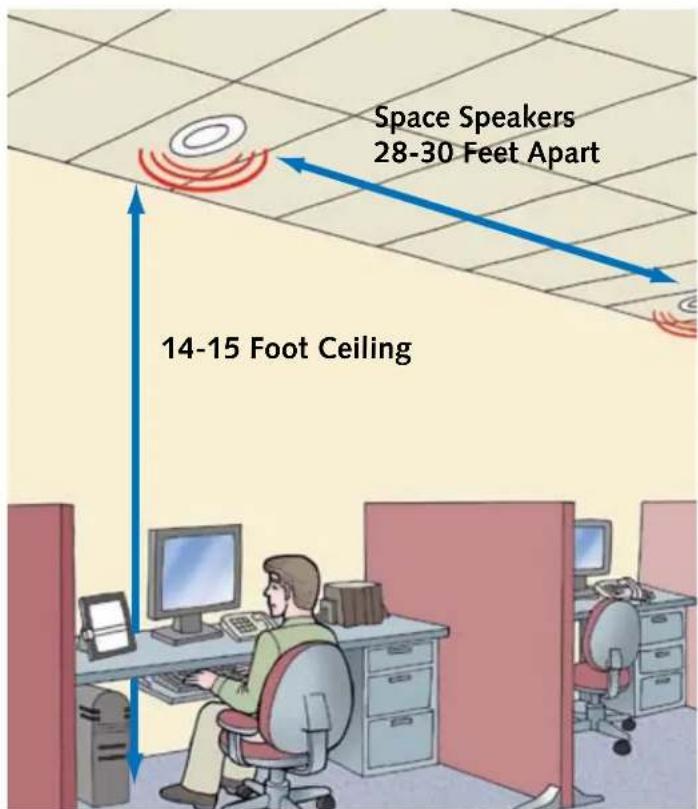
text_image
Space Speakers 28-30 Feet Apart 14-15 Foot CeilingAmbient Noise Levels
Ambient Noise levels also affect speaker count and placement. Typical noise levels for different applications are listed in Figure 1. If you plan to use background music in your application, plan to boost volume at least 5 dB above ambient noise levels. Voice paging demands at least a 10dB volume increase above ambient to be intelligible. However, a 15-20 dB increase provides maximum intelligibility and highest dynamic range.
Noisy applications demand higher speaker counts and tighter spacing. For voice paging applications where background music quality is secondary, select a speaker that has even coverage in the 1 to 6kHz range (the 2kHz region is considered the most important octave for intelligibility).
Sound Falloff and Dead Zones
All speakers exhibit a fairly predictable pattern of volume falloff as the listener gets farther from away from the center axis of the speaker. Figure 2 shows the difference in volume between the center axis and 60° off-axis.
An “on-axis” listener seated 3 feet off the floor (listening height) will experience a normal volume drop of 6dB. Sound has to travel farther to reach a listener at the same listening height but 60^ off-cent from the speaker axis. That listener will experience a 15dB volume falloff—a 9 dB difference. Some speaker manufacturers advertise a 140^ coverage angle. You can see how the wide variation in volume levels at 120^ would be even more unacceptable at 140^ .
Edge-to-edge spacing is the least costly way to design a paging system because it uses the fewest speakers. If you plan to use an edge-to-edge layout based on a 120° coverage angle, it's best to arrange speakers in the hexagonal pattern shown to the right. Square patterns result in large "dead" zones shown by the red diamonds. Hexagonal edge-to-edge patterns reduce the size of the dead zones, but cannot eliminate them.
| Figure 1 Typical Ambient Noise Levels in dB | |
| 30 | Quiet library, soft whisper |
| 40 | Quiet office, living room |
| 50 | Office with office machine noise |
| 60 | Conversation |
| 70 | Restaurant, factory assembly |
| 80 | Automated factory equipment |
| 90 | Shop tools, saws, drills |

text_image
60° off-axis -15dB falloff On-axis -6dB falloff Listening height 120° Maximum "Real" Coverage Angle 140° Advertised Coverage AngleFigure 2 An “on axis” listener seated 3 feet off the floor (listening height) will experience a normal volume drop of 6dB. Yet sound has to travel farther to reach a listener at the same listening height but 60° off-center from the speaker axis. That listener will experience a 15dB volume falloff—a 9 dB difference.

text_image
2x Ceiling Height The Rule of Thumb Model results in edge-to-edge spacing. The lighter blue outer edges represent sound falloff.Regardless of whether you choose a square or hexagonal pattern, edge-to-edge spacing results in falloff along the edges. Square patterns also result in the large dead zones shown in red. Hexagonal patterns reduce, but do not eliminate these dead zones.
Overlap Patterns
Overlap patterns offer better sound saturation and are well suited for noisy applications. They also offer more uniform coverage when background music or sound masking (white noise/pink noise) is part of the system.

text_image
Minimum Overlap Full OverlapThe minimum overlap pattern eliminates dead zones and reduces falloff. The full overlap pattern ensures consistent sound volumes throughout the entire pattern.
Horns and Their Applications
Speaker horns are primarily used in noisy areas. However, because they can cover enormously large areas, they are also well suited for use in warehouses, shipping departments, lots, garages, etc.
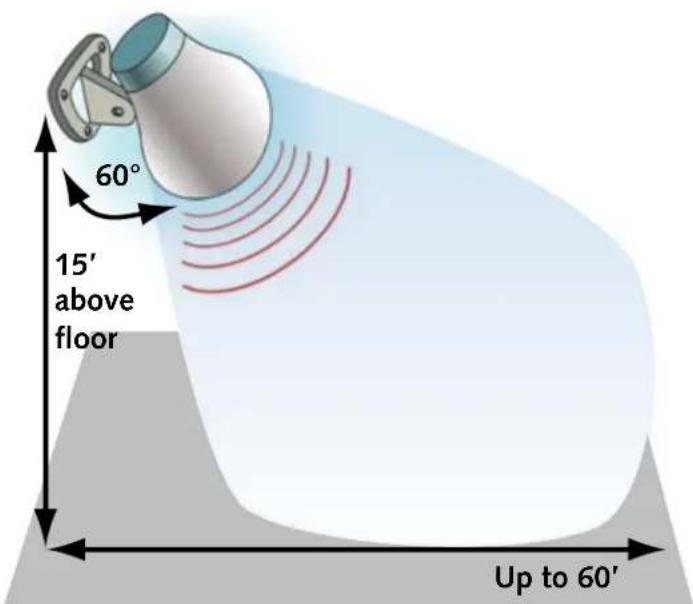
Horns perform best and cover the largest areas when they are mounted 15' above the floor and set at a 60° angle of projection across the room.
Because horns have such large coverage areas, you need fewer of them.
Quiet Areas <70 dB
1 horn per 4,000 square feet
Moderate Areas 71-85dB
1 horn per 2,500 square feet
Noisy Areas >85dB
1 horn per 1,200 square feet

text_image
Image showing a red prohibition symbol crossed out by black lines on a pink patterned background, with corner markers.Never point speaker horns at each other. The sounds cancel each other, cause reverberation, distortion, and delay.
text_image
60° 15' above floor Up to 60'For best coverage speaker horns should be mounted 15' off the floor and tilted at a 60° angle.

text_image
60 Feet 40 FeetThe proper pattern for mounting speaker horns. All horns point in the same direction with 60' downrange spacing and 40' spacing side-to-side.
Volume Control
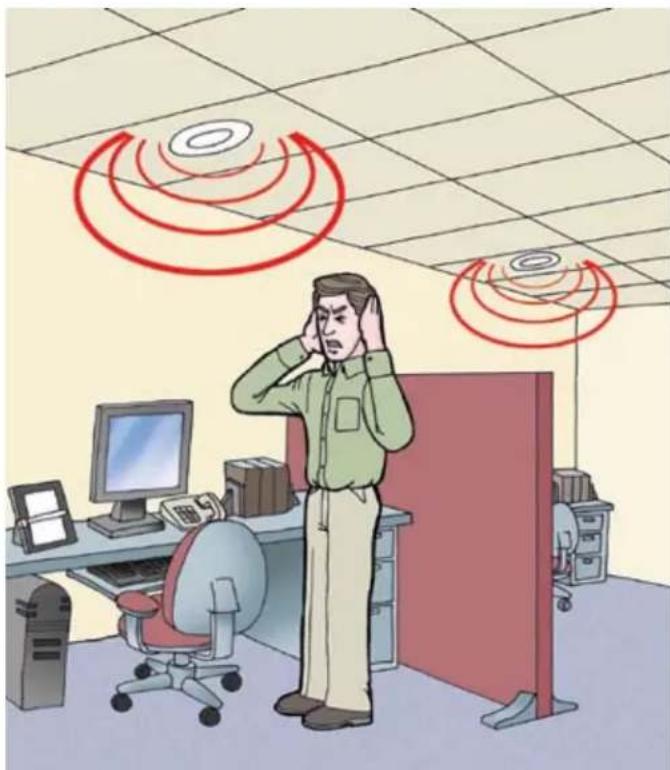
When it comes to setting volume throughout a paging system, there's no such thing as "one-size fits-all." Different areas within the system need different volumes based on the ambient noise levels in those areas and the type of activity being done there. Setting the volume based on the noisiest areas usually results in complaints from employees in quieter areas. Excessively loud paging disrupts employees and adds to stress levels.
Obviously, the easiest solution to this problem is to separately zone each area and adjust the volume accordingly. However, even within a single zone, there are likely to be areas where a preset volume may be too loud for certain activities.
For example, a general office area with cubicles may also contain areas with private offices and conference rooms. While a louder volume may work in the open cubicle areas, private office and conference room occupants generally prefer lower volumes. That's where volume controlled speakers and wall mounted volume controls are indicated.
It's best to use volume controlled speakers in open areas where noise levels are relatively constant and where adjustment is rarely necessary. Wall mounted volume controls are best suited for private offices and conference rooms, where the occupants may choose to hear pages, or turn them off completely.
natural_image
Illustration of a person in an office with computer and desk equipment, surrounded by red circular wave signals (no text or symbols)Setting one volume for all areas, regardless of the ambient noise level in each area, results in painfully loud pages. This will generate employee complaints, lower productivity, and increased stress.

natural_image
Illustration of a meeting scene with four people around a table, one person holding documents, and a wall-mounted device emitting sound waves (no text or symbols present)Use wall mounted volume controls in conference rooms and private offices to allow for individual preferences.
Feedback Eliminators and Page Repeaters
Real-time paging can always create feedback if the volume is loud enough and the speaker is located near the paging telephone. Since feedback is so predictable, it's best to eliminate it right from the start by incorporating a feedback eliminator/page repeater into your original layout.
A feedback eliminator works by digitally recording the page and then playing it after the paging party hangs up. Since the page is already in digital memory, the page repeater repeats the page at least one more time. Most listeners do not recognize their pages on the first call and multiple manual pages waste employee time.
The Importance of Zoning
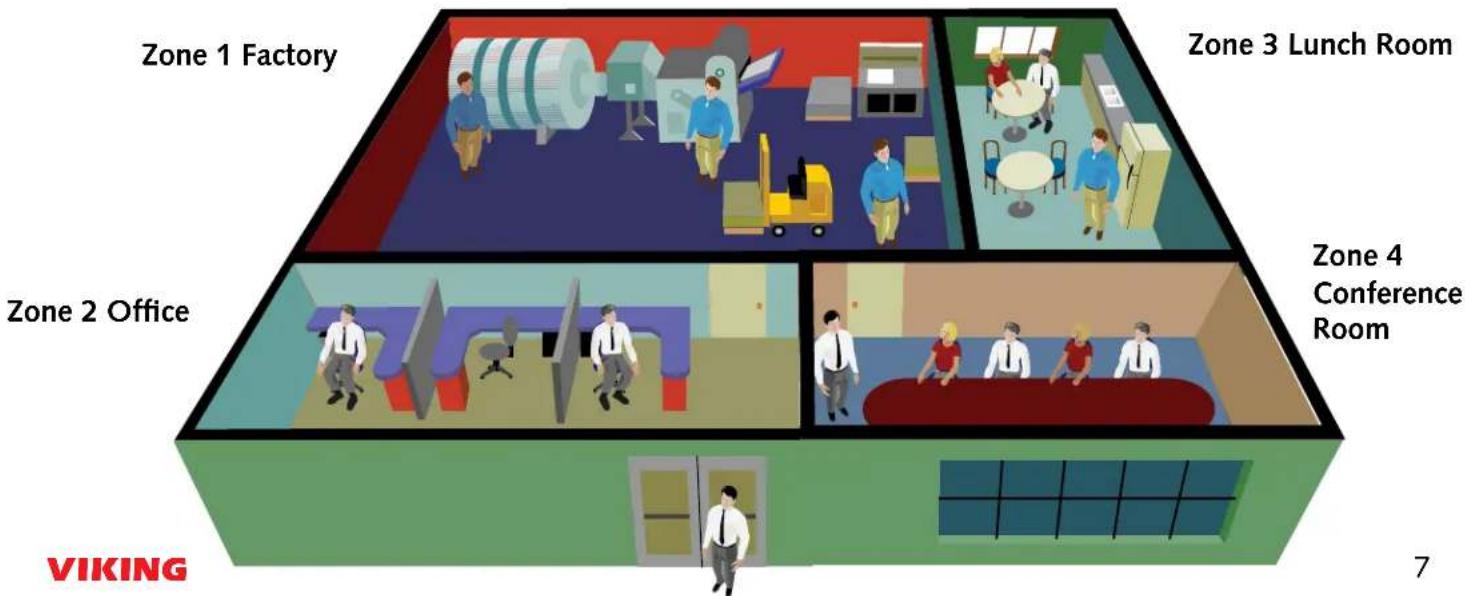
Even when the system is properly designed, paging can be disruptive. It interrupts conversations, and is distracting. That's why it's so important to limi paging to only those areas of a building where the paged party is likely to be. The best way to do that is to add zoning to a paging layout.
The diagram below shows a simple 4-zone layout, with a separate paging zone for the factory, office area, conference room, and lunch room.

text_image
Carol Kelly call 216 Carol Kelly call 216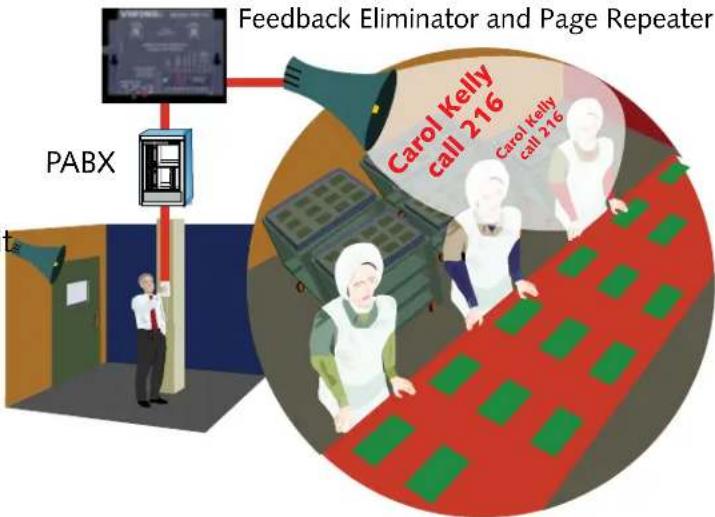
text_image
Feedback Eliminator and Page Repeater PABX Carol Kelly call 216 Carol Kelly call 216A feedback eliminator/page repeater time shifts the page to prevent feedback and it automatically repeats the page for better recognition and response.
4-Zone Paging Layout
text_image
Zone 1 Factory Zone 3 Lunch Room Zone 2 Office Zone 4 Conference Room VIKING 7Speaker Layout and Zoning for Typical Factory/Office Facility
Facility is laid out with 4 zones
Yellow Zone--Office areas Red Zone--Engineering area Green Zone--Production areas White Zone--Warehousing/Shipping
16 Ceiling Speakers used in office/engineering areas with suspended ceilings.
14 Paging Horns used in all production, warehousing, and shipping areas.
Wall mounted volume controls used in conference room and lunch room.
Bill of Materials:
(1) PA-30 Paging Amplifier
(14) 30AE Ceiling speakers w/o volume control
(2) 35AE Ceiling speakers with volume control for conference rooms.
(2) SV-5W Wall mount volume control
(1) ZPI-4 Zone Controller

text_image
VIKING® MODEL PA-30 M-HATT TELECOM CHANNEL AMPLIFIER




text_image
Automated Assembly Area 70-80 Decibel Rating Lunchr 40 dB Admin and Exec Offices 40 dB Paging Horns 14 Ceiling Speakers 16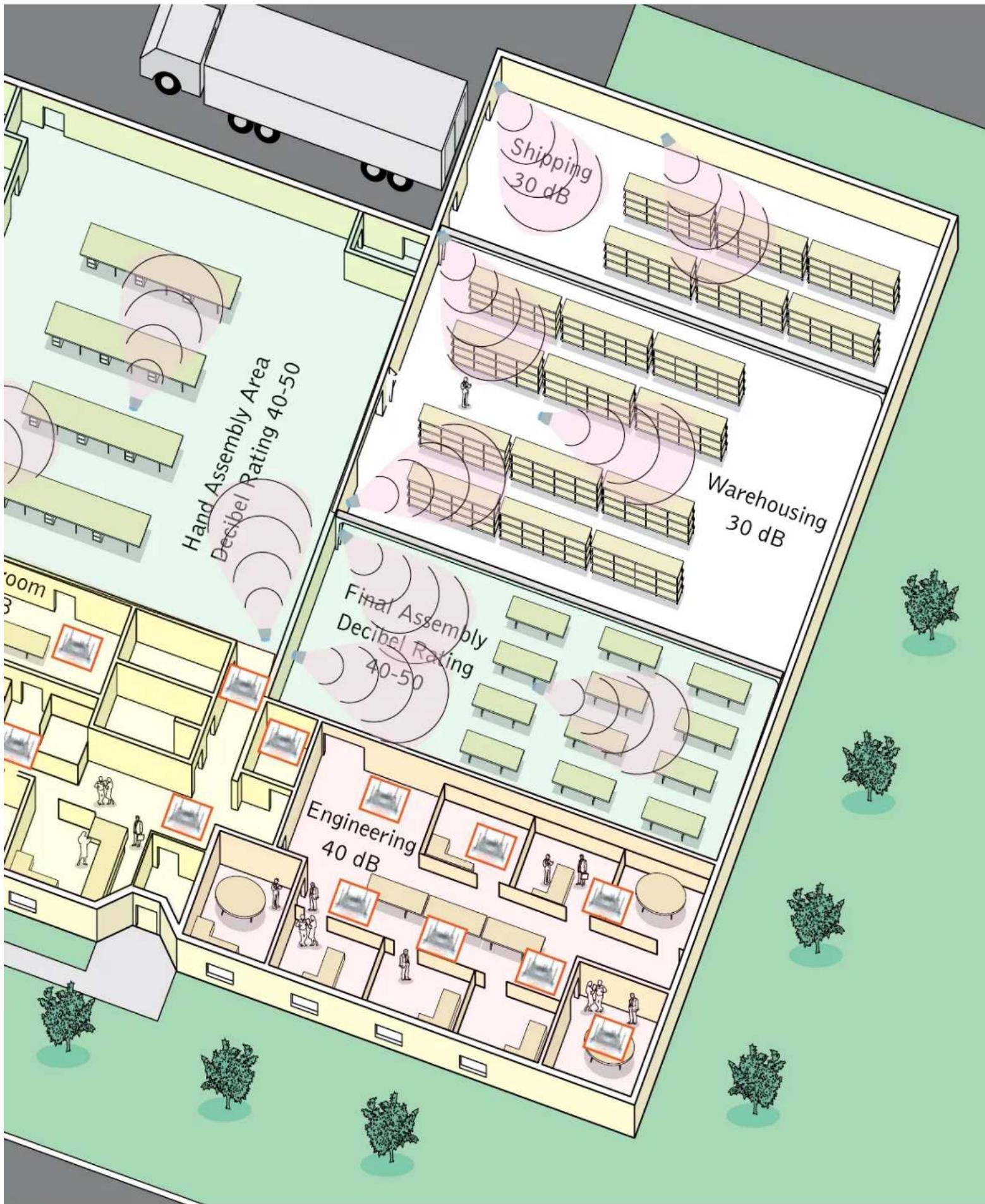
text_image
Hand Assembly Area Decibel Rating 40-50 Shipping 30 dB Warehousing 30 dB Final Assembly Decibel Rating 40-50 Engineering 40 dBCar Dealership Layout
Bill of Materials and Zoning
text_image
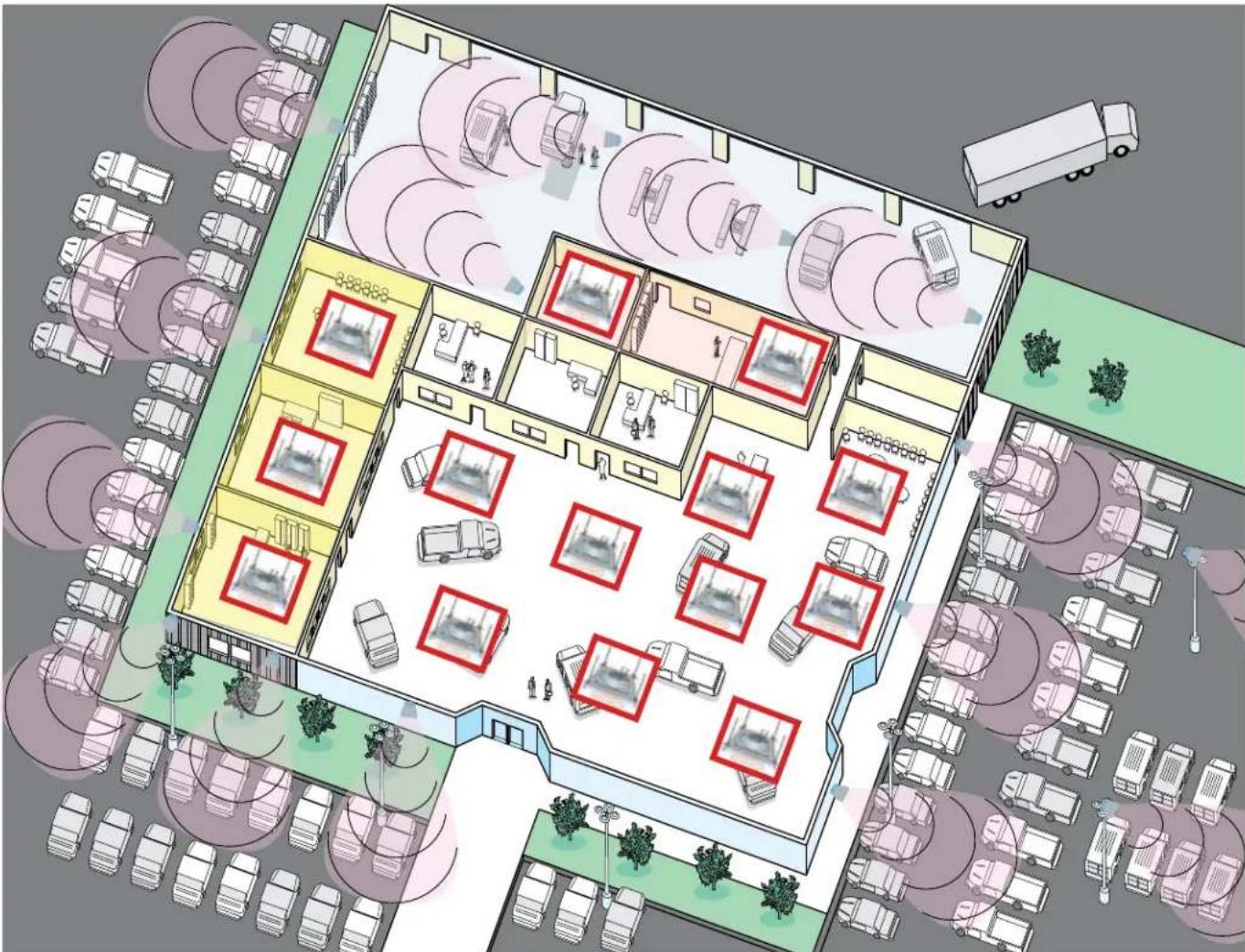
Aerial map of a parking lot with labeled parking areas, vehicles, and red bounding boxes highlighting specific locations.Application Notes:
A car dealership presents is an example of an installation that requires substantially different paging volumes.
Specifically, the outdoor paging horns and those in the service department must operate at a higher volume to overcome ambient noise levels. We recommend separate amplifiers for those high volume zones.
Zones:
White Zone--New Car Display Floor and Outdoor Car Lot • Yellow Zone--Executive and Sales Offices Red Zone--Parts Department • Blue Zone--Service Department
(2) PA-30 Paging Amplifiers for Outdoor Horns and Service Department Horns

(1) CPA-7B Paging Amplifier for Sales Floor Speakers and Executive Office Speakers

(I) PA-2A Paging Amplifier for Parts Department
(14) 30AE Ceiling speakers w/o volume control

(15) 25AE Paging Horns
(I) ZPI-4 4-Zone Paging Controller
Country Club Layout Bill of Materials and Zoning

natural_image
Architectural layout diagram of a multi-story building with seating and parking areas, surrounded by trees and streetlights (no text or symbols)Application Notes:
A country club is similar to a car dealership in that some zones require louder paging volumes. Specifically, the outdoor paging horns around the pool, patio, and pro shops and must operate at a higher volume to overcome ambient noise levels. We recommend separate amplifiers for those high volume zones.
Zones:
Zone 1--Pool and Patio Areas • Zone 2--Locker Rooms and Pro Shop • Zone 3--Restaurants • Zone 4--Meeting Rooms and Offices
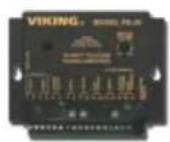
(I) PA-30 Paging Amplifier for Outdoor Horns in Pool and Patio Areas
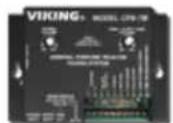
(I) CPA-7B Paging Amplifier for Locker Rooms and Pro Shop
(2) PA-2A Paging Amplifiers for Restaurants and Offices

(19) 30AE Ceiling speakers w/o volume control

(10) 25AE Paging Horns
(I) ZPI-4 4-Zone Paging Controller
We Recommend These VIKING Paging Products On Your Next Paging Installation

text_image
VIKING MODEL PA-30 New Paging Amp 30 Watts! DE WATTY TELECOM PAGING AMPLIFIERModel: PA-30 30-Watt Paging Amplifier
Fax back document No. 489

text_image
VIKING® MODEL CPA-7B PACING VOLIUM RMS / ALERT TIME VOLUME GENERAL PURPOSE TELECOM FACING SYSTEM MODEL ENGLISH PACING SOURCE TIME 40Hz 10MHz 20Hz RMS / ALERT TIME VOLUME RMS / ALERT TIME RMS / ALERT TIME RMS / ALERT TIME RMS / ALERT TIME RMS / ALERT TIME RMS / ALERT TIME RMS / ALERT TIME RMS / ALERT TIME RMS / ALERT TIME RMS / ALERT TIME RMS / ALERT TIME RMS / ALERT TIME RMS / ALERT TIME RMS / ALERT TIME RMS / ALERT TIME RMS / ALERT TIME RMS / ALERT TIME RMS/ERG/ERG/ERG/ERG/ERG/ERG/ERG/ERG/ERG/ERG/ERG/ERG/ERG/ERG/ERG/ERG/ERG/ERG/ERG/ERG/ERG/ERG/ERG/ERG/ERG/ERG/ERG/ERG/ERG/ERG/ERG/ERG/ERG/ERGModel: CPA-7B Paging/Loud Ringing Amplifier
Fax back document No. 455
Paging Amplifiers

text_image
VIKING® MODEL FBI-1A PAGING PAGING PAGING PAGING PAGING PAGING PAGING PAGING PAGING PAGING PAGING PAGING PAGING PAGING PAGING PAGING PAGING PAGING PAGING PAGING PAGING PAGING PAGING PAGING PAGING PAGING PAGING PAGING PAGING PAGING PAGING PAGING PAGING PAGINGModel: FBI-1A Anti-feedback Paging Interface
Fax back document No. 465
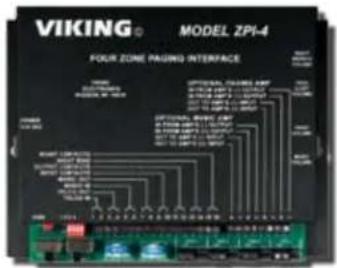
Model: ZPI-4 Multi-zone Paging Interface
Fax back document No. 499
Paging Accessories
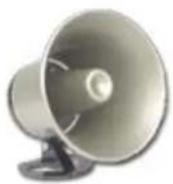
Model: 25AE
12-Watt Paging Horn
Fax back document No. 498

Model: SV-5W
5-Watt Wall Mount
Volume Control
Fax back document No. 488
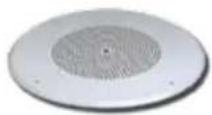
Model: 30AE
6-Watt Ceiling Speaker
Fax back document No. 498

Model: 35AE
6-Watt Ceiling Speaker
With Volume Control
Fax back document No. 497
Speakers & Volume Controls
VIKING
Telecom and Security Solutions for the 21st Century
Hudson, WI 54016 • (715) 386-8861
Fax Back: (715) 386-4345
Help@VikingElectronics.com
Visit Our Web Site: www.VikingElectronics.com