EM500NHP3 - Security Camera EverFocus - Free user manual and instructions
Find the device manual for free EM500NHP3 EverFocus in PDF.


| Product Type | Security Camera |
| Brand | EverFocus |
| Model | EM500NHP3 |
| Image Sensor | 1/3" Sony Super HAD CCD, approximately 410,000 pixels |
| Horizontal Resolution | Over 550 TVL |
| Digital Signal Processor | Revolutionary integrated 10-bit DSP |
| Low Light Sensitivity | 1.0 Lux / F=1.2 |
| Electronic Shutter | 1/60 to 1/100,000 sec automatic |
| Lens Type | Manual zoom flat pinhole lens, f=4.0~9.0mm |
| Video Format | NTSC |
| Video Output | BNC 1.0Vp-p, 75 ohms |
| Scanning System | 2:1 Interlace |
| Signal to Noise Ratio | More than 45 dB |
| Sync Mode | Internal |
| Power Source | 12 VDC / 24 VAC, 3.5 W max |
| Operating Temperature | 0°C to 40°C (32°F to 104°F) |
| Humidity | 20% to 80% |
| Dimensions (Camera Unit) | 25 x 25 mm (0.98 x 0.98 inches) |
| Weight | 0.3 kg (0.7 lbs) |
| Package Contents | Camera unit, mounting bracket, power/video cable, screws, manual |
| Cleaning | Use lens tissue or cotton swab with ethanol for sensor and lens; soft cloth for body |
| Safety Precautions | Avoid direct sunlight, magnetic fields, water, oil, gas; do not disassemble |
Frequently Asked Questions - EM500NHP3 EverFocus
User questions about EM500NHP3 EverFocus
0 question about this device. Answer the ones you know or ask your own.
Ask a new question about this device
Download the instructions for your Security Camera in PDF format for free! Find your manual EM500NHP3 - EverFocus and take your electronic device back in hand. On this page are published all the documents necessary for the use of your device. EM500NHP3 by EverFocus.
USER MANUAL EM500NHP3 EverFocus
natural_image
Black square mechanical component with central circular recess and four mounting holes (no text or symbols visible)EVERFOCUS
1/3" Square Metal Case
DSP Color CCD Camera
Operation Instructions
Model No. EM500NH P1, P3, P4
Please read this manual first for correct installation and operation. This manual should be retained for future reference. The information in this manual was current when published. The manufacturer reserves the right to revise and improve its products. All specifications are therefore subject to change without notice.
PRECAUTIONS
- Do not install the camera near electric or magnetic fields.
Install the camera away from TV, radio transmitter, magnet, electric motor, transformer, audio speakers since the magnetic fields generate from above devices will distort the video images.
- Never disassemble the camera nor put impurities in it.
Disassembly or impurities may result in trouble or fire.
- Never face the camera toward the sun.
Direct sunlight or severe ray may cause fatal damage to sensor and internal circuit.
- Keep the power cord away from water and liquid.
Touching the wet power cord may result in electric shock.
- Never install the camera in areas exposed to water, oil or gas.
Water, oil or gas may result in failure, electric shock or fire.
- Cleaning
Do not touch the surface of sensor by hand directly. Use a soft cloth to remove the dirt from the camera body. Use lens tissue or a cotton swab and ethanol to clean the sensor and the camera lens.
7. Do not operate the camera beyond the specified temperature, humidity or power source ratings.
Use the camera at temperatures within 0^ 40^ C ( 32^ to 104^ F) and humidity between 20% 80% . The input power source is 12VDC/24VAC.
FEATURES
● 1/3" Sony Super HAD CCD image sensor with approximately 410,000 pixels.
● Over 550 TVL of horizontal resolution.
● Revolutionary integrated 10-bit Digital Signal Processor (DSP) delivers sharp color images and excellent picture quality.
● Low light sensitivity 1.0 Lux/F=1.2.
● Wide-range automatic electronic shutter: up to 1/100,000.
● Manual zoom lens with adjustable viewing range.
PACKAGE CONTENTS
- Camera Unit x 1
- Mounting bracket x 1
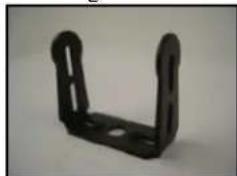
natural_image
Black metal bracket with rounded corners and cutouts (no text or symbols visible)● Power/Video Cable x 1
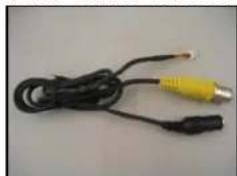
natural_image
Coiled black cable with two yellow connectors, no visible text or symbols- Screws x 3
- Manual x 1
SPECIFICATIONS
| EM-500NHP1 | EM-500NHP1 | ||
| Lens Size 3.7mm 3.7mm 4 | 3mm | ||
| Lens Type Conical Pinhole Lens Flat Pinhole Lens | Super Cone Pinhole Lens | ||
| Dimensions 25 x 25mm | 0.98 x 0.98 Inches | |||
| Video Format NTSC | |||
| Image Sensor Color 1/3” High Res CCD Sony ICX638 Chip | |||
| Scanning System 2:1 Interlace | |||
| Scanning Frequency H: 15.734 KHz, V: 59.94Hz | |||
| Total Pixels 811 (H) x 508 (V), 410K | |||
| Effective Pixels Vari-focal lens f=4.0~9.0mm, Fixed Iris | |||
| Horizontal Resolution 550TVL | |||
| Electronic Shutter | 1/60 ~ 1/100,000 sec | ||
| S/N Ratio | More than 45db | ||
| Video Output BNC 1.0Vp-p, 75ohm | |||
| Gamma Correction | 0.45 | ||
| Sync Mode | Internal Sync | ||
| Power Source DC12V + 10% | |||
| Power Consumption 12VDC | 3.5W max | ||
| Operating Temperature | 10°C ~ 45°C / 14~122°F | ||
| Storage Temperature | -20o C ~ 60o C / -4~ 140o F | ||
| Weight | 0.3 kg ; 0.7lbs | ||
| Sensitivity | 0.2Lux/F-20 | ||
| Angle of View | 66 | ||
EM-500N
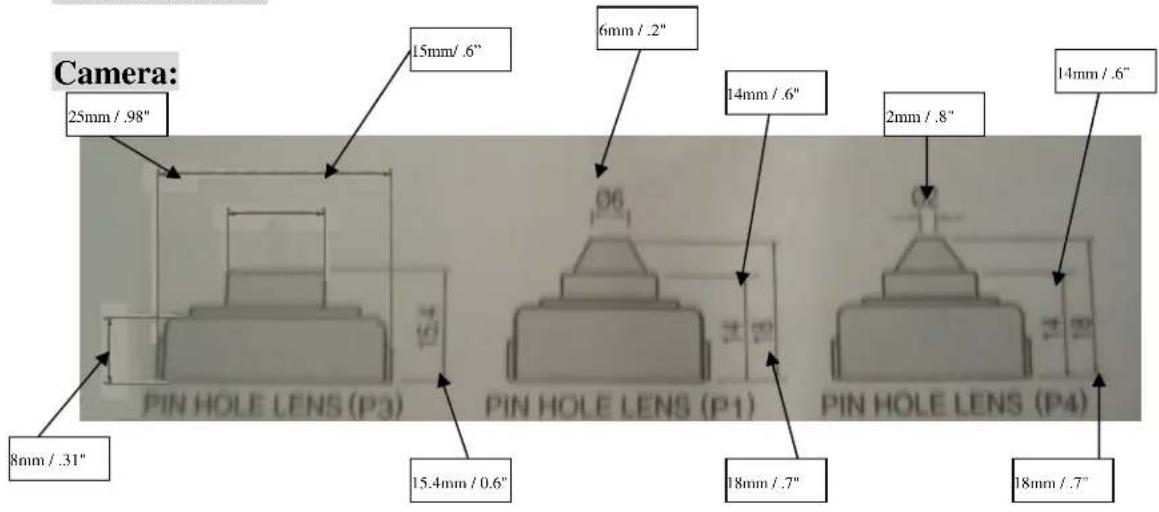
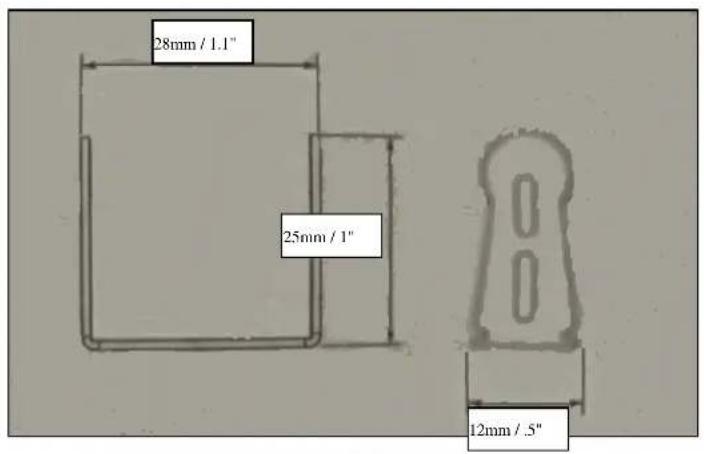
DIMENSIONS
Bracket:
CAMERA MAJOR PARTS FUNCTIONS
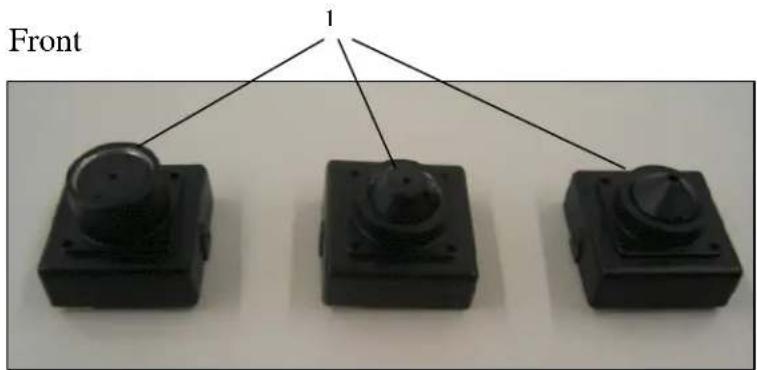
EM500NHP3 EM500NHP1 EM500NHP4
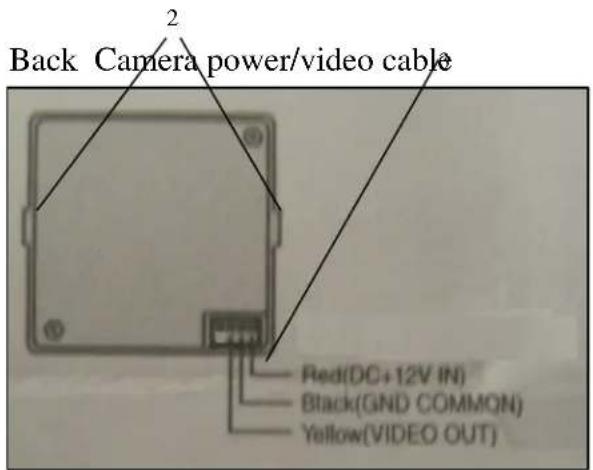
(1) Lens
The EMNH series cameras come with 3 types on pinhole lenses.
- Flat - EM500HP3.
- Conical – EM500NHP1
• Super Conical – EM500NHP4
(2) Screw holes for included mounting bracket.
(3) Power/video port.
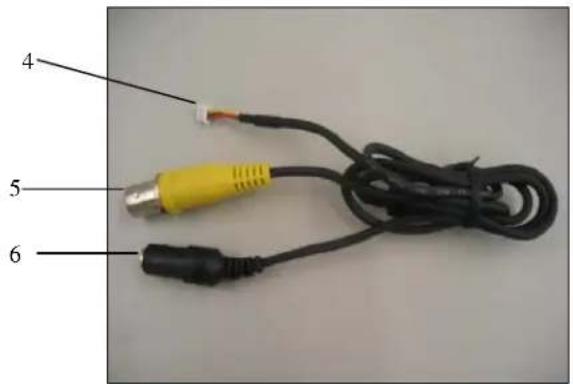
(4) Power/video connector to be plugged into the camera.
(5) Video Output BNC Connector
BNC 1.0Vp-p, 75ohm. Use the connector to connect with the video in connector of a monitor.
(6) Power input
Use the connector to connect with 12VDC power adaptor.
INSTALLATION
This section covers detailed steps of the simple installation. Please follow instructions for preventing any unnecessary damage
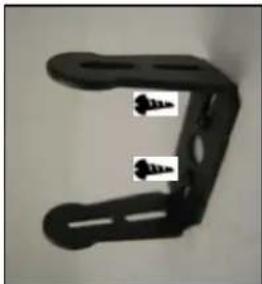
- Secure camera mounting bracket to mounting surface.
a. Mark 2 screw points in mounting surface.
natural_image
Close-up of a black metal bracket with two screws inserted (no text or symbols visible)Figure 1-1
b. Fix the bracket to the mounting service with included screws. see figure 1-1.
2. Fix camera to mounting Bracket.
natural_image
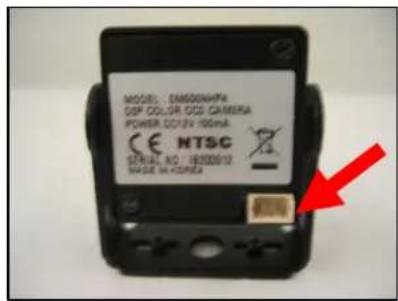
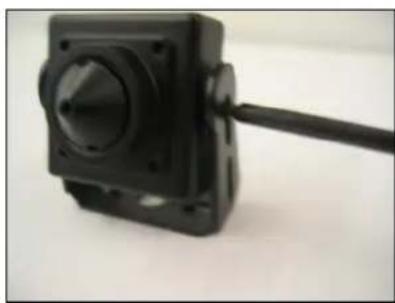
Close-up of a black square camera module with a cable extending from its side (no visible text or symbols)a. PositFigurhe 2almFigurady-2o be mounted on bracket so that the power/video connector is on the bottom to ensure that the camera is facing right side up. See arrow in figure 2.1 pointing at the power/video connector on bottom.
b. Secure camera on bracket with the fixing screws included.
3. Connect power/video cable to camera power/video connector
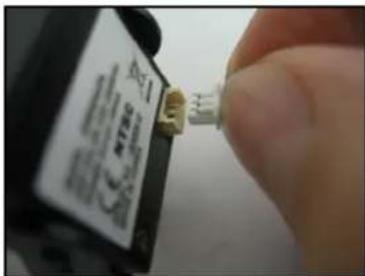
Figure 3-1
4. Connect Power and Video
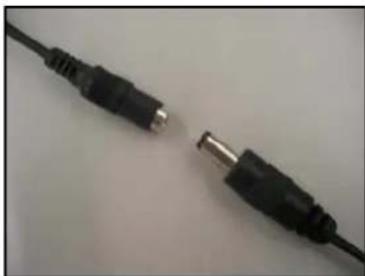
natural_image
Close-up of two black audio/video cables with metallic connectors, no text or symbols visibleFigure 4-1
a. Connect pigtail (male power adapter) to the camera female power connector. See Figure 3-1.
b. Connect power to pigtail wires (pigtail- male power adapter is purchased separately
Pigtail Polarity: (Important since DC voltage is used)
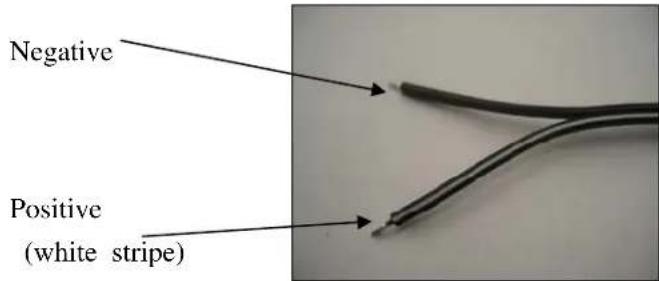
Figure 3-2
Black Wire with white stripe is positive and solid black wire is negative. See figure A4-2.
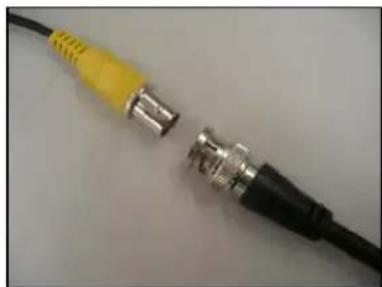
natural_image
Close-up of a black cable with two metallic connectors, one yellow and one black, against a plain background (no text or symbols visible)c. Connect video cable to a BNC female cable run. See figure A4-3.
Troubleshooting
No power
Check to be certain that you have sufficient current or amperage from the power supply.
Amount of current needed depends on voltage. See this manuals spec. sheet for information on power consumption.
Picture output is horizontal.
Depending on camera will be installed on wall or on ceiling, you may have to remove camera module and rotate it so can install for wall or ceiling. See Installation A step 2 for explanation and steps.
EverFocus Electronics Corp.
Head Office:
12F, No.79 Sec. 1 Shin-Tai Wu Road,
Hsi-Chih, Taipei, Taiwan
TEL: +886-2-26982334
FAX: +886-2-26982380
www.everfocus.com.tw
USA California Office:
1801 Highland Ave. Unit A
Duarte, CA 91010, U.S.A.
TEL: +1-626-844-8888
FAX: +1-626-844-8838
www.everfocus.com
USA New York Office:
415 Oser Avenue Unit S
Hauppauge, NY 11788
TEL: 631-436-5070
FAX: 631-436-5027
www.everfocus.com
Europe Office:
D-46446 Emmerich, Germany
TEL: 49-2822-9394-0
www.everfocus.de
China Office:
Room B-05D-1, KESHI PLAZA, Shangdi
Information Industry Base,
Haidian District, Beijing China
100085
TEL: +86-10-62973336/37/38/39
FAX: +86-10-62971423
www.everfocus.com.cn
Japan Office:
1809 WBG MARIBU East 18F,
2-6 Nakase.Mihama-ku.
Chiba city 261-7118, Japan
TEL: +81-43-212-8188
FAX: +81-43-297-0081
www.everfocus.com

Your EverFocus product is designed and manufactured with high quality materials and components which can be recycled and reused.
This symbol means that electrical and electronic equipment, at their end-of-life, should be disposed of separately from your household waste.
Please, dispose of this equipment at your local community waste collection/recycling centre.
In the European Union there are separate collection systems for used electrical and electronic product.
Please, help us to conserve the environment we live in!
- EVERFOCUS
- PRECAUTIONS
- Do not operate the camera beyond the specified temperature, humidity or power source ratings.
- FEATURES
- PACKAGE CONTENTS
- CAMERA MAJOR PARTS FUNCTIONS
- Lens
- INSTALLATION
- Fix camera to mounting Bracket.
- Connect power/video cable to camera power/video connector
- Connect Power and Video
- Troubleshooting
- No power
- Picture output is horizontal.
- EverFocus Electronics Corp.
- Head Office:
- USA California Office:
- USA New York Office:
- Europe Office:
- China Office:
- Japan Office:
Brand : EverFocus
Model : EM500NHP3
Category : Security Camera