
ARTG12LLLB - Air-conditioner FUJITSU - Free user manual and instructions
Find the device manual for free ARTG12LLLB FUJITSU in PDF.


| Product Type | Split-type Air Conditioner (Heat & Cool Model) |
| Model | ARTG12LLLB |
| Brand | Fujitsu |
| Cooling Capacity (BTU/h) | 12,000 (Estimated) |
| Heating Capacity (BTU/h) | 12,000 (Estimated, Reverse Cycle) |
| Power Supply | 230 V / 50 Hz (Estimated) |
| Inverter Technology | Yes |
| Remote Controller | Wired (standard); Wireless (optional) |
| Timer Functions | ON/OFF Timer, Weekly Timer, Temperature Set Back Timer |
| Economy Operation | Yes |
| Auto Changeover | Yes (AUTO mode switches between cooling, dry, heating) |
| Fan Speeds | Auto, High, Med, Low, Quiet |
| Air Filter | Removable, Mildew-resistant |
| Filter Cleaning Indicator | Yes (with remote controller reset) |
| Child Lock | Yes |
| Self-Diagnosis | Yes (Error code display) |
| Maximum Indoor Units (Multi-type) | Up to 16 (with group control) |
| Refrigerant | R32 (Estimated based on modern models) |
| Installation Type | Wall-mounted indoor unit |
Frequently Asked Questions - ARTG12LLLB FUJITSU
User questions about ARTG12LLLB FUJITSU
0 question about this device. Answer the ones you know or ask your own.
Ask a new question about this device
Download the instructions for your Air-conditioner in PDF format for free! Find your manual ARTG12LLLB - FUJITSU and take your electronic device back in hand. On this page are published all the documents necessary for the use of your device. ARTG12LLLB by FUJITSU.
USER MANUAL ARTG12LLLB FUJITSU
natural_image
Technical line drawing of a mechanical enclosure or enclosure with internal components (no text or symbols)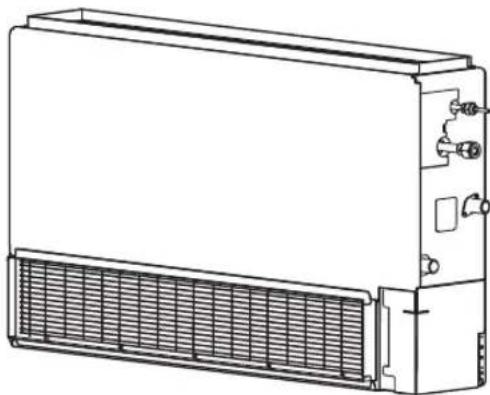
natural_image
Line drawing of a rectangular industrial air conditioning unit with cooling fan and ventilation grilles (no text or symbols)KEEP THIS MANUAL FOR FUTURE REFERENCE
FUJITSU GENERAL LIMITED
CONTENTS
| SAFETY PRECAUTIONS ..... 1 | WEEKLY TIMER ..... 8 |
| FEATURES AND FUNCTIONS ..... 2 | TEMPERATURE SET BACK TIMER ..... 10 |
| NAME OF PARTS ..... 3 | ECONOMY OPERATION ..... 11 |
| PREPARATORY OPERATION ..... 4 | CLEANING AND CARE ..... 11 |
| OPERATION ..... 5 | TROUBLESHOOTING ..... 12 |
| TIMER FUNCTIONS ..... 7 | OPERATING TIPS ..... 14 |
| ON/OFF TIMER ..... 7 | SELF-DIAGNOSIS ..... 16 |
SAFETY PRECAUTIONS
● Before using the appliance, read these “SAFETY PRECAUTIONS” thoroughly and operate in the correct way.
● The instructions in this section all relate to safety; be sure to maintain safe operating conditions.
● “DANGER”, “WARNING” and “CAUTION” have the following meanings in these instructions:
 | DANGER! | This mark indicates procedures which, if improperly performed, are most likely to result in the death or serious injury to the user or service personnel. |
 | WARNING! | This mark indicates procedures which, if improperly performed, might lead to the death or serious injury of the user or service personnel. |
 | CAUTION! | This mark indicates procedures which, if improperly performed, might possibly result in personal harm to the user, or damage to property. |

DANGER!

- Do not attempt to install this air conditioner by yourself.
- This unit contains no user-serviceable parts. Always consult authorized service personnel for repairs.
- When moving, consult authorized service personnel for disconnection and installation of the air conditioner.
- Do not become excessively chilled by staying for many hours in the direct cooling airflow.
- Do not insert fingers or objects into the outlet port or intake grilles.
- Do not start and stop air conditioner operation by turning off the electrical breaker and so on.
- In the event of a malfunction (burning smell, etc.), immediately stop operation, turn off the electrical breaker, and consult authorized service personnel.
- In the event of refrigerant leakage, be sure to keep away from fire or any flammables. (consult an authorized service personnel)
● Provide occasional ventilation during use.
- Do not direct air flow at fireplaces or heating apparatus.
- Do not climb on, or place objects on, the air conditioner.
- Do not hang objects from the indoor unit.
- Do not set flower vases or water containers on top of air conditioners.
- Do not expose the air conditioner directly to water.
- Do not operate the air conditioner with wet hands.
- Do not touch the switches with sharp objects.
- Turn off power source when not using the unit for extended periods.
● Always turn off the electrical breaker whenever cleaning the air conditioner or changing the air filter.
- Connection valves become hot during Heating; handle with care.
- Check the condition of the installation stand for damage.
- Do not place animals or plants in the direct path of the air flow.
- When restarting after a long period of disuse in the winter, turn the power switch on at least 12 hours before starting the unit.
- Do not drink the water drained from the air conditioner.
- Do not use in applications involving the storage of foods, plants or animals, precision equipment, or art works.
- Do not apply any heavy pressure to radiator fins.
- Operate only with air filters installed.
- Do not block or cover the intake grille and outlet port.
- Ensure that any electronic equipment is at least 1m away from either the indoor or outdoor units.
- Avoid installing the air conditioner near a fireplace or other heating apparatus.
- When installing the indoor and outdoor units, take precautions to prevent access by infants.
- Do not use inflammable gases near the air conditioner.
● Install the drain hose so that it drains water properly.
- This appliance is not intended for use by persons (including children) with reduced physical, sensory or mental capabilities, or lack of experience and knowledge, unless they have been given supervision or instruction concerning use of the appliance by a person responsible for their safety. Children should be supervised to ensure that they do not play with the appliance.
■ Energy saving and Comfortable function
INVERTER
At the start of operation, large amount of power is used to bring the room quickly to the desired temperature. Afterwards, the unit automatically switches to a low power setting for economic and comfortable operation.
ECONOMY OPERATION
When ECONOMY operation mode is operated, the room temperature will be little higher than the set-temp under cooling mode and lower than set-temp under heating mode. Therefore, the ECONOMY mode is able to save more energy than other normal mode.
When the FAN button is used to select QUIET, the indoor unit begins super quiet operation; the indoor unit's airflow is reduced to produce quieter operation.
AUTO CHANGEOVER
The operation mode (cooling, dry, heating) is switched automatically to maintain the set temperature, and the temperature is kept constant at all times.
■ Convenient function
WEEKLY TIMER
Use this timer function to set operating times for each day of the week. Use the DAY OFF setting to switch off timed operation for a selected day in the coming week. Because all days can be set together, the weekly timer can be used to repeat the timer settings for all of the days.
Use this timer function to change the set temperature in the operation times set for each day of the week. This can be used together with other timer settings.
■ Clean function
REMOVABLE AIR FILTER
The indoor unit's air filter can be removed for easy cleaning and maintenance.
MILDEW-RESISTANT FILTER
The AIR FILTER has been treated to resist mildew growth, thus allowing cleaner use and easier care.
■ Remote controller
The wired remote controller allows convenient control of indoor unit operation.
WIRELESS REMOTE CONTROLLER (OPTION)
The optional wireless remote controller can be used. When you use remote controller, there are following different points as compared with using wired remote controller.
[ The additional function for wireless ones ]
• SLEEP
- TIMER
- 10^ C HEAT
And you can use both wireless and wired remote controller simultaneously. (But function is limited.)
[ The restricted functions for wired ones ]
- Weekly timer
• Temperature set back timer
Remote controller
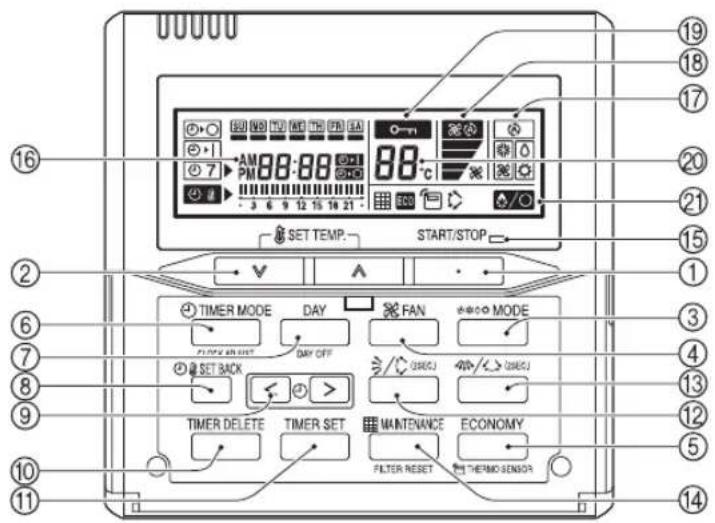
① START/STOP Button
② SET TEMP. (Temperature) Button
③ MODE Button
④ FAN Button
⑤ ECONOMY Button
⑥ TIMER MODE (CLOCK ADJUST) Button
⑦ DAY (DAY OFF) Button
⑧ SET BACK Button
⑨ SET TIME ( <> ) Button
⑩ TIMER DELETE Button
⑪ TIMER SET Button
⑫ Vertical Airflow Direction and Swing Button ^*1
⑬ Horizontal Airflow Direction and Swing Button ^2
⑭ MAINTENANCE(FILTER RESET)
Button ^#1
⑮ Operation Lamp
⑯ Timer and Clock Display
⑰ Operation Mode Display
⑱ Fan Speed Display
⑲ Operation Lock Display
⑳ Temperature Display
②1 Function Display
* / Defrost Display
Thermo Sensor Display
ECO ECONOMY Display
Vertical Swing Display ^3
Filter Display #1
*1\~3 These functions cannot be used. (Please also see the operating manual of the option when using it with options, etc.)
1 Can be used if set correctly during installation. Please consult authorized serviceman when using this function.
Set the current day and time
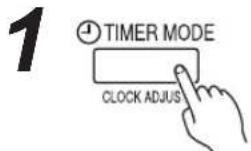
Press the TIMER MODE (CLOCK ADJUST) button for 2 seconds or more. The time display on the remote controller will flash.
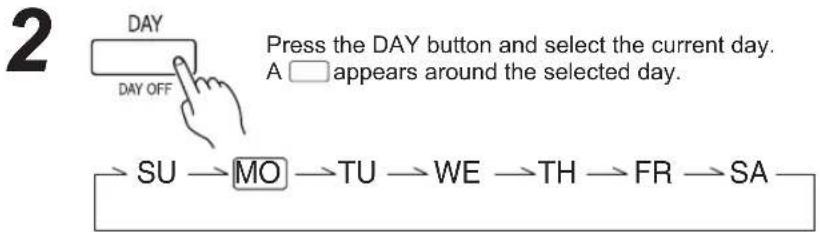
flowchart
graph LR
    A["DAY OFF"] --> B["SU → MO → TU → WE → TH → FR → SA"]
    C["Press the DAY button and select the current day. A □ appears around the selected day."] --> D["End"]
3
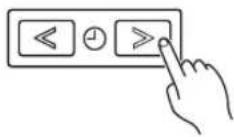
Press the SET TIME (<>) buttons to set the current time. Press repeatedly to adjust the current time in 1-minute increments. Press and hold to adjust the current time in 10-minute increments.
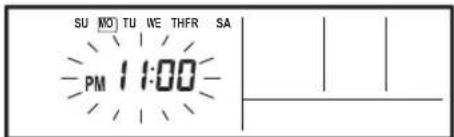
ex. Monday PM11:00
4 SET BACK
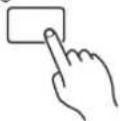
Press the SET BACK button to switch between the 12- and 24-hour time displays.
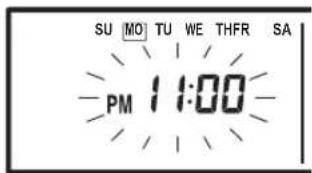
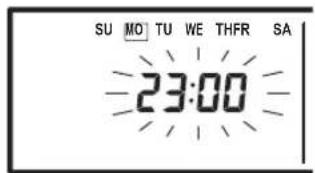
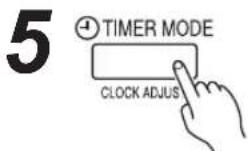
Press again to end.
Instructions relating to heating (*) are applicable only to "HEAT & COOL MODEL" (Reverse Cycle).
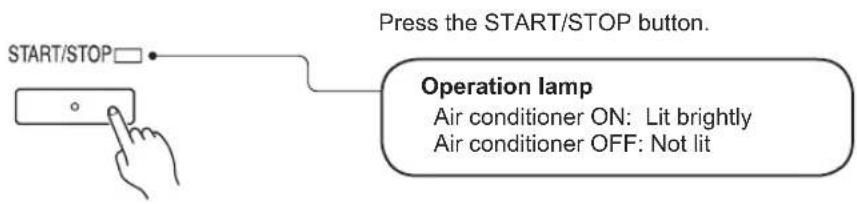
To start/stop operation
To set the operation mode
● Operation mode setting
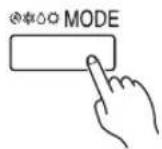
Press the MODE button to set the operation mode. If DRY is selected, the fan speed will be set to AUTO.

flowchart
graph LR
    A["AUTO"] --> B["COOL"]
    B --> C["DRY"]
    C --> D["*HEATFAN"]
● Room temperature setting
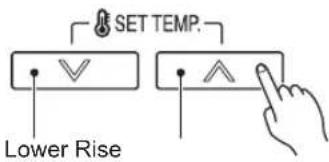
Press the SET TEMP. buttons to set the room temperature.
Temperature setting range
AUTO 18 to 30 °C
COOL/DRY 18 to 30 °C
*HEAT 16 to 30 °C
● Fan speed setting
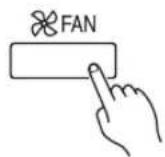
Press the FAN button to set the fan speed.

flowchart
graph LR
    A["AUTO MEDHIGH LOW QUIET"] --> B["High"]
    B --> C["Low"]
    C --> D["High"]
    D --> E["Low"]
ECONOMY OPERATION
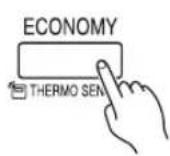
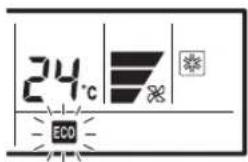
Press the ECONOMY button to start or stop ECONOMY OPERATION.
For details on the function, refer to page 11.
Room temperature sensor selection
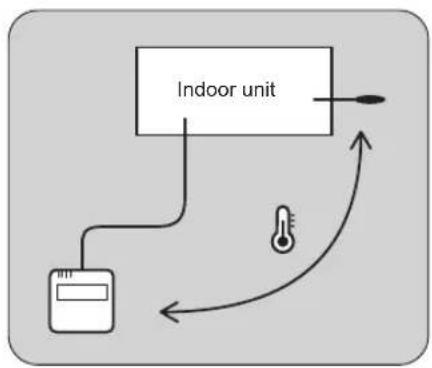
- This function is locked at the factory. In order to detect the room temperature correctly, consult authorized service personnel when using this function.
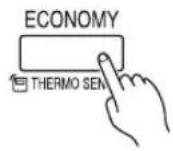
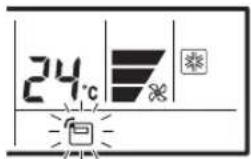
Press the ECONOMY button for more than 2 seconds to select whether the room temperature is detected at the indoor unit or the remote controller.
When the ☐ thermo sensor display appears, the room temperature is detected at the remote controller.
flowchart
graph TD
    A["Indoor unit"] --> B["Meter"]
    B --> C["Thermometer"]
    C --> D["Return to meter"]
i NOTES
- If this function is locked, the location where the room temperature is detected cannot be changed and the 0-n mark flashes when the ECONOMY button is pushed for 2 seconds or more.
Child lock function
flowchart
graph TD
    A["TIMER MODE"] --> B["CLOCK ADJUST"]
    B --> C["SET BACK"]
    C --> D["TIMER DELETE"]
    D --> E["TIMER SET"]
    F["DAY"] --> G["DAY OFF"]
    H["<<"] --> I["<"]
    J[">="] --> K["+"]
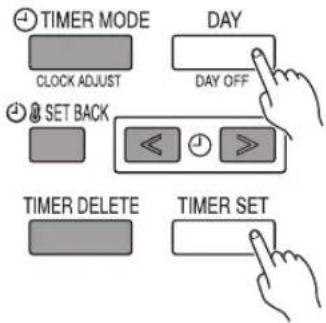
Press the DAY (DAY OFF) button and TIMER SET button simultaneously for 2 seconds or more to activate the child lock function and lock all of the buttons on the remote controller except the START/STOP button, SET TEMP. buttons, MODE button, and FAN button. Press the buttons again for 2 seconds or more to deactivate the child lock function.
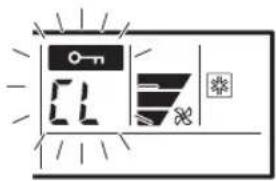
When the child lock function is activated, the o-n mark appears. If any button is pressed during the child lock, the CL display fl ashes.

OFF timer (See page 7.)
Use this timer function to stop air conditioner operation. The timer operates and air conditioner operation stops after the set time has passed. The timer can be set up to 24 hours in advance.

ON timer (See page 7.)
Use this timer function to start air conditioner operation. The timer operates and air conditioner operation starts after the set time has passed. The timer can be set up to 24 hours in advance.

WEEKLY timer (See page 8.)
Use this timer function to set operating times for each day of the week.
Use the DAY OFF setting to switch off timed operation for a selected day in the coming week.
Because all days can be set together, the weekly timer can be used to repeat the timer settings for all of the days.

Temperature SET BACK timer (See page 10.)
Use this timer function to change the set temperature in the operation times set for each day of the week.
This can be used together with other timer settings.
ON/OFF TIMER
To set the ON/OFF timer

TIMER MODE
Press the TIMER MODE button to select the ON timer or OFF timer.
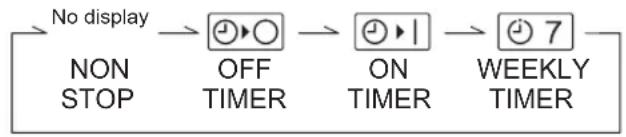
flowchart
graph LR
    A["No display"] --> B["OFF TIMER"]
    B --> C["ON TIMER"]
    C --> D["7 WEEKLY TIMER"]
    E["NON STOP"] --> A

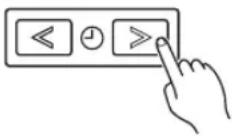
From 1 to 24 hours
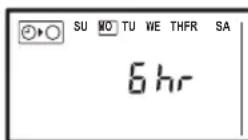
ex. OFF timer set for 6 hours
Press the SET TIME (<>) buttons to set the time.
After the time is set, the timer will start automatically.
The amount of time until the OFF timer operates that is displayed on the timer display decreases as time passes.
● To cancel
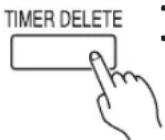
- Press the TIMER DELETE button to cancel the timer mode.
- The timer mode can also be canceled by changing the timer mode using the TIMER MODE button.
Weekly timer setting
1
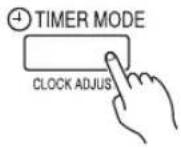
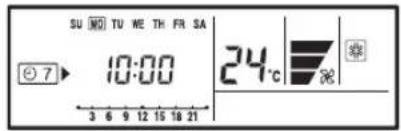
Press the TIMER MODE button to select the weekly timer.
2
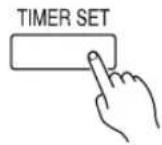
Press the TIMER SET button for 2 seconds or more.
3
● Day of the week setting

flowchart
graph LR
    A["ALL"] --> B["SU"]
    B --> C["MO TU WE TH"]
    C --> D["FR"]
    D --> E["SA"]
    E --> F["..."]
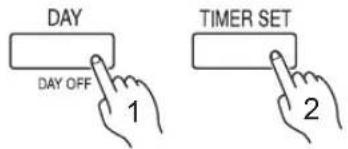
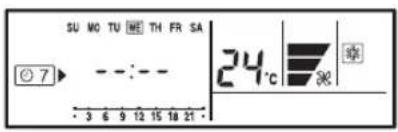
Press the DAY button to select the day of the week, and then press the TIMER SET button to confirm the setting.
* For ALL, all of the days can be set together when a □ appears around each day.
4
● Time setting
flowchart
graph TD
    A["Timer Set"] --> B["ON-1"]
    B --> C["OFF-1"]
    C --> D["ON-2"]
    D --> E["OFF-2"]
    E --> F["DAY OFF"]
When the operating time is set, the mark appears.
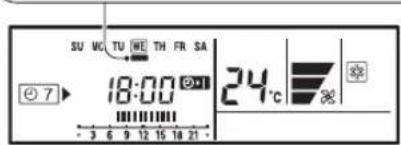
ex. The timer is set for 7:00-18:00.
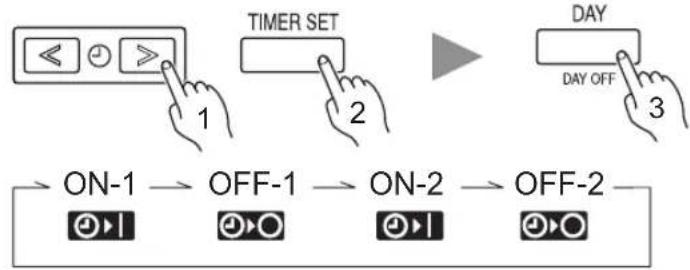
Press the SET TIME (<>) buttons to set the time, and then press the TIMER SET button to confirm the setting and proceed to the next ON or OFF time setting.
Up to 2 times ON and OFF times can be set per day.
Press the DAY button to complete the time setting and return to the day of the week setting.
5
Repeat steps 3 and 4. To complete the weekly timer settings, press the TIMER SET button for 2 seconds or more.
● To delete the operating time
TIMER DELETE
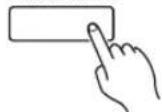
If the TIMER DELETE button is pressed during steps 3 or 4, the operating time for the selected day will be deleted.
If all the days are selected, the operating times for all of the days will be deleted.
i NOTES
- The operating time can be set in 30-minute increments only.
• The OFF time can be carried over to the next day. - The ON timer and the OFF timer functions cannot be set using the weekly timer. Both an ON and OFF time must be set.
WEEKLY timer operation
- To start
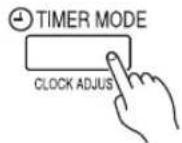
When the weekly timer is selected, the timer starts automatically.
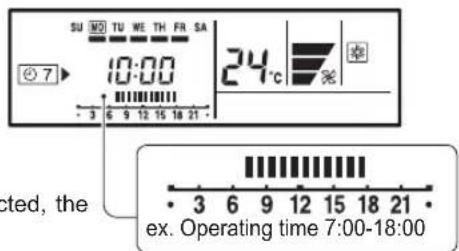
The operating time for the current day is displayed.
● To cancel
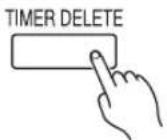
- Press the TIMER DELETE button to cancel the timer mode.
- The timer mode can also be canceled by changing the timer mode using the TIMER MODE button.
To set the DAY OFF (for a holiday)
1
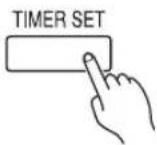
During the weekly timer, press the TIMER SET button for 2 seconds or more to set the day.
2
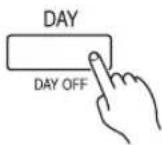
Select the day to set the DAY OFF.
3
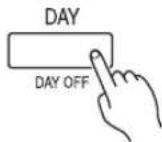
Press the DAY (DAY OFF) button for 2 seconds or more to set the DAY OFF.
4
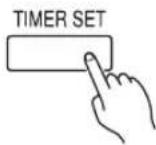
Press the TIMER SET button for 2 seconds or more to complete the DAY OFF setting.
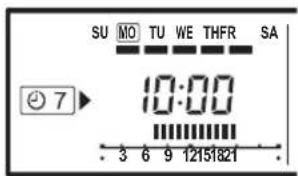
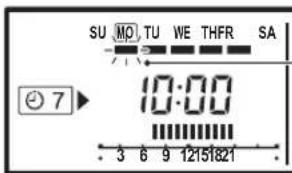
The ■ mark fl ashes under a day of the week.
Follow the same procedures as those for setup.
ex. The DAY OFF is set for Monday.
- To cancel
i NOTES
- The DAY OFF setting is only available for days for which weekly settings already exist.
- If the operating time carries over to the next day (during a next day setting), the effective DAY OFF range will be set as shown below.
Normal
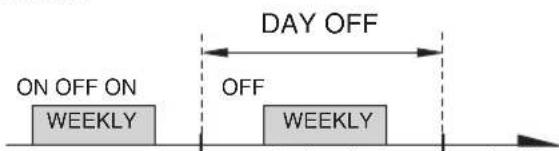
Setting dayPreceding day Next day Setting dayPreceding day Next day
● Next day setting
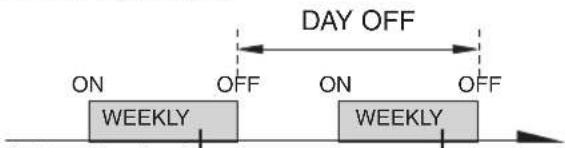
• The DAY OFF setting can only be set 1 time. The DAY OFF setting is cancelled automatically after the set day has passed.
If there is no existing SET BACK temperature setting, “- -” will be displayed for the temperature.
2
Press the SET BACK button to change to the SET BACK confirmation display.
The SET BACK operating time and the set temperature will be displayed.
Press the TIMER SET button for 2 seconds or more.
3
● Day setting
● Operating time setting
1
2
3
4
ex. When setting all days together
Follow the same procedures to set the operating time as those for the weekly timer. The TIMER DELETE button is also used as described in the procedures for the weekly timer.
4
● Temperature setting
Press the SET TEMP. buttons to set the temperature. (The temperature setting range is the same as the range for the operation mode.)
5
ex. Operating time 15:00–22:00
SET BACK temperature
Normal temperature
ON OF28°C
24^
24°C
Repeat steps 3 and 4. Press the TIMER SET button for 2 seconds or more to complete the temperature SET BACK timer settings.
● To start
SET BACK
● To cancel
1
2
ex. Display during SET BACK timer operation (The operating time will not be displayed.)
Press the SET BACK button. The SET BACK confirmation display appears for 5 seconds, and then the timer starts automatically.
Press the SET BACK button, and then press the TIMER DELETE button while the SET BACK confirmation display is displayed. Even if the SET BACK button is pressed again, the SET BACK timer will be cancelled.
NOTES
- The SET BACK timer only changes the set temperature, it cannot be used to start or stop air conditioner operation.
- The SET BACK timer can be set to operate up to 2 times per day but only 1 temperature setting can be used.
- The SET BACK timer can be used together with the ON, OFF, and weekly timer functions.
- The SET BACK operating time is displayed only in the SET BACK confirmation display. (Refer to step 1 for the SET BACK confirmation display.)
Begin Air Conditioner operation before performing this procedure.
To Use the ECONOMY Operation
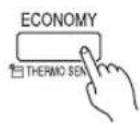
Press the ECONOMY button.
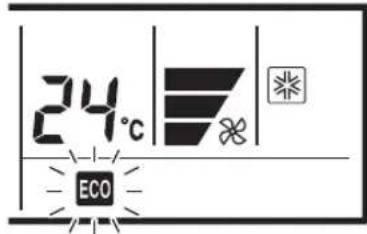
The ECONOMY display will light.
ECONOMY operation begins.
To Stop the ECONOMY Operation
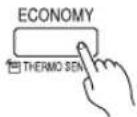
Press the ECONOMY button again.
The ECONOMY display will go out.
Normal operation begins.
About ECONOMY Operation
- When ECONOMY operation mode is operated, the room temperature will be little higher than the set-temp under cooling mode and lower than set-temp under heating mode. Therefore, the ECONOMY mode is able to save more energy than other normal mode.
- In case of single-type, at the maximum output, ECONOMY Operation is approximately 70% of normal air conditioner operation for cooling and heating.
- In case of multi-type air conditioner, the ECONOMY operation mode is only available for the set indoor unit.
- If the room is not cooled (or heated) well during ECONOMY operation, select normal operation.
● During the monitor period in the AUTO mode, the air conditioner operation will not change to ECONOMY operation even if ECONOMY operation is selected by pressing the ECONOMY operation button.
CLEANING AND CARE

CAUTION!
● Before cleaning the unit, be sure to stop the unit and disconnect the power supply.
● Turn off the electrical breaker.
● A fan operates at high speed inside the unit, and personal injury could result.
- When used for extended periods, the unit may accumulate dirt inside, reducing its performance. We recommend that the unit be inspected regularly, in addition to your own cleaning and care. For more information, consult authorized service personnel.
- When cleaning the unit's body, do not use water hotter than 40°C, harsh abrasive cleansers, or volatile agents like benzene or thinner.
- Do not expose the unit body to liquid insecticides or hairsprays.
- If the unit will not be operated for a period of 1 month or more, be sure to allow the inner parts of the unit to dry thoroughly, in advance, by operating the unit in fan mode for half a day.
Cleaning the Air Filter
- Remove the dust from the air filters by vacuuming or washing them. After washing, allow the air filters to dry thoroughly in an area protected from sunlight.
- Dust can be cleaned from the air filter either with a vacuum cleaner, or by washing the filter in a solution of mild detergent and warm water. If you wash the filter, be sure to allow it to dry thoroughly in a shady place before reinstalling.
- If dirt is allowed to accumulate on the air filter, air flow will be reduced, lowering operating efficiency and increasing noise.
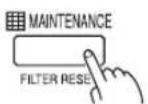
Filter indicator Reset (A special setting)
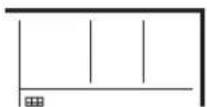
- Can be used if set correctly during installation. Please consult authorized serviceman when using this function. - It lights on when it is time to clean the air filters.
After turning the power on.
Press the MAINTENANCE button for
2 seconds or more on the remote controller.
The fi Iter display will disappear.

Instructions relating to heating (*) are applicable only to "HEAT & COOL MODEL" (Reverse Cycle).

WARNING!
In the event of a malfunction (burning smell, etc.), immediately stop operation, turn off the electrical breaker, and consult authorized service personnel.
Merely turning off the unit's power switch will not completely disconnect the unit from the power source. Always be sure to turn off the electrical breaker to ensure that power is completely off.
Before requesting service, perform the following checks:
| Symptom Problem | See Page | ||
| NORMAL FUNCTION | Doesn't operate immediately: | ● If the unit is stopped and then immediately started again, the compressor will not operate for about 3 minutes, in order to prevent fuse blowouts.● Whenever the electrical breaker is turned off then on again, the protection circuit will operate for about 3 minutes, preventing unit operation during that period. | — |
| Noise is heard: | ● During operation and immediately after stopping the unit, the sound of water fl owing in the air conditioner's piping may be heard. Also, noise may be particularly noticeable for about 2 to 3 minutes after starting operation (sound of coolant fl owing) | — | |
| *● During Heating operation, a sizzling sound may be heard occasionally. This sound is produced by the Automatic Defrosting operation. | 14 | ||
| Smells: | ● Some smell may be emitted from the indoor unit. This smell is the result of room smells (furniture, tobacco, etc.) which have been taken into the air conditioner. | — | |
| Mist or steam are emitted: | ● During Cooling or Dry operation, a thin mist may be seen emitted from the indoor unit. This results from the sudden Cooling of room air by the air emitted from the air conditioner, resulting in condensation and misting. | — | |
| *● During Heating operation, the outdoor unit's fan may stop, and steam may be seen rising from the unit. This is due to the Automatic Defrosting operation. | 14 | ||
| Airflow is weak or stops: | *● When Heating operation is started, fan speed is temporarily very low, to allow internal parts to warm up.*● During Heating operation, if the room temperature rises above the thermostat setting, the outdoor unit will stop, and the indoor unit will operate at very low fan speed. If you wish to warm the room further, set the thermostat to a higher setting. | — | |
| *● During Heating operation, the unit will temporarily stop operation (between 4 and 15 minutes) as the Automatic Defrosting mode operates. During the Automatic Defrosting operation, ⚙/Ⓧ will be shown on the remote controller display. | 14 | ||
| ● The fan may operate at very low speed during Dry operation or when the unit is monitoring the room's temperature. | — | ||
| ● In case of Multi-type unit, if multiple units are operated in different operation modes as shown below, the units operated afterward will stop and ⚙/Ⓧ will be shown on the remote controller display of the stopped indoor units.Heating mode and cooling mode (or dry mode)Heating mode and fan mode | 16 | ||
| ● During QUIET operation, the fan will operate at very low speed. | — | ||
| ● In the monitor AUTO operation, the fan will operate at very low speed. | — | ||
| Water is produced from the outdoor unit: | *● During Heating operation, water may be produced from the outdoor unit due to the Automatic Defrosting operation. | 14 | |
| thermo sensor display on the remote controller is flashing: | ● The room temperature sensor may be malfunctioning. Please consult authorized service personnel. | — |
TROUBLESHOOTING
| Symptom Problem | See Page | ||
| CHECK ONCE MORE | Doesn't operate at all: | ● Has the circuit breaker been turned off?● Has there been a power failure?● Has a fuse blown out, or a circuit breaker been tripped? | — |
| ● Is the timer operating? | 7 to 10 | ||
| Poor Cooling (or *Heating) performance: | ● Is the air fi Iter dirty?● Are the air conditioner's intake grille or outlet port blocked?● Did you adjust the room temperature settings (thermostat) correctly?● Is there a window or door open?● In the case of Cooling operation, is a window allowing bright sun-light to enter? (Close the curtains.)● In the case of Cooling operation, are there heating apparatus and computers inside the room, or are there too many people in the room? | — | |
| ● Is the unit set for QUIET operation? | — |
If the problem persists after performing these checks, or if you notice burning smells, stop operation immediately, turn off electric breaker, and consult with authorized service personnel.
Instructions relating to heating (*) are applicable only to "HEAT & COOL MODEL" (Reverse Cycle).
\*Heating Performance
- This air conditioner operates on the heat-pump principle, absorbing heat from outdoor air and transferring that heat indoors. As a result, the operating performance is reduced as outdoor air temperature drops. If you feel that insufficient heating performance is being produced, we recommend you use this air conditioner in conjunction with another type of heating appliance.
- Heat-pump air conditioners heat your entire room by recirculating air throughout the room, with the result that some time may be required after first starting the air conditioner until the room is heated.
\*When Indoor and Outdoor Temperature are High
- When both indoor and outdoor temperatures are high during use of the heating mode, the outdoor unit's fan may stop at times.
\*Microcomputer-controlled Automatic Defrosting
- When using the Heating mode under conditions of low outdoor temperature and high humidity, frost may form on the outdoor unit, resulting in reduced operating performance.
In order to prevent this kind of reduced performance, this unit is equipped with a Microcomputer-controlled Automatic Defrosting function. During the defrost cycle, the indoor fan will shutdown and ⚙/⏻ will be displayed on the remote controller. It will take anywhere from 4 to 15 minutes before the air conditioner starts up again.
● After heating operation stops, if frost forms on the outdoor unit, the unit will start Automatic Defrosting operation.
At this time, the outdoor unit will automatically stop after operating for a few minutes.
Low Ambient Cooling
- When the outdoor temperature drops, the outdoor unit's fans may switch to Low Speed, or one of the fans may stop intermittently.
Dual Remote Controllers (optional)
An additional remote controller can be added up to the maximum of 2 remote controllers. Either remote controller can control the air conditioner. However, the timer functions cannot be used at the secondary unit.
Group Control
1 remote controller can control up to 16 air conditioners. All of the air conditioners will be operated with the same settings.
Group control cannot be used when using it by the multi type.
Mode operation: AUTO
COOLING MODEL
- When the room temperature is 2 °C higher than the set temperature, the mode will switch between Cooling and Drying.
HEAT & COOL MODEL (Reverse Cycle)
Auto changeover function
- When AUTO CHANGEOVER is selected, the air conditioner selects the appropriate operation mode (Cooling or Heating) according to your room's present temperature.
- When AUTO CHANGEOVER is first selected, the fan will operate at a low speed for about a few minutes while the unit determines the current conditions of the room and selects the proper operation mode.
If the difference between thermostat setting and actual room temperature is more than +2 °C
→ Cooling operation
If the difference between thermostat setting and actual room temperature is within ±2 ^
→ Determined by outdoor temperature
If the difference between thermostat setting and actual room temperature is more than -2^
→ Heating operation
● During the Drying mode operation, the fan will operate at a low speed for a gently cooling effect during which the fan may temporarily stop rotating.
- When the room temperature is near the thermostat setting, the air conditioner will begin monitor operation. In the monitor operation mode, the fan will operate at a low speed. If the room temperature subsequently changes, the air conditioner will once again select the appropriate operation (Heating or Cooling) to adjust the temperature to the value set in the thermostat.
- If the mode automatically selected by the unit is not what you wish, select one of the mode operation (HEAT, COOL, DRY, FAN).
About Mode Operation
* Heating: ● Use to warm your room.
- When Heating mode is selected, the air conditioner will operate at very low fan speed for about 3 to 5 minutes, after which it will switch to the selected fan setting. This period of time is provided to allow the indoor unit to warm up before beginning full operation.
- When the outdoor temperature is very low, frost may form on the outside unit, and its performance may be reduced. In order to remove such frost, the unit will automatically enter the defrost cycle from time to time. During Automatic Defrosting operation, the heat operation will be interrupted.
● After the start of heating operation, it takes sometime before the room gets warmer.
Cooling: ● Use to cool your room.
Dry: ● Use for gently cooling while dehumidifying your room.
● You cannot heat the room during Dry mode.
- During Dry mode, the unit will operate at low speed; in order to adjust room humidity, the indoor unit's fan may stop from time to time. Also, the fan may operate at very low speed when adjusting room humidity.
● The fan speed cannot be changed manually when Dry mode has been selected.
Fan: ● Use to circulate the air throughout your room.
During Heating mode:
Set the thermostat to a temperature setting that is higher than the current room temperature. The Heating mode will not operate if the thermostat is set lower than the actual room temperature.
During Cooling/Dry mode:
Set the thermostat to a temperature setting that is lower than the current room temperature. The Cooling and Dry modes will not operate if the thermostat is set higher than the actual room temperature (in Cooling mode, the fan alone will operate).
During Fan mode:
You can not use the unit to heat and cool your room.
AUTO Restart
In Event of Power Interruption
● Should the power supply to the air conditioner be interrupted by a power failure, the air conditioner will restart automatically in the previously selected mode once the power is restored.
- Use of other electrical appliances (electric shaver, etc.) or nearby use of a wireless radio transmitter may cause the air conditioner to malfunction. In this event, temporarily disconnect the power supply, reconnect it, and then use the remote controller to resume operation.
Multi-type Air conditioner
This indoor unit can be connected to a multi-type outdoor unit. The multi-type air conditioner allows multiple indoor units to be operated in multiple locations. The indoor units may be operated simultaneously, in accordance with their respective output.
Simultaneous Use of Multiple Units
Instructions relating to inverter (❖) are applicable only to "INVERTER MODEL".
- When using a multi-type air conditioner, the multiple indoor units can be operated simultaneously, but when 2 or more indoor units of the same group are operated simultaneously, the heating and cooling efficiency will be less than when a single indoor unit is used alone. Accordingly, when you wish to use more than 1 indoor unit for cooling at the same time, the use should be concentrated at night and other times when less output is required. In the same way, when multiple units are used simultaneously for heating, it is recommended that they be used in conjunction with other auxiliary space heaters, as required.
- Seasonal and outdoor temperature conditions, the structure of the rooms and the number of persons present may also result in differences of operating efficiency. We recommend that you try various operating patterns in order to confirm the level of heating and cooling output provided by your units, and use the units in the way that best matches your family's lifestyle.
- If you discover that 1 or more units delivers a low level of cooling or heating during simultaneous operation, we recommend that you stop simultaneous operation of the multiple units.
Operation cannot be done in the following different operating modes.
If the indoor unit is instructed to do an operating mode that it cannot perform, ⏻/ lightning will be shown on the remote controller display and the unit will go into the standby mode. Heating mode and cooling mode (or dry mode) Heating mode and fan mode
Operation can be done in the following different operating modes. Cooling mode and dry mode Cooling mode and fan mode Dry mode and fan mode
The operating mode (heating mode or cooling (dry) mode) of the outdoor unit will be determined by the operating mode of the indoor unit that was operated first. If the indoor unit was started in fan mode, the operating mode of the outdoor unit will not be determined. For example, if indoor unit (A) was started in fan mode and then indoor unit (B) was then operated in heating mode, indoor unit (A) would temporarily start operation in fan mode but when indoor unit (B) started operating in heating mode, ♠/♂ will be shown on the unit (A) remote controller display and it would go into standby mode. Indoor unit (B) would continue to operate in heating mode.
Notice
* During use of the heating mode, the outdoor unit will occasionally commence the defrost operation for brief periods. During the defrosting operation, if the user sets the indoor unit for heating again, the defrosting mode will continue, and the heating operation will begin after completion of defrosting, with the result that some time may be required before warm air is emitted.
* During use of the heating mode, the top of the indoor unit may become warm, but this is due to the fact that coolant is circulated through the indoor unit even when it is stopped; it is not a malfunction.
SELF-DIAGNOSIS
When "Er" in Temperature Display is displayed, inspection of the air conditioning system is necessary. Please consult authorized service personnel.
Unit number (usually "00")
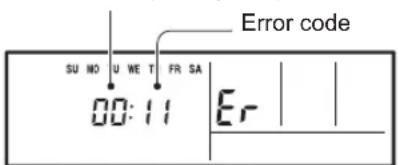
ex. Self-diagnosis check
NOTE
NOTE
- CONTENTS
- SAFETY PRECAUTIONS
- ■ Energy saving and Comfortable function
- INVERTER
- ECONOMY OPERATION
- AUTO CHANGEOVER
- ■ Convenient function
- WEEKLY TIMER
- ■ Clean function
- REMOVABLE AIR FILTER
- MILDEW-RESISTANT FILTER
- ■ Remote controller
- WIRELESS REMOTE CONTROLLER (OPTION)
- Remote controller
- Can be used if set correctly during installation. Please consult authorized serviceman when using this function.
- Set the current day and time
- 3
- SET BACK
- Temperature setting range
- Room temperature sensor selection
- i NOTES
- Child lock function
- OFF timer (See page 7.)
- ON timer (See page 7.)
- WEEKLY timer (See page 8.)
- Temperature SET BACK timer (See page 10.)
- ON/OFF TIMER
- To set the ON/OFF timer
- ● To cancel
- Weekly timer setting
- ● To delete the operating time
- WEEKLY timer operation
- To set the DAY OFF (for a holiday)
- NOTES
- To Use the ECONOMY Operation
- Press the ECONOMY button.
- To Stop the ECONOMY Operation
- Press the ECONOMY button again.
- About ECONOMY Operation
- CLEANING AND CARE
- CAUTION!
- Cleaning the Air Filter
- Filter indicator Reset (A special setting)
- WARNING!
- \*Heating Performance
- \*When Indoor and Outdoor Temperature are High
- \*Microcomputer-controlled Automatic Defrosting
- Low Ambient Cooling
- Dual Remote Controllers (optional)
- Group Control
- Mode operation: AUTO
- COOLING MODEL
- HEAT & COOL MODEL (Reverse Cycle)
- Auto changeover function
- About Mode Operation
- During Heating mode:
- During Cooling/Dry mode:
- During Fan mode:
- AUTO Restart
- In Event of Power Interruption
- Multi-type Air conditioner
- Simultaneous Use of Multiple Units
- Instructions relating to inverter (❖) are applicable only to "INVERTER MODEL".
- Notice
- SELF-DIAGNOSIS
- NOTE
Brand : FUJITSU
Model : ARTG12LLLB
Category : Air-conditioner