
KBM-A2US-A - Keyboard Xcellon - Free user manual and instructions
Find the device manual for free KBM-A2US-A Xcellon in PDF.


| Product Type | Wired Keyboard with USB Hub |
| Brand | Xcellon |
| Model | KBM-A2US-A |
| Compatibility | macOS 10.6 or higher; basic functionality on iOS, iPadOS, Windows, Android |
| Key Layout | Full-size with numeric keypad |
| Key Mechanism | Scissor-style keycaps with quiet operation |
| Number of Keys | Approx. 104 (standard US layout) |
| Multimedia Keys | Brightness adjustment, Mission Control, Launchpad, media playback, volume, mute, sleep |
| Integrated USB Ports | Two USB 2.0 ports for data (not for charging) |
| Connection Type | Wired USB 2.0 |
| Cable Length | Approx. 1.8 m (6 ft) |
| Dimensions (H x W x D) | 0.6 x 43.9 x 12.5 cm (0.24 x 17.3 x 4.9 in) |
| Weight | Approx. 500 g (1.1 lb) |
| Power Source | Bus-powered via USB |
| Construction Material | Sleek aluminum design |
| Cleaning Instructions | Use a soft, dry cloth; remove dust with soft brush or compressed air. Do not remove keycaps. |
| Safety Precautions | Avoid moisture and heat; do not disassemble; handle with care. |
| Repairability | Not user-serviceable; do not attempt to repair or remove keycaps. Contact support for warranty service. |
| Warranty | One-year limited warranty from date of purchase |
Frequently Asked Questions - KBM-A2US-A Xcellon
User questions about KBM-A2US-A Xcellon
0 question about this device. Answer the ones you know or ask your own.
Ask a new question about this device
Download the instructions for your Keyboard in PDF format for free! Find your manual KBM-A2US-A - Xcellon and take your electronic device back in hand. On this page are published all the documents necessary for the use of your device. KBM-A2US-A by Xcellon.
USER MANUAL KBM-A2US-A Xcellon
Wired Mac Keyboard with USB Hub
User Manual

XCELLON*
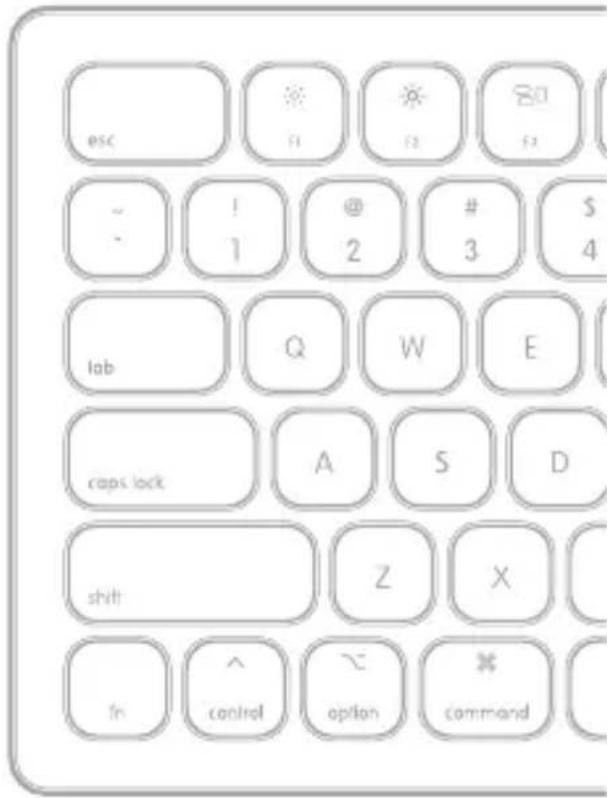
Thank you for choosing Xcellon.
The Xcellon Mac Keyboard is a wired keyboard with a sleek aluminum construction designed for Apple computers and macOS. It offers a full-size key bed with numeric keypad and sports scissor-style keycaps. The keys perform with quiet operation and add a low-profile look but with ample key-travel distance. There are controls for changing brightness and transport controls for video and volume. Two integrated USB 2.0 ports allow peripheral connections like a mouse or flash drive but are not intended for charging.
Precautions
» Please read and follow these instructions and keep this manual in a safe place.
»Keep this product away from sources of moisture and heat.
»Handle this product with care.
»Clean this product with only a soft, dry cloth.
»Remove dust and debris with a soft brush or compressed air.
» Do not remove the keycaps for any reason. Removing the keycaps will damage the keyboard and void the warranty.
»Do not disassemble or repair the product yourself.
»All images are for illustrative purposes only.
Key Controls
Decrease brightness
Increase brightness
80 Mission control
Launchpad
◀ Rewind / Previous track
▶ Play / Pause
▶ Fast forward / Next track
Mute
Volume down
Volume up
Sleep
Specifications
| Compatibility | MacOS 10.6 or higherBasic functionality: iOS, iPadOS, Windows, and Android |
| Number of keys | |
| Power consumption | |
| Cable length | |
| USB connector | |
| USB ports | (0) |
| USB power output | |
| Dimensions | 4.9 in. (0.6 × 43.9 × 12.5 cm) |
| Weight |
One-Year Limited Warranty
This Xcellon product is warranted to the original purchaser to be free from defects in materials and workmanship under normal consumer use for a period of one (1) year from the original purchase date or thirty (30) days after replacement, whichever occurs later. The warranty provider's responsibility with respect to this limited warranty shall be limited solely to repair or replacement, at the provider's discretion, of any product that fails during normal use of this product in its intended manner and in its intended environment. Inoperability of the product or part(s) shall be determined by the warranty provider. If the product has been discontinued, the warranty provider reserves the right to replace it with a model of equivalent quality and function.
This warranty does not cover damage or defect caused by misuse, neglect, accident, alteration, abuse, improper installation or maintenance. EXCEPT AS PROVIDED HEREIN, THE WARRANTY PROVIDER MAKES NEITHER ANY EXPRESS WARRANTIES NOR ANY IMPLIED WARRANTIES, INCLUDING BUT NOT LIMITED TO ANY IMPLIED WARRANTY OF MERCHANTABILITY OR FITNESS FOR A PARTICULAR PURPOSE. This warranty provides you with specific legal rights, and you may also have additional rights that vary from state to state.
To obtain warranty coverage, contact the Xcellon Customer Service Department to obtain a return merchandise authorization ("RMA") number, and return the defective product to Xcellon along with the RMA number and proof of purchase. Shipment of the defective product is at the purchaser's own risk and expense.
For more information or to arrange service, visit www.xcellongear.com or call Customer Service at 212-594-2353.
Product warranty provided by the Gradus Group.
www.gradusgroup.com
Xcellon is a registered trademark of the Gradus Group.
© 2019 Gradus Group LLC. All Rights Reserved.

XCELLON*
A Gradus Group Brand


Brand : Xcellon
Model : KBM-A2US-A
Category : Keyboard