FRZ360NS - Freezer Campomatic - Free user manual and instructions
Find the device manual for free FRZ360NS Campomatic in PDF.


User questions about FRZ360NS Campomatic
0 question about this device. Answer the ones you know or ask your own.
Ask a new question about this device
Download the instructions for your Freezer in PDF format for free! Find your manual FRZ360NS - Campomatic and take your electronic device back in hand. On this page are published all the documents necessary for the use of your device. FRZ360NS by Campomatic.
USER MANUAL FRZ360NS Campomatic
Installation, use and maintenance instructions
natural_image
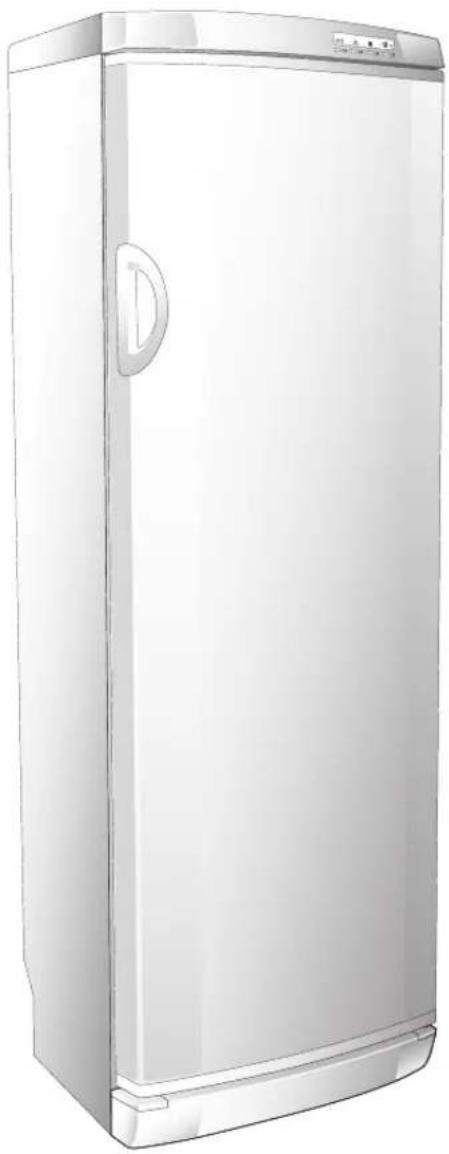
Illustration of a white refrigerator with a door handle and front panel (no text or symbols visible)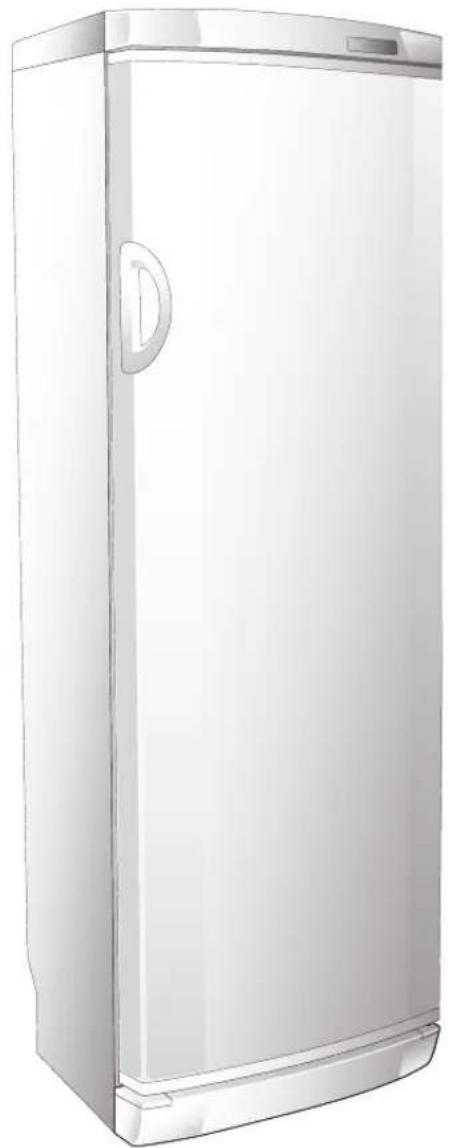
natural_image
Illustration of a white refrigerator with a door handle and lid (no text or symbols)Made in Italy

natural_image
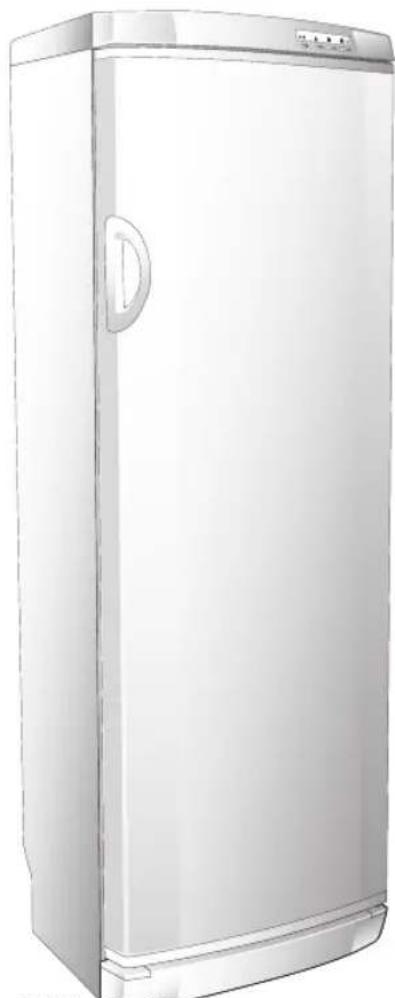
Illustration of a white refrigerator with lid and side panel (no text or symbols)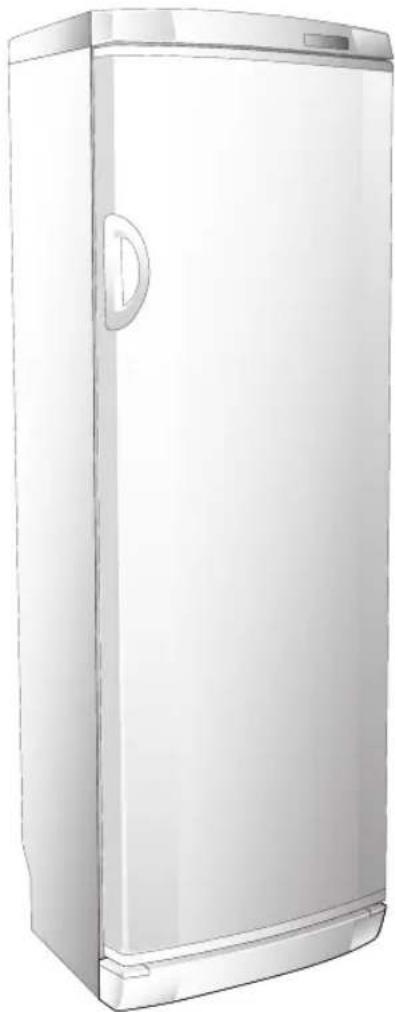
natural_image
Illustration of a white refrigerator with a door and lid (no text or symbols)Mod. A Mod. B
2

STANDARDS-WARNINGS AND RECOMMENDATIONS
GB
Thank you for purchasing one of our appliances.
Please read these notes thoroughly as they have been written to help you obtain the maximum performance from the appliance.
The quality of the appliance is guaranteed as each one of our products is fully tested as it comes off the production line.
Use the appliance and you will see just how much satisfaction you will get.
This product complies with current European safety standards governing electrical appliances.
It has been subjected to thorough and meticulous testing to assess its safety and reliability.
Before using the appliance, read this manual carefully as it will tell you what to do and what not to do.
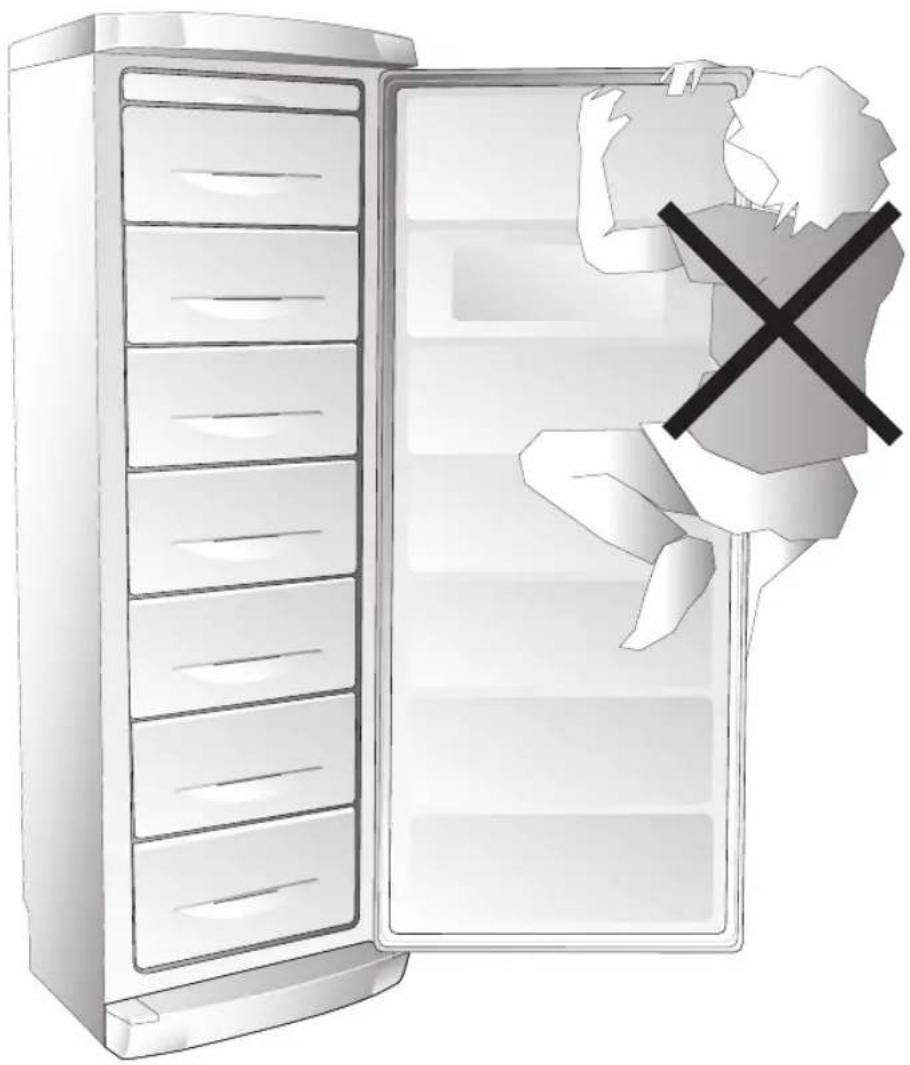
Improper use of the appliance can be dangerous, above all for children.
Before connecting the appliance, make sure that the data on the rating plate complies with that of the domestic supply.
Do not dispose of the recyclable packing materials in an unauthorised manner.
Take them to an appropriate plant for recycling.
The electrical safety of this appliance is only guaranteed when it has been connected to a mains supply with an efficient earthing system as provided for by law.
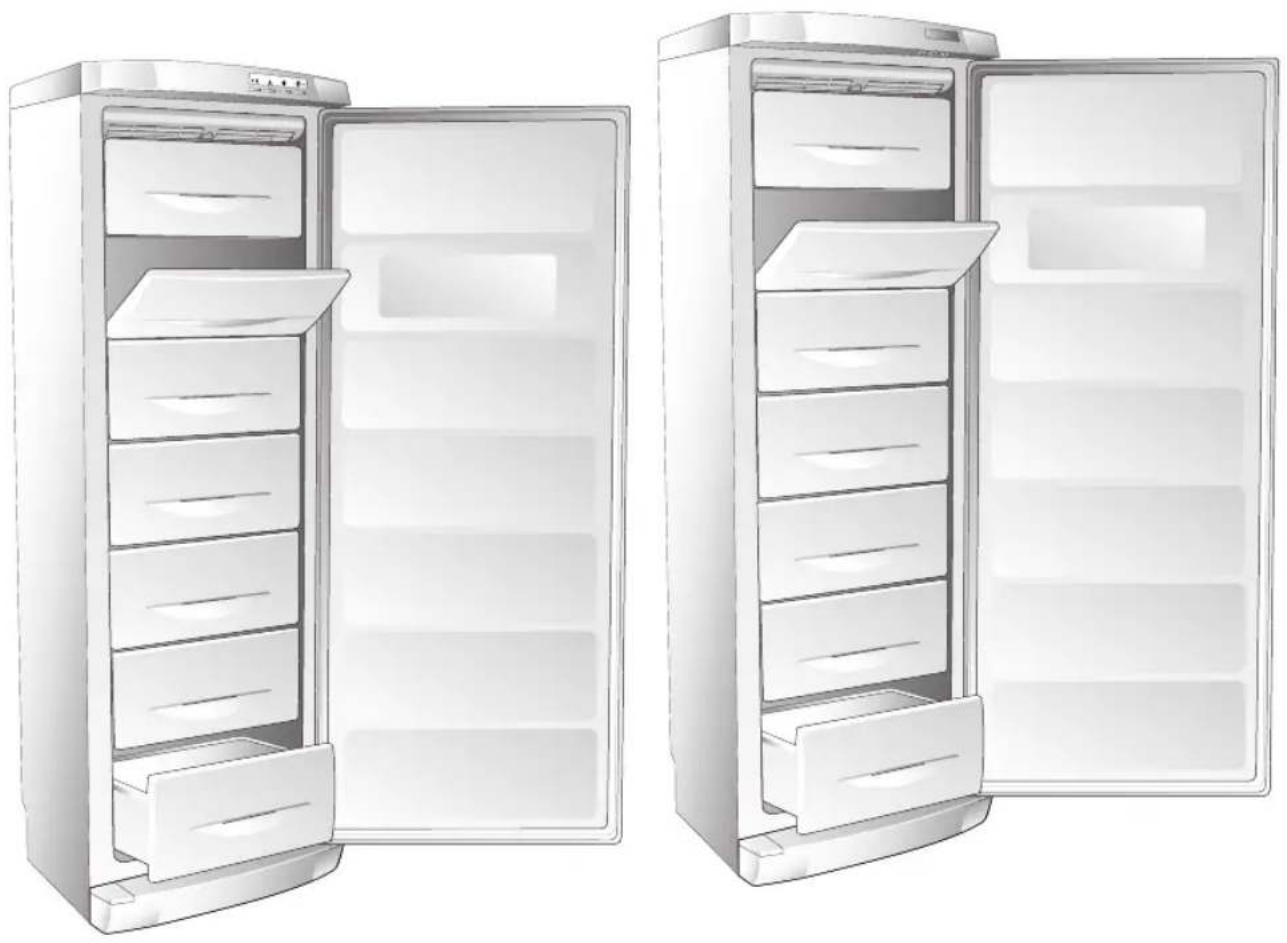
natural_image
Illustration of two open refrigerator doors, one closed and one open, showing internal compartments (no text or symbols)Mod. A Mod. B
GB STANDARDS-WARNINGS AND RECOMMENDATIONS

3
This is an important safety requirement and must be complied with.
In case of doubt, have the mains supply checked by a qualified electrician.
As with any other electrical appliance, a few fundamental rules must be observed during use:
- do not touch the appliance with wet or damp hands or feet.
- do not pull the power cable to remove the plug from its socket.
- do not expose the appliance to atmospheric agents.
- do not allow the appliance to be used by unsupervised children.
- do not plug-in or unplug the appliance using wet hands. - before carrying out any cleaning or maintenance operation, disconnect the appliance from the mains supply by either unplugging it or switching the mains power supply off at the main switch:
- in the case of a fault or malfunction, switch off the appliance and do not attempt any repairs.
This appliance is marked as complying with European Directive 2002/96/EC, Waste Electrical and Electronic Equipment (WEEE).
Make sure that the product is disposed of in a correct manner. The user is obliged to contribute towards preventing any negative consequences for health and the environment.
The symbol ☒ affi xed to the product or accompanying documents signifi es that the product must not be treated as normal domestic refuse, but must be delivered to an authorised collection centre to enable the electric and electronic equipment to be recycled.
text_image
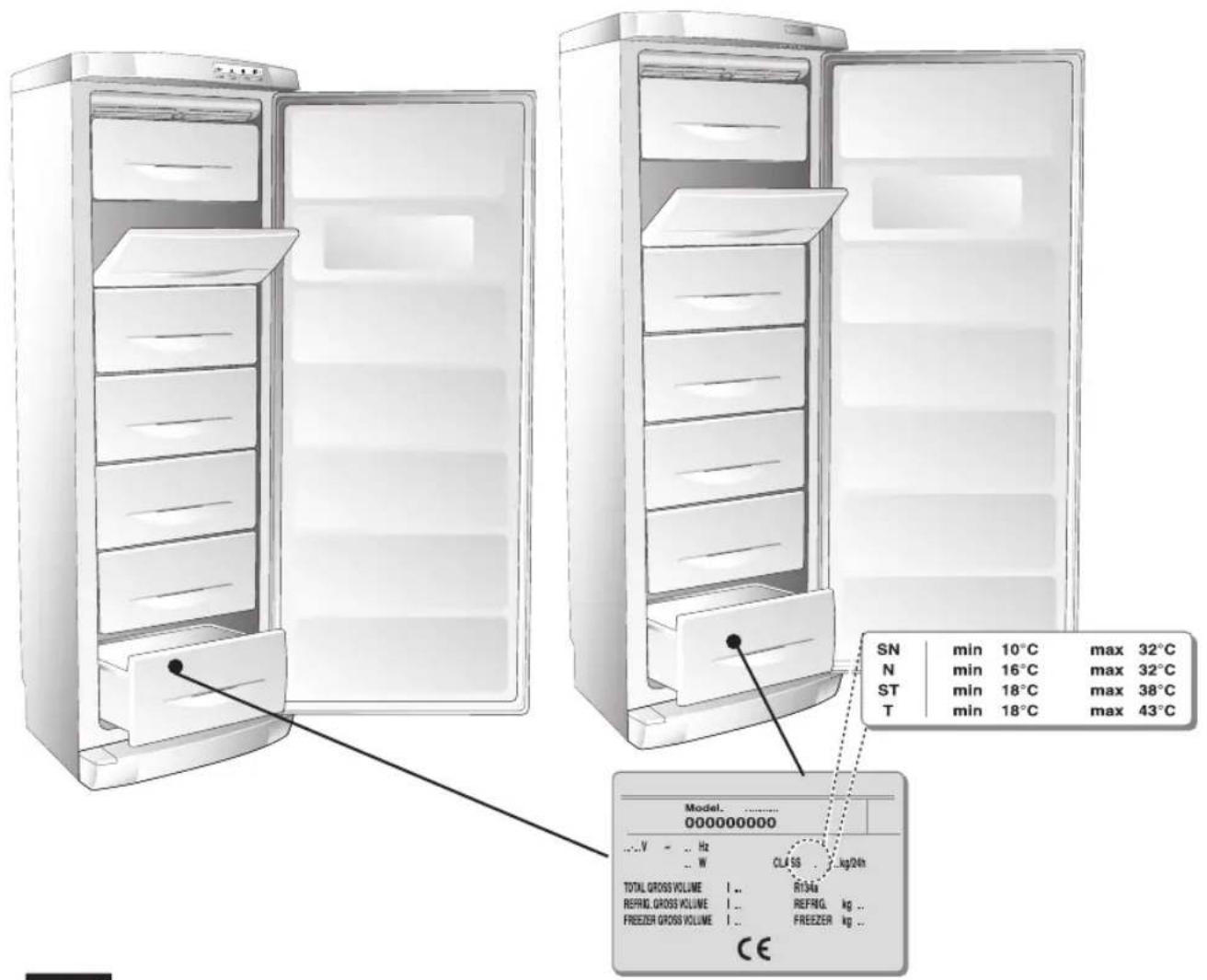
SN min 10°C max 32°C N min 16°C max 32°C ST min 18°C max 38°C T min 18°C max 43°C Model. ...... 000000000 ...V - ... Hz ... W CL# SS . kg/24h TOTAL GROSS VOLUME R134a REFRIG. GROSS VOLUME REFRIG. kg ... FREEZER GROSS VOLUME FREEZER kg ... CE4

STANDARDS-WARNINGS AND RECOMMENDATIONS
GB
When disposing of the appliance, comply with local waste disposal regulations. For further information on the treatment, recovery and recycling of this product, refer to the appropriate offices, local domestic waste collection service or the retailer from where the appliance was purchased.
WARNING! At the end of the useful life of an appliance that makes use of R 600a refrigeration gas (isobutane) and fl ammable gas in the insulation foam, it must be made safe prior to being transported to the place of disposal. To do this, refer to the retailer or the appropriate local authority.
WARNING! When installing the appliance, consideration must be given to the climatic category of the product itself. The climatic category of the appliance is written on the rating plate. The appliance will function correctly within the ambient temperature range in the table for the particular climatic category.
WARNING! Make sure that the ventilation openings in the appliance body or built-in units are not obstructed.
WARNING! if the appliance is to be left unused for a long period of time, e.g. holidays, it must be unplugged, emptied, cleaned and dried. The door must be left open to prevent the formation of bad smells.
WARNING: Do not damage the cooling circuit.
text_image
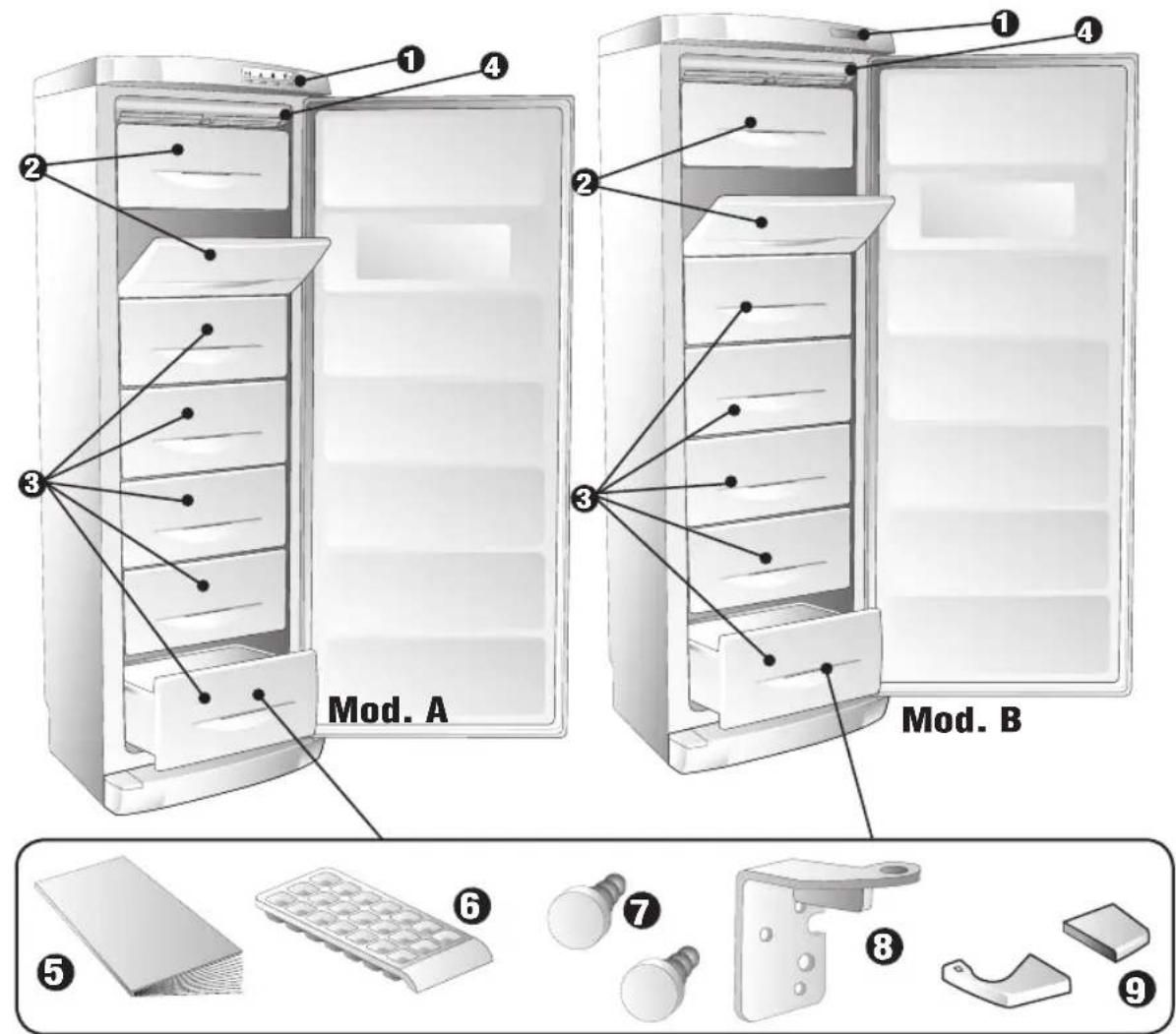
1 2 3 Mod. A 2 3 Mod. B 1 4 5 6 7 8 9GB DESCRIPTION OF THE APPLIANCE

5
Upright units are large capacity domestic appliances for freezing, storing and refrigerating any types of food.
The load-bearing STRUCTURE has been fabricated in steel panels which have been treated and electrostatically painted to resist mistreatment and to ensure that its "new" look remains unaltered over time. The INSULATION MATERIALS have been specially selected to ensure that the INTERNAL temperature remains constant and to provide maximum storage space. The internal STORAGE SPACE has been designed to store any type of food thanks to the easily removable shelves.
1 CONTROL PANEL
2 FREEZER DRAWERS
3 FREEZER DRAWERS
4 NO-FROST VENTILATION
5 INSTRUCTION BOOK
6 ICE TRAY
7 SPACERS
8 HINGE
9 PLINTH COVER PLATE
text_image
Diagram illustrating a refrigerator interior with hand positioning and cleaning steps, showing exterior and interior views with labeled components.6

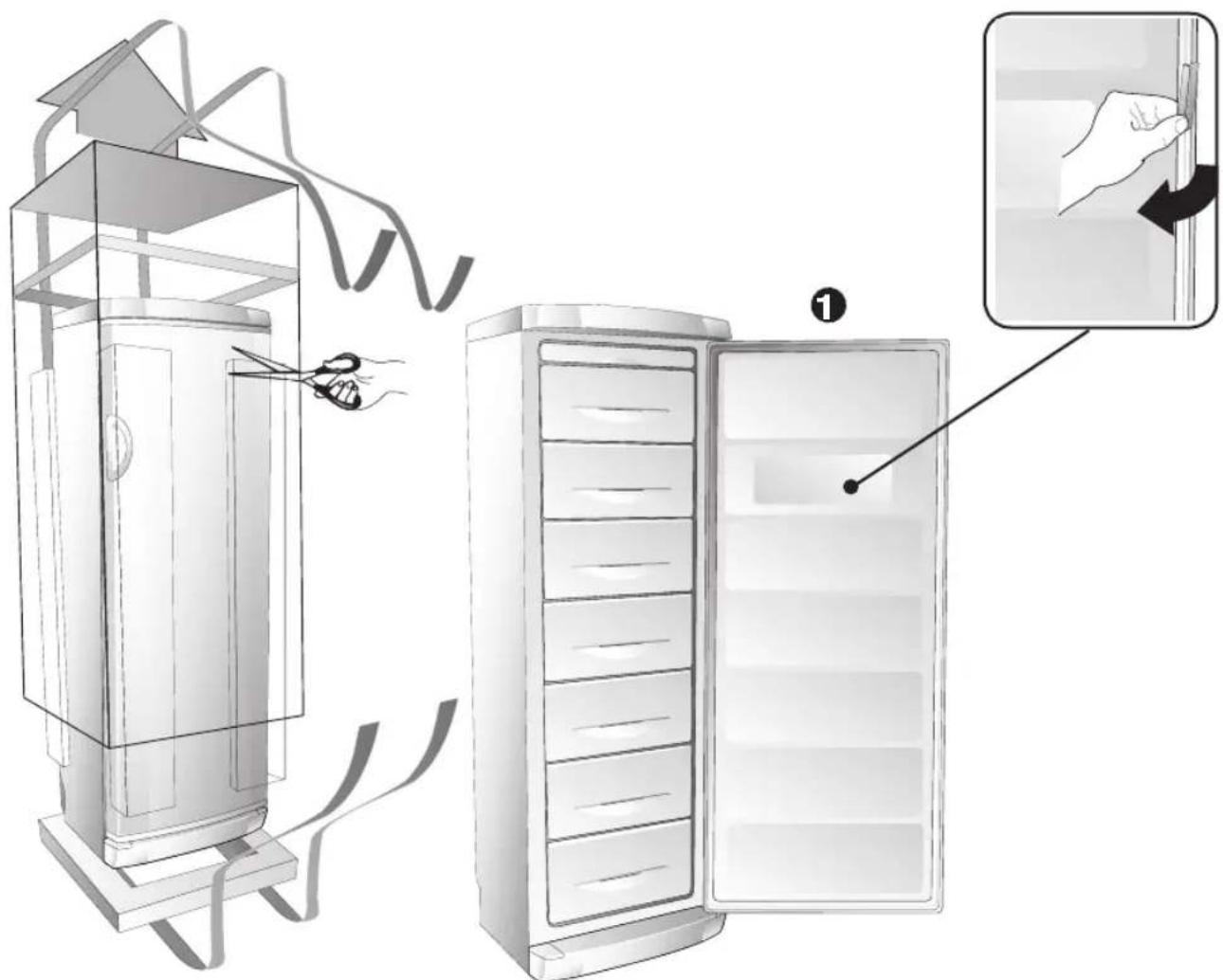
REMOVING THE TRANSPORT PROTECTION DEVICES
GB
Check that the appliance is undamaged.
The retailer must be informed of any damage to the appliance within 24 hours of delivery.
1 Remove the protection from the door gasket.
The protection is used to protect the gasket during transport.
The protection must be removed in order to ensure that the door seal functions correctly.
text_image
2b3 A 2b 2a 2c 2b2 2dGB POSITIONING AND INSTALLING THE APPLIANCE

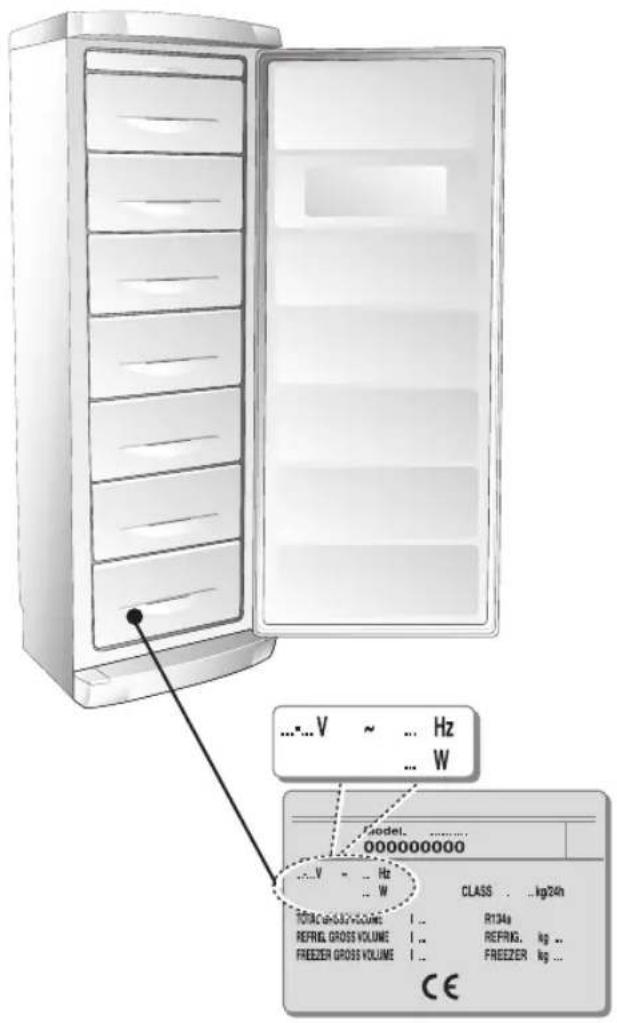
1 Once the appliance has been unpacked, check that the mains voltage is the same as that indicated on the rating plate.
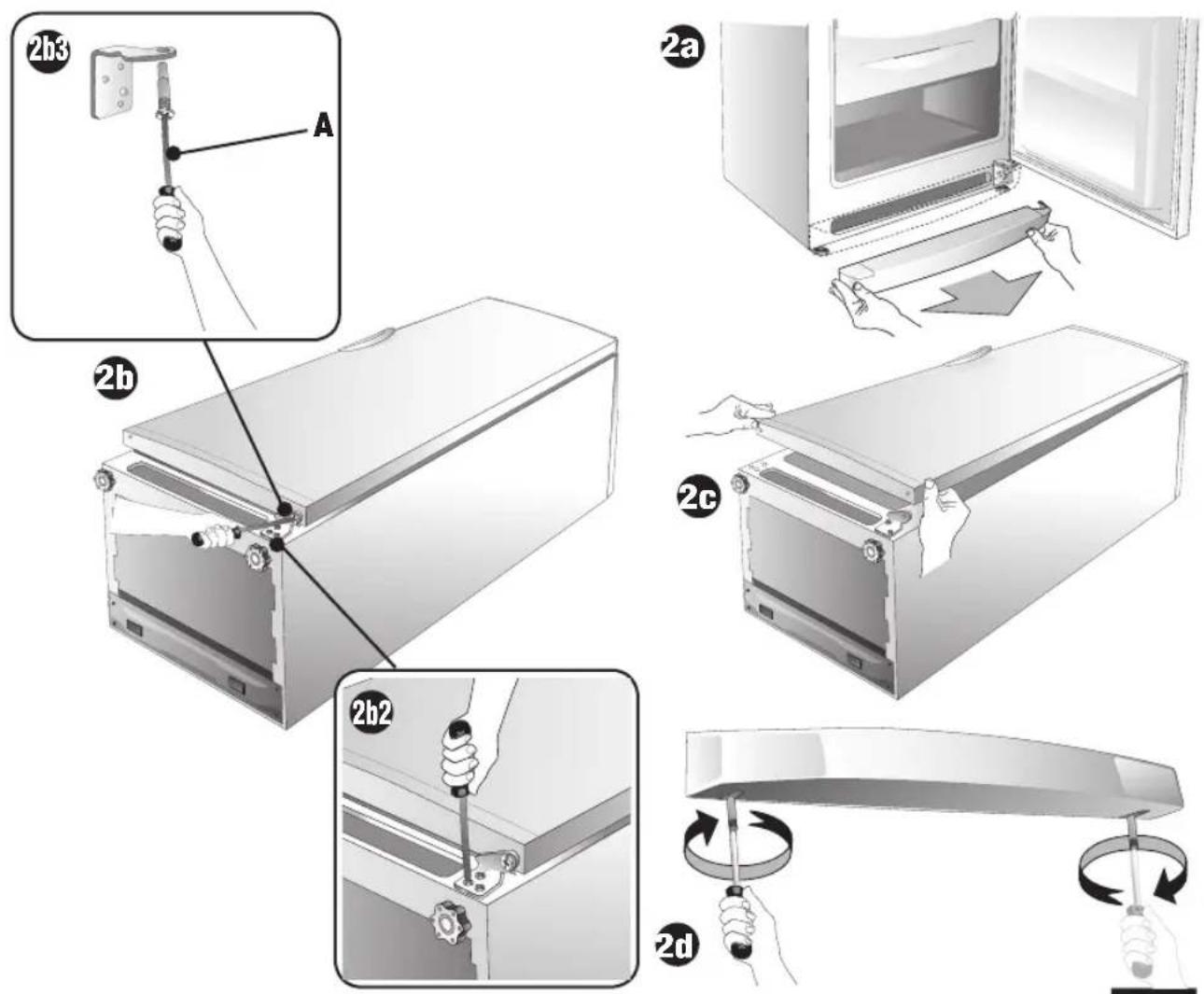
2 If the door opening direction is as required, go to Point
3 Otherwise, reverse the position of the hinges.
To do this, carefully place the appliance on its back. Use spacers to prevent crushing the condenser pipes and damaging the compressor unit.
2a Remove the plinth by pulling it.
2b Remove the lower hinge and unscrew pin (A).
2c Remove the door by pulling downwards.
2d Unscrew the upper pin and screw it in on the opposite side.
8

POSITIONING AND INSTALLING THE APPLIANCE
GB
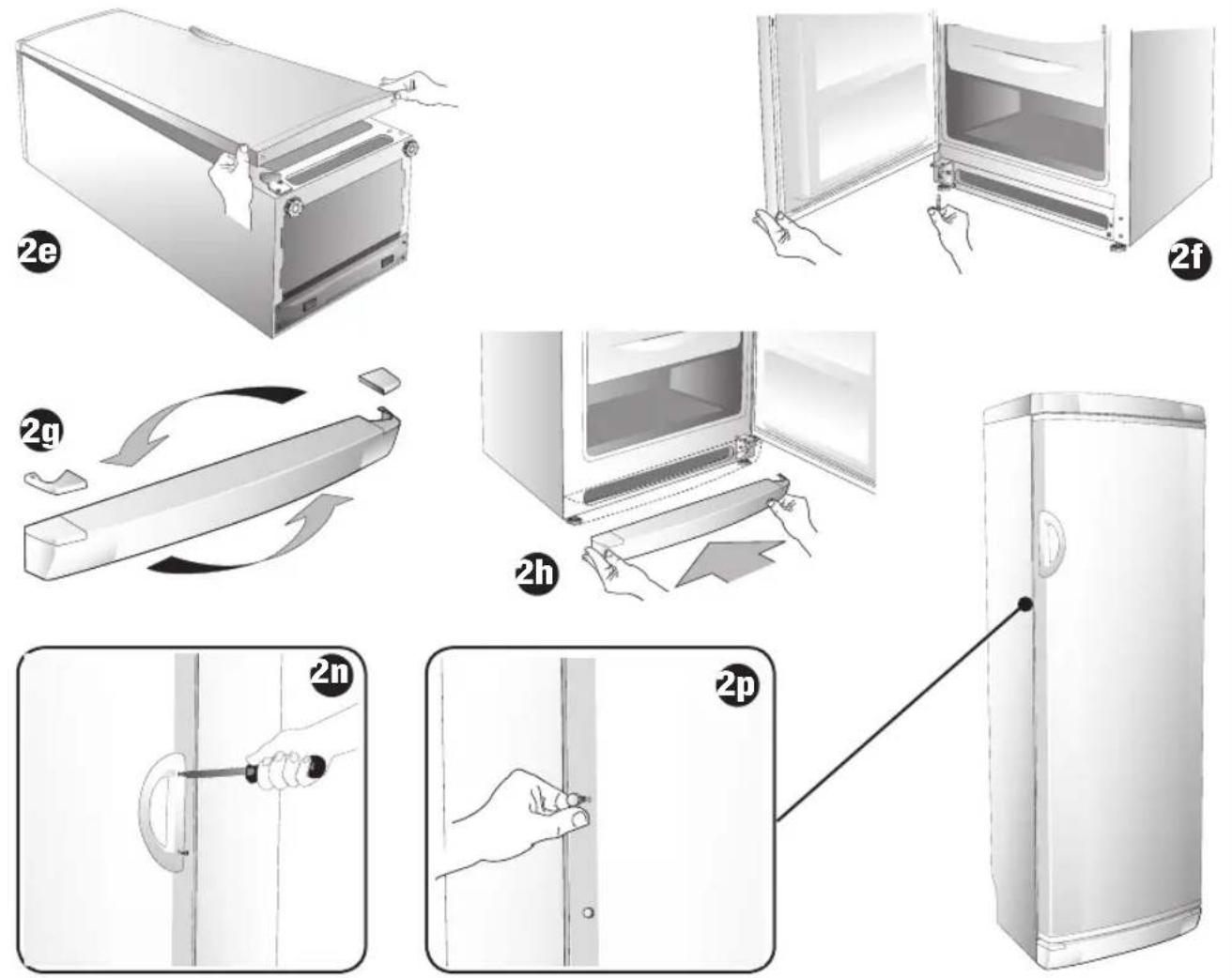
2e Replace the door.
2f Fit the pin from the lower hinge onto that supplied, then fit the hinge and tighten the door.
2g Replace the hole plugs in the plinth with those supplied.
2h Replace the plinth by pushing it.
REVERSING THE VERTICAL HANDLE
If the appliance is delivered with the vertical handle already fitted and the door opening direction needs to be changed, the handle itself must also be moved as follows:
2i Remove the handle by unscrewing the two fi xing screws.
21 Remove the hole plugs on the opposite side of the door by pressing them lightly.
2m Rotate the handle 180^ and fit it in place using the two fixing screws. Insert the plugs in the holes left on the opposite side.
FITTING THE VERTICAL HANDLE
If the appliance is supplied with a separate vertical handle, it can be fitted as follows:
2i Take the handle and screws supplied.
2i Position the handle over the holes and fix it in position using the screws supplied.
text_image
Diagram illustrating the installation of an air conditioner unit, showing steps from heating to cooling and installation.GB POSITIONING AND INSTALLING THE APPLIANCE

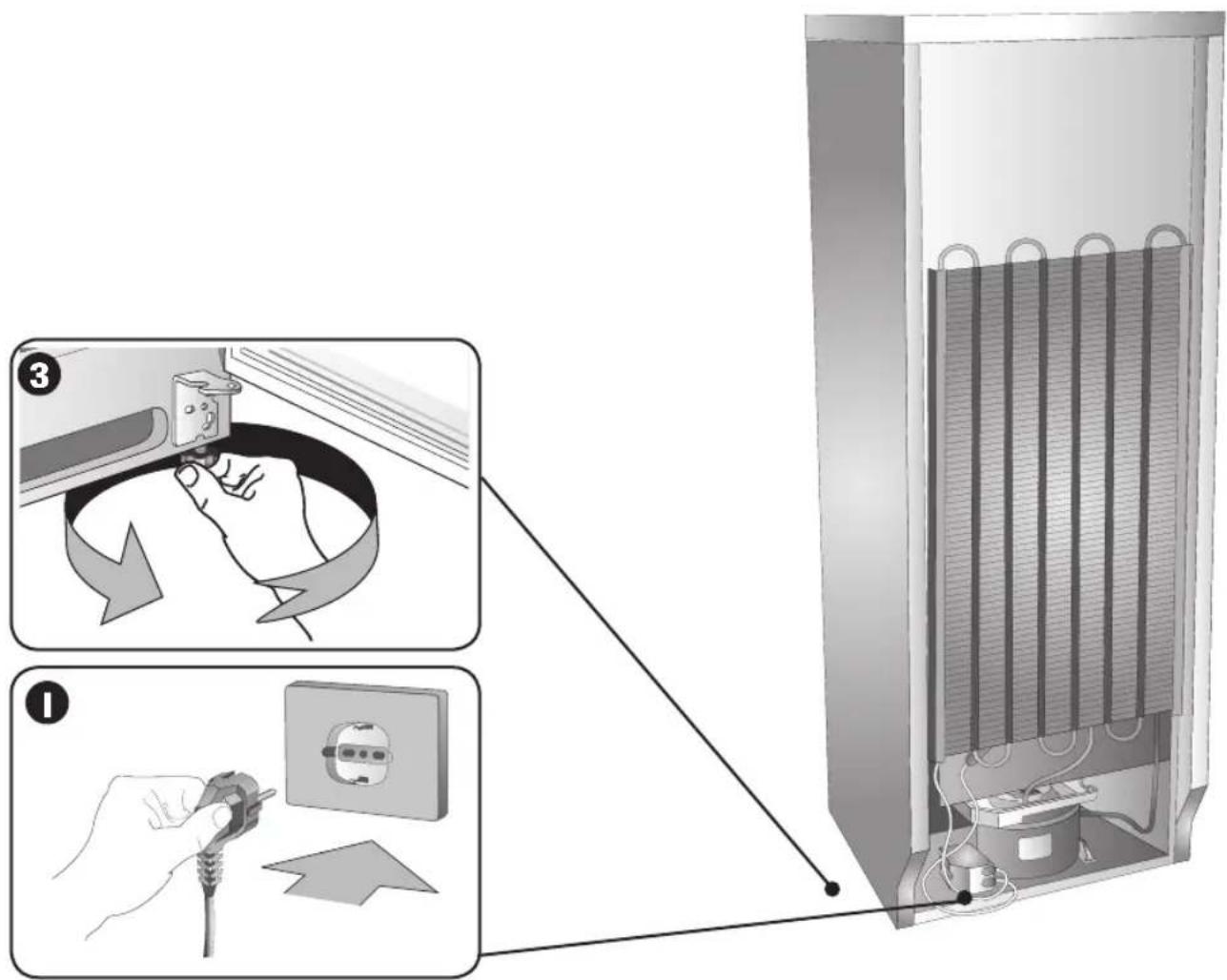
3 Level the fridge by adjusting the feet.
When installing the appliance, remember the following:
A Do not install it near to sources of heat such as heaters, radiators, cookers, etc. or in direct sunlight.
B Position the appliance in a dry well-ventilated location.
C Do not install the appliance in non-ventilated spaces such as wall niches.
D After the appliance has been placed in its final position, leave it for about an hour before connecting it to the power supply.
E Make sure that the appliance is working properly before placing any food in it.
F Leave a space of at least 5 cm between the top of the appliance and any wall cupboards.
G Some appliances are fitted with rear wheels to enable them to be moved easily.
WARNING: DO NOT INSTALL THE APPLIANCE NEAR TO ANY HEAT SOURCES AND LEAVE A GAP OF AT LEAST 5 CM ABOVE IT
text_image
...V ~ ... Hz ... W Model 000000000 ...V ~ ... Hz ... W CLASS ...kg24h TOTAL GROSS VOLUME 1 ... R134s REFRIG. GROSS VOLUME 1 ... REFRIG. kg ... FREEZER GROSS VOLUME 1 ... FREEZER kg ... CE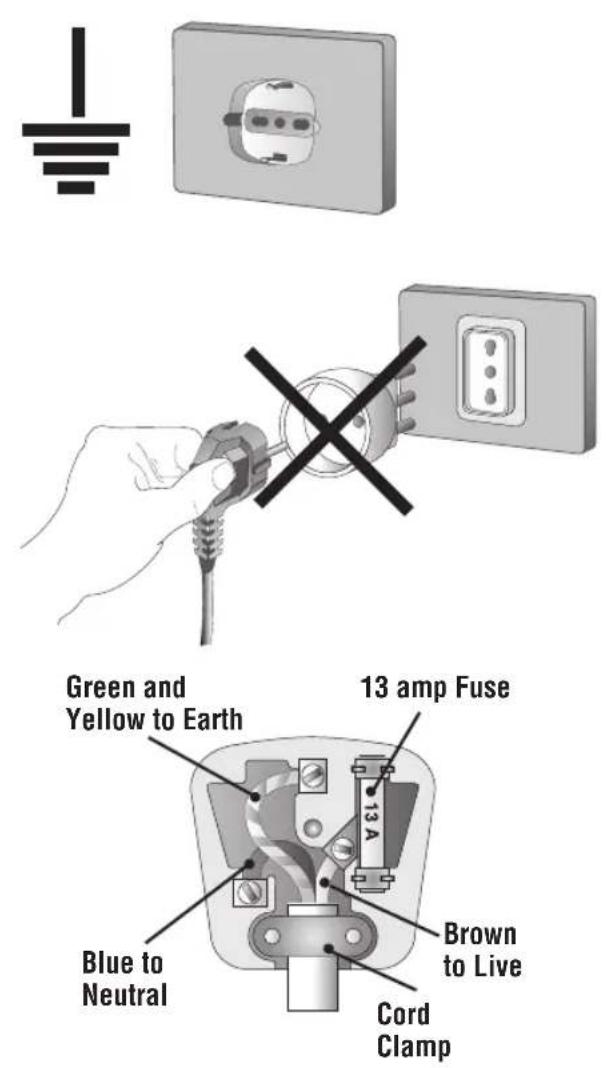
text_image
Green and Yellow to Earth 13 amp Fuse 13 A Blue to Neutral Brown to Live Cord Clamp10

ELECTRICAL CONNECTION
GB
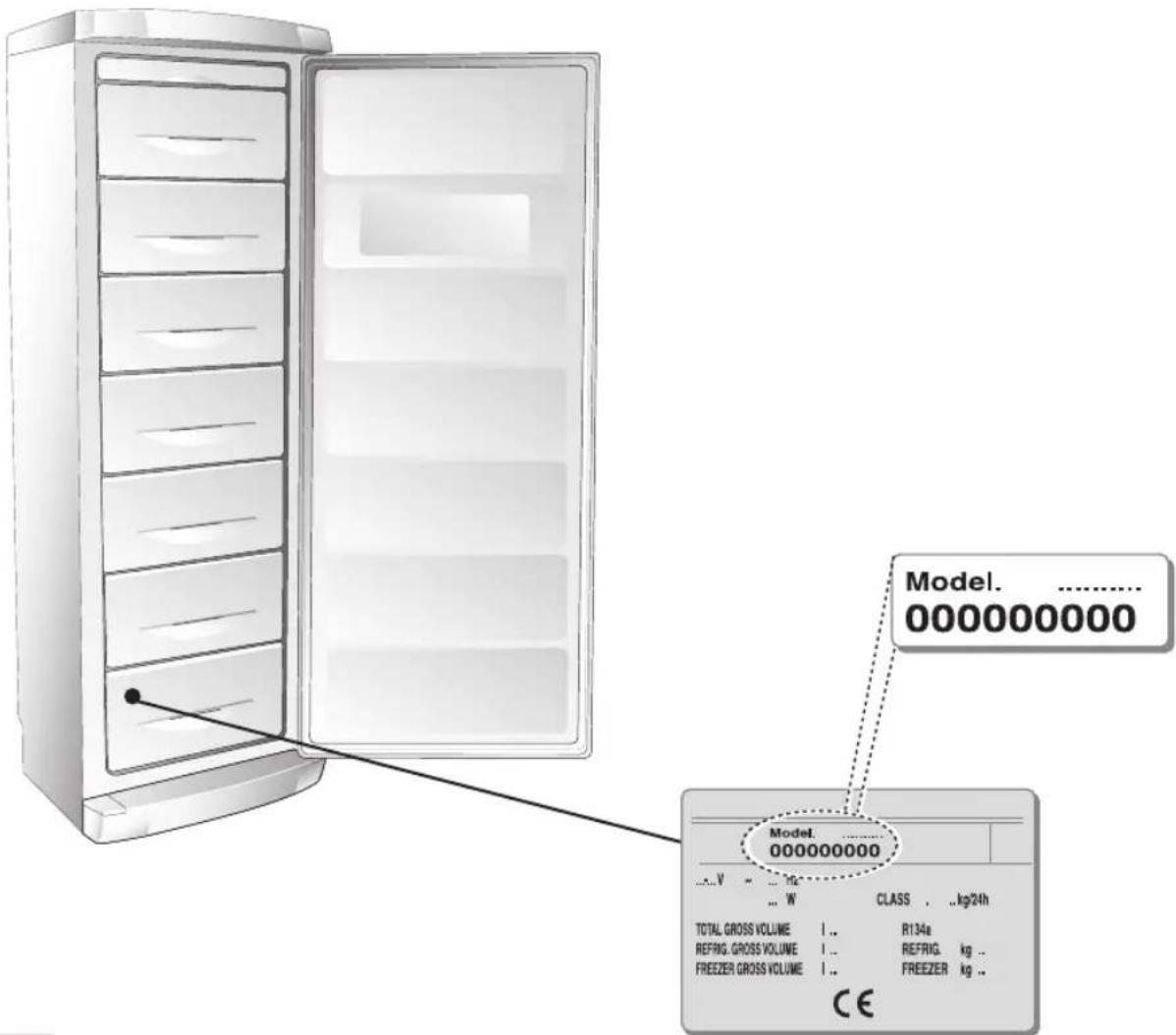
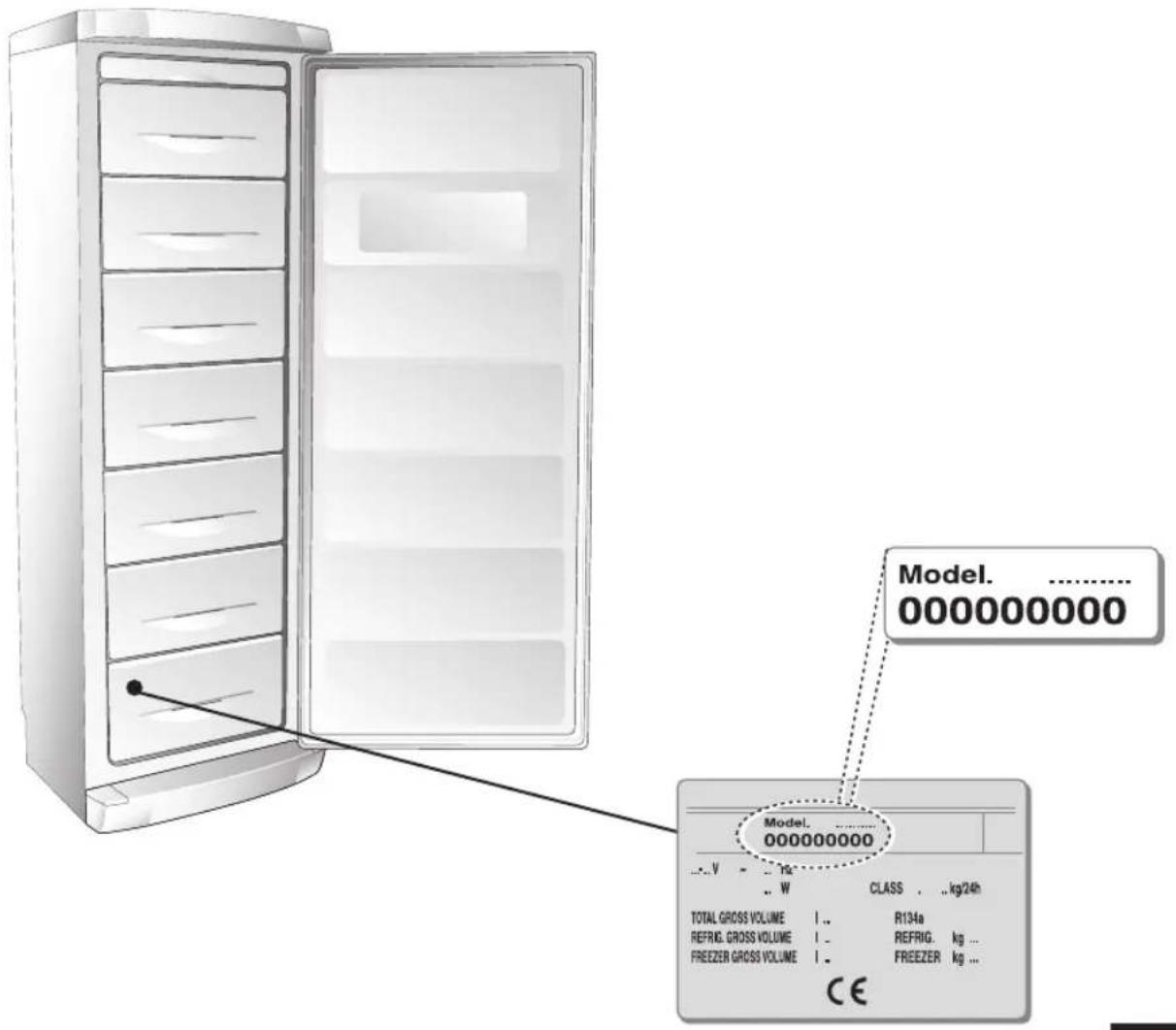
Check that the mains voltage complies with that indicated on the rating plate located on the bottom left of the freezer compartment.
If the mains socket does not have an earth connection or if the plug is not suitable for the mains supply system, refer to a qualified electrician.
Do not use adapters or extension leads, as these may overheat and burn.
Warning: this appliance must be earthed
If the appliance has been fitted with a non-rewirable plug of the incorrect type for the mains socket, cut off the plug and fit a new one. The removed plug must be thrown away. Inserting an unsuitable plug into a 13 Amp socket is likely to cause an electrical hazard. When a non rewirable plug or rewirable 13 Amp (BS1363) plug is used, it must be fitted with a 15 Amp ASTA approved (BS1362) fuse. If any other type of plug is used it must be wired as follows.
Connect the GREEN & YELLOW wire to the earth terminal marked with the letter "E" or earth symbol, 12 or coloured green or green & yellow.
Connect the BLUE wire to the neutral terminal marked with the letter "N" or coloured black.
Connect the BROWN coloured wire to the live terminal marked with the letter "L" or coloured red.
text_image
Fig.1 ECO RESET SUPER - 18 °C S1 S4 RESET SUPER - 18 °C ECO T1 Fig.2GB USING THE FREEZER COMPARTMENT Mod. A

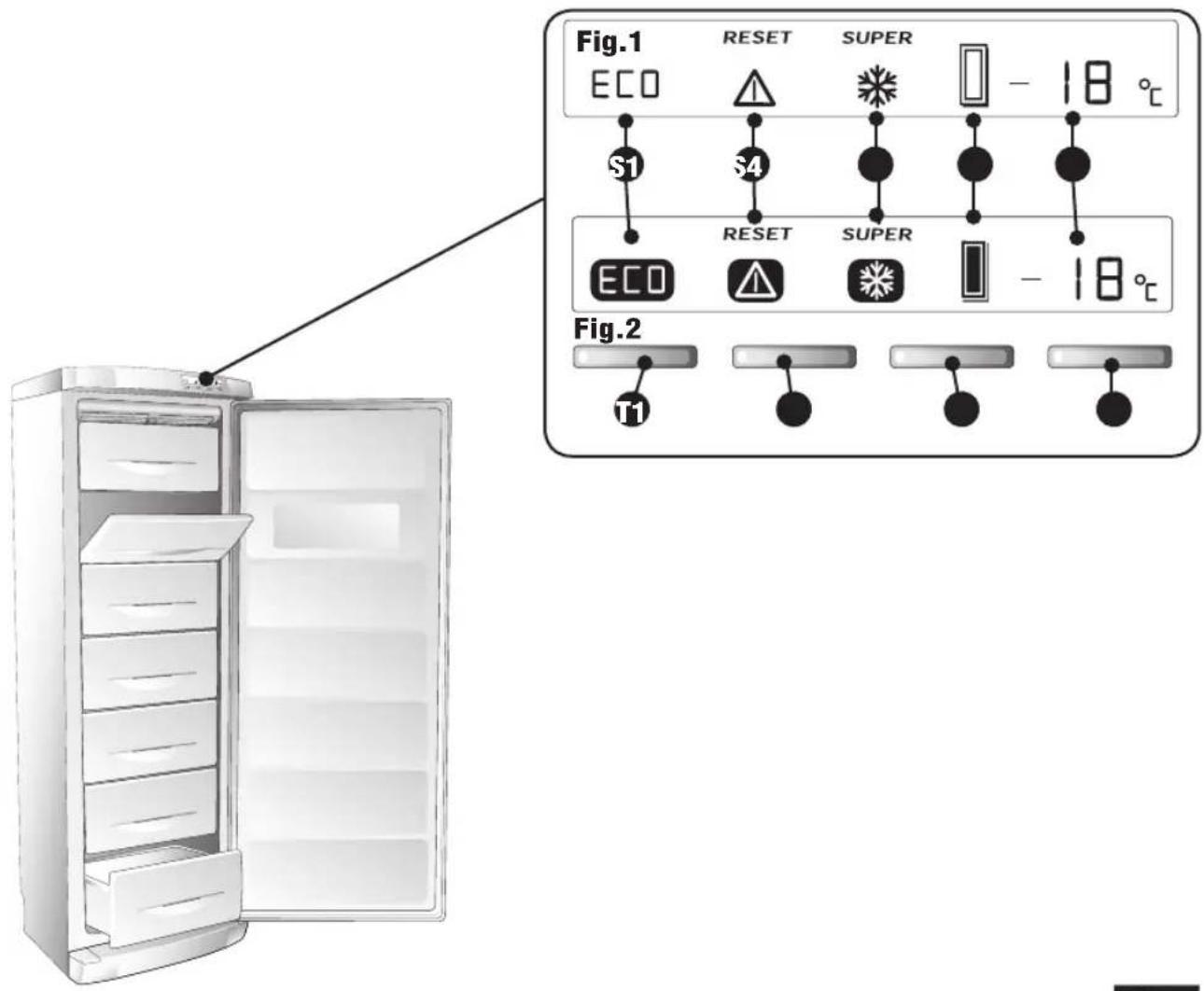
DESCRIPTION OF THE CONTROL PANEL
Figure 1 shows the Display in normal position, while figure 2 shows the active position
T1 "ECO" BUTTON
T2 "ALARM-RESET" BUTTON
T3 "SUPER" BUTTON
T4 "FREEZER TEMPERATURE CONTROL" BUTTON
S1 "ECO" SYMBOL
S2 "DOOR OPEN AUDIBLE ALARM-RESET" BUTTON
S3 "SUPER" SYMBOL
S4 DOOR SYMBOL
S5 SYMBOL INDICATING:
- ACTUAL INTERNAL TEMPERATURE
- PROGRAMMED TEMPERATURE
- FRIDGE "OFF"
USING THE COMPARTMENT
The temperature inside the compartment is regulated automatically by an electronic system according to that set by the user. The temperature must be set taking into account the frequency of the door opening, the quantity of food on the shelves and the ambient temperature.
WARNING: If the appliance is switched off then back on again immediately, the compressor will start-up after approximately half an hour. This is part of the normal operation of the appliance
text_image
Fig.a ECO RESET SUPER + - °C T4 S5 Fig.b ECO RESET SUPER - 18 °C Fig.c ECO RESET SUPER + °C T4 S5 Fig.d ECO RESET SUPER - 18 °C12

USING THE FREEZER COMPARTMENT Mod. A
GB
SWITCHING ON THE APPLIANCE
Close the door, insert the plug in the mains socket and set the required temperature. Allow the fridge to run empty until the set temperature appears on the display, then place the food in the compartment and close the door.
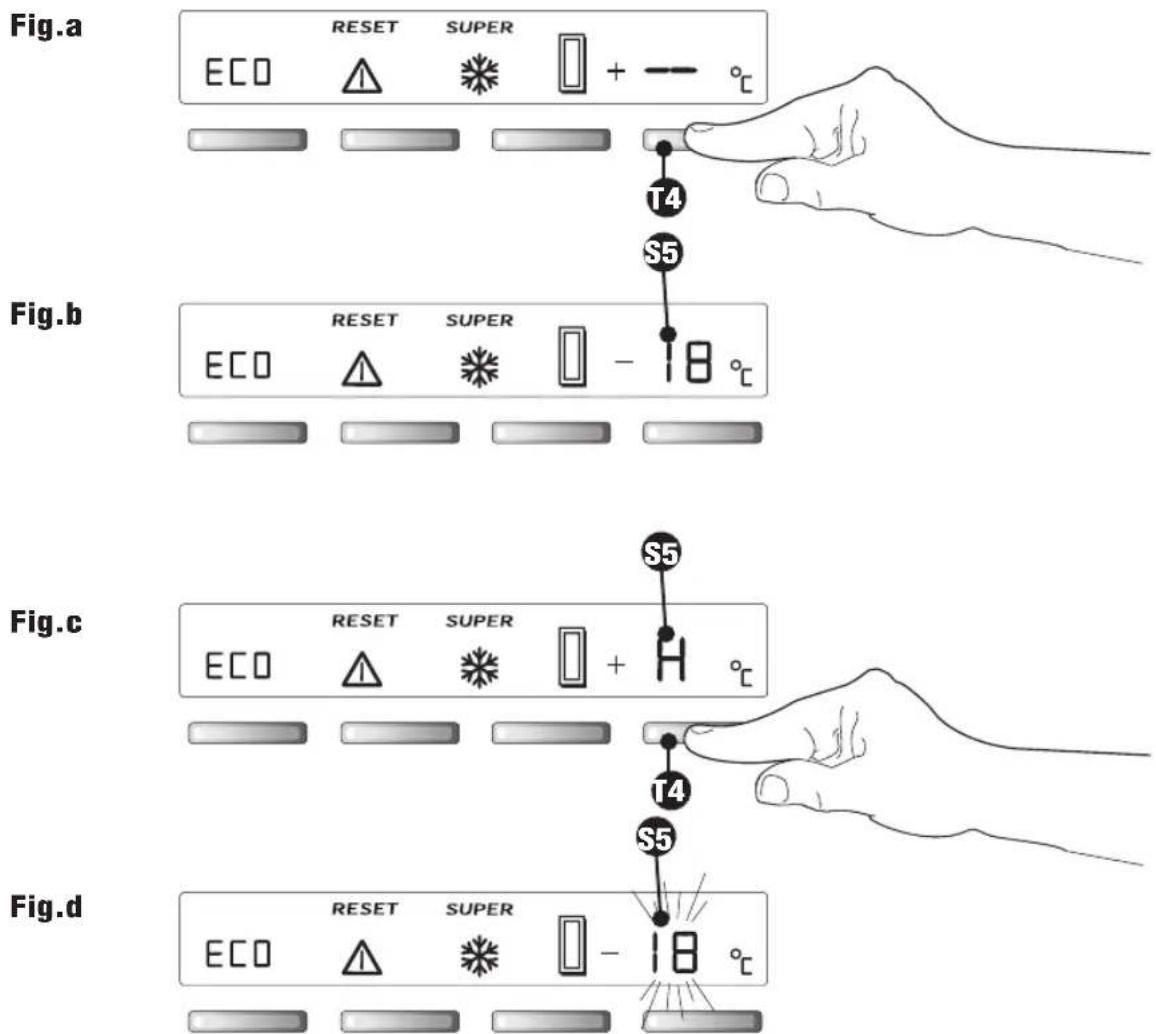
T4 SETTING THE TEMPERATURE
To start the appliance, press button "T4" for at least 0.5 seconds To stop the appliance, press button "T4" for 4 seconds. The symbol "—" (fig. a) will appear on the display. During normal operation, the display will indicate the internal temperature with the symbol "S5" (fig. b). The display indicates the values of the internal temperature between +20°C and -40°C. Temperatures higher than +20°C (e.g. +21°C) are indicated by the letter "H" (fig. c). The temperature can be set between -18 and -24 °C.
PROGRAMMING AND ADJUSTING THE TEMPERATURE
Press button "T4" once. The programmed temperature will flash for 6 seconds (fig. d). When button "T4" is re-pressed, the temperature setting changes. The temperature reduces by 1^ for each clock down to -24^ , after which the display restarts from -18^ . The new setting will be memorised after "S5" stops flashing.
CHECKING THE PROGRAMMED TEMPERATURE
Press button "T4" once. The programmed temperature "S5" will flash for 6 seconds (fig. d), after which the actual temperature inside the compartment will be displayed. The programmed functions will stay in the memory even in the case of a power cut or when the appliance is disconnected from the mains supply
text_image
Fig.e ECO RESET SUPER S3 T3 -18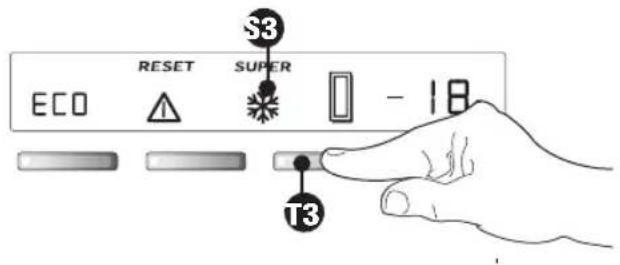
text_image
ECO RESET SUPER - 18 13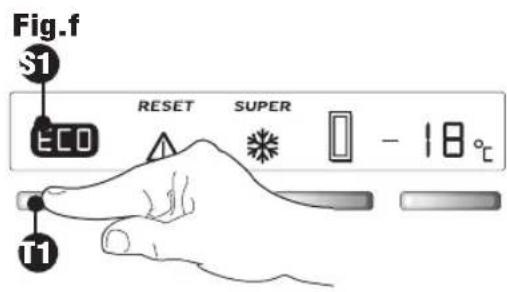
text_image
Fig.f S1 ECO RESET SUPER - 18 °C T1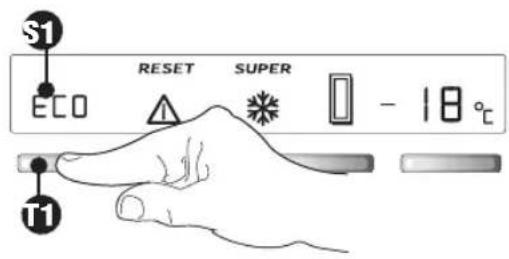
text_image
S1 ECO RESET SUPER - 18 °C T1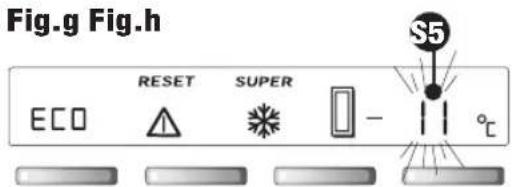
text_image
Fig.g Fig.h ECO RESET SUPER S5 - °C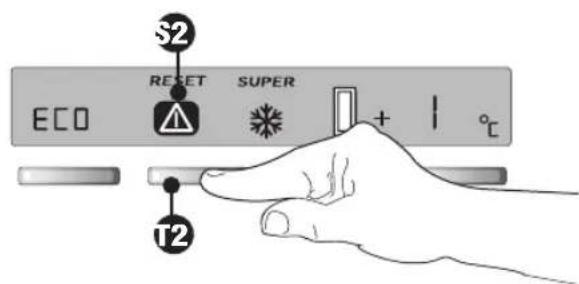
text_image
S2 RESET SUPER ECO + ℃ T2GB USING THE FREEZER COMPARTMENT Mod. A

13
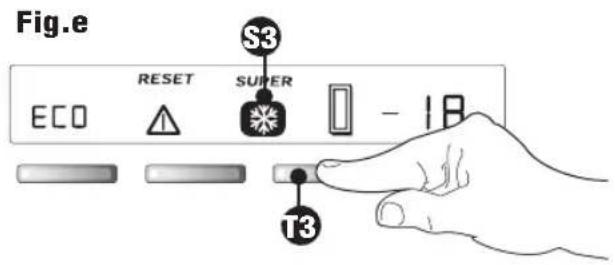
"SUPER" FUNCTION "S3"
The "SUPER" function is used for quick freezing of food and must be activated at least 3 hours before placing the food in the freezer.
The compressor will function continuously for "28 hours". When button "T3" is pressed, the symbol ☑ "S3" lights up. The "SUPER" function switches off automatically after 28 hours. It can also be switched off manually at any time by re-pressing button "T3" ✪ (fi g. e).
“ECO” ECO S1 FUNCTION
In order to save energy, the freezer is equipped with a button "T1" "ECO" which automatically sets the temperature at -18°C and lights up the symbol "S1" ECO (fig. f). To switch off the "ECO" function, press button "T1". The symbol ECO will disappear from the display (fi g. a).
"HIGH TEMPERATURE ALARM" FUNCTION
This appliance is fitted with a dual alarm system (pre-alarm and alarm).
Pre-alarm (-11°C) If the temperature inside the freezer rises and reaches -11°C, the value on the display flashes (visual alarm) (fi g. g).
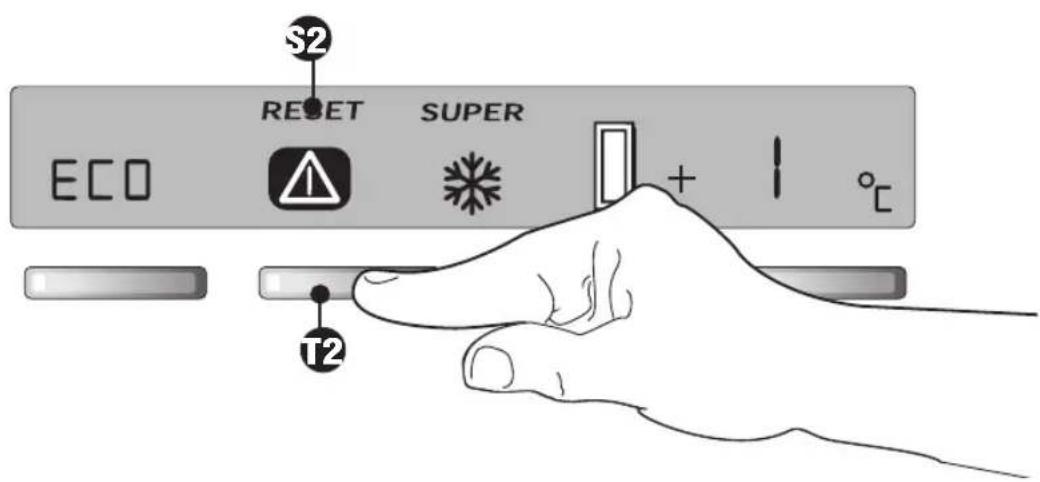
Alarm If the temperature inside the freezer rises to above +1°C (the food will start to thaw), the background of the display will change to red, the symbol “⚠️” will be displayed (see “S2”, fig. h) and the highest temperature value reached by the food will flash. This alarm will be memorised even in the case of an interruption in the power supply. To restart the appliance, press the “RESET” button (fi g. h).
Fig.h
text_image
32 RESET SUPER ECO + °C 1214

USING THE FREEZER COMPARTMENT Mod. A
GB
IMPORTANT
- If the Alarm is activated (red background on the display), the food should be consumed immediately. If it is not possible to determine the precise time that the food started thawing, it is advisable to throw away all the food kept in the freezer in order to avoid any health risks.
- Under no circumstance should food that has started to thaw be refrozen.
- Do not store frozen food for longer than the recommended time period.
Possible causes
- An excessive amount of food has been placed in the freezer (see freezing method)
- The door has been left open
- There is a power cut
- The appliance is faulty
Fig.i
text_image
S2 RESET SUPER S4 ECO - 18 °C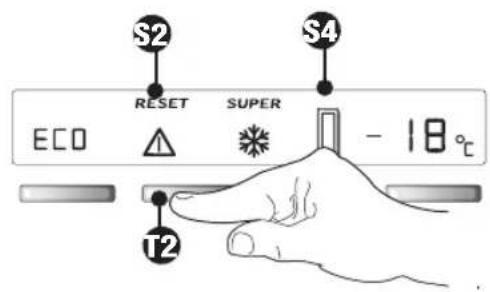
text_image
S2 RESET SUPER ECO - 18 °C T2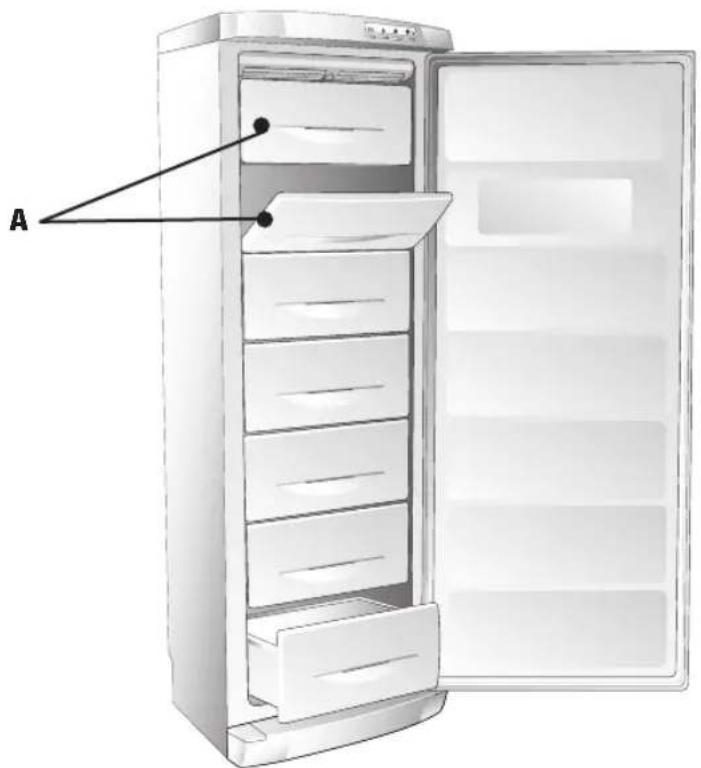
text_image
AGB USING THE FREEZER COMPARTMENT Mod. A

15
DOOR OPEN ALARM AND RESET ⚠️ FUNCTION “S4-S2”
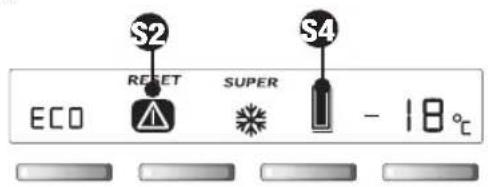
Opening the door activates both the audible alarm RESET "S2" and the door open symbol on the display "S2" "S4". 40 seconds after the door has been opened, the door open alarm is activated. The alarm can be silenced either by pressing the RESET button (fig. i) for 0.5 seconds, or by closing the door. To deactivate symbol "S4", close the door.
FREEZING FRESH FOOD
The freezer has two distinct compartments:
- The upper compartments "A" are used for freezing fresh food.
- The lower drawers are used exclusively for storing frozen food.
- For optimum freezing, the quick-freeze function must be activated at least 3 hours before placing the food in the freezer.
Prepare the food to be frozen in small portions (max 1 kg). Wrap the food in purpose-made polythene or aluminium foil, if possible airtight. Make a note of the date of freezing on the wrap and place it in the freezer drawer.
To make freezing easier and more efficient, follow the recommendations given below:
- The maximum quantity of fresh food to freeze is reported in kg/24 hrs on the rating plate inside the fridge located on the left alongside the fruit and veg box.
- Divide the food to be frozen into small portions for ease of freezing and eventual thawing.
- Do not place fresh foods to be frozen in direct contact with already frozen foods as this may cause a rise in temperature in the already frozen product.
text_image
Fig. 1 ECO -18 °C Fig. 2 ECO -18 °C S1 S2 S3-S4 T2 T3T116

USING THE FREEZER COMPARTMENT Mod. B
GB
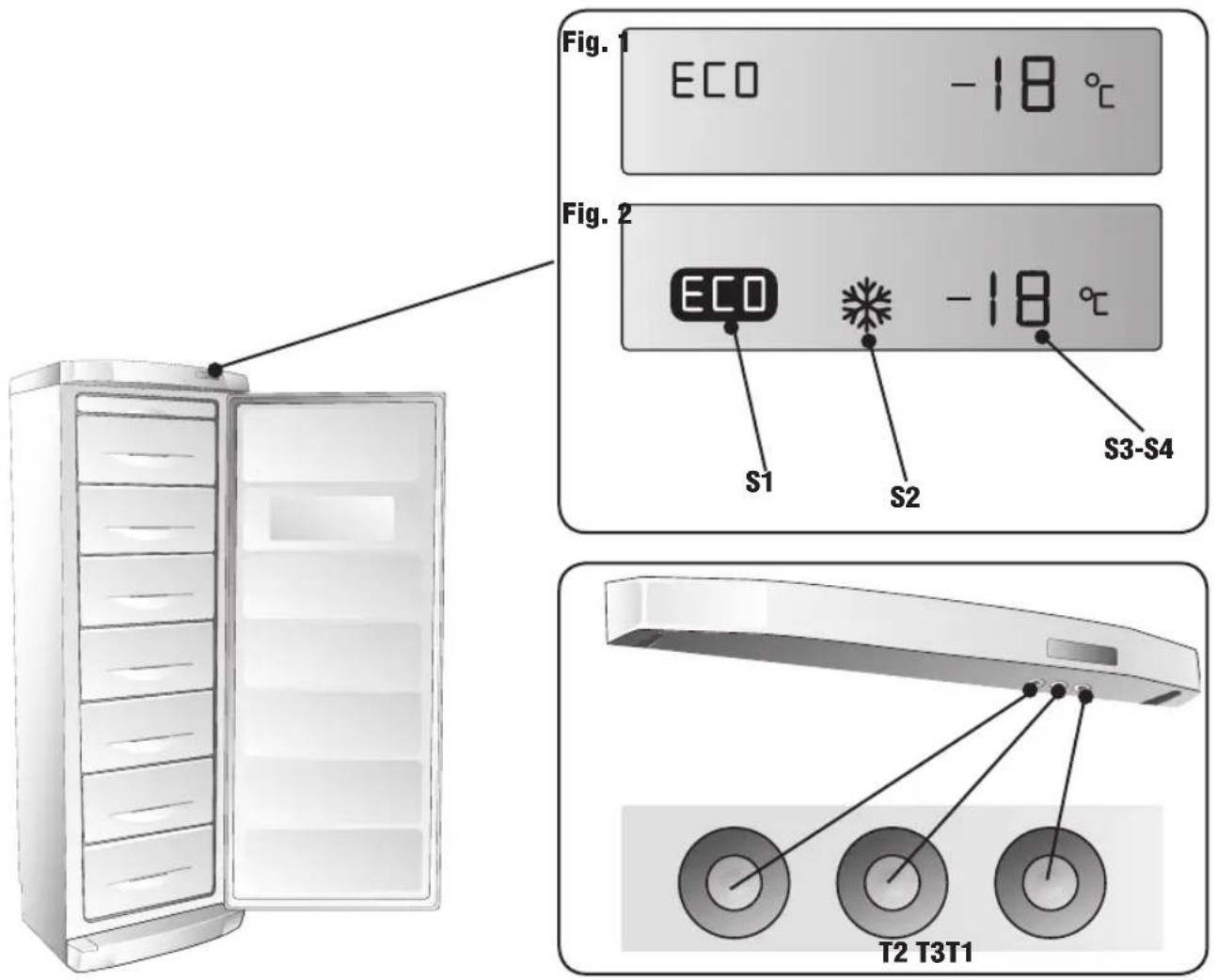
DESCRIPTION OF THE CONTROL PANEL
Figure 1 shows the Display in normal position, while figure 2 shows the active position
T1 "ECO" BUTTON
T2 "SUPER" BUTTON
T3 "FREEZER TEMPERATURE CONTROL" BUTTON
S1 "ECO" SYMBOL
S2 "SUPER" SYMBOL
S3 DOOR SYMBOL
S4 SYMBOL INDICATING:
- ACTUAL INTERNAL TEMPERATURE
- PROGRAMMED TEMPERATURE
- FRIDGE "OFF"
USING THE COMPARTMENT
The temperature inside the compartment is regulated automatically by an electronic system according to that set by the user. The temperature must be set taking into account the frequency of the door opening, the quantity of food on the shelves and the ambient temperature.

WARNING: If the appliance is switched off then back on again immediately, the compressor will start-up after approximately half an hour. This is part of the normal operation of the appliance
text_image
Fig.a ECO — °C Fig.b ECO -18 °C Fig.c ECO H °C Fig.d ECO -18 °CGB USING THE FREEZER COMPARTMENT Mod. B

SWITCHING ON THE APPLIANCE
Close the door, insert the plug in the mains socket and set the required temperature. Allow the fridge to run empty until the set temperature appears on the display, then place the food in the compartment and close the door.
T3 SETTING THE TEMPERATURE
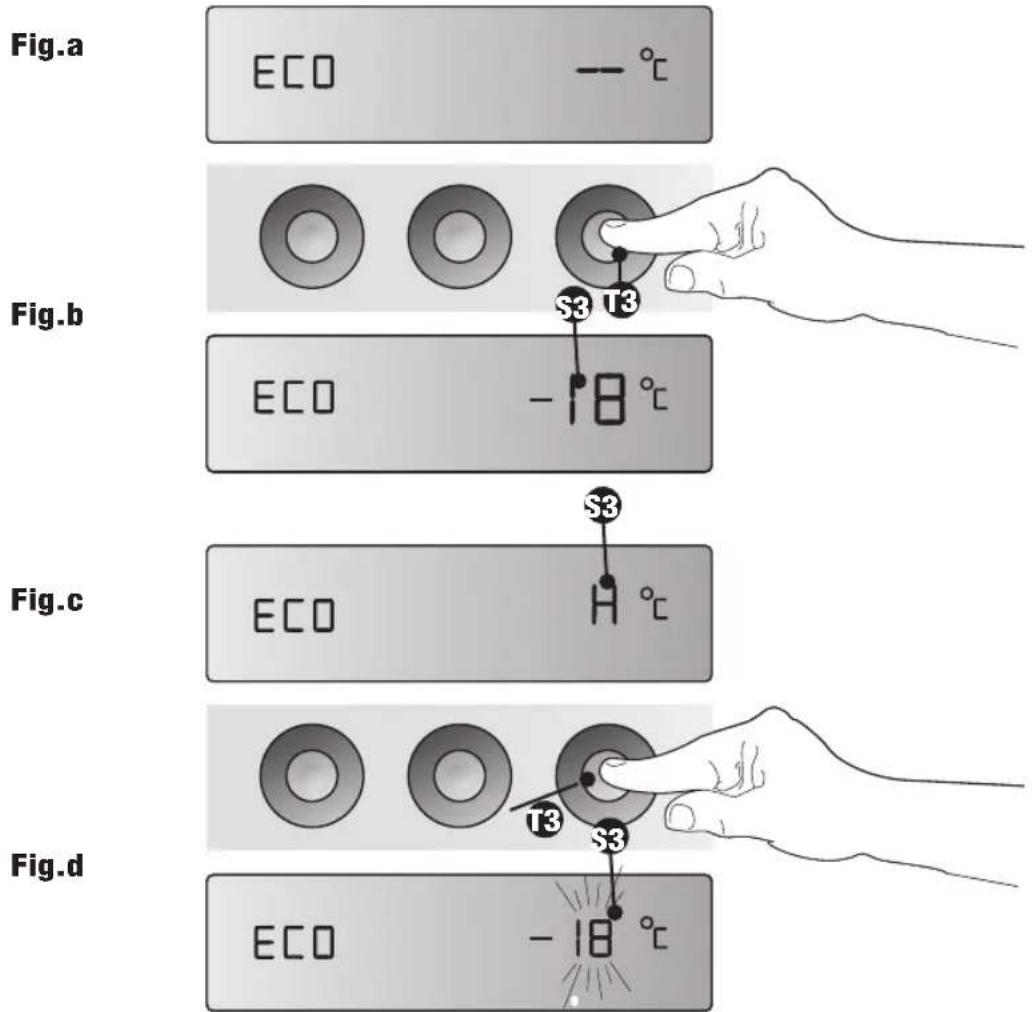
To start the appliance, press button "T3" for at least 0.5 seconds To stop the appliance, press button "T3" for 4 seconds. The symbol "—" (fig. a) will appear on the display. During normal operation, the display will indicate the internal temperature with the symbol "S3" (fig. b). The display indicates the values of the internal temperature between +20°C and -40°C. Temperatures higher than +20°C (e.g. +21°C) are indicated by the letter "H" (fig. c). The temperature can be set between -18 and -24 °C.
PROGRAMMING AND ADJUSTING THE TEMPERATURE
Press button "T3" once. The programmed temperature will flash for 6 seconds (fig. d). When button "T3" is re-pressed, the temperature setting changes. The temperature reduces by 1^ for each clock down to -24^ , after which the display restarts from -18^ . The new setting will be memorised after "S3" stops flashing.
CHECKING THE PROGRAMMED TEMPERATURE
Press button "T3" once. The programmed temperature "S3" will flash for 6 seconds (fig. d), after which the actual temperature inside the compartment will be displayed. The programmed functions will stay in the memory even in the case of a power cut or when the appliance is disconnected from the mains supply
text_image
Fig.e S2 ECO -18 °C S2 ECO -18 °C T2 T2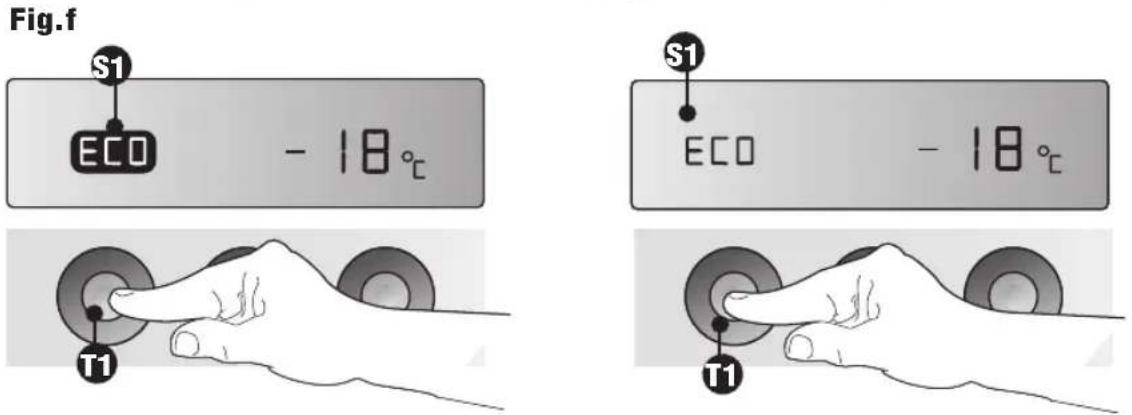
text_image
Fig.f S1 ECO - 18 °C S1 ECO - 18 °C T1 T1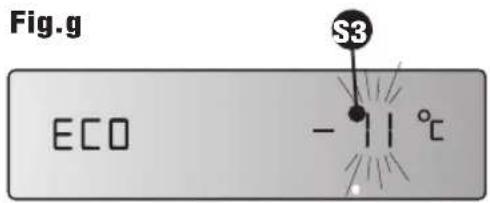
text_image
Fig.g ECO -11 °C S318

USING THE FREEZER COMPARTMENT Mod. B
GB
"SUPER" FUNCTION "S2"
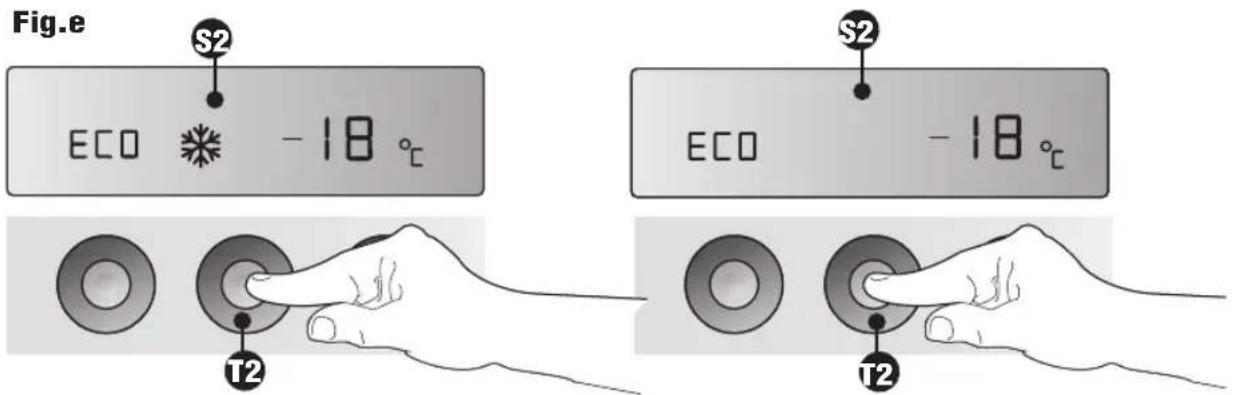
The "SUPER" function is used for quick freezing of food and must be activated at least 3 hours before placing the food in the freezer. The compressor will function continuously for "28 hours". When button "T2" is pressed, the symbol ☐ "S2" lights up. The "SUPER" function switches off automatically after 28 hours. It can also be switched off manually at any time by re-pressing button "T2" ✪ (fi g. e).
TEMPERATURE ALARM FUNCTION
The temperature alarm is activated when the temperature inside the freezer compartment is higher than -12^ (e.g. -11) and is signalled by the fl ashing display (fi g. g).
Possible causes
- An excessive amount of food has been placed in the freezer (see freezing method)
- The door has been left open
- There is a power cut
- The frost layer has reached a thickness of 3-4 millimetres (see defrosting)
- The appliance is faulty
“ECO” ECO S1 FUNCTION
In order to save energy, the freezer is equipped with a button "T1" "ECO" which automatically sets the temperature at -18^ and lights up the symbol "S1" ECO (fig. f). To switch off the "ECO" function, press button "T1". The symbol will disappear from the display (fi g. a). The ECO and Super functions cannot be used at the same time
text_image
Fig.h ECO door AGB USING THE FREEZER COMPARTMENT Mod. B

"S3" DOOR OPEN ALARM FUNCTION
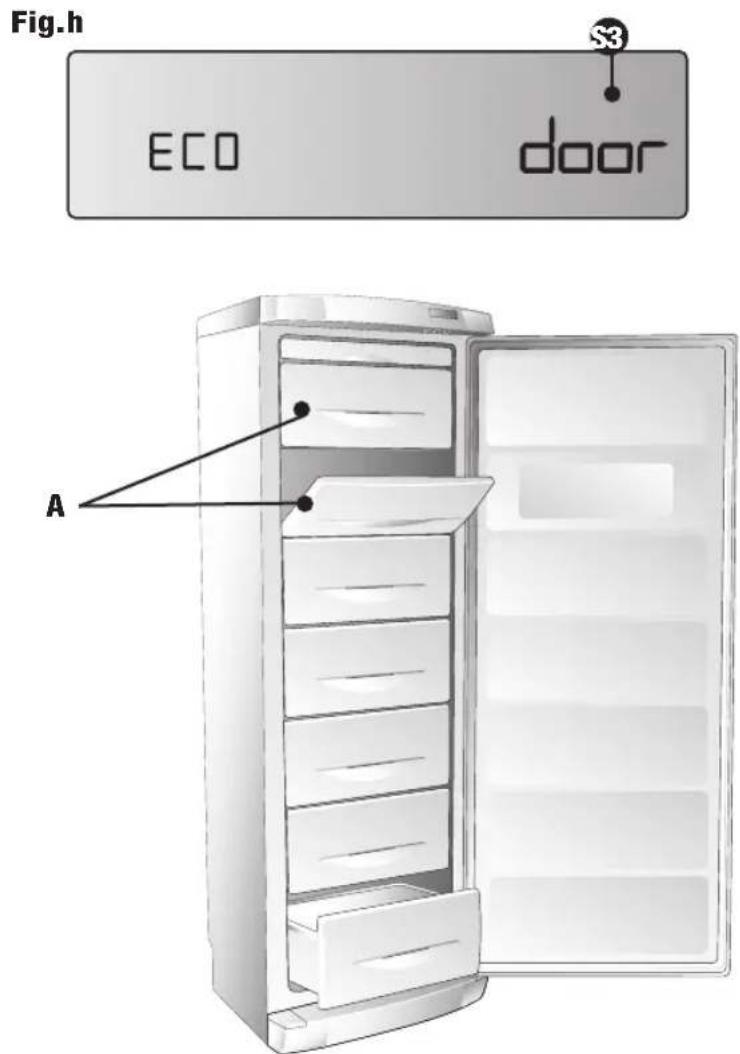
Once the door has been opened for 10 seconds, the “door” symbol runs across the display (fi g. h). 40 seconds after the door has been opened, the audible door open alarm will sound: both the display and audible alarm will cease once the door has been closed.
FREEZING FRESH FOOD
The freezer has two distinct compartments:
- The upper compartments "A" are used for freezing fresh food.
- The lower drawers are used exclusively for storing frozen food.
- For optimum freezing, the quick-freeze function must be activated at least 3 hours before placing the food in the freezer.
Prepare the food to be frozen in small portions (max 1 kg). Wrap the food in purpose-made polythene or aluminium foil, if possible airtight. Make a note of the date of freezing on the wrap and place it in the freezer drawer.
To make freezing easier and more efficient, follow the recommendations given below:
- The maximum quantity of fresh food to freeze is reported in kg/24 hrs on the rating plate inside the fridge located on the left alongside the fruit and veg box.
- Divide the food to be frozen into small portions for ease of freezing and eventual thawing.
- Do not place fresh foods to be frozen in direct contact with already frozen foods as this may cause a rise in temperature in the already frozen product.
text_image
Illustration showing a refrigerator with open doors, hand cleaning the tray, and a child holding a remote control device.20

USING THE FREEZER COMPARTMENT
GB
RECOMMENDATIONS:
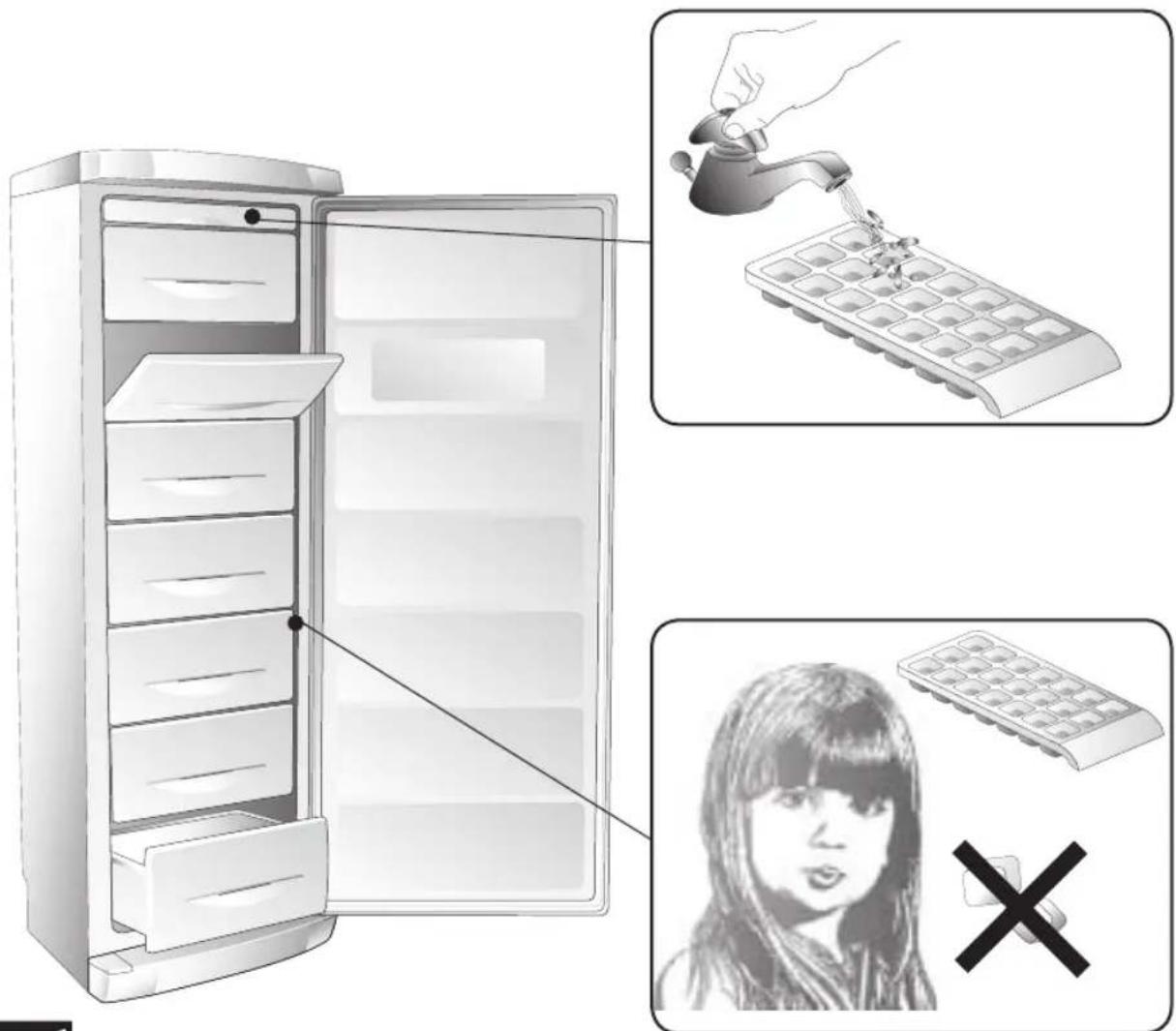
NEVER place ice cubes in the mouth or eat ice-lollies that have just been taken out of the freezer, as these can cause ice burns.
DO NOT place sealed containers containing liquids such as soft-drinks or similar in the freezer.
Hot foods and drinks must be allowed to cool before being placed in the freezer.
STORING FROZEN FOOD
It is impossible to accurately predict the effective storage period for frozen food in that this varies considerably according to the nature of the food itself.
To be safe, always follow the instructions reported on the packaging of frozen food products.
ICE-CUBE PRODUCTION
Fill the ice-tray 3/4 full with water. Place it in the sliding drawer (where fitted) in the freezer compartment.
GENERAL ADVICE:
Make sure that the packaging is intact and that there are no damp marks or swelling, in that these indicate that the frozen product may already have deteriorated.
Any food that has started to thaw out must not under any circumstances be re-frozen.
Do not store frozen foods for longer than the recommended time period.
text_image
Diagram illustrating electrical circuit installation steps with labeled instructions and component diagramsGB DEFROSTING - CLEANING

21
In the case of the NO-FROST freezer model (A-B), defrosting is automatic and therefore does not require any intervention by the user.
WARNING! Do not use any mechanical devices or other artificial methods other than those recommended by the manufacturer for accelerating the defrosting process.
WARNING: Unless otherwise approved by the manufacturer, do not use electrical appliances inside the food storage compartment.
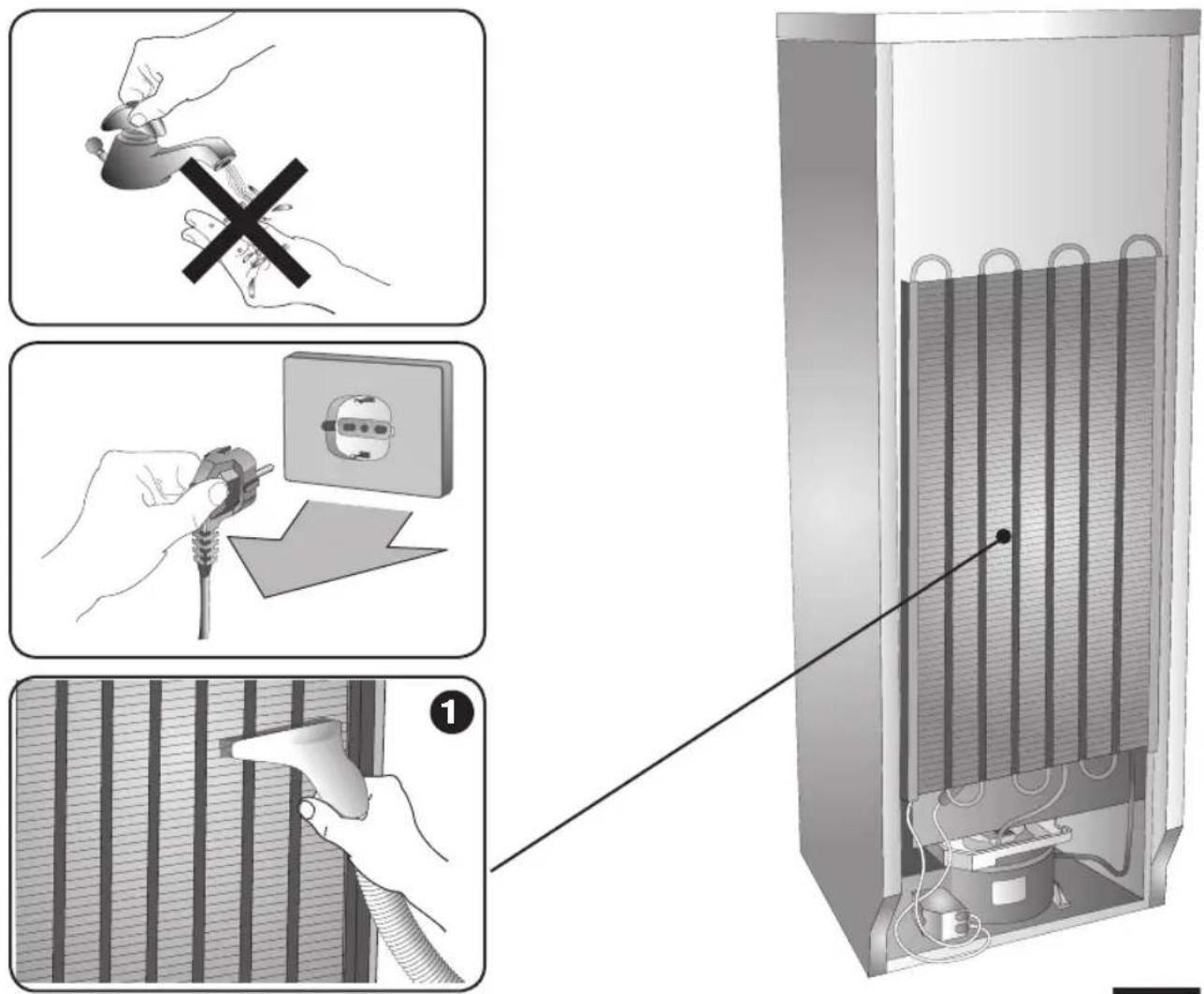
Before starting any cleaning, disconnect the appliance from the mains electricity supply.
The protections (wire grill, covers) must not be removed by unqualified personnel: do not use the appliance if the protections have been removed.
When cleaning the internal plastic parts and the door gasket:
do not use abrasives or detergents of any kind.
- Use a warm solution of bicarbonate of soda (two spoonfuls in two litres of water).
1 Cleaning the condenser
- This should be carried out at least twice a year.
- Clean using a domestic vacuum cleaner or a brush. A dirty condenser will have a negative effect on the appliance and reduce its performance.
natural_image
Diagram of a heating element inside a refrigerated unit, showing internal structure and wiring (no text or symbols)22

CLEANING
GB
For prolonged absences
- Empty the compartments.
- Disconnect the appliance from the mains electricity supply.
- Clean both the compartments and dry them.
- Leave the doors open to prevent bad smells or mould from forming.
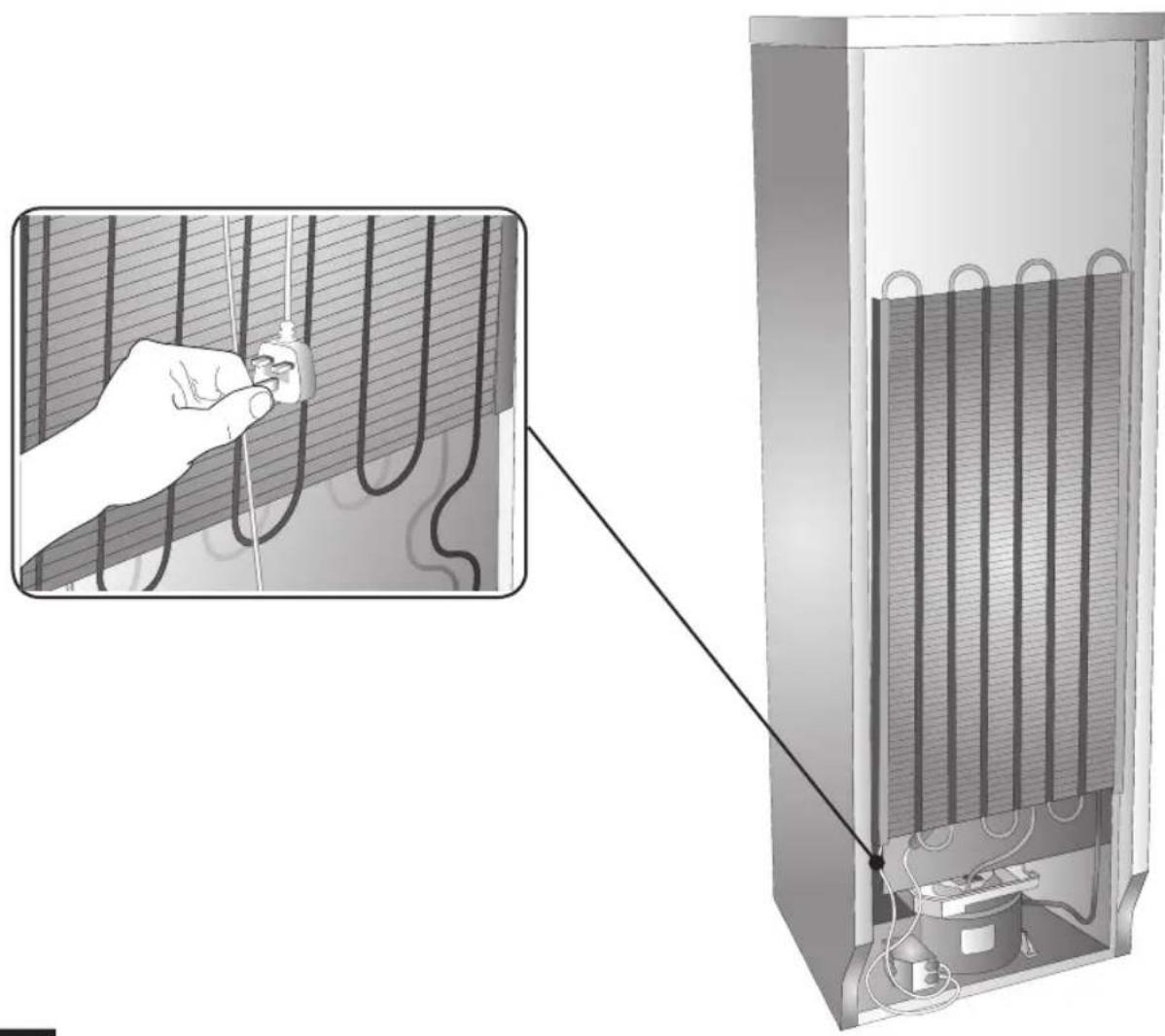
Power supply cable
- Periodically inspect the power cable to check its condition.
- If the cable is damaged, do not use the appliance and do not attempt any repairs. Call a qualified technician to replace the faulty cable.
natural_image
Illustration of a refrigerator with an open door and a person holding a piece, no text or symbols present.GB TROUBLESHOOTING

23
1) The appliance does not work.
- Is there a power cut?
- Is the plug inserted properly in the mains socket?
- Is the power supply cable damaged?
- Is the temperature setting correct?
2) The temperature inside the compartments is not low enough.
- Do the doors close properly?
- Is the appliance installed near to a heat source?
- Is the temperature setting correct?
- Is the condenser clean?
3) The temperature inside the fridge compartment is too low.
- Is the thermostat in the right position?
4) The appliance is very noisy.
- Is the appliance in contact with other furniture or objects?
- Are the pipes on the back touching or vibrating?
- Is the appliance level?
text_image
Model. .... 000000000 Model. .... 000000000 ....V ... m2 ... W CLASS ..kg/24h TOTAL GROSS VOLUME |.. R134a REFRIG. GROSS VOLUME |.. REFRIG. kg .. FREEZER GROSS VOLUME |.. FREEZER kg .. CE24

TECHNICAL ASSISTANCE SERVICE
GB
Before contacting the Assistance Service:
- Check whether it is possible to rectify the problem by referring to the "Troubleshooting" guide.
- Restart the appliance to check whether the problem has been resolved. If the problem still exists, disconnect the appliance from the mains electricity supply and repeat the operation after one hour.
If the appliance is not working properly or not working at all, before calling the Technical Assistance Service check that: - The plug is inserted properly in the mains socket.
- The mains supply is working.
- The temperature is set correctly.
- The doors close properly.
- The power supply voltage corresponds to that of the appliance (± 6%).
- If the problem still exists, call the Assistance Service.
Inform the Assistance Service of:
- The type of malfunction
- The appliance model
- The serial number
text_image
Model. ...... 000000000 Model. ...... 000000000 ....V ... 1a .. W CLASS .. kg/24h TOTAL GROSS VOLUME |.. R134a REFRIG. GROSS VOLUME |.. REFRIG. kg ... FREEZER GROSS VOLUME |.. FREEZER kg ... CEفارسی
natural_image
Illustration of a refrigerator with an open door and a person holding a large refrigerator, no text or symbols present.11

natural_image
Diagram showing a hand inserting a plug into a heat exchanger inside a cylindrical device, with no visible text or symbols.
التنظيف

11
natural_image
Illustration of hands performing a manual manual press with a cross mark (no text or symbols)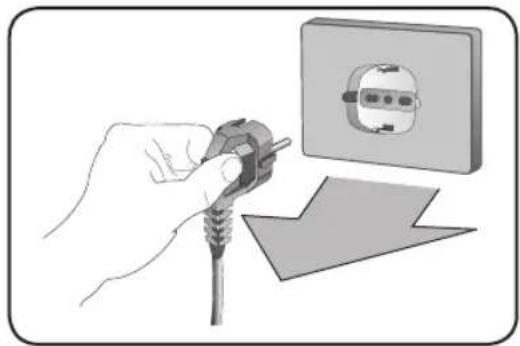
natural_image
Illustration of a hand holding a plug next to an electrical socket (no text or symbols)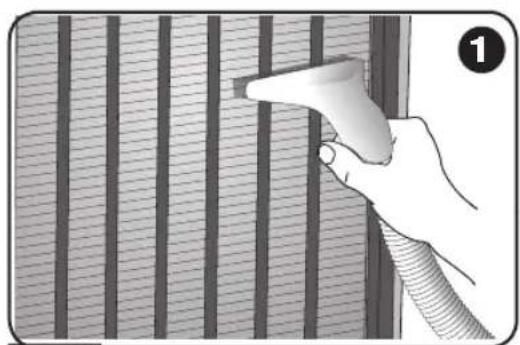
natural_image
Hand holding a tool near vertical striped panels, no text or symbols visible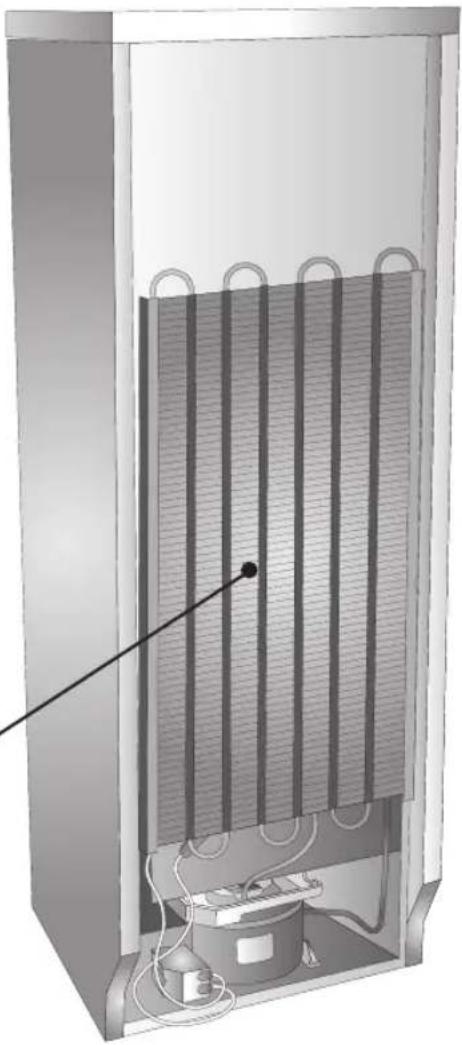
natural_image
Cross-sectional diagram of a vertical heating element with internal cooling fins and a power outlet (no text or symbols)text_image
Illustration showing a refrigerator with open doors, accompanied by three steps: cleaning the refrigerator, using a hand mixer, and checking for a child's phone.
natural_image
Illustration of a hand using a power plug to switch an electrical outlet, with no text or symbols present.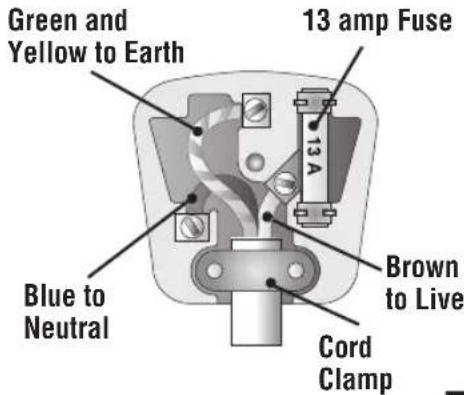
text_image
Green and Yellow to Earth 13 amp Fuse 13 A Brown to Live Blue to Neutral Cord Clamp
text_image
Diagram illustrating the installation of an air conditioner unit, showing steps from heating to cooling and installation.9
natural_image
Illustration of a refrigerated electronic device with a hand inserting a lid (no text or symbols)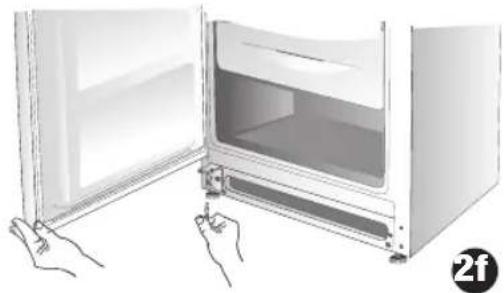
natural_image
Illustration of hands opening a refrigerator with a door open, showing interior and exterior views (no text or symbols)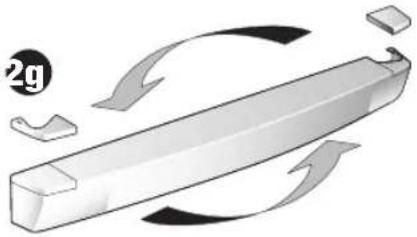
natural_image
Diagram of a 3D rectangular object with curved arrows indicating rotation or movement, no text or symbols present.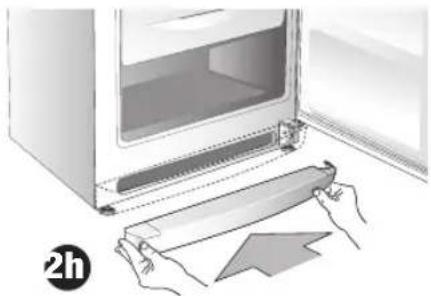
natural_image
Illustration of hands installing a door panel next to an open refrigerator (no text or symbols visible)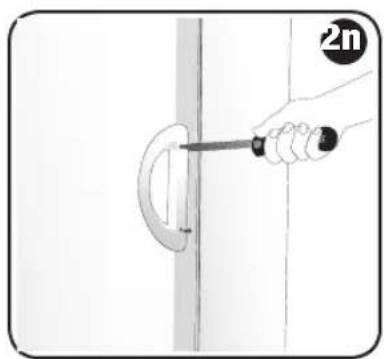
natural_image
Hand holding a screwdriver to cut a curved pipe or pipe junction on a vertical surface (no text or symbols visible)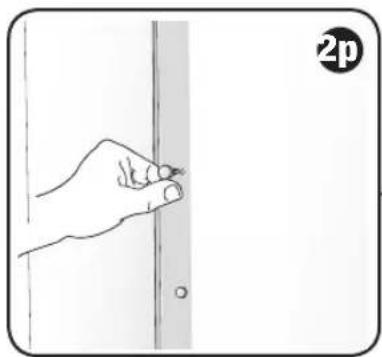
natural_image
Hand holding a pen against a vertical line, with a circular icon labeled '2p' in the corner (no text or symbols on the diagram itself)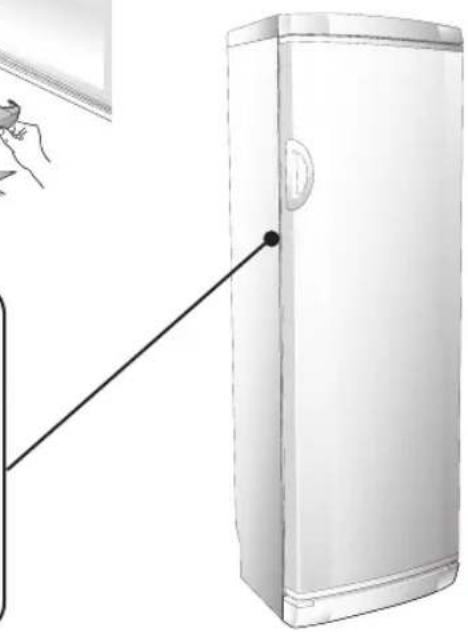
natural_image
Illustration of a refrigerator with a hand pointing to its door (no text or symbols present)
text_image
2b3 A 2b 2b2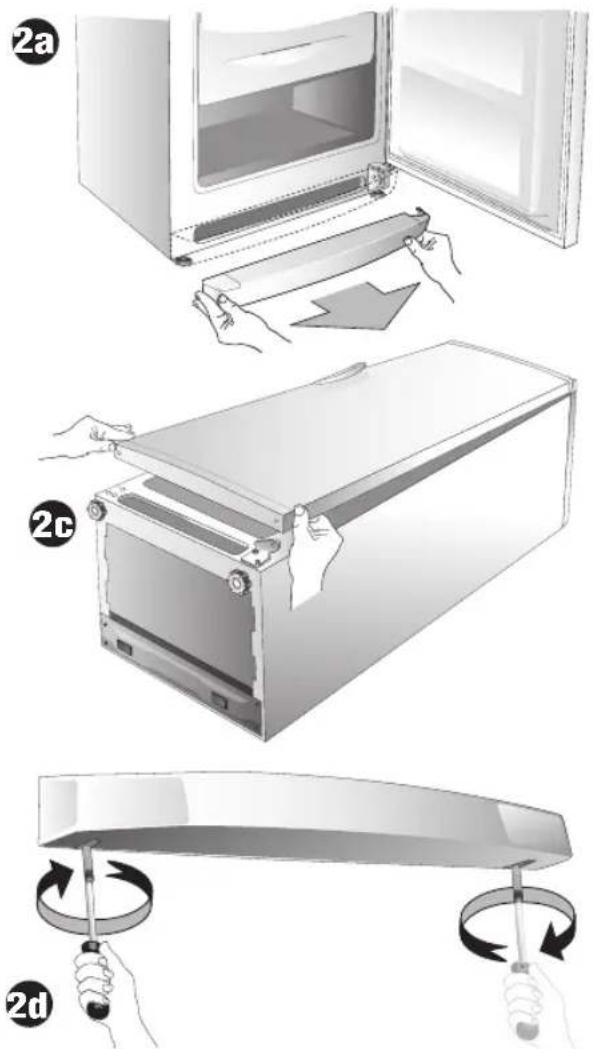
text_image
Illustration showing a refrigerator interior with open door, hand positioning, and three labeled steps (2a, 2b, 2c, 2d) indicating step-by-step cleaning or assembly.Y
text_image
Diagram illustrating a door lock operation with labeled components and a hand holding a door panel.
natural_image
Illustration of a refrigerator with open door and side drawers (no text or symbols)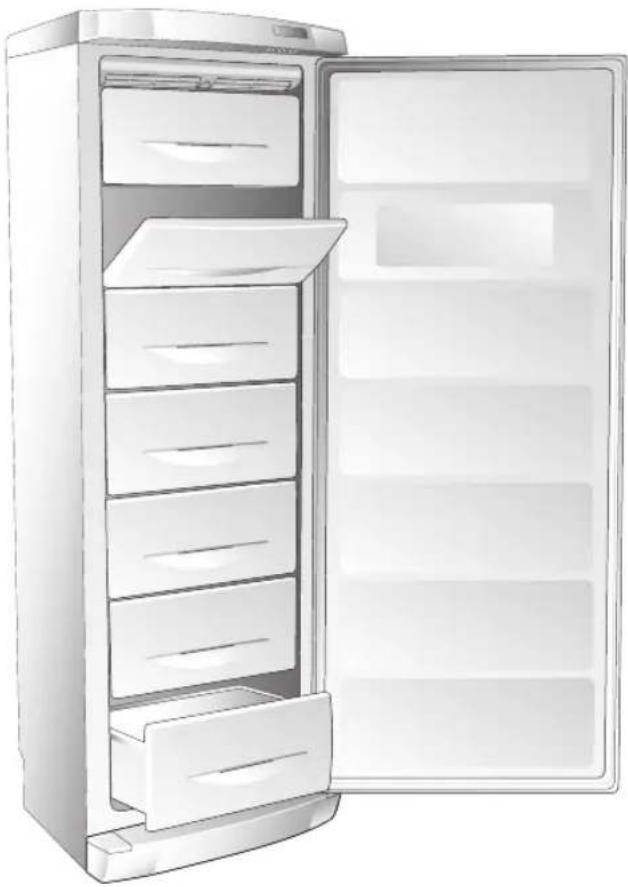
natural_image
Illustration of a refrigerator with open door and side drawers (no text or symbols)Mod. A Mod. B


natural_image
Illustration of a white stainless steel refrigerator with lid and front panel (no text or symbols)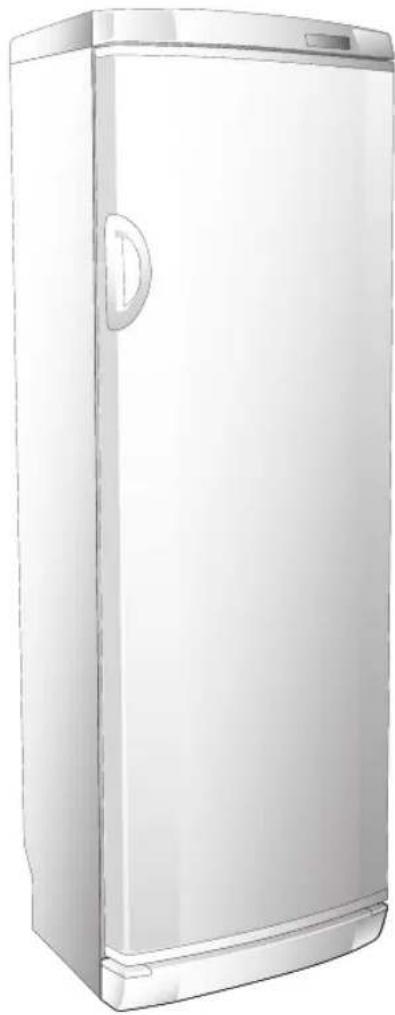
natural_image
Illustration of a white refrigerator with a door handle and lid (no text or symbols)Mod. A Mod. B
natural_image
Illustration of a white rectangular refrigerator with a door and lid (no text or symbols visible)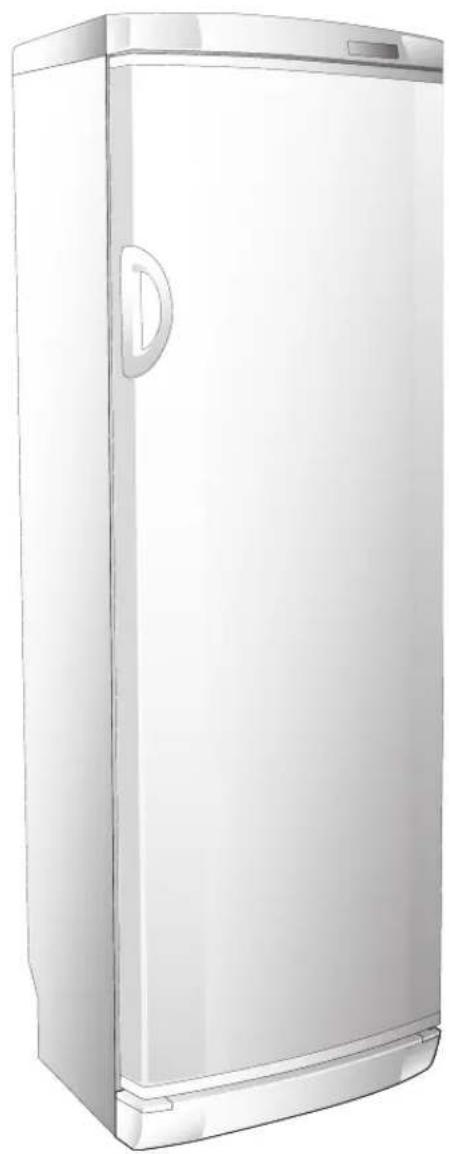
natural_image
Illustration of a white refrigerator with a door and lid (no text or symbols)صن ع إيطاليا

كتيب التعليمات