
RS-C125K - Radio PANASONIC - Free user manual and instructions
Find the device manual for free RS-C125K PANASONIC in PDF.


| Product Type | Room Air Conditioner |
| Model | RS-C125K (Indoor) / RU-C125K (Outdoor) |
| Cooling Capacity | 12,500 BTU/h (approx.) |
| Power Supply | 220-240 V, 50 Hz |
| Operating Modes | Auto, Cooling, Soft Dry, Fan |
| Temperature Setting Range | 16°C - 30°C |
| Timer | ON-Timer and OFF-Timer (24-hour) |
| Sleep Mode | 8-hour operation, gradual temperature increase to prevent overcooling |
| Economy Mode | Reduces power consumption, indoor fan cycles at low speed |
| Powerful Mode | Quick cooling for 15 minutes, then returns to normal |
| Air Filter | Washable air filter; Catechin Air Purifying Filter (replace every 3 months) |
| Front Panel | Removable for easy cleaning (washable) |
| Auto Restart | Automatically resumes operation after power failure (within 3-5.5 min) |
| Protection Features | 3-minute delay on restart, surge protection, earth connection required |
| Remote Control | Infrared with LCD display; includes holder |
| Remote Control Batteries | 2 x R03 (AAA) dry batteries |
| Indoor Unit Dimensions (HxWxD) | Approx. 290 x 799 x 198 mm |
| Indoor Unit Weight | Approx. 9 kg |
| Outdoor Unit Dimensions (HxWxD) | Approx. 542 x 780 x 289 mm |
| Outdoor Unit Weight | Approx. 32 kg |
Frequently Asked Questions - RS-C125K PANASONIC
User questions about RS-C125K PANASONIC
0 question about this device. Answer the ones you know or ask your own.
Ask a new question about this device
Download the instructions for your Radio in PDF format for free! Find your manual RS-C125K - PANASONIC and take your electronic device back in hand. On this page are published all the documents necessary for the use of your device. RS-C125K by PANASONIC.
USER MANUAL RS-C125K PANASONIC
Room Air Conditioner
OPERATING INSTRUCTIONS
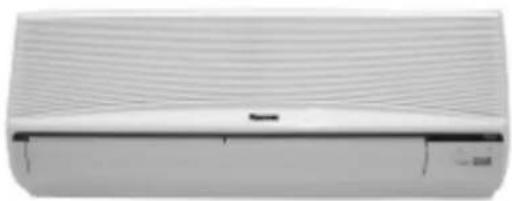
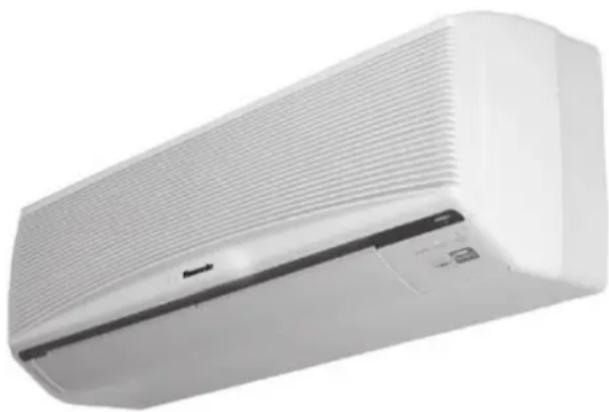
Indoor Outdoor
Model RS-C75K Model RU-C75K
RS-C95K RU-C95K
RS-C125K RU-C125K
Before using your air-conditioner, please read this operating instructions carefully and keep it for future reference.
▶ SAFETY PRECAUTIONS.... 4 – 6
●Installation Precautions
●Operation Precautions
▶ 安全措施
●安装注意事项
●使用注意事项
▶ NAME OF EACH PART 7 – 10
●Indoor Unit
■When the front panel is opened
●Outdoor Unit
●Accessories
●Remote Control
■When the remote control is opened
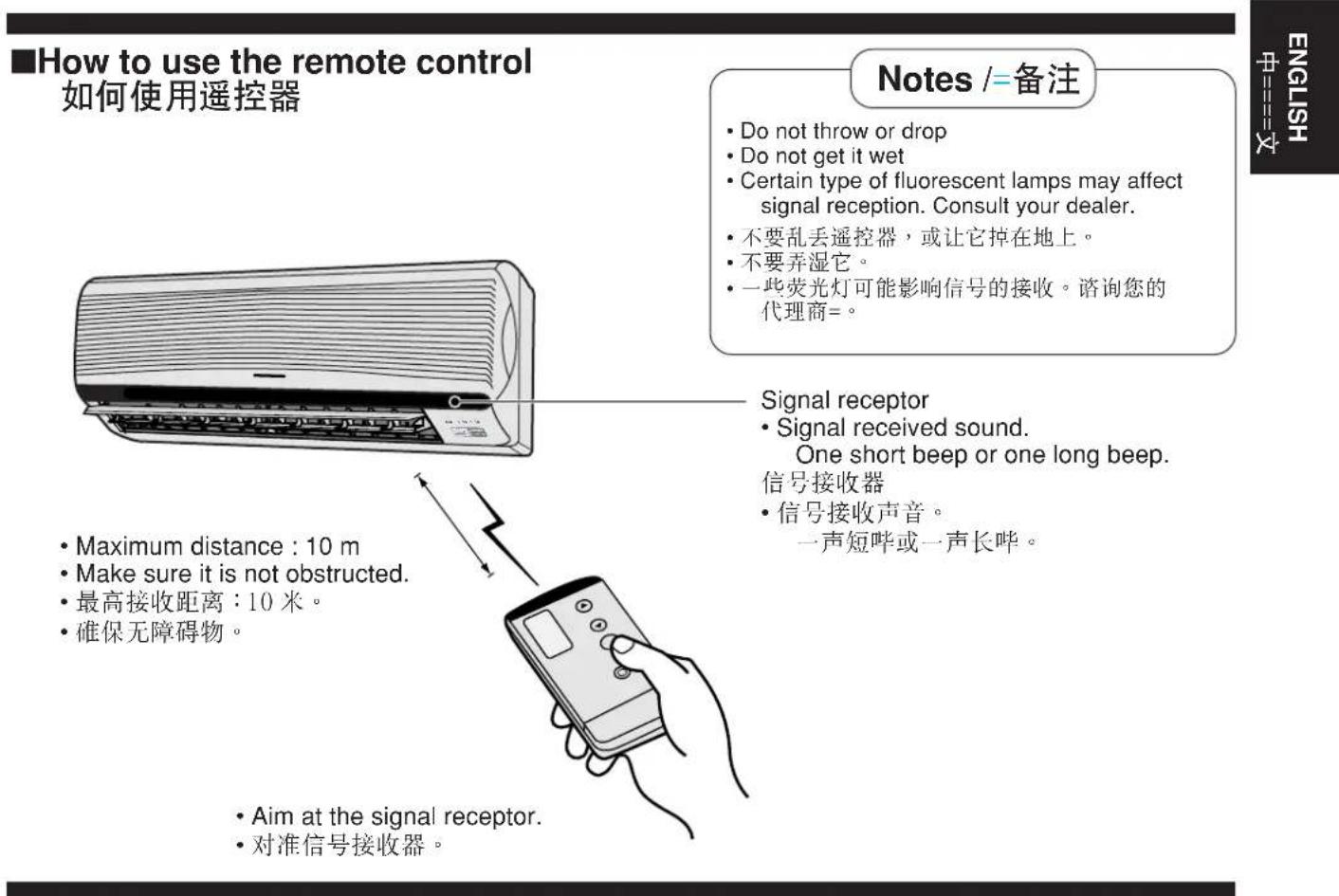
■How to use the remote control
■When the back cover is opened
▶ 各部件名称
●室内机
■打开正面板时
●室外机
●附件
●遥控器
■打开遥控器前盖时
■如何使用遥控器
■打开遥控器背盖时
▶ PREPARATION BEFORE OPERATION ..... 11 – 12
●Indoor Unit
●Remote Control
■Inserting batteries
■Setting the clock
■About the batteries
▶ 使用前准备
●室内机
●遥控器
■安装电池
■设定时间
■关于电池
2 How to use 如何使用
HOW TO OPERATE 13 – 14
●Automatic • Cooling • Soft Dry • Fan
■Operation details
●Adjusting Airflow Direction and Fan Speed
■Operation details
▶ 如何操作
- 自动·制冷·温和抽湿·送风
■操作细节
●调节风向和风量
■操作细节
▶ SETTING THE TIMER 15 – 16
●Recommended Setting of Timer
▶ 设定定时器
●设定定时器建议
| ▶ CONVENIENCE OPERATION ...... 17 – 18 |
| ●Sleep Mode■Operation details |
| ●Economy or Powerful Mode■Operation details |
| ▶方便的运转 |
| ●睡眠方式■操作细节 |
| ●节电或强劲方式■操作细节 |
3 If necessary 如有必要
▶ CARE AND MAINTENANCE ...... 19 – 22
●Cleaning the Indoor Unit and Remote Control
●Cleaning the Air Filter
●Cleaning the Front Panel
■Removing the front panel
■Fixing the front panel
■Cleaning the front panel
●Replacing the Air Purifying Filters
■Removing the air purifying filters
■Reinstalling the air purifying filters
●Pre-season Inspection
●When the Air Conditioner is Not Used for an Extended Period of Time
●Recommended Inspection
▶ 维护与保养
TROUBLESHOOTING 23 – 24
●Normal Operation
●Abnormal Operation
●Call the Dealer Immediately
▶ 故障诊断
For your convenience to operate in the dark.
(Refer page 9)
●自照明按钮
方便您在黑暗处操作本机。
(参考第9页)
Prevent the room from getting too hot or too cold while you are sleeping.
(Refer page 17)
●睡眠方式
当您入睡时防止室内太热或太冷。
(参考第17页)
●ECONOMY MODE
To reduce electrical power consumption.
(Refer page 18)
●节电方式
减低电源耗量。
(参考第18页)
●POWERFUL MODE
Reaches the desired room temperature quickly.
(Refer page 18)
●强劲方式
迅速达到所需室温。
(参考第18页)
●REMOVABLE FRONT PANEL
For quick and easy cleaning (washable).
(Refer page 20)
●可拆卸正面板
供快捷简易清洗(可清洗)。
(参考第20页)
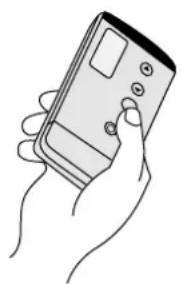
●CATECHIN AIR PURIFYING FILTER
Filter that can trap dust, tabacco smoke and tiny particles in the room. It can also prevent the growth of bacteria and viruses trapped in this filter.
(Refer page 21)
●CATECHIN 空气净化过滤器
Automatically restart the unit after power failure.
(Refer page 25)
●自动重开控制
电流中断之后自动重开空调器。
(参考第25页)
Thank you for purchasing a Rasonic Room Air Conditioner.
感谢您购买乐信室内空调器。
Note:
Before using your air-conditioner, please read this operating instructions carefully and keep it for future reference.
备注:
Before operating, please read the following "Safety Precautions" carefully. 在操作之前,请细读以下的“安全措施=”。
To prevent personal injury, injury to others and property damage, the following instructions must be followed. 为了防止涉及危难和危害使用者和他人的财物,以下说明务必严守。
■ Incorrect operation due to failure to follow instructions will cause harm or damage, the seriousness of which is classified as follows: 忽视内容而导致错误操作产生严重损害及破坏程度,以下表示作区分加以说明=:

Warning /=警告
■The instructions to be followed are classified by the following symbols : 严守内容的种类,以下的图形作区分加以说明==:

This symbol (with a white background) denotes an action that is PROHIBITED. 这图形(白色底)表示不可进行。


These symbols (with a black background) denote actions that are COMPULSORY. 这图形(黑色底)表示务必进行。
● Installation Precautions /=安装注意事项

Warning /=警告
■Do not install, remove and reinstall the unit yourself.
Improper installation will cause leakage, electric shock or fire. Please consult an authorized dealer or specialist for the installation work.
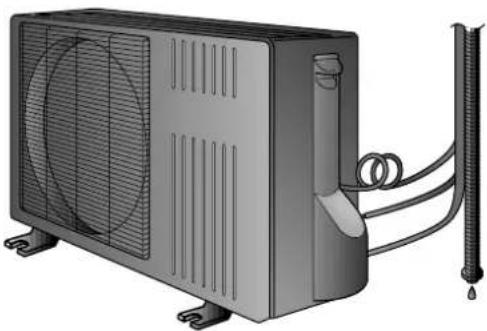
■Ensure that the drainage piping is connected properly. 确保排水管衔接妥当。

Otherwise, water will leak out. 否则,空调器的水将会溢漏。
■Do not install the unit in a place where there may be explosive gas leaks.
不要把空调器装置在易漏煤气的地方。

Gas leaks near the unit could cause fires. 空调器附近泄漏的气体会引起火灾。
This sign warns of death or serious injury.
Do not insert plug to operate the unit. Do not pull out plug to stop the unit.

Do not operate with wet hands. 手潮湿时不要操作本机。

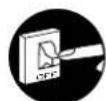
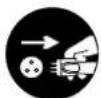
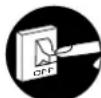
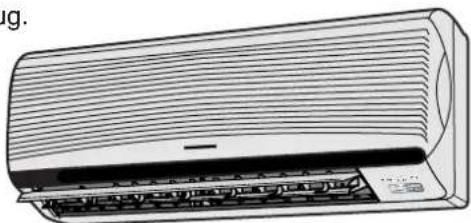
If abnormal condition (burnt smell, etc) occurs, switch off and unplug the power supply.

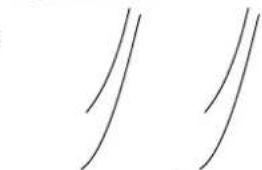
Do not expose directly to cool air for a long period.
不要在气孔下受寒流直接吹袭太久。
Do not insert finger or other objects into the indoor or outdoor units.
不要把手指或其他物体塞入室内或室外机。
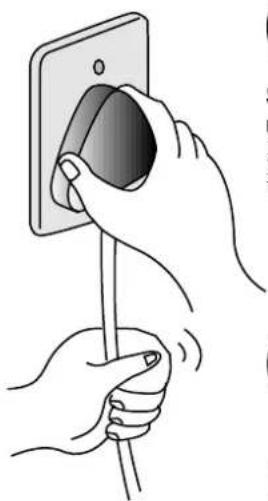
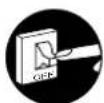

Switch off the power supply if the unit is not used for a long period.
This sign warns of injury.
这个项目是表示有可能
构成伤害的提示。

Do not pull the cord to disconnect the plug.
不要拉著电线拔插头。

Switch off the power supply before cleaning it.
清洗前请先切断空调器的电源。

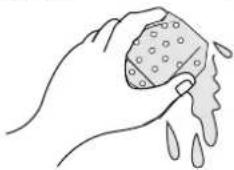
Do not wash the unit with water.
不要用水清洗空调器

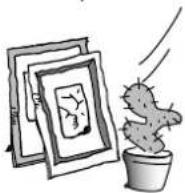
Do not use for other purpose such as preservation or etc.
不要充作其他用途,例如储藏用。

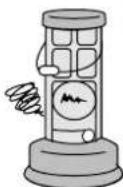
Do not use any combustible equipment at airflow direction.
不要在空调器风口下放置燃烧槽。
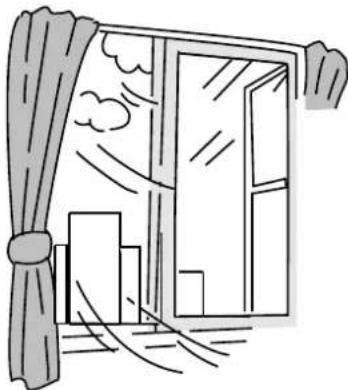

Ventilate the room regularly.
定时让室内通风换气

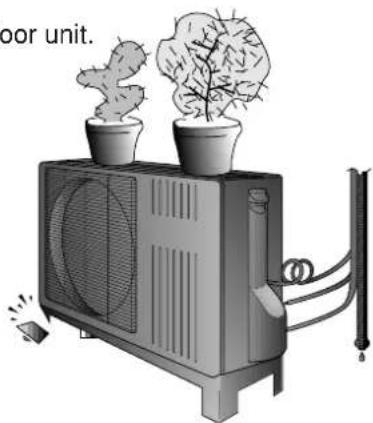
Do not sit or place anything on the outdoor unit.
室外机不可坐人或置放物件。

Pay attention as to whether the installation rack is damaged due to long period of usage.
请注意安装架是否因为长期使用而损坏。
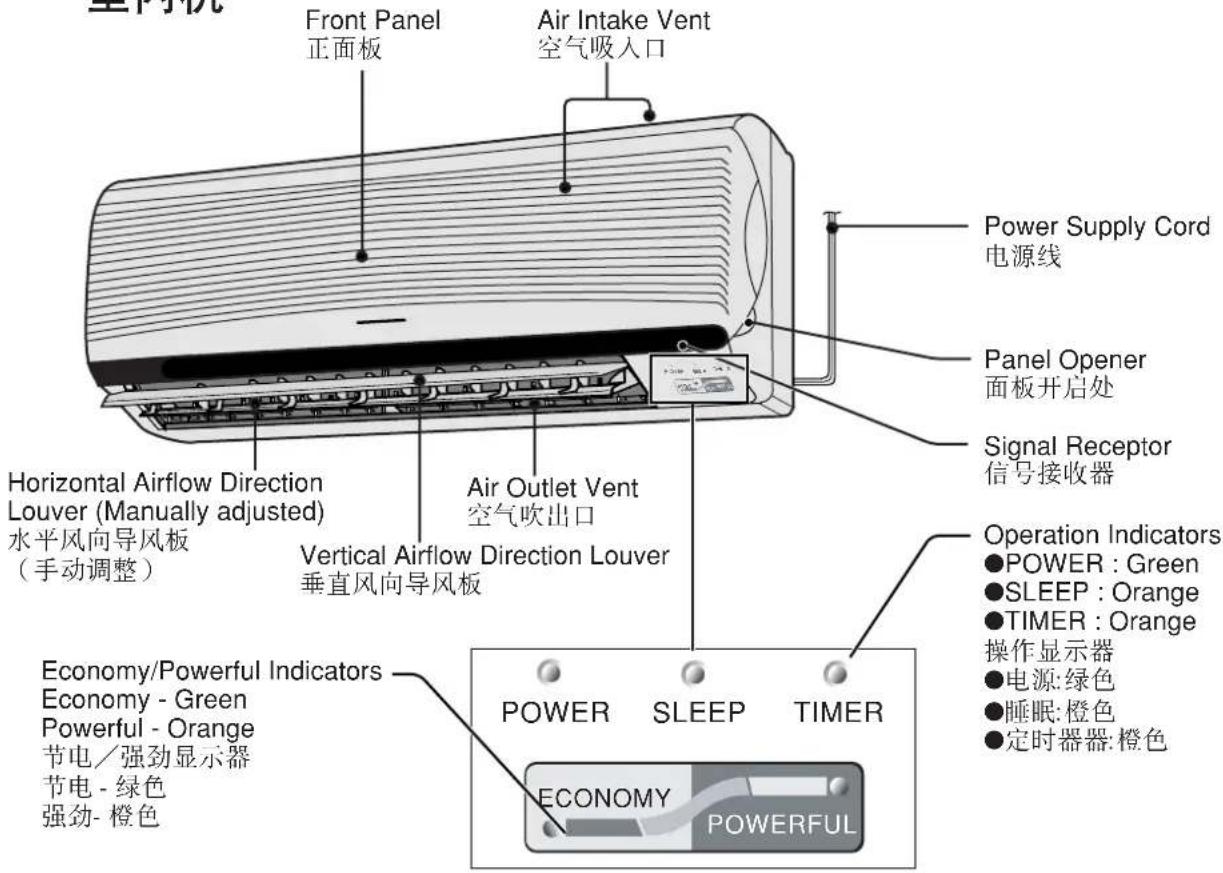
NAME OF EACH PART
各部件名称
●Indoor Unit
室内机
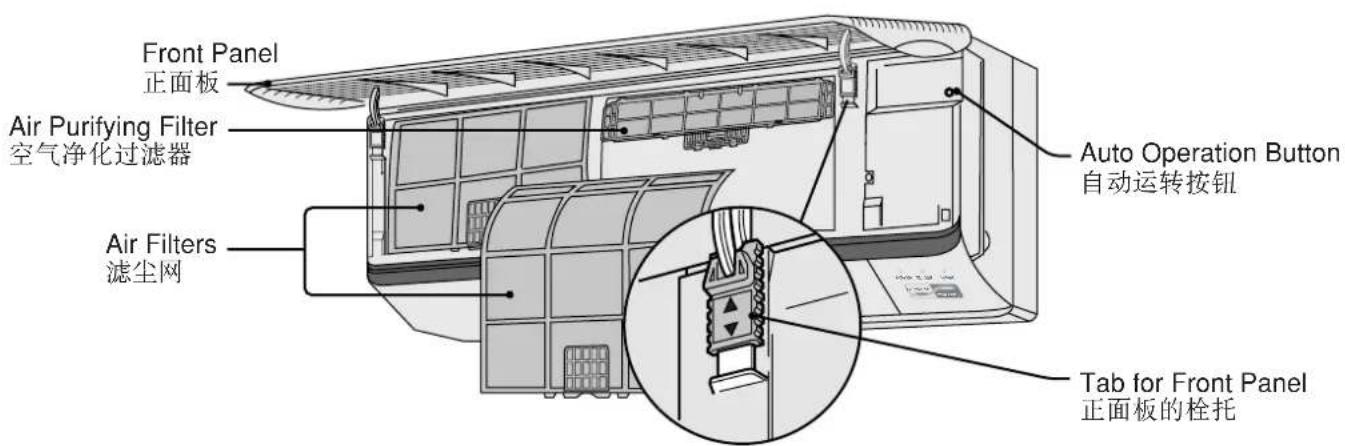
■When the front panel is opened
打开正面板时
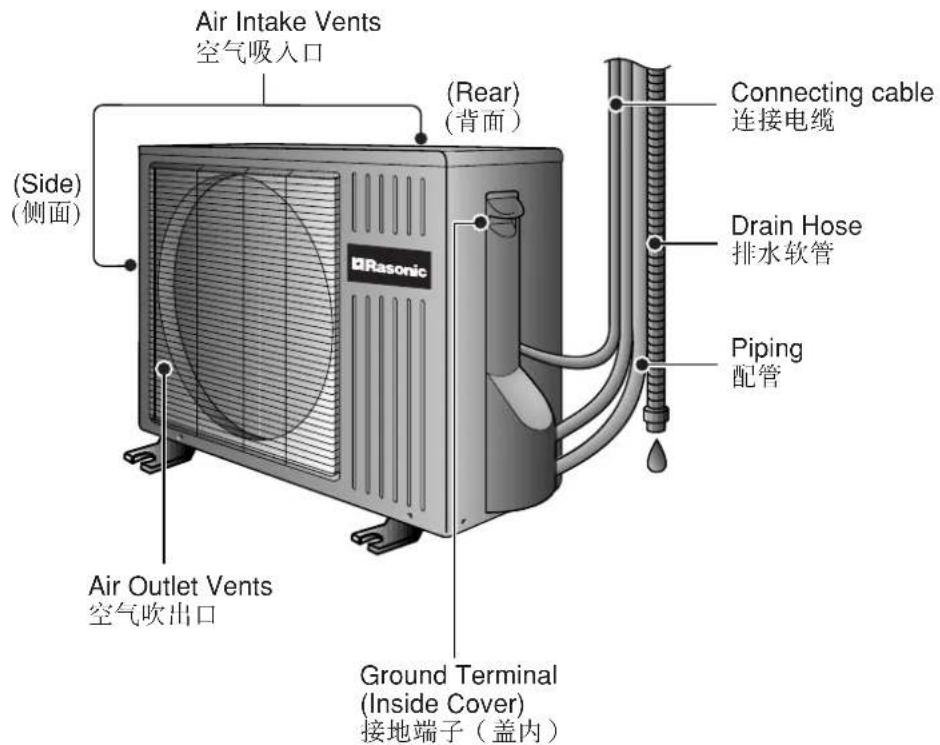
●Outdoor Unit 室外机
Remote Control Holder 遥控器架子
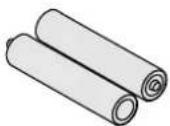
Two RO3 dry-cell batteries or equivalent
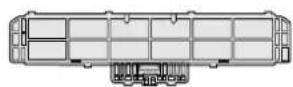
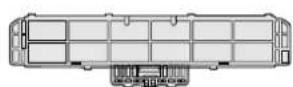
Air Purifying Filters
(Catechin Air Purifying Filter)
空气净化过滤器
(CATECHIN 空气净化过滤器)
两个 R03 干电池或同等电池
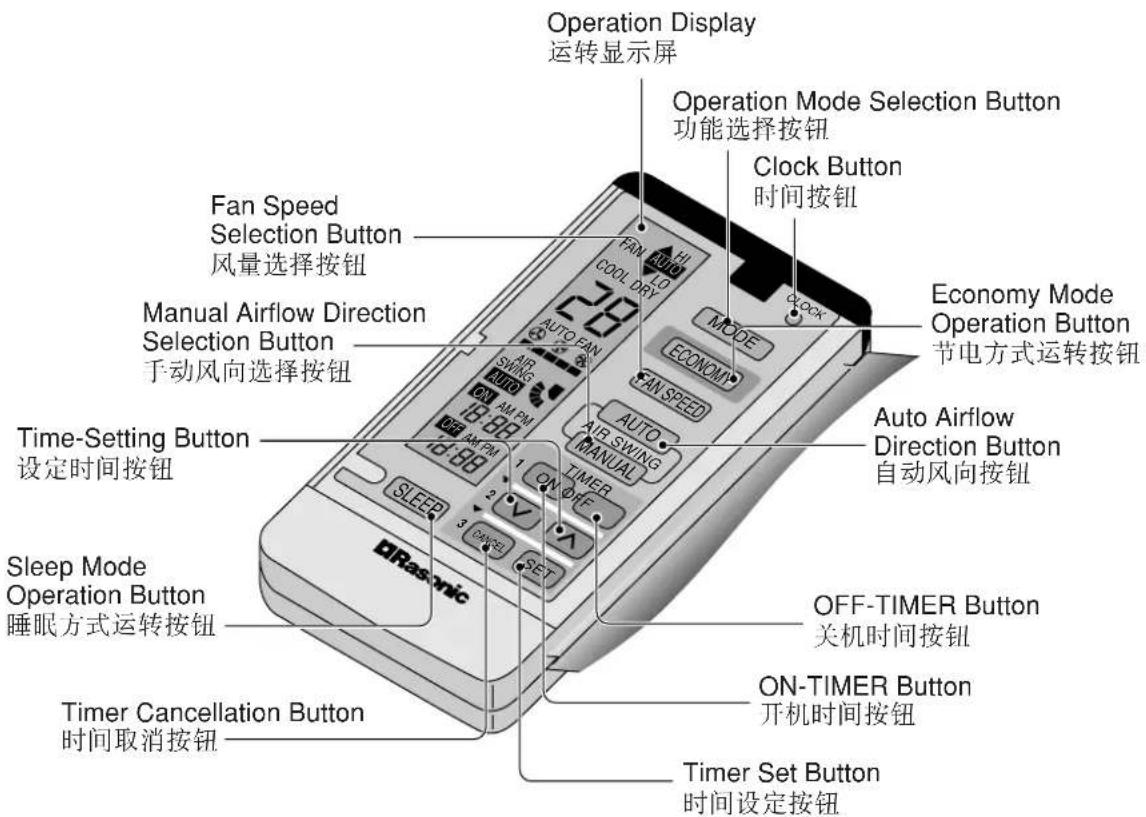
- Remote Control 遥控器
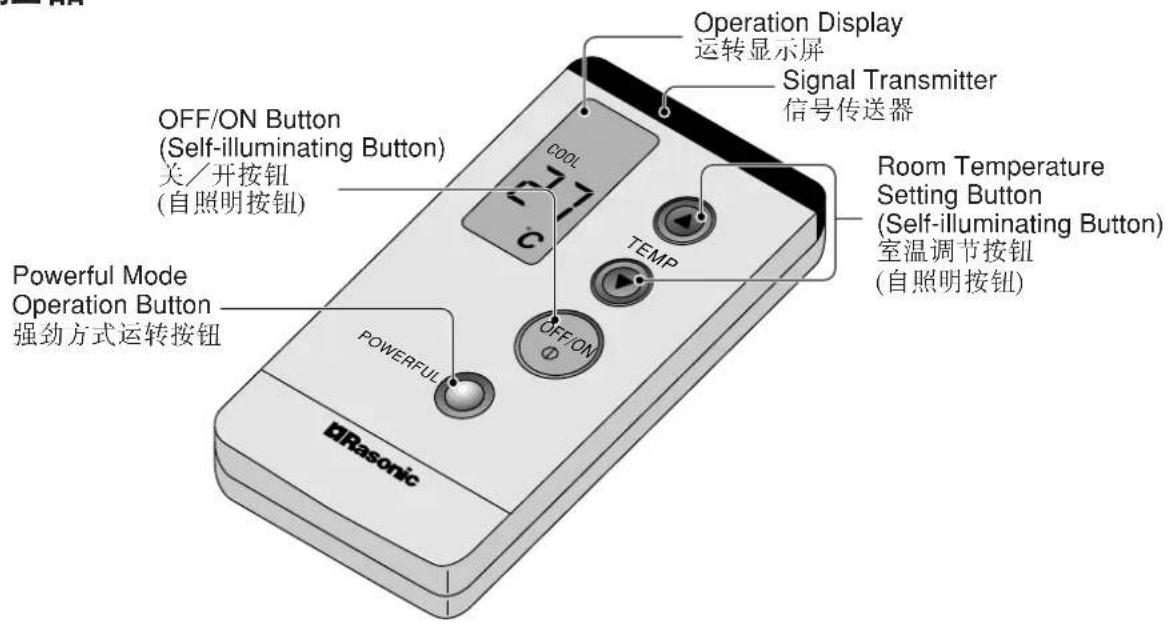
■ When the remote control cover is opened 打开遥控器前盖时
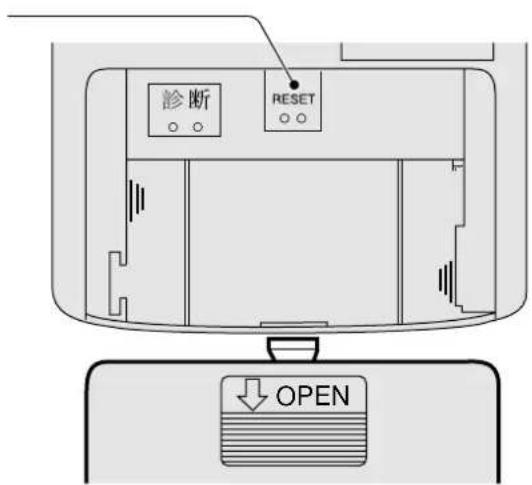
■When the back cover is opened 打开遥控器背盖时
Reset points
- short to clear the memory.
重新设定点
- 清除记忆。
- If the unit is not going to be used for an extended period of time, turn off the power supply. If it is left at the ON position, approximately 2.5 W of electricity will be used even if the indoor unit has been turned off with the remote control.
- If operation is stopped, then restarted immediately, the unit will resume operation only after 3 minutes.
- 如果打算在较长的时间内不使用空调器,请关掉电源。如果任它处在“ON”(开)的位置,即使已用遥控器关掉主机,仍会消耗大约2.5W的电流。
- 如果操作停止,接著马上重开,本机将只会在3分钟后重新操作。
| Use under the following conditions (Unit in °C)在以下情况使用(单位:°C) | ||||
| DBT: Dry Bulb Temp干球温度 | Indoor室内 | Outdoor室外 | ||
| DBT | WBT | DBT | WBT | |
| Maximum Temperature最高温度 | 32 | 23 | 43 | 26 |
| Minimum Temperature最低温度 | 16 | 11 | 16 | 11 |
●Remote Control
遥控器
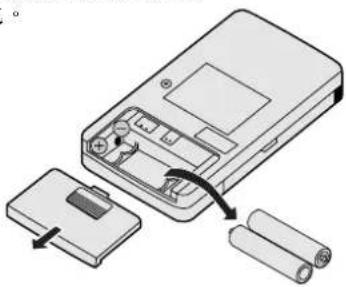
■Inserting batteries
安装电池
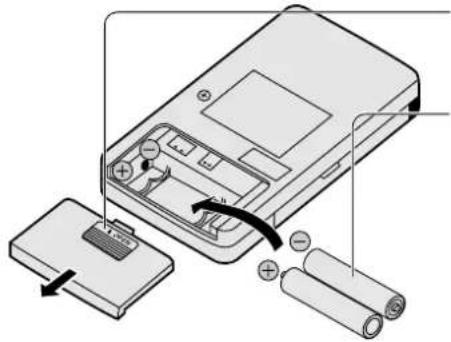


Slide the cover to open
按下以打开电池舱盖

Be sure the directions are correct
确定极性方向正确
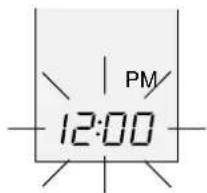
- Open the remote control cover and confirm the display 12:00 PM is flashing.
- 打开遥控盖,并确定显示屏闪烁著“12:00PM”。
※ Set the current time (Clock) immediately to prevent battery exhaustion.
※ 即刻设定当前时间(Clock-)以免电池耗损。
Press the clock button
按下时间按钮
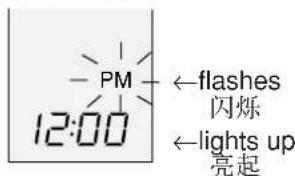

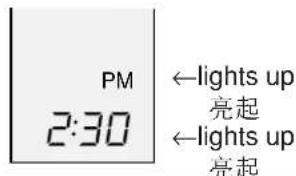
Press to set the current time
按下以设定当前时间
Press continuously for fast forwarding.
持续按压以作快速前进。
Press continuously for fast reversing.
持续按压以作快速后退。

Press the clock button
按下时间按钮
■About the batteries
关于电池
- Can be used for approximately one year.
·电池寿命约为一年。
Observe the following when replacing the batteries
- Replace with new batteries of the same type.
- Do not use rechargeable batteries (Ni-Cd).
- Remove the batteries if the unit is not going to be used for a long period.
更换电池时,请留意以下事项
● Automatic, Cooling, Soft Dry, Fan
自动、制冷、温和抽湿、送风
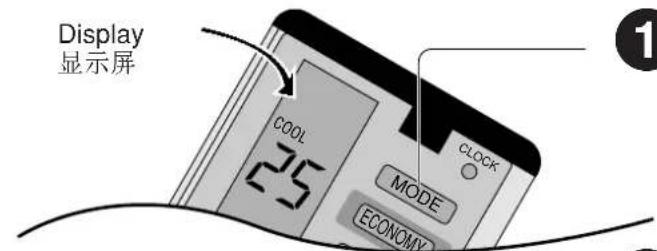
Close the Cover 关上前盖

Press to select the desired operation mode
When pressed, the display changes in this order.
按下=以选择所要的运转
按下时,显示屏顺序更换如下。


Press to start the operation
POWER indicator LED (Green) on indoor unit will light up.
Press once more to stop operation.
按下=以开启运转
室内机上的电源指示灯(绿色)将亮起。
再按一次以停止运转。

Press to select room temperature
按下以选择室内温度
Press to increase temperature by 1° C. 按下以调高温度 1° C。
Press to decrease temperature by 1° C. 按下以调低温度 1° C。
- The temperature can be set between 16°C and 30°C. 温度可设定在16°C至30°C之间。
- Recommended temperature / 建议温度 For Cooling / 制冷: 26°C - 28°C
For Soft Dry / 温和抽湿: 1°C - 2°C lower than room
temperature.
比室温低1℃\~2℃。
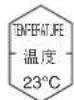
| Operation 运作 | Standard temperature 标准温度 |
| COOLING 制冷 | 25°C |
| SOFT DRY 温和扣湿 | 22°C |
■Operation details 操作细节
COOL - Cooling Operation / 制冷运转
- To set room temperature to your preference of cooling comfort.
- 将室温设定至您所要的舒适凉意。
AUTO – Automatic Operation / 自动运转
- At the start of the automatic operation, Heating, Cooling or Soft Dry is automatically selected according to the indoor temperature.
- The operation mode changes every hour, when necessary.
• Temperature is not displayed on remote control during Auto mode operation. - 自动运转开始时,制暖、制冷或温和抽湿将依据室内温度自动被选取。
- 若必要时运转方式将每小时切换。
- 在自动方式运转时温度不会显示于遥控器。
DRY - Soft Dry Operation / 温和抽湿运转
• A very gentle Cooling Operation. Consisting primarily of dehumidifying. It does not lower the room temperature.
- During Soft Dry operation, the indoor fan operates at Low fan speed.
- 属于极柔和的制冷运转。其主要功能为抽湿。它不会降低室温。
- 在温和抽湿运转中,室内风扇将运转于低风量。
![graph LR A["Setting temperature 设定温度"] --> B["Cooling Operation 制冷运转"] B --> C["Soft Dry operation airflow with 10 mins. ON and 6 mins. OFF alternately. 温和抽湿运转风量交替地 10 分钟开启及 6 分钟关闭。"]](/content/2026/06/1191323/images/66528c639bf5aae5ddda7a795c9dec8635a5d2f749860c7f019102fdd3adc7c5.jpg)
Switch to Soft Dry when setting temperature is reached. 达到所设定的温度时转换为温和抽湿。
●Adjusting Airflow Direction And Fan Speed 调节风向和风量
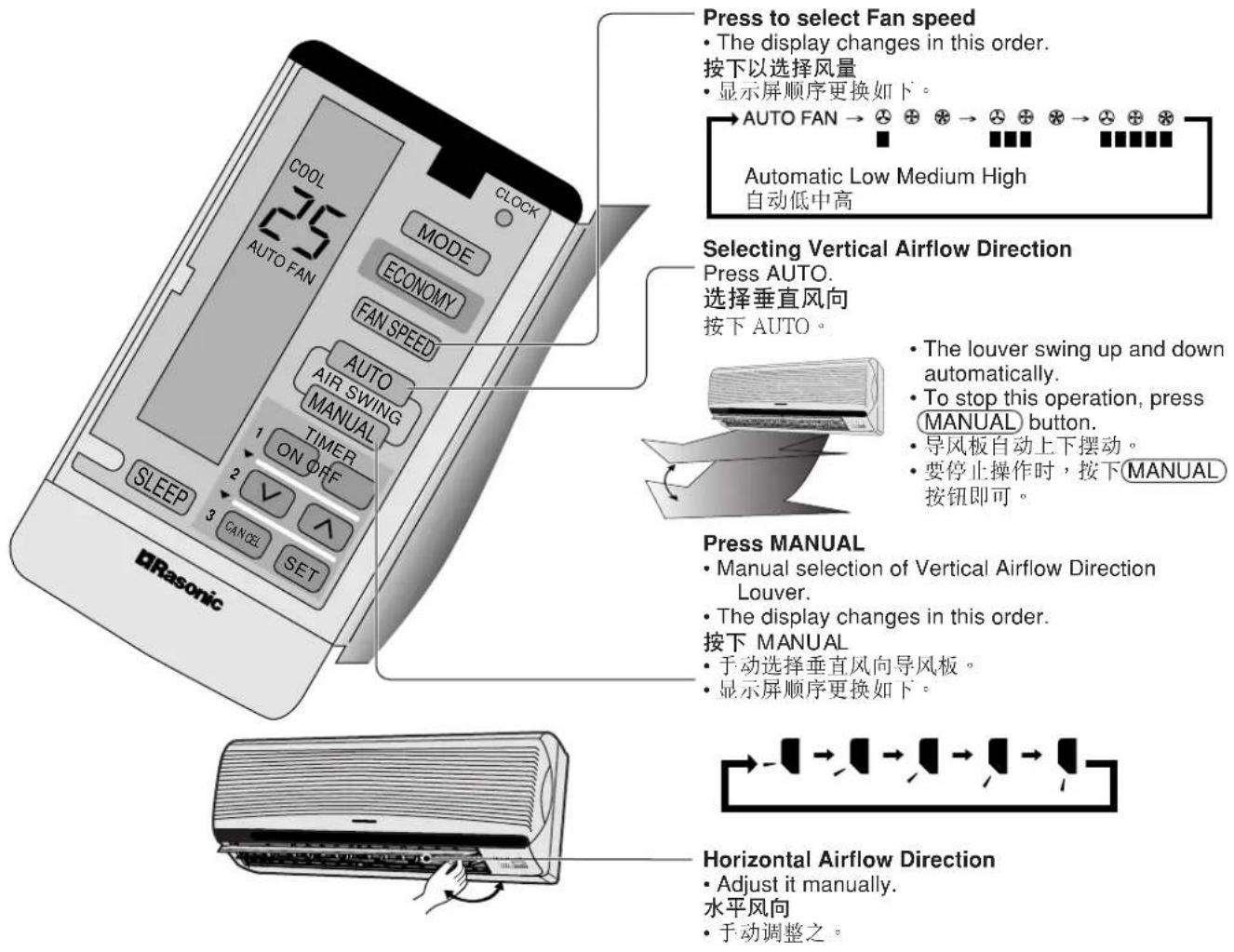
■Operation details 操作细节
FAN – Air Circulation Operation
- When the room temperature reaches the setting temperature, operation commences at Low airflow volume. It stops when the room temperature drops to 2°C below the setting temperature. (It is useful when using a heater.)
Automatic Airflow Volume
- The speed of the Indoor fan is adjusted automatically according to the operation. The Indoor fan stops occasionally during cooling operation.
FAN—空气循环运转
※ Five stages of adjustments can be made in this range.
※ 在此范围下可进行五种调整工作。
SETTING THE TIMER
设定定时器
Ensure that the current time is correct before setting the timer. The timer cannot be set if the time display is flashing. 设定定时器之前请先确定当前时间准确。若时间显示屏闪烁不停,定时器将不能够被设定。
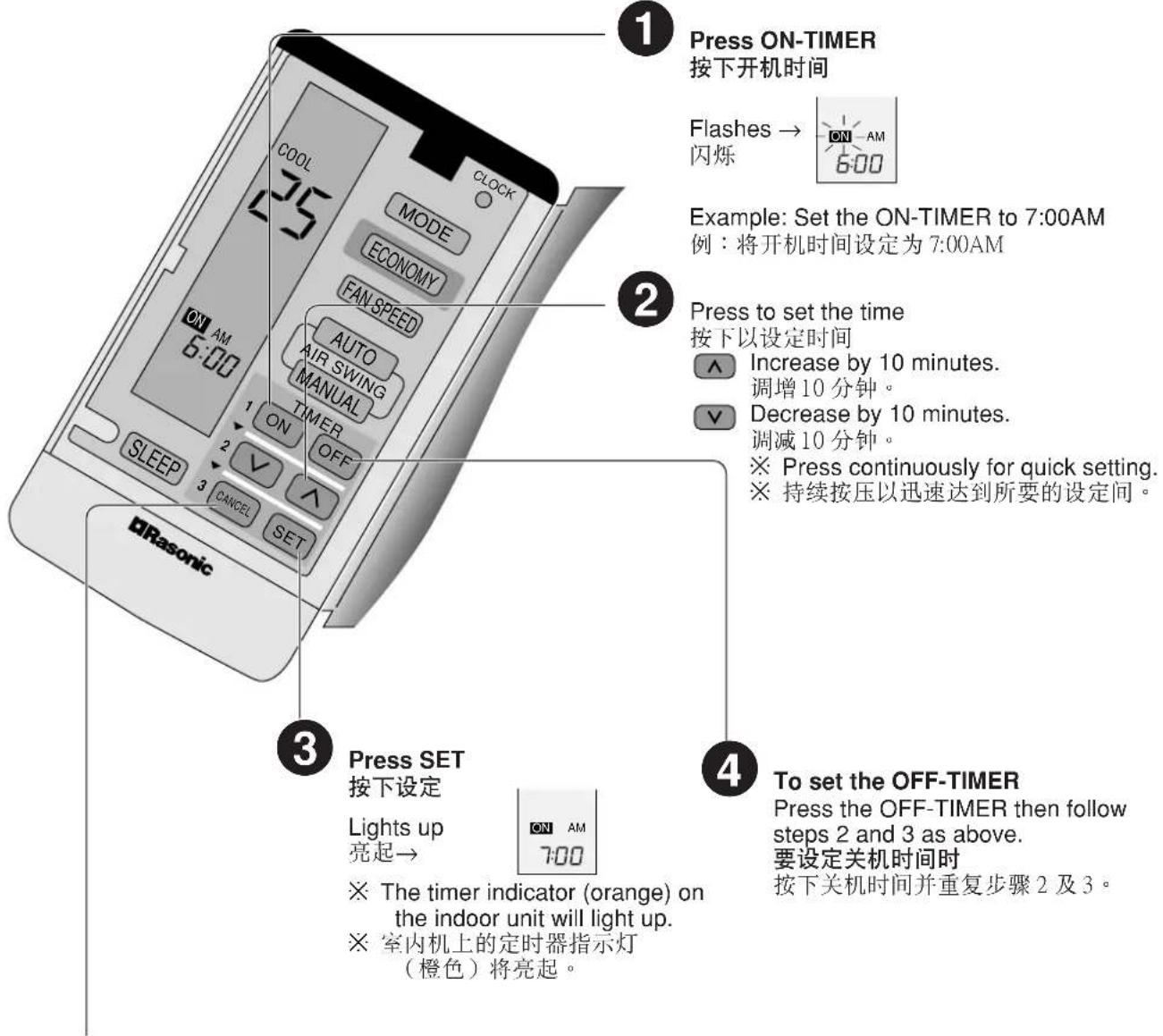
■ Timer Cancellation Button
(To cancel the Timer)
Press the ON-TIMER or OFF-TIMER then press CANCEL.
※ The timer indicator on the indoor unit will go off.
定时器取消按钮(以取消定时器)
■ To change the setting time, follow the above steps.
要更换设定时间时,请进行以上步骤。
Timer details
定时器细节
- When the ON-Timer is set, operation will start before the actual set time. This is to allow the room temperature to reach the setting temperature by the setting time (maximum of 15 minutes in advance).
-
Once the ON-Timer is set, operation will start at the setting time everyday.
-
当设定开机时间时=,=空调器将在确实设定时间之前开始运转。这是为了确保室温在规定时间内达到所设定的温度(最高为提前15分钟)。
- 一旦设定开机时间,空调器每天将根据设定的时间开始运转。
●Recommended Setting of Timer 设定定时器建议
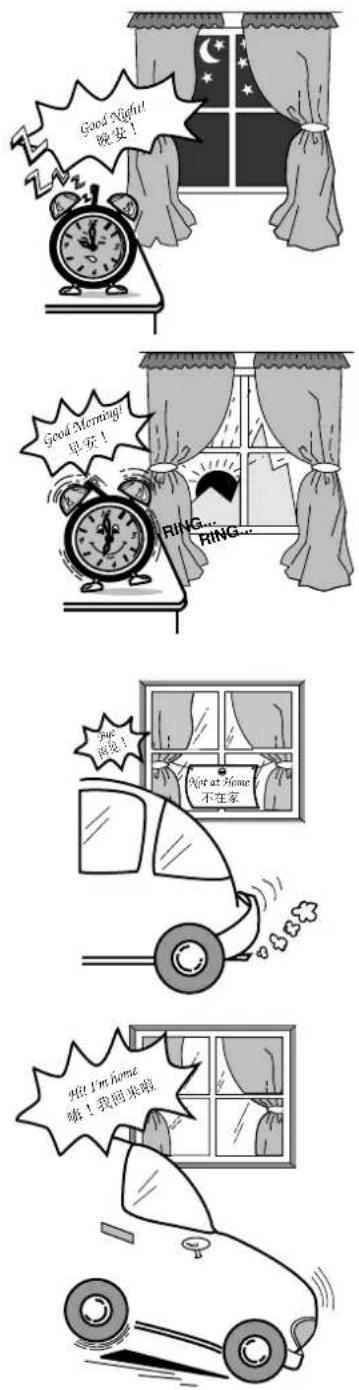
■When you sleep
- Set the time at which you will go to sleep with the OFF-TIMER. This prevent wastage of electricity.
■当您入睡时
- Set the time at which you will wake up with the ON-TIMER. You can start the new day at a comfortable temperature.
■当您起床时
(The above is an example of how you can used the OFF-TIMER and ON-TIMER mode. However it is recommended to use the sleep mode function for sleeping)
备注:
- Set the time at which you will go out with the OFF-TIMER. Set the time at which you will come back with the ON-TIMER.
- This will prevent the air conditioner from being left on while you are out, and the temperature will be pleasant when you return.
■出门时
- Set the time at which you will return with the ON-TIMER.
- This will make the temperature pleasant when you return, and it will prevent the air conditioner from being left on.
■回家时
This is to obtain a comfortable room temperature while sleeping. 让您入睡时获得舒适的室温。
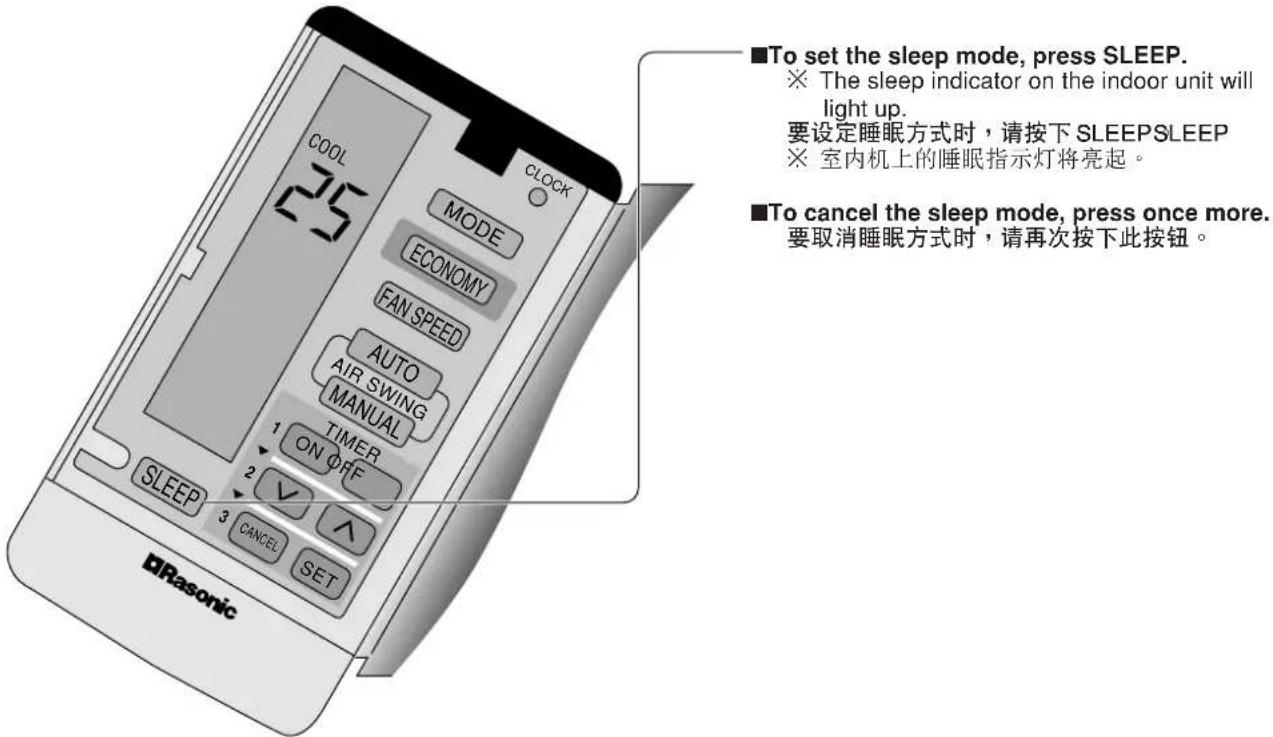
■Operation details 运转细节
- When the room temperature reaches the setting temperature, the airflow volume will automatically change to low.
- Sleep Mode Operation time is 8 hours.
- When used together with the timer, the timer has priority.
• Cooling or Soft Dry Operation for sleep mode movement will start to avoid overcooling. - 当室温达到所设定的温度时,风量将自动转换至低。
- 睡眠方式运转时间为8小时。
- 当与定时器一起使用时,定时器占优势。
- 睡眠方式运转中的制冷或温和抽湿运转将开始以避免过冷。
![graph TD A["Setting temperature 设定的温度"] --> B["0-1 hour / 0-1 小时"] B --> C["Sleep operation button is pressed 按下睡眠运转钮"] C --> D["Approx. 0.5°C increase 大约升高 0.5°C"] D --> E["1 hour / 1 小时"] E --> F["Approx. 8 hours after sleep shift operation start, stops automatically 睡眠运转起动约8个小时之后,自动停止"] F --> G["…](/content/2026/06/1191323/images/7695c1f450c1fccc04f4ed0fc033e88d5e5d1e6db8f16f011ff7f2bb8c081c33.jpg)
● Economy or Powerful Mode 节电或强劲方式
Economy and Powerful operation cannot be selected simultaneously.
节电及强劲运转不能同时被选用。
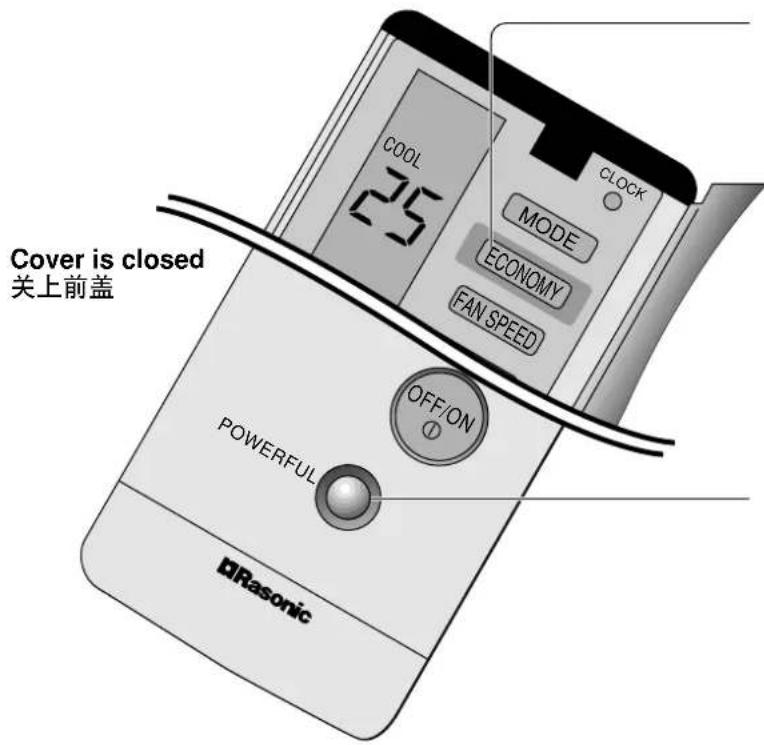
Economy Mode
To save electrical power consumption.
However, please use this mode when the room have
reached your desired temperature.
- Press ECONOMY
※ Economy indicator (Green) on indoor unit lights up.
• Press once more to cancel this operation.
节电方式
To obtain the setting temperature quickly.
- Press POWERFUL
※ Powerful indicator (Orange) on indoor unit lights up.
※ Powerful mode will operate for 15 minutes only.
• To cancel this operation, press once more.
强劲方式
以迅速获取设定温度。
※ • The changes of the temperature and airflow volume are automatic.
• The remote control display remain unchanged.
• If sleep button or operation mode button is pressed, economy or powerful operation is cancelled.
- During FAN -Air circulation operation, the powerful and economy operation are not available.
• During Economy mode, indoor fan operates on and off at Low speed.
※ · 温度和气流量的变化皆属自动。
●Cleaning the Indoor Unit and Remote Control 清洗室内机及遥控器
- Wipe gently with a soft, dry cloth.
- Do not clean with water hotter than 40°C or with polishing fluids.
- The front panel can be removed and cleaned with water.
· 用干软布轻抹 - 不要用热过 40° C 的水或擦亮剂来清洗。
- 正面板可被拆下及用水清洗。
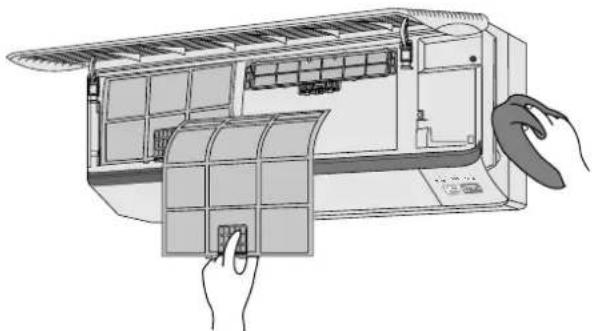

Caution / 小心
Switch OFF and unplug the power cord before cleaning the air conditioner.
清洗空调器之前请先关掉电源及拔掉插头。
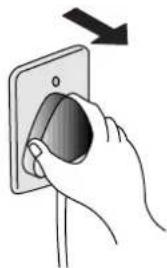
●Cleaning the Air Filter
清洗滤尘网
(Recommendation:- If the unit is operated in a dusty environment, clean the filters every two weeks, continuous use of this dirty filters will reduce cooling efficiency.)
Open the front grille and remove the two air filters. Hold the tab, lift up slightly then pull down.
Wash back of the air filter with water.
用水清洗滤网尘的背面。


If badly soiled, wash it with soap or a mild household detergent. 若非常肮脏,请用肥皂或柔和的家用清洁剂来清洗。

Let it dry and reinstall it.
Be sure the "FRONT" mark is facing you.
滴干后再重新安装
请确定“FRONT”标记朝向您。
※ Damaged air filter.
Consult the nearest authorized dealer.
Part No.: CWD00240.
※ 损坏的滤尘网。
请咨询您邻近的授权代理商。
零件编号:CWD00240。
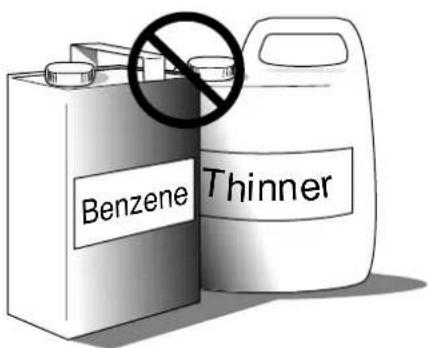
- Do not clean using benzene, thinner, scouring powder or cloths soaked in caustic chemicals.
- 不要用气油,稀释剂,洁亮粉末或沾有苛性咸化学剂的布来清洗滤尘网。
●Cleaning the Front Panel / 清洗正面板
(Must be removed before washing) / (清洗前必须取下)

Caution / 小心
- Stand on a level surface when removing the front panel.
-
拆除正面板时,请站在平坦表面。
-
Do not touch the metal parts in the indoor unit after removing the front panel.
-
拆下正面板之后,不要触摸室内机的金属部份。
-
Do not leave water on the panel after cleaning. Dry thoroughly to prevent electric shock.
- 清洗后不要让水渍遗留在正面板上。完全弄干它以免触电。
■Removing the front panel 取下正面板

Raise the front panel to its full extent. 托高正面板至其极限。
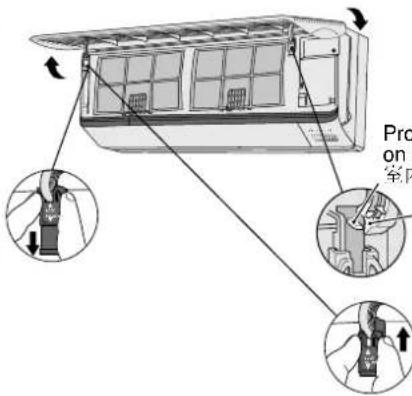
Protruding portion on indoor unit 室内机的突起部份

Slide the two tabs (left and right) to the UNLOCK position. 把两个栓托(左及右)推至UNLOCK位置。

Raise the front panel to a position slightly higher than horizontal and pull to remove. 把正面板调至稍高于水平的位置,然后拉开它。
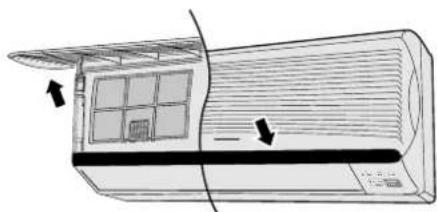
■Fixing the front panel 安装正面板

Raise the front panel horizontally, match the protruding portion on the indoor unit to the fulcrum and push into place.
Slide the two tabs up to the Lock position. (Click sound)
Note: If the tabs are left in the UNLOCK position, the front panel will not close.
※ If the panel does not close completely, check the tabs positions and try again.
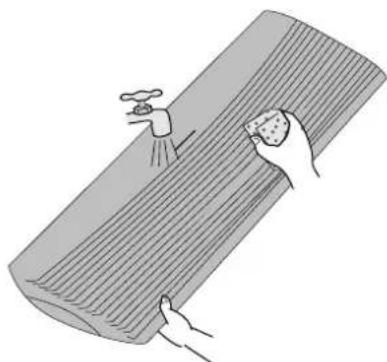
■Cleaning the front panel
清洗正面板
• Gently wash with water and a sponge. (Do not use a scrubbing brush or other hard cleaning aids.)
- Do not press the front panel too hard when washing. (Excess pressure may damage the panel.)
- When cleaning with kitchen cleaning fluids (neutral detergents), rinse thoroughly. (Do not use non neutral detergents.)
- Do not dry the front panel in direct sunlight. (Exposure to direct sunlight may discolor or deform the panel.)
- 轻轻地用水和海棉清洗正面板。(不要用刷子或其他坚硬洁净工具。)
- 清洗时不要太用力压正面板。(太大力会损坏正面板。)
· 使用厨房清洁剂(中性)清洗时,须冲洗干净。(不要使用非中性清洁剂。)
- 不要直接在阳光下晒干正面板。(直晒会造成褪色或变形。)
●Replacing the Air Purifying Filters 更换空气净化过滤器
(once every 3 month)
- Do not reuse dirty filters. Consult the nearest authorized dealer. (Air Purifying filter No. CZ-SF51N)
• These filters function effectively for not more than three months. - If the air conditioner operates with dirty filters:
- Air is not purified.
- Cooling capacity decreases.
- Foul odours are emitted.
- Note: Catechin is natural brown element. The filter is coated with catechin in order to prevent the growth of bacteria and viruses.
(每三个月一次)
1 Raise the front panel to its full extent.
托起正面板至其极限。
2 Remove the air filters (left and right).
• Lift up slightly then pull down
取下滤尘网(左和右)。
• 稍微托起,然后拉下。
3 Hold the tabs of the air purifying filters and pull. 握住空气净化过滤器的栓托,然后拉出。

Caution - Be careful not to hurt your hands on metal parts. 小心 — 小心别让金属品弄伤你的手。
■Reinstalling the air purifying filters 重新安装空气净化过滤器
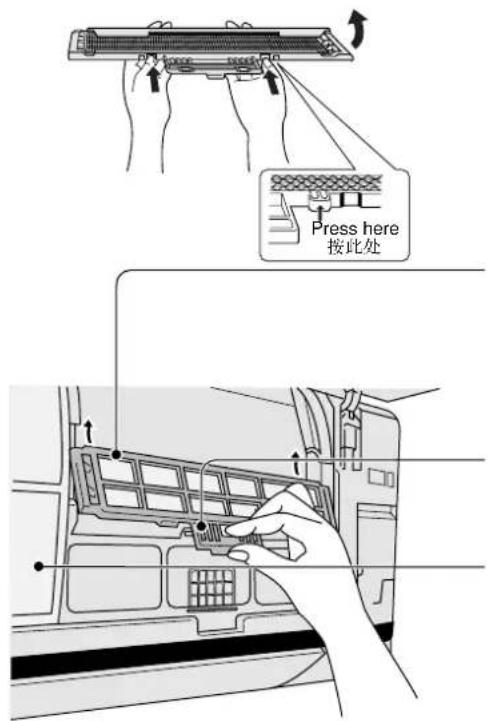
1 Open the filter frame to insert the new filters.
打开网框以放入新的滤尘网。
2 Insert the new air purifying filter.
(Be sure the "FRONT" mark is facing you.)
安装新的空气净化过滤器。
(确定 "FRONT" 标记朝向您。)
3 Push until you hear a click.
推入直至听到“嗒”。
4 Reinsert the air filters. 重新安装滤尘网。
5 Close the front panel. 关紧正面板。
●Pre-season Inspection
换季前的检查
• Is the discharge air cold?
Operation is normal if 15 minutes after the start of operation, the difference between the air intake and outlet vents temperatures is 8°C or above for cooling.
- 排出的空气冷吗?
- Are the air intake or outlet vents of the indoor or outdoor units obstructed?
- Are the remote control batteries weak?
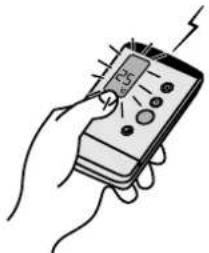
If the remote control display appears weak, replace the batteries (page 12).
· 遥控器的电池是否已耗尽?
●When the Air Conditioner is Not Used For an Extended Period of Time
当长时间不使用空调器
1
To dry the internal parts of the indoor unit, operate the unit for 2 - 3 hours using FAN operation.
Turn off the power switch and remove the power supply plug.
Note: If the unit is not switched off by the remote control, it will start operating when you plug in (because a Auto Restart Control is provided).
关掉电源开关并拔掉电插头。
●Recommended Inspection
检查建议
• The unit will become dirty after use over several seasons, reducing performance.
Depending on the operation condition, a dirty unit may produce foul odours and dust may pollute the dehumidifying drainage.
Seasonal inspection is recommended, in addition to regular cleaning. Consult an authorized dealer.
Q - Is it okay? A - This is the answer.
问 - 是否正常?答 - 这是解答。
Q - Air conditioner has been restarted, but does not operate for 3 minutes.
A - This is to protect the air conditioner. Wait until the air conditioner begins operating.
问 - 已启动 3 分钟但是空调器不运转。
答- 这是机内的保护机构起作用。请稍等直到空调器开始运转。
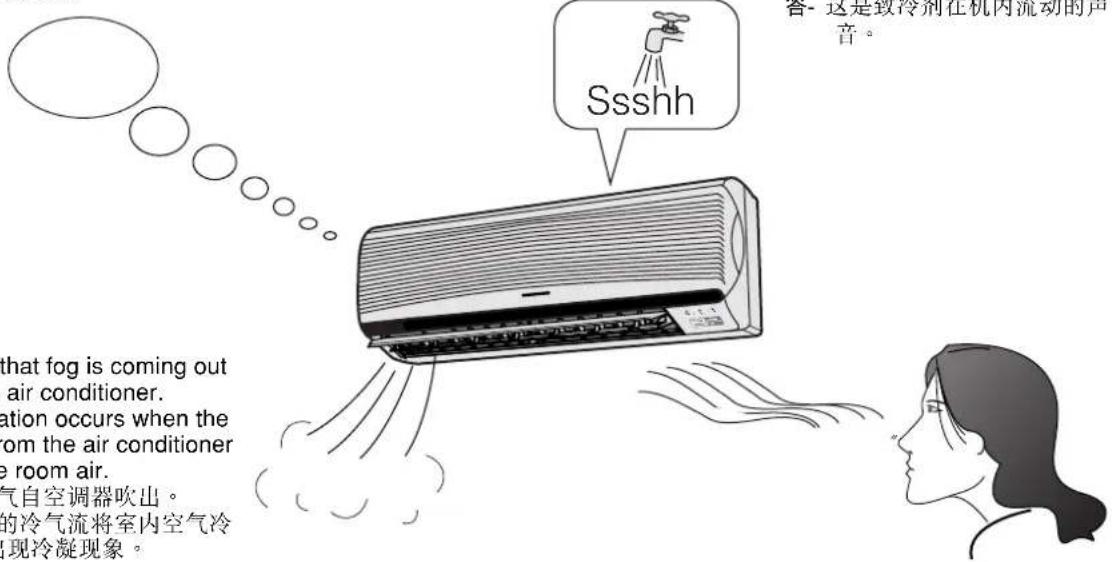
Q - It seems that fog is coming out from the air conditioner.
A - Condensation occurs when the airflow from the air conditioner cools the room air.
问-似乎有雾气自空调器吹出。
答- 机内吹出的冷气流将室内空气冷凝时会出现冷凝现象。
Q - The room has a peculiar odour.
A - This may be a damp smell emitted by the walls, carpet, furniture or clothing in the room.
问-室内有异味。
答- 这可能是墙壁、地毯、家具或衣物中散发出的气味。
DRY
Q - During soft dry mode operation the air conditioner stops.
A - Soft Dry Mode operation is a very gentle cooling operation consisting primarily of dehumidifying. The air conditioner may stop for approximately 6 minutes in order to prevent overcooling. If the room temperature rises again, the operation will recommence.
问- 温和抽湿运转时空调器停止操作。
答- 温和抽湿运转是以抽湿为目的的轻度制冷运转。若温度太冷,空调器会停止大约6分钟以避免过冷。若室温上升时,空调器会再度运转。
AUTO FAN
Q - During Automatic Airflow Volume setting, Indoor fan stops occasionally.
A - This is to remove the smell emitted by the surroundings.
问- 在自动气流量设定中,室内风扇不时停止。
答- 这是为了排除周围所散发出的异味。
●Abnormal Operation 反常操作
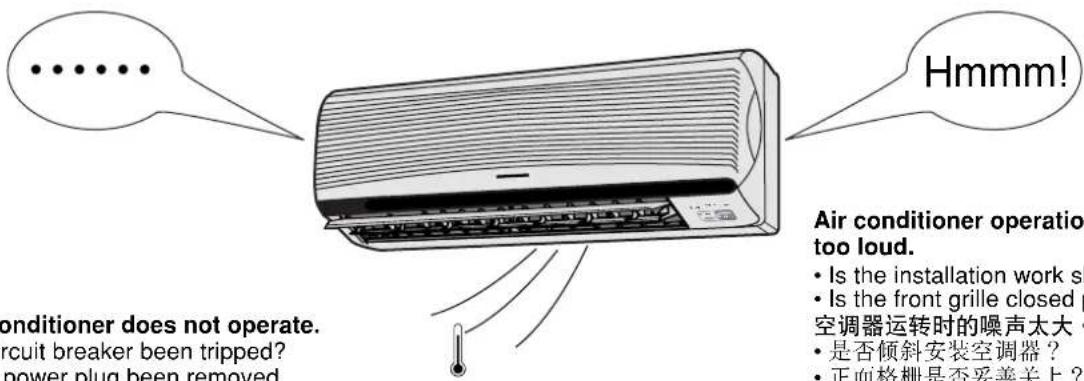
The air conditioner does not operate.
- Has a circuit breaker been tripped?
- Has the power plug been removed from the wall outlet?
• Is the timer being used correctly?
空调器不能运转 - 电流断路器是否跳开?
- 是否自墙上插座拔出电插头?
- 定时器是否使用正确?
The air conditioner does not cool effectively.
- Has the temperature been set incorrectly?
- Are the filters dirty?
- Are the intake or outlet vents of the outdoor unit obstructed?
- Are all windows and doors closed?
空调器致冷效果欠佳。
●Call the Dealer Immediately 即刻传召代理商
If the following conditions occur, immediately turn off the main power supply and unplug.
• Abnormal noise is heard during operation.
- 运转时发出不寻常的声音。
• Water or foreign material gets into the remote control by mistake.
- 不慎将水或异物掉入遥控器。
• Water leaks from the indoor unit.
- 室内机漏水。
- Switches or buttons do not operate properly.
- 开关钮或按钮不能正常操作。
• The circuit breaker switches off frequently.
· 电流断路器经常跳闸。
• Power supply cord and plug become unusually warm.
·电线及插头异常发热。
HELPFUL INFORMATION
有益的信息
Auto Operation Button
自动运转按钮
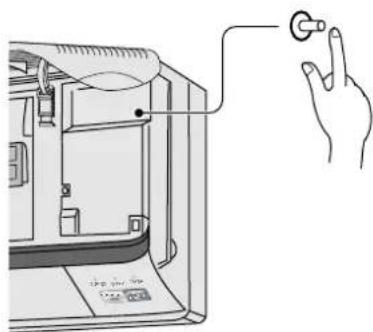
■Automatic Operation
- If the remote control fails to function or misplaced, press Auto Operation button for Automatic operation. However, temperature cannot be adjusted in this operation.
- The power LED on the indoor unit blinks until the operation mode is selected automatically.
• To cancel this operation, press once more.
■自动运转
■Remote Control Signal Receiving Sound
• To switch off the beep (signal receiving sound) press this Auto Operation button for 10 seconds continuously or longer.
- Repeat this, if you want to switch on the beep sound.
遥控器信号接收声音
※ Note : If you press this button continuously between 5 to 10 seconds. Test Run operation will be performed.
(This is for Servicing purpose only)
- If power is resumed after a power failure, the operation will restart automatically after 3 - 51/2 minutes.
- Operation will be automatically restart under the previous operation mode and airflow direction when power is resumed as the operation is not stopped by remote control.
自动重开控制
Thunder and Lightning
- This air conditioner is equipped with a built-in surge protective device. However, in order to further protect your air conditioner from being damaged by abnormally strong lightning activity, you may switch off the main power supply and unplug from power socket.
打雷及闪电
This appliance must be earthed.

CAUTION
Remove power plug or disconnect from the mains before servicing the appliance.
IMPORTANT
The wires in this mains lead are coloured in accordance with the following code:
Green-and-yellow : Earth
Blue : Neutral
Brown : Live
As the colours of the wires in the mains lead of this appliance may not correspond with the coloured markings identifying the terminals in your plug, proceed as follows:
The wire which is coloured green-and-yellow must be connected to the terminal in the plug which is marked with the letter E or by the earth symbol ⊕ or coloured green or green-and-yellow.
The wire which is coloured blue must be connected to the terminal which is marked with the letter N or coloured black.
The wire which is coloured brown must be connected to the terminal which is marked with the letter L or coloured red.
NOTE
If the supply cord of this appliance is damaged, it must only be replaced by a repair shop appointed by the manufacturer, because special purpose tools are required.
Disconnect the mains plug from the supply socket when not in use, where supply connection is via mains plug.
本机务必接地。
Please remember to record the following / 请记录下列数据:


- ROOM AIR CONDITIONER
- OPERATING INSTRUCTIONS
- 2 HOW TO USE 如何使用
- 3 IF NECESSARY 如有必要
- CARE AND MAINTENANCE ...... 19 – 22
- 维护与保养
- TROUBLESHOOTING 23 – 24
- 故障诊断
- ●自照明按钮
- ●睡眠方式
- ●ECONOMY MODE
- ●节电方式
- ●POWERFUL MODE
- ●强劲方式
- ●REMOVABLE FRONT PANEL
- ●可拆卸正面板
- ●CATECHIN AIR PURIFYING FILTER
- ●CATECHIN 空气净化过滤器
- ●自动重开控制
- THANK YOU FOR PURCHASING A RASONIC ROOM AIR CONDITIONER
- NOTE
- WARNING /=警告
- ● INSTALLATION PRECAUTIONS /=安装注意事项
- NAME OF EACH PART
- 各部件名称
- ●OUTDOOR UNIT 室外机
- REMOTE CONTROL 遥控器
- WHEN THE REMOTE CONTROL COVER IS OPENED 打开遥控器前盖时
- WHEN THE BACK COVER IS OPENED 打开遥控器背盖时
- RESET POINTS
- ●REMOTE CONTROL
- 遥控器
- INSERTING BATTERIES
- 安装电池
- BE SURE THE DIRECTIONS ARE CORRECT
- 确定极性方向正确
- PRESS THE CLOCK BUTTON
- 按下时间按钮
- PRESS TO SET THE CURRENT TIME
- 按下以设定当前时间
- ABOUT THE BATTERIES
- 关于电池
- ● AUTOMATIC, COOLING, SOFT DRY, FAN
- 自动、制冷、温和抽湿、送风
- PRESS TO SELECT THE DESIRED OPERATION MODE
- PRESS TO START THE OPERATION
- PRESS TO SELECT ROOM TEMPERATURE
- OPERATION DETAILS 操作细节
- COOL - COOLING OPERATION / 制冷运转
- AUTO – AUTOMATIC OPERATION / 自动运转
- DRY - SOFT DRY OPERATION / 温和抽湿运转
- ●ADJUSTING AIRFLOW DIRECTION AND FAN SPEED 调节风向和风量
- FAN – AIR CIRCULATION OPERATION
- AUTOMATIC AIRFLOW VOLUME
- FAN—空气循环运转
- SETTING THE TIMER
- 设定定时器
- TIMER CANCELLATION BUTTON
- TO CHANGE THE SETTING TIME, FOLLOW THE ABOVE STEPS
- TIMER DETAILS
- 定时器细节
- ●RECOMMENDED SETTING OF TIMER 设定定时器建议
- WHEN YOU SLEEP
- 当您入睡时
- 当您起床时
- 备注:
- 出门时
- 回家时
- OPERATION DETAILS 运转细节
- ● ECONOMY OR POWERFUL MODE 节电或强劲方式
- ECONOMY MODE
- 节电方式
- 强劲方式
- ●CLEANING THE INDOOR UNIT AND REMOTE CONTROL 清洗室内机及遥控器
- CAUTION / 小心
- ●CLEANING THE AIR FILTER
- 清洗滤尘网
- ●CLEANING THE FRONT PANEL / 清洗正面板
- REMOVING THE FRONT PANEL 取下正面板
- FIXING THE FRONT PANEL 安装正面板
- CLEANING THE FRONT PANEL
- 清洗正面板
- ●REPLACING THE AIR PURIFYING FILTERS 更换空气净化过滤器
- REINSTALLING THE AIR PURIFYING FILTERS 重新安装空气净化过滤器
- ●PRE-SEASON INSPECTION
- 换季前的检查
- ●WHEN THE AIR CONDITIONER IS NOT USED FOR AN EXTENDED PERIOD OF TIME
- 当长时间不使用空调器
- ●RECOMMENDED INSPECTION
- 检查建议
- DRY
- AUTO FAN
- ●ABNORMAL OPERATION 反常操作
- THE AIR CONDITIONER DOES NOT OPERATE
- THE AIR CONDITIONER DOES NOT COOL EFFECTIVELY
- 空调器致冷效果欠佳。
- ●CALL THE DEALER IMMEDIATELY 即刻传召代理商
- HELPFUL INFORMATION
- 有益的信息
- AUTOMATIC OPERATION
- 自动运转
- REMOTE CONTROL SIGNAL RECEIVING SOUND
- 遥控器信号接收声音
- 自动重开控制
- THUNDER AND LIGHTNING
- 打雷及闪电
- CAUTION
- IMPORTANT
Brand : PANASONIC
Model : RS-C125K
Category : Radio