
TB32HD2 - Audio/Video Accessories StarTech.com - Free user manual and instructions
Find the device manual for free TB32HD2 StarTech.com in PDF.


| Product Type | Thunderbolt 3 to Dual HDMI Adapter |
| Model | TB32HD2 |
| Brand | StarTech.com |
| Color | White |
| Input Connector | 1 x Thunderbolt 3 USB-C (24-pin) male (integrated cable) |
| Output Connectors | 2 x HDMI (19-pin) female |
| Maximum Resolution | 4K @ 30 Hz (3840x2160) |
| Supported Resolutions | 3840x2160, 2560x1600, 1920x1200, 1920x1080, 1280x720 |
| Maximum Bandwidth | 20 Gbps |
| Input Signal | Thunderbolt 3 |
| Output Signal | HDMI |
| Operating Systems Supported | Microsoft Windows 10, 8/8.1 |
| Power Supply | Bus-powered via Thunderbolt 3 |
| Cable Length | Integrated Thunderbolt 3 cable (approx. 0.5 m) |
| Compliance | FCC Class A, Industry Canada |
| Warranty | 2 Years |
| Package Contents | 1 x Adapter, 1 x Quick Start Guide |
| System Requirements | Thunderbolt 3 enabled Windows computer, 2 x HDMI displays with cables |
| Care and Cleaning | Wipe with a dry, soft cloth. Do not use liquids or solvents. |
| Spare Parts and Repairability | No user-serviceable parts inside. Contact support for warranty service. |
Frequently Asked Questions - TB32HD2 StarTech.com
User questions about TB32HD2 StarTech.com
0 question about this device. Answer the ones you know or ask your own.
Ask a new question about this device
Download the instructions for your Audio/Video Accessories in PDF format for free! Find your manual TB32HD2 - StarTech.com and take your electronic device back in hand. On this page are published all the documents necessary for the use of your device. TB32HD2 by StarTech.com.
USER MANUAL TB32HD2 StarTech.com
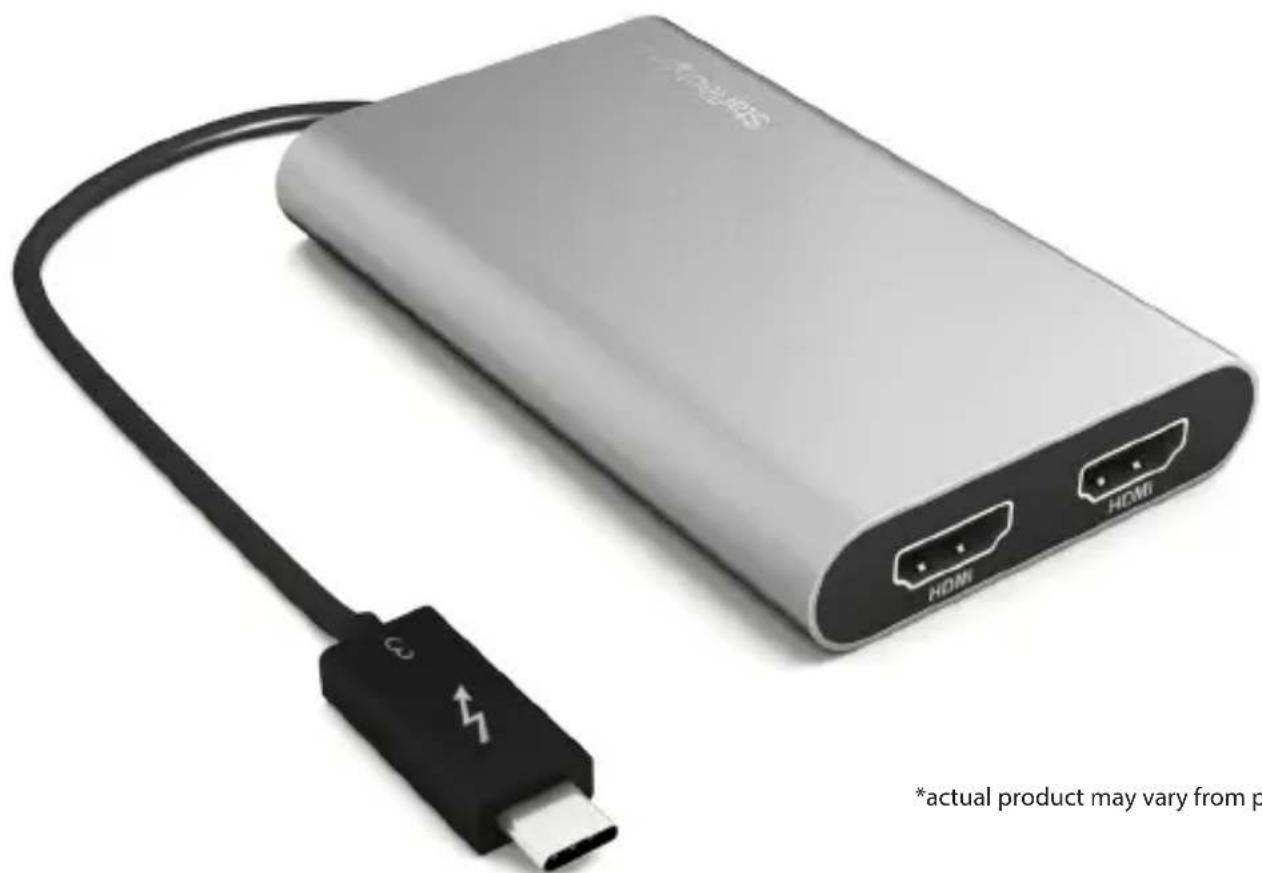
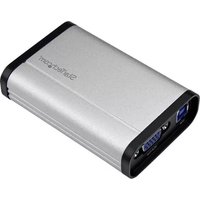
Thunderbolt 3 to Dual HDMI Adapter - 4k 30Hz
Windows only Compatible
TB32HD2
natural_image
White power bank device with HDMI port and USB cable, no visible text or symbols on the device itself*actual product may vary from photos
For the latest information, technical specifications, and support for
FCC Compliance Statement
This equipment has been tested and found to comply with the limits for a Class A digital device, pursuant to Part 15 of the FCC rules. These limits are designed to provide reasonable protection against harmful interference when the equipment is operated in a commercial environment. This equipment generates, uses and can radiate radio frequency energy and, if not installed and used in accordance with the instruction manual, may cause harmful interference to radio communications. Operation of this equipment in a residential area is likely to cause harmful interference in which case the user will be required to correct the interference at his own expense.
This device complies with part 15 of the FCC Rules. Operation is subject to the following two conditions: (1) This device may not cause harmful interference, and (2) this device must accept any interference received, including interference that may cause undesired operation.
Changes or modifications not expressly approved by StarTech.com could void the user's authority to operate the equipment.
Industry Canada Statement
Use of Trademarks, Registered Trademarks, and other Protected Names and Symbols
This manual may make reference to trademarks, registered trademarks, and other protected names and/or symbols of third-party companies not related in any way to StarTech.com. Where they occur these references are for illustrative purposes only and do not represent an endorsement of a product or service by StarTech.com, or an endorsement of the product(s) to which this manual applies by the third-party company in question. Regardless of any direct acknowledgement elsewhere in the body of this document, StarTech.com hereby acknowledges that all trademarks, registered trademarks, service marks, and other protected names and/or symbols contained in this manual and related documents are the property of their respective holders.
Table of Contents
Product overview....1
Introduction....2
Packaging contents....2
System requirements....2
About this product 2
Installation....3
Specifications 3
Technical support....4
Warranty information ....4
Product overview
natural_image
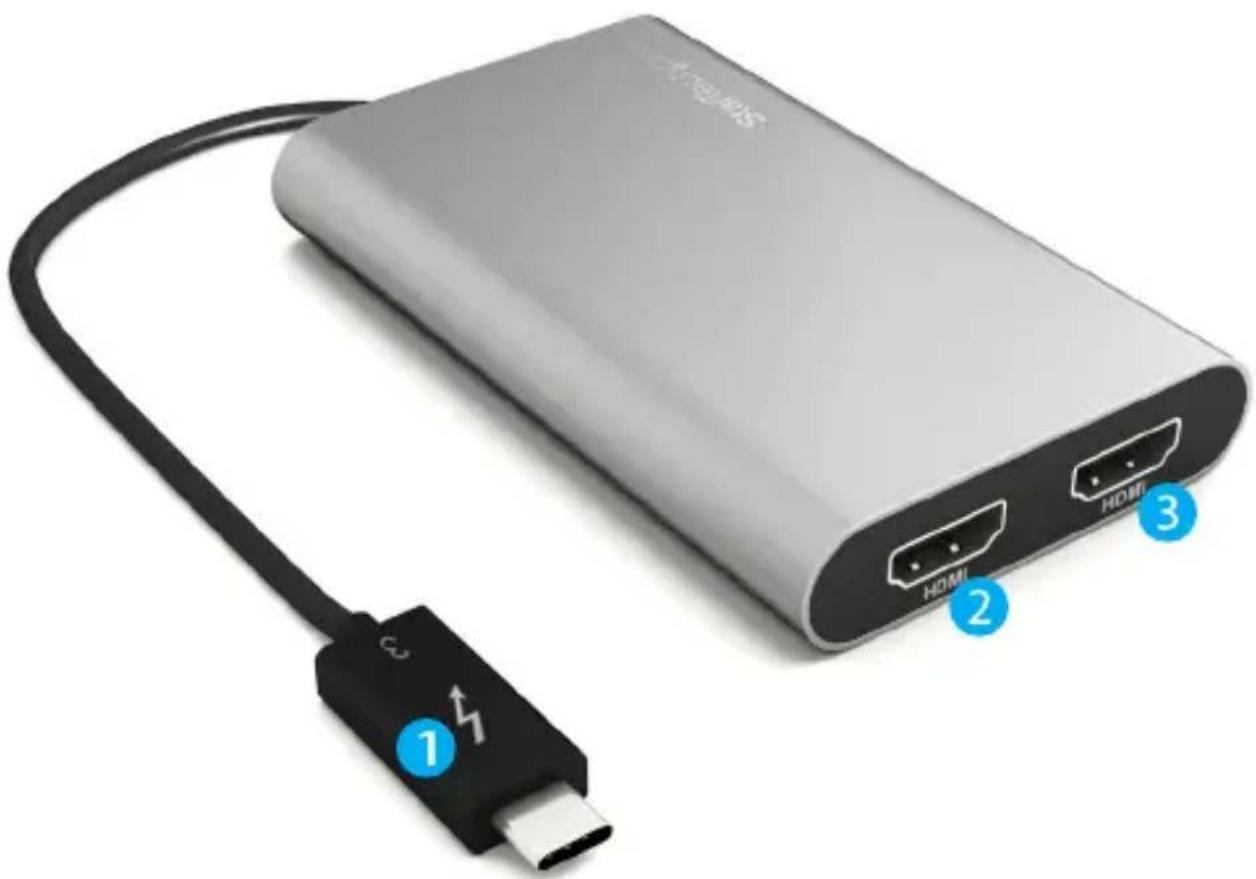
Exterior view of a silver USB drive connected to a black USB cable with labeled ports (no text or symbols on the device itself)- Integrated Thunderbolt™ 3 cable
- HDMI output port #1
- HDMI output port #2
Introduction
Packaging contents
• 1x Thunderbolt 3 to dual HDMI adapter
- 1x quick start guide
System requirements
- 1 x Thunderbolt 3 enabled Windows® computer
- 2 x HDMI enabled displays with cabling
About this product
This high-performance Thunderbolt 3 adapter lets you add two 4K 30Hz HDMI monitors to a computer through a single Thunderbolt 3 port (USB-C™).
Functioning as an external 2-port graphics adapter with audio support, this is a compact and convenient alternative to a laptop dock, when you don't need full docking capability. Plus, the display adapter keeps other Thunderbolt 3 ports free, so you can connect additional peripherals.
IMPORTANT: Your computer must support Thunderbolt 3 in order to work with this adapter. While Thunderbolt 3 utilizes the USB-C connector, not all USB-C connectors support Thunderbolt 3. Please check the specifications of your computer system to confirm which USB-C ports on your computer support Thunderbolt 3.
Installation
- Connect the integrated Thunderbolt 3 cable to the Thunderbolt 3 enabled USB-C port on your computer.
- Connect an HDMI cable (not included) to each of the adapter's HDMI output ports and to your HDMI displays.
- Your computer will detect each of the newly connected displays and interact with them as if they were connected directly to your computer's native video card.
Specifications
Input signal Thunderbolt 3
Output signal HDMI
Maximum bandwidth 20 Gbps
Maximum resolution 4K @ 30 Hz
3840x2160 (4K)
2560x1600
Supported resolutions 1920x1200
1920x1080 (1080p)
1280x720 (720p)
Input connectors 1 x Thunderbolt 3 USB-C (24-pin) male input
Output connectors 2 x HDMI (19-pin) female output
Supported operating systems
Microsoft® Windows 10, 8/8.1
Technical support
StarTech.com's lifetime technical support is an integral part of our commitment to provide industry-leading solutions. If you ever need help with your product, visit www.startech.com/support and access our comprehensive selection of online tools, documentation, and downloads.
For the latest drivers/software, please visit www.startech.com/downloads
Warranty information
This product is backed by a two-year warranty.
StarTech.com warrants its products against defects in materials and workmanship for the periods noted, following the initial date of purchase. During this period, the products may be returned for repair, or replacement with equivalent products at our discretion. The warranty covers parts and labor costs only. StarTech.com does not warrant its products from defects or damages arising from misuse, abuse, alteration, or normal wear and tear.
Limitation of liability
In no event shall the liability of StarTech.com Ltd. and StarTech.com USA LLP (or their officers, directors, employees or agents) for any damages (whether direct or indirect, special, punitive, incidental, consequential, or otherwise), loss of profits, loss of business, or any pecuniary loss, arising out of or related to the use of the product exceed the actual price paid for the product. Some states do not allow the exclusion or limitation of incidental or consequential damages. If such laws apply, the limitations or exclusions contained in this statement may not apply to you.
Hard-to-find made easy. At StarTech.com, that isn't a slogan. It's a promise.
StarTech.com is your one-stop source for every connectivity part you need. From the latest technology to legacy products — and all the parts that bridge the old and new — we can help you find the parts that connect your solutions.
We make it easy to locate the parts, and we quickly deliver them wherever they need to go. Just talk to one of our tech advisors or visit our website. You'll be connected to the products you need in no time.
Visit www.startech.com for complete information on all StarTech.com products and to access exclusive resources and time-saving tools.
StarTech.com is an ISO 9001 Registered manufacturer of connectivity and technology parts. StarTech.com was founded in 1985 and has operations in the United States, Canada, the United Kingdom and Taiwan servicing a worldwide market.


- Thunderbolt 3 to Dual HDMI Adapter - 4k 30Hz
- FCC Compliance Statement
- Industry Canada Statement
- Use of Trademarks, Registered Trademarks, and other Protected Names and Symbols
- Table of Contents
- Product overview
- Introduction
- Packaging contents
- System requirements
- About this product
- Installation
- Specifications
- Technical support
- Warranty information
- Limitation of liability
Brand : StarTech.com
Model : TB32HD2
Category : Audio/Video Accessories