PC-240853 - Generator Perfect Choice - Free user manual and instructions
Find the device manual for free PC-240853 Perfect Choice in PDF.


User questions about PC-240853 Perfect Choice
0 question about this device. Answer the ones you know or ask your own.
Ask a new question about this device
Download the instructions for your Generator in PDF format for free! Find your manual PC-240853 - Perfect Choice and take your electronic device back in hand. On this page are published all the documents necessary for the use of your device. PC-240853 by Perfect Choice.
USER MANUAL PC-240853 Perfect Choice
Read this user guide carefully before using this device.
Overview
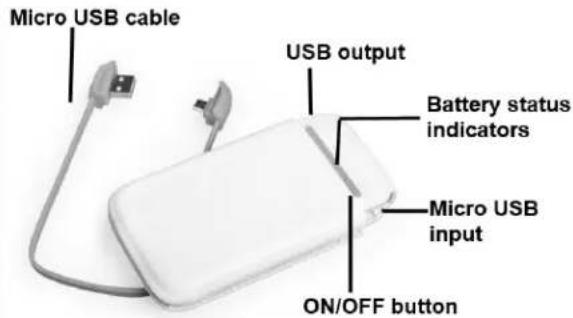
Battery status indicator
Press ON/OFF button to check the battery capacity, battery status indicators as following:
| Indicators | 1 LED on | 2 LEDs ON | 3 LEDs ON | 4 LEDs on |
| Capacity | ≤ 25% | 25-50% | 50-75% | 75-100% |
Charge
- Draw the Micro USB cable from the power bank.
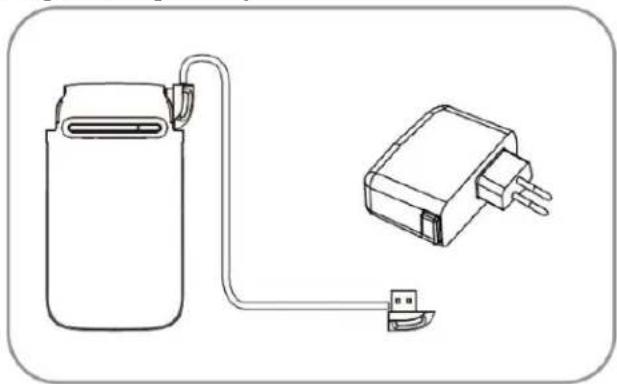
- Connect Micro USB port to power bank and USB connector to your PC or Smartphone's original charger to charge battery.
natural_image
Line drawing of a battery pack connected to a compact electronic device (no text or symbols)The battery status indicators will light up when charging.

Tip If you don't want to see LEDs, press ON/OFF button the LEDs will go off.

Note: Charge time will depends of charger, if you connect to a USB port in your PC time will be bigger than if you use the original charger.
Charge mobile devices
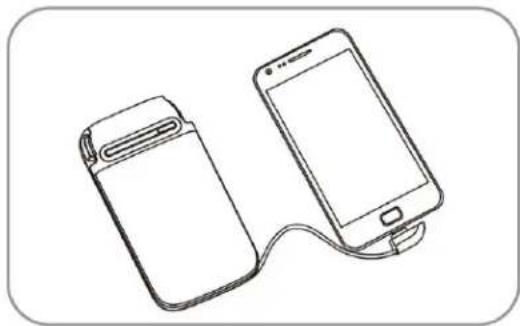
- Draw the micro USB plug and insert it to your mobile device.
natural_image
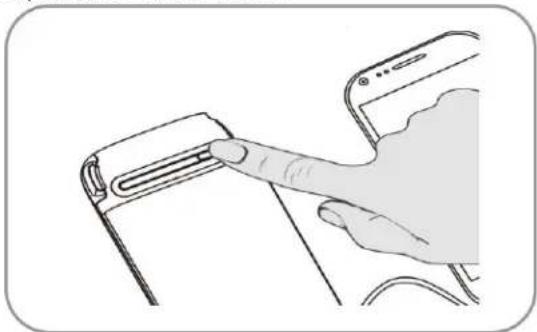
Line drawing of two smartphones connected by a cable, one with a strapless device and the other with a USB port (no text or symbols)- Then press the ON/OFF button.
natural_image
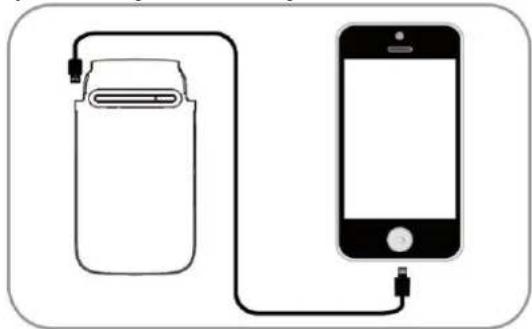
Line drawing of a hand pointing at a device component (no text or symbols)- Use your existing cable to charge the mobile devices, such as iPhone.
natural_image
Diagram showing a battery connected to an iPhone via cable (no text or symbols)
Tip If you don't want to see LEDs, press ON/OFF button the LEDs will go off.
General warnings and safety information
To enjoy your device for a long time we advice you:
- Handle your device with care. Do not drop, knock or shake the device
- Do not attempt to open the device
- Do not expose to fire and other places with high temperature
- Do not expose to water
- Stop using if any of the following conditions occurred: electrolytic liquid leakage, overheating, color change, or any other unusual conditions.
- For cleaning use a damp cloth
- To disconnect cables, do it pulling the connector
Dispose this product in accordance with your country regulations
Technical specifications
* Power supply: 5 Vdc 1 A
* Output voltage: 5 Vdc 2.1 A
* Type: Lithium Polymer
* Capacity: 6 800 mAh @ 3.7Vdc
*Charging time: .... About 8-9 hours (with Smartphone adapter 5 Vdc 1 A)
About 18 hours (with PC USB 2.0 port )
Technical specifications are subject to change without prior notice
If you have any question or doubts please do not hesitate to contact us:
Technical support
MEXICO
MX, GDL y MTY 4777 0853
Rest of the country 01800 148 1828
soporte@perfectchoice.me
REST OF THE WORLD
+52 33 3283 1500
+1 855 7373 246
support@perfectchoice.me
natural_image
Line drawing of a battery connected to a plug and its connector (no text or symbols)natural_image
Line drawing of two smartphones connected by a cable, one with a battery icon and the other with a smartphone (no text or symbols)natural_image
Line drawing of a hand pressing a button on a device (no text or symbols)natural_image
Diagram showing a battery connected to a smartphone via cable (no text or symbols)