
DMP210N - Mp3 player HITACHI - Free user manual and instructions
Find the device manual for free DMP210N HITACHI in PDF.


| Product Type | MP3 Player |
| Brand | Hitachi |
| Model | DMP210N |
| Dimensions | 28 x 47.6 x 11.5 mm |
| Weight | 14.5 g |
| Storage Capacity | 1G / 2G / 4G (depending on version) |
| Battery Type | Built-in rechargeable lithium polymer battery |
| Battery Capacity | 3.7V / 140mAh |
| Charging Time | Approximately 2 hours via USB |
| Music Playback Time | Up to 10 hours when fully charged |
| Audio Formats Supported | MP3 (32-320 kbps, VBR), WMA (DRM9), WAV |
| Frequency Response | 20 Hz - 20 kHz |
| DRM Support | DRM9 |
| PC Interface | USB 2.0 High Speed (Type A connector) |
| Operating System Compatibility | Windows 2000/ME/XP/Vista, MAC 9.2 or above |
| Operating Temperature | 0°C to 40°C |
| Key Lock | Slide button for hold function |
| Play Modes | Repeat All, Shuffle |
| LED Indicator | Charging (red), Charged (green), File transfer (red/green flashing), Low battery (flashing red) |
| Reset | Recessed reset button (use paperclip) |
| Accessories Included | Main unit, USB cable, Earphone, User manual |
| Safety Precautions | Avoid water, extreme temperatures, strong magnets; do not disassemble; use soft cloth for cleaning |
Frequently Asked Questions - DMP210N HITACHI
User questions about DMP210N HITACHI
0 question about this device. Answer the ones you know or ask your own.
Ask a new question about this device
Download the instructions for your Mp3 player in PDF format for free! Find your manual DMP210N - HITACHI and take your electronic device back in hand. On this page are published all the documents necessary for the use of your device. DMP210N by HITACHI.
USER MANUAL DMP210N HITACHI
Thankyou for purchasing the Hitachi DMP210N that delivers a combination of style, features, and user friendliness. The best combination that you can find anywhere -anew experience of powerful, yet intuitive control over your multimediac collection.
Highlightsoftheplayerinclude:
FileSupport:
SupportedAudioFileFormats
MP3 (MPEG1/2/2.5 Layer1/2/3, 32kbps-320kbps, including
VBR) MP3 DIGITAL AUDIO
WMA (supportWMADRM9)
WAV
Support50folders(max)
WMA Windows Media Audio
USBMassStorage:
USBInterface
TypeAUSBConnector
USB2.0HighSpeed

USBMassStorageisimplementedforPCdownloading
SupportedOS: Windows2000/me/xp/Vista, MAC9.2xorabove
Attention:
If the player is used for illegally copying or distributing the software and music that are protected by intellectual property rights, the user must take all legal responsibility for such actions. The manufacturer importer or dealer cannot be held responsible for accidental damaged dueto inappropriate use of the player.
SafetyWarning
- Doread the operating instructions before you attempt to use the equipment.
- Do ensure that all electrical connections (including themains plug, extension leads and interconnections between the pieces of equipment) are properly made and in accordance with the manufacturers instructions.
- Do consult your dealer if you are ever in doubt about the installation, operation or safety of your equipment.
- Donotremove any fixed covers as this may expose dangerous voltages.
- Donotobstructtheventilation openings of the equipment with items such as newspapers, tablecloths, curtains, etc. Overheating will cause damage and shortent the life of the equipment.
- Donotallowelectrical equipment to be exposed to dripping or splashing, or objects filled with liquids, such as vases, to be placed on the equipment.
- Donotplacehotobjectsornakedflamesourcesuchas lightedcandlesornightlightson,orclosetoequipment. Hightemperaturescanmeltplasticandleadtofires.
- Donotcontinueto operate the equipment if you are in any doubt about it working normally, or if it is damaged in any way-switch off, withdraw them mains plug and consult our dealer.
- Donotuseequipmentsothatyouaredistractedfromtherequirementsoftrafficsafety.
SAFETYPRECAUTION
Warning:
HitachiDMP210Nisaprecisedevicewhichmakesuseof sensitive components like flashmemory. rechargeablebattery.Therearesomesafetyprecautionsand guidelinesmustbefollowed.
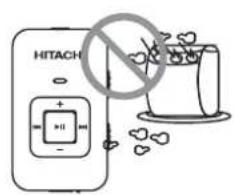
Donotplaceheavyobjects onthe device.Keepaway from harsh environments including humid, dusty and smoky areas
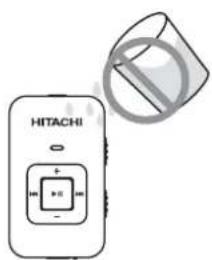
Avoid contact with water and other liquids.
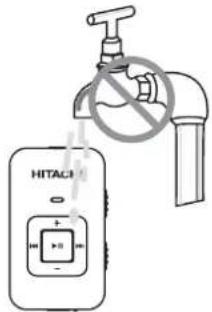
Donotusewaterorchemicals tocleantheplayer.Cleanthe surfacewithasoftcloth.
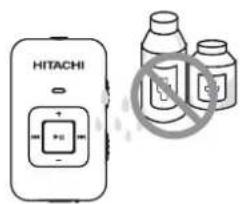
Donotcleanwithchemical ordetergent.
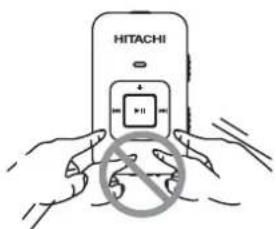
Donotuseexcessiveforce onthebuttonsorattemptto disassemblethe device.
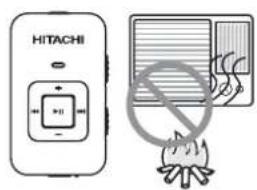
Keepoutofdirectsunlight, extremeheatorcold.
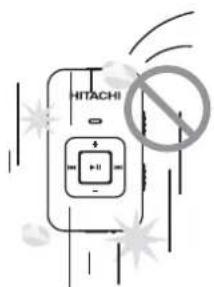
Donotdroporsubjectthe devicetoimpact.
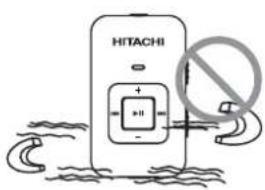
Keep the player away from strong magnets.
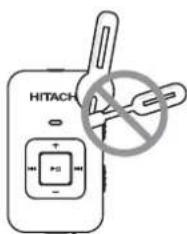
Donotdisassembleormodify the player.
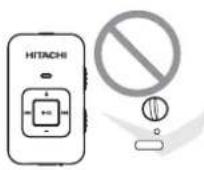
Donot dry the product with heater or microwave.
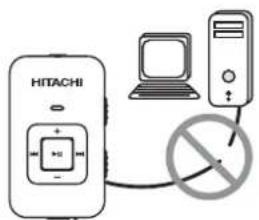
When you upload or download files using USB cable, donot disconnect USB cabled during data transfer or turn the device off.
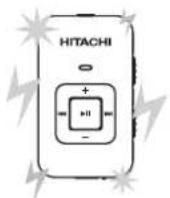
Datacan bedamaged because of physical impact, lightning and power failure.
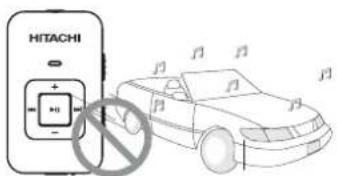
Donotuseheadphone/earphonewhilecycling, driving, oroperatingany motorizedvehicle.
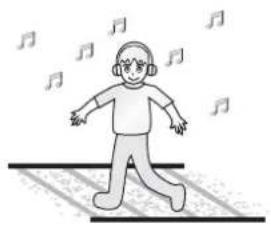
natural_image
Illustration of a person walking on railway tracks with musical notes floating around (no text or symbols)Reduce volumewhile walking especially at pedestrian crossing
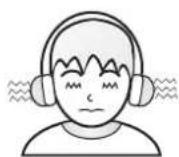
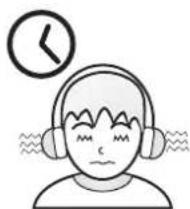
Donotuseheadphone/earphoneathighvolume. Hearing expertsadvisethat donotlistentocontinuous, loudandextendedplayer.
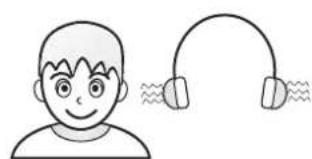
natural_image
Illustration of a smiling person wearing headphones with earband (no text or symbols)Reduce volume or stop using the player if you experience aringing in you rears.
natural_image
Simple line drawing of a person wearing headphones with a clock above, no text or symbols present.Donotuseathighvolume forcontinuouslistening.
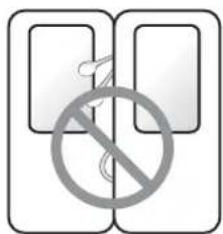
Keepheadphone/earphone cordsundercontroltoavoid gettingcaughtonvarious objects.
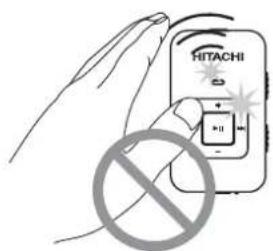
To avoid damage, make sure you donot drop, smash, bendor crash the player.
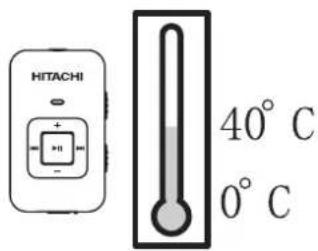
Operatethedevicein acceptabletemperature. Makesureyouonlyuse thedevicewheretemperature between0-40C.
Contents
Packagecontent....6
Locatingthecontrols....7
Batterycharging....8
Reset....9
MinimunPCsystemrequirement....9
Connected to the computer....10
-Connection....10
-Filetransfer....10
-Disconnection.... 11
Basicoperation....12
-Poweron....12
-Keylock....12
-Playsongs....12
-Shuffle....12
-Volumecontrol....13
-Pausing Playbacke....13
-Skippingtoadifferenttrack....1 3
-Poweroff....13
Troubleshooting....14
Specification....15
PACKAGECONTENT
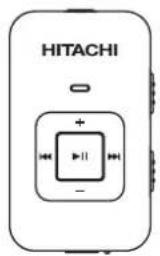
MainUnit
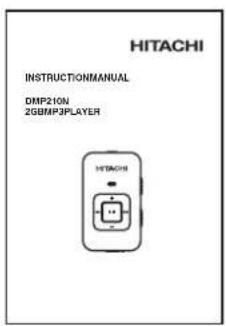
UserManual
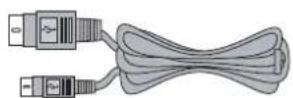
USBcable (forPCconnection and battery charging)
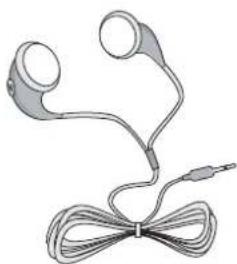
natural_image
Illustration of a pair of earphones with a cord tied at the bow (no text or symbols)Earphone
LOCATINGTHECONTROLS
FrontviewSideview
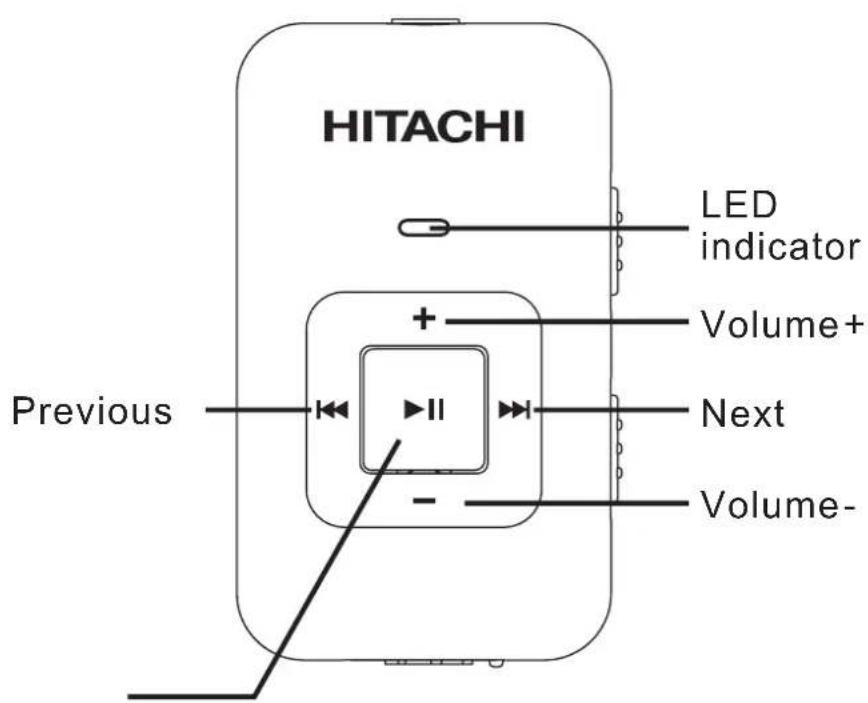
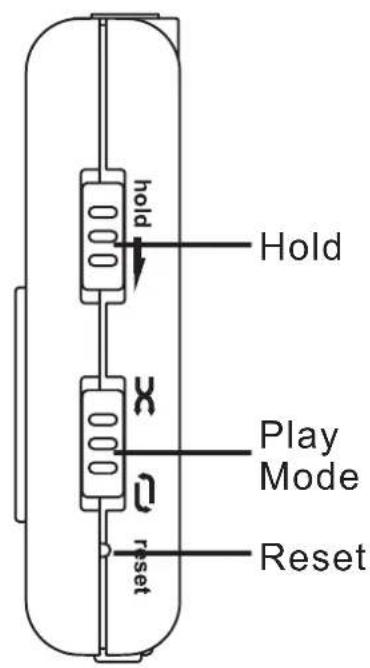
Play/Pause PowerON/PowerOFF
TopviewBottomview
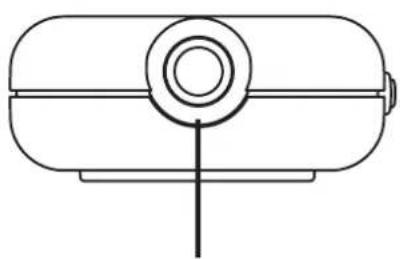
natural_image
Simple line drawing of a cylindrical tank with a central circular component and a vertical line at the base (no text or symbols)HeadphoneJack
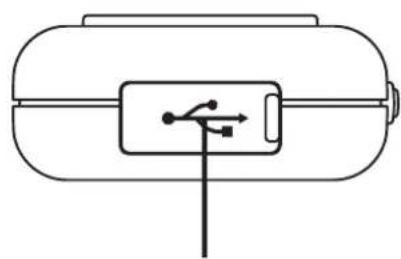
natural_image
Simple line drawing of a cylindrical container with a rectangular slot containing a plug and connector (no text or symbols)USBJack
BATTERYCHARGINGBYCONNECTINGPC/ADAPTOR
The battery can be charged by using the provided USB2.0 cable or AC adaptor (not supplied).
Connect the player with PC using the USB cable and charging will be started automatically. Thereafter it takes about 2 hours to fully charge the battery.
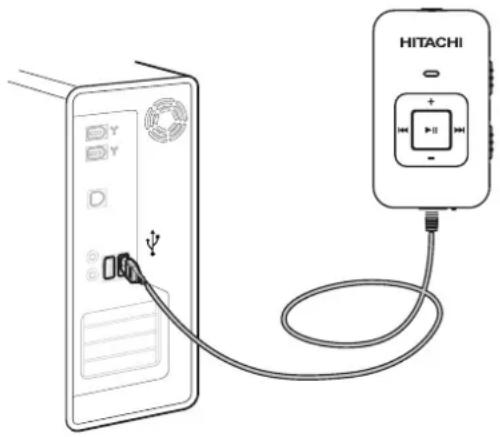
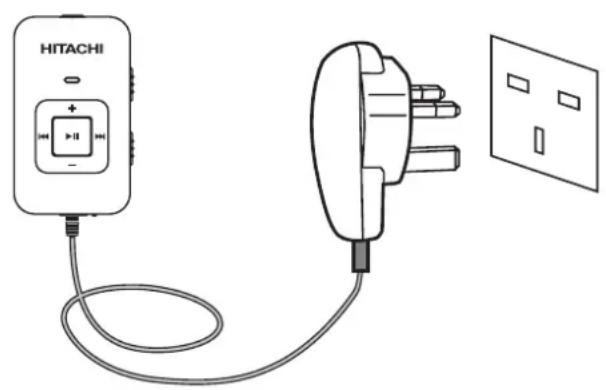
NOTE:
ACadaptorCharging specification: InputDC5V-0.2Aforexternalpower from ACadaptor.
Notes:
- Please charge at least 4 hours prior first time use.
- If the device connect to PC through USB hub, then the USB hub must be self-powered in order to charge battery properly.
- Filetransfermayextendthechargingtime.
| LEDINDICATOR | |
| ChargingLightonred | |
| ChargingCompletedLightongreen | |
| TransmittingFilesRedandgreenlightflashing(PCconnectedonly)alternatively | |
PLAYINGWITHBATTERY
| LEDINDICATOR | |
| DuringPlaybackLightongreen | |
| PauseFlashinggreen | |
| LowBatteryFlashingred | |
| PressinganybuttonFlashinggreenonce | |
| Nofilesintheplayer | RedandgreenlightFlashingalternatively |
RESET
If the unit acts erratically, reset the unit by inserting a fine object (such as a paperclip) into therecessed Reset button.

MINIMUMPCSYSTEMREQUIREMENT
You can connect the device to computer via the provided USB2.0 cable for both battery charging and file transfer purpose.
- Windows® ME
-OrWindows2000(Servicepack3orabove)withWindow MediaPlayer9Series - Or Windows XP (Servicepack1orabove) with WindowM Player10Series
-Pentium Class MMX 166 MHz processor or better
-96MBRAM
-50MBharddrivespace
-Internetconnection - Microsoft Internet Explorer 5.5 or later
- Videodisplaycard
-Soundcard
-USBport1.0(useUSB2.0forfasterdatatransfer)
Notes:
MSC stands for Mass Storage Class. It doesn't require separate drive installation when it's first connected to PC and it can be used as an external mass storage device using 'drag and drop method with 'Windows Explorer'.
CONNECTINGTOTHECOMPUTER
Connecting the Multimedia Player to PC
ConnecttheincludedUSBcabletotheportontheplayertoan openUSBportonyourcomputerasfigurebelow:
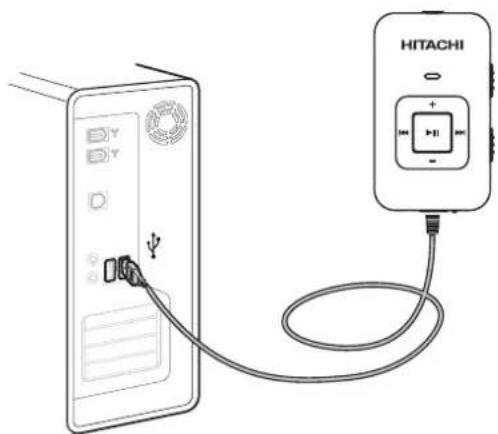
Connection
Windowswillshow"FoundNewHardware"whentheplayeris firstattached.Theplayerwillthenrecognizedasanewdevice underMycomputer.
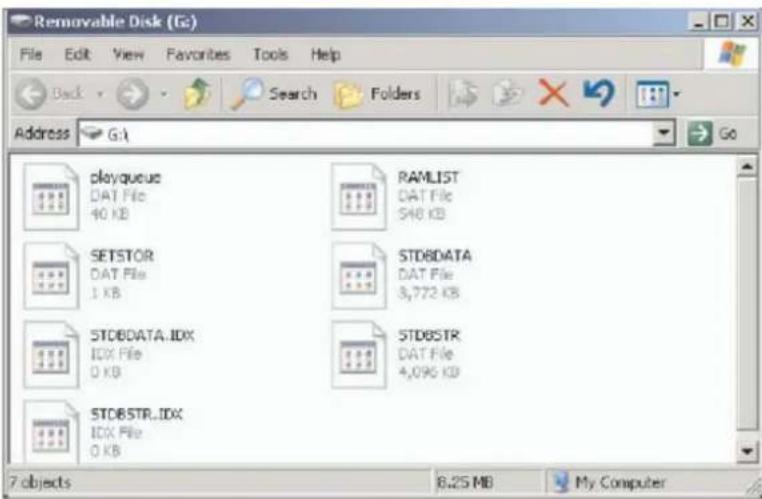
Please notethatdepending on the hardware configuration, it may take several minutes for Window to recognize the device for the first time.
Filetransfer
After the device is connected to computer for uploading/downloading, no special operation but only simple "drag-drop" is needed.
- Doubleclick"My Computer" in Windows, you will find an icon "Removable Disk", which represents your player, and Doubleclick "Removable Disk".
- Dragyourfilesto"RemovableDisk".
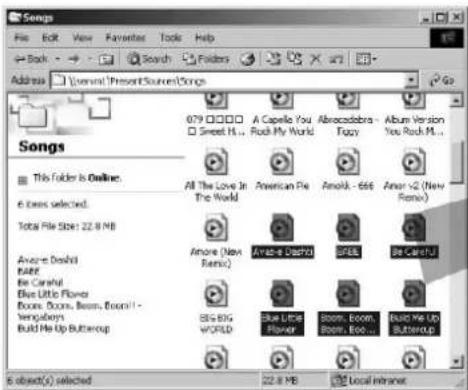
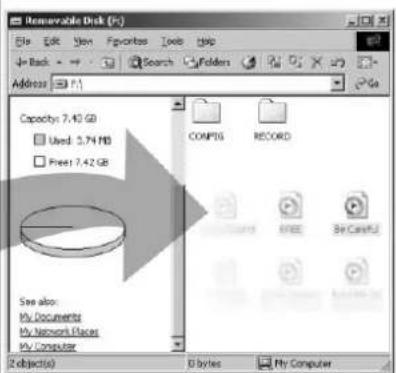
Disconnection
- Doubleclicktheicononthesystemtray.
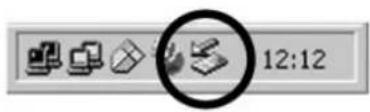
- Click the [Stop] button of the pop-up message as shown below.
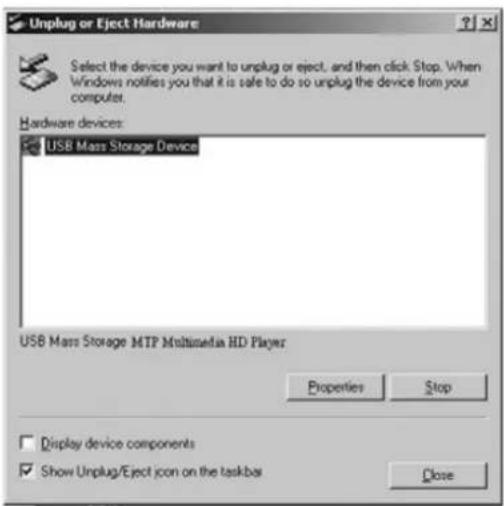
- When the "SafeToRemoveHardware" pop-up window appears, click on the [OK] button, and you may now safely disconnect the MultimediaPlayer from the PC.
BASICOPERATION
POWERON
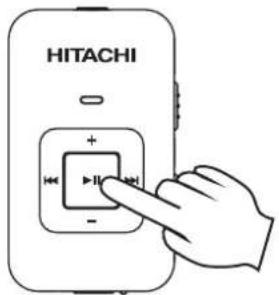
Pressandholdthe""button
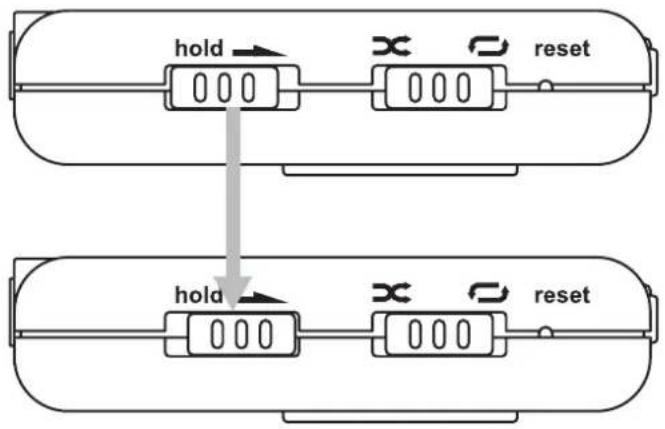
KEYLOCK
When the slide button is in "Hold" position, all the keys are disabled. With this key lock function, unintended operations shall be prevented.
flowchart
graph TD
    A["Device 1"] -->|hold| B["Device 2"]
    B -->|reset| C["Device 3"]
    D["Device 4"] -->|hold| E["Device 5"]
    E -->|reset| F["Device 6"]
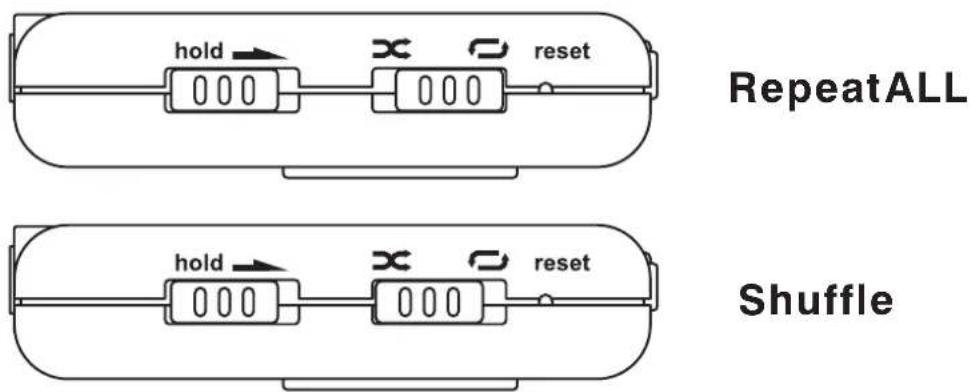
PlayModeSelect
RepeatAll ☐: Repeatplaying all tracks.
Shuffle x: Playing every tracks in a random order.
You may select the play mode 'RepeatALL' or 'Shuffle' by sliding the Play Modes switch to 'RepeatALL' or 'Shuffle' position.
Volumecontrol
Pressthe and button to increase and decrease the volume.
PausingPlayback
Pressthe button to pause the playback. To resumen normal playback, pressthe button.
Skipping to adifferenttrack
Press the button to skipto the previous track and the button to skipton next track.
Poweroff
Press and hold button for 2 seconds and the player will then shutdown.
If the battery voltage is lower than off voltage (Low Battery), LED indicator will then be 'flashing red' and then shutdown the player.
TROUBLESHOOTING
| Symptom | Possiblesolution |
| Theplayercannotpoweron | -Thebatterylelistoolow.ConnecttoPCfor charging. |
| Theplayerdoesnotcharge whenIconnecttoPC | -DisconnecttheplayerfromPC.Thenresetthe unitbyrecessingtheResetbuttondownwardfor atleast15seconds.ThenreconnecttheunittoPCforcharging. |
| Nosoundduring playback | -Checkwhethervolumeismutedortoolow.-Makesuretoplugtheearphonefirmly. |
| WMPorPCdoesnotrecognizetheplayer | -PleasemakesureyouhaveWindowsXP withServicePack1installedonyour computerbeforeproceeding.-WindowsMediaPlayer10isrecommended.YoucandownloadWindowsMediaPlayer10 at:www.windowsmedia.com-CheckwhethertheUSBcableisattached firmly.-CheckifyourPCmeetstheiminimum requirement.-TrytousedifferentUSBport |
| Thereisnoiseduring playback | -Checkwhethertheearphoneplugisconnected firmly.-Checkwhethertheearphoneplugisdirty.-Thesongsmaybecorrupted,pleasedownload othersongsandtryagain. |
| Themusicfilecannotbe played | -Thefilemaynotbecompatiblewithourplayer.Pleasecheckthesupportedformatinthe specificationssection.-Checkifitiscopyrightprotectedfile,ifso,the transfershouldbedownloadedbyWindows MediaPlayercheckiftheusageofthecopyright protectedfileisexpired. |
| Cannottransfersongto player | -Capacityfull |
SPECIFICATIONS
| Size | 28 x 47.6 x 11.5 mm |
| Weight | 14.5g |
| Capacity | 1G/2G/4G,dependingonversion |
| Frequencyresponse | 20-20kHz |
| DRM | DRM9 |
| AudioFormat supported | MP3/WMA/WAV |
| Powerandbattery | 3.7V/140mAh,chargingtimeviaUSB about2hours Built-inrechargeablelithiumpolymer battery |
| PCinterface | USB2.0highspeed |
| Musicplaybacktime | 10hourswhenfullycharged |
| Operatingtemperature | 0-40degree |
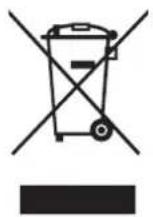
Thissymbolontheproductorintheinstructionsmeansthatyourelectricalandelectronic equipmentshouldbedisposedattheendofitslifeseparatelyfromyourhouseholdwaste.
ThereareseparatecollectionsystemsforrecyclingintheEU. Formoreinformation,pleasecontactthelocalauthorityoryourretailerwhereyou purchasedtheproduct.

VisitPartmaster.co.uktodayfortheeasiestwaytobuyelectricalsparesandaccessories.
Withover 1 million spares and accessories available we can deliver directly your door the every next day.
Visit www.partmaster.co.uk
orcall
08706001338
(UKcustomersonly)
CallschargedatNationalRate.
- Highlightsoftheplayerinclude:
- FileSupport:
- USBMassStorage:
- Attention:
- SafetyWarning
- SAFETYPRECAUTION
- Warning:
- Contents
- PACKAGECONTENT
- LOCATINGTHECONTROLS
- BATTERYCHARGINGBYCONNECTINGPC/ADAPTOR
- NOTE:
- Notes:
- PLAYINGWITHBATTERY
- RESET
- MINIMUMPCSYSTEMREQUIREMENT
- CONNECTINGTOTHECOMPUTER
- Connecting the Multimedia Player to PC
- Connection
- Filetransfer
- Disconnection
- BASICOPERATION
- POWERON
- KEYLOCK
- PlayModeSelect
- Volumecontrol
- PausingPlayback
- Skipping to adifferenttrack
- Poweroff
- SPECIFICATIONS
Brand : HITACHI
Model : DMP210N
Category : Mp3 player