Fit 9603A - Smartwatch SPC - Free user manual and instructions
Find the device manual for free Fit 9603A SPC in PDF.


User questions about Fit 9603A SPC
0 question about this device. Answer the ones you know or ask your own.
Ask a new question about this device
Download the instructions for your Smartwatch in PDF format for free! Find your manual Fit 9603A - SPC and take your electronic device back in hand. On this page are published all the documents necessary for the use of your device. Fit 9603A by SPC.
USER MANUAL Fit 9603A SPC
natural_image
Silhouette of a rocket inside a circular frame (no text or symbols)This guide includes all the information to make the most out of your SPC Fit.
GET AN SPC ACCOUNT
Free advantages just one click away..
Before going on reading this manual, we strongly recommend you visiting www.spc-universe.com, SO YOU CAN CREATE AN SPC ACCOUNT AND REGISTER YOUR PRODUCT.
By doing this, you will be able to get into SPC universe: an exclusive club where our clients can get incredible offers and discounts and also upgrade or renew their products.
Moreover, having an account means free access to SPC services: tablet and smartphone apps, technical support...
This is SPC. A universe in technology.
BOX CONTENTS
SPC Fit Monitor
CR2032 battery
Silicone bracelets
Clip accessory
Hair band accessory
User guide
- Guarantee certificate
FEATURES
■ Functions: Activity monitor (pedometer, distance covered, calories burned) and sleep gauge (quality and time). Application for Android and iOS.
Battery: Battery life of up to 2 months with sleep mode every day, and up to 4 months without sleep mode.
■ Dimensions and weight: 27x9 mm. Weight: 3.5g (monitor only)
LOCATION OF CONTROLS

The monitor does not have any button or control.
The back cover has a notch to unscrew it to replace the battery or to change the back accesory.
POWER SUPPLY AND BATTERY REPLACEMENT
The monitor works with a CR2032 battery (included). It has a life of approximately 4 months (depending on its use). To insert the
battery, just turn the cover and unscrew it until it opens. Place the battery inside.
You will know that the battery is empty from the application, because even if you walk, the steps will not be counted. When it happens, you need to replace the battery, following same previous steps as to open the cover. Take out the old battery and replace it with a new one.
USING THE MONITOR
START UP
From factory the monitor comes without the battery inside, to save battery. Once you place the battery in, the monitor will activate and it will start counting steps.
The monitor does not switch off; it is constantly on until the battery runs out. By using BLE (Bluetooth Low Energy) it has very low battery consumption.
MONITOR PLACEMENT
You can place the monitor in any of its accessories.
If you are going to monitor your activity, the best place to have the monitor is with the accessory clip on or near the torso (waist or chest). The step count may be slightly less accurate in other places such as pockets.
If you are going to monitor your sleep, it is preferable to use the accessory bracelet and to put it on the non-
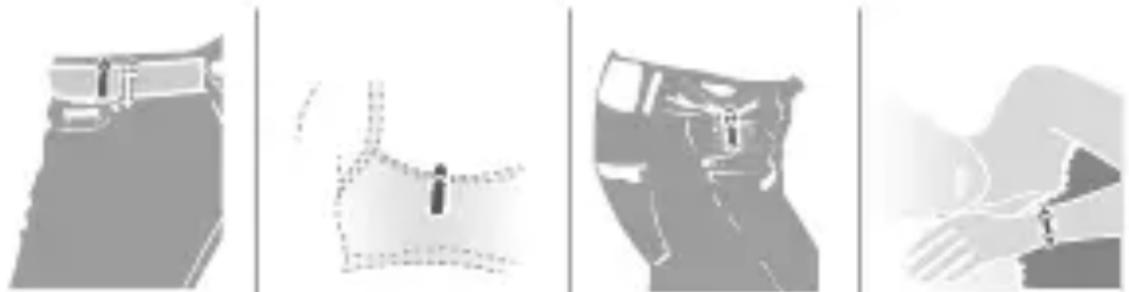
natural_image
Four grayscale images showing different hand positions and designs, possibly for assembly or design (no text or symbols visible)On your belt On your bra O your pocket On your wrist
(in order to monitor sleep)
dominant hand (on the left hand if you are right-handed, and vice versa).
NOTE: Do not take the monitor on activities in which it may get wet, as it is not waterproof.
EN
USING THE APPLICATION
DOWNLOADING AND USING THE APPLICATION
You can use the monitor with your Android SmartPhone and your iPhone, taking into account that these requirements must be met:
- Android: SmartPhone with Bluetooth 4.0 Low Energy (BLE) and a BLE API that allows access to BLE through third party application codes (commonly Android 4.3 and above)
■ iOS: iPhone 4S and above
NOTA: To see if your SmartPhone has BLE, check the technical specifications or install a BLE tester on your SmartPhone, there are several free on the PlayStore.
To download the application, proceed as follows:
■ From Android: search for the SPC Fitness application in the PlayStore
from iOS: search for the SPC Fitness application in the APP Store
Download and install the application.
NOTA: If you have any problems while downloading the applications, you can also download them from http://support.spc-universe.com
To be able to link your SmartPhone with your monitor, you must have previously activated Bluetooth.
Once the application is installed, you will need to be registered on the system or, alternatively, log in with an existing account.
In order to register you will need to enter an email address, password, profile photo (from the camera or another photo), name, gender, date of birth, weight and height.
■ Then you will need to set a daily goal, by sliding a bar at the bottom of the screen
In the next step, you have to link the application and monitor. Thus, search the monitor in the devices screen and press on it. For security reasons, it's necessary to do a confirmation from the monitor to link it. This is to shake 3 times the monitor during 2 seconds. Otherwise, they will not link.
If everything goes well, the application and the monitor will be linked (remember to have Bluetooth activated and that both monitors need to be less than 10 metres away)
- On subsequent occasions, it will not be necessary to register again, you will simply log in with the username and password created earlier
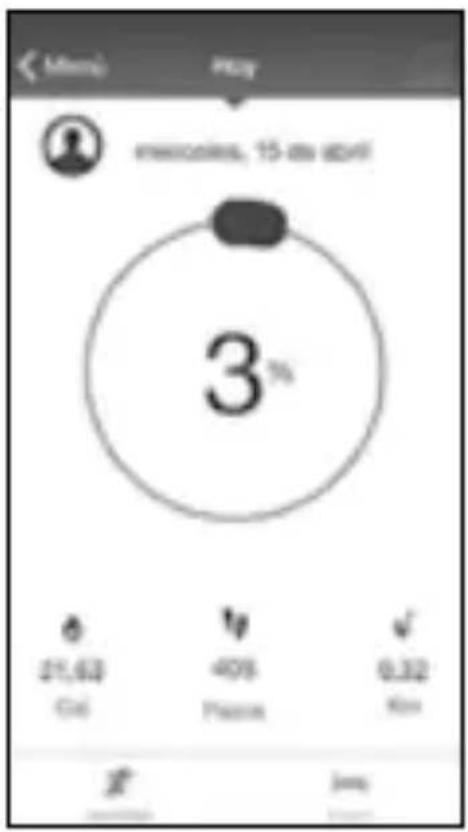
measurements (entered when you created your profile), it will calculate the distance covered, calories burned and the percentage of the daily goals previously set that has been covered.
MONITORING ACTIVITY
Open the application before starting the activity and synchronise the monitor and application.
Once the monitor and application are synchronised, you can begin the activity. The monitor will count your steps and, based on your
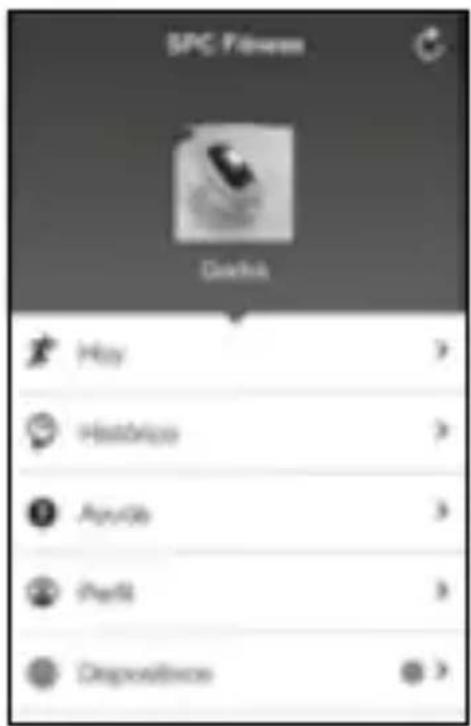
You can view the statistics and history by selecting the "History" option.
NOTE:
-If you use the monitor without having your mobile close by, it will also count the steps, and the next time that you link them the data recorded by the monitor will be synchronised with the application. It is possible that the steps displayed on the application do not match those on the monitor, but when you start or continue the activity again, they will automatically be synchronised again and the number will match.
-Keep in mind that even you don't have the monitor synchronized with the application, the monitor will save its data from the last 30 days, so next time you sync it, this data will be seen.
-The monitor counts the steps from a fixed and continuous number of 10 steps, i.e. it will count all steps but they will only be counted in the total count if the steps exceed 10 steps, showing number 11 for the 11th step. This is to avoid any possible involuntary movements of the monitor without any activity.
MONITORING SLEEP
To take the data of sleep quality, you have to set the monitor in sleep mode. This is done from the application, by pressing the sleep switch.
When you wake up, leave sleep mode so that the monitor knows that the night is over and to save and thus process the results. You have to do it again with the sleep switch.
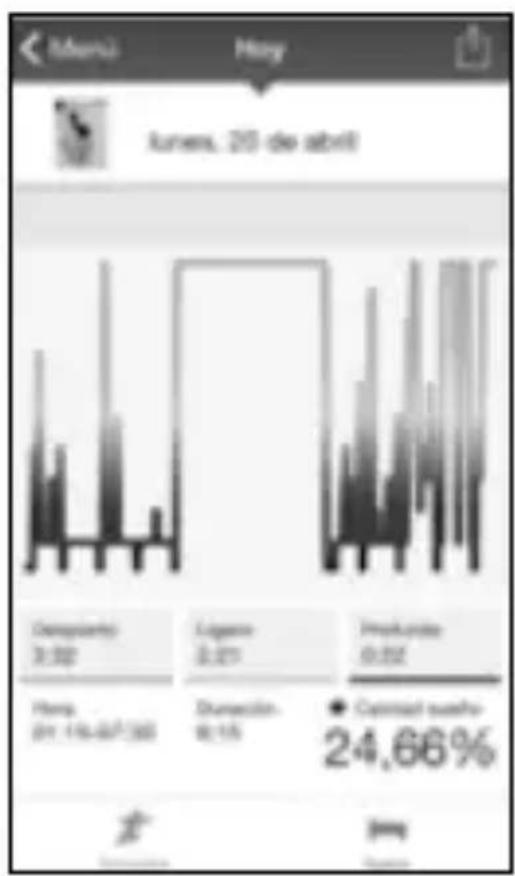
bar
| Category | Value | |---|---| | Company value | 3.92 | | Average price | 3.81 | | Product value | 3.92 | | Price change (%) | 24.66 |Once the monitor is synchronised with the application, if you go to the “Sleep quality” screen (by sliding your finger from right to left over the “Today’s activity” screen), you will see a chart with the results of your sleep, seeing the ups and downs caused by movements made. If you press any point of the chart you will see when that movement occurred.
SHARING DATA
You can share your results, simply press the icon ↑ at the top right-hand side both in the “Today’s activity” section (only on Android) as well as in the “History” section, select the application in which you want to share the data and choose who you want to share it with and what message you want to publish.
PROFILE
In this part you can edit the user data entered previously (profile photo, gender, name, birth date, height and weight) and change also your daily goal.
Copyright © 2015 SPC www.spc-universe.com
The information that this guide contains cannot be transmitted, played or distributed in any case without the written authorization of SPC.
COMERCIAL BRANDNAMES
SPC is a registered brandname of Telecom y Novatecno S.A.
NOTE: SPC reserves the right to modify the information of this guide in any moment. All the information and recommendations that we can find here do not guarantee anything.
BEM-VINDO
natural_image
Silhouette of a person wearing a cap and glasses (no text or symbols visible)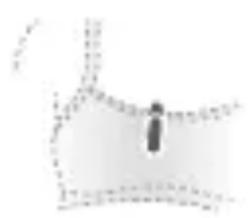
natural_image
Abstract 3D geometric shape with no visible text or symbols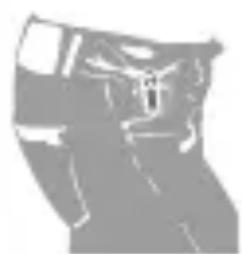
natural_image
Silhouette of a person wearing a helmet and glasses (no visible text or symbols)
natural_image
Abstract grayscale illustration of a hand holding a wristwatch (no text or symbols)NOTA:
Copyright © 2015 SPC
www.spc-universe.com
Director General/General Manager/Diretor-geral