R9841100 - Lamp Barco - Free user manual and instructions
Find the device manual for free R9841100 Barco in PDF.


User questions about R9841100 Barco
0 question about this device. Answer the ones you know or ask your own.
Ask a new question about this device
Download the instructions for your Lamp in PDF format for free! Find your manual R9841100 - Barco and take your electronic device back in hand. On this page are published all the documents necessary for the use of your device. R9841100 by Barco.
USER MANUAL R9841100 Barco
LampKilforiQ/SIM4/0VDR120Projectors
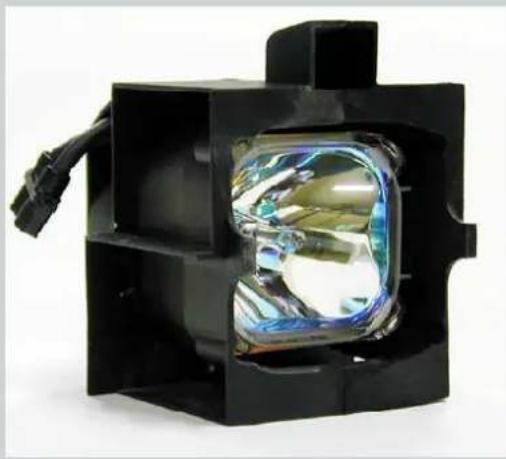
natural_image
Close-up of a black rectangular electronic device with a transparent lens and cable, no visible text or symbols.InstallationManual
R9841770-R9841771
R9841100-R9841111
R9841760-R9841761
Barco nv Presentations
Noordlaan 5, 8520 Kuurne
Phone: +32 56.36.82.11
Fax: +32 56.35.86.51
E-mail: presentations.bid@barco.com
Visit us at the web: www.barco.com
Copyright©
All rights reserved. No part of this document may be copied, reproduced or translated. It shall not otherwise be recorded, transmitted or storedinaretrievalsystemwithoutthepriorwittenconsentofBarco.
FederalCommunicationsCommission(FCCStatement)
This equipment has been tested and found to comply with the limits for a class A digital device, pursuant to Part 15 of the FCC rules. These limits are designed to provide reasonable protection against harmful interference when the equipment is operated in a commercial environment. This equipment generates, uses, and can radiate radio frequency energy and, if not installed and used in accordance with the instruction manual, may cause harmful interference to radio communications. Operation of this equipment in a residential area may cause harmful interference, in which case the user will be responsible for correcting any interference.
Trademarks
Brand and product names mentioned in this manual may be trademarks, registered trademarks or copyrights of their respective holders. All brand and product names mentioned in this manual serve as comments or examples and are not to be understood as advertising for the products or their manufactures.
1.SAFETY
1.1 SafetyGuidelines

This procedure is intended for use only by qualified service technicians who have been trained and authorized by BARCO!

WARNING: Hot Surface and Risk of Explosion: Switch the projector to stand by and let it cool down for at least 15 minutes. These lamps consist of a quartz arc tube operating at very high temperature and high pressure which may explodes suddenly. There is a risk of personal injury and property damage from hot quartz arctube particles if handled incorrectly.

WARNING: Risk of Electrical Shock: Power down the projector and unplug the power cord from the wall outlet. Oncetheprojectoriscooleddownandthepowerisoff, continuewiththeprocedure.

WARNING: Lamp Runtime Warning: Do not exceed the indicated maximum total lifetimeofthelampforsafe operation in normal power mode. Do not use it longer! Always replace the lamp with the BARCO lamp kit.
1.2 Recyclingguidelines

WARNING: Do not break or crush lamps because this may pose health and environmental risks when mercury vaporsarereleased.

CAUTION: To avoid breaking the lamps, repack carefully when storing and transporting them.

CAUTION: Lamps may not be disposed as normal household trash.
Contactyourlocalwastedisposalfacilityforinf Discharge)lampsinyourarea. ormationontherecyclingprogramforHID(HighIntensity

natural_image
Simple line drawing of a trash bin with two crossed lines (no text or symbols)Image1-1
Disposaloptionsformercury-containinglamps
- Recycle through a municipal or solid waste district household hazardous waste collection program in accordance with local regulations.
•Directshipmenttolamprecycler - Shipmentthroughahazardouswastetransporter
2. KITCONTENT
2.1 Contents
Overview
Depending on the Kitnumber ordered the kit may contain 1 or 2 lamps, the lamp power may also differ according to the type of Projector.
| KitnumberDescription | Quantity | Manual | ||
| IQ200/OVDR120 | R9841771120WLamp1R5976375 | |||
| R9841770120WLamp2R5976375 | ||||
| IQ300/MGP10/SIM4 | R9841111200WLamp1R5976375 | |||
| R9841100200WLamp2R5976375 | ||||
| IQ350/400/500 ^1 | R9841761250WLamp1R5976375 | |||
| R9841760250WLamp2R5976375 |
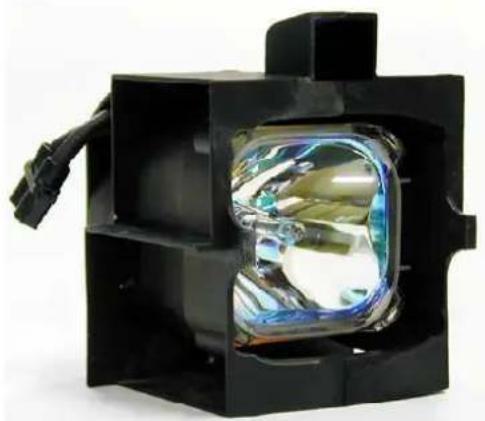
natural_image
Close-up of a black rectangular electronic device with a transparent lens and cable, no visible text or symbols.Image2-1

CAUTION: Do not touch the cover glass with your fingers. If the lamp is touched, finger prints can be removed bycleaningthelampwithalcohol.
3. REPLACEMENTPROCEDUREINCASEOFANIQ PROJECTOR
Overview
- Resetlampruntime
- Accesstothelampunit(s)intheiQprojector
-Removingthelampunit(s) - MountingtheLampUnit
- Mountingthecover.
- Cleaning
3.1 Resetlampruntime
3.1.1 Resetruntime
Whentoresetthelampruntime?
Thelampruntimeshouldonlyberesetwhenplacinganewlamp.

WARNING: Lamp runtime reset as well as the lamp replacement can only be done by a Barco authorized technician.
HowtoresetthelampruntimeintheiQ/iD?
- PressMENUtoactivatetheToolbar
- Press→ toselecttheLampitem
- Press ↓ to Pull down the Lamp menu
- Use or to select Reset runtime
- Press→ topulldownthemenu
-
Use or to select the lamp to be reset (image 3-1)
-
PressENTER
Adialogboxisdisplayed(image3-2)
- Use ← or →, the numeric keys on the remote, or the keypad to change the serial number of the lamp (serial number 0000000 will not be accepted).
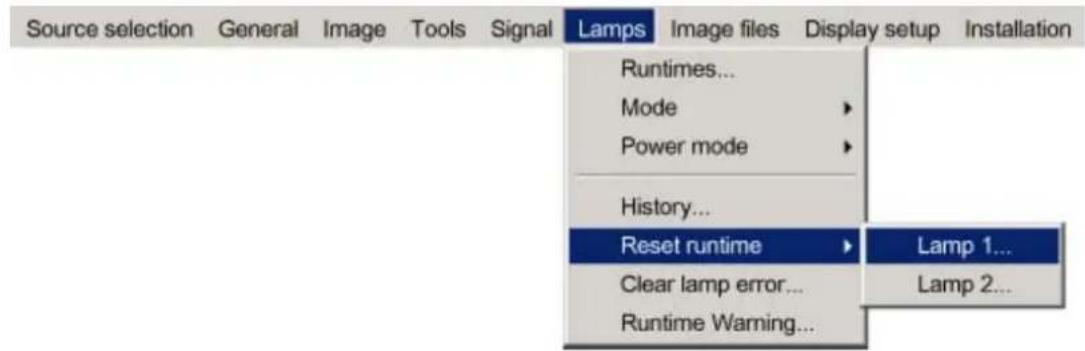
Image3-1
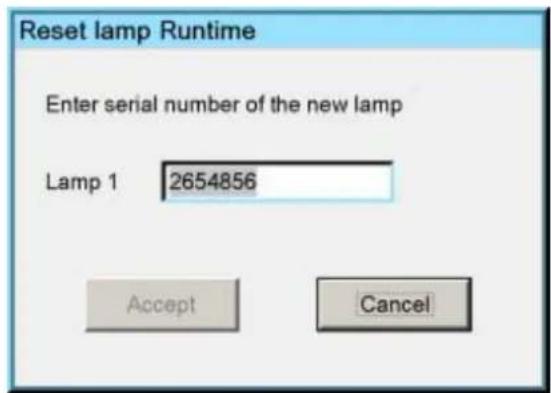
Image3-2

WARNING: Lamp runtime reset as well as the lamp replacement can only be done by a Barco authorized technician.
HowtoresetthelampruntimeintheSIM5Plus?
- PressMENUtoactivatetheToolbar
- Press→ toselecttheLampitem
- Press↓ to Pulldownthe Lampmenu
- Use ↑ or ↓ to select Reset runtime
- Press→ topulldownth emenu
- Use ↑ or ↓ to select the lamp to be reset (image 3-3)
- PressENTER
Adialogboxisdisplayed(image3-4)
- Use ← or →, the numeric keys on the remote, or the keypad to change the serial number of the lamp (serial number 0000000 will not be accepted).
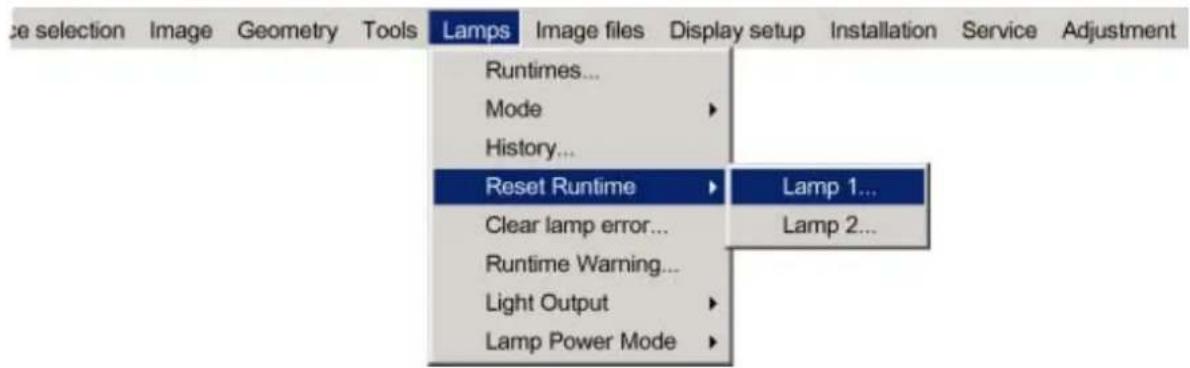
Image3-3
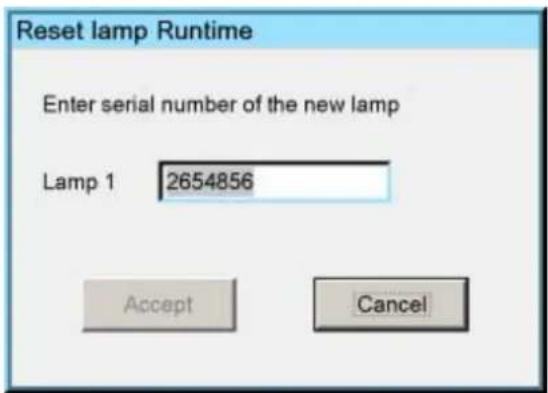
Image3-4

WARNING: Lamp runtime reset as well as the lamp replacement can only be done by a Barco authorized technician.
3.2Accesstothelampunit(s)intheiQprojector
3.2.1 Removingthebackcover
Necessarytools
aflatscrewdriverof10mm
Necessaryparts
Noparts.

WARNING: Ri sk of Electrical Shock: For replacement procedures power down the projector and unplug the powercordfromthewalloutlet.Oncetheprojectoriscooleddownandthepowerisoff,continuewiththe replacementprocedure.
Removingthebackcover
-
TurnwithascrewdriverthecoverlockscrewAquarterturncounterclockwise.(image3-5)
-
Removethebackcover.
Seeimag e3-6, image3-7.
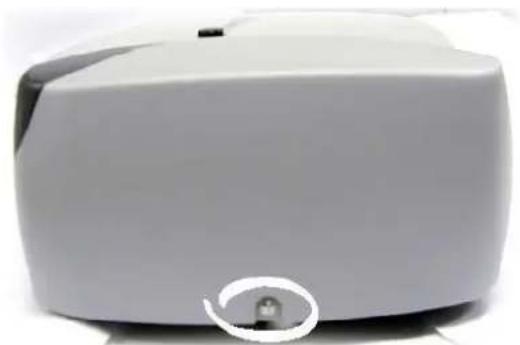
natural_image
Close-up of a white electronic device with a small circular button on the side (no visible text or symbols)Image3-5 rearcoverlockscrew
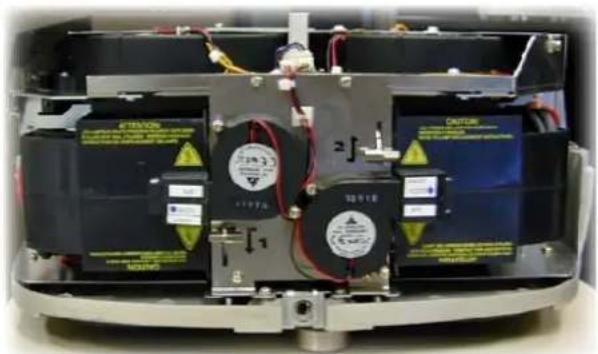
natural_image
Interior view of a device showing internal components with labeled parts (no readable text or symbols)Image3-6 rearcoverremoved
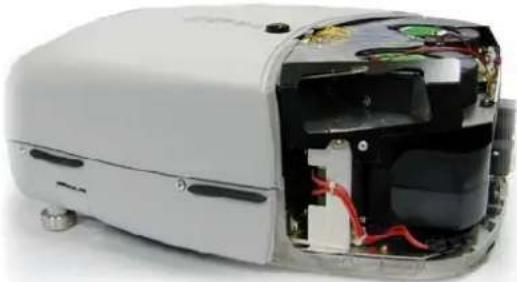
natural_image
Interior view of a white electronic device showing exposed internal components and wiring (no text or symbols visible)Image3-7 rightviewoftheprojector, rearcoverremoved
3.3Removingthelampunit(s)
3.3.1 Removingthelampunit(s)
Whathastobedone?
- Thelamppowerconnectionhastobedisconnected.
- Thelampunithastoberemoved.

Perform the procedure for both lamps if necessary. In this procedure lamp1 is replaced, the procedure being the same for lamp2.
Necessarytools
Notools.
Necessaryparts
Noparts.
Howtoremovethelampunit?
1.Disconnectthel amp(image3-8)
Seeimage3-9.
-
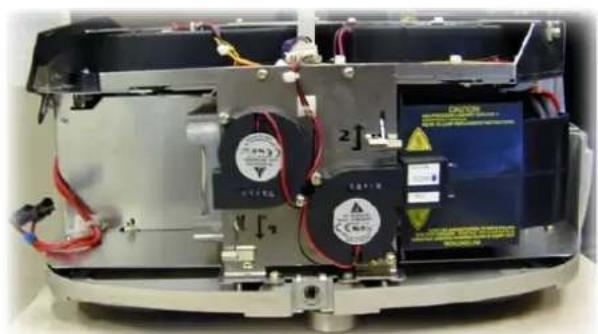
Push the lamp locking handle slightly to the left (or to the right for lamp 2) and turn it over to unlock the lamp (image 3-10)
-
Takeoutthelampunit(image3-11)
Seeimage3-12.
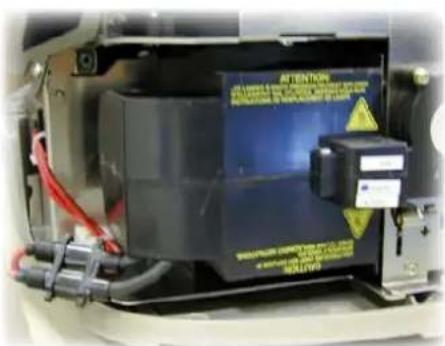
Image3 -8 lampcon nector
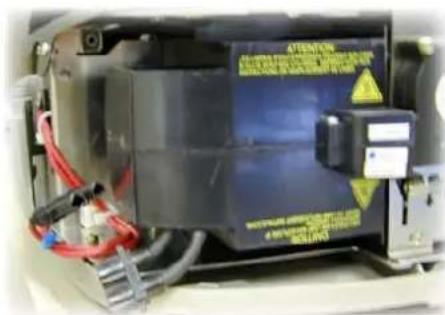
Image3-9 disconnectedlampconnector
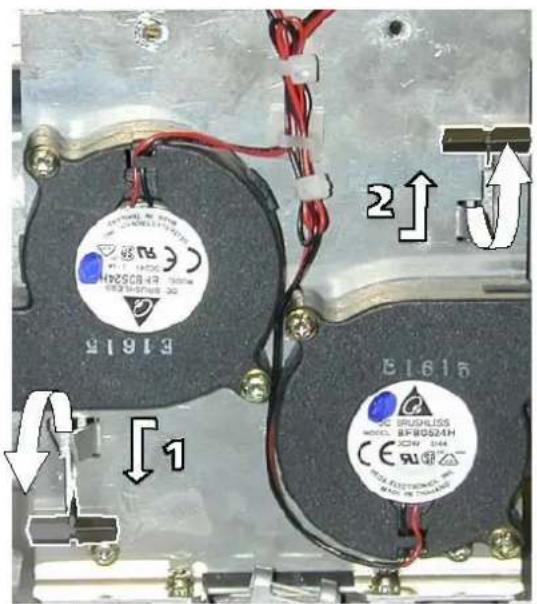
Image3-10 unlockinglamp1&lamp2
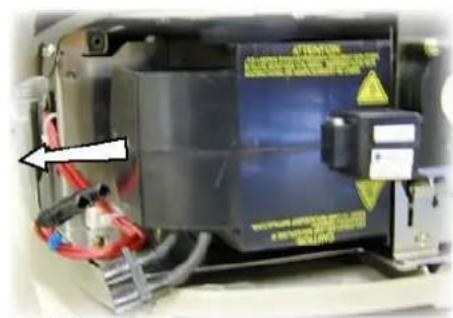
Image3-11
natural_image
Interior view of a device showing internal components with wires, capacitors, and connectors (no readable text or symbols)Image3-12 Lamp1removed
3.4MountingtheLampUnit
3.4.1 Mountingthelampunit(s)
Whathastobedone?
- Thelamphastobemounted
- Thelamphastobeconnected.

Perform the procedure for both lamps if both lamp shavetobereplaced. In this procedure lamp1 is replaced, the procedure being the same for lamp2.
Necessarytools
Notools.
Necessaryparts
Noparts.
Howtomountthelampunit?
-
Placecarefullythelampagainststtheframe
-
Pushthelampinwardsandturnthelamplockinghandleovertolockthelamp(image3-13)
- Connectthelamp(image3-14)
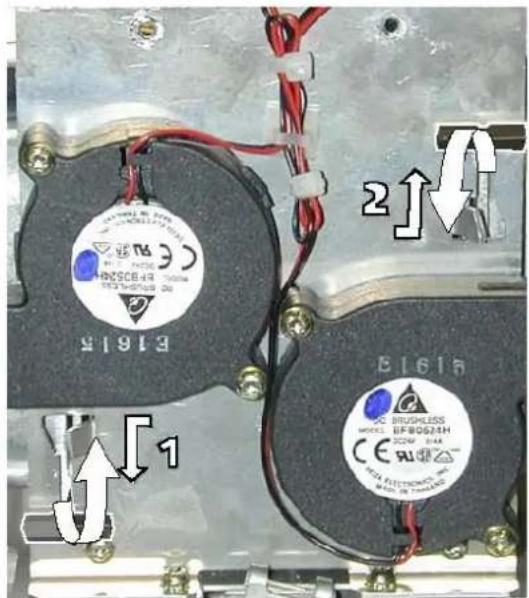
Image3-13
lockinglamp1&lamp2
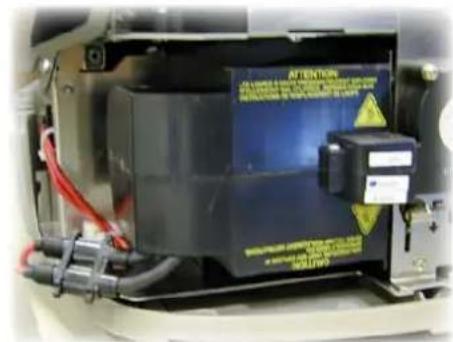
Image3-14
Lampconnected

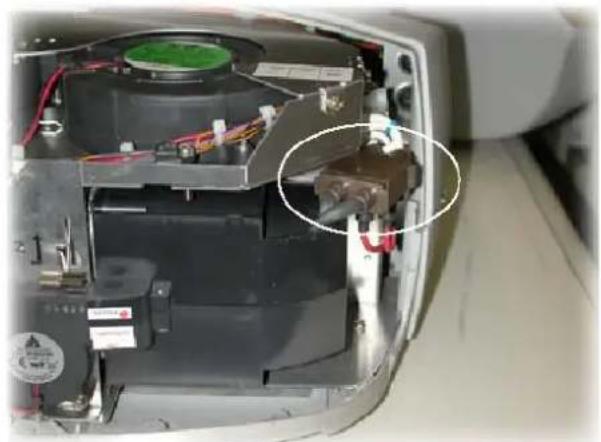
The new 120W lamp driver (B4006511K) has a different connector, therefore an adapting connector is used on the120W lampunit.
natural_image
Interior view of a device showing internal components and wiring, with no visible text or symbols.Image3-15
3.5Mountingthecover.
Mountingthebackcover
- Replacethebackcover.
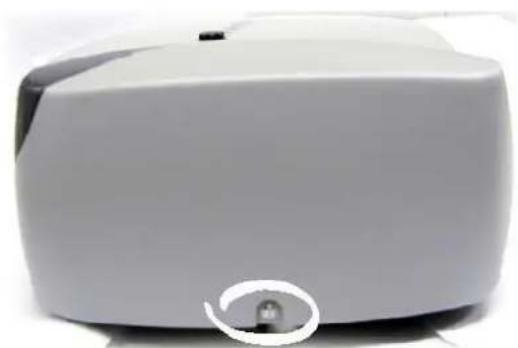
- Turn with a screwdriver the cover lock screw a quarter turn clockwise to lock the cover. (image 3-16)
natural_image
Close-up of a white electronic device with a small circular button on the side (no visible text or symbols)Image3-16
3.6Cleaning
Howtocleanthedustfilters?
- Placetheprojectorsoastoaccesseasilythefiltertobecleaned
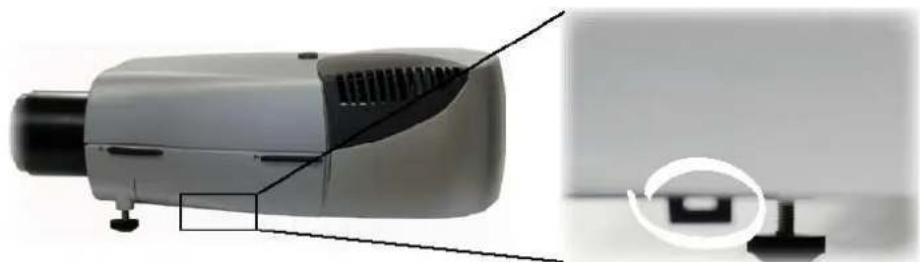
- Push the handled downward stounlock the filter. (image3-17)
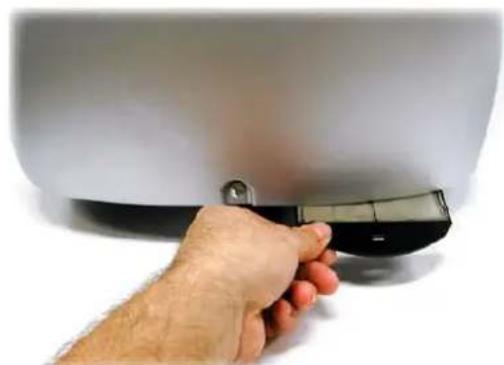
3.Slideoutthefilter(image3-18,image3-19,image3-20)
Seeimage3-21. - Cleanthedustfilterwithadrycloth.
- Re-insertthedustfilterbyslidingitbackinthefilterhousing.
natural_image
Exterior view of a modern office building (no signage)Image3-17
Locationofthex-cubefilteranditshandle
natural_image
Hand holding a black plastic clip attached to a white cylindrical object (no text or symbols visible)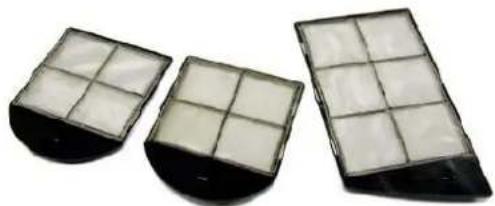
natural_image
Three rectangular filter panels with grid patterns, displayed against a white background (no text or symbols visible)Image3-19
lamp&X-Cubefiltersremoved
Image3-18
Lampfilterremoval
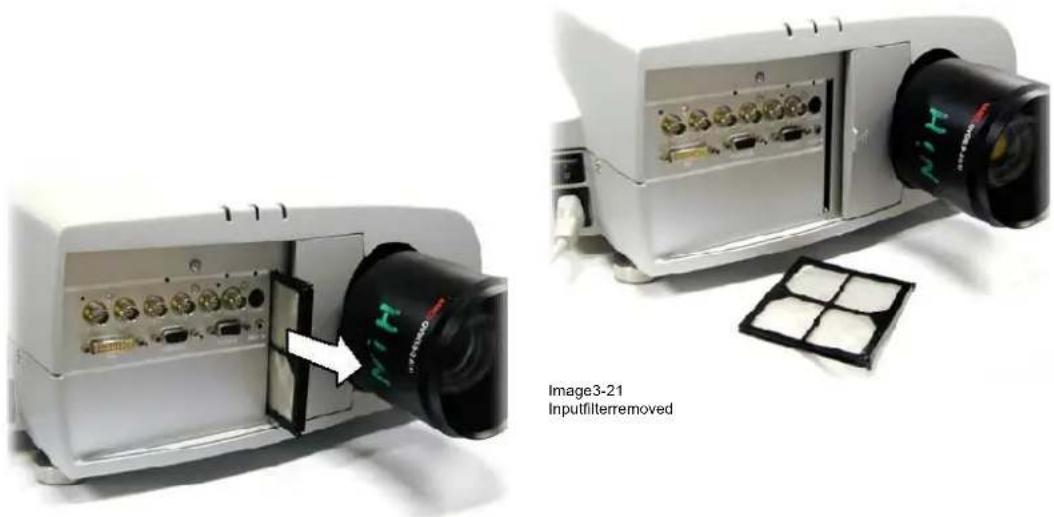
Image3-20
Inputfilterremoval

If the air flow is falling under a predetermined threshold value a warning will be displayed on the screen.
Message
An insufficient airflow is detected
Please check your dustfilter
at the airflow entrance
Image3-22
At that time it is strongly recommended to replace or clean the dustfilter under the X-cube. Failing to do so, willstronglyreducethelifetimeoftheLCD'sandtheanalyzers.
The manufacturer reserves itself the right to refuse warranty repair if the projector was working with dirty dustfilters.
4. REPLACEMENTINCASEOFASIM4/OVDR120 PROJECTOR
4.1 Lampreplacement

CAUTION: Do not touch the cover glass with your fingers. If the lamp is touched, finger prints can be removed bycleaningthelampwithalcohol.
Whentoreplacethelamp?
Thelampmustbereplacedattheendoflifetime.
Necessarytools
hexagonalballdriver(5)
Startup
- Push the cursor key or to highlight Reset Lamp Run Time. (menu 4-1)
- PressENTER.
The following warning will be displayed:
Riskofelectricalshock. Resetlampruntimeisreservedtoqualifiedservicepersonnel.(menu4-2)
- PressENTER
Seemenu4-3.
4.Entertheserialnumberofthenewlamp - PressENTER
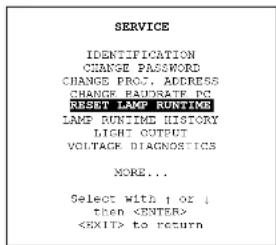
Menu 4-1
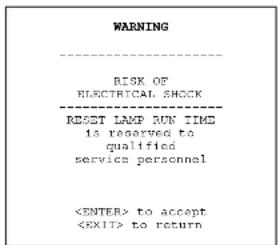
Menu 4-2
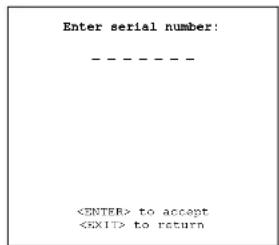
Menu 4-3
Howtoreplacethelamp?
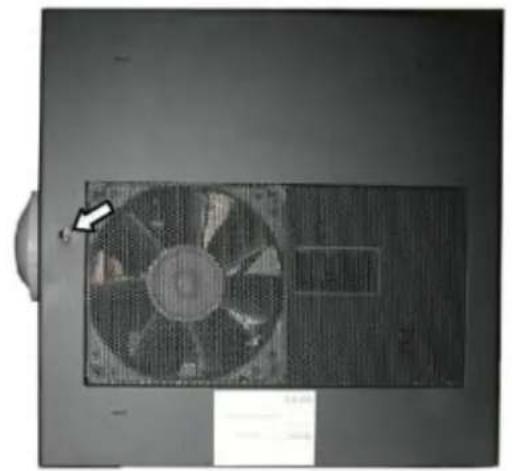
- Unscrew the hexagonalscrew(image4-1)
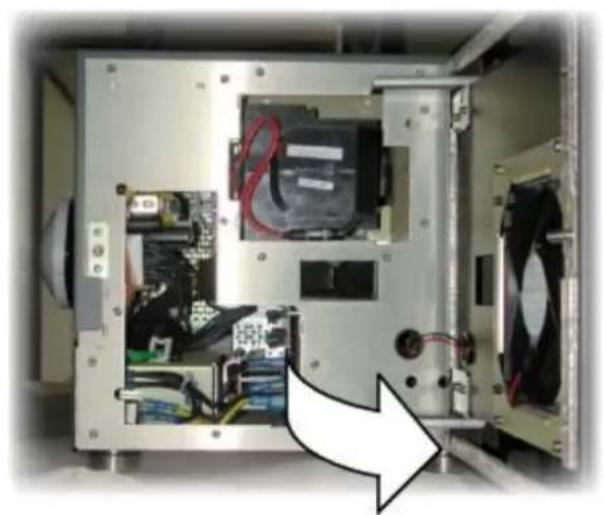
- Openthesidedoor(image4-2)
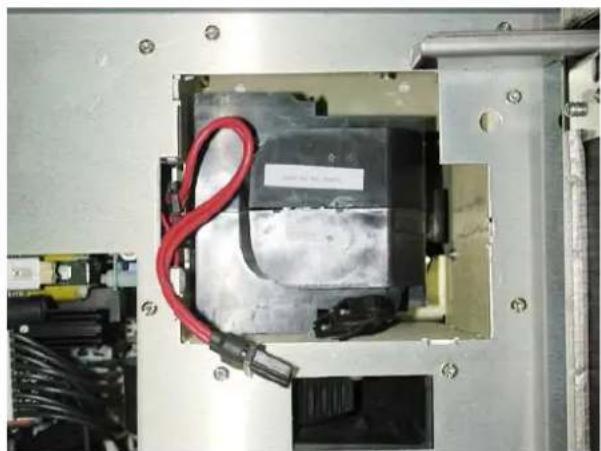
3.Disconnectthelamp(image4-3) - Usethelongscrewdrivertomovelockinghandledownwardstounlockthelamp.(image4-4)
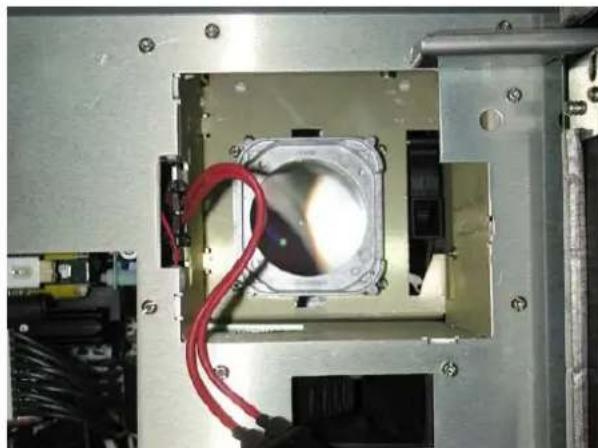
- Removethelamp(image4-5)
- Mountthenewlamp
- Movelamplockinghandleupwards
- Close and secure the sided door
natural_image
Top-down view of a mechanical fan component with a white arrow pointing to a specific part (no visible text or symbols)Image4-1 Locationofsidedoorscrew
natural_image
Interior view of an electronic device showing internal components like CPU, drive, and fan (no visible text or symbols)Image4-2 sidedooropen
natural_image
Interior view of a mechanical or electronic device with a black box, red wires, and connectors (no visible text or symbols)Image4-3 Lampdisconnected
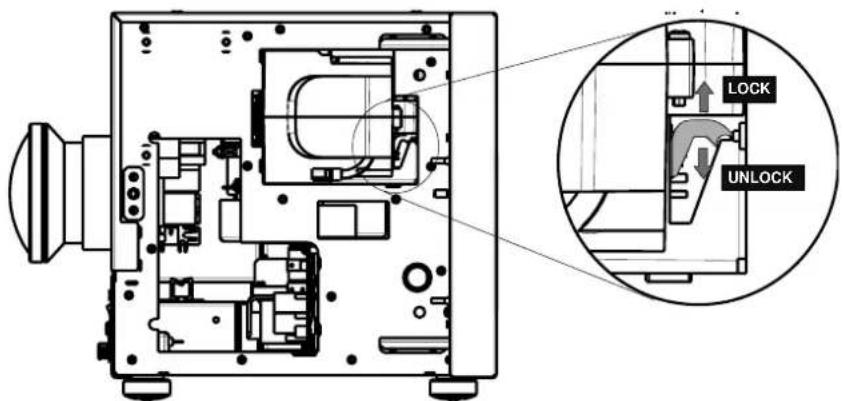
Image4-4 Lamplockinghandle
natural_image
Close-up of a metallic mechanical component with red wires and a central circular light source (no visible text or symbols)Image4-5 Lampremoved

When replacing the lamp it is strongly recommended to check and clean (or replace if necessary) the dustfilters.
INDEX
A
access7
C
Content3
cover7.10
mounting10
removing7
F
Filters11
cleaning11
G
guidelines1
recycling1
K
Kit3
content3
L
lamp5,7–9
access7
mounting9
removing8
runtimeresetiQ5
M
Menu5
Lampmenu5
resetruntime5
R
Recycling1
replacement5,13
iQ 5
rightside13
sim4/OVDR12013
Runtime5
reset5
S
safety1
guidelines1
RevisionSheet
To:
BarconvPresentations
Noordlaan5,8520Kuurne
Phone:+3256.36.82.11,Fax:+3256.35.86.51
E-mail: presentations.bid@barco.com, Web: www.barco.com
From:
Date:
Please correct the following points in this documentation (R5976375/05):
page
wrong
correct