TPN 750-EC - Adaptateur pour ordinateur ANTEC - Free user manual and instructions
Find the device manual for free TPN 750-EC ANTEC in PDF.


Pick your language and provide your email: we'll send you a specifically translated version.
User questions about TPN 750-EC ANTEC
0 question about this device. Answer the ones you know or ask your own.
Ask a new question about this device
No questions yet. Be the first to ask one.
Download the instructions for your Adaptateur pour ordinateur in PDF format for free! Find your manual TPN 750-EC - ANTEC and take your electronic device back in hand. On this page are published all the documents necessary for the use of your device. TPN 750-EC by ANTEC.
USER MANUAL TPN 750-EC ANTEC
natural_image
Close-up of a black power supply unit with fan and control panel, partially connected by coiled cable (no visible text or symbols)TRUEP
USER'S MANUAL
USER'S MANUAL
TRUEPOWER NEW SERIES
TP-750/TP-750 BLUE POWER SUPPLY
&
THE ADVANCED PSU SOLUTION
The TruePower New series is Antec's full featured line of high-quality, reliable power supply units (PSUs). Combining cutting-edge technology and an efficient design, the TruePower New series is the ideal solution for elite system builders and quality-minded enthusiasts alike. With +12V rails that are regulated to ±3%, the TruePower New series delivers full rated power and tight voltage regulation.
STANDARDS AND FEATURES
The TP-750/750 Blue PSU is compatible with ATX12V v2.3 and EPS12V v2.91 specifications. The TP-750 features Universal Input, which automatically senses when you connect the power supply to any AC power source between 100 \~ 240V without having to worry about setting a voltage switch. This power supply also features Active Power Factor Correction (Active PFC), which improves the power factor value of the power supply by altering the input current wave shape, which helps power transmission across the grid.
SYSTEM PROTECTION
A variety of industrial-grade safety circuitry will help protect your computer: OVP (Over Voltage Protection), SCP (Short Circuit Protection), and OCP (Over Current Protection). Sometimes the PSU will "latch" into a protected shutdown state. This means that you will need to power off the PSU and clear the fault before it will function again. There are no user-replaceable fuses in your TP-750.
80 PLUS® BRONZE CERTIFICATION
80 PLUS® certification is the most widely recognized independent standard in power supply efficiency. An 80 PLUS® certified power supply uses less energy and generates less heat to stay cooler, run quieter and last longer. The TP-750/TP-750 Blue PSUs earn the rare 80 PLUS® Bronze level of efficiency, meaning that it has been certified to be at least 82% efficient at a wide range of operating loads; this will lower your operating costs and help protect the environment.

line
| Loading (% of Rated Output Power) | Efficiency (%) |
| --------------------------------- | -------------- |
| 0% | 80% |
| 25% | 83% |
| 50% | 84% |
| 75% | 83% |
| 100% | 81% |
NVIDIA™ SLI™-READY CERTIFICATI
Antec's TruePower New power supplies are NVIDIA™ SLITM-Ready certified for use with pairs of high-end graphics cards for superior parallel graphics processing.
ADVANCED HYBRID CABLE MANAGEMENT SYSTEM
The TP-7+0 uses Advanced Hybrid Cable Management. Cables that are important or mandatory are connected directly to the PSU. There are also modular connectors on the back of the PSU to add additional cables as needed. Using only the power cables you need will reduce clutter and improve airflow inside your case. For the list of connected and optional cables, see Table 1.
DC T< DC C
Antec's TruePower New series uses DC to DC conversion for the +V and 3.3V rails. The DC to DC voltage regulation module is the most advanced design, usually found on high-end motherboards, to step down DC voltage. This module operates at ±+% efficiency, as opposed to traditional magnetic amplifiers that operate at only 7+% efficiency. Another benefit is that transient response time is almost 100 times faster, providing remarkably stable power output in response to changing loads.
PULSE WIDTH M
Pulse Width Modulation technology allows the TruePower New series to finely control the speed of the power supply's fan. By using this method instead of the traditional voltage controlled fans, this PSU's fan can run up to +0% quieter than standard fans. A PWM fan can run as slow as 10-1+% of the fan's rated top speed, whereas a voltage regulated fan can only go as low as 40%.
D
Designed with a double layer printed circuit board, the TruePower New series utilizes a low-density component layout to provide better airflow throughout the casing. In addition, double layer PCBs allow for heavy-duty components and larger traces, reducing electrical interference and resistance. This ensures greater reliability for the power supply and components connected to it.
HIGH QUALITY JAPANESE BRAND CAPACIT
The TruePower New series features high-quality Japanese brand capacitors. These capacitors enhance stability and increase the unit's MTBF, ensuring greater reliability.
TABLE 1
&
Cable&Quantity Power&Connectors&& Part&Name&&Description& N/A 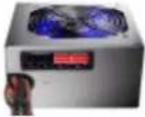
Power supplydirect cabling 24-pin (20+4) main connector ±-pin EPS12V 4-pin ATX12V 2 x ±-pin (6+2) PCI-E 3 x Molex + 1 x Floppy 3 x SATA 2 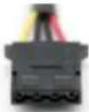 x 3
x 3Molex connectors w/ cable Includes threeMolex connectors 2 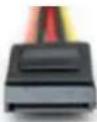 x 3
x 3Serial ATA connectors w/cable Includes three Serial ATA connectors 2 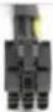 X 1
X 1PCI Express connector w/cable Includes 6-pin PCI-E
+12 V
The TP-750 PSU uses four separate +12 volt power rails. The engineers have allocated the rails to different connectors to prevent voltage sags in one device due to sudden demands for power by another device.
TABLE 2
Direct&Cabling&Connectors&&Rail& (20+4) main connector 1 4-pin ATX12V 2 ±-pin EPS12V 2 PCI-E w/ blue stripe 3 PCI-E w/ green stripe 4 Molex cable from PSU 1 SATA cable from PSU 1

text_image
12V1
12V3
12V4
POWER OUTPUT
The TP-750 distributes a varying maximum number of amps on each rail. To see the output capacity and regulation for each different voltage, see Table 3.
TABLE 3
Output Voltage Load Min. Load Max. Regulation Ripple & Noise +3.3V 0A 25A ±5% <50 mV +5V 0A 25A ±5% <50 mV +12V1 0A 25A ±3% <120 mV +12V2 0A 25A ±3% <120 mV +12V3 0A 25A ±3% <120 mV +12V4 0A 25A ±3% <120 mV -12V 0A 0.8A ±10% <120 mV +5VSB 0A 3A ±5% <50 mV
The continuous maximum total output power shall not exceed 750W.
+12V1, +12V2, +12V3 and +12V4 DC maximum output power shall not exceed 744W (62A).
+3.3V and +5V DC maximum combined output power shall not exceed 170W.
INSTALLATION :
1. Install the TP-750 PSU into your case with the four screws provided.

text_image
Technical diagram of a computer tower with labeled internal components and numbered annotation (1)
2. Connect the 24-pin main power connector to your motherboard. If your motherboard uses a 20-pin connector, detach the 4-pin attachment on the 24-pin connector.
Note: The detachable 4-pin section cannot be used in place of a 4-pin +12V connector.

natural_image
Illustration of a conveyor belt system with rollers and a moving cart (no text or symbols)
3. Connect the ±-pin or 4-pin ATX12V connector for the CPU to the appropriate connector on your motherboard. If your motherboard has an ±-pin socket with a cover on some of the openings, we recommend that you remove the cover and use the ±-pin connector.
Note: Please also refer to your motherboard user's manual for any special instructions.

text_image
Diagram showing two mechanical or electrical setups with labeled components and directional arrows, likely illustrating a system or process.
4. Connect the cables from the cable pack to the socket on the power supply as needed. If you are going to plug the additional PCI-E cable into the PSU, it should go into the red socket. If the red socket is not being used for PCI-E, then it can be used for another cable from the pack that accompanied the PSU.

natural_image
Line drawing of a computer power connector with cable and arrow indicating connection (no text or symbols)
+. Connect the AC power cord to the power supply AC inlet. Please be sure to use the heavy-duty cord supplied with your TP-7+0. Turn the switch to the “|” position after you have connected all the devices and are ready to turn on your computer.

natural_image
Diagram showing a computer unit connected to a cable with an arrow indicating direction (no text or symbols present)
Antec, Inc.
47900 Fremont Blvd.
Fremont, CA 9453±
tel: 510-770-1200
fax: 510-770-12±±
Antec Europe B.V.
Stuttgartstraat 12
3047 A Rotterdam
Netherlands
tel: +31 (0) 10 462-2060
fax: +31 (0) 10 437-1752
Technical Support:
US & Canada
1-±00-22ANTEC
customersupport@antec.com
Europe
+31 (0) 10 462-2060
europe.techsupport@antec.com
www.antec.com
© Copyright 2009 Antec, Inc. All rights reserved.
All trademarks are the property of their respective owners.
Reproduction in whole or in part without written permission is prohibited.
USER'S MANUAL
TRUEPOWER NEW SERIES
TP-750/TP-750 BLUE POWER SUPPLY
&THE ADVANCED PSU SOLUTION
The TruePower New series is Antec's full featured line of high-quality, reliable power supply units (PSUs). Combining cutting-edge technology and an efficient design, the TruePower New series is the ideal solution for elite system builders and quality-minded enthusiasts alike. With +12V rails that are regulated to ±3%, the TruePower New series delivers full rated power and tight voltage regulation.STANDARDS AND FEATURES
The TP-750/750 Blue PSU is compatible with ATX12V v2.3 and EPS12V v2.91 specifications. The TP-750 features Universal Input, which automatically senses when you connect the power supply to any AC power source between 100 \~ 240V without having to worry about setting a voltage switch. This power supply also features Active Power Factor Correction (Active PFC), which improves the power factor value of the power supply by altering the input current wave shape, which helps power transmission across the grid.SYSTEM PROTECTION
A variety of industrial-grade safety circuitry will help protect your computer: OVP (Over Voltage Protection), SCP (Short Circuit Protection), and OCP (Over Current Protection). Sometimes the PSU will "latch" into a protected shutdown state. This means that you will need to power off the PSU and clear the fault before it will function again. There are no user-replaceable fuses in your TP-750.80 PLUS® BRONZE CERTIFICATION
80 PLUS® certification is the most widely recognized independent standard in power supply efficiency. An 80 PLUS® certified power supply uses less energy and generates less heat to stay cooler, run quieter and last longer. The TP-750/TP-750 Blue PSUs earn the rare 80 PLUS® Bronze level of efficiency, meaning that it has been certified to be at least 82% efficient at a wide range of operating loads; this will lower your operating costs and help protect the environment. line
| Loading (% of Rated Output Power) | Efficiency (%) | | --------------------------------- | -------------- | | 0% | 80% | | 25% | 83% | | 50% | 84% | | 75% | 83% | | 100% | 81% |NVIDIA™ SLI™-READY CERTIFICATI
Antec's TruePower New power supplies are NVIDIA™ SLITM-Ready certified for use with pairs of high-end graphics cards for superior parallel graphics processing.
ADVANCED HYBRID CABLE MANAGEMENT SYSTEM
The TP-7+0 uses Advanced Hybrid Cable Management. Cables that are important or mandatory are connected directly to the PSU. There are also modular connectors on the back of the PSU to add additional cables as needed. Using only the power cables you need will reduce clutter and improve airflow inside your case. For the list of connected and optional cables, see Table 1.
DC T< DC C
Antec's TruePower New series uses DC to DC conversion for the +V and 3.3V rails. The DC to DC voltage regulation module is the most advanced design, usually found on high-end motherboards, to step down DC voltage. This module operates at ±+% efficiency, as opposed to traditional magnetic amplifiers that operate at only 7+% efficiency. Another benefit is that transient response time is almost 100 times faster, providing remarkably stable power output in response to changing loads.
PULSE WIDTH M
Pulse Width Modulation technology allows the TruePower New series to finely control the speed of the power supply's fan. By using this method instead of the traditional voltage controlled fans, this PSU's fan can run up to +0% quieter than standard fans. A PWM fan can run as slow as 10-1+% of the fan's rated top speed, whereas a voltage regulated fan can only go as low as 40%.
D
Designed with a double layer printed circuit board, the TruePower New series utilizes a low-density component layout to provide better airflow throughout the casing. In addition, double layer PCBs allow for heavy-duty components and larger traces, reducing electrical interference and resistance. This ensures greater reliability for the power supply and components connected to it.
HIGH QUALITY JAPANESE BRAND CAPACIT
The TruePower New series features high-quality Japanese brand capacitors. These capacitors enhance stability and increase the unit's MTBF, ensuring greater reliability.
TABLE 1
&
Cable&Quantity Power&Connectors&& Part&Name&&Description& N/A Power supplydirect cabling 24-pin (20+4) main connector ±-pin EPS12V 4-pin ATX12V 2 x ±-pin (6+2) PCI-E 3 x Molex + 1 x Floppy 3 x SATA 2 x 3 Molex connectors w/ cable Includes threeMolex connectors 2 x 3 Serial ATA connectors w/cable Includes three Serial ATA connectors 2 X 1 PCI Express connector w/cable Includes 6-pin PCI-E
+12 V
The TP-750 PSU uses four separate +12 volt power rails. The engineers have allocated the rails to different connectors to prevent voltage sags in one device due to sudden demands for power by another device.
TABLE 2
Direct&Cabling&Connectors&&Rail& (20+4) main connector 1 4-pin ATX12V 2 ±-pin EPS12V 2 PCI-E w/ blue stripe 3 PCI-E w/ green stripe 4 Molex cable from PSU 1 SATA cable from PSU 1

text_image
12V1
12V3
12V4
POWER OUTPUT
The TP-750 distributes a varying maximum number of amps on each rail. To see the output capacity and regulation for each different voltage, see Table 3.
TABLE 3
Output Voltage Load Min. Load Max. Regulation Ripple & Noise +3.3V 0A 25A ±5% <50 mV +5V 0A 25A ±5% <50 mV +12V1 0A 25A ±3% <120 mV +12V2 0A 25A ±3% <120 mV +12V3 0A 25A ±3% <120 mV +12V4 0A 25A ±3% <120 mV -12V 0A 0.8A ±10% <120 mV +5VSB 0A 3A ±5% <50 mV
The continuous maximum total output power shall not exceed 750W.
+12V1, +12V2, +12V3 and +12V4 DC maximum output power shall not exceed 744W (62A).
+3.3V and +5V DC maximum combined output power shall not exceed 170W.
INSTALLATION :
1. Install the TP-750 PSU into your case with the four screws provided.

text_image
Technical diagram of a computer tower with labeled internal components and numbered annotation (1)
2. Connect the 24-pin main power connector to your motherboard. If your motherboard uses a 20-pin connector, detach the 4-pin attachment on the 24-pin connector.
Note: The detachable 4-pin section cannot be used in place of a 4-pin +12V connector.

natural_image
Illustration of a conveyor belt system with rollers and a moving cart (no text or symbols)
3. Connect the ±-pin or 4-pin ATX12V connector for the CPU to the appropriate connector on your motherboard. If your motherboard has an ±-pin socket with a cover on some of the openings, we recommend that you remove the cover and use the ±-pin connector.
Note: Please also refer to your motherboard user's manual for any special instructions.

text_image
Diagram showing two mechanical or electrical setups with labeled components and directional arrows, likely illustrating a system or process.
4. Connect the cables from the cable pack to the socket on the power supply as needed. If you are going to plug the additional PCI-E cable into the PSU, it should go into the red socket. If the red socket is not being used for PCI-E, then it can be used for another cable from the pack that accompanied the PSU.

natural_image
Line drawing of a computer power connector with cable and arrow indicating connection (no text or symbols)
+. Connect the AC power cord to the power supply AC inlet. Please be sure to use the heavy-duty cord supplied with your TP-7+0. Turn the switch to the “|” position after you have connected all the devices and are ready to turn on your computer.

natural_image
Diagram showing a computer unit connected to a cable with an arrow indicating direction (no text or symbols present)
Antec, Inc.
47900 Fremont Blvd.
Fremont, CA 9453±
tel: 510-770-1200
fax: 510-770-12±±
Antec Europe B.V.
Stuttgartstraat 12
3047 A Rotterdam
Netherlands
tel: +31 (0) 10 462-2060
fax: +31 (0) 10 437-1752
Technical Support:
US & Canada
1-±00-22ANTEC
customersupport@antec.com
Europe
+31 (0) 10 462-2060
europe.techsupport@antec.com
www.antec.com
© Copyright 2009 Antec, Inc. All rights reserved.
All trademarks are the property of their respective owners.
Reproduction in whole or in part without written permission is prohibited.
ADVANCED HYBRID CABLE MANAGEMENT SYSTEM
The TP-7+0 uses Advanced Hybrid Cable Management. Cables that are important or mandatory are connected directly to the PSU. There are also modular connectors on the back of the PSU to add additional cables as needed. Using only the power cables you need will reduce clutter and improve airflow inside your case. For the list of connected and optional cables, see Table 1.DC T< DC C
Antec's TruePower New series uses DC to DC conversion for the +V and 3.3V rails. The DC to DC voltage regulation module is the most advanced design, usually found on high-end motherboards, to step down DC voltage. This module operates at ±+% efficiency, as opposed to traditional magnetic amplifiers that operate at only 7+% efficiency. Another benefit is that transient response time is almost 100 times faster, providing remarkably stable power output in response to changing loads.
PULSE WIDTH M
Pulse Width Modulation technology allows the TruePower New series to finely control the speed of the power supply's fan. By using this method instead of the traditional voltage controlled fans, this PSU's fan can run up to +0% quieter than standard fans. A PWM fan can run as slow as 10-1+% of the fan's rated top speed, whereas a voltage regulated fan can only go as low as 40%.
D
Designed with a double layer printed circuit board, the TruePower New series utilizes a low-density component layout to provide better airflow throughout the casing. In addition, double layer PCBs allow for heavy-duty components and larger traces, reducing electrical interference and resistance. This ensures greater reliability for the power supply and components connected to it.
HIGH QUALITY JAPANESE BRAND CAPACIT
The TruePower New series features high-quality Japanese brand capacitors. These capacitors enhance stability and increase the unit's MTBF, ensuring greater reliability.
TABLE 1
&
Cable&Quantity Power&Connectors&& Part&Name&&Description& N/A Power supplydirect cabling 24-pin (20+4) main connector ±-pin EPS12V 4-pin ATX12V 2 x ±-pin (6+2) PCI-E 3 x Molex + 1 x Floppy 3 x SATA 2 x 3 Molex connectors w/ cable Includes threeMolex connectors 2 x 3 Serial ATA connectors w/cable Includes three Serial ATA connectors 2 X 1 PCI Express connector w/cable Includes 6-pin PCI-E
+12 V
The TP-750 PSU uses four separate +12 volt power rails. The engineers have allocated the rails to different connectors to prevent voltage sags in one device due to sudden demands for power by another device.
TABLE 2
Direct&Cabling&Connectors&&Rail& (20+4) main connector 1 4-pin ATX12V 2 ±-pin EPS12V 2 PCI-E w/ blue stripe 3 PCI-E w/ green stripe 4 Molex cable from PSU 1 SATA cable from PSU 1

text_image
12V1
12V3
12V4
POWER OUTPUT
The TP-750 distributes a varying maximum number of amps on each rail. To see the output capacity and regulation for each different voltage, see Table 3.
TABLE 3
Output Voltage Load Min. Load Max. Regulation Ripple & Noise +3.3V 0A 25A ±5% <50 mV +5V 0A 25A ±5% <50 mV +12V1 0A 25A ±3% <120 mV +12V2 0A 25A ±3% <120 mV +12V3 0A 25A ±3% <120 mV +12V4 0A 25A ±3% <120 mV -12V 0A 0.8A ±10% <120 mV +5VSB 0A 3A ±5% <50 mV
The continuous maximum total output power shall not exceed 750W.
+12V1, +12V2, +12V3 and +12V4 DC maximum output power shall not exceed 744W (62A).
+3.3V and +5V DC maximum combined output power shall not exceed 170W.
INSTALLATION :
1. Install the TP-750 PSU into your case with the four screws provided.

text_image
Technical diagram of a computer tower with labeled internal components and numbered annotation (1)
2. Connect the 24-pin main power connector to your motherboard. If your motherboard uses a 20-pin connector, detach the 4-pin attachment on the 24-pin connector.
Note: The detachable 4-pin section cannot be used in place of a 4-pin +12V connector.

natural_image
Illustration of a conveyor belt system with rollers and a moving cart (no text or symbols)
3. Connect the ±-pin or 4-pin ATX12V connector for the CPU to the appropriate connector on your motherboard. If your motherboard has an ±-pin socket with a cover on some of the openings, we recommend that you remove the cover and use the ±-pin connector.
Note: Please also refer to your motherboard user's manual for any special instructions.

text_image
Diagram showing two mechanical or electrical setups with labeled components and directional arrows, likely illustrating a system or process.
4. Connect the cables from the cable pack to the socket on the power supply as needed. If you are going to plug the additional PCI-E cable into the PSU, it should go into the red socket. If the red socket is not being used for PCI-E, then it can be used for another cable from the pack that accompanied the PSU.

natural_image
Line drawing of a computer power connector with cable and arrow indicating connection (no text or symbols)
+. Connect the AC power cord to the power supply AC inlet. Please be sure to use the heavy-duty cord supplied with your TP-7+0. Turn the switch to the “|” position after you have connected all the devices and are ready to turn on your computer.

natural_image
Diagram showing a computer unit connected to a cable with an arrow indicating direction (no text or symbols present)
Antec, Inc.
47900 Fremont Blvd.
Fremont, CA 9453±
tel: 510-770-1200
fax: 510-770-12±±
Antec Europe B.V.
Stuttgartstraat 12
3047 A Rotterdam
Netherlands
tel: +31 (0) 10 462-2060
fax: +31 (0) 10 437-1752
Technical Support:
US & Canada
1-±00-22ANTEC
customersupport@antec.com
Europe
+31 (0) 10 462-2060
europe.techsupport@antec.com
www.antec.com
© Copyright 2009 Antec, Inc. All rights reserved.
All trademarks are the property of their respective owners.
Reproduction in whole or in part without written permission is prohibited.
PULSE WIDTH M
Pulse Width Modulation technology allows the TruePower New series to finely control the speed of the power supply's fan. By using this method instead of the traditional voltage controlled fans, this PSU's fan can run up to +0% quieter than standard fans. A PWM fan can run as slow as 10-1+% of the fan's rated top speed, whereas a voltage regulated fan can only go as low as 40%.
D
Designed with a double layer printed circuit board, the TruePower New series utilizes a low-density component layout to provide better airflow throughout the casing. In addition, double layer PCBs allow for heavy-duty components and larger traces, reducing electrical interference and resistance. This ensures greater reliability for the power supply and components connected to it.
HIGH QUALITY JAPANESE BRAND CAPACIT
The TruePower New series features high-quality Japanese brand capacitors. These capacitors enhance stability and increase the unit's MTBF, ensuring greater reliability.
TABLE 1
&
Cable&Quantity Power&Connectors&& Part&Name&&Description& N/A Power supplydirect cabling 24-pin (20+4) main connector ±-pin EPS12V 4-pin ATX12V 2 x ±-pin (6+2) PCI-E 3 x Molex + 1 x Floppy 3 x SATA 2 x 3 Molex connectors w/ cable Includes threeMolex connectors 2 x 3 Serial ATA connectors w/cable Includes three Serial ATA connectors 2 X 1 PCI Express connector w/cable Includes 6-pin PCI-E
+12 V
The TP-750 PSU uses four separate +12 volt power rails. The engineers have allocated the rails to different connectors to prevent voltage sags in one device due to sudden demands for power by another device.
TABLE 2
Direct&Cabling&Connectors&&Rail& (20+4) main connector 1 4-pin ATX12V 2 ±-pin EPS12V 2 PCI-E w/ blue stripe 3 PCI-E w/ green stripe 4 Molex cable from PSU 1 SATA cable from PSU 1

text_image
12V1
12V3
12V4
POWER OUTPUT
The TP-750 distributes a varying maximum number of amps on each rail. To see the output capacity and regulation for each different voltage, see Table 3.
TABLE 3
Output Voltage Load Min. Load Max. Regulation Ripple & Noise +3.3V 0A 25A ±5% <50 mV +5V 0A 25A ±5% <50 mV +12V1 0A 25A ±3% <120 mV +12V2 0A 25A ±3% <120 mV +12V3 0A 25A ±3% <120 mV +12V4 0A 25A ±3% <120 mV -12V 0A 0.8A ±10% <120 mV +5VSB 0A 3A ±5% <50 mV
The continuous maximum total output power shall not exceed 750W.
+12V1, +12V2, +12V3 and +12V4 DC maximum output power shall not exceed 744W (62A).
+3.3V and +5V DC maximum combined output power shall not exceed 170W.
INSTALLATION :
1. Install the TP-750 PSU into your case with the four screws provided.

text_image
Technical diagram of a computer tower with labeled internal components and numbered annotation (1)
2. Connect the 24-pin main power connector to your motherboard. If your motherboard uses a 20-pin connector, detach the 4-pin attachment on the 24-pin connector.
Note: The detachable 4-pin section cannot be used in place of a 4-pin +12V connector.

natural_image
Illustration of a conveyor belt system with rollers and a moving cart (no text or symbols)
3. Connect the ±-pin or 4-pin ATX12V connector for the CPU to the appropriate connector on your motherboard. If your motherboard has an ±-pin socket with a cover on some of the openings, we recommend that you remove the cover and use the ±-pin connector.
Note: Please also refer to your motherboard user's manual for any special instructions.

text_image
Diagram showing two mechanical or electrical setups with labeled components and directional arrows, likely illustrating a system or process.
4. Connect the cables from the cable pack to the socket on the power supply as needed. If you are going to plug the additional PCI-E cable into the PSU, it should go into the red socket. If the red socket is not being used for PCI-E, then it can be used for another cable from the pack that accompanied the PSU.

natural_image
Line drawing of a computer power connector with cable and arrow indicating connection (no text or symbols)
+. Connect the AC power cord to the power supply AC inlet. Please be sure to use the heavy-duty cord supplied with your TP-7+0. Turn the switch to the “|” position after you have connected all the devices and are ready to turn on your computer.

natural_image
Diagram showing a computer unit connected to a cable with an arrow indicating direction (no text or symbols present)
Antec, Inc.
47900 Fremont Blvd.
Fremont, CA 9453±
tel: 510-770-1200
fax: 510-770-12±±
Antec Europe B.V.
Stuttgartstraat 12
3047 A Rotterdam
Netherlands
tel: +31 (0) 10 462-2060
fax: +31 (0) 10 437-1752
Technical Support:
US & Canada
1-±00-22ANTEC
customersupport@antec.com
Europe
+31 (0) 10 462-2060
europe.techsupport@antec.com
www.antec.com
© Copyright 2009 Antec, Inc. All rights reserved.
All trademarks are the property of their respective owners.
Reproduction in whole or in part without written permission is prohibited.
D
Designed with a double layer printed circuit board, the TruePower New series utilizes a low-density component layout to provide better airflow throughout the casing. In addition, double layer PCBs allow for heavy-duty components and larger traces, reducing electrical interference and resistance. This ensures greater reliability for the power supply and components connected to it.
HIGH QUALITY JAPANESE BRAND CAPACIT
The TruePower New series features high-quality Japanese brand capacitors. These capacitors enhance stability and increase the unit's MTBF, ensuring greater reliability.
TABLE 1
&
Cable&Quantity Power&Connectors&& Part&Name&&Description& N/A Power supplydirect cabling 24-pin (20+4) main connector ±-pin EPS12V 4-pin ATX12V 2 x ±-pin (6+2) PCI-E 3 x Molex + 1 x Floppy 3 x SATA 2 x 3 Molex connectors w/ cable Includes threeMolex connectors 2 x 3 Serial ATA connectors w/cable Includes three Serial ATA connectors 2 X 1 PCI Express connector w/cable Includes 6-pin PCI-E
+12 V
The TP-750 PSU uses four separate +12 volt power rails. The engineers have allocated the rails to different connectors to prevent voltage sags in one device due to sudden demands for power by another device.
TABLE 2
Direct&Cabling&Connectors&&Rail& (20+4) main connector 1 4-pin ATX12V 2 ±-pin EPS12V 2 PCI-E w/ blue stripe 3 PCI-E w/ green stripe 4 Molex cable from PSU 1 SATA cable from PSU 1

text_image
12V1
12V3
12V4
POWER OUTPUT
The TP-750 distributes a varying maximum number of amps on each rail. To see the output capacity and regulation for each different voltage, see Table 3.
TABLE 3
Output Voltage Load Min. Load Max. Regulation Ripple & Noise +3.3V 0A 25A ±5% <50 mV +5V 0A 25A ±5% <50 mV +12V1 0A 25A ±3% <120 mV +12V2 0A 25A ±3% <120 mV +12V3 0A 25A ±3% <120 mV +12V4 0A 25A ±3% <120 mV -12V 0A 0.8A ±10% <120 mV +5VSB 0A 3A ±5% <50 mV
The continuous maximum total output power shall not exceed 750W.
+12V1, +12V2, +12V3 and +12V4 DC maximum output power shall not exceed 744W (62A).
+3.3V and +5V DC maximum combined output power shall not exceed 170W.
INSTALLATION :
1. Install the TP-750 PSU into your case with the four screws provided.

text_image
Technical diagram of a computer tower with labeled internal components and numbered annotation (1)
2. Connect the 24-pin main power connector to your motherboard. If your motherboard uses a 20-pin connector, detach the 4-pin attachment on the 24-pin connector.
Note: The detachable 4-pin section cannot be used in place of a 4-pin +12V connector.

natural_image
Illustration of a conveyor belt system with rollers and a moving cart (no text or symbols)
3. Connect the ±-pin or 4-pin ATX12V connector for the CPU to the appropriate connector on your motherboard. If your motherboard has an ±-pin socket with a cover on some of the openings, we recommend that you remove the cover and use the ±-pin connector.
Note: Please also refer to your motherboard user's manual for any special instructions.

text_image
Diagram showing two mechanical or electrical setups with labeled components and directional arrows, likely illustrating a system or process.
4. Connect the cables from the cable pack to the socket on the power supply as needed. If you are going to plug the additional PCI-E cable into the PSU, it should go into the red socket. If the red socket is not being used for PCI-E, then it can be used for another cable from the pack that accompanied the PSU.

natural_image
Line drawing of a computer power connector with cable and arrow indicating connection (no text or symbols)
+. Connect the AC power cord to the power supply AC inlet. Please be sure to use the heavy-duty cord supplied with your TP-7+0. Turn the switch to the “|” position after you have connected all the devices and are ready to turn on your computer.

natural_image
Diagram showing a computer unit connected to a cable with an arrow indicating direction (no text or symbols present)
Antec, Inc.
47900 Fremont Blvd.
Fremont, CA 9453±
tel: 510-770-1200
fax: 510-770-12±±
Antec Europe B.V.
Stuttgartstraat 12
3047 A Rotterdam
Netherlands
tel: +31 (0) 10 462-2060
fax: +31 (0) 10 437-1752
Technical Support:
US & Canada
1-±00-22ANTEC
customersupport@antec.com
Europe
+31 (0) 10 462-2060
europe.techsupport@antec.com
www.antec.com
© Copyright 2009 Antec, Inc. All rights reserved.
All trademarks are the property of their respective owners.
Reproduction in whole or in part without written permission is prohibited.
HIGH QUALITY JAPANESE BRAND CAPACIT
The TruePower New series features high-quality Japanese brand capacitors. These capacitors enhance stability and increase the unit's MTBF, ensuring greater reliability.
TABLE 1
&
Cable&Quantity Power&Connectors&& Part&Name&&Description& N/A Power supplydirect cabling 24-pin (20+4) main connector ±-pin EPS12V 4-pin ATX12V 2 x ±-pin (6+2) PCI-E 3 x Molex + 1 x Floppy 3 x SATA 2 x 3 Molex connectors w/ cable Includes threeMolex connectors 2 x 3 Serial ATA connectors w/cable Includes three Serial ATA connectors 2 X 1 PCI Express connector w/cable Includes 6-pin PCI-E
+12 V
The TP-750 PSU uses four separate +12 volt power rails. The engineers have allocated the rails to different connectors to prevent voltage sags in one device due to sudden demands for power by another device.
TABLE 2
Direct&Cabling&Connectors&&Rail& (20+4) main connector 1 4-pin ATX12V 2 ±-pin EPS12V 2 PCI-E w/ blue stripe 3 PCI-E w/ green stripe 4 Molex cable from PSU 1 SATA cable from PSU 1

text_image
12V1
12V3
12V4
POWER OUTPUT
The TP-750 distributes a varying maximum number of amps on each rail. To see the output capacity and regulation for each different voltage, see Table 3.
TABLE 3
Output Voltage Load Min. Load Max. Regulation Ripple & Noise +3.3V 0A 25A ±5% <50 mV +5V 0A 25A ±5% <50 mV +12V1 0A 25A ±3% <120 mV +12V2 0A 25A ±3% <120 mV +12V3 0A 25A ±3% <120 mV +12V4 0A 25A ±3% <120 mV -12V 0A 0.8A ±10% <120 mV +5VSB 0A 3A ±5% <50 mV
The continuous maximum total output power shall not exceed 750W.
+12V1, +12V2, +12V3 and +12V4 DC maximum output power shall not exceed 744W (62A).
+3.3V and +5V DC maximum combined output power shall not exceed 170W.
INSTALLATION :
1. Install the TP-750 PSU into your case with the four screws provided.

text_image
Technical diagram of a computer tower with labeled internal components and numbered annotation (1)
2. Connect the 24-pin main power connector to your motherboard. If your motherboard uses a 20-pin connector, detach the 4-pin attachment on the 24-pin connector.
Note: The detachable 4-pin section cannot be used in place of a 4-pin +12V connector.

natural_image
Illustration of a conveyor belt system with rollers and a moving cart (no text or symbols)
3. Connect the ±-pin or 4-pin ATX12V connector for the CPU to the appropriate connector on your motherboard. If your motherboard has an ±-pin socket with a cover on some of the openings, we recommend that you remove the cover and use the ±-pin connector.
Note: Please also refer to your motherboard user's manual for any special instructions.

text_image
Diagram showing two mechanical or electrical setups with labeled components and directional arrows, likely illustrating a system or process.
4. Connect the cables from the cable pack to the socket on the power supply as needed. If you are going to plug the additional PCI-E cable into the PSU, it should go into the red socket. If the red socket is not being used for PCI-E, then it can be used for another cable from the pack that accompanied the PSU.

natural_image
Line drawing of a computer power connector with cable and arrow indicating connection (no text or symbols)
+. Connect the AC power cord to the power supply AC inlet. Please be sure to use the heavy-duty cord supplied with your TP-7+0. Turn the switch to the “|” position after you have connected all the devices and are ready to turn on your computer.

natural_image
Diagram showing a computer unit connected to a cable with an arrow indicating direction (no text or symbols present)
Antec, Inc.
47900 Fremont Blvd.
Fremont, CA 9453±
tel: 510-770-1200
fax: 510-770-12±±
Antec Europe B.V.
Stuttgartstraat 12
3047 A Rotterdam
Netherlands
tel: +31 (0) 10 462-2060
fax: +31 (0) 10 437-1752
Technical Support:
US & Canada
1-±00-22ANTEC
customersupport@antec.com
Europe
+31 (0) 10 462-2060
europe.techsupport@antec.com
www.antec.com
© Copyright 2009 Antec, Inc. All rights reserved.
All trademarks are the property of their respective owners.
Reproduction in whole or in part without written permission is prohibited.
| Cable&Quantity | Power&Connectors&& | Part&Name&&Description& | |
| N/A | | Power supplydirect cabling | 24-pin (20+4) main connector |
| ±-pin EPS12V | |||
| 4-pin ATX12V | |||
| 2 x ±-pin (6+2) PCI-E | |||
| 3 x Molex + 1 x Floppy | |||
| 3 x SATA | |||
| 2 | x 3 | Molex connectors w/ cable | Includes threeMolex connectors |
| 2 | x 3 | Serial ATA connectors w/cable | Includes three Serial ATA connectors |
| 2 | X 1 | PCI Express connector w/cable | Includes 6-pin PCI-E |
+12 V
The TP-750 PSU uses four separate +12 volt power rails. The engineers have allocated the rails to different connectors to prevent voltage sags in one device due to sudden demands for power by another device.
TABLE 2
Direct&Cabling&Connectors&&Rail& (20+4) main connector 1 4-pin ATX12V 2 ±-pin EPS12V 2 PCI-E w/ blue stripe 3 PCI-E w/ green stripe 4 Molex cable from PSU 1 SATA cable from PSU 1

text_image
12V1
12V3
12V4
POWER OUTPUT
The TP-750 distributes a varying maximum number of amps on each rail. To see the output capacity and regulation for each different voltage, see Table 3.
TABLE 3
Output Voltage Load Min. Load Max. Regulation Ripple & Noise +3.3V 0A 25A ±5% <50 mV +5V 0A 25A ±5% <50 mV +12V1 0A 25A ±3% <120 mV +12V2 0A 25A ±3% <120 mV +12V3 0A 25A ±3% <120 mV +12V4 0A 25A ±3% <120 mV -12V 0A 0.8A ±10% <120 mV +5VSB 0A 3A ±5% <50 mV
The continuous maximum total output power shall not exceed 750W.
+12V1, +12V2, +12V3 and +12V4 DC maximum output power shall not exceed 744W (62A).
+3.3V and +5V DC maximum combined output power shall not exceed 170W.
INSTALLATION :
1. Install the TP-750 PSU into your case with the four screws provided.

text_image
Technical diagram of a computer tower with labeled internal components and numbered annotation (1)
2. Connect the 24-pin main power connector to your motherboard. If your motherboard uses a 20-pin connector, detach the 4-pin attachment on the 24-pin connector.
Note: The detachable 4-pin section cannot be used in place of a 4-pin +12V connector.

natural_image
Illustration of a conveyor belt system with rollers and a moving cart (no text or symbols)
3. Connect the ±-pin or 4-pin ATX12V connector for the CPU to the appropriate connector on your motherboard. If your motherboard has an ±-pin socket with a cover on some of the openings, we recommend that you remove the cover and use the ±-pin connector.
Note: Please also refer to your motherboard user's manual for any special instructions.

text_image
Diagram showing two mechanical or electrical setups with labeled components and directional arrows, likely illustrating a system or process.
4. Connect the cables from the cable pack to the socket on the power supply as needed. If you are going to plug the additional PCI-E cable into the PSU, it should go into the red socket. If the red socket is not being used for PCI-E, then it can be used for another cable from the pack that accompanied the PSU.

natural_image
Line drawing of a computer power connector with cable and arrow indicating connection (no text or symbols)
+. Connect the AC power cord to the power supply AC inlet. Please be sure to use the heavy-duty cord supplied with your TP-7+0. Turn the switch to the “|” position after you have connected all the devices and are ready to turn on your computer.

natural_image
Diagram showing a computer unit connected to a cable with an arrow indicating direction (no text or symbols present)
Antec, Inc.
47900 Fremont Blvd.
Fremont, CA 9453±
tel: 510-770-1200
fax: 510-770-12±±
Antec Europe B.V.
Stuttgartstraat 12
3047 A Rotterdam
Netherlands
tel: +31 (0) 10 462-2060
fax: +31 (0) 10 437-1752
Technical Support:
US & Canada
1-±00-22ANTEC
customersupport@antec.com
Europe
+31 (0) 10 462-2060
europe.techsupport@antec.com
www.antec.com
© Copyright 2009 Antec, Inc. All rights reserved.
All trademarks are the property of their respective owners.
Reproduction in whole or in part without written permission is prohibited.
| Direct&Cabling&Connectors&&Rail& | |
| (20+4) main connector 1 | |
| 4-pin ATX12V 2 | |
| ±-pin EPS12V 2 | |
| PCI-E w/ blue stripe | 3 |
| PCI-E w/ green stripe | 4 |
| Molex cable from PSU 1 | |
| SATA cable from PSU 1 | |
text_image
12V1 12V3 12V4POWER OUTPUT
The TP-750 distributes a varying maximum number of amps on each rail. To see the output capacity and regulation for each different voltage, see Table 3. TABLE 3| Output Voltage | Load Min. Load Max. Regulation Ripple & Noise | |
| +3.3V 0A 25A ±5% <50 mV | ||
| +5V 0A 25A ±5% <50 mV | ||
| +12V1 0A 25A ±3% <120 mV | ||
| +12V2 0A 25A ±3% <120 mV | ||
| +12V3 0A 25A ±3% <120 mV | ||
| +12V4 0A 25A ±3% <120 mV | ||
| -12V 0A 0.8A ±10% | <120 mV | |
| +5VSB 0A | 3A ±5% <50 mV |