GV-B1200LZ - Uncategorized Geovision - Free user manual and instructions
Find the device manual for free GV-B1200LZ Geovision in PDF.


| Product Type | L-Z Bracket Kit for Electromagnetic Lock |
| Compatible Lock | Geovision GV-ML1200 Electromagnetic Lock |
| Holding Force (Lock) | 544.3 kg (1200 lb) |
| L Bracket Dimensions (L x W x H) | 266 x 76 x 38 mm (10.5" x 3" x 1.5") |
| Z Bracket Dimensions (each, L x W x H) | 185 x 63.8 x 63.8 mm (7.3" x 2.5" x 2.5") |
| Total Weight (3 brackets) | 1.24 kg (2.73 lb) |
| Material | Aluminum |
| Package Contents | 1 L bracket, 2 Z brackets, 1 M8 (25 mm) screw with black rubber spacer, 6 M5 (5 mm) screws |
| Installation Requirements | Four screws for L bracket to door frame (not included); four screws for Z bracket (B) to door (not included); use lock body, magnet faceplate, hex wrench, and rivets from GV-ML1200 lock |
| Mounting Type | In-swing door installation |
| Additional Components Needed | GV-ML1200 electromagnetic lock (lock body and magnet faceplate), inner hexagon wrench, galvanized steel rivets |
| Adjustability | Z brackets can be positioned to ensure magnet faceplate contacts lock body |
| Country of Origin | Not specified in manual |
| Manual Pages | 6 pages (English) |
Frequently Asked Questions - GV-B1200LZ Geovision
User questions about GV-B1200LZ Geovision
0 question about this device. Answer the ones you know or ask your own.
Ask a new question about this device
Download the instructions for your Uncategorized in PDF format for free! Find your manual GV-B1200LZ - Geovision and take your electronic device back in hand. On this page are published all the documents necessary for the use of your device. GV-B1200LZ by Geovision.
USER MANUAL GV-B1200LZ Geovision
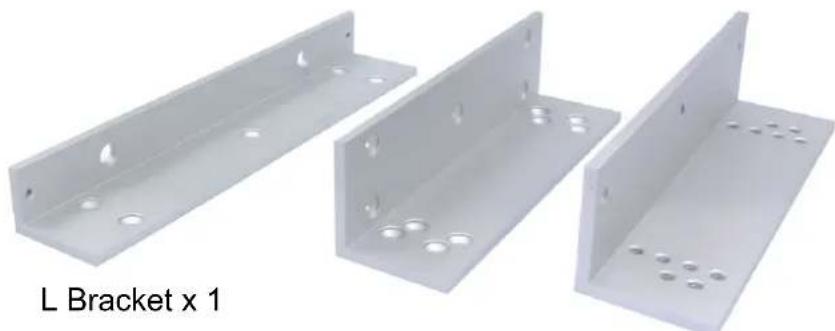
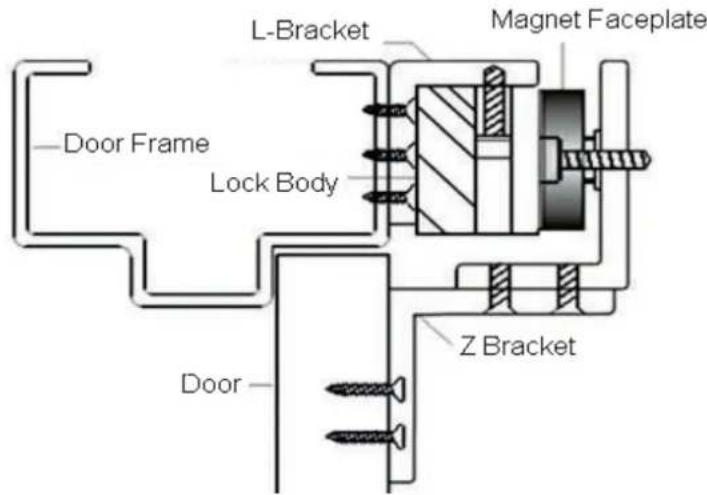
The GV-B1200LZ Brackets are required for installing the GV-ML1200 electromagnetic lock on in-swing doors. The L bracket is used to mount the magnetic GV-ML1200 lock body on the door frame above the door and the Z brackets attach the magnet faceplate to the door.
Packing List
- L-Z Brackets for magnetic lock x 3
natural_image
Three metallic L-bracket components with holes, shown from different angles (no text or symbols on the brackets)Z Bracket x 2
- M8 (25 mm) screw + black rubber spacer x 1
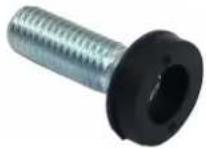
- M5 (5 mm) screw x 6

Note: To install the GV-B1200LZ brackets, you will need to use the lock body, magnet faceplate, inner hexagon wrench and galvanized steel rivets, which are parts supplied with the GV-ML1200 electromagnetic lock.
Dimensions
• L Bracket
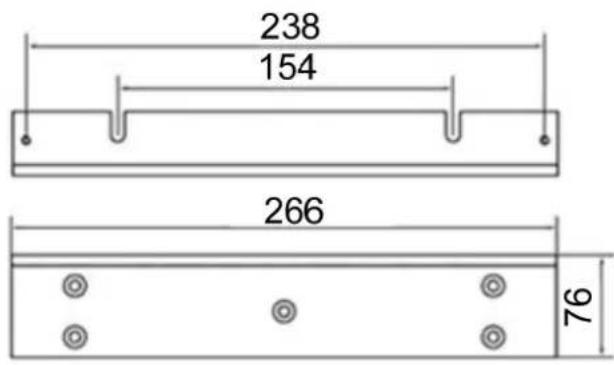
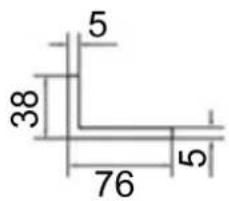
(Unit: mm)
• Z Bracket (A)
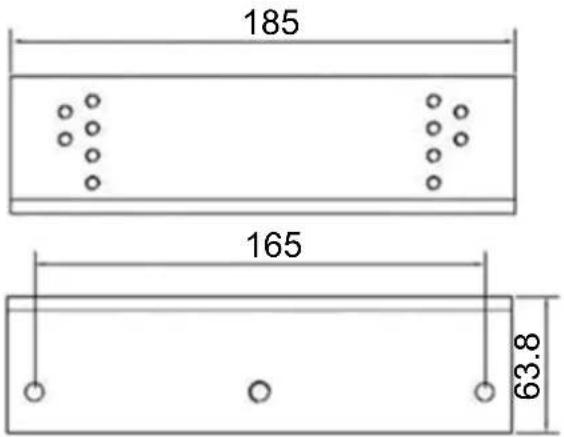
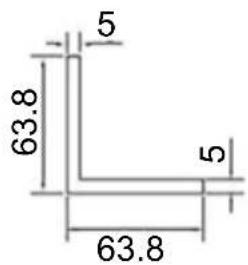
• Z Bracket (B)
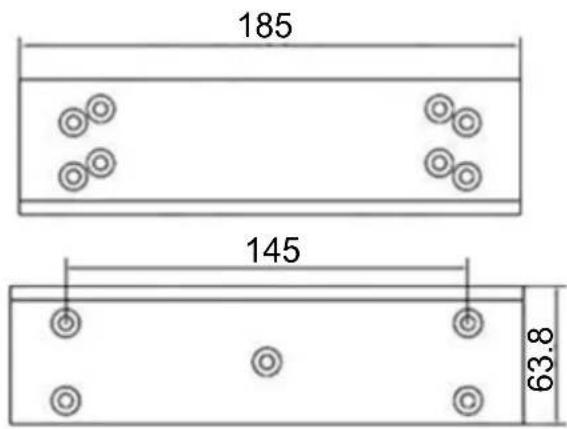
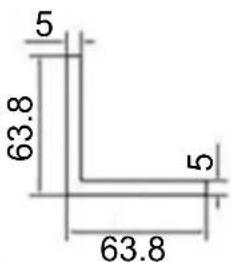
(Unit: mm)
Installation
- Attach the L bracket on the door frame above the door using four screws.
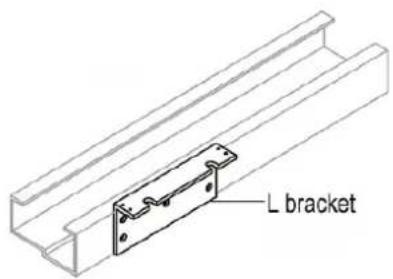
Note: You have to self-prepare the four screws.
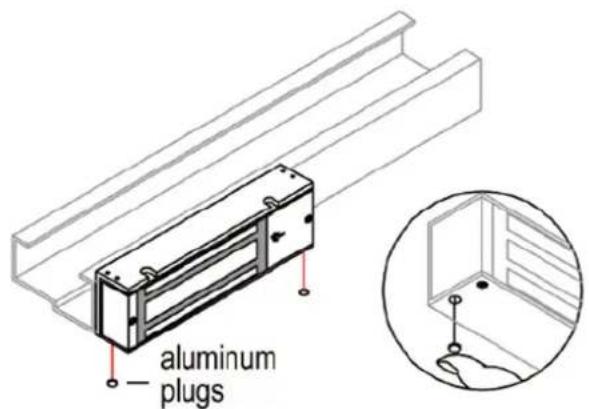
- Take the lock body from GV-ML1200 electromagnetic lock, remove the two aluminum plugs on the side, and unscrew the screws inside.
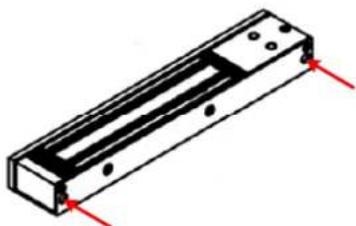
natural_image
Isometric view of a rectangular mechanical component with red alignment markers (no text or symbols)- Remove the mounting plate from the lock body.
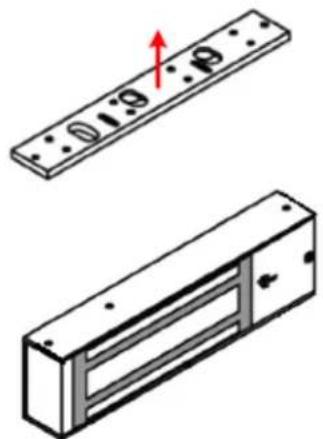
natural_image
Technical illustration of a mechanical component with two views: top shows a rectangular plate with holes, bottom shows a rectangular housing with internal compartments and mounting holes (no text or symbols)- Attach the lock body to the L bracket and secure the mounting screws from Step 2 using the inner hexagon wrench that comes with the GV-ML1200.
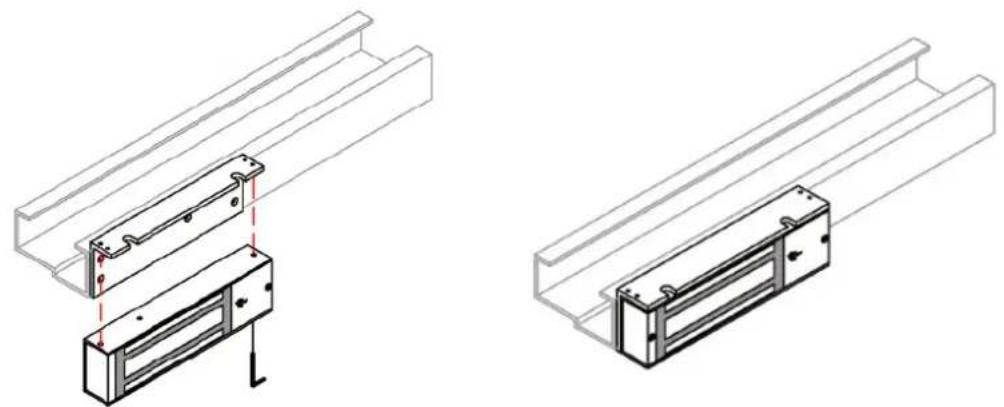
natural_image
Technical line drawings of two mechanical assembly components with mounting brackets and mounting holes (no text or symbols)- Place the two aluminum plugs back into the mounting screw holes.
- Mount Z bracket (B) onto the door by tightening four screws.
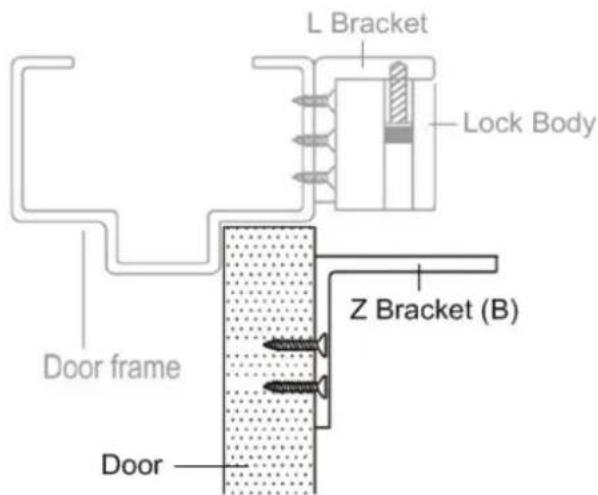
Note: You have to self-prepare the four screws.
- Place the washers that come with the GV-ML1200 between the middle holes of the Z bracket (A) and magnet faceplate Insert the M8 (25 mm) screw through the magnet faceplate, the washers and Z bracket (A), and secure the screw. Insert the 2 galvanized steel rivets that come with the GV-ML1200 toward the edges of the magnet faceplate.
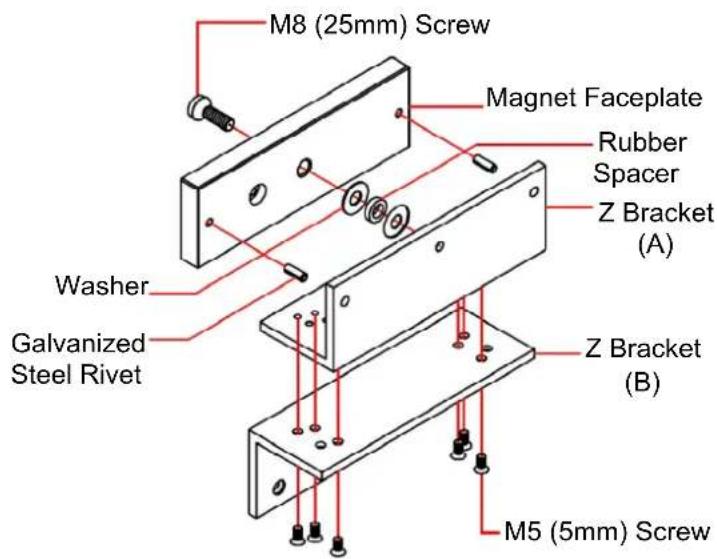
- Place Z bracket (A) with the magnet faceplate on Z bracket (B) and insert the supplied M5 (5 mm) screws. Before tightening the screws, adjust the position of the Z brackets so that the magnet faceplate contacts the lock body.
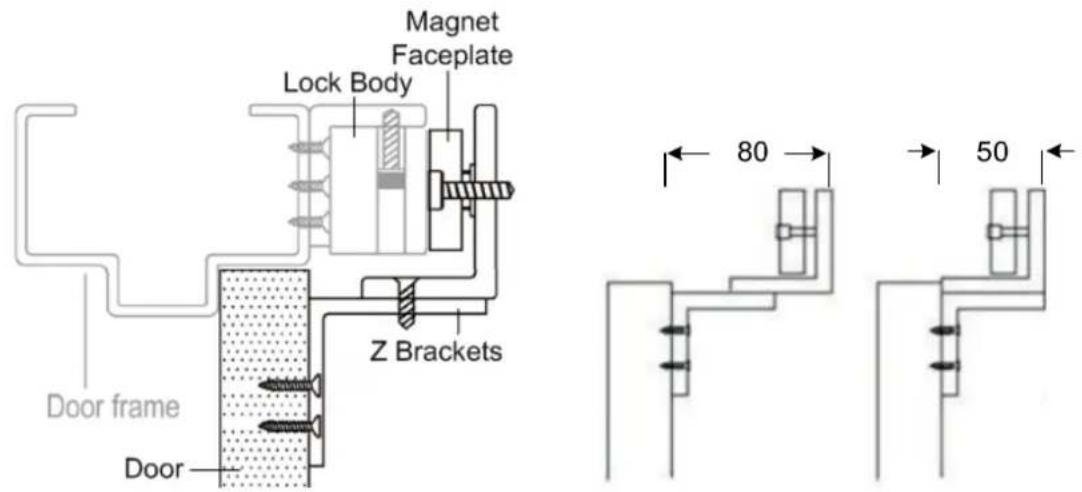
The L-Z brackets should look like the illustration below after installation is completed.
Specifications
| Holding Force | 544.3 kg (1200 lb) | |
| Dimensions(L x W x H) | L bracket | 266 x 76 x 38 mm (10.5" x 3" x 1.5") |
| Z bracket (x 2) | 185 x 63.8 x 63.8 mm (7.3" x 2.5" x 2.5") | |
| Weight (3 brackets) | 1.24 kg (2.73 lb) | |
| Material | aluminum | |
All specifications are subject to change without notice.
Brand : Geovision
Model : GV-B1200LZ
Category : Uncategorized