PC-BR - Tripod Impact - Free user manual and instructions
Find the device manual for free PC-BR Impact in PDF.


User questions about PC-BR Impact
0 question about this device. Answer the ones you know or ask your own.
Ask a new question about this device
Download the instructions for your Tripod in PDF format for free! Find your manual PC-BR - Impact and take your electronic device back in hand. On this page are published all the documents necessary for the use of your device. PC-BR by Impact.
USER MANUAL PC-BR Impact
natural_image
Close-up of a black mechanical clamp device against a yellow background (no text or symbols visible)
natural_image
Close-up of a black adjustable clamp device against a yellow background (no text or symbols visible)PC-BP
PC-BR
Pole Clamp with Baby Pin
Pole Clamp with Baby Receiver
INSTRUCTIONS
PC-BPPC-BR
text_image
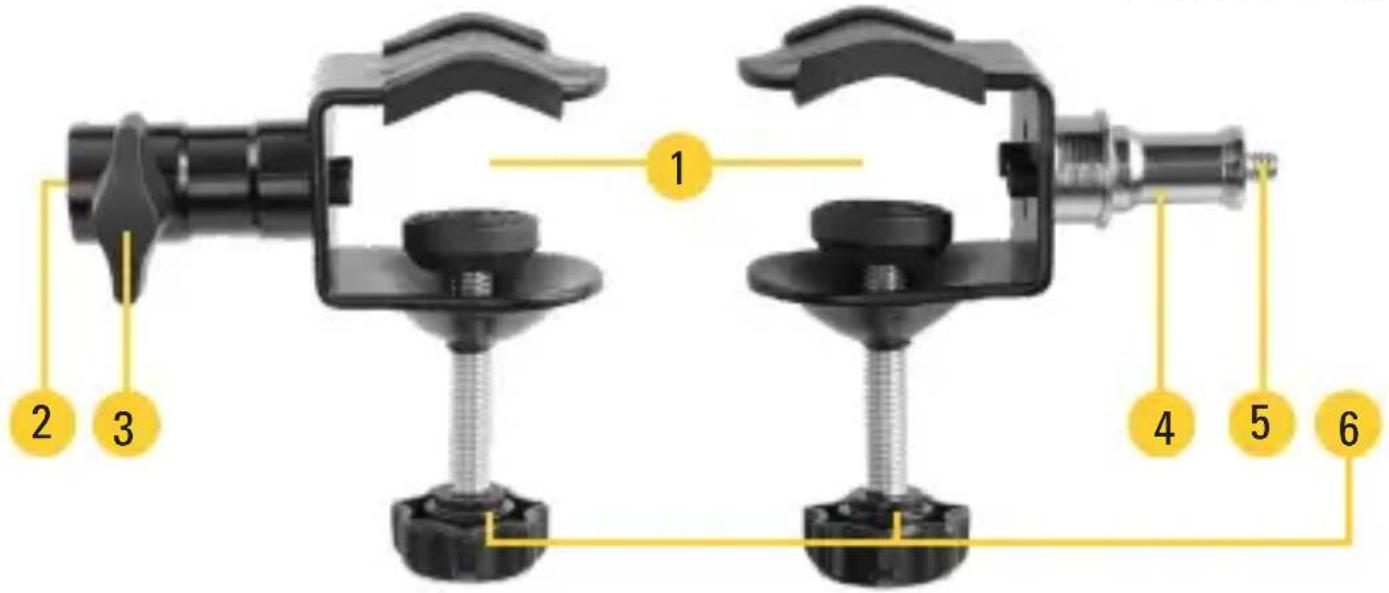
Diagram of a mechanical clamp device with numbered parts labeled 1 through 6- Clamp
- Baby receiver
-
Locking knob
-
Baby pin
- 1/4-20 thread
- Clamp lock
PC-BR PC-BP
Clamp Range 0.2 to 1.4 in.
(5 to 35 mm)
0.2 to 1.4 in.
(5 to 35 mm)
Material Steel Steel
Mounting 5/8 in. baby receiver 5/8 in. baby pin
1/4-20 male thread
Dimensions (W × L × D) 3.1 × 3.9 × 2 in.
(8 × 10 × 5.2 cm)
3.1 × 3.9 × 2 in.
(8 × 10 × 5.2 cm)
Weight 9.3 oz. (265 g) 7.9 oz. (224 g)
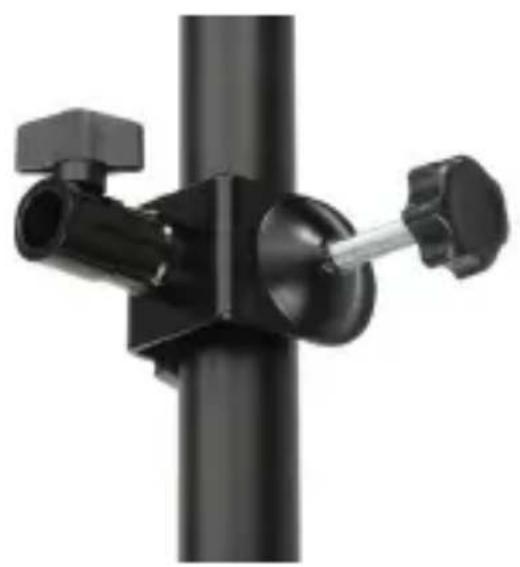
Attach the clamp to a pole or a table.
natural_image
Close-up of a black mechanical lever assembly with two adjustment knobs and a vertical rod (no text or symbols visible)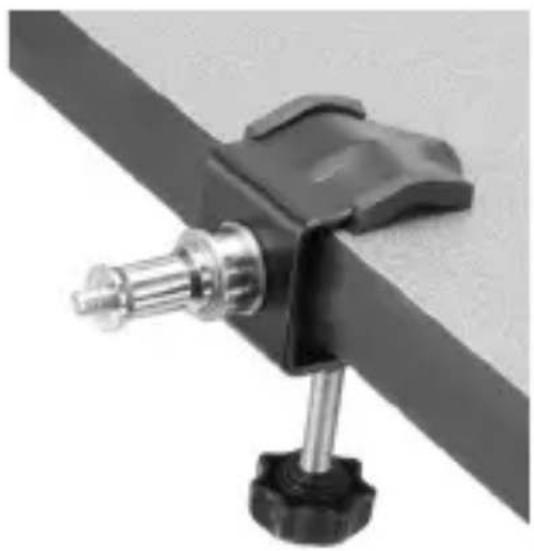
natural_image
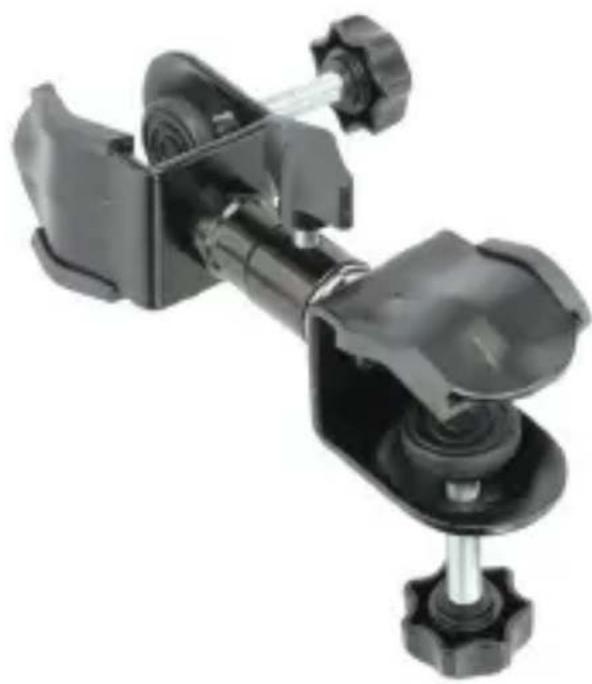
Close-up of a black mechanical clamp or bracket with a metallic screw and metal rod, mounted on a flat surface (no text or symbols visible)Use the PC-BP and PC-BR clamps together for more options to attach photo, video, and audio accessories.
natural_image
Close-up of a black mechanical clamp or bracket assembly with no visible text or symbolsOne-Year Limited Warranty
This Impact product is warranted to the original purchaser to be free from defects in materials and workmanship under normal consumer use for a period of one (1) year from the original purchase date or thirty (30) days after replacement, whichever occurs later. The warranty provider's responsibility with respect to this limited warranty shall be limited solely to repair or replacement, at the provider's discretion, of any product that fails during normal use of this product in its intended manner and in its intended environment. Inoperability of the product or part(s) shall be determined by the warranty provider. If the product has been discontinued, the warranty provider reserves the right to replace it with a model of equivalent quality and function.
This warranty does not cover damage or defect caused by misuse, neglect, accident, alteration, abuse, improper installation or maintenance. EXCEPT AS PROVIDED HEREIN, THE WARRANTY PROVIDER MAKES NEITHER ANY EXPRESS WARRANTIES NOR ANY IMPLIED WARRANTIES, INCLUDING BUT NOT LIMITED TO ANY IMPLIED WARRANTY OF MERCHANTABILITY OR FITNESS FOR A PARTICULAR PURPOSE. This warranty provides you with specific legal rights, and you may also have additional rights that vary from state to state.
To obtain warranty coverage, contact the Impact Customer Service Department to obtain a return merchandise authorization (“RMA”) number, and return the defective product to Impact along with the RMA number and proof of purchase. Shipment of the defective product is at the purchaser’s own risk and expense.
For more information or to arrange service, visit www.impactstudiolighting.com or call Customer Service at 212-594-2353.

IMPACT*
A Gradus Group Brand
Product warranty provided by the Gradus Group. www.gradusgroup.com Impact is a registered trademark of the Gradus Group.
© 2023 Gradus Group LLC. All Rights Reserved.
GG1