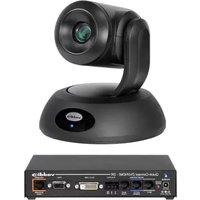
RoboSHOT 12E QDVI - Video Conferencing System Vaddio - Free user manual and instructions
Find the device manual for free RoboSHOT 12E QDVI Vaddio in PDF.


| Product Type | High-Definition Professional PTZ Camera System with Quick-Connect DVI/HDMI-SR |
| Model Number | RoboSHOT 12E QDVI (North America: 999-99060-000/000W; Europe/UK: 999-99060-001/001W; Australia/NZ: 999-99060-009/009W) |
| Optical Zoom | 12x |
| Resolution | Full HD 1080p (1920x1080) at up to 60 fps |
| Video Output | DVI (via Quick-Connect DVI/HDMI-SR), HDMI |
| Control Interface | Remote Control Pod, RS-232, IP (Ethernet) |
| Pan Range | ±170° (340° total) |
| Tilt Range | +90° to -30° (120° total) |
| Pan Speed | 0.1° to 100°/s (preset up to 300°/s) |
| Tilt Speed | 0.1° to 60°/s (preset up to 125°/s) |
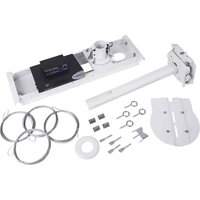
| Mounting | Ceiling, wall, or table mount with supplied bracket |
| Dimensions (H x W x D) | Approx. 7.1 x 7.5 x 5.5 in (180 x 190 x 140 mm) |
| Weight | Approx. 4.4 lb (2.0 kg) without mount |
| Power Supply | 12V DC via included adapter or PoE (Power over Ethernet) with optional injector |
| Power Consumption | Max 24W (without PoE) |
| Operating Temperature | 32°F to 104°F (0°C to 40°C) |
| Recommended Cleaning | Use a soft, dry microfiber cloth to clean the lens and housing. Avoid chemical cleaners. |
| Safety Features | Overheat protection, Kensington lock slot for theft prevention |
| Spare Parts / Repairability | Contact Vaddio support for replacement parts. The device is not user-serviceable; repairs should be carried out by authorized technicians. |
| Warranty | Standard 2-year limited warranty; extended options available |
| Certifications | FCC, CE, UL, RoHS |
Frequently Asked Questions - RoboSHOT 12E QDVI Vaddio
User questions about RoboSHOT 12E QDVI Vaddio
0 question about this device. Answer the ones you know or ask your own.
Ask a new question about this device
Download the instructions for your Video Conferencing System in PDF format for free! Find your manual RoboSHOT 12E QDVI - Vaddio and take your electronic device back in hand. On this page are published all the documents necessary for the use of your device. RoboSHOT 12E QDVI by Vaddio.
USER MANUAL RoboSHOT 12E QDVI Vaddio
RoboSHOT 12E QDVI System
RoboSHOT 30E QDVI System
High-Definition Professional PTZ Camera with
Quick-Connect DVI/HDMI-SR
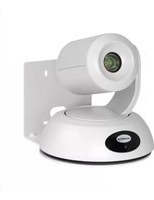
999-99060-000/000W RoboSHOT 12E QDVI System (black or white), North America
999-99060-001/001W RoboSHOT 12E QDVI System (black or white), Europe/UK
999-99060-009/009W RoboSHOT 12E QDVI System (black or white), Australia/New Zealand
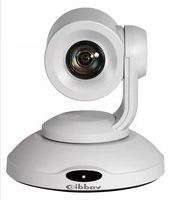
999-99160-000/000W RoboSHOT 30E QDVI System (black or white), North America
999-99160-001/001W RoboSHOT 30E QDVI System (black or white), Europe/UK
999-99160-009/009W RoboSHOT 30E QDVI System (black or white), Australia/New Zealand

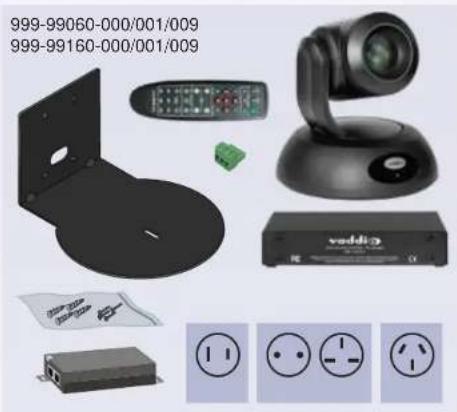
What's in the box
natural_image
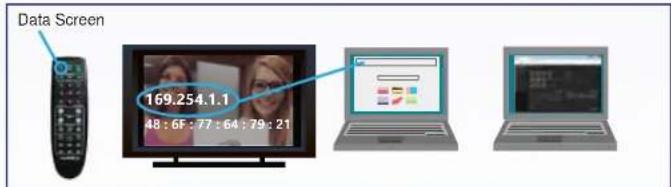
Product display of a remote control unit and electronic devices including a speaker, power cord, and socket (no text or symbols visible)

See the Installation Guide or Complete Manual for RoboSHOT 12, RoboSHOT 30, RoboSHOT 12E CAT-5, and RoboSHOT 30E CAT-5 PTZ Camera Systems for complete packing lists and additional connection diagrams.
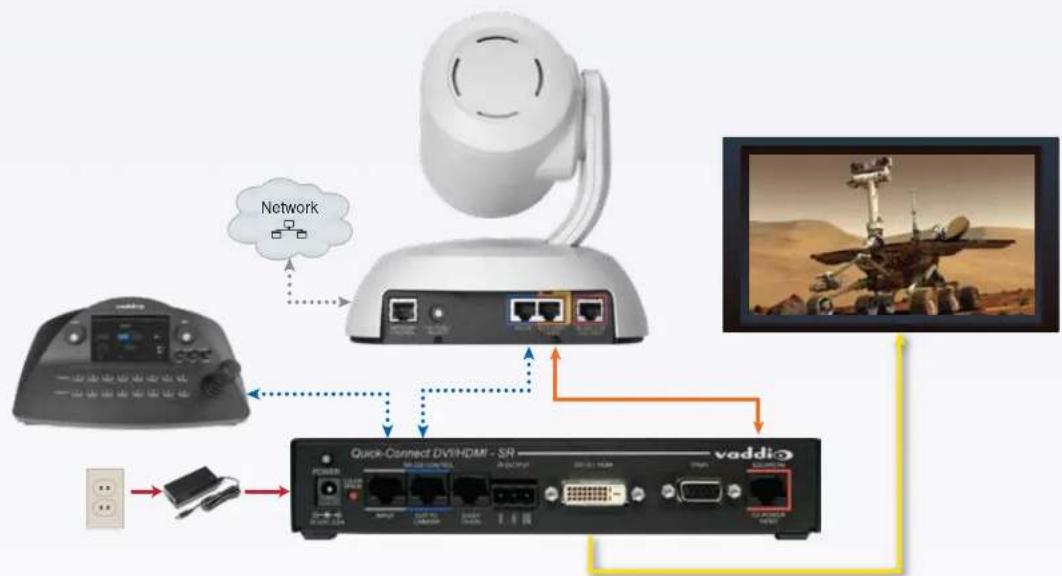
flowchart
graph TD
    A["Remote Control Pod"] -->|Network| B["Internet"]
    B --> C["Quick-Correct DVD/HDAR - SR"]
    C --> D["vaddi"]
    D --> E["Mars Rover Image"]
    style A fill:#f9f,stroke:#333
    style B fill:#ccf,stroke:#333
    style C fill:#cfc,stroke:#333
    style D fill:#fcc,stroke:#333
Document 411-0025-05 Rev C March 2019
Vaddio is a brand of Legrand AV · www.legrandav.com · Phone 800.572.2011 / +1.763.971.4400 · Fax +1.763.971.4464 · Email av.vaddio.support@legrand.com Visit us at support.vaddio.com for firmware updates, specifications, drawings, manuals, technical support information, and more. ©2019 Legrand AV Inc. Vaddio is a registered trademark of Legrand AV Inc. All other brand names or marks are used for identification purposes and are trademarks of their respective owners. AV Brands Chief | Da-Lite All patents are protected under existing designations. Other patents pending.
AV Brands Chief | Da-Lite | Middle Atlantic | Projecta | Sanus | Vaddio
A brand of legrand
vaddio
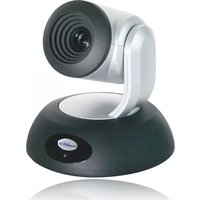
Brand : Vaddio
Model : RoboSHOT 12E QDVI
Category : Video Conferencing System