KX-FL613PD - Fax PANASONIC - Free user manual and instructions
Find the device manual for free KX-FL613PD PANASONIC in PDF.


User questions about KX-FL613PD PANASONIC
0 question about this device. Answer the ones you know or ask your own.
Ask a new question about this device
Download the instructions for your Fax in PDF format for free! Find your manual KX-FL613PD - PANASONIC and take your electronic device back in hand. On this page are published all the documents necessary for the use of your device. KX-FL613PD by PANASONIC.
USER MANUAL KX-FL613PD PANASONIC
natural_image
Illustration of a traditional printer with flet and control panel (no text or symbols)Panasonic
natural_image
Black-and-white photo of two men in suits holding newspapers, with a filmstrip border in the corner (no visible text or symbols)FOR ENGLISH USERS: You can select English for the display and report (feature #48, page 43).
natural_image
Black curved arrow pointing left, no text or symbols present
Zespół grzewczy
Kaseta z tonerem
natural_image
Illustration of a rectangular electronic device with internal grid structure (no text or symbols)⑥
⑦
⑧
⑨
10
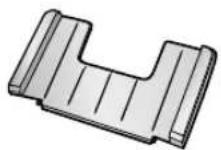
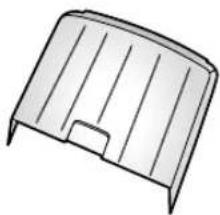
natural_image
Simple line drawing of a rectangular metal frame with no text or symbols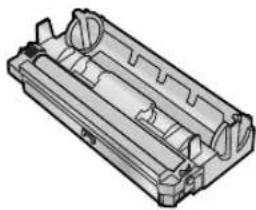
natural_image
3D technical drawing of a mechanical housing component (no text or symbols visible)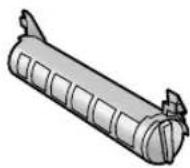
⑪
Uwaga:
natural_image
Illustration of a hand holding a cylindrical object with motion lines indicating movement (no text or symbols)natural_image
Illustration of a hand holding a cylindrical object with a directional arrow, no text or symbols presentnatural_image
3D mechanical assembly diagram showing a roller roller system with mounting flanges and arrows indicating motion (no text or symbols)natural_image
Mechanical assembly diagram showing a cylindrical component with internal structure and directional arrows indicating motion (no text or symbols)natural_image
Technical illustration of a mechanical component with an inset showing a close-up view of a tool interacting with a cylindrical part (no text or symbols present)Uwaga:
natural_image
Illustration of a hand inserting a stack into a printer with a scroll, showing no text or symbols on the device itself.1.7 Podstawka do papieru
Uwaga:
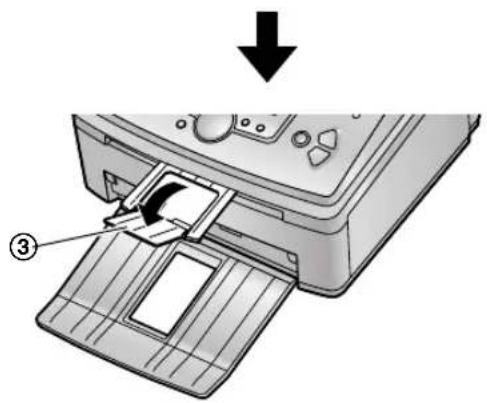
natural_image
Diagram of a printer printer with a paper feeding into a slot, showing the number 3 and an arrow indicating process (no text or symbols present)natural_image
Technical illustration of a portable electronic device with open lid and coiled cable, no text or symbols present1.10 Papier faksowy
natural_image
Illustration of a hand holding a stack of books (no text or symbols visible)natural_image
Illustration of a hand inserting a card into a printer (no text or symbols visible)natural_image
Illustration of a printer with a handle and control panel, showing part of a folded paper sheet (no text or symbols present)natural_image
Technical line drawing of two mechanical components with no visible text or symbolsnatural_image
Illustration of a lathe machine with a paper feed cover and control panel (no text or symbols)natural_image
Illustration of a hand inserting a card into a printer (no text or symbols visible)Uwaga:
D: 01/M:01/R:05 CZAS:00:00
D:10/M:08/R:05 CZAS: 00:00
1 Naciśnij [MENU].
USTAWIENIA SYST NACIS.NAVI. [◀ ▶ ]
FOR ENGLISH USERS: If you want to change the language setting to English, proceed as follows.
- Press [MENU].
- Press [#], then 4.
- Press [±] or [-] repeatedly to select English.
- Press [USTAW].
- Press [MENU].
SYGNAL LACZENIA
=WLACZONY [±]
OSZCZEDNY
=WYLACZONY [±]
(Kod: 40-42, 46-72, FF)
natural_image
Illustration of a hand holding a cylindrical object with motion lines indicating movement (no text or symbols)natural_image
Illustration of a hand holding a cylindrical device with a directional arrow indicating motion (no text or symbols)
natural_image
3D mechanical assembly diagram showing a roller roller system with mounting flanges (no text or symbols)natural_image
Mechanical assembly diagram showing a cylindrical component with internal channels and directional arrows (no text or symbols)natural_image
Technical illustration of a mechanical component with an inset showing a close-up view of a curved pipe fitting (no text or symbols present)natural_image
Diagram of a printer with labeled parts, showing internal components and no readable text or symbols.natural_image
Illustration of a printer's internal structure with hands operating it, showing part assembly and motion direction (no text or symbols)
Ostrzeżenie:
7. Pomoc
natural_image
Technical diagram of a printer internal structure with two views (① and ②) showing internal components and assembly details (no text or symbols present)natural_image
Illustration of hands operating a printer with a paperclip and label (no text or symbols present)natural_image
Technical diagram of a printer internal structure with two circular insets showing internal components (no text or symbols)natural_image
Illustration of a printer with paper feed and control panel, no text or symbols present
Ostrzeżenie:
natural_image
Exploded view diagram of a printer with internal components and paper feeding (no text or symbols)Uwaga:

natural_image
Illustration of hands operating a portable electronic device with a close-up inset showing the internal components (no text or symbols visible)natural_image
Illustration of hands operating a mechanical device with a tool, no text or symbols visiblenatural_image
Diagram of a printer with control panel and paper feed, showing internal components (no text or symbols)natural_image
Illustration of a printer's internal structure showing paper being inserted into a holder (no text or symbols present)Modified Huffman (MH), Modified READ (MR), Modified
Modified READ (MMR)
Szybkość modemu:
14.400 / 12.000 / 9.600 / 7.200 / 4.800 /
Panasonic Communications Co., Ltd.,
Hakata-ku, Fukuoka, Japan
Kontakt:
Panasonic Testing Centre (Europe) GmbH
Winsbergring 15.22525 Hamburg.F.R.Germany
Panasonic Polska
Prezes
Panasonic Communications (Malaysia) Sdn. Bhd.
PLO No.1, Kawasan Perindustrian Senai, KB No. 104, 81400 Senai, Negeri Johor Darul Ta'zim, Malaysia