D1464WF - Dishwasher LG - Free user manual and instructions
Find the device manual for free D1464WF LG in PDF.


User questions about D1464WF LG
0 question about this device. Answer the ones you know or ask your own.
Ask a new question about this device
Download the instructions for your Dishwasher in PDF format for free! Find your manual D1464WF - LG and take your electronic device back in hand. On this page are published all the documents necessary for the use of your device. D1464WF by LG.
USER MANUAL D1464WF LG
Before beginning installation, read these instructions carefully.
This will simplify installation and ensure that the dishwasher is installed correctly and safely. Leave these instructions near the dishwasher after installation for future reference.
D1455W(L,M,T,B,C,D,A)F(B,U)
D1454W(L,M,T,B,C,D,A)F(B,U)
D1465W(L,M,T,B,C,D,A)F(B,U)
D1464W(L,M,T,B,C,D,A)F(B,U)
CONTENTS
CONTENTS 2
IMPORTANT SAFETY INSTRUCTIONS
Important safety instructions ....3
Read all instructions before use .....4
Save these instructions ....5
INSTALLATION INSTRUCTIONS
Prepare cupboard opening .....7
Preparation for electrical wiring .....7
Preparing the dishwasher for installation ....8
Installing the dishwasher in cupboard 8
Installation of drain hose 9
Installation of water inlet hose .....10
Final check and assembling .....10
How to level the dishwasher .....10
PARTS NAME 11
FUNCTION OF CONTROL BUTTON ....12
BEFORE USING FOR THE FIRST TIME
Check and find water hardness level....17
Setting up the softening system level of your dishwasher ....17
Salt Filling 18
Adding Rinse Aid 18
INFORMATION FOR ENERGY TEST ....19
HOW TO USE AND OPERATE
Daily use load 20
Cutlery Rack 21
Cutlery Basket 22
Lower Rack 22
Upper Rack 23
Adding Detergent 25
Refilling 26
Drying 27
Thank you for buying a LG Dishwasher.
Please read your owner's manual carefully, it provides instruction on safe installation, use and maintenance. Retain it for future reference.
Record the model and serial number of your Dishwasher.
Model No.
Serial No.
Date of Purchase
Keeping the dishwasher ....30
Filters 30
Lower Spray Arm 30
Upper Spray Arm 30
Water Inlet....30
TROUBLE SHOOTING GUIDE
Before calling for service ....31
Using SMARTDIAGNOSIS™ .....34
SPECIFICATION ....35
IMPORTANT SAFETY INSTRUCTIONS
READ ALL INSTRUCTIONS AND EXPLANATION OF THE INSTALLATION BEFORE USE
WARNING
For your safety, the information in this manual must be followed to minimize the risk of fire or explosion, electric shock, or to prevent property damage, injury to persons, or death.
Your Safety and the safety of others are very important.
We have provided many important safety messages in this manual and on your appliance. Always read and obey all safety messages.
This is the safety alert symbol.
This symbol alerts you to potential hazards that can kill or hurt you and others. All safety messages will follow the safety alert symbol and either the word DANGER, WARNING or CAUTION.
These words mean:
DANGER
You will be killed or seriously injured if you don't immediately follow instructions.
WARNING
You can be killed or seriously injured if you don't follow instructions.
CAUTION
You may be slightly injured or cause damage to the product, if you do not follow instructions.
All safety messages will tell you what the potential hazard is, tell you how to reduce the chance of injury, and tell you what can happen if the instructions are not followed.
IMPORTANT SAFETY INSTRUCTIONS
■ Read all instructions before use
WARNING
To reduce the risk of fire, electric shock, or injury to persons when using the washer, follow basic precautions, including the following:
- Please read this manual carefully before using the dishwasher for the first time.
- This manual contains very important notes regarding the installation, use and maintenance of your dishwasher.
- The manufacturer can not be responsible for problems caused by ignoring these safety and caution instructions.
- This dishwasher is designed for normal household use.
- Do not use the dishwasher for industrial and commercial use, or other purpose.
- The appliance is not intended for use by young children or infirm persons without supervision.
-
Check packaging and dishwasher immediately for signs of transport damage. If the appliance is damaged, do not put it into use but contact your supplier without delay.
-
This appliance is intended to be used in household and similar applications such as;
- Staff kitchen areas in shops, offices and other working environments;
- Farm houses;
- By clients in hotels, motels and other residential type environments;
- Bed and breakfast type environments.
- If this product is used for commercial purpose, it is not warranted.
(Example: Public places such as restaurant, lodging house, training center, dormitory)
If the product is installed outside the normal service area, any cost of transportation involved in the repair of the product, or the replacement of a defective part, shall be borne by the owner.
▶ During installation
- Electrical connection must be in accordance with the rating label.
- Electrical safety is only guaranteed when the earth system of your house is in accordance with the related local regulations. (Do not use an extension cable or cord.)
-
If the hot water exceeds 65^ C, adjust the water heater setting. If the hot water temperature can not be maintained below 65^ C, the dishwasher must be connected to cold water.
-
If power supply cord is damaged, it must only be replaced by the manufacturer or its service agent or a similar qualified person in order to avoid a hazard.
- This appliance must be positioned so that the plug is accessible.
- The appliance is to be connected to the water mains using new hose-sets and that old hose-sets should not be reused.
▶ During use
- Only suitable household utensils should be placed in the dishwasher.
(Please avoid utensils; that are non-heat-resistant, metal decorated, etc.)
IMPORTANT SAFETY INSTRUCTIONS
■ Read all instructions before use
WARNING
To reduce the risk of fire, electric shock, or injury to persons when using the washer, follow basic precautions, including the following:
- Do not use any kinds of solvent in your dishwasher. They may cause an explosion or fire.
- Do not spray water on the appliance. It may cause the failure of electric parts or electric shock.
- Do not push down or sit on the inner door when the door is opened. It may cause the deformation or failure of your dishwasher.
-
Do not use the detergent for hand washing. The detergent for dishwasher should be used for normal operation.
-
This appliance is fitted with a safety function that automatically stops the operation of the dishwasher when it is exposed to heavy disturbance on its mains.
- Dishwasher detergents are strongly alkaline. They can be extremely dangerous if swallowed.
Avoid contact with skin and eyes and keep children away from the dishwasher when the door is open. Check that the detergent receptacle is empty after completion of the wash cycle.
▶ Child Safety
- Controls may be locked using Child Lock mode to prevent all the settings from being changed by a child.
-
Keep children away from detergents and rinse-aids.
-
Do not allow children to operate the dishwasher.
- Young children should be supervised to ensure that they do not play with the appliance.
▶ All batteries (whether installed or attached) should not be exposed to excess heat like sunlight or similar source.
■ Save these instructions
GROUNDING INSTRUCTIONS
This appliance must be grounded. In the event of malfunction or breakdown, grounding will reduce the risk of electric shock by providing a path of least resistance for electric current. This appliance is equipped with a cord having an equipment-grounding conductor and grounding plug. The plug must be plugged into an appropriate outlet that is properly installed and grounded in accordance with all local codes and ordinance.
- Do not use an adapter this will defeat the grounding plug.
- If you don't have the proper outlet, consult an electrician.
IMPORTANT SAFETY INSTRUCTIONS
WARNING
Improper connection of the equipment-grounding conductor can result in electric shock.
Check with a qualified electrician or serviceman if you are in doubt as to whether the appliance is properly grounded. Do not modify the plug provided with the appliance - if it does not fit the outlet, have a proper outlet installed by a qualified electrician.
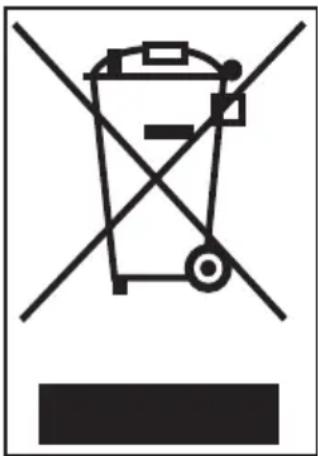
Disposal of your old appliance
- When this crossed-out wheeled bin symbol is attached to a product it means the product is covered by the European Directive 2002/96/EC.
- All electrical and electronic products should be disposed of separately from the municipal waste stream via designated collection facilities appointed by the government or the local authorities.
- The correct disposal of your old appliance will help prevent potential negative consequences for the environment and human health.
- For more detailed information about disposal of your old appliance, please contact your city office, waste disposal service or the shop where you purchased the product.
CAUTION
CAUTION concerning the Power cord
- Most appliances recommend they be placed upon a dedicated circuit; that is, a single outlet circuit which powers only that appliance and has no additional outlets or branch circuits. Check the specification page of this owner's manual to be certain.
- Do not overload wall outlets. Overloaded wall outlets, loose or damaged wall outlets, extension cords, frayed power cords, or damaged or cracked wire insulation are dangerous. Any of these conditions could result in an electric shock or fire.
- Periodically examine the cord of your appliance, and if its appearance indicates damage or deterioration, unplug it, discontinue use of the appliance, and have the cord replaced with an exact replacement part by an authorized servicer.
- Protect the power cord from physical or mechanical abuse, such as being twisted, kinked, pinched, closed in a door, or walked upon. Pay particular attention to plugs, wall outlets, and the point where the cord exits the appliance.
If the appliance is supplied from a cord extension set or an electrical portable outlet device, the cord extension set on electrical portable outlet device must be positioned so that it is not subject to splashing or ingress of moisture.
CAUTION
The instructions shall state the substance of the following :
This appliance is not intended for use by persons (including children) with reduced physical, sensory or mental capabilities, or lack of experience and knowledge, unless they have been given supervision or instruction concerning use of the appliance by a person responsible for their safety.
Children should be supervised to ensure that they do not play with the appliance.
INSTALLATION INSTRUCTIONS
WARNING
- A qualified electrician/plumber or competent person should carry out any electrical/plumbing work required to install this appliance.
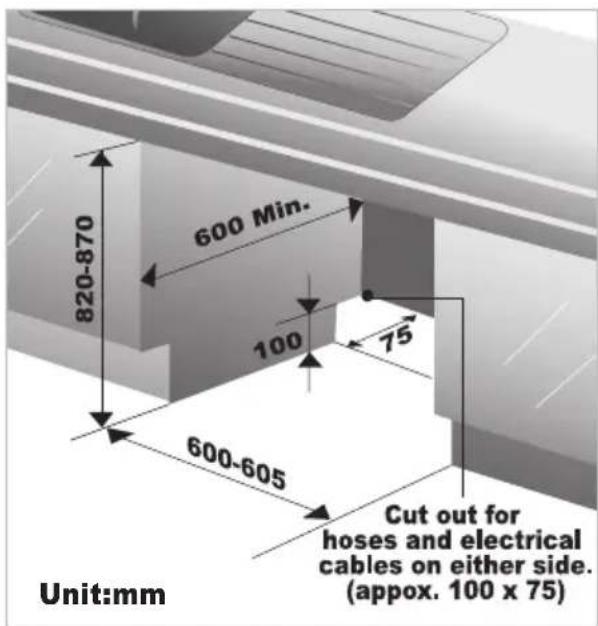
■ Prepare cupboard opening
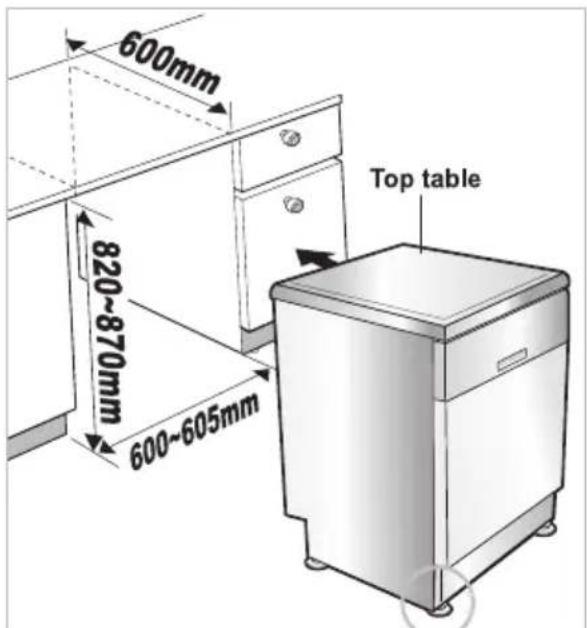
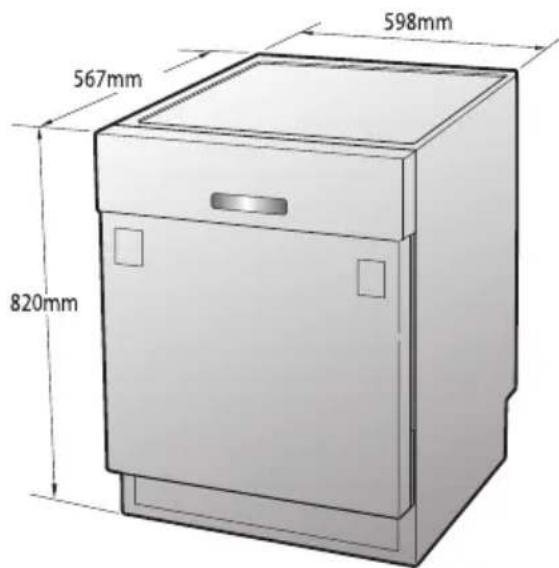
- This dishwasher is designed to fit the size shown as below.
- Select a location as close to sink as possible for ease of connection to the water and drain pipes.
- To ensure good drainage, the dishwasher should not be installed more than 3 meters away from the sink.
- If dishwasher is installed in a corner, a minimum of 5cm of space is required between the washer and an adjacent cabinet or wall.
CAUTION
- Any bare wood surrounding the dishwasher should be sealed with a waterproof paint or sealant to prevent swelling.
■ Preparation for electrical wiring
CAUTION
- For personal safety, remove house fuse or open circuit breaker before installation.
• Do not use an extension cord or adapter plug with this appliance.
Electrical and earthing connections must comply with the national electrical code/provincial and municipal code and/or other local codes.
- This appliance must be supplied with correct rating voltage and hertz as shown on instruction manual, and connected to an individual, properly earthed branch circuit, protected by a minimum 15 amp circuit breaker or time delay fuse. Wiring must be 2 wires with Earth.
- The power plug must be in a accessible location adjacent to and not behind the dishwasher and within 1.2 meters of the dishwasher side.(See page 9 Fig.A)
- The power plug must be correctly earthed, if in doubt, have it checked by a qualified Electrician. No other appliance should be connected to the same plug outlet by a double adapter or similar plug.
Dangerous voltage
5036

To indicate hazards arising from dangerous voltages.
Note- in case of an application warning sign, the rules according to ISO 3864 should be adhered to.
INSTALLATION INSTRUCTIONS
■ Preparing the dishwasher for installation
- Lay the dishwasher on its back.
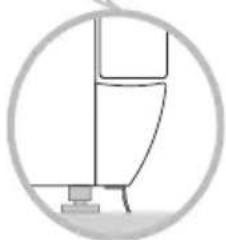
- Adjust the legs to the required height as shown in below figure.
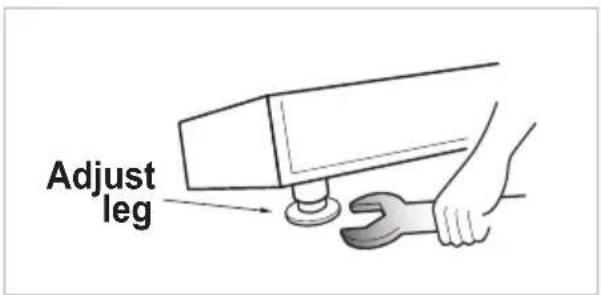
- To reduce noise attach the strip to the machine base.
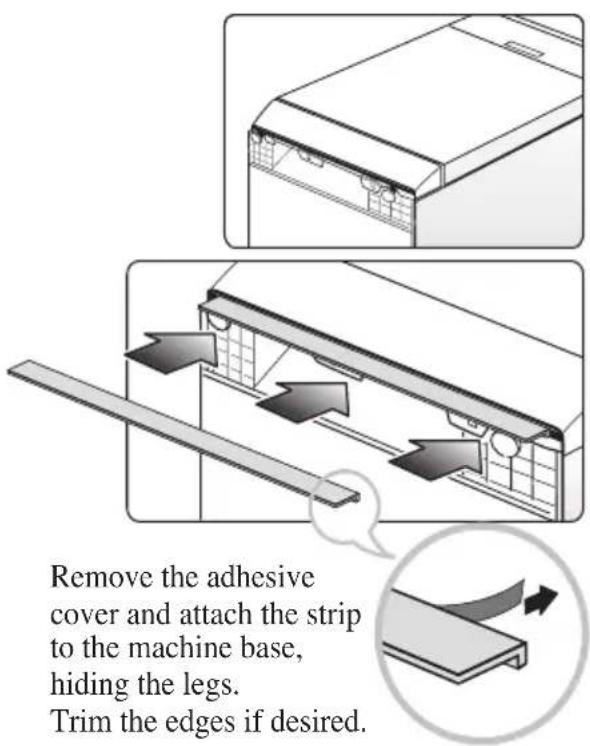
■ Installing the dishwasher in cupboard
- Before sliding the dishwasher into the cupboard opening, all necessary height and balancing adjustments should be made using a spanner.
- Slide the dishwasher into the cabinet, opening carefully. Make sure that the drain hose inside the cabinet is not kinked or stretched.
CAUTION
- If the height of the cupboard is below 850mm, you should remove the top table by unscrewing the 2 screws. (Two from rear)
The bottom of the strip should touch the floor.
natural_image
Simple line drawing of a mechanical component inside a circular frame (no text or symbols)INSTALLATION INSTRUCTIONS
■ Installation of drain hose
- If the end of drain hose does not fit to the drain line, use a rubber connector (not supplied) that is resistant to heat and detergent.
- This should be available from a plumbing shop or DIY merchants.
- There are two typical connections as shown in Figure A, B.
The S trap spigot must be drilled out cleanly and free of obstruction to its maximum internal diameter, if used for drainage.
To prevent siphoning, one of the following methods must be used:
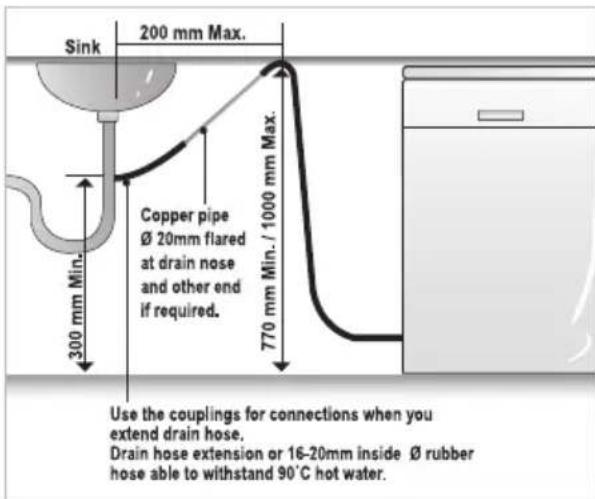
When the drain hose is connected to a sink S trap or waste disposal unit, the hose must be looped up to the underside of the bench top and secured.
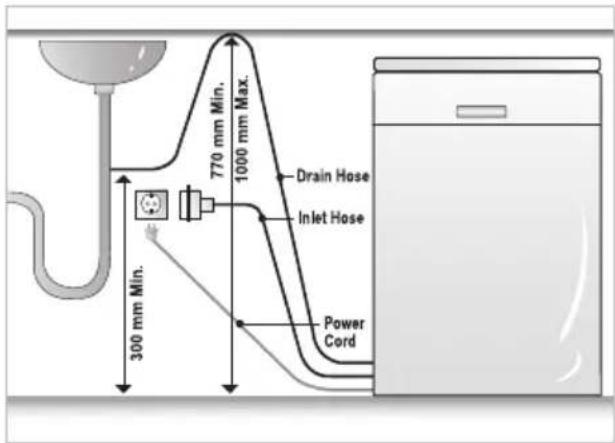
Fig. A
When the drain hose is connected to a separate standpipe, it is essential that an airtight connection be made. Refer to Fig.B
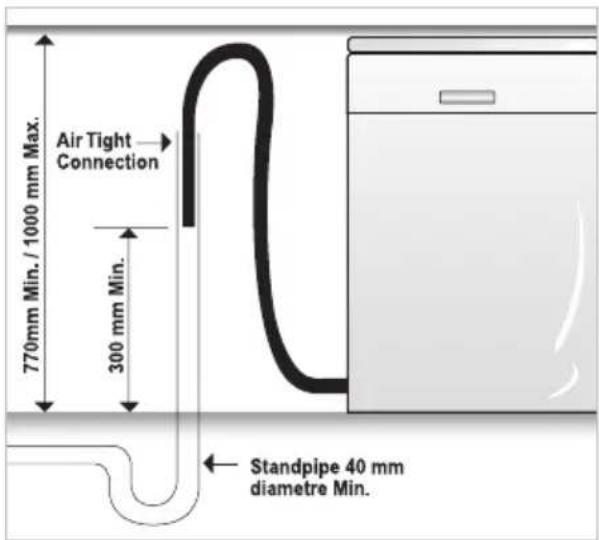
Fig. B : Drainage connection - stand pipe.
Drain hose Extension
Extend drain hose as shown below.
CAUTION
- When you connect or extend drain hose, make sure that drain hose is not kinked.
(Bends should have a 40 mm radius.)
INSTALLATION INSTRUCTIONS
■ Installation of water inlet hose How to level the dishwasher
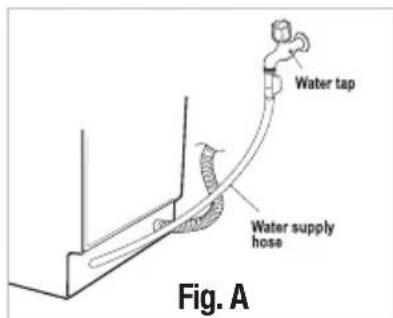
▶ Connect the water supply hose to the water tap. (Fig. A)
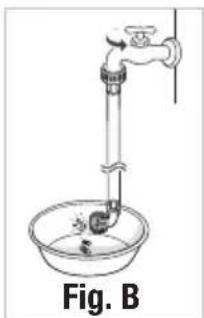
▶ Some models consist of an inlet valve and hose. (Fig. B)
After connecting the inlet hose to the tap, turn on the tap to flush out foreign substances (dirt, sand or sawdust) in the water lines. Let water drain into a bucket, and check the water temperature.
Connect the supply hose to the water inlet valve.
natural_image
Simple line drawing of a laboratory apparatus with a faucet and beaker (no text or symbols)- This dishwasher may be fed with either hot or cold water. If the water can not be maintained below 65°C, the dishwasher must be connected to cold water.
- When connecting, you may use sealant tape or sealing compound to avoid water leaks.
- Make sure that the line is not kinked or sharply bent.
- It is recommended that the new inlet hose be used and not the existing or old hose.
■ Final check and assembling
- Securely hand tighten supply hose to the water supply.
Plug the power supply cord into an earthed electrical point and switch on.
- After installing and prior to using the dishwasher with crockery, we recommend that you use the dishwasher on Quick mode to rinse through. At this stage it is useful to ensure that there are no operating problems or water leaks.
When the dishwasher is used for the first time, there may be a loud noise, if this happens, turn off the power and restart the dishwasher.
After installing the dishwasher, you may notice a slight sticking of the door to the dishwasher, when you open or close the door. If this does happen you need to adjust the level of the dishwasher.
Case 1. In case the door is slanted to the right
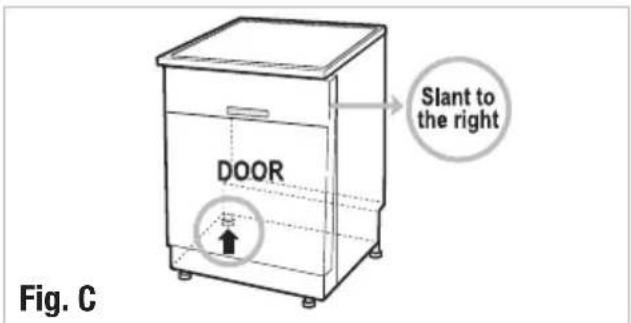
- If the door slants to the right, see fig. C and follow these instructions:
1) Unscrew(counter-clockwise) the left leg of the back side and correct the level.
2) Check the opening of door and repeat if necessary until the door opens and closes properly.
- When the product is correctly leveled, there should be no slant, stickiness or friction sound.
Case 2. In case the door is slanted to the left
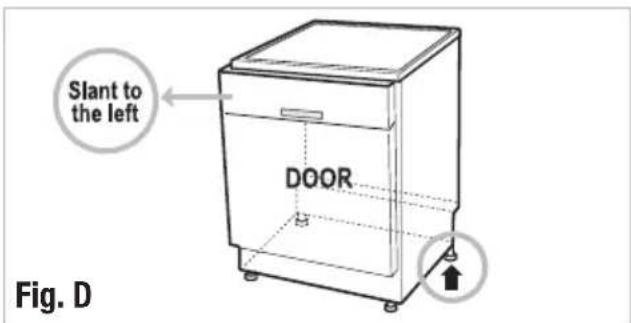
- If the door slants to the left, see fig. D and follow these instructions:
1) Check the opening of door if there still remains sticky or friction sound.
2) Check the opening of door and repeat if necessary until the door opens and closes properly.
- When the product is correctly leveled, there should be no slant, stickiness or friction sound.
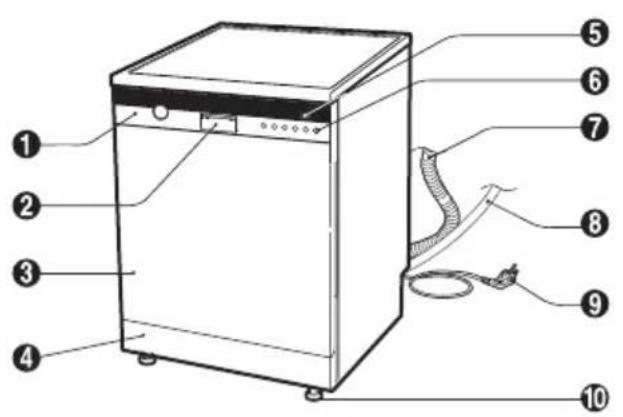
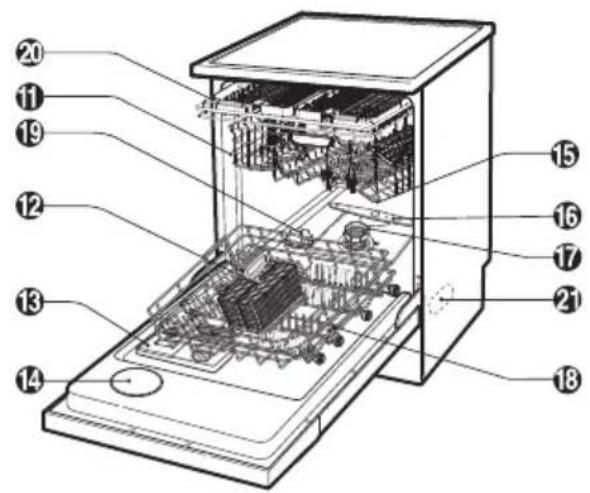
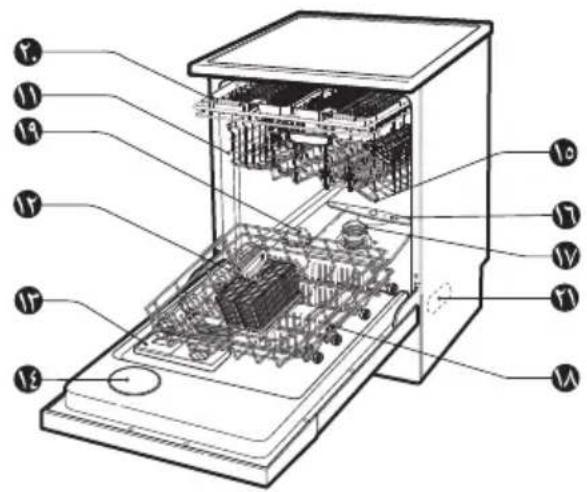
- Control Panel
- Door Handle
- Front Cover
- Lower Cover
- Display Window
- Power Button
- Drain Hose
- Inlet Hose
- Power Cord
-
Adjustable Leg
-
Upper Rack
- Cutlery Basket
- Detergent And Rinse Aid Dispenser
- Vapor Vent Cover
- Upper Spray Arm
- Lower Spray Arm
- Filter ASM
- Lower Rack
- Salt Container Cap
- Cutlery Rack
- Steam Nozzle
Accessories
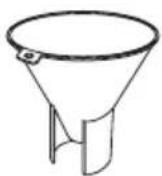
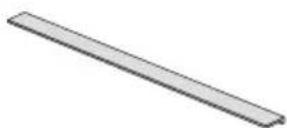
Funnel Noise Strip
※ The appearance and specifications may vary without notice.
■ MODEL : D1455W(L,M,T,B,C,D,A)F(B,U)
flowchart
graph TD
    A["⑨ Press & Hold 3sec. for Extra Functions"] --> B["10"]
    B --> C["11"]
    D["18:00"] --> E["①"]
    E --> F["②"]
    G["③ Child Lock"] --> H["④"]
    I["⑤ Spray"] --> J["⑥"]
    K["⑧ Half Load"] --> L["⑨"]
    M["⑤ Delay Start"] --> N["⑥"]
    O["⑦ POWER"] --> P["⑦"]
    Q["⑧ Smart Diagnosis™"] --> R["⑦"]
    S["⑧ Smart Diagnosis™ function is available only for the products with a SMARTDIAGNOSISTM mark. (Refer to Page 34.)"]
    T["8:00"] --> U["⑨ Press & Hold 3sec. for Extra Functions"]
    V["⑪ Child Lock"] --> W["⑫"]
    X["⑤ Spray"] --> Y["⑬"]
    Z["⑭ Power"] --> AA["⑦"]
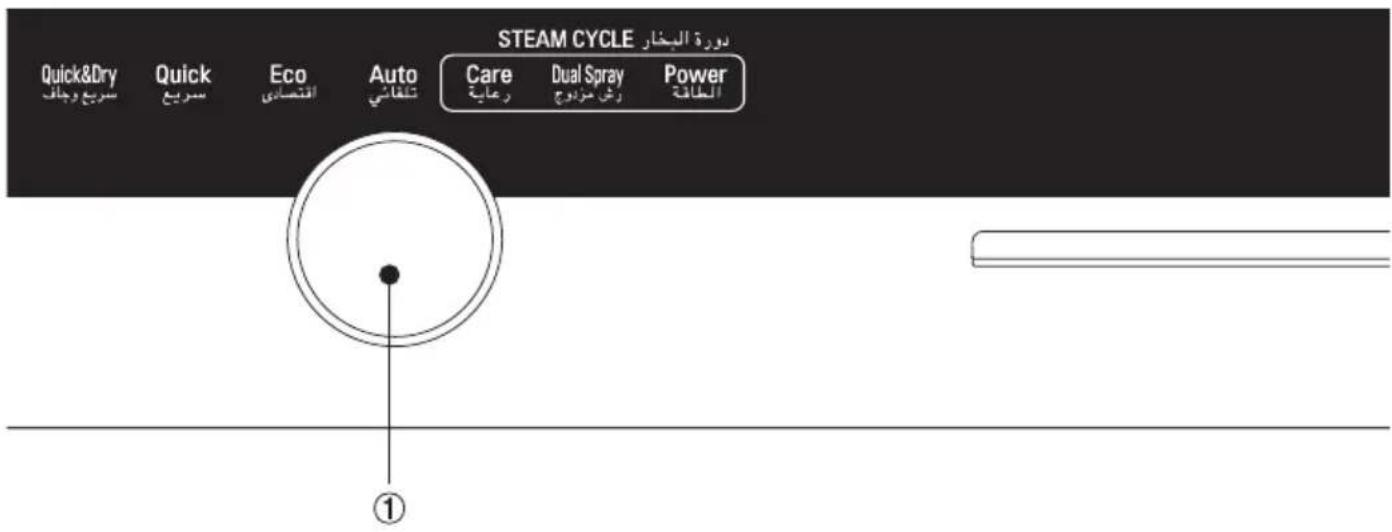
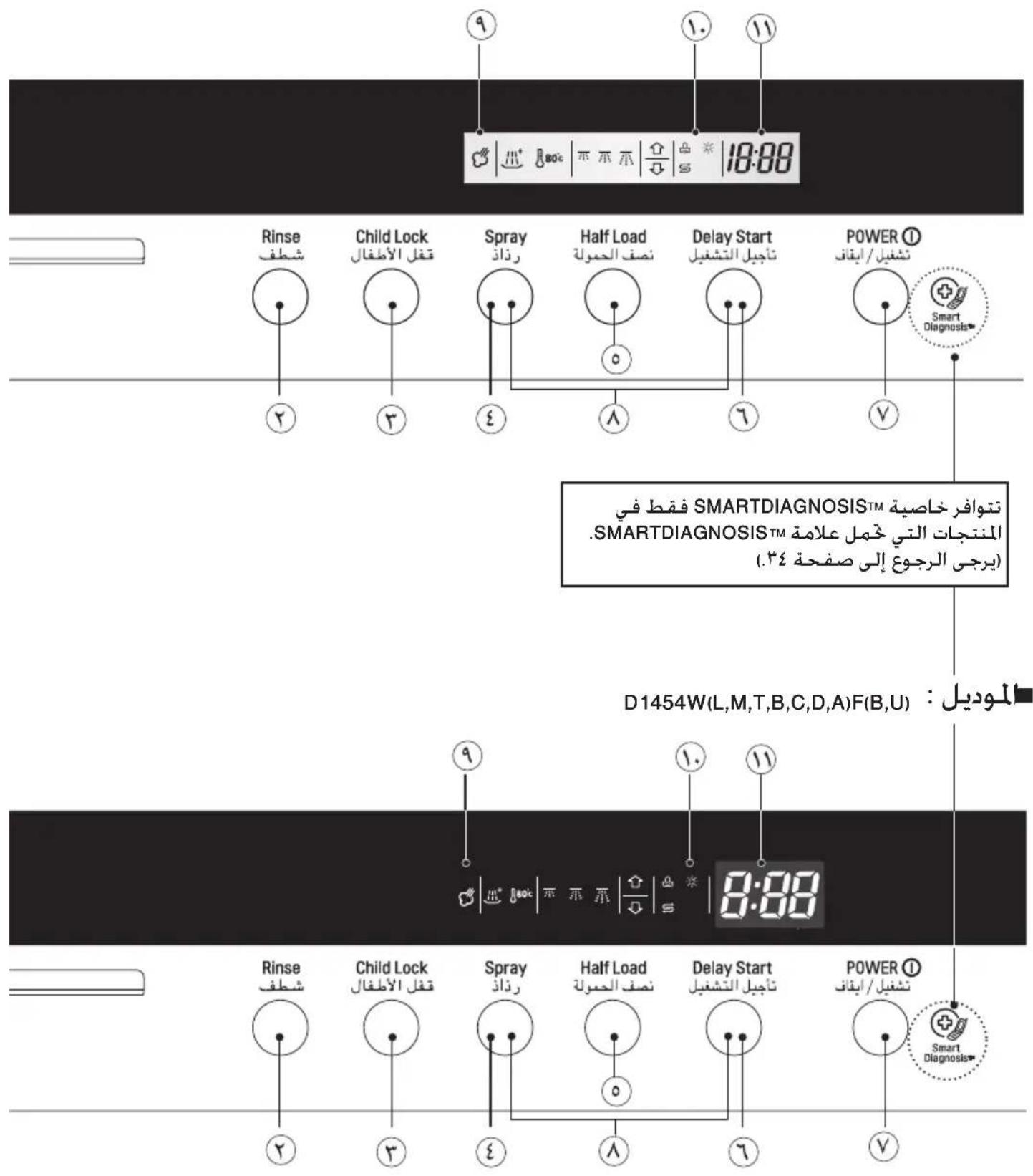
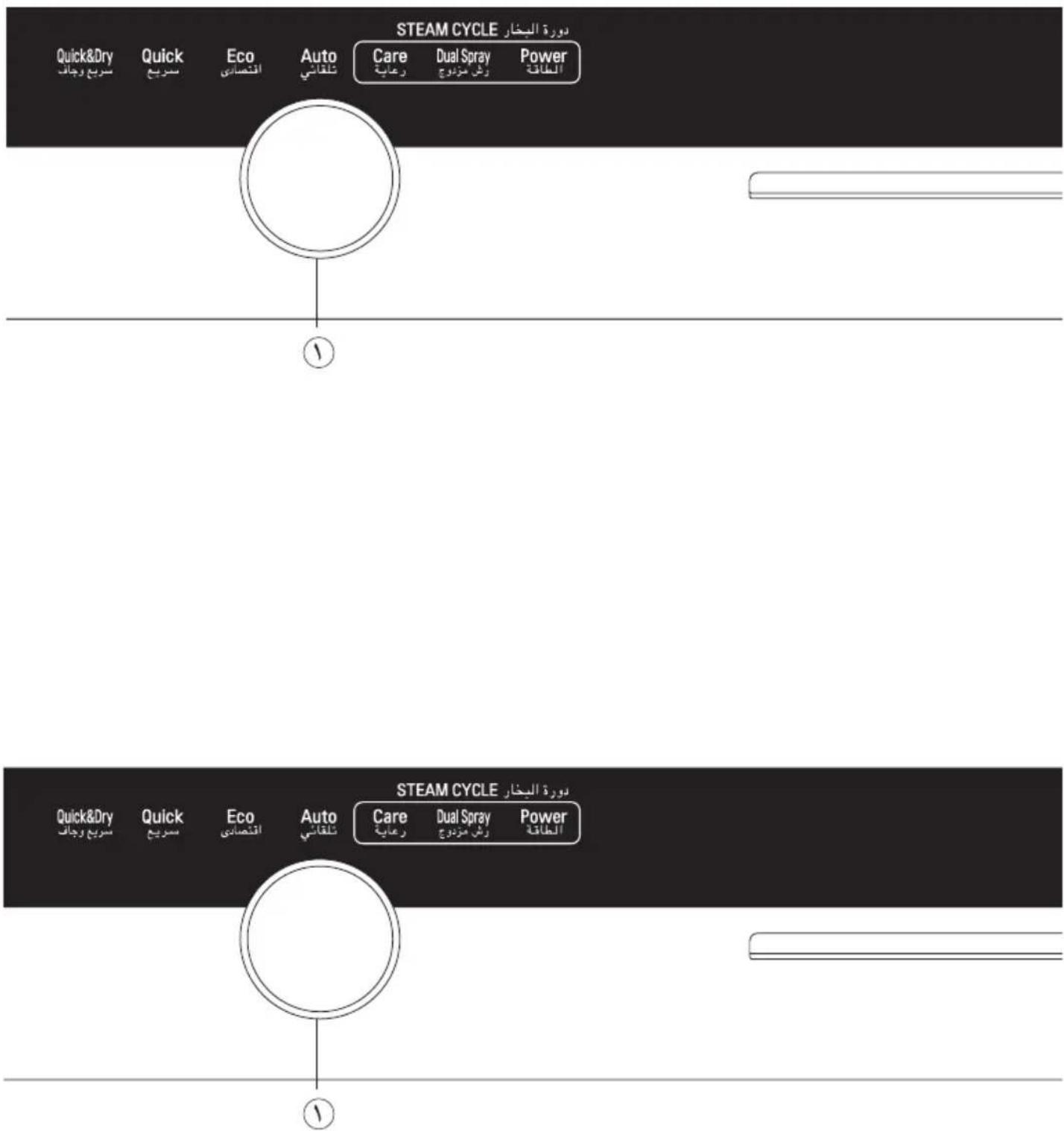
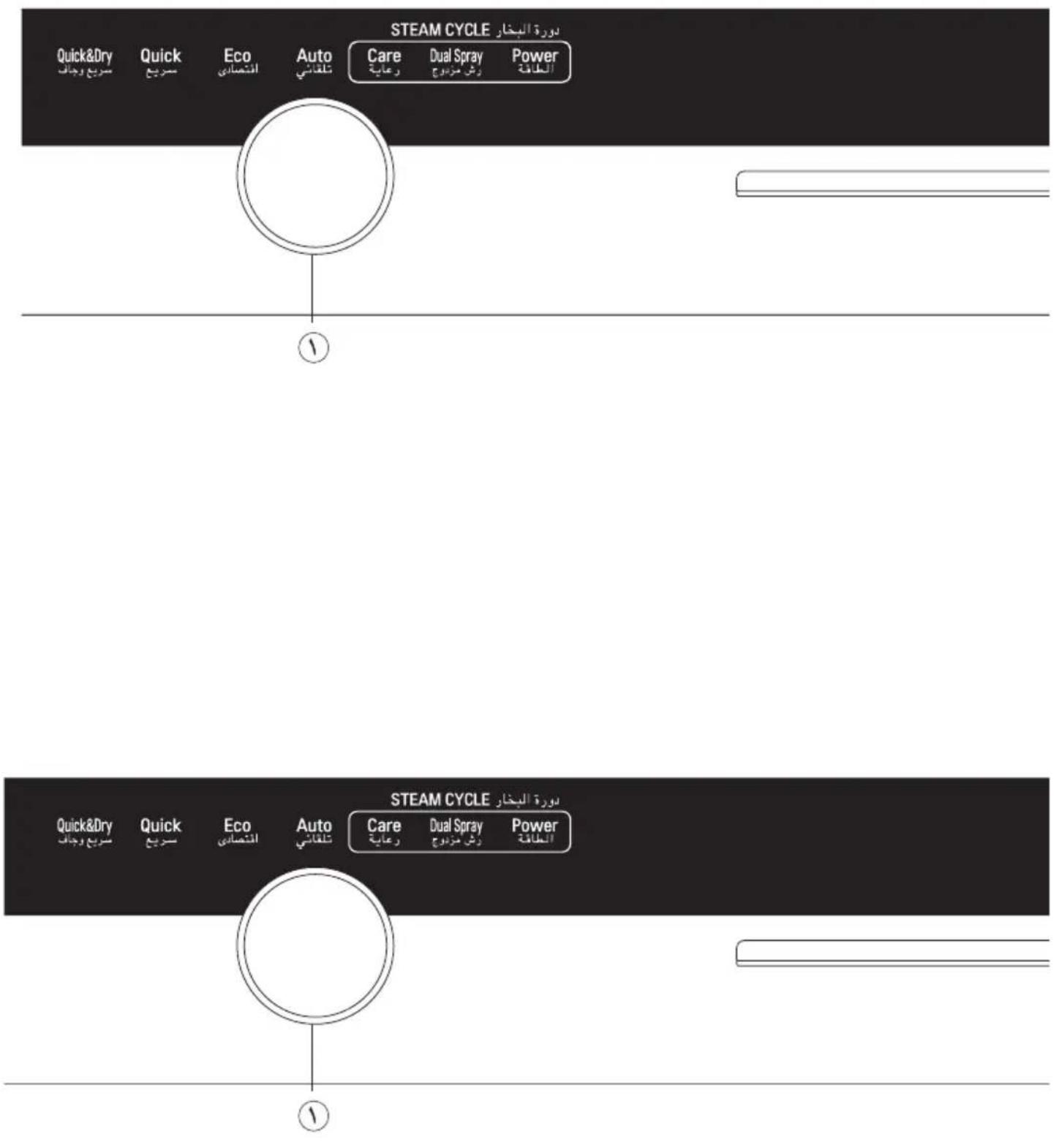
① Programme
- Press the cycle that corresponds to your desired wash cycle.
② Rinse
- Repeated pressing of the Rinse button will select Extra Hot, Rinse+, Extra Hot & Rinse+.
- If you select the Extra Hot(80°C) function, the operating temperature will be up to 80°C. (Eco, Auto, Steam Care, Steam Dual Spray, Steam Power)
- When you select Rinse + (^+) an additional rinse cycle is added.
③ Child Lock ( )
- Used to lock or unlock the control buttons to prevent all the settings from being changed by a child.
- To activate or release the Child Lock function, press the Child Lock button for 3 seconds while the dishwasher is in operation.
- All controls will be disabled except the Child Lock and Power buttons.
- Turning off the dishwasher will not reset the Child Lock function. You must release the Child Lock before you can operate the dishwasher.
④ Spray
- With each press, the level of water jet is changed to Soft ( ), Medium( ) and Strong( ) in a sequence. (Only Steam Care and Steam Dual Spray)
⑤ Half load
- In case of small load, use upper or lower rack only to save energy.
- With each press, select Upper( ) or Lower( )rack only. (Except Quick & Dry, Steam Power)
- In case you don't select this button, the machine always works vario washing, which operates upper and lower spray arm alternately.
⑥ Delay Start
- If you want to delay the start of selected programme, press this button.
- Pressing this button will increase time by 1 hour.
- The delay start time can be adjusted from 1 hour to 19 hours.
⑦ Power
- For operating, press this button first for power on.
- After operating, this button automatically switches off for safety and energy saving.
- In case of irregular surge disturbance to the machine, the power may be automatically turned off for safety.
⑧ Beep On/Off
• The dishwasher must be switched on.
- The beep on/off function can be set by pressing the Spray and Delay Start button simultaneously for a few seconds.
⑨ Steam(
- The Steam symbol light will stay on when the Steam course has been selected.
⑩ Indicator

⑪ Time Left
- Before starting, the display window shows the running time of the selected programme.
• After starting, the display window shows the remaining time. - If the dishwasher has a trouble, the trouble type is displayed. (OE, FE, IE, EI, HE, LE, tE)
- If these error letters are displayed, please refer to the trouble shooting guide page 32 and follow the guide.
⑫ UV
- If you want to sterilise the dishes, press Half Load and Delay Start button.
•After drying cycle, steriliser will be performed by UV lamp. - At this time, St code is displayed in display window.
- When you open the door of dishwasher, UV lamp is turned off.
※ Don't look at the lamp directly with the naked eye.
Hardness setting
※ You have to check your water hardness and set the softening system level before operating your dishwasher.
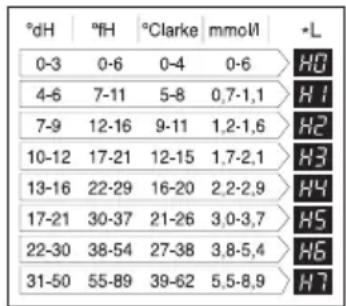
Step 1. Check and find water hardness level
Method 1
1) Check the water hardness in your area.
(Your water utility company can help you with this.)
2) Set the softening system level of your dishwasher according to the water hardness level.
Refer to Step 2.
other
| pH | 0-3 | 0-6 | 0-4 | 0-6 | H0 | |---|---|---|---|---|---| | 4-6 | 7-11 | 5-8 | 0,7-1,1 | | H1 | | 7-9 | 12-16 | 9-11 | 1,2-1,6 | | H2 | | 10-12 | 17-21 | 12-15 | 1,7-2,1 | | H3 | | 13-16 | 22-29 | 16-20 | 2,2-2,9 | | H4 | | 17-21 | 30-37 | 21-26 | 3,0-3,7 | | H5 | | 22-30 | 38-54 | 27-38 | 3,8-5,4 | | H6 | | 31-50 | 55-89 | 39-62 | 5,5-8,9 | | H7 |(*L : Softening system level)
Method 2
1) Check your water hardness by using test strip. (☐)
2) Test Procedure
① Immerse all reaction zones of the test strip for approx.1sec (not in running water!).
② Shake off excess liquid from the strip and wait for 1min.
Then, the green colour of the reaction zone will change to the red-violet.
③ Count the number of red-violet from the strip.
< Water hardness level >
| Number of the areas(red-violet) | Hardness range | Water quality | Softening system level | ||||
| °d | °e | °f | mmol/l(Ca+Mg) | mg/l Ca | |||
| 1 | <7 | <9 | <12,5 | <1,3 | <50 | soft | H0, H1 |
| 2 | 7 - 14 | 9 - 17,5 | 12,5 - 25 | 1,3 - 2,5 | 50 - 100 | moderately hard | H2, H3 |
| 3 | 14 - 21 | 17,5 - 26 | 25 - 37 | 2,5 - 3,8 | 100 - 150 | hard | H4, H5 |
| 4 | >21 | >26 | >37 | >3,8 | >150 | very hard | H6, H7 |
1^ = 14.25mg / l CaCO_3
1^ = 10mg / l CaCO,
1^ = 10mg / l CaO (= 1,78^) (= 1,25^)
3) Set the softening system level of your dishwasher according to the water hardness level. Refer to Step 2.
Step 2. Setting up the softening system level of your dishwasher
Adjust the water softener to the setting corresponding to the water hardness level in your area.
The water softener has 8 adjustment levels.
The dishwasher is programmed at the factory for a water hardness level of H4.
This can be checked and altered by using the buttons on the control panel.
- First, ensure the dishwasher is switched off.
- Press Half Load and Power button simultaneously and keep them pressed.
-
To change the setting:
Simply press the Half Load button, then the figure will change one by one.
The display will change between H0 and H7 -
Once the hardness setting is correctly adjusted, press the Delay Start button.
The hardness setting is then saved.
BEFORE USING FOR THE FIRST TIME
Step 3. Salt Filling
This model has a water softener to soften hard water. Please read these notes carefully for correct operation.
In order to provide satisfactory rinsing results, the dishwasher requires soft water, i.e., containing little or no lime, otherwise water stains will be left behind on the dishes and interior containers. If the tap water exceeds a certain level of hardness, it must be softened, I.e., decalcified. This is achieved by adding a special salt to the water softener inside the dishwasher. The required amount of salt is set up according to how hard your tap water is.
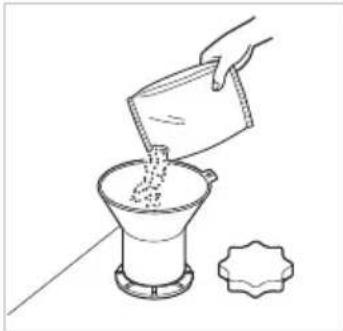
■ Filling with Salt
Fill the regenerating salt container before starting the washing programme.
Once you have filled with salt you must run the Quick course immediately to remove salt and salt water around the tub in order to prevent corrosion.
- Remove lower rack and unscrew the cap of salt container.
- Before using your dishwasher for the first time, it is necessary to Pour 1.5kg of salt and 1 litre of water in to the container. Otherwise salt refill lamp always turn on during operation. Use a funnel for ease and clean filling, ensuring that coarse salt or regenerating salt intended for dishwashers is used.
• After filling, wipe off any spilled salt to seal the cap properly.
- Screw the cap tightly to prevent any suds from penetrating into the container.
natural_image
Line drawing of a hand pouring liquid into a funnel with a small decorative object nearby (no text or symbols)Step 4. Adding Rinse Aid
For filling
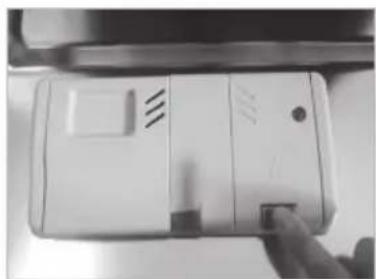
To fill the Rinse Aid chamber, push the rinse aid button. Fill the container to the maximum level with a good quality Rinse Aid, then close the cap.
The Rinse Aid is automatically dispensed during the final rinse cycle.
The dosage is factory set to suit most installations. If, after washing, you notice cloudy spots, streaks or water marks on your glassware, it may be necessary to increase the setting. To do this, remove the cap and rotate the indicator arrow to a higher setting then replace the cap. If the glass is smeared or foam is present on the bottom of the glass or the bottom of the machine, select a lower setting.
natural_image
Close-up of a hand pressing down on a white electronic device (no visible text or symbols)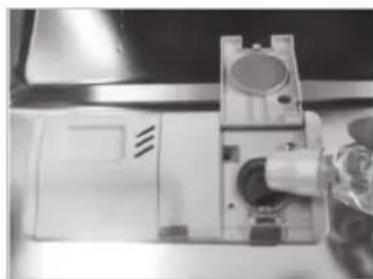
natural_image
Close-up of a sewing machine with a mounted device and mechanical components (no visible text or symbols)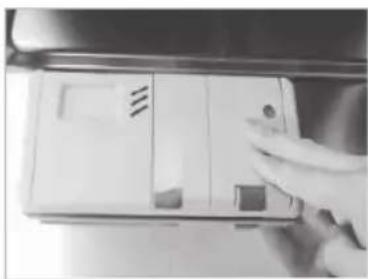
natural_image
Hand holding a white electronic device with buttons and a ventilation grille (no visible text or symbols)INFORMATION FOR ENERGY TEST(EN50242)
■ Appliance loaded in accordance with standard specifications.
• Capacity : 14 place settings
• Standard course : Eco
- Rinse Aid setting : 4
- Reference cleaner : 35g of detergent onto the inside surface of the door.
- Height-adjustable Rack-U must be inserted into the uppermost position.
- It is the most efficient programme in terms of its combined energy and water consumption for that type of tableware.
| Program | Time in minutes | Water in Liter | Energy in KWh |
| Eco 170 | 9 0.92 |
1. Cutlery Basket
natural_image
Black-and-white photo of a computer keyboard with multiple mouse blades and a grid of blades (no text or symbols visible)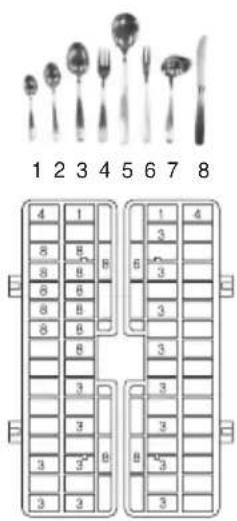
2. Cutlery Rack
3. Upper Rack
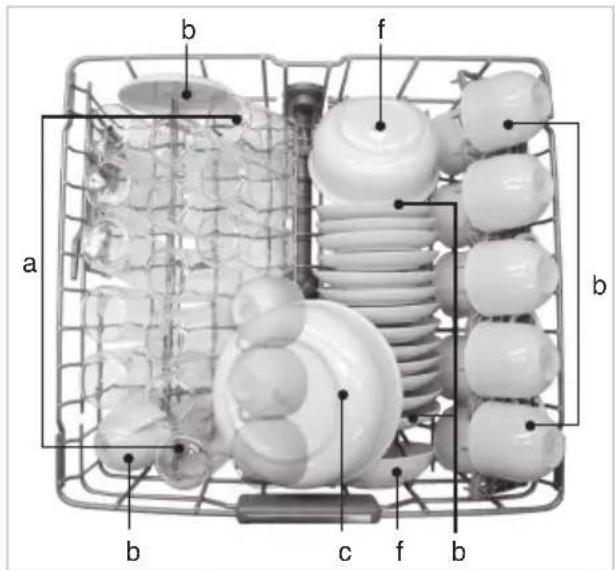
| a | Milk | b | Tea | c | Meat |
| d | Egg | e | Oat | f | Spinach |
| g | Margarine |
4. Lower Rack
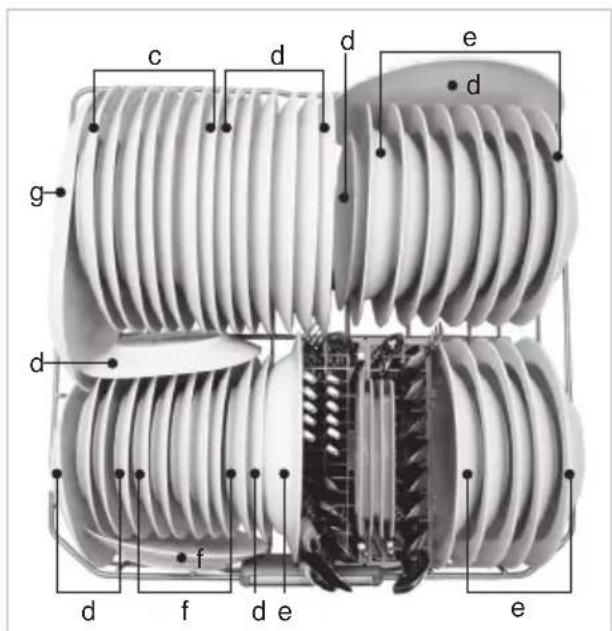
| a | Milk | b | Tea | c | Meat |
| d | Egg | e | Oat | f | Spinach |
| g | Margarine |
HOW TO USE AND OPERATE
■ Daily use load
- Cutlery Basket
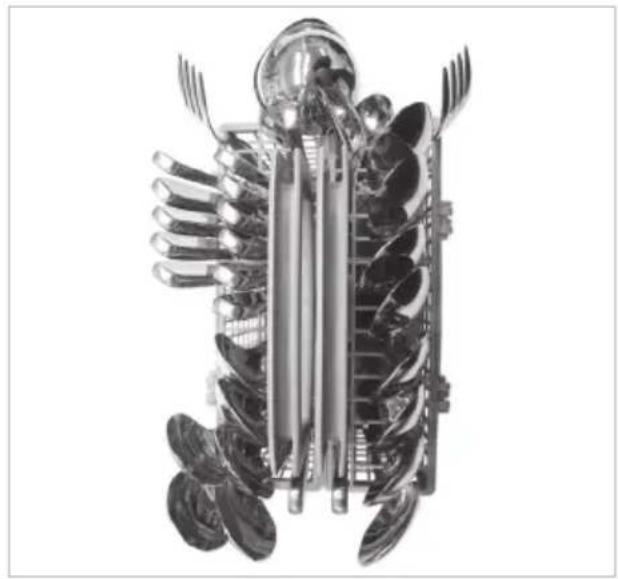
natural_image
Cross-sectional illustration of a mechanical device with multiple blades and central shaft (no text or symbols)- Upper Rack
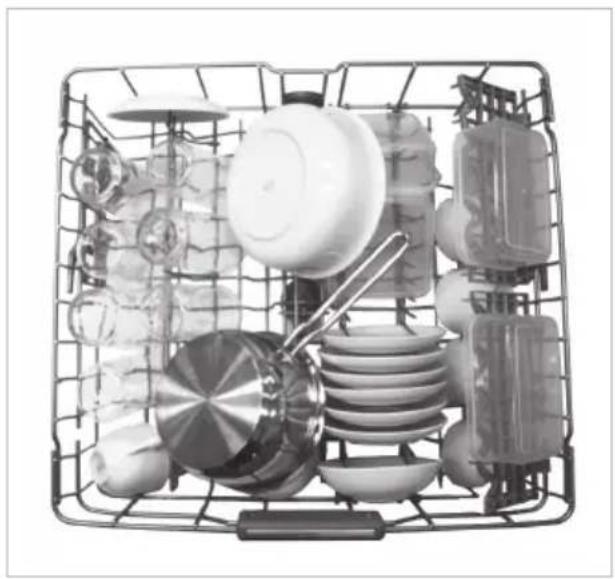
natural_image
Black and white photo of a multi-tiered kitchen appliance basket with various kitchen utensils (no text or labels visible)- Cutlery Rack
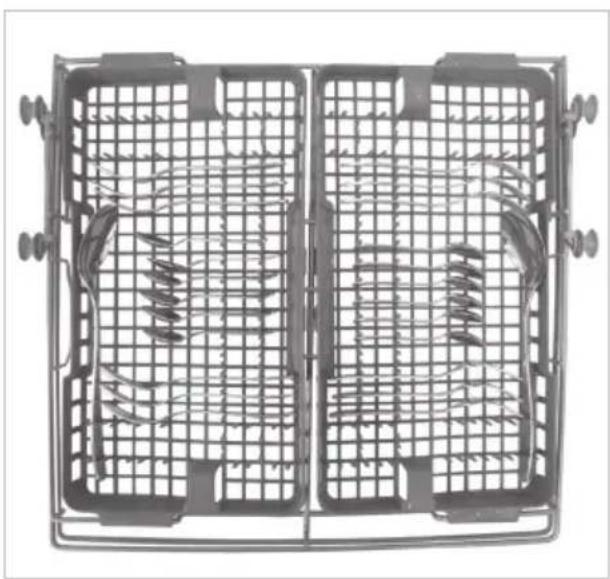
natural_image
Top-down view of a metal grid fan with two side panels showing internal spring patterns (no text or symbols)- Lower Rack
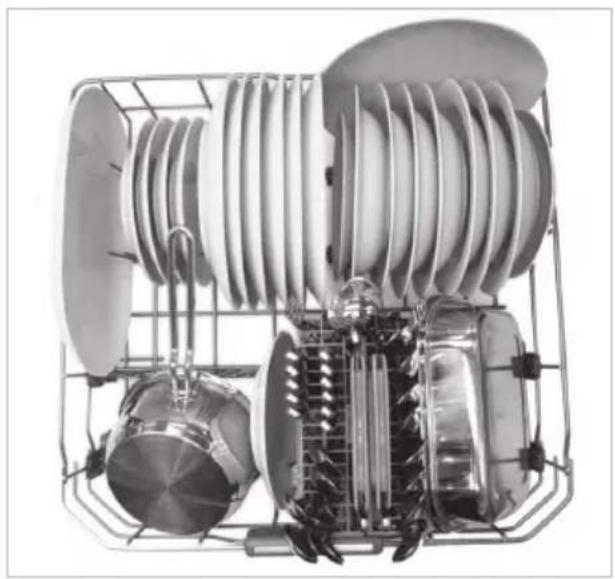
natural_image
Cutaway view of a jet engine showing internal turbine blades and fan components (no text or labels visible)CAUTION
- Do not use the pot and pan with plastic handle.
- Poor washing for smudges of waterproof or long lasting lipsticks on the glass.
HOW TO USE AND OPERATE
For better washing performance, always load the dishwasher according to the instructions.
■ Before loading items into the dishwasher.
- Clean off large particles of food, in particular insoluble items such as bones, pips etc.
- Items with burnt on food should be soaked prior to loading in the dishwasher.
■ While you load items into the dishwasher.
- Load all items with the opening down. (Make sure that water does not collect in a deep base.)
- Deep based items should be placed at an angle to help water run off and dry properly.
• Make sure that all items do not touch each other.
■ Take care not to obstruct the rotation of spray arms.
■ Plastic items do not dry as well as steel or porcelain items.
NOTE
Non Dishwasher Safe Items
The combination of high water temperatures and dishwasher detergent may damage particular items, therefore we do not recommend using the dishwasher to wash the following:
■ Copper or anodised aluminium
■ Hand painted silver or gold leaf crockery
■ Wood or bone handled utensils
■ Iron or non rust proof utensils
■ Plastic items which are not dishwasher safe
■ Expensive one such as silvers and dishes with golden rings
■ Fragile item such as crystal glasses
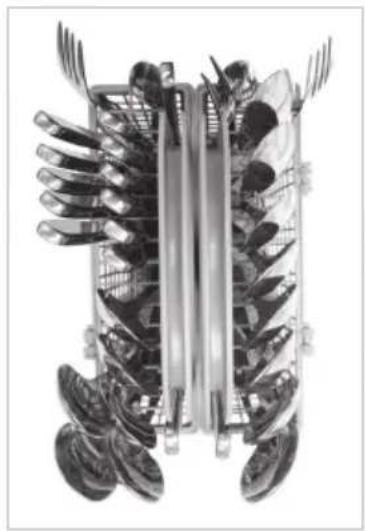
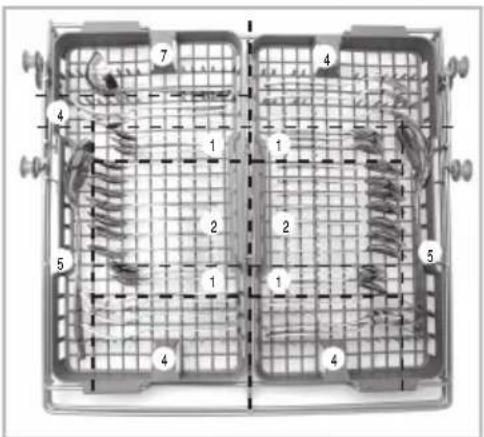
1. Cutlery Rack
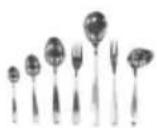
The cutlery rack is suitable for flatware and most cooking or serving utensils.
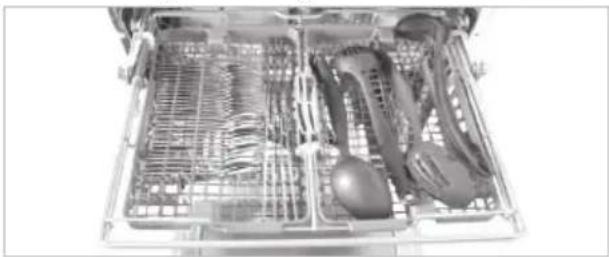
natural_image
Interior view of a multi-level kitchen appliance with visible mesh and internal components (no text or symbols)Knife, fork and spoon handles should be positioned between the tines.
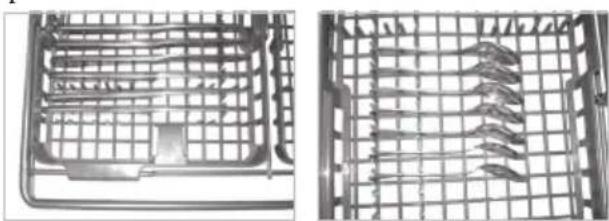
natural_image
Two views of a metal grid device with internal components, no visible text or symbolsWARNING
- Be careful when loading and unloading sharp-edged items. Load sharp knives with the blade down in order to reduce the risk of injury.
■ Height Adjustable tray
Each side tray can be adjusted independently to a high or low position to accommodate different sizes of utensils or cutlery.
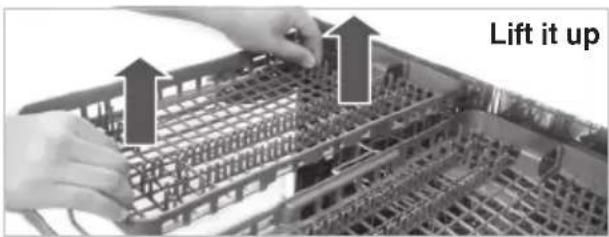
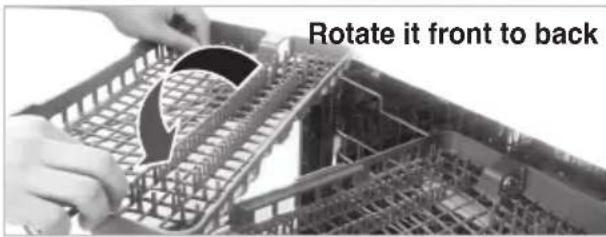
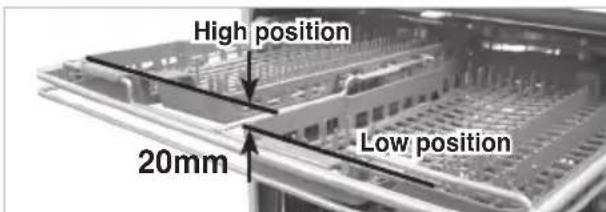
HOW TO USE AND OPERATE
■ Removable Cutlery Rack
The entire cutlery rack can be removed if more space is needed on the upper rack for larger items.
NOTE
Always remove cutlery from the rack before removing the rack.
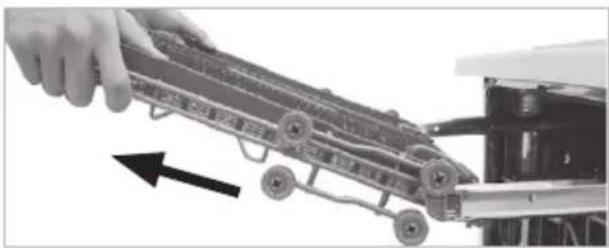
natural_image
Close-up of a hand pulling a toy car with wheels, showing mechanical components and an arrow indicating motion (no text or symbols)Pull the rack out to the end of the rails, then lift the front of the rack so the rollers clear the stop on the end of the rail. The rack can now be slid forward and removed from the rails.
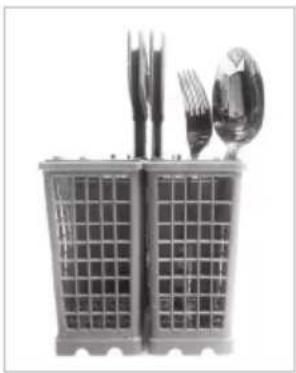
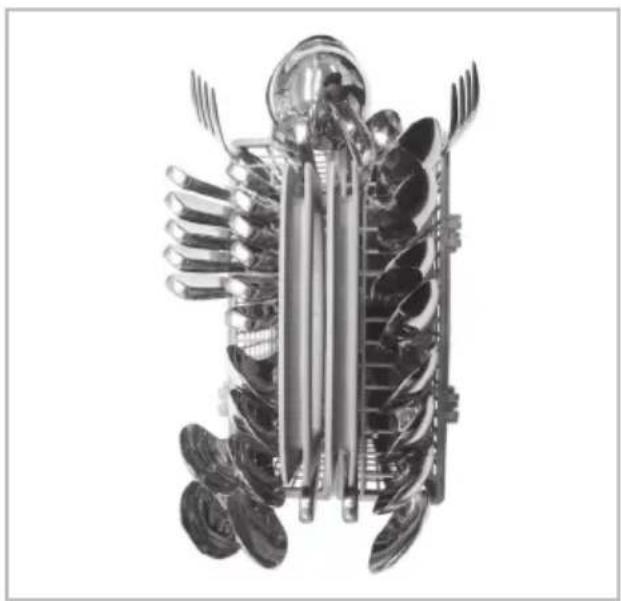
2. Cutlery Basket
Place forks and spoons in the cutlery basket with their handles downwards.
natural_image
Black-and-white photo of a plastic cup holding cutlery and a spoon (no text or symbols visible)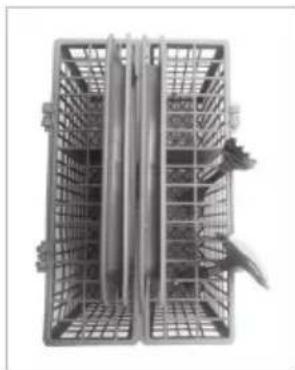
natural_image
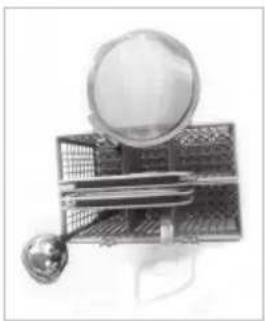
Metallic plastic crate with metal handles and a central vertical rod, no visible text or symbolsFor Large utensils, such as whisks, the cover can be opened by being unhinged.
Take care not to obstruct the rotation of the spray arm.
natural_image
Illustration of a magnifying glass over a grid-patterned object with a small sphere nearby (no text or symbols)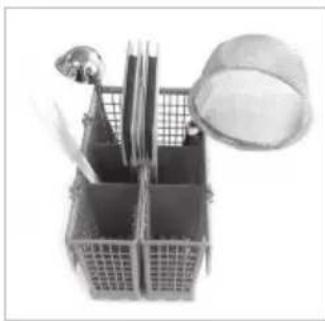
natural_image
Black-and-white photo of a toolbox containing various items including a tray, ruler, and a bucket with a cloth (no visible text or symbols)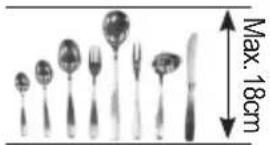
natural_image
Illustration of a set of kitchen utensils with a knife, showing a maximum height of 18cm (no text or symbols on the items themselves)The cutlery shouldn't be longer than 18cm. (In this case, use cutlery rack.)
The basket can be split along its length, increasing the lower rack's loading versatility.
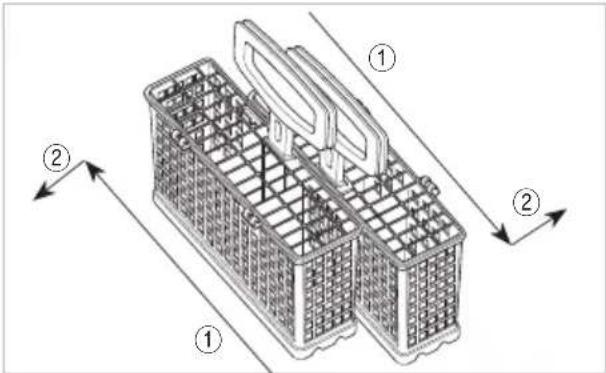
Slide two baskets in opposite directions, then pull them apart.
WARNING
• To prevent injuries, place knives and other utensils with sharp points on the cutlery rack.
- If you want to load them in the cutlery basket, place them with the pointed edges facing downwards.
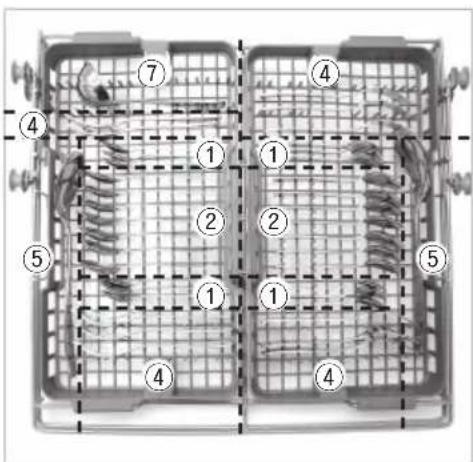
3. Lower Rack
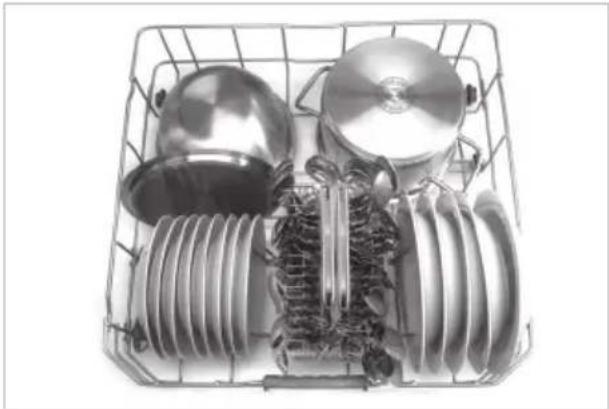
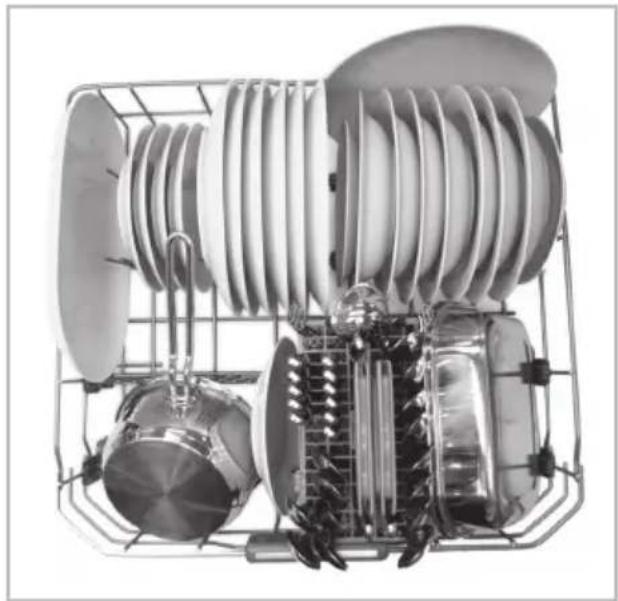
The lower rack is suitable for dinner plates, soup bowls, dishes, pots, pans, lids and even the grill tray.
natural_image
Interior view of a stainless steel kitchen appliance basket with multiple kitchen utensils (no text or symbols visible)Plates should be positioned upright and facing the centre of the rack and pots, pans and large dishes must be turned upside down.
HOW TO USE AND OPERATE
Take care not to obstruct the rotation of the spray arms.
natural_image
Industrial equipment setup with a curved white component mounted on a metal frame, surrounded by scaffolding (no visible text or symbols)
natural_image
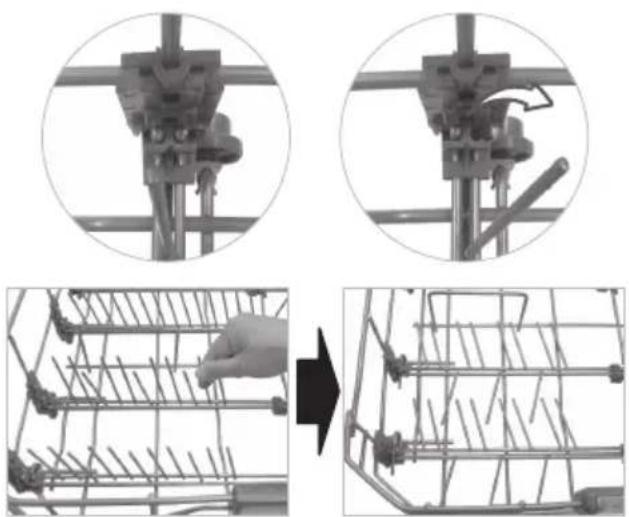
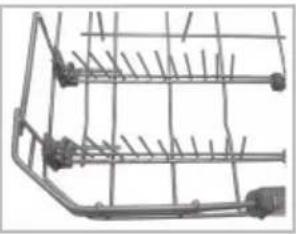
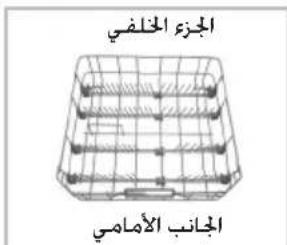
Interior view of a laboratory or industrial facility with glassware and equipment (no visible text or symbols)To make it easier to load larger dishes, the front row of tines can be folded down.
■ How to fold down
natural_image
Mechanical assembly diagram showing a robotic arm and wire cage with a hand interacting (no text or symbols)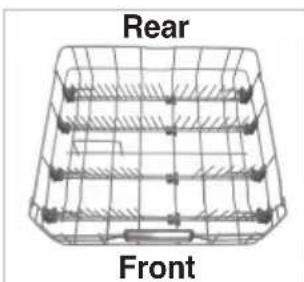
natural_image
Diagram of a wire basket with labeled front and rear views (no text or symbols on the diagram itself)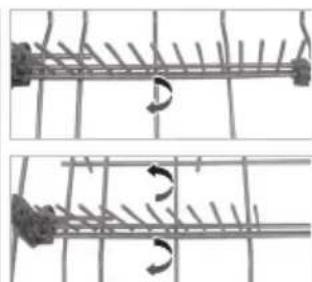
natural_image
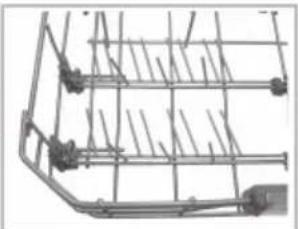
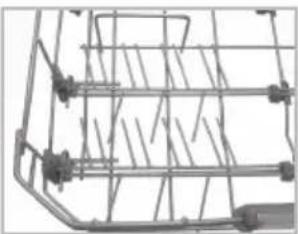
Two-panel diagram showing a mechanical or structural assembly with rotational arrows, no text or symbols present.The front side rows are composed with a pair of rows of tines.
Each pair can be folded separately to load large dishes, especially bowls.
To make the space between two tines wider, fold down the rear row of each pair.
Fold down the back side rows of tines to load pots.
• E.g.) Loading dishes
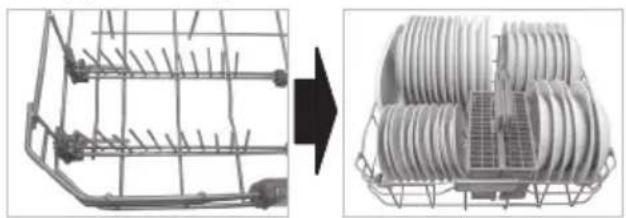
natural_image
Two views of a wire cage structure before and after transformation, showing internal components (no text or symbols)Fold up whole tines.
• E.g.) Loading bowls
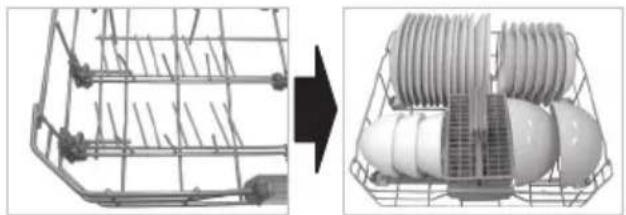
natural_image
Two-panel image showing a wire mesh device before and after transformation, with an arrow pointing to the component (no text or symbols visible)Fold down the rear row of each pair of tines.
• E.g.) Loading pots
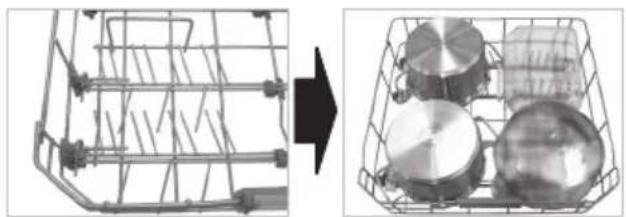
natural_image
Two views of a shopping basket: one wireframe and one showing a close-up of circular objects (no text or symbols visible)Fold down whole tines.
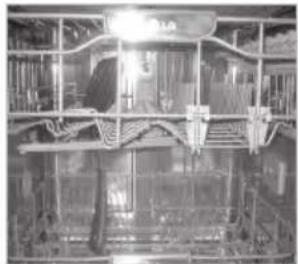
4. Upper Rack
The upper rack is suitable for delicate items such as, small plates, long cutlery, cups, glasses and dishwasher safe plastic items.
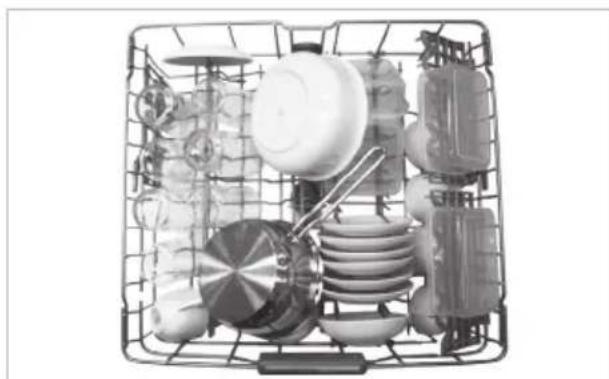
natural_image
Black-and-white photo of a multi-wheeled kitchen sink with various kitchen utensils and utensils (no text or labels visible)Plates should be positioned upwards with the plate bottom facing the front of the rack.
Cups, glasses and bowls must be positioned upside down.
HOW TO USE AND OPERATE
Take care not to obstruct the rotation of the spray arm under the upper rack.
natural_image
Interior view of a livestock barn with metal framing and overhead structures (no visible text or symbols)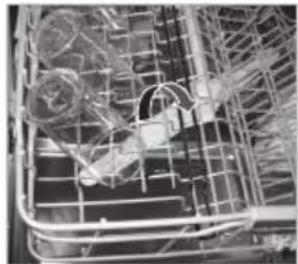
natural_image
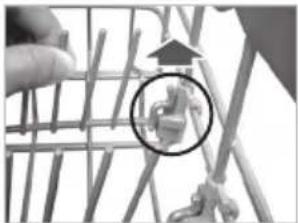
Close-up of a wire cage with mechanical components and wiring (no visible text or symbols)To make it easier to load larger cups or glasses, the left side row of tines can be folded down. For the upper rack's position, dishes shouldn't be larger than 25cm with the upper position, nor 20cm with the lower position.
■ How to fold down
- Pull up the tine · Rotate the tine
natural_image
Close-up of a hand holding a wire structure with a magnified inset showing a small mechanical component (no text or symbols visible)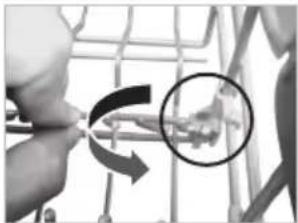
natural_image
Close-up of hands using a tool to adjust a mechanical component, with a magnified inset showing a detail (no text or symbols visible)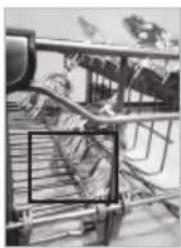
natural_image
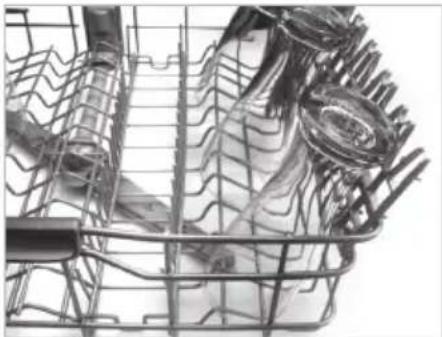
Black-and-white photo of a supermarket interior with shelves, carts, and signage (no readable text or symbols)Long stem glassware can be placed without interference from the lowered tines.
The cup racks can be folded up out of the way for tall crockery items.
natural_image
Close-up of a bicycle front bumper with visible exhaust rings and discoloration (no text or symbols)■ Adjusting the height of the upper rack
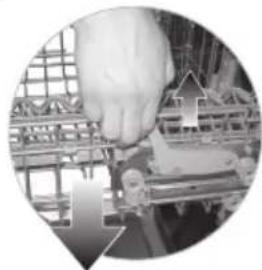
The height of the upper rack can be adjusted when you load glasses with long stems or tall crockery items.
- Move the upper rack to the lower position
natural_image
Close-up of a hand operating a mechanical device with a grid-patterned frame (no visible text or symbols)Pull up the levers on either side of the rack.
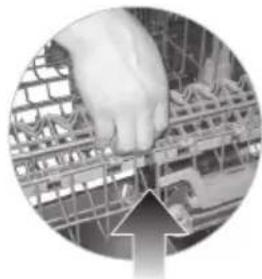
- Move to upper position
natural_image
Close-up of a hand pressing a small component on a grid-patterned surface, with an upward arrow overlay (no text or symbols visible)Lift the rack upward.
There is a 45mm gain in height when the upper rack is moved to the lower position.
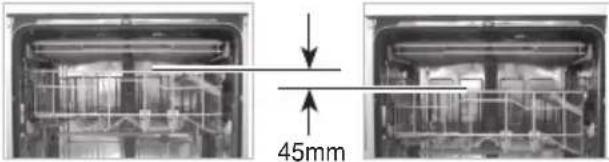
After adjusting the rack levels, check that the spray arms are free to rotate.
WARNING
- Before adjusting, ensure the rack is empty of all crockery. Otherwise crockery may get damaged or you may get injured.
With the lower position of the upper rack, check if the bottom part of upper rack including spray arm is not disturbing items on the lower rack. - When the upper rack is in the lower position, push in the upper rack first, and the lower rack later.
(Pull out the lower rack first, and the upper rack later.)
HOW TO USE AND OPERATE
5. Adding Detergent
- Detergent must be put into the detergent chamber before starting every programme.
- Please follow the manufacturer's instructions within the manual, when determining the correct amount of detergent to use.
- If your dishes are moderately dirty, you may use slightly less detergent than recommended.
- Chambers hold up to 50g including pre-wash chamber.
- The amount of detergent required depends on the programme. Please refer to the guide table.
| PROGRAMME | AMOUNT OF DETERGENT | |
| Pre-wash(Onto the door) | Main-wash(Dispenser) | |
| Quick & Dry 5g | 20g | |
| Quick - 10g | ||
| Eco - 35g | ||
| Auto 5g 30g | ||
| Steam Care - 20g | ||
| Steam Dual Spray | 5g 30g | |
| Steam Power - 35g | ||
- The detergent is dispensed automatically during the operation.
- The chamber lid remains open after operation.
NOTE
Detergent Information
- Use only the detergent intended for household dishwashers. (Ordinary hand-washing detergent should not be used, because the foam will interfere with proper operation.)
- When using some dishwasher tablets, the dispenser may not open due to their excessive size.
- If this happens, place the tablet onto the floor of the tub.
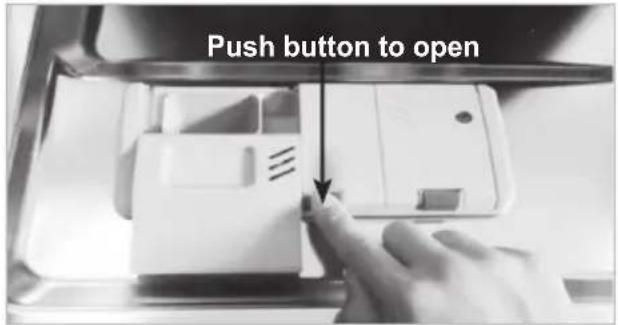
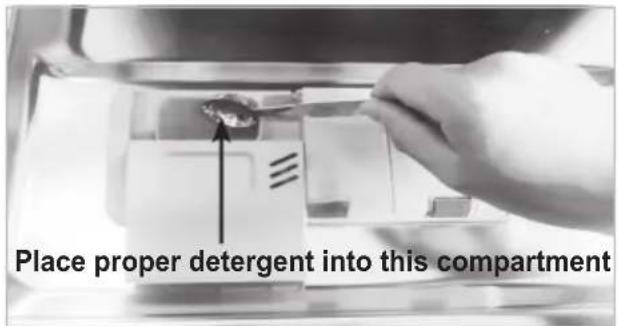
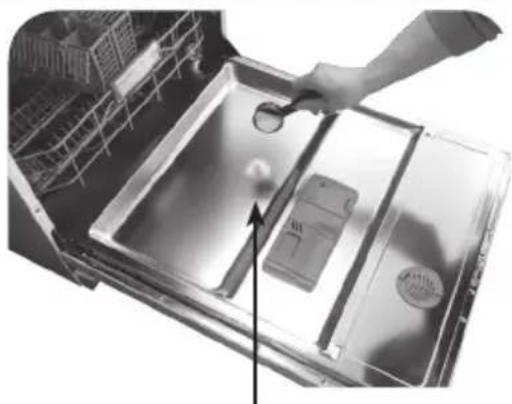
natural_image
Interior view of a kitchen appliance showing a hand holding a tool near the sink (no visible text or symbols)When using tablets, place them onto the inside surface of the door. The use of some combined detergent/rinse aid tablets can cause the dispenser to remain shut during the wash.
HOW TO USE AND OPERATE
WARNING
• The detergent used is a special Dishwasher detergent and like all household chemicals it should be treated as harmful and kept out of reach of children.
• After completion of the wash programme, the detergent compartment should be checked and any remaining detergent removed.
CAUTION
Using combined detergent products (ex.3 in 1)
• Some products integrated with rinse aid work best with specific programmes only. You will obtain optimum rinsing and drying results by using conventional rinse aids.
• The use of Dishwasher Tablet products may also cause the soap dispenser to remain shut, therefore failing to dispense the soap tablet.
These combined detergent products can alternatively be placed in the filter prior to starting the wash cycle.
Please contact the detergent manufacturer if the drying performance is very poor or you find white foam, when you use the combined detergent products.
The rinse aid dial should be set to minimum when using wash tablets with built in rinse aid.
Excessive rinse aid can cause foaming at the end of the wash.
We do not warrant the complaints that are directly related to the use of these products. Do not use liquid rinse aid if using tablets containing a rinse aid agent.
6. Refilling
■ For refilling Rinse Aid
Depending on the dosage setting and the number of washes, the chamber may need to be topped up, approximately once a month. The rinse aid level can be checked by two methods.
- By the indicator window on the dispenser when the dishwasher door is fully open.
- Black indicates sufficient Rinse Aid - Clear indicates Rinse Aid required
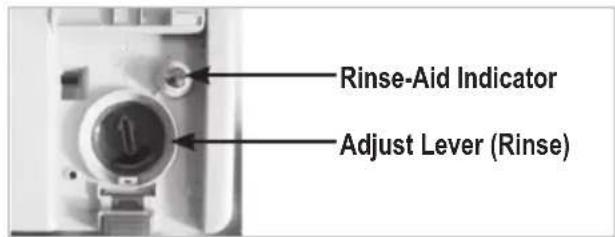
- By the light on the control panel, being lit, when the dishwasher is working on.
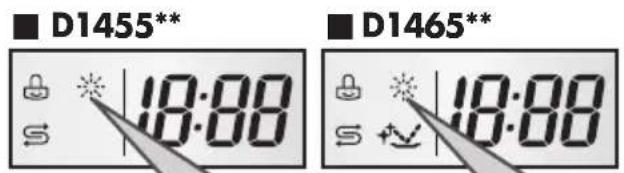
When the lamp is lit, it means the rinse aid is almost empty. Refill the Rinse Aid chamber as soon as possible.
NOTE
Rinse Aid Information
- Rinse Aid is necessary to remove spots and streaks of the water from dishes as well as improved drying. Using the correct amount will improve wash performance. However, using too much can produce excess foam leading to possible water leaks.
HOW TO USE AND OPERATE
■ For refilling Salt
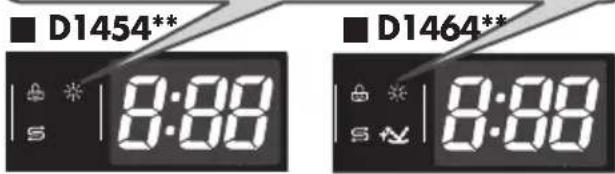
When the salt container is empty, the salt refill lamp will automatically turn on during operation. The salt should be refilled after the cycle has finished. We recommend the salt refill should always be carried out, as mentioned on previous page, prior to starting the next operation. This will immediately thin and drain away any excess salt solution.
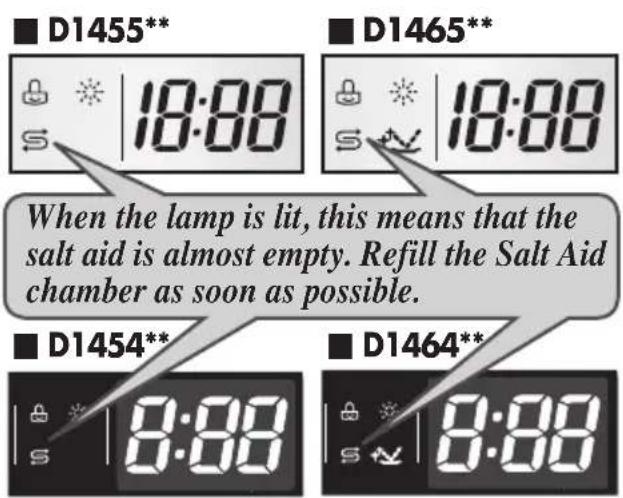
NOTE
• After filling with salt, it may take a little while before the indicator light turns off.
- When the control is set to HD, it is not necessary to fill up with salt as no salt is consumed while the dishwasher is operating. If the control is set between H I and R, then salt must be added to the salt container.
WARNING
- Do not pour detergent into the salt container. This will destroy the water softener.
7. Drying
■ To assist drying, we recommend that the door be partially opened after the cycle. The display will indicate Cd(cool dry) for a further 60 minutes after the end of the cycle time. It can be interrupted or terminated by simply opening the door.
■ The use of rinse aid is recommended for optimum drying results.
■ Select the Extra Hot option to get better drying results.
OPERATING SEQUENCE
1. Press the Power button
2. Check there is rinse aid and salt
The corresponding indicator lights will illuminate if refilling is required.
3. Open the door and check the filters
Ensure they are clean and properly positioned. (See User Maintenance Instructions)
4. Load the dishes
Remove any excess food.
Pull the lower rack out and arrange the dishes and cutlery.
Pull the upper rack out and arrange the cups, glasses, etc.
CAUTION
- Do not load the items in upper rack when the lower rack is pulled out and loaded.
5. Ensure the spray arms can freely rotate
6. Measure out detergent
Add the required amount of detergent into the dispenser and close the lid.
7. Setting and starting the programme
Press the programme button to select the desired programme.
After 10 seconds, the machine will start. If necessary, select the option function corresponding to the desired programme.
The indicator lights of the programme and all the phases of the programme will come on.
Before starting, the display window shows
the running time of the selected programme.
After starting, the display window shows the remaining time.
The time in the display window will start to decrease minute by minute.
If the door is opened during the programme a safety device ensures that the machine stops.
Once the door is re-closed the programme will start from where it was interrupted.
8. At the end of the washing programme
End is displayed on the digital display and a buzzer sounds.
And the dishwasher automatically switches off for safety and energy saving later.
If you select UV function, the dishwasher automatically switches off after sterilising action.
CAUTION
- Empty the lower rack first and then the upper one; this will avoid water dripping from the upper rack onto the dishes below.
WARNING
- In general it is not advisable to open the door while the machine is working.
- If the door is opened, a safety device ensures that the machine stops.
- Care must be taken if the door is opened during the hot phase or immediately after a programme has finished, as steam may escape.
CAUTION
- The door should not be left in the open position since this could present a tripping hazard.
PROGRAMME
▶ Running time may vary according to the water temperature, water pressure and voltage.
▶ Running time doesn't include Cool Dry - 60min.
| Programme | WASH RINSE | DRY | COOL DRY | ||||
| Pre Wash | Main Wash | Rinse 1 Rinse 2 | Heating Rinse | ||||
| Quick & Dry | 65°C 70°C | ||||||
| Quick | 60°C | 65°C | |||||
| Eco | 43°C 59°C | ||||||
| Auto | The programme sequence is optimised and adapted in accordance with how dirty the dishes are. | ||||||
| Steam Care | 50°C 70°C | ||||||
| Steam Dual Spray | 45°C 60°C | 70°C | |||||
| Steam Power | 45°C 73°C | 70°C | |||||
▶ Quick & Dry
This programme offers good washing performance within 60 minutes.
To assist drying, we recommend to open the door partially when you see the small amount of wet streaks or drops after the cycle.
Opening the door right after the cycle may set the High temperature alarm off.
Quick
Can use for lightly soiled recently used dishes and cutlery.
Eco
This programme offers efficient energy and water consumption for a good washing performance on a normally soiled tableware.
▶ Auto
During the Auto programme, the degree of soiling in the dishes is determined by the amount of clouding to the water.
According to the degree of soiling, the programme automatically adjusts the washing time and temperature.
As a result, the energy and water consumption is kept as low as possible. The F ON display means that the sensor is sensing the status of the dishwasher.
▶ Steam Care
This cycle adds the gentle power of steam to boost the cleaning power of the delicate cycle. The cycle is adequate for effectively cleaning delicate items like fine china or stemware.
▶ Steam Dual Spray
This cycle washes the upper and lower racks at different spray intensities. The lower rack is washed with a strong spray for hard to clean items, while the upper rack is washed with a medium spray for more delicate items. This provides optimum cleaning performance for mixed loads, including fine china and stemware.
▶ Steam Power
This cycle adds the strong power of steam to boost the cleaning power of the intensive cycle. The cycle is adequate for effectively cleaning strongly polluted items like pots and pans.
■ Auto Restart
If the dishwasher is turned off by a power failure, it will restart from the position it stopped at adjusting accordingly when you press the Power button again.
USER MAINTENANCE INSTRUCTIONS
To prevent trouble and poor operating, it is important to check filters and spray arms at regular intervals.
■ Keeping the dishwasher
- If you are not using the dishwasher for a long time, run a Quick & Dry cycle without detergent. When the cycle is finished, clean the dishwasher according to the USER MAINTENANCE INSTRUCTIONS to remove the food debris at the bottom of the dishwasher and close the door.
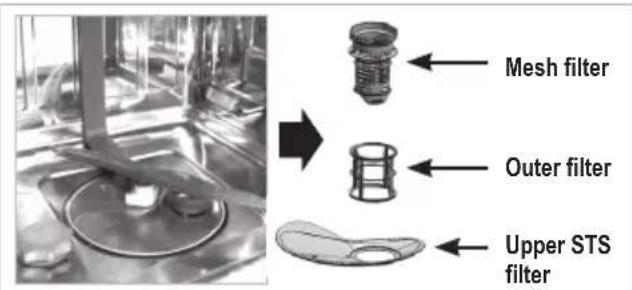
■ Filters
- Remove the lower rack first.
- Turn the mesh filter counterclockwise.
• Take out the mesh filter, upper STS filter and outer filter.
• We recommend to clean them and run the Quick & Dry cycle without detergent at least once a week. - Replace them in the reverse order.
NOTE
• After each cycle, clean the filter for a better washing result.
- Before starting, check that the filter is assembled well. If the filter is not assembled correctly, you might have a poor cleaning result.
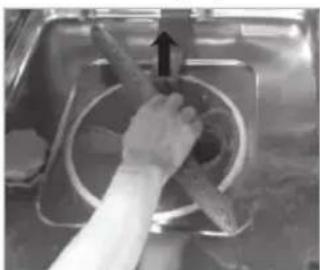
■ Lower Spray Arm
- Check that the water jet holes are not blocked.
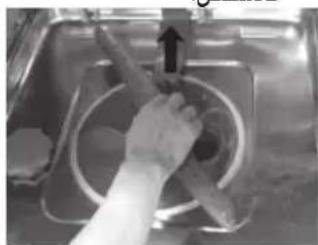
- If cleaning is required, remove the arm by pulling up.
- Clean the spray arm and replace it pulling down.
natural_image
Hand using a tool to clean or restore a circular object, no visible text or symbols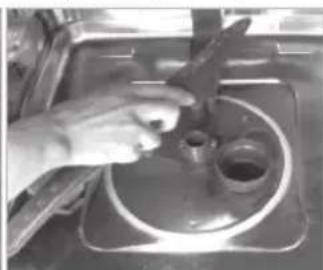
natural_image
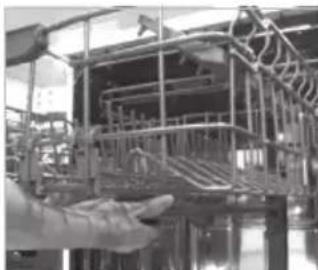
Close-up of hands using a tool to clean or store contents on a stainless steel counter (no visible text or symbols)■ Upper Spray Arm
- Pull the upper rack forwards.
- Check that the water jet holes are not blocked.
- If cleaning is required, remove the arm by unscrewing the nut.
- Clean the spray arm and replace it in the reverse order.
natural_image
Industrial machinery setup with metal framework and hand interacting (no visible text or symbols)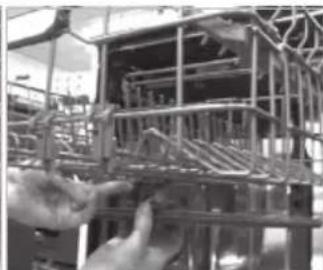
natural_image
Close-up of a metal structural frame with hands adjusting it (no visible text or symbols)■ Water Inlet
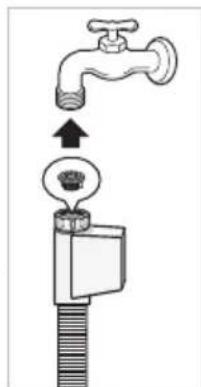
- A filter is incorporated in the connection of the valve on the water inlet hose. If insufficient water flows into the dishwasher, check that the filter is not blocked.
- Cleaning the filter - Disconnect the dishwasher from the mains supply. Switch off at the mains socket and remove the plug.
- Turn off the tap.
- Unscrew the inlet hose.
- Remove the filter from connection.
- Clean the filter in the supply hose under running water.
- Refit the filter, making sure it is sitting correctly.
- Reconnect the inlet hose to the tap.
- Turn on the tap.
- If there is a leak, the inlet hose might not be on securely, or it may have been screwed on at an angle. Unscrew and reconnect the water inlet valve correctly.
- Reconnect power supply.
TROUBLE SHOOTING GUIDE
- If a problem occurs check below to see whether this can be solved.
- In the unlikely event that the problem cannot be rectified, please contact a service engineer.
■ Before calling for service
| Problem | SolutionPossib | |
| No lights come on when the power is turned on. | Plug is not properly inserted into the socket.Fuses blown or circuit breaker tripped.The electricity from the house was cut off. | Check the plug.Check the electricity.Call for service. |
| The machine does not start. | Door is not fully closed.The start button is not pressed. | Close the door.Press the start button. |
| The spray arms do not rotate smoothly. | The mounting of the spray arms is blocked by food particles. | Clean the holes of the spray arm. |
| White deposits are left on the dishwasher after washing. | The amount of detergent or rinse-aid set incorrectly.The salt container is empty.The salt container cap is not securely screwed on. | Check the detergent or rinse-aid.Check the salt container or cap. |
| Streaks are left on glassware. | Too little Rinse-Aid dispensed. | Fill the rinse-aid.Adjust the level of rinse-aid container. |
| Dry results are not satisfactory. | Too little Rinse-Aid dispensed. | |
| Washing results are not satisfactory. | Incorrect amount of detergentUtensils incorrectly arranged or overloaded.Filters are clogged.Water jet holes of spray arms blocked.Spray arm's rotation obstructed by utensils.Unsuitable programme selected. |
■ Before calling for service
| Problem | SolutionPossib | |
| The display shows OE code. (Water is not pumped away.) | · The drain hose is kinked.· The filter is clogged.· Motor trouble.(Washing motor or Drain motor) | · Straighten hose(s).· Clean the filter.· If you can not solve the problem, call for service. |
| The display shows IE code. | · Water is not supplied.· Water tap is not opened.· Water sensor has trouble. | · Check the water tap.· If you can not solve the problem, call for service. |
| The display shows EI code.(Automatically Drain pump operated.) | · Water is leaking from the hose connections.· Damage to the unit has been caused by a water leak. | · Close the water tap and unplug the power plug.· Call for service. |
| The display shows FE code. (Automatically Drain pump operated.) | · Excessive water is supplied, which is more than the normal water level.· There is a problem with the inlet valve. | |
| The display shows HE code. | · The water heater circuit is damaged. | |
| The display shows tE code. | · Thermistor trouble or very high inlet water temperature. | |
| The display shows LE code. | · Motor trouble. |
TROUBLE SHOOTING GUIDE
• These are not error codes indicating a malfunction.
■ Before calling for service
| Code Description | |
| The display shows PF code | This indicates there was a power failure. This function protects the dishwasher in the event that the power goes out or the power to the unit is disrupted. When power is returned, and a button is pushed, this will display for 3 seconds and then go away. |
| The display shows Cd code | Cd means Cool-dry. This is an additional drying cycle to assist drying performance. This cycle runs for a further 60 minutes after the course has finished. It can be interrupted at any time by opening the door. |
| The display shows CL code | CL means Child-Lock. This function is used to lock or unlock the control buttons to prevent all the settings from being changed by a child. It can only be activated during the wash cycle. |
| The display shows F code | When the unit is displaying F, the sensor is measuring the water clarity. After 5 minutes of sensing (except draining and filling), the unit's display will then show the processing time. |
| The display shows numbers between 1 ~ 19 | This is not an error code, but indicates the setting of the delay start. To cancel the function, turn the power off. To change the course and option, open the door and select another course and option. Countdown will then continue after door is closed again. |
| Buzzing sound. (High Temperature Alarm) | This is not an error. When you open the door right after heating wash, rinse or dry, buzzing sound would keep on ringing for safety if the inside is heated. |
| Odor | If the dishwasher is not used daily, we recommend to run a Quick cycle once or twice a day until you have a full load. In case odor still persists, run a vinegar rinse through a Auto cycle by putting 2cup(500ml) of white vinegar in an upright measuring cup in the lower rack, without detergent. We recommend to maintain according to the USER MAINTENANCE INSTRUCTIONS. |
TROUBLE SHOOTING GUIDE
NOTE
SMARTDIAGNOSIS function is available only for the products with a SMARTDIAGNOSIS mark. In case of a mobile phone with static option, the smart diagnosis function might not operate.
■ Using SMARTDIAGNOSISTM
- Only use this feature when instructed to do so by the call centre.
The transmission sounds similar to a fax machine, and so has no meaning except to the call centre. - SMARTDIAGNOSIS™ can not be activated if the dishwasher does not power up. If this happens, then troubleshooting must be done without SMARTDIAGNOSIS™.
If you experience problems with your dishwasher, call the Customer information centre. Follow the call centre agent's instructions, and do the following steps when requested:
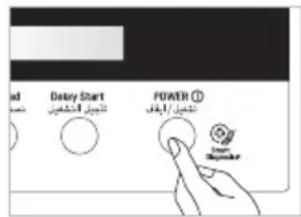
- Press the Power button to turn on the dishwasher. Do not press any other buttons.
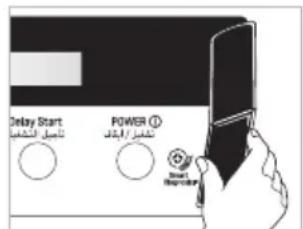
- When instructed to do so by the call centre, place the mouthpiece of your phone very close to the Power button. (Max. 10mm)
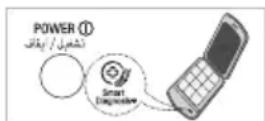
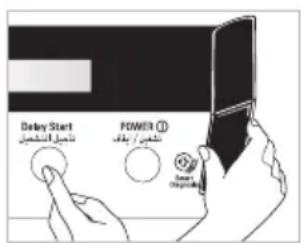
-
Press and hold the Delay Start button for three seconds, while holding the phone mouthpiece to the icon or Power button.
-
Keep the phone in place until the tone transmission has finished.
This takes about 17 seconds, and the display will count down the time.
- For best results, do not move the phone while the tones are being transmitted.
- If the call centre agent is not able to get an accurate recording of the data, you may be asked to try again.
-
Pressing the Power button during the transmission will shut off the SMARTDIAGNOSIS™.
-
Once the countdown is over and the tones have stopped, the machine will display END and turn off automatically after a few seconds.
Resume your conversation with the call centre agent, who will then be able to assist you using the information transmitted for analysis at the call to Customer information centre.
- Smart Diagnosis is a troubleshooting feature designed to assist, not replace, the traditional method of troubleshooting through service calls. The effectiveness of this feature depends upon various factors, including, but not limited to, the reception of the cellular phone being used for transmission, any external noise that may be present during the transmission, and the acoustics of the room where the machine is located. Accordingly, LG does not guarantee that Smart Diagnosis would accurately troubleshoot any given issue.
SPECIFICATION
D1455W(L,M,T,B,C,D,A)F
D1454W(L,M,T,B,C,D,A)F
D1465W(L,M,T,B,C,D,A)F
D1464W(L,M,T,B,C,D,A)F
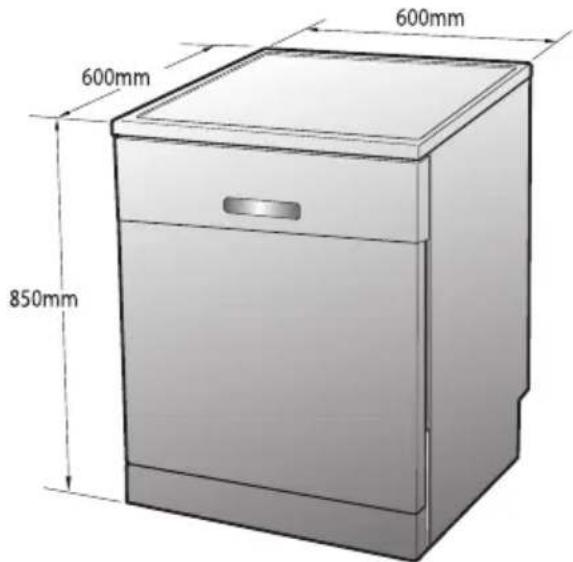
D1455W(L,M,T,B,C,D,A)U
D1454W(L,M,T,B,C,D,A)U
D1465W(L,M,T,B,C,D,A)U
D1464W(L,M,T,B,C,D,A)U
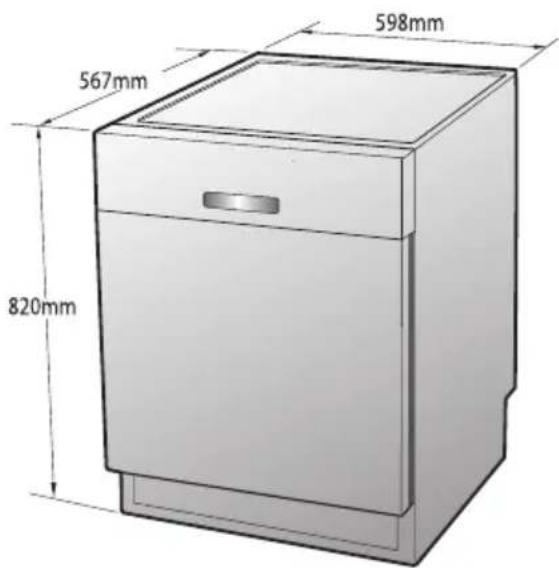
D1455W(L,M,T,B,C,D,A)B
D1454W(L,M,T,B,C,D,A)B
D1465W(L,M,T,B,C,D,A)B
D1464W(L,M,T,B,C,D,A)B
Capacity 14 Place settings
Weight See rating label
Power Supply See rating label
Power Consumption 1700 W
0.49 W
(The off mode. The left-on mode)
Water Feed Pressure 50 \~ 800 kPa

LG
Life's Good
دليل الملك
غسالة الصينون
D1465W(L,M,T,B,C,D,A)F(B,U
D1464W(L,M,T,B,C,D,A)F(B)U

natural_image
Simple line drawing of a mechanical component inside a circle (no text or symbols)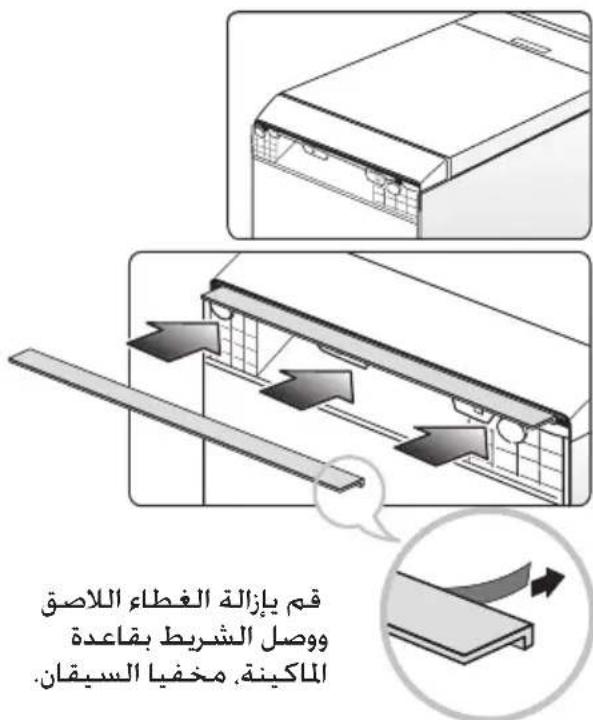
11.الرف الأعلى
natural_image
Simple line drawing of a funnel with a handle and side port (no text or symbols)القمع
الملحقات
D1455W(L,M,T,B,C,D,A)F(B,U)
لوديل:
flowchart
graph TD
    A["D1465W(L,M,T,B,C,D,A,)F(B,U)"] --> B["Press & Hold 3sec. for Extra Functions"]
    B --> C["18:88"]
    C --> D["Rinse"]
    C --> E["Child Lock"]
    C --> F["Spray"]
    C --> G["Half Load"]
    C --> H["Delay Start"]
    C --> I["POWER"]
    I --> J["Smart DiagnosisTM"]
    J --> K["D1464W(L,M,T,B,C,D,A,)F(B,U)"]
    K --> L["Press & Hold 3sec. for Extra Functions"]
    L --> M["Rinse"]
    L --> N["Child Lock"]
    L --> O["Spray"]
    L --> P["Half Load"]
    L --> Q["Delay Start"]
    L --> R["POWER"]
    R --> S["Smart DiagnosisTM"]
    S --> T["18:88"]
    T --> U["Rinse"]
    T --> V["Child Lock"]
    T --> W["Spray"]
    T --> X["Half Load"]
    T --> Y["Delay Start"]
    T --> Z["POWER"]
natural_image
Line drawing of a hand pouring liquid into a funnel with a small star-shaped object nearby (no text or symbols)natural_image
Hand holding a white electronic device with a handle, no visible text or symbols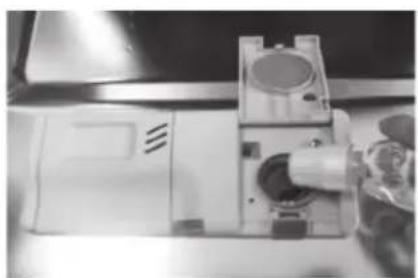
natural_image
Close-up of a mechanical device with a cylindrical component inserted into a housing (no visible text or symbols)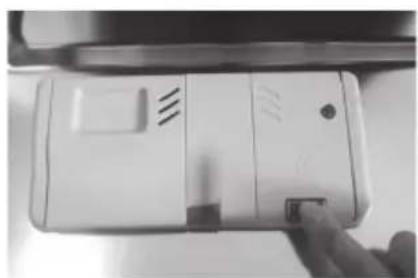
natural_image
Close-up of a white electronic device with a hand adjusting its side panel (no visible text or symbols)natural_image
Top-down view of a mechanical cooling fan with multiple blades and cooling fins (no text or symbols visible)- رف أدوات المائدة
1 2 3 4 5 6
natural_image
Black-and-white photo of a kitchen appliance basket containing various kitchen utensils and kitchenware (no text or labels visible)- الرف السفلي
natural_image
Illustration of a mechanical device with multiple blades and a central shaft, no visible text or symbols- رف أدوات المائدة
natural_image
Cutaway view of a mechanical engine assembly with visible blades and housing (no text or labels)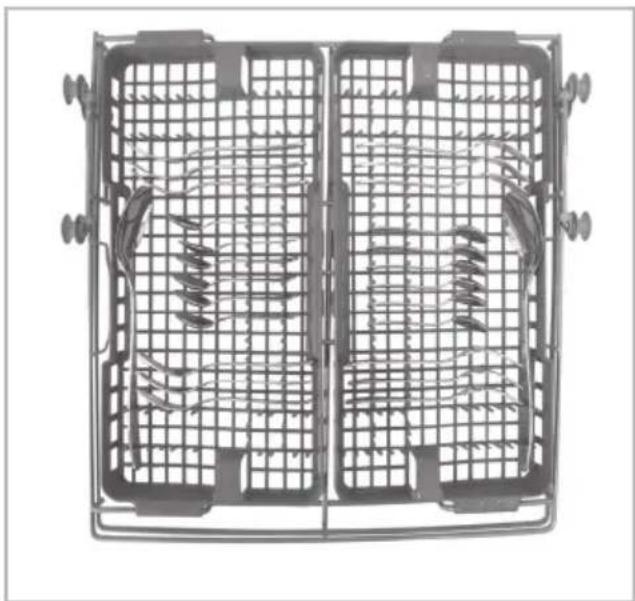
natural_image
Top-down view of a metal cage with internal grid patterns and two side panels showing coiled or coiled components (no text or symbols visible)
natural_image
Interior view of a stainless steel kitchen drawer with cutlery and utensils (no text or symbols visible)natural_image
Metal grid structure with multiple hanging fish, no visible text or symbols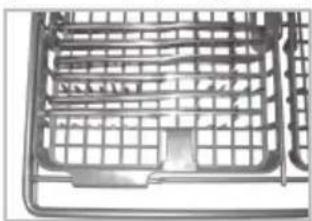
natural_image
Close-up of a metal grid device with no visible text or symbols
natural_image
Row of kitchen utensils including platters, fork, and knife with a vertical arrow indicating width (no text or symbols)natural_image
Metallic kitchen utensils arranged in a basket, including a plate, lid, and showerhead (no text or symbols visible)natural_image
Close-up of a hand pulling a mechanical vehicle with wheels, showing motion direction (no text or symbols visible)natural_image
Metallic crate with metal handles and a tray, no visible text or symbols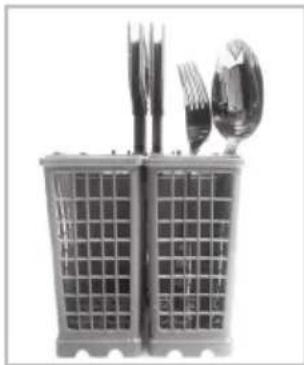
natural_image
Black-and-white photo of a modern office chair with square cutlery and a spoon (no text or symbols visible)natural_image
Black-and-white photo of a toolbox containing various items including a lamp, pen holder, and paper (no visible text or symbols)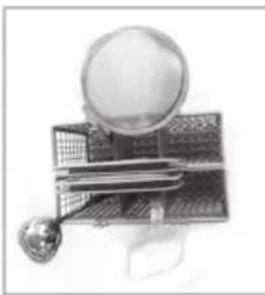
natural_image
Illustration of a magnifying glass resting on a small object with a spoon, no visible text or symbolsnatural_image
Exterior view of a multi-tiered electrical insulator unit (no text or symbols visible)
natural_image
Pure mechanical frame structure without any text, numbers, or symbolsnatural_image
3D rendering of a mechanical or electrical component with layered structure and mesh frame (no visible text or symbols)
natural_image
Mechanical cage or rack structure with no visible text or symbolsnatural_image
Basket filled with three round objects, no visible text or symbols
natural_image
Metallic cage structure with internal supports and mounting holes (no text or symbols visible)natural_image
Grid of kitchen utensils including a fan, bulb, and pot (no text or symbols visible)natural_image
Interior view of a modern office or retail space with glass partitions and structural steel framework (no visible text or symbols)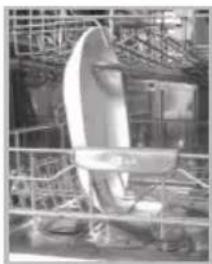
natural_image
Industrial equipment setup with a curved white component mounted on a metal frame, surrounded by scaffolding (no visible text or symbols)natural_image
Mechanical assembly diagram showing a lever mechanism with no visible text or symbols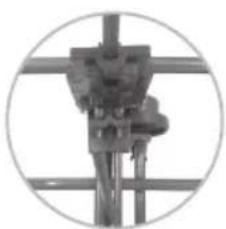
natural_image
Close-up of a mechanical device with a cylindrical component mounted on a vertical rod, enclosed in a circular frame (no visible text or symbols)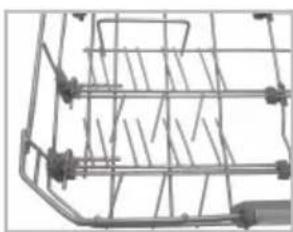
natural_image
Mechanical cage or rack structure with metal framework and mounting brackets (no visible text or symbols)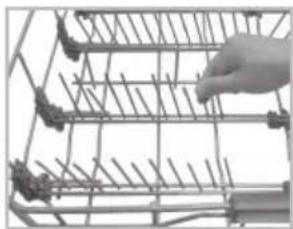
natural_image
Hand placing a metal rack with pins into a grid (no text or symbols visible)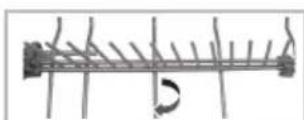
natural_image
Close-up of a hand operating a mechanical device with no visible text or symbolsnatural_image
Close-up of a hand pressing down on an industrial mechanical structure, with a large upward arrow overlay (no visible text or symbols)natural_image
Two views of a vehicle showing internal components with a 45mm measurement indicator (no text or symbols on the diagram itself)natural_image
Close-up of a wire cage with mechanical components and wiring (no visible text or symbols)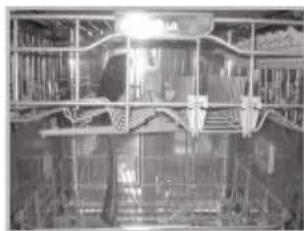
natural_image
Interior view of a vehicle or industrial facility with structural beams and machinery (no visible text or symbols)natural_image
Close-up of a hand holding a plastic bag with a magnified inset showing internal structure (no text or symbols visible)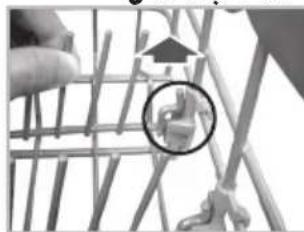
natural_image
Close-up of a wooden structure with a hand holding it, showing internal components and a magnified inset (no text or symbols visible)natural_image
Black-and-white illustration of a bicycle with a chain and fence, no visible text or symbolsnatural_image
Close-up of a wire mesh basket with mechanical components (no visible text or symbols)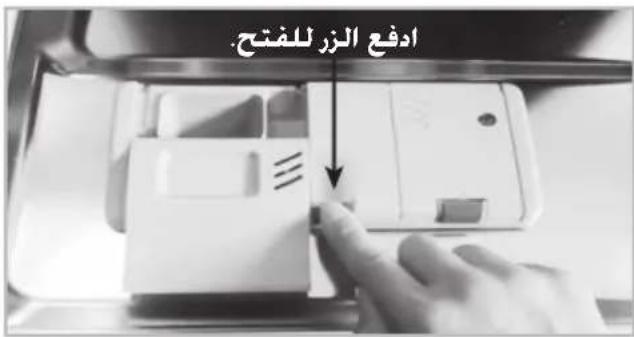
natural_image
Close-up of a hand cleaning the interior of a kitchen appliance with a plastic bag and handle (no visible text or symbols)natural_image
Close-up of a mechanical device with a dial and two arrows pointing to features (no visible text or symbols)ال ARCH Without Infrastructure is needed.
natural_image
Close-up of hands assembling a metal cage structure (no visible text or symbols)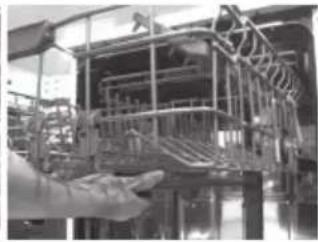
natural_image
Hand holding a large industrial machine component, possibly a conveyor or platform structure (no visible text or symbols)مدخل الماء
natural_image
Interior view of an industrial facility with machinery and a circular component (no visible text or symbols)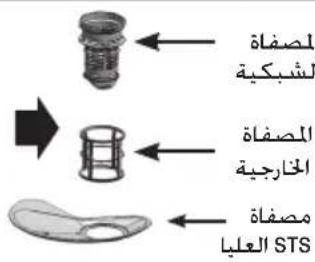
natural_image
Close-up of a hand using a tool to clean or store contents in a kitchen bowl (no visible text or symbols)