Diverse Cordless Socket - Telephone BT - Free user manual and instructions
Find the device manual for free Diverse Cordless Socket BT in PDF.


| Product Type | Cordless Socket for Diverse digital telephone systems |
| Dimensions (L x W x H) | Approximately 127 x 119 x 31 mm |
| Weight | Approximately 180 g |
| Power Supply | 230 V ~ 50 Hz AC adapter (included) |
| Power Consumption (Standby) | 23 W |
| Power Consumption (In Use) | 4.3 W |
| Radio Frequency Range | 1880 MHz to 1900 MHz |
| Number of Channels | 120 duplex channels |
| Transmitted Power | 10 mW average per channel |
| Range (Outdoor) | Up to 300 meters (uninterrupted line of sight) |
| Range (Indoor) | Up to 50 meters |
| Call Management Features | Call hold, internal/external calls, call waiting, three-way calling, call transfer |
| Compatible Devices | Fax machines, answering machines, corded telephones |
| Registration Capacity | Up to 4 base stations |
| Cleaning Instructions | Clean with a damp (not wet) cloth or antistatic wipe |
| Safety Warnings | Keep away from water, fire, electrical storms; at least 1 m from other electrical equipment; use only provided power supply |
| Mounting Options | Desktop or wall-mounted (screws and rawlplugs included) |
| Operating Temperature Range | 0°C to 55°C |
| Storage Temperature Range | -10°C to +60°C |
| Approvals | CE compliant to 89/336/EEC (EMC Directive) & 73/23/EEC (Low Voltage Directive) |
Frequently Asked Questions - Diverse Cordless Socket BT
User questions about Diverse Cordless Socket BT
0 question about this device. Answer the ones you know or ask your own.
Ask a new question about this device
Download the instructions for your Telephone in PDF format for free! Find your manual Diverse Cordless Socket - BT and take your electronic device back in hand. On this page are published all the documents necessary for the use of your device. Diverse Cordless Socket by BT.
USER MANUAL Diverse Cordless Socket BT
SIEMENS
digitally
enhanced
Diverse Cordless Socket
For use with the Diverse range of digital telephone
systems.
DECT
User guide

Check that your Diverse Cordless Socket is complete.
When you unpack you should have:
• Diverse Cordless Socket
- Mains power adaptor
- Socket adaptor for connecting a corded machine
- Rawlplugs and screws for wall mounting
For your records
| Date of purchase: |
| Place of purchase: |
| Serial number:(on the underside of the Cordless Socket) |
| Purchase price: |
For warranty purposes, proof of purchase is required, so please keep your receipt.
Please open this page for a further (at a glance) guide to your Diverse Cordless Socket.
At a glance
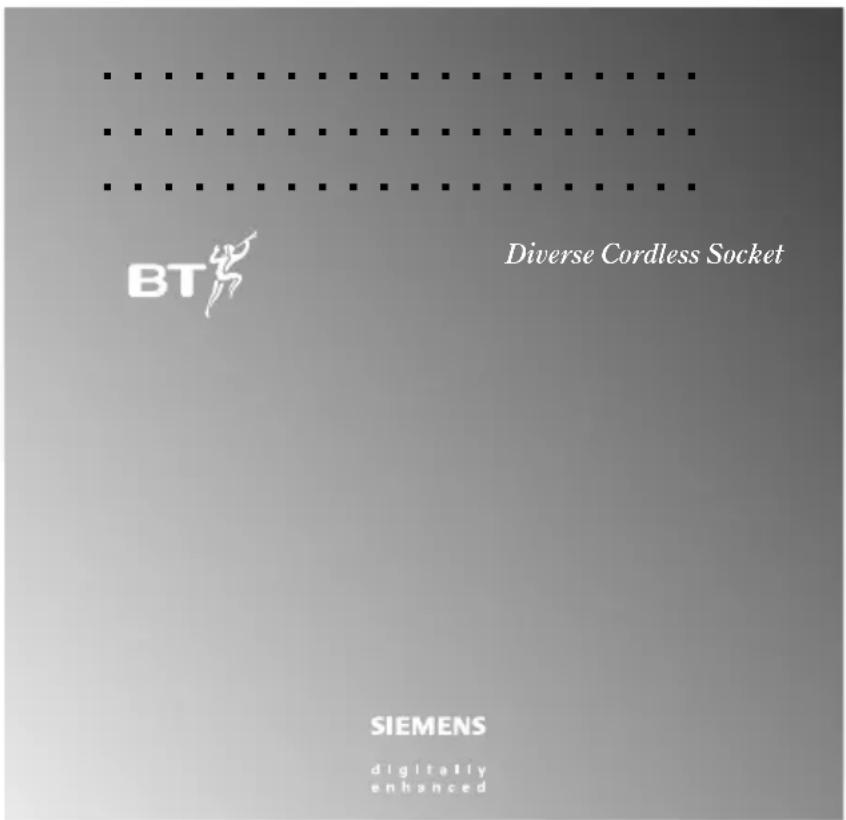
Front view
Diverse Cordless Socket
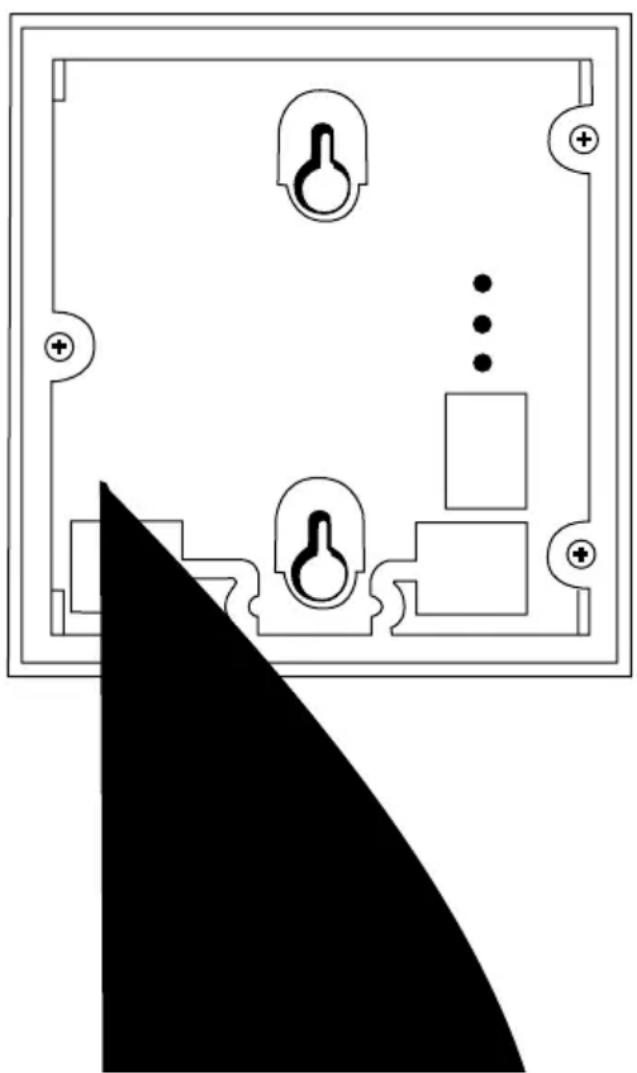
Rear view
Corded sockets
The telephone line socket in the back of the Diverse Cordless Socket allows you to plug in a corded telephony product such as a fax, answering machine or telephone.
The mains power cord socket connects your Cordless Socket to the phone.
IMPORTANT
Please Note
The Diverse Cordless Socket is not compatible with the Diverse 1000 base.
TouchTone phones with a timed break recall operation let you get the most from the cordless socket.
Phones which use pulse dialling and/or earth recall are not recommended as the functionality will be limited when connected to the cordless socket.
In this guide
At a glance 1
Introduction 4
Setting up 7
Using the Cordless Socket with a Diverse 1010|1015|2010|2015 base station 8
Using the Cordless Socket with a Diverse 2-Line base station 12
Using the Cordless Socket with a fax machine or answering machine 19
Wall mounting the Cordless Socket 21
Maintenance 22
Help 23
Technical specification 26
Index 27
Hints and tips boxes
In this user guide, we've included helpful tips and important information in grey boxes.
Introduction your Diverse Cordless Socket is designed for ease of use and made to the high standards set by BT.
We thank you for making the right choice and expect that your Diverse Cordless Socket will give you many years of quality service.
Please read the instructions carefully before use and keep this user guide for future reference.
DECT
By purchasing your Diverse Cordless Socket you now own a product which combines the advantages of cordless operation with the performance of a high quality telephone. It complies with the Digital Enhanced Cordless Telecommunications (DECT) standard and offers unparalleled quality and features.
Important
Plan where you will put your Cordless Socket. It should be within 2 metres of a power socket otherwise an extension cable will be needed.
You can mount your Cordless Socket on a wall or let it lie flat on a desk top or shelf.
The maximum range between a Diverse base station and the Cordless Socket is 50 metres indoors and 300 metres outdoors. If you are planning to wall mount your Cordless Socket, first follow the steps in the Setting up section and you can then check the range.
Warning
- Do not try to use any power supply except the one provided, otherwise you may permanently damage your Cordless Socket. It will also result in non-compliance with EN41003:1993 and invalidate the approval given to this apparatus.
- There is a slight chance that your equipment could be damaged by an electrical storm. We recommend that you unplug your Cordless Socket from the mains power and telephone line socket during storms.
- If you wear a hearing aid, please note that the Cordless Socket works by sending radio signals between the base station and handset. These signals can interfere with hearing aids, causing a humming noise.
- The Cordless Socket can interfere with other electrical equipment, such as answering machines, TV and radio sets, clock radio/ alarms, medical equipment and computers if placed too close. We recommend that you place your Cordless Socket at least one metre away from such appliances to avoid any risk of interference.
-
It is possible that the range may be decreased by being near bodies of water (such as ponds, lakes, the sea).
-
The Cordless Socket will produce a certain amount of heat during operation. Equally, the power supply cable can also become warm. This is entirely safe, but we advise against placing the product on antique, veneered or wooden surfaces as damage may occur.
- Do not use your Cordless Socket or phone in bathrooms, near fire or water, or in areas where there is a danger of explosion.
- Clean the Diverse Cordless Socket with a damp (not wet) cloth or antistatic wipe. Never use a dry cloth as this may cause a static shock.
IMPORTANT
The operating sequences described in the following pages apply to a corded telephone or fax machine connected to the Cordless Socket. To use all the functions, you will need a product with Tone dialling (TouchTone®) and a Timed Break Recall button. Refer to your telephone or fax machine user guide for this information.
Phones which only have Pulse dialling and phones with no RECALL button, or those which only use Earth Recall, are not recommended for use with the Diverse Cordless Socket.
If you are in any doubt as to the compatibility of your equipment or switchboard, please call the Diverse Helpline on 0345 90 80 70.
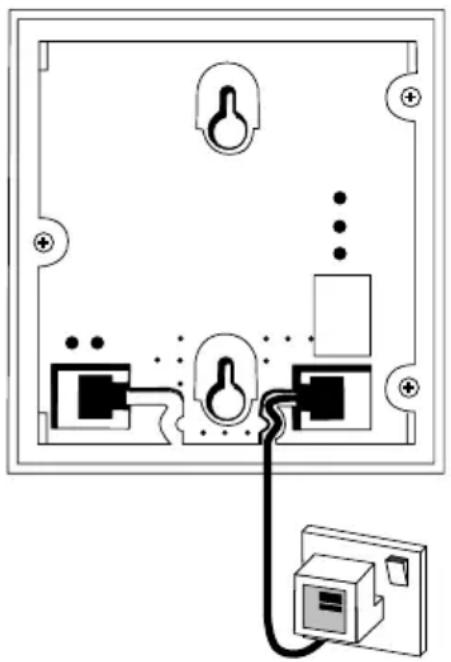
Setting up follow these steps to get your Diverse Cordless Socket ready for use.
If you need help with using your Cordless Socket, please call the Diverse Helpdesk on 0345 90 80 70.
1. Connecting up
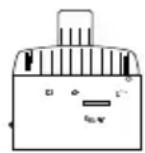
Connect your Cordless Socket to a telephone or fax machine using the telephone socket adaptor.
2. Plug in the mains power adaptor
Plug the mains power adaptor cable into the base of the Cordless Socket and then into the mains socket. Do not switch on the mains power. Before you can use your Cordless Socket, you must first register it with your Diverse Base Station. See page 8, for Diverse 1010/1015/2010/2015 or page 12 for Diverse 2-Line.
Using the Cordless Socket with Diverse 1010|1015 & 2010|2015 base stations
Registration
You must register your Cordless Socket with your Diverse base station using an attached telephone or fax machine.
Once registered you can begin to use the telephone, fax machine or answering machine connected to the Diverse Cordless Socket.
To register a Cordless Socket to a Diverse 1010/1015/2010/2015 using a connected phone or fax
Connect a telephone or a fax to the tel socket in the back of the Diverse Cordless Socket. Make sure that the Cordless Socket is switched off at the mains power socket or is unplugged.
At the 1010/1015/2010/2015 base station

- Press and hold down the GREEN BUTTON (GREY BUTTON for 2010/2015) on the base station until you hear a beep (after about 10 seconds). You now have up to one minute to register the Cordless Socket.
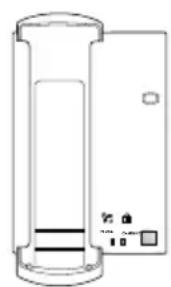
Diverse 1010
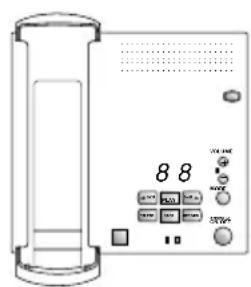
Diverse 1015
At the connected telephone or fax machine
- Lift the handset or press the equivalent button on the fax machine.
- Now connect the Cordless Socket to the mains power and switch on. The station beeps once.
- Press the 7 button on the keypad; the Cordless Socket beeps once.
- Enter the base station number by pressing 1 or 2 or 3 or 4. If you have only one Diverse base station, press 1. A single beep indicates this was successful. If you hear four beeps, try again.
- Enter the system code for your base station. (Original setting = 0000.)
- Replace the handset or press the equivalent button to hang up your fax machine. Your phone or fax machine will now ring.
- Lift the handset to answer the call or press the equivalent button on your fax machine to answer the call. A single beep indicates this was successful. If you hear four beeps, try again – either the base station has not been located, or the system code has not been accepted, or you may already have the maximum amount of devices registered to the base station.
If successful:

- Press the single digit internal number you want to allocate to your Cordless Socket – this can be any available number between 1-6. A single beep confirms the number is available and has been accepted. Four beeps mean that the number has already been assigned to another Cordless Socket or handset. Try a different number between 1-6.
- Replace the handset or press the equivalent button to hang up your fax machine.
Your Cordless Socket is now registered and ready to use.
To de-register a Cordless Socket
This must be done from one of the cordless handsets registered to the base station. See your Diverse user guide.
Using your Cordless Socket with a telephone
When dialling, try not to leave too long between pressing each button. If your cordless socket detects a delay longer than 4.5 seconds, you may have to dial again.
Important Note
When making a call, you may notice there is a delay before the last button is pressed, this is a characteristic of how the Cordless Socket works. It does not mean it is faulty.
To make an external call

- Lift the handset. You hear the internal dial tone.
- Press the 0 button to get an outside line.
- Dial the number you want as normal.
If the line is already in use, you will hear the internal busy tone.
To make an internal call to a specific handset/telephone

- Lift the handset. You hear the internal dial tone.
- Press the 9 button.
- Dial the internal number you want.
To make an internal call to all registered handsets/telephones

- Lift the handset. You hear the internal dial tone.
- Press the 6 button. All the registered handsets and phones will ring unless you have set certain handsets not to ring. See your Diverse telephone system user guide. You will be connected to the first person to answer the call.
When making an internal call to all handsets|telephones, problems may arise when answering or fax machines are attached. These devices may answer the call before a person picks it up at a telephone extension.
To receive a call
- When the phone rings, pick up the handset and talk.
To end a call
- Replace the telephone handset or hang up the fax machine as normal.
To put a call on hold
During a call:


- Press the RECALL button, then the 9 button. The call is now on hold.
- Press the RECALL button, then the 8 button to talk to your caller again.
To make an internal call during an external call
During an external call:


- Press the RECALL button, then the 9 button. Your caller is put on hold.
- Dial the internal number of the handset or telephone you want. When the person answers, speak as normal.
- Press the RECALL button, then the 8 button to switch back to your external call. Or replace your handset to transfer the call to the extension you have dialled.
Using the Cordless Socket with a Diverse 2-line Base Station
Registration
You must register your Cordless Socket with your Diverse base station, using an attached telephone or fax machine.
Once registered you can begin to use the telephone, fax machine or answering machine connected to the Diverse Cordless Socket.
To register a Cordless Socket using a connected phone or fax
Make sure that the Cordless Socket is switched off at the mains power socket or is unplugged.
At the Diverse 2-Line base station
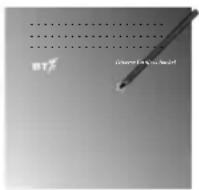
Connect a telephone or a fax machine to the tel socket in the back of the Diverse Cordless Socket. Use a pencil tip (or similar) to press and release the light/ button so that it starts to flash. You now have up to one minute to register the Cordless Socket.
At the connected telephone or fax machine
- Lift the handset or press the equivalent button on the fax machine.
- Now connect the Cordless Socket to the mains power and switch on. The base station beeps once.
- Press the 7 button on the keypad. The Cordless Socket beeps once.
- Enter the base station number by pressing 1 or 2 or 3 or 4. If you have only one Diverse base station, press 1. A single beep indicates this was successful. If you hear four beeps, try again.
- Enter the system code for your base station. (Original setting = 0000.)
- Replace the handset or press the equivalent button to hang up your fax machine.
- Your phone or fax machine will now ring.
Using your Cordless Socket with a telephone
When dialling, try not to leave too long between pressing each button. If your cordless socket detects a delay longer than 4.5 seconds, you may have to dial again.
To make an external call

- Lift the handset. You hear the internal dial tone.
- Press the 0 button to get an external line. (If you have switched off the Automatic External Line function on your Diverse 2-Line system, you will have to press the 0 button followed by the appropriate line code 1 or 2. See your Diverse 2-Line user guide.)
- Dial the number you want as normal.
If the lines are already in use, you will hear the internal busy tone.
To make an internal call to a specific handset/telephone
- Lift the handset. You hear the internal dial tone.
- Press the 9 button.
- Dial the internal number you want.
To make an internal call to all registered handsets/telephones

- Lift the handset. You hear the internal dial tone.
- Press the 6 button. All the registered handsets and phones will ring. See your Diverse user guide. You will be connected to the first person to answer the call.
When making an internal call to all handsets/telephones, problems may arise when answering or fax machines are attached. These devices may answer the call before a person picks it up at a telephone extension.
To receive a call
- When the phone rings, pick up the handset and talk.
To end a call
- Replace the telephone handset or hang up the fax machine as normal.
To put a call on hold
You can put a call on hold and have a conversation with someone else in the room without your caller hearing you.
During a call:


- Press the RECALL button, then the 9 button. The call is now on hold. An external caller is played a musical tone, an internal caller hears silence.
- Press the RECALL button, then the 8 button to talk to your caller again.
To put a caller on hold while you make an internal call
During an external call:


- Press the RECALL button.
- Press the 9 button. The call is put on hold and the other person hears music.
- Dial the internal number of the handset or telephone you want. When the call is answered, speak as normal.
You now have four options:
- To end the internal call.


- Press the RECALL button.
-
Press the 8 button. The internal call will end and you will return to the external call.
-
To transfer the call.
- Replace the handset. The external call is now transferred to the internal number you called.
-
To switch between calls.
-
Press the RECALL button.
- Press the 9 button, then the # button. You will now be connected to the first call. The second call will now be on hold.
- Repeat the RECALL, 9 and # button sequence above as required to switch between the two calls.
- Press the RECALL button, then the 8 button to end the current call and return to the call on hold.
4. To create a three-way call.
- Press the RECALL button.
- Press the 4 button. All three parties should now be able to speak to each other.
- To end the three-way call, press the RECALL button then the 8 button. The internal call will end and you will return to the external call.
Note: If you hang up during the three-way call, it will end both calls.
To make a an external (consultation) call during an external call
Two external lines are needed.
During an external call.
- Press the RECALL button.
- Press the 9 button, then the # button. The call is put on hold and the other person hears music.
- Press the 0
To make an external (consultation) call during an internal call
During an internal call.


- Press the RECALL button.
- Press the 9 button then the # button. The call is put on hold and the other person hears music.
- Press the 0 button. You will hear an external dial tone if the line is available.
- Dial the external number you want. When the call is answered, speak as normal.
You now have three options:
1. To end the external call.
- Press the RECALL button, then the 8 button to end the external call and return to the internal call.
2. To switch between the calls.
- Press the RECALL button.
- Press the 9 button, then the # button. You will now be connected to the internal call. The external call will now be on hold.
- Repeat the RECALL, 9 and # button sequence above as required to switch between the two calls.
- Press the RECALL button, then the 8 button to end the current call and return to the call that was on hold.
To answer Call Waiting during an external call
This can only be done when you have the second external line free.
When you hear Call Waiting pips.


- Press the RECALL button.
- Press the 4 button. The original call will be put on hold and the person at the other end will hear music. You will now be able to take the second call.
You now have three options:
- To end the second call and return to the original call.


- Press the RECALL button.
-
Press the 8 button to end the second call and return to the original call.
-
To switch between the calls.

- Press the RECALL button.
- Press the 9 button, then the # button. You will now be connected to the first call. The second call will now be on hold.
- Repeat the RECALL, 9 and # button sequence above as required to switch between the two calls.
-
Press the RECALL button, then the 8 button to end the current call and return to the call on hold.
-
To create a three-way call.
-
Press the RECALL button.
- Press the 4 button. All three parties should now be able to speak to each other.
- To end the three-way call, press the RECALL button then the 8 button. The second call will end and you will return to the original call.
Note: If you hang up during the three-way call, it will end both calls.
Using more than one base station
Your Cordless Socket can be registered with up to four Diverse base stations by following the registration instructions on page12.
To switch between base stations
Once registered at more than one base station, you can switch between the stations by using the telephone or fax machine connected to your Cordless Socket.

- Switch off the mains power to the Cordless Socket.
- Lift the telephone handset (or press the equivalent button on a fax machine to connect to a line).
- Switch on the mains power to your Cordless Socket. You hear a single beep.
- Press the 8 button. If the Cordless Socket finds the currently set base station, you hear a single beep. If not, you hear four beeps.
- Enter the number (1-4) of the base station you want. If the Cordless Socket finds the base station you have selected, you hear a single beep. If not, you hear four beeps.
- Replace the handset (or press the button to hang up your fax machine).
Using your Cordless Socket with a fax machine or answering machine
Register your cordless socket with the Diverse 1010/1015/2010/2015 base station (page 8) or 2-Line base station (page 12).
To use a fax machine (Group 3)
You can send and receive faxes as normal to a maximum speed of 9.6kbps. Your fax machine may be set up so that you do not need to press 0 to get an external line. See your fax user guide on how to set this and to use its other features.
To transfer an incoming fax call from an Additional or an Executive Handset to the fax machine
If you take a call on a Additional or Executive Handset and then hear the fax tones, you can transfer the call to a fax machine connected to the Cordless Socket. Ensure the connection configuration for the base station the cordless socket is registered to, is set to “neutral” rather than “Fax” otherwise you will get a busy tone and/or display. At the handset:

- Press the INT button on the handset.
- Dial the internal number of the Cordless Socket.
- Press the PHONE button when the fax machine answers.
Fax machines need a response within a certain time limit. If the fax call is not transferred within that period, the call will be lost.
To use an answering machine
After an answering machine has been connected to your Cordless Socket, you can record incoming external and internal calls. Follow the instructions in your answering machine's user guide.
Once your answering machine has taken a call, you can only stop the recording by pressing the machine's STOP button.
Using more than one Diverse Cordless Socket
You can register further Cordless Sockets and handsets, up to the maximum number allowed by your Diverse system (please note, that you must have at least one handset per base station in order to fully operate the system). Your Diverse user guide tells you how many internal devices you can have.
For example, the illustration below shows two Cordless Sockets, and three handsets, all registered to a Diverse 2-Line.
![graph TD A["Telephone"] --> B["Diverse 2-Line base station"] C["Cordless Socket"] --> B D["Cordless Socket"] --> B E["Diverse Additional or Executive handsets"] --> B F["Fax machine"] --> B](/content/2026/06/1165640/images/cb775ff391a2ed9377013373d86dc75be6a062ab619aa6997885c5de6fbb7f64.jpg)
Many different combinations of handset and cordless socket are possible up to a maximum of:
4 x handsets & 4 x cordless sockets.
Or
3 x handsets & 5 x cordless sockets.
Wall mounting the Cordless Socket
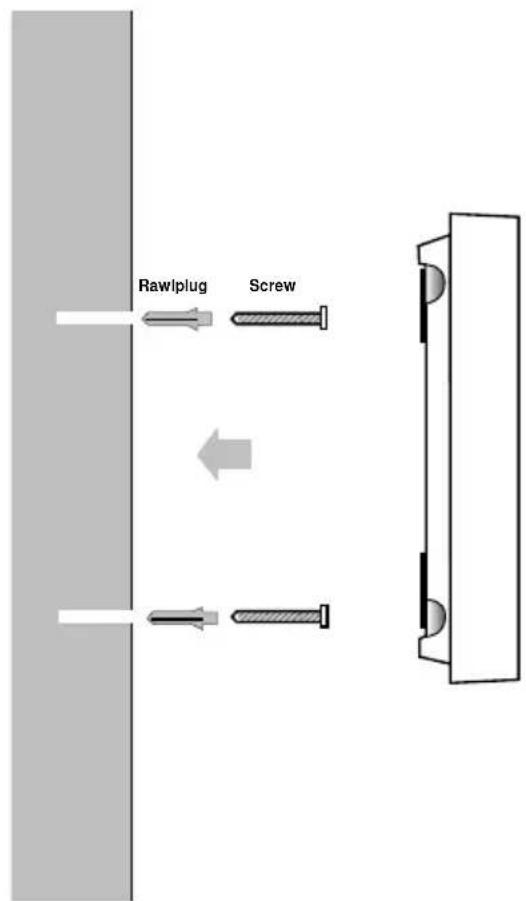
Drill two holes (5mm) 69 mm apart.
Insert the rawlplugs.
Insert the screws, leaving a gap of approximately 5mm between the head of the screw and the wall.
Place the screw holes on the back of the Cordless Socket over the screws and slide down to secure.
Ensure that the Cordless Socket is located at least 1 metre away from other electrical appliances to prevent interference.
Maintenance
General
Clean the Diverse Cordless Socket with a damp (not wet) cloth or an antistatic wipe. Never use a dry cloth as this may cause a static shock.
Service
Within warranty
If you experience a problem with your Cordless Socket you should contact the Diverse Helpline on 0345 90 80 70. Calls are charged at local call rates. If the problem is not remedied, you will be advised to contact your original point of purchase.
Some suppliers offer extended warranty schemes for cover outside the initial 12-month period. Please ask them for details.
Outside warranty
If your Cordless Socket becomes faulty after the warranty period has ended, it must be repaired so as to remain compliant with the approval requirements for connection to the telephone network. We recommend that you call the Diverse Helpline on 0345 90 80 70, which will provide details of our recommended repair agents.
If you have to return your Cordless Socket
Pack the Cordless Socket securely, preferably in the original packaging. (No responsibility can be taken for goods damaged in transit.)
Help if you experience any problems, the following may provide a simple solution.
Your Diverse Cordless Socket has been designed to be easy to use. However, if you experience any difficulties, some simple answers are outlined in this section.
If you need any further assistance the Diverse Helpline is available to you on 0345 90 80 70.
Dial tones
There are three types of dial tone:
- Cordless Socket dial tone – you hear this when you first lift the telephone handset or set your fax machine ready to dial.
- Internal dial tone – produced by the base station.
- External dial tone – this is the external line tone produced by the telephone exchange.
No Cordless Socket dial tone or no other tone present
- Check that your telephone, answering machine or fax machine is correctly plugged into the cordless socket.
-
Check that the mains power is properly connected and that the power is switched on.
-
Check that the mains power is properly connected and that the power is switched on.
- Check the mains power fuse has not blown.
- Check that the power adaptor cable and telephone socket adaptor are plugged into the correct sockets on the underside of the Cordless Socket – see the illustration under Setting up, page 7.
No Cordless Socket dial tone, but you hear rapid pips
- The cordless socket may not be registered with the base station.
- The cordless socket may be out of range of the base station it is registered with.
- The base station may be switched off.
No internal dial tone
If you hear a series of slow beeps when the telephone handset is lifted, press the 9 button. You should then hear the internal dial tone. This should be done within 12 seconds of lifting the handset and indicates that you are connected to a switchboard that requires you dial 9 to get an outside line.
No external dial tone
- All external lines may be in use.
- Call restrictions may have been set on the base station so that outgoing calls are not allowed from the cordless socket.
Can get an external dial tone and dial out, but the call fails
- Call restrictions may have been set. See the Call Barring section in the user guide for your base station.
- You may be pausing too long before dialling each digit. The system allows up to 4.5 seconds between each button push.
- If connected to a switchboard/ PBX, you may need to include the external line access code. (this is usually 9).
- If you have a Diverse 2-Line base station, and the Automatic External Line function is switched OFF, you will need to start by dialling a line access code: 0, 1 or 2 before the rest of your number.
- If you have a Diverse 2-Line base station and the Automatic External Line function is switched ON, you may be dialling a line access code (0, 1 or 2) unnecessarily.
Call allocation
It is possible to set which handsets and telephones should ring when an external call comes in. There are two types of call allocation which can be set for each individual external line, collective ringing and group ringing. Please refer to your Diverse 2-Line user guide for instructions on how to set this up.
A telephone connected to the cordless socket does not ring with any call
The ringer volume on the telephone may be set too low or switched off. See your phone's user guide.
A telephone connected to the cordless socket rings only with internal calls
The cordless socket may not be included in the call group for the external lines. You will need to change the ring allocation setting. See your Diverse base station user guide.
There is an audible hum on a telephone connected to the cordless socket
This may be due to radio interference. Try moving the telephone further away from the cordless socket (at least 1 metre). Ensure that the telephone is at least 1 metre away from any other cordless socket and base station.
Base station is connected to a switchboard/PBX but the telephone attached to the cordless socket cannot use its services
The telephone connected to the cordless socket may be set to Pulse dialling (P) or to Tone dialling with Earth Recall (T). The cordless socket only recognises Time Break Recall so your telephone must be set to Tone dialling with Time Break Recall (TTB). To do this, see your telephone user guide.
You dial an internal number but get the wrong person
- The person on the other end of the line may have picked up the wrong handset.
- If the cordless socket is registered to more than one base station, it may be logged on to the wrong one.
After hanging up a telephone connected to a cordless socket, it rings. When you answer, no-one is there
An external call may have been put on hold. When you hang up, the base station rings you back to reconnect your call. If you hear nothing, the other caller has also hung up.
You are unable to enter numbers requested by an announcement service
The base station may be set to Pulse dialling. You can instruct the system to switch to Tone dialling for the duration of the call by pressing the 7 button once you are connected to the announcement service.
Fax machine connected to Cordless Socket – ringing sometimes stops before it can answer
Another telephone or handset in the same call group as the Cordless Socket may be answering the call before the fax machine can and the user is not transferring the call to the Fax machine. If you have two external lines available at the base station, you should consider dedicating one of them for fax calls.
This is done by nominating only the fax machine to ring on one of the lines and not including it in the other group. See Call Allocation (collective ringing and group ringing) in the user guide for your base station.
After switching between two calls (pressing the RECALL and 8 buttons) the wrong call is returned
This may be due to pressing the RECALL and 8 buttons during the wrong call. When switching between calls, you need to appreciate the following points. You made your first call and then a second call to consult someone. To make the second call, you had to put the first call on hold and your current call became your consultation call. When you started to switch calls, the current call and the call on hold changed. By pressing the RECALL and 8 buttons you closed the current call and returned to the call you had put on hold.
Technical specification
| Standard DECT | |
| Number of channels 120 duplex channels | |
| Radio frequency range 1880 MHz to 1900 MHz | |
| Duplex method Time-division multiplexing. 10 ms frame length | |
| Channel grid 1728 kHz | |
| Bit rate 1152 kbit/s | |
| Modulation GFSK | |
| Voice coding 32 kbit/s | |
| Transmitted power | 10 mW, average output per channel |
| Range | up to 300 meters outdoors (uninterrupted line of sight)up to 50 meters in buildings |
| Power supply | 230 V -/ 50 Hz (AC adapter) |
| Power consumption | Standby 23 W, In use 4·3 W. |
| Permitted ambient conditions for operation (maximum) | 0°C to 55°C20% to 75% rel. humidity |
| Permitted storage temperature | -10°C to +60°C |
| Signaling detection | Pulse/ Tone |
| Recall detection | Timed Break Recall |
| Dimensions | c. 127 x 119 x 31 (L x W x H) |
| Weight | c. 180g |
Index
At a glance 1-2
Cleaning 22
Compatibility 6
Connecting 7
DECT 4
Dimensions 26
Help 23
Helpline 23
Introduction 4
Mains power 7
Maintenance 22
Power 26
Range 26
Returns 22
Setting up 7
Siting 4
Switchboards 6
Technical specification 26
Tone dialling 6
Wall mounting 21
Warnings 5
Warranty 22
Weight 26
Using the Cordless Socket with a Diverse 1010 or 1015 base station 8
Base units 11
switching between 11
more than one 11
External calls, making 10
Internal calls, making 10
during an external call 11
to all handsets/telephones 10
Ending calls 10
On hold (secrecy) 10
Receiving calls 10
PULSE dialling 12
Registering 8
de-registering 9
Telephone, using with 10
Three-way calls 11
to all 10
to specific handset/ telephone 10
Using the Cordless Socket with a Diverse 2-line
base station 12
Base stations 18
switching between 18
using more than one 18
Call Waiting
during an external call 17
during an internal call 16
Connecting 12
Ending calls 14
External calls, making 13
during an external call 15
during an internal call 15
Internal calls, making 14
to all 14
to specific handset/ telephone 13
On hold 14
Receiving calls 14
Registering 12
de-registering 13
Switching between calls 14
Telephone, using with 13
Three-way calls 15
Transferring calls 14
Using your Cordless Socket
with a fax machine or
answering machine
Answering machine 19
Fax machine, using 19
Transfer calls 19
19

Offices in Europe, North America, Japan and Asia Pacific.
The Telecommunications services described in this publication are subject to availability and may be modified from time to time. Services and equipment are provided subject to British Telecommunications plc's respective standard conditions of contract. Nothing in this publication forms any part of any contract.
Touchtone™ is a registered trade mark of British Telecommunications plc in the UK.
© British Telecommunications plc 1996. Registered Office: 81 Newgate Street, London EC1A 7AJ. Registered in England No. 1800000. Printed in Germany. Issue No.1 (11/97) 6. Designed by The Art & Design Partnership Limited.
Order No: 430852 - X1001 - L101 - 1 - 7619.

CE compliant to 89/336/EEC (EMC Directive) & 73/23/EEC (Low Voltage Directive)


- SIEMENS
- DIVERSE CORDLESS SOCKET
- WHEN YOU UNPACK YOU SHOULD HAVE
- AT A GLANCE
- REAR VIEW
- CORDED SOCKETS
- PLEASE NOTE
- IN THIS GUIDE
- INTRODUCTION YOUR DIVERSE CORDLESS SOCKET IS DESIGNED FOR EASE OF USE AND MADE TO THE HIGH STANDARDS SET BY BT
- DECT
- IMPORTANT
- WARNING
- SETTING UP FOLLOW THESE STEPS TO GET YOUR DIVERSE CORDLESS SOCKET READY FOR USE
- CONNECTING UP
- PLUG IN THE MAINS POWER ADAPTOR
- USING THE CORDLESS SOCKET WITH DIVERSE 1010|1015 & 2010|2015 BASE STATIONS
- REGISTRATION
- TO REGISTER A CORDLESS SOCKET TO A DIVERSE 1010/1015/2010/2015 USING A CONNECTED PHONE OR FAX
- AT THE 1010/1015/2010/2015 BASE STATION
- AT THE CONNECTED TELEPHONE OR FAX MACHINE
- TO DE-REGISTER A CORDLESS SOCKET
- USING YOUR CORDLESS SOCKET WITH A TELEPHONE
- IMPORTANT NOTE
- TO MAKE AN EXTERNAL CALL
- TO MAKE AN INTERNAL CALL TO A SPECIFIC HANDSET/TELEPHONE
- TO MAKE AN INTERNAL CALL TO ALL REGISTERED HANDSETS/TELEPHONES
- TO RECEIVE A CALL
- TO END A CALL
- TO PUT A CALL ON HOLD
- TO MAKE AN INTERNAL CALL DURING AN EXTERNAL CALL
- USING THE CORDLESS SOCKET WITH A DIVERSE 2-LINE BASE STATION
- TO REGISTER A CORDLESS SOCKET USING A CONNECTED PHONE OR FAX
- AT THE DIVERSE 2-LINE BASE STATION
- TO PUT A CALLER ON HOLD WHILE YOU MAKE AN INTERNAL CALL
- YOU NOW HAVE FOUR OPTIONS
- TO CREATE A THREE-WAY CALL
- TO MAKE A AN EXTERNAL (CONSULTATION) CALL DURING AN EXTERNAL CALL
- TO MAKE AN EXTERNAL (CONSULTATION) CALL DURING AN INTERNAL CALL
- YOU NOW HAVE THREE OPTIONS
- TO END THE EXTERNAL CALL
- TO SWITCH BETWEEN THE CALLS
- TO ANSWER CALL WAITING DURING AN EXTERNAL CALL
- USING MORE THAN ONE BASE STATION
- TO SWITCH BETWEEN BASE STATIONS
- USING YOUR CORDLESS SOCKET WITH A FAX MACHINE OR ANSWERING MACHINE
- TO USE A FAX MACHINE (GROUP 3)
- TO TRANSFER AN INCOMING FAX CALL FROM AN ADDITIONAL OR AN EXECUTIVE HANDSET TO THE FAX MACHINE
- TO USE AN ANSWERING MACHINE
- USING MORE THAN ONE DIVERSE CORDLESS SOCKET
- WALL MOUNTING THE CORDLESS SOCKET
- MAINTENANCE
- GENERAL
- SERVICE
- WITHIN WARRANTY
- OUTSIDE WARRANTY
- IF YOU HAVE TO RETURN YOUR CORDLESS SOCKET
- HELP IF YOU EXPERIENCE ANY PROBLEMS, THE FOLLOWING MAY PROVIDE A SIMPLE SOLUTION
- DIAL TONES
- NO CORDLESS SOCKET DIAL TONE OR NO OTHER TONE PRESENT
- NO CORDLESS SOCKET DIAL TONE, BUT YOU HEAR RAPID PIPS
- NO INTERNAL DIAL TONE
- NO EXTERNAL DIAL TONE
- CAN GET AN EXTERNAL DIAL TONE AND DIAL OUT, BUT THE CALL FAILS
- CALL ALLOCATION
- A TELEPHONE CONNECTED TO THE CORDLESS SOCKET DOES NOT RING WITH ANY CALL
- A TELEPHONE CONNECTED TO THE CORDLESS SOCKET RINGS ONLY WITH INTERNAL CALLS
- THERE IS AN AUDIBLE HUM ON A TELEPHONE CONNECTED TO THE CORDLESS SOCKET
- BASE STATION IS CONNECTED TO A SWITCHBOARD/PBX BUT THE TELEPHONE ATTACHED TO THE CORDLESS SOCKET CANNOT USE ITS SERVICES
- YOU DIAL AN INTERNAL NUMBER BUT GET THE WRONG PERSON
- AFTER HANGING UP A TELEPHONE CONNECTED TO A CORDLESS SOCKET, IT RINGS. WHEN YOU ANSWER, NO-ONE IS THERE
- YOU ARE UNABLE TO ENTER NUMBERS REQUESTED BY AN ANNOUNCEMENT SERVICE
- FAX MACHINE CONNECTED TO CORDLESS SOCKET – RINGING SOMETIMES STOPS BEFORE IT CAN ANSWER
- AFTER SWITCHING BETWEEN TWO CALLS (PRESSING THE RECALL AND 8 BUTTONS) THE WRONG CALL IS RETURNED
- TECHNICAL SPECIFICATION
- INDEX
- OFFICES IN EUROPE, NORTH AMERICA, JAPAN AND ASIA PACIFIC
Brand : BT
Model : Diverse Cordless Socket
Category : Telephone