KSA1019B - Support pour écran plat Chief - Free user manual and instructions
Find the device manual for free KSA1019B Chief in PDF.


User questions about KSA1019B Chief
0 question about this device. Answer the ones you know or ask your own.
Ask a new question about this device
Download the instructions for your Support pour écran plat in PDF format for free! Find your manual KSA1019B - Chief and take your electronic device back in hand. On this page are published all the documents necessary for the use of your device. KSA1019B by Chief.
USER MANUAL KSA1019B Chief
INSTALLATION INSTRUCTIONS
natural_image
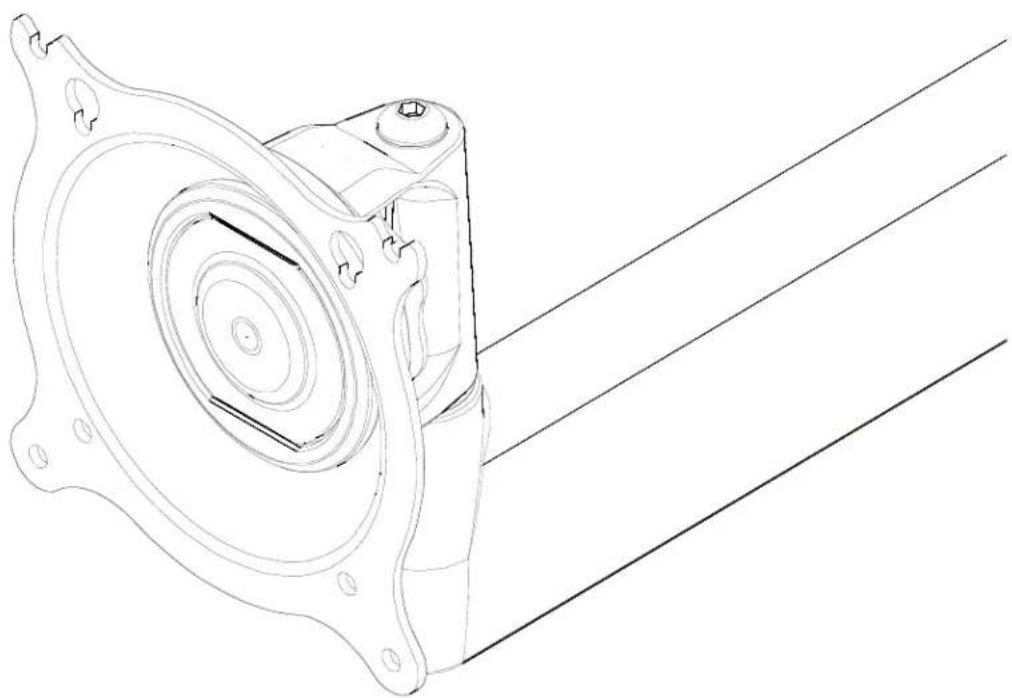
Technical line drawing of a mechanical component with concentric circular features and mounting holes (no text or symbols)Turntite Centris Head Accessory
DISCLAIMER
CSAV, Inc., and its affiliated corporations and subsidiaries (collectively, "CSAV"), intend to make this manual accurate and complete. However, CSAV makes no claim that the information contained herein covers all details, conditions or variations, nor does it provide for every possible contingency in connection with the installation or use of this product. The information contained in this document is subject to change without notice or obligation of any kind. CSAV makes no representation of warranty, expressed or implied, regarding the information contained herein. CSAV assumes no responsibility for accuracy, completeness or sufficiency of the information contained in this document.

IMPORTANT WARNINGS AND TIONS!

WARNING: A WARNING alerts you to the possibility of serious injury or death if you do not follow the instructions.

CAUTION: A CAUTION alerts you to the possibility of damage or destruction of equipment if you do not follow the corresponding instructions.

WARNING: Failure to read, thoroughly understand, and follow all instructions can result in serious personal injury, damage to equipment, or voiding of factory warranty! It is the installer's responsibility to make sure all components are properly assembled and installed using the instructions provided.

WARNING: Exceeding the weight capacity can result in serious personal injury or damage to equipment! It is the installer's responsibility to make sure the combined weight of all components does not exceed the weight capacity of the product to which this accessory is attached--NOT TO EXCEED 40 lbs (18.14 kg).
DIMENSIONS
![[100] 3.94 [75] 2.95 [100] 3.94 [75] 2.95 [116] 4.55 [115] 4.53 [56] 2.20 [69] 2.70 [16] .63 [57] 2.25 [32] 1.25 5/16-18 BOLT MEASUREMENTS IN: [MILLIMETERS] INCHES](/content/2026/06/1165395/images/c9246c6323b4bfa2cc98a15c1e78f38f9d520ba754bd9db92a4eb4542be2e5c0.jpg)
LEGEND
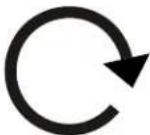 | Tighten Fastener |
| Apretar elemento de fijación | |
| Befestigungsteil festziehen | |
| Apertar fixador | |
| Serrare il fissaggio | |
| Bevestiging vastdraaien | |
| Serrez les fixations | |
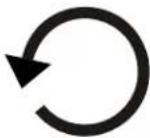 | Loosen Fastener |
| Aflojar elemento de fijación | |
| Befestigungsteil lösen | |
| Desapertar fixador | |
| Allentare il fissaggio | |
| Bevestiging losdraaien | |
| Desserrez les fixations | |
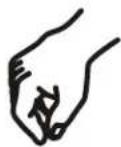 | By Hand |
| A mano | |
| Von Hand | |
| Com a mão | |
| A mano | |
| Met de hand | |
| À la main |

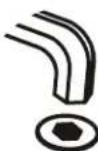
TOOLS REQUIRED FOR INSTALLATION
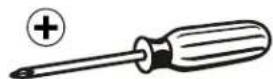
2
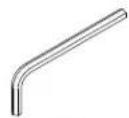
3/16"
(Provided)
PARTS

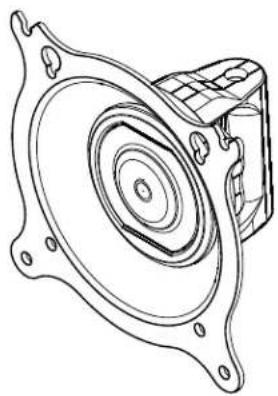
A (1)
natural_image
Technical line drawing of a mechanical component with concentric circular features and mounting flanges (no text or symbols)
B (4) - M4 X 12mm

E (4) - .5 x .194 x .375
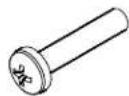
C (4) - M4 x 20mm
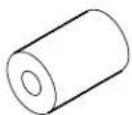
F (4) - .5 x .194 x .750
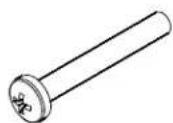
D (4) - M4 x 30mm
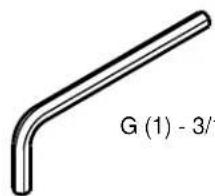
G (1) - 3/16"
INSTALLATION

WARNING: IMPROPER INSTALLATION CAN LEAD TO DISPLAY FALLING CAUSING SERIOUS PERSONAL INJURY OR DAMAGE TO EQUIPMENT! DO NOT substitute hardware! Use only hardware provided by manufacturer.

WARNING: EXCEEDING THE WEIGHT CAPACITY CAN RESULT IN SERIOUS PERSONAL INJURY OR DAMAGE TO EQUIPMENT! It is the installer's responsibility to make sure the combined weight of all components does not exceed the weight capacity of the product to which this accessory is attached--NOT TO EXCEED 40 lbs (18.14 kg).
- Loosen nut at bottom of head assembly and button head cap screw at top to remove head assembly. (See Figure 1)
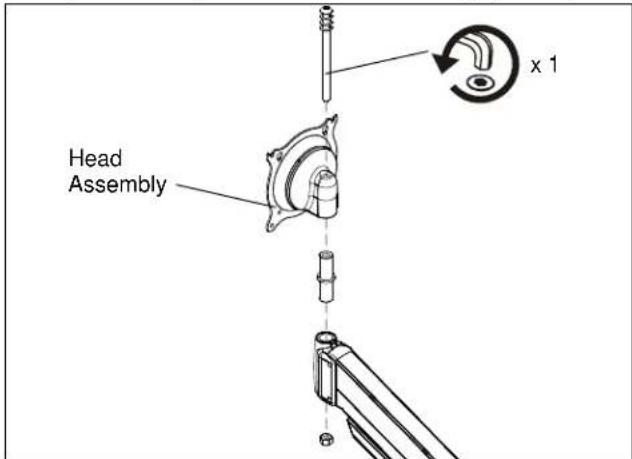
Figure 1
- Loosen and remove nut at bottom of KSA-1019 assembly and button head cap screw at top. (See Figure 2)
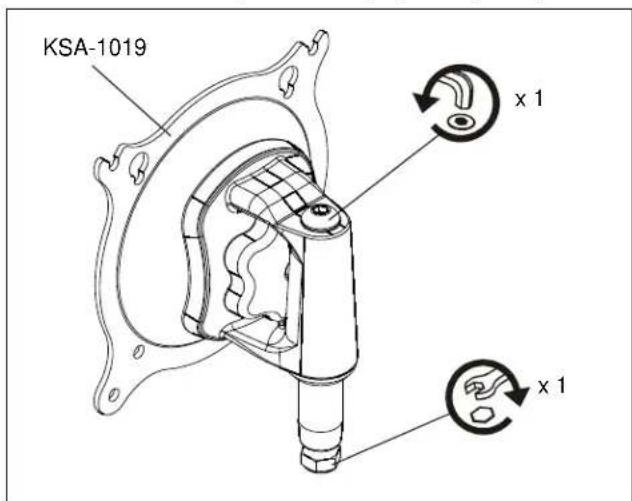
Figure 2
- Place new head assembly on arm, tightening the button head cap screw and nut. (See Figure 3)
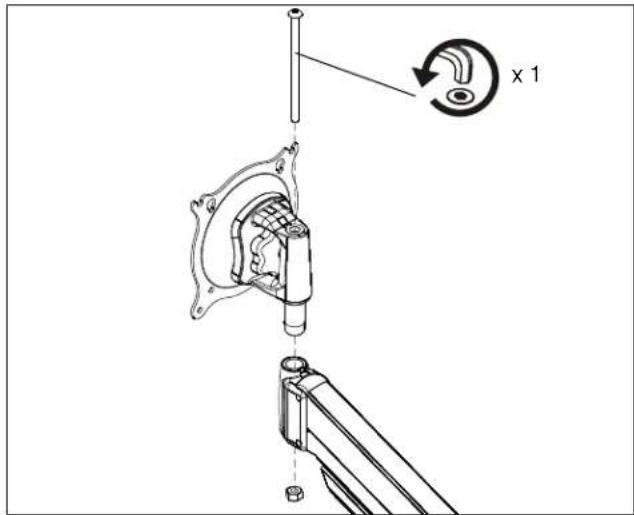
Figure 3
DISPLAY INSTALLATION
The mounting holes on the back of the display will be flush with the back surface, or recessed into the back. Refer to the applicable installation procedure below.
NOTE: Ensure Centris Turntite head is able to swivel and tilt easily, yet still be tight enough to hold display in desired position. Adjust as required before proceeding. See Adjustments section for details.
Swing Arm Flush Display Installation

CAUTION: IMPROPER INSTALLATION CAN LEAD TO DISPLAY FALLING CAUSING SERIOUS PERSONAL INJURY OR DAMAGE TO EQUIPMENT! Using screws of improper size may damage your display! Proper screws will easily and completely thread into display mounting holes.

CAUTION: IMPROPER INSTALLATION CAN LEAD TO DISPLAY FALLING CAUSING SERIOUS PERSONAL INJURY OR DAMAGE TO EQUIPMENT! Inadequate thread engagement in display may cause display to fall! Back out screws ONLY as necessary to allow installation of Centris Turntite head!
- Using Phillips screwdriver, carefully install two M4 x 12mm Phillips screws (B) into the upper mounting holes on the display. Thread screws completely into display, then back out 3 complete turns. (See Figure 4)
- Align two screws (B) (installed on the back of the display in the previous step) with the two top teardrop mounting holes on the Centris cup.

CAUTION: IMPROPER INSTALLATION CAN LEAD TO DISPLAY FALLING CAUSING SERIOUS PERSONAL INJURY OR DAMAGE TO EQUIPMENT! Smaller area of teardrop mounting holes must be facing downward for proper installation. Reposition Centris Turntite head if required.
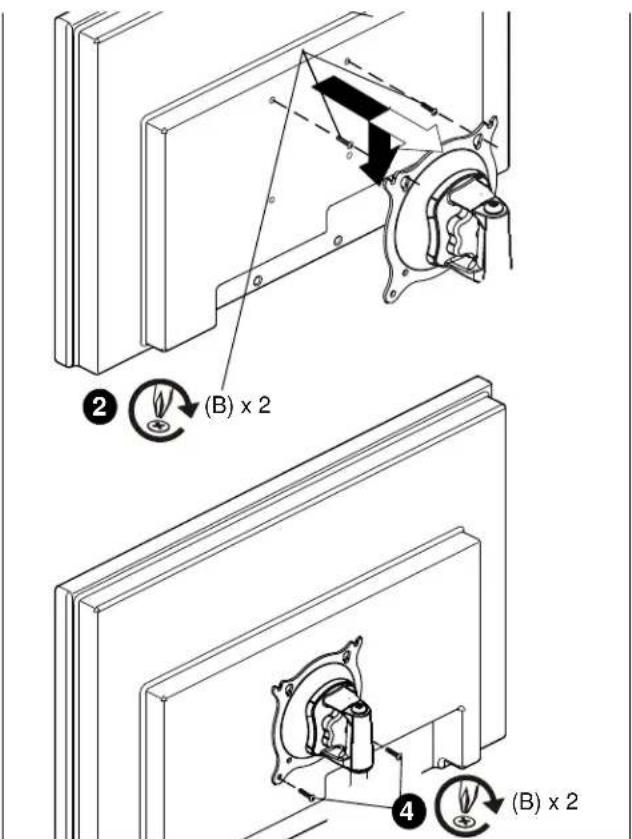
Figure 4
3. Using Phillips screwdriver, install two screws M4 x 12mm Phillips screws (B) through the lower mounting holes in Centris Turntite head into the display. (See Figure 4)
4. Tighten all four screws (B). Do not overtighten!
Swing Arm Recessed Display Installation
-
Carefully place display face down on a clean and dry surface.
-
Determine depth of recessed mounting holes relative to back surface of display.
-
Select proper length spacer and screw from table below:
IMPORTANT ! : All spacers used should be the same length. If the recess depths result in multiple spacer lengths, then select the longer spacer.
| IF recess DEPTH is: THEN use spacer: AND screw: | ||
| 3/8" or less E (3/8" long) C (M4 x 20mm) | ||
| More than 3/8" up to and including 3/4" | F (3/4" long) D (M4 x 30mm) | |
- Place the four (E or F) spacers over each mounting hole on the back of display. (See Figure 5)
- Orient mount so that mounting holes in the Centris Turntite head are aligned with the holes in the spacers (E or F). Rotate the Centris Turntite head as required (See Figure 5).

CAUTION: IMPROPER INSTALLATION CAN LEAD TO DISPLAY FALLING CAUSING SERIOUS PERSONAL INJURY OR DAMAGE TO EQUIPMENT! Using screws of improper size may damage your display! Proper screws will easily and completely thread into display mounting holes.
- Using Phillips screwdriver, install four Phillips screws (C or D) through the mounting holes in Centris Turntite head and the spacers (E or F), into display (See Figure 5).
- Tighten all four screws. Do not overtighten!
- Return to mount installation section to continue.
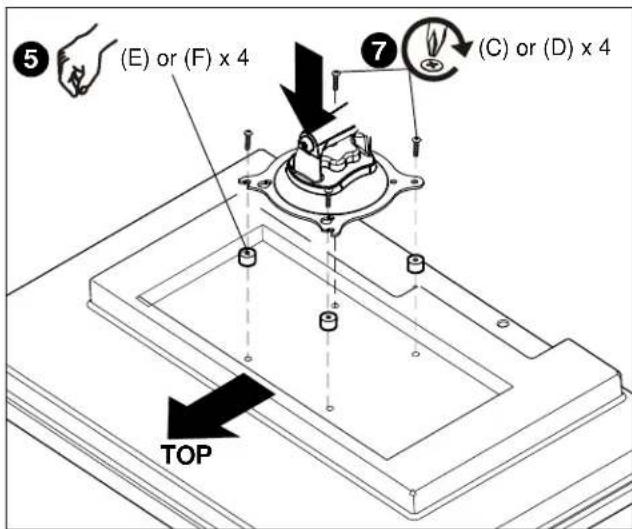
Figure 5
Adjustments
The KSG-1019 provides for Pitch, Roll, Yaw and display pivot tension adjustment.
To adjust display Pitch/Roll/ Yaw tension:
- Turn adjustment knob, located on back of Centris Turntite head, clockwise to increase tension or counter-clockwise to decrease. (See Figure 6)
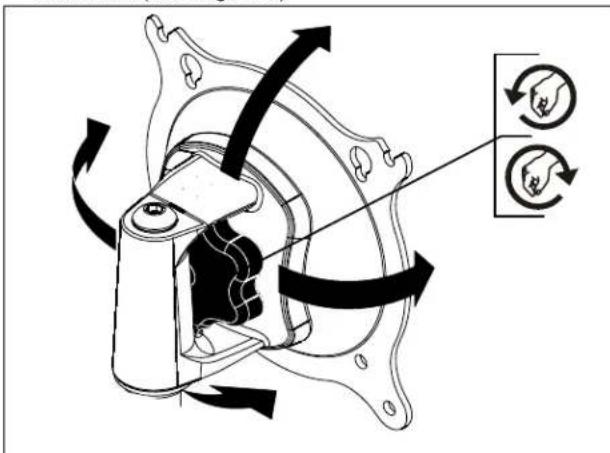
Figure 6
To adjust display pivot tension:
- Using hex wrench provided (G), turn adjustment screw clockwise to increase tension or counter-clockwise to decrease tension. (See Figure 7)
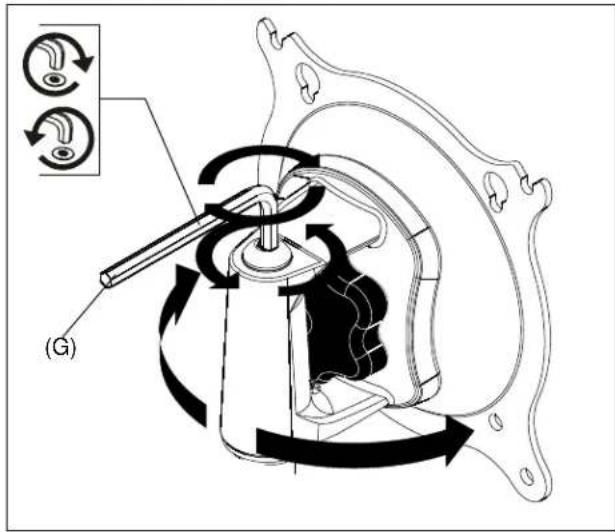
Figure 7

CHIEF®
8815-000001
©2007 Chief Manufacturing
www.chiefmfg.com
09/07
USA/International A 8401 Eagle Creek Parkway, Savage, MN 55378
P 800.582.6480 / 952.894.6280
F 877.894.6918 / 952.894.6918
Europe A Fellenoord 130 5611 ZB EINDHOVEN, The Netherlands
P +31 (0)40 2668620
F +31 (0)40 2668615
Asia Pacific A Room 30I, Block D, Lily YinDu International Building
LuoGang, BuJi Town, Shenzhen, CHINA. Post Code: 518112