
E719Sda - Screen AOC - Free user manual and instructions
Find the device manual for free E719Sda AOC in PDF.


| Product Type | LCD Monitor |
| Screen Size | 19 inches (48 cm) |
| Resolution | 1280 x 1024 (SXGA) |
| Aspect Ratio | 5:4 |
| Brightness | 250 cd/m² |
| Contrast Ratio | 1000:1 (static) |
| Response Time | 5 ms (typical) |
| Viewing Angle (Horizontal/Vertical) | 170°/160° |
| Input Connectors | 1 x VGA, 1 x DVI-D |
| Power Consumption (Typical) | < 25 Watts |
| Power Consumption (Standby) | < 0.5 Watts |
| Weight (with stand) | Approx. 4.0 kg |
| Dimensions (W x H x D with stand) | 450 x 390 x 210 mm |
| VESA Mount | 100 x 100 mm |
| Tilt Adjustment | -5° to 20° |
| On-Screen Display (OSD) | Yes (multiple languages) |
| Security | Kensington lock ready |
| Color | Black |
| Standby / Power LED | Blue (on) / Orange (standby) |
| Energy Star Certified | Yes |
Frequently Asked Questions - E719Sda AOC
User questions about E719Sda AOC
0 question about this device. Answer the ones you know or ask your own.
Ask a new question about this device
Download the instructions for your Screen in PDF format for free! Find your manual E719Sda - AOC and take your electronic device back in hand. On this page are published all the documents necessary for the use of your device. E719Sda by AOC.
USER MANUAL E719Sda AOC
natural_image
Black-and-white photo of a flat-screen computer monitor with a black stand (no visible text or symbols)Veiligheid ....4
Nationale Conventies 4
Voeding....5
Installatie....6
Reiniging....7
Overige 8
Instelling....9
Inhoud verpakking 9
Voet installeren 10
OSD-instelling....21
Helderheid 22
Beeldinstelling 23
Kleurtemp 24
Beeldversterking....25
OSD-instelling....26
Extra 27
Afsluiten....28
LED-indicator....29
Stuurprogramma 30
Monitorstuurprogramma 30
Windows 8....30
Windows 7....34
Windows Vista....38
Windows XP 40
Windows 2000....43
Windows ME....43
i-Menu....44
e-Saver 45
Screen+ 46
Problemen oplossen 47
Specifications....49
Algemene specificaties ....49
Algemene specificaties ....50
Vooraf ingestelde weergavemodi....51
EPEAT Declaration ....57
TCO DOCUMENT....58
Service....59
Veiligheid
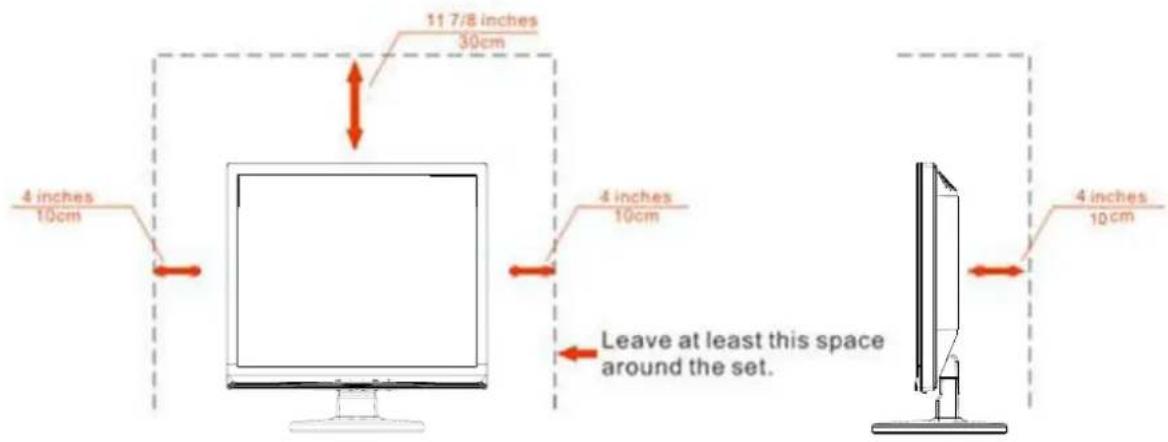
Nationale Conventies
Installed with stand
Reiniging
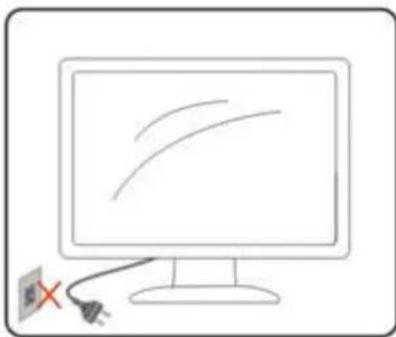
natural_image
Simple line drawing of a computer monitor with two curved lines and a power plug, no text or symbols present.
natural_image
Illustration of a hand interacting with a computer monitor displaying curved arrows (no text or symbols)Overige
natural_image
Blank whiteboard with a thin black border and a small gray base (no text or symbols)Monitor

Cd-handleiding

Monitorvoet

standaard
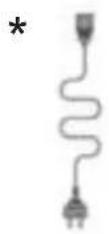
Voedings kabel

Analoge kabel

DVI kabel
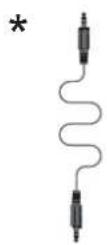
Audio kabel
natural_image
Computer monitor with AOC logo and two orange arrows pointing to a device (no text or symbols on the device itself)Verwijderen:

natural_image
Diagram showing a monitor with 'AOC' logo and two red arrows pointing to a device on a base (no text or symbols beyond logo)E719SDA

E719SD
1 Voeding
2 Audio kabel
3 DVI
4 Analoog (DB-15 VGA-kabel)
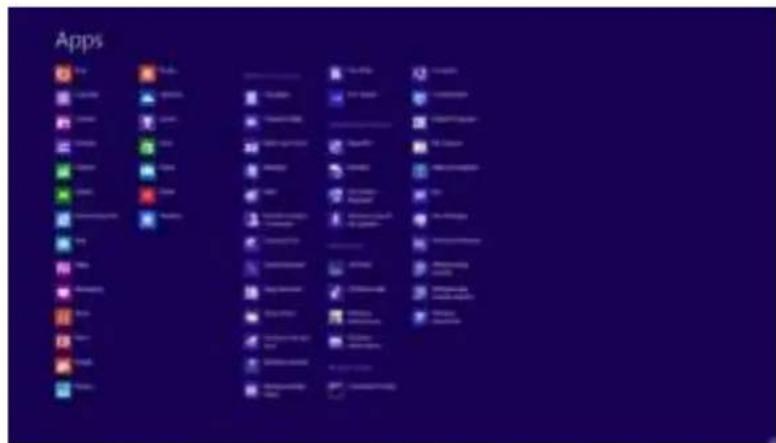
5 Klik op Beeldscherminstellingen.

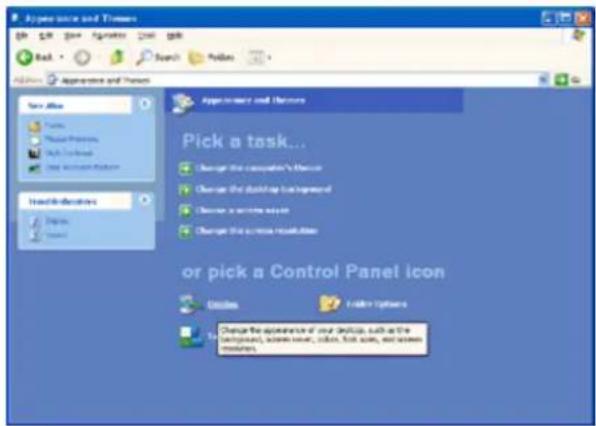
Windows XP
Onder Windows XP:
1 Klik op START.

5 Dubbelklik op BEELDSCHERM.
Windows ME/2000
Onder Windows ME/2000:
1 Druk op MENU


Screen+
Disposal of Waste Equipment by Users in Private Household in the European Union.

This symbol on the product or on its packaging indicates that this product must not be disposed of with your other household waste. Instead, it is your responsibility to dispose of your waste equipment by handing it over to a designated collection point for the recycling of waste electrical and electronic equipment. The separate collection and recycling of your waste equipment at the time of disposal will help to conserve natural resources and ensure that it is recycled in a manner that protects human health and the environment. For more information about where you can drop off your waste equipment for recycling, please contact your local city office, your household waste disposal service or the shop where you purchased the product.
EPA Energy Star

ENERGY STAR® is a U.S. registered mark. As an ENERGY STAR® Partner, AOC International (Europe) BV and Envision Peripherals, Inc. have determined that this product meets the ENERGY STAR® guidelines for energy efficiency.
(FOR EPA CERTIFIED MODELS)
EPEAT Declaration

EPEAT is a system to help purchasers in the public and private sectors evaluate, compare and select desktop computers, notebooks and monitors based on their environmental attributes. EPEAT also provides a clear and consistent set of performance criteria for the design of products, and provides an opportunity for manufacturers to secure market recognition for efforts to reduce the environmental impact of its products.
AOC believes in protecting the environment.
With a key concern for the conservation of natural resources, as well as landfill protection, AOC announces the launch of AOC monitor's packaging recycling program. This program is designed to help you discard of your monitor carton and filler materials properly. If a local recycling center is not available, AOC will recycle the packaging material for you, including foam filler and carton. AOC Display solution will only recycle AOC monitor packaging. Please refer to the following website address:
Only for North and South American, excluding Brazil:
http://us.aoc.com/about/environmental_impact
For Germany:
http://www.aoc-europe.com/en/service/tco.php
For Brazil:
http://www.aoc.com.br/2007/php/index.php?req=pagina&pgn_id=134
TCO DOCUMENT
Congratulations!
This product is designed for both you and the planet!

TCO Development works for sustainable IT - manufacture, use and recycling of IT products reflecting environmental, social and economic responsibility.
TCO Certified is a third party verified program, where every product model is tested by an accredited impartial test laboratory. TCO
Certified represents one of the toughest certifications for ICT products worldwide.
Some of the Usability features of TCO Certified Displays:
- Visual Ergonomics for image quality is tested to ensure top performance and reduce sight and strain problems. Important parameters are Resolution, Luminance, Contrast, Reflection and Colour characteristics
- Products are tested according to rigorous safety standards at impartial laboratories
- Electric and magnetic fields emissions as low as normal household background levels
• Workload ergonomics to ensure a good physical environment
Some of the Environmental features of TCO Certified Displays:
- Production facilities have an Environmental Management System (EMAS or ISO 14001)
- Low energy consumption to minimize climate impact
- Restrictions on Chlorinated and Brominated flame retardants, plasticizers, plastics and heavy metals such as cadmium, mercury and lead (RoHS compliance)
- Both product and product packaging is prepared for recycling
• The brand owner offers take-back options
Corporate Social Responsibility
- The brand owner demonstrates the product is manufactured under working practices that promote good labour relations and working conditions.
The Criteria Document can be downloaded from our web site. The criteria included in this label have been developed by TCO Development in co-operation with scientists, experts, users as well as manufacturers all over the world. Since the end of the 1980s TCO has been involved in influencing the development of IT equipment in a more user and environmentally friendly direction. Our ICT product labeling system began in 1992 and is now requested by users and ICT-manufacturers all over the world.
For more information, please visit
www.tcodevelopment.com
Service
BEPERKTE GARANTIE 3 JAAR\*
- Veiligheid ....4
- Instelling....9
- LED-indicator....29
- Stuurprogramma 30
- i-Menu....44
- Problemen oplossen 47
- Specifications....49
- Veiligheid
- Nationale Conventies
- Reiniging
- Overige
- Windows XP
- Onder Windows XP:
- Windows ME/2000
- Onder Windows ME/2000:
- Screen+
- EPA Energy Star
- EPEAT Declaration
- TCO DOCUMENT
- Congratulations!
- This product is designed for both you and the planet!
- Some of the Usability features of TCO Certified Displays:
- Some of the Environmental features of TCO Certified Displays:
- Corporate Social Responsibility
- Service
- BEPERKTE GARANTIE 3 JAAR\*
Brand : AOC
Model : E719Sda
Category : Screen