
HAC-CR24KITWIFI - Air conditioner Heinner - Free user manual and instructions
Find the device manual for free HAC-CR24KITWIFI Heinner in PDF.


| Product type | Air conditioner (split type) |
| Model | HAC-CR24KITWIFI |
| Brand | Heinner |
| Cooling capacity (BTU) | 24,000 BTU |
| Heating capacity (BTU) | 24,000 BTU (heat pump) |
| Energy efficiency (EER/COP) | EER 11.0 / COP 3.5 |
| Refrigerant | R32 |
| Power supply | 230 V / 50 Hz |
| Dimensions (indoor unit) | 1080 x 300 x 230 mm (W x H x D) |
| Dimensions (outdoor unit) | 880 x 650 x 340 mm (W x H x D) |
| Weight (indoor unit) | 14 kg |
| Weight (outdoor unit) | 45 kg |
| Wi-Fi connectivity | Yes (2.4 GHz, compatible with Heinner Smart app) |
| Fan speeds | 3 speeds (Low, Medium, High) + Auto |
| Operating modes | Cool, Heat, Fan, Dehumidify, Auto |
| Timer | 24-hour programmable timer |
| Sleep mode | Yes |
| Air filter | Washable, anti-bacterial filter |
| Control | Remote control + Wi-Fi via app |
| Maintenance | Clean filter every 2 weeks; drain condensate regularly |
| Safety features | Overheat protection, auto restart, child lock (app) |
| Spare parts available | Remote control, air filter, drain hose |
Frequently Asked Questions - HAC-CR24KITWIFI Heinner
User questions about HAC-CR24KITWIFI Heinner
0 question about this device. Answer the ones you know or ask your own.
Ask a new question about this device
Download the instructions for your Air conditioner in PDF format for free! Find your manual HAC-CR24KITWIFI - Heinner and take your electronic device back in hand. On this page are published all the documents necessary for the use of your device. HAC-CR24KITWIFI by Heinner.
USER MANUAL HAC-CR24KITWIFI Heinner
natural_image
Exterior view of a white air conditioner unit (no text or symbols visible)- Air conditioner
• Capacity: 9000 / 12000 / 18000 / 24000 BTU - Color: white
Thank you for choosing this product!
I. INTRODUCTION
Before using the appliance, please read carefully this instruction manual and keep it for future reference.
This instruction manual is designed to provide you with all required instructions related to the installation, use and maintenance of the appliance.
In order to operate the unit correctly and safety, please read this instruction manual carefully before installation and usage.
II. CONTENT OF YOUR PACKAGE

Air conditioner
Instruction Manual
Warranty card
Remote controller manual
Wireless module user manual (only models with Wireless control)
Installation kit (only models with installation kit)
Wireless module (only models with Wireless control)
III. SAFETY PRECAUTIONS

CAUTION: Risk of re / ammable materials (For R32/R290 units only)
WARNING: Servicing shall only be performed as recommended by the equipment manufacturer. Maintenance and repair requiring the assistance of other skilled personnel shall be carried out under the supervision of the person competent in the use of ammable refrigerants. For more details, please refer to the "Informaon on servicing on installaon manual. (This is only required for the unit adopts R32/R290 refrigerant).
Incorrect installaon due to ignoring instrucons can cause serious damage or injury. The seriousness of potenal damage or injuries is classied as either a WARNING or CAUTION.

WARNING
This symbol indicates that ignoring instrucons may cause death or serious injury.

CAUTION This symbol indicates that ignoring instrucons may cause moderate injury to your person, or damage to your appliance or other property.
WARNING
This appliance can be used by children aged from 8 years and above and persons with reduced physical, sensory or mental capabilities or lack of experience and knowledge if they have been given supervision or instrucon concerning use of the appliance in a safe way and understand the hazards involved. Children shall not play with the appliance Cleaning and user maintenance shall not be made by children without supervision.
INSTALLATION WARNINGS
- Ask an authorized dealer to install this air conditioner. Inappropriate installation may cause water leakage, electric shock, or re.
- All repairs, maintenance and relocaon of this unit must be performed by an authorized service technician. Inappropriate repairs can lead to serious injury or product failure.
WARNINGS FOR PRODUCT USE
- If an abnormal situaon arises (like a burning smell), immediately turn o the unit and pull the power plug. Call your dealer for instrucons to avoid electric shock, re or injury.
- Do not insert ngers, rods or other objects into the air inlet or outlet. This may cause injury, since the fan may be rotang at high speeds.
- Do not use ammable sprays such as hair spray, lacquer or paint near the unit. This may cause re or combuston.
- Do not operate the air conditioner in places near or around combustible gases. Emied gas may collect around the unit and cause explosion.
- Do not operate the air conditioner in a wet room (e.g., bathroom or laundry room). This can cause electrical shock and cause the product to deteriorate.
- Do not expose your body directly to cool air for a prolonged period of me.
ELECTRICAL WARNINGS
- Only use the specied power cord. If the power cord is damaged, it must be replaced by the
manufacturer or cered service agent.
- Keep power plug clean. Remove any dust or grime that accumulates on or around the plug. Dirty plugs can cause re or electric shock.
- Do not pull power cord to unplug unit. Hold the plug rmly and pull it from the outlet. Pulling directly on the cord can damage it, which can lead to re or electric shock.
- Do not use an extension cord, manually extend the power cord, or connect other appliances to the same outlet as the air conditioner. Poor electrical connexons, poor insulaon, and insucient voltage can cause re.
Explanaon of symbols displayed on the indoor unit or outdoor unit
 | WARNING | This symbol shows that this appliance used a ammable refrigerant. If the refrigerant is leaked and exposed to an external ignition source, there is a risk of re. |
 | CAUTION | This symbol shows that the operaon manual should be read carefully. |
 | CAUTION | This symbol shows that a service personnel should be handling this equipment with reference to the installaon manual. |
 | CAUTION | |
 | CAUTION | This symbol shows that informaon is available such as the operang manual or installaon manual. |
IV.CLEANING AND MAINTENANCE WARNINGS
- Turn o the device and pull the plug before cleaning. Failure to do so can cause electrical shock.
- Do not clean the air conditioner with excessive amounts of water.
- Do not clean the air conditioner with combustible cleaning agents. Combustible cleaning agents
can cause re or deformaon.
CAUTION
- If the air conditioner is used together with burners or other heang devices, thoroughly venlate the room to avoid oxygen deciency.
- Turn o the air conditioner and unplug the unit if you are not going to use it for a long me.
- Turn o and unplug the unit during storms.
- Make sure that water condensaon can drain unhindered from the unit.
- Do not operate the air conditioner with wet hands. This may cause electric shock.
- Do not use device for any other purpose than its intended use.
- Do not climb onto or place objects on top of the outdoor unit.
V. UNIT SPECIFICATION AND FEATURES
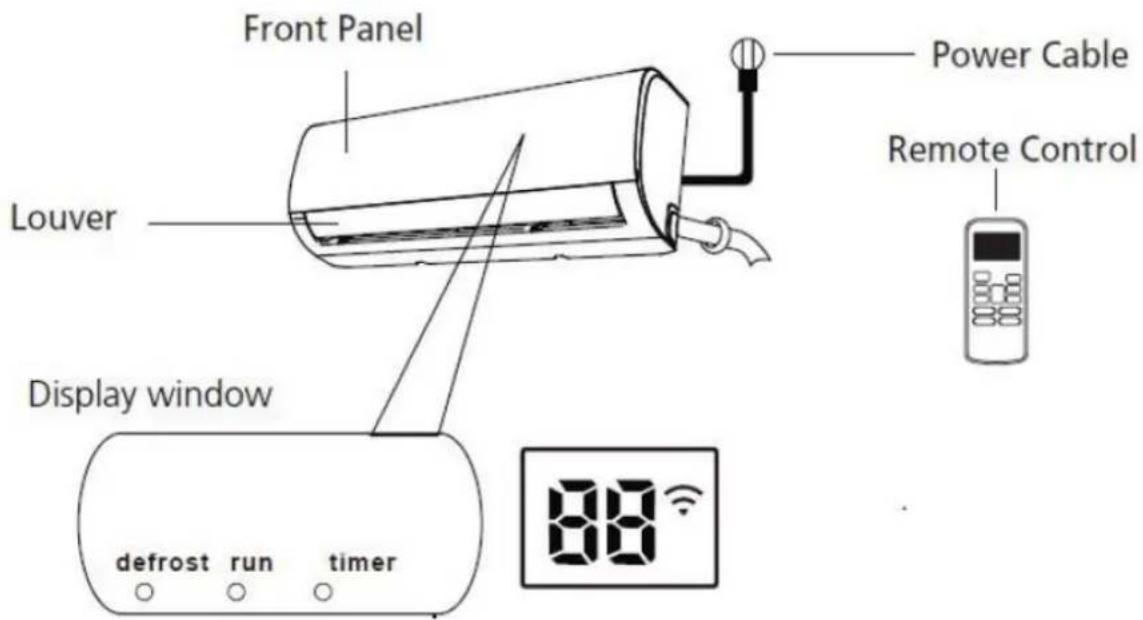
Defrost - when defrost feature is acvated
Run - when the unit is on
Timer – when mer is set
- when Wireless control feature is acvated (some units)
"88" illuminates gradually one by one as E
C-0 - set temperature - E - in one second interval
In other modes, the unit will display your temperature seng.
In Fan mode, the unit will display the room temperature.
When error occurs, it displays error code.
"ON" for 3 seconds when:
TIMER ON - is set
SWING, TURBO or SILENCE features are turned on
"OF" for 3 seconds when:
TIMER OFF is set
SWING, TURBO or SILENCE features are turned o
“cF” when an-cold air feature is turned on
“dF” when defrosng
"SC" when unit is self-cleaning
"FP" when freeze protecon (8° Heang) is turned on
VI. ACHIEVING OPTIMAL PERFORMANCE
Opmal performance for the COOL, HEAT, and DRY modes can be achieved in the following temperature ranges. When your air conditioner is used outside of these ranges, certain safety protecon features will acvate and cause the unit to perform less than opmally.
Inverter Split Type
| COOL mode | HEAT mode | DRY mode | |
| Room temperature | 17°C - 32°C(63°F - 90°F) | 0°C - 30°C(32°F - 86°F) | 10°C - 32°C(50°F - 90°F) |
| Outdoor temperature | 0°C - 50°C(32°F - 122°F) | -15°C - 30°C(5°F - 86°F) | 0°C - 50°C(32°F - 122°F) |
| -15°C - 50°C(5°F - 122°F)(For models with low temp. cooling systems.) | |||
| 0°C - 60°C(32°F - 140°F)(For special tropical models) | 0°C - 60°C(32°F - 140°F)(For special tropical models) | ||
FOR OUTDOOR UNITS WITH AUXILIARY ELECTRIC HEATER
When outside temperature is below 0irc C ( 32irc F), we strongly recommend keeping the unit plugged in at all me to ensure smooth ongoing performance.
Fixed-speed Type
| COOL mode | HEAT mode | DRY mode | |
| Room Temperature | 17°-32°C (63°-90°F) | 0°-30°C (32°-86°F) | 10°-32°C (50°-90°F) |
| Outdoor Temperature | 18°-43°C (64°-109°F) | -7°-24°C (19°-75°F) | 11°-43°C (52°-109°F) |
| -7°-43°C (19°-10 9°F) (For models with low-temp cooling systems) | 18°-43°C (64°-109°F) | ||
| 18°-54°C (64°-12 9°F) (For special tropical models) | 18°-54°C (64°-12 9°F) (For special tropical models) |
To further optimize the performance of your unit, do the following:
- Keep doors and windows closed.
- Limit energy usage by using TIMER ON and TIMER OFF funcons.
- Do not block air inlets or outlets.
• Regularly inspect and clean air Iters.
For a detailed explanaon of each funcon, refer to the Remote-Control Manual.
Other Features
- Auto-Restart
If the unit loses power, it will automatically restart with the prior sengs once power has been restored.
- Follow me
Using Follow Me feature, the remote display is actual temperature at its locaon. The remote control will send this signal to the air conditioner every 3 minutes interval until press the Follow Me buon again. The air conditioner will cancel the Follow Me feature automatically if it does not receive the signal during any 7 minutes interval.
- Self clean
Acve / Disable self clean funcon. Aer running in cooling or drying mode, if the user press "Self Clean" buon on remote controller, rstly, indoor unit runs in fan only mode for a while, then low heat operaon and nally runs in fan only again. This funcon can keep the inside of indoor unit dry and prevent breeding of mold.
- Louver Angle Memory
When turning on your unit, the louver will automatically resume its former angle.
• Refrigerant Leakage Detecon
The indoor unit will automacally display "EC" The "mer" indicator light turns o and the "run" indicator light ashes 7 mes when the unit detects refrigerant leakage.
For a detailed explanaon of your unit's advanced funconality (such as TURBO mode, Silence and 8° heang funcons), refer to the Remote Control Manual.
VII. SETTING ANGLE OF AIR FLOW
Seng vercal angle of air ow
While the unit is on, use the SWING/DIRECT buon to set the direcon (vercal angle) of airrow.
- Press the SWING/DIRECT buon once to acvate the louver. Each me you press the buon, it will adjust the louver by 6°. Press the buon unl the direcon you prefer is reached.
- To make the louver swing up and down connuously, press and hold the SWING/DIRECT buon for 3 seconds. Press it again to stop the automac funcon.
Seng horizontal angle of air ow
The horizontal angle of the airrow must be set manually. Grip the deector rod (See Fig.B) and manually adjust it to your preferred direcon.
For some units, the horizontal angle of the airrow can be set by remote control. Please refer to the Remote Control Manual.
NOTE ON LOUVER ANGLES
When using COOL or DRY mode, do not set louver at too vercal an angle for long periods of me. This can cause water to condense on the louver blade, which will drop on your oor or furnishings. (See Fig.A)
When using COOL or HEAT mode, seng the louver at too vercal an angle can reduce the performance of the unit due to restricted air ow.
Do not move louver by hand. This will cause the louver to become out of sync. If this occurs, turn o the unit and unplug it for a few seconds, then restart the unit. This will reset the louver.


Fig. B
Do not put your ngers in or near the blower and sucon side of the unit. The high-speed fan inside the unit may cause injury.
Sleep Operaon
The SLEEP funcon is used to decrease energy use while you sleep (and don't need the same temperature sengs to stay comfortable). This funcon can only be acvated via remote control. Press the SLEEP buon when you are ready to go to sleep. When in COOL mode, the unit will increase the temperature by 1irc C ( 2irc F ) aer 1 hour, and will increase an additional 1irc C ( 2irc F ) aer another hour. When in HEAT mode, the unit will decrease the temperature by 1irc C ( 2irc F ) aer 1 hour, and will decrease an additional 1irc C ( 2irc F ) aer another hour. It will hold the new temperature for 5 hours, then the unit will turn o automacally.
Note: The SLEEP funcon is not available in FAN or DRY mode.
SLEEP Operation

flowchart
graph LR
    A["Set temperature"] --> B["+/- 1°C/2°F"]
    B --> C["+/- 1°C/2°F"]
    C --> D["7 hours timer off"]
D

VIII. MANUAL OPERATING (WITHOUT REMOTE)
How to operate your unit without the remote control
In the event that your remote control fails to work, your unit can be operated manually with the MANUAL CONTROL buon located on the indoor unit. Note that manual operaon is not a long-term soluon, and that operang the unit with your remote control is strongly recommended.
Unit must be turned o before manual operaon.
To operate your unit manually:
- Open the front panel of the indoor unit.
- Locate the MANUAL CONTROL buon on the right-hand side of the unit.
- Press the MANUAL CONTROL buon one me to acvate FORCED AUTO mode.
- Press the MANUAL CONTROL buon again to acvate FORCED COOLING mode.
- Press the MANUAL CONTROL buon a third me to turn the unit o.
- Close the front panel.
CAUTION
The manual buon is intended for tesng purposes and emergency operaon only. Please do not use this funcon unless the remote is lost and it is absolutely necessary. To restore regular operaon, use the remote control to acvate the unit.

IX. CARE AND MAINTENANCE
Cleaning Your Indoor Unit
BEFORE CLEANING OR MAINTENANCE
ALWAYS TURN OFF YOUR AIR CONDITIONER SYSTEM AND DISCONNECT ITS POWER SUPPLY BEFORE CLEANING OR MAINTENANCE.
CAUTION
Only use a so, dry cloth to wipe the unit clean. If the unit is especially dirty, you can use a cloth soaked in warm water to wipe it clean.
- Do not use chemicals or chemically treated cloths to clean the unit
- Do not use benzene, paint thinner, polishing powder or other solvents to clean the unit. They can cause the plasc surface to crack or deform.
- Do not use water hoer than 40irc C (104°F) to clean the front panel. This can cause the panel to deform or become discolored.
Cleaning Your Air Filter
A clogged air conditioner can reduce the cooling eciency of your unit, and can also be bad for your health. Make sure to clean the Iter once every two weeks.
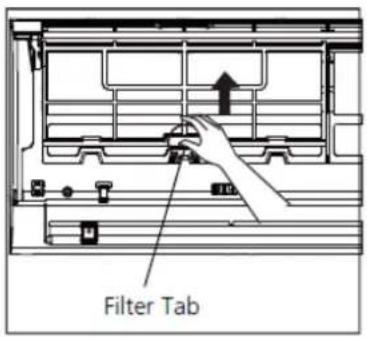
- Li the front panel of the indoor unit.
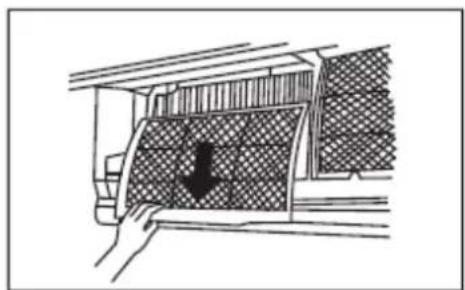
- First press the tab on the end of iter to loosen the buckle, li it up, then pull it towards yourself.
- Now pull the iter out.
- If your Iter has a small air freshening Iter, unclip it from the larger Iter. Clean this air freshening Iter with a hand-held vacuum.
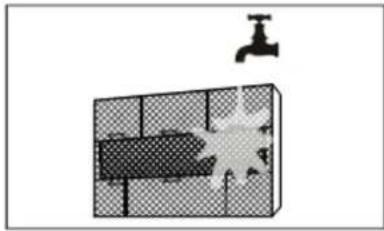
- Clean the large air liter with warm, soapy water. Be sure to use a mild detergent.
- Rinse the liter with fresh water, then shake o excess water.
- Dry it in a cool, dry place, and refrain from exposing it to direct sunlight.
- When dry, re-clip the air fresheningIter to the largerIter, then slide it back into the indoor unit.
- Close the front panel of the indoor unit.
natural_image
Diagram of a vehicle interior showing a hand opening a car with a downward arrow indicating motion (no text or symbols present)CAUTION
Do not touch air freshening (Plasma) Iter for at least 10 minutes aer turning o the unit. Available to units with plasma Iter.

natural_image
Diagram showing a faucet above a grid-patterned object with a starburst effect (no text or symbols)CAUTION
- Before changing the Iter or cleaning, turn o the unit and disconnect its power supply.
- When removing Iter, do not touch metal parts in the unit. The sharp metal edges can cut you.
- Do not use water to clean the inside of the indoor unit. This can destroy insulaon and cause electrical shock.
- Do not expose Iter to direct sunlight when drying. This can shrink the Iter.
Maintenance – Long Periods of Non-Use
If you plan not to use your air conditioner for an extended period of me, do the following:
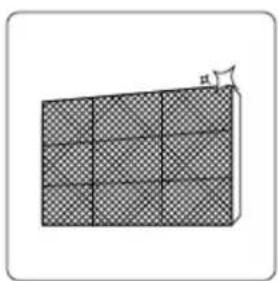
natural_image
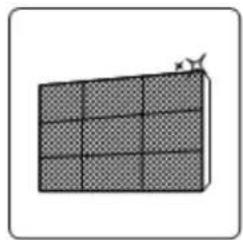
Diagram of a 3D grid structure with checkered pattern, no text or symbols presentClean all filters

natural_image
Simple line drawing of a house with wavy lines inside, no text or symbols presentTurn on FAN function until unit dries out completely
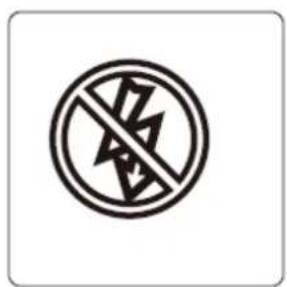
Turn off the unit and disconnect the power
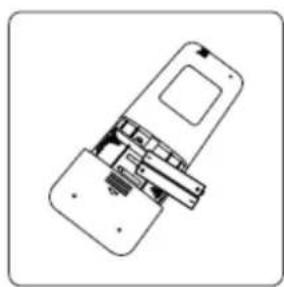
natural_image
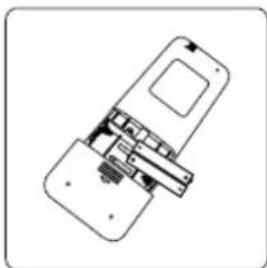
Line drawing of a smartphone internal component (no text or symbols)Remove batteries from remote control
CAUTION
- Any maintenance and cleaning of outdoor unit should be performed by an authorized dealer or licensed service provider.
- Any unit repairs should be performed by authorized dealer or licensed service provider.
Maintenance – Pre-Season Inspecon
Aer long periods of non-use, or before periods of frequent use, do the following:

natural_image
Crosshair symbol of a no-smoking sign with lightning bolts indicating electrical hazard (no text or numbers present)Check for damaged wires

natural_image
Diagram of a 3D grid structure with checkered pattern, no text or symbols presentClean all filters
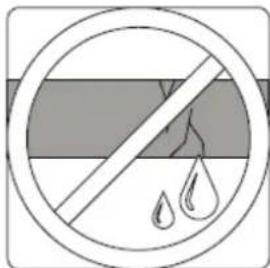
Check for leaks

natural_image
Technical line drawing of a device with internal components (no text or symbols)Replace batteries

natural_image
Simple line drawing of a crossed-out road sign with no text or symbols
natural_image
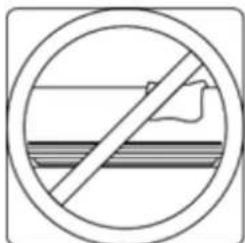
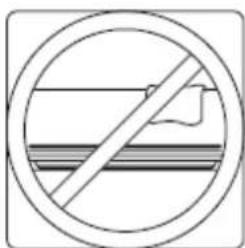
Prohibition sign showing a crossed-out kitchen appliance with a potted plant (no text or symbols)Make sure nothing is blocking all air inlets and outlets
X. TROUBLESHOOTING
SAFETY PRECAUTIONS
If ANY of the following conditions occurs, turn o your unit immediately!
- The power cord is damaged or abnormally warm
- You smell a burning odor
• The unit emits loud or abnormal sounds - A power fuse blows or the circuit breaker frequently trips
• Water or other objects fall into or out of the unit
DO NOT ATTEMPT TO FIX THESE YOURSELF! CONTACT AUTHORIZED SERVICE PROVIDER
IMMEDIATELY!
Common Issues
The following problems are not a malfuncon and in most situations will not require repairs.
| Issue | Possible causes |
| Unit does not turn on when pressing ON/OFF buon | The Unit has a 3-minute protecon feature that prevents the unit from overloading. The unit cannot be restarted within three minutes of being turned o. |
| The unit changes from COOL/HEAT mode to FAN mode | The unit may change its seng to prevent frost from forming on the unit. Once the temperature increases, the unit will start operang in the previously selected mode again. |
| The set temperature has been reached, at which point the unit turns o the compressor. The unit will connue operang when the temperature actuates again. | |
| The indoor unit emits white mist | In humid regions, a large temperature dience between the room's air and the condioned air can cause white mist. |
| Both the indoor and outdoor units emit white mist | When the unit restarts in HEAT mode aer defrosng, white mist may be emied due to moisture generated from the defrosng process. |
| The indoor unit makes noises | A rushing air sound may occur when the louver resets its posion. |
| A squeaking sound may occur aer running the unit in HEAT mode due to expansion and contracon of the unit's plasc parts.Low hissing sound during operaon: This is normal and is caused by refrigerant gas owing through both indoor and outdoor units. | |
| Both the indoor unit and outdoor unit make noises | |
| Low hissing sound when the system starts, has just stopped running, or is defrosng: This noise is normal and is caused by the refrigerant gas stopping or changing direcon. | |
| Squeaking sound: Normal expansion and contracon of plasc and metal parts caused by temperature changes during operaon can cause squeaking noises. | |
| Issue | Possible causes |
| The outdoor unit makes noises | The unit will make dierent sounds based on its current operang mode. |
| Dust is emied from either the indoor or outdoor unit | The unit may accumulate dust during extended periods of non-use, which will be emied when the unit is turned on. This can be migrated by covering the unit during long periods of inacvity. |
| The unit emits a bad odor | The unit may absorb odors from the environment (such as furniture, cooking, cigarees, etc.) which will be emied during operaons. |
| The unit's Iters have become moldy and should be cleaned. | |
| The fan of the outdoor unit does not operate | During operaon, the fan speed is controlled to opmize product operaon. |
| Operaon is erratic, unpredictable, or unit is unresponsive | Interference from cell phone towers and remote boosters may cause the unit to malfuncon.In this case, try the following:Disconnect the power, then reconnect.Press ON/OFF buon on remote control to restart operaon. |
NOTE: If problem persists, contact a local dealer or your nearest customer service center. Provide them with a detailed descripon of the unit malfuncon as well as your model number.
When troubles occur, please check the following points before contacting a repair company.
| Problem | Possible causes | Soluon |
| Poor cooling performance | Temperature seng may be higher than ambient room temperature | Lower the temperature seng |
| The heat exchanger on the indoor or outdoor unit is dirty | Clean the aected heat exchanger | |
| The air lter is dirty | Remove the lter and clean it according to instrucons | |
| The air inlet or outlet of either unit is blocked | Turn the unit o, remove the obstrucon and turn it back on | |
| Doors and windows are open | Make sure that all doors and windows are closed while operang the unit | |
| Excessive heat is generated by sunlight | Close windows and curtains during periods of high heat or bright sunshine | |
| Too many sources of heat in the room (people, computers, electronics, etc.) | Reduce amount of heat sources | |
| Low refrigerant due to leak or long-term use | Check for leaks, re-seal if necessary and top o refrigerant | |
| The unit is not working | Power failure | Wait for the power to be restored |
| The power is turned o | Turn on the power | |
| The fuse is burned out | Replace the fuse | |
| Remote control baeries are dead | Replace baeries | |
| The Unit's 3-minute protecon has been acvated | Wait three minutes aer restarng the unit | |
| Timer is acvated | Turn mer o | |
| Poor heang performance | The outdoor temperature is extremely low | Use auxiliary heang device |
| Cold air is entering through doors and windows | Make sure that all doors and windows are closed during use | |
| Low refrigerant due to leak or long-term use | Check for leaks, re-seal if necessary and top o refrigerant | |
| Indicator lamps connue ashing | The unit may stop operaon or connue to run safely. If the indicator lamps connue to ash or error codes appear, wait for about 10 minutes. The problem may resolve itself. If not, disconnect the power, then connect it again. Turn the unit on. If the problem persists, disconnect the power and contact your nearest customer service center. | |
| Error code appears in the window display of indoor unit: • E0, E1, E2... • P1, P2, P3... • F1, F2, F3... | ||
NOTE: If your problem persists aer performing the checks and diagnoses above, turn o your unit immediately and contact an authorized service center.

Environment friendly disposal
You can help protect the environment!
Please remember to respect the local regulaons: hand in the non-working electrical equipment's to an appropriate waste disposal center.

HEINNER is a registered trademark of Network One Distribuon SRL. Other brands and product names are trademarks or registered trademarks of their respective holders.
No part of the speciaons may be reproduced in any form or by any means or used to make any derivative such as translaon, transformaon, or adaptaon without permission from NETWORK ONE DISTRIBUTION.
Copyright © 2013 Network One Disbuon. All rights reserved.
www.heinner.com, http://www.nod.ro
http://www.heinner.com, http://www.nod.ro

This product is in conformity with norms and standards of European Community
Importer: Network One Distribuon
Marcel Iancu Street, no 3-5, Bucharest, Romania
Tel: +40 21 211 18 56, www.heinner.com, www.nod.ro
HEINNER
APARAT DE AER CONDITIONAT Model:
HAC-CR09WHN
HAC-09CRKIT
HAC-CR09KITWIFI
HAC-CR12WHN
HAC-12CRKIT
HAC-CR12WIFI
HAC-CR12KITWIFI
HAC-CR18WHN
HAC-CR18KIT
HAC-CR18WIFI
HAC-CR18KITWIFI
HAC-CR24WHN
HAC-CR24KIT
HAC-CR24WIFI
HAC-CR24KITWIFI

natural_image
Exterior view of a white Siemens air conditioner unit (no text or symbols visible)• Aparat de aer conditionat
• Capacitate: 9000 / 12000 / 18000 / 24000 BTU
- Culoare: alb
Atene: Risc de incendiu / materiale inamabile
AVERTISMENT: Lucrarile de intrenere se vor efectua numai conform recomandarilor producatorului echipamentului. Intrenerea si reparaa care necesita asistenta unui alt personal calicat se efectueaza sub supravegherea persoanei competente in ulizarea agenlor frigorici inamabili. Pentru mai multe detalii, consulta secunea Informai privind asistenta tehnica in MANUALUL DE INSTALARE.
natural_image
Diagram showing a hand pressing down a car window with a black arrow indicating downward motion (no text or symbols present)ATENTIE
natural_image
Diagram showing a faucet above a grid-patterned object with a starburst effect (no text or symbols)ATENTIE
natural_image
Simple 3D grid pattern with a small star on top (no text or symbols)natural_image
Simple line drawing of a house with wavy roof lines (no text or symbols)natural_image
Diagram of a smartphone internal structure showing internal components (no text or labels)Inspectati cablurile deteriorate
natural_image
Diagram of a solar panel array with grid pattern and antenna (no text or symbols)natural_image
Technical line drawing of a device with internal components (no text or symbols)Înlocuiti bateriile
natural_image
Simple line drawing of a crossed-out road sign with a flag icon (no text or symbols)
natural_image
Exterior view of a commercial air conditioner unit enclosed in a circle with a diagonal line crossing through it (no text or symbols)natural_image
Exterior view of a white Siemens air conditioner unit (no text or symbols visible)• Климатик
• Капацитет: 9000 / 12000 / 18000 / 24000 BTU
• Цвят: бял
natural_image
Diagram showing a hand pressing down a panel with a black arrow indicating downward motion (no text or symbols present)ВНИМАНИЕ
natural_image
Diagram showing a faucet above a grid-patterned room with a starburst pattern (no text or symbols)ВНИМАНИЕ
natural_image
Diagram of a 3D grid structure with a labeled height 'h' (no text or symbols beyond the label)natural_image
Simple line drawing of a house with wavy lines inside, no text or symbols presentnatural_image
Diagram of a device with internal components, no visible text or symbolsnatural_image
Diagram of a grid-patterned rectangular block with a small arrow indicating vertical displacement (no text or symbols)natural_image
Line drawing of a device with internal components (no text or symbols)Подменете батериите.
natural_image
Prohibition sign with diagonal line crossing over a river, no text or symbols present
natural_image
Prohibition sign showing a microwave oven with a potted plant inside, enclosed in a circle (no text or symbols)natural_image
Exterior view of a white Siemens air conditioner unit (no text or symbols visible)natural_image
Diagram showing a hand pressing down on a textured panel with a black arrow indicating downward motion (no text or symbols)FIGYELEM
natural_image
Diagram showing a faucet above a grid-patterned object with a starburst effect (no text or symbols)FIGYELEM!
natural_image
Diagram of a 3D grid structure with a labeled angle (no text or symbols present)natural_image
Simple line drawing of a house with wavy lines indicating airflow or ventilation (no text or symbols)natural_image
Diagram of a smartphone internal structure showing internal components (no text or labels)natural_image
Diagram of a 3D grid structure with checkered pattern, no text or symbols presentEllenörizze a lé gkiá ramlá st
natural_image
Technical line drawing of a device with internal components (no text or symbols)natural_image
Prohibition sign with diagonal line crossing over a striped horizontal band, no text or symbols present
natural_image
Simple line drawing of a microwave oven with a diagonal line crossing through it, no text or symbols present.natural_image
Exterior view of a white high-pressure air conditioner unit (no text or symbols visible)natural_image
Warning symbol of a flame inside a triangle (no text or numbers)natural_image
Diagram showing a vehicle with a checkered pattern inside, partially covered by hand and arrow (no text or symbols)ΠΡΟΣΟΧΗ
natural_image
Diagram showing a faucet above a grid-patterned object with a central explosion (no text or symbols)ΠΡΟΣΟΧΗ
natural_image
Simple 3D grid pattern with a small star on top (no text or symbols)natural_image
Simple line drawing of a house with wavy lines indicating airflow or ventilation (no text or symbols)natural_image
Pure technical line drawing of a mechanical assembly without any text, numbers, or symbolsnatural_image
Diagram of a grid-patterned rectangular structure with a small star-like symbol at the top (no text or labels)natural_image
Technical line drawing of a device with internal components (no text or symbols)natural_image
Simple line drawing of a crossed-out road sign with a flag icon (no text or symbols)natural_image
Exterior view of a commercial air conditioner unit enclosed in a circle with a diagonal line crossing through it (no text or symbols)e
X. ΕΠΙΣΚΕΥΕΣ
ΜΕΤΡΑ ΑΣΦΑΛΕΙΑΣ


- INTRODUCTION
- CONTENT OF YOUR PACKAGE
- SAFETY PRECAUTIONS
- WARNING
- INSTALLATION WARNINGS
- WARNINGS FOR PRODUCT USE
- ELECTRICAL WARNINGS
- IV.CLEANING AND MAINTENANCE WARNINGS
- CAUTION
- UNIT SPECIFICATION AND FEATURES
- ACHIEVING OPTIMAL PERFORMANCE
- FOR OUTDOOR UNITS WITH AUXILIARY ELECTRIC HEATER
- To further optimize the performance of your unit, do the following:
- Other Features
- - Auto-Restart
- - Follow me
- - Self clean
- - Louver Angle Memory
- • Refrigerant Leakage Detecon
- SETTING ANGLE OF AIR FLOW
- Seng vercal angle of air ow
- Seng horizontal angle of air ow
- NOTE ON LOUVER ANGLES
- Sleep Operaon
- MANUAL OPERATING (WITHOUT REMOTE)
- How to operate your unit without the remote control
- CARE AND MAINTENANCE
- Cleaning Your Indoor Unit
- BEFORE CLEANING OR MAINTENANCE
- Cleaning Your Air Filter
- Maintenance – Long Periods of Non-Use
- Maintenance – Pre-Season Inspecon
- TROUBLESHOOTING
- SAFETY PRECAUTIONS
- Common Issues
- Environment friendly disposal
- HEINNER
- APARAT DE AER CONDITIONAT Model:
- ATENTIE
- ВНИМАНИЕ
- FIGYELEM
- FIGYELEM!
- ΠΡΟΣΟΧΗ
- ΕΠΙΣΚΕΥΕΣ
- ΜΕΤΡΑ ΑΣΦΑΛΕΙΑΣ
Brand : Heinner
Model : HAC-CR24KITWIFI
Category : Air conditioner