GSF 2956 SW - Dishwasher BAUKNECHT - Free user manual and instructions
Find the device manual for free GSF 2956 SW BAUKNECHT in PDF.


User questions about GSF 2956 SW BAUKNECHT
0 question about this device. Answer the ones you know or ask your own.
Ask a new question about this device
Download the instructions for your Dishwasher in PDF format for free! Find your manual GSF 2956 SW - BAUKNECHT and take your electronic device back in hand. On this page are published all the documents necessary for the use of your device. GSF 2956 SW by BAUKNECHT.
USER MANUAL GSF 2956 SW BAUKNECHT
text_image
Start reset End 3h 6h 9h Bauknecht P ■ AutoNormal 40°-55° ■ Autointensiv 60°-70° ■ 40° ■ 30°-40° ■ 50°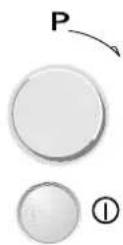
Programme selector knob
On / Off button
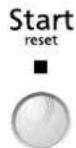
Start button
Switches "on" when the dishwasher is operating. Flashes when a fault occurs. Switches off at the end of the programme.
Wash cycle

flowchart
graph LR
    A["Pre-wash Washing Drying"] --> B["→"]
    B --> C["→"]
    C --> D["End"]
    D --> E["Programme end"]
Options
3h
6h
9h

End
Programme end
"Delayed start" button
The wash cycle can be programmed to start after 3-6-9 hours.
Then press the Start button. The wash programme will start at the set time.
Indicators


Add rinse aid
Add regeneration salt
Only add regeneration salt immediately before starting a wash programme.
No water
Check that the appliance fills with water.

"Half load" button
This function can be used with any programme. The indicator lamp switches on. The wash cycle is activated for the upper or lower rack only.
| Programme chart | Detergent 2) | Consumption 3) | |||||
| Programmes | Loading instructions | A | B | Litres | kWh | Minutes | |
| AutoNormal AutoNormal 40-55°C | Recommended programme for routine washes, for crockery with little dried-on food. | X X | 10-13 0.3 | -1.05 5 | 0-110 | ||
| Autolntensiv Autolntensive 60-70°C | Recommended programme for heavily soiled crockery, especially suitable for pans and saucepans. | X X | 13-20 1. | -2.0 90 | -140 | ||
| Pre-Rinse cold | Crockery to be washed later. | - | - | 4.0 | 0.03 | 14 | |
| Glass 40°C | Light soiling, for example glasses and cups. | X | - | 10.0 | 0.80 | 55 | |
| Rapid 30 min 40°C | Lightly soiled crockery with no dried-on food. | X | - | 10.0 | 0.65 | 30 | |
| Bio Normal 1) 50°C | Normally soiled crockery. | X | X | 13.0 | 1.24 | 128 | |
1) Reference programme for energy label in compliance with EN 50242 regulations;
2) Refer to "User instructions";
Bauknecht is a registered trademark
3) Values may vary in relation to usage, e.g.: different loads, water temperatures - above or below 15°C - as well as water hardness and power supply voltage, etc.
5019 496 90122
(We reserve the right to make technical modifications)
How to use the appliance
Further indications are given in the single chapters and in the user instructions.
Switch on the appliance
How to fill the detergent dispenser
Check the rinse aid level
Check the regeneration salt level
Load the racks
Close the door, turn on the water tap
Select a programme
Select additional options
Press the START button
Wash cycle
Switch off the appliance
shut off the water tap, unload the racks
Press the ON / OFF button.
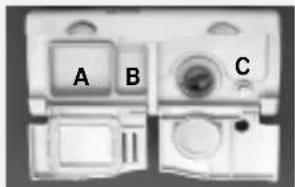
Large compartment A:
With each wash cycle.
Small compartment B:
For programmes with pre-wash only.
Mechanical indicator lamp C.
Electric indicator on control panel (if provided).
On models with water softener system only.
Mechanical indicator lamp D.
Electric indicator on control panel (if provided).
Refer to the dishwasher loading instructions.
The last programme selected will light up.
Select the desired programme (using the specific button or knob). The corresponding indicator lamp lights up.
If necessary (and if provided) the corresponding indicator lamp lights up.
The selected programme is then memorised (even in the event of power failure).
"Change programme"
▶ Press the START button for 2 sec. until the Start indicator lamp switches off;
→ Select another programme and press the START button again.
- Only open the dishwasher if necessary (Warning: beware of hot steam).
- If the appliance is switched off during a wash cycle, when switched on again it will resume the cycle from where it was interrupted.
on has switched off: press the indicator lamps switch off.
Warning: when the door is opened steam comes out!
Unload the appliance, starting from the lower rack.
text_image
A B C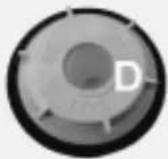
Dishwasher loading instructions and racks provided
Upper rack:
depending on the model
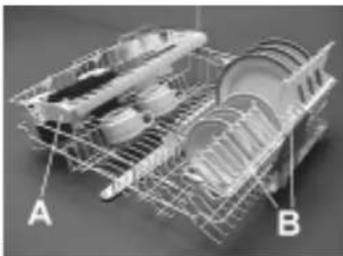
Multi-purpose support (A) ^1) :
Depending on the position, for long-handles utensils, cups and glasses. May be used in three different positions.
Crockery holders (B):
Depending on the position, for example plates, cups and long-stemmed glasses.
Revolving glass support (C) ^2) :
Depending on the position, for example small or long-stemmed glasses.
natural_image
3D wireframe model of a shopping cart with labeled parts A and B (no text or symbols beyond labels)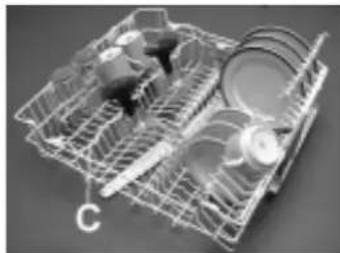
natural_image
3D wireframe model of a mechanical device with internal components (no visible text or symbols)Half Load:
Load the upper rack only.
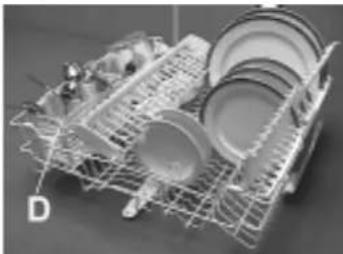
Place the cutlery basket (D) in the upper rack.
natural_image
3D rendered image of a multi-tiered kitchen appliance with wheels and dish (no text or symbols visible)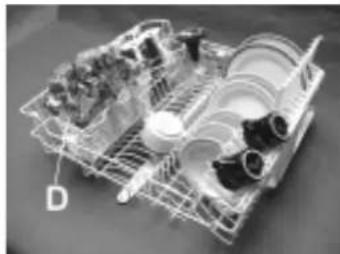
natural_image
3D wireframe model of a mechanical assembly with no visible text or symbolsRack height adjustment (also when loaded):
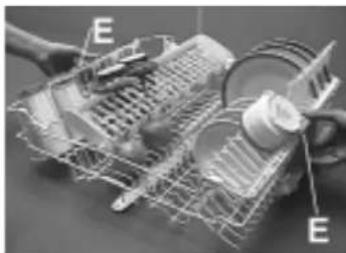
- Lower adjustment: pull out the two rack handles outwards (E) and lower the rack.
- Upper adjustment: pull the two handles (E) upwards until the rack clicks into place (Factory setting).
The rack must be level on both sides.
natural_image
Mechanical assembly diagram showing a motor with labeled components (E), no readable text or symbols presentLower rack:
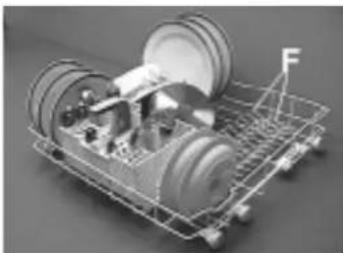
Depending on the model with fixed or tilting plate holders (F).
Half Load:
Load the lower rack only. Greater washing power, particularly for plates and saucepans.
natural_image
3D cutaway view of a cleaning or cleaning machine with labeled components (no text or symbols visible)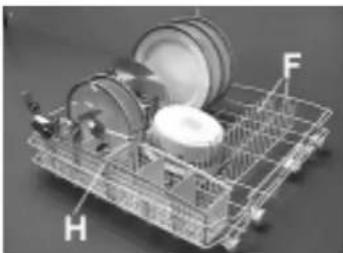
natural_image
3D wireframe model of a shopping cart with labeled parts H and F (no text or symbols beyond labels)Cutlery basket (G) or (H):
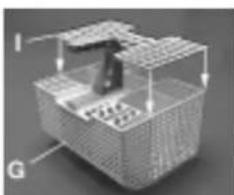
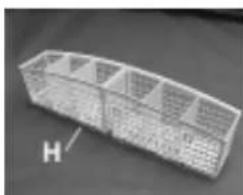
Some models are provided with a grid (I) that can be fitted onto the cutlery basket to keep items separated. Cutlery basket (D) for appliances with half load only.
natural_image
3D diagram of a mechanical or electronic component with labeled parts I and G, showing internal structure without any readable text or symbols.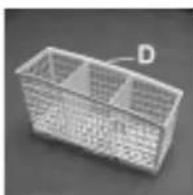
natural_image
3D rendering of a rectangular metal enclosure with grid-like windows, labeled 'H' in the corner (no other text or symbols)Do not use the appliance for items not suitable for washing in a dishwasher, for example wooden items, aluminium, plastic utensils, tin, hand-decorated crockery (unglazed), silver cutlery.
Spare parts which are sold separately:
^1) Multi-purpose support (A) - N. AMH 369.
2) Revolving glass support (C) - N. WGH 1000.
What to do if...
If a fault occurs, before contacting our After-Sales Service, make the following checks to try and remedy the problem (* see also the corresponding chapter in the user instructions).
Problem Cause Remedy
| The appliance is not working | · No water supply. · Open the tap. | |
| · The appliance does not load sufficient water. | · Clean the water supply tap filter.Ensure there are no kinks in the water hose. | |
| · There is a power failure. · Insert the plug into the mains socket. | ||
| · Press the Start button. | ||
| · Close the door. | ||
| · Check the domestic circuit fuse. | ||
| · Starting the selected programme. · The programme can be set to "0" to start. | ||
| If crockery is not perfectly dry | · Insufficient rinse aid. · Increase dosage *. | |
| · Residual water in cavities. · Load crockery at an angle. | ||
| If crockery is not perfectly clean | · The water jet does not reach the crockery. | · Arrange crockery so that items do not touch each other. Load crockery upside down. |
| · Insufficient detergent. · Follow recommended detergent dosage. | ||
| · Unsuitable programme. · Select a more intense wash cycle. | ||
| · Spray arms blocked. · The spray arms must be able to turn freely. | ||
| · Spray arm nozzles clogged. · Remove any impurities obstructing the water flow *. | ||
| · Incorrect detergent/detergent too old. | · Use a good quality detergent. | |
| Sandy or grainy residues | · Clogged filters. · Check filters regularly/if necessary clean *. | |
| · Filters incorrectly assembled. · Insert the filter correctly *. | ||
| Colour of plastic parts faded | · Tomato/carrot juice... | · Depending on the material, if necessary use a detergent with a greater whitening power. |
| Deposits on crockery | ||
| · removable | · Streaks on the crockery/glasses. | · Increase the rinse aid dosage *. |
| · Streaks on glasses. | · Reduce the rinse aid dosage *. | |
| · Layer of salt on crockery/glasses. | · Close the salt container lid properly*. | |
| · not removable | · Insufficient water softening, calcium deposits. | · Change water hardness setting, if necessary add salt *. |
| Opaque glasses/ glasses not sparkling | · Cannot be washed in the dishwasher. | · Use suitable glasses. |
| Rust on cutlery | · Not made of stainless steel. | · Use suitable cutlery. |
| Identifying appliance faults | · The START indicator lamp flashes. | · Ensure that the filter assembly is not clogged and if necessary clean it *.Start the programme again. Press the START button for about 2 seconds, until the START indicator lamp switches off. Select a new programme and press the Start button again. |
| · Indicator F... (if provided). | · Call the After-Sales Service. | |
| If after carrying out the above checks the malfunction persists or appears again, turn the appliance off and turn off the water supply tap, then call our After-Sales Service (see guarantee). | ||
| Before contacting our After-Sales Service, take note of the following: | ||
| · The nature of the fault. | ||
| · The appliance type and model. | ||
| · The service code (the number indicated on the adhesive rating plate) inside the door on the right-hand side. | ||