
PLG150-VL - Sound module YAMAHA - Free user manual and instructions
Find the device manual for free PLG150-VL YAMAHA in PDF.


| Product Type | Sound Module / Expansion Card |
| Brand | YAMAHA |
| Model | PLG150-VL |
| Synthesis | Virtual Physical Modeling (VL) |
| Polyphony | 1 voice (monophonic) |
| Compatibility | Compatible Yamaha synthesizers (Motif, S90, etc.) |
| Connectors | Proprietary expansion connector |
| Power Source | Powered by host device |
| Power Consumption | Less than 5 W |
| Dimensions (approx.) | 130 x 100 x 20 mm |
| Weight (approx.) | 100 g |
| Operating Temperature | 0 °C to 40 °C |
| Operating Humidity | 20 % to 80 % (non-condensing) |
| Main Functions | Physical modeling sound synthesis, real-time control via MIDI, VL voice banks |
| Maintenance and Cleaning | Clean with a dry, soft cloth. Do not use liquids. |
| Safety | Use in a dry, dust-free environment. Do not insert or remove while powered on. |
| Spare Parts and Repairability | No user-serviceable parts. Contact an authorized Yamaha service center. |
| General Information | Use only in a compatible host. Follow the instructions in the manual. |
Frequently Asked Questions - PLG150-VL YAMAHA
User questions about PLG150-VL YAMAHA
0 question about this device. Answer the ones you know or ask your own.
Ask a new question about this device
Download the instructions for your Sound module in PDF format for free! Find your manual PLG150-VL - YAMAHA and take your electronic device back in hand. On this page are published all the documents necessary for the use of your device. PLG150-VL by YAMAHA.
USER MANUAL PLG150-VL YAMAHA
- Do not expose the plug-in board to direct sunlight, excessive humidity, high temperatures, excessive dust or strong vibrations.
- Before handling the plug-in board, be sure to touch a metal surface to discharge any static electricity which may be in your body.
- When holding the plug-in board, do not touch the inside area of the circuit board or apply excessive pressure to the board, and be sure to protect the board from contact with water or other liquids.
-
Before installing the plug-in board onto a tone generator/sound card, unplug the power connector of your computer.
-
Before connecting the computer to other devices, turn off the power switches of all devices.
- Yamaha is not responsible for loss of data through computer malfunctions or operator actions.
- The plug-in board contains no user-serviceable parts, so never touch the inside area of the circuit board or tamper with the electronic circuitry in any way. Doing so may result in electrical shock or damage to the plug-in board.
YAMAHA CANNOT BE HELD RESPONSIBLE FOR DAMAGE CAUSED BY IMPROPER CARE AND USE OF THE PLUG-IN BOARD.
- The company names and product names in this Owner's Manual are the trademarks or registered trademarks of their respective companies.
- The screens as illustrated in this owner's manual are for instructional purposes only, and may appear somewhat different from the ones of your instrument.
FCC INFORMATION (U.S.A.)
1. IMPORTANT NOTICE: DO NOT MODIFY THIS UNIT!
This product, when installed as indicated in the instructions contained in this manual, meets FCC requirements. Modifications not expressly approved by Yamaha may void your authority, granted by the FCC, to use the product.
- IMPORTANT: When connecting this product to accessories and/or another product use only high quality shielded cables. Cable/s supplied with this product MUST be used. Follow all installation instructions. Failure to follow instructions could void your FCC authorization to use this product in the USA.
- NOTE: This product has been tested and found to comply with the requirements listed in FCC Regulations, Part 15 for Class "B" digital devices. Compliance with these requirements provides a reasonable level of assurance that your use of this product in a residential environment will not result in harmful interference with other electronic devices. This equipment generates/uses radio frequencies and, if not installed and used according to the instructions found in the users manual, may cause interference harmful to the operation of other electronic devices. Compliance with FCC regulations does not guarantee that interference will not occur in all installations. If this product is found to be the source of interference, which can be determined by turning the unit "OFF" and "ON", please try to eliminate the problem by using one of the following measures:
Relocate either this product or the device that is being affected by the interference.
Utilize power outlets that are on different branch (circuit breaker or fuse) circuits or install AC line filter/s.
In the case of radio or TV interference, relocate/reorient the antenna. If the antenna lead-in is 300 ohm ribbon lead, change the lead-in to co-axial type cable.
If these corrective measures do not produce satisfactory results, please contact the local retailer authorized to distribute this type of product. If you can not locate the appropriate, please contact Yamaha Corporation of America, Electronic Service Division, 6600 Orangethorpe Ave, Buena Park, CA 90620
- This applies only to products distributed by YAMAHA CORPORATION OF AMERICA.
CANADA
Virtual Acoustic Plug-in Board PLG150-VL will expand your synthesizer of the Modular Synthesis Plug-in System (such as CS6x and S80) by adding 256 VL voices, created by the unique Virtual Acoustic Synthesis (including 137 VL-XG, XG compatible, voices). It also expands your tone generator/ sound card of the XG Plug-in System (such as MU128 and SW1000XG) as well. Using the included software, VL Visual Editor, you can edit VL voices and create your own voices from scratch.
Please read through this manual to take full advantage of the PLG150-VL before use and keep the manual in a safe place for future reference.
Table of Contents
Overview of the PLG150-VL 4
Virtual Acoustic Synthesis 9
Voice Organization 13
Selecting Voices 15
Editing VL Voice Part Parameters 19
VL System Parameters 30
Q&A 34
Appendix
Voice List 36
MIDI Data Format 40
MIDI Implementation Chart 48
Main Features
- Allows you to play back the songs which are programmed with the VL-XG voice data (p.13).
- Lets you edit the VL parameters on the synthesizer/ tone generator (a model with LCD screen) (p.19).
- Allows you to simulate an acoustic musical instrument and create a "virtual" musical instrument using the "VL Visual Editor," even if you don't have further musical knowledge (p.7).
- Allows you to play the PLG150-VL by WX5 (via BT7) connected to the tone generator via MIDI (p.33).
MODULARSYNTHESIS PLUG-INSYSTEM
About the Modular Synthesis Plug-in System
The Yamaha Modular Synthesis Plug-in System offers powerful expansion and upgrade capabilities for Modular Synthesis-Plug-in-compatible synthesizers, tone generators and sound cards. This enables you to easily and effectively take advantage of the latest and most sophisticated synthesizer and effects technology, allowing you to keep pace with the rapid and multi-faceted advances in modern music production.

About the XG Plug-in System
The Yamaha XG Plug-in System offers powerful expansion and upgrade capabilities for XG-Plug-in-compatible tone generators and sound cards. This enables you to easily and effectively take advantage of the latest and most sophisticated synthesizer and effects technology, allowing you to keep pace with the rapid and multi-faceted advances in modern music production.

About Sondius XG
Products bearing the SONDIUS-XG logo are licensed under patents of Stanford University and Yamaha as listed on the internet web site, http://www.sondius-xg.com.

About VL-XG
The VL Extension for XG ("VL Extension for XG" is abbreviated to VL-XG) included in the PLG150-VL significantly enhances and expands the musical capabilities of the XG format with the superior sound and expressive potential of Yamaha Virtual Acoustic Synthesis. The PLG150-VL provides superior wind and string instrument voices while the XG tone generator/ sound card supplies drums, percussion, keyboard, and other voices.
VL Voice Edit
Editing VL-XG Voices
If you want to edit the existing MIDI files or create a MIDI song using various VL-XG voices from the PLG150-VL, you need to use a sequencing software which is capable of editing system exclusive messages and transmit bank select/program change messages and/or parameter changes to the PLG150-VL. See MIDI Data Format (p. 40) for more information on the system exclusive messages. However, using the XG Editor Window of the music sequencing software, "XGworks lite" (an Windows application, provided in the "mother" synthesizer/ tone generator) lets you visually and easily enter the VL program change data and edit its data instead of inputting rather complicated system exclusive messages.
Creating Your Own VL Voices
Even if you have no experience in voice creation, the "VL Visual Editor" (provided in the included disk) lets you easily create VL voices (p. 7).

To use the "XGworks lite" and "VL Visual Editor" you need to connect the "mother" synthesizer/ tone generator/ sound card to your PC, and properly set the "Driver" and "Input/ Output devices." For the details refer to the owner's manual of the "XGworks lite."
Installation
For the installation of the PLG150-VL see the manual of respective "mother" synthesizer/ tone generator/ sound card.
Included Items
- PLG150-VL
- Demonstration & Plug-in Voice Disk (FD)
- TOOLS for PLG150-DX/PLG150-VL (CD-ROM)
- Owner's Manual
Specifications
Tone Generator : S/VA
(Self-oscillating Virtual Acoustic Synthesis: VLR Algorithm)
Polyphony : 1 note monophonic (latest note priority)
Sound Module Mode: VL-XG
Interface : XG Plug-in Connector (15-pin Digital Connector)
Number of Voice : 256 Preset voices (including 137 VL-XG voices)
6 Custom voices
64 Internal voices
Dimensions (W x H x D): 138.5mm(W) 89mm(D) 8.5mm(H)
WEIGHT : 56g
- Specifications subject to change without notice.
About the Demonstration Data in the Included Floppy Disk
The demonstration songs, and the performances for XG tone generators and the Plug-in voice data for "Modular Synthesis Plug-in System" synthesizers are provided in the included floppy disk, which will give you an idea of some of the PLG150-VL's capability.
Contents
- XG Demonstration Songs (only for the XG tone generator)
| File Name | Song Name | Composer |
| COOLJIVA.MID | Cool JiVA | Katsunori Ujiie |
| OXYGEN.MID | Oxygen | Andy Mowat Daniel Powell (YAHAMA R&D London) |
| NOBODY.MID | Nobody Knows | Akio Suzuki |
| SILHOUET.MID | Silhouettes | Tom Scott (GRP Recording Artist) Nate Tschetter Charles Feilding (YAMAHA Sound Design Office) |
| VAMBIENT.MID | VAmbient | Katsunori Ujiie |
| DOGROOVA.MID | Do GrooVA | Katsunori Ujiie |
| CLOUDS.MID | Clouds | Akio Suzuki |
XG Demonstration songs can be played back using the XGworks lite (sequencing software, provided in the "mother" synthesizer/tone generator) or a sequencer like QY700.
- Performance Data (only for the XG tone generators)
VLPFM1.MID
VLPFM2.MID
VLPFM3.MID
VLPFM4.MID
Performance data : send them as the bulk data to the XG tone generator using the "XGworks lite."
- MSPS Demonstration song (only for the Modular Synthesis Plug-in System synthesizers)
02VIDemo.mid
MSPS Demonstration song can be played back using the XGworks lite or an external MIDI data storage device like MDF3.
4. Plug-in voice data (only for the Modular Synthesis Plug-in System synthesizers)
for the PLG1 slot
01PlgV1A.mid (Wind instruments for TouchEG) (64 voices)
01PlgV1B.mid (Keyboards) (64 voices)
01PlgV1C.mid (Wind instruments for Breath controller) (64 voices)
for the PLG2 slot
01PlgV2A.mid (Wind instruments for TouchEG) (64 voices)
01PlgV2B.mid (Keyboards) (64 voices)
01PlgV2C.mid (Wind instruments for Breath controller) (64 voices)
See page 39 for the information on each voice.
Plug-in voice data are provided as MIDI files. You can get the voices by playing back the MIDI files using a sequencer. The voice data will be loaded onto the Plug-in voice data area of your synthesizer.
About the Applications in the Included CD-ROM
A voice editing tool, VL Visual Editor, is provided in the included CD-ROM. You can create VL voices using the VL Visual Editor.
Contents
- VL Visual Editor (for Windows): This is a Plug-in software for the XGworks lite, which is included in your "mother" XG tone generator or "Modular Synthesis Plug-in System" synthesizer.
- VL Visual Editor for Macintosh : This software can run on the models, PowerPC or upper.
- DX Easy Editor : A tool for the PLG150-DX, another Plug-in board.
- DX Simulator : A tool for the PLG150-DX, another Plug-in board.
- OMS (Open Music System 2.3.6): Enables you to use several MIDI applications on the Macintosh OS at the same time.
Installing and Starting the VL Visual Editor
■ Installing the Software
Windows
1 Double-click on the "Setup.exe" file in the CD-ROM.
Installer will be started up.
2 Execute the installation by following the directions appearing on the screen.
After the installation, [VL Visual Editor] is added to the [Plug-in] menu on the XGworks lite.
Macintosh : English version only
1 Double-click on the "Install VL Visual Editor" in the "English"/"VL Visual Editor" folder of the CD-ROM.
Installer will be started up.
2 Execute the installation by following the directions appearing on the screen.
After the installation, "VL Visual Editor 1.02E" is added to the Hard Disk as the default.
Starting up the VL Visual Editor
Windows
Start up the XGworks lite, and then select [VL Visual Editor] from its [Plug-in] menu.
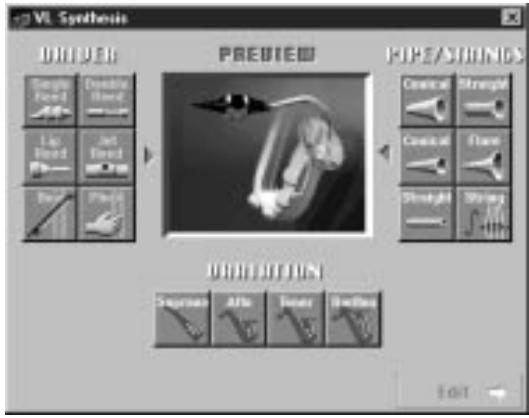
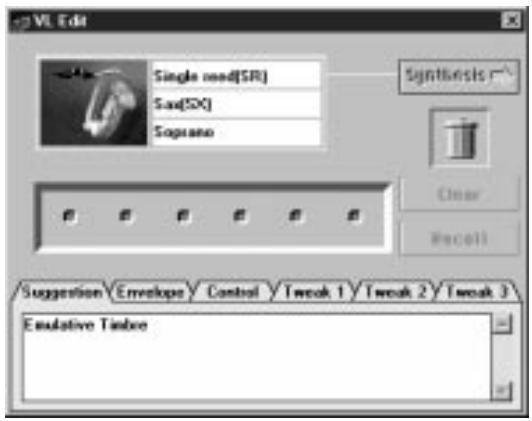
The VL Visual Editor window appears.
Macintosh : English version only
Double-click on the "VL Visual Editor for Mac" icon in the "VL Visual Editor 1.02E" folder.
The VL Visual Editor window appears.
NOTE
- For the detailed information about the VL Visual Editor see the on-line manual of the VL Visual Editor.
- When using a "Modular Synthesis Plug-in System" synthesizer:
When in the Voice Mode, assign the Part number 1 to the VL Visual Editor.
In the Performance (Multi) Mode, you can not use the VL Visual Editor.

The VL voices created by the VL Visual Editor can be loaded to the Custom Voice Bank (p.13) of the PLG150-VL and played back. However, the loaded data will be lost once you turn off the "mother" synthesizer/ tone generator. You need to load the data again if you want to use the voices. You can save the VL voice data in a file as a part of the "XGworks lite" song data or in an external MIDI data storage device such as MDF3 as a part of bulk data (voice file).
Virtual Acoustic Synthesis
Unlike previous tone generation systems which use oscillators, function generators, preset waveforms or samples to produce sound, Yamaha Virtual Acoustic ("VA") Synthesis applies sophisticated computer-based "physical modeling" technology to musical sound synthesis. In the same way that computer "models" are used to simulate weather systems or the flight characteristics of aircraft in the design stage, the PLG150-VL simulates the very complex vibrations, resonances, reflections and other acoustic phenomena that occur in a real wind or string instrument.
VA Advantages
The PLG150-VL offers many advantages in terms of musical performance. Not just in terms of sound, but also in terms of the "behavior" that makes acoustic instruments so ... well, musical! Yamaha Virtual Acoustic Synthesis is simply the most musical tone generation system ever created.
- The PLG150-VL sounds better, has more depth, and is more realistic in the musical sense than any other tone generation system.
- Simply playing a note in the same way does not always produce precisely the same sound. The instrument is responsive and “alive”.
- Note-to-note transitions have the same continuity exhibited by acoustic instruments. What goes on in between the notes is just as important musically as the notes themselves.
- It has extraordinary expressive capability. Rather than simply controlling parameters like volume or pitch, you can control characteristics such as breath and reed pressure with appropriate complex effects on the timbre of the sound.
VL Tone Generator Model
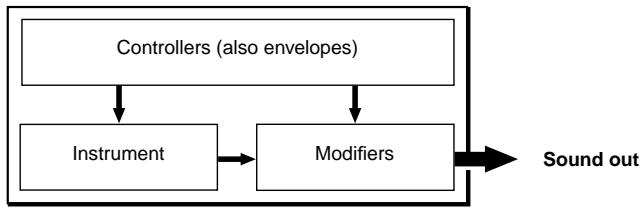
The overall VL tone generation model or "algorithm" consists of three main blocks: the instrument, controllers, and modifiers. In schematic form these blocks are arranged as follows:
The Instrument
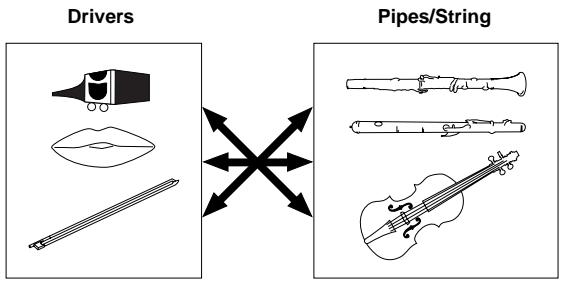
The key block in this algorithm is the instrument, since it is here that the fundamental tone or "timbre" of the sound is defined. The instrument model consists primarily of a driver — the reed/mouthpiece, lip/mouthpiece, or bow/string system — and a resonant system corresponding to the tube and air column or string..
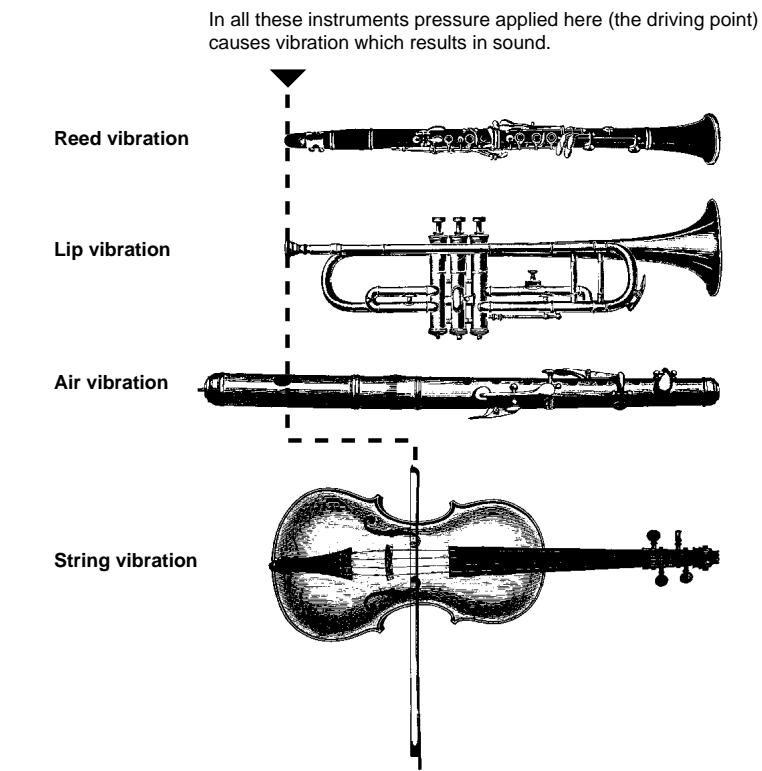

- The sound thus produced is amplified and sustained by the body of the instrument.
- The pitch of the sound is determined by the length of the air column or string, and the timbre is a complex product of the driving source (reed, lip, air, string), the shape of the resonant cavity, the materials from which the instrument is made, etc.
One of the remarkable features of the Virtual Acoustic Synthesis system is that just about any driver can be used with any type of pipe or string.
The Controllers
The input to an acoustic wind instrument comes from the player's lungs, trachea, oral cavity, and lips. In a string instrument it comes from the player's arm movement, transmitted to the string via a bow. These elements actually form an important part of the sound generating system and, in the PLG150-VL, are included in the controllers block. The player also influences the sound of the instrument by playing the keys, tone holes, or frets, and this aspect of control constitutes another part of the controllers block. These and other control parameters provided by the PLG150-VL are listed in the illustration below.
In essence, the controller parameters determine how the instrument "plays". All of these parameters can be assigned to any external controller that can be used with the PLG150-VL: breath controller, foot controller, modulation wheel, etc. The pressure parameter, for example, will normally be assigned to a breath controller so the player can control the dynamics of the instrument by varying the breath pressure applied to the controller — a natural, instinctive way to play wind-instrument voices. At the same time the growl and throat parameters might also be assigned to the breath controller in order to achieve life-like response and effects.
Embouchure
The tightness of the lips against the reed or against each other, or the force of the bow against the string.
Tonguing
Simulates the half-tonguing technique used by saxophone players by changing the "slit" of the reed.
Pitch
Changes the length of the air column or string, and thereby the pitch of the sound.
Damping & Absorption
Simulate the effects of air friction in the pipe or on the string, and of high-frequency losses at the end of the pipe or string.
Throat
Controls the characteristics of the "player's" throat or bowing arm.
Pressure
The amount of breath pressure applied to the reed or mouthpiece, or bow velocity applied to the string.
Growl
A periodic pressure (bow velocity) modulation which produces the "grow" effect often heard in wind instruments.
Scream
Drives the entire system into chaotic oscillation, creating effects that can only be achieved with physical modeling technology.
The Modifiers
The modifiers block consists of 4 sections as shown in the diagram. Although these may appear to be simple effects, they are actually intimately related to the PLG150-VL's sound-producing model and have a significant effect on the sound.
Harmonic Enhancer
The Harmonic Enhancer determines the harmonic structure of the sound to the extent that it can produce radical timbral variations within an instrument "family" (e.g. saxes). Adjusting the Harmonic Enhancer may not produce audible effects since many of the PLG150-VL voices' harmonics are created without the Harmonic Enhancer.
Dynamic Filter
This section is similar to the dynamic filters found in many conventional synthesizers, with high-pass, bandpass, band elimination, and low-pass modes. Some filter parameters are available via the PLG150-VL controls, but the filter type cannot be changed.

- The degree how much the filter is applied can be changed using the key scaling.
The incline of the filters is -12dB/oct. - This effect may vary depending on the selected voice.
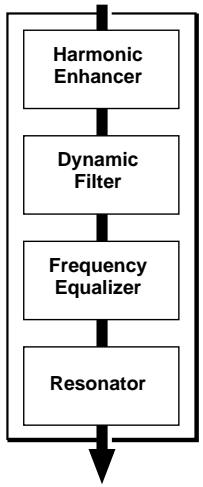
- Frequency Equalizer
The Equalizer boosts or decreases the output level around the designated frequency. The PLG150-VL lets you access the equalizer function using "Low Gain (Bass)" and "High Gain (Treble)" parameters.
- Resonator
The Resonator uses simulated "resonator" pipes or strings and delays to produce a "woody" resonance effect — although it has little or no effect on some voices. The resonator parameters are not accessible but preset for some of the preset voices.
The VL voices have each program number and are organized into 12 banks. For the voice list see page 36.
- Banks 112 through 119: VL-XG Banks
These banks are used when the PLG150-VL functions as the VL-XG tone generator.
The voices from the PRESET 1 and PRESET 2 banks are assigned to MIDI banks and program change numbers conforming to the Yamaha XG format.

Since the PLG150-VL does not have a full set of XG-compatible voices, some voice numbers will be skipped (e.g. 22, 23, 25, 27, etc.). If the truncated number is designated, the XG voice having the same program number in the bank 1 will sound, instead.
- Bank 000: PRESET 1 (Pr1)
The PRESET 1 bank contains 128 preset voices which have been created primarily to be played via a keyboard.
- Bank 001: PRESET 2 (Pr2)
The PRESET 2 bank contains 128 preset voices which have been created to provide maximum expressive capability when played with a breath controller or WX-series Wind MIDI Controller.
- Bank 002: CUSTOM (Cst)
The CUSTOM bank has 6 memory locations (program numbers 001 - 006) in which you can load the voices created by the Yamaha VL Visual Editor (p. 7).
The loaded voices cannot be backed up. When the "mother" tone generator/sound card is turned off, the voices are reset to their defaults, the sound-effect type voices from the PRESET banks.
- Bank 003: INTERNAL (Int)
The INTERNAL voices of the VL70-m can be received and loaded (bulk data). The loaded voices cannot be backed up. When the "mother" tone generator/sound card is turned off, the voices are reset to their defaults, the voices from the PRESET banks, set up to be played via a WX-series Wind MIDI Controller.

- The edited voices cannot be stored in the INTERNAL voice bank.
- (When using a synthesizer/ tone generator) Saving a performance containing a VL voice as a part records the program number of the VL voice and the VL parameter settings edited on the "mother" synthesizer/ tone generator.

- The VL-XG voices edited with XG Editor Window of the "XGworks lite" can be saved as a part of the song data.
- Note that the "program numbers" here are 001-128 and the "MIDI program change numbers" are 000-127. When selecting voices (programs) using an external MIDI device, subtract a value of "1" from the "program numbers" to match the "MIDI program change numbers."
Selecting Banks
Use the MIDI bank MSB (control number 00) and LSB (control number 32) numbers listed below to select VL banks from an external MIDI device.
| BANK | MSB | LSB |
| BANK 112 | 97 or 81 | 112 |
| BANK 113 | 97 or 81 | 113 |
| BANK 114 | 97 or 81 | 114 |
| BANK 115 | 97 or 81 | 115 |
| BANK 116 | 97 or 81 | 116 |
| BANK 117 | 97 or 81 | 117 |
| BANK 118 | 97 or 81 | 118 |
| BANK 119 | 97 or 81 | 119 |
| PRESET 1 | 33 | 0 |
| PRESET 2 | 33 | 1 |
| CUSTOM | 33 | 2 |
| INTERNAL | 33 | 3 |
Modular Synthesis Plug-in System
Selecting VL Voices
When the PLG150-VL is properly installed on your synthesizer, the VL voices can be selected in the same way as the internal voices of the synthesizer. For more information see the manual of the synthesizer.

The example displays used in the following explanations are all taken from CS6x. Therefore, the illustrations may be somewhat different from the LCDs of your instrument.
1 Press the VOICE button.
Voice mode will be displayed.
VCE Play) INT:001(A01)[Sa:Generation] EQLow-G EQMid-G EQHi-G FLT-Rez EfHPF
2 Press the appropriate PLG button (PLG1 or PLG2, depending on which slot the PLG150-VL board has been installed to).
VCE Play) PLG1:001(A01)[---Plug-InUce] EQLow-G EQMid-G EQHi-G
3 Then select the VL voice by pressing the appropriate BANK button and PROGRAM button.

To select a different voice bank, simultaneously hold down the appropriate PLG button and turn knob C (or press the INC/ DEC buttons). The bank is expressed in two numbers: MSB and LSB. If a selected bank is not available, the bank letter indication in the display (A - H) will not change.
XG Plug-in System
The VL voices can be selected as you do with the XG voices. However, you have to select XG Mode or Performance Mode from the "mother" tone generator/sound card Sound Module Mode, first. You also have to designate the Part, to which you want to assign the VL voice, in the Utility sub-mode (PLUGIN).

- The sound cards like the SW1000XG do not include "Performance Mode." Please check the owner's manual of the "mother" tone generator/sound card whether it includes the Performance Mode, or not.
- The steps how to select a VL voice, set up the utilities and edit the VL part parameters shown below are explained using the MU128. Therefore, the illustrations may be somewhat different from the LCDs of your instrument.
IMPORTANT
When you use a sound card or a tone generator with no panel buttons...
To select a VL voice, to set up the utilities and to edit the VL part parameters, you need to use a sequencing software and transmit the MIDI messages such as XG System On, Bank Select MSB/LSB, program change and parameter change to the "mother" sound card/tone generator, instead of following the steps below.
Using the "XGworks lite," properly installed in your PC (which is connected to the sound card/ tone generator) allows you to access the VL-XG voices through the Voice List dialog of the "XGworks lite."
Selecting VL Voice
1 Select XG or PERFORM from the "mother" tone generator Sound Module Mode.
When you select XG, Multi Play Mode will be engaged.
When you select PERFORM, Performance Play Mode will be engaged.

The VL voices can be selected only when "normal" is selected in the Part Mode.
The VL voices can be played as a "part" in the XG Mode and as a "layer" in the Performance Mode.
2 Press SELECT button to place the cursor at the Bank Number.
3 Press VALUE button to select the Bank you want to use.
Depending on the Bank selected, 112-119 (VL-XG), 000 (Preset 1), 001 (Preset 2), 002 (Custom) or 003 (Internal) appears at the Bank Number location on the LCD.
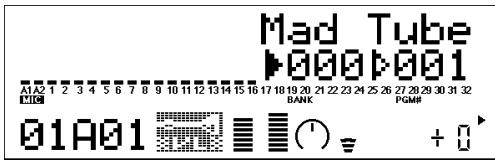
When a VL voice is selected VL voice icon will be displayed on the LCD.

You may unintentionally select a bank number of the "mother" tone generator. Be sure to confirm that the VL voice icon is displayed on the LCD.
4 Press SELECT button to place the cursor at the Program Number.
5 Press VALUE button to select the Program Number (voice) you want to use.
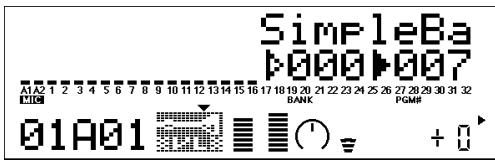

If an invalid Program Change Number is selected while one of the VL-XG Banks (112-119) is chosen, VL voice icon will be replaced with one of the XG voice icons.
Designating the Part for the VL Voice
1 Press UTIL button to enter the Utility Mode.
2 Press SELECT button to place the cursor at PLGIN.
3 Press ENTER.
The following display appears.
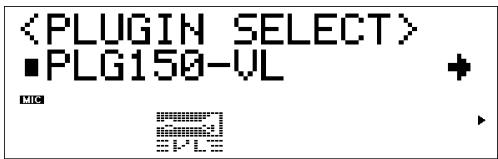
(If necessary) Press SELECT button to place the cursor at PLG150-VL.
4 Press ENTER.
The System Parameter Edit display exclusive to the PLG150-VL appears.
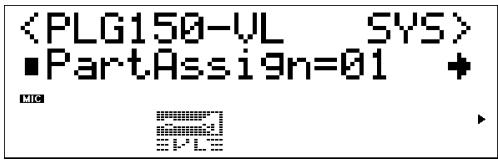
(If necessary) Press SELECT button to place the cursor at Part Assign.
5 Press VALUE button to select the Part you want to use.
In the XG Mode: 01-16, off
In the Performance Mode: 01-04, off

The VL voices cannot be assigned to several parts at the same time since the PLG150-VL is monophonic.
When you use a sound card or a tone generator with no panel buttons...
To select a part for the VL voice you need to use a sequencing software and transmit the following system exclusive message (part assign parameter) to the "mother" sound card/tone generator:
F0 43 1n 4C 70 nn ss pp F7 (Hexadecimal)
n : Device Number
nn : Plug-in Board Type (PLG150-VL is "00.")
ss : Serial Number (which identifies the PLG boards when two same boards are installed)
"00": for the first PLG150-VL
"01": for the second PLG150-VL
pp : Part Number (to which the PLG150-VL is assigned)
"00": Part 1
: :·
"0F": Part 16
“7F”:off
Modular Synthesis Plug-in System

The example displays used in the following explanations are all taken from the CS6x.
- See the manual of the synthesizer how to save the edited voices.
- The VL-XG voices edited using XG Editor Window of the "XGworks lite" can be saved as a part of the song data.
1 Select the desired VL voice, as described in "Selecting Voices" on page 15.
2 Press the EDIT button.
The EDIT menu display appears.
| GEN Name) Ctgry | a-Z | 0-? Cursor |
| Common | [---:Plug-InVce] |
3 Turn knob A clockwise until "Elem" is shown at the bottom left of the display.
| OSC Assign) Elem | Bank Number | |
| NORM/000 | 1[ ] | |
4 Turn the PAGE knob clockwise until "PLG150-VL" is shown at the bottom left of the display.
The VL part parameters will be displayed above the knob C and knob 2.
| *NTV Param) | FileG | Dept | Prs | CC | NO. |
| PLG150-UL | +00 | off |
5 Use knobs C and 2 to select the desired parameter and change the value.
Once one of the parameters is selected (the arrow cursor appears next to the value), you can also adjust the value with the DATA knob or the DEC/INC buttons.

The element parameters available on the "mother" synthesizer/tone generator can also be applied to the VL voices. However, some of them may not be applied to the VL voices.
XG Plug-in System
The edits done to the parameters below affect all the voices in the XG mode. In other words the voices cannot be individually edited. The parameter settings are effective even when you select a different voice.

The edited voices cannot be stored in the INTERNAL voice bank. Instead, the VL-XG voices edited using XG Editor Window of the "XGworks lite" can be saved as a part of the song data.
1 Enter the Multi Part Edit Mode.
The sub-mode menu appears on the LCD.
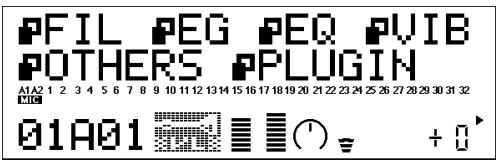
2 Press SELECT button to place the cursor to PLGIN.
3 Press ENTER.
The Part Parameter Edit display exclusive to the PLG150-VL appears.
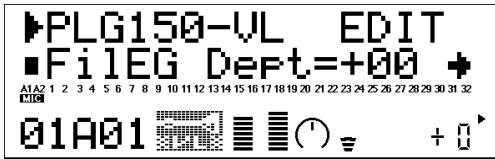
4 Press SELECT button to select the parameter you want to edit.
5 Use VALUE button to set the value of the selected parameter as required.
6 Press the EXIT button to quit editing.

The part parameters available on the "mother" tone generator can also be applied to the VL voices except for the following parameters: HPF Cutoff Frequency, EQ Low/High Frequency, Element Reserve and Velocity Limit Low/High.
VL Part Parameter
The parameters below can be divided into the following two types: ones for selecting the controller (Control Number) by which the parameter will be controlled and the others for setting the depth of the parameter. Even though you have designated the controller, you cannot get audible changes if you set the parameter to be controlled to 0 or around 0.
For the relationship between the control numbers and controllers see page 29.
IMPORTANT
When you use a sound card or a tone generator with no panel buttons...
To edit the VL part parameters you need to use a sequencing software and transmit the system exclusive messages shown on the MIDI Data Format (p. 40), to the "mother" sound card/tone generator.
Using the "XGworks lite," properly installed in your PC (which is connected to the sound card/ tone generator) allows you to access almost all the VL part parameters (except for Filter EG Depth) for VL-XG voices through the "XG Editor window."
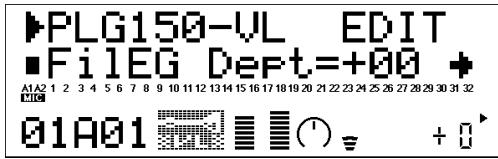
1 Filter EG Depth
FilEG Dept (Filter Envelope Generator Depth) Settings: -64 +63
The "FiLEG Dept" parameter determines to what degree the amplitude/filter envelope generator affects the filter's cutoff frequency. Higher values allow the envelope generator to vary the filter cutoff frequency over a wider range.
2 Pressure
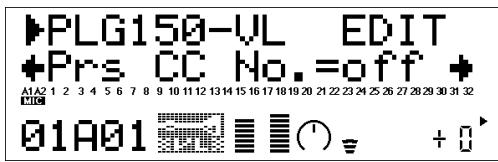
Prs CC No. (Pressure Control Change Number) ......... Settings: off ... 95, AT, VEL, PB "Pressure" corresponds to the amount of breath pressure applied to a reed or mouthpiece, or the speed of the bow applied to a string. Pressure variations affect both volume and timbre. The "Prs CC No." parameter specifies the controller to be used for pressure control. When set to "off" maximum pressure is applied at all times.
- Please note that pressure affects not only volume, but timbre and pitch as well. Accurate keyboard/controller pitch is produced only at maximum pressure.
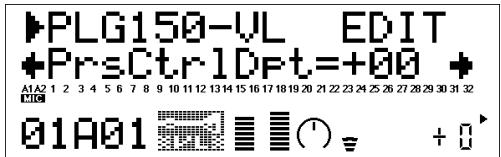
PrsCtrlDpt (Pressure Control Depth) Settings: -64 +63
Sets the amount of variation produced by the controller assigned to pressure. The higher the value the greater the variation. Positive values cause an increase in pressure in response to higher controller values (e.g. increased breath pressure or higher modulation wheel position), while minus values cause a decrease in pressure in response to higher controller values.
3 Embouchure
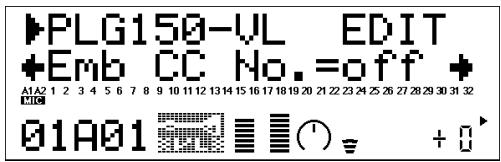
Emb CC No. (Embouchure Control Change Number) .... Settings: off ... 95, AT, VEL, PB "Embouchure" corresponds to the tightness of the lips against the reed or against each other. In a string instrument voice embouchure corresponds to how strongly the bow is pressed against the string. Affects both pitch and timbre. The "Emb CC No." parameter specifies the controller to be used for embouchure control. When set to "off" medium embouchure is applied at all times.
- Please note that with many voices accurate keyboard/controller pitch is produced only at medium embouchure.
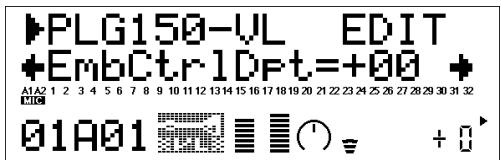
EmbCtrlDpt (Embouchure Control Depth) Setting: -64 +63
Sets the amount of variation produced by the controller assigned to embouchure. The higher the value the greater the variation. Positive values cause an increase in embouchure in response to higher controller values (e.g. increased breath pressure or higher modulation wheel position), while minus values cause an decrease in embouchure in response to higher controller values.
4 Tonguing
Tng CC No. (Tonguing Control Change Number) .... Settings: off ... 95, AT, VEL, PB "Tonguing" simulates the half-tonguing technique used by saxophone players by changing the "slit" of the reed. The slit is the space between the tip of the reed and the mouthpiece. The "Tng CC No." parameter specifies the controller to be used for tonguing control. When set to "off" no tonguing is applied.
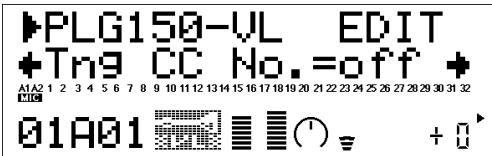
- Please note that accurate keyboard pitch is produced only when maximum tonguing is applied or the tonguing controller is turned off.
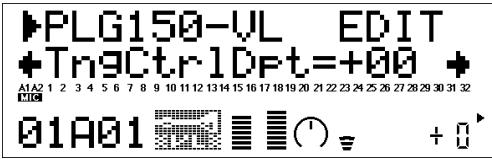
TngCtrlDpt (Tonguing Control Depth) Settings: -64 +63
Sets the amount of variation produced by the controller assigned to tonguing. The higher the value the greater the variation. Positive values cause an increase in tonguing in response to higher controller values (e.g. increased breath pressure or higher modulation wheel position), while minus values cause an increase in tonguing in response to higher controller values.
5 Scream
Scr CC No. (Scream Control Change Number) ......... Settings: off ... 95, AT, VEL, PB "Scream" drives the entire system into chaotic oscillation, creating effects that can only be achieved with physical modeling technology. The "Scr CC No." parameter specifies the controller to be used for scream control. When set to "off" no scream variation can be produced via a controller, but a continuous scream value is determined by the "ScrCtrlDpt" parameter, below (negative values increase the scream level).
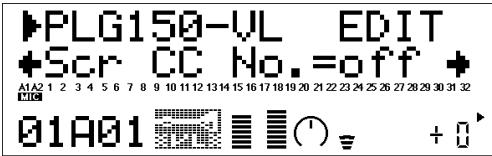
ScrCtrlDpt (Scream Control Depth) Settings: -64 +63
Sets the amount of variation produced by the controller assigned to scream. The higher the value the greater the variation. Positive values cause an increase in scream effect in response to higher controller values (e.g. increased breath pressure or higher modulation wheel position), while minus values cause a decrease in scream effect in response to higher controller values.
6 Breath Noise
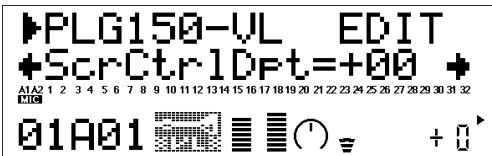
Bnz CC No. (Breath Noise Control Change Number) .... Settings: off ... 95, AT, VEL, PB "Breath Noise" can be used to add the required amount of breath noise to a voice. The "Bnz CC No." parameter specifies the controller to be used for breath noise control. When set to "off" no breath noise variation can be produced via a controller, but a continuous breath noise value is determined by the "BnzCtrlDpt" parameter, below (negative values increase the breath noise level).
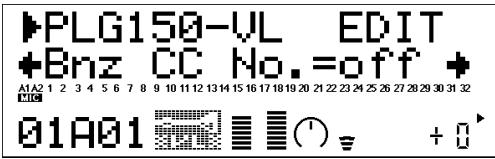
BnzCtrlDpt (Breath Noise Control Depth) Settings: -64 +63
Sets the amount of variation produced by the controller assigned to breath noise. The higher the value the greater the variation. Positive values cause an increase in breath noise in response to higher controller values (e.g. increased breath pressure or higher modulation wheel position), while minus values cause a decrease in breath noise in response to higher controller values.
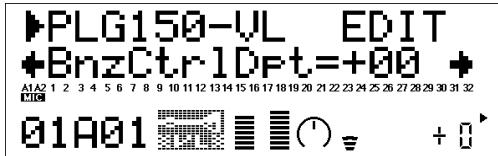
7 Growl
Grl CC No. (Growl Control Change Number) Settings: off ... 95, AT, VEL, PB "Growl" produces a periodic pressure modulation which produces the "growl" effect often heard in wind instruments. The "Grl CC No." parameter specifies the controller to be used for growl control. When set to "off" no growl variation can be produced via a controller, but a continuous growl value is determined by the "GrlCtrlDpt" parameter, below (negative values increase the growl level).
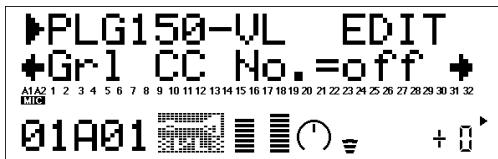
GrlCtrlDpt (Growl Control Depth) Settings: -64 +63
Sets the amount of variation produced by the controller assigned to growl. The higher the value the greater the variation. Positive values cause an increase in growl effect in response to higher controller values (e.g. increased breath pressure or higher modulation wheel position), while minus values cause a decrease in growl effect in response to higher controller values.
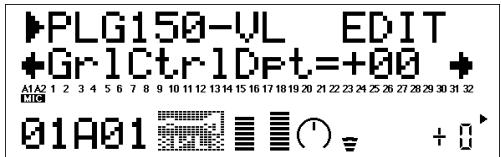
8 Throat Formant
Thr CC No. (Throat Formant Control Change Number) .... Settings: off ... 95, AT, VEL, PB "Throat Formant" controls the characteristics of the simulated player's lungs, trachea, and oral cavity. Can add a realistic "roughness" to the sound. The "Thr CC No." parameter specifies the controller to be used for throat formant control. When set to "off" no throat formant variation can be produced via a controller, but a continuous throat formant value is determined by the "ThrCtrlDpt" parameter, below (negative values increase the throat formant level).
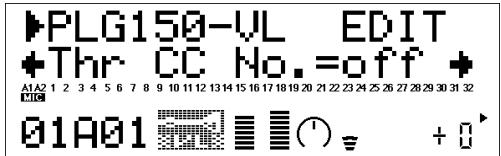
- Throat Formant only applies to some reed-type voices.
ThrCtrlDpt (Throat Formant Control Depth) Settings: -64 ... +63 Sets the amount of variation produced by the controller assigned to throat formant. The higher the value the greater the variation. Positive values cause an increase in throat formant effect in response to higher controller values (e.g. increased breath pressure or higher modulation wheel position), while minus values cause a decrease in throat formant effect in response to higher controller values.
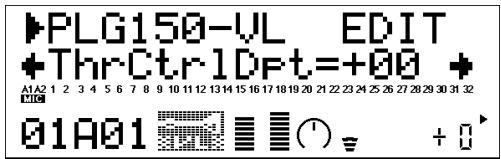
9 Harmonic Enhancer
Hrm CC No. (Harmonic Enhancer Control Change Number)
Settings: off ... 95, AT, VEL, PB The Harmonic Enhancer can vary the harmonic structure of the sound over a wide range. The "Hrm CC No." parameter specifies the controller to be used for harmonic enhancer depth (wet/ dry balance) control. When set to "off" no harmonic enhancer depth variation can be applied via a controller.
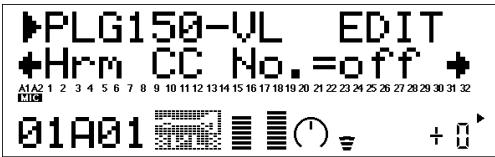
- Since most VL voices have sufficient natural harmonic content, the Harmonic Enhancer is actually only used on a few voices. Therefore changing the controller destination with many voices will produce either no change in the sound or a simple change in amplitude.
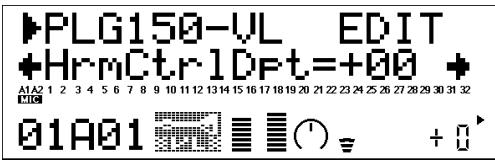
HrmCtrlDpt (Harmonic Enhancer Control Depth) Settings: -64 +63
Sets the amount of variation produced by the controller assigned to the harmonic enhancer. The higher the value the greater the variation. Positive values cause an increase in harmonic enhancer depth in response to higher controller values (e.g. increased breath pressure or higher modulation wheel position), while minus values cause a decrease in harmonic enhancer depth in response to higher controller values.
10 Damping
Dmp CC No. (Damping Control Change Number) ......... Settings: off ... 95, AT, VEL, PB "Damping" simulates the effect of damping due to losses within the body of a wind instrument or in a string due to air friction. Affects both pitch and timbre. The "Dmp CC No." parameter specifies the controller to be used for damping control. When set to "off" no damping variation can be applied via a controller.
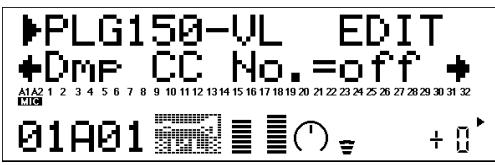
- Please note that accurate keyboard pitch is produced only when damping is maximum.
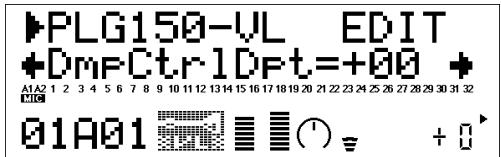
DmpCtrlDpt (Damping Control Depth) Settings: -64 +63
Sets the amount of variation produced by the controller assigned to damping. The higher the value the greater the variation. Positive values cause a decrease in damping in response to higher controller values (e.g. increased breath pressure or higher modulation wheel position), while minus values cause an increase in damping in response to higher controller values.
11 Absorption
Abs CC No. (Absorption Control Change Number) ......... Settings: off ... 95, AT, VEL, PB "Absorption" simulates the effect of high-frequency loss at the end of the air column or string. The "Abs CC No." parameter specifies the controller to be used for absorption control. When set to "off" no absorption variation can be applied via a controller.
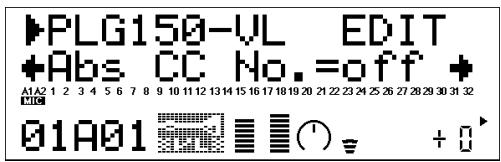
- Please note that accurate keyboard pitch is produced only at when absorption is maximum.
AbsCtrlDpt (Absorption Control Depth) Settings: -64 +63
Sets the amount of variation produced by the controller assigned to absorption. The higher the value the greater the variation. Positive values cause a decrease in absorption in response to higher controller values (e.g. increased breath pressure or higher modulation wheel position), while minus values cause an increase in absorption in response to higher controller values.
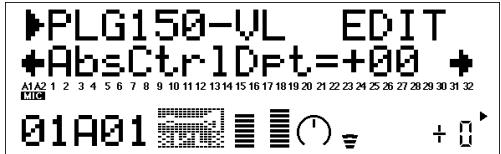
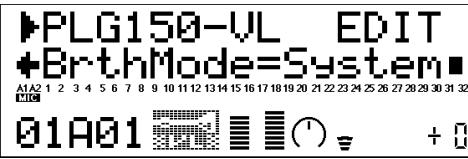
12 Breath Mode Settings: System, BC/WX, Velocity, Touch EG Set the control source to be used for "breath" control. This Breath Mode is the same as the one in the VL System Parameters except for the setting, "System." When set to "System," the control source is determined by the setting done in the VL System Parameters.
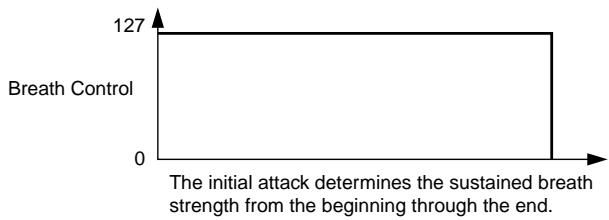
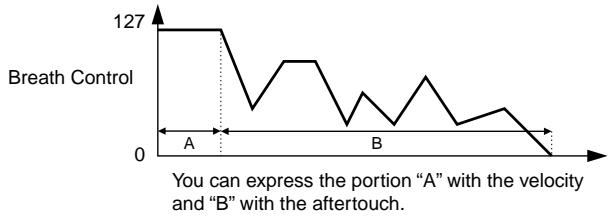
This parameter should be set to "BC/WX" when a breath controller or Yamaha WX-series Wind MIDI Controller is being used. When set to "Velocity," breath variation is controlled by keyboard initial touch response. When "Touch EG" is selected breath variation is controlled by a combination of initial keyboard touch response and aftertouch pressure. Initial key velocity sets the initial breath level, then aftertouch pressure determines the shape of the subsequent breath envelope.
Expressivity of Each Controller
The expressivity will differ depending on the selected controller.
Original Image of Breathing
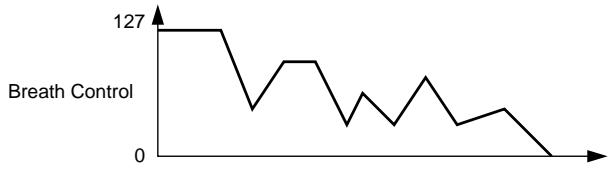
BC/WX
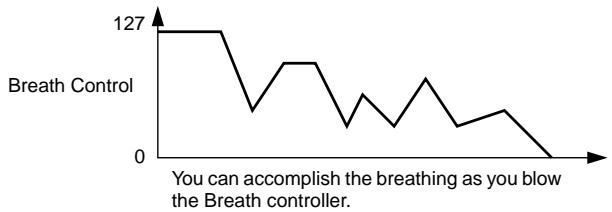
Velocity
Touch EG
MIDI Control Number Assignments
| Control No. | Controller |
| off(00) | off (used by Bank Select MSB) |
| 01 | Modulation Wheel |
| 02 | Breath Controller |
| 03 | Unassigned |
| 04 | Foot Controller |
| 05 | Portamento Time |
| 06 | Data Entry MSB |
| 07 | Volume Control |
| 08...09 | Unassigned |
| 10 | Panpot |
| 11 | Expression |
| 12...31 | Unassigned |
| off(32) | off (used by Bank Select LSB) |
| 33...37 | Unassigned |
| 38 | Data Entry LSB |
| 39...63 | Unassigned |
| 64 | Hold1 |
| 65 | Portamento Switch |
| 66 | Unassigned |
| 67 | Soft Pedal |
| 68...70 | Unassigned |
| 71 | Harmonic Content |
| 72 | Release Time |
| 73 | Attack Time |
| 74 | Brightness |
| 75...90 | Unassigned |
| 91 | Effect Send Level 1 (Reverb Effect) |
| 92 | Unassigned |
| 93 | Effect Send Level 3 (Chorus Effect) |
| 94 | Effect Send Level 4 (Variation Effect) |
| 95 | Unassigned |
| AT(96) | After Touch |
| VEL(97) | Velocity |
| PB(98) | Pitch Bend |
Modular Synthesis Plug-in System
Five System related parameters for PLG150-VL will be added to the "mother" synthesizer.
NOTE
The example displays used in the following explanations are all taken from the CS6x.
1 Press the UTILITY button.
The Utility Mode display appears.
| MSTR TG) Sys | Vol ↑127 | NoteShift + 0 + | Tune 0.0c |
2 Turn the PAGE knob clockwise until "PLG150-VL" is shown at the bottom left of the display.
The VL system parameters will be displayed above the knob C and knob 2.
| PLG1 MIDI) | Clock | DevNo |
| PLG150-UL | off | 1 |
3 Use knobs C and 2 to select the desired VL System parameter and change the value.
Once one of the parameters is selected (the arrow cursor appears next to the value), you can also adjust the value with the DATA knob or the DEC/INC buttons.
XG Plug-in System
Five System related parameters for PLG150-VL will be added to the "mother" tone generator.
1 Press UTL button to enter the Utility Mode.
The sub-mode menu appears on the LCD.
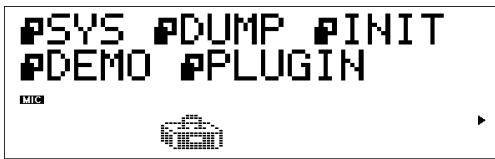
2 Press SELECT button to place the cursor to PLGIN.
3 Press ENTER.
The following display appears.
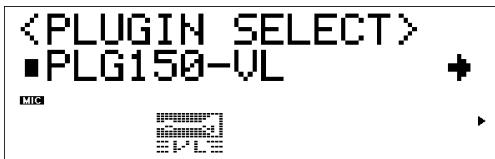
(If necessary) Press SELECT button to place the cursor to PLG150-VL.
4 Press ENTER.
The System Parameter Edit display exclusive to the PLG150-VL appears.
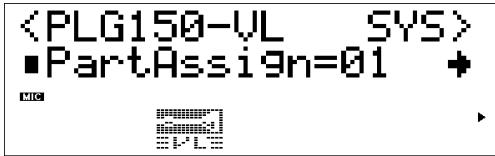
5 Press SELECT button to select the parameter you want to edit.
6 Press VALUE button to change its setting.
7 Press the EXIT button to quit editing.
System Parameters
1 Part Assign.... Settings: In the XG Mode: 01...16, off
In the Performance Mode: 01...04, off
Designates the Part to which the VL voice is assigned.
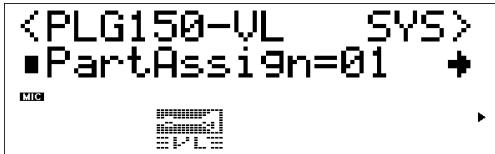
- The VL voices cannot be assinged to several parts at one time since the PLG150-VL is monophonic.
- The SW1000XG doesn't include "Performance" mode.
2 WX Lip Mode.....................................................Settings:Norm (Normal), Expd (Expand) WX-series Wind MIDI Controllers produce pitch bend data ranging from “-16” to “+32” in response to lip (reed) pressure. The “WX Lip” parameter determines whether these values are used as is (“Norm”), or expanded to a full “-64” through “+63” range (“Expd”). The pitch bend data transmitted from the device other than WX-series can be received.
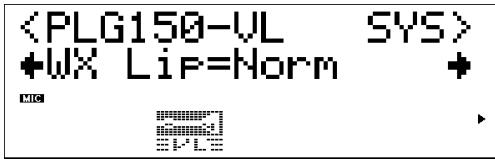
- The "Expd" setting is recommended when using a WX controller in the "tight lip" mode. The "Norm" setting is recommended when using the WX controller "loose lip" mode.
- The settings made here is effective only for the PLG150-VL.
Pitch Bend Range When Using a WX Controller in the "tight lip" Mode
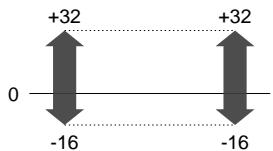
When "Norm" is selected
Received data
Data sent to the tone generator
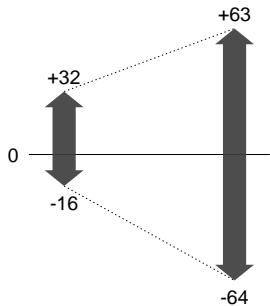
When "Expd" is selected
Received data
Data sent to the tone generator
3 Breath Mode Settings: BC/WX, Velocity, Touch EG The same parameter, Breath Mode, can be found in the VL Part Parameters. The setting done here is effective only when the Breath Mode in the VL Part Parameters is set to "System."
See page 28 for the detailed information on each parameter.
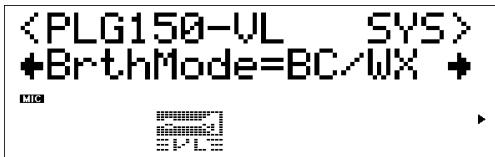
4 Breath Control Settings:BC (Breath Control), Exp (Expression) Specifies the MIDI control change number to be used for breath control when breath control is applied from a breath controller or WX-series Wind MIDI Controller. When "BC" is selected control change number "02" (breath control) is used for breath control. When "Exp" is selected control change number "11" (expression) is used for breath control.
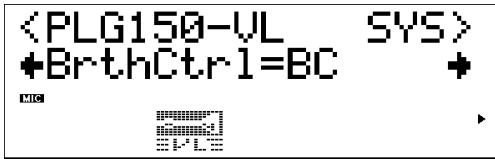
- This parameter is also available for the breath controller data transmitted from a device other than the WX-series.
- This parameter is effective only when "BC/WX" is selected from Breath Mode.
5 Breath Curve Settings: -16 +16
Determines the relationship between breath control data received from a breath controller, WX-series Wind MIDI Controller (via the BT7 and MIDI IN connector), and the actual amount of breath variation applied. Minus settings result in a large breath variation with a relatively small amount of breath pressure applied to the controller, while plus settings required a greater range of input breath control values to produce the same degree of breath variation.
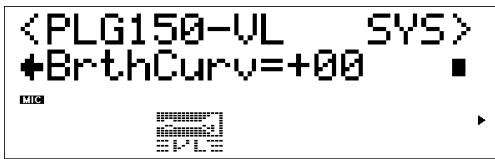
- This parameter is also available for the breath controller data transmitted from the device other than WX-series.
- The settings made here is effective only when "BC/WX" is selected from Breath Mode.
- Connection Between WX-series and "mother" tone generator/sound card
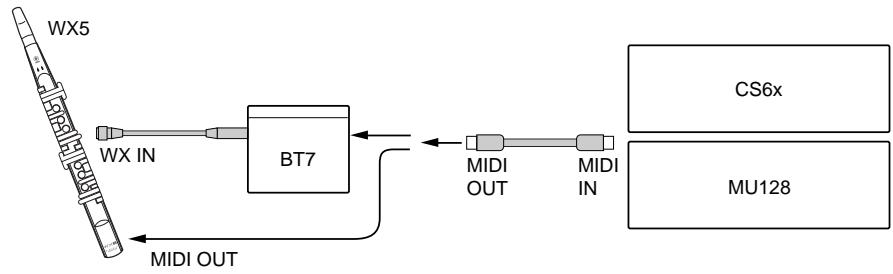

When you use a sound card built into PC...
To control PLG150-VL using WX-series Wind Controller, select "SW1000 #1 Synthesizer" for the MIDI Thru setting in the System Setup dialog of the "XGworks lite."
1 Some voices sound as if they are in the original octave even when shifted down an octave.
This is because Virtual Acoustic synthesis accurately simulates the acoustic behaviour of a pipe or string. Simply stated, the harmonic balance of the voice when played in the normal octave is retained even when the voice is shifted down an octave. The change in timbre can be greater or less, depending on the selected voice.
2 Portamento doesn't produce smooth effect on some voices.
Trumpets and some other brass instruments tend to exhibit this phenomenon more than others. In a VA tone generator portamento is produced by lengthening or shortening the instrument's pipe. A trumpet is designed to emphasize the "modes" of the pipe(s) to produce notes over a wide range using only three valves. When portamento is applied to a trumpet voice, the pitch tends to jump from mode to mode, thus producing the observed glissando effect. The same effect occurs with some flute voices. Saxophone modes are not nearly as strong as trumpet modes, but some sax voices do have two definite modes which, when spanned by a portamento slide, can produce irregularities.
3 The filter, EG, and other parameters have more effect on some voices than others.
Most voices use the low-pass filter type, but some use the bandpass or high-pass type. Some voices use very little filter processing at all. Changing the filter settings may not produce a particularly noticeable effect. Also the Breath Noise, Throat Formant, Growl, Harmonic Enhancer and Pitch EG parameter settings cannot have a significant effect on some voices.
4 Some bowed string instrument voices tend to "squeak."
As anyone who has played (or tried to play) a real violin knows, these instruments naturally tend to squeak if not properly controlled. The same occurs with VA synthesis. As with a real bowed string instrument, bow speed and pressure must be properly controlled to produce the desired sound. Bow speed is usually controlled either via breath control or an expression pedal. Bow pressure is controlled via control number 13: "64" is medium pressure, lower values produced reduced bow pressure, and higher values produce increased bow pressure.
5 Pitch bends produced by a pitch bend wheel are not always accurate.
Natural acoustic musical instruments have no "pitch parameter." Pitch is determined by the properties of the instrument's resonant body as well as the condition of the instrument's driver. The same applies to Virtual Acoustic Synthesis: in the pitch bend is simulated by manipulating the appropriate pipe/string length and driver characteristics. As a result, the pitch bend range may not always be "mathematically" accurate.
With reed instruments such as saxophone or clarinet, highly realistic pitch bends are produced by controlling both pitch and embouchure at the same time. Since the embouchure component of the pitch bend behaves with characteristics acoustic unpredictability, precise pitch bends are not always produced.
6 Some voices don't respond as expected to EG edits.
The effect of editing envelope generator parameters may not always be as expected — particularly with plucked string instrument voices such as guitar or bass. This is because the VL actually simulates the plucking, free oscillation, and muting of the strings rather than simply using an EG to approximate these events. If the sound of a string voice decays naturally, for example, setting a long release time will have little or no effect on the actual sound of the voice. Since the attack and decay portions of the voice also have natural timbre variations, these can be unnaturally altered by inappropriate EG settings — which is OK if you're trying to produce an unnatural effect. Trial and experimentation and the only sure ways to determine how the EG parameters are going to affect a particular voice.
7 The PLG150-VL is a monophonic tone generator. Why is the "poly" mode initially selected when the VL-XG sound module mode is engaged?
This is to provide compatibility between the current XG format and future polyphonic VL-series tone generators. It also provides a certain degree of compatibility to allow playback of VL-XG song data on existing tone generators which do not feature the VL-XG extension. Specifically, to switch the PLG150-VL to the mono mode a "mono mode" command (control change no.126, value 0-16) is embedded in the song data which, when received by a 32-note or 64-note polyphonic XG tone generator, switches the appropriate parts to the mono mode. The same will apply to future polyphonic VL-series tone generators, so no changes will be required. The PLG150-VL therefore has a "poly" which is automatically selected when a MIDI "XG on" system exclusive message is received.
■ VL-XG Voice List Bank Select MSB=81, 97
| Instrument Group | Pch# | Bank 112 | Bank 113 | Bank 114 | Bank 115 | Bank 116 | Bank 117 | Bank 118 | Bank 119 |
| Organ | 22 | Squeeze | |||||||
| 23 | MouthKey | AmpdHarp | CromHarp | ||||||
| Guitar | 25 | Spanish | |||||||
| 27 | JazzGtr! | Carlos | Destiny | ||||||
| 28 | L7 Pluck | WetPluck | |||||||
| Bass | 33 | Upright | |||||||
| 34 | Fnground | Birdland | |||||||
| 35 | FlageoBs | DampBass | |||||||
| 36 | Fretles! | Frtles!2 | |||||||
| 37 | New Slap | ThumBass | |||||||
| 39 | AcidBass! | SqrBass! | |||||||
| 40 | PulsClav | MogueBases | |||||||
| Strings | 41 | NuViolin | Viol Inn | C Violin | BrtVioln | MuteViol | |||
| 42 | BrtViola | ViolOutt | |||||||
| 43 | Cello! | Eleanor | Nu Cello | ||||||
| 44 | Contrair | DoubiBow | |||||||
| Brass | 57 | Trumpet! | Trump!2 | FluglHr! | Cornet | ||||
| 58 | Trmbone! | Melwbone | |||||||
| 59 | Tuba! | ||||||||
| 60 | MuteTp! | MuteTp!2 | |||||||
| 61 | Horn! | Horn!2 | |||||||
| Reed | 65 | SoprSax! | CvSopSax | SoprPipe | LiteSopr | ||||
| 66 | AltoSax! | SweetAlt | LiteAlto | HarpAlto | HarpAlt2 | GlassAlt | |||
| 67 | TenrSax! | MildTenr | Jazz Sax | TenorSub | BellMike | GlasTenr | FnkyTenr | OldTenor | |
| 68 | BariSax! | VoxoSaxo | |||||||
| 69 | Oboe! | Oboe!2 | DbIReedy | TripleRd | |||||
| 70 | EngHorn! | Loboe | |||||||
| 71 | Bassoon! | Flurinet | |||||||
| 72 | Clarint! | LitePipe | HyperCla | ||||||
| Pipe | 73 | Piccolo! | Piccol!2 | BowPicol | |||||
| 74 | C Flute | C Flute2 | JazFlute | OakFlute | |||||
| 75 | Recordrd! | Claricrd | SoftPipe | ||||||
| 76 | Pan Pipe | PanPicol | |||||||
| 77 | YamaBotl | Bamboo | Andean | BtlFlute | BtlFlut2 | ||||
| 78 | Shakuha! | ||||||||
| 79 | BowedSaw | ||||||||
| 80 | Ocarina! | ||||||||
| Synth Lead | 81 | 50 / 50 | ChalPuls | PluckLd | |||||
| 82 | Brassyn | AcoSynLd | VintgL | ||||||
| 83 | Maysbe? | Air Sax | Baroquen | LipClari | |||||
| 84 | Grunge | Ossyncro | Talk Box | ||||||
| 85 | MizuHorn | Floboe | |||||||
| 86 | SoftReed | BrethBow | |||||||
| 88 | Chamlion | Old Mini | |||||||
| Ethnic | 105 | Sitar! | India | ||||||
| 110 | Chanter | ThaiReed | |||||||
| 111 | JetLpBow | ||||||||
| Percussive | 115 | YamSteel |
- When the Bank Select MSB is set to "81," the voices of the Bank 112 will be used and played for the above empty spaces of each bank.
When the Bank Select MSB is set to "97," the voices of the Bank 1 of the XG tone generator will be used and played for the above empty spaces of each bank.
Bank Select MSB=81
| Instrument | Pch# | Bank 112 | Bank 113 | Bank 114 | Bank 115 | Bank 116 | Bank 117 | Bank 118 | Bank 119 |
| Synth Effects | 97 | Mad Tube | |||||||
| 98 | StoneHng | ||||||||
| 99 | Mu | ||||||||
| 100 | Moby | ||||||||
| 101 | Igneous | ||||||||
| 102 | SquealAT | ||||||||
| Sound Effects | 121 | Jurassic | |||||||
| 122 | Formula | ||||||||
| 123 | Waterphn | ||||||||
| 124 | Devil | ||||||||
| 125 | SpcHorse | ||||||||
| 126 | DinoPerc | ||||||||
| 127 | SpaceZoo | ||||||||
| 128 | Jason |
- When the Bank Select MSB is set to "81," the voices of the Bank 112 will be used and played for the above empty spaces of each bank.
When the Bank Select MSB is set to "97," the voices in the above list is not available.
■ Preset 1 Voice List
| Voice No. | Voice Name | Recommended Range |
| 001 | Mad Tube | C0~B3 |
| 002 | VintgL | B-1~C6 |
| 003 | SpaceZoo | *** |
| 004 | GuitHero | G-1~C4 |
| 005 | StoneHng | F0~G6 |
| 006 | Whizzer | G#-1~F#4 |
| 007 | SimpleBa | C-1~C5 |
| 008 | ClavBass | C-1~E2 |
| 009 | SuperBass | C-1~F#2 |
| 010 | New Slap | C-1~D4 |
| 011 | RockPigs | C-1~E3 |
| 012 | Igneous | C0~C5 |
| 013 | 50 / 50 | C0~F5 |
| 014 | Cybastrg | C-2~C5 |
| 015 | Wynth | A-1~G5 |
| 016 | BuzzSaw | E-1~C6 |
| 017 | ZubZub | B-1~C6 |
| 018 | Blue | G-1~D2 |
| 019 | OsciLead | C-1~G4 |
| 020 | SqrLead | D#0~C6 |
| 021 | Bigger | C-1~C6 |
| 022 | AnaSquid | G-2~C5 |
| 023 | SharpSyn | G-1~C5 |
| 024 | AnaWave | C-1~E3 |
| 025 | AnaWurl | C-1~C5 |
| 026 | Babalog | C0~C6 |
| 027 | FingerBass | B-2~C3 |
| 028 | Upright | B-2~C3 |
| 029 | Fground | A-2~C3 |
| 030 | Birdland | A-2~C3 |
| 031 | FlageoBs | G-1~C3 |
| 032 | DampBass | G-2~C2 |
| 033 | Frettes! | E-2~C3 |
| 034 | Frltesl2 | B-2~C#3 |
| 035 | ThumBass | C-1~C2 |
| 036 | RockBass | G-2~C3 |
| 037 | SmooBass | B-2~A#2 |
| 038 | WarmBass | B-2~C3 |
| 039 | YamaBass | A-2~C3 |
| 040 | Box Bass | C-1~C3 |
| 041 | BassCab | B-2~G#3 |
| 042 | FruitBas | C-1~C3 |
| 043 | AcidBas! | B-2~C4 |
| Voice No. | Voice Name | Recommended Range |
| 044 | SqrBass! | B-2~G3 |
| 045 | PulsClav | A-1~G5 |
| 046 | MogueBas | B-2~C#6 |
| 047 | BoppaBas | B-2~C3 |
| 048 | BuzzrBas | D-1~E3 |
| 049 | MuteHrBs | C-1~C4 |
| 050 | TekBass | B-2~C3 |
| 051 | TranzBas | C-1~F#3 |
| 052 | Chamlion | C-1~B3 |
| 053 | ParaSyn | A-2~C3 |
| 054 | SteamBas | C-1~C#6 |
| 055 | BooBass | B-2~C4 |
| 056 | WhelkBas | E-2~C#4 |
| 057 | AttackSyn | G0~B4 |
| 058 | Q.Klav | A-2~C#3 |
| 059 | Sitar! | G-1~E3 |
| 060 | India | F#-1~C5 |
| 061 | YamSteel | A2~C6 |
| 062 | StungSt | F#0~B5 |
| 063 | Mu | *** |
| 064 | Waterphn | *** |
| 065 | DinoPerc | *** |
| 066 | Formula | *** |
| 067 | Jurassic | *** |
| 068 | Devil | *** |
| 069 | Spchorse | *** |
| 070 | Jason | *** |
| 071 | Suedhead | F-2~C5 |
| 072 | Spanish | F-1~E4 |
| 073 | JazzGtr! | B-1~A4 |
| 074 | JazzyGtr | A-1~C6 |
| 075 | L7 Pluck | B-1~E4 |
| 076 | WetPluck | B-1~E4 |
| 077 | Comp Gtr | B-1~A4 |
| 078 | FunkyGtr | B-1~D5 |
| 079 | Thin Gtr | B-1~G5 |
| 080 | Carlos | B-1~G4 |
| 081 | Destiny | C0~C5 |
| 082 | Gonzo | B-1~G5 |
| 083 | Grunge | C0~B6 |
| 084 | Ossyncro | B-2~G4 |
| 085 | Talk Box | F#0~E7 |
| 086 | SyncLed | B-1~E6 |
| Voice No. | Voice Name | Recommended Range |
| 087 | Old Mini | A-1~A5 |
| 088 | Fat Mini | G-1~A5 |
| 089 | Parlopho | B-1~C5 |
| 090 | SimpleSy | B-1~E5 |
| 091 | Choronic | C-1~G4 |
| 092 | SlitMinu | F0~C6 |
| 093 | SynHarmo | B-2~G5 |
| 094 | Flaggoot | C-1~D3 |
| 095 | SynSkex | C-1-A#4 |
| 096 | ResoSqr | A-2~D4 |
| 097 | WurliLd | B-1~C6 |
| 098 | FlatLead | G#1~G5 |
| 099 | PhilTur | B-1~C6 |
| 100 | ChalPuls | B-1~C6 |
| 101 | Pluck Ld | B-1~C6 |
| 102 | Brassyn | B-1~C6 |
| 103 | AcoSynLd | A-1~C6 |
| 104 | Moby | G-2~F4 |
| 105 | Digitrn | C0~C6 |
| 106 | LyricOff | B-1~C6 |
| 107 | Rezzawi | B-1~G5 |
| 108 | Macro | B-1~C6 |
| 109 | Claribo | G#1~G5 |
| 110 | Binaphon | C0~C6 |
| 111 | MokoPipe | C-1~C5 |
| 112 | AliBaba | B-1~C6 |
| 113 | Persinet | B-1~G5 |
| 114 | PicoPipe | Ab0~C6 |
| 115 | Gertrude | C0~C6 |
| 116 | Xynth | G-1~C6 |
| 117 | Duality | G-1~C6 |
| 118 | AltKwek | G#2~C8 |
| 119 | Softblow | C-1~C5 |
| 120 | AlbaPipe | C0~C6 |
| 121 | Electrum | C0~C6 |
| 122 | Edgeopho | B-1~F5 |
| 123 | BassCla! | C0~C6 |
| 124 | WX Clari | C1~C6 |
| 125 | WX Oboe | C0~B5 |
| 126 | WX J Gtr | C0~A4 |
| 127 | Shakuha! | C1~C6 |
| 128 | LipClari | F-1~C6 |
■ Preset 2 Voice List
| Voice No. | Voice Name | Recommended Range |
| 001 | Vento | C0~C6 |
| 002 | Floboe | C0~C6 |
| 003 | Sintax | F0~G5 |
| 004 | Eastern | E0~C6 |
| 005 | Trumpet! | C0~C6 |
| 006 | SoprSax! | C0~C6 |
| 007 | LiteAlto | E0~C6 |
| 008 | Trmbone! | C0~C6 |
| 009 | BtFlute | C0~C6 |
| 010 | Air Sax | G0~C6 |
| 011 | TenrSax! | C-1~C5 |
| 012 | Coca | C1~C6 |
| 013 | JetLpBow | A-1~C6 |
| 014 | Viol Inn | C0~C6 |
| 015 | MuteCone | G0~C6 |
| 016 | BrethBow | B-1~C6 |
| 017 | Trump!2 | C0~C6 |
| 018 | FluglHr! | C0~C6 |
| 019 | Cornet | C0~C6 |
| 020 | JzTrump | F#2~C6 |
| 021 | JzTrump2 | G#1~C6 |
| 022 | Flumpet | D0~C6 |
| 023 | WXTrumpt | C0~C6 |
| 024 | MuteTp! | E0~C6 |
| 025 | MuteTp!2 | C0~C6 |
| 026 | Melwbone | C0~C6 |
| 027 | NerzoBr | E0~C6 |
| 028 | Horn! | B-1~C6 |
| 029 | Horn!2 | C0~C6 |
| 030 | NuHorne | B-1~C6 |
| 031 | WX Horn | B-2~C5 |
| 032 | Tuba! | C-1~C5 |
| 033 | NuViolin | C0~C6 |
| 034 | C Violin | C0~C6 |
| 035 | BrTvIoN | C0~C6 |
| 036 | MuteViol | C0~C6 |
| 037 | BrTvIola | C0~C6 |
| 038 | ViolOutt | C0~C6 |
| 039 | Cello! | C-1~C4 |
| 040 | Eleanor | C-1~C4 |
| 041 | Nu Cello | B-2~C5 |
| 042 | Contrair | A-2~C4 |
| 043 | DoubiBow | A-2~C4 |
| 044 | Piccolo! | C0~C7 |
| 045 | Piccoll!2 | C0~C7 |
| 046 | BowPicol | C0~G6 |
| 047 | C Flute | C0~C6 |
| 048 | C Flute2 | C0~C6 |
| 049 | JazFlute | B-1~C6 |
| 050 | OakFlute | E0~C6 |
| 051 | BtFlut2 | C0~C6 |
| 052 | RzdeFlt | E0~C6 |
| 053 | Flutuen | G1~C6 |
| 054 | Nz Flute | C0~C6 |
| 055 | WX Shaku | C1~C6 |
| 056 | Pan Pipe | E0~G5 |
| 057 | PanPicol | C0~G6 |
| 058 | Bamboo | C0~C6 |
| 059 | Andean | C0~C6 |
| 060 | Flurinet | F0~C6 |
| 061 | SoftReed | C0~C6 |
| 062 | Flurmod | F0~B5 |
| 063 | Jhopali | G0~C5 |
| 064 | Baroquen | C-1~C5 |
| Voice No. | Voice Name | Recommended Range |
| 065 | SquealAT | C0~C6 |
| 066 | NuSopSax | C0~G5 |
| 067 | CvSopSax | A-1~C6 |
| 068 | SoprPipe | F0~C6 |
| 069 | LiteSopr | E0~C6 |
| 070 | AnaSoprn | F0~C6 |
| 071 | NuAltSax | C0~C5 |
| 072 | SweetAlt | F#0~E5 |
| 073 | AltoSax! | E0~C6 |
| 074 | HarpAltto | G0~C6 |
| 075 | HarpAlt2 | G0~C6 |
| 076 | GlassAlt | C0~C6 |
| 077 | AcidSax | C0~C6 |
| 078 | WackSax | G#0~E5 |
| 079 | NuTenrSx | D-1~E4 |
| 080 | MildTenr | C-1~C5 |
| 081 | Jazz Sax | A#-1~E4 |
| 082 | TenorSub | A#-1~A4 |
| 083 | BellMike | C-1~C4 |
| 084 | GlasTenr | G-1~E4 |
| 085 | FnkyTenr | C-1~G4 |
| 086 | OldTenor | C-1~A4 |
| 087 | BrtTenor | C-1~C5 |
| 088 | BariSax! | C-1~C4 |
| 089 | VoxoSaxo | C-1~C4 |
| 090 | Oboe! | F0~C6 |
| 091 | Oboe!2 | C0~C6 |
| 092 | Noboe | C0~G5 |
| 093 | OboeWhi | G2~G7 |
| 094 | DbIReedy | C0~A5 |
| 095 | TripleRd | C0~C6 |
| 096 | EngHorn! | C0~C6 |
| 097 | Loboe | C0~C6 |
| 098 | Bassoon! | C-1~C4 |
| 099 | Clarint! | A0~C6 |
| 100 | LitePipe | C0~C6 |
| 101 | HyperCla | C0~C6 |
| 102 | Clarint2 | F0~C6 |
| 103 | IslePipe | C1~C5 |
| 104 | Chanter | D1~C6 |
| 105 | ThaiReed | C0~C5 |
| 106 | Recordr! | C0~A5 |
| 107 | Claricrd | C0~C5 |
| 108 | SoftPipe | G0~C5 |
| 109 | BowdSaw | C0~C5 |
| 110 | Ocarina! | F1~C8 |
| 111 | Lonely | C#3~E7 |
| 112 | Ophelia | C0~C6 |
| 113 | Maysbe? | D#0~A5 |
| 114 | MizuHorn | C0~C6 |
| 115 | PicoStrg | G#0~C5 |
| 116 | Sylophon | C0~C5 |
| 117 | BowLead | C-1~C5 |
| 118 | Squeeze | C0~C6 |
| 119 | MouthKey | C0~C6 |
| 120 | AmpdHarp | C0~C6 |
| 121 | CromHarp | A-1~C6 |
| 122 | WahUpHp | B-1~C6 |
| 123 | YamaBotl | A#-1~C6 |
| 124 | Blowsoo | G-2~C4 |
| 125 | Brappo | C-1~C4 |
| 126 | Crumbon | E0~G5 |
| 127 | Klarina | E0~B5 |
| 128 | ReedWin | E0~C6 |
■ VL Plug-in Voice Data (provided by Floppy Disk)
For PLG1/2 Slot : Wind Instrument Voices (01PlgV1A.mid, 01PlgV1C.mid, 01PlgV2A.mid, 01PlgV2C.mid)
| No. | Category | Voice Name | No. | Category | Voice Name | No. | Category | Voice Name | No. | Category | Voice Name |
| 1 | Br | Trumpet 1 | 17 | Br | Tuba | 33 | Pi | Piccolo | 49 | Ld | Floboe |
| 2 | Br | Trombone | 18 | Rd | SopranoSax | 34 | Pi | Pan Pipe | 50 | Ld | TripleReed |
| 3 | Rd | Alto Sax | 19 | Rd | Cv SopSax | 35 | Pi | Bamboo | 51 | Ld | Lite Pipe |
| 4 | Rd | TenorSax 1 | 20 | Rd | SoprnoPipe | 36 | Pi | Recorder | 52 | Ld | Hyper Cla |
| 5 | Rd | Clarinet | 21 | Rd | Sweet Alto | 37 | Pi | Isle Pipe | 53 | Ld | Lip Clari |
| 6 | Rd | Oboe | 22 | Rd | Lite Alto | 38 | Ld | VoxoSaxo | 54 | Ld | Chanter |
| 7 | Pi | C Flute | 23 | Rd | Glass Alto | 39 | Ld | AnaSoprano | 55 | Ld | Thai Reed |
| 8 | Pi | Shakuhachi | 24 | Rd | TenorSax 2 | 40 | Ld | Air Sax | 56 | Ld | Bowed Saw |
| 9 | Pi | Ocarina | 25 | Rd | Tenor Sub | 41 | Ld | Sintax | 57 | Or | Squeeze |
| 10 | St | Violin 1 | 26 | Rd | BellMike | 42 | Ld | JetLipBow | 58 | Or | Crom Harp |
| 11 | Br | Trumpet 2 | 27 | Rd | Old Tenor | 43 | Ld | AltKwek | 59 | Or | Amped Harp |
| 12 | Br | FlugelHorn | 28 | Rd | BaritonSax | 44 | Ld | Noboe | 60 | Or | WahUp Harp |
| 13 | Br | JzTrumpet | 29 | Rd | Eng Horn | 45 | Ld | Flurinet | 61 | St | Violin 2 |
| 14 | Br | MuteTrumpt | 30 | Rd | Bassoon | 46 | Ld | Soft Reed | 62 | St | Brt Violin |
| 15 | Br | NerzoBrass | 31 | Rd | Bass Cla | 47 | Ld | Flumod | 63 | St | Cello 1 |
| 16 | Br | Horn | 32 | Pi | Jazz Flute | 48 | Ld | Baroquen | 64 | St | Cello 2 |
For PLG1/2 Slot : Keyboard Voices (01PlgV1B.mid, 01PlgV2B.mid)
| No. | Category | Voice Name | No. | Category | Voice Name | No. | Category | Voice Name | No. | Category | Voice Name |
| 1 | Ld | Mad Tube | 17 | Ld | Talk Box | 33 | Ba | Boo Bass | 49 | Ld | Alba Pipe |
| 2 | Ld | VintageLd | 18 | Ld | Old Mini | 34 | Gt | Spanish | 50 | Ld | Electrum |
| 3 | Ld | Igneous | 19 | Ld | Parlophone | 35 | Gt | JazzGuitar | 51 | Ld | Edgeophone |
| 4 | Ld | 50/50 | 20 | Ld | WurliLead | 36 | Gt | L7 Pluck | 52 | Ld | Maysbe |
| 5 | Ba | SimpleBass | 21 | Ld | AcoSynLead | 37 | Gt | ThinGuitar | 53 | Ld | Mizu Horn |
| 6 | Ba | New Slap | 22 | Ld | Digitoron | 38 | Gt | Destiny | 54 | Ld | Sylophone |
| 7 | Gt | GuitarHero | 23 | Ld | Lyric Off | 39 | Ld | Macro | 55 | Fx | Stonehenge |
| 8 | Sc | Q.Klav | 24 | Ld | Rezzawi | 40 | Ld | Binaphone | 56 | Fx | Moby |
| 9 | Et | Sitar | 25 | Ba | FingerBass | 41 | Ld | AliBaba | 57 | Se | Mu |
| 10 | Et | Steel Drum | 26 | Ba | Upright | 42 | Ld | Pico Pipe | 58 | Se | Suedhead |
| 11 | Ld | Buzz Saw | 27 | Ba | Birdland | 43 | Ld | Gertrude | 59 | Se | Dino Perc |
| 12 | Ld | Ana Wave | 28 | Ba | Damp Bass | 44 | Ld | Moko Pipe | 60 | Se | Waterphone |
| 13 | Ld | Osci Lead | 29 | Ba | Bass Cab | 45 | Ld | Persinet | 61 | Se | Space Zoo |
| 14 | Ld | SquareLead | 30 | Ba | Acid Bass | 46 | Ld | Xynth | 62 | Se | Formula |
| 15 | Ld | Babalog | 31 | Ba | Tranz Bass | 47 | Ld | Duality | 63 | Se | Jurassic |
| 16 | Ld | Ossyncro | 32 | Ba | Steam Bass | 48 | Ld | Softblow | 64 | Se | Jason |
Br:brass
Rd:reed
Pi : pipe
St : strings
Or:organ
Gt : guitar
Ba:bass
Et: ethnic
Ld : synth lead
Fx : synth effects
Se : sound effects
Sc : synth comp
■ Voices Used for MSPS Demonstration Song
| No. | Category | Voice Name | group | No. | Category | Voice Name | group |
| 1 | Rd | TenorSax 1 | Wind Instrument | 14 | Ld | AliBaba | Keyboard |
| 2 | Rd | Alto Sax | Wind Instrument | 15 | Pi | Bamboo | Wind Instrument |
| 3 | Rd | SopranoSax | Wind Instrument | 16 | Ld | Thai Reed | Wind Instrument |
| 4 | Pi | Jazz Flute | Wind Instrument | 17 | Ld | Maysbe | Keyboard |
| 5 | Pi | Shakuhachi | Wind Instrument | 18 | Ld | Floboe | Wind Instrument |
| 6 | Br | Trumpet 1 | Wind Instrument | 19 | Ld | Soft Reed | Wind Instrument |
| 7 | Br | Trombone | Wind Instrument | 20 | Ld | Hyper Cla | Wind Instrument |
| 8 | Gt | Spanish | Keyboard | 21 | Ld | Mizu Horn | Keyboard |
| 9 | Ba | Damp Bass | Keyboard | 22 | Ld | Sylophone | Keyboard |
| 10 | Sc | Q.Klav | Keyboard | 23 | Ld | AcoSynLead | Keyboard |
| 11 | Et | Sitar | Keyboard | 24 | Se | Jason | Keyboard |
| 12 | St | Cello 2 | Wind Instrument | 25 | Se | Jurassic | Keyboard |
| 13 | Or | Amped Harp | Wind Instrument | 26 | Se | Waterphone | Keyboard |
Br:brass
Rd:reed
Pi : pipe
St : strings
Or : organ
Gt : guitar
Ba : bass
Et:ethnic
Ld : synth lead
Fx : synth effects
Se : sound effects
Sc : synth comp
1. KEY ON / KEY OFF
Status: 9nH / 8nH
If the Part Parameter Rcv NOTEMESSAGE = OFF, that Part will ignore Key ON and Key OFF messages.
2.PROGRAM CHANGE
Status: CnH
If the Part Parameter Rcv PROGRAM CHANGE = OFF, that Part will not receive Program Change Messages.
3. PITCH BEND
Status: EnH
If the Part Parameter Rcv PITCH BEND = OFF, that Part will not receive Pitch Bend Messages.
4. CONTROL CHANGE
Status: BnH
If the Part Parameter Rcv CONTROL CHANGE = OFF, that Part will not receive Control Change Messages.
00H/20H
Cctrl#
0 Bank Select MSB
Data Range
33:Preset1/Preset2/Custom/Internal
81: VL-XG non alternative voice.
97: VL-XG alternative voice.
0: Preset1
1: Preset2
2.Custom
3:Internal
112...119: VL-XG Alternative or non alternative variation.
If the Part Parameter Rcv BANK SELECT = OFF, that Part will not receive Bank Select Messages. A new bank selection will not become effective until the next Program Change is received.
01H
Cntrl# parameter
Data Range
0...127
If the Part Parameter Rcv MODULATION = OFF, that Part will not receive Modulation Messages.
02H
Ctrl# parameter
2 Breath Controller
Data Range
0...127
04H
Ctrl# parameter
Data Range
4 Foot Controller
0...127
05H
Cntrl# parameter
Portamento Time
Data Range
When the Portamento parameter = ON , values will adjust the speed of pitch change.
A setting of 0 = minimum portamento time, and 127 = maximum portamento time.
Ctrl# parameter
Data Range
6 Data Entry MSB
0...127
38 Data Entry LSB
0...127
Messages which set the value for the parameter specified by RPN, NRPN.
07H
Cntrl# parameter
Main Volume
Data Range
If the Part Parameter Rcv MAIN VOLUME = OFF, that Part will not receive Main Volume Messages.
0AH
Cntrl# parameter
Data Range
10 Panpot
0...127
If the Part Parameter Rcv PAN = OFF, that Part will not receive Pan Pot Messages.
1=Left, 127=Right; 0=Center
0BH
Ctrl# parameter
Data Range
11 Expression
0...127
If the Part Parameter Rcv EXPRESSION = OFF, that Part will not receive Expression Messages.
0DH
Ctrl# parameter
Control Change13
Data Range
0...127
40H
Ctrl# parameter
Data Range
64 Hold1
0...127 (0-63:Off, 64-127:On)
If the Part Parameter Rcv HOLD 1 = OFF that Part will not receive Hold 1 Messages.
41H
Ctrl# parameter
Data Range
65 Portamento
0...127 (0-63:Off, 64-127:On)
If the Part Parameter Rcv PORTAMENTO = OFF, that Part will not receive Portamento
Messages. If the Portamento parameter = ON , values will adjust the speed of the portamento. If the Mono mode is activated and Portamento = ON , the Single Trigger Mode will be activated. If not, the Multi-Trigger Mode will be effective.
43H
Ctrl# parameter
67 Soft Pedal
Data Range
0...127 (0-63:Off, 64-127:On)
If the Part Parameter Rcv SOFT PEDAL = OFF, that Part will not receive Soft Pedal Messages. When the SOFT PEDAL is set "ON" the effect will take place from the next Key On signal. Messages will control the Filter Cutoff Frequency. Depending upon the Voice, the effect may or may not have an effect.
47H
Ctrl# parameter
71 Harmonic Content
Data Range
0...127 (0:-64, 64:+0, 127:+63)
Messages which adjust the resonance set for each. Based on a standard of 64, these values will be added to or subtracted from the Voice data. Depending on the Voice, the effective range may be narrower.
48H
Ctrl# parameter
72 Release Time
Data Range
0...127 (0:-64, 64:+0, 127:+63)
Messages which adjust the envelope release time. Based on a standard of 64, values will be added to or subtracted from the Voice data. Depending on the Voice, the effective range may be narrower.
49H
Ctrl# parameter
73 Attack Time
Data Range
0...127 (0:-64, 64:+0, 127:+63)
Messages which adjust the envelope attack time. Based on a standard of 64, values will be added to or subtracted from the Voice data. Depending on the Voice, the effective range may be narrower.
4AH
Ctrl# parameter
74 Brightness
Data Range
0...127 (0:-64, 64:+0, 127:+63)
Default:40H
Messages which adjust the filter cutoff frequency. Based on a standard of 64, values will be added to or subtracted from the Voice data. Depending on the Voice, the effective range may be narrower.
60H/61H
Ctrl# parameter
96 Increment
0...127
97 Decrement
0...127
The data byte is ignored.
RPN messages which increase or decrease the MSB value of the parameter by 1.
62H/63H
Ctrl# parameter
98 NRPN LSI
Data Range
0...127
99 NRPNMSB
0...127
If the Part Parameter Rcv NRPN = OFF, that Part will not receive NRPN Messages.
First send the NRPN MSB and NRPN LSB to specify the parameter which is to be controlled. Then use the Data Entry to set the value of the specified parameter.
The following NRPN numbers can be received.
NRPNData-entry
MSB LSB MSB
01H 08H mmH Vibrato Rate
Data Range
01H 09H mmH Vibrato Depth
mm:00H-40H-7FH
01H 0AH mmH Vibrato Delay
(-64-0-+63)
01H 20H mmH Filter Cutoff Fred
mm:00H-40H-7FH
01H 21H mmH Filter Resonance
(-64-0-+63)
01H 22H mmH Filter EG Depth
mm:00H-40H-7FH
(-64-0-+63)
The Cut-off frequency, Resonance, and Envelope Depth for the Filter is controlled.
01H 30H mmH Bass
mm:00H-40H-7FH
01H 31H mmH Treble
(-64-0-+63)
The Bass and Treble are controlled.
01H 63H mmH EG Attack Time
mm:00H-40H-7FH
01H 64H mmH EG Decay Time
(-64-0-+63)
01H 66H mmH EG Release
Time mm:00H-40H-7FH
(-64-0-+63)
mm:00H-40H-7FH
(-64-0-+63)
The Attack time, Decay time, and Release time for the Envelope are controlled. Based on a standard of 64, values will be added to or subtracted from the Voice data. Depending on the Voice, the effective range may be narrower.
64H/65H
Cntrl# parameter Data F
100 RPNLSB
101 RPN MSB
0...127
0...127
If the Part Parameter Rcv RPN = OFF, that Part will not receive RPN Messages.
In correspondence to the following parameters.
| RPN Data-entry | ||||
| LSB | MSB | MSB | parameter | Data Range |
| 00H | 00H | mmH | Pitch Bend Sensitivity | mm:00H-18H (0-+24)Default:02H |
| 01H | 00H | mmH | Fine Tune | mm:00H-40H-7FH(-64-0-+63)Default: 40H 00H |
| 02H | 00H | mmH | Coarse Tune | mm:28H-40H-58H(-24-0-+24)Default: 40H 00H |
| 7FH | 7FH | — | Null | — |
5.CHANNEL MODE MESSAGES
78H
Cntrl# parameter Data Range 120 0
Terminates all sounds currently sounding. However, the status of channel messages are maintained.
79H
| Cntrl# | parameter | Data Range |
| 121 | 0 | |
| The values of the following controllers will be re | ||
| Pitch Bend | Center | |
| Channel Afttouch | 0 | |
| Modulation | 0 | |
| Breath Control | Max | |
| Foot Control | Max | |
| Expression | Max | |
| Control Change 13 | Center | |
| Hold 1 | Off | |
| Portamento | Off | |
| Soft Pedal | Off | |
| RPN | Null | |
7BH
Cntrl# parameter Data Range 123 0
Terminates all notes currently on. However, if Hold 1 is on, notes will continue sounding for the time set previously.
7CH
Cntrl# parameter Data Range 124 0
Performs the same function as when an All Notes Off message is received.
7DH
Cntrl# parameter Data Range 125 0
Performs the same function as when an All Notes Off message is received. It will not activate OMNI ON.
7EH
Cntrl# parameter Data Range 126 Mono 0..16
Performs the same function as when an All Sounds Off message is received, and if the 3rd byte (mono number) is in the range of 0 - 16, and sets the instrument to Mono Mode.
7FH
Cntrl# parameter Data Range 127 0
Performs the same function as when an All Sounds Off message is received, and sets the instrument to Poly mode.
6.CHANNEL AFTERTOUCH
Status: DnH
If the Part Parameter Rev CHANNEL AFTER TOUCH = OFF, that Part will not receive Channel After Touch Messages.
7. SYSTEM EXCLUSIVE MESSAGES
If the Part Parameter Rev SYSTEM EXCLUSIVE = OFF, that Part will not receive System Exclusive Messages.
1)MIDI Master Volume(receive only)
FOH, 7FH, xnH, 04H, 01H, l1H, mmH, F7H
xn : n=Device Number, xn=7F: Broadcast
ll:MasterVolumeLSB
mm : Master Volume MSB
When received, the Volume MSB will be effective for the System Parameter MASTER VOLUME.
2)General MIDI System On (receive only)
FOH, 7EH, 7FH, 09H, 01H, F7H or FOH, 7EH, xnH, 09H, 01H, F7H
- FCC INFORMATION (U.S.A.)
- IMPORTANT NOTICE: DO NOT MODIFY THIS UNIT!
- CANADA
- Table of Contents
- Main Features
- MODULARSYNTHESIS PLUG-INSYSTEM
- About the Modular Synthesis Plug-in System
- About the XG Plug-in System
- About Sondius XG
- About VL-XG
- VL Voice Edit
- Editing VL-XG Voices
- Creating Your Own VL Voices
- Installation
- Included Items
- Specifications
- About the Demonstration Data in the Included Floppy Disk
- Contents
- Plug-in voice data (only for the Modular Synthesis Plug-in System synthesizers)
- About the Applications in the Included CD-ROM
- Installing and Starting the VL Visual Editor
- Windows
- Virtual Acoustic Synthesis
- VA Advantages
- VL Tone Generator Model
- The Instrument
- The Controllers
- Embouchure
- Tonguing
- Pitch
- Damping & Absorption
- Throat
- Pressure
- Growl
- Scream
- The Modifiers
- Harmonic Enhancer
- Dynamic Filter
- - Frequency Equalizer
- - Resonator
- - Banks 112 through 119: VL-XG Banks
- - Bank 000: PRESET 1 (Pr1)
- - Bank 001: PRESET 2 (Pr2)
- - Bank 002: CUSTOM (Cst)
- - Bank 003: INTERNAL (Int)
- Selecting Banks
- Modular Synthesis Plug-in System
- Selecting VL Voices
- Press the VOICE button.
- Press the appropriate PLG button (PLG1 or PLG2, depending on which slot the PLG150-VL board has been installed to).
- Then select the VL voice by pressing the appropriate BANK button and PROGRAM button.
- XG Plug-in System
- IMPORTANT
- Selecting VL Voice
- Select XG or PERFORM from the "mother" tone generator Sound Module Mode.
- Press SELECT button to place the cursor at the Bank Number.
- Press VALUE button to select the Bank you want to use.
- Designating the Part for the VL Voice
- Press ENTER.
- Press VALUE button to select the Part you want to use.
- When you use a sound card or a tone generator with no panel buttons...
- Enter the Multi Part Edit Mode.
- VL Part Parameter
- Filter EG Depth
- Pressure
- Embouchure
- Tonguing
- Scream
- Breath Noise
- Growl
- Throat Formant
- Harmonic Enhancer
- Damping
- Absorption
- Expressivity of Each Controller
- Press the UTILITY button.
- Turn the PAGE knob clockwise until "PLG150-VL" is shown at the bottom left of the display.
- Use knobs C and 2 to select the desired VL System parameter and change the value.
- Press UTL button to enter the Utility Mode.
- Press SELECT button to place the cursor to PLGIN.
- Press ENTER.
- System Parameters
- Pitch Bend Range When Using a WX Controller in the "tight lip" Mode
- Breath Curve Settings: -16 +16
- - Connection Between WX-series and "mother" tone generator/sound card
- Pitch bends produced by a pitch bend wheel are not always accurate.
- Some voices don't respond as expected to EG edits.
- The PLG150-VL is a monophonic tone generator. Why is the "poly" mode initially selected when the VL-XG sound module mode is engaged?
- ■ VL Plug-in Voice Data (provided by Floppy Disk)
- For PLG1/2 Slot : Keyboard Voices (01PlgV1B.mid, 01PlgV2B.mid)
- ■ Voices Used for MSPS Demonstration Song
- KEY ON / KEY OFF
- 2.PROGRAM CHANGE
- PITCH BEND
- CONTROL CHANGE
- 00H/20H
- 01H
- 02H
- 04H
- 05H
- 07H
- 0AH
- 0BH
- 0DH
- 40H
- 41H
- 43H
- 47H
- 48H
- 49H
- 4AH
- 60H/61H
- 62H/63H
- NRPNData-entry
- The Bass and Treble are controlled.
- 64H/65H
- 5.CHANNEL MODE MESSAGES
- 78H
- 79H
- 7BH
- 7CH
- 7DH
- 7EH
- 7FH
- 6.CHANNEL AFTERTOUCH
- Status: DnH
- SYSTEM EXCLUSIVE MESSAGES
- 1)MIDI Master Volume(receive only)
- 2)General MIDI System On (receive only)
Brand : YAMAHA
Model : PLG150-VL
Category : Sound module