
VX-1652H - Calculator SHARP - Free user manual and instructions
Find the device manual for free VX-1652H SHARP in PDF.
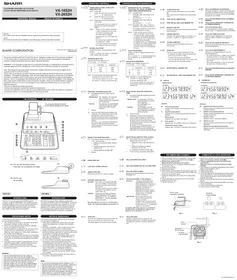


| Product Type | Printing Calculator |
| Model | Sharp VX-1652H |
| Display Capacity | 10 digits |
| Printing Speed | Approx. 2 lines per second |
| Paper Roll | Standard 57mm width, replaceable |
| Power Supply | AC power cord (voltage as specified on rating label) |
| Decimal System | Floating, fixed (0-4), addition mode |
| Rounding | Up, 5/4, down |
| Memory Functions | First and second memory, grand total memory, store/recall |
| Basic Operations | Addition, subtraction, multiplication, division, constant, power, percent |
| Advanced Functions | Markup, discount, tax calculation, item count, repeat addition/subtraction |
| Error Handling | Overflow, division by zero, memory overflow (cleared with CE or C) |
| Operating Temperature | 0°C to 40°C (32°F to 104°F) |
| Dimensions (approx.) | 10.0 x 8.0 x 3.0 inches (25.4 x 20.3 x 7.6 cm) |
| Weight (approx.) | 2.2 lbs (1.0 kg) |
| Construction | Desktop design with impact printer |
| Maintenance | Clean with soft dry cloth; avoid solvents and moisture |
| Safety | FCC Class B compliant; use specified voltage only |
| Included Accessories | AC power cord, paper roll, user manual |
Frequently Asked Questions - VX-1652H SHARP
User questions about VX-1652H SHARP
0 question about this device. Answer the ones you know or ask your own.
Ask a new question about this device
Download the instructions for your Calculator in PDF format for free! Find your manual VX-1652H - SHARP and take your electronic device back in hand. On this page are published all the documents necessary for the use of your device. VX-1652H by SHARP.
USER MANUAL VX-1652H SHARP
The socket outlet shall be installed near the equipment and shall be easily accessible.
This device complies with Part 15 of the FCC Rules. Operation is subject to the following two conditions: (1) This device may not cause harmful interference, and (2) this device must accept any interference received, including interference that may cause undesired operation.
WARNING - FCC Regulations state that any unauthorized changes or modifications to this equipment not expressly approved by the manufacturer could void the user's authority to operate this equipment.
Note: This equipment has been tested and found to comply with the limits for a Class B digital device, pursuant to Part 15 of the FCC Rules.
These limits are designed to provide reasonable protection against harmful interference in a residential installation. This equipment generates, uses, and can radiate radio frequency energy and, if not installed and used in accordance with the instructions, may cause harmful interference to radio communications. However, there is no guarantee that interference will not occur in a particular installation. If this equipment does cause harmful interference to radio or television reception, which can be determined by turning the equipment off and on, the user is encouraged to try to correct the interference by one or more of the following measures:
- Reorient or relocate the receiving antenna.
- Increase the separation between the equipment and receiver.
- Connect the equipment into an outlet on a circuit different from that to which the receiver is connected. - Consult the dealer or an experienced radio/TV technician for help.
Thank you for your purchase of the SHARP electronic calculator, model VX-1652H/2652H. Your SHARP calculator is specially designed to save work and increase efficiency in all business applications and general office calculations. Careful reading of this manual will enable you to use your new SHARP calculator to its fullest capability.
To insure trouble-free operation of your SHARP calculator, we recommend the following: 1. The calculator should be kept in areas free from extreme temperature changes, moisture, and dust. 2. A soft, dry cloth should be used to clean the calculator. Do not use solvents or a wet cloth. 3. Since this product is not waterproof, do not use it or store it where fluids, for example water, can splash onto it. Raindrops, water spray, juice, coffee, steam, perspiration, etc. will also cause malfunction. 4. If you are not going to use the calculator for a time period, please pull out the power cord to cut electricity completely. In this case, the presently stored tax/discount rate will be cleared. 5. If service should be required on this equipment, use only a SHARP servicing dealer, a SHARP approved service facility or SHARP repair service where available. 6. Do not wind the AC cord around the body or otherwise forcibly bend or twist it.
THE VOLTAGE USED MUST BE THE SAME AS SPECIFIED ON THIS CALCULATOR. USING THIS CALCULATOR WITH A VOLTAGE HIGHER THAN THAT SPECIFIED IS DANGEROUS AND MAY RESULT IN A FIRE OR OTHER TYPE OF ACCIDENT CAUSING DAMAGE. SHARP WILL NOT BE HELD RESPONSIBLE FOR ANY DAMAGE RESULTING FROM USE OF THIS CALCULATOR WITH OTHER THAN THE SPECIFIED VOLTAGE.
OPERATING CONTROLS
④ OEEA BNC
POWER SWITCH: PRINT / ITEM COUNT
MODE SELECTOR:
"OFF": Power OFF.
"*": Power ON. Set to the non-print mode.
(………)
P. Power ON. Set to the print mode ("111-1114B" will be printed.)
"P·IC": Power ON. Set to the print and item
count mode
The counter will count the number of
times that ± has been pressed in
Notes: 1. Each time □ is used in subtraction
Notes: Each time is used in subtraction 1 will be subtracted from the count
The count is printed when the
calculated result is obtained.
Pressing of *, × or + clears the
count.
The count is of 3 digits (up to +999).
If the count exceeds this, the counter will recount from zero.
If the count exceeds th
② F643210
DECIMAL SELECTOR:
Presets the number of decimal places in the answer.
In the "F" position, the answer is displayed in the floating decimal system.
In the "F" position, the answer is displayed in the floating decimal system.
ROUNDING SELECTOR:
example: Set decimal selector to "2"
÷ 9 = 0.444 ..., 5 ÷ 9 = 0.555 ...
Note: The decimal point floats during successive calculation by the use of × or +. If the decimal selector is set to "F" then the answer is always rounded down (↓).
④ K·A
CONSTANT / ADD MODE SELECTOR:
“K”: The following constant functions will be
performed:
Multiplication: The calculator will automatically remember the first
number entered (the multiplicand)
and × instruction.
Division: The
calculator will automatically remember the second number entered (the divisor) and
the ÷ instruction.
“*”: Neutral
"A": Use of the Add mode permits addition and subtraction of numbers without entry of the decimal point. When the Add mode is activated, the decimal point is automatically positioned according to the decimal selector setting. Use of •, ×, and ⊕ will automatically override the Add mode and decimally correct answers will be printed at the preset decimal position.
⑤ GT·
GRAND TOTAL MODE SELECTOR:
"GT": This selector will accumulate the following:
(* +* will be printed.)
- Addition and subtraction totals obtained
- Product and equivalent totals obtained
with ± or - =
- Answers obtained with % or MU
"+": Neutral
⑥
PAPER FEED KEY
⑦ →
LAST DIGIT CORRECTION KEY
B GT
GRAND TOTAL KEY:
Prints and clears the "GT" memory contents.
⑨ %
NON-ADD / SUBTOTAL KEY:
Non-Add - When this key is pressed right after entry of a number in the Print mode, the entry is printed on the left-hand side with "#". This key is used to print out numbers not subject to calculations such as codes, dates, etc.
Subtotal - Used to get subtotal(s) of additions and/or subtractions. When pressed following ± or - , the subtotal is printed with "◇" and the calculation may be continued.
By pressing this key even in the Non-print mode, the displayed number is printed with "P".
⑩ *
TOTAL KEY:
Prints the total of addition and subtraction with “*”. This key also serves as a clear key for the calculation register and resets an error condition.
Clears numbers entered prior to use of a function
key. Also used to sign an overflow time saved by an
entry.
⑫ ◎M
FIRST RECALL MEMORY KEY
⑬ *M
FIRST RECALL AND CLEAR MEMORY KEY
⑭ MU
MULTIPLE USE KEY:
Performs mark-ups, percent change and automatic
⑬
CHANGE SIGN KEY:
Changes the algebraic sign of a number (i.e.
positive to negative or negative to posi
⑮ TXX+
TAX-INCLUDING KEY:
This key is used for calculations with the tax/discount rate.
2.2.1.1
⑰ STR
STORE KEY:
This key is used to store the tax/discount rate.
• A maximum of 4 digits can be stored (decimal point is not counted as a digit)
• To store a discount rate, press
• Only one rate can be stored. If you enter a new
rate, the previous rate will be cleared.
SECOND RECALL MEMORY KEY
⑲ *I
SECOND RECALL AND CLEAR MEMORY KEY
20 DISP
Display format:
VX-1652H

VX-2652H

Symbols:
M:FI
first memory symbol
appears when a number has been stored in First
T.
memory. second memory symbol
A
appears when a number has been stored in Second
m
emory.
- : M
inus symbol
A
appears when a number is negative.
E : E
rror symbol
Appears when an overflow or other error is detected.
Grand total memory symbol
Appears when a number is in the grand total memory.
⑪ CE
INK RIBBON REPLACEMENT
PAPER ROLL REPLACEMENT
- Lift the paper holder up. (Fig. 1)
- Fold the leading edge of the paper roll 3 to 5 cm. (Do not fold it slantwise.) (Fig. 2)
- Insert the paper roll from the left side of the paper holder and make sure the paper roll is set in the proper direction (with the paper feeding from the bottom), (Fig. 3)
- Insert the leading edge of the paper into the open directly behind the print mechanism. (Fig. 4)
- Press the paper feed key and feed the paper under the edge of the paper cutter. (Fig. 5)
- Press the paper feed key and feed the paper under the edge of the paper cutter. (Fig. 5)
edge of the paper cutter. (Fig. 5)
There are several situations which will cause an overflow or an error condition. When this occurs, the error symbol "E" will be displayed and all keys will electronically lock.
The contents of the memory at the time of the error a
retained.
If an "0·E" is displayed at the time of the error, * must be used to clear the calculator.
If an "E" with any numerals except zero is displayed, the error
If an "E" with any numerals except zero is displayed, the error
If an "E" with any numerals except zero is displayed, the error may be cleared with CE or → and the calculation can still be continued.
may be cleared with CE or → and the calculation can be continued.
co
Error conditions:
- VX-1652H : Entry of more than 10 digits or 9 decimals
VX-2652H : Entry of more than 12 digits or 11 decimals
VX-2652H: Entry of more than 12 digits or 11 decimals. This error can be cleared with CE or →.
This error can be cleared with CE or →.
- VX-1652H: When the integer portion of an answer
exceeds 10 digits.
VX-2652H : When the integer portion of an answer
VX-2052H. When the integer p
exceeds 12 digits
- VX-1652H: When the integer portion of the contents of the memory exceeds 10 digits (Ex -M 0000000000 M+ 1 M+) (Ex. 5555555555 M+ T M+) VX-2652H: When the integer portion of the contents of the memory exceeds 12 digits. (Ex. ■M 9999999999999 M♦ 1 M♦)
- When any number is divided by zero (Ex. 5 + 0 +)
- When any number is divided by zero. (Ex. 5 ▼ 0 □)
SPECIFICATIONS
Operating capacity:
Power source:
Calculations:
Four arithmetic calculations.
constant multiplication and
disunion, power calculation
division, power calculation, add on/discount calculation
add-on/discount calculation,
repeat addition and subtraction,
reciprocal calculation, grand
total calculation, item count
calculation, markup calculation,
memory calculation, etc.
PRINTING SECTION
Printer
Printing speed
Printing paper
Finding paper
[Non-Text]
Operation temperature:
Power consumption:
Power consumption Dimensions
Dimensions:
Weight:
Accessories
(1) This description is for reference only.
ERRORS
card. (L): 5 [+] 6 [■])
- Set the decimal selector as specified in each example. The rounding selector should be in the IF/IF setting unless otherwise specified.
The rounding selector should be in the '5/4' position unless otherwise specified.
- The grand total mode selector and the constant/aux mode selector should be in the "1" position (off position) unless otherwise specified.
- The print/item count mode selector should be in the "P" position unless otherwise
specified.
- If an error is made while entering a number, press or - and enter the correct
number.
- Negative values are printed with “—” symbol in red.
Note: All totals and sub-totals may be used for further calculations. RE-ENTER
the number into the calculator by using the FUNCTION key and continue
the problem.
EXAMPLE: EJEMPLO:
(123 ± 456) × 3 =
| Selector Selector | Operation Operación | Print Impresión | Note Nota |
| F663210 | 123 1/2 456 1/2 1/2 | 123.00+456.00+579.00 1/2 | |
REPEAT ADDITION AND SUBTRACTION /
REPETICION DE SUMAS Y RESTAS
123 + 123 + 123 + 456 = 100 = 100 =
123 - 125 - 126 - 150 - 160 - 190
| Selector Selector (1) | Operation Operación (2) | Display Exhibición (3) | Print impresión (4) |
| F643215 | 123 1/2 | 123. | 123 + |
| 246. | 123 + | ||
| 369. | 123 + | ||
| 456 1/2 | 825. | 456 + | |
| 100 1/2 | 725. | 100 - | |
| 625. | 100 - | ||
| 625 * | |||
| 625. |
ADDITION AND SUBTRACTION WITH ADD MODE /
ADDITION AND SUBTRACTION WITH ADD MODE
12.45 ± 16.24 ± 19.35 - 5.21 =
| (1) | (2)*5 | (3) | (4) |
| F643210 | 1245 1/2 | 12.45 | 12:45 + |
| 1624 1/2 | 28.69 | 16:24 + | |
| 1935 1/2 | 48.04 | 19:35 + | |
| X - A | 521 -n/x | 42.83 | 5:21 - |
| 42:83 * | |||
| 42.83 |
21 : □ was not used in the entries
RECIPROCAL / RECIPROCALS
| (1) | (2) | (3) | (4) |
| 7 | 7. | 7÷ | |
| 1. | 7÷ | ||
| 7= | |||
| F1433119 | 0-14285714285● | ||
| 0.14285714285 | |||
| (0.142857142 | 0-142857142●VX-1652H) |
ADD-ON AND DISCOUNT / ADD-ONS AND DISCOUNTS
A. 5% add-on to 100. / A 5% surcharge on 100.
| (1) | (2) | (3) | (4) |
| F643219 | 100 ×5 MJ | 100. | 100- ×5 % |
| 5-00 { Increased amountIncremento | |||
| 105-00 • { New amountNueva cantidad | |||
| 105.00 |
B. 10% discount on 100. / A 10% discount on 100.
| (1) | (2) | (3) | (4) |
| F643219 | 100 × | 100. | 100-× |
| 10 % N.D. | - 10% | ||
| - 10-00{DiscountDescuerto} | |||
| 90-00•{Net amountCantidad neta} | |||
| 90.00 |
MARKUP AND MARGIN
PERCENTAGE INCREASE AND MARGIN
Markup and Profit Margin are both ways of calculating percent profit.
– Profit margin is percent profit vs. selling price.
- Markup is percent profit vs. cost.
- Cost is the cost.
- Sell is the selling price.
- GP is the gross profit.
- Mkup is the percent profit based on cost. Mrup is the percent profit based on selling price.
- Mrgh is the percent profit based on self.
To find | Knowing | Operation
| Para encontrar | Sabiendo | Operación | |||
| Mrgn | Sell, Cost | Cost | → | Sell | 1 MU |
| Mkup | Sell, Cost | Sell | 2 R | Cost | -7 MU |
| Sell | Cost, Mrgn | Cost | + | Mrgn | MU |
| Cost | Sell, Mrgn | Sell | × | Mrgn | 4L MU |
| Sell | Cost, Mkup | Cost | × | Mkup | MU |
| Cost | Sell, Mkup | Sell | + | Mkup | 4L MU |
Ex./Ej.
| Cost | Sell | GP | Mkup | Mrgn |
| 200 | 250 | $50 | 25% | 20% |
| (1) | (2) | (3) | (4) |
| F843210 | 200 + | 200. | 200 ÷ Cost |
| 20 M3 | 20 %M Mrgn | ||
| 250 00 * Sell | |||
| 50 00 GP GP | |||
| 50.00 |
PERCENT CHANGE / CAMBIO PORCENTUAL
• Calculate the dollar difference (a) and the percent change (b) between two yearly sales figures: 1,500 in one year and1,300 in the previous.
Sales figures 1,500 in one year and1,300 in the previous.
ITEM COUNT CALCULATION / CALCULO DE CUENTA DE ARTICULOS
[Non-Text]
100 + 200 + 300 =
| Bill No. N° de factura | Number of bills Cantidad de facturas | Amount Importa |
| 1 | 1 | 100.55 |
| 2 | 1 | 200.00 |
| 3 | 1 | 200.00 |
| 4 | 1 | 400.55 |
| 5 | 1 | $500.65 |
| Total Total | (a) | (b) |
| (1) | (2) | (3) | (4) |
| 100.55 | 100.55 | 100.55+ | |
| 200 | 300.55 | 200.00+ | |
| 500.55 | 200.00+ | ||
| 400.55 | 901.10 | 400.55+ | |
| 500.65 | 1,401.75 | 500.65+ | |
| 005 | (a) | ||
| 1.401.75* (b) | |||
| 1,401.75 |
100 + 200 + 300 = ①
+) 300 + 400 + 500 = ②
+) 500 - 600 + 700 = ①
+) 300 + 400 + 500 = ②
+) 500 - 600 + 700 = ①
Grand total / Total global ④
•
| (1) | (2) | (3) | (4) |
| 300 | 100. | 100+ | |
| 100 | |||
| 200 | 200+ | ||
| 300 | 300+ | ||
| 600+ * 1 | |||
| 600_ | |||
| 300 | 300+ | ||
| 400 | 400+ | ||
| 500 | 500+ | ||
| 1:200+ * 2 | |||
| 1,200_ | |||
| 500 | 500+ | ||
| 600 | 600- | ||
| 700 | 700+ | ||
| 600+ * 4 | |||
| 600_ | |||
| 600_ | |||
| 300 | 2:400*G * | ||
| 2,400_ |
MEMORY / MEMORIA
A 46×78=①
A. 46×78=① ①)105÷5=②
+) 125 ÷ 5 = ② ) 73 × 6 = ④
一) 12 × 8 = ⓣ
Total / Total ④
| (1) | (2) | (3) | (4) |
| 4641219 | 46 × 78 M | 46. | 46 × 78 = |
| 3,588M | 3-588 +M 1 | ||
| 125 ÷ 5 M | 125M | 125 ÷ 5 = | |
| 25M | 25 +M 2 | ||
| 72 × 8 M | 72M | 72 × 8 = | |
| 576M | 576-M 4 | ||
| 4641219 | 3-037 · M 5 | ||
| 3,037M |
B. (123 + 45) × (456 - 89) =
| (1) | (2) | (3) | (4) |
| +3 | |||
| 81. | 123 90 | 123 M | 123 +M |
| 45 90 | 45 M | 45 +M | |
| 456 1 | 456 M | 456 + | |
| 89 -0 | 367 M | 89 - | |
| 367 0 | |||
| 367 M | 367 × | ||
| 168 M | 168 OM | ||
| + | 168 = | ||
| 61-656 * | |||
| 61,656 M |
*3: Press •M to clear the memory before starting a memory calculation.
*4: Press +6 then +1 to clear the contents of the First and Second memories before
starting the operation.
Brand : SHARP
Model : VX-1652H
Category : Calculator