
C-DMM-119 - Car accessory Havis - Free user manual and instructions
Find the device manual for free C-DMM-119 Havis in PDF.


| Product Type | Swing-Out Dash Monitor Mount |
| Brand | Havis |
| Model | C-DMM-119 |
| Compatible Vehicles | 2011-2014 Dodge Charger |
| Material | Steel with black finish |
| Dimensions (Approx.) | 6 x 4 x 2 inches (bracket assembly) |
| Weight (Approx.) | 1.5 lbs (0.68 kg) |
| Mounting Type | Dash-mounted, swing-out |
| Required Tools | Ratchet wrench, jig saw/hack saw, socket set, 7/16" open end wrench, Phillips screwdriver |
| Included Hardware | Lower and upper support brackets, screws, nuts, washers, small L-bracket |
| Additional Required Parts (Sold Separately) | Monitor adapter bracket (C-MM-200 series) and offset adapter bracket (C-MM-301) |
| Installation Difficulty | Moderate (requires cutting plastic dash part) |
| Safety Features | Check for obstructions before drilling; use provided hardware |
| Maintenance | Clean with mild soap and water; periodically check and tighten hardware |
| Country of Origin | USA (Havis, Inc., Warminster, PA) |
| Warranty | Contact Havis for warranty information |
| Spare Parts Availability | Contact Havis customer service |
| Color | Black |
Frequently Asked Questions - C-DMM-119 Havis
User questions about C-DMM-119 Havis
0 question about this device. Answer the ones you know or ask your own.
Ask a new question about this device
Download the instructions for your Car accessory in PDF format for free! Find your manual C-DMM-119 - Havis and take your electronic device back in hand. On this page are published all the documents necessary for the use of your device. C-DMM-119 by Havis.
USER MANUAL C-DMM-119 Havis
INSTALL INSTRUCTIONS
C-DMM-119
2011-2014 DODGE CHARGER SWING-OUT DASH MONITOR MOUNT
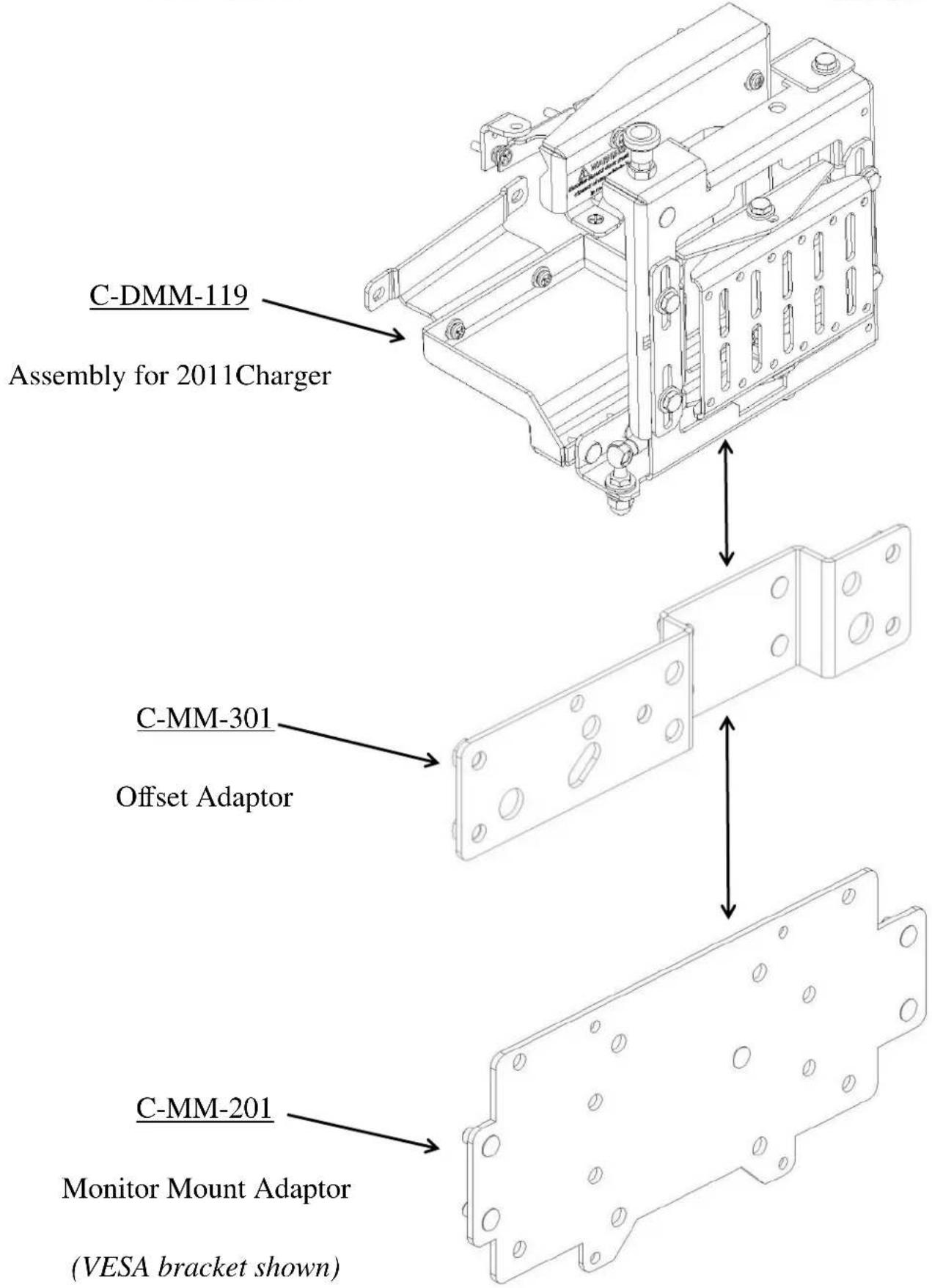
The Dash Monitor Mount bracket system requires two or three main parts that are Sold Separately. See web site Monitor Congurator for more detailed bracket informaon.
hp://www.havis.com/monitor_mounts.htm
• 1 - Vehicle Specific dash mount bracket. (C-DMM-119)
• 1 - Computer Specific Monitor adaptor bracket. (C-MM-200 series)
• 1 - Oset adaptor bracket. (C-MM-301)
The C-MM-301 oset adaptor goes between the C-DMM-119 and C-MM-2XX. It may not be required in some applications.
TOOLS REQUIRED:
- Ratchet Wrench
- Jig saw / Hack saw / other? (to cut plasc dash part)
- Socket Set
- Open End Wrench - 7/16"
• Phillips Screwdriver
HARDWARE:
QTY DESCRIPTION PART#
1 Lower Support Bracket CM004415
1 Upper Support Bracket CM004416
4 1/4 Hex Flange Serrated Nut GSM30023
4 10/32 x 1/2" Phillips Pan head machine screw GSM34097
4 # 10" Flat Washer SS GSM31046
4 # 10" Lock Washer SS GSM31065
2 10/32 x 1" Phillips Flat head machine screw GSM33073
2 10/32 Nylock nut GSM30015-1
2 # 10 Flat Washer GSM31003
1 # 10 x 1" Phillips Flat head sheet metal screw GSM33152
1 Small "L" bracket CM93094
1 Monitor Adapter Hardware Varies (monitor specic)
Always!
Read all instrucons before installing any Havis, Inc. products.
➢ Check for obstrucons (Wires, brake lines, fuel tank, etc.) before drilling any holes!
➢ Use hardware provided with install kit
C-DMM-119_INST_7-11

2011 Dodge Charger Dash prior to installaon.

Dash panel removed
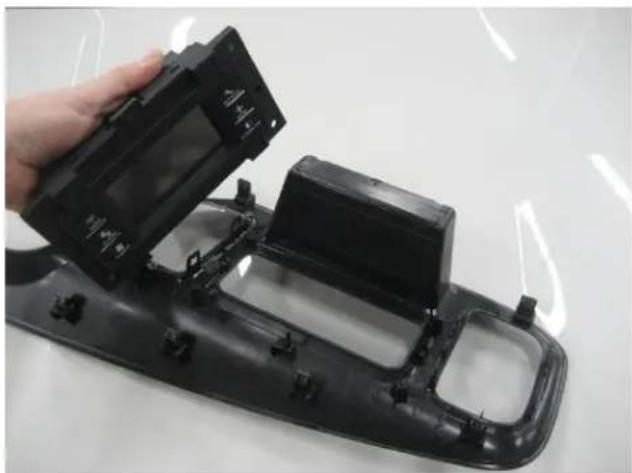
Touch screen removed
Havis, Inc.
75 Jacksonville Road
Warminster, PA 18974
T800-524-9900 F215-957-0729
www.havis.com
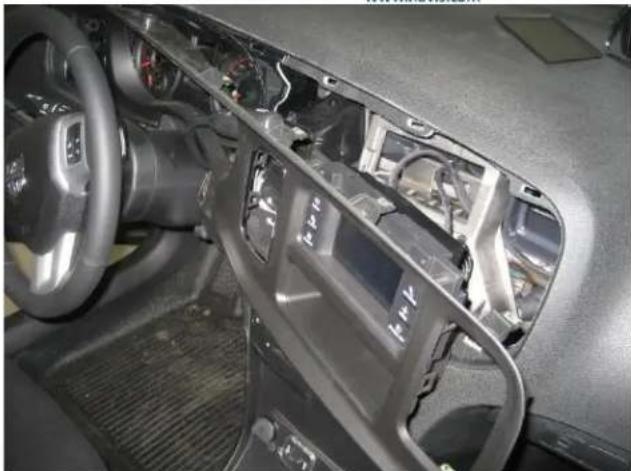
Remove one (1) screw above instrument panel. Carefully unsnap and remove dash trim bezel assembly. (Phillips or 1/4 socket)
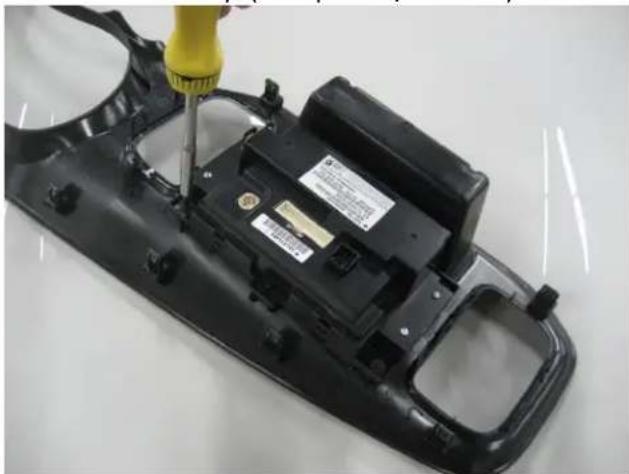
Temporarily remove OEM touch screen from dash panel. (Phillips)
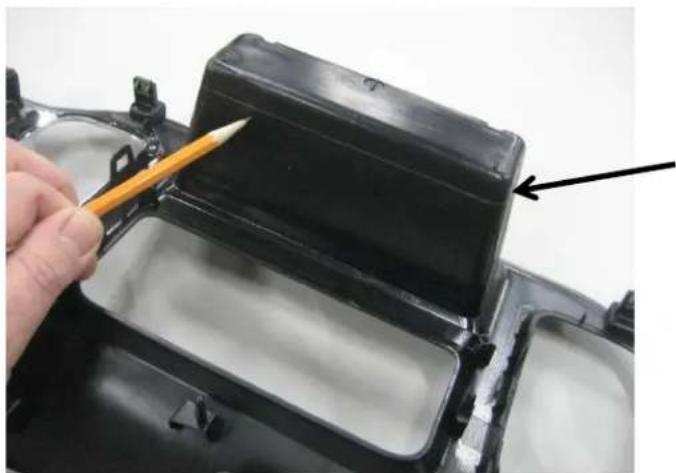
Measure and cut 1/2" o the back of the dash storage pocket.
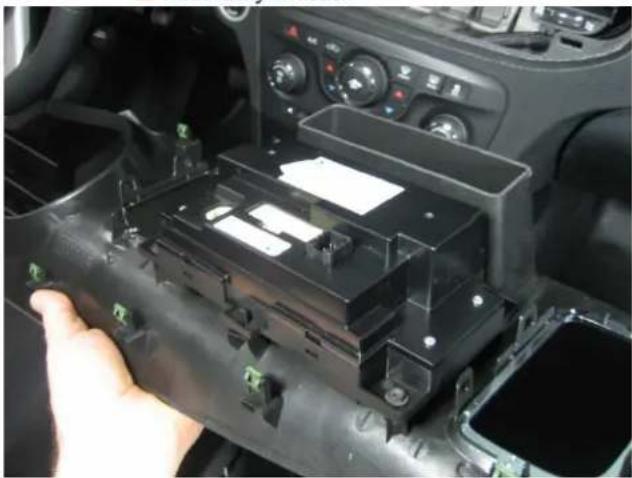
Deburr and clean cut storage pocket and re-install touch screen

Use previously removed OEM screws and each lower support bracket.
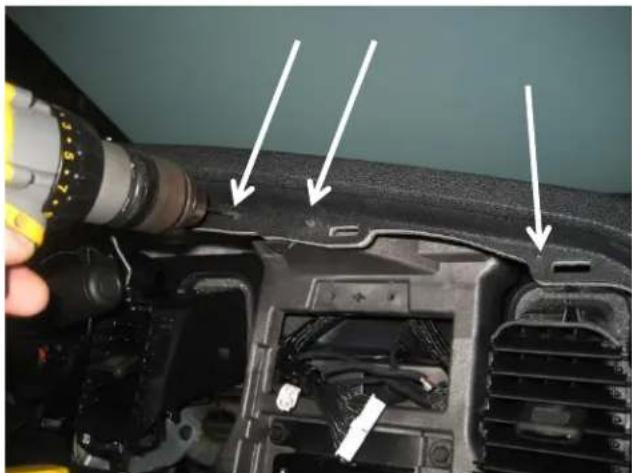
Drill the two (2) outboard mount holes with 3/16" drill bit.
Drill center mount hole with 5/32 drill bit.
Havis, Inc.
75 Jacksonville Road
Warminster, PA 18974
T800-524-9900 F215-957-0729
www.havis.com

Temporarily remove two (2) OEM screws in front of storage pocket area.

Posion the upper support bracket as shown.
The center oval hole must line up with the oval hole in the dash. Mark locaon of three mounng holes
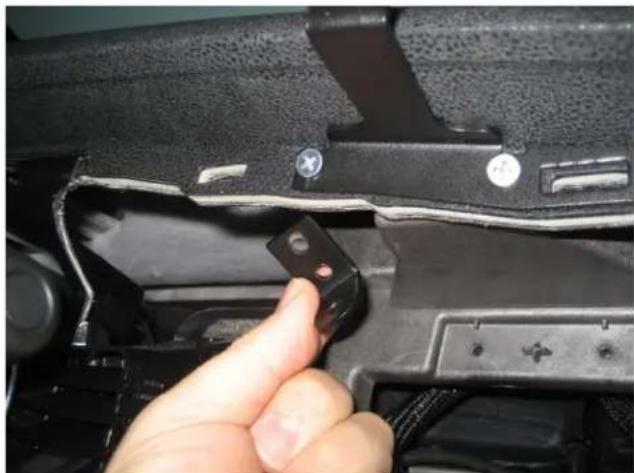
Aach upper support bracket "outboard holes" with 10/32 x 1" at head machine screws, washers and nuts.
** Driver side hole also uses small "L" bracket to hook over top of inner dash. (helps clamp to dash)

Use # 10 x 1" Phillips at head sheet metal screw for center mount hole.

Plug OEM harnesses back into dash controls.

Dash panel is now back in place with Monitor Mount brackets.
Havis, Inc.
75 Jacksonville Road
Warminster, PA 18974
T800-524-9900 F215-957-0729
www.havis.com
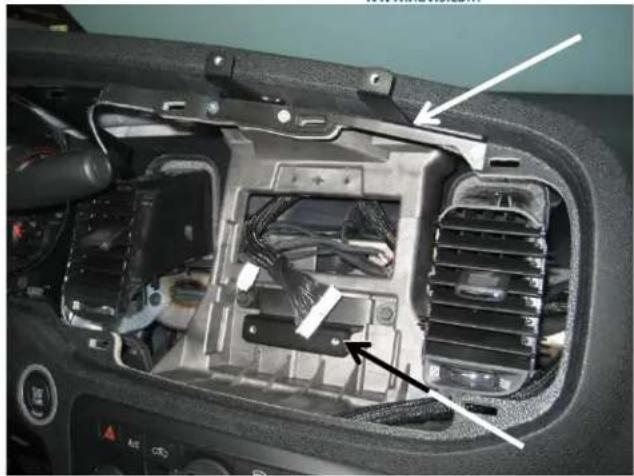
Upper and lower support brackets are now in posion.

Make sure ductwork is posioned properly and carefully reinstall dash panel.

Aach monitor mount frame assembly to the support brackets with four (4) 10/32 x 1/2" machine screws, lock washers and at washers.

Double check and ghten all hardware.

Aach monitor adaptor plates to the back of the monitor.

Havis, Inc.
75 Jacksonville Road
Warminster, PA 18974
T800-524-9900 F215-957-0729
www.havis.com

Determine how you want to run wire harnesses. You can run down next to the glove box door or inside the dash. Running harnesses inside the dash may require cung more parts of the dash.
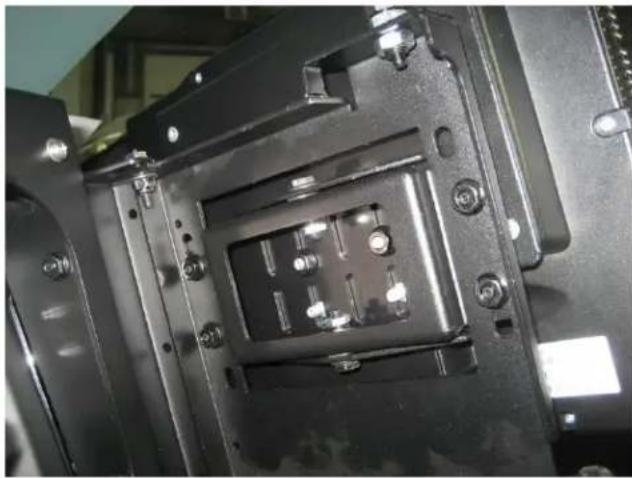
Posion monitor assembly to the swing out door as desired. Aach with 1/4" serrated nuts.

C-DMM-119 Dash Monitor Mount and installaon complete.


Brand : Havis
Model : C-DMM-119
Category : Car accessory