YES-000008 - Remote control HANNSPREE - Free user manual and instructions
Find the device manual for free YES-000008 HANNSPREE in PDF.


User questions about YES-000008 HANNSPREE
0 question about this device. Answer the ones you know or ask your own.
Ask a new question about this device
Download the instructions for your Remote control in PDF format for free! Find your manual YES-000008 - HANNSPREE and take your electronic device back in hand. On this page are published all the documents necessary for the use of your device. YES-000008 by HANNSPREE.
USER MANUAL YES-000008 HANNSPREE
2F, No.362, Ruei-Guang Rd., Neihu District,
Taipei City 114, Taiwan, R.O.C.
TEL: 886-2-87520000
FAX: 886-2-87527092
www.hannspree.com
瀚斯寶麗股份有限公司
台北市114內湖區
瑞光路362號2樓
电话:886-2-87520000
傳真:886-2-87527092
www.hannspree.com
YES-000008
Made in Taiwan
NTSCRCTWEN1203
MAH-000003
HANNEDICE
Remote Control
遙控器
User's Manual
使用手册
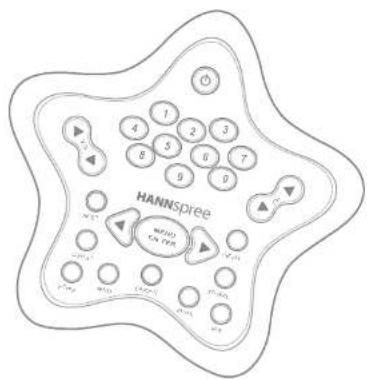
Table of Contents
- Warranty and Service ...... 2
- Preface 3
- Introducing the Remote Control...... 4
- Checking Package Contents .... 5
- Getting to Know Your Remote Control .... 6 Inserting the Remote Control Batteries .... 10
- Troubleshooting 11
1
Warranty and Service
Thank you for purchasing our product. With this product, you will be able to enjoy superior lifestyle with advanced technology.
Please refer to the Hannspree warranty policy for detailed warranty and service information. You may also obtain the information from our customer service center. Our service representatives will be happy to serve to your satisfaction.
The Hannspree E-mail Address:
service@hannspree.com
This manual is designed to assist users in using the Remote Control. Information in this document has been carefully checked for accuracy; however, no guarantee is given to the correctness of the contents. The information in this document is subject to change without notice.
Copyright
© Copyright 2003 Hannspree, Inc.
All rights reserved. This product and related documentation are protected by copyright and are distributed under licenses restricting their use, copying, and distribution. No part of this documentation may be reproduced in any form by any means without prior written authorization of Hannspree, Inc., and its licensors, if any.
3
Introducing the Remote Control
Thank you for purchasing this Remote Control. Your remote control is designed to be safe, versatile, and easy to use. The creative design makes it a fun addition to your TV.
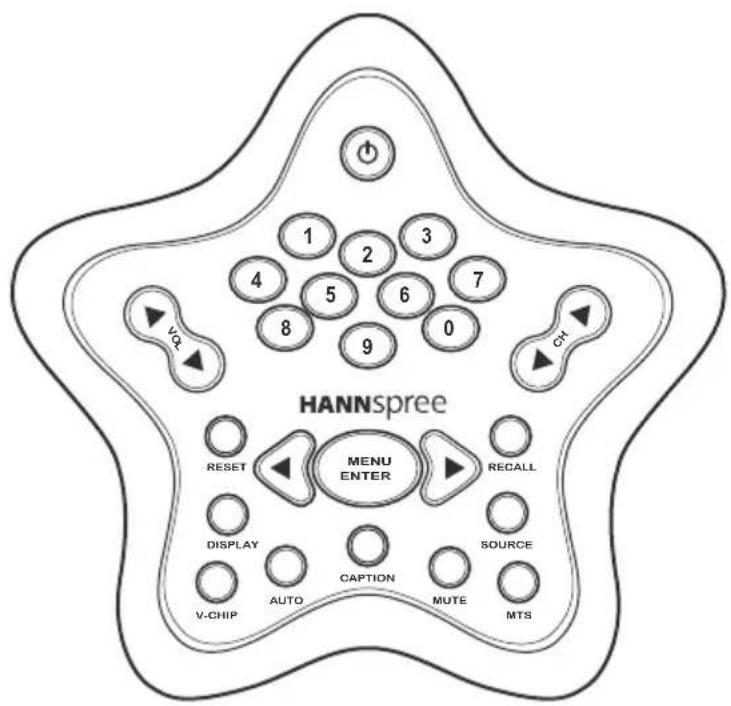
The control buttons located on the handy remote control let you change channels, adjust the volume, and change the display settings through an easy-to-use on-screen menu system.
4
Checking Package Contents
Make sure the following components are included in the box. Contact your vendor immediately if anything is missing or damaged.
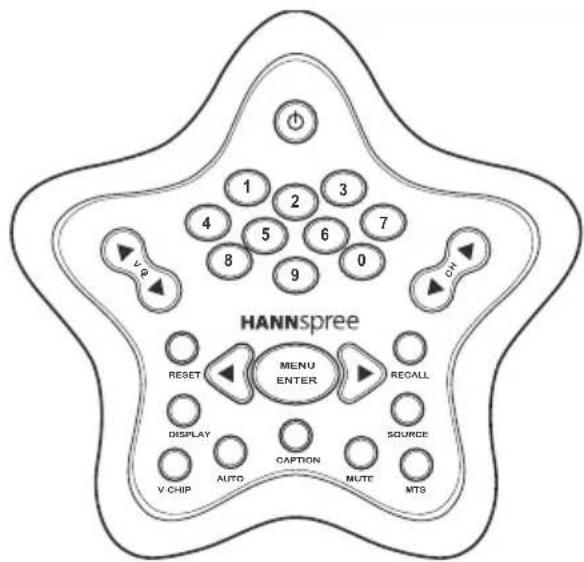
Remote Control
User's Manual
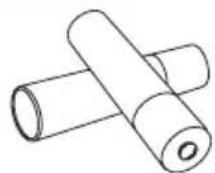
AAA Batteries x 2
Getting to Know Your Remote Control
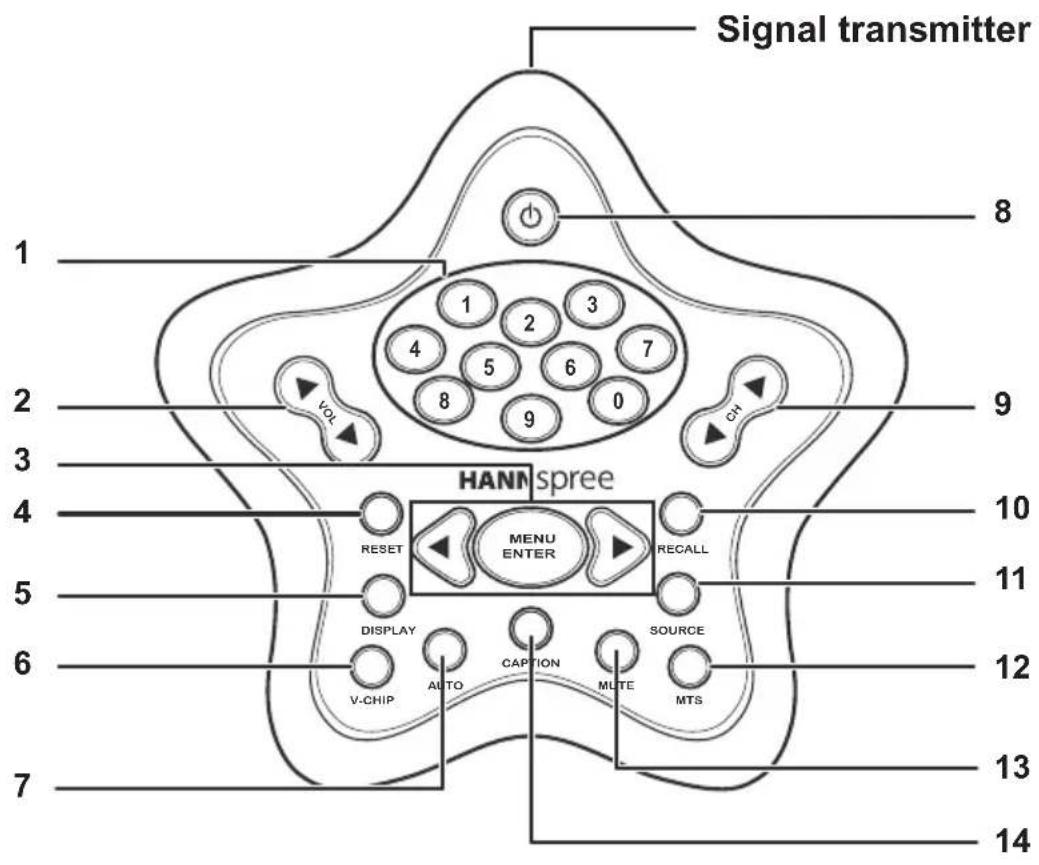
| Icon Description Function | |||
| 1 |  | Number buttons | Press these buttons to select a channel directly. Press 0-9 to enter the channel number. Press the 1 and 0 buttons for channel 10. |
| 2 |  | Volume adjust buttons | Press VOL ▶ to increase the volume. Press VOL ◀ to decrease the volume. |
| 3 |  | Menu/Enter and arrow buttons | Press MENU ENTER to activate the OSD menu system to adjust various settings and personal preferences. Press ◀and ▶ to scroll through the on-screen-display menu. |
| 4 |  | Reset button | Press this button to return all settings to their factory-set default values. |
| 5 |  | Display button | Press this button to show messages on the screen, such as the mode and others. Press the button again to hide the displayed message. |
| 6 |  | V-Chip button | Press this button to block TV programs that you consider objectionable for children. (The V-chip features are only available in 15-inch, North America only.) |
| 7 |  | Auto button | Automatically adjusts the screen parameters in PC mode. (Auto features are only available in 15-inch.) |
| 8 |  | Power button | Turns the TV power on or off. |
| 9 |  | Channel select buttons | Press CH ◀to increase the channel number. Press CH ▶ to decrease the channel number. |
| 10 |  RECALL RECALL | Recallbutton | Press this button to return to the last channel selected. |
| 11 |  SOURCE SOURCE | Sourcebutton | Press this button to cycle the video input sources. |
| 12 |  MTS MTS | MTSbutton | When you press the MTS button, a setting screen will appear. The highlighted mark indicates the status that is supported by the current channel sound system, such as primary channel, secondary channel and bi-channel. |
| 13 |  MUTE MUTE | Mutebutton | Press this button to eliminate sound. Press the Mute button again or press the Volume buttons directly to restore sound. |
| 14 |  CAPTION CAPTION | Captionbutton | Press this button to view program subtitles (American standard) when available.(Closed Caption (CC) features are only available in 15-inch, North America only.) |
Notes
- The operational distance directly exposed to strong light.
- Protect the remote cont damage.
- Do not place the remote
- Aim the transmitter on
and ensure there are no obstacles between the transmitter and sensor.
Inserting the Remote Control Batteries
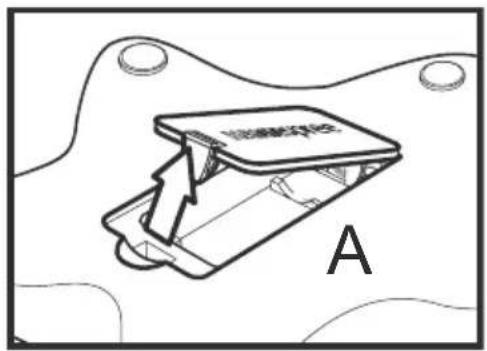
1 Open the battery compartment cover at the back of the remote control (A).
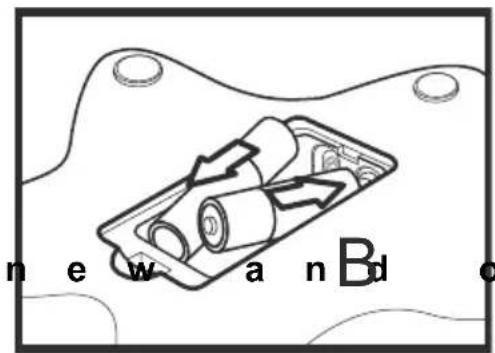
2 Insert batteries paying attention to the polarity markings inside the battery compartment (B).
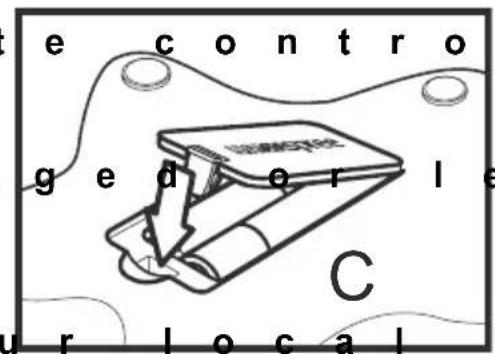
3 Replace the battery compartment cover (C).

Caution
- Do not mix terie or the life of the new batteries will be shortened. Chemical fluids may leak from old batteries.
- If the remot used for a long period, remove the batteries and store them properly.
- Handle dama batteries carefully, and wash hands with soap if they come in contact with leaked chemical fluids.
• Refer to you or waste disposal rules and contact a local waste disposal vendor to dispose of used batteries. - Check the batteries on a regular basis. Clean any stains on the rear battery cover immediately and use new batteries if fluid is leaking from old batteries.
r e m o t e c o n t r c
6
Troubleshooting
Situation Solution
Remote control doesn't work.
- Make sure the
- Re place the b a
- M a k e s u r e t h e
- M a k e s u r e t h e
control and the sensor is clear. - Try operating distance to the TV. Don't exceed an angle of 30^ from the sensor.
MEMO
目錄
© Copyright 2003 Hannspree, Inc.
natural_image
Diagram of a battery inside a housing with directional arrows indicating flow, labeled 'B' (no text or symbols on diagram itself)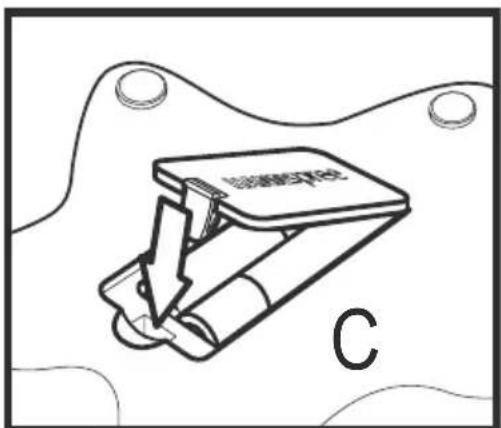
問題 解決方法
無法使用遙控器。
- 確認已正確裝入電池。
- 更換新電池。
- 確認已插好電視的電源線。