Slider 8GB - USB Drive Peak - Free user manual and instructions
Find the device manual for free Slider 8GB Peak in PDF.


| Product Type | USB Flash Drive |
| Model | Slider 8GB |
| Brand | Peak |
| Capacity | 8 GB |
| Interface | USB 2.0 (backward compatible with USB 1.1) |
| Read Speed | Up to 15 MB/s |
| Write Speed | Up to 5 MB/s |
| Dimensions | Approx. 55 x 20 x 10 mm |
| Weight | Approx. 8 g |
| Material | Plastic with sliding cover |
| Connector | USB Type-A male |
| Operating Temperature | 0°C to 60°C |
| Storage Temperature | -20°C to 85°C |
| File System | FAT32 (formatted) |
| Compatibility | Windows, macOS, Linux |
| Power Source | Bus-powered via USB port |
| Color | Black or white (depending on variant) |
| Package Contents | USB flash drive, user manual (PDF) |
| Warranty | 2 years limited warranty |
| Special Features | Slider design to protect USB connector |
Frequently Asked Questions - Slider 8GB Peak
User questions about Slider 8GB Peak
0 question about this device. Answer the ones you know or ask your own.
Ask a new question about this device
Download the instructions for your USB Drive in PDF format for free! Find your manual Slider 8GB - Peak and take your electronic device back in hand. On this page are published all the documents necessary for the use of your device. Slider 8GB by Peak.
USER MANUAL Slider 8GB Peak
Thank you for choosing PEAKHARDWARE. This user guide/manual will quickly guide you through the installation process. Please follow the step-by-step instructions below carefully.
Minimum System Requirements
- Desktop or Notebook computer with USB 1.1 or USB 2.0 port
● One of the following operating system:
■ Windows 98SE (Driver installation required)
Windows ME
■ Windows 2000 with Service Pack 4
■ Windows XP with Service Pack 2
■ Windows Vista
■ Mac OS 9.x or above
■ Linux Kernel 2.4 or above
Caution
● Avoid direct sunlight, heat and moisture. Do not exert excessive force
● To prevent data lost or permanent damage to the PEAK flash drive, never remove the flash drive from the USB port during file transfer. Always
perform "Safely Remove Hardware" by right clicking on the icon located in the System Tray on the bottom right hand corner of your desktop.
To safely remove your PEAK flash drive, follow the instructions below:
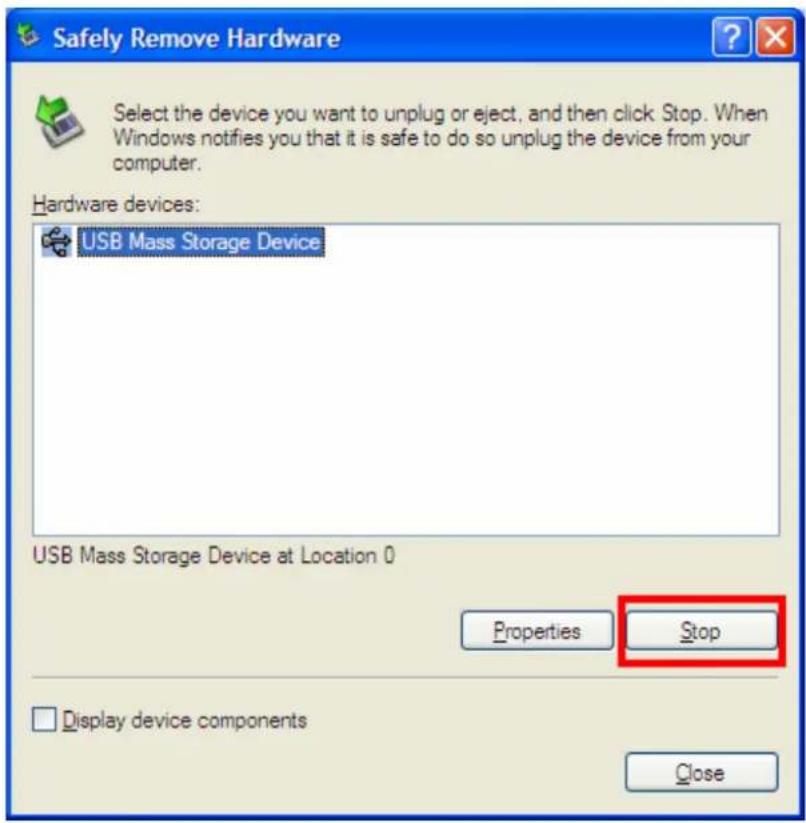
- Right click on the “Safely remove hardware” icon on bottom right hand corner of your desktop and select “Safely Remove Hardware”

- Click on "Stop" when you see the following screen
● Highlight your PEAK flash drive and hit "OK"
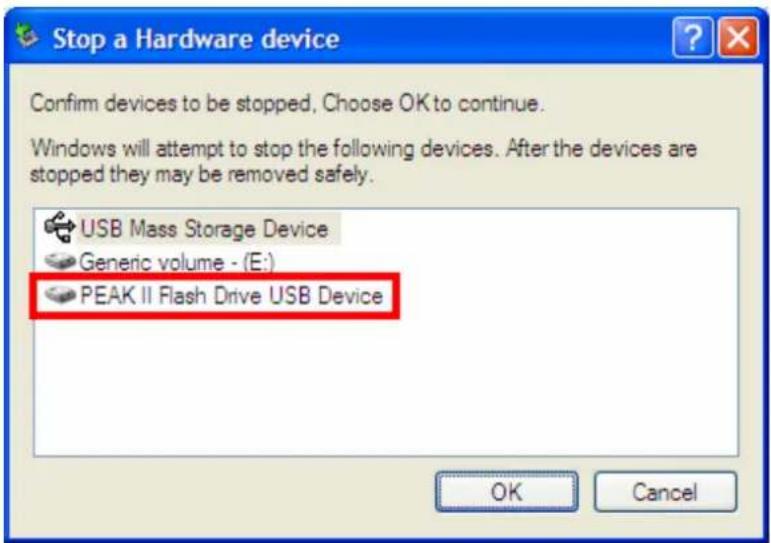
- Following message will appear. Your flash drive has now been removed safely from your system.

● Make sure you have Administrative access to the computer when using your PEAK flash drive.
To safely remove the PEAK pen drive on Linux, follow the instructions below:
- Right click on the PEAK icon on the desktop and select "Safely remove" (the name of the pen drive can be different from the one indicated in the picture, and it is modifiable by selecting the icon and pressing F2).
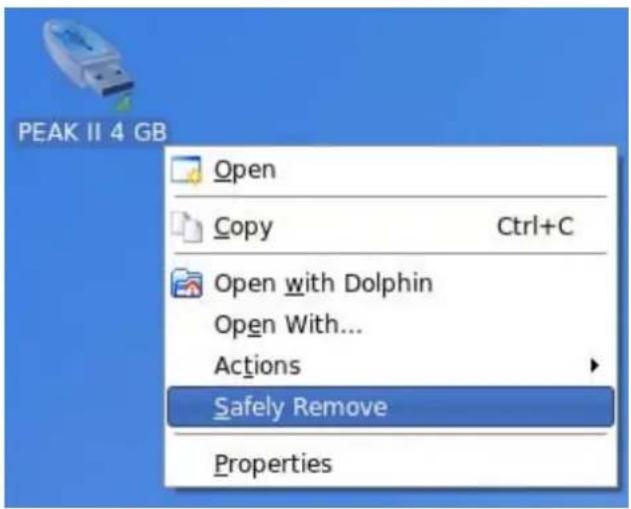
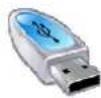
- The icon will become as the following one, indicating that the pen drive was safely removed.
Chapter 1. BASIC INSTALLATION
Driver installation
If you are using any of the Operating Systems below, no driver installation is required. Simply insert your PEAK flash drive into the USB port and your computer will install the necessary driver automatically.
Windows ME
■ Windows 2000 with Service Pack 4
■ Windows XP with Service Pack 2 or above
■ Windows Vista
■ Mac OS 9.x or above
■ Linux Kernel 2.4 or above
If you are using Windows 98SE, follow the installation procedure below:
*This driver installation is intended for Window98SE ONLY*
- Go to our website at www.peakhardware.com
- On the top of the page, select Download→Spec/Driver/Manual
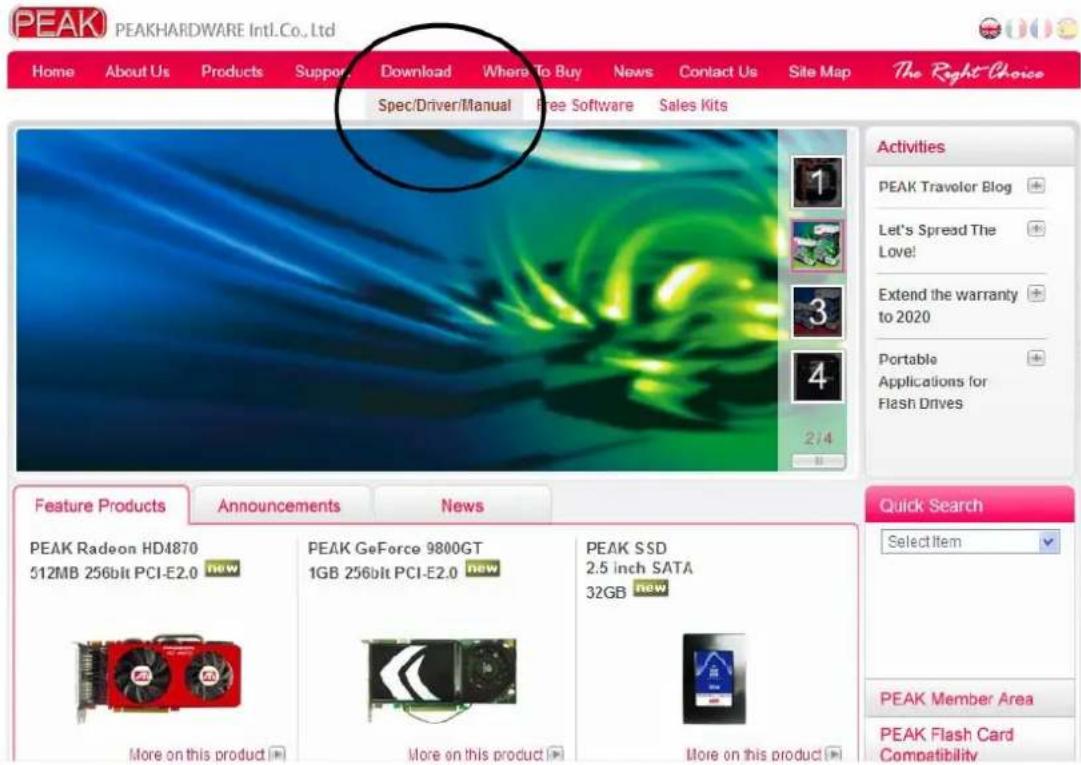
- On the following page, in the "Select Categories" box, select Flash memory.
- In the "Select Series" box, select USB Flash Drives.
- In the “Select Model” box, select the model of your PEAK flash drive. (If you need help on determining the model of your PEAK flash drive, please kindly click on Download→What’s my PEAK model number?)
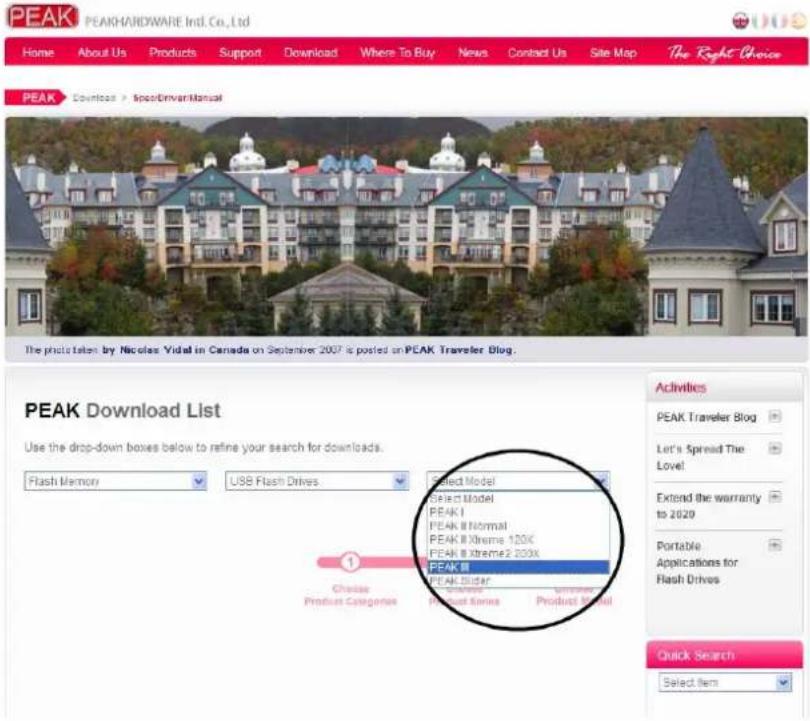
- All the available downloads will appear on the page. Locate the Win98SE driver download link of your model and click on it to save it to your desktop.
- Once the download has been completed, double click on it and follow the on-screen instructions to complete the Win98SE driver installation.
Chapter 2. ADVANCED FEATURES
Security utility download and installation
You can password-protect sensitive data on your PEAK flash drive with a simple yet powerful security software utility which can be downloaded from our website for free. It is important to obtain the correct version of the utility for your flash drive as each PEAK model will require a different version. To download the correct utility, do the following:
- On the top of the page, select Download→Spec/Driver/Manual.
- On the following page, select Flash Memory→USB Flash drives → Select the model of your PEAK flash drive. (If you need help on determining the model of your PEAK flash drive, please kindly click on Download→What's my PEAK model number?)
- All the available downloads will be listed on the page. Scroll down until you have located the correct model and look for security software under "Utility and Software".
- There are animated tutorials on the PEAK website demonstrating how to use the utility.
If you still need help, please contact us at service@peakhardware.com