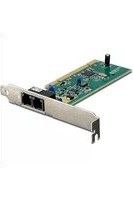
TFM-PCIV92A - Router TRENDNET - Free user manual and instructions
Find the device manual for free TFM-PCIV92A TRENDNET in PDF.


| Product Type | Router |
| Brand | TRENDnet |
| Model | TFM-PCIV92A |
| Dimensions (approx.) | 150 x 100 x 30 mm |
| Weight (approx.) | 200 g |
| Power Supply | 12V DC, 1A |
| Wireless Standard | IEEE 802.11n |
| Frequency Band | 2.4 GHz |
| Maximum Wireless Speed | 300 Mbps |
| Number of LAN Ports | 4 |
| LAN Port Speed | 10/100/1000 Mbps |
| WAN Port | 1 x 10/100/1000 Mbps |
| Antennas | 2 external, fixed |
| Security Features | WPA2, firewall, MAC filtering |
| Management | Web-based interface |
| Mounting | Desktop |
| Maintenance | Clean with dry cloth; avoid liquids |
| Spare Parts Availability | Contact TRENDnet support for replacement power adapters |
Frequently Asked Questions - TFM-PCIV92A TRENDNET
User questions about TFM-PCIV92A TRENDNET
0 question about this device. Answer the ones you know or ask your own.
Ask a new question about this device
Download the instructions for your Router in PDF format for free! Find your manual TFM-PCIV92A - TRENDNET and take your electronic device back in hand. On this page are published all the documents necessary for the use of your device. TFM-PCIV92A by TRENDNET.
USER MANUAL TFM-PCIV92A TRENDNET
natural_image
Close-up of a green circuit board with attached network ports and connectors (no visible text or symbols)Quick Installation Guide



Table of Contents
English 1
- Before You Start 1
- How to Install 2
- Verify Installation 5
Troubleshooting 6
1. Before You Start

natural_image
Electronic circuit board with visible ports and connectors (no text or symbols)Package Content
- TFM-PCIV92A
- Driver CD-ROM
- Quick Installation Guide
- 1 x RJ-11 Cable
System Requirements
• Computer with an available PCI slot Version 2.2
• CPU: Intel Pentium III Processor 260Mhz or above
• Memory: 32MB or above
• Hard Drive Space: 4MB or above
• Windows 2003 server/XP/2000/ME/98(SE)
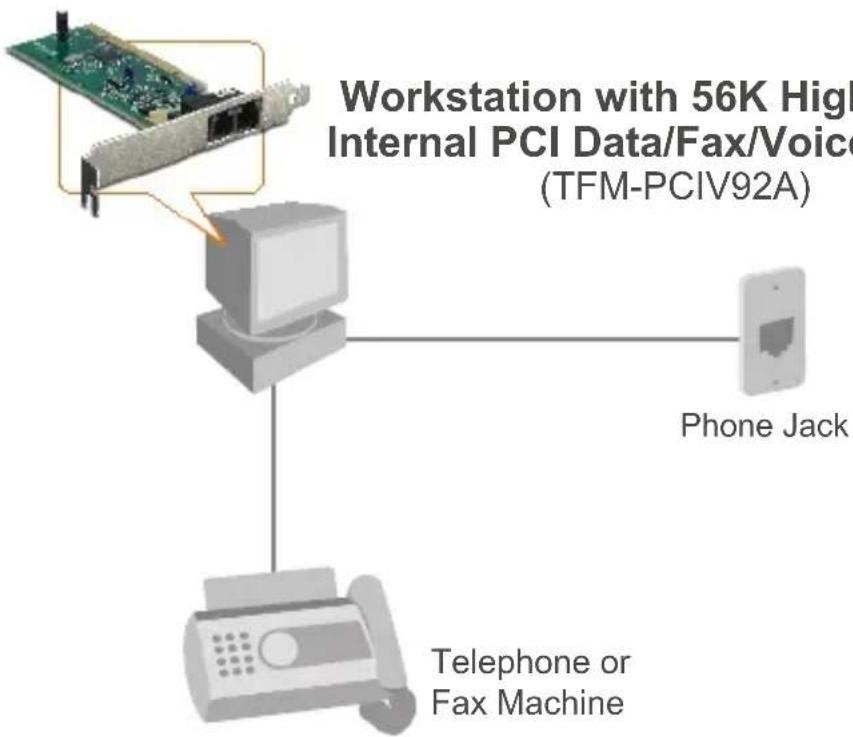
Application
2. How to Install
Important! DO NOT install the TFM-PCIV92A in the computer until instructed to do so.
Windows 2000/XP
- After inserting the Driver CD-ROM, the installation menu appears. Click Install Modem driver.

- Click Windows 2000 & XP.
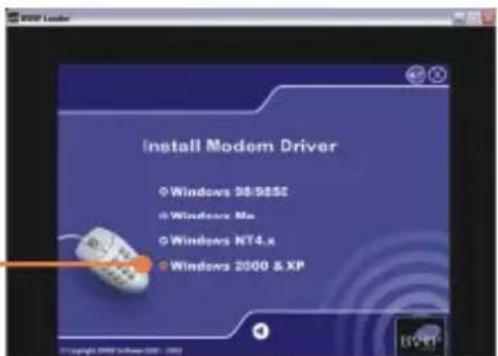
- Click OK.

- The progress window appears.
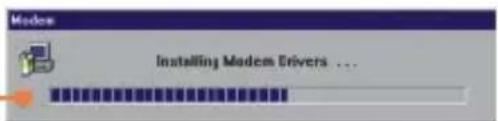
- After the progress window disappears, close the installation menu. Click X.

Note: You must leave the Driver CD-ROM in your computer's CD-ROM Drive before following the instructions below. Please refer to your computer's user manual regarding hardware installation.
-
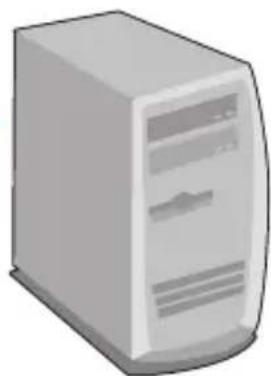
Turn OFF computer and peripherals, and then disconnect all cables.
-
Open your computer's case.
-
Insert PCI Card firmly into free PCI Card slot of desktop PC, replace the computer's case, and then reconnect your computer's cables.
natural_image
Illustration of a desktop computer tower (no text or symbols visible)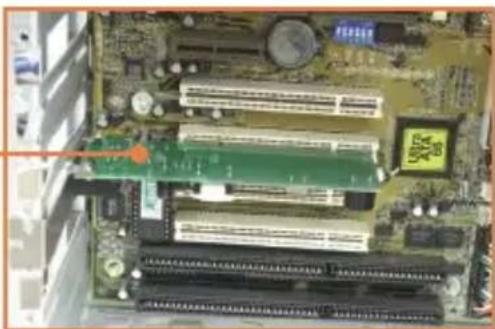
natural_image
Close-up of a computer motherboard with RAM slots and CPU socket (no visible text or symbols)- Connect a telephone wire from the modem's LINE port to a phone jack.

natural_image
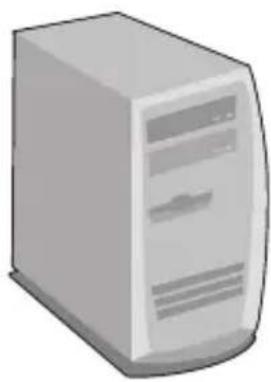
Close-up of a green circuit board with internal components and connectors (no visible text or symbols)- Turn ON your computer and wait until the Windows desktop appears.
natural_image
Illustration of a desktop computer tower (no text or symbols visible)The Installation for TFM-PCIV92A is Now complete.
For detailed information regarding the TFM-PCIV92A configuration and advanced settings, please refer to the User's Guide CD-ROM or TRENDnet's website at www.trendnet.com.
3. Verify Installation
Windows 2000/XP
- Right-click My Computer and click Properties. Under the Hardware tab, click Device Manager.
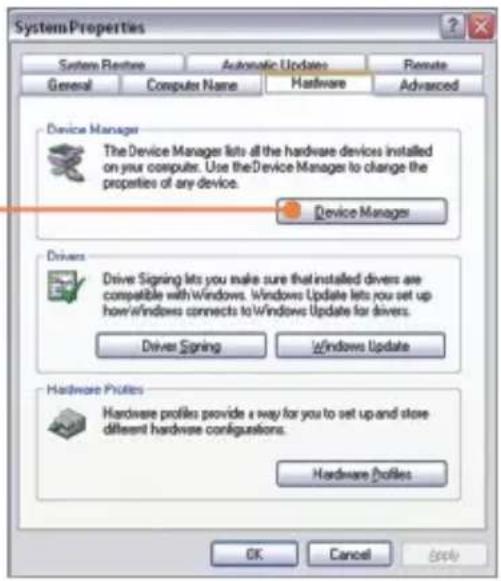
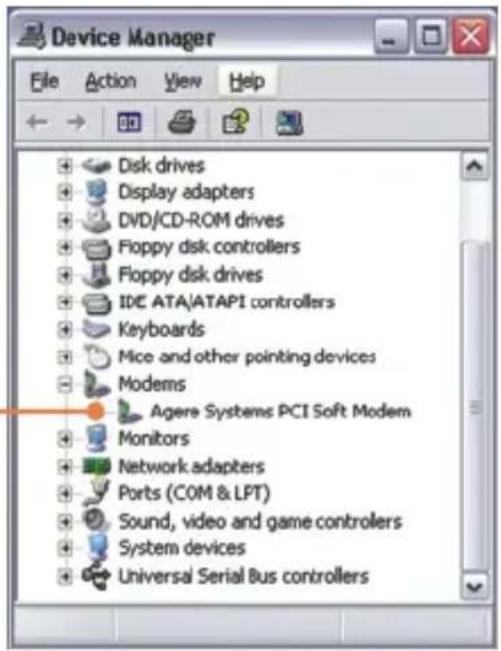
- Expand the "Modems" heading to verify that the Agere Systems PCI Soft Modem has been installed and that no question marks or exclamation points are visible.
Q1: I installed the modem into my computer's PCI Card slot and my computer does not detect the modem. What should I do?
A1: Make sure the computer meets the minimum system requirements and that the modem is properly inserted in the PCI slot. You may also try installing the modem into a different PCI slot.
Q2: Does the modem connect to the computer's sound card via an internal cable?
A2: The TFM-PCIV92A does not require an internal audio/microphone cable.
Q3: After successful installation of the TFM-PCIV92A, I tried to connect to the Internet but I do not get a dial tone. What should I do?
A3.1: Unplug the telephone wire from the computer, and check for a dial tone by connecting the telephone wire directly from the wall outlet to a telephone. If there is no dial tone, then the problem is in your telephone wire or telephone system. Call your telephone service provider for assistance. If there is a dial tone, reconnect the cables to the modem and verify that the telephone cord is securely connected at the modem and phone jack.
A3.2: The TFM-PCIV92A does not have an internal speaker. Make sure that your sound card is properly installed and that your speakers are turned on. Also check that your sound card is not set to mute.
A3.3: If a PBX or other phone system is installed, check modem performance with a direct line from your telephone company. Some PBX may cause the telephone line condition change and effect modem performance.
If you still encounter problems or have any questions regarding the TFM-PCIV92A, please refer to the User's Guide included on the Driver CD-ROM or contact Trendnet's Technical Support Department.
Certifications
This equipment has been tested and found to comply with FCC and CE Rules. Operation is subject to the following two conditions:
(1) This device may not cause harmful interference.
(2) This device must accept any interference received. Including interference that may cause undesired operation.



Waste electrical and electronic products must not be disposed of with household waste. Please recycle where facilities exist. Check with you Local Authority or Retailer for recycling advice.

NOTE: THE MANUFACTURER IS NOT RESPONSIBLE FOR ANY RADIO OR TV INTERFERENCE CAUSED BY UNAUTHORIZED MODIFICATIONS TO THIS EQUIPMENT. SUCH MODIFICATIONS COULD VOID THE USER'S AUTHORITY TO OPERATE THE EQUIPMENT.
ADVERTENCIA
TRENDnet Technical Support
US · Canada
Toll Free Telephone: 1(866) 845-3673
24/7 Tech Support

Europe (Germany • France Italy Spain Switzerland UK)
Toll Free Telephone: +00800 60 76 76 67
English/Espanol - 24/7
Francais/Deutsch - 11am-8pm, Monday - Friday MET
Worldwide
Telephone: +(31) (0) 20 504 05 35
English/Espanol - 24/7
Francais/Deutsch - 11am-8pm, Monday - Friday MET
Product Warranty Registration
Please take a moment to register your product online.
Go to TRENDnet's website at http://www.trendnet.com
TRENDNET®
20675 Manhattan Place
Torrance, CA 90501
USA
- Table of Contents
- English 1
- Troubleshooting 6
- Before You Start
- Package Content
- System Requirements
- Application
- How to Install
- Windows 2000/XP
- The Installation for TFM-PCIV92A is Now complete.
- Verify Installation
- Certifications
- ADVERTENCIA
- TRENDnet Technical Support
- Worldwide
- Product Warranty Registration
Brand : TRENDNET
Model : TFM-PCIV92A
Category : Router