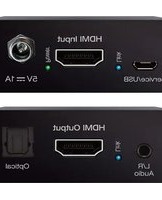
KD-FIX418A-2 - Audio/video converter Key Digital - Free user manual and instructions
Find the device manual for free KD-FIX418A-2 Key Digital in PDF.


| Product Type | Audio/Video Converter (HDMI Connectivity Repair and Audio De-embedding) |
| Brand | Key Digital |
| Model | KD-FIX418A-2 |
| Dimensions (Product) | 3.78 x 2.52 x 0.93 in (94 x 64 x 23.5 mm) |
| Weight (Product) | 5.4 oz (152 g) |
| Power Supply | 5V/1A (5W) DC, screw-in type, model SK01T-0500100Z |
| Enclosure | Black metal |
| HDMI Bandwidth | Up to 18 Gbps (TMDS) |
| Video Resolution Support | SD, HD, VESA up to 4096x2160p (4K) at 60Hz 4:4:4 |
| HDR Support | HDR10, Dolby Vision |
| HDCP Compliance | HDCP 2.2 and previous |
| Audio De-embedding | Analog 3.5mm stereo and optical digital (SPDIF) outputs |
| Audio Format Support | PCM 2ch, Dolby/DTS 5.1, HD Audio (Dolby TrueHD, DTS-HD Master Audio, Dolby Atmos) |
| EDID Management | Rotary switch with 16 positions (including copy from display, up to 4K HDR) |
| Forced Hot Plug Detection | Slide switch to fix HPD voltage high |
| 4K to 1080p Down-Convert | Slide switch to enable conversion for 1080p displays |
| ARC Pass-through | Yes, from ARC supported display to source |
| CEC Pass-through | Yes, from display to selected HDMI source |
| Included Accessories | Power supply, 2x L-brackets for mounting |
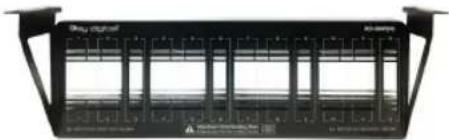
| Mounting Options | L-brackets or optional KD-SMS16 shelf (up to 12 units) |
| Regulatory Compliance | CE, RoHS, WEEE, EAC |
| Care Instructions | Clean only with dry cloth |
| Safety Precautions | Read instructions; do not use near water; install away from heat sources |
| Warranty | Limited 3-year product warranty |
| Spare Parts & Repairability | Contact manufacturer via RMA for service; power supply is replaceable |
Frequently Asked Questions - KD-FIX418A-2 Key Digital
User questions about KD-FIX418A-2 Key Digital
0 question about this device. Answer the ones you know or ask your own.
Ask a new question about this device
Download the instructions for your Audio/video converter in PDF format for free! Find your manual KD-FIX418A-2 - Key Digital and take your electronic device back in hand. On this page are published all the documents necessary for the use of your device. KD-FIX418A-2 by Key Digital.
USER MANUAL KD-FIX418A-2 Key Digital
Connections, LEDs, Slide Switches, and Rotaries. 5
Specifications 10
Important Product Warnings & Safety Instructions: 11
How to Contact Key Digital....12
Warranty Information....13
About KD-FIX418A-2
Key Digital ^® KD-FIX418A-2 is a 4K 18G HDMI connectivity repair and audio de-embedding solution for HDMI extension coupling and signal correction in all AV systems applications. Analog and digital audio de-embedding on 3.5mm analog stereo & optical digital connectors enable integration of HDMI signals into distributed audio systems, audio DSPs, amplifiers, or sound bars. EDID handshake management, forced hot plug detection, and optional 4K to 1080p down-conversion tools help overcome common HDMI integration problems for ease of installation. KD-FIX418A-2 supports a variety of SD, HD, VESA and Ultra HD 4K video standards and has HDR header information included in many of the built-in 4K EDID handshakes for an optimized viewing experience.
Note: Please visit www.keydigital.com for the latest product documentation and software downloads. Product features and specifications are subject to change without notice.
Key Features
HDMI Correction: Resolves common HDMI integration obstacles related to Hot Plug Detection, EDID handshaking, HDCP authentication, and bandwidth
Audio De-embedding: HDMI input audio is de-embedded on an analog 3.5mm stereo and digital optical connector.
4K to 1080p Down Convert: When enabled, resolution conversion is applied to individual outputs(s) based on EDID from the connected display.
Ultra HD/4K: Supports up to 4096x2160 or 3840x2160 24/25/30/60hz at 4:4:4 (signals up to 18Gbps bandwidth)
HDCP Licensing: Fully licensed and compatible with HDCP 2.2
HDR10 and Dolby Vision: More life-like images through a greater range of luminance levels
Resolution Support: Supports all SD, HD, and VESA (VGA, SVGA, XGA, WXGA, SXGA, UXGA) up to 4096x2160p.
Deep Color Support: Up to UHD/4K 30Hz 4:4:4/12 bits or 60Hz 4:4:4/8 bit
× Full Buffer System™: Manages TMDS re-clocking / signal re-generation, HDCP authentication to source & display, Hot Plug management, and EDID control handshake
EDID Management: Internal library with 15 internal EDID handshakes including 4K with HDR in addition to native EDID data copied from the output/display
Digital Audio Format Support: DTS-HD Master Audio™, DTS:X®, Dolby® TrueHD, Dolby Atmos®
ARC Pass-thru: From connected ARC supported display to connected ARC supported HDMI source
XCEC Pass-thru: From connected display to selected HDMI source
Included Accessories
Power Supply: 5V/1A (5W) DC power jack, screw-in type. Model SK01T-0500100Z
Mounting: 2x L-bracket
Usage Modes
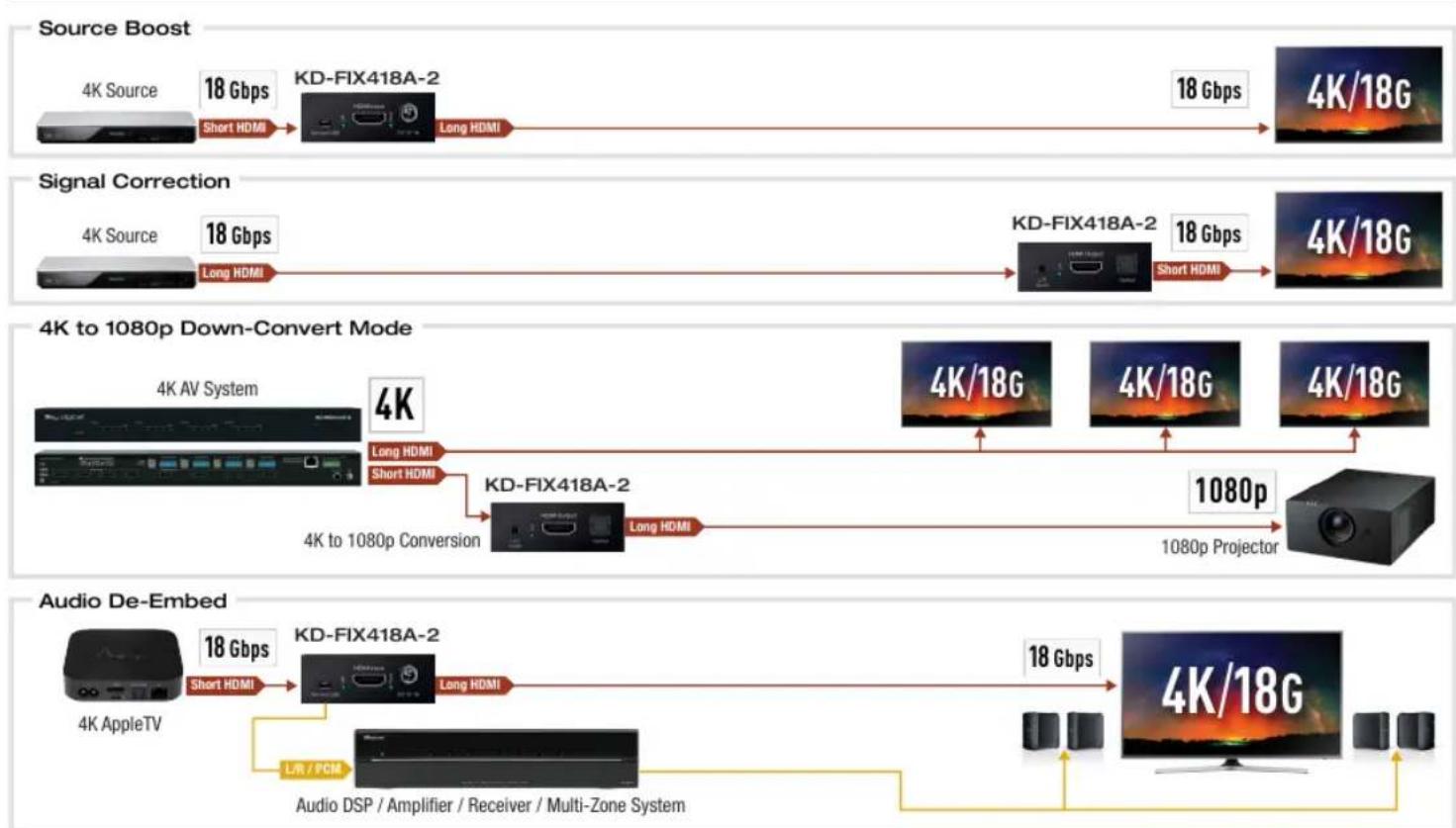
*Maximum one active/directional HDMI cable may be used for 18Gbps signals
Quick Setup Guide
CONNECT:
- Begin with the KD-FIX418A-2 unit, input and output devices turned off with power removed
- Connect your HDMI source to KD-FIX418A-2's input port
- Connect your HDMI display to KD-FIX418A-2's output port
- Connect analog and/or digital audio outputs to amplifier, DSP, AV receiver, or sound bar
- Screw-in the power supply to KD-FIX418A-2, then, plug-in to power outlet
- Power on input and output devices
CONFIGURE:
Use the EDID rotary to choose the desired video resolution and audio format.
Use the Forced Hot Plug Detection switch to set the HDMI connectivity voltage to a high state.
Use the 4K to 1080p down-convert switch if integrating a 1080p display or projector in a 4K system.
See each section in this manual for more information on each setting.

Rack Mounting:
In addition to mounting with the supplied L-Brackets, multiple KD-FIX418A-2 may be mounted in KD-SMS16 using the side mounting screws. KD-SMS16 is a mounting shelf for Key Digital units with side mounting screw spacing of 2.912", 2.582", or 2.252".
Do NOT exceed 12 units as doing so will result in unit damage by overheating.
natural_image
Front view of a black electronic device with multiple ports and indicator lights (no visible text or symbols)Connections, LEDs, Slide Switches, and Rotaries
VIDEO INPUTS AND OUTPUTS:
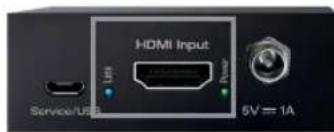
HDMI Input:
The HDMI input is located on the short end beside the power.
Blue LED near the HDMI connector illuminates solid to indicate an active HDMI signal is incoming.
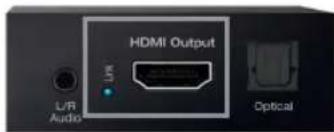
HDMI Output:
The HDMI output is located on the short end between the audio de-embed ports.
Blue LED near the HDMI connectors illuminates solid when Hot Plug Detection (HPD) is received from the display/output device and there is an active incoming HDMI signal.
The LED will blink steadily when there is no HPD from the display but an active HDMI signal is incoming.
HDMI Input/Output Port Specifications:
Supports up to UHD/4K @ 50/60 fps [4:4:4], 18Gbps signals
See Supported standard 4K Video Formats table
Supports HDR10
Compliant with HDCP 2.2 and previous
Supports lossless compressed audio formats including DolbyTrueHD, Dolby ^® Digital Plus, DTS-HD Master Audio ^™ , and Dolby Atmos
CEC pass-through from display to HDMI source
For Display Port sources/monitors, use active converters
Supported standard 4K Video Formats:
| Resolution Bandwidth | ||
| 1 | 4K@24/25/30 [4:4:4] 8bit < 10.2Gbps | |
| 2 | 4K@24/25/30 [4:2:2] 8/10/12bit < 10.2Gbps | |
| 3 | 4K@50/60 [4:2:0] 8bit | < 10.2Gbps |
| 4 | 4K@24/25/30 [4:4:4] 10/12bit | < 18Gbps |
| 5 | 4K@50/60 [4:2:2] 8/10/12bit | < 18Gbps |
| 6 | 4K@50/60 [4:2:0] 10/12bit | < 18Gbps |
| 7 | 4K@50/60 [4:4:4] 8bit | < 18Gbps |
AUDIO OUTPUTS:

Analog L/R Audio Output:
3.5mm stereo jack with de-embedded audio from the selected HDMI source
Drives audio signals up to 1 VRMS with a sampling rate of 192KHz
Automatically mutes if audio formatting is not PCM 2ch
Optical Audio Output:
Optical audio output with de-embedded audio from the selected HDMI source
SPDIF IEC 60958 format
Supports multi-channel Dolby and DTS™ surround formats up to 5.1
Automatically mutes if audio formatting is not PCM, DoFbyor DTS™
Audio Ports Specifications:
Each audio output drives audio signals up to 2VRMS with a sampling rate of 192KHz
There are no volume or tone control features
There are no DSP features
| Audio Input Signal Format | Audio L/R Output | Digital Audio Output |
| 2ch PCM Pass-Through Pass-Though | ||
| Multi-Channel PCM Front L&R Pass-through MUTE | ||
| Dolby DTS MUTE Pass-Though | ||
| HD Audio MUTE MUTE |
Service (Factory) USB:
This port is for factory servicing only. Does not have standard USB functionality
EDID Handshaking Rotary:
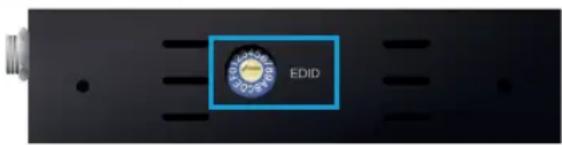
EDID authentication is provided from the KD-FIX418A-2 to the connected input/source
The EDID file (AKA "handshake") is selected using the EDID rotary on the unit and provides a list of compatible video and audio formats as well as digital data, informing the source device what it should output.
Most sources will comply with a new EDID file without a power-cycle, but devices do behaves differently
Adjustments may speed up sync time during source selection.
Position EDID Handshake Description EDID Rotary
| 0 Copy EDID from HDMI Output |
| 1 1920x1080p, 2CH AUDIO |
| 2 1920x1080p, DOLBY/DTS 5.1 |
| 3 1920x1080p, HD AUDIO |
| 4 1920x1200p, 2CH AUDIO |
| 5 1920x1200p, DOLBY/DTS 5.1 |
| 6 1920x1200p, HD AUDIO |
| 7 4Kx2K@60, 10.2G, HDR, 2CH AUDIO |
| 8 4Kx2K@60, 10.2G, HDR, DOLBY/DTS 5.1 |
| 9 4Kx2K@60, 10.2G, HDR, HD AUDIO |
| A 4Kx2K@60, 18G, HDR, 2CH AUDIO |
| B 4Kx2K@60, 18G, HDR, DOLBY/DTS 5.1 |
| C 4Kx2K@60, 18G, HDR, HD AUDIO |
| D 1280x720p@60 DVI |
| E 1920x1080p@60 DVI |
| F 1920x1080i, 2CH AUDIO |
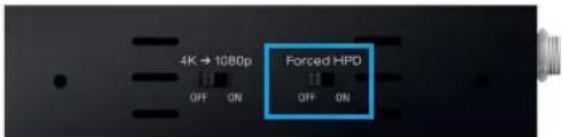
Forced HPD Troubleshooting Tool:
In cases of many layers of connectivity or non-standard devices in-line, hot plug detection (HPD) may be lost or drop below standard levels, leading to the video source not detecting a display/sync device and not outputting a signal. A display device may also not detect a connected source in cases of failed hot plug detection.
When ON, Hot Plug Detection voltage is fixed ON to the connected source, informing it that it always has a live sync/display to receive its signal
Standard HPD behavior (bypass) when set to OFF position
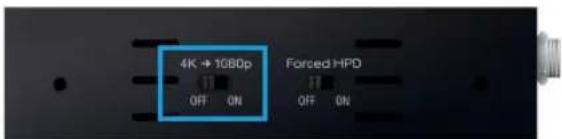
4K to 1080p Down Convert Tool:
When set to ON, KD-FIX418A-2 will down convert incoming 4K content to 1080p. All non-4K incoming content passes through without resolution conversion.
When set to OFF, all incoming content passes through without resolution conversion.
Specifications
Technical:
HDMI Input (Each): HDMI Connector, Type A, 19 Pin Female
HDMI Output: HDMI Connector, Type A, 19 Pin Female
HDMI Bandwidth: TMDS bandwidth 18Gbps
DDC Signal (Data): Input DDC Signal - 5 Volts p-p (TTL)
HDMI Video/Audio Signal: Input Video Signal - 1.2 Volts p-p
3.5mm Stereo Audio Output: Line level audio on TRS connector. Drives 1 VRMS line audio output with a sampling rate of 48kHz
Analog Audio Max Output Level: 4dBu on 150kΩ, DC coupling
Optical Digital Audio Output: Follows SPDIF format (IEC 60958). Supports sampling rate up to 192KHz.
Max Output Level: 1Vpp on 75Ω, DC couplingAudio Bandwidth: 20Hz to 20kHz @ 0dBu
TND + Noise: 0.33% @0dBu @ 1kHz
Power Supply: 5V/1A (5W) DC power jack, screw-in type. Model SK01T-0500100Z
General
Regulation: CE, RoHS, WEEE, EAC
Enclosure: Black metalPower Supply: USB to micro USB cable (power adapter not included)
Product: 3.78" x 2.52" x 0.93" (94 x 64 x 23.5 mm), Weight: 5.4 oz (152 g)
Packaging: 7.4" x 5.35" x 3.14" (188 x 136 x 80 mm), Weight: 16 oz (453 g)

Important Product Warnings:
- Connect all cables before providing power to the unit.
- Test for proper operation before securing unit behind walls or in hard to access spaces.
- If installing the unit into wall or mounting bracket into sheet-rock, provide proper screw support with bolts or sheet-rock anchors.

Safety Instructions:
Please be sure to follow these instructions for safe operation of your unit.
- Read and follow all instructions.
- Heed all warnings.
- Do not use this device near water.
- Clean only with dry cloth.
- Install in accordance with the manufacturer's instructions.
- Do not install near any heat sources such as radiators, heat registers, stoves, or other apparatus (including amplifiers) that produce heat.
- Only use attachments/accessories specified by the manufacturer.
- Refer all servicing to qualified service personnel. Servicing is required when the device has been damaged in any way including:
»Damage to the power supply or power plug
»Exposure to rain or moisture

Power Supply Use:
You MUST use the Power Supply PROVIDED with your unit or you VOID the Key Digital® Warranty and risk damage to your unit and associated equipment.
How to Contact Key Digital®
Customer Support
For customer support questions please contact us at:
Phone: 914-667-9700
E-mail: customersupport@keydigital.com
Technical Support
For technical questions about using Key Digital® products, please contact us at:
Phone: 914-667-9700
E-mail: tech@keydigital.com
Repairs and Warranty Service
Should your product require warranty service or repair, please obtain a
Key Digital® Return Material Authorization (RMA) number by contacting us at:
Phone: 914-667-9700
E-mail: rma@keydigital.com
Feedback
Please email any comments/questions about the manual to:
E-mail: customersupport@keydigital.com
Warranty Information
All Key Digital ^® products are built to high manufacturing standards and should provide years of trouble-free operation. They are backed by a Key Digital Limited 3 Year Product Warranty Policy. http://www.keydigital.com/warranty.htm

Visit product page for most recent version of the manual, firmware, control drivers and all additional downloads.
Key Digital ^® , led by digital video pioneer Mike Tsinberg, develops and manufactures high quality, cutting-edge technology solutions for virtually all applications where high-end video and control are important. Key Digital ^® is at the forefront of the video industry for Custom Installers, System Integrators, Broadcasters, Manufacturers, and Consumers.
Key Digital® Systems :: 521 East 3rd Street :: Mount Vernon, NY 10553
Phone : 914.667.9700 Fax : 914.668.8666 Web : www.keydigital.com
© 2022 Key Digital, Inc. All rights reserved.

- About KD-FIX418A-2
- Key Features
- Included Accessories
- Quick Setup Guide
- CONNECT:
- CONFIGURE:
- Rack Mounting:
- Connections, LEDs, Slide Switches, and Rotaries
- VIDEO INPUTS AND OUTPUTS:
- HDMI Input:
- HDMI Output:
- HDMI Input/Output Port Specifications:
- AUDIO OUTPUTS:
- Analog L/R Audio Output:
- Optical Audio Output:
- Audio Ports Specifications:
- Service (Factory) USB:
- EDID Handshaking Rotary:
- Forced HPD Troubleshooting Tool:
- 4K to 1080p Down Convert Tool:
- Specifications
- Technical:
- General
- Important Product Warnings:
- Safety Instructions:
- Power Supply Use:
- How to Contact Key Digital®
- Customer Support
- Technical Support
- Repairs and Warranty Service
- Feedback
- Warranty Information
Brand : Key Digital
Model : KD-FIX418A-2
Category : Audio/video converter