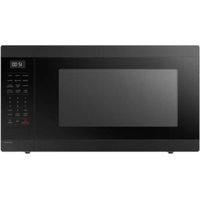
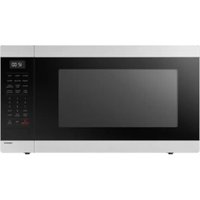
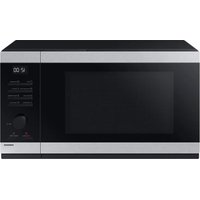
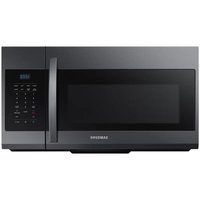
MW1240WC - Microwave Oven SAMSUNG - Free user manual and instructions
Find the device manual for free MW1240WC SAMSUNG in PDF.


Pick your language and provide your email: we'll send you a specifically translated version.
| Product Type | Solo Microwave Oven |
| Brand | Samsung |
| Model | MW1240WC |
| Capacity | 1.2 cu ft (34 liters) |
| Power Output | 1000 W |
| Power Consumption | 1500 W |
| Dimensions (W x H x D) | 20.5 x 12.4 x 17.8 inches (52.1 x 31.5 x 45.2 cm) |
| Weight | 33.5 lbs (15.2 kg) |
| Color | White |
| Control Type | Electronic touch + dial |
| Display Type | LED |
| Turntable | Yes, 12 inch (30.5 cm) glass |
| Clock Function | Yes, with timer |
| Defrost Function | Auto defrost by weight and time |
| Cook Programs | 10 auto cook menus |
| Power Levels | 10 levels |
| Child Lock | Yes |
| Interior Light | Yes |
| Cleaning | Easy-clean enamel interior; wipe with damp cloth |
| Safety Features | Door interlock, overheat protection |
| Spare Parts Availability | Glass turntable, roller ring, fuse available via Samsung service centers |
| Repairability Index | 7.5/10 (estimated) |
| Voltage / Frequency | 120 V / 60 Hz |
Frequently Asked Questions - MW1240WC SAMSUNG
How do I set the clock on my Samsung MW1240WC?
Press the Clock button, then use the dial or number pad to enter the current time. Press Clock again to confirm. For 12-hour format, ensure AM/PM is set correctly.
What is the maximum cooking time for this microwave?
The maximum cooking time is 99 minutes and 99 seconds (99:99). You can set up to that limit in manual mode.
Can I use metal containers in the MW1240WC?
No, metal containers should not be used as they can cause arcing and damage the microwave. Use microwave-safe glass, ceramic, or plastic containers.
How do I clean the microwave interior?
Wipe the interior with a damp cloth and mild detergent. Do not use abrasive cleaners. For stubborn stains, heat a bowl of water with lemon juice for a few minutes to loosen residues.
Why does my microwave make a clicking noise?
A clicking sound is normal and usually comes from the turntable motor or the relay switching during operation. If the noise is excessive, check the turntable glass is properly seated.
How do I use the auto defrost function?
Press the Defrost button, select food type (meat, poultry, fish), then enter the weight using the dial. The microwave will calculate the time and power level automatically.
What does the child lock feature do?
The child lock disables all buttons and the dial to prevent accidental operation by children. Enable it by holding the Stop/Cancel button for 3 seconds (see manual for exact steps).
Can I replace the turntable glass?
Yes, you can order a replacement turntable glass (part number DG61-00081A) from Samsung or authorized parts dealers. Ensure correct size: 12 inches.
What is the maximum weight for the turntable?
The turntable can support up to 10 lbs (4.5 kg) evenly distributed. Do not exceed this to avoid damage to the motor.
How do I reset the microwave after a power outage?
After a power outage, the microwave may need to be reset. Simply press Stop/Cancel and set the clock again. All previous settings are cleared.
User questions about MW1240WC SAMSUNG
0 question about this device. Answer the ones you know or ask your own.
Ask a new question about this device
No questions yet. Be the first to ask one.
Download the instructions for your Microwave Oven in PDF format for free! Find your manual MW1240WC - SAMSUNG and take your electronic device back in hand. On this page are published all the documents necessary for the use of your device. MW1240WC by SAMSUNG.