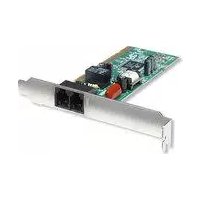
153577 - Router MANHATTAN - Free user manual and instructions
Find the device manual for free 153577 MANHATTAN in PDF.


| Product Type | 56K Modem PCI Card |
| Brand | Manhattan |
| Model | 153577 |
| Interface | 32-bit PCI |
| Data Download Rate | Up to 56 kbps (V.92) |
| Data Upload Rate | Up to 33.6 kbps |
| Fax Transmission Rate | Up to 14.4 kbps (V.29) |
| Voice Support | Yes (software speakerphone, answering machine) |
| Speakerphone | Full-function (through sound card) |
| Data Compatibility | ITU-T V.92, V.90, V.34, V.32bis, V.22bis, V.21, Bell 212A, 103 |
| Fax Compatibility | ITU-T V.29, V.27ter, V.21 ch2; Class 1; Group 3 |
| Error Correction | MNP 2-4, ITU-T V.42 |
| Data Compression | MNP 5, ITU-T V.44bis, V.42bis |
| DTE Speed | 115,200 bps |
| Dial Type | Tone and pulse |
| Command Set | AT command set |
| Flow Control | XON/XOFF, CTS/RTS |
| Operating Systems Supported | Windows 2000/XP/Vista, DOS, Linux |
| Dimensions (W x L) | 120 x 40 mm (4.7 x 1.57 in) |
| Weight (estimated) | 50 g (1.76 oz) |
| Package Contents | Modem card, RJ-11 cable (1.5 m), software CD, user manual |
| Warranty | Lifetime |
| System Requirements | Available PCI slot, sound card, CD-ROM drive |
Frequently Asked Questions - 153577 MANHATTAN
User questions about 153577 MANHATTAN
0 question about this device. Answer the ones you know or ask your own.
Ask a new question about this device
Download the instructions for your Router in PDF format for free! Find your manual 153577 - MANHATTAN and take your electronic device back in hand. On this page are published all the documents necessary for the use of your device. 153577 by MANHATTAN.
USER MANUAL 153577 MANHATTAN
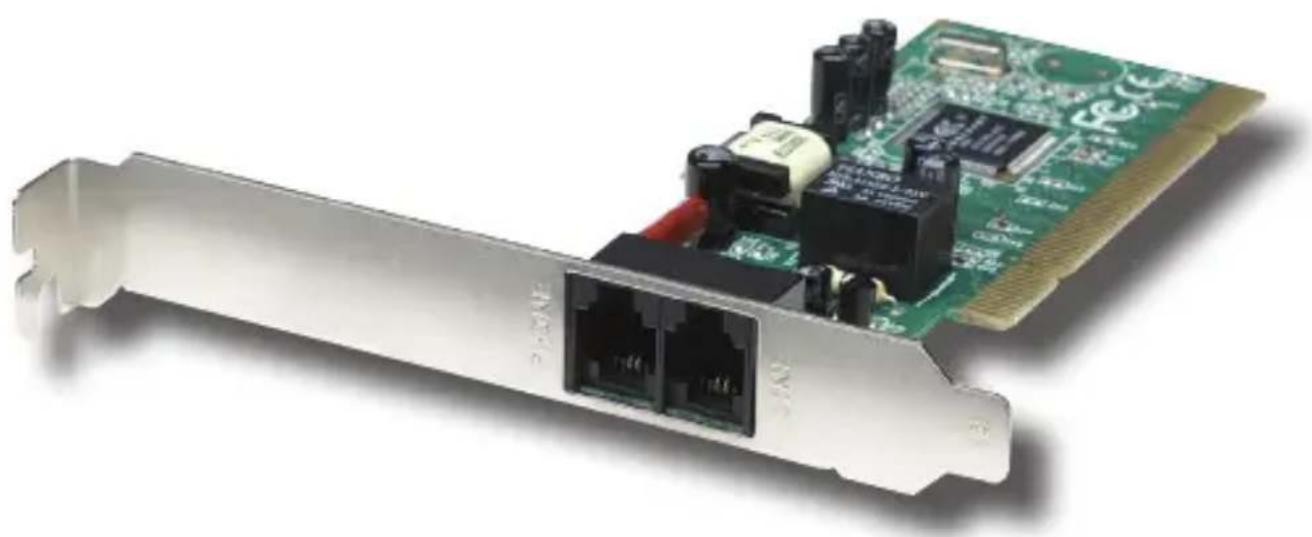
56 K MODEM PCI CARD USER MANUAL
MODEL 153577
natural_image
Close-up of a green PCI E2 card with network ports and internal components (no visible text or symbols)
MAN-153577-UM-1008-01
Thank you for purchasing this MANHATTAN ^® 56 K Modem PCI Card, Model 153577.
Using V.92 technology, this card helps create a high-speed connection solution between a desktop computer and a standard telephone line to send/receive e-mail and faxes, search the Web and accept incoming telephone calls — all while you're online.
By enabling faster downstream speeds with reliable, steady connections, the MANHATTAN 56 K Modem PCI Card helps in quickly uploading and downloading digital images, e-mail attachments, and audio/video and other large files while improving views of graphics-intensive Web pages.
The easy-to-follow instructions in this manual help make installation of the card quick and simple, so you'll also soon be enjoying the benefits of these additional features:
- Supports data transmission up to V.92 (56 kbps data download rate & 33.6 kbps data transmit rate)
• Supports fax transmission up to V.29 (14.4 kbps transmission rate)
• Supports voice transmission, including software speakerphone
• Hayes compatible for instant installation - Lifetime Warranty
System Requirements
- Sound card
• Windows 2000/XP/Vista or DOS/Linux
Package Contents
• 56 K Modem PCI Card
• Telephone (RJ-11) cable, 1.5 m (5 ft.)
- Software CD
- User manual
NOTE: Some screen images have been modified to fit the format of this manual.
HARDWARE INSTALLATION
- Turn off your computer.
- Unplug the power cord and remove your computer's cover.
- Place the modem card firmly in the PCI slot.
- Replace the slot bracket's holding screw to secure the card.
- Replace the cover, reconnect the power cord and turn the power on.
SOFTWARE INSTALLATION
Windows XP/Vista
NOTE: The following steps present Windows XP screen images. The steps and screen images for Vista are similar.
-
With the 56 K Modem PCI Card in place, turn on the computer and insert the included software installation CD in the CD-ROM drive.
-
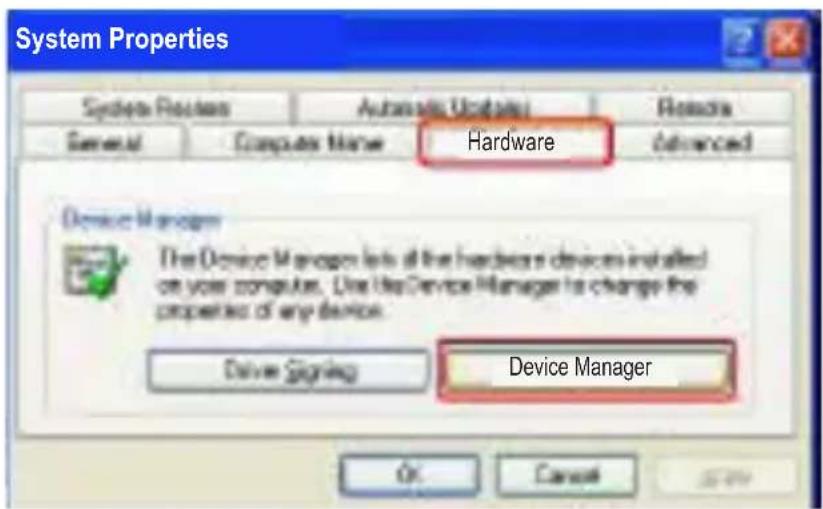
Go to Control Panel, then Systems, then System Properties.
-
With the System Properties screen displayed, select the Hardware tab, then click "Device Manager."
-
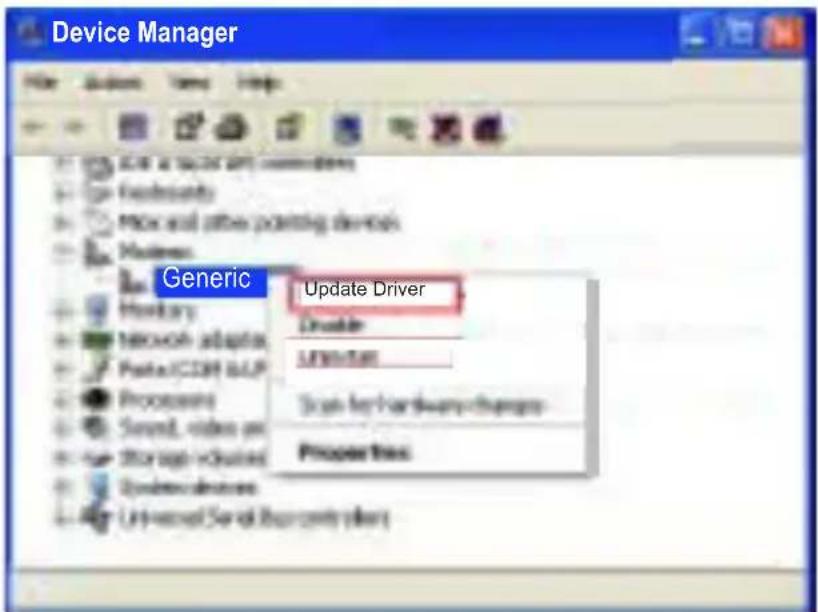
In the Device Manager menu, click "Modems," then right-click "Generic Softk56 Modem."
-
Select "Update Driver."
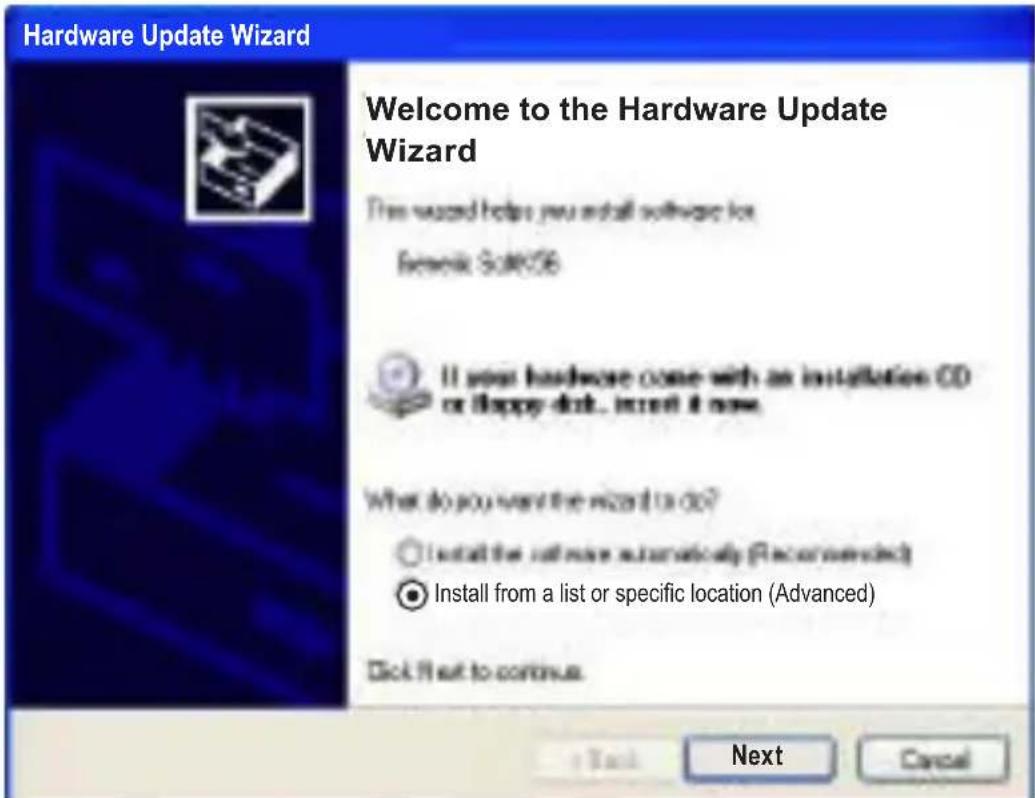
- The Hardware Update Wizard will automatically search for new hardware. When the Welcome to the Hardware Update Wizard screen displays, select "Install from a list or specific location (Advanced)" and click "Next."
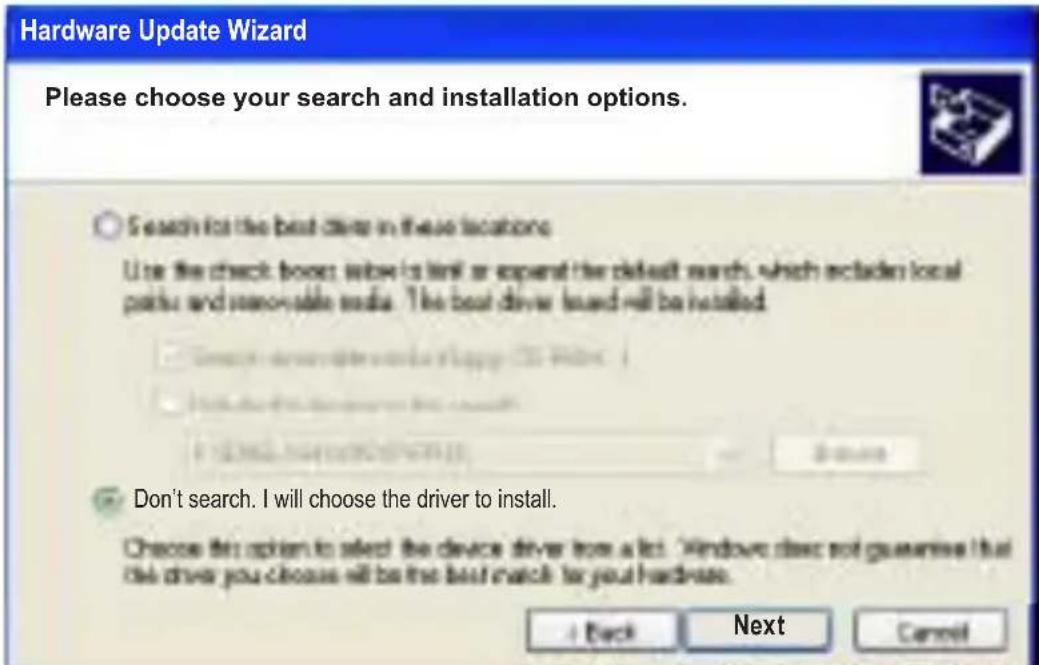
- When the next screen displays (Please choose your search and installation options), select “Don’t search. I will choose the driver to install” and click “Next.”
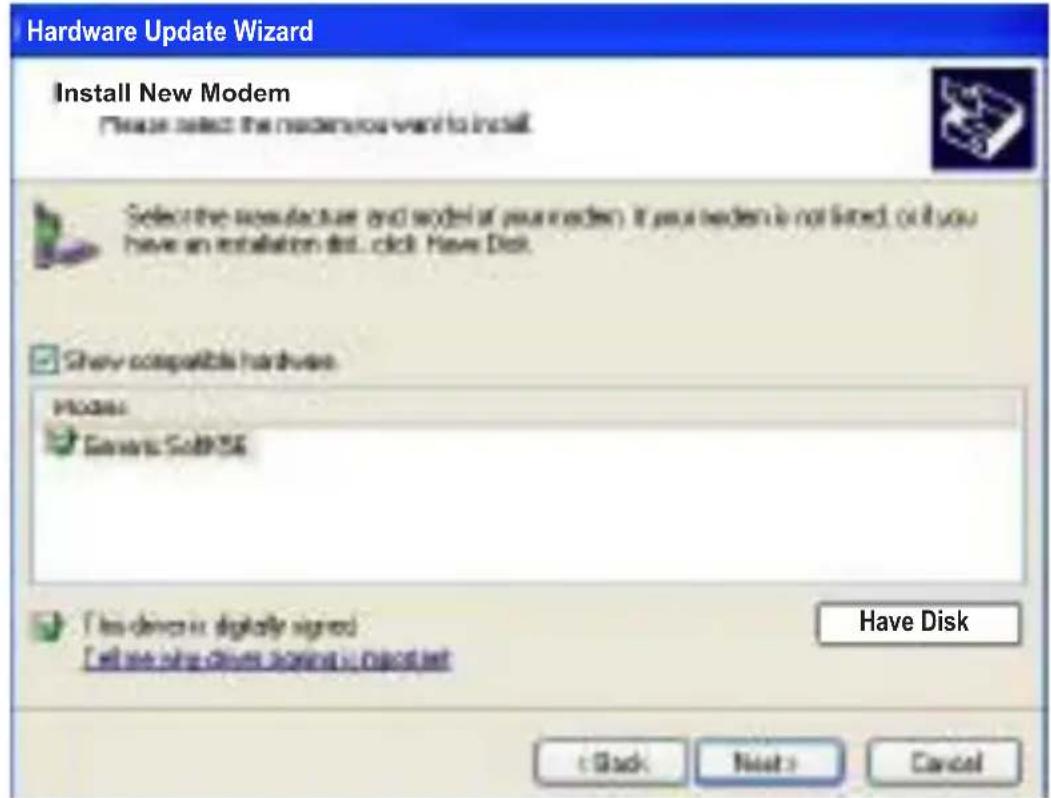
- When the Install New Modem screen displays, click "Have Disk."
- When the Install From Disk screen displays, click "Browse..." to search for the appropriate driver file — D:\driver\winxp, where "D" (or whichever other letter you've designated) represents your CD-ROM drive — and, when it appears, click "OK."

- When the subsequent Install New Modem screen displays, click "Next."
- When the subsequent Hardware Installation screen displays, click "Continue Anyway."
- When the Completing the Hardware Update Wizard screen displays, click "Finish." The software installation is complete.
Windows 2000
- With the 56 K Modem PCI Card in place, turn on the computer and insert the included software installation CD in the CD-ROM drive. The Found New Hardware Wizard will run automatically.
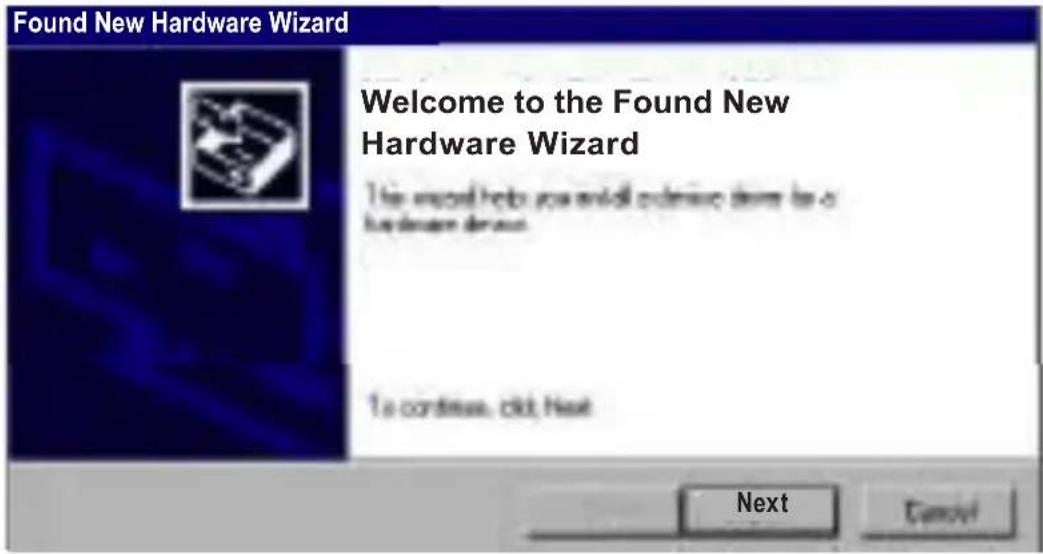
- When the Welcome to the Found New Hardware Wizard screen displays, click "Next."
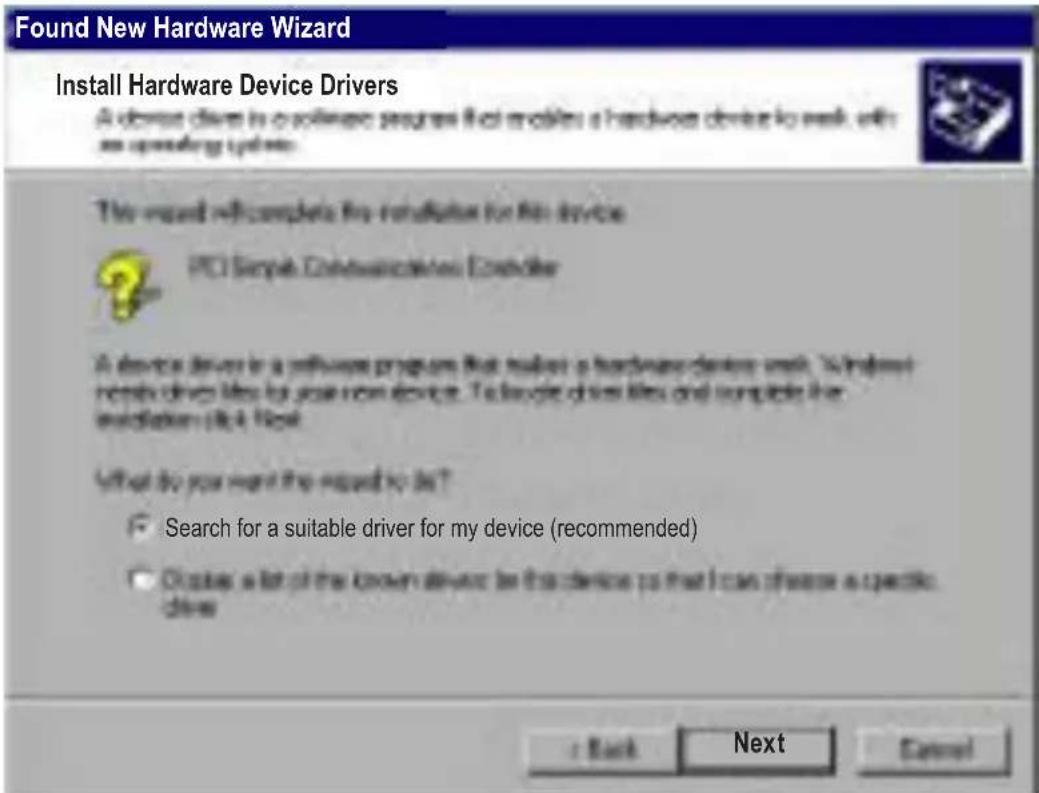
- When the Install Hardware Device Drivers screen displays, select "Search for a suitable driver for my device (recommended)" and click "Next."
- When the Locate Driver Files screen displays, select "Specify a location" and click "Next."

- Click “Browse...” to search for the appropriate driver file — D:\driver\win2000, where “D” (or whichever other letter you’ve designated) represents your CD-ROM drive — and, when it appears, click “OK.”

- When the Driver Files Search Results screen displays, click "Next."
- When the Completing the Found New Hardware Wizard screen displays, click "Finish." The software installation is complete.
Changing the Modem Dialing Location
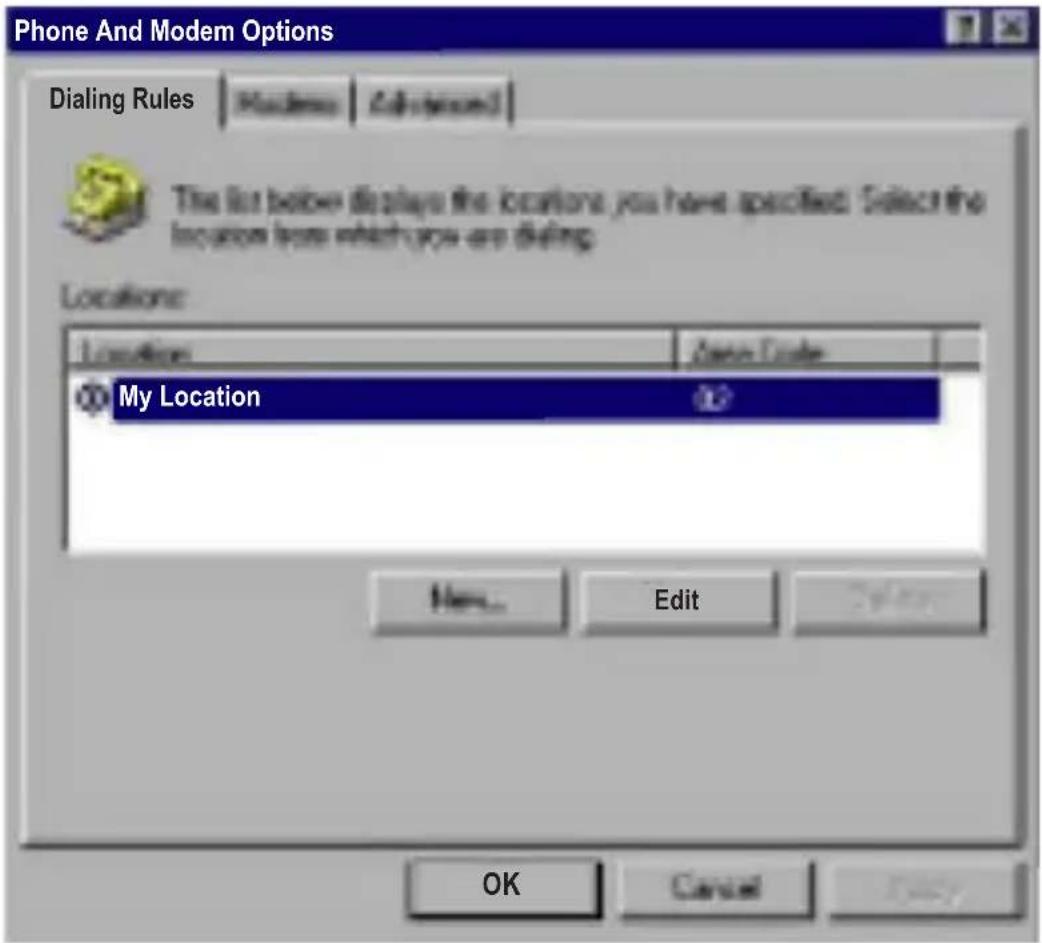
- Go to Control Panel, then Phone And Modem Options.
- Select the Dialing Rules tab, then click "Edit."
- Change your location as desired, then click "OK."
SPECIFICATIONS
General
- Full-function speakerphone (through sound card), digital telephone answering machine (TAM), and video conferencing V.80 and H.324 support
- Operating modes: auto dial/answer, full duplex or half duplex in data mode, half duplex in fax mode and dial-up operation
- Interface: 32-bit PCI
• Data compatibility: ITU-T V.92, V.90, V.34, V.32, V.22 bis and V.21 Bell 212A and 103
• Data speed: 56000 (downstream), 33600, 31200, 28800, 26400, 21600, 19200, 16800, 14400, 12000, 9600, 7200, 4800, 2400, 1200, 300 bps - Fax compatibility: ITU-T: V.29, V.27ter and V.21 ch2; Class 1; Fax Group 3
• Fax speed: 14400, 12000, 9600, 7200, 4800, 2400 bps - Error correction: MNP 2-4, ITU-T V.42
• Data compression: MNP 5, ITU-T V.44 bis, V.42 bis
• DTE speed: 115,200 bps - Data format: serial, binary, asynchronous, 7 or 8 data bits, odd, even or no parity, one or two stop, totally 10 bits length
- Dial type: tone and pulse
- Command set: AT command set
- Flow control: XON/XOFF, CTS/RTS
System Requirements
• 32-bit, 33/66 MHz fully compliant PCI host
• 48-bit LBA supports HDD larger than 137 GB
• Supports two independent SATA 150 channels
- Silicon Image chipset
• Data transfer rate up to 1.5 Gbps
Dimensions
- 120 x 40 mm (4.7 x 1.57 in.)
MANHATTAN™
BRINGING COMPUTERS TO LIFE
MANHATTAN® offers a complete line of PC Components, Peripherals, Cables and Accessories.
Ask your local computer dealer for more information or visit us online at
www.manhattan-products.com
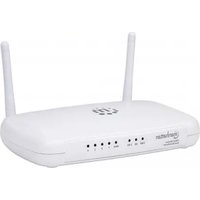


Brand : MANHATTAN
Model : 153577
Category : Router