
AI-707925 - Memory card reader Icidu - Free user manual and instructions
Find the device manual for free AI-707925 Icidu in PDF.


| Product Type | Memory Card Reader |
| Brand | Icidu |
| Model | AI-707925 |
| Supported Card Types | SD, SDHC, SDXC, microSD, microSDHC, microSDXC, MMC, RS-MMC |
| Interface | USB 2.0 |
| Dimensions | 5.0 cm x 2.0 cm x 1.0 cm |
| Weight | 20 g |
| Power Supply | USB bus-powered (5V, 500mA max) |
| Operating System Compatibility | Windows 7/8/10/11, macOS 10.12+, Linux |
| Data Transfer Speed | Up to 480 Mbps (USB 2.0) |
| LED Indicator | Yes, power/activity |
| Plug and Play | Yes, no driver required |
| Material | ABS plastic |
| Color | Black |
| Operating Temperature | 0°C to 45°C |
| Storage Temperature | -20°C to 60°C |
| Humidity | 20% to 80% non-condensing |
| Certifications | CE, FCC, RoHS |
| Package Contents | Card reader, user manual |
| Warranty | 1 year |
Frequently Asked Questions - AI-707925 Icidu
User questions about AI-707925 Icidu
0 question about this device. Answer the ones you know or ask your own.
Ask a new question about this device
Download the instructions for your Memory card reader in PDF format for free! Find your manual AI-707925 - Icidu and take your electronic device back in hand. On this page are published all the documents necessary for the use of your device. AI-707925 by Icidu.
USER MANUAL AI-707925 Icidu
COMBO USB HUB MULTI CARD READER WITH AC ADAPTER
MANUAL
AI-707925
natural_image
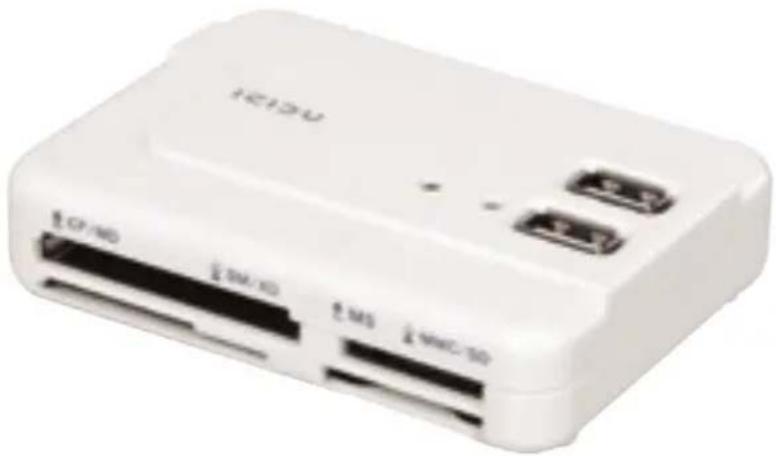
White electronic device labeled 'H212U' with ports including CP/MD, SM/MD, MS, and MMC/SD (no additional text or symbols visible)COMBO USB HUB MULTI CARD READER WITH AC ADAPTER
First of all thank you for buying the ICIDU Combo card reader. With this compact multifunctional device, you can add extra peripherals to your notebook or PC and read from and write to 60 types of media cards. The 6-port hub draws power from an external power source to ensure that adequate voltage is supplied to connected USB devices.
- PACKAGE CONTENTS
- TECHNICAL SPECIFICATIONS
- SOFTWARE INSTALLATION
- HARDWARE INSTALLATION
- OVERVIEW
- WARRANTY
PACKAGE CONTENTS
Before starting the installation first check that all necessary parts are present.
The box should contain the following parts:
- 60-in-1 Combo card reader
- USB connecting cable
- 5 V / 2A Power adapter
- CD with driver and manual
Contact the supplier if any of the above items is missing.
TECHNICAL SPECIFICATIONS
- 6 Hi-Speed USB 2.0 Ports
- Suitable for all USB 2.0 and USB 1.1 peripherals
- Transfer speed up to 480 Mbps
- 1 upstream port
- 6 downstream ports
- 60-in-1 card reader
- Power adapter 5 V / 2 A
- Hot swappable
- Plug & Play
- Supports Microsoft Windows 98SE, 2000, XP, Vista and Windows 7
- Supports Mac OS.9.0 and higher
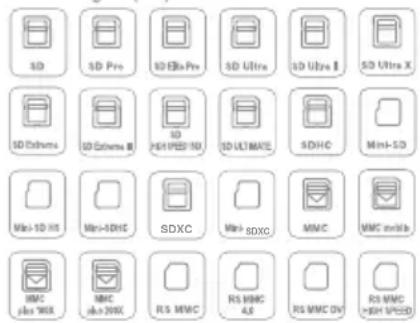
Secure Digital (SD) Series
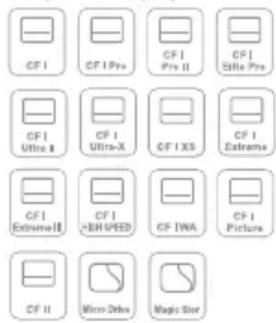
Compact Flash (CF) Series
Memory Stick (MS) Series

Smart Media (SM) + XD Se


SOFTWARE INSTALLATION
Microsoft Windows 2000, XP, Vista and Windows 7 do not require any extra installation of software. You only have to install the software under Microsoft Windows 98SE. Install the software before connecting up the hardware if you are using Microsoft Windows 98SE. Simply double-click the setup file on the CD and install the driver. After finishing, restart your PC and connect the Combo card reader.
HARDWARE INSTALLATION
You don't have to install any software for Microsoft Windows 2000, XP, Vista and Windows 7.
- Turn the PC off.
- Insert the mini USB plug into the Combo card reader
- Connect the Combo card reader to a free USB port
- Turn the PC on
- Windows will find new hardware.
- The Power LED will be lit
- The Combo card reader is ready to use.
Never open or repair the device yourself. This device meets all essential requirements and conditions of the applicable European Directives
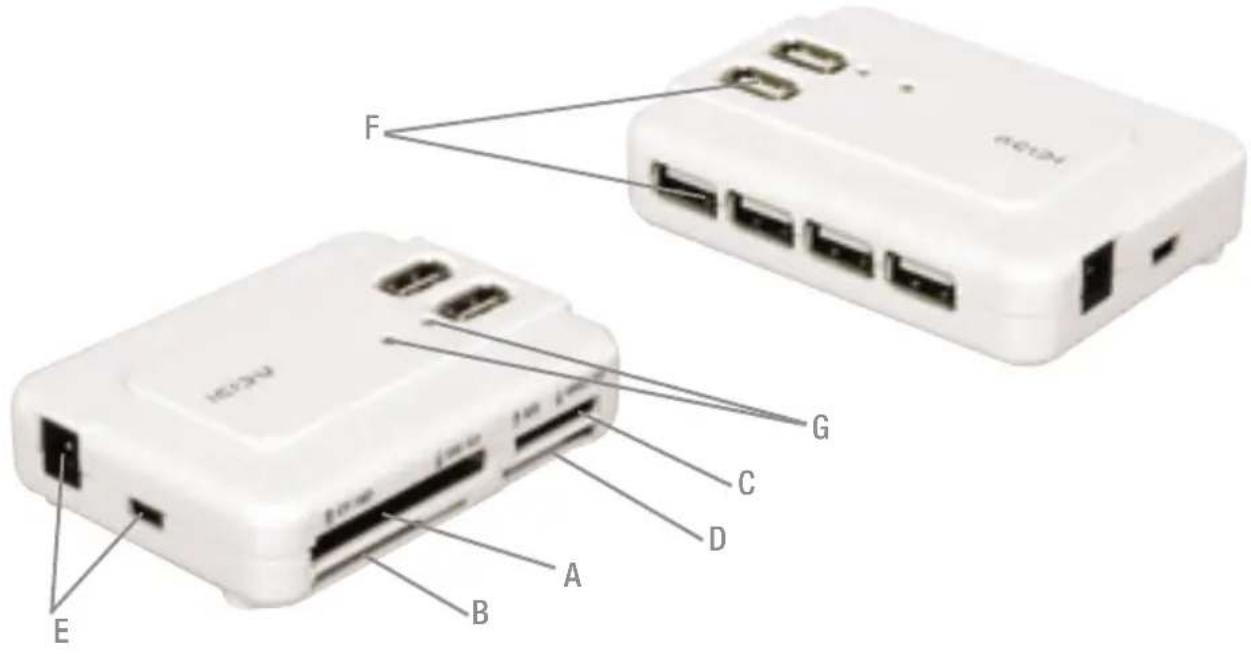
OVERVIEW
A: Compact Flash series, Micro drive series
B: Smart media series, XD series
C: Memory stick series
D: Multi Media Card series, Secure Digital series
E: Mini USB connector, Power connector
F: USB Connector (6x)
G: Power Led en Poort status Led
WARRANTY
Unless specified otherwise, all items sold under the ICIDU name are covered by a 10 year warranty. No warranty or support is provided for the software and rechargeable batteries that are provided. Claims under warranty can be made only via the dealer from whom the item was purchased.
Specifications can be changed without notice.
All ICIDU products comply with current European safety and environmental standards and legislation. For further details, visit our website www.icidu.com
ICIDU is a registered trademark. All other brand names and rights in connection with them are and remain the property of the rightful owner.
© Copyright 2009 ICIDU
All rights expressly reserved
Brand : Icidu
Model : AI-707925
Category : Memory card reader