
RA-E321S - Radio JVC - Free user manual and instructions
Find the device manual for free RA-E321S JVC in PDF.


| Product Type | Radio with Alarm Clock |
| Brand | JVC |
| Model | RA-E321S |
| Dimensions (Approx.) | 200 mm x 120 mm x 80 mm |
| Weight | 0.5 kg |
| Power Supply | AC 220-240V ~ 50Hz or 2 x AA Batteries (backup) |
| Radio Bands | AM / FM Stereo |
| Speaker | Mono / Stereo (single speaker) |
| Output Power | 1.5 W RMS |
| Display | LCD clock display with backlight |
| Alarm Functions | Radio or Buzzer alarm with snooze |
| Preset Stations | 20 presets (10 AM + 10 FM) |
| Sleep Timer | 60 minutes adjustable |
| Additional Features | Headphone output (3.5mm), Volume control |
| Material | ABS Plastic |
| Color | Black / Silver (typical) |
| Cleaning Instructions | Wipe with a dry, soft cloth. Do not use solvents or abrasive cleaners. |
| Safety Precautions | Do not expose to water, moisture, or extreme temperatures. Unplug during storms. |
| Spare Parts / Repairability | Contact JVC service center for spare parts. The device is not user-serviceable for internal parts. |
Frequently Asked Questions - RA-E321S JVC
User questions about RA-E321S JVC
0 question about this device. Answer the ones you know or ask your own.
Ask a new question about this device
Download the instructions for your Radio in PDF format for free! Find your manual RA-E321S - JVC and take your electronic device back in hand. On this page are published all the documents necessary for the use of your device. RA-E321S by JVC.
USER MANUAL RA-E321S JVC
- Thank you for buying our product.
- Please read through these operating instructions, so you will know how to operate your equipment properly. After you finish reading the instruction manual, store it in a safe place for future reference.
SAFETY
- No naked flame sources, such as lighted candles, should be placed on the apparatus.
- Where the mains plug or an appliance coupler is used as the disconnect device, the disconnect device will remain readily operable.
- Excessive sound pressure from earphones and headphones can cause hearing loss. To prevent possible hearing damage, do not listen at high volume levels for long periods.
- The apparatus shall not be exposed to dripping or splashing, and no objects filled with liquids, such as vases, shall be placed on the apparatus.
- Use of power sources or batteries not expressly recommended for this equipment may lead to overheating, malfunction of the equipment, fire, electrical shock, or other hazards. Use only the recommended power source. Danger of explosion if the battery is incorrectly fitted or replaced. Replace only with the same or equivalent type. Batteries or the installed batteries shall not be exposed to excessive heat such as sunshine, fire, or placement close to radiators or the like.
- Attention should be drawn to the environmental aspects of battery disposal.
- Ensure minimum distances of 5 cm around the apparatus for sufficient ventilation. Do not place the product in closed bookcases or racks without proper ventilation. The ventilation should not be impeded by covering the ventilation openings with items such as newspapers, tablecloths, or curtains.
- Do not use or store the equipment in humid or dusty areas. Attention should be drawn to the use of the apparatus in tropical and/or moderate climates.
- The marking plate is located at the rear enclosure of the apparatus.
- This apparatus is intended for household and indoor use only.
- Electrostatic discharge may disturb the normal usage of this device. If so, simply reset and restart the device following the instruction manual.
HEADPHONE VOLUME WARNING
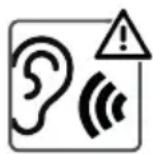
Connect headphones with volume set low and increase it if required. Prolonged listening through some headphones at high volume settings can result in hearing damage. To prevent possible hearing damage, do not listen at high volume levels for long periods.

- Handle
- FM antenna (telescopic)
- Tuning control knob
- Speaker
- Waveband selector
- Volume control – on/off knob
- Headphone jack
- AC socket
- Battery compartment
MAINS OPERATION
Fit the AC power cord into the AC socket (8) of the appliance and plug into the household socket.
BATTERY OPERATION
To use the appliance with batteries, ensure that the AC power cord is NOT inserted into the appliance, and install the batteries into the battery compartment (9).
To install the batteries:
- Lift off the battery compartment cover from the rear of the unit.
- Insert 4 x Size "C" / UM-2 / LR14 (or equivalent) 1.5V heavy-duty alkaline batteries in accordance with the diagram in the battery compartment. Take care to observe the correct polarity (+/-).
- Refit the battery compartment cover.
Note:
DO NOT dispose of batteries in a fire as the batteries may explode. Use only batteries of the same or equivalent type as recommended.
Never mix old and new batteries (replace all batteries at the same time). Never try to dismantle batteries.
Always remove exhausted batteries from the product. Remove batteries from the product before extended storage.
USING THE RADIO
- Turn the volume control – on/off knob (6) upward to switch the radio on.
- Set the waveband selector (5) to the required waveband.
- Turn the tuning control knob (3) to select the frequency and station of choice. The radio frequency scale will show the waveband selected.
- Adjust the volume to the desired level by rotating the volume control knob (6).
- To turn off the radio, turn the volume control – on/off knob (6) downward until a “click” sound is heard.
Note: The built-in AM and the external FM antennas are directional. If tuning into an FM station, extend or move the antenna (2) for better reception. If tuning into an AM station, rotate the whole unit after tuning to obtain the best reception.
USING HEADPHONES
A headphone jack has been provided so that the set can be used without disturbing others. Plug in the 3.5 mm headphones at the point marked. Turn the listening volume to the lowest setting before adjusting the volume up to your chosen level. Excessive sound pressure from earphones and headphones can cause hearing loss. The speaker will not operate when headphones are fitted.
Note: Headphones are not included.
CARE AND MAINTENANCE
Wipe external surfaces with a soft cloth. If the casing is very dirty, unplug from the mains supply and use a damp cloth soaked in a weak solution of washing up liquid and water. Allow to dry thoroughly before reusing.
TECHNICAL SPECIFICATION
Power source: AC 230V~50Hz 4 x 1.5V; Battery size "C"/UM-2/LR14 (not included) Radio frequency: FM 87.5 – 108 MHz, AM 522 – 1620 kHz Power consumption: 5 W Standby power consumption: 0.5 W Power output: 1 x 0.45 Watts RMS
We reserve the right to change technical specifications.
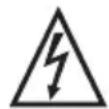
WARNING: DO NOT USE THIS PRODUCT NEAR WATER, IN WET AREAS TO AVOID FIRE OR INJURY OF ELECTRIC CURRENT. ALWAYS TURN OFF THE PRODUCT WHEN YOU DON'T USE IT OR BEFORE A REVISION. THERE
AREN'T ANY PARTS IN THIS APPLIANCE WHICH ARE REPARABLE BY CONSUMER. ALWAYS APPEAL TO A QUALIFIED AUTHORIZED SERVICE. THE PRODUCT IS UNDER A DANGEROUS TENSION.


TO AVOID DANGER OF SUFFOCATION, KEEP THE PLASTIC BAG AWAY FROM BABIES AND CHILDREN. DO NOT USE THIS BAG IN CRIBS, BEDS, CARRIAGES OR PLAYPENS. THIS BAG IS NOT A TOY.
Disposal of old Electrical & Electronic Equipment
(Applicable in the European Union and other European countries with separate collection systems)

This symbol on the product or on its packaging indicates that this product shall not be treated as household waste. Instead it shall be handed over to the applicable collection point for the recycling of electrical and electronic equipment. By ensuring this product is disposed of correctly, you will help prevent potential negative consequences for the environment and human health, which could otherwise be
caused by inappropriate waste handling of this product. The recycling of materials will help to conserve natural resources. For more detailed information about recycling of this product, please contact your local Civic Office, your household waste disposal service or the shop where you purchased the product.
Hereby, ETA a.s. declares that the radio equipment type RA-E321B/S is in compliance with Directive 2014/53/EU. The full text of the EU declaration of conformity is available at the following internet address: www.JVCAUDIO.cz/doc
INTRODUCTION
FM radio frequency 87.5–108 MHz, AM 522–1620 kHz
Power consumption 5 W
AM (CB) 522–1620 kHz
This product is manufactured and distributed exclusively by ETA a.s., serviced and warranted by its designated partner.
"JVC" is the trademark of JVCKENWOOD Corporation, used by such company under license.
- SAFETY
- HEADPHONE VOLUME WARNING
- MAINS OPERATION
- BATTERY OPERATION
- USING THE RADIO
- USING HEADPHONES
- CARE AND MAINTENANCE
- TECHNICAL SPECIFICATION
- DISPOSAL OF OLD ELECTRICAL & ELECTRONIC EQUIPMENT
- (APPLICABLE IN THE EUROPEAN UNION AND OTHER EUROPEAN COUNTRIES WITH SEPARATE COLLECTION SYSTEMS)
- INTRODUCTION
Brand : JVC
Model : RA-E321S
Category : Radio