
POWERbot VR20M705PUS - Vacuum Cleaner SAMSUNG - Free user manual and instructions
Find the device manual for free POWERbot VR20M705PUS SAMSUNG in PDF.


| Product Type | Robot Vacuum Cleaner |
| Brand | Samsung |
| Model | POWERbot VR20M705PUS |
| Dimensions (L x W x H) | 34.0 x 34.0 x 9.7 cm |
| Weight | 3.5 kg (7.7 lbs) |
| Power Supply | Rechargeable Li-Ion 21.6V, 28.8Wh |
| Battery Runtime | Up to 90 minutes |
| Charging Time | Approximately 3 hours |
| Dustbin Capacity | 0.3 liters |
| Filtration System | CycloneForce filter |
| Cleaning Modes | Auto, Spot, Edge, Manual |
| Smart Features | Wi-Fi control, voice assistant compatibility (Alexa, Google Assistant) |
| Sensors | Cliff sensors, obstacle detection, dirt detect |
| Noise Level | 70 dB |
| Maintenance | Clean filter weekly; empty dustbin after each use |
| Safety Features | Auto-dock, anti-drop sensors, motor protection |
| Replaceable Parts | Filter, side brush, main brush, battery |
| Repairability | User-serviceable with guided instructions |
| Warranty | 2 years (varies by region) |
| Box Contents | Robot vacuum, charging dock, remote control, user manual |
Frequently Asked Questions - POWERbot VR20M705PUS SAMSUNG
User questions about POWERbot VR20M705PUS SAMSUNG
0 question about this device. Answer the ones you know or ask your own.
Ask a new question about this device
Download the instructions for your Vacuum Cleaner in PDF format for free! Find your manual POWERbot VR20M705PUS - SAMSUNG and take your electronic device back in hand. On this page are published all the documents necessary for the use of your device. POWERbot VR20M705PUS by SAMSUNG.
USER MANUAL POWERbot VR20M705PUS SAMSUNG
SR1*M70****, SR2*M70**** Series
• Before operating this unit, please read the instructions carefully.
- For indoor use only.

Contents
03 Safety information
08 Installation
Accessories / Installation note
10 Charging
Automatic charging / Recharging / Low battery (Lo)
12 Using POWERbot
Turning the power on/off / Selecting cleaning modes / Using special cleaning functions
15 Installing the Virtual guard
Part name of the Virtual guard / Inserting batteries
17 Using the remote control
20 Name of each part
Top / Bottom / Display panel
22 Setting time/schedule
Setting the time / Setting the schedule
25 Cleaning and maintaining
Cleaning the dustbin / Cleaning the sensors and the camera / Cleaning the brush and Auto shutter tool / Cleaning the Driving wheel
27 Samsung Smart Home App
Preparing the network / Using the Samsung Smart Home app
31 Notes and cautions
Charging / Using / Cleaning and maintenance / About the battery / About the IrDA sensor
33 Information codes
35 Troubleshooting
37 Warnings about battery
38 Open Source Announcement
39 Specifications
Safety information
SAFETY INFORMATION

- Before operating the appliance, please read this manual thoroughly and retain it for your reference.

- Because these following operating instructions cover various models, the characteristics of your vacuum cleaner may differ slightly from those described in this manual.
CAUTION/WARNING SYMBOLS USED
 | Indicates that a danger of death or serious injury exists. |
 | Indicates that a risk of personal injury or material damage exists. |
OTHER SYMBOLS USED
| NOTE | Indicates that a risk of personal injury or material damage exists. |
 | This Smart Robot vacuum supports from Samsung Smart Home.More detailed information, please visit Samsung.com/Smarthome. |
- For information on Samsung's environmental commitments and product specific regulatory obligations e.g. REACH visit: samsung.com/uk/aboutsamsung/samsungelectronics/corporatecitizenship/data_corner.htm
Safety information
IMPORTANT SAFETY INSTRUCTIONS
When using an electrical appliance, basic precautions should be observed, including the following:
READ ALL INSTRUCTIONS BEFORE USING YOUR POWERbot.
Unplug from outlet when not in use and before conducting maintenance.
WARNING: to reduce the risk of fire, electric shock, or injury:
GENERAL
- Use only as described in this manual.
- Do not operate POWERbot or the battery charger / docking station if it has been damaged in any way.
- If the vacuum cleaner is not working as it should, has been dropped, damaged, left outdoors, or dropped in water, return it to a customer care center.
- Do not handle the battery charger / docking station or POWERbot with wet hands.
- Use only on dry, indoor surfaces.
- This appliance can be used by children aged from 8 years and above and persons with reduced physical, sensory or mental capabilities or lack of experience and knowledge if they have been given supervision or instruction concerning use of the appliance in a safe way and understand the hazards involved. Children shall not play with the appliance. Cleaning and user maintenance shall not be made by children without supervision.
Battery charger / Docking station
- Do not modify the polarized plug to fit a non-polarized outlet or extension cord.
- Do not use outdoors or on wet surfaces.
- Unplug the battery charger / docking station from the outlet when not in use and before servicing.
- Use only the battery charger / docking station supplied by the manufacturer to recharge.
- Do not use with a damaged cord or plug or a loose power outlet.
- Do not pull or carry by the cord, use the cord as a handle, close the door on the cord, or pull the cord around sharp edges or corners. Keep the cord away from heated surfaces.
- Do not use extension cords or outlets with inadequate current carrying capacity.
-
Do not unplug by pulling on the cord. To unplug, grasp the plug, not the cord.
-
Do not mutilate or incinerate batteries as they will explode at high temperatures.
- Do not attempt to open the battery charger / docking station. Repairs should only be carried out by a qualified customer care center.
- Do not expose the battery charger / docking station to high temperatures or allow moisture or humidity of any kind to come into contact with the battery charger / docking station.
POWERbot
- Do not pick up hard or sharp objects such as glass, nails, screws, coins, and etc.
- Do not use without a filter in place. When servicing the unit, never put fingers or other objects into the fan chamber in case the unit accidentally turns on.
- Do not put any objects into openings. Do not use with any openings blocked; keep openings free of dust, lint, hair, and anything that may reduce air flow.
- Do not pick up toxic materials (chlorine bleach, ammonia, drain cleaner, etc.).
- Do not pick up anything that is burning or smoke, such as cigarettes, matches, or hot ashes.
- Do not use to pick up flammable or combustible liquids such as gasoline, nor use on areas where they may be present.
- Locations with candles or desk lamps on the floor.
- Locations with unattended fires (fire or embers).
- Locations with distilled alcohol, thinner, ashtrays with burning cigarettes, etc.
- Do not use POWERbot in an enclosed space filled with vapours given off by oil based paint, paint thinner, moth proofing substances, flammable dust, or other explosive or toxic vapours.
- Leaks from battery cells can occur under extreme usage or temperature conditions. If the liquid gets on skin, wash quickly with water. If the liquid gets into the eyes, flush them immediately with clean water for a minimum of 10 minutes. Seek medical attention.
Safety information

WARNING
Power related
▶ Please prevent any risk of electric shock or fire.
- Do not damage the power cord.
- Do not pull the power cord too hard or touch the power plug with wet hands.
- Do not use a power source other than 100-240 V\~ and also do not use a multi outlet to supply power to number of devices at the same time. (Do not leave the cord carelessly on the floor.)
- Do not use a damaged power plug, power cord or loose power outlet.
▶ Clean dust or any foreign matters on the pin and contact part of the power plug.
- There is a risk of electric shock or malfunction.
▶ Do not spill any liquids on the docking station.
- There is a risk of fire or electric shock.
▶ Do not use the docking station for anything other than its intended purpose.
- There is a risk of fire or severe damage to the docking station.
▶ Always keep the cliff sensor clean for your safety.

WARNING
In use
▶ If any abnormal sounds, smells or smoke come from POWERbot, immediately shut off the emergency switch at the bottom of POWERbot and contact a service center.

WARNING
Before use
▶ Do not use POWERbot near combustible materials.
- Place near candle, desktop lamps, fireplace or near combustible materials such as gasoline, alcohol, thinners etc.
The POWERbot is intended for household use therefore do not use it in an attic, basement, storage, industrial building, out of indoor space, places with moisture (such as bathroom, laundry), on the table or shelves.
- The POWERbot can be damaged or malfunction.
▶ Be sure POWERbot does not pass through or touch any kind of liquids.
- The POWERbot can be severely damaged and it may contaminate other areas if the wheels pass through liquid.

WARNING
Cleaning and maintenance
- When power cord is damaged, contact a service center to get it replaced by a certified repairman.
- There is a risk of fire or electric shock.
▶ Please check with a Samsung Electronics service center when exchanging batteries. - Using batteries from other products can cause malfunction.

CAUTION
Before use
▶ Insert the dustbin before using POWERbot.
▶ Be careful with the followings for proper automatic recharging.
- Always turn on the power of the docking station.
- Install the docking station where POWERbot can easily find.
- Do not leave any object in front of the docking station.
▶ When installing the docking station, do not leave the cord carelessly on the floor since POWERbot may get tangled by it.
▶ Do not use POWERbot on black colored floors.
- The POWERbot may not be able to operate normally.
▶ Do not place any objects within 0.5 m to both sides and 1 m to the front of the docking station.
▶ Make sure the docking station's charging contact is not damaged or have any foreign matters on it.
▶ Do not install the docking station in an area with a dark floor.
- If the floor around the docking station is dark, recharging is hindered.
▶ Move any obstacles that may disturb POWERbot's movement (such as children's indoor swing or slides) before cleaning.
▶ Do not use the POWERbot in a place which is narrower than the turning radius (0.5 m or less) of the POWERbot.

CAUTION
In use
▶ Using POWERbot on thick carpet may damage both POWERbot and the carpet.
- The POWERbot cannot pass over carpet that is thicker than 1 cm.
▶ Do not use POWERbot on tables or other high surfaces.
- There is a risk of damage if it falls.
▶ The POWERbot may bump into chair, desk legs therefore move them away for faster and efficient cleaning.
▶ When POWERbot is operating, do not lift it up or carry it to another area.
▶ Do not hold by driving wheels of POWERbot when carrying it to another area.
▶ Do not put any objects on top of POWERbot and camera since it may cause malfunction.
▶ Remove any large papers or plastic bags immediately when using POWERbot since they may block the intake.
▶ Do not aim the red pointer directly at people or animals.
▶ Do not lie down around the POWERBOT that is running.
- Your hair may be caught in the brush, resulting in physical injury.

CAUTION
Cleaning and maintenance
▶ Prevent any damage to POWERbot by complying with the following
- Do not clean POWERbot by spraying water directly onto it or use benzene, thinner, acetone or alcohol to clean it.
▶ Do not disassemble or repair POWERbot. This should only be done by a certified repairman.
▶ Always keep the obstacle sensor, cliff sensor and camera clean.
- If foreign matter accumulates, sensors may malfunction.
Installation
The docking station must be plugged in and turned on at all times.

Accessories
 |  | 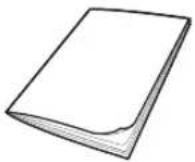 |  |
| Remote control(Not included with SR1*M701*** Series) | Batteries (AAA type) User manual Spare filter | (Option) | |
 |  |  |  |
| Docking station Power cord Battery charger Virtual guard | (option) | ||
Installation note

Note
▶ Install the docking station in a place where the floor and wall are level.
▶ It is best to install the docking station along the grain of wooden floors.
▶ If the emergency switch is off, the POWERbot will not charge even if it is docked on the docking station.
▶ Always turn on the power of the docking station.
- If power is not supplied to the docking station, the POWERbot cannot find it and cannot automatically recharge.
- If the POWERbot is left detached from the docking station, the battery will drain naturally.
▶ If the POWERbot is in sleep mode, power will not come on even if the emergency switch is turned off and then on. Press and hold the [Start/Stop] button on the POWERbot to turn the sleep mode off.
Charging
After completely charging the POWERbot for the first time (after purchase), it can be used for 60 min. in Nomal (mode. (Refer to the page 39 for the charging time.)
Smart Charging
If POWERbot runs out of charge in Auto clean mode, it will automatically return to the docking station to be charged and will recommence the cleaning to complete the cleaning area after two-third of battery charging is done. (Max. 2 times).


1 Turn on the emergency switch on the bottom
You must turn on the emergency switch to turn on the POWERbot.
Press and release the button.
2 Manually charge the POWERbot by placing it on the docking station
Make sure the charging pins on the POWERbot and the docking station are aligned.
3 Check the charging status
For SR1*M701*** Series, The battery indicator blinks at 1 sec. intervals during charging and the indicator will remain in ON status when fully charged. For SR1*M702*** / SR1*M703*** / SR2*M70**** Series, " will turn on according to charging progress and "FULL" will turn on when charging is complete.
Automatic charging

1. SR1*M701*** Series
If the battery indicator blinks at 0.4 sec. intervals, the POWERbot will automatically return to the docking station to be charged.
2. SR1*M70****/SR2*M70**** Series
When the battery indicator blinks during cleaning, the POWERbot will return to the docking station to charge itself automatically.
Recharging

You can command the POWERbot to recharge at the docking station while it is in cleaning.
Low battery (Lo)

Manually charge the POWERbot by placing it on the docking station.
Steps to take if recharging not occurring:
Check the installation status of the docking station when:
▶ the docking station is located in a place where the POWERbot cannot easily access it.
▶ the distance between the docking station and POWERbot is over 5 m.
- It may take a long time for POWERbot to return to the docking station for recharging
Manually charge the POWERbot when:
▶ the docking station is located in a corner
▶the battery is fully exhausted
▶ the POWERbot is immobilized by an obstacle (furniture etc.)
▶ the POWERbot can't climb a threshold near the docking station (The maximum height of a threshold the POWERbot can climb is about 1.5 cm.)
▶ when the battery indicator blinks and "Lo" is displayed
▶when the battery indicator blinks (Applicable to SR1*M701*** Series)
▶when the POWERbot is set to the Spot clean or Manual clean mode
Using POWERbot
You must turn on the emergency switch on the bottom of the unit before using POWERbot.
Turning the power on/off
Press the ⏻ button for more than 3 seconds

- When POWERbot is not used for 30 min.; SR1*M70**U* / SR2*M70**U* series: Turns to energy-saving mode. SR1*M70**W* / SR2*M70**W* series: Automatically returns to the docking station to be charged.
Starting Auto clean mode
Press and release this button. The POWERbot moves and automatically cleans the set areas only once.

* Stop cleaning: Press and release the ▶ button
Using Spot clean mode
The POWERbot cleans a localized area intensely.

Recharging
You can command POWERbot to recharge at the docking station automatically while it is cleaning by pressing this button.

Selecting cleaning modes
| Cleaning mode How to select | Displayed icon | ||
| SR1*M702***SR1*M703***SR2*M70**** | SR1*M701**** | ||
| Auto clean |  |  |  |
| Spot clean |  |  |  |
| Repeat clean | *Press the [A,B type], [C,D type (repeat) the remote controller first and then press the [Start/Stop ▶II]. |  | - |
| Manual clean | *Manual clean mode can be selected by the direction control buttons of the remote control. |  | - |
* If POWERbot fails to return to the docking station, it will turn to energy-saving mode and display panel will be turned off.
* To exit the energy-saving mode, press the [Start/Stop] or [Power Button of main body or remote controller.
* If cleaning in Auto clean mode is completed within 15 minutes, POWERbot cleans 1 more time.

Using POWERbot
Cleaning method for each modes
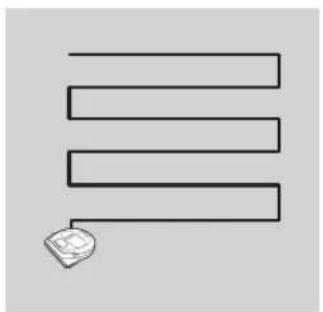
Auto clean
Automatically cleans the set areas only once.

Spot clean
Cleans a localized area intensely. It can be used to clean bread or cookie crumbs.

Manual clean
You can move POWERbot with the remote control to clean the desired spot.
* This function is not applicable to SR1*M701*** series.

Repeat clean
Cleans repeatedly until the battery is depleted. * This function is not applicable to SR1*M701*** series.

Note
▶ If Auto clean or Repeat clean is commenced, POWERbot cleans the area near the docking station first.
Using special cleaning functions
| Cleaning function | Operation | Displayed icon | |
| SR1*M702***SR1*M703***SR2*M70**** | SR1*M701**** | ||
| Smart clean | * When the POWERbot detects a carpet in normal mode, it will automatically operate with stronger suction power. |  |  |
| Edge Clean Master | * When the POWERbot detects an edge or corner in Auto clean or Spot clean, the auto shutter tool operates and approaches the edge or corner section to clean. ▶Straight edge (One time cleaning ▶Corner (Two times cleaning) |  |  |
Installing the Virtual guard
Infrared ray from the Virtual guard will restrict POWERbot from approaching certain area.
*(Included with SR2*M707*** series only. For SR2*M704*** / SR2*M705*** / SR2*M706*** series, additional purchase is required.)

1 Press the Power button to turn it on
Power lamp (Red) will blink.

2 Install the Virtual guard where you want to restrict POWERbot's entrance
Make sure that distance sensor is facing at the desired direction you want to create a invisible barrier (which will restrict POWERbot's approach).
Installing the Virtual guard
Part name of the Virtual guard

Inserting batteries
Batteries for Virtual guard must be purchased separately.

1 Open the battery cover of the Virtual guard by pressing the locking tab and lift it up.

2 Insert the alkaline batteries (D type) as shown in the illustration (check the +, - polarity).

3 Insert the tip of the cover into the slot and push the other end to close the battery cover.
Using the remote control
[A Type] [B Type]


[C Type] [D Type]


Using the remote control
☐ [A Type] / ☐ [B Type] / [C Type] / [D Type]
1 Power / Recharging / Start/Stop
| Power |  |  |  |  | Turn POWERbot's power on/off |
| Recharging |  |  |  |  | Select to recharge POWERbot at the docking station automatically |
| Start/Stop |  |  |  |  | Select to start or stop cleaning process |
2 Cleaning modes
| Auto clean |  |  |  |  | Select to clean all set areas only once and then automatically return to the docking station. |
| Spot clean |  |  |  |  | Select to clean a localized area intensely |
| Repeat clean |  |  |  |  | Select to clean repeatedly until the battery becomes very low with indicator blinking |
3 Suction power
| Max mode |  |  |  |  | Select to clean with the strongest suction power |
| Normal mode |  |  |  |  | Select to clean with moderate suction power |
| Quiet mode |  |  | Select to clean with lower operation noise |
4 Additional function
| Sound |  |  |  |  | Each time you press this button, Sound Effects → Mute is selected in this sequence |
| Remote control |  |  |  |  | Select to turn Wi-Fi function on or off |
*The previously selected setting will not change even if the emergency switch is turned off and then on.
5 Manual clean mode & Direction control
| Move forward |  |  |  |  | Select to move forward |
| Turn left |  |  | [W054] |  | Select to turn left |
| Turn right |  | [4ASX] |  |  | Select to turn right |
* Moving backward is not available.
6 Point cleaning
Available only with C, D type remote controllers.
You can use the remote control to point and clean the desired spot while the POWERbot is in cleaning process.
Point the red light on the floor within 0.5 m around POWERbot's location.
Press and hold the Point cleaning button to move the red light to the desired spot. The POWERbot will follow the light while cleaning.

Operating distance of the remote control
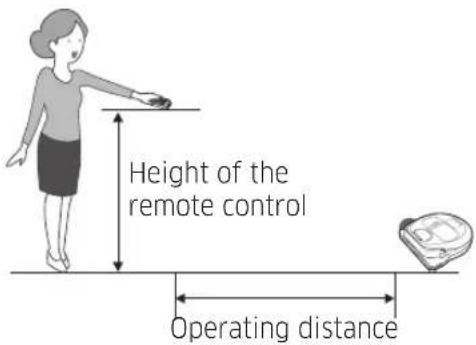
| Height of the remote control | 0.5 m 1 m | 1.5 m | |
| Operating distance | About 1.5 m | About 2 m | About 3 m |
Inserting batteries
Open the battery cover by lifting it up while pressing the locking tab and insert the batteries as shown in the illustration. Then, close the cover until it clicks into place.

Name of each part


Top
- Display panel
- Remote control signal receiver
- Obstacle sensor
- Dustbin
- Camera
- Dustbin button
- Bumper sensor
- Auto shutter tool
Bottom
- Charge pins
- Brush
- Brush cover
- Cliff sensor
- Roller
- Battery cover
- Brush cover button
- Driving wheel
- Emergency switch
- Auto shutter tool
Display panel
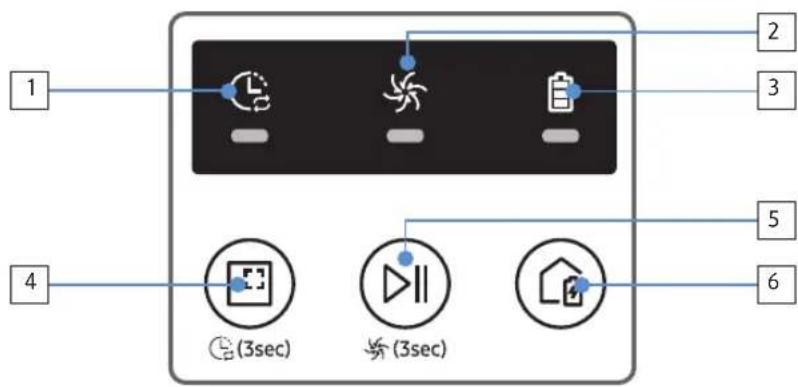
- Daily schedule
- Normal/Turbo mode
- Battery indicator
- Spot cleaning button, daily schedule(3sec)
- Start/Stop button, max mode(3sec)
- Recharging button

- Mute
- Information Indicator
- *Smart Control Off/On indicator
- *Wi-Fi
- Battery indicator
- One-time/Daily schedule
- Number display
- Spot clean mode
- Manual clean mode
- Repeat clean mode
- Normal mode
- Max mode
- Spot cleaning button
- Start/Stop button
- Recharging button
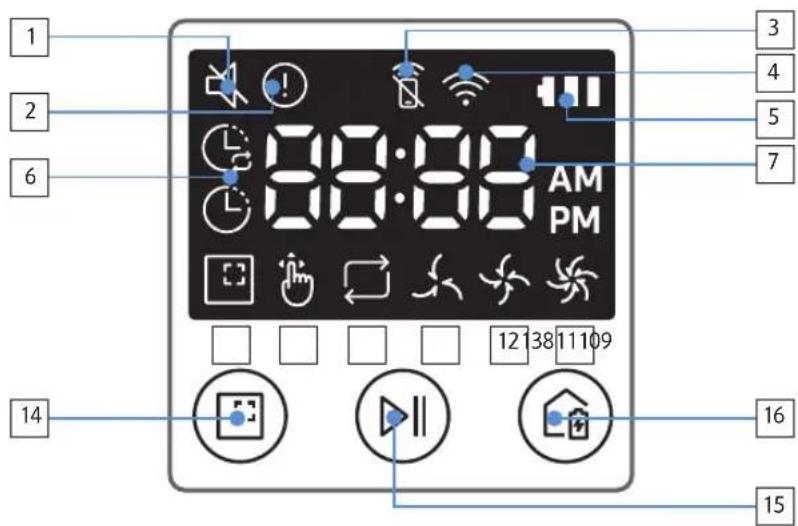
- Mute
- Information Indicator
- *Smart Control Off/On indicator
- *Wi-Fi
- Battery indicator
- One-time/Daily schedule
- Number display
- Spot clean mode
- Manual clean mode
- Repeat clean mode
- Quiet mode
- Normal mode
- Max mode
- Spot cleaning button
- Start/Stop button
- Recharging button
*SR1*M70**W* / SR2*M70**W*: Wi-Fi supported model
Setting time/schedule
[A Type, B Type] Only Auto clean mode can be scheduled.
Setting the time
You must set the current time before using the One-time/daily schedule.
![graph LR A["Start setting"] --> B["Clock"] B --> C["Select "Hour" Select "Minute""] C --> D["Select "AM/PM" Setting complete"] D --> E["Skip to previous, next setting"]](/content/2026/05/1102438/images/b7f47ae49b32f6c2eb5c4693e6d1c8c3db17c125c9842aa619dd1f90debe3add.jpg)
Setting the schedule
Setting/cancelling the schedule can only be done while POWERbot is docked on the docking station.
![graph LR A["Start setting Select "One-time" or "Daily" schedule"] --> B["Select "Hour""] B --> C["Select "Minute" Select "AM/PM" Setting"] C --> D["Skip to previous, next setting"]](/content/2026/05/1102438/images/e9f6d3ac90a6219bc15a024121f6b49ea771413097488aa947fe31a41e9d9bfa.jpg)
Cancelling during setup

▶Setting will be canceled automatically when there's no input for 7 seconds.
Cancelling One-time/Daily schedule
| When both One-time/Daily schedule is set |  Schedule Cancel (3sec) [GYHK] Schedule Cancel (3sec) [GYHK]  or or  Schedule Cancel (3sec) Schedule Cancel (3sec)   or or  Schedule Cancel (3sec)Press for 3 sec. Select the schedule Cancel complete Schedule Cancel (3sec)Press for 3 sec. Select the schedule Cancel complete | |||||
| When either one ofOne-time or Dailyschedule is set | Schedule Cancel (3sec)Press for 3 sec. | |||||
[C Type, D Type] Only Auto clean mode can be scheduled.
Setting the time
You must set the current time before using the One-time/daily schedule.
![graph LR A["Clock"] --> B["Start setting Select "Hour" Select "Minute""] B --> C["Select "AM/PM"Setting complete"] C --> D["Skip to previous, next setting"]](/content/2026/05/1102438/images/f1ac37c5ac3d0ee4805d0782a6e432cb9dea8be7ea50102677ee276a74406a33.jpg)
Setting the schedule
Setting/cancelling the schedule can only be done while POWERbot is docked on the docking station.
![graph LR A["Start setting Select "One-time" or "Daily" schedule"] --> B["Select "Hour""] B --> C["Select "Minute" Select "AM/PM" Setting"] C --> D["Select "Hour""] D --> E["Select "Minute" Select "AM/PM" Setting"] E -->…](/content/2026/05/1102438/images/da61511b02852f2402eccf09e28b713993d673b713996d3c16094ebdc3726b30.jpg)

Skip to previous, next setting
Cancelling during setup

▶Setting will be canceled automatically when there's no input for 7 seconds.
Cancelling One-time/Daily schedule
| When both One-time/Daily schedule is set |    or or     Cancel (3sec) Cancel (3sec)Press for 3 sec. Select the schedule Cancel complete Cancel (3sec) Cancel (3sec)Press for 3 sec. Select the schedule Cancel complete |
| When either one ofOne-time or Dailyschedule is set | ScheduleCancel (3sec)Press for 3 sec. |
Setting time/schedule
[SR1*M701*** series] For the models which do not include a remote controller, schedule setting is available as below.
Setting the schedule

Press for 3 sec.


When the schedule LED is turned on, Daily schedule is set.
*The time you press the button will be set as a schedule. Cleaning will be automatically done everyday according to the schedule time.
Cancelling daily schedule
When a daily schedule is set

Press for 3 sec.
Cleaning and maintaining
You must turn off the emergency switch before cleaning POWERbot.

Cleaning the dustbin

1 Press the button to remove the dustbin

2 Remove the dustbin cover

3 Remove dust in the dustbin and cyclone unit

4 Detach the cyclone unit from the dustbin cover, and then wash the dustbin and the filter

5 Reassemble the dustbin

6 Reinsert the dustbin into the main body until it clicks
Cleaning the sensors and the camera
Lightly wipe with soft cloth. Do not use water or cleaning solutions.

Cleaning and maintaining
Cleaning the brush and Auto shutter tool
Brush design may differ depending on the model.
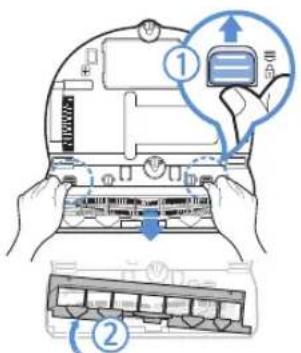
1 Remove the brush cover

2 Remove the brush
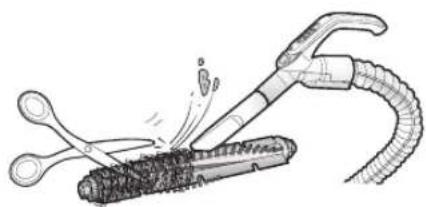
3 Clean the brush

4 Clean the auto shutter tool


5 Reassemble the brush
![graph TD A["Component ①"] --> B["Internal Storage"] B --> C["Internal Control Unit"] C --> D["Computer with Internal Control Unit"] style A fill:#f9f,stroke:#333 style B fill:#ccf,stroke:#333 style C fill:#cfc,stroke:#333 style D fill:#fcc,stroke:#333](/content/2026/05/1102438/images/b14e45c49e7a246f19414e89e3cfca9b78c8afe72852f6f1884a464049912308.jpg)
6 Reassemble the brush cover
Cleaning the Driving wheel

1 Put a soft cloth on the floor and place POWERbot upside-down on the cloth.


2 Use a blunt rod or tweezers to remove foreign matter.
Samsung Smart Home App
Samsung Smart Home App is only applicable to models supported with Wi-Fi function.
Preparing the network
Setting up the wireless router
This product supports only DHCP(Dynamic Host Configuration Protocol). Please check if the DHCP server option function of a wireless router is activated.
The supported types of authorization/encryption of the wireless router are WEP-OPEN, WPA-PSK/TKIP and WPA2-PSK/AES 801.11n.
- WPA2-PSK/AES is recommended to be used.
The quality of connection of the wireless network may be influenced by the surrounding wireless environment.
▶When your Internet service provider has permanently registered an MAC address (a unique identification number) of your PC or modem, your POWERbot may be unavailable to be connected to the Internet. Ask your Internet service provider about the procedure to connect an apparatus other than a PC to the Internet.
▶ If your internet service provider requires your ID or password to connect to the internet, your POWERbot may not be able to connect to the internet. In this case, you must enter your ID or password when connecting to the internet.
The connection to the Internet may be impossible because of issues of firewall. Ask your Internet service provider for resolving the issue.
▶Some wireless routers may convey an abnormal Domain Name Server (DNS) address even if the Internet is not connected. In this case, inquire the provider of the pertinent wireless router and your Internet service provider.
▶ If you still cannot connect to the Internet even after trying the procedure informed by your Internet service provider, please ask an agency or service center of Samsung Electronics.

Note
▶ Please refer to the user manual of the pertinent wireless router without access problems.
Samsung POWERbots support only Wi-Fi 2.4 Ghz.
▶ Samsung POWERbots support the communication protocol of the methods of IEEE 802.11b/g/n and Wi-Fi Direct. (Samsung Electronics recommends to use IEEE 802.11n.)
▶ A wireless router with no authorization of Wi-Fi may be unavailable to be connected to the POWERbot.
▶ When the power is supplied and the POWERbot is docked on the docking station, the POWERbot will be connected to the server and then check if there is software updates. If there is the latest software, it will be automatically downloaded and updated.
If “UP” is displayed on the display panel while the POWERbot is charging, it means that the update is in progress. Please wait for completing the rebooting.
Samsung Smart Home App
▶ If the product registration is not done, please follow the following instructions:
- Refer to the popup message and retry the registraion procedure.
- Check if the UPnP option of the wireless router is available and retry the registration procedure.
- Check if the operating mode of the wireless router is a router mode and retry the registration procedure.
- If you have more than two POWERbot, turn off the others to register the one. The connection must be one to one.
- If there is a wireless router which has the same SSID around your router, a normal registration cannot be guaranteed.
- Set a unique SSID and password for the wireless router and then register the product.
Samsung Smart Home Service does not guarantee a normal operation under firewall environment.
▶ If the POWERbot and smart phone are not connected to the same wireless router, response delay may occur according to network environment.
▶ Smart control and Wi-Fi indicator

n: Smart control is locked. (Only the remote control is available.)
- Off: Smart control is allowed.
- Off: The POWERbot is connecting to the wireless router.
- On: The POWERbot is connected to the wireless router.
If Smart control is locked, you cannot use Samsung Smart Home App.

Using the Samsung Smart Home app
Creating your Samsung account
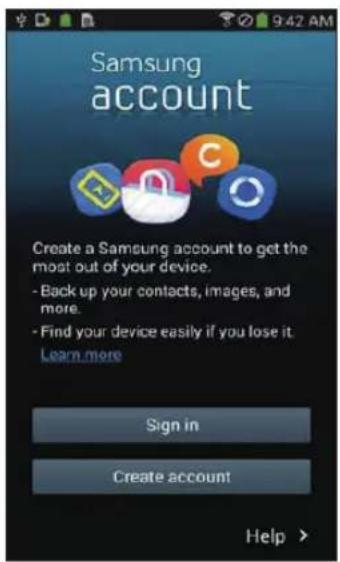
If you want to use the Samsung Smart Home app, please register your Samsung account in Samsung account app.

Note
▶ If you do not set auto-login to the Samsung Smart Home app and run the app, the screen of Samsung account appears one time at first.
▶ If you are a user of a Samsung smart phone, register your Samsung account in the settings of the smart phone, and then the automatic login gets set without any other login processes, and you can use the Samsung smart home app immediately.
Downloading Samsung Smart Home app
-
Download the Samsung Smart Home application from the Google Play Store (Android devices) or from the Apple AppStore (iOS devices). To find the app, use the keyword "Samsung Smart Home."
-
Install the app on your smart device.

Note
The Samsung Smart Home app requires Android 4.0 (ICS) or later, and is optimized for Android 4.4 or later on Samsung smartphones (Galaxy S & Note series). Some functions of the app may not work properly on third-party smartphones.
▶ For iOS models, the app requires iOS 7 or later.
The Samsung Smart Home app is subject to change without notice for improvements in usability and performance.
Registering the product (Easy-Setup)
Register the product to the Samsung Smart Home Service before using the Samsung Smart Home app.
Android
-
Press the Add new icon on the device list screen of the Samsung Smart Home app to start the registration of the product.
-
Select the Robot vacuum icon.
-
Enter the information of the wireless router to be connected.
-
Set the POWERbot according to the guidance on the screen.
-
To turn on the AP mode immediately, press [Clock] button for more than 5 seconds.
-
Then, the registration will proceed automatically.
-
The message will appear when the registration complete.
-
When the product registration is complete, the main screen of the Samsung Smart Home app will appear.
* If the product registration is failed, refer to page 27.
iOS
-
Run Samsung Smart Home app.
-
Move to the left screen and then press the Add new icon on the device list screen to start the registration of the product.
-
Enter the samsung account and then press [Sign in] button.
-
For iPhone, your ID and password is not saved so that you need to sign in every time you use Samsung Smart Home app.
-
Select [Robot vacuum] icon.
-
Press the clock button of the remote controller for more than 5 seconds.
-
AP will appear on the display panel.
-
Run the Settings app of your iPhone and then connect to [Robot Vacuum] Samsung on the list.
-
Enter ID and password of the wireless router which will be connected and then press [Next] button.
-
The connection between the smart phone and the robot vacuum is in progress.
-
Run the Settings app of your iPhone and then connect to the wireless router which will be connected on the Wi-Fi list.
Samsung Smart Home App
-
The connection between the wireless router and the robot vacuum is in progress.
-
When the product registration is completed, the message will appear.
-
When the product registration is completed, Robot vacuum icon is added on the device list.
Main screen
▶ Select the Robot vacuum icon on the main screen, and you can move to the POWERbot control screen.
▶You can control your smart home appliances made by Samsung Electronics by Going out, Coming home, Good night, and Good morning icons.
▶Home view function is not supported for a POWERbot.
User menu screen
▶ You can control the smart home appliances made by Samsung Electronics with Chat control and Master key functions.
| Chat control | ►You can control the smart home appliances or check about the status of them conveniently. |
| Master key | ►You can control several home appliances at once using the master keys(Going out, Coming home, Good night, Good morning). |
| Customer service | ►You can see the manual of the product.►When a product is out of order, you can consult with our customer center and request for an after-sales service. |
Controlling POWERbot
When accessing the Samsung Smart Robot vacuum app, the control screen will appear.

- Power on/off
- Manual clean mode and Direction control (forward movement, left turn, right turn)
- Auto clean mode start/stop
- Spot clean mode
- Current status indicator
- Battery status
- Suction power
- Repeat clean on/off
- Schedule (You can set the desired time for each date.)
- The POWERbot operates by synchronizing the set time in the network.
- Cleaning history check

Note
▶ A scheduled cleaning runs only when the POWERbot is docked on the docking station.
Notes and cautions
Charging

Note
▶ If the battery overheats during charging, it may take longer to charge.
▶ When automatic charging is not working, do the following:
- Turn the emergency switch (on the bottom of POWERbot) off and on again.
- Unplug the docking station's power plug and then plug it back on.
- Unplug the docking station, and then check whether there is any foreign matter on the charge pins and clean POWERbot and the charge pins of the docking station with a dry cloth or rag.
- Check for any obstacles such as reflective objects, chairs, etc. near the docking station.
▶ If POWERbot is left detached from the docking station, the battery will drain naturally.
- Try to keep POWERbot being charged on the docking station. (However, turn off the emergency switch and leave the docking station unplugged when planning to leave the house for long periods of time by going on a business trip or vacation, etc.)
Using

Note
▶ The POWERbot may get caught on thresholds, etc. during cleaning.
- To restart operation, shut off the emergency switch, move the POWERbot to an area where it can move easily, and then turn on the power again.
▶ The POWERbot cannot completely clean areas it cannot enter, such as corners, between the wall and sofa, etc.
- Please use another cleaning tool to clean them regularly.
▶ The POWERbot cannot vacuum clumps of dirt, so some may remain on the floor after cleaning.
- Please use another cleaning tool to clean them regularly.
▶ If POWERbot is turned off, you cannot turn it on by pressing the Power button on the remote control. Press and hold the [Start/Stop] button on POWERbot.
▶ You cannot select and have the POWERbot execute Spot clean mode while it is charging.
▶ If you press Manual clean / Point cleaning button while charging, the POWERbot will be detached from the docking station and then turn into the standby mode.
Cleaning and maintenance

Note
▶ If you washed the dustbin and filter with water
- Dustbin: Completely wipe out the water.
- Filter: Completely dry it in the shade before using.
▶ When cleaning the auto shutter tool, do not pull the auto shutter tool out too hard.
Caution
▶ Watch your fingers when attaching or detaching the filter, since they may get stuck in the dustbin's intake.
▶ To avoid blockages by foreign matter, do not let the POWERbot vacuum up toothpicks, cotton swabs etc.
▶ If it is difficult to remove foreign matter from the brush, contact an authorized Samsung service center.
Notes and cautions
▶ Since the brush removes dirt from the floor during cleaning, foreign matter such as thread, long hair, etc. may get caught in it. For the best cleaning results, check and clean it regularly.
About the battery

Note
▶ Purchase batteries at authorized Samsung centers and check for the symbol ( ) which is stuck on the battery and the model name before purchasing.
This battery is exclusively for the Samsung Electronics POWERbot. Do not use it for any other product.
▶ Do not disassemble or modify the battery.
▶ Do not throw the battery out in fire or heat it.
▶ Do not connect any metallic object to the charging contacts (+, -).
▶ Store the battery indoors (at 0 °C\~40 °C).
▶ If the battery malfunctions, do not disassemble it yourself. Contact your nearest Samsung service center.
- Battery charging time and usage time may decrease the more the battery is used. If the battery’s lifespan has been exceeded and it no longer docking stations properly, have it replaced at a Samsung service center.
▶ The battery warranty period is 6 months from the date of purchase.
About the IrDA sensor

Caution
▶ Infrared signal transmission may not be smooth in locations exposed to halogen lamps or in outdoor locations.
▶ The POWERbot uses 3 types of infrared devices. Each of the devices has a different priority level. A device may not work if it's signal is superseded by a device with a higher priority.
- Infrared signal Priority: Smart control > Docking station
▶ Different infrared signals may interfere with one another and cause the devices to malfunction if they are used together in a small space or in close proximity.
▶ If more than one POWERbot is used simultaneously, they may malfunction due to interference between infrared signals.
Information codes
1 The three indicators below blink with an error alarm.
2 Turn off the emergency switch and check the below instructions and take appropriate action
3 Information code will disappear when you turn on the emergency switch
| Information codes Checklist | |
 | The POWERbot is caught, stuck or trapped while moving around.►Turn off the emergency switch and move the POWERbot to another area. |
| Please check the checklist information. | Foreign matter caught in the brush.►Turn off the emergency switch and remove the foreign matter from the brush. |
| Foreign matter caught in the left Driving wheel.►Turn off the emergency switch and remove the foreign matter from the Driving wheel. | |
| Foreign matter caught in the right Driving wheel.►Turn off the emergency switch and remove the foreign matter from the Driving wheel. | |
| Foreign matter caught in the auto shutter tool.►Turn off the product by pressing the emergency switch and remove the foreign matter from the auto shutter tool. | |
| Bumper sensor needs to be checked.►Turn off the emergency switch and turn it back on.►When information code does not disappear, check if there's any small foreign matter between the bumper and the main body. If there is, pull the bumper slightly and remove the foreign matter. | |
| Foreign matter accumulated on the obstacle sensor.►Turn off the emergency switch and clean the front and rear sensor with a soft cloth. | |
| Foreign matter accumulated on the cliff sensor.►Turn off the emergency switch and clean the cliff sensor with a soft cloth. | |
Information codes
1 The information code below is shown with an error alarm.
2 Turn off the emergency switch and check the below instructions and take appropriate action
3 Information code will disappear when you turn on the emergency switch
| Information codes Checklist | |
 | The POWERbot is caught, stuck or trapped while moving around.►Turn off the emergency switch and move the POWERbot to another area. |
 | Foreign matter caught in the brush.►Turn off the emergency switch and remove the foreign matter from the brush. |
 | Foreign matter caught in the left Driving wheel.►Turn off the emergency switch and remove the foreign matter from the Driving wheel. |
 | Foreign matter caught in the right Driving wheel.►Turn off the emergency switch and remove the foreign matter from the Driving wheel. |
 | Foreign matter caught in the auto shutter tool.►Turn off the product by pressing the emergency switch and remove the foreign matter from the auto shutter tool. |
 | Bumper sensor needs to be checked.►Turn off the emergency switch and turn it back on.►When information code does not disappear, check if there's any small foreign matter between the bumper and the main body. If there is, pull the bumper slightly and remove the foreign matter. |
 | Foreign matter accumulated on the obstacle sensor.►Turn off the emergency switch and clean the front and rear sensor with a soft cloth. |
 | Foreign matter accumulated on the cliff sensor.►Turn off the emergency switch and clean the cliff sensor with a soft cloth. |
Troubleshooting
| Symptom Checklist | |
| The POWERbot is not working at all. | ▶Check if the emergency switch is on.▶Check if all the icons are displayed on the display panel.▶Check if the POWERbot's battery is depleted.- When "Lo" is displayed, place the POWERbot on the docking station to charge it.- When the battery indicator blinks, manually place the POWERbot on the docking station to charge. (Only SR1*M701*** series)▶Replace the batteries (AAA type) if the remote control is not working. |
| The POWERbot has stopped during cleaning. | ▶When "Lo" is displayed on the display panel, place the POWERbot on the docking station to charge it.▶When the battery indicator blinks, manually place the POWERbot on the docking station to charge. (Only SR1*M701*** series)▶When POWERbot is immobilized by an obstacle such as a cord, threshold etc, pick it up and move it away from the obstacle.- If any fabric or string is caught in a drive wheel, turn off the emergency switch and remove the fabric or string before using it again. |
| Suction power is weak. | ▶If the "Filter inspection indicator" is on, turn off the emergency switch and clean the dustbin.▶When there's too much dust in the dustbin, suction power may get weakened. Turn off the emergency switch and empty the dustbin.▶If the intake (on bottom of POWERbot) is blocked by foreign matter, turn off the emergency switch and remove foreign matter from the intake.▶When noise suddenly increase, turn off the emergency switch and empty the dustbin. |
| The POWERbot cannot find the docking station. | ▶Check if there's a power failure or whether the power plug is unplugged.▶Remove any obstacles around the docking station that may prevent POWERbot from returning to the docking station.▶When there's foreign matter on the charge pins, charging can be affected. Clean the foreign matter off the pins. |
| The POWERbot suddenly cleans diagonally. | ▶Check if the docking station is installed along the grain of wooden floors or tiles.▶The POWERbot may clean in a diagonal direction if it is moving to another area using the shortest route. It may also move at a diagonal if it made contact with an obstacles at that angle, if it was charged at the docking station at an angle, or if the grain of the wooden/tile floor skewed is in that direction. |
| Point cleaning is not working. | ▶If you point the red light directly at POWERbot, it may not move in desired direction.- Point the red light on the floor within 0.5 m of POWERbot.* Do not use point cleaning in direct sunlight, under bright light, or on dark floors. |
Troubleshooting
| Symptom Checklist | |
| I have installed the Samsung Smart Home app, but, the POWERbot fails to be connected. | ►You can use the product after connecting the wireless router and the POWERbot through Easy-Setup according to the procedure. |
| I fail to log into the Samsung account. | ►Check your ID and password on the screen of the Samsung account. |
| There appears a message saying there is a failure during Easy-Setup. | ►You may have failed temporarily due to the distance from the wireless router or other obstacles. Please try again after a while. |
| The products do not work even though the smart phone is normally connected to the POWERbot. | ►Turn off the Samsung Smart Home app and then run it again, or disconnect the smart phone from the wireless router and then connect it again. Or turn off the power supply of the POWERbot, turn it on, wait for a minute or longer, and then run the Smart Home app again. |
| The functions of the Samsung Smart Home App do not work. | ►Check if the Smart control blocking function of the POWERbot is set. (When the Smart control is locked, the Wi-Fi indicator is turned off.) |
| The Samsung Smart Robot Vacuum App fails to get started. | ►Check if the POWERbot is connected to the wireless router. |
| POWERbot is not connected to Wi-Fi. | ►Check the setting status of the wireless router. |
| Smart clean function works on a normal floor. | ►Check whether the floor is not even and then the POWERbot works with its body a bit lifted up.►Check whether there are any foreign matters on the cliff sensor which is at the bottom of the POWERbot.►Check whether the floor color is dark. |
| Smart clean function does not work. | ►When the POWERbot cleans a carpet with short fibre and bright color, it may recognize the carpet as a floor and then the smart clean function may not work. |
| Edge clean master function does not work. | ►When POWERbot cannot recognize the wall, the Edge clean master may not work.- When an obstacle made of reflective material is in front of the wall- When the wall itself is made of reflective material- When the wall is a dark color |
| Edge clean master function works though there is no wall or corner. | ►Check whether small obstacles are arranged in a narrow space.►When the POWERbot recognizes the front obstacle as a wall, Edge clean master function may work. |
| The Edge clean master function works though the POWERbot has not approached a wall or corner. | ►When the degree of the angle of a corner which the POWERbot detects is large, the Edge clean master function may work without approaching the wall or corner. |
* This vacuum cleaner is compliant with the following regulations:
- RTTE Directive : 1999/5/EC
- Electromagnetic Compatibility Directive : 2014/30/EU
- Low Voltage Directive : 2014/35/EU
The official Declaration of conformity may be found at http://www.samsung.com, go to Support Please search Product Support and enter the model name.
Warnings about battery

You must not remove (or attempt to remove) the battery incorporated in this product on your own. To replace the battery, you must contact your service provider or an independent qualified professional. These instructions have been prepared for the exclusive use of your service provider or independent qualified professional.
FOR YOUR OWN SAFETY, DO NOT ATTEMPT TO REMOVE THE BATTERY ON YOUR OWN OR DISPOSE OF IT IN FIRE. DO NOT DISASSEMBLE, CRUSH OR PUNCTURE THE BATTERY.
How to remove the battery
Remove POWERbot from the charger / docking station for disassembling. You must turn off POWERbot for safety before disassembling.

1 Lay down and invert POWERbot and then remove 2 screws.

2 Remove the dustbin cover.

3 Remove the battery from the slot and disconnect the connector.

Correct disposal of batteries in this product
(Applicable in countries with separate battery return systems.)
The marking on the battery, manual or packaging indicates that the battery in this product should not be disposed of with other household waste. Where marked, the chemical symbols Hg, Cd or Pb indicate that the battery contains mercury, cadmium or lead above the reference levels in EC Directive 2006/66.
The battery incorporated in this product is not user replaceable. For information on its replacement, please contact your service provider. Do not attempt to remove the battery or dispose it in a fire. Do not disassemble, crush, or puncture the battery. If you intend to discard the product, the waste collection site will take the appropriate measures for the recycling and treatment of the product, including the battery
Open Source Announcement
The software included in this product contains open source software. You may obtain the complete corresponding source code for a period of three years after the last shipment of this product by sending an email to mailto:oss.request@samsung.com.
It is also possible to obtain the complete corresponding source code in a physical medium such as a CD-ROM; a minimal charge will be required.
The following URL http://opensource.samsung.com/opensource/VR7000_A20_TZ/seq/0 leads to the download page of the source code made available and open source license information as related to this product. This offer is valid to anyone in receipt of this information.

Specifications
| Classification Item | Detail information | |||
| SR1*M701*** | SR1*M702***SR1*M703*** | |||
| Mechanical specifications (POWERbot) | Size (D x H x L) 340 mm x 97 mm x 348 mm | |||
| Weight 4 kg | ||||
| Sensor | Ceiling shape recognition (Visionary mapping plus TM) | |||
| Button type of POWERbot Touch type | ||||
| Power specifications | Power voltage 100-240 V~, 50 Hz/60 Hz | |||
| Power consumption 80 W | ||||
| Battery specifications 21.6 V/ 38.8 Wh | ||||
| Cleaning | Charging type Automatic charging/Manual charging | |||
| Cleaning mode | Auto, Spot, Daily schedule | Auto, Spot, Repeat, Manual, One-time schedule, Daily schedule | ||
| Charging time Approximately 240 minutes | ||||
| Cleaning time (On the basis of hard floor) | Max mode Approximately 30 minutes | |||
| Normal mode Approximately 60 minutes | ||||
| Classification Item Detail information | |||
| Mechanical specifications (POWERbot) | Size (D x H x L) 340 mm | x 97 mm x 348 mm | |
| Weight 4.3 kg | |||
| Sensor | Ceiling shape recognition (Visionary mapping plus TM) | ||
| Button type of POWERbot Touch type | |||
| Power specifications | Power voltage 100-240 V~, 50 Hz/60 Hz | ||
| Power consumption 130 W | |||
| Battery specifications 21.6 V/ 77.8 Wh | |||
| Cleaning | Charging type Automatic charging/Manual charging | ||
| Cleaning mode | Auto, Spot, Repeat, Manual, One-time schedule, Daily schedule | ||
| Charging time Approximately 160 minutes | |||
| Cleaning time (On the basis of hard floor) | Max mode Approximately 30 minutes | ||
| Normal mode Approximately 60 minutes | |||
| Quiet mode Approximately 90 minutes | |||
* For product improvement purposes, design and specifications of the product are subject to change without prior notice.
* Charging and cleaning times may differ according to conditions of use.
SAMSUNG
POWERbot
VAŽNA BEZBEDNOSNA UPUTSTVA
Prilikom korišćenja električnog uređaja morate se pridržavati osnovnih mera predostrožnosti, što podrazumeva sledeće:
PROČITAJTE SVA UPUTSTVA PRE KORIŠĆENJA UREĐAJA POWERbot.
Isključite utikač iz utičnice kada ne koristite uređaj, kao i pre održavanja.
UPOZORENJE: Da biste smanjili rizik od požara, strujnog udara i povrede:
OPŠTE
- Usisivač koristite isključivo prema uputstvima iz ovog priručnika.
- Nemojte da koristite POWERbot ni punjač za bateriju/baznu stanicu ako su oštećeni.
- Ako usisivač ne radi ispravno, ako je ispušten, oštećen, ostavljen napolju ili ispušten u vodu, odnesite ga u centar za korisničku podršku.
- Nemojte da koristite punjač za bateriju/baznu stanicu niti POWERbot ako su vam ruke mokre.
- Uređaj koristite na suvim površinama u zatvorenom prostoru.


1. Serija SR1*M701****
Ako želite ručno da stavite POWERbot da se puni, priključite ga na baznu stanicu.
Preduzmite korake navedene u nastavku ako se usisivač ne puni:
Korišćenje usisivača POWERbot
Automatsko čišćenje
Ručno čišćenje
Usisivač POWERbot možete da pomerite pomoću daljinskog upravljača do mesta koje želite da očistite.
1 Otvorite poklopac baterije na dodatku Virtual guard tako što ćete pritisnuti jezičak za zaključavanje i podići poklopac nagore.

2 Stavite alkalne baterije (tip D) na način prikazan na slici (proverite polove + i -).

3 Ubacite vrh poklopca u otvor, pa pritisnite drugi kraj poklopca da biste ga zatvorili.
Nazivi delova


Pogled odozgo
- Kontrolna tabla
- Prijemnik signala daljinskog upravljača
- Senzor za prepreke
- Posuda za prašinu
- Kamera
- Dugme posude za prašinu
- Senzor branika
- Uređaj za automatsko zatvaranje
Pogled sa donje strane
- Kontakti za punjenje
- Četka
- Poklopac četke
- Senzor za kosine
- Valjak
- Poklopac baterije
- Dugme na poklopcu četke
- Točkić za upravljanje
- Prekidač za hitne slučajeve
- Uređaj za automatsko zatvaranje
Kontrolna tabla
- Dnevni raspored
- Normalan/turbo režim
- Indikator baterije
- Dugme za čišćenje mesta, dnevni raspored (3 s)
- Dugme „Pokretanje/Zaustavljanje“, režim maksimalnog čišćenja (3 s)
- Dugme za punjenje


SR1*M703****>
1. Isključivanje zvuka
2. Indikator za informacije
3. *Indikator za uključivanje/isključivanje pametne kontrole
4. *Wi-Fi
5. Indikator baterije
6. Raspored jednokratno/dnevno
7. Numerički prikaz
8. Režim čišćenja jednog mesta
9. Režim ručnog čišćenja
10. Režim ponavljanja čišćenja
11. Normalan režim
12. Maksimalno čišćenje
13. Dugme za čišćenje mesta
14. Dugme „Pokretanje/Zaustavljanje“
15. Dugme za punjenje
1. Isključivanje zvuka
2. Indikator za informacije
3. *Indikator za uključivanje/isključivanje pametne kontrole
4. *Wi-Fi
5. Indikator baterije
6. Raspored jednokratno/dnevno
7. Numerički prikaz
8. Režim čišćenja jednog mesta
9. Režim ručnog čišćenja
10. Režim ponavljanja čišćenja
11. Režim tihog rada
12. Normalan režim
13. Maksimalno čišćenje
14. Dugme za čišćenje mesta
15. Dugme „Pokretanje/Zaustavljanje“
16. Dugme za punjenje
* SR1*M70**W*/SR2*M70**W*: Model koji podržava Wi-Fi
Podešavanje vremena/rasporeda
[Tip A, tip B] Raspored se može kreirati samo u režimu automatskog čišćenja.
Podešavanje vremena
Potrebno je da podesite trenutno vreme pre zakazivanja jednokratnog/dnevnog čišćenja.

Zakazivanje čišćenja
Raspored se može podesiti i otkazati samo kada je POWERbot priključen na baznu stanicu.

Otkazivanje tokom podešavanja

▶ Postavka se automatski otkazuje ako nema unosa u roku od 7 sekundi.
Otkazivanje rasporeda jednokratnog/dnevnog čišćenja
Kada je zakazano jednokratno i dnevno čišćenje  Schedule Cancel (3sec)
 ili
ili  Schedule Cancel (3sec)
 ili
ili  Schedule Cancel (3sec)Pritisnite i zadržite 3 sek. Izaberite raspored Otkazivanje je gotovo
Kada je zakazano jednokratno čišćenje ili dnevno čišćenje Schedule Cancel (3sec)Pritisnite i zadržite 3 sek.
[Tip C, tip D] Raspored se može kreirati samo u režimu automatskog čišćenja.
Podešavanje vremena
Potrebno je da podesite trenutno vreme pre zakazivanja jednokratnog/dnevnog čišćenja.

Zakazivanje čišćenja
Raspored se može podesiti i otkazati samo kada je POWERbot priključen na baznu stanicu.

Otkazivanje tokom podešavanja

▶ Postavka se automatski otkazuje ako nema unosa u roku od 7 sekundi.
Otkazivanje rasporeda jednokratnog/dnevnog čišćenja
Kada je zakazano jednokratno i dnevno čišćenje 

 ili
ili 

 Cancel (3sec) Cancel (3sec)Pritisnite i zadržite 3 sek. Izaberite raspored Otkazivanje je gotovo
Kada je zakazano jednokratno čišćenje ili dnevno čišćenje ScheduleCancel (3sec)Pritisnite i zadržite 3 sek.
Podešavanje vremena/rasporeda
[Serija SR1*M701***] Za modele uz koje se ne isporučuje daljinski upravljač, zakazivanje čišćenja se može obaviti na način opisan u nastavku.
Zakazivanje čišćenja

Pritisnite i zadržite 3 sek.


Kada se LED lampica za zakazivanje uključi, podešen je dnevni raspored.
* Pomoću dugmeta posedite vreme. Čišćenje će se automatski obavljati svakodnevno u skladu sa zakazanim vremenom.
Otkazivanje dnevnog rasporeda
Ako je dnevni raspored podešen

Pritisnite i zadržite 3 sek.
Čišćenje i održavanje
Pre čišćenja usisivača POWERbot potrebno je da ga isključite pomoću prekidača za hitne slučajeve.

Čišćenje posude za prašinu

1 Pritisnite dugme da biste izvadili posudu za prašinu

2 Skinite poklopac posude za prašinu

3 Istresite prašinu iz posude za prašinu i iz ciklonskog filtera

4 Skinite ciklonski filter sa poklopca posude za prašinu i isperite posudu za prašinu i filter

5 Sklopite posudu za prašinu

6 Vratite posudu za prašinu u kućište usisivača tako da škljocne
Čišćenje senzora i kamere
Pažljivo ih prebrišite mekanom krpicom. Ne koristite vodu ni sredstva za čišćenje.

Čišćenje i održavanje
Čišćenje četke i uređaja za automatsko zatvaranje
Dizajn četke može da se razlikuje u zavisnosti od modela.

1 Skinite poklopac četke

2 Skinite četku

3 Očistite četku

4 Očistite uredaj za automatsko zatvaranje

5 Vratite četku

6 Vratite poklopac četke
Čišćenje točkića za upravljanje

1 Stavite meku krpu na pod, pa na nju stavite POWERbot okrenut naopako.


2 Tupim štapićem ili pincetom izvadite krupniju prljavštinu.
Aplikacija Samsung Smart Home
Aplikacija Samsung Smart Home je dostupna samo na modelima koji podržavaju Wi-Fi funkciju.
Priprema mreže
Podešavanje bežičnog rutera
▶ Ovaj proizvod podržava samo DHCP protokol (Protokol za dinamičko konfigurisanje računara). Proverite da li je optiona funkcija bežičnog rutera „DHCP server“ aktivirana.
▶ Podržani tipovi autorizacije/šifrovanja bežičnog rutera su WEP-OPEN, WPA-PSK/TKIP i WPA2-PSK/AES 801.11n.
\- Preporučuje se da koristite WPA2-PSK/AES.
Kvalitet prijema signala bežične mreže može biti uslovljen neposrednim bežičnim okruženjem.
Kada dobavljač Internet usluga trajno registruje MAC adresu (jedinstveni identifikacioni broj) vašeg računara ili modema, POWERbot možda neće moći da se poveže na Internet. Pitajte dobavljača Internet usluga o postupku povezivanja uređaja koji nije računar na Internet.
Ako dobavljač Internet usluga traži ID ili lozinku za povezivanje na Internet, POWERbot možda neće moći da se poveže na Internet. U tom slučaju, morate uneti ID ili lozinku prilikom povezivanja na Internet.
▶ Povezivanje na Internet može biti onemogućeno zbog problema sa zaštitnim zidom. Pitajte dobavljača Internet usluga za mogućnost rešavanja tog problema.
▶ Neki modeli bežičnih rutera mogu prenositi prekomeran broj DNS adresa čak i kada nisu povezani na Internet. U tom slučaju, raspitajte se o odgovarajućem bežičnom ruteru kod dobavljača Internet usluga.
▶ Ako i nakon sprovođenja procedure dobijene od dobavljača Internet usluga i dalje ne možete da se povežete na Internet, obratite se ovlašćenom predstavništvu ili servisu kompanije Samsung Electronics.

Napomena
▶ Pogledajte uputstvo za bežični ruter koji nema probleme sa pristupom.
Samsung POWERbot podržava samo Wi-Fi mrežu na 2,4 GHz.
Samsung POWERbot podržava komunikacioni protokol metoda IEEE 802.11b/g/n i Wi-Fi Direct. (Kompanija Samsung Electronics preporučuje da koristite IEEE 802.11n.)
▶ Bežični ruter bez Wi-Fi autorizacije možda neće moći da se poveže sa usisivačem POWERbot.
Kada je uključeno napajanje, a POWERbot priključen na baznu stanicu, on će se povezati na server i zatim proveriti da li postoje softverske ispravke. Ako postoji noviji softver, on će biti automatski preuzet i instaliran.
Ako je poruka „UP“ prikazana na kontrolnoj tabli tokom prilikom punjenja usisivača POWERbot, to znači da je ažuriranje u toku. Sačekajte da se završi ponovno pokretanje operativnog sistema.
Ako proizvod nije registrovan, pratite sledeća uputstva:
- Pogledajte iskačuću poruku, pa ponovo probajte da obavite registraciju.
- Proverite da li je opcija bežičnog rutera UPnP dostupna, pa ponovo probajte da obavite registraciju.
- Proverite da li je režim rutera izabran za radni režim bežičnog rutera, pa ponovo probajte da obavite registraciju.
- Ako imate više od dva usisivača POWERbot, isključite ostale usisivače da biste registrovali onaj koji trenutno koristite. Povezivanje mora biti direktno.
- Ako postoji bežični ruter sa istim SSID brojem u blizini vašeg rutera, registracija može biti otežana.
- Izaberite jedinstveni SSID broj i lozinku za svoj bežični ruter, a zatim registrujte uređaj.
▶ Usluga Samsung Smart Home ne garantuje normalan rad ako postoji zaštitni zid.
Aplikacija Samsung Smart Home
Ako POWERbot i pametni telefon nisu povezani na isti bežični ruter, može doći do kašnjenja odziva u zavisnosti od uslova mreže.
Indikator pametne kontrole i statusa Wi-Fi mreže

ključeno: Pametna kontrola je zaključana. (Dostupna je samo daljinska kontrola.)
- Isključeno: Pametna kontrola je otključana.
- Isključeno: POWERbot usisivač se povezuje na bežični ruter.
- Uključeno: POWERbot je povezan na bežični ruter.

▶ Ako je pametna kontrola zaključana, nećete moći da koristite aplikaciju Samsung Smart Home.
Korišćenje aplikacije Samsung Smart Home
Otvaranje Samsung naloga

Ako želite da koristite aplikaciju Samsung Smart Home, registrujte Samsung nalog.

Napomena
Ako ne podesite automatsko prijavljivanje u aplikaciji Samsung Smart Home pre pokretanja aplikacije, ekran Samsung naloga će se prikazati jedanput na početku.
Ako imate pametni telefon kompanije Samsung, registrujte Samsung nalog u podešavanjima pametnog telefona. Tada će se automatsko prijavljivanje obavljati bez drugih procesa prijavljivanja i moći ćete odmah da koristite aplikaciju Samsung Smart Home.
Preuzimanje aplikacije Samsung Smart Home
1. Preuzmite aplikaciju Samsung Smart Home iz prodavnice Google Play (za Android uređaje) ili iz prodavnice Apple AppStore (za iOS uređaje). Pronađite aplikaciju pomoću ključnih reči „Samsung Smart Home“.
2. Instalirajte aplikaciju na pametnom uređaju.

Napomena
Aplikacija Samsung Smart Home podržava operativni sistem Android 4.0 (ICS) i novije verzije, a optimizovana je za operativni sistem Android 4.4 ili novije verzije na pametnim telefonima kompanije Samsung (serije Galaxy S i Note). Neke funkcije aplikacije možda neće ispravno raditi na pametnim telefonima drugih proizvođača.
▶ Na modelima sa operativnim sistemom iOS, za ovu aplikaciju je potrebna verzija iOS 7 ili novija.
▶ Aplikacija Samsung Smart Home može biti izmenjena bez prethodnog obaveštenja radi poboljšanja funkcija i performansi uređaja.
Registracija proizvoda (lako podešavanje)
Registrujte proizvod u okviru usluge Samsung Smart Home pre korišćenja aplikacije Samsung Smart Home.
Android
1. Kliknite na ikonu „Dodaj novi“ na ekranu sa listom uređaja u aplikaciji Samsung Smart Home da biste započeli registraciju proizvoda.
2. Izaberite ikonu „Robot usisivač“.
3. Unesite informacije o bežičnom ruteru na koji se povezujete.
4. Podesite POWERbot prema uputstvima na ekranu.
- Da biste odmah uključili režim pristupne tačke, pritisnite i zadržite najmanje 5 sekundi dugme [Clock].
5. Registracija će se automatski nastaviti.
6. Kada registracija bude završena, pojaviće se poruka.
7. Kada registracija proizvoda bude završena, pojaviće se glavni ekran aplikacije Samsung Smart Home.
* Ako ne možete da registrujete uređaj, pogledajte stranicu 27.
iOS
1. Pokrenite aplikaciju Samsung Smart Home.
2. Predite na levi ekran, pa kliknite na ikonu „Dodaj novi“ na ekranu sa listom uređaja da biste započeli registraciju proizvoda.
3. Unesite Samsung nalog pa pritisnite dugme [Sign in].
- Kod uredaja iPhone, ID i lozinka se ne čuvaju, pa se morate prijaviti svaki put kada koristite aplikaciju Samsung Smart Home.
4. Izaberite ikonu [Robot vacuum].
5. Pritisnite i najmanje 5 sekundi držite dugme sata na daljinskom upravljaču.
- Pristupna tačka će se pojaviti na kontrolnoj tabli.
6. Pokrenite aplikaciju „Podešavanja“ na uređaju iPhone, pa se povežite na Samsung [Robot Vacuum] na listi.
7. Unesite ID i lozinku bežičnog rutera na koji želite da povežete usisivač, pa pritisnite dugme [Next].
8. Uspostaviće se veza između pametnog telefona i robot usisivača.
9. Pokrenite aplikaciju „Podešavanja“ na uređaju iPhone, pa se povežite na bežični ruter koji bude prikazan na Wi-Fi listi.
10. Uspostaviće se veza između bežičnog rutera i robot usisivača.
Aplikacija Samsung Smart Home
11. Kada se registracija završi, pojaviće se poruka.
12. Kada se postupak registracije završi, ikona „Robot usisivač“ će biti dodata na listu uređaja.
Glavni ekran
- Izaberite ikonu „Robot usisivač“ na glavnom ekranu, a zatim pređite na ekran za upravljanje usisivačem POWERbot.
▶ Pametne kućne aparate kompanije Samsung Electronics možete kontrolisati pomoću ikona „Izlazak iz kuće“, „Dolazak kući“, „Laku noć“ i „Dobro jutro“.
Funkcija „Prikaz kuće“ nije podržana za POWERbot.
Ekran korisničkog menija
▶ Pametne kućne aparate kompanije Samsung Electronics možete kontrolisati pomoću funkcija „Kontrola porukama“ i „Glavno dugme“.
Chat control ► Na jednostavan način upravljajte pametnim kućnim aparatima i proveravajte njihov status. Master key ► Kotrolišite nekoliko kućnih aparata odjednom pomoću glavnih dugmadi (Izlazak iz kuće, Dolazak kući, Laku noć i Dobro jutro). Customer service ► Pogledajte uputstvo za ovaj proizvod.► Kada je proizvod neispravan, možete se obratiti korisničkom servisu i zatražiti servisiranje.
Upravljanje usisivačem POWERbot
Kada otvorite aplikaciju Samsung Smart Robot Vacuum, pojaviće se ekran za upravljanje.

1. Uključivanje/isključivanje napajanja
2. Režim ručnog čišćenja i kontrola pravca kretanja (kretanje unapred, skretanje ulevo, skretanje udesno)
3. Pokretanje/zaustavljanje režima automatskog čišćenja
4. Režim čišćenja jednog mesta
5. Indikator trenutnog statusa
6. Status baterije
7. Usisna snaga
8. Uključivanje/isključivanje ponavljanja čišćenja
9. Zakazivanje (Možete podesiti željeno vreme za svaki dan.)
- POWERbot radi na principu sinhronizacije sa podešenim vremenom mreže.
10. Provera istorije čišćenja

Napomena
Zakazano čišćenje je moguće samo kada je POWERbot priključen na baznu stanicu.
Napomene i mere opreza
Punjenje

Napomena
▶ Ako se baterija pregreva tokom punjenja, možda će biti potrebno više vremena za punjenje.
▶ Kada automatsko punjenje ne radi, uradite sledeće:
- Isključite prekidač za hitne slučajeve (na dnu usisivača POWERbot), pa ga uključite.
- Isključite utikač bazne stanice iz struje, pa ga ponovo priključite.
- Isključite baznu stanicu iz struje, proverite ima li prljavštine na kontaktima punjača, pa suvom krpom očistite POWERbot i kontakte bazne stanice.
- Proverite da li pored bazne stanice ima prepreka, npr. predmeta koji odbijaju svetlost, stolica itd.
▶ Ako POWERbot nije priključen na baznu stanicu, baterija će se vremenom isprazniti.
- Potrudite se da POWERbot uvek bude priključen na napajanje kada ne usisava. (Isključite prekidač za hitne slučajeve i isključite baznu stanicu iz utičnice kada planirate duži vremenski period da budete odsutni, na primer zbog poslovnog puta ili odmora.)
Korišćenje

Napomena
▶ Tokom čišćenja POWERbot može da se zaglavi, na primer na pragu.
- Da biste ponovo pokrenuli usisivač, isključite prekidač za hitne slučajeve, pomerite uređaj POWERbot na mesto gde lako može da se kreće, pa ponovo uključite napajanje.
▶ POWERbot ne može u potpunosti da očisti mesta do kojih ne može da dopre, kao što su uglovi, prostor između zidova i troseda i sl.
- Takva mesta održavajte drugim uređajem za čišćenje.
▶ POWERbot ne može da usisa grudvice prljavštine, tako da će možda neke ostati na podu nakon čišćenja.
- Takva mesta održavajte drugim uređajem za čišćenje.
▶ Ako se POWERbot isključi, napajanje ne može da se uključi pomoću dugmeta za napajanje na daljinskom upravljaču. Pritisnite i zadržite dugme [Pokretanje/Zaustavljanje] na usisivaču POWERbot.
▶ Ne možete da izaberete i pokrenete režim čišćenja jednog mesta na usisivaču POWERbot dok se puni.
Ako za vremene čišćenja pritisnete dugme za ručno čišćenje/čišćenje pomoću tačke, POWERbot će se odvojiti od bazne stanice i preći u režim mirovanja.
Čišćenje i održavanje

Napomena
▶ Ako ste posudu za prašinu i filter prali vodom
- Posuda za prašinu: Obrišite svu vodu.
- Filter: Ostavite da se potpuno osuši u senci pre korišćenja.
- Prilikom čišćenja uređaja za automatsko zatvaranje nemojte previše da ga izvlačite.

Oprez
▶ Obratite pažnju na prste prilikom postavljanja i skidanja filtera jer možete da ih priklještite u otvoru posude za prašinu.
▶ Ne dozvolite da POWERbot usisava čačkalice, štapiće za uši i sl. jer takvi predmeti mogu da ga začepe.
Ako ne možete da izvadite prljavštinu iz četke, obratite se ovlašćenom servisnom centru kompanije Samsung.
Napomene i mere opreza
▶ Budući da četka uklanja prljavštinu sa poda tokom čišćenja, strane materije kao što su konci, duge dlake itd. mogu da se zaglave u njoj. Da bi rezultati čišćenja bili optimalni, redovno proveravajte i čistite glavnu četku.
Informacije o bateriji

Napomena
Kupujte baterije samo u ovlašćenim servisnim centrima kompanije Samsung i proverite pre kupovine da li na njima postoji simbol ( ) inčako glasi naziv modela.
▶ Ova baterija je namenjena isključivo za usisivač POWERbot kompanije Samsung Electronics. Nemojte da je koristite za druge uređaje.
▶ Nemojte da rastavljate niti prepravljate bateriju.
▶ Nemojte da bacate bateriju u vatru i da je zagrevate.
▶ Nemojte da dodirujete metalnim predmetima kontakte za punjenje (+, -).
- Čuvajte bateriju u zatvorenom prostoru (na temperaturi od 0 °C - 40 °C).
▶ Ako se baterija pokvari, nemojte sami da je rasklapate. Obratite se najbližem servisu koji je ovlastila kompanija Samsung.
▶ Vreme punjenja baterije i vreme rada mogu da se smanje vremenom, što zavisi od korišćenja baterije. Ako je upotrebni vek baterije istekao i ako bazna stanica više ne puni bateriju na očekivani način, zamenite je u servisnom centru kompanije Samsung.
▶ Garancija na bateriju važi 6 meseci od dana kupovine.
Informacije o infracrvenom senzoru

Oprez
▶ Prenošenje infracrvenog signala može biti otežano na mestima izloženim halogenoj svetlosti i na otvorenom.
▶ POWERbot koristi tri vrste infracrvenih uređaja. Svaki uređaj ima drugačiji nivo prioriteta. Uređaj možda neće funkcionisati ako se javi signal uređaja višeg prioriteta.
\- Prioritet infracrvenih signala: Pametna kontrola > Bazna stanica
Različiti infracrveni signali mogu međusobno da se mešaju i da dovedu do kvara uređaja ako se koriste zajedno na malom prostoru ili na maloj udaljenosti.
▶ Ako koristite više usisivača POWERbot istovremeno, može doći do kvara usled ometanja infracrvenih signala.
Informacioni kodovi
1 Tri indikatora prikazana u nastavku trepere uz alarm za grešku.
2 Isključite prekidač za hitne slučajeve i prateći uputstva u nastavku preduzmite odgovarajuće korake
3 Informacioni kôd će nestati kada uključite prekidač za hitne slučajeve
Informacioni kodovi Lista za proveru 
POWERbot je zaustavljen, zaglavljen ili blokiran tokom kretanja.► Isključite prekidač za hitne slučajeve i premestite POWERbot na drugo mesto. Pregledajte informacije na listi za proveru. Strano telo se zaglavilo u četki.► Isključite prekidač za hitne slučajeve i očistite četku. Strano telo se zaglavilo u levom točkiću za upravljanje.► Isključite prekidač za hitne slučajeve, pa očistite točkić za upravljanje. Strano telo se zaglavilo u desnom točkiću za upravljanje.► Isključite prekidač za hitne slučajeve, pa očistite točkić za upravljanje. Strano telo se zaglavilo u uređaju za automatsko zatvaranje.► Isključite proizvod tako što ćete pritisnuti prekidač za hitne slučajeve i očistite uređaj za automatsko zatvaranje. Potrebno je proveriti senzor branika.► Isključite prekidač za hitne slučajeve i ponovo ga uključite.► Ako se informacioni kôd ponovo pojavi, proverite da li ima malih stranih tela između branika i kućišta. Ako ima, lagano povucite branik i izvadite strano telo. Strana tela se nalaze na senzoru za prepreke.► Isključite prekidač za hitne slučajeve i očistite prednji i zadnji senzor mekanom krpom. Strana tela se nalaze na senzoru za kosine.► Isključite prekidač za hitne slučajeve i očistite senzor za kosine mekanom krpom.
Informacioni kodovi
1 Informacioni kôd prikazan u nastavku se prikazuje uz alarm za grešku.
2 Isključite prekidač za hitne slučajeve i prateći uputstva u nastavku preduzmite odgovarajuće korake
3 Informacioni kôd će nestati kada uključite prekidač za hitne slučajeve
Informacioni kodovi Lista za proveru 
POWERbot je zaustavljen, zaglavljen ili blokiran tokom kretanja.► Isključite prekidač za hitne slučajeve i premestite POWERbot na drugo mesto. 
Strano telo se zaglavilo u četki.► Isključite prekidač za hitne slučajeve i očistite četku. 
Strano telo se zaglavilo u levom točkiću za upravljanje.► Isključite prekidač za hitne slučajeve, pa očistite točkić za upravljanje. 
Strano telo se zaglavilo u desnom točkiću za upravljanje.► Isključite prekidač za hitne slučajeve, pa očistite točkić za upravljanje. 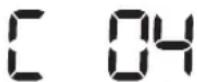
Strano telo se zaglavilo u uređaju za automatsko zatvaranje.► Isključite proizvod tako što ćete pritisnuti prekidač za hitne slučajeve i očistite uređaj za automatsko zatvaranje. 
Potrebno je proveriti senzor branika.► Isključite prekidač za hitne slučajeve i ponovo ga uključite.► Ako se informacioni kôd ponovo pojavi, proverite da li ima malih stranih tela između branika i kućišta. Ako ima, lagano povucite branik i izvadite strano telo. 
Strana tela se nalaze na senzoru za prepreke.► Isključite prekidač za hitne slučajeve i očistite prednji i zadnji senzor mekanom krpom. 
Strana tela se nalaze na senzoru za kosine.► Isključite prekidač za hitne slučajeve i očistite senzor za kosine mekanom krpom.
Rešavanje problema
Simptom Lista za proveru POWERbot uopšte ne radi. Proverite da li je prekidač za hitne slučajeve uključen.Proverite da li su sve ikone prikazane na kontrolnoj tabli.Proverite da li je baterija usisivača POWERbot prazna.- Kada se prikaže poruka „Lo“, postavite POWERbot na baznu stanicu kako biste ga napunili.- Kada indikator baterije treperi, ručno postavite POWERbot na baznu stanicu da biste ga napunili. (Samo za seriju SR1*M701****)Zamenite baterije (tip AAA) ako daljinski upravljač ne radi. POWERbot se zaustavio tokom čišćenja. Kada se prikaže poruka „Lo“ na kontrolnoj tabli, postavite POWERbot na baznu stanicu kako biste ga napunili.Kada indikator baterije treperi, ručno postavite POWERbot na baznu stanicu da biste ga napunili. (Samo za seriju SR1*M701****)Kada se POWERbot zaustavi jer je naišao na prepreku, npr. kabl, prag itd., podignite ga i udaljite od te prepreke.- Ako se neki materijal ili konac uhvati u točkić za upravljanje, isključite prekidač za hitne slučajeve i izvadite taj materijal ili konac pre daljeg korišćenja. Usisna snaga je mala. Ako se uključi indikator „Provera filtera“, isključite prekidač za hitne slučajeve i očistite posudu za prašinu.Ako ima previše prašine u posudi, usisna snaga može da se smanji. Isključite prekidač za hitne slučajeve i ispraznite posudu za prašinu.Ako je usisni otvor (na dnu usisivača POWERbot) blokiran stranim telima, isključite prekidač za hitne slučajeve i izvadite strano telo iz otvora.Kada se buka odjednom poveća, isključite prekidač za hitne slučajeve i ispraznite posudu za prašinu. POWERbot ne može da nade baznu stanicu. Proverite da li postoji prekid u napajanju i da li je utikač u utičnici.Uklonite prepreke koje se nalaze u blizini bazne stanice, a koje mogu da spreče POWERbot da se vrati na baznu stanicu.Kada na kontaktima za punjenje ima prljavštine, punjenje može biti otežano. Očistite prljavštinu sa kontakata. POWERbot odjednom počinje da čisti dijagonalno. Proverite da li je bazna stanica postavljena duž šara na drvenom podu ili pločicama.POWERbot može da čisti dijagonalno ako je u procesu prelaska na drugu površinu najkraćom putanjom. Pored toga, može da se kreće dijagonalno ako udari u prepreku pod datim uglom, ako se punio na punjaču pod uglom ili ako su šare drvenog poda/pločica okrenute u tom pravcu. Čišćenje pomoću tačke ne radi. Kada usmerite crveno svetlo direktno na POWERbot, on se možda neč kretati u željenom pravcu.- Usmerite crveno svetlo na pod, na oko 0,5 m od usisivača POWERbot.* Nemojte da koristite čišćenje pomoću tačke na direktnoj sunčevoj svetlosti, pod jakim svetlom ili na tamnom podu.
Rešavanje problema
Simptom Lista za proveru Aplikacija Samsung Smart Home je instalirana, ali POWERbot ne može da se poveže. ► Uređaj možete koristiti nakon povezivanja bežičnog rutera i usisivača POWERbot kroz postupak jednostavnog podešavanja. Ne mogu da se prijavim na Samsung nalog. ► Proverite ID i lozinku na ekranu Samsung naloga. Pojavljuje se poruka o grešci tokom postupka lakog podešavanja. ► Greška je možda privremena zbog udaljenosti od bežičnog rutera ili postojanja prepreka. Pokušajte ponovo nakon nekog vremena. Proizvod ne radi iako je pametni telefon pravilno povezan sa usisivačem POWERbot. ► Isključite aplikaciju Samsung Smart Home, pa je ponovo pokrenite ili prekinite vezu pametnog telefona sa bežičnim ruterom i ponovo ih povežite. Odnosno, isključite POWERbot, ponovo ga uključite, sačekate jedan minut ili malo duže, pa ponovo pokrenite aplikaciju Samsung Smart Home. Funkcije aplikacije Samsung Smart Home ne rade. ► Proverite da li je podešena funkcija blokiranja pametne kontrole na usisivaču POWERbot. (Kada je funkcija pametne kontrole zaključana, Wi-Fi indikator je isključen.) Aplikacija Samsung Smart Robot Vacuum ne može da se pokrene. ► Proverite da li je POWERbot povezan na bežični ruter. POWERbot nije povezan na Wi-Fi mrežu. ► Proverite podešavanja bežičnog rutera. Funkcija pametnog čišćenja funkcioniše na normalnim podovima. ► U slučaju da pod nije ravan, usisivač POWERbot će raditi sa blago izdignutim kućištem.► Proverite da li ima stranih tela na senzoru za kosine koji se nalazi na donjem delu usisivača POWERbot.► Proverite da li je pod taman. Funkcija pametnog čišćenja ne radi. ► Kada POWERbot čisti tepih kratkih vlakana i svetle boje, može da prepozna tepih kao pod, a funkcija pametnog čišćenja u tom slučaju neće raditi. Funkcija profesionalnog čišćenja ivica ne radi. ► Ako POWERbot ne može da prepozna zid, profesionalno čišćenje ivica možda neće funkcionisati.- Ako se ispred zida nalazi predmet koji reflektuje svetlost- Ako je sam zid izrađen od materijala koji reflektuje svetlost- Ako je zid tamne boje Funkcija profesionalnog čišćenja ivica se uključuje iako nema zida niti ugla. ► Proverite da li ima malih prepreka u uskom prostoru.► Ako POWERbot prepozna prepreku ispred sebe kao zid, može da se uključi funkcija profesionalnog čišćenja ivica. Funkcija profesionalnog čišćenja ivica se uključuje iako se usisivač POWERbot nije približio zidu niti uglu. ► Ako POWERbot detektuje ugao velikog stepena, funkcija profesionalnog čišćenja ivica može da se aktivira bez približavanja zidu ili uglu.
* Ovaj usisivač je usklađen sa sledećim propisima:
- Direktiva za radio i telekomunikacionu terminalnu opremu: 1999/5/EC
- Direktiva za elektromagnetsku kompatibilnost: 2014/30/EU
- Direktiva za električne uređaje niskog napona: 2014/35/EU
Zvanična Izjava o zakonskoj usklađenosti navedena je na adresi http://www.samsung.com, izaberite odeljak „Podrška“
U odeljku „Podrška“ unesite naziv modela u polje za pretragu.
Upozorenja u vezi sa baterijom
UPOZORENJE Ne smete sami da uklanjate (ili pokušate da uklonite) bateriju iz ovog proizvoda. Ako je potrebno zameniti bateriju, obratite se servisu ili nezavisnom stručnom licu.Ova uputstva su namenjena isključivo servisnom centru ili stručnoj osobi.RADI SOPSTVENE BEZBEDNOSTI, NE POKUŠAVAJTE DA SAMI UKLONITE BATERIJU I NEMOJTE DA JE BACITE U VATRU. NEMOJTE RASTAVLJATI, LOMITI NITI BUŠITI BATERIJU.
Uklanjanje baterije
Isključite POWERbot sa punjača/bazne stanice ako je potrebno da ga rasklopite. Radi vaše bezbednosti, morate isključiti POWERbot pre rasklapanja.

1 Položite i okrenite POWERbot naopako, a zatim skinite 2 zavrtnja.

2 Skinite poklopac posude za prašinu.

3 Izvadite bateriju iz otvora i isključite konektor.

Pravilno odlaganje baterija ovog proizvoda
(Važi u državama sa sistemima zasebnog odlaganja potrošenih baterija.)
Oznaka na bateriji, priručniku ili ambalaži označava da baterija iz ovog proizvoda ne sme da se odlaže zajedno sa drugim otpadom iz domaćinstva. Na mestima na kojima ih ima, hemijski simboli Hg, Cd ili Pb označavaju da baterija sadrži živu, kadmijum ili olovo iznad referentnog nivoa navedenog u Direktivi EZ 2006/66.
Zamenu baterije u ovom proizvodu ne može da obavi korisnik. Informacije o njenoj zameni potražite u servisnom centru. Ne pokušavajte da izvadite bateriju niti da je bacite u vatru. Nemojte rastavljati, lomiti niti bušiti bateriju. Ako nameravate da odložite proizvod, na prikupljalištu otpada će biti preduzete sve odgovarajuće mere za recikliranje i obradu proizvoda, uključujući i bateriju
Obaveštenje o softveru otvorenog koda
Ovaj uređaj sadrži softver otvorenog koda. Kada prođe datum poslednje isporuke ovog proizvoda, ceo izvorni kôd možete da dobijete na korišćenje u trajanju od tri godine slanjem poruke na adresu oss.request@samsung.com.
Pored toga, odgovarajući izvorni kôd možete da dobijete na fizičkom medijumu, kao što je CD-ROM, za koji će vam biti naplaćena minimalna naknada.
Na sledećoj URL adresi http://opensource.samsung.com/opensource/VR7000_A20_TZ/seq/0 nalazi se stranica za preuzimanje dostupnog softvera otvorenog koda, kao i informacija o licenci za softver otvorenog koda koja se odnosi na ovaj uređaj. Ova ponuda važi za sve primaoce ovih informacija.

Specifikacije
Klasifikacija Stavka Detaljne informacije SR1*M701*** SR1*M702***SR1*M703*** Mehaničke specifikacije (POWERbot) Veličina (dubina x visina x dužina) 340 mm x 97 mm x 348 mm Težina 4 kg Senzor Prepoznavanje oblika plafona (Visionary mapping plus TM) Tip dugmeta na usisivaču POWERbot Dodirno dugme Specifikacije napajanja Napon 100-240 V naizmenične struje, 50 Hz/60 Hz Potrošnja struje 80 W Specifikacije baterije 21,6 V/ 38,8 Wh Čišćenje Tip punjenja Automatsko punjenje/ručno punjenje Režim čišćenja Automatsko čišćenje, čišćenje jednog mesta, dnevni raspored Automatsko čišćenje, čišćenje mesta, ponavljanje čišćenja, ručno čišćenje, jednokratno čišćenje, dnevni raspored Vreme punjenja Približno 240 minuta Vreme čišćenja (u zavisnosti od teksture poda) Maksimalno čišćenje Približno 30 minuta Normalan režim Približno 60 minuta
Klasifikacija Štavka Detaljne informacije Mehaničke specifikacije (POWERbot) Veličina (dubina x visina x dužina) 340 mm x 97 mm x 348 mm Težina 4,3 kg Senzor Prepoznavanje oblika plafona (Visionary mapping plus TM) Tip dugmeta na usisivaču POWERbot Dodirno dugme Specifikacije napajanja Napon 100-240 V naizmenične struje, 50 Hz/60 Hz Potrošnja struje 130 W Specifikacije baterije 21,6 V/ 77,8 Wh Čišćenje Tip punjenja Automatsko punjenje/ručno punjenje Režim čišćenja Automatsko čišćenje, čišćenje mesta, ponavljanje čišćenja, ručno čišćenje, jednokratno čišćenje, dnevni raspored Vreme punjenja Približno 160 minuta Vreme čišćenja (u zavisnosti od teksture poda) Maksimalno čišćenje Približno 30 minuta Normalan režim Približno 60 minuta Režim tihog rada Oko 90 minuta
* U cilju poboljšanja uređaja, dizajn i specifikacije mogu biti promenjeni bez prethodne najave.
* Trajanje punjenja i čišćenja mogu da variraju u zavisnosti od uslova upotrebe.
SAMSUNG
POWERbot
Korisnički priručnik
Serija SR1*M70****, SR2*M70****
- Prije upotrebe ovog uredaja pažljivo pročitajte upute.
- Samo za korištenje u zatvorenom prostoru.

Sadržaj
03 Informacije o sigurnosti 08 PostavljanjeDodaci / Napomena o postavljanju 10 PunjenjeAutomatsko punjenje / Ponovno punjenje /Prazna baterija (Lo) 12 Upotreba usisivača POWERbotUključivanje/isključivanje napajanja/ Odabir načina čišćenja / Korištenjeposebnih funkcija čišćenja 15 Postavljanje virtualnog štitnikaNaziv dijelova virtualnog štitnika /Umetanje baterija 17 Upotreba daljinskog upravljača 20 Nazivi pojedinačnih dijelovaGornji dio / Donji dio / Zaslon 22 Postavljanje vremena/rasporedaPostavljanje vremena / Postavljanje rasporeda 25 Čišćenje i održavanjeČišćenje spremnika za prašinu / Čišćenje senzorai kamere / Čišćenje četke i automatske zaklopke /Čišćenje pogonskog kotača 27 Aplikacija Samsung Smart HomePriprema mreže / Upotreba aplikacije Samsung SmartHome 31 Napomene i mjere oprezaPunjenje / Korištenje / Čišćenje i održavanje / Obateriji / O IrDA senzoru 33 Kodovi pogrešaka 35 Rješavanje problema 37 Upozorenja o bateriji 38 Obavijest o otvorenom kodu 39 Tehnički podaci
Informacije o sigurnosti
INFORMACIJE O SIGURNOSTI

- Prije upotrebe uređaja temeljito pročitajte ovaj priručnik i sačuvajte ga za buduće potrebe.
- Budući da sljedeće upute za rukovanje obuhvaćaju različite modele, značajke vašeg usisavača mogu se malo razlikovati od onih koje su opisane u ovom priručniku.

UPOTRIJEBLJENI SIMBOLI OPREZA/UPOZORENJA
UPOZORENJE Označava da postoji rizik od smrti ili teških ozljeda. OPREZ Označava da postoji rizik od tjelesnih ozljeda ili materijalne štete.
OSTALI UPOTRIJEBLJENI SIMBOLI
NAPOMENA Označava da postoji rizik od tjelesnih ozljeda ili materijalne štete. 
Robot usisivač Smart podržava uslugu Samsung Smart Home.Detaljnije informacije potražite na web-mjestu Samsung.com/Smarthome.
\- Informacije o predanosti zaštiti okoliša i regulatornim obvezama u vezi s određenim proizvodom, npr. uredbom REACH, potražite na adresi: samsung.com/uk/aboutsamsung/samsungelectronics/corporatecitizenship/data_corner.htm
Informacije o sigurnosti
VAŽNE UPUTE O SIGURNOSTI
Tijekom upotrebe električnog uređaja treba se pridržavati osnovnih mjera opreza, uključujući sljedeće:
PROČITAJTE SVE UPUTE PRIJE UPOTREBE USISIVAČA POWERbot.
Isključite uređaj iz utičnice kad se ne upotrebljava i prije održavanja.
UPOZORENJE: za smanjenje rizika od požara, strujnog udara ili ozljede:
OPĆENITO
- Upotrebljavajte samo onako kako je opisano u ovom priručniku.
- Nemojte upotrebljavati usisivač POWERbot ili punjač baterije/priključnu stanicu ako je na bilo koji način došlo do oštećenja.
- Ako usisivač ne radi pravilno, ako je nekome ispao, oštećen je, ostavljen vani ili je pao u vodu, vratite ga u centar za korisničku podršku.
- Nemojte rukovati punjačem/priključnom stanicom ili uređajem POWERbot mokrim rukama.
- Usisivač koristite samo na suhim površinama u kući.
- Uređaj mogu upotrebljavati djeca stara 8 ili više godina te osobe smanjenih tjelesnih, osjetilnih ili mentalnih sposobnosti ili osobe kojima nedostaje iskustvo i znanje, ako se nalaze pod nadzorom ili ako su primili dodatne upute o korištenju uređaja na siguran način te razumiju rizike koji proizlaze iz upotrebe uređaja. Djeca se ne smiju igrati uređajem. Djeca ne smiju čistiti uređaj niti provoditi postupke održavanja uređaja bez nadzora.
Punjač baterije/priključna stanica
- Polarizirani utikač nemojte modificirati tako da odgovara nepolariziranoj utičnici ili produžnom kabelu.
- Usisivač nemojte upotrebljavati vani ni na mokrim površinama.
- Isključite punjač baterije/priključnu stanicu iz utičnice kad nije u upotrebi i prije servisa.
- Za punjenje upotrebljavajte samo punjač baterije/priključnu stanicu koju isporučuje proizvođač.
- Nemojte upotrebljavati usisivač s oštećenim kabelom ili utikačem ili pak nepričvršćenom utičnicom.
- Ne vucite usisivač i nemojte ga nositi pomoću kabela, kabel nemojte upotrebljavati kao ručku, zatvarati vrata preko kabela ili ga povlačiti po oštrim rubovima ili kutovima. Kabel držite na sigurnoj udaljenosti od zagrijanih površina.
- Nemojte upotrebljavati produžne kabele ili utikače neodgovarajuće vodljivosti.
- Nemojte iskopčavati usisivač tako da vučete za kabel napajanja. Kako biste isključili usisivač, uhvatite za utikač, a ne za kabel.
- Nemojte uništavati ili spaljivati baterije jer će eksplodirati pri visokim temperaturama.
- Ne pokušavajte otvoriti punjač baterije/priključnu stanicu. Popravke smije vršiti samo kvalificirani centar za korisničku podršku.
- Nemojte izlagati punjač baterije/priključnu stanicu visokim temperaturama ili dopustiti da bilo kakva vlaga ili tekućina dođu u dodir s punjačem baterije/priključnom stanicom.
POWERbot
- Nemojte usisavati tvrde ili oštre predmete kao što su staklo, čavli, vijci, kovanice i sl.
- Nemojte upotrebljavati usisivač bez pričvršćenog filtra. Prilikom servisiranja uređaja nikada nemojte stavljati prste ili druge predmete u odjeljak s ventilatorom, za slučaj da se uređaj slučajno uključi.
- Ne stavljajte nikakve predmete u otvore. Nemojte koristiti usisivač dok su mu otvori blokirani; iz otvora se treba čistiti prašina, dlake ili drugi predmeti koji mogu blokirati protok zraka.
- Nemojte usisavati otrovne tvari (klorni izbjeljivač, amonijak, sredstvo za čišćenje odvoda itd.).
- Nemojte usisavati predmete koji gore ili se dime, kao što su cigarette, šibice ili vreli pepeo.
- Nemojte usisavati zapaljive ili eksplozivne tekućine kao što je benzin, niti upotrebljavati uređaj na mjestima gdje se takve tekućine mogu nalaziti.
- Nemojte koristiti usisivač na mjestima na kojima se na podu nalaze svijeće ili stolne lampe.
- Nemojte koristiti usisivač na mjestima na kojima vatra nije pod nadzorom (vatra ili žar).
- Nemojte koristiti usisivač na mjestima na kojima se nalaze destilirani alkohol, razrjeđivač, pepeljare s gorućim cigaretama itd.
- Nemojte koristiti POWERbot u zatvorenom prostoru ispunjenom parama iz boje na bazi ulja, razrjeđivača boje, tvari za odbijanje moljaca, zapaljivom prašinom ili drugim eksplozivnim ili otrovnim parama.
- Prilikom pretjerano česte upotrebe uređaja ili uslijed ekstremnih temperatura može doći do curenja iz baterijskih ćelija. Ako tekućina dospije na kožu, brzo operite vodom. Ako tekućina dospije u oči, odmah ih ispirite čistom vodom u trajanju od najmanje 10 minuta. Zatražite pomoć liječnika.
Informacije o sigurnosti

UPOZORENJE
Povezano s napajanjem
▶ Spriječite sve vrste rizika od strujnog udara ili požara.
\- Nemojte oštetiti kabel za napajanje.
\- Nemojte prejako povlačiti kabel za napajanje niti dodirivati utikač mokrim rukama.
\- Nemojte upotrebljavati drugi izvor električne energije osim onog od 100 - 240 V\~ i nemojte upotrebljavati višestruku utičnicu za istodobno opskrbljivanje više uređaja električnom energijom. (Nemojte ostavljati kabel na podu.)
\- Nemojte upotrebljavati oštećen utikač, kabel ili nepričvršćenu utičnicu.
▶ Očistite prašinu i strane tvari s kontaktnih dijelova utikača.
\- Postoji rizik od strujnog udara ili kvara.

UPOZORENJE
Prije upotrebe
▶ Nemojte koristiti usisivač POWERbot u blizini zapaljivih materijala.
\- Usisivač nemojte postavljati u blizini svijeća, stolnih svjetiljki, ognjišta ili u blizini zapaljivih tvari kao što su benzin, alkohol, razrjeđivači itd.
\- Usisivač POWERbot namijenjen je kućanstvima te ga stoga nemojte upotrebljavati na tavanu, u podrumu, skladištu, industrijskoj zgradi, izvan zatvorenog prostora, na mjestima s vlagom (kao što je kupaonica, praonica rublja), na stolu ili policama.
\- Usisivač POWERbot može se oštetiti ili pokvariti.
▶ Pripazite da usisivač POWERbot ne prolazi ni kroz kakve tekućine niti da ih dodiruje.
\- Usisivač POWERbot može se ozbiljno oštetiti i onečistiti druge prostore ako kotači produ kroz tekućinu.
▶ Ne prolijevajte nikakvu tekućinu na priključnu stanicu.
\- Postoji rizik od požara ili strujnog udara.
▶ Nemojte upotrebljavati priključnu stanicu u druge svrhe osim one za koju je namijenjena.
\- Postoji rizik od požara ili jakog oštećenja priključne stanice.
\- Senzor za litice uvijek održavajte čistim radi vlastite sigurnosti.

UPOZORENJE
U upotrebi
Ako iz usisivača POWERbot dolaze neuobičajeni zvukovi, mirisi ili dim, odmah isključite prekidač u slučaju nužde na dnu usisivača POWERbot i kontaktirajte servisni centar.

UPOZORENJE
Čišćenje i održavanje
Ako je kabel za napajanje oštećen, kontaktirajte servisni centar kako bi ga zamijenio ovlašteni majstor.
\- Postoji rizik od požara ili strujnog udara.
▶ Obratite se servisnom centru tvrtke Samsung Electronics za zamjenu baterije.
\- Upotreba baterija iz drugih proizvoda može prouzročiti kvar.

OPREZ
Prije upotrebe
- Prije upotrebe usisivača POWERbot umetnite spremnik za prašinu.
▶ Budite oprezni u sljedećim slučajevima kako bi automatsko ponovno punjenje bilo pravilno.
- Uvijek uključite napajanje priključne stanice.
- Postavite priključnu stanicu na mjesto gdje je usisivač POWERbot može lako pronaći.
- Ne ostavljajte nikakve predmete ispred priključne stanice.
▶ Pri postavljanju priključne stanice nemojte kabel ostaviti na podu jer bi se usisivač POWERbot mogao zapetljati.
▶ Nemojte upotrebljavati usisivač POWERbot na crnim podovima.
\- Usisivač POWERbot možda neće moći pravilno raditi.
▶ Ne postavljajte nikakve predmete na udaljenost od 0,5 m s obje strane i 1 m ispred priključne stanice.
▶ Pripazite da kontakt priključne stanice nije oštećen i da se na njemu ne nalaze strane tvari.
▶ Nemojte postavljati priključnu stanicu na području s tamnim podom.
\- Ako je pod oko priključne stanice taman, to će omesti ponovno punjenje.
▶ Prije čišćenja uklonite sve prepreke koje bi mogle omesti kretanje usisivača POWERbot (poput kućnih dječjih Ijuljački ili tobogana).
▶ Nemojte upotrebljavati usisivač POWERbot na mjestu koje je uže od radijusa okretanja (0,5 m ili manje) usisivača POWERbot.

OPREZ
U upotrebi
▶ Upotrebom usisivača POWERbot na debelim tepisima može se oštetiti i usisivač POWERbot i tepih.
\- Usisivač POWERbot ne može prijeći preko tepiha koji je deblji od 1 cm.
▶ Nemojte upotrebljavati usisivač POWERbot na stolovima ili drugim visokim površinama.
- Ako padne, postoji rizik od oštećenja.
▶ Usisivač POWERbot može se sudariti sa stolicom, nogama stola, stoga ih uklonite radi bržeg i učinkovitijeg čišćenja.
▶ Dok usisivač POWERbot radi, nemojte ga podizati ili prenositi na drugo mjesto.
▶ Nemojte usisivač POWERbot držati za pogonske kotače tijekom nošenja u drugi prostor.
▶ Nemojte stavljati nikakve predmete na usisivač POWERbot ili na kameru jer to može prouzročiti kvar.
▶ Uklonite velike papire i plastične vrećice s poda prije upotrebe usisivača POWERbot jer mogu zapriječiti usisavanje.
▶ Nemojte usmjeravati crveni pokazivač izravno u ljude ili životinje.
▶ Nemojte ležati u blizini usisivača POWERBOT koji radi.
\- Vaša kosa može se zapetljati u četku te se na taj način možete ozlijediti.

OPREZ
Čišćenje i održavanje
Kako biste spriječili oštećenje usisivača POWERbot držite se sljedećih uputa
- Nemojte čistiti usisivač POWERbot izravnim prskanjem vode po njemu niti upotrebljavati benzen, razrjeđivač, aceton ili alkohol za čišćenje.
▶ Nemojte rastavljati ili popravljati usisivač POWERbot. To treba učiniti samo ovlašteni serviser.
▶ Senzor za prepreke, senzor za litice i kameru uvijek održavajte čistim.
\- Ako se nakupi stranih tvari, senzori se mogu pokvariti.
Postavljanje
Priključna stanica mora uvijek biti ukopčana i uključena.

Dodaci


Daljinski upravljač(Ne isporučuje se uz seriju SR1*M701***) Baterije (vrsta AAA) Korisnički priručnik Pričuvni filtar (opcija) 


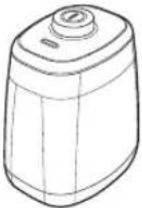
Priključna stanica Kabel napajanja Punjač baterije Virtualni štitnik (opcija)
Napomena o postavljanju

Napomena
▶ Postavite priključnu stanicu na mjesto gdje su pod i zid poravnati.
Najbolje je postaviti priključnu stanicu uzduž uzorka drvenog poda.
Ako je isključen sigurnosni prekidač, usisivač POWERbot neće se napuniti, čak i ako je priključen na priključnu stanicu.
▶ Uvijek uključite napajanje priključne stanice.
- Ako priključna stanica nema napajanja, usisivač POWERbot neće je moći pronaći i automatski se napuniti.
- Ako je usisivač POWERbot odvojen od priključne stanice, baterija će se prirodno isprazniti.
Ako je usisivač POWERbot u načinu rada za uštedu energije, napajanje se neće uključiti čak ni uključivanjem i isključivanjem sigurnosnog prekidača. Pritisnite i držite pritisnutim gumb [Pokretanje/zaustavljanje] na usisivaču POWERbot kako biste isključili način rada za uštedu energije.
Punjenje
Nakon potpunog prvog punjenja (nakon kupnje), usisivač POWERbot može se upotrebljavati oko 60 min. u Normalnom (načinu rada . (Informacije o vremenu punjenja potražite na stranici 39.)
Pametno punjenje
Ako usisivač POWERbot ostane bez punjenja tijekom rada u načinu Automatsko čišćenje, automatski će se vratiti na priključnu stanicu kako bi se napunio, a zatim će ponovno započeti čistiti kako bi završio s čišćenjem nakon što se napune dvije trećine baterije (maksimalno 2 puta).


1 Uključite prekidač u slučaju nužde na donjem dijelu
Morate uključiti sigurnosni prekidač da biste uključili usisivač POWERbot.
Pritisnite i otpustite gumb 🏠️.
2 Ručno napunite usisivač POWERbot postavljajući ga na priključnu stanicu
Provjerite jesu li pinovi za punjenje na usisivaču POWERbot poravnati s priključnom stanicom.
HRVATSKI-10
3 Provjerite status punjenja
Za seriju SR1*M701*** indikator baterije treperi u intervalima od 1 sekunde tijekom punjenja te će indikator ostati u statusu UKLJUČENO kada je baterija potpuno napunjena. Za serije SR1*M702*** / SR1*M703*** / SR2*M70**** "## ## " će se uključiti u skladu s napretkom postupka punjenja, a oznaka „FULL“ će se uključiti kad se punjenje završi.
Automatsko punjenje

1. Serija SR1*M701****
Ako indikator baterije treperi u intervalima od 0,4 sekunde usisivač POWERbot automatski će se vratiti na priključnu stanicu kako bi se napunio.
2. Serije SR1*M70****/SR2*M70****
Kad indikator baterije zatreperi tijekom čišćenja, usisivač POWERbot će se automatski vratiti na punjač kako bi se napunio.
Ponovno punjenje

Možete narediti usisivaču POWERbot da se automatski ponovno napuni na priključnoj stanici za vrijeme postupka čišćenja.
Prazna baterija (Lo)

Ručno napunite usisivač POWERbot postavljajući ga na priključnu stanicu.
Koraci koje treba poduzeti ako se ponovno punjenje ne izvršava:
Provjerite status postavljanja priključne stanice u sljedećim slučajevima:
- ako se priključna stanica nalazi na mjestu kojemu usisivač POWERbot ne može lako pristupiti.
- ako je udaljenost između priključne stanice i usisivača POWERbot više od 5 m.
- Može dugo potrajati dok se usisivač POWERbot vrati na priključnu stanicu za punjenje
Ručno napunite usisivač POWERbot u sljedećim slučajevima:
- ako se priključna stanica nalazi u kutu
- ako je baterija potpuno ispražnjena
- ako je POWERbot imobiliziran preprekom (namještaj itd.)
- ako se usisivač POWERbot ne može popeti preko praga u blizini priključne stanice (maksimalna visina preko koje se usisivač može popeti je oko 1,5 cm)
indikator baterije treperi i prikazuje se oznaka „Lo"
▶ Indikator baterije treperi (primjenjivo za seriju SR1*M701****)
- ako je usisivač POWERbot postavljen na način čišćenja Čišćenje mjesta ili Ručni način čišćenja
Upotreba usisivača POWERbot

Morate uključiti sigurnosni prekidač na dnu prije upotrebe usisivača POWERbot.
Uključivanje/isključivanje napajanja
Pritisnite gumb duže od 3 sekunde

\- Kada se usisivač POWERbot ne koristi tijekom 30 min.:
Serije SR1*M70**U* / SR2*M70**U*: uključuje se način rada za uštedu energije.
Serije SR1*M70**W* / SR2*M70**W*: automatski se vraća na priključnu stanicu kako bi se napunio.

Pokretanje automatskog načina čišćenja
Pritisnite i otpustite ovaj gumb. Usisivač POWERbot automatski se kreće i čisti postavljena područja samo jednom.

* Zaustavi čišćenje: Pritisnite i otpustite gumb
Korištenje načina Čišćenje mjesta
Usisivač POWERbot intenzivno čisti određeno područje.

Ponovno punjenje
Pritiskom na ovaj gumb možete narediti usisivaču POWERbot da se automatski napuni na priključnoj stanici za vrijeme postupka čišćenja.

Odabir načina čišćenja
Način čišćenja Kako odabrati Prikazana ikona SR1*M702***SR1*M703***SR2*M70**** SR1*M701*** Automatsko čišćenje 


Čišćenje mjesta 


Ponovno čišćenje * Najprije pritisnite [vrsta A,B], [vrsta C,D Repeat] na daljinskom upravljaču, a zatim pritisnite [Pokretanje/zaustavljanje ▶II]. 
- Ručno čišćenje * Način Ručno čišćenje može se odabrati pomoću gumba za usmjeravanje na daljinskom upravljaču. 
-
* Ako se usisivač POWERbot ne vrati na priključnu stanicu, uključit će se način rada za uštedu energije i isključit će se zaslon.
* Za izlazak iz načina rada za uštedu energije pritisnite gumb [Pokretanje/zaustavljanje ▶II] ili [Napajanje ⏻] na glavnom kućištu ili daljinskom upravljaču.
* Ako je čišćenje u načinu Automatsko čišćenje dovršeno unutar 15 minuta usisivač POWERbot ponovit će čišćenje još jednom.

Upotreba usisivača POWERbot
Metoda čišćenja svakog načina čišćenja

Automatsko čišćenje
Automatski čisti postavljena područja samo jednom.

Čišćenje mjesta
Intenzivno čisti određeno područje. Može se koristiti za čišćenje mrvica kruha ili keksa.

Ručno čišćenje
Usisivač POWERbot možete pomicati pomoću daljinskog upravljača kako biste očistili željeno mjesto.
* Ova funkcija nije primjenjiva za seriju SR1*M701***.

Ponovno čišćenje
Uzastopno čisti dok se baterija ne isprazni.
* Ova funkcija nije primjenjiva za seriju SR1*M701****.

Napomena
Ako je započet način rada Automatsko čišćenje ili Ponovno čišćenje, usisivač POWERbot najprije čisti područje u blizini priključne stanice.
Korištenje posebnih funkcija čišćenja
Funkcija čišćenja Rukovanje Prikazana ikona SR1*M702***SR1*M703***SR2*M70**** SR1*M701*** Pametno čišćenje * Kada usisivač POWERbot otkrije tepih u normalnom načinu rada, automatski će raditi s jačom snagom usisavanja. Čišćenje kutova * Kada usisivač POWERbot otkrije rub ili kut u načinu rada Automatsko čišćenje ili Čišćenje mjesta, pokreće se automatska zaklopka te pristupa rubu ili kutu kojeg treba čistiti. ▶ Ravni rub (jedno čišćenje) ▶ Kut (dva čišćenja) 
Postavljanje virtualnog štitnika
Infracrvena zraka iz virtualnog štitnika ograničit će pristup usisivača POWERbot određenim područjima.
* (Uključeno samo uz seriju SR2*M707***. Za serije SR2*M704*** / SR2*M705*** / SR2*M706*** dodatno se kupuje.)

1 Pritisnite gumb Napajanja kako biste ga uključili
Treperit će lampica napajanja (crveno).

2 Postavite virtualni štitnik tamo gdje želite ograničiti ulaz usisivaču POWERbot
Osigurajte da senzor za udaljenost bude okrenut u željenom smjeru u kojem želite stvoriti nevidljivu prepreku (koja će usisivaču POWERbot ograničiti prostor).
Postavljanje virtualnog štitnika
Naziv dijelova virtualnog štitnika

Umetanje baterija
Baterije za virtualni štitnik moraju se odvojeno kupiti.

1 Otvorite poklopac baterije virtualnog štitnika tako da tipku za otvaranje pritisnete i podignete.

2 Umetnite alkalne baterije (vrsta D) kao što je prikazano na slici (provjerite polaritet +, -).

3 Umetnite vrh poklopca u utor i pritisnite drugi kraj kako biste zatvorili poklopac baterije.
Upotreba daljinskog upravljača
[Vrsta A] [Vrsta B]


[Vrsta C] [Vrsta D]


Upotreba daljinskog upravljača
□ [Vrsta A] / □ [Vrsta B] / [Vrsta C] / [Vrsta D]
1 Napajanje / Ponovno punjenje / Pokretanje/zaustavljanje
Napajanje 


Uključite/isključite napajanje usisivača POWERbot' Ponovno punjenje 


Odaberite kako bi se usisivač POWERbot automatski ponovno napunio na priključnoj stanici Pokretanje/ zaustavljanje 


Odaberite za pokretanje ili zaustavljanje postupka čišćenja
2 Način čišćenja
Automatsko čišćenje 


Odaberite za jednokratno čišćenje postavljenih područja te automatski povratak na priključnu stanicu. Čišćenje mjesta 


Odaberite za intenzivno čišćenje lokaliziranog područja Ponovno čišćenje 


Odaberite za ponavljajuće čišćenje sve dok se baterija znatno ne isprazni uz treperenje indikatora
3 Snaga usisavanja
Maksimalni način rada 


Odaberite za čišćenje s najjačom snagom usisavanja Normalan način rada 


Odaberite za čišćenje sa srednjom snagom usisavanja Način Tiho 

Odaberite za čišćenje uz nižu razinu buke tijekom rada
4 Dodatne funkcije
Zvuk 


Svaki put kad pritisnete ovaj gumb, Zvučni efekti → Stišano će se odabrati navedenim redoslijedom Daljinski upravljač 

Odaberite kako biste uključili ili isključili funkciju Wi-Fi
* Prethodno odabrana postavka neće se promijeniti čak i ako se prekidač u slučaju nužde isključi, a zatim uključi.
5 Način ručno čišćenje i Upravljanje smjerom
Pomicanje unaprijed 


Odaberite za pomicanje unaprijed Skretanje ulijevo 
[2HKA] 

Odaberite za skretanje ulijevo Skretanje udesno 


Odaberite za skretanje udesno
* Pomicanje unatrag nije moguće.
6 Čišćenje s pomoću točke
Dostupno samo uz daljinske upravljače vrste C, D.
Daljinski upravljač možete upotrijebiti za usmjeravanje i čišćenje željenog mjesta dok je usisivač POWERbot u postupku čišćenja.
Usmjerite crveno svjetlo prema podu u rasponu od 0,5 m oko položaja usisivača POWERbot.
Pritisnite i držite gumb za čišćenje s pomoću točke kako biste pomaknuli crveno svjetlo na željeno mjesto. Usisivač POWERbot pratit će svjetlo istodobno čisteći.

Radna udaljenost daljinskog upravljača

Visina daljinskog upravljanja 0,5 m 1 m 1,5 m Radna udaljenost Oko 1,5 m Oko 2 m Oko 3 m
Umetanje baterija
Otvorite poklopac baterije podižući ga uz istodobno pritiskanje tipke za otvaranje, a zatim umetnite baterije kao što je prikazano na slici. Zatim zatvorite poklopac tako da ga pritisnete dok ne sjedne na mjesto.

Nazivi pojedinačnih dijelova


Gornji dio
1. Zaslon
2. Signalni prijamnik daljinskog upravljača
3. Senzor za prepreke
4. Spremnik za prašinu
5. Kamera
6. Tipka za posudu za prašinu
7. Senzor odbojnika
8. Automatska zaklopka
Donji dio
1. Kontakti za punjenje
2. Četka
3. Poklopac četke
4. Senzor za litice
5. Valjak
6. Poklopac za baterije
7. Gumb poklopca četke
8. Pogonski kotač
9. Prekidač u slučaju nužde
10. Automatska zaklopka
Zaslon
Serija
1. Dnevno programiranje
2. Način rada Normalan/Turbo
3. Indikator baterije
4. Gumb za Čišćenje mjesta, dnevni raspored (3 s)
5. Gumb Pokretanje/zaustavljanje, maksimalni način (3 s)
6. Gumb za ponovno punjenje


1. Stišano
2. Indikator pogreške
3. *Indikator funkcije Smart Control (isključeno/uključeno)
4. *Wi-Fi
5. Indikator baterije
6. Raspored Jednom/Dnevno
7. Prikaz brojeva
8. Način Čišćenje mjesta
9. Način Ručno čišćenje
10. Način Ponovno čišćenje
11. Normalan način rada
12. Maksimalni način rada
13. Gumb za Čišćenje mjesta
14. Gumb Pokretanje/Zaustavljanje
15. Gumb za ponovno punjenje
1. Stišano
2. Indikator pogreške
3. *Indikator funkcije Smart Control (isključeno/uključeno)
4. *Wi-Fi
5. Indikator baterije
6. Raspored Jednom/Dnevno
7. Prikaz brojeva
8. Način Čišćenje mjesta
9. Način Ručno čišćenje
10. Način Ponovno čišćenje
11. Način Tiho
12. Normalan način rada
13. Maksimalni način rada
14. Gumb za Čišćenje mjesta
15. Gumb Pokretanje/Zaustavljanje
16. Gumb za ponovno punjenje
* SR1*M70**W* / SR2*M70**W*: Model koji podržava Wi-Fi
Postavljanje vremena/rasporeda
[Vrsta A, vrsta B] Raspored se može postaviti samo za način Automatsko čišćenje.
Postavljanje vremena
Prije korištenja rasporeda Jednom/Dnevno morate postaviti trenutačno vrijeme.

Postavljanje rasporeda
Postavljanje/poništavanje rasporeda može se izvršiti samo dok je POWERbot spojen na priključnu stanicu.

Poništavanje tijekom podešavanja

▶ Postavljanje će se automatski poništiti ako se unos ne izvrši u roku od 7 sekundi.
Poništavanje rasporeda Jednom/Dnevno
Kad su postavljena oba rasporeda Jednom/Dnevno  Schedule
  Držite pritisnutim 3 sekunde
 ili Schedule Odaberite raspored Poništavanje dovršeno
 Schedule [H34T] Schedule Schedule [H34T] Schedule [H34T] Schedule [H34T] Schedule [H34T] Schedule [H34T] Schedule [H34T] Schedule [H34T] Schedule [H34T] Schedule [H34T] Schedule [H34T] Schedule [H34T] Schedule [H34T] Schedule [H34T] Schedule [H34T] Schedule [H34T] Schedule [ H34T ] Schedule [H34T ] Schedule [H34T ] Schedule [H34T ] Schedule [H34T ] Schedule [H34T ] Schedule [H34T ] Schedule [H34T ] Schedule [H34T ] Schedule [H34T ] Schedule [H34T ] Schedule [H34T ] Schedule [H34T ] Schedule [H34T ] Schedule [H34T ] Schedule [H3 4G ] Schedule Schedule Schedule Schedule Schedule Schedule Schedule Schedule Schedule Schedule Schedule Schedule Schedule Schedule Schedule [H34 G ] Schedule Schedule Schedule Schedule Schedule Schedule Schedule Schedule Schedule Schedule Schedule Schedule Schedule Schedule
 Kad je postavljen jedan od rasporeda Jednom ili Dnevno [Schedule Cancel (3sec) Držite pritisnutim 3 sekunde
[Vrsta C, vrsta D] Raspored se može postaviti samo za način Automatsko čišćenje.
Postavljanje vremena
Prije korištenja rasporeda Jednom/Dnevno morate postaviti trenutačno vrijeme.

Postavljanje rasporeda
Postavljanje/poništavanje rasporeda može se izvršiti samo dok je POWERbot spojen na priključnu stanicu.

Poništavanje tijekom podešavanja

▶ Postavljanje će se automatski poništiti ako se unos ne izvrši u roku od 7 sekundi.
Poništavanje rasporeda Jednom/Dnevno
Kad su postavljena oba rasporeda Jednom/Dnevno  Cancel (3sec)Držite pritisnutim 3 sekunde
▶ ili  Cancel (3sec)
 Cancel (3sec)
Odaberite raspored Poništavanje dovršeno Kad je postavljen jedan od rasporeda Jednom ili Dnevno ScheduleCancel (3sec)Držite pritisnutim 3 sekunde
Postavljanje vremena/rasporeda
[Serija SR1*M701***] Za modele koji ne uključuju daljinski upravljač programiranje je dostupno kao što je navedeno u nastavku.
Postavljanje rasporeda

Držite pritisnutim 3 sekunde


Kada je uključeno LED svjetlo za raspored, postavljen je raspored Dnevno.
* Vrijeme kada pritisnete gumb bit će postavljeno kao raspored. Čišćenje će se automatski izvršavati svaki dan prema vremenu rasporeda.
Otkazivanje dnevnog rasporeda
Kada je postavljen dnevni raspored  Držite pritisnutim 3 sekunde
Čišćenje i održavanje

Morate isključiti prekidač u slučaju nužde prije čišćenja usisivača POWERbot.
Čišćenje spremnika za prašinu

1 Pritisnite gumb kako biste uklonili spremnik za prašinu

2 Uklonite poklopac spremnika za prašinu

3 Uklonite prašinu iz spremnika za prašinu i jedinice centrifugalnog odvajača

4 Odvojite jedinicu osovine s poklopca posude za prašinu te potom operite posudu za prašinu i filtar

5 Vratite spremnik za prašinu

6 Ponovno umetnite spremnik za prašinu u glavno kućište dok ne sjedne na mjesto
Čišćenje senzora i kamere
Lagano obrišite mekanom krpom. Nemojte upotrebljavati vodu ili otopine za čišćenje.

Čišćenje i održavanje
Čišćenje četke i automatske zaklopke
Dizajn četke može se razlikovati ovisno o modelu.

1 Uklonite poklopac četke

2 Uklonite četku

3 Očistite četku

4 Očistite automatsku zaklopku

5 Vratite četku

6 Vratite poklopac četke
Čišćenje pogonskog kotača

1 Stavite mekanu krpu na pod i postavite usisivač POWERbot naopačke.


2 Uklonite strane tvari tupom šipkom ili pincetom.
Aplikacija Samsung Smart Home
Aplikacija Samsung Smart Home primjenjiva je samo na modele koji podržavaju Wi-Fi.
Priprema mreže
Postavljanje bežičnog usmjerivača
▶ Ovaj proizvod podržava samo DHCP (Dynamic Host Configuration Protocol). Provjerite je li na bežičnom usmjerivaču aktivirana funkcija DHCP poslužitelja.
▶ Podržane vrste provjere autentičnosti/šifriranja bežičnog usmjerivača su WEP-OPEN, WPA-PSK/TKIP i WPA2-PSK/AES 801.11n.
\- Preporučuje se upotreba standarda WPA2-PSK/AES.
▶ Okolina može utjecati na kvalitetu veze bežične mreže.
Kada davatelj internetskih usluga trajno registrira MAC adresu (jedinstveni identifikacijski broj) vašeg računala ili modema, POWERbot možda neće biti dostupan za povezivanje s internetom. Obratite se davatelju internetskih usluga o postupku povezivanja uređaja koji nisu računalo s internetom.
▶Ako davatelj internetskih usluga zahtijeva korisničko ime ili lozinku za povezivanje s internetom, POWERbot se možda neće moći povezati s internetom. U tom slučaju unesite korisničko ime ili lozinku prilikom povezivanja s internetom.
▶ Povezivanje s internetom možda neće biti moguće zbog poteškoća s vatrozidom. Obratite se davatelju internetskih usluga za pomoć u otklanjanju problema.
▶ Neki bežični usmjerivači mogu javiti neispravnu DNS adresu čak i ako internet nije povezan. U tom slučaju obratite se proizvođaču bežičnog usmjerivača i davatelju internetskih usluga.
Ako se još uvijek ne možete povezati s internetom nakon izvršavanja postupka koji je savjetovao davatelj internetskih usluga, obratite se predstavniku ili servisnom centru tvrtke Samsung Electronics.

Napomena
▶ Pogledajte korisnički priručnik odgovarajućeg bežičnog usmjerivača koji ima probleme s pristupom.
Samsung POWERbot podržava samo Wi-Fi od 2,4 Ghz.
Samsung POWERbot podržava samo komunikacijske protokole standarda IEEE 802.11b/g/n i Wi-Fi Direct. (Samsung Electronics preporučuje upotrebu standarda IEEE 802.11n.)
Bežični usmjerivač bez provjere autentičnosti za upotrebu Wi-Fi-ja možda nije dostupan za povezivanje s usisivačem POWERbot.
Ako je POWERbot spojen na priključnu stanicu i aktivno je napajanje, POWERbot se povezuje s poslužiteljem i provjerava postoje li ažuriranja softvera. Ako postoji novija verzija softvera, ona se automatski preuzima i ažurira.
Ako se na zaslonu prikazuje oznaka "UP" dok se POWERbot puni, znači da je ažuriranje u tijeku. Pričekajte dok se uređaj ponovno ne pokrene.
Aplikacija Samsung Smart Home
Ako registracija proizvoda nije dovršena, slijedite ove upute:
\- Pročitajte poruku u skočnom prozoru i pokušajte ponovno pokrenuti postupak registracije.
\- Provjerite je li dostupna opcija UPnP na bežičnom usmjerivaču i pokušajte ponovno pokrenuti postupak registracije.
\- Provjerite je li način rada bežičnog usmjerivača postavljen na način rada usmjerivača i pokušajte ponovno pokrenuti postupak registracije.
\- Ako imate više od dva usisivača POWERbot, isključite ostale tijekom registracije jednog od njih. Veza mora biti uspostavljena po principu uređaj na uređaj.
\- Ako se u blizini vašeg usmjerivača nalazi bežični usmjerivač s istim SSID-om, ne može se zajamčiti uobičajena registracija.
\- Postavite jedinstveni SSID i lozinku za bežični usmjerivač, a zatim registrirajte proizvod.
▶ Usluga Samsung Smart Home ne jamči normalan rad u okolini zaštićenoj vatrozidom.
Ako POWERbot i pametni telefon nisu povezani s istim bežičnim usmjerivačem, može doći do odgode odgovora ovisno o mrežnim uvjetima.
▶ Smart control i indikator za Wi-Fi
\- ključeno: funkcija Smart Control je zaključana. (Dostupan je samo daljinski upravljač.)

\- Isključeno : funkcija Smart Control je omogućena.
\- Isključeno : POWERbot se povezuje s bežičnim usmjerivačem.
\- Uključeno: POWERbot je povezan s bežičnim usmjerivačem.
▶ Ako je funkcija Smart Control zaključana, ne možete koristiti aplikaciju Samsung Smart Home.
Upotreba aplikacije Samsung Smart Home
Stvaranje Samsung računa

Ako želite koristiti aplikaciju Samsung Smart Home, registrirajte svoj Samsung račun u aplikaciji Samsung računa.

Napomena
Ako ne postavite automatsku prijavu u aplikaciju Samsung Smart Home i pokrenete aplikaciju, prvo se prikazuje zaslon Samsung računa.
Ako koristite pametni telefon tvrtke Samsung, registrirajte Samsung račun u postavkama pametnog telefona, a nakon toga se automatska prijava odvija bez ikakvih daljnjih prijava i možete se odmah koristiti aplikacijom Samsung Smart Home.
Preuzimanje aplikacije Samsung Smart Home
1. Preuzmite aplikaciju Samsung Smart Home iz trgovine Google Play Store (Android uređaji) ili Apple AppStore (iOS uređaji). Kako biste pronašli aplikaciju koristite ključne riječi "Samsung Smart Home."
2. Instalirajte aplikaciju na pametni uređaj.

Napomena
Aplikacija Samsung Smart Home zahtijeva Android 4.0 (ICS) ili noviji, a optimizirana je za Android 4.4 ili noviji na pametnim telefonima tvrtke Samsung (serije Galaxy S & Note). Neke funkcije aplikacije možda neće pravilno funkcionirati na pametnim telefonima drugih proizvođača.
▶ Na modelima sa sustavom iOS aplikacija zahtijeva iOS 7 ili noviji.
Aplikacija Samsung Smart Home podložna je promjeni bez prethodne obavijesti radi poboljšanja mogućnosti korištenja i performansi.
Registracija proizvoda (jednostavno postavljanje)
Registrirajte proizvod na usluzi Samsung Smart Home prije upotrebe aplikacije Samsung Smart Home.
Android
1. Pritisnite ikonu Dodaj novo na zaslonu s popisom uređaja u aplikaciji Samsung Smart Home za pokretanje postupka registracije proizvoda.
2. Odaberite ikonu Robot usisivač.
3. Unesite informacije bežičnog usmjerivača koji želite povezati.
4. Postavite POWERbot sukladno uputama na zaslonu.
\- Pritisnite gumb [Clock] i držite dulje od 5 sekundi kako biste odmah uključili način rada pristupne točke.
5. Automatski ćete nastaviti s registracijom.
6. Poruka će se prikazati po završetku registracije.
7. Kada je registracija proizvoda dovršena, prikazat će se glavni zaslon aplikacije Samsung Smart Home.
* Ako registracija proizvoda ne uspije, pogledajte stranicu 27.
iOS
1. Pokrenite aplikaciju Samsung Smart Home.
2. Pomaknite se na lijevi zaslon, a zatim pritisnite ikonu Dodaj novo na zaslonu s popisom uređaja za početak registracije proizvoda.
3. Unesite Samsung račun i pritisnite gumb [Sign in].
\- Na uređaju iPhone vaše korisničko ime i lozinka nisu spremljeni tako da se trebate prijaviti svaki put kada koristite aplikaciju Samsung Smart Home.
4. Odaberite ikonu [Robot vacuum].
5. Pritisnite gumb sata na daljinskom upravljaču i držite dulje od 5 sekundi.
\- Na zaslonu se prikazuje pristupna točka.
6. Otvorite aplikaciju Postavke na uređaju iPhone i povežite se s mrežom [Robot Vacuum] Samsung koja se nalazi na popisu.
7. Unesite korisničko ime i lozinku bežičnog usmjerivača koji će se povezati i pritisnite gumb [Next].
8. U tijeku je povezivanje između pametnog telefona i robotskog usisivača.
9. Otvorite aplikaciju Postavke na uređaju iPhone i povežite se s bežičnim usmjerivačem koji se nalazi na popisu Wi-Fi mreža.
10. U tijeku je povezivanje između bežičnog usmjerivača i robotskog usisivača.
Aplikacija Samsung Smart Home
11. Po dovršetku registracije proizvoda prikazat će se poruka.
12. Po dovršetku registracije proizvoda na popisu uređaja dodaje se ikona Robot usisivač.
Glavni zaslon
- Odaberite ikonu Robot usisivač na glavnom zaslonu i prikazat će se zaslon za upravljanje usisivačem POWERbot.
▶ Uredajima tvrtke Samsung Electronics u sklopu usluge Smart Home možete upravljati pomoću ikona Izvan kuće, Povratak kući, Spavanje i Buđenje.
Funkcija Prikaz početnog zaslona nije podržana za POWERbot.
Zaslon korisničkog izbornika
▶ Uredajima tvrtke Samsung Electronics u sklopu usluge Smart Home možete upravljati pomoću funkcija Čavrljanje i upravljanje i Glavna tipka.
Chat control ► Možete praktično upravljati uredajima u sklopu usluge Smart Home ili provjeriti njihov status. Master key ► Možete upravljati s nekoliko kućanskih uređaja istodobno pomoću glavnih tipki (Izvan kuće, Povratak kući, Spavanje i Buđenje). Customer service ► Možete vidjeti upute za ovaj proizvod.► Ako proizvod ne funkcionira, možete se obratiti našem centru za korisničku podršku i zatražiti servis.
Upravljanje usisivačem POWERbot
Prilikom pristupanja aplikaciji usisivača Samsung Smart Robot prikazuje se zaslon za upravljanje.

1. Uključivanje/isključivanje napajanja
2. Način Ručno čišćenje i Upravljanje smjerom (kretanje naprijed, okretanje nalijevo, okretanje nadesno)
3. Pokretanje/zaustavljanje načina Automatsko čišćenje
4. Način Čišćenje mjesta
5. Indikator trenutnog statusa
6. Status baterije
7. Snaga usisavanja
8. Uključivanje/isključivanje načina Ponovno čišćenje
9. Raspored (možete postaviti željeno vrijeme za svaki datum) - POWERbot funkcionira na temelju usklađivanja postavljenog vremena u mreži.
10. Provjera povijesti čišćenja

Napomena
▶ Raspored čišćenja pokreće se samo kada je POWERbot spojen na priključnu stanicu.
Napomene i mjere opreza
Punjenje

Napomena
▶ Ako se baterija tijekom punjenja pregrije, možda će joj trebati više vremena da se napuni.
- Kada automatsko punjenje ne radi, učinite sljedeće:
- Isključite i ponovno uključite prekidač u slučaju nužde (na dnu usisivača POWERbot).
- Isključite utikač napajanja priključne stanice, a zatim ga ponovno uključite.
- Isključite priključnu stanicu, provjerite ima li u pinovima za punjenje stranih tvari i očistite suhom krpom usisivač POWERbot te pinove za punjenje na priključnoj stanici.
- Provjerite ima li u blizini priključne stanice prepreka poput predmeta koji reflektiraju svjetlo, stolica itd.
Ako je usisivač POWERbot odvojen od priključne stanice, baterija će se prirodno isprazniti.
\- Pokušajte držati usisivač POWERbot na punjenju na priključnoj stanici. (Isključite sigurnosni prekidač i priključnu stanicu ako izlazite iz kuće na dulje vrijeme, npr. na poslovni put, odmor itd.)
Korištenje

Napomena
- Usisivač POWERbot tijekom čišćenja može zapeti na pragovima itd.
- Za ponovno pokretanje isključite sigurnosni prekidač, pomaknite usisivač POWERbot na područje gdje se može nesmetano kretati i ponovno uključite napajanje.
▶ Usisivač POWERbot ne može potpuno očistiti područja na koja ne može ući, poput kutova, područja između zida i kauča itd.
- Upotrijebite drugo sredstvo za redovito čišćenje takvih područja.
- Usisivač POWERbot ne može usisati nakupine prljavštine tako da one mogu ostati na podu nakon čišćenja.
- Upotrijebite drugo sredstvo za redovito čišćenje takvih područja.
Ako je usisivač POWERbot isključen, napajanje ne možete uključiti pomoću gumba Napajanje na daljinskom upravljaču. Pritisnite i držite gumb [Pokretanje/zaustavljanje] na usisivaču POWERbot.
▶ Za vrijeme punjenja ne možete odabrati i narediti usisivaču POWERbot izvršavanje radnje Čišćenje mjesta.
Ako pritisnete gumb Ručno čišćenje / Čišćenje s pomoću točke tijekom punjenja, usisivač POWERbot će se odvojiti od priključne stanice, a zatim prijeći u način mirovanja.
Čišćenje i održavanje

Napomena
▶ Ako ste oprali spremnik za prašinu i filtar vodom
- Spremnik za prašinu: potpuno obrišite vodu.
- Filtar: potpuno ga osušite na sjenovitom mjestu prije upotrebe.
- Prilikom čišćenja automatske zaklopke nemojte je prejako izvlačiti.

Oprez
▶ Pripazite na prste pri spajanju ili odvajanju filtra jer mogu zapeti u ulazu posude za prašinu.
Kako biste izbjegli začepljenje stranim tvarima, pazite da usisivač POWERbot ne usisa čačkalice, štapiće za uši itd.
▶ Ako imate problema s uklanjanjem stranih tvari iz četke, kontaktirajte autorizirani servisni centar tvrtke Samsung.
Napomene i mjere opreza
▶ S obzirom da četka za dlaku kućnih ljubimaca uklanja prljavštinu s poda tijekom čišćenja, u nju se mogu uhvatiti strani predmeti poput konca, duge kose i sl. Za najbolje rezultate čišćenja redovito je provjeravajte i čistite.
O bateriji

Napomena
▶ Baterije kupujte u ovlaštenim centrima tvrtke Samsung i prije kupnje provjerite njihov simbol ( ) se nalazi na bateriji te naziv modela.
▶ Baterija je namijenjena samo za usisivač POWERbot tvrtke Samsung Electronics. Nemojte je upotrebljavati ni za koji drugi proizvod.
▶ Nemojte rastavljati bateriju niti izvoditi preinake na njoj.
▶ Nemojte bacati bateriju u vatru ili je zagrijavati.
▶ Nemojte spajati metalne predmete na kontakte za punjenje (+, -).
- Držite baterije u zatvorenom prostoru (na 0 °C\~40 °C).
▶ Ako se baterija pokvari, nemojte je sami rastavljati. Obratite se najbližem servisnom centru tvrtke Samsung.
▶ Vrijeme punjenja i trajanje baterije može se s vremenom smanjiti što se baterija više koristi. Ako je premašen vijek trajanja baterija i ona se više ispravno ne puni na priključnoj stanici, zamijenite je u servisnom centru tvrtke Samsung.
▶ Jamstvo za bateriju traje 6 mjeseci od datuma kupnje.
O IrDA senzoru

Oprez
- Prijenos infracrvenog signala može biti ometen na mjestima izloženim halogenim svjetiljkama ili na otvorenom prostoru.
▶ Usisivač POWERbot koristi 3 vrste infracrvenih uređaja. Svaki od uređaja ima različit stupanj prioriteta. Uređaj možda neće raditi ako je njegov signal zamijenjen uređajem s višim prioritetom.
\- Prioritet infracrvenog signala: Smart control > Priključna stanica
- Različiti infracrveni signali mogu se međusobno ometati i prouzročiti kvar uređaja ako se zajedno koriste u malom prostoru ili na maloj udaljenosti.
▶ Ako se istodobno upotrebljava više usisivača POWERbot, mogli bi nepravilno raditi zbog smetnji između njihovih infracrvenih signala.
Kodovi pogrešaka
Serija
1 Tri indikatora trepere uz alarm za pogrešku.
2 Isključite prekidač u slučaju nužde i provjerite upute u nastavku te poduzmite odgovarajuće radnje
3 Kod pogreške nestat će kada uključite prekidač u slučaju nužde
Kodovi pogrešaka Popis za provjeru 
POWERbot je zapeo ili se zaglavio tijekom kretanja.► Isključite prekidač u slučaju nužde i pomaknite usisivač POWERbot na drugo mjesto. Provjerite informacije na popisu za provjeru. Strani predmeti uhvaćeni u četki.► Isključite prekidač u slučaju nužde i uklonite strane predmete iz četke. Strani predmeti uhvaćeni u lijevom pogonskom kotaču.► Isključite prekidač u slučaju nužde i uklonite strane predmete iz pogonskoga kotača. Strani predmeti uhvaćeni u desnom pogonskom kotaču.► Isključite prekidač u slučaju nužde i uklonite strane predmete iz pogonskoga kotača. Strani predmeti uhvaćeni u automatskoj zaklopci.► Isključite proizvod pritiskom na prekidač u slučaju nužde i uklonite strane predmete iz automatske zaklopke. Treba provjeriti senzor odbojnika.► Isključite prekidač u slučaju nužde i ponovno ga uključite.► Ako se kod pogreške i dalje prikazuje, provjerite ima li između glavnog kućišta i odbojnika stranih tvari. Ako ih pronadete, lagano povucite odbojnik i uklonite stranu tvar. Strane tvari nakupljene na senzoru za prepreke.► Isključite prekidač u slučaju nužde te očistite prednji i stražnji senzor mekanom krpom. Strane tvari nakupljene na senzoru za litice.► Isključite prekidač u slučaju nužde te očistite senzor za litice mekanom krpom.
Kodovi pogrešaka
Serije
1 Kod informacije u nastavku prikazuje se uz alarm pogreške.
2 Isključite prekidač u slučaju nužde i provjerite upute u nastavku te poduzmite odgovarajuće radnje
3 Kod pogreške nestat će kada uključite prekidač u slučaju nužde
Kodovi pogrešaka Popis za provjeru 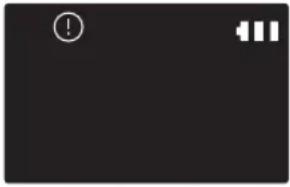
POWERbot je zapeo ili se zaglavio tijekom kretanja.► Isključite prekidač u slučaju nužde i pomaknite usisivač POWERbot na drugo mjesto. 
Strani predmeti uhvaćeni u četki.► Isključite prekidač u slučaju nužde i uklonite strane predmete iz četke. 
Strani predmeti uhvaćeni u lijevom pogonskom kotaču.► Isključite prekidač u slučaju nužde i uklonite strane predmete iz pogonskoga kotača. 
Strani predmeti uhvaćeni u desnom pogonskom kotaču.► Isključite prekidač u slučaju nužde i uklonite strane predmete iz pogonskoga kotača. 
Strani predmeti uhvaćeni u automatskoj zaklopci.► Isključite proizvod pritiskom na prekidač u slučaju nužde i uklonite strane predmete iz automatske zaklopke. 
Treba provjeriti senzor odbojnika.► Isključite prekidač u slučaju nužde i ponovno ga uključite.► Ako se kod pogreške i dalje prikazuje, provjerite ima li između glavnog kućišta i odbojnika stranih tvari. Ako ih pronadete, lagano povucite odbojnik i uklonite stranu tvar. 
Strane tvari nakupljene na senzoru za prepreke.► Isključite prekidač u slučaju nužde te očistite prednji i stražnji senzor mekanom krpom. 
Strane tvari nakupljene na senzoru za litice.► Isključite prekidač u slučaju nužde te očistite senzor za litice mekanom krpom.
Rješavanje problema
Simptom Popis za provjeru Usisivač POWERbot uopće ne radi. Provjerite je li uključen prekidač u slučaju nužde.Provjerite prikazuju li se sve ikone na ploči zaslona.Provjerite jesu li potrošene baterije usisivača POWERbot.- Kada je prikazana oznaka "Lo", odnesite usisivač POWERbot do priključne stanice kako bi se napunio.- Kada treperi indikator baterije, ručno postavite usisivač POWERbot na priključnu stanicu kako bi se napunio. (Samo za serije SR1*M701***)Zamijenite baterije (tip AAA) ako daljinski upravljač ne radi. Usisivač POWERbot zaustavio se tijekom čišćenja. Kada je prikazana oznaka "Lo" na zaslonu, odnesite usisivač POWERbot do priključne stanica kako bi se napunio.Kada treperi indikator baterije, ručno postavite usisivač POWERbot na priključnu stanicu kako bi se napunio. (Samo za serije SR1*M701***)Kada je usisivač POWERbot imobiliziran nekom preprekom kao što je kabel, prag itd., podignite ga i udaljite od prepreke.- Ako se tkanina ili niti uhvate u kotaču, isključite sigurnosni prekidač i uklonite tkaninu ili niti prije ponovne upotrebe. Snaga usisavanja je slaba. Ako je uključen „indikator provjere filtra”, isključite prekidač u slučaju nužde i očistite spremnik za prašinu.Ako je u spremniku za prašinu previše prašine, snaga usisavanja može oslabiti. Isključite prekidač u slučaju nužde i ispraznite spremnik za prašinu.Ako je ulaz za usisavanje (na dnu usisivača POWERbot) začepljen stranim tvarima, isključite prekidač za napajanje i uklonite strane tvari iz ulaza.Kad se razina buke naglo poveća, isključite prekidač u slučaju nužde i ispraznite spremnik za prašinu. Usisivač POWERbot ne može pronači priključnu stanicu. Provjerite je li nestalo struje te je li prekidač za napajanje isključen.Uklonite sve prepreke oko priključne stanice koje bi mogle sprečavati usisivač POWERbot da se vrati na priključnu stanicu.Ako u pinovima za punjenje ima stranih tvari, to može utjecati na punjenje. Očistite strane tvari s pinova. Usisivač POWERbot odjednom čisti dijagonalno. Provjerite je li priključna stanica postavljena u smjeru godova na drvenim podovima ili pločica.Usisivač POWERbot možda čisti dijagonalno kako bi najkraćim putem došao do sljedećeg područja. Može se kretati dijagonalno i ako je dodirnuo prepreku u tom kutu, na priključnoj se stanici punio pod kutom ili su godovi drvenih podova ili pločice okrenuti u tom smjeru. Čišćenje s pomoću točke ne radi. Ako crveno svjetlo usmjerite izravno na POWERbot, možda se neće pomaknuti u željenom smjeru-Usmjerite crveno svjetlo prema podu u rasponu od 0,5 m oko usisivača POWERbot.* Ne upotrebljavajte čišćenje pokazivanjem na izravnom sunčevom svjetlu, jarkom svjetlu ili na tamnim podovima.
Rješavanje problema
Simptom Popis za provjeru Instalirao sam aplikaciju Samsung Smart Home, ali POWERbot se ne povezuje. ► Proizvod možete upotrebljavati nakon povezivanja bežičnog usmjerivača i usisivača POWERbot putem postupka jednostavnog postavljanja. Nisam se uspio prijaviti na Samsung račun. ► Provjerite svoje korisničko ime i lozinku na zaslonu Samsung računa. Prikazuje se poruka o pogrešci tijekom postupka jednostavnog postavljanja. ► Pokušaj možda samo privremeno nije uspio zbog udaljenosti bežičnog usmjerivača ili drugih prepreka. Pokušajte ponovno nakon nekog vremena. Proizvodi ne funkcioniraju iako je pametni telefon povezan s usisivaćem POWERbot. ► Isključite aplikaciju Samsung Smart Home i ponovno je pokrenite ili odspojite pametni telefon od bežičnog prijemnika i ponovno ga povežite. Ili isključite napajanje usisivača POWERbot, uključite ga, pričekajte minutu ili malo dulje i ponovno pokrenite aplikaciju Smart Home. Funkcije aplikacije Samsung Smart Home ne funkcioniraju. ► Provjerite je li postavljena funkcija blokiranja usisivača POWERbot. (Kada je funkcija Smart Control zaključana, indikator Wi-Fi veze je isključen.) Ne pokreće se aplikacija Samsung Smart Robot Vacuum. ► Provjerite je li POWERbot povezan s bežičnim usmjerivačem. POWERbot nije povezan na Wi-Fi. ► Provjerite status postavki bežičnog usmjerivača. Funkcija Pametno čišćenje radi na normalnom podu. ► Provjerite je li pod ravan jer će usisivač POWERbot raditi s malo podignutim kućištem.► Provjerite ima li stranih tijela na senzoru za litice koji se nalazi na dnu usisivača POWERbot.► Provjerite je li pod tamne boje. Funkcija Pametno čišćenje ne radi. ► Kada usisivač POWERbot čisti tepih s kratkim vlaknima i svijetle boje, može prepoznati tepih kao pod te zbog toga možda neće raditi. Funkcija Čišćenje kutova ne radi. ► Kada usisivač POWERbot ne može prepoznati zid, funkcija Čišćenje kutova možda neće raditi.- Kada je ispred zida prepreka koja je napravljena od reflektirajućih materijala- Kada je sam zid napravljen od reflektirajućih materijala- Kada je zid tamne boje Funkcija Čišćenje kutova radi iako nema zida ili kuta. ► Provjerite ima li u uskom prostoru malih prepreka.► Kada usisivač POWERbot prepreku ispred sebe prepoznaje kao zid, funkcija Čišćenje kutova će raditi. Funkcija Čišćenje kutova radi iako usisivač POWERbot nije stigao do zida ili kuta. ► Ako je stupanj kuta nekog kuta kojeg je usisivač POWERbot otkrio visok, funkcija Glavno čišćenje kuta može raditi bez približavanja zidu ili kutu.
* Usisivač je sukladan sa sljedećim propisima:
- Direktiva o radijskoj opremi i telekomunikacijskoj terminalnoj opremi i o uzajamnom priznavanju njihove sukladnosti: 1999/5/EC
- Direktiva o elektromagnetskoj kompatibilnosti: 2014/30/EU
- Direktiva o niskom naponu: 2014/35/EU
Službena Izjava o sukladnosti nalazi se na web-mjestu http://www.samsung.com, u odjeljku Podrška
Pretražite podršku za proizvod i unesite naziv modela.
Upozorenja o bateriji

Bateriju iz ovog proizvoda ne smijete sami uklanjati (niti to smijete pokušavati). Za zamjenu baterije obratite se davatelju usluga ili neovisnom kvalificiranom stručnjaku. Ove su informacije namijenjene isključivo za vašeg davatelja usluga ili neovisnog kvalificiranog stručnjaka.
BATERIJU RADI VLASTITE SIGURNOSTI NE POKUŠAVAJTE UKLONITI SAMI I NE ODLAŽITE JE U VATRU. BATERIJU NEMOJTE RASTAVLJATI, GNJEČITI ILI BUŠITI.
Uklanjanje baterije
Uklonite usisivač POWERbot s punjača / priključne stanice radi rastavljanja. Prije rastavljanja morate isključiti POWERbot iz sigurnosnih razloga.

1 Polegnite i okrenite usisivač POWERbot, a zatim izvadite 2 vijka.

2 Uklonite poklopac spremnika za prašinu.

3 Izvadite bateriju iz utora i odspojite priključak.

Ispravno odlaganje baterija za ovaj proizvod
(Primjenjuje se u državama sa sustavima odvojenog prikupljanja baterija.)
Oznaka na bateriji, priručniku ili pakiranju označava da se baterija u ovom proizvodu ne smije odlagati s ostalim kućanskom otpadom. Kemijski simboli Hg, Cd i Pb na oznakama informiraju vas da baterija sadrži razine žive, kadmija ili olova više od referentnih razina u Direktivi 2006/66/EZ.
Bateriju u ovom proizvodu ne smije mijenjati korisnik. Informacije o zamjeni zatražite od davatelja usluge. Nemojte pokušavati ukloniti bateriju ili je odložiti u vatru. Bateriju nemojte rastavljati, gnječiti ili bušiti. Ako namjeravati baciti proizvod, na lokaciji za prikupljanje otpada provest će se odgovarajuće mjere za recikliranje i obradu proizvoda, uključujući bateriju.
Obavijest o otvorenom kodu
Softver koji je uključen u ovaj proizvod sadrži softver otvorenog koda. Cjeloviti odgovarajući izvorni kod možete dobiti na razdoblje od tri godine nakon posljednje isporuke ovog proizvoda slanjem e-pošte na mailto:oss.request@samsung.com.
Također je moguće dobiti potpuni odgovarajući izvorni kod na fizičkom mediju kao što je CD-ROM, uz minimalnu naknadu.
Sljedeći URL http://opensource.samsung.com/opensource/VR7000_A20_TZ/seq/0 veza je na stranicu za preuzimanje izvornoga koda koji je dostupan i za informacije o licenci otvorenoga koda koji je povezan s ovim proizvodom. Ova je ponuda važeća za svakog tko primi ove informacije.

Tehnički podaci
Serija
Klasifikacija Stavka Detaljne informacije SR1*M701*** SR1*M702****SR1*M703**** Mehanički podaci (POWERbot) Veličina (Š x V x D) 340 mm x 97 mm x 348 mm Težina 4 kg Senzor Prepoznavanje stropnog oblika (sustav Visionary mapping plus TM) Vrsta gumba usisivača POWERbot Vrsta dodira Tehnički podaci napajanja Napon 100 - 240 V~, 50 Hz/60 Hz Potrošnja energije 80 W Tehnički podaci baterije 21,6 V/ 38,8 Wh Čišćenje Vrsta punjenja Automatsko punjenje / Ručno punjenje Način čišćenja Automatsko, Čišćenje mjesta, Dnevni raspored Automatsko čišćenje, Čišćenje mjesta, Ponovno čišćenje, Ručno čišćenje, raspored Jednom, Dnevni raspored Vrijeme punjenja Otprilike 240 minuta Vrijeme čišćenja (na tvrdom podu) Maksimalni način rada Otprilike 30 minuta Normalan način rada Otprilike 60 minuta
Serije
Klasifikacija Stavka Detaljne informacije Mehanički podaci (POWERbot) Veličina (Š x V x D) 340 mm x 97 mm x 348 mm Težina 4,3 kg Senzor Prepoznavanje stropnog oblika (sustav Visionary mapping plus TM) Vrsta gumba usisivača POWERbot Vrsta dodira Tehnički podaci napajanja Napon 100 - 240 V~, 50 Hz/60 Hz Potrošnja energije 130 W Tehnički podaci baterije 21,6 V/ 77,8 Wh Čišćenje Vrsta punjenja Automatsko punjenje / Ručno punjenje Način čišćenja Automatsko čišćenje, Čišćenje mjesta, Ponovno čišćenje, Ručno čišćenje, raspored Jednom, Dnevni raspored Vrijeme punjenja Otprilike 160 minuta Vrijeme čišćenja (na tvrdom podu) Maksimalni način rada Otprilike 30 minuta Normalan način rada Otprilike 60 minuta Način Tiho Otprilike 90 minuta
* Dizajn i tehnički podaci proizvoda podložni su promjenama bez prethodne obavijesti radi poboljšanja proizvoda.
* Vrijeme punjenja i čišćenja može se razlikovati ovisno o uvjetima korištenja.
SAMSUNG
POWERbot
Упатство за употреба
Серии SR1*M70****, SR2*M70****
- Ве молиме внимателно прочитајте го упатството пред да започнете со употребата на апаратот.
- Се користи само во затворени простории.

Содржина
03 Безбедносни информации 08 МонтирањеДодатоци / Забелешка за монтирање 10 ПолнењеАвтоматско полнење / Повторно полнење /Слаба батерија (Lo) 12 Употреба на POWERbotВклучување/исклучување на напојувањето /Избирање режими за чистење / Користење наспецијалните функции за чистење 15 Монтирање на Virtual guardИме на делот на Virtual guard / Вметнување набатериите 17 Користење на далечинскиотуправувач 20 Име на секој делГорен дел / Долен дел / Панел за приказ 22 Поставување на времето/распоредотПоставување на времето / Поставување на закажановреме 25 Чистење и одржувањеЧистење на кантичката за прав / Чистење на сензорите ина камерата / Чистење на четката и алатката за чистењерабови / Чистење на тркалото за придвижување 27 Апликација Samsung Smart HomeПодготвување на мрежата / Користење на апликацијатаСamsung Smart Home 31 Забелешки и мерки на претпазливостПолнење / Користење / Чистење и одржување / Забатеријата / За IrDA сензорот 33 Кодови за информации 35 Отстранување проблеми 37 Предупредувања за батеријата 38 Објавување за отворен код 39 Спецификации
Безбедносни информации
БЕЗБЕДНОСНИ ИНФОРМАЦИИ

\- Пред да започнете со употребата на апаратот, внимателно прочитајте го упатството и зачувајте го за користење во иднина.

\- Заради тоа што следните инструкции за ракување опфајаат повеće модели, карактеристиките на вашата правосмукалка може да се разликуваат од опишаните.
СИМБОЛИ КОЙ СЕ КОРИСТАТ ЗА ВНИМАНИЕ/ПРЕДУПРЕДУВАЊЕ
 ПРЕ ЉБЕ
Укажува на постоење опасност од смрт или тешки повреди. 
Укажува дека постои ризик за повреда или материјална штета.
ДРУГИ СИМБОЛИ КОИ СЕ КОРИСТАТ

Укажува дека постои ризик за повреда или материјална штета. 
Оваа паметна роботска правосмукалка ја поддржува услугата Samsung Smart Home.За подетални информации, ве молиме посетете ја веб-страницата Samsung.com/Smarthome.
\- За повеќе информации во врска со определбите на компанијата Samsung за заштита на животната средина и посебните законски обврски за производите, како на пр.
REACH, посетете ја веб-страницата: samsung.com/uk/aboutsamsung/samsungelectronics/corporatecitizenship/data_corner.htm
Безбедносни информации
ВАЖНИ БЕЗБЕДНОСНИ ИНСТРУКЦИИ
При употреба на електричен апарат, придржувајте се кон основните мерки за претпазливост, во кои спағаат:
ПРОЧИТАЖТЕ ГИ СИТЕ ИНСТРУКЦИИ ПРЕД ДА ЗАПОЧНЕТЕ СО КОРИСТЕЊЕ НА POWERbot.
Извадете го кабелот од приклучокот кога не се користи и пред одржување.
ПРЕДУПРЕДУВАЊЕ: за да го намалите ризикот од пожар, електричен удар, или повреда:
ОПШТО
- Употребувајте го уредот само како што е опишано во упатството.
- Не употребувајте го POWERbot или полначот за батерија / приклучната станица ако тие се оштетени на каков било начин.
- Ако правосмукалката не функционира како што треба, ви падне, се оштети, остане надвор, или се потопи во вода, вратете ја во центарот за грижа на корисници.
- Не ракувајте со полначот за батерија / приклучната станица или POWERbot со влажни раце.
- Употребувајте ја само на суви површини во затворени простории.
- Овој уред може да го користат деца на возраст од 8 и повеće години и лица со намалени физички, сетилни или ментални способности, недоволно искусни или обучени лица, доколку истите се надгледуваат или им се дадат инструкции за користење на уредот на безбеден начин и им се објаснат можните опасности. Децата не смеат да си играат со уредот. Чистењето и одржувањето не смеат да го вршат деца без надзор.
Полнач за батерија / приключна станица
- Не го модифицирајте поларизираниот приклучок за да може да влезе во неполаризиран приклучок за напојување или продолжен кабел.
- Не ја употребувајте надвор или на влажни површини.
- Извадете го полначот за батерија / приклучната станица од штекер кога не се користи и пред да вршите поправки.
- За повторно полнење употребувајте ги само полначот за батерија / приклучната станица што ги испорачува производителот.
- Не употребувајте со оштетен кабел или приключок или разлабавен штекер.
- Немојте да влечете или подигате за кабелот, да го користите кабелот како рачка, да затворате врата преку кабелот и да го влечете кабелот околу остри рабови или агли. Чувајте го кабелот подалеку од загреани површини.
- Не употребувајте продолжни кабли или штекери со несоодветна преносливост на струја.
- Не откачувајте го кабелот од приклучокот за напојување со влечење. За да го откачите, држете го приклучникот, а не кабелот.
- Немојте да ги оштетувате или палите батериите бидејки тие можат да експлодираат при високи температури.
- Не обидувајте се да го отворите полначот за батерија / прилучната станица. Поправките може да ги извршува само квалификуван центар за грижа на корисници.
- Немојте да го изложувате полначот за батерија / приклучната станица на високи температури или да дозволите каква било влага да дојде во контакт со полначот за батерија / приклучната станица.
POWERbot
- Не собирајте тврди или остри предмети како што се стакло, клинци, завртки, парички итн.
- Не употребувајте ја без ставен филтер. При сервисирање на уредот, никогаш не ставајте прсти или други предмети во кабината на вентилаторот во случај уредот ненамерно да се вклучи.
- Не ставајте никакви предмети во отворите. Не употребувајте ја кога отворите се блокирани; погрижете се на отворите да нема прав, конци, влакна и се што би можело да го намали протокот на воздух.
- Не собирајте токсични материјали (средство за белење со хлор, амонијак, средство за одзатнување одводи итн.).
- Не собирајте предмети кои горат или чадат, како што се цигари, кибрит или жежок пепел.
- Не ја употребувајте за собирање запаливи течности или течности кои согоруваат како што е бензинот, ниту пак во области каде истите се присутни.
- Места во кои има свеки или столни ламби на подот.
- Места во кои има огниште (оган или жар) кое не се надгледува.
- Места во кои има дестилиран алкохол, разредувач, пепелници со запалени цигари итн.
- POWERbot не треба да се користи во затворен простор во кој има испарување од бои за лакирање, разредувач, средства против молци, запалив прав, или друга експлозивна или токсична пареа.
- При претерана употреба или екстремни температурни услови, може да дојде до протекување на батеријата. Ако течноста ве допре на кожа, брзо измијте ја со вода. Ако течноста ви влезе во очи, веднаш почнете да ги плакнете со чиста вода, најмалку 10 минути. Побарајте помош од медицинско лице.
Безбедносни информации

ПРЕДУПРЕДУВАЊЕ
Во врска со напојувањето
▶ Намалете го ризикот од пожар, електричен удар или повреда.
-Немојте да го оштетувате кабелот за напојување.
-Немојте да го влечете кабелот за напојување премногу силно или да го допирате кабелот за напојување со влажни раце.
-Немојте да користите извор на напојување кој е различен од 100-240 V, ниту пак продолжителен кабел со повеće приklучоци за истовремено напојување на повеće уреди. (Не го оставајте кабелот на подот.)
–Не употребувајте оштетен приклучок за напојување, кабел за напојување или разлабавен штекер.
▶ Исчистете ја правта или другите надворешни честички од контактот на приклучокот за напојување.
-Постои ризик од електричен удар или дефект.

ПРЕДУПРЕДУВАЊЕ Пред употреба
POWERbot не треба да се користи во близина на запаливи материјали.
–На места во близина на свеки, столни ламби, камини или покрај запаливи материјали како бензин, алкохол, разредувач итн.
POWERbot e наменет за домашна употреба и затоа не треба да се користи на таван, во подрум, просторија за складирање, индустриски згради, надворешен простор, места со влага (како бањи, перални), или на маса или полици.
-POWERbot може да се оштети или да не функционира правилно.
▶ Внимавајте POWERbot да не дојде во допир со каков било вид на течност.
-POWERbot може сериозно да се оштети и може да ги загади другите простории доколку тркалата поминат низ течност.
▶ Немојте да истурате течности врз приклучната станица.
–Постои ризик од пожар или електричен удар.
▶ Не ја употребувајте прилучната станица за ништо друго освен за нејзината намена.
–Постои ризик од пожар или сериозно оштетување на приклучната станица.
▶ Секогаш одржувајте го сензорот за дупки чист за ваша безбедност.

ПРЕДУПРЕДУВАЊЕ При употреба
Доколку од POWERbot доа'aat невообичаени звуци, мириси или чад, веднаш исключете го прекинувачот за опасност на долната страна на POWERbot и обратете се до сервисен центар.

ПРЕДУПРЕДУВАЊЕ Истетве и одржување
▶ Кога кабелот за напојување е оштетен, обратете се во сервисен центар за да го замени овластен сервисер.
–Постои ризик од пожар или електричен удар.
▶ Обратете се до Samsung Electronics центарот за грижа за корисници кога ги менувате батериите.
-Користењето батерии од други уреди може да предизвика дефект.

ВНИМАНИЕ
Пред употреба
▶ Вметнете ја кантичката за прав пред да започнете со употреба на POWERbot.
▶ Внимавајте на следните работи за правилно автоматско полнење.
-Секогаш вклучувајте го напојувањето на приклучната станица.
-Инсталирајте ја приклучната станица на место каде што POWERbot може лесно да пристапи до неа.
–Не оставајте никаков предмет пред прилучната станица.
▶ При монтирање на прилучната станица, не оставајте го кабелот на подот бидејки POWERbot може да се заплетка.
▶ Не употребувајте го POWERbot на подови со црна боја.
-POWERbot може да не функционира правилно.
▶ Немојте да поставувате никакви предмети на 0,5 m од двете страни, ниту пак на 1 m од предната страна на прилучната станица.
▶ Проверете дали контактот за полнење на прилучната станица е оштетен и дали има некакви надворешни честички врз него.
▶ Не ја поставувајте прилучната станица во просторија со темен под.
–Доколку подот околу прилучната станица е темен, полнењето єе биде попречено.
▶ Тргнете ги сите пречки кои можат да му попречат на движењето на POWERbot (како лулашки за деца или лизгалици) пред чистењето.
He ja користете POWERbot на места кои се потесни од радиусот на вртење на POWERbot (0,5 m или помалку).

ВНИМАНИЕ
При употреба
▶ Користењето на POWERbot на дебел килим може да доведе до оштетување на POWERbot и на килимот.
-POWERbot не може да помине преку килим кој е подебел од 1 см.
▶ Немојте да го користите POWERbot на маси или на други високи површини.
-Постои ризик од оштетување ако падне.
POWERbot може да се удри во столче или во ногарки од маса, така што се препорачува да ги тргнете за побрзо и поефикасно чистење.
▶ Kora POWERbot работи, немојте да го подигнувате или да го носите во друга просторија.
▶ Немојте да го држите POWERbot за тркалата за придвижување кога го пренесувате во друга просторија.
▶ Не ставајте предмети врз POWERbot и камерата бидејки тоа може да предизвика неправилно функционирање.
▶ Отстранете какви било поголеми хартии или пластични єеси од подот пред да го користите POWERbot бидејки тие можат да го блокираат вшмукувањето.
▶ Немојте да ја насочувате црвената светилка директно во луге или животни.
▶ Немојте да лежите на земја во близина на POWERBOT додека работи.
-Вашата коса може да се заглави во четката, што може да доведе до физичка повреда.

ВНИМАНИЕ
Чистење и одржување
▶ За да спречите оштетување на POWERbot, придржувајте се до следните упатства
-Немојте да го чистите POWERbot прскајки го директно со вода или да користите бензин, разредувач, ацетон или алкохол при чистењето.
POWERbot не треба да се расклопува или модифицира. Ова треба да го врши само овластен мајстор.
▶ Секогаш одржувајте ги чисти сензорите за пречки и дупки и камерата.
–Доколку се насоберат надворешни честички, сензорите може да не функционираат правилно.
Монтирање
Приклучната станица мора да биде постојано включена.

1 Поврзете го приключокот на полначот на батеријата во прилучната станица
2 Поврзете го кабелот за напојување во полначот на батеријата
Кога го користите полначот на батеријата, страната со налепницата мора да биде свртена надолу.
3 Поврзете го приключокот за напојување во штекер
Додатоци


Далечински управувач(Не се испорачува сосериите SR1*M701***) Батерии (тип AAA) Упатство за употреба Резервен филтер (Опција) 


[65СК] Приклучна станица Кабел за струја Полнач на батеријата Virtual guard (опција)
Забелешка за монтирање

Забелешка
▶ Поставете ја приклучната станица на место каде што подот и сидот се под прав агол.
▶ Најдобро е да ја инсталирате приклучната станица врз дрвени подови со текстура.
▶ Ако прекинувают за опасност е ислучен, POWERbot нема да се полни дури и ако е прикачена на прилучната станица.
▶ Секогаш вклучувајте го напојувањето на приклучната станица.
- Ако нема напојување на прилучната станица, POWERbot нема да може да ја пронајде и нема да може автоматски да се наполни.
- Ако POWERbot е одделен од приклучната станица, батеријата постепено ње се празни.
▶ Ако POWERbot е во режим на мирување, напојувањето нема да се вклучи дури и ако прекинувачот за опасност се ислучи и повторно се вклучи. Притиснете го и задржете го копчето [Старт/Стоп] на POWERbot за да го исключите режимот на мирување.
Полнење
По првото целосно полнење на POWERbot (по купувањето), таа може да се користи во траење од 60 минути во нормален (Урежим. (За времето на полнење погледнете на страница 39.)
Паметно полнење
Ако POWERbot се испразни во режим на автоматско чистење, автоматски će се врати на приклучната станица за да се наполни и će го продолжи чистењето на областа откако батеријата će се наполни за две третини. (Макс. 2 пати).


1 Включете го прекинувачот за опасност на долната страна
Мора да го включите
прекинувачот за опасност за да ја
включите POWERbot.
Притиснете го и отпуштете го
копчето

2 Полнете ја POWERbot рачно така што ње ја ставите врз приклучната станица
Проверете дали контактите за полнење на POWERbot и прилучната станица се порамнети.
МАКЕДОНСКИ-10
3 Проверете го статусот на полнење
За серијата SR1*M701***,
индикаторот за батеријата трепка во
интервали од 1 секунда за време на
полнењето, а по целосното полнење, тој
će остане во статус ВКЛУЧЕНО.
За сериите SR1*M702*** /
SR1*M703*** / SR2*M70****,
" " ke се вклучи во согласност со
напредувањето на полнењето, а "FULL"
će се вклучи кога полнењето će заврши.
Автоматско полнење

1. Серија SR1*M701****
Ако индикаторот за батеријата трепка во интервали од 0,4 секунди, POWERbot автоматски їе се врати на приклучната станица за да се наполни.
2. Серии SR1*M70****/SR2*M70****
Кога индикаторот за батеријата трепка за време на чистењето, POWERbot će се врати на прилучната станица за да се наполни автоматски.
Повторно полнење

Можете да й наредите на POWERbot автоматски да се полни на прилучната станица додека чисти.
Слаба батерија (Lo)

Полнете ja POWERbot рачно така што їе ја ставите врз приклучната станица.
Чекори кои треба да се преземат доколку уредот не се полни:
Проверете го статусот на инсталирање на приклучната станица ако:
▶прилучната станица е поставена на место каде што POWERbot не може лесно да пристапи.
▶ pactoјанието помеѓу прилучната станица и POWERbot е поголемо од 5 m.
-Можеби ке биде потребно подолго време за POWERbot да се врати на прилучната станица за повторно полнење
Полнете ja POWERbot рачно кога:
▶ приклучната станица е поставена во агол
▶ батеријата е испразнета целосно
▶ POWERbot не може да се движи поради некоја пречка (мебел итн.)
▶ POWERbot не може да премине преку праг во близина на прилучната станица (Максималната висина на прагови преку кои може да поминува POWERbot е околу 1,5 см.)
▶ кога индикаторот на батеријата трепка и се прикажува "Lo"
▶кога индикаторот на батеријата трепка (Важи само за серијата SR1*M701***)
▶ POWERbot e поставена во режимот за чистење на поединечно место или рачно чистење
Употреба на POWERbot
Мора да го включите прекинувачот за опасност на долната страна на уредот пред да започнете со користење на POWERbot.
Вклучување/исклучување на напојувањето
Притиснете го копчето 🟢 изадржете повеке од 3 секунди

\- Kora POWERbot не се користи 30 минути;
Серии SR1*M70**U* / SR2*M70**U*: Се префрлува во режим на работа со енергетска заштеда.
Серии SR1*M70**W* / SR2*M70**W*: Автоматски се враćа на приключната станица за да се наполни.
Активирање на режимот за автоматско чистење
Притиснете го и отпуштете го ова копче. POWERbot се движи и автоматски ги чисти поставените области само еднаш.

* За запирање на чистењето: Притиснете го и отпуштете го копчето
Користење на режимот за чистење поединечно место
POWERbot ke izvrши интензивно чистење на определено место.

Повторно полнење
Со притиснување на ова копче можете да му наредите на POWERbot автоматски да се полни на приклучната станица додека чисти.

Избирање режими за чистење
Режим за чистење Како да изберете Прикажана икона SR1*M702***SR1*M703***SR2*M70**** SR1*M701**** Автоматско чистење 


Чистење на поединечно место 


Повторување на чистењето ※ Прво притиснете [тип A,B], [тип C,D Repeat] на далечинскиот управувач, а потоа притиснете [Старт/ Стоп ▶II]. 
- Рачно чистење ※ Режимот за рачно чистење може да се избере со помош на копчињата на далечинскиот управувач за контролирање на насоката. 
-
* Ако POWERbot не успее да се врати на приклучната станица, тогаш їе премине во режим на работа со енергетска заштеда, а панелот за приказ їе се исклучи.
* За да го исключите режимот на работа со енергетска заштеда, притиснете го копчето [Старт/Стоп ▶II] или [Напојување ⏻] на главното кујиште или на далечинскиот управувач.
※ Ако чистењето во режимот за автоматско чистење заврши за 15 минути, POWERbot će го повтори чистењето уште еднаш.

Употреба на POWERbot
Метод на чистење за секој режим

Автоматско чистење
Автоматски ги чисти поставените области само еднаш.

Чистење на поединечно место
Интензивно чисти одредена област. Може да се користи за чистење на трошки од леб или колачи.

Рачно чистење
Може да ја движите POWERbot со далечинскиот управувач за да го исчистите она место што сакате.
* Оваа функција не е
достапна за серијата
SR1*M701***.

Повторување на чистењето
Чисти се додека не се испразни батеријата.
※ Оваа функција не е достатна за серијата SR1*M701* *.*.

Забелешка
▶ Ако е активирано автоматското чистење или повторувањето на чистењето, POWERbot прво је ја исчисти областа во близина на приклучната станица.
Користење на специјалните функции за чистење
Функција за чистење Ракување Прикажана икона SR1*M702***SR1*M703***SR2*M70**** SR1*M701**** Паметно чистење ※ Kora POWERbot će открие килим во нормален режим, автоматски će почне да работи со поголема мою на вшмукување. 

Чистење рабови ※ Kora POWERbot će открие раб или агол при автоматското чистење или чистењето на поединечно место, алатката за чистење рабови се активира и пристапува до работ или аголот за да го исчисти.►Прав раб (Еднократно чистење)►Агол (Двократно чистење) 
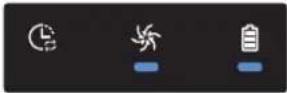
Монтирање на Virtual guard
Инфрацрвениот зрак од Virtual guard će ja ограничи POWERbot да пристапи на одредено место.
* (Се испорачува само со серијата SR2*M707****. За сериите SR2*M704**** / SR2*M705**** / SR2*M706****, потребно е дополнително купување.)

1 Притиснете го копчето за напојување за да го включите
Светилката за напојувањето (цирвена) ке трепка.

2 Инсталирајте го Virtual guard онаму каде што сакате да го ограничите влегувањето на POWERbot
Погрижете се сензорот за растојание да е завртен кон саканиот правец во којшто сакате да направите невидлива бариера (што їе го ограничи пристапот на POWERbot).
Монтирање на Virtual guard
Име на делот на Virtual guard

Вметнување на батериите
Батериите за Virtual guard мора да се купат одделно.

1 Отворете го капакот за батериите на Virtual guard притискајки на јазичето за заклучување и кренете го.

2 Ставете ги алкалните батерии (тип D) како што е прикажано на илустрацијата (проверете го поларитетот +, -).

3 Вметнете го врвот од
капакот во отворот и
турнете го другиот дел за
да го затворите капакот за
батериите.
Користење на далечинскиот управувач
[Tип A] [Тип В]


[Tип C] [Тип D]


Користење на далечинскиот управувач
□[Тип A]/□[Тип B]/[Тип C]/[Тип D]
1 Напојување / Повторно полнење / Старт/Стоп
Напојување 


Вклучување/исклучување на напојувањето на POWERbot Повторно полнење 


Изберете за POWERbot автоматски повторно да се полни на приклучната станица Старт/Стоп 


Изберете го за почнување или запирање на процесот на чистење
2 Режими за чистење
Автоматско чистење 

 _
_ _
_Изберете за чистење на сите поставени области само еднаш, по што правосмукалката автоматски їе се врати на приклучната станица. Чистење на поединечно место 


Изберете го за интензивно чистење на одредена област Повторување на чистењето Repeat [IMAGE] Repeat [IMAGE] Repeat [IMAGE] Repeat [IMAGE] Изберете за постојано чистење сè додека батеријата не се испразни, а индикаторот не почне да трепка
3 Мок на вшмукување
Максимален режим 


Изберете за да чистите со најголема мою на вшмукување Нормален режим 


Изберете за да чистите со нормална мою на вшмукување Тивок режим 

Изберете го за чистење со помала бука при работењето
4 Дополнителна функција
Звук 


Со секое притиснување на ова копче, можете да изберете Звучни ефекти → Исклучување на тонот Далечински управувач 


Притиснете за да ја включите или исклучите функцијата за Wi-Fi
* Претходно избраното поставување нема да се промени дури и ако прекинувачот за опасност се исклучи и повторно се вклучи.
5 Режим на рачно чистење и контролирање на насоката
Движење кон напред 
[СК55] 
[6КХН] Изберете за движење кон напред Вртење лево 


[2DX0] Изберете за да завртите лево Вртење десно [АТУС] 
[ST22] [332K] Изберете за да завртите десно
* Движењето наназад не е возможно.
6 Позиционирано чистење
Достапно само со далечинските управувачи од тип С и D.
Може да го користите далечинскиот управувач за насочување и чистење на одредено место додека POWERbot е во процес на чистење.
Насочете го црвеното светло на подот на растојание до 0,5 т околу местото каде што се наога POWERbot.
Притиснете го и држете го копчето за позиционирано чистење за да го движите црвеното светло кон саканото место. POWERbot ke го следи светлото додека чисти.

Оперативно растојание на далечинскиот управувач

Висина на далечинскиот управувач 0,5 m 1 m 1,5 m Оперативно растојание Околу 1,5 m Околу 2 m Околу 3 m
Вметнување на батериите
Отворете го капакот за батериите кревајки го нагоре додека го притискате јазичето за заклучување и вметнете ги батериите како што е покажано на илустрацијата. Потоа, туркајте го капакот сё додека не влезе на место.

Име на секој дел


Горен дел
1. Панел за приказ
2. Приемник за сигнали од далечинскиот управувач
3. Сензор за пречки
4. Кантичка за прав
5. Камера
6. Копче за кантичка за прав
7. Сензор на браникот
8. Алатка за чистење рабови
Долен дел
1. Контакти за полнење
2. Четка
3. Капак на четката
4. Сензор за дупки
5. Валјак
6. Капак на батеријата
7.Копче на капакот на четката
8. Тркало за придвижување
9. Прекинувач за опасност
10. Алатка за чистење рабови
Панел за приказ
<Серии SR1*M701****>
1. Дневно закажување
2. Нормален/Турбо режим
3. Индикатор за батерија
4. Копче за чистење поединечно место, распоред за секојдневно (3 сек.)
5. Копче Старт/Стоп, максимальен режим (3 сек.)
6. Копче за повторно полнење


<Серии SR1*M702****/
SR1*M703****>
1. Исклучување на тонот
2. Индикатор за информации
3. *Индикатор за вклучување/исклучување на функцијата за паметна контрола
4. *Wi-Fi
5. Индикатор за батеријата
6. Распоред за еднаш/секојдневно
7. Екран со бројки
8. Режим за чистење поединечно место
9. Режим за рачно чистење
10. Режим за повторување на чистењето
11. Нормален режим
12. Максимален режим
13. Копче за чистење поединечно место
14. Копче Старт/Стоп
15. Копче за повторно полнење
<Серија SR2*M70*****>
1. Исклучување на тонот
2. Индикатор за информации
3. *Индикатор за вклучување/исклучување на функцијата за паметна контрола
4. *Wi-Fi
5. Индикатор за батеријата
6. Распоред за еднаш/секојдневно
7. Екран со бројки
8. Режим за чистење поединечно место
9. Режим за рачно чистење
10. Режим за повторување на чистењето
11. Тивок режим
12. Нормален режим
13. Максимален режим
14. Копче за чистење поединечно место
15. Копче Старт/Стоп
16. Копче за повторно полнење
* SR1*M70**W*/SR2*M70**W*:Модел со поддршка за Wi-Fi
Поставување на времето/распоредот
[Тип А, Тип В] Може да се закаже само режимот на автоматско чистење.
Поставување на времето
Мора да го поставите моменталното време пред да го користите распоредот за еднаш/секојдневно.

Поставување на закажано време
Поставувањето/прекинувањето на распоредот може да се изврши само додека POWERbot е прикачена на приклучната станица.

Откажување за време на поставувањето

▶ Поставувањето će прекине автоматски ако не се внесува ништо 7 секунди.
Откажување на еднократно/дневно закажување
Кога се поставени ираспоредот за еднаш ираспоредот за секојдневно  ScheduleCancel (3sec) [7TSZ]
  ИЛИ
ИЛИ  ScheduleCancel (3sec)
  ИЛИ
ИЛИ  ScheduleCancel (3sec)Притискајте 3 сек. Изберете го закажувањето Откажувањето е завршено
Кога е поставено илиеднократно или дневнозакажување ScheduleCancel (3sec)Притискајте 3 сек.
[Tип C, Тип D] Може да се закаже само режимот на автоматско чистење.
Поставување на времето
Мора да го поставите моменталното време пред да го користите распоредот за еднаш/секојдневно.

Поставување на закажано време
Поставувањето/прекинувањето на распоредот може да се изврши само додека POWERbot е прикачена на приклучната станица.

Откажување за време на поставувањето

▶Поставувањето će прекине автоматски ако не се внесува ништо 7 секунди.
Откажување на еднократно/дневно закажување
Кога се поставени и распоредот за еднаш и распоредот за секојдневно [КУЗ6] → [74КХ] или  →
→ 
 Притискајте 3 сек. Изберете го закажувањето Откажувањето е завршено
 Кога е поставено или еднократно или дневно закажување ScheduleCancel (3sec)Притискајте 3 сек.
Поставување на времето/распоредот
[Серии SR1*M701**] За моделите со кои не се испорачува далечински управувач, поставувањето распоред е достаточно како што е објаснето подолу.
Поставување на закажано време

Притискајте 3 сек.


Kora LED светилката за распоред е включена, распоредот за секојдневно чистење е поставен.
※ Времето кога ће го притиснете копчето ће биде поставено како распоред. Чистењето ће се извршува автоматски
секој ден во согласност со времето на распоредот.
Прекинување на распоредот за секојдневно чистење
Кога е поставен распоред за
секојдневно чистење

Притискајте 3 сек.
Чистење и одржување
Мора да го исключите прекинувачот за опасност пред да започнете да го чистите POWERbot.
Чистење на кантичката за прав

1 Притиснете го копчето за да ја отстраните кантичката за прав

2 Отстранете го капакот на
кантичката за прав

3 Отстранете ја правта од
кантичката за прав и од
турбината

4 Одвојте ја турбината од капакот на кантичката за прав, а потоа исперете ги кантичката за прав и филтерот

5 Составете ја кантичката за прав

6 Вратете ја кантичката за прав на своето место во главното ку́киште и туркајте се додека не слушнете звук на „кликнување“
Чистење на сензорите и на камерата
Лесно избришете со мека ткаенина. Не користете вода или раствори за чистење.


Чистење и одржување
Чистење на четката и алатката за чистење рабови
Дизајнот на четката може да се разликува во зависност од моделот.

1 Извадете го капакот на
четката

2 Отстранете ја четката

3 Исчистете ја четката

4 Чистење на алатката за чистење рабови


5 Повторно склопување на четката

6 Повторно склопување на
капакот на четката
Чистење на тркалото за придвижување

1 Ставете мека крпа на подот и поставете ја POWERbot наопаку.


2 Користете стапче со тап врв или пинцета за отстранување на тугите материи.
Апликација Samsung Smart Home
Апликацијата Samsung Smart Home е достапна само за моделите кои ја поддржуваат функцијата за Wi-Fi.
Подготвување на мрежата
Поставување на безжичниот рутер
▶ Овој производ поддржува само DHCP (протокол за динамичко конфигурирање компјутери). Ве молиме проверете дали опцијата за DHCP сервер на безжичниот рутер е активирана.
▶ Видовите на овластување/шифрирање што ги поддржува безжичниот рутер се WEP-OPEN, WPA-PSK/TKIP и WPA2-PSK/AES 801.11n.
-Препорачливо е да се користи WPA2-PSK/AES.
▶ Околното безжично опкружување може да влијае врз квалитетот на сигналот на безжичната мрежа.
▶ Ако вашиот оператор на интернет услуги го регистрирал вашиот компјутер или модем со MAC адреса (единствен број за идентификација), можно е вашиот POWERbot да не може да се повrze на интернет. Консултирајте се со вашиот оператор на интернет услуги за постапката за поврзување други уреди освен компјутерот на интернет.
▶ Ако операторот на интернет услуги ви бара ID или лозинка за да се поврзете на интернет, можно е вашиот POWERbot да не може да се поврзе на интернет. Во овој случај, мора да ги внесете вашите ID или лозинка при поврзување на интернет.
▶ Поврзувањето на интернет може да не се реализира поради проблеми со заштитниот сид. Консултирајте се со вашиот оператор на интернет услуги за да го решите проблемот.
▶ Некои безжични рутери можат да постават абнормална адреса за доменскиот именски сервер (DNS), дури и ако не се поврзани на интернет. Во тој случај, консултирајте се со производителот на безжичниот рутер и со вашиот оператор на интернет услуги.
▶ Ако се уште не можете да се поврзете на интернет, дури и по извршување на постапките за кои ве информирал вашиот оператор на услуги, ве молиме обратете се во филијала или сервисен центар на Samsung Electronics.

Забелешка
▶ Be молиме погледнете го упатството за користење на безжичниот рутер кој има проблеми со пристапот.
▶ Правосмукалките POWERbot од Samsung поддржувает само Wi-Fi од 2,4 Ghz.
▶ Правосмукалките POWERbot од Samsung поддржуваат протоколи за комуникација од типот IEEE 802.11b/g/n и Wi-Fi Direct. (Samsung Electronics ви препорачува да користите IEEE 802.11n.)
▶ Безжичните рутери без овластување за Wi-Fi може да бидат недостапни за поврзување со POWERbot.
▶ Kora има напојување до прилучната станица и POWERbot е прикачена на неа, POWERbot će се поврзе на серверот и će провери дали има софтверски ажурирања. Ако е достапен нов софтвер, тој автоматски će го преземе и će изврши ажурирање.
▶ Ако на екранот се прикаже "UP" додека POWERbot се полни, тоа значи дека ажурирањето е во тек. Ве молиме почекајте да заврши рестартирањето.
Апликација Samsung Smart Home
▶ Доколку не сте извршиле регистрација на производот, ве молиме извршете ги следните инструкции:
- Погледнете ја пораката што ње се појави и обидете се повторно да ја извршите постапката за регистрирање.
- Проверете дали опцијата UPnP на безжичниот рутер е достатна и обидете се повторно да ја извршите постапката за регистрирање.
- Проверете дали безжичниот рутер работи во режим на рутер и обидете се повторно да ја извршите постапката за регистрирање.
- Ако поседувате повеке од две правосмукалки POWERbot, исключете ги сите освен таа што сакате да ја регистрирате. Мора да биде поврзан само еден уред.
- Ако покрај вашиот рутер има безжичен рутер со ист SSID, не може да се гарантира нормално регистрирање.
- Поставете уникатен SSID и лозинка за безжичниот рутер, а потоа регистрирајте го производот.
▶ Услугата Samsung Smart Home не гарантира нормално функционирање доколку користите заштитен сид.
▶ Ако POWERbot и паметниот телефон не се поврзани на истиот безжичен рутер, може да настане доцнење на одзивот во зависност од мрежното опкружување.
▶ Индикатор за Wi-Fi и паметна контрола
\- Вклучено : Функцијата за паметна контрола е заклучена. (Достапен е само далечинскиот управувач.)
\- Исклучено : Функцијата за паметна контрола е овозможена.
\- Исклучено : POWERbot се поврзува со безжичниот рутер.
\- Включено : POWERbot е поврзан со безжичниот рутер.
▶ Ако функцијата за паметна контрола е заклучена, не може да ја користите апликацијата Samsung Smart Home.

Користење на апликацијата Samsung Smart Home
Создавање на вашата сметка на Samsung

Ако сакате да ја користите апликацијата Samsung Smart Home, ве молиме регистрирајте ја вашата сметка на Samsung во апликацијата за сметки на Samsung.

Забелешка
▶ Ако не поставите автоматско најавување за апликацијата Samsung Smart Home и ја включите апликацијата, тогаш прво Ѽе се појави екранот на сметката на Samsung.
▶ Ако користите паметен телефон од Samsung, регистрирајте ја вашата сметка на Samsung во поставките на паметниот телефон. На тој начин, автоматското најавување Ѽе се постави без какви било други постапки за најавување и Ѽе можете веднаш да започнете да ја користите апликацијата Samsung Smart Home.
Преземање на апликацијата Samsung Smart Home
1. Преземете ја апликацијата Samsung Smart Home од Google Play Store (за уреди со Android) или Apple Store (за уреди со iOS). За да ја пронајдете апликацијата, пребарајте го клучниот збор "Samsung Smart Home."
2. Инсталирајте ја апликацијата на вашиот паметен уред.

Забелешка
▶ За апликацијата Samsung Smart Home е потребен Android 4.0 (ICS) или понова верзија, а е оптимизирана за Android 4.4 или понова верзија на паметните телефони од Samsung (серии Galaxy S и Note). Некои функции на апликацијата може да не функционираат правилно на паметните телефони од други производители.
▶ За моделите со iOS, за апликацијата е потребен iOS 7 или понова верзија.
- Апликацијата Samsung Smart Home може да се промени без претходно известување, со цел да се подобри користењето и перформансите.
Регистрирање на производот (лесно поставување)
Регистрирајте го производот во услугата Samsung Smart Home пред да започнете да ја користите апликацијата Samsung Smart Home.
Android
1. Притиснете ја иконата „Додај нов“ на екранот со листа на уреди во апликацијата Samsung Smart Home за да започнете со регистрацијата на производот.
2. Изберете ја иконата „Роботска правосмукалка“.
3. Внесете ги податоците за безжичниот рутер преку кој ке извршите поврзување.
4. Поставете ја правосмукалката POWERbot според инструкциите на екранот.
- За да го включите веднаш режимот на пристапна точка, притиснете го копчето [Clock] и задржете го подолго од 5 секунди.
5. Потоа, регистрацијата ње продолжи автоматски.
6. Кога регистрацијата će заврши, će се појави порака.
7. Kora регистрацијата на производот će заврши, će се појави главниот екран на апликацијата Samsung Smart Home.
* Ако регистрирањето на производот не успее, погледнете на страница 27.
iOS
1. Активирајте ја апликацијата Samsung Smart Home.
2. Преминете на левиот екран и притиснете ја иконата „Додај нов“ на екранот со листа на уреди за да започнете со регистрацијата на производот.
3. Внесете ја сметката на Samsung, а потоа притиснете го копчето [Sign in].
\- Кaj телефоните iPhone, вашите ID и лозинка не се зачувуваат, па затоа їе треба да се најавувате при секое активирање на апликацијата Samsung Smart Home.
4. Изберете ја иконата [Robot vacuum].
5. Притиснете го копчето за часовник на далечинскиот управувач и задржете го подолго од 5 секунди.
-На екранот ке се прикаже АР.
6. Отворете ја апликацијата „Поставки“ на вашиот iPhone, а потоа поврзете се со [Robot Vacuum] од Samsung koja е прикажана во листата.
7. Внесете ги ID и лозинката на безжичниот рутер со кој сакате да се поврзете, а потоа притиснете го копчето [Next].
8. Поврзувањето помеѓу паметниот телефон и роботската правосмукалка е во тек.
Апликација Samsung Smart Home
9. Отворете ја апликацијата „Поставки“ на вашиот iPhone, а потоа поврзете се со безжичниот рутер прикажан во листата за Wi-Fi уреди.
10. Поврзувањето помеѓу безжичниот рутер и роботската правосмукалка е во тек.
11. Кога регистрацијата на производот će заврши, će се појави порака.
12. Кога регистрацијата на производот ће заврши, иконата на роботската правосмукалка ће се додаде во листата на уреди.
Главен екран
▶ Изберете ја иконата на роботската правосмукалка од главниот екран за да преминете на екранот за контрола на POWERbot.
▶ Контролирајте ги паметните уреди во дома Kinството произведени од Samsung Electronics преку иконите Излегувам, Се враçам дома, Добра ною, Добро утро.
▶ Функцијата Home view не нуди поддршка за POWERbot.
Екран со мени за корисници
►Контролирајте ги паметните уреди во домакинството произведени од Samsung Electronics преку функциите „Контрола преку разговор“ и „Главен клуч“.
Chat control ►Контролирајте ги паметните уреди во домаćинството или проверувајте го нивниот статус на практичен начин. Master key ►Контролирајте повеće уреди во домаćинството во исто време користејки главни клучови (Излегувам, Се враćам дома, Добра ноć, Добро утро). Customer service ►Ви овозможува да го погледнете прирачникот на производот.►Кога нешто не е во ред со некој производ, можете да се консултирате со нашиот центар за корисници и да побарате услуги за сервисирање.
Контролирање на POWERbot
Кога će ја отворите апликацијата Samsung Smart Robot Vacuum, će се појави контролниот екран.

1. Вклучување/исклучување на напојувањето
2. Режим за рачно чистење и копче за насочување (движење нанапред, вртење лево, вртење десно)
3. Активиране/запиране на режимот за автоматско чистење
4. Режим за чистење поединечно место
5. Индикатор за тековниот статус
6. Статус на батеријата
7. Мок на вшмукување
8. Вклучување/исклучување на повторувањето на чистењето
9. Закажување (можете да поставите време по желба за секој датум.)
- POWERbot функционира преку синхронизирање на поставеното време преку мрежата.
10. Проверка на историјата на чистење

Забелешка
▶ Закажаното чистење се извршува само кога POWERbot е прикачена на приклучната станица.
Забелешки и мерки на претпазливост
Полнење

Забелешка
Доколку батеријата се прегрее за време на полнењето, можно е да й биде потребно повеќе време за да се наполни.
▶ Ако автоматското полнење не функционира, направете го следното:
-Исклучете го и повторно включете го прекинувачот за опасност (на долната страна на POWERbot).
-Исклучете го, а потоа повторно включете го приклучокот за напојување на приклучната станица.
-Исклучете го напојувањето на приклучната станица, а потоа проверете дали има надворешни честички на контактите за полнење и исчистете го POWERbot и контактите за полнење на приклучната станица со суба ткаенина или крпа.
-Проверете дали има некакви пречки како рефлективни предмети, столчиња итн. во близина на прилучната станица.
▶ Ако POWERbot е одделен од приклучната станица, батеријата постепено ће се празни.
–Погрижете се POWERbot редовно да се полни на прилучната станица. (Meľутоа, исключете го прекинувачот за опасност и не ја вклучувајте прилучната станица кога имате намера да го напуштите домот на подолг временски период, како на пр. за деловно патување, одмор итн.)
Користење

Забелешка
POWERbot може да се заглави на праговите за време на чистењето.
-За повторно да ја започнете операцијата, исключете го прекинувачот за опасност, преместете ја POWERbot на место каде што єе може лесно да се движи, а потоа повторно включете го напојувањето.
POWERbot не може целосно да ги чисти местата до кои не може да пристапи, како што се на пример аглите, местата помегу сидот и каучот итн.
-Користете друга алатка за нивно редовно чистење.
POWERbot не може да вшмукува купчиња прав, така што можно е тие да останат на подот по чистењето.
-Користете друга алатка за нивно редовно чистење.
▶ Ако POWERbot е исключена, не може да ја включите со притиснување на копчето за напојување на далечинскиот управувач. Притиснете го и држете го копчето [Старт/Стоп] на POWERbot.
▶ Не можете да го изберете и да го активирате режимот за чистење на поединечно место додека POWERbot се полни.
▶ Ако го притиснете копчето за рачно чистење / Чистење на поединечно место при полнењето, POWERbot će се оддели од полначот и će премине во режим на подготвеност.
Чистење и одржување

Забелешка
Доколку сте ги измиле кантичката за прав и филтерот со вода
-Кантичка за прав: Целосно избришете ја водата.
-Филтер: Целосно исушете го во сенка пред да го
употребите.
▶ Кога ја чистите алатката за рабови, не влечете ја алатката за рабови премногу силно.

Внимание
▶ Внимавајте на прстите кога го прикачувате или отстранувате филтерот, бидејки можат да ви се заглават во отворот на кантичката за прав.
▶ За да спречите попречувања од надворешни честички, не дозволувајте POWERbot да вшмукува чепкалки за заби, памучни чепкалки итн.
Забелешки и мерки на претпазливост
▶ Надворешните честички тешко се отстрануваат од четката, па затоа обратете се во овластен сервисен центар на Samsung.
▶ Бидејки четката отстранува прав од подот за време на чистењето, надворешните честички како влакна, долга коса, итн. може да се заглават во неа. За најдобри резултати од чистењето, потребни се редовни проверки и чистење.
За батеријата

Забелешка
▶ Купувајте батерии од овластени сервисни центри на Samsung и проверете го символот (SAMSUNG) кој се наога на батеријата и името на моделот пред купувањето.
▶ Оваа батерија е есклузивно наменета за POWERbot od Samsung Electronics. He употребувајте ја со ниту еден друг производ.
He ја расклопувајте или модифицирајте батеријата.
▶ Не фрлајте ја батеријата во орган и не ја загревајте.
▶ Немојте да поврзувате каков било метален предмет на контактите за полнење (+, -).
▶ Чувајте ја батеријата во затворена просторија (на температура од 0 °C до 40 °C).
▶ Доколку батериите не функционираат правилно, немојте сами да ги расклопувате. Обратете се во најблискиот сервисен центар на Samsung.
▶ Времето за полнење на батеријата и времето на користење можат да се намалат поради се поголемата употреба на батеријата. Ако работниот век на батеријата измине и таа повеќе не се полни правилно на приклучната станица, тогаш треба да ја замените во сервисен центар на Samsung.
▶ Гаранцијата на батеријата трае 6 месеци од датумот на купување.
За IrDA сензорот

Внимание
▶ Преносот на инфрацрвениот сигнал може да има проблеми во места изложени на халогенски светилки или во отворени места.
POWERbot користи 3 типа на инфрацрвени уреди. Секој уред има различно ниво на приоритет. Некој уред може да не работи ако неговиот сигнал е потиснат од уред со поголем приоритет.
–Приоритет на инфрацрвениот сигнал: Паметна контрола > Приключна станица
▶ Различните инфрацрвени сигнали можат да си попречат едни на други и да предизвикаат дефекти кај уредите доколку се користат заедно на мал простор или на мало растојание.
▶ Ако истовремено се употребуваат неколку POWERbot правосмукалки, тие може да не работат правилно поради мешање на инфрацрвените сигнали.
Кодови за информации
<Серии SR1*M701****>
1 Трите индикатори прикажани подолу трепкаат со аларм за грешка.
2 Исклучете го
прекинувачот за
опасност, проверете
ги долунаведените
упатства и преземете
соодветно дејство
3 Кодот за информации
ке исчезне кога
ке го включите
прекинувачот за
опасност
Кодови за информации Листа за проверка [4СК8] POWERbot се заплеткал, заглавил или заробил при движење.►Исклучете го прекинувачот за опасност и преместете го POWERbot на друго место. Ве молиме проверете ги информациите од списокот за проверка. Туға материја фатена во четката.►Исклучете го прекинувачот за опасност и отстранете ја туғата материја од четката. Туға материја фатена во левото тркало за придвижување.►Исклучете го прекинувачот за опасност и отстранете ја туғата материја од тркалото за придвижување. Туға материја фатена во десното тркало за придвижување.►Исклучете го прекинувачот за опасност и отстранете ја туғата материја од тркалото за придвижување. Туға материја фатена во алатката за чистење рабови.►Исклучете го производот така што їе го притиснете прекинувачот за опасност и отстранете ја туғата материја од алатката за чистење рабови. Сензорот на браникот треба да се провери.►Исклучете го прекинувачот за опасност, а потоа повторно включете го.►Ако информативниот код не исчезнува, проверете дали има мали надворешни честички заглавени помеѓу браникот и главното куќиште.Доколку има, внимателно повлечете го браникот и отстранете ги надворешните честички. Надворешни честички акумулирани на сензорот за пречки.►Исклучете го прекинувачот за опасност и исчистете го предниот и задниот сензор со мека ткаенина. Надворешни честички акумулирани на сензорот за дупки.►Исклучете го прекинувачот за опасност и исчистете го сензорот за дупки со мека ткаенина.
Кодови за информации
<Серии SR1*M702****, SR1*M703****, SR2*M70*****>
1 Кодот за информација наведен подолу се прикажува со аларм за грешка.
2 Исклучете го
прекинувачот за
опасност, проверете
ги долунаведените
упатства и преземете
соодветно дејство
3 Кодот за информации
ке исчезне кога
ке го включите
прекинувачот за
опасност
Кодови за информации Листа за проверка 
POWERbot се заплеткал, заглавил или заробил при движење.►Исклучете го прекинувачот за опасност и преместете го POWERbot на друго место. 
Туға материја фатена во четката.►Исклучете го прекинувачот за опасност и отстранете ја туғата материја од четката. 
Туға материја фатена во левото тркало за придвижување.►Исклучете го прекинувачот за опасност и отстранете ја туғата материја од тркалото за придвижување. 
Туға материја фатена во десното тркало за придвижување.►Исклучете го прекинувачот за опасност и отстранете ја туғата материја од тркалото за придвижување. 
Туға материја фатена во алатката за чистење рабови.►Исклучете го производот така што їе го притиснете прекинувачот за опасност и отстранете ја туғата материја од алатката за чистење рабови. 
Сензорот на браникот треба да се провери.►Исклучете го прекинувачот за опасност, а потоа повторно включете го.►Ако информативниот код не исчезнува, проверете дали има мали надворешни честички заглавени помеѓу браникот и главното куќиште.Доколку има, внимателно повлечете го браникот и отстранете ги надворешните честички. 
Надворешни честички акумулирани на сензорот за пречки.►Исклучете го прекинувачот за опасност и исчистете го предниот и задниот сензор со мека ткаенина. 
Надворешни честички акумулирани на сензорот за дупки.►Исклучете го прекинувачот за опасност и исчистете го сензорот за дупки со мека ткаенина.
Отстранување проблеми
Симптом Листа за проверка POWERbot воопшто не функционира. ▸Проверете дали е включен прекинувачот за опасност.▸Проверете дали сите икони се прикажани на панелот за приказ.▸Проверете дали батеријата на POWERbot е испразнета.– Кога ќе се прикаже „Lo“, однесете ja POWERbot до приклучната станица за да се наполни.– Кога индикаторот за батеријата трепка, рачно поставете ja POWERbot на приклучната станица за да се наполни. (Само за серијата SR1* M701***)▸Заменете ги батериите (од тип AAA) ако не функционира далечинскиот управувач. POWERbot запрел за време на чистењето. ▸Кога ќе се прикаже „Lo“ на панелот за приказ, поставете ja POWERbot на приклучната станица за да се наполни.▸Кога индикаторот за батеријата трепка, рачно поставете ja POWERbot на приклучната станица за да се наполни. (Само за серијата SR1* M701***)▸Кога POWERbot ќе се заглави на некоја пречка како кабел, праг итн., подигнете го и поместете го подалеку од пречката.– Ако на тркалото за придвижување се потфати некаква ткаенина или конец, исключете го прекинувачот за опасност и отстранете ја ткаенината или конецот пред повторно да го користите уредот. Силата на вшмукување е слаба. ▸Ако е включен „Индикаторот за проверка на филтерот“, исключете го прекинувачот за опасност и исчистете ја кантичката за прав.▸Кога има премногу прав во кантичката за прав, силата на вшмукување може да биде послаба. Исключете го прекинувачот за опасност и испразнете ја кантичката за прав.▸Ако влезот за вшмукување (на долниот дел од POWERbot) е блокиран со туғи материи, исключете го прекинувачот за опасност и отстранете ја туғата материја од влезот за вшмукување.▸Кога бучавата ненадејно ќе се зголеми, исключете го прекинувачот за опасност и испразнете ја кантичката за прав. POWERbot не може да ја пронајде приклучната станица. ▸Проверете дали има прекин на напојувањето или дали е исключен приклучокот за напојување.▸Отстранете ги сите пречки околу приклучната станица што би можеле да го спречат POWERbot да се врати кај приклучната станица.▸Ако на контактите за полнење има надворешни честички, перформансите на полнење можат да се намалат. Исчистете ги надворешните честички од контактите. POWERbot ненадејно почнува да чисти дијагонално. ▸Проверете дали приклучната станица е поставена на плочки или на дрвен под со текстура.▸POWERbot може да почне да чисти во дијагонална насока доколку се движи кон друга област по најкраткиот пат. Исто така, може да почне да се движи дијагонално доколку дошол во контакт со пречки во тој агол, доколку се полнел под агол на приклучната станица или ако текстурата на подот од дрво/плочки се протега во таа насока. Позиционираното чистење не функционира. ▸Ако го насочите црвеното светло директно на POWERbot, може да не се придвижи во посакуваниот правец.– Насочете го црвеното светло на подот на растојание до 0,5 m околу POWERbot.※: Немојте да го употребувате позиционираното чистење при директна изложеност на сончева светлина, при силна светлина или на темни подови.
Отстранување проблеми
Симптом Листа за проверка Ја инсталирав апликацијата Samsung Smart Home, но POWERbot не може да се поврзе. ►Производот їе можете да го користите откако їе го поврзете безжичниот рутер и POWERbot преку функцијата за лесно поврзување, според инструкциите. Не можам да се најавам на сметката на Samsung. ►Проверете го вашиот ID код и лозинката на екранот на сметката на Samsung. Се појавува порака која ме известува дека настанал проблем при лесното поставување. ►Можно е да настанал привремен прекин поради големото растојание до безжичниот рутер или поради други пречки. Ве молиме обидете се повторно. Производите не функционираат и покрај тоа што паметниот телефон е поврзан со POWERbot. ►Исклучете ја апликацијата Samsung Smart Home и включете ја повторно или прекинете ја врската помеѓу паметниот телефон и безжичниот рутер, а потоа поврзете ги повторно. Или, пак, исключете го напојувањето на POWERbot, потоа включете го, почекајте една минута или подолго, а потоа активирајте ја апликацијата Smart Home. Функциите на апликацијата Samsung Smart Home не функционираат. ►Проверете дали е поставена функцијата за блокирање на паметната контрола на POWERbot. (Кога функцијата за паметна контрола е заклучена, индикаторот за Wi-Fi е ислучен.) Апликацијата Samsung Smart Robot Vacuum не може да се вклучи. ►Проверете дали POWERbot е поврзан со безжичниот рутер. POWERbot не е поврзан преку Wi-Fi. ►Проверете го статусот на поставките на безжичниот рутер. Функцијата за паметно чистење функционира на нормален под. ►Проверете дали подот е нерамен и поради тоа POWERbot работи со малку подигнато куќиште.►Проверете дали има туғи материи на сензорот за дупки кој се наоға на долниот дел на POWERbot.►Проверете дали бојата на подот е темна. Функцијата за паметно чистење не функционира. ►Кога POWERbot чисти килим со кратко влакно и светла боја, може да го препознае килимот како под, поради што функцијата за паметно чистење нема да функционира. Функцијата за чистење рабови не функционира. ►Ако POWERbot не може да го препознае sidот, функцијата за чистење рабови нема да функционира.-Кога пред sidот има пречка изработена од рефлектирачки материјал-Кога самиот sid е изработен од рефлектирачки материјал-Кога sidот има темна боја Функцијата за чистење рабови се вклучува иако во близина нема sid или агол. ►Проверете дали неколку помали пречки се распоредени на тесен простор.►Ако POWERbot ја препознае предната пречка како sid, може да се активира функцијата за чистење рабови. Функцијата за чистење рабови функционира иако POWERbot не се приближува до sidот или аголот. ►Ако степенот на аголот што POWERbot їе го открие е широк, функцијата за чистење рабови може да функционира и без приближување до sidот или аголот.
* Оваа правосмукалка е во согласност со следните регулативи:
-Директива RTTE: 1999/5/EC
-Директивата за електромагнетна компатибилност: 2014/30/EU
-Директива за низок напон: 2014/35/EU
Официјалната Изјава за усогласеност можете да ја пронајдете на http://www.samsung.com, одете до Поддршка
Побарајте Поддршка за производи и внесете го името на моделот.
Предупредувања за батеријата

Не смеете сами да ја отстранувате (ниту да се обидувате да ја отстранувате) батеријата што е вградена во овој производ. За да ја замените батеријата, мора да се обратите во сервисен центар или кај независен, квалификуван и професионален сервисер. Овие инструкции се наменети само за сервисниот центар или независен, квалификуван и професионален сервисер.
ЗА ВАША БЕЗБЕДНОСТ, НЕ ОБИДУВАЈТЕ СЕ САМИ ДА ЈА ОТСТРАНУВАТЕ БАТЕРИЈАТА ИЛИ ДА ЈА ФРЛАТЕ ВО ОГАН. БАТЕРИЈАТА НЕ СМЕЕТЕ ДА ЈА РАСКЛОПУВАТЕ, КРШИТЕ ИЛИ ДУПЧИТЕ.
Како да ја отстраните батеријата
Отстранете ja POWERbot од полначот / приклучната станица пред да започнете со расклопувањето. Мора да го исключите POWERbot заради безбедносни причини пред да започнете со расклопувањето.

1 Спуштете ја POWERbot на земјата, превртете ја наопаку и отстранете ги 2-те завртки.

2 Отстранете го капакот на кантичката за прав.

3 Отстранете ја батеријата од лежиштето и откачете го приклучокот.

Правилно депонирање на батериите за овој производ
(Важи само за земјите со посебен систем за враćање батерии.)
Ознаките на батеријата, упатството или пакувањето укажуваат дека батеријата во овој производ не треба да се фрла со останатиот отпад од дома Kinството. Таму каде што се означени, хемиските символи Hg, Cd или Pb укажуваат дека батеријата содржи жива, кадмиум или олово над референтните нивоа во EC директивата 2006/66.
Батеријата што е вградена во овој производ не е наменета за замена од страна на корисникот. За информации во врска со нејзината замена ве молиме обратете се до вашиот сервисен центар. Не обидувајте се да ја отстранувате батеријата или да ја фрлате во орган. Батеријата не смеете да ја расклопувате, кршите или дупчите. Ако планирате да го фрлите производот, депонијата ће преземе соодветни мерки за рециклирање на производот, вклучувајки ја и батеријата
Објавување за отворен код
Софтверот што се испорачува со овој производ е softвер со отворен код. По последната испорака на овој производ, целосниот отворен код можете да го добиете и да го користите не подолго од три години, со испраќање е-порака на: mailto:oss.request@samsung.com.
Целосниот отворен код можете да го добиете и на физички медиум, како на пример CD-ROM. За тоа їе се пресметаат минимални трошоци.
Следнава URL http://opensource.samsung.com/opensource/VR7000_A20_TZ/seq/0 води до страницата за преземање на изворниот код што е на располагање и информации за лиценцата за отворениот код што се однесуваат на овој производ. Оваа понуда важи за секој што ги добил овие информации.

Спецификации
<Серии SR1*M70*****>
Класификација Единица Детални информации SR1*M701*** SR1*M702***SR1*M703*** Механички спецификации (POWERbot) Големина (ДхВхД) 340 mm х97 mm x 348 mm Тежина 4 kg Сензор Препознавање на обликот на таванот Вид на копчиња на POWERbot На допир Спецификации за напојување Напон на напојување 100-240 V~, 50 Hz/60 Hz Потрошувачка на енергија 80 W Спецификации на батеријата 21,6 V/ 38,8 Wh Чистење Тип на полнење Автоматско полнење/Рачно полнење Режим за чистење Автоматско чистење, чистење на поединечно место, повторување на чистењето, рачно чистење, распоред за едно чистење, распоред за секојдневно чистење Време на полнење Приближно 240 минути Време на чистење (на тврда подлога) Максимален режим Приближно 30 минути Нормален режим Приближно 60 минути
<Серии SR2*M70*****>
Класификација Единица Детални информации Механички спецификации (POWERbot) Големина (ДхВхД) 340 mm х 97 mm x 348 mm Тежина 4,3 kg Сензор Препознавање на обликот на таванот Вид на копчиња на POWERbot На допир Спецификации за напојување Напон на напојување 100-240 V~, 50 Hz/60 Hz Потрошувачка на енергија 130 W Спецификации на батеријата 21,6 V/ 77,8 Wh Чистење Тип на полнење Автоматско полнење/Рачно полнење Режим за чистење Автоматско чистење, чистење на поединечно место, повторување на чистењето, рачно чистење, распоред за едно чистење, распоред за секојдневно чистење Време на полнење Приближно 160 минути Време на чистење(на тврда подлога) Максимален режим Приближно 30 минути Нормален режим Приближно 60 минути Тивок режим Приближно 90 минути
※ Со цел да се подобри користењето и перформансите на производот, дизајнот и спецификациите на производот може да се променат без претходно известување.
* Времињата на полнење и чистење можат да се разликуваат во зависност од условите за користење.
SAMSUNG
POWERbot
Manuali i përdorimit
Seria SR1*M70****, SR2*M70****
- Para se ta vini njësinë në punë, lexoni me kujdes udhëzimet.
- Vetëm për përdorim në ambiente të brendshme.

Pasqyra e lëndës
03 Informacione sigurie 08 InstalimiAksesorët / Shenime instalimi 10 KarikimiKarikimi automatik / Rikarikimi / Bateri e ulët (Lo) 12 Përdorimi i "POWERbot"Ndezja/Fikja / Zgjedhja e modaliteteve të pastrimit / Përdorimi i funksioneve të veçanta të pastrimit 15 Instalimi i mbrojtësit virtualEmri i pjesës së mbrojtësit virtual / Vendasja e baterive 17 Përdorimi i telekomandës 20 Emri i secilës pjesëLart / Poshtë / Paneli i ekranit 22 Vendosja e orës/programitVendosja e orës / Vendasja e programit 25 Pastrimi dhe mirëmbajtjaPastrimi i koshit të pluhurit / Pastrimi i sensoreve dhe kamerës / Pastrimi i furces dhe i kokes automatike shtese / Pastrimi i rrotes drejtuese 27 Aplikacioni "Samsung Smart Home"Përgatitja e rrjetit / Përdorimi i aplikacionit "Samsung Smart Home" 31 Shënime dhe masa paraprakeKarikimi / Përdorimi / Pastrimi dhe mirëmbajtja / Rreth baterisë / Rreth sensorit "IrDA" 33 Kodet e informacionit 35 Zgjidhja e problemeve 37 Paralajmërime rreth baterisë 38 Njoftim për softuerët me burim të hapur 39 Specifikimet
Informacione sigurie
INFORMACIONE SIGURIE

\- Para se ta vini pajisjen në punë, lexojeni tërësisht këtë manual dhe ruajeni për referencë.

\- Duke qenë se udhëzimet e mëposhtme të përdorimit mbulojnë modele të ndryshme, karakteristikat e fshesës suaj me korrent mund të ndryshojnë disi nga çfarë përshkruhet në këtë manual.
SIMBOLET E PËRDORURA TË KUJDESIT/PARALAJMËRIMIT
 PARALAJMÉRIM
Tregon se ka rrezik vdekjeje ose lëndimi të rëndë.  KUJDES
Tregon se ka rrezik lëndimi personal ose dëmtimi material.
SIMBOLE TË TJERA TË PËRDORURA
 SHENIM
Tregon se ka rrezik lëndimi personal ose dëmtimi material.  SamsungSmart Home
Fshesa robotike inteligjente me korrent mbështetet nga aplikacioni "Samsung Smart Home".Për informacion më të detajuar, vizitoni Samsung.com/Smarthome.
\- Për informacion rreth zotimeve mjedisore të "Samsung" dhe detyrimeve konkreterregullatore për produktet p.sh. "REACH" vizitoni: samsung.com/uk/aboutsamsung/samsungelectronics/corporatecitizenship/data_corner.htm
Informacione sigurie
UDHËZIME TË RËNDËSISHME SIGURIE
Kur përdorni pajisje elektrike, duhet të ndiqni masat paraprake bazë, duke përfshirë sa vijon:
LEXONI TË GJITHA UDHËZIMET PËRPARA SE TË PËRDORNI "POWERbot".
Hiqeni nga priza kur nuk është në përdorim dhe para kryerjes së mirëmbajtjes.
PARALAJMËRIM: për të ulur rrezikun e zjarrit, goditjes elektrike apo lëndimit:
TË PËRGJITHSHME
- Përdoreni vetëm siç përshkruhet në këtë manual.
- Mos e përdorni "POWERbot" ose karikuesin e baterisë / stacionin nëse është dëmtuar në ndonjë mënyrë.
- Nëse fshesa me korrent nuk funksionon siç duhet, është rrëzuar, është dëmtuar, është lënë jashtë shtëpisë ose ka rënë në ujë, kthejeni në qendrën e kujdesit ndaj klientit.
- Mos e kapni karikuesin e baterisë / stacionin ose "POWERbot" me duar të lagura.
- Përdoreni vetëm në sipërfage të thata dhe në ambiente të brendshme.
- Kjo pajisje mund të përdoret nga fëmijë të moshës 8 vjeç e lart dhe nga persona me aftësi të reduktuara fizike, ndijore ose mendore, ose me mungesë përvoje dhe njohurish nëse mbikëqyren ose udhëzohen në lidhje me përdorimin e sigurt të pajisjes dhe nëse i kuptojnë rreziqet e mundshme. Fëmijët nuk duhet të luajnë me pajisjen. Pastrimi dhe mirëmbajtja nga përdoruesi nuk duhet kryer nga fëmijët pa mbikëqyrje.
Karikuesi i baterisë / stacioni
- Mos e modifikoni spinën e polarizuar për ta përshtatur me një prizë të papolarizuar apo me një kordon zgjatues.
- Mos e përdorni jashtë shtëpisë ose në sipërfaqe të lagura.
- Hiqeni karikuesin e baterisë / stacionin nga priza kur nuk është në përdorim dhe përpara kryerjes së mirëmbajtjes.
- Përdorni vetëm karikuesin e baterisë/ stacionin e ofruar nga prodhuesi për karikimin.
- Mos e përdorni me kordon ose spinë të dëmtuar ose me prizë elektrike të lëvizshme.
- Mos e tërhiqni dhe mos e mbani nga kordoni, mos e përdorni kordonin si dorezë, mos e mbyllni derën sipër kordonit ose mos e tërhiqni kordonin duke e prekur te majat ose te buzët e mprehta. Mbajeni kordonin larg sipërfaqeve të nxehta.
- Mos përdorni kordonë zgjatues ose priza me kapacitet të papërshtatshëm përçimi të korrentit.
- Mos e hiqni nga priza duke tërhequr kordonin. Për ta hequr nga priza, kapeni nga spina dhe jo nga kordoni.
- Mos i deformoni dhe mos i digjni bateritë, pasi mund të shpërthejnë në temperatura të larta.
- Mos u mundoni ta hapni karikuesin e baterisë / stacionin. Riparimet duhet të kryhen vetëm nga një qendër e kualifikuar e kujdesit ndaj klientit.
- Mos e ekspozoni karikuesin e baterisë/ stacionin ndaj temperaturave të larta ose mos lejoni që karikuesi i baterisë/ stacioni të bjerë në kontakt me lagështi të çfarëdo lloji.
POWERbot
- Mos mblidhni objekte të forta ose të mprehta, si xhama, thonjë, vida, monedha etj.
- Mos e përdorni pa vendosur filter. Kur jeni duke kryer mirëmbajtjen e njësisë, mos i futni kurrë gishtat ose objekte të tjera në folenë e ventilimit, pasi pajisja mund të ndizet aksidentalisht.
- Mos vendosni objekte te vrimat. Mos e përdorni me vrima të bllokuara; mbajini vrimat të pastra nga pluhuri, fijet, qimet ose nga çdo gjë tjetër që mund të ulë qarkullimin e ajrit.
- Mos mblidhni materiale toksike (zbardhues klori, amoniak, pastrues tubash etj.).
- Mos pastroni asgjë që është duke u djegur ose që nxjerr tym, si cigaret, shkrepëset ose hiri i nxehtë.
- Mos e përdorni për të pastruar lëndë të djegshme ose të ndezshme si benzina dhe as në sipërfaqe ku mund të jenë të pranishme lëndë të tilla.
- Vende me qirinj ose abazhurë tryeze në dysheme.
- Vende me zjarr të pambikëqyrur (zjarr ose prush).
- Vende me alkool të distiluar, hollues, tavlla me cigare të pafikura etj.
- Mos e përdorni "POWERbot" në hapësira të mbyllura me avuj boje vaji, holluesish boje, substancash kundër molës, pluhuri të djegshëm ose me avuj të tjerë shpërthyes ose toksikë.
- Mund të ketë rrjedhje nga pilat e baterisë në kushte ekstreme përdorimi ose temperature. Nëse lëngu ju bie mbi lëkurë, lajeni shpejt me ujë. Nëse lëngu ju bie në sy, shpëlajini menjëherë me ujë të pastër për së paku 10 minuta. Kërkoni ndihmë mjekësore.
Informacione sigurie

PARALAJMËRIM
Në lidhje me energjinë
▶ Parandaloni çdo rrezik goditjeje elektrike ose zjarri.
- Mos e dëmtoni kordonin elektrik.
- Mos e tërhiqni kordonin elektrik shumë fort dhe mos e prekni spinën elektrike me duar të lagura.
- Mos përdorni burim energjie me tension të ndryshëm nga 100-240 V\~ dhe gjithashtu mos përdorni prizë të shumëfishtë për të furnizuar me energji disa pajisje në të njëjtën kohë. (Mos e lini kordonin në mënyrë të shkujdesur në dysheme.)
- Mos përdorni prizë ose kordon elektrik të dëmtuar ose spinë elektrike të lëvizshme.
▶ Pastroni pluhurin ose lëndët e huaja te kunji dhe te pjesa e kontaktit e spinës elektrike.
\- Ka rrezik goditjeje elektrike ose avarie.

PARALAJMËRIM
Para përdorimit
▶ Mos e përdorni "POWERbot" pranë materialeve të djegshme.
\- Pranë qirinjve, abazhurëve të tryezës, oxhakut ose materialeve të djegshme, si benzina, alkooli, holluesit etj.
▶ "POWERbot" synohet për përdorim shtëpiak, prandaj mos e përdorni në papafingo, bodrum, magazinë, ndërtesa industriale, ambiente të jashtme, vende me lagshtirë (si banjë, lavanderi), mbi tavolina apo rafte.
\- "POWERbot"mund të dëmtohet ose të pësojë avari.
▶ Sigurohuni që "POWERbot" të mos kalojë përmes apo të mos bjere në kontakt me lëngje.
- "POWERbot" mund të dëmtohet rëndë dhe mund të ndotë edhe vende të tjera nëse rrotat kalojnë nëpër lëngje.
▶ Mos derdhni lëngje mbi stacion.
- Ka rrezik zjarri ose goditjeje elektrike.
▶ Mos e përdorni stacionin për qëllime të tjera të ndryshme nga ato për të cilat është synuar.
- Ka rrezik zjarri ose dëmtimi të rëndë të stacionit.
▶ Për sigurinë tuaj, mbajeni gjithmonë të pastër sensorin e rrëshqitjes.

PARALAJMËRIM
Gjatë përdorimit
▶ Nëse nga "POWERbot" dalin tinguj jonormalë, aroma ose tym, fikni menjëherë çelësin e emergjencës në pjesën e poshtme të "POWERbot" dhe kontaktoni qendrën e shërbimit.

PARALAJMËRIM
Pastrimi dhe mirëmbajtja
▶ Kur kordoni elektrik dëmtohet, kontaktoni qendrën e shërbimit për ta ndërruar nga një riparues i kualifikuar.
- Ka rrezik zjarri ose goditjeje elektrike.
▶ Kur ndërroni bateritë, kontaktoni qendrën e shërbimit të "Samsung Electronics".
- Përdorimi i baterive nga produkte të tjera mund të shkaktojë avari.

KUJDES
Para përdorimit
▶ Vendosni koshin e pluhurit përpara përdorimit të "POWERbot".
▶ Për rikarikim të saktë automatik, tregohuni të kujdesshëm me veprimet në vazhdim.
- Vendoseni gjithmonë në prizë stacionin.
- Instalojeni stacionin në vende ku "POWERbot" mund ta gjejë lehtësisht.
- Mos lini objekte përpara stacionit.
▶ Gjatë instalimit të stacionit, mos e lini kordonin të mënyrë të shkujdesur në dysheme sepse "POWERbot" mund të ngatërrohet në të.
▶ Mos e përdorni "POWERbot" në dysheme të zeza.
\- "POWERbot" mund të mos funksionoje normalisht.
▶ Mos vendosni objekte brenda distancës 0,5 m nga të dyja anët dhe 1 m nga ana e përparme e stacionit.
▶ Sigurohuni që sipërfaqja e kontaktit të karikimit të stacionit të mos jetë e dëmtuar ose të mos ketë lëndë të huaja sipër.
▶ Mos e instaloni stacionin në zone me dysheme të errët.
\- Nëse dyshemeja përreth stacionit është e errët, pengohet rikarikimi.
▶ Përpara pastrimit, hiqni pengesat që mund të pengojnë lëvizjen e "POWERbot" (si shilarësi ose rrëshqitëset e fëmijëve për ambiente të brendshme).
▶ Mos e përdorni "POWERbot" në vende më të ngushta se rrezja e rrotullimit (0,5 m ose më pak).

KUJDES
Gjatë përdorimit
▶ Përdorimi i "POWERbot" mbi tapet të trashë mund të dëmtojë "POWERbot" dhe tapetin.
- "POWERbot" nuk mund të kalojë mbi tapete më të trasha se 1 cm.
▶ Mos e përdorni "POWERbot" mbi tavolina ose sipërfage të tjera të larta.
- Ka rrezik dëmtimi nëse ajo rrëzohet.
▶ "POWERbot" mund të përplaset me karriget dhe këmbët e tavolinës, ndaj zhvendosini për pastrim më të shpejtë dhe efikas.
▶ Mos e ngrini ose mos e zhvendosni "POWERbot" në një vend tjetër kur është duke funksionuar.
▶ Mos e mbani "POWERbot" nga rrotat drejtuese gjatë transportimit në një vend tjetër.
▶ Mos vendosni asnjë objekt sipër "POWERbot" dhe kamerës pasi mund të shkaktojë keqfunksionime.
▶ Përpara se ta përdorni "POWERbot", hiqni letrat e mëdha ose qeset plastike sepse ato mund të bllokojnë vrimën e hyrjes.
▶ Mos e drejtoni treguesin e kuq drejtpërdrejt te njerezit ose kafshët.
▶ Mos u shtrini pranë "POWERBOT" kur ajo éshtë duke punuar.
- Mund t'ju ngecin flokët në furçën elektrike dhe të lëndoheni.

KUJDES
Pastrimi dhe mirëmbajtja
Parandaloni dëmtimet e "POWERbot" duke zbatuar udhëzimet e mëposhtme
- Mos e pastroni "POWERbot" duke spërkatur ujë direkt mbi të ose duke përdorur benzinë, hollues, aceton ose alkool.
▶ Mos e çmontoni ose riparoni "POWERbot". Kjo duhet bërë vetëm nga një riparues i kualifikuar.
- Mbajini gjithmonë të pastër sensorin e pengesave, sensorin e rrëshqitjes dhe kamerën.
- Nëse grumbullohet lëndë e huaj, sensorët mund të mos funksionojnë mirë.
Instalimi
Stacioni duhet të futet në prizë dhe të jetë i ndezur gjatë të gjithë kohës.

1 Futeni fishën e karikuesit të baterisë te stacioni
2 Futeni kordonin elektrik te karikuesi i baterisë
Gjatë përdorimit të karikuesit të baterisë, ana në të cilën është ngjitur etiketa duhet të drejtohet për poshtë.
3 Futeni spinën në prizë
Aksesorët
 Telekomanda(Nuk përfshihet në seritë SR1*M701***)
 Bateritë (tipi AAA) Manuali i përdorimit Filtri rezervë
 (Opsion)
 Stacioni Kordoni elektrik Karikuesi i baterisë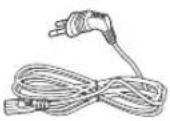

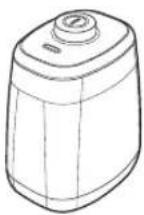 (opsion)
Mbrojtësi virtual
Shënime instalimi

Shënim
Instalojeni stacionin në një vend ku dyshemeja dhe muri janë të niveluar.
Këshillohet instalimi i stacionit në drejtim të damarëve të dyshemeve prej druri.
▶ Nëse çelësi i emergjencës është i fikur, "POWERbot" nuk do të karikohet edhe nëse është vendosur te stacioni.
▶ Vendoseni gjithmonë në prizë stacionin.
- Nèse stacioni nuk furnizohet me energji, "POWERbot" nuk mund ta gjejë dhe nuk mund të karikohet automatikisht.
- Nëse "POWERbot" lihet i shkëputur nga stacioni, bateria do të shkarkohet vetvetiu.
▶ Nëse "POWERbot" është në modalitet fjetjeje, nuk do të ndizet edhe nëse çelësi i emergjencës fiket dhe rindizet. Shtypni dhe mbani butonin [Fillo/Ndalo] te "POWERbot" për të çaktivizuar modalitetin e fjetjes.
Karikimi
Pasi të keni karikuar plotësisht "POWERbot" për herë të parë (pas blerjes), ai mund të përdoret për 60 minuta në modalitet normal (Shih faqen 39 për kohën e karikimit.)
Karikimi inteligjent
Nëse bateria e "POWERbot" shkarkohet në modalitetin e pastrimit automatik, ai do të kthehet automatikisht te stacioni për t'u karikuar dhe do të rifillojë punën për të përfunduar pastrimin pasi të jenë karikuar dy të tretat e baterisë. (Maks. 2 herë).


1 Ndizni çelësin e emergjencës në pjesën e poshtme
Duhet të ndizni çelësin e emergjencës për të ndezur "POWERbot".
Shtypni dhe lèshoni butonin
DII.
2 Karikoni manualisht "POWERbot" duke e vendosur në stacion
Sigurohuni që kunjat e karikimit në "POWERbot" dhe stacioni të jenë të drejtvijuar.
SHQIP-10
3 Kontrolloni gjendjen e karikimit
Për seritë SR1*M701***, treguesi i baterisë pulson në intervale prej 1 sek. gjatë karikimit dhe treguesi qëndron në gjendjen "Ndezur" të jetë karikuar plotësisht.
Për seritë SR1*M702**** / SR1*M703**** / SR2*M70****, " "do të shfaqet sipas ecurisë së karikimit dhe "FULL" do të shfaqet kur karikimi të ketë përfunduar.
Karikimi automatik

1. Seritë SR1*M701***
Kur treguesi i baterisë pulson në intervale prej 0,4 sek., "POWERbot" do të kthehet automatikisht te stacioni për t'u karikuar.
2. Seritë SR1*M70*****/SR2*M70****
Kur treguesi i baterisë pulson gjatë pastrimit, "POWERbot" do të kthehet te stacioni për t'u karikuar automatikisht.
Rikarikimi

Mund ta komandoni "POWERbot" që të karikohet në stacion ndërkohë që është duke pastruar.
Bateri e ulët (Lo)

Karikojeni manualisht "POWERbot" duke e vendosur në stacion.
Hapat që duhen ndjekur kur rikarikimi nuk po kryhet:
Kontrolloni gjendjen e instalimit të stacionit kur:
▶ stacioni është i vendosur në një vend ku "POWERbot" nuk mund ta arrijë lehtësisht.
▶ distanca midis stacionit dhe "POWERbot" është mbi 5 m.
- Kthimi i "POWERbot" te stacioni për t'u rikarikuar mund të zgjasë shumë
Karikojeni manualisht "POWERbot" kur:
▶ stacioni éshtë vendosur në një kënd
▶ bateria është shkarkuar plotësisht
▶ "POWERbot" është bllokuar nga një pengesë (mobilie etj.)
▶ "POWERbot" nuk mund të kapërcejë pragun pranë stacionit (lartësia maksimale e pragut që "POWERbot" mund të kapërcejë është rreth 1,5 cm.)
▶ kur treguesi i baterisë pulson dhe shfaqet "Lo"
▶ kur treguesi i baterisë pulson (e vlefshme për seritë SR1*M701****)
▶ kur "POWERbot" është vendosur në modalitetin e pastrimit zonal ose të pastrimit manual
Përdorimi i "POWERbot"
Duhet të ndizni çelësin e emergjencës në pjesën e poshtme të njësisë përpara se të përdorni "POWERbot".
Ndezja/Fikja
Shtypni butonin ⓝ per më shumë se 3 sekonda

\- Kur "POWERbot" nuk përdoret për 30 minuta;
Seritë SR1*M70**U* / SR2*M70**U*: Kthehet në modalitetin e kursimit të energjisë.
Seritë SR1*M70**W* / SR2*M70**W*: Kthehet automatikisht te stacioni për t'u karikuar.

Nisja e modalitetit të pastrimit automatik
Shtypni dhe lèshoni këtë buton. "POWERbot" lëviz dhe pastron automatikisht vetëm një herë zonat e përcaktuara.

* Ndalimi i pastrimit: Shtypni dhe lèshoni butonin
Përdorimi i modalitetit të pastrimit zonal
"POWERbot" pastron intensivisht një zone të caktuar.

Rikarikimi
Duke shtypur këtë buton, mund ta komandoni "POWERbot" që të karikohet automatikisht te stacioni ndërkohë që është duke pastruar.

Zgjedhja e modaliteteve të pastrimit
Modaliteti i pastrimit Mënyra e zgjedhjes Ikona e shfaqur SR1*M702***SR1*M703***SR2*M70**** SR1*M701*** Pastrimi automatik 

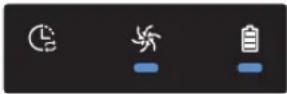
Pastrimi zonal 
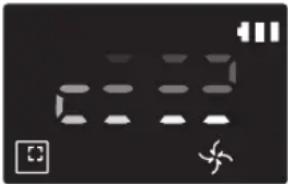

Përsërit pastrimin * Shtypni fillimish [ ], për tipat A, B], [Repeat], për tipat C, D] në telekomandë dhe pastaj shtypni [Fillo/Ndalo ▶II]. 
- Pastrimi manual * Modaliteti i pastrimit manual mund të zgjidhet nëpërmjet butonave të kontrollit të drejtimit në telekomandë. 
-
* Nëse "POWERbot" nuk arrin të kthehet te stacioni, ai do të kthehet në modalitetin e kursimit të energjisë dhe paneli i ekranit do të fiket.
* Për të dalë nga modaliteti i kursimit të energjisë, shtypni butonin [Fillo/Ndalo ▶] ose [Energjia ] në trupin kryesor ose në telekomandë.
* Nëse pastrimi në modalitetin e pastrimit automatik përfundon brenda 15 minutave, "POWERbot" e përsërit edhe 1 herë pastrimin.

Përdorimi i "POWERbot"
Metoda e pastrimit për çdo modalitet

Pastrimi automatik
Pastron automatikisht zonat e përcaktuara vetëm një herë.

Pastrimi zonal
Pastron intensivisht një sipërfaqe të lokalizuar. Mund të përdoret për të pastruar thërrimet e bukës ose të biskotave.

Pastrimi manual
"POWERbot" mund ta lëvizni nëpërmjet telekomandës për të pastruar zonën e dëshiruar.
* Ky funksion nuk është i disponueshëm në serinë SR1*M701****.

Përsërit pastrimin
Pastron vazhdimisht derisa të shkarkohet bateria.
* Ky funksion nuk është i disponueshëm në serine SR1*M701****.

Shënim
▶ Nëse zgjidhet modaliteti i pastrimit automatik ose i përsëritjes së pastrimit, "POWERbot" pastron fillimisht zonën afër stacionit.
Përdorimi i funksioneve të veçanta të pastrimit
Funksioni i pastrimit Përdorimi Ikona e shfaqur SR1*M702***SR1*M703***SR2*M70**** SR1*M701*** Pastrimi inteligjent * Kur "POWERbot" dikton një tapet në modalitet normal, ai vepron automatikisht me fuqi më të madhe thithèse. 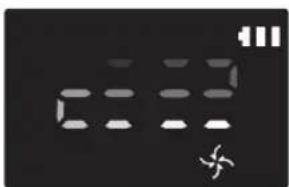

Mjeshtri i pastrimit të këndeve * Kur "POWERbot" dikton një majë ose cep gjatë modalitetit të pastrimit automatik ose të pastrimit zonal, mjeti i kokës automatike shtesë fillon të funksionojë dhe i afrohet zonës së majës ose të cepit për ta pastruar.► Majë e drejtë (Pastron vetëm një herë)► Cep (Pastron dy herë) 

Instalimi i mbrojtësit virtual
Rrezet infra të kuqe që lëshon mbrojtësi virtual do të pengojnë afrimin e "POWERbot" në disa zona të caktuara.
*(Përfshihet vetëm në seritë SR2*M707****. Për seritë SR2*M704**** / SR2*M705**** / SR2*M706****, blihet më vete.)

1 Shtypni butonin e energjisë për ta ndezur
Llamba e energjisë (e kuqe) do të pulsojë.

2 Montoni "mbrojtësin virtual" në vendin ku dëshironi të pengoni hyrjen e "POWERbot"
Sigurohuni që sensori i distancës të jetë drejtuar në drejtimin ku dëshironi të krijoni një pengesë të padukshme (e cila do të pengojë afrimin e "POWERbot").
Instalimi i mbrojtësit virtual
Emri i pjesës së mbrojtësit virtual

Vendosja e baterive
Bateritë për mbrojtësin virtual duhet të blihen veçmas.

1 Hapeni kapakun e baterive të mbrojtësit virtual duke shtypur butonin e kyçjes dhe duke e ngritur lart.

2 Futni bateritë alkaline (tipi D) siç tregohet në figurë (kontrolloni polaritetin +, -).

3 Futni majën e kapakut në fole dhe shtyjeni skajin tjetër për të mbyllur kapakun e baterive.
Përdorimi i telekomandës
[Tipi A] [Tipi B]


[Tipi C] [Tipi D]


Përdorimi i telekomandës
☐ [Tipi A] / ☐ [Tipi B] / [Tipi C] / [Tipi D]
1 Energjia / Rikarikimi / Fillo/Ndalo
Energjia 


Ndizni/fikni "POWERbot" Rikarikimi 


Zgjidhni ta karikoni "POWERbot" automatikisht te stacioni Fillo/Ndalo 


Zgjidhni fillimin ose ndalimin e procesit të pastrimit
2 Modalitetet e pastrimit
Pastrimi automatik 


Pastron të gjitha zonat e përcaktuara vetëm një herë dhe pastaj kthehet automatikisht te stacioni. Pastrimi zonal 


Pastron intensivisht një zonë të caktuar Përsërit pastrimin 


Pastron vazhdimisht derisa niveli i baterisë ulet shumë dhe treguesi pulson
3 Fuqia thithëse
Modaliteti maksimal 


Zgjidhni të pastroni me fuqinë më të lartë thithëse Modaliteti normal 


Zgjidhni të pastroni me fuqi mesatare thithëse Modaliteti i qetë 


Zgjidhni të pastroni me zhurmë më të ulët funksionimi
4 Funksion shtesë
Tingulli 


Çdo herë që shtypni këtë buton, do të zgjidhet sipas radhës në vijim "Efektet zanore " → "Pa zë" Telekomanda 


[Sx53] Zgjidheni për të ndezur ose për të fikur funksionin "Wi-Fi"
* Cilësimi i zgjedhur më parë nuk do të ndryshojë edhe nëse çelësi i emergjencës fiket dhe pastaj rindizet.
5 Modaliteti i pastrimit manual dhe kontrolli i drejtimit
Lëviz përpara 


Zgjidhni lëvizjen përpara Kthehu majtas [14Z3] 
[25ZW] 
Zgjidhni kthimin majtas Kthehu djathtas Zgjidhni kthimin djathtas
* Lëvizja prapa nuk është e mundur.
6 Pastrim zonal
I disponueshëm vetëm me telekomandat e tipit C, D.
Mund ta përdorni telekomandën për të përcaktuar dhe pastruar zonën e dëshiruar ndërsa "POWERbot" është në procesin e pastrimit.
Drejtojeni dritën e kuqe në dysheme në distancë 0,5 m përreth vendndodhjes së "POWERbot".
Shtypni dhe mbani butonin pastrimit zonal për ta lëvizur dritën e kuqe në vendin e dëshiruar. "POWERbot" do të ndjekë dritën gjatë pastrimit.

Distanca e funksionimit të telekomandës

Lartësia e telekomandës 0,5 m 1 m 1,5 m Distanca e funksionimit Rreth 1,5 m Rreth 2 m Rreth 3 m
Vendosja e baterive
Hapeni kapakun e baterive duke e ngritur lart ndërsa shtypni butonin e kyçjes dhe vendosni bateritë siç tregohet në figurë. Më pas, mbyllni kapakun derisa të dëgjohet një zhurmë kërcitëse.

Emri i secilës pjesë


Lart
1. Paneli i ekranit
2. Marrësi i sinjalit të telekomandës
3. Sensori i pengesave
4. Koshi i pluhurit
5. Kamera
6. Butoni i koshit të pluhurit
7. Sensori i parakolpit
8. Mjeti i kokës automatike shtesë
Poshtë
1. Kunjat e karikimit
2. Furça
3. Kapaku i furçës
4. Sensori i rrëshqitjes
5. Ruli
6. Kapaku i baterive
7. Butoni i kapakut të furçës
8. Rrota drejtuese
9. Çelësi i emergjencës
10. Mjeti i kokës automatike shtesë
Paneli i ekranit
1. Programi ditor
2. Modaliteti "Normal/Turbo"
3. Treguesi i baterisë
4. Butoni i pastrimit zonal, programi ditor(3 sek.)
5. Butoni "Fillo/Ndalo", modaliteti maksimal (3 sek.)
6. Butoni i rikarikimit


1. Pa zë
2. Treguesi i informacionit
3. *Treguesi i ndezjes/fikjes së komandimit inteligjent
4. *Wi-Fi
5. Treguesi i baterisë
6. Programi "Një herë/Ditor"
7. Ekrani i numrave
8. Modaliteti i pastrimit zonal
9. Modaliteti i pastrimit manual
10. Modaliteti i përsëritjes së pastrimit
11. Modaliteti normal
12. Modaliteti maksimal
13. Butoni i pastrimit zonal
14. Butoni "Fillo/Ndalo"
15. Butoni i rikarikimit
1. Pa zě
2. Treguesi i informacionit
3. *Treguesi i ndezjes/fikjes së komandimit inteligjent
4. *Wi-Fi
5. Treguesi i baterisë
6. Programi "Një herë/Ditor"
7. Ekrani i numrave
8. Modaliteti i pastrimit zonal
9. Modaliteti i pastrimit manual
10. Modaliteti i përsëritjes së pastrimit
11. Modaliteti i getë
12. Modaliteti normal
13. Modaliteti maksimal
14. Butoni i pastrimit zonal
15. Butoni "Fillo/Ndalo"
16. Butoni i rikarikimit
* SR1*M70**W* / SR2*M70**W*: Model që mbështet Wi-Fi
Vendosja e orës/programit
[Tipi A, tipi B] Mund të programohet vetëm modaliteti i pastrimit automatik.
Vendosja e orës
Përpara përdorimit të programit "Një herë/Ditor", duhet të caktoni orën aktuale.

Vendosja e programit
Cilësimi/anulimi i programimit mund të bëhet vetëm ndërkohë që "POWERbot" është e vendosur te stacioni.

Anulimi gjatë konfigurimit

▶ Cilësimi do të anulohet automatikisht kur nuk jepet asnjë komandë për 7 sekonda.
Anulimi i programit "Një herë/Ditor"
Kur caktohen njëherësh programet "Një herë/Ditor"  ScheduleCancel (3sec)
 ose
ose  ScheduleCancel (3sec)
  ose
ose  ScheduleCancel (3sec) Shtypni për 3 sek. Zgjidhni programin Anulimi i krye
Kur caktohet programi "Një herë" ose ai "Ditor" ScheduleCancel (3sec) Shtypni për 3 sek.
[Tipi C, tipi D] Mund të programohet vetëm modaliteti i pastrimit automatik.
Vendosja e orës
Përpara përdorimit të programit "Një herë/Ditor", duhet të caktoni orën aktuale.

Vendosja e programit
Cilësimi/anulimi i programimit mund të bëhet vetëm ndërkohë që "POWERbot" është e vendosur te stacioni.

Anulimi gjatë konfigurimit

▶ Cilësimi do të anulohet automatikisht kur nuk jepet asnjë komandë për 7 sekonda.
Anulimi i programit "Një herë/Ditor"
Kur caktohen njëherësh programet "Një herë/Ditor"  Cancel (3sec) Shtypni për 3 sek. Zgjidhni programin Anulimi i krye
[YWSY] - [0HH4] ose Cancel (3sec) [S235] 
 Cancel (3sec)
[2TWS] Kur caktohet programi "Një herë" ose ai "Ditor" Schedule Cancel (3sec) Shtypni për 3 sek.
Vendosja e orës/programit
[Seritë SR1*M701****] Për modelet që nuk përfshijnë një telekomandë, vendosja e programit kryhet si më poshtë.
Vendosja e programit

Shtypni për 3 sek.


Ndezja e LED të programit do të thotë se është vendosur programi "Ditor".
* Kohëzgjatja e shtypjes së butonit do të caktohet si program. Pastrimi do të kryet automatikisht çdo ditë sipas kohës së programuar.
Anulimi i programit ditor
Kur caktohet programi ditor Shtypni për 3 sek.
Pastrimi dhe mirëmbajtja
Përpara pastrimit të "POWERbot" duhet të fikni çelësin e emergjencës.

Pastrimi i koshit të pluhurit

1 Shtypni butonin për të hequr koshin e pluhurit

2 Hiqni kapakun e koshit të pluhurit

3 Hiqni pluhurin nga koshi i pluhurit dhe njësia ciklonike

4 Shkëputeni njësinë ciklonike nga kapaku i koshit të pluhurit dhe lani koshin e pluhurit dhe filtrin

5 Rimontoni koshin e pluhurit

6 Rivendoseni koshin e pluhurit në trupin kryesor derisa të puthitet në vend
Pastrimi i sensorëve dhe i kamerës
Fshini lehtë me një leckë të butë. Mos përdorni ujë apo solucione pastrimi.


Pastrimi dhe mirëmbajtja
Pastrimi i furçës dhe i kokës automatike shtesë
Dizajni i furçës mund të ndryshojë sipas modelit.

1 Hiqni kapakun e furçës

2 Hiqni furçën

3 Pastroni furçën

4 Pastroni mjetin e kokës automatike shtesë


5 Rimontoni furçën


6 Rimontoni kapakun e furçës
Pastrimi i rrotës drejtuese

1 Vendosni një leckë të butë mbi dysheme dhe vendoseni "POWERbot" përmbys mbi leckë.


2 Përdorni një shufer jo të mprehtë ose pinceta për të hequr lëndën e huaj.
Aplikacioni "Samsung Smart Home"
Aplikacioni "Samsung Smart Home" disponohet vetëm te modelet që mbështesin funksionin "Wi-Fi".
Përgatitja e rrjetit
Konfigurimi i rrugëzuesit me valë
▶ Produkti mbështet vetëm DHCP (Protokolli i konfigurimit dinamik të pritësit). Kontrolloni nëse funksioni i opsonit të serverit DHCP i rrugëzuesit me valë është i aktivizuar.
▶ Llojet e mbështetura të autorizimit/enkriptimit të rrugëzuesit me valë janë "WEP-OPEN", "WPA-PSK/TKIP" dhe "WPA2-PSK/AES 801.11n".
\- Rekomandohet përdorimi i "WPA2-PSK/AES".
▶ Cilësia e lidhjes së rrjetit me valë mund të ndikohet nga mjedisi rrethues me valë.
▶ Kur ofruesi i shërbimit të internetit ka regjistruar përgjithmonë në kompjuter ose në modem një adresë MAC (numër unik identifikimi), "POWERbot" mund të mos disponohet për lidhje me internetin. Pyesni ofruesin e shërbimit të internetit rreth procedurës së lidhjes me internetin të një aparati të ndryshëm nga kompjuteri.
▶ Nëse ofruesi i shërbimit të internetit kërkon ID-në ose fjalëkalimin tuaj për t'u lidhur me internetin atëherë, "POWERbot" mund të mos lidhet me internetin. Në këtë rast, duhet të jepni ID-në ose fjalëkalimin kur lidheni me internetin.
- Lidhja me internetin mund të mos arrihet për shkak të murit mbrojtës. Pyesni ofruesin e shërbimit të internetit për zgjidhjen e problemit.
▶ Disa rrugëzues me valë mund të transmetojnë adresë të parregullt të serverit të emrave të domeneve (DNS) edhe nëse nuk ka internet. Në këtë rast, pyesni ofruesin e rrugëzuesit përkatës me valë, si dhe ofruesin e shërbimit të internetit.
▶ Nëse ende nuk mund të lidheni me internet edhe pas kryerjes së procedurës të dhënë ofruesi i shërbimit të internetit, pyesni një agjenci ose një qendër shërbimi të "Samsung Electronics".

Shënim
▶ Drejtojuni manualit të përdoruesit të rrugëzuesit përkatës me valë pa probleme aksesi.
▶ "POWERbot" e "Samsung" mbështet vetëm "Wi-Fi" 2,4 Ghz.
"POWERbot" e "Samsung" mbështet protokollin e metodave "IEEE 802.11b/g/n" dhe "Wi-Fi Direct". ("Samsung Electronics" rekomandon përdorimin e "IEEE 802.11n.")
▶ Rrugëzuesi me valë pa autorizim të "Wi-Fi" mund të mos disponohet për lidhje me "POWERbot".
▶ Kur ka energji dhe "POWERbot" është i vendosur te stacioni, "POWERbot" do të lidhet me serverin dhe më pas do të kontrollojë nëse ka përditësime të softuerit. Nëse gjendet versioni më i fundit, ai do të shkarkohet dhe përditësohet automatikisht.
▶ Nëse në panelin e ekranit shfaqet "UP" ndërsa "POWERbot" është në karikim, kjo tregon se përditësimi është duke u kryer. Prisni për përfundimin e rindezjes.
Aplikacioni "Samsung Smart Home"
▶ Nëse regjistrimi i produktit nuk është kryer, ndiqni udhëzimet e mëposhtme:
- Shihni mesazhin në dritaren që shfaqet dhe riprovoni procedurën e regjistrimit.
- Kontrolloni nëse opsioni UPnP i rrugëzuesit me valë është i disponueshëm dhe riprovoni procedurën e regjistrimit.
- Kontrolloni nëse modaliteti i përdorimit i rrugëzuesit me valë është modalitet për rrugëzues dhe riprovoni procedurën e regjistrimit.
- Nëse keni më shumë se dy "POWERbot", çaktivizojini të tjerët për të regjistruar atë që dëshironi. Lidhja duhet të kryhet një me një.
- Regjistrimi normal nuk mund të garantohet nëse pranë rrugëzuesit gjendet një rrugëzues me valë që ka të njëjtën SSID.
- Caktoni një SSID dhe fjalëkalim unik për rrugëzuesin me valë dhe regjistroni produktin.
▶ Shërbimi "Samsung Smart Home" nuk garanton funksionim normal nën mjedisin e murit mbrojtës.
▶ Nëse "POWERbot" dhe telefoni inteligjent nuk janë të lidhur me të njëjtin rrugëzues me valë, mund të shkaktohet vonesë në përgjigje sipas mjedisit të rrjetit.
Komandimi inteligjent dhe treguesi i "Wi-Fi"
\- Aktiv: Komandimi inteligjent éshtë i bllokuar. (Disponohet vetëm telekomanda.)
- Joaktiv: Mundësohet komandimi inteligjent.
- Joaktiv: "POWERbot" po lidhet me rrugëzuesin me valë.
- Aktiv: "POWERbot" u lidh me rrugëzuesin me valë.

▶ Nuk mund ta përdorni aplikacionin "Samsung Smart Home" nëse komandimi inteligjent është e bllokuar.
Përdorimi i aplikacionit "Samsung Smart Home"
Krijimi i llogarisë "Samsung"

Nëse dëshironi të përdorni aplikacionin "Samsung Smart Home", regjistroni llogarinë tuaj "Samsung" në aplikacionin e llogarisë "Samsung".
Shënim
▶ Nëse në aplikacionin "Samsung Smart Home" nuk caktoni identifikimin automatik dhe e hapni atë, ekrani i llogarisë "Samsung" shfaqet fillimisht një herë.
▶ Nëse jeni përdorues i telefonit inteligjent "Samsung", regjistrojeni llogarinë tuaj "Samsung" te cilësimet e telefonit inteligjent dhe më pas kryhet identifikimi automatik pa procese të tjera identifikimi, si dhe mund të përdorni menjëherë aplikacionin "Samsung Smart Home".
Shkarkimi i aplikacionit "Samsung Smart Home"
1. Shkarkoni aplikacionin "Samsung Smart Home" nga "Google Play Store" (për pajisjet "Android") ose nga "Apple AppStore" (për pajisjet "iOS"). Për të gjetur aplikacionin, përdorni fjalët kyçe "Samsung Smart Home."
2. Instaloni aplikacionin në pajisjen tuaj inteligjente.

Shënim
- Aplikacioni "Samsung Smart Home" kërkon "Android 4.0 (ICS)" e lart dhe është i optimizuar për "Android 4.4" e lart në celularët inteligjentë "Samsung" (seria "Galaxy S" dhe "Note"). Disa funksione të aplikacionit mund të mos punojnë siç duhet në celularë inteligjentë të palëve të treta.
▶ Për modelet "iOS", aplikacioni kërkon "iOS 7" e lart.
▶ Aplikacioni "Samsung Smart Home" i nënshtrohet ndryshimit pa njoftim, me qëllim përmirësimet në përdorimin dhe performancën e tij.
Regjistrimi i produktit (Konfigurim i lehtë)
Regjistrojeni produktin në shërbimin "Samsung Smart Home" përpara përdorimit të aplikacionit "Samsung Smart Home".
Android
1. Shtypni ikonën "Shto të ri" në ekranin e listës së pajisjes të aplikacionit "Samsung Smart Home" për të nisur regjistrimin e produktit.
2. Zgjidhni ikonën e fshesës robotike me korrent.
3. Jepni informacionin e rrugëzuesit me valë që do të lidhet.
4. Caktojeni "POWERbot" sipas udhëzimeve në ekran.
- Për të aktivizuar menjëherë modalitetin "AP", shtypni butonin [Clock] për më shumë se 5 sekonda.
5. Atëherë, regjistrimi do të vazhdojë automatikisht.
6. Kur regjistrimit të përfundojë, do të shfaqet mesazhi.
7. Kur regjistrimi i produktit të përfundojë, do të shfaqet ekrani kryesor i aplikacionit "Samsung Smart Home".
* Nëse regjistrimi i produktit nuk arrin të kryhet, drejtojuni faqes 27.
iOS
1. Hapni aplikacionin "Samsung Smart Home".
2. Kaloni në ekranin e majtë dhe më pas shtypni ikonën "Shto të re" në ekranin e listës së pajisjes për të nisur regjistrimin e produktit.
3. Jepni llogarinë "Samsung" dhe më pas shtypni butonin [Sign in].
- Në "iPhone", ID-ja dhe fjalëkalimi nuk ruhen, prandaj duhet të identifikoheni çdo herrë që përdorni aplikacionin "Samsung Smart Home".
4. Zgjidhni ikonën [Robot vacuum].
5. Shtypni butonin e orës në telekomandë për më shumë se 5 sekonda.
- Në panelin e ekranit do të shfaqet "AP".
6. Hapni aplikacionin e cilësimeve të "iPhone" dhe më pas lidhuni me [Robot vacuum] të "Samsung" nga lista.
7. Jepni ID-në dhe fjalëkalimin e rrugëzuesit me valë që do të lidhet dhe më pas shtypni butonin [Next].
8. Lidhja midis celularit inteligjent dhe fshesës robotike me korrent po kryhet.
9. Hapni aplikacionin e cilësimeve të "iPhone" dhe më pas lidhuni me rrugëzuesin me valë që do të lidhet në listën e "Wi-Fi".
Aplikacioni "Samsung Smart Home"
10. Lidhja midis rrugëzuesit me valë dhe fshesës robotike me korrent po kryhet.
11. Pas përfundimit të regjistrimit të produktit, do të shfaqet mesazhi.
12. Pas përfundimit të regjistrimit të produktit, ikona e fshesës robotike me korrent shtohet në listën e pajisjes.
Ekrani kryesor
Zgjidhni ikonën e fshesës robotike me korrent në ekranin kryesor dhe mund të kaloni tek ekrani i komandimit të "POWERbot".
Pajisjet tuaja inteligjente për shtëpi të krijuara nga "Samsung Electronics" mund t'i komandoni me anë të ikonave "Dal jashtë", "Vij në shtëpi", "Natën e mirë" dhe "Mirëmëngjes".
▶ Funksioni për shikimin e shtëpisë nuk mbështetet për "POWERbot".
Ekrani i menysë së përdoruesit
Pajisjet inteligjente për shtëpi të krijuara nga "Samsung Electronics" mund t'i komandoni me anë të funksioneve të kontrollit me mesazhe dhe të kodit kryesor.
Chat control ▸Pajisjet inteligjente për shtëpi mund t'i komandoni dhe të kontrolloni gjendjen e tyre lehtësisht. Master key ▸Mund të komandoni disa pajisje inteligjente për shtëpi me anë të kodeve kryesore ("Dal jashtë", "Vij në shtëpi", "Natën e mirë" dhe "Mirëmëngjes"). Customer service ▸Mund të shihni manualin e produktit.▸Kur produkti është i prishur, mund të konsultoheni me qendrën tonë të klientit dhe të kërkoni shërbimin pas shitjes.
Komandimi i "POWERbot"
Kur hapet aplikacioni i fshesës robotike inteligjente me korrent të "Samsung", do të shfaqet ekrani i komandimit.

1. Ndezja/Fikja
2. Modaliteti i pastrimit manual dhe komandimi i drejtimit (lëvizja përpara, kthimi majtas, kthimi djathtas)
3. Fillo/Ndalo modalitetin e pastrimit automatik
4. Modaliteti i pastrimit zonal
5. Treguesi i gjendjes aktuale
6. Gjendja e baterisë
7. Fuqia thithëse
8. Ndezja/Fikja e "Përsërit pastrimin"
9. Programi (Mund të vendosni orën që dëshironi për çdo datë.)
- "POWERbot" funksionon duke sinkronizuar orën e caktuar në rrjet.
10. Fshirja e kontrollit të historikut

Shënim
▶ Pastrimi i planifikuar aktivizohet vetëm kur "POWERbot" është vendosur te stacioni.
Shënime dhe masa paraprake
Karikimi

Shënim
▶ Nëse bateria mbinxehet gjatë karikimit, për karikimin mund të duhet më shumë kohë.
▶ Kur nuk funksionon karikimi automatik, veproni si më poshtë:
- Fikeni çelësin e emergjencës (poshtë "POWERbot") dhe rindizeni.
- Shkëputeni spinën e stacionit dhe vendoseni përsëri në prizë.
- Hiqeni stacionin nga priza dhe kontrolloni nëse ka lëndë të huaj në kunjat karikuese, pastroni "POWERbot" dhe kunjat e stacionit me një leckë të thatë ose rrobë të vjetër.
- Kontrolloni nëse pranë stacionit ka pengesa, si objekte reflektuese, karrige etj.
▶ Nëse "POWERbot" lihet i shkëputur nga stacioni, bateria do të shkarkohet vetvetiu.
\- Përpiquni ta mbani "POWERbot" në karikim te stacioni. (Sidoqoftë, fikeni çelësin e emergjencës dhe lëreni stacionin të hequr nga priza kur planifikoni të largoheni nga shtëpia për periudha të gjata, si p.sh. kur shkoni në udhëtime pune, me pushime etj.)
Përdorimi

Shënim
▶ Gjatë pastrimit, "POWERbot" mund të ngecë në pragjet e dyerve etj.
- Për të rinisur funksionimin, fikni çelësin e emergjencës, kalojeni "POWERbot" në një zone ku mund të lëvizë lirshëm dhe rindizeni.
▶ "POWERbot" nuk mund t'i pastrojë tërësisht zonat në të cilat nuk mund të futet, si cepat, sipërfaqet midis murit dhe divanit etj.
- Përdorni një mjet tjetër pastrimi për pastrimin e rregullt të tyre.
▶ "POWERbot" nuk mund të pastrojë ndotjet masive, ndaj një pjesë e tyre mund të mbesë në dysheme edhe pas pastrimit.
- Përdorni një mjet tjetër pastrimi për pastrimin e rregullt të tyre.
▶ Nëse "POWERbot" fiket, ju nuk mund ta ndizni duke shtypur butonin "Energjia" në telekomandë. Shtypni dhe mbani butonin [Fillo/Ndalo] në "POWERbot".
▶ Modaliteti i pastrimit zonal nuk mund të zgjidhet dhe nuk mund t'i caktohet "POWERbot" për ekzekutim gjatë kohës që karikohet.
▶ Nëse shtypni butonin e pastrimit manual / zonal gjatë karikimit, "POWERbot" do të shkëputet nga stacioni dhe do të kalojë në modalitet pritjeje.
Pastrimi dhe mirëmbajtja

Shënim
▶ Nëse e keni larë me ujë koshin e pluhurit dhe filtrin
- Koshi i pluhurit: Thajeni ujin plotësisht.
- Filtri: Thajeni tërësisht në hije përpara përdorimit.
▶ Mos e tërhiqni shumë fortë kokën automatike shtesë kur e pastroni.

Kujdes
▶ Bëni kujdes me gishtat kur të montoni apo çmontoni filtrin, pasi mund t'ju ngecin në vrimën e hyrjes të koshit të pluhurit.
▶ Për të shmangur bllokimet nga lëndë të huaja, mos e lini "POWERbot" të mbledhë kruajtëset e dhëmbëve, të veshëve etj.
▶ Nëse lëndët e huaja hiqen me vështirësi nga furça, kontaktoni një qendër të autorizuar shërbimi të "Samsung".
▶ Meqenëse furça heq papastërtitë nga dyshemeja gjatë pastrimit, në të mund të ngecin lëndë të huaja, si fije, qime të gjata etj. Për rezultate më të mira pastrimi, kontrollojeni dhe pastrojeni rregullisht.
Shënime dhe masa paraprake
Rreth baterisë

Shënim
▶ Blijini bateritë në qendrat e autorizuara të "Samsung" dhe përpara se t'i blini kontrolloni për simbolin ( ) t'engjitur në bateri dhe për emrin e modelit.
Kjo bateri shërben vetëm për "Samsung Electronics POWERbot". Mos e përdorni për produkte të tjera.
▶ Mos e çmontoni apo modifikoni baterinë.
▶ Mos e hidhni baterinë në zjarr dhe mos e nxehni.
▶ Mos lidhni objekte metalike në kontaktet e karikimit (+, -).
▶ Mbajeni baterinë në ambiente të brendshme (në 0°C\~40°C).
▶ Në rast keqfunksionimi të baterisë, mos e çmontoni vetë. Kontaktoni qendrën më të afërt të shërbimit të "Samsung".
Koha e karikimit dhe e përdorimit të baterisë mund të reduktohet sa më shumë të përdoret bateria. Nëse kohëzgjatja e përdorimit të baterisë ka kaluar dhe ajo nuk karikohet më siç duhet, ndërrojeni në një qendër shërbimi të "Samsung".
▶ Periudha e garancisë së baterisë është 6 muaj nga data e blerjes.
Rreth sensorit IrDA

Kujdes
Transmetimi i sinjaleve të rrezeve infrakuqe mund të mos jetë i vazhdueshëm në ambiente të ekspozuara ndaj llambave halogjene ose në ambiente jashtë shtëpisë.
▶ "POWERbot" përdor 3 lloje të ndryshme pajisjesh infra të kuqe. Secila prej pajisjeve ka nivele të ndryshme prioriteti. Pajisja nuk mund të punojë nëse sinjali i saj zëvendësohet nga një pajisje me prioritet më të lartë.
\- Prioriteti i sinjalit infra të kuq: Komandimi inteligjent > Stacioni
▶ Sinjale të ndryshme infra të kuqe mund të interferojnë me njëri-tjetrin dhe mund të shkaktojnë keqfunksionim të pajisjeve nëse përdoren së bashku brenda një hapësire ose distance të vogël.
▶ Nëse përdoret njëkohësisht më shumë se një "POWERbot", ato mund të keqfunksionojnë për shkak të interferencës së sinjaleve infra të kuqe.
Kodet e informacionit
1 Tre treguesit e mëposhtëm pulsojnë me një alarm keqfunksionimi.
2 Fikeni çelësin e emergjencës, shikoni udhëzimet më poshtë dhe kryeni veprimet e duhura
3 Kodi i informacionit do të zhduket kur të ndizni çelësin e emergjencës
Kodet e informacionit Lista e verifikimit 
"POWERbot" është kapur, ka ngecur ose është bblokuargjatë lëvizjes.► Fikni çelësin e emergjencës dhe çojeni "POWERbot" në një vendtjetër. Ju lutemi të kontrolloniinformacionin e listës sëverifikimit. Në furçë ka ngecur lëndë e huaj.► Fikni çelësin e emergjencës dhe hiqni lëndën e huaj nga furça. Në rrotën e majtë drejtuese ka ngecur lëndë e huaj.► Fikni çelësin e emergjencës dhe hiqni lëndën e huaj nga rrota drejtuese. Në rrotën e djathtë drejtuese ka ngecur lëndë e huaj.► Fikni çelësin e emergjencës dhe hiqni lëndën e huaj nga rrota drejtuese. Në kokën automatike shtesë ka ngecur lëndë e huaj.► Fikni produktin duke shtypur çelësin e emergjencës dhe hiqni lëndën e huaj nga koka automatike shtesë. Duhet të kontrollohet sensori i parakolpit.► Fikeni çelësin e emergjencës dhe rindizeni.► Kur kodi i informacionit nuk zhduket, kontrolloni nëse midis parakolpit dhe trupit kryesor ka lëndë të huaj të vogël. Nëse po,tërhiqni lehtë parakolpin dhe hiqni lëndën e huaj. Në sensorin e pengesave është grumbulluar lëndë e huaj.► Fikni çelësin e emergjencës dhe pastroni sensorin e përparmë dhetë pasmë me një leckë të butë. Në sensorin e rrëshqitjes është grumbulluar lëndë e huaj.► Fikni çelësin e emergjencës dhe pastroni sensorin e rrëshqitjes ménjë leckë të butë.
Kodet e informacionit
1 Kodi i informacionit në vijim shoqërohet me një alarm keqfunksionimi.
2 Fikeni çelësin e emergjencës, shikoni udhëzimet më poshtë dhe kryeni veprimet e duhura
3 Kodi i informacionit do të zhduket kur të ndizni çelësin e emergjencës
Kodet e informacionit Lista e verifikimit 
"POWERbot" është kapur, ka ngecur ose është bilokuar gjatë lëvizjes.► Fikni çelësin e emergjencës dhe çojeni "POWERbot" në një vend tjetër. 
Në furçë ka ngecur lëndë e huaj.► Fikni çelësin e emergjencës dhe hiqni lëndën e huaj nga furça. 
Në rrotën e majtë drejtuese ka ngecur lëndë e huaj.► Fikni çelësin e emergjencës dhe hiqni lëndën e huaj nga rrota drejtuese. 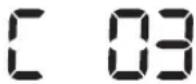
Në rrotën e djathtë drejtuese ka ngecur lëndë e huaj.► Fikni çelësin e emergjencës dhe hiqni lëndën e huaj nga rrota drejtuese. 
Në kokën automatike shtesë ka ngecur lëndë e huaj.► Fikni produktin duke shtypur çelësin e emergjencës dhe hiqni lëndën e huaj nga koka automatike shtesë. 
Duhet të kontrollohet sensori i parakolpit.► Fikeni çelësin e emergjencës dhe rindizeni.► Kur kodi i informacionit nuk zhduket, kontrolloni nëse midis parakolpit dhe trupit kryesor ka lëndë të huaj të vogël. Nëse po, tërhiqni lehtë parakolpin dhe hiqni lëndën e huaj. 
Në sensorin e pengesave është grumbulluar lëndë e huaj.► Fikni çelësin e emergjencës dhe pastroni sensorin e përparmë dhe të pasmë me një leckë të butë. 
Në sensorin e rrëshqitjes është grumbulluar lëndë e huaj.► Fikni çelësin e emergjencës dhe pastroni sensorin e rrëshqitjes me një leckë të butë.
Zgjidhja e problemeve
Shenja treguese Lista e verifikimit "POWERbot" nuk punon fare. ► Kontrolloni nëse është ndezur çelësi i emergjencës.► Kontrolloni nëse në panelin e ekranit janë shfaqur të gjitha ikonat.► Kontrolloni nëse është shkarkuar bateria e "POWERbot".- Kur shfaqet "Lo", vendoseni "POWERbot" te stacioni për ta karikuar.- Kur treguesi i baterisë pulson, vendoseni manualisht "POWERbot" te stacioni për ta karikuar. (Vetëm seritë SR1*M701****)► Nëse nuk punon telekomanda, ndërroni bateritë (tipi AAA). "POWERbot" ka ndaluar gjatë pastrimit. ► Kur në panelin e ekranit shfaqet "Lo", vendoseni "POWERbot" te stacioni për ta karikuar.► Kur treguesi i baterisë pulson, vendoseni manualisht "POWERbot" te stacioni për ta karikuar. (Vetëm seritë SR1*M701****)► Kur "POWERbot" ndalohet nga pengesa, si p.sh. kordonë, pragje etj., ngrijeni dhe largojeni nga pengesa.- Nëse në rrotën drejtuese ngecin lecka ose fije, fikni çelësin e emergjencës dhe hiqeni leckën ose fijen përpara se ta përdorni sërish. Fuqia thithëse është e dobët. ► Nëse "Treguesi i kontrollit të filtrit" është ndezur, fikeni çelësin e emergjencës dhe pastroni koshin e pluhurit.► Kur ka shumë pluhur në koshin e pluhurit, fuqia thithëse mund të dobësohet. Fikni çelësin e emergjencës dhe boshatisni koshin e pluhurit.► Nëse vrima e hyrjes (në fund të "POWERbot") bllokohet nga lëndë e huaj, fikni çelësin e emergjencës dhe hiqni lëndën e huaj nga vrima.► Kur zhurma rritet papritur, fikni çelësin e emergjencës dhe boshatisni koshin e pluhurit. "POWERbot" nuk mund të gjejë stacionin. ► Kontrolloni nëse ka ndërprerje të energjisë apo nëse spina nuk është futur në prizë.► Hiqni pengesat rreth stacionit që mund të pengojnë kthimin e "POWERbot" te stacioni.► Kur në kunjat e karikimit ka lëndë të huaj, kjo mund të ndikojë në karikim. Pastrojeni lëndën e huaj nga kunjat. Papritur, "POWERbot" fillon të pastrojë diagonalisht. ► Kontrolloni nëse stacioni është instaluar në drejtim të damarëve të dyshemesë prej druri ose të pllakave.► "POWERbot" mund të pastrojë diagonalisht nëse kalon në një zonë tjetër duke përdorur rrugën më të shkurtër. Mund edhe të lëvizë diagonalisht nëse bie në kontakt me pengesa në atë kënd, nëse është karikuar me kënd te stacioni ose nëse damarët e parketit prej druri/pllakave janë në atë drejtim. Pastrimi zonal nuk punon. ► Nëse e drejtoni dritën e kuqe drejtpërdrejt te "POWERbot", ajo mund të mos lëvizë në drejtimin e dëshiruar.- Drejtojeni dritën e kuqe mbi dysheme brenda 0,5 m nga "POWERbot".* Mos e përdorni pastrimin zonal nën dritën e drejtpërdrejtë të diellit, në dritë të fortë ose në dysheme të errëta.
Zgjidhja e problemeve
Shenja treguese Lista e verifikimit Kam instaluar aplikacionin "Samsung Smart Home", por "POWERbot" nuk lidhet. ► Mund ta përdorni produktin pas lidhjes së rrugëzuesit me valë dhe "POWERbot" përmes konfigurimit të lehtë sipas procedurës. Nuk mund të identifikohem në llogarinë "Samsung". ► Kontrolloni ID-në dhe fjalëkalimin në ekranin e llogarisë "Samsung". Aty shfaqet një mesazh që tregon se gjatë konfigurimit të lehtë ndodhi një gabim. ► Mund të jetë një gabim i përkohshëm për shkak të largësis nga rrugëzuesi me valë apo të pengesave të tjera. Provoni sërish pas pak. Produktet nuk punojnë edhe pse telefoni inteligjent është i lidhur normalisht me "POWERbot". ► Çaktivizoni aplikacionin "Samsung Smart Home" dhe më pas aktivizojeni sërish ose shkëputni telefonin inteligjent nga rrugëzuesi me valë dhe lidheni sërish. Ose, ndërpritni energjinë e "POWERbot", ndizeni sërish, prisni për një ose më shumë minuta dhe më pas aktivizoni sërish aplikacionin "Smart Home". Funksionet e aplikacionit "Samsung Smart Home" nuk punojnë. ► Kontrolloni nëse është caktuar funksioni i bllokimit të komandimit inteligjent të "POWERbot". (Kur komandimi inteligjent është i bllokuar, treguesi i "Wi-Fi" fiket.) Aplikacioni i fshesës robotike inteligjente me korrent të "Samsung" nuk hapet. ► Kontrolloni nëse "POWERbot" është e lidhur me rrugëzuesin me valë. "POWERbot" nuk lidhet me "Wi-Fi". ► Kontrolloni gjendjen e cilësimit të rrugëzuesit me valë. Funksioni i pastrimit inteligjent funksionon në dysheme normale. ► Kontrolloni nëse dyshemeja nuk është e rrafshët dhe më pënëse "POWERbot" punon me trupin e ngritur pak lart.► Kontrolloni nëse ka lëndë të huaja në sensorin e rrëshqitje cili ndodhet në fund të "POWERbot".► Kontrolloni nëse ngjyra e dyshemesë është e errët. Funksioni i pastrimit inteligjent nuk funksionon. ► Kur "POWERbot" pastron një tapet me fije të shkurtra dhe ngjyrë të shndritshme, ai mund ta njohë tapetin si dysheme dhe funksioni i pastrimit inteligjent mund të mos funksionojë. Funksioni "Mjeshtri i pastrimit të këndeve, nuk funksionon. ► Funksioni "Mjeshtri i pastrimit të këndeve" mund të mos funksionojë kur "POWERbot" nuk arrin të dallojë murin.- Kur një pengesë e përbërë prej materialesh reflektuese ndodhet përpara murit- Kur vetë muri është i përbërë prej materialesh reflektuese- Kur muri ka ngjyrë të errët Funksioni "Mjeshtri i pastrimit të këndeve" funksionon edhe pse nuk ka mure ose cepa. ► Kontrolloni nëse ka pengesa të vogla në hapësira të ngush► Kur "POWERbot" e njeh pengesën para tij si mur, funksioni "Mjeshtri i pastrimit të këndeve" mund të funksionojë. Funksioni "Mjeshtri i pastrimit të këndeve" funksionon edhe pse "POWERbot" nuk është afër ndonjë muri ose cepi. ► Kur këndi i një cepi të evidentuar nga "POWERbot" është i madh, funksioni "Mjeshtri i pastrimit të këndeve" mund të funksionojë pa iu afruar murit ose cepit.
* Kjo fshesë me korrent është në përputhje me rregulloret e mëposhtme:
- Direktiva RTTE: 1999/5/EC
- Direktiva për përshtatshmërinë elektromagnetike: 2014/30/EU
- Direktiva për tensionin e ulët: 2014/35/EU
Deklarata zyrtare e konformitetit mund të gjendet te http://www.samsung.com, shkoni te "Mbështetja"
Kërkoni "Mbështetja për produktin" dhe jepni emrin e modelit.
Paralajmërime rreth baterisë

Nuk duhet ta hiqni vetë (ose tentoni ta hiqni) baterinë e integruar në këtë produkt. Për të ndërruar baterinë, duhet të kontaktoni ofruesin e shërbimit ose ndonjë teknik të kualifikuar të pavarur. Këto udhëzime janë përgatitur për përdorimin ekskluziv të ofruesit të shërbimit apo të teknikut të kualifikuar të pavarur.
PËR SIGURINË TUAJ, MOS TENTONI TA HIQNI VETË BATERINË APO TA HIDHNI NË ZJARR. MOS E ÇMONTONI, SHTYPNI APO SHPONI BATERINË.
Mënyra e heqjes së baterisë
Hiqeni "POWERbot" nga karikuesi / stacioni për ta çmontuar. Përpara çmontimit, duhet ta fikni "POWERbot" për sigurinë tuaj.

1 Vendoseni "POWERbot" përmbys dhe pastaj hiqni 2 vidat.

2 Hiqni kapakun e koshit të pluhurit.

3 Hiqni baterinë nga foleja dhe shkëputni bashkuesin.

Eliminimi siç duhet i baterive të produktit
(Vlen për shtetet me sisteme të ndara të kthimit të baterive.)
Shënimi në bateri, në manual ose mbi ambalazh tregon se bateria e këtij produkti nuk duhet të hidhet bashkë me mbeturinat e tjera të shtëpisë. Simbolet kimike Hg, Cd ose Pb, aty ku janë të shënuara, tregojnë që bateria përmban merkur, kadmium ose plumb mbi nivelet e referencës së Direktivës KE 2006/66.
Bateria e vendosur në këtë produkt nuk mund të ndërrohet nga përdoruesi. Për informacione rreth ndërrimit të saj, kontaktoni ofruesin e shërbimit. Mos tentoni ta hiqni baterinë ose ta hidhni në zjarr. Mos e çmontoni, shtypni apo shponi baterinë. Nëse synoni ta hidhni produktin, vendi i grumbullimit të mbeturinave do të marrë masat a duhura për riciklimin dhe trajtimin e produktit, përfshire baterinë
Njoftim për softuerët me burim të hapur
Produkti përmban softuer me burim të hapur. Mund të përfitoni kodin e plotë përkatës burimor për një periudhë trevjeçare pas dërgimit të fundit të këtij produkti, duke dërguar një email te mailto:oss.request@samsung.com.
Mund dhe të përfitoni kodin e plotë përkatës burimor në një pajisje fizike si p.sh. "CD-ROM"; kundrejt një pagese minimale.
Adresa e mëposhtme http://opensource.samsung.com/opensource/VR7000_A20_TZ/seq/0 ju çon në faqen e shkarkimit të kodit burimor dhe të informacionit për licencën e softuerit me burim të hapur të këtij produkti. Kjo ofertë është e vlefshme për cilindo që merr këtë informacion.

Specifikimet
Klasifikimi Zëri Informacion i detajuar SR1*M701*** SR1*M702***SR1*M703*** Specifikime mekanike ("POWERbot") Përmasat (D x L x GJ) 340 mm x 97 mm x 348 mm Pesha 4 kg Sensori Njohja e formës së tavanit (përpilim pamor harte plus TM) Lloji i butonit të "POWERbot" Me prekje Specifikimet e energjisë Tensioni elektrik 100-240 V~, 50 Hz/60 Hz Konsumi i energjisë 80 W Specifikimet e baterisë 21,6 V/ 38,8 Wh Pastrimi Lloji i karikimit Karikim automatik/Karikim manual Modaliteti i pastrimit Program automatik, zonal, ditor Automatik, Zonal, Përsërit, Manual, program "Një herë", program "Ditor" Koha e karikimit Afërsisht 240 minuta Koha e pastrimit(Në bazë të fortësisë së dyshemesë) Modaliteti maksimal Afërsisht 30 minuta Modaliteti normal Afërsisht 60 minuta
Klasifikimi Zëri Informacion i detajuar Specifikime mekanike ("POWERbot") Përmasat (D x L x GJ) 340 mm x 97 mm x 348 mm Pesha 4,3 kg Sensori Njohja e formës së tavanit (përpilim pamor harte plus TM) Lloji i butonit të "POWERbot" Me prekje Specifikimet e energjisë Tensioni elektrik 100-240 V~, 50 Hz/60 Hz Konsumi i energjisë 130 W Specifikimet e baterisë 21,6 V/ 77,8 Wh Pastrimi Lloji i karikimit Karikim automatik/Karikim manual Modaliteti i pastrimit Automatik, Zonal, Përsërit, Manual, program "Një herë", program "Ditor" Koha e karikimit Afërsisht 160 minuta Koha e pastrimit(Në bazë të fortësisë së dyshemesë) Modaliteti maksimal Afërsisht 30 minuta Modaliteti normal Afërsisht 60 minuta Modaliteti i qetë Afërsisht 90 minuta
* Për qëllime përmirësimi të produktit, dizajni dhe specifikimet e tij mund të ndryshojnë pa njoftim paraprak.
* Kohët e karikimit dhe pastrimit mund të ndryshojnë sipas kushteve të përdorimit.
SAMSUNG
POWERbot
Manual de utilizare
Seria SR1*M70****, SR2*M70****
- Citiți cu atenție aceste instrucțiuni înainte de a pune aparatul în funcțiune.
- Destinat exclusiv utilizării în interior.

Cuprins
03 Informații privind siguranța 08 InstalareaAccesoriiile/Notă privind instalarea 10 ÎncărcareaÎncărcarea automată/Reîncărcare/Baterie descărcată (Lo) 12 Utilizarea POWERbotCuplarea/Decuplarea alimentării electrice /Selectarea modurilor de curățare /Utilizarea funcțiilor speciale de curățare 15 Instalarea Virtual GuardNumele componentelor Virtual Guard/Introducerea bateriilor 17 Utilizarea telecomenzii 20 Numele fiecărei componentePartea superioară/Partea inferioară/Panoul de afișare 22 Setarea orei/programăriiSetarea orei/Setarea programărilor 25 Curățarea și întreținereaCurățarea recipientului pentru praf/Curățareasenzorilor și a camerei/Curățarea periei și aistrumentului de blocare automată/Curățarea roții deghidare 27 Aplicația Samsung Smart HomePregătirea rețelei/Utilizarea aplicației Samsung SmartHome 31 Note și atenționăriÎncărcarea/Utilizarea/Curățarea și întreținerea/Desprebaterie/Despre senzorul IrDA 33 Coduri de informare 35 Depanarea 37 Avertismente privind bateria 38 Anunț open source 39 Specificații tehnice
Informații privind siguranța
INFORMATII PRIVIND SIGURANTA

\- Înainte de punerea în funcțiune a aparatului, vă rugăm să citiți cu atenție acest manual și să îl păstrați pentru consultare ulterioară.

\- Întrucât următoarele instrucțiuni de utilizare se referă la diverse modele, caracteristicile aspiratorului dvs. pot diferi ușor de cele descrise în acest manual.
SIMBOLURI DE ATENTIONARE/AVERTIZARE UTILIZATE
 AV
AVIndică existența unui pericol de accidentare mortală sau gravă. 
Indică existența unui risc de accidentare sau daune materiale.
ALTE SIMBOLURI UTILIZATE
NOTA Indică existența unui risc de accidentare sau daune materiale. 
Acest aspirator intelligent robotizat este compatibil cu Samsung Smart Home.Pentru informații mai detaliate, vă rugăm să vizitați Samsung.com/ Smarthome.
\- Pentru informații despre angajamentele de mediu Samsung și obligațiile de reglementare specifice produselor, cum ar fi REACH, accesați: samsung.com/uk/aboutsamsung/samsungelectronics/corporatecitizenship/data_corner.htm
Informații privind siguranța
INSTRUCTIUNI IMPORTANTE DE SIGURANTĂ
La utilizarea unui aparat electric trebuie respectate câteva măsuri de protecție de bază, inclusiv următoarele:
CITIȚI TOATE INSTRUCTIUNILE ÎNAINTE DE UTILIZAREA APARATULUI POWERbot.
Deconectați aparatul de la priză atunci când acesta nu este utilizat și înainte de efectuarea operațiilor de întreținere.
AVERTIZARE: pentru a reduce riscul de incendiu, electrocutare sau accidentare:
GENERALITĂȚI
\- Utilizați aparatul numai conform instrucțiunilor din acest manual.
- Nu operați aparatul POWERbot sau încărcătorul de baterie/stația de andocare dacă aceasta a fost deteriorată în orice mod.
\- Dacă aspiratorul nu funcționează cum ar trebui, a fost scăpat, deteriorat, lăsat în aer liber sau scăpat în apă, returnați-l la un centru de relații cu clientii.
\- Nu manipulați încărcătorul de baterie/stația de andocare sau aparatul POWERbot cu mâinile umede.
\- Utilizați-l numai pe suprafețe uscate, în interior.
\- Acest aparat poate fi utilizat de copii cu vârsta de cel puțin 8 ani și de persoane cu capacități fizice, senzoriale sau mentale reduse sau fără experiență și cunoștințe dacă acestea sunt supravegheate sau au primit instrucțiuni pentru utilizarea aparatului în siguranță și înțeleg riscurile implicate. Nu permiteți copiilor să transforme aparatul în obiect de joacă. Curățarea și întreținerea aparatului nu trebuie să fie efectuate de către copii fără supraveghere.
Încărcător de baterie/Stație de andocare
\- Nu modificati stecherul polarizat pentru a se potrivi într-o priză sau un prelungitor nepolarizat.
\- Nu utilizati aparatul în aer liber sau pe suprafete ude.
\- Deconectați încărcătorul de baterie/stația de andocare de la priză atunci când aceasta nu este utilizată și înainte de efectuarea unor operații de service.
\- Pentru reîncărcare, utilizați numai încărcătorul de baterie/stația de andocare furnizată de producător.
\- Nu utilizati un cablu de alimentare sau ștecher deteriorat sau o priză electrică desprinsă.
\- Nu trageți de cablu și nu transportați aparatul ținându-l de acesta, nu utilizați cablul pe post de mâner, nu închideți ușa peste cablu și nu trageți cablul peste margini sau colțuri ascuțite. Țineți cablul departe de suprafețele încălzite.
- Nu utilizați prelungitoare sau prize cu o capacitate neadecvată de conducere a curentului electric.
- Nu scoateți din priză trăgând de cablu. Pentru a scoate aparatul din priză, prindeți de ștecher, nu de cablu.
- Nu modificati sau aruncați în foc bateriile, deoarece acestea explodează la temperaturi ridicate.
- Nu încercați să deschideți încărcătorul de baterie/stația de andocare. Reparațiile trebuie să fie efectuate numai de un centru specializat de relații cu clienții.
- Nu expuneți încărcătorul de baterie/stația de andocare la temperaturi ridicate și nu permiteți umezelii sau umidității de orice fel să intre în contact cu încărcătorul de baterie/stația de andocare.
POWERbot
- Nu aspirați obiecte grele sau ascuțite, cum ar fi sticla, cuiele, şuruburile, monedele etc.
- Nu utilizați aparatul fără un filtru montat. În timpul operațiilor de service asupra aparatului, nu introduceți niciodată degetele sau alte obiecte în incinta ventilatorului, ca măsură de siguranță în caz că aparatul pornește accidental.
- Nu introduceți obiecte în fante. Nu utilizați aparatul cu fantele blocate; acestea nu trebuie să rămână acoperite de praf, scame, păr sau orice ar putea reduce debitul de aer.
- Nu aspirați substanțe toxice (înălbitor cu clor, amoniac, agenți de curățare pentru evacuări etc.).
- Nu aspirați niciun obiect care arde sau scoate fum, precum țigări, chibrituri sau scrum fierbinte.
- Nu aspirați lichide inflamabile sau combustibile cum ar fi benzina și nu utilizati aparatul în zonele în care acestea pot fi prezente.
- Locațiile cu lumânări sau lămpi de birou așezate pe podea.
- Locațiile cu focuri nesupravegheate (foc sau tăciuni).
- Locațiile cu alcool distilat, diluant, scrumiere cu țigări aprinse etc.
- Nu utilizați aspiratorul robotizat POWERbot în încăperi închise, încărcate cu vapori degajați de vopsele pe bază de ulei, diluant, substanțe pe bază de naftalină, prafuri inflamabile sau alți vapori explozivi sau toxici.
- În condiții extreme de utilizare sau temperatură, bateriile pot prezenta scurgeri. În cazul în care lichidul intră în contact cu pielea, spălați imediat cu apă. Dacă lichidul pătrunde în ochi, clătiți imediat cu apă curată timp de minim 10 minute. Solicitați asistență medicală.
Informații privind siguranța

AVERTIZARE
În legătură cu alimentarea electrică
▶ Preveniți orice risc de electrocutare sau incendiu.
- Nu deteriorați cablul de alimentare.
- Nu trageți prea tare de cablul de alimentare și nu atingeți ștecherul cu mâinile ude.
- Nu utilizați o sursă de alimentare care are altă tensiune decât 100 - 240 V\~ și nu utilizați o priză multiplă pentru a alimenta mai multe aparate în același timp. (Nu lăsați cablul de alimentare la întâmplare pe podea.)
- Nu utilizati un cablu de alimentare sau un stecher deteriorat sau o priză electrică desprinsă.
Curățați praful și orice alte corpuri străine de pe partea cu pini și contacte a ștecherului.
\- Există un risc de electrocutare sau defectare.

AVERTIZARE
Înainte de utilizare
▶ Nu utilizati aspiratorul robotizat POWERbot în apropierea materialelor combustibile.
\- Locuri cu lumânări, lămpi de birou, șemineuri sau materiale inflamabile, cum ar fi benzină, alcool, diluanți etc.
▶ Aspiratorul robotizat POWERbot este conceput pentru uz casnic, așadar nu îl folosiți în poduri, în pivnițe, în magazii, în clădiri industriale, în aer liber, în locuri cu umiditate (cum ar fi băi, spălătorii), pe mese sau pe rafturi.
\- POWERbot se poate deteriora sau poate funcționa defectuos.
Asigurați-vă că aspiratorul robotizat POWERbot nu trece prin lichide și nu atinge niciun fel de lichide.
\- POWERbot se poate defecta grav și poate murdări și alte suprafețe dacă roțile sale trec prin lichide.
▶ Nu vărsați lichide pe stația de andocare.
\- Există riscul de incendiu sau electrocutare.
▶ Nu utilizati stația de andocare în alt scop decât cel pentru care a fost concepută.
\- Există riscul de incendiu sau de deteriorare gravă a stației de andocare.
▶ Pentru siguranța dvs., aveți grijă ca senzorul de pantă să fie tot timpul curat.

AVERTIZARE
În timpul utilizării
▶ Dacă POWERbot emite sunete sau emană mirosuri neobișnuite sau fum, decuplați imediat întrerupătorul de alimentare de la baza aparatului POWERbot și contactați centrul de relații cu clienții.

AVERTIZARE
Curățarea și întreținerea
\- Atunci când cablul de alimentare se deteriorează, contactați un centru de service pentru a fi înlocuit de către un tehnician autorizat.
\- Există riscul de incendiu sau electrocutare.
▶ Atunci când schimbați bateriile, consultați un centru de service Samsung Electronics.
\- Utilizarea unor baterii luate de la alte produse poate provoca defectiuni.

ATENTIE
Înainte de utilizare
▶ Introduceți recipientul pentru praf înainte de utilizarea aparatului POWERbot.
▶ Pentru o reîncărcare automată corespunzătoare, aveți grijă la următoarele:
- Cuplați întotdeauna alimentarea electrică a stației de andocare.
- Instalați statia de andocare într-o locație unde aparatul POWERbot o poate găsi cu ușurință.
- Nu lăsați niciun obiect în fața stației de andocare.
- Atunci când instalați încărcătorul, nu lăsați cablul la întâmplare pe podea, deoarece aparatul POWERbot se poate încurca în acesta.
▶ Nu utilizati aparatul POWERbot pe podele de culoare neagră.
\- Este posibil ca POWERbot să nu poată funcționa normal.
▶ Nu așezați obiecte la o distanță mai mică de 0,5 m de ambele laturi și de 1 m în fața stației de andocare.
Asigurați-vă că contactul de încărcare al stației de andocare nu este deteriorat și nu este acoperit de corpuri străine.
▶ Nu instalați stația de andocare într-o zonă cu pardoseală închisă la culoare.
\- Dacă pardoseala din jurul stației de andocare este închisă la culoare, reîncărcarea este îngreunată.
Înainte de a începe curățarea, îndepărtați orice obstacole care ar putea sta în calea aparatului POWERbot (de ex., leagăne sau tobogane interioare pentru copii).
▶ Nu utilizati aspiratorul robotizat POWERbot într-o locatie mai îngustă decât raza de întoarcere (0,5 m sau mai puțin) a aparatului.

ATENTIE
În timpul utilizării
▶ Utilizarea aparatului POWERbot pe un covor gros poate deteriora atât aparatul POWERbot, cât și covorul.
\- POWERbot nu poate trece peste un covor mai gros de 1 cm.
▶ Nu utilizați aparatul POWERbot pe masă sau pe alte suprafețe înalte.
- În caz de cădere, există riscul de a se defecta.
POWERbot se poate lovi de picioarele scaunelor sau ale meselor, prin urmare îndepărtați aceste piese de mobilier pentru o curățare mai rapidă și mai eficientă.
▶ Atunci când aparatul POWERbot este în funcțiune, nu îl ridicati și nu îl mutați în altă cameră.
▶ Când transportați aparatul POWERbot într-o altă zonă, nu folosiți roțile de ghidare.
▶ Nu așezați obiecte pe aparatul POWERbot și pe cameră, deoarece acestea se pot defecta.
Îndepărtați imediat bucățile mari de hârtie sau pungile de plastic atunci când utilizați POWERbot, deoarece acestea pot bloca orificiul de admisie.
▶ Nu îndreptați indicatorul roșu direct către oameni sau animale.
▶ Nu vă întindeți pe jos lângă aparatul POWERbot în timp ce acesta funcționează.
\- Vă puteți prinde părul în perie și vă puteți răni.

ATENTIE
Curățarea și întreținerea
▶ Preveniți orice deteriorare a aparatului POWERbot respectând următoarele instrucțiuni
- Nu curățați aparatul POWERbot pulverizând apă direct pe acesta sau folosind benzen, diluant, acetonă sau alcool pentru a-l curăța.
▶ Nu demontați și nu reparați aparatul POWERbot. Aceste operațiuni trebuie să fie executate numai de către un tehnician autorizat.
▶ Aveți grijă ca senzorul de obstacole, senzorul de pante și camera să fie în permanență curate.
- Dacă se acumulează corpuri străine, senzorii se pot defecta.
Instalarea
Stația de andocare trebuie să fie introdusă în priză și cuplată permanent la sursa de alimentare.

1 Conectați mufa încărcătorului de baterie la stația de andocare
2 Conectați cablul de alimentare la încărcătorul de baterie
Când utilizati încărcătorul de baterie, partea cu autocolant trebuie să fie orientată în jos.
3 Conectați
ștecherul la priză
Accesoriiile
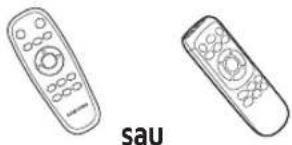 Telecomandă(Nu este inclusă cu serie SR1*M701***)
 Baterii (tip AAA) Manual de utilizare Filtru de rezervă
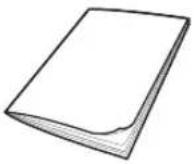 (Optional)
 Stație de andocare Cablu de alimentare încărcătorul bateriei Virtual Guard

 (optional)
Notă privind instalarea

Notă
Instalați stația de andocare într-un loc în care pardoseala și peretele sunt drepte.
Se recomandă instalarea stației de andocare de-a lungul plăcilor pardoselilor din lemn.
▶ Dacă întrerupătorul de urgență este decuplat, aparatul POWERbot nu se încarcă, chiar dacă este conectat la stația de andocare.
▶ Cuplați întotdeauna alimentarea electrică a stației de andocare.
- Dacă stația de andocare nu este alimentată electric, aparatul POWERbot nu îl poate găsi și nu se poate reîncărca automat.
- Dacă aparatul POWERbot este deconectat de la stația de andocare, bateria se va descărca normal.
▶ Dacă aparatul POWERbot se află în modul Repaus, acesta nu va fi alimentat chiar dacă întrerupătorul de urgență este oprit și pornit din nou. Apăsați și mențineți apăsat butonul [Pornire/Oprire] al aparatului POWERbot pentru a dezactiva modul repaus.
Încărcarea
După încărcarea completă a aspiratorului robotizat POWERbot pentru prima dată (după achiziție), poate fi utilizat timp de 60 min. în modul Normal (Consultați pagina 39 pentru timpul de încărcare.)
Încărcare inteligentă
Dacă POWERbot se descarcă în modul Curățare automată, va reveni automat la stația de andocare, în vederea încărcării, și va reîncepe curățarea, pentru a finaliza zona de curățare, după încărcarea bateriei în proporție de două treimi. (Max. 2 ori).


1 Porniți întrerupătorul de urgență de la bază
Pentru a porni aparatul POWERbot trebuie să porniți întrerupătorul de urgență.
Apăsați și eliberați butonul
DII.
2 Încărcați manual aparatul POWERbot fixându-l în stația de andocare
Asigurați-vă că pinii de încărcare ai aparatului POWERbot și pinii stației de andocare sunt aliniați.
ROMÂNĂ-10
3 Verificați starea de încărcare
Pentru seria SR1*M701****,
Indicatorul de baterie luminează intermitent
la intervale de 1 secundă în timpul încărcării
și va rămâne în starea PORNIT după
încărcarea completă.
Pentru seria SR1*M702*** / SR1*M703*** / SR2*M70****,
„ se va activa în funcție de procesul de încărcare, iar „FULL” se va activa la finalizarea încărcării.
Încărcarea automată

1. Seria SR1*M701***
Dacă indicatorul de baterie luminează intermitent la intervale de 0,4 secunde, POWERbot va reveni automat la stația de andocare, în vederea încărcării.
2. Seria SR1*M70****/SR2*M70****
Când indicatorul bateriei luminează intermitent în timpul curățării, aparatul POWERbot se întoarce la stația de andocare, pentru a se încărca automat.
Reîncărcare

Puteți programa aparatul POWERbot să se reîncarce de la stația de andocare în timpul curățării.
Baterie descărcată (Lo)

Încărcați manual aparatul POWERbot fixându-I în stația de andocare.
Dacă acesta nu se reîncarcă, trebuie să efectuați următoarele etape:
Verificați starea de instalare a stației de andocare atunci când:
- stația de andocare este situată într-o locație unde aparatul POWERbot nu o poate accesa cu ușurință.
- distanța dintre stația de andocare și aparatul POWERbot este de peste 5 m.
- Poate dura mult ca POWERbot să revină la stația de andocare pentru reîncărcare
Încărcați manual aparatul POWERbot atunci când:
▶ statia de andocare este instalată într-un colț
▶ bateria este descărcată complet
- aparatul POWERbot este imobilizat de un obstacol (mobilier etc.)
- aparatul POWERbot nu poate urca un prag amplasat lângă stația de andocare (înălțimea maximă a pragului pe care îl poate urca aparatul POWERbot este de circa 1,5 cm.)
▶ când indicatorul de baterie luminează intermitent și se afișează „Lo”
▶ când indicatorul de baterie luminează intermitent (Valabil pentru seria SR1*M701****)
▶ când aparatul POWERbot este setat la modul Curățare pete sau Curățare manuală
Utilizarea POWERbot
Înainte de a utiliza aparatul POWERbot, trebuie să comutați întrerupătorul de urgență de la baza aparatului.
Cuplarea/Decuplarea alimentării electrice
Apăsați butonul timp de peste 3 secunde

\- Când POWERbot nu este utilizat timp de 30 min.;
Seria SR1*M70**U* / SR2*M70**U*: Trece în modul de economisire a energiei.
Seria SR1*M70**W* / SR2*M70**W*: Revine automat la stația de andocare, în
vederea încărcării.

Pornirea modului Curățare automată
Apăsați și eliberați acest buton. Aparatul POWERbot se deplasează și curăță automat zonele stabilite o singură dată.

* Pentru oprirea curățării: apăsați și eliberați butonul
Utilizarea modului Curățare pete
Aparatul POWERbot curăță intens o suprafață localizată.

Reîncărcare
Puteți comanda aparatului POWERbot să se reîncarce automat la stația de andocare în timpul curățării, apăsând pe un buton.

Selectarea modurilor de curățare
Mod de curățare Cum se selectează Pictogramă afișată SR1*M702***SR1*M703***SR2*M70**** SR1*M701*** Curățare automată 


Curățare pete 


Repetare curățare * Apăsați mai întâi pe butoanele [ ] tip A,B], [Repeat] tip C,D] de la telecomandă,apoi apăsați pe [Pornire/Oprire ▶II]. 
- Curățare manuală * Modul de curățare manuală poate fi selectat de la butoanele de control al direcției de pe telecomandă. 
-
* Dacă aparatul POWERbot nu revine la stația de andocare, va trece în modul de economisire a energiei și panoul de afișare va fi oprit.
* Pentru a părăsi modul de economisire a energiei, apăsați pe butonul [Pornire/Oprire ▶II] sau [Alimentare ⏻] al corpului principal sau de la telecomandă.
* în cazul în care curățarea în modul Curățare automată se finalizează în termen de 15 minute, POWERbot mai execută 1 curățare.

Utilizarea POWERbot
Metoda de curățare pentru fiecare mod

Curățare automată
Curăță automat zonele setate, o singură dată.

Curățare pete
Curăță intens o zonă localizată. Poate fi utilizat pentru curățarea firimiturilor de pâine sau biscuți.

Curățare manuală
Puteți deplasa POWERbot cu telecomanda pentru a curăța locul dorit.
* Această funcție nu este valabilă pentru seria SR1*M701***.

Repetare curățare
Curăță în mod repetat, până la descărcarea bateriei.
* Această funcție nu este valabilă pentru seria SR1*M701****.

Notă
\- Dacă se inițiază funcțiile Curățare automată sau Repetare curățare, POWERbot curăță mai întâi zona de lângă stația de andocare.
Utilizarea funcțiilor speciale de curățare
Functie de curățare Functionare Pictogramă afișată SR1*M702***SR1*M703***SR2*M70**** SR1*M701*** Curățare inteligentă * Când POWERbot detectează un covor în modul normal, va funcționa automat cu o putere de aspirare mai mare. 

Functie principală de curățare margini * Când POWERbot detectează o margine sau un colț în modul Curățare automată sau Curățare pete, dispozitivul de blocare automată intră în funcțiune și se apropie de marginea sau de colțul de curățat.► Margine dreaptă (Curățare o dată)► Colț (Curățare de două ori) 

Instalarea Virtual Guard
Razele infraroşii pe care le emite Virtual Guard va împiedica POWERbot să se apropie de o anumită zonă.
* (Inclus numai cu seria SR2*M707***. Pentru seria SR2*M704*** / SR2*M705*** / SR2*M706***, este necesară o achiziție suplimentară.)

1 Apăsați pe butonul Alimentare pentru a-l activa
Indicatorul de alimentare (roşu) va lumina intermitent.

2 Instalati Virtual Guard în locurile unde nu doriți să permiteți pătrunderea aparatului POWERbot
Asigurați-vă că senzorul de distanță este orientat în direcția în care doriți să creați o barieră invizibilă (care va împiedica apropierea POWERbot).
Instalarea Virtual Guard
Numele componentelor Virtual Guard

Introducerea bateriilor
Bateriile pentru Virtual Guard trebuie achiziționate separat.

1 Deschideți capacul pentru baterii al dispozitivului Virtual Guard apăsând fișa de blocare și ridicându-l.

2 Introduceți baterii alcaline (tip D) conform ilustrației (verificați polaritatea +, -).

3 Introduceți vârful capacului în orificiu și apăsați pe celălalt capăt pentru a închide capacul pentru baterii.
Utilizarea telecomenzii
[Tip A] [Tip B]


[Tip C] [Tip D]


Utilizarea telecomenzii
☐ [Tip A] / ☐ [Tip B] / ☐ [Tip C] / ☐ [Tip D]
1 Alimentarea/Reîncărcarea/Pornirea/Oprirea
Alimentare 


Cuplați/decuplați alimentarea POWERbot Reîncărcare 


Selectați pentru a reîncărca automat POWERbot la stația de andocare Pornire/Oprire Selectați pentru a porni sau a opri procesul de curățare
2 moduri de curățare
Curățare automată 


Selectați pentru a curăța o singură dată toate zonele stabilite și pentru a reveni automat la stația de andocare. Curățare pete 


Selectați pentru a curăța intens o zonă localizată Repetare curățare 


Selectați pentru a curăța în mod automat, până când bateria devine foarte slabă și indicatorul luminează intermitent
3 Putere de aspirare
Modul Turbo 


Selectați pentru a curăța cu putere de aspirare maximă Modul Normal 


Selectați pentru a curăța cu putere de aspirare moderată Modul Silențios 

Selectați pentru a curăța cu zgomot de funcționare mai redus
4 Funcții suplimentare
Sound 


La fiecare apăsare pe acest buton, se selectează succesiv opțiunile Efecte sonore → Mut Telecomandă 


Selectați pentru a activa sau pentru a dezactiva funcția Wi-Fi
* Setarea selectată anterior nu se va modifica nici dacă întrerupătorul de urgență este trecut în poziția oprit și apoi din nou în poziția pornit.
5 Modul curățare manuală și controlul direcției
Deplasare înainte Selectați pentru deplasare înainte Viraj stânga 
Selectați pentru viraj la stânga Viraj dreapta Selectați pentru viraj la dreapta
* Deplasarea înapoi nu este disponibilă.
6 Curățare punctuală
Disponibil numai la telecomenzile de tip C și D.
Puteți utiliza telecomanda pentru a indica și a curăța locul dorit în timp ce POWERbot este în proces de curățare.
Îndreptați indicatorul roșu spre podea, la maximum 0,5 m în jurul locației POWERbot.
Apăsați lung butonul Curățare punctuală pentru a deplasa indicatorul roșu la locul dorit. POWERbot va urmări indicatorul în timp ce curăță.

Distanța de funcționare a telecomenzii

Înălțimea de utilizare a telecomenzii 0,5 m 1 m 1,5 m Distanța de funcționare Circa 1,5 m Circa 2 m Circa 3 m
Introducerea bateriilor
Deschideți capacul pentru baterii ridicându-l în timp ce apăsați fișa de blocare și introducți bateriile conform ilustrației. Apoi, închideți capacul până când se fixează în poziție.

Numele fiecărei componente


Partea superioară
1. Panoul de afișare
2. Receptorul semnalului de la telecomandă
3. Senzorul pentru obstacole
4. Recipientul pentru praf
5. Cameră
6. Buton pentru recipientul pentru praf
7. Senzorul amortizorului
8. Dispozitiv de blocare automată
Partea inferioară
1. Pinii de încărcare
2. Perie
3. Capac perie
4. Senzorul de pantă
5. Rola
6. Capacul pentru baterii
7. Buton capac perie
8. Roata de ghidare
9. Întrerupătorul de urgentă
10. Dispozitiv de blocare automată
Panoul de afișare
1. Programări zilnice
2. Modul Normal/Turbo
3. Indicator de baterie
4. Butonul Curățare pete, programare zilnică (3 sec.)
5. Buton Pornire/Oprire, Modul Turbo (3 secunde)
6. Butonul de reîncărcare


SR1*M703****>
1. Mut
2. Indicatorul de informații
3. *Indicator Pornit/Oprit al controlului inteligent
4. *Wi-Fi
5. Indicatorul bateriei
6. Programarea individuală/zilnică
7. Afişajul numeric
8. Modul Curățare pete
9. Modul Curățare manuală
10. Modul repetare curățare
11. Modul Normal
12. Modul Turbo
13. Butonul Curățare pete
14. Butonul Pornire/Oprire
15. Butonul de reîncărcare
1. Mut
2. Indicatorul de informații
3. *Indicator Pornit/Oprit al controlului inteligent
4. *Wi-Fi
5. Indicatorul bateriei
6. Programarea individuală/zilnică
7. Afişajul numeric
8. Modul Curățare pete
9. Modul Curățare manuală
10. Modul repetare curățare
11. Modul Silentios
12. Modul Normal
13. Modul Turbo
14. Butonul Curățare pete
15. Butonul Pornire/Oprire
16. Butonul de reîncărcare
* SR1*M70**W* / SR2*M70**W*: Model compatibil Wi-Fi
Setarea orei/programării
[Tip A, Tip B] Se poate programa numai modul Curățare automată.
Setarea orei
Trebuie să setați ora curentă înainte de a utiliza programarea individuală/zilnică.

Setarea programărilor
Setarea/Anularea programării poate fi efectuată doar în timp ce POWERbot este andocat la stația de andocare.

Anularea în timpul setării

▶ Setarea va fi anulată automat atunci când nu se execută nicio operație timp de 7 secunde.
Anularea programării individuale/zilnice
Când este setatăatât programareaindividuală, cât și ceazilnică  ScheduleCancel (3sec)Apăsați timp de 3sec.
 · SAUSelectați programarea Anulare finalizată
[362GScheduleCancel (3sec)→ SAU
SAU SAU  ScheduleCancel (3sec)
Când este setatăprogramarea individualăsau zilnică  ScheduleCancel (3sec)Apăsați timp de 3 sec.
[Tip C, Tip D] Se poate programa numai modul Curățare automată.
Setarea orei
Trebuie să setați ora curentă înainte de a utiliza programarea individuală/zilnică.

Setarea programărilor
Setarea/Anularea programării poate fi efectuată doar în timp ce POWERbot este andocat la stația de andocare.

Anularea în timpul setării

\- Setarea va fi anulată automat atunci când nu se execută nicio operație timp de 7 secunde.
Anularea programării individuale/zilnice
Când este setatăatât programareaindividuală, cât și ceazilnică 
 Apăsați timp de 3 sec.
 SAU
SAU  Selectați programarea Anulare finalizată

Când este setatăprogramarea individualăsau zilnică ScheduleCancel (3sec)Apăsați timp de 3 sec.
Setarea orei/programării
[Seria SR1*M701****] Pentru modelele care nu includ o telecomandă, setarea de programare este disponibilă conform descrierii de mai jos.
Setarea programărilor

Apăsați timp de 3 sec.


Când LED-ul de programare este aprins, este setată programarea zilnică.
* Ora la care apăsați pe buton va fi setată ca oră programată. Curățarea va fi efectuată zilnic, automat, la ora programată.
Anularea programării zilnice
Când este setată programarea zilnică

Apăsați timp de 3 sec.
Curățarea și întreținerea
Trebuie să opriți întrerupătorul de urgență înainte de a curăța aparatul POWERbot.
Curățarea recipientului pentru praf

1 Apăsați pe buton pentru a scoate recipientul pentru praf

2 Scoateți capacul
recipientului pentru praf

3 Îndepărtați praful din
recipientul pentru praf și
din unitatea ciclonică

4 Desprindeți unitatea ciclonică de pe capacul recipientului pentru praf și spălați recipientul pentru praf și filtrul

5 Montați la loc recipientul pentru praf

6 Reintroduceți recipientul pentru praf în corpul principal până când se aude un clic
Curățarea senzorilor și a camerei
Ştergeți ușor cu o lavetă moale. Nu utilizati apă sau soluții de curățare.


Curățarea și întreținerea
Curățarea periei și a instrumentului de blocare automată
Este posibil ca designul periei să difere în funcție de model.

1 îndepărtați capacul periei

2 Îndepărtați peria

3 Curățați peria

4 Curățați dispozitivul de blocare automată


5 Asamblati la loc peria

6 Asamblati la loc capacul periei
Curățarea roții de ghidare

1 Asezați o lavetă moale pe podea și poziționați aparatul POWERbot pe lavetă, în poziție răsturnată.


2 Utilizați un bețișor cu vârful rotund sau o pensetă pentru a îndepărta corpurile străine.
Aplicația Samsung Smart Home
Aplicația Samsung Smart Home este aplicabilă numai modelelor prevăzute cu funcție Wi-Fi.
Pregătirea rețelei
Setarea routerului wireless
▶ Acest produs acceptă numai DHCP(Dynamic Host Configuration Protocol). Verificați dacă funcția opțională de server DHCP a unui router wireless este activată.
Tipurile acceptate de autorizare/criptare ale routerului wireless sunt WEP-OPEN, WPA-PSK/TKIP și WPA2-PSK/AES 801.11n.
\- Se recomandă utilizarea WPA2-PSK/AES.
▶ Calitatea conexiunii rețelei wireless poate fi influențată de mediul wireless înconjurător.
Când furnizorul dvs. de servicii internet a înregistrat definitiv o adresă MAC (un număr unic de identificare) al PC-ului sau al modemului dvs., este posibil ca o conectare la internet a dispozitivului dvs. POWERbot să nu fie disponibilă. Informați-vă la furnizorul dvs. de servicii internet cu privire la procedura de conectare la internet a unui alt aparat în afara PC-ului.
▶ Dacă furnizorul dvs. de servicii internet vă solicită un ID sau o parolă pentru conectarea la internet, este posibil ca dispozitivul dvs. POWERbot să nu se poată conecta la internet. În acest caz, trebuie să introduceți ID-ul sau parola dvs. pentru a vă conecta la internet.
- Conexiunea la internet poate fi imposibil de realizat din cauza unor probleme legate de firewall. Solicitați furnizorului dvs. de servicii internet remedierea problemei.
▶ Este posibil ca unele routere wireless să transmită o adresă de server de nume de domeniu (DNS) chiar dacă nu sunt conectate la internet. În acest caz, solicitați informații de la furnizorul routerului wireless pertinent și de la furnizorul dvs. de servicii internet.
▶ Dacă nu reușiți să vă conectați la internet după aplicarea procedurii specificate de furnizorul de servicii internet, luați legătura cu o agenție sau cu un centru de service Samsung Electronics.

Notă
- Consultați manualul de utilizare a routerului wireless pertinent cu probleme de acces.
▶ Dispositivele Samsung POWERbot acceptă numai Wi-Fi de 2,4 GHz.
▶ Dispozitivele Samsung POWERbot acceptă protocolul de comunicații al metodelor IEEE 802.11b/g/n și Wi-Fi Direct. (Samsung Electronics recomandă utilizarea IEEE 802.11n.)
▶ Un router wireless fără autorizație Wi-Fi nu poate fi conectat la un dispozitiv POWERbot.
Când aparatul este alimentat electric și POWERbot este andocat la stația de andocare, POWERbot va fi conectat la server, după care va verifica dacă există actualizări de software. Dacă există versiuni software recente, acestea vor fi descărcate și actualizate automat.
▶ Dacă se afișează mesajul „UP” în timp ce dispozitivul POWERbot se încarcă, actualizarea este în curs. Așteptați finalizarea reinițializării.
Aplicația Samsung Smart Home
▶ Dacă nu s-a efectuat înregistrarea produsului, urmați următoarele instrucțiuni:
- Consultați mesajul pop-up și încercați din nou procedura de înregistrare.
- Verificați dacă opțiunea UPnP a routerului wireless este disponibilă și încercați din nou procedura de înregistrare.
- Verificați dacă modul de operare a routerului wireless este un mod router și încercați din nou procedura de înregistrare.
- Dacă dispuneți de mai multe dispositive POWERbot, opriți-le pe celelalte, pentru a înregistra un singur dispozitiv. Conexiunea trebuie să fie de tip „unu la unu”.
- Dacă în apropierea routerului dvs. există un router wireless cu același SSID, înregistrarea normală nu este garantată.
- Setați un SSID și o parolă unice pentru routerul wireless, apoi înregistrați produsul.
Samsung Smart Home Service nu garantează funcționarea normală într-un mediu cu dispositive de tip firewall.
▶ Dacă dispozitivul POWERbot și smartphone-ul nu sunt conectate la același router wireless, este posibil ca răspunsul să prezinte o oarecare întârziere, în funcție de mediul de rețea.
▶ Controlul inteligent și indicatorul Wi-Fi
\- Bornit: controlul inteligent este blocat. (Numai telecomanda este disponibilă.)
- Oprit : controlul inteligent este permis.
- Oprit : dispozitivul POWERbot se conectează la routerul wireless.
- Pornit: dispozitivul POWERbot este conectat la routerul wireless.

▶ Dacă funcția de control inteligent este blocată, nu puteți utiliza aplicația Samsung Smart Home.
Utilizarea aplicatiei Samsung Smart Home
Crearea contului Samsung

Dacă doriți să utilizați aplicația Samsung Smart Home, înregistrați-vă contul Samsung în aplicația contului Samsung.

Notă
▶ Dacă nu configurați conectarea automată la aplicația Samsung Smart Home și nu executați aplicația, inițial va apărea ecranul contului Samsung.
▶ Dacă aveți un smartphone Samsung, înregistrați-vă contul Samsung în setările smartphone-ului. Conectarea automată este realizată fără alte procese de conectare și puteți utiliza imediat aplicația Samsung Smart Home.
Descărcarea aplicației Samsung Smart Home
1. Descărcați aplicația Samsung Smart Home din Google Play Store (dispositive Android) sau din Apple AppStore (dispositive iOS). Pentru a găsi aplicația, utilizați cuvântul cheie „Samsung Smart Home”.
2. Instalați aplicația la dispozitivul dvs. inteligent.

Notă
- Aplicația Samsung Smart Home necesită Android 4.0 (ICS) sau o versiune ulterioară și este optimizată pentru Android 4.4 și versiunile ulterioare pe smartphone-urile Samsung (seriile Galaxy S și Note). Unele funcții ale aplicației pot să nu funcționeze corespunzător pe smartphone-uri terță parte.
▶ Pentru modelele iOS, aplicația necesită iOS 7 sau o versiune ulterioară.
- Aplicația Samsung Smart Home poate fi modificată fără notificare în scopul îmbunătățirii capacității de utilizare și a performanțelor.
Înregistrarea produsului (Configurare ușoară)
Înregistrați produsul la serviciul Samsung Smart Home înainte de a utiliza aplicația Samsung Smart Home.
Android
1. Apăsați pictograma Adăugare nou din ecranul cu lista de dispositive a aplicației Samsung Smart Home pentru a începe înregistrarea produsului.
2. Selectați pictograma Aspirator robotizat.
3. Introduceti informațiile routerului wireless care va fi conectat.
4. Configurați dispozitivul POWERbot în funcție de instrucțiunile de pe ecran.
- Pentru a activa imediat modul AP, apăsați butonul [Clock] timp de peste 5 secunde.
5. Apoi, înregistrarea se va derula automat.
6. La finalizarea înregistrării va apărea un mesaj.
7. La finalizarea înregistrării produsului, va apărea ecranul principal al aplicatiei Samsung Smart Home.
* Dacă înregistrarea produsului nu a reușit, consultați pagina 27.
iOS
1. Rulați aplicația Samsung Smart Home.
2. Deplasați-vă la ecranul din stânga și apăsați pictograma Adăugare nou din ecranul cu lista de dispositive pentru a începe înregistrarea produsului.
3. Introduceți numele contului Samsung și apăsați butonul [Sign in].
- Pentru iPhone, ID-ul și parola dvs. nu sunt salvate, deci trebuie să le introduceți la fiecare utilizare a aplicației Samsung Smart Home.
4. Selectați pictograma [Robot vacuum].
5. Apăsați butonul Ceas al telecomenzii timp de peste 5 secunde.
- Pe panoul de afişare va apărea mesajul AP.
6. Rulați aplicația Setări de pe iPhone, apoi conectați-vă la dispozitivul [Robot Vacuum] Samsung din listă.
7. Introduceți ID-ul și parola routerului wireless care va fi conectat, apoi apăsați butonul [Next].
8. Conexiunea dintre smartphone și aspiratorul robotizat este în curs.
9. Rulați aplicația Setări de pe iPhone și conectați-vă la routerul wireless care urmează să fie conectat din lista Wi-Fi.
10. Conexiunea dintre routerul wireless și aspiratorul robotizat este în curs.
Aplicația Samsung Smart Home
11. Va apărea un mesaj la finalizarea înregistrării produsului.
12. Când înregistrarea produsului s-a finalizat, pictograma Aspirator robotizat este adăugată în lista de dispositive.
Ecran principal
▶ Selectați pictograma Aspirator robotizat de pe ecranul principal, după care puteți trece la ecranul de control POWERbot.
- Puteți controla echipamentele electrocasnice inteligente produse de Samsung Electronics cu ajutorul pictogramelor Plecare, Sosire, Noapte bună și Bună dimineata.
▶ Functia Vizualizare ecran principal nu este acceptată de dispositivele POWERbot.
Ecranul Meniu utilizator
\- Puteți controla aparatele electrocasnice inteligente realizate de Samsung Electronics cu ajutorul funcțiilor Control conversație și Tastă master.
Chat control ► Puteți controla aparatele electrocasnice inteligente sau le puteți verifica starea în mod convenabil. Master key ► Puteți controla mai multe aparate electrocasnice simultan utilizând tastele master (Plecare, Sosire, Noapte bună, Bună dimineața). Customer service ► Puteți vizualiza manualul produsului.► Când un produs este defect, vă puteți consulta cu centrul nostru pentru clienti și solicita o intervenție de service post-vânzare.
Controlul dispozitivului POWERbot
Când accesati aplicația Samsung Smart Robot Vacuum, va apărea ecranul de control.

1. Alimentare pornită/oprită
2. Mod de curățare manuală și controlul direcției (deplasare înainte, viraj la stânga, viraj la dreapta)
3. Mod Curățare automată pornit/oprit
4. Modul Curățare pete
5. Indicator de stare curentă
6. Stare baterie
7. Putere de aspirare
8. Repetare curățare pornit/oprit
9. Programare (Puteți seta ora dorită pentru fiecare dată.)
- Dispozitivul POWERbot operează prin sincronizarea orei setate în rețea.
10. Verificare istoric de curățare

Notă
▶ O curățare programată se execută numai atunci când POWERbot este andocat la stația de andocare.
Note și atenționări
Încărcarea

Notă
▶ Dacă bateria se supraîncălzește în timpul încărcării, durata încărcării se poate mări.
- Atunci când încărcarea automată nu funcționează, efectuați următoarele operații:
- opriți întrerupătorul de urgență (de la baza aparatului POWERbot) și apoi porniți-l din nou.
- Scoateți din priză fișa de alimentare a stației de andocare și apoi introducți-o din nou.
- Scoateți din priză stația de andocare și apoi verificați dacă există corpuri străine pe pinii de încărcare și curățați aparatul POWERbot și pinii de încărcare cu o lavetă uscată sau cu o cârpă.
- Verificați dacă există obstacole, cum ar fi obiecte reflectorizante, scaune etc. în apropiere de stația de andocare.
▶ Dacă aparatul POWERbot este deconectat de la stația de andocare, bateria se va descărca în mod natural.
\- Încercați să păstrați aparatul POWERbot în stare de încărcare la stația de andocare. (Totuși, deconectați întrerupătorul de urgență și lăsați stația de andocare deconectată de la priză atunci când intenționați să plecați de-acasă pentru perioade lungi de timp, de exemplu într-o călătorie de afaceri sau în concediu etc.)
Utilizarea

Notă
▶ Aparatul POWERbot se poate bloca în praguri etc. în timpul curățării.
- Pentru a-l repune în funcțiune, decuplați întrerupătorul de urgență, mutați aparatul POWERbot într-o zonă în care se poate deplasa ușor și cuplați din nou alimentarea.
- Aparatul POWERbot nu poate curăța în totalitate zonele în care nu poate ajunge, cum ar fi colțurile, locurile dintre perete și canapea etc.
- Utilizați un alt instrument de curățare pentru a le curăța periodic.
▶ Aparatul POWERbot nu poate aspira cocoloașe, așadar este posibil ca unele să rămână pe podea după curățare.
- Utilizați un alt instrument de curățare pentru a le curăța periodic.
▶ Dacă alimentarea POWERbot este decuplată, nu o puteți cupla apăsând pe butonul Alimentare de la telecomandă. Apăsați lung butonul [Pornire/Oprire] de pe POWERbot.
▶ Nu puteți selecta și nu puteți programa aparatul POWERbot să execute modul Curățare pete în timpul încărcării.
▶ Dacă apăsați butonul Curățare manuală/ Curățare punctuală în timpul încărcării, aparatul POWERbot se va detașa de la stația de andocare și va trece în modul Așteptare.
Curățarea și întreținerea

Notă
▶ Dacă ați spălat recipientul pentru praf și filtrul cu apă
- Recipient pentru praf: ștergeți bine apa.
- Filtru: Înainte de a-l utiliza, uscați-l fără a-l expune razelor solare.
▶ La curățarea dispozitivului de blocare automată, nu trageți puternic dispozitivul spre exterior.

Atentie
- Aveți grijă la degete atunci când fixați sau scoateți filtrul, deoarece vi le puteți prinde în orificiul de aspirare al recipientului pentru praf.
▶ Pentru a evita blocajele cu corpuri străine, nu lăsați aparatul POWERbot să aspire scobitori, bețișoare cu bumbac etc.
Note și atenționări
În cazul în care corpurile străine sunt dificil de scos din perie, contactați un centru de service autorizat Samsung.
▶ Deoarece peria îndepărtează murdăria de pe podea în cursul curățării, poate capta corpuri străine, precum ațe, fire lungi de păr etc. Pentru rezultate de curățare optime, verificați-o și curățați-o cu regularitate.
Despre baterie

Notă
- Achiziționați baterii de la centrele Samsung autorizate și, înainte de a le achiziționa, verificați dacă prezintă simbolul ( )ășit pe baterie și numele de model.
- Această baterie este destinată exclusiv aparatului POWERbot de la Samsung Electronics. Nu o utilizați cu niciun alt produs.
▶ Nu demontați și nici nu modificați bateria.
▶ Nu aruncați bateria în foc și nu o încălziți.
▶ Nu conectați obiecte metalice la contactele de încărcare (+, -).
- Depozitați bateria în interior (la 0 °C-40 °C).
▶ Dacă bateria se defectează, nu o dezasamblați singur. Contactați cel mai apropiat centru de service Samsung.
Este posibil ca timpul de încărcare și durata de utilizare a bateriei să se reducă odată cu creșterea perioadei de utilizare. Dacă durata de viață a bateriei a fost depășită și aceasta nu se mai încarcă în mod corespunzător la stația de andocare, solicitați înlocuirea acesteia la un centru de service Samsung.
▶ Perioada de garanție a bateriei este de 6 luni de la data achiziționării.
Despre senzorul IrDA

Atentie
▶ Transmiterea semnalului cu infraroşii poate fi afectată în locațiile expuse lămpilor cu halogen sau în cele exterioare.
▶ Aparatul POWERbot utilizează 3 tipuri de dispozitive cu infraroșu. Fiecare dispozitiv are un nivel diferit de prioritate. Este posibil ca un dispozitiv să nu funcționeze dacă semnalul său este anulat de un dispozitiv cu o prioritate mai ridicată.
\- Prioritatea semnalelor infraroşii: Control intelligent > Stație de andocare
▶ Diferitele semnalele cu infraroşii pot interfera între ele și pot afecta funcționarea dispozitivelor dacă sunt utilizate împreună într-un spațiu mic sau la distanță mică.
▶ Dacă utilizati simultan mai multe aparate POWERbot, acestea pot funcționa defectuos din cauza interferențelor dintre semnalele cu infraroșii.
Coduri de informare
1 Cele trei indicatoare de mai jos luminează intermitent cu o alarmă de eroare.
2 Dezactivați întrerupătorul de urgență, verificați instrucțiunile de mai jos și luați măsurile corespunzătoare
3 Codul de informare va dispărea când treceți întrerupătorul de urgență în poziția pornit
Coduri de informare Listă de verificări 
Dispozitivul POWERbot este prins, blocat sau captiv în timpul deplasării.► Deconectați întrerupătorul de urgență și mutați aparatul POWERbo în alt loc. Verificați informațiile din lista de verificare. Corpuri străine prinse în perie.► Treceți întrerupătorul de urgență în poziția oprit și scoateți corpul străin din perie. Corpuri străine prinse în roata de ghidare din stânga.► Deconectați întrerupătorul de urgență și îndepărtați corpurile străine din roata de ghidare. Corpuri străine prinse în roata de ghidare din dreapta.► Deconectați întrerupătorul de urgență și îndepărtați corpurile străine din roata de ghidare. Corpuri străine prinse în dispozitivul de blocare automată.► Decuplați alimentarea electrică a produsului apăsând pe comutatorul de urgență și îndepărtați corpul străin din dispozitivul de blocare automată. Senzorul amortizorului trebuie să fie verificat.► Deconectați și conectați întrerupătorul de urgență.► Când codul de informare nu dispare, verificați prezența unor corpuri străine de mici dimensiuni între amortizor și corpul principal.Dacă acestea sunt prezente, trageți ușor amortizorul și îndepărtați corpurile străine. Corpuri străine acumulate pe senzorul de obstacole.► Deconectați întrerupătorul de urgență și curățați senzorul frontal și pe cel din spate cu o lavetă moale. Corpuri străine acumulate pe senzorul de pantă.► Deconectați întrerupătorul de urgență și curățați senzorul de pantă cu o lavetă moale.
Coduri de informare
1 Se afișează codul informativ de mai jos, alături de o alarmă de eroare.
2 Dezactivați întrerupătorul de urgență, verificați instrucțiunile de mai jos și luați măsurile corespunzătoare
3 Codul de informare va dispărea când treceți întrerupătorul de urgență în poziția pornit
Coduri de informare Listă de verificări Dispozitivul POWERbot este prins, blocat sau captiv în timpul deplasării.► Deconectați întrerupătorul de urgență și mutați aparatul POWERbo în alt loc. Corpuri străine prinse în perie.► Treceți întrerupătorul de urgență în poziția oprit și scoateți corpul străin din perie. 
Corpuri străine prinse în roata de ghidare din stânga.► Deconectați întrerupătorul de urgență și îndepărtați corpurile străine din roata de ghidare. Corpuri străine prinse în roata de ghidare din dreapta.► Deconectați întrerupătorul de urgență și îndepărtați corpurile străine din roata de ghidare. 
Corpuri străine prinse în dispozitivul de blocare automată.► Decuplați alimentarea electrică a produsului apăsând pe comutatorul de urgență și îndepărtați corpul străin din dispozitivul de blocare automată. 
Senzorul amortizorului trebuie să fie verificat.► Deconectați și conectați întrerupătorul de urgență.► Când codul de informare nu dispare, verificați prezența unor corpuri străine de mici dimensiuni între amortizor și corpul principal.Dacă acestea sunt prezente, trageți ușor amortizorul și îndepărtați corpurile străine. 
Corpuri străine acumulate pe senzorul de obstacole.► Deconectați întrerupătorul de urgență și curățați senzorul frontal și pe cel din spate cu o lavetă moale. 
Corpuri străine acumulate pe senzorul de pantă.► Deconectați întrerupătorul de urgență și curățați senzorul de pantă cu o lavetă moale.
Depanarea
Simptom Listă de verificări Aparatul POWERbot nu funcționează. ▸ Verificați dacă întrerupătorul de urgență este conectat.▸ Verificați dacă sunt afișate toate pictogramele pe panoul de afișaj.▸ Verificați dacă bateria aparatului POWERbot este descărcată.– Când se afișează mesajul „Lo”, poziționați aparatul POWERbot pe stația de andocare, în vederea încărcării.– Când indicatorul de baterie luminează intermitent, poziționați manual aparatul POWERbot pe stația de andocare, în vederea încărcării. (Numai seria SR1*M701***)▸ Înlocuți bateriile (tip AAA) dacă telecomanda nu funcționează. Aparatul POWERbot s-a oprit în timpul curățării. ▸ Când se afișează mesajul „Lo” la panoul de afișaj, poziționați aparatul POWERbot pe stația de andocare, în vederea încărcării.▸ Când indicatorul de baterie luminează intermitent, poziționați manual aparatul POWERbot pe stația de andocare, în vederea încărcării. (Numai seria SR1*M701***)▸ Când POWERbot este imobilizat de un obstacol precum un fir, un prag etc., ridicati-l și îndepărtați-l de obstacol.– Dacă se prinde un material textil sau o ață în roata de ghidare, deconectați întrerupătorul de urgență și scoateți materialul sau ața înainte de a utiliza din nou aparatul. Puterea de aspirare este slabă. ▸ Dacă „indicatorul de inspecție a filtrului” este aprins, dezactivați întrerupătorul de urgență și curățați recipientul pentru praf.▸ Când este prea mult praf în recipient, puterea de aspirare se poate diminua. Deconectați întrerupătorul de urgență și goliți recipientul pentru praf.▸ Dacă orificiul de admisie (de la baza aparatului POWERbot) este blocat de corpuri străine, deconectați întrerupătorul de urgență și scoateți corpurile străine din orificiu.▸ Dacă nivelul de zgomot crește brusc, decuplați întrerupătorul de urgență și goliți recipientul pentru praf. Aparatul POWERbot nu poate găsi stația de andocare. ▸ Verificați dacă s-a întrerupt curentul sau dacă fișa este deconectată.▸ Îndepărtați orice obstacole din jurul stației de andocare care pot împiedica revenirea aparatului POWERbot la aceasta.▸ Corpurile străine prezente pe pinii de încărcare pot afecta încărcarea. Eliminați corpurile străine de pe pini. Aparatul POWERbot începe brusc să curețe pe diagonală. ▸ Verificați dacă stația de andocare este instalată în direcția plăcilor de pardoseală sau a dalelor de lemn din podea.▸ Este posibil ca aparatul POWERbot să curețe în direcție diagonală dacă se deplasează în altă direcție, utilizând ruta cea mai scurtă. De asemenea, este posibil ca aparatul să se deplaseze pe diagonală dacă a intrat în contact cu obstacole în unghiul respectiv, dacă a fost încărcat la stația de andocare într-un unghi sau dacă plăcile de pardoseală/dalele din podea sunt înclinate în direcția respectivă. Curățarea punctuală nu funcționează. ▸ Dacă îndreptați indicatorul roșu direct către aparatul POWERbot, este posibil ca acesta să nu se deplaseze în direcția dorită.– Îndreptați indicatorul roșu spre podea, la maximum 0,5 m în jurul aparatului POWERbot.※ Nu utilizați curățarea punctuală în lumină solară directă, în lumină intensă sau pe podele închise la culoare.
Depanarea
Simptom Listă de verificări Am instalat aplicația Samsung Smart Home, dar dispozitivul POWERbot nu se conectează. ► Puteți utiliza produsul după conectarea routerului wireless și a dispozitivului POWERbot în conformitate cu procedura Configurare ușoară. Nu mă pot conecta la contul Samsung. ► Verificați ID-ul și parola dvs. de pe ecranul contului Samsung. Apare un mesaj în care se arată că a apărut o eroare în cursul procedurii Configurare ușoară. ► Este posibil să intervină o eroare temporară din cauza distanței față de routerul wireless sau a altor obstacole. Încercați din nou după un timp. Produsele nu funcționează, deși smartphone-ul este conectat normal la dispozitivul POWERbot. ► Opriți aplicația Samsung Smart Home și reporniți-o sau deconectați smartphone-ul de la routerul wireless și apoi reconectați-l. Sau opriți sursa de alimentare electrică a dispozitivului POWERbot, reporniți-o, așteptați minimum un minut și apoi executați din nou aplicația Smart Home. Funcțiile aplicației Samsung Smart Home nu sunt operaționale. ► Verificați dacă funcția de blocare a controlului inteligent POWERbot este setată. (Când controlul inteligent este blocat, indicatorul Wi-Fi este oprit.) Aplicația Samsung Smart Robot Vacuum nu pornește. ► Verificați dacă dispozitivul POWERbot este conectat la routerul wireless. POWERbot nu este conectat la Wi-Fi. ► Verificați starea de configurare a routerului wireless. Funcția de curățare inteligentă este operațională pe o podea normală. ► Verificați dacă podeaua nu este uniformă, caz în care POWERbot funcționează cu corpul puțin ridicat.► Verificați dacă există corpuri străine pe senzorul de pantă aflat la baza aparatului POWERbot.► Verificați dacă podeaua este închisă la culoare. Funcția de curățare inteligentă nu este operațională. ► Când POWERbot curăță un covor cu fibre scurte și culori deschise, este posibil să identifice covorul cu o podea, iar funcția de curățare inteligentă nu va fi operațională. Funcția principală de curățare margini nu este operațională. ► Când POWERbot nu poate recunoaște peretele, funcția principală de curățare margini nu este operațională.- Când un obstacol din material reflectorizant este amplasat în fața peretelui- Când peretele însuși este realizat din material reflectorizant- Când peretele este închis la culoare Funcția principală de curățare margini este operațională, deși nu se află niciun perete sau colț în apropiere. ► Verificați dacă există obstacole mici dispuse într-un spațiu îngust.► Când POWERbot recunoaște obstacolul frontal ca pe un perete, este posibil ca funcția principală de curățare margini să fie operațională. Funcția principală de curățare margini este operațională, deși POWERbot nu s-a apropiat de un perete sau de un colț. ► Când valoarea unghiului unui colț detectat de POWERbot este mare, este posibil ca funcția principală de Curățare margini să devină operațională fără ca aparatul să se apropie de perete sau de colț.
* Acest aspirator respectă următoarele reglementări:
- Directiva RTTE: 1999/5/EC
- Directiva privind compatibilitatea electromagnetică: 2014/30/EU
- Directiva privind echipamentele de joasă tensiune: 2014/35/EU
Declarația oficială de conformitate poate fi consultată pe http://www.samsung.com, în secțiunea Suport
Căutați Asistență pentru produse și introduceți numele modelului.
Avertismente privind bateria

Nu îndepărtați (și nu încercați să îndepărtați) bateria încorporată în acest produs pe cont propriu. Pentru înlocuirea bateriei, trebuie să vă contactați furnizorul de servicii sau un profesionist calificat independent. Aceste instrucțiuni au fost pregătite exclusiv pentru uzul furnizorului de servicii sau al unui profesionist calificat independent.
PENTRU SIGURANTA DVS., NU ÎNCERCATI SĂ SCOATETI BATERIA PE CONT PROPRIU SAU SĂ O ARUNCAȚI ÎN FOC. NU DEZASAMBLAȚI, NU STRIVITI ȘI NU PERFORAȚI BATERIA.
Demontarea bateriei
Scoateți POWERbot din încărcător/stația de andocare pentru dezasamblare.
Din motive de siguranță, trebuie să opriți dispozitivul POWERbot înainte de dezasamblare.

1 Puneti jos aparatul POWERbot, întoarceți-l cu fața în jos și scoateți 2 şuruburi.

2 Scoateți capacul
recipientului pentru praf.

3 Scoateți bateria din fantă și decuplați conectorul.

Eliminarea corectă a bateriilor din acest produs
(Valabil în țările cu sisteme separate de returnare a bateriilor.)
Marcajul de pe baterie, manual sau ambalaj indică faptul că bateria din acest produs nu trebuie eliminată alături de alte deșeuri menajere. Acolo unde sunt marcate, simbolurile chimice Hg, Cd sau Pb indică faptul că bateria conține mercur, cadmiu sau plumb peste nivelurile de referință din Directiva CE 2006/66.
Bateria încorporată în acest produs nu poate fi înlocuită de către utilizator. Pentru informații despre înlocuirea acesteia, vă rugăm să contactați furnizorul dvs. de servicii. Nu încercați să scoateți bateria sau să o aruncați în foc. Nu dezasamblați, nu striviți și nu perforați bateria. Dacă intenționați să eliminați produsul, locația de colectare a reziduurilor va lua măsurile corespunzătoare pentru reciclarea și tratarea produsului, inclusiv a bateriei
Anunt open source
Software-ul inclus în acest produs conține un software open source. După ultima expediere a acestui produs, puteți solicita și obține codul sursă corespunzător și îl puteți utiliza timp de maxim 3 ani prin trimiterea unui e-mail la adresa mailto:oss.request@samsung.com.
De asemenea, este posibilă obținerea codului sursă corespunzător complet pe un mediu fizic, precum un CD-ROM; se va percepe o taxă minimală.
Următorul URL, http://opensource.samsung.com/opensource/VR7000_A20_TZ/seq/0, duce la pagina de descărcare a codului sursă pus la dispoziție și a informațiilor despre licența open source aferente acestui produs. Această ofertă este valabilă pentru orice persoană care primește aceste informații.

Specificații tehnice
Clasificare Element Informații detaliate SR1*M701*** SR1*M702****SR1*M703**** Specificații mecanice (POWERbot) Dimensiuni (l x H x L) 340 mm x 97 mm x 348 mm Greutate 4 kg Senzor Detectarea formei plafonului (Visionary mapping plusTM) Tip de buton al aparatului POWERbot Tactil Specificații electrice Tensiune de alimentare 100-240 V~, 50 Hz/60 Hz Consum de energie 80 W Specificații baterie 21,6 V/ 38,8 Wh Curățare Tip de încărcare încărcare automată/manuală Mod de curățare Automat, Pată, Programare zilnică Curățare automată, Curățare pete, Repetare, Curățare manuală, Programare individuală, Programare zilnică Durată de încărcare Aproximativ 240 de minute Durată de curățare (calculată pe baza unei podele dure) Modul Turbo Aproximativ 30 de minute Modul Normal Aproximativ 60 de minute
Clasificare Element Informații detaliate Specificații mecanice (POWERbot) Dimensiuni (l x H x L) 340 mm x 97 mm x 348 mm Greutate 4,3 kg Senzor Detectarea formei plafonului (Visionary mapping plusTM) Tip de buton al aparatului POWERbot Tactil Specificații electrice Tensiune de alimentare 100-240 V~, 50 Hz/60 Hz Consum de energie 130 W Specificații baterie 21,6 V/ 77,8 Wh Curățare Tip de încărcare încărcare automată/manuală Mod de curățare Curățare automată, Curățare pete, Repetare, Curățare manuală, Programare individuală, Programare zilnică Durată de încărcare Aproximativ 160 de minute Durată de curățare (calculată pe baza unei podele dure) Modul Turbo Aproximativ 30 de minute Modul Normal Aproximativ 60 de minute Modul Silentțios Aproximativ 90 de minute
* În scopul îmbunătățirii produsului, designul și specificațiile acestuia sunt supuse modificărilor fără notificare prealabilă.
* Duratele de încărcare și de curățare pot fi diferite în funcție de condițiile de utilizare.
SAMSUNG
POWERbot
Ръководство за потребителя
Серия SR1*M70****, SR2*M70****
- Преди да започнете работа с уреда, прочетете внимателно тези указания.
- За използване само на закрито.

Съдържание
03 Информация за безопасност 08 МонтиранеАксесоари/Бележка относно монтажа 10 ЗарежданеАвтоматично зареждане/презареждане/изтощена батерия (Lo) 12 Използване на POWERbotВключване/изключване на захранването/Избиране на режими на почистване/Използванена специалните функции за почистване 15 Монтиране на Virtual guardИме на частма на Virtual guard/поставяне набатериите 17 Използване наギстанционнотоуправление 20 Наименования на всяка частОтгоре/Отголу/Панел на дисплея 22 Настройка на час/графикНастройка на часа/настройка на графика 25 Почистване и поддръжкаПочистване на торбичката за прах/Почистванена сензорите и камерата/Почистване на четкамаи автоматичния предлагазител/Почистване назагвижващото колело 27 Приложение Samsung Smart HomeПодготовяне на мрежата/използване на приложениетoSamsung Smart Home 31 Бележки и предупрежденияЗареждане/използване/почистване и поддръжка/Забатерията/информация за IrDA сензора 33 Информационни когове 35 Отстраняване на неизправности 37 Предупреждения за батерията 38 Съобщение за отворен ког 39 Спецификации
Информация за безопасност
ИНФОРМАЦИЯ ЗА БЕЗОПАСНОСТ

\- Преди да започнете да работите с този урег, внимателно прочетете това ръководство и да го запазите за справки.

\- Тъй като указанията за работа, които следват, обхващат различни модели, характеристиките на вашата прахосмукачка може малко да се различават от тези, които са описани в това ръководство.
ИЗПОЛЗВАНИ СИМВОЛИ ЗА ВНИМАНИЕ/ПРЕДУПРЕЖДЕНИЕ
 ПРЕДУПРЕЖДЕНИЕ
Показва, че има опасност от смърт или сериозно нараняване.  ВНИМАНИЕ
Показва, че има опасност от нараняване на лица или материални щети.
ДРУГИ ИЗПОЛЗВАНИ СИМВОЛИ
БЕЛЕЖКА Показва, че има опасност от нараняване на лица или материални щети.  SamsungSmart Home
Тази интелигентна роботизирана прахосмукачка поддържа Samsung Smart Home.За подробна информация посеме Samsung.com/Smarthome.
\- За информация за ангажимента на Samsung към опазване на околната среда и специфични за прогукта нормативни изисквания, например REACH, nocemete: samsung.com/uk/aboutsamsung/samsungelectronics/corporatecitizenship/data_corner.htm
Информация за безопасност
ВАЖНИ ИНСТРУКЦИИ ЗА БЕЗОПАСНОСТ
Когато използвате електрически урег, трябва да се спазват основни предпазни мерки, Включително следните:
ПРОЧЕТЕТЕ ВСИЧКИ ИНСТРУКЦИИ, ПРЕДИ ДА ИЗПОЛЗВАТЕ ВАШИЯ POWERbot.
Изключете от контакта, когато не я използвате и преди извършване на поддръжка.
ПРЕДУПРЕЖДЕНИЕ: за да се намали риска от пожар, моко8 уред или нараняване:
ОБЩИ
- Използвайте само по начина, описан в това ръководство.
- Не работете с POWERbot, ако зарядното устройство за батерията/станцията за поставяне са били повредени по някакъв начин.
- Ако прахосмукачката не работи, както трябва, била е изпусната, повредена, оставена навън или изпусната във вода, върнете я в център за обслужване на клиенти.
- Не дръжте зарядното устройство за батерията/станцията за поставяне или POWERbot с мокри ръце.
- Използвайте само на сухи повърхности в затворени помещения.
\- Този урег може да се използва от деца на възраст на 8 години и хора с понижени физически, сензорни или умствени възможности, или от хора без опит и познания, ако те бъдат наблюдавани или инструктирани относно използването на уреда по безопасен начин, и разбират рисковете от използването. Децата не трябва да си играят с уреда. Почистването и поддръжката не бива да се правят от деца без наблюдение.
Зарядно устройство за батерията/станция за поставяне
- Не могифицирайте поляризирания щепсел, за да пасне на неполяризиран контакт или удължител.
- Не използвайте навън или върху мокри повърхности.
- Изключете зарядното устройство за батерията/станцията за поставяне от контакта, когато не се използва преди сервизиране.
- Използвайте само зарядното устройство за батерията/станцията за поставяне, предоставени от производителя, за презареждане.
- Не използвайте при повреден захранващ кабел, щепсел или разхлабен контакт.
- Не дърпайте и не носете за кабели, не използвайте кабела като дръжка, не затваряйте вратичката на кабела и не дърпайте кабела около остри ръбове и ъгли. Пазете кабела от горещи повърхности.
- Не използвайте удължители или контакти с недостатъчен капацитет.
- Не изключвайте, като дърпаме кабела. За да изключите, хванете щепсела, не кабела.
- Не унищожавайте и не запалвайте батериите, тъй като могат да експлогирам при Високи температури.
- Не се опитвайте да отваряте зарядното устройство за батерията/станцията за поставяне. Ремонтът трябва да се извършва само от квалифициран сервизен център.
- Не излагайте зарядното устройство за батерията/станцията за поставяне на високи температури и не позволявайте на влага да влиза В контакт с тях.
POWERbot
- Не поемайте твърди или остри предмети като стъкло, нокти, винтове, монети и т.н.
- Не използвайте без поставен фильтр. Когато сервизирате уреда, никога не поставяйте пръсти или предмети във вентилаторното отделение, в случай че уредът се включи непредвидено.
- Не поставяйте никакви предмети в отворите. Не използвайте при блокирани отвори, пазете ги от прах, мъх, косми и неща, които могат да намалят потока от въздух.
- Не поемайте токсични материали (хлорна белина, амоняк, почистващи препарати и т.н.)
- Не поемайте нищо, което гори или предизвиква горене или пушек, като цигари, клечки или горещи сажди.
- Не поемайте запалими течности като газолин и не използвайте в места, където може да има такива течност.
- Места със свещи или настолни лампи на пога.
- Места с ненаблюдаван огън (огнище или жарава).
- Места с гестилиран алкохол, разредители, sagди с горящи цигари и т.н.
- Не използвайте POWERbot в затворени пространства, изпълнени с изпарения от бои на базата на масла, разредители за боя, вещества срещу молци, запалим прах и други токсични или запалими изпарения.
- При екстремни условия или температури могам да се появят утечки от батериите. Ако течността попадне върху кожата, измийте бързо с вода. Ако течността попадне в очите, изплакнете веднага с чиста вода за най-малко 10 минути. Потърсете медицинска помощ.
Информация за безопасност

ПРЕДУПРЕЖДЕНИЕ
Относно захранването
▶ Предотвратеме Всякакъв риск от моков удар или пожар.
-Не повреждайте захранващия кабел.
-Не дърпайте захранващия кабел с прекомерна сила и не го пипайте с мокри ръце.
-Не използвайте друг източник на захранване освен такъв с 100-240 V\~ и не използвайте контакт с няколко извода, за да захранвате няколко устройства едновременно. (Не оставяйте захранващия кабела да лежи на пода изложен.)
-Не използвайте повреден захранващ кабел, щепсел или разхлабен контакт.
▶ Почистете праха и чуждите тела от щифтовете и контактната част на щепсела на захранващия кабел.
-Има опасност от моков удар или неизправност.

ПРЕДУПРЕЖДЕНИЕ
Преди да използваме
▶ Не използвайте POWERbot в близост до запалими материали.
-Места В близост до свещи, настолни лампи, камини или други запалими материали като газолин, алкохол, разредители и т.н.
POWERbot e предназначен за битова употреба и затова не я използвайте в тавански стаи, мазета, складове, индустриални сгради или навън, на места с влага (например бани и перални помещения) или на маса или рафтове.
-POWERbot може да се повреги или да предизвика неизправност.
▶ Внимавайте POWERbot ga не преминава през или влиза в контакт с течности.
-Ако колелата на POWERbot преминат през течност, съществува риск от сериозна повреда и замърсяване на други места.
▶ Не разливайте течности върху станцията за поставяне.
-Има рuck от пожар или моко8 удар.
▶ Не използвайте станцията за поставяне за никакви други цели освен предназначените.
-Има риск от сериозно повреждане на станцията за поставяне.
▶ За Ваша безопасност винаги поддържайте сензора за височина чист.

ПРЕДУПРЕЖДЕНИЕ
Използване
Ako om POWERbot се излъчва странен звук, миризма или gum, веднага изключете POWERbot от превключвателя при спешност и се свържете със сервизен център.

ПРЕДУПРЕЖДЕНИЕ
Почистване и поддръжка
▶ Ако захранващият кабел се повреди, трябва да го замени квалифициран техник от сервизен център.
-Има рuck от пожар или моко8 удар.
▶ Направете справка със сервизен център на Samsung Electronics при смяна на бамершите.
-Използването на батерии от други продукти може да предизвика неизправност.

ВНИМАНИЕ
Преди да използвате
▶ Поставете морбичката за прах, преду да използваме POWERbot.
Съблюдавайте следното за правилно автоматично презареждане.
-Винаги включвайте захранването на станцията за поставяне.
-Монтирайте станцията за поставяне на място, което може да бъге намерено лесно от POWERbot.
-Не оставяйте никакви предмети пред станцията за поставяне.
▶ При монтиране на станцията за поставяне не оставяйте кабелите изложени на пога, тъй като POWERbot може ga се оплете в тях.
▶ Не използвайте POWERbot върху черни погове.
-Възможно е POWERbot ga не може да работи добре на такива места.
▶ Не поставяйте предмети в рамките на 0,5 м от двете страни и 1 м пред станцията за поставяне.
▶ Уверете се, че контактът за зареждане на станцията за поставяне не е повреден и по него няма чужди тела.
▶ Не монтирайте станцията за поставяне върху тъмен под.
\- Ако подът около станцията за поставяне е тъмен, това пречи на зареждането.
▶ Преместете всякакви препятствия, които могат да пречат на движението на POWERbot (например getски люлки или пързалки), преди прахосмучене.
He използвайте POWERbot на места, които са по-месни от радиуса на завъртане (0,5 м или помалко) от POWERbot.

ВНИМАНИЕ
Използване
Използването на POWERbot върху гебели килими може да повреди както POWERbot, maka и килима.
-POWERbot не може да преминава през килими с гебелина наг 1 см.
▶ Не използвайте POWERbot на маси или други високи повърхности.
-Има опасност от повреда, ако падне.
POWERbot може да се блъсне в столове и крака на бюра, затова ги преместете за по-бързо и ефикасно прахосмучене.
Когамо POWERbot работи, не я вдигайте и пренасяйте на друго място.
▶ Не дръжте POWERbot за загвижващите колелца, когато го премествате на друго място.
▶ Не поставяйте никакви предмети върху POWERbot и камерата, тъй като може да причини повреда.
▶ Веднага отстранете всякакви големи хартиени или найлонови торбички, преди да използвате POWERbot, тъй като могам да блокирам поемането.
▶ Не насочвайте червеното сочещо устройство към хора или животни.
▶ Не лягайте около POWERBOT, gokamo той работи.
-Косата ви може да бъде захваната от четката,
което да доведе до нараняване.

ВНИМАНИЕ
Почистване и погдръжка
▶ Предотвратеме всякакви повреди на POWERbot, като спазвате следните инструкции.
-Не почиствайте POWERbot, като пръскате Вода, директно върху нея и не използвайте бензен, разредители, ацетон или алкохол, за да я почиствате.
▶ Не разглобявайте и не ремонтирайте POWERbot. Това трябва да се прави само от квалифициран техник.
▶ Винаги поддържайте сензора за препятствия, сензора за височина и камерата чисти.
-Ако се натрупам чужди тела, сензорите могат да не работят правилно.
Монтиране
Станцията за поставяне трябва да е винаги включена в контакта и пусната.

1 Свържете
гнездото на
зарядното
устройство за
батерията към
станцията за
поставяне
2 вържете захранващия кабел към зарядното устройство за батерията
Когато използвате зарядното устройство за батерията, страната с поставен стикер трябва да сочи наголу.
3 Свържете щепсела на захранващия кабел към контакта
Akcecoapu


Дистанционно управление(Не е Включено в серияSR1*M701***) Батерии (mun AAA) Ръководство запотребителя Резервен филтър(Опция) 
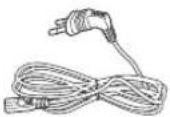


Станция за поставяне Захранваш кабел Зарядно устройство забатерията Виртуална защита(опция)
Бележка относно монтажа

Бележка
▶ Монтирайте станцията за поставяне на място, където подът и стената са нивелирани.
▶ Най-добре е да монтирате станцията за поставяне в посока на влакната на дървените подове.
▶ Ако превключвателят при спешност е изключен, POWERbot няма ga се зарежга, гори ако е поставен на станцията за поставяне.
Винаги Включвайте захранването на станцията за поставяне.
- Ако към станцията за поставяне не се погава захранване, POWERbot не може да я намери и не може да се презареди автоматично.
- Ako POWERbot остане несвързан към станцията за поставяне, батерията и ще се изтощи по естествен начин.
Ako POWERbot e в режим на заспиване, захранването няма да се включи дори ако превключвателят за захранване се изключи и после включи обратно. Натиснете и задръжте бутона [Старт/Cmon] на POWERbot, за да изключите режима на заспиване.
Зареждане
Слег пълно зареждане на POWERbot за пръв път (слег закупуване) може да се използва за 60 мин. В стандартен (режим. (Вж. стр. 39 за Времената на зареждане.)
Интелигентно зареждане
Ako зарядът на POWERbot падне в режим на автоматично почистване, той се връща автоматично до станцията за поставяне, за да се зареди, и ще възобнови чистенето, след като нивото на зареждане достигне две трети. (макс. 2 пъти).


1 Включете превключвателя при спешност отголу
Трябва да Включите
превключвателя при спешност,
за да Включите POWERbot.
Намиснете и отпуснете бутона
DII.
2 Заредете ръчно POWERbot, като го поставите върху станцията за поставяне
Уверете се, че щифтовете за зареждане на POWERbot и станцията за поставяне са погравнени.
БЪЛГАРСКИ-10
3 Проверете състоянието на зареждане
За серия SR1*M701***.
Индикаторът на батерията мига на интервали
от 1 секунда по време на зареждане и остава
ВКЛЮЧЕН при пълно зареждане.
За серия SR1*M702*** / SR1*M703*** /
SR2*M70****, " "ше се включи в
съответствие с напредъка на зареждането и ще
се изпише "FULL", когамо зареждането завърши.
Автоматично зареждане

1. Серия SR1*M701****
Ако ингикаторът на батерията мига на интервали от 0,4 сек., POWERbot ще се върне автоматично на станцията за поставяне, за да се зареди.
2. Серия SR1*M70****/SR2*M70****
Когато индикаторът за батерия мига по Време на прахосмучене, POWERbot ще се върне при станцията за поставяне, за да се зареди сам автоматично.
Презареждане

Можете ga наредите на POWERbot ga се зареди на станцията за поставяне, gokamo прахосмучи.
Изтощена батерия (Lo)

Заредете ръчно POWERbot, като го поставите върху станцията за поставяне.
Стъпки, к outо да preдприемете, ако не се извършва презареждане:
Проверете състоянието на монтиране на станцията за поставяне, когато:
▶ станцията за поставяне се намира на място, което не е лесно достъпно за POWERbot.
▶ Разстояниемо между станцията за поставяне и POWERbot е наг 5 м.
-Връщането на POWERbot go станцията за поставяне може да отнеме дълго Време
Заредете ръчно POWERbot, когато:
▶ станцията за поставяне се намира в ъгъл
▶ батерията е напълно изтощена
POWERbot e спрян от препятствие (мебел и гр.)
POWERbot не може да изкачи не може да изкачи височината в близост до станцията за поставяне (Височината, която POWERbot може да изкачва е около 1,5 см.)
▶ когато мига индикаторът за батерията и се показва "Lo".
▶ Когато индикаторът на батерията мига (приложимо за серия SR1*M701***)
▶ kogamo POWERbot e настроен на режим на точково или ръчно почистване
Използване на POWERbot
Трябва да включите превключвателя при спешност отдолу на уреда, преди да използвате POWERbot.
Включване/изключване на захранването
Натиснете бутона за повее от 3 секунди

\- Когамо POWERbot не се използва за 30 мин.;
Серия SR1*M70**U*/SR2*M70**U*: Превключва на режим на пестене на енергия.
Серия SR1*M70**W*/SR2*M70**W*: Автоматично се Връща на станцията за поставяне за зареждане.
Стартиране на автоматичен режим на почистване
Намиснете и отпуснете този бутон. POWERbot се мести и автоматично чисти зоните наведнъж.

* Спиране на прахосмученето: Намиснете и отпуснете
бутона ▶II
Използване на режима на точково почистване
POWERbot прахосмучи интензивно избрано място.

Презареждане
Можете ga командвате POWERbot ga се зареди на станцията за поставяне автоматично, gokato прахосмучи, като натиснете този бутон.

Избиране на режими на почистване
Режим на прахосмучене Как ga избереме Показана икона SR1*M702***SR1*M703***SR2*M70**** SR1*M701*** Автоматично почистване 


Точково почистване 


Повтаряне на почистването ※ Намиснете първо [mun A,B], [mun C,D (Repeat)] на дистанционното управление и после натиснете [Старт/Cmon ▶II]. 
- Ръчно почистване ※ Режимът на ръчно почистване може да се избере с бутоните за управление на посоките на дистанционното управление. 
-
* Ako POWERbot не се върне на станцията за поставяне, ще превключи на режим на пестене на енергия и дисплеят ще се изключи.
* За изход от режим на пестене на енергия натиснете [Старм/Стоп-1] или [Включване на корпуса или дистанционното управление.
* Ако прахосмученето в режим на автоматично почистване завърши за 15 мин., POWERbot почиства още веднъж.

Използване на POWERbot
Метод на прахосмучене за Всеки режим

Автоматично почистване
Автоматично чисти
задагените зони само
Веднъж.

Точково почистване
Интензивно прахосмучи
локализирана зона Може да
се използва за прахосмучене
на трохи.

Ръчно почистване
За да почистите желаното място, може ga придвижите POWERbot om дистанционното управление.
* Тази функция не е приложима за серия SR1*M701****.

Повтаряне на почистването
Почиства непрекъснато, dokato батерията се изтощи.
* Тази функция не е приложима за серия SR1*M701****.

Бележка
Ako автоматичното или повторното почистване започне, POWERbot първо почиства зоната около станцията за поставяне.
Използване на специалните функции за почистване
Функция на почистване Работа с уреда Показана икона SR1*M702***SR1*M703***SR2*M70**** SR1*M701*** Интелигентно почистване ※ Когато POWERbot установи наличие на килим в стандармен режим, автоматично започва прахосмучене с по-голяма сила на засмукване. Режим на прахосмучене на ъгли ※ Когато POWERbot omкрие цокъл или ъгъл в режим на автоматично или точково почистване, автоматичният предпазител се задейства за почистване на зоната около ръба или ъгъла.► Прав цокъл (еднократно почистване)► ъгъл (двукратно почистване) 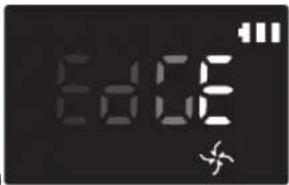
Монтиране на Virtual guard
Инфрачервените лъчи на Virtual guard ще ограничам достигането на POWERbot go някои места.
* (Включено само в серия SR2*M707****. За серия SR2*M704**** / SR2*M705**** / SR2*M706**** се изисква допълнително закупуване.)

1 Натиснете бутона "Включване", за да я включите
Светлинният индикатор на захранването (червен) ще започне да мига.

2 Поставете Virtual guard мам, където искаме да ограничите влизането на POWERbot
Ako uckame ga поставите невидима бариера, сензорът за установяване на разстояние трябва непременно да стои с лице, сочещо В желаната посока (В която достъпът на POWERbot ще бъге ограничен).
Монтиране на Virtual guard
Име на частма на Virtual guard

Поставяне на батериите
Бамериите за Virtual guard трябва да се закупят отделно.

1 Отворете капачето на батерията за Virtual guard, като натиснете блокиращия щифт и го повдигнете нагоре.

2 Поставете алкалните батерии (mun D), както е показано на илюстрацията (съблюдавайте полярността +, -).

3 Поставете края на
капачето в слота и
натиснете другия край, за
га го затворите.
Използване на дистанционното управление
[Tun A] [Tun B]


[Tun C] [Tun D]


Използване на дистанционното управление
[Tun A] / [Tun B] / [Tun C] / [Tun D]
1 Включване/презареждане/старт/стоп
Включване 
[КК6T] [АК7Т] [ДУГЗ] Включване и изключване на POWERbot Презареждане [Д838] [КТ6А] 

Изберете, за да заредите автоматично POWERbotна станцията за поставяне Старт/Смон [2А8G] 

[ГHW2] Изберете, за да стартирате или спреме процеса напрахосмучене.
2 Режим на прахосмучене
Автоматично почистване 


Изберете за почистване на всички зададени зони Веднъж и след това автоматично връщане на станцията за поставяне. Точково почистване 


Изберете за интензивно прахосмучене на избрано място Повтаряне на почистването 


Изберете за непрекъснато почистване, докато зарядът на батерията стане много нисък с мигащ индикатор
3 Сила на засмукване
Турбо режим 


Изберете мова, за да прахосмучите с максимальна смукателна сила Нормален режим 


Изберете мова, за да прахосмучите със средна смукателна сила Тих режим 

Изберете, за да почистваме при по-тих режим на работа.
4 Допълнителна функция
Звук 


При Всяко натискане на мози бутон, последователно се избират Звукови ефекти → Без звук. Дистанционно управление 


Изберете за включване или изключване на Wi-Fi функцията
* Предишно избраната настройка няма да се промени гори ако се изключи и включи обратно аваринийят превключвател.
5 Режим на ръчно почистване и управление на посоките
Преместване напред 

Изберете за придвижване напред Завиване наляво [404Z] [765B] 
[5X83] Изберете за завиване наляво Завиване надясно [K0BT] [KA25] [KBAT] [IXTD] Изберете за завиване надясно
* Движението назад не е възможно.
6 Почистване на зона
Налично само с дистанционни управления тип C, D.
Можете да използвате дистанционното управление, за да насочите и почистите конкретно желано от вас място, gokamo POWERbot е в процес на почистване.
Насочете червения светлинен индикатор към пога в обхват от 0,5 м около местоположението на POWERbot.
За да преместите червения светлинен индикатор на желаното място, натиснете и загръжте бутона за точково почистване. Докато почиства, POWERbot ще следва светлинния индикатор.

Работно разстояние на дистанционното управление

Височина на дистанционното управление 0,5 м 1 м 1,5 м Работно разстояние Около 1,5 м Около 2 м Около 3 м
Поставяне на батериите
Отворете капачето на батерията, като го повдигнете нагоре и същевременно натискате блокирация щифт, след което поставете батериите, както е показано на илюстрацията. Слег това затворете капачето, докато щракне на място

Наименования на Всяка част


Omazope
1. Панел на дисплея
2. Приемник на сигнала на дистанционното управление
3. Сензор за препятствия
4. Торбичка за прах
5. Камера
6. Бутон за торбичката за прах
7. Сензор за сблъскване
8. Автоматичен предпазител
Омголу
1. Щифтове за зареждане
2. Чемка
3. Капаче на четката
4. Сензор за височина
5. Ролка
6. Капаче на батерията
7. Бутон на капачето на четката
8. Загвижващо колело
9. Превключвател при спешност
10. Автоматичен предпазител
Панел на дисплея
<Серия SR1*M701****>
1. Ежедневен график
2. Стандартен/Турбо режим
3. Индикатор на батерията
4. Бутон за точково почистване, Ежедневен график (3 сек.)
5. Бутон "Старт/Смон", Турбо режим (3 сек.)
6. Бутон за презареждане


<Серия SR1*M702****/
SR1*M703****>
1. Изключване на звука
2. Индикатор за информация
3. *Ингукатор за Вкл./изкл. на Smart Control
4. *Wi-Fi
5. Индикатор за батерия
6. Еднократен режим/Ежедневен график
7. Цифров дисплей
8. Режим на точково почистване
9. Режим на ръчно почистване
10. Режим на повтаряне на почистването
11. Нормален режим
12. Турбо режим
13. Бутон за точково почистване
14. Бутон за пускане/спиране
15. Бутон за презареждане
<Серия SR2*M70*****>
1. Изключване на звука
2. Индикатор за информация
3. *Ингикатор за Вкл./изкл. на Smart Control
4. *Wi-Fi
5. Индикатор за батерия
6. Еднократен режим/Ежедневен график
7. Цифров дисплей
8. Режим на точково почистване
9. Режим на ръчно почистване
10. Режим на повтаряне на почистването
11. Тux режим
12. Нормален режим
13. Турбо режим
14. Бутон за точково почистване
15. Бутон за пускане/спиране
16. Бутон за презареждане
* SR1*M70**W*/SR2*M70**W*:Модел с погдръжка на Wi-Fi
Настройка на час/график
[Tun A, mun B] Може да се планира само автоматичният режим на почистване.
Настройка на часа
Трябва да настроите текущия час, преди да използвате ежедневния/еднократния график.

Настройка на графика
Настройката/отмяната на графика могам да се извършам само когато POWERbot е поставен на станцията за зареждане.

Отмяна по Време на настройка

▶ Настройката ще се отмени автоматично, ако отсъства активност 8 продължение на повече от 7 секунди.
Отмяна на „Еднократен режим/Ежедневен график“
Когато е настроен кактоеднократният, maka иежедневният график ScheduleCancel (3sec)
 UΛUScheduleCancel (3sec)
 UΛU
UΛU ScheduleCancel (3sec)Намиснете за 3 сек. Избор на графика Отмяната е завършена
 Когато е настроен илиеднократният, илиежедневният график ScheduleCancel (3sec)Намиснете за 3 сек.
[Tun C, mun D] Може да се планира само автоматичният режим на почистване.
Настройка на часа
Трябва да настроите текущия час, преди да използвате ежедневния/еднократния график.

Настройка на графика
Настройката/отмяната на графика могам да се извършам само когато POWERbot е поставен на станцията за зареждане.

Отмяна по Време на настройка

▶ Настройката ще се отмени автоматично, ако отсъства активност в продължение на повече от 7 секунги.
Отмяна на „Еднократен режим/Ежедневен график“
Когато е настроен както еднократният, maka и ежедневният график  →
→  ·ULU
·ULU  →
→ 
 Намиснете за 3 сек. Избор на графика Отмяната е завършена
Когато е настроен или еднократният, или ежедневният график ScheduleCancel (3sec)Намиснете за 3 сек.
Настройка на час/график
[Серия SR1*M701***] За могелите без дистанционно управление настройката за график е според описанието по-голу.
Настройка на графика

Намиснете за 3 сек.


Когато светодиодният индикатор за график е включен, е зададен ежедневният график.
* При натискане на този бутон ще се загаде графикът. Почистването ще се извършва Всеки ген според планираното Време.
Отмяна на ежедневния график
Когато е зададен ежедневен график

Намиснете за 3 сек.
Почистване и поддръжка
Трябва да изключите превключвателя при спешност, преди да почистваме POWERbot.

Почистване на торбичката за прах

1 Намиснете бутона, за да извадите торбичката за прах

2 Свалете kanaka на
морбичката за прах

3 Отстранете праха от торбичката за прах и циклонното устройство

4 Свалете циклонното устройство от kanaka на торбичката за прах и почистете торбичката за прах и филтъра

5 Сглобете обратно
морбичката за прах

6 Поставете обратно торбичката за прах в основния корпус, gokato щракне
Почистване на сензорите и камерата
Избършете леко с мека кърпа. Не използвайте вода или почистващи разтвори.

Почистване и поддръжка
Почистване на четката и автоматичния предпазител
Дизайнът на четката може да е различен в зависимост от могела.

1 Свалете капачето на
чемката

2 Извадеме чемкама

3 Почистете чемkama

4 Почистете
автоматичния
предпазител


5 Поставете обратно
чемката

6 Поставете обратно
капачето на четката
Почистване на загвижвашото колело

1 Поставете мека кърпа на пода и поставете POWERbot с долната част нагоре върху кърпата.


2 Използвайте тъп прът или пинцети, за да отстраните чуждите тела.
Приложение Samsung Smart Home
Приложението Samsung Smart Home е налично само за модели с Wi-Fi функция.
Подготвяне на мрежата
Настройка на безжичния рутер
▶ Този продукт подържа само DHCP(Протокол на динамично конфигуриране на хост). Проверете гали е активирана опцията за DHCP сървър на безжичния рутер.
▶ Поддържаните типове удостоверяване/шифроване на безжичния рутер са WEP-OPEN, WPA-PSK/TKIP и WPA2-PSK/AES 801.11n.
-Препоръчва се използването на WPA2-PSK/AES.
▶ Качеството на връзката на безжичната мрежа може да се повлияе от околната безжична среда.
Kogato Вашият доставчик на интернет услуги е регистрирал перманентно MAC адрес (уникален идентификационен номер) за вашия компютър или могем, възможно е вашият POWERbot ga не може ga се свърже към мрежата.
Попитайте Вашия доставчик на интернет услуги за процедурата на свързване на уреди, различни от компютър, към интернет.
▶ Ако Вашият доставчик на интернет услуги изисква Вашия ИД или парола за връзка към интернет, възможно е POWERbot ga не може да се свърже към интернет. В този случай трябва да въведете ИД или парола при свързване с интернет.
▶ Връзката към интернет може да е невъзможна поради проблеми със защитната стена. Поискайте доставчика на интернет услуги да отстрани проблема.
▶ Някои безжични рутери може да нямат нормален адрес на сървър за имена на домейни (DNS) гори когато няма интернет връзка. В този случай попитайте доставчика на съответния безжичен рутер и вашия доставчик на интернет услуги.
▶ Ако Все още не можете да се свържете към интернет гори слег опитване на препоръчаната от доставчика на интернет услуги процедура, се обърнете към представител или серверен център на Samsung Electronics.

Бележка
▶ Направете справка в ръководството за потребителя за проблеми на липса на достъп на съответния безжичен рутер.
▶ Прахосмукачкume Samsung POWERbot nogдържам само Wi-Fi 2,4 Ghz.
▶ Прахосмукачките Samsung POWERbot nogдържам комуникационните протоколи на метогите IEEE 802.11b/g/n u Wi-Fi Direct. (Samsung Electronics препоръчва да използваме IEEE 802.11n.)
▶ Безжичен рутер без удостоверяване на Wi-Fi може да не може да се свърже към POWERbot.
Kogato se podaba захранване и POWERbot е на станцията за поставяне, POWERbot ще се свърже със сървъра и ще провери гали има актуализации на софтуера. Ако най-новият софтуер е наличен, той ще бъде автоматично изтелен и инсталиран.
Ako "UP" се показва на панела, gokamo POWERbot се зарежда, значи че протича актуализация. Изчакайте да завърши рестартирането.
Приложение Samsung Smart Home
▶ Ако регистрирането на продукта не се извърши, следвайте тези инструкции:
- Слегвайте изскачащото съобщение и опитайте повторно процедурата за регистрация.
- Проверете гали опцията UPnP на безжичния рутер е налична и опитайте повторно процедурата за регистрация.
- Проверете гали работния режим на безжичния рутере "рутер" и опитайте повторно процедурата за регистрация.
- Ако имате повече от две прахосмукачки POWERbot, изключите другите, за да регистрирате една от тях. Връзката трябва да е от тип "едно към едно".
- Ако има безжичен рутер със същия SSID в близост до Вашия рутер, не може да се гарантира безпроблемно регистриране.
- Загайте уникален SSID и парола за безжичния рутер и регистрирайте продукта.
▶ Услугама Samsung Smart Home не гарантира нормална работа в среда на защитна стена.
Ako POWERbot и смартфонът не са свързани към един и същ безжичен рутер, може да възникне забавяне на отговора в зависимост от мрежовата среда.
▶ Smart control u Wi-Fi uHGukamop
- Вкл.: Smart control е заключен. (налично е само гистанционното управление.)
- Изкл.: Smart control e разрешен.
- Изкл.: POWERbot се свързва към безжичния румер.
- Вкл.: POWERbot e свързан към безжичния румер.

▶ Ako Smart control e заключен, не може да използвате приложението Samsung Smart Home.
Използване на приложението Samsung Smart Home
Съзгаване на Вашия Samsung account

Ako uckame ga използвате приложението Samsung Smart Home регистрирайте своя Samsung account в приложението Samsung account.
Бележка
▶ Ако не настроите автоматично влизане в приложението Samsung Smart Home и стартирате приложението, първо се появява екранът на Samsung account.
▶ Ako sme помребител на Samsung Smart Home, регистрирайте своя Samsung account в настройките на смартфона и после автоматичното влизане се настройва автоматично и можете да използвате приложението Samsung Smart Home Веднага.
Измегляне на приложението Samsung Smart Home
1. Изметглете приложението Samsung Smart Home om Google Play Store (устройства с Android devices) или от Apple AppStore (устройства с iOS). За да откруете приложението, използвайте ключовата гума "Samsung Smart Home."
2. Инсталирайте приложението на смарт устройството си.

Бележка
▶ Приложението Samsung Smart Home изuckва Android 4.0 (ICS) или по-нова версия и е оптимизирано за Android 4.4 или по-нова версия на смартфони Samsung (серия Galaxy S u Note). Възможно е някои функции да не работят правилно на смартфони от трети страни.
За модели с iOS приложението изисква iOS 7 или по-нова версия.
▶ Приложението Samsung Smart Home подлежи на промяна без предизвестие с цел подобряване на използването и качеството на работа.
Регистриране на продукта (лесна настройка)
Регистрирайте продукта 8 услугата Samsung Smart Home, pregu да използвате приложението Samsung Smart Home.
Android
1. Намиснете иконата "Добавяне на ново" на екрана на списък с устройства в приложението Samsung Smart Home, за да стартирате регистрирането на продукта.
2. Изберете иконата на роботизираната прахосмукачка.
3. Въведете информация за безжичния рутер, който свързвате.
4. Настройте POWERbot според указанията на екрана.
- За да Включите веднага режим на точка за достъп, натиснете бутона [Clock] за повече от 5 секунди.
5. Слег това регистрирането ще продължи автоматично.
6. Съобщението ще се появи, когато завърши регистрацията.
7. Когамо регистрацията на продукта завърши, ще се появи основниям екран на приложението Samsung Smart Home.
※ Ако регистрацията на продукта е неуспешна, направете справка на стр. 27.
iOS
1. Стартирайте приложението Samsung Smart Home.
2. Отигете на левия екран и натиснете иконата "Добавяне на ново" на екрана на списък с устройства, за да започнете регистрирането на продукта.
3. Въвегете своя Samsung account и после натиснете бутона [Sign in].
- За iPhone Вашите ИД и парола не се запаметяват, така че трябва да ги въвеждате при всяко използване на приложението Samsung Smart Home.
4. Изберете ukonama [Robot vacuum].
5. Натиснете бутона за часовник на дистанционното управление за повече от 5 секунди.
-На дисплея ще се появи АР.
6. Стартирайте приложението за настройки на вашия iPhone и после се свържете към [Robot Vacuum] Samsung 8 списъка.
7. Въвегете ИД и парола на безжичния рутер, който свързвате, и натиснете бутона [Next].
8. Протича връзка между смартфона и роботизираната прахосмукачка.
9. Стартирайте приложението за настройки на Вашия iPhone и после се свържете към безжичния румер, който ще се свърже към списъка с Wi-Fi.
10. Протича Връзка между безжичния рутер и роботизираната прахосмукачка.
Приложение Samsung Smart Home
11. Когато регистрирането на продукта завърши, ще се появи съобщението.
12. Когато регистрирането на продукта завърши, иконата на роботизираната прахосмукачка се появява В списъка с устройства.
Основен екран
▶ Изберете иконата на роботизираната прахосмукачка на основния екран и можете да отигете на екрана за управление на POWERbot.
▶ Можете да управлявате интелигентните си уреди, произведени от Samsung Electronics, с ukоните "Излизане", "Прибиране", "Лека нощ" и "Добро утро".
Функцията за начален изглед не се поддържа за POWERbot.
Екран с потребителско меню
▶ Можете да управлявате домашните уреги, произведени от Samsung Electronics, с функциите "Управление с чат съобщения" или "Фабрични команди".
Chat control ►Можете удобно да управлявате интелигентните си домашни уреди или да проверявате състояниемо им. Master key ►Можете едновременно да управлявате няколко уреда, като използвате фабрични команди ("Излизане", "Прибиране", "Лека нощ" и "Добро утро"). Customer service ►Можете да видите ръководството за продукта.►Когато продуктът е в неизправност, можете да се консултирате с центъра за обслужване на клиенти за обслужване след закупуване.
Управляване на POWERbot
При достъп до приложението Samsung Smart Robot Vacuum ще се появи екранът за управление.

1. Включване/изключване на захранването
2. Режим на ръчно почистване и управление на посоките (гвижение напрег, завиване наляво, завиване нагясно)
3. Стартиране/спиране на режима на автоматично почистване
4. Режим на точково почистване
5. Индикатор за текущо състояние
6. Състояние на батерията
7. Сили на засмукване
8. Вкл./изкл. на повтаряне на почистването
9. График (Можете да загадете желания час за всяка гама.)
-POWERbot работи, като синхронизира зададения час в мрежата.
10. Проверка на хронологията на прахосмучене

Бележка
▶ Планираното чистене стартира само когато POWERbot е на станцията за поставяне.
Бележки и предупреждения
Зареждане

Бележка
▶ Ако батерията прегрее по Време на зареждане, зареждането може да отнеме повече Време.
▶ Когато автоматичното зареждане не работи, направете следното:
-Изключете и отново включете превключвателя при спешност (отголу POWERbot).
-ИЗвадете щепсела на захранващия кабел на станцията за поставяне и после го включете обратно.
-Изключете от контакта станцията за поставяне и проверете гали има чужди тела по щифтовете за зареждане и почистете POWERbot и щифтовете за зареждане на станцията за поставяне със суха кърпа или парцал.
-Проверете за наличието на препятствия като отразяващи предмети, столове и т.н. в близост до станцията за поставяне.
Ako POWERbot остане несвързан към станцията за поставяне, батерията и ще се изтощи по естествен начин.
-POWERbot трябва да стои върху станцията за поставяне, докато се зарежда. (Обаче изключете превключвателя при спешност и оставете станцията за поставяне изключена, когато планирате да напуснете дома за дълги периоди от Време като командировка, Ваканция и т.н.)
Използване

Бележка
POWERbot може да бъге захваната от прагове и т.н. по Време на прахосмучене.
-За да стартирате повторно работата, изключете превключвателя при спешност, преместете POWERbot на място, където може да се гвижи свободно, и после Включете отново захранването.
POWERbot не може напълно да почисти зони, които не може да достигне, като ъгли, местата между стена и диван и т.н.
-За реговното им почистване използвайте друг урег за чистене.
POWERbot не може да поема сбит прах, maka че част от праха може да остане на пода след прахосмучене.
-За реговното им почистване използвайте друг урег за чистене.
▶ Ako изключите POWERbot, захранването не може да се включи обратно от бутона за включване на дистанционното управление. Натиснете и задръжте бутона [Старт/Стон] на POWERbot.
▶ Не можeme ga избирате и да поставяте POWERbot в режим на точково почистване, dokato се зарежда.
▶ Ако натиснете бутона за ръчно/точково почистване, POWERbot ще се отгели от станцията за поставяне и ще се включи в режим на готовност.
Почистване и поддръжка

Бележка
▶ Ако сте измили торбичката за прах и филтъра с Boga
-Торбичка за прах: Изцяло избършете Bogama.
-Филтър: Изсушете го изцяло на сянка pregi използване.
▶ При почистване на автоматичния предпазител не го дърпайте прекалено силно.

Внимание
▶ Внимавайте за пръстите си, когато поставяте и сваляте филтъра, тъй като могам да се захванат в торбичката за прах.
▶ За да избегнете блокиране от чужди тела, не оставяйте POWERbot ga поема клечки за зъби, памучни тампони и т.н.
Бележки и предупреждения
▶ Ako е трудно ga отстраните чуждите тела от четката, се свържете с упълномощен сервизен център на Samsung.
▶ Тъй като по Време на почистване четката отстранява праха от пода, е възможно външни частици като конец, дълги косми и гр. да бъдат уловени в нея. За най-добри резултати при прахосмучене я проверявайте и почиствайте реговно.
За батерията

Бележка
Закупувайте батерии от упълномощени центрове на Samsung и следете за символа (SAMSUNG) на батерията и името на модела, преди ga закупите.
▶ Тази батерия е изключително за POWERbot на Samsung Electronics. Не я използвайте за никакви други прогукти.
▶ Не разглобявайте и не модифицирайте батерията.
▶ Не хвърляйте батерията в огън и не я нагрявайте.
▶ Не гокосвайте клемите (+, -) с метални предмети.
▶ Съхранявайте батерията на закрито (при 0 °C\~40 °C).
▶ Ако батерията не работи, не я разглобявайте сами. Свържете се с най-близкия сервизен център на Samsung.
▶ Времето на зареждане и използване на батерията може да се намали, колкото по-дълго се използва батерията. Ако животът на батерията е нагхвърлен и вече не се зарежда правилно, трябва да я смените в сервизен център на Samsung.
▶ Гаранционният срок на батерията е 6 месеца от гатата на закупуване.
Информация за IrDA сензора

Внимание
▶ Предаването на инфрачервения сигнал може да не е безпроблемно на места с халогенни лампи или навън.
POWERbot използва 3 типа инфрачервени устройства. Всяко има различно ниво на приоритет. Дадено устройство може да не работи, ако сигналът му е иззет от устройство с по-висок приоритет.
\- Приоритет на инфрачервения сигнал: Smart control > станция за поставяне
▶ Различните инфрачервени сигнали могат ga си пречат един на друг и да доведат до неизправност на устройствата, ако се използват едновременно в малка площ или близко разстояние.
▶ Ако едновременно се използва повече от един POWERbot, това може да govеде до неизправност поради интерференция на инфрачервените сигнали.
Информационни кодове
<Серия SR1*M701****>
1 Трите индикатора по-
голу мигат с аларма за
грешка.
2 Изключете аварийния превключвател, прочетете инструкциите подолу и вземете необходимите мерки.
3 Информационите
кодове ще изчезнат,
когато включите
аварийния
превключвател
Информационни кодове Списък за проверка 
POWERbot е прихванат, блокиран или заседнал при пригвижване.► Изключете захранването от превключвателя при спешност и преместете POWERbot на друго място. Проверете информацията в контролния списък. Захванати чужди тела в четката.► Изключете аварийния превключвател и извагете външните частици от четката. В лявото задвижващо колело са прихванати чужди тела.► Изключете захранването от превключвателя при спешност и отстранете чуждите тела от задвижващото колело. В дясното задвижващо колело са прихванати чужди тела► Изключете захранването от превключвателя при спешност и отстранете чуждите тела от задвижващото колело. Чужди тела, захванати в автоматичния предпазител.► Изключете продукта, като натиснете аварийния превключвател, и отстранете чуждите тела от автоматичния предпазител. Трябва да се провери сензорът за сблъскване.► Изключете и включете захранването от превключвателя при спешност.► Когато не се появи информационен код, проверете гали има малки чужди тела между бронята и корпуса. Ако има, издърпайте леко бронята и извагете чуждите тела. По сензорът за препятствия има чужди тела.► Изключете захранването от превключвателя при спешност и почистет предния и задния сензор с мека кърпа. По сензорът за височина има чужди тела.► Изключете захранването от превключвателя при спешност и почистет сензора за височина с мека кърпа.
Информационни кодове
<Серия SR1*M702****, SR1*M703****, SR2*M70*****>
1 Информационният код по-долу се показва с аларма за грешка.
2 Изключете аварийния превключвател, прочетеме инструкциите подолу и вземете необходимите мерки.
3 Информационите
кодове ще изчезнат,
когато включите
аварийния
превключвател
Информационни кодове Списък за проверка 
POWERbot е прихванат, блокиран или заседнал при придвижване.► Изключете захранването от превключвателя при спешност и преместете POWERbot на друго място. 
Захванати чужди тела в четката.► Изключете аварийния превключвател и извадете външните частици от четката. 
В лявото загвижващо колело са прихванати чужди тела.► Изключете захранването от превключвателя при спешност и отстранете чуждите тела от загвижващото колело. 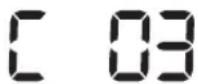
В дясното загвижващо колело са прихванати чужди тела► Изключете захранването от превключвателя при спешност и отстранете чуждите тела от загвижващото колело. 
Чужди тела, захванати в автоматичния предпазител.► Изключете продукта, като натиснете аварийния превключвател, и отстранете чуждите тела от автоматичния предпазител. 
Трябва да се провери сензорът за сблъскване.► Изключете и включете захранването от превключвателя при спешност.► Когато не се появи информационен код, проверете гали има малки чужди тела между бронята и корпуса. Ако има, издърпайте леко бронята и извадете чуждите тела. 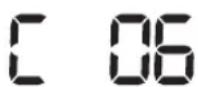
По сензорът за препятствия има чужди тела.► Изключете захранването от превключвателя при спешност и почистет прегния и задния сензор с мека кърпа. 
По сензорът за височина има чужди тела.► Изключете захранването от превключвателя при спешност и почистет сензора за височина с мека кърпа.
Отстраняване на неизправности
Симптом Списък за проверка POWERbot не работи изобщо. ▸ Проверете гали е включен превключвателят при спешност.▸ Проверете гали се показват всички икони на панела на дисплея.▸ Проверете гали батерията на POWER не е изтощена.– При появата на „Lo“, преместете POWERbot на станцията за поставяне, за да се зареди.–Когато мига индикаторът на батерията, ръчно поставете POWERbot на станцията за поставяне, за да се зареди. (Само серия SR1*M701***)▸ Сменете батериите (mun AAA), акоギстанционното управление не работи. POWERbot спря по врече на прахосмучене. ▸ ри появата на „Lo“ на дисплея, преместете POWERbot на станцията за поставяне, за да се зареди.▸ Когато мига индикаторът на батерията, ръчно поставете POWERbot на станцията за поставяне, за да се зареди. (Само серия SR1*M701***)▸ Когато POWERbot е спрян от препятствие като кабел, праг и т.н., повдигнете го и го преместете от препятствието.–Ако в загвижващите колелца се захванат плам или конци, изключете захранването от превключвателя при спешност и отстранете плата и конците, преди да използвате прахосмукачката отново. Силата на всмукване е слаба. ▸ Ако се появи съобщението „Индикатор за проверка на филтъра“, изключете аварийния превключвател и почистете торбичката за прах.▸ Когато в торбичката за прах има твърге много прах, силата на всмукване отслабва. Изключете захранването от превключвателя при спешност и изпразнете торбичката за прах.▸ Ако мястото за поемане (отголу на POWERbot) е блокирано от чужди тела, изключете захранването от превключвателя при спешност и отстранете чуждите тела от мястото.▸ Когато шумът се усили внезапно, изключете от превключвателя при спешност и изпразнете торбичката за прах. POWERbot не може да открие станцията за поставяне. ▸ Проверете гали захранващият кабел е изправлен и гали не е изваген щепсельът.▸ Отстранете всякакви препятствия около станцията за поставяне, които могам да попречат на връщането на POWERbot при станцията за поставяне.▸ Когато по цифтовете за зареждане има чужди тела, зареждането може да се повлияе от това. Отстранете чуждите тела от цифтовете. POWERbot изведнъж започва да прахосмучи диагонално. ▸ Проверете гали станцията за поставяне е монтирана в посока на влакната на дървения под или плочките.▸ POWERbot може да прахосмучи диагонално, ако се приджива на друго място, като използва най-прекия път. Възможно е да се гвижи диагонално и ако е осъществил контакт с препятствие под ъгъл, ако е бил зареден на станцията за поставяне под ъгъл или ако влакната на дървения под са разположени в тази посока. Не е възможно да се използва точково почистване. ▸ Ако насочите червената индикаторна лампа директно към POWERbot, възможно е да не се приджи ж желаната посока.–Насочете червената индикаторна лампа към пода в обхват от 0,5 m от POWERbot.※ Не използвайте функцията за прахосмучене на място под пряка слънчева светлина, ярко осветление или при тъмен под.
Отстраняване на неизправности
Симптом Списък за проверка Инсталирах приложението Samsung Smart Home, но POWERbot не се свързва успешно. ► Можете ga използвате продукта след свързване на безжичния рутер и POWERbot чрез лесни стъпки според процегурата. Не влизам успешно в Samsung account. ► Проверете своите ИД и парола на екрана на Samsung account. Появява се съобщение, което съобщава за неуспех по време на лесната настройка. ► Може ga има временен неуспех поради разстояниемо от безжичния рутер или други препятствия. Опитайте отново след известно Време. Продуктите не работят въпреки че смартфонът е свързан нормално към POWERbot. ► Спреме приложението Samsung Smart Home и след това го стартирайте отново или прекъснете връзката на безжичния рутер към смартфона и после свържете отново. Или изключете захранването на POWERbot, включете го обратно, изчакайте минута или повече и после стартирайте отново приложението Smart Home. Функциите на приложението Samsung Smart Home не работят. ► Проверете гали не е загадена функцията за блокиране на Smart control на POWERbot. (Когато Smart control е заключен, ингикаторът за Wi-Fi е изключен.) Приложението Samsung Smart Robot Vacuum не се стартира успешно. ► Проверете гали POWERbot е свързан към безжичния рутер. POWERbot не е свързан към Wi-Fi. ► Проверете състояниемо на настройка на безжичния рутер. Функцията за интелигентно почистване работи върху стандармен пог. ► Проверете гали подът е равен и гали POWERbot не работи с леко повдигнат корпус.► Проверете за чужди тела по сензора за височина отголу на POWERbot.► Проверете гали цветът на пога е тъмен. Функцията за интелигентно почистване не работи. ► Когато POWERbot чисти килим с къси влакна и ярък цвят, може да го разпознае като пог и функцията за интелигентно почистване да не работи. Функцията за почистване на ъгли не работи. ► Когато POWERbot не може да разпознае стената, функцията за почистване на ъгли може да не работи.-Когато пред стенат има препятствие от отразяващ материал.-Когато самата стена е изработена от отразяващ материал-Когато стенат е с тъмен цвят Функцията за почистване на ъгли се включва, въпреки че няма цокъл или ъгъл. ► Проверете гали в тясно място няма много препятствия.► Когато POWERbot разпознае preghото препятствие като стена, функцията за почистване на ъгли може да се включи. Функцията за почистване на ъгли се включва, въпреки че POWERbot не е достигнал стена или ъгъл. ► Когато ъгълът на ъгъла, който POWERbot разпознае, е голям функцията за почистване на ъгли може да се включи без достигане на стена или ъгъл.
* Тази прахосмукачка съответства на следните регулации:
-Дupekmußa RTTE: 1999/5/EC
-Директива за електромагнитна съвместимост: 2014/30/EU
-Директива за ниско напрежение: 2014/35/EU
Официалната декларация за съответствие може да се намери на http://www.samsung.com, отигете на "Поддръжка"
Потърсете "Поддръжка за продукта" и въведете името на могела.
Предупреждения за батерията
PREDYPREJDEHNE He trЯбва сamsу ga u3bajgame (или ga ce onitbame ga u3bajgame) Bvapadenata B muzi prodykt 6amepia. 3a ga smenite 6amepia ma trябва ga ce svprjeme c bawuia doctavchik na usluyi uli nezavisimo kvalnificurano liue. Tezi instrukcuii ca podrotbenu za ekcluizivno izpolzbane om doctavchika na usluyi uli nezavisimo kvalnificurano liue. 3A BAWA CO6CTBEHA BEЗОПACNOST HE OПИТВАЙTE CAMI DA U3BAXДATE БATEРЯТА Или DA RA I3XBpRAЯTE B OΓbH. HE PA3GLOБЯВАЙTE, CMAЧКВАЙTE Или ПPOБИВАЙTE БATEРЯТА.
Как ga се извади батерията
Премахнете POWERbot om зарядното устройство/станцията за поставяне за разглобяване.
Трябва да изключите POWERbot за безопасност преди разглобяване.

1 Сложете да легна и обърнете POWERbot и после свалете gbama винта.

2 Свалете капака на
морбичката за прах.

3 Извадете батерията
от слота и прекъснете
конектора.

Правилно изхвърляне на батериите в този продукт
(Приложимо в държави с разделни системи за връщане на батериите.)
Маркировката на батерията, ръководството или опаковката показва, че батерията в този продукт не трябва да се изхвърля с другия домакински отпадък. Където е маркирано, символите Нг, Cd или Pb показват, че батерията съдържа живак, кадмий или олово над референтните нива на Директива (EC) 2006/66.
Вградената в продукта батерия не може да се сменя от потребителя. За информация за нейната смяна се свържете със сервизен център. Не опитвайте да изваждите или хвърляте батерията в огън. Не разглобявайте, смачквайте или пробивайте батерията. Ако възнамерявате да изхвърлите продукта, центърът по събиране на отпадъци ще предприеме подходящите мерки за рециклиране и третиране на продукта, Включително батерията
Съобщение за отворен код
Софтуерът, Включен в този продукт съдържа отворен код. Може да получите и използвате съответния пълен отворен код за период от три години след последното изпращане на този продукт, като изпратите имейл на mailto:oss.request@samsung.com.
Възможно е също да получите съответния пълен отворен ког на физически носител като CD-ROM; ще е необходимо да се заплати минимална такса.
На следния URL agpec http://opensource.samsung.com/opensource/VR7000_A20_TZ/seq/0 ще бъгeme ombegeni до страницата за измегляне на предоставения изхogen ког и свързаната с продукта информация за лиценза,съпътстващ отворения ког. Тази оферта е Валидна за Всеки, който е получил тази информация.

Спецификации
<Серия SR1*M70*****>
Класификация Елемент Подробна информация SR1*M701**** SR1*M702****SR1*M703**** Механични спецификации (POWERbot) Размер (Ш x В x Д) 340 мм x 97 мм x 348 мм Тегло 4 кг Сензор Разпознаване на формата на мавана (Visionary mapping plus TM) Тип на бутоните на POWERbot Сензорен тип Спецификации на захранването Захранващо напрежение 100-240 V~, 50 Hz/60 Hz Консумация на електроенергия 80 W Спецификации на батерията 21,6 V/ 38,8 Wh Прахосмучене Тип зареждане Автоматично/ръчно зареждане Режим на прахосмучене Автоматично,точково, ежедневен график Автоматично, точково,повтаряне, ръчно,еднократен режим,ежедневен график Време за зареждане Прибл. 240 минути Време на прахосмучене(на базата на твърд пог) Турбо режим Прибл. 30 минути Нормален режим Прибл. 60 минути
<Серия SR2*M70*****>
Класификация Елемент Подробна информация Механични спецификации (POWERbot) Размер (Ш х В х Д) 340 мм х 97 мм х 348 мм Тегло 4,3 кг Сензор Разпознаване на формата на тавана (Visionary mapping plus TM) Тип на бутоните на POWERbot Сензорен тип Спецификации на захранването Захранващо напрежение 100-240 V~ 50 Hz/60 Hz Консумация на електроенергия 130 W Спецификации на батерията 21,6 V/ 77,8 Wh Прахосмучене Тип зареждане Автоматично/ръчно зареждане Режим на прахосмучене Автоматично, мочково, повтаряне, ръчно, еднократен режим, ежедневен график Време за зареждане Прибл. 160 минути Време на прахосмучене (на базата на твърд пог) Турбо режим Прибл. 30 минути Нормален режим Прибл. 60 минути Тих режим Около 90 минути
* Дизайнът и спецификацииите на продукта подлежат на променя без предизвестие с цел подобряване на продукта.
* Времената на зареждане и прахосмучене могат да са различни в зависимост от условията на ползване.
SAMSUNG
POWERbot
Εγχειρίδιο χρήσης
Σειρές SR1*M70****, SR2*M70****
• Προτού χρησιμοπουήσετε αυτή τη συσκευή, διαβάστε προσεκτικά τις οδηγίες.
• Για χρήση μόνο σε εσωτερικούς χώρους.

Περιεχόμενα
03 Πληροφορίες για την ασφάλεια 08 ΕγκατάστασηΕξαρτήματα / Σημείωση για την εγκατάσταση 10 ΦόρτισηΑυτόματη φόρτιση / Επαναφόρτιση / Χαμηλήφόρτιση μπαταρίας (Lo) 12 Χρήση του POWERbotΕνεργοποίηση/απενεργοποίηση / Επιλογήτων λειτουργιών καθαρισμού / Χρήση ειδικώνλειτουργιών καθαρισμού 15 Εγκατάσταση του Virtual guardΟνόματα μερών του Virtual guard / Τοποθέτησημπαταριών 17 Χρήση του τηλεχειριστηρίου 20 Όνομα κάθε μέρουςΕπάνω μέρος / Κάτω μέρος / Οθόνη ενδείξεων 22 Ρύθμιση ώρας/προγράμματοςΡύθμιση της ώρας / Ρύθμιση του προγράμματος 25 Καθαρισμός και συντήρησηΚαθαρισμός του δοχείου σκόνης / Καθαρισμός των αισθητήρωνκαι της κάμερας / Καθαρισμός της βούρτσας και του εργαλείουαυτόματου κλείστρου / Καθαρισμός του τροχού μετάδοσηςκίνησης 27 Εφαρμογή Samsung Smart HomeΠροετοιμασία του δικτύου / Χρήση της εφαρμογής SamsungSmart Home 31 Σημειώσεις και προφυλάξειςΦόρτιση / Χρήση / Καθαρισμός και συντήρηση / Σχετικά με τηνμπαταρία / Σχετικά με τον αισθητήρα IrDA 33 Κωδικοί πληροφοριών 35 Αντιμετώπιση προβλημάτων 37 Προειδοποιήσεις για την μπαταρία 38 Ανακοίνωση για το λογισμικό ανοικτού κώδικα 39 Προδιαγραφές
Πληροφορίες για την ασφάλεια
ΠΛΗΡΟΦΟΡΙΕΣ ΓΙΑ ΤΗΝ ΑΣΦΑΛΕΙΑ

\- Προτού χρησιμοποιήσετε τη συσκευή, διαβάστε προσεκτικά αυτό το εγχειρίδιο και φυλάξτε το για μελλοντική αναφορά.

\- Επειδή οι παρακάτω οδηγίες λειτουργίας αφορούν διάφορα μοντέλα, τα χαρακτηριστικά της δικής σας ηλεκτρικής σκούπας ενδέχεται να διαφέρουν λίγο από αυτά που περιγράφονται στο παρόν εγχειρίδιο.
ΣΥΜΒΟΛΑ ΠΡΟΣΟΧΗΣ/ΠΡΟΕΙΔΟΠΟΙΗΣΗΣ ΠΟΥ ΧΡΗΣΙΜΟΠΟΙΟΥΝΤΑΙ
 πΕΗ
πΕΗΥποδεικνύει ότι υπάρχει κίνδυνος θανάτου ή σοβαρού τραυματισμού. 
Υποδεικνύει ότι υπάρχει κίνδυνος τραυματισμού ή υλικών ζημιών.
ΑΛΛΑ ΣΥΜΒΟΛΑ ΠΟΥ ΧΡΗΣΙΜΟΠΟΙΟΥΝΤΑΙ
ΣΗΜΕΙΩΣΗ Υποδεικνύει ότι υπάρχει κίνδυνος τραυματισμού ή υλικών ζημιών. [ΥΖ7Α] Αυτή η ηλεκτρική σκούπα ρομπότ υποστηρίζει την εφαρμογή Samsung Smart Home.Για πιο λεπτομερείς πληροφορίες, επισκεφτείτε την ηλεκτρονική διεύθυνση Samsung.com/Smarthome.
\- Για πληροφορίες σχετικά με τις δεσμεύσεις της Samsung αναφορικά με την προστασία του περιβάλλοντος και τις κανονιστικές υποχρεώσεις που αφορούν τα συγκεκριμένα προϊόντα π.χ. REACH, επισκεφθείτε την ηλεκτρονική διεύθυνση: samsung.com/uk/aboutsamsung/samsungelectronics/corporatecitizenship/data_corner.htm
Πληροφορίες για την ασφάλεια
ΣΗΜΑΝΤΙΚΕΣ ΟΔΗΓΙΕΣ ΓΙΑ ΤΗΝ ΑΣΦΑΛΕΙΑ
'Отαν χρησιμοποιείτε μια ηλεκτρική συσκευή, θα πρέπει να τηρείτε τις βασικές προφυλάξεις, συμπεριλαμβανομένων των παρακάτω:
ΔΙΑΒΑΣΤΕ ΟΛΕΣ ΤΙΣ ΟΔΗΓΙΕΣ ΠΡΟΤΟΥ ΧΡΗΣΙΜΟΠΟΙΗΣΕΤΕ ΤΟ POWERbot.
Αποσυνδέστε τη συσκευή από την πρίζα όταν δεν τη χρησιμοποιείτε και προτού πραγματοποιήσετε συντήρηση.
ΠΡΟΕΙΔΟΠΟΙΗΣΗ: Για να περιορίσετε τον κίνδυνο πυρκαγιάς, ηλεκτροπληξίας ή τραυματισμού:
ΓΕΝΙΚΑ
- Χρησιμοποιείτε μόνο όπως περιγράφεται σε αυτό το εγχειρίδιο.
- Μη χρησιμοποιείτε το POWERbot ή τον φορτιστή μπαταρίας/σταθμό σύνδεσης αν έχει υποστεί οποιαδήποτε ζημιά.
- Αν η ηλεκτρική σκούπα δεν λειτουργεί όπως θα έπρεπε, έχει πέσει, έχει υποστεί ζημιά, την έχετε αφήσει σε εξωτερικό χώρο ή έχει πέσει σε νερό, επιστρέψτε την σε ένα κέντρο εξυπηρέτησης πελατών.
- Μη χειρίζεστε τον φορτιστή μπαταρίας/σταθμό σύνδεσης ή το POWERbot με βρεγμένα χέρια.
- Χρησιμοποιείτε μόνο σε στεγνές επιφάνειες εσωτερικών χώρων.
- Αυτή η συσκευή μπορεί να χρησιμοποιηθεί από παιδιά ηλικίας 8 ετών και άνω και από άτομα με περιορισμένες σωματικές, αισθητηριακές ή νοητικές ικανότητες ή με έλλειψη εμπειρίας και γνώσεων, εφόσον βρίσκονται υπό επίβλεψη ή ακολουθούν οδηγίες σχετικά με τη χρήση της συσκευής με ασφαλή τρόπο και κατανοούν τους κινδύνους που ενέχονται. Τα παιδιά απαγορεύεται να παίζουν με τη συσκευή. Ο καθαρισμός και η συντήρηση από τον χρήστη δεν πρέπει να πραγματοποιούνται από παιδιά χωρίς επίβλεψη.
Φορτιστής μπαταρίας/σταθμός σύνδεσης
- Μην τροποποιείτε το πολωμένο φις ώστε να εφαρμόζει σε μη πολωμένη πρίζα ή σε καλώδιο προέκτασης.
- Μη χρησιμοποιείτε σε εξωτερικούς χώρους ή σε βρεγμένες επιφάνειες.
- Αποσυνδέετε τον φορτιστή μπαταρίας/σταθμό σύνδεσης από την πρίζα όταν δεν τον χρησιμοποιείτε και προτού πραγματοποιήσετε σέρβις.
- Χρησιμοποιείτε μόνο τον φορτιστή μπαταρίας/σταθμό σύνδεσης που παρέχεται από τον κατασκευαστή για την επαναφόρτιση.
- Μη χρησιμοποιείτε με καλώδιο ή φις που έχει υποστεί ζημιά ή με χαλαρή πρίζα.
- Μην τραβάτε και μη μεταφέρετε από το καλώδιο, μη χρησιμοποιείτε το καλώδιο ως λαβή, μην κλείνετε την πόρτα πάνω στο καλώδιο και μην τραβάτε το καλώδιο γύρω από αιχμηρές άκρες ή γωνίες. Κρατάτε το καλώδιο μακριά από θερμαινόμενες επιφάνειες.
- Μη χρησιμοποιείτε καλώδια προέκτασης ή πρίζες με ανεπαρκή δυναμικότητα μεταφοράς ρεύματος.
- Μην αποσυνδέετε από την πρίζα τραβώντας το καλώδιο. Για να τον αποσυνδέσετε από την πρίζα, τραβήξτε το φις και όχι το καλώδιο.
- Μην κόβετε και μην αποτεφρώνετε τις μπαταρίες, καθώς εκρήγνυνται σε υψηλές θερμοκρασίες.
- Μην επιχειρείτε να ανοίξετε τον φορτιστή μπαταρίας/σταθμό σύνδεσης. Οι επισκευές θα πρέπει να πραγματοποιούνται μόνο από εξειδικευμένο κέντρο εξυπηρέτησης πελατών.
- Μην εκθέτετε τον φορτιστή μπαταρίας/σταθμό σύνδεσης σε υψηλές θερμοκρασίες και μην αφήνετε τον φορτιστή μπαταρίας/σταθμό σύνδεσης να έρχεται σε επαφή με υγρασία ή υδρατμούς.
POWERbot
- Μη συλλέγετε σκληρά ή αιχμηρά αντικείμενα, όπως γυαλιά, καρφιά, βίδες, νομίσματα κ.λπ.
- Μη χρησιμοποιείτε χωρίς να έχετε τοποθετήσει φίλτρο. Όταν πραγματοποιείτε σέρβις στη συσκευή, μη βάζετε ποτέ τα δάκτυλά σας ή άλλα αντικείμενα στο θάλαμο ανεμιστήρα, καθώς η συσκευή ενδέχεται να ενεργοποιηθεί κατά λάθος.
- Μην τοποθετείτε κανένα αντικείμενο στα ανοίγματα. Μη χρησιμοποιείτε με οποιοδήποτε από τα ανοίγματα φραγμένο. Διατηρείτε τα ανοίγματα ελεύθερα από σκόνη, χνούδια, τρίχες και οτιδήποτε άλλο ενδέχεται να μειώσει τη ροή του αέρα.
- Μη συλλέγετε τοξικά υλικά (χλωρίνη, αμμωνία, καθαριστικό αποχετεύσεων κ.λπ.).
- Μη συλλέγετε οτιδήποτε φλέγεται ή καπνίζει, όπως τσιγάρα, σπίρτα ή καυτή στάχτη.
- Μη χρησιμοποιείτε για να συλλέξετε εύφλεκτα ή αναφλέξιμα υγρά όπως βενζίνη και μη χρησιμοποιείτε σε χώρους όπου ενδέχεται να υπάρχουν τέτοια υγρά.
- Χώροι όπου υπάρχουν κεριά ή επιτραπέζια φωτιστικά στο δάπεδο.
- Χώροι όπου υπάρχουν φωτιές χωρίς επίβλεψη (φωτιά σε τζάκι ή χόβολη).
- Χώροι όπου υπάρχει αποσταγμένο οινόπνευμα, διαλυτικό, τασάκια με αναμμένα τσιγάρα κ.λπ.
- Μη χρησιμοποιείτε το POWERbot σε κλειστούς χώρους με αναθυμιάσεις από λαδομπογιά, διαλυτικό μπογιάς, αντισκωρικές ουσίες, εύφλεκτη σκόνη ή άλλους εκρηκτικούς ή τοξικούς ατμούς.
- Υπό ακραίες συνθήκες χρήσης ή θερμοκρασίας, μπορεί να προκληθεί διαρροή υγρών από τις μπαταρίες. Αν τα υγρά έρθουν σε επαφή με το δέρμα σας, πλύνετε γρήγορα με νερό. Αν τα υγρά έρθουν σε επαφή με τα μάτια σας, ξεπλύνετε αμέσως με καθαρό νερό για τουλάχιστον 10 λεπτά. Ζητήστε ιατρική βοήθεια.
Πληροφορίες για την ασφάλεια

ΠΡΟΕΙΔΟΠΟΙΗΣΗ
Σχετικά με την τροφοδοσία
▶ Αποτρέψτε κάθε κίνδυνο ηλεκτροπληξίας ή πυρκαγιάς.
-Μην προκαλείτε ζημιά στο καλώδιο ρεύματος.
-Μην τραβάτε πολύ δυνατά το καλώδιο ρεύματος και μην αγγίζετε το φις με βρεγμένα χέρια.
-Χρησιμοποιείτε αποκλειστικά πηγή τροφοδοσίας 100-240 V\~ και, επίσης, μη χρησιμοποιείτε πολύπριζο για να τροφοδοτείτε πολλαπλές συσκευές ταυτόχρονα. (Μην αφήνετε το καλώδιο εκτεθειμένο στο δάπεδο.)
-Μη χρησιμοποιείτε φις ή καλώδιο ρεύματος που έχει υποστεί ζημιά ή χαλαρή πρίζα.
▶ Καθαρίζετε τη σκόνη ή τυχόν ξένα σώματα από τις ακίδες και το σημείο επαφής του φις.
-Υπάρχει κίνδυνος ηλεκτροπληξίας ή δυσλειτουργίας.

ΠΡΟΕΙΔΟΠΟΙΗΣΗ
Πριν από τη χρήση
▶ Μη χρησιμοποιείτε το POWERbot κοντά σε εύφλεκτα υλικά.
-Σημεία κοντά σε κεριά, φωτιστικά γραφείου, τζάκια ή εύφλεκτα υλικά, όπως βενζίνη, οινόπνευμα, διαλυτικά κ.λπ.
To POWERbot προορίζεται για οικιακή χρήση και, κατά συνέπεια, δεν πρέπει να το χρησιμοποιείτε σε σοφίτες, υπόγεια, αποθήκες, βιομηχανικά κτήρια, εκτός εσωτερικών χώρων, σε χώρους με υγρασία (όπως το μπάνιο, το πλυσταριό), επάνω σε τραπέζια ή σε ράφια.
-To POWERbot μπορεί να υποστεί ζημιά ή να δυσλειτουργεί.
▶ Βεβαιωθείτε ότι το POWERbot δεν περνά πάνω από, ούτε έρχεται σε επαφή με, υγρά οποιουδήποτε είδους.
-To POWERbot μπορεί να υποστεί σοβαρή ζημιά και ενδέχεται να επιμολύνει άλλους χώρους αν οι τροχοί του περάσουν πάνω από υγρά.
▶ Μη ρίχνετε κανένα υγρό πάνω στον σταθμό σύνδεσης.
-Υπάρχει κίνδυνος πυρκαγιάς ή ηλεκτροπληξίας.
▶ Μη χρησιμοποιείτε τον σταθμό σύνδεσης για κανέναν άλλο σκοπό, εκτός από αυτόν για τον οποίο προορίζεται.
-Υπάρχει κίνδυνος πυρκαγιάς ή σοβαρής ζημιάς στον σταθμό σύνδεσης.
Για τη δική σας ασφάλεια, να διατηρείτε πάντα καθαρό τον αισθητήρα ανώμαλου εδάφους.

ΠΡΟΕΙΔΟΠΟΙΗΣΗ
Κατά τη χρήση
▶ Αν ακούγονται περίεργοι ήχοι, αναδίδεται οσμή ή καπνός από το POWERbot, κλείστε αμέσως τον διακόπτη ασφαλείας στο κάτω μέρος του POWERbot και επικοινωνήστε με ένα επισκευαστικό κέντρο.

ΠΡΟΕΙΔΟΠΟΙΗΣΗ
Καθαρισμός και συντήρηση
▶ Αν το καλώδιο ρεύματος έχει υποστεί ζημιά, επικοινωνήστε με ένα επισκευαστικό κέντρο για να αντικατασταθεί από κατάλληλα εκπαιδευμένο τεχνικό.
-Υπάρχει κίνδυνος πυρκαγιάς ή ηλεκτροπληξίας.
Για να αλλάξετε τις μπαταρίες, επικοινωνήστε με ένα επισκευαστικό κέντρο της Samsung Electronics.
-Η χρήση μπαταριών από άλλα προϊόντα μπορεί να προκαλέσει δυσλειτουργία.

ΠΡΟΣΟΧΗ
Πριν από τη χρήση
▶ Τοποθετήστε το δοχείο σκόνης προτού χρησιμοποιήσετε το POWERbot.
▶ Για σωστή αυτόματη επαναφόρτιση, να έχετε υπόψη σας τα παρακάτω.
-Ενεργοποιείτε πάντα τον σταθμό σύνδεσης.
-Εγκαθιστάτε τον σταθμό φόρτισης κάπου όπου να μπορεί να τον εντοπίσει εύκολα το POWERbot.
-Μην αφήνετε κανένα αντικείμενο μπροστά από τον σταθμό σύνδεσης.
▶ Όταν εγκαθιστάτε τον σταθμό σύνδεσης, μην αφήνετε το καλώδιο εκτεθειμένο στο δάπεδο, επειδή ενδέχεται να μπερδευτεί σε αυτό το POWERbot.
▶ Μη χρησιμοποιείτε το POWERbot σε μαύρα δάπεδα.
- To POWERbot ενδέχεται να μη λειτουργεί κανονικά.
▶ Μην τοποθετείτε κανένα αντικείμενο σε απόσταση 0,5 m από τις πλευρές και 1 m από το μπροστινό μέρος του σταθμού σύνδεσης.
▶ Βεβαιωθείτε ότι η επαφή φόρτισης του σταθμού σύνδεσης δεν έχει υποστεί ζημιά και δεν έχει κανένα ξένο σώμα πάνω της.
▶ Mην εγκαθιστάτε τον σταθμό σύνδεσης σε χώρο με σκούρο δάπεδο.
-Αν το δάπεδο γύρω από τον σταθμό σύνδεσης είναι σκούρο, δυσχεραίνεται η επαναφόρτιση.
▶ Προτού καθαρίσετε, μετακινείτε οποιαδήποτε εμπόδια ενδέχεται να διαταράξουν την κίνηση του POWERbot (όπως παιδικές κούνιες ή τσουλήθρες εσωτερικού χώρου).
▶ Μη χρησιμοποιείτε το POWERbot σε έναν χώρο που είναι στενότερος από την ακτίνα περιστροφής (πλάτος 0,5 m ή μικρότερο) του POWERbot.

ΠΡΟΣΟΧΗ
Κατά τη χρήση
▶ Η χρήση του POWERbot σε παχύ χαλί ενδέχεται να προκαλέσει ζημιά τόσο στο POWERbot όσο και στο χαλί.
-To POWERbot δεν μπορεί να περάσει πάνω από χαλιά πάχους μεγαλύτερου από 1 cm.
▶ Μη χρησιμοποιείτε το POWERbot επάνω σε τραπέζια ή σε άλλες υπερυψωμένες επιφάνειες.
-Υπάρχει κίνδυνος ζημιάς αν πέσει.
▶ To POWERbot ενδέχεται να χτυπήσει σε καρέκλες ή σε πόδια γραφείων και, κατά συνέπεια, πρέπει να τα απομακρύνετε για ταχύτερο και αποδοτικό καθαρισμό.
▶ 'Οταν λειτουργεί το POWERbot, μην το σηκώνετε και μην το μεταφέρετε σε κάποιον άλλο χώρο.
▶ Μην κρατάτε το POWERbot από τους τροχούς μετάδοσης κίνησης όταν το μεταφέρετε σε κάποιον άλλο χώρο.
▶ Μην τοποθετείτε κανένα αντικείμενο πάνω στο POWERbot και την κάμερα, επειδή ενδέχεται να προκληθεί δυσλειτουργία.
▶ Όταν χρησιμοποιείτε το POWERbot, απομακρύνετε αμέσως μεγάλα κομμάτια χαρτί ή πλαστικές σακούλες, επειδή ενδέχεται να φράξουν το στόμιο αναρρόφησης.
▶ Μη στοχεύετε τον κόκκινο δείκτη κατευθείαν σε ανθρώπους ή σε ζώα.
▶ Μην ξαπλώνετε γύρω από το σημείο που λειτουργεί το POWERBOT.
-Τα μαλλιά σας ενδέχεται να πιαστούν στη βούρτσα, με αποτέλεσμα να τραυματιστείτε.

ΠΡΟΣΟΧΗ
Καθαρισμός και συντήρηση
Αποτρέψτε την πρόκληση ζημιάς στο POWERbot εφαρμόζοντας τις παρακάτω οδηγίες:
-Μην καθαρίζετε το POWERbot ψεκάζοντας νερό απευθείας επάνω του και μη χρησιμοποιείτε βενζίνη, διαλυτικό, ασετόν ή οινόπνευμα για να το καθαρίσετε.
▶ Μην αποσυναρμολογείτε και μην επισκευάζετε το POWERbot. Αυτές οι εργασίες θα πρέπει να εκτελούνται μόνο από κατάλληλα εκπαιδευμένο τεχνικό.
▶ Διατηρείτε πάντα καθαρό τον αισθητήρα εμποδίων, τον αισθητήρα ανώμαλου εδάφους και την κάμερα.
-Αν συσσωρευτούν ξένα σώματα, οι αισθητήρες ενδέχεται να δυσλειτουργούν.
Εγκατάσταση
Ο σταθμός σύνδεσης πρέπει να είναι πάντα συνδεδεμένος στην πρίζα και ενεργοποιημένος.

1 Συνδέστε το βύσμα του φορτιστή μπαταρίας στον σταθμό σύνδεσης
2 Συνδέστε το καλώδιο
ρεύματος στον
φορτιστή μπαταρίας
'Отαν χρησιμοποιείτε τον φορτιστή μπαταρίας, η πλευρά με το αυτοκόλλητο πρέπει να είναι στραμμένη προς τα κάτω.
3 Συνδέστε το φις στην πρίζα
Εξαρτήματα


Τηλεχειριστήριο(Δεν παρέχεται με τη σειρά SR1*M701***) Μπαταρίες (τύπου AAA) Εγχειρίδιο χρήσης Ανταλλακτικό φίλτρο (Προαιρετικό) 


[ЗАНУ] Σταθμός σύνδεσης Καλώδιο ρεύματος Φορτιστής μπαταρίας Virtual guard (Προαιρετικό)
Σημείωση για την εγκατάσταση

Σημείωση
▶ Εγκαθιστάτε τον σταθμό σύνδεσης σε σημείο όπου το δάπεδο και ο τοίχος είναι επίπεδα.
▶ Καλύτερα να εγκαθιστάτε τον σταθμό σύνδεσης κατά μήκος των ινών των ξύλινων δαπέδων.
▶ Αν ο διακόπτης ασφαλείας είναι κλειστός, το POWERbot δεν φορτίζεται ακόμα και αν είναι συνδεδεμένο στον σταθμό σύνδεσης.
▶ Ενεργοποιείτε πάντα τον σταθμό σύνδεσης.
- Αν ο σταθμός σύνδεσης δεν τροφοδοτείται με ρεύμα, το POWERbot δεν μπορεί να τον εντοπίσει και δεν μπορεί να επαναφορτιστεί αυτόματα.
- Αν το POWERbot παραμείνει αποσυνδεδεμένο από τον σταθμό σύνδεσης, η μπαταρία θα αποφορτιστεί φυσιολογικά.
Av to POWERbot βρίσκεται σε λειτουργία αναμονής, δεν ενεργοποιείται ακόμα και αν κλείσετε και κατόπιν ανοίξετε τον διακόπτη ασφαλείας. Πατήστε και κρατήστε πατημένο το κουμπί [Εναρξη/Διακοπή] στο POWERbot για να απενεργοποιήσετε τη λειτουργία αναμονής.
Φόρτιση
Αφού φορτιστεί πλήρως για πρώτη φορά (μετά την αγορά), το POWERbot μπορεί να χρησιμοποιηθεί για 60 λεπτά σε κανονική λειτουργία (ζ) τα τον χρόνο φόρτισης, ανατρέξτε στη σελίδα 39.)
'Εξυπνη φόρτιση
Αν εξαντληθεί η φόρτιση της μπαταρίας στη λειτουργία Αυτόματου καθαρισμού, το POWERbot θα επιστρέψει αυτόματα στον σταθμό σύνδεσης για να φορτιστεί και θα συνεχίσει τον καθαρισμό για να ολοκληρώσει την περιοχή καθαρισμού, αφού φορτίσει την μπαταρία στα 2/3 της χωρητικότητας. (Το πολύ 2 φορές.)


1 Ανοίξτε τον διακόπτη ασφαλείας στο κάτω μέρος
Πρέπει να ανοίξετε τον διακόπτη ασφαλείας για να ενεργοποιήσετε το POWERbot.
Πατήστε και αφήστε το κουμπί (DII).
2 Φορτίστε μη αυτόματα το POWERbot τοποθετώντας το στον σταθμό σύνδεσης
Βεβαιωθείτε ότι οι ακίδες φόρτισης του POWERbot και του σταθμού σύνδεσης είναι ευθυγραμμισμένες.
ΕΛΛΗΝΙΚΑ -10
3 Ελέγξτε την κατάσταση φόρτισης
Για τη σειρά SR1*M701****:
Η ένδειξη μπαταρίας αναβοσβήνει ανά διαστήματα 1 δευτερολέπτου κατά τη φόρτιση και παραμένει σε κατάσταση ενεργοποίησης όταν η μπαταρία είναι πλήρως φορτισμένη.
Για τη σειρά SR1*M702**** / SR1*M703**** / SR2*M70****:
Η ένδειξη « » εμφανίζεται σύμφωνα με την πρόοδο της φόρτισης και η ένδειξη «FULL» εμφανίζεται όταν ολοκληρώνεται η φόρτιση.
Αυτόματη φόρτιση

1. Σειρά SR1*M701***
Αν η ένδειξη μπαταρίας αναβοσβήνει ανά διαστήματα 0,4 δευτερολέπτου, το POWERbot θα επιστρέψει αυτόματα στον σταθμό σύνδεσης για να φορτιστεί.
2. Σειρά SR1*M70****/SR2*M70****
'Отαν η ένδειξη μπαταρίας αναβοσβήνει κατά τον καθαρισμό, το POWERbot επιστρέφει στον σταθμό σύνδεσης για να φορτιστεί αυτόματα.
Επαναφόρτιση

Μπορείτε να δώσετε εντολή στο POWERbot να επαναφορτιστεί στον σταθμό σύνδεσης ενώ καθαρίζει.
Χαμηλή φόρτιση μπαταρίας (Lo)

Φορτίστε μη αυτόματα το POWERbot τοποθετώντας το στον σταθμό σύνδεσης.
Βήματα που πρέπει να ακολουθήσετε αν δεν πραγματοποιείται επαναφόρτιση:
Ελέγξτε την κατάσταση εγκατάστασης του σταθμού σύνδεσης όταν:
▶ ο σταθμός σύνδεσης βρίσκεται σε ένα σημείο όπου το POWERbot δεν έχει εύκολη πρόσβαση
▶ η απόσταση ανάμεσα στον σταθμό σύνδεσης και το POWERbot είναι μεγαλύτερη από 5 m
-Ενδέχεται να χρειαστεί πολλή ώρα για να επιστρέψει το POWERbot στον σταθμό σύνδεσης για επαναφόρτιση
Φορτίστε μη αυτόματα το POWERbot όταν:
▶ ο σταθμός σύνδεσης βρίσκεται σε μια γωνία
▶ η μπαταρία έχει εξαντληθεί τελείως
▶ to POWERbot έχει ακινητοποιηθεί από κάποιο εμπόδιο (έπιπλα κ.λπ.)
▶ to POWERbot δεν μπορεί να περάσει ένα κατώφλι κοντά στον σταθμό σύνδεσης (Το μέγιστο ύψος κατωφλιού που μπορεί να περάσει το POWERbot είναι περίπου 1,5 cm.)
▶ όταν η ένδειξη μπαταρίας αναβοσβήνει και εμφανίζεται η ένδειξη «Lo»
▶ όταν η ένδειξη μπαταρίας αναβοσβήνει (ισχύει για τη σειρά SR1*M701****)
▶ όταν το POWERbot έχει ρυθμιστεί στη λειτουργία Τοπικού καθαρισμού ή Μη αυτόματου καθαρισμού
Χρήση του POWERbot
Πρέπει να ανοίξετε τον διακόπτη ασφαλείας στο κάτω μέρος της συσκευής προτού χρησιμοποιήσετε το POWERbot.
Ενεργοποίηση/απενεργοποίηση
Πατήστε το κουμπί ηια περισσότερα από 3 δευτερόλεπτα

\- Αν το POWERbot δεν χρησιμοποιηθεί για 30 λεπτά:
Σειρά SR1*M70**U*/SR2*M70**U*:Μεταβαίνειστη λειτουργία εξοικονόμησης ενέργειας.
Σειρά SR1*M70**W* / SR2*M70**W*: Επιστρέφει αυτόματα στον σταθμό σύνδεσης για να φορτιστεί.
Χρήση της λειτουργίας Αυτόματου καθαρισμού
Πατήστε και αφήστε αυτό το κουμπί. Το POWERbot κινείται και καθαρίζει αυτόματα τις καθορισμένες περιοχές μόνο μία φορά.

* Διακοπή καθαρισμού: Πατήστε και αφήστε το κουμπό
Χρήση της λειτουργίας Τοπικού καθαρισμού
To POWERbot καθαρίζει μια συγκεκριμένη περιοχή σε βάθος.

Επαναφόρτιση
Μπορείτε να δώσετε εντολή στο POWERbot να επαναφορτιστεί αυτόματα στον σταθμό σύνδεσης ενώ καθαρίζει, πατώντας αυτό το κουμπί.

Επιλογή των λειτουργιών καθαρισμού
Λειτουργία καθαρισμού Τρόπος επιλογής Εικονίδιο που εμφανίζεται SR1*M702***SR1*M703***SR2*M70**** SR1*M701**** Αυτόματος καθαρισμός 


Τοπικός καθαρισμός 


Επανειλημμένος καθαρισμός ※ Πατήστε πρώτα το κουμπί [τύπος Α, Β: ],[τύπος Γ, Δ: Repeat] στο τηλεχειριστήριο και, στη συνέχεια, πατήστε το κουμπί [Εναρξη/Διακοπή ▶II]. 
- Μη αυτόματος καθαρισμός ※ Η λειτουργία μη αυτόματου καθαρισμού μπορεί να επιλεγεί με τα κουμπιά ελέγχου κατεύθυνσης του τηλεχειριστηρίου. 
-
* Αν το POWERbot δεν μπορέσει να επιστρέψει στον σταθμό σύνδεσης, μεταβαίνει στη λειτουργία εξοικονόμησης ενέργειας και απενεργοποιείται η οθόνη ενδείξεων.
* Για να εξέλθει από τη λειτουργία εξοικονόμησης ενέργειας, πατήστε το κουμπί [Έναρξη/Διακοπή ▶II] ή [Λειτουργία Ιστο κυρίως σώμα ή στο τηλεχειριστήριο.
* Αν ο καθαρισμός στη λειτουργία Αυτόματου καθαρισμού ολοκληρωθεί εντός 15 λεπτών, το POWERbot καθαρίζει άλλη 1 φορά.

Χρήση του POWERbot
Μέθοδος καθαρισμού για κάθε λειτουργία

Αυτόματος καθαρισμός
Καθαρίζει αυτόματα τις καθορισμένες περιοχές μόνο μία φορά.

Τοπικός καθαρισμός
Καθαρίζει μια συγκεκριμένη περιοχή σε βάθος. Μπορεί να χρησιμοποιηθεί για τον καθαρισμό φίχουλων από φωμί ή μπισκότα.

Μη αυτόματος καθαρισμός
Μπορείτε να μετακινείτε
το POWERbot με το
τηλεχειριστήριο για να
καθαρίσετε το επιθυμητό
σημείο.
* Αυτή η λειτουργία δεν
ισχύει για τη σειρά
SR1*M701****.

Επανειλημμένος καθαρισμός
Καθαρίζει επανειλημμένα μέχρι να εξαντληθεί η μπαταρία.
* Autή η λειτουργία δεν
ισχύει για τη σειρά
SR1*M701***.

Σημείωση
\- Αν εκκινηθείο αυτόματος καθαρισμός ή ο επανειλημμένος καθαρισμός, το POWERbot καθαρίζει πρώτα την περιοχή κοντά στον σταθμό σύνδεσης.
Χρήση ειδικών λειτουργιών καθαρισμού
Λειτουργίακαθαρισμού Λειτουργία Εικονίδιο που εμφανίζεται SR1*M702***SR1*M703***SR2*M70**** SR1*M701*** Έξυπνοςκαθαρισμός *Όταν το POWERbot ανιχνεύει ένα χαλί στην κανονική λειτουργία, λειτουργεί αυτόματα με υψηλότερη ισχύ αναρρόφησης. 

Κύρια λειτουργίακαθαρισμού γωνιών *Όταν το POWERbot ανιχνεύει κάποια άκρη ή γωνία στη λειτουργία Αυτόματου καθαρισμού ή Τοπικού καθαρισμού, το εργαλείο αυτόματου κλείστρου ενεργοποιείται και προσεγγίζει το τμήμα άκρης ή γωνίας για να το καθαρίσει.► ́ισια άκρη (Καθαρισμός μία φορά)► Γωνία (Καθαρισμός δύο φορές) 

Εγκατάσταση του Virtual guard
Η υπέρυθρη ακτίνα που εκπέμπει το Virtual guard θα εμποδίσει το POWERbot να προσεγγίσει έναν συγκεκριμένο χώρο.
* (Παρέχεται μόνο με τη σειρά SR2*M707****. Για τη σειρά SR2*M704**** / SR2*M705**** / SR2*M706****, απαιτείται να αγοραστεί ξεχωριστά.)

1 Πατήστε το κουμπί λειτουργίας για να το ενεργοποιήσετε.
Η λυχνία λειτουργίας (κόκκινη) θα αναβοσβήνει.

2 Εγκαταστήστε το Virtual guard εκεί όπου θέλετε να εμποδίσετε την είσοδο του POWERbot
Βεβαιωθείτε ότι ο αισθητήρας απόστασης είναι στραμμένος προς την κατεύθυνση που θέλετε να δημιουργήσετε το αόρατο φράγμα (το οποίο θα εμποδίζει την προσέγγιση του POWERbot).
Εγκατάσταση του Virtual guard
Ονόματα μερών του Virtual guard

Τοποθέτηση μπαταριών
Οι μπαταρίες για το Virtual guard πρέπει να αγοραστούν ξεχωριστά.

1 Ανοίξτε το κάλυμμα μπαταριών του Virtual guard πατώντας τη γλωττίδα ασφάλισης και ανασηκώνοντάς το.

2 Τοποθετήστε τις αλκαλικές μπαταρίες (τύπου D) όπως φαίνεται στην εικόνα (ελέγξτε την πολικότητα +, -).

3 Εισαγάγετε το άκρο του καλύμματος στην υποδοχή και πιέστε το άλλο άκρο για να κλείσετε το κάλυμμα μπαταριών.
Χρήση του τηλεχειριστηρίου
[Túπος A] [Túπος B]


[Túπος Γ] [Túπος Δ]


Χρήση του τηλεχειριστηρίου
□[Τύπος Α] / [Τύπος Β] / [Τύπος Γ] / [Τύπος Δ]
1 Λειτουργία / Επαναφόρτιση /'Εναρξη/Διακοπή
Λειτουργία 


Ενεργοποίηση/απενεργοποίηση του POWERbot Επαναφόρτιση 


Επιλέξτε για αυτόματη επαναφόρτιση του POWERbot στον σταθμό σύνδεσης Έναρξη/Διακοπή 


Επιλέξτε για έναρξη ή διακοπή της διαδικασίας καθαρισμού
2 Λειτουργίες καθαρισμού
Αυτόματοςκαθαρισμός 


Επιλέξτε για καθαρισμό όλων των καθορισμένων περιοχών μόνο μία φορά και, στη συνέχεια, αυτόματη επιστροφή στον σταθμό σύνδεσης. Τοπικόςκαθαρισμός 


Επιλέξτε για καθαρισμό μιας συγκεκριμένης περιοχής σε βάθος Επανειλημμένοςκαθαρισμός 


Επιλέξτε για επανειλημμένο καθαρισμό μέχρι να μειωθεί πολύ η φόρτιση και να αναβοσβήνει η ένδειξη της μπαταρίας
3 Ισχύς αναρρόφησης
Λειτουργία τούρμπο 


Επιλέξτε για καθαρισμό με την υψηλότερη ισχύ αναρρόφησης Κανονική λειτουργία 


Επιλέξτε για καθαρισμό με μέση ισχύ αναρρόφησης Αθόρυβη λειτουργία 


Επιλέξτε για καθαρισμό με χαμηλότερο θόρυβο λειτουργίας
4 Πρόσθετη λειτουργία
'Ηχος 


Κάθε φορά που πατάτε αυτό το κουμπί, ενεργοποιούνται διαδοχικά οι λειτουργίες Εφέ ήχου → Αθόρυβο Τηλεχειριστήριο 


Επιλέξτε για ενεργοποίηση ή απενεργοποίηση της λειτουργίας Wi-Fi
* Η ρύθμιση που επιλέξατε προηγουμένως δεν θα αλλάξει, ακόμα και αν κλείσετε και κατόπιν ανοίξετε τον διακόπτη ασφαλείας.
5 Λειτουργία μη αυτόματου καθαρισμού και έλεγχος κατεύθυνσης
Κίνηση προς τα εμπρός Επιλέξτε για κίνηση προς τα εμπρός Στροφή προς τα αριστερά [ΩΣΧ] [ΣΥΣΒ] [ΧΤΖΥ] [ΣΘΖΖ] Επιλέξτε για στροφή προς τα αριστερά Στροφή προς τα δεξιά [ΣΘΥΒ] [ΣΒΧΨ] [ΘΣΑC] [ΣΗΖΧ] Επιλέξτε για στροφή προς τα δεξιά
* Η κίνηση προς τα πίσω δεν είναι διαθέσιμη.
6 Καθαρισμός σε σημεία
Διατίθεται μόνο με τα τηλεχειριστήρια τύπου Γ και Δ.
Μπορείτε να χρησιμοποιήσετε το τηλεχειριστήριο για να υποδείξετε και να καθαρίσετε το επιθυμητό σημείο, ενώ το POWERbot βρίσκεται σε διαδικασία καθαρισμού.
Στρέψτε το κόκκινο φως προς το δάπεδο, σε απόσταση έως 0,5 m γύρω από τη θέση στην οποία βρίσκεται το POWERbot.
Πατήστε και κρατήστε πατημένο το κουμπί καθαρισμού σε σημεία για να μετακινήσετε το κόκκινο φως στο επιθυμητό σημείο. To POWERbot θα ακολουθεί το φως ενώ καθαρίζει.

Απόσταση λειτουργίας του τηλεχειριστηρίου

Υψος τουτηλεχειριστηρίου 0,5 m 1 m 1,5 m Απόσταση λειτουργίας Περίπου 1,5 m Περίπου 2 m Περίπου 3 m
Τοποθέτηση μπαταριών
Ανοίξτε το κάλυμμα μπαταριών ανασηκώνοντάς το ενώ πιέζετε τη γλωττίδα ασφάλισης και τοποθετήστε τις μπαταρίες όπως φαίνεται στην εικόνα. Στη συνέχεια, κλείστε το κάλυμμα μέχρι να ασφαλίσει στη θέση του.

Όνομα κάθε μέρους


Επάνω μέρος
1. Οθόνη ενδείξεων
2. Δέκτης σήματος τηλεχειριστηρίου
3. Αισθητήρας εμποδίων
4. Δοχείο σκόνης
5. Κάμερα
6. Κουμπί δοχείου σκόνης
7. Αισθητήρας προφυλακτήρα
8. Εργαλείο αυτόματου κλείστρου
Κάτω μέρος
1. Ακίδες φόρτισης
2. Βούρτσα
3. Κάλυμμα βούρτσας
4. Αισθητήρας ανώμαλου εδάφους
5. Κύλινδρος
6. Κάλυμμα μπαταριών
7. Κουμπί καλύμματος βούρτσας
8. Τροχός μετάδοσης κίνησης
9. Διακόπτης ασφαλείας
10. Εργαλείο αυτόματου κλείστρου
Οθόνη ενδείξεων
<Σειρά SR1*M701***>
1. Ημερήσιο πρόγραμμα
2. Κανονική λειτουργία/Λειτουργία τούρμπο
3. Ένδειξη μπαταρίας
4. Κουμπί τοπικού καθαρισμού, ημερήσιο πρόγραμμα (3 δευτερόλεπτα)
5. Κουμπί έναρξης/διακοπής, Λειτουργία τούρμπο (3 δευτερόλεπτα)
6. Κουμπί επαναφόρτισης


<Σειρά SR1*M702***/
SR1*M703****>
1. Αθόρυβο
2. Ένδειξη πληροφοριών
3. *Ενδειξη ενεργοποίησης/απενεργοποίησης έξυπνου ελέγχου
4. *Wi-Fi
5. Ένδειξη μπαταρίας
6. Πρόγραμμα μίας φοράς/Ημερήσιο πρόγραμμα
7. Ενδείξεις αριθμών
8. Λειτουργία τοπικού καθαρισμού
9. Λειτουργία μη αυτόματου καθαρισμού
10. Λειτουργία επανειλημμένου καθαρισμού
11. Κανονική λειτουργία
12. Λειτουργία τούρμπο
13. Κουμπί τοπικού καθαρισμού
14. Κουμπί έναρξης/διακοπής
15. Κουμπί επαναφόρτισης
<Σειρά SR2*M70* * * * >
1. Αθόρυβο
2. Ένδειξη πληροφοριών
3. *Ενδειξη ενεργοποίησης/απενεργοποίησης έξυπνου ελέγχου
4. *Wi-Fi
5. Ένδειξη μπαταρίας
6. Πρόγραμμα μίας φοράς/Ημερήσιο πρόγραμμα
7. Ενδείξεις αριθμών
8. Λειτουργία τοπικού καθαρισμού
9. Λειτουργία μη αυτόματου καθαρισμού
10. Λειτουργία επανειλημμένου καθαρισμού
11. Αθόρυβη λειτουργία
12. Κανονική λειτουργία
13. Λειτουργία τούρμπο
14. Κουμπί τοπικού καθαρισμού
15. Κουμπί έναρξης/διακοπής
16. Κουμπί επαναφόρτισης
* SR1*M70**W* / SR2*M70**W*: Movtélo pou utoostnpiζει Wi-Fi
Ρύθμιση ώρας/προγράμματος
[Τύπος Α, Τύπος Β] Μόνο η λειτουργία Αυτόματου καθαρισμού μπορεί να προγραμματιστεί.
Ρύθμιση της ώρας
Πρέπει να ρυθμίσετε την τρέχουσα ώρα προτού χρησιμοποιήσετε το πρόγραμμα μίας φοράς/ημερήσιο πρόγραμμα.

Ρύθμιση του προγράμματος
Η ρύθμιση/ακύρωση του προγράμματος μπορεί να πραγματοποιηθεί μόνο ενόσω το POWERbot είναι συνδεδεμένο στον σταθμό σύνδεσης.

Ακύρωση κατά τη ρύθμιση

Η ρύθμιση θα ακυρωθεί αυτόματα αν δεν δοθεί καμία εντολή για 7 δευτερόλεπτα.
Ακύρωση του προγράμματος μίας φοράς/ημερήσιου προγράμματος
Όταν έχει ρυθμιστεί τόσο το πρόγραμμα μίας φοράς όσο και το ημερήσιο πρόγραμμα  ScheduleCancel (3sec) [0THH] [CYAS]
  ScheduleCancel (3sec)
  [83BY]ScheduleCancel (3sec)
Πατήστε για 3 δευτερόλεπτα Επιλέξτε το πρόγραμμα Η ακύρωση ολοκληρώθηκε Όταν έχει ρυθμιστεί είτε το πρόγραμμα μίας φοράς είτε το ημερήσιο πρόγραμμα ScheduleCancel (3sec)Πατήστε για 3 δευτερόλεπτα
[Τύπος Γ, Τύπος Δ] Μόνο η λειτουργία Αυτόματου καθαρισμού μπορεί να προγραμματιστεί.
Ρύθμιση της ώρας
Πρέπει να ρυθμίσετε την τρέχουσα ώρα προτού χρησιμοποιήσετε το πρόγραμμα μίας φοράς/ημερήσιο πρόγραμμα.

Ρύθμιση του προγράμματος
Η ρύθμιση/ακύρωση του προγράμματος μπορεί να πραγματοποιηθεί μόνο ενόσω το POWERbot είναι συνδεδεμένο στον σταθμό σύνδεσης.

Ακύρωση κατά τη ρύθμιση

▶ Η ρύθμιση θα ακυρωθεί αυτόματα αν δεν δοθεί καμία εντολή για 7 δευτερόλεπτα.
Ακύρωση του προγράμματος μίας φοράς/ημερήσιου προγράμματος
Όταν έχει ρυθμιστεί τόσο το πρόγραμμα μίας φοράς όσο και το ημερήσιο πρόγραμμα 

 ή
ή  Cancel (3sec)

Πατήστε για 3 δευτερόλεπτα Επιλέξτε το πρόγραμμα Η ακύρωση ολοκληρώθηκε Όταν έχει ρυθμιστεί είτε το πρόγραμμα μίας φοράς είτε το ημερήσιο πρόγραμμα Schedule Cancel (3sec) Πατήστε για 3 δευτερόλεπτα
Ρύθμιση ώρας/προγράμματος
[Σειρά SR1*M701**] Για τα μοντέλα που δεν περιλαμβάνουν τηλεχειριστήριο, η ρύθμιση προγράμματος είναι διαθέσιμη με τον παρακάτω τρόπο.
Ρύθμιση του προγράμματος

Πατήστε για 3 δευτερόλεπτα


Όταν η λυχνία LED προγράμματος είναι αναμμένη, έχει ρυθμιστεί ημερήσιο πρόγραμμα.
* Η ώρα που πατάτε το κουμπί θα ρυθμιστεί ως ώρα προγράμματος. Ο καθαρισμός θα εκτελείται αυτόματα κάθε μέρα, σύμφωνα με την ώρα προγράμματος.
Ακύρωση ημερήσιου προγράμματος
Όταν έχει ρυθμιστεί ημερήσιο πρόγραμμα

Πατήστε για 3 δευτερόλεπτα
Καθαρισμός και συντήρηση
Πρέπει να κλείσετε τον διακόπτη ασφαλείας προτού καθαρίσετε το POWERbot.

Καθαρισμός του δοχείου σκόνης

1 Πατήστε το κουμπί για να αφαιρέσετε το δοχείο σκόνης

2 Αφαιρέστε το κάλυμμα του δοχείου σκόνης

3 Αφαιρέστε τη σκόνη από
το δοχείο σκόνης και την
κυκλονική μονάδα

4 Αποσπάστε την κυκλονική μονάδα από το κάλυμμα του δοχείου σκόνης και κατόπιν πλύνετε το δοχείο σκόνης και το φίλτρο

5 Επανασυναρμολογήστε το δοχείο σκόνης

6 Επανατοποθετήστε το δοχείο σκόνης στο κυρίως σώμα, ωθώντας το μέχρι να ασφαλίσει στη θέση του
Καθαρισμός των αισθητήρων και της κάμερας
Σκουπίστε απαλά με μαλακό πανί. Μη χρησιμοποιείτε νερό ή διαλύματα καθαρισμού.


Καθαρισμός και συντήρηση
Καθαρισμός της βούρτσας και του εργαλείου αυτόματου κλείστρου
Η σχεδίαση της βούρτσας ενδέχεται να διαφέρει, ανάλογα με το μοντέλο.

1 Αφαιρέστε το κάλυμμα της
βούρτσας

2 Αφαιρέστε τη βούρτσα

3 Καθαρίστε τη βούρτσα

4 Καθαρίστε το εργαλείο
αυτόματου κλείστρου


5 Επανασυναρμολογήστε τη βούρτσα

6 Επανασυναρμολογήστε το κάλυμμα της βούρτσας
Καθαρισμός του τροχού μετάδοσης κίνησης

1 Τοποθετήστε ένα μαλακό πανί στο δάπεδο και τοποθετήστε ανάποδα το POWERbot επάνω στο πανί.


2 Χρησιμοποιήστε μια αμβλεία ράβδο ή τσιμπιδάκι για να αφαιρέσετε τα ξένα σώματα.
Εφαρμογή Samsung Smart Home
Η εφαρμογή Samsung Smart Home είναι διαθέσιμη μόνο για τα μοντέλα που υποστηρίζουν τη λειτουργία Wi-Fi.
Προετοιμασία του δικτύου
Ρύθμιση του ασύρματου δρομολογητή
▶ Autó to προϊόν υποστηρίζει μόνο DHCP (Πρωτόκολλο δυναμικής διαμόρφωσης κεντρικού υπολογιστή). Βεβαιωθείτε ότι η λειτουργία διακομιστή DHCP του ασύρματου δρομολογητή είναι ενεργοποιημένη.
Οι τύποι εξουσιοδότησης/κρυπτογράφησης του ασύρματου δρομολογητή που υποστηρίζονται είναι WEP-OPEN, WPA-PSK/TKIP και WPA2-PSK/AES 801.11n.
-Συνιστάται να χρησιμοποιηθεί WPA2-PSK/AES.
▶ Η ποιότητα σύνδεσης του ασύρματου δικτύου ενδέχεται να επηρεαστεί από το περιβάλλον ασύρματης επικοινωνίας.
▶ Αν ο πάροχος υπηρεσιών Διαδικτύου έχει καταχωρίσει μόνιμα τη διεύθυνση MAC (έναν μοναδικό αριθμό αναγνώρισης) του υπολογιστή ή του μόντεμ σας, το POWERbot ενδέχεται να μην είναι διαθέσιμο για σύνδεση στο Διαδίκτυο. Ρωτήστε τον πάροχο υπηρεσιών Διαδικτύου σχετικά με τη διαδικασία σύνδεσης μιας συσκευής που δεν είναι υπολογιστής στο Διαδίκτυο.
▶ Αν ο πάροχος υπηρεσιών Διαδικτύου απαιτεί το αναγνωριστικό ή τον κωδικό πρόσβασής σας για να συνδεθείτε στο Διαδίκτυο, το POWERbot ενδέχεται να μην μπορεί να συνδεθεί στο Διαδίκτυο. Σε αυτήν την περίπτωση, πρέπει να εισάγετε το αναγνωριστικό ή τον κωδικό πρόσβασής σας όταν συνδέεστε στο Διαδίκτυο.
Η σύνδεση στο Διαδίκτυο ενδέχεται να είναι αδύνατη λόγω προβλημάτων με το τείχος προστασίας. Επικοινωνήστε με τον πάροχο υπηρεσιών Διαδικτύου για να επιλύσετε το πρόβλημα.
Ορισμένοι ασύρματοι δρομολογητές ενδέχεται να παρέχουν μια μη φυσιολογική διεύθυνση DNS (Διακομιστής ονομάτων τομέα), ακόμα και αν δεν είναι συνδεδεμένοι στο Διαδίκτυο. Σε αυτήν την περίπτωση, επικοινωνήστε με τον προμηθευτή του σχετικού ασύρματου δρομολογητή και με τον πάροχο υπηρεσιών Διαδικτύου.
▶ Αν εξακολουθείτε να μην μπορείτε να συνδεθείτε στο Διαδίκτυο ακόμα και αφού δοκιμάσετε τη διαδικασία που σας περιέγραψε ο πάροχος υπηρεσιών Διαδικτύου, επικοινωνήστε με έναν αντιπρόσωπο ή ένα επισκευαστικό κέντρο της Samsung Electronics.

Σημείωση
▶ Ανατρέξτε στο εγχειρίδιο χρήσης του σχετικού ασύρματου δρομολογητή με προβλήματα πρόσβασης.
▶ Tα POWERbot της Samsung υποστηρίζουν μόνο Wi-Fi 2,4 Ghz.
▶ Ta POWERbot της Samsung υποστηρίζουν τα πρωτόκολλα επικοινωνίας των μεθόδων IEEE 802.11b/g/n και Wi-Fi Direct. (Συνιστάται από τη Samsung Electronics να χρησιμοποιείτε IEEE 802.11n.)
Οι ασύρματοι δρομολογητές χωρίς εξουσιοδότηση Wi-Fi ενδέχεται να μην είναι διαθέσιμοι για σύνδεση στο POWERbot.
'Отан то POWERbot είναι ενεργοποιημένο και συνδεδεμένο στον σταθμό σύνδεσης, το POWERbot συνδέεται στον διακομιστή και, στη συνέχεια, ελέγχει αν υπάρχουν ενημερώσεις λογισμικού. Αν υπάρχει πιο πρόσφατο λογισμικό, λαμβάνεται και εγκαθίσταται αυτόματα.
▶ Αν εμφανίζεται η ένδειξη «UP» στην οθόνη ενδείξεων ενώ φορτίζεται το POWERbot, αυτό σημαίνει ότι η ενημέρωση βρίσκεται σε εξέλιξη. Περιμένετε να ολοκληρωθεί η επανεκκίνηση.
Εφαρμογή Samsung Smart Home
▶ Αν η καταχώριση του προϊόντος δεν ολοκληρωθεί, ακολουθήστε τις παρακάτω οδηγίες:
- Ανατρέξτε στο αναδυόμενο μήνυμα και επαναλάβετε τη διαδικασία καταχώρισης.
- Ελέγξτε αν η επιλογή UPnP του ασύρματου δρομολογητή είναι διαθέσιμη και επαναλάβετε τη διαδικασία καταχώρισης.
- Βεβαιωθείτε ότιο τρόπος λειτουργίας του ασύρματου δρομολογητή είναι λειτουργία δρομολογητή και επαναλάβετε τη διαδικασία καταχώρισης.
- Αν έχετε περισσότερα από δύο POWERbot, απενεργοποιήστε τα άλλα για να καταχωρίσετε το ένα. Η σύνδεση πρέπει να είναι ένα προς ένα.
- Αν υπάρχει ένας ασύρματος δρομολογητής με το ίδιο SSID κοντά στον δρομολογητή σας, η κανονική καταχώριση δεν είναι εγγυημένη.
- Ορίστε ένα μοναδικό SSID και κωδικό πρόσβασης για τον ασύρματο δρομολογητή και, στη συνέχεια, καταχωρίστε το προϊόν.
▶ Η υπηρεσία Samsung Smart Home δεν εγγυάται κανονική λειτουργία σε περιβάλλον με τείχος προστασίας.
Av to POWERbot kai to smartphone dev éxouv suvδεθεί με τον ίδιο ασύρματο δρομολογητή, ενδέχεται να προκύψει καθυστερημένη απόκριση ανάλογα με το περιβάλλον δικτύου.
Ενδείξεις έξυπνου ελέγχου και Wi-Fi
- Εμφανίζεται το εικονίδιο 📄: Ο έξυπνος έλεγχος είναι κλειδωμένος. (Μόνο το τηλεχειριστήριο είναι διαθέσιμο.)
-Δεν εμφανίζεται το εικονίδιο: Ω έξυπνος έλεγχος επιτρέπεται.
-Δεν εμφανίζεται το εικονίδιο: Το POWERbot συνδέεται με τον ασύρματο δρομολογητή.
-Εμφανίζεται το εικονίδιο 📋: To POWERbot είναι συνδεδεμένο με τον ασύρματο δρομολογητή.

▶ Αν ο έξυπνος έλεγχος είναι κλειδωμένος, δεν μπορείτε να χρησιμοποιήσετε την εφαρμογή Samsung Smart Home.
Χρήση της εφαρμογής Samsung Smart Home
Δημιουργία λογαριασμού Samsung

Αν θέλετε να χρησιμοποιήσετε την εφαρμογή Samsung Smart Home, καταχωρίστε τον δικό σας λογαριασμό Samsung στην εφαρμογή λογαριασμού Samsung.
Σημείωση
Av dev επιλέξετε αυτόματη σύνδεση στην εφαρμογή Samsung Smart Home kαι εκτελέσετε την εφαρμογή, εμφανίζεται αρχικά μία φορά η οθόνη λογαριασμού Samsung.
▶ Αν είστε χρήστης smartphone της Samsung, καταχωρίστε τον δικό σας λογαριασμό Samsung στις ρυθμίσεις του smartphone και, στη συνέχεια, η αυτόματη σύνδεση επιλέγεται χωρίς καμία άλλη διαδικασία σύνδεσης και μπορείτε να χρησιμοποιήσετε αμέσως την εφαρμονή Samsung Smart Home.
Λήψη της εφαρμογής Samsung Smart Home
1. Λάβετε την εφαρμογή Samsung Smart Home από to Google Play Store (συσκευές Android) ή από to Apple App Store (συσκευές iOS). Για να βρείτε την εφαρμογή, χρησιμοποιήστε τις λέξεις-κλειδιά «Samsung Smart Home».
2. Εγκαταστήστε την εφαρμογή στην έξυπνη συσκευή σας.

Σημείωση
▶ Η εφαρμογή Samsung Smart Home απαιτεί Android 4.0 (ICS) ή νεότερη έκδοση και είναι βελτιστοποιημένη για Android 4.4 ή νεότερη έκδοση σε smartphone της Samsung (σειρές Galaxy S και Note). Ορισμένες λειτουργίες της εφαρμογής ενδέχεται να μην εκτελούνται σωστά σε smartphone τρίτων κατασκευαστών.
Για τα μοντέλα με iOS, η εφαρμογή απαιτεί iOS 7 ή νεότερη έκδοση.
▶ Η εφαρμογή Samsung Smart Home υπόκειται σε αλλαγές χωρίς προειδοποίηση, για βελτιώσεις στην ευχρηστία και την απόδοση.
Καταχώριση του προϊόντος (Εύκολη ρύθμιση)
Καταχωρίστε το προϊόν στην υπηρεσία Samsung Smart Home προτού χρησιμοποιήσετε την εφαρμογή Samsung Smart Home.
Android
1. Πατήστε το εικονίδιο προσθήκης νέου στην οθόνη λίστας συσκευών της εφαρμογής Samsung Smart Home για να ξεκινήσετε την καταχώριση του προϊόντος.
2. Επιλέξτε το εικονίδιο της ηλεκτρικής σκούπας ρομπότ.
3. Εισαγάγετε τις πληροφορίες του ασύρματου δρομολογητή με τον οποίο θα συνδεθεί.
4. Ρυθμίστε το POWERbot σύμφωνα με τις οδηγίες στην οθόνη.
\- Για να ενεργοποιήσετε αμέσως τη λειτουργία σημείου πρόσβασης, πατήστε το κουμπί [Clock] για περισσότερα από 5 δευτερόλεπτα.
5. Στη συνέχεια, η καταχώριση συνεχίζεται αυτόματα.
6. Εμφανίζεται ένα μήνυμα όταν ολοκληρώνεται η καταχώριση.
7. Όταν ολοκληρώνεται η καταχώριση του προϊόντος, εμφανίζεται η κύρια οθόνη της εφαρμογής Samsung Smart Home.
* Αν αποτύχει η καταχώριση του προϊόντος, ανατρέξτε στη σελίδα 27.
iOS
1. Εκτελέστε την εφαρμογή Samsung Smart Home.
2. Μετακινηθείτε στην αριστερή οθόνη και, στη συνέχεια, πατήστε το εικονίδιο προσθήκης νέου στην οθόνη λίστας συσκευών για να ξεκινήσετε την καταχώριση του προϊόντος.
3. Εισαγάγετε τον λογαριασμό Samsung και, στη συνέχεια, πατήστε το κουμπί [Sign in].
\- Για συσκευές iPhone, το αναγνωριστικό και ο κωδικός πρόσβασής σας δεν αποθηκεύονται, οπότε πρέπει να συνδέεστε κάθε φορά που χρησιμοποιείτε την εφαρμογή Samsung Smart Home.
4. Επιλέξτε το εικονίδιο [Robot vacuum].
5. Πατήστε το κουμπί ρολογιού στο τηλεχειριστήριο για περισσότερα από 5 δευτερόλεπτα.
-Η ένδειξη σημείου πρόσβασης (ΑΡ) εμφανίζεται στην οθόνη ενδείξεων.
6. Εκτελέστε την εφαρμογή ρυθμίσεων του iPhone και, στη συνέχεια, συνδεθείτε με τη συσκευή [Robot Vacuum] Samsung που εμφανίζεται στη λίστα.
7. Εισαγάγετε το αναγνωριστικό και τον κωδικό πρόσβασης του ασύρματου δρομολογητή με τον οποίο θα συνδεθεί και, στη συνέχεια, πατήστε το κουμπί [Next].
8. Η σύνδεση ανάμεσα στο smartphone και την ηλεκτρική σκούπα ρομπότ βρίσκεται σε εξέλιξη.
9. Εκτελέστε την εφαρμογή ρυθμίσεων του iPhone και, στη συνέχεια, συνδεθείτε με τον ασύρματο δρομολογητή που εμφανίζεται στη λίστα Wi-Fi.
10. Η σύνδεση ανάμεσα στον ασύρματο δρομολογητή και την ηλεκτρική σκούπα ρομπότ βρίσκεται σε εξέλιξη.
Εφαρμογή Samsung Smart Home
11. Εμφανίζεται ένα μήνυμα όταν ολοκληρώνεται η καταχώριση του προϊόντος.
12. Όταν ολοκληρώνεται η καταχώριση του προϊόντος, το εικονίδιο της ηλεκτρικής σκούπας ρομπότ προστίθεται στη λίστα συσκευών.
Κύρια οθόνη
Επιλέξτε το εικονίδιο της ηλεκτρικής σκούπας ρομπότ στην κύρια οθόνη, για να μπορέσετε να μεταβείτε στην οθόνη ελέγχου του POWERbot.
▶ Μπορείτε να ελέγξετε τις συσκευές Smart Home της Samsung Electronics επιλέγοντας τα εικονίδια Έξοδος από το σπίτι, Επιστροφή στο σπίτι, Καληνύχτα και Καλημέρα.
▶ Ηλειτουργία «Προβολή σπιτιού» δεν υποστηρίζεται από το POWERbot.
Οθόνη μενού χρήστη
▶ Μπορείτε να ελέγξετε τις συσκευές Smart Home της Samsung Electronics με τις λειτουργίες «Έλεγχος συνομιλίας» και «Κεντρικό κλειδί».
Chat control ► Μπορείτε να ελέγξετε τις συσκευές Smart Home ή να δείτε εύκολα την κατάστασή τους. Master key ► Μπορείτε να ελέγξετε αρκετές συσκευές Smart Home ταυτόχρονα, χρησιμοποιώντας τις επιλογές κεντρικού κλειδιού (Εξοδος από το σπίτι, Επιστροφή στο σπίτι, Καληνύχτα, Καλημέρα). Customer service ► Μπορείτε να δείτε το εγχειρίδιο του προϊόντος.►Όταν ένα προϊόν δεν λειτουργεί, μπορείτε να συμβουλευτείτε το κέντρο εξυπηρέτησης πελατών μας και να ζητήσετε επισκευή μετά την πώληση.
'Ελεγχος του POWERbot
'Отан προσπελάζετε την εφαρμογή Samsung Smart Home της ηλεκτρικής σκούπας ρομπότ, εμφανίζεται η οθόνη ελέγχου.

1. Ενεργοποίηση/απενεργοποίηση
2. Λειτουργία μη αυτόματου καθαρισμού και έλενχος κατεύθυνσης (κίνηση προς τα εμπρός, στροφή προς τα αριστερά, στροφή προς τα δεξιά)
3. Έναρξη/διακοπή λειτουργίας αυτόματου καθαρισμού
4. Λειτουργία τοπικού καθαρισμού
5. Ένδειξη τρέχουσας κατάστασης
6. Κατάσταση μπαταρίας
7. Ισχύς αναρρόφησης
8. Ενεργοποίηση/απενεργοποίηση επανειλημμένου καθαρισμού
9. Πρόγραμμα (Μπορείτε να ορίσετε την επιθυμητή ώρα για κάθε ημερομηνία.)
- To POWERbot λειτουργεί συγχρονίζοντας την ώρα του με την ώρα που έχευ ρυθμιστεί στο δίκτυο.
10. Έλεγχος ιστορικού καθαρισμού

Σημείωση
▶ Ο προγραμματισμένος καθαρισμός εκτελείται μόνο όταν το POWERbot είναι συνδεδεμένο στον σταθμό σύνδεσης.
Σημειώσεις και προφυλάξεις
Φόρτιση

Σημείωση
▶ Αν η μπαταρία υπερθερμανθεί κατά τη φόρτιση, ενδέχεται να χρειαστεί περισσότερος χρόνος για να φορτιστεί.
▶ Όταν η αυτόματη φόρτιση δεν λειτουργεί, κάντε τα παρακάτω:
-Κλείστε και ανοίξτε ξανά τον διακόπτη ασφαλείας (στο κάτω μέρος του POWERbot).
-Αποσυνδέστε το φις του σταθμού σύνδεσης από την πρίζα και κατόπιν συνδέστε το ξανά.
-Αποσυνδέστε τον σταθμό σύνδεσης από την πρίζα, κατόπιν ελέγξτε αν υπάρχουν ξένα σώματα στις ακίδες φόρτισης και καθαρίστε το POWERbot και τις ακίδες φόρτισης του σταθμού σύνδεσης με ένα στεγνό πανί.
-Ελέγξτε για τυχόν εμπόδια, όπως αντικείμενα που προκαλούν αντανακλάσεις, καρέκλες κ.λπ. κοντά στον σταθμό σύνδεσης.
▶ Αν το POWERbot παραμείνει αποσυνδεδεμένο από τον σταθμό σύνδεσης, η μπαταρία θα αποφορτιστεί φυσιολογικά.
\- Προσπαθήστε να φορτίζετε συνεχώς το POWERbot στον σταθμό σύνδεσης. (Ωστόσο, κλείστε τον διακόπτη ασφαλείας και αποσυνδέστε τον σταθμό σύνδεσης από την πρίζα αν σκοπεύετε να λείψετε από το σπίτι για μεγάλο χρονικό διάστημα, σε επαγγελματικό ταξίδι ή διακοπές κ.λπ.).
Χρήση

Σημείωση
▶ To POWERbot μπορεί να κολλήσει σε κατώφλια κ.λπ. κατά τον καθαρισμό.
-Για να αρχίσει ξανά να λειτουργεί, κλείστε τον διακόπτη ασφαλείας, μετακινήστε το POWERbot σε έναν χώρο όπου μπορεί να κινηθεί εύκολα και κατόπιν ενεργοποιήστε το ξανά.
To POWERbot dev μπορεί να καθαρίσει εντελώς τα σημεία στα οποία dev éχει πρόσβαση, όπως οι γωνίες, τα σημεία ανάμεσα στον τοίχο και τον καναπέ κ.λπ.
-Χρησιμοποιήστε κάποιο άλλο εργαλείο καθαρισμού για να καθαρίζετε τακτικά αυτά τα σημεία.
▶ To POWERbot δεν μπορεί να αναρροφήσει μάζες βρομιάς, οπότε ενδέχεται να παραμείνουν βρομιές στο δάπεδο μετά τον καθαρισμό.
-Χρησιμοποιήστε κάποιο άλλο εργαλείο καθαρισμού για να καθαρίζετε τακτικά αυτά τα σημεία.
Av to POWERbot είναι απενεργοποιημένο, δεν μπορείτε να το ενεργοποιήσετε πατώντας το κουμπί λειτουργίας στο τηλεχειριστήριο. Πατήστε και κρατήστε πατημένο το κουμπί [Εναρξη/Διακοπή] στο POWERbot.
▶ Δεν μπορείτε να δώσετε εντολή στο POWERbot να εκτελέσει τη λειτουργία Τοπικού καθαρισμού ενώ φορτίζεται.
▶ Αν πατήσετε το κουμπί Μη αυτόματου καθαρισμού/Καθαρισμού σε σημεία κατά τη διάρκεια της φόρτισης, το POWERbot θα αποσυνδεθεί από τον σταθμό σύνδεσης και, στη συνέχεια, θα μεταβεί στη λειτουργία αναμονής.
Καθαρισμός και συντήρηση

Σημείωση
▶ Αν πλύνατε το δοχείο σκόνης και το φίλτρο με νερό
-Δοχείο σκόνης: Σκουπίστε εντελώς το νερό.
-Φίλτρο: Στεγνώστε το εντελώς σε σκιερό μέρος προτού το χρησιμοποιήσετε.
▶ Όταν καθαρίζετε το εργαλείο αυτόματου κλείστρου, μην το τραβάτε έξω πολύ δυνατά.

Προσοχή
▶ Προσέχετε τα δάχτυλά σας όταν συνδέετε ή αποσυνδέετε το φίλτρο, επειδή ενδέχεται να πιαστούν στο στόμιο αναρρόφησης του δοχείου σκόνης.
▶ Για να αποφύγετε τις εμφράξεις από ξένα σώματα, μην αφήνετε το POWERbot να αναρροφά οδοντογλυφίδες, μπατονέτες κ.λπ.
▶ Αν είναι δύσκολο να αφαιρέσετε τα ξένα σώματα από τη βούρτσα, επικοινωνήστε με ένα εξουσιοδοτημένο επισκευαστικό κέντρο της Samsung.
Σημειώσεις και προφυλάξεις
Επειδή η βούρτσα αφαιρεί τη βρομιά από το δάπεδο κατά τον καθαρισμό, ενδέχεται να πιαστούν σε αυτήν ξένα σώματα όπως νήματα, μακριές τρίχες κ.λπ. Για τα καλύτερα δυνατά αποτελέσματα καθαρισμού, να την ελέγχετε και να την καθαρίζετε τακτικά.
Σχετικά με την μπαταρία

Σημείωση
▶ Αγοράζετε τις μπαταρίες από εξουσιοδοτημένα κέντρα της Samsung και ελέγχετε το σύμβολο (Samsung) που είναι επικολλημένο στην μπαταρία και το όνομα μοντέλου πριν από την αγορά.
▶ Αυτή η μπαταρία προορίζεται αποκλειστικά για το POWERbot της Samsung Electronics. Mην τη χρησιμοποιείτε για κανένα άλλο προϊόν.
▶ Μην αποσυναρμολογείτε και μην τροποποιείτε την μπαταρία.
▶ Μην απορρίπτετε την μπαταρία σε φωτιά και μην τη θερμαίνετε.
▶ Μη συνδέετε κανένα μεταλλικό αντικείμενο στις επαφές φόρτισης (+, -).
▶ Φυλάσσετε την μπαταρία σε εσωτερικό χώρο (στους 0 °C \~ 40 °C).
▶ Αν η μπαταρία δυσλειτουργεί, μην την αποσυναρμολογείτε μόνοι σας. Επικοινωνήστε με το πλησιέστερο επισκευαστικό κέντρο της Samsung.
Ο χρόνος φόρτισης και χρήσης της μπαταρίας ενδέχεται να μειώνεται όσο περισσότερο χρησιμοποιείται η μπαταρία. Αν η μπαταρία έχει υπερβεί τη διάρκεια ζωής της και πλέον δεν φορτίζεται σωστά στον σταθμό σύνδεσης, αντικαταστήστε την σε ένα επισκευαστικό κέντρο της Samsung.
Η μπαταρία καλύπτεται από εγγύηση για περίοδο 6 μηνών από την ημερομηνία αγοράς.
Σχετικά με τον αισθητήρα IrDA

Προσοχή
Η μετάδοση υπέρυθρων σημάτων ενδέχεται να μην είναι ομαλή σε τοποθεσίες εκτεθειμένες σε λάμπες αλογόνου ή σε εξωτερικούς χώρους.
To POWERbot χρησιμοποιεί 3 τύπους συσκευών υπερύθρων. Καθεμία από τις συσκευές έχει διαφορετικό επίπεδο προτεραιότητας. Μια συσκευή ενδέχεται να μη λειτουργεί αν παρεμβάλλεται στο σήμα της μια συσκευή με υψηλότερη προτεραιότητα.
\- Προτεραιότητα υπέρυθρων σημάτων: Έξυπνος έλεγχος
> Σταθμός σύνδεσης
'Отан διαφορετικά υπέρυθρα σήματα χρησιμοποιούνται μαζί σε μικρό χώρο ή σε κοντινή απόσταση, ενδέχεται να παρεμβάλλονται μεταξύ τους και να προκαλούν δυσλειτουργία στις συσκευές.
▶ Αν χρησιμοποιούνται περισσότερα από ένα POWERbot ταυτόχρονα, ενδέχεται να δυσλειτουργούν λόγω παρεμβολών μεταξύ των υπέρυθρων σημάτων.
Κωδικοί πληροφοριών
<Σειρά SR1*M701***>
1 Αναβοσβήνουν οι τρεις παρακάτω ενδείξεις και προκύπτει μια ειδοποίηση σφάλματος.
2 Κλείστε τον διακόπτη ασφαλείας, ελέγξτε τις παρακάτω οδηγίες και προβείτε στις κατάλληλες ενέργειες
3 Ο κωδικός
πληροφοριών θα
εξαφανιστεί όταν
ανοίξετε τον διακόπτη
ασφαλείας
Κωδικοί πληροφοριών Λίστα ελέγχου 
Το POWERbot έχει πιαστεί, κολλήσει ή παγιδευτεί ενώ μετακινείται στον χώρο.► Κλείστε τον διακόπτη ασφαλείας και μετακινήστε το POWERbot σε κάποιον άλλο χώρο. Ελέγξτε τις πληροφορίες στη λίστα ελέγχου. Η βούρτσα έχει πιάσει ξένα σώματα.► Κλείστε τον διακόπτη ασφαλείας και αφαιρέστε τα ξένα σώματα από τη βούρτσα. Ο αριστερός τροχός μετάδοσης κίνησης έχει πιάσει ξένα σώματα.► Κλείστε τον διακόπτη ασφαλείας και αφαιρέστε τα ξένα σώματα από τον τροχό μετάδοσης κίνησης. Ο δεξιός τροχός μετάδοσης κίνησης έχει πιάσει ξένα σώματα.► Κλείστε τον διακόπτη ασφαλείας και αφαιρέστε τα ξένα σώματααπό τον τροχό μετάδοσης κίνησης. Το εργαλείο αυτόματου κλείστρου έχει πιάσει ξένα σώματα.► Απενεργοποιήστε το προϊόν πατώντας τον διακόπτη ασφαλείας και αφαιρέστε τα ξένα σώματα από το εργαλείο αυτόματου κλείστρου. Ο αισθητήρας προφυλακτήρα πρέπει να ελεγγχθεί.► Κλείστε τον διακόπτη ασφαλείας και ανοίξτε τον ξανά.► Αν ο κωδικός πληροφοριών δεν εξαφανιστεί, ελέγξτε αν υπάρχει οποιοδήποτε μικρό ξένο σώμα ανάμεσα στον προφυλακτήρα και στο κυρίως σώμα. Αν υπάρχει, τραβήξτε ελαφρώς τον προφυλακτήρα και απομακρύνετε το ξένο σώμα. Ξένα σώματα έχουν συσσωρευτεί στον αισθητήρα εμποδίων.► Κλείστε τον διακόπτη ασφαλείας και καθαρίστε τον μπροστινό και τον πίσω αισθητήρα με ένα μαλακό πανί. Ξένα σώματα έχουν συσσωρευτεί στον αισθητήρα ανώμαλου εδάφους.► Κλείστε τον διακόπτη ασφαλείας και καθαρίστε τον αισθητήρα ανώμαλου εδάφους με ένα μαλακό πανί.
Κωδικοί πληροφοριών
<Σειρές SR1*M702****, SR1*M703****, SR2*M70*****>
1 Εμφανίζεται ο
παρακάτω κωδικός
πληροφοριών και
προκύπτει μια
ειδοποίηση σφάλματος.
2 Κλείστε τον διακόπτη ασφαλείας, ελέγξτε τις παρακάτω οδηγίες και προβείτε στις κατάλληλες ενέργειες
3 Ο κωδικός
πληροφοριών θα
εξαφανιστεί όταν
ανοίξετε τον διακόπτη
ασφαλείας
Κωδικοί πληροφοριών Λίστα ελέγχου 
Το POWERbot έχει πιαστεί, κολλήσει ή παγιδευτεί ενώ μετακινείται στον χώρο.► Κλείστε τον διακόπτη ασφαλείας και μετακινήστε το POWERbot σε κάποιον άλλο χώρο. 
Η βούρτσα έχει πιάσει ξένα σώματα.► Κλείστε τον διακόπτη ασφαλείας και αφαιρέστε τα ξένα σώματα από τη βούρτσα. 
Ο αριστερός τροχός μετάδοσης κίνησης έχει πιάσει ξένα σώματα.► Κλείστε τον διακόπτη ασφαλείας και αφαιρέστε τα ξένα σώματα από τον τροχό μετάδοσης κίνησης. 
Ο δεξιός τροχός μετάδοσης κίνησης έχει πιάσει ξένα σώματα.► Κλείστε τον διακόπτη ασφαλείας και αφαιρέστε τα ξένα σώματα Από τον τροχό μετάδοσης κίνησης. 
Το εργαλείο αυτόματου κλείστρου έχει πιάσει ξένα σώματα.► Απενεργοποιήστε το προϊόν πατώντας τον διακόπτη ασφαλείας και αφαιρέστε τα ξένα σώματα από το εργαλείο αυτόματου κλείστρου. [ΧΚΥ] Ο αισθητήρας προφυλακτήρα πρέπει να ελεγχθεί.► Κλείστε τον διακόπτη ασφαλείας και ανοίξτε τον ξανά.► Αν ο κωδικός πληροφοριών δεν εξαφανιστεί, ελέγξτε αν υπάρχει οποιοδήποτε μικρό ξένο σώμα ανάμεσα στον προφυλακτήρα και στο κυρίως σώμα. Αν υπάρχει, τραβήξτε ελαφρώς τον προφυλακτήρα και απομακρύνετε το ξένο σώμα. 
Ξένα σώματα έχουν συσσωρευτεί στον αισθητήρα εμποδίων.► Κλείστε τον διακόπτη ασφαλείας και καθαρίστε τον μπροστινό και τον πίσω αισθητήρα με ένα μαλακό πανί. 
Ξένα σώματα έχουν συσσωρευτεί στον αισθητήρα ανώμαλου εδάφους.► Κλείστε τον διακόπτη ασφαλείας και καθαρίστε τον αισθητήρα ανώμαλου εδάφους με ένα μαλακό πανί.
Αντιμετώπιση προβλημάτων
Σύμπτωμα Λίστα ελέγχου Το POWERbot δεν λειτουργεί καθόλου. ► Ελέγξτε αν είναι ανοικτός ο διακόπτης ασφαλείας.► Ελέγξτε αν εμφανίζονται όλα τα εικονίδια στην οθόνη ενδείξεων.► Ελέγξτε αν έχει εξαντληθεί η μπαταρία του POWERbot.- Όταν εμφανίζεται η ένδειξη «Lo», τοποθετήστε το POWERbot στον σταθμό σύνδεσης για να το φορτίσετε.- Όταν αναβοσβήνει η ένδειξη μπαταρίας, τοποθετήστε το POWERbot στον σταθμό σύνδεσης για να φορτιστεί μη αυτόματα. (Μόνο για τη σειρά SR1*M701***)► Αν το τηλεχειριστήριο δεν λειτουργεί, αντικαταστήστε τις μπαταρίες (τύπου AAA). Το POWERbot σταματά κατά τον καθαρισμό. ►'Οταν εμφανίζεται η ένδειξη «Lo» στην οθόνη ενδείξεων, τοποθετήστε το POWERbot στον σταθμό σύνδεσης για να το φορτίσετε.►'Οταν αναβοσβήνει η ένδειξη μπαταρίας, τοποθετήστε το POWERbot στον σταθμό σύνδεσης για να φορτιστεί μη αυτόματα. (Μόνο γιа τη σειρά SR1*M701***)► Αν το POWERbot ακινητοποιηθεί από ένα εμπόδιο, όπως καλώδιο, κατώφλι κ.λπ., σηκώστε το και απομακρύνετέ το από το εμπόδιο.- Αν πιαστεί οποιοδήποτε ύφασμα ή νήμα σε έναν τροχό μετάδοσης κίνησης, κλείστε τον διακόπτη ασφαλείας και αφαιρέστε το ύφασμα ή το νήμα προτού χρησιμοποιήσετε ξανά τη συσκευή. Η ισχύς αναρρόφησης είναι χαμηλή. ► Αν η «Ένδειξη επιθεώρησης φίλτρου» είναι αναμμένη, κλείστε τον διακόπτη ασφαλείας και καθαρίστε το δοχείο σκόνης.►'Οταν υπάρχει πολλή σκόνη στο δοχείο σκόνης, η ισχύς αναρρόφησης ενδέχεται να μειωθεί. Κλείστε τον διακόπτη ασφαλείας και αδειάστε το δοχείο σκόνης.► Αν το στόμιο αναρρόφησης (στο κάτω μέρος του POWERbot) είναι φραγμένο από ξένα σώματα, κλείστε τον διακόπτη ασφαλείας και αφαιρέστε τα ξένα σώματα από το στόμιο.► Αν ο θόρυβος αυξηθεί ξαφνικά, κλείστε τον διακόπτη ασφαλείας και αδειάστε το δοχείο σκόνης. Το POWERbot δεν μπορεί να εντοπίσει τον σταθμό σύνδεσης. ► Ελέγξτε αν υπάρχει διακοπή ρεύματος ή αν το φις έχει αποσυνδεθεί από την πρίζα.► Αφαιρέστε τυχόν εμπόδια γύρω από τον σταθμό σύνδεσης, τα οποία ενδέχεται να εμποδίζουν το POWERbot να επιστρέψει στον σταθμό σύνδεσης.► Αν υπάρχουν ξένα σώματα στις ακίδες φόρτισης, μπορεί να επηρεαστεί η φόρτιση. Καθαρίστε τις ακίδες από ξένα σώματα. Το POWERbot ξαφνικά καθαρίζει διαγώνια. ► Ελέγξτε αν ο σταθμός σύνδεσης είναι εγκατεστημένος κατά μήκος των ινών του ξύλινου δαπέδου ή της φοράς τοποθέτησης των πλακακιών.► Το POWERbot ενδέχεται να καθαρίζει σε διαγώνια κατεύθυνση αν μετακινείται σε κάποιον άλλο χώρο ακολουθώντας τη συντομότερη διαδρομή. Ενδέχεται επίσης να μετακινείται διαγώνια αν ήρθε σε επαφή με εμπόδια που υπήρχαν προς αυτή τη γωνία, αν φορτιζάταν στον σταθμό σύνδεσης υπό γωνία ή αν οι ίνες του ξύλινου δαπέδου ή η φορά τοποθέτησης των πλακακιών του δαπέδου έχουν αυτήν την κατεύθυνση. Ο καθαρισμός σε σημεία δεν λειτουργεί. ► Αν στρέψετε το κόκκινο φως απευθείας προς το POWERbot, ενδέχεται να μην κινηθεί στην επιθυμητή κατεύθυνση.- Στρέψτε το κόκκινο φως προς το δάπεδο, σε απόσταση έως 0,5 m από το POWERbot.* Μη χρησιμοποιείτε τη λειτουργία καθαρισμού σε σημεία υπό άμεσο ηλιακό φως, υπό έντονο φως ή σε σκούρα δάπεδα.
Αντιμετώπιση προβλημάτων
Σύμπτωμα Λίστα ελέγχου Εγκατέστησα την εφαρμογή Samsung Smart Home, αλλά το POWERbot δεν μπορεί να συνδεθεί. ► Μπορείτε να χρησιμοποιήσετε το προϊόν αφού συνδέσετε τον ασύρματο δρομολογητή με το POWERbot ακολουθώντας τη διαδικασία εύκολης ρύθμισης. Δεν μπορώ να συνδεθώ στον λογαριασμό Samsung. ► Ελέγξτε το αναγνωριστικό και τον κωδικό πρόσβασής σας στην οθόνη του λογαριασμού Samsung. Εμφανίζεται ένα μήνυμα που υποδεικνύει ότι προέκυψε κάποια αποτυχία κατά τη διάρκεια της εύκολης ρύθμισης. ► Ενδέχεται να προέκυψε προσωρινή αποτυχία, λόγω μεγάλης απόστασης από τον ασύρματο δρομολογητή ή άλλων εμποδίων. Προσπαθήστε ξανά μετά από λίγο. Τα προϊόντα δεν λειτουργούν, παρότι το smartphone συνδέθηκε κανονικά με το POWERbot. ► Τερματίστε την εφαρμογή Samsung Smart Home και, στη συνέχεια, εκτελέστε την ξανά ή αποσυνδέστε το smartphone από τον ασύρματο δρομολογητή και, στη συνέχεια, συνδέστε το ξανά. Εναλλακτικά, απενεργοποιήστε το POWERbot, ενεργοποιήστε το, περιμένετε ένα λεπτό ή περισσότερο και, στη συνέχεια, εκτελέστε ξανά την εφαρμογή Samsung Smart Home. Οι λειτουργίες της εφαρμογής Samsung Smart Home δεν είναι διαθέσιμες. ► Ελέγξτε αν έχει ρυθμιστεί η λειτουργία αποκλεισμού έξυπνου ελέγχου στο POWERbot. (Όταν ο έξυπνος έλεγχος είναι κλειδωμένος, η ένδειξη Wi-Fi δεν εμφανίζεται.) Η εφαρμογή Samsung Smart Home της ηλεκτρικής σκούπας ρομπότ δεν εκκινείται. ► Βεβαιωθείτε ότι το POWERbot είναι συνδεδεμένο με τον ασύρματο δρομολογητή. Το POWERbot δεν συνδέεται μέσω Wi-Fi. ► Ελέγξτε την κατάσταση ρύθμισης του ασύρματου δρομολογητή. Η λειτουργία έξυπνου καθαρισμού εκτελείται σε κανονικό δάπεδο. ► Ελέγξτε αν το δάπεδο δεν είναι ομαλό και, στη συνέχεια, το POWERbot λειτουργεί με το κυρίως σώμα του ελαφρώς ανασηκωμένο.► Ελέγξτε αν υπάρχουν οποιαδήποτε ξένα σώματα στον αισθητήρα ανώμαλου εδάφους που βρίσκεται στο κάτω μέρος του POWERbot.► Ελέγξτε αν το χρώμα του δαπέδου είναι σκούρο. Η λειτουργία έξυπνου καθαρισμού δεν εκτελείται. ►Όταν το POWERbot καθαρίζει έναχαλί με κοντές ίνες και φωτεινό χρώμα, ενδέχεται να αναγνωρίσει το χαλί ως δάπεδο και, στη συνέχεια, ενδέχεται να μην εκτελεστεί η λειτουργία έξυπνου καθαρισμού. Η κύρια λειτουργία καθαρισμού γωνιών δεν εκτελείται. ►Όταν το POWERbot δεν μπορεί να αναγνωρίσει τον τοίχο, ενδέχεται να μην εκτελεστεί η κύρια λειτουργία καθαρισμού γωνιών.-Όταν υπάρχει μπροστά από τον τοίχο ένα εμπόδιο κατασκευασμένο από υλικό που προκαλεί αντανακλάσεις-Όταν ο ίδιος ο τοίχος είναι κατασκευασμένος από υλικό που προκαλεί αντανακλάσεις-Όταν το χρώμα του τοίχου είναι σκούρο Η κύρια λειτουργία καθαρισμού γωνιών εκτελείται παρότι δεν υπάρχει τοίχος ή γωνία. ► Ελέγξτε αν υπάρχουν μικρά εμπόδια συγκεντρωμένα σε έναν στενό χώρο.►Όταν το POWERbot αναγνωρίζει το εμπόδιο μπροστά του ως τοίχο, ενδέχεται να μην εκτελεστεί η κύρια λειτουργία καθαρισμού γωνιών. Η κύρια λειτουργία καθαρισμού γωνιών εκτελείται παρότι δεν υπάρχει τοίχος ή γωνία. ► ́Όταν το εύρος μιας γωνίας που ανιχνεύει το POWERbot είναι μεγάλο, ενδέχεται να εκτελέσει την κύρια λειτουργία καθαρισμού γωνιών χωρίς να προσεγγίσει τη γωνία ή τον τοίχο.
* Αυτή η ηλεκτρική σκούπα πληροί τους παρακάτω κανονισμούς:
-Οδηγία RTTE: 1999/5/EC
-Οδηγία περί ηλεκτρομαγνητικής συμβατότητας: 2014/30/EU
-Οδηγία περί χαμηλής τάσης: 2014/35/EU
Μπορείτε να βρείτε την επίσημη Δήλωση συμμόρφωσης στη διαδικτυακή τοποθεσία http://www.samsung.com, μεταβαίνοντας στην ενότητα «Υποστήριξη».
Αναζητήστε την ενότητα «Υποστήριξη προϊόντων» και εισαγάγετε το όνομα μοντέλου.
Προειδοποιήσεις για την μπαταρία

Δεν πρέπει να αφαιρέσετε (ή να επιχειρήσετε να αφαιρέσετε) μόνοι σας την μπαταρία που είναι ενσωματωμένη σε αυτό το προϊόν. Για να αντικαταστήσετε την μπαταρία, πρέπει να επικοινωνήσετε με τον τοπικό πάροχο επισκευαστικών υπηρεσιών ή με έναν ανεξάρτητο εξειδικευμένο επαγγελματία. Αυτές οι οδηγίες καταρτίστηκαν για χρήση αποκλειστικά από τον τοπικό πάροχο επισκευαστικών υπηρεσιών ή από ανεξάρτητο εξειδικευμένο επαγγελματία.
ΓΙΑ ΤΗ ΔΙΚΗ ΣΑΣ ΑΣΦΑΛΕΙΑ, ΜΗΝ ΕΠΙΧΕΙΡΗΣΕΤΕ ΝΑ ΑΦΑΙΡΕΣΕΤΕ ΜΟΝΟΙ ΣΑΣ ΤΗΝ ΜΠΑΤΑΡΙΑ ΚΑΙ ΜΗΝ ΤΗΝ ΑΠΟΡΡΙΨΕΤΕ ΣΕ ΦΩΤΙΑ. ΜΗΝ ΑΠΟΣΥΝΑΡΜΟΛΟΓΕΙΤΕ, ΜΗ ΣΥΝΘΛΙΒΕΤΕ ΚΑΙ ΜΗΝ ΤΡΥΠΑΤΕ ΤΗΝ ΜΠΑΤΑΡΙΑ.
Πώς αφαιρείται η μπαταρία
Αφαιρέστε το POWERbot από τον φορτιστή/σταθμό σύνδεσης για να το αποσυναρμολογήσετε.
Για λόγους ασφαλείας, πρέπει να απενεργοποιήσετε το POWERbot προτού το αποσυναρμολογήσετε.

1 Τοποθετήστε ανάποδα το POWERbot και, στη συνέχεια, αφαιρέστε τις 2 βίδες.

2 Αφαιρέστε το κάλυμμα του δοχείου σκόνης.

3 Αφαιρέστε την μπαταρία από την υποδοχή και αποσυνδέστε τον σύνδεσμο.

Σωστή απόρριψη των μπαταριών αυτού του προϊόντος
(Ισχύει σε χώρες με ξεχωριστά συστήματα ανακύκλωσης μπαταριών.)
Το σήμα που εμφανίζεται στην μπαταρία, στο εγχειρίδιο ή στη συσκευασία υποδεικνύει ότι η μπαταρία αυτού του προϊόντος δεν θα πρέπει να απορρίπτεται μαζί με τα υπόλοιπα οικιακά απορρίμματα. Όπου υπάρχουν, τα χημικά σύμβολα Hg, Cd ή Pb υποδεικνύουν ότι η μπαταρία περιέχει υδράργυρο, κάδμιο ή μόλυβδο σε επίπεδο υψηλότερο των επιπέδων αναφοράς της Οδηγίας 2006/66/ΕΚ.
Η μπαταρία που είναι ενσωματωμένη σε αυτό το προϊόν δεν μπορεί να αντικατασταθεί από τον χρήστη. Για πληροφορίες σχετικά με την αντικατάστασή της, επικοινωνήστε με τον τοπικό πάροχο επισκευαστικών υπηρεσιών. Μην επιχειρήσετε να αφαιρέσετε την μπαταρία ή να την απορρίψετε σε φωτιά. Μην αποσυναρμολογείτε, μη συνθλίβετε και μην τρυπάτε την μπαταρία. Αν σκοπεύετε να απορρίψετε το προϊόν, η μονάδα συλλογής απορριμμάτων θα λάβει τα κατάλληλα μέτρα για την ανακύκλωση και την επεξεργασία του προϊόντος, συμπεριλαμβανομένης της μπαταρίας.
Ανακοίνωση για το λογισμικό ανοικτού κώδικα
Το λογισμικό που περιλαμβάνεται σε αυτό το προϊόν περιέχει λογισμικό ανοικτού κώδικα. Μπορείτε να λάβετε τον πλήρη αντίστοιχο πηγαίο κώδικα για διάστημα τριών ετών μετά την τελευταία αποστολή αυτού του προϊόντος, στέλνοντας ένα μήνυμα ηλεκτρονικού ταχυδρομείου στη διεύθυνση: oss.request@samsung.com.
Μπορείτε επίσης να λάβετε τον πλήρη αντίστοιχο πηγαίο κώδικα σε φυσικό μέσο, όπως CD-ROM, με μια μικρή χρέωση.
Η ακόλουθη διεύθυνση URL, http://opensource.samsung.com/opensource/VR7000_A20_TZ/seq/0, οδηγεί στη σελίδα λήψης του διαθέσιμου πηγαίου κώδικα και στις πληροφορίες άδειας χρήσης ανοικτού κώδικα που σχετίζονται με αυτό το προϊόν. Αυτή η προσφορά ισχύει για οποιονδήποτε λαμβάνει αυτές τις πληροφορίες.

Προδιαγραφές
<Σειρά SR1*M70****>
Ταξινόμηση Χαρακτηριστικό Λεπτομερείς πληροφορίες SR1*M701*** SR1*M702***SR1*M703*** Μηχανικές προδιαγραφές (POWERbot) Μέγεθος (Β × Υ × Μ) 340 mm x 97 mm x 348 mm Βάρος 4 kg Αισθητήρας Αναγνώριση σχήματος οροφής (Visionary mapping plus TM) Τύπος κουμπιών POWERbot Τύπου αφής Προδιαγραφές τροφοδοσίας Τάση τροφοδοσίας 100 - 240 V~, 50 Hz/60 Hz Κατανάλωση ενέργειας 80 W Προδιαγραφές μπαταρίας 21,6 V / 38,8 Wh Καθαρισμός Τύπος φόρτισης Αυτόματη φόρτιση/Μη αυτόματη φόρτιση Λειτουργία καθαρισμού Αυτόματος, Τοπικός, Ημερήσιο πρόγραμμα Αυτόματος, Τοπικός, Επανειλημμένος, Μη αυτόματος, Πρόγραμμα μίας φοράς, Ημερήσιο πρόγραμμα Χρόνος φόρτισης Περίπου 240 λεπτά Χρόνος καθαρισμού (Με βάση σκληρή επιφάνεια δαπέδου) Λειτουργία τούρμπο Περίπου 30 λεπτά Κανονική λειτουργία Περίπου 60 λεπτά
<Σειρά SR2*M70****>
Ταξινόμηση Χαρακτηριστικό Λεπτομερείς πληροφορίες Μηχανικές προδιαγραφές (POWERbot) Μέγεθος (Β x Υ x Μ) 340 mm x 97 mm x 348 mm Βάρος 4,3 kg Αισθητήρας Αναγνώριση σχήματος οροφής (Visionary mapping plus TM) Τύπος κουμπιών POWERbot Τύπου αφής Προδιαγραφές τροφοδοσίας Τάση τροφοδοσίας 100 - 240 V~, 50 Hz/60 Hz Κατανάλωση ενέργειας 130 W Προδιαγραφές μπαταρίας 21,6 V / 77,8 Wh Καθαρισμός Τύπος φόρτισης Αυτόματη φόρτιση/Μη αυτόματη φόρτιση Λειτουργία καθαρισμού Αυτόματος, Τοπικός, Επανειλημμένος, Μη αυτόματος, Πρόγραμμα μίας φοράς, Ημερήσιο πρόγραμμα Χρόνος φόρτισης Περίπου 160 λεπτά Χρόνος καθαρισμού (Με βάση σκληρή επιφάνεια δαπέδου) Λειτουργία τούρμπο Περίπου 30 λεπτά Κανονική λειτουργία Περίπου 60 λεπτά Αθόρυβη λειτουργία Περίπου 90 λεπτά
* Για σκοπούς βελτίωσης προϊόντος, η σχεδίαση και οι προδιαγραφές του προϊόντος υπόκεινται σε αλλαγές χωρίς προειδοποίηση.
* Ο χρόνος φόρτισης και καθαρισμού ενδέχεται να διαφέρει, ανάλογα με τις συνθήκες χρήσης.
SAMSUNG
POWERbot
Használati útmutató
SR1*M70****, SR2*M70**** sorozat
- A készülék használatba vétele előtt figyelmesen olvassa el az utasításokat.
- Csak beltéri használatra.

Tartalom
03 Biztonsági tudnivalók 08 Üzembe helyezésTartozékok/Az üzembe helyezésselkapcsolatos megjegyzések 10 TöltésAutomatikus töltés/Feltöltés/Lemerültakkumulátor (Lo) 12 A POWERbot használataA készülék be- és kikapcsolása/Takarításimódok kiválasztása/Speciális takarításifunkciók használata 15 A Virtual guard beállításaA Virtual guard alkatrészeinekmegnevezése/Elemek behelyezése 17 A távirányító használata 20 Az alkatrészek megnevezéseFelülnézet/Alulnézet/Kijelző 22 Idő/ütemezés beállításaAz idő beállítása/Az ütemezés beállítása 25 Tisztítás és karbantartásA porgyűjtő tisztítása/Az érzékelők és a kameratisztítása/A kefe és az automatikus leállítóeszköztisztítása/A hajtókerék tisztítása 27 Samsung Smart Home alkalmazásA hálózat előkészítése/A Samsung Smart Homealkalmazás használata 31 Megjegyzések és figyelmeztetésekTöltés/Használat/Tisztítás és karbantartás/Azakkumulátor/Az infravörös érzékelő 33 Tájékoztató kódok 35 Hibaelhárítás 37 Akkumulátorral kapcsolatosfigyelmeztetések 38 Nyílt forráskódra vonatkozó nyilatkozat 39 Műszaki adatok
Biztonsági tudnivalók
BIZTONSÁGI TUDNIVALÓK

\- A készülék használatba vétele előtt figyelmesen olvassa el a használati útmutatót, és őrizze meg, mert a későbbiekben még szüksége lehet rá.

\- Az útmutató többféle készüléktípusra vonatkozik, ezért az Ön által használt porszívó némileg eltérhet az itt leírtaktól.
FIGYELMEZTETŐ JELZÉSEK
FIG 
Súlyos sérülés vagy életveszély kockázatát jelzi. 
Személyi sérülés vagy anyagi kár kockázatára figyelmeztet.
EGYÉB JELZÉSEK

Személyi sérülés vagy anyagi kár kockázatára figyelmeztet. 
Ez az intelligens robotporszívó támogatja a Samsung Smart Home alkalmazást.Részletes információkért keresse fel a Samsung.com/Smarthome oldalt.
\- További információkért a Samsung környezetvédelmi kötelezettségvállalásairól és a termékspecifikus szabályozási kötelezettségeiről, pl. REACH, látogasson el a samsung.com/uk/aboutsamsung/samsungelectronics/corporatecitizenship/data_corner.html oldalra.
Biztonsági tudnivalók
FONTOS BIZTONSÁGI ELŐÍRÁSOK
Elektromos készülékek használatakor minden esetben be kell tartani bizonyos alapvető óvintézkedéseket, például:
OLVASSA EL AZ ÚTMUTATÓT, ÉS CSAK AZT KÖVETŐEN VEGYE HASZNÁLATBA A POWERbot EGYSÉGET.
Ha nem használja a készüléket, illetve annak karbantartását végzi, húzza ki a csatlakozót az aljzatból.
FIGYELMEZTETÉS: a tűz, áramütés vagy sérülés elkerülése érdekében tartsa szem előtt a következőket:
ÁLTALÁNOS
- A készüléket csak az útmutatóban leírtak szerint használja.
- Ne használja a POWERbot készüléket vagy az akkumulátortöltőt/töltőállomást, ha valamelyik eszköz bármilyen módon megsérült.
- Ha a készülék nem működik megfelelően, leesett, megsérült, a szabadban hagyták vagy vízbe esett, vigye azt SAMSUNG szakszervizbe.
- Tilos az akkumulátortöltöt/töltőállomást vagy a POWERbot készüléket nedves kézzel megérinteni.
- A készülék csak beltérben, száraz helyen használható.
- A készüléket 8 éves vagy idősebb gyermekek, illetve korlátozott fizikai, érzékszervi vagy mentális képességekkel rendelkező, továbbá megfelelő tapasztalattal és tudással nem rendelkező személyek csak felügyelet mellett vagy olyan eligazítás után használhatják, amely magában foglalja a biztonságos használat módját és a lehetséges kockázatok megértését. Gyermekek nem játszhatnak a készülékkel. A tisztítást és a felhasználói karbantartást gyermekek nem végezhetik felügyelet nélkül.
Akkumulátortöltő/töltőállomás
- Tilos a polarizált csatlakozódugaszt úgy átalakítani, hogy nem polarizált aljzathoz vagy hosszabbítóhoz is csatlakoztatható legyen.
- Ne használja a készüléket a szabadban, illetve nedves felületen.
- Ha nem használja a készüléket, illetve ha az javítás alatt áll, húzza ki az akkumulátortöltőt/töltőállomást az aljzatból.
- Kizárólag a gyártó által biztosított akkumulátortöltőt/töltőállomást használja az akkumulátor feltöltésére.
- Ne használja a készüléket sérült tápkábel vagy csatlakozó, illetve meglazult dugaszolóaljzat esetén.
- Ne húzza és ne szállítsa a készüléket a kábelnél fogva, ne használja a vezetéket fogantyúnak, ne csukja rá az ajtót és ne húzza végig éles peremek vagy sarkok körül. Tartsa távol a vezetéket a fűtött felületektől.
- Ne használjon nem megfelelő áramterhelhetőséggel bíró hosszabbítót és aljzatot.
- A készüléket ne a kábelnél fogva húzza ki az aljzatból. A dugasz kihúzásakor a csatlakozót fogja meg, ne a kábelt.
- Ne rongálja meg és ne tegye tűzbe az akkumulátort/elemeket, mert magas hőmérsékleten felrobbannak.
- Ne próbálja meg felnyitni az akkumulátortöltőt/töltőállomást. A készüléket kizárólag szakképzett szervizmunkatársak javíthatják.
- Ne tegye ki az akkumulátortöltöt/töltőállomást magas hömérséklet, nedvesség vagy pára hatásának.
POWERbot
- Ne használja a készüléket kemény vagy éles tárgyak, például üveg, szög, csavar, érme stb. felszívására.
- Ne használja a készüléket szűrő nélkül. A készülék javításakor ne nyúljon bele az ujjával vagy más éles tárggyal a ventilátorkamrába, mert előfordulhat, hogy a készülék véletlenül bekapcsol.
- Ne helyezzen semmit a nyílásokba. Ne zárja el a nyílásokat. A nyílásoknak szabadon kell maradniuk, azokba por, pihe, szőr, haj, illetve a levegő áramlását akadályozó tárgy nem kerülhet.
- Ne használja a készüléket mérgező anyagok (klóros fehérítő, ammónia, lefolyótisztító stb.) felszívására.
- Ne szívjon fel égő vagy füstölgő tárgyakat, például cigarettetát, gyufát vagy forró hamut.
- A készülékkel ne szívjon fel gyúlékony vagy tűzveszélyes folyadékokat, például benzint, és ne is használja olyan helyen, ahol az említett anyagok jelen lehetnek.
- Ne használja a készüléket olyan helyeken, ahol földön álló gyertyák vagy lámpák találhatók.
- Ne használja a készüléket olyan helyeken, ahol felügyelet nélkül hagyott tűz vagy parázs található.
- Ne használja a készüléket olyan helyeken, ahol desztillált alkohol, hígító, hamutálca égő cigarettával stb. található.
- Ne használja a POWERbot készüléket olyan zárt helyen, ahol olajalapú festék, hígító, molyirtó, gyúlékony por által kipárologtatott göz, illetve egyéb robbanásveszélyes vagy mérgező kigőzölgés van jelen.
- A túlzott használat, illetve a szélsőséges hőmérsékleti viszonyok az akkumulátorcellák szivárgását idézhetik elő. A börre kerülő folyadékot haladéktalanul öblítse le vízzel. A szembe kerülő akkumulátorfolyadékot azonnal mossa ki bő vízzel; az öblítést legalább 10 percen át végezze. Haladéktalanul forduljon orvoshoz.
Biztonsági tudnivalók

FIGYELMEZTETÉS
Áramellátás
▶ Kerülje az áramütés, illetve a tűz keletkezésének veszélyét.
- Ügyeljen a tápkábel épségére.
- A tápkábelt ne húzza túl nagy erővel, és ne érjen a csatlakozóhoz nedves kézzel.
- Ne használjon 100-240 V váltakozó feszültségtől eltérő áramforrást, illetve egyidejűleg több készülék áramellátását biztosító elosztót se vegyen igénybe. (Ne hagyja a kábelt elővigyázatlanul a padlón.)
- Ne használjon sérült tápcsatlakozót, tápkábelt vagy meglazult dugaszolóaljzatot.
▶ A tápcsatlakozó érintkezőiről távolítsa el a port és minden idegen anyagot.
\- Fennáll az áramütés, illetve a hibás működés kockázata.

FIGYELMEZTETÉS
Használat előtt
▶ Ne használja a POWERbot készüléket gyúlékony anyagok közelében.
- Gyertya, asztali lámpa, kandalló és olyan gyúlékony anyagok közelében, mint például benzin, alkohol, hígító stb.
▶ A POWERbot készülék háztartási használatra készült, ezért ne üzemeltesse azt padláson, pincében, tárolóban, ipari épületben, kültéri helyeken, nedves helyiségekben (fürdőszobában, mosókonyhában), asztalon vagy polcokon.
- A POWERbot készülék károsodhat vagy meghibásodhat.
- Ügyeljen rá, hogy a POWERbot készülék ne érjen semmiféle folyadékhoz, és ne is haladjon át folyadékfoltokon.
- A POWERbot készülék súlyosan károsodhat, emellett, ha folyadékfolton halad át, a kerekei más területeken is nyomot hagyhatnak.
▶ Ügyeljen rá, hogy ne kerüljön folyadék a töltőállomásra.
- Ez tüzet vagy áramütést okozhat.
▶ A töltőállomást kizárólag rendeltetése szerint használja.
- Fennáll a tűz veszélye vagy a töltőállomás károsodásának kockázata.
▶ Saját biztonsága érdekében mindig tartsa tisztán a szintkülönbség-érzékelőt.

FIGYELMEZTETÉS
Használat közben
▶ Ha a POWERbot készülék bármilyen rendellenes hangot, szagot vagy füstöt bocsát ki, azonnal kapcsolja ki a POWERbot alján található vészkapcsolót, és forduljon szakszervizhez.

FIGYELMEZTETÉS
Tisztítás és karbantartás
▶ Ha a tápkábel megsérült, képesített szerelővel, szakszervizben cseréltesse azt ki.
- Ez tüzet vagy áramütést okozhat.
- Az akkumulátor cseréjét bízza Samsung Electronics szakszervizre.
- A más termékekből származó akkumulátorok hibás működést okozhatnak.

VIGYÁZAT! Használat előtt
▶ A POWERbot készülék használatba vétele előtt tegye be a porgyűjtőt.
▶ Az automatikus feltöltés megfelelő működése érdekében ügyeljen az alábbiakra.
- Tartsa bekapcsolva a töltőállomást.
- Telepítse olyan helyre a töltőállomást, ahol a POWERbot készülék könnyen rátalál.
- Ne hagyjon semmilyen tárgyat a töltőállomás előtt.
▶ A töltőállomás telepítésekor ne hagyja a kábelt elővigyázatlanul a padlón, mert a POWERbot készülék belegabalyodhat.
▶ Ne használja a POWERbot készüléket fekete színű padlón.
\- Előfordulhat, hogy a POWERbot nem fog megfelelően működni.
▶ Ne helyezzen semmilyen tárgyat a töltőállomás közelébe; oldalt 0,5 m-t, elöl pedig 1 m szabad helyet kell tartani.
- Ügyeljen rá, hogy a töltőállomás töltőérintkezői épek legyenek, és ne legyen rajtuk idegen anyag.
▶ A töltőállomást ne sötét színű padlóval ellátott helyre telepítse.
\- Ha a töltőállomás körüli padlózat sötét, az gátolhatja a töltést.
▶ Takarítás előtt távolítson el minden olyan akadályt, amely gátolhatja a POWERbot egység mozgását (ilyen lehet például egy beltéri gyermekhinta vagy csúszda).
▶ Ne használja a POWERbot egységet olyan helyen, ahol nincs elegendő hely a megforduláshoz (0,5 m vagy kevesebb).

VIGYÁZAT! Használat közben
▶ A POWERbot egység vastag szönyegen történő használata a POWERbot készüléket és a szönyeget egyaránt károsíthatja.
\- A POWERbot egység 1 cm-nél vastagabb szönyegen nem tud áthaladni.
▶ A POWERbot készüléket ne használja asztalon és egyéb magas felületeken.
- Ha onnan leesik, kár keletkezhet.
▶ A POWERbot készülék nekiütközhet a szék- és asztallábaknak, ezért a gyorsabb és alaposabb takarítás érdekében távolítsa el ezeket az akadályokat.
▶ Ha a POWERbot egység üzemel, ne emelje fel, és ne vigye át másik helyre.
Amikor a POWERbot készüléket másik helyre viszi, ne a hajtókerekeinél fogva tartsa az egységet.
▶ Ne tegyen semmit a POWERbot készülék és a kamera tetejére, mert az hibás működést okozhat.
▶ A POWERbot egység használata során azonnal távolítson el minden nagy papírdarabot és nejlonzacskót, mert ezek eltömíthetik a készülék szívónyilását.
▶ Ne irányítsa a piros fényfoltot közvetlenül személyekre vagy állatokra.
▶ Ne feküdjön le a működő POWERbot egység közelében.
\- Haja beakadhat a kefébe, ami sérüléshez vezethet.

VIGYÁZAT!
Tisztítás és karbantartás
▶ A POWERbot készülék épsége érdekében ügyeljen az alábbiakra:
- A POWERbot tisztításakor ne permetezzen vizet közvetlenül az egységre, és ne használjon benzint, hígítót, acetont vagy alkoholt a tisztításához.
▶ Ne szerelje szét, és ne kezdjen bele a POWERbot készülék javításába.
Mindenképpen bízza ezt képesített szerelőre.
- Minden esetben tartsa tisztán az akadály- és szintkülönbség-érzékelőt, valamint a kamerát.
- Ha idegen anyagok rakódnak le rajtuk, az érzékelők működése rendellenessé válhat.
Üzembe helyezés
A töltőállomás mindig legyen bedugva és bekapcsolva.

Tartozékok


Távirányító(Az SR1*M701**sorozat nem tartalmazza) Elemek (AAA típusúak) Használati útmutató Tartalék szűrő (opcionális tartozék) 


Töltőállomás Tápkábel Akkumulátortöltő Virtual guard (opcionális tartozék)
Az üzembe helyezéssel kapcsolatos megjegyzések

Megjegyzés
▶ Olyan helyre telepítse a töltőállomást, ahol a padló és a fal felülete is sima.
▶ A töltőállomást fapadlón a szálirányból megközelíthetően célszerű telepíteni.
▶ Ha a vészleállító kapcsoló le van kapcsolva, akkor a POWERbot készülék még akkor sem fog töltődni, ha elvégezte a dokkolást a töltőállomáson.
▶ Tartsa bekapcsolva a töltőállomást.
- Ha a töltőállomás nem kap áramot, a POWERbot egység nem lesz képes megtalálni azt, így nem fog tudni automatikusan feltöltődni.
- Ha a POWERbot készüléket a töltőről lecsatlakoztatva hagyják, az akkumulátor idővel lemerül.
▶ Ha a POWERbot egység alvó üzemmódba állt, még akkor sem fog bekapcsolni, ha a vészleállító kapcsolót lekapcsolják, majd felkapcsolják. Az alvó üzemmód kikapcsolásához nyomja meg, majd tartsa lenyomva a POWERbot [Start/Stop] gombját.
Töltés
A POWERbot első (vásárlást követő) teljes feltöltése normal (üzemmódban kb. 60 perces használatot tesz lehetővé. (A töltési időket illetően tekintse meg a 39. oldalt.)
Intelligens töltés
Ha a POWERbot az automatikus tisztítás módban lemerül, automatikusan visszamegy a töltőállomáshoz, majd a kétharmados akkumulátortöltöttség elérésekor automatikusan folytatja a terület takarítását. (Max. 2 alkalommal.)


1 Kapcsolja be az alul található vészkapcsolót.
A POWERbot egység bekapcsolásához fel kell kapcsolnia a vészleállító kapcsolót.
Nyomja meg, majd engedje el a ⏻ gombot.
2 A POWERbot készülék manuális töltéséhez helyezze azt a töltőállomásra.
Ügyeljen rá, hogy a POWERbot egység és a töltőállomás töltőtűskéi egy vonalban legyenek.
MAGYAR -10
3 Ellenőrizze a töltöttség állapotát.
SR1*M701*** sorozat esetén,
A töltés során az akkumulátor töltöttségét
jelző fény 1 másodpercenként felvillan.
Teljes feltöltés esetén a jelzőlámpa
folyamatosan világít.
SR1*M702****/SR1*M703****/
SR2*M70**** sorozat esetén,
„” látható a töltés állapotától
függően, és amikor feltöltődött, a
„FULL“ felirat jelenik meg a kijelzőn.
Automatikus töltés

1. SR1*M701**** sorozat
Ha az akkumulátor töltöttségét jelző fény 0,4 másodpercenként villan fel, a POWERbot egység automatikusan visszatér a töltőállomáshoz, hogy feltöltse magát.
2. SR1*M70****/SR2*M70**** sorozat
Amikor az akkumulátor visszajelzője takarítás közben villog, a POWERbot egység automatikusan vissza fog térni a töltőállomáshoz, hogy feltöltse magát.
Feltöltés

Takarítás közben a POWERbot egység bármikor arra utasítható, hogy feltöltse magát a töltőállomásnál.
Lemerült akkumulátor (Lo)

A POWERbot készülék manuális töltéséhez helyezze azt a töltőállomásra.
Mi a teendő, ha a készülék nem tölt:
Vizsgálja felül a töltőállomás telepítésének helyét, ha:
▶ a töltőállomás olyan helyen található, ahol a POWERbot egység nem fér hozzá könnyedén.
▶ a töltőállomás és a POWERbot készülék között több mint 5 méter a távolság.
- Hosszú időbe telhet a POWERbot egység számára, hogy feltöltés céljából visszatérjen a töltőállomáshoz.
Manuálisan töltse fel a POWERbot készüléket, ha:
▶ a töltőállomás sarokban található
▶ az akkumulátor teljesen lemerült
▶ a POWERbot valamilyen akadály (bútor stb.) miatt nem tud mozogni
▶ a POWERbot egység nem tud áthaladni a töltőállomás közelében lévő küszöbön (a POWERbot készülék maximum 1,5 cm-es küszöbökön képes áthaladni).
ha az akkumulátor töltöttségét jelző fény villog, és a „Lo” felirat jelenik meg a készüléken.
▶ ha az akkumulátor töltöttségét jelző fény villog (az SR1*M701**** sorozat esetén).
▶ amikor a POWERbot egység Takarítás egy helyben vagy Kézi takarítás üzemmódban van.
A POWERbot használata
A POWERbot használata előtt be kell kapcsolni a készülék alján található vészleállító kapcsolót.
A készülék be- és kikapcsolása
Nyomja a gombot legalább 3 másodpercig.

\- Ha a POWERbot egység 30 percig nincs használatban:
SR1*M70**U*/SR2*M70**U* sorozat: Energiatakarékos üzemmódra vált.
SR1*M70**W*/SR2*M70**W* sorozat: Automatikusan visszatér a töltőállomáshoz, hogy feltöltse magát.

Az automatikus takarítási mód elindítása
Nyomja meg, majd engedje el a gombot. A POWERbot elindul, és egy alkalommal automatikusan feltakarítja a beállított területeket.

* A takarítás leállítása: Nyomja meg, majd engedje el a gombot
A Takarítás egy helyben üzemmód használata
A POWERbot egy körülhatárolt terület intenzív takarítását hajtja végre.

Feltöltés
Ezzel a gombbal takarítás közbe a POWERbot egység arra utasítható, hogy automatikusan feltöltse magát a töltőállomáson.

Takarítási módok kiválasztása
Takarítási mód A kiválasztás módja Megjelenő ikon SR1*M702***SR1*M703***SR2*M70**** SR1*M701*** Automatikus takarítás 


Takarítás egy helyben 


Takarítás megismétlése * Első lépésként nyomja meg a Repeat távirányító [A, B típus 1, 1, D típus regombját, majd a [Start/Stop gombot. 
- Kézi takarítás * A kézi takarítás üzemmód a táviránytó irányvezérlő gombjaival választható ki. 
-
* Ha a POWERbot egységnem tud visszatérni a töltőállomáshoz, energiatakarékos üzemmódra kapcsol, a kijelző pedig lekapcsol.
* Ha ki szeretne lépni az energiatakarékos módból, nyomja meg a készülék vagy a távirányító [Start/Stop ▶Ⅱ] vagy [Tápellátás ♦ombját.
* Ha az Automatikus takarítás módban végzett takarítás 15 percen belül befejeződik, a POWERbot készülék ismételten elvégzi a takarítást.

A POWERbot használata
A takarítási módja az egyes üzemmódokban

Automatikus takarítás
Egy alkalommal automatikusan elvégzi a beállított terület takarítását.

Takarítás egy helyben
Az egység egy
körülhatárolt terület
intenzív takarítását hajtja
végre. Például kenyér-
vagy süteménymorzsák
feltakarításához
használható.

Kézi takarítás
A POWERbot egység a távirányítóval a takarítandó területre irányítható.
* Ez a funkció az SR1*M701*** sorozat esetén nem érhető el.

Takarítás megismétlése
A készülék az
akkumulátor lemerüléséig
folyamatosan takarít.
* Ez a funkció az
SR1*M701**** sorozat
esetén nem érhető el.

Megjegyzés
Az Automatikus takarítás megkezdése vagy a Takarítás megismétlése esetén a POWERbot egység előbb a töltőállomás körüli terület takarítását végzi el.
Speciális takarítási funkciók használata
Takarítás funkció Működtetés Megjelenő ikon SR1*M702***SR1*M703***SR2*M70**** SR1*M701*** Intelligens takarítás * Ha a POWERbot normál üzemmódban szőnyeget érzékel, automatikusan nagyobb szívóteljesítményre kapcsol. 

Szegélytisztító * Amikor a POWERbot készülék Automatikus takarítás vagy Takarítás egy helyben módban szegélyt vagy sarkot érzékel, az automatikus leállítóeszköz bekapcsol, majd a készülék a takarítás érdekében megközelíti a szegélyt vagy a sarkot.► Egyenes szegély (egy tisztítás)► Sarok (két tisztítás) 

A Virtual guard beállítása
A Virtual guard által kibocsátott infravörös sugár meggátolja, hogy a POWERbot készülék megközelítse az adott területet.
* (Csak az SR2*M707**** sorozat tartalmazza. Az SR2*M704****/SR2*M705****/SR2*M706**** sorozat esetén ez opcionálisan vásárolható meg.)

1 A bekapcsolásához nyomja meg a Tápellátás gombot.
A tápellátást jelző (piros) lámpa villogni kezd.

2 Helyezze a Virtual guard egységet olyan terület elé, ahová a POWERbot egység nem léphet be.
Ügyeljen rá, hogy a távolságérzékelő abba az irányba nézzen, ahol létre szeretné hozni a láthatatlan korlátot (amelyet a POWERbot egység nem tud átlépni).
A Virtual guard beállítása
A Virtual guard alkatrészeinek megnevezése

Elemek behelyezése
A Virtual guard egység elemeit külön kell beszerezni.

1 Nyissa fel a Virtual guard elemrekeszének fedelét a zárófület megnyomva, majd felemelve.

2 Helyezze be a (D típusú) alkáli elemeket az ábra szerint, ügyelve a (+, -) polaritásra.

3 Illessze a fedél kinyúló végét a nyílásba, majd nyomja le a másik oldalát az elemrekesz fedelének lezárásához.
A távirányító használata
[„A” típus] [„B” típus]


[„C” típus] [„D” típus]


A távirányító használata
[„A” típus]/[„B” típus]/[„C” típus]/[„D” típus]
1 Be-/kikapcsolás/Feltöltés/Indítás/leállítás
Tápellátás 


A POWERbot egység be- és kikapcsolása Feltöltés 


Válassza ki a POWERbot töltőállomáson való automatikus feltöltéséhez. Start/Stop 


Válassza ki a takarítási folyamat elindításához vagy leállításához
2. Takarítási módok
Automatikus takarítás 


Válassza ki a beállított területek egyszeri takarításához. A takarítást követően a készülék visszatér a töltóállomásra. Takarítás egy helyben [GDSZ] 


Válassza ki egy adott terület intenzív takarításához Takarítás megismétlése 


Válassza ki a folyamatos, akkumulátor közel lemerüléséig tartó takarításhoz, amikor az akkumulátor töltöttségét jelző fény villogni kezd.
3 Szívóerő
Turbó üzemmód 


Válassza a legnagyobb szívóerővel történő takarításhoz Normál üzemmód 


Válassza a mérsékelt szívóerővel történő takarításhoz Csendes üzemmód 


Ezt kiválasztva alacsonyabb működési zajszinttel fog zajlani a takarítás
4 Kiegészítő funkció
Hang 


A készülék a gomb minden egyes lenyomásának hatására rendre átvált a Hanghatások → Némítás beállítási lehetőségek között. Távirányító 


Válassza ki a Wi-Fi funkció be-/kikapcsolásához.
* A korábban kiválasztott beállítás akkor sem módosul, ha ki-, majd ismét bekapcsolja a vészkapcsolót.
5 Kézi tisztítás üzemmód és irányvezérlés
Mozgatás előrefelé Ezt kiválasztva az egység előre indul el. Fordulás balra [0Z66] Ezt kiválasztva az egység balra fordul. Fordulás jobbra [0886] Ezt kiválasztva az egység jobbra fordul.
* Hátramenetre nincs lehetőség.
6 Takarítás adott helyen
Csak C és D típusú távirányítók esetén érhető el.
A távirányítóval csak akkor jelölheti ki a takarítani kívánt helyet, amikor a POWERbot egység éppen takarít.
Irányítsa a piros fénysugarat a POWERbot egység helye körüli 0,5 m-es területen belül a padlóra.
A piros fénypontot a Takarítás adott helyen gombot nyomva tartva vigye a kívánt helyre. A POWERbot egység takarítás közben követni fogja a fénypontot.

A távirányító működési távolsága

A távirányító helyzetének magassága 0,5 m 1 m 1,5 m Működési távolság Kb. 1,5 m Kb. 2 m Kb. 3 m
Elemek behelyezése
Nyissa fel az elemrekesz fedelét a zárófület megnyomva és felemelve, majd tegye be az elemeket az ábra szerint. Ezután csukja le és pattintsa a helyére a fedelet.

Az alkatrészek megnevezése


Felülnézet
1. Kijelző
2. A távirányító jelvevője
3. Akadályérzékelő
4. Porgyűjtő
5. Kamera
6. Porgyűjtő gombja
7. Ütközésérzékelő
8. Automatikus leállítóeszköz
Alulnézet
1. Töltöérintkezők
2. Kefe
3. Kefe burkolata
4. Szintkülönbség-érzékelő
5. Görgő
6. Akkumulátor fedele
7. Kefe burkolatának gombja
8. Hajtókerék
9. Vészkapcsoló
10. Automatikus leállítóeszköz
Kijelző
1. Napi ütemezés
2. Normál/Turbó üzemmód
3. Akkumulátor töltöttségjelzője
4. Takarítás egy helyben gomb, napi ütemezés (3 mp)
5. Start/Stop gomb, Turbó üzemmód (3 mp)
6. Feltöltés gomb


1. Némítás
2. Tájékoztató visszajelző
3. *Intelligens vezérlés ki-/bekapcsolásának visszajelzője
4. *Wi-Fi
5. Az akkumulátor töltöttségét jelző fény
6. Egyszeri/napi ütemezés
7. Számkijelző
8. Takarítás egy helyben üzemmód
9. Kézi takarítás üzemmód
10. Takarítás megismétlése üzemmód
11. Normál üzemmód
12. Turbó üzemmód
13. Takarítás egy helyben gomb
14. Start/Stop gomb
15. Feltöltés gomb
1. Némítás
2. Tájékoztató visszajelző
3. *Intelligens vezérlés ki-/bekapcsolásának visszajelzője
4. *Wi-Fi
5. Az akkumulátor töltöttségét jelző fény
6. Egyszeri/napi ütemezés
7. Számkijelző
8. Takarítás egy helyben üzemmód
9. Kézi takarítás üzemmód
10. Takarítás megismétlése üzemmód
11. Csendes üzemmód
12. Normál üzemmód
13. Turbó üzemmód
14. Takarítás egy helyben gomb
15. Start/Stop gomb
16. Feltöltés gomb
* SR1*M70**W*/SR2*M70**W*: Wi-Fi-kompatibilis modellek
Idő/ütemezés beállítása
[A típus, B típus] Csak az Automatikus takarítás üzemmód ütemezhető.
Az idő beállítása
Az egyszeri/napi ütemezés használatához be kell állítani a készüléken a pontos időt.

Az ütemezés beállítása
Az ütemezés beállítása/törlése csak a POWERbot egység töltőállomáshoz csatlakoztatott állapotában lehetséges.

Megszakítás beállítás közben

▶ A beállítási művelet automatikusan megszakad, ha 7 másodpercig egy gombot sem nyom meg a felhasználó.
Az egyszeri/napi ütemezés kikapcsolása
Ha az egyszeri és a napi ütemezés is be van állítva  ScheduleCancel (3sec)Nyomja 3 másodpercig.
 vagy
vagy  ScheduleCancel (3sec)Válassza ki az ütemezést.
 vagy
vagy  ScheduleCancel (3sec)Az ütemezés kikapcsolása ezzel kész.
Ha az egyszeri vagy a napi ütemezés van beállítva  ScheduleCancel (3sec)Nyomja 3 másodpercig.
[C típus, D típus] Csak az Automatikus takarítás üzemmód ütemezhető.
Az idő beállítása
Az egyszeri/napi ütemezés használatához be kell állítani a készüléken a pontos időt.

Az ütemezés beállítása
Az ütemezés beállítása/törlése csak a POWERbot egység töltőállomáshoz csatlakoztatott állapotában lehetséges.

Megszakítás beállítás közben

▶ A beállítási művelet automatikusan megszakad, ha 7 másodpercig egy gombot sem nyom meg a felhasználó.
Az egyszeri/napi ütemezés kikapcsolása
Ha az egyszeri és a napi ütemezés is be van állítva  Cancel (3sec)Nyomja 3 másodpercig.
[B43W]  Vagy
Vagy Cancel (3sec)
 Cancel (3sec)
Válassza ki az ütemezést. Az ütemezés kikapcsolása ezzel kész. Ha az egyszeri vagy a napi ütemezés van beállítva  Cancel (3sec)Nyomja 3 másodpercig.
Idő/ütemezés beállítása
[SR1*M701**** sorozat] Távirányítóval nem rendelkező modellek esetén az ütemezés az alábbi módon állítható be.
Az ütemezés beállítása

Nyomja 3 másodpercig.


Ha az ütemezés LED-je világít, a Napi ütemezés be van kapcsolva.
* A gomb megnyomásának időpontja lesz beállítva ütemezett időként. A készülék az ütemezett időpontban minden nap elvégzi a takarítást.
A napi ütemezés kikapcsolása
Ha napi ütemezés van beállítva  Nyomja 3 másodpercig.
Tisztítás és karbantartás
A POWERbot készülék tisztításához ki kell kapcsolnia a vészkapcsolót.

A porgyűjtő tisztítása

1 A porgyűjtő eltávolításához nyomja meg a gombot.

2 Távolítsa el a porgyűjtő fedelét.

3 Távolítsa el a port a porgyújtőből és a porleválasztó egységből.

4 Válassza le a
levegőkeringetős szűrőt
a porgyűjtő fedeléről,
majd mossa át a
porgyűjtőt és a szűrőt

5 Szerelje össze a porgyűjtőt.

6 Tegye vissza a porgyűjtőt a készülékházba, majd pattintsa a helyére kattanásig.
Az érzékelők és a kamera tisztítása
Finoman törölgesse át puha törlőkendővel. Ne használjon vizet vagy tisztítószereket.

Tisztítás és karbantartás
A kefe és az automatikus leállítóeszköz tisztítása
A kefe kialakítása modellenként eltérő lehet.

1 Távolítsa el a kefe burkolatát.

2 Távolítsa el a kefét.

3 Tisztítsa meg a kefét.

4 Tisztítsa meg az automatikus leállítóeszközt.


5 Helyezze vissza a kefét.

6 Helyezze vissza a kefe burkolatát.
A hajtókerék tisztítása

1 Helyezzen a padlóra egy puha rongyot, és felfordítva helyezze rá a POWERbot egységet.


2 Tompa pálcikával vagy szemöldökcsipesszel távolítsa el az idegen anyagokat.
Samsung Smart Home alkalmazás
A Samsung Smart Home alkalmazás csak a Wi-Fi-kompatibilis modellekkel használható.
A hálózat előkészítése
A vezeték nélküli router beállítása
▶ Ez a termék csak a DHCP-t (dinamikus állomáskonfiguráló protokoll) támogatja. Ellenőrizze, hogy a vezeték nélküli router DHCP-szerver funkciója be van-e kapcsolva.
▶ A vezeték nélküli router támogatott engedélyezési/titkosítási típusai: WEP-OPEN, WPA-PSK/TKIP és WPA2-PSK/AES 801.11n.
\- A WPA2-PSK/AES használatát ajánljuk.
▶ A vezeték nélküli hálózat kapcsolatának minőségére befolyással lehet a környező vezeték nélküli környezet.
Amikor internetszolgáltatója véglegesen regisztrálta számítógépe vagy modeme saját MAC-címét (egyedi azonosító szám), előfordulhat, hogy a POWERbot nem tud az internethez csatlakozni. Kérdezze meg internetszolgáltatóját, hogy milyen eljárást kell követni, ha a számítógépétől eltérő eszközt szeretne az internethez csatlakoztatni.
▶ Ha internetszolgáltatója kéri az azonosítóját vagy jelszavát az internethez való csatlakozáshoz, előfordulhat, hogy a POWERbot nem tud az internethez csatlakozni. Ebben az esetben meg kell adnia azonosítóját vagy jelszavát, amikor az internethez csatlakozik.
▶ Előfordulhat, hogy az internethez való csatlakozás tűzfalproblémák miatt nem lehetséges. A probléma megoldását kérje internetszolgáltatójától.
▶ Egyes vezeték nélküli routerek akkor is megadnak egy rendellenes tartománynév-kiszolgáló (DNS) címet, ha nincs internet kapcsolat. Ebben az esetben érdeklődjön az adott vezeték nélküli router szállítójánál és internetszolgáltatójánál.
▶ Ha még mindig nem tud csatlakozni az internethez, miután kipróbálta az internetszolgáltató által megadott eljárást, kérjen segítséget az egyik Samsung Electronics irodától vagy szervizközponttól.

Megjegyzés
▶ Hozzáférési problémák esetén olvassa el az adott vezeték nélküli router használati útmutatóját.
▶ A Samsung POWERbotok a 2,4 GHz-es Wi-Fi protokollokat támogatják.
▶ A Samsung POWERbotok az IEEE 802.11b/g/n és a Wi-Fi Direct üzemmódok kommunikációs protokolljait támogatják. (A Samsung Electronics az IEEE 802.11n használatát ajánlja.)
▶ Előfordulhat, hogy Wi-Fi-engedélyezés nélküli vezeték nélküli router nem lesz elérhető a POWERbot csatlakoztatásához.
Amikor az áramellátás biztosított, és a POWERbot dokkolva van a töltőállomáson, a POWERbot kapcsolódni fog a szerverhez, és ellenőrzi, hogy vannak-e szoftverfrissítések. Ha vannak, a legújabb szoftver automatikusan letöltésre és frissítésre kerül.
Ha a kijelzőn az „UP” jelenik meg, míg a POWERbot töltődik, azt jelenti, hogy a frissítés folyamatban van. Kérjük, várjon az újraindítás befejeztéig.
Samsung Smart Home alkalmazás
▶ Ha a termék regisztrációja nem történt meg, kövesse az alábbi utasításokat:
- Nézze meg a felugró üzenetet, és próbálja újra a regisztrációs eljárást.
- Ellenőrizze, hogy a vezeték nélküli router UPnP lehetősége elérhető-e, és próbálja újra a regisztrációs eljárást.
- Ellenőrizze, hogy a vezeték nélküli router router üzemmódban van-e, és próbálja újra a regisztrációs eljárást.
- Ha több mint két POWERbot készüléke van, kapcsolja ki a többit, miközben ezt regisztrálja. Közvetlen kapcsolatnak kell lennie.
- Ha a router közelében azonos SSID azonosítóval rendelkező vezeték nélküli router található, a normal regisztráció nem garantálható.
- Állítson be a vezeték nélküli routerhez egyedi SSID azonosítót és jelszót, majd regisztrálja a terméket.
▶ A Samsung Smart Home szolgáltatás tűzfal használata mellett nem garantálja a normal működést.
▶ Ha a POWERbot és az okostelefon nem ugyanahhoz a vezeték nélküli routerhez csatlakozik, a hálózati környezettől függően a válasz késhet.
▶ Intelligens vezérlés és Wi-Fi visszajelző
\- Az intelligens vezérlés zárolva van. (Csak a távirányító érhető el.)
- Ki: Az intelligens vezérlés engedélyezett.
- Ki: A POWERbot épp csatlakozik a vezeték nélküli routerhez.
- Be: A POWERbot csatlakozott a vezeték nélküli routerhez.

▶ Ha az intelligens vezérlés zárolva van, a Samsung Smart Home alkalmazás nem használható.
A Samsung Smart Home alkalmazás használata
Saját Samsung-fiók létrehozása

Ha szeretné használni a Samsung Smart Home alkalmazást, regisztrálja Samsung-fiókját a Samsung-fiók alkalmazásban.

Megjegyzés
▶ Ha nem állítja be az automatikus bejelentkezést a Samsung Smart Home alkalmazásban, és futtatja az alkalmazást, legelőször a Samsung-fiók képernyője jelenik meg egy alkalommal.
▶ Ha Samsung okostelefonja van, regisztrálja Samsung-fiókját okostelefonja beállításaiban, és az automatikus bejelentkezés más bejelentkezési művelet elvégzése nélkül beállításra kerül, Ön pedig azonnal használhatja a Samsung Smart Home alkalmazást.
A Samsung Smart Home alkalmazás letöltése
1. A Samsung Smart Home alkalmazást a Google Play Store (androidos eszközök) vagy az Apple AppStore (iOS-eszközök) alkalmazásáruházból töltheti le. Az alkalmazás megkereséséhez a „Samsung Smart Home" keresőszót használja.
2. Telepítse az alkalmazást az okoseszközre.

Megjegyzés
▶ A Samsung Smart Home alkalmazás használatához Android 4.0 (ICS) vagy újabb verzió szükséges, optimális működéséhez pedig Android 4.4 vagy újabb verziójú Samsung okostelefonra (Galaxy S és Note sorozat) van szükség. Az alkalmazás egyes funkcióinak működése külső gyártótól származó okosetelefonokon nem garantált.
- iOS modellek esetén az alkalmazás használatához iOS 7 vagy újabb verzióra van szükség.
▶ A Samsung Smart Home alkalmazás előzetes értesítés nélkül megváltozhat a program használhatóságának és teljesítményének javítása érdekében.
A termék regisztrációja (egyszerű telepítés)
Mielött a Samsung Smart Home alkalmazást használná, regisztrálja a terméket a Samsung Smart Home szolgáltatásban.
Android
1. A termék regisztrációjának elindításához nyomja meg az Új hozzáadása ikont a Samsung Smart Home alkalmazás készüléklista képernyőjén.
2. Válassza ki a Robotporszívó ikont.
3. Írja be a csatlakoztatni kívánt vezeték nélküli router adatait.
4. Állítsa be a POWERbot egységet a képernyőn látható útmutató szerint.
- Az AP mód azonnali bekapcsolásához tartsa lenyomva a [Clock] gombot több mint 5 másodpercig.
5. Ezután a regisztráció automatikusan megtörténik.
6. A regisztráció befejezését követően megjelenik egy üzenet.
7. Ha a termék regisztrációja befejeződött, a Samsung Smart Home alkalmazás föképernyője jelenik meg.
* Ha a termék regisztrációja sikertelen, lásd a 27. oldalt.
iOS
1. Indítsa el a Samsung Smart Home alkalmazást.
2. A termék regisztrációjának megkezdéséhez lépjen a bal oldali képernyőre, majd nyomja meg az Új hozzáadása ikont a készüléklista képernyőn.
3. Adja meg Samsung-fiókja adatait, majd nyomja meg a [Sign in] gombot.
\- iPhone használata esetén azonosítója és jelszava nem lesz elmentve, így minden alkalommal be kell jelentkeznie a Samsung Smart Home alkalmazás használatakor.
4. Válassza ki a [Robot vacuum] ikont.
5. Tartsa lenyomva a távirányító óra gombját több mint 5 másodpercig.
- A kijelzőn megjelenik az AP felirat.
6. Futtassa az iPhone Beállítások alkalmazását, majd csatlakozzon a [Robot vacuum] Samsung-eszközhöz a listán.
7. Adja meg annak a vezeték nélküli routernek az azonosítóját és jelszavát, amelyhez csatlakozni fog, majd nyomja meg a [Next] gombot.
8. A kapcsolódás az okostelefon és a robotporszívó között folyamatban van.
Samsung Smart Home alkalmazás
9. Futtassa az iPhone Beállítások alkalmazását, majd csatlakozzon a vezeték nélküli routerhez a Wi-Fi listáról.
10. A kapcsolódás a vezeték nélküli router és a robotporszívó között folyamatban van.
11. Ha a termék regisztrációja befejeződött, megjelenik egy üzenet.
12. Ha a termék regisztrációja befejeződött, a Robotporszívó ikon hozzáadódik az eszközlistához.
Főképernyő
▶ Válassza ki a Robotporszívó ikont a főképernyön, és átléphet a POWERbot vezérlő képernyőjére.
▶ A Samsung Electronics által gyártott intelligens háztartási gépeit a Kimenetel, Hazajövetel, Jó éjt és Jó reggelt ikonokkal irányíthatja.
\- Az Otthoni nézet funkciót a POWERbot nem támogatja.
Felhasználói menü képernyő
▶ A Samsung Electronics által gyártott intelligens háztartási gépeit a Chat-vezérlés és a Mesterkulcs funkciókkal irányíthatja.
Chat control ► Irányíthatja az intelligens háztartási gépeket, vagy kényelmesen ellenőrizheti az állapotukat. Master key ► Több háztartási gépet is irányíthat egyszerre a mesterkulcs segítségével (Kimenetel, Hazajövetel, Jó éjt és Jó reggelt). Customer service ► Megtekintheti a termék használati útmutatóját.► Ha a termék elromlott, forduljon ügyfélszolgálatunkhoz, és kérjen értékesítés utáni szervizelést.
A POWERbot vezérlése
Amikor belép a Samsung Smart Robot vacuum alkalmazásba, a vezérlő képernyő jelenik meg.

1. Be-/kikapcsolás
2. Kézi takarítás üzemmód és irányvezérlés (előre mozgás, balra fordulás, jobbra fordulás)
3. Automatikus tisztítási üzemmód indítása/leállítása
4. Takarítás egy helyben üzemmód
5. Aktuális állapot kijelző
6. Az akkumulátor állapota
7. Szívóerő
8. Takarítás megismétlése be/ki
9. Ütemezés (Beállíthatja a kívánt időpontot az egyes napokra.)
- A POWERbot működése során szinkronizálja a beállított időt a hálózattal.
10. Tisztítási előzmények ellenőrzése

Megjegyzés
\- Az ütemezés szerinti tisztítás csak akkor történik meg, ha a POWERbot dokkolva van a töltőállomáson.
Megjegyzések és figyelmeztetések
Töltés

Megjegyzés
▶ Ha töltés közben az akkumulátor túlhevül, akkor a töltés tovább tarthat.
▶ Ha nem működik az automatikus töltés, végezze el az alábbiakat:
- Kapcsolja ki, majd be a vészkapcsolót (a POWERbot egység alján).
- Húzza ki, majd csatlakoztassa újra a töltőállomás tápcsatlakozóját az aljzathoz.
- Húzza ki a töltőállomást, ellenőrizze, hogy nincsenek-e idegen anyagok a töltőtüskéken, majd tisztítsa meg a POWERbot készüléket és a töltőállomás töltőtükéit egy száraz ronggyal vagy ruhával.
- Ellenőrizze, nincs-e a töltőállomás közelében akadály, például fényvisszaverő tárgy, szék stb.
▶ Ha a POWERbot készülék sokáig nem kerül töltőállomásra, az akkumulátora természetes módon lemerül.
\- Próbálja meg a POWERbot készüléket a töltőállomáson tartani. (Ha azonban hosszabb időre tervezi elhagyni a házat, például üzleti utazás, nyaralás stb. miatt, kapcsolja le a töltőállomás vészleállító kapcsolóját, és hagyja kihúzva a hálózati csatlakozódugóját.)
Használat

Megjegyzés
▶ A POWERbot egység takarítás közben elakadhat a küszöbben és egyéb akadályokban.
\- A működés folytatásához kapcsolja le a vészleállító kapcsolót, vigye át a POWERbot egységet egy olyan területre, ahol akadálytalanul tud mozogni, majd kapcsolja vissza a tápkapcsolót.
▶ A POWERbot egység nem tud maradéktalanul kitakarítani olyan helyeket, ahova nem fér be, például beszögelléseket, a fal és a kanapé közötti részt stb.
– Ezeket a helyeket takarítsa rendszeresen más takarítóeszközökkel.
▶ A POWERbot nem tud felszívni szennyeződéscsomókat, ezért takarítás után ezek a padlón maradhatnak.
- Ezeket a helyeket takarítsa rendszeresen más takarítóeszközökkel.
▶ Ha a POWERbot egység ki van kapcsolva, akkor a távirányítón található Tápellátás gomb megnyomásával nem kapcsolható be. Nyomja meg hosszan a POWERbot készülék [Start/Stop] gombját.
▶ Töltés közben nem lehet kiválasztani és végrehajtani a Takarítás egy helyben üzemmódot.
▶ A Kézi takarítás/Takarítás adott helyen gomb töltés közben való megnyomására a POWERbot egység lecsatlakozik a töltőállomásról, és készenléti üzemmódba kapcsol.
Tisztítás és karbantartás

Megjegyzés
▶ Ha vízzel kimosta a porgyűjtőt és a szűrőt
- Porgyűjtő: Törölje ki teljesen belőle a vizet.
- Szűrő: Használat előtt árnyékos helyen hagyja teljesen megszáradni.
\- Az automatikus leállítóeszköz tisztításakor ne húzza ki túlzottan nagy erővel azt.

Vigyázat!
▶ A szűrő felhelyezésekor és eltávolításakor vigyázzon az ujjaira, mert beszorulhatnak a porgyűjtő beszívónyílásába.
▶ Az idegen anyagok által okozott eltömődés elkerülése érdekében ne hagyja, hogy a POWERbot készülék fogpiszkálókat, vattapálcákat stb. szívjon fel.
▶ A keféből nehéz eltávolítani az idegen anyagokat; vegye fel a kapcsolatot egy hivatalos Samsung szervizközponttal.
Megjegyzések és figyelmeztetések
▶ Mivel a kefe a takarítás során szennyeződést távolít el a padlóról, idegen anyagok (cérna, hosszú hajszálak stb.) ragadhatnak bele. A lehető legjobb tisztítási eredmények érdekében rendszeresen ellenőrizze és tisztítsa meg.
Az akkumulátor

Megjegyzés
- Az akkumulátort szakszervizben szerezze be, vásárlás előtt pedig ellenőrizze az akkumulátorra ragasztott szimbólumot (SAMSUNG) és a modell nevét.
- Az akkumulátor kizárólag a Samsung Electronics POWERbot készülékkel való használatra szolgál. Ne használja más készülékekben.
▶ Ne szerelje szét és ne alakítsa át az akkumulátort.
▶ Ne dobja tüzbe, illetve ne hevítse fel az akkumulátort.
▶ Ne csatlakoztasson fémtárgyakat a töltőérintkezőkhöz (+, -).
- Az akkumulátort beltéren (0 °C és 40 °C közötti hömérsékleten) tárolja.
▶ Ha az akkumulátor meghibásodik, saját maga ne szerelje szét. Forduljon a legközelebbi Samsung szervizközponthoz.
- Az akkumulátor töltési ideje és üzemideje az akkumulátor többszöri használata után csökkenhet. Ha az akkumulátor eléri élettartama végét, és a töltőállomás nem képes megfelelően feltölteni azt, cseréltesse ki egy Samsung szervizközpontban.
- Az akkumulátorra vonatkozó garancia időtartama a vásárlástól számított 6 hónap.
Az infravörös érzékelő

Vigyázat!
▶ Halogén világítással felszerelt helyeken és kültéren előfordulhat, hogy az infravörös jel átvitele nem megfelelő.
▶ A POWERbot 3 különböző típusú infravörös eszközt használ. Minden eszköz eltérő prioritási szinttel rendelkezik. Előfordulhat, hogy egy adott eszköz nem működik, ha egy magasabb prioritású eszköz jele felülbírálja azt.
\- Az infravörös jelek prioritása: Intelligens vezérlés > Töltőállomás
▶ A különböző infravörös jelek interferenciába léphetnek egymással, és a készülékek meghibásodását okozhatják, ha kis területen vagy egymáshoz közel működnek.
▶ Ha egyidejűleg több POWERbot egységet is használ, előfordulhat, hogy az infravörös jelek közötti interferencia hibás működést eredményez.
Tájékoztató kódok
1 Az alábbi három jelzés villog, és hibajelzés hallható.
2 Kapcsolja ki a vészkapcsolót, olvassa el az alábbi utasításokat, majd tegye meg a szükséges lépéseket.
3 A tájékoztató kód a vészkapcsolót visszakapcsolva eltűnik.
Tájékoztató kódok Ellenőrzölista 
A POWERbot beragadt, elakad vagy csapdába került a helyváltoztatás során.► Kapcsolja ki a vészkapcsolót, és helyezze át a POWERbot egységet egy másik helyre. Ellenőrizze az ellenőrzölista információit. Idegen anyag került a kefére.► Kapcsolja ki a vészkapcsolót, majd távolítsa el az idegen anyagot a keféről. Idegen anyag tapadt a bal oldali hajtókerékre.► Kapcsolja ki a vészkapcsolót, majd távolítsa el az idegen anyagot a hajtókerékről. Idegen anyag tapadt a jobb oldali hajtókerékre.► Kapcsolja ki a vészkapcsolót, majd távolítsa el az idegen anyagot a hajtókerékről. Idegen anyag tapadt az automatikus leállítóeszközre.► A vészkapcsoló megnyomásával kapcsolja ki a készüléket, majd távolítsa el az idegen anyagot az automatikus leállítóeszközről. Az ütközésérzékelő ellenőrzésre szorul.► Kapcsolja ki, majd kapcsolja vissza a vészkapcsolót.► Ha a tájékoztató kód nem tűnik el, ellenőrizze, hogy van-e apró idegen anyag az ütköző és a készülékház között. Ha idegen anyagot talál, az ütközőt enyhén meghúzva távolítsa el azt. Idegen anyag gyült fel az akadályérzékelőn.► Kapcsolja ki a vészkapcsolót, majd tisztítsa meg az elülső és a hátsó érzékelőt puha törlőkendővel. Idegen anyag gyült fel a szintkülönbség-érzékelőn.► Kapcsolja ki a vészkapcsolót, majd tisztítsa meg a szintkülönbség-érzékelőt puha törlőkendővel.
Tájékoztató kódok
1 Az alábbi információs kód jelenik meg, és hibajelzés hallható.
2 Kapcsolja ki a vészkapcsolót, olvassa el az alábbi utasításokat, majd tegye meg a szükséges lépéseket.
3 A tájékoztató kód a vészkapcsolót visszakapcsolva eltűnik.
Tájékoztató kódok Ellenőrzőlista A POWERbot beragadt, elakad vagy csapdába került a helyváltoztatás során.► Kapcsolja ki a vészkapcsolót, és helyezze át a POWERbot egységet egy másik helyre. Idegen anyag került a kefére.► Kapcsolja ki a vészkapcsolót, majd távolítsa el az idegen anyagot a keféről. Idegen anyag tapadt a bal oldali hajtókerékre.► Kapcsolja ki a vészkapcsolót, majd távolítsa el az idegen anyagot a hajtókerékről. Idegen anyag tapadt a jobb oldali hajtókerékre.► Kapcsolja ki a vészkapcsolót, majd távolítsa el az idegen anyagot a hajtókerékről. Idegen anyag tapadt az automatikus leállítóeszközre.► A vészkapcsoló megnyomásával kapcsolja ki a készüléket, majd távolítsa el az idegen anyagot az automatikus leállítóeszközről. Az ütközésérzékelő ellenőrzésre szorul.► Kapcsolja ki, majd kapcsolja vissza a vészkapcsolót.► Ha a tájékoztató kód nem tűnik el, ellenőrizze, hogy van-e apró idegen anyag az ütköző és a készülékház között. Ha idegen anyagot talál, az ütközőt enyhén meghúzva távolítsa el azt. Idegen anyag gyűlt fel az akadályérzékelőn.► Kapcsolja ki a vészkapcsolót, majd tisztítsa meg az elülső és a hátsó érzékelőt puha törlőkendővel. Idegen anyag gyűlt fel a szintkülönbség-érzékelőn.► Kapcsolja ki a vészkapcsolót, majd tisztítsa meg a szintkülönbség-érzékelőt puha törlőkendővel.
Hibaelhárítás
Hiba Ellenőrzólista A POWERbot egység egyáltalán nem működik. ► Ellenőrizze, be van-e kapcsolva a vészkapcsoló.► Ellenőrizze, hogy mindegyik ikon látható-e a kijelzőpanelen.► Ellenőrizze, hogy nem merült-e le a POWERbot akkumulátora.- Ha a „Lo" felirat látható, a POWERbot egységet a töltőállomásra helyezve töltse fel a készüléket.- Ha az akkumulátor töltöttségét jelző fény villog, a POWERbot egységet manuálisan a töltőállomásra helyezve töltse fel a készüléket. (Csak az SR1*M701**** sorozat esetén)► Ha a távirányító nem működik, cserélje ki az elemeket (AAA típus). A POWERbot leállt takarítás közben. ► Ha a „Lo" felirat látható a kijelzőn, a POWERbot egységet a töltőállomásra helyezve töltse fel a készüléket.► Ha az akkumulátor töltöttségét jelző fény villog, a POWERbot egységet manuálisan a töltőállomásra helyezve töltse fel a készüléket. (Csak az SR1*M701**** sorozat esetén)► Ha a POWERbot egység valamilyen akadály, például vezeték, küszöb stb. miatt nem tud mozdulni, vegye fel, és vigye el az akadálytól.- Ha valamilyen anyag vagy szál akad a hajtókerékbe, kapcsolja le a vészleállító kapcsolót, és a készülék ismételt használata előtt távolítsa el az anyagot vagy szálat. Gyenge a szívóerő. ► Ha a szűrőellenőrzés jelzőfénye világít, kapcsolja ki a vészkapcsolót, és tisztítsa ki a porgyűjtőt.► Ha a porgyűjtőben túl sok a por, csökkenhet a szívóerő. Kapcsolja ki a vészkapcsolót, és ürítse ki a porgyűjtőt.► Ha a (POWERbot egység alján található) beszívonyílást valamilyen idegen anyag tömíti el, kapcsolja le a vészleállító kapcsolót, és távolítsa el az idegen anyagot a beszívonyílásból.► Ha a készülék zajszintje hirtelen megnő, kapcsolja ki a vészkapcsolót, és ürítse ki a porgyűjtőt. A POWERbot egység nem találja meg a töltőállomást. ► Ellenőrizze, hogy nincs-e áramszünet, vagy nincs-e kihúzva a hálózati csatlakozódugó.► Távolítson el minden olyan akadályt a töltőállomás közeléből, mely megakadályozhatja, hogy a POWERbot egység visszatérjen a töltőállomáshoz.► A töltőtűskékre került idegen anyagok befolyásolhatják a töltési folyamatot. Távolítsa el a tűskékről az idegen anyagokat. A POWERbot készülék hirtelen átlós irányban kezd el takarítani. ► Ellenőrizze, hogy a töltőállomás a fapadló száliránya vagy a járólapok vonala mentén közelíthető-e meg.► Előfordulhat, hogy a POWERbot azért végzi a takarítást átlós irányban, hogy róvidebb úton jusson el egy másik területre. A készülék akkor is mozoghat átlós irányban, ha ilyen szöget bezáró tárggyal ütközött, ha a töltőállomáson valamilyen szögben állva töltődött fel, vagy ha a fapadló/járólap száliránya erre ösztönzi. A Takarítás adott helyen funkció nem működik. ► Ha a piros fénysugárral közvetlenül rávilágít a POWERbot egységre, akkor az nem mozdul el a kívánt irányba.- Irányítsa a piros fénysugarat a POWERbot egység körüli 0,5 m-es területen belül a padlóra.* Ne használja a Takarítás adott helyen üzemmódot közvetlen napfényben, erős fény alatt és sötét színű padlókon.
Hibaelhárítás
Hiba Ellenőrzólista Telepítettem a Samsung Smart Home alkalmazást, de a POWERbot nem kapcsolódik hozzá. ► Azután használhatja a terméket, miután csatlakoztatta a vezeték nélküli routert és a POWERbot egységet a megfelelő eljárás szerint az Egyszerű telepítés segítségével. Nem tudok bejelentkezni a Samsung-fiókomba. ► Ellenőrizze a Samsung-fiók képernyőjén az azonosítóját és a jelszavát. Úgy tűnik, egy üzenetet szerint hiba történt az Egyszerű telepítés során. ► Lehet, hogy csak átmeneti a hiba a vezeték nélküli routertől való távolság vagy más akadály miatt. Próbálja újra később. A termék nem működik, bár az okostelefon normálisan csatlakozik a POWERbot egységhez. ► Kapcsolja ki a Samsung Smart Home alkalmazást, majd futtassa újra, vagy csatlakoztassa le az okostelefont a vezeték nélküli routerről, majd csatlakoztassa vissza. Másik megoldásként kapcsolja ki a POWERbot áramellátását, majd kapcsolja be, várjon legalább egy percig, majd futtassa újra a Smart Home alkalmazást. A Samsung Smart Home alkalmazás funkciói nem működnek. ► Ellenőrizze, hogy a POWERbot Intelligens vezérlést blokkoló funkciója be van-e állítva. (Ha az Intelligens vezérlés zárolva van, a Wi-Fi visszajelzője ki van kapcsolva.) A Samsung Smart Robot Vacuum alkalmazás nem indul el. ► Ellenőrizze, hogy a POWERbot csatlakozik-e a vezeték nélküli routerhez. A POWERbot nem csatlakozik a Wi-Fi-hez. ► Ellenőrizze a vezeték nélküli router beállítását. Az intelligens takarítás funkciók normal padlón működnek. ► Ellenőrizze, hogy a padló egyenes-e, illetve a készülék felemelésekor a POWERbot készülék működik-e.► Ellenőrizze, hogy nincsenek-e idegen anyagok a POWERbot egység alján található szintkülönbség-érzékelőn.► Ellenőrizze, hogy a padló színe nem túlzottan sötét-e. Az intelligens takarítás funkció nem működik. ► Ha a POWERbot rövidszálú és világos színű szőnyeget tisztít, előfordulhat, hogy a szőnyeget padlóként észleli, így az intelligens takarítás funkció nem fog működni. A Szegélytisztító funkció nem működik. ► Ha a POWERbot készülék nem tudja érzékelni a falat, előfordulhat, hogy a Szegélytisztító funkció működik.- Ha a fal előtt egy fényvisszaverő anyagból készült tárgy található.- Ha maga a fal fényvisszaverő anyagból készült.- Ha a fal sötét színű. A Szegélytisztító funkció annak ellenére is működik, hogy nincs a közelben fal vagy sarok. ► Ellenőrizze, hogy nincsenek-e kisebb tárgyak közel egymáshoz.► Ha a POWERbot egység az előtte lévő akadályokat falként érzékeli, előfordulhat, hogy a Széltisztító funkció nem működik. A Szegélytisztító funkció annak ellenére működik, hogy a POWERbot egység nem közelített meg falat vagy sarkot. ► Ha a POWERbot által érzékelt sarok szöge nagy, előfordulhat, hogy a Szegélytisztító funkció a fal vagy a sarok eléréséig nem kapcsol be.
* A porszívó megfelel az alábbi irányelveknek:
- RTTE-irányelv: 1999/5/EC
- Elektromágneses összeférhetőségről szóló irányelv: 2014/30/EU
- Kisfeszültségű berendezésekről szóló irányelv: 2014/35/EU
A hivatalos Megfelelőségi nyilatkozat megtekintéséhez látogasson el a http://www.samsung.com weboldalra, majd a Terméktámogatás menüpontban adja meg a modell nevét.
Akkumulátorral kapcsolatos figyelmeztetések

Tilos saját magának eltávolítania (vagy megpróbálnia eltávolítani) a termékbe szerelt akkumulátort. Az akkumulátor cseréjéhez vegye fel a kapcsolatot a szolgáltatóval vagy egy független szakemberrel. Ezek az utasítások kizárólagosan a szolgáltató vagy a független szakember számára szólnak.
A SAJÁT BIZTONSÁGA ÉRDEKÉBEN NE PRÓBÁLJA MEG SAJÁT MAGA ELTÁVOLÍTANI AZ AKKUMULÁTORT, ÉS NE DOBJA TÜZBE. NE SZERELJE SZÉT, TÖRJE ÖSSZE VAGY SZÚRJA KI AZ AKKUMULÁTORT.
Az akkumulátor eltávolítása
Szétszerelés előtt vegye le a POWERbot egységet a töltőről/töltőállomásról. Szétszerelés előtt biztonsági okokból kapcsolja ki a POWERbot egységet.

1 Fektesse le és fordítsa a hátára a POWERbot egységet, majd csavarja ki a 2 csavart.

2 Távolítsa el a porgyűjtő fedelét.

3 Vegye ki az akkumulátort a nyílásból, és húzza ki a csatlakozót.

A termékben levő akkumulátorok megfelelő ártalmatlanítása
(Szelektív akkumulátorgyűjtő rendszerrel rendelkező országokban használható.)
Az akkumulátoron, a kézikönyvben vagy a csomagoláson levő jelölés azt mutatja, hogy a termékben levő akkumulátort nem szabad a háztartási hulladékkal együtt kidobni. Ahol szerepel a jelzés, a Hg, Cd vagy Pb vegyjelek azt jelzik, hogy az akkumulátor higanyt, kadmiumot vagy ólmot tartalmaz a 2006/66/EK irányelvben megadott referenciaszintek felett.
A termékbe épített akkumulátor a felhasználó által nem cserélhető. A cseréjével kapcsolatos információkért forduljon szolgáltatójához. Ne kísérelje meg eltávolítani az akkumulátort, és ne dobja tűzbe. Ne szerelje szét, törje össze vagy szúrja ki az akkumulátort. Ha ki szeretné dobni a terméket, a hulladékfeldolgozó telephely fogja megtenni a megfelelő intézkedéseket a termék, beleértve az akkumulátor újrahasznosítását és kezelését illetően.
Nyílt forráskódra vonatkozó nyilatkozat
A termékben futó program nyílt forráskódú szoftvert is tartalmaz. A teljes vonatkozó forráskódot megkaphatja a termék utolsó kiszállításától számított három éven belül, ha e-mail-üzenetet küld erre a címre: oss.request@samsung.com.
A teljes vonatkozó forráskód fizikai adathordozón, pl. CD-ROM-lemezen is hozzáférhető; ez esetben minimális díj megfizetésére lesz szükség.
A http://opensource.samsung.com/opensource/VR7000_A20_TZ/seq/0 hivatkozáson keresztül letölthető az elérhetővé tett forráskód, valamint a termékhez tartozó nyílt forráskódú licenc információi. Ez az ajánlat mindenki számára érvényes, akihez ez az információ eljutott.

Műszaki adatok
Besorolás Elem Részletes adatok SR1*M701**** SR1*M702****SR1*M703**** Műszaki adatok (POWERbot) Méret (mé × ma × ho) 340 mm × 97 mm × 348 mm Tömeg 4 kg Érzékelő Mennyezet alakjának felismerése (Visionary mapping plus TM) A POWERbot egység gombjainak jellege Érintő típus Teljesítményadatok Tápfeszültség 100-240 V váltakozó áram, 50 Hz/60 Hz Áramfogyasztás 80 W Az akkumulátor adatai 21,6 V/38,8 Wh Takarítás Töltés típusa Automatikus töltés/Kézi töltés Takarítási mód Automatikus, Takarítás egy helyben, Napi ütemezés Automatikus, Takarítás adott helyen, Ismétlés, Kézi, Egyszeri ütemezés, Napi ütemezés Töltési idő Körülbelül 240 perc Takarítási idő (Kemény felületű padlón alapuló mérés) Turbó üzemmód Körülbelül 30 perc Normál üzemmód Körülbelül 60 perc
Besorolás Elem Részletes adatok Műszaki adatok (POWERbot) Méret (mé × ma × ho) 340 mm mm × 97 mm × 348 mm Tömeg 4,3 kg Érzékelő Mennyezet alakjának felismerése (Visionary mapping plus TM) A POWERbot egység gombjainak jellege Érintő típus Teljesítményadatok Tápfeszültség 100–240 V váltakozó áram, 50 Hz/60 Hz Áramfogyasztás 130 W Az akkumulátor adatai 21,6 V/77,8 Wh Takarítás Töltés típusa Automatikus töltés/Kézi töltés Takarítási mód Automatikus, Takarítás adott helyen, Ismétlés, Kézi, Egyszeri ütemezés, Napi ütemezés Töltési idő Körülbelül 160 perc Takarítási idő (Kemény felületű padlón alapuló mérés) Turbó üzemmód Körülbelül 30 perc Normál üzemmód Körülbelül 60 perc Csendes üzemmód Körülbelül 90 perc
* A termék minőségének javítása érdekében a termék megjelenése és műszaki adatai előzetes értesítés nélkül megváltozhatnak.
* A töltési és takarítási idők a használat feltételeitől függően eltérőek lehetnek.
Bármilyen észrevétele, vagy kérdése van Samsung termékekkel kapcsolatban, forduljon a SAMSUNG ügyfélszolgálathoz.
0680SAMSUNG (0680-726-786)
0680PREMIUM (0680-773-648)
www.samsung.com/hu/support
Vysavač POWERbot
Návod k obsluze
Řada SR1*M70****, SR2*M70****
- Pred prací s timto přístrojem si pečlivě prostudujte pokyny.
- Určeno pouze pro použiti v interiéru.

Obsah
03 Bezpečnostní informace 08 InstalacePříslušenství / Poznámka k instalaci 10 NabíjeníAutomatické dobíjení / Dobíjení / Nízký stav baterie (Lo) 12 Použití vysavače POWERbotZapnutí/vypnutí vysavače / Volba režimu úklidu / Použití speciálních funkcí úklidu 15 Instalace virtuální zdiPopis součástí virtuální zdi / Vložení baterií 17 Použití dálkového ovladače 20 Schéma součástí vysavačeHorní strana / Spodní strana / Panel s displejem 22 Nastavení času/plánováníNastavení času / Nastavení plánování 25 Čištění a údržbaČištění odpadní nádoby / Čištění snímačů a kamery / Čištění kartáče a automatické clony / Čištění hnacího kolečka 27 Aplikace Samsung Smart HomePříprava sítě / Použití aplikace Samsung Smart Home 31 Poznámky a upozorněníNabíjení / Použití / Čištění a údržba / O baterii / Informace o infračerveném čidle 33 Informační kódy 35 Odstraňování závad 37 Výstrahy týkající se baterie 38 Oznámení o licenci Open Source 39 Specifikace
Bezpečnostní informace
BEZPEČNOSTNÍ INFORMACE

\- Před prací s přístrojem si důkladně prostudujte tento návod a uchovejte jej k nahlédnutí.

\- Níže uvedené pokyny k obsluze jsou určeny pro různé modely. Proto se mohou vlastnosti vašeho vysavače mírně odlišovat od vlastností popsaných v tomto návodu.
SYMBOLY POUŽITÉ K UPOZORNĚNÍ NEBO VÝSTRAZE

Označuje nebezpečí závažného nebo smrtelného zranění. 
Označuje nebezpečí zranění nebo materiálních škod.
DALŠÍ POUŽITÉ SYMBOLY
POZNÁMKA Označuje nebezpečí zranění nebo materiálních škod. 
Tento chytrý robotický vysavač podporuje aplikace Samsung Smart Home.Podrobnější informace najdete na stránce Samsung.com/Smarthome.
\- Informace o závazcích společnosti Samsung k ochraně životního prostředí a zákonných povinnostech u konkrétního výrobku, např. REACH, najdete na stránce: samsung.com/uk/aboutsamsung/samsungelectronics/corporatecitizenship/data_corner.htm
Bezpečnostní informace
DŮLEŽITÉ BEZPEČNOSTNÍ POKYNY
Při používání elektrického spotřebiče je potřeba dodržovat základní bezpečnostní opatření, zejména:
PŘED POUŽITÍM VYSAVAČE POWERbot SI PŘEČTĚTE VŠECHNY POKYNY.
Pokud přístroj nepoužíváte nebo pokud se chystáte provádět údržbu, vždy jej odpojte z elektrické zásuvky.
VÝSTRAHA: pro snížení nebezpečí požáru, úrazu elektrickým proudem či zranění:
OBECNÉ
- Spotřebič používejte pouze tak, jak je uvedeno v tomto návodu.
- Nepoužívejte vysavač POWERbot ani dobíjecí stanici / dokovací stanici, pokud jsou jakýmkoli způsobem poškozeny.
- Pokud vysavač nefunguje tak, jak má, pokud spadl, poškodil se, zůstal venku či spadl do vody, odešlete jej do střediska péče o zákazníky.
- S vysavačem POWERbot ani s dobíjecí stanicí / dokovací stanicí nemanipulujte mokrýma rukama.
- Spotřebič používejte pouze na suché vnitřní povrchy.
- Tento spotřebič mohou používat děti od 8 let a osoby se sníženými fyzickými, smyslovými nebo duševními schopnostmi nebo s nedostatečnými zkušenostmi a znalostmi jedině v případě, že jsou pod dozorem nebo byly poučeny o bezpečném použití spotřebiče a chápou s ním spojená rizika. Děti si se spotřebičem nesmí hrát. Čištění a údržbu nesmějí provádět děti bez dozoru.
Dobíjecí stanice / dokovací stanice
- Neupravujte polarizovanou zástrčku tak, aby ji bylo možné zapojit do nepolarizované zásuvky či prodlužovacího kabelu.
- Nepoužívejte venku ani na mokrém povrchu.
- Pokud dobíjecí / dokovací stanici nepoužíváte nebo se chystáte provádět jejich údržbu, odpojte je ze sítě.
- K nabíjení používejte pouze dobíjecí / dokovací stanici dodanou výrobcem.
- Nepoužívejte s poškozeným kabelem, zástrčkou ani uvolněnou elektrickou zásuvkou.
- Nepřemístujte ani nenoste za kabel, nepoužívejte kabel jako držadlo, nepřivírejte jej ve dveřích ani jej neutahujte kolem ostrých hran či rohů. Nepokládejte kabel na horký povrch.
- Nepoužívejte prodlužovací kabely ani zásuvky s nedostatečnou proudovou zatížitelností.
- Neodpojujte spotřebič ze sítě tahem za kabel. Pokud chcete spotřebič odpojit ze sítě, uchopte pevně zástrčku, nikoli kabel.
- Baterie při vysokých teplotách explodují, proto je neničte ani nespalujte.
- Nepokoušejte se dobíjecí / dokovací stanici otevřít. Opravy by mělo provádět pouze kvalifikované středisko péče o zákazníky.
- Nevystavujte dobíjecí / dokovací stanici vysokým teplotám a zabraňte jejich kontaktu s mokrými či vlhkými předměty.
Vysavač POWERbot
- Nesnažte se vysávat tvrdé či ostré předměty, například sklo, hřebíky, šroubky, mince apod.
- Nepoužívejte bez vloženého filtru. Při provádění údržby přístroje nikdy nevkládejte do komory s větráky prsty ani jiné předměty, protože by se přístroj mohl náhodně spustit.
- Nevkládejte do otvorů žádné předměty. V případě, že je některý z otvorů ucpaný, spotřebič nepoužívejte. Z otvorů odstraňujte prach, vlasy a chlupy a cokoli, co snižuje proudění vzduchu.
- Nevysávejte toxické materiály (chlórové bělicí prostředky, čpavek, čističe odpadů atd.).
- Nevysávejte žádné předměty, které hoří nebo z kterých se kouří, například cigarette, zápalky či horký popel.
- Nevysávejte žádné hořlavé či vznětlivé kapaliny, například benzín, ani vysavač nepoužívejte v prostorách, kde se tyto kapaliny mohou nacházet.
• V místech se svíčkami či stolními lampami na podlaze.
• V místech s nehlídaným ohněm (ohněm nebo doutnajícími uhlíky).
• V místech, kde se nacházejí destiláty, ředidla, popelníky s hořícími cigaretami apod.
- Nepoužívejte vysavač POWERbot v uzavřeném prostoru plném výparů z nátěrů na bázi ropy, ředidel barev, látek na hubení molů, hořlavého prachu či jiných výbušných nebo toxických výparů.
- Při extrémním používání nebo při extrémních teplotách může dojít k úniku kapaliny z baterie. Pokud se tato kapalina dostane do styku s pokožkou, rychle ji omyjte vodou. Pokud se kapalina dostane do očí, okamžitě je vymyjte čistou vodou a pokračujte ve vymývání alespoň 10 minut. Vyhledejte lékařskou pomoc.
Bezpečnostní informace

VÝSTRAHA
Informace týkající se kontaktu s elektrinou
▶ Předcházejte nebezpečí úrazu elektrickým proudem nebo požáru.
- Neporušujte prívodní kabel.
- Zástrčku neodpojujte tahem za přívodní kabel a nedotýkejte se jí mokrýma rukama.
- Nepoužívejte jiný napájecí zdroj než 100-240 V\~, ani nepoužívejte vícezásuvkový prodlužovací kabel pro napájení více zařízení současně. (Nenechávejte nechráněný kabel na podlaze.)
- Nepoužívejte poškozenou zástrčku nebo přívodní kabel a zkontrolujte upevnění zásuvky.
▶ Vždy ze zástrčky a kolíků odstraňujte cizí předměty.
\- Hrozí nebezpečí úrazu elektrickým proudem nebo chybná funkce.

VÝSTRAHA
Před použitím
▶ Nepoužívejte vysavač POWERbot v blízkosti hořlavých materiálů.
\- Nepoužívejte v blízkosti svíček, stolních lamp, krbů ani v blízkosti hořlavých materiálů, jako je benzín, alkohol, ředidla atd.
Vysavač POWERbot slouží k domácímu použití, a proto jej nepoužívejte na půdě, ve sklepě, ve skladech, průmyslových budovách, ve venkovních prostorách, na místech se zvýšenou vlhkostí (koupelny, prádelny) ani na stolech nebo jiném nábytku.
\- Takové použití by mohlo vést ke zničení nebo chybné funkci vysavače POWERbot.
▶ Ujistěte se, že vysavač POWERbot nebude projíždět žádnými kapalinami ani s nimi nepřijde do kontaktu.
- Pokud kolečka přijdou do kontaktu s kapalinou, může to vést k vážnému poškození vysavače POWERbot a případnému znečištění dalších míst.
▶ Na dokovací stanici nelijte žádnou kapalinu.
- Hrozí nebezpečí úrazu elektrickým proudem nebo požáru.
▶ Dokovací stanici nepoužívejte k jinému než určenému účelu.
- V opačném případě hrozí riziko požáru či vážného poškození.
▶ Snímač převisu udržujte kvůli vlastní bezpečnosti vždy čistý.

VÝSTRAHA
Při použití
▶ Pokud vysavač POWERbot vydává podezřelý zvuk, zapáchá či z něj vychází kouř, ihned vypněte nouzový vypínač na spodní straně vysavače POWERbot a obratte se na servisní středisko.

VÝSTRAHA
Čištění a údržba
Je-li poškozen přívodní kabel, kontaktujte servisní středisko, aby přívodní kabel vyměnil certifikovaný opravář.
- Hrozí nebezpečí úrazu elektrickým proudem nebo požáru.
▶ Před výměnou baterií kontaktujte servisní středisko Samsung Electronics.
- Použití baterií z jiných výrobků může vést k chybné funkci vysavače.

UPOZORNĚNÍ
Před použitím
▶ Před použitím vysavače POWERbot do něj vložte odpadní nádobu.
▶ Aby automatické dobíjení proběhlo správně, dodržujte následující.
\- Vždy zapněte napájení dokovací stanice.
\- Dokovací stanici umístěte tam, kde ji vysavač POWERbot snadno najde.
\- Před dokovací stanicí nenechávejte ležet žádné předměty.
▶ Při umistování dokovací stanice nenechávejte kabel ležet ledabyle na podlaze, protože se do něj může vysavač POWERbot zamotat.
▶ Vysavač POWERbot nepoužívejte k úklidu tmavých podlah.
\- Vysavač POWERbot by nemusel fungovat správně.
▶ Neumistujte žádné předměty do vzdálenosti 0,5 m po stranách a 1 m před dokovací stanicí.
\- Zkontrolujte, že není nabíjecí kontakt dokovací stanice poškozen ani na sobě nemá cizí předměty.
▶ Neinstalujte dokovací stanici na tmavou podlahu.
\- Je-li podlaha kolem dokovací stanice tmavá, nemusí dojít k nabíjení.
▶ Před úklidem odstraňte veškeré překážky, které mohou bránit pohybu vysavače POWERbot (jako dětská houpačka či skluzavka).
▶ Nepoužívejte vysavač POWERbot na místech, která jsou užší než jeho poloměr zatáčení (0,5 m a méně).

UPOZORNĚNÍ
Při použití
▶ Použití vysavače POWERbot na tlustém koberci může vést k poškození vysavače POWERbot i koberce.
\- Vysavač POWERbot nedokáže prekonat koberec s tlouštkou větší než 1 cm.
▶ Nepoužívejte vysavač POWERbot na stole či jiném vysoko položeném povrchu.
\- Hrozí pád a poškození vysavače.
▶ Pro rychlejší a efektivnější úklid odstraňte židle a stoly, do jejichž nohou by mohl vysavač POWERbot narážet.
Když je vysavač POWERbot v provozu, nezvedejte jej ani jej nepřenášejte na jiné místo.
▶ Přenášíte-li vysavač POWERbot na jiné místo, nedržte jej za hnací kolečka.
▶ Na vysavač POWERbot a jeho kameru nepokládejte žádné předměty, protože by mohlo dojít k chybné funkci.
▶ Před použitím vysavače POWERbot odstraňte z podlahy veškeré větší kusy papíru či plastové sáčky, protože by mohly ucpat jeho vstup.
▶ Červeným ukazatelem nemířte přímo na osoby ani zvířata.
▶ Do okolí pohybujícího se vysavače POWERbot si nelehejte.
\- Vlasy by se vám mohly zachytit do kartáče a mohlo by dojít ke zranění.

UPOZORNĚNÍ
Čištění a údržba
▶ Předcházejte poškození vysavače POWERbot pomocí následujících opatření
\- Vysavač POWERbot nečistěte prímým oplachováním vodou, ani nepoužívejte benzen, ředidlo, aceton či alkohol.
▶ Vysavač POWERbot sami nerozebírejte ani se jej nepokoušejte opravit. To smí provádět pouze certifikovaný opravář.
▶ Vždy udržujte snímač překážek, snímač převisu a kameru čisté.
\- Snímače mohou fungovat chybně, pokud se na nich nahromadí cizí předměty.
Instalace
Dokovací stanice musí být stále zapojená do zásuvky a zapnutá.

1 Připojte konektor dobíjecí stanice k dokovací stanici
2 Připojte k dobíjecí stanici přívodní kabel
Používáte-li dobíjecí stanici, musí strana s nálepkou směřovat dolů.
Příslušenství


Dálkový ovladač(Není součástí dodávky řady SR1*M701***) Baterie (typ AAA) Návod k obsluze Náhradní filtr (volitelné) 


Dokovací stanice Přívodní kabel Dobíjecí stanice Virtuální zed' (volitelné)
Poznámka k instalaci

Poznámka
Umistujte dokovací stanici do míst s rovnou podlahou i zdí.
Umístěte dokovací stanici rovnoběžně s kresbou dřevěné podlahy.
▶ Pokud je nouzový vypínač vypnutý, nebude se vysavač POWERbot nabíjet, ani když bude připojen v dokovací stanici.
▶ Vždy zapněte napájení dokovací stanice.
- Pokud dokovací stanice není napájena, nedokáže ji vysavač POWERbot najít a nemůže se automaticky znovu nabít.
- Pokud necháte vysavač POWERbot odpojený od dokovací stanice, baterie se přirozeně vybije.
Je-li vysavač POWERbot v režimu spánku, napájení se nezapne, ani když se vypínač vypne a znovu zapne. Chcete-li režim spánku vypnout, stiskněte a podržte tlačítko [Start/Stop] na vysavači POWERbot.
Nabíjení
Po prvním nabití vysavače POWERbot (po zakoupení) na plnou kapacitu jej lze používat po dobu 60 min v normálním režimu (Dobu nabíjení najdete na straně 39.)
Chytré nabíjení
Pokud se baterie vysavače POWERbot vybije v režimu Automatického úklidu, vysavač se automaticky vrátí na dokovací stanici, aby se nabil, a po nabití baterie na dvě třetiny její kapacity bude pokračovat v úklidu oblasti. (Nanejvýš dvakrát).


1 Zapněte nouzový vypínač na spodní straně vysavače
Chcete-li vysavač POWERbot zapnout, musíte zapnout nouzový vypínač.
Stiskněte a uvolněte tlačítko
DII.
2 Nabijte vysavač POWERbot ručně jeho umístěním na dokovací stanici
Zajistěte, aby byly nabíjecí kolíky vysavače POWERbot a dokovací stanice vzájemně vyrovnány.
3 Zkontrolujte stav nabíjení
U řady SR1*M701*** bude indikátor baterie během nabíjení blikat v intervalu 1 sekundy a po nabití na plnou kapacitu zůstane svítit. U řady SR1*M702*** / SR1*M703*** / SR2*M70**** se v závislosti na stavu nabíjení se na displeji zobrazí „Po dokončení nabíjení se na displeji zobrazí text „FULL“.
Automatické dobíjení

1. Řada SR1*M701***
Pokud indikátor baterie bliká v intervalu 0,4 sekundy, vysavač POWERbot se automaticky vrátí do dokovací stanice, aby se jeho baterie nabila.
2. Rada SR1*M70*****/SR2*M70****
Pokud během vysávání bliká indikátor stavu baterie, vrátí se vysavač POWERbot do dokovací stanice, aby se automaticky dobil.
Dobíjení

Vysavači POWERbot můžete i během úklidového procesu přikázat, aby se jel dobít do dokovací stanice.
Nízký stav baterie (Lo)

Vysavač POWERbot můžete nabít i ručně jeho umístěním na dokovací stanici.
Nedochází-li k nabíjení:
V následujících případech zkontrolujte umístění dokovací stanice:
▶ dokovací stanice je umístěna na místě, kam nemá vysavač POWERbot snadný přístup.
▶ vzdálenost mezi dokovací stanicí a vysavačem POWERbot je větší než 5 m.
\- Návrat vysavače POWERbot do dokovací stanice může trvat dlouhou dobu
Vysavač POWERbot nabijte ručně, pokud:
▶ dokovací stanice je umístěna v rohu
▶ baterie je zcela vybitá
▶ vysavač POWERbot uvízl u překážky (u nábytku atd.)
vysavač POWERbot nemůže zdolat práh v blízkosti dokovací stanice (max. výška prahu, kterou vysavač dokáže zdolat, je přibližně 1,5 cm.)
▶ bliká indikátor baterie a zobrazuje se hlášení „Lo“
▶ bliká indikátor baterie (platí pro řadu SR1*M701****)
▶ je vysavač POWERbot nastaven na režim Intenzivní úklid nebo na režim Manuální úklid
Použití vysavače POWERbot

Před použitím je nutné zapnout nouzový vypínač na spodní straně vysavače POWERbot.
Zapnutí/vypnutí vysavače
Stiskněte a podržte tlačítko děle než 3 sekundy

\- Bude-li vysavač POWERbot 30 minut bez použití:
Rada SR1*M70**U* / SR2*M70**U*: Přepne se do úsporného režimu.
Rada SR1*M70**W* / SR2*M70**W*: Automaticky se vrátí do dokovací stanice, aby se jeho baterie nabila.
Spuštění režimu Automatického úklidu
Stiskněte a uvolněte toto tlačítko. Vysavač POWERbot v rámci jednoho cyklu automaticky uklidí nastavené oblasti.

* Přerušení úklidu: Stiskněte a uvolněte tlačítko
Použití režimu Intenzivního úklidu
Vysavač POWERbot intenzivně uklidí vymezenou plochu.

Dobíjení
Vysavači POWERbot můžete stisknutím tohoto tlačítka i během úklidového procesu přikázat, aby se jel dobít do dokovací stanice.

Volba režimu úklidu
Režim úklidu Výběr Zobrazená ikona SR1*M702***SR1*M703***SR2*M70**** SR1*M701*** Automatický úklid 


Intenzivní úklid 


Opakovaný úklid * Nejprve stiskněte na dálkovémovladači [typu A, B tlačítko [typu C, D tlačítko [stop/Stop ▶] 
- Manuální úklid * Režim Manuální úklid lze zvolitpomocí tlačítek směrovéhoovládání na dálkovém ovladači. 
-
* Pokud se vysavači POWERbot nevrátí do dokovací stanice, přepne se do úsporného režimu a panel s displejem se vypne.
* Úsporný režim lze vypnout stisknutím tlačítka [Start/Stop] nebo [vypínače na těle nebo na dálkovém ovladači.
* Pokud je úklid v režimu Automatického úklidu dokončen během 15 minut, zopakuje vysavač POWERbot úklid ještě jednou.

Použití vysavače POWERbot
Proces úklidu při jednotlivých režimech úklidu

Automatický úklid
V rámci jednoho cyklu automaticky uklidí nastavené oblasti.

Intenzivní úklid
Intenzivně uklidí
vymezenou plochu. Lze jej
používat k úklidu drobků
z pečiva či sušenek.

Manuální úklid
Vysavač POWERbot je naváděn zaměřováním pomocí dálkového ovladače.
* Tato funkce se nevztahuje na řadu SR1*M701***.

Opakovaný úklid
Opakovaně uklízí, dokud se baterie téměř nevybije.
* Tato funkce se nevztahuje na řadu SR1*M701****.

Poznámka
▶ Na začátku úklidu v režimu Automatický úklid nebo Opakovaný úklid vysavač POWERbot nejprve uklidí oblast kolem dokovací stanice.
Použití speciálních funkcí úklidu
Funkce úklidu Provoz Zobrazená ikona SR1*M702***SR1*M703***SR2*M70**** SR1*M701**** Chytrý úklid * Když vysavač POWERbot detekuje v Normálním režimu koberec, automaticky použije větší sací výkon. 

Zlepšený úklid po krajích * Pokud vysavač POWERbot detekuje v režimu Automatického úklidu nebo Intenzivního úklidu hranu či roh, spustí se automatická clona a přisune se ke hraně nebo ke kraji pro provedení úklidu.► Rovná hrana (jeden cyklus úklidu)► Roh (dva cykly úklidu) 

Instalace virtuální zdi
Infračervené paprsky virtuální zdi zabrání vysavači POWERbot vjet do vymezených oblastí.
* (Je součástí dodávky pouze u řady SR2*M707****. V případě řady SR2*M704**** / SR2*M705**** / SR2*M706**** je nutno ji zakoupit dodatečně.)

1 Zapnutí provedete stisknutím vypínače
Indikátor napájení (červený) se rozbliká.

2 Umístěte virtuální zed' na místo, které si přejete před vysavačem POWERbot chránit
Ujistěte se, že je snímač detekce vzdálenosti namířen směrem, kterým si přejete vytvořit neviditelnou bariéru (která zabrání vjezdu vysavače POWERbot).
Instalace virtuální zdi
Popis součástí virtuální zdi

Vložení baterií
Baterie pro virtuální zed'je třeba zakoupit zvlášt.

1 Otevřete kryt baterií virtuální zdi zatlačením na upevňovací zoubek a kryt zvedněte.

2 Dle obrázku vložte alkalické baterie typu D (zkontrolujte správnou polaritu +, -).

3 Vložte hranu krytu do drážky a zatlačte hranu na druhé straně, čímž kryt baterií uzavřete.
Použití dálkového ovladače
[Typ A] [Typ B]


[Typ C] [Typ D]


Použití dálkového ovladače
☐ [Typ A] / ☐ [Typ B] / [Typ C] / [Typ D]
1 Zapnutí/dobíjení/Start/Stop
Vypínač 


Slouží k zapnutí/vypnutí vysavače POWERbot Dobíjení 


Nařídí vysavači POWERbot automatické dobíjení v dokovací stanici Start/Stop 


Stisknutím zahájíte/ukončíte úklid
2 Režimy úklidu
Automatický úklid 


Vyberte pro úklid všech oblastí pouze v jednom cyklu, po kterém se vysavač automaticky vrátí do dokovací stanice. Intenzivní úklid 


Vyberte pro intenzivní úklid vymezené plochy Opakovaný úklid 


Vyberte pro opakovaný úklid, dokud se baterie téměř nevybije a indikátor nezačne blíkat
3 Sací výkon
Režim Turbo 


Vyberte pro úklid s největším sacím výkonem Normální režim 


Vyberte pro úklid se středním sacím výkonem Tichý režim 

Vyberte pro úklid s nízkým provozním hlukem
4 Přídavné funkce
Zvuk 


Každým stisknutím tohoto tlačítka se budou přepínat režimy Zvukové efekty → Ztišení v tomto pořadí Dálkový ovladač 


Vyberte pro zapnutí nebo vypnutí funkce Wi-Fi
* Nastavení zvolené dříve se nemění, ani když dojde k vypnutí a zapnutí nouzového vypínače.
5 Režim Manuální úklid a směrové ovládání
Pohyb vpřed 
Pohyb vpřed Otočení doleva [BBCW] [ZZXK] [ZY70] 
Otočení doleva Otočení doprava [ZZ56] [ZY3] 
[4Y70] Otočení doprava
* Pohyb zpět není k dispozici.
6 Bodové zaměřování
K dispozici pouze u dálkového ovladače typu C, D.
Pomocí dálkového ovladače je možné určit požadovanou oblast úklidu i pokud je vysavač POWERbot v úklidovém procesu.
Namiřte červeným ukazatelem na podlahu v okolí 0,5 m od vysavače POWERbot.
Stiskněte a podržte tlačítko Bodového zaměřování a přesuňte červený ukazatel na požadované místo. Vysavač POWERbot bude při úklidu následovat ukazatel.

Provozní vzdálenost dálkového ovladače

Výška dálkového ovladače 0,5 m 1 m 1,5 m Provozní vzdálenost Asi 1,5 m Asi 2 m Asi 3 m
Vložení baterií
Otevřete kryt baterií zatlačením na upevňovací zoubek a zvednutím. Baterie pak vložte dle instrukcí na obrázku. Poté kryt vložte zpět a zatlačte, až s cvaknutím zapadne.

Schéma součástí vysavače


Horní strana
1. Panel s displejem
2. Přijímač signálu dálkového ovladače
3. Snímač překážek
4. Odpadní nádoba
5. Kamera
6. Tlačítko nádoby na prach
7. Čidlo proti nárazům
8. Automatická clona
Spodní strana
1. Dobíjecí kolíky
2. Kartáč
3. Kryt kartáče
4. Snímač převisu
5. Váleček
6. Kryt baterií
7. Tlačítko krytu kartáče
8. Hnací kolečko
9. Nouzový vypínač
10. Automatická clona
Panel s displejem
<Řada SR1*M701****>
1. Plán každodenního úklidu
2. Normální režim / režim Turbo
3. Indikátor baterie
4. Tlačitko Intenzivní úklid, denní plán úklidu (3 sek.)
5. Tlačitko Start/Stop, režim Turbo (3 sek.)
6. Tlačitko dobíjení


<Řada SR1*M702**** / SR1*M703****>
1. Ztišení
2. Informační ukazatel
3. *Ukazatel zapnutí/vypnutí chytrého ovládání
4. *Wi-Fi
5. Indikátor baterie
6. Jednorázový/denní plán úklidu
7. Číselný displej
8. Režim Intenzivní úklid
9. Režim Manuální úklid
10. Režim Opakovaný úklid
11. Normální režim
12. Režim Turbo
13. Tlačítko Intenzivní úklid
14. Tlačítko Start/Stop
15. Tlačítko dobíjení
<Řada SR2*M70*****>
1. Ztišení
2. Informační ukazatel
3. *Ukazatel zapnutí/vypnutí chytrého ovládání
4. *Wi-Fi
5. Indikátor baterie
6. Jednorázový/denní plán úklidu
7. Číselný displej
8. Režim Intenzivní úklid
9. Režim Manuální úklid
10. Režim Opakovaný úklid
11. Tichý režim
12. Normální režim
13. Režim Turbo
14. Tlačítko Intenzivní úklid
15. Tlačítko Start/Stop
16. Tlačitko dobíjení
* SR1*M70**W* / SR2*M70**W*: Model s podporou Wi-Fi
Nastavení času/plánování
[Typ A, B] naplánovat Ize pouze režim Automatického úklidu.
Nastavení času
Před použitím jednorázového či denního plánu úklidu je zapotřebí nastavit aktuální čas.

Nastavení plánování
Nastavení či rušení plánu úklidu lze provádět pouze tehdy, když je vysavač POWERbot připojený k dokovací stanici.

Zrušení během nastavování

▶ Nastavení bude automaticky zrušeno, pokud po dobu 7 sekund nedojde ke vstupu od uživatele
Rušení jednorázového/denního plánu úklidu
Pokud je nastaven jednorázový i denní plán úklidu ScheduleCancel (3sec)Stiskněte a držte 3 sekundy neboScheduleCancel (3sec)Zvolte plán úklidu Potvrdte zrušení neboScheduleCancel (3sec) Pokud je nastaven jednorázový nebo denní plán úklidu ScheduleCancel (3sec)Stiskněte a držte 3 sekundy
[Typ C, D] naplánovat Ize pouze režim Automatického úklidu.
Nastavení času
Před použitím jednorázového či denního plánu úklidu je zapotřebí nastavit aktuální čas.

Nastavení plánování
Nastavení či rušení plánu úklidu lze provádět pouze tehdy, když je vysavač POWERbot připojený k dokovací stanici.

Zrušení během nastavování

▶ Nastavení bude automaticky zrušeno, pokud po dobu 7 sekund nedojde ke vstupu od uživatele
Rušení jednorázového/denního plánu úklidu
Pokud je nastaven jednorázový i denní plán úklidu ScheduleCancel (3sec)Stiskněte a držte 3 sekundy nebo Schedule Cancel (3sec)Zvolte plán úklidu Potvrdte zrušení Pokud je nastaven jednorázový nebo denní plán úklidu ScheduleCancel (3sec)Stiskněte a držte 3 sekundy
Nastavení času/plánování
[Řada SR1*M701***] U modelů, které se nedodávají s dálkovým ovladačem, lze provést nastavení plánu úklidu následujícím způsobem.
Nastavení plánování

Stiskněte a držte 3 sekundy


Když se ukazatel plánu úklidu LED rozsvítí, je nastaven denní plán úklidu.
* Čas, na němž stisknete tlačítko, bude nastaven jako plán úklidu. Úklid proběhne automaticky každý den podle času plánu úklidu.
Zrušení denního plán úklidu
Je-li nastaven denní plán úklidu Stiskněte a držte 3 sekundy
Čištění a údržba
Před čištěním vysavače POWERbot je nutné vypnout nouzový vypínač.

Čištění odpadní nádoby

1 Pro vyjmutí odpadní nádoby stiskněte tlačítko

2 Sundejte kryt odpadní nádoby.

3 Odstraňte z odpadní nádoby a odsavače nečistoty

4 Oddělte od krytu odpadní nádoby odsavač a omyjte odpadní nádobu a filtr

5 Smontujte odpadní nádobu zpět

6 Vložte odpadní nádobu zpět do těla vysavače. Při úspěšném vložení uslyšíte zaklapnutí
Čištění snímačů a kamery
Šetrně otřete měkkým hadříkem. Nepoužívejte vodu ani čisticí prostředky.

Čištění a údržba
Čištění kartáče a automatické clony
Konstrukce kartáče se může u jednotlivých modelů lišit.

1 Sundejte kryt kartáče

2 Vyjměte kartáč

3 Vyčistěte kartáč

4 Vyčistěte automatickou clonu


5 Vložte kartáč zpět


6 Nasadte zpět kryt kartáče
Čištění hnacího kolečka

1 Na podlahu položte měkký hadřík a uložte na něj vysavač POWERbot vzhůru nohama.


2 K odstranění cizích látek použijte tupou tyčinku nebo pinzetu.
Aplikace Samsung Smart Home
Aplikace Samsung Smart Home je dostupná pouze pro modely, které podporují funkci Wi-Fi.
Příprava sítě
Nastavení bezdrátového směrovače
▶ Tento výrobek podporuje pouze protokol DHCP (Dynamic Host Configuration Protocol). Zkontrolujte, jestli je funkce serveru DHCP na bezdrátovém směrovači aktivovaná.
Podporované typy autorizace/šifrování bezdrátového směrovače jsou WEP-OPEN, WPA-PSK/TKIP a WPA2-PSK/AES 801.11n.
\- Doporučuje se používat variantu WPA2-PSK/AES.
Kvalitu připojení bezdrátové sítě může ovlivňovat okolní prostředí.
- Jestliže poskytovatel internetových služeb trvale zaregistroval adresu MAC (jedinečné identifikační číslo) vašeho počítače či modemu, nemusí se připojení vysavače POWERbot k internetu podařit. Požádejte svého poskytovatele internetových služeb, aby vám sdělil postup, jak připojit k internetu další prostředky kromě počítače.
- Jestliže váš poskytovatel internetových služeb vyžaduje při připojení k internetu ID nebo heslo, nemusí se připojení vysavače POWERbot k internetu podařit. V tom případě musíte zadat ID nebo heslo při připojování k internetu.
Připojení k internetu nemusí být možné kvůli problémům s bránou firewall. Požádejte svého poskytovatele internetových služeb o vyřešení problému.
▶ Některé bezdrátové směrovače mohou předávat abnormální adresu Domain Name Server (DNS), i když není připojený internet. V tomto případě informujte poskytovatele příslušného bezdrátového směrovače a svého poskytovatele internetových služeb.
▶ Pokud se k internetu nemůžete připojit, ani když jste se pokusili následovat postup, který vám sdělil váš poskytovatel internetových služeb, obraťte se na agenturu nebo servisní středisko Samsung Electronics.

Poznámka
Informace si najděte v návodu k obsluze příslušného bezdrátového směrovače, který nemá problémy s přístupem.
▶ Vysavače Samsung POWERbot podporují pouze síť Wi-Fi 2,4 GHz.
Vysavače Samsung POWERbot podporují komunikační protokol standardů IEEE 802.11b/g/n a Wi-Fi Direct. (společnost Samsung Electronics doporučuje používat standard IEEE 802.11n)
▶ Připojení bezdrátového směrovače bez autorizace Wi-Fi k vysavači POWERbot se nemusí podařit.
Když je připojeno napájení a vysavač POWERbot je v dokovací stanici, připojí se k serveru a poté zkontroluje, jestli jsou dostupné aktualizace softwaru. Jestliže existuje novější software, automaticky se stáhne a aktualizuje.
▶ Jestliže se při nabíjení vysavače POWERbot na panelu s displejem zobrazuje text „UP“, znamená to, že probíhá aktualizace. Počkejte, až se provede restart.
Aplikace Samsung Smart Home
▶ Jestliže jste výrobek nezaregistrovali, postupujte podle následujících pokynů:
- Přečtěte si kontextovou zprávu a postup registrace opakujte.
- Zkontrolujte, jestli je na bezdrátovém směrovači dostupná možnost UPnP, a postup registrace opakujte.
- Zkontrolujte, jestli je provozním režimem bezdrátového směrovače režim směrovače, a postup registrace opakujte.
- Jestliže máte více než dva vysavače POWERbot, vypněte při registraci některého z nich ty zbývající. Připojení musí být jedna ku jedné.
- Pokud se v okolí vašeho směrovače nachází bezdrátový směrovač se stejným identifikátorem SSID, nelze garantovat správný průběh registrace.
- Nastavte unikátní identifikátor SSID a heslo pro bezdrátový směrovač a pak zaregistrujte výrobek.
▶ Služba Samsung Smart Home nezaručuje normální provoz za bránou firewall.
\- Jestliže nejsou vysavač POWERbot a chytrý telefon připojené ke stejnému bezdrátovému směrovači, může v závislosti na síťovém prostředí docházet ke zpoždění odezvy.
▶ Ukazatele chytrého ovládání a Wi-Fi
pnuto: Chytré ovládání je zakázáno. (Je dostupné pouze dálkové ovládání.)
Vypnuto: Chytré ovládání je povoleno.
Vypnuto: Vysavač POWERbot se připojuje k bezdrátovému směrovači.
Zapnuto: Vysavač POWERbot je prípojen k bezdrátovému směrovači.


Když je chytré ovládání zakázáno, nelze aplikaci Samsung Smart Home používat.
Použití aplikace Samsung Smart Home
Vytvoření účtu Samsung

Pokud chcete používat aplikaci Samsung Smart Home, zaregistrujte si účet Samsung v aplikaci pro účty Samsung.

Poznámka
▶ Pokud nenastavíte automatické přihlášení do aplikace Samsung Smart Home a aplikaci spustíte, zobrazí se nejprve jednou obrazovka účtu Samsung.
▶ Jestliže jste uživatelem chytrého telefonu Samsung, zaregistrujte si účet Samsung v nastaveních chytrého telefonu. Následně se nastaví automatické přihlášení bez dalších přihlašovacích postupů a vy můžete okamžitě aplikaci Samsung Smart Home používat.
Stažení aplikace Samsung Smart Home
1. Aplikaci Samsung Smart Home si můžete stáhnout v obchodu Google Play Store (pro zařízení se systémem Android) nebo v obchodu Apple AppStore (zařízení se systémem iOS). Aplikaci můžete vyhledat zadáním klíčového slova „Samsung Smart Home.“
2. Aplikaci si nainstalujte na své chytré zařízení.

Poznámka
Aplikace Samsung Smart Home vyžaduje systém Android 4.0 (ICS) nebo novější a je optimalizována pro systém Android 4.4 nebo novější na chytrých telefonech Samsung (řady Galaxy S a Note). Některé funkce aplikace nemusejí na chytrých telefonech jiných značek fungovat správně.
▶ Modely se systémem iOS: aplikace vyžaduje systém iOS 7 nebo novější.
▶ V rámci zlepšování uživatelského rozhraní a výkonu se aplikace Samsung Smart Home může bez předchozího oznámení změnit.
Registrace výrobku (snadné nastavení)
Před použitím aplikace Samsung Smart Home si výrobek zaregistrujte ve službě Samsung Smart Home.
Android
1. Na obrazovce se seznamem zařízení aplikace Samsung Smart Home stiskněte ikonu Add new. Tím registraci výrobku zahájíte.
2. Vyberte ikonu Robot vacuum.
3. Zadejte informace o bezdrátovém směrovači, ke kterému se připojit.
4. Nastavte vysavač POWERbot podle návodu na obrazovce.
\- Aby se režim AP okamžitě zapnul, stiskněte na více než 5 sekund tlačítko [Clock].
5. Potom bude registrace automaticky pokračovat.
6. Po dokončení registrace se zobrazí zpráva.
7. Po dokončení registrace výrobku se zobrazí hlavní obrazovka aplikace Samsung Smart Home.
* Pokud se registrace výrobku nezdařila, vyhledejte informace na stránce 27.
iOS
1. Spustte aplikaci Samsung Smart Home.
2. Přejděte do levé obrazovky a potom na obrazovce seznamu zařízení stisknutím ikony Přidat nový spustte registraci výrobku.
3. Zadejte účet Samsung a potom stiskněte tlačítko [Sign in].
\- U telefonu iPhone se vaše ID a heslo neuloží, także se musíte přihlásit při každém použití aplikace Samsung Smart Home.
4. Vyberte ikonu [Robot vacuum].
5. Na dálkovém ovladači stiskněte na více než 5 sekund tlačítko hodin.
\- Na panelu s displejem se zobrazí zpráva AP.
6. Spustte na telefonu iPhone aplikaci Settings a potom se prípojte k možnosti [Robot Vacuum] Samsung na seznamu.
7. Zadejte ID a heslo bezdrátového směrovače, který budete připojovat, a potom stiskněte tlačítko [Next].
8. Naváže se spojení mezi chytrým telefonem a robotickým vysavačem.
9. Spustte na telefonu iPhone aplikaci Settings a potom se na seznamu sítí Wi-Fi připojte k bezdrátovému směrovači, který se má připojit.
Aplikace Samsung Smart Home
10. Naváže se spojení mezi bezdrátovým směrovačem a robotickým vysavačem.
11. Po dokončení registrace výrobku se zobrazí zpráva.
12. Po dokončení registrace výrobku se na seznam zařízení přidá ikona Robot vacuum.
Hlavní obrazovka
▶ Na hlavní obrazovce zvolte ikonu Robot vacuum, potom se můžete přesunout na obrazovku ovládání vysavače POWERbot.
▶ Pomocí ikon Odchod, Návrat domů, Dobrou noc a Dobré ráno můžete ovládat chytré domácí spotřebiče vyrobené společností Samsung Electronics.
Funkce Domovské zobrazení není u vysavače POWERbot podporována.
Obrazovka uživatelské nabídky
▶ Chytré domácí spotřebiče vyrobené společností Samsung Electronics můžete ovládat pomocí funkcí Ovládání typu chat a Hlavní klíč.
Chat control ► Nabízí možnost pohodlně ovládat chytré domácí spotřebiče nebo zkontrolovat jejich stav. Master key ► Nabízí možnost ovládat několik domácích spotřebičů současně pomod hlavních klíčů (Odchod, Návrat domů, Dobrou noc a Dobré ráno). Customer service ► Můžete si prohlédnout příručku k výrobku.► Když je výrobek nefunkční, můžete se obrátit na naše zákaznické středisko a požádat o poprodejní servis.
Ovládání vysavače POWERbot
Po otevření aplikace vysavače Samsung Smart Robot se zobrazí obrazovka ovládání.

1. Zapnutí/vypnutí
2. Režim Manuální úklid a směrové ovládání (pohyb vpřed, otočení doleva, otočení doprava)
3. Spuštění/zastavení režimu Automatického úklidu
4. Režim Intenzivní úklid
5. Ukazatel aktuálního stavu
6. Stav baterie
7. Sací výkon
8. Zapnutí/vypnutí opakovaného úklidu
9. Plán úklidu (Pro každé datum je možné nastavit požadovaný čas.)
- Vysavač POWERbot funguje podle synchronizace nastaveného času v síti.
10. Kontrola historie úklidu

Poznámka
Naplánovaný úklid se spustí jen tehdy, když je vysavač POWERbot připojený k dokovací stanici.
Poznámky a upozornění
Nabíjení

Poznámka
▶ Pokud se baterie během dobíjení přehřívá, může nabíjení trvat delší dobu.
▶ Nefunguje-li automatické nabíjení, provedte následující kroky:
- Vypněte a zapněte nouzový vypínač (na spodní straně vysavače POWERbot).
- Vytáhněte napájecí kabel dokovací stanice ze zásuvky a znovu jej zapojte.
- Vytáhněte napájecí kabel dokovací stanice ze zásuvky, zkontrolujte, zda jsou nabíjecí kolíky čisté, a očistěte vysavač POWERbot a nabíjecí kolíky dokovací stanice suchým kouskem látky.
- Zkontrolujte, zda se v blízkosti dokovací stanice nevyskytují žádné překážky jako reflexní předměty, židle atd.
▶ Během odpojení vysavače POWERbot z dokovací stanice dochází k přirozenému vybíjení baterií.
\- Udržujte vysavač POWERbot nabitý v dokovací stanici. (Pokud ale plánujete odjet na delší dobu, například na služební cestu nebo dovolenou, vypněte nouzový vypínač a nechejte dokovací stanici odpojenou od zásuvky.)
Použití

Poznámka
▶ Vysavač POWERbot se může během úklidu zaseknout např. o prahy.
- Znovu jej uvedete do provozu tak, že vypnete nouzový vypínač, přesunete vysavač POWERbot na místo, kde se může snadno pohybovat, a znovu jej zapnete.
▶ Vysavač POWERbot není schopen uklízet oblasti, kam nemá přístup, jako např. rohy, prostory mezi zdí a sedačkou atd.
- Pravidelně je uklízejte jiným čisticím nástrojem.
▶ Vysavač POWERbot nedokáže vysát chuchvalce nečistot, także některé mohou po úklidu zůstat na podlaze.
\- Pravidelně je uklízejte jiným čisticím nástrojem.
▶ Pokud je vysavač POWERbot vypnutý, nelze jej zapnout vypínačem na dálkovém ovladači. Stiskněte a podržte na těle vysavače POWERbot tlačitko [Start/Stop].
▶ Režim Intenzivní úklid nemůžete zvolit a provést v průběhu nabíjení vysavače POWERbot.
Když stisknete v průběhu nabíjení tlačítko pro Manuální úklid / Bodové zaměřování, vysavač POWERbot se odpojí od dokovací stanice a poté se přepne do pohotovostního režimu.
Čištění a údržba

Poznámka
▶ V případě, že jste odpadní nádobu a filtr umyli vodou
- Odpadní nádoba: Důkladně vytřete zbývající vodu.
- Filtr: Nechejte před použitím zcela oschnout ve stínu.
▶ Při čištění automatické clony za ni netahejte příliš silně.

Upozornění
▶ Při upevňování a odnímání filtru dávejte pozor na prsty, protože by mohly uvíznout v ústí nádoby na prach.
▶ Aby nedocházelo k ucpávání vysavače POWERbot, zabraňte vysávání párátek, vatových tamponů atd.
▶ Pokud je obtížné z kartáče odstranit cizí předměty, kontaktujte autorizované servisní středisko Samsung.
Poznámky a upozornění
▶ Jelikož kartáč odstraňuje v průběhu úklidu nečistoty z podlahy, můžou se do něj zachytit cizí předměty jako nitě, dlouhé vlasy aj. Pro dosažení nejlepších výsledků kartáč pravidelně čistěte.
O baterii

Poznámka
▶ Baterie nakupujte v autorizovaných centrech Samsung a před nákupem zkontrolujte symbol ( ) místěný na baterii a název modelu.
▶ Tato baterie je určena výhradně pro vysavač Samsung Electronics POWERbot. Nepoužívejte jí pro žádný jiný produkt.
▶ Baterii nerozebírejte ani neupravujte.
▶ Baterii nevhazujte do ohně ani jí nezahřívejte.
▶ K nabíjecím kontaktům (+, -) nepřipojujte žádné kovové předměty.
▶ Baterii skladujte je ve vnitřních prostorách (při teplotě 0 až 40 °C).
▶ Pokud baterie nefunguje správně, sami ji nedemontujte. Obratte se na nejbližší servisní středisko Samsung.
- Čím častěji je baterie používána, tím rychleji se může doba nabíjení a výdrž zkracovat Pokud bylo dosaženo konce životnosti baterie a baterie se již správně nenabíjí, nechejte ji vyměnit v servisním středisku Samsung.
Záruční lhůta na baterie je 6 měsíců od data nákupu.
Informace o infračerveném čidle

Upozornění
▶ Přenos infračerveného signálu nemusí být v lokalitách s halogenovým osvětlením nebo venku bezproblémový.
▶ Vysavač POWERbot používá 3 typy infračervených zařízení. Každé z těchto zařízení má nastavenou jinou úroveň priority. Některé zařízení tak nemusí fungovat, bude-li jeho signál potlačen jiným zařízením s vyšší prioritou.
\- Priorita infračerveného signálu: Chytré ovládání > Dokovací stanice
Různé infračervené signály se mohou vzájemně rušit a působit chybnou funkci zařízení, pokud jsou použity současně na malém prostoru nebo blízko sebe.
- Pokud používáte více vysavačů POWERbot současně, nemusí z důvodu vzájemného rušení infračervených signálů fungovat správně.
Informační kódy
<Řada SR1*M701****>
1 Níže uvedené tři ukazatele blikají a indikují chybový poplach.
2 Vypněte nouzový vypínač a postupujte podle pokynů uvedených níže
3 Po zapnutí nouzového vypínače informační kód zmizí
Informační kódy Kontrolní seznam 
Vysavač POWERbot během pohybu uvízl, zasekl se nebo zachytil.► Vypněte nouzový vypínač a přemístěte vysavač POWERbot na jiné místo. Zkontrolujte informace na kontrolním seznamu. V kartáči uvízly cizí předměty.► Vypněte nouzový vypínač a odstraňte cizí předměty z kartáče. Do levého hnacího kolečka se dostal cizí předmět.► Vypněte nouzový vypínač a odstraňte cizí předmět z hnacího kolečka. Do pravého hnacího kolečka se dostal cizí předmět.► Vypněte nouzový vypínač a odstraňte cizí předmět z hnacího kolečka. V automatické cloně uvízly cizí předměty.► Vypněte výrobek stisknutím nouzového vypínače a odstraňte cizí předměty z automatické clony. Je zapotřebí kontrola čidla proti nárazům.► Vypněte a opět zapněte nouzový vypínač.► V případě, že informační kód nezmizí, zkontrolujte, zda se mezi nárazníkem a tělem vysavače nenachází cizí předměty. Pokud ano, mírně nárazník odtáhněte a cizí předmět vyjměte. Do snímače překážek se dostal cizí předmět.► Vypněte nouzový vypínač a vyčistěte přední a zadní snímač pomo měkkého hadříku. Do snímače převisu se dostal cizí předmět.► Vypněte nouzový vypínač a vyčistěte snímač převisu pomocí měkkého hadříku.
Informační kódy
<Řada SR1*M702****, SR1*M703****, SR2*M70*****>
1 Při chybovém poplachu se zobrazí následující informační kód.
2 Vypněte nouzový vypínač a postupujte podle pokynů uvedených níže
3 Po zapnutí nouzového vypínače informační kód zmizí
Informační kódy Kontrolní seznam 
Vysavač POWERbot během pohybu uvízl, zasekl se nebo zachytil.► Vypněte nouzový vypínač a přemístěte vysavač POWERbot na jiné místo. 
V kartáči uvízly cizí předměty.► Vypněte nouzový vypínač a odstraňte cizí předměty z kartáče. 
Do levého hnacího kolečka se dostal cizí předmět.► Vypněte nouzový vypínač a odstraňte cizí předmět z hnacího kolečka. 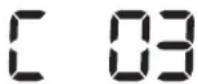
Do pravého hnacího kolečka se dostal cizí předmět.► Vypněte nouzový vypínač a odstraňte cizí předmět z hnacího kolečka. 
V automatické cloně uvízly cizí předměty.► Vypněte výrobek stisknutím nouzového vypínače a odstraňte cizí předměty z automatické clony. 
Je zapotřebí kontrola čidla proti nárazům.► Vypněte a opět zapněte nouzový vypínač.► V případě, že informační kód nezmizí, zkontrolujte, zda se mezi nárazníkem a tělem vysavače nenachází cizí předměty. Pokud ano, mírně nárazník odtáhněte a cizí předmět vyjměte. 
Do snímače překážek se dostal cizí předmět.► Vypněte nouzový vypínač a vyčistěte přední a zadní snímač pomo měkkého hadříku. 
Do snímače převisu se dostal cizí předmět.► Vypněte nouzový vypínač a vyčistěte snímač převisu pomocí měkkého hadříku.
Odstraňování závad
Příznak Kontrolní seznam Vysavač POWERbot vůbec nefunguje. ► Zkontrolujte, zda je nouzový vypínač zapnutý.► Zkontrolujte, zda se na panelu s displejem zobrazují všechny ikony.► Zkontrolujte, zda není baterie vysavače POWERbot vybitá.- Pokud se zobrazí hlášení „Lo“, přeneste vysavač POWERbot k dokovací stanici manuálně.- Bliká-li indikátor baterie, přeneste vysavač POWERbot k dokovací stanici manuálně. (Pouze řada SR1*M701****)► Pokud nefunguje dálkový ovladač, vyměňte baterie (typ AAA). Vysavač POWERbot se během uklízení zastavil. ► Pokud na panelu s displejem svítí hlášení „Lo“, přeneste vysavač POWERbot k dokovací stanici manuálně.► Bliká-li indikátor baterie, přeneste vysavač POWERbot k dokovací stanici manuálně. (Pouze řada SR1*M701****)► Pokud vysavač POWERbot uvízne kvůli překážkám, jako je kabel, prá atd., zvedněte jej a umístěte mimo překážku.- Pokud se do hnacího kolečka zachytí jakákoli látka či vlákno, vypněte nouzový vypínač a látku či vlákno odstraňte předtím, než vysavač znovu použijete. Sací výkon je příliš slabý. ► Pokud svítí indikátor kontroly filtru, vypněte nouzový vypínač a vyčistěte odpadní nádobu.► V případě nahromadění velkého množství prachu v odpadní nádobě může dojít ke snížení sacího výkonu. Vypněte nouzový vypínač a vyprázdněte odpadní nádobu.► Je-li vstupní otvor sání (na spodní části vysavače POWERbot) zablokován, vypněte nouzový vypínač a cizorodé látky odstraňte.► Pokud náhle vzroste při vysávání hluk, vypněte nouzový vypínač a vyprázdněte odpadní nádobu. Vysavač POWERbot nemůže najít dokovací stanici. ► Zkontrolujte, zda nedošlo k výpadku napájení nebo odpojení napájecí zástrčky.► Odstraňte z okolí dokovací stanice veškeré překážky, které by mohly zabránit vysavači POWERbot návratu do dokovací stanice.► Cizorodé látky na nabíjecích kolících mohou bránit řádnému nabíjení. Odstraňte cizorodou látku z nabíjecích kolíků. Vysavač POWERbot začne náhle vysávat po diagonále. ► Zkontrolujte, zda je dokovací stanice umístěna rovnoběžně s kresbou dřevěné podlahy či dlaždic.► Je možné, že se vysavač POWERbot pohybuje šikmo, protože chce nejkratší cestou přejít do další oblasti. Nebo se dostal do kontaktu s překážkou právě v tomto úhlu, nabíjel se pod úhlem v dokovací stanici nebo kresba dřevěné podlahy / dlaždic směřuje právě tímto směrem. Bodové zaměřování nefunguje. ► Pokud zaměříte červeným ukazatelem přímo na vysavač POWERbot, nemusí zaměřování fungovat.- Namiřte červeným ukazatelem na podlahu v okolí 0,5 m od vysavače POWERbot.* Úklid pomocí bodového zaměřování nepoužívejte na přímém slunečním světle, pod jasným světlem ani na tmavých podlahách.
Odstraňování závad
Příznak Kontrolní seznam Nainstaloval(a) jsem aplikaci Samsung Smart Home, ale vysavač POWERbot se nepodařilo připojit. ► Výrobek je možné používat po propojení bezdrátového směrovače a vysavače POWERbot prostřednictvím snadného nastavení podle postupu. Nepodařilo se mi přihlásit k účtu Samsung. ► Zkontrolujte své ID a heslo na obrazovce účtu Samsung. Zobrazuje se zpráva, že při snadném nastavení došlo k chybě. ► K dočasné chybě mohlo dojít kvůli vzdálenosti od bezdrátového směrovače nebo jiným překážkám. Po chvíli pokus opakujte. Výrobky nefungují ani tehdy, když je chytrý telefon normálně připojený k vysavači POWERbot. ► Vypněte a znovu zapněte aplikaci Samsung Smart Home, případně odpojte chytrý telefon od bezdrátového směrovače a znovu ho k němu připojte. Můžete také vypnout napájení vysavače POWERbot, znovu jej zapnout, počkat minutu či déle a potom opět spustit aplikaci Smart Home. Funkce aplikace Samsung Smart Home nefungují. ► Zkontrolujte, zda je nastavena blokovací funkce chytrého ovládání vysavače POWERbot. (Když je chytré ovládání zakázané, ukazatel Wi-Fi nesvítí.) Aplikaci Samsung Smart Robot Vacuum se nedaří spustit. ► Zkontrolujte, jestli je vysavač POWERbot připojen k bezdrátovému směrovači. Vysavač POWERbot není připojený k síti Wi-Fi. ► Zkontrolujte stav nastavení bezdrátového směrovače. Funkce chytrého úklidu funguje na normální podlaze. ► Zkontrolujte, zda není podlaha nerovná, pak vysavač POWERbot funguje s mírně zdvihnutým tělem.► Zkontrolujte, zda na snímači převisu na spodní straně vysavače POWERbot nejsou cizí předměty.► Zkontrolujte, zda není podlaha tmavá. Funkce chytrý úklid nefunguje. ► Když vysavač POWERbot uklízí koberec s krátkým vlasem a světlou barvou, nemusí rozpoznat, že jde o koberec, ale považuje ho za podlahu, a pak funkce chytrý úklid nefunguje. Funkce zlepšený úklid po krajích nefunguje. ► Když vysavač POWERbot nedokáže rozpoznat zed, nemusí funkce zlepšený úklid po krajích fungovat.- Když je před zdí překážka z odrazivého materiálu- Když je zed sama z odrazivého materiálu- Když má zed tmavou barvu Funkce zlepšený úklid po krajích se spouští i na jiných místech než u zdi nebo v rohu. ► Zkontrolujte, zda nejsou v úzkém pruhu nahromaděné drobné překážky► Když vysavač POWERbot považuje překážku před sebou za zed, může se spustit funkce zlepšený úklid po krajích. Funkce zlepšený úklid po krajích se spouští, přestože vysavač POWERbot nenajel ke zdi ani k rohu. ► Když má roh detekovaný vysavačem POWERbot velký úhel, může se funkce zlepšený úklid po krajích spustit, i když vysavač nenajel ke zdi ani k rohu.
* Tento vysavač splňuje následující předpisy:
- Směrnice R&TTE: 1999/5/EC
- Směrnice o elektromagnetické kompatibilitě (ECD): 2014/30/EU
- Směrnice o elektrických zařízeních nízkého napětí (LVD): 2014/35/EU
Oficiální prohlášení o shodě se nachází na adrese http://www.samsung.com, v části Podpora
Vyberte možnost Podpora produktu a zadejte název modelu.
Výstrahy týkající se baterie

Baterii dodávanou do tohoto výrobku nesmíte sami vyjímat (ani se o to pokoušet). Pokud chcete baterii vyměnit, musíte se obrátit na svého poskytovatele služeb nebo nezávislého kvalifikovaného odborníka. Tyto pokyny byly připraveny pro výhradní použití poskytovatelem služeb nebo nezávislým kvalifikovaným odborníkem.
S OHLEDEM NA SVOU VLASTNÍ BEZPEČNOST SE NEPOKOUŠEJTE VYJÍMAT BATERII SAMI ANI JI LIKVIDOVAT V OHNI. BATERII NEROZEBÍREJTE, NEDRŤTE ANI JI NEPROPICHUJTE.
Jak vyjmout baterii
Před rozebíráním vyjměte vysavač POWERbot z nabíječky / dokovací stanice. Před rozebíráním je nutné kvůli bezpečnosti vysavač POWERbot vypnout.

1 Položte vysavač POWERbot, otočte jej na druhou stranu a vyšroubujte 2 šrouby.

2 Sundejte kryt odpadní nádoby.

3 Vyjměte baterii z otvoru a odpojte konektor.

Správná likvidace baterií v tomto výrobku
(platí v zemích se samostatnými systémy vracení baterii)
Označení na baterii, příručce nebo obalu znamená, že baterie v tomto výrobku by se neměla likvidovat s jiným domovním odpadem. Pokud jsou uvedeny, pak chemické značky Hg, Cd nebo Pb označují, že baterie obsahuje rtuť, kadmium nebo olovo ve větších množstvích, než jsou referenční úrovně ve směrnici ES 2006/66.
Baterii dodávanou s tímto výrobkem nesmí vyměňovat uživatelé. Informace o výměně získáte u svého poskytovatele služeb. Baterii se nepokoušejte vyjímat ani ji likvidovat v ohni. Baterii nerozebírejte, nedrťte ani ji nepropichujte. Jestliže se chystáte výrobek vyhodit, podnikne sběrna odpadu přiměřená opatření týkající se recyklace a zacházení s produktem včetně baterie
Oznámení o licenci Open Source
Software, který je součástí tohoto výrobku, podléhá licenci open source. Máte možnost získat kompletní zdrojový kód v průběhu tří let po poslední dodávce tohoto výrobku zasláním e-mailové žádosti na adresu: oss.request@samsung.com.
Možné je rovněž zaslání kompletního zdrojového kódu na fyzickém médiu (např. CD-ROM) za nepatrný poplatek.
Na adrese http://opensource.samsung.com/opensource/VR7000_A20_TZ/seq/0 je k dispozici zdrojový kód a licenční informace vztahující se k tomuto výrobku ke stažení. Nabídka je platná pro všechny držitele tohoto návodu.

Specifikace
<Řada SR1*M70*****>
Klasifikace Položka Podrobné informace SR1*M701*** SR1*M702***SR1*M703*** Mechanické specifikace (vysavačePOWERbot) Rozměry (hloubka x výška x šířka) 340 mm x 97 mm x 348 mm Hmotnost 4 kg Snímač Rozpoznávání tvaru stropu (Visionary Mapping Plus TM) Typ tlačítek na vysavači POWERbot Dotyková Specifikace napájení Elektrické napětí 100-240 V~, 50 Hz/60 Hz Spotřeba energie 80 W Specifikace baterie 21,6 V / 38,8 Wh Úklid Typ nabíjení Automatické/manuální dobíjení Režim úklidu Automatický, Intenzivní, Denní plán úklidu Automatický, Intenzivní, Opakovaný, Manuální, Jednorázový, Denní plán úklidu Doba nabíjení Asi 240 minut Doba úklidu (na tvrdém povrchu) Režim Turbo Asi 30 minut Normální režim Asi 60 minut
<Řada SR2*M70*****>
Klasifikace Položka Podrobné informace Mechanické specifikace (vysavačePOWERbot) Rozměry (hloubka x výška x šířka) 340 mm x 97 mm x 348 mm Hmotnost 4,3 kg Snímač Rozpoznávání tvaru stropu (Visionary Mapping Plus TM) Typ tlačítek na vysavači POWERbot Dotyková Specifikace napájení Elektrické napětí 100-240 V~, 50 Hz/60 Hz Spotřeba energie 130 W Specifikace baterie 21,6 V / 77,8 Wh Úklid Typ nabíjení Automatické/manuální dobíjení Režim úklidu Automatický, Intenzivní, Opakovaný, Manuální, Jednorázový, Denní plán úklidu Doba nabíjení Asi 160 minut Doba úklidu (na tvrdém povrchu) Režim Turbo Asi 30 minut Normální režim Asi 60 minut Tichý režim Asi 90 minut
* Pro účely zlepšování produktu, designu a specifikací podléhají produkty změnám bez předchozího oznámení.
* Doba nabíjení a úklidu se liší podle provozních podmínek.
SAMSUNG
POWERbot
Používatel'ská príručka
Série SR1*M70****, SR2*M70****
- Skôr než začnete používať toto zariadenie, pozorne si prečitajte pokyny.
- Len na použitie v interiéri.

Obsah
03 Bezpečnostné informácie 08 InštaláciaPríslušenstvo/Poznámka k inštalácii 10 NabíjanieAutomatické nabíjanie/Nabíjanie/Nízka kapacita batérie (Lo) 12 Používanie zariadenia POWERbotZapnutie/vypnutie napájania/Výber režimov vysávania/Používanie špeciálnych funkcií vysávania 15 Inštalácia zariadenia Virtuálny strážcaNázvy dielov zariadenia Virtuálny strážca/Vkladanie batérií 17 Používanie dialkového ovládača 20 Názvy jednotlivých dielovVrchná čast/Spodná čast/Panel displeja 22 Nastavovanie času a plánuNastavovanie času/Nastavovanie plánu 25 Čistenie a údržbaČistenie nádoby na prach/Čistenie snímačov a kamery/Čistenie kefy a automatickej záklopy /Čistenie hnacieho kolesa 27 Aplikácia Samsung Smart HomePríprava siete/Používanie aplikácie Samsung Smart Home 31 Poznámky a upozorneniaNabíjanie/Používanie/Čistenie a údržba/Informácie o batérii/Informácie o snímači IrDA 33 Informačné kódy 35 Riešenie problémov 37 Výstrahy týkajúce sa batérie 38 Vyhlásenie o softvéri s otvoreným zdrojovým kódom 39 Technické údaje
Bezpečnostné informácie
BEZPEČNOSTNÉ INFORMÁCIE

\- Pred prevádzkou zariadenia si dôkladne prečítajte túto príručku a uchovajte si ju na budúce použitie.

\- Kedže nasledujúce prevádzkové pokyny platia pre viacero modelov, charakteristiky vysávača sa môžu mierne odlišovať od tých, ktoré sú popísané v tejto príručke.
POUŽITÉ SYMBOLY UPOZORNENIA/VÝSTRAHY

Indikuje nebezpečenstvo usmrtenia alebo vážneho zranenia. 
Indikuje riziko zranenia osób alebo vzniku materiálnych škôd.
INÉ POUŽITÉ SYMBOLY
POZNÁMKA Indikuje riziko zranenia osôb alebo vzniku materiálnych škôd. Tento vákuový robotický vysávač Smart Robot podporuje systém Samsung Smart Home.Podrobnejšie informácie nájdete na stránke Samsung.com/Smarthome.
\- Viac informácií o ochrane životného prostredia a regulačných povinnostiach týkajúcich sa konkrétnych výrobkov spoločnosti Samsung, napríklad REACH, nájdete na webovej stránke: samsung.com/uk/aboutsamsung/samsungelectronics/corporatecitizenship/data_corner.htm
Bezpečnostné informácie
DÔLEŽITÉ BEZPEČNOSTNÉ POKYNY
Pri používaní elektrických zariadení musíte dodržiavať základné bezpečnostné opatrenia vrátane nasledujúcich:
PRED POUŽÍVANÍM ZARIADENIA POWERbot SI PREČÍTAJTE VŠETKY POKYNY.
Zariadenie odpojte zo zásuvky, keď ho nepoužívate a pred vykonaním údržby.
VÝSTRAHA: na zníženie rizika požiaru, zásahu elektrickým prúdom alebo zranenia osób:
VŠEOBECNÉ INFORMÁCIE
- Zariadenie používajte len v súlade s touto príručkou.
- Zariadenie POWERbot ani nabíjačku batérie/dokovaciu stanicu nepoužívajte, ak sú akokol'vek poškodené.
- Ak vysávač nefunguje tak, ako by mal, ak spadol, poškodil sa, bol ponechaný v exteriéri alebo spadol do vody, vrátte ho do strediska starostlivosti o zákazníkov.
- Nedotýkajte sa nabíjačky batérie/dokovacej stanice ani zariadenia POWERbot mokrými rukami.
- Používajte len na suchých povrchoch v interiéri.
\- Toto zariadenie môžu používať deti od 8 rokov a osoby so zníženými fyzickými, zmyslovými alebo mentálnymi schopnostami, prípadne s nedostatkom skúseností a vedomostí, ak na ne niekto dozerá alebo dostali pokyny na bezpečné používanie zariadenia a chápu súvisiace riziká. Deti sa so zariadením nesmú hrat. Čistenie a údržbu nesmú vykonávať deti bez dozoru.
Nabíjačka batérie/dokovacia stanica
- Polarizovanú zástrčku neupravujte tak, aby sa zmestila do nepolarizovanej zásuvky alebo predlžovacieho kábla.
- Zariadenie nepoužívajte v exteriéri ani na mokrých povrchoch.
- Ked' sa nabíjačka batérie/dokovacia stanica nepoužíva alebo ked' sa vykonáva jej údržba, musí byt odpojená zo zásuvky.
- Na nabíjanie používajte len nabíjačku batérie/dokovaciu stanicu dodanú výrobcom.
- Nepoužívajte zariadenie s poškodeným sieťovým káblom alebo zástrčkou ani s uvolnenou sieťovou zásuvkou.
- Zariadenie netahajte ani nedvíhajte za kábel, kábel nepoužívajte ako držadlo, cez kábel nezatvárajte dvere ani kábel netahajte cez ostré okraje alebo rohy. Zabráňte kontaktu kábla s horúcimi povrchmi.
- Nepoužívajte predlžovacie káble ani zásuvky s nedostatočnou prúdovou zaťažitelnostou.
- Zástrčku neodpájajte tahaním za kábel. Odpojenie vykonajte uchopením za zástrčku, nie za kábel.
- Batérie neznehodnocujte ani nespalujte, pretože pri vysokých teplotách vybuchnú.
- Nabíjačku batérie/dokovaciu stanicu sa nepokúšajte otvárať. Opravy môže vykonávať len kvalifikované stredisko starostlivosti o zákazníkov.
- Nabíjačku batérie/dokovaciu stanicu nevystavujte vysokým teplotám a nedovolte, aby sa dostala do kontaktu s vlhkostou alebo do vlhkého prostredia.
POWERbot
- Nevysávajte tvrdé ani ostré predmety, napríklad sklo, klince, skrutky, mince a pod.
- Nepoužívajte bez založeného filtra. Pri vykonávaní servisu zariadenia nikdy nedávajte do komory ventilátora prsty ani iné predmety, pre prípad, že sa zariadenie náhodne zapne.
- Do otvorov nevkladajte žiadne predmety. Zariadenie nepoužívajte, ak je ktorýkolvek otvor zablokovaný; otvory chráňte pred prachom, žmolkami z oblečenia, vlasmi a čímkolvek, čo môže znížit prúdenie vzduchu.
- Nevysávajte toxické materiály (chlórové bielidlo, amoniak, čistidlo odpadov a pod.).
- Zariadením nevysávajte predmety, ktoré horia alebo vytvárajú dym, ako napríklad cigarette, zápalky alebo horúci popol.
- Zariadenie nepoužívajte na vysávanie horľavých ani zápalných kvapalín, napríklad benzínu, a nepoužívajte na miestach, kde sa môžu takéto kvapaliny nachádzať.
- Zariadenie nepoužívajte na miestach so sviečkami alebo stolovými lampami na podlahe.
- Zariadenie nepoužívajte na miestach s nestráženým ohňom (oheň alebo pahreba).
- Zariadenie nepoužívajte na miestach s destilovaným alkoholom, riedidlom, popolníkmi s horiacimi cigaretami a pod.
- Zariadenie POWERbot nepoužívajte v uzavretých priestoroch naplnených výparmi vytvorenými olejovými nátermi, riedidlom, látkami proti moliam, horľavým prachom alebo inými výbušnými alebo toxickými výparmi.
- Pri nadmernom používaní alebo extrémnych teplotách môže dôjst k únikom z článkov batérie. Ak sa kvapalina dostane na pokožku, okamžite ju umyte vodou. Ak sa kvapalina dostane do očí, minimálne desať minút ich vyplachujte čistou vodou. Vyhľadajte lekársku pomoc.
Bezpečnostné informácie

VÝSTRAHA
Súvisiace s elektrickou energiou
▶ Predchádzajte riziku úrazu elektrickým prúdom a požiaru.
- Nepoškodte napájací kábel.
- Napájací kábel netahajte príliš silno a nedotýkajte sa napájacej zástrčky mokrými rukami.
- Nepoužívajte iný zdroj napájania ako 100
- 240 V ani viacvýstupové bloky zásuviek na napájanie viacerých zariadení súčasne. (Nenechávajte kábel volne pohodený na zemi.)
- Nepoužívajte poškodenú napájaciu zástrčku, napájací kábel ani uvolnenú sieťovú zásuvku.
▶ Odstráňte prach a cudzie telesá z kolíka a kontaktnej časti napájacej zástrčky.
\- Hrozí riziko úrazu elektrickým prúdom alebo poruchy napájania.

VÝSTRAHA
Pred používaním
Zariadenie POWERbot nepoužívajte v blízkosti horľavých materiálov.
- V blízkosti sviečok, stolových lámp, krbov ani horl'avých materiálov, ako sú benzín, alkohol, riedidlo atd.
Zariadenie POWERbot je určené na používanie v domácnosti, preto ho nepoužívajte v podkroví, pivnici, sklade, priemyselných budovách, mimo interiérov, na miestach so zvýšenou vlhkostou (napr. kúpelňa, práčovňa) ani na stoloch a poličkách.
- Mohlo by dôjst k poškodeniu alebo k poruche zariadenia POWERbot.
- Dbajte na to, aby zariadenie POWERbot neprechádzalo cez žiadne kvapaliny, ani sa s nimi nedostalo do kontaktu.
- Zariadenie POWERbot by sa tým mohlo vážne poškodit a pri kontakte koliesok s kvapalinou by ju mohol rozniest na dalšie miesta.
▶ Na dokovaciu stanicu nevylievajte žiadne kvapaliny.
- Hrozí riziko požiaru alebo úrazu elektrickým prúdom.
▶ Dokovaciu stanicu používajte výhradne na stanovené účely.
- V opačnom prípade hrozí riziko požiaru alebo vážneho poškodenia dokovacej stanice.
▶ V záujme bezpečnosti vždy udržiavajte snímač okrajov povrchu čistý.

VÝSTRAHA
Počas používania
▶ V prípade nezvyčajných zvukov, zápachu alebo dymu vychádzajúcich zo zariadenia POWERbot zariadenie ihned' vypnite pomocou núdzového spínača na spodnej časti zariadenia POWERbot a obrátte sa na servisné stredisko.

VÝSTRAHA
Čistenie a údržba
▶ V prípade poškodenia napájacieho kábla sa obrátte na servisné stredisko a nechajte kábel vymenit kvalifikovaným opravárom.
- Hrozí riziko požiaru alebo úrazu elektrickým prúdom.
▶ V prípade výmeny batérií overte ich vhodnosť v servisnom stredisku spoločnosti Samsung Electronics.
- Použitie batérií z iných výrobkov môže viest k nesprávnemu fungovaniu zariadenia.

UPOZORNENIE Pred používaním
▶ Pred používaním zariadenia POWERbot doň vložte nádobu na prach.
▶ Dodržiavajte nasledujúce pokyny na správne automatické nabíjanie.
- Dokovaciu stanicu vždy zapnite.
- Dokovaciu stanicu nainštalujte na miesto, kde ju môže zariadenie POWERbot jednoducho nájst.
- Pred dokovacou stanicou nenechávajte žiadne predmety.
▶ Pri inštalácii dokovacej stanice nenechávajte kábel volne pohodený na zemi, pretože sa doň zariadenie POWERbot môže zamotať.
Zariadenie POWERbot nepoužívajte na vysávanie čiernych podláh.
\- Zariadenie POWERbot by nemuselo fungovat normálne.
▶ Odstráňte všetky predmety vo vzdialenosti 0,5 m po bokoch dokovacej stanice a 1 m predňou.
▶ Skontrolujte, či nabíjací kontakt dokovacej stanice nie je poškodený a či sa na nom nenachádzajú žiadne cudzie telesá.
▶ Dokovaciu stanicu neinštalujte na miesta s tmavou podlahou.
\- Ak je podlaha v okolí dokovacej stanice tmavá, zabráni sa tým nabíjaniu.
▶ Skôr než začnete s vysávaním, odstráňte všetky prekážky, ktoré môžu prekážat zariadeniu POWERbot v pohybe (napr. detské izbové hojdačky alebo šmýkačky).
Zariadenie POWERbot nepoužívajte na miestach užších, než je polomer jeho otáčania (0,5 m alebo menej).

UPOZORNENIE Počas používania
▶ Pri používaní zariadenia POWERbot na hrubom koberci sa môže poškodit zariadenie POWERbot aj koberec.
\- Zariadenie POWERbot nesmie prechádzať po koberci hrubšom ako 1 cm.
Zariadenie POWERbot nepoužívajte na stoloch ani iných vyvýšených plochách.
- V prípade pádu sa môže zariadenie poškodit.
Zariadenie POWERbot môže narážat do nôh stoličiek a stolov. Ak ich odložíte, vysávanie bude rýchlejšie a efektívnejšie.
▶ Počas vysávania zariadenie POWERbot nezdvíhajte a neprenášajte na iné miesto.
▶ Pri prenášaní na iné miesto zariadenie POWERbot nedržte za hnacie kolesá.
▶ Na zariadenie POWERbot a na kameru nekladte žiadne predmety - môže to spôsobit poruchu.
▶ Počas používania zariadenia POWERbot ihneď odstráňte všetky veľké papierové alebo plastové vrecká, pretože môžu zablokovat nasávací otvor.
▶ Červeným ukazovadlom nemierte priamo na ludí ani zvieratá.
▶ Nelíhajte si do blízkosti spusteného zariadenia POWERBOT.
- Vlasy by sa vám mohli zachytit do kefy, čo by mohlo viest k zraneniu.

UPOZORNENIE Čistenie a údržba
Zabráňte poškodeniu zariadenia POWERbot dodržiavaním tejto zásady:
\- Zariadenie POWERbot nečistite tak, že naň priamo nastriekate vodu. Na čistenie nepoužívajte ani benzén, riedidlo, acetón či alkohol.
Zariadenie POWERbot nerozoberajte ani neopravujte. Tieto úkony by mal vykonávať kvalifikovaný opravár.
\- Dbajte na to, aby boli snímač prekážok, snímač okrajov a kamera vždy čisté.
\- Ak sa na snímačoch nahromadia cudzie telesá, môže dôjst k ich poruche.
Inštalácia
Dokovacia stanica musí byť vždy zapojená a zapnutá.

Príslušenstvo

 aleboDialkový ovládač(pri sérii SR1*M701**sa nedodáva)
 Batérie (typ AAA) Použivatelská príručka Náhradný filter
 (volitelné vybavenie)
 Dokovacia stanica Napájací kábel Nabíjačka batérie Zariadenie Virtuálny
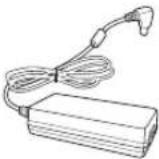
 strážca(volitelné vybavenie)
Poznámka k inštalácii

Poznámka
▶ Dokovaciu stanicu nainštalujte na miesto s rovnými podlahami aj stenami.
▶ Dokovaciu stanicu je najlepšie nainštalovať zarovno so štruktúrou drevenej podlahy.
- Ak je núdzový spínač vypnutý, zariadenie POWERbot sa nebude nabíjať ani v prípade, ak je umiestnené v dokovacej stanici.
▶ Dokovaciu stanicu vždy zapnite.
- Ak nie je dokovacia stanica napájaná, zariadenie POWERbot ju nedokáže nájsť, a tým pádom sa automaticky nenabije.
- Ak je zariadenie POWERbot odpojené od dokovacej stanice, batéria sa vybije.
Ak je zariadenie POWERbot v režime spánku, nezapne sa ani vtedy, ak vypnete a opat zapnete núdzový spínač. Ak chcete režim spánku vypnút, podržte tlačidlo [Spustit/zastavit] na zariadení POWERbot.
Nabíjanie
Po prvom úplnom nabití (po zakúpení) možno zariadenie POWERbot používať 60 minút v normálnom režime (Čas nabíjania si pozrite na strane 39.)
Inteligentné nabíjanie
Ked' sa zariadenie POWERbot v automatickom režime vybije, automaticky sa vráti do dokovacej stanice dobit' sa a ked' je batéria do dvoch tretín nabitá, znova začne vysávať, aby dovysávalo zostávajúcu plochu. (Maximálne dvakrát.)


1 Zapnite núdzový spínač v spodnej časti
Zariadenie POWERbot zapnete zapnutím núdzového spínača.
Stlačte a uvolnite tlačidlo 📋.
2 Nabite zariadenie POWERbot manuálne jeho vložením do dokovacej stanice
Dbajte na to, aby boli nabíjacie kolíky na zariadení POWERbot a dokovacej stanici zarovnané.
SLOVENČINA-10
3 Skontrolujte stav nabíjania
Séria SR1*M701****:
Indikátor batérie počas nabíjania bliká v sekundových intervaloch a keď je zariadenie úplne nabité, zostane rozsvietený.
Série SR1*M702****/SR1*M703****/SR2*M70****:
Podla priebehu nabijania budú rozsvietené znaky „a po upnom nabití sa rozsvieti napis "FULL".
Automatické nabíjanie

1. Séria SR1*M701***
Ak indikátor batérie bliká v 0,4-sekundových intervaloch, zariadenie POWERbot sa automaticky vráti do dokovacej stanice, aby sa nabilo.
2. Série SR1*M70****/SR2*M70****
Ak počas vysávania bliká indikátor batérie, zariadenie POWERbot sa vráti spät do dokovacej stanice, aby sa automaticky nabilo.
Nabíjanie

Zariadenie POWERbot môžete nastaviť tak, aby sa v dokovacej stanici nabilo počas vysávania.
Nízka kapacita batérie (Lo)

Zariadenie POWERbot nabite manuálne vložením do dokovacej stanice.
Kroky, ktoré je potrebné vykonať, ak sa zariadenie nenabíja:
Skontrolujte stav inštalácie dokovacej stanice v nasledujúcich prípadoch:
▶ dokovacia stanica sa nachádza na mieste, ko zariadenie POWERbot nemá jednoduchý prístup;
▶ vzdialenost medzi dokovacou stanicou a zariadením POWERbot je väčšia ako 5 m.
- Môže trvať dlho, kým sa zariadenie POWERbot vráti do dokovacej stanice, aby sa nabilo.
Zariadenie POWERbot nabite manuálne v nasledujúcich prípadoch:
dokovacia stanica sa nachádza v rohu,
▶ batéria je úplne vybitá,
▶ zariadeniu POWERbot bráni v pohybe prekázka (nábytok a pod.),
- zariadenie POWERbot nedokáže prejst cez prah v blízkosti dokovacej stanice (maximálna výška prahu, akú dokáže zariadenie POWERbot prekonať, je približne 1,5 cm),
▶ bliká indikátor batérie a zobrazí sa nápis "Lo",
▶ bliká indikátor batérie (v prípade série SR1*M701****),
▶ zariadenie POWERbot je nastavené na režim bodového alebo manuálneho vysávania.
Používanie zariadenia POWERbot

Pred používaním zariadenia POWERbot musíte zapnút núdzový spínač v spodnej časti jednotky.
Zapnutie/vypnutie napájania
Stlačte tlačidlo na viac než 3 sekundy.

\- Ked' sa zariadenie POWERbot po dobu 30 minút nepouživa:
série SR1*M70**U*/SR2*M70**U*: prepne sa do režimu úspory energie.
série SR1*M70**W*/SR2*M70**W*: automaticky sa vráti do dokovacej stanice nabit sa.
Spustenie režimu Automatické vysávanie
Stlačte a uvolnite toto tlačidlo. Zariadenie POWERbot sa pohne a automaticky povysáva nastavené plochy iba jedenkrát.

* Zastavenie vysávania: Stlačte a uvolnite tlačidlo
Používanie režimu bodového vysávania
Zariadenie POWERbot dôkladne povysáva určený priestor.

Nabíjanie
Stlačením tohto tlačidla zariadenie POWERbot môžete nastaviť tak, aby sa automaticky nabíjalo v dokovacej stanici počas vysávania.

Výber režimov vysávania
Režim vysávania Spôsob výberu Zobrazená ikona SR1*M702***SR1*M703***SR2*M70**** SR1*M701*** Automatické vysávanie 


Bodové vysávanie 

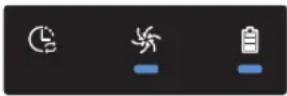
Opakované vysávanie * Najskôr stlačte tlačidlo [typ A, B], [typ C, D (Repeat)] na dialkovom ovládači a potom tlačidlo [Spustit/zastavit ▶II]. 
- Manuálne vysávanie * Režim manuálneho vysávania môžete zvolit pomocou tlačidiel ovládania smeru na dialkovom ovládači. 
-
* Ak sa zariadenie POWERbot nevráti do dokovacej stanice, prepne sa do úsporného režimu a panel displeja sa vypne.
* Úsporný režim ukončíte tlačidlom [Spustit/zastavit II], prípadne tlačidlom [Napájanie Čna tele vysávača alebo na dialkovom ovládači.
* Ak sa režim automatického vysávania ukončí v priebehu 15 minút, zariadenie POWERbot povysáva plochu ešte raz.

Používanie zariadenia POWERbot
Spôsob vysávania v jednotlivých režimoch

Automatické vysávanie
Zariadenie automaticky povysáva nastavené plochy len jedenkrát.

Bodové vysávanie
Dôkladne povysáva určitú lokalizovanú oblast. Môžete ho použiť na povysávanie omrviniek z chleba alebo sušienok.

Manuálne vysávanie
Zariadenie POWERbot môžete pomocou dialkového ovládača presunúť na miesto, ktoré chcete vysávať.
* Pri sérii SR1*M701****
táto funkcia nie je
k dispozícii.

Opakované vysávanie
Vysávanie sa vykonáva opakovanie až do vybitia batérie.
* Pri sérii SR1*M701*** táto funkcia nie je k dispozícii.

Poznámka
▶ Po spustení automatického alebo opakovaného vysávania zariadenie POWERbot najskôr povysáva oblast v blízkosti dokovacej stanice.
Používanie špeciálnych funkcií vysávania
Funkcia vysávania Činnosť Zobrazená ikona SR1*M702***SR1*M703***SR2*M70**** SR1*M701*** Inteligentné vysávanie * Ked zariadenie POWERbot v normálnom režime zistí prítomnosť koberca, automaticky začne vysávať s vyšším sacím výkonom. 

Pokročilé vysávanie rohov * Ked zariadenie POWERbot v režime automatického alebo bodového vysávania rozpozná okraj alebo roh, aktivuje sa automatická záklopka a vysávač sa dostane bližšie k okraju alebo rohu a povysáva ich.► Rovný okraj (povysáva jedenkrát)► Roh (povysáva dvakrát) 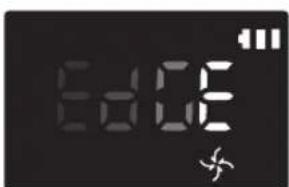

Inštalácia zariadenia Virtuálny strážca
Infračervený lúč zo zariadenia Virtuálny strážca znemožňuje zariadeniu POWERbot prístup do určitého priestoru.
* (Dodáva sa len pri sérii SR2*M707***. Pri sériách SR2*M704****/SR2*M705****/SR2*M706**** je potrebné ho dokúpit samostatne.)

1 Stlačením tlačidla napájania zapnite zariadenie.
Začne blikat svetelný indikátor napájania (červený).

2 Virtuálneho strážcu nainštalujte na miesto, kam zariadenie POWERbot nemá vstupovať.
Uistite sa, že snímač vzdialenosti je otočený do požadovaného smeru, v ktorom chcete vytvorit neviditelnú bariéru (ktorá zariadeniu POWERbot zamedzí v prístupe).
Inštalácia zariadenia Virtuálny strážca
Názvy dielov zariadenia Virtuálny strážca
Tlačidlo Napájanie
Svetelný indikátor napájania
Napájanie zapnuté: červený svetelný indikátor bliká
Napájanie vypnuté: svetelný indikátor nesvieti

Snímač detekcie zariadenia POWERbot
Snímač detekcie vzdialenosti (snímač s infračerveným lúčom)
Kryt priestoru na batérie
Vkladanie batérií
Batérie pre zariadenie Virtuálny strážca je potrebné zakúpiť osobitne.

1 Stlačením poistnej západky otvorte kryt priestoru na batérie na zariadení Virtuálny strážca a zdvihnite ho.

2 Vložte alkalické batérie (typ D) podľa obrázka (skontrolujte polaritu +, -).

3 Špičku krytu zastrčte do otvoru a zatlačením druhého konca zatvorte kryt priestoru na batérie.
Používanie dialkového ovládača
[Typ A] [Typ B]


[Typ C] [Typ D]


Používanie dialkového ovládača
□ [Typ A]/□ [Typ B]/ [Typ C]/ [Typ D]
1 Napájanie/Nabíjanie/Spustit'zastavit'
Napájanie 


Zapnutie/vypnutie napájania zariadenia POWERbot Nabíjanie 


Výber automatického nabíjania zariadenia POWERbot v dokovacej stanici Spustit'zastavit' Slúži na spustenie alebo zastavenie vysávania
2 Režimy vysávania
Automatické vysávanie 


Po výbere tejto možnosti zariadenie povysáva všetky nastavené plochy len jedenkrát a následne sa automaticky vráti do dokovacej stanice. Bodové vysávanie 


Po výbere tejto možnosti zariadenie dôkladne povysáva určenú oblast. Opakované vysávanie 


Po výbere tejto možnosti bude zariadenie vysávať opakovane, kým sa batéria takmer úplne nevybije (indikátor bude blikat).
3 Sací výkon
Režim Turbo 


Vysávanie s maximálnym sacím výkonom Normálny režim 


Vysávanie so stredným sacím výkonom Tichý režim 


Po výbere tejto možnosti sa zníži prevádzkový hluk vysávania
4 Prídavné funkcie
Zvuk 


Pri stláčaní tohto tlačidla sa vždy vyberú možnosti Zvukové efekty → Stlmit v tomto poradí. Dialkový ovládač 
[AHS2] 

Výberom tejto možnosti zapnete alebo vypnete funkciu Wi-Fi.
* Predchádzajúce zvolené nastavenie sa nezmení ani v prípade, že vypnete a opätovne zapnete núdzový spínač.
5 Režim manuálneho vysávania a ovládanie smeru
Pohyb vpred Vol'ba pre pohyb vpred Zatočenie vl'avo 
[X052] 
[22DO] Vol'ba pre zatočenie vl'avo Zatočenie vpravo [BWK2] 

[CYBH] Vol'ba pre zatočenie vpravo
* Pohyb dozadu nie je k dispozícii.
6 Bodové vysávanie
K dispozícii len na dialkových ovládačoch typu C a D.
Ked' zariadenie POWERbot vysáva, pomocou dialkového ovládača ho môžete nasmerovať na požadované miesto, ktoré chcete vysávať.
Červené svetlo nasmerujte na podlahu v okruhu najviac 0,5 m od zariadenia POWERbot.
Stlačte a držte tlačidlo bodového vysávania a červené svetlo nasmerujte na požadovaný bod. Zariadenie POWERbot bude nasledovať smer svetla a zároveň vysávať.

Prevádzková vzdialenost dialkového ovládača

Výška dialkového ovládača 0,5 m 1 m 1,5 m Prevádzková vzdialenost Približne 1,5 m Približne 2 m Približne 3 m
Vkladanie batérií
Stlačte poistnú západku krytu priestoru na batérie, kryt zdvihnite a batérie vložte podľa obrázka. Potom kryt znova zatvorte tak, aby sa s cvaknutím zaistil na mieste.

Názvy jednotlivých dielov


Vrchná časť
1. Panel displeja
2. Prijímač signálu dialkového ovládača
3. Snímač prekážok
4. Nádoba na prach
5. Kamera
6. Tlačidlo prachového koša
7. Snímač nárazníka
8. Automatická záklopka
Spodná časť
1. Nabíjacie kolíky
2. Kefa
3. Kryt kefy
4. Snímač okrajov povrchu
5. Valček
6. Kryt priestoru na batérie
7. Tlačidlo krytu kefy
8. Hnacie koleso
9. Núdzový spínač
10. Automatická záklopka
Panel displeja
1. Denný plán
2. Normálny režim/režim Turbo
3. Indikátor batérie
4. Tlačidlo bodového vysávania, denný plán (3 s)
5. Tlačidlo Spustit/zastavit, režim Turbo (3 s)
6. Tlačidlo nabíjania


SR1*M703****>
1. Stlmit zvuku
2. Informačný indikátor
3. * Indikátor vypnutia/zapnutia inteligentného ovládania
4. * Wi-Fi
5. Indikátor batérie
6. Jednorazové vysávanie/Denný plán
7. Číselný displej
8. Režim bodového vysávania
9. Režim manuálneho vysávania
10. Režim opakovaného vysávania
11. Normálny režim
12. Režim Turbo
13. Tlačidlo bodového vysávania
14. Tlačidlo Spustit/zastavit
15. Tlačidlo nabíjania
1. Stlmit zvuku
2. Informačný indikátor
3. * Indikátor vypnutia/zapnutia inteligentného ovládania
4. * Wi-Fi
5. Indikátor batérie
6. Jednorazové vysávanie/Denný plán
7. Číselný displej
8. Režim bodového vysávania
9. Režim manuálneho vysávania
10. Režim opakovaného vysávania
11. Tichý režim
12. Normálny režim
13. Režim Turbo
14. Tlačidlo bodového vysávania
15. Tlačidlo Spustit/zastavit
16. Tlačidlo nabíjania
* SR1*M70**W*/SR2*M70**W*: model s podporou funkcie Wi-Fi
Nastavovanie času a plánu
[Typ A, typ B] Naplánovať možno len vysávanie v automatickom režime.
Nastavenie času
Skôr než začnete používať jednorazový/denný plán, je potrebné nastaviť presný čas.

Nastavenie plánu
Nastavenie/zrušenie plánu je možné len vtedy, ked sa zariadenie POWERbot nachádza v dokovacej stanici.

Zrušenie počas nastavovania

▶ Nastavenie sa zruší automaticky, ak po dobu 7 sekúnd nedôjde k zadaniu žiadneho vstupu.
Zrušenie jednorazového/denného plánu
Ked'je nastavenýjednorazový aj dennýplán  ScheduleCancel (3sec) [TZDH]
  alebo
alebo  ScheduleCancel (3sec) →
  alebo
alebo  ScheduleCancel (3sec)Stlačte na 3 s Výber plánu Nastavenie bolo zrušené
Nie je nastavený anijednorazový ani dennýplán ScheduleCancel (3sec)Stlačte na 3 s
[Typ C, typ D] Naplánovať možno len vysávanie v automatickom režime.
Nastavenie času
Skôr než začnete používať jednorazový/denný plán, je potrebné nastaviť presný čas.

Nastavenie plánu
Nastavenie/zrušenie plánu je možné len vtedy, ked sa zariadenie POWERbot nachádza v dokovacej stanici.

Zrušenie počas nastavovania

▶ Nastavenie sa zruší automaticky, ak po dobu 7 sekúnd nedôjde k zadaniu žiadneho vstupu.
Zrušenie jednorazového/denného plánu
Ked'je nastavenýjednorazový aj dennýplán 
 alebo
alebo  →
→ 
 Stlačte na 3 s Výber plánu Nastavenie bolo zrušené
Nie je nastavený anijednorazový ani dennýplán ScheduleCancel (3sec)Stlačte na 3 s
Nastavovanie času a plánu
[Séria SR1*M701****] Pri modeloch bez dialkového ovládania možno plán nastavit, ako je uvedené nižšie.
Nastavenie plánu

Stlačte na 3 s


Ked sa rozsvieti kontrolka LED funkcie plánovania, denný plán je nastavený.
* Vysávanie sa naplánuje na čas, ktorý nastavíte stlačením tlačidla. Zariadenie bude vysávať automaticky každý deň v čase podľa plánu.
Zrušenie denného plánu
Ked'je nastavený denný plán Stlačte na 3 s
Čistenie a údržba
Pred čistením zariadenia POWERbot je potrebné vypnút núdzový spínač.

Čistenie nádoby na prach

1 Stlačte tlačidlo a vyberte nádobu na prach

2 Odstráňte kryt nádoby na prach

3 Odstráňte prach z nádoby na prach a cyklónovej jednotky

4 Odpojte cyklónovú jednotku od krytu prachového koša a umyte prachový kôš a filter

5 Zmontujte nádobu na prach

6 Vložte nádobu na prach do tela zariadenia tak, aby zacvakla
Čistenie snímačov a kamery
Zlahka ich pretrite jemnou handričkou. Nepoužívajte vodu ani čistiace roztoky.

Čistenie a údržba
Čistenie kefy a automatickej záklopy
Dizajn kefy sa môže pri jednotlivých modeloch líšit.

1 Vyberte kryt kefy

2 Vyberte kefu

3 Očistite kefu

4 Očistite automatickú záklopku

5 Vložte kefu spät

6 Znova nasadte kryt kefy
Čistenie hnacieho kolesa

1 Položte na podlahu jemnú tkaninu a umiestnite na Úu zariadenie POWERbot lícom nadol.


2 Pomocou tupej tyčky alebo pinzety odstráňte cudzie telesá.
Aplikácia Samsung Smart Home
Aplikácia Samsung Smart Home je relevantná len pre modely s podporou funkcie Wi-Fi.
Príprava siete
Nastavenie bezdrôtového smerovača
▶ Tento produkt podporuje len protokol DHCP (Dynamic Host Configuration Protocol). Skontrolujte, či je aktívna možnosť servera DHCP v bezdrôtovom smerovači.
Podporované typy overovania totožnosti/šifrovania bezdrôtového smerovača sú WEP-OPEN, WPA-PSK/TKIP a WPA2-PSK/AES 801.11n.
\- Odporúča sa používať možnosť WPA2-PSK/AES.
Kvalitu pripojenia k bezdrôtovej sieti môže ovplyvňovať okolité bezdrôtové prostredie.
\- Ak poskytovatel' internetových služieb permanentne zaregistroval adresu MAC (jedinečné identifikačné číslo) vášho počítača alebo modemu, zariadenie POWERbot sa pravdepodobne nebude dať pripojit na internet. U poskytovatela internetových služieb sa informujte o postupe pripojenia dalšieho zariadenia okrem počítača na internet.
\- Ak poskytovatel' internetových služieb požaduje na prístup na internet ID kód alebo heslo, zariadenie POWERbot nemusí byť schopné pripojit sa na internet. V takom prípade je potrebné pri pripájaní sa na internet zadať ID kód alebo heslo.
Pripojenie na internet môže znemožňovať aj nastavenie brány firewall. So žiadostou o odstránenie problému sa obrátte na poskytovateľa internetových služieb.
▶ Niektoré bezdrôtové smerovače môžu využívať neštandardnú adresu DNS (Domain Name Server) aj v prípade, že nie sú pripojené na internet. V takom prípade sa obrátte na dodávatela daného bezdrôtového smerovača a na poskytovateľa internetových služieb.
\- Ak sa aj napriek vykonaniu postupu podľa pokynov poskytovateľa internetových služieb nedokážete pripojiť na internet, požiadajte o pomoc agentúru alebo servisné stredisko spoločnosti Samsung Electronics.

Poznámka
\- Ak máte problémy s prístupom, postupujte podľa informácií v používatelskej príručke daného bezdrôtového smerovača.
Zariadenie POWERbot od spoločnosti Samsung podporuje len siet Wi-Fi s frekvenciou 2,4 Ghz.
Zariadenie POWERbot od spoločnosti Samsung podporuje komunikačné protokoly typu IEEE 802.11b/g/n a Wi-Fi Direct. (Spoločnost Samsung Electronics odporúča používanie protokolu IEEE 802.11n.)
\- Bezdrôtový smerovač bez overenia pripojenia Wi-Fi nemusí byť schopný pripojit sa k zariadeniu POWERbot.
Ked je zapnuté napájanie a zariadenie POWERbot je vložené v dokovacej stanici, zariadenie POWERbot sa pripojí k serveru a skontrolujte, či sú k dispozícii nejaké softvérové aktualizácie. V prípade dostupných aktualizácií sa aktualizácie automaticky prevezmú a nainštalujú.
\- Ak sa na displeji zobrazuje hlásenie „UP“, keď sa zariadenie POWERbot nabíja, prebieha aktualizácia. Počkajte na dokončenie a reštartovanie.
Aplikácia Samsung Smart Home
▶ V prípade nevykonania registrácie produktu postupujte nasledujúcim spôsobom:
- Prečítajte si kontextové hlásenie a vyskúšajte znova vykonať postup registrácie.
- Skontrolujte, či je v bezdrôtovom smerovači k dispozícii funkcia UPnP a skúste znova vykonať postup registrácie.
- Skontrolujte, či je v bezdrôtovom smerovači nastavený prevádzkový režim na režim smerovača a vyskúšajte znova vykonať postup registrácie.
- Ak máte viac než dve zariadenia POWERbot, vypnite ostatné a vykonajte registráciu daného zariadenia. Pripojené musí byť jedno zariadenie a jeden smerovač.
- Ak sa v blízkosti nachádza bezdrôtový smerovač s rovnakým identifikátorom SSID, aké má váš smerovač, nemožno zaručit normálny priebeh registrácie.
- Nastavte jedinečný identifikátor SSID a heslo bezdrôtového smerovača a potom produkt zaregistrujte.
- Služba Samsung Smart Home Service nezaručuje riadnu prevádzku v prostredí chránenom bránou firewall.
- Ak zariadenie POWERbot a smartfóny nie sú pripojené k rovnakému bezdrôtovému smerovaču, v závislosti od sieťového prostredia môže dôjst k oneskoreniu odozvy.
▶ Inteligentné ovládanie a indikátor Wi-Fi
\- pnuté: Inteligentné ovládanie je zablokované. (K dispozícii je iba dialkový ovládač.)
- Vypnuté: Inteligentné ovládanie je povolené.
- Vypnuté: Zariadenie POWERbot sa pripája k bezdrôtovému smerovaču.
- Zapnuté: Zariadenie POWERbot je pripojené k bezdrôtovému smerovaču.

\- Ak je inteligentné ovládanie zablokované, nemôžete používať aplikáciu Samsung Smart Home.
Používanie aplikácie Samsung Smart Home
Vytvorenie konta Samsung

Ak chcete používať aplikáciu Samsung Smart Home, zaregistrujte si konto Samsung v aplikácii konta Samsung.

Poznámka
- Ak nenastavíte automatické prihlasovanie do aplikácie Samsung Smart Home a spustíte aplikáciu, obrazovka konta Samsung sa najprv zobrazí raz.
- Ak používate smartfón Samsung, zaregistrujte svoje konto Samsung v nastaveniach smartfónu a automatické prihlásenie sa nastaví bez akéhokolvek dalšieho procesu prihlasovania, pričom môžete okamžite využívať aplikáciu Samsung Smart Home.
Stiahnutie aplikácie Samsung Smart Home
1. Aplikáciu Samsung Smart Home si môžete stiahnuť v Obchode Google Play (zariadenia s Androidom) alebo v obchode Apple AppStore (zariadenia so systémom iOS). Aplikáciu vyhladajte zadaním klúčových slov „Samsung Smart Home“.
2. Aplikáciu si nainštalujte do inteligentného zariadenia.

Poznámka
Aplikácia Samsung Smart Home vyžaduje systém Android 4.0 (ICS) alebo novší a je optimalizovaná pre systém Android 4.4 alebo novší v smartfónoch Samsung (rady Galaxy S a Note). Niektoré funkcie aplikácie nemusia správne fungovať v smartfónoch tretích strán.
▶ Pri modeloch so systémom iOS aplikácia vyžaduje systém iOS 7 alebo novší.
▶ V aplikácii Samsung Smart Home sa môžu bez upozornenia vyskytnút zmeny, ktoré majú zlepšit jej použitelnosť a výkon.
Registrácia produktu (funkcia Jednoduché nastavenie)
Registráciu produktu v službe Samsung Smart Home Service vykonajte pred použitím aplikácie Samsung Smart Home.
Android
1. Na obrazovke zoznamu zariadení v aplikácii Samsung Smart Home stlačte ikonu Pridat nové, čím spustíte registráciu produktu
2. Vyberte ikonu robotického vysávača.
3. Zadajte informácie o bezdrôtovom smerovači, ktorý sa chystáte pripojit.
4. Nastavte zariadenie POWERbot podľa zobrazených pokynov.
- Ak chcete režim prístupového bodu AP okamžite zapnút, podržte tlačidlo [Clock] dlhšie než 5 sekúnd.
5. Registrácia sa potom automaticky spustí.
6. Po dokončení registrácie sa zobrazí hlásenie.
7. Po dokončení registrácie produktu sa zobrazí hlavná obrazovka aplikácie Samsung Smart Home.
* Ak registrácia produktu zlyhala, pozrite si informácie na strane 27.
iOS
1. Spustite aplikáciu Samsung Smart Home.
2. Prejdite na l'avú obrazovku a potom stlačte ikonu Pridat nové, čím spustíte registráciu produktu.
3. Vstúpte do konta Samsung a potom stlačte tlačidlo [Sign in].
- V prípade zariadenia iPhone sa váš ID kód a heslo neuložia, preto sa musíte prihlásit pri každom použití aplikácie Samsung Smart Home.
4. Vyberte ikonu [Robot Vacuum].
5. Tlačidlo hodín na dialkovom ovládači držte stlačené dlhšie než 5 sekúnd.
- Na paneli displeja sa zobrazí text AP.
6. V telefône iPhone spustite aplikáciu Nastavenia a pripojte sa k zariadeniu [Robot Vacuum] Samsung v zozname.
7. Zadajte ID kód a heslo bezdrôtového smerovača, ktorý sa pripojí, a potom stlačte tlačidlo [Next].
8. Prebieha spájanie smartfónu a robotického vysávača.
9. V telefône iPhone spustite aplikáciu Nastavenia a pripojte sa k bezdrôtovému smerovaču v zozname zariadení Wi-Fi
Aplikácia Samsung Smart Home
10. Prebieha spájanie bezdrôtového smerovača a robotického vysávača.
11. Po dokončení registrácie produktu sa zobrazí hlásenie.
12. Po dokončení registrácie produktu sa ikona robotického vysávača pridá do zoznamu zariadení.
Hlavná obrazovka
▶ Po výbere ikony robotického vysávača na hlavnej obrazovke môžete prejst na ovládaciu obrazovku zariadenia POWERbot.
▶ Inteligentné zariadenia vo vašej domácnosti vyrobené spoločnostou Samsung Electronics môžete ovládat pomocou ikon Odchod z domu, Príchod domov, Dobrú noc a Dobré ráno.
Zariadenie POWERbot nepodporuje funkciu Home view.
Obrazovka ponuky používatel'a
\- Inteligentné domáce spotrebiče vyrobené spoločnostou Samsung Electronics môžete ovládať funkciami Ovládanie konverzáciou a Hlavný pokyn.
Chat control ► Umožňuje ovládanie inteligentných domácich spotrebičov alebo podľa potreby skontrolovať ich stav. Master key ► Umožňuje ovládať viacero inteligentných domácich spotrebičov súčasne pomocou hlavných ovládacích pokynov Odchod z domu, Príchod domov, Dobrú noc a Dobré ráno. Customer service ► Zobrazenie príručky k produktu.► Ked produkt nefunguje správne, môžete sa obrátit na naše zákaznícke stredisko a požiadať o popredajný servis.
Ovládanie zariadenia POWERbot
Pri spustení aplikácie robotického vysávača Samsung Smart Robot Vacuum sa zobrazí ovládacia obrazovka.

1. Zapnutie/vypnutie napájania
2. Režim manuálneho vysávania a ovládania smeru pohybu (pohyb vpred, otočenie vlavo, vpravo)
3. Zapnutie/vypnutie režimu automatického vysávania
4. Režim bodového vysávania
5. Indikátor aktuálneho stavu
6. Stav batérie
7. Sací výkon
8. Zapnutie/vypnutie opakovaného vysávania
9. Plán (Môžete nastavit požadovaný čas pre jednotlivé dátumy.)
- Zariadenie POWERbot využíva sietovú synchronizáciu nastaveného času.
10. Kontrola histórie vysávania

Poznámka
\- Plánované vysávanie sa spustí len v prípade, že je zariadenie POWERbot pripojené v dokovacej stanici.
Poznámky a upozornenia
Nabíjanie

Poznámka
- Ak sa batéria počas nabíjania prehreje, nabíjanie môže trvať dlhšie.
- Ak automatické nabíjanie nefunguje, vykonajte nasledujúce:
- Vypnite a zapnite núdzový spínač (na spodnej časti zariadenia POWERbot).
- Odpojte zástrčku dokovacej stanice a znova ju zapojte.
- Odpojte dokovaciu stanicu a skontrolujte, či sa na nabíjacích kolíkoch nenachádzajú cudzie telesá a suchou tkaninou alebo handričkou vyčistite zariadenie POWERbot a nabíjacie kolíky dokovacej stanice.
- Skontrolujte, či sa v blízkosti dokovacej stanice nenachádzajú prekážky, napríklad reflexné predmety, stoličky a pod.
\- Ak je zariadenie POWERbot odpojené od dokovacej stanice, batéria sa vybije.
\- Dbajte na to, aby sa zariadenie POWERbot nabíjalo v dokovacej stanici. (Ak však plánujete odíst na dlhší čas, napr. na služobnú cestu alebo dovolenku, vypnite núdzový spínač a odpojte dokovaciu stanicu.)
Používanie

Poznámka
Zariadenie POWERbot sa môže počas vysávania zaseknúť na prahoch a pod.
- Ak chcete obnovit jeho prevádzku, vypnite núdzový spínač, premiestnite zariadenie POWERbot na miesto, kde sa môže bez problémov pohybovať, a potom znova zapnite napájanie.
Zariadenie POWERbot nedokáže úplne vyčistiť priestory, ku ktorým sa nedostane, napr. rohy, priestory medzi stenou a pohovkou a pod.
- Na ich pravidelné čistenie preto používajte iný nástroj.
Zariadenie POWERbot nedokáže povysávať zhluky nečistôt, ktoré tak môžu zostat na podlahe aj po vysávaní.
- Na ich pravidelné čistenie preto používajte iný nástroj.
- Ked' je zariadenie POWERbot vypnuté, nedá sa zapnút tlačidlom napájania na dialkovom ovládači. Stlačte a podržte tlačidlo [Spustit/ zastavit] na zariadení POWERbot.
▶ Počas nabíjania zariadenia POWERbot nie je možné vybrať ani spustit režim manuálneho vysávania.
- Ak počas nabíjania stlačíte tlačidlo manuálneho/bodového vysávania, zariadenie POWERbot sa odpojí od dokovacej stanice a prepne sa do pohotovostného režimu.
Čistenie a údržba

Poznámka
- Ak ste umyli nádobu na prach a filter vodou
- Nádoba na prach: utrite do sucha.
- Filter: pred dalším použitím ho úplne vysušte na tienistom mieste.
▶ Automatickú záklopku pri čistení nevyťahujte príliš silno.

Upozornenie
▶ Pri nasadzovaní a vyberaní filtra si dávajte pozor na prsty, aby sa vám nezasekli v prívode prachového koša.
Zabráňte tomu, aby zariadenie POWERbot povysávalo špáradlá, vatové tampóny a pod., aby sa neupchalo cudzími telesami.
- Ak máte problém s odstránením cudzieho telesa z kefy, obrátte sa na servisné stredisko spoločnosti Samsung.
Kedže kefa zbiera počas vysávania nečistoty z podlahy, môžu sa na nej zachytit cudzie častice, napr. vlákna, dlhé vlasy atd.
Najlepšie výsledky pri vysávaní dosiahnete, ak ju budete pravidelne kontrolovať a čistit.
Poznámky a upozornenia
Informácie o batérii

Poznámka
\- Batérie nakupujte v servisných centrách a pred nákupom skontrolujte originálny symbol dielu ( )ktorý je nalepený na batérii, a názov modelu.
▶ Táto batéria je výlučne určená pre zariadenie POWERbot od spoločnosti Samsung Electronics. Nepoužívajte ju pre žiadne iné výrobky.
▶ Batériu nerozoberajte ani neupravujte.
▶ Batériu nehádžte do ohňa a nezahrievajte ju.
▶ K nabíjacím kontaktom (+, -) nepripájajte žiadne kovové predmety.
▶ Batériu skladujte v interiéri (pri teplote 0 °C \~ 40 °C).
\- Ak batéria nefunguje správne, nerozoberajte ju. Obrátte sa na najbližšie servisné stredisko spoločnosti Samsung.
\- Čas nabíjania batérie a čas používania sa môže skracovať častejším používaním batérie. Ak sa dosiahla životnosť batérie a už sa nenabíja správne, nechajte ju vymenit v servisnom stredisku spoločnosti Samsung.
Záručná doba na batériu je 6 mesiacov odo dňa zakúpenia.
Informácie o snímači IrDA

Upozornenie
▶ Prenos infračerveného signálu nemusí byt hladký na miestach, ktoré sú vystavené halogénovým lampám, alebo v exteriéri.
Zariadenie POWERbot využíva 3 typy infračervených zariadení. Každé z týchto zariadení má inú úroveň priority. Zariadenie nemusí fungovať, ak signál potlačí zariadenie s vyššou prioritou.
\- Priorita infračerveného signálu: dialkový ovládač > dokovacia stanica
Rôzne infračervené signály sa môžu navzájom rušiť a spôsobovať nesprávne fungovanie zariadení, ak sa používajú súbežne v malom priestore alebo v tesnej blízkosti od seba.
▶ V prípade súbežného používania viacerých zariadení POWERbot môže dôjst k poruche spôsobenej vzájomným rušením infračervených signálov.
Informačné kódy
1 Pri troch indikátoroch uvedených nižšie bliká signalizácia upozorňujúca na chybu.
2 Vypnite núdzový spínač, prečítajte si pokyny uvedené nižšie a vykonajte príslušné kroky
3 Po zapnutí núdzového spínača sa informačný kód prestane zobrazovať
Informačné kódy Kontrolný zoznam Zariadenie POWERbot sa zachytilo, zaseklo alebo uviazlo počas pohybu.► Vypnite núdzový spínač a premiestnite zariadenie POWERbot na imiesto. Prečítajte si informácie uvedené v kontrolnom zozname. Cudzie častice zachytené v kefe.► Vypnite núdzový spínač a odstráňte z kefy cudzie častice. Cudzí materiál zachytený v ľavom hnacom kolese.► Vypnite núdzový spínač a odstráňte cudzie teleso z hnacieho kolesa. Cudzí materiál zachytený v pravom hnacom kolese.► Vypnite núdzový spínač a odstráňte cudzie teleso z hnacieho kolesa. Cudzie častice zachytené na automatickej záklopke.► Stlačením núdzového spínača vypnite produkt a z automatickej záklopky odstráňte cudzie častice. Je potrebné skontrolovať snímač nárazníka.► Vypnite a znova zapnite núdzový spínač.► Ked’ informačný kód nezmizne, skontrolujte, či sa medzi nárazník a telo zariadenia nedostali žiadne malé cudzie predmety. Ak takéto predmety spozorujete, mierne odtiahnite nárazník a cudzie predmety odstráňte. Na snímači prekážok sa nahromadili cudzie telesá.► Vypnite núdzový spínač a jemnou handričkou vyčistite predný a zadný snímač. Na snímači okrajov povrchov sa nahromadili cudzie telesá.► Vypnite núdzový spínač a jemnou handričkou vyčistite snímač okrajov povrchov.
Informačné kódy
1 Zobrazuje sa nižšie uvedený informačný kód spolu so signalizáciou upozorňujúcou na chybu.
2 Vypnite núdzový spínač, prečítajte si pokyny uvedené nižšie a vykonajte príslušné kroky
3 Po zapnutí núdzového spínača sa informačný kód prestane zobrazovať
Informačné kódy Kontrolný zoznam 
Zariadenie POWERbot sa zachytilo, zaseklo alebo uviazlo počas pohybu.► Vypnite núdzový spínač a premiestnite zariadenie POWERbot na in miesto. 
Cudzie častice zachytené v kefe.► Vypnite núdzový spínač a odstráňte z kefy cudzie častice. 
Cudzí materiál zachytený v ľavom hnacom kolese.► Vypnite núdzový spínač a odstráňte cudzie teleso z hnacieho kolesa. 
Cudzí materiál zachytený v pravom hnacom kolese.► Vypnite núdzový spínač a odstráňte cudzie teleso z hnacieho kolesa. 
Cudzie častice zachytené na automatickej záklopke.► Stlačením núdzového spínača vypnite produkt a z automatickej záklopky odstráňte cudzie častice. 
Je potrebné skontrolovať snímač nárazníka.► Vypnite a znova zapnite núdzový spínač.► Ked informačný kód nezmizne, skontrolujte, či sa medzi nárazník a telo zariadenia nedostali žiadne malé cudzie predmety. Ak takéto predmety spozorujete, mierne odtiahnite nárazník a cudzie predmety odstráňte. 
Na snímači prekážok sa nahromadili cudzie telesá.► Vypnite núdzový spínač a jemnou handričkou vyčistite predný a zadný snímač. 
Na snímači okrajov povrchov sa nahromadili cudzie telesá.► Vypnite núdzový spínač a jemnou handričkou vyčistite snímač okrajov povrchov.
Riešenie problémov
Príznak Kontrolný zoznam Zariadenie POWERbot vôbec nefunguje. ► Skontrolujte, či je zapnutý núdzový spínač.► Skontrolujte, či sa na paneli displeja zobrazujú všetky ikony.► Skontrolujte, či nie je vybitá batéria zariadenia POWERbot.- Ak sa zobrazuje nápis "Lo", umiestnite zariadenie POWERbot do dokovacej stanice, aby sa nabilo.- Ked' bliká indikátor batérie, manuálne umiestnite zariadenie POWERbot do dokovacej stanice, aby sa nabilo. (Len séria SR1*M701***)► Ak nefunguje dialkový ovládač, vymeňte v ňnom batérie (typ AAA). Zariadenie POWERbot sa počas vysávania zastavilo. ► Ak sa na paneli displeja zobrazuje nápis "Lo", umiestnite zariadenie POWERbot do dokovacej stanice, aby sa nabilo.► Ked' bliká indikátor batérie, manuálne umiestnite zariadenie POWERbot do dokovacej stanice, aby sa nabilo. (Len séria SR1*M701***)► Ak pohyb zariadenia POWERbot zastaví prekážka, napríklad kábel, prah a pod., zdvihnite ho a premiestnite mimo prekážky.- Ak sa v hnacom koliesku zasekne nejaká tkanina alebo šnúrka, vypnite núdzový spínač a tkaninu alebo šnúrku odstráňte, až potom zariadenie opát zapnite. Sací výkon je nízky. ► Ak svieti indikátor kontroly filtra, vypnite núdzový spínač a vyčistite nádobu na prach.► Ak je v nádobe na prach privela prachu, sací výkon sa môže znížit. Vypnite núdzový spínač a vyprázdnite nádobu na prach.► Ak je nasávanie (v spodnej časti zariadenia POWERbot) zablokované cudzím telesom, vypnite núdzový spínač a toto cudzie teleso odstráňte.► Ak sa náhle zvýši miera hluku, vypnite núdzový spínač a vyprázdnite nádobu na prach. Zariadenie POWERbot nedokáže nájsť dokovaciu stanicu. ► Skontrolujte, či nedošlo k výpadku elektrického prúdu alebo či nie je napájacia zástrčka odpojená.► Odstráňte všetky prekážky z okolia dokovacej stanice, ktoré môžu brániť zariadeniu POWERbot v návrate k dokovacej stanici.► Ak sú nabíjacie kolíky znečistené cudzími telesami, môže to negatívne ovplyvnit nabíjanie. Odstráňte cudzie telesá z kolíkov. Zariadenie POWERbot zrazu začalo vysávať diagonálne. ► Skontrolujte, či je dokovacia stanica nainštalovaná rovnobežne s textúrou drevenej podlahy alebo dlaždíc.► Zariadenie POWERbot môže čistiť diagonálnym smerom, ak sa presúv do iného priestoru najkratšou cestou. V diagonálnom smere sa môže pohybovať aj v prípade, ak prišlo do kontaktu s prekážkami pod takýmto uhlom, ak sa nabíjalo v dokovacej stanici pod uhlom alebo ak je štruktúra drevenej podlahy alebo dlaždíc orientovaná týmto smerom. Bodové vysávanie nefunguje. ► Ak namierite červené svetlo priamo na zariadenie POWERbot, nemusí sa pohnút v požadovanom smere.- Červené svetlo namierte na podlahu v okruhu 0,5 m od zariadenia POWERbot.* Bodové vysávanie nepoužívajte na priamom slnku, pri jasnom osvetleni ani na tmavých podlahách.
Riešenie problémov
Príznak Kontrolný zoznam Mám nainštalovanú aplikáciu Samsung Smart Home, pripojenie zariadenia POWERbot však zlyháva. ► Podľa uvedeného postupu môžete produkt používať po prepojení bezdrôtového smerovača a zariadenia POWERbot prostredníctvom funkcie Jednoduché nastavenie. Nepodarilo sa mi prihlásit do konta Samsung. ► Skontrolujte svoj ID kód a heslo na obrazovke konta Samsung. Zobrazí sa hlásenie informujúce o zlyhaní počas nastavenia pomocou funkcie Jednoduché nastavenie. ► K dočasnému výpadku môže dôjst v dôsledku vzdialenosti od smerovača alebo iných prekážok. Po chvíli to skúste znova. Produkty nefungujú, aj keď je smartfón riadne pripojený k zariadeniu POWERbot. ► Vypnite a znova spustite aplikáciu Samsung Smart Home alebo odpojte a znova pripojte mobilný telefón k bezdrôtovému smerovaču. Alebo vypnite napájanie zariadenia POWERbot, zariadenie zapnite, počkajte minútu alebo dlhšie a potom znova spustite aplikáciu Smart Home. Funkcie aplikácie Samsung Smart Home nefungujú. ► Skontrolujte, či je nastavená funkcia blokovania inteligentného ovládania zariadenia POWERbot. (Ked je inteligentné ovládanie zablokované, indikátor Wi-Fi nesvieti.) Aplikácia robotického vysávača Samsung Smart Robot Vacuum sa nespustí. ► Skontrolujte, či je zariadenie POWERbot pripojené k bezdrôtovému smerovaču. Zariadenie POWERbot nie je pripojené k Wi-Fi. ► Skontrolujte stav nastavenia bezdrôtového smerovača. Funkcia inteligentného vysávania funguje na normálnej podlahe. ► Skontrolujte, či podlaha nie je nerovná. V takom prípade je telo zariadenia POWERbot počas vysávania mierne zdvihnuté.► Skontrolujte, či na snímači okrajov nie sú zachytené cudzie častice. Snímač je umiestnený na spodnej strane zariadenia POWERbot.► Skontrolujte, či podlaha nie je tmavá. Funkcia inteligentného vysávania nefunguje. ► Ked zariadenie POWERbot čistí koberec s krátkym vlasom alebo koberec jasnej farby, môže ho identifikovať ako podlahu. V takom prípade funkcia inteligentného vysávania nemusí fungovať. Funkcia pokročilého vysávania rohov nefunguje. ► Ked zariadenie POWERbot nedokáže rozpoznať stenu, pokročilé vysávanie rohov nemusí fungovať:- keď je pred stenou prekážka z reflexného materiálu;- keď je na samotnej stene použitý reflexný materiál;- keď je stena tmavá. Funkcia pokročilého vysávania rohov sa zapne aj na mieste, kde nie je stena ani roh. ► Skontrolujte, či na úzkom priestore nie sú nahromadené drobné predmety.► Ked zariadenie POWERbot identifikuje prekážku pred sebou ako stenu, môže sa zapnút funkcia pokročilého vysávania rohov. Funkcia pokročilého vysávania rohov sa zapne, hoci sa zariadenie POWERbot nepriblížilo k stene ani k rohu. ► Ak zariadenie POWERbot zistí roh s velími výrazným uhlom, funkcia pokročilého vysávania rohov sa môže zapnút aj bez toho, aby sa zariadenie k stene alebo rohu priblížilo.
* Tento vysávač je v súlade s nasledovnými nariadeniami:
- Smernica RTTE: 1999/5/EC
- Smernica o elektromagnetickej kompatibilite: 2014/30/EU
- Smernica o nízkom napátí: 2014/35/EU
Oficiálne Vyhlásenie o zhode nájdete na adrese http://www.samsung.com v časti Podpora.
V časti Podpora produktov zadajte do vyhladávania názov modelu.
Výstrahy týkajúce sa batérie

Batériu integrovanú v tomto produkte sami nedemontujte (ani sa ju nepokúšajte demontovať). V prípade potreby výmeny batérie sa obrátte na servis alebo nezávislého kvalifikovaného technika. Tieto pokyny sú určené výhradne pre servis alebo nezávislého kvalifikovaného technika.
V ZÁUJME VLASTNEJ BEZPEČNOSTI SA NEPOKÚŠAJTE BATÉRIU DEMONTOVAŤ SAMI A NEHÁDŽTE JU DO OHŇA. BATÉRIU NEROZOBERAJTE, NEDRVTE ANI NEPREPICHUJTE.
Demontáž batérie
Pre rozobratie odstráňte zariadenie POWERbot z nabíjačky/dokovacej stanice. Z bezpečnostných dôvodov zariadenie POWERbot pred demontážou vypnite.

1 Zariadenie POWERbot položte, prevráťte a odstráňte 2 skrutky.

2 Odstráňte kryt nádoby na prach.

3 Z príslušného priestoru vyberte batériu a odpojte konektor.

Správna likvidácia batérií tohto produktu
(Platné v krajinách so systémami separovaného zberu batérií.)
Podla značiek na batérii, podla informácií v príručke alebo na balení sa batérie tohto produktu nesmú likvidovať spolu s iným odpadom z domácnosti. Prípadné chemické značky Hg, Cd alebo Pb označujú, že batéria obsahuje ortuť, kadmium alebo olovo v množstve presahujúcom referenčné hodnoty uvedené v smernici ES 2006/66.
Batériu, ktorá sa nachádza v tomto produkte, nemôže vymieňať používatel. Informácie o jej výmene získate od poskytovatela servisu. Batériu sa nepokúšajte demontovať ani ju likvidovať v ohni. Batériu nerozoberajte, nedrvte ani neprepichujte. Ak chcete produkt vyhodiť, skládka odpadu podnikne príslušné opatrenia na recykláciu a spracovanie produktu vrátane batérie.
Vyhlásenie o softvéri s otvoreným zdrojovým kódom
Softvér tohto výrobku obsahuje softvér s otvoreným zdrojovým kódom. Kompletný príslušný zdrojový kód môžete získat na obdobie troch rokov po poslednom zaslaní tohto výrobku odoslaním e-mailu na adresu mailto:oss.request@samsung.com.
Kompletný príslušný zdrojový kód je možné získat aj na fyzickom médiu, napríklad na disku CD-ROM. Bude sa vyžadovať minimálny poplatok.
Na webovej adrese http://opensource.samsung.com/opensource/VR7000_A20_TZ/seq/0 nájdete stránku s možnosťou prevzatia sprístupneného zdrojového kódu, ako aj licenčné informácie o otvorenom zdrojovom kóde, ktoré sa týkajú tohto výrobku. Táto ponuka platí pre každého príjemcu týchto informácií.

Technické údaje
Klasifikácia Položka Podrobné informácie SR1*M701**** SR1*M702****SR1*M703**** Mechanické parametre (zariadenie POWERbot) Rozmery (H x V x D) 340 mm x 97 mm x 348 mm Hmotnosť 4 kg Snímač Rozpoznávanie tvaru stropu (technológia vizuálneho mapovania Visionary mapping plus TM) Typ tlačidiel zariadenia POWERbot Dotykové Parametre napájania Napájacie napätie 100 - 240 V~, 50 Hz/60 Hz Spotreba energie 80 W Údaje o batérii 21,6 V/38,8 Wh Vysávanie Typ nabíjania Automatické nabíjanie/manuálne nabíjanie Režim vysávania Automatické, bodové, denný plán Automatické, bodové, maximálne, manuálne, jednorazové, denný plán Doba nabíjania Približne 240 minút Doba vysávania (na tvrdej podlahe) Režim Turbo Približne 30 minút Normálny režim Približne 60 minút
Klasifikácia Položka Podrobné informácie Mechanické parametre (zariadenie POWERbot) Rozmery (H x V x D) 340 mm x 97 mm x 348 mm Hmotnosť 4,3 kg Snímač Rozpoznávanie tvaru stropu (technológia vizuálneho mapovania Visionary mapping plus TM) Typ tlačidiel zariadenia POWERbot Dotykové Parametre napájania Napájacie napätie 100 - 240 V~, 50 Hz/60 Hz Spotreba energie 130 W Údaje o batérii 21,6 V/77,8 Wh Vysávanie Typ nabíjania Automatické nabíjanie/manuálne nabíjanie Režim vysávania Automatické, bodové, maximálne, manuálne, jednorazové, denný plán Doba nabíjania Približne 160 minút Doba vysávania (na tvrdej podlahe) Režim Turbo Približne 30 minút Normálny režim Približne 60 minút Tichý režim Približne 90 minút
* Za účelom zvyšovania kvality produktu podliehajú dizajn a špecifikácie zmenám bez predchádzajúceho upozornenia.
* Čas nabíjania a vysávania sa môže líšiť v závislosti od podmienok používania.
POWERbot
Instrukcja obsługi
Seria SR1*M70****, SR2*M70****
- Przed rozpoczęciem korzystania z tego urządzenia należy dokładnie zapoznać się z instrukcją obsługi.
- Urządzenie jest przeznaczone wyłącznie do użytku w pomieszczeniach.

Spis treści
03 Informacje dotyczące bezpieczeństwa 08 InstalacjaAkcesoria / Uwagi na temat instalacji 10 ŁadowanieŁadowanie automatyczne / Ponowneładowanie / Niski poziom naładowania akumulatora (Lo) 12 Używanie odkurzacza POWERbotWłączanie i wyłączanie zasilania / Wybór trybów odkurzania / Korzystanie ze specjalnych funkcji odkurzania 15 Instalacja urządzenia Virtual guardNazwa części urządzenia Virtual guard / Wkładanie baterii 17 Używanie pilota 20 Nazwa każdej częściCzęść górna / Część dolna / Panel wyświetlacza 22 Ustawianie godziny/harmonogramuUstawianie godziny / Ustawianie harmonogramu 25 Czyszczenie i konserwacjaCzyszczenie pojemnika na kurz / Czyszczenie czujników i kamery / Czyszczenie szczotki i narzędzia Auto Shutter / Czyszczenie koła napędowego 27 Aplikacja Samsung Smart HomePrzygotowanie sieci / Korzystanie z aplikacji Samsung Smart Home 31 Uwagi i przestrogiŁadowanie / Korzystanie / Czyszczenie i konserwacja / Informacje o akumulatorze / Informacje o czujniku podczerwieni 33 Kody informacyjne 35 Rozwiązywanie problemów 37 Ostrzeżenia dotyczące akumulatora 38 Informacje o oprogramowaniu typu open source 39 Specyfikacje
Informacje dotyczące bezpieczeństwa
INFORMACJE DOTYCZĄCE BEZPIECZEŃSTWA

\- Przed rozpoczęciem korzystania z urządzenia należy dokładnie zapoznać się z tą instrukcją i zachować ją do wglądu.

\- Ponieważ niniejsza instrukcja przeznaczona jest dla różnych modeli odkurzacza, charakterystyka posiadanego urządzenia może nieznacznie odbiegać od opisów w niej zawartych.
SYMBOLE PRZESTROGA I OSTRZEŻENIE
OS
Oznacza zagrożenie śmierci lub poważnymi obrażeniami ciała. PR
Oznacza zagrożenie obrażeniami ciała lub zniszczeń mienia.
INNE SYMBOLE
UWAGA Oznacza zagrożenie obrażeniami ciała lub zniszczeń mienia. 
Ten inteligentny odkurzacz korzysta z usługi Samsung Smart Home.Szczegółowe informacje znajdziesz na stronie Samsung.com/Smarthome.
\- Informacje o polityce ochrony środowiska firmy Samsung i zobowiązania prawne dla poszczególnych produktów (np. program REACH) znajdują się na tej stronie: samsung.com/uk/aboutsamsung/samsungelectronics/corporate citizenship/data_corner.htm
Informacje dotyczące bezpieczeństwa
WAŻNE INFORMACJE DOTYCZĄCE BEZPIECZEŃSTWA
Podczas używania urządzenia elektrycznego należy zachować podstawowe zasady bezpieczeństwa, w tym opisane poniżej.
PRZED UŻYCIEM URZĄDZENIA POWERbot NALEŻY PRZECZYTAĆ DOKŁADNIE CAŁĄ INSTRUKCJĘ.
Jeśli urządzenie nie jest używane lub ma być wykonana jego konserwacja, należy odłączyć je od gniazdka.
UWAGA: Aby zmniejszyć ryzyko pożaru, porażenia prądem lub obrażeń:
INFORMACJE OGÓLNE
\- Urządzenie może być używane wyłącznie w sposób przedstawiony w instrukcji obsługi.
\- Nie używać odkurzacza POWERbot lub stacji ładowania akumulatora/stacji dokowania, jeśli są one w jakikolwiek sposób uszkodzone.
\- Jeśli odkurzacz nie działa prawidłowo, został upuszczony, uszkodzony, pozostawiony na zewnątrz lub zanurzony w wodzie, powinien zostać przekazany do centrum obsługi klienta.
\- Nie obsługiwać stacji ładowania akumulatora/dokowania ani odkurzacza POWERbot mokrymi rękoma.
\- Odkurzacza wolno używać tylko na suchych powierzchniach we wnętrzach budynków.
\- Niniejsze urządzenie może być używane przez dzieci od 8 roku życia i osoby o obniżonej sprawności fizycznej, zmysłowej lub umysłowej lub z brakami w doświadczeniu i wiedzy pod nadzorem osoby odpowiedzialnej lub po wcześniejszym przekazaniu przez nią odpowiednich instrukcji w zakresie bezpiecznej obsługi urządzenia oraz ewentualnych zagrożeń związanych z obstługą urządzenia. Urządzenie nie jest przeznaczone dla dzieci do zabawy. Dzieci nie powinny przeprowadzać czyszczenia i konserwacji urządzenia bez nadzoru.
Stacja ładowania akumulatora/stacja dokowania
- Nie wolno modyfikować wtyczki polaryzowanej tak, aby pasowała do gniazdka lub przedłużacza bez polaryzacji.
- Nie wolno korzystać z urządzenia poza pomieszczeniami lub na mokrych powierzchniach.
- Stacja ładowania akumulatora/dokowania powinna być odłączona od gniazdka zawsze, gdy nie jest używana oraz przed rozpoczęciem naprawy.
- Ładowanie należy wykonywać wyłącznie za pomocą stacji ładowania akumulatora/ dokowania dołączonej do urządzenia przez producenta.
- Nie wolno używać stacji ładowania z uszkodzonym kablem, uszkodzoną wtyczką lub nieprawidłowo zamocowanym gniazdem.
- Nie wolno ciągnąć lub trzymać stacji ładowania za kabel, używać kabla jako uchwytu, przycinać go drzwiami lub zawijać wokół ostrych brzegów i rogów. Kabel należy trzymać z daleka od rozgrzanych powierzchni.
- Nie wolno używać przedłużaczy lub gniazd o niewystarczającej specyfikacji elektrycznej.
- Nie wolno odłączać stacji ładowania, pociągając za kabel zasilający. Aby odłączyć stację, należy złapać za wtyczkę, a nie za kabel.
- Nie wolno uszkadzać ani podpalać akumulatorów. W wysokiej temperaturze może dojść do ich wybuchu.
- Nie wolno próbować otwierać stacji ładowania akumulatora/dokowania. Naprawy mogą być wykonywane tylko przez wykwalifikowanych pracowników centrum obsługi klienta.
- Nie wolno narażać stacji ładowania akumulatora/dokowania na działanie wysokich temperatur lub na kontakt z wilgocią.
POWERbot
- Nie wolno używać odkurzacza do zbierania twardych lub ostrych przedmiotów, takich jak szkło, gwoździe, śruby, monety itd.
- Nie wolno używać odkurzacza bez zainstalowanego filtra. Podczas naprawiania odkurzacza nie wolno wkładać palców ani innych obiektów do komory wentylatora, ponieważ zawsze może dojść do przypadkowego włączenia się urządzenia.
- Nie wolno wkładać do otworów żadnych przedmiotów. Nie wolno blokować żadnych otworów. Należy unikać gromadzenia się przy otworach kurzu, nitek, włosów i innych obiektów, które mogłyby zaburzyć przepływ powietrza.
- Nie wolno używać odkurzacza do zbierania toksycznych materiałów (wybielaczy chlorowych, amoniaków, środków do czyszczenia rur itd.).
- Nie wolno zbierać obiektów palących się lub dymiących, takich jak papierosy, zapałki lub rozgrzany popiót.
- Nie wolno zbierać materiałów łatwopalnych i wybuchowych, takich jak benzyna, ani używać odkurzacza w miejscach, w których takie materiały mogą być obecne.
- Miejsca ze świeczkami lub lampkami postawionymi na podłodze.
- Miejsca z odstoniętym płomieniem (przy ogniskach lub dostępnym żarze).
- Miejsca z alkoholem destylowanym, rozpuszczalnikami, popielniczkami z zapalonymi papierosami itd.
- Nie wolno używać odkurzacza POWERbot w przestrzeniach zamkniętych, wypełnionych oparami farb olejnych, rozpuszczalników, substancji przeciwmolowych, łatwopalnego kurzu lub innymi substancjami wybuchowymi lub toksycznymi.
- Przy bardzo wysokiej lub niskiej temperaturze lub bardzo intensywnym używaniu odkurzacza może dojść do wycieku płynu z akumulatorów. Jeśli płyn ten dotknie skóry, należy ją szybko przemyć wodą. Jeśli płyn dostanie się do oczu, należy przepłukać je natychmiast czystą wodą przez przynajmniej 10 minut. Następnie należy zgłosić się do lekarza.
Informacje dotyczące bezpieczeństwa

OSTRZEŻENIE Zasilanie
▶ Należy unikać porażenia prądem i pożaru.
- Nie wolno uszkodzić przewodu zasilającego.
- Nie wolno ciągnąć przewodu zasilającego zbyt mocno ani dotykać wtyczki mokrymi rękami.
- Nie wolno podłączać urządzenia do źródła zasilania o napięciu różnym od napięcia 100-240 V. Nie wolno też korzystać z gniazda do jednoczesnego zasilania wielu urządzeń. (Nie wolno zostawiać przewodu zasilającego luzem na podłodze).
- Nie wolno używać uszkodzonego kabla, uszkodzonej wtyczki lub nieprawidłowo zamocowanego gniazda.
▶ Należy usunąć kurz i ciała obce ze styków i części wtyczki podłączonej do gniazda.
- Istnieje ryzyko porażenia prądem lub awarii.

OSTRZEŻENIE Przed użyciem
▶ Nie wolno używać odkurzacza POWERbot w pobliżu materiałów łatwopalnych.
- W pobliżu miejsc ze świeczkami, lampkami, kominków lub materiałów łatwopalnych, takich jak benzyna, alkohol, rozpuszczalniki itp.
▶ Odkurzacz POWERbot jest przeznaczony do użytku domowego, dlatego nie należy używać go na strychu, w piwnicy, w schowkach, budynkach przemysłowych, na zewnątrz, w miejscach o dużej wilgotności (takich jak łazienka, pralnia) oraz na stołach ani na półkach.
- Odkurzacz POWERbot może ulec uszkodzeniu lub awarii.
▶ Odkurzacz POWERbot nie może mieć kontaktu z żadnymi płynami ani przejeżdżać po nich.
- Może to spowodować poważne uszkodzenie odkurzacza POWERbot, a kółka zabrudzone płynem mogą zabrudzić inne powierzchnie.
▶ Nie wolno rozlewać żadnych płynów na stację ładowania.
- Istnieje ryzyko pożaru lub porażenia prądem.
▶ Nie wolno używać stacji dokowania niezgodnie z przeznaczeniem.
- Istnieje ryzyko jej zapalenia się lub poważnego uszkodzenia.
Dla bezpieczeństwa użytkownika czujnik wysokości musi być zawsze czysty.

OSTRZEŻENIE Obstuga
Jeśli odkurzacz POWERbot emituje nietypowe dźwięki, zapachy lub dym, należy natychmiast wyłączyć urządzenie przełącznikiem awaryjnym umieszczonym pod spodem odkurzacza POWERbot i skontaktować się z centrum serwisowym.

OSTRZEŻENIE
Czyszczenie i konserwacja
▶ W przypadku uszkodzenia przewodu zasilającego należy skontaktować się z centrum serwisowym, aby mógł go wymienić specjalista.
- Istnieje ryzyko pożaru lub porażenia prądem.
▶ W celu wymiany akumulatorów należy skontaktować się z centrum serwisowym Samsung Electronics.
- Używanie akumulatorów przeznaczonych do innych produktów może spowodować awarię.

PRZESTROGA
Przed użyciem
- Przed użyciem odkurzacza POWERbot należy umieścić w nim pojemnik na kurz.
▶ Aby automatyczne ładowanie przebiegało prawidłowo, należy pamiętać o następujących kwestiach.
\- Stacja dokowania powinna być zawsze podłączona do prądu.
\- Stacja dokowania powinna być w miejscu łatwo dostępnym dla odkurzacza POWERbot.
\- Przed stacją dokowania nie wolno umieszczać żadnego przedmiotu.
▶ Po zainstalowaniu stacji dokowania nie wolno pozostawić na podłodze leżącego luzem kabla, ponieważ odkurzacz POWERbot może się w niego zapłątać.
▶ Nie wolno używać odkurzacza POWERbot na czarnej podłodze.
\- Odkurzacz POWERbot może działać niepoprawnie.
▶ Nie wolno umieszczać żadnych przedmiotów w odległości 1 m od przodu i 0,5 m od boków stacji ładowania.
▶ Należy sprawdzić, czy styki stacji dokowania nie są uszkodzone lub zabrudzone.
▶ Nie wolno umieszczać stacji dokowania na ciemnej podłodze.
\- Ciemna podłoga wokół stacji dokowania utrudnia ładowanie.
Przed sprzątaniem należy usunąć wszelkie przeszkody, które mogą blokować ruch odkurzacza POWERbot (np. huštawki lub zjeżdżalnie dla dzieci).
▶ Nie używać odkurzacza POWERbot w miejscach węższych niż jego kąt skrętu (0,5 m lub mniej).

PRZESTROGA
Obstuga
Użycie odkurzacza POWERbot na grubym dywanie może spowodować uszkodzenie zarówno odkurzacza POWERbot, jak i dywanu.
\- Odkurzacz POWERbot nie może przejechać po dywanie o grubości większej niż 1 cm.
▶ Nie wolno używać odkurzacza POWERbot na stołach ani innych wysoko położonych powierzchniach.
- Jeśli odkurzacz spadnie, może dojść do jego uszkodzenia.
▶ Odkurzacz POWERbot może uderzać w nogi krzeset lub stołu. Aby przyspieszyć sprzątanie, należy przesunąć meble.
▶ Gdy odkurzacz POWERbot rozpocznie pracę, nie wolno go podnosić ani przenosić w inne miejsce.
Podczas przenoszenia odkurzacza POWERbot nie wolno trzymać go za koła napędowe.
▶ Nie wolno umieszczać żadnych przedmiotów na odkurzaczu POWERbot i kamerze, gdyż może to spowodować awarię.
Gdy odkurzacz POWERbot pracuje, należy niezwłocznie usuwać z podłogi większe papiery i plastikowe torby, które mogą zablokować wlot.
▶ Nie wolno kierować czerwonego wskaźnika bezpośrednio na ludzi lub zwierzęta.
▶ Nie wolno kłaść się obok działającego odkurzacza POWERbot.
\- Włosy mogą się dostać do szczotki, co może spowodować obrażenia.

PRZESTROGA
Czyszczenie i konserwacja
▶ Aby nie doszło do uszkodzenia odkurzacza POWERbot, należy postępować zgodnie z poniższymi zasadami:
- Nie wolno czyścić odkurzacza POWERbot przez spryskiwanie go wodą ani używać do tego benzenu, rozpuszczalnika, acetonu lub alkoholu.
▶ Nie wolno samodzielnie demontować ani naprawiać odkurzacza POWERbot. Może to zrobić tylko upoważniony serwisant.
▶ Należy zawsze utrzymywać czujnik przeszkód, czujnik wysokości i kamerę w czystości.
- Zabrudzenie ich substancjami obcymi może spowodować awarię.
Instalacja
Stacja dokująca musi być zawsze podłączona do zasilania i włączona.

1 Podłączyć złącze stacji ładowania akumulatora do stacji dokowania
2 Podłączyć przewód zasilania do stacji ładowania akumulatora
W przypadku użycia stacji ładowania akumulatora strona z naklejką musi być skierowana w dół.
3 Podłączyć przewód zasilania do gniazdka
Akcesoria


Pilot(brak w zestawie z serii SR1*M701***) Baterie (typu AAA) Instrukcja obsługi Filtr zapasowy (Opcja) 


Stacja dokowania Przewód zasilający Stacja ładowania Virtual guard (opcja)
Uwagi na temat instalacji

Uwaga
Umieść stację dokowania w miejscu, gdzie podłoga i ściana są równe.
Najlepiej zainstalować stację dokowania w takim kierunku, w jakim ułożona jest podłoga.
Jeśli przełącznik awaryjny jest wyłączony, odkurzacz POWERbot nie będzie się ładować nawet po umieszczeniu go w stacji dokującej.
Stacja dokowania powinna być zawsze podłączona do prądu.
- Jeśli stacja dokująca nie jest zasilana, odkurzacz POWERbot nie będzie mógł jej znaleźć i nie może się automatycznie naładować.
- Jeśli odkurzacz POWERbot jest odłączony od stacji dokującej, jego akumulator ulegnie wyczerpaniu w miarę pracy.
Jeśli odkurzacz POWERbot jest w trybie uśpienia, zasilanie nie włączy się po wyłączeniu i włączeniu przycisku awaryjnego. Aby wyłączyć tryb uśpienia, naciśnij i przytrzymaj przycisk [Start/Stop] na odkurzaczu POWERbot.
Ładowanie
Po pierwszym pełnym naładowaniu odkurzacza POWERbot (po zakupie) można go używać przez 60 min. w trybie Normal (Patrz strona 39 zawierająca informacje na temat czasu ładowania).
Inteligentne ładowanie
Jeśli odkurzacz POWERbot rozładuje się w trybie odkurzania automatycznego, powróci on samoczynnie do stacji dokowania w celu naładowania i wznowi sprzątanie, aby dokończyć pracę po naładowaniu 2/3 akumulatora. (Maks. 2 razy).


1 Włącz przełącznik awaryjny na spodzie urządzenia.
Aby włączyć odkurzacz
POWERbot, włącz zasilanie za pomocą przełącznika.
Naciśnij i zwolnij przycisk 📋II.
2 Naładuj odkurzacz POWERbot ręcznie, umieszczając go w stacji dokowania
Sprawdź, czy styki odkurzacza POWERbot i stacji dokującej są równo ustawione.
3 Sprawdź stan naładowania.
Dotyczy serii SR1*M701***, Wskaźnik naładowania akumulatora miga w 1-sekundowych odstępach podczas ładowania oraz świeci nieustannie po pełnym naładowaniu. Dotyczy serii SR1*M702*** / SR1*M703*** / SR2*M70****, „włączy się zgodnie z postępem ładowania, a kontrolka „FULL” włączy się po zakończeniu ładowania.
Ładowanie automatyczne

1. Seria SR1*M701***
Jeśli wskaźnik naładowania akumulatora miga w odstępach wynoszących 0,4 s, odkurzacz POWERbot automatycznie wróci do stacji dokowania w celu naładowania.
2. Seria SR1*M70****/SR2*M70****
Jeśli wskaźnik akumulatora miga podczas sprzątania, odkurzacz POWERbot wróci do stacji dokującej, aby się automatycznie naładować.
Ponowne ładowanie

Podczas sprzątania możesz polecić
odkurzaczowi POWERbot, aby automatycznie
naładował się w stacji dokującej ponownie.
Niski poziom naładowania akumulatora (Lo)

Naładuj odkurzacz POWERbot ręcznie, umieszczając go w stacji dokującej.
Kroki, jakie należy podjąć, jeśli odkurzacz się nie ładuje:
Sprawdź instalację stacji dokowania, gdy:
▶ stacja dokująca znajduje się w miejscu trudno dostępnym dla odkurzacza POWERbot;
▶ odległość między stacją dokowania a odkurzaczem POWERbot jest większa niż 5 m.
- Czas powrotu odkurzacza POWERbot do stacji dokowania może się wydłużyć.
Naładuj odkurzacz POWERbot ręcznie, gdy:
▶ stacja dokująca znajduje się w rogu;
- akumulator uległ całkowitemu wyczerpaniu;
▶ odkurzacz POWERbot zablokował się w przeszkodzie (jest między meblami itp.);
▶ odkurzacz POWERbot nie może przejechać przez próg w pobliżu stacji dokowania (odkurzacz może pokonać próg o wysokości maks. 1,5 cm)
▶ gdy wskaźnik poziomu ładowania akumulatora miga i wyświetla się komunikat „Lo” (Niski poziom naładowania)
▶ gdy wskaźnik poziomu naładowania miga (dotyczy serii SR1*M701****)
▶ gdy odkurzacz POWERbot działa w trybie odkurzania punktowego lub ręcznego
Używanie odkurzacza POWERbot

Aby używać odkurzacza, należy włączyć zasilanie. Przełącznik zasilania znajduje się na dole odkurzacza POWERbot.
Włączanie i wyłączanie zasilania
Naciśnij przycisk i przytrzymaj go przez ponad 3 sekundy.

\- Gdy odkurzacz POWERbot nie jest używany przez 30 min.;
Seria SR1*M70**U* / SR2*M70**U*: Przechodzi w tryb oszczędzania energii.
Seria SR1*M70**W* / SR2*M70**W*: Automatycznie powraca do stacji dokowania w celu naładowania.

Uruchamianie trybu odkurzania automatycznego
Naciśnij i zwolnij ten przycisk. Odkurzacz POWERbot automatycznie porusza się i czyści ustawione obszary tylko raz.

* Zatrzymanie odkurzania: Naciśnij i zwolnij przycisk
Używanie trybu odkurzania punktowego
POWERbot dokładnie odkurzy wybraną powierzchnię.

Ponowne ładowanie
Podczas sprzątania możesz polecić odkurzaczowi POWERbot, aby automatycznie naładował się w stacji dokującej ponownie, naciskając ten przycisk.

Wybór trybów odkurzania
Tryb czyszczenia Sposób wyboru Wyświetlona ikona SR1*M702***SR1*M703***SR2*M70**** SR1*M701*** Odkurzanie automatyczne 


Odkurzanie punktowe 


Odkurzanie powtarzalne * Naciśnij [typ A, B], [typ C, D Repeat na pilocie, a następnie naciśnij przycisk [Start/Stop ▶]. 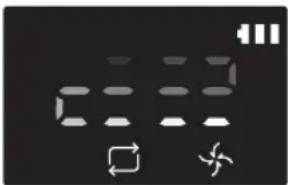
- Odkurzanie ręczne * Tryb odkurzania ręcznego można wybrać za pomocą przycisków kierunkowych na pilocie. 
-
* Jeśli odkurzacz POWERbot nie wróci do stacji dokowania, przejdzie tryb oszczędzania energii, a panel wyświetlacza zostanie wyłączony.
* Aby opuścić tryb oszczędzania energii, naciśnij przycisk [Start/Stop] lub [Zasilanie i na korpusie odkurzacza lub na pilocie.
* Jeśli sprzątanie w trybie odkurzania automatycznego zostanie zakończone w 15 minut, odkurzacz POWERbot jeszcze raz rozpocznie czyszczenie.

Używanie odkurzacza POWERbot
Metoda odkurzania w każdym trybie

Odkurzanie automatyczne
Automatycznie czyści ustawione obszary tylko raz.

Odkurzanie punktowe
Intensywnie odkurza wybrany obszar. Za pomocą tego trybu można zebrać okruchy chleba lub ciastek.

Odkurzanie ręczne
Odkurzacz POWERbot można przemieszczać za pomocą pilota w celu odkurzenia określonego miejsca.
* Ta funkcja nie dotyczy serii SR1*M701***.

Odkurzanie powtarzalne
Odkurza nieprzerwanie do momentu wyczerpania się akumulatora.
* Ta funkcja nie dotyczy serii SR1*M701***.

Uwaga
Jeśli odkurzanie automatyczne lub odkurzanie powtarzalne zostanie rozpoczęte, odkurzacz POWERbot najpierw czyści obszar wokół stacji dokowania.
Korzystanie ze specjalnych funkcji odkurzania
Funkcja odkurzania Obsługa Wyświetlona ikona SR1*M702***SR1*M703***SR2*M70**** SR1*M701*** Inteligentne odkurzanie * Jeśli odkurzacz POWERbot wykryje dywan w trybie Normal, automatycznie zacznie pracować z większą siłą ssania. 

Funkcja Edge Clean Master * Jeśli odkurzacz POWERbot wykryje krawędź lub narożnik w trybie odkurzania automatycznego lub odkurzania punktowego, włączane jest narzędzie Auto Shutter w celu wyczyszczenia krawędzi i narożników.► Prosta krawędź (jednokrotne odkurzanie)► Narożnik (dwukrotne odkurzanie) 

Instalacja urządzenia Virtual guard
Podczerwień emitowana przez urządzenie Virtual guard uniemożliwia odkurzaczowi POWERbot wjazd do określonych miejsc lub pomieszczeń.
* (tylko w zestawie z serii SR2*M707****). Dotyczy serii SR2*M704**** / SR2*M705**** / SR2*M706****, do nabycia jako wyposażenie dodatkowe).

1 Naciśnij przycisk zasilania, aby włączyć urządzenie
Kontrolka zasilania (czerwona) zamiga.

2 Zainstaluj urządzenie Virtual Guard w miejscu, do którego odkurzacz POWERbot nie ma wjeżdżać
Czujnik odległości powinien być skierowany w żądanym kierunku w celu utworzenia niewidzialnej bariery (uniemożliwiającej odkurzaczowi POWERbot wjazd w dane miejsce).
Instalacja urządzenia Virtual guard
Nazwa części urządzenia Virtual guard

Wkładanie baterii
Baterie do urządzenia Virtual guard należy zakupić oddzielnie.

1 Otwórz komorę baterii urządzenia Virtual guard naciskając zatrzask blokujący i unosząc pokrywę.

2 Wóż baterie alkaliczne (typ D), jak pokazano na ilustracji (sprawdź ułożenie biegunów + i -).

3 Wóż końcówkę pokrywy do szczeliny i dociśnij jej drugi koniec, aby zamknąć pokrywę komory baterii.
Używanie pilota
[A Type] [B Type]


[Typ C] [Typ D]


Używanie pilota
☐ [Typ A] / ☐ [Typ B] / ☐ [Typ C] / ☐ [Typ D]
1 Zasilanie / Ponowne ładowanie / Start/Stop
Zasilanie 


Włącza lub wyłącza zasilanie odkurzacza POWERbot. Ponowne ładowanie 


Wybierz, aby automatycznie naładować odkurzacz POWERbot w stacji dokowania Start/Stop 


Naciśnięcie tego przycisku powoduje rozpoczęcie lub przerwanie odkurzania.
2 Tryby odkurzania
Odkurzanie automatyczne 


Wybór tego trybu umożliwia odkurzenie ustawionych obszarów jeden raz i automatyczny powrót do stacji dokowania. Odkurzanie punktowe 


Wybór tego trybu pozwala intensywnie odkurzyć określony obszar. Odkurzanie powtarzalne 


Wybór tego trybu pozwala na nieprzerwane odkurzanie, aż do momentu rozładowania akumulatora, co zostaje zasygnalizowane przez miganie wskaźnika
3 Siła ssania
Tryb Turbo 


Wybierz, aby odkurzać z największą siłą ssania Tryb normalny 


Wybierz, aby odkurzać z normalną siłą ssania Tryb cichy 

Wybór tego trybu umożliwia mniej hałaśliwe odkurzanie.
4 Funkcja dodatkowa
Dźwięk 


Każde naciśnięcie tego przycisku powoduje wybranie sekwencji opcji Efekty dźwiękowe → Wycisz Pilot 

Wybierz, aby włączyć lub wyłączyć funkcję Wi-Fi
* Wybrane wcześniej ustawienie nie ulegnie zmianie, nawet jeśli przełącznik bezpieczeństwa zostanie wyłączony i ponownie włączony.
5 Tryb odkurzania ręcznego i sterowanie kierunkiem
Do przodu 
Wybierz, aby przesunąć odkurzacz do przodu Skręt w lewo [5AD8] [YKSY] 
[8GZS] Wybierz, aby skręcić w lewo Skręt w prawo Wybierz, aby skręcić w prawo
* Ruch do tyłu nie jest możliwy.
6 Odkurzanie punktowe
Funkcja dostępna tylko w przypadku pilotów typu C, D.
Istnieje możliwość korzystania z pilota do wskazywania i sprzątania określonego miejsca w trakcie odkurzania za pomocą odkurzacza POWERbot.
Skieruj czerwone światło na podłogę w obrębie 0,5 m wokół miejsca, w którym znajduje się odkurzacz POWERbot.
Naciśnij i przytrzymaj przycisk Odkurzanie punktowe, aby umieścić czerwony punkt w żądanym miejscu. Odkurzając, urządzenie POWERbot przemieści się w miejsce wskazane przez czerwony punkt, nie przerywające odkurzania.

Odległość robocza pilota

Wysokość trzymanego pilota 0,5 m 1 m 1,5 m Odległość robocza Około 1,5 m Około 2 m Około 3 m
Wkładanie baterii
Otwórz komorę baterii poprzez uniesienie jej i równoczesne naciśnięcie zatrzasku blokującego. Włóż baterie do komory w sposób pokazany na ilustracji. Zamknij pokrywę, wciskając ją do momentu, aż usłyszysz kliknięcie.

Nazwa każdej części


Część górna
1. Panel wyświetlacza
2. Odbiornik sygnału pilota
3. Czujnik przeszkód
4. Pojemnik na kurz
5. Kamera
6. Przycisk pojemnika na kurz
7. Czujnik odbijaka
8. Narzędzie Auto Shutter
Część dolna
1. Styki ładowania
2. Szczotka
3. Pokrywa szczotki
4. Czujnik wysokości
5. Wałek
6. Pokrywa akumulatora
7. Przycisk pokrywy szczotki
8. Koło napędowe
9. Przełącznik awaryjny
10. Narzędzie Auto Shutter
Panel wyświetlacza
1. Planowanie dzienne
2. Tryb Normal/Turbo
3. Wskaźnik poziomu naładowania
4. Przycisk odkurzania punktowego, plan dzienny (3 s)
5. Przycisk Start/Stop, Tryb Turbo (3 s)
6. Przycisk ładowania


1. Wycisz
2. Wskaźnik informacyjny
3. Wskaźnik włączenia/wyłączenia sterowania inteligentnego
4. *Wi-Fi
5. Wskaźnik naładowania akumulatora
6. Odkurzanie jednorazowe/codzienne
7. Ekran numeryczny
8. Tryb odkurzania punktowego
9. Tryb odkurzania ręcznego
10. Tryb odkurzania powtarzalnego
11. Tryb normalny
12. Tryb Turbo
13. Przycisk odkurzania punktowego
14. Przycisk Start/Stop
15. Przycisk ładowania
1. Wycisz
2. Wskaźnik informacyjny
3. Wskaźnik włączenia/wyłączenia sterowania inteligentnego
4. *Wi-Fi
5. Wskaźnik naładowania akumulatora
6. Odkurzanie jednorazowe/codzienne
7. Ekran numeryczny
8. Tryb odkurzania punktowego
9. Tryb odkurzania ręcznego
10. Tryb odkurzania powtarzalnego
11. Tryb cichy
12. Tryb normalny
13. Tryb Turbo
14. Przycisk odkurzania punktowego
15. Przycisk Start/Stop
16. Przycisk ładowania
* SR1*M70**W* / SR2*M70**W*: Model obsługujący funkcję Wi-Fi
Ustawianie godziny/harmonogramu
[Typ A, typ B] Zaprogramować można tylko tryb sterowania automatycznego.
Ustawianie godziny
Zanim skorzystasz z funkcji planowania (jednorazowego lub dziennego), ustaw aktualny czas.

Ustawianie harmonogramu
Ustawianie lub anulowanie planowania można wykonać tylko, gdy urządzenie POWERbot jest umieszczone w stacji dokowania.

Anulowanie podczas konfiguracji

▶ Ustawienie można anulować automatycznie, nie wprowadzając danych przez 7 sekund.
Anulowanie planowania jednorazowego/dziennego
Gdy ustawiono plan dzienny i jednorazowy  ScheduleCancel (3sec)Naciśnij i przytrzymaj przez 3 sekundy.
[X052]
lub  ScheduleCancel (3sec)
[0XT7]
lub  ScheduleCancel (3sec)
Gdy ustawiono plan dzienny lub jednorazowy ScheduleCancel (3sec)Naciśnij i przytrzymaj przez 3 sekundy.
[Typ C, typ D] Zaprogramować można tylko tryb sterowania automatycznego.
Ustawianie godziny
Zanim skorzystasz z funkcji planowania (jednorazowego lub dziennego), ustaw aktualny czas.

Ustawianie harmonogramu
Ustawianie lub anulowanie planowania można wykonać tylko, gdy urządzenie POWERbot jest umieszczone w stacji dokowania.

Anulowanie podczas konfiguracji

▶ Ustawienie można anulować automatycznie, nie wprowadzając danych przez 7 sekund.
Anulowanie planowania jednorazowego/dziennego
Gdy ustawiono plan dzienny i jednorazowy  Naciśnij i przytrzymaj przez 3 sekundy.
 Lub
Lub  Wybierz plan Zakończ anulowanie
 ScheduleCancel (3sec)
Gdy ustawiono plan dzienny lub jednorazowy ScheduleCancel (3sec)Naciśnij i przytrzymaj przez 3 sekundy.
Ustawianie godziny/harmonogramu
[Seria SR1*M701***] W przypadku modeli bez pilota funkcja ustawiania harmonogramu opiera się o zasady przedstawione poniżej.
Ustawianie harmonogramu

Naciśnij i przytrzymaj przez 3 sekundy.


Gdy kontrolka LED harmonogramu jest włączona, ustawiany jest plan dzienny.
* Czas wyświetlany w momencie naciśnięcia przycisku zostanie ustawiony jako wartość harmonogramu. Odkurzanie będzie rozpoczynane automatycznie każdego dnia zgodnie z ustawioną godziną.
Anulowanie planu dziennego
Po ustawieniu planu dziennego  Naciśnij i przytrzymaj przez 3 sekundy.
Czyszczenie i konserwacja
Przed czyszczeniem odkurzacza POWERbot należy wyłączyć zasilanie.

Czyszczenie pojemnika na kurz

1 Naciśnij przycisk, aby wyjąć pojemnik na kurz

2 Zdejmij pokrywę pojemnika na kurz.

3 Usuń kurz z pojemnika na kurz i jednostki z filtrem cyklonu.

4 Odłącz jednostkę z filtrem cyklonu od pokrywy pojemnika na kurz, a następnie umyj pojemnik na kurz i filtr

5 Złóż pojemnik na kurz.

6 Zamontuj pojemnik na kurz w obudowie (usłyszysz kliknięcie).
Czyszczenie czujników i kamery
Przetrzyj lekko miękką szmatką. Nie używaj wody ani środków do czyszczenia.


Czyszczenie i konserwacja
Czyszczenie szczotki i narzędzia Auto Shutter
Wygląd szczotki może się różnić w zależności od modelu.

1 Zdejmij pokrywę szczotki

2 Wyjmij szczotkę

3 Wyczyść szczotkę

4 Wyczyść narzędzie Auto Shutter

5 Włóż z powrotem szczotkę

6 Załóż z powrotem pokrywę szczotki
Czyszczenie koła napędowego

1 Położ na podłodze miękką ścierkę i umieść na niej odkurzacz POWERbot spodem do góry.


2 Usuń ciała obce pęsetą lub patyczkiem.
Aplikacja Samsung Smart Home
Aplikacja Samsung Smart Home App ma zastosowanie wyłącznie w przypadku modeli obsługujących funkcję Wi-Fi.
Przygotowanie sieci
Konfiguracja routera bezprzewodowego
▶ Urządzenie obsługuje wyłącznie protokół DHCP (Dynamic Host Configuration Protocol). Sprawdź, czy opcja serwera protokołu DHCP została włączona w routerze bezprzewodowym.
▶ Obsługiwane typy autoryzacji i szyfrowania routera bezprzewodowego: WEP-OPEN, WPA-PSK / TKIP oraz WPA2-PSK / AES 801.11n.
- Zalecamy korzystanie z szyfrowania WPA2-PSK / AES.
Jakość połączenia sieci bezprzewodowej zależy od parametrów otoczenia.
Jeżeli dostawca połączenia internetowego zarejestrował Twój stały adres MAC (pozwalający na identyfikację) komputera lub modemu, urządzenie POWERbot może mieć problem z takim połączeniem. Poproś dostawcę o udostępnienie procedury podłączania do Internetu urządzeń innych, niż Twój komputer.
Jeżeli dane połączenie z Internetem wymaga podania loginu lub hasła, urządzenie POWERbot może mieć problem z takim połączeniem. W takim przypadku należy podać login lub hało w trakcie łączenia się z Internetem.
Nawiązanie połączenia może być utrudnione ze względu na zaporę internetową. Poproś dostawcę Internetu o pomoc w rozwiązaniu tego problemu.
▶ Niektóre routery bezprzewodowe korzystają z nietypowych adresów DNS (Domain Name Server), nawet jeśli nie mają połączenia z Internetem. Poproś o pomoc producenta routera i dostawcę Internetu.
- Jeżeli procedura udostępniona przez dostawcę Internetu nie pomogła, skontaktuj się z przedstawicielem handlowym lub centrum serwisowym firmy Samsung Electronics.

Uwaga
▶ W przypadku problemów z dostępem routera, zajrzyj do jego instrukcji obsługi.
Urządzenie Samsung POWERbot obsługuje wyłącznie sieć Wi-Fi 2,4 Ghz.
Urządzenie Samsung POWERbot obsługuje protokół łączności IEEE 802.11b/g/n oraz standard Wi-Fi Direct. (Firma Samsung Electronics zaleca korzystanie ze standardu IEEE 802.11n.).
▶ Router bezprzewodowy nie posiadający autoryzacji w danej sieci Wi-Fi może mieć problem z podłączeniem się do urządzenia POWERbot.
Jeżeli zasilanie jest włączone, a urządzenie POWERbot zostało umieszczone w stacji dokowania, nastąpi jego połączenie z serwerem i sprawdzenie dostępnych aktualizacji oprogramowania. Jeżeli na serwerze znajduje się nowsza wersja oprogramowania, aktualizacja nastąpi automatycznie.
Jeżeli podczas ładowania na wyświetlaczu urządzenia pojawi się komunikat „UP”, to znaczy że trwa aktualizacja oprogramowania. Odczekaj do ponownego uruchomienia odkurzacza.
Aplikacja Samsung Smart Home
Jeżeli rejestracja produktu nie została wykonana, wykonaj następujące czynności.
- Przejdź do komunikatu i spróbuj ponownie zarejestrować urządzenie.
- Sprawdź czy router korzysta z opcji UPnP i ponownie wykonaj rejestrację urządzenia.
- Sprawdź czy router pracuje w trybie routera i ponownie wykonaj rejestrację urządzenia.
- Jeżeli masz więcej niż dwa urządzenia POWERbot, wyłącz pozostałe, aby zarejestrować tylko jedno z nich. Połączenie musi zostać nawiązane z jednym urządzeniem.
- Jeśli dostępny jest router bezprzewodowy o tej samej nazwie SSID, nie można zagwarantować normalnej rejestracji.
- Ustaw niepowtarzalną nazwę SSID i haśło dla routera sieci bezprzewodowej i zarejestruj produkt.
▶ Usługa Samsung Smart Home nie gwarantuje prawidłowej pracy urządzenia za zaporą internetową.
\- Jeżeli urządzenie POWERbot i smartfon nie są połączone z tym samym routerem, mogą wystąpić opóźnienia, jeśli chodzi o reakcję sieci.
Wskaznik inteligentnego sterowania inteligentnego i sieci Wi-Fi

: sterowanie inteligentne jest zablokowane. (Dostępne tylko sterowanie zdalne).
- Wył.: inteligentne sterowanie jest dozwolone.
- Wył.: urządzenie POWERbot łączy się z routerem bezprzewodowym.
- Wł.: urządzenie POWERbot połączyło się z routerem bezprzewodowym.
\- Jeśli sterowanie inteligentne jest zablokowane, nie można skorzystać z aplikacji Samsung Smart Home.

Korzystanie z aplikacji Samsung Smart Home
Tworzenie konta Samsung

Jeżeli chcesz korzystać z aplikacji Samsung Smart Home, przypisz konto Samsung do tej aplikacji.
Uwaga
Jeżeli nie ustawisz automatycznego logowania w aplikacji Samsung Smart Home, to po jej pierwszym uruchomieniu pojawi się odpowiedni ekran.
Jeżeli masz smartfon firmy Samsung, utwórz konto Samsung w ustawieniach telefonu i zaloguj się automatycznie. W ten sposób możesz od razu zacząć korzystać z aplikacji Samsung Smart Home.
Pobieranie aplikacji Samsung Smart Home
1. Pobierz aplikację Samsung Smart Home ze sklepu Google Play Store (urządzenia z systemem Android) lub Apple AppStore (urządzenia z systemem iOS). Aby wyszukać aplikację, użyj klawiatury do wpisania nazwy „Samsung Smart Home”.
2. Zainstaluj aplikację na urządzeniu.

Uwaga
Aplikacja Samsung Smart Home wymaga systemu Android 4.0 (ICS) lub nowszego i jest zoptymalizowana pod kątem systemu Android 4.4 lub nowszego w przypadku smartfona Samsung (serie Galaxy S i Note). Niektóre funkcje aplikacji mogą nie działać prawidłowo w innych smartfonów.
▶ W przypadku smartfonów z systemem iOS aplikacja wymaga systemu iOS w wersji 7 lub nowszej.
- Aplikacja Samsung Smart Home może ulec zmianie bez powiadomienia w celu poprawy funkcjonalności i wydajności.
Rejestracja produktu (szybka konfiguracja)
Zarejestruj urządzenie w usłudze Samsung Smart Home, zanim uruchomisz aplikację Samsung Smart Home.
System Android
1. Na ekranie z listą urządzeń aplikacji Samsung Smart Home wybierz ikonę Dodaj nowe, aby rozpocząć rejestrację produktu.
2. Wybierz ikonę odkurzacza.
3. Wpisz dane routera bezprzewodowego, z którym ma nastąpić połączenie.
4. Skonfiguruj urządzenie POWERbot zgodnie z poleceniami widocznymi na ekranie.
\- Aby od razu włączyć tryb AP, naciśnij przycisk [Clock] i przytrzymaj go przez co najmniej 5 sekund.
5. Proces rejestracji rozpocznie się automatycznie.
6. Po jej zakończeniu na wyświetlaczu pojawi się komunikat.
7. Po zakończeniu rejestracji produktu pojawi się ekran główny aplikacji Samsung Smart Home.
* Jeśli rejestracja produktu nie powiodła się, patrz strona 27.
System iOS
1. Uruchom aplikację Samsung Smart Home.
2. Przejdź do ekranu z lewej strony i dotknij ikony Dodaj nowe, aby rozpocząć rejestrację urządzenia.
3. Wpisz dane logowania do konta Samsung i naciśnij przycisk [Sign in].
\- W smartfonach iPhone login i hało nie są zapisywane. Musisz się logować w aplikacji Samsung Smart Home za każdym razem, gdy z niej korzystasz.
4. Wybierz ikonę [Robot vacuum].
5. Korzystając z pilota, naciśnij i przytrzymaj przycisk zegara przez co najmniej 5 sekund.
\- Na wyświetlaczu urządzenia pojawi się AP.
6. Uruchom aplikację Ustawienia w smartfonie iPhone, następnie połącz się z odkurzaczem Samsung [Robot Vacuum] widocznym na liście.
7. Podaj login i hasło routera bezprzewodowego i naciśnij przycisk [Next].
8. Trwa nawiązywanie połączenia między smartfonem a odkurzaczem.
9. Uruchom aplikację Ustawienia w smartfonie iPhone, następnie połącz się z routerem bezprzewodowym, który powinien być widoczny na liście sieci Wi-Fi.
Aplikacja Samsung Smart Home
10. Trwa nawiązywanie połączenia między routerem sieci bezprzewodowej a odkurzaczem.
11. Gdy rejestracja produktu zostanie zakończona, na ekranie pojawi się komunikat.
12. Po wykonaniu rejestracji produktu, na liście urządzeń pojawi się ikona odkurzacza.
Ekran główny
▶ Na ekranie głównym wybierz ikonę odkurzacza, aby przejść do ekranu sterowania urządzeniem POWERbot.
▶ Możesz kontrolować urządzenia AGD firmy Samsung Electronics, korzystając z opcji Poza domem, Powrót do domu, Noc i Poranek.
▶ Funkcja widoku głównego nie jest obsługiwana przez urządzenie POWERbot.
Ekran menu użytkownika
▶ Możesz sterować urządzeniami AGD firmy Samsung Electronics za pomocą funkcji sterowania poleceniami czatu i klucza uniwersalnego.
Chat control ► Możesz korzystać z funkcji urządzeń AGD lub wygodnie sprawdzać ich status. Master key ► Możesz sterować kilkoma urządzeniami AGD na raz, korzystając z kluczy uniwersalnych (funkcje Poza domem, Powrót do domu, Noc i Poranek). Customer service ► Korzystaj z instrukcji obsługi urządzenia.► Jeżeli urządzenie się zepsuło, możesz zasięgnąć rady pracowników centrum obsługi klienta i poprosić o obsługę posprzedażną.
Sterowanie urządzeniem POWERbot
Po uruchomieniu aplikacji Samsung Smart Robot Vacuum pojawi się ekran sterowania urządzeniem.

1. Włączanie i wyłączanie
2. Tryb sprzątania ręcznego, kontrola kierunku (ruch do przodu, do tyłu i w bok)
3. Włączanie i wyłączanie trybu automatycznego sprzątania
4. Tryb odkurzania punktowego
5. Wskaźnik stanu bieżącego
6. Stan akumulatora
7. Sita ssania
8. Włączenie/wyłączenie funkcji odkurzania powtarzalnego
9. Planowanie (możesz ustawić godzinę dla każdej daty)
- Odkurzacz POWERbot działa na zasadzie synchronizacji ustawionej godziny za pośrednictwem sieci.
10. Sprawdzanie historii sprzątania

Uwaga
Zaplanowane sprzątanie można uruchomić wyłącznie wtedy, gdy urządzenie POWERbot znajduje się w stacji dokowania.
Uwagi i przestrogi
Ładowanie

Uwaga
- Jeśli podczas ładowania akumulator przegrzeje się, ładowanie może potrwać dłużej.
- Jeśli ładowanie automatyczne nie działa, wykonaj poniższe czynności.
- Włącz i wyłącz przełącznik awaryjny (na spodzie odkurzacza POWERbot).
- Odłącz od gniazdka stację dokowania, a następnie ponownie ją podłącz.
- Odłącz stację dokującą, a następnie sprawdź, czy między styki ładowania nie dostała się substancja obca, a następnie wyczyść odkurzacz POWERbot i styki stacji dokującej suchą ścierką.
- Sprawdź, czy obok stacji dokowania nie ma przeszkód, takich jak przedmioty odblaskowe, krzesła itp.
▶ Jeśli odkurzacz POWERbot jest odłączony od stacji dokowania, akumulator wyczerpie się.
- Spróbuj naładować odkurzacz POWERbot w stacji dokowania. (Jeśli planujesz wyjechać z domu na dłużej, np. w podróż służbową lub na urlop, wyłącz przełącznik awaryjny i odłącz stację dokującą od gniazdka).
Korzystanie

Uwaga
Podczas pracy odkurzacz POWERbot może utknąć np. na progu.
- Aby ponownie uruchomić urządzenie, wyłącz zasilanie, przenieś odkurzacz POWERbot w miejsce, gdzie może się swobodnie poruszać i ponownie włącz zasilanie.
▶ Odkurzacz POWERbot nie może dokładnie wyczyścić obszarów, do których nie ma dostępu, np. rogów, przestrzeni między ścianą a sofą itp.
\- Sprzątnij te miejsca innym urządzeniem.
▶ Odkurzacz POWERbot nie może wciągać kepek kurzu, mogą więc one pozostać na podłodze po sprzątaniu.
\- Sprzątnij te miejsca innym urządzeniem.
- Jeżeli odkurzacz POWERbot jest wyłączony, zasilania nie można włączyć poprzez naciśnięcie przycisku Zasilanie na pilocie. Naciśnij i przytrzymaj przycisk [Start/Stop] na odkurzaczu POWERbot.
Podczas ładowania odkurzacza POWERbot nie można wybrać i wykonać trybu odkurzania punktowego.
▶ Po naciśnięciu przycisku odkurzania ręcznego/punktowego odkurzacz POWERbot zostanie odłączony od stacji dokowania i przejdzie w tryb oczekiwania.
Czyszczenie i konserwacja

Uwaga
▶ Jeśli pojemnik na kurz i filtr zostały umyte woda:
- Pojemnik na kurz: dokładnie wytrzyj wodę.
- Filtr: przed ponownym użyciem wysusz go dokładnie w zacienionym miejscu.
Podczas czyszczenia narzędzia Auto Shutter nie wyciągać go zbyt mocno.

Przestroga
Podczas mocowania lub zdejmowania filtra uważaj na palce, gdyż mogą utknąć we wlocie pojemnika.
▶ Aby uniknąć zapchania odkurzacza POWERbot przez ciała obce, nie dopuszczaj do wciągnięcia wykałaczek, patyczków kosmetycznych itp.
- Jeśli masz trudności z usunięciem ciał obcych ze szczotki, skontaktuj się z autoryzowanym centrum serwisowym Samsung.
▶ Ponieważ podczas sprzątania szczotka usuwa z podłogi różne zanieczyszczenia, takie jak nitki, długie włosy itp., mogą one utknąć w szczotce. Aby zapewnić najlepsze efekty pracy odkurzacza, sprawdzaj i czyść ją regularnie.
Uwagi i przestrogi
Informacje o akumulatorze

Uwaga
\- Akumulatory należy kupować w autoryzowanych centrach Samsung. Przed dokonaniem zakupu należy też sprawdzić występowanie symbolu ( ) akumulatorze i nazwę modelu.
\- Akumulator jest przeznaczony do użytku wyłącznie w odkurzaczach Samsung Electronics POWERbot. Nie można używać go w innych produktach.
▶ Nie wolno demontować ani modyfikować akumulatora.
▶ Nie wolno wrzucać akumulatora do ognia ani go podgrzewać.
▶ Do styków (+, -) nie wolno podłącać żadnych metalowych przedmiotów.
\- Akumulator należy przechowywać w pomieszczeniach (w temperaturze 0-40°C).
Jeśli akumulator działa nieprawidłowo, nie wolno go samodzielnie demontować. Zamiast tego należy skontaktować się z najbliższym centrum serwisowym Samsung.
▶ Po pewnym czasie użytkowania akumulatora jego czas ładowania i czas eksploatacji mogą ulec skróceniu. Jeśli żywotność akumulatora została przekroczona i nie można go już prawidłowo naładować, należy wymienić akumulator w centrum serwisowym Samsung.
\- Akumulator jest objęty sześciomiesięczną gwarancją od daty zakupu.
Informacje o czujniku podczerwieni

Przestroga
Przesyłanie podczerwieni może być utrudnione w miejscach, w których działają lampy halogenowe lub na zewnątrz.
▶ Odkurzacz POWERbot wykorzystuje 3 typy urządzeń korzystających z podczerwieni. Każde z urządzeń ma ustawiony inny priorytet działania. Urządzenie może nie działać, jeśli jego sygnał zostanie zastąpiony przez sygnał urządzenia o wyższym priorytecie.
\- Priorytet sygnałów podczerwieni: Inteligentne sterowanie > stacja dokowania
▶ Różne sygnały podczerwieni mogą nakładać się i powodować awarię urządzeń, jeśli są uruchomione na małej przestrzeni lub blisko siebie.
▶ Równoczesne używanie kilku odkurzaczy POWERbot może być utrudnione z powodu nakładania się sygnałów podczerwieni.
Kody informacyjne
1 Trzy poniższe wskaźniki migają w przypadku włączenia alarmu powiadamiającego o błędzie.
2 Wyłącz przełącznik awaryjny i zapoznaj się z poniższymi instrukcjami, a następnie wykonaj odpowiednią czynność
3 Kod błędu zniknie po włączeniu przełącznika awaryjnego
Kody informacyjne Sprawdź 
Odkurzacz POWERbot zablokował się podczas wykonywania ruchu.► Wyłącz zasilanie i przenieś odkurzacz POWERbot w inne miejsce. Sprawdź informacje znajdujące się na liście kontrolnej. Zanieczyszczenia lub element obcy w szczotce.► Wyłącz przełącznik awaryjny i usuń zanieczyszczenia lub element obcy ze szczotki. Obca substancja wkręciła się w lewe koło napędowe.► Wyłącz zasilanie i usuń ciało obce z koła napędowego. Obca substancja wkręciła się w prawe koło napędowe.► Wyłącz zasilanie i usuń ciało obce z koła napędowego. Zanieczyszczenia lub element obcy w narzędziu Auto Shutter.► Wyłącz urządzenie, naciskając przełącznik awaryjny i usuń zanieczyszczenia lub element obcy z narzędzia Auto Shutter. Należy sprawdzić czujnik odbijaka.► Wyłącz i włącz zasilanie.► Jeżeli kod informacji nie zniknie, sprawdź, czy między osłoną a korpusem urządzenia nie zaklinowało się ciało obce. Jeżeli tak się stało, delikatnie pociągnij za osłonę i wyjmij ciało obce. Na czujniku przeszkód zebrały się substancje obce.► Wyłącz zasilanie, a następnie wytrzyj przedni i tylny czujnik miękką szmatką. Na czujniku wysokości zebrały się substancje obce.► Wyłącz zasilanie, a następnie wytrzyj czujnik wysokości miękką szmatką.
Kody informacyjne
1 Poniższy kod informacji jest wyświetlany wraz z alarmem powiadamiającym o błędzie.
2 Wyłącz przełącznik awaryjny i zapoznaj się z poniższymi instrukcjami, a następnie wykonaj odpowiednią czynność
3 Kod błędu zniknie po włączeniu przełącznika awaryjnego
Kody informacyjne Sprawdź 
Odkurzacz POWERbot zablokował się podczas wykonywania ruchu.► Wyłącz zasilanie i przenieś odkurzacz POWERbot w inne miejsce. 
Zanieczyszczenia lub element obcy w szczotce.► Wyłącz przełącznik awaryjny i usuń zanieczyszczenia lub element obcy ze szczotki. 
Obca substancja wkręciła się w lewe koło napędowe.► Wyłącz zasilanie i usuń ciało obce z koła napędowego. 
Obca substancja wkręciła się w prawe koło napędowe.► Wyłącz zasilanie i usuń ciało obce z koła napędowego. 
Zanieczyszczenia lub element obcy w narzędzi Auto Shutter.► Wyłącz urządzenie, naciskając przełącznik awaryjny i usuń zanieczyszczenia lub element obcy z narzędzia Auto Shutter. 
Należy sprawdzić czujnik odbijaka.► Wyłącz i włącz zasilanie.► Jeżeli kod informacji nie zniknie, sprawdź, czy między osłoną a korpusem urządzenia nie zaklinowało się ciało obce. Jeżeli tak się stało, delikatnie pociągnij za osłone i wyjmij ciało obce. 
Na czujniku przeszkód zebrały się substancje obce.► Wyłącz zasilanie, a następnie wytrzyj przedni i tylny czujnik miękką szmatką. 
Na czujniku wysokości zebrały się substancje obce.► Wyłącz zasilanie, a następnie wytrzyj czujnik wysokości miękką szmatką.
Rozwiązywanie problemów
Objaw Sprawdź Odkurzacz POWERbot nie działa. ► Sprawdź, czy zasilanie jest włączone.► Sprawdź, czy na panelu wyświetlają się wszystkie ikony.► Sprawdź, czy nie rozładował się akumulator odkurzacza POWERbot.- Jeżeli wyświetla się komunikat „Lo”, przenieś odkurzacz POWERbot do stacji dokowania, aby go naładować.- Jeśli wskaźnik naładowania akumulatora miga, ręcznie przenieś odkurzacz POWERbot do stacji dokowania, aby go naładować. (Tylko serie SR1*M701***)► Wymień baterie (typu AAA), jeśli pilot nie działa. Odkurzacz POWERbot zatrzymał się podczas sprzątania. ► Jeżeli na panelu wyświetlacza widoczny jest komunikat „Lo”, przenieś odkurzacz POWERbot do stacji dokowania, aby go naładować.► Jeśli wskaźnik naładowania akumulatora miga, ręcznie przenieś odkurzacz POWERbot do stacji dokowania, aby go naładować. (Tylko serie SR1*M701***)► Jeśli odkurzacz POWERbot został zablokowany przez przeszkodę, np. przewód, próg itp., podnieś go i odsuń od przeszkody.- Jeśli kawałek materiału lub sznurek wkręci się w koło napędowe, wyłącz zasilanie i usuń te przedmioty przed ponownym uruchomieniem odkurzacza. Siła ssania jest mała. ► Jeżeli wskaźnik „Filter inspection indicator” jest włączony, wyłącz przełącznik awaryjny i wyczyść pojemnik na kurz.► Gdy w pojemniku na kurz jest zbyt dużo kurzu, siła ssania może się zmniejszyć. Wyłącz zasilanie i oczyść pojemnik na kurz.► Jeśli wlot (na spodzie odkurzacza POWERbot) jest zablokowany przez ciało obce, wyłącz zasilanie i usuń je.► Gdy poziom hałasu wzrośnie, włącz przycisk awaryjny i opróżnij pojemnik na kurz. Odkurzacz POWERbot nie może znaleźć stacji dokującej. ► Sprawdź, czy wystąpiła awaria zasilania lub czy wtyczka zasilająca nie jest odłączona.► Usuń wszelkie przeszkody wokół stacji dokującej, które mogą przeszkadzać odkurzaczowi POWERbot w powrocie do niej.► Jeśli na stykach ładowania znajdują się ciała obce, może mieć to wpływ na ładowanie. Usuń ciała obce ze styków ładowania. Odkurzacz POWERbot nagle czyści na ukos. ► Sprawdź, czy stacja dokowania umieszczona jest w kierunku, w jakim ułożona jest podłoga lub płytki.► Odkurzacz POWERbot może odkurzać na ukos, aby przesunąć się w inne miejsce najkrótszą drogą. Może również odkurzać na ukos, jeśli natknąt się na przeszkodę pod tym kątem, jeśli był ładowany w stacji dokowania pod kątem, lub jeśli drewniana podłoga (lub płytki) jest ułożona w tym kierunku. Odkurzanie punktowe nie działa. ► Jeżeli skierujesz czerwony promień bezpośrednio na odkurzacz POWERbot, nie może on przemieścić się w żądanym kierunku.- Skieruj czerwony promień na podłogę w obrębie 0,5 m wokół miejsca, w którym znajduje się odkurzacz POWERbot.* Nie stosuj odkurzania punktowego w miejscu bezpośredniego działania promieni słonecznych, jasnego światła lub na ciemnej podłodze.
Rozwiązywanie problemów
Objaw Sprawdź Instalacja aplikacji Samsung Smart Home przebiegła pomyślnie, ale odkurzacz POWERbot nie może nawiązać połączenia. ► Możesz zacząć korzystać z urządzenia POWERbot, łącząc je z routerem bezprzewodowym w procesie wygodnej konfiguracji. Nie mogę zalogować się do konta Samsung. ► Sprawdź login i hasło na ekranie konta Samsung. Podczas konfiguracji pojawia się komunikat o błędzie. ► Bład może występować tymczasowo ze względu na odległość od routera i inne przeszkody na drodze sygnału sieci bezprzewodowej. Odczekaj chwilę i spróbuj połączyć się ponownie. Urządzenia nie działają, mimo że smartfon jest połączony z odkurzaczem POWERbot. ► Wyłącz aplikację Samsung Smart Home i uruchom ją ponownie lub odłącz smartfon od sieci bezprzewodowej i ponownie nawiąż połączenie. Możesz również wyłączyć zasilanie urządzenia POWERbot, włączyć je ponownie, odczekać kilka minut i ponownie uruchomić aplikację Smart Home. Funkcje aplikacji Samsung Smart Home nie działają. ► Sprawdź, czy funkcja blokady sterowania inteligentnego odkurzacza POWERbot jest ustawiona. (Po zablokowaniu sterowania inteligentnego wskaźnik Wi-Fi jest zgaszony). Aplikacja Samsung Smart Robot Vacuum się nie uruchamia. ► Sprawdź, czy urządzenie POWERbot nawiązało połączenie z routerem bezprzewodowym. Urządzenie POWERbot nie jest podłączone do sieci Wi-Fi. ► Sprawdź stan routera bezprzewodowego. Funkcja inteligentnego odkurzania działa na normalnej podłodze. ► Sprawdź, czy podłoga jest równa. Jeśli tak nie jest, odkurzacz POWERbot rozpoczęnie pracę z delikatnie podniesionym korpusem.► Sprawdź, czy na czujniku wysokości, który został umieszczony na spodzie odkurzacza POWERbot, nie znajdują się żadne ciała obce.► Sprawdź, czy podłoga ma ciemny kolor. Funkcja inteligentnego odkurzania nie działa. ► Gdy odkurzacz POWERbot sprzęta dywan o krótkich włóknach i w jasnym kolorze, może on rozpoznać go jako podłogę, przez co funkcja inteligentnego odkurzania może nie działać. Funkcja Edge Clean Master nie działa. ► Gdy odkurzacz POWERbot nie jest w stanie rozpoznać ściany, funkcja Edge Clean Master może nie działać.- Gdy przeszkoda wykonana z odblaskowego materiału znajduje się naprzeciwko ściany- Gdy ściana jest wykonana z odblaskowego materiału- Gdy ściana ma ciemny kolor Funkcja Edge Clean Master działa, nawet jeśli w pobliżu nie ma ściany lub narożnika. ► Sprawdź, czy niewielkie przedmioty nie znajdują się w ciasnej przestrzeni.► Gdy odkurzacz POWERbot rozpoznaje przeszkodę z przodu jako ścianę, funkcja Edge Clean Master może zadziałać. Funkcja Edge Clean Master działa, nawet jeśli odkurzacz POWERbot nie zbliżył się do ściany lub narożnika. ► Jeśli stopień kąta narożnika wykrytego przez odkurzacz POWERbot jest duży, funkcja Edge Clean Master może zadziałać, nawet jeśli urządzenie nie zbliżyło się do ściany lub narożnika.
* Niniejszy odkurzacz jest zgodny z następującymi regulacjami:
- Dyrektywa RTTE: 1999/5/EC
- Dyrektywa kompatybilności elektromagnetycznej: 2014/30/EU
- Dyrektywa niskonapięciowa: 2014/35/EU
Oficjalna deklaracja zgodności z normami znajduje się na stronie: http://www.samsung.com w sekcji Pomoc techniczna.
Przeszukaj sekcję Pomocy technicznej, wpisując nazwę posiadanego modelu.
Ostrzeżenia dotyczące akumulatora

Nie wolno samodzielnie wyjmować akumulatora umieszczonego w tym urządzeniu. Aby wymienić akumulator, należy się skontaktować z autoryzowanym serwisem lub wykwalifikowanym pracownikiem technicznym. Poniższe instrukcje zostały przygotowane wyłącznie dla wykwalifikowanych pracowników technicznych i autoryzowanych serwisantów.
DLA WŁASNEGO BEZPIECZEŃSTWA NIE WOLNO SAMODZIELNIE WYJMOWAĆ AKUMULATORA ANI WRZUCAĆ GO DO OGNIA. NIE WOLNO DEMONTOWAĆ, ZGNIATAĆ ANI PRZEBIJAĆ AKUMULATORA.
Jak wyjmować akumulator
Wyjmij urządzenie POWERbot ze stacji ładowania/dokowania, aby je rozmontować. Przed demontażem należy wyłączyć urządzenie POWERbot.

1 Położ i odwróć odkurzacz POWERbot, a następnie wykręć 2 śruby.

2 Zdejmij pokrywę pojemnika na kurz.

3 Wyjmij akumulator z gniazda i odłącz wtyczkę.

Prawidłowa utylizacja akumulatora
(Ustuga dostępna w krajach korzystających z osobnych procedur zwrotu akumulatorów).
Oznaczenia na akumulatorze, w instrukcji lub na opakowaniu akumulatora informują o tym, czy można go utylizować razem z innymi odpadkami w gospodarstwie domowym. Symbole związków chemicznych: Hg, Cd lub Pb oznaczają, że akumulator zawiera rtęć, kadm lub ołów w stężeniu powyżej poziomu określonego w normie WE 2006/66.
Akumulator w tym urządzeniu nie może być wymieniany przez użytkownika. Informacje na temat sposobów wymiany akumulatora uzyskasz w autoryzowanym serwisie. Nie próbuj wyjmować akumulatora i nie wrzucaj go do ognia. Nie wolno demontować, zgniatać ani przebijać akumulatora. Jeżeli zamierzasz zutylizować urządzenie, firma utylizująca odpady podejmie środki, aby zająć się urządzeniem wraz z akumulatorem we właściwy sposób.
Informacje o oprogramowaniu typu open source
Oprogramowanie dołączone do tego produktu zawiera oprogramowanie typu Open Source. Pełną kopię odpowiedniego kodu źródłowego można otrzymać w ciągu trzech lat od ostatniej dostawy produktu poprzez wystanie wiadomości e-mail na adres mailto:oss.request@samsung.com.
Można również otrzymać pełną kopię odpowiedniego kodu źródłowego na nośniku fizycznym, np. płycie CD-ROM. W takim przypadku zostanie naliczona minimalna opłata.
Następujący adres URL http://opensource.samsung.com/opensource/VR7000_A20_TZ/seq/0 prowadzi do strony pobierania kodu źródłowego. Znajdują się tam również informacje dotyczące licencji na oprogramowanie typu open source powiązane z niniejszym urządzeniem. Oferta dotyczy wszystkich odbiorców tej informacji.

Specyfikacje
Klasyfikacja Element Szczegółowe informacje SR1*M701*** SR1*M702***SR1*M703*** Dane mechaniczne (POWERbot) Wymiary (SZER. x WYS. x DŁ.) 340 mm x 97 mm x 348 mm Waga 4 kg Czujnik Rozpoznawanie kształtu sufitu (funkcja Visionary Mapping plus TM) Typ przycisków odkurzacza POWERbot Dotykowe Dane techniczne dotyczące zasilania Napięcie 100-240 V~, 50 Hz/60 Hz Pobór mocy 80 W Akumulator 21,6 V / 38,8 Wh Czyszczenie Typ ładowania ładowanie automatyczne/ręczne Tryb czyszczenia Automatyczne, punktowe, codzienne Automatyczne, punktowe, powtarzalne, ręczne, jednorazowe, codzienne Czas ładowania Ok. 240 minut Czas odkurzania (na twardej podłodze) Tryb Turbo Ok. 30 minut Tryb normalny Ok. 60 minut
Klasyfikacja Element Szczegółowe informacje Dane mechaniczne (POWERbot) Wymiary (SZER. x WYS. x DŁ.) 340 mm x 97 mm x 348 mm Waga 4,3 kg Czujnik Rozpoznawanie kształtu sufitu (funkcja Visionary Mapping plus TM) Typ przycisków odkurzacza POWERbot Dotykowe Dane techniczne dotyczące zasilania Napięcie 100-240 V~, 50 Hz/60 Hz Pobór mocy 130 W Akumulator 21,6 V / 77,8 Wh Czyszczenie Typ ładowania ładowanie automatyczne/ręczne Tryb czyszczenia Automatyczne, punktowe, powtarzalne, ręczne, jednorazowe, codzienne Czas ładowania Ok. 160 minut Czas odkurzania (na twardej podłodze) Tryb Turbo Ok. 30 minut Tryb normalny Ok. 60 minut Tryb cichy Około 90 minut
* W celach związanych z modernizowaniem, konstrukcja i specyfikacje produktu podlegają zmianom bez konieczności informowania o tym fakcie.
* Czas ładowania i odkurzania może różnić się w zależności od warunków użytkowania.
Niniejszy produkt jest przeznaczony tylko do użytku domowego, we wnętrzach domowych i do odkurzania jedynie kurzu powstałego w standardowych warunkach domowych.
Odkurzacz nie jest przeznaczony do zastosowań przemysłowych ani komercyjnych i nie wolno nim odkurzać jakichkolwiek zanieczyszczeń powstałych podczas remontów budynków i pomieszczeń, oraz wszelkiego typu prac budowlanych ze szczególnym uwzglednieniem pyłu budowlanego. Odkurzanie tego typu zanieczyszczeń może spowodować trwałe uszkodzenie bądź zniszczenie urządzenia oraz utratę ważnej gwarancji na urządzenie.
Jeżeli masz jakieś uwagi lub pytania w sprawie produktów marki
Samsung, skontaktuj się z naszą infolinią.
801-172-678 * lub +48 22 607-93-33 *
Dedykowana infolinia do obsługi zapytań dotyczących telefonów komórkowych:
801-672-678 * lub +48 22 607-93-33 *
* (koszt połączenia według taryfy operatora)
www.samsung.com/pl/support
POWERbot
Uporabniški priročnik
Seriji SR1*M70****, SR2*M70****
- Pred uporabo naprave pozorno preberite navodila.
- Samo za notranjo uporabo.

Kazalo
03 Varnostne informacije
08 Namestitev
Dodatki / Opomba za namestitev
10 Polnjenje
Samodejno polnjenje / Ponovno polnjenje / Nizko stanje baterije (Lo)
12 Uporaba sesalnika POWERbot
Vklop/izklop napajanja / Izbira načinov čiščenja / Uporaba posebnih funkcij čiščenja
15 Namestitev postaje Virtual guard
Ime dela postaje Virtual guard / Vstavljanje baterij
17 Uporaba daljinskega upravljalnika
20 Ime posameznega dela
Zgornja stran / Spodnja stran / Zaslon
22 Nastavitev časa/urnika
Nastavitev časa / Nastavitev urnika
25 Čiščenje in vzdrževanje
Čiščenje posode za prah / Čiščenje senzorjev in kamere / Čiščenje krtače in samodejnega zaklopca / Čiščenje pogonskega kolesca
27 Aplikacija Samsung Smart Home
Priprava omrežja / Uporaba aplikacije Samsung Smart Home
31 Opombe in opozorila
Polnjenje / Uporaba / Čiščenje in vzdrževanje / O bateriji / O senzorju IrDA
33 Informacijske kode
35 Odpravljanje težav
37 Opozorila glede baterije
38 Obvestilo glede odprtokodne programske opreme
39 Specifikacije
Varnostne informacije
VARNOSTNE INFORMACIJE

\- Pred uporabo sesalnika preberite ta priročnik in ga shranite za poznejšo uporabo.

\- Ker so ta navodila namenjena različnim modelom, bodo značilnosti vašega sesalnika morda drugačne od tistih v tem priročniku.
UPORABLJENA SIMBOLA ZA OPOZORILO/POZOR
 oi
oiOznačuje nevarnost smrtnih ali hudih telesnih poškodb. 
Označuje nevarnost telesnih poškodb ali materialne škode.
DRUGI UPORABLJENI SIMBOLI

Označuje nevarnost telesnih poškodb ali materialne škode. 
Pametni robotski sesalnik podpira upravljanje z aplikacijo Samsung Smart Home.Za podrobnejše informacije obiščite spletno mesto Samsung.com/ Smarthome.
\- Za informacije o Samsungovih okoljskih prizadevanjih in regulatornih obveznostih, ki veljajo za izdelek, kot je npr. REACH, obiščite: samsung.com/uk/aboutsamsung/samsungelectronics/corporatecitizenship/data_corner.htm
Varnostne informacije
POMEMBNA VARNOSTNA NAVODILA
Ko uporabljate električno napravo, upoštevajte naslednje osnovne varnostne ukrepe:
PRED UPORABO SESALNIKA POWERbot PREBERITE VSA NAVODILA.
Pred uporabo ali vzdrževanjem sesalnik izključite iz vtičnice.
OPOZORILO: za zmanjšanje nevarnosti požara, električnega udara in poškodb:
SPLOŠNO
- Izdelek uporabljajte samo v skladu z navodili v tem priročniku.
- Sesalnika POWERbot ali polnilnika baterije/priključne postaje ne uporabljajte, će sta kakorkoli poškodovana.
- Če sesalnik ne deluje ustrezno, vam je padel na tla, se je poškodoval, ste ga pustili na prostem ali vam je padel v vodo, ga vrnite centru za pomoč strankam.
- Polnilnika baterije/priključne postaje in sesalnika POWERbot ne prijemajte z mokrimi rokami.
- Sesalnik uporabljajte samo na suhih površinah v zaprtih prostorih.
- Napravo smejo uporabljati otroci, stari 8 let ali več, in osebe s fizičnimi, motoričnimi ali psihičnimi motnjami ali premalo izkušnjami in znanja, će so nadzorovani ali so prejeli navodila o varni uporabi naprave in će poznajo s tem povezana tveganja. Otroci se ne smejo igrati z napravo. Otroci ne smejo brez nadzora čistiti in vzdrževati naprave.
Polnilnik baterije/priključna postaja
- Ne spreminjajte polariziranega vtiča tako, da se bo prilegal nepolarizirani vtičnici ali kabelskemu podaljšku.
- Sesalnika ne uporabljajte na prostem ali na mokrih površinah.
- Polnilnik baterije/priključno postajo izključite iz vtičnice, ko sesalnika ne uporabljate in pred servisiranjem.
- Ponovno polnite samo s polnilnikom baterije/priključno postajo, ki jo je dobavil proizvajalec.
- Ne uporabljajte s poškodovanim kablom, vtičem ali zrahljano napajalno vtičnico.
- Kabla ne vlecite, ne uporabljajte ga za prenašanje ali kot ročaj, ne priprite ga z vrati in ne vlecite ga okoli ostrih robov ali vogalov. Kabel ne sme priti v stik z vročimi površinami.
- Ne uporabljajte kabelskih podaljškov ali vtičnic s premajhno močjo prenosa električnega toka.
- Izdelka ne izključujte tako, da ga vlečete za kabel. Ko želite izklopiti izdelek, primite za vtič in ne za kabel.
- Ne poškodujte ali sežigajte baterij, saj pri višjih temperaturah eksplodirajo.
- Polnilnika baterije/priključne postaje ne poskušajte odpreti. Popravila sme izvajati samo usposobljeni center za pomoč strankam.
- Polnilnika baterije/priključne postaje ne izpostavljajte visokim temperaturam in pazite, da ne pride v stik z nobeno tekočino ali vlago.
POWERbot
- Ne sesajte trdih ali ostrih predmetov, kot so steklo, žeblji, vijaki, kovanci ipd.
- Sesalnika ne uporabljajte brez nameščenega filtra. Med servisiranjem izdelka ne vstavljajte prstov ali predmetov v prostor z ventilatorjem, saj se lahko izdelek nehote vklopi.
- Ne vstavljajte predmetov v odprtine. Izdelka ne uporabljajte, če je katera od odprtin blokirana. V odprtinah se ne smejo kopičiti prah, vlakna, lasje in kar koli drugega, kar bi zmanjšalo pretok zraka.
- Ne vsesavajte strupenih snovi (klorovega belila, amoniaka, čistila za odtoke itd.).
- Izdelka ne uporabljajte za sesanje predmetov, ki gorijo ali se kadijo, kot so cigarette, vžigalice in vroč pepel.
- Ne vsesavajte vnetljivih ali gorljivih tekočin, kot je bencin, in izdelka ne uporabljajte v prostorih, kjer so te tekočine lahko prisotne.
- Ne uporabljajte v prostorih, kjer so na tleh sveče ali namizne svetilke.
- Ne uporabljajte v prostorih z nenadzorovanim gorenjem (ogenj ali ogorki).
- Ne uporabljajte v prostorih, v katerih so bencin, destiliran alkohol, razredčilo, pepelniki s prižganimi cigaretami itd.
- Sesalnika POWERbot ne uporabljajte v zaprtem prostoru, kjer so prisotni hlapi barv na osnovi olja, hlapi razredčil za barve, snovi za zaščito pred molji, vnetljiv prah ali drugi eksplozivni ali strupeni hlapi.
- Pri ekstremni uporabi ali ekstremnih temperaturah lahko pride do puščanja baterijskih celic. Če tekočina pride v stik s kožo, jo hitro sperite z vodo. Če tekočina pride v stik z očmi, jih takoj spirajte s čisto vodo vsaj 10 minut. Poiščite zdravniško pomoč.
Varnostne informacije

OPOZORILO Napajanje
▶ Preprečite kakršno koli nevarnost električnega udara ali požara.
- Ne poškodujte napajalnega kabla.
- Napajalnega kabla ne vlecite premočno in ga ne prijemajte z mokrimi rokami.
- Uporabljajte samo napajalnike z območjem napetosti 100-240 V\~, hkrati pa tudi ne uporabljajte električnih razdelilnikov, na katere je sočasno priklopljenih več naprav. (Kabla ne pustite ležati nezaščitenega na tleh.)
- Ne uporabljajte poškodovanega napajalnega vtiča, napajalnega kabla ali zrahljane napajalne vtičnice.
Z vtiča in priključka na napajalnem vtiču očistite prah in druge tujke.
\- Obstaja nevarnost električnega udara ali okvare.
▶ Priključne postaje ne polivajte z nobeno tekočino.
- Obstaja nevarnost požara ali električnega udara.
▶ Priključno postajo uporabljajte samo v skladu s predvideno uporabo.
- Obstaja nevarnost požara ali hude poškodbe priključne postaje.
- Iz varnostnih razlogov mora biti senzor za stopnice vedno čist.

OPOZORILO Med uporabo
\- Če iz sesalnika POWERbot prihaja nenavaden hrup, vonj ali dim, nemudoma izklopite stikalo za izklop v sili na spodnji strani sesalnika POWERbot in se obrnite na center za pomoč strankam.

OPOZORILO Pred uporabo
▶ Sesalnika POWERbot ne uporabljajte v bližini vnetljivih snovi:
\- blizu sveč, namiznih svetilk, ognjišč ali v bližini vnetljivih snovi, kot so bencin, alkohol, razredčila itd.
▶ POWERbot je namenjen samo za uporabo v gospodinjstvu, torej ga ne uporabljajte na podstrešju, v kleti, shrambi, industrijskih zgradbah, izven odprtih prostorov, na vlažnih krajih (na primer v kopalnici, pralnici) ali na mizi oziroma policah.
\- POWERbot se lahko poškoduje ali okvari.
▶ POWERbot ne sme zapeljati čez nobene tekočine ali se jih dotakniti.
\- Če kolesa sesalnika POWERbot zapeljejo v tekočino, se sesalnik lahko resno poškoduje in onesnaži druga območja.

OPOZORILO crščenje in vzdrževanje
▶ Če je napajalni kabel poškodovan, se obrnite na center za pomoč strankam, kjer bo kabel zamenjal pooblaščeni serviser.
- Obstaja nevarnost požara ali električnega udara.
▶ Za zamenjavo baterij se obrnite na servisni center Samsung Electronics.
- Če uporabite baterije iz drugih izdelkov, lahko pride do okvare.

POZOR
Pred uporabo
▶ Preden uporabite POWERbot, vanj vstavite posodo za prah.
- Za ustrezno samodejno polnjenje upoštevajte naslednja določila:
- Vedno vklopite priključno postajo.
- Priključno postajo postavite na mesto, na katerem jo lahko sesalnik POWERbot enostavno zazna.
- Pred priključno postajo ne odlagajte nobenih predmetov.
▶ Pri nameščanju priključne postaje ne pustite napajalnega kabla izpostavljenega na tleh, saj se lahko sesalnik POWERbot zaplete vanj.
▶ Sesalnika POWERbot ne uporabljajte na črnih tleh.
\- POWERbot morda ne bo deloval pravilno.
Pol metra na obeh straneh priključne postaje in 1 meter pred njo ne smete odlagati nobenega predmeta.
▶ Napajalni priključek priključne postaje ne sme biti poškodovan ali prekrit s tujki.
▶ Priključne postaje na postavljajte na temna tla.
\- Če je priključna postaja postavljena na temnih tleh, je ponovno polnjenje oteženo.
▶ Pred čiščenjem umaknite vse predmete, ki bi lahko ovirali premikanje sesalnika POWERbot (na primer otroška sobna gugalnica ali tobogan).
▶ Sesalnika POWERbot ne uporabljajte v prostorih, ki so ožji od njegovega obračalnega polmera (0,5 m ali manj).

POZOR
Med uporabo
▶ Uporaba sesalnika POWERbot na debeli preprogi lahko poškoduje sesalnik POWERbot in preprogo.
\- POWERbot ne more prečkati preproge, ki je debelejša od 1 cm.
▶ Sesalnika POWERbot ne uporabljajte za čiščenje miz ali drugih visokih površin.
\- V primeru padca se sesalnik lahko poškoduje.
▶ POWERbot se lahko zaleti v stole ali noge mize, zato jih umaknite ter zagotovite hitrejše in učinkovitejše čiščenje.
Med čiščenjem sesalnika POWERbot ne dvigujte ali prenašajte na druga mesta.
▶ Ko sesalnik POWERbot prenašate na drugo mesto, ga ne držite za pogonska kolesca.
▶ Na sesalnik POWERbot in kamera ne polagajte predmetov, ker lahko motijo njuno delovanje.
▶ Pri uporabi sesalnika POWERbot takoj odstranite večje kose papirja in plastične vrečke, saj lahko zamašijo sesalno cev.
▶ Rdeče lučke ne usmerjajte neposredno v ljudi ali živali.
▶ Ne uležite se na tla, če v bližini deluje POWERBOT.
- Če se vaši lasje ujamejo v krtačo, lahko pride do telesnih poškodb.

POZOR
Čiščenje in vzdrževanje
Z upoštevanjem naslednjih napotkov boste preprečili poškodbe na sesalniku POWERbot.
- Pri čiščenju ne pršite vode po sesalniku POWERbot. Poleg tega za čiščenje ne uporabljajte bencina, razredčila, acetona ali alkohola.
▶ Sesalnika POWERbot ne razstavljajte ali popravljajte sami. To lahko stori samo pooblaščen serviser.
▶ Senzor za ovire, senzor za stopnice in kamera morajo biti vedno čisti.
- Senzorja se lahko okvarita, če se na njiju naberejo tujki.
Namestitev
Priključna postaja mora biti vedno priključena in vklopljena.

Dodatki
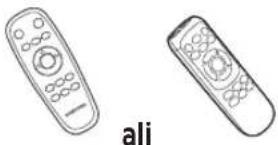


Daljinski upravljalnik(Ni priložen pri seriji SR1*M701***) Bateriji (tip AAA) Uporabniški priročnik Dodatni filter (Izbirno) 
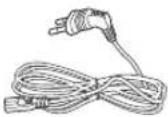

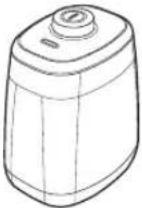
Priključna postaja Napajalni kabel Polnilnik baterije Postaja Virtual guard (izbirno)
Opomba za namestitev

Opomba
Priključno postajo namestite na mesto z ravnimi zidovi in tlemi.
▶ Najprimernejša je namestitev priključne postaje na lesena tla, vzdolž spojev.
Če je stikalo za izklop v sili izklopljeno, polnjenje sesalnika POWERbot ne poteka, niti će je v priključni postaji.
▶ Vedno vklopite priključno postajo.
- Če priključna postaja ni napajana, je sesalnik POWERbot ne more najti in samodejno polnjenje ni mogoče.
- Če sesalnik POWERbot ni na priključni postaji, se baterija prazni.
Če je sesalnik POWERbot v načinu mirovanja, vklop ni mogoč, niti če stikalo za izklop v sili izklopite in znova vklopite. Pridržite gumb [Začetek/konec] na sesalniku POWERbot, da izklopite način mirovanja.
Polnjenje
Ko prvič (po nakupu) napolnite sesalnik POWERbot do konca, ga lahko uporabljate 60 min v normalnem načinu (Čas polnjenja si oglejte na 39. strani.)
Pametno polnjenje
Če se baterija sesalnika POWERbot izprazni v načinu samodejnega sesanja, se sesalnik samodejno vrne na priključno postajo za polnjenje. Sesalnik nadaljuje s čiščenjem območja, ko je baterija napolnjena do dveh tretjin. (največ 2-krat).


1 Vklopite stikalo za izklop v sili na spodnji strani sesalnika.
Vklopiti morate stikalo za izklop v sili, če želite vklopiti sesalnik POWERbot.
Pritisnite in spustite gumb
2 Ročno napolnite POWERbot tako, da ga postavite na priključno postajo.
Polnilni kontakti sesalnika POWERbot in priključna postaja morajo biti poravnani.
SLOVENŠČINA -10
3 Preverite stanje polnjenja.
Za serije SR1*M701****:
indikator baterije utripa na 1 sekundo
med polnjenjem in neprekinjeno sveti,
ko je napolnjen do konca.
Za serije SR1*M702****/
SR1*M703****/SR2*M70****:
ikona "prikazuje napredek
polnjenja. Ko je polnjenje končano,
se prikaže oznaka "FULL".
Samodejno polnjenje

1. Serija SR1*M701****
Če indikator baterije utripa v 0,4-sekundnem intervalu, se sesalnik POWERbot samodejno vrne na priključno postajo za polnjenje.
2. Serija SR1*M70****/SR2*M70****
Če začne indikator baterije utripati med čiščenjem, se sesalnik POWERbot vrne na priključno postajo za samodejno polnjenje.
Ponovno polnjenje

Sesalniku POWERbot lahko med sesanjem ukažete ponovno polnjenje na priključni postaji.
Nizko stanje baterije (Lo)

Ročno napolnite POWERbot tako, da ga postavite na priključno postajo.
Če polnjenje ni uspešno, sledite naslednjim korakom.
Preverite stanje namestitve priključne postaje, če:
▶ je priključna postaja na mestu, kjer POWERbot nima enostavnega dostopa;
▶ je razdalja med priključno postajo in sesalnikom POWERbot večja od 5 m.
- V teh primerih lahko sesalnik POWERbot potrebuje več časa, da se vrne na priključno postajo.
Ročno napolnite POWERbot, če:
▶ je priključna postaja nameščena v kotu;
▶ je baterija povsem izpraznjena;
▶ POWERbot je blokirala ovira (ohišje itd.);
▶ POWERbot ne more prestopiti praga blizu priključne postaje (POWERbot lahko prestopi prag, visok do približno 1,5 cm);
▶ indikator baterije utripa in je prikazano sporočilo "Lo";
▶ indikator baterije utripa (velja za serijo SR1*M701****);
▶ sesalnik POWERbot je nastavljen na način sesanja območja ali na način ročnega sesanja.
Uporaba sesalnika POWERbot

Pred uporabo sesalnika POWERbot morate vklopiti stikalo za izklop v sili na spodnji strani enote.
Vklop/izklop napajanja
Pritisnite gumb in ga držite pritisnjenega več kot 3 sekunde.

\- Če sesalnika POWERbot ne uporabljate 30 minut;
Serija SR1*M70**U*/SR2*M70**U*: preklopi v način varčevanja z energijo.
Serija SR1*M70**W*/SR2*M70**W*: sesalnik se samodejno vrne na priključno postajo za polnjenje.
Vklop načina samodejnega sesanja
Pritisnite in spustite ta gumb. Sesalnik POWERbot se začne premikati in samodejno enkrat očisti določena območja.

* Ustavitev sesanja: Pritisnite in spustite gumb
Uporaba načina sesanja območja
POWERbot temeljito očisti določeno območje.

Ponovno polnjenje
S pritiskom tega gumba lahko sesalniku POWERbot med sesanjem ukažete samodejno ponovno polnjenje na priključni postaji.

Izbira načinov čiščenja
Način sesanja Izbiranje Prikazana ikona SR1*M702***SR1*M703***SR2*M70**** SR1*M701*** Samodejno sesanje 


Sesanje območja 


Ponovno sesanje * Na daljinskem upravljalniku najprej pritisnite gumb [Tip A, B Repeat], [tip C, D Repeat], nato pa gumb [Začetek/konec ▶II]. 
- Ročno sesanje * Ročno sesanje je mogoče izbrati s smernimi gumbi na daljinskem upravljalniku. 
-
* Če se sesalnik POWERbot ne vrne na priključno postajo, preklopi v način varčevanja z energijo in izklopi zaslon.
* Za izhod iz načina varčevanja z energijo pritisnite gumb [Start/Stop] ali [Power] na sesalniku ali daljinskem upravljalniku.
* Če je sesanje v načinu samodejnega sesanja opravljeno v 15 minutah, sesalnik POWERbot postopek ponovi še enkrat.

Uporaba sesalnika POWERbot
Posamezni načini čiščenja

Samodejno sesanje
Samodejno enkrat očisti določena območja.

Sesanje območja
Temeljito sesanje določenega območja Lahko se uporablja za sesanje drobtinic kruha ali piškotov.

Ročno sesanje
Sesalniku POWERbot lahko z daljinskim upravljalnikom ukažete premik na želeno točko.
* Ta funkcija ni na voljo pri seriji SR1*M701***.

Ponovno sesanje
Sesalnik čisti, dokler se baterija ne izprazni.
* Ta funkcija ni na voljo pri seriji SR1*M701***.

Opomba
Če sesalnik začne delovati v načinu samodejnega sesanja ali ponovnega sesanja, POWERbot najprej očisti območje v bližini priključne postaje.
Uporaba posebnih funkcij čiščenja
Funkcija čiščenja Delovanje Prikazana ikona SR1*M702***SR1*M703***SR2*M70**** SR1*M701*** Pametno sesanje * Če sesalnik POWERbot zazna preprogo, ko deluje v normalnem načinu, samodejno začne delovati z višjo močjo sesanja. 

Sistem za sesanje robov * Če sesalnik POWERbot v načinu samodejnega sesanja ali sesanja območja zazna rob ali kot, aktivira samodejni zaklopec in se približa robu ali kotu, da ga očisti.► Raven rob (eno čiščenje)► Kot (dve čiščenji) 
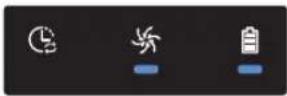
Namestitev postaje Virtual guard
Infrardeči žarek postaje Virtual guard preprečuje sesalniku POWERbot približevanje določenim območjem.
* (Priložen samo seriji SR2*M707****. Za serije SR2*M704****/SR2*M705****/SR2*M706**** je naprodaj posebej.)

1 Za vklop sesalnika pritisnite gumb "Vklop/izklop".
Lučka napajanja (rdeča) utripa.

2 Postajo Virtual guard namestite na mesto, kamor želite preprečiti dostop sesalniku POWERbot.
Senzor oddaljenosti mora biti usmerjen v želeno smer, v kateri želite ustvariti nevidno oviro (ta prepreči dostop sesalniku POWERbot).
Namestitev postaje Virtual guard
Ime dela postaje Virtual guard

Vstavljanje baterij
Baterije za postajo Virtual guard so naprodaj ločeno.

1 Pokrovček prostora za baterije postaje Virtual guard odstranite tako, da pritisnete zaklepni jeziček in ga dvignete.

2 Vstavite alkalne baterije tipa D, kot je prikazano na sliki (preverite obrnjenost polov +, -).

3 Zatič pokrovčka vstavite v režo in drugo stran pokrovčka prostora za baterije potisnite v ležišče, da ga zaprete.
Uporaba daljinskega upravljalnika
[Tip A] [Tip B]


[Tip C] [Tip D]


Uporaba daljinskega upravljalnika
☐ [Tip A]/☐ [Tip B]/ [Tip C]/ [Tip D]
1 Vklop/izklop/Ponovno polnjenje/Začetek/konec
Vklop/izklop 


POWERbot vklopite in izklopite. Ponovno polnjenje 


Izberite za samodejno polnjenje sesalnika POWERbot na priključni postaji Začetek/konec 


Izberite za začetek ali konec postopka sesanja.
2 Načini sesanja
Samodejno sesanje 


Izberite za eno čiščenje vseh določenih območij in samodejno vrnitev na priključno postajo. Sesanje območja 


Izberite za temeljito čiščenje določenega območja. Ponovno sesanje 


Izberite za ponovno čiščenje, dokler se baterija skoraj ne izprazni in indikator začne utripati.
3 Moč sesanja
Turbonačin 


Izberite za sesanje pri najvišji moči sesanja. Normalni način 


Izberite za sesanje pri zmerni moči sesanja. Tihi način 

Izberite za tišje sesanje.
4 Dodatna funkcija
Zvok 


Ob vsakem pritisku tega gumba izberete možnost Zvočni učinki → Nemo, v tem zaporedju. Daljinski upravljalnik 


Izberite za vklop ali izklop omrežja Wi-Fi.
* Predhodno izbrane nastavitve ne bodo spremenjene, tudi ko vklopite ali izklopite stikalo za izklop v sili.
5 Ročno sesanje in nadzor smeri
Premikanje naprej 

Izberite za premikanje naprej. Zavoj v levo 


Izberite za zavoj v levo. Zavoj v desno 


Izberite za zavoj v desno.
* Vzvratno premikanje ni na voljo.
6 Točkovno sesanje
Na voljo samo na daljinskih upravljalnikih tipov C in D.
Z daljinskim upravljalnikom sesalnik POWERbot med sesanjem usmerite na želeno mesto sesanja.
Rdečo lučko usmerite na tla na razdalji 0,5 m od mesta, na katerem stoji sesalnik POWERbot.
Pritisnite in pridržite gumb za točkovno sesanje, da lahko rdečo lučko usmerite na želeno mesto. Sesalnik POWERbot med sesanjem sledi lučki.

Delovna razdalja daljinskega upravljalnika

Višina daljinskega upravljalnika 0,5 m 1 m 1,5 m Delovna razdalja Pribl. 1,5 m Pribl. 2 m Pribl. 3 m
Vstavljanje baterij
Snemite pokrovček za baterije, tako med dviganjem pritiskate na zaporni jeziček in vstavite baterije, kot prikazuje slika. Pokrov je ustrezno zaprt, ko se zaskoči na svojem mesto.

Ime posameznega dela


Zgornja stran
1. Zaslon
3. Senzor za ovire
4. Posoda za prah
5. Kamera
6. Gumb posode za prah
7. Senzor odbijača
8. Samodejni zaklopec
2. Sprejemnik signalov daljinskega upravljalnika
Spodnja stran
1. Polnilna kontakta
2. Krtača
3. Pokrov krtače
4. Senzor za stopnice
5. Kolesce
6. Pokrov baterij
7. Gumb pokrova krtače
8. Pogonsko kolesce
9. Stikalo za izklop v sili
10. Samodejni zaklopec
Zaslon
1. Urnik za vsakodnevno sesanje
2. Normalni način/turbonačin
3. Indikator baterije
4. Gumb Sesanje območja, urnik za vsakodnevno sesanje (3 s)
5. Gumb Začetek/konec, turbonačin (3 s)
6. Gumb Ponovno polnjenje


SR1*M703****>
1. Nemo
2. Informativni indikator
3. *Indikator vklopljenega/izklopljenega pametnega upravljanja
4. *Wi-Fi
5. Indikator baterije
6. Urnik za enkratno/vsakodnevno čiščenje
7. Zaslon s številkami
8. Način sesanja območja
9. Način ročnega sesanja
10. Način ponovnega sesanja
11. Normalni način
12. Turbonacin
13. Gumb Sesanje območja
14. Gumb Začetek/konec
15. Gumb Ponovno polnjenje
1. Nemo
2. Informativni indikator
3. *Indikator vklopljenega/izklopljenega pametnega upravljanja
4. *Wi-Fi
5. Indikator baterije
6. Urnik za enkratno/vsakodnevno čiščenje
7. Zaslon s številkami
8. Način sesanja območja
9. Način ročnega sesanja
10. Način ponovnega sesanja
11. Tihi način
12. Normalni način
13. Turbonačin
14. Gumb Sesanje območja
15. Gumb Začetek/konec
16. Gumb Ponovno polnjenje
* SR1*M70**W*/SR2*M70**W*: model s podporo omrežja Wi-Fi
Nastavitev časa/urnika
[Tip A, tip B] Nastaviti je mogoče samo urnik za način samodejnega sesanja.
Nastavitev časa
Pred uporabo urnika za enkratno/vsakodnevno sesanje morate nastaviti uro.

Nastavitev urnika
Urnik lahko nastavljate/brišete le takrat, ko je sesalnik POWERbot priklopljen na priključno postajo.

Preklic med nastavitvijo

Če v 7 sekundah ne vnesete ukaza, je nastavitev samodejno preklicana.
Preklic urnika za enkratno/vsakodnevno sesanje
Ko sta nastavljena takournik za enkratno koturnik za vsakodnevnosesanje ScheduleCancel (3sec) [00001]  ali
ali  ScheduleCancel (3sec) [SW75]
  ali
ali  ScheduleCancel (3sec)Pridržite 3 sekunde. Izberite urnik. Preklic je končan.
 Ko je nastavljen ali urnikza enkratno ali urnik zavsakodnevno sesanje ScheduleCancel (3sec)Pridržite 3 sekunde.
[Tip C, tip D] Nastaviti je mogoče samo urnik za način samodejnega sesanja.
Nastavitev časa
Pred uporabo urnika za enkratno/vsakodnevno sesanje morate nastaviti uro.

Nastavitev urnika
Urnik lahko nastavljate/brišete le takrat, ko je sesalnik POWERbot priklopljen na priključno postajo.

Preklic med nastavitvijo

Če v 7 sekundah ne vnesete ukaza, je nastavitev samodejno preklicana.
Preklic urnika za enkratno/vsakodnevno sesanje
Ko sta nastavljena takournik za enkratno koturnik za vsakodnevnosesanje 

 ali
ali 


 Cancel (3sec) Cancel (3sec) Cancel (3sec) Pridržite 3 sekunde. Izberite urnik. Preklic je končan.
Ko je nastavljen ali urnikza enkratno ali urnik zavsakodnevno sesanje ScheduleCancel (3sec)Pridržite 3 sekunde.
Nastavitev časa/urnika
[Serija SR1*M701***] Za modele brez daljinskega upravljalnika veljajo spodnja navodila za nastavitev urnika.
Nastavitev urnika

Pridržite 3 sekunde.


Ko urnik za vsakodnevno sesanje nastavljen, zasveti indikator LED.
* Čas, ko pritisnete gumb, bo shranjen v urnik. Sesalnik bo samodejno sesal vsak dan v skladu z urnikom.
Preklic urnika za vsakodnevno sesanje
Ko je nastavljen urnik za vsakodnevno sesanje

Pridržite 3 sekunde.
Čiščenje in vzdrževanje
Pred čiščenjem sesalnika POWERbot morate izklopiti stikalo za izklop v sili.

Čiščenje posode za prah

1 Pritisnite gumb, da odstranite posodo za prah.

2 Odstranite pokrov posode za prah.

3 Odstranite prah iz posode za prah in ciklonske enote.

4 Odstranite ciklonsko enoto s pokrova posode za prah, nato sperite posodo za prah in filter.

5 Posodo za prah namestite nazaj.

6 Posodo za prah vstavite nazaj v osrednji del tako, da se zaskoči.
Čiščenje senzorjev in kamere
Previdno očistite z mehko krpo. Ne uporabljajte vode ali čistilne raztopine.

Čiščenje in vzdrževanje
Čiščenje krtače in samodejnega zaklopca
Zasnova krtače se lahko razlikuje glede na model.

1 Odstranite pokrov krtače.

2 Odstranite krtačo.

3 Očistite krtačo.

4 Očistite samodejni zaklopec.


5 Krtačo namestite nazaj.

6 Pokrov krtače namestite nazaj.
Čiščenje pogonskega kolesca

1 Na tla položite mehko krpo in nanjo položite sesalnik POWERbot z vrhnjim delom navzdol.


2 S topo palčko ali pinceto odstranite tujke.
Aplikacija Samsung Smart Home
Aplikacija Samsung Smart Home je na voljo samo za modele, ki podpirajo omrežje Wi-Fi.
Priprava omrežja
Nastavitev brezžičnega usmerjevalnika
▶ Ta izdelek podpira le protokol DHCP (Dynamic Host Configuration Protocol). Preverite, ali je v brezžičnem usmerjevalniku vključena možnost strežnik DHCP.
▶ Podprte so naslednje vrste preverjanja pristnosti/šifriranja brezžičnega usmerjevalnika: WEP-OPEN, WPA-PSK/TKIP in WPA2-PSK/AES 801.11n.
\- Priporočamo uporabo WPA2-PSK/AES.
▶ Na kakovost povezave z brezžičnim omrežjem lahko vplivajo ostale brezžične naprave v okolju.
Če je ponudnik spletnih storitev trajno registriral naslov MAC (enolično identifikacijsko številko) vašega računalnika ali modema, sesalnik POWERbot ne bo mogel vzpostaviti spletne povezave. V tem primeru se pri ponudniku spletnih storitev pozanimajte, kako lahko vzpostavite spletno povezavo z drugimi napravami, ki niso osebni računalnik.
Če vaš ponudnik spletnih storitev za dostop do spleta zahteva vaš ID ali geslo, sesalnik POWERbot ne bo mogel vzpostaviti spletne povezave. V tem primeru morate med vzpostavljanjem spletne povezave vnesti svoj ID ali geslo.
Vzpostavitev povezave s spletom lahko ovira tudi požarni zid. Za rešitev težave se obrnite na svojega ponudnika spletnih storitev.
▶ Nekateri brezžični usmerjevalniki lahko oddajajo nepravilne naslove strežnika DNS, tudi ko spletna povezava ni vzpostavljena. V tem primeru se obrnite na proizvajalca brezžičnega usmerjevalnika in svojega ponudnika spletnih storitev.
Če spletne povezave ni mogoče vzpostaviti niti ob upoštevanju navodil ponudnika spletnih storitev, se obrnite na zastopnika ali servisni center Samsung Electronics.

Opomba
▶ Preberite uporabniški priročnik za brezžični usmerjevalnik, pri katerem se pojavljajo težave s povezavo.
▶ Sesalnik Samsung POWERbot podpira samo 2,4 Ghz omrežje Wi-Fi.
▶ Sesalnik Samsung POWERbot podpira komunikacijski protokol standardov IEEE 802.11b/g/n ter Wi-Fi Direct. (Podjetje Samsung Electronics priporoča uporabo standarda IEEE 802.11n.)
- Brezžičnega usmerjevalnika, ki nimajo dovoljenja za povezavo Wi-Fi, ni mogoče povezati s sesalnikom POWERbot.
▶ Ko je priključna postaja napajana in je nanjo priključen sesalnik POWERbot, se bo sesalnik povezal s strežnikom in nato preveril, ali so na voljo posodobitve programske opreme. Če je na voljo novejša programska oprema, se ta samodejno prenese in namesti.
Če je med polnjenjem sesalnika POWERbot na zaslonu prikazan "UP", poteka posodobitev programske opreme. Počakajte, da se sesalnik ponovno zažene.
Aplikacija Samsung Smart Home
Če izdelek še ni registriran, upoštevajte naslednja navodila:
- V pojavnem oknu izberite možnost ponovnega poskusa registracije.
- Preverite, ali je v brezžičnem usmerjevalniku na voljo možnost UPnP (vstavi in poženi), in ponovno poskusite z registracijo.
- Preverite, ali ima brezžični usmerjevalnik za način delovanja izbran način usmerjevalnika, in ponovno poskusite z registracijo.
- Če imate več kot dva sesalnika POWERbot, med registracijo izključite ostale. Povezava mora biti vzpostavljena samo med sesalnikom, ki ga registrirate, in usmerjevalnikom.
- Če ima brezžični usmerjevalnik enako ime SSID kot usmerjevalnik, normalne registracije ni mogoče zagotoviti.
- Brezžičnemu usmerjevalniku morate pred registracijo izdelka dodeliti edinstveno ime SSID in geslo.
Ob uporabi požarnega zidu pravilno delovanje storitve Samsung Smart Home ni zagotovljeno.
Če sesalnik POWERbot in pametni telefon nista povezana z istim brezžičnim usmerjevalnikom, je lahko odzivnost v določenem omrežnem okolju slabša.
Indikatorja pametnega upravljanja in povezave Wi-Fi
lopljen: onemogočeno pametno upravljanje. (Na voljo je samo daljinski upravljalnik.)
- izklopljen: omogočeno pametno upravljanje.
- izklopljen: sesalnik POWERbot se povezuje z brezžičnim usmerjevalnikom.
- vklopljen: sesalnik POWERbot je povezan z brezžičnim usmerjevalnikom.


Če je pametno upravljanje zaklenjeno, aplikacije Samsung Smart Home ni mogoče uporabljati.
Uporaba aplikacije Samsung Smart Home
Ustvarjanje računa Samsung

Če želite uporabljati aplikacijo Samsung Smart Home, morate registrirati svoj osebni račun Samsung.

Opomba
Če aplikacijo Samsung Smart Home odprete, ne da bi omogočili samodejno prijavo, se na začetku pojavi zaslon računa Samsung.
Če uporabljate pametni telefon Samsung, lahko račun Samsung odprete v nastavitvah pametnega telefona. Nato je samodejna prijava opravljena brez nadaljnjih prijavnih postopkov, aplikacija Samsung Smart Home pa je na voljo za takojšnjo uporabo.
Prenos aplikacije Samsung Smart Home
1. Prenesite aplikacijo Samsung Smart Home iz trgovine Google Play (naprave Android) ali Apple App Store (naprave iOS). Pri iskanju aplikacije uporabite ključno besedo "Samsung Smart Home".
2. Namestite aplikacijo v pametno napravo.

Opomba
- Za aplikacijo Samsung Smart Home potrebujete Android 4.0 (ICS) ali novejšo različico. Optimirana je za Android 4.4 ali novejšo različico v pametnih telefonih Samsung (seriji Galaxy S in Note). Nekatere funkcije aplikacije morda ne bodo pravilno delovale v pametnih telefonih drugih proizvajalcev.
▶ Pri modelih z operacijskim sistemom iOS za aplikacijo potrebujete iOS 7 ali novejšo različico.
- Aplikacija Samsung Smart Home se lahko spremeni brez obvestila z namenom izboljšave uporabe in učinkovitosti.
Registracija izdelka (enostavna nastavitev)
Pred uporabo aplikacije Samsung Smart Home registrirajte izdelek v storitvi Samsung Smart Home.
Android
1. Za začetek registracije izdelka pritisnite ikono Dodaj nov izdelek na zaslonu s seznamom naprav v oknu aplikacije Samsung Smart Home.
2. Izberite ikono robotskega sesalnika.
3. Vnesite podatke o brezžičnem usmerjevalniku, s katerim želite vzpostaviti povezavo.
4. Nastavite sesalnik POWERbot skladno z navodili na zaslonu.
- Če želite takoj vključiti način dostopne točke, pridržite gumb [Clock] več kot 5 sekund.
5. Postopek registracije se nato nadaljuje samodejno.
6. Ob zaključku registracije se pojavi sporočilo.
7. Po koncu registracije izdelka, se pojavi glavni zaslon aplikacije Samsung Smart Home.
* Če registracija ne uspe, glejte stran 27.
iOS
1. Zaženite aplikacijo Samsung Smart Home.
2. Za začetek registracije izdelka se pomaknite na levi zaslon in na zaslonu s seznamom naprav pritisnite ikono Dodaj nov izdelek.
3. Vnesite račun Samsung in pritisnite gumb [Sign in].
- iPhone ne shrani vašega ID-ja in gesla, zato ju morate vpisati ob vsaki uporabi aplikacije Samsung Smart Home.
4. Izberite ikono [Robot vacuum].
5. Pridržite gumb za uro na daljinskem upravljalniku več kot 5 sekund.
- Na zaslonu se pojavi dostopna točka.
6. V iPhonu odprite Settings in vzpostavite povezavo z robotsko napravo [Robot Vacuum] Samsung na seznamu.
7. Vnesite ID in geslo brezžičnega usmerjevalnika, s katerim želite vzpostaviti povezavo, in pritisnite gumb [Next].
8. Vzpostavljanje povezave med pametnim telefonom in robotskim sesalnikom je v teku.
9. V iPhonu odprite Settings in vzpostavite povezavo z brezžičnim usmerjevalnikom, ki je na seznamu naprav, povezanih z omrežjem Wi-Fi.
Aplikacija Samsung Smart Home
10. Vzpostavljanje povezave med brezžičnim usmerjevalnikom in robotskim sesalnikom je v teku.
11. Ko se registracija izdelka zaključi, se pojavi sporočilo.
12. Ob zaključki registracije se ikona robotskega sesalnika pojavi na seznamu naprav.
Glavni zaslon
Če na glavnem zaslonu izberete ikono robotskega sesalnika, lahko odprete upravljalni zaslon sesalnika POWERbot.
▶ Pametne gospodinjske naprave proizvajalca Samsung Electronics lahko upravljate z ikonami Odhod od doma, Prihod domov, Lahko noč in Dobro jutro.
▶ Sesalnik POWERbot ne podpira funkcije Prikaz doma.
Zaslon z uporabniškim menijem
▶ Pametne gospodinjske naprave proizvajalca Samsung Electronics lahko upravljate s funkcijama Upravljanje s sporočili in Glavni ključ.
Chat control ►Funkcija omogoča priročno upravljanje pametnih gospodinjskih naprav in preverjanje njihovega stanja. Master key ►Z uporabo glavnih ključev (Odhod od doma, Prihod domov, Lahko noč in Dobro jutro) je mogoče upravljati več gospodinjskih naprav hkrati. Customer service ►Na voljo je uporabniški priročnik izdelka.►Če se izdelek pokvari, se lahko posvetujete s centrom za pomoč strankam in zahtevate poprodajne storitve.
Upravljanje sesalnika POWERbot
Ob odpiranju aplikacije Samsung Smart Robot Vacuum se pojavi upravljalni zaslon.

1. Vklop/izklop
2. Način ročnega sesanja in Nadzor smeri (premikanje naprej, levi obrat, desni obrat)
3. Vklop/izklop načina samodejnega sesanja
4. Način sesanja območja
5. Indikator trenutnega stanja
6. Stanje baterije
7. Moč sesanja
8. Vklop/izklop ponovnega sesanja
9. Urnik (za vsak dan je mogoče nastaviti želeno uro)
- Sesalnik POWERbot deluje prek sinhronizacije nastavljene ure v omrežju.
10. Pregled zgodovine sesanja

Opomba
▶ Sesanje po urniku deluje samo, će je sesalnik POWERbot priključen na priključno postajo.
Opombe in opozorila
Polnjenje

Opomba
▶ Če se med polnjenjem baterija pregreje, polnjenje traja dlje.
▶ Če samodejno polnjenje ne deluje, storite naslednje:
- Stikalo za izklop v sili (na spodnji strani sesalnika POWERbot) izklopite in znova vklopite.
- Napajalni vtič priključne postaje izključite in ga ponovno vključite.
- Izključite priključno postajo in nato preverite, ali so na polnilnih kontaktih tujki. Sesalnik POWERbot in polnilna kontakta priključne postaje očistite s suho krpo.
- Preverite, ali so v bližini priključne postaje kakršne koli ovire, kot so odsevni predmeti, stoli itd.
▶ Če se POWERbot ne priključi na priključno postajo, se baterija izprazni.
\- Sesalnik POWERbot, ki je v postopku polnjenja, mora ostati na priključni postaji. (Izklopite stikalo za izklop v sili in izključite priključno postajo, će nameravate zapustiti stanovanje za dlje časa, se odpravljate na poslovno pot ali počitnice itd.)
Uporaba

Opomba
▶ POWERbot se med sesanjem lahko zatakne za prag itd.
\- Za vnovičen začetek postopka morate izklopiti stikalo za izklop v sili, sesalnik POWERbot prenesti v območje, kjer se lahko nemoteno premika, in ga znova vklopiti.
▶ POWERbot ne more povsem posesati območij, do katerih nima dostopa, na primer kotov, območja med steno in kavčem itd.
\- Nedostopna območja redno čistite z drugim čistilnim pripomočkom.
▶ POWERbot ne more posesati sprimkov umazanije, zato je po čiščenju lahko nekaj ostane na tleh.
\- Nedostopna območja redno čistite z drugim čistilnim pripomočkom.
▶ Če je sesalnik POWERbot izklopljen, ga ne morete vklopiti z gumbom za vklop/izklop na daljinskem upravljalniku. Pritisnite in pridržite gumb [Začetek/konec] na sesalniku POWERbot.
▶ Med polnjenjem načina sesanja območja ni mogoče izbrati in izvajati.
▶ Če med polnjenjem pritisnete gumb Ročno sesanje/Točkovno sesanje, sesalnik POWERbot zapusti priključno postajo in preklopi v način mirovanja.
Čiščenje in vzdrževanje

Opomba
▶ Če ste posodo za prah in filter očistili z vodo
- Posoda za prah: vodo povsem obrišite.
- Filter: pred uporabo ga postavite v senco, da se popolnoma posuši.
Med čiščenjem samodejnega zaklopca ne vlecite premočno.

Pozor
▶ Ko nameščate ali odstranjujete filter, pazite, da prstov ne zataknete v sesalni del posode za prah.
▶ Sesalnik POWERbot se lahko zamaši zaradi tujkov, zato preprečite sesanje zobotrebcev, vatiranih palčk itd.
▶ Če tujkov ne morete preprosto odstraniti s krtače, se obrnite na pooblaščeni servisni center Samsung.
\- Krtača med čiščenjem odstranjuje nesnago s tal, zato se lahko vanjo zataknejo tujki, kot so nitke, dolgi lasje ipd. Za najboljše rezultate čiščenja jo redno preverjajte in čistite.
Opombe in opozorila
O bateriji

Opomba
▶ Baterije kupite v pooblaščenih centrih Samsung ter pred nakupom preverite prisotnost znaka ( ) a bateriji in ime modela.
▶ Baterija je namenjena izključno sesalniku Samsung Electronics POWERbot. Ne uporabljajte je za druge izdelke.
▶ Baterije ne razstavljajte ali spreminjajte.
▶ Baterije ne vrzite v ogenj ali je segrevajte.
- Polnilnih kontaktov (+, -) ne povezujte s kovinskimi predmeti.
▶ Baterijo hranite v zaprtem prostoru (0\~40 °C).
▶ Če je baterija okvarjena, je ne poskušajte razstaviti sami. Obrnite se na najbližji servisni center Samsung.
- Čas polnjenja in uporabe baterije se z rabo baterije skrajša. Če je življenjska doba baterije presežena in se ta ne polni več ustrezno, naj vam jo zamenjajo v servisnem centru Samsung.
▶ Garancijska doba baterije je 6 mesecev od datuma nakupa.
O senzorju IrDA

Pozor
▶ Prenos infrardečega signala je lahko moten v prostorih s halogenskimi žarnicami in na prostem.
▶ Sesalnik POWERbot uporablja 3 vrste infrardečih naprav. Vsaka naprava ima drugačno prednostno raven. Naprava morda ne bo delovala, će njen signal preglasi signal naprave z večjo prednostjo.
\- Prednostni infrardeči signal: pametno upravljanje > priključna postaja
▶ Delovanje različnih infrardeči signalov je lahko moteno in povzroči nepravilno delovanje naprav, će jih uporabljate skupaj v majhnem prostoru ali na majhni razdalji.
▶ Če sočasno uporabljate več sesalnikov POWERbot, morda ne bodo delovali pravilno zaradi motenj z infrardečimi signali.
Informacijske kode
1 Utripajo spodnji trije indikatorji in oglasi se alarm za napako.
2 Izklopite stikalo za izklop v sili, preverite spodnja navodila in ustrezno ukrepajte.
3 Ob vklopu stikala za izklop v sili informacijska koda izgine.
Informacijske kode Preverite 
Sesalnik POWERbot se je med sesanjem ujel ali obtičal.► Izklopite stikalo za izklop v sili in premaknite sesalnik POWERbot na drugo območje. Preverite podatke na seznamu za preverjanje. Tujek v krtači► Izklopite stikalo za izklop v sili in odstranite tujke s krtače. Tujek v levem pogonskem kolescu► Izklopite stikalo za izklop v sili in odstranite tujke s pogonskega kolesca. Tujek v desnem pogonskem kolescu► Izklopite stikalo za izklop v sili in odstranite tujke s pogonskega kolesca. Tujek v samodejnem zaklopcu► Izklopite izdelek s stikalom za izklop v sili in odstranite tujek s samodejnega zaklopca. Preveriti morate senzor odbijača.► Izklopite in znova vklopite stikalo za izklop v sili.► Če informacijska koda ne izgine, preverite, ali je morda med odbijačem in ohišjem sesalnika zataknjen tujek. Če je, odbijač rahlo potegnite in tujek odstranite. Tujek v senzorju za ovire► Izklopite stikalo za izklop v sili in z mehko krpo očistite sprednji in hrbtni senzor. Tujek v senzorju za stopnice► Izklopite stikalo za izklop v sili in z mehko krpo očistite senzor za stopnice.
Informacijske kode
1 Prikaže se spodnja informacijska koda in oglasi se alarm za napako.
2 Izklopite stikalo za izklop v sili, preverite spodnja navodila in ustrezno ukrepajte.
3 Ob vklopu stikala za izklop v sili informacijska koda izgine.
Informacijske kode Preverite 
Sesalnik POWERbot se je med sesanjem ujel ali obtičal.► Izklopite stikalo za izklop v sili in premaknite sesalnik POWERbot na drugo območje. 
Tujek v krtači► Izklopite stikalo za izklop v sili in odstranite tujke s krtače. 
Tujek v levem pogonskem kolescu► Izklopite stikalo za izklop v sili in odstranite tujke s pogonskega kolesca. 
Tujek v desnem pogonskem kolescu► Izklopite stikalo za izklop v sili in odstranite tujke s pogonskega kolesca. 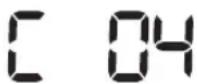
Tujek v samodejnem zaklopcu► Izklopite izdelek s stikalom za izklop v sili in odstranite tujek s samodejnega zaklopca. 
Preveriti morate senzor odbijača.► Izklopite in znova vklopite stikalo za izklop v sili.► Če informacijska koda ne izgine, preverite, ali je morda med odbijačem in ohišjem sesalnika zataknjen tujek. Če je, odbijač rahlo potegnite in tujek odstranite. 
Tujek v senzorju za ovire► Izklopite stikalo za izklop v sili in z mehko krpo očistite sprednji in hrbtni senzor. 
Tujek v senzorju za stopnice► Izklopite stikalo za izklop v sili in z mehko krpo očistite senzor za stopnice.
Odpravljanje težav
Znak Preverite POWERbot ne deluje. Preverite, ali je stikalo za izklop v sili vklopljeno.Preverite, ali so na zaslonu prikazane vse ikone.Preverite, ali je baterija sesalnika POWERbot izpraznjena.- Če je prikazano sporočilo "Lo", sesalnik POWERbot premaknite na priključno postajo za polnjenje.- Če utripa indikator baterije, sesalnik POWERbot ročno premaknite na priključno postajo za polnjenje. (Samo pri seriji SR1*M701****)Če daljinski upravljalnik ne deluje, zamenjajte baterije (tip AAA). Sesalnik POWERbot se med sesanjem ustavi. Če je na zaslonu prikazano sporočilo "Lo", sesalnik POWERbot premaknite na priključno postajo za polnjenje.Če utripa indikator baterije, sesalnik POWERbot ročno premaknite na priključno postajo za polnjenje. (Samo pri seriji SR1*M701****)Če se sesalnik POWERbot zagozdi v ovire, kot so kabli, prag itd., ga dvignite in odmaknite od ovire.- Če se okrog pogonskega kolesca ovijejo kosi vlaken ali nitke, izklopite stikalo za izklop v sili in tujke pred ponovno uporabo odstranite. Moč sesanja je šibka. Če sveti indikator za preverjanje filtra, izklopite stikalo za izklop v sili in izpraznite posodo za prah.Moč sesanja se lahko zniža, če je v posodi za prah preveč prahu. Izklopite stikalo za izklop v sili in izpraznite posodo za prah.Če je sesalna cev (na spodnji strani sesalnika POWERbot) zamašena zaradi tujkov, izklopite stikalo za izklop v sili in odstranite tujke iz sesalne cevi.Če sesalnik nenadoma postane bolj hrupen, izklopite stikalo za izklop v sili in izpraznite posodo za prah. Sesalnik POWERbot ne najde priključne postaje. Preverite, ali je zmanjkalo elektrike ali se je napajalni kabel iztaknil.Iz okolice priključne postaje odstranite vse ovire, ki bi preprečevale povratek sesalnika POWERbot k priključni postaji.Polnjenje lahko poslabšajo tujki na polnilnih kontaktih. Odstranite tujke s polnilnih kontaktov. Sesalnik POWERbot prične nenadoma sesati diagonalno. Preverite, ali je priključna postaja nameščena v enaki smeri, kot so položena lesena tla ali ploščice.POWERbot lahko sesa v prečni smeri, če se želi premakniti na drugo območje po najkrajši poti. V prečni smeri se lahko premika tudi, če se je dotaknil ovire pod tem kotom, če se je polnil na priključni postaji pod tem kotom ali so lesena tla ali ploščice položene v tej smeri. Način za točkovno sesanje ne deluje. Če rdečo lučko usmerite neposredno proti sesalniku POWERbot, se morda ne bo premaknil v želeno smer.- Rdečo lučko usmerite na tla na razdalji 0,5 m od mesta, na katerem stoji sesalnik POWERbot.* Načina za točkovno čiščenje ne uporabljajte na neposredni sončni svetlobi, na svetli luči ali na temnih tleh.
Odpravljanje težav
Znak Preverite Aplikacija Samsung Smart Home je nameščena, vendar povezava s sesalnikom POWERbot ni mogoča. ► Za uporabo izdelka je potrebno vzpostaviti povezavo med brežičnim usmerjevalnikom in sesalnikom POWERbot po navodilih za enostavni postopek povezave. Ne morem se prijaviti v račun Samsung. ► Na zaslonu računa Samsung preverite svoje uporabniško ime in geslo. Med enostavnim postopkom povezovanja se pojavi sporočilo o neuspešni povezavi. ► Morda gre za začasno napako v povezavi zaradi oddaljenosti od brežičnega usmerjevalnika ali različnih preprek, ki motijo signal. Poskusite znova čez nekaj časa. Izdelki ne delujejo, čeprav je pametni telefon pravilno povezan s sesalnikom POWERbot. ► Aplikacijo Samsung Smart Home zaprite in znova odprite ali prekinite ter znova vzpostavite povezavo med pametnim telefonom in brežičnim usmerjevalnikom. Lahko tudi izklopite in vklopite sesalnik POWERbot, počakate vsaj eno minuto in nato znova odprete aplikacijo Smart Home. Funkcije aplikacije Samsung Smart Home ne delujejo. ► Preverite, ali je pametno upravljanje sesalnika POWERbot onemogočeno. (Če je pametno upravljanje onemogočeno, indikator Wi-Fi ne sveti.) Aplikacije Samsung Smart Robot Vacuum ni mogoče odpreti. ► Preverite, ali je sesalnik POWERbot povezan z brežičnim usmerjevalnikom. Sesalnik POWERbot ni povezan z omrežjem Wi-Fi. ► Preverite nastavitve brežičnega usmerjevalnika. Funkcija pametnega sesanja deluje na normalnih tleh. ► Preverite, ali so tla ravna in ali je ohišje sesalnika POWERbot rahlo dvignjeno.► Preverite, ali so tujki v senzorju za stopnice, na spodnji strani sesalnika POWERbot.► Preverite, ali so tla temne barve. Funkcija pametnega sesanja ne deluje. ► Ko sesalnik POWERbot sesa preprogo svetle barve iz kratkih vlaken, lahko zazna preprogo kot tla in funkcija pametnega sesanja ne deluje. Sistem za sesanje robov ne deluje. ► Če sesalnik POWERbot ne zazna stene, sistem za sesanje robov ne bo deloval:- če je pred steno postavljena ovira iz odsevnega materiala;- če je stena narejena iz odsevnega materiala;- če je stena temne barve. Sistem za sesanje robov deluje, čeprav ni stene ali kota. ► Preverite, ali so v ozkem prostoru postavljene majhne ovire.► Ko sesalnik POWERbot zazna oviro pred sabo kot steno, lahko začne delovati sistem za sesanje robov. Sistem za sesanje robov deluje, čeprav se sesalnik POWERbot ni približal steni ali kotu. ► Če sesalnik POWERbot zazna velik kot, lahko začne delovati sistem za sesanje robov, ne da bi se sesalnik približal steni ali kotu.
* Sesalnik je skladen z naslednjimi predpisi:
- Direktiva RTTE: 1999/5/EC
- Direktiva o elektromagnetni združljivosti: 2014/30/EU
- Direktiva o nizki napetosti: 2014/35/EU
Uradna izjava o skladnosti je na voljo na spletnem mestu http://www.samsung.com, v razdelku Podpora.
Poiščite podporo za ustrezne izdelke in vnesite ime modela.
Opozorila glede baterije

Baterije, vgrajene v izdelek, ne poskušajte odstraniti sami. Za zamenjavo baterije se obrnite na servis ali drugo ustrezno usposobljeno osebje. Spodnja navodila so namenjena izključno servisnemu in drugemu usposobljenemu profesionalnemu osebju.
ZARADI LASTNE VARNOSTI NE POSKUŠAJTE SAMI ODSTRANITI BATERIJE IN JE NE IZPOSTAVLJAJTE OGNJU. BATERIJE NE RAZSTAVLJAJTE, MEHANSKO POŠKODUJTE ALI PRELUKNJAJTE.
Kako odstraniti baterijo
Pred razstavljanjem sesalnik POWERbot odstranite s polnilnika/priključne postaje. Sesalnik POWERbot pred začetkom razstavljanja izključite.

1 Sesalnik POWERbot odložite in obrnite na glavo, nato pa odstranite 2 vijaka.

2 Odstranite pokrov posode za prah.

3 Baterijo izvlecite iz predala in njen priključek izključite.

Pravilno odlaganje baterij tega izdelka
(Velja za države z ločenim zbiranjem odpadnih baterij.)
Zgornja oznaka na bateriji, v navodilih za uporabo ali na embalaži pomeni, da baterije tega izdelka ni dovoljeno odlagati skupaj z drugimi gospodinjskimi odpadki. Če se pojavljajo simboli elementov Hg, Cd ali Pb, to pomeni, da baterija vsebuje živo srebro, kadmij ali svinec nad referenčnimi vrednostmi direktive ES 2006/66.
Baterije v tem izdelku ne more zamenjati sam uporabnik. Za dodatne informacije o njeni zamenjavi se obrnite na svojega ponudnika storitev. Baterije ne poskušajte odstraniti in je ne izpostavljajte ognju. Baterije ne razstavljajte, mehansko poškodujte ali preluknjajte. Če želite izdelek zavreči, ga nesite na odlagališče odpadkov, kjer bodo poskrbeli za ustrezno reciklažo ter obdelavo izdelka in njegove baterije
Obvestilo glede odprtokodne programske opreme
Programska oprema v izdelku vsebuje odprtokodno programsko opremo. Po zadnji odpremi tega izdelka lahko prejmete celotno ustrezno izvorno kodo in jo uporabljate tri leta, će pišete na mailto: oss.request@samsung.com.
Celotno ustrezno izvorno kodo lahko prejmete tudi na fizičnem nosilcu, kot je CD, za kar je potrebno minimalno plačilo.
Na spletnem naslovu http://opensource.samsung.com/opensource/VR7000_A20_TZ/seq/0 lahko najdete pot do strani, s katere lahko prenesete razpoložljivo izvorno kodo in podatke o odprtokodni licenci, povezane s tem izdelkom. Ponudba velja za vsakogar, ki prejme te podatke.

Specifikacije
Klasifikacija Element Podrobne informacije Mehanske specifikacije (POWERbot) Velikost (G x V x D) 340 x 97 x 348 mm Teža 4 kg Senzor Prepoznavanje oblike stropa (Visionary mapping plus TM) Vrsta gumbov na sesalniku POWERbot Vrsta na dotik Specifikacije napajanja Napetost 100-240 V~, 50 Hz/60 Hz Poraba energije 80 W Specifikacije baterije 21,6 V/38,8 Wh Čiščenje Način polnjenja Samodejno polnjenje/ročno polnjenje Način sesanja Samodejno sesanje, točkovno sesanje, urnik za vsakodnevno sesanje Samodejno sesanje, točkovno sesanje, ponovno sesanje, ročno sesanje, urnik za enkratno sesanje ali urnik za vsakodnevno sesanje Čas polnjenja Približno 240 minut Čas sesanja (na podlagi sesanja trdih tal) Turbonačin Približno 30 minut Normalni način Približno 60 minut
Klasifikacija Element Podrobne informacije Mehanske specifikacije (POWERbot) Velikost (G x V x D) 340 x 97 x 348 mm Teža 4,3 kg Senzor Prepoznavanje oblike stropa (Visionary mapping plus TM) Vrsta gumbov na sesalniku POWERbot Vrsta na dotik Specifikacije napajanja Napetost 100–240 V~, 50 Hz/60 Hz Poraba energije 130 W Specifikacije baterije 21,6 V/77,8 Wh Čiščenje Način polnjenja Samodejno polnjenje/ročno polnjenje Način sesanja Samodejno sesanje, točkovno sesanje, ponovno sesanje, ročno sesanje, urnik za enkratno sesanje ali urnik za vsakodnevno sesanje Čas polnjenja Približno 160 minut Čas sesanja (na podlagi sesanja trdih tal) Turbonačin Približno 30 minut Normalni način Približno 60 minut Tihi način Približno 90 minut
* Za namene izboljšave izdelka se lahko zasnova in specifikacije izdelka spreminjajo brez predhodne najave.
* Čas polnjenja in sesanja se lahko razlikuje glede na pogoje uporabe.
Če imate kakšna vprašanja ali komentarje povezane z izdelki Samsung, stopite v stik s centrom za pomoč strankam družbe SAMSUNG.
Država Center za pomoč strankam Spletno mesto CROATIA 072 726 786 www.samsung.com/hr/support SERBIA 011 321 6899 www.samsung.com/rs/support MONTENEGRO 020 405 888 www.samsung.com/support BOSNIA 055 233 999 www.samsung.com/support MACEDONIA 023 207 777 www.samsung.com/support BULGARIA *3000 Цена в мрежата0800 111 31 , Безплатна телефонна линия www.samsung.com/bg/support ROMANIA *8000 (apel in retea)08008-726-78-64 (08008-SAMSUNG) Apel GRATUIT www.samsung.com/ro/support SLOVENIA 080 697 267 (brezplačna številka) www.samsung.com/si
SR1*M703****>
1. Isključivanje zvuka 2. Indikator za informacije 3. *Indikator za uključivanje/isključivanje pametne kontrole 4. *Wi-Fi 5. Indikator baterije 6. Raspored jednokratno/dnevno 7. Numerički prikaz 8. Režim čišćenja jednog mesta 9. Režim ručnog čišćenja 10. Režim ponavljanja čišćenja 11. Normalan režim 12. Maksimalno čišćenje 13. Dugme za čišćenje mesta 14. Dugme „Pokretanje/Zaustavljanje“ 15. Dugme za punjenjePodešavanje vremena/rasporeda
[Tip A, tip B] Raspored se može kreirati samo u režimu automatskog čišćenja.Podešavanje vremena
Potrebno je da podesite trenutno vreme pre zakazivanja jednokratnog/dnevnog čišćenja. Zakazivanje čišćenja
Raspored se može podesiti i otkazati samo kada je POWERbot priključen na baznu stanicu. Otkazivanje tokom podešavanja
 ▶ Postavka se automatski otkazuje ako nema unosa u roku od 7 sekundi.Otkazivanje rasporeda jednokratnog/dnevnog čišćenja
| Kada je zakazano jednokratno i dnevno čišćenje | Schedule Cancel (3sec) ili Schedule Cancel (3sec) ili Schedule Cancel (3sec)Pritisnite i zadržite 3 sek. Izaberite raspored Otkazivanje je gotovo | |||||
| Kada je zakazano jednokratno čišćenje ili dnevno čišćenje | Schedule Cancel (3sec)Pritisnite i zadržite 3 sek. | |||||
Podešavanje vremena
Potrebno je da podesite trenutno vreme pre zakazivanja jednokratnog/dnevnog čišćenja. Zakazivanje čišćenja
Raspored se može podesiti i otkazati samo kada je POWERbot priključen na baznu stanicu. Otkazivanje tokom podešavanja
 ▶ Postavka se automatski otkazuje ako nema unosa u roku od 7 sekundi.Otkazivanje rasporeda jednokratnog/dnevnog čišćenja
| Kada je zakazano jednokratno i dnevno čišćenje | ili Cancel (3sec) Cancel (3sec)Pritisnite i zadržite 3 sek. Izaberite raspored Otkazivanje je gotovo |
| Kada je zakazano jednokratno čišćenje ili dnevno čišćenje | ScheduleCancel (3sec)Pritisnite i zadržite 3 sek. |
Podešavanje vremena/rasporeda
[Serija SR1*M701***] Za modele uz koje se ne isporučuje daljinski upravljač, zakazivanje čišćenja se može obaviti na način opisan u nastavku.Zakazivanje čišćenja
 Pritisnite i zadržite 3 sek.   Kada se LED lampica za zakazivanje uključi, podešen je dnevni raspored. * Pomoću dugmeta posedite vreme. Čišćenje će se automatski obavljati svakodnevno u skladu sa zakazanim vremenom.Otkazivanje dnevnog rasporeda
Ako je dnevni raspored podešen  Pritisnite i zadržite 3 sek.Čišćenje i održavanje
Pre čišćenja usisivača POWERbot potrebno je da ga isključite pomoću prekidača za hitne slučajeve. Čišćenje posude za prašinu
 1 Pritisnite dugme da biste izvadili posudu za prašinu  2 Skinite poklopac posude za prašinu  3 Istresite prašinu iz posude za prašinu i iz ciklonskog filtera  4 Skinite ciklonski filter sa poklopca posude za prašinu i isperite posudu za prašinu i filter  5 Sklopite posudu za prašinu  6 Vratite posudu za prašinu u kućište usisivača tako da škljocneČišćenje senzora i kamere
Pažljivo ih prebrišite mekanom krpicom. Ne koristite vodu ni sredstva za čišćenje. Čišćenje i održavanje
Čišćenje četke i uređaja za automatsko zatvaranje
Dizajn četke može da se razlikuje u zavisnosti od modela.  1 Skinite poklopac četke  2 Skinite četku  3 Očistite četku  4 Očistite uredaj za automatsko zatvaranje  5 Vratite četku  6 Vratite poklopac četkeČišćenje točkića za upravljanje
 1 Stavite meku krpu na pod, pa na nju stavite POWERbot okrenut naopako.   2 Tupim štapićem ili pincetom izvadite krupniju prljavštinu.Aplikacija Samsung Smart Home
Aplikacija Samsung Smart Home je dostupna samo na modelima koji podržavaju Wi-Fi funkciju.Priprema mreže
Podešavanje bežičnog rutera
▶ Ovaj proizvod podržava samo DHCP protokol (Protokol za dinamičko konfigurisanje računara). Proverite da li je optiona funkcija bežičnog rutera „DHCP server“ aktivirana. ▶ Podržani tipovi autorizacije/šifrovanja bežičnog rutera su WEP-OPEN, WPA-PSK/TKIP i WPA2-PSK/AES 801.11n. \- Preporučuje se da koristite WPA2-PSK/AES. Kvalitet prijema signala bežične mreže može biti uslovljen neposrednim bežičnim okruženjem. Kada dobavljač Internet usluga trajno registruje MAC adresu (jedinstveni identifikacioni broj) vašeg računara ili modema, POWERbot možda neće moći da se poveže na Internet. Pitajte dobavljača Internet usluga o postupku povezivanja uređaja koji nije računar na Internet. Ako dobavljač Internet usluga traži ID ili lozinku za povezivanje na Internet, POWERbot možda neće moći da se poveže na Internet. U tom slučaju, morate uneti ID ili lozinku prilikom povezivanja na Internet. ▶ Povezivanje na Internet može biti onemogućeno zbog problema sa zaštitnim zidom. Pitajte dobavljača Internet usluga za mogućnost rešavanja tog problema. ▶ Neki modeli bežičnih rutera mogu prenositi prekomeran broj DNS adresa čak i kada nisu povezani na Internet. U tom slučaju, raspitajte se o odgovarajućem bežičnom ruteru kod dobavljača Internet usluga. ▶ Ako i nakon sprovođenja procedure dobijene od dobavljača Internet usluga i dalje ne možete da se povežete na Internet, obratite se ovlašćenom predstavništvu ili servisu kompanije Samsung Electronics. Napomena
▶ Pogledajte uputstvo za bežični ruter koji nema probleme sa pristupom. Samsung POWERbot podržava samo Wi-Fi mrežu na 2,4 GHz. Samsung POWERbot podržava komunikacioni protokol metoda IEEE 802.11b/g/n i Wi-Fi Direct. (Kompanija Samsung Electronics preporučuje da koristite IEEE 802.11n.) ▶ Bežični ruter bez Wi-Fi autorizacije možda neće moći da se poveže sa usisivačem POWERbot. Kada je uključeno napajanje, a POWERbot priključen na baznu stanicu, on će se povezati na server i zatim proveriti da li postoje softverske ispravke. Ako postoji noviji softver, on će biti automatski preuzet i instaliran. Ako je poruka „UP“ prikazana na kontrolnoj tabli tokom prilikom punjenja usisivača POWERbot, to znači da je ažuriranje u toku. Sačekajte da se završi ponovno pokretanje operativnog sistema. Ako proizvod nije registrovan, pratite sledeća uputstva: - Pogledajte iskačuću poruku, pa ponovo probajte da obavite registraciju. - Proverite da li je opcija bežičnog rutera UPnP dostupna, pa ponovo probajte da obavite registraciju. - Proverite da li je režim rutera izabran za radni režim bežičnog rutera, pa ponovo probajte da obavite registraciju. - Ako imate više od dva usisivača POWERbot, isključite ostale usisivače da biste registrovali onaj koji trenutno koristite. Povezivanje mora biti direktno. - Ako postoji bežični ruter sa istim SSID brojem u blizini vašeg rutera, registracija može biti otežana. - Izaberite jedinstveni SSID broj i lozinku za svoj bežični ruter, a zatim registrujte uređaj. ▶ Usluga Samsung Smart Home ne garantuje normalan rad ako postoji zaštitni zid.Aplikacija Samsung Smart Home
Ako POWERbot i pametni telefon nisu povezani na isti bežični ruter, može doći do kašnjenja odziva u zavisnosti od uslova mreže. Indikator pametne kontrole i statusa Wi-Fi mreže  ključeno: Pametna kontrola je zaključana. (Dostupna je samo daljinska kontrola.) - Isključeno: Pametna kontrola je otključana. - Isključeno: POWERbot usisivač se povezuje na bežični ruter. - Uključeno: POWERbot je povezan na bežični ruter.  ▶ Ako je pametna kontrola zaključana, nećete moći da koristite aplikaciju Samsung Smart Home.Korišćenje aplikacije Samsung Smart Home
Otvaranje Samsung naloga
 Ako želite da koristite aplikaciju Samsung Smart Home, registrujte Samsung nalog. Napomena
Ako ne podesite automatsko prijavljivanje u aplikaciji Samsung Smart Home pre pokretanja aplikacije, ekran Samsung naloga će se prikazati jedanput na početku. Ako imate pametni telefon kompanije Samsung, registrujte Samsung nalog u podešavanjima pametnog telefona. Tada će se automatsko prijavljivanje obavljati bez drugih procesa prijavljivanja i moći ćete odmah da koristite aplikaciju Samsung Smart Home.Preuzimanje aplikacije Samsung Smart Home
1. Preuzmite aplikaciju Samsung Smart Home iz prodavnice Google Play (za Android uređaje) ili iz prodavnice Apple AppStore (za iOS uređaje). Pronađite aplikaciju pomoću ključnih reči „Samsung Smart Home“. 2. Instalirajte aplikaciju na pametnom uređaju. Napomena
Aplikacija Samsung Smart Home podržava operativni sistem Android 4.0 (ICS) i novije verzije, a optimizovana je za operativni sistem Android 4.4 ili novije verzije na pametnim telefonima kompanije Samsung (serije Galaxy S i Note). Neke funkcije aplikacije možda neće ispravno raditi na pametnim telefonima drugih proizvođača. ▶ Na modelima sa operativnim sistemom iOS, za ovu aplikaciju je potrebna verzija iOS 7 ili novija. ▶ Aplikacija Samsung Smart Home može biti izmenjena bez prethodnog obaveštenja radi poboljšanja funkcija i performansi uređaja.Registracija proizvoda (lako podešavanje)
Registrujte proizvod u okviru usluge Samsung Smart Home pre korišćenja aplikacije Samsung Smart Home.Android
1. Kliknite na ikonu „Dodaj novi“ na ekranu sa listom uređaja u aplikaciji Samsung Smart Home da biste započeli registraciju proizvoda. 2. Izaberite ikonu „Robot usisivač“. 3. Unesite informacije o bežičnom ruteru na koji se povezujete. 4. Podesite POWERbot prema uputstvima na ekranu. - Da biste odmah uključili režim pristupne tačke, pritisnite i zadržite najmanje 5 sekundi dugme [Clock]. 5. Registracija će se automatski nastaviti. 6. Kada registracija bude završena, pojaviće se poruka. 7. Kada registracija proizvoda bude završena, pojaviće se glavni ekran aplikacije Samsung Smart Home. * Ako ne možete da registrujete uređaj, pogledajte stranicu 27.iOS
1. Pokrenite aplikaciju Samsung Smart Home. 2. Predite na levi ekran, pa kliknite na ikonu „Dodaj novi“ na ekranu sa listom uređaja da biste započeli registraciju proizvoda. 3. Unesite Samsung nalog pa pritisnite dugme [Sign in]. - Kod uredaja iPhone, ID i lozinka se ne čuvaju, pa se morate prijaviti svaki put kada koristite aplikaciju Samsung Smart Home. 4. Izaberite ikonu [Robot vacuum]. 5. Pritisnite i najmanje 5 sekundi držite dugme sata na daljinskom upravljaču. - Pristupna tačka će se pojaviti na kontrolnoj tabli. 6. Pokrenite aplikaciju „Podešavanja“ na uređaju iPhone, pa se povežite na Samsung [Robot Vacuum] na listi. 7. Unesite ID i lozinku bežičnog rutera na koji želite da povežete usisivač, pa pritisnite dugme [Next]. 8. Uspostaviće se veza između pametnog telefona i robot usisivača. 9. Pokrenite aplikaciju „Podešavanja“ na uređaju iPhone, pa se povežite na bežični ruter koji bude prikazan na Wi-Fi listi. 10. Uspostaviće se veza između bežičnog rutera i robot usisivača.Aplikacija Samsung Smart Home
11. Kada se registracija završi, pojaviće se poruka. 12. Kada se postupak registracije završi, ikona „Robot usisivač“ će biti dodata na listu uređaja.Glavni ekran
- Izaberite ikonu „Robot usisivač“ na glavnom ekranu, a zatim pređite na ekran za upravljanje usisivačem POWERbot. ▶ Pametne kućne aparate kompanije Samsung Electronics možete kontrolisati pomoću ikona „Izlazak iz kuće“, „Dolazak kući“, „Laku noć“ i „Dobro jutro“. Funkcija „Prikaz kuće“ nije podržana za POWERbot.Ekran korisničkog menija
▶ Pametne kućne aparate kompanije Samsung Electronics možete kontrolisati pomoću funkcija „Kontrola porukama“ i „Glavno dugme“.| Chat control | ► Na jednostavan način upravljajte pametnim kućnim aparatima i proveravajte njihov status. |
| Master key | ► Kotrolišite nekoliko kućnih aparata odjednom pomoću glavnih dugmadi (Izlazak iz kuće, Dolazak kući, Laku noć i Dobro jutro). |
| Customer service | ► Pogledajte uputstvo za ovaj proizvod.► Kada je proizvod neispravan, možete se obratiti korisničkom servisu i zatražiti servisiranje. |
Upravljanje usisivačem POWERbot
Kada otvorite aplikaciju Samsung Smart Robot Vacuum, pojaviće se ekran za upravljanje.  1. Uključivanje/isključivanje napajanja 2. Režim ručnog čišćenja i kontrola pravca kretanja (kretanje unapred, skretanje ulevo, skretanje udesno) 3. Pokretanje/zaustavljanje režima automatskog čišćenja 4. Režim čišćenja jednog mesta 5. Indikator trenutnog statusa 6. Status baterije 7. Usisna snaga 8. Uključivanje/isključivanje ponavljanja čišćenja 9. Zakazivanje (Možete podesiti željeno vreme za svaki dan.) - POWERbot radi na principu sinhronizacije sa podešenim vremenom mreže. 10. Provera istorije čišćenja Napomena
Zakazano čišćenje je moguće samo kada je POWERbot priključen na baznu stanicu.Napomene i mere opreza
Punjenje
Napomena
▶ Ako se baterija pregreva tokom punjenja, možda će biti potrebno više vremena za punjenje. ▶ Kada automatsko punjenje ne radi, uradite sledeće: - Isključite prekidač za hitne slučajeve (na dnu usisivača POWERbot), pa ga uključite. - Isključite utikač bazne stanice iz struje, pa ga ponovo priključite. - Isključite baznu stanicu iz struje, proverite ima li prljavštine na kontaktima punjača, pa suvom krpom očistite POWERbot i kontakte bazne stanice. - Proverite da li pored bazne stanice ima prepreka, npr. predmeta koji odbijaju svetlost, stolica itd. ▶ Ako POWERbot nije priključen na baznu stanicu, baterija će se vremenom isprazniti. - Potrudite se da POWERbot uvek bude priključen na napajanje kada ne usisava. (Isključite prekidač za hitne slučajeve i isključite baznu stanicu iz utičnice kada planirate duži vremenski period da budete odsutni, na primer zbog poslovnog puta ili odmora.)Korišćenje
Napomena
▶ Tokom čišćenja POWERbot može da se zaglavi, na primer na pragu. - Da biste ponovo pokrenuli usisivač, isključite prekidač za hitne slučajeve, pomerite uređaj POWERbot na mesto gde lako može da se kreće, pa ponovo uključite napajanje. ▶ POWERbot ne može u potpunosti da očisti mesta do kojih ne može da dopre, kao što su uglovi, prostor između zidova i troseda i sl. - Takva mesta održavajte drugim uređajem za čišćenje. ▶ POWERbot ne može da usisa grudvice prljavštine, tako da će možda neke ostati na podu nakon čišćenja. - Takva mesta održavajte drugim uređajem za čišćenje. ▶ Ako se POWERbot isključi, napajanje ne može da se uključi pomoću dugmeta za napajanje na daljinskom upravljaču. Pritisnite i zadržite dugme [Pokretanje/Zaustavljanje] na usisivaču POWERbot. ▶ Ne možete da izaberete i pokrenete režim čišćenja jednog mesta na usisivaču POWERbot dok se puni. Ako za vremene čišćenja pritisnete dugme za ručno čišćenje/čišćenje pomoću tačke, POWERbot će se odvojiti od bazne stanice i preći u režim mirovanja.Čišćenje i održavanje
Napomena
▶ Ako ste posudu za prašinu i filter prali vodom - Posuda za prašinu: Obrišite svu vodu. - Filter: Ostavite da se potpuno osuši u senci pre korišćenja. - Prilikom čišćenja uređaja za automatsko zatvaranje nemojte previše da ga izvlačite. Oprez
▶ Obratite pažnju na prste prilikom postavljanja i skidanja filtera jer možete da ih priklještite u otvoru posude za prašinu. ▶ Ne dozvolite da POWERbot usisava čačkalice, štapiće za uši i sl. jer takvi predmeti mogu da ga začepe. Ako ne možete da izvadite prljavštinu iz četke, obratite se ovlašćenom servisnom centru kompanije Samsung.Napomene i mere opreza
▶ Budući da četka uklanja prljavštinu sa poda tokom čišćenja, strane materije kao što su konci, duge dlake itd. mogu da se zaglave u njoj. Da bi rezultati čišćenja bili optimalni, redovno proveravajte i čistite glavnu četku.Informacije o bateriji
Napomena
Kupujte baterije samo u ovlašćenim servisnim centrima kompanije Samsung i proverite pre kupovine da li na njima postoji simbol ( ) inčako glasi naziv modela. ▶ Ova baterija je namenjena isključivo za usisivač POWERbot kompanije Samsung Electronics. Nemojte da je koristite za druge uređaje. ▶ Nemojte da rastavljate niti prepravljate bateriju. ▶ Nemojte da bacate bateriju u vatru i da je zagrevate. ▶ Nemojte da dodirujete metalnim predmetima kontakte za punjenje (+, -). - Čuvajte bateriju u zatvorenom prostoru (na temperaturi od 0 °C - 40 °C). ▶ Ako se baterija pokvari, nemojte sami da je rasklapate. Obratite se najbližem servisu koji je ovlastila kompanija Samsung. ▶ Vreme punjenja baterije i vreme rada mogu da se smanje vremenom, što zavisi od korišćenja baterije. Ako je upotrebni vek baterije istekao i ako bazna stanica više ne puni bateriju na očekivani način, zamenite je u servisnom centru kompanije Samsung. ▶ Garancija na bateriju važi 6 meseci od dana kupovine.Informacije o infracrvenom senzoru
Oprez
▶ Prenošenje infracrvenog signala može biti otežano na mestima izloženim halogenoj svetlosti i na otvorenom. ▶ POWERbot koristi tri vrste infracrvenih uređaja. Svaki uređaj ima drugačiji nivo prioriteta. Uređaj možda neće funkcionisati ako se javi signal uređaja višeg prioriteta. \- Prioritet infracrvenih signala: Pametna kontrola > Bazna stanica Različiti infracrveni signali mogu međusobno da se mešaju i da dovedu do kvara uređaja ako se koriste zajedno na malom prostoru ili na maloj udaljenosti. ▶ Ako koristite više usisivača POWERbot istovremeno, može doći do kvara usled ometanja infracrvenih signala.Informacioni kodovi
| Informacioni kodovi Lista za proveru | |
| POWERbot je zaustavljen, zaglavljen ili blokiran tokom kretanja.► Isključite prekidač za hitne slučajeve i premestite POWERbot na drugo mesto. |
| Pregledajte informacije na listi za proveru. | Strano telo se zaglavilo u četki.► Isključite prekidač za hitne slučajeve i očistite četku. |
| Strano telo se zaglavilo u levom točkiću za upravljanje.► Isključite prekidač za hitne slučajeve, pa očistite točkić za upravljanje. | |
| Strano telo se zaglavilo u desnom točkiću za upravljanje.► Isključite prekidač za hitne slučajeve, pa očistite točkić za upravljanje. | |
| Strano telo se zaglavilo u uređaju za automatsko zatvaranje.► Isključite proizvod tako što ćete pritisnuti prekidač za hitne slučajeve i očistite uređaj za automatsko zatvaranje. | |
| Potrebno je proveriti senzor branika.► Isključite prekidač za hitne slučajeve i ponovo ga uključite.► Ako se informacioni kôd ponovo pojavi, proverite da li ima malih stranih tela između branika i kućišta. Ako ima, lagano povucite branik i izvadite strano telo. | |
| Strana tela se nalaze na senzoru za prepreke.► Isključite prekidač za hitne slučajeve i očistite prednji i zadnji senzor mekanom krpom. | |
| Strana tela se nalaze na senzoru za kosine.► Isključite prekidač za hitne slučajeve i očistite senzor za kosine mekanom krpom. | |
Informacioni kodovi
| Informacioni kodovi Lista za proveru | |
| POWERbot je zaustavljen, zaglavljen ili blokiran tokom kretanja.► Isključite prekidač za hitne slučajeve i premestite POWERbot na drugo mesto. |
| Strano telo se zaglavilo u četki.► Isključite prekidač za hitne slučajeve i očistite četku. |
| Strano telo se zaglavilo u levom točkiću za upravljanje.► Isključite prekidač za hitne slučajeve, pa očistite točkić za upravljanje. |
| Strano telo se zaglavilo u desnom točkiću za upravljanje.► Isključite prekidač za hitne slučajeve, pa očistite točkić za upravljanje. |
| Strano telo se zaglavilo u uređaju za automatsko zatvaranje.► Isključite proizvod tako što ćete pritisnuti prekidač za hitne slučajeve i očistite uređaj za automatsko zatvaranje. |
| Potrebno je proveriti senzor branika.► Isključite prekidač za hitne slučajeve i ponovo ga uključite.► Ako se informacioni kôd ponovo pojavi, proverite da li ima malih stranih tela između branika i kućišta. Ako ima, lagano povucite branik i izvadite strano telo. |
| Strana tela se nalaze na senzoru za prepreke.► Isključite prekidač za hitne slučajeve i očistite prednji i zadnji senzor mekanom krpom. |
| Strana tela se nalaze na senzoru za kosine.► Isključite prekidač za hitne slučajeve i očistite senzor za kosine mekanom krpom. |
Rešavanje problema
| Simptom Lista za proveru | |
| POWERbot uopšte ne radi. | Proverite da li je prekidač za hitne slučajeve uključen.Proverite da li su sve ikone prikazane na kontrolnoj tabli.Proverite da li je baterija usisivača POWERbot prazna.- Kada se prikaže poruka „Lo“, postavite POWERbot na baznu stanicu kako biste ga napunili.- Kada indikator baterije treperi, ručno postavite POWERbot na baznu stanicu da biste ga napunili. (Samo za seriju SR1*M701****)Zamenite baterije (tip AAA) ako daljinski upravljač ne radi. |
| POWERbot se zaustavio tokom čišćenja. | Kada se prikaže poruka „Lo“ na kontrolnoj tabli, postavite POWERbot na baznu stanicu kako biste ga napunili.Kada indikator baterije treperi, ručno postavite POWERbot na baznu stanicu da biste ga napunili. (Samo za seriju SR1*M701****)Kada se POWERbot zaustavi jer je naišao na prepreku, npr. kabl, prag itd., podignite ga i udaljite od te prepreke.- Ako se neki materijal ili konac uhvati u točkić za upravljanje, isključite prekidač za hitne slučajeve i izvadite taj materijal ili konac pre daljeg korišćenja. |
| Usisna snaga je mala. | Ako se uključi indikator „Provera filtera“, isključite prekidač za hitne slučajeve i očistite posudu za prašinu.Ako ima previše prašine u posudi, usisna snaga može da se smanji. Isključite prekidač za hitne slučajeve i ispraznite posudu za prašinu.Ako je usisni otvor (na dnu usisivača POWERbot) blokiran stranim telima, isključite prekidač za hitne slučajeve i izvadite strano telo iz otvora.Kada se buka odjednom poveća, isključite prekidač za hitne slučajeve i ispraznite posudu za prašinu. |
| POWERbot ne može da nade baznu stanicu. | Proverite da li postoji prekid u napajanju i da li je utikač u utičnici.Uklonite prepreke koje se nalaze u blizini bazne stanice, a koje mogu da spreče POWERbot da se vrati na baznu stanicu.Kada na kontaktima za punjenje ima prljavštine, punjenje može biti otežano. Očistite prljavštinu sa kontakata. |
| POWERbot odjednom počinje da čisti dijagonalno. | Proverite da li je bazna stanica postavljena duž šara na drvenom podu ili pločicama.POWERbot može da čisti dijagonalno ako je u procesu prelaska na drugu površinu najkraćom putanjom. Pored toga, može da se kreće dijagonalno ako udari u prepreku pod datim uglom, ako se punio na punjaču pod uglom ili ako su šare drvenog poda/pločica okrenute u tom pravcu. |
| Čišćenje pomoću tačke ne radi. | Kada usmerite crveno svetlo direktno na POWERbot, on se možda neč kretati u željenom pravcu.- Usmerite crveno svetlo na pod, na oko 0,5 m od usisivača POWERbot.* Nemojte da koristite čišćenje pomoću tačke na direktnoj sunčevoj svetlosti, pod jakim svetlom ili na tamnom podu. |
Rešavanje problema
| Simptom Lista za proveru | |
| Aplikacija Samsung Smart Home je instalirana, ali POWERbot ne može da se poveže. | ► Uređaj možete koristiti nakon povezivanja bežičnog rutera i usisivača POWERbot kroz postupak jednostavnog podešavanja. |
| Ne mogu da se prijavim na Samsung nalog. | ► Proverite ID i lozinku na ekranu Samsung naloga. |
| Pojavljuje se poruka o grešci tokom postupka lakog podešavanja. | ► Greška je možda privremena zbog udaljenosti od bežičnog rutera ili postojanja prepreka. Pokušajte ponovo nakon nekog vremena. |
| Proizvod ne radi iako je pametni telefon pravilno povezan sa usisivačem POWERbot. | ► Isključite aplikaciju Samsung Smart Home, pa je ponovo pokrenite ili prekinite vezu pametnog telefona sa bežičnim ruterom i ponovo ih povežite. Odnosno, isključite POWERbot, ponovo ga uključite, sačekate jedan minut ili malo duže, pa ponovo pokrenite aplikaciju Samsung Smart Home. |
| Funkcije aplikacije Samsung Smart Home ne rade. | ► Proverite da li je podešena funkcija blokiranja pametne kontrole na usisivaču POWERbot. (Kada je funkcija pametne kontrole zaključana, Wi-Fi indikator je isključen.) |
| Aplikacija Samsung Smart Robot Vacuum ne može da se pokrene. | ► Proverite da li je POWERbot povezan na bežični ruter. |
| POWERbot nije povezan na Wi-Fi mrežu. | ► Proverite podešavanja bežičnog rutera. |
| Funkcija pametnog čišćenja funkcioniše na normalnim podovima. | ► U slučaju da pod nije ravan, usisivač POWERbot će raditi sa blago izdignutim kućištem.► Proverite da li ima stranih tela na senzoru za kosine koji se nalazi na donjem delu usisivača POWERbot.► Proverite da li je pod taman. |
| Funkcija pametnog čišćenja ne radi. | ► Kada POWERbot čisti tepih kratkih vlakana i svetle boje, može da prepozna tepih kao pod, a funkcija pametnog čišćenja u tom slučaju neće raditi. |
| Funkcija profesionalnog čišćenja ivica ne radi. | ► Ako POWERbot ne može da prepozna zid, profesionalno čišćenje ivica možda neće funkcionisati.- Ako se ispred zida nalazi predmet koji reflektuje svetlost- Ako je sam zid izrađen od materijala koji reflektuje svetlost- Ako je zid tamne boje |
| Funkcija profesionalnog čišćenja ivica se uključuje iako nema zida niti ugla. | ► Proverite da li ima malih prepreka u uskom prostoru.► Ako POWERbot prepozna prepreku ispred sebe kao zid, može da se uključi funkcija profesionalnog čišćenja ivica. |
| Funkcija profesionalnog čišćenja ivica se uključuje iako se usisivač POWERbot nije približio zidu niti uglu. | ► Ako POWERbot detektuje ugao velikog stepena, funkcija profesionalnog čišćenja ivica može da se aktivira bez približavanja zidu ili uglu. |
Upozorenja u vezi sa baterijom
| UPOZORENJE | Ne smete sami da uklanjate (ili pokušate da uklonite) bateriju iz ovog proizvoda. Ako je potrebno zameniti bateriju, obratite se servisu ili nezavisnom stručnom licu.Ova uputstva su namenjena isključivo servisnom centru ili stručnoj osobi.RADI SOPSTVENE BEZBEDNOSTI, NE POKUŠAVAJTE DA SAMI UKLONITE BATERIJU I NEMOJTE DA JE BACITE U VATRU. NEMOJTE RASTAVLJATI, LOMITI NITI BUŠITI BATERIJU. |
Uklanjanje baterije
Isključite POWERbot sa punjača/bazne stanice ako je potrebno da ga rasklopite. Radi vaše bezbednosti, morate isključiti POWERbot pre rasklapanja.  1 Položite i okrenite POWERbot naopako, a zatim skinite 2 zavrtnja.  2 Skinite poklopac posude za prašinu.  3 Izvadite bateriju iz otvora i isključite konektor. Pravilno odlaganje baterija ovog proizvoda
(Važi u državama sa sistemima zasebnog odlaganja potrošenih baterija.)
Oznaka na bateriji, priručniku ili ambalaži označava da baterija iz ovog proizvoda ne sme da se odlaže zajedno sa drugim otpadom iz domaćinstva. Na mestima na kojima ih ima, hemijski simboli Hg, Cd ili Pb označavaju da baterija sadrži živu, kadmijum ili olovo iznad referentnog nivoa navedenog u Direktivi EZ 2006/66. Zamenu baterije u ovom proizvodu ne može da obavi korisnik. Informacije o njenoj zameni potražite u servisnom centru. Ne pokušavajte da izvadite bateriju niti da je bacite u vatru. Nemojte rastavljati, lomiti niti bušiti bateriju. Ako nameravate da odložite proizvod, na prikupljalištu otpada će biti preduzete sve odgovarajuće mere za recikliranje i obradu proizvoda, uključujući i baterijuObaveštenje o softveru otvorenog koda
Ovaj uređaj sadrži softver otvorenog koda. Kada prođe datum poslednje isporuke ovog proizvoda, ceo izvorni kôd možete da dobijete na korišćenje u trajanju od tri godine slanjem poruke na adresu oss.request@samsung.com. Pored toga, odgovarajući izvorni kôd možete da dobijete na fizičkom medijumu, kao što je CD-ROM, za koji će vam biti naplaćena minimalna naknada. Na sledećoj URL adresi http://opensource.samsung.com/opensource/VR7000_A20_TZ/seq/0 nalazi se stranica za preuzimanje dostupnog softvera otvorenog koda, kao i informacija o licenci za softver otvorenog koda koja se odnosi na ovaj uređaj. Ova ponuda važi za sve primaoce ovih informacija. Specifikacije
| Klasifikacija Stavka | Detaljne informacije | |||
| SR1*M701*** | SR1*M702***SR1*M703*** | |||
| Mehaničke specifikacije (POWERbot) | Veličina (dubina x visina x dužina) | 340 mm x 97 mm x 348 mm | ||
| Težina 4 kg | ||||
| Senzor Prepoznavanje oblika plafona (Visionary mapping plus TM) | ||||
| Tip dugmeta na usisivaču POWERbot | Dodirno dugme | |||
| Specifikacije napajanja | Napon 100-240 V naizmenične struje, 50 Hz/60 Hz | |||
| Potrošnja struje 80 W | ||||
| Specifikacije baterije 21,6 V/ 38,8 Wh | ||||
| Čišćenje | Tip punjenja Automatsko punjenje/ručno punjenje | |||
| Režim čišćenja | Automatsko čišćenje, čišćenje jednog mesta, dnevni raspored | Automatsko čišćenje, čišćenje mesta, ponavljanje čišćenja, ručno čišćenje, jednokratno čišćenje, dnevni raspored | ||
| Vreme punjenja Približno | 240 minuta | |||
| Vreme čišćenja (u zavisnosti od teksture poda) | Maksimalno čišćenje | Približno 30 minuta | ||
| Normalan režim | Približno 60 minuta | |||
| Klasifikacija Štavka Detaljne informacije | |||
| Mehaničke specifikacije (POWERbot) | Veličina (dubina x visina x dužina) | 340 mm x 97 mm x 348 mm | |
| Težina 4,3 kg | |||
| Senzor Prepoznavanje oblika plafona (Visionary mapping plus TM) | |||
| Tip dugmeta na usisivaču POWERbot | Dodirno dugme | ||
| Specifikacije napajanja | Napon 100-240 V naizmenične struje, 50 Hz/60 Hz | ||
| Potrošnja struje 130 W | |||
| Specifikacije baterije 21,6 V/ 77,8 Wh | |||
| Čišćenje | Tip punjenja Automatsko punjenje/ručno punjenje | ||
| Režim čišćenja | Automatsko čišćenje, čišćenje mesta, ponavljanje čišćenja, ručno čišćenje, jednokratno čišćenje, dnevni raspored | ||
| Vreme punjenja Približno | 160 minuta | ||
| Vreme čišćenja (u zavisnosti od teksture poda) | Maksimalno čišćenje | Približno 30 minuta | |
| Normalan režim | Približno 60 minuta | ||
| Režim tihog rada | Oko 90 minuta | ||
POWERbot
Korisnički priručnik
Serija SR1*M70****, SR2*M70**** - Prije upotrebe ovog uredaja pažljivo pročitajte upute. - Samo za korištenje u zatvorenom prostoru. Sadržaj
| 03 | Informacije o sigurnosti |
| 08 | PostavljanjeDodaci / Napomena o postavljanju |
| 10 | PunjenjeAutomatsko punjenje / Ponovno punjenje /Prazna baterija (Lo) |
| 12 | Upotreba usisivača POWERbotUključivanje/isključivanje napajanja/ Odabir načina čišćenja / Korištenjeposebnih funkcija čišćenja |
| 15 | Postavljanje virtualnog štitnikaNaziv dijelova virtualnog štitnika /Umetanje baterija |
| 17 | Upotreba daljinskog upravljača |
| 20 | Nazivi pojedinačnih dijelovaGornji dio / Donji dio / Zaslon |
| 22 | Postavljanje vremena/rasporedaPostavljanje vremena / Postavljanje rasporeda |
| 25 | Čišćenje i održavanjeČišćenje spremnika za prašinu / Čišćenje senzorai kamere / Čišćenje četke i automatske zaklopke /Čišćenje pogonskog kotača |
| 27 | Aplikacija Samsung Smart HomePriprema mreže / Upotreba aplikacije Samsung SmartHome |
| 31 | Napomene i mjere oprezaPunjenje / Korištenje / Čišćenje i održavanje / Obateriji / O IrDA senzoru |
| 33 | Kodovi pogrešaka |
| 35 | Rješavanje problema |
| 37 | Upozorenja o bateriji |
| 38 | Obavijest o otvorenom kodu |
| 39 | Tehnički podaci |
Informacije o sigurnosti
INFORMACIJE O SIGURNOSTI
 - Prije upotrebe uređaja temeljito pročitajte ovaj priručnik i sačuvajte ga za buduće potrebe. - Budući da sljedeće upute za rukovanje obuhvaćaju različite modele, značajke vašeg usisavača mogu se malo razlikovati od onih koje su opisane u ovom priručniku.  UPOTRIJEBLJENI SIMBOLI OPREZA/UPOZORENJA| UPOZORENJE | Označava da postoji rizik od smrti ili teških ozljeda. |
| OPREZ | Označava da postoji rizik od tjelesnih ozljeda ili materijalne štete. |
| NAPOMENA | Označava da postoji rizik od tjelesnih ozljeda ili materijalne štete. |
| Robot usisivač Smart podržava uslugu Samsung Smart Home.Detaljnije informacije potražite na web-mjestu Samsung.com/Smarthome. |
Informacije o sigurnosti
VAŽNE UPUTE O SIGURNOSTI Tijekom upotrebe električnog uređaja treba se pridržavati osnovnih mjera opreza, uključujući sljedeće:PROČITAJTE SVE UPUTE PRIJE UPOTREBE USISIVAČA POWERbot.
Isključite uređaj iz utičnice kad se ne upotrebljava i prije održavanja. UPOZORENJE: za smanjenje rizika od požara, strujnog udara ili ozljede:OPĆENITO
- Upotrebljavajte samo onako kako je opisano u ovom priručniku. - Nemojte upotrebljavati usisivač POWERbot ili punjač baterije/priključnu stanicu ako je na bilo koji način došlo do oštećenja. - Ako usisivač ne radi pravilno, ako je nekome ispao, oštećen je, ostavljen vani ili je pao u vodu, vratite ga u centar za korisničku podršku. - Nemojte rukovati punjačem/priključnom stanicom ili uređajem POWERbot mokrim rukama. - Usisivač koristite samo na suhim površinama u kući. - Uređaj mogu upotrebljavati djeca stara 8 ili više godina te osobe smanjenih tjelesnih, osjetilnih ili mentalnih sposobnosti ili osobe kojima nedostaje iskustvo i znanje, ako se nalaze pod nadzorom ili ako su primili dodatne upute o korištenju uređaja na siguran način te razumiju rizike koji proizlaze iz upotrebe uređaja. Djeca se ne smiju igrati uređajem. Djeca ne smiju čistiti uređaj niti provoditi postupke održavanja uređaja bez nadzora.Punjač baterije/priključna stanica
- Polarizirani utikač nemojte modificirati tako da odgovara nepolariziranoj utičnici ili produžnom kabelu. - Usisivač nemojte upotrebljavati vani ni na mokrim površinama. - Isključite punjač baterije/priključnu stanicu iz utičnice kad nije u upotrebi i prije servisa. - Za punjenje upotrebljavajte samo punjač baterije/priključnu stanicu koju isporučuje proizvođač. - Nemojte upotrebljavati usisivač s oštećenim kabelom ili utikačem ili pak nepričvršćenom utičnicom. - Ne vucite usisivač i nemojte ga nositi pomoću kabela, kabel nemojte upotrebljavati kao ručku, zatvarati vrata preko kabela ili ga povlačiti po oštrim rubovima ili kutovima. Kabel držite na sigurnoj udaljenosti od zagrijanih površina. - Nemojte upotrebljavati produžne kabele ili utikače neodgovarajuće vodljivosti. - Nemojte iskopčavati usisivač tako da vučete za kabel napajanja. Kako biste isključili usisivač, uhvatite za utikač, a ne za kabel. - Nemojte uništavati ili spaljivati baterije jer će eksplodirati pri visokim temperaturama. - Ne pokušavajte otvoriti punjač baterije/priključnu stanicu. Popravke smije vršiti samo kvalificirani centar za korisničku podršku. - Nemojte izlagati punjač baterije/priključnu stanicu visokim temperaturama ili dopustiti da bilo kakva vlaga ili tekućina dođu u dodir s punjačem baterije/priključnom stanicom.POWERbot
- Nemojte usisavati tvrde ili oštre predmete kao što su staklo, čavli, vijci, kovanice i sl. - Nemojte upotrebljavati usisivač bez pričvršćenog filtra. Prilikom servisiranja uređaja nikada nemojte stavljati prste ili druge predmete u odjeljak s ventilatorom, za slučaj da se uređaj slučajno uključi. - Ne stavljajte nikakve predmete u otvore. Nemojte koristiti usisivač dok su mu otvori blokirani; iz otvora se treba čistiti prašina, dlake ili drugi predmeti koji mogu blokirati protok zraka. - Nemojte usisavati otrovne tvari (klorni izbjeljivač, amonijak, sredstvo za čišćenje odvoda itd.). - Nemojte usisavati predmete koji gore ili se dime, kao što su cigarette, šibice ili vreli pepeo. - Nemojte usisavati zapaljive ili eksplozivne tekućine kao što je benzin, niti upotrebljavati uređaj na mjestima gdje se takve tekućine mogu nalaziti. - Nemojte koristiti usisivač na mjestima na kojima se na podu nalaze svijeće ili stolne lampe. - Nemojte koristiti usisivač na mjestima na kojima vatra nije pod nadzorom (vatra ili žar). - Nemojte koristiti usisivač na mjestima na kojima se nalaze destilirani alkohol, razrjeđivač, pepeljare s gorućim cigaretama itd. - Nemojte koristiti POWERbot u zatvorenom prostoru ispunjenom parama iz boje na bazi ulja, razrjeđivača boje, tvari za odbijanje moljaca, zapaljivom prašinom ili drugim eksplozivnim ili otrovnim parama. - Prilikom pretjerano česte upotrebe uređaja ili uslijed ekstremnih temperatura može doći do curenja iz baterijskih ćelija. Ako tekućina dospije na kožu, brzo operite vodom. Ako tekućina dospije u oči, odmah ih ispirite čistom vodom u trajanju od najmanje 10 minuta. Zatražite pomoć liječnika.Informacije o sigurnosti
UPOZORENJE
Povezano s napajanjem
▶ Spriječite sve vrste rizika od strujnog udara ili požara. \- Nemojte oštetiti kabel za napajanje. \- Nemojte prejako povlačiti kabel za napajanje niti dodirivati utikač mokrim rukama. \- Nemojte upotrebljavati drugi izvor električne energije osim onog od 100 - 240 V\~ i nemojte upotrebljavati višestruku utičnicu za istodobno opskrbljivanje više uređaja električnom energijom. (Nemojte ostavljati kabel na podu.) \- Nemojte upotrebljavati oštećen utikač, kabel ili nepričvršćenu utičnicu. ▶ Očistite prašinu i strane tvari s kontaktnih dijelova utikača. \- Postoji rizik od strujnog udara ili kvara. UPOZORENJE
Prije upotrebe
▶ Nemojte koristiti usisivač POWERbot u blizini zapaljivih materijala. \- Usisivač nemojte postavljati u blizini svijeća, stolnih svjetiljki, ognjišta ili u blizini zapaljivih tvari kao što su benzin, alkohol, razrjeđivači itd. \- Usisivač POWERbot namijenjen je kućanstvima te ga stoga nemojte upotrebljavati na tavanu, u podrumu, skladištu, industrijskoj zgradi, izvan zatvorenog prostora, na mjestima s vlagom (kao što je kupaonica, praonica rublja), na stolu ili policama. \- Usisivač POWERbot može se oštetiti ili pokvariti. ▶ Pripazite da usisivač POWERbot ne prolazi ni kroz kakve tekućine niti da ih dodiruje. \- Usisivač POWERbot može se ozbiljno oštetiti i onečistiti druge prostore ako kotači produ kroz tekućinu. ▶ Ne prolijevajte nikakvu tekućinu na priključnu stanicu. \- Postoji rizik od požara ili strujnog udara. ▶ Nemojte upotrebljavati priključnu stanicu u druge svrhe osim one za koju je namijenjena. \- Postoji rizik od požara ili jakog oštećenja priključne stanice. \- Senzor za litice uvijek održavajte čistim radi vlastite sigurnosti. UPOZORENJE
U upotrebi
Ako iz usisivača POWERbot dolaze neuobičajeni zvukovi, mirisi ili dim, odmah isključite prekidač u slučaju nužde na dnu usisivača POWERbot i kontaktirajte servisni centar. UPOZORENJE
Čišćenje i održavanje
Ako je kabel za napajanje oštećen, kontaktirajte servisni centar kako bi ga zamijenio ovlašteni majstor. \- Postoji rizik od požara ili strujnog udara. ▶ Obratite se servisnom centru tvrtke Samsung Electronics za zamjenu baterije. \- Upotreba baterija iz drugih proizvoda može prouzročiti kvar. OPREZ
Prije upotrebe
- Prije upotrebe usisivača POWERbot umetnite spremnik za prašinu. ▶ Budite oprezni u sljedećim slučajevima kako bi automatsko ponovno punjenje bilo pravilno. - Uvijek uključite napajanje priključne stanice. - Postavite priključnu stanicu na mjesto gdje je usisivač POWERbot može lako pronaći. - Ne ostavljajte nikakve predmete ispred priključne stanice. ▶ Pri postavljanju priključne stanice nemojte kabel ostaviti na podu jer bi se usisivač POWERbot mogao zapetljati. ▶ Nemojte upotrebljavati usisivač POWERbot na crnim podovima. \- Usisivač POWERbot možda neće moći pravilno raditi. ▶ Ne postavljajte nikakve predmete na udaljenost od 0,5 m s obje strane i 1 m ispred priključne stanice. ▶ Pripazite da kontakt priključne stanice nije oštećen i da se na njemu ne nalaze strane tvari. ▶ Nemojte postavljati priključnu stanicu na području s tamnim podom. \- Ako je pod oko priključne stanice taman, to će omesti ponovno punjenje. ▶ Prije čišćenja uklonite sve prepreke koje bi mogle omesti kretanje usisivača POWERbot (poput kućnih dječjih Ijuljački ili tobogana). ▶ Nemojte upotrebljavati usisivač POWERbot na mjestu koje je uže od radijusa okretanja (0,5 m ili manje) usisivača POWERbot. OPREZ
U upotrebi
▶ Upotrebom usisivača POWERbot na debelim tepisima može se oštetiti i usisivač POWERbot i tepih. \- Usisivač POWERbot ne može prijeći preko tepiha koji je deblji od 1 cm. ▶ Nemojte upotrebljavati usisivač POWERbot na stolovima ili drugim visokim površinama. - Ako padne, postoji rizik od oštećenja. ▶ Usisivač POWERbot može se sudariti sa stolicom, nogama stola, stoga ih uklonite radi bržeg i učinkovitijeg čišćenja. ▶ Dok usisivač POWERbot radi, nemojte ga podizati ili prenositi na drugo mjesto. ▶ Nemojte usisivač POWERbot držati za pogonske kotače tijekom nošenja u drugi prostor. ▶ Nemojte stavljati nikakve predmete na usisivač POWERbot ili na kameru jer to može prouzročiti kvar. ▶ Uklonite velike papire i plastične vrećice s poda prije upotrebe usisivača POWERbot jer mogu zapriječiti usisavanje. ▶ Nemojte usmjeravati crveni pokazivač izravno u ljude ili životinje. ▶ Nemojte ležati u blizini usisivača POWERBOT koji radi. \- Vaša kosa može se zapetljati u četku te se na taj način možete ozlijediti. OPREZ
Čišćenje i održavanje
Kako biste spriječili oštećenje usisivača POWERbot držite se sljedećih uputa - Nemojte čistiti usisivač POWERbot izravnim prskanjem vode po njemu niti upotrebljavati benzen, razrjeđivač, aceton ili alkohol za čišćenje. ▶ Nemojte rastavljati ili popravljati usisivač POWERbot. To treba učiniti samo ovlašteni serviser. ▶ Senzor za prepreke, senzor za litice i kameru uvijek održavajte čistim. \- Ako se nakupi stranih tvari, senzori se mogu pokvariti.Postavljanje
Priključna stanica mora uvijek biti ukopčana i uključena.  Dodaci | | | |
| Daljinski upravljač(Ne isporučuje se uz seriju SR1*M701***) | Baterije (vrsta AAA) Korisnički priručnik Pričuvni filtar | (opcija) | |
| | | |
| Priključna stanica Kabel napajanja Punjač baterije Virtualni štitnik | (opcija) | ||
Napomena o postavljanju
Napomena
▶ Postavite priključnu stanicu na mjesto gdje su pod i zid poravnati. Najbolje je postaviti priključnu stanicu uzduž uzorka drvenog poda. Ako je isključen sigurnosni prekidač, usisivač POWERbot neće se napuniti, čak i ako je priključen na priključnu stanicu. ▶ Uvijek uključite napajanje priključne stanice. - Ako priključna stanica nema napajanja, usisivač POWERbot neće je moći pronaći i automatski se napuniti. - Ako je usisivač POWERbot odvojen od priključne stanice, baterija će se prirodno isprazniti. Ako je usisivač POWERbot u načinu rada za uštedu energije, napajanje se neće uključiti čak ni uključivanjem i isključivanjem sigurnosnog prekidača. Pritisnite i držite pritisnutim gumb [Pokretanje/zaustavljanje] na usisivaču POWERbot kako biste isključili način rada za uštedu energije.Punjenje
Nakon potpunog prvog punjenja (nakon kupnje), usisivač POWERbot može se upotrebljavati oko 60 min. u Normalnom (načinu rada . (Informacije o vremenu punjenja potražite na stranici 39.)Pametno punjenje
Ako usisivač POWERbot ostane bez punjenja tijekom rada u načinu Automatsko čišćenje, automatski će se vratiti na priključnu stanicu kako bi se napunio, a zatim će ponovno započeti čistiti kako bi završio s čišćenjem nakon što se napune dvije trećine baterije (maksimalno 2 puta).    1 Uključite prekidač u slučaju nužde na donjem dijelu
Morate uključiti sigurnosni prekidač da biste uključili usisivač POWERbot. Pritisnite i otpustite gumb 🏠️.2 Ručno napunite usisivač POWERbot postavljajući ga na priključnu stanicu
Provjerite jesu li pinovi za punjenje na usisivaču POWERbot poravnati s priključnom stanicom. HRVATSKI-103 Provjerite status punjenja
Za seriju SR1*M701*** indikator baterije treperi u intervalima od 1 sekunde tijekom punjenja te će indikator ostati u statusu UKLJUČENO kada je baterija potpuno napunjena. Za serije SR1*M702*** / SR1*M703*** / SR2*M70**** "## ## " će se uključiti u skladu s napretkom postupka punjenja, a oznaka „FULL“ će se uključiti kad se punjenje završi.Automatsko punjenje
1. Serija SR1*M701****
Ako indikator baterije treperi u intervalima od 0,4 sekunde usisivač POWERbot automatski će se vratiti na priključnu stanicu kako bi se napunio.2. Serije SR1*M70****/SR2*M70****
Kad indikator baterije zatreperi tijekom čišćenja, usisivač POWERbot će se automatski vratiti na punjač kako bi se napunio.Ponovno punjenje
 Možete narediti usisivaču POWERbot da se automatski ponovno napuni na priključnoj stanici za vrijeme postupka čišćenja.Prazna baterija (Lo)
 Ručno napunite usisivač POWERbot postavljajući ga na priključnu stanicu.Koraci koje treba poduzeti ako se ponovno punjenje ne izvršava:
Provjerite status postavljanja priključne stanice u sljedećim slučajevima:
- ako se priključna stanica nalazi na mjestu kojemu usisivač POWERbot ne može lako pristupiti. - ako je udaljenost između priključne stanice i usisivača POWERbot više od 5 m. - Može dugo potrajati dok se usisivač POWERbot vrati na priključnu stanicu za punjenjeRučno napunite usisivač POWERbot u sljedećim slučajevima:
- ako se priključna stanica nalazi u kutu - ako je baterija potpuno ispražnjena - ako je POWERbot imobiliziran preprekom (namještaj itd.) - ako se usisivač POWERbot ne može popeti preko praga u blizini priključne stanice (maksimalna visina preko koje se usisivač može popeti je oko 1,5 cm) indikator baterije treperi i prikazuje se oznaka „Lo" ▶ Indikator baterije treperi (primjenjivo za seriju SR1*M701****) - ako je usisivač POWERbot postavljen na način čišćenja Čišćenje mjesta ili Ručni način čišćenjaUpotreba usisivača POWERbot
 Morate uključiti sigurnosni prekidač na dnu prije upotrebe usisivača POWERbot.Uključivanje/isključivanje napajanja
Pritisnite gumb duže od 3 sekunde  \- Kada se usisivač POWERbot ne koristi tijekom 30 min.: Serije SR1*M70**U* / SR2*M70**U*: uključuje se način rada za uštedu energije. Serije SR1*M70**W* / SR2*M70**W*: automatski se vraća na priključnu stanicu kako bi se napunio. Pokretanje automatskog načina čišćenja
Pritisnite i otpustite ovaj gumb. Usisivač POWERbot automatski se kreće i čisti postavljena područja samo jednom.  * Zaustavi čišćenje: Pritisnite i otpustite gumbKorištenje načina Čišćenje mjesta
Usisivač POWERbot intenzivno čisti određeno područje. Ponovno punjenje
Pritiskom na ovaj gumb možete narediti usisivaču POWERbot da se automatski napuni na priključnoj stanici za vrijeme postupka čišćenja.  Odabir načina čišćenja| Način čišćenja Kako odabrati | Prikazana ikona | ||
| SR1*M702***SR1*M703***SR2*M70**** | SR1*M701*** | ||
| Automatsko čišćenje | | | |
| Čišćenje mjesta | | | |
| Ponovno čišćenje | * Najprije pritisnite [vrsta A,B], [vrsta C,D Repeat] na daljinskom upravljaču, a zatim pritisnite [Pokretanje/zaustavljanje ▶II]. | | - |
| Ručno čišćenje | * Način Ručno čišćenje može se odabrati pomoću gumba za usmjeravanje na daljinskom upravljaču. | | - |
Upotreba usisivača POWERbot
Metoda čišćenja svakog načina čišćenja Automatsko čišćenje
Automatski čisti postavljena područja samo jednom. Čišćenje mjesta
Intenzivno čisti određeno područje. Može se koristiti za čišćenje mrvica kruha ili keksa. Ručno čišćenje
Usisivač POWERbot možete pomicati pomoću daljinskog upravljača kako biste očistili željeno mjesto. * Ova funkcija nije primjenjiva za seriju SR1*M701***. Ponovno čišćenje
Uzastopno čisti dok se baterija ne isprazni. * Ova funkcija nije primjenjiva za seriju SR1*M701****. Napomena
Ako je započet način rada Automatsko čišćenje ili Ponovno čišćenje, usisivač POWERbot najprije čisti područje u blizini priključne stanice. Korištenje posebnih funkcija čišćenja| Funkcija čišćenja Rukovanje | Prikazana ikona | |
| SR1*M702***SR1*M703***SR2*M70**** | SR1*M701*** | |
| Pametno čišćenje | * Kada usisivač POWERbot otkrije tepih u normalnom načinu rada, automatski će raditi s jačom snagom usisavanja. | |
| Čišćenje kutova | * Kada usisivač POWERbot otkrije rub ili kut u načinu rada Automatsko čišćenje ili Čišćenje mjesta, pokreće se automatska zaklopka te pristupa rubu ili kutu kojeg treba čistiti. ▶ Ravni rub (jedno čišćenje) ▶ Kut (dva čišćenja) | |
Postavljanje virtualnog štitnika
Infracrvena zraka iz virtualnog štitnika ograničit će pristup usisivača POWERbot određenim područjima. * (Uključeno samo uz seriju SR2*M707***. Za serije SR2*M704*** / SR2*M705*** / SR2*M706*** dodatno se kupuje.) 1 Pritisnite gumb Napajanja kako biste ga uključili
Treperit će lampica napajanja (crveno). 2 Postavite virtualni štitnik tamo gdje želite ograničiti ulaz usisivaču POWERbot
Osigurajte da senzor za udaljenost bude okrenut u željenom smjeru u kojem želite stvoriti nevidljivu prepreku (koja će usisivaču POWERbot ograničiti prostor).Postavljanje virtualnog štitnika
Naziv dijelova virtualnog štitnika
Umetanje baterija
Baterije za virtualni štitnik moraju se odvojeno kupiti.  1 Otvorite poklopac baterije virtualnog štitnika tako da tipku za otvaranje pritisnete i podignete.  2 Umetnite alkalne baterije (vrsta D) kao što je prikazano na slici (provjerite polaritet +, -).  3 Umetnite vrh poklopca u utor i pritisnite drugi kraj kako biste zatvorili poklopac baterije.Upotreba daljinskog upravljača
[Vrsta A] [Vrsta B]   [Vrsta C] [Vrsta D]  Upotreba daljinskog upravljača
□ [Vrsta A] / □ [Vrsta B] / [Vrsta C] / [Vrsta D] 1 Napajanje / Ponovno punjenje / Pokretanje/zaustavljanje| Napajanje | | | | | Uključite/isključite napajanje usisivača POWERbot' |
| Ponovno punjenje | | | | | Odaberite kako bi se usisivač POWERbot automatski ponovno napunio na priključnoj stanici |
| Pokretanje/ zaustavljanje | | | | | Odaberite za pokretanje ili zaustavljanje postupka čišćenja |
| Automatsko čišćenje | | | | | Odaberite za jednokratno čišćenje postavljenih područja te automatski povratak na priključnu stanicu. |
| Čišćenje mjesta | | | | | Odaberite za intenzivno čišćenje lokaliziranog područja |
| Ponovno čišćenje | | | | | Odaberite za ponavljajuće čišćenje sve dok se baterija znatno ne isprazni uz treperenje indikatora |
| Maksimalni način rada | | | | | Odaberite za čišćenje s najjačom snagom usisavanja |
| Normalan način rada | | | | | Odaberite za čišćenje sa srednjom snagom usisavanja |
| Način Tiho | | | Odaberite za čišćenje uz nižu razinu buke tijekom rada |
| Zvuk | | | | | Svaki put kad pritisnete ovaj gumb, Zvučni efekti → Stišano će se odabrati navedenim redoslijedom |
| Daljinski upravljač | | | Odaberite kako biste uključili ili isključili funkciju Wi-Fi |
5 Način ručno čišćenje i Upravljanje smjerom
| Pomicanje unaprijed | | | | | Odaberite za pomicanje unaprijed |
| Skretanje ulijevo | | [2HKA] | | | Odaberite za skretanje ulijevo |
| Skretanje udesno | | | | | Odaberite za skretanje udesno |
6 Čišćenje s pomoću točke
Dostupno samo uz daljinske upravljače vrste C, D. Daljinski upravljač možete upotrijebiti za usmjeravanje i čišćenje željenog mjesta dok je usisivač POWERbot u postupku čišćenja. Usmjerite crveno svjetlo prema podu u rasponu od 0,5 m oko položaja usisivača POWERbot. Pritisnite i držite gumb za čišćenje s pomoću točke kako biste pomaknuli crveno svjetlo na željeno mjesto. Usisivač POWERbot pratit će svjetlo istodobno čisteći.  Radna udaljenost daljinskog upravljača | Visina daljinskog upravljanja | 0,5 m 1 m | 1,5 m | |
| Radna udaljenost | Oko 1,5 m Oko | 2 m Oko 3 m |
Umetanje baterija
Otvorite poklopac baterije podižući ga uz istodobno pritiskanje tipke za otvaranje, a zatim umetnite baterije kao što je prikazano na slici. Zatim zatvorite poklopac tako da ga pritisnete dok ne sjedne na mjesto. Nazivi pojedinačnih dijelova
  Gornji dio
1. Zaslon 2. Signalni prijamnik daljinskog upravljača 3. Senzor za prepreke 4. Spremnik za prašinu 5. Kamera 6. Tipka za posudu za prašinu 7. Senzor odbojnika 8. Automatska zaklopkaDonji dio
1. Kontakti za punjenje 2. Četka 3. Poklopac četke 4. Senzor za litice 5. Valjak 6. Poklopac za baterije 7. Gumb poklopca četke 8. Pogonski kotač 9. Prekidač u slučaju nužde 10. Automatska zaklopkaZaslon
Serija
1. Dnevno programiranje
2. Način rada Normalan/Turbo
3. Indikator baterije
4. Gumb za Čišćenje mjesta, dnevni raspored (3 s)
5. Gumb Pokretanje/zaustavljanje, maksimalni način (3 s)
6. Gumb za ponovno punjenje


Postavljanje vremena/rasporeda
[Vrsta A, vrsta B] Raspored se može postaviti samo za način Automatsko čišćenje.Postavljanje vremena
Prije korištenja rasporeda Jednom/Dnevno morate postaviti trenutačno vrijeme. Postavljanje rasporeda
Postavljanje/poništavanje rasporeda može se izvršiti samo dok je POWERbot spojen na priključnu stanicu. Poništavanje tijekom podešavanja
 ▶ Postavljanje će se automatski poništiti ako se unos ne izvrši u roku od 7 sekundi. Poništavanje rasporeda Jednom/Dnevno| Kad su postavljena oba rasporeda Jednom/Dnevno | Schedule Držite pritisnutim 3 sekunde | ili Schedule Odaberite raspored Poništavanje dovršeno | Schedule [H34T] Schedule Schedule [H34T] Schedule [H34T] Schedule [H34T] Schedule [H34T] Schedule [H34T] Schedule [H34T] Schedule [H34T] Schedule [H34T] Schedule [H34T] Schedule [H34T] Schedule [H34T] Schedule [H34T] Schedule [H34T] Schedule [H34T] Schedule [H34T] Schedule [ H34T ] Schedule [H34T ] Schedule [H34T ] Schedule [H34T ] Schedule [H34T ] Schedule [H34T ] Schedule [H34T ] Schedule [H34T ] Schedule [H34T ] Schedule [H34T ] Schedule [H34T ] Schedule [H34T ] Schedule [H34T ] Schedule [H34T ] Schedule [H34T ] Schedule [H3 4G ] Schedule Schedule Schedule Schedule Schedule Schedule Schedule Schedule Schedule Schedule Schedule Schedule Schedule Schedule Schedule [H34 G ] Schedule Schedule Schedule Schedule Schedule Schedule Schedule Schedule Schedule Schedule Schedule Schedule Schedule Schedule | |
| Kad je postavljen jedan od rasporeda Jednom ili Dnevno | [Schedule Cancel (3sec) Držite pritisnutim 3 sekunde | |||
Postavljanje vremena
Prije korištenja rasporeda Jednom/Dnevno morate postaviti trenutačno vrijeme. Postavljanje rasporeda
Postavljanje/poništavanje rasporeda može se izvršiti samo dok je POWERbot spojen na priključnu stanicu. Poništavanje tijekom podešavanja
 ▶ Postavljanje će se automatski poništiti ako se unos ne izvrši u roku od 7 sekundi. Poništavanje rasporeda Jednom/Dnevno| Kad su postavljena oba rasporeda Jednom/Dnevno | Cancel (3sec)Držite pritisnutim 3 sekunde | | ▶ ili | Cancel (3sec) | | Cancel (3sec) |
| Odaberite raspored Poništavanje dovršeno | ||||||
| Kad je postavljen jedan od rasporeda Jednom ili Dnevno | ScheduleCancel (3sec)Držite pritisnutim 3 sekunde | |||||
Postavljanje vremena/rasporeda
[Serija SR1*M701***] Za modele koji ne uključuju daljinski upravljač programiranje je dostupno kao što je navedeno u nastavku.Postavljanje rasporeda
 Držite pritisnutim 3 sekunde   Kada je uključeno LED svjetlo za raspored, postavljen je raspored Dnevno. * Vrijeme kada pritisnete gumb bit će postavljeno kao raspored. Čišćenje će se automatski izvršavati svaki dan prema vremenu rasporeda.Otkazivanje dnevnog rasporeda
| Kada je postavljen dnevni raspored | Držite pritisnutim 3 sekunde |
Čišćenje i održavanje
 Morate isključiti prekidač u slučaju nužde prije čišćenja usisivača POWERbot.Čišćenje spremnika za prašinu
 1 Pritisnite gumb kako biste uklonili spremnik za prašinu  2 Uklonite poklopac spremnika za prašinu  3 Uklonite prašinu iz spremnika za prašinu i jedinice centrifugalnog odvajača  4 Odvojite jedinicu osovine s poklopca posude za prašinu te potom operite posudu za prašinu i filtar  5 Vratite spremnik za prašinu  6 Ponovno umetnite spremnik za prašinu u glavno kućište dok ne sjedne na mjestoČišćenje senzora i kamere
Lagano obrišite mekanom krpom. Nemojte upotrebljavati vodu ili otopine za čišćenje. Čišćenje i održavanje
Čišćenje četke i automatske zaklopke
Dizajn četke može se razlikovati ovisno o modelu.  1 Uklonite poklopac četke  2 Uklonite četku  3 Očistite četku  4 Očistite automatsku zaklopku  5 Vratite četku  6 Vratite poklopac četkeČišćenje pogonskog kotača
 1 Stavite mekanu krpu na pod i postavite usisivač POWERbot naopačke.   2 Uklonite strane tvari tupom šipkom ili pincetom.Aplikacija Samsung Smart Home
Aplikacija Samsung Smart Home primjenjiva je samo na modele koji podržavaju Wi-Fi.Priprema mreže
Postavljanje bežičnog usmjerivača
▶ Ovaj proizvod podržava samo DHCP (Dynamic Host Configuration Protocol). Provjerite je li na bežičnom usmjerivaču aktivirana funkcija DHCP poslužitelja. ▶ Podržane vrste provjere autentičnosti/šifriranja bežičnog usmjerivača su WEP-OPEN, WPA-PSK/TKIP i WPA2-PSK/AES 801.11n. \- Preporučuje se upotreba standarda WPA2-PSK/AES. ▶ Okolina može utjecati na kvalitetu veze bežične mreže. Kada davatelj internetskih usluga trajno registrira MAC adresu (jedinstveni identifikacijski broj) vašeg računala ili modema, POWERbot možda neće biti dostupan za povezivanje s internetom. Obratite se davatelju internetskih usluga o postupku povezivanja uređaja koji nisu računalo s internetom. ▶Ako davatelj internetskih usluga zahtijeva korisničko ime ili lozinku za povezivanje s internetom, POWERbot se možda neće moći povezati s internetom. U tom slučaju unesite korisničko ime ili lozinku prilikom povezivanja s internetom. ▶ Povezivanje s internetom možda neće biti moguće zbog poteškoća s vatrozidom. Obratite se davatelju internetskih usluga za pomoć u otklanjanju problema. ▶ Neki bežični usmjerivači mogu javiti neispravnu DNS adresu čak i ako internet nije povezan. U tom slučaju obratite se proizvođaču bežičnog usmjerivača i davatelju internetskih usluga. Ako se još uvijek ne možete povezati s internetom nakon izvršavanja postupka koji je savjetovao davatelj internetskih usluga, obratite se predstavniku ili servisnom centru tvrtke Samsung Electronics. Napomena
▶ Pogledajte korisnički priručnik odgovarajućeg bežičnog usmjerivača koji ima probleme s pristupom. Samsung POWERbot podržava samo Wi-Fi od 2,4 Ghz. Samsung POWERbot podržava samo komunikacijske protokole standarda IEEE 802.11b/g/n i Wi-Fi Direct. (Samsung Electronics preporučuje upotrebu standarda IEEE 802.11n.) Bežični usmjerivač bez provjere autentičnosti za upotrebu Wi-Fi-ja možda nije dostupan za povezivanje s usisivačem POWERbot. Ako je POWERbot spojen na priključnu stanicu i aktivno je napajanje, POWERbot se povezuje s poslužiteljem i provjerava postoje li ažuriranja softvera. Ako postoji novija verzija softvera, ona se automatski preuzima i ažurira. Ako se na zaslonu prikazuje oznaka "UP" dok se POWERbot puni, znači da je ažuriranje u tijeku. Pričekajte dok se uređaj ponovno ne pokrene.Aplikacija Samsung Smart Home
Ako registracija proizvoda nije dovršena, slijedite ove upute: \- Pročitajte poruku u skočnom prozoru i pokušajte ponovno pokrenuti postupak registracije. \- Provjerite je li dostupna opcija UPnP na bežičnom usmjerivaču i pokušajte ponovno pokrenuti postupak registracije. \- Provjerite je li način rada bežičnog usmjerivača postavljen na način rada usmjerivača i pokušajte ponovno pokrenuti postupak registracije. \- Ako imate više od dva usisivača POWERbot, isključite ostale tijekom registracije jednog od njih. Veza mora biti uspostavljena po principu uređaj na uređaj. \- Ako se u blizini vašeg usmjerivača nalazi bežični usmjerivač s istim SSID-om, ne može se zajamčiti uobičajena registracija. \- Postavite jedinstveni SSID i lozinku za bežični usmjerivač, a zatim registrirajte proizvod. ▶ Usluga Samsung Smart Home ne jamči normalan rad u okolini zaštićenoj vatrozidom. Ako POWERbot i pametni telefon nisu povezani s istim bežičnim usmjerivačem, može doći do odgode odgovora ovisno o mrežnim uvjetima. ▶ Smart control i indikator za Wi-Fi \- ključeno: funkcija Smart Control je zaključana. (Dostupan je samo daljinski upravljač.)  \- Isključeno : funkcija Smart Control je omogućena. \- Isključeno : POWERbot se povezuje s bežičnim usmjerivačem. \- Uključeno: POWERbot je povezan s bežičnim usmjerivačem. ▶ Ako je funkcija Smart Control zaključana, ne možete koristiti aplikaciju Samsung Smart Home.Upotreba aplikacije Samsung Smart Home
Stvaranje Samsung računa
 Ako želite koristiti aplikaciju Samsung Smart Home, registrirajte svoj Samsung račun u aplikaciji Samsung računa. Napomena
Ako ne postavite automatsku prijavu u aplikaciju Samsung Smart Home i pokrenete aplikaciju, prvo se prikazuje zaslon Samsung računa. Ako koristite pametni telefon tvrtke Samsung, registrirajte Samsung račun u postavkama pametnog telefona, a nakon toga se automatska prijava odvija bez ikakvih daljnjih prijava i možete se odmah koristiti aplikacijom Samsung Smart Home.Preuzimanje aplikacije Samsung Smart Home
1. Preuzmite aplikaciju Samsung Smart Home iz trgovine Google Play Store (Android uređaji) ili Apple AppStore (iOS uređaji). Kako biste pronašli aplikaciju koristite ključne riječi "Samsung Smart Home." 2. Instalirajte aplikaciju na pametni uređaj. Napomena
Aplikacija Samsung Smart Home zahtijeva Android 4.0 (ICS) ili noviji, a optimizirana je za Android 4.4 ili noviji na pametnim telefonima tvrtke Samsung (serije Galaxy S & Note). Neke funkcije aplikacije možda neće pravilno funkcionirati na pametnim telefonima drugih proizvođača. ▶ Na modelima sa sustavom iOS aplikacija zahtijeva iOS 7 ili noviji. Aplikacija Samsung Smart Home podložna je promjeni bez prethodne obavijesti radi poboljšanja mogućnosti korištenja i performansi.Registracija proizvoda (jednostavno postavljanje)
Registrirajte proizvod na usluzi Samsung Smart Home prije upotrebe aplikacije Samsung Smart Home.Android
1. Pritisnite ikonu Dodaj novo na zaslonu s popisom uređaja u aplikaciji Samsung Smart Home za pokretanje postupka registracije proizvoda. 2. Odaberite ikonu Robot usisivač. 3. Unesite informacije bežičnog usmjerivača koji želite povezati. 4. Postavite POWERbot sukladno uputama na zaslonu. \- Pritisnite gumb [Clock] i držite dulje od 5 sekundi kako biste odmah uključili način rada pristupne točke. 5. Automatski ćete nastaviti s registracijom. 6. Poruka će se prikazati po završetku registracije. 7. Kada je registracija proizvoda dovršena, prikazat će se glavni zaslon aplikacije Samsung Smart Home. * Ako registracija proizvoda ne uspije, pogledajte stranicu 27.iOS
1. Pokrenite aplikaciju Samsung Smart Home. 2. Pomaknite se na lijevi zaslon, a zatim pritisnite ikonu Dodaj novo na zaslonu s popisom uređaja za početak registracije proizvoda. 3. Unesite Samsung račun i pritisnite gumb [Sign in]. \- Na uređaju iPhone vaše korisničko ime i lozinka nisu spremljeni tako da se trebate prijaviti svaki put kada koristite aplikaciju Samsung Smart Home. 4. Odaberite ikonu [Robot vacuum]. 5. Pritisnite gumb sata na daljinskom upravljaču i držite dulje od 5 sekundi. \- Na zaslonu se prikazuje pristupna točka. 6. Otvorite aplikaciju Postavke na uređaju iPhone i povežite se s mrežom [Robot Vacuum] Samsung koja se nalazi na popisu. 7. Unesite korisničko ime i lozinku bežičnog usmjerivača koji će se povezati i pritisnite gumb [Next]. 8. U tijeku je povezivanje između pametnog telefona i robotskog usisivača. 9. Otvorite aplikaciju Postavke na uređaju iPhone i povežite se s bežičnim usmjerivačem koji se nalazi na popisu Wi-Fi mreža. 10. U tijeku je povezivanje između bežičnog usmjerivača i robotskog usisivača.Aplikacija Samsung Smart Home
11. Po dovršetku registracije proizvoda prikazat će se poruka. 12. Po dovršetku registracije proizvoda na popisu uređaja dodaje se ikona Robot usisivač.Glavni zaslon
- Odaberite ikonu Robot usisivač na glavnom zaslonu i prikazat će se zaslon za upravljanje usisivačem POWERbot. ▶ Uredajima tvrtke Samsung Electronics u sklopu usluge Smart Home možete upravljati pomoću ikona Izvan kuće, Povratak kući, Spavanje i Buđenje. Funkcija Prikaz početnog zaslona nije podržana za POWERbot.Zaslon korisničkog izbornika
▶ Uredajima tvrtke Samsung Electronics u sklopu usluge Smart Home možete upravljati pomoću funkcija Čavrljanje i upravljanje i Glavna tipka.| Chat control | ► Možete praktično upravljati uredajima u sklopu usluge Smart Home ili provjeriti njihov status. |
| Master key | ► Možete upravljati s nekoliko kućanskih uređaja istodobno pomoću glavnih tipki (Izvan kuće, Povratak kući, Spavanje i Buđenje). |
| Customer service | ► Možete vidjeti upute za ovaj proizvod.► Ako proizvod ne funkcionira, možete se obratiti našem centru za korisničku podršku i zatražiti servis. |
Upravljanje usisivačem POWERbot
Prilikom pristupanja aplikaciji usisivača Samsung Smart Robot prikazuje se zaslon za upravljanje.  1. Uključivanje/isključivanje napajanja 2. Način Ručno čišćenje i Upravljanje smjerom (kretanje naprijed, okretanje nalijevo, okretanje nadesno) 3. Pokretanje/zaustavljanje načina Automatsko čišćenje 4. Način Čišćenje mjesta 5. Indikator trenutnog statusa 6. Status baterije 7. Snaga usisavanja 8. Uključivanje/isključivanje načina Ponovno čišćenje 9. Raspored (možete postaviti željeno vrijeme za svaki datum) - POWERbot funkcionira na temelju usklađivanja postavljenog vremena u mreži. 10. Provjera povijesti čišćenja Napomena
▶ Raspored čišćenja pokreće se samo kada je POWERbot spojen na priključnu stanicu.Napomene i mjere opreza
Punjenje
Napomena
▶ Ako se baterija tijekom punjenja pregrije, možda će joj trebati više vremena da se napuni. - Kada automatsko punjenje ne radi, učinite sljedeće: - Isključite i ponovno uključite prekidač u slučaju nužde (na dnu usisivača POWERbot). - Isključite utikač napajanja priključne stanice, a zatim ga ponovno uključite. - Isključite priključnu stanicu, provjerite ima li u pinovima za punjenje stranih tvari i očistite suhom krpom usisivač POWERbot te pinove za punjenje na priključnoj stanici. - Provjerite ima li u blizini priključne stanice prepreka poput predmeta koji reflektiraju svjetlo, stolica itd. Ako je usisivač POWERbot odvojen od priključne stanice, baterija će se prirodno isprazniti. \- Pokušajte držati usisivač POWERbot na punjenju na priključnoj stanici. (Isključite sigurnosni prekidač i priključnu stanicu ako izlazite iz kuće na dulje vrijeme, npr. na poslovni put, odmor itd.)Korištenje
Napomena
- Usisivač POWERbot tijekom čišćenja može zapeti na pragovima itd. - Za ponovno pokretanje isključite sigurnosni prekidač, pomaknite usisivač POWERbot na područje gdje se može nesmetano kretati i ponovno uključite napajanje. ▶ Usisivač POWERbot ne može potpuno očistiti područja na koja ne može ući, poput kutova, područja između zida i kauča itd. - Upotrijebite drugo sredstvo za redovito čišćenje takvih područja. - Usisivač POWERbot ne može usisati nakupine prljavštine tako da one mogu ostati na podu nakon čišćenja. - Upotrijebite drugo sredstvo za redovito čišćenje takvih područja. Ako je usisivač POWERbot isključen, napajanje ne možete uključiti pomoću gumba Napajanje na daljinskom upravljaču. Pritisnite i držite gumb [Pokretanje/zaustavljanje] na usisivaču POWERbot. ▶ Za vrijeme punjenja ne možete odabrati i narediti usisivaču POWERbot izvršavanje radnje Čišćenje mjesta. Ako pritisnete gumb Ručno čišćenje / Čišćenje s pomoću točke tijekom punjenja, usisivač POWERbot će se odvojiti od priključne stanice, a zatim prijeći u način mirovanja.Čišćenje i održavanje
Napomena
▶ Ako ste oprali spremnik za prašinu i filtar vodom - Spremnik za prašinu: potpuno obrišite vodu. - Filtar: potpuno ga osušite na sjenovitom mjestu prije upotrebe. - Prilikom čišćenja automatske zaklopke nemojte je prejako izvlačiti. Oprez
▶ Pripazite na prste pri spajanju ili odvajanju filtra jer mogu zapeti u ulazu posude za prašinu. Kako biste izbjegli začepljenje stranim tvarima, pazite da usisivač POWERbot ne usisa čačkalice, štapiće za uši itd. ▶ Ako imate problema s uklanjanjem stranih tvari iz četke, kontaktirajte autorizirani servisni centar tvrtke Samsung.Napomene i mjere opreza
▶ S obzirom da četka za dlaku kućnih ljubimaca uklanja prljavštinu s poda tijekom čišćenja, u nju se mogu uhvatiti strani predmeti poput konca, duge kose i sl. Za najbolje rezultate čišćenja redovito je provjeravajte i čistite.O bateriji
Napomena
▶ Baterije kupujte u ovlaštenim centrima tvrtke Samsung i prije kupnje provjerite njihov simbol ( ) se nalazi na bateriji te naziv modela. ▶ Baterija je namijenjena samo za usisivač POWERbot tvrtke Samsung Electronics. Nemojte je upotrebljavati ni za koji drugi proizvod. ▶ Nemojte rastavljati bateriju niti izvoditi preinake na njoj. ▶ Nemojte bacati bateriju u vatru ili je zagrijavati. ▶ Nemojte spajati metalne predmete na kontakte za punjenje (+, -). - Držite baterije u zatvorenom prostoru (na 0 °C\~40 °C). ▶ Ako se baterija pokvari, nemojte je sami rastavljati. Obratite se najbližem servisnom centru tvrtke Samsung. ▶ Vrijeme punjenja i trajanje baterije može se s vremenom smanjiti što se baterija više koristi. Ako je premašen vijek trajanja baterija i ona se više ispravno ne puni na priključnoj stanici, zamijenite je u servisnom centru tvrtke Samsung. ▶ Jamstvo za bateriju traje 6 mjeseci od datuma kupnje.O IrDA senzoru
Oprez
- Prijenos infracrvenog signala može biti ometen na mjestima izloženim halogenim svjetiljkama ili na otvorenom prostoru. ▶ Usisivač POWERbot koristi 3 vrste infracrvenih uređaja. Svaki od uređaja ima različit stupanj prioriteta. Uređaj možda neće raditi ako je njegov signal zamijenjen uređajem s višim prioritetom. \- Prioritet infracrvenog signala: Smart control > Priključna stanica - Različiti infracrveni signali mogu se međusobno ometati i prouzročiti kvar uređaja ako se zajedno koriste u malom prostoru ili na maloj udaljenosti. ▶ Ako se istodobno upotrebljava više usisivača POWERbot, mogli bi nepravilno raditi zbog smetnji između njihovih infracrvenih signala.Kodovi pogrešaka
Serija| Kodovi pogrešaka Popis za provjeru | |
| POWERbot je zapeo ili se zaglavio tijekom kretanja.► Isključite prekidač u slučaju nužde i pomaknite usisivač POWERbot na drugo mjesto. |
| Provjerite informacije na popisu za provjeru. | Strani predmeti uhvaćeni u četki.► Isključite prekidač u slučaju nužde i uklonite strane predmete iz četke. |
| Strani predmeti uhvaćeni u lijevom pogonskom kotaču.► Isključite prekidač u slučaju nužde i uklonite strane predmete iz pogonskoga kotača. | |
| Strani predmeti uhvaćeni u desnom pogonskom kotaču.► Isključite prekidač u slučaju nužde i uklonite strane predmete iz pogonskoga kotača. | |
| Strani predmeti uhvaćeni u automatskoj zaklopci.► Isključite proizvod pritiskom na prekidač u slučaju nužde i uklonite strane predmete iz automatske zaklopke. | |
| Treba provjeriti senzor odbojnika.► Isključite prekidač u slučaju nužde i ponovno ga uključite.► Ako se kod pogreške i dalje prikazuje, provjerite ima li između glavnog kućišta i odbojnika stranih tvari. Ako ih pronadete, lagano povucite odbojnik i uklonite stranu tvar. | |
| Strane tvari nakupljene na senzoru za prepreke.► Isključite prekidač u slučaju nužde te očistite prednji i stražnji senzor mekanom krpom. | |
| Strane tvari nakupljene na senzoru za litice.► Isključite prekidač u slučaju nužde te očistite senzor za litice mekanom krpom. | |
Kodovi pogrešaka
Serije| Kodovi pogrešaka Popis za provjeru | |
| POWERbot je zapeo ili se zaglavio tijekom kretanja.► Isključite prekidač u slučaju nužde i pomaknite usisivač POWERbot na drugo mjesto. |
| Strani predmeti uhvaćeni u četki.► Isključite prekidač u slučaju nužde i uklonite strane predmete iz četke. |
| Strani predmeti uhvaćeni u lijevom pogonskom kotaču.► Isključite prekidač u slučaju nužde i uklonite strane predmete iz pogonskoga kotača. |
| Strani predmeti uhvaćeni u desnom pogonskom kotaču.► Isključite prekidač u slučaju nužde i uklonite strane predmete iz pogonskoga kotača. |
| Strani predmeti uhvaćeni u automatskoj zaklopci.► Isključite proizvod pritiskom na prekidač u slučaju nužde i uklonite strane predmete iz automatske zaklopke. |
| Treba provjeriti senzor odbojnika.► Isključite prekidač u slučaju nužde i ponovno ga uključite.► Ako se kod pogreške i dalje prikazuje, provjerite ima li između glavnog kućišta i odbojnika stranih tvari. Ako ih pronadete, lagano povucite odbojnik i uklonite stranu tvar. |
| Strane tvari nakupljene na senzoru za prepreke.► Isključite prekidač u slučaju nužde te očistite prednji i stražnji senzor mekanom krpom. |
| Strane tvari nakupljene na senzoru za litice.► Isključite prekidač u slučaju nužde te očistite senzor za litice mekanom krpom. |
Rješavanje problema
| Simptom Popis za provjeru | |
| Usisivač POWERbot uopće ne radi. | Provjerite je li uključen prekidač u slučaju nužde.Provjerite prikazuju li se sve ikone na ploči zaslona.Provjerite jesu li potrošene baterije usisivača POWERbot.- Kada je prikazana oznaka "Lo", odnesite usisivač POWERbot do priključne stanice kako bi se napunio.- Kada treperi indikator baterije, ručno postavite usisivač POWERbot na priključnu stanicu kako bi se napunio. (Samo za serije SR1*M701***)Zamijenite baterije (tip AAA) ako daljinski upravljač ne radi. |
| Usisivač POWERbot zaustavio se tijekom čišćenja. | Kada je prikazana oznaka "Lo" na zaslonu, odnesite usisivač POWERbot do priključne stanica kako bi se napunio.Kada treperi indikator baterije, ručno postavite usisivač POWERbot na priključnu stanicu kako bi se napunio. (Samo za serije SR1*M701***)Kada je usisivač POWERbot imobiliziran nekom preprekom kao što je kabel, prag itd., podignite ga i udaljite od prepreke.- Ako se tkanina ili niti uhvate u kotaču, isključite sigurnosni prekidač i uklonite tkaninu ili niti prije ponovne upotrebe. |
| Snaga usisavanja je slaba. | Ako je uključen „indikator provjere filtra”, isključite prekidač u slučaju nužde i očistite spremnik za prašinu.Ako je u spremniku za prašinu previše prašine, snaga usisavanja može oslabiti. Isključite prekidač u slučaju nužde i ispraznite spremnik za prašinu.Ako je ulaz za usisavanje (na dnu usisivača POWERbot) začepljen stranim tvarima, isključite prekidač za napajanje i uklonite strane tvari iz ulaza.Kad se razina buke naglo poveća, isključite prekidač u slučaju nužde i ispraznite spremnik za prašinu. |
| Usisivač POWERbot ne može pronači priključnu stanicu. | Provjerite je li nestalo struje te je li prekidač za napajanje isključen.Uklonite sve prepreke oko priključne stanice koje bi mogle sprečavati usisivač POWERbot da se vrati na priključnu stanicu.Ako u pinovima za punjenje ima stranih tvari, to može utjecati na punjenje. Očistite strane tvari s pinova. |
| Usisivač POWERbot odjednom čisti dijagonalno. | Provjerite je li priključna stanica postavljena u smjeru godova na drvenim podovima ili pločica.Usisivač POWERbot možda čisti dijagonalno kako bi najkraćim putem došao do sljedećeg područja. Može se kretati dijagonalno i ako je dodirnuo prepreku u tom kutu, na priključnoj se stanici punio pod kutom ili su godovi drvenih podova ili pločice okrenuti u tom smjeru. |
| Čišćenje s pomoću točke ne radi. | Ako crveno svjetlo usmjerite izravno na POWERbot, možda se neće pomaknuti u željenom smjeru-Usmjerite crveno svjetlo prema podu u rasponu od 0,5 m oko usisivača POWERbot.* Ne upotrebljavajte čišćenje pokazivanjem na izravnom sunčevom svjetlu, jarkom svjetlu ili na tamnim podovima. |
Rješavanje problema
| Simptom Popis za provjeru | |
| Instalirao sam aplikaciju Samsung Smart Home, ali POWERbot se ne povezuje. | ► Proizvod možete upotrebljavati nakon povezivanja bežičnog usmjerivača i usisivača POWERbot putem postupka jednostavnog postavljanja. |
| Nisam se uspio prijaviti na Samsung račun. | ► Provjerite svoje korisničko ime i lozinku na zaslonu Samsung računa. |
| Prikazuje se poruka o pogrešci tijekom postupka jednostavnog postavljanja. | ► Pokušaj možda samo privremeno nije uspio zbog udaljenosti bežičnog usmjerivača ili drugih prepreka. Pokušajte ponovno nakon nekog vremena. |
| Proizvodi ne funkcioniraju iako je pametni telefon povezan s usisivaćem POWERbot. | ► Isključite aplikaciju Samsung Smart Home i ponovno je pokrenite ili odspojite pametni telefon od bežičnog prijemnika i ponovno ga povežite. Ili isključite napajanje usisivača POWERbot, uključite ga, pričekajte minutu ili malo dulje i ponovno pokrenite aplikaciju Smart Home. |
| Funkcije aplikacije Samsung Smart Home ne funkcioniraju. | ► Provjerite je li postavljena funkcija blokiranja usisivača POWERbot. (Kada je funkcija Smart Control zaključana, indikator Wi-Fi veze je isključen.) |
| Ne pokreće se aplikacija Samsung Smart Robot Vacuum. | ► Provjerite je li POWERbot povezan s bežičnim usmjerivačem. |
| POWERbot nije povezan na Wi-Fi. | ► Provjerite status postavki bežičnog usmjerivača. |
| Funkcija Pametno čišćenje radi na normalnom podu. | ► Provjerite je li pod ravan jer će usisivač POWERbot raditi s malo podignutim kućištem.► Provjerite ima li stranih tijela na senzoru za litice koji se nalazi na dnu usisivača POWERbot.► Provjerite je li pod tamne boje. |
| Funkcija Pametno čišćenje ne radi. | ► Kada usisivač POWERbot čisti tepih s kratkim vlaknima i svijetle boje, može prepoznati tepih kao pod te zbog toga možda neće raditi. |
| Funkcija Čišćenje kutova ne radi. | ► Kada usisivač POWERbot ne može prepoznati zid, funkcija Čišćenje kutova možda neće raditi.- Kada je ispred zida prepreka koja je napravljena od reflektirajućih materijala- Kada je sam zid napravljen od reflektirajućih materijala- Kada je zid tamne boje |
| Funkcija Čišćenje kutova radi iako nema zida ili kuta. | ► Provjerite ima li u uskom prostoru malih prepreka.► Kada usisivač POWERbot prepreku ispred sebe prepoznaje kao zid, funkcija Čišćenje kutova će raditi. |
| Funkcija Čišćenje kutova radi iako usisivač POWERbot nije stigao do zida ili kuta. | ► Ako je stupanj kuta nekog kuta kojeg je usisivač POWERbot otkrio visok, funkcija Glavno čišćenje kuta može raditi bez približavanja zidu ili kutu. |
Upozorenja o bateriji
 Bateriju iz ovog proizvoda ne smijete sami uklanjati (niti to smijete pokušavati). Za zamjenu baterije obratite se davatelju usluga ili neovisnom kvalificiranom stručnjaku. Ove su informacije namijenjene isključivo za vašeg davatelja usluga ili neovisnog kvalificiranog stručnjaka. BATERIJU RADI VLASTITE SIGURNOSTI NE POKUŠAVAJTE UKLONITI SAMI I NE ODLAŽITE JE U VATRU. BATERIJU NEMOJTE RASTAVLJATI, GNJEČITI ILI BUŠITI.Uklanjanje baterije
Uklonite usisivač POWERbot s punjača / priključne stanice radi rastavljanja. Prije rastavljanja morate isključiti POWERbot iz sigurnosnih razloga.  1 Polegnite i okrenite usisivač POWERbot, a zatim izvadite 2 vijka.  2 Uklonite poklopac spremnika za prašinu.  3 Izvadite bateriju iz utora i odspojite priključak.  Ispravno odlaganje baterija za ovaj proizvod(Primjenjuje se u državama sa sustavima odvojenog prikupljanja baterija.)
Oznaka na bateriji, priručniku ili pakiranju označava da se baterija u ovom proizvodu ne smije odlagati s ostalim kućanskom otpadom. Kemijski simboli Hg, Cd i Pb na oznakama informiraju vas da baterija sadrži razine žive, kadmija ili olova više od referentnih razina u Direktivi 2006/66/EZ. Bateriju u ovom proizvodu ne smije mijenjati korisnik. Informacije o zamjeni zatražite od davatelja usluge. Nemojte pokušavati ukloniti bateriju ili je odložiti u vatru. Bateriju nemojte rastavljati, gnječiti ili bušiti. Ako namjeravati baciti proizvod, na lokaciji za prikupljanje otpada provest će se odgovarajuće mjere za recikliranje i obradu proizvoda, uključujući bateriju.Obavijest o otvorenom kodu
Softver koji je uključen u ovaj proizvod sadrži softver otvorenog koda. Cjeloviti odgovarajući izvorni kod možete dobiti na razdoblje od tri godine nakon posljednje isporuke ovog proizvoda slanjem e-pošte na mailto:oss.request@samsung.com. Također je moguće dobiti potpuni odgovarajući izvorni kod na fizičkom mediju kao što je CD-ROM, uz minimalnu naknadu. Sljedeći URL http://opensource.samsung.com/opensource/VR7000_A20_TZ/seq/0 veza je na stranicu za preuzimanje izvornoga koda koji je dostupan i za informacije o licenci otvorenoga koda koji je povezan s ovim proizvodom. Ova je ponuda važeća za svakog tko primi ove informacije. Tehnički podaci
Serija| Klasifikacija Stavka | Detaljne informacije | ||
| SR1*M701*** | SR1*M702****SR1*M703**** | ||
| Mehanički podaci (POWERbot) | Veličina (Š x V x D) 340 mm x 97 mm x 348 mm | ||
| Težina 4 kg | |||
| Senzor | Prepoznavanje stropnog oblika (sustav Visionary mapping plus TM) | ||
| Vrsta gumba usisivača POWERbot | Vrsta dodira | ||
| Tehnički podaci napajanja | Napon 100 - 240 V~, 50 Hz/60 Hz | ||
| Potrošnja energije 80 W | |||
| Tehnički podaci baterije 21,6 V/ 38,8 Wh | |||
| Čišćenje | Vrsta punjenja Automatsko punjenje / Ručno punjenje | ||
| Način čišćenja | Automatsko, Čišćenje mjesta, Dnevni raspored | Automatsko čišćenje, Čišćenje mjesta, Ponovno čišćenje, Ručno čišćenje, raspored Jednom, Dnevni raspored | |
| Vrijeme punjenja Otprilike 240 minuta | |||
| Vrijeme čišćenja (na tvrdom podu) | Maksimalni način rada | Otprilike 30 minuta | |
| Normalan način rada | Otprilike 60 minuta | ||
| Klasifikacija Stavka Detaljne informacije | |||
| Mehanički podaci (POWERbot) | Veličina (Š x V x D) 340 mm x 97 mm x 348 mm | ||
| Težina 4,3 kg | |||
| Senzor | Prepoznavanje stropnog oblika (sustav Visionary mapping plus TM) | ||
| Vrsta gumba usisivača POWERbot | Vrsta dodira | ||
| Tehnički podaci napajanja | Napon 100 - 240 V~, 50 Hz/60 Hz | ||
| Potrošnja energije 130 W | |||
| Tehnički podaci baterije 21,6 V/ 77,8 Wh | |||
| Čišćenje | Vrsta punjenja Automatsko punjenje / Ručno punjenje | ||
| Način čišćenja | Automatsko čišćenje, Čišćenje mjesta, Ponovno čišćenje, Ručno čišćenje, raspored Jednom, Dnevni raspored | ||
| Vrijeme punjenja Otprilike | 160 minuta | ||
| Vrijeme čišćenja (na tvrdom podu) | Maksimalni način rada | Otprilike 30 minuta | |
| Normalan način rada | Otprilike 60 minuta | ||
| Način Tiho Otprilike 90 minuta | |||
POWERbot
Упатство за употреба
Серии SR1*M70****, SR2*M70**** - Ве молиме внимателно прочитајте го упатството пред да започнете со употребата на апаратот. - Се користи само во затворени простории. Содржина
| 03 | Безбедносни информации |
| 08 | МонтирањеДодатоци / Забелешка за монтирање |
| 10 | ПолнењеАвтоматско полнење / Повторно полнење /Слаба батерија (Lo) |
| 12 | Употреба на POWERbotВклучување/исклучување на напојувањето /Избирање режими за чистење / Користење наспецијалните функции за чистење |
| 15 | Монтирање на Virtual guardИме на делот на Virtual guard / Вметнување набатериите |
| 17 | Користење на далечинскиотуправувач |
| 20 | Име на секој делГорен дел / Долен дел / Панел за приказ |
| 22 | Поставување на времето/распоредотПоставување на времето / Поставување на закажановреме |
| 25 | Чистење и одржувањеЧистење на кантичката за прав / Чистење на сензорите ина камерата / Чистење на четката и алатката за чистењерабови / Чистење на тркалото за придвижување |
| 27 | Апликација Samsung Smart HomeПодготвување на мрежата / Користење на апликацијатаСamsung Smart Home |
| 31 | Забелешки и мерки на претпазливостПолнење / Користење / Чистење и одржување / Забатеријата / За IrDA сензорот |
| 33 | Кодови за информации |
| 35 | Отстранување проблеми |
| 37 | Предупредувања за батеријата |
| 38 | Објавување за отворен код |
| 39 | Спецификации |
Безбедносни информации
БЕЗБЕДНОСНИ ИНФОРМАЦИИ
 \- Пред да започнете со употребата на апаратот, внимателно прочитајте го упатството и зачувајте го за користење во иднина.  \- Заради тоа што следните инструкции за ракување опфајаат повеće модели, карактеристиките на вашата правосмукалка може да се разликуваат од опишаните. СИМБОЛИ КОЙ СЕ КОРИСТАТ ЗА ВНИМАНИЕ/ПРЕДУПРЕДУВАЊЕ| ПРЕ ЉБЕ | Укажува на постоење опасност од смрт или тешки повреди. |
| Укажува дека постои ризик за повреда или материјална штета. |
| Укажува дека постои ризик за повреда или материјална штета. |
| Оваа паметна роботска правосмукалка ја поддржува услугата Samsung Smart Home.За подетални информации, ве молиме посетете ја веб-страницата Samsung.com/Smarthome. |
Безбедносни информации
ВАЖНИ БЕЗБЕДНОСНИ ИНСТРУКЦИИ При употреба на електричен апарат, придржувајте се кон основните мерки за претпазливост, во кои спағаат: ПРОЧИТАЖТЕ ГИ СИТЕ ИНСТРУКЦИИ ПРЕД ДА ЗАПОЧНЕТЕ СО КОРИСТЕЊЕ НА POWERbot. Извадете го кабелот од приклучокот кога не се користи и пред одржување. ПРЕДУПРЕДУВАЊЕ: за да го намалите ризикот од пожар, електричен удар, или повреда:ОПШТО
- Употребувајте го уредот само како што е опишано во упатството. - Не употребувајте го POWERbot или полначот за батерија / приклучната станица ако тие се оштетени на каков било начин. - Ако правосмукалката не функционира како што треба, ви падне, се оштети, остане надвор, или се потопи во вода, вратете ја во центарот за грижа на корисници. - Не ракувајте со полначот за батерија / приклучната станица или POWERbot со влажни раце. - Употребувајте ја само на суви површини во затворени простории. - Овој уред може да го користат деца на возраст од 8 и повеće години и лица со намалени физички, сетилни или ментални способности, недоволно искусни или обучени лица, доколку истите се надгледуваат или им се дадат инструкции за користење на уредот на безбеден начин и им се објаснат можните опасности. Децата не смеат да си играат со уредот. Чистењето и одржувањето не смеат да го вршат деца без надзор.Полнач за батерија / приключна станица
- Не го модифицирајте поларизираниот приклучок за да може да влезе во неполаризиран приклучок за напојување или продолжен кабел. - Не ја употребувајте надвор или на влажни површини. - Извадете го полначот за батерија / приклучната станица од штекер кога не се користи и пред да вршите поправки. - За повторно полнење употребувајте ги само полначот за батерија / приклучната станица што ги испорачува производителот. - Не употребувајте со оштетен кабел или приключок или разлабавен штекер. - Немојте да влечете или подигате за кабелот, да го користите кабелот како рачка, да затворате врата преку кабелот и да го влечете кабелот околу остри рабови или агли. Чувајте го кабелот подалеку од загреани површини. - Не употребувајте продолжни кабли или штекери со несоодветна преносливост на струја. - Не откачувајте го кабелот од приклучокот за напојување со влечење. За да го откачите, држете го приклучникот, а не кабелот. - Немојте да ги оштетувате или палите батериите бидејки тие можат да експлодираат при високи температури. - Не обидувајте се да го отворите полначот за батерија / прилучната станица. Поправките може да ги извршува само квалификуван центар за грижа на корисници. - Немојте да го изложувате полначот за батерија / приклучната станица на високи температури или да дозволите каква било влага да дојде во контакт со полначот за батерија / приклучната станица.POWERbot
- Не собирајте тврди или остри предмети како што се стакло, клинци, завртки, парички итн. - Не употребувајте ја без ставен филтер. При сервисирање на уредот, никогаш не ставајте прсти или други предмети во кабината на вентилаторот во случај уредот ненамерно да се вклучи. - Не ставајте никакви предмети во отворите. Не употребувајте ја кога отворите се блокирани; погрижете се на отворите да нема прав, конци, влакна и се што би можело да го намали протокот на воздух. - Не собирајте токсични материјали (средство за белење со хлор, амонијак, средство за одзатнување одводи итн.). - Не собирајте предмети кои горат или чадат, како што се цигари, кибрит или жежок пепел. - Не ја употребувајте за собирање запаливи течности или течности кои согоруваат како што е бензинот, ниту пак во области каде истите се присутни. - Места во кои има свеки или столни ламби на подот. - Места во кои има огниште (оган или жар) кое не се надгледува. - Места во кои има дестилиран алкохол, разредувач, пепелници со запалени цигари итн. - POWERbot не треба да се користи во затворен простор во кој има испарување од бои за лакирање, разредувач, средства против молци, запалив прав, или друга експлозивна или токсична пареа. - При претерана употреба или екстремни температурни услови, може да дојде до протекување на батеријата. Ако течноста ве допре на кожа, брзо измијте ја со вода. Ако течноста ви влезе во очи, веднаш почнете да ги плакнете со чиста вода, најмалку 10 минути. Побарајте помош од медицинско лице.Безбедносни информации
ПРЕДУПРЕДУВАЊЕ
Во врска со напојувањето
▶ Намалете го ризикот од пожар, електричен удар или повреда. -Немојте да го оштетувате кабелот за напојување. -Немојте да го влечете кабелот за напојување премногу силно или да го допирате кабелот за напојување со влажни раце. -Немојте да користите извор на напојување кој е различен од 100-240 V, ниту пак продолжителен кабел со повеće приklучоци за истовремено напојување на повеće уреди. (Не го оставајте кабелот на подот.) –Не употребувајте оштетен приклучок за напојување, кабел за напојување или разлабавен штекер. ▶ Исчистете ја правта или другите надворешни честички од контактот на приклучокот за напојување. -Постои ризик од електричен удар или дефект. ПРЕДУПРЕДУВАЊЕ Пред употреба
POWERbot не треба да се користи во близина на запаливи материјали. –На места во близина на свеки, столни ламби, камини или покрај запаливи материјали како бензин, алкохол, разредувач итн. POWERbot e наменет за домашна употреба и затоа не треба да се користи на таван, во подрум, просторија за складирање, индустриски згради, надворешен простор, места со влага (како бањи, перални), или на маса или полици. -POWERbot може да се оштети или да не функционира правилно. ▶ Внимавајте POWERbot да не дојде во допир со каков било вид на течност. -POWERbot може сериозно да се оштети и може да ги загади другите простории доколку тркалата поминат низ течност. ▶ Немојте да истурате течности врз приклучната станица. –Постои ризик од пожар или електричен удар. ▶ Не ја употребувајте прилучната станица за ништо друго освен за нејзината намена. –Постои ризик од пожар или сериозно оштетување на приклучната станица. ▶ Секогаш одржувајте го сензорот за дупки чист за ваша безбедност. ПРЕДУПРЕДУВАЊЕ При употреба
Доколку од POWERbot доа'aat невообичаени звуци, мириси или чад, веднаш исключете го прекинувачот за опасност на долната страна на POWERbot и обратете се до сервисен центар. ПРЕДУПРЕДУВАЊЕ Истетве и одржување
▶ Кога кабелот за напојување е оштетен, обратете се во сервисен центар за да го замени овластен сервисер. –Постои ризик од пожар или електричен удар. ▶ Обратете се до Samsung Electronics центарот за грижа за корисници кога ги менувате батериите. -Користењето батерии од други уреди може да предизвика дефект. ВНИМАНИЕ
Пред употреба
▶ Вметнете ја кантичката за прав пред да започнете со употреба на POWERbot. ▶ Внимавајте на следните работи за правилно автоматско полнење. -Секогаш вклучувајте го напојувањето на приклучната станица. -Инсталирајте ја приклучната станица на место каде што POWERbot може лесно да пристапи до неа. –Не оставајте никаков предмет пред прилучната станица. ▶ При монтирање на прилучната станица, не оставајте го кабелот на подот бидејки POWERbot може да се заплетка. ▶ Не употребувајте го POWERbot на подови со црна боја. -POWERbot може да не функционира правилно. ▶ Немојте да поставувате никакви предмети на 0,5 m од двете страни, ниту пак на 1 m од предната страна на прилучната станица. ▶ Проверете дали контактот за полнење на прилучната станица е оштетен и дали има некакви надворешни честички врз него. ▶ Не ја поставувајте прилучната станица во просторија со темен под. –Доколку подот околу прилучната станица е темен, полнењето єе биде попречено. ▶ Тргнете ги сите пречки кои можат да му попречат на движењето на POWERbot (како лулашки за деца или лизгалици) пред чистењето. He ja користете POWERbot на места кои се потесни од радиусот на вртење на POWERbot (0,5 m или помалку). ВНИМАНИЕ
При употреба
▶ Користењето на POWERbot на дебел килим може да доведе до оштетување на POWERbot и на килимот. -POWERbot не може да помине преку килим кој е подебел од 1 см. ▶ Немојте да го користите POWERbot на маси или на други високи површини. -Постои ризик од оштетување ако падне. POWERbot може да се удри во столче или во ногарки од маса, така што се препорачува да ги тргнете за побрзо и поефикасно чистење. ▶ Kora POWERbot работи, немојте да го подигнувате или да го носите во друга просторија. ▶ Немојте да го држите POWERbot за тркалата за придвижување кога го пренесувате во друга просторија. ▶ Не ставајте предмети врз POWERbot и камерата бидејки тоа може да предизвика неправилно функционирање. ▶ Отстранете какви било поголеми хартии или пластични єеси од подот пред да го користите POWERbot бидејки тие можат да го блокираат вшмукувањето. ▶ Немојте да ја насочувате црвената светилка директно во луге или животни. ▶ Немојте да лежите на земја во близина на POWERBOT додека работи. -Вашата коса може да се заглави во четката, што може да доведе до физичка повреда. ВНИМАНИЕ
Чистење и одржување
▶ За да спречите оштетување на POWERbot, придржувајте се до следните упатства -Немојте да го чистите POWERbot прскајки го директно со вода или да користите бензин, разредувач, ацетон или алкохол при чистењето. POWERbot не треба да се расклопува или модифицира. Ова треба да го врши само овластен мајстор. ▶ Секогаш одржувајте ги чисти сензорите за пречки и дупки и камерата. –Доколку се насоберат надворешни честички, сензорите може да не функционираат правилно.Монтирање
Приклучната станица мора да биде постојано включена.  1 Поврзете го приключокот на полначот на батеријата во прилучната станица 2 Поврзете го кабелот за напојување во полначот на батеријата Кога го користите полначот на батеријата, страната со налепницата мора да биде свртена надолу. 3 Поврзете го приключокот за напојување во штекер Додатоци | | | |
| Далечински управувач(Не се испорачува сосериите SR1*M701***) | Батерии (тип AAA) Упатство за употреба Резервен филтер | (Опција) | |
| | | [65СК] |
| Приклучна станица Кабел за струја Полнач на батеријата Virtual guard | (опција) | ||
Забелешка за монтирање
Забелешка
▶ Поставете ја приклучната станица на место каде што подот и сидот се под прав агол. ▶ Најдобро е да ја инсталирате приклучната станица врз дрвени подови со текстура. ▶ Ако прекинувают за опасност е ислучен, POWERbot нема да се полни дури и ако е прикачена на прилучната станица. ▶ Секогаш вклучувајте го напојувањето на приклучната станица. - Ако нема напојување на прилучната станица, POWERbot нема да може да ја пронајде и нема да може автоматски да се наполни. - Ако POWERbot е одделен од приклучната станица, батеријата постепено ње се празни. ▶ Ако POWERbot е во режим на мирување, напојувањето нема да се вклучи дури и ако прекинувачот за опасност се ислучи и повторно се вклучи. Притиснете го и задржете го копчето [Старт/Стоп] на POWERbot за да го исключите режимот на мирување.Полнење
По првото целосно полнење на POWERbot (по купувањето), таа може да се користи во траење од 60 минути во нормален (Урежим. (За времето на полнење погледнете на страница 39.)Паметно полнење
Ако POWERbot се испразни во режим на автоматско чистење, автоматски će се врати на приклучната станица за да се наполни и će го продолжи чистењето на областа откако батеријата će се наполни за две третини. (Макс. 2 пати).    1 Включете го прекинувачот за опасност на долната страна
Мора да го включите прекинувачот за опасност за да ја включите POWERbot. Притиснете го и отпуштете го копчето 2 Полнете ја POWERbot рачно така што ње ја ставите врз приклучната станица
Проверете дали контактите за полнење на POWERbot и прилучната станица се порамнети. МАКЕДОНСКИ-103 Проверете го статусот на полнење
За серијата SR1*M701***, индикаторот за батеријата трепка во интервали од 1 секунда за време на полнењето, а по целосното полнење, тој će остане во статус ВКЛУЧЕНО. За сериите SR1*M702*** / SR1*M703*** / SR2*M70****, " " ke се вклучи во согласност со напредувањето на полнењето, а "FULL" će се вклучи кога полнењето će заврши.Автоматско полнење
1. Серија SR1*M701****
Ако индикаторот за батеријата трепка во интервали од 0,4 секунди, POWERbot автоматски їе се врати на приклучната станица за да се наполни.2. Серии SR1*M70****/SR2*M70****
Кога индикаторот за батеријата трепка за време на чистењето, POWERbot će се врати на прилучната станица за да се наполни автоматски.Повторно полнење
 Можете да й наредите на POWERbot автоматски да се полни на прилучната станица додека чисти.Слаба батерија (Lo)
 Полнете ja POWERbot рачно така што їе ја ставите врз приклучната станица.Чекори кои треба да се преземат доколку уредот не се полни:
Проверете го статусот на инсталирање на приклучната станица ако:
▶прилучната станица е поставена на место каде што POWERbot не може лесно да пристапи. ▶ pactoјанието помеѓу прилучната станица и POWERbot е поголемо од 5 m. -Можеби ке биде потребно подолго време за POWERbot да се врати на прилучната станица за повторно полнењеПолнете ja POWERbot рачно кога:
▶ приклучната станица е поставена во агол ▶ батеријата е испразнета целосно ▶ POWERbot не може да се движи поради некоја пречка (мебел итн.) ▶ POWERbot не може да премине преку праг во близина на прилучната станица (Максималната висина на прагови преку кои може да поминува POWERbot е околу 1,5 см.) ▶ кога индикаторот на батеријата трепка и се прикажува "Lo" ▶кога индикаторот на батеријата трепка (Важи само за серијата SR1*M701***) ▶ POWERbot e поставена во режимот за чистење на поединечно место или рачно чистењеУпотреба на POWERbot
Мора да го включите прекинувачот за опасност на долната страна на уредот пред да започнете со користење на POWERbot.Вклучување/исклучување на напојувањето
Притиснете го копчето 🟢 изадржете повеке од 3 секунди  \- Kora POWERbot не се користи 30 минути; Серии SR1*M70**U* / SR2*M70**U*: Се префрлува во режим на работа со енергетска заштеда. Серии SR1*M70**W* / SR2*M70**W*: Автоматски се враćа на приключната станица за да се наполни.Активирање на режимот за автоматско чистење
Притиснете го и отпуштете го ова копче. POWERbot се движи и автоматски ги чисти поставените области само еднаш.  * За запирање на чистењето: Притиснете го и отпуштете го копчетоКористење на режимот за чистење поединечно место
POWERbot ke izvrши интензивно чистење на определено место. Повторно полнење
Со притиснување на ова копче можете да му наредите на POWERbot автоматски да се полни на приклучната станица додека чисти.  Избирање режими за чистење| Режим за чистење Како да изберете | Прикажана икона | ||
| SR1*M702***SR1*M703***SR2*M70**** | SR1*M701**** | ||
| Автоматско чистење | | | |
| Чистење на поединечно место | | | |
| Повторување на чистењето | ※ Прво притиснете [тип A,B], [тип C,D Repeat] на далечинскиот управувач, а потоа притиснете [Старт/ Стоп ▶II]. | | - |
| Рачно чистење | ※ Режимот за рачно чистење може да се избере со помош на копчињата на далечинскиот управувач за контролирање на насоката. | | - |
Употреба на POWERbot
Метод на чистење за секој режим Автоматско чистење
Автоматски ги чисти поставените области само еднаш. Чистење на поединечно место
Интензивно чисти одредена област. Може да се користи за чистење на трошки од леб или колачи. Рачно чистење
Може да ја движите POWERbot со далечинскиот управувач за да го исчистите она место што сакате. * Оваа функција не е достапна за серијата SR1*M701***. Повторување на чистењето
Чисти се додека не се испразни батеријата. ※ Оваа функција не е достатна за серијата SR1*M701* *.*. Забелешка
▶ Ако е активирано автоматското чистење или повторувањето на чистењето, POWERbot прво је ја исчисти областа во близина на приклучната станица. Користење на специјалните функции за чистење| Функција за чистење | Ракување | Прикажана икона | |
| SR1*M702***SR1*M703***SR2*M70**** | SR1*M701**** | ||
| Паметно чистење | ※ Kora POWERbot će открие килим во нормален режим, автоматски će почне да работи со поголема мою на вшмукување. | | |
| Чистење рабови | ※ Kora POWERbot će открие раб или агол при автоматското чистење или чистењето на поединечно место, алатката за чистење рабови се активира и пристапува до работ или аголот за да го исчисти.►Прав раб (Еднократно чистење)►Агол (Двократно чистење) | | |
Монтирање на Virtual guard
Инфрацрвениот зрак од Virtual guard će ja ограничи POWERbot да пристапи на одредено место. * (Се испорачува само со серијата SR2*M707****. За сериите SR2*M704**** / SR2*M705**** / SR2*M706****, потребно е дополнително купување.) 1 Притиснете го копчето за напојување за да го включите
Светилката за напојувањето (цирвена) ке трепка. 2 Инсталирајте го Virtual guard онаму каде што сакате да го ограничите влегувањето на POWERbot
Погрижете се сензорот за растојание да е завртен кон саканиот правец во којшто сакате да направите невидлива бариера (што їе го ограничи пристапот на POWERbot).Монтирање на Virtual guard
Име на делот на Virtual guard
Вметнување на батериите
Батериите за Virtual guard мора да се купат одделно.  1 Отворете го капакот за батериите на Virtual guard притискајки на јазичето за заклучување и кренете го.  2 Ставете ги алкалните батерии (тип D) како што е прикажано на илустрацијата (проверете го поларитетот +, -).  3 Вметнете го врвот од капакот во отворот и турнете го другиот дел за да го затворите капакот за батериите.Користење на далечинскиот управувач
[Tип A] [Тип В]   [Tип C] [Тип D]  Користење на далечинскиот управувач
□[Тип A]/□[Тип B]/[Тип C]/[Тип D] 1 Напојување / Повторно полнење / Старт/Стоп| Напојување | | | | | Вклучување/исклучување на напојувањето на POWERbot |
| Повторно полнење | | | | | Изберете за POWERbot автоматски повторно да се полни на приклучната станица |
| Старт/Стоп | | | | | Изберете го за почнување или запирање на процесот на чистење |
| Автоматско чистење | | | _ | _ | Изберете за чистење на сите поставени области само еднаш, по што правосмукалката автоматски їе се врати на приклучната станица. |
| Чистење на поединечно место | | | | | Изберете го за интензивно чистење на одредена област |
| Повторување на чистењето | Repeat [IMAGE] | Repeat [IMAGE] | Repeat [IMAGE] | Repeat [IMAGE] | Изберете за постојано чистење сè додека батеријата не се испразни, а индикаторот не почне да трепка |
| Максимален режим | | | | | Изберете за да чистите со најголема мою на вшмукување |
| Нормален режим | | | | | Изберете за да чистите со нормална мою на вшмукување |
| Тивок режим | | | Изберете го за чистење со помала бука при работењето |
| Звук | | | | | Со секое притиснување на ова копче, можете да изберете Звучни ефекти → Исклучување на тонот |
| Далечински управувач | | | | | Притиснете за да ја включите или исклучите функцијата за Wi-Fi |
5 Режим на рачно чистење и контролирање на насоката
| Движење кон напред | | [СК55] | | [6КХН] | Изберете за движење кон напред |
| Вртење лево | | | | [2DX0] | Изберете за да завртите лево |
| Вртење десно | [АТУС] | | [ST22] | [332K] | Изберете за да завртите десно |
6 Позиционирано чистење
Достапно само со далечинските управувачи од тип С и D. Може да го користите далечинскиот управувач за насочување и чистење на одредено место додека POWERbot е во процес на чистење. Насочете го црвеното светло на подот на растојание до 0,5 т околу местото каде што се наога POWERbot. Притиснете го и држете го копчето за позиционирано чистење за да го движите црвеното светло кон саканото место. POWERbot ke го следи светлото додека чисти. Оперативно растојание на далечинскиот управувач
| Висина на далечинскиот управувач | 0,5 m 1 m 1,5 m | |
| Оперативно растојание | Околу 1,5 m Околу 2 m Околу 3 m | |
Вметнување на батериите
Отворете го капакот за батериите кревајки го нагоре додека го притискате јазичето за заклучување и вметнете ги батериите како што е покажано на илустрацијата. Потоа, туркајте го капакот сё додека не влезе на место. Име на секој дел
  Горен дел
1. Панел за приказ 2. Приемник за сигнали од далечинскиот управувач 3. Сензор за пречки 4. Кантичка за прав 5. Камера 6. Копче за кантичка за прав 7. Сензор на браникот 8. Алатка за чистење рабовиДолен дел
1. Контакти за полнење 2. Четка 3. Капак на четката 4. Сензор за дупки 5. Валјак 6. Капак на батеријата 7.Копче на капакот на четката 8. Тркало за придвижување 9. Прекинувач за опасност 10. Алатка за чистење рабовиПанел за приказ
<Серии SR1*M701****>
1. Дневно закажување 2. Нормален/Турбо режим 3. Индикатор за батерија 4. Копче за чистење поединечно место, распоред за секојдневно (3 сек.) 5. Копче Старт/Стоп, максимальен режим (3 сек.) 6. Копче за повторно полнење  <Серии SR1*M702****/
SR1*M703****>
1. Исклучување на тонот 2. Индикатор за информации 3. *Индикатор за вклучување/исклучување на функцијата за паметна контрола 4. *Wi-Fi 5. Индикатор за батеријата 6. Распоред за еднаш/секојдневно 7. Екран со бројки 8. Режим за чистење поединечно место 9. Режим за рачно чистење 10. Режим за повторување на чистењето 11. Нормален режим 12. Максимален режим 13. Копче за чистење поединечно место 14. Копче Старт/Стоп 15. Копче за повторно полнење<Серија SR2*M70*****>
1. Исклучување на тонот 2. Индикатор за информации 3. *Индикатор за вклучување/исклучување на функцијата за паметна контрола 4. *Wi-Fi 5. Индикатор за батеријата 6. Распоред за еднаш/секојдневно 7. Екран со бројки 8. Режим за чистење поединечно место 9. Режим за рачно чистење 10. Режим за повторување на чистењето 11. Тивок режим 12. Нормален режим 13. Максимален режим 14. Копче за чистење поединечно место 15. Копче Старт/Стоп 16. Копче за повторно полнење * SR1*M70**W*/SR2*M70**W*:Модел со поддршка за Wi-FiПоставување на времето/распоредот
[Тип А, Тип В] Може да се закаже само режимот на автоматско чистење.Поставување на времето
Мора да го поставите моменталното време пред да го користите распоредот за еднаш/секојдневно. Поставување на закажано време
Поставувањето/прекинувањето на распоредот може да се изврши само додека POWERbot е прикачена на приклучната станица. Откажување за време на поставувањето
 ▶ Поставувањето će прекине автоматски ако не се внесува ништо 7 секунди.Откажување на еднократно/дневно закажување
| Кога се поставени ираспоредот за еднаш ираспоредот за секојдневно | ScheduleCancel (3sec) [7TSZ] ИЛИ ScheduleCancel (3sec) ИЛИ ScheduleCancel (3sec)Притискајте 3 сек. Изберете го закажувањето Откажувањето е завршено |
| Кога е поставено илиеднократно или дневнозакажување | ScheduleCancel (3sec)Притискајте 3 сек. |
Поставување на времето
Мора да го поставите моменталното време пред да го користите распоредот за еднаш/секојдневно. Поставување на закажано време
Поставувањето/прекинувањето на распоредот може да се изврши само додека POWERbot е прикачена на приклучната станица. Откажување за време на поставувањето
 ▶Поставувањето će прекине автоматски ако не се внесува ништо 7 секунди.Откажување на еднократно/дневно закажување
| Кога се поставени и распоредот за еднаш и распоредот за секојдневно | [КУЗ6] → [74КХ] или → Притискајте 3 сек. Изберете го закажувањето Откажувањето е завршено |
| Кога е поставено или еднократно или дневно закажување | ScheduleCancel (3sec)Притискајте 3 сек. |
Поставување на времето/распоредот
[Серии SR1*M701**] За моделите со кои не се испорачува далечински управувач, поставувањето распоред е достаточно како што е објаснето подолу.Поставување на закажано време
 Притискајте 3 сек.   Kora LED светилката за распоред е включена, распоредот за секојдневно чистење е поставен. ※ Времето кога ће го притиснете копчето ће биде поставено како распоред. Чистењето ће се извршува автоматски секој ден во согласност со времето на распоредот.Прекинување на распоредот за секојдневно чистење
Кога е поставен распоред за секојдневно чистење  Притискајте 3 сек.Чистење и одржување
Мора да го исключите прекинувачот за опасност пред да започнете да го чистите POWERbot.Чистење на кантичката за прав
 1 Притиснете го копчето за да ја отстраните кантичката за прав  2 Отстранете го капакот на кантичката за прав  3 Отстранете ја правта од кантичката за прав и од турбината  4 Одвојте ја турбината од капакот на кантичката за прав, а потоа исперете ги кантичката за прав и филтерот  5 Составете ја кантичката за прав  6 Вратете ја кантичката за прав на своето место во главното ку́киште и туркајте се додека не слушнете звук на „кликнување“Чистење на сензорите и на камерата
Лесно избришете со мека ткаенина. Не користете вода или раствори за чистење.    Чистење и одржување
Чистење на четката и алатката за чистење рабови
Дизајнот на четката може да се разликува во зависност од моделот.  1 Извадете го капакот на четката  2 Отстранете ја четката  3 Исчистете ја четката  4 Чистење на алатката за чистење рабови   5 Повторно склопување на четката  6 Повторно склопување на капакот на четкатаЧистење на тркалото за придвижување
 1 Ставете мека крпа на подот и поставете ја POWERbot наопаку.   2 Користете стапче со тап врв или пинцета за отстранување на тугите материи.Апликација Samsung Smart Home
Апликацијата Samsung Smart Home е достапна само за моделите кои ја поддржуваат функцијата за Wi-Fi.Подготвување на мрежата
Поставување на безжичниот рутер
▶ Овој производ поддржува само DHCP (протокол за динамичко конфигурирање компјутери). Ве молиме проверете дали опцијата за DHCP сервер на безжичниот рутер е активирана. ▶ Видовите на овластување/шифрирање што ги поддржува безжичниот рутер се WEP-OPEN, WPA-PSK/TKIP и WPA2-PSK/AES 801.11n. -Препорачливо е да се користи WPA2-PSK/AES. ▶ Околното безжично опкружување може да влијае врз квалитетот на сигналот на безжичната мрежа. ▶ Ако вашиот оператор на интернет услуги го регистрирал вашиот компјутер или модем со MAC адреса (единствен број за идентификација), можно е вашиот POWERbot да не може да се повrze на интернет. Консултирајте се со вашиот оператор на интернет услуги за постапката за поврзување други уреди освен компјутерот на интернет. ▶ Ако операторот на интернет услуги ви бара ID или лозинка за да се поврзете на интернет, можно е вашиот POWERbot да не може да се поврзе на интернет. Во овој случај, мора да ги внесете вашите ID или лозинка при поврзување на интернет. ▶ Поврзувањето на интернет може да не се реализира поради проблеми со заштитниот сид. Консултирајте се со вашиот оператор на интернет услуги за да го решите проблемот. ▶ Некои безжични рутери можат да постават абнормална адреса за доменскиот именски сервер (DNS), дури и ако не се поврзани на интернет. Во тој случај, консултирајте се со производителот на безжичниот рутер и со вашиот оператор на интернет услуги. ▶ Ако се уште не можете да се поврзете на интернет, дури и по извршување на постапките за кои ве информирал вашиот оператор на услуги, ве молиме обратете се во филијала или сервисен центар на Samsung Electronics. Забелешка
▶ Be молиме погледнете го упатството за користење на безжичниот рутер кој има проблеми со пристапот. ▶ Правосмукалките POWERbot од Samsung поддржувает само Wi-Fi од 2,4 Ghz. ▶ Правосмукалките POWERbot од Samsung поддржуваат протоколи за комуникација од типот IEEE 802.11b/g/n и Wi-Fi Direct. (Samsung Electronics ви препорачува да користите IEEE 802.11n.) ▶ Безжичните рутери без овластување за Wi-Fi може да бидат недостапни за поврзување со POWERbot. ▶ Kora има напојување до прилучната станица и POWERbot е прикачена на неа, POWERbot će се поврзе на серверот и će провери дали има софтверски ажурирања. Ако е достапен нов софтвер, тој автоматски će го преземе и će изврши ажурирање. ▶ Ако на екранот се прикаже "UP" додека POWERbot се полни, тоа значи дека ажурирањето е во тек. Ве молиме почекајте да заврши рестартирањето.Апликација Samsung Smart Home
▶ Доколку не сте извршиле регистрација на производот, ве молиме извршете ги следните инструкции: - Погледнете ја пораката што ње се појави и обидете се повторно да ја извршите постапката за регистрирање. - Проверете дали опцијата UPnP на безжичниот рутер е достатна и обидете се повторно да ја извршите постапката за регистрирање. - Проверете дали безжичниот рутер работи во режим на рутер и обидете се повторно да ја извршите постапката за регистрирање. - Ако поседувате повеке од две правосмукалки POWERbot, исключете ги сите освен таа што сакате да ја регистрирате. Мора да биде поврзан само еден уред. - Ако покрај вашиот рутер има безжичен рутер со ист SSID, не може да се гарантира нормално регистрирање. - Поставете уникатен SSID и лозинка за безжичниот рутер, а потоа регистрирајте го производот. ▶ Услугата Samsung Smart Home не гарантира нормално функционирање доколку користите заштитен сид. ▶ Ако POWERbot и паметниот телефон не се поврзани на истиот безжичен рутер, може да настане доцнење на одзивот во зависност од мрежното опкружување. ▶ Индикатор за Wi-Fi и паметна контрола \- Вклучено : Функцијата за паметна контрола е заклучена. (Достапен е само далечинскиот управувач.) \- Исклучено : Функцијата за паметна контрола е овозможена. \- Исклучено : POWERbot се поврзува со безжичниот рутер. \- Включено : POWERbot е поврзан со безжичниот рутер. ▶ Ако функцијата за паметна контрола е заклучена, не може да ја користите апликацијата Samsung Smart Home. Користење на апликацијата Samsung Smart Home
Создавање на вашата сметка на Samsung
 Ако сакате да ја користите апликацијата Samsung Smart Home, ве молиме регистрирајте ја вашата сметка на Samsung во апликацијата за сметки на Samsung. Забелешка
▶ Ако не поставите автоматско најавување за апликацијата Samsung Smart Home и ја включите апликацијата, тогаш прво Ѽе се појави екранот на сметката на Samsung. ▶ Ако користите паметен телефон од Samsung, регистрирајте ја вашата сметка на Samsung во поставките на паметниот телефон. На тој начин, автоматското најавување Ѽе се постави без какви било други постапки за најавување и Ѽе можете веднаш да започнете да ја користите апликацијата Samsung Smart Home.Преземање на апликацијата Samsung Smart Home
1. Преземете ја апликацијата Samsung Smart Home од Google Play Store (за уреди со Android) или Apple Store (за уреди со iOS). За да ја пронајдете апликацијата, пребарајте го клучниот збор "Samsung Smart Home." 2. Инсталирајте ја апликацијата на вашиот паметен уред. Забелешка
▶ За апликацијата Samsung Smart Home е потребен Android 4.0 (ICS) или понова верзија, а е оптимизирана за Android 4.4 или понова верзија на паметните телефони од Samsung (серии Galaxy S и Note). Некои функции на апликацијата може да не функционираат правилно на паметните телефони од други производители. ▶ За моделите со iOS, за апликацијата е потребен iOS 7 или понова верзија. - Апликацијата Samsung Smart Home може да се промени без претходно известување, со цел да се подобри користењето и перформансите.Регистрирање на производот (лесно поставување)
Регистрирајте го производот во услугата Samsung Smart Home пред да започнете да ја користите апликацијата Samsung Smart Home.Android
1. Притиснете ја иконата „Додај нов“ на екранот со листа на уреди во апликацијата Samsung Smart Home за да започнете со регистрацијата на производот. 2. Изберете ја иконата „Роботска правосмукалка“. 3. Внесете ги податоците за безжичниот рутер преку кој ке извршите поврзување. 4. Поставете ја правосмукалката POWERbot според инструкциите на екранот. - За да го включите веднаш режимот на пристапна точка, притиснете го копчето [Clock] и задржете го подолго од 5 секунди. 5. Потоа, регистрацијата ње продолжи автоматски. 6. Кога регистрацијата će заврши, će се појави порака. 7. Kora регистрацијата на производот će заврши, će се појави главниот екран на апликацијата Samsung Smart Home. * Ако регистрирањето на производот не успее, погледнете на страница 27.iOS
1. Активирајте ја апликацијата Samsung Smart Home. 2. Преминете на левиот екран и притиснете ја иконата „Додај нов“ на екранот со листа на уреди за да започнете со регистрацијата на производот. 3. Внесете ја сметката на Samsung, а потоа притиснете го копчето [Sign in]. \- Кaj телефоните iPhone, вашите ID и лозинка не се зачувуваат, па затоа їе треба да се најавувате при секое активирање на апликацијата Samsung Smart Home. 4. Изберете ја иконата [Robot vacuum]. 5. Притиснете го копчето за часовник на далечинскиот управувач и задржете го подолго од 5 секунди. -На екранот ке се прикаже АР. 6. Отворете ја апликацијата „Поставки“ на вашиот iPhone, а потоа поврзете се со [Robot Vacuum] од Samsung koja е прикажана во листата. 7. Внесете ги ID и лозинката на безжичниот рутер со кој сакате да се поврзете, а потоа притиснете го копчето [Next]. 8. Поврзувањето помеѓу паметниот телефон и роботската правосмукалка е во тек.Апликација Samsung Smart Home
9. Отворете ја апликацијата „Поставки“ на вашиот iPhone, а потоа поврзете се со безжичниот рутер прикажан во листата за Wi-Fi уреди. 10. Поврзувањето помеѓу безжичниот рутер и роботската правосмукалка е во тек. 11. Кога регистрацијата на производот će заврши, će се појави порака. 12. Кога регистрацијата на производот ће заврши, иконата на роботската правосмукалка ће се додаде во листата на уреди.Главен екран
▶ Изберете ја иконата на роботската правосмукалка од главниот екран за да преминете на екранот за контрола на POWERbot. ▶ Контролирајте ги паметните уреди во дома Kinството произведени од Samsung Electronics преку иконите Излегувам, Се враçам дома, Добра ною, Добро утро. ▶ Функцијата Home view не нуди поддршка за POWERbot.Екран со мени за корисници
►Контролирајте ги паметните уреди во домакинството произведени од Samsung Electronics преку функциите „Контрола преку разговор“ и „Главен клуч“.| Chat control | ►Контролирајте ги паметните уреди во домаćинството или проверувајте го нивниот статус на практичен начин. |
| Master key | ►Контролирајте повеće уреди во домаćинството во исто време користејки главни клучови (Излегувам, Се враćам дома, Добра ноć, Добро утро). |
| Customer service | ►Ви овозможува да го погледнете прирачникот на производот.►Кога нешто не е во ред со некој производ, можете да се консултирате со нашиот центар за корисници и да побарате услуги за сервисирање. |
Контролирање на POWERbot
Кога će ја отворите апликацијата Samsung Smart Robot Vacuum, će се појави контролниот екран.  1. Вклучување/исклучување на напојувањето 2. Режим за рачно чистење и копче за насочување (движење нанапред, вртење лево, вртење десно) 3. Активиране/запиране на режимот за автоматско чистење 4. Режим за чистење поединечно место 5. Индикатор за тековниот статус 6. Статус на батеријата 7. Мок на вшмукување 8. Вклучување/исклучување на повторувањето на чистењето 9. Закажување (можете да поставите време по желба за секој датум.) - POWERbot функционира преку синхронизирање на поставеното време преку мрежата. 10. Проверка на историјата на чистење Забелешка
▶ Закажаното чистење се извршува само кога POWERbot е прикачена на приклучната станица.Забелешки и мерки на претпазливост
Полнење
Забелешка
Доколку батеријата се прегрее за време на полнењето, можно е да й биде потребно повеќе време за да се наполни. ▶ Ако автоматското полнење не функционира, направете го следното: -Исклучете го и повторно включете го прекинувачот за опасност (на долната страна на POWERbot). -Исклучете го, а потоа повторно включете го приклучокот за напојување на приклучната станица. -Исклучете го напојувањето на приклучната станица, а потоа проверете дали има надворешни честички на контактите за полнење и исчистете го POWERbot и контактите за полнење на приклучната станица со суба ткаенина или крпа. -Проверете дали има некакви пречки како рефлективни предмети, столчиња итн. во близина на прилучната станица. ▶ Ако POWERbot е одделен од приклучната станица, батеријата постепено ће се празни. –Погрижете се POWERbot редовно да се полни на прилучната станица. (Meľутоа, исключете го прекинувачот за опасност и не ја вклучувајте прилучната станица кога имате намера да го напуштите домот на подолг временски период, како на пр. за деловно патување, одмор итн.)Користење
Забелешка
POWERbot може да се заглави на праговите за време на чистењето. -За повторно да ја започнете операцијата, исключете го прекинувачот за опасност, преместете ја POWERbot на место каде што єе може лесно да се движи, а потоа повторно включете го напојувањето. POWERbot не може целосно да ги чисти местата до кои не може да пристапи, како што се на пример аглите, местата помегу сидот и каучот итн. -Користете друга алатка за нивно редовно чистење. POWERbot не може да вшмукува купчиња прав, така што можно е тие да останат на подот по чистењето. -Користете друга алатка за нивно редовно чистење. ▶ Ако POWERbot е исключена, не може да ја включите со притиснување на копчето за напојување на далечинскиот управувач. Притиснете го и држете го копчето [Старт/Стоп] на POWERbot. ▶ Не можете да го изберете и да го активирате режимот за чистење на поединечно место додека POWERbot се полни. ▶ Ако го притиснете копчето за рачно чистење / Чистење на поединечно место при полнењето, POWERbot će се оддели од полначот и će премине во режим на подготвеност.Чистење и одржување
Забелешка
Доколку сте ги измиле кантичката за прав и филтерот со вода -Кантичка за прав: Целосно избришете ја водата. -Филтер: Целосно исушете го во сенка пред да го употребите. ▶ Кога ја чистите алатката за рабови, не влечете ја алатката за рабови премногу силно. Внимание
▶ Внимавајте на прстите кога го прикачувате или отстранувате филтерот, бидејки можат да ви се заглават во отворот на кантичката за прав. ▶ За да спречите попречувања од надворешни честички, не дозволувајте POWERbot да вшмукува чепкалки за заби, памучни чепкалки итн.Забелешки и мерки на претпазливост
▶ Надворешните честички тешко се отстрануваат од четката, па затоа обратете се во овластен сервисен центар на Samsung. ▶ Бидејки четката отстранува прав од подот за време на чистењето, надворешните честички како влакна, долга коса, итн. може да се заглават во неа. За најдобри резултати од чистењето, потребни се редовни проверки и чистење.За батеријата
Забелешка
▶ Купувајте батерии од овластени сервисни центри на Samsung и проверете го символот (SAMSUNG) кој се наога на батеријата и името на моделот пред купувањето. ▶ Оваа батерија е есклузивно наменета за POWERbot od Samsung Electronics. He употребувајте ја со ниту еден друг производ. He ја расклопувајте или модифицирајте батеријата. ▶ Не фрлајте ја батеријата во орган и не ја загревајте. ▶ Немојте да поврзувате каков било метален предмет на контактите за полнење (+, -). ▶ Чувајте ја батеријата во затворена просторија (на температура од 0 °C до 40 °C). ▶ Доколку батериите не функционираат правилно, немојте сами да ги расклопувате. Обратете се во најблискиот сервисен центар на Samsung. ▶ Времето за полнење на батеријата и времето на користење можат да се намалат поради се поголемата употреба на батеријата. Ако работниот век на батеријата измине и таа повеќе не се полни правилно на приклучната станица, тогаш треба да ја замените во сервисен центар на Samsung. ▶ Гаранцијата на батеријата трае 6 месеци од датумот на купување.За IrDA сензорот
Внимание
▶ Преносот на инфрацрвениот сигнал може да има проблеми во места изложени на халогенски светилки или во отворени места. POWERbot користи 3 типа на инфрацрвени уреди. Секој уред има различно ниво на приоритет. Некој уред може да не работи ако неговиот сигнал е потиснат од уред со поголем приоритет. –Приоритет на инфрацрвениот сигнал: Паметна контрола > Приключна станица ▶ Различните инфрацрвени сигнали можат да си попречат едни на други и да предизвикаат дефекти кај уредите доколку се користат заедно на мал простор или на мало растојание. ▶ Ако истовремено се употребуваат неколку POWERbot правосмукалки, тие може да не работат правилно поради мешање на инфрацрвените сигнали.Кодови за информации
<Серии SR1*M701****> 1 Трите индикатори прикажани подолу трепкаат со аларм за грешка. 2 Исклучете го прекинувачот за опасност, проверете ги долунаведените упатства и преземете соодветно дејство 3 Кодот за информации ке исчезне кога ке го включите прекинувачот за опасност| Кодови за информации Листа за проверка | |
| [4СК8] | POWERbot се заплеткал, заглавил или заробил при движење.►Исклучете го прекинувачот за опасност и преместете го POWERbot на друго место. |
| Ве молиме проверете ги информациите од списокот за проверка. | Туға материја фатена во четката.►Исклучете го прекинувачот за опасност и отстранете ја туғата материја од четката. |
| Туға материја фатена во левото тркало за придвижување.►Исклучете го прекинувачот за опасност и отстранете ја туғата материја од тркалото за придвижување. | |
| Туға материја фатена во десното тркало за придвижување.►Исклучете го прекинувачот за опасност и отстранете ја туғата материја од тркалото за придвижување. | |
| Туға материја фатена во алатката за чистење рабови.►Исклучете го производот така што їе го притиснете прекинувачот за опасност и отстранете ја туғата материја од алатката за чистење рабови. | |
| Сензорот на браникот треба да се провери.►Исклучете го прекинувачот за опасност, а потоа повторно включете го.►Ако информативниот код не исчезнува, проверете дали има мали надворешни честички заглавени помеѓу браникот и главното куќиште.Доколку има, внимателно повлечете го браникот и отстранете ги надворешните честички. | |
| Надворешни честички акумулирани на сензорот за пречки.►Исклучете го прекинувачот за опасност и исчистете го предниот и задниот сензор со мека ткаенина. | |
| Надворешни честички акумулирани на сензорот за дупки.►Исклучете го прекинувачот за опасност и исчистете го сензорот за дупки со мека ткаенина. | |
Кодови за информации
<Серии SR1*M702****, SR1*M703****, SR2*M70*****> 1 Кодот за информација наведен подолу се прикажува со аларм за грешка. 2 Исклучете го прекинувачот за опасност, проверете ги долунаведените упатства и преземете соодветно дејство 3 Кодот за информации ке исчезне кога ке го включите прекинувачот за опасност| Кодови за информации Листа за проверка | |
| POWERbot се заплеткал, заглавил или заробил при движење.►Исклучете го прекинувачот за опасност и преместете го POWERbot на друго место. |
| Туға материја фатена во четката.►Исклучете го прекинувачот за опасност и отстранете ја туғата материја од четката. |
| Туға материја фатена во левото тркало за придвижување.►Исклучете го прекинувачот за опасност и отстранете ја туғата материја од тркалото за придвижување. |
| Туға материја фатена во десното тркало за придвижување.►Исклучете го прекинувачот за опасност и отстранете ја туғата материја од тркалото за придвижување. |
| Туға материја фатена во алатката за чистење рабови.►Исклучете го производот така што їе го притиснете прекинувачот за опасност и отстранете ја туғата материја од алатката за чистење рабови. |
| Сензорот на браникот треба да се провери.►Исклучете го прекинувачот за опасност, а потоа повторно включете го.►Ако информативниот код не исчезнува, проверете дали има мали надворешни честички заглавени помеѓу браникот и главното куќиште.Доколку има, внимателно повлечете го браникот и отстранете ги надворешните честички. |
| Надворешни честички акумулирани на сензорот за пречки.►Исклучете го прекинувачот за опасност и исчистете го предниот и задниот сензор со мека ткаенина. |
| Надворешни честички акумулирани на сензорот за дупки.►Исклучете го прекинувачот за опасност и исчистете го сензорот за дупки со мека ткаенина. |
Отстранување проблеми
| Симптом Листа за проверка | |
| POWERbot воопшто не функционира. | ▸Проверете дали е включен прекинувачот за опасност.▸Проверете дали сите икони се прикажани на панелот за приказ.▸Проверете дали батеријата на POWERbot е испразнета.– Кога ќе се прикаже „Lo“, однесете ja POWERbot до приклучната станица за да се наполни.– Кога индикаторот за батеријата трепка, рачно поставете ja POWERbot на приклучната станица за да се наполни. (Само за серијата SR1* M701***)▸Заменете ги батериите (од тип AAA) ако не функционира далечинскиот управувач. |
| POWERbot запрел за време на чистењето. | ▸Кога ќе се прикаже „Lo“ на панелот за приказ, поставете ja POWERbot на приклучната станица за да се наполни.▸Кога индикаторот за батеријата трепка, рачно поставете ja POWERbot на приклучната станица за да се наполни. (Само за серијата SR1* M701***)▸Кога POWERbot ќе се заглави на некоја пречка како кабел, праг итн., подигнете го и поместете го подалеку од пречката.– Ако на тркалото за придвижување се потфати некаква ткаенина или конец, исключете го прекинувачот за опасност и отстранете ја ткаенината или конецот пред повторно да го користите уредот. |
| Силата на вшмукување е слаба. | ▸Ако е включен „Индикаторот за проверка на филтерот“, исключете го прекинувачот за опасност и исчистете ја кантичката за прав.▸Кога има премногу прав во кантичката за прав, силата на вшмукување може да биде послаба. Исключете го прекинувачот за опасност и испразнете ја кантичката за прав.▸Ако влезот за вшмукување (на долниот дел од POWERbot) е блокиран со туғи материи, исключете го прекинувачот за опасност и отстранете ја туғата материја од влезот за вшмукување.▸Кога бучавата ненадејно ќе се зголеми, исключете го прекинувачот за опасност и испразнете ја кантичката за прав. |
| POWERbot не може да ја пронајде приклучната станица. | ▸Проверете дали има прекин на напојувањето или дали е исключен приклучокот за напојување.▸Отстранете ги сите пречки околу приклучната станица што би можеле да го спречат POWERbot да се врати кај приклучната станица.▸Ако на контактите за полнење има надворешни честички, перформансите на полнење можат да се намалат. Исчистете ги надворешните честички од контактите. |
| POWERbot ненадејно почнува да чисти дијагонално. | ▸Проверете дали приклучната станица е поставена на плочки или на дрвен под со текстура.▸POWERbot може да почне да чисти во дијагонална насока доколку се движи кон друга област по најкраткиот пат. Исто така, може да почне да се движи дијагонално доколку дошол во контакт со пречки во тој агол, доколку се полнел под агол на приклучната станица или ако текстурата на подот од дрво/плочки се протега во таа насока. |
| Позиционираното чистење не функционира. | ▸Ако го насочите црвеното светло директно на POWERbot, може да не се придвижи во посакуваниот правец.– Насочете го црвеното светло на подот на растојание до 0,5 m околу POWERbot.※: Немојте да го употребувате позиционираното чистење при директна изложеност на сончева светлина, при силна светлина или на темни подови. |
Отстранување проблеми
| Симптом Листа за проверка | |
| Ја инсталирав апликацијата Samsung Smart Home, но POWERbot не може да се поврзе. | ►Производот їе можете да го користите откако їе го поврзете безжичниот рутер и POWERbot преку функцијата за лесно поврзување, според инструкциите. |
| Не можам да се најавам на сметката на Samsung. | ►Проверете го вашиот ID код и лозинката на екранот на сметката на Samsung. |
| Се појавува порака која ме известува дека настанал проблем при лесното поставување. | ►Можно е да настанал привремен прекин поради големото растојание до безжичниот рутер или поради други пречки. Ве молиме обидете се повторно. |
| Производите не функционираат и покрај тоа што паметниот телефон е поврзан со POWERbot. | ►Исклучете ја апликацијата Samsung Smart Home и включете ја повторно или прекинете ја врската помеѓу паметниот телефон и безжичниот рутер, а потоа поврзете ги повторно. Или, пак, исключете го напојувањето на POWERbot, потоа включете го, почекајте една минута или подолго, а потоа активирајте ја апликацијата Smart Home. |
| Функциите на апликацијата Samsung Smart Home не функционираат. | ►Проверете дали е поставена функцијата за блокирање на паметната контрола на POWERbot. (Кога функцијата за паметна контрола е заклучена, индикаторот за Wi-Fi е ислучен.) |
| Апликацијата Samsung Smart Robot Vacuum не може да се вклучи. | ►Проверете дали POWERbot е поврзан со безжичниот рутер. |
| POWERbot не е поврзан преку Wi-Fi. | ►Проверете го статусот на поставките на безжичниот рутер. |
| Функцијата за паметно чистење функционира на нормален под. | ►Проверете дали подот е нерамен и поради тоа POWERbot работи со малку подигнато куќиште.►Проверете дали има туғи материи на сензорот за дупки кој се наоға на долниот дел на POWERbot.►Проверете дали бојата на подот е темна. |
| Функцијата за паметно чистење не функционира. | ►Кога POWERbot чисти килим со кратко влакно и светла боја, може да го препознае килимот како под, поради што функцијата за паметно чистење нема да функционира. |
| Функцијата за чистење рабови не функционира. | ►Ако POWERbot не може да го препознае sidот, функцијата за чистење рабови нема да функционира.-Кога пред sidот има пречка изработена од рефлектирачки материјал-Кога самиот sid е изработен од рефлектирачки материјал-Кога sidот има темна боја |
| Функцијата за чистење рабови се вклучува иако во близина нема sid или агол. | ►Проверете дали неколку помали пречки се распоредени на тесен простор.►Ако POWERbot ја препознае предната пречка како sid, може да се активира функцијата за чистење рабови. |
| Функцијата за чистење рабови функционира иако POWERbot не се приближува до sidот или аголот. | ►Ако степенот на аголот што POWERbot їе го открие е широк, функцијата за чистење рабови може да функционира и без приближување до sidот или аголот. |
Предупредувања за батеријата
 Не смеете сами да ја отстранувате (ниту да се обидувате да ја отстранувате) батеријата што е вградена во овој производ. За да ја замените батеријата, мора да се обратите во сервисен центар или кај независен, квалификуван и професионален сервисер. Овие инструкции се наменети само за сервисниот центар или независен, квалификуван и професионален сервисер. ЗА ВАША БЕЗБЕДНОСТ, НЕ ОБИДУВАЈТЕ СЕ САМИ ДА ЈА ОТСТРАНУВАТЕ БАТЕРИЈАТА ИЛИ ДА ЈА ФРЛАТЕ ВО ОГАН. БАТЕРИЈАТА НЕ СМЕЕТЕ ДА ЈА РАСКЛОПУВАТЕ, КРШИТЕ ИЛИ ДУПЧИТЕ.Како да ја отстраните батеријата
Отстранете ja POWERbot од полначот / приклучната станица пред да започнете со расклопувањето. Мора да го исключите POWERbot заради безбедносни причини пред да започнете со расклопувањето.  1 Спуштете ја POWERbot на земјата, превртете ја наопаку и отстранете ги 2-те завртки.  2 Отстранете го капакот на кантичката за прав.  3 Отстранете ја батеријата од лежиштето и откачете го приклучокот. Правилно депонирање на батериите за овој производ
(Важи само за земјите со посебен систем за враćање батерии.)
Ознаките на батеријата, упатството или пакувањето укажуваат дека батеријата во овој производ не треба да се фрла со останатиот отпад од дома Kinството. Таму каде што се означени, хемиските символи Hg, Cd или Pb укажуваат дека батеријата содржи жива, кадмиум или олово над референтните нивоа во EC директивата 2006/66. Батеријата што е вградена во овој производ не е наменета за замена од страна на корисникот. За информации во врска со нејзината замена ве молиме обратете се до вашиот сервисен центар. Не обидувајте се да ја отстранувате батеријата или да ја фрлате во орган. Батеријата не смеете да ја расклопувате, кршите или дупчите. Ако планирате да го фрлите производот, депонијата ће преземе соодветни мерки за рециклирање на производот, вклучувајки ја и батеријатаОбјавување за отворен код
Софтверот што се испорачува со овој производ е softвер со отворен код. По последната испорака на овој производ, целосниот отворен код можете да го добиете и да го користите не подолго од три години, со испраќање е-порака на: mailto:oss.request@samsung.com. Целосниот отворен код можете да го добиете и на физички медиум, како на пример CD-ROM. За тоа їе се пресметаат минимални трошоци. Следнава URL http://opensource.samsung.com/opensource/VR7000_A20_TZ/seq/0 води до страницата за преземање на изворниот код што е на располагање и информации за лиценцата за отворениот код што се однесуваат на овој производ. Оваа понуда важи за секој што ги добил овие информации. Спецификации
<Серии SR1*M70*****>| Класификација Единица | Детални информации | |||
| SR1*M701*** | SR1*M702***SR1*M703*** | |||
| Механички спецификации (POWERbot) | Големина (ДхВхД) 340 mm | х97 mm x 348 mm | ||
| Тежина 4 kg | ||||
| Сензор Препознавање | на обликот на таванот | |||
| Вид на копчиња на POWERbot На допир | ||||
| Спецификации за напојување | Напон на напојување 100-240 V~, 50 Hz/60 Hz | |||
| Потрошувачка на енергија 80 W | ||||
| Спецификации на батеријата 21,6 V/ 38,8 Wh | ||||
| Чистење | Тип на полнење Автоматско полнење/Рачно полнење | |||
| Режим за чистење | Автоматско чистење, чистење на поединечно место, повторување на чистењето, рачно чистење, распоред за едно чистење, распоред за секојдневно чистење | |||
| Време на полнење Приближно 240 минути | ||||
| Време на чистење (на тврда подлога) | Максимален режим | Приближно 30 минути | ||
| Нормален режим | Приближно 60 минути | |||
| Класификација Единица Детални информации | |||
| Механички спецификации (POWERbot) | Големина (ДхВхД) 340 mm | х 97 mm x 348 mm | |
| Тежина 4,3 kg | |||
| Сензор Препознавање | на обликот на таванот | ||
| Вид на копчиња на POWERbot На допир | |||
| Спецификации за напојување | Напон на напојување 100-240 V~, 50 Hz/60 Hz | ||
| Потрошувачка на енергија 130 W | |||
| Спецификации на батеријата | 21,6 V/ 77,8 Wh | ||
| Чистење | Тип на полнење Автоматско полнење/Рачно полнење | ||
| Режим за чистење | Автоматско чистење, чистење на поединечно место, повторување на чистењето, рачно чистење, распоред за едно чистење, распоред за секојдневно чистење | ||
| Време на полнење | Приближно 160 минути | ||
| Време на чистење(на тврда подлога) | Максимален режим | Приближно 30 минути | |
| Нормален режим | Приближно 60 минути | ||
| Тивок режим | Приближно 90 минути | ||
POWERbot
Manuali i përdorimit
Seria SR1*M70****, SR2*M70**** - Para se ta vini njësinë në punë, lexoni me kujdes udhëzimet. - Vetëm për përdorim në ambiente të brendshme. Pasqyra e lëndës
| 03 | Informacione sigurie |
| 08 | InstalimiAksesorët / Shenime instalimi |
| 10 | KarikimiKarikimi automatik / Rikarikimi / Bateri e ulët (Lo) |
| 12 | Përdorimi i "POWERbot"Ndezja/Fikja / Zgjedhja e modaliteteve të pastrimit / Përdorimi i funksioneve të veçanta të pastrimit |
| 15 | Instalimi i mbrojtësit virtualEmri i pjesës së mbrojtësit virtual / Vendasja e baterive |
| 17 | Përdorimi i telekomandës |
| 20 | Emri i secilës pjesëLart / Poshtë / Paneli i ekranit |
| 22 | Vendosja e orës/programitVendosja e orës / Vendasja e programit |
| 25 | Pastrimi dhe mirëmbajtjaPastrimi i koshit të pluhurit / Pastrimi i sensoreve dhe kamerës / Pastrimi i furces dhe i kokes automatike shtese / Pastrimi i rrotes drejtuese |
| 27 | Aplikacioni "Samsung Smart Home"Përgatitja e rrjetit / Përdorimi i aplikacionit "Samsung Smart Home" |
| 31 | Shënime dhe masa paraprakeKarikimi / Përdorimi / Pastrimi dhe mirëmbajtja / Rreth baterisë / Rreth sensorit "IrDA" |
| 33 | Kodet e informacionit |
| 35 | Zgjidhja e problemeve |
| 37 | Paralajmërime rreth baterisë |
| 38 | Njoftim për softuerët me burim të hapur |
| 39 | Specifikimet |
Informacione sigurie
INFORMACIONE SIGURIE
 \- Para se ta vini pajisjen në punë, lexojeni tërësisht këtë manual dhe ruajeni për referencë.  \- Duke qenë se udhëzimet e mëposhtme të përdorimit mbulojnë modele të ndryshme, karakteristikat e fshesës suaj me korrent mund të ndryshojnë disi nga çfarë përshkruhet në këtë manual. SIMBOLET E PËRDORURA TË KUJDESIT/PARALAJMËRIMIT| PARALAJMÉRIM | Tregon se ka rrezik vdekjeje ose lëndimi të rëndë. |
| KUJDES | Tregon se ka rrezik lëndimi personal ose dëmtimi material. |
| SHENIM | Tregon se ka rrezik lëndimi personal ose dëmtimi material. |
| SamsungSmart Home | Fshesa robotike inteligjente me korrent mbështetet nga aplikacioni "Samsung Smart Home".Për informacion më të detajuar, vizitoni Samsung.com/Smarthome. |
Informacione sigurie
UDHËZIME TË RËNDËSISHME SIGURIE Kur përdorni pajisje elektrike, duhet të ndiqni masat paraprake bazë, duke përfshirë sa vijon: LEXONI TË GJITHA UDHËZIMET PËRPARA SE TË PËRDORNI "POWERbot". Hiqeni nga priza kur nuk është në përdorim dhe para kryerjes së mirëmbajtjes. PARALAJMËRIM: për të ulur rrezikun e zjarrit, goditjes elektrike apo lëndimit:TË PËRGJITHSHME
- Përdoreni vetëm siç përshkruhet në këtë manual. - Mos e përdorni "POWERbot" ose karikuesin e baterisë / stacionin nëse është dëmtuar në ndonjë mënyrë. - Nëse fshesa me korrent nuk funksionon siç duhet, është rrëzuar, është dëmtuar, është lënë jashtë shtëpisë ose ka rënë në ujë, kthejeni në qendrën e kujdesit ndaj klientit. - Mos e kapni karikuesin e baterisë / stacionin ose "POWERbot" me duar të lagura. - Përdoreni vetëm në sipërfage të thata dhe në ambiente të brendshme. - Kjo pajisje mund të përdoret nga fëmijë të moshës 8 vjeç e lart dhe nga persona me aftësi të reduktuara fizike, ndijore ose mendore, ose me mungesë përvoje dhe njohurish nëse mbikëqyren ose udhëzohen në lidhje me përdorimin e sigurt të pajisjes dhe nëse i kuptojnë rreziqet e mundshme. Fëmijët nuk duhet të luajnë me pajisjen. Pastrimi dhe mirëmbajtja nga përdoruesi nuk duhet kryer nga fëmijët pa mbikëqyrje.Karikuesi i baterisë / stacioni
- Mos e modifikoni spinën e polarizuar për ta përshtatur me një prizë të papolarizuar apo me një kordon zgjatues. - Mos e përdorni jashtë shtëpisë ose në sipërfaqe të lagura. - Hiqeni karikuesin e baterisë / stacionin nga priza kur nuk është në përdorim dhe përpara kryerjes së mirëmbajtjes. - Përdorni vetëm karikuesin e baterisë/ stacionin e ofruar nga prodhuesi për karikimin. - Mos e përdorni me kordon ose spinë të dëmtuar ose me prizë elektrike të lëvizshme. - Mos e tërhiqni dhe mos e mbani nga kordoni, mos e përdorni kordonin si dorezë, mos e mbyllni derën sipër kordonit ose mos e tërhiqni kordonin duke e prekur te majat ose te buzët e mprehta. Mbajeni kordonin larg sipërfaqeve të nxehta. - Mos përdorni kordonë zgjatues ose priza me kapacitet të papërshtatshëm përçimi të korrentit. - Mos e hiqni nga priza duke tërhequr kordonin. Për ta hequr nga priza, kapeni nga spina dhe jo nga kordoni. - Mos i deformoni dhe mos i digjni bateritë, pasi mund të shpërthejnë në temperatura të larta. - Mos u mundoni ta hapni karikuesin e baterisë / stacionin. Riparimet duhet të kryhen vetëm nga një qendër e kualifikuar e kujdesit ndaj klientit. - Mos e ekspozoni karikuesin e baterisë/ stacionin ndaj temperaturave të larta ose mos lejoni që karikuesi i baterisë/ stacioni të bjerë në kontakt me lagështi të çfarëdo lloji.POWERbot
- Mos mblidhni objekte të forta ose të mprehta, si xhama, thonjë, vida, monedha etj. - Mos e përdorni pa vendosur filter. Kur jeni duke kryer mirëmbajtjen e njësisë, mos i futni kurrë gishtat ose objekte të tjera në folenë e ventilimit, pasi pajisja mund të ndizet aksidentalisht. - Mos vendosni objekte te vrimat. Mos e përdorni me vrima të bllokuara; mbajini vrimat të pastra nga pluhuri, fijet, qimet ose nga çdo gjë tjetër që mund të ulë qarkullimin e ajrit. - Mos mblidhni materiale toksike (zbardhues klori, amoniak, pastrues tubash etj.). - Mos pastroni asgjë që është duke u djegur ose që nxjerr tym, si cigaret, shkrepëset ose hiri i nxehtë. - Mos e përdorni për të pastruar lëndë të djegshme ose të ndezshme si benzina dhe as në sipërfaqe ku mund të jenë të pranishme lëndë të tilla. - Vende me qirinj ose abazhurë tryeze në dysheme. - Vende me zjarr të pambikëqyrur (zjarr ose prush). - Vende me alkool të distiluar, hollues, tavlla me cigare të pafikura etj. - Mos e përdorni "POWERbot" në hapësira të mbyllura me avuj boje vaji, holluesish boje, substancash kundër molës, pluhuri të djegshëm ose me avuj të tjerë shpërthyes ose toksikë. - Mund të ketë rrjedhje nga pilat e baterisë në kushte ekstreme përdorimi ose temperature. Nëse lëngu ju bie mbi lëkurë, lajeni shpejt me ujë. Nëse lëngu ju bie në sy, shpëlajini menjëherë me ujë të pastër për së paku 10 minuta. Kërkoni ndihmë mjekësore.Informacione sigurie
PARALAJMËRIM
Në lidhje me energjinë
▶ Parandaloni çdo rrezik goditjeje elektrike ose zjarri. - Mos e dëmtoni kordonin elektrik. - Mos e tërhiqni kordonin elektrik shumë fort dhe mos e prekni spinën elektrike me duar të lagura. - Mos përdorni burim energjie me tension të ndryshëm nga 100-240 V\~ dhe gjithashtu mos përdorni prizë të shumëfishtë për të furnizuar me energji disa pajisje në të njëjtën kohë. (Mos e lini kordonin në mënyrë të shkujdesur në dysheme.) - Mos përdorni prizë ose kordon elektrik të dëmtuar ose spinë elektrike të lëvizshme. ▶ Pastroni pluhurin ose lëndët e huaja te kunji dhe te pjesa e kontaktit e spinës elektrike. \- Ka rrezik goditjeje elektrike ose avarie. PARALAJMËRIM
Para përdorimit
▶ Mos e përdorni "POWERbot" pranë materialeve të djegshme. \- Pranë qirinjve, abazhurëve të tryezës, oxhakut ose materialeve të djegshme, si benzina, alkooli, holluesit etj. ▶ "POWERbot" synohet për përdorim shtëpiak, prandaj mos e përdorni në papafingo, bodrum, magazinë, ndërtesa industriale, ambiente të jashtme, vende me lagshtirë (si banjë, lavanderi), mbi tavolina apo rafte. \- "POWERbot"mund të dëmtohet ose të pësojë avari. ▶ Sigurohuni që "POWERbot" të mos kalojë përmes apo të mos bjere në kontakt me lëngje. - "POWERbot" mund të dëmtohet rëndë dhe mund të ndotë edhe vende të tjera nëse rrotat kalojnë nëpër lëngje. ▶ Mos derdhni lëngje mbi stacion. - Ka rrezik zjarri ose goditjeje elektrike. ▶ Mos e përdorni stacionin për qëllime të tjera të ndryshme nga ato për të cilat është synuar. - Ka rrezik zjarri ose dëmtimi të rëndë të stacionit. ▶ Për sigurinë tuaj, mbajeni gjithmonë të pastër sensorin e rrëshqitjes. PARALAJMËRIM
Gjatë përdorimit
▶ Nëse nga "POWERbot" dalin tinguj jonormalë, aroma ose tym, fikni menjëherë çelësin e emergjencës në pjesën e poshtme të "POWERbot" dhe kontaktoni qendrën e shërbimit. PARALAJMËRIM
Pastrimi dhe mirëmbajtja
▶ Kur kordoni elektrik dëmtohet, kontaktoni qendrën e shërbimit për ta ndërruar nga një riparues i kualifikuar. - Ka rrezik zjarri ose goditjeje elektrike. ▶ Kur ndërroni bateritë, kontaktoni qendrën e shërbimit të "Samsung Electronics". - Përdorimi i baterive nga produkte të tjera mund të shkaktojë avari. KUJDES
Para përdorimit
▶ Vendosni koshin e pluhurit përpara përdorimit të "POWERbot". ▶ Për rikarikim të saktë automatik, tregohuni të kujdesshëm me veprimet në vazhdim. - Vendoseni gjithmonë në prizë stacionin. - Instalojeni stacionin në vende ku "POWERbot" mund ta gjejë lehtësisht. - Mos lini objekte përpara stacionit. ▶ Gjatë instalimit të stacionit, mos e lini kordonin të mënyrë të shkujdesur në dysheme sepse "POWERbot" mund të ngatërrohet në të. ▶ Mos e përdorni "POWERbot" në dysheme të zeza. \- "POWERbot" mund të mos funksionoje normalisht. ▶ Mos vendosni objekte brenda distancës 0,5 m nga të dyja anët dhe 1 m nga ana e përparme e stacionit. ▶ Sigurohuni që sipërfaqja e kontaktit të karikimit të stacionit të mos jetë e dëmtuar ose të mos ketë lëndë të huaja sipër. ▶ Mos e instaloni stacionin në zone me dysheme të errët. \- Nëse dyshemeja përreth stacionit është e errët, pengohet rikarikimi. ▶ Përpara pastrimit, hiqni pengesat që mund të pengojnë lëvizjen e "POWERbot" (si shilarësi ose rrëshqitëset e fëmijëve për ambiente të brendshme). ▶ Mos e përdorni "POWERbot" në vende më të ngushta se rrezja e rrotullimit (0,5 m ose më pak). KUJDES
Gjatë përdorimit
▶ Përdorimi i "POWERbot" mbi tapet të trashë mund të dëmtojë "POWERbot" dhe tapetin. - "POWERbot" nuk mund të kalojë mbi tapete më të trasha se 1 cm. ▶ Mos e përdorni "POWERbot" mbi tavolina ose sipërfage të tjera të larta. - Ka rrezik dëmtimi nëse ajo rrëzohet. ▶ "POWERbot" mund të përplaset me karriget dhe këmbët e tavolinës, ndaj zhvendosini për pastrim më të shpejtë dhe efikas. ▶ Mos e ngrini ose mos e zhvendosni "POWERbot" në një vend tjetër kur është duke funksionuar. ▶ Mos e mbani "POWERbot" nga rrotat drejtuese gjatë transportimit në një vend tjetër. ▶ Mos vendosni asnjë objekt sipër "POWERbot" dhe kamerës pasi mund të shkaktojë keqfunksionime. ▶ Përpara se ta përdorni "POWERbot", hiqni letrat e mëdha ose qeset plastike sepse ato mund të bllokojnë vrimën e hyrjes. ▶ Mos e drejtoni treguesin e kuq drejtpërdrejt te njerezit ose kafshët. ▶ Mos u shtrini pranë "POWERBOT" kur ajo éshtë duke punuar. - Mund t'ju ngecin flokët në furçën elektrike dhe të lëndoheni. KUJDES
Pastrimi dhe mirëmbajtja
Parandaloni dëmtimet e "POWERbot" duke zbatuar udhëzimet e mëposhtme - Mos e pastroni "POWERbot" duke spërkatur ujë direkt mbi të ose duke përdorur benzinë, hollues, aceton ose alkool. ▶ Mos e çmontoni ose riparoni "POWERbot". Kjo duhet bërë vetëm nga një riparues i kualifikuar. - Mbajini gjithmonë të pastër sensorin e pengesave, sensorin e rrëshqitjes dhe kamerën. - Nëse grumbullohet lëndë e huaj, sensorët mund të mos funksionojnë mirë.Instalimi
Stacioni duhet të futet në prizë dhe të jetë i ndezur gjatë të gjithë kohës.  1 Futeni fishën e karikuesit të baterisë te stacioni 2 Futeni kordonin elektrik te karikuesi i baterisë Gjatë përdorimit të karikuesit të baterisë, ana në të cilën është ngjitur etiketa duhet të drejtohet për poshtë. 3 Futeni spinën në prizë Aksesorët| Telekomanda(Nuk përfshihet në seritë SR1*M701***) | Bateritë (tipi AAA) Manuali i përdorimit Filtri rezervë | | (Opsion) |
| Stacioni Kordoni elektrik Karikuesi i baterisë | | | (opsion) |
| Mbrojtësi virtual |
Shënime instalimi
Shënim
Instalojeni stacionin në një vend ku dyshemeja dhe muri janë të niveluar. Këshillohet instalimi i stacionit në drejtim të damarëve të dyshemeve prej druri. ▶ Nëse çelësi i emergjencës është i fikur, "POWERbot" nuk do të karikohet edhe nëse është vendosur te stacioni. ▶ Vendoseni gjithmonë në prizë stacionin. - Nèse stacioni nuk furnizohet me energji, "POWERbot" nuk mund ta gjejë dhe nuk mund të karikohet automatikisht. - Nëse "POWERbot" lihet i shkëputur nga stacioni, bateria do të shkarkohet vetvetiu. ▶ Nëse "POWERbot" është në modalitet fjetjeje, nuk do të ndizet edhe nëse çelësi i emergjencës fiket dhe rindizet. Shtypni dhe mbani butonin [Fillo/Ndalo] te "POWERbot" për të çaktivizuar modalitetin e fjetjes.Karikimi
Pasi të keni karikuar plotësisht "POWERbot" për herë të parë (pas blerjes), ai mund të përdoret për 60 minuta në modalitet normal (Shih faqen 39 për kohën e karikimit.)Karikimi inteligjent
Nëse bateria e "POWERbot" shkarkohet në modalitetin e pastrimit automatik, ai do të kthehet automatikisht te stacioni për t'u karikuar dhe do të rifillojë punën për të përfunduar pastrimin pasi të jenë karikuar dy të tretat e baterisë. (Maks. 2 herë).    1 Ndizni çelësin e emergjencës në pjesën e poshtme
Duhet të ndizni çelësin e emergjencës për të ndezur "POWERbot". Shtypni dhe lèshoni butonin DII.2 Karikoni manualisht "POWERbot" duke e vendosur në stacion
Sigurohuni që kunjat e karikimit në "POWERbot" dhe stacioni të jenë të drejtvijuar. SHQIP-103 Kontrolloni gjendjen e karikimit
Për seritë SR1*M701***, treguesi i baterisë pulson në intervale prej 1 sek. gjatë karikimit dhe treguesi qëndron në gjendjen "Ndezur" të jetë karikuar plotësisht. Për seritë SR1*M702**** / SR1*M703**** / SR2*M70****, " "do të shfaqet sipas ecurisë së karikimit dhe "FULL" do të shfaqet kur karikimi të ketë përfunduar.Karikimi automatik
1. Seritë SR1*M701***
Kur treguesi i baterisë pulson në intervale prej 0,4 sek., "POWERbot" do të kthehet automatikisht te stacioni për t'u karikuar.2. Seritë SR1*M70*****/SR2*M70****
Kur treguesi i baterisë pulson gjatë pastrimit, "POWERbot" do të kthehet te stacioni për t'u karikuar automatikisht.Rikarikimi
 Mund ta komandoni "POWERbot" që të karikohet në stacion ndërkohë që është duke pastruar.Bateri e ulët (Lo)
 Karikojeni manualisht "POWERbot" duke e vendosur në stacion.Hapat që duhen ndjekur kur rikarikimi nuk po kryhet:
Kontrolloni gjendjen e instalimit të stacionit kur:
▶ stacioni është i vendosur në një vend ku "POWERbot" nuk mund ta arrijë lehtësisht. ▶ distanca midis stacionit dhe "POWERbot" është mbi 5 m. - Kthimi i "POWERbot" te stacioni për t'u rikarikuar mund të zgjasë shumëKarikojeni manualisht "POWERbot" kur:
▶ stacioni éshtë vendosur në një kënd ▶ bateria është shkarkuar plotësisht ▶ "POWERbot" është bllokuar nga një pengesë (mobilie etj.) ▶ "POWERbot" nuk mund të kapërcejë pragun pranë stacionit (lartësia maksimale e pragut që "POWERbot" mund të kapërcejë është rreth 1,5 cm.) ▶ kur treguesi i baterisë pulson dhe shfaqet "Lo" ▶ kur treguesi i baterisë pulson (e vlefshme për seritë SR1*M701****) ▶ kur "POWERbot" është vendosur në modalitetin e pastrimit zonal ose të pastrimit manualPërdorimi i "POWERbot"
Duhet të ndizni çelësin e emergjencës në pjesën e poshtme të njësisë përpara se të përdorni "POWERbot".Ndezja/Fikja
Shtypni butonin ⓝ per më shumë se 3 sekonda  \- Kur "POWERbot" nuk përdoret për 30 minuta; Seritë SR1*M70**U* / SR2*M70**U*: Kthehet në modalitetin e kursimit të energjisë. Seritë SR1*M70**W* / SR2*M70**W*: Kthehet automatikisht te stacioni për t'u karikuar. Nisja e modalitetit të pastrimit automatik
Shtypni dhe lèshoni këtë buton. "POWERbot" lëviz dhe pastron automatikisht vetëm një herë zonat e përcaktuara.  * Ndalimi i pastrimit: Shtypni dhe lèshoni butoninPërdorimi i modalitetit të pastrimit zonal
"POWERbot" pastron intensivisht një zone të caktuar. Rikarikimi
Duke shtypur këtë buton, mund ta komandoni "POWERbot" që të karikohet automatikisht te stacioni ndërkohë që është duke pastruar.  Zgjedhja e modaliteteve të pastrimit| Modaliteti i pastrimit | Mënyra e zgjedhjes | Ikona e shfaqur | |
| SR1*M702***SR1*M703***SR2*M70**** | SR1*M701*** | ||
| Pastrimi automatik | | | |
| Pastrimi zonal | | | |
| Përsërit pastrimin | * Shtypni fillimish [ ], për tipat A, B], [Repeat], për tipat C, D] në telekomandë dhe pastaj shtypni [Fillo/Ndalo ▶II]. | | - |
| Pastrimi manual | * Modaliteti i pastrimit manual mund të zgjidhet nëpërmjet butonave të kontrollit të drejtimit në telekomandë. | | - |
Përdorimi i "POWERbot"
Metoda e pastrimit për çdo modalitet Pastrimi automatik
Pastron automatikisht zonat e përcaktuara vetëm një herë. Pastrimi zonal
Pastron intensivisht një sipërfaqe të lokalizuar. Mund të përdoret për të pastruar thërrimet e bukës ose të biskotave. Pastrimi manual
"POWERbot" mund ta lëvizni nëpërmjet telekomandës për të pastruar zonën e dëshiruar. * Ky funksion nuk është i disponueshëm në serinë SR1*M701****. Përsërit pastrimin
Pastron vazhdimisht derisa të shkarkohet bateria. * Ky funksion nuk është i disponueshëm në serine SR1*M701****. Shënim
▶ Nëse zgjidhet modaliteti i pastrimit automatik ose i përsëritjes së pastrimit, "POWERbot" pastron fillimisht zonën afër stacionit. Përdorimi i funksioneve të veçanta të pastrimit| Funksioni i pastrimit | Përdorimi | Ikona e shfaqur | |
| SR1*M702***SR1*M703***SR2*M70**** | SR1*M701*** | ||
| Pastrimi inteligjent | * Kur "POWERbot" dikton një tapet në modalitet normal, ai vepron automatikisht me fuqi më të madhe thithèse. | | |
| Mjeshtri i pastrimit të këndeve | * Kur "POWERbot" dikton një majë ose cep gjatë modalitetit të pastrimit automatik ose të pastrimit zonal, mjeti i kokës automatike shtesë fillon të funksionojë dhe i afrohet zonës së majës ose të cepit për ta pastruar.► Majë e drejtë (Pastron vetëm një herë)► Cep (Pastron dy herë) | | |
Instalimi i mbrojtësit virtual
Rrezet infra të kuqe që lëshon mbrojtësi virtual do të pengojnë afrimin e "POWERbot" në disa zona të caktuara. *(Përfshihet vetëm në seritë SR2*M707****. Për seritë SR2*M704**** / SR2*M705**** / SR2*M706****, blihet më vete.) 1 Shtypni butonin e energjisë për ta ndezur
Llamba e energjisë (e kuqe) do të pulsojë. 2 Montoni "mbrojtësin virtual" në vendin ku dëshironi të pengoni hyrjen e "POWERbot"
Sigurohuni që sensori i distancës të jetë drejtuar në drejtimin ku dëshironi të krijoni një pengesë të padukshme (e cila do të pengojë afrimin e "POWERbot").Instalimi i mbrojtësit virtual
Emri i pjesës së mbrojtësit virtual
Vendosja e baterive
Bateritë për mbrojtësin virtual duhet të blihen veçmas.  1 Hapeni kapakun e baterive të mbrojtësit virtual duke shtypur butonin e kyçjes dhe duke e ngritur lart.  2 Futni bateritë alkaline (tipi D) siç tregohet në figurë (kontrolloni polaritetin +, -).  3 Futni majën e kapakut në fole dhe shtyjeni skajin tjetër për të mbyllur kapakun e baterive.Përdorimi i telekomandës
[Tipi A] [Tipi B]   [Tipi C] [Tipi D]  Përdorimi i telekomandës
☐ [Tipi A] / ☐ [Tipi B] / [Tipi C] / [Tipi D] 1 Energjia / Rikarikimi / Fillo/Ndalo| Energjia | | | | | Ndizni/fikni "POWERbot" |
| Rikarikimi | | | | | Zgjidhni ta karikoni "POWERbot" automatikisht te stacioni |
| Fillo/Ndalo | | | | | Zgjidhni fillimin ose ndalimin e procesit të pastrimit |
| Pastrimi automatik | | | | | Pastron të gjitha zonat e përcaktuara vetëm një herë dhe pastaj kthehet automatikisht te stacioni. |
| Pastrimi zonal | | | | | Pastron intensivisht një zonë të caktuar |
| Përsërit pastrimin | | | | | Pastron vazhdimisht derisa niveli i baterisë ulet shumë dhe treguesi pulson |
| Modaliteti maksimal | | | | | Zgjidhni të pastroni me fuqinë më të lartë thithëse |
| Modaliteti normal | | | | | Zgjidhni të pastroni me fuqi mesatare thithëse |
| Modaliteti i qetë | | | | | Zgjidhni të pastroni me zhurmë më të ulët funksionimi |
| Tingulli | | | | | Çdo herë që shtypni këtë buton, do të zgjidhet sipas radhës në vijim "Efektet zanore " → "Pa zë" |
| Telekomanda | | | | [Sx53] | Zgjidheni për të ndezur ose për të fikur funksionin "Wi-Fi" |
5 Modaliteti i pastrimit manual dhe kontrolli i drejtimit
| Lëviz përpara | | | | | Zgjidhni lëvizjen përpara |
| Kthehu majtas | [14Z3] | | [25ZW] | | Zgjidhni kthimin majtas |
| Kthehu djathtas | Zgjidhni kthimin djathtas |
6 Pastrim zonal
I disponueshëm vetëm me telekomandat e tipit C, D. Mund ta përdorni telekomandën për të përcaktuar dhe pastruar zonën e dëshiruar ndërsa "POWERbot" është në procesin e pastrimit. Drejtojeni dritën e kuqe në dysheme në distancë 0,5 m përreth vendndodhjes së "POWERbot". Shtypni dhe mbani butonin pastrimit zonal për ta lëvizur dritën e kuqe në vendin e dëshiruar. "POWERbot" do të ndjekë dritën gjatë pastrimit.  Distanca e funksionimit të telekomandës | Lartësia e telekomandës | 0,5 m 1 m | 1,5 m | |
| Distanca e funksionimit | Rreth 1,5 m | Rreth 2 m | Rreth 3 m |
Vendosja e baterive
Hapeni kapakun e baterive duke e ngritur lart ndërsa shtypni butonin e kyçjes dhe vendosni bateritë siç tregohet në figurë. Më pas, mbyllni kapakun derisa të dëgjohet një zhurmë kërcitëse. Emri i secilës pjesë
  Lart
1. Paneli i ekranit 2. Marrësi i sinjalit të telekomandës 3. Sensori i pengesave 4. Koshi i pluhurit 5. Kamera 6. Butoni i koshit të pluhurit 7. Sensori i parakolpit 8. Mjeti i kokës automatike shtesëPoshtë
1. Kunjat e karikimit 2. Furça 3. Kapaku i furçës 4. Sensori i rrëshqitjes 5. Ruli 6. Kapaku i baterive 7. Butoni i kapakut të furçës 8. Rrota drejtuese 9. Çelësi i emergjencës 10. Mjeti i kokës automatike shtesëPaneli i ekranit
Vendosja e orës/programit
[Tipi A, tipi B] Mund të programohet vetëm modaliteti i pastrimit automatik.Vendosja e orës
Përpara përdorimit të programit "Një herë/Ditor", duhet të caktoni orën aktuale. Vendosja e programit
Cilësimi/anulimi i programimit mund të bëhet vetëm ndërkohë që "POWERbot" është e vendosur te stacioni. Anulimi gjatë konfigurimit
 ▶ Cilësimi do të anulohet automatikisht kur nuk jepet asnjë komandë për 7 sekonda. Anulimi i programit "Një herë/Ditor"| Kur caktohen njëherësh programet "Një herë/Ditor" | ScheduleCancel (3sec) ose ScheduleCancel (3sec) ose ScheduleCancel (3sec) Shtypni për 3 sek. Zgjidhni programin Anulimi i krye |
| Kur caktohet programi "Një herë" ose ai "Ditor" | ScheduleCancel (3sec) Shtypni për 3 sek. |
Vendosja e orës
Përpara përdorimit të programit "Një herë/Ditor", duhet të caktoni orën aktuale. Vendosja e programit
Cilësimi/anulimi i programimit mund të bëhet vetëm ndërkohë që "POWERbot" është e vendosur te stacioni. Anulimi gjatë konfigurimit
 ▶ Cilësimi do të anulohet automatikisht kur nuk jepet asnjë komandë për 7 sekonda. Anulimi i programit "Një herë/Ditor"| Kur caktohen njëherësh programet "Një herë/Ditor" | Cancel (3sec) Shtypni për 3 sek. Zgjidhni programin Anulimi i krye | [YWSY] - | [0HH4] ose Cancel (3sec) | [S235] | Cancel (3sec) | [2TWS] |
| Kur caktohet programi "Një herë" ose ai "Ditor" | Schedule Cancel (3sec) Shtypni për 3 sek. | |||||
Vendosja e orës/programit
[Seritë SR1*M701****] Për modelet që nuk përfshijnë një telekomandë, vendosja e programit kryhet si më poshtë.Vendosja e programit
 Shtypni për 3 sek.   Ndezja e LED të programit do të thotë se është vendosur programi "Ditor". * Kohëzgjatja e shtypjes së butonit do të caktohet si program. Pastrimi do të kryet automatikisht çdo ditë sipas kohës së programuar.Anulimi i programit ditor
| Kur caktohet programi ditor | Shtypni për 3 sek. |
Pastrimi dhe mirëmbajtja
Përpara pastrimit të "POWERbot" duhet të fikni çelësin e emergjencës. Pastrimi i koshit të pluhurit
 1 Shtypni butonin për të hequr koshin e pluhurit  2 Hiqni kapakun e koshit të pluhurit  3 Hiqni pluhurin nga koshi i pluhurit dhe njësia ciklonike  4 Shkëputeni njësinë ciklonike nga kapaku i koshit të pluhurit dhe lani koshin e pluhurit dhe filtrin  5 Rimontoni koshin e pluhurit  6 Rivendoseni koshin e pluhurit në trupin kryesor derisa të puthitet në vendPastrimi i sensorëve dhe i kamerës
Fshini lehtë me një leckë të butë. Mos përdorni ujë apo solucione pastrimi.    Pastrimi dhe mirëmbajtja
Pastrimi i furçës dhe i kokës automatike shtesë
Dizajni i furçës mund të ndryshojë sipas modelit.  1 Hiqni kapakun e furçës  2 Hiqni furçën  3 Pastroni furçën  4 Pastroni mjetin e kokës automatike shtesë   5 Rimontoni furçën   6 Rimontoni kapakun e furçësPastrimi i rrotës drejtuese
 1 Vendosni një leckë të butë mbi dysheme dhe vendoseni "POWERbot" përmbys mbi leckë.   2 Përdorni një shufer jo të mprehtë ose pinceta për të hequr lëndën e huaj.Aplikacioni "Samsung Smart Home"
Aplikacioni "Samsung Smart Home" disponohet vetëm te modelet që mbështesin funksionin "Wi-Fi".Përgatitja e rrjetit
Konfigurimi i rrugëzuesit me valë
▶ Produkti mbështet vetëm DHCP (Protokolli i konfigurimit dinamik të pritësit). Kontrolloni nëse funksioni i opsonit të serverit DHCP i rrugëzuesit me valë është i aktivizuar. ▶ Llojet e mbështetura të autorizimit/enkriptimit të rrugëzuesit me valë janë "WEP-OPEN", "WPA-PSK/TKIP" dhe "WPA2-PSK/AES 801.11n". \- Rekomandohet përdorimi i "WPA2-PSK/AES". ▶ Cilësia e lidhjes së rrjetit me valë mund të ndikohet nga mjedisi rrethues me valë. ▶ Kur ofruesi i shërbimit të internetit ka regjistruar përgjithmonë në kompjuter ose në modem një adresë MAC (numër unik identifikimi), "POWERbot" mund të mos disponohet për lidhje me internetin. Pyesni ofruesin e shërbimit të internetit rreth procedurës së lidhjes me internetin të një aparati të ndryshëm nga kompjuteri. ▶ Nëse ofruesi i shërbimit të internetit kërkon ID-në ose fjalëkalimin tuaj për t'u lidhur me internetin atëherë, "POWERbot" mund të mos lidhet me internetin. Në këtë rast, duhet të jepni ID-në ose fjalëkalimin kur lidheni me internetin. - Lidhja me internetin mund të mos arrihet për shkak të murit mbrojtës. Pyesni ofruesin e shërbimit të internetit për zgjidhjen e problemit. ▶ Disa rrugëzues me valë mund të transmetojnë adresë të parregullt të serverit të emrave të domeneve (DNS) edhe nëse nuk ka internet. Në këtë rast, pyesni ofruesin e rrugëzuesit përkatës me valë, si dhe ofruesin e shërbimit të internetit. ▶ Nëse ende nuk mund të lidheni me internet edhe pas kryerjes së procedurës të dhënë ofruesi i shërbimit të internetit, pyesni një agjenci ose një qendër shërbimi të "Samsung Electronics". Shënim
▶ Drejtojuni manualit të përdoruesit të rrugëzuesit përkatës me valë pa probleme aksesi. ▶ "POWERbot" e "Samsung" mbështet vetëm "Wi-Fi" 2,4 Ghz. "POWERbot" e "Samsung" mbështet protokollin e metodave "IEEE 802.11b/g/n" dhe "Wi-Fi Direct". ("Samsung Electronics" rekomandon përdorimin e "IEEE 802.11n.") ▶ Rrugëzuesi me valë pa autorizim të "Wi-Fi" mund të mos disponohet për lidhje me "POWERbot". ▶ Kur ka energji dhe "POWERbot" është i vendosur te stacioni, "POWERbot" do të lidhet me serverin dhe më pas do të kontrollojë nëse ka përditësime të softuerit. Nëse gjendet versioni më i fundit, ai do të shkarkohet dhe përditësohet automatikisht. ▶ Nëse në panelin e ekranit shfaqet "UP" ndërsa "POWERbot" është në karikim, kjo tregon se përditësimi është duke u kryer. Prisni për përfundimin e rindezjes.Aplikacioni "Samsung Smart Home"
▶ Nëse regjistrimi i produktit nuk është kryer, ndiqni udhëzimet e mëposhtme: - Shihni mesazhin në dritaren që shfaqet dhe riprovoni procedurën e regjistrimit. - Kontrolloni nëse opsioni UPnP i rrugëzuesit me valë është i disponueshëm dhe riprovoni procedurën e regjistrimit. - Kontrolloni nëse modaliteti i përdorimit i rrugëzuesit me valë është modalitet për rrugëzues dhe riprovoni procedurën e regjistrimit. - Nëse keni më shumë se dy "POWERbot", çaktivizojini të tjerët për të regjistruar atë që dëshironi. Lidhja duhet të kryhet një me një. - Regjistrimi normal nuk mund të garantohet nëse pranë rrugëzuesit gjendet një rrugëzues me valë që ka të njëjtën SSID. - Caktoni një SSID dhe fjalëkalim unik për rrugëzuesin me valë dhe regjistroni produktin. ▶ Shërbimi "Samsung Smart Home" nuk garanton funksionim normal nën mjedisin e murit mbrojtës. ▶ Nëse "POWERbot" dhe telefoni inteligjent nuk janë të lidhur me të njëjtin rrugëzues me valë, mund të shkaktohet vonesë në përgjigje sipas mjedisit të rrjetit. Komandimi inteligjent dhe treguesi i "Wi-Fi" \- Aktiv: Komandimi inteligjent éshtë i bllokuar. (Disponohet vetëm telekomanda.) - Joaktiv: Mundësohet komandimi inteligjent. - Joaktiv: "POWERbot" po lidhet me rrugëzuesin me valë. - Aktiv: "POWERbot" u lidh me rrugëzuesin me valë.  ▶ Nuk mund ta përdorni aplikacionin "Samsung Smart Home" nëse komandimi inteligjent është e bllokuar.Përdorimi i aplikacionit "Samsung Smart Home"
Krijimi i llogarisë "Samsung"
 Nëse dëshironi të përdorni aplikacionin "Samsung Smart Home", regjistroni llogarinë tuaj "Samsung" në aplikacionin e llogarisë "Samsung".Shënim
▶ Nëse në aplikacionin "Samsung Smart Home" nuk caktoni identifikimin automatik dhe e hapni atë, ekrani i llogarisë "Samsung" shfaqet fillimisht një herë. ▶ Nëse jeni përdorues i telefonit inteligjent "Samsung", regjistrojeni llogarinë tuaj "Samsung" te cilësimet e telefonit inteligjent dhe më pas kryhet identifikimi automatik pa procese të tjera identifikimi, si dhe mund të përdorni menjëherë aplikacionin "Samsung Smart Home".Shkarkimi i aplikacionit "Samsung Smart Home"
1. Shkarkoni aplikacionin "Samsung Smart Home" nga "Google Play Store" (për pajisjet "Android") ose nga "Apple AppStore" (për pajisjet "iOS"). Për të gjetur aplikacionin, përdorni fjalët kyçe "Samsung Smart Home." 2. Instaloni aplikacionin në pajisjen tuaj inteligjente. Shënim
- Aplikacioni "Samsung Smart Home" kërkon "Android 4.0 (ICS)" e lart dhe është i optimizuar për "Android 4.4" e lart në celularët inteligjentë "Samsung" (seria "Galaxy S" dhe "Note"). Disa funksione të aplikacionit mund të mos punojnë siç duhet në celularë inteligjentë të palëve të treta. ▶ Për modelet "iOS", aplikacioni kërkon "iOS 7" e lart. ▶ Aplikacioni "Samsung Smart Home" i nënshtrohet ndryshimit pa njoftim, me qëllim përmirësimet në përdorimin dhe performancën e tij.Regjistrimi i produktit (Konfigurim i lehtë)
Regjistrojeni produktin në shërbimin "Samsung Smart Home" përpara përdorimit të aplikacionit "Samsung Smart Home".Android
1. Shtypni ikonën "Shto të ri" në ekranin e listës së pajisjes të aplikacionit "Samsung Smart Home" për të nisur regjistrimin e produktit. 2. Zgjidhni ikonën e fshesës robotike me korrent. 3. Jepni informacionin e rrugëzuesit me valë që do të lidhet. 4. Caktojeni "POWERbot" sipas udhëzimeve në ekran. - Për të aktivizuar menjëherë modalitetin "AP", shtypni butonin [Clock] për më shumë se 5 sekonda. 5. Atëherë, regjistrimi do të vazhdojë automatikisht. 6. Kur regjistrimit të përfundojë, do të shfaqet mesazhi. 7. Kur regjistrimi i produktit të përfundojë, do të shfaqet ekrani kryesor i aplikacionit "Samsung Smart Home". * Nëse regjistrimi i produktit nuk arrin të kryhet, drejtojuni faqes 27.iOS
1. Hapni aplikacionin "Samsung Smart Home". 2. Kaloni në ekranin e majtë dhe më pas shtypni ikonën "Shto të re" në ekranin e listës së pajisjes për të nisur regjistrimin e produktit. 3. Jepni llogarinë "Samsung" dhe më pas shtypni butonin [Sign in]. - Në "iPhone", ID-ja dhe fjalëkalimi nuk ruhen, prandaj duhet të identifikoheni çdo herrë që përdorni aplikacionin "Samsung Smart Home". 4. Zgjidhni ikonën [Robot vacuum]. 5. Shtypni butonin e orës në telekomandë për më shumë se 5 sekonda. - Në panelin e ekranit do të shfaqet "AP". 6. Hapni aplikacionin e cilësimeve të "iPhone" dhe më pas lidhuni me [Robot vacuum] të "Samsung" nga lista. 7. Jepni ID-në dhe fjalëkalimin e rrugëzuesit me valë që do të lidhet dhe më pas shtypni butonin [Next]. 8. Lidhja midis celularit inteligjent dhe fshesës robotike me korrent po kryhet. 9. Hapni aplikacionin e cilësimeve të "iPhone" dhe më pas lidhuni me rrugëzuesin me valë që do të lidhet në listën e "Wi-Fi".Aplikacioni "Samsung Smart Home"
10. Lidhja midis rrugëzuesit me valë dhe fshesës robotike me korrent po kryhet. 11. Pas përfundimit të regjistrimit të produktit, do të shfaqet mesazhi. 12. Pas përfundimit të regjistrimit të produktit, ikona e fshesës robotike me korrent shtohet në listën e pajisjes.Ekrani kryesor
Zgjidhni ikonën e fshesës robotike me korrent në ekranin kryesor dhe mund të kaloni tek ekrani i komandimit të "POWERbot". Pajisjet tuaja inteligjente për shtëpi të krijuara nga "Samsung Electronics" mund t'i komandoni me anë të ikonave "Dal jashtë", "Vij në shtëpi", "Natën e mirë" dhe "Mirëmëngjes". ▶ Funksioni për shikimin e shtëpisë nuk mbështetet për "POWERbot".Ekrani i menysë së përdoruesit
Pajisjet inteligjente për shtëpi të krijuara nga "Samsung Electronics" mund t'i komandoni me anë të funksioneve të kontrollit me mesazhe dhe të kodit kryesor.| Chat control | ▸Pajisjet inteligjente për shtëpi mund t'i komandoni dhe të kontrolloni gjendjen e tyre lehtësisht. |
| Master key | ▸Mund të komandoni disa pajisje inteligjente për shtëpi me anë të kodeve kryesore ("Dal jashtë", "Vij në shtëpi", "Natën e mirë" dhe "Mirëmëngjes"). |
| Customer service | ▸Mund të shihni manualin e produktit.▸Kur produkti është i prishur, mund të konsultoheni me qendrën tonë të klientit dhe të kërkoni shërbimin pas shitjes. |
Komandimi i "POWERbot"
Kur hapet aplikacioni i fshesës robotike inteligjente me korrent të "Samsung", do të shfaqet ekrani i komandimit.  1. Ndezja/Fikja 2. Modaliteti i pastrimit manual dhe komandimi i drejtimit (lëvizja përpara, kthimi majtas, kthimi djathtas) 3. Fillo/Ndalo modalitetin e pastrimit automatik 4. Modaliteti i pastrimit zonal 5. Treguesi i gjendjes aktuale 6. Gjendja e baterisë 7. Fuqia thithëse 8. Ndezja/Fikja e "Përsërit pastrimin" 9. Programi (Mund të vendosni orën që dëshironi për çdo datë.) - "POWERbot" funksionon duke sinkronizuar orën e caktuar në rrjet. 10. Fshirja e kontrollit të historikut Shënim
▶ Pastrimi i planifikuar aktivizohet vetëm kur "POWERbot" është vendosur te stacioni.Shënime dhe masa paraprake
Karikimi
Shënim
▶ Nëse bateria mbinxehet gjatë karikimit, për karikimin mund të duhet më shumë kohë. ▶ Kur nuk funksionon karikimi automatik, veproni si më poshtë: - Fikeni çelësin e emergjencës (poshtë "POWERbot") dhe rindizeni. - Shkëputeni spinën e stacionit dhe vendoseni përsëri në prizë. - Hiqeni stacionin nga priza dhe kontrolloni nëse ka lëndë të huaj në kunjat karikuese, pastroni "POWERbot" dhe kunjat e stacionit me një leckë të thatë ose rrobë të vjetër. - Kontrolloni nëse pranë stacionit ka pengesa, si objekte reflektuese, karrige etj. ▶ Nëse "POWERbot" lihet i shkëputur nga stacioni, bateria do të shkarkohet vetvetiu. \- Përpiquni ta mbani "POWERbot" në karikim te stacioni. (Sidoqoftë, fikeni çelësin e emergjencës dhe lëreni stacionin të hequr nga priza kur planifikoni të largoheni nga shtëpia për periudha të gjata, si p.sh. kur shkoni në udhëtime pune, me pushime etj.)Përdorimi
Shënim
▶ Gjatë pastrimit, "POWERbot" mund të ngecë në pragjet e dyerve etj. - Për të rinisur funksionimin, fikni çelësin e emergjencës, kalojeni "POWERbot" në një zone ku mund të lëvizë lirshëm dhe rindizeni. ▶ "POWERbot" nuk mund t'i pastrojë tërësisht zonat në të cilat nuk mund të futet, si cepat, sipërfaqet midis murit dhe divanit etj. - Përdorni një mjet tjetër pastrimi për pastrimin e rregullt të tyre. ▶ "POWERbot" nuk mund të pastrojë ndotjet masive, ndaj një pjesë e tyre mund të mbesë në dysheme edhe pas pastrimit. - Përdorni një mjet tjetër pastrimi për pastrimin e rregullt të tyre. ▶ Nëse "POWERbot" fiket, ju nuk mund ta ndizni duke shtypur butonin "Energjia" në telekomandë. Shtypni dhe mbani butonin [Fillo/Ndalo] në "POWERbot". ▶ Modaliteti i pastrimit zonal nuk mund të zgjidhet dhe nuk mund t'i caktohet "POWERbot" për ekzekutim gjatë kohës që karikohet. ▶ Nëse shtypni butonin e pastrimit manual / zonal gjatë karikimit, "POWERbot" do të shkëputet nga stacioni dhe do të kalojë në modalitet pritjeje.Pastrimi dhe mirëmbajtja
Shënim
▶ Nëse e keni larë me ujë koshin e pluhurit dhe filtrin - Koshi i pluhurit: Thajeni ujin plotësisht. - Filtri: Thajeni tërësisht në hije përpara përdorimit. ▶ Mos e tërhiqni shumë fortë kokën automatike shtesë kur e pastroni. Kujdes
▶ Bëni kujdes me gishtat kur të montoni apo çmontoni filtrin, pasi mund t'ju ngecin në vrimën e hyrjes të koshit të pluhurit. ▶ Për të shmangur bllokimet nga lëndë të huaja, mos e lini "POWERbot" të mbledhë kruajtëset e dhëmbëve, të veshëve etj. ▶ Nëse lëndët e huaja hiqen me vështirësi nga furça, kontaktoni një qendër të autorizuar shërbimi të "Samsung". ▶ Meqenëse furça heq papastërtitë nga dyshemeja gjatë pastrimit, në të mund të ngecin lëndë të huaja, si fije, qime të gjata etj. Për rezultate më të mira pastrimi, kontrollojeni dhe pastrojeni rregullisht.Shënime dhe masa paraprake
Rreth baterisë
Shënim
▶ Blijini bateritë në qendrat e autorizuara të "Samsung" dhe përpara se t'i blini kontrolloni për simbolin ( ) t'engjitur në bateri dhe për emrin e modelit. Kjo bateri shërben vetëm për "Samsung Electronics POWERbot". Mos e përdorni për produkte të tjera. ▶ Mos e çmontoni apo modifikoni baterinë. ▶ Mos e hidhni baterinë në zjarr dhe mos e nxehni. ▶ Mos lidhni objekte metalike në kontaktet e karikimit (+, -). ▶ Mbajeni baterinë në ambiente të brendshme (në 0°C\~40°C). ▶ Në rast keqfunksionimi të baterisë, mos e çmontoni vetë. Kontaktoni qendrën më të afërt të shërbimit të "Samsung". Koha e karikimit dhe e përdorimit të baterisë mund të reduktohet sa më shumë të përdoret bateria. Nëse kohëzgjatja e përdorimit të baterisë ka kaluar dhe ajo nuk karikohet më siç duhet, ndërrojeni në një qendër shërbimi të "Samsung". ▶ Periudha e garancisë së baterisë është 6 muaj nga data e blerjes.Rreth sensorit IrDA
Kujdes
Transmetimi i sinjaleve të rrezeve infrakuqe mund të mos jetë i vazhdueshëm në ambiente të ekspozuara ndaj llambave halogjene ose në ambiente jashtë shtëpisë. ▶ "POWERbot" përdor 3 lloje të ndryshme pajisjesh infra të kuqe. Secila prej pajisjeve ka nivele të ndryshme prioriteti. Pajisja nuk mund të punojë nëse sinjali i saj zëvendësohet nga një pajisje me prioritet më të lartë. \- Prioriteti i sinjalit infra të kuq: Komandimi inteligjent > Stacioni ▶ Sinjale të ndryshme infra të kuqe mund të interferojnë me njëri-tjetrin dhe mund të shkaktojnë keqfunksionim të pajisjeve nëse përdoren së bashku brenda një hapësire ose distance të vogël. ▶ Nëse përdoret njëkohësisht më shumë se një "POWERbot", ato mund të keqfunksionojnë për shkak të interferencës së sinjaleve infra të kuqe.Kodet e informacionit
| Kodet e informacionit Lista e verifikimit | |
| "POWERbot" është kapur, ka ngecur ose është bblokuargjatë lëvizjes.► Fikni çelësin e emergjencës dhe çojeni "POWERbot" në një vendtjetër. |
| Ju lutemi të kontrolloniinformacionin e listës sëverifikimit. | Në furçë ka ngecur lëndë e huaj.► Fikni çelësin e emergjencës dhe hiqni lëndën e huaj nga furça. |
| Në rrotën e majtë drejtuese ka ngecur lëndë e huaj.► Fikni çelësin e emergjencës dhe hiqni lëndën e huaj nga rrota drejtuese. | |
| Në rrotën e djathtë drejtuese ka ngecur lëndë e huaj.► Fikni çelësin e emergjencës dhe hiqni lëndën e huaj nga rrota drejtuese. | |
| Në kokën automatike shtesë ka ngecur lëndë e huaj.► Fikni produktin duke shtypur çelësin e emergjencës dhe hiqni lëndën e huaj nga koka automatike shtesë. | |
| Duhet të kontrollohet sensori i parakolpit.► Fikeni çelësin e emergjencës dhe rindizeni.► Kur kodi i informacionit nuk zhduket, kontrolloni nëse midis parakolpit dhe trupit kryesor ka lëndë të huaj të vogël. Nëse po,tërhiqni lehtë parakolpin dhe hiqni lëndën e huaj. | |
| Në sensorin e pengesave është grumbulluar lëndë e huaj.► Fikni çelësin e emergjencës dhe pastroni sensorin e përparmë dhetë pasmë me një leckë të butë. | |
| Në sensorin e rrëshqitjes është grumbulluar lëndë e huaj.► Fikni çelësin e emergjencës dhe pastroni sensorin e rrëshqitjes ménjë leckë të butë. | |
Kodet e informacionit
| Kodet e informacionit Lista e verifikimit | |
| "POWERbot" është kapur, ka ngecur ose është bilokuar gjatë lëvizjes.► Fikni çelësin e emergjencës dhe çojeni "POWERbot" në një vend tjetër. |
| Në furçë ka ngecur lëndë e huaj.► Fikni çelësin e emergjencës dhe hiqni lëndën e huaj nga furça. |
| Në rrotën e majtë drejtuese ka ngecur lëndë e huaj.► Fikni çelësin e emergjencës dhe hiqni lëndën e huaj nga rrota drejtuese. |
| Në rrotën e djathtë drejtuese ka ngecur lëndë e huaj.► Fikni çelësin e emergjencës dhe hiqni lëndën e huaj nga rrota drejtuese. |
| Në kokën automatike shtesë ka ngecur lëndë e huaj.► Fikni produktin duke shtypur çelësin e emergjencës dhe hiqni lëndën e huaj nga koka automatike shtesë. |
| Duhet të kontrollohet sensori i parakolpit.► Fikeni çelësin e emergjencës dhe rindizeni.► Kur kodi i informacionit nuk zhduket, kontrolloni nëse midis parakolpit dhe trupit kryesor ka lëndë të huaj të vogël. Nëse po, tërhiqni lehtë parakolpin dhe hiqni lëndën e huaj. |
| Në sensorin e pengesave është grumbulluar lëndë e huaj.► Fikni çelësin e emergjencës dhe pastroni sensorin e përparmë dhe të pasmë me një leckë të butë. |
| Në sensorin e rrëshqitjes është grumbulluar lëndë e huaj.► Fikni çelësin e emergjencës dhe pastroni sensorin e rrëshqitjes me një leckë të butë. |
Zgjidhja e problemeve
| Shenja treguese Lista e verifikimit | |
| "POWERbot" nuk punon fare. | ► Kontrolloni nëse është ndezur çelësi i emergjencës.► Kontrolloni nëse në panelin e ekranit janë shfaqur të gjitha ikonat.► Kontrolloni nëse është shkarkuar bateria e "POWERbot".- Kur shfaqet "Lo", vendoseni "POWERbot" te stacioni për ta karikuar.- Kur treguesi i baterisë pulson, vendoseni manualisht "POWERbot" te stacioni për ta karikuar. (Vetëm seritë SR1*M701****)► Nëse nuk punon telekomanda, ndërroni bateritë (tipi AAA). |
| "POWERbot" ka ndaluar gjatë pastrimit. | ► Kur në panelin e ekranit shfaqet "Lo", vendoseni "POWERbot" te stacioni për ta karikuar.► Kur treguesi i baterisë pulson, vendoseni manualisht "POWERbot" te stacioni për ta karikuar. (Vetëm seritë SR1*M701****)► Kur "POWERbot" ndalohet nga pengesa, si p.sh. kordonë, pragje etj., ngrijeni dhe largojeni nga pengesa.- Nëse në rrotën drejtuese ngecin lecka ose fije, fikni çelësin e emergjencës dhe hiqeni leckën ose fijen përpara se ta përdorni sërish. |
| Fuqia thithëse është e dobët. | ► Nëse "Treguesi i kontrollit të filtrit" është ndezur, fikeni çelësin e emergjencës dhe pastroni koshin e pluhurit.► Kur ka shumë pluhur në koshin e pluhurit, fuqia thithëse mund të dobësohet. Fikni çelësin e emergjencës dhe boshatisni koshin e pluhurit.► Nëse vrima e hyrjes (në fund të "POWERbot") bllokohet nga lëndë e huaj, fikni çelësin e emergjencës dhe hiqni lëndën e huaj nga vrima.► Kur zhurma rritet papritur, fikni çelësin e emergjencës dhe boshatisni koshin e pluhurit. |
| "POWERbot" nuk mund të gjejë stacionin. | ► Kontrolloni nëse ka ndërprerje të energjisë apo nëse spina nuk është futur në prizë.► Hiqni pengesat rreth stacionit që mund të pengojnë kthimin e "POWERbot" te stacioni.► Kur në kunjat e karikimit ka lëndë të huaj, kjo mund të ndikojë në karikim. Pastrojeni lëndën e huaj nga kunjat. |
| Papritur, "POWERbot" fillon të pastrojë diagonalisht. | ► Kontrolloni nëse stacioni është instaluar në drejtim të damarëve të dyshemesë prej druri ose të pllakave.► "POWERbot" mund të pastrojë diagonalisht nëse kalon në një zonë tjetër duke përdorur rrugën më të shkurtër. Mund edhe të lëvizë diagonalisht nëse bie në kontakt me pengesa në atë kënd, nëse është karikuar me kënd te stacioni ose nëse damarët e parketit prej druri/pllakave janë në atë drejtim. |
| Pastrimi zonal nuk punon. | ► Nëse e drejtoni dritën e kuqe drejtpërdrejt te "POWERbot", ajo mund të mos lëvizë në drejtimin e dëshiruar.- Drejtojeni dritën e kuqe mbi dysheme brenda 0,5 m nga "POWERbot".* Mos e përdorni pastrimin zonal nën dritën e drejtpërdrejtë të diellit, në dritë të fortë ose në dysheme të errëta. |
Zgjidhja e problemeve
| Shenja treguese Lista e verifikimit | |
| Kam instaluar aplikacionin "Samsung Smart Home", por "POWERbot" nuk lidhet. | ► Mund ta përdorni produktin pas lidhjes së rrugëzuesit me valë dhe "POWERbot" përmes konfigurimit të lehtë sipas procedurës. |
| Nuk mund të identifikohem në llogarinë "Samsung". | ► Kontrolloni ID-në dhe fjalëkalimin në ekranin e llogarisë "Samsung". |
| Aty shfaqet një mesazh që tregon se gjatë konfigurimit të lehtë ndodhi një gabim. | ► Mund të jetë një gabim i përkohshëm për shkak të largësis nga rrugëzuesi me valë apo të pengesave të tjera. Provoni sërish pas pak. |
| Produktet nuk punojnë edhe pse telefoni inteligjent është i lidhur normalisht me "POWERbot". | ► Çaktivizoni aplikacionin "Samsung Smart Home" dhe më pas aktivizojeni sërish ose shkëputni telefonin inteligjent nga rrugëzuesi me valë dhe lidheni sërish. Ose, ndërpritni energjinë e "POWERbot", ndizeni sërish, prisni për një ose më shumë minuta dhe më pas aktivizoni sërish aplikacionin "Smart Home". |
| Funksionet e aplikacionit "Samsung Smart Home" nuk punojnë. | ► Kontrolloni nëse është caktuar funksioni i bllokimit të komandimit inteligjent të "POWERbot". (Kur komandimi inteligjent është i bllokuar, treguesi i "Wi-Fi" fiket.) |
| Aplikacioni i fshesës robotike inteligjente me korrent të "Samsung" nuk hapet. | ► Kontrolloni nëse "POWERbot" është e lidhur me rrugëzuesin me valë. |
| "POWERbot" nuk lidhet me "Wi-Fi". | ► Kontrolloni gjendjen e cilësimit të rrugëzuesit me valë. |
| Funksioni i pastrimit inteligjent funksionon në dysheme normale. | ► Kontrolloni nëse dyshemeja nuk është e rrafshët dhe më pënëse "POWERbot" punon me trupin e ngritur pak lart.► Kontrolloni nëse ka lëndë të huaja në sensorin e rrëshqitje cili ndodhet në fund të "POWERbot".► Kontrolloni nëse ngjyra e dyshemesë është e errët. |
| Funksioni i pastrimit inteligjent nuk funksionon. | ► Kur "POWERbot" pastron një tapet me fije të shkurtra dhe ngjyrë të shndritshme, ai mund ta njohë tapetin si dysheme dhe funksioni i pastrimit inteligjent mund të mos funksionojë. |
| Funksioni "Mjeshtri i pastrimit të këndeve, nuk funksionon. | ► Funksioni "Mjeshtri i pastrimit të këndeve" mund të mos funksionojë kur "POWERbot" nuk arrin të dallojë murin.- Kur një pengesë e përbërë prej materialesh reflektuese ndodhet përpara murit- Kur vetë muri është i përbërë prej materialesh reflektuese- Kur muri ka ngjyrë të errët |
| Funksioni "Mjeshtri i pastrimit të këndeve" funksionon edhe pse nuk ka mure ose cepa. | ► Kontrolloni nëse ka pengesa të vogla në hapësira të ngush► Kur "POWERbot" e njeh pengesën para tij si mur, funksioni "Mjeshtri i pastrimit të këndeve" mund të funksionojë. |
| Funksioni "Mjeshtri i pastrimit të këndeve" funksionon edhe pse "POWERbot" nuk është afër ndonjë muri ose cepi. | ► Kur këndi i një cepi të evidentuar nga "POWERbot" është i madh, funksioni "Mjeshtri i pastrimit të këndeve" mund të funksionojë pa iu afruar murit ose cepit. |
Paralajmërime rreth baterisë
 Nuk duhet ta hiqni vetë (ose tentoni ta hiqni) baterinë e integruar në këtë produkt. Për të ndërruar baterinë, duhet të kontaktoni ofruesin e shërbimit ose ndonjë teknik të kualifikuar të pavarur. Këto udhëzime janë përgatitur për përdorimin ekskluziv të ofruesit të shërbimit apo të teknikut të kualifikuar të pavarur. PËR SIGURINË TUAJ, MOS TENTONI TA HIQNI VETË BATERINË APO TA HIDHNI NË ZJARR. MOS E ÇMONTONI, SHTYPNI APO SHPONI BATERINË.Mënyra e heqjes së baterisë
Hiqeni "POWERbot" nga karikuesi / stacioni për ta çmontuar. Përpara çmontimit, duhet ta fikni "POWERbot" për sigurinë tuaj.  1 Vendoseni "POWERbot" përmbys dhe pastaj hiqni 2 vidat.  2 Hiqni kapakun e koshit të pluhurit.  3 Hiqni baterinë nga foleja dhe shkëputni bashkuesin. Eliminimi siç duhet i baterive të produktit
(Vlen për shtetet me sisteme të ndara të kthimit të baterive.)
Shënimi në bateri, në manual ose mbi ambalazh tregon se bateria e këtij produkti nuk duhet të hidhet bashkë me mbeturinat e tjera të shtëpisë. Simbolet kimike Hg, Cd ose Pb, aty ku janë të shënuara, tregojnë që bateria përmban merkur, kadmium ose plumb mbi nivelet e referencës së Direktivës KE 2006/66. Bateria e vendosur në këtë produkt nuk mund të ndërrohet nga përdoruesi. Për informacione rreth ndërrimit të saj, kontaktoni ofruesin e shërbimit. Mos tentoni ta hiqni baterinë ose ta hidhni në zjarr. Mos e çmontoni, shtypni apo shponi baterinë. Nëse synoni ta hidhni produktin, vendi i grumbullimit të mbeturinave do të marrë masat a duhura për riciklimin dhe trajtimin e produktit, përfshire baterinëNjoftim për softuerët me burim të hapur
Produkti përmban softuer me burim të hapur. Mund të përfitoni kodin e plotë përkatës burimor për një periudhë trevjeçare pas dërgimit të fundit të këtij produkti, duke dërguar një email te mailto:oss.request@samsung.com. Mund dhe të përfitoni kodin e plotë përkatës burimor në një pajisje fizike si p.sh. "CD-ROM"; kundrejt një pagese minimale. Adresa e mëposhtme http://opensource.samsung.com/opensource/VR7000_A20_TZ/seq/0 ju çon në faqen e shkarkimit të kodit burimor dhe të informacionit për licencën e softuerit me burim të hapur të këtij produkti. Kjo ofertë është e vlefshme për cilindo që merr këtë informacion. Specifikimet
| Klasifikimi Zëri | Informacion i detajuar | |||
| SR1*M701*** | SR1*M702***SR1*M703*** | |||
| Specifikime mekanike ("POWERbot") | Përmasat (D x L x GJ) 340 mm x 97 mm x 348 mm | |||
| Pesha 4 kg | ||||
| Sensori | Njohja e formës së tavanit (përpilim pamor harte plus TM) | |||
| Lloji i butonit të "POWERbot" Me prekje | ||||
| Specifikimet e energjisë | Tensioni elektrik 100-240 V~, 50 Hz/60 Hz | |||
| Konsumi i energjisë 80 W | ||||
| Specifikimet e baterisë 21,6 V/ 38,8 Wh | ||||
| Pastrimi | Lloji i karikimit Karikim automatik/Karikim manual | |||
| Modaliteti i pastrimit | Program automatik, zonal, ditor | Automatik, Zonal, Përsërit, Manual, program "Një herë", program "Ditor" | ||
| Koha e karikimit Afërsisht 240 minuta | ||||
| Koha e pastrimit(Në bazë të fortësisë së dyshemesë) | Modaliteti maksimal | Afërsisht 30 minuta | ||
| Modaliteti normal | Afërsisht 60 minuta | |||
| Klasifikimi Zëri Informacion i detajuar | |||
| Specifikime mekanike ("POWERbot") | Përmasat (D x L x GJ) 340 mm x 97 mm x 348 mm | ||
| Pesha 4,3 kg | |||
| Sensori | Njohja e formës së tavanit (përpilim pamor harte plus TM) | ||
| Lloji i butonit të "POWERbot" Me prekje | |||
| Specifikimet e energjisë | Tensioni elektrik 100-240 V~, 50 Hz/60 Hz | ||
| Konsumi i energjisë | 130 W | ||
| Specifikimet e baterisë | 21,6 V/ 77,8 Wh | ||
| Pastrimi | Lloji i karikimit | Karikim automatik/Karikim manual | |
| Modaliteti i pastrimit | Automatik, Zonal, Përsërit, Manual, program "Një herë", program "Ditor" | ||
| Koha e karikimit | Afërsisht 160 minuta | ||
| Koha e pastrimit(Në bazë të fortësisë së dyshemesë) | Modaliteti maksimal | Afërsisht 30 minuta | |
| Modaliteti normal | Afërsisht 60 minuta | ||
| Modaliteti i qetë | Afërsisht 90 minuta | ||
POWERbot
Manual de utilizare
Seria SR1*M70****, SR2*M70**** - Citiți cu atenție aceste instrucțiuni înainte de a pune aparatul în funcțiune. - Destinat exclusiv utilizării în interior. Cuprins
| 03 | Informații privind siguranța |
| 08 | InstalareaAccesoriiile/Notă privind instalarea |
| 10 | ÎncărcareaÎncărcarea automată/Reîncărcare/Baterie descărcată (Lo) |
| 12 | Utilizarea POWERbotCuplarea/Decuplarea alimentării electrice /Selectarea modurilor de curățare /Utilizarea funcțiilor speciale de curățare |
| 15 | Instalarea Virtual GuardNumele componentelor Virtual Guard/Introducerea bateriilor |
| 17 | Utilizarea telecomenzii |
| 20 | Numele fiecărei componentePartea superioară/Partea inferioară/Panoul de afișare |
| 22 | Setarea orei/programăriiSetarea orei/Setarea programărilor |
| 25 | Curățarea și întreținereaCurățarea recipientului pentru praf/Curățareasenzorilor și a camerei/Curățarea periei și aistrumentului de blocare automată/Curățarea roții deghidare |
| 27 | Aplicația Samsung Smart HomePregătirea rețelei/Utilizarea aplicației Samsung SmartHome |
| 31 | Note și atenționăriÎncărcarea/Utilizarea/Curățarea și întreținerea/Desprebaterie/Despre senzorul IrDA |
| 33 | Coduri de informare |
| 35 | Depanarea |
| 37 | Avertismente privind bateria |
| 38 | Anunț open source |
| 39 | Specificații tehnice |
Informații privind siguranța
INFORMATII PRIVIND SIGURANTA
 \- Înainte de punerea în funcțiune a aparatului, vă rugăm să citiți cu atenție acest manual și să îl păstrați pentru consultare ulterioară.  \- Întrucât următoarele instrucțiuni de utilizare se referă la diverse modele, caracteristicile aspiratorului dvs. pot diferi ușor de cele descrise în acest manual. SIMBOLURI DE ATENTIONARE/AVERTIZARE UTILIZATE| AV | Indică existența unui pericol de accidentare mortală sau gravă. |
| Indică existența unui risc de accidentare sau daune materiale. |
| NOTA | Indică existența unui risc de accidentare sau daune materiale. |
| Acest aspirator intelligent robotizat este compatibil cu Samsung Smart Home.Pentru informații mai detaliate, vă rugăm să vizitați Samsung.com/ Smarthome. |
Informații privind siguranța
INSTRUCTIUNI IMPORTANTE DE SIGURANTĂ La utilizarea unui aparat electric trebuie respectate câteva măsuri de protecție de bază, inclusiv următoarele:CITIȚI TOATE INSTRUCTIUNILE ÎNAINTE DE UTILIZAREA APARATULUI POWERbot.
Deconectați aparatul de la priză atunci când acesta nu este utilizat și înainte de efectuarea operațiilor de întreținere. AVERTIZARE: pentru a reduce riscul de incendiu, electrocutare sau accidentare:GENERALITĂȚI
\- Utilizați aparatul numai conform instrucțiunilor din acest manual. - Nu operați aparatul POWERbot sau încărcătorul de baterie/stația de andocare dacă aceasta a fost deteriorată în orice mod. \- Dacă aspiratorul nu funcționează cum ar trebui, a fost scăpat, deteriorat, lăsat în aer liber sau scăpat în apă, returnați-l la un centru de relații cu clientii. \- Nu manipulați încărcătorul de baterie/stația de andocare sau aparatul POWERbot cu mâinile umede. \- Utilizați-l numai pe suprafețe uscate, în interior. \- Acest aparat poate fi utilizat de copii cu vârsta de cel puțin 8 ani și de persoane cu capacități fizice, senzoriale sau mentale reduse sau fără experiență și cunoștințe dacă acestea sunt supravegheate sau au primit instrucțiuni pentru utilizarea aparatului în siguranță și înțeleg riscurile implicate. Nu permiteți copiilor să transforme aparatul în obiect de joacă. Curățarea și întreținerea aparatului nu trebuie să fie efectuate de către copii fără supraveghere.Încărcător de baterie/Stație de andocare
\- Nu modificati stecherul polarizat pentru a se potrivi într-o priză sau un prelungitor nepolarizat. \- Nu utilizati aparatul în aer liber sau pe suprafete ude. \- Deconectați încărcătorul de baterie/stația de andocare de la priză atunci când aceasta nu este utilizată și înainte de efectuarea unor operații de service. \- Pentru reîncărcare, utilizați numai încărcătorul de baterie/stația de andocare furnizată de producător. \- Nu utilizati un cablu de alimentare sau ștecher deteriorat sau o priză electrică desprinsă. \- Nu trageți de cablu și nu transportați aparatul ținându-l de acesta, nu utilizați cablul pe post de mâner, nu închideți ușa peste cablu și nu trageți cablul peste margini sau colțuri ascuțite. Țineți cablul departe de suprafețele încălzite. - Nu utilizați prelungitoare sau prize cu o capacitate neadecvată de conducere a curentului electric. - Nu scoateți din priză trăgând de cablu. Pentru a scoate aparatul din priză, prindeți de ștecher, nu de cablu. - Nu modificati sau aruncați în foc bateriile, deoarece acestea explodează la temperaturi ridicate. - Nu încercați să deschideți încărcătorul de baterie/stația de andocare. Reparațiile trebuie să fie efectuate numai de un centru specializat de relații cu clienții. - Nu expuneți încărcătorul de baterie/stația de andocare la temperaturi ridicate și nu permiteți umezelii sau umidității de orice fel să intre în contact cu încărcătorul de baterie/stația de andocare.POWERbot
- Nu aspirați obiecte grele sau ascuțite, cum ar fi sticla, cuiele, şuruburile, monedele etc. - Nu utilizați aparatul fără un filtru montat. În timpul operațiilor de service asupra aparatului, nu introduceți niciodată degetele sau alte obiecte în incinta ventilatorului, ca măsură de siguranță în caz că aparatul pornește accidental. - Nu introduceți obiecte în fante. Nu utilizați aparatul cu fantele blocate; acestea nu trebuie să rămână acoperite de praf, scame, păr sau orice ar putea reduce debitul de aer. - Nu aspirați substanțe toxice (înălbitor cu clor, amoniac, agenți de curățare pentru evacuări etc.). - Nu aspirați niciun obiect care arde sau scoate fum, precum țigări, chibrituri sau scrum fierbinte. - Nu aspirați lichide inflamabile sau combustibile cum ar fi benzina și nu utilizati aparatul în zonele în care acestea pot fi prezente. - Locațiile cu lumânări sau lămpi de birou așezate pe podea. - Locațiile cu focuri nesupravegheate (foc sau tăciuni). - Locațiile cu alcool distilat, diluant, scrumiere cu țigări aprinse etc. - Nu utilizați aspiratorul robotizat POWERbot în încăperi închise, încărcate cu vapori degajați de vopsele pe bază de ulei, diluant, substanțe pe bază de naftalină, prafuri inflamabile sau alți vapori explozivi sau toxici. - În condiții extreme de utilizare sau temperatură, bateriile pot prezenta scurgeri. În cazul în care lichidul intră în contact cu pielea, spălați imediat cu apă. Dacă lichidul pătrunde în ochi, clătiți imediat cu apă curată timp de minim 10 minute. Solicitați asistență medicală.Informații privind siguranța
AVERTIZARE
În legătură cu alimentarea electrică
▶ Preveniți orice risc de electrocutare sau incendiu. - Nu deteriorați cablul de alimentare. - Nu trageți prea tare de cablul de alimentare și nu atingeți ștecherul cu mâinile ude. - Nu utilizați o sursă de alimentare care are altă tensiune decât 100 - 240 V\~ și nu utilizați o priză multiplă pentru a alimenta mai multe aparate în același timp. (Nu lăsați cablul de alimentare la întâmplare pe podea.) - Nu utilizati un cablu de alimentare sau un stecher deteriorat sau o priză electrică desprinsă. Curățați praful și orice alte corpuri străine de pe partea cu pini și contacte a ștecherului. \- Există un risc de electrocutare sau defectare. AVERTIZARE
Înainte de utilizare
▶ Nu utilizati aspiratorul robotizat POWERbot în apropierea materialelor combustibile. \- Locuri cu lumânări, lămpi de birou, șemineuri sau materiale inflamabile, cum ar fi benzină, alcool, diluanți etc. ▶ Aspiratorul robotizat POWERbot este conceput pentru uz casnic, așadar nu îl folosiți în poduri, în pivnițe, în magazii, în clădiri industriale, în aer liber, în locuri cu umiditate (cum ar fi băi, spălătorii), pe mese sau pe rafturi. \- POWERbot se poate deteriora sau poate funcționa defectuos. Asigurați-vă că aspiratorul robotizat POWERbot nu trece prin lichide și nu atinge niciun fel de lichide. \- POWERbot se poate defecta grav și poate murdări și alte suprafețe dacă roțile sale trec prin lichide. ▶ Nu vărsați lichide pe stația de andocare. \- Există riscul de incendiu sau electrocutare. ▶ Nu utilizati stația de andocare în alt scop decât cel pentru care a fost concepută. \- Există riscul de incendiu sau de deteriorare gravă a stației de andocare. ▶ Pentru siguranța dvs., aveți grijă ca senzorul de pantă să fie tot timpul curat. AVERTIZARE
În timpul utilizării
▶ Dacă POWERbot emite sunete sau emană mirosuri neobișnuite sau fum, decuplați imediat întrerupătorul de alimentare de la baza aparatului POWERbot și contactați centrul de relații cu clienții. AVERTIZARE
Curățarea și întreținerea
\- Atunci când cablul de alimentare se deteriorează, contactați un centru de service pentru a fi înlocuit de către un tehnician autorizat. \- Există riscul de incendiu sau electrocutare. ▶ Atunci când schimbați bateriile, consultați un centru de service Samsung Electronics. \- Utilizarea unor baterii luate de la alte produse poate provoca defectiuni. ATENTIE
Înainte de utilizare
▶ Introduceți recipientul pentru praf înainte de utilizarea aparatului POWERbot. ▶ Pentru o reîncărcare automată corespunzătoare, aveți grijă la următoarele: - Cuplați întotdeauna alimentarea electrică a stației de andocare. - Instalați statia de andocare într-o locație unde aparatul POWERbot o poate găsi cu ușurință. - Nu lăsați niciun obiect în fața stației de andocare. - Atunci când instalați încărcătorul, nu lăsați cablul la întâmplare pe podea, deoarece aparatul POWERbot se poate încurca în acesta. ▶ Nu utilizati aparatul POWERbot pe podele de culoare neagră. \- Este posibil ca POWERbot să nu poată funcționa normal. ▶ Nu așezați obiecte la o distanță mai mică de 0,5 m de ambele laturi și de 1 m în fața stației de andocare. Asigurați-vă că contactul de încărcare al stației de andocare nu este deteriorat și nu este acoperit de corpuri străine. ▶ Nu instalați stația de andocare într-o zonă cu pardoseală închisă la culoare. \- Dacă pardoseala din jurul stației de andocare este închisă la culoare, reîncărcarea este îngreunată. Înainte de a începe curățarea, îndepărtați orice obstacole care ar putea sta în calea aparatului POWERbot (de ex., leagăne sau tobogane interioare pentru copii). ▶ Nu utilizati aspiratorul robotizat POWERbot într-o locatie mai îngustă decât raza de întoarcere (0,5 m sau mai puțin) a aparatului. ATENTIE
În timpul utilizării
▶ Utilizarea aparatului POWERbot pe un covor gros poate deteriora atât aparatul POWERbot, cât și covorul. \- POWERbot nu poate trece peste un covor mai gros de 1 cm. ▶ Nu utilizați aparatul POWERbot pe masă sau pe alte suprafețe înalte. - În caz de cădere, există riscul de a se defecta. POWERbot se poate lovi de picioarele scaunelor sau ale meselor, prin urmare îndepărtați aceste piese de mobilier pentru o curățare mai rapidă și mai eficientă. ▶ Atunci când aparatul POWERbot este în funcțiune, nu îl ridicati și nu îl mutați în altă cameră. ▶ Când transportați aparatul POWERbot într-o altă zonă, nu folosiți roțile de ghidare. ▶ Nu așezați obiecte pe aparatul POWERbot și pe cameră, deoarece acestea se pot defecta. Îndepărtați imediat bucățile mari de hârtie sau pungile de plastic atunci când utilizați POWERbot, deoarece acestea pot bloca orificiul de admisie. ▶ Nu îndreptați indicatorul roșu direct către oameni sau animale. ▶ Nu vă întindeți pe jos lângă aparatul POWERbot în timp ce acesta funcționează. \- Vă puteți prinde părul în perie și vă puteți răni. ATENTIE
Curățarea și întreținerea
▶ Preveniți orice deteriorare a aparatului POWERbot respectând următoarele instrucțiuni - Nu curățați aparatul POWERbot pulverizând apă direct pe acesta sau folosind benzen, diluant, acetonă sau alcool pentru a-l curăța. ▶ Nu demontați și nu reparați aparatul POWERbot. Aceste operațiuni trebuie să fie executate numai de către un tehnician autorizat. ▶ Aveți grijă ca senzorul de obstacole, senzorul de pante și camera să fie în permanență curate. - Dacă se acumulează corpuri străine, senzorii se pot defecta.Instalarea
Stația de andocare trebuie să fie introdusă în priză și cuplată permanent la sursa de alimentare.  1 Conectați mufa încărcătorului de baterie la stația de andocare 2 Conectați cablul de alimentare la încărcătorul de baterie Când utilizati încărcătorul de baterie, partea cu autocolant trebuie să fie orientată în jos. 3 Conectați ștecherul la priză Accesoriiile| Telecomandă(Nu este inclusă cu serie SR1*M701***) | Baterii (tip AAA) Manual de utilizare Filtru de rezervă | (Optional) | |
| Stație de andocare Cablu de alimentare încărcătorul bateriei Virtual Guard | | | (optional) |
Notă privind instalarea
Notă
Instalați stația de andocare într-un loc în care pardoseala și peretele sunt drepte. Se recomandă instalarea stației de andocare de-a lungul plăcilor pardoselilor din lemn. ▶ Dacă întrerupătorul de urgență este decuplat, aparatul POWERbot nu se încarcă, chiar dacă este conectat la stația de andocare. ▶ Cuplați întotdeauna alimentarea electrică a stației de andocare. - Dacă stația de andocare nu este alimentată electric, aparatul POWERbot nu îl poate găsi și nu se poate reîncărca automat. - Dacă aparatul POWERbot este deconectat de la stația de andocare, bateria se va descărca normal. ▶ Dacă aparatul POWERbot se află în modul Repaus, acesta nu va fi alimentat chiar dacă întrerupătorul de urgență este oprit și pornit din nou. Apăsați și mențineți apăsat butonul [Pornire/Oprire] al aparatului POWERbot pentru a dezactiva modul repaus.Încărcarea
După încărcarea completă a aspiratorului robotizat POWERbot pentru prima dată (după achiziție), poate fi utilizat timp de 60 min. în modul Normal (Consultați pagina 39 pentru timpul de încărcare.)Încărcare inteligentă
Dacă POWERbot se descarcă în modul Curățare automată, va reveni automat la stația de andocare, în vederea încărcării, și va reîncepe curățarea, pentru a finaliza zona de curățare, după încărcarea bateriei în proporție de două treimi. (Max. 2 ori).    1 Porniți întrerupătorul de urgență de la bază
Pentru a porni aparatul POWERbot trebuie să porniți întrerupătorul de urgență. Apăsați și eliberați butonul DII.2 Încărcați manual aparatul POWERbot fixându-l în stația de andocare
Asigurați-vă că pinii de încărcare ai aparatului POWERbot și pinii stației de andocare sunt aliniați. ROMÂNĂ-103 Verificați starea de încărcare
Pentru seria SR1*M701****, Indicatorul de baterie luminează intermitent la intervale de 1 secundă în timpul încărcării și va rămâne în starea PORNIT după încărcarea completă. Pentru seria SR1*M702*** / SR1*M703*** / SR2*M70****, „ se va activa în funcție de procesul de încărcare, iar „FULL” se va activa la finalizarea încărcării.Încărcarea automată
1. Seria SR1*M701***
Dacă indicatorul de baterie luminează intermitent la intervale de 0,4 secunde, POWERbot va reveni automat la stația de andocare, în vederea încărcării.2. Seria SR1*M70****/SR2*M70****
Când indicatorul bateriei luminează intermitent în timpul curățării, aparatul POWERbot se întoarce la stația de andocare, pentru a se încărca automat.Reîncărcare
 Puteți programa aparatul POWERbot să se reîncarce de la stația de andocare în timpul curățării.Baterie descărcată (Lo)
 Încărcați manual aparatul POWERbot fixându-I în stația de andocare.Dacă acesta nu se reîncarcă, trebuie să efectuați următoarele etape:
Verificați starea de instalare a stației de andocare atunci când:
- stația de andocare este situată într-o locație unde aparatul POWERbot nu o poate accesa cu ușurință. - distanța dintre stația de andocare și aparatul POWERbot este de peste 5 m. - Poate dura mult ca POWERbot să revină la stația de andocare pentru reîncărcareÎncărcați manual aparatul POWERbot atunci când:
▶ statia de andocare este instalată într-un colț ▶ bateria este descărcată complet - aparatul POWERbot este imobilizat de un obstacol (mobilier etc.) - aparatul POWERbot nu poate urca un prag amplasat lângă stația de andocare (înălțimea maximă a pragului pe care îl poate urca aparatul POWERbot este de circa 1,5 cm.) ▶ când indicatorul de baterie luminează intermitent și se afișează „Lo” ▶ când indicatorul de baterie luminează intermitent (Valabil pentru seria SR1*M701****) ▶ când aparatul POWERbot este setat la modul Curățare pete sau Curățare manualăUtilizarea POWERbot
Înainte de a utiliza aparatul POWERbot, trebuie să comutați întrerupătorul de urgență de la baza aparatului.Cuplarea/Decuplarea alimentării electrice
Apăsați butonul timp de peste 3 secunde  \- Când POWERbot nu este utilizat timp de 30 min.; Seria SR1*M70**U* / SR2*M70**U*: Trece în modul de economisire a energiei. Seria SR1*M70**W* / SR2*M70**W*: Revine automat la stația de andocare, în vederea încărcării. Pornirea modului Curățare automată
Apăsați și eliberați acest buton. Aparatul POWERbot se deplasează și curăță automat zonele stabilite o singură dată.  * Pentru oprirea curățării: apăsați și eliberați butonulUtilizarea modului Curățare pete
Aparatul POWERbot curăță intens o suprafață localizată. Reîncărcare
Puteți comanda aparatului POWERbot să se reîncarce automat la stația de andocare în timpul curățării, apăsând pe un buton.  Selectarea modurilor de curățare| Mod de curățare | Cum se selectează | Pictogramă afișată | |
| SR1*M702***SR1*M703***SR2*M70**** | SR1*M701*** | ||
| Curățare automată | | | |
| Curățare pete | | | |
| Repetare curățare | * Apăsați mai întâi pe butoanele [ ] tip A,B], [Repeat] tip C,D] de la telecomandă,apoi apăsați pe [Pornire/Oprire ▶II]. | | - |
| Curățare manuală | * Modul de curățare manuală poate fi selectat de la butoanele de control al direcției de pe telecomandă. | | - |
Utilizarea POWERbot
Metoda de curățare pentru fiecare mod Curățare automată
Curăță automat zonele setate, o singură dată. Curățare pete
Curăță intens o zonă localizată. Poate fi utilizat pentru curățarea firimiturilor de pâine sau biscuți. Curățare manuală
Puteți deplasa POWERbot cu telecomanda pentru a curăța locul dorit. * Această funcție nu este valabilă pentru seria SR1*M701***. Repetare curățare
Curăță în mod repetat, până la descărcarea bateriei. * Această funcție nu este valabilă pentru seria SR1*M701****. Notă
\- Dacă se inițiază funcțiile Curățare automată sau Repetare curățare, POWERbot curăță mai întâi zona de lângă stația de andocare. Utilizarea funcțiilor speciale de curățare| Functie de curățare | Functionare | Pictogramă afișată | |
| SR1*M702***SR1*M703***SR2*M70**** | SR1*M701*** | ||
| Curățare inteligentă | * Când POWERbot detectează un covor în modul normal, va funcționa automat cu o putere de aspirare mai mare. | | |
| Functie principală de curățare margini | * Când POWERbot detectează o margine sau un colț în modul Curățare automată sau Curățare pete, dispozitivul de blocare automată intră în funcțiune și se apropie de marginea sau de colțul de curățat.► Margine dreaptă (Curățare o dată)► Colț (Curățare de două ori) | | |
Instalarea Virtual Guard
Razele infraroşii pe care le emite Virtual Guard va împiedica POWERbot să se apropie de o anumită zonă. * (Inclus numai cu seria SR2*M707***. Pentru seria SR2*M704*** / SR2*M705*** / SR2*M706***, este necesară o achiziție suplimentară.) 1 Apăsați pe butonul Alimentare pentru a-l activa
Indicatorul de alimentare (roşu) va lumina intermitent. 2 Instalati Virtual Guard în locurile unde nu doriți să permiteți pătrunderea aparatului POWERbot
Asigurați-vă că senzorul de distanță este orientat în direcția în care doriți să creați o barieră invizibilă (care va împiedica apropierea POWERbot).Instalarea Virtual Guard
Numele componentelor Virtual Guard
Introducerea bateriilor
Bateriile pentru Virtual Guard trebuie achiziționate separat.  1 Deschideți capacul pentru baterii al dispozitivului Virtual Guard apăsând fișa de blocare și ridicându-l.  2 Introduceți baterii alcaline (tip D) conform ilustrației (verificați polaritatea +, -).  3 Introduceți vârful capacului în orificiu și apăsați pe celălalt capăt pentru a închide capacul pentru baterii.Utilizarea telecomenzii
[Tip A] [Tip B]   [Tip C] [Tip D]  Utilizarea telecomenzii
☐ [Tip A] / ☐ [Tip B] / ☐ [Tip C] / ☐ [Tip D] 1 Alimentarea/Reîncărcarea/Pornirea/Oprirea| Alimentare | | | | | Cuplați/decuplați alimentarea POWERbot |
| Reîncărcare | | | | | Selectați pentru a reîncărca automat POWERbot la stația de andocare |
| Pornire/Oprire | Selectați pentru a porni sau a opri procesul de curățare |
| Curățare automată | | | | | Selectați pentru a curăța o singură dată toate zonele stabilite și pentru a reveni automat la stația de andocare. |
| Curățare pete | | | | | Selectați pentru a curăța intens o zonă localizată |
| Repetare curățare | | | | | Selectați pentru a curăța în mod automat, până când bateria devine foarte slabă și indicatorul luminează intermitent |
| Modul Turbo | | | | | Selectați pentru a curăța cu putere de aspirare maximă |
| Modul Normal | | | | | Selectați pentru a curăța cu putere de aspirare moderată |
| Modul Silențios | | | Selectați pentru a curăța cu zgomot de funcționare mai redus |
| Sound | | | | | La fiecare apăsare pe acest buton, se selectează succesiv opțiunile Efecte sonore → Mut |
| Telecomandă | | | | | Selectați pentru a activa sau pentru a dezactiva funcția Wi-Fi |
5 Modul curățare manuală și controlul direcției
| Deplasare înainte | | | | | Selectați pentru deplasare înainte |
| Viraj stânga | | | | | Selectați pentru viraj la stânga |
| Viraj dreapta | | | | | Selectați pentru viraj la dreapta |
6 Curățare punctuală
Disponibil numai la telecomenzile de tip C și D. Puteți utiliza telecomanda pentru a indica și a curăța locul dorit în timp ce POWERbot este în proces de curățare. Îndreptați indicatorul roșu spre podea, la maximum 0,5 m în jurul locației POWERbot. Apăsați lung butonul Curățare punctuală pentru a deplasa indicatorul roșu la locul dorit. POWERbot va urmări indicatorul în timp ce curăță.  Distanța de funcționare a telecomenzii | Înălțimea de utilizare a telecomenzii | 0,5 m 1 m | 1,5 m | |
| Distanța de funcționare | Circa 1,5 m | Circa 2 m Circa 3 m |
Introducerea bateriilor
Deschideți capacul pentru baterii ridicându-l în timp ce apăsați fișa de blocare și introducți bateriile conform ilustrației. Apoi, închideți capacul până când se fixează în poziție. Numele fiecărei componente
  Partea superioară
1. Panoul de afișare 2. Receptorul semnalului de la telecomandă 3. Senzorul pentru obstacole 4. Recipientul pentru praf 5. Cameră 6. Buton pentru recipientul pentru praf 7. Senzorul amortizorului 8. Dispozitiv de blocare automatăPartea inferioară
1. Pinii de încărcare 2. Perie 3. Capac perie 4. Senzorul de pantă 5. Rola 6. Capacul pentru baterii 7. Buton capac perie 8. Roata de ghidare 9. Întrerupătorul de urgentă 10. Dispozitiv de blocare automatăPanoul de afișare
SR1*M703****>
1. Mut
2. Indicatorul de informații
3. *Indicator Pornit/Oprit al controlului inteligent
4. *Wi-Fi
5. Indicatorul bateriei
6. Programarea individuală/zilnică
7. Afişajul numeric
8. Modul Curățare pete
9. Modul Curățare manuală
10. Modul repetare curățare
11. Modul Normal
12. Modul Turbo
13. Butonul Curățare pete
14. Butonul Pornire/Oprire
15. Butonul de reîncărcare
1. Mut
2. Indicatorul de informații
3. *Indicator Pornit/Oprit al controlului inteligent
4. *Wi-Fi
5. Indicatorul bateriei
6. Programarea individuală/zilnică
7. Afişajul numeric
8. Modul Curățare pete
9. Modul Curățare manuală
10. Modul repetare curățare
11. Modul Silentios
12. Modul Normal
13. Modul Turbo
14. Butonul Curățare pete
15. Butonul Pornire/Oprire
16. Butonul de reîncărcare
* SR1*M70**W* / SR2*M70**W*: Model compatibil Wi-Fi
Setarea orei/programării
[Tip A, Tip B] Se poate programa numai modul Curățare automată.
Setarea orei
Trebuie să setați ora curentă înainte de a utiliza programarea individuală/zilnică.

Setarea programărilor
Setarea/Anularea programării poate fi efectuată doar în timp ce POWERbot este andocat la stația de andocare.

Anularea în timpul setării

▶ Setarea va fi anulată automat atunci când nu se execută nicio operație timp de 7 secunde.
Anularea programării individuale/zilnice
Când este setatăatât programareaindividuală, cât și ceazilnică ScheduleCancel (3sec)Apăsați timp de 3sec. · SAUSelectați programarea Anulare finalizată [362GScheduleCancel (3sec)→ SAU SAU ScheduleCancel (3sec) Când este setatăprogramarea individualăsau zilnică ScheduleCancel (3sec)Apăsați timp de 3 sec.
[Tip C, Tip D] Se poate programa numai modul Curățare automată.
Setarea orei
Trebuie să setați ora curentă înainte de a utiliza programarea individuală/zilnică.

Setarea programărilor
Setarea/Anularea programării poate fi efectuată doar în timp ce POWERbot este andocat la stația de andocare.

Anularea în timpul setării

\- Setarea va fi anulată automat atunci când nu se execută nicio operație timp de 7 secunde.
Anularea programării individuale/zilnice
Când este setatăatât programareaindividuală, cât și ceazilnică Apăsați timp de 3 sec. SAU Selectați programarea Anulare finalizată Când este setatăprogramarea individualăsau zilnică ScheduleCancel (3sec)Apăsați timp de 3 sec.
Setarea orei/programării
[Seria SR1*M701****] Pentru modelele care nu includ o telecomandă, setarea de programare este disponibilă conform descrierii de mai jos.
Setarea programărilor

Apăsați timp de 3 sec.


Când LED-ul de programare este aprins, este setată programarea zilnică.
* Ora la care apăsați pe buton va fi setată ca oră programată. Curățarea va fi efectuată zilnic, automat, la ora programată.
Anularea programării zilnice
Când este setată programarea zilnică

Apăsați timp de 3 sec.
Curățarea și întreținerea
Trebuie să opriți întrerupătorul de urgență înainte de a curăța aparatul POWERbot.
Curățarea recipientului pentru praf

1 Apăsați pe buton pentru a scoate recipientul pentru praf

2 Scoateți capacul
recipientului pentru praf

3 Îndepărtați praful din
recipientul pentru praf și
din unitatea ciclonică

4 Desprindeți unitatea ciclonică de pe capacul recipientului pentru praf și spălați recipientul pentru praf și filtrul

5 Montați la loc recipientul pentru praf

6 Reintroduceți recipientul pentru praf în corpul principal până când se aude un clic
Curățarea senzorilor și a camerei
Ştergeți ușor cu o lavetă moale. Nu utilizati apă sau soluții de curățare.


Curățarea și întreținerea
Curățarea periei și a instrumentului de blocare automată
Este posibil ca designul periei să difere în funcție de model.

1 îndepărtați capacul periei

2 Îndepărtați peria

3 Curățați peria

4 Curățați dispozitivul de blocare automată


5 Asamblati la loc peria

6 Asamblati la loc capacul periei
Curățarea roții de ghidare

1 Asezați o lavetă moale pe podea și poziționați aparatul POWERbot pe lavetă, în poziție răsturnată.


2 Utilizați un bețișor cu vârful rotund sau o pensetă pentru a îndepărta corpurile străine.
Aplicația Samsung Smart Home
Aplicația Samsung Smart Home este aplicabilă numai modelelor prevăzute cu funcție Wi-Fi.
Pregătirea rețelei
Setarea routerului wireless
▶ Acest produs acceptă numai DHCP(Dynamic Host Configuration Protocol). Verificați dacă funcția opțională de server DHCP a unui router wireless este activată.
Tipurile acceptate de autorizare/criptare ale routerului wireless sunt WEP-OPEN, WPA-PSK/TKIP și WPA2-PSK/AES 801.11n.
\- Se recomandă utilizarea WPA2-PSK/AES.
▶ Calitatea conexiunii rețelei wireless poate fi influențată de mediul wireless înconjurător.
Când furnizorul dvs. de servicii internet a înregistrat definitiv o adresă MAC (un număr unic de identificare) al PC-ului sau al modemului dvs., este posibil ca o conectare la internet a dispozitivului dvs. POWERbot să nu fie disponibilă. Informați-vă la furnizorul dvs. de servicii internet cu privire la procedura de conectare la internet a unui alt aparat în afara PC-ului.
▶ Dacă furnizorul dvs. de servicii internet vă solicită un ID sau o parolă pentru conectarea la internet, este posibil ca dispozitivul dvs. POWERbot să nu se poată conecta la internet. În acest caz, trebuie să introduceți ID-ul sau parola dvs. pentru a vă conecta la internet.
- Conexiunea la internet poate fi imposibil de realizat din cauza unor probleme legate de firewall. Solicitați furnizorului dvs. de servicii internet remedierea problemei.
▶ Este posibil ca unele routere wireless să transmită o adresă de server de nume de domeniu (DNS) chiar dacă nu sunt conectate la internet. În acest caz, solicitați informații de la furnizorul routerului wireless pertinent și de la furnizorul dvs. de servicii internet.
▶ Dacă nu reușiți să vă conectați la internet după aplicarea procedurii specificate de furnizorul de servicii internet, luați legătura cu o agenție sau cu un centru de service Samsung Electronics.

Notă
- Consultați manualul de utilizare a routerului wireless pertinent cu probleme de acces.
▶ Dispositivele Samsung POWERbot acceptă numai Wi-Fi de 2,4 GHz.
▶ Dispozitivele Samsung POWERbot acceptă protocolul de comunicații al metodelor IEEE 802.11b/g/n și Wi-Fi Direct. (Samsung Electronics recomandă utilizarea IEEE 802.11n.)
▶ Un router wireless fără autorizație Wi-Fi nu poate fi conectat la un dispozitiv POWERbot.
Când aparatul este alimentat electric și POWERbot este andocat la stația de andocare, POWERbot va fi conectat la server, după care va verifica dacă există actualizări de software. Dacă există versiuni software recente, acestea vor fi descărcate și actualizate automat.
▶ Dacă se afișează mesajul „UP” în timp ce dispozitivul POWERbot se încarcă, actualizarea este în curs. Așteptați finalizarea reinițializării.
Aplicația Samsung Smart Home
▶ Dacă nu s-a efectuat înregistrarea produsului, urmați următoarele instrucțiuni:
- Consultați mesajul pop-up și încercați din nou procedura de înregistrare.
- Verificați dacă opțiunea UPnP a routerului wireless este disponibilă și încercați din nou procedura de înregistrare.
- Verificați dacă modul de operare a routerului wireless este un mod router și încercați din nou procedura de înregistrare.
- Dacă dispuneți de mai multe dispositive POWERbot, opriți-le pe celelalte, pentru a înregistra un singur dispozitiv. Conexiunea trebuie să fie de tip „unu la unu”.
- Dacă în apropierea routerului dvs. există un router wireless cu același SSID, înregistrarea normală nu este garantată.
- Setați un SSID și o parolă unice pentru routerul wireless, apoi înregistrați produsul.
Samsung Smart Home Service nu garantează funcționarea normală într-un mediu cu dispositive de tip firewall.
▶ Dacă dispozitivul POWERbot și smartphone-ul nu sunt conectate la același router wireless, este posibil ca răspunsul să prezinte o oarecare întârziere, în funcție de mediul de rețea.
▶ Controlul inteligent și indicatorul Wi-Fi
\- Bornit: controlul inteligent este blocat. (Numai telecomanda este disponibilă.)
- Oprit : controlul inteligent este permis.
- Oprit : dispozitivul POWERbot se conectează la routerul wireless.
- Pornit: dispozitivul POWERbot este conectat la routerul wireless.

▶ Dacă funcția de control inteligent este blocată, nu puteți utiliza aplicația Samsung Smart Home.
Utilizarea aplicatiei Samsung Smart Home
Crearea contului Samsung

Dacă doriți să utilizați aplicația Samsung Smart Home, înregistrați-vă contul Samsung în aplicația contului Samsung.

Notă
▶ Dacă nu configurați conectarea automată la aplicația Samsung Smart Home și nu executați aplicația, inițial va apărea ecranul contului Samsung.
▶ Dacă aveți un smartphone Samsung, înregistrați-vă contul Samsung în setările smartphone-ului. Conectarea automată este realizată fără alte procese de conectare și puteți utiliza imediat aplicația Samsung Smart Home.
Descărcarea aplicației Samsung Smart Home
1. Descărcați aplicația Samsung Smart Home din Google Play Store (dispositive Android) sau din Apple AppStore (dispositive iOS). Pentru a găsi aplicația, utilizați cuvântul cheie „Samsung Smart Home”.
2. Instalați aplicația la dispozitivul dvs. inteligent.

Notă
- Aplicația Samsung Smart Home necesită Android 4.0 (ICS) sau o versiune ulterioară și este optimizată pentru Android 4.4 și versiunile ulterioare pe smartphone-urile Samsung (seriile Galaxy S și Note). Unele funcții ale aplicației pot să nu funcționeze corespunzător pe smartphone-uri terță parte.
▶ Pentru modelele iOS, aplicația necesită iOS 7 sau o versiune ulterioară.
- Aplicația Samsung Smart Home poate fi modificată fără notificare în scopul îmbunătățirii capacității de utilizare și a performanțelor.
Înregistrarea produsului (Configurare ușoară)
Înregistrați produsul la serviciul Samsung Smart Home înainte de a utiliza aplicația Samsung Smart Home.
Android
1. Apăsați pictograma Adăugare nou din ecranul cu lista de dispositive a aplicației Samsung Smart Home pentru a începe înregistrarea produsului.
2. Selectați pictograma Aspirator robotizat.
3. Introduceti informațiile routerului wireless care va fi conectat.
4. Configurați dispozitivul POWERbot în funcție de instrucțiunile de pe ecran.
- Pentru a activa imediat modul AP, apăsați butonul [Clock] timp de peste 5 secunde.
5. Apoi, înregistrarea se va derula automat.
6. La finalizarea înregistrării va apărea un mesaj.
7. La finalizarea înregistrării produsului, va apărea ecranul principal al aplicatiei Samsung Smart Home.
* Dacă înregistrarea produsului nu a reușit, consultați pagina 27.
iOS
1. Rulați aplicația Samsung Smart Home.
2. Deplasați-vă la ecranul din stânga și apăsați pictograma Adăugare nou din ecranul cu lista de dispositive pentru a începe înregistrarea produsului.
3. Introduceți numele contului Samsung și apăsați butonul [Sign in].
- Pentru iPhone, ID-ul și parola dvs. nu sunt salvate, deci trebuie să le introduceți la fiecare utilizare a aplicației Samsung Smart Home.
4. Selectați pictograma [Robot vacuum].
5. Apăsați butonul Ceas al telecomenzii timp de peste 5 secunde.
- Pe panoul de afişare va apărea mesajul AP.
6. Rulați aplicația Setări de pe iPhone, apoi conectați-vă la dispozitivul [Robot Vacuum] Samsung din listă.
7. Introduceți ID-ul și parola routerului wireless care va fi conectat, apoi apăsați butonul [Next].
8. Conexiunea dintre smartphone și aspiratorul robotizat este în curs.
9. Rulați aplicația Setări de pe iPhone și conectați-vă la routerul wireless care urmează să fie conectat din lista Wi-Fi.
10. Conexiunea dintre routerul wireless și aspiratorul robotizat este în curs.
Aplicația Samsung Smart Home
11. Va apărea un mesaj la finalizarea înregistrării produsului.
12. Când înregistrarea produsului s-a finalizat, pictograma Aspirator robotizat este adăugată în lista de dispositive.
Ecran principal
▶ Selectați pictograma Aspirator robotizat de pe ecranul principal, după care puteți trece la ecranul de control POWERbot.
- Puteți controla echipamentele electrocasnice inteligente produse de Samsung Electronics cu ajutorul pictogramelor Plecare, Sosire, Noapte bună și Bună dimineata.
▶ Functia Vizualizare ecran principal nu este acceptată de dispositivele POWERbot.
Ecranul Meniu utilizator
\- Puteți controla aparatele electrocasnice inteligente realizate de Samsung Electronics cu ajutorul funcțiilor Control conversație și Tastă master.
Chat control ► Puteți controla aparatele electrocasnice inteligente sau le puteți verifica starea în mod convenabil. Master key ► Puteți controla mai multe aparate electrocasnice simultan utilizând tastele master (Plecare, Sosire, Noapte bună, Bună dimineața). Customer service ► Puteți vizualiza manualul produsului.► Când un produs este defect, vă puteți consulta cu centrul nostru pentru clienti și solicita o intervenție de service post-vânzare.
Controlul dispozitivului POWERbot
Când accesati aplicația Samsung Smart Robot Vacuum, va apărea ecranul de control.

1. Alimentare pornită/oprită
2. Mod de curățare manuală și controlul direcției (deplasare înainte, viraj la stânga, viraj la dreapta)
3. Mod Curățare automată pornit/oprit
4. Modul Curățare pete
5. Indicator de stare curentă
6. Stare baterie
7. Putere de aspirare
8. Repetare curățare pornit/oprit
9. Programare (Puteți seta ora dorită pentru fiecare dată.)
- Dispozitivul POWERbot operează prin sincronizarea orei setate în rețea.
10. Verificare istoric de curățare

Notă
▶ O curățare programată se execută numai atunci când POWERbot este andocat la stația de andocare.
Note și atenționări
Încărcarea

Notă
▶ Dacă bateria se supraîncălzește în timpul încărcării, durata încărcării se poate mări.
- Atunci când încărcarea automată nu funcționează, efectuați următoarele operații:
- opriți întrerupătorul de urgență (de la baza aparatului POWERbot) și apoi porniți-l din nou.
- Scoateți din priză fișa de alimentare a stației de andocare și apoi introducți-o din nou.
- Scoateți din priză stația de andocare și apoi verificați dacă există corpuri străine pe pinii de încărcare și curățați aparatul POWERbot și pinii de încărcare cu o lavetă uscată sau cu o cârpă.
- Verificați dacă există obstacole, cum ar fi obiecte reflectorizante, scaune etc. în apropiere de stația de andocare.
▶ Dacă aparatul POWERbot este deconectat de la stația de andocare, bateria se va descărca în mod natural.
\- Încercați să păstrați aparatul POWERbot în stare de încărcare la stația de andocare. (Totuși, deconectați întrerupătorul de urgență și lăsați stația de andocare deconectată de la priză atunci când intenționați să plecați de-acasă pentru perioade lungi de timp, de exemplu într-o călătorie de afaceri sau în concediu etc.)
Utilizarea

Notă
▶ Aparatul POWERbot se poate bloca în praguri etc. în timpul curățării.
- Pentru a-l repune în funcțiune, decuplați întrerupătorul de urgență, mutați aparatul POWERbot într-o zonă în care se poate deplasa ușor și cuplați din nou alimentarea.
- Aparatul POWERbot nu poate curăța în totalitate zonele în care nu poate ajunge, cum ar fi colțurile, locurile dintre perete și canapea etc.
- Utilizați un alt instrument de curățare pentru a le curăța periodic.
▶ Aparatul POWERbot nu poate aspira cocoloașe, așadar este posibil ca unele să rămână pe podea după curățare.
- Utilizați un alt instrument de curățare pentru a le curăța periodic.
▶ Dacă alimentarea POWERbot este decuplată, nu o puteți cupla apăsând pe butonul Alimentare de la telecomandă. Apăsați lung butonul [Pornire/Oprire] de pe POWERbot.
▶ Nu puteți selecta și nu puteți programa aparatul POWERbot să execute modul Curățare pete în timpul încărcării.
▶ Dacă apăsați butonul Curățare manuală/ Curățare punctuală în timpul încărcării, aparatul POWERbot se va detașa de la stația de andocare și va trece în modul Așteptare.
Curățarea și întreținerea

Notă
▶ Dacă ați spălat recipientul pentru praf și filtrul cu apă
- Recipient pentru praf: ștergeți bine apa.
- Filtru: Înainte de a-l utiliza, uscați-l fără a-l expune razelor solare.
▶ La curățarea dispozitivului de blocare automată, nu trageți puternic dispozitivul spre exterior.

Atentie
- Aveți grijă la degete atunci când fixați sau scoateți filtrul, deoarece vi le puteți prinde în orificiul de aspirare al recipientului pentru praf.
▶ Pentru a evita blocajele cu corpuri străine, nu lăsați aparatul POWERbot să aspire scobitori, bețișoare cu bumbac etc.
Note și atenționări
În cazul în care corpurile străine sunt dificil de scos din perie, contactați un centru de service autorizat Samsung.
▶ Deoarece peria îndepărtează murdăria de pe podea în cursul curățării, poate capta corpuri străine, precum ațe, fire lungi de păr etc. Pentru rezultate de curățare optime, verificați-o și curățați-o cu regularitate.
Despre baterie

Notă
- Achiziționați baterii de la centrele Samsung autorizate și, înainte de a le achiziționa, verificați dacă prezintă simbolul ( )ășit pe baterie și numele de model.
- Această baterie este destinată exclusiv aparatului POWERbot de la Samsung Electronics. Nu o utilizați cu niciun alt produs.
▶ Nu demontați și nici nu modificați bateria.
▶ Nu aruncați bateria în foc și nu o încălziți.
▶ Nu conectați obiecte metalice la contactele de încărcare (+, -).
- Depozitați bateria în interior (la 0 °C-40 °C).
▶ Dacă bateria se defectează, nu o dezasamblați singur. Contactați cel mai apropiat centru de service Samsung.
Este posibil ca timpul de încărcare și durata de utilizare a bateriei să se reducă odată cu creșterea perioadei de utilizare. Dacă durata de viață a bateriei a fost depășită și aceasta nu se mai încarcă în mod corespunzător la stația de andocare, solicitați înlocuirea acesteia la un centru de service Samsung.
▶ Perioada de garanție a bateriei este de 6 luni de la data achiziționării.
Despre senzorul IrDA

Atentie
▶ Transmiterea semnalului cu infraroşii poate fi afectată în locațiile expuse lămpilor cu halogen sau în cele exterioare.
▶ Aparatul POWERbot utilizează 3 tipuri de dispozitive cu infraroșu. Fiecare dispozitiv are un nivel diferit de prioritate. Este posibil ca un dispozitiv să nu funcționeze dacă semnalul său este anulat de un dispozitiv cu o prioritate mai ridicată.
\- Prioritatea semnalelor infraroşii: Control intelligent > Stație de andocare
▶ Diferitele semnalele cu infraroşii pot interfera între ele și pot afecta funcționarea dispozitivelor dacă sunt utilizate împreună într-un spațiu mic sau la distanță mică.
▶ Dacă utilizati simultan mai multe aparate POWERbot, acestea pot funcționa defectuos din cauza interferențelor dintre semnalele cu infraroșii.
Coduri de informare
1 Cele trei indicatoare de mai jos luminează intermitent cu o alarmă de eroare.
2 Dezactivați întrerupătorul de urgență, verificați instrucțiunile de mai jos și luați măsurile corespunzătoare
3 Codul de informare va dispărea când treceți întrerupătorul de urgență în poziția pornit
Coduri de informare Listă de verificări Dispozitivul POWERbot este prins, blocat sau captiv în timpul deplasării.► Deconectați întrerupătorul de urgență și mutați aparatul POWERbo în alt loc. Verificați informațiile din lista de verificare. Corpuri străine prinse în perie.► Treceți întrerupătorul de urgență în poziția oprit și scoateți corpul străin din perie. Corpuri străine prinse în roata de ghidare din stânga.► Deconectați întrerupătorul de urgență și îndepărtați corpurile străine din roata de ghidare. Corpuri străine prinse în roata de ghidare din dreapta.► Deconectați întrerupătorul de urgență și îndepărtați corpurile străine din roata de ghidare. Corpuri străine prinse în dispozitivul de blocare automată.► Decuplați alimentarea electrică a produsului apăsând pe comutatorul de urgență și îndepărtați corpul străin din dispozitivul de blocare automată. Senzorul amortizorului trebuie să fie verificat.► Deconectați și conectați întrerupătorul de urgență.► Când codul de informare nu dispare, verificați prezența unor corpuri străine de mici dimensiuni între amortizor și corpul principal.Dacă acestea sunt prezente, trageți ușor amortizorul și îndepărtați corpurile străine. Corpuri străine acumulate pe senzorul de obstacole.► Deconectați întrerupătorul de urgență și curățați senzorul frontal și pe cel din spate cu o lavetă moale. Corpuri străine acumulate pe senzorul de pantă.► Deconectați întrerupătorul de urgență și curățați senzorul de pantă cu o lavetă moale.
Coduri de informare
1 Se afișează codul informativ de mai jos, alături de o alarmă de eroare.
2 Dezactivați întrerupătorul de urgență, verificați instrucțiunile de mai jos și luați măsurile corespunzătoare
3 Codul de informare va dispărea când treceți întrerupătorul de urgență în poziția pornit
Coduri de informare Listă de verificări Dispozitivul POWERbot este prins, blocat sau captiv în timpul deplasării.► Deconectați întrerupătorul de urgență și mutați aparatul POWERbo în alt loc. Corpuri străine prinse în perie.► Treceți întrerupătorul de urgență în poziția oprit și scoateți corpul străin din perie. Corpuri străine prinse în roata de ghidare din stânga.► Deconectați întrerupătorul de urgență și îndepărtați corpurile străine din roata de ghidare. Corpuri străine prinse în roata de ghidare din dreapta.► Deconectați întrerupătorul de urgență și îndepărtați corpurile străine din roata de ghidare. Corpuri străine prinse în dispozitivul de blocare automată.► Decuplați alimentarea electrică a produsului apăsând pe comutatorul de urgență și îndepărtați corpul străin din dispozitivul de blocare automată. Senzorul amortizorului trebuie să fie verificat.► Deconectați și conectați întrerupătorul de urgență.► Când codul de informare nu dispare, verificați prezența unor corpuri străine de mici dimensiuni între amortizor și corpul principal.Dacă acestea sunt prezente, trageți ușor amortizorul și îndepărtați corpurile străine. Corpuri străine acumulate pe senzorul de obstacole.► Deconectați întrerupătorul de urgență și curățați senzorul frontal și pe cel din spate cu o lavetă moale. Corpuri străine acumulate pe senzorul de pantă.► Deconectați întrerupătorul de urgență și curățați senzorul de pantă cu o lavetă moale.
Depanarea
Simptom Listă de verificări Aparatul POWERbot nu funcționează. ▸ Verificați dacă întrerupătorul de urgență este conectat.▸ Verificați dacă sunt afișate toate pictogramele pe panoul de afișaj.▸ Verificați dacă bateria aparatului POWERbot este descărcată.– Când se afișează mesajul „Lo”, poziționați aparatul POWERbot pe stația de andocare, în vederea încărcării.– Când indicatorul de baterie luminează intermitent, poziționați manual aparatul POWERbot pe stația de andocare, în vederea încărcării. (Numai seria SR1*M701***)▸ Înlocuți bateriile (tip AAA) dacă telecomanda nu funcționează. Aparatul POWERbot s-a oprit în timpul curățării. ▸ Când se afișează mesajul „Lo” la panoul de afișaj, poziționați aparatul POWERbot pe stația de andocare, în vederea încărcării.▸ Când indicatorul de baterie luminează intermitent, poziționați manual aparatul POWERbot pe stația de andocare, în vederea încărcării. (Numai seria SR1*M701***)▸ Când POWERbot este imobilizat de un obstacol precum un fir, un prag etc., ridicati-l și îndepărtați-l de obstacol.– Dacă se prinde un material textil sau o ață în roata de ghidare, deconectați întrerupătorul de urgență și scoateți materialul sau ața înainte de a utiliza din nou aparatul. Puterea de aspirare este slabă. ▸ Dacă „indicatorul de inspecție a filtrului” este aprins, dezactivați întrerupătorul de urgență și curățați recipientul pentru praf.▸ Când este prea mult praf în recipient, puterea de aspirare se poate diminua. Deconectați întrerupătorul de urgență și goliți recipientul pentru praf.▸ Dacă orificiul de admisie (de la baza aparatului POWERbot) este blocat de corpuri străine, deconectați întrerupătorul de urgență și scoateți corpurile străine din orificiu.▸ Dacă nivelul de zgomot crește brusc, decuplați întrerupătorul de urgență și goliți recipientul pentru praf. Aparatul POWERbot nu poate găsi stația de andocare. ▸ Verificați dacă s-a întrerupt curentul sau dacă fișa este deconectată.▸ Îndepărtați orice obstacole din jurul stației de andocare care pot împiedica revenirea aparatului POWERbot la aceasta.▸ Corpurile străine prezente pe pinii de încărcare pot afecta încărcarea. Eliminați corpurile străine de pe pini. Aparatul POWERbot începe brusc să curețe pe diagonală. ▸ Verificați dacă stația de andocare este instalată în direcția plăcilor de pardoseală sau a dalelor de lemn din podea.▸ Este posibil ca aparatul POWERbot să curețe în direcție diagonală dacă se deplasează în altă direcție, utilizând ruta cea mai scurtă. De asemenea, este posibil ca aparatul să se deplaseze pe diagonală dacă a intrat în contact cu obstacole în unghiul respectiv, dacă a fost încărcat la stația de andocare într-un unghi sau dacă plăcile de pardoseală/dalele din podea sunt înclinate în direcția respectivă. Curățarea punctuală nu funcționează. ▸ Dacă îndreptați indicatorul roșu direct către aparatul POWERbot, este posibil ca acesta să nu se deplaseze în direcția dorită.– Îndreptați indicatorul roșu spre podea, la maximum 0,5 m în jurul aparatului POWERbot.※ Nu utilizați curățarea punctuală în lumină solară directă, în lumină intensă sau pe podele închise la culoare.
Depanarea
Simptom Listă de verificări Am instalat aplicația Samsung Smart Home, dar dispozitivul POWERbot nu se conectează. ► Puteți utiliza produsul după conectarea routerului wireless și a dispozitivului POWERbot în conformitate cu procedura Configurare ușoară. Nu mă pot conecta la contul Samsung. ► Verificați ID-ul și parola dvs. de pe ecranul contului Samsung. Apare un mesaj în care se arată că a apărut o eroare în cursul procedurii Configurare ușoară. ► Este posibil să intervină o eroare temporară din cauza distanței față de routerul wireless sau a altor obstacole. Încercați din nou după un timp. Produsele nu funcționează, deși smartphone-ul este conectat normal la dispozitivul POWERbot. ► Opriți aplicația Samsung Smart Home și reporniți-o sau deconectați smartphone-ul de la routerul wireless și apoi reconectați-l. Sau opriți sursa de alimentare electrică a dispozitivului POWERbot, reporniți-o, așteptați minimum un minut și apoi executați din nou aplicația Smart Home. Funcțiile aplicației Samsung Smart Home nu sunt operaționale. ► Verificați dacă funcția de blocare a controlului inteligent POWERbot este setată. (Când controlul inteligent este blocat, indicatorul Wi-Fi este oprit.) Aplicația Samsung Smart Robot Vacuum nu pornește. ► Verificați dacă dispozitivul POWERbot este conectat la routerul wireless. POWERbot nu este conectat la Wi-Fi. ► Verificați starea de configurare a routerului wireless. Funcția de curățare inteligentă este operațională pe o podea normală. ► Verificați dacă podeaua nu este uniformă, caz în care POWERbot funcționează cu corpul puțin ridicat.► Verificați dacă există corpuri străine pe senzorul de pantă aflat la baza aparatului POWERbot.► Verificați dacă podeaua este închisă la culoare. Funcția de curățare inteligentă nu este operațională. ► Când POWERbot curăță un covor cu fibre scurte și culori deschise, este posibil să identifice covorul cu o podea, iar funcția de curățare inteligentă nu va fi operațională. Funcția principală de curățare margini nu este operațională. ► Când POWERbot nu poate recunoaște peretele, funcția principală de curățare margini nu este operațională.- Când un obstacol din material reflectorizant este amplasat în fața peretelui- Când peretele însuși este realizat din material reflectorizant- Când peretele este închis la culoare Funcția principală de curățare margini este operațională, deși nu se află niciun perete sau colț în apropiere. ► Verificați dacă există obstacole mici dispuse într-un spațiu îngust.► Când POWERbot recunoaște obstacolul frontal ca pe un perete, este posibil ca funcția principală de curățare margini să fie operațională. Funcția principală de curățare margini este operațională, deși POWERbot nu s-a apropiat de un perete sau de un colț. ► Când valoarea unghiului unui colț detectat de POWERbot este mare, este posibil ca funcția principală de Curățare margini să devină operațională fără ca aparatul să se apropie de perete sau de colț.
* Acest aspirator respectă următoarele reglementări:
- Directiva RTTE: 1999/5/EC
- Directiva privind compatibilitatea electromagnetică: 2014/30/EU
- Directiva privind echipamentele de joasă tensiune: 2014/35/EU
Declarația oficială de conformitate poate fi consultată pe http://www.samsung.com, în secțiunea Suport
Căutați Asistență pentru produse și introduceți numele modelului.
Avertismente privind bateria

Nu îndepărtați (și nu încercați să îndepărtați) bateria încorporată în acest produs pe cont propriu. Pentru înlocuirea bateriei, trebuie să vă contactați furnizorul de servicii sau un profesionist calificat independent. Aceste instrucțiuni au fost pregătite exclusiv pentru uzul furnizorului de servicii sau al unui profesionist calificat independent.
PENTRU SIGURANTA DVS., NU ÎNCERCATI SĂ SCOATETI BATERIA PE CONT PROPRIU SAU SĂ O ARUNCAȚI ÎN FOC. NU DEZASAMBLAȚI, NU STRIVITI ȘI NU PERFORAȚI BATERIA.
Demontarea bateriei
Scoateți POWERbot din încărcător/stația de andocare pentru dezasamblare.
Din motive de siguranță, trebuie să opriți dispozitivul POWERbot înainte de dezasamblare.

1 Puneti jos aparatul POWERbot, întoarceți-l cu fața în jos și scoateți 2 şuruburi.

2 Scoateți capacul
recipientului pentru praf.

3 Scoateți bateria din fantă și decuplați conectorul.

Eliminarea corectă a bateriilor din acest produs
(Valabil în țările cu sisteme separate de returnare a bateriilor.)
Marcajul de pe baterie, manual sau ambalaj indică faptul că bateria din acest produs nu trebuie eliminată alături de alte deșeuri menajere. Acolo unde sunt marcate, simbolurile chimice Hg, Cd sau Pb indică faptul că bateria conține mercur, cadmiu sau plumb peste nivelurile de referință din Directiva CE 2006/66.
Bateria încorporată în acest produs nu poate fi înlocuită de către utilizator. Pentru informații despre înlocuirea acesteia, vă rugăm să contactați furnizorul dvs. de servicii. Nu încercați să scoateți bateria sau să o aruncați în foc. Nu dezasamblați, nu striviți și nu perforați bateria. Dacă intenționați să eliminați produsul, locația de colectare a reziduurilor va lua măsurile corespunzătoare pentru reciclarea și tratarea produsului, inclusiv a bateriei
Anunt open source
Software-ul inclus în acest produs conține un software open source. După ultima expediere a acestui produs, puteți solicita și obține codul sursă corespunzător și îl puteți utiliza timp de maxim 3 ani prin trimiterea unui e-mail la adresa mailto:oss.request@samsung.com.
De asemenea, este posibilă obținerea codului sursă corespunzător complet pe un mediu fizic, precum un CD-ROM; se va percepe o taxă minimală.
Următorul URL, http://opensource.samsung.com/opensource/VR7000_A20_TZ/seq/0, duce la pagina de descărcare a codului sursă pus la dispoziție și a informațiilor despre licența open source aferente acestui produs. Această ofertă este valabilă pentru orice persoană care primește aceste informații.

Specificații tehnice
Clasificare Element Informații detaliate SR1*M701*** SR1*M702****SR1*M703**** Specificații mecanice (POWERbot) Dimensiuni (l x H x L) 340 mm x 97 mm x 348 mm Greutate 4 kg Senzor Detectarea formei plafonului (Visionary mapping plusTM) Tip de buton al aparatului POWERbot Tactil Specificații electrice Tensiune de alimentare 100-240 V~, 50 Hz/60 Hz Consum de energie 80 W Specificații baterie 21,6 V/ 38,8 Wh Curățare Tip de încărcare încărcare automată/manuală Mod de curățare Automat, Pată, Programare zilnică Curățare automată, Curățare pete, Repetare, Curățare manuală, Programare individuală, Programare zilnică Durată de încărcare Aproximativ 240 de minute Durată de curățare (calculată pe baza unei podele dure) Modul Turbo Aproximativ 30 de minute Modul Normal Aproximativ 60 de minute
Clasificare Element Informații detaliate Specificații mecanice (POWERbot) Dimensiuni (l x H x L) 340 mm x 97 mm x 348 mm Greutate 4,3 kg Senzor Detectarea formei plafonului (Visionary mapping plusTM) Tip de buton al aparatului POWERbot Tactil Specificații electrice Tensiune de alimentare 100-240 V~, 50 Hz/60 Hz Consum de energie 130 W Specificații baterie 21,6 V/ 77,8 Wh Curățare Tip de încărcare încărcare automată/manuală Mod de curățare Curățare automată, Curățare pete, Repetare, Curățare manuală, Programare individuală, Programare zilnică Durată de încărcare Aproximativ 160 de minute Durată de curățare (calculată pe baza unei podele dure) Modul Turbo Aproximativ 30 de minute Modul Normal Aproximativ 60 de minute Modul Silentțios Aproximativ 90 de minute
* În scopul îmbunătățirii produsului, designul și specificațiile acestuia sunt supuse modificărilor fără notificare prealabilă.
* Duratele de încărcare și de curățare pot fi diferite în funcție de condițiile de utilizare.
SAMSUNG
POWERbot
Ръководство за потребителя
Серия SR1*M70****, SR2*M70****
- Преди да започнете работа с уреда, прочетете внимателно тези указания.
- За използване само на закрито.

Съдържание
03 Информация за безопасност 08 МонтиранеАксесоари/Бележка относно монтажа 10 ЗарежданеАвтоматично зареждане/презареждане/изтощена батерия (Lo) 12 Използване на POWERbotВключване/изключване на захранването/Избиране на режими на почистване/Използванена специалните функции за почистване 15 Монтиране на Virtual guardИме на частма на Virtual guard/поставяне набатериите 17 Използване наギстанционнотоуправление 20 Наименования на всяка частОтгоре/Отголу/Панел на дисплея 22 Настройка на час/графикНастройка на часа/настройка на графика 25 Почистване и поддръжкаПочистване на торбичката за прах/Почистванена сензорите и камерата/Почистване на четкамаи автоматичния предлагазител/Почистване назагвижващото колело 27 Приложение Samsung Smart HomeПодготовяне на мрежата/използване на приложениетoSamsung Smart Home 31 Бележки и предупрежденияЗареждане/използване/почистване и поддръжка/Забатерията/информация за IrDA сензора 33 Информационни когове 35 Отстраняване на неизправности 37 Предупреждения за батерията 38 Съобщение за отворен ког 39 Спецификации
Информация за безопасност
ИНФОРМАЦИЯ ЗА БЕЗОПАСНОСТ

\- Преди да започнете да работите с този урег, внимателно прочетете това ръководство и да го запазите за справки.

\- Тъй като указанията за работа, които следват, обхващат различни модели, характеристиките на вашата прахосмукачка може малко да се различават от тези, които са описани в това ръководство.
ИЗПОЛЗВАНИ СИМВОЛИ ЗА ВНИМАНИЕ/ПРЕДУПРЕЖДЕНИЕ
ПРЕДУПРЕЖДЕНИЕ Показва, че има опасност от смърт или сериозно нараняване. ВНИМАНИЕ Показва, че има опасност от нараняване на лица или материални щети.
ДРУГИ ИЗПОЛЗВАНИ СИМВОЛИ
БЕЛЕЖКА Показва, че има опасност от нараняване на лица или материални щети. SamsungSmart Home Тази интелигентна роботизирана прахосмукачка поддържа Samsung Smart Home.За подробна информация посеме Samsung.com/Smarthome.
\- За информация за ангажимента на Samsung към опазване на околната среда и специфични за прогукта нормативни изисквания, например REACH, nocemete: samsung.com/uk/aboutsamsung/samsungelectronics/corporatecitizenship/data_corner.htm
Информация за безопасност
ВАЖНИ ИНСТРУКЦИИ ЗА БЕЗОПАСНОСТ
Когато използвате електрически урег, трябва да се спазват основни предпазни мерки, Включително следните:
ПРОЧЕТЕТЕ ВСИЧКИ ИНСТРУКЦИИ, ПРЕДИ ДА ИЗПОЛЗВАТЕ ВАШИЯ POWERbot.
Изключете от контакта, когато не я използвате и преди извършване на поддръжка.
ПРЕДУПРЕЖДЕНИЕ: за да се намали риска от пожар, моко8 уред или нараняване:
ОБЩИ
- Използвайте само по начина, описан в това ръководство.
- Не работете с POWERbot, ако зарядното устройство за батерията/станцията за поставяне са били повредени по някакъв начин.
- Ако прахосмукачката не работи, както трябва, била е изпусната, повредена, оставена навън или изпусната във вода, върнете я в център за обслужване на клиенти.
- Не дръжте зарядното устройство за батерията/станцията за поставяне или POWERbot с мокри ръце.
- Използвайте само на сухи повърхности в затворени помещения.
\- Този урег може да се използва от деца на възраст на 8 години и хора с понижени физически, сензорни или умствени възможности, или от хора без опит и познания, ако те бъдат наблюдавани или инструктирани относно използването на уреда по безопасен начин, и разбират рисковете от използването. Децата не трябва да си играят с уреда. Почистването и поддръжката не бива да се правят от деца без наблюдение.
Зарядно устройство за батерията/станция за поставяне
- Не могифицирайте поляризирания щепсел, за да пасне на неполяризиран контакт или удължител.
- Не използвайте навън или върху мокри повърхности.
- Изключете зарядното устройство за батерията/станцията за поставяне от контакта, когато не се използва преди сервизиране.
- Използвайте само зарядното устройство за батерията/станцията за поставяне, предоставени от производителя, за презареждане.
- Не използвайте при повреден захранващ кабел, щепсел или разхлабен контакт.
- Не дърпайте и не носете за кабели, не използвайте кабела като дръжка, не затваряйте вратичката на кабела и не дърпайте кабела около остри ръбове и ъгли. Пазете кабела от горещи повърхности.
- Не използвайте удължители или контакти с недостатъчен капацитет.
- Не изключвайте, като дърпаме кабела. За да изключите, хванете щепсела, не кабела.
- Не унищожавайте и не запалвайте батериите, тъй като могат да експлогирам при Високи температури.
- Не се опитвайте да отваряте зарядното устройство за батерията/станцията за поставяне. Ремонтът трябва да се извършва само от квалифициран сервизен център.
- Не излагайте зарядното устройство за батерията/станцията за поставяне на високи температури и не позволявайте на влага да влиза В контакт с тях.
POWERbot
- Не поемайте твърди или остри предмети като стъкло, нокти, винтове, монети и т.н.
- Не използвайте без поставен фильтр. Когато сервизирате уреда, никога не поставяйте пръсти или предмети във вентилаторното отделение, в случай че уредът се включи непредвидено.
- Не поставяйте никакви предмети в отворите. Не използвайте при блокирани отвори, пазете ги от прах, мъх, косми и неща, които могат да намалят потока от въздух.
- Не поемайте токсични материали (хлорна белина, амоняк, почистващи препарати и т.н.)
- Не поемайте нищо, което гори или предизвиква горене или пушек, като цигари, клечки или горещи сажди.
- Не поемайте запалими течности като газолин и не използвайте в места, където може да има такива течност.
- Места със свещи или настолни лампи на пога.
- Места с ненаблюдаван огън (огнище или жарава).
- Места с гестилиран алкохол, разредители, sagди с горящи цигари и т.н.
- Не използвайте POWERbot в затворени пространства, изпълнени с изпарения от бои на базата на масла, разредители за боя, вещества срещу молци, запалим прах и други токсични или запалими изпарения.
- При екстремни условия или температури могам да се появят утечки от батериите. Ако течността попадне върху кожата, измийте бързо с вода. Ако течността попадне в очите, изплакнете веднага с чиста вода за най-малко 10 минути. Потърсете медицинска помощ.
Информация за безопасност

ПРЕДУПРЕЖДЕНИЕ
Относно захранването
▶ Предотвратеме Всякакъв риск от моков удар или пожар.
-Не повреждайте захранващия кабел.
-Не дърпайте захранващия кабел с прекомерна сила и не го пипайте с мокри ръце.
-Не използвайте друг източник на захранване освен такъв с 100-240 V\~ и не използвайте контакт с няколко извода, за да захранвате няколко устройства едновременно. (Не оставяйте захранващия кабела да лежи на пода изложен.)
-Не използвайте повреден захранващ кабел, щепсел или разхлабен контакт.
▶ Почистете праха и чуждите тела от щифтовете и контактната част на щепсела на захранващия кабел.
-Има опасност от моков удар или неизправност.

ПРЕДУПРЕЖДЕНИЕ
Преди да използваме
▶ Не използвайте POWERbot в близост до запалими материали.
-Места В близост до свещи, настолни лампи, камини или други запалими материали като газолин, алкохол, разредители и т.н.
POWERbot e предназначен за битова употреба и затова не я използвайте в тавански стаи, мазета, складове, индустриални сгради или навън, на места с влага (например бани и перални помещения) или на маса или рафтове.
-POWERbot може да се повреги или да предизвика неизправност.
▶ Внимавайте POWERbot ga не преминава през или влиза в контакт с течности.
-Ако колелата на POWERbot преминат през течност, съществува риск от сериозна повреда и замърсяване на други места.
▶ Не разливайте течности върху станцията за поставяне.
-Има рuck от пожар или моко8 удар.
▶ Не използвайте станцията за поставяне за никакви други цели освен предназначените.
-Има риск от сериозно повреждане на станцията за поставяне.
▶ За Ваша безопасност винаги поддържайте сензора за височина чист.

ПРЕДУПРЕЖДЕНИЕ
Използване
Ako om POWERbot се излъчва странен звук, миризма или gum, веднага изключете POWERbot от превключвателя при спешност и се свържете със сервизен център.

ПРЕДУПРЕЖДЕНИЕ
Почистване и поддръжка
▶ Ако захранващият кабел се повреди, трябва да го замени квалифициран техник от сервизен център.
-Има рuck от пожар или моко8 удар.
▶ Направете справка със сервизен център на Samsung Electronics при смяна на бамершите.
-Използването на батерии от други продукти може да предизвика неизправност.

ВНИМАНИЕ
Преди да използвате
▶ Поставете морбичката за прах, преду да използваме POWERbot.
Съблюдавайте следното за правилно автоматично презареждане.
-Винаги включвайте захранването на станцията за поставяне.
-Монтирайте станцията за поставяне на място, което може да бъге намерено лесно от POWERbot.
-Не оставяйте никакви предмети пред станцията за поставяне.
▶ При монтиране на станцията за поставяне не оставяйте кабелите изложени на пога, тъй като POWERbot може ga се оплете в тях.
▶ Не използвайте POWERbot върху черни погове.
-Възможно е POWERbot ga не може да работи добре на такива места.
▶ Не поставяйте предмети в рамките на 0,5 м от двете страни и 1 м пред станцията за поставяне.
▶ Уверете се, че контактът за зареждане на станцията за поставяне не е повреден и по него няма чужди тела.
▶ Не монтирайте станцията за поставяне върху тъмен под.
\- Ако подът около станцията за поставяне е тъмен, това пречи на зареждането.
▶ Преместете всякакви препятствия, които могат да пречат на движението на POWERbot (например getски люлки или пързалки), преди прахосмучене.
He използвайте POWERbot на места, които са по-месни от радиуса на завъртане (0,5 м или помалко) от POWERbot.

ВНИМАНИЕ
Използване
Използването на POWERbot върху гебели килими може да повреди както POWERbot, maka и килима.
-POWERbot не може да преминава през килими с гебелина наг 1 см.
▶ Не използвайте POWERbot на маси или други високи повърхности.
-Има опасност от повреда, ако падне.
POWERbot може да се блъсне в столове и крака на бюра, затова ги преместете за по-бързо и ефикасно прахосмучене.
Когамо POWERbot работи, не я вдигайте и пренасяйте на друго място.
▶ Не дръжте POWERbot за загвижващите колелца, когато го премествате на друго място.
▶ Не поставяйте никакви предмети върху POWERbot и камерата, тъй като може да причини повреда.
▶ Веднага отстранете всякакви големи хартиени или найлонови торбички, преди да използвате POWERbot, тъй като могам да блокирам поемането.
▶ Не насочвайте червеното сочещо устройство към хора или животни.
▶ Не лягайте около POWERBOT, gokamo той работи.
-Косата ви може да бъде захваната от четката,
което да доведе до нараняване.

ВНИМАНИЕ
Почистване и погдръжка
▶ Предотвратеме всякакви повреди на POWERbot, като спазвате следните инструкции.
-Не почиствайте POWERbot, като пръскате Вода, директно върху нея и не използвайте бензен, разредители, ацетон или алкохол, за да я почиствате.
▶ Не разглобявайте и не ремонтирайте POWERbot. Това трябва да се прави само от квалифициран техник.
▶ Винаги поддържайте сензора за препятствия, сензора за височина и камерата чисти.
-Ако се натрупам чужди тела, сензорите могат да не работят правилно.
Монтиране
Станцията за поставяне трябва да е винаги включена в контакта и пусната.

1 Свържете
гнездото на
зарядното
устройство за
батерията към
станцията за
поставяне
2 вържете захранващия кабел към зарядното устройство за батерията
Когато използвате зарядното устройство за батерията, страната с поставен стикер трябва да сочи наголу.
3 Свържете щепсела на захранващия кабел към контакта
Akcecoapu
Дистанционно управление(Не е Включено в серияSR1*M701***) Батерии (mun AAA) Ръководство запотребителя Резервен филтър(Опция) Станция за поставяне Захранваш кабел Зарядно устройство забатерията Виртуална защита(опция)
Бележка относно монтажа

Бележка
▶ Монтирайте станцията за поставяне на място, където подът и стената са нивелирани.
▶ Най-добре е да монтирате станцията за поставяне в посока на влакната на дървените подове.
▶ Ако превключвателят при спешност е изключен, POWERbot няма ga се зарежга, гори ако е поставен на станцията за поставяне.
Винаги Включвайте захранването на станцията за поставяне.
- Ако към станцията за поставяне не се погава захранване, POWERbot не може да я намери и не може да се презареди автоматично.
- Ako POWERbot остане несвързан към станцията за поставяне, батерията и ще се изтощи по естествен начин.
Ako POWERbot e в режим на заспиване, захранването няма да се включи дори ако превключвателят за захранване се изключи и после включи обратно. Натиснете и задръжте бутона [Старт/Cmon] на POWERbot, за да изключите режима на заспиване.
Зареждане
Слег пълно зареждане на POWERbot за пръв път (слег закупуване) може да се използва за 60 мин. В стандартен (режим. (Вж. стр. 39 за Времената на зареждане.)
Интелигентно зареждане
Ako зарядът на POWERbot падне в режим на автоматично почистване, той се връща автоматично до станцията за поставяне, за да се зареди, и ще възобнови чистенето, след като нивото на зареждане достигне две трети. (макс. 2 пъти).


1 Включете превключвателя при спешност отголу
Трябва да Включите
превключвателя при спешност,
за да Включите POWERbot.
Намиснете и отпуснете бутона
DII.
2 Заредете ръчно POWERbot, като го поставите върху станцията за поставяне
Уверете се, че щифтовете за зареждане на POWERbot и станцията за поставяне са погравнени.
БЪЛГАРСКИ-10
3 Проверете състоянието на зареждане
За серия SR1*M701***.
Индикаторът на батерията мига на интервали
от 1 секунда по време на зареждане и остава
ВКЛЮЧЕН при пълно зареждане.
За серия SR1*M702*** / SR1*M703*** /
SR2*M70****, " "ше се включи в
съответствие с напредъка на зареждането и ще
се изпише "FULL", когамо зареждането завърши.
Автоматично зареждане

1. Серия SR1*M701****
Ако ингикаторът на батерията мига на интервали от 0,4 сек., POWERbot ще се върне автоматично на станцията за поставяне, за да се зареди.
2. Серия SR1*M70****/SR2*M70****
Когато индикаторът за батерия мига по Време на прахосмучене, POWERbot ще се върне при станцията за поставяне, за да се зареди сам автоматично.
Презареждане

Можете ga наредите на POWERbot ga се зареди на станцията за поставяне, gokamo прахосмучи.
Изтощена батерия (Lo)

Заредете ръчно POWERbot, като го поставите върху станцията за поставяне.
Стъпки, к outо да preдприемете, ако не се извършва презареждане:
Проверете състоянието на монтиране на станцията за поставяне, когато:
▶ станцията за поставяне се намира на място, което не е лесно достъпно за POWERbot.
▶ Разстояниемо между станцията за поставяне и POWERbot е наг 5 м.
-Връщането на POWERbot go станцията за поставяне може да отнеме дълго Време
Заредете ръчно POWERbot, когато:
▶ станцията за поставяне се намира в ъгъл
▶ батерията е напълно изтощена
POWERbot e спрян от препятствие (мебел и гр.)
POWERbot не може да изкачи не може да изкачи височината в близост до станцията за поставяне (Височината, която POWERbot може да изкачва е около 1,5 см.)
▶ когато мига индикаторът за батерията и се показва "Lo".
▶ Когато индикаторът на батерията мига (приложимо за серия SR1*M701***)
▶ kogamo POWERbot e настроен на режим на точково или ръчно почистване
Използване на POWERbot
Трябва да включите превключвателя при спешност отдолу на уреда, преди да използвате POWERbot.
Включване/изключване на захранването
Натиснете бутона за повее от 3 секунди

\- Когамо POWERbot не се използва за 30 мин.;
Серия SR1*M70**U*/SR2*M70**U*: Превключва на режим на пестене на енергия.
Серия SR1*M70**W*/SR2*M70**W*: Автоматично се Връща на станцията за поставяне за зареждане.
Стартиране на автоматичен режим на почистване
Намиснете и отпуснете този бутон. POWERbot се мести и автоматично чисти зоните наведнъж.

* Спиране на прахосмученето: Намиснете и отпуснете
бутона ▶II
Използване на режима на точково почистване
POWERbot прахосмучи интензивно избрано място.

Презареждане
Можете ga командвате POWERbot ga се зареди на станцията за поставяне автоматично, gokato прахосмучи, като натиснете този бутон.

Избиране на режими на почистване
Режим на прахосмучене Как ga избереме Показана икона SR1*M702***SR1*M703***SR2*M70**** SR1*M701*** Автоматично почистване Точково почистване Повтаряне на почистването ※ Намиснете първо [mun A,B], [mun C,D (Repeat)] на дистанционното управление и после натиснете [Старт/Cmon ▶II]. - Ръчно почистване ※ Режимът на ръчно почистване може да се избере с бутоните за управление на посоките на дистанционното управление. -
* Ako POWERbot не се върне на станцията за поставяне, ще превключи на режим на пестене на енергия и дисплеят ще се изключи.
* За изход от режим на пестене на енергия натиснете [Старм/Стоп-1] или [Включване на корпуса или дистанционното управление.
* Ако прахосмученето в режим на автоматично почистване завърши за 15 мин., POWERbot почиства още веднъж.

Използване на POWERbot
Метод на прахосмучене за Всеки режим

Автоматично почистване
Автоматично чисти
задагените зони само
Веднъж.

Точково почистване
Интензивно прахосмучи
локализирана зона Може да
се използва за прахосмучене
на трохи.

Ръчно почистване
За да почистите желаното място, може ga придвижите POWERbot om дистанционното управление.
* Тази функция не е приложима за серия SR1*M701****.

Повтаряне на почистването
Почиства непрекъснато, dokato батерията се изтощи.
* Тази функция не е приложима за серия SR1*M701****.

Бележка
Ako автоматичното или повторното почистване започне, POWERbot първо почиства зоната около станцията за поставяне.
Използване на специалните функции за почистване
Функция на почистване Работа с уреда Показана икона SR1*M702***SR1*M703***SR2*M70**** SR1*M701*** Интелигентно почистване ※ Когато POWERbot установи наличие на килим в стандармен режим, автоматично започва прахосмучене с по-голяма сила на засмукване. Режим на прахосмучене на ъгли ※ Когато POWERbot omкрие цокъл или ъгъл в режим на автоматично или точково почистване, автоматичният предпазител се задейства за почистване на зоната около ръба или ъгъла.► Прав цокъл (еднократно почистване)► ъгъл (двукратно почистване)
Монтиране на Virtual guard
Инфрачервените лъчи на Virtual guard ще ограничам достигането на POWERbot go някои места.
* (Включено само в серия SR2*M707****. За серия SR2*M704**** / SR2*M705**** / SR2*M706**** се изисква допълнително закупуване.)

1 Натиснете бутона "Включване", за да я включите
Светлинният индикатор на захранването (червен) ще започне да мига.

2 Поставете Virtual guard мам, където искаме да ограничите влизането на POWERbot
Ako uckame ga поставите невидима бариера, сензорът за установяване на разстояние трябва непременно да стои с лице, сочещо В желаната посока (В която достъпът на POWERbot ще бъге ограничен).
Монтиране на Virtual guard
Име на частма на Virtual guard

Поставяне на батериите
Бамериите за Virtual guard трябва да се закупят отделно.

1 Отворете капачето на батерията за Virtual guard, като натиснете блокиращия щифт и го повдигнете нагоре.

2 Поставете алкалните батерии (mun D), както е показано на илюстрацията (съблюдавайте полярността +, -).

3 Поставете края на
капачето в слота и
натиснете другия край, за
га го затворите.
Използване на дистанционното управление
[Tun A] [Tun B]


[Tun C] [Tun D]


Използване на дистанционното управление
[Tun A] / [Tun B] / [Tun C] / [Tun D]
1 Включване/презареждане/старт/стоп
Включване [КК6T] [АК7Т] [ДУГЗ] Включване и изключване на POWERbot Презареждане [Д838] [КТ6А] Изберете, за да заредите автоматично POWERbotна станцията за поставяне Старт/Смон [2А8G] [ГHW2] Изберете, за да стартирате или спреме процеса напрахосмучене.
2 Режим на прахосмучене
Автоматично почистване Изберете за почистване на всички зададени зони Веднъж и след това автоматично връщане на станцията за поставяне. Точково почистване Изберете за интензивно прахосмучене на избрано място Повтаряне на почистването Изберете за непрекъснато почистване, докато зарядът на батерията стане много нисък с мигащ индикатор
3 Сила на засмукване
Турбо режим Изберете мова, за да прахосмучите с максимальна смукателна сила Нормален режим Изберете мова, за да прахосмучите със средна смукателна сила Тих режим Изберете, за да почистваме при по-тих режим на работа.
4 Допълнителна функция
Звук При Всяко натискане на мози бутон, последователно се избират Звукови ефекти → Без звук. Дистанционно управление Изберете за включване или изключване на Wi-Fi функцията
* Предишно избраната настройка няма да се промени гори ако се изключи и включи обратно аваринийят превключвател.
5 Режим на ръчно почистване и управление на посоките
Преместване напред Изберете за придвижване напред Завиване наляво [404Z] [765B] [5X83] Изберете за завиване наляво Завиване надясно [K0BT] [KA25] [KBAT] [IXTD] Изберете за завиване надясно
* Движението назад не е възможно.
6 Почистване на зона
Налично само с дистанционни управления тип C, D.
Можете да използвате дистанционното управление, за да насочите и почистите конкретно желано от вас място, gokamo POWERbot е в процес на почистване.
Насочете червения светлинен индикатор към пога в обхват от 0,5 м около местоположението на POWERbot.
За да преместите червения светлинен индикатор на желаното място, натиснете и загръжте бутона за точково почистване. Докато почиства, POWERbot ще следва светлинния индикатор.

Работно разстояние на дистанционното управление

Височина на дистанционното управление 0,5 м 1 м 1,5 м Работно разстояние Около 1,5 м Около 2 м Около 3 м
Поставяне на батериите
Отворете капачето на батерията, като го повдигнете нагоре и същевременно натискате блокирация щифт, след което поставете батериите, както е показано на илюстрацията. Слег това затворете капачето, докато щракне на място

Наименования на Всяка част


Omazope
1. Панел на дисплея
2. Приемник на сигнала на дистанционното управление
3. Сензор за препятствия
4. Торбичка за прах
5. Камера
6. Бутон за торбичката за прах
7. Сензор за сблъскване
8. Автоматичен предпазител
Омголу
1. Щифтове за зареждане
2. Чемка
3. Капаче на четката
4. Сензор за височина
5. Ролка
6. Капаче на батерията
7. Бутон на капачето на четката
8. Загвижващо колело
9. Превключвател при спешност
10. Автоматичен предпазител
Панел на дисплея
<Серия SR1*M701****>
1. Ежедневен график
2. Стандартен/Турбо режим
3. Индикатор на батерията
4. Бутон за точково почистване, Ежедневен график (3 сек.)
5. Бутон "Старт/Смон", Турбо режим (3 сек.)
6. Бутон за презареждане


<Серия SR1*M702****/
SR1*M703****>
1. Изключване на звука
2. Индикатор за информация
3. *Ингукатор за Вкл./изкл. на Smart Control
4. *Wi-Fi
5. Индикатор за батерия
6. Еднократен режим/Ежедневен график
7. Цифров дисплей
8. Режим на точково почистване
9. Режим на ръчно почистване
10. Режим на повтаряне на почистването
11. Нормален режим
12. Турбо режим
13. Бутон за точково почистване
14. Бутон за пускане/спиране
15. Бутон за презареждане
<Серия SR2*M70*****>
1. Изключване на звука
2. Индикатор за информация
3. *Ингикатор за Вкл./изкл. на Smart Control
4. *Wi-Fi
5. Индикатор за батерия
6. Еднократен режим/Ежедневен график
7. Цифров дисплей
8. Режим на точково почистване
9. Режим на ръчно почистване
10. Режим на повтаряне на почистването
11. Тux режим
12. Нормален режим
13. Турбо режим
14. Бутон за точково почистване
15. Бутон за пускане/спиране
16. Бутон за презареждане
* SR1*M70**W*/SR2*M70**W*:Модел с погдръжка на Wi-Fi
Настройка на час/график
[Tun A, mun B] Може да се планира само автоматичният режим на почистване.
Настройка на часа
Трябва да настроите текущия час, преди да използвате ежедневния/еднократния график.

Настройка на графика
Настройката/отмяната на графика могам да се извършам само когато POWERbot е поставен на станцията за зареждане.

Отмяна по Време на настройка

▶ Настройката ще се отмени автоматично, ако отсъства активност 8 продължение на повече от 7 секунди.
Отмяна на „Еднократен режим/Ежедневен график“
Когато е настроен кактоеднократният, maka иежедневният график ScheduleCancel (3sec)UΛUScheduleCancel (3sec)UΛUScheduleCancel (3sec)Намиснете за 3 сек. Избор на графика Отмяната е завършена Когато е настроен илиеднократният, илиежедневният график ScheduleCancel (3sec)Намиснете за 3 сек.
[Tun C, mun D] Може да се планира само автоматичният режим на почистване.
Настройка на часа
Трябва да настроите текущия час, преди да използвате ежедневния/еднократния график.

Настройка на графика
Настройката/отмяната на графика могам да се извършам само когато POWERbot е поставен на станцията за зареждане.

Отмяна по Време на настройка

▶ Настройката ще се отмени автоматично, ако отсъства активност в продължение на повече от 7 секунги.
Отмяна на „Еднократен режим/Ежедневен график“
Когато е настроен както еднократният, maka и ежедневният график → ·ULU → Намиснете за 3 сек. Избор на графика Отмяната е завършена Когато е настроен или еднократният, или ежедневният график ScheduleCancel (3sec)Намиснете за 3 сек.
Настройка на час/график
[Серия SR1*M701***] За могелите без дистанционно управление настройката за график е според описанието по-голу.
Настройка на графика

Намиснете за 3 сек.


Когато светодиодният индикатор за график е включен, е зададен ежедневният график.
* При натискане на този бутон ще се загаде графикът. Почистването ще се извършва Всеки ген според планираното Време.
Отмяна на ежедневния график
Когато е зададен ежедневен график

Намиснете за 3 сек.
Почистване и поддръжка
Трябва да изключите превключвателя при спешност, преди да почистваме POWERbot.

Почистване на торбичката за прах

1 Намиснете бутона, за да извадите торбичката за прах

2 Свалете kanaka на
морбичката за прах

3 Отстранете праха от торбичката за прах и циклонното устройство

4 Свалете циклонното устройство от kanaka на торбичката за прах и почистете торбичката за прах и филтъра

5 Сглобете обратно
морбичката за прах

6 Поставете обратно торбичката за прах в основния корпус, gokato щракне
Почистване на сензорите и камерата
Избършете леко с мека кърпа. Не използвайте вода или почистващи разтвори.

Почистване и поддръжка
Почистване на четката и автоматичния предпазител
Дизайнът на четката може да е различен в зависимост от могела.

1 Свалете капачето на
чемката

2 Извадеме чемкама

3 Почистете чемkama

4 Почистете
автоматичния
предпазител


5 Поставете обратно
чемката

6 Поставете обратно
капачето на четката
Почистване на загвижвашото колело

1 Поставете мека кърпа на пода и поставете POWERbot с долната част нагоре върху кърпата.


2 Използвайте тъп прът или пинцети, за да отстраните чуждите тела.
Приложение Samsung Smart Home
Приложението Samsung Smart Home е налично само за модели с Wi-Fi функция.
Подготвяне на мрежата
Настройка на безжичния рутер
▶ Този продукт подържа само DHCP(Протокол на динамично конфигуриране на хост). Проверете гали е активирана опцията за DHCP сървър на безжичния рутер.
▶ Поддържаните типове удостоверяване/шифроване на безжичния рутер са WEP-OPEN, WPA-PSK/TKIP и WPA2-PSK/AES 801.11n.
-Препоръчва се използването на WPA2-PSK/AES.
▶ Качеството на връзката на безжичната мрежа може да се повлияе от околната безжична среда.
Kogato Вашият доставчик на интернет услуги е регистрирал перманентно MAC адрес (уникален идентификационен номер) за вашия компютър или могем, възможно е вашият POWERbot ga не може ga се свърже към мрежата.
Попитайте Вашия доставчик на интернет услуги за процедурата на свързване на уреди, различни от компютър, към интернет.
▶ Ако Вашият доставчик на интернет услуги изисква Вашия ИД или парола за връзка към интернет, възможно е POWERbot ga не може да се свърже към интернет. В този случай трябва да въведете ИД или парола при свързване с интернет.
▶ Връзката към интернет може да е невъзможна поради проблеми със защитната стена. Поискайте доставчика на интернет услуги да отстрани проблема.
▶ Някои безжични рутери може да нямат нормален адрес на сървър за имена на домейни (DNS) гори когато няма интернет връзка. В този случай попитайте доставчика на съответния безжичен рутер и вашия доставчик на интернет услуги.
▶ Ако Все още не можете да се свържете към интернет гори слег опитване на препоръчаната от доставчика на интернет услуги процедура, се обърнете към представител или серверен център на Samsung Electronics.

Бележка
▶ Направете справка в ръководството за потребителя за проблеми на липса на достъп на съответния безжичен рутер.
▶ Прахосмукачкume Samsung POWERbot nogдържам само Wi-Fi 2,4 Ghz.
▶ Прахосмукачките Samsung POWERbot nogдържам комуникационните протоколи на метогите IEEE 802.11b/g/n u Wi-Fi Direct. (Samsung Electronics препоръчва да използваме IEEE 802.11n.)
▶ Безжичен рутер без удостоверяване на Wi-Fi може да не може да се свърже към POWERbot.
Kogato se podaba захранване и POWERbot е на станцията за поставяне, POWERbot ще се свърже със сървъра и ще провери гали има актуализации на софтуера. Ако най-новият софтуер е наличен, той ще бъде автоматично изтелен и инсталиран.
Ako "UP" се показва на панела, gokamo POWERbot се зарежда, значи че протича актуализация. Изчакайте да завърши рестартирането.
Приложение Samsung Smart Home
▶ Ако регистрирането на продукта не се извърши, следвайте тези инструкции:
- Слегвайте изскачащото съобщение и опитайте повторно процедурата за регистрация.
- Проверете гали опцията UPnP на безжичния рутер е налична и опитайте повторно процедурата за регистрация.
- Проверете гали работния режим на безжичния рутере "рутер" и опитайте повторно процедурата за регистрация.
- Ако имате повече от две прахосмукачки POWERbot, изключите другите, за да регистрирате една от тях. Връзката трябва да е от тип "едно към едно".
- Ако има безжичен рутер със същия SSID в близост до Вашия рутер, не може да се гарантира безпроблемно регистриране.
- Загайте уникален SSID и парола за безжичния рутер и регистрирайте продукта.
▶ Услугама Samsung Smart Home не гарантира нормална работа в среда на защитна стена.
Ako POWERbot и смартфонът не са свързани към един и същ безжичен рутер, може да възникне забавяне на отговора в зависимост от мрежовата среда.
▶ Smart control u Wi-Fi uHGukamop
- Вкл.: Smart control е заключен. (налично е само гистанционното управление.)
- Изкл.: Smart control e разрешен.
- Изкл.: POWERbot се свързва към безжичния румер.
- Вкл.: POWERbot e свързан към безжичния румер.

▶ Ako Smart control e заключен, не може да използвате приложението Samsung Smart Home.
Използване на приложението Samsung Smart Home
Съзгаване на Вашия Samsung account

Ako uckame ga използвате приложението Samsung Smart Home регистрирайте своя Samsung account в приложението Samsung account.
Бележка
▶ Ако не настроите автоматично влизане в приложението Samsung Smart Home и стартирате приложението, първо се появява екранът на Samsung account.
▶ Ako sme помребител на Samsung Smart Home, регистрирайте своя Samsung account в настройките на смартфона и после автоматичното влизане се настройва автоматично и можете да използвате приложението Samsung Smart Home Веднага.
Измегляне на приложението Samsung Smart Home
1. Изметглете приложението Samsung Smart Home om Google Play Store (устройства с Android devices) или от Apple AppStore (устройства с iOS). За да откруете приложението, използвайте ключовата гума "Samsung Smart Home."
2. Инсталирайте приложението на смарт устройството си.

Бележка
▶ Приложението Samsung Smart Home изuckва Android 4.0 (ICS) или по-нова версия и е оптимизирано за Android 4.4 или по-нова версия на смартфони Samsung (серия Galaxy S u Note). Възможно е някои функции да не работят правилно на смартфони от трети страни.
За модели с iOS приложението изисква iOS 7 или по-нова версия.
▶ Приложението Samsung Smart Home подлежи на промяна без предизвестие с цел подобряване на използването и качеството на работа.
Регистриране на продукта (лесна настройка)
Регистрирайте продукта 8 услугата Samsung Smart Home, pregu да използвате приложението Samsung Smart Home.
Android
1. Намиснете иконата "Добавяне на ново" на екрана на списък с устройства в приложението Samsung Smart Home, за да стартирате регистрирането на продукта.
2. Изберете иконата на роботизираната прахосмукачка.
3. Въведете информация за безжичния рутер, който свързвате.
4. Настройте POWERbot според указанията на екрана.
- За да Включите веднага режим на точка за достъп, натиснете бутона [Clock] за повече от 5 секунди.
5. Слег това регистрирането ще продължи автоматично.
6. Съобщението ще се появи, когато завърши регистрацията.
7. Когамо регистрацията на продукта завърши, ще се появи основниям екран на приложението Samsung Smart Home.
※ Ако регистрацията на продукта е неуспешна, направете справка на стр. 27.
iOS
1. Стартирайте приложението Samsung Smart Home.
2. Отигете на левия екран и натиснете иконата "Добавяне на ново" на екрана на списък с устройства, за да започнете регистрирането на продукта.
3. Въвегете своя Samsung account и после натиснете бутона [Sign in].
- За iPhone Вашите ИД и парола не се запаметяват, така че трябва да ги въвеждате при всяко използване на приложението Samsung Smart Home.
4. Изберете ukonama [Robot vacuum].
5. Натиснете бутона за часовник на дистанционното управление за повече от 5 секунди.
-На дисплея ще се появи АР.
6. Стартирайте приложението за настройки на вашия iPhone и после се свържете към [Robot Vacuum] Samsung 8 списъка.
7. Въвегете ИД и парола на безжичния рутер, който свързвате, и натиснете бутона [Next].
8. Протича връзка между смартфона и роботизираната прахосмукачка.
9. Стартирайте приложението за настройки на Вашия iPhone и после се свържете към безжичния румер, който ще се свърже към списъка с Wi-Fi.
10. Протича Връзка между безжичния рутер и роботизираната прахосмукачка.
Приложение Samsung Smart Home
11. Когато регистрирането на продукта завърши, ще се появи съобщението.
12. Когато регистрирането на продукта завърши, иконата на роботизираната прахосмукачка се появява В списъка с устройства.
Основен екран
▶ Изберете иконата на роботизираната прахосмукачка на основния екран и можете да отигете на екрана за управление на POWERbot.
▶ Можете да управлявате интелигентните си уреди, произведени от Samsung Electronics, с ukоните "Излизане", "Прибиране", "Лека нощ" и "Добро утро".
Функцията за начален изглед не се поддържа за POWERbot.
Екран с потребителско меню
▶ Можете да управлявате домашните уреги, произведени от Samsung Electronics, с функциите "Управление с чат съобщения" или "Фабрични команди".
Chat control ►Можете удобно да управлявате интелигентните си домашни уреди или да проверявате състояниемо им. Master key ►Можете едновременно да управлявате няколко уреда, като използвате фабрични команди ("Излизане", "Прибиране", "Лека нощ" и "Добро утро"). Customer service ►Можете да видите ръководството за продукта.►Когато продуктът е в неизправност, можете да се консултирате с центъра за обслужване на клиенти за обслужване след закупуване.
Управляване на POWERbot
При достъп до приложението Samsung Smart Robot Vacuum ще се появи екранът за управление.

1. Включване/изключване на захранването
2. Режим на ръчно почистване и управление на посоките (гвижение напрег, завиване наляво, завиване нагясно)
3. Стартиране/спиране на режима на автоматично почистване
4. Режим на точково почистване
5. Индикатор за текущо състояние
6. Състояние на батерията
7. Сили на засмукване
8. Вкл./изкл. на повтаряне на почистването
9. График (Можете да загадете желания час за всяка гама.)
-POWERbot работи, като синхронизира зададения час в мрежата.
10. Проверка на хронологията на прахосмучене

Бележка
▶ Планираното чистене стартира само когато POWERbot е на станцията за поставяне.
Бележки и предупреждения
Зареждане

Бележка
▶ Ако батерията прегрее по Време на зареждане, зареждането може да отнеме повече Време.
▶ Когато автоматичното зареждане не работи, направете следното:
-Изключете и отново включете превключвателя при спешност (отголу POWERbot).
-ИЗвадете щепсела на захранващия кабел на станцията за поставяне и после го включете обратно.
-Изключете от контакта станцията за поставяне и проверете гали има чужди тела по щифтовете за зареждане и почистете POWERbot и щифтовете за зареждане на станцията за поставяне със суха кърпа или парцал.
-Проверете за наличието на препятствия като отразяващи предмети, столове и т.н. в близост до станцията за поставяне.
Ako POWERbot остане несвързан към станцията за поставяне, батерията и ще се изтощи по естествен начин.
-POWERbot трябва да стои върху станцията за поставяне, докато се зарежда. (Обаче изключете превключвателя при спешност и оставете станцията за поставяне изключена, когато планирате да напуснете дома за дълги периоди от Време като командировка, Ваканция и т.н.)
Използване

Бележка
POWERbot може да бъге захваната от прагове и т.н. по Време на прахосмучене.
-За да стартирате повторно работата, изключете превключвателя при спешност, преместете POWERbot на място, където може да се гвижи свободно, и после Включете отново захранването.
POWERbot не може напълно да почисти зони, които не може да достигне, като ъгли, местата между стена и диван и т.н.
-За реговното им почистване използвайте друг урег за чистене.
POWERbot не може да поема сбит прах, maka че част от праха може да остане на пода след прахосмучене.
-За реговното им почистване използвайте друг урег за чистене.
▶ Ako изключите POWERbot, захранването не може да се включи обратно от бутона за включване на дистанционното управление. Натиснете и задръжте бутона [Старт/Стон] на POWERbot.
▶ Не можeme ga избирате и да поставяте POWERbot в режим на точково почистване, dokato се зарежда.
▶ Ако натиснете бутона за ръчно/точково почистване, POWERbot ще се отгели от станцията за поставяне и ще се включи в режим на готовност.
Почистване и поддръжка

Бележка
▶ Ако сте измили торбичката за прах и филтъра с Boga
-Торбичка за прах: Изцяло избършете Bogama.
-Филтър: Изсушете го изцяло на сянка pregi използване.
▶ При почистване на автоматичния предпазител не го дърпайте прекалено силно.

Внимание
▶ Внимавайте за пръстите си, когато поставяте и сваляте филтъра, тъй като могам да се захванат в торбичката за прах.
▶ За да избегнете блокиране от чужди тела, не оставяйте POWERbot ga поема клечки за зъби, памучни тампони и т.н.
Бележки и предупреждения
▶ Ako е трудно ga отстраните чуждите тела от четката, се свържете с упълномощен сервизен център на Samsung.
▶ Тъй като по Време на почистване четката отстранява праха от пода, е възможно външни частици като конец, дълги косми и гр. да бъдат уловени в нея. За най-добри резултати при прахосмучене я проверявайте и почиствайте реговно.
За батерията

Бележка
Закупувайте батерии от упълномощени центрове на Samsung и следете за символа (SAMSUNG) на батерията и името на модела, преди ga закупите.
▶ Тази батерия е изключително за POWERbot на Samsung Electronics. Не я използвайте за никакви други прогукти.
▶ Не разглобявайте и не модифицирайте батерията.
▶ Не хвърляйте батерията в огън и не я нагрявайте.
▶ Не гокосвайте клемите (+, -) с метални предмети.
▶ Съхранявайте батерията на закрито (при 0 °C\~40 °C).
▶ Ако батерията не работи, не я разглобявайте сами. Свържете се с най-близкия сервизен център на Samsung.
▶ Времето на зареждане и използване на батерията може да се намали, колкото по-дълго се използва батерията. Ако животът на батерията е нагхвърлен и вече не се зарежда правилно, трябва да я смените в сервизен център на Samsung.
▶ Гаранционният срок на батерията е 6 месеца от гатата на закупуване.
Информация за IrDA сензора

Внимание
▶ Предаването на инфрачервения сигнал може да не е безпроблемно на места с халогенни лампи или навън.
POWERbot използва 3 типа инфрачервени устройства. Всяко има различно ниво на приоритет. Дадено устройство може да не работи, ако сигналът му е иззет от устройство с по-висок приоритет.
\- Приоритет на инфрачервения сигнал: Smart control > станция за поставяне
▶ Различните инфрачервени сигнали могат ga си пречат един на друг и да доведат до неизправност на устройствата, ако се използват едновременно в малка площ или близко разстояние.
▶ Ако едновременно се използва повече от един POWERbot, това може да govеде до неизправност поради интерференция на инфрачервените сигнали.
Информационни кодове
<Серия SR1*M701****>
1 Трите индикатора по-
голу мигат с аларма за
грешка.
2 Изключете аварийния превключвател, прочетете инструкциите подолу и вземете необходимите мерки.
3 Информационите
кодове ще изчезнат,
когато включите
аварийния
превключвател
Информационни кодове Списък за проверка POWERbot е прихванат, блокиран или заседнал при пригвижване.► Изключете захранването от превключвателя при спешност и преместете POWERbot на друго място. Проверете информацията в контролния списък. Захванати чужди тела в четката.► Изключете аварийния превключвател и извагете външните частици от четката. В лявото задвижващо колело са прихванати чужди тела.► Изключете захранването от превключвателя при спешност и отстранете чуждите тела от задвижващото колело. В дясното задвижващо колело са прихванати чужди тела► Изключете захранването от превключвателя при спешност и отстранете чуждите тела от задвижващото колело. Чужди тела, захванати в автоматичния предпазител.► Изключете продукта, като натиснете аварийния превключвател, и отстранете чуждите тела от автоматичния предпазител. Трябва да се провери сензорът за сблъскване.► Изключете и включете захранването от превключвателя при спешност.► Когато не се появи информационен код, проверете гали има малки чужди тела между бронята и корпуса. Ако има, издърпайте леко бронята и извагете чуждите тела. По сензорът за препятствия има чужди тела.► Изключете захранването от превключвателя при спешност и почистет предния и задния сензор с мека кърпа. По сензорът за височина има чужди тела.► Изключете захранването от превключвателя при спешност и почистет сензора за височина с мека кърпа.
Информационни кодове
<Серия SR1*M702****, SR1*M703****, SR2*M70*****>
1 Информационният код по-долу се показва с аларма за грешка.
2 Изключете аварийния превключвател, прочетеме инструкциите подолу и вземете необходимите мерки.
3 Информационите
кодове ще изчезнат,
когато включите
аварийния
превключвател
Информационни кодове Списък за проверка POWERbot е прихванат, блокиран или заседнал при придвижване.► Изключете захранването от превключвателя при спешност и преместете POWERbot на друго място. Захванати чужди тела в четката.► Изключете аварийния превключвател и извадете външните частици от четката. В лявото загвижващо колело са прихванати чужди тела.► Изключете захранването от превключвателя при спешност и отстранете чуждите тела от загвижващото колело. В дясното загвижващо колело са прихванати чужди тела► Изключете захранването от превключвателя при спешност и отстранете чуждите тела от загвижващото колело. Чужди тела, захванати в автоматичния предпазител.► Изключете продукта, като натиснете аварийния превключвател, и отстранете чуждите тела от автоматичния предпазител. Трябва да се провери сензорът за сблъскване.► Изключете и включете захранването от превключвателя при спешност.► Когато не се появи информационен код, проверете гали има малки чужди тела между бронята и корпуса. Ако има, издърпайте леко бронята и извадете чуждите тела. По сензорът за препятствия има чужди тела.► Изключете захранването от превключвателя при спешност и почистет прегния и задния сензор с мека кърпа. По сензорът за височина има чужди тела.► Изключете захранването от превключвателя при спешност и почистет сензора за височина с мека кърпа.
Отстраняване на неизправности
Симптом Списък за проверка POWERbot не работи изобщо. ▸ Проверете гали е включен превключвателят при спешност.▸ Проверете гали се показват всички икони на панела на дисплея.▸ Проверете гали батерията на POWER не е изтощена.– При появата на „Lo“, преместете POWERbot на станцията за поставяне, за да се зареди.–Когато мига индикаторът на батерията, ръчно поставете POWERbot на станцията за поставяне, за да се зареди. (Само серия SR1*M701***)▸ Сменете батериите (mun AAA), акоギстанционното управление не работи. POWERbot спря по врече на прахосмучене. ▸ ри появата на „Lo“ на дисплея, преместете POWERbot на станцията за поставяне, за да се зареди.▸ Когато мига индикаторът на батерията, ръчно поставете POWERbot на станцията за поставяне, за да се зареди. (Само серия SR1*M701***)▸ Когато POWERbot е спрян от препятствие като кабел, праг и т.н., повдигнете го и го преместете от препятствието.–Ако в загвижващите колелца се захванат плам или конци, изключете захранването от превключвателя при спешност и отстранете плата и конците, преди да използвате прахосмукачката отново. Силата на всмукване е слаба. ▸ Ако се появи съобщението „Индикатор за проверка на филтъра“, изключете аварийния превключвател и почистете торбичката за прах.▸ Когато в торбичката за прах има твърге много прах, силата на всмукване отслабва. Изключете захранването от превключвателя при спешност и изпразнете торбичката за прах.▸ Ако мястото за поемане (отголу на POWERbot) е блокирано от чужди тела, изключете захранването от превключвателя при спешност и отстранете чуждите тела от мястото.▸ Когато шумът се усили внезапно, изключете от превключвателя при спешност и изпразнете торбичката за прах. POWERbot не може да открие станцията за поставяне. ▸ Проверете гали захранващият кабел е изправлен и гали не е изваген щепсельът.▸ Отстранете всякакви препятствия около станцията за поставяне, които могам да попречат на връщането на POWERbot при станцията за поставяне.▸ Когато по цифтовете за зареждане има чужди тела, зареждането може да се повлияе от това. Отстранете чуждите тела от цифтовете. POWERbot изведнъж започва да прахосмучи диагонално. ▸ Проверете гали станцията за поставяне е монтирана в посока на влакната на дървения под или плочките.▸ POWERbot може да прахосмучи диагонално, ако се приджива на друго място, като използва най-прекия път. Възможно е да се гвижи диагонално и ако е осъществил контакт с препятствие под ъгъл, ако е бил зареден на станцията за поставяне под ъгъл или ако влакната на дървения под са разположени в тази посока. Не е възможно да се използва точково почистване. ▸ Ако насочите червената индикаторна лампа директно към POWERbot, възможно е да не се приджи ж желаната посока.–Насочете червената индикаторна лампа към пода в обхват от 0,5 m от POWERbot.※ Не използвайте функцията за прахосмучене на място под пряка слънчева светлина, ярко осветление или при тъмен под.
Отстраняване на неизправности
Симптом Списък за проверка Инсталирах приложението Samsung Smart Home, но POWERbot не се свързва успешно. ► Можете ga използвате продукта след свързване на безжичния рутер и POWERbot чрез лесни стъпки според процегурата. Не влизам успешно в Samsung account. ► Проверете своите ИД и парола на екрана на Samsung account. Появява се съобщение, което съобщава за неуспех по време на лесната настройка. ► Може ga има временен неуспех поради разстояниемо от безжичния рутер или други препятствия. Опитайте отново след известно Време. Продуктите не работят въпреки че смартфонът е свързан нормално към POWERbot. ► Спреме приложението Samsung Smart Home и след това го стартирайте отново или прекъснете връзката на безжичния рутер към смартфона и после свържете отново. Или изключете захранването на POWERbot, включете го обратно, изчакайте минута или повече и после стартирайте отново приложението Smart Home. Функциите на приложението Samsung Smart Home не работят. ► Проверете гали не е загадена функцията за блокиране на Smart control на POWERbot. (Когато Smart control е заключен, ингикаторът за Wi-Fi е изключен.) Приложението Samsung Smart Robot Vacuum не се стартира успешно. ► Проверете гали POWERbot е свързан към безжичния рутер. POWERbot не е свързан към Wi-Fi. ► Проверете състояниемо на настройка на безжичния рутер. Функцията за интелигентно почистване работи върху стандармен пог. ► Проверете гали подът е равен и гали POWERbot не работи с леко повдигнат корпус.► Проверете за чужди тела по сензора за височина отголу на POWERbot.► Проверете гали цветът на пога е тъмен. Функцията за интелигентно почистване не работи. ► Когато POWERbot чисти килим с къси влакна и ярък цвят, може да го разпознае като пог и функцията за интелигентно почистване да не работи. Функцията за почистване на ъгли не работи. ► Когато POWERbot не може да разпознае стената, функцията за почистване на ъгли може да не работи.-Когато пред стенат има препятствие от отразяващ материал.-Когато самата стена е изработена от отразяващ материал-Когато стенат е с тъмен цвят Функцията за почистване на ъгли се включва, въпреки че няма цокъл или ъгъл. ► Проверете гали в тясно място няма много препятствия.► Когато POWERbot разпознае preghото препятствие като стена, функцията за почистване на ъгли може да се включи. Функцията за почистване на ъгли се включва, въпреки че POWERbot не е достигнал стена или ъгъл. ► Когато ъгълът на ъгъла, който POWERbot разпознае, е голям функцията за почистване на ъгли може да се включи без достигане на стена или ъгъл.
* Тази прахосмукачка съответства на следните регулации:
-Дupekmußa RTTE: 1999/5/EC
-Директива за електромагнитна съвместимост: 2014/30/EU
-Директива за ниско напрежение: 2014/35/EU
Официалната декларация за съответствие може да се намери на http://www.samsung.com, отигете на "Поддръжка"
Потърсете "Поддръжка за продукта" и въведете името на могела.
Предупреждения за батерията
PREDYPREJDEHNE He trЯбва сamsу ga u3bajgame (или ga ce onitbame ga u3bajgame) Bvapadenata B muzi prodykt 6amepia. 3a ga smenite 6amepia ma trябва ga ce svprjeme c bawuia doctavchik na usluyi uli nezavisimo kvalnificurano liue. Tezi instrukcuii ca podrotbenu za ekcluizivno izpolzbane om doctavchika na usluyi uli nezavisimo kvalnificurano liue. 3A BAWA CO6CTBEHA BEЗОПACNOST HE OПИТВАЙTE CAMI DA U3BAXДATE БATEРЯТА Или DA RA I3XBpRAЯTE B OΓbH. HE PA3GLOБЯВАЙTE, CMAЧКВАЙTE Или ПPOБИВАЙTE БATEРЯТА.
Как ga се извади батерията
Премахнете POWERbot om зарядното устройство/станцията за поставяне за разглобяване.
Трябва да изключите POWERbot за безопасност преди разглобяване.

1 Сложете да легна и обърнете POWERbot и после свалете gbama винта.

2 Свалете капака на
морбичката за прах.

3 Извадете батерията
от слота и прекъснете
конектора.

Правилно изхвърляне на батериите в този продукт
(Приложимо в държави с разделни системи за връщане на батериите.)
Маркировката на батерията, ръководството или опаковката показва, че батерията в този продукт не трябва да се изхвърля с другия домакински отпадък. Където е маркирано, символите Нг, Cd или Pb показват, че батерията съдържа живак, кадмий или олово над референтните нива на Директива (EC) 2006/66.
Вградената в продукта батерия не може да се сменя от потребителя. За информация за нейната смяна се свържете със сервизен център. Не опитвайте да изваждите или хвърляте батерията в огън. Не разглобявайте, смачквайте или пробивайте батерията. Ако възнамерявате да изхвърлите продукта, центърът по събиране на отпадъци ще предприеме подходящите мерки за рециклиране и третиране на продукта, Включително батерията
Съобщение за отворен код
Софтуерът, Включен в този продукт съдържа отворен код. Може да получите и използвате съответния пълен отворен код за период от три години след последното изпращане на този продукт, като изпратите имейл на mailto:oss.request@samsung.com.
Възможно е също да получите съответния пълен отворен ког на физически носител като CD-ROM; ще е необходимо да се заплати минимална такса.
На следния URL agpec http://opensource.samsung.com/opensource/VR7000_A20_TZ/seq/0 ще бъгeme ombegeni до страницата за измегляне на предоставения изхogen ког и свързаната с продукта информация за лиценза,съпътстващ отворения ког. Тази оферта е Валидна за Всеки, който е получил тази информация.

Спецификации
<Серия SR1*M70*****>
Класификация Елемент Подробна информация SR1*M701**** SR1*M702****SR1*M703**** Механични спецификации (POWERbot) Размер (Ш x В x Д) 340 мм x 97 мм x 348 мм Тегло 4 кг Сензор Разпознаване на формата на мавана (Visionary mapping plus TM) Тип на бутоните на POWERbot Сензорен тип Спецификации на захранването Захранващо напрежение 100-240 V~, 50 Hz/60 Hz Консумация на електроенергия 80 W Спецификации на батерията 21,6 V/ 38,8 Wh Прахосмучене Тип зареждане Автоматично/ръчно зареждане Режим на прахосмучене Автоматично,точково, ежедневен график Автоматично, точково,повтаряне, ръчно,еднократен режим,ежедневен график Време за зареждане Прибл. 240 минути Време на прахосмучене(на базата на твърд пог) Турбо режим Прибл. 30 минути Нормален режим Прибл. 60 минути
<Серия SR2*M70*****>
Класификация Елемент Подробна информация Механични спецификации (POWERbot) Размер (Ш х В х Д) 340 мм х 97 мм х 348 мм Тегло 4,3 кг Сензор Разпознаване на формата на тавана (Visionary mapping plus TM) Тип на бутоните на POWERbot Сензорен тип Спецификации на захранването Захранващо напрежение 100-240 V~ 50 Hz/60 Hz Консумация на електроенергия 130 W Спецификации на батерията 21,6 V/ 77,8 Wh Прахосмучене Тип зареждане Автоматично/ръчно зареждане Режим на прахосмучене Автоматично, мочково, повтаряне, ръчно, еднократен режим, ежедневен график Време за зареждане Прибл. 160 минути Време на прахосмучене (на базата на твърд пог) Турбо режим Прибл. 30 минути Нормален режим Прибл. 60 минути Тих режим Около 90 минути
* Дизайнът и спецификацииите на продукта подлежат на променя без предизвестие с цел подобряване на продукта.
* Времената на зареждане и прахосмучене могат да са различни в зависимост от условията на ползване.
SAMSUNG
POWERbot
Εγχειρίδιο χρήσης
Σειρές SR1*M70****, SR2*M70****
• Προτού χρησιμοπουήσετε αυτή τη συσκευή, διαβάστε προσεκτικά τις οδηγίες.
• Για χρήση μόνο σε εσωτερικούς χώρους.

Περιεχόμενα
03 Πληροφορίες για την ασφάλεια 08 ΕγκατάστασηΕξαρτήματα / Σημείωση για την εγκατάσταση 10 ΦόρτισηΑυτόματη φόρτιση / Επαναφόρτιση / Χαμηλήφόρτιση μπαταρίας (Lo) 12 Χρήση του POWERbotΕνεργοποίηση/απενεργοποίηση / Επιλογήτων λειτουργιών καθαρισμού / Χρήση ειδικώνλειτουργιών καθαρισμού 15 Εγκατάσταση του Virtual guardΟνόματα μερών του Virtual guard / Τοποθέτησημπαταριών 17 Χρήση του τηλεχειριστηρίου 20 Όνομα κάθε μέρουςΕπάνω μέρος / Κάτω μέρος / Οθόνη ενδείξεων 22 Ρύθμιση ώρας/προγράμματοςΡύθμιση της ώρας / Ρύθμιση του προγράμματος 25 Καθαρισμός και συντήρησηΚαθαρισμός του δοχείου σκόνης / Καθαρισμός των αισθητήρωνκαι της κάμερας / Καθαρισμός της βούρτσας και του εργαλείουαυτόματου κλείστρου / Καθαρισμός του τροχού μετάδοσηςκίνησης 27 Εφαρμογή Samsung Smart HomeΠροετοιμασία του δικτύου / Χρήση της εφαρμογής SamsungSmart Home 31 Σημειώσεις και προφυλάξειςΦόρτιση / Χρήση / Καθαρισμός και συντήρηση / Σχετικά με τηνμπαταρία / Σχετικά με τον αισθητήρα IrDA 33 Κωδικοί πληροφοριών 35 Αντιμετώπιση προβλημάτων 37 Προειδοποιήσεις για την μπαταρία 38 Ανακοίνωση για το λογισμικό ανοικτού κώδικα 39 Προδιαγραφές
Πληροφορίες για την ασφάλεια
ΠΛΗΡΟΦΟΡΙΕΣ ΓΙΑ ΤΗΝ ΑΣΦΑΛΕΙΑ

\- Προτού χρησιμοποιήσετε τη συσκευή, διαβάστε προσεκτικά αυτό το εγχειρίδιο και φυλάξτε το για μελλοντική αναφορά.

\- Επειδή οι παρακάτω οδηγίες λειτουργίας αφορούν διάφορα μοντέλα, τα χαρακτηριστικά της δικής σας ηλεκτρικής σκούπας ενδέχεται να διαφέρουν λίγο από αυτά που περιγράφονται στο παρόν εγχειρίδιο.
ΣΥΜΒΟΛΑ ΠΡΟΣΟΧΗΣ/ΠΡΟΕΙΔΟΠΟΙΗΣΗΣ ΠΟΥ ΧΡΗΣΙΜΟΠΟΙΟΥΝΤΑΙ
πΕΗ Υποδεικνύει ότι υπάρχει κίνδυνος θανάτου ή σοβαρού τραυματισμού. Υποδεικνύει ότι υπάρχει κίνδυνος τραυματισμού ή υλικών ζημιών.
ΑΛΛΑ ΣΥΜΒΟΛΑ ΠΟΥ ΧΡΗΣΙΜΟΠΟΙΟΥΝΤΑΙ
ΣΗΜΕΙΩΣΗ Υποδεικνύει ότι υπάρχει κίνδυνος τραυματισμού ή υλικών ζημιών. [ΥΖ7Α] Αυτή η ηλεκτρική σκούπα ρομπότ υποστηρίζει την εφαρμογή Samsung Smart Home.Για πιο λεπτομερείς πληροφορίες, επισκεφτείτε την ηλεκτρονική διεύθυνση Samsung.com/Smarthome.
\- Για πληροφορίες σχετικά με τις δεσμεύσεις της Samsung αναφορικά με την προστασία του περιβάλλοντος και τις κανονιστικές υποχρεώσεις που αφορούν τα συγκεκριμένα προϊόντα π.χ. REACH, επισκεφθείτε την ηλεκτρονική διεύθυνση: samsung.com/uk/aboutsamsung/samsungelectronics/corporatecitizenship/data_corner.htm
Πληροφορίες για την ασφάλεια
ΣΗΜΑΝΤΙΚΕΣ ΟΔΗΓΙΕΣ ΓΙΑ ΤΗΝ ΑΣΦΑΛΕΙΑ
'Отαν χρησιμοποιείτε μια ηλεκτρική συσκευή, θα πρέπει να τηρείτε τις βασικές προφυλάξεις, συμπεριλαμβανομένων των παρακάτω:
ΔΙΑΒΑΣΤΕ ΟΛΕΣ ΤΙΣ ΟΔΗΓΙΕΣ ΠΡΟΤΟΥ ΧΡΗΣΙΜΟΠΟΙΗΣΕΤΕ ΤΟ POWERbot.
Αποσυνδέστε τη συσκευή από την πρίζα όταν δεν τη χρησιμοποιείτε και προτού πραγματοποιήσετε συντήρηση.
ΠΡΟΕΙΔΟΠΟΙΗΣΗ: Για να περιορίσετε τον κίνδυνο πυρκαγιάς, ηλεκτροπληξίας ή τραυματισμού:
ΓΕΝΙΚΑ
- Χρησιμοποιείτε μόνο όπως περιγράφεται σε αυτό το εγχειρίδιο.
- Μη χρησιμοποιείτε το POWERbot ή τον φορτιστή μπαταρίας/σταθμό σύνδεσης αν έχει υποστεί οποιαδήποτε ζημιά.
- Αν η ηλεκτρική σκούπα δεν λειτουργεί όπως θα έπρεπε, έχει πέσει, έχει υποστεί ζημιά, την έχετε αφήσει σε εξωτερικό χώρο ή έχει πέσει σε νερό, επιστρέψτε την σε ένα κέντρο εξυπηρέτησης πελατών.
- Μη χειρίζεστε τον φορτιστή μπαταρίας/σταθμό σύνδεσης ή το POWERbot με βρεγμένα χέρια.
- Χρησιμοποιείτε μόνο σε στεγνές επιφάνειες εσωτερικών χώρων.
- Αυτή η συσκευή μπορεί να χρησιμοποιηθεί από παιδιά ηλικίας 8 ετών και άνω και από άτομα με περιορισμένες σωματικές, αισθητηριακές ή νοητικές ικανότητες ή με έλλειψη εμπειρίας και γνώσεων, εφόσον βρίσκονται υπό επίβλεψη ή ακολουθούν οδηγίες σχετικά με τη χρήση της συσκευής με ασφαλή τρόπο και κατανοούν τους κινδύνους που ενέχονται. Τα παιδιά απαγορεύεται να παίζουν με τη συσκευή. Ο καθαρισμός και η συντήρηση από τον χρήστη δεν πρέπει να πραγματοποιούνται από παιδιά χωρίς επίβλεψη.
Φορτιστής μπαταρίας/σταθμός σύνδεσης
- Μην τροποποιείτε το πολωμένο φις ώστε να εφαρμόζει σε μη πολωμένη πρίζα ή σε καλώδιο προέκτασης.
- Μη χρησιμοποιείτε σε εξωτερικούς χώρους ή σε βρεγμένες επιφάνειες.
- Αποσυνδέετε τον φορτιστή μπαταρίας/σταθμό σύνδεσης από την πρίζα όταν δεν τον χρησιμοποιείτε και προτού πραγματοποιήσετε σέρβις.
- Χρησιμοποιείτε μόνο τον φορτιστή μπαταρίας/σταθμό σύνδεσης που παρέχεται από τον κατασκευαστή για την επαναφόρτιση.
- Μη χρησιμοποιείτε με καλώδιο ή φις που έχει υποστεί ζημιά ή με χαλαρή πρίζα.
- Μην τραβάτε και μη μεταφέρετε από το καλώδιο, μη χρησιμοποιείτε το καλώδιο ως λαβή, μην κλείνετε την πόρτα πάνω στο καλώδιο και μην τραβάτε το καλώδιο γύρω από αιχμηρές άκρες ή γωνίες. Κρατάτε το καλώδιο μακριά από θερμαινόμενες επιφάνειες.
- Μη χρησιμοποιείτε καλώδια προέκτασης ή πρίζες με ανεπαρκή δυναμικότητα μεταφοράς ρεύματος.
- Μην αποσυνδέετε από την πρίζα τραβώντας το καλώδιο. Για να τον αποσυνδέσετε από την πρίζα, τραβήξτε το φις και όχι το καλώδιο.
- Μην κόβετε και μην αποτεφρώνετε τις μπαταρίες, καθώς εκρήγνυνται σε υψηλές θερμοκρασίες.
- Μην επιχειρείτε να ανοίξετε τον φορτιστή μπαταρίας/σταθμό σύνδεσης. Οι επισκευές θα πρέπει να πραγματοποιούνται μόνο από εξειδικευμένο κέντρο εξυπηρέτησης πελατών.
- Μην εκθέτετε τον φορτιστή μπαταρίας/σταθμό σύνδεσης σε υψηλές θερμοκρασίες και μην αφήνετε τον φορτιστή μπαταρίας/σταθμό σύνδεσης να έρχεται σε επαφή με υγρασία ή υδρατμούς.
POWERbot
- Μη συλλέγετε σκληρά ή αιχμηρά αντικείμενα, όπως γυαλιά, καρφιά, βίδες, νομίσματα κ.λπ.
- Μη χρησιμοποιείτε χωρίς να έχετε τοποθετήσει φίλτρο. Όταν πραγματοποιείτε σέρβις στη συσκευή, μη βάζετε ποτέ τα δάκτυλά σας ή άλλα αντικείμενα στο θάλαμο ανεμιστήρα, καθώς η συσκευή ενδέχεται να ενεργοποιηθεί κατά λάθος.
- Μην τοποθετείτε κανένα αντικείμενο στα ανοίγματα. Μη χρησιμοποιείτε με οποιοδήποτε από τα ανοίγματα φραγμένο. Διατηρείτε τα ανοίγματα ελεύθερα από σκόνη, χνούδια, τρίχες και οτιδήποτε άλλο ενδέχεται να μειώσει τη ροή του αέρα.
- Μη συλλέγετε τοξικά υλικά (χλωρίνη, αμμωνία, καθαριστικό αποχετεύσεων κ.λπ.).
- Μη συλλέγετε οτιδήποτε φλέγεται ή καπνίζει, όπως τσιγάρα, σπίρτα ή καυτή στάχτη.
- Μη χρησιμοποιείτε για να συλλέξετε εύφλεκτα ή αναφλέξιμα υγρά όπως βενζίνη και μη χρησιμοποιείτε σε χώρους όπου ενδέχεται να υπάρχουν τέτοια υγρά.
- Χώροι όπου υπάρχουν κεριά ή επιτραπέζια φωτιστικά στο δάπεδο.
- Χώροι όπου υπάρχουν φωτιές χωρίς επίβλεψη (φωτιά σε τζάκι ή χόβολη).
- Χώροι όπου υπάρχει αποσταγμένο οινόπνευμα, διαλυτικό, τασάκια με αναμμένα τσιγάρα κ.λπ.
- Μη χρησιμοποιείτε το POWERbot σε κλειστούς χώρους με αναθυμιάσεις από λαδομπογιά, διαλυτικό μπογιάς, αντισκωρικές ουσίες, εύφλεκτη σκόνη ή άλλους εκρηκτικούς ή τοξικούς ατμούς.
- Υπό ακραίες συνθήκες χρήσης ή θερμοκρασίας, μπορεί να προκληθεί διαρροή υγρών από τις μπαταρίες. Αν τα υγρά έρθουν σε επαφή με το δέρμα σας, πλύνετε γρήγορα με νερό. Αν τα υγρά έρθουν σε επαφή με τα μάτια σας, ξεπλύνετε αμέσως με καθαρό νερό για τουλάχιστον 10 λεπτά. Ζητήστε ιατρική βοήθεια.
Πληροφορίες για την ασφάλεια

ΠΡΟΕΙΔΟΠΟΙΗΣΗ
Σχετικά με την τροφοδοσία
▶ Αποτρέψτε κάθε κίνδυνο ηλεκτροπληξίας ή πυρκαγιάς.
-Μην προκαλείτε ζημιά στο καλώδιο ρεύματος.
-Μην τραβάτε πολύ δυνατά το καλώδιο ρεύματος και μην αγγίζετε το φις με βρεγμένα χέρια.
-Χρησιμοποιείτε αποκλειστικά πηγή τροφοδοσίας 100-240 V\~ και, επίσης, μη χρησιμοποιείτε πολύπριζο για να τροφοδοτείτε πολλαπλές συσκευές ταυτόχρονα. (Μην αφήνετε το καλώδιο εκτεθειμένο στο δάπεδο.)
-Μη χρησιμοποιείτε φις ή καλώδιο ρεύματος που έχει υποστεί ζημιά ή χαλαρή πρίζα.
▶ Καθαρίζετε τη σκόνη ή τυχόν ξένα σώματα από τις ακίδες και το σημείο επαφής του φις.
-Υπάρχει κίνδυνος ηλεκτροπληξίας ή δυσλειτουργίας.

ΠΡΟΕΙΔΟΠΟΙΗΣΗ
Πριν από τη χρήση
▶ Μη χρησιμοποιείτε το POWERbot κοντά σε εύφλεκτα υλικά.
-Σημεία κοντά σε κεριά, φωτιστικά γραφείου, τζάκια ή εύφλεκτα υλικά, όπως βενζίνη, οινόπνευμα, διαλυτικά κ.λπ.
To POWERbot προορίζεται για οικιακή χρήση και, κατά συνέπεια, δεν πρέπει να το χρησιμοποιείτε σε σοφίτες, υπόγεια, αποθήκες, βιομηχανικά κτήρια, εκτός εσωτερικών χώρων, σε χώρους με υγρασία (όπως το μπάνιο, το πλυσταριό), επάνω σε τραπέζια ή σε ράφια.
-To POWERbot μπορεί να υποστεί ζημιά ή να δυσλειτουργεί.
▶ Βεβαιωθείτε ότι το POWERbot δεν περνά πάνω από, ούτε έρχεται σε επαφή με, υγρά οποιουδήποτε είδους.
-To POWERbot μπορεί να υποστεί σοβαρή ζημιά και ενδέχεται να επιμολύνει άλλους χώρους αν οι τροχοί του περάσουν πάνω από υγρά.
▶ Μη ρίχνετε κανένα υγρό πάνω στον σταθμό σύνδεσης.
-Υπάρχει κίνδυνος πυρκαγιάς ή ηλεκτροπληξίας.
▶ Μη χρησιμοποιείτε τον σταθμό σύνδεσης για κανέναν άλλο σκοπό, εκτός από αυτόν για τον οποίο προορίζεται.
-Υπάρχει κίνδυνος πυρκαγιάς ή σοβαρής ζημιάς στον σταθμό σύνδεσης.
Για τη δική σας ασφάλεια, να διατηρείτε πάντα καθαρό τον αισθητήρα ανώμαλου εδάφους.

ΠΡΟΕΙΔΟΠΟΙΗΣΗ
Κατά τη χρήση
▶ Αν ακούγονται περίεργοι ήχοι, αναδίδεται οσμή ή καπνός από το POWERbot, κλείστε αμέσως τον διακόπτη ασφαλείας στο κάτω μέρος του POWERbot και επικοινωνήστε με ένα επισκευαστικό κέντρο.

ΠΡΟΕΙΔΟΠΟΙΗΣΗ
Καθαρισμός και συντήρηση
▶ Αν το καλώδιο ρεύματος έχει υποστεί ζημιά, επικοινωνήστε με ένα επισκευαστικό κέντρο για να αντικατασταθεί από κατάλληλα εκπαιδευμένο τεχνικό.
-Υπάρχει κίνδυνος πυρκαγιάς ή ηλεκτροπληξίας.
Για να αλλάξετε τις μπαταρίες, επικοινωνήστε με ένα επισκευαστικό κέντρο της Samsung Electronics.
-Η χρήση μπαταριών από άλλα προϊόντα μπορεί να προκαλέσει δυσλειτουργία.

ΠΡΟΣΟΧΗ
Πριν από τη χρήση
▶ Τοποθετήστε το δοχείο σκόνης προτού χρησιμοποιήσετε το POWERbot.
▶ Για σωστή αυτόματη επαναφόρτιση, να έχετε υπόψη σας τα παρακάτω.
-Ενεργοποιείτε πάντα τον σταθμό σύνδεσης.
-Εγκαθιστάτε τον σταθμό φόρτισης κάπου όπου να μπορεί να τον εντοπίσει εύκολα το POWERbot.
-Μην αφήνετε κανένα αντικείμενο μπροστά από τον σταθμό σύνδεσης.
▶ Όταν εγκαθιστάτε τον σταθμό σύνδεσης, μην αφήνετε το καλώδιο εκτεθειμένο στο δάπεδο, επειδή ενδέχεται να μπερδευτεί σε αυτό το POWERbot.
▶ Μη χρησιμοποιείτε το POWERbot σε μαύρα δάπεδα.
- To POWERbot ενδέχεται να μη λειτουργεί κανονικά.
▶ Μην τοποθετείτε κανένα αντικείμενο σε απόσταση 0,5 m από τις πλευρές και 1 m από το μπροστινό μέρος του σταθμού σύνδεσης.
▶ Βεβαιωθείτε ότι η επαφή φόρτισης του σταθμού σύνδεσης δεν έχει υποστεί ζημιά και δεν έχει κανένα ξένο σώμα πάνω της.
▶ Mην εγκαθιστάτε τον σταθμό σύνδεσης σε χώρο με σκούρο δάπεδο.
-Αν το δάπεδο γύρω από τον σταθμό σύνδεσης είναι σκούρο, δυσχεραίνεται η επαναφόρτιση.
▶ Προτού καθαρίσετε, μετακινείτε οποιαδήποτε εμπόδια ενδέχεται να διαταράξουν την κίνηση του POWERbot (όπως παιδικές κούνιες ή τσουλήθρες εσωτερικού χώρου).
▶ Μη χρησιμοποιείτε το POWERbot σε έναν χώρο που είναι στενότερος από την ακτίνα περιστροφής (πλάτος 0,5 m ή μικρότερο) του POWERbot.

ΠΡΟΣΟΧΗ
Κατά τη χρήση
▶ Η χρήση του POWERbot σε παχύ χαλί ενδέχεται να προκαλέσει ζημιά τόσο στο POWERbot όσο και στο χαλί.
-To POWERbot δεν μπορεί να περάσει πάνω από χαλιά πάχους μεγαλύτερου από 1 cm.
▶ Μη χρησιμοποιείτε το POWERbot επάνω σε τραπέζια ή σε άλλες υπερυψωμένες επιφάνειες.
-Υπάρχει κίνδυνος ζημιάς αν πέσει.
▶ To POWERbot ενδέχεται να χτυπήσει σε καρέκλες ή σε πόδια γραφείων και, κατά συνέπεια, πρέπει να τα απομακρύνετε για ταχύτερο και αποδοτικό καθαρισμό.
▶ 'Οταν λειτουργεί το POWERbot, μην το σηκώνετε και μην το μεταφέρετε σε κάποιον άλλο χώρο.
▶ Μην κρατάτε το POWERbot από τους τροχούς μετάδοσης κίνησης όταν το μεταφέρετε σε κάποιον άλλο χώρο.
▶ Μην τοποθετείτε κανένα αντικείμενο πάνω στο POWERbot και την κάμερα, επειδή ενδέχεται να προκληθεί δυσλειτουργία.
▶ Όταν χρησιμοποιείτε το POWERbot, απομακρύνετε αμέσως μεγάλα κομμάτια χαρτί ή πλαστικές σακούλες, επειδή ενδέχεται να φράξουν το στόμιο αναρρόφησης.
▶ Μη στοχεύετε τον κόκκινο δείκτη κατευθείαν σε ανθρώπους ή σε ζώα.
▶ Μην ξαπλώνετε γύρω από το σημείο που λειτουργεί το POWERBOT.
-Τα μαλλιά σας ενδέχεται να πιαστούν στη βούρτσα, με αποτέλεσμα να τραυματιστείτε.

ΠΡΟΣΟΧΗ
Καθαρισμός και συντήρηση
Αποτρέψτε την πρόκληση ζημιάς στο POWERbot εφαρμόζοντας τις παρακάτω οδηγίες:
-Μην καθαρίζετε το POWERbot ψεκάζοντας νερό απευθείας επάνω του και μη χρησιμοποιείτε βενζίνη, διαλυτικό, ασετόν ή οινόπνευμα για να το καθαρίσετε.
▶ Μην αποσυναρμολογείτε και μην επισκευάζετε το POWERbot. Αυτές οι εργασίες θα πρέπει να εκτελούνται μόνο από κατάλληλα εκπαιδευμένο τεχνικό.
▶ Διατηρείτε πάντα καθαρό τον αισθητήρα εμποδίων, τον αισθητήρα ανώμαλου εδάφους και την κάμερα.
-Αν συσσωρευτούν ξένα σώματα, οι αισθητήρες ενδέχεται να δυσλειτουργούν.
Εγκατάσταση
Ο σταθμός σύνδεσης πρέπει να είναι πάντα συνδεδεμένος στην πρίζα και ενεργοποιημένος.

1 Συνδέστε το βύσμα του φορτιστή μπαταρίας στον σταθμό σύνδεσης
2 Συνδέστε το καλώδιο
ρεύματος στον
φορτιστή μπαταρίας
'Отαν χρησιμοποιείτε τον φορτιστή μπαταρίας, η πλευρά με το αυτοκόλλητο πρέπει να είναι στραμμένη προς τα κάτω.
3 Συνδέστε το φις στην πρίζα
Εξαρτήματα
Τηλεχειριστήριο(Δεν παρέχεται με τη σειρά SR1*M701***) Μπαταρίες (τύπου AAA) Εγχειρίδιο χρήσης Ανταλλακτικό φίλτρο (Προαιρετικό) [ЗАНУ] Σταθμός σύνδεσης Καλώδιο ρεύματος Φορτιστής μπαταρίας Virtual guard (Προαιρετικό)
Σημείωση για την εγκατάσταση

Σημείωση
▶ Εγκαθιστάτε τον σταθμό σύνδεσης σε σημείο όπου το δάπεδο και ο τοίχος είναι επίπεδα.
▶ Καλύτερα να εγκαθιστάτε τον σταθμό σύνδεσης κατά μήκος των ινών των ξύλινων δαπέδων.
▶ Αν ο διακόπτης ασφαλείας είναι κλειστός, το POWERbot δεν φορτίζεται ακόμα και αν είναι συνδεδεμένο στον σταθμό σύνδεσης.
▶ Ενεργοποιείτε πάντα τον σταθμό σύνδεσης.
- Αν ο σταθμός σύνδεσης δεν τροφοδοτείται με ρεύμα, το POWERbot δεν μπορεί να τον εντοπίσει και δεν μπορεί να επαναφορτιστεί αυτόματα.
- Αν το POWERbot παραμείνει αποσυνδεδεμένο από τον σταθμό σύνδεσης, η μπαταρία θα αποφορτιστεί φυσιολογικά.
Av to POWERbot βρίσκεται σε λειτουργία αναμονής, δεν ενεργοποιείται ακόμα και αν κλείσετε και κατόπιν ανοίξετε τον διακόπτη ασφαλείας. Πατήστε και κρατήστε πατημένο το κουμπί [Εναρξη/Διακοπή] στο POWERbot για να απενεργοποιήσετε τη λειτουργία αναμονής.
Φόρτιση
Αφού φορτιστεί πλήρως για πρώτη φορά (μετά την αγορά), το POWERbot μπορεί να χρησιμοποιηθεί για 60 λεπτά σε κανονική λειτουργία (ζ) τα τον χρόνο φόρτισης, ανατρέξτε στη σελίδα 39.)
'Εξυπνη φόρτιση
Αν εξαντληθεί η φόρτιση της μπαταρίας στη λειτουργία Αυτόματου καθαρισμού, το POWERbot θα επιστρέψει αυτόματα στον σταθμό σύνδεσης για να φορτιστεί και θα συνεχίσει τον καθαρισμό για να ολοκληρώσει την περιοχή καθαρισμού, αφού φορτίσει την μπαταρία στα 2/3 της χωρητικότητας. (Το πολύ 2 φορές.)


1 Ανοίξτε τον διακόπτη ασφαλείας στο κάτω μέρος
Πρέπει να ανοίξετε τον διακόπτη ασφαλείας για να ενεργοποιήσετε το POWERbot.
Πατήστε και αφήστε το κουμπί (DII).
2 Φορτίστε μη αυτόματα το POWERbot τοποθετώντας το στον σταθμό σύνδεσης
Βεβαιωθείτε ότι οι ακίδες φόρτισης του POWERbot και του σταθμού σύνδεσης είναι ευθυγραμμισμένες.
ΕΛΛΗΝΙΚΑ -10
3 Ελέγξτε την κατάσταση φόρτισης
Για τη σειρά SR1*M701****:
Η ένδειξη μπαταρίας αναβοσβήνει ανά διαστήματα 1 δευτερολέπτου κατά τη φόρτιση και παραμένει σε κατάσταση ενεργοποίησης όταν η μπαταρία είναι πλήρως φορτισμένη.
Για τη σειρά SR1*M702**** / SR1*M703**** / SR2*M70****:
Η ένδειξη « » εμφανίζεται σύμφωνα με την πρόοδο της φόρτισης και η ένδειξη «FULL» εμφανίζεται όταν ολοκληρώνεται η φόρτιση.
Αυτόματη φόρτιση

1. Σειρά SR1*M701***
Αν η ένδειξη μπαταρίας αναβοσβήνει ανά διαστήματα 0,4 δευτερολέπτου, το POWERbot θα επιστρέψει αυτόματα στον σταθμό σύνδεσης για να φορτιστεί.
2. Σειρά SR1*M70****/SR2*M70****
'Отαν η ένδειξη μπαταρίας αναβοσβήνει κατά τον καθαρισμό, το POWERbot επιστρέφει στον σταθμό σύνδεσης για να φορτιστεί αυτόματα.
Επαναφόρτιση

Μπορείτε να δώσετε εντολή στο POWERbot να επαναφορτιστεί στον σταθμό σύνδεσης ενώ καθαρίζει.
Χαμηλή φόρτιση μπαταρίας (Lo)

Φορτίστε μη αυτόματα το POWERbot τοποθετώντας το στον σταθμό σύνδεσης.
Βήματα που πρέπει να ακολουθήσετε αν δεν πραγματοποιείται επαναφόρτιση:
Ελέγξτε την κατάσταση εγκατάστασης του σταθμού σύνδεσης όταν:
▶ ο σταθμός σύνδεσης βρίσκεται σε ένα σημείο όπου το POWERbot δεν έχει εύκολη πρόσβαση
▶ η απόσταση ανάμεσα στον σταθμό σύνδεσης και το POWERbot είναι μεγαλύτερη από 5 m
-Ενδέχεται να χρειαστεί πολλή ώρα για να επιστρέψει το POWERbot στον σταθμό σύνδεσης για επαναφόρτιση
Φορτίστε μη αυτόματα το POWERbot όταν:
▶ ο σταθμός σύνδεσης βρίσκεται σε μια γωνία
▶ η μπαταρία έχει εξαντληθεί τελείως
▶ to POWERbot έχει ακινητοποιηθεί από κάποιο εμπόδιο (έπιπλα κ.λπ.)
▶ to POWERbot δεν μπορεί να περάσει ένα κατώφλι κοντά στον σταθμό σύνδεσης (Το μέγιστο ύψος κατωφλιού που μπορεί να περάσει το POWERbot είναι περίπου 1,5 cm.)
▶ όταν η ένδειξη μπαταρίας αναβοσβήνει και εμφανίζεται η ένδειξη «Lo»
▶ όταν η ένδειξη μπαταρίας αναβοσβήνει (ισχύει για τη σειρά SR1*M701****)
▶ όταν το POWERbot έχει ρυθμιστεί στη λειτουργία Τοπικού καθαρισμού ή Μη αυτόματου καθαρισμού
Χρήση του POWERbot
Πρέπει να ανοίξετε τον διακόπτη ασφαλείας στο κάτω μέρος της συσκευής προτού χρησιμοποιήσετε το POWERbot.
Ενεργοποίηση/απενεργοποίηση
Πατήστε το κουμπί ηια περισσότερα από 3 δευτερόλεπτα

\- Αν το POWERbot δεν χρησιμοποιηθεί για 30 λεπτά:
Σειρά SR1*M70**U*/SR2*M70**U*:Μεταβαίνειστη λειτουργία εξοικονόμησης ενέργειας.
Σειρά SR1*M70**W* / SR2*M70**W*: Επιστρέφει αυτόματα στον σταθμό σύνδεσης για να φορτιστεί.
Χρήση της λειτουργίας Αυτόματου καθαρισμού
Πατήστε και αφήστε αυτό το κουμπί. Το POWERbot κινείται και καθαρίζει αυτόματα τις καθορισμένες περιοχές μόνο μία φορά.

* Διακοπή καθαρισμού: Πατήστε και αφήστε το κουμπό
Χρήση της λειτουργίας Τοπικού καθαρισμού
To POWERbot καθαρίζει μια συγκεκριμένη περιοχή σε βάθος.

Επαναφόρτιση
Μπορείτε να δώσετε εντολή στο POWERbot να επαναφορτιστεί αυτόματα στον σταθμό σύνδεσης ενώ καθαρίζει, πατώντας αυτό το κουμπί.

Επιλογή των λειτουργιών καθαρισμού
Λειτουργία καθαρισμού Τρόπος επιλογής Εικονίδιο που εμφανίζεται SR1*M702***SR1*M703***SR2*M70**** SR1*M701**** Αυτόματος καθαρισμός Τοπικός καθαρισμός Επανειλημμένος καθαρισμός ※ Πατήστε πρώτα το κουμπί [τύπος Α, Β: ],[τύπος Γ, Δ: Repeat] στο τηλεχειριστήριο και, στη συνέχεια, πατήστε το κουμπί [Εναρξη/Διακοπή ▶II]. - Μη αυτόματος καθαρισμός ※ Η λειτουργία μη αυτόματου καθαρισμού μπορεί να επιλεγεί με τα κουμπιά ελέγχου κατεύθυνσης του τηλεχειριστηρίου. -
* Αν το POWERbot δεν μπορέσει να επιστρέψει στον σταθμό σύνδεσης, μεταβαίνει στη λειτουργία εξοικονόμησης ενέργειας και απενεργοποιείται η οθόνη ενδείξεων.
* Για να εξέλθει από τη λειτουργία εξοικονόμησης ενέργειας, πατήστε το κουμπί [Έναρξη/Διακοπή ▶II] ή [Λειτουργία Ιστο κυρίως σώμα ή στο τηλεχειριστήριο.
* Αν ο καθαρισμός στη λειτουργία Αυτόματου καθαρισμού ολοκληρωθεί εντός 15 λεπτών, το POWERbot καθαρίζει άλλη 1 φορά.

Χρήση του POWERbot
Μέθοδος καθαρισμού για κάθε λειτουργία

Αυτόματος καθαρισμός
Καθαρίζει αυτόματα τις καθορισμένες περιοχές μόνο μία φορά.

Τοπικός καθαρισμός
Καθαρίζει μια συγκεκριμένη περιοχή σε βάθος. Μπορεί να χρησιμοποιηθεί για τον καθαρισμό φίχουλων από φωμί ή μπισκότα.

Μη αυτόματος καθαρισμός
Μπορείτε να μετακινείτε
το POWERbot με το
τηλεχειριστήριο για να
καθαρίσετε το επιθυμητό
σημείο.
* Αυτή η λειτουργία δεν
ισχύει για τη σειρά
SR1*M701****.

Επανειλημμένος καθαρισμός
Καθαρίζει επανειλημμένα μέχρι να εξαντληθεί η μπαταρία.
* Autή η λειτουργία δεν
ισχύει για τη σειρά
SR1*M701***.

Σημείωση
\- Αν εκκινηθείο αυτόματος καθαρισμός ή ο επανειλημμένος καθαρισμός, το POWERbot καθαρίζει πρώτα την περιοχή κοντά στον σταθμό σύνδεσης.
Χρήση ειδικών λειτουργιών καθαρισμού
Λειτουργίακαθαρισμού Λειτουργία Εικονίδιο που εμφανίζεται SR1*M702***SR1*M703***SR2*M70**** SR1*M701*** Έξυπνοςκαθαρισμός *Όταν το POWERbot ανιχνεύει ένα χαλί στην κανονική λειτουργία, λειτουργεί αυτόματα με υψηλότερη ισχύ αναρρόφησης. Κύρια λειτουργίακαθαρισμού γωνιών *Όταν το POWERbot ανιχνεύει κάποια άκρη ή γωνία στη λειτουργία Αυτόματου καθαρισμού ή Τοπικού καθαρισμού, το εργαλείο αυτόματου κλείστρου ενεργοποιείται και προσεγγίζει το τμήμα άκρης ή γωνίας για να το καθαρίσει.► ́ισια άκρη (Καθαρισμός μία φορά)► Γωνία (Καθαρισμός δύο φορές)
Εγκατάσταση του Virtual guard
Η υπέρυθρη ακτίνα που εκπέμπει το Virtual guard θα εμποδίσει το POWERbot να προσεγγίσει έναν συγκεκριμένο χώρο.
* (Παρέχεται μόνο με τη σειρά SR2*M707****. Για τη σειρά SR2*M704**** / SR2*M705**** / SR2*M706****, απαιτείται να αγοραστεί ξεχωριστά.)

1 Πατήστε το κουμπί λειτουργίας για να το ενεργοποιήσετε.
Η λυχνία λειτουργίας (κόκκινη) θα αναβοσβήνει.

2 Εγκαταστήστε το Virtual guard εκεί όπου θέλετε να εμποδίσετε την είσοδο του POWERbot
Βεβαιωθείτε ότι ο αισθητήρας απόστασης είναι στραμμένος προς την κατεύθυνση που θέλετε να δημιουργήσετε το αόρατο φράγμα (το οποίο θα εμποδίζει την προσέγγιση του POWERbot).
Εγκατάσταση του Virtual guard
Ονόματα μερών του Virtual guard

Τοποθέτηση μπαταριών
Οι μπαταρίες για το Virtual guard πρέπει να αγοραστούν ξεχωριστά.

1 Ανοίξτε το κάλυμμα μπαταριών του Virtual guard πατώντας τη γλωττίδα ασφάλισης και ανασηκώνοντάς το.

2 Τοποθετήστε τις αλκαλικές μπαταρίες (τύπου D) όπως φαίνεται στην εικόνα (ελέγξτε την πολικότητα +, -).

3 Εισαγάγετε το άκρο του καλύμματος στην υποδοχή και πιέστε το άλλο άκρο για να κλείσετε το κάλυμμα μπαταριών.
Χρήση του τηλεχειριστηρίου
[Túπος A] [Túπος B]


[Túπος Γ] [Túπος Δ]


Χρήση του τηλεχειριστηρίου
□[Τύπος Α] / [Τύπος Β] / [Τύπος Γ] / [Τύπος Δ]
1 Λειτουργία / Επαναφόρτιση /'Εναρξη/Διακοπή
Λειτουργία Ενεργοποίηση/απενεργοποίηση του POWERbot Επαναφόρτιση Επιλέξτε για αυτόματη επαναφόρτιση του POWERbot στον σταθμό σύνδεσης Έναρξη/Διακοπή Επιλέξτε για έναρξη ή διακοπή της διαδικασίας καθαρισμού
2 Λειτουργίες καθαρισμού
Αυτόματοςκαθαρισμός Επιλέξτε για καθαρισμό όλων των καθορισμένων περιοχών μόνο μία φορά και, στη συνέχεια, αυτόματη επιστροφή στον σταθμό σύνδεσης. Τοπικόςκαθαρισμός Επιλέξτε για καθαρισμό μιας συγκεκριμένης περιοχής σε βάθος Επανειλημμένοςκαθαρισμός Επιλέξτε για επανειλημμένο καθαρισμό μέχρι να μειωθεί πολύ η φόρτιση και να αναβοσβήνει η ένδειξη της μπαταρίας
3 Ισχύς αναρρόφησης
Λειτουργία τούρμπο Επιλέξτε για καθαρισμό με την υψηλότερη ισχύ αναρρόφησης Κανονική λειτουργία Επιλέξτε για καθαρισμό με μέση ισχύ αναρρόφησης Αθόρυβη λειτουργία Επιλέξτε για καθαρισμό με χαμηλότερο θόρυβο λειτουργίας
4 Πρόσθετη λειτουργία
'Ηχος Κάθε φορά που πατάτε αυτό το κουμπί, ενεργοποιούνται διαδοχικά οι λειτουργίες Εφέ ήχου → Αθόρυβο Τηλεχειριστήριο Επιλέξτε για ενεργοποίηση ή απενεργοποίηση της λειτουργίας Wi-Fi
* Η ρύθμιση που επιλέξατε προηγουμένως δεν θα αλλάξει, ακόμα και αν κλείσετε και κατόπιν ανοίξετε τον διακόπτη ασφαλείας.
5 Λειτουργία μη αυτόματου καθαρισμού και έλεγχος κατεύθυνσης
Κίνηση προς τα εμπρός Επιλέξτε για κίνηση προς τα εμπρός Στροφή προς τα αριστερά [ΩΣΧ] [ΣΥΣΒ] [ΧΤΖΥ] [ΣΘΖΖ] Επιλέξτε για στροφή προς τα αριστερά Στροφή προς τα δεξιά [ΣΘΥΒ] [ΣΒΧΨ] [ΘΣΑC] [ΣΗΖΧ] Επιλέξτε για στροφή προς τα δεξιά
* Η κίνηση προς τα πίσω δεν είναι διαθέσιμη.
6 Καθαρισμός σε σημεία
Διατίθεται μόνο με τα τηλεχειριστήρια τύπου Γ και Δ.
Μπορείτε να χρησιμοποιήσετε το τηλεχειριστήριο για να υποδείξετε και να καθαρίσετε το επιθυμητό σημείο, ενώ το POWERbot βρίσκεται σε διαδικασία καθαρισμού.
Στρέψτε το κόκκινο φως προς το δάπεδο, σε απόσταση έως 0,5 m γύρω από τη θέση στην οποία βρίσκεται το POWERbot.
Πατήστε και κρατήστε πατημένο το κουμπί καθαρισμού σε σημεία για να μετακινήσετε το κόκκινο φως στο επιθυμητό σημείο. To POWERbot θα ακολουθεί το φως ενώ καθαρίζει.

Απόσταση λειτουργίας του τηλεχειριστηρίου

Υψος τουτηλεχειριστηρίου 0,5 m 1 m 1,5 m Απόσταση λειτουργίας Περίπου 1,5 m Περίπου 2 m Περίπου 3 m
Τοποθέτηση μπαταριών
Ανοίξτε το κάλυμμα μπαταριών ανασηκώνοντάς το ενώ πιέζετε τη γλωττίδα ασφάλισης και τοποθετήστε τις μπαταρίες όπως φαίνεται στην εικόνα. Στη συνέχεια, κλείστε το κάλυμμα μέχρι να ασφαλίσει στη θέση του.

Όνομα κάθε μέρους


Επάνω μέρος
1. Οθόνη ενδείξεων
2. Δέκτης σήματος τηλεχειριστηρίου
3. Αισθητήρας εμποδίων
4. Δοχείο σκόνης
5. Κάμερα
6. Κουμπί δοχείου σκόνης
7. Αισθητήρας προφυλακτήρα
8. Εργαλείο αυτόματου κλείστρου
Κάτω μέρος
1. Ακίδες φόρτισης
2. Βούρτσα
3. Κάλυμμα βούρτσας
4. Αισθητήρας ανώμαλου εδάφους
5. Κύλινδρος
6. Κάλυμμα μπαταριών
7. Κουμπί καλύμματος βούρτσας
8. Τροχός μετάδοσης κίνησης
9. Διακόπτης ασφαλείας
10. Εργαλείο αυτόματου κλείστρου
Οθόνη ενδείξεων
<Σειρά SR1*M701***>
1. Ημερήσιο πρόγραμμα
2. Κανονική λειτουργία/Λειτουργία τούρμπο
3. Ένδειξη μπαταρίας
4. Κουμπί τοπικού καθαρισμού, ημερήσιο πρόγραμμα (3 δευτερόλεπτα)
5. Κουμπί έναρξης/διακοπής, Λειτουργία τούρμπο (3 δευτερόλεπτα)
6. Κουμπί επαναφόρτισης


<Σειρά SR1*M702***/
SR1*M703****>
1. Αθόρυβο
2. Ένδειξη πληροφοριών
3. *Ενδειξη ενεργοποίησης/απενεργοποίησης έξυπνου ελέγχου
4. *Wi-Fi
5. Ένδειξη μπαταρίας
6. Πρόγραμμα μίας φοράς/Ημερήσιο πρόγραμμα
7. Ενδείξεις αριθμών
8. Λειτουργία τοπικού καθαρισμού
9. Λειτουργία μη αυτόματου καθαρισμού
10. Λειτουργία επανειλημμένου καθαρισμού
11. Κανονική λειτουργία
12. Λειτουργία τούρμπο
13. Κουμπί τοπικού καθαρισμού
14. Κουμπί έναρξης/διακοπής
15. Κουμπί επαναφόρτισης
<Σειρά SR2*M70* * * * >
1. Αθόρυβο
2. Ένδειξη πληροφοριών
3. *Ενδειξη ενεργοποίησης/απενεργοποίησης έξυπνου ελέγχου
4. *Wi-Fi
5. Ένδειξη μπαταρίας
6. Πρόγραμμα μίας φοράς/Ημερήσιο πρόγραμμα
7. Ενδείξεις αριθμών
8. Λειτουργία τοπικού καθαρισμού
9. Λειτουργία μη αυτόματου καθαρισμού
10. Λειτουργία επανειλημμένου καθαρισμού
11. Αθόρυβη λειτουργία
12. Κανονική λειτουργία
13. Λειτουργία τούρμπο
14. Κουμπί τοπικού καθαρισμού
15. Κουμπί έναρξης/διακοπής
16. Κουμπί επαναφόρτισης
* SR1*M70**W* / SR2*M70**W*: Movtélo pou utoostnpiζει Wi-Fi
Ρύθμιση ώρας/προγράμματος
[Τύπος Α, Τύπος Β] Μόνο η λειτουργία Αυτόματου καθαρισμού μπορεί να προγραμματιστεί.
Ρύθμιση της ώρας
Πρέπει να ρυθμίσετε την τρέχουσα ώρα προτού χρησιμοποιήσετε το πρόγραμμα μίας φοράς/ημερήσιο πρόγραμμα.

Ρύθμιση του προγράμματος
Η ρύθμιση/ακύρωση του προγράμματος μπορεί να πραγματοποιηθεί μόνο ενόσω το POWERbot είναι συνδεδεμένο στον σταθμό σύνδεσης.

Ακύρωση κατά τη ρύθμιση

Η ρύθμιση θα ακυρωθεί αυτόματα αν δεν δοθεί καμία εντολή για 7 δευτερόλεπτα.
Ακύρωση του προγράμματος μίας φοράς/ημερήσιου προγράμματος
Όταν έχει ρυθμιστεί τόσο το πρόγραμμα μίας φοράς όσο και το ημερήσιο πρόγραμμα ScheduleCancel (3sec) [0THH] [CYAS] ScheduleCancel (3sec) [83BY]ScheduleCancel (3sec) Πατήστε για 3 δευτερόλεπτα Επιλέξτε το πρόγραμμα Η ακύρωση ολοκληρώθηκε Όταν έχει ρυθμιστεί είτε το πρόγραμμα μίας φοράς είτε το ημερήσιο πρόγραμμα ScheduleCancel (3sec)Πατήστε για 3 δευτερόλεπτα
[Τύπος Γ, Τύπος Δ] Μόνο η λειτουργία Αυτόματου καθαρισμού μπορεί να προγραμματιστεί.
Ρύθμιση της ώρας
Πρέπει να ρυθμίσετε την τρέχουσα ώρα προτού χρησιμοποιήσετε το πρόγραμμα μίας φοράς/ημερήσιο πρόγραμμα.

Ρύθμιση του προγράμματος
Η ρύθμιση/ακύρωση του προγράμματος μπορεί να πραγματοποιηθεί μόνο ενόσω το POWERbot είναι συνδεδεμένο στον σταθμό σύνδεσης.

Ακύρωση κατά τη ρύθμιση

▶ Η ρύθμιση θα ακυρωθεί αυτόματα αν δεν δοθεί καμία εντολή για 7 δευτερόλεπτα.
Ακύρωση του προγράμματος μίας φοράς/ημερήσιου προγράμματος
Όταν έχει ρυθμιστεί τόσο το πρόγραμμα μίας φοράς όσο και το ημερήσιο πρόγραμμα ή Cancel (3sec) Πατήστε για 3 δευτερόλεπτα Επιλέξτε το πρόγραμμα Η ακύρωση ολοκληρώθηκε Όταν έχει ρυθμιστεί είτε το πρόγραμμα μίας φοράς είτε το ημερήσιο πρόγραμμα Schedule Cancel (3sec) Πατήστε για 3 δευτερόλεπτα
Ρύθμιση ώρας/προγράμματος
[Σειρά SR1*M701**] Για τα μοντέλα που δεν περιλαμβάνουν τηλεχειριστήριο, η ρύθμιση προγράμματος είναι διαθέσιμη με τον παρακάτω τρόπο.
Ρύθμιση του προγράμματος

Πατήστε για 3 δευτερόλεπτα


Όταν η λυχνία LED προγράμματος είναι αναμμένη, έχει ρυθμιστεί ημερήσιο πρόγραμμα.
* Η ώρα που πατάτε το κουμπί θα ρυθμιστεί ως ώρα προγράμματος. Ο καθαρισμός θα εκτελείται αυτόματα κάθε μέρα, σύμφωνα με την ώρα προγράμματος.
Ακύρωση ημερήσιου προγράμματος
Όταν έχει ρυθμιστεί ημερήσιο πρόγραμμα

Πατήστε για 3 δευτερόλεπτα
Καθαρισμός και συντήρηση
Πρέπει να κλείσετε τον διακόπτη ασφαλείας προτού καθαρίσετε το POWERbot.

Καθαρισμός του δοχείου σκόνης

1 Πατήστε το κουμπί για να αφαιρέσετε το δοχείο σκόνης

2 Αφαιρέστε το κάλυμμα του δοχείου σκόνης

3 Αφαιρέστε τη σκόνη από
το δοχείο σκόνης και την
κυκλονική μονάδα

4 Αποσπάστε την κυκλονική μονάδα από το κάλυμμα του δοχείου σκόνης και κατόπιν πλύνετε το δοχείο σκόνης και το φίλτρο

5 Επανασυναρμολογήστε το δοχείο σκόνης

6 Επανατοποθετήστε το δοχείο σκόνης στο κυρίως σώμα, ωθώντας το μέχρι να ασφαλίσει στη θέση του
Καθαρισμός των αισθητήρων και της κάμερας
Σκουπίστε απαλά με μαλακό πανί. Μη χρησιμοποιείτε νερό ή διαλύματα καθαρισμού.


Καθαρισμός και συντήρηση
Καθαρισμός της βούρτσας και του εργαλείου αυτόματου κλείστρου
Η σχεδίαση της βούρτσας ενδέχεται να διαφέρει, ανάλογα με το μοντέλο.

1 Αφαιρέστε το κάλυμμα της
βούρτσας

2 Αφαιρέστε τη βούρτσα

3 Καθαρίστε τη βούρτσα

4 Καθαρίστε το εργαλείο
αυτόματου κλείστρου


5 Επανασυναρμολογήστε τη βούρτσα

6 Επανασυναρμολογήστε το κάλυμμα της βούρτσας
Καθαρισμός του τροχού μετάδοσης κίνησης

1 Τοποθετήστε ένα μαλακό πανί στο δάπεδο και τοποθετήστε ανάποδα το POWERbot επάνω στο πανί.


2 Χρησιμοποιήστε μια αμβλεία ράβδο ή τσιμπιδάκι για να αφαιρέσετε τα ξένα σώματα.
Εφαρμογή Samsung Smart Home
Η εφαρμογή Samsung Smart Home είναι διαθέσιμη μόνο για τα μοντέλα που υποστηρίζουν τη λειτουργία Wi-Fi.
Προετοιμασία του δικτύου
Ρύθμιση του ασύρματου δρομολογητή
▶ Autó to προϊόν υποστηρίζει μόνο DHCP (Πρωτόκολλο δυναμικής διαμόρφωσης κεντρικού υπολογιστή). Βεβαιωθείτε ότι η λειτουργία διακομιστή DHCP του ασύρματου δρομολογητή είναι ενεργοποιημένη.
Οι τύποι εξουσιοδότησης/κρυπτογράφησης του ασύρματου δρομολογητή που υποστηρίζονται είναι WEP-OPEN, WPA-PSK/TKIP και WPA2-PSK/AES 801.11n.
-Συνιστάται να χρησιμοποιηθεί WPA2-PSK/AES.
▶ Η ποιότητα σύνδεσης του ασύρματου δικτύου ενδέχεται να επηρεαστεί από το περιβάλλον ασύρματης επικοινωνίας.
▶ Αν ο πάροχος υπηρεσιών Διαδικτύου έχει καταχωρίσει μόνιμα τη διεύθυνση MAC (έναν μοναδικό αριθμό αναγνώρισης) του υπολογιστή ή του μόντεμ σας, το POWERbot ενδέχεται να μην είναι διαθέσιμο για σύνδεση στο Διαδίκτυο. Ρωτήστε τον πάροχο υπηρεσιών Διαδικτύου σχετικά με τη διαδικασία σύνδεσης μιας συσκευής που δεν είναι υπολογιστής στο Διαδίκτυο.
▶ Αν ο πάροχος υπηρεσιών Διαδικτύου απαιτεί το αναγνωριστικό ή τον κωδικό πρόσβασής σας για να συνδεθείτε στο Διαδίκτυο, το POWERbot ενδέχεται να μην μπορεί να συνδεθεί στο Διαδίκτυο. Σε αυτήν την περίπτωση, πρέπει να εισάγετε το αναγνωριστικό ή τον κωδικό πρόσβασής σας όταν συνδέεστε στο Διαδίκτυο.
Η σύνδεση στο Διαδίκτυο ενδέχεται να είναι αδύνατη λόγω προβλημάτων με το τείχος προστασίας. Επικοινωνήστε με τον πάροχο υπηρεσιών Διαδικτύου για να επιλύσετε το πρόβλημα.
Ορισμένοι ασύρματοι δρομολογητές ενδέχεται να παρέχουν μια μη φυσιολογική διεύθυνση DNS (Διακομιστής ονομάτων τομέα), ακόμα και αν δεν είναι συνδεδεμένοι στο Διαδίκτυο. Σε αυτήν την περίπτωση, επικοινωνήστε με τον προμηθευτή του σχετικού ασύρματου δρομολογητή και με τον πάροχο υπηρεσιών Διαδικτύου.
▶ Αν εξακολουθείτε να μην μπορείτε να συνδεθείτε στο Διαδίκτυο ακόμα και αφού δοκιμάσετε τη διαδικασία που σας περιέγραψε ο πάροχος υπηρεσιών Διαδικτύου, επικοινωνήστε με έναν αντιπρόσωπο ή ένα επισκευαστικό κέντρο της Samsung Electronics.

Σημείωση
▶ Ανατρέξτε στο εγχειρίδιο χρήσης του σχετικού ασύρματου δρομολογητή με προβλήματα πρόσβασης.
▶ Tα POWERbot της Samsung υποστηρίζουν μόνο Wi-Fi 2,4 Ghz.
▶ Ta POWERbot της Samsung υποστηρίζουν τα πρωτόκολλα επικοινωνίας των μεθόδων IEEE 802.11b/g/n και Wi-Fi Direct. (Συνιστάται από τη Samsung Electronics να χρησιμοποιείτε IEEE 802.11n.)
Οι ασύρματοι δρομολογητές χωρίς εξουσιοδότηση Wi-Fi ενδέχεται να μην είναι διαθέσιμοι για σύνδεση στο POWERbot.
'Отан то POWERbot είναι ενεργοποιημένο και συνδεδεμένο στον σταθμό σύνδεσης, το POWERbot συνδέεται στον διακομιστή και, στη συνέχεια, ελέγχει αν υπάρχουν ενημερώσεις λογισμικού. Αν υπάρχει πιο πρόσφατο λογισμικό, λαμβάνεται και εγκαθίσταται αυτόματα.
▶ Αν εμφανίζεται η ένδειξη «UP» στην οθόνη ενδείξεων ενώ φορτίζεται το POWERbot, αυτό σημαίνει ότι η ενημέρωση βρίσκεται σε εξέλιξη. Περιμένετε να ολοκληρωθεί η επανεκκίνηση.
Εφαρμογή Samsung Smart Home
▶ Αν η καταχώριση του προϊόντος δεν ολοκληρωθεί, ακολουθήστε τις παρακάτω οδηγίες:
- Ανατρέξτε στο αναδυόμενο μήνυμα και επαναλάβετε τη διαδικασία καταχώρισης.
- Ελέγξτε αν η επιλογή UPnP του ασύρματου δρομολογητή είναι διαθέσιμη και επαναλάβετε τη διαδικασία καταχώρισης.
- Βεβαιωθείτε ότιο τρόπος λειτουργίας του ασύρματου δρομολογητή είναι λειτουργία δρομολογητή και επαναλάβετε τη διαδικασία καταχώρισης.
- Αν έχετε περισσότερα από δύο POWERbot, απενεργοποιήστε τα άλλα για να καταχωρίσετε το ένα. Η σύνδεση πρέπει να είναι ένα προς ένα.
- Αν υπάρχει ένας ασύρματος δρομολογητής με το ίδιο SSID κοντά στον δρομολογητή σας, η κανονική καταχώριση δεν είναι εγγυημένη.
- Ορίστε ένα μοναδικό SSID και κωδικό πρόσβασης για τον ασύρματο δρομολογητή και, στη συνέχεια, καταχωρίστε το προϊόν.
▶ Η υπηρεσία Samsung Smart Home δεν εγγυάται κανονική λειτουργία σε περιβάλλον με τείχος προστασίας.
Av to POWERbot kai to smartphone dev éxouv suvδεθεί με τον ίδιο ασύρματο δρομολογητή, ενδέχεται να προκύψει καθυστερημένη απόκριση ανάλογα με το περιβάλλον δικτύου.
Ενδείξεις έξυπνου ελέγχου και Wi-Fi
- Εμφανίζεται το εικονίδιο 📄: Ο έξυπνος έλεγχος είναι κλειδωμένος. (Μόνο το τηλεχειριστήριο είναι διαθέσιμο.)
-Δεν εμφανίζεται το εικονίδιο: Ω έξυπνος έλεγχος επιτρέπεται.
-Δεν εμφανίζεται το εικονίδιο: Το POWERbot συνδέεται με τον ασύρματο δρομολογητή.
-Εμφανίζεται το εικονίδιο 📋: To POWERbot είναι συνδεδεμένο με τον ασύρματο δρομολογητή.

▶ Αν ο έξυπνος έλεγχος είναι κλειδωμένος, δεν μπορείτε να χρησιμοποιήσετε την εφαρμογή Samsung Smart Home.
Χρήση της εφαρμογής Samsung Smart Home
Δημιουργία λογαριασμού Samsung

Αν θέλετε να χρησιμοποιήσετε την εφαρμογή Samsung Smart Home, καταχωρίστε τον δικό σας λογαριασμό Samsung στην εφαρμογή λογαριασμού Samsung.
Σημείωση
Av dev επιλέξετε αυτόματη σύνδεση στην εφαρμογή Samsung Smart Home kαι εκτελέσετε την εφαρμογή, εμφανίζεται αρχικά μία φορά η οθόνη λογαριασμού Samsung.
▶ Αν είστε χρήστης smartphone της Samsung, καταχωρίστε τον δικό σας λογαριασμό Samsung στις ρυθμίσεις του smartphone και, στη συνέχεια, η αυτόματη σύνδεση επιλέγεται χωρίς καμία άλλη διαδικασία σύνδεσης και μπορείτε να χρησιμοποιήσετε αμέσως την εφαρμονή Samsung Smart Home.
Λήψη της εφαρμογής Samsung Smart Home
1. Λάβετε την εφαρμογή Samsung Smart Home από to Google Play Store (συσκευές Android) ή από to Apple App Store (συσκευές iOS). Για να βρείτε την εφαρμογή, χρησιμοποιήστε τις λέξεις-κλειδιά «Samsung Smart Home».
2. Εγκαταστήστε την εφαρμογή στην έξυπνη συσκευή σας.

Σημείωση
▶ Η εφαρμογή Samsung Smart Home απαιτεί Android 4.0 (ICS) ή νεότερη έκδοση και είναι βελτιστοποιημένη για Android 4.4 ή νεότερη έκδοση σε smartphone της Samsung (σειρές Galaxy S και Note). Ορισμένες λειτουργίες της εφαρμογής ενδέχεται να μην εκτελούνται σωστά σε smartphone τρίτων κατασκευαστών.
Για τα μοντέλα με iOS, η εφαρμογή απαιτεί iOS 7 ή νεότερη έκδοση.
▶ Η εφαρμογή Samsung Smart Home υπόκειται σε αλλαγές χωρίς προειδοποίηση, για βελτιώσεις στην ευχρηστία και την απόδοση.
Καταχώριση του προϊόντος (Εύκολη ρύθμιση)
Καταχωρίστε το προϊόν στην υπηρεσία Samsung Smart Home προτού χρησιμοποιήσετε την εφαρμογή Samsung Smart Home.
Android
1. Πατήστε το εικονίδιο προσθήκης νέου στην οθόνη λίστας συσκευών της εφαρμογής Samsung Smart Home για να ξεκινήσετε την καταχώριση του προϊόντος.
2. Επιλέξτε το εικονίδιο της ηλεκτρικής σκούπας ρομπότ.
3. Εισαγάγετε τις πληροφορίες του ασύρματου δρομολογητή με τον οποίο θα συνδεθεί.
4. Ρυθμίστε το POWERbot σύμφωνα με τις οδηγίες στην οθόνη.
\- Για να ενεργοποιήσετε αμέσως τη λειτουργία σημείου πρόσβασης, πατήστε το κουμπί [Clock] για περισσότερα από 5 δευτερόλεπτα.
5. Στη συνέχεια, η καταχώριση συνεχίζεται αυτόματα.
6. Εμφανίζεται ένα μήνυμα όταν ολοκληρώνεται η καταχώριση.
7. Όταν ολοκληρώνεται η καταχώριση του προϊόντος, εμφανίζεται η κύρια οθόνη της εφαρμογής Samsung Smart Home.
* Αν αποτύχει η καταχώριση του προϊόντος, ανατρέξτε στη σελίδα 27.
iOS
1. Εκτελέστε την εφαρμογή Samsung Smart Home.
2. Μετακινηθείτε στην αριστερή οθόνη και, στη συνέχεια, πατήστε το εικονίδιο προσθήκης νέου στην οθόνη λίστας συσκευών για να ξεκινήσετε την καταχώριση του προϊόντος.
3. Εισαγάγετε τον λογαριασμό Samsung και, στη συνέχεια, πατήστε το κουμπί [Sign in].
\- Για συσκευές iPhone, το αναγνωριστικό και ο κωδικός πρόσβασής σας δεν αποθηκεύονται, οπότε πρέπει να συνδέεστε κάθε φορά που χρησιμοποιείτε την εφαρμογή Samsung Smart Home.
4. Επιλέξτε το εικονίδιο [Robot vacuum].
5. Πατήστε το κουμπί ρολογιού στο τηλεχειριστήριο για περισσότερα από 5 δευτερόλεπτα.
-Η ένδειξη σημείου πρόσβασης (ΑΡ) εμφανίζεται στην οθόνη ενδείξεων.
6. Εκτελέστε την εφαρμογή ρυθμίσεων του iPhone και, στη συνέχεια, συνδεθείτε με τη συσκευή [Robot Vacuum] Samsung που εμφανίζεται στη λίστα.
7. Εισαγάγετε το αναγνωριστικό και τον κωδικό πρόσβασης του ασύρματου δρομολογητή με τον οποίο θα συνδεθεί και, στη συνέχεια, πατήστε το κουμπί [Next].
8. Η σύνδεση ανάμεσα στο smartphone και την ηλεκτρική σκούπα ρομπότ βρίσκεται σε εξέλιξη.
9. Εκτελέστε την εφαρμογή ρυθμίσεων του iPhone και, στη συνέχεια, συνδεθείτε με τον ασύρματο δρομολογητή που εμφανίζεται στη λίστα Wi-Fi.
10. Η σύνδεση ανάμεσα στον ασύρματο δρομολογητή και την ηλεκτρική σκούπα ρομπότ βρίσκεται σε εξέλιξη.
Εφαρμογή Samsung Smart Home
11. Εμφανίζεται ένα μήνυμα όταν ολοκληρώνεται η καταχώριση του προϊόντος.
12. Όταν ολοκληρώνεται η καταχώριση του προϊόντος, το εικονίδιο της ηλεκτρικής σκούπας ρομπότ προστίθεται στη λίστα συσκευών.
Κύρια οθόνη
Επιλέξτε το εικονίδιο της ηλεκτρικής σκούπας ρομπότ στην κύρια οθόνη, για να μπορέσετε να μεταβείτε στην οθόνη ελέγχου του POWERbot.
▶ Μπορείτε να ελέγξετε τις συσκευές Smart Home της Samsung Electronics επιλέγοντας τα εικονίδια Έξοδος από το σπίτι, Επιστροφή στο σπίτι, Καληνύχτα και Καλημέρα.
▶ Ηλειτουργία «Προβολή σπιτιού» δεν υποστηρίζεται από το POWERbot.
Οθόνη μενού χρήστη
▶ Μπορείτε να ελέγξετε τις συσκευές Smart Home της Samsung Electronics με τις λειτουργίες «Έλεγχος συνομιλίας» και «Κεντρικό κλειδί».
Chat control ► Μπορείτε να ελέγξετε τις συσκευές Smart Home ή να δείτε εύκολα την κατάστασή τους. Master key ► Μπορείτε να ελέγξετε αρκετές συσκευές Smart Home ταυτόχρονα, χρησιμοποιώντας τις επιλογές κεντρικού κλειδιού (Εξοδος από το σπίτι, Επιστροφή στο σπίτι, Καληνύχτα, Καλημέρα). Customer service ► Μπορείτε να δείτε το εγχειρίδιο του προϊόντος.►Όταν ένα προϊόν δεν λειτουργεί, μπορείτε να συμβουλευτείτε το κέντρο εξυπηρέτησης πελατών μας και να ζητήσετε επισκευή μετά την πώληση.
'Ελεγχος του POWERbot
'Отан προσπελάζετε την εφαρμογή Samsung Smart Home της ηλεκτρικής σκούπας ρομπότ, εμφανίζεται η οθόνη ελέγχου.

1. Ενεργοποίηση/απενεργοποίηση
2. Λειτουργία μη αυτόματου καθαρισμού και έλενχος κατεύθυνσης (κίνηση προς τα εμπρός, στροφή προς τα αριστερά, στροφή προς τα δεξιά)
3. Έναρξη/διακοπή λειτουργίας αυτόματου καθαρισμού
4. Λειτουργία τοπικού καθαρισμού
5. Ένδειξη τρέχουσας κατάστασης
6. Κατάσταση μπαταρίας
7. Ισχύς αναρρόφησης
8. Ενεργοποίηση/απενεργοποίηση επανειλημμένου καθαρισμού
9. Πρόγραμμα (Μπορείτε να ορίσετε την επιθυμητή ώρα για κάθε ημερομηνία.)
- To POWERbot λειτουργεί συγχρονίζοντας την ώρα του με την ώρα που έχευ ρυθμιστεί στο δίκτυο.
10. Έλεγχος ιστορικού καθαρισμού

Σημείωση
▶ Ο προγραμματισμένος καθαρισμός εκτελείται μόνο όταν το POWERbot είναι συνδεδεμένο στον σταθμό σύνδεσης.
Σημειώσεις και προφυλάξεις
Φόρτιση

Σημείωση
▶ Αν η μπαταρία υπερθερμανθεί κατά τη φόρτιση, ενδέχεται να χρειαστεί περισσότερος χρόνος για να φορτιστεί.
▶ Όταν η αυτόματη φόρτιση δεν λειτουργεί, κάντε τα παρακάτω:
-Κλείστε και ανοίξτε ξανά τον διακόπτη ασφαλείας (στο κάτω μέρος του POWERbot).
-Αποσυνδέστε το φις του σταθμού σύνδεσης από την πρίζα και κατόπιν συνδέστε το ξανά.
-Αποσυνδέστε τον σταθμό σύνδεσης από την πρίζα, κατόπιν ελέγξτε αν υπάρχουν ξένα σώματα στις ακίδες φόρτισης και καθαρίστε το POWERbot και τις ακίδες φόρτισης του σταθμού σύνδεσης με ένα στεγνό πανί.
-Ελέγξτε για τυχόν εμπόδια, όπως αντικείμενα που προκαλούν αντανακλάσεις, καρέκλες κ.λπ. κοντά στον σταθμό σύνδεσης.
▶ Αν το POWERbot παραμείνει αποσυνδεδεμένο από τον σταθμό σύνδεσης, η μπαταρία θα αποφορτιστεί φυσιολογικά.
\- Προσπαθήστε να φορτίζετε συνεχώς το POWERbot στον σταθμό σύνδεσης. (Ωστόσο, κλείστε τον διακόπτη ασφαλείας και αποσυνδέστε τον σταθμό σύνδεσης από την πρίζα αν σκοπεύετε να λείψετε από το σπίτι για μεγάλο χρονικό διάστημα, σε επαγγελματικό ταξίδι ή διακοπές κ.λπ.).
Χρήση

Σημείωση
▶ To POWERbot μπορεί να κολλήσει σε κατώφλια κ.λπ. κατά τον καθαρισμό.
-Για να αρχίσει ξανά να λειτουργεί, κλείστε τον διακόπτη ασφαλείας, μετακινήστε το POWERbot σε έναν χώρο όπου μπορεί να κινηθεί εύκολα και κατόπιν ενεργοποιήστε το ξανά.
To POWERbot dev μπορεί να καθαρίσει εντελώς τα σημεία στα οποία dev éχει πρόσβαση, όπως οι γωνίες, τα σημεία ανάμεσα στον τοίχο και τον καναπέ κ.λπ.
-Χρησιμοποιήστε κάποιο άλλο εργαλείο καθαρισμού για να καθαρίζετε τακτικά αυτά τα σημεία.
▶ To POWERbot δεν μπορεί να αναρροφήσει μάζες βρομιάς, οπότε ενδέχεται να παραμείνουν βρομιές στο δάπεδο μετά τον καθαρισμό.
-Χρησιμοποιήστε κάποιο άλλο εργαλείο καθαρισμού για να καθαρίζετε τακτικά αυτά τα σημεία.
Av to POWERbot είναι απενεργοποιημένο, δεν μπορείτε να το ενεργοποιήσετε πατώντας το κουμπί λειτουργίας στο τηλεχειριστήριο. Πατήστε και κρατήστε πατημένο το κουμπί [Εναρξη/Διακοπή] στο POWERbot.
▶ Δεν μπορείτε να δώσετε εντολή στο POWERbot να εκτελέσει τη λειτουργία Τοπικού καθαρισμού ενώ φορτίζεται.
▶ Αν πατήσετε το κουμπί Μη αυτόματου καθαρισμού/Καθαρισμού σε σημεία κατά τη διάρκεια της φόρτισης, το POWERbot θα αποσυνδεθεί από τον σταθμό σύνδεσης και, στη συνέχεια, θα μεταβεί στη λειτουργία αναμονής.
Καθαρισμός και συντήρηση

Σημείωση
▶ Αν πλύνατε το δοχείο σκόνης και το φίλτρο με νερό
-Δοχείο σκόνης: Σκουπίστε εντελώς το νερό.
-Φίλτρο: Στεγνώστε το εντελώς σε σκιερό μέρος προτού το χρησιμοποιήσετε.
▶ Όταν καθαρίζετε το εργαλείο αυτόματου κλείστρου, μην το τραβάτε έξω πολύ δυνατά.

Προσοχή
▶ Προσέχετε τα δάχτυλά σας όταν συνδέετε ή αποσυνδέετε το φίλτρο, επειδή ενδέχεται να πιαστούν στο στόμιο αναρρόφησης του δοχείου σκόνης.
▶ Για να αποφύγετε τις εμφράξεις από ξένα σώματα, μην αφήνετε το POWERbot να αναρροφά οδοντογλυφίδες, μπατονέτες κ.λπ.
▶ Αν είναι δύσκολο να αφαιρέσετε τα ξένα σώματα από τη βούρτσα, επικοινωνήστε με ένα εξουσιοδοτημένο επισκευαστικό κέντρο της Samsung.
Σημειώσεις και προφυλάξεις
Επειδή η βούρτσα αφαιρεί τη βρομιά από το δάπεδο κατά τον καθαρισμό, ενδέχεται να πιαστούν σε αυτήν ξένα σώματα όπως νήματα, μακριές τρίχες κ.λπ. Για τα καλύτερα δυνατά αποτελέσματα καθαρισμού, να την ελέγχετε και να την καθαρίζετε τακτικά.
Σχετικά με την μπαταρία

Σημείωση
▶ Αγοράζετε τις μπαταρίες από εξουσιοδοτημένα κέντρα της Samsung και ελέγχετε το σύμβολο (Samsung) που είναι επικολλημένο στην μπαταρία και το όνομα μοντέλου πριν από την αγορά.
▶ Αυτή η μπαταρία προορίζεται αποκλειστικά για το POWERbot της Samsung Electronics. Mην τη χρησιμοποιείτε για κανένα άλλο προϊόν.
▶ Μην αποσυναρμολογείτε και μην τροποποιείτε την μπαταρία.
▶ Μην απορρίπτετε την μπαταρία σε φωτιά και μην τη θερμαίνετε.
▶ Μη συνδέετε κανένα μεταλλικό αντικείμενο στις επαφές φόρτισης (+, -).
▶ Φυλάσσετε την μπαταρία σε εσωτερικό χώρο (στους 0 °C \~ 40 °C).
▶ Αν η μπαταρία δυσλειτουργεί, μην την αποσυναρμολογείτε μόνοι σας. Επικοινωνήστε με το πλησιέστερο επισκευαστικό κέντρο της Samsung.
Ο χρόνος φόρτισης και χρήσης της μπαταρίας ενδέχεται να μειώνεται όσο περισσότερο χρησιμοποιείται η μπαταρία. Αν η μπαταρία έχει υπερβεί τη διάρκεια ζωής της και πλέον δεν φορτίζεται σωστά στον σταθμό σύνδεσης, αντικαταστήστε την σε ένα επισκευαστικό κέντρο της Samsung.
Η μπαταρία καλύπτεται από εγγύηση για περίοδο 6 μηνών από την ημερομηνία αγοράς.
Σχετικά με τον αισθητήρα IrDA

Προσοχή
Η μετάδοση υπέρυθρων σημάτων ενδέχεται να μην είναι ομαλή σε τοποθεσίες εκτεθειμένες σε λάμπες αλογόνου ή σε εξωτερικούς χώρους.
To POWERbot χρησιμοποιεί 3 τύπους συσκευών υπερύθρων. Καθεμία από τις συσκευές έχει διαφορετικό επίπεδο προτεραιότητας. Μια συσκευή ενδέχεται να μη λειτουργεί αν παρεμβάλλεται στο σήμα της μια συσκευή με υψηλότερη προτεραιότητα.
\- Προτεραιότητα υπέρυθρων σημάτων: Έξυπνος έλεγχος
> Σταθμός σύνδεσης
'Отан διαφορετικά υπέρυθρα σήματα χρησιμοποιούνται μαζί σε μικρό χώρο ή σε κοντινή απόσταση, ενδέχεται να παρεμβάλλονται μεταξύ τους και να προκαλούν δυσλειτουργία στις συσκευές.
▶ Αν χρησιμοποιούνται περισσότερα από ένα POWERbot ταυτόχρονα, ενδέχεται να δυσλειτουργούν λόγω παρεμβολών μεταξύ των υπέρυθρων σημάτων.
Κωδικοί πληροφοριών
<Σειρά SR1*M701***>
1 Αναβοσβήνουν οι τρεις παρακάτω ενδείξεις και προκύπτει μια ειδοποίηση σφάλματος.
2 Κλείστε τον διακόπτη ασφαλείας, ελέγξτε τις παρακάτω οδηγίες και προβείτε στις κατάλληλες ενέργειες
3 Ο κωδικός
πληροφοριών θα
εξαφανιστεί όταν
ανοίξετε τον διακόπτη
ασφαλείας
Κωδικοί πληροφοριών Λίστα ελέγχου Το POWERbot έχει πιαστεί, κολλήσει ή παγιδευτεί ενώ μετακινείται στον χώρο.► Κλείστε τον διακόπτη ασφαλείας και μετακινήστε το POWERbot σε κάποιον άλλο χώρο. Ελέγξτε τις πληροφορίες στη λίστα ελέγχου. Η βούρτσα έχει πιάσει ξένα σώματα.► Κλείστε τον διακόπτη ασφαλείας και αφαιρέστε τα ξένα σώματα από τη βούρτσα. Ο αριστερός τροχός μετάδοσης κίνησης έχει πιάσει ξένα σώματα.► Κλείστε τον διακόπτη ασφαλείας και αφαιρέστε τα ξένα σώματα από τον τροχό μετάδοσης κίνησης. Ο δεξιός τροχός μετάδοσης κίνησης έχει πιάσει ξένα σώματα.► Κλείστε τον διακόπτη ασφαλείας και αφαιρέστε τα ξένα σώματααπό τον τροχό μετάδοσης κίνησης. Το εργαλείο αυτόματου κλείστρου έχει πιάσει ξένα σώματα.► Απενεργοποιήστε το προϊόν πατώντας τον διακόπτη ασφαλείας και αφαιρέστε τα ξένα σώματα από το εργαλείο αυτόματου κλείστρου. Ο αισθητήρας προφυλακτήρα πρέπει να ελεγγχθεί.► Κλείστε τον διακόπτη ασφαλείας και ανοίξτε τον ξανά.► Αν ο κωδικός πληροφοριών δεν εξαφανιστεί, ελέγξτε αν υπάρχει οποιοδήποτε μικρό ξένο σώμα ανάμεσα στον προφυλακτήρα και στο κυρίως σώμα. Αν υπάρχει, τραβήξτε ελαφρώς τον προφυλακτήρα και απομακρύνετε το ξένο σώμα. Ξένα σώματα έχουν συσσωρευτεί στον αισθητήρα εμποδίων.► Κλείστε τον διακόπτη ασφαλείας και καθαρίστε τον μπροστινό και τον πίσω αισθητήρα με ένα μαλακό πανί. Ξένα σώματα έχουν συσσωρευτεί στον αισθητήρα ανώμαλου εδάφους.► Κλείστε τον διακόπτη ασφαλείας και καθαρίστε τον αισθητήρα ανώμαλου εδάφους με ένα μαλακό πανί.
Κωδικοί πληροφοριών
<Σειρές SR1*M702****, SR1*M703****, SR2*M70*****>
1 Εμφανίζεται ο
παρακάτω κωδικός
πληροφοριών και
προκύπτει μια
ειδοποίηση σφάλματος.
2 Κλείστε τον διακόπτη ασφαλείας, ελέγξτε τις παρακάτω οδηγίες και προβείτε στις κατάλληλες ενέργειες
3 Ο κωδικός
πληροφοριών θα
εξαφανιστεί όταν
ανοίξετε τον διακόπτη
ασφαλείας
Κωδικοί πληροφοριών Λίστα ελέγχου Το POWERbot έχει πιαστεί, κολλήσει ή παγιδευτεί ενώ μετακινείται στον χώρο.► Κλείστε τον διακόπτη ασφαλείας και μετακινήστε το POWERbot σε κάποιον άλλο χώρο. Η βούρτσα έχει πιάσει ξένα σώματα.► Κλείστε τον διακόπτη ασφαλείας και αφαιρέστε τα ξένα σώματα από τη βούρτσα. Ο αριστερός τροχός μετάδοσης κίνησης έχει πιάσει ξένα σώματα.► Κλείστε τον διακόπτη ασφαλείας και αφαιρέστε τα ξένα σώματα από τον τροχό μετάδοσης κίνησης. Ο δεξιός τροχός μετάδοσης κίνησης έχει πιάσει ξένα σώματα.► Κλείστε τον διακόπτη ασφαλείας και αφαιρέστε τα ξένα σώματα Από τον τροχό μετάδοσης κίνησης. Το εργαλείο αυτόματου κλείστρου έχει πιάσει ξένα σώματα.► Απενεργοποιήστε το προϊόν πατώντας τον διακόπτη ασφαλείας και αφαιρέστε τα ξένα σώματα από το εργαλείο αυτόματου κλείστρου. [ΧΚΥ] Ο αισθητήρας προφυλακτήρα πρέπει να ελεγχθεί.► Κλείστε τον διακόπτη ασφαλείας και ανοίξτε τον ξανά.► Αν ο κωδικός πληροφοριών δεν εξαφανιστεί, ελέγξτε αν υπάρχει οποιοδήποτε μικρό ξένο σώμα ανάμεσα στον προφυλακτήρα και στο κυρίως σώμα. Αν υπάρχει, τραβήξτε ελαφρώς τον προφυλακτήρα και απομακρύνετε το ξένο σώμα. Ξένα σώματα έχουν συσσωρευτεί στον αισθητήρα εμποδίων.► Κλείστε τον διακόπτη ασφαλείας και καθαρίστε τον μπροστινό και τον πίσω αισθητήρα με ένα μαλακό πανί. Ξένα σώματα έχουν συσσωρευτεί στον αισθητήρα ανώμαλου εδάφους.► Κλείστε τον διακόπτη ασφαλείας και καθαρίστε τον αισθητήρα ανώμαλου εδάφους με ένα μαλακό πανί.
Αντιμετώπιση προβλημάτων
Σύμπτωμα Λίστα ελέγχου Το POWERbot δεν λειτουργεί καθόλου. ► Ελέγξτε αν είναι ανοικτός ο διακόπτης ασφαλείας.► Ελέγξτε αν εμφανίζονται όλα τα εικονίδια στην οθόνη ενδείξεων.► Ελέγξτε αν έχει εξαντληθεί η μπαταρία του POWERbot.- Όταν εμφανίζεται η ένδειξη «Lo», τοποθετήστε το POWERbot στον σταθμό σύνδεσης για να το φορτίσετε.- Όταν αναβοσβήνει η ένδειξη μπαταρίας, τοποθετήστε το POWERbot στον σταθμό σύνδεσης για να φορτιστεί μη αυτόματα. (Μόνο για τη σειρά SR1*M701***)► Αν το τηλεχειριστήριο δεν λειτουργεί, αντικαταστήστε τις μπαταρίες (τύπου AAA). Το POWERbot σταματά κατά τον καθαρισμό. ►'Οταν εμφανίζεται η ένδειξη «Lo» στην οθόνη ενδείξεων, τοποθετήστε το POWERbot στον σταθμό σύνδεσης για να το φορτίσετε.►'Οταν αναβοσβήνει η ένδειξη μπαταρίας, τοποθετήστε το POWERbot στον σταθμό σύνδεσης για να φορτιστεί μη αυτόματα. (Μόνο γιа τη σειρά SR1*M701***)► Αν το POWERbot ακινητοποιηθεί από ένα εμπόδιο, όπως καλώδιο, κατώφλι κ.λπ., σηκώστε το και απομακρύνετέ το από το εμπόδιο.- Αν πιαστεί οποιοδήποτε ύφασμα ή νήμα σε έναν τροχό μετάδοσης κίνησης, κλείστε τον διακόπτη ασφαλείας και αφαιρέστε το ύφασμα ή το νήμα προτού χρησιμοποιήσετε ξανά τη συσκευή. Η ισχύς αναρρόφησης είναι χαμηλή. ► Αν η «Ένδειξη επιθεώρησης φίλτρου» είναι αναμμένη, κλείστε τον διακόπτη ασφαλείας και καθαρίστε το δοχείο σκόνης.►'Οταν υπάρχει πολλή σκόνη στο δοχείο σκόνης, η ισχύς αναρρόφησης ενδέχεται να μειωθεί. Κλείστε τον διακόπτη ασφαλείας και αδειάστε το δοχείο σκόνης.► Αν το στόμιο αναρρόφησης (στο κάτω μέρος του POWERbot) είναι φραγμένο από ξένα σώματα, κλείστε τον διακόπτη ασφαλείας και αφαιρέστε τα ξένα σώματα από το στόμιο.► Αν ο θόρυβος αυξηθεί ξαφνικά, κλείστε τον διακόπτη ασφαλείας και αδειάστε το δοχείο σκόνης. Το POWERbot δεν μπορεί να εντοπίσει τον σταθμό σύνδεσης. ► Ελέγξτε αν υπάρχει διακοπή ρεύματος ή αν το φις έχει αποσυνδεθεί από την πρίζα.► Αφαιρέστε τυχόν εμπόδια γύρω από τον σταθμό σύνδεσης, τα οποία ενδέχεται να εμποδίζουν το POWERbot να επιστρέψει στον σταθμό σύνδεσης.► Αν υπάρχουν ξένα σώματα στις ακίδες φόρτισης, μπορεί να επηρεαστεί η φόρτιση. Καθαρίστε τις ακίδες από ξένα σώματα. Το POWERbot ξαφνικά καθαρίζει διαγώνια. ► Ελέγξτε αν ο σταθμός σύνδεσης είναι εγκατεστημένος κατά μήκος των ινών του ξύλινου δαπέδου ή της φοράς τοποθέτησης των πλακακιών.► Το POWERbot ενδέχεται να καθαρίζει σε διαγώνια κατεύθυνση αν μετακινείται σε κάποιον άλλο χώρο ακολουθώντας τη συντομότερη διαδρομή. Ενδέχεται επίσης να μετακινείται διαγώνια αν ήρθε σε επαφή με εμπόδια που υπήρχαν προς αυτή τη γωνία, αν φορτιζάταν στον σταθμό σύνδεσης υπό γωνία ή αν οι ίνες του ξύλινου δαπέδου ή η φορά τοποθέτησης των πλακακιών του δαπέδου έχουν αυτήν την κατεύθυνση. Ο καθαρισμός σε σημεία δεν λειτουργεί. ► Αν στρέψετε το κόκκινο φως απευθείας προς το POWERbot, ενδέχεται να μην κινηθεί στην επιθυμητή κατεύθυνση.- Στρέψτε το κόκκινο φως προς το δάπεδο, σε απόσταση έως 0,5 m από το POWERbot.* Μη χρησιμοποιείτε τη λειτουργία καθαρισμού σε σημεία υπό άμεσο ηλιακό φως, υπό έντονο φως ή σε σκούρα δάπεδα.
Αντιμετώπιση προβλημάτων
Σύμπτωμα Λίστα ελέγχου Εγκατέστησα την εφαρμογή Samsung Smart Home, αλλά το POWERbot δεν μπορεί να συνδεθεί. ► Μπορείτε να χρησιμοποιήσετε το προϊόν αφού συνδέσετε τον ασύρματο δρομολογητή με το POWERbot ακολουθώντας τη διαδικασία εύκολης ρύθμισης. Δεν μπορώ να συνδεθώ στον λογαριασμό Samsung. ► Ελέγξτε το αναγνωριστικό και τον κωδικό πρόσβασής σας στην οθόνη του λογαριασμού Samsung. Εμφανίζεται ένα μήνυμα που υποδεικνύει ότι προέκυψε κάποια αποτυχία κατά τη διάρκεια της εύκολης ρύθμισης. ► Ενδέχεται να προέκυψε προσωρινή αποτυχία, λόγω μεγάλης απόστασης από τον ασύρματο δρομολογητή ή άλλων εμποδίων. Προσπαθήστε ξανά μετά από λίγο. Τα προϊόντα δεν λειτουργούν, παρότι το smartphone συνδέθηκε κανονικά με το POWERbot. ► Τερματίστε την εφαρμογή Samsung Smart Home και, στη συνέχεια, εκτελέστε την ξανά ή αποσυνδέστε το smartphone από τον ασύρματο δρομολογητή και, στη συνέχεια, συνδέστε το ξανά. Εναλλακτικά, απενεργοποιήστε το POWERbot, ενεργοποιήστε το, περιμένετε ένα λεπτό ή περισσότερο και, στη συνέχεια, εκτελέστε ξανά την εφαρμογή Samsung Smart Home. Οι λειτουργίες της εφαρμογής Samsung Smart Home δεν είναι διαθέσιμες. ► Ελέγξτε αν έχει ρυθμιστεί η λειτουργία αποκλεισμού έξυπνου ελέγχου στο POWERbot. (Όταν ο έξυπνος έλεγχος είναι κλειδωμένος, η ένδειξη Wi-Fi δεν εμφανίζεται.) Η εφαρμογή Samsung Smart Home της ηλεκτρικής σκούπας ρομπότ δεν εκκινείται. ► Βεβαιωθείτε ότι το POWERbot είναι συνδεδεμένο με τον ασύρματο δρομολογητή. Το POWERbot δεν συνδέεται μέσω Wi-Fi. ► Ελέγξτε την κατάσταση ρύθμισης του ασύρματου δρομολογητή. Η λειτουργία έξυπνου καθαρισμού εκτελείται σε κανονικό δάπεδο. ► Ελέγξτε αν το δάπεδο δεν είναι ομαλό και, στη συνέχεια, το POWERbot λειτουργεί με το κυρίως σώμα του ελαφρώς ανασηκωμένο.► Ελέγξτε αν υπάρχουν οποιαδήποτε ξένα σώματα στον αισθητήρα ανώμαλου εδάφους που βρίσκεται στο κάτω μέρος του POWERbot.► Ελέγξτε αν το χρώμα του δαπέδου είναι σκούρο. Η λειτουργία έξυπνου καθαρισμού δεν εκτελείται. ►Όταν το POWERbot καθαρίζει έναχαλί με κοντές ίνες και φωτεινό χρώμα, ενδέχεται να αναγνωρίσει το χαλί ως δάπεδο και, στη συνέχεια, ενδέχεται να μην εκτελεστεί η λειτουργία έξυπνου καθαρισμού. Η κύρια λειτουργία καθαρισμού γωνιών δεν εκτελείται. ►Όταν το POWERbot δεν μπορεί να αναγνωρίσει τον τοίχο, ενδέχεται να μην εκτελεστεί η κύρια λειτουργία καθαρισμού γωνιών.-Όταν υπάρχει μπροστά από τον τοίχο ένα εμπόδιο κατασκευασμένο από υλικό που προκαλεί αντανακλάσεις-Όταν ο ίδιος ο τοίχος είναι κατασκευασμένος από υλικό που προκαλεί αντανακλάσεις-Όταν το χρώμα του τοίχου είναι σκούρο Η κύρια λειτουργία καθαρισμού γωνιών εκτελείται παρότι δεν υπάρχει τοίχος ή γωνία. ► Ελέγξτε αν υπάρχουν μικρά εμπόδια συγκεντρωμένα σε έναν στενό χώρο.►Όταν το POWERbot αναγνωρίζει το εμπόδιο μπροστά του ως τοίχο, ενδέχεται να μην εκτελεστεί η κύρια λειτουργία καθαρισμού γωνιών. Η κύρια λειτουργία καθαρισμού γωνιών εκτελείται παρότι δεν υπάρχει τοίχος ή γωνία. ► ́Όταν το εύρος μιας γωνίας που ανιχνεύει το POWERbot είναι μεγάλο, ενδέχεται να εκτελέσει την κύρια λειτουργία καθαρισμού γωνιών χωρίς να προσεγγίσει τη γωνία ή τον τοίχο.
* Αυτή η ηλεκτρική σκούπα πληροί τους παρακάτω κανονισμούς:
-Οδηγία RTTE: 1999/5/EC
-Οδηγία περί ηλεκτρομαγνητικής συμβατότητας: 2014/30/EU
-Οδηγία περί χαμηλής τάσης: 2014/35/EU
Μπορείτε να βρείτε την επίσημη Δήλωση συμμόρφωσης στη διαδικτυακή τοποθεσία http://www.samsung.com, μεταβαίνοντας στην ενότητα «Υποστήριξη».
Αναζητήστε την ενότητα «Υποστήριξη προϊόντων» και εισαγάγετε το όνομα μοντέλου.
Προειδοποιήσεις για την μπαταρία

Δεν πρέπει να αφαιρέσετε (ή να επιχειρήσετε να αφαιρέσετε) μόνοι σας την μπαταρία που είναι ενσωματωμένη σε αυτό το προϊόν. Για να αντικαταστήσετε την μπαταρία, πρέπει να επικοινωνήσετε με τον τοπικό πάροχο επισκευαστικών υπηρεσιών ή με έναν ανεξάρτητο εξειδικευμένο επαγγελματία. Αυτές οι οδηγίες καταρτίστηκαν για χρήση αποκλειστικά από τον τοπικό πάροχο επισκευαστικών υπηρεσιών ή από ανεξάρτητο εξειδικευμένο επαγγελματία.
ΓΙΑ ΤΗ ΔΙΚΗ ΣΑΣ ΑΣΦΑΛΕΙΑ, ΜΗΝ ΕΠΙΧΕΙΡΗΣΕΤΕ ΝΑ ΑΦΑΙΡΕΣΕΤΕ ΜΟΝΟΙ ΣΑΣ ΤΗΝ ΜΠΑΤΑΡΙΑ ΚΑΙ ΜΗΝ ΤΗΝ ΑΠΟΡΡΙΨΕΤΕ ΣΕ ΦΩΤΙΑ. ΜΗΝ ΑΠΟΣΥΝΑΡΜΟΛΟΓΕΙΤΕ, ΜΗ ΣΥΝΘΛΙΒΕΤΕ ΚΑΙ ΜΗΝ ΤΡΥΠΑΤΕ ΤΗΝ ΜΠΑΤΑΡΙΑ.
Πώς αφαιρείται η μπαταρία
Αφαιρέστε το POWERbot από τον φορτιστή/σταθμό σύνδεσης για να το αποσυναρμολογήσετε.
Για λόγους ασφαλείας, πρέπει να απενεργοποιήσετε το POWERbot προτού το αποσυναρμολογήσετε.

1 Τοποθετήστε ανάποδα το POWERbot και, στη συνέχεια, αφαιρέστε τις 2 βίδες.

2 Αφαιρέστε το κάλυμμα του δοχείου σκόνης.

3 Αφαιρέστε την μπαταρία από την υποδοχή και αποσυνδέστε τον σύνδεσμο.

Σωστή απόρριψη των μπαταριών αυτού του προϊόντος
(Ισχύει σε χώρες με ξεχωριστά συστήματα ανακύκλωσης μπαταριών.)
Το σήμα που εμφανίζεται στην μπαταρία, στο εγχειρίδιο ή στη συσκευασία υποδεικνύει ότι η μπαταρία αυτού του προϊόντος δεν θα πρέπει να απορρίπτεται μαζί με τα υπόλοιπα οικιακά απορρίμματα. Όπου υπάρχουν, τα χημικά σύμβολα Hg, Cd ή Pb υποδεικνύουν ότι η μπαταρία περιέχει υδράργυρο, κάδμιο ή μόλυβδο σε επίπεδο υψηλότερο των επιπέδων αναφοράς της Οδηγίας 2006/66/ΕΚ.
Η μπαταρία που είναι ενσωματωμένη σε αυτό το προϊόν δεν μπορεί να αντικατασταθεί από τον χρήστη. Για πληροφορίες σχετικά με την αντικατάστασή της, επικοινωνήστε με τον τοπικό πάροχο επισκευαστικών υπηρεσιών. Μην επιχειρήσετε να αφαιρέσετε την μπαταρία ή να την απορρίψετε σε φωτιά. Μην αποσυναρμολογείτε, μη συνθλίβετε και μην τρυπάτε την μπαταρία. Αν σκοπεύετε να απορρίψετε το προϊόν, η μονάδα συλλογής απορριμμάτων θα λάβει τα κατάλληλα μέτρα για την ανακύκλωση και την επεξεργασία του προϊόντος, συμπεριλαμβανομένης της μπαταρίας.
Ανακοίνωση για το λογισμικό ανοικτού κώδικα
Το λογισμικό που περιλαμβάνεται σε αυτό το προϊόν περιέχει λογισμικό ανοικτού κώδικα. Μπορείτε να λάβετε τον πλήρη αντίστοιχο πηγαίο κώδικα για διάστημα τριών ετών μετά την τελευταία αποστολή αυτού του προϊόντος, στέλνοντας ένα μήνυμα ηλεκτρονικού ταχυδρομείου στη διεύθυνση: oss.request@samsung.com.
Μπορείτε επίσης να λάβετε τον πλήρη αντίστοιχο πηγαίο κώδικα σε φυσικό μέσο, όπως CD-ROM, με μια μικρή χρέωση.
Η ακόλουθη διεύθυνση URL, http://opensource.samsung.com/opensource/VR7000_A20_TZ/seq/0, οδηγεί στη σελίδα λήψης του διαθέσιμου πηγαίου κώδικα και στις πληροφορίες άδειας χρήσης ανοικτού κώδικα που σχετίζονται με αυτό το προϊόν. Αυτή η προσφορά ισχύει για οποιονδήποτε λαμβάνει αυτές τις πληροφορίες.

Προδιαγραφές
<Σειρά SR1*M70****>
Ταξινόμηση Χαρακτηριστικό Λεπτομερείς πληροφορίες SR1*M701*** SR1*M702***SR1*M703*** Μηχανικές προδιαγραφές (POWERbot) Μέγεθος (Β × Υ × Μ) 340 mm x 97 mm x 348 mm Βάρος 4 kg Αισθητήρας Αναγνώριση σχήματος οροφής (Visionary mapping plus TM) Τύπος κουμπιών POWERbot Τύπου αφής Προδιαγραφές τροφοδοσίας Τάση τροφοδοσίας 100 - 240 V~, 50 Hz/60 Hz Κατανάλωση ενέργειας 80 W Προδιαγραφές μπαταρίας 21,6 V / 38,8 Wh Καθαρισμός Τύπος φόρτισης Αυτόματη φόρτιση/Μη αυτόματη φόρτιση Λειτουργία καθαρισμού Αυτόματος, Τοπικός, Ημερήσιο πρόγραμμα Αυτόματος, Τοπικός, Επανειλημμένος, Μη αυτόματος, Πρόγραμμα μίας φοράς, Ημερήσιο πρόγραμμα Χρόνος φόρτισης Περίπου 240 λεπτά Χρόνος καθαρισμού (Με βάση σκληρή επιφάνεια δαπέδου) Λειτουργία τούρμπο Περίπου 30 λεπτά Κανονική λειτουργία Περίπου 60 λεπτά
<Σειρά SR2*M70****>
Ταξινόμηση Χαρακτηριστικό Λεπτομερείς πληροφορίες Μηχανικές προδιαγραφές (POWERbot) Μέγεθος (Β x Υ x Μ) 340 mm x 97 mm x 348 mm Βάρος 4,3 kg Αισθητήρας Αναγνώριση σχήματος οροφής (Visionary mapping plus TM) Τύπος κουμπιών POWERbot Τύπου αφής Προδιαγραφές τροφοδοσίας Τάση τροφοδοσίας 100 - 240 V~, 50 Hz/60 Hz Κατανάλωση ενέργειας 130 W Προδιαγραφές μπαταρίας 21,6 V / 77,8 Wh Καθαρισμός Τύπος φόρτισης Αυτόματη φόρτιση/Μη αυτόματη φόρτιση Λειτουργία καθαρισμού Αυτόματος, Τοπικός, Επανειλημμένος, Μη αυτόματος, Πρόγραμμα μίας φοράς, Ημερήσιο πρόγραμμα Χρόνος φόρτισης Περίπου 160 λεπτά Χρόνος καθαρισμού (Με βάση σκληρή επιφάνεια δαπέδου) Λειτουργία τούρμπο Περίπου 30 λεπτά Κανονική λειτουργία Περίπου 60 λεπτά Αθόρυβη λειτουργία Περίπου 90 λεπτά
* Για σκοπούς βελτίωσης προϊόντος, η σχεδίαση και οι προδιαγραφές του προϊόντος υπόκεινται σε αλλαγές χωρίς προειδοποίηση.
* Ο χρόνος φόρτισης και καθαρισμού ενδέχεται να διαφέρει, ανάλογα με τις συνθήκες χρήσης.
SAMSUNG
POWERbot
Használati útmutató
SR1*M70****, SR2*M70**** sorozat
- A készülék használatba vétele előtt figyelmesen olvassa el az utasításokat.
- Csak beltéri használatra.

Tartalom
03 Biztonsági tudnivalók 08 Üzembe helyezésTartozékok/Az üzembe helyezésselkapcsolatos megjegyzések 10 TöltésAutomatikus töltés/Feltöltés/Lemerültakkumulátor (Lo) 12 A POWERbot használataA készülék be- és kikapcsolása/Takarításimódok kiválasztása/Speciális takarításifunkciók használata 15 A Virtual guard beállításaA Virtual guard alkatrészeinekmegnevezése/Elemek behelyezése 17 A távirányító használata 20 Az alkatrészek megnevezéseFelülnézet/Alulnézet/Kijelző 22 Idő/ütemezés beállításaAz idő beállítása/Az ütemezés beállítása 25 Tisztítás és karbantartásA porgyűjtő tisztítása/Az érzékelők és a kameratisztítása/A kefe és az automatikus leállítóeszköztisztítása/A hajtókerék tisztítása 27 Samsung Smart Home alkalmazásA hálózat előkészítése/A Samsung Smart Homealkalmazás használata 31 Megjegyzések és figyelmeztetésekTöltés/Használat/Tisztítás és karbantartás/Azakkumulátor/Az infravörös érzékelő 33 Tájékoztató kódok 35 Hibaelhárítás 37 Akkumulátorral kapcsolatosfigyelmeztetések 38 Nyílt forráskódra vonatkozó nyilatkozat 39 Műszaki adatok
Biztonsági tudnivalók
BIZTONSÁGI TUDNIVALÓK

\- A készülék használatba vétele előtt figyelmesen olvassa el a használati útmutatót, és őrizze meg, mert a későbbiekben még szüksége lehet rá.

\- Az útmutató többféle készüléktípusra vonatkozik, ezért az Ön által használt porszívó némileg eltérhet az itt leírtaktól.
FIGYELMEZTETŐ JELZÉSEK
FIG Súlyos sérülés vagy életveszély kockázatát jelzi. Személyi sérülés vagy anyagi kár kockázatára figyelmeztet.
EGYÉB JELZÉSEK
Személyi sérülés vagy anyagi kár kockázatára figyelmeztet. Ez az intelligens robotporszívó támogatja a Samsung Smart Home alkalmazást.Részletes információkért keresse fel a Samsung.com/Smarthome oldalt.
\- További információkért a Samsung környezetvédelmi kötelezettségvállalásairól és a termékspecifikus szabályozási kötelezettségeiről, pl. REACH, látogasson el a samsung.com/uk/aboutsamsung/samsungelectronics/corporatecitizenship/data_corner.html oldalra.
Biztonsági tudnivalók
FONTOS BIZTONSÁGI ELŐÍRÁSOK
Elektromos készülékek használatakor minden esetben be kell tartani bizonyos alapvető óvintézkedéseket, például:
OLVASSA EL AZ ÚTMUTATÓT, ÉS CSAK AZT KÖVETŐEN VEGYE HASZNÁLATBA A POWERbot EGYSÉGET.
Ha nem használja a készüléket, illetve annak karbantartását végzi, húzza ki a csatlakozót az aljzatból.
FIGYELMEZTETÉS: a tűz, áramütés vagy sérülés elkerülése érdekében tartsa szem előtt a következőket:
ÁLTALÁNOS
- A készüléket csak az útmutatóban leírtak szerint használja.
- Ne használja a POWERbot készüléket vagy az akkumulátortöltőt/töltőállomást, ha valamelyik eszköz bármilyen módon megsérült.
- Ha a készülék nem működik megfelelően, leesett, megsérült, a szabadban hagyták vagy vízbe esett, vigye azt SAMSUNG szakszervizbe.
- Tilos az akkumulátortöltöt/töltőállomást vagy a POWERbot készüléket nedves kézzel megérinteni.
- A készülék csak beltérben, száraz helyen használható.
- A készüléket 8 éves vagy idősebb gyermekek, illetve korlátozott fizikai, érzékszervi vagy mentális képességekkel rendelkező, továbbá megfelelő tapasztalattal és tudással nem rendelkező személyek csak felügyelet mellett vagy olyan eligazítás után használhatják, amely magában foglalja a biztonságos használat módját és a lehetséges kockázatok megértését. Gyermekek nem játszhatnak a készülékkel. A tisztítást és a felhasználói karbantartást gyermekek nem végezhetik felügyelet nélkül.
Akkumulátortöltő/töltőállomás
- Tilos a polarizált csatlakozódugaszt úgy átalakítani, hogy nem polarizált aljzathoz vagy hosszabbítóhoz is csatlakoztatható legyen.
- Ne használja a készüléket a szabadban, illetve nedves felületen.
- Ha nem használja a készüléket, illetve ha az javítás alatt áll, húzza ki az akkumulátortöltőt/töltőállomást az aljzatból.
- Kizárólag a gyártó által biztosított akkumulátortöltőt/töltőállomást használja az akkumulátor feltöltésére.
- Ne használja a készüléket sérült tápkábel vagy csatlakozó, illetve meglazult dugaszolóaljzat esetén.
- Ne húzza és ne szállítsa a készüléket a kábelnél fogva, ne használja a vezetéket fogantyúnak, ne csukja rá az ajtót és ne húzza végig éles peremek vagy sarkok körül. Tartsa távol a vezetéket a fűtött felületektől.
- Ne használjon nem megfelelő áramterhelhetőséggel bíró hosszabbítót és aljzatot.
- A készüléket ne a kábelnél fogva húzza ki az aljzatból. A dugasz kihúzásakor a csatlakozót fogja meg, ne a kábelt.
- Ne rongálja meg és ne tegye tűzbe az akkumulátort/elemeket, mert magas hőmérsékleten felrobbannak.
- Ne próbálja meg felnyitni az akkumulátortöltőt/töltőállomást. A készüléket kizárólag szakképzett szervizmunkatársak javíthatják.
- Ne tegye ki az akkumulátortöltöt/töltőállomást magas hömérséklet, nedvesség vagy pára hatásának.
POWERbot
- Ne használja a készüléket kemény vagy éles tárgyak, például üveg, szög, csavar, érme stb. felszívására.
- Ne használja a készüléket szűrő nélkül. A készülék javításakor ne nyúljon bele az ujjával vagy más éles tárggyal a ventilátorkamrába, mert előfordulhat, hogy a készülék véletlenül bekapcsol.
- Ne helyezzen semmit a nyílásokba. Ne zárja el a nyílásokat. A nyílásoknak szabadon kell maradniuk, azokba por, pihe, szőr, haj, illetve a levegő áramlását akadályozó tárgy nem kerülhet.
- Ne használja a készüléket mérgező anyagok (klóros fehérítő, ammónia, lefolyótisztító stb.) felszívására.
- Ne szívjon fel égő vagy füstölgő tárgyakat, például cigarettetát, gyufát vagy forró hamut.
- A készülékkel ne szívjon fel gyúlékony vagy tűzveszélyes folyadékokat, például benzint, és ne is használja olyan helyen, ahol az említett anyagok jelen lehetnek.
- Ne használja a készüléket olyan helyeken, ahol földön álló gyertyák vagy lámpák találhatók.
- Ne használja a készüléket olyan helyeken, ahol felügyelet nélkül hagyott tűz vagy parázs található.
- Ne használja a készüléket olyan helyeken, ahol desztillált alkohol, hígító, hamutálca égő cigarettával stb. található.
- Ne használja a POWERbot készüléket olyan zárt helyen, ahol olajalapú festék, hígító, molyirtó, gyúlékony por által kipárologtatott göz, illetve egyéb robbanásveszélyes vagy mérgező kigőzölgés van jelen.
- A túlzott használat, illetve a szélsőséges hőmérsékleti viszonyok az akkumulátorcellák szivárgását idézhetik elő. A börre kerülő folyadékot haladéktalanul öblítse le vízzel. A szembe kerülő akkumulátorfolyadékot azonnal mossa ki bő vízzel; az öblítést legalább 10 percen át végezze. Haladéktalanul forduljon orvoshoz.
Biztonsági tudnivalók

FIGYELMEZTETÉS
Áramellátás
▶ Kerülje az áramütés, illetve a tűz keletkezésének veszélyét.
- Ügyeljen a tápkábel épségére.
- A tápkábelt ne húzza túl nagy erővel, és ne érjen a csatlakozóhoz nedves kézzel.
- Ne használjon 100-240 V váltakozó feszültségtől eltérő áramforrást, illetve egyidejűleg több készülék áramellátását biztosító elosztót se vegyen igénybe. (Ne hagyja a kábelt elővigyázatlanul a padlón.)
- Ne használjon sérült tápcsatlakozót, tápkábelt vagy meglazult dugaszolóaljzatot.
▶ A tápcsatlakozó érintkezőiről távolítsa el a port és minden idegen anyagot.
\- Fennáll az áramütés, illetve a hibás működés kockázata.

FIGYELMEZTETÉS
Használat előtt
▶ Ne használja a POWERbot készüléket gyúlékony anyagok közelében.
- Gyertya, asztali lámpa, kandalló és olyan gyúlékony anyagok közelében, mint például benzin, alkohol, hígító stb.
▶ A POWERbot készülék háztartási használatra készült, ezért ne üzemeltesse azt padláson, pincében, tárolóban, ipari épületben, kültéri helyeken, nedves helyiségekben (fürdőszobában, mosókonyhában), asztalon vagy polcokon.
- A POWERbot készülék károsodhat vagy meghibásodhat.
- Ügyeljen rá, hogy a POWERbot készülék ne érjen semmiféle folyadékhoz, és ne is haladjon át folyadékfoltokon.
- A POWERbot készülék súlyosan károsodhat, emellett, ha folyadékfolton halad át, a kerekei más területeken is nyomot hagyhatnak.
▶ Ügyeljen rá, hogy ne kerüljön folyadék a töltőállomásra.
- Ez tüzet vagy áramütést okozhat.
▶ A töltőállomást kizárólag rendeltetése szerint használja.
- Fennáll a tűz veszélye vagy a töltőállomás károsodásának kockázata.
▶ Saját biztonsága érdekében mindig tartsa tisztán a szintkülönbség-érzékelőt.

FIGYELMEZTETÉS
Használat közben
▶ Ha a POWERbot készülék bármilyen rendellenes hangot, szagot vagy füstöt bocsát ki, azonnal kapcsolja ki a POWERbot alján található vészkapcsolót, és forduljon szakszervizhez.

FIGYELMEZTETÉS
Tisztítás és karbantartás
▶ Ha a tápkábel megsérült, képesített szerelővel, szakszervizben cseréltesse azt ki.
- Ez tüzet vagy áramütést okozhat.
- Az akkumulátor cseréjét bízza Samsung Electronics szakszervizre.
- A más termékekből származó akkumulátorok hibás működést okozhatnak.

VIGYÁZAT! Használat előtt
▶ A POWERbot készülék használatba vétele előtt tegye be a porgyűjtőt.
▶ Az automatikus feltöltés megfelelő működése érdekében ügyeljen az alábbiakra.
- Tartsa bekapcsolva a töltőállomást.
- Telepítse olyan helyre a töltőállomást, ahol a POWERbot készülék könnyen rátalál.
- Ne hagyjon semmilyen tárgyat a töltőállomás előtt.
▶ A töltőállomás telepítésekor ne hagyja a kábelt elővigyázatlanul a padlón, mert a POWERbot készülék belegabalyodhat.
▶ Ne használja a POWERbot készüléket fekete színű padlón.
\- Előfordulhat, hogy a POWERbot nem fog megfelelően működni.
▶ Ne helyezzen semmilyen tárgyat a töltőállomás közelébe; oldalt 0,5 m-t, elöl pedig 1 m szabad helyet kell tartani.
- Ügyeljen rá, hogy a töltőállomás töltőérintkezői épek legyenek, és ne legyen rajtuk idegen anyag.
▶ A töltőállomást ne sötét színű padlóval ellátott helyre telepítse.
\- Ha a töltőállomás körüli padlózat sötét, az gátolhatja a töltést.
▶ Takarítás előtt távolítson el minden olyan akadályt, amely gátolhatja a POWERbot egység mozgását (ilyen lehet például egy beltéri gyermekhinta vagy csúszda).
▶ Ne használja a POWERbot egységet olyan helyen, ahol nincs elegendő hely a megforduláshoz (0,5 m vagy kevesebb).

VIGYÁZAT! Használat közben
▶ A POWERbot egység vastag szönyegen történő használata a POWERbot készüléket és a szönyeget egyaránt károsíthatja.
\- A POWERbot egység 1 cm-nél vastagabb szönyegen nem tud áthaladni.
▶ A POWERbot készüléket ne használja asztalon és egyéb magas felületeken.
- Ha onnan leesik, kár keletkezhet.
▶ A POWERbot készülék nekiütközhet a szék- és asztallábaknak, ezért a gyorsabb és alaposabb takarítás érdekében távolítsa el ezeket az akadályokat.
▶ Ha a POWERbot egység üzemel, ne emelje fel, és ne vigye át másik helyre.
Amikor a POWERbot készüléket másik helyre viszi, ne a hajtókerekeinél fogva tartsa az egységet.
▶ Ne tegyen semmit a POWERbot készülék és a kamera tetejére, mert az hibás működést okozhat.
▶ A POWERbot egység használata során azonnal távolítson el minden nagy papírdarabot és nejlonzacskót, mert ezek eltömíthetik a készülék szívónyilását.
▶ Ne irányítsa a piros fényfoltot közvetlenül személyekre vagy állatokra.
▶ Ne feküdjön le a működő POWERbot egység közelében.
\- Haja beakadhat a kefébe, ami sérüléshez vezethet.

VIGYÁZAT!
Tisztítás és karbantartás
▶ A POWERbot készülék épsége érdekében ügyeljen az alábbiakra:
- A POWERbot tisztításakor ne permetezzen vizet közvetlenül az egységre, és ne használjon benzint, hígítót, acetont vagy alkoholt a tisztításához.
▶ Ne szerelje szét, és ne kezdjen bele a POWERbot készülék javításába.
Mindenképpen bízza ezt képesített szerelőre.
- Minden esetben tartsa tisztán az akadály- és szintkülönbség-érzékelőt, valamint a kamerát.
- Ha idegen anyagok rakódnak le rajtuk, az érzékelők működése rendellenessé válhat.
Üzembe helyezés
A töltőállomás mindig legyen bedugva és bekapcsolva.

Tartozékok
Távirányító(Az SR1*M701**sorozat nem tartalmazza) Elemek (AAA típusúak) Használati útmutató Tartalék szűrő (opcionális tartozék) Töltőállomás Tápkábel Akkumulátortöltő Virtual guard (opcionális tartozék)
Az üzembe helyezéssel kapcsolatos megjegyzések

Megjegyzés
▶ Olyan helyre telepítse a töltőállomást, ahol a padló és a fal felülete is sima.
▶ A töltőállomást fapadlón a szálirányból megközelíthetően célszerű telepíteni.
▶ Ha a vészleállító kapcsoló le van kapcsolva, akkor a POWERbot készülék még akkor sem fog töltődni, ha elvégezte a dokkolást a töltőállomáson.
▶ Tartsa bekapcsolva a töltőállomást.
- Ha a töltőállomás nem kap áramot, a POWERbot egység nem lesz képes megtalálni azt, így nem fog tudni automatikusan feltöltődni.
- Ha a POWERbot készüléket a töltőről lecsatlakoztatva hagyják, az akkumulátor idővel lemerül.
▶ Ha a POWERbot egység alvó üzemmódba állt, még akkor sem fog bekapcsolni, ha a vészleállító kapcsolót lekapcsolják, majd felkapcsolják. Az alvó üzemmód kikapcsolásához nyomja meg, majd tartsa lenyomva a POWERbot [Start/Stop] gombját.
Töltés
A POWERbot első (vásárlást követő) teljes feltöltése normal (üzemmódban kb. 60 perces használatot tesz lehetővé. (A töltési időket illetően tekintse meg a 39. oldalt.)
Intelligens töltés
Ha a POWERbot az automatikus tisztítás módban lemerül, automatikusan visszamegy a töltőállomáshoz, majd a kétharmados akkumulátortöltöttség elérésekor automatikusan folytatja a terület takarítását. (Max. 2 alkalommal.)


1 Kapcsolja be az alul található vészkapcsolót.
A POWERbot egység bekapcsolásához fel kell kapcsolnia a vészleállító kapcsolót.
Nyomja meg, majd engedje el a ⏻ gombot.
2 A POWERbot készülék manuális töltéséhez helyezze azt a töltőállomásra.
Ügyeljen rá, hogy a POWERbot egység és a töltőállomás töltőtűskéi egy vonalban legyenek.
MAGYAR -10
3 Ellenőrizze a töltöttség állapotát.
SR1*M701*** sorozat esetén,
A töltés során az akkumulátor töltöttségét
jelző fény 1 másodpercenként felvillan.
Teljes feltöltés esetén a jelzőlámpa
folyamatosan világít.
SR1*M702****/SR1*M703****/
SR2*M70**** sorozat esetén,
„” látható a töltés állapotától
függően, és amikor feltöltődött, a
„FULL“ felirat jelenik meg a kijelzőn.
Automatikus töltés

1. SR1*M701**** sorozat
Ha az akkumulátor töltöttségét jelző fény 0,4 másodpercenként villan fel, a POWERbot egység automatikusan visszatér a töltőállomáshoz, hogy feltöltse magát.
2. SR1*M70****/SR2*M70**** sorozat
Amikor az akkumulátor visszajelzője takarítás közben villog, a POWERbot egység automatikusan vissza fog térni a töltőállomáshoz, hogy feltöltse magát.
Feltöltés

Takarítás közben a POWERbot egység bármikor arra utasítható, hogy feltöltse magát a töltőállomásnál.
Lemerült akkumulátor (Lo)

A POWERbot készülék manuális töltéséhez helyezze azt a töltőállomásra.
Mi a teendő, ha a készülék nem tölt:
Vizsgálja felül a töltőállomás telepítésének helyét, ha:
▶ a töltőállomás olyan helyen található, ahol a POWERbot egység nem fér hozzá könnyedén.
▶ a töltőállomás és a POWERbot készülék között több mint 5 méter a távolság.
- Hosszú időbe telhet a POWERbot egység számára, hogy feltöltés céljából visszatérjen a töltőállomáshoz.
Manuálisan töltse fel a POWERbot készüléket, ha:
▶ a töltőállomás sarokban található
▶ az akkumulátor teljesen lemerült
▶ a POWERbot valamilyen akadály (bútor stb.) miatt nem tud mozogni
▶ a POWERbot egység nem tud áthaladni a töltőállomás közelében lévő küszöbön (a POWERbot készülék maximum 1,5 cm-es küszöbökön képes áthaladni).
ha az akkumulátor töltöttségét jelző fény villog, és a „Lo” felirat jelenik meg a készüléken.
▶ ha az akkumulátor töltöttségét jelző fény villog (az SR1*M701**** sorozat esetén).
▶ amikor a POWERbot egység Takarítás egy helyben vagy Kézi takarítás üzemmódban van.
A POWERbot használata
A POWERbot használata előtt be kell kapcsolni a készülék alján található vészleállító kapcsolót.
A készülék be- és kikapcsolása
Nyomja a gombot legalább 3 másodpercig.

\- Ha a POWERbot egység 30 percig nincs használatban:
SR1*M70**U*/SR2*M70**U* sorozat: Energiatakarékos üzemmódra vált.
SR1*M70**W*/SR2*M70**W* sorozat: Automatikusan visszatér a töltőállomáshoz, hogy feltöltse magát.

Az automatikus takarítási mód elindítása
Nyomja meg, majd engedje el a gombot. A POWERbot elindul, és egy alkalommal automatikusan feltakarítja a beállított területeket.

* A takarítás leállítása: Nyomja meg, majd engedje el a gombot
A Takarítás egy helyben üzemmód használata
A POWERbot egy körülhatárolt terület intenzív takarítását hajtja végre.

Feltöltés
Ezzel a gombbal takarítás közbe a POWERbot egység arra utasítható, hogy automatikusan feltöltse magát a töltőállomáson.

Takarítási módok kiválasztása
Takarítási mód A kiválasztás módja Megjelenő ikon SR1*M702***SR1*M703***SR2*M70**** SR1*M701*** Automatikus takarítás Takarítás egy helyben Takarítás megismétlése * Első lépésként nyomja meg a Repeat távirányító [A, B típus 1, 1, D típus regombját, majd a [Start/Stop gombot. - Kézi takarítás * A kézi takarítás üzemmód a táviránytó irányvezérlő gombjaival választható ki. -
* Ha a POWERbot egységnem tud visszatérni a töltőállomáshoz, energiatakarékos üzemmódra kapcsol, a kijelző pedig lekapcsol.
* Ha ki szeretne lépni az energiatakarékos módból, nyomja meg a készülék vagy a távirányító [Start/Stop ▶Ⅱ] vagy [Tápellátás ♦ombját.
* Ha az Automatikus takarítás módban végzett takarítás 15 percen belül befejeződik, a POWERbot készülék ismételten elvégzi a takarítást.

A POWERbot használata
A takarítási módja az egyes üzemmódokban

Automatikus takarítás
Egy alkalommal automatikusan elvégzi a beállított terület takarítását.

Takarítás egy helyben
Az egység egy
körülhatárolt terület
intenzív takarítását hajtja
végre. Például kenyér-
vagy süteménymorzsák
feltakarításához
használható.

Kézi takarítás
A POWERbot egység a távirányítóval a takarítandó területre irányítható.
* Ez a funkció az SR1*M701*** sorozat esetén nem érhető el.

Takarítás megismétlése
A készülék az
akkumulátor lemerüléséig
folyamatosan takarít.
* Ez a funkció az
SR1*M701**** sorozat
esetén nem érhető el.

Megjegyzés
Az Automatikus takarítás megkezdése vagy a Takarítás megismétlése esetén a POWERbot egység előbb a töltőállomás körüli terület takarítását végzi el.
Speciális takarítási funkciók használata
Takarítás funkció Működtetés Megjelenő ikon SR1*M702***SR1*M703***SR2*M70**** SR1*M701*** Intelligens takarítás * Ha a POWERbot normál üzemmódban szőnyeget érzékel, automatikusan nagyobb szívóteljesítményre kapcsol. Szegélytisztító * Amikor a POWERbot készülék Automatikus takarítás vagy Takarítás egy helyben módban szegélyt vagy sarkot érzékel, az automatikus leállítóeszköz bekapcsol, majd a készülék a takarítás érdekében megközelíti a szegélyt vagy a sarkot.► Egyenes szegély (egy tisztítás)► Sarok (két tisztítás)
A Virtual guard beállítása
A Virtual guard által kibocsátott infravörös sugár meggátolja, hogy a POWERbot készülék megközelítse az adott területet.
* (Csak az SR2*M707**** sorozat tartalmazza. Az SR2*M704****/SR2*M705****/SR2*M706**** sorozat esetén ez opcionálisan vásárolható meg.)

1 A bekapcsolásához nyomja meg a Tápellátás gombot.
A tápellátást jelző (piros) lámpa villogni kezd.

2 Helyezze a Virtual guard egységet olyan terület elé, ahová a POWERbot egység nem léphet be.
Ügyeljen rá, hogy a távolságérzékelő abba az irányba nézzen, ahol létre szeretné hozni a láthatatlan korlátot (amelyet a POWERbot egység nem tud átlépni).
A Virtual guard beállítása
A Virtual guard alkatrészeinek megnevezése

Elemek behelyezése
A Virtual guard egység elemeit külön kell beszerezni.

1 Nyissa fel a Virtual guard elemrekeszének fedelét a zárófület megnyomva, majd felemelve.

2 Helyezze be a (D típusú) alkáli elemeket az ábra szerint, ügyelve a (+, -) polaritásra.

3 Illessze a fedél kinyúló végét a nyílásba, majd nyomja le a másik oldalát az elemrekesz fedelének lezárásához.
A távirányító használata
[„A” típus] [„B” típus]


[„C” típus] [„D” típus]


A távirányító használata
[„A” típus]/[„B” típus]/[„C” típus]/[„D” típus]
1 Be-/kikapcsolás/Feltöltés/Indítás/leállítás
Tápellátás A POWERbot egység be- és kikapcsolása Feltöltés Válassza ki a POWERbot töltőállomáson való automatikus feltöltéséhez. Start/Stop Válassza ki a takarítási folyamat elindításához vagy leállításához
2. Takarítási módok
Automatikus takarítás Válassza ki a beállított területek egyszeri takarításához. A takarítást követően a készülék visszatér a töltóállomásra. Takarítás egy helyben [GDSZ] Válassza ki egy adott terület intenzív takarításához Takarítás megismétlése Válassza ki a folyamatos, akkumulátor közel lemerüléséig tartó takarításhoz, amikor az akkumulátor töltöttségét jelző fény villogni kezd.
3 Szívóerő
Turbó üzemmód Válassza a legnagyobb szívóerővel történő takarításhoz Normál üzemmód Válassza a mérsékelt szívóerővel történő takarításhoz Csendes üzemmód Ezt kiválasztva alacsonyabb működési zajszinttel fog zajlani a takarítás
4 Kiegészítő funkció
Hang A készülék a gomb minden egyes lenyomásának hatására rendre átvált a Hanghatások → Némítás beállítási lehetőségek között. Távirányító Válassza ki a Wi-Fi funkció be-/kikapcsolásához.
* A korábban kiválasztott beállítás akkor sem módosul, ha ki-, majd ismét bekapcsolja a vészkapcsolót.
5 Kézi tisztítás üzemmód és irányvezérlés
Mozgatás előrefelé Ezt kiválasztva az egység előre indul el. Fordulás balra [0Z66] Ezt kiválasztva az egység balra fordul. Fordulás jobbra [0886] Ezt kiválasztva az egység jobbra fordul.
* Hátramenetre nincs lehetőség.
6 Takarítás adott helyen
Csak C és D típusú távirányítók esetén érhető el.
A távirányítóval csak akkor jelölheti ki a takarítani kívánt helyet, amikor a POWERbot egység éppen takarít.
Irányítsa a piros fénysugarat a POWERbot egység helye körüli 0,5 m-es területen belül a padlóra.
A piros fénypontot a Takarítás adott helyen gombot nyomva tartva vigye a kívánt helyre. A POWERbot egység takarítás közben követni fogja a fénypontot.

A távirányító működési távolsága

A távirányító helyzetének magassága 0,5 m 1 m 1,5 m Működési távolság Kb. 1,5 m Kb. 2 m Kb. 3 m
Elemek behelyezése
Nyissa fel az elemrekesz fedelét a zárófület megnyomva és felemelve, majd tegye be az elemeket az ábra szerint. Ezután csukja le és pattintsa a helyére a fedelet.

Az alkatrészek megnevezése


Felülnézet
1. Kijelző
2. A távirányító jelvevője
3. Akadályérzékelő
4. Porgyűjtő
5. Kamera
6. Porgyűjtő gombja
7. Ütközésérzékelő
8. Automatikus leállítóeszköz
Alulnézet
1. Töltöérintkezők
2. Kefe
3. Kefe burkolata
4. Szintkülönbség-érzékelő
5. Görgő
6. Akkumulátor fedele
7. Kefe burkolatának gombja
8. Hajtókerék
9. Vészkapcsoló
10. Automatikus leállítóeszköz
Kijelző
1. Napi ütemezés
2. Normál/Turbó üzemmód
3. Akkumulátor töltöttségjelzője
4. Takarítás egy helyben gomb, napi ütemezés (3 mp)
5. Start/Stop gomb, Turbó üzemmód (3 mp)
6. Feltöltés gomb


1. Némítás
2. Tájékoztató visszajelző
3. *Intelligens vezérlés ki-/bekapcsolásának visszajelzője
4. *Wi-Fi
5. Az akkumulátor töltöttségét jelző fény
6. Egyszeri/napi ütemezés
7. Számkijelző
8. Takarítás egy helyben üzemmód
9. Kézi takarítás üzemmód
10. Takarítás megismétlése üzemmód
11. Normál üzemmód
12. Turbó üzemmód
13. Takarítás egy helyben gomb
14. Start/Stop gomb
15. Feltöltés gomb
1. Némítás
2. Tájékoztató visszajelző
3. *Intelligens vezérlés ki-/bekapcsolásának visszajelzője
4. *Wi-Fi
5. Az akkumulátor töltöttségét jelző fény
6. Egyszeri/napi ütemezés
7. Számkijelző
8. Takarítás egy helyben üzemmód
9. Kézi takarítás üzemmód
10. Takarítás megismétlése üzemmód
11. Csendes üzemmód
12. Normál üzemmód
13. Turbó üzemmód
14. Takarítás egy helyben gomb
15. Start/Stop gomb
16. Feltöltés gomb
* SR1*M70**W*/SR2*M70**W*: Wi-Fi-kompatibilis modellek
Idő/ütemezés beállítása
[A típus, B típus] Csak az Automatikus takarítás üzemmód ütemezhető.
Az idő beállítása
Az egyszeri/napi ütemezés használatához be kell állítani a készüléken a pontos időt.

Az ütemezés beállítása
Az ütemezés beállítása/törlése csak a POWERbot egység töltőállomáshoz csatlakoztatott állapotában lehetséges.

Megszakítás beállítás közben

▶ A beállítási művelet automatikusan megszakad, ha 7 másodpercig egy gombot sem nyom meg a felhasználó.
Az egyszeri/napi ütemezés kikapcsolása
Ha az egyszeri és a napi ütemezés is be van állítva ScheduleCancel (3sec)Nyomja 3 másodpercig. vagy ScheduleCancel (3sec)Válassza ki az ütemezést. vagy ScheduleCancel (3sec)Az ütemezés kikapcsolása ezzel kész. Ha az egyszeri vagy a napi ütemezés van beállítva ScheduleCancel (3sec)Nyomja 3 másodpercig.
[C típus, D típus] Csak az Automatikus takarítás üzemmód ütemezhető.
Az idő beállítása
Az egyszeri/napi ütemezés használatához be kell állítani a készüléken a pontos időt.

Az ütemezés beállítása
Az ütemezés beállítása/törlése csak a POWERbot egység töltőállomáshoz csatlakoztatott állapotában lehetséges.

Megszakítás beállítás közben

▶ A beállítási művelet automatikusan megszakad, ha 7 másodpercig egy gombot sem nyom meg a felhasználó.
Az egyszeri/napi ütemezés kikapcsolása
Ha az egyszeri és a napi ütemezés is be van állítva Cancel (3sec)Nyomja 3 másodpercig. [B43W] Vagy Cancel (3sec) Cancel (3sec) Válassza ki az ütemezést. Az ütemezés kikapcsolása ezzel kész. Ha az egyszeri vagy a napi ütemezés van beállítva Cancel (3sec)Nyomja 3 másodpercig.
Idő/ütemezés beállítása
[SR1*M701**** sorozat] Távirányítóval nem rendelkező modellek esetén az ütemezés az alábbi módon állítható be.
Az ütemezés beállítása

Nyomja 3 másodpercig.


Ha az ütemezés LED-je világít, a Napi ütemezés be van kapcsolva.
* A gomb megnyomásának időpontja lesz beállítva ütemezett időként. A készülék az ütemezett időpontban minden nap elvégzi a takarítást.
A napi ütemezés kikapcsolása
Ha napi ütemezés van beállítva Nyomja 3 másodpercig.
Tisztítás és karbantartás
A POWERbot készülék tisztításához ki kell kapcsolnia a vészkapcsolót.

A porgyűjtő tisztítása

1 A porgyűjtő eltávolításához nyomja meg a gombot.

2 Távolítsa el a porgyűjtő fedelét.

3 Távolítsa el a port a porgyújtőből és a porleválasztó egységből.

4 Válassza le a
levegőkeringetős szűrőt
a porgyűjtő fedeléről,
majd mossa át a
porgyűjtőt és a szűrőt

5 Szerelje össze a porgyűjtőt.

6 Tegye vissza a porgyűjtőt a készülékházba, majd pattintsa a helyére kattanásig.
Az érzékelők és a kamera tisztítása
Finoman törölgesse át puha törlőkendővel. Ne használjon vizet vagy tisztítószereket.

Tisztítás és karbantartás
A kefe és az automatikus leállítóeszköz tisztítása
A kefe kialakítása modellenként eltérő lehet.

1 Távolítsa el a kefe burkolatát.

2 Távolítsa el a kefét.

3 Tisztítsa meg a kefét.

4 Tisztítsa meg az automatikus leállítóeszközt.


5 Helyezze vissza a kefét.

6 Helyezze vissza a kefe burkolatát.
A hajtókerék tisztítása

1 Helyezzen a padlóra egy puha rongyot, és felfordítva helyezze rá a POWERbot egységet.


2 Tompa pálcikával vagy szemöldökcsipesszel távolítsa el az idegen anyagokat.
Samsung Smart Home alkalmazás
A Samsung Smart Home alkalmazás csak a Wi-Fi-kompatibilis modellekkel használható.
A hálózat előkészítése
A vezeték nélküli router beállítása
▶ Ez a termék csak a DHCP-t (dinamikus állomáskonfiguráló protokoll) támogatja. Ellenőrizze, hogy a vezeték nélküli router DHCP-szerver funkciója be van-e kapcsolva.
▶ A vezeték nélküli router támogatott engedélyezési/titkosítási típusai: WEP-OPEN, WPA-PSK/TKIP és WPA2-PSK/AES 801.11n.
\- A WPA2-PSK/AES használatát ajánljuk.
▶ A vezeték nélküli hálózat kapcsolatának minőségére befolyással lehet a környező vezeték nélküli környezet.
Amikor internetszolgáltatója véglegesen regisztrálta számítógépe vagy modeme saját MAC-címét (egyedi azonosító szám), előfordulhat, hogy a POWERbot nem tud az internethez csatlakozni. Kérdezze meg internetszolgáltatóját, hogy milyen eljárást kell követni, ha a számítógépétől eltérő eszközt szeretne az internethez csatlakoztatni.
▶ Ha internetszolgáltatója kéri az azonosítóját vagy jelszavát az internethez való csatlakozáshoz, előfordulhat, hogy a POWERbot nem tud az internethez csatlakozni. Ebben az esetben meg kell adnia azonosítóját vagy jelszavát, amikor az internethez csatlakozik.
▶ Előfordulhat, hogy az internethez való csatlakozás tűzfalproblémák miatt nem lehetséges. A probléma megoldását kérje internetszolgáltatójától.
▶ Egyes vezeték nélküli routerek akkor is megadnak egy rendellenes tartománynév-kiszolgáló (DNS) címet, ha nincs internet kapcsolat. Ebben az esetben érdeklődjön az adott vezeték nélküli router szállítójánál és internetszolgáltatójánál.
▶ Ha még mindig nem tud csatlakozni az internethez, miután kipróbálta az internetszolgáltató által megadott eljárást, kérjen segítséget az egyik Samsung Electronics irodától vagy szervizközponttól.

Megjegyzés
▶ Hozzáférési problémák esetén olvassa el az adott vezeték nélküli router használati útmutatóját.
▶ A Samsung POWERbotok a 2,4 GHz-es Wi-Fi protokollokat támogatják.
▶ A Samsung POWERbotok az IEEE 802.11b/g/n és a Wi-Fi Direct üzemmódok kommunikációs protokolljait támogatják. (A Samsung Electronics az IEEE 802.11n használatát ajánlja.)
▶ Előfordulhat, hogy Wi-Fi-engedélyezés nélküli vezeték nélküli router nem lesz elérhető a POWERbot csatlakoztatásához.
Amikor az áramellátás biztosított, és a POWERbot dokkolva van a töltőállomáson, a POWERbot kapcsolódni fog a szerverhez, és ellenőrzi, hogy vannak-e szoftverfrissítések. Ha vannak, a legújabb szoftver automatikusan letöltésre és frissítésre kerül.
Ha a kijelzőn az „UP” jelenik meg, míg a POWERbot töltődik, azt jelenti, hogy a frissítés folyamatban van. Kérjük, várjon az újraindítás befejeztéig.
Samsung Smart Home alkalmazás
▶ Ha a termék regisztrációja nem történt meg, kövesse az alábbi utasításokat:
- Nézze meg a felugró üzenetet, és próbálja újra a regisztrációs eljárást.
- Ellenőrizze, hogy a vezeték nélküli router UPnP lehetősége elérhető-e, és próbálja újra a regisztrációs eljárást.
- Ellenőrizze, hogy a vezeték nélküli router router üzemmódban van-e, és próbálja újra a regisztrációs eljárást.
- Ha több mint két POWERbot készüléke van, kapcsolja ki a többit, miközben ezt regisztrálja. Közvetlen kapcsolatnak kell lennie.
- Ha a router közelében azonos SSID azonosítóval rendelkező vezeték nélküli router található, a normal regisztráció nem garantálható.
- Állítson be a vezeték nélküli routerhez egyedi SSID azonosítót és jelszót, majd regisztrálja a terméket.
▶ A Samsung Smart Home szolgáltatás tűzfal használata mellett nem garantálja a normal működést.
▶ Ha a POWERbot és az okostelefon nem ugyanahhoz a vezeték nélküli routerhez csatlakozik, a hálózati környezettől függően a válasz késhet.
▶ Intelligens vezérlés és Wi-Fi visszajelző
\- Az intelligens vezérlés zárolva van. (Csak a távirányító érhető el.)
- Ki: Az intelligens vezérlés engedélyezett.
- Ki: A POWERbot épp csatlakozik a vezeték nélküli routerhez.
- Be: A POWERbot csatlakozott a vezeték nélküli routerhez.

▶ Ha az intelligens vezérlés zárolva van, a Samsung Smart Home alkalmazás nem használható.
A Samsung Smart Home alkalmazás használata
Saját Samsung-fiók létrehozása

Ha szeretné használni a Samsung Smart Home alkalmazást, regisztrálja Samsung-fiókját a Samsung-fiók alkalmazásban.

Megjegyzés
▶ Ha nem állítja be az automatikus bejelentkezést a Samsung Smart Home alkalmazásban, és futtatja az alkalmazást, legelőször a Samsung-fiók képernyője jelenik meg egy alkalommal.
▶ Ha Samsung okostelefonja van, regisztrálja Samsung-fiókját okostelefonja beállításaiban, és az automatikus bejelentkezés más bejelentkezési művelet elvégzése nélkül beállításra kerül, Ön pedig azonnal használhatja a Samsung Smart Home alkalmazást.
A Samsung Smart Home alkalmazás letöltése
1. A Samsung Smart Home alkalmazást a Google Play Store (androidos eszközök) vagy az Apple AppStore (iOS-eszközök) alkalmazásáruházból töltheti le. Az alkalmazás megkereséséhez a „Samsung Smart Home" keresőszót használja.
2. Telepítse az alkalmazást az okoseszközre.

Megjegyzés
▶ A Samsung Smart Home alkalmazás használatához Android 4.0 (ICS) vagy újabb verzió szükséges, optimális működéséhez pedig Android 4.4 vagy újabb verziójú Samsung okostelefonra (Galaxy S és Note sorozat) van szükség. Az alkalmazás egyes funkcióinak működése külső gyártótól származó okosetelefonokon nem garantált.
- iOS modellek esetén az alkalmazás használatához iOS 7 vagy újabb verzióra van szükség.
▶ A Samsung Smart Home alkalmazás előzetes értesítés nélkül megváltozhat a program használhatóságának és teljesítményének javítása érdekében.
A termék regisztrációja (egyszerű telepítés)
Mielött a Samsung Smart Home alkalmazást használná, regisztrálja a terméket a Samsung Smart Home szolgáltatásban.
Android
1. A termék regisztrációjának elindításához nyomja meg az Új hozzáadása ikont a Samsung Smart Home alkalmazás készüléklista képernyőjén.
2. Válassza ki a Robotporszívó ikont.
3. Írja be a csatlakoztatni kívánt vezeték nélküli router adatait.
4. Állítsa be a POWERbot egységet a képernyőn látható útmutató szerint.
- Az AP mód azonnali bekapcsolásához tartsa lenyomva a [Clock] gombot több mint 5 másodpercig.
5. Ezután a regisztráció automatikusan megtörténik.
6. A regisztráció befejezését követően megjelenik egy üzenet.
7. Ha a termék regisztrációja befejeződött, a Samsung Smart Home alkalmazás föképernyője jelenik meg.
* Ha a termék regisztrációja sikertelen, lásd a 27. oldalt.
iOS
1. Indítsa el a Samsung Smart Home alkalmazást.
2. A termék regisztrációjának megkezdéséhez lépjen a bal oldali képernyőre, majd nyomja meg az Új hozzáadása ikont a készüléklista képernyőn.
3. Adja meg Samsung-fiókja adatait, majd nyomja meg a [Sign in] gombot.
\- iPhone használata esetén azonosítója és jelszava nem lesz elmentve, így minden alkalommal be kell jelentkeznie a Samsung Smart Home alkalmazás használatakor.
4. Válassza ki a [Robot vacuum] ikont.
5. Tartsa lenyomva a távirányító óra gombját több mint 5 másodpercig.
- A kijelzőn megjelenik az AP felirat.
6. Futtassa az iPhone Beállítások alkalmazását, majd csatlakozzon a [Robot vacuum] Samsung-eszközhöz a listán.
7. Adja meg annak a vezeték nélküli routernek az azonosítóját és jelszavát, amelyhez csatlakozni fog, majd nyomja meg a [Next] gombot.
8. A kapcsolódás az okostelefon és a robotporszívó között folyamatban van.
Samsung Smart Home alkalmazás
9. Futtassa az iPhone Beállítások alkalmazását, majd csatlakozzon a vezeték nélküli routerhez a Wi-Fi listáról.
10. A kapcsolódás a vezeték nélküli router és a robotporszívó között folyamatban van.
11. Ha a termék regisztrációja befejeződött, megjelenik egy üzenet.
12. Ha a termék regisztrációja befejeződött, a Robotporszívó ikon hozzáadódik az eszközlistához.
Főképernyő
▶ Válassza ki a Robotporszívó ikont a főképernyön, és átléphet a POWERbot vezérlő képernyőjére.
▶ A Samsung Electronics által gyártott intelligens háztartási gépeit a Kimenetel, Hazajövetel, Jó éjt és Jó reggelt ikonokkal irányíthatja.
\- Az Otthoni nézet funkciót a POWERbot nem támogatja.
Felhasználói menü képernyő
▶ A Samsung Electronics által gyártott intelligens háztartási gépeit a Chat-vezérlés és a Mesterkulcs funkciókkal irányíthatja.
Chat control ► Irányíthatja az intelligens háztartási gépeket, vagy kényelmesen ellenőrizheti az állapotukat. Master key ► Több háztartási gépet is irányíthat egyszerre a mesterkulcs segítségével (Kimenetel, Hazajövetel, Jó éjt és Jó reggelt). Customer service ► Megtekintheti a termék használati útmutatóját.► Ha a termék elromlott, forduljon ügyfélszolgálatunkhoz, és kérjen értékesítés utáni szervizelést.
A POWERbot vezérlése
Amikor belép a Samsung Smart Robot vacuum alkalmazásba, a vezérlő képernyő jelenik meg.

1. Be-/kikapcsolás
2. Kézi takarítás üzemmód és irányvezérlés (előre mozgás, balra fordulás, jobbra fordulás)
3. Automatikus tisztítási üzemmód indítása/leállítása
4. Takarítás egy helyben üzemmód
5. Aktuális állapot kijelző
6. Az akkumulátor állapota
7. Szívóerő
8. Takarítás megismétlése be/ki
9. Ütemezés (Beállíthatja a kívánt időpontot az egyes napokra.)
- A POWERbot működése során szinkronizálja a beállított időt a hálózattal.
10. Tisztítási előzmények ellenőrzése

Megjegyzés
\- Az ütemezés szerinti tisztítás csak akkor történik meg, ha a POWERbot dokkolva van a töltőállomáson.
Megjegyzések és figyelmeztetések
Töltés

Megjegyzés
▶ Ha töltés közben az akkumulátor túlhevül, akkor a töltés tovább tarthat.
▶ Ha nem működik az automatikus töltés, végezze el az alábbiakat:
- Kapcsolja ki, majd be a vészkapcsolót (a POWERbot egység alján).
- Húzza ki, majd csatlakoztassa újra a töltőállomás tápcsatlakozóját az aljzathoz.
- Húzza ki a töltőállomást, ellenőrizze, hogy nincsenek-e idegen anyagok a töltőtüskéken, majd tisztítsa meg a POWERbot készüléket és a töltőállomás töltőtükéit egy száraz ronggyal vagy ruhával.
- Ellenőrizze, nincs-e a töltőállomás közelében akadály, például fényvisszaverő tárgy, szék stb.
▶ Ha a POWERbot készülék sokáig nem kerül töltőállomásra, az akkumulátora természetes módon lemerül.
\- Próbálja meg a POWERbot készüléket a töltőállomáson tartani. (Ha azonban hosszabb időre tervezi elhagyni a házat, például üzleti utazás, nyaralás stb. miatt, kapcsolja le a töltőállomás vészleállító kapcsolóját, és hagyja kihúzva a hálózati csatlakozódugóját.)
Használat

Megjegyzés
▶ A POWERbot egység takarítás közben elakadhat a küszöbben és egyéb akadályokban.
\- A működés folytatásához kapcsolja le a vészleállító kapcsolót, vigye át a POWERbot egységet egy olyan területre, ahol akadálytalanul tud mozogni, majd kapcsolja vissza a tápkapcsolót.
▶ A POWERbot egység nem tud maradéktalanul kitakarítani olyan helyeket, ahova nem fér be, például beszögelléseket, a fal és a kanapé közötti részt stb.
– Ezeket a helyeket takarítsa rendszeresen más takarítóeszközökkel.
▶ A POWERbot nem tud felszívni szennyeződéscsomókat, ezért takarítás után ezek a padlón maradhatnak.
- Ezeket a helyeket takarítsa rendszeresen más takarítóeszközökkel.
▶ Ha a POWERbot egység ki van kapcsolva, akkor a távirányítón található Tápellátás gomb megnyomásával nem kapcsolható be. Nyomja meg hosszan a POWERbot készülék [Start/Stop] gombját.
▶ Töltés közben nem lehet kiválasztani és végrehajtani a Takarítás egy helyben üzemmódot.
▶ A Kézi takarítás/Takarítás adott helyen gomb töltés közben való megnyomására a POWERbot egység lecsatlakozik a töltőállomásról, és készenléti üzemmódba kapcsol.
Tisztítás és karbantartás

Megjegyzés
▶ Ha vízzel kimosta a porgyűjtőt és a szűrőt
- Porgyűjtő: Törölje ki teljesen belőle a vizet.
- Szűrő: Használat előtt árnyékos helyen hagyja teljesen megszáradni.
\- Az automatikus leállítóeszköz tisztításakor ne húzza ki túlzottan nagy erővel azt.

Vigyázat!
▶ A szűrő felhelyezésekor és eltávolításakor vigyázzon az ujjaira, mert beszorulhatnak a porgyűjtő beszívónyílásába.
▶ Az idegen anyagok által okozott eltömődés elkerülése érdekében ne hagyja, hogy a POWERbot készülék fogpiszkálókat, vattapálcákat stb. szívjon fel.
▶ A keféből nehéz eltávolítani az idegen anyagokat; vegye fel a kapcsolatot egy hivatalos Samsung szervizközponttal.
Megjegyzések és figyelmeztetések
▶ Mivel a kefe a takarítás során szennyeződést távolít el a padlóról, idegen anyagok (cérna, hosszú hajszálak stb.) ragadhatnak bele. A lehető legjobb tisztítási eredmények érdekében rendszeresen ellenőrizze és tisztítsa meg.
Az akkumulátor

Megjegyzés
- Az akkumulátort szakszervizben szerezze be, vásárlás előtt pedig ellenőrizze az akkumulátorra ragasztott szimbólumot (SAMSUNG) és a modell nevét.
- Az akkumulátor kizárólag a Samsung Electronics POWERbot készülékkel való használatra szolgál. Ne használja más készülékekben.
▶ Ne szerelje szét és ne alakítsa át az akkumulátort.
▶ Ne dobja tüzbe, illetve ne hevítse fel az akkumulátort.
▶ Ne csatlakoztasson fémtárgyakat a töltőérintkezőkhöz (+, -).
- Az akkumulátort beltéren (0 °C és 40 °C közötti hömérsékleten) tárolja.
▶ Ha az akkumulátor meghibásodik, saját maga ne szerelje szét. Forduljon a legközelebbi Samsung szervizközponthoz.
- Az akkumulátor töltési ideje és üzemideje az akkumulátor többszöri használata után csökkenhet. Ha az akkumulátor eléri élettartama végét, és a töltőállomás nem képes megfelelően feltölteni azt, cseréltesse ki egy Samsung szervizközpontban.
- Az akkumulátorra vonatkozó garancia időtartama a vásárlástól számított 6 hónap.
Az infravörös érzékelő

Vigyázat!
▶ Halogén világítással felszerelt helyeken és kültéren előfordulhat, hogy az infravörös jel átvitele nem megfelelő.
▶ A POWERbot 3 különböző típusú infravörös eszközt használ. Minden eszköz eltérő prioritási szinttel rendelkezik. Előfordulhat, hogy egy adott eszköz nem működik, ha egy magasabb prioritású eszköz jele felülbírálja azt.
\- Az infravörös jelek prioritása: Intelligens vezérlés > Töltőállomás
▶ A különböző infravörös jelek interferenciába léphetnek egymással, és a készülékek meghibásodását okozhatják, ha kis területen vagy egymáshoz közel működnek.
▶ Ha egyidejűleg több POWERbot egységet is használ, előfordulhat, hogy az infravörös jelek közötti interferencia hibás működést eredményez.
Tájékoztató kódok
1 Az alábbi három jelzés villog, és hibajelzés hallható.
2 Kapcsolja ki a vészkapcsolót, olvassa el az alábbi utasításokat, majd tegye meg a szükséges lépéseket.
3 A tájékoztató kód a vészkapcsolót visszakapcsolva eltűnik.
Tájékoztató kódok Ellenőrzölista A POWERbot beragadt, elakad vagy csapdába került a helyváltoztatás során.► Kapcsolja ki a vészkapcsolót, és helyezze át a POWERbot egységet egy másik helyre. Ellenőrizze az ellenőrzölista információit. Idegen anyag került a kefére.► Kapcsolja ki a vészkapcsolót, majd távolítsa el az idegen anyagot a keféről. Idegen anyag tapadt a bal oldali hajtókerékre.► Kapcsolja ki a vészkapcsolót, majd távolítsa el az idegen anyagot a hajtókerékről. Idegen anyag tapadt a jobb oldali hajtókerékre.► Kapcsolja ki a vészkapcsolót, majd távolítsa el az idegen anyagot a hajtókerékről. Idegen anyag tapadt az automatikus leállítóeszközre.► A vészkapcsoló megnyomásával kapcsolja ki a készüléket, majd távolítsa el az idegen anyagot az automatikus leállítóeszközről. Az ütközésérzékelő ellenőrzésre szorul.► Kapcsolja ki, majd kapcsolja vissza a vészkapcsolót.► Ha a tájékoztató kód nem tűnik el, ellenőrizze, hogy van-e apró idegen anyag az ütköző és a készülékház között. Ha idegen anyagot talál, az ütközőt enyhén meghúzva távolítsa el azt. Idegen anyag gyült fel az akadályérzékelőn.► Kapcsolja ki a vészkapcsolót, majd tisztítsa meg az elülső és a hátsó érzékelőt puha törlőkendővel. Idegen anyag gyült fel a szintkülönbség-érzékelőn.► Kapcsolja ki a vészkapcsolót, majd tisztítsa meg a szintkülönbség-érzékelőt puha törlőkendővel.
Tájékoztató kódok
1 Az alábbi információs kód jelenik meg, és hibajelzés hallható.
2 Kapcsolja ki a vészkapcsolót, olvassa el az alábbi utasításokat, majd tegye meg a szükséges lépéseket.
3 A tájékoztató kód a vészkapcsolót visszakapcsolva eltűnik.
Tájékoztató kódok Ellenőrzőlista A POWERbot beragadt, elakad vagy csapdába került a helyváltoztatás során.► Kapcsolja ki a vészkapcsolót, és helyezze át a POWERbot egységet egy másik helyre. Idegen anyag került a kefére.► Kapcsolja ki a vészkapcsolót, majd távolítsa el az idegen anyagot a keféről. Idegen anyag tapadt a bal oldali hajtókerékre.► Kapcsolja ki a vészkapcsolót, majd távolítsa el az idegen anyagot a hajtókerékről. Idegen anyag tapadt a jobb oldali hajtókerékre.► Kapcsolja ki a vészkapcsolót, majd távolítsa el az idegen anyagot a hajtókerékről. Idegen anyag tapadt az automatikus leállítóeszközre.► A vészkapcsoló megnyomásával kapcsolja ki a készüléket, majd távolítsa el az idegen anyagot az automatikus leállítóeszközről. Az ütközésérzékelő ellenőrzésre szorul.► Kapcsolja ki, majd kapcsolja vissza a vészkapcsolót.► Ha a tájékoztató kód nem tűnik el, ellenőrizze, hogy van-e apró idegen anyag az ütköző és a készülékház között. Ha idegen anyagot talál, az ütközőt enyhén meghúzva távolítsa el azt. Idegen anyag gyűlt fel az akadályérzékelőn.► Kapcsolja ki a vészkapcsolót, majd tisztítsa meg az elülső és a hátsó érzékelőt puha törlőkendővel. Idegen anyag gyűlt fel a szintkülönbség-érzékelőn.► Kapcsolja ki a vészkapcsolót, majd tisztítsa meg a szintkülönbség-érzékelőt puha törlőkendővel.
Hibaelhárítás
Hiba Ellenőrzólista A POWERbot egység egyáltalán nem működik. ► Ellenőrizze, be van-e kapcsolva a vészkapcsoló.► Ellenőrizze, hogy mindegyik ikon látható-e a kijelzőpanelen.► Ellenőrizze, hogy nem merült-e le a POWERbot akkumulátora.- Ha a „Lo" felirat látható, a POWERbot egységet a töltőállomásra helyezve töltse fel a készüléket.- Ha az akkumulátor töltöttségét jelző fény villog, a POWERbot egységet manuálisan a töltőállomásra helyezve töltse fel a készüléket. (Csak az SR1*M701**** sorozat esetén)► Ha a távirányító nem működik, cserélje ki az elemeket (AAA típus). A POWERbot leállt takarítás közben. ► Ha a „Lo" felirat látható a kijelzőn, a POWERbot egységet a töltőállomásra helyezve töltse fel a készüléket.► Ha az akkumulátor töltöttségét jelző fény villog, a POWERbot egységet manuálisan a töltőállomásra helyezve töltse fel a készüléket. (Csak az SR1*M701**** sorozat esetén)► Ha a POWERbot egység valamilyen akadály, például vezeték, küszöb stb. miatt nem tud mozdulni, vegye fel, és vigye el az akadálytól.- Ha valamilyen anyag vagy szál akad a hajtókerékbe, kapcsolja le a vészleállító kapcsolót, és a készülék ismételt használata előtt távolítsa el az anyagot vagy szálat. Gyenge a szívóerő. ► Ha a szűrőellenőrzés jelzőfénye világít, kapcsolja ki a vészkapcsolót, és tisztítsa ki a porgyűjtőt.► Ha a porgyűjtőben túl sok a por, csökkenhet a szívóerő. Kapcsolja ki a vészkapcsolót, és ürítse ki a porgyűjtőt.► Ha a (POWERbot egység alján található) beszívonyílást valamilyen idegen anyag tömíti el, kapcsolja le a vészleállító kapcsolót, és távolítsa el az idegen anyagot a beszívonyílásból.► Ha a készülék zajszintje hirtelen megnő, kapcsolja ki a vészkapcsolót, és ürítse ki a porgyűjtőt. A POWERbot egység nem találja meg a töltőállomást. ► Ellenőrizze, hogy nincs-e áramszünet, vagy nincs-e kihúzva a hálózati csatlakozódugó.► Távolítson el minden olyan akadályt a töltőállomás közeléből, mely megakadályozhatja, hogy a POWERbot egység visszatérjen a töltőállomáshoz.► A töltőtűskékre került idegen anyagok befolyásolhatják a töltési folyamatot. Távolítsa el a tűskékről az idegen anyagokat. A POWERbot készülék hirtelen átlós irányban kezd el takarítani. ► Ellenőrizze, hogy a töltőállomás a fapadló száliránya vagy a járólapok vonala mentén közelíthető-e meg.► Előfordulhat, hogy a POWERbot azért végzi a takarítást átlós irányban, hogy róvidebb úton jusson el egy másik területre. A készülék akkor is mozoghat átlós irányban, ha ilyen szöget bezáró tárggyal ütközött, ha a töltőállomáson valamilyen szögben állva töltődött fel, vagy ha a fapadló/járólap száliránya erre ösztönzi. A Takarítás adott helyen funkció nem működik. ► Ha a piros fénysugárral közvetlenül rávilágít a POWERbot egységre, akkor az nem mozdul el a kívánt irányba.- Irányítsa a piros fénysugarat a POWERbot egység körüli 0,5 m-es területen belül a padlóra.* Ne használja a Takarítás adott helyen üzemmódot közvetlen napfényben, erős fény alatt és sötét színű padlókon.
Hibaelhárítás
Hiba Ellenőrzólista Telepítettem a Samsung Smart Home alkalmazást, de a POWERbot nem kapcsolódik hozzá. ► Azután használhatja a terméket, miután csatlakoztatta a vezeték nélküli routert és a POWERbot egységet a megfelelő eljárás szerint az Egyszerű telepítés segítségével. Nem tudok bejelentkezni a Samsung-fiókomba. ► Ellenőrizze a Samsung-fiók képernyőjén az azonosítóját és a jelszavát. Úgy tűnik, egy üzenetet szerint hiba történt az Egyszerű telepítés során. ► Lehet, hogy csak átmeneti a hiba a vezeték nélküli routertől való távolság vagy más akadály miatt. Próbálja újra később. A termék nem működik, bár az okostelefon normálisan csatlakozik a POWERbot egységhez. ► Kapcsolja ki a Samsung Smart Home alkalmazást, majd futtassa újra, vagy csatlakoztassa le az okostelefont a vezeték nélküli routerről, majd csatlakoztassa vissza. Másik megoldásként kapcsolja ki a POWERbot áramellátását, majd kapcsolja be, várjon legalább egy percig, majd futtassa újra a Smart Home alkalmazást. A Samsung Smart Home alkalmazás funkciói nem működnek. ► Ellenőrizze, hogy a POWERbot Intelligens vezérlést blokkoló funkciója be van-e állítva. (Ha az Intelligens vezérlés zárolva van, a Wi-Fi visszajelzője ki van kapcsolva.) A Samsung Smart Robot Vacuum alkalmazás nem indul el. ► Ellenőrizze, hogy a POWERbot csatlakozik-e a vezeték nélküli routerhez. A POWERbot nem csatlakozik a Wi-Fi-hez. ► Ellenőrizze a vezeték nélküli router beállítását. Az intelligens takarítás funkciók normal padlón működnek. ► Ellenőrizze, hogy a padló egyenes-e, illetve a készülék felemelésekor a POWERbot készülék működik-e.► Ellenőrizze, hogy nincsenek-e idegen anyagok a POWERbot egység alján található szintkülönbség-érzékelőn.► Ellenőrizze, hogy a padló színe nem túlzottan sötét-e. Az intelligens takarítás funkció nem működik. ► Ha a POWERbot rövidszálú és világos színű szőnyeget tisztít, előfordulhat, hogy a szőnyeget padlóként észleli, így az intelligens takarítás funkció nem fog működni. A Szegélytisztító funkció nem működik. ► Ha a POWERbot készülék nem tudja érzékelni a falat, előfordulhat, hogy a Szegélytisztító funkció működik.- Ha a fal előtt egy fényvisszaverő anyagból készült tárgy található.- Ha maga a fal fényvisszaverő anyagból készült.- Ha a fal sötét színű. A Szegélytisztító funkció annak ellenére is működik, hogy nincs a közelben fal vagy sarok. ► Ellenőrizze, hogy nincsenek-e kisebb tárgyak közel egymáshoz.► Ha a POWERbot egység az előtte lévő akadályokat falként érzékeli, előfordulhat, hogy a Széltisztító funkció nem működik. A Szegélytisztító funkció annak ellenére működik, hogy a POWERbot egység nem közelített meg falat vagy sarkot. ► Ha a POWERbot által érzékelt sarok szöge nagy, előfordulhat, hogy a Szegélytisztító funkció a fal vagy a sarok eléréséig nem kapcsol be.
* A porszívó megfelel az alábbi irányelveknek:
- RTTE-irányelv: 1999/5/EC
- Elektromágneses összeférhetőségről szóló irányelv: 2014/30/EU
- Kisfeszültségű berendezésekről szóló irányelv: 2014/35/EU
A hivatalos Megfelelőségi nyilatkozat megtekintéséhez látogasson el a http://www.samsung.com weboldalra, majd a Terméktámogatás menüpontban adja meg a modell nevét.
Akkumulátorral kapcsolatos figyelmeztetések

Tilos saját magának eltávolítania (vagy megpróbálnia eltávolítani) a termékbe szerelt akkumulátort. Az akkumulátor cseréjéhez vegye fel a kapcsolatot a szolgáltatóval vagy egy független szakemberrel. Ezek az utasítások kizárólagosan a szolgáltató vagy a független szakember számára szólnak.
A SAJÁT BIZTONSÁGA ÉRDEKÉBEN NE PRÓBÁLJA MEG SAJÁT MAGA ELTÁVOLÍTANI AZ AKKUMULÁTORT, ÉS NE DOBJA TÜZBE. NE SZERELJE SZÉT, TÖRJE ÖSSZE VAGY SZÚRJA KI AZ AKKUMULÁTORT.
Az akkumulátor eltávolítása
Szétszerelés előtt vegye le a POWERbot egységet a töltőről/töltőállomásról. Szétszerelés előtt biztonsági okokból kapcsolja ki a POWERbot egységet.

1 Fektesse le és fordítsa a hátára a POWERbot egységet, majd csavarja ki a 2 csavart.

2 Távolítsa el a porgyűjtő fedelét.

3 Vegye ki az akkumulátort a nyílásból, és húzza ki a csatlakozót.

A termékben levő akkumulátorok megfelelő ártalmatlanítása
(Szelektív akkumulátorgyűjtő rendszerrel rendelkező országokban használható.)
Az akkumulátoron, a kézikönyvben vagy a csomagoláson levő jelölés azt mutatja, hogy a termékben levő akkumulátort nem szabad a háztartási hulladékkal együtt kidobni. Ahol szerepel a jelzés, a Hg, Cd vagy Pb vegyjelek azt jelzik, hogy az akkumulátor higanyt, kadmiumot vagy ólmot tartalmaz a 2006/66/EK irányelvben megadott referenciaszintek felett.
A termékbe épített akkumulátor a felhasználó által nem cserélhető. A cseréjével kapcsolatos információkért forduljon szolgáltatójához. Ne kísérelje meg eltávolítani az akkumulátort, és ne dobja tűzbe. Ne szerelje szét, törje össze vagy szúrja ki az akkumulátort. Ha ki szeretné dobni a terméket, a hulladékfeldolgozó telephely fogja megtenni a megfelelő intézkedéseket a termék, beleértve az akkumulátor újrahasznosítását és kezelését illetően.
Nyílt forráskódra vonatkozó nyilatkozat
A termékben futó program nyílt forráskódú szoftvert is tartalmaz. A teljes vonatkozó forráskódot megkaphatja a termék utolsó kiszállításától számított három éven belül, ha e-mail-üzenetet küld erre a címre: oss.request@samsung.com.
A teljes vonatkozó forráskód fizikai adathordozón, pl. CD-ROM-lemezen is hozzáférhető; ez esetben minimális díj megfizetésére lesz szükség.
A http://opensource.samsung.com/opensource/VR7000_A20_TZ/seq/0 hivatkozáson keresztül letölthető az elérhetővé tett forráskód, valamint a termékhez tartozó nyílt forráskódú licenc információi. Ez az ajánlat mindenki számára érvényes, akihez ez az információ eljutott.

Műszaki adatok
Besorolás Elem Részletes adatok SR1*M701**** SR1*M702****SR1*M703**** Műszaki adatok (POWERbot) Méret (mé × ma × ho) 340 mm × 97 mm × 348 mm Tömeg 4 kg Érzékelő Mennyezet alakjának felismerése (Visionary mapping plus TM) A POWERbot egység gombjainak jellege Érintő típus Teljesítményadatok Tápfeszültség 100-240 V váltakozó áram, 50 Hz/60 Hz Áramfogyasztás 80 W Az akkumulátor adatai 21,6 V/38,8 Wh Takarítás Töltés típusa Automatikus töltés/Kézi töltés Takarítási mód Automatikus, Takarítás egy helyben, Napi ütemezés Automatikus, Takarítás adott helyen, Ismétlés, Kézi, Egyszeri ütemezés, Napi ütemezés Töltési idő Körülbelül 240 perc Takarítási idő (Kemény felületű padlón alapuló mérés) Turbó üzemmód Körülbelül 30 perc Normál üzemmód Körülbelül 60 perc
Besorolás Elem Részletes adatok Műszaki adatok (POWERbot) Méret (mé × ma × ho) 340 mm mm × 97 mm × 348 mm Tömeg 4,3 kg Érzékelő Mennyezet alakjának felismerése (Visionary mapping plus TM) A POWERbot egység gombjainak jellege Érintő típus Teljesítményadatok Tápfeszültség 100–240 V váltakozó áram, 50 Hz/60 Hz Áramfogyasztás 130 W Az akkumulátor adatai 21,6 V/77,8 Wh Takarítás Töltés típusa Automatikus töltés/Kézi töltés Takarítási mód Automatikus, Takarítás adott helyen, Ismétlés, Kézi, Egyszeri ütemezés, Napi ütemezés Töltési idő Körülbelül 160 perc Takarítási idő (Kemény felületű padlón alapuló mérés) Turbó üzemmód Körülbelül 30 perc Normál üzemmód Körülbelül 60 perc Csendes üzemmód Körülbelül 90 perc
* A termék minőségének javítása érdekében a termék megjelenése és műszaki adatai előzetes értesítés nélkül megváltozhatnak.
* A töltési és takarítási idők a használat feltételeitől függően eltérőek lehetnek.
Bármilyen észrevétele, vagy kérdése van Samsung termékekkel kapcsolatban, forduljon a SAMSUNG ügyfélszolgálathoz.
0680SAMSUNG (0680-726-786)
0680PREMIUM (0680-773-648)
www.samsung.com/hu/support
Vysavač POWERbot
Návod k obsluze
Řada SR1*M70****, SR2*M70****
- Pred prací s timto přístrojem si pečlivě prostudujte pokyny.
- Určeno pouze pro použiti v interiéru.

Obsah
03 Bezpečnostní informace 08 InstalacePříslušenství / Poznámka k instalaci 10 NabíjeníAutomatické dobíjení / Dobíjení / Nízký stav baterie (Lo) 12 Použití vysavače POWERbotZapnutí/vypnutí vysavače / Volba režimu úklidu / Použití speciálních funkcí úklidu 15 Instalace virtuální zdiPopis součástí virtuální zdi / Vložení baterií 17 Použití dálkového ovladače 20 Schéma součástí vysavačeHorní strana / Spodní strana / Panel s displejem 22 Nastavení času/plánováníNastavení času / Nastavení plánování 25 Čištění a údržbaČištění odpadní nádoby / Čištění snímačů a kamery / Čištění kartáče a automatické clony / Čištění hnacího kolečka 27 Aplikace Samsung Smart HomePříprava sítě / Použití aplikace Samsung Smart Home 31 Poznámky a upozorněníNabíjení / Použití / Čištění a údržba / O baterii / Informace o infračerveném čidle 33 Informační kódy 35 Odstraňování závad 37 Výstrahy týkající se baterie 38 Oznámení o licenci Open Source 39 Specifikace
Bezpečnostní informace
BEZPEČNOSTNÍ INFORMACE

\- Před prací s přístrojem si důkladně prostudujte tento návod a uchovejte jej k nahlédnutí.

\- Níže uvedené pokyny k obsluze jsou určeny pro různé modely. Proto se mohou vlastnosti vašeho vysavače mírně odlišovat od vlastností popsaných v tomto návodu.
SYMBOLY POUŽITÉ K UPOZORNĚNÍ NEBO VÝSTRAZE
Označuje nebezpečí závažného nebo smrtelného zranění. Označuje nebezpečí zranění nebo materiálních škod.
DALŠÍ POUŽITÉ SYMBOLY
POZNÁMKA Označuje nebezpečí zranění nebo materiálních škod. Tento chytrý robotický vysavač podporuje aplikace Samsung Smart Home.Podrobnější informace najdete na stránce Samsung.com/Smarthome.
\- Informace o závazcích společnosti Samsung k ochraně životního prostředí a zákonných povinnostech u konkrétního výrobku, např. REACH, najdete na stránce: samsung.com/uk/aboutsamsung/samsungelectronics/corporatecitizenship/data_corner.htm
Bezpečnostní informace
DŮLEŽITÉ BEZPEČNOSTNÍ POKYNY
Při používání elektrického spotřebiče je potřeba dodržovat základní bezpečnostní opatření, zejména:
PŘED POUŽITÍM VYSAVAČE POWERbot SI PŘEČTĚTE VŠECHNY POKYNY.
Pokud přístroj nepoužíváte nebo pokud se chystáte provádět údržbu, vždy jej odpojte z elektrické zásuvky.
VÝSTRAHA: pro snížení nebezpečí požáru, úrazu elektrickým proudem či zranění:
OBECNÉ
- Spotřebič používejte pouze tak, jak je uvedeno v tomto návodu.
- Nepoužívejte vysavač POWERbot ani dobíjecí stanici / dokovací stanici, pokud jsou jakýmkoli způsobem poškozeny.
- Pokud vysavač nefunguje tak, jak má, pokud spadl, poškodil se, zůstal venku či spadl do vody, odešlete jej do střediska péče o zákazníky.
- S vysavačem POWERbot ani s dobíjecí stanicí / dokovací stanicí nemanipulujte mokrýma rukama.
- Spotřebič používejte pouze na suché vnitřní povrchy.
- Tento spotřebič mohou používat děti od 8 let a osoby se sníženými fyzickými, smyslovými nebo duševními schopnostmi nebo s nedostatečnými zkušenostmi a znalostmi jedině v případě, že jsou pod dozorem nebo byly poučeny o bezpečném použití spotřebiče a chápou s ním spojená rizika. Děti si se spotřebičem nesmí hrát. Čištění a údržbu nesmějí provádět děti bez dozoru.
Dobíjecí stanice / dokovací stanice
- Neupravujte polarizovanou zástrčku tak, aby ji bylo možné zapojit do nepolarizované zásuvky či prodlužovacího kabelu.
- Nepoužívejte venku ani na mokrém povrchu.
- Pokud dobíjecí / dokovací stanici nepoužíváte nebo se chystáte provádět jejich údržbu, odpojte je ze sítě.
- K nabíjení používejte pouze dobíjecí / dokovací stanici dodanou výrobcem.
- Nepoužívejte s poškozeným kabelem, zástrčkou ani uvolněnou elektrickou zásuvkou.
- Nepřemístujte ani nenoste za kabel, nepoužívejte kabel jako držadlo, nepřivírejte jej ve dveřích ani jej neutahujte kolem ostrých hran či rohů. Nepokládejte kabel na horký povrch.
- Nepoužívejte prodlužovací kabely ani zásuvky s nedostatečnou proudovou zatížitelností.
- Neodpojujte spotřebič ze sítě tahem za kabel. Pokud chcete spotřebič odpojit ze sítě, uchopte pevně zástrčku, nikoli kabel.
- Baterie při vysokých teplotách explodují, proto je neničte ani nespalujte.
- Nepokoušejte se dobíjecí / dokovací stanici otevřít. Opravy by mělo provádět pouze kvalifikované středisko péče o zákazníky.
- Nevystavujte dobíjecí / dokovací stanici vysokým teplotám a zabraňte jejich kontaktu s mokrými či vlhkými předměty.
Vysavač POWERbot
- Nesnažte se vysávat tvrdé či ostré předměty, například sklo, hřebíky, šroubky, mince apod.
- Nepoužívejte bez vloženého filtru. Při provádění údržby přístroje nikdy nevkládejte do komory s větráky prsty ani jiné předměty, protože by se přístroj mohl náhodně spustit.
- Nevkládejte do otvorů žádné předměty. V případě, že je některý z otvorů ucpaný, spotřebič nepoužívejte. Z otvorů odstraňujte prach, vlasy a chlupy a cokoli, co snižuje proudění vzduchu.
- Nevysávejte toxické materiály (chlórové bělicí prostředky, čpavek, čističe odpadů atd.).
- Nevysávejte žádné předměty, které hoří nebo z kterých se kouří, například cigarette, zápalky či horký popel.
- Nevysávejte žádné hořlavé či vznětlivé kapaliny, například benzín, ani vysavač nepoužívejte v prostorách, kde se tyto kapaliny mohou nacházet.
• V místech se svíčkami či stolními lampami na podlaze.
• V místech s nehlídaným ohněm (ohněm nebo doutnajícími uhlíky).
• V místech, kde se nacházejí destiláty, ředidla, popelníky s hořícími cigaretami apod.
- Nepoužívejte vysavač POWERbot v uzavřeném prostoru plném výparů z nátěrů na bázi ropy, ředidel barev, látek na hubení molů, hořlavého prachu či jiných výbušných nebo toxických výparů.
- Při extrémním používání nebo při extrémních teplotách může dojít k úniku kapaliny z baterie. Pokud se tato kapalina dostane do styku s pokožkou, rychle ji omyjte vodou. Pokud se kapalina dostane do očí, okamžitě je vymyjte čistou vodou a pokračujte ve vymývání alespoň 10 minut. Vyhledejte lékařskou pomoc.
Bezpečnostní informace

VÝSTRAHA
Informace týkající se kontaktu s elektrinou
▶ Předcházejte nebezpečí úrazu elektrickým proudem nebo požáru.
- Neporušujte prívodní kabel.
- Zástrčku neodpojujte tahem za přívodní kabel a nedotýkejte se jí mokrýma rukama.
- Nepoužívejte jiný napájecí zdroj než 100-240 V\~, ani nepoužívejte vícezásuvkový prodlužovací kabel pro napájení více zařízení současně. (Nenechávejte nechráněný kabel na podlaze.)
- Nepoužívejte poškozenou zástrčku nebo přívodní kabel a zkontrolujte upevnění zásuvky.
▶ Vždy ze zástrčky a kolíků odstraňujte cizí předměty.
\- Hrozí nebezpečí úrazu elektrickým proudem nebo chybná funkce.

VÝSTRAHA
Před použitím
▶ Nepoužívejte vysavač POWERbot v blízkosti hořlavých materiálů.
\- Nepoužívejte v blízkosti svíček, stolních lamp, krbů ani v blízkosti hořlavých materiálů, jako je benzín, alkohol, ředidla atd.
Vysavač POWERbot slouží k domácímu použití, a proto jej nepoužívejte na půdě, ve sklepě, ve skladech, průmyslových budovách, ve venkovních prostorách, na místech se zvýšenou vlhkostí (koupelny, prádelny) ani na stolech nebo jiném nábytku.
\- Takové použití by mohlo vést ke zničení nebo chybné funkci vysavače POWERbot.
▶ Ujistěte se, že vysavač POWERbot nebude projíždět žádnými kapalinami ani s nimi nepřijde do kontaktu.
- Pokud kolečka přijdou do kontaktu s kapalinou, může to vést k vážnému poškození vysavače POWERbot a případnému znečištění dalších míst.
▶ Na dokovací stanici nelijte žádnou kapalinu.
- Hrozí nebezpečí úrazu elektrickým proudem nebo požáru.
▶ Dokovací stanici nepoužívejte k jinému než určenému účelu.
- V opačném případě hrozí riziko požáru či vážného poškození.
▶ Snímač převisu udržujte kvůli vlastní bezpečnosti vždy čistý.

VÝSTRAHA
Při použití
▶ Pokud vysavač POWERbot vydává podezřelý zvuk, zapáchá či z něj vychází kouř, ihned vypněte nouzový vypínač na spodní straně vysavače POWERbot a obratte se na servisní středisko.

VÝSTRAHA
Čištění a údržba
Je-li poškozen přívodní kabel, kontaktujte servisní středisko, aby přívodní kabel vyměnil certifikovaný opravář.
- Hrozí nebezpečí úrazu elektrickým proudem nebo požáru.
▶ Před výměnou baterií kontaktujte servisní středisko Samsung Electronics.
- Použití baterií z jiných výrobků může vést k chybné funkci vysavače.

UPOZORNĚNÍ
Před použitím
▶ Před použitím vysavače POWERbot do něj vložte odpadní nádobu.
▶ Aby automatické dobíjení proběhlo správně, dodržujte následující.
\- Vždy zapněte napájení dokovací stanice.
\- Dokovací stanici umístěte tam, kde ji vysavač POWERbot snadno najde.
\- Před dokovací stanicí nenechávejte ležet žádné předměty.
▶ Při umistování dokovací stanice nenechávejte kabel ležet ledabyle na podlaze, protože se do něj může vysavač POWERbot zamotat.
▶ Vysavač POWERbot nepoužívejte k úklidu tmavých podlah.
\- Vysavač POWERbot by nemusel fungovat správně.
▶ Neumistujte žádné předměty do vzdálenosti 0,5 m po stranách a 1 m před dokovací stanicí.
\- Zkontrolujte, že není nabíjecí kontakt dokovací stanice poškozen ani na sobě nemá cizí předměty.
▶ Neinstalujte dokovací stanici na tmavou podlahu.
\- Je-li podlaha kolem dokovací stanice tmavá, nemusí dojít k nabíjení.
▶ Před úklidem odstraňte veškeré překážky, které mohou bránit pohybu vysavače POWERbot (jako dětská houpačka či skluzavka).
▶ Nepoužívejte vysavač POWERbot na místech, která jsou užší než jeho poloměr zatáčení (0,5 m a méně).

UPOZORNĚNÍ
Při použití
▶ Použití vysavače POWERbot na tlustém koberci může vést k poškození vysavače POWERbot i koberce.
\- Vysavač POWERbot nedokáže prekonat koberec s tlouštkou větší než 1 cm.
▶ Nepoužívejte vysavač POWERbot na stole či jiném vysoko položeném povrchu.
\- Hrozí pád a poškození vysavače.
▶ Pro rychlejší a efektivnější úklid odstraňte židle a stoly, do jejichž nohou by mohl vysavač POWERbot narážet.
Když je vysavač POWERbot v provozu, nezvedejte jej ani jej nepřenášejte na jiné místo.
▶ Přenášíte-li vysavač POWERbot na jiné místo, nedržte jej za hnací kolečka.
▶ Na vysavač POWERbot a jeho kameru nepokládejte žádné předměty, protože by mohlo dojít k chybné funkci.
▶ Před použitím vysavače POWERbot odstraňte z podlahy veškeré větší kusy papíru či plastové sáčky, protože by mohly ucpat jeho vstup.
▶ Červeným ukazatelem nemířte přímo na osoby ani zvířata.
▶ Do okolí pohybujícího se vysavače POWERbot si nelehejte.
\- Vlasy by se vám mohly zachytit do kartáče a mohlo by dojít ke zranění.

UPOZORNĚNÍ
Čištění a údržba
▶ Předcházejte poškození vysavače POWERbot pomocí následujících opatření
\- Vysavač POWERbot nečistěte prímým oplachováním vodou, ani nepoužívejte benzen, ředidlo, aceton či alkohol.
▶ Vysavač POWERbot sami nerozebírejte ani se jej nepokoušejte opravit. To smí provádět pouze certifikovaný opravář.
▶ Vždy udržujte snímač překážek, snímač převisu a kameru čisté.
\- Snímače mohou fungovat chybně, pokud se na nich nahromadí cizí předměty.
Instalace
Dokovací stanice musí být stále zapojená do zásuvky a zapnutá.

1 Připojte konektor dobíjecí stanice k dokovací stanici
2 Připojte k dobíjecí stanici přívodní kabel
Používáte-li dobíjecí stanici, musí strana s nálepkou směřovat dolů.
Příslušenství
Dálkový ovladač(Není součástí dodávky řady SR1*M701***) Baterie (typ AAA) Návod k obsluze Náhradní filtr (volitelné) Dokovací stanice Přívodní kabel Dobíjecí stanice Virtuální zed' (volitelné)
Poznámka k instalaci

Poznámka
Umistujte dokovací stanici do míst s rovnou podlahou i zdí.
Umístěte dokovací stanici rovnoběžně s kresbou dřevěné podlahy.
▶ Pokud je nouzový vypínač vypnutý, nebude se vysavač POWERbot nabíjet, ani když bude připojen v dokovací stanici.
▶ Vždy zapněte napájení dokovací stanice.
- Pokud dokovací stanice není napájena, nedokáže ji vysavač POWERbot najít a nemůže se automaticky znovu nabít.
- Pokud necháte vysavač POWERbot odpojený od dokovací stanice, baterie se přirozeně vybije.
Je-li vysavač POWERbot v režimu spánku, napájení se nezapne, ani když se vypínač vypne a znovu zapne. Chcete-li režim spánku vypnout, stiskněte a podržte tlačítko [Start/Stop] na vysavači POWERbot.
Nabíjení
Po prvním nabití vysavače POWERbot (po zakoupení) na plnou kapacitu jej lze používat po dobu 60 min v normálním režimu (Dobu nabíjení najdete na straně 39.)
Chytré nabíjení
Pokud se baterie vysavače POWERbot vybije v režimu Automatického úklidu, vysavač se automaticky vrátí na dokovací stanici, aby se nabil, a po nabití baterie na dvě třetiny její kapacity bude pokračovat v úklidu oblasti. (Nanejvýš dvakrát).


1 Zapněte nouzový vypínač na spodní straně vysavače
Chcete-li vysavač POWERbot zapnout, musíte zapnout nouzový vypínač.
Stiskněte a uvolněte tlačítko
DII.
2 Nabijte vysavač POWERbot ručně jeho umístěním na dokovací stanici
Zajistěte, aby byly nabíjecí kolíky vysavače POWERbot a dokovací stanice vzájemně vyrovnány.
3 Zkontrolujte stav nabíjení
U řady SR1*M701*** bude indikátor baterie během nabíjení blikat v intervalu 1 sekundy a po nabití na plnou kapacitu zůstane svítit. U řady SR1*M702*** / SR1*M703*** / SR2*M70**** se v závislosti na stavu nabíjení se na displeji zobrazí „Po dokončení nabíjení se na displeji zobrazí text „FULL“.
Automatické dobíjení

1. Řada SR1*M701***
Pokud indikátor baterie bliká v intervalu 0,4 sekundy, vysavač POWERbot se automaticky vrátí do dokovací stanice, aby se jeho baterie nabila.
2. Rada SR1*M70*****/SR2*M70****
Pokud během vysávání bliká indikátor stavu baterie, vrátí se vysavač POWERbot do dokovací stanice, aby se automaticky dobil.
Dobíjení

Vysavači POWERbot můžete i během úklidového procesu přikázat, aby se jel dobít do dokovací stanice.
Nízký stav baterie (Lo)

Vysavač POWERbot můžete nabít i ručně jeho umístěním na dokovací stanici.
Nedochází-li k nabíjení:
V následujících případech zkontrolujte umístění dokovací stanice:
▶ dokovací stanice je umístěna na místě, kam nemá vysavač POWERbot snadný přístup.
▶ vzdálenost mezi dokovací stanicí a vysavačem POWERbot je větší než 5 m.
\- Návrat vysavače POWERbot do dokovací stanice může trvat dlouhou dobu
Vysavač POWERbot nabijte ručně, pokud:
▶ dokovací stanice je umístěna v rohu
▶ baterie je zcela vybitá
▶ vysavač POWERbot uvízl u překážky (u nábytku atd.)
vysavač POWERbot nemůže zdolat práh v blízkosti dokovací stanice (max. výška prahu, kterou vysavač dokáže zdolat, je přibližně 1,5 cm.)
▶ bliká indikátor baterie a zobrazuje se hlášení „Lo“
▶ bliká indikátor baterie (platí pro řadu SR1*M701****)
▶ je vysavač POWERbot nastaven na režim Intenzivní úklid nebo na režim Manuální úklid
Použití vysavače POWERbot

Před použitím je nutné zapnout nouzový vypínač na spodní straně vysavače POWERbot.
Zapnutí/vypnutí vysavače
Stiskněte a podržte tlačítko děle než 3 sekundy

\- Bude-li vysavač POWERbot 30 minut bez použití:
Rada SR1*M70**U* / SR2*M70**U*: Přepne se do úsporného režimu.
Rada SR1*M70**W* / SR2*M70**W*: Automaticky se vrátí do dokovací stanice, aby se jeho baterie nabila.
Spuštění režimu Automatického úklidu
Stiskněte a uvolněte toto tlačítko. Vysavač POWERbot v rámci jednoho cyklu automaticky uklidí nastavené oblasti.

* Přerušení úklidu: Stiskněte a uvolněte tlačítko
Použití režimu Intenzivního úklidu
Vysavač POWERbot intenzivně uklidí vymezenou plochu.

Dobíjení
Vysavači POWERbot můžete stisknutím tohoto tlačítka i během úklidového procesu přikázat, aby se jel dobít do dokovací stanice.

Volba režimu úklidu
Režim úklidu Výběr Zobrazená ikona SR1*M702***SR1*M703***SR2*M70**** SR1*M701*** Automatický úklid Intenzivní úklid Opakovaný úklid * Nejprve stiskněte na dálkovémovladači [typu A, B tlačítko [typu C, D tlačítko [stop/Stop ▶] - Manuální úklid * Režim Manuální úklid lze zvolitpomocí tlačítek směrovéhoovládání na dálkovém ovladači. -
* Pokud se vysavači POWERbot nevrátí do dokovací stanice, přepne se do úsporného režimu a panel s displejem se vypne.
* Úsporný režim lze vypnout stisknutím tlačítka [Start/Stop] nebo [vypínače na těle nebo na dálkovém ovladači.
* Pokud je úklid v režimu Automatického úklidu dokončen během 15 minut, zopakuje vysavač POWERbot úklid ještě jednou.

Použití vysavače POWERbot
Proces úklidu při jednotlivých režimech úklidu

Automatický úklid
V rámci jednoho cyklu automaticky uklidí nastavené oblasti.

Intenzivní úklid
Intenzivně uklidí
vymezenou plochu. Lze jej
používat k úklidu drobků
z pečiva či sušenek.

Manuální úklid
Vysavač POWERbot je naváděn zaměřováním pomocí dálkového ovladače.
* Tato funkce se nevztahuje na řadu SR1*M701***.

Opakovaný úklid
Opakovaně uklízí, dokud se baterie téměř nevybije.
* Tato funkce se nevztahuje na řadu SR1*M701****.

Poznámka
▶ Na začátku úklidu v režimu Automatický úklid nebo Opakovaný úklid vysavač POWERbot nejprve uklidí oblast kolem dokovací stanice.
Použití speciálních funkcí úklidu
Funkce úklidu Provoz Zobrazená ikona SR1*M702***SR1*M703***SR2*M70**** SR1*M701**** Chytrý úklid * Když vysavač POWERbot detekuje v Normálním režimu koberec, automaticky použije větší sací výkon. Zlepšený úklid po krajích * Pokud vysavač POWERbot detekuje v režimu Automatického úklidu nebo Intenzivního úklidu hranu či roh, spustí se automatická clona a přisune se ke hraně nebo ke kraji pro provedení úklidu.► Rovná hrana (jeden cyklus úklidu)► Roh (dva cykly úklidu)
Instalace virtuální zdi
Infračervené paprsky virtuální zdi zabrání vysavači POWERbot vjet do vymezených oblastí.
* (Je součástí dodávky pouze u řady SR2*M707****. V případě řady SR2*M704**** / SR2*M705**** / SR2*M706**** je nutno ji zakoupit dodatečně.)

1 Zapnutí provedete stisknutím vypínače
Indikátor napájení (červený) se rozbliká.

2 Umístěte virtuální zed' na místo, které si přejete před vysavačem POWERbot chránit
Ujistěte se, že je snímač detekce vzdálenosti namířen směrem, kterým si přejete vytvořit neviditelnou bariéru (která zabrání vjezdu vysavače POWERbot).
Instalace virtuální zdi
Popis součástí virtuální zdi

Vložení baterií
Baterie pro virtuální zed'je třeba zakoupit zvlášt.

1 Otevřete kryt baterií virtuální zdi zatlačením na upevňovací zoubek a kryt zvedněte.

2 Dle obrázku vložte alkalické baterie typu D (zkontrolujte správnou polaritu +, -).

3 Vložte hranu krytu do drážky a zatlačte hranu na druhé straně, čímž kryt baterií uzavřete.
Použití dálkového ovladače
[Typ A] [Typ B]


[Typ C] [Typ D]


Použití dálkového ovladače
☐ [Typ A] / ☐ [Typ B] / [Typ C] / [Typ D]
1 Zapnutí/dobíjení/Start/Stop
Vypínač Slouží k zapnutí/vypnutí vysavače POWERbot Dobíjení Nařídí vysavači POWERbot automatické dobíjení v dokovací stanici Start/Stop Stisknutím zahájíte/ukončíte úklid
2 Režimy úklidu
Automatický úklid Vyberte pro úklid všech oblastí pouze v jednom cyklu, po kterém se vysavač automaticky vrátí do dokovací stanice. Intenzivní úklid Vyberte pro intenzivní úklid vymezené plochy Opakovaný úklid Vyberte pro opakovaný úklid, dokud se baterie téměř nevybije a indikátor nezačne blíkat
3 Sací výkon
Režim Turbo Vyberte pro úklid s největším sacím výkonem Normální režim Vyberte pro úklid se středním sacím výkonem Tichý režim Vyberte pro úklid s nízkým provozním hlukem
4 Přídavné funkce
Zvuk Každým stisknutím tohoto tlačítka se budou přepínat režimy Zvukové efekty → Ztišení v tomto pořadí Dálkový ovladač Vyberte pro zapnutí nebo vypnutí funkce Wi-Fi
* Nastavení zvolené dříve se nemění, ani když dojde k vypnutí a zapnutí nouzového vypínače.
5 Režim Manuální úklid a směrové ovládání
Pohyb vpřed Pohyb vpřed Otočení doleva [BBCW] [ZZXK] [ZY70] Otočení doleva Otočení doprava [ZZ56] [ZY3] [4Y70] Otočení doprava
* Pohyb zpět není k dispozici.
6 Bodové zaměřování
K dispozici pouze u dálkového ovladače typu C, D.
Pomocí dálkového ovladače je možné určit požadovanou oblast úklidu i pokud je vysavač POWERbot v úklidovém procesu.
Namiřte červeným ukazatelem na podlahu v okolí 0,5 m od vysavače POWERbot.
Stiskněte a podržte tlačítko Bodového zaměřování a přesuňte červený ukazatel na požadované místo. Vysavač POWERbot bude při úklidu následovat ukazatel.

Provozní vzdálenost dálkového ovladače

Výška dálkového ovladače 0,5 m 1 m 1,5 m Provozní vzdálenost Asi 1,5 m Asi 2 m Asi 3 m
Vložení baterií
Otevřete kryt baterií zatlačením na upevňovací zoubek a zvednutím. Baterie pak vložte dle instrukcí na obrázku. Poté kryt vložte zpět a zatlačte, až s cvaknutím zapadne.

Schéma součástí vysavače


Horní strana
1. Panel s displejem
2. Přijímač signálu dálkového ovladače
3. Snímač překážek
4. Odpadní nádoba
5. Kamera
6. Tlačítko nádoby na prach
7. Čidlo proti nárazům
8. Automatická clona
Spodní strana
1. Dobíjecí kolíky
2. Kartáč
3. Kryt kartáče
4. Snímač převisu
5. Váleček
6. Kryt baterií
7. Tlačítko krytu kartáče
8. Hnací kolečko
9. Nouzový vypínač
10. Automatická clona
Panel s displejem
<Řada SR1*M701****>
1. Plán každodenního úklidu
2. Normální režim / režim Turbo
3. Indikátor baterie
4. Tlačitko Intenzivní úklid, denní plán úklidu (3 sek.)
5. Tlačitko Start/Stop, režim Turbo (3 sek.)
6. Tlačitko dobíjení


<Řada SR1*M702**** / SR1*M703****>
1. Ztišení
2. Informační ukazatel
3. *Ukazatel zapnutí/vypnutí chytrého ovládání
4. *Wi-Fi
5. Indikátor baterie
6. Jednorázový/denní plán úklidu
7. Číselný displej
8. Režim Intenzivní úklid
9. Režim Manuální úklid
10. Režim Opakovaný úklid
11. Normální režim
12. Režim Turbo
13. Tlačítko Intenzivní úklid
14. Tlačítko Start/Stop
15. Tlačítko dobíjení
<Řada SR2*M70*****>
1. Ztišení
2. Informační ukazatel
3. *Ukazatel zapnutí/vypnutí chytrého ovládání
4. *Wi-Fi
5. Indikátor baterie
6. Jednorázový/denní plán úklidu
7. Číselný displej
8. Režim Intenzivní úklid
9. Režim Manuální úklid
10. Režim Opakovaný úklid
11. Tichý režim
12. Normální režim
13. Režim Turbo
14. Tlačítko Intenzivní úklid
15. Tlačítko Start/Stop
16. Tlačitko dobíjení
* SR1*M70**W* / SR2*M70**W*: Model s podporou Wi-Fi
Nastavení času/plánování
[Typ A, B] naplánovat Ize pouze režim Automatického úklidu.
Nastavení času
Před použitím jednorázového či denního plánu úklidu je zapotřebí nastavit aktuální čas.

Nastavení plánování
Nastavení či rušení plánu úklidu lze provádět pouze tehdy, když je vysavač POWERbot připojený k dokovací stanici.

Zrušení během nastavování

▶ Nastavení bude automaticky zrušeno, pokud po dobu 7 sekund nedojde ke vstupu od uživatele
Rušení jednorázového/denního plánu úklidu
Pokud je nastaven jednorázový i denní plán úklidu ScheduleCancel (3sec)Stiskněte a držte 3 sekundy neboScheduleCancel (3sec)Zvolte plán úklidu Potvrdte zrušení neboScheduleCancel (3sec) Pokud je nastaven jednorázový nebo denní plán úklidu ScheduleCancel (3sec)Stiskněte a držte 3 sekundy
[Typ C, D] naplánovat Ize pouze režim Automatického úklidu.
Nastavení času
Před použitím jednorázového či denního plánu úklidu je zapotřebí nastavit aktuální čas.

Nastavení plánování
Nastavení či rušení plánu úklidu lze provádět pouze tehdy, když je vysavač POWERbot připojený k dokovací stanici.

Zrušení během nastavování

▶ Nastavení bude automaticky zrušeno, pokud po dobu 7 sekund nedojde ke vstupu od uživatele
Rušení jednorázového/denního plánu úklidu
Pokud je nastaven jednorázový i denní plán úklidu ScheduleCancel (3sec)Stiskněte a držte 3 sekundy nebo Schedule Cancel (3sec)Zvolte plán úklidu Potvrdte zrušení Pokud je nastaven jednorázový nebo denní plán úklidu ScheduleCancel (3sec)Stiskněte a držte 3 sekundy
Nastavení času/plánování
[Řada SR1*M701***] U modelů, které se nedodávají s dálkovým ovladačem, lze provést nastavení plánu úklidu následujícím způsobem.
Nastavení plánování

Stiskněte a držte 3 sekundy


Když se ukazatel plánu úklidu LED rozsvítí, je nastaven denní plán úklidu.
* Čas, na němž stisknete tlačítko, bude nastaven jako plán úklidu. Úklid proběhne automaticky každý den podle času plánu úklidu.
Zrušení denního plán úklidu
Je-li nastaven denní plán úklidu Stiskněte a držte 3 sekundy
Čištění a údržba
Před čištěním vysavače POWERbot je nutné vypnout nouzový vypínač.

Čištění odpadní nádoby

1 Pro vyjmutí odpadní nádoby stiskněte tlačítko

2 Sundejte kryt odpadní nádoby.

3 Odstraňte z odpadní nádoby a odsavače nečistoty

4 Oddělte od krytu odpadní nádoby odsavač a omyjte odpadní nádobu a filtr

5 Smontujte odpadní nádobu zpět

6 Vložte odpadní nádobu zpět do těla vysavače. Při úspěšném vložení uslyšíte zaklapnutí
Čištění snímačů a kamery
Šetrně otřete měkkým hadříkem. Nepoužívejte vodu ani čisticí prostředky.

Čištění a údržba
Čištění kartáče a automatické clony
Konstrukce kartáče se může u jednotlivých modelů lišit.

1 Sundejte kryt kartáče

2 Vyjměte kartáč

3 Vyčistěte kartáč

4 Vyčistěte automatickou clonu


5 Vložte kartáč zpět


6 Nasadte zpět kryt kartáče
Čištění hnacího kolečka

1 Na podlahu položte měkký hadřík a uložte na něj vysavač POWERbot vzhůru nohama.


2 K odstranění cizích látek použijte tupou tyčinku nebo pinzetu.
Aplikace Samsung Smart Home
Aplikace Samsung Smart Home je dostupná pouze pro modely, které podporují funkci Wi-Fi.
Příprava sítě
Nastavení bezdrátového směrovače
▶ Tento výrobek podporuje pouze protokol DHCP (Dynamic Host Configuration Protocol). Zkontrolujte, jestli je funkce serveru DHCP na bezdrátovém směrovači aktivovaná.
Podporované typy autorizace/šifrování bezdrátového směrovače jsou WEP-OPEN, WPA-PSK/TKIP a WPA2-PSK/AES 801.11n.
\- Doporučuje se používat variantu WPA2-PSK/AES.
Kvalitu připojení bezdrátové sítě může ovlivňovat okolní prostředí.
- Jestliže poskytovatel internetových služeb trvale zaregistroval adresu MAC (jedinečné identifikační číslo) vašeho počítače či modemu, nemusí se připojení vysavače POWERbot k internetu podařit. Požádejte svého poskytovatele internetových služeb, aby vám sdělil postup, jak připojit k internetu další prostředky kromě počítače.
- Jestliže váš poskytovatel internetových služeb vyžaduje při připojení k internetu ID nebo heslo, nemusí se připojení vysavače POWERbot k internetu podařit. V tom případě musíte zadat ID nebo heslo při připojování k internetu.
Připojení k internetu nemusí být možné kvůli problémům s bránou firewall. Požádejte svého poskytovatele internetových služeb o vyřešení problému.
▶ Některé bezdrátové směrovače mohou předávat abnormální adresu Domain Name Server (DNS), i když není připojený internet. V tomto případě informujte poskytovatele příslušného bezdrátového směrovače a svého poskytovatele internetových služeb.
▶ Pokud se k internetu nemůžete připojit, ani když jste se pokusili následovat postup, který vám sdělil váš poskytovatel internetových služeb, obraťte se na agenturu nebo servisní středisko Samsung Electronics.

Poznámka
Informace si najděte v návodu k obsluze příslušného bezdrátového směrovače, který nemá problémy s přístupem.
▶ Vysavače Samsung POWERbot podporují pouze síť Wi-Fi 2,4 GHz.
Vysavače Samsung POWERbot podporují komunikační protokol standardů IEEE 802.11b/g/n a Wi-Fi Direct. (společnost Samsung Electronics doporučuje používat standard IEEE 802.11n)
▶ Připojení bezdrátového směrovače bez autorizace Wi-Fi k vysavači POWERbot se nemusí podařit.
Když je připojeno napájení a vysavač POWERbot je v dokovací stanici, připojí se k serveru a poté zkontroluje, jestli jsou dostupné aktualizace softwaru. Jestliže existuje novější software, automaticky se stáhne a aktualizuje.
▶ Jestliže se při nabíjení vysavače POWERbot na panelu s displejem zobrazuje text „UP“, znamená to, že probíhá aktualizace. Počkejte, až se provede restart.
Aplikace Samsung Smart Home
▶ Jestliže jste výrobek nezaregistrovali, postupujte podle následujících pokynů:
- Přečtěte si kontextovou zprávu a postup registrace opakujte.
- Zkontrolujte, jestli je na bezdrátovém směrovači dostupná možnost UPnP, a postup registrace opakujte.
- Zkontrolujte, jestli je provozním režimem bezdrátového směrovače režim směrovače, a postup registrace opakujte.
- Jestliže máte více než dva vysavače POWERbot, vypněte při registraci některého z nich ty zbývající. Připojení musí být jedna ku jedné.
- Pokud se v okolí vašeho směrovače nachází bezdrátový směrovač se stejným identifikátorem SSID, nelze garantovat správný průběh registrace.
- Nastavte unikátní identifikátor SSID a heslo pro bezdrátový směrovač a pak zaregistrujte výrobek.
▶ Služba Samsung Smart Home nezaručuje normální provoz za bránou firewall.
\- Jestliže nejsou vysavač POWERbot a chytrý telefon připojené ke stejnému bezdrátovému směrovači, může v závislosti na síťovém prostředí docházet ke zpoždění odezvy.
▶ Ukazatele chytrého ovládání a Wi-Fi
pnuto: Chytré ovládání je zakázáno. (Je dostupné pouze dálkové ovládání.)
Vypnuto: Chytré ovládání je povoleno.
Vypnuto: Vysavač POWERbot se připojuje k bezdrátovému směrovači.
Zapnuto: Vysavač POWERbot je prípojen k bezdrátovému směrovači.


Když je chytré ovládání zakázáno, nelze aplikaci Samsung Smart Home používat.
Použití aplikace Samsung Smart Home
Vytvoření účtu Samsung

Pokud chcete používat aplikaci Samsung Smart Home, zaregistrujte si účet Samsung v aplikaci pro účty Samsung.

Poznámka
▶ Pokud nenastavíte automatické přihlášení do aplikace Samsung Smart Home a aplikaci spustíte, zobrazí se nejprve jednou obrazovka účtu Samsung.
▶ Jestliže jste uživatelem chytrého telefonu Samsung, zaregistrujte si účet Samsung v nastaveních chytrého telefonu. Následně se nastaví automatické přihlášení bez dalších přihlašovacích postupů a vy můžete okamžitě aplikaci Samsung Smart Home používat.
Stažení aplikace Samsung Smart Home
1. Aplikaci Samsung Smart Home si můžete stáhnout v obchodu Google Play Store (pro zařízení se systémem Android) nebo v obchodu Apple AppStore (zařízení se systémem iOS). Aplikaci můžete vyhledat zadáním klíčového slova „Samsung Smart Home.“
2. Aplikaci si nainstalujte na své chytré zařízení.

Poznámka
Aplikace Samsung Smart Home vyžaduje systém Android 4.0 (ICS) nebo novější a je optimalizována pro systém Android 4.4 nebo novější na chytrých telefonech Samsung (řady Galaxy S a Note). Některé funkce aplikace nemusejí na chytrých telefonech jiných značek fungovat správně.
▶ Modely se systémem iOS: aplikace vyžaduje systém iOS 7 nebo novější.
▶ V rámci zlepšování uživatelského rozhraní a výkonu se aplikace Samsung Smart Home může bez předchozího oznámení změnit.
Registrace výrobku (snadné nastavení)
Před použitím aplikace Samsung Smart Home si výrobek zaregistrujte ve službě Samsung Smart Home.
Android
1. Na obrazovce se seznamem zařízení aplikace Samsung Smart Home stiskněte ikonu Add new. Tím registraci výrobku zahájíte.
2. Vyberte ikonu Robot vacuum.
3. Zadejte informace o bezdrátovém směrovači, ke kterému se připojit.
4. Nastavte vysavač POWERbot podle návodu na obrazovce.
\- Aby se režim AP okamžitě zapnul, stiskněte na více než 5 sekund tlačítko [Clock].
5. Potom bude registrace automaticky pokračovat.
6. Po dokončení registrace se zobrazí zpráva.
7. Po dokončení registrace výrobku se zobrazí hlavní obrazovka aplikace Samsung Smart Home.
* Pokud se registrace výrobku nezdařila, vyhledejte informace na stránce 27.
iOS
1. Spustte aplikaci Samsung Smart Home.
2. Přejděte do levé obrazovky a potom na obrazovce seznamu zařízení stisknutím ikony Přidat nový spustte registraci výrobku.
3. Zadejte účet Samsung a potom stiskněte tlačítko [Sign in].
\- U telefonu iPhone se vaše ID a heslo neuloží, także se musíte přihlásit při každém použití aplikace Samsung Smart Home.
4. Vyberte ikonu [Robot vacuum].
5. Na dálkovém ovladači stiskněte na více než 5 sekund tlačítko hodin.
\- Na panelu s displejem se zobrazí zpráva AP.
6. Spustte na telefonu iPhone aplikaci Settings a potom se prípojte k možnosti [Robot Vacuum] Samsung na seznamu.
7. Zadejte ID a heslo bezdrátového směrovače, který budete připojovat, a potom stiskněte tlačítko [Next].
8. Naváže se spojení mezi chytrým telefonem a robotickým vysavačem.
9. Spustte na telefonu iPhone aplikaci Settings a potom se na seznamu sítí Wi-Fi připojte k bezdrátovému směrovači, který se má připojit.
Aplikace Samsung Smart Home
10. Naváže se spojení mezi bezdrátovým směrovačem a robotickým vysavačem.
11. Po dokončení registrace výrobku se zobrazí zpráva.
12. Po dokončení registrace výrobku se na seznam zařízení přidá ikona Robot vacuum.
Hlavní obrazovka
▶ Na hlavní obrazovce zvolte ikonu Robot vacuum, potom se můžete přesunout na obrazovku ovládání vysavače POWERbot.
▶ Pomocí ikon Odchod, Návrat domů, Dobrou noc a Dobré ráno můžete ovládat chytré domácí spotřebiče vyrobené společností Samsung Electronics.
Funkce Domovské zobrazení není u vysavače POWERbot podporována.
Obrazovka uživatelské nabídky
▶ Chytré domácí spotřebiče vyrobené společností Samsung Electronics můžete ovládat pomocí funkcí Ovládání typu chat a Hlavní klíč.
Chat control ► Nabízí možnost pohodlně ovládat chytré domácí spotřebiče nebo zkontrolovat jejich stav. Master key ► Nabízí možnost ovládat několik domácích spotřebičů současně pomod hlavních klíčů (Odchod, Návrat domů, Dobrou noc a Dobré ráno). Customer service ► Můžete si prohlédnout příručku k výrobku.► Když je výrobek nefunkční, můžete se obrátit na naše zákaznické středisko a požádat o poprodejní servis.
Ovládání vysavače POWERbot
Po otevření aplikace vysavače Samsung Smart Robot se zobrazí obrazovka ovládání.

1. Zapnutí/vypnutí
2. Režim Manuální úklid a směrové ovládání (pohyb vpřed, otočení doleva, otočení doprava)
3. Spuštění/zastavení režimu Automatického úklidu
4. Režim Intenzivní úklid
5. Ukazatel aktuálního stavu
6. Stav baterie
7. Sací výkon
8. Zapnutí/vypnutí opakovaného úklidu
9. Plán úklidu (Pro každé datum je možné nastavit požadovaný čas.)
- Vysavač POWERbot funguje podle synchronizace nastaveného času v síti.
10. Kontrola historie úklidu

Poznámka
Naplánovaný úklid se spustí jen tehdy, když je vysavač POWERbot připojený k dokovací stanici.
Poznámky a upozornění
Nabíjení

Poznámka
▶ Pokud se baterie během dobíjení přehřívá, může nabíjení trvat delší dobu.
▶ Nefunguje-li automatické nabíjení, provedte následující kroky:
- Vypněte a zapněte nouzový vypínač (na spodní straně vysavače POWERbot).
- Vytáhněte napájecí kabel dokovací stanice ze zásuvky a znovu jej zapojte.
- Vytáhněte napájecí kabel dokovací stanice ze zásuvky, zkontrolujte, zda jsou nabíjecí kolíky čisté, a očistěte vysavač POWERbot a nabíjecí kolíky dokovací stanice suchým kouskem látky.
- Zkontrolujte, zda se v blízkosti dokovací stanice nevyskytují žádné překážky jako reflexní předměty, židle atd.
▶ Během odpojení vysavače POWERbot z dokovací stanice dochází k přirozenému vybíjení baterií.
\- Udržujte vysavač POWERbot nabitý v dokovací stanici. (Pokud ale plánujete odjet na delší dobu, například na služební cestu nebo dovolenou, vypněte nouzový vypínač a nechejte dokovací stanici odpojenou od zásuvky.)
Použití

Poznámka
▶ Vysavač POWERbot se může během úklidu zaseknout např. o prahy.
- Znovu jej uvedete do provozu tak, že vypnete nouzový vypínač, přesunete vysavač POWERbot na místo, kde se může snadno pohybovat, a znovu jej zapnete.
▶ Vysavač POWERbot není schopen uklízet oblasti, kam nemá přístup, jako např. rohy, prostory mezi zdí a sedačkou atd.
- Pravidelně je uklízejte jiným čisticím nástrojem.
▶ Vysavač POWERbot nedokáže vysát chuchvalce nečistot, także některé mohou po úklidu zůstat na podlaze.
\- Pravidelně je uklízejte jiným čisticím nástrojem.
▶ Pokud je vysavač POWERbot vypnutý, nelze jej zapnout vypínačem na dálkovém ovladači. Stiskněte a podržte na těle vysavače POWERbot tlačitko [Start/Stop].
▶ Režim Intenzivní úklid nemůžete zvolit a provést v průběhu nabíjení vysavače POWERbot.
Když stisknete v průběhu nabíjení tlačítko pro Manuální úklid / Bodové zaměřování, vysavač POWERbot se odpojí od dokovací stanice a poté se přepne do pohotovostního režimu.
Čištění a údržba

Poznámka
▶ V případě, že jste odpadní nádobu a filtr umyli vodou
- Odpadní nádoba: Důkladně vytřete zbývající vodu.
- Filtr: Nechejte před použitím zcela oschnout ve stínu.
▶ Při čištění automatické clony za ni netahejte příliš silně.

Upozornění
▶ Při upevňování a odnímání filtru dávejte pozor na prsty, protože by mohly uvíznout v ústí nádoby na prach.
▶ Aby nedocházelo k ucpávání vysavače POWERbot, zabraňte vysávání párátek, vatových tamponů atd.
▶ Pokud je obtížné z kartáče odstranit cizí předměty, kontaktujte autorizované servisní středisko Samsung.
Poznámky a upozornění
▶ Jelikož kartáč odstraňuje v průběhu úklidu nečistoty z podlahy, můžou se do něj zachytit cizí předměty jako nitě, dlouhé vlasy aj. Pro dosažení nejlepších výsledků kartáč pravidelně čistěte.
O baterii

Poznámka
▶ Baterie nakupujte v autorizovaných centrech Samsung a před nákupem zkontrolujte symbol ( ) místěný na baterii a název modelu.
▶ Tato baterie je určena výhradně pro vysavač Samsung Electronics POWERbot. Nepoužívejte jí pro žádný jiný produkt.
▶ Baterii nerozebírejte ani neupravujte.
▶ Baterii nevhazujte do ohně ani jí nezahřívejte.
▶ K nabíjecím kontaktům (+, -) nepřipojujte žádné kovové předměty.
▶ Baterii skladujte je ve vnitřních prostorách (při teplotě 0 až 40 °C).
▶ Pokud baterie nefunguje správně, sami ji nedemontujte. Obratte se na nejbližší servisní středisko Samsung.
- Čím častěji je baterie používána, tím rychleji se může doba nabíjení a výdrž zkracovat Pokud bylo dosaženo konce životnosti baterie a baterie se již správně nenabíjí, nechejte ji vyměnit v servisním středisku Samsung.
Záruční lhůta na baterie je 6 měsíců od data nákupu.
Informace o infračerveném čidle

Upozornění
▶ Přenos infračerveného signálu nemusí být v lokalitách s halogenovým osvětlením nebo venku bezproblémový.
▶ Vysavač POWERbot používá 3 typy infračervených zařízení. Každé z těchto zařízení má nastavenou jinou úroveň priority. Některé zařízení tak nemusí fungovat, bude-li jeho signál potlačen jiným zařízením s vyšší prioritou.
\- Priorita infračerveného signálu: Chytré ovládání > Dokovací stanice
Různé infračervené signály se mohou vzájemně rušit a působit chybnou funkci zařízení, pokud jsou použity současně na malém prostoru nebo blízko sebe.
- Pokud používáte více vysavačů POWERbot současně, nemusí z důvodu vzájemného rušení infračervených signálů fungovat správně.
Informační kódy
<Řada SR1*M701****>
1 Níže uvedené tři ukazatele blikají a indikují chybový poplach.
2 Vypněte nouzový vypínač a postupujte podle pokynů uvedených níže
3 Po zapnutí nouzového vypínače informační kód zmizí
Informační kódy Kontrolní seznam Vysavač POWERbot během pohybu uvízl, zasekl se nebo zachytil.► Vypněte nouzový vypínač a přemístěte vysavač POWERbot na jiné místo. Zkontrolujte informace na kontrolním seznamu. V kartáči uvízly cizí předměty.► Vypněte nouzový vypínač a odstraňte cizí předměty z kartáče. Do levého hnacího kolečka se dostal cizí předmět.► Vypněte nouzový vypínač a odstraňte cizí předmět z hnacího kolečka. Do pravého hnacího kolečka se dostal cizí předmět.► Vypněte nouzový vypínač a odstraňte cizí předmět z hnacího kolečka. V automatické cloně uvízly cizí předměty.► Vypněte výrobek stisknutím nouzového vypínače a odstraňte cizí předměty z automatické clony. Je zapotřebí kontrola čidla proti nárazům.► Vypněte a opět zapněte nouzový vypínač.► V případě, že informační kód nezmizí, zkontrolujte, zda se mezi nárazníkem a tělem vysavače nenachází cizí předměty. Pokud ano, mírně nárazník odtáhněte a cizí předmět vyjměte. Do snímače překážek se dostal cizí předmět.► Vypněte nouzový vypínač a vyčistěte přední a zadní snímač pomo měkkého hadříku. Do snímače převisu se dostal cizí předmět.► Vypněte nouzový vypínač a vyčistěte snímač převisu pomocí měkkého hadříku.
Informační kódy
<Řada SR1*M702****, SR1*M703****, SR2*M70*****>
1 Při chybovém poplachu se zobrazí následující informační kód.
2 Vypněte nouzový vypínač a postupujte podle pokynů uvedených níže
3 Po zapnutí nouzového vypínače informační kód zmizí
Informační kódy Kontrolní seznam Vysavač POWERbot během pohybu uvízl, zasekl se nebo zachytil.► Vypněte nouzový vypínač a přemístěte vysavač POWERbot na jiné místo. V kartáči uvízly cizí předměty.► Vypněte nouzový vypínač a odstraňte cizí předměty z kartáče. Do levého hnacího kolečka se dostal cizí předmět.► Vypněte nouzový vypínač a odstraňte cizí předmět z hnacího kolečka. Do pravého hnacího kolečka se dostal cizí předmět.► Vypněte nouzový vypínač a odstraňte cizí předmět z hnacího kolečka. V automatické cloně uvízly cizí předměty.► Vypněte výrobek stisknutím nouzového vypínače a odstraňte cizí předměty z automatické clony. Je zapotřebí kontrola čidla proti nárazům.► Vypněte a opět zapněte nouzový vypínač.► V případě, že informační kód nezmizí, zkontrolujte, zda se mezi nárazníkem a tělem vysavače nenachází cizí předměty. Pokud ano, mírně nárazník odtáhněte a cizí předmět vyjměte. Do snímače překážek se dostal cizí předmět.► Vypněte nouzový vypínač a vyčistěte přední a zadní snímač pomo měkkého hadříku. Do snímače převisu se dostal cizí předmět.► Vypněte nouzový vypínač a vyčistěte snímač převisu pomocí měkkého hadříku.
Odstraňování závad
Příznak Kontrolní seznam Vysavač POWERbot vůbec nefunguje. ► Zkontrolujte, zda je nouzový vypínač zapnutý.► Zkontrolujte, zda se na panelu s displejem zobrazují všechny ikony.► Zkontrolujte, zda není baterie vysavače POWERbot vybitá.- Pokud se zobrazí hlášení „Lo“, přeneste vysavač POWERbot k dokovací stanici manuálně.- Bliká-li indikátor baterie, přeneste vysavač POWERbot k dokovací stanici manuálně. (Pouze řada SR1*M701****)► Pokud nefunguje dálkový ovladač, vyměňte baterie (typ AAA). Vysavač POWERbot se během uklízení zastavil. ► Pokud na panelu s displejem svítí hlášení „Lo“, přeneste vysavač POWERbot k dokovací stanici manuálně.► Bliká-li indikátor baterie, přeneste vysavač POWERbot k dokovací stanici manuálně. (Pouze řada SR1*M701****)► Pokud vysavač POWERbot uvízne kvůli překážkám, jako je kabel, prá atd., zvedněte jej a umístěte mimo překážku.- Pokud se do hnacího kolečka zachytí jakákoli látka či vlákno, vypněte nouzový vypínač a látku či vlákno odstraňte předtím, než vysavač znovu použijete. Sací výkon je příliš slabý. ► Pokud svítí indikátor kontroly filtru, vypněte nouzový vypínač a vyčistěte odpadní nádobu.► V případě nahromadění velkého množství prachu v odpadní nádobě může dojít ke snížení sacího výkonu. Vypněte nouzový vypínač a vyprázdněte odpadní nádobu.► Je-li vstupní otvor sání (na spodní části vysavače POWERbot) zablokován, vypněte nouzový vypínač a cizorodé látky odstraňte.► Pokud náhle vzroste při vysávání hluk, vypněte nouzový vypínač a vyprázdněte odpadní nádobu. Vysavač POWERbot nemůže najít dokovací stanici. ► Zkontrolujte, zda nedošlo k výpadku napájení nebo odpojení napájecí zástrčky.► Odstraňte z okolí dokovací stanice veškeré překážky, které by mohly zabránit vysavači POWERbot návratu do dokovací stanice.► Cizorodé látky na nabíjecích kolících mohou bránit řádnému nabíjení. Odstraňte cizorodou látku z nabíjecích kolíků. Vysavač POWERbot začne náhle vysávat po diagonále. ► Zkontrolujte, zda je dokovací stanice umístěna rovnoběžně s kresbou dřevěné podlahy či dlaždic.► Je možné, že se vysavač POWERbot pohybuje šikmo, protože chce nejkratší cestou přejít do další oblasti. Nebo se dostal do kontaktu s překážkou právě v tomto úhlu, nabíjel se pod úhlem v dokovací stanici nebo kresba dřevěné podlahy / dlaždic směřuje právě tímto směrem. Bodové zaměřování nefunguje. ► Pokud zaměříte červeným ukazatelem přímo na vysavač POWERbot, nemusí zaměřování fungovat.- Namiřte červeným ukazatelem na podlahu v okolí 0,5 m od vysavače POWERbot.* Úklid pomocí bodového zaměřování nepoužívejte na přímém slunečním světle, pod jasným světlem ani na tmavých podlahách.
Odstraňování závad
Příznak Kontrolní seznam Nainstaloval(a) jsem aplikaci Samsung Smart Home, ale vysavač POWERbot se nepodařilo připojit. ► Výrobek je možné používat po propojení bezdrátového směrovače a vysavače POWERbot prostřednictvím snadného nastavení podle postupu. Nepodařilo se mi přihlásit k účtu Samsung. ► Zkontrolujte své ID a heslo na obrazovce účtu Samsung. Zobrazuje se zpráva, že při snadném nastavení došlo k chybě. ► K dočasné chybě mohlo dojít kvůli vzdálenosti od bezdrátového směrovače nebo jiným překážkám. Po chvíli pokus opakujte. Výrobky nefungují ani tehdy, když je chytrý telefon normálně připojený k vysavači POWERbot. ► Vypněte a znovu zapněte aplikaci Samsung Smart Home, případně odpojte chytrý telefon od bezdrátového směrovače a znovu ho k němu připojte. Můžete také vypnout napájení vysavače POWERbot, znovu jej zapnout, počkat minutu či déle a potom opět spustit aplikaci Smart Home. Funkce aplikace Samsung Smart Home nefungují. ► Zkontrolujte, zda je nastavena blokovací funkce chytrého ovládání vysavače POWERbot. (Když je chytré ovládání zakázané, ukazatel Wi-Fi nesvítí.) Aplikaci Samsung Smart Robot Vacuum se nedaří spustit. ► Zkontrolujte, jestli je vysavač POWERbot připojen k bezdrátovému směrovači. Vysavač POWERbot není připojený k síti Wi-Fi. ► Zkontrolujte stav nastavení bezdrátového směrovače. Funkce chytrého úklidu funguje na normální podlaze. ► Zkontrolujte, zda není podlaha nerovná, pak vysavač POWERbot funguje s mírně zdvihnutým tělem.► Zkontrolujte, zda na snímači převisu na spodní straně vysavače POWERbot nejsou cizí předměty.► Zkontrolujte, zda není podlaha tmavá. Funkce chytrý úklid nefunguje. ► Když vysavač POWERbot uklízí koberec s krátkým vlasem a světlou barvou, nemusí rozpoznat, že jde o koberec, ale považuje ho za podlahu, a pak funkce chytrý úklid nefunguje. Funkce zlepšený úklid po krajích nefunguje. ► Když vysavač POWERbot nedokáže rozpoznat zed, nemusí funkce zlepšený úklid po krajích fungovat.- Když je před zdí překážka z odrazivého materiálu- Když je zed sama z odrazivého materiálu- Když má zed tmavou barvu Funkce zlepšený úklid po krajích se spouští i na jiných místech než u zdi nebo v rohu. ► Zkontrolujte, zda nejsou v úzkém pruhu nahromaděné drobné překážky► Když vysavač POWERbot považuje překážku před sebou za zed, může se spustit funkce zlepšený úklid po krajích. Funkce zlepšený úklid po krajích se spouští, přestože vysavač POWERbot nenajel ke zdi ani k rohu. ► Když má roh detekovaný vysavačem POWERbot velký úhel, může se funkce zlepšený úklid po krajích spustit, i když vysavač nenajel ke zdi ani k rohu.
* Tento vysavač splňuje následující předpisy:
- Směrnice R&TTE: 1999/5/EC
- Směrnice o elektromagnetické kompatibilitě (ECD): 2014/30/EU
- Směrnice o elektrických zařízeních nízkého napětí (LVD): 2014/35/EU
Oficiální prohlášení o shodě se nachází na adrese http://www.samsung.com, v části Podpora
Vyberte možnost Podpora produktu a zadejte název modelu.
Výstrahy týkající se baterie

Baterii dodávanou do tohoto výrobku nesmíte sami vyjímat (ani se o to pokoušet). Pokud chcete baterii vyměnit, musíte se obrátit na svého poskytovatele služeb nebo nezávislého kvalifikovaného odborníka. Tyto pokyny byly připraveny pro výhradní použití poskytovatelem služeb nebo nezávislým kvalifikovaným odborníkem.
S OHLEDEM NA SVOU VLASTNÍ BEZPEČNOST SE NEPOKOUŠEJTE VYJÍMAT BATERII SAMI ANI JI LIKVIDOVAT V OHNI. BATERII NEROZEBÍREJTE, NEDRŤTE ANI JI NEPROPICHUJTE.
Jak vyjmout baterii
Před rozebíráním vyjměte vysavač POWERbot z nabíječky / dokovací stanice. Před rozebíráním je nutné kvůli bezpečnosti vysavač POWERbot vypnout.

1 Položte vysavač POWERbot, otočte jej na druhou stranu a vyšroubujte 2 šrouby.

2 Sundejte kryt odpadní nádoby.

3 Vyjměte baterii z otvoru a odpojte konektor.

Správná likvidace baterií v tomto výrobku
(platí v zemích se samostatnými systémy vracení baterii)
Označení na baterii, příručce nebo obalu znamená, že baterie v tomto výrobku by se neměla likvidovat s jiným domovním odpadem. Pokud jsou uvedeny, pak chemické značky Hg, Cd nebo Pb označují, že baterie obsahuje rtuť, kadmium nebo olovo ve větších množstvích, než jsou referenční úrovně ve směrnici ES 2006/66.
Baterii dodávanou s tímto výrobkem nesmí vyměňovat uživatelé. Informace o výměně získáte u svého poskytovatele služeb. Baterii se nepokoušejte vyjímat ani ji likvidovat v ohni. Baterii nerozebírejte, nedrťte ani ji nepropichujte. Jestliže se chystáte výrobek vyhodit, podnikne sběrna odpadu přiměřená opatření týkající se recyklace a zacházení s produktem včetně baterie
Oznámení o licenci Open Source
Software, který je součástí tohoto výrobku, podléhá licenci open source. Máte možnost získat kompletní zdrojový kód v průběhu tří let po poslední dodávce tohoto výrobku zasláním e-mailové žádosti na adresu: oss.request@samsung.com.
Možné je rovněž zaslání kompletního zdrojového kódu na fyzickém médiu (např. CD-ROM) za nepatrný poplatek.
Na adrese http://opensource.samsung.com/opensource/VR7000_A20_TZ/seq/0 je k dispozici zdrojový kód a licenční informace vztahující se k tomuto výrobku ke stažení. Nabídka je platná pro všechny držitele tohoto návodu.

Specifikace
<Řada SR1*M70*****>
Klasifikace Položka Podrobné informace SR1*M701*** SR1*M702***SR1*M703*** Mechanické specifikace (vysavačePOWERbot) Rozměry (hloubka x výška x šířka) 340 mm x 97 mm x 348 mm Hmotnost 4 kg Snímač Rozpoznávání tvaru stropu (Visionary Mapping Plus TM) Typ tlačítek na vysavači POWERbot Dotyková Specifikace napájení Elektrické napětí 100-240 V~, 50 Hz/60 Hz Spotřeba energie 80 W Specifikace baterie 21,6 V / 38,8 Wh Úklid Typ nabíjení Automatické/manuální dobíjení Režim úklidu Automatický, Intenzivní, Denní plán úklidu Automatický, Intenzivní, Opakovaný, Manuální, Jednorázový, Denní plán úklidu Doba nabíjení Asi 240 minut Doba úklidu (na tvrdém povrchu) Režim Turbo Asi 30 minut Normální režim Asi 60 minut
<Řada SR2*M70*****>
Klasifikace Položka Podrobné informace Mechanické specifikace (vysavačePOWERbot) Rozměry (hloubka x výška x šířka) 340 mm x 97 mm x 348 mm Hmotnost 4,3 kg Snímač Rozpoznávání tvaru stropu (Visionary Mapping Plus TM) Typ tlačítek na vysavači POWERbot Dotyková Specifikace napájení Elektrické napětí 100-240 V~, 50 Hz/60 Hz Spotřeba energie 130 W Specifikace baterie 21,6 V / 77,8 Wh Úklid Typ nabíjení Automatické/manuální dobíjení Režim úklidu Automatický, Intenzivní, Opakovaný, Manuální, Jednorázový, Denní plán úklidu Doba nabíjení Asi 160 minut Doba úklidu (na tvrdém povrchu) Režim Turbo Asi 30 minut Normální režim Asi 60 minut Tichý režim Asi 90 minut
* Pro účely zlepšování produktu, designu a specifikací podléhají produkty změnám bez předchozího oznámení.
* Doba nabíjení a úklidu se liší podle provozních podmínek.
SAMSUNG
POWERbot
Používatel'ská príručka
Série SR1*M70****, SR2*M70****
- Skôr než začnete používať toto zariadenie, pozorne si prečitajte pokyny.
- Len na použitie v interiéri.

Obsah
03 Bezpečnostné informácie 08 InštaláciaPríslušenstvo/Poznámka k inštalácii 10 NabíjanieAutomatické nabíjanie/Nabíjanie/Nízka kapacita batérie (Lo) 12 Používanie zariadenia POWERbotZapnutie/vypnutie napájania/Výber režimov vysávania/Používanie špeciálnych funkcií vysávania 15 Inštalácia zariadenia Virtuálny strážcaNázvy dielov zariadenia Virtuálny strážca/Vkladanie batérií 17 Používanie dialkového ovládača 20 Názvy jednotlivých dielovVrchná čast/Spodná čast/Panel displeja 22 Nastavovanie času a plánuNastavovanie času/Nastavovanie plánu 25 Čistenie a údržbaČistenie nádoby na prach/Čistenie snímačov a kamery/Čistenie kefy a automatickej záklopy /Čistenie hnacieho kolesa 27 Aplikácia Samsung Smart HomePríprava siete/Používanie aplikácie Samsung Smart Home 31 Poznámky a upozorneniaNabíjanie/Používanie/Čistenie a údržba/Informácie o batérii/Informácie o snímači IrDA 33 Informačné kódy 35 Riešenie problémov 37 Výstrahy týkajúce sa batérie 38 Vyhlásenie o softvéri s otvoreným zdrojovým kódom 39 Technické údaje
Bezpečnostné informácie
BEZPEČNOSTNÉ INFORMÁCIE

\- Pred prevádzkou zariadenia si dôkladne prečítajte túto príručku a uchovajte si ju na budúce použitie.

\- Kedže nasledujúce prevádzkové pokyny platia pre viacero modelov, charakteristiky vysávača sa môžu mierne odlišovať od tých, ktoré sú popísané v tejto príručke.
POUŽITÉ SYMBOLY UPOZORNENIA/VÝSTRAHY
Indikuje nebezpečenstvo usmrtenia alebo vážneho zranenia. Indikuje riziko zranenia osób alebo vzniku materiálnych škôd.
INÉ POUŽITÉ SYMBOLY
POZNÁMKA Indikuje riziko zranenia osôb alebo vzniku materiálnych škôd. Tento vákuový robotický vysávač Smart Robot podporuje systém Samsung Smart Home.Podrobnejšie informácie nájdete na stránke Samsung.com/Smarthome.
\- Viac informácií o ochrane životného prostredia a regulačných povinnostiach týkajúcich sa konkrétnych výrobkov spoločnosti Samsung, napríklad REACH, nájdete na webovej stránke: samsung.com/uk/aboutsamsung/samsungelectronics/corporatecitizenship/data_corner.htm
Bezpečnostné informácie
DÔLEŽITÉ BEZPEČNOSTNÉ POKYNY
Pri používaní elektrických zariadení musíte dodržiavať základné bezpečnostné opatrenia vrátane nasledujúcich:
PRED POUŽÍVANÍM ZARIADENIA POWERbot SI PREČÍTAJTE VŠETKY POKYNY.
Zariadenie odpojte zo zásuvky, keď ho nepoužívate a pred vykonaním údržby.
VÝSTRAHA: na zníženie rizika požiaru, zásahu elektrickým prúdom alebo zranenia osób:
VŠEOBECNÉ INFORMÁCIE
- Zariadenie používajte len v súlade s touto príručkou.
- Zariadenie POWERbot ani nabíjačku batérie/dokovaciu stanicu nepoužívajte, ak sú akokol'vek poškodené.
- Ak vysávač nefunguje tak, ako by mal, ak spadol, poškodil sa, bol ponechaný v exteriéri alebo spadol do vody, vrátte ho do strediska starostlivosti o zákazníkov.
- Nedotýkajte sa nabíjačky batérie/dokovacej stanice ani zariadenia POWERbot mokrými rukami.
- Používajte len na suchých povrchoch v interiéri.
\- Toto zariadenie môžu používať deti od 8 rokov a osoby so zníženými fyzickými, zmyslovými alebo mentálnymi schopnostami, prípadne s nedostatkom skúseností a vedomostí, ak na ne niekto dozerá alebo dostali pokyny na bezpečné používanie zariadenia a chápu súvisiace riziká. Deti sa so zariadením nesmú hrat. Čistenie a údržbu nesmú vykonávať deti bez dozoru.
Nabíjačka batérie/dokovacia stanica
- Polarizovanú zástrčku neupravujte tak, aby sa zmestila do nepolarizovanej zásuvky alebo predlžovacieho kábla.
- Zariadenie nepoužívajte v exteriéri ani na mokrých povrchoch.
- Ked' sa nabíjačka batérie/dokovacia stanica nepoužíva alebo ked' sa vykonáva jej údržba, musí byt odpojená zo zásuvky.
- Na nabíjanie používajte len nabíjačku batérie/dokovaciu stanicu dodanú výrobcom.
- Nepoužívajte zariadenie s poškodeným sieťovým káblom alebo zástrčkou ani s uvolnenou sieťovou zásuvkou.
- Zariadenie netahajte ani nedvíhajte za kábel, kábel nepoužívajte ako držadlo, cez kábel nezatvárajte dvere ani kábel netahajte cez ostré okraje alebo rohy. Zabráňte kontaktu kábla s horúcimi povrchmi.
- Nepoužívajte predlžovacie káble ani zásuvky s nedostatočnou prúdovou zaťažitelnostou.
- Zástrčku neodpájajte tahaním za kábel. Odpojenie vykonajte uchopením za zástrčku, nie za kábel.
- Batérie neznehodnocujte ani nespalujte, pretože pri vysokých teplotách vybuchnú.
- Nabíjačku batérie/dokovaciu stanicu sa nepokúšajte otvárať. Opravy môže vykonávať len kvalifikované stredisko starostlivosti o zákazníkov.
- Nabíjačku batérie/dokovaciu stanicu nevystavujte vysokým teplotám a nedovolte, aby sa dostala do kontaktu s vlhkostou alebo do vlhkého prostredia.
POWERbot
- Nevysávajte tvrdé ani ostré predmety, napríklad sklo, klince, skrutky, mince a pod.
- Nepoužívajte bez založeného filtra. Pri vykonávaní servisu zariadenia nikdy nedávajte do komory ventilátora prsty ani iné predmety, pre prípad, že sa zariadenie náhodne zapne.
- Do otvorov nevkladajte žiadne predmety. Zariadenie nepoužívajte, ak je ktorýkolvek otvor zablokovaný; otvory chráňte pred prachom, žmolkami z oblečenia, vlasmi a čímkolvek, čo môže znížit prúdenie vzduchu.
- Nevysávajte toxické materiály (chlórové bielidlo, amoniak, čistidlo odpadov a pod.).
- Zariadením nevysávajte predmety, ktoré horia alebo vytvárajú dym, ako napríklad cigarette, zápalky alebo horúci popol.
- Zariadenie nepoužívajte na vysávanie horľavých ani zápalných kvapalín, napríklad benzínu, a nepoužívajte na miestach, kde sa môžu takéto kvapaliny nachádzať.
- Zariadenie nepoužívajte na miestach so sviečkami alebo stolovými lampami na podlahe.
- Zariadenie nepoužívajte na miestach s nestráženým ohňom (oheň alebo pahreba).
- Zariadenie nepoužívajte na miestach s destilovaným alkoholom, riedidlom, popolníkmi s horiacimi cigaretami a pod.
- Zariadenie POWERbot nepoužívajte v uzavretých priestoroch naplnených výparmi vytvorenými olejovými nátermi, riedidlom, látkami proti moliam, horľavým prachom alebo inými výbušnými alebo toxickými výparmi.
- Pri nadmernom používaní alebo extrémnych teplotách môže dôjst k únikom z článkov batérie. Ak sa kvapalina dostane na pokožku, okamžite ju umyte vodou. Ak sa kvapalina dostane do očí, minimálne desať minút ich vyplachujte čistou vodou. Vyhľadajte lekársku pomoc.
Bezpečnostné informácie

VÝSTRAHA
Súvisiace s elektrickou energiou
▶ Predchádzajte riziku úrazu elektrickým prúdom a požiaru.
- Nepoškodte napájací kábel.
- Napájací kábel netahajte príliš silno a nedotýkajte sa napájacej zástrčky mokrými rukami.
- Nepoužívajte iný zdroj napájania ako 100
- 240 V ani viacvýstupové bloky zásuviek na napájanie viacerých zariadení súčasne. (Nenechávajte kábel volne pohodený na zemi.)
- Nepoužívajte poškodenú napájaciu zástrčku, napájací kábel ani uvolnenú sieťovú zásuvku.
▶ Odstráňte prach a cudzie telesá z kolíka a kontaktnej časti napájacej zástrčky.
\- Hrozí riziko úrazu elektrickým prúdom alebo poruchy napájania.

VÝSTRAHA
Pred používaním
Zariadenie POWERbot nepoužívajte v blízkosti horľavých materiálov.
- V blízkosti sviečok, stolových lámp, krbov ani horl'avých materiálov, ako sú benzín, alkohol, riedidlo atd.
Zariadenie POWERbot je určené na používanie v domácnosti, preto ho nepoužívajte v podkroví, pivnici, sklade, priemyselných budovách, mimo interiérov, na miestach so zvýšenou vlhkostou (napr. kúpelňa, práčovňa) ani na stoloch a poličkách.
- Mohlo by dôjst k poškodeniu alebo k poruche zariadenia POWERbot.
- Dbajte na to, aby zariadenie POWERbot neprechádzalo cez žiadne kvapaliny, ani sa s nimi nedostalo do kontaktu.
- Zariadenie POWERbot by sa tým mohlo vážne poškodit a pri kontakte koliesok s kvapalinou by ju mohol rozniest na dalšie miesta.
▶ Na dokovaciu stanicu nevylievajte žiadne kvapaliny.
- Hrozí riziko požiaru alebo úrazu elektrickým prúdom.
▶ Dokovaciu stanicu používajte výhradne na stanovené účely.
- V opačnom prípade hrozí riziko požiaru alebo vážneho poškodenia dokovacej stanice.
▶ V záujme bezpečnosti vždy udržiavajte snímač okrajov povrchu čistý.

VÝSTRAHA
Počas používania
▶ V prípade nezvyčajných zvukov, zápachu alebo dymu vychádzajúcich zo zariadenia POWERbot zariadenie ihned' vypnite pomocou núdzového spínača na spodnej časti zariadenia POWERbot a obrátte sa na servisné stredisko.

VÝSTRAHA
Čistenie a údržba
▶ V prípade poškodenia napájacieho kábla sa obrátte na servisné stredisko a nechajte kábel vymenit kvalifikovaným opravárom.
- Hrozí riziko požiaru alebo úrazu elektrickým prúdom.
▶ V prípade výmeny batérií overte ich vhodnosť v servisnom stredisku spoločnosti Samsung Electronics.
- Použitie batérií z iných výrobkov môže viest k nesprávnemu fungovaniu zariadenia.

UPOZORNENIE Pred používaním
▶ Pred používaním zariadenia POWERbot doň vložte nádobu na prach.
▶ Dodržiavajte nasledujúce pokyny na správne automatické nabíjanie.
- Dokovaciu stanicu vždy zapnite.
- Dokovaciu stanicu nainštalujte na miesto, kde ju môže zariadenie POWERbot jednoducho nájst.
- Pred dokovacou stanicou nenechávajte žiadne predmety.
▶ Pri inštalácii dokovacej stanice nenechávajte kábel volne pohodený na zemi, pretože sa doň zariadenie POWERbot môže zamotať.
Zariadenie POWERbot nepoužívajte na vysávanie čiernych podláh.
\- Zariadenie POWERbot by nemuselo fungovat normálne.
▶ Odstráňte všetky predmety vo vzdialenosti 0,5 m po bokoch dokovacej stanice a 1 m predňou.
▶ Skontrolujte, či nabíjací kontakt dokovacej stanice nie je poškodený a či sa na nom nenachádzajú žiadne cudzie telesá.
▶ Dokovaciu stanicu neinštalujte na miesta s tmavou podlahou.
\- Ak je podlaha v okolí dokovacej stanice tmavá, zabráni sa tým nabíjaniu.
▶ Skôr než začnete s vysávaním, odstráňte všetky prekážky, ktoré môžu prekážat zariadeniu POWERbot v pohybe (napr. detské izbové hojdačky alebo šmýkačky).
Zariadenie POWERbot nepoužívajte na miestach užších, než je polomer jeho otáčania (0,5 m alebo menej).

UPOZORNENIE Počas používania
▶ Pri používaní zariadenia POWERbot na hrubom koberci sa môže poškodit zariadenie POWERbot aj koberec.
\- Zariadenie POWERbot nesmie prechádzať po koberci hrubšom ako 1 cm.
Zariadenie POWERbot nepoužívajte na stoloch ani iných vyvýšených plochách.
- V prípade pádu sa môže zariadenie poškodit.
Zariadenie POWERbot môže narážat do nôh stoličiek a stolov. Ak ich odložíte, vysávanie bude rýchlejšie a efektívnejšie.
▶ Počas vysávania zariadenie POWERbot nezdvíhajte a neprenášajte na iné miesto.
▶ Pri prenášaní na iné miesto zariadenie POWERbot nedržte za hnacie kolesá.
▶ Na zariadenie POWERbot a na kameru nekladte žiadne predmety - môže to spôsobit poruchu.
▶ Počas používania zariadenia POWERbot ihneď odstráňte všetky veľké papierové alebo plastové vrecká, pretože môžu zablokovat nasávací otvor.
▶ Červeným ukazovadlom nemierte priamo na ludí ani zvieratá.
▶ Nelíhajte si do blízkosti spusteného zariadenia POWERBOT.
- Vlasy by sa vám mohli zachytit do kefy, čo by mohlo viest k zraneniu.

UPOZORNENIE Čistenie a údržba
Zabráňte poškodeniu zariadenia POWERbot dodržiavaním tejto zásady:
\- Zariadenie POWERbot nečistite tak, že naň priamo nastriekate vodu. Na čistenie nepoužívajte ani benzén, riedidlo, acetón či alkohol.
Zariadenie POWERbot nerozoberajte ani neopravujte. Tieto úkony by mal vykonávať kvalifikovaný opravár.
\- Dbajte na to, aby boli snímač prekážok, snímač okrajov a kamera vždy čisté.
\- Ak sa na snímačoch nahromadia cudzie telesá, môže dôjst k ich poruche.
Inštalácia
Dokovacia stanica musí byť vždy zapojená a zapnutá.

Príslušenstvo
aleboDialkový ovládač(pri sérii SR1*M701**sa nedodáva) Batérie (typ AAA) Použivatelská príručka Náhradný filter (volitelné vybavenie) Dokovacia stanica Napájací kábel Nabíjačka batérie Zariadenie Virtuálny strážca(volitelné vybavenie)
Poznámka k inštalácii

Poznámka
▶ Dokovaciu stanicu nainštalujte na miesto s rovnými podlahami aj stenami.
▶ Dokovaciu stanicu je najlepšie nainštalovať zarovno so štruktúrou drevenej podlahy.
- Ak je núdzový spínač vypnutý, zariadenie POWERbot sa nebude nabíjať ani v prípade, ak je umiestnené v dokovacej stanici.
▶ Dokovaciu stanicu vždy zapnite.
- Ak nie je dokovacia stanica napájaná, zariadenie POWERbot ju nedokáže nájsť, a tým pádom sa automaticky nenabije.
- Ak je zariadenie POWERbot odpojené od dokovacej stanice, batéria sa vybije.
Ak je zariadenie POWERbot v režime spánku, nezapne sa ani vtedy, ak vypnete a opat zapnete núdzový spínač. Ak chcete režim spánku vypnút, podržte tlačidlo [Spustit/zastavit] na zariadení POWERbot.
Nabíjanie
Po prvom úplnom nabití (po zakúpení) možno zariadenie POWERbot používať 60 minút v normálnom režime (Čas nabíjania si pozrite na strane 39.)
Inteligentné nabíjanie
Ked' sa zariadenie POWERbot v automatickom režime vybije, automaticky sa vráti do dokovacej stanice dobit' sa a ked' je batéria do dvoch tretín nabitá, znova začne vysávať, aby dovysávalo zostávajúcu plochu. (Maximálne dvakrát.)


1 Zapnite núdzový spínač v spodnej časti
Zariadenie POWERbot zapnete zapnutím núdzového spínača.
Stlačte a uvolnite tlačidlo 📋.
2 Nabite zariadenie POWERbot manuálne jeho vložením do dokovacej stanice
Dbajte na to, aby boli nabíjacie kolíky na zariadení POWERbot a dokovacej stanici zarovnané.
SLOVENČINA-10
3 Skontrolujte stav nabíjania
Séria SR1*M701****:
Indikátor batérie počas nabíjania bliká v sekundových intervaloch a keď je zariadenie úplne nabité, zostane rozsvietený.
Série SR1*M702****/SR1*M703****/SR2*M70****:
Podla priebehu nabijania budú rozsvietené znaky „a po upnom nabití sa rozsvieti napis "FULL".
Automatické nabíjanie

1. Séria SR1*M701***
Ak indikátor batérie bliká v 0,4-sekundových intervaloch, zariadenie POWERbot sa automaticky vráti do dokovacej stanice, aby sa nabilo.
2. Série SR1*M70****/SR2*M70****
Ak počas vysávania bliká indikátor batérie, zariadenie POWERbot sa vráti spät do dokovacej stanice, aby sa automaticky nabilo.
Nabíjanie

Zariadenie POWERbot môžete nastaviť tak, aby sa v dokovacej stanici nabilo počas vysávania.
Nízka kapacita batérie (Lo)

Zariadenie POWERbot nabite manuálne vložením do dokovacej stanice.
Kroky, ktoré je potrebné vykonať, ak sa zariadenie nenabíja:
Skontrolujte stav inštalácie dokovacej stanice v nasledujúcich prípadoch:
▶ dokovacia stanica sa nachádza na mieste, ko zariadenie POWERbot nemá jednoduchý prístup;
▶ vzdialenost medzi dokovacou stanicou a zariadením POWERbot je väčšia ako 5 m.
- Môže trvať dlho, kým sa zariadenie POWERbot vráti do dokovacej stanice, aby sa nabilo.
Zariadenie POWERbot nabite manuálne v nasledujúcich prípadoch:
dokovacia stanica sa nachádza v rohu,
▶ batéria je úplne vybitá,
▶ zariadeniu POWERbot bráni v pohybe prekázka (nábytok a pod.),
- zariadenie POWERbot nedokáže prejst cez prah v blízkosti dokovacej stanice (maximálna výška prahu, akú dokáže zariadenie POWERbot prekonať, je približne 1,5 cm),
▶ bliká indikátor batérie a zobrazí sa nápis "Lo",
▶ bliká indikátor batérie (v prípade série SR1*M701****),
▶ zariadenie POWERbot je nastavené na režim bodového alebo manuálneho vysávania.
Používanie zariadenia POWERbot

Pred používaním zariadenia POWERbot musíte zapnút núdzový spínač v spodnej časti jednotky.
Zapnutie/vypnutie napájania
Stlačte tlačidlo na viac než 3 sekundy.

\- Ked' sa zariadenie POWERbot po dobu 30 minút nepouživa:
série SR1*M70**U*/SR2*M70**U*: prepne sa do režimu úspory energie.
série SR1*M70**W*/SR2*M70**W*: automaticky sa vráti do dokovacej stanice nabit sa.
Spustenie režimu Automatické vysávanie
Stlačte a uvolnite toto tlačidlo. Zariadenie POWERbot sa pohne a automaticky povysáva nastavené plochy iba jedenkrát.

* Zastavenie vysávania: Stlačte a uvolnite tlačidlo
Používanie režimu bodového vysávania
Zariadenie POWERbot dôkladne povysáva určený priestor.

Nabíjanie
Stlačením tohto tlačidla zariadenie POWERbot môžete nastaviť tak, aby sa automaticky nabíjalo v dokovacej stanici počas vysávania.

Výber režimov vysávania
Režim vysávania Spôsob výberu Zobrazená ikona SR1*M702***SR1*M703***SR2*M70**** SR1*M701*** Automatické vysávanie Bodové vysávanie Opakované vysávanie * Najskôr stlačte tlačidlo [typ A, B], [typ C, D (Repeat)] na dialkovom ovládači a potom tlačidlo [Spustit/zastavit ▶II]. - Manuálne vysávanie * Režim manuálneho vysávania môžete zvolit pomocou tlačidiel ovládania smeru na dialkovom ovládači. -
* Ak sa zariadenie POWERbot nevráti do dokovacej stanice, prepne sa do úsporného režimu a panel displeja sa vypne.
* Úsporný režim ukončíte tlačidlom [Spustit/zastavit II], prípadne tlačidlom [Napájanie Čna tele vysávača alebo na dialkovom ovládači.
* Ak sa režim automatického vysávania ukončí v priebehu 15 minút, zariadenie POWERbot povysáva plochu ešte raz.

Používanie zariadenia POWERbot
Spôsob vysávania v jednotlivých režimoch

Automatické vysávanie
Zariadenie automaticky povysáva nastavené plochy len jedenkrát.

Bodové vysávanie
Dôkladne povysáva určitú lokalizovanú oblast. Môžete ho použiť na povysávanie omrviniek z chleba alebo sušienok.

Manuálne vysávanie
Zariadenie POWERbot môžete pomocou dialkového ovládača presunúť na miesto, ktoré chcete vysávať.
* Pri sérii SR1*M701****
táto funkcia nie je
k dispozícii.

Opakované vysávanie
Vysávanie sa vykonáva opakovanie až do vybitia batérie.
* Pri sérii SR1*M701*** táto funkcia nie je k dispozícii.

Poznámka
▶ Po spustení automatického alebo opakovaného vysávania zariadenie POWERbot najskôr povysáva oblast v blízkosti dokovacej stanice.
Používanie špeciálnych funkcií vysávania
Funkcia vysávania Činnosť Zobrazená ikona SR1*M702***SR1*M703***SR2*M70**** SR1*M701*** Inteligentné vysávanie * Ked zariadenie POWERbot v normálnom režime zistí prítomnosť koberca, automaticky začne vysávať s vyšším sacím výkonom. Pokročilé vysávanie rohov * Ked zariadenie POWERbot v režime automatického alebo bodového vysávania rozpozná okraj alebo roh, aktivuje sa automatická záklopka a vysávač sa dostane bližšie k okraju alebo rohu a povysáva ich.► Rovný okraj (povysáva jedenkrát)► Roh (povysáva dvakrát)
Inštalácia zariadenia Virtuálny strážca
Infračervený lúč zo zariadenia Virtuálny strážca znemožňuje zariadeniu POWERbot prístup do určitého priestoru.
* (Dodáva sa len pri sérii SR2*M707***. Pri sériách SR2*M704****/SR2*M705****/SR2*M706**** je potrebné ho dokúpit samostatne.)

1 Stlačením tlačidla napájania zapnite zariadenie.
Začne blikat svetelný indikátor napájania (červený).

2 Virtuálneho strážcu nainštalujte na miesto, kam zariadenie POWERbot nemá vstupovať.
Uistite sa, že snímač vzdialenosti je otočený do požadovaného smeru, v ktorom chcete vytvorit neviditelnú bariéru (ktorá zariadeniu POWERbot zamedzí v prístupe).
Inštalácia zariadenia Virtuálny strážca
Názvy dielov zariadenia Virtuálny strážca
Tlačidlo Napájanie
Svetelný indikátor napájania
Napájanie zapnuté: červený svetelný indikátor bliká
Napájanie vypnuté: svetelný indikátor nesvieti

Snímač detekcie zariadenia POWERbot
Snímač detekcie vzdialenosti (snímač s infračerveným lúčom)
Kryt priestoru na batérie
Vkladanie batérií
Batérie pre zariadenie Virtuálny strážca je potrebné zakúpiť osobitne.

1 Stlačením poistnej západky otvorte kryt priestoru na batérie na zariadení Virtuálny strážca a zdvihnite ho.

2 Vložte alkalické batérie (typ D) podľa obrázka (skontrolujte polaritu +, -).

3 Špičku krytu zastrčte do otvoru a zatlačením druhého konca zatvorte kryt priestoru na batérie.
Používanie dialkového ovládača
[Typ A] [Typ B]


[Typ C] [Typ D]


Používanie dialkového ovládača
□ [Typ A]/□ [Typ B]/ [Typ C]/ [Typ D]
1 Napájanie/Nabíjanie/Spustit'zastavit'
Napájanie Zapnutie/vypnutie napájania zariadenia POWERbot Nabíjanie Výber automatického nabíjania zariadenia POWERbot v dokovacej stanici Spustit'zastavit' Slúži na spustenie alebo zastavenie vysávania
2 Režimy vysávania
Automatické vysávanie Po výbere tejto možnosti zariadenie povysáva všetky nastavené plochy len jedenkrát a následne sa automaticky vráti do dokovacej stanice. Bodové vysávanie Po výbere tejto možnosti zariadenie dôkladne povysáva určenú oblast. Opakované vysávanie Po výbere tejto možnosti bude zariadenie vysávať opakovane, kým sa batéria takmer úplne nevybije (indikátor bude blikat).
3 Sací výkon
Režim Turbo Vysávanie s maximálnym sacím výkonom Normálny režim Vysávanie so stredným sacím výkonom Tichý režim Po výbere tejto možnosti sa zníži prevádzkový hluk vysávania
4 Prídavné funkcie
Zvuk Pri stláčaní tohto tlačidla sa vždy vyberú možnosti Zvukové efekty → Stlmit v tomto poradí. Dialkový ovládač [AHS2] Výberom tejto možnosti zapnete alebo vypnete funkciu Wi-Fi.
* Predchádzajúce zvolené nastavenie sa nezmení ani v prípade, že vypnete a opätovne zapnete núdzový spínač.
5 Režim manuálneho vysávania a ovládanie smeru
Pohyb vpred Vol'ba pre pohyb vpred Zatočenie vl'avo [X052] [22DO] Vol'ba pre zatočenie vl'avo Zatočenie vpravo [BWK2] [CYBH] Vol'ba pre zatočenie vpravo
* Pohyb dozadu nie je k dispozícii.
6 Bodové vysávanie
K dispozícii len na dialkových ovládačoch typu C a D.
Ked' zariadenie POWERbot vysáva, pomocou dialkového ovládača ho môžete nasmerovať na požadované miesto, ktoré chcete vysávať.
Červené svetlo nasmerujte na podlahu v okruhu najviac 0,5 m od zariadenia POWERbot.
Stlačte a držte tlačidlo bodového vysávania a červené svetlo nasmerujte na požadovaný bod. Zariadenie POWERbot bude nasledovať smer svetla a zároveň vysávať.

Prevádzková vzdialenost dialkového ovládača

Výška dialkového ovládača 0,5 m 1 m 1,5 m Prevádzková vzdialenost Približne 1,5 m Približne 2 m Približne 3 m
Vkladanie batérií
Stlačte poistnú západku krytu priestoru na batérie, kryt zdvihnite a batérie vložte podľa obrázka. Potom kryt znova zatvorte tak, aby sa s cvaknutím zaistil na mieste.

Názvy jednotlivých dielov


Vrchná časť
1. Panel displeja
2. Prijímač signálu dialkového ovládača
3. Snímač prekážok
4. Nádoba na prach
5. Kamera
6. Tlačidlo prachového koša
7. Snímač nárazníka
8. Automatická záklopka
Spodná časť
1. Nabíjacie kolíky
2. Kefa
3. Kryt kefy
4. Snímač okrajov povrchu
5. Valček
6. Kryt priestoru na batérie
7. Tlačidlo krytu kefy
8. Hnacie koleso
9. Núdzový spínač
10. Automatická záklopka
Panel displeja
1. Denný plán
2. Normálny režim/režim Turbo
3. Indikátor batérie
4. Tlačidlo bodového vysávania, denný plán (3 s)
5. Tlačidlo Spustit/zastavit, režim Turbo (3 s)
6. Tlačidlo nabíjania


SR1*M703****>
1. Stlmit zvuku
2. Informačný indikátor
3. * Indikátor vypnutia/zapnutia inteligentného ovládania
4. * Wi-Fi
5. Indikátor batérie
6. Jednorazové vysávanie/Denný plán
7. Číselný displej
8. Režim bodového vysávania
9. Režim manuálneho vysávania
10. Režim opakovaného vysávania
11. Normálny režim
12. Režim Turbo
13. Tlačidlo bodového vysávania
14. Tlačidlo Spustit/zastavit
15. Tlačidlo nabíjania
1. Stlmit zvuku
2. Informačný indikátor
3. * Indikátor vypnutia/zapnutia inteligentného ovládania
4. * Wi-Fi
5. Indikátor batérie
6. Jednorazové vysávanie/Denný plán
7. Číselný displej
8. Režim bodového vysávania
9. Režim manuálneho vysávania
10. Režim opakovaného vysávania
11. Tichý režim
12. Normálny režim
13. Režim Turbo
14. Tlačidlo bodového vysávania
15. Tlačidlo Spustit/zastavit
16. Tlačidlo nabíjania
* SR1*M70**W*/SR2*M70**W*: model s podporou funkcie Wi-Fi
Nastavovanie času a plánu
[Typ A, typ B] Naplánovať možno len vysávanie v automatickom režime.
Nastavenie času
Skôr než začnete používať jednorazový/denný plán, je potrebné nastaviť presný čas.

Nastavenie plánu
Nastavenie/zrušenie plánu je možné len vtedy, ked sa zariadenie POWERbot nachádza v dokovacej stanici.

Zrušenie počas nastavovania

▶ Nastavenie sa zruší automaticky, ak po dobu 7 sekúnd nedôjde k zadaniu žiadneho vstupu.
Zrušenie jednorazového/denného plánu
Ked'je nastavenýjednorazový aj dennýplán ScheduleCancel (3sec) [TZDH] alebo ScheduleCancel (3sec) → alebo ScheduleCancel (3sec)Stlačte na 3 s Výber plánu Nastavenie bolo zrušené Nie je nastavený anijednorazový ani dennýplán ScheduleCancel (3sec)Stlačte na 3 s
[Typ C, typ D] Naplánovať možno len vysávanie v automatickom režime.
Nastavenie času
Skôr než začnete používať jednorazový/denný plán, je potrebné nastaviť presný čas.

Nastavenie plánu
Nastavenie/zrušenie plánu je možné len vtedy, ked sa zariadenie POWERbot nachádza v dokovacej stanici.

Zrušenie počas nastavovania

▶ Nastavenie sa zruší automaticky, ak po dobu 7 sekúnd nedôjde k zadaniu žiadneho vstupu.
Zrušenie jednorazového/denného plánu
Ked'je nastavenýjednorazový aj dennýplán alebo → Stlačte na 3 s Výber plánu Nastavenie bolo zrušené Nie je nastavený anijednorazový ani dennýplán ScheduleCancel (3sec)Stlačte na 3 s
Nastavovanie času a plánu
[Séria SR1*M701****] Pri modeloch bez dialkového ovládania možno plán nastavit, ako je uvedené nižšie.
Nastavenie plánu

Stlačte na 3 s


Ked sa rozsvieti kontrolka LED funkcie plánovania, denný plán je nastavený.
* Vysávanie sa naplánuje na čas, ktorý nastavíte stlačením tlačidla. Zariadenie bude vysávať automaticky každý deň v čase podľa plánu.
Zrušenie denného plánu
Ked'je nastavený denný plán Stlačte na 3 s
Čistenie a údržba
Pred čistením zariadenia POWERbot je potrebné vypnút núdzový spínač.

Čistenie nádoby na prach

1 Stlačte tlačidlo a vyberte nádobu na prach

2 Odstráňte kryt nádoby na prach

3 Odstráňte prach z nádoby na prach a cyklónovej jednotky

4 Odpojte cyklónovú jednotku od krytu prachového koša a umyte prachový kôš a filter

5 Zmontujte nádobu na prach

6 Vložte nádobu na prach do tela zariadenia tak, aby zacvakla
Čistenie snímačov a kamery
Zlahka ich pretrite jemnou handričkou. Nepoužívajte vodu ani čistiace roztoky.

Čistenie a údržba
Čistenie kefy a automatickej záklopy
Dizajn kefy sa môže pri jednotlivých modeloch líšit.

1 Vyberte kryt kefy

2 Vyberte kefu

3 Očistite kefu

4 Očistite automatickú záklopku

5 Vložte kefu spät

6 Znova nasadte kryt kefy
Čistenie hnacieho kolesa

1 Položte na podlahu jemnú tkaninu a umiestnite na Úu zariadenie POWERbot lícom nadol.


2 Pomocou tupej tyčky alebo pinzety odstráňte cudzie telesá.
Aplikácia Samsung Smart Home
Aplikácia Samsung Smart Home je relevantná len pre modely s podporou funkcie Wi-Fi.
Príprava siete
Nastavenie bezdrôtového smerovača
▶ Tento produkt podporuje len protokol DHCP (Dynamic Host Configuration Protocol). Skontrolujte, či je aktívna možnosť servera DHCP v bezdrôtovom smerovači.
Podporované typy overovania totožnosti/šifrovania bezdrôtového smerovača sú WEP-OPEN, WPA-PSK/TKIP a WPA2-PSK/AES 801.11n.
\- Odporúča sa používať možnosť WPA2-PSK/AES.
Kvalitu pripojenia k bezdrôtovej sieti môže ovplyvňovať okolité bezdrôtové prostredie.
\- Ak poskytovatel' internetových služieb permanentne zaregistroval adresu MAC (jedinečné identifikačné číslo) vášho počítača alebo modemu, zariadenie POWERbot sa pravdepodobne nebude dať pripojit na internet. U poskytovatela internetových služieb sa informujte o postupe pripojenia dalšieho zariadenia okrem počítača na internet.
\- Ak poskytovatel' internetových služieb požaduje na prístup na internet ID kód alebo heslo, zariadenie POWERbot nemusí byť schopné pripojit sa na internet. V takom prípade je potrebné pri pripájaní sa na internet zadať ID kód alebo heslo.
Pripojenie na internet môže znemožňovať aj nastavenie brány firewall. So žiadostou o odstránenie problému sa obrátte na poskytovateľa internetových služieb.
▶ Niektoré bezdrôtové smerovače môžu využívať neštandardnú adresu DNS (Domain Name Server) aj v prípade, že nie sú pripojené na internet. V takom prípade sa obrátte na dodávatela daného bezdrôtového smerovača a na poskytovateľa internetových služieb.
\- Ak sa aj napriek vykonaniu postupu podľa pokynov poskytovateľa internetových služieb nedokážete pripojiť na internet, požiadajte o pomoc agentúru alebo servisné stredisko spoločnosti Samsung Electronics.

Poznámka
\- Ak máte problémy s prístupom, postupujte podľa informácií v používatelskej príručke daného bezdrôtového smerovača.
Zariadenie POWERbot od spoločnosti Samsung podporuje len siet Wi-Fi s frekvenciou 2,4 Ghz.
Zariadenie POWERbot od spoločnosti Samsung podporuje komunikačné protokoly typu IEEE 802.11b/g/n a Wi-Fi Direct. (Spoločnost Samsung Electronics odporúča používanie protokolu IEEE 802.11n.)
\- Bezdrôtový smerovač bez overenia pripojenia Wi-Fi nemusí byť schopný pripojit sa k zariadeniu POWERbot.
Ked je zapnuté napájanie a zariadenie POWERbot je vložené v dokovacej stanici, zariadenie POWERbot sa pripojí k serveru a skontrolujte, či sú k dispozícii nejaké softvérové aktualizácie. V prípade dostupných aktualizácií sa aktualizácie automaticky prevezmú a nainštalujú.
\- Ak sa na displeji zobrazuje hlásenie „UP“, keď sa zariadenie POWERbot nabíja, prebieha aktualizácia. Počkajte na dokončenie a reštartovanie.
Aplikácia Samsung Smart Home
▶ V prípade nevykonania registrácie produktu postupujte nasledujúcim spôsobom:
- Prečítajte si kontextové hlásenie a vyskúšajte znova vykonať postup registrácie.
- Skontrolujte, či je v bezdrôtovom smerovači k dispozícii funkcia UPnP a skúste znova vykonať postup registrácie.
- Skontrolujte, či je v bezdrôtovom smerovači nastavený prevádzkový režim na režim smerovača a vyskúšajte znova vykonať postup registrácie.
- Ak máte viac než dve zariadenia POWERbot, vypnite ostatné a vykonajte registráciu daného zariadenia. Pripojené musí byť jedno zariadenie a jeden smerovač.
- Ak sa v blízkosti nachádza bezdrôtový smerovač s rovnakým identifikátorom SSID, aké má váš smerovač, nemožno zaručit normálny priebeh registrácie.
- Nastavte jedinečný identifikátor SSID a heslo bezdrôtového smerovača a potom produkt zaregistrujte.
- Služba Samsung Smart Home Service nezaručuje riadnu prevádzku v prostredí chránenom bránou firewall.
- Ak zariadenie POWERbot a smartfóny nie sú pripojené k rovnakému bezdrôtovému smerovaču, v závislosti od sieťového prostredia môže dôjst k oneskoreniu odozvy.
▶ Inteligentné ovládanie a indikátor Wi-Fi
\- pnuté: Inteligentné ovládanie je zablokované. (K dispozícii je iba dialkový ovládač.)
- Vypnuté: Inteligentné ovládanie je povolené.
- Vypnuté: Zariadenie POWERbot sa pripája k bezdrôtovému smerovaču.
- Zapnuté: Zariadenie POWERbot je pripojené k bezdrôtovému smerovaču.

\- Ak je inteligentné ovládanie zablokované, nemôžete používať aplikáciu Samsung Smart Home.
Používanie aplikácie Samsung Smart Home
Vytvorenie konta Samsung

Ak chcete používať aplikáciu Samsung Smart Home, zaregistrujte si konto Samsung v aplikácii konta Samsung.

Poznámka
- Ak nenastavíte automatické prihlasovanie do aplikácie Samsung Smart Home a spustíte aplikáciu, obrazovka konta Samsung sa najprv zobrazí raz.
- Ak používate smartfón Samsung, zaregistrujte svoje konto Samsung v nastaveniach smartfónu a automatické prihlásenie sa nastaví bez akéhokolvek dalšieho procesu prihlasovania, pričom môžete okamžite využívať aplikáciu Samsung Smart Home.
Stiahnutie aplikácie Samsung Smart Home
1. Aplikáciu Samsung Smart Home si môžete stiahnuť v Obchode Google Play (zariadenia s Androidom) alebo v obchode Apple AppStore (zariadenia so systémom iOS). Aplikáciu vyhladajte zadaním klúčových slov „Samsung Smart Home“.
2. Aplikáciu si nainštalujte do inteligentného zariadenia.

Poznámka
Aplikácia Samsung Smart Home vyžaduje systém Android 4.0 (ICS) alebo novší a je optimalizovaná pre systém Android 4.4 alebo novší v smartfónoch Samsung (rady Galaxy S a Note). Niektoré funkcie aplikácie nemusia správne fungovať v smartfónoch tretích strán.
▶ Pri modeloch so systémom iOS aplikácia vyžaduje systém iOS 7 alebo novší.
▶ V aplikácii Samsung Smart Home sa môžu bez upozornenia vyskytnút zmeny, ktoré majú zlepšit jej použitelnosť a výkon.
Registrácia produktu (funkcia Jednoduché nastavenie)
Registráciu produktu v službe Samsung Smart Home Service vykonajte pred použitím aplikácie Samsung Smart Home.
Android
1. Na obrazovke zoznamu zariadení v aplikácii Samsung Smart Home stlačte ikonu Pridat nové, čím spustíte registráciu produktu
2. Vyberte ikonu robotického vysávača.
3. Zadajte informácie o bezdrôtovom smerovači, ktorý sa chystáte pripojit.
4. Nastavte zariadenie POWERbot podľa zobrazených pokynov.
- Ak chcete režim prístupového bodu AP okamžite zapnút, podržte tlačidlo [Clock] dlhšie než 5 sekúnd.
5. Registrácia sa potom automaticky spustí.
6. Po dokončení registrácie sa zobrazí hlásenie.
7. Po dokončení registrácie produktu sa zobrazí hlavná obrazovka aplikácie Samsung Smart Home.
* Ak registrácia produktu zlyhala, pozrite si informácie na strane 27.
iOS
1. Spustite aplikáciu Samsung Smart Home.
2. Prejdite na l'avú obrazovku a potom stlačte ikonu Pridat nové, čím spustíte registráciu produktu.
3. Vstúpte do konta Samsung a potom stlačte tlačidlo [Sign in].
- V prípade zariadenia iPhone sa váš ID kód a heslo neuložia, preto sa musíte prihlásit pri každom použití aplikácie Samsung Smart Home.
4. Vyberte ikonu [Robot Vacuum].
5. Tlačidlo hodín na dialkovom ovládači držte stlačené dlhšie než 5 sekúnd.
- Na paneli displeja sa zobrazí text AP.
6. V telefône iPhone spustite aplikáciu Nastavenia a pripojte sa k zariadeniu [Robot Vacuum] Samsung v zozname.
7. Zadajte ID kód a heslo bezdrôtového smerovača, ktorý sa pripojí, a potom stlačte tlačidlo [Next].
8. Prebieha spájanie smartfónu a robotického vysávača.
9. V telefône iPhone spustite aplikáciu Nastavenia a pripojte sa k bezdrôtovému smerovaču v zozname zariadení Wi-Fi
Aplikácia Samsung Smart Home
10. Prebieha spájanie bezdrôtového smerovača a robotického vysávača.
11. Po dokončení registrácie produktu sa zobrazí hlásenie.
12. Po dokončení registrácie produktu sa ikona robotického vysávača pridá do zoznamu zariadení.
Hlavná obrazovka
▶ Po výbere ikony robotického vysávača na hlavnej obrazovke môžete prejst na ovládaciu obrazovku zariadenia POWERbot.
▶ Inteligentné zariadenia vo vašej domácnosti vyrobené spoločnostou Samsung Electronics môžete ovládat pomocou ikon Odchod z domu, Príchod domov, Dobrú noc a Dobré ráno.
Zariadenie POWERbot nepodporuje funkciu Home view.
Obrazovka ponuky používatel'a
\- Inteligentné domáce spotrebiče vyrobené spoločnostou Samsung Electronics môžete ovládať funkciami Ovládanie konverzáciou a Hlavný pokyn.
Chat control ► Umožňuje ovládanie inteligentných domácich spotrebičov alebo podľa potreby skontrolovať ich stav. Master key ► Umožňuje ovládať viacero inteligentných domácich spotrebičov súčasne pomocou hlavných ovládacích pokynov Odchod z domu, Príchod domov, Dobrú noc a Dobré ráno. Customer service ► Zobrazenie príručky k produktu.► Ked produkt nefunguje správne, môžete sa obrátit na naše zákaznícke stredisko a požiadať o popredajný servis.
Ovládanie zariadenia POWERbot
Pri spustení aplikácie robotického vysávača Samsung Smart Robot Vacuum sa zobrazí ovládacia obrazovka.

1. Zapnutie/vypnutie napájania
2. Režim manuálneho vysávania a ovládania smeru pohybu (pohyb vpred, otočenie vlavo, vpravo)
3. Zapnutie/vypnutie režimu automatického vysávania
4. Režim bodového vysávania
5. Indikátor aktuálneho stavu
6. Stav batérie
7. Sací výkon
8. Zapnutie/vypnutie opakovaného vysávania
9. Plán (Môžete nastavit požadovaný čas pre jednotlivé dátumy.)
- Zariadenie POWERbot využíva sietovú synchronizáciu nastaveného času.
10. Kontrola histórie vysávania

Poznámka
\- Plánované vysávanie sa spustí len v prípade, že je zariadenie POWERbot pripojené v dokovacej stanici.
Poznámky a upozornenia
Nabíjanie

Poznámka
- Ak sa batéria počas nabíjania prehreje, nabíjanie môže trvať dlhšie.
- Ak automatické nabíjanie nefunguje, vykonajte nasledujúce:
- Vypnite a zapnite núdzový spínač (na spodnej časti zariadenia POWERbot).
- Odpojte zástrčku dokovacej stanice a znova ju zapojte.
- Odpojte dokovaciu stanicu a skontrolujte, či sa na nabíjacích kolíkoch nenachádzajú cudzie telesá a suchou tkaninou alebo handričkou vyčistite zariadenie POWERbot a nabíjacie kolíky dokovacej stanice.
- Skontrolujte, či sa v blízkosti dokovacej stanice nenachádzajú prekážky, napríklad reflexné predmety, stoličky a pod.
\- Ak je zariadenie POWERbot odpojené od dokovacej stanice, batéria sa vybije.
\- Dbajte na to, aby sa zariadenie POWERbot nabíjalo v dokovacej stanici. (Ak však plánujete odíst na dlhší čas, napr. na služobnú cestu alebo dovolenku, vypnite núdzový spínač a odpojte dokovaciu stanicu.)
Používanie

Poznámka
Zariadenie POWERbot sa môže počas vysávania zaseknúť na prahoch a pod.
- Ak chcete obnovit jeho prevádzku, vypnite núdzový spínač, premiestnite zariadenie POWERbot na miesto, kde sa môže bez problémov pohybovať, a potom znova zapnite napájanie.
Zariadenie POWERbot nedokáže úplne vyčistiť priestory, ku ktorým sa nedostane, napr. rohy, priestory medzi stenou a pohovkou a pod.
- Na ich pravidelné čistenie preto používajte iný nástroj.
Zariadenie POWERbot nedokáže povysávať zhluky nečistôt, ktoré tak môžu zostat na podlahe aj po vysávaní.
- Na ich pravidelné čistenie preto používajte iný nástroj.
- Ked' je zariadenie POWERbot vypnuté, nedá sa zapnút tlačidlom napájania na dialkovom ovládači. Stlačte a podržte tlačidlo [Spustit/ zastavit] na zariadení POWERbot.
▶ Počas nabíjania zariadenia POWERbot nie je možné vybrať ani spustit režim manuálneho vysávania.
- Ak počas nabíjania stlačíte tlačidlo manuálneho/bodového vysávania, zariadenie POWERbot sa odpojí od dokovacej stanice a prepne sa do pohotovostného režimu.
Čistenie a údržba

Poznámka
- Ak ste umyli nádobu na prach a filter vodou
- Nádoba na prach: utrite do sucha.
- Filter: pred dalším použitím ho úplne vysušte na tienistom mieste.
▶ Automatickú záklopku pri čistení nevyťahujte príliš silno.

Upozornenie
▶ Pri nasadzovaní a vyberaní filtra si dávajte pozor na prsty, aby sa vám nezasekli v prívode prachového koša.
Zabráňte tomu, aby zariadenie POWERbot povysávalo špáradlá, vatové tampóny a pod., aby sa neupchalo cudzími telesami.
- Ak máte problém s odstránením cudzieho telesa z kefy, obrátte sa na servisné stredisko spoločnosti Samsung.
Kedže kefa zbiera počas vysávania nečistoty z podlahy, môžu sa na nej zachytit cudzie častice, napr. vlákna, dlhé vlasy atd.
Najlepšie výsledky pri vysávaní dosiahnete, ak ju budete pravidelne kontrolovať a čistit.
Poznámky a upozornenia
Informácie o batérii

Poznámka
\- Batérie nakupujte v servisných centrách a pred nákupom skontrolujte originálny symbol dielu ( )ktorý je nalepený na batérii, a názov modelu.
▶ Táto batéria je výlučne určená pre zariadenie POWERbot od spoločnosti Samsung Electronics. Nepoužívajte ju pre žiadne iné výrobky.
▶ Batériu nerozoberajte ani neupravujte.
▶ Batériu nehádžte do ohňa a nezahrievajte ju.
▶ K nabíjacím kontaktom (+, -) nepripájajte žiadne kovové predmety.
▶ Batériu skladujte v interiéri (pri teplote 0 °C \~ 40 °C).
\- Ak batéria nefunguje správne, nerozoberajte ju. Obrátte sa na najbližšie servisné stredisko spoločnosti Samsung.
\- Čas nabíjania batérie a čas používania sa môže skracovať častejším používaním batérie. Ak sa dosiahla životnosť batérie a už sa nenabíja správne, nechajte ju vymenit v servisnom stredisku spoločnosti Samsung.
Záručná doba na batériu je 6 mesiacov odo dňa zakúpenia.
Informácie o snímači IrDA

Upozornenie
▶ Prenos infračerveného signálu nemusí byt hladký na miestach, ktoré sú vystavené halogénovým lampám, alebo v exteriéri.
Zariadenie POWERbot využíva 3 typy infračervených zariadení. Každé z týchto zariadení má inú úroveň priority. Zariadenie nemusí fungovať, ak signál potlačí zariadenie s vyššou prioritou.
\- Priorita infračerveného signálu: dialkový ovládač > dokovacia stanica
Rôzne infračervené signály sa môžu navzájom rušiť a spôsobovať nesprávne fungovanie zariadení, ak sa používajú súbežne v malom priestore alebo v tesnej blízkosti od seba.
▶ V prípade súbežného používania viacerých zariadení POWERbot môže dôjst k poruche spôsobenej vzájomným rušením infračervených signálov.
Informačné kódy
1 Pri troch indikátoroch uvedených nižšie bliká signalizácia upozorňujúca na chybu.
2 Vypnite núdzový spínač, prečítajte si pokyny uvedené nižšie a vykonajte príslušné kroky
3 Po zapnutí núdzového spínača sa informačný kód prestane zobrazovať
Informačné kódy Kontrolný zoznam Zariadenie POWERbot sa zachytilo, zaseklo alebo uviazlo počas pohybu.► Vypnite núdzový spínač a premiestnite zariadenie POWERbot na imiesto. Prečítajte si informácie uvedené v kontrolnom zozname. Cudzie častice zachytené v kefe.► Vypnite núdzový spínač a odstráňte z kefy cudzie častice. Cudzí materiál zachytený v ľavom hnacom kolese.► Vypnite núdzový spínač a odstráňte cudzie teleso z hnacieho kolesa. Cudzí materiál zachytený v pravom hnacom kolese.► Vypnite núdzový spínač a odstráňte cudzie teleso z hnacieho kolesa. Cudzie častice zachytené na automatickej záklopke.► Stlačením núdzového spínača vypnite produkt a z automatickej záklopky odstráňte cudzie častice. Je potrebné skontrolovať snímač nárazníka.► Vypnite a znova zapnite núdzový spínač.► Ked’ informačný kód nezmizne, skontrolujte, či sa medzi nárazník a telo zariadenia nedostali žiadne malé cudzie predmety. Ak takéto predmety spozorujete, mierne odtiahnite nárazník a cudzie predmety odstráňte. Na snímači prekážok sa nahromadili cudzie telesá.► Vypnite núdzový spínač a jemnou handričkou vyčistite predný a zadný snímač. Na snímači okrajov povrchov sa nahromadili cudzie telesá.► Vypnite núdzový spínač a jemnou handričkou vyčistite snímač okrajov povrchov.
Informačné kódy
1 Zobrazuje sa nižšie uvedený informačný kód spolu so signalizáciou upozorňujúcou na chybu.
2 Vypnite núdzový spínač, prečítajte si pokyny uvedené nižšie a vykonajte príslušné kroky
3 Po zapnutí núdzového spínača sa informačný kód prestane zobrazovať
Informačné kódy Kontrolný zoznam Zariadenie POWERbot sa zachytilo, zaseklo alebo uviazlo počas pohybu.► Vypnite núdzový spínač a premiestnite zariadenie POWERbot na in miesto. Cudzie častice zachytené v kefe.► Vypnite núdzový spínač a odstráňte z kefy cudzie častice. Cudzí materiál zachytený v ľavom hnacom kolese.► Vypnite núdzový spínač a odstráňte cudzie teleso z hnacieho kolesa. Cudzí materiál zachytený v pravom hnacom kolese.► Vypnite núdzový spínač a odstráňte cudzie teleso z hnacieho kolesa. Cudzie častice zachytené na automatickej záklopke.► Stlačením núdzového spínača vypnite produkt a z automatickej záklopky odstráňte cudzie častice. Je potrebné skontrolovať snímač nárazníka.► Vypnite a znova zapnite núdzový spínač.► Ked informačný kód nezmizne, skontrolujte, či sa medzi nárazník a telo zariadenia nedostali žiadne malé cudzie predmety. Ak takéto predmety spozorujete, mierne odtiahnite nárazník a cudzie predmety odstráňte. Na snímači prekážok sa nahromadili cudzie telesá.► Vypnite núdzový spínač a jemnou handričkou vyčistite predný a zadný snímač. Na snímači okrajov povrchov sa nahromadili cudzie telesá.► Vypnite núdzový spínač a jemnou handričkou vyčistite snímač okrajov povrchov.
Riešenie problémov
Príznak Kontrolný zoznam Zariadenie POWERbot vôbec nefunguje. ► Skontrolujte, či je zapnutý núdzový spínač.► Skontrolujte, či sa na paneli displeja zobrazujú všetky ikony.► Skontrolujte, či nie je vybitá batéria zariadenia POWERbot.- Ak sa zobrazuje nápis "Lo", umiestnite zariadenie POWERbot do dokovacej stanice, aby sa nabilo.- Ked' bliká indikátor batérie, manuálne umiestnite zariadenie POWERbot do dokovacej stanice, aby sa nabilo. (Len séria SR1*M701***)► Ak nefunguje dialkový ovládač, vymeňte v ňnom batérie (typ AAA). Zariadenie POWERbot sa počas vysávania zastavilo. ► Ak sa na paneli displeja zobrazuje nápis "Lo", umiestnite zariadenie POWERbot do dokovacej stanice, aby sa nabilo.► Ked' bliká indikátor batérie, manuálne umiestnite zariadenie POWERbot do dokovacej stanice, aby sa nabilo. (Len séria SR1*M701***)► Ak pohyb zariadenia POWERbot zastaví prekážka, napríklad kábel, prah a pod., zdvihnite ho a premiestnite mimo prekážky.- Ak sa v hnacom koliesku zasekne nejaká tkanina alebo šnúrka, vypnite núdzový spínač a tkaninu alebo šnúrku odstráňte, až potom zariadenie opát zapnite. Sací výkon je nízky. ► Ak svieti indikátor kontroly filtra, vypnite núdzový spínač a vyčistite nádobu na prach.► Ak je v nádobe na prach privela prachu, sací výkon sa môže znížit. Vypnite núdzový spínač a vyprázdnite nádobu na prach.► Ak je nasávanie (v spodnej časti zariadenia POWERbot) zablokované cudzím telesom, vypnite núdzový spínač a toto cudzie teleso odstráňte.► Ak sa náhle zvýši miera hluku, vypnite núdzový spínač a vyprázdnite nádobu na prach. Zariadenie POWERbot nedokáže nájsť dokovaciu stanicu. ► Skontrolujte, či nedošlo k výpadku elektrického prúdu alebo či nie je napájacia zástrčka odpojená.► Odstráňte všetky prekážky z okolia dokovacej stanice, ktoré môžu brániť zariadeniu POWERbot v návrate k dokovacej stanici.► Ak sú nabíjacie kolíky znečistené cudzími telesami, môže to negatívne ovplyvnit nabíjanie. Odstráňte cudzie telesá z kolíkov. Zariadenie POWERbot zrazu začalo vysávať diagonálne. ► Skontrolujte, či je dokovacia stanica nainštalovaná rovnobežne s textúrou drevenej podlahy alebo dlaždíc.► Zariadenie POWERbot môže čistiť diagonálnym smerom, ak sa presúv do iného priestoru najkratšou cestou. V diagonálnom smere sa môže pohybovať aj v prípade, ak prišlo do kontaktu s prekážkami pod takýmto uhlom, ak sa nabíjalo v dokovacej stanici pod uhlom alebo ak je štruktúra drevenej podlahy alebo dlaždíc orientovaná týmto smerom. Bodové vysávanie nefunguje. ► Ak namierite červené svetlo priamo na zariadenie POWERbot, nemusí sa pohnút v požadovanom smere.- Červené svetlo namierte na podlahu v okruhu 0,5 m od zariadenia POWERbot.* Bodové vysávanie nepoužívajte na priamom slnku, pri jasnom osvetleni ani na tmavých podlahách.
Riešenie problémov
Príznak Kontrolný zoznam Mám nainštalovanú aplikáciu Samsung Smart Home, pripojenie zariadenia POWERbot však zlyháva. ► Podľa uvedeného postupu môžete produkt používať po prepojení bezdrôtového smerovača a zariadenia POWERbot prostredníctvom funkcie Jednoduché nastavenie. Nepodarilo sa mi prihlásit do konta Samsung. ► Skontrolujte svoj ID kód a heslo na obrazovke konta Samsung. Zobrazí sa hlásenie informujúce o zlyhaní počas nastavenia pomocou funkcie Jednoduché nastavenie. ► K dočasnému výpadku môže dôjst v dôsledku vzdialenosti od smerovača alebo iných prekážok. Po chvíli to skúste znova. Produkty nefungujú, aj keď je smartfón riadne pripojený k zariadeniu POWERbot. ► Vypnite a znova spustite aplikáciu Samsung Smart Home alebo odpojte a znova pripojte mobilný telefón k bezdrôtovému smerovaču. Alebo vypnite napájanie zariadenia POWERbot, zariadenie zapnite, počkajte minútu alebo dlhšie a potom znova spustite aplikáciu Smart Home. Funkcie aplikácie Samsung Smart Home nefungujú. ► Skontrolujte, či je nastavená funkcia blokovania inteligentného ovládania zariadenia POWERbot. (Ked je inteligentné ovládanie zablokované, indikátor Wi-Fi nesvieti.) Aplikácia robotického vysávača Samsung Smart Robot Vacuum sa nespustí. ► Skontrolujte, či je zariadenie POWERbot pripojené k bezdrôtovému smerovaču. Zariadenie POWERbot nie je pripojené k Wi-Fi. ► Skontrolujte stav nastavenia bezdrôtového smerovača. Funkcia inteligentného vysávania funguje na normálnej podlahe. ► Skontrolujte, či podlaha nie je nerovná. V takom prípade je telo zariadenia POWERbot počas vysávania mierne zdvihnuté.► Skontrolujte, či na snímači okrajov nie sú zachytené cudzie častice. Snímač je umiestnený na spodnej strane zariadenia POWERbot.► Skontrolujte, či podlaha nie je tmavá. Funkcia inteligentného vysávania nefunguje. ► Ked zariadenie POWERbot čistí koberec s krátkym vlasom alebo koberec jasnej farby, môže ho identifikovať ako podlahu. V takom prípade funkcia inteligentného vysávania nemusí fungovať. Funkcia pokročilého vysávania rohov nefunguje. ► Ked zariadenie POWERbot nedokáže rozpoznať stenu, pokročilé vysávanie rohov nemusí fungovať:- keď je pred stenou prekážka z reflexného materiálu;- keď je na samotnej stene použitý reflexný materiál;- keď je stena tmavá. Funkcia pokročilého vysávania rohov sa zapne aj na mieste, kde nie je stena ani roh. ► Skontrolujte, či na úzkom priestore nie sú nahromadené drobné predmety.► Ked zariadenie POWERbot identifikuje prekážku pred sebou ako stenu, môže sa zapnút funkcia pokročilého vysávania rohov. Funkcia pokročilého vysávania rohov sa zapne, hoci sa zariadenie POWERbot nepriblížilo k stene ani k rohu. ► Ak zariadenie POWERbot zistí roh s velími výrazným uhlom, funkcia pokročilého vysávania rohov sa môže zapnút aj bez toho, aby sa zariadenie k stene alebo rohu priblížilo.
* Tento vysávač je v súlade s nasledovnými nariadeniami:
- Smernica RTTE: 1999/5/EC
- Smernica o elektromagnetickej kompatibilite: 2014/30/EU
- Smernica o nízkom napátí: 2014/35/EU
Oficiálne Vyhlásenie o zhode nájdete na adrese http://www.samsung.com v časti Podpora.
V časti Podpora produktov zadajte do vyhladávania názov modelu.
Výstrahy týkajúce sa batérie

Batériu integrovanú v tomto produkte sami nedemontujte (ani sa ju nepokúšajte demontovať). V prípade potreby výmeny batérie sa obrátte na servis alebo nezávislého kvalifikovaného technika. Tieto pokyny sú určené výhradne pre servis alebo nezávislého kvalifikovaného technika.
V ZÁUJME VLASTNEJ BEZPEČNOSTI SA NEPOKÚŠAJTE BATÉRIU DEMONTOVAŤ SAMI A NEHÁDŽTE JU DO OHŇA. BATÉRIU NEROZOBERAJTE, NEDRVTE ANI NEPREPICHUJTE.
Demontáž batérie
Pre rozobratie odstráňte zariadenie POWERbot z nabíjačky/dokovacej stanice. Z bezpečnostných dôvodov zariadenie POWERbot pred demontážou vypnite.

1 Zariadenie POWERbot položte, prevráťte a odstráňte 2 skrutky.

2 Odstráňte kryt nádoby na prach.

3 Z príslušného priestoru vyberte batériu a odpojte konektor.

Správna likvidácia batérií tohto produktu
(Platné v krajinách so systémami separovaného zberu batérií.)
Podla značiek na batérii, podla informácií v príručke alebo na balení sa batérie tohto produktu nesmú likvidovať spolu s iným odpadom z domácnosti. Prípadné chemické značky Hg, Cd alebo Pb označujú, že batéria obsahuje ortuť, kadmium alebo olovo v množstve presahujúcom referenčné hodnoty uvedené v smernici ES 2006/66.
Batériu, ktorá sa nachádza v tomto produkte, nemôže vymieňať používatel. Informácie o jej výmene získate od poskytovatela servisu. Batériu sa nepokúšajte demontovať ani ju likvidovať v ohni. Batériu nerozoberajte, nedrvte ani neprepichujte. Ak chcete produkt vyhodiť, skládka odpadu podnikne príslušné opatrenia na recykláciu a spracovanie produktu vrátane batérie.
Vyhlásenie o softvéri s otvoreným zdrojovým kódom
Softvér tohto výrobku obsahuje softvér s otvoreným zdrojovým kódom. Kompletný príslušný zdrojový kód môžete získat na obdobie troch rokov po poslednom zaslaní tohto výrobku odoslaním e-mailu na adresu mailto:oss.request@samsung.com.
Kompletný príslušný zdrojový kód je možné získat aj na fyzickom médiu, napríklad na disku CD-ROM. Bude sa vyžadovať minimálny poplatok.
Na webovej adrese http://opensource.samsung.com/opensource/VR7000_A20_TZ/seq/0 nájdete stránku s možnosťou prevzatia sprístupneného zdrojového kódu, ako aj licenčné informácie o otvorenom zdrojovom kóde, ktoré sa týkajú tohto výrobku. Táto ponuka platí pre každého príjemcu týchto informácií.

Technické údaje
Klasifikácia Položka Podrobné informácie SR1*M701**** SR1*M702****SR1*M703**** Mechanické parametre (zariadenie POWERbot) Rozmery (H x V x D) 340 mm x 97 mm x 348 mm Hmotnosť 4 kg Snímač Rozpoznávanie tvaru stropu (technológia vizuálneho mapovania Visionary mapping plus TM) Typ tlačidiel zariadenia POWERbot Dotykové Parametre napájania Napájacie napätie 100 - 240 V~, 50 Hz/60 Hz Spotreba energie 80 W Údaje o batérii 21,6 V/38,8 Wh Vysávanie Typ nabíjania Automatické nabíjanie/manuálne nabíjanie Režim vysávania Automatické, bodové, denný plán Automatické, bodové, maximálne, manuálne, jednorazové, denný plán Doba nabíjania Približne 240 minút Doba vysávania (na tvrdej podlahe) Režim Turbo Približne 30 minút Normálny režim Približne 60 minút
Klasifikácia Položka Podrobné informácie Mechanické parametre (zariadenie POWERbot) Rozmery (H x V x D) 340 mm x 97 mm x 348 mm Hmotnosť 4,3 kg Snímač Rozpoznávanie tvaru stropu (technológia vizuálneho mapovania Visionary mapping plus TM) Typ tlačidiel zariadenia POWERbot Dotykové Parametre napájania Napájacie napätie 100 - 240 V~, 50 Hz/60 Hz Spotreba energie 130 W Údaje o batérii 21,6 V/77,8 Wh Vysávanie Typ nabíjania Automatické nabíjanie/manuálne nabíjanie Režim vysávania Automatické, bodové, maximálne, manuálne, jednorazové, denný plán Doba nabíjania Približne 160 minút Doba vysávania (na tvrdej podlahe) Režim Turbo Približne 30 minút Normálny režim Približne 60 minút Tichý režim Približne 90 minút
* Za účelom zvyšovania kvality produktu podliehajú dizajn a špecifikácie zmenám bez predchádzajúceho upozornenia.
* Čas nabíjania a vysávania sa môže líšiť v závislosti od podmienok používania.
POWERbot
Instrukcja obsługi
Seria SR1*M70****, SR2*M70****
- Przed rozpoczęciem korzystania z tego urządzenia należy dokładnie zapoznać się z instrukcją obsługi.
- Urządzenie jest przeznaczone wyłącznie do użytku w pomieszczeniach.

Spis treści
03 Informacje dotyczące bezpieczeństwa 08 InstalacjaAkcesoria / Uwagi na temat instalacji 10 ŁadowanieŁadowanie automatyczne / Ponowneładowanie / Niski poziom naładowania akumulatora (Lo) 12 Używanie odkurzacza POWERbotWłączanie i wyłączanie zasilania / Wybór trybów odkurzania / Korzystanie ze specjalnych funkcji odkurzania 15 Instalacja urządzenia Virtual guardNazwa części urządzenia Virtual guard / Wkładanie baterii 17 Używanie pilota 20 Nazwa każdej częściCzęść górna / Część dolna / Panel wyświetlacza 22 Ustawianie godziny/harmonogramuUstawianie godziny / Ustawianie harmonogramu 25 Czyszczenie i konserwacjaCzyszczenie pojemnika na kurz / Czyszczenie czujników i kamery / Czyszczenie szczotki i narzędzia Auto Shutter / Czyszczenie koła napędowego 27 Aplikacja Samsung Smart HomePrzygotowanie sieci / Korzystanie z aplikacji Samsung Smart Home 31 Uwagi i przestrogiŁadowanie / Korzystanie / Czyszczenie i konserwacja / Informacje o akumulatorze / Informacje o czujniku podczerwieni 33 Kody informacyjne 35 Rozwiązywanie problemów 37 Ostrzeżenia dotyczące akumulatora 38 Informacje o oprogramowaniu typu open source 39 Specyfikacje
Informacje dotyczące bezpieczeństwa
INFORMACJE DOTYCZĄCE BEZPIECZEŃSTWA

\- Przed rozpoczęciem korzystania z urządzenia należy dokładnie zapoznać się z tą instrukcją i zachować ją do wglądu.

\- Ponieważ niniejsza instrukcja przeznaczona jest dla różnych modeli odkurzacza, charakterystyka posiadanego urządzenia może nieznacznie odbiegać od opisów w niej zawartych.
SYMBOLE PRZESTROGA I OSTRZEŻENIE
OS Oznacza zagrożenie śmierci lub poważnymi obrażeniami ciała. PR Oznacza zagrożenie obrażeniami ciała lub zniszczeń mienia.
INNE SYMBOLE
UWAGA Oznacza zagrożenie obrażeniami ciała lub zniszczeń mienia. Ten inteligentny odkurzacz korzysta z usługi Samsung Smart Home.Szczegółowe informacje znajdziesz na stronie Samsung.com/Smarthome.
\- Informacje o polityce ochrony środowiska firmy Samsung i zobowiązania prawne dla poszczególnych produktów (np. program REACH) znajdują się na tej stronie: samsung.com/uk/aboutsamsung/samsungelectronics/corporate citizenship/data_corner.htm
Informacje dotyczące bezpieczeństwa
WAŻNE INFORMACJE DOTYCZĄCE BEZPIECZEŃSTWA
Podczas używania urządzenia elektrycznego należy zachować podstawowe zasady bezpieczeństwa, w tym opisane poniżej.
PRZED UŻYCIEM URZĄDZENIA POWERbot NALEŻY PRZECZYTAĆ DOKŁADNIE CAŁĄ INSTRUKCJĘ.
Jeśli urządzenie nie jest używane lub ma być wykonana jego konserwacja, należy odłączyć je od gniazdka.
UWAGA: Aby zmniejszyć ryzyko pożaru, porażenia prądem lub obrażeń:
INFORMACJE OGÓLNE
\- Urządzenie może być używane wyłącznie w sposób przedstawiony w instrukcji obsługi.
\- Nie używać odkurzacza POWERbot lub stacji ładowania akumulatora/stacji dokowania, jeśli są one w jakikolwiek sposób uszkodzone.
\- Jeśli odkurzacz nie działa prawidłowo, został upuszczony, uszkodzony, pozostawiony na zewnątrz lub zanurzony w wodzie, powinien zostać przekazany do centrum obsługi klienta.
\- Nie obsługiwać stacji ładowania akumulatora/dokowania ani odkurzacza POWERbot mokrymi rękoma.
\- Odkurzacza wolno używać tylko na suchych powierzchniach we wnętrzach budynków.
\- Niniejsze urządzenie może być używane przez dzieci od 8 roku życia i osoby o obniżonej sprawności fizycznej, zmysłowej lub umysłowej lub z brakami w doświadczeniu i wiedzy pod nadzorem osoby odpowiedzialnej lub po wcześniejszym przekazaniu przez nią odpowiednich instrukcji w zakresie bezpiecznej obsługi urządzenia oraz ewentualnych zagrożeń związanych z obstługą urządzenia. Urządzenie nie jest przeznaczone dla dzieci do zabawy. Dzieci nie powinny przeprowadzać czyszczenia i konserwacji urządzenia bez nadzoru.
Stacja ładowania akumulatora/stacja dokowania
- Nie wolno modyfikować wtyczki polaryzowanej tak, aby pasowała do gniazdka lub przedłużacza bez polaryzacji.
- Nie wolno korzystać z urządzenia poza pomieszczeniami lub na mokrych powierzchniach.
- Stacja ładowania akumulatora/dokowania powinna być odłączona od gniazdka zawsze, gdy nie jest używana oraz przed rozpoczęciem naprawy.
- Ładowanie należy wykonywać wyłącznie za pomocą stacji ładowania akumulatora/ dokowania dołączonej do urządzenia przez producenta.
- Nie wolno używać stacji ładowania z uszkodzonym kablem, uszkodzoną wtyczką lub nieprawidłowo zamocowanym gniazdem.
- Nie wolno ciągnąć lub trzymać stacji ładowania za kabel, używać kabla jako uchwytu, przycinać go drzwiami lub zawijać wokół ostrych brzegów i rogów. Kabel należy trzymać z daleka od rozgrzanych powierzchni.
- Nie wolno używać przedłużaczy lub gniazd o niewystarczającej specyfikacji elektrycznej.
- Nie wolno odłączać stacji ładowania, pociągając za kabel zasilający. Aby odłączyć stację, należy złapać za wtyczkę, a nie za kabel.
- Nie wolno uszkadzać ani podpalać akumulatorów. W wysokiej temperaturze może dojść do ich wybuchu.
- Nie wolno próbować otwierać stacji ładowania akumulatora/dokowania. Naprawy mogą być wykonywane tylko przez wykwalifikowanych pracowników centrum obsługi klienta.
- Nie wolno narażać stacji ładowania akumulatora/dokowania na działanie wysokich temperatur lub na kontakt z wilgocią.
POWERbot
- Nie wolno używać odkurzacza do zbierania twardych lub ostrych przedmiotów, takich jak szkło, gwoździe, śruby, monety itd.
- Nie wolno używać odkurzacza bez zainstalowanego filtra. Podczas naprawiania odkurzacza nie wolno wkładać palców ani innych obiektów do komory wentylatora, ponieważ zawsze może dojść do przypadkowego włączenia się urządzenia.
- Nie wolno wkładać do otworów żadnych przedmiotów. Nie wolno blokować żadnych otworów. Należy unikać gromadzenia się przy otworach kurzu, nitek, włosów i innych obiektów, które mogłyby zaburzyć przepływ powietrza.
- Nie wolno używać odkurzacza do zbierania toksycznych materiałów (wybielaczy chlorowych, amoniaków, środków do czyszczenia rur itd.).
- Nie wolno zbierać obiektów palących się lub dymiących, takich jak papierosy, zapałki lub rozgrzany popiót.
- Nie wolno zbierać materiałów łatwopalnych i wybuchowych, takich jak benzyna, ani używać odkurzacza w miejscach, w których takie materiały mogą być obecne.
- Miejsca ze świeczkami lub lampkami postawionymi na podłodze.
- Miejsca z odstoniętym płomieniem (przy ogniskach lub dostępnym żarze).
- Miejsca z alkoholem destylowanym, rozpuszczalnikami, popielniczkami z zapalonymi papierosami itd.
- Nie wolno używać odkurzacza POWERbot w przestrzeniach zamkniętych, wypełnionych oparami farb olejnych, rozpuszczalników, substancji przeciwmolowych, łatwopalnego kurzu lub innymi substancjami wybuchowymi lub toksycznymi.
- Przy bardzo wysokiej lub niskiej temperaturze lub bardzo intensywnym używaniu odkurzacza może dojść do wycieku płynu z akumulatorów. Jeśli płyn ten dotknie skóry, należy ją szybko przemyć wodą. Jeśli płyn dostanie się do oczu, należy przepłukać je natychmiast czystą wodą przez przynajmniej 10 minut. Następnie należy zgłosić się do lekarza.
Informacje dotyczące bezpieczeństwa

OSTRZEŻENIE Zasilanie
▶ Należy unikać porażenia prądem i pożaru.
- Nie wolno uszkodzić przewodu zasilającego.
- Nie wolno ciągnąć przewodu zasilającego zbyt mocno ani dotykać wtyczki mokrymi rękami.
- Nie wolno podłączać urządzenia do źródła zasilania o napięciu różnym od napięcia 100-240 V. Nie wolno też korzystać z gniazda do jednoczesnego zasilania wielu urządzeń. (Nie wolno zostawiać przewodu zasilającego luzem na podłodze).
- Nie wolno używać uszkodzonego kabla, uszkodzonej wtyczki lub nieprawidłowo zamocowanego gniazda.
▶ Należy usunąć kurz i ciała obce ze styków i części wtyczki podłączonej do gniazda.
- Istnieje ryzyko porażenia prądem lub awarii.

OSTRZEŻENIE Przed użyciem
▶ Nie wolno używać odkurzacza POWERbot w pobliżu materiałów łatwopalnych.
- W pobliżu miejsc ze świeczkami, lampkami, kominków lub materiałów łatwopalnych, takich jak benzyna, alkohol, rozpuszczalniki itp.
▶ Odkurzacz POWERbot jest przeznaczony do użytku domowego, dlatego nie należy używać go na strychu, w piwnicy, w schowkach, budynkach przemysłowych, na zewnątrz, w miejscach o dużej wilgotności (takich jak łazienka, pralnia) oraz na stołach ani na półkach.
- Odkurzacz POWERbot może ulec uszkodzeniu lub awarii.
▶ Odkurzacz POWERbot nie może mieć kontaktu z żadnymi płynami ani przejeżdżać po nich.
- Może to spowodować poważne uszkodzenie odkurzacza POWERbot, a kółka zabrudzone płynem mogą zabrudzić inne powierzchnie.
▶ Nie wolno rozlewać żadnych płynów na stację ładowania.
- Istnieje ryzyko pożaru lub porażenia prądem.
▶ Nie wolno używać stacji dokowania niezgodnie z przeznaczeniem.
- Istnieje ryzyko jej zapalenia się lub poważnego uszkodzenia.
Dla bezpieczeństwa użytkownika czujnik wysokości musi być zawsze czysty.

OSTRZEŻENIE Obstuga
Jeśli odkurzacz POWERbot emituje nietypowe dźwięki, zapachy lub dym, należy natychmiast wyłączyć urządzenie przełącznikiem awaryjnym umieszczonym pod spodem odkurzacza POWERbot i skontaktować się z centrum serwisowym.

OSTRZEŻENIE
Czyszczenie i konserwacja
▶ W przypadku uszkodzenia przewodu zasilającego należy skontaktować się z centrum serwisowym, aby mógł go wymienić specjalista.
- Istnieje ryzyko pożaru lub porażenia prądem.
▶ W celu wymiany akumulatorów należy skontaktować się z centrum serwisowym Samsung Electronics.
- Używanie akumulatorów przeznaczonych do innych produktów może spowodować awarię.

PRZESTROGA
Przed użyciem
- Przed użyciem odkurzacza POWERbot należy umieścić w nim pojemnik na kurz.
▶ Aby automatyczne ładowanie przebiegało prawidłowo, należy pamiętać o następujących kwestiach.
\- Stacja dokowania powinna być zawsze podłączona do prądu.
\- Stacja dokowania powinna być w miejscu łatwo dostępnym dla odkurzacza POWERbot.
\- Przed stacją dokowania nie wolno umieszczać żadnego przedmiotu.
▶ Po zainstalowaniu stacji dokowania nie wolno pozostawić na podłodze leżącego luzem kabla, ponieważ odkurzacz POWERbot może się w niego zapłątać.
▶ Nie wolno używać odkurzacza POWERbot na czarnej podłodze.
\- Odkurzacz POWERbot może działać niepoprawnie.
▶ Nie wolno umieszczać żadnych przedmiotów w odległości 1 m od przodu i 0,5 m od boków stacji ładowania.
▶ Należy sprawdzić, czy styki stacji dokowania nie są uszkodzone lub zabrudzone.
▶ Nie wolno umieszczać stacji dokowania na ciemnej podłodze.
\- Ciemna podłoga wokół stacji dokowania utrudnia ładowanie.
Przed sprzątaniem należy usunąć wszelkie przeszkody, które mogą blokować ruch odkurzacza POWERbot (np. huštawki lub zjeżdżalnie dla dzieci).
▶ Nie używać odkurzacza POWERbot w miejscach węższych niż jego kąt skrętu (0,5 m lub mniej).

PRZESTROGA
Obstuga
Użycie odkurzacza POWERbot na grubym dywanie może spowodować uszkodzenie zarówno odkurzacza POWERbot, jak i dywanu.
\- Odkurzacz POWERbot nie może przejechać po dywanie o grubości większej niż 1 cm.
▶ Nie wolno używać odkurzacza POWERbot na stołach ani innych wysoko położonych powierzchniach.
- Jeśli odkurzacz spadnie, może dojść do jego uszkodzenia.
▶ Odkurzacz POWERbot może uderzać w nogi krzeset lub stołu. Aby przyspieszyć sprzątanie, należy przesunąć meble.
▶ Gdy odkurzacz POWERbot rozpocznie pracę, nie wolno go podnosić ani przenosić w inne miejsce.
Podczas przenoszenia odkurzacza POWERbot nie wolno trzymać go za koła napędowe.
▶ Nie wolno umieszczać żadnych przedmiotów na odkurzaczu POWERbot i kamerze, gdyż może to spowodować awarię.
Gdy odkurzacz POWERbot pracuje, należy niezwłocznie usuwać z podłogi większe papiery i plastikowe torby, które mogą zablokować wlot.
▶ Nie wolno kierować czerwonego wskaźnika bezpośrednio na ludzi lub zwierzęta.
▶ Nie wolno kłaść się obok działającego odkurzacza POWERbot.
\- Włosy mogą się dostać do szczotki, co może spowodować obrażenia.

PRZESTROGA
Czyszczenie i konserwacja
▶ Aby nie doszło do uszkodzenia odkurzacza POWERbot, należy postępować zgodnie z poniższymi zasadami:
- Nie wolno czyścić odkurzacza POWERbot przez spryskiwanie go wodą ani używać do tego benzenu, rozpuszczalnika, acetonu lub alkoholu.
▶ Nie wolno samodzielnie demontować ani naprawiać odkurzacza POWERbot. Może to zrobić tylko upoważniony serwisant.
▶ Należy zawsze utrzymywać czujnik przeszkód, czujnik wysokości i kamerę w czystości.
- Zabrudzenie ich substancjami obcymi może spowodować awarię.
Instalacja
Stacja dokująca musi być zawsze podłączona do zasilania i włączona.

1 Podłączyć złącze stacji ładowania akumulatora do stacji dokowania
2 Podłączyć przewód zasilania do stacji ładowania akumulatora
W przypadku użycia stacji ładowania akumulatora strona z naklejką musi być skierowana w dół.
3 Podłączyć przewód zasilania do gniazdka
Akcesoria
Pilot(brak w zestawie z serii SR1*M701***) Baterie (typu AAA) Instrukcja obsługi Filtr zapasowy (Opcja) Stacja dokowania Przewód zasilający Stacja ładowania Virtual guard (opcja)
Uwagi na temat instalacji

Uwaga
Umieść stację dokowania w miejscu, gdzie podłoga i ściana są równe.
Najlepiej zainstalować stację dokowania w takim kierunku, w jakim ułożona jest podłoga.
Jeśli przełącznik awaryjny jest wyłączony, odkurzacz POWERbot nie będzie się ładować nawet po umieszczeniu go w stacji dokującej.
Stacja dokowania powinna być zawsze podłączona do prądu.
- Jeśli stacja dokująca nie jest zasilana, odkurzacz POWERbot nie będzie mógł jej znaleźć i nie może się automatycznie naładować.
- Jeśli odkurzacz POWERbot jest odłączony od stacji dokującej, jego akumulator ulegnie wyczerpaniu w miarę pracy.
Jeśli odkurzacz POWERbot jest w trybie uśpienia, zasilanie nie włączy się po wyłączeniu i włączeniu przycisku awaryjnego. Aby wyłączyć tryb uśpienia, naciśnij i przytrzymaj przycisk [Start/Stop] na odkurzaczu POWERbot.
Ładowanie
Po pierwszym pełnym naładowaniu odkurzacza POWERbot (po zakupie) można go używać przez 60 min. w trybie Normal (Patrz strona 39 zawierająca informacje na temat czasu ładowania).
Inteligentne ładowanie
Jeśli odkurzacz POWERbot rozładuje się w trybie odkurzania automatycznego, powróci on samoczynnie do stacji dokowania w celu naładowania i wznowi sprzątanie, aby dokończyć pracę po naładowaniu 2/3 akumulatora. (Maks. 2 razy).


1 Włącz przełącznik awaryjny na spodzie urządzenia.
Aby włączyć odkurzacz
POWERbot, włącz zasilanie za pomocą przełącznika.
Naciśnij i zwolnij przycisk 📋II.
2 Naładuj odkurzacz POWERbot ręcznie, umieszczając go w stacji dokowania
Sprawdź, czy styki odkurzacza POWERbot i stacji dokującej są równo ustawione.
3 Sprawdź stan naładowania.
Dotyczy serii SR1*M701***, Wskaźnik naładowania akumulatora miga w 1-sekundowych odstępach podczas ładowania oraz świeci nieustannie po pełnym naładowaniu. Dotyczy serii SR1*M702*** / SR1*M703*** / SR2*M70****, „włączy się zgodnie z postępem ładowania, a kontrolka „FULL” włączy się po zakończeniu ładowania.
Ładowanie automatyczne

1. Seria SR1*M701***
Jeśli wskaźnik naładowania akumulatora miga w odstępach wynoszących 0,4 s, odkurzacz POWERbot automatycznie wróci do stacji dokowania w celu naładowania.
2. Seria SR1*M70****/SR2*M70****
Jeśli wskaźnik akumulatora miga podczas sprzątania, odkurzacz POWERbot wróci do stacji dokującej, aby się automatycznie naładować.
Ponowne ładowanie

Podczas sprzątania możesz polecić
odkurzaczowi POWERbot, aby automatycznie
naładował się w stacji dokującej ponownie.
Niski poziom naładowania akumulatora (Lo)

Naładuj odkurzacz POWERbot ręcznie, umieszczając go w stacji dokującej.
Kroki, jakie należy podjąć, jeśli odkurzacz się nie ładuje:
Sprawdź instalację stacji dokowania, gdy:
▶ stacja dokująca znajduje się w miejscu trudno dostępnym dla odkurzacza POWERbot;
▶ odległość między stacją dokowania a odkurzaczem POWERbot jest większa niż 5 m.
- Czas powrotu odkurzacza POWERbot do stacji dokowania może się wydłużyć.
Naładuj odkurzacz POWERbot ręcznie, gdy:
▶ stacja dokująca znajduje się w rogu;
- akumulator uległ całkowitemu wyczerpaniu;
▶ odkurzacz POWERbot zablokował się w przeszkodzie (jest między meblami itp.);
▶ odkurzacz POWERbot nie może przejechać przez próg w pobliżu stacji dokowania (odkurzacz może pokonać próg o wysokości maks. 1,5 cm)
▶ gdy wskaźnik poziomu ładowania akumulatora miga i wyświetla się komunikat „Lo” (Niski poziom naładowania)
▶ gdy wskaźnik poziomu naładowania miga (dotyczy serii SR1*M701****)
▶ gdy odkurzacz POWERbot działa w trybie odkurzania punktowego lub ręcznego
Używanie odkurzacza POWERbot

Aby używać odkurzacza, należy włączyć zasilanie. Przełącznik zasilania znajduje się na dole odkurzacza POWERbot.
Włączanie i wyłączanie zasilania
Naciśnij przycisk i przytrzymaj go przez ponad 3 sekundy.

\- Gdy odkurzacz POWERbot nie jest używany przez 30 min.;
Seria SR1*M70**U* / SR2*M70**U*: Przechodzi w tryb oszczędzania energii.
Seria SR1*M70**W* / SR2*M70**W*: Automatycznie powraca do stacji dokowania w celu naładowania.

Uruchamianie trybu odkurzania automatycznego
Naciśnij i zwolnij ten przycisk. Odkurzacz POWERbot automatycznie porusza się i czyści ustawione obszary tylko raz.

* Zatrzymanie odkurzania: Naciśnij i zwolnij przycisk
Używanie trybu odkurzania punktowego
POWERbot dokładnie odkurzy wybraną powierzchnię.

Ponowne ładowanie
Podczas sprzątania możesz polecić odkurzaczowi POWERbot, aby automatycznie naładował się w stacji dokującej ponownie, naciskając ten przycisk.

Wybór trybów odkurzania
Tryb czyszczenia Sposób wyboru Wyświetlona ikona SR1*M702***SR1*M703***SR2*M70**** SR1*M701*** Odkurzanie automatyczne Odkurzanie punktowe Odkurzanie powtarzalne * Naciśnij [typ A, B], [typ C, D Repeat na pilocie, a następnie naciśnij przycisk [Start/Stop ▶]. - Odkurzanie ręczne * Tryb odkurzania ręcznego można wybrać za pomocą przycisków kierunkowych na pilocie. -
* Jeśli odkurzacz POWERbot nie wróci do stacji dokowania, przejdzie tryb oszczędzania energii, a panel wyświetlacza zostanie wyłączony.
* Aby opuścić tryb oszczędzania energii, naciśnij przycisk [Start/Stop] lub [Zasilanie i na korpusie odkurzacza lub na pilocie.
* Jeśli sprzątanie w trybie odkurzania automatycznego zostanie zakończone w 15 minut, odkurzacz POWERbot jeszcze raz rozpocznie czyszczenie.

Używanie odkurzacza POWERbot
Metoda odkurzania w każdym trybie

Odkurzanie automatyczne
Automatycznie czyści ustawione obszary tylko raz.

Odkurzanie punktowe
Intensywnie odkurza wybrany obszar. Za pomocą tego trybu można zebrać okruchy chleba lub ciastek.

Odkurzanie ręczne
Odkurzacz POWERbot można przemieszczać za pomocą pilota w celu odkurzenia określonego miejsca.
* Ta funkcja nie dotyczy serii SR1*M701***.

Odkurzanie powtarzalne
Odkurza nieprzerwanie do momentu wyczerpania się akumulatora.
* Ta funkcja nie dotyczy serii SR1*M701***.

Uwaga
Jeśli odkurzanie automatyczne lub odkurzanie powtarzalne zostanie rozpoczęte, odkurzacz POWERbot najpierw czyści obszar wokół stacji dokowania.
Korzystanie ze specjalnych funkcji odkurzania
Funkcja odkurzania Obsługa Wyświetlona ikona SR1*M702***SR1*M703***SR2*M70**** SR1*M701*** Inteligentne odkurzanie * Jeśli odkurzacz POWERbot wykryje dywan w trybie Normal, automatycznie zacznie pracować z większą siłą ssania. Funkcja Edge Clean Master * Jeśli odkurzacz POWERbot wykryje krawędź lub narożnik w trybie odkurzania automatycznego lub odkurzania punktowego, włączane jest narzędzie Auto Shutter w celu wyczyszczenia krawędzi i narożników.► Prosta krawędź (jednokrotne odkurzanie)► Narożnik (dwukrotne odkurzanie)
Instalacja urządzenia Virtual guard
Podczerwień emitowana przez urządzenie Virtual guard uniemożliwia odkurzaczowi POWERbot wjazd do określonych miejsc lub pomieszczeń.
* (tylko w zestawie z serii SR2*M707****). Dotyczy serii SR2*M704**** / SR2*M705**** / SR2*M706****, do nabycia jako wyposażenie dodatkowe).

1 Naciśnij przycisk zasilania, aby włączyć urządzenie
Kontrolka zasilania (czerwona) zamiga.

2 Zainstaluj urządzenie Virtual Guard w miejscu, do którego odkurzacz POWERbot nie ma wjeżdżać
Czujnik odległości powinien być skierowany w żądanym kierunku w celu utworzenia niewidzialnej bariery (uniemożliwiającej odkurzaczowi POWERbot wjazd w dane miejsce).
Instalacja urządzenia Virtual guard
Nazwa części urządzenia Virtual guard

Wkładanie baterii
Baterie do urządzenia Virtual guard należy zakupić oddzielnie.

1 Otwórz komorę baterii urządzenia Virtual guard naciskając zatrzask blokujący i unosząc pokrywę.

2 Wóż baterie alkaliczne (typ D), jak pokazano na ilustracji (sprawdź ułożenie biegunów + i -).

3 Wóż końcówkę pokrywy do szczeliny i dociśnij jej drugi koniec, aby zamknąć pokrywę komory baterii.
Używanie pilota
[A Type] [B Type]


[Typ C] [Typ D]


Używanie pilota
☐ [Typ A] / ☐ [Typ B] / ☐ [Typ C] / ☐ [Typ D]
1 Zasilanie / Ponowne ładowanie / Start/Stop
Zasilanie Włącza lub wyłącza zasilanie odkurzacza POWERbot. Ponowne ładowanie Wybierz, aby automatycznie naładować odkurzacz POWERbot w stacji dokowania Start/Stop Naciśnięcie tego przycisku powoduje rozpoczęcie lub przerwanie odkurzania.
2 Tryby odkurzania
Odkurzanie automatyczne Wybór tego trybu umożliwia odkurzenie ustawionych obszarów jeden raz i automatyczny powrót do stacji dokowania. Odkurzanie punktowe Wybór tego trybu pozwala intensywnie odkurzyć określony obszar. Odkurzanie powtarzalne Wybór tego trybu pozwala na nieprzerwane odkurzanie, aż do momentu rozładowania akumulatora, co zostaje zasygnalizowane przez miganie wskaźnika
3 Siła ssania
Tryb Turbo Wybierz, aby odkurzać z największą siłą ssania Tryb normalny Wybierz, aby odkurzać z normalną siłą ssania Tryb cichy Wybór tego trybu umożliwia mniej hałaśliwe odkurzanie.
4 Funkcja dodatkowa
Dźwięk Każde naciśnięcie tego przycisku powoduje wybranie sekwencji opcji Efekty dźwiękowe → Wycisz Pilot Wybierz, aby włączyć lub wyłączyć funkcję Wi-Fi
* Wybrane wcześniej ustawienie nie ulegnie zmianie, nawet jeśli przełącznik bezpieczeństwa zostanie wyłączony i ponownie włączony.
5 Tryb odkurzania ręcznego i sterowanie kierunkiem
Do przodu Wybierz, aby przesunąć odkurzacz do przodu Skręt w lewo [5AD8] [YKSY] [8GZS] Wybierz, aby skręcić w lewo Skręt w prawo Wybierz, aby skręcić w prawo
* Ruch do tyłu nie jest możliwy.
6 Odkurzanie punktowe
Funkcja dostępna tylko w przypadku pilotów typu C, D.
Istnieje możliwość korzystania z pilota do wskazywania i sprzątania określonego miejsca w trakcie odkurzania za pomocą odkurzacza POWERbot.
Skieruj czerwone światło na podłogę w obrębie 0,5 m wokół miejsca, w którym znajduje się odkurzacz POWERbot.
Naciśnij i przytrzymaj przycisk Odkurzanie punktowe, aby umieścić czerwony punkt w żądanym miejscu. Odkurzając, urządzenie POWERbot przemieści się w miejsce wskazane przez czerwony punkt, nie przerywające odkurzania.

Odległość robocza pilota

Wysokość trzymanego pilota 0,5 m 1 m 1,5 m Odległość robocza Około 1,5 m Około 2 m Około 3 m
Wkładanie baterii
Otwórz komorę baterii poprzez uniesienie jej i równoczesne naciśnięcie zatrzasku blokującego. Włóż baterie do komory w sposób pokazany na ilustracji. Zamknij pokrywę, wciskając ją do momentu, aż usłyszysz kliknięcie.

Nazwa każdej części


Część górna
1. Panel wyświetlacza
2. Odbiornik sygnału pilota
3. Czujnik przeszkód
4. Pojemnik na kurz
5. Kamera
6. Przycisk pojemnika na kurz
7. Czujnik odbijaka
8. Narzędzie Auto Shutter
Część dolna
1. Styki ładowania
2. Szczotka
3. Pokrywa szczotki
4. Czujnik wysokości
5. Wałek
6. Pokrywa akumulatora
7. Przycisk pokrywy szczotki
8. Koło napędowe
9. Przełącznik awaryjny
10. Narzędzie Auto Shutter
Panel wyświetlacza
1. Planowanie dzienne
2. Tryb Normal/Turbo
3. Wskaźnik poziomu naładowania
4. Przycisk odkurzania punktowego, plan dzienny (3 s)
5. Przycisk Start/Stop, Tryb Turbo (3 s)
6. Przycisk ładowania


1. Wycisz
2. Wskaźnik informacyjny
3. Wskaźnik włączenia/wyłączenia sterowania inteligentnego
4. *Wi-Fi
5. Wskaźnik naładowania akumulatora
6. Odkurzanie jednorazowe/codzienne
7. Ekran numeryczny
8. Tryb odkurzania punktowego
9. Tryb odkurzania ręcznego
10. Tryb odkurzania powtarzalnego
11. Tryb normalny
12. Tryb Turbo
13. Przycisk odkurzania punktowego
14. Przycisk Start/Stop
15. Przycisk ładowania
1. Wycisz
2. Wskaźnik informacyjny
3. Wskaźnik włączenia/wyłączenia sterowania inteligentnego
4. *Wi-Fi
5. Wskaźnik naładowania akumulatora
6. Odkurzanie jednorazowe/codzienne
7. Ekran numeryczny
8. Tryb odkurzania punktowego
9. Tryb odkurzania ręcznego
10. Tryb odkurzania powtarzalnego
11. Tryb cichy
12. Tryb normalny
13. Tryb Turbo
14. Przycisk odkurzania punktowego
15. Przycisk Start/Stop
16. Przycisk ładowania
* SR1*M70**W* / SR2*M70**W*: Model obsługujący funkcję Wi-Fi
Ustawianie godziny/harmonogramu
[Typ A, typ B] Zaprogramować można tylko tryb sterowania automatycznego.
Ustawianie godziny
Zanim skorzystasz z funkcji planowania (jednorazowego lub dziennego), ustaw aktualny czas.

Ustawianie harmonogramu
Ustawianie lub anulowanie planowania można wykonać tylko, gdy urządzenie POWERbot jest umieszczone w stacji dokowania.

Anulowanie podczas konfiguracji

▶ Ustawienie można anulować automatycznie, nie wprowadzając danych przez 7 sekund.
Anulowanie planowania jednorazowego/dziennego
Gdy ustawiono plan dzienny i jednorazowy ScheduleCancel (3sec)Naciśnij i przytrzymaj przez 3 sekundy. [X052] lub ScheduleCancel (3sec) [0XT7] lub ScheduleCancel (3sec) Gdy ustawiono plan dzienny lub jednorazowy ScheduleCancel (3sec)Naciśnij i przytrzymaj przez 3 sekundy.
[Typ C, typ D] Zaprogramować można tylko tryb sterowania automatycznego.
Ustawianie godziny
Zanim skorzystasz z funkcji planowania (jednorazowego lub dziennego), ustaw aktualny czas.

Ustawianie harmonogramu
Ustawianie lub anulowanie planowania można wykonać tylko, gdy urządzenie POWERbot jest umieszczone w stacji dokowania.

Anulowanie podczas konfiguracji

▶ Ustawienie można anulować automatycznie, nie wprowadzając danych przez 7 sekund.
Anulowanie planowania jednorazowego/dziennego
Gdy ustawiono plan dzienny i jednorazowy Naciśnij i przytrzymaj przez 3 sekundy. Lub Wybierz plan Zakończ anulowanie ScheduleCancel (3sec) Gdy ustawiono plan dzienny lub jednorazowy ScheduleCancel (3sec)Naciśnij i przytrzymaj przez 3 sekundy.
Ustawianie godziny/harmonogramu
[Seria SR1*M701***] W przypadku modeli bez pilota funkcja ustawiania harmonogramu opiera się o zasady przedstawione poniżej.
Ustawianie harmonogramu

Naciśnij i przytrzymaj przez 3 sekundy.


Gdy kontrolka LED harmonogramu jest włączona, ustawiany jest plan dzienny.
* Czas wyświetlany w momencie naciśnięcia przycisku zostanie ustawiony jako wartość harmonogramu. Odkurzanie będzie rozpoczynane automatycznie każdego dnia zgodnie z ustawioną godziną.
Anulowanie planu dziennego
Po ustawieniu planu dziennego Naciśnij i przytrzymaj przez 3 sekundy.
Czyszczenie i konserwacja
Przed czyszczeniem odkurzacza POWERbot należy wyłączyć zasilanie.

Czyszczenie pojemnika na kurz

1 Naciśnij przycisk, aby wyjąć pojemnik na kurz

2 Zdejmij pokrywę pojemnika na kurz.

3 Usuń kurz z pojemnika na kurz i jednostki z filtrem cyklonu.

4 Odłącz jednostkę z filtrem cyklonu od pokrywy pojemnika na kurz, a następnie umyj pojemnik na kurz i filtr

5 Złóż pojemnik na kurz.

6 Zamontuj pojemnik na kurz w obudowie (usłyszysz kliknięcie).
Czyszczenie czujników i kamery
Przetrzyj lekko miękką szmatką. Nie używaj wody ani środków do czyszczenia.


Czyszczenie i konserwacja
Czyszczenie szczotki i narzędzia Auto Shutter
Wygląd szczotki może się różnić w zależności od modelu.

1 Zdejmij pokrywę szczotki

2 Wyjmij szczotkę

3 Wyczyść szczotkę

4 Wyczyść narzędzie Auto Shutter

5 Włóż z powrotem szczotkę

6 Załóż z powrotem pokrywę szczotki
Czyszczenie koła napędowego

1 Położ na podłodze miękką ścierkę i umieść na niej odkurzacz POWERbot spodem do góry.


2 Usuń ciała obce pęsetą lub patyczkiem.
Aplikacja Samsung Smart Home
Aplikacja Samsung Smart Home App ma zastosowanie wyłącznie w przypadku modeli obsługujących funkcję Wi-Fi.
Przygotowanie sieci
Konfiguracja routera bezprzewodowego
▶ Urządzenie obsługuje wyłącznie protokół DHCP (Dynamic Host Configuration Protocol). Sprawdź, czy opcja serwera protokołu DHCP została włączona w routerze bezprzewodowym.
▶ Obsługiwane typy autoryzacji i szyfrowania routera bezprzewodowego: WEP-OPEN, WPA-PSK / TKIP oraz WPA2-PSK / AES 801.11n.
- Zalecamy korzystanie z szyfrowania WPA2-PSK / AES.
Jakość połączenia sieci bezprzewodowej zależy od parametrów otoczenia.
Jeżeli dostawca połączenia internetowego zarejestrował Twój stały adres MAC (pozwalający na identyfikację) komputera lub modemu, urządzenie POWERbot może mieć problem z takim połączeniem. Poproś dostawcę o udostępnienie procedury podłączania do Internetu urządzeń innych, niż Twój komputer.
Jeżeli dane połączenie z Internetem wymaga podania loginu lub hasła, urządzenie POWERbot może mieć problem z takim połączeniem. W takim przypadku należy podać login lub hało w trakcie łączenia się z Internetem.
Nawiązanie połączenia może być utrudnione ze względu na zaporę internetową. Poproś dostawcę Internetu o pomoc w rozwiązaniu tego problemu.
▶ Niektóre routery bezprzewodowe korzystają z nietypowych adresów DNS (Domain Name Server), nawet jeśli nie mają połączenia z Internetem. Poproś o pomoc producenta routera i dostawcę Internetu.
- Jeżeli procedura udostępniona przez dostawcę Internetu nie pomogła, skontaktuj się z przedstawicielem handlowym lub centrum serwisowym firmy Samsung Electronics.

Uwaga
▶ W przypadku problemów z dostępem routera, zajrzyj do jego instrukcji obsługi.
Urządzenie Samsung POWERbot obsługuje wyłącznie sieć Wi-Fi 2,4 Ghz.
Urządzenie Samsung POWERbot obsługuje protokół łączności IEEE 802.11b/g/n oraz standard Wi-Fi Direct. (Firma Samsung Electronics zaleca korzystanie ze standardu IEEE 802.11n.).
▶ Router bezprzewodowy nie posiadający autoryzacji w danej sieci Wi-Fi może mieć problem z podłączeniem się do urządzenia POWERbot.
Jeżeli zasilanie jest włączone, a urządzenie POWERbot zostało umieszczone w stacji dokowania, nastąpi jego połączenie z serwerem i sprawdzenie dostępnych aktualizacji oprogramowania. Jeżeli na serwerze znajduje się nowsza wersja oprogramowania, aktualizacja nastąpi automatycznie.
Jeżeli podczas ładowania na wyświetlaczu urządzenia pojawi się komunikat „UP”, to znaczy że trwa aktualizacja oprogramowania. Odczekaj do ponownego uruchomienia odkurzacza.
Aplikacja Samsung Smart Home
Jeżeli rejestracja produktu nie została wykonana, wykonaj następujące czynności.
- Przejdź do komunikatu i spróbuj ponownie zarejestrować urządzenie.
- Sprawdź czy router korzysta z opcji UPnP i ponownie wykonaj rejestrację urządzenia.
- Sprawdź czy router pracuje w trybie routera i ponownie wykonaj rejestrację urządzenia.
- Jeżeli masz więcej niż dwa urządzenia POWERbot, wyłącz pozostałe, aby zarejestrować tylko jedno z nich. Połączenie musi zostać nawiązane z jednym urządzeniem.
- Jeśli dostępny jest router bezprzewodowy o tej samej nazwie SSID, nie można zagwarantować normalnej rejestracji.
- Ustaw niepowtarzalną nazwę SSID i haśło dla routera sieci bezprzewodowej i zarejestruj produkt.
▶ Usługa Samsung Smart Home nie gwarantuje prawidłowej pracy urządzenia za zaporą internetową.
\- Jeżeli urządzenie POWERbot i smartfon nie są połączone z tym samym routerem, mogą wystąpić opóźnienia, jeśli chodzi o reakcję sieci.
Wskaznik inteligentnego sterowania inteligentnego i sieci Wi-Fi

: sterowanie inteligentne jest zablokowane. (Dostępne tylko sterowanie zdalne).
- Wył.: inteligentne sterowanie jest dozwolone.
- Wył.: urządzenie POWERbot łączy się z routerem bezprzewodowym.
- Wł.: urządzenie POWERbot połączyło się z routerem bezprzewodowym.
\- Jeśli sterowanie inteligentne jest zablokowane, nie można skorzystać z aplikacji Samsung Smart Home.

Korzystanie z aplikacji Samsung Smart Home
Tworzenie konta Samsung

Jeżeli chcesz korzystać z aplikacji Samsung Smart Home, przypisz konto Samsung do tej aplikacji.
Uwaga
Jeżeli nie ustawisz automatycznego logowania w aplikacji Samsung Smart Home, to po jej pierwszym uruchomieniu pojawi się odpowiedni ekran.
Jeżeli masz smartfon firmy Samsung, utwórz konto Samsung w ustawieniach telefonu i zaloguj się automatycznie. W ten sposób możesz od razu zacząć korzystać z aplikacji Samsung Smart Home.
Pobieranie aplikacji Samsung Smart Home
1. Pobierz aplikację Samsung Smart Home ze sklepu Google Play Store (urządzenia z systemem Android) lub Apple AppStore (urządzenia z systemem iOS). Aby wyszukać aplikację, użyj klawiatury do wpisania nazwy „Samsung Smart Home”.
2. Zainstaluj aplikację na urządzeniu.

Uwaga
Aplikacja Samsung Smart Home wymaga systemu Android 4.0 (ICS) lub nowszego i jest zoptymalizowana pod kątem systemu Android 4.4 lub nowszego w przypadku smartfona Samsung (serie Galaxy S i Note). Niektóre funkcje aplikacji mogą nie działać prawidłowo w innych smartfonów.
▶ W przypadku smartfonów z systemem iOS aplikacja wymaga systemu iOS w wersji 7 lub nowszej.
- Aplikacja Samsung Smart Home może ulec zmianie bez powiadomienia w celu poprawy funkcjonalności i wydajności.
Rejestracja produktu (szybka konfiguracja)
Zarejestruj urządzenie w usłudze Samsung Smart Home, zanim uruchomisz aplikację Samsung Smart Home.
System Android
1. Na ekranie z listą urządzeń aplikacji Samsung Smart Home wybierz ikonę Dodaj nowe, aby rozpocząć rejestrację produktu.
2. Wybierz ikonę odkurzacza.
3. Wpisz dane routera bezprzewodowego, z którym ma nastąpić połączenie.
4. Skonfiguruj urządzenie POWERbot zgodnie z poleceniami widocznymi na ekranie.
\- Aby od razu włączyć tryb AP, naciśnij przycisk [Clock] i przytrzymaj go przez co najmniej 5 sekund.
5. Proces rejestracji rozpocznie się automatycznie.
6. Po jej zakończeniu na wyświetlaczu pojawi się komunikat.
7. Po zakończeniu rejestracji produktu pojawi się ekran główny aplikacji Samsung Smart Home.
* Jeśli rejestracja produktu nie powiodła się, patrz strona 27.
System iOS
1. Uruchom aplikację Samsung Smart Home.
2. Przejdź do ekranu z lewej strony i dotknij ikony Dodaj nowe, aby rozpocząć rejestrację urządzenia.
3. Wpisz dane logowania do konta Samsung i naciśnij przycisk [Sign in].
\- W smartfonach iPhone login i hało nie są zapisywane. Musisz się logować w aplikacji Samsung Smart Home za każdym razem, gdy z niej korzystasz.
4. Wybierz ikonę [Robot vacuum].
5. Korzystając z pilota, naciśnij i przytrzymaj przycisk zegara przez co najmniej 5 sekund.
\- Na wyświetlaczu urządzenia pojawi się AP.
6. Uruchom aplikację Ustawienia w smartfonie iPhone, następnie połącz się z odkurzaczem Samsung [Robot Vacuum] widocznym na liście.
7. Podaj login i hasło routera bezprzewodowego i naciśnij przycisk [Next].
8. Trwa nawiązywanie połączenia między smartfonem a odkurzaczem.
9. Uruchom aplikację Ustawienia w smartfonie iPhone, następnie połącz się z routerem bezprzewodowym, który powinien być widoczny na liście sieci Wi-Fi.
Aplikacja Samsung Smart Home
10. Trwa nawiązywanie połączenia między routerem sieci bezprzewodowej a odkurzaczem.
11. Gdy rejestracja produktu zostanie zakończona, na ekranie pojawi się komunikat.
12. Po wykonaniu rejestracji produktu, na liście urządzeń pojawi się ikona odkurzacza.
Ekran główny
▶ Na ekranie głównym wybierz ikonę odkurzacza, aby przejść do ekranu sterowania urządzeniem POWERbot.
▶ Możesz kontrolować urządzenia AGD firmy Samsung Electronics, korzystając z opcji Poza domem, Powrót do domu, Noc i Poranek.
▶ Funkcja widoku głównego nie jest obsługiwana przez urządzenie POWERbot.
Ekran menu użytkownika
▶ Możesz sterować urządzeniami AGD firmy Samsung Electronics za pomocą funkcji sterowania poleceniami czatu i klucza uniwersalnego.
Chat control ► Możesz korzystać z funkcji urządzeń AGD lub wygodnie sprawdzać ich status. Master key ► Możesz sterować kilkoma urządzeniami AGD na raz, korzystając z kluczy uniwersalnych (funkcje Poza domem, Powrót do domu, Noc i Poranek). Customer service ► Korzystaj z instrukcji obsługi urządzenia.► Jeżeli urządzenie się zepsuło, możesz zasięgnąć rady pracowników centrum obsługi klienta i poprosić o obsługę posprzedażną.
Sterowanie urządzeniem POWERbot
Po uruchomieniu aplikacji Samsung Smart Robot Vacuum pojawi się ekran sterowania urządzeniem.

1. Włączanie i wyłączanie
2. Tryb sprzątania ręcznego, kontrola kierunku (ruch do przodu, do tyłu i w bok)
3. Włączanie i wyłączanie trybu automatycznego sprzątania
4. Tryb odkurzania punktowego
5. Wskaźnik stanu bieżącego
6. Stan akumulatora
7. Sita ssania
8. Włączenie/wyłączenie funkcji odkurzania powtarzalnego
9. Planowanie (możesz ustawić godzinę dla każdej daty)
- Odkurzacz POWERbot działa na zasadzie synchronizacji ustawionej godziny za pośrednictwem sieci.
10. Sprawdzanie historii sprzątania

Uwaga
Zaplanowane sprzątanie można uruchomić wyłącznie wtedy, gdy urządzenie POWERbot znajduje się w stacji dokowania.
Uwagi i przestrogi
Ładowanie

Uwaga
- Jeśli podczas ładowania akumulator przegrzeje się, ładowanie może potrwać dłużej.
- Jeśli ładowanie automatyczne nie działa, wykonaj poniższe czynności.
- Włącz i wyłącz przełącznik awaryjny (na spodzie odkurzacza POWERbot).
- Odłącz od gniazdka stację dokowania, a następnie ponownie ją podłącz.
- Odłącz stację dokującą, a następnie sprawdź, czy między styki ładowania nie dostała się substancja obca, a następnie wyczyść odkurzacz POWERbot i styki stacji dokującej suchą ścierką.
- Sprawdź, czy obok stacji dokowania nie ma przeszkód, takich jak przedmioty odblaskowe, krzesła itp.
▶ Jeśli odkurzacz POWERbot jest odłączony od stacji dokowania, akumulator wyczerpie się.
- Spróbuj naładować odkurzacz POWERbot w stacji dokowania. (Jeśli planujesz wyjechać z domu na dłużej, np. w podróż służbową lub na urlop, wyłącz przełącznik awaryjny i odłącz stację dokującą od gniazdka).
Korzystanie

Uwaga
Podczas pracy odkurzacz POWERbot może utknąć np. na progu.
- Aby ponownie uruchomić urządzenie, wyłącz zasilanie, przenieś odkurzacz POWERbot w miejsce, gdzie może się swobodnie poruszać i ponownie włącz zasilanie.
▶ Odkurzacz POWERbot nie może dokładnie wyczyścić obszarów, do których nie ma dostępu, np. rogów, przestrzeni między ścianą a sofą itp.
\- Sprzątnij te miejsca innym urządzeniem.
▶ Odkurzacz POWERbot nie może wciągać kepek kurzu, mogą więc one pozostać na podłodze po sprzątaniu.
\- Sprzątnij te miejsca innym urządzeniem.
- Jeżeli odkurzacz POWERbot jest wyłączony, zasilania nie można włączyć poprzez naciśnięcie przycisku Zasilanie na pilocie. Naciśnij i przytrzymaj przycisk [Start/Stop] na odkurzaczu POWERbot.
Podczas ładowania odkurzacza POWERbot nie można wybrać i wykonać trybu odkurzania punktowego.
▶ Po naciśnięciu przycisku odkurzania ręcznego/punktowego odkurzacz POWERbot zostanie odłączony od stacji dokowania i przejdzie w tryb oczekiwania.
Czyszczenie i konserwacja

Uwaga
▶ Jeśli pojemnik na kurz i filtr zostały umyte woda:
- Pojemnik na kurz: dokładnie wytrzyj wodę.
- Filtr: przed ponownym użyciem wysusz go dokładnie w zacienionym miejscu.
Podczas czyszczenia narzędzia Auto Shutter nie wyciągać go zbyt mocno.

Przestroga
Podczas mocowania lub zdejmowania filtra uważaj na palce, gdyż mogą utknąć we wlocie pojemnika.
▶ Aby uniknąć zapchania odkurzacza POWERbot przez ciała obce, nie dopuszczaj do wciągnięcia wykałaczek, patyczków kosmetycznych itp.
- Jeśli masz trudności z usunięciem ciał obcych ze szczotki, skontaktuj się z autoryzowanym centrum serwisowym Samsung.
▶ Ponieważ podczas sprzątania szczotka usuwa z podłogi różne zanieczyszczenia, takie jak nitki, długie włosy itp., mogą one utknąć w szczotce. Aby zapewnić najlepsze efekty pracy odkurzacza, sprawdzaj i czyść ją regularnie.
Uwagi i przestrogi
Informacje o akumulatorze

Uwaga
\- Akumulatory należy kupować w autoryzowanych centrach Samsung. Przed dokonaniem zakupu należy też sprawdzić występowanie symbolu ( ) akumulatorze i nazwę modelu.
\- Akumulator jest przeznaczony do użytku wyłącznie w odkurzaczach Samsung Electronics POWERbot. Nie można używać go w innych produktach.
▶ Nie wolno demontować ani modyfikować akumulatora.
▶ Nie wolno wrzucać akumulatora do ognia ani go podgrzewać.
▶ Do styków (+, -) nie wolno podłącać żadnych metalowych przedmiotów.
\- Akumulator należy przechowywać w pomieszczeniach (w temperaturze 0-40°C).
Jeśli akumulator działa nieprawidłowo, nie wolno go samodzielnie demontować. Zamiast tego należy skontaktować się z najbliższym centrum serwisowym Samsung.
▶ Po pewnym czasie użytkowania akumulatora jego czas ładowania i czas eksploatacji mogą ulec skróceniu. Jeśli żywotność akumulatora została przekroczona i nie można go już prawidłowo naładować, należy wymienić akumulator w centrum serwisowym Samsung.
\- Akumulator jest objęty sześciomiesięczną gwarancją od daty zakupu.
Informacje o czujniku podczerwieni

Przestroga
Przesyłanie podczerwieni może być utrudnione w miejscach, w których działają lampy halogenowe lub na zewnątrz.
▶ Odkurzacz POWERbot wykorzystuje 3 typy urządzeń korzystających z podczerwieni. Każde z urządzeń ma ustawiony inny priorytet działania. Urządzenie może nie działać, jeśli jego sygnał zostanie zastąpiony przez sygnał urządzenia o wyższym priorytecie.
\- Priorytet sygnałów podczerwieni: Inteligentne sterowanie > stacja dokowania
▶ Różne sygnały podczerwieni mogą nakładać się i powodować awarię urządzeń, jeśli są uruchomione na małej przestrzeni lub blisko siebie.
▶ Równoczesne używanie kilku odkurzaczy POWERbot może być utrudnione z powodu nakładania się sygnałów podczerwieni.
Kody informacyjne
1 Trzy poniższe wskaźniki migają w przypadku włączenia alarmu powiadamiającego o błędzie.
2 Wyłącz przełącznik awaryjny i zapoznaj się z poniższymi instrukcjami, a następnie wykonaj odpowiednią czynność
3 Kod błędu zniknie po włączeniu przełącznika awaryjnego
Kody informacyjne Sprawdź Odkurzacz POWERbot zablokował się podczas wykonywania ruchu.► Wyłącz zasilanie i przenieś odkurzacz POWERbot w inne miejsce. Sprawdź informacje znajdujące się na liście kontrolnej. Zanieczyszczenia lub element obcy w szczotce.► Wyłącz przełącznik awaryjny i usuń zanieczyszczenia lub element obcy ze szczotki. Obca substancja wkręciła się w lewe koło napędowe.► Wyłącz zasilanie i usuń ciało obce z koła napędowego. Obca substancja wkręciła się w prawe koło napędowe.► Wyłącz zasilanie i usuń ciało obce z koła napędowego. Zanieczyszczenia lub element obcy w narzędziu Auto Shutter.► Wyłącz urządzenie, naciskając przełącznik awaryjny i usuń zanieczyszczenia lub element obcy z narzędzia Auto Shutter. Należy sprawdzić czujnik odbijaka.► Wyłącz i włącz zasilanie.► Jeżeli kod informacji nie zniknie, sprawdź, czy między osłoną a korpusem urządzenia nie zaklinowało się ciało obce. Jeżeli tak się stało, delikatnie pociągnij za osłonę i wyjmij ciało obce. Na czujniku przeszkód zebrały się substancje obce.► Wyłącz zasilanie, a następnie wytrzyj przedni i tylny czujnik miękką szmatką. Na czujniku wysokości zebrały się substancje obce.► Wyłącz zasilanie, a następnie wytrzyj czujnik wysokości miękką szmatką.
Kody informacyjne
1 Poniższy kod informacji jest wyświetlany wraz z alarmem powiadamiającym o błędzie.
2 Wyłącz przełącznik awaryjny i zapoznaj się z poniższymi instrukcjami, a następnie wykonaj odpowiednią czynność
3 Kod błędu zniknie po włączeniu przełącznika awaryjnego
Kody informacyjne Sprawdź Odkurzacz POWERbot zablokował się podczas wykonywania ruchu.► Wyłącz zasilanie i przenieś odkurzacz POWERbot w inne miejsce. Zanieczyszczenia lub element obcy w szczotce.► Wyłącz przełącznik awaryjny i usuń zanieczyszczenia lub element obcy ze szczotki. Obca substancja wkręciła się w lewe koło napędowe.► Wyłącz zasilanie i usuń ciało obce z koła napędowego. Obca substancja wkręciła się w prawe koło napędowe.► Wyłącz zasilanie i usuń ciało obce z koła napędowego. Zanieczyszczenia lub element obcy w narzędzi Auto Shutter.► Wyłącz urządzenie, naciskając przełącznik awaryjny i usuń zanieczyszczenia lub element obcy z narzędzia Auto Shutter. Należy sprawdzić czujnik odbijaka.► Wyłącz i włącz zasilanie.► Jeżeli kod informacji nie zniknie, sprawdź, czy między osłoną a korpusem urządzenia nie zaklinowało się ciało obce. Jeżeli tak się stało, delikatnie pociągnij za osłone i wyjmij ciało obce. Na czujniku przeszkód zebrały się substancje obce.► Wyłącz zasilanie, a następnie wytrzyj przedni i tylny czujnik miękką szmatką. Na czujniku wysokości zebrały się substancje obce.► Wyłącz zasilanie, a następnie wytrzyj czujnik wysokości miękką szmatką.
Rozwiązywanie problemów
Objaw Sprawdź Odkurzacz POWERbot nie działa. ► Sprawdź, czy zasilanie jest włączone.► Sprawdź, czy na panelu wyświetlają się wszystkie ikony.► Sprawdź, czy nie rozładował się akumulator odkurzacza POWERbot.- Jeżeli wyświetla się komunikat „Lo”, przenieś odkurzacz POWERbot do stacji dokowania, aby go naładować.- Jeśli wskaźnik naładowania akumulatora miga, ręcznie przenieś odkurzacz POWERbot do stacji dokowania, aby go naładować. (Tylko serie SR1*M701***)► Wymień baterie (typu AAA), jeśli pilot nie działa. Odkurzacz POWERbot zatrzymał się podczas sprzątania. ► Jeżeli na panelu wyświetlacza widoczny jest komunikat „Lo”, przenieś odkurzacz POWERbot do stacji dokowania, aby go naładować.► Jeśli wskaźnik naładowania akumulatora miga, ręcznie przenieś odkurzacz POWERbot do stacji dokowania, aby go naładować. (Tylko serie SR1*M701***)► Jeśli odkurzacz POWERbot został zablokowany przez przeszkodę, np. przewód, próg itp., podnieś go i odsuń od przeszkody.- Jeśli kawałek materiału lub sznurek wkręci się w koło napędowe, wyłącz zasilanie i usuń te przedmioty przed ponownym uruchomieniem odkurzacza. Siła ssania jest mała. ► Jeżeli wskaźnik „Filter inspection indicator” jest włączony, wyłącz przełącznik awaryjny i wyczyść pojemnik na kurz.► Gdy w pojemniku na kurz jest zbyt dużo kurzu, siła ssania może się zmniejszyć. Wyłącz zasilanie i oczyść pojemnik na kurz.► Jeśli wlot (na spodzie odkurzacza POWERbot) jest zablokowany przez ciało obce, wyłącz zasilanie i usuń je.► Gdy poziom hałasu wzrośnie, włącz przycisk awaryjny i opróżnij pojemnik na kurz. Odkurzacz POWERbot nie może znaleźć stacji dokującej. ► Sprawdź, czy wystąpiła awaria zasilania lub czy wtyczka zasilająca nie jest odłączona.► Usuń wszelkie przeszkody wokół stacji dokującej, które mogą przeszkadzać odkurzaczowi POWERbot w powrocie do niej.► Jeśli na stykach ładowania znajdują się ciała obce, może mieć to wpływ na ładowanie. Usuń ciała obce ze styków ładowania. Odkurzacz POWERbot nagle czyści na ukos. ► Sprawdź, czy stacja dokowania umieszczona jest w kierunku, w jakim ułożona jest podłoga lub płytki.► Odkurzacz POWERbot może odkurzać na ukos, aby przesunąć się w inne miejsce najkrótszą drogą. Może również odkurzać na ukos, jeśli natknąt się na przeszkodę pod tym kątem, jeśli był ładowany w stacji dokowania pod kątem, lub jeśli drewniana podłoga (lub płytki) jest ułożona w tym kierunku. Odkurzanie punktowe nie działa. ► Jeżeli skierujesz czerwony promień bezpośrednio na odkurzacz POWERbot, nie może on przemieścić się w żądanym kierunku.- Skieruj czerwony promień na podłogę w obrębie 0,5 m wokół miejsca, w którym znajduje się odkurzacz POWERbot.* Nie stosuj odkurzania punktowego w miejscu bezpośredniego działania promieni słonecznych, jasnego światła lub na ciemnej podłodze.
Rozwiązywanie problemów
Objaw Sprawdź Instalacja aplikacji Samsung Smart Home przebiegła pomyślnie, ale odkurzacz POWERbot nie może nawiązać połączenia. ► Możesz zacząć korzystać z urządzenia POWERbot, łącząc je z routerem bezprzewodowym w procesie wygodnej konfiguracji. Nie mogę zalogować się do konta Samsung. ► Sprawdź login i hasło na ekranie konta Samsung. Podczas konfiguracji pojawia się komunikat o błędzie. ► Bład może występować tymczasowo ze względu na odległość od routera i inne przeszkody na drodze sygnału sieci bezprzewodowej. Odczekaj chwilę i spróbuj połączyć się ponownie. Urządzenia nie działają, mimo że smartfon jest połączony z odkurzaczem POWERbot. ► Wyłącz aplikację Samsung Smart Home i uruchom ją ponownie lub odłącz smartfon od sieci bezprzewodowej i ponownie nawiąż połączenie. Możesz również wyłączyć zasilanie urządzenia POWERbot, włączyć je ponownie, odczekać kilka minut i ponownie uruchomić aplikację Smart Home. Funkcje aplikacji Samsung Smart Home nie działają. ► Sprawdź, czy funkcja blokady sterowania inteligentnego odkurzacza POWERbot jest ustawiona. (Po zablokowaniu sterowania inteligentnego wskaźnik Wi-Fi jest zgaszony). Aplikacja Samsung Smart Robot Vacuum się nie uruchamia. ► Sprawdź, czy urządzenie POWERbot nawiązało połączenie z routerem bezprzewodowym. Urządzenie POWERbot nie jest podłączone do sieci Wi-Fi. ► Sprawdź stan routera bezprzewodowego. Funkcja inteligentnego odkurzania działa na normalnej podłodze. ► Sprawdź, czy podłoga jest równa. Jeśli tak nie jest, odkurzacz POWERbot rozpoczęnie pracę z delikatnie podniesionym korpusem.► Sprawdź, czy na czujniku wysokości, który został umieszczony na spodzie odkurzacza POWERbot, nie znajdują się żadne ciała obce.► Sprawdź, czy podłoga ma ciemny kolor. Funkcja inteligentnego odkurzania nie działa. ► Gdy odkurzacz POWERbot sprzęta dywan o krótkich włóknach i w jasnym kolorze, może on rozpoznać go jako podłogę, przez co funkcja inteligentnego odkurzania może nie działać. Funkcja Edge Clean Master nie działa. ► Gdy odkurzacz POWERbot nie jest w stanie rozpoznać ściany, funkcja Edge Clean Master może nie działać.- Gdy przeszkoda wykonana z odblaskowego materiału znajduje się naprzeciwko ściany- Gdy ściana jest wykonana z odblaskowego materiału- Gdy ściana ma ciemny kolor Funkcja Edge Clean Master działa, nawet jeśli w pobliżu nie ma ściany lub narożnika. ► Sprawdź, czy niewielkie przedmioty nie znajdują się w ciasnej przestrzeni.► Gdy odkurzacz POWERbot rozpoznaje przeszkodę z przodu jako ścianę, funkcja Edge Clean Master może zadziałać. Funkcja Edge Clean Master działa, nawet jeśli odkurzacz POWERbot nie zbliżył się do ściany lub narożnika. ► Jeśli stopień kąta narożnika wykrytego przez odkurzacz POWERbot jest duży, funkcja Edge Clean Master może zadziałać, nawet jeśli urządzenie nie zbliżyło się do ściany lub narożnika.
* Niniejszy odkurzacz jest zgodny z następującymi regulacjami:
- Dyrektywa RTTE: 1999/5/EC
- Dyrektywa kompatybilności elektromagnetycznej: 2014/30/EU
- Dyrektywa niskonapięciowa: 2014/35/EU
Oficjalna deklaracja zgodności z normami znajduje się na stronie: http://www.samsung.com w sekcji Pomoc techniczna.
Przeszukaj sekcję Pomocy technicznej, wpisując nazwę posiadanego modelu.
Ostrzeżenia dotyczące akumulatora

Nie wolno samodzielnie wyjmować akumulatora umieszczonego w tym urządzeniu. Aby wymienić akumulator, należy się skontaktować z autoryzowanym serwisem lub wykwalifikowanym pracownikiem technicznym. Poniższe instrukcje zostały przygotowane wyłącznie dla wykwalifikowanych pracowników technicznych i autoryzowanych serwisantów.
DLA WŁASNEGO BEZPIECZEŃSTWA NIE WOLNO SAMODZIELNIE WYJMOWAĆ AKUMULATORA ANI WRZUCAĆ GO DO OGNIA. NIE WOLNO DEMONTOWAĆ, ZGNIATAĆ ANI PRZEBIJAĆ AKUMULATORA.
Jak wyjmować akumulator
Wyjmij urządzenie POWERbot ze stacji ładowania/dokowania, aby je rozmontować. Przed demontażem należy wyłączyć urządzenie POWERbot.

1 Położ i odwróć odkurzacz POWERbot, a następnie wykręć 2 śruby.

2 Zdejmij pokrywę pojemnika na kurz.

3 Wyjmij akumulator z gniazda i odłącz wtyczkę.

Prawidłowa utylizacja akumulatora
(Ustuga dostępna w krajach korzystających z osobnych procedur zwrotu akumulatorów).
Oznaczenia na akumulatorze, w instrukcji lub na opakowaniu akumulatora informują o tym, czy można go utylizować razem z innymi odpadkami w gospodarstwie domowym. Symbole związków chemicznych: Hg, Cd lub Pb oznaczają, że akumulator zawiera rtęć, kadm lub ołów w stężeniu powyżej poziomu określonego w normie WE 2006/66.
Akumulator w tym urządzeniu nie może być wymieniany przez użytkownika. Informacje na temat sposobów wymiany akumulatora uzyskasz w autoryzowanym serwisie. Nie próbuj wyjmować akumulatora i nie wrzucaj go do ognia. Nie wolno demontować, zgniatać ani przebijać akumulatora. Jeżeli zamierzasz zutylizować urządzenie, firma utylizująca odpady podejmie środki, aby zająć się urządzeniem wraz z akumulatorem we właściwy sposób.
Informacje o oprogramowaniu typu open source
Oprogramowanie dołączone do tego produktu zawiera oprogramowanie typu Open Source. Pełną kopię odpowiedniego kodu źródłowego można otrzymać w ciągu trzech lat od ostatniej dostawy produktu poprzez wystanie wiadomości e-mail na adres mailto:oss.request@samsung.com.
Można również otrzymać pełną kopię odpowiedniego kodu źródłowego na nośniku fizycznym, np. płycie CD-ROM. W takim przypadku zostanie naliczona minimalna opłata.
Następujący adres URL http://opensource.samsung.com/opensource/VR7000_A20_TZ/seq/0 prowadzi do strony pobierania kodu źródłowego. Znajdują się tam również informacje dotyczące licencji na oprogramowanie typu open source powiązane z niniejszym urządzeniem. Oferta dotyczy wszystkich odbiorców tej informacji.

Specyfikacje
Klasyfikacja Element Szczegółowe informacje SR1*M701*** SR1*M702***SR1*M703*** Dane mechaniczne (POWERbot) Wymiary (SZER. x WYS. x DŁ.) 340 mm x 97 mm x 348 mm Waga 4 kg Czujnik Rozpoznawanie kształtu sufitu (funkcja Visionary Mapping plus TM) Typ przycisków odkurzacza POWERbot Dotykowe Dane techniczne dotyczące zasilania Napięcie 100-240 V~, 50 Hz/60 Hz Pobór mocy 80 W Akumulator 21,6 V / 38,8 Wh Czyszczenie Typ ładowania ładowanie automatyczne/ręczne Tryb czyszczenia Automatyczne, punktowe, codzienne Automatyczne, punktowe, powtarzalne, ręczne, jednorazowe, codzienne Czas ładowania Ok. 240 minut Czas odkurzania (na twardej podłodze) Tryb Turbo Ok. 30 minut Tryb normalny Ok. 60 minut
Klasyfikacja Element Szczegółowe informacje Dane mechaniczne (POWERbot) Wymiary (SZER. x WYS. x DŁ.) 340 mm x 97 mm x 348 mm Waga 4,3 kg Czujnik Rozpoznawanie kształtu sufitu (funkcja Visionary Mapping plus TM) Typ przycisków odkurzacza POWERbot Dotykowe Dane techniczne dotyczące zasilania Napięcie 100-240 V~, 50 Hz/60 Hz Pobór mocy 130 W Akumulator 21,6 V / 77,8 Wh Czyszczenie Typ ładowania ładowanie automatyczne/ręczne Tryb czyszczenia Automatyczne, punktowe, powtarzalne, ręczne, jednorazowe, codzienne Czas ładowania Ok. 160 minut Czas odkurzania (na twardej podłodze) Tryb Turbo Ok. 30 minut Tryb normalny Ok. 60 minut Tryb cichy Około 90 minut
* W celach związanych z modernizowaniem, konstrukcja i specyfikacje produktu podlegają zmianom bez konieczności informowania o tym fakcie.
* Czas ładowania i odkurzania może różnić się w zależności od warunków użytkowania.
Niniejszy produkt jest przeznaczony tylko do użytku domowego, we wnętrzach domowych i do odkurzania jedynie kurzu powstałego w standardowych warunkach domowych.
Odkurzacz nie jest przeznaczony do zastosowań przemysłowych ani komercyjnych i nie wolno nim odkurzać jakichkolwiek zanieczyszczeń powstałych podczas remontów budynków i pomieszczeń, oraz wszelkiego typu prac budowlanych ze szczególnym uwzglednieniem pyłu budowlanego. Odkurzanie tego typu zanieczyszczeń może spowodować trwałe uszkodzenie bądź zniszczenie urządzenia oraz utratę ważnej gwarancji na urządzenie.
Jeżeli masz jakieś uwagi lub pytania w sprawie produktów marki
Samsung, skontaktuj się z naszą infolinią.
801-172-678 * lub +48 22 607-93-33 *
Dedykowana infolinia do obsługi zapytań dotyczących telefonów komórkowych:
801-672-678 * lub +48 22 607-93-33 *
* (koszt połączenia według taryfy operatora)
www.samsung.com/pl/support
POWERbot
Uporabniški priročnik
Seriji SR1*M70****, SR2*M70****
- Pred uporabo naprave pozorno preberite navodila.
- Samo za notranjo uporabo.

Kazalo
03 Varnostne informacije
08 Namestitev
Dodatki / Opomba za namestitev
10 Polnjenje
Samodejno polnjenje / Ponovno polnjenje / Nizko stanje baterije (Lo)
12 Uporaba sesalnika POWERbot
Vklop/izklop napajanja / Izbira načinov čiščenja / Uporaba posebnih funkcij čiščenja
15 Namestitev postaje Virtual guard
Ime dela postaje Virtual guard / Vstavljanje baterij
17 Uporaba daljinskega upravljalnika
20 Ime posameznega dela
Zgornja stran / Spodnja stran / Zaslon
22 Nastavitev časa/urnika
Nastavitev časa / Nastavitev urnika
25 Čiščenje in vzdrževanje
Čiščenje posode za prah / Čiščenje senzorjev in kamere / Čiščenje krtače in samodejnega zaklopca / Čiščenje pogonskega kolesca
27 Aplikacija Samsung Smart Home
Priprava omrežja / Uporaba aplikacije Samsung Smart Home
31 Opombe in opozorila
Polnjenje / Uporaba / Čiščenje in vzdrževanje / O bateriji / O senzorju IrDA
33 Informacijske kode
35 Odpravljanje težav
37 Opozorila glede baterije
38 Obvestilo glede odprtokodne programske opreme
39 Specifikacije
Varnostne informacije
VARNOSTNE INFORMACIJE

\- Pred uporabo sesalnika preberite ta priročnik in ga shranite za poznejšo uporabo.

\- Ker so ta navodila namenjena različnim modelom, bodo značilnosti vašega sesalnika morda drugačne od tistih v tem priročniku.
UPORABLJENA SIMBOLA ZA OPOZORILO/POZOR
oi Označuje nevarnost smrtnih ali hudih telesnih poškodb. Označuje nevarnost telesnih poškodb ali materialne škode.
DRUGI UPORABLJENI SIMBOLI
Označuje nevarnost telesnih poškodb ali materialne škode. Pametni robotski sesalnik podpira upravljanje z aplikacijo Samsung Smart Home.Za podrobnejše informacije obiščite spletno mesto Samsung.com/ Smarthome.
\- Za informacije o Samsungovih okoljskih prizadevanjih in regulatornih obveznostih, ki veljajo za izdelek, kot je npr. REACH, obiščite: samsung.com/uk/aboutsamsung/samsungelectronics/corporatecitizenship/data_corner.htm
Varnostne informacije
POMEMBNA VARNOSTNA NAVODILA
Ko uporabljate električno napravo, upoštevajte naslednje osnovne varnostne ukrepe:
PRED UPORABO SESALNIKA POWERbot PREBERITE VSA NAVODILA.
Pred uporabo ali vzdrževanjem sesalnik izključite iz vtičnice.
OPOZORILO: za zmanjšanje nevarnosti požara, električnega udara in poškodb:
SPLOŠNO
- Izdelek uporabljajte samo v skladu z navodili v tem priročniku.
- Sesalnika POWERbot ali polnilnika baterije/priključne postaje ne uporabljajte, će sta kakorkoli poškodovana.
- Če sesalnik ne deluje ustrezno, vam je padel na tla, se je poškodoval, ste ga pustili na prostem ali vam je padel v vodo, ga vrnite centru za pomoč strankam.
- Polnilnika baterije/priključne postaje in sesalnika POWERbot ne prijemajte z mokrimi rokami.
- Sesalnik uporabljajte samo na suhih površinah v zaprtih prostorih.
- Napravo smejo uporabljati otroci, stari 8 let ali več, in osebe s fizičnimi, motoričnimi ali psihičnimi motnjami ali premalo izkušnjami in znanja, će so nadzorovani ali so prejeli navodila o varni uporabi naprave in će poznajo s tem povezana tveganja. Otroci se ne smejo igrati z napravo. Otroci ne smejo brez nadzora čistiti in vzdrževati naprave.
Polnilnik baterije/priključna postaja
- Ne spreminjajte polariziranega vtiča tako, da se bo prilegal nepolarizirani vtičnici ali kabelskemu podaljšku.
- Sesalnika ne uporabljajte na prostem ali na mokrih površinah.
- Polnilnik baterije/priključno postajo izključite iz vtičnice, ko sesalnika ne uporabljate in pred servisiranjem.
- Ponovno polnite samo s polnilnikom baterije/priključno postajo, ki jo je dobavil proizvajalec.
- Ne uporabljajte s poškodovanim kablom, vtičem ali zrahljano napajalno vtičnico.
- Kabla ne vlecite, ne uporabljajte ga za prenašanje ali kot ročaj, ne priprite ga z vrati in ne vlecite ga okoli ostrih robov ali vogalov. Kabel ne sme priti v stik z vročimi površinami.
- Ne uporabljajte kabelskih podaljškov ali vtičnic s premajhno močjo prenosa električnega toka.
- Izdelka ne izključujte tako, da ga vlečete za kabel. Ko želite izklopiti izdelek, primite za vtič in ne za kabel.
- Ne poškodujte ali sežigajte baterij, saj pri višjih temperaturah eksplodirajo.
- Polnilnika baterije/priključne postaje ne poskušajte odpreti. Popravila sme izvajati samo usposobljeni center za pomoč strankam.
- Polnilnika baterije/priključne postaje ne izpostavljajte visokim temperaturam in pazite, da ne pride v stik z nobeno tekočino ali vlago.
POWERbot
- Ne sesajte trdih ali ostrih predmetov, kot so steklo, žeblji, vijaki, kovanci ipd.
- Sesalnika ne uporabljajte brez nameščenega filtra. Med servisiranjem izdelka ne vstavljajte prstov ali predmetov v prostor z ventilatorjem, saj se lahko izdelek nehote vklopi.
- Ne vstavljajte predmetov v odprtine. Izdelka ne uporabljajte, če je katera od odprtin blokirana. V odprtinah se ne smejo kopičiti prah, vlakna, lasje in kar koli drugega, kar bi zmanjšalo pretok zraka.
- Ne vsesavajte strupenih snovi (klorovega belila, amoniaka, čistila za odtoke itd.).
- Izdelka ne uporabljajte za sesanje predmetov, ki gorijo ali se kadijo, kot so cigarette, vžigalice in vroč pepel.
- Ne vsesavajte vnetljivih ali gorljivih tekočin, kot je bencin, in izdelka ne uporabljajte v prostorih, kjer so te tekočine lahko prisotne.
- Ne uporabljajte v prostorih, kjer so na tleh sveče ali namizne svetilke.
- Ne uporabljajte v prostorih z nenadzorovanim gorenjem (ogenj ali ogorki).
- Ne uporabljajte v prostorih, v katerih so bencin, destiliran alkohol, razredčilo, pepelniki s prižganimi cigaretami itd.
- Sesalnika POWERbot ne uporabljajte v zaprtem prostoru, kjer so prisotni hlapi barv na osnovi olja, hlapi razredčil za barve, snovi za zaščito pred molji, vnetljiv prah ali drugi eksplozivni ali strupeni hlapi.
- Pri ekstremni uporabi ali ekstremnih temperaturah lahko pride do puščanja baterijskih celic. Če tekočina pride v stik s kožo, jo hitro sperite z vodo. Če tekočina pride v stik z očmi, jih takoj spirajte s čisto vodo vsaj 10 minut. Poiščite zdravniško pomoč.
Varnostne informacije

OPOZORILO Napajanje
▶ Preprečite kakršno koli nevarnost električnega udara ali požara.
- Ne poškodujte napajalnega kabla.
- Napajalnega kabla ne vlecite premočno in ga ne prijemajte z mokrimi rokami.
- Uporabljajte samo napajalnike z območjem napetosti 100-240 V\~, hkrati pa tudi ne uporabljajte električnih razdelilnikov, na katere je sočasno priklopljenih več naprav. (Kabla ne pustite ležati nezaščitenega na tleh.)
- Ne uporabljajte poškodovanega napajalnega vtiča, napajalnega kabla ali zrahljane napajalne vtičnice.
Z vtiča in priključka na napajalnem vtiču očistite prah in druge tujke.
\- Obstaja nevarnost električnega udara ali okvare.
▶ Priključne postaje ne polivajte z nobeno tekočino.
- Obstaja nevarnost požara ali električnega udara.
▶ Priključno postajo uporabljajte samo v skladu s predvideno uporabo.
- Obstaja nevarnost požara ali hude poškodbe priključne postaje.
- Iz varnostnih razlogov mora biti senzor za stopnice vedno čist.

OPOZORILO Med uporabo
\- Če iz sesalnika POWERbot prihaja nenavaden hrup, vonj ali dim, nemudoma izklopite stikalo za izklop v sili na spodnji strani sesalnika POWERbot in se obrnite na center za pomoč strankam.

OPOZORILO Pred uporabo
▶ Sesalnika POWERbot ne uporabljajte v bližini vnetljivih snovi:
\- blizu sveč, namiznih svetilk, ognjišč ali v bližini vnetljivih snovi, kot so bencin, alkohol, razredčila itd.
▶ POWERbot je namenjen samo za uporabo v gospodinjstvu, torej ga ne uporabljajte na podstrešju, v kleti, shrambi, industrijskih zgradbah, izven odprtih prostorov, na vlažnih krajih (na primer v kopalnici, pralnici) ali na mizi oziroma policah.
\- POWERbot se lahko poškoduje ali okvari.
▶ POWERbot ne sme zapeljati čez nobene tekočine ali se jih dotakniti.
\- Če kolesa sesalnika POWERbot zapeljejo v tekočino, se sesalnik lahko resno poškoduje in onesnaži druga območja.

OPOZORILO crščenje in vzdrževanje
▶ Če je napajalni kabel poškodovan, se obrnite na center za pomoč strankam, kjer bo kabel zamenjal pooblaščeni serviser.
- Obstaja nevarnost požara ali električnega udara.
▶ Za zamenjavo baterij se obrnite na servisni center Samsung Electronics.
- Če uporabite baterije iz drugih izdelkov, lahko pride do okvare.

POZOR
Pred uporabo
▶ Preden uporabite POWERbot, vanj vstavite posodo za prah.
- Za ustrezno samodejno polnjenje upoštevajte naslednja določila:
- Vedno vklopite priključno postajo.
- Priključno postajo postavite na mesto, na katerem jo lahko sesalnik POWERbot enostavno zazna.
- Pred priključno postajo ne odlagajte nobenih predmetov.
▶ Pri nameščanju priključne postaje ne pustite napajalnega kabla izpostavljenega na tleh, saj se lahko sesalnik POWERbot zaplete vanj.
▶ Sesalnika POWERbot ne uporabljajte na črnih tleh.
\- POWERbot morda ne bo deloval pravilno.
Pol metra na obeh straneh priključne postaje in 1 meter pred njo ne smete odlagati nobenega predmeta.
▶ Napajalni priključek priključne postaje ne sme biti poškodovan ali prekrit s tujki.
▶ Priključne postaje na postavljajte na temna tla.
\- Če je priključna postaja postavljena na temnih tleh, je ponovno polnjenje oteženo.
▶ Pred čiščenjem umaknite vse predmete, ki bi lahko ovirali premikanje sesalnika POWERbot (na primer otroška sobna gugalnica ali tobogan).
▶ Sesalnika POWERbot ne uporabljajte v prostorih, ki so ožji od njegovega obračalnega polmera (0,5 m ali manj).

POZOR
Med uporabo
▶ Uporaba sesalnika POWERbot na debeli preprogi lahko poškoduje sesalnik POWERbot in preprogo.
\- POWERbot ne more prečkati preproge, ki je debelejša od 1 cm.
▶ Sesalnika POWERbot ne uporabljajte za čiščenje miz ali drugih visokih površin.
\- V primeru padca se sesalnik lahko poškoduje.
▶ POWERbot se lahko zaleti v stole ali noge mize, zato jih umaknite ter zagotovite hitrejše in učinkovitejše čiščenje.
Med čiščenjem sesalnika POWERbot ne dvigujte ali prenašajte na druga mesta.
▶ Ko sesalnik POWERbot prenašate na drugo mesto, ga ne držite za pogonska kolesca.
▶ Na sesalnik POWERbot in kamera ne polagajte predmetov, ker lahko motijo njuno delovanje.
▶ Pri uporabi sesalnika POWERbot takoj odstranite večje kose papirja in plastične vrečke, saj lahko zamašijo sesalno cev.
▶ Rdeče lučke ne usmerjajte neposredno v ljudi ali živali.
▶ Ne uležite se na tla, če v bližini deluje POWERBOT.
- Če se vaši lasje ujamejo v krtačo, lahko pride do telesnih poškodb.

POZOR
Čiščenje in vzdrževanje
Z upoštevanjem naslednjih napotkov boste preprečili poškodbe na sesalniku POWERbot.
- Pri čiščenju ne pršite vode po sesalniku POWERbot. Poleg tega za čiščenje ne uporabljajte bencina, razredčila, acetona ali alkohola.
▶ Sesalnika POWERbot ne razstavljajte ali popravljajte sami. To lahko stori samo pooblaščen serviser.
▶ Senzor za ovire, senzor za stopnice in kamera morajo biti vedno čisti.
- Senzorja se lahko okvarita, če se na njiju naberejo tujki.
Namestitev
Priključna postaja mora biti vedno priključena in vklopljena.

Dodatki
Daljinski upravljalnik(Ni priložen pri seriji SR1*M701***) Bateriji (tip AAA) Uporabniški priročnik Dodatni filter (Izbirno) Priključna postaja Napajalni kabel Polnilnik baterije Postaja Virtual guard (izbirno)
Opomba za namestitev

Opomba
Priključno postajo namestite na mesto z ravnimi zidovi in tlemi.
▶ Najprimernejša je namestitev priključne postaje na lesena tla, vzdolž spojev.
Če je stikalo za izklop v sili izklopljeno, polnjenje sesalnika POWERbot ne poteka, niti će je v priključni postaji.
▶ Vedno vklopite priključno postajo.
- Če priključna postaja ni napajana, je sesalnik POWERbot ne more najti in samodejno polnjenje ni mogoče.
- Če sesalnik POWERbot ni na priključni postaji, se baterija prazni.
Če je sesalnik POWERbot v načinu mirovanja, vklop ni mogoč, niti če stikalo za izklop v sili izklopite in znova vklopite. Pridržite gumb [Začetek/konec] na sesalniku POWERbot, da izklopite način mirovanja.
Polnjenje
Ko prvič (po nakupu) napolnite sesalnik POWERbot do konca, ga lahko uporabljate 60 min v normalnem načinu (Čas polnjenja si oglejte na 39. strani.)
Pametno polnjenje
Če se baterija sesalnika POWERbot izprazni v načinu samodejnega sesanja, se sesalnik samodejno vrne na priključno postajo za polnjenje. Sesalnik nadaljuje s čiščenjem območja, ko je baterija napolnjena do dveh tretjin. (največ 2-krat).


1 Vklopite stikalo za izklop v sili na spodnji strani sesalnika.
Vklopiti morate stikalo za izklop v sili, če želite vklopiti sesalnik POWERbot.
Pritisnite in spustite gumb
2 Ročno napolnite POWERbot tako, da ga postavite na priključno postajo.
Polnilni kontakti sesalnika POWERbot in priključna postaja morajo biti poravnani.
SLOVENŠČINA -10
3 Preverite stanje polnjenja.
Za serije SR1*M701****:
indikator baterije utripa na 1 sekundo
med polnjenjem in neprekinjeno sveti,
ko je napolnjen do konca.
Za serije SR1*M702****/
SR1*M703****/SR2*M70****:
ikona "prikazuje napredek
polnjenja. Ko je polnjenje končano,
se prikaže oznaka "FULL".
Samodejno polnjenje

1. Serija SR1*M701****
Če indikator baterije utripa v 0,4-sekundnem intervalu, se sesalnik POWERbot samodejno vrne na priključno postajo za polnjenje.
2. Serija SR1*M70****/SR2*M70****
Če začne indikator baterije utripati med čiščenjem, se sesalnik POWERbot vrne na priključno postajo za samodejno polnjenje.
Ponovno polnjenje

Sesalniku POWERbot lahko med sesanjem ukažete ponovno polnjenje na priključni postaji.
Nizko stanje baterije (Lo)

Ročno napolnite POWERbot tako, da ga postavite na priključno postajo.
Če polnjenje ni uspešno, sledite naslednjim korakom.
Preverite stanje namestitve priključne postaje, če:
▶ je priključna postaja na mestu, kjer POWERbot nima enostavnega dostopa;
▶ je razdalja med priključno postajo in sesalnikom POWERbot večja od 5 m.
- V teh primerih lahko sesalnik POWERbot potrebuje več časa, da se vrne na priključno postajo.
Ročno napolnite POWERbot, če:
▶ je priključna postaja nameščena v kotu;
▶ je baterija povsem izpraznjena;
▶ POWERbot je blokirala ovira (ohišje itd.);
▶ POWERbot ne more prestopiti praga blizu priključne postaje (POWERbot lahko prestopi prag, visok do približno 1,5 cm);
▶ indikator baterije utripa in je prikazano sporočilo "Lo";
▶ indikator baterije utripa (velja za serijo SR1*M701****);
▶ sesalnik POWERbot je nastavljen na način sesanja območja ali na način ročnega sesanja.
Uporaba sesalnika POWERbot

Pred uporabo sesalnika POWERbot morate vklopiti stikalo za izklop v sili na spodnji strani enote.
Vklop/izklop napajanja
Pritisnite gumb in ga držite pritisnjenega več kot 3 sekunde.

\- Če sesalnika POWERbot ne uporabljate 30 minut;
Serija SR1*M70**U*/SR2*M70**U*: preklopi v način varčevanja z energijo.
Serija SR1*M70**W*/SR2*M70**W*: sesalnik se samodejno vrne na priključno postajo za polnjenje.
Vklop načina samodejnega sesanja
Pritisnite in spustite ta gumb. Sesalnik POWERbot se začne premikati in samodejno enkrat očisti določena območja.

* Ustavitev sesanja: Pritisnite in spustite gumb
Uporaba načina sesanja območja
POWERbot temeljito očisti določeno območje.

Ponovno polnjenje
S pritiskom tega gumba lahko sesalniku POWERbot med sesanjem ukažete samodejno ponovno polnjenje na priključni postaji.

Izbira načinov čiščenja
Način sesanja Izbiranje Prikazana ikona SR1*M702***SR1*M703***SR2*M70**** SR1*M701*** Samodejno sesanje Sesanje območja Ponovno sesanje * Na daljinskem upravljalniku najprej pritisnite gumb [Tip A, B Repeat], [tip C, D Repeat], nato pa gumb [Začetek/konec ▶II]. - Ročno sesanje * Ročno sesanje je mogoče izbrati s smernimi gumbi na daljinskem upravljalniku. -
* Če se sesalnik POWERbot ne vrne na priključno postajo, preklopi v način varčevanja z energijo in izklopi zaslon.
* Za izhod iz načina varčevanja z energijo pritisnite gumb [Start/Stop] ali [Power] na sesalniku ali daljinskem upravljalniku.
* Če je sesanje v načinu samodejnega sesanja opravljeno v 15 minutah, sesalnik POWERbot postopek ponovi še enkrat.

Uporaba sesalnika POWERbot
Posamezni načini čiščenja

Samodejno sesanje
Samodejno enkrat očisti določena območja.

Sesanje območja
Temeljito sesanje določenega območja Lahko se uporablja za sesanje drobtinic kruha ali piškotov.

Ročno sesanje
Sesalniku POWERbot lahko z daljinskim upravljalnikom ukažete premik na želeno točko.
* Ta funkcija ni na voljo pri seriji SR1*M701***.

Ponovno sesanje
Sesalnik čisti, dokler se baterija ne izprazni.
* Ta funkcija ni na voljo pri seriji SR1*M701***.

Opomba
Če sesalnik začne delovati v načinu samodejnega sesanja ali ponovnega sesanja, POWERbot najprej očisti območje v bližini priključne postaje.
Uporaba posebnih funkcij čiščenja
Funkcija čiščenja Delovanje Prikazana ikona SR1*M702***SR1*M703***SR2*M70**** SR1*M701*** Pametno sesanje * Če sesalnik POWERbot zazna preprogo, ko deluje v normalnem načinu, samodejno začne delovati z višjo močjo sesanja. Sistem za sesanje robov * Če sesalnik POWERbot v načinu samodejnega sesanja ali sesanja območja zazna rob ali kot, aktivira samodejni zaklopec in se približa robu ali kotu, da ga očisti.► Raven rob (eno čiščenje)► Kot (dve čiščenji)
Namestitev postaje Virtual guard
Infrardeči žarek postaje Virtual guard preprečuje sesalniku POWERbot približevanje določenim območjem.
* (Priložen samo seriji SR2*M707****. Za serije SR2*M704****/SR2*M705****/SR2*M706**** je naprodaj posebej.)

1 Za vklop sesalnika pritisnite gumb "Vklop/izklop".
Lučka napajanja (rdeča) utripa.

2 Postajo Virtual guard namestite na mesto, kamor želite preprečiti dostop sesalniku POWERbot.
Senzor oddaljenosti mora biti usmerjen v želeno smer, v kateri želite ustvariti nevidno oviro (ta prepreči dostop sesalniku POWERbot).
Namestitev postaje Virtual guard
Ime dela postaje Virtual guard

Vstavljanje baterij
Baterije za postajo Virtual guard so naprodaj ločeno.

1 Pokrovček prostora za baterije postaje Virtual guard odstranite tako, da pritisnete zaklepni jeziček in ga dvignete.

2 Vstavite alkalne baterije tipa D, kot je prikazano na sliki (preverite obrnjenost polov +, -).

3 Zatič pokrovčka vstavite v režo in drugo stran pokrovčka prostora za baterije potisnite v ležišče, da ga zaprete.
Uporaba daljinskega upravljalnika
[Tip A] [Tip B]


[Tip C] [Tip D]


Uporaba daljinskega upravljalnika
☐ [Tip A]/☐ [Tip B]/ [Tip C]/ [Tip D]
1 Vklop/izklop/Ponovno polnjenje/Začetek/konec
Vklop/izklop POWERbot vklopite in izklopite. Ponovno polnjenje Izberite za samodejno polnjenje sesalnika POWERbot na priključni postaji Začetek/konec Izberite za začetek ali konec postopka sesanja.
2 Načini sesanja
Samodejno sesanje Izberite za eno čiščenje vseh določenih območij in samodejno vrnitev na priključno postajo. Sesanje območja Izberite za temeljito čiščenje določenega območja. Ponovno sesanje Izberite za ponovno čiščenje, dokler se baterija skoraj ne izprazni in indikator začne utripati.
3 Moč sesanja
Turbonačin Izberite za sesanje pri najvišji moči sesanja. Normalni način Izberite za sesanje pri zmerni moči sesanja. Tihi način Izberite za tišje sesanje.
4 Dodatna funkcija
Zvok Ob vsakem pritisku tega gumba izberete možnost Zvočni učinki → Nemo, v tem zaporedju. Daljinski upravljalnik Izberite za vklop ali izklop omrežja Wi-Fi.
* Predhodno izbrane nastavitve ne bodo spremenjene, tudi ko vklopite ali izklopite stikalo za izklop v sili.
5 Ročno sesanje in nadzor smeri
Premikanje naprej Izberite za premikanje naprej. Zavoj v levo Izberite za zavoj v levo. Zavoj v desno Izberite za zavoj v desno.
* Vzvratno premikanje ni na voljo.
6 Točkovno sesanje
Na voljo samo na daljinskih upravljalnikih tipov C in D.
Z daljinskim upravljalnikom sesalnik POWERbot med sesanjem usmerite na želeno mesto sesanja.
Rdečo lučko usmerite na tla na razdalji 0,5 m od mesta, na katerem stoji sesalnik POWERbot.
Pritisnite in pridržite gumb za točkovno sesanje, da lahko rdečo lučko usmerite na želeno mesto. Sesalnik POWERbot med sesanjem sledi lučki.

Delovna razdalja daljinskega upravljalnika

Višina daljinskega upravljalnika 0,5 m 1 m 1,5 m Delovna razdalja Pribl. 1,5 m Pribl. 2 m Pribl. 3 m
Vstavljanje baterij
Snemite pokrovček za baterije, tako med dviganjem pritiskate na zaporni jeziček in vstavite baterije, kot prikazuje slika. Pokrov je ustrezno zaprt, ko se zaskoči na svojem mesto.

Ime posameznega dela


Zgornja stran
1. Zaslon
3. Senzor za ovire
4. Posoda za prah
5. Kamera
6. Gumb posode za prah
7. Senzor odbijača
8. Samodejni zaklopec
2. Sprejemnik signalov daljinskega upravljalnika
Spodnja stran
1. Polnilna kontakta
2. Krtača
3. Pokrov krtače
4. Senzor za stopnice
5. Kolesce
6. Pokrov baterij
7. Gumb pokrova krtače
8. Pogonsko kolesce
9. Stikalo za izklop v sili
10. Samodejni zaklopec
Zaslon
1. Urnik za vsakodnevno sesanje
2. Normalni način/turbonačin
3. Indikator baterije
4. Gumb Sesanje območja, urnik za vsakodnevno sesanje (3 s)
5. Gumb Začetek/konec, turbonačin (3 s)
6. Gumb Ponovno polnjenje


SR1*M703****>
1. Nemo
2. Informativni indikator
3. *Indikator vklopljenega/izklopljenega pametnega upravljanja
4. *Wi-Fi
5. Indikator baterije
6. Urnik za enkratno/vsakodnevno čiščenje
7. Zaslon s številkami
8. Način sesanja območja
9. Način ročnega sesanja
10. Način ponovnega sesanja
11. Normalni način
12. Turbonacin
13. Gumb Sesanje območja
14. Gumb Začetek/konec
15. Gumb Ponovno polnjenje
1. Nemo
2. Informativni indikator
3. *Indikator vklopljenega/izklopljenega pametnega upravljanja
4. *Wi-Fi
5. Indikator baterije
6. Urnik za enkratno/vsakodnevno čiščenje
7. Zaslon s številkami
8. Način sesanja območja
9. Način ročnega sesanja
10. Način ponovnega sesanja
11. Tihi način
12. Normalni način
13. Turbonačin
14. Gumb Sesanje območja
15. Gumb Začetek/konec
16. Gumb Ponovno polnjenje
* SR1*M70**W*/SR2*M70**W*: model s podporo omrežja Wi-Fi
Nastavitev časa/urnika
[Tip A, tip B] Nastaviti je mogoče samo urnik za način samodejnega sesanja.
Nastavitev časa
Pred uporabo urnika za enkratno/vsakodnevno sesanje morate nastaviti uro.

Nastavitev urnika
Urnik lahko nastavljate/brišete le takrat, ko je sesalnik POWERbot priklopljen na priključno postajo.

Preklic med nastavitvijo

Če v 7 sekundah ne vnesete ukaza, je nastavitev samodejno preklicana.
Preklic urnika za enkratno/vsakodnevno sesanje
Ko sta nastavljena takournik za enkratno koturnik za vsakodnevnosesanje ScheduleCancel (3sec) [00001] ali ScheduleCancel (3sec) [SW75] ali ScheduleCancel (3sec)Pridržite 3 sekunde. Izberite urnik. Preklic je končan. Ko je nastavljen ali urnikza enkratno ali urnik zavsakodnevno sesanje ScheduleCancel (3sec)Pridržite 3 sekunde.
[Tip C, tip D] Nastaviti je mogoče samo urnik za način samodejnega sesanja.
Nastavitev časa
Pred uporabo urnika za enkratno/vsakodnevno sesanje morate nastaviti uro.

Nastavitev urnika
Urnik lahko nastavljate/brišete le takrat, ko je sesalnik POWERbot priklopljen na priključno postajo.

Preklic med nastavitvijo

Če v 7 sekundah ne vnesete ukaza, je nastavitev samodejno preklicana.
Preklic urnika za enkratno/vsakodnevno sesanje
Ko sta nastavljena takournik za enkratno koturnik za vsakodnevnosesanje ali Cancel (3sec) Cancel (3sec) Cancel (3sec) Pridržite 3 sekunde. Izberite urnik. Preklic je končan. Ko je nastavljen ali urnikza enkratno ali urnik zavsakodnevno sesanje ScheduleCancel (3sec)Pridržite 3 sekunde.
Nastavitev časa/urnika
[Serija SR1*M701***] Za modele brez daljinskega upravljalnika veljajo spodnja navodila za nastavitev urnika.
Nastavitev urnika

Pridržite 3 sekunde.


Ko urnik za vsakodnevno sesanje nastavljen, zasveti indikator LED.
* Čas, ko pritisnete gumb, bo shranjen v urnik. Sesalnik bo samodejno sesal vsak dan v skladu z urnikom.
Preklic urnika za vsakodnevno sesanje
Ko je nastavljen urnik za vsakodnevno sesanje

Pridržite 3 sekunde.
Čiščenje in vzdrževanje
Pred čiščenjem sesalnika POWERbot morate izklopiti stikalo za izklop v sili.

Čiščenje posode za prah

1 Pritisnite gumb, da odstranite posodo za prah.

2 Odstranite pokrov posode za prah.

3 Odstranite prah iz posode za prah in ciklonske enote.

4 Odstranite ciklonsko enoto s pokrova posode za prah, nato sperite posodo za prah in filter.

5 Posodo za prah namestite nazaj.

6 Posodo za prah vstavite nazaj v osrednji del tako, da se zaskoči.
Čiščenje senzorjev in kamere
Previdno očistite z mehko krpo. Ne uporabljajte vode ali čistilne raztopine.

Čiščenje in vzdrževanje
Čiščenje krtače in samodejnega zaklopca
Zasnova krtače se lahko razlikuje glede na model.

1 Odstranite pokrov krtače.

2 Odstranite krtačo.

3 Očistite krtačo.

4 Očistite samodejni zaklopec.


5 Krtačo namestite nazaj.

6 Pokrov krtače namestite nazaj.
Čiščenje pogonskega kolesca

1 Na tla položite mehko krpo in nanjo položite sesalnik POWERbot z vrhnjim delom navzdol.


2 S topo palčko ali pinceto odstranite tujke.
Aplikacija Samsung Smart Home
Aplikacija Samsung Smart Home je na voljo samo za modele, ki podpirajo omrežje Wi-Fi.
Priprava omrežja
Nastavitev brezžičnega usmerjevalnika
▶ Ta izdelek podpira le protokol DHCP (Dynamic Host Configuration Protocol). Preverite, ali je v brezžičnem usmerjevalniku vključena možnost strežnik DHCP.
▶ Podprte so naslednje vrste preverjanja pristnosti/šifriranja brezžičnega usmerjevalnika: WEP-OPEN, WPA-PSK/TKIP in WPA2-PSK/AES 801.11n.
\- Priporočamo uporabo WPA2-PSK/AES.
▶ Na kakovost povezave z brezžičnim omrežjem lahko vplivajo ostale brezžične naprave v okolju.
Če je ponudnik spletnih storitev trajno registriral naslov MAC (enolično identifikacijsko številko) vašega računalnika ali modema, sesalnik POWERbot ne bo mogel vzpostaviti spletne povezave. V tem primeru se pri ponudniku spletnih storitev pozanimajte, kako lahko vzpostavite spletno povezavo z drugimi napravami, ki niso osebni računalnik.
Če vaš ponudnik spletnih storitev za dostop do spleta zahteva vaš ID ali geslo, sesalnik POWERbot ne bo mogel vzpostaviti spletne povezave. V tem primeru morate med vzpostavljanjem spletne povezave vnesti svoj ID ali geslo.
Vzpostavitev povezave s spletom lahko ovira tudi požarni zid. Za rešitev težave se obrnite na svojega ponudnika spletnih storitev.
▶ Nekateri brezžični usmerjevalniki lahko oddajajo nepravilne naslove strežnika DNS, tudi ko spletna povezava ni vzpostavljena. V tem primeru se obrnite na proizvajalca brezžičnega usmerjevalnika in svojega ponudnika spletnih storitev.
Če spletne povezave ni mogoče vzpostaviti niti ob upoštevanju navodil ponudnika spletnih storitev, se obrnite na zastopnika ali servisni center Samsung Electronics.

Opomba
▶ Preberite uporabniški priročnik za brezžični usmerjevalnik, pri katerem se pojavljajo težave s povezavo.
▶ Sesalnik Samsung POWERbot podpira samo 2,4 Ghz omrežje Wi-Fi.
▶ Sesalnik Samsung POWERbot podpira komunikacijski protokol standardov IEEE 802.11b/g/n ter Wi-Fi Direct. (Podjetje Samsung Electronics priporoča uporabo standarda IEEE 802.11n.)
- Brezžičnega usmerjevalnika, ki nimajo dovoljenja za povezavo Wi-Fi, ni mogoče povezati s sesalnikom POWERbot.
▶ Ko je priključna postaja napajana in je nanjo priključen sesalnik POWERbot, se bo sesalnik povezal s strežnikom in nato preveril, ali so na voljo posodobitve programske opreme. Če je na voljo novejša programska oprema, se ta samodejno prenese in namesti.
Če je med polnjenjem sesalnika POWERbot na zaslonu prikazan "UP", poteka posodobitev programske opreme. Počakajte, da se sesalnik ponovno zažene.
Aplikacija Samsung Smart Home
Če izdelek še ni registriran, upoštevajte naslednja navodila:
- V pojavnem oknu izberite možnost ponovnega poskusa registracije.
- Preverite, ali je v brezžičnem usmerjevalniku na voljo možnost UPnP (vstavi in poženi), in ponovno poskusite z registracijo.
- Preverite, ali ima brezžični usmerjevalnik za način delovanja izbran način usmerjevalnika, in ponovno poskusite z registracijo.
- Če imate več kot dva sesalnika POWERbot, med registracijo izključite ostale. Povezava mora biti vzpostavljena samo med sesalnikom, ki ga registrirate, in usmerjevalnikom.
- Če ima brezžični usmerjevalnik enako ime SSID kot usmerjevalnik, normalne registracije ni mogoče zagotoviti.
- Brezžičnemu usmerjevalniku morate pred registracijo izdelka dodeliti edinstveno ime SSID in geslo.
Ob uporabi požarnega zidu pravilno delovanje storitve Samsung Smart Home ni zagotovljeno.
Če sesalnik POWERbot in pametni telefon nista povezana z istim brezžičnim usmerjevalnikom, je lahko odzivnost v določenem omrežnem okolju slabša.
Indikatorja pametnega upravljanja in povezave Wi-Fi
lopljen: onemogočeno pametno upravljanje. (Na voljo je samo daljinski upravljalnik.)
- izklopljen: omogočeno pametno upravljanje.
- izklopljen: sesalnik POWERbot se povezuje z brezžičnim usmerjevalnikom.
- vklopljen: sesalnik POWERbot je povezan z brezžičnim usmerjevalnikom.


Če je pametno upravljanje zaklenjeno, aplikacije Samsung Smart Home ni mogoče uporabljati.
Uporaba aplikacije Samsung Smart Home
Ustvarjanje računa Samsung

Če želite uporabljati aplikacijo Samsung Smart Home, morate registrirati svoj osebni račun Samsung.

Opomba
Če aplikacijo Samsung Smart Home odprete, ne da bi omogočili samodejno prijavo, se na začetku pojavi zaslon računa Samsung.
Če uporabljate pametni telefon Samsung, lahko račun Samsung odprete v nastavitvah pametnega telefona. Nato je samodejna prijava opravljena brez nadaljnjih prijavnih postopkov, aplikacija Samsung Smart Home pa je na voljo za takojšnjo uporabo.
Prenos aplikacije Samsung Smart Home
1. Prenesite aplikacijo Samsung Smart Home iz trgovine Google Play (naprave Android) ali Apple App Store (naprave iOS). Pri iskanju aplikacije uporabite ključno besedo "Samsung Smart Home".
2. Namestite aplikacijo v pametno napravo.

Opomba
- Za aplikacijo Samsung Smart Home potrebujete Android 4.0 (ICS) ali novejšo različico. Optimirana je za Android 4.4 ali novejšo različico v pametnih telefonih Samsung (seriji Galaxy S in Note). Nekatere funkcije aplikacije morda ne bodo pravilno delovale v pametnih telefonih drugih proizvajalcev.
▶ Pri modelih z operacijskim sistemom iOS za aplikacijo potrebujete iOS 7 ali novejšo različico.
- Aplikacija Samsung Smart Home se lahko spremeni brez obvestila z namenom izboljšave uporabe in učinkovitosti.
Registracija izdelka (enostavna nastavitev)
Pred uporabo aplikacije Samsung Smart Home registrirajte izdelek v storitvi Samsung Smart Home.
Android
1. Za začetek registracije izdelka pritisnite ikono Dodaj nov izdelek na zaslonu s seznamom naprav v oknu aplikacije Samsung Smart Home.
2. Izberite ikono robotskega sesalnika.
3. Vnesite podatke o brezžičnem usmerjevalniku, s katerim želite vzpostaviti povezavo.
4. Nastavite sesalnik POWERbot skladno z navodili na zaslonu.
- Če želite takoj vključiti način dostopne točke, pridržite gumb [Clock] več kot 5 sekund.
5. Postopek registracije se nato nadaljuje samodejno.
6. Ob zaključku registracije se pojavi sporočilo.
7. Po koncu registracije izdelka, se pojavi glavni zaslon aplikacije Samsung Smart Home.
* Če registracija ne uspe, glejte stran 27.
iOS
1. Zaženite aplikacijo Samsung Smart Home.
2. Za začetek registracije izdelka se pomaknite na levi zaslon in na zaslonu s seznamom naprav pritisnite ikono Dodaj nov izdelek.
3. Vnesite račun Samsung in pritisnite gumb [Sign in].
- iPhone ne shrani vašega ID-ja in gesla, zato ju morate vpisati ob vsaki uporabi aplikacije Samsung Smart Home.
4. Izberite ikono [Robot vacuum].
5. Pridržite gumb za uro na daljinskem upravljalniku več kot 5 sekund.
- Na zaslonu se pojavi dostopna točka.
6. V iPhonu odprite Settings in vzpostavite povezavo z robotsko napravo [Robot Vacuum] Samsung na seznamu.
7. Vnesite ID in geslo brezžičnega usmerjevalnika, s katerim želite vzpostaviti povezavo, in pritisnite gumb [Next].
8. Vzpostavljanje povezave med pametnim telefonom in robotskim sesalnikom je v teku.
9. V iPhonu odprite Settings in vzpostavite povezavo z brezžičnim usmerjevalnikom, ki je na seznamu naprav, povezanih z omrežjem Wi-Fi.
Aplikacija Samsung Smart Home
10. Vzpostavljanje povezave med brezžičnim usmerjevalnikom in robotskim sesalnikom je v teku.
11. Ko se registracija izdelka zaključi, se pojavi sporočilo.
12. Ob zaključki registracije se ikona robotskega sesalnika pojavi na seznamu naprav.
Glavni zaslon
Če na glavnem zaslonu izberete ikono robotskega sesalnika, lahko odprete upravljalni zaslon sesalnika POWERbot.
▶ Pametne gospodinjske naprave proizvajalca Samsung Electronics lahko upravljate z ikonami Odhod od doma, Prihod domov, Lahko noč in Dobro jutro.
▶ Sesalnik POWERbot ne podpira funkcije Prikaz doma.
Zaslon z uporabniškim menijem
▶ Pametne gospodinjske naprave proizvajalca Samsung Electronics lahko upravljate s funkcijama Upravljanje s sporočili in Glavni ključ.
Chat control ►Funkcija omogoča priročno upravljanje pametnih gospodinjskih naprav in preverjanje njihovega stanja. Master key ►Z uporabo glavnih ključev (Odhod od doma, Prihod domov, Lahko noč in Dobro jutro) je mogoče upravljati več gospodinjskih naprav hkrati. Customer service ►Na voljo je uporabniški priročnik izdelka.►Če se izdelek pokvari, se lahko posvetujete s centrom za pomoč strankam in zahtevate poprodajne storitve.
Upravljanje sesalnika POWERbot
Ob odpiranju aplikacije Samsung Smart Robot Vacuum se pojavi upravljalni zaslon.

1. Vklop/izklop
2. Način ročnega sesanja in Nadzor smeri (premikanje naprej, levi obrat, desni obrat)
3. Vklop/izklop načina samodejnega sesanja
4. Način sesanja območja
5. Indikator trenutnega stanja
6. Stanje baterije
7. Moč sesanja
8. Vklop/izklop ponovnega sesanja
9. Urnik (za vsak dan je mogoče nastaviti želeno uro)
- Sesalnik POWERbot deluje prek sinhronizacije nastavljene ure v omrežju.
10. Pregled zgodovine sesanja

Opomba
▶ Sesanje po urniku deluje samo, će je sesalnik POWERbot priključen na priključno postajo.
Opombe in opozorila
Polnjenje

Opomba
▶ Če se med polnjenjem baterija pregreje, polnjenje traja dlje.
▶ Če samodejno polnjenje ne deluje, storite naslednje:
- Stikalo za izklop v sili (na spodnji strani sesalnika POWERbot) izklopite in znova vklopite.
- Napajalni vtič priključne postaje izključite in ga ponovno vključite.
- Izključite priključno postajo in nato preverite, ali so na polnilnih kontaktih tujki. Sesalnik POWERbot in polnilna kontakta priključne postaje očistite s suho krpo.
- Preverite, ali so v bližini priključne postaje kakršne koli ovire, kot so odsevni predmeti, stoli itd.
▶ Če se POWERbot ne priključi na priključno postajo, se baterija izprazni.
\- Sesalnik POWERbot, ki je v postopku polnjenja, mora ostati na priključni postaji. (Izklopite stikalo za izklop v sili in izključite priključno postajo, će nameravate zapustiti stanovanje za dlje časa, se odpravljate na poslovno pot ali počitnice itd.)
Uporaba

Opomba
▶ POWERbot se med sesanjem lahko zatakne za prag itd.
\- Za vnovičen začetek postopka morate izklopiti stikalo za izklop v sili, sesalnik POWERbot prenesti v območje, kjer se lahko nemoteno premika, in ga znova vklopiti.
▶ POWERbot ne more povsem posesati območij, do katerih nima dostopa, na primer kotov, območja med steno in kavčem itd.
\- Nedostopna območja redno čistite z drugim čistilnim pripomočkom.
▶ POWERbot ne more posesati sprimkov umazanije, zato je po čiščenju lahko nekaj ostane na tleh.
\- Nedostopna območja redno čistite z drugim čistilnim pripomočkom.
▶ Če je sesalnik POWERbot izklopljen, ga ne morete vklopiti z gumbom za vklop/izklop na daljinskem upravljalniku. Pritisnite in pridržite gumb [Začetek/konec] na sesalniku POWERbot.
▶ Med polnjenjem načina sesanja območja ni mogoče izbrati in izvajati.
▶ Če med polnjenjem pritisnete gumb Ročno sesanje/Točkovno sesanje, sesalnik POWERbot zapusti priključno postajo in preklopi v način mirovanja.
Čiščenje in vzdrževanje

Opomba
▶ Če ste posodo za prah in filter očistili z vodo
- Posoda za prah: vodo povsem obrišite.
- Filter: pred uporabo ga postavite v senco, da se popolnoma posuši.
Med čiščenjem samodejnega zaklopca ne vlecite premočno.

Pozor
▶ Ko nameščate ali odstranjujete filter, pazite, da prstov ne zataknete v sesalni del posode za prah.
▶ Sesalnik POWERbot se lahko zamaši zaradi tujkov, zato preprečite sesanje zobotrebcev, vatiranih palčk itd.
▶ Če tujkov ne morete preprosto odstraniti s krtače, se obrnite na pooblaščeni servisni center Samsung.
\- Krtača med čiščenjem odstranjuje nesnago s tal, zato se lahko vanjo zataknejo tujki, kot so nitke, dolgi lasje ipd. Za najboljše rezultate čiščenja jo redno preverjajte in čistite.
Opombe in opozorila
O bateriji

Opomba
▶ Baterije kupite v pooblaščenih centrih Samsung ter pred nakupom preverite prisotnost znaka ( ) a bateriji in ime modela.
▶ Baterija je namenjena izključno sesalniku Samsung Electronics POWERbot. Ne uporabljajte je za druge izdelke.
▶ Baterije ne razstavljajte ali spreminjajte.
▶ Baterije ne vrzite v ogenj ali je segrevajte.
- Polnilnih kontaktov (+, -) ne povezujte s kovinskimi predmeti.
▶ Baterijo hranite v zaprtem prostoru (0\~40 °C).
▶ Če je baterija okvarjena, je ne poskušajte razstaviti sami. Obrnite se na najbližji servisni center Samsung.
- Čas polnjenja in uporabe baterije se z rabo baterije skrajša. Če je življenjska doba baterije presežena in se ta ne polni več ustrezno, naj vam jo zamenjajo v servisnem centru Samsung.
▶ Garancijska doba baterije je 6 mesecev od datuma nakupa.
O senzorju IrDA

Pozor
▶ Prenos infrardečega signala je lahko moten v prostorih s halogenskimi žarnicami in na prostem.
▶ Sesalnik POWERbot uporablja 3 vrste infrardečih naprav. Vsaka naprava ima drugačno prednostno raven. Naprava morda ne bo delovala, će njen signal preglasi signal naprave z večjo prednostjo.
\- Prednostni infrardeči signal: pametno upravljanje > priključna postaja
▶ Delovanje različnih infrardeči signalov je lahko moteno in povzroči nepravilno delovanje naprav, će jih uporabljate skupaj v majhnem prostoru ali na majhni razdalji.
▶ Če sočasno uporabljate več sesalnikov POWERbot, morda ne bodo delovali pravilno zaradi motenj z infrardečimi signali.
Informacijske kode
1 Utripajo spodnji trije indikatorji in oglasi se alarm za napako.
2 Izklopite stikalo za izklop v sili, preverite spodnja navodila in ustrezno ukrepajte.
3 Ob vklopu stikala za izklop v sili informacijska koda izgine.
Informacijske kode Preverite Sesalnik POWERbot se je med sesanjem ujel ali obtičal.► Izklopite stikalo za izklop v sili in premaknite sesalnik POWERbot na drugo območje. Preverite podatke na seznamu za preverjanje. Tujek v krtači► Izklopite stikalo za izklop v sili in odstranite tujke s krtače. Tujek v levem pogonskem kolescu► Izklopite stikalo za izklop v sili in odstranite tujke s pogonskega kolesca. Tujek v desnem pogonskem kolescu► Izklopite stikalo za izklop v sili in odstranite tujke s pogonskega kolesca. Tujek v samodejnem zaklopcu► Izklopite izdelek s stikalom za izklop v sili in odstranite tujek s samodejnega zaklopca. Preveriti morate senzor odbijača.► Izklopite in znova vklopite stikalo za izklop v sili.► Če informacijska koda ne izgine, preverite, ali je morda med odbijačem in ohišjem sesalnika zataknjen tujek. Če je, odbijač rahlo potegnite in tujek odstranite. Tujek v senzorju za ovire► Izklopite stikalo za izklop v sili in z mehko krpo očistite sprednji in hrbtni senzor. Tujek v senzorju za stopnice► Izklopite stikalo za izklop v sili in z mehko krpo očistite senzor za stopnice.
Informacijske kode
1 Prikaže se spodnja informacijska koda in oglasi se alarm za napako.
2 Izklopite stikalo za izklop v sili, preverite spodnja navodila in ustrezno ukrepajte.
3 Ob vklopu stikala za izklop v sili informacijska koda izgine.
Informacijske kode Preverite Sesalnik POWERbot se je med sesanjem ujel ali obtičal.► Izklopite stikalo za izklop v sili in premaknite sesalnik POWERbot na drugo območje. Tujek v krtači► Izklopite stikalo za izklop v sili in odstranite tujke s krtače. Tujek v levem pogonskem kolescu► Izklopite stikalo za izklop v sili in odstranite tujke s pogonskega kolesca. Tujek v desnem pogonskem kolescu► Izklopite stikalo za izklop v sili in odstranite tujke s pogonskega kolesca. Tujek v samodejnem zaklopcu► Izklopite izdelek s stikalom za izklop v sili in odstranite tujek s samodejnega zaklopca. Preveriti morate senzor odbijača.► Izklopite in znova vklopite stikalo za izklop v sili.► Če informacijska koda ne izgine, preverite, ali je morda med odbijačem in ohišjem sesalnika zataknjen tujek. Če je, odbijač rahlo potegnite in tujek odstranite. Tujek v senzorju za ovire► Izklopite stikalo za izklop v sili in z mehko krpo očistite sprednji in hrbtni senzor. Tujek v senzorju za stopnice► Izklopite stikalo za izklop v sili in z mehko krpo očistite senzor za stopnice.
Odpravljanje težav
Znak Preverite POWERbot ne deluje. Preverite, ali je stikalo za izklop v sili vklopljeno.Preverite, ali so na zaslonu prikazane vse ikone.Preverite, ali je baterija sesalnika POWERbot izpraznjena.- Če je prikazano sporočilo "Lo", sesalnik POWERbot premaknite na priključno postajo za polnjenje.- Če utripa indikator baterije, sesalnik POWERbot ročno premaknite na priključno postajo za polnjenje. (Samo pri seriji SR1*M701****)Če daljinski upravljalnik ne deluje, zamenjajte baterije (tip AAA). Sesalnik POWERbot se med sesanjem ustavi. Če je na zaslonu prikazano sporočilo "Lo", sesalnik POWERbot premaknite na priključno postajo za polnjenje.Če utripa indikator baterije, sesalnik POWERbot ročno premaknite na priključno postajo za polnjenje. (Samo pri seriji SR1*M701****)Če se sesalnik POWERbot zagozdi v ovire, kot so kabli, prag itd., ga dvignite in odmaknite od ovire.- Če se okrog pogonskega kolesca ovijejo kosi vlaken ali nitke, izklopite stikalo za izklop v sili in tujke pred ponovno uporabo odstranite. Moč sesanja je šibka. Če sveti indikator za preverjanje filtra, izklopite stikalo za izklop v sili in izpraznite posodo za prah.Moč sesanja se lahko zniža, če je v posodi za prah preveč prahu. Izklopite stikalo za izklop v sili in izpraznite posodo za prah.Če je sesalna cev (na spodnji strani sesalnika POWERbot) zamašena zaradi tujkov, izklopite stikalo za izklop v sili in odstranite tujke iz sesalne cevi.Če sesalnik nenadoma postane bolj hrupen, izklopite stikalo za izklop v sili in izpraznite posodo za prah. Sesalnik POWERbot ne najde priključne postaje. Preverite, ali je zmanjkalo elektrike ali se je napajalni kabel iztaknil.Iz okolice priključne postaje odstranite vse ovire, ki bi preprečevale povratek sesalnika POWERbot k priključni postaji.Polnjenje lahko poslabšajo tujki na polnilnih kontaktih. Odstranite tujke s polnilnih kontaktov. Sesalnik POWERbot prične nenadoma sesati diagonalno. Preverite, ali je priključna postaja nameščena v enaki smeri, kot so položena lesena tla ali ploščice.POWERbot lahko sesa v prečni smeri, če se želi premakniti na drugo območje po najkrajši poti. V prečni smeri se lahko premika tudi, če se je dotaknil ovire pod tem kotom, če se je polnil na priključni postaji pod tem kotom ali so lesena tla ali ploščice položene v tej smeri. Način za točkovno sesanje ne deluje. Če rdečo lučko usmerite neposredno proti sesalniku POWERbot, se morda ne bo premaknil v želeno smer.- Rdečo lučko usmerite na tla na razdalji 0,5 m od mesta, na katerem stoji sesalnik POWERbot.* Načina za točkovno čiščenje ne uporabljajte na neposredni sončni svetlobi, na svetli luči ali na temnih tleh.
Odpravljanje težav
Znak Preverite Aplikacija Samsung Smart Home je nameščena, vendar povezava s sesalnikom POWERbot ni mogoča. ► Za uporabo izdelka je potrebno vzpostaviti povezavo med brežičnim usmerjevalnikom in sesalnikom POWERbot po navodilih za enostavni postopek povezave. Ne morem se prijaviti v račun Samsung. ► Na zaslonu računa Samsung preverite svoje uporabniško ime in geslo. Med enostavnim postopkom povezovanja se pojavi sporočilo o neuspešni povezavi. ► Morda gre za začasno napako v povezavi zaradi oddaljenosti od brežičnega usmerjevalnika ali različnih preprek, ki motijo signal. Poskusite znova čez nekaj časa. Izdelki ne delujejo, čeprav je pametni telefon pravilno povezan s sesalnikom POWERbot. ► Aplikacijo Samsung Smart Home zaprite in znova odprite ali prekinite ter znova vzpostavite povezavo med pametnim telefonom in brežičnim usmerjevalnikom. Lahko tudi izklopite in vklopite sesalnik POWERbot, počakate vsaj eno minuto in nato znova odprete aplikacijo Smart Home. Funkcije aplikacije Samsung Smart Home ne delujejo. ► Preverite, ali je pametno upravljanje sesalnika POWERbot onemogočeno. (Če je pametno upravljanje onemogočeno, indikator Wi-Fi ne sveti.) Aplikacije Samsung Smart Robot Vacuum ni mogoče odpreti. ► Preverite, ali je sesalnik POWERbot povezan z brežičnim usmerjevalnikom. Sesalnik POWERbot ni povezan z omrežjem Wi-Fi. ► Preverite nastavitve brežičnega usmerjevalnika. Funkcija pametnega sesanja deluje na normalnih tleh. ► Preverite, ali so tla ravna in ali je ohišje sesalnika POWERbot rahlo dvignjeno.► Preverite, ali so tujki v senzorju za stopnice, na spodnji strani sesalnika POWERbot.► Preverite, ali so tla temne barve. Funkcija pametnega sesanja ne deluje. ► Ko sesalnik POWERbot sesa preprogo svetle barve iz kratkih vlaken, lahko zazna preprogo kot tla in funkcija pametnega sesanja ne deluje. Sistem za sesanje robov ne deluje. ► Če sesalnik POWERbot ne zazna stene, sistem za sesanje robov ne bo deloval:- če je pred steno postavljena ovira iz odsevnega materiala;- če je stena narejena iz odsevnega materiala;- če je stena temne barve. Sistem za sesanje robov deluje, čeprav ni stene ali kota. ► Preverite, ali so v ozkem prostoru postavljene majhne ovire.► Ko sesalnik POWERbot zazna oviro pred sabo kot steno, lahko začne delovati sistem za sesanje robov. Sistem za sesanje robov deluje, čeprav se sesalnik POWERbot ni približal steni ali kotu. ► Če sesalnik POWERbot zazna velik kot, lahko začne delovati sistem za sesanje robov, ne da bi se sesalnik približal steni ali kotu.
* Sesalnik je skladen z naslednjimi predpisi:
- Direktiva RTTE: 1999/5/EC
- Direktiva o elektromagnetni združljivosti: 2014/30/EU
- Direktiva o nizki napetosti: 2014/35/EU
Uradna izjava o skladnosti je na voljo na spletnem mestu http://www.samsung.com, v razdelku Podpora.
Poiščite podporo za ustrezne izdelke in vnesite ime modela.
Opozorila glede baterije

Baterije, vgrajene v izdelek, ne poskušajte odstraniti sami. Za zamenjavo baterije se obrnite na servis ali drugo ustrezno usposobljeno osebje. Spodnja navodila so namenjena izključno servisnemu in drugemu usposobljenemu profesionalnemu osebju.
ZARADI LASTNE VARNOSTI NE POSKUŠAJTE SAMI ODSTRANITI BATERIJE IN JE NE IZPOSTAVLJAJTE OGNJU. BATERIJE NE RAZSTAVLJAJTE, MEHANSKO POŠKODUJTE ALI PRELUKNJAJTE.
Kako odstraniti baterijo
Pred razstavljanjem sesalnik POWERbot odstranite s polnilnika/priključne postaje. Sesalnik POWERbot pred začetkom razstavljanja izključite.

1 Sesalnik POWERbot odložite in obrnite na glavo, nato pa odstranite 2 vijaka.

2 Odstranite pokrov posode za prah.

3 Baterijo izvlecite iz predala in njen priključek izključite.

Pravilno odlaganje baterij tega izdelka
(Velja za države z ločenim zbiranjem odpadnih baterij.)
Zgornja oznaka na bateriji, v navodilih za uporabo ali na embalaži pomeni, da baterije tega izdelka ni dovoljeno odlagati skupaj z drugimi gospodinjskimi odpadki. Če se pojavljajo simboli elementov Hg, Cd ali Pb, to pomeni, da baterija vsebuje živo srebro, kadmij ali svinec nad referenčnimi vrednostmi direktive ES 2006/66.
Baterije v tem izdelku ne more zamenjati sam uporabnik. Za dodatne informacije o njeni zamenjavi se obrnite na svojega ponudnika storitev. Baterije ne poskušajte odstraniti in je ne izpostavljajte ognju. Baterije ne razstavljajte, mehansko poškodujte ali preluknjajte. Če želite izdelek zavreči, ga nesite na odlagališče odpadkov, kjer bodo poskrbeli za ustrezno reciklažo ter obdelavo izdelka in njegove baterije
Obvestilo glede odprtokodne programske opreme
Programska oprema v izdelku vsebuje odprtokodno programsko opremo. Po zadnji odpremi tega izdelka lahko prejmete celotno ustrezno izvorno kodo in jo uporabljate tri leta, će pišete na mailto: oss.request@samsung.com.
Celotno ustrezno izvorno kodo lahko prejmete tudi na fizičnem nosilcu, kot je CD, za kar je potrebno minimalno plačilo.
Na spletnem naslovu http://opensource.samsung.com/opensource/VR7000_A20_TZ/seq/0 lahko najdete pot do strani, s katere lahko prenesete razpoložljivo izvorno kodo in podatke o odprtokodni licenci, povezane s tem izdelkom. Ponudba velja za vsakogar, ki prejme te podatke.

Specifikacije
Klasifikacija Element Podrobne informacije Mehanske specifikacije (POWERbot) Velikost (G x V x D) 340 x 97 x 348 mm Teža 4 kg Senzor Prepoznavanje oblike stropa (Visionary mapping plus TM) Vrsta gumbov na sesalniku POWERbot Vrsta na dotik Specifikacije napajanja Napetost 100-240 V~, 50 Hz/60 Hz Poraba energije 80 W Specifikacije baterije 21,6 V/38,8 Wh Čiščenje Način polnjenja Samodejno polnjenje/ročno polnjenje Način sesanja Samodejno sesanje, točkovno sesanje, urnik za vsakodnevno sesanje Samodejno sesanje, točkovno sesanje, ponovno sesanje, ročno sesanje, urnik za enkratno sesanje ali urnik za vsakodnevno sesanje Čas polnjenja Približno 240 minut Čas sesanja (na podlagi sesanja trdih tal) Turbonačin Približno 30 minut Normalni način Približno 60 minut
Klasifikacija Element Podrobne informacije Mehanske specifikacije (POWERbot) Velikost (G x V x D) 340 x 97 x 348 mm Teža 4,3 kg Senzor Prepoznavanje oblike stropa (Visionary mapping plus TM) Vrsta gumbov na sesalniku POWERbot Vrsta na dotik Specifikacije napajanja Napetost 100–240 V~, 50 Hz/60 Hz Poraba energije 130 W Specifikacije baterije 21,6 V/77,8 Wh Čiščenje Način polnjenja Samodejno polnjenje/ročno polnjenje Način sesanja Samodejno sesanje, točkovno sesanje, ponovno sesanje, ročno sesanje, urnik za enkratno sesanje ali urnik za vsakodnevno sesanje Čas polnjenja Približno 160 minut Čas sesanja (na podlagi sesanja trdih tal) Turbonačin Približno 30 minut Normalni način Približno 60 minut Tihi način Približno 90 minut
* Za namene izboljšave izdelka se lahko zasnova in specifikacije izdelka spreminjajo brez predhodne najave.
* Čas polnjenja in sesanja se lahko razlikuje glede na pogoje uporabe.
Če imate kakšna vprašanja ali komentarje povezane z izdelki Samsung, stopite v stik s centrom za pomoč strankam družbe SAMSUNG.
Država Center za pomoč strankam Spletno mesto CROATIA 072 726 786 www.samsung.com/hr/support SERBIA 011 321 6899 www.samsung.com/rs/support MONTENEGRO 020 405 888 www.samsung.com/support BOSNIA 055 233 999 www.samsung.com/support MACEDONIA 023 207 777 www.samsung.com/support BULGARIA *3000 Цена в мрежата0800 111 31 , Безплатна телефонна линия www.samsung.com/bg/support ROMANIA *8000 (apel in retea)08008-726-78-64 (08008-SAMSUNG) Apel GRATUIT www.samsung.com/ro/support SLOVENIA 080 697 267 (brezplačna številka) www.samsung.com/si
SR1*M703****>
1. Mut 2. Indicatorul de informații 3. *Indicator Pornit/Oprit al controlului inteligent 4. *Wi-Fi 5. Indicatorul bateriei 6. Programarea individuală/zilnică 7. Afişajul numeric 8. Modul Curățare pete 9. Modul Curățare manuală 10. Modul repetare curățare 11. Modul Normal 12. Modul Turbo 13. Butonul Curățare pete 14. Butonul Pornire/Oprire 15. Butonul de reîncărcareSetarea orei/programării
[Tip A, Tip B] Se poate programa numai modul Curățare automată.Setarea orei
Trebuie să setați ora curentă înainte de a utiliza programarea individuală/zilnică. Setarea programărilor
Setarea/Anularea programării poate fi efectuată doar în timp ce POWERbot este andocat la stația de andocare. Anularea în timpul setării
 ▶ Setarea va fi anulată automat atunci când nu se execută nicio operație timp de 7 secunde.Anularea programării individuale/zilnice
| Când este setatăatât programareaindividuală, cât și ceazilnică | ScheduleCancel (3sec)Apăsați timp de 3sec. | · SAUSelectați programarea Anulare finalizată | [362GScheduleCancel (3sec)→ SAU | SAU | ScheduleCancel (3sec) |
| Când este setatăprogramarea individualăsau zilnică | ScheduleCancel (3sec)Apăsați timp de 3 sec. | ||||
Setarea orei
Trebuie să setați ora curentă înainte de a utiliza programarea individuală/zilnică. Setarea programărilor
Setarea/Anularea programării poate fi efectuată doar în timp ce POWERbot este andocat la stația de andocare. Anularea în timpul setării
 \- Setarea va fi anulată automat atunci când nu se execută nicio operație timp de 7 secunde. Anularea programării individuale/zilnice| Când este setatăatât programareaindividuală, cât și ceazilnică | Apăsați timp de 3 sec. | SAU Selectați programarea Anulare finalizată | |
| Când este setatăprogramarea individualăsau zilnică | ScheduleCancel (3sec)Apăsați timp de 3 sec. | ||
Setarea orei/programării
[Seria SR1*M701****] Pentru modelele care nu includ o telecomandă, setarea de programare este disponibilă conform descrierii de mai jos.Setarea programărilor
 Apăsați timp de 3 sec.   Când LED-ul de programare este aprins, este setată programarea zilnică. * Ora la care apăsați pe buton va fi setată ca oră programată. Curățarea va fi efectuată zilnic, automat, la ora programată.Anularea programării zilnice
Când este setată programarea zilnică  Apăsați timp de 3 sec.Curățarea și întreținerea
Trebuie să opriți întrerupătorul de urgență înainte de a curăța aparatul POWERbot.Curățarea recipientului pentru praf
 1 Apăsați pe buton pentru a scoate recipientul pentru praf  2 Scoateți capacul recipientului pentru praf  3 Îndepărtați praful din recipientul pentru praf și din unitatea ciclonică  4 Desprindeți unitatea ciclonică de pe capacul recipientului pentru praf și spălați recipientul pentru praf și filtrul  5 Montați la loc recipientul pentru praf  6 Reintroduceți recipientul pentru praf în corpul principal până când se aude un clicCurățarea senzorilor și a camerei
Ştergeți ușor cu o lavetă moale. Nu utilizati apă sau soluții de curățare.    Curățarea și întreținerea
Curățarea periei și a instrumentului de blocare automată
Este posibil ca designul periei să difere în funcție de model.  1 îndepărtați capacul periei  2 Îndepărtați peria  3 Curățați peria  4 Curățați dispozitivul de blocare automată   5 Asamblati la loc peria  6 Asamblati la loc capacul perieiCurățarea roții de ghidare
 1 Asezați o lavetă moale pe podea și poziționați aparatul POWERbot pe lavetă, în poziție răsturnată.   2 Utilizați un bețișor cu vârful rotund sau o pensetă pentru a îndepărta corpurile străine.Aplicația Samsung Smart Home
Aplicația Samsung Smart Home este aplicabilă numai modelelor prevăzute cu funcție Wi-Fi.Pregătirea rețelei
Setarea routerului wireless
▶ Acest produs acceptă numai DHCP(Dynamic Host Configuration Protocol). Verificați dacă funcția opțională de server DHCP a unui router wireless este activată. Tipurile acceptate de autorizare/criptare ale routerului wireless sunt WEP-OPEN, WPA-PSK/TKIP și WPA2-PSK/AES 801.11n. \- Se recomandă utilizarea WPA2-PSK/AES. ▶ Calitatea conexiunii rețelei wireless poate fi influențată de mediul wireless înconjurător. Când furnizorul dvs. de servicii internet a înregistrat definitiv o adresă MAC (un număr unic de identificare) al PC-ului sau al modemului dvs., este posibil ca o conectare la internet a dispozitivului dvs. POWERbot să nu fie disponibilă. Informați-vă la furnizorul dvs. de servicii internet cu privire la procedura de conectare la internet a unui alt aparat în afara PC-ului. ▶ Dacă furnizorul dvs. de servicii internet vă solicită un ID sau o parolă pentru conectarea la internet, este posibil ca dispozitivul dvs. POWERbot să nu se poată conecta la internet. În acest caz, trebuie să introduceți ID-ul sau parola dvs. pentru a vă conecta la internet. - Conexiunea la internet poate fi imposibil de realizat din cauza unor probleme legate de firewall. Solicitați furnizorului dvs. de servicii internet remedierea problemei. ▶ Este posibil ca unele routere wireless să transmită o adresă de server de nume de domeniu (DNS) chiar dacă nu sunt conectate la internet. În acest caz, solicitați informații de la furnizorul routerului wireless pertinent și de la furnizorul dvs. de servicii internet. ▶ Dacă nu reușiți să vă conectați la internet după aplicarea procedurii specificate de furnizorul de servicii internet, luați legătura cu o agenție sau cu un centru de service Samsung Electronics. Notă
- Consultați manualul de utilizare a routerului wireless pertinent cu probleme de acces. ▶ Dispositivele Samsung POWERbot acceptă numai Wi-Fi de 2,4 GHz. ▶ Dispozitivele Samsung POWERbot acceptă protocolul de comunicații al metodelor IEEE 802.11b/g/n și Wi-Fi Direct. (Samsung Electronics recomandă utilizarea IEEE 802.11n.) ▶ Un router wireless fără autorizație Wi-Fi nu poate fi conectat la un dispozitiv POWERbot. Când aparatul este alimentat electric și POWERbot este andocat la stația de andocare, POWERbot va fi conectat la server, după care va verifica dacă există actualizări de software. Dacă există versiuni software recente, acestea vor fi descărcate și actualizate automat. ▶ Dacă se afișează mesajul „UP” în timp ce dispozitivul POWERbot se încarcă, actualizarea este în curs. Așteptați finalizarea reinițializării.Aplicația Samsung Smart Home
▶ Dacă nu s-a efectuat înregistrarea produsului, urmați următoarele instrucțiuni: - Consultați mesajul pop-up și încercați din nou procedura de înregistrare. - Verificați dacă opțiunea UPnP a routerului wireless este disponibilă și încercați din nou procedura de înregistrare. - Verificați dacă modul de operare a routerului wireless este un mod router și încercați din nou procedura de înregistrare. - Dacă dispuneți de mai multe dispositive POWERbot, opriți-le pe celelalte, pentru a înregistra un singur dispozitiv. Conexiunea trebuie să fie de tip „unu la unu”. - Dacă în apropierea routerului dvs. există un router wireless cu același SSID, înregistrarea normală nu este garantată. - Setați un SSID și o parolă unice pentru routerul wireless, apoi înregistrați produsul. Samsung Smart Home Service nu garantează funcționarea normală într-un mediu cu dispositive de tip firewall. ▶ Dacă dispozitivul POWERbot și smartphone-ul nu sunt conectate la același router wireless, este posibil ca răspunsul să prezinte o oarecare întârziere, în funcție de mediul de rețea. ▶ Controlul inteligent și indicatorul Wi-Fi \- Bornit: controlul inteligent este blocat. (Numai telecomanda este disponibilă.) - Oprit : controlul inteligent este permis. - Oprit : dispozitivul POWERbot se conectează la routerul wireless. - Pornit: dispozitivul POWERbot este conectat la routerul wireless.  ▶ Dacă funcția de control inteligent este blocată, nu puteți utiliza aplicația Samsung Smart Home.Utilizarea aplicatiei Samsung Smart Home
Crearea contului Samsung
 Dacă doriți să utilizați aplicația Samsung Smart Home, înregistrați-vă contul Samsung în aplicația contului Samsung. Notă
▶ Dacă nu configurați conectarea automată la aplicația Samsung Smart Home și nu executați aplicația, inițial va apărea ecranul contului Samsung. ▶ Dacă aveți un smartphone Samsung, înregistrați-vă contul Samsung în setările smartphone-ului. Conectarea automată este realizată fără alte procese de conectare și puteți utiliza imediat aplicația Samsung Smart Home.Descărcarea aplicației Samsung Smart Home
1. Descărcați aplicația Samsung Smart Home din Google Play Store (dispositive Android) sau din Apple AppStore (dispositive iOS). Pentru a găsi aplicația, utilizați cuvântul cheie „Samsung Smart Home”. 2. Instalați aplicația la dispozitivul dvs. inteligent. Notă
- Aplicația Samsung Smart Home necesită Android 4.0 (ICS) sau o versiune ulterioară și este optimizată pentru Android 4.4 și versiunile ulterioare pe smartphone-urile Samsung (seriile Galaxy S și Note). Unele funcții ale aplicației pot să nu funcționeze corespunzător pe smartphone-uri terță parte. ▶ Pentru modelele iOS, aplicația necesită iOS 7 sau o versiune ulterioară. - Aplicația Samsung Smart Home poate fi modificată fără notificare în scopul îmbunătățirii capacității de utilizare și a performanțelor.Înregistrarea produsului (Configurare ușoară)
Înregistrați produsul la serviciul Samsung Smart Home înainte de a utiliza aplicația Samsung Smart Home.Android
1. Apăsați pictograma Adăugare nou din ecranul cu lista de dispositive a aplicației Samsung Smart Home pentru a începe înregistrarea produsului. 2. Selectați pictograma Aspirator robotizat. 3. Introduceti informațiile routerului wireless care va fi conectat. 4. Configurați dispozitivul POWERbot în funcție de instrucțiunile de pe ecran. - Pentru a activa imediat modul AP, apăsați butonul [Clock] timp de peste 5 secunde. 5. Apoi, înregistrarea se va derula automat. 6. La finalizarea înregistrării va apărea un mesaj. 7. La finalizarea înregistrării produsului, va apărea ecranul principal al aplicatiei Samsung Smart Home. * Dacă înregistrarea produsului nu a reușit, consultați pagina 27.iOS
1. Rulați aplicația Samsung Smart Home. 2. Deplasați-vă la ecranul din stânga și apăsați pictograma Adăugare nou din ecranul cu lista de dispositive pentru a începe înregistrarea produsului. 3. Introduceți numele contului Samsung și apăsați butonul [Sign in]. - Pentru iPhone, ID-ul și parola dvs. nu sunt salvate, deci trebuie să le introduceți la fiecare utilizare a aplicației Samsung Smart Home. 4. Selectați pictograma [Robot vacuum]. 5. Apăsați butonul Ceas al telecomenzii timp de peste 5 secunde. - Pe panoul de afişare va apărea mesajul AP. 6. Rulați aplicația Setări de pe iPhone, apoi conectați-vă la dispozitivul [Robot Vacuum] Samsung din listă. 7. Introduceți ID-ul și parola routerului wireless care va fi conectat, apoi apăsați butonul [Next]. 8. Conexiunea dintre smartphone și aspiratorul robotizat este în curs. 9. Rulați aplicația Setări de pe iPhone și conectați-vă la routerul wireless care urmează să fie conectat din lista Wi-Fi. 10. Conexiunea dintre routerul wireless și aspiratorul robotizat este în curs.Aplicația Samsung Smart Home
11. Va apărea un mesaj la finalizarea înregistrării produsului. 12. Când înregistrarea produsului s-a finalizat, pictograma Aspirator robotizat este adăugată în lista de dispositive.Ecran principal
▶ Selectați pictograma Aspirator robotizat de pe ecranul principal, după care puteți trece la ecranul de control POWERbot. - Puteți controla echipamentele electrocasnice inteligente produse de Samsung Electronics cu ajutorul pictogramelor Plecare, Sosire, Noapte bună și Bună dimineata. ▶ Functia Vizualizare ecran principal nu este acceptată de dispositivele POWERbot.Ecranul Meniu utilizator
\- Puteți controla aparatele electrocasnice inteligente realizate de Samsung Electronics cu ajutorul funcțiilor Control conversație și Tastă master.| Chat control | ► Puteți controla aparatele electrocasnice inteligente sau le puteți verifica starea în mod convenabil. |
| Master key | ► Puteți controla mai multe aparate electrocasnice simultan utilizând tastele master (Plecare, Sosire, Noapte bună, Bună dimineața). |
| Customer service | ► Puteți vizualiza manualul produsului.► Când un produs este defect, vă puteți consulta cu centrul nostru pentru clienti și solicita o intervenție de service post-vânzare. |
Controlul dispozitivului POWERbot
Când accesati aplicația Samsung Smart Robot Vacuum, va apărea ecranul de control.  1. Alimentare pornită/oprită 2. Mod de curățare manuală și controlul direcției (deplasare înainte, viraj la stânga, viraj la dreapta) 3. Mod Curățare automată pornit/oprit 4. Modul Curățare pete 5. Indicator de stare curentă 6. Stare baterie 7. Putere de aspirare 8. Repetare curățare pornit/oprit 9. Programare (Puteți seta ora dorită pentru fiecare dată.) - Dispozitivul POWERbot operează prin sincronizarea orei setate în rețea. 10. Verificare istoric de curățare Notă
▶ O curățare programată se execută numai atunci când POWERbot este andocat la stația de andocare.Note și atenționări
Încărcarea
Notă
▶ Dacă bateria se supraîncălzește în timpul încărcării, durata încărcării se poate mări. - Atunci când încărcarea automată nu funcționează, efectuați următoarele operații: - opriți întrerupătorul de urgență (de la baza aparatului POWERbot) și apoi porniți-l din nou. - Scoateți din priză fișa de alimentare a stației de andocare și apoi introducți-o din nou. - Scoateți din priză stația de andocare și apoi verificați dacă există corpuri străine pe pinii de încărcare și curățați aparatul POWERbot și pinii de încărcare cu o lavetă uscată sau cu o cârpă. - Verificați dacă există obstacole, cum ar fi obiecte reflectorizante, scaune etc. în apropiere de stația de andocare. ▶ Dacă aparatul POWERbot este deconectat de la stația de andocare, bateria se va descărca în mod natural. \- Încercați să păstrați aparatul POWERbot în stare de încărcare la stația de andocare. (Totuși, deconectați întrerupătorul de urgență și lăsați stația de andocare deconectată de la priză atunci când intenționați să plecați de-acasă pentru perioade lungi de timp, de exemplu într-o călătorie de afaceri sau în concediu etc.)Utilizarea
Notă
▶ Aparatul POWERbot se poate bloca în praguri etc. în timpul curățării. - Pentru a-l repune în funcțiune, decuplați întrerupătorul de urgență, mutați aparatul POWERbot într-o zonă în care se poate deplasa ușor și cuplați din nou alimentarea. - Aparatul POWERbot nu poate curăța în totalitate zonele în care nu poate ajunge, cum ar fi colțurile, locurile dintre perete și canapea etc. - Utilizați un alt instrument de curățare pentru a le curăța periodic. ▶ Aparatul POWERbot nu poate aspira cocoloașe, așadar este posibil ca unele să rămână pe podea după curățare. - Utilizați un alt instrument de curățare pentru a le curăța periodic. ▶ Dacă alimentarea POWERbot este decuplată, nu o puteți cupla apăsând pe butonul Alimentare de la telecomandă. Apăsați lung butonul [Pornire/Oprire] de pe POWERbot. ▶ Nu puteți selecta și nu puteți programa aparatul POWERbot să execute modul Curățare pete în timpul încărcării. ▶ Dacă apăsați butonul Curățare manuală/ Curățare punctuală în timpul încărcării, aparatul POWERbot se va detașa de la stația de andocare și va trece în modul Așteptare.Curățarea și întreținerea
Notă
▶ Dacă ați spălat recipientul pentru praf și filtrul cu apă - Recipient pentru praf: ștergeți bine apa. - Filtru: Înainte de a-l utiliza, uscați-l fără a-l expune razelor solare. ▶ La curățarea dispozitivului de blocare automată, nu trageți puternic dispozitivul spre exterior. Atentie
- Aveți grijă la degete atunci când fixați sau scoateți filtrul, deoarece vi le puteți prinde în orificiul de aspirare al recipientului pentru praf. ▶ Pentru a evita blocajele cu corpuri străine, nu lăsați aparatul POWERbot să aspire scobitori, bețișoare cu bumbac etc.Note și atenționări
În cazul în care corpurile străine sunt dificil de scos din perie, contactați un centru de service autorizat Samsung. ▶ Deoarece peria îndepărtează murdăria de pe podea în cursul curățării, poate capta corpuri străine, precum ațe, fire lungi de păr etc. Pentru rezultate de curățare optime, verificați-o și curățați-o cu regularitate.Despre baterie
Notă
- Achiziționați baterii de la centrele Samsung autorizate și, înainte de a le achiziționa, verificați dacă prezintă simbolul ( )ășit pe baterie și numele de model. - Această baterie este destinată exclusiv aparatului POWERbot de la Samsung Electronics. Nu o utilizați cu niciun alt produs. ▶ Nu demontați și nici nu modificați bateria. ▶ Nu aruncați bateria în foc și nu o încălziți. ▶ Nu conectați obiecte metalice la contactele de încărcare (+, -). - Depozitați bateria în interior (la 0 °C-40 °C). ▶ Dacă bateria se defectează, nu o dezasamblați singur. Contactați cel mai apropiat centru de service Samsung. Este posibil ca timpul de încărcare și durata de utilizare a bateriei să se reducă odată cu creșterea perioadei de utilizare. Dacă durata de viață a bateriei a fost depășită și aceasta nu se mai încarcă în mod corespunzător la stația de andocare, solicitați înlocuirea acesteia la un centru de service Samsung. ▶ Perioada de garanție a bateriei este de 6 luni de la data achiziționării.Despre senzorul IrDA
Atentie
▶ Transmiterea semnalului cu infraroşii poate fi afectată în locațiile expuse lămpilor cu halogen sau în cele exterioare. ▶ Aparatul POWERbot utilizează 3 tipuri de dispozitive cu infraroșu. Fiecare dispozitiv are un nivel diferit de prioritate. Este posibil ca un dispozitiv să nu funcționeze dacă semnalul său este anulat de un dispozitiv cu o prioritate mai ridicată. \- Prioritatea semnalelor infraroşii: Control intelligent > Stație de andocare ▶ Diferitele semnalele cu infraroşii pot interfera între ele și pot afecta funcționarea dispozitivelor dacă sunt utilizate împreună într-un spațiu mic sau la distanță mică. ▶ Dacă utilizati simultan mai multe aparate POWERbot, acestea pot funcționa defectuos din cauza interferențelor dintre semnalele cu infraroșii.Coduri de informare
| Coduri de informare Listă de verificări | |
| Dispozitivul POWERbot este prins, blocat sau captiv în timpul deplasării.► Deconectați întrerupătorul de urgență și mutați aparatul POWERbo în alt loc. |
| Verificați informațiile din lista de verificare. | Corpuri străine prinse în perie.► Treceți întrerupătorul de urgență în poziția oprit și scoateți corpul străin din perie. |
| Corpuri străine prinse în roata de ghidare din stânga.► Deconectați întrerupătorul de urgență și îndepărtați corpurile străine din roata de ghidare. | |
| Corpuri străine prinse în roata de ghidare din dreapta.► Deconectați întrerupătorul de urgență și îndepărtați corpurile străine din roata de ghidare. | |
| Corpuri străine prinse în dispozitivul de blocare automată.► Decuplați alimentarea electrică a produsului apăsând pe comutatorul de urgență și îndepărtați corpul străin din dispozitivul de blocare automată. | |
| Senzorul amortizorului trebuie să fie verificat.► Deconectați și conectați întrerupătorul de urgență.► Când codul de informare nu dispare, verificați prezența unor corpuri străine de mici dimensiuni între amortizor și corpul principal.Dacă acestea sunt prezente, trageți ușor amortizorul și îndepărtați corpurile străine. | |
| Corpuri străine acumulate pe senzorul de obstacole.► Deconectați întrerupătorul de urgență și curățați senzorul frontal și pe cel din spate cu o lavetă moale. | |
| Corpuri străine acumulate pe senzorul de pantă.► Deconectați întrerupătorul de urgență și curățați senzorul de pantă cu o lavetă moale. | |
Coduri de informare
| Coduri de informare Listă de verificări | |
| Dispozitivul POWERbot este prins, blocat sau captiv în timpul deplasării.► Deconectați întrerupătorul de urgență și mutați aparatul POWERbo în alt loc. |
| Corpuri străine prinse în perie.► Treceți întrerupătorul de urgență în poziția oprit și scoateți corpul străin din perie. |
| Corpuri străine prinse în roata de ghidare din stânga.► Deconectați întrerupătorul de urgență și îndepărtați corpurile străine din roata de ghidare. |
| Corpuri străine prinse în roata de ghidare din dreapta.► Deconectați întrerupătorul de urgență și îndepărtați corpurile străine din roata de ghidare. |
| Corpuri străine prinse în dispozitivul de blocare automată.► Decuplați alimentarea electrică a produsului apăsând pe comutatorul de urgență și îndepărtați corpul străin din dispozitivul de blocare automată. |
| Senzorul amortizorului trebuie să fie verificat.► Deconectați și conectați întrerupătorul de urgență.► Când codul de informare nu dispare, verificați prezența unor corpuri străine de mici dimensiuni între amortizor și corpul principal.Dacă acestea sunt prezente, trageți ușor amortizorul și îndepărtați corpurile străine. |
| Corpuri străine acumulate pe senzorul de obstacole.► Deconectați întrerupătorul de urgență și curățați senzorul frontal și pe cel din spate cu o lavetă moale. |
| Corpuri străine acumulate pe senzorul de pantă.► Deconectați întrerupătorul de urgență și curățați senzorul de pantă cu o lavetă moale. |
Depanarea
| Simptom Listă de verificări | |
| Aparatul POWERbot nu funcționează. | ▸ Verificați dacă întrerupătorul de urgență este conectat.▸ Verificați dacă sunt afișate toate pictogramele pe panoul de afișaj.▸ Verificați dacă bateria aparatului POWERbot este descărcată.– Când se afișează mesajul „Lo”, poziționați aparatul POWERbot pe stația de andocare, în vederea încărcării.– Când indicatorul de baterie luminează intermitent, poziționați manual aparatul POWERbot pe stația de andocare, în vederea încărcării. (Numai seria SR1*M701***)▸ Înlocuți bateriile (tip AAA) dacă telecomanda nu funcționează. |
| Aparatul POWERbot s-a oprit în timpul curățării. | ▸ Când se afișează mesajul „Lo” la panoul de afișaj, poziționați aparatul POWERbot pe stația de andocare, în vederea încărcării.▸ Când indicatorul de baterie luminează intermitent, poziționați manual aparatul POWERbot pe stația de andocare, în vederea încărcării. (Numai seria SR1*M701***)▸ Când POWERbot este imobilizat de un obstacol precum un fir, un prag etc., ridicati-l și îndepărtați-l de obstacol.– Dacă se prinde un material textil sau o ață în roata de ghidare, deconectați întrerupătorul de urgență și scoateți materialul sau ața înainte de a utiliza din nou aparatul. |
| Puterea de aspirare este slabă. | ▸ Dacă „indicatorul de inspecție a filtrului” este aprins, dezactivați întrerupătorul de urgență și curățați recipientul pentru praf.▸ Când este prea mult praf în recipient, puterea de aspirare se poate diminua. Deconectați întrerupătorul de urgență și goliți recipientul pentru praf.▸ Dacă orificiul de admisie (de la baza aparatului POWERbot) este blocat de corpuri străine, deconectați întrerupătorul de urgență și scoateți corpurile străine din orificiu.▸ Dacă nivelul de zgomot crește brusc, decuplați întrerupătorul de urgență și goliți recipientul pentru praf. |
| Aparatul POWERbot nu poate găsi stația de andocare. | ▸ Verificați dacă s-a întrerupt curentul sau dacă fișa este deconectată.▸ Îndepărtați orice obstacole din jurul stației de andocare care pot împiedica revenirea aparatului POWERbot la aceasta.▸ Corpurile străine prezente pe pinii de încărcare pot afecta încărcarea. Eliminați corpurile străine de pe pini. |
| Aparatul POWERbot începe brusc să curețe pe diagonală. | ▸ Verificați dacă stația de andocare este instalată în direcția plăcilor de pardoseală sau a dalelor de lemn din podea.▸ Este posibil ca aparatul POWERbot să curețe în direcție diagonală dacă se deplasează în altă direcție, utilizând ruta cea mai scurtă. De asemenea, este posibil ca aparatul să se deplaseze pe diagonală dacă a intrat în contact cu obstacole în unghiul respectiv, dacă a fost încărcat la stația de andocare într-un unghi sau dacă plăcile de pardoseală/dalele din podea sunt înclinate în direcția respectivă. |
| Curățarea punctuală nu funcționează. | ▸ Dacă îndreptați indicatorul roșu direct către aparatul POWERbot, este posibil ca acesta să nu se deplaseze în direcția dorită.– Îndreptați indicatorul roșu spre podea, la maximum 0,5 m în jurul aparatului POWERbot.※ Nu utilizați curățarea punctuală în lumină solară directă, în lumină intensă sau pe podele închise la culoare. |
Depanarea
| Simptom Listă de verificări | |
| Am instalat aplicația Samsung Smart Home, dar dispozitivul POWERbot nu se conectează. | ► Puteți utiliza produsul după conectarea routerului wireless și a dispozitivului POWERbot în conformitate cu procedura Configurare ușoară. |
| Nu mă pot conecta la contul Samsung. | ► Verificați ID-ul și parola dvs. de pe ecranul contului Samsung. |
| Apare un mesaj în care se arată că a apărut o eroare în cursul procedurii Configurare ușoară. | ► Este posibil să intervină o eroare temporară din cauza distanței față de routerul wireless sau a altor obstacole. Încercați din nou după un timp. |
| Produsele nu funcționează, deși smartphone-ul este conectat normal la dispozitivul POWERbot. | ► Opriți aplicația Samsung Smart Home și reporniți-o sau deconectați smartphone-ul de la routerul wireless și apoi reconectați-l. Sau opriți sursa de alimentare electrică a dispozitivului POWERbot, reporniți-o, așteptați minimum un minut și apoi executați din nou aplicația Smart Home. |
| Funcțiile aplicației Samsung Smart Home nu sunt operaționale. | ► Verificați dacă funcția de blocare a controlului inteligent POWERbot este setată. (Când controlul inteligent este blocat, indicatorul Wi-Fi este oprit.) |
| Aplicația Samsung Smart Robot Vacuum nu pornește. | ► Verificați dacă dispozitivul POWERbot este conectat la routerul wireless. |
| POWERbot nu este conectat la Wi-Fi. | ► Verificați starea de configurare a routerului wireless. |
| Funcția de curățare inteligentă este operațională pe o podea normală. | ► Verificați dacă podeaua nu este uniformă, caz în care POWERbot funcționează cu corpul puțin ridicat.► Verificați dacă există corpuri străine pe senzorul de pantă aflat la baza aparatului POWERbot.► Verificați dacă podeaua este închisă la culoare. |
| Funcția de curățare inteligentă nu este operațională. | ► Când POWERbot curăță un covor cu fibre scurte și culori deschise, este posibil să identifice covorul cu o podea, iar funcția de curățare inteligentă nu va fi operațională. |
| Funcția principală de curățare margini nu este operațională. | ► Când POWERbot nu poate recunoaște peretele, funcția principală de curățare margini nu este operațională.- Când un obstacol din material reflectorizant este amplasat în fața peretelui- Când peretele însuși este realizat din material reflectorizant- Când peretele este închis la culoare |
| Funcția principală de curățare margini este operațională, deși nu se află niciun perete sau colț în apropiere. | ► Verificați dacă există obstacole mici dispuse într-un spațiu îngust.► Când POWERbot recunoaște obstacolul frontal ca pe un perete, este posibil ca funcția principală de curățare margini să fie operațională. |
| Funcția principală de curățare margini este operațională, deși POWERbot nu s-a apropiat de un perete sau de un colț. | ► Când valoarea unghiului unui colț detectat de POWERbot este mare, este posibil ca funcția principală de Curățare margini să devină operațională fără ca aparatul să se apropie de perete sau de colț. |
Avertismente privind bateria
 Nu îndepărtați (și nu încercați să îndepărtați) bateria încorporată în acest produs pe cont propriu. Pentru înlocuirea bateriei, trebuie să vă contactați furnizorul de servicii sau un profesionist calificat independent. Aceste instrucțiuni au fost pregătite exclusiv pentru uzul furnizorului de servicii sau al unui profesionist calificat independent. PENTRU SIGURANTA DVS., NU ÎNCERCATI SĂ SCOATETI BATERIA PE CONT PROPRIU SAU SĂ O ARUNCAȚI ÎN FOC. NU DEZASAMBLAȚI, NU STRIVITI ȘI NU PERFORAȚI BATERIA.Demontarea bateriei
Scoateți POWERbot din încărcător/stația de andocare pentru dezasamblare. Din motive de siguranță, trebuie să opriți dispozitivul POWERbot înainte de dezasamblare.  1 Puneti jos aparatul POWERbot, întoarceți-l cu fața în jos și scoateți 2 şuruburi.  2 Scoateți capacul recipientului pentru praf.  3 Scoateți bateria din fantă și decuplați conectorul. Eliminarea corectă a bateriilor din acest produs
(Valabil în țările cu sisteme separate de returnare a bateriilor.)
Marcajul de pe baterie, manual sau ambalaj indică faptul că bateria din acest produs nu trebuie eliminată alături de alte deșeuri menajere. Acolo unde sunt marcate, simbolurile chimice Hg, Cd sau Pb indică faptul că bateria conține mercur, cadmiu sau plumb peste nivelurile de referință din Directiva CE 2006/66. Bateria încorporată în acest produs nu poate fi înlocuită de către utilizator. Pentru informații despre înlocuirea acesteia, vă rugăm să contactați furnizorul dvs. de servicii. Nu încercați să scoateți bateria sau să o aruncați în foc. Nu dezasamblați, nu striviți și nu perforați bateria. Dacă intenționați să eliminați produsul, locația de colectare a reziduurilor va lua măsurile corespunzătoare pentru reciclarea și tratarea produsului, inclusiv a baterieiAnunt open source
Software-ul inclus în acest produs conține un software open source. După ultima expediere a acestui produs, puteți solicita și obține codul sursă corespunzător și îl puteți utiliza timp de maxim 3 ani prin trimiterea unui e-mail la adresa mailto:oss.request@samsung.com. De asemenea, este posibilă obținerea codului sursă corespunzător complet pe un mediu fizic, precum un CD-ROM; se va percepe o taxă minimală. Următorul URL, http://opensource.samsung.com/opensource/VR7000_A20_TZ/seq/0, duce la pagina de descărcare a codului sursă pus la dispoziție și a informațiilor despre licența open source aferente acestui produs. Această ofertă este valabilă pentru orice persoană care primește aceste informații. Specificații tehnice
| Clasificare Element | Informații detaliate | |||
| SR1*M701*** | SR1*M702****SR1*M703**** | |||
| Specificații mecanice (POWERbot) | Dimensiuni (l x H x L) 340 mm x 97 mm x 348 mm | |||
| Greutate 4 kg | ||||
| Senzor Detectarea formei plafonului (Visionary mapping plusTM) | ||||
| Tip de buton al aparatului POWERbot | Tactil | |||
| Specificații electrice | Tensiune de alimentare 100-240 V~, 50 Hz/60 Hz | |||
| Consum de energie 80 W | ||||
| Specificații baterie 21,6 V/ 38,8 Wh | ||||
| Curățare | Tip de încărcare încărcare automată/manuală | |||
| Mod de curățare | Automat, Pată, Programare zilnică | Curățare automată, Curățare pete, Repetare, Curățare manuală, Programare individuală, Programare zilnică | ||
| Durată de încărcare Aproximativ 240 de minute | ||||
| Durată de curățare (calculată pe baza unei podele dure) | Modul Turbo Aproximativ 30 de minute | |||
| Modul Normal Aproximativ 60 de minute | ||||
| Clasificare Element Informații detaliate | |||
| Specificații mecanice (POWERbot) | Dimensiuni (l x H x L) 340 mm x 97 mm x 348 mm | ||
| Greutate 4,3 kg | |||
| Senzor Detectarea formei plafonului (Visionary mapping plusTM) | |||
| Tip de buton al aparatului POWERbot | Tactil | ||
| Specificații electrice | Tensiune de alimentare 100-240 V~, 50 Hz/60 Hz | ||
| Consum de energie 130 W | |||
| Specificații baterie 21,6 V/ 77,8 Wh | |||
| Curățare | Tip de încărcare încărcare automată/manuală | ||
| Mod de curățare | Curățare automată, Curățare pete, Repetare, Curățare manuală, Programare individuală, Programare zilnică | ||
| Durată de încărcare Aproximativ 160 de minute | |||
| Durată de curățare (calculată pe baza unei podele dure) | Modul Turbo Aproximativ 30 de minute | ||
| Modul Normal Aproximativ 60 de minute | |||
| Modul Silentțios | Aproximativ 90 de minute | ||
POWERbot
Ръководство за потребителя
Серия SR1*M70****, SR2*M70**** - Преди да започнете работа с уреда, прочетете внимателно тези указания. - За използване само на закрито. Съдържание
| 03 | Информация за безопасност |
| 08 | МонтиранеАксесоари/Бележка относно монтажа |
| 10 | ЗарежданеАвтоматично зареждане/презареждане/изтощена батерия (Lo) |
| 12 | Използване на POWERbotВключване/изключване на захранването/Избиране на режими на почистване/Използванена специалните функции за почистване |
| 15 | Монтиране на Virtual guardИме на частма на Virtual guard/поставяне набатериите |
| 17 | Използване наギстанционнотоуправление |
| 20 | Наименования на всяка частОтгоре/Отголу/Панел на дисплея |
| 22 | Настройка на час/графикНастройка на часа/настройка на графика |
| 25 | Почистване и поддръжкаПочистване на торбичката за прах/Почистванена сензорите и камерата/Почистване на четкамаи автоматичния предлагазител/Почистване назагвижващото колело |
| 27 | Приложение Samsung Smart HomeПодготовяне на мрежата/използване на приложениетoSamsung Smart Home |
| 31 | Бележки и предупрежденияЗареждане/използване/почистване и поддръжка/Забатерията/информация за IrDA сензора |
| 33 | Информационни когове |
| 35 | Отстраняване на неизправности |
| 37 | Предупреждения за батерията |
| 38 | Съобщение за отворен ког |
| 39 | Спецификации |
Информация за безопасност
ИНФОРМАЦИЯ ЗА БЕЗОПАСНОСТ
 \- Преди да започнете да работите с този урег, внимателно прочетете това ръководство и да го запазите за справки.  \- Тъй като указанията за работа, които следват, обхващат различни модели, характеристиките на вашата прахосмукачка може малко да се различават от тези, които са описани в това ръководство. ИЗПОЛЗВАНИ СИМВОЛИ ЗА ВНИМАНИЕ/ПРЕДУПРЕЖДЕНИЕ| ПРЕДУПРЕЖДЕНИЕ | Показва, че има опасност от смърт или сериозно нараняване. |
| ВНИМАНИЕ | Показва, че има опасност от нараняване на лица или материални щети. |
| БЕЛЕЖКА | Показва, че има опасност от нараняване на лица или материални щети. |
| SamsungSmart Home | Тази интелигентна роботизирана прахосмукачка поддържа Samsung Smart Home.За подробна информация посеме Samsung.com/Smarthome. |
Информация за безопасност
ВАЖНИ ИНСТРУКЦИИ ЗА БЕЗОПАСНОСТ Когато използвате електрически урег, трябва да се спазват основни предпазни мерки, Включително следните: ПРОЧЕТЕТЕ ВСИЧКИ ИНСТРУКЦИИ, ПРЕДИ ДА ИЗПОЛЗВАТЕ ВАШИЯ POWERbot. Изключете от контакта, когато не я използвате и преди извършване на поддръжка. ПРЕДУПРЕЖДЕНИЕ: за да се намали риска от пожар, моко8 уред или нараняване:ОБЩИ
- Използвайте само по начина, описан в това ръководство. - Не работете с POWERbot, ако зарядното устройство за батерията/станцията за поставяне са били повредени по някакъв начин. - Ако прахосмукачката не работи, както трябва, била е изпусната, повредена, оставена навън или изпусната във вода, върнете я в център за обслужване на клиенти. - Не дръжте зарядното устройство за батерията/станцията за поставяне или POWERbot с мокри ръце. - Използвайте само на сухи повърхности в затворени помещения. \- Този урег може да се използва от деца на възраст на 8 години и хора с понижени физически, сензорни или умствени възможности, или от хора без опит и познания, ако те бъдат наблюдавани или инструктирани относно използването на уреда по безопасен начин, и разбират рисковете от използването. Децата не трябва да си играят с уреда. Почистването и поддръжката не бива да се правят от деца без наблюдение.Зарядно устройство за батерията/станция за поставяне
- Не могифицирайте поляризирания щепсел, за да пасне на неполяризиран контакт или удължител. - Не използвайте навън или върху мокри повърхности. - Изключете зарядното устройство за батерията/станцията за поставяне от контакта, когато не се използва преди сервизиране. - Използвайте само зарядното устройство за батерията/станцията за поставяне, предоставени от производителя, за презареждане. - Не използвайте при повреден захранващ кабел, щепсел или разхлабен контакт. - Не дърпайте и не носете за кабели, не използвайте кабела като дръжка, не затваряйте вратичката на кабела и не дърпайте кабела около остри ръбове и ъгли. Пазете кабела от горещи повърхности. - Не използвайте удължители или контакти с недостатъчен капацитет. - Не изключвайте, като дърпаме кабела. За да изключите, хванете щепсела, не кабела. - Не унищожавайте и не запалвайте батериите, тъй като могат да експлогирам при Високи температури. - Не се опитвайте да отваряте зарядното устройство за батерията/станцията за поставяне. Ремонтът трябва да се извършва само от квалифициран сервизен център. - Не излагайте зарядното устройство за батерията/станцията за поставяне на високи температури и не позволявайте на влага да влиза В контакт с тях.POWERbot
- Не поемайте твърди или остри предмети като стъкло, нокти, винтове, монети и т.н. - Не използвайте без поставен фильтр. Когато сервизирате уреда, никога не поставяйте пръсти или предмети във вентилаторното отделение, в случай че уредът се включи непредвидено. - Не поставяйте никакви предмети в отворите. Не използвайте при блокирани отвори, пазете ги от прах, мъх, косми и неща, които могат да намалят потока от въздух. - Не поемайте токсични материали (хлорна белина, амоняк, почистващи препарати и т.н.) - Не поемайте нищо, което гори или предизвиква горене или пушек, като цигари, клечки или горещи сажди. - Не поемайте запалими течности като газолин и не използвайте в места, където може да има такива течност. - Места със свещи или настолни лампи на пога. - Места с ненаблюдаван огън (огнище или жарава). - Места с гестилиран алкохол, разредители, sagди с горящи цигари и т.н. - Не използвайте POWERbot в затворени пространства, изпълнени с изпарения от бои на базата на масла, разредители за боя, вещества срещу молци, запалим прах и други токсични или запалими изпарения. - При екстремни условия или температури могам да се появят утечки от батериите. Ако течността попадне върху кожата, измийте бързо с вода. Ако течността попадне в очите, изплакнете веднага с чиста вода за най-малко 10 минути. Потърсете медицинска помощ.Информация за безопасност
ПРЕДУПРЕЖДЕНИЕ
Относно захранването
▶ Предотвратеме Всякакъв риск от моков удар или пожар. -Не повреждайте захранващия кабел. -Не дърпайте захранващия кабел с прекомерна сила и не го пипайте с мокри ръце. -Не използвайте друг източник на захранване освен такъв с 100-240 V\~ и не използвайте контакт с няколко извода, за да захранвате няколко устройства едновременно. (Не оставяйте захранващия кабела да лежи на пода изложен.) -Не използвайте повреден захранващ кабел, щепсел или разхлабен контакт. ▶ Почистете праха и чуждите тела от щифтовете и контактната част на щепсела на захранващия кабел. -Има опасност от моков удар или неизправност. ПРЕДУПРЕЖДЕНИЕ
Преди да използваме
▶ Не използвайте POWERbot в близост до запалими материали. -Места В близост до свещи, настолни лампи, камини или други запалими материали като газолин, алкохол, разредители и т.н. POWERbot e предназначен за битова употреба и затова не я използвайте в тавански стаи, мазета, складове, индустриални сгради или навън, на места с влага (например бани и перални помещения) или на маса или рафтове. -POWERbot може да се повреги или да предизвика неизправност. ▶ Внимавайте POWERbot ga не преминава през или влиза в контакт с течности. -Ако колелата на POWERbot преминат през течност, съществува риск от сериозна повреда и замърсяване на други места. ▶ Не разливайте течности върху станцията за поставяне. -Има рuck от пожар или моко8 удар. ▶ Не използвайте станцията за поставяне за никакви други цели освен предназначените. -Има риск от сериозно повреждане на станцията за поставяне. ▶ За Ваша безопасност винаги поддържайте сензора за височина чист. ПРЕДУПРЕЖДЕНИЕ
Използване
Ako om POWERbot се излъчва странен звук, миризма или gum, веднага изключете POWERbot от превключвателя при спешност и се свържете със сервизен център. ПРЕДУПРЕЖДЕНИЕ
Почистване и поддръжка
▶ Ако захранващият кабел се повреди, трябва да го замени квалифициран техник от сервизен център. -Има рuck от пожар или моко8 удар. ▶ Направете справка със сервизен център на Samsung Electronics при смяна на бамершите. -Използването на батерии от други продукти може да предизвика неизправност. ВНИМАНИЕ
Преди да използвате
▶ Поставете морбичката за прах, преду да използваме POWERbot. Съблюдавайте следното за правилно автоматично презареждане. -Винаги включвайте захранването на станцията за поставяне. -Монтирайте станцията за поставяне на място, което може да бъге намерено лесно от POWERbot. -Не оставяйте никакви предмети пред станцията за поставяне. ▶ При монтиране на станцията за поставяне не оставяйте кабелите изложени на пога, тъй като POWERbot може ga се оплете в тях. ▶ Не използвайте POWERbot върху черни погове. -Възможно е POWERbot ga не може да работи добре на такива места. ▶ Не поставяйте предмети в рамките на 0,5 м от двете страни и 1 м пред станцията за поставяне. ▶ Уверете се, че контактът за зареждане на станцията за поставяне не е повреден и по него няма чужди тела. ▶ Не монтирайте станцията за поставяне върху тъмен под. \- Ако подът около станцията за поставяне е тъмен, това пречи на зареждането. ▶ Преместете всякакви препятствия, които могат да пречат на движението на POWERbot (например getски люлки или пързалки), преди прахосмучене. He използвайте POWERbot на места, които са по-месни от радиуса на завъртане (0,5 м или помалко) от POWERbot. ВНИМАНИЕ
Използване
Използването на POWERbot върху гебели килими може да повреди както POWERbot, maka и килима. -POWERbot не може да преминава през килими с гебелина наг 1 см. ▶ Не използвайте POWERbot на маси или други високи повърхности. -Има опасност от повреда, ако падне. POWERbot може да се блъсне в столове и крака на бюра, затова ги преместете за по-бързо и ефикасно прахосмучене. Когамо POWERbot работи, не я вдигайте и пренасяйте на друго място. ▶ Не дръжте POWERbot за загвижващите колелца, когато го премествате на друго място. ▶ Не поставяйте никакви предмети върху POWERbot и камерата, тъй като може да причини повреда. ▶ Веднага отстранете всякакви големи хартиени или найлонови торбички, преди да използвате POWERbot, тъй като могам да блокирам поемането. ▶ Не насочвайте червеното сочещо устройство към хора или животни. ▶ Не лягайте около POWERBOT, gokamo той работи. -Косата ви може да бъде захваната от четката, което да доведе до нараняване. ВНИМАНИЕ
Почистване и погдръжка
▶ Предотвратеме всякакви повреди на POWERbot, като спазвате следните инструкции. -Не почиствайте POWERbot, като пръскате Вода, директно върху нея и не използвайте бензен, разредители, ацетон или алкохол, за да я почиствате. ▶ Не разглобявайте и не ремонтирайте POWERbot. Това трябва да се прави само от квалифициран техник. ▶ Винаги поддържайте сензора за препятствия, сензора за височина и камерата чисти. -Ако се натрупам чужди тела, сензорите могат да не работят правилно.Монтиране
Станцията за поставяне трябва да е винаги включена в контакта и пусната.  1 Свържете гнездото на зарядното устройство за батерията към станцията за поставяне 2 вържете захранващия кабел към зарядното устройство за батерията Когато използвате зарядното устройство за батерията, страната с поставен стикер трябва да сочи наголу. 3 Свържете щепсела на захранващия кабел към контакта Akcecoapu | | | |
| Дистанционно управление(Не е Включено в серияSR1*M701***) | Батерии (mun AAA) Ръководство запотребителя | Резервен филтър(Опция) | |
| | | |
| Станция за поставяне Захранваш кабел Зарядно устройство забатерията | Виртуална защита(опция) | ||
Бележка относно монтажа
Бележка
▶ Монтирайте станцията за поставяне на място, където подът и стената са нивелирани. ▶ Най-добре е да монтирате станцията за поставяне в посока на влакната на дървените подове. ▶ Ако превключвателят при спешност е изключен, POWERbot няма ga се зарежга, гори ако е поставен на станцията за поставяне. Винаги Включвайте захранването на станцията за поставяне. - Ако към станцията за поставяне не се погава захранване, POWERbot не може да я намери и не може да се презареди автоматично. - Ako POWERbot остане несвързан към станцията за поставяне, батерията и ще се изтощи по естествен начин. Ako POWERbot e в режим на заспиване, захранването няма да се включи дори ако превключвателят за захранване се изключи и после включи обратно. Натиснете и задръжте бутона [Старт/Cmon] на POWERbot, за да изключите режима на заспиване.Зареждане
Слег пълно зареждане на POWERbot за пръв път (слег закупуване) може да се използва за 60 мин. В стандартен (режим. (Вж. стр. 39 за Времената на зареждане.)Интелигентно зареждане
Ako зарядът на POWERbot падне в режим на автоматично почистване, той се връща автоматично до станцията за поставяне, за да се зареди, и ще възобнови чистенето, след като нивото на зареждане достигне две трети. (макс. 2 пъти).    1 Включете превключвателя при спешност отголу
Трябва да Включите превключвателя при спешност, за да Включите POWERbot. Намиснете и отпуснете бутона DII.2 Заредете ръчно POWERbot, като го поставите върху станцията за поставяне
Уверете се, че щифтовете за зареждане на POWERbot и станцията за поставяне са погравнени. БЪЛГАРСКИ-103 Проверете състоянието на зареждане
За серия SR1*M701***. Индикаторът на батерията мига на интервали от 1 секунда по време на зареждане и остава ВКЛЮЧЕН при пълно зареждане. За серия SR1*M702*** / SR1*M703*** / SR2*M70****, " "ше се включи в съответствие с напредъка на зареждането и ще се изпише "FULL", когамо зареждането завърши.Автоматично зареждане
1. Серия SR1*M701****
Ако ингикаторът на батерията мига на интервали от 0,4 сек., POWERbot ще се върне автоматично на станцията за поставяне, за да се зареди.2. Серия SR1*M70****/SR2*M70****
Когато индикаторът за батерия мига по Време на прахосмучене, POWERbot ще се върне при станцията за поставяне, за да се зареди сам автоматично.Презареждане
 Можете ga наредите на POWERbot ga се зареди на станцията за поставяне, gokamo прахосмучи.Изтощена батерия (Lo)
 Заредете ръчно POWERbot, като го поставите върху станцията за поставяне.Стъпки, к outо да preдприемете, ако не се извършва презареждане:
Проверете състоянието на монтиране на станцията за поставяне, когато:
▶ станцията за поставяне се намира на място, което не е лесно достъпно за POWERbot. ▶ Разстояниемо между станцията за поставяне и POWERbot е наг 5 м. -Връщането на POWERbot go станцията за поставяне може да отнеме дълго ВремеЗаредете ръчно POWERbot, когато:
▶ станцията за поставяне се намира в ъгъл ▶ батерията е напълно изтощена POWERbot e спрян от препятствие (мебел и гр.) POWERbot не може да изкачи не може да изкачи височината в близост до станцията за поставяне (Височината, която POWERbot може да изкачва е около 1,5 см.) ▶ когато мига индикаторът за батерията и се показва "Lo". ▶ Когато индикаторът на батерията мига (приложимо за серия SR1*M701***) ▶ kogamo POWERbot e настроен на режим на точково или ръчно почистванеИзползване на POWERbot
Трябва да включите превключвателя при спешност отдолу на уреда, преди да използвате POWERbot.Включване/изключване на захранването
Натиснете бутона за повее от 3 секунди  \- Когамо POWERbot не се използва за 30 мин.; Серия SR1*M70**U*/SR2*M70**U*: Превключва на режим на пестене на енергия. Серия SR1*M70**W*/SR2*M70**W*: Автоматично се Връща на станцията за поставяне за зареждане.Стартиране на автоматичен режим на почистване
Намиснете и отпуснете този бутон. POWERbot се мести и автоматично чисти зоните наведнъж.  * Спиране на прахосмученето: Намиснете и отпуснете бутона ▶IIИзползване на режима на точково почистване
POWERbot прахосмучи интензивно избрано място. Презареждане
Можете ga командвате POWERbot ga се зареди на станцията за поставяне автоматично, gokato прахосмучи, като натиснете този бутон.  Избиране на режими на почистване| Режим на прахосмучене | Как ga избереме | Показана икона | |
| SR1*M702***SR1*M703***SR2*M70**** | SR1*M701*** | ||
| Автоматично почистване | | | |
| Точково почистване | | | |
| Повтаряне на почистването | ※ Намиснете първо [mun A,B], [mun C,D (Repeat)] на дистанционното управление и после натиснете [Старт/Cmon ▶II]. | | - |
| Ръчно почистване | ※ Режимът на ръчно почистване може да се избере с бутоните за управление на посоките на дистанционното управление. | | - |
Използване на POWERbot
Метод на прахосмучене за Всеки режим Автоматично почистване
Автоматично чисти задагените зони само Веднъж. Точково почистване
Интензивно прахосмучи локализирана зона Може да се използва за прахосмучене на трохи. Ръчно почистване
За да почистите желаното място, може ga придвижите POWERbot om дистанционното управление. * Тази функция не е приложима за серия SR1*M701****. Повтаряне на почистването
Почиства непрекъснато, dokato батерията се изтощи. * Тази функция не е приложима за серия SR1*M701****. Бележка
Ako автоматичното или повторното почистване започне, POWERbot първо почиства зоната около станцията за поставяне. Използване на специалните функции за почистване| Функция на почистване | Работа с уреда | Показана икона | |
| SR1*M702***SR1*M703***SR2*M70**** | SR1*M701*** | ||
| Интелигентно почистване | ※ Когато POWERbot установи наличие на килим в стандармен режим, автоматично започва прахосмучене с по-голяма сила на засмукване. | | |
| Режим на прахосмучене на ъгли | ※ Когато POWERbot omкрие цокъл или ъгъл в режим на автоматично или точково почистване, автоматичният предпазител се задейства за почистване на зоната около ръба или ъгъла.► Прав цокъл (еднократно почистване)► ъгъл (двукратно почистване) | | |
Монтиране на Virtual guard
Инфрачервените лъчи на Virtual guard ще ограничам достигането на POWERbot go някои места. * (Включено само в серия SR2*M707****. За серия SR2*M704**** / SR2*M705**** / SR2*M706**** се изисква допълнително закупуване.) 1 Натиснете бутона "Включване", за да я включите
Светлинният индикатор на захранването (червен) ще започне да мига. 2 Поставете Virtual guard мам, където искаме да ограничите влизането на POWERbot
Ako uckame ga поставите невидима бариера, сензорът за установяване на разстояние трябва непременно да стои с лице, сочещо В желаната посока (В която достъпът на POWERbot ще бъге ограничен).Монтиране на Virtual guard
Име на частма на Virtual guard
Поставяне на батериите
Бамериите за Virtual guard трябва да се закупят отделно.  1 Отворете капачето на батерията за Virtual guard, като натиснете блокиращия щифт и го повдигнете нагоре.  2 Поставете алкалните батерии (mun D), както е показано на илюстрацията (съблюдавайте полярността +, -).  3 Поставете края на капачето в слота и натиснете другия край, за га го затворите.Използване на дистанционното управление
[Tun A] [Tun B]   [Tun C] [Tun D]  Използване на дистанционното управление
[Tun A] / [Tun B] / [Tun C] / [Tun D] 1 Включване/презареждане/старт/стоп| Включване | | [КК6T] | [АК7Т] | [ДУГЗ] | Включване и изключване на POWERbot |
| Презареждане | [Д838] | [КТ6А] | | | Изберете, за да заредите автоматично POWERbotна станцията за поставяне |
| Старт/Смон | [2А8G] | | | [ГHW2] | Изберете, за да стартирате или спреме процеса напрахосмучене. |
| Автоматично почистване | | | | | Изберете за почистване на всички зададени зони Веднъж и след това автоматично връщане на станцията за поставяне. |
| Точково почистване | | | | | Изберете за интензивно прахосмучене на избрано място |
| Повтаряне на почистването | | | | | Изберете за непрекъснато почистване, докато зарядът на батерията стане много нисък с мигащ индикатор |
| Турбо режим | | | | | Изберете мова, за да прахосмучите с максимальна смукателна сила |
| Нормален режим | | | | | Изберете мова, за да прахосмучите със средна смукателна сила |
| Тих режим | | | Изберете, за да почистваме при по-тих режим на работа. |
| Звук | | | | | При Всяко натискане на мози бутон, последователно се избират Звукови ефекти → Без звук. |
| Дистанционно управление | | | | | Изберете за включване или изключване на Wi-Fi функцията |
5 Режим на ръчно почистване и управление на посоките
| Преместване напред | | | | | Изберете за придвижване напред |
| Завиване наляво | [404Z] | [765B] | | [5X83] | Изберете за завиване наляво |
| Завиване надясно | [K0BT] | [KA25] | [KBAT] | [IXTD] | Изберете за завиване надясно |
6 Почистване на зона
Налично само с дистанционни управления тип C, D. Можете да използвате дистанционното управление, за да насочите и почистите конкретно желано от вас място, gokamo POWERbot е в процес на почистване. Насочете червения светлинен индикатор към пога в обхват от 0,5 м около местоположението на POWERbot. За да преместите червения светлинен индикатор на желаното място, натиснете и загръжте бутона за точково почистване. Докато почиства, POWERbot ще следва светлинния индикатор. Работно разстояние на дистанционното управление
| Височина на дистанционното управление | 0,5 м 1 м 1,5 м | ||
| Работно разстояние | Около 1,5 м Около | 2 м Около 3 м |
Поставяне на батериите
Отворете капачето на батерията, като го повдигнете нагоре и същевременно натискате блокирация щифт, след което поставете батериите, както е показано на илюстрацията. Слег това затворете капачето, докато щракне на място Наименования на Всяка част
  Omazope
1. Панел на дисплея 2. Приемник на сигнала на дистанционното управление 3. Сензор за препятствия 4. Торбичка за прах 5. Камера 6. Бутон за торбичката за прах 7. Сензор за сблъскване 8. Автоматичен предпазителОмголу
1. Щифтове за зареждане 2. Чемка 3. Капаче на четката 4. Сензор за височина 5. Ролка 6. Капаче на батерията 7. Бутон на капачето на четката 8. Загвижващо колело 9. Превключвател при спешност 10. Автоматичен предпазителПанел на дисплея
<Серия SR1*M701****> 1. Ежедневен график 2. Стандартен/Турбо режим 3. Индикатор на батерията 4. Бутон за точково почистване, Ежедневен график (3 сек.) 5. Бутон "Старт/Смон", Турбо режим (3 сек.) 6. Бутон за презареждане  <Серия SR1*M702****/
SR1*M703****>
1. Изключване на звука 2. Индикатор за информация 3. *Ингукатор за Вкл./изкл. на Smart Control 4. *Wi-Fi 5. Индикатор за батерия 6. Еднократен режим/Ежедневен график 7. Цифров дисплей 8. Режим на точково почистване 9. Режим на ръчно почистване 10. Режим на повтаряне на почистването 11. Нормален режим 12. Турбо режим 13. Бутон за точково почистване 14. Бутон за пускане/спиране 15. Бутон за презареждане<Серия SR2*M70*****>
1. Изключване на звука 2. Индикатор за информация 3. *Ингикатор за Вкл./изкл. на Smart Control 4. *Wi-Fi 5. Индикатор за батерия 6. Еднократен режим/Ежедневен график 7. Цифров дисплей 8. Режим на точково почистване 9. Режим на ръчно почистване 10. Режим на повтаряне на почистването 11. Тux режим 12. Нормален режим 13. Турбо режим 14. Бутон за точково почистване 15. Бутон за пускане/спиране 16. Бутон за презареждане * SR1*M70**W*/SR2*M70**W*:Модел с погдръжка на Wi-FiНастройка на час/график
[Tun A, mun B] Може да се планира само автоматичният режим на почистване.Настройка на часа
Трябва да настроите текущия час, преди да използвате ежедневния/еднократния график. Настройка на графика
Настройката/отмяната на графика могам да се извършам само когато POWERbot е поставен на станцията за зареждане. Отмяна по Време на настройка
 ▶ Настройката ще се отмени автоматично, ако отсъства активност 8 продължение на повече от 7 секунди.Отмяна на „Еднократен режим/Ежедневен график“
| Когато е настроен кактоеднократният, maka иежедневният график | ScheduleCancel (3sec)UΛUScheduleCancel (3sec)UΛUScheduleCancel (3sec)Намиснете за 3 сек. Избор на графика Отмяната е завършена | |||||
| Когато е настроен илиеднократният, илиежедневният график | ScheduleCancel (3sec)Намиснете за 3 сек. | |||||
Настройка на часа
Трябва да настроите текущия час, преди да използвате ежедневния/еднократния график. Настройка на графика
Настройката/отмяната на графика могам да се извършам само когато POWERbot е поставен на станцията за зареждане. Отмяна по Време на настройка
 ▶ Настройката ще се отмени автоматично, ако отсъства активност в продължение на повече от 7 секунги.Отмяна на „Еднократен режим/Ежедневен график“
| Когато е настроен както еднократният, maka и ежедневният график | → ·ULU → Намиснете за 3 сек. Избор на графика Отмяната е завършена |
| Когато е настроен или еднократният, или ежедневният график | ScheduleCancel (3sec)Намиснете за 3 сек. |
Настройка на час/график
[Серия SR1*M701***] За могелите без дистанционно управление настройката за график е според описанието по-голу.Настройка на графика
 Намиснете за 3 сек.   Когато светодиодният индикатор за график е включен, е зададен ежедневният график. * При натискане на този бутон ще се загаде графикът. Почистването ще се извършва Всеки ген според планираното Време.Отмяна на ежедневния график
Когато е зададен ежедневен график  Намиснете за 3 сек.Почистване и поддръжка
Трябва да изключите превключвателя при спешност, преди да почистваме POWERbot. Почистване на торбичката за прах
 1 Намиснете бутона, за да извадите торбичката за прах  2 Свалете kanaka на морбичката за прах  3 Отстранете праха от торбичката за прах и циклонното устройство  4 Свалете циклонното устройство от kanaka на торбичката за прах и почистете торбичката за прах и филтъра  5 Сглобете обратно морбичката за прах  6 Поставете обратно торбичката за прах в основния корпус, gokato щракнеПочистване на сензорите и камерата
Избършете леко с мека кърпа. Не използвайте вода или почистващи разтвори. Почистване и поддръжка
Почистване на четката и автоматичния предпазител
Дизайнът на четката може да е различен в зависимост от могела.  1 Свалете капачето на чемката  2 Извадеме чемкама  3 Почистете чемkama  4 Почистете автоматичния предпазител   5 Поставете обратно чемката  6 Поставете обратно капачето на четкатаПочистване на загвижвашото колело
 1 Поставете мека кърпа на пода и поставете POWERbot с долната част нагоре върху кърпата.   2 Използвайте тъп прът или пинцети, за да отстраните чуждите тела.Приложение Samsung Smart Home
Приложението Samsung Smart Home е налично само за модели с Wi-Fi функция.Подготвяне на мрежата
Настройка на безжичния рутер
▶ Този продукт подържа само DHCP(Протокол на динамично конфигуриране на хост). Проверете гали е активирана опцията за DHCP сървър на безжичния рутер. ▶ Поддържаните типове удостоверяване/шифроване на безжичния рутер са WEP-OPEN, WPA-PSK/TKIP и WPA2-PSK/AES 801.11n. -Препоръчва се използването на WPA2-PSK/AES. ▶ Качеството на връзката на безжичната мрежа може да се повлияе от околната безжична среда. Kogato Вашият доставчик на интернет услуги е регистрирал перманентно MAC адрес (уникален идентификационен номер) за вашия компютър или могем, възможно е вашият POWERbot ga не може ga се свърже към мрежата. Попитайте Вашия доставчик на интернет услуги за процедурата на свързване на уреди, различни от компютър, към интернет. ▶ Ако Вашият доставчик на интернет услуги изисква Вашия ИД или парола за връзка към интернет, възможно е POWERbot ga не може да се свърже към интернет. В този случай трябва да въведете ИД или парола при свързване с интернет. ▶ Връзката към интернет може да е невъзможна поради проблеми със защитната стена. Поискайте доставчика на интернет услуги да отстрани проблема. ▶ Някои безжични рутери може да нямат нормален адрес на сървър за имена на домейни (DNS) гори когато няма интернет връзка. В този случай попитайте доставчика на съответния безжичен рутер и вашия доставчик на интернет услуги. ▶ Ако Все още не можете да се свържете към интернет гори слег опитване на препоръчаната от доставчика на интернет услуги процедура, се обърнете към представител или серверен център на Samsung Electronics. Бележка
▶ Направете справка в ръководството за потребителя за проблеми на липса на достъп на съответния безжичен рутер. ▶ Прахосмукачкume Samsung POWERbot nogдържам само Wi-Fi 2,4 Ghz. ▶ Прахосмукачките Samsung POWERbot nogдържам комуникационните протоколи на метогите IEEE 802.11b/g/n u Wi-Fi Direct. (Samsung Electronics препоръчва да използваме IEEE 802.11n.) ▶ Безжичен рутер без удостоверяване на Wi-Fi може да не може да се свърже към POWERbot. Kogato se podaba захранване и POWERbot е на станцията за поставяне, POWERbot ще се свърже със сървъра и ще провери гали има актуализации на софтуера. Ако най-новият софтуер е наличен, той ще бъде автоматично изтелен и инсталиран. Ako "UP" се показва на панела, gokamo POWERbot се зарежда, значи че протича актуализация. Изчакайте да завърши рестартирането.Приложение Samsung Smart Home
▶ Ако регистрирането на продукта не се извърши, следвайте тези инструкции: - Слегвайте изскачащото съобщение и опитайте повторно процедурата за регистрация. - Проверете гали опцията UPnP на безжичния рутер е налична и опитайте повторно процедурата за регистрация. - Проверете гали работния режим на безжичния рутере "рутер" и опитайте повторно процедурата за регистрация. - Ако имате повече от две прахосмукачки POWERbot, изключите другите, за да регистрирате една от тях. Връзката трябва да е от тип "едно към едно". - Ако има безжичен рутер със същия SSID в близост до Вашия рутер, не може да се гарантира безпроблемно регистриране. - Загайте уникален SSID и парола за безжичния рутер и регистрирайте продукта. ▶ Услугама Samsung Smart Home не гарантира нормална работа в среда на защитна стена. Ako POWERbot и смартфонът не са свързани към един и същ безжичен рутер, може да възникне забавяне на отговора в зависимост от мрежовата среда. ▶ Smart control u Wi-Fi uHGukamop - Вкл.: Smart control е заключен. (налично е само гистанционното управление.) - Изкл.: Smart control e разрешен. - Изкл.: POWERbot се свързва към безжичния румер. - Вкл.: POWERbot e свързан към безжичния румер.  ▶ Ako Smart control e заключен, не може да използвате приложението Samsung Smart Home.Използване на приложението Samsung Smart Home
Съзгаване на Вашия Samsung account
 Ako uckame ga използвате приложението Samsung Smart Home регистрирайте своя Samsung account в приложението Samsung account.Бележка
▶ Ако не настроите автоматично влизане в приложението Samsung Smart Home и стартирате приложението, първо се появява екранът на Samsung account. ▶ Ako sme помребител на Samsung Smart Home, регистрирайте своя Samsung account в настройките на смартфона и после автоматичното влизане се настройва автоматично и можете да използвате приложението Samsung Smart Home Веднага.Измегляне на приложението Samsung Smart Home
1. Изметглете приложението Samsung Smart Home om Google Play Store (устройства с Android devices) или от Apple AppStore (устройства с iOS). За да откруете приложението, използвайте ключовата гума "Samsung Smart Home." 2. Инсталирайте приложението на смарт устройството си. Бележка
▶ Приложението Samsung Smart Home изuckва Android 4.0 (ICS) или по-нова версия и е оптимизирано за Android 4.4 или по-нова версия на смартфони Samsung (серия Galaxy S u Note). Възможно е някои функции да не работят правилно на смартфони от трети страни. За модели с iOS приложението изисква iOS 7 или по-нова версия. ▶ Приложението Samsung Smart Home подлежи на промяна без предизвестие с цел подобряване на използването и качеството на работа.Регистриране на продукта (лесна настройка)
Регистрирайте продукта 8 услугата Samsung Smart Home, pregu да използвате приложението Samsung Smart Home.Android
1. Намиснете иконата "Добавяне на ново" на екрана на списък с устройства в приложението Samsung Smart Home, за да стартирате регистрирането на продукта. 2. Изберете иконата на роботизираната прахосмукачка. 3. Въведете информация за безжичния рутер, който свързвате. 4. Настройте POWERbot според указанията на екрана. - За да Включите веднага режим на точка за достъп, натиснете бутона [Clock] за повече от 5 секунди. 5. Слег това регистрирането ще продължи автоматично. 6. Съобщението ще се появи, когато завърши регистрацията. 7. Когамо регистрацията на продукта завърши, ще се появи основниям екран на приложението Samsung Smart Home. ※ Ако регистрацията на продукта е неуспешна, направете справка на стр. 27.iOS
1. Стартирайте приложението Samsung Smart Home. 2. Отигете на левия екран и натиснете иконата "Добавяне на ново" на екрана на списък с устройства, за да започнете регистрирането на продукта. 3. Въвегете своя Samsung account и после натиснете бутона [Sign in]. - За iPhone Вашите ИД и парола не се запаметяват, така че трябва да ги въвеждате при всяко използване на приложението Samsung Smart Home. 4. Изберете ukonama [Robot vacuum]. 5. Натиснете бутона за часовник на дистанционното управление за повече от 5 секунди. -На дисплея ще се появи АР. 6. Стартирайте приложението за настройки на вашия iPhone и после се свържете към [Robot Vacuum] Samsung 8 списъка. 7. Въвегете ИД и парола на безжичния рутер, който свързвате, и натиснете бутона [Next]. 8. Протича връзка между смартфона и роботизираната прахосмукачка. 9. Стартирайте приложението за настройки на Вашия iPhone и после се свържете към безжичния румер, който ще се свърже към списъка с Wi-Fi. 10. Протича Връзка между безжичния рутер и роботизираната прахосмукачка.Приложение Samsung Smart Home
11. Когато регистрирането на продукта завърши, ще се появи съобщението. 12. Когато регистрирането на продукта завърши, иконата на роботизираната прахосмукачка се появява В списъка с устройства.Основен екран
▶ Изберете иконата на роботизираната прахосмукачка на основния екран и можете да отигете на екрана за управление на POWERbot. ▶ Можете да управлявате интелигентните си уреди, произведени от Samsung Electronics, с ukоните "Излизане", "Прибиране", "Лека нощ" и "Добро утро". Функцията за начален изглед не се поддържа за POWERbot.Екран с потребителско меню
▶ Можете да управлявате домашните уреги, произведени от Samsung Electronics, с функциите "Управление с чат съобщения" или "Фабрични команди".| Chat control | ►Можете удобно да управлявате интелигентните си домашни уреди или да проверявате състояниемо им. |
| Master key | ►Можете едновременно да управлявате няколко уреда, като използвате фабрични команди ("Излизане", "Прибиране", "Лека нощ" и "Добро утро"). |
| Customer service | ►Можете да видите ръководството за продукта.►Когато продуктът е в неизправност, можете да се консултирате с центъра за обслужване на клиенти за обслужване след закупуване. |
Управляване на POWERbot
При достъп до приложението Samsung Smart Robot Vacuum ще се появи екранът за управление.  1. Включване/изключване на захранването 2. Режим на ръчно почистване и управление на посоките (гвижение напрег, завиване наляво, завиване нагясно) 3. Стартиране/спиране на режима на автоматично почистване 4. Режим на точково почистване 5. Индикатор за текущо състояние 6. Състояние на батерията 7. Сили на засмукване 8. Вкл./изкл. на повтаряне на почистването 9. График (Можете да загадете желания час за всяка гама.) -POWERbot работи, като синхронизира зададения час в мрежата. 10. Проверка на хронологията на прахосмучене Бележка
▶ Планираното чистене стартира само когато POWERbot е на станцията за поставяне.Бележки и предупреждения
Зареждане
Бележка
▶ Ако батерията прегрее по Време на зареждане, зареждането може да отнеме повече Време. ▶ Когато автоматичното зареждане не работи, направете следното: -Изключете и отново включете превключвателя при спешност (отголу POWERbot). -ИЗвадете щепсела на захранващия кабел на станцията за поставяне и после го включете обратно. -Изключете от контакта станцията за поставяне и проверете гали има чужди тела по щифтовете за зареждане и почистете POWERbot и щифтовете за зареждане на станцията за поставяне със суха кърпа или парцал. -Проверете за наличието на препятствия като отразяващи предмети, столове и т.н. в близост до станцията за поставяне. Ako POWERbot остане несвързан към станцията за поставяне, батерията и ще се изтощи по естествен начин. -POWERbot трябва да стои върху станцията за поставяне, докато се зарежда. (Обаче изключете превключвателя при спешност и оставете станцията за поставяне изключена, когато планирате да напуснете дома за дълги периоди от Време като командировка, Ваканция и т.н.)Използване
Бележка
POWERbot може да бъге захваната от прагове и т.н. по Време на прахосмучене. -За да стартирате повторно работата, изключете превключвателя при спешност, преместете POWERbot на място, където може да се гвижи свободно, и после Включете отново захранването. POWERbot не може напълно да почисти зони, които не може да достигне, като ъгли, местата между стена и диван и т.н. -За реговното им почистване използвайте друг урег за чистене. POWERbot не може да поема сбит прах, maka че част от праха може да остане на пода след прахосмучене. -За реговното им почистване използвайте друг урег за чистене. ▶ Ako изключите POWERbot, захранването не може да се включи обратно от бутона за включване на дистанционното управление. Натиснете и задръжте бутона [Старт/Стон] на POWERbot. ▶ Не можeme ga избирате и да поставяте POWERbot в режим на точково почистване, dokato се зарежда. ▶ Ако натиснете бутона за ръчно/точково почистване, POWERbot ще се отгели от станцията за поставяне и ще се включи в режим на готовност.Почистване и поддръжка
Бележка
▶ Ако сте измили торбичката за прах и филтъра с Boga -Торбичка за прах: Изцяло избършете Bogama. -Филтър: Изсушете го изцяло на сянка pregi използване. ▶ При почистване на автоматичния предпазител не го дърпайте прекалено силно. Внимание
▶ Внимавайте за пръстите си, когато поставяте и сваляте филтъра, тъй като могам да се захванат в торбичката за прах. ▶ За да избегнете блокиране от чужди тела, не оставяйте POWERbot ga поема клечки за зъби, памучни тампони и т.н.Бележки и предупреждения
▶ Ako е трудно ga отстраните чуждите тела от четката, се свържете с упълномощен сервизен център на Samsung. ▶ Тъй като по Време на почистване четката отстранява праха от пода, е възможно външни частици като конец, дълги косми и гр. да бъдат уловени в нея. За най-добри резултати при прахосмучене я проверявайте и почиствайте реговно.За батерията
Бележка
Закупувайте батерии от упълномощени центрове на Samsung и следете за символа (SAMSUNG) на батерията и името на модела, преди ga закупите. ▶ Тази батерия е изключително за POWERbot на Samsung Electronics. Не я използвайте за никакви други прогукти. ▶ Не разглобявайте и не модифицирайте батерията. ▶ Не хвърляйте батерията в огън и не я нагрявайте. ▶ Не гокосвайте клемите (+, -) с метални предмети. ▶ Съхранявайте батерията на закрито (при 0 °C\~40 °C). ▶ Ако батерията не работи, не я разглобявайте сами. Свържете се с най-близкия сервизен център на Samsung. ▶ Времето на зареждане и използване на батерията може да се намали, колкото по-дълго се използва батерията. Ако животът на батерията е нагхвърлен и вече не се зарежда правилно, трябва да я смените в сервизен център на Samsung. ▶ Гаранционният срок на батерията е 6 месеца от гатата на закупуване.Информация за IrDA сензора
Внимание
▶ Предаването на инфрачервения сигнал може да не е безпроблемно на места с халогенни лампи или навън. POWERbot използва 3 типа инфрачервени устройства. Всяко има различно ниво на приоритет. Дадено устройство може да не работи, ако сигналът му е иззет от устройство с по-висок приоритет. \- Приоритет на инфрачервения сигнал: Smart control > станция за поставяне ▶ Различните инфрачервени сигнали могат ga си пречат един на друг и да доведат до неизправност на устройствата, ако се използват едновременно в малка площ или близко разстояние. ▶ Ако едновременно се използва повече от един POWERbot, това може да govеде до неизправност поради интерференция на инфрачервените сигнали.Информационни кодове
<Серия SR1*M701****> 1 Трите индикатора по- голу мигат с аларма за грешка. 2 Изключете аварийния превключвател, прочетете инструкциите подолу и вземете необходимите мерки. 3 Информационите кодове ще изчезнат, когато включите аварийния превключвател| Информационни кодове Списък за проверка | |
| POWERbot е прихванат, блокиран или заседнал при пригвижване.► Изключете захранването от превключвателя при спешност и преместете POWERbot на друго място. |
| Проверете информацията в контролния списък. | Захванати чужди тела в четката.► Изключете аварийния превключвател и извагете външните частици от четката. |
| В лявото задвижващо колело са прихванати чужди тела.► Изключете захранването от превключвателя при спешност и отстранете чуждите тела от задвижващото колело. | |
| В дясното задвижващо колело са прихванати чужди тела► Изключете захранването от превключвателя при спешност и отстранете чуждите тела от задвижващото колело. | |
| Чужди тела, захванати в автоматичния предпазител.► Изключете продукта, като натиснете аварийния превключвател, и отстранете чуждите тела от автоматичния предпазител. | |
| Трябва да се провери сензорът за сблъскване.► Изключете и включете захранването от превключвателя при спешност.► Когато не се появи информационен код, проверете гали има малки чужди тела между бронята и корпуса. Ако има, издърпайте леко бронята и извагете чуждите тела. | |
| По сензорът за препятствия има чужди тела.► Изключете захранването от превключвателя при спешност и почистет предния и задния сензор с мека кърпа. | |
| По сензорът за височина има чужди тела.► Изключете захранването от превключвателя при спешност и почистет сензора за височина с мека кърпа. | |
Информационни кодове
<Серия SR1*M702****, SR1*M703****, SR2*M70*****> 1 Информационният код по-долу се показва с аларма за грешка. 2 Изключете аварийния превключвател, прочетеме инструкциите подолу и вземете необходимите мерки. 3 Информационите кодове ще изчезнат, когато включите аварийния превключвател| Информационни кодове Списък за проверка | |
| POWERbot е прихванат, блокиран или заседнал при придвижване.► Изключете захранването от превключвателя при спешност и преместете POWERbot на друго място. |
| Захванати чужди тела в четката.► Изключете аварийния превключвател и извадете външните частици от четката. |
| В лявото загвижващо колело са прихванати чужди тела.► Изключете захранването от превключвателя при спешност и отстранете чуждите тела от загвижващото колело. |
| В дясното загвижващо колело са прихванати чужди тела► Изключете захранването от превключвателя при спешност и отстранете чуждите тела от загвижващото колело. |
| Чужди тела, захванати в автоматичния предпазител.► Изключете продукта, като натиснете аварийния превключвател, и отстранете чуждите тела от автоматичния предпазител. |
| Трябва да се провери сензорът за сблъскване.► Изключете и включете захранването от превключвателя при спешност.► Когато не се появи информационен код, проверете гали има малки чужди тела между бронята и корпуса. Ако има, издърпайте леко бронята и извадете чуждите тела. |
| По сензорът за препятствия има чужди тела.► Изключете захранването от превключвателя при спешност и почистет прегния и задния сензор с мека кърпа. |
| По сензорът за височина има чужди тела.► Изключете захранването от превключвателя при спешност и почистет сензора за височина с мека кърпа. |
Отстраняване на неизправности
| Симптом Списък за проверка | |
| POWERbot не работи изобщо. | ▸ Проверете гали е включен превключвателят при спешност.▸ Проверете гали се показват всички икони на панела на дисплея.▸ Проверете гали батерията на POWER не е изтощена.– При появата на „Lo“, преместете POWERbot на станцията за поставяне, за да се зареди.–Когато мига индикаторът на батерията, ръчно поставете POWERbot на станцията за поставяне, за да се зареди. (Само серия SR1*M701***)▸ Сменете батериите (mun AAA), акоギстанционното управление не работи. |
| POWERbot спря по врече на прахосмучене. | ▸ ри появата на „Lo“ на дисплея, преместете POWERbot на станцията за поставяне, за да се зареди.▸ Когато мига индикаторът на батерията, ръчно поставете POWERbot на станцията за поставяне, за да се зареди. (Само серия SR1*M701***)▸ Когато POWERbot е спрян от препятствие като кабел, праг и т.н., повдигнете го и го преместете от препятствието.–Ако в загвижващите колелца се захванат плам или конци, изключете захранването от превключвателя при спешност и отстранете плата и конците, преди да използвате прахосмукачката отново. |
| Силата на всмукване е слаба. | ▸ Ако се появи съобщението „Индикатор за проверка на филтъра“, изключете аварийния превключвател и почистете торбичката за прах.▸ Когато в торбичката за прах има твърге много прах, силата на всмукване отслабва. Изключете захранването от превключвателя при спешност и изпразнете торбичката за прах.▸ Ако мястото за поемане (отголу на POWERbot) е блокирано от чужди тела, изключете захранването от превключвателя при спешност и отстранете чуждите тела от мястото.▸ Когато шумът се усили внезапно, изключете от превключвателя при спешност и изпразнете торбичката за прах. |
| POWERbot не може да открие станцията за поставяне. | ▸ Проверете гали захранващият кабел е изправлен и гали не е изваген щепсельът.▸ Отстранете всякакви препятствия около станцията за поставяне, които могам да попречат на връщането на POWERbot при станцията за поставяне.▸ Когато по цифтовете за зареждане има чужди тела, зареждането може да се повлияе от това. Отстранете чуждите тела от цифтовете. |
| POWERbot изведнъж започва да прахосмучи диагонално. | ▸ Проверете гали станцията за поставяне е монтирана в посока на влакната на дървения под или плочките.▸ POWERbot може да прахосмучи диагонално, ако се приджива на друго място, като използва най-прекия път. Възможно е да се гвижи диагонално и ако е осъществил контакт с препятствие под ъгъл, ако е бил зареден на станцията за поставяне под ъгъл или ако влакната на дървения под са разположени в тази посока. |
| Не е възможно да се използва точково почистване. | ▸ Ако насочите червената индикаторна лампа директно към POWERbot, възможно е да не се приджи ж желаната посока.–Насочете червената индикаторна лампа към пода в обхват от 0,5 m от POWERbot.※ Не използвайте функцията за прахосмучене на място под пряка слънчева светлина, ярко осветление или при тъмен под. |
Отстраняване на неизправности
| Симптом Списък за проверка | |
| Инсталирах приложението Samsung Smart Home, но POWERbot не се свързва успешно. | ► Можете ga използвате продукта след свързване на безжичния рутер и POWERbot чрез лесни стъпки според процегурата. |
| Не влизам успешно в Samsung account. | ► Проверете своите ИД и парола на екрана на Samsung account. |
| Появява се съобщение, което съобщава за неуспех по време на лесната настройка. | ► Може ga има временен неуспех поради разстояниемо от безжичния рутер или други препятствия. Опитайте отново след известно Време. |
| Продуктите не работят въпреки че смартфонът е свързан нормално към POWERbot. | ► Спреме приложението Samsung Smart Home и след това го стартирайте отново или прекъснете връзката на безжичния рутер към смартфона и после свържете отново. Или изключете захранването на POWERbot, включете го обратно, изчакайте минута или повече и после стартирайте отново приложението Smart Home. |
| Функциите на приложението Samsung Smart Home не работят. | ► Проверете гали не е загадена функцията за блокиране на Smart control на POWERbot. (Когато Smart control е заключен, ингикаторът за Wi-Fi е изключен.) |
| Приложението Samsung Smart Robot Vacuum не се стартира успешно. | ► Проверете гали POWERbot е свързан към безжичния рутер. |
| POWERbot не е свързан към Wi-Fi. | ► Проверете състояниемо на настройка на безжичния рутер. |
| Функцията за интелигентно почистване работи върху стандармен пог. | ► Проверете гали подът е равен и гали POWERbot не работи с леко повдигнат корпус.► Проверете за чужди тела по сензора за височина отголу на POWERbot.► Проверете гали цветът на пога е тъмен. |
| Функцията за интелигентно почистване не работи. | ► Когато POWERbot чисти килим с къси влакна и ярък цвят, може да го разпознае като пог и функцията за интелигентно почистване да не работи. |
| Функцията за почистване на ъгли не работи. | ► Когато POWERbot не може да разпознае стената, функцията за почистване на ъгли може да не работи.-Когато пред стенат има препятствие от отразяващ материал.-Когато самата стена е изработена от отразяващ материал-Когато стенат е с тъмен цвят |
| Функцията за почистване на ъгли се включва, въпреки че няма цокъл или ъгъл. | ► Проверете гали в тясно място няма много препятствия.► Когато POWERbot разпознае preghото препятствие като стена, функцията за почистване на ъгли може да се включи. |
| Функцията за почистване на ъгли се включва, въпреки че POWERbot не е достигнал стена или ъгъл. | ► Когато ъгълът на ъгъла, който POWERbot разпознае, е голям функцията за почистване на ъгли може да се включи без достигане на стена или ъгъл. |
Предупреждения за батерията
| PREDYPREJDEHNE | He trЯбва сamsу ga u3bajgame (или ga ce onitbame ga u3bajgame) Bvapadenata B muzi prodykt 6amepia. 3a ga smenite 6amepia ma trябва ga ce svprjeme c bawuia doctavchik na usluyi uli nezavisimo kvalnificurano liue. Tezi instrukcuii ca podrotbenu za ekcluizivno izpolzbane om doctavchika na usluyi uli nezavisimo kvalnificurano liue. |
| 3A BAWA CO6CTBEHA BEЗОПACNOST HE OПИТВАЙTE CAMI DA U3BAXДATE БATEРЯТА Или DA RA I3XBpRAЯTE B OΓbH. HE PA3GLOБЯВАЙTE, CMAЧКВАЙTE Или ПPOБИВАЙTE БATEРЯТА. |
Как ga се извади батерията
Премахнете POWERbot om зарядното устройство/станцията за поставяне за разглобяване. Трябва да изключите POWERbot за безопасност преди разглобяване.  1 Сложете да легна и обърнете POWERbot и после свалете gbama винта.  2 Свалете капака на морбичката за прах.  3 Извадете батерията от слота и прекъснете конектора. Правилно изхвърляне на батериите в този продукт
(Приложимо в държави с разделни системи за връщане на батериите.)
Маркировката на батерията, ръководството или опаковката показва, че батерията в този продукт не трябва да се изхвърля с другия домакински отпадък. Където е маркирано, символите Нг, Cd или Pb показват, че батерията съдържа живак, кадмий или олово над референтните нива на Директива (EC) 2006/66. Вградената в продукта батерия не може да се сменя от потребителя. За информация за нейната смяна се свържете със сервизен център. Не опитвайте да изваждите или хвърляте батерията в огън. Не разглобявайте, смачквайте или пробивайте батерията. Ако възнамерявате да изхвърлите продукта, центърът по събиране на отпадъци ще предприеме подходящите мерки за рециклиране и третиране на продукта, Включително батериятаСъобщение за отворен код
Софтуерът, Включен в този продукт съдържа отворен код. Може да получите и използвате съответния пълен отворен код за период от три години след последното изпращане на този продукт, като изпратите имейл на mailto:oss.request@samsung.com. Възможно е също да получите съответния пълен отворен ког на физически носител като CD-ROM; ще е необходимо да се заплати минимална такса. На следния URL agpec http://opensource.samsung.com/opensource/VR7000_A20_TZ/seq/0 ще бъгeme ombegeni до страницата за измегляне на предоставения изхogen ког и свързаната с продукта информация за лиценза,съпътстващ отворения ког. Тази оферта е Валидна за Всеки, който е получил тази информация. Спецификации
<Серия SR1*M70*****>| Класификация Елемент | Подробна информация | |||
| SR1*M701**** | SR1*M702****SR1*M703**** | |||
| Механични спецификации (POWERbot) | Размер (Ш x В x Д) 340 мм x 97 мм x 348 мм | |||
| Тегло 4 кг | ||||
| Сензор | Разпознаване на формата на мавана (Visionary mapping plus TM) | |||
| Тип на бутоните на POWERbot Сензорен тип | ||||
| Спецификации на захранването | Захранващо напрежение 100-240 V~, 50 Hz/60 Hz | |||
| Консумация на електроенергия 80 W | ||||
| Спецификации на батерията 21,6 V/ 38,8 Wh | ||||
| Прахосмучене | Тип зареждане Автоматично/ръчно зареждане | |||
| Режим на прахосмучене | Автоматично,точково, ежедневен график | Автоматично, точково,повтаряне, ръчно,еднократен режим,ежедневен график | ||
| Време за зареждане Прибл. 240 минути | ||||
| Време на прахосмучене(на базата на твърд пог) | Турбо режим Прибл. 30 минути | |||
| Нормален режим Прибл. 60 минути | ||||
| Класификация Елемент Подробна информация | |||
| Механични спецификации (POWERbot) | Размер (Ш х В х Д) 340 мм х 97 мм х 348 мм | ||
| Тегло | 4,3 кг | ||
| Сензор | Разпознаване на формата на тавана (Visionary mapping plus TM) | ||
| Тип на бутоните на POWERbot Сензорен тип | |||
| Спецификации на захранването | Захранващо напрежение 100-240 V~ | 50 Hz/60 Hz | |
| Консумация на електроенергия | 130 W | ||
| Спецификации на батерията | 21,6 V/ 77,8 Wh | ||
| Прахосмучене | Тип зареждане Автоматично/ръчно зареждане | ||
| Режим на прахосмучене | Автоматично, мочково, повтаряне, ръчно, еднократен режим, ежедневен график | ||
| Време за зареждане | Прибл. 160 минути | ||
| Време на прахосмучене (на базата на твърд пог) | Турбо режим Прибл. 30 минути | ||
| Нормален режим Прибл. 60 минути | |||
| Тих режим | Около 90 минути | ||
POWERbot
Εγχειρίδιο χρήσης
Σειρές SR1*M70****, SR2*M70**** • Προτού χρησιμοπουήσετε αυτή τη συσκευή, διαβάστε προσεκτικά τις οδηγίες. • Για χρήση μόνο σε εσωτερικούς χώρους. Περιεχόμενα
| 03 | Πληροφορίες για την ασφάλεια |
| 08 | ΕγκατάστασηΕξαρτήματα / Σημείωση για την εγκατάσταση |
| 10 | ΦόρτισηΑυτόματη φόρτιση / Επαναφόρτιση / Χαμηλήφόρτιση μπαταρίας (Lo) |
| 12 | Χρήση του POWERbotΕνεργοποίηση/απενεργοποίηση / Επιλογήτων λειτουργιών καθαρισμού / Χρήση ειδικώνλειτουργιών καθαρισμού |
| 15 | Εγκατάσταση του Virtual guardΟνόματα μερών του Virtual guard / Τοποθέτησημπαταριών |
| 17 | Χρήση του τηλεχειριστηρίου |
| 20 | Όνομα κάθε μέρουςΕπάνω μέρος / Κάτω μέρος / Οθόνη ενδείξεων |
| 22 | Ρύθμιση ώρας/προγράμματοςΡύθμιση της ώρας / Ρύθμιση του προγράμματος |
| 25 | Καθαρισμός και συντήρησηΚαθαρισμός του δοχείου σκόνης / Καθαρισμός των αισθητήρωνκαι της κάμερας / Καθαρισμός της βούρτσας και του εργαλείουαυτόματου κλείστρου / Καθαρισμός του τροχού μετάδοσηςκίνησης |
| 27 | Εφαρμογή Samsung Smart HomeΠροετοιμασία του δικτύου / Χρήση της εφαρμογής SamsungSmart Home |
| 31 | Σημειώσεις και προφυλάξειςΦόρτιση / Χρήση / Καθαρισμός και συντήρηση / Σχετικά με τηνμπαταρία / Σχετικά με τον αισθητήρα IrDA |
| 33 | Κωδικοί πληροφοριών |
| 35 | Αντιμετώπιση προβλημάτων |
| 37 | Προειδοποιήσεις για την μπαταρία |
| 38 | Ανακοίνωση για το λογισμικό ανοικτού κώδικα |
| 39 | Προδιαγραφές |
Πληροφορίες για την ασφάλεια
ΠΛΗΡΟΦΟΡΙΕΣ ΓΙΑ ΤΗΝ ΑΣΦΑΛΕΙΑ
 \- Προτού χρησιμοποιήσετε τη συσκευή, διαβάστε προσεκτικά αυτό το εγχειρίδιο και φυλάξτε το για μελλοντική αναφορά.  \- Επειδή οι παρακάτω οδηγίες λειτουργίας αφορούν διάφορα μοντέλα, τα χαρακτηριστικά της δικής σας ηλεκτρικής σκούπας ενδέχεται να διαφέρουν λίγο από αυτά που περιγράφονται στο παρόν εγχειρίδιο. ΣΥΜΒΟΛΑ ΠΡΟΣΟΧΗΣ/ΠΡΟΕΙΔΟΠΟΙΗΣΗΣ ΠΟΥ ΧΡΗΣΙΜΟΠΟΙΟΥΝΤΑΙ| πΕΗ | Υποδεικνύει ότι υπάρχει κίνδυνος θανάτου ή σοβαρού τραυματισμού. |
| Υποδεικνύει ότι υπάρχει κίνδυνος τραυματισμού ή υλικών ζημιών. |
| ΣΗΜΕΙΩΣΗ | Υποδεικνύει ότι υπάρχει κίνδυνος τραυματισμού ή υλικών ζημιών. |
| [ΥΖ7Α] | Αυτή η ηλεκτρική σκούπα ρομπότ υποστηρίζει την εφαρμογή Samsung Smart Home.Για πιο λεπτομερείς πληροφορίες, επισκεφτείτε την ηλεκτρονική διεύθυνση Samsung.com/Smarthome. |
Πληροφορίες για την ασφάλεια
ΣΗΜΑΝΤΙΚΕΣ ΟΔΗΓΙΕΣ ΓΙΑ ΤΗΝ ΑΣΦΑΛΕΙΑ 'Отαν χρησιμοποιείτε μια ηλεκτρική συσκευή, θα πρέπει να τηρείτε τις βασικές προφυλάξεις, συμπεριλαμβανομένων των παρακάτω:ΔΙΑΒΑΣΤΕ ΟΛΕΣ ΤΙΣ ΟΔΗΓΙΕΣ ΠΡΟΤΟΥ ΧΡΗΣΙΜΟΠΟΙΗΣΕΤΕ ΤΟ POWERbot.
Αποσυνδέστε τη συσκευή από την πρίζα όταν δεν τη χρησιμοποιείτε και προτού πραγματοποιήσετε συντήρηση. ΠΡΟΕΙΔΟΠΟΙΗΣΗ: Για να περιορίσετε τον κίνδυνο πυρκαγιάς, ηλεκτροπληξίας ή τραυματισμού:ΓΕΝΙΚΑ
- Χρησιμοποιείτε μόνο όπως περιγράφεται σε αυτό το εγχειρίδιο. - Μη χρησιμοποιείτε το POWERbot ή τον φορτιστή μπαταρίας/σταθμό σύνδεσης αν έχει υποστεί οποιαδήποτε ζημιά. - Αν η ηλεκτρική σκούπα δεν λειτουργεί όπως θα έπρεπε, έχει πέσει, έχει υποστεί ζημιά, την έχετε αφήσει σε εξωτερικό χώρο ή έχει πέσει σε νερό, επιστρέψτε την σε ένα κέντρο εξυπηρέτησης πελατών. - Μη χειρίζεστε τον φορτιστή μπαταρίας/σταθμό σύνδεσης ή το POWERbot με βρεγμένα χέρια. - Χρησιμοποιείτε μόνο σε στεγνές επιφάνειες εσωτερικών χώρων. - Αυτή η συσκευή μπορεί να χρησιμοποιηθεί από παιδιά ηλικίας 8 ετών και άνω και από άτομα με περιορισμένες σωματικές, αισθητηριακές ή νοητικές ικανότητες ή με έλλειψη εμπειρίας και γνώσεων, εφόσον βρίσκονται υπό επίβλεψη ή ακολουθούν οδηγίες σχετικά με τη χρήση της συσκευής με ασφαλή τρόπο και κατανοούν τους κινδύνους που ενέχονται. Τα παιδιά απαγορεύεται να παίζουν με τη συσκευή. Ο καθαρισμός και η συντήρηση από τον χρήστη δεν πρέπει να πραγματοποιούνται από παιδιά χωρίς επίβλεψη.Φορτιστής μπαταρίας/σταθμός σύνδεσης
- Μην τροποποιείτε το πολωμένο φις ώστε να εφαρμόζει σε μη πολωμένη πρίζα ή σε καλώδιο προέκτασης. - Μη χρησιμοποιείτε σε εξωτερικούς χώρους ή σε βρεγμένες επιφάνειες. - Αποσυνδέετε τον φορτιστή μπαταρίας/σταθμό σύνδεσης από την πρίζα όταν δεν τον χρησιμοποιείτε και προτού πραγματοποιήσετε σέρβις. - Χρησιμοποιείτε μόνο τον φορτιστή μπαταρίας/σταθμό σύνδεσης που παρέχεται από τον κατασκευαστή για την επαναφόρτιση. - Μη χρησιμοποιείτε με καλώδιο ή φις που έχει υποστεί ζημιά ή με χαλαρή πρίζα. - Μην τραβάτε και μη μεταφέρετε από το καλώδιο, μη χρησιμοποιείτε το καλώδιο ως λαβή, μην κλείνετε την πόρτα πάνω στο καλώδιο και μην τραβάτε το καλώδιο γύρω από αιχμηρές άκρες ή γωνίες. Κρατάτε το καλώδιο μακριά από θερμαινόμενες επιφάνειες. - Μη χρησιμοποιείτε καλώδια προέκτασης ή πρίζες με ανεπαρκή δυναμικότητα μεταφοράς ρεύματος. - Μην αποσυνδέετε από την πρίζα τραβώντας το καλώδιο. Για να τον αποσυνδέσετε από την πρίζα, τραβήξτε το φις και όχι το καλώδιο. - Μην κόβετε και μην αποτεφρώνετε τις μπαταρίες, καθώς εκρήγνυνται σε υψηλές θερμοκρασίες. - Μην επιχειρείτε να ανοίξετε τον φορτιστή μπαταρίας/σταθμό σύνδεσης. Οι επισκευές θα πρέπει να πραγματοποιούνται μόνο από εξειδικευμένο κέντρο εξυπηρέτησης πελατών. - Μην εκθέτετε τον φορτιστή μπαταρίας/σταθμό σύνδεσης σε υψηλές θερμοκρασίες και μην αφήνετε τον φορτιστή μπαταρίας/σταθμό σύνδεσης να έρχεται σε επαφή με υγρασία ή υδρατμούς.POWERbot
- Μη συλλέγετε σκληρά ή αιχμηρά αντικείμενα, όπως γυαλιά, καρφιά, βίδες, νομίσματα κ.λπ. - Μη χρησιμοποιείτε χωρίς να έχετε τοποθετήσει φίλτρο. Όταν πραγματοποιείτε σέρβις στη συσκευή, μη βάζετε ποτέ τα δάκτυλά σας ή άλλα αντικείμενα στο θάλαμο ανεμιστήρα, καθώς η συσκευή ενδέχεται να ενεργοποιηθεί κατά λάθος. - Μην τοποθετείτε κανένα αντικείμενο στα ανοίγματα. Μη χρησιμοποιείτε με οποιοδήποτε από τα ανοίγματα φραγμένο. Διατηρείτε τα ανοίγματα ελεύθερα από σκόνη, χνούδια, τρίχες και οτιδήποτε άλλο ενδέχεται να μειώσει τη ροή του αέρα. - Μη συλλέγετε τοξικά υλικά (χλωρίνη, αμμωνία, καθαριστικό αποχετεύσεων κ.λπ.). - Μη συλλέγετε οτιδήποτε φλέγεται ή καπνίζει, όπως τσιγάρα, σπίρτα ή καυτή στάχτη. - Μη χρησιμοποιείτε για να συλλέξετε εύφλεκτα ή αναφλέξιμα υγρά όπως βενζίνη και μη χρησιμοποιείτε σε χώρους όπου ενδέχεται να υπάρχουν τέτοια υγρά. - Χώροι όπου υπάρχουν κεριά ή επιτραπέζια φωτιστικά στο δάπεδο. - Χώροι όπου υπάρχουν φωτιές χωρίς επίβλεψη (φωτιά σε τζάκι ή χόβολη). - Χώροι όπου υπάρχει αποσταγμένο οινόπνευμα, διαλυτικό, τασάκια με αναμμένα τσιγάρα κ.λπ. - Μη χρησιμοποιείτε το POWERbot σε κλειστούς χώρους με αναθυμιάσεις από λαδομπογιά, διαλυτικό μπογιάς, αντισκωρικές ουσίες, εύφλεκτη σκόνη ή άλλους εκρηκτικούς ή τοξικούς ατμούς. - Υπό ακραίες συνθήκες χρήσης ή θερμοκρασίας, μπορεί να προκληθεί διαρροή υγρών από τις μπαταρίες. Αν τα υγρά έρθουν σε επαφή με το δέρμα σας, πλύνετε γρήγορα με νερό. Αν τα υγρά έρθουν σε επαφή με τα μάτια σας, ξεπλύνετε αμέσως με καθαρό νερό για τουλάχιστον 10 λεπτά. Ζητήστε ιατρική βοήθεια.Πληροφορίες για την ασφάλεια
ΠΡΟΕΙΔΟΠΟΙΗΣΗ
Σχετικά με την τροφοδοσία
▶ Αποτρέψτε κάθε κίνδυνο ηλεκτροπληξίας ή πυρκαγιάς. -Μην προκαλείτε ζημιά στο καλώδιο ρεύματος. -Μην τραβάτε πολύ δυνατά το καλώδιο ρεύματος και μην αγγίζετε το φις με βρεγμένα χέρια. -Χρησιμοποιείτε αποκλειστικά πηγή τροφοδοσίας 100-240 V\~ και, επίσης, μη χρησιμοποιείτε πολύπριζο για να τροφοδοτείτε πολλαπλές συσκευές ταυτόχρονα. (Μην αφήνετε το καλώδιο εκτεθειμένο στο δάπεδο.) -Μη χρησιμοποιείτε φις ή καλώδιο ρεύματος που έχει υποστεί ζημιά ή χαλαρή πρίζα. ▶ Καθαρίζετε τη σκόνη ή τυχόν ξένα σώματα από τις ακίδες και το σημείο επαφής του φις. -Υπάρχει κίνδυνος ηλεκτροπληξίας ή δυσλειτουργίας. ΠΡΟΕΙΔΟΠΟΙΗΣΗ
Πριν από τη χρήση
▶ Μη χρησιμοποιείτε το POWERbot κοντά σε εύφλεκτα υλικά. -Σημεία κοντά σε κεριά, φωτιστικά γραφείου, τζάκια ή εύφλεκτα υλικά, όπως βενζίνη, οινόπνευμα, διαλυτικά κ.λπ. To POWERbot προορίζεται για οικιακή χρήση και, κατά συνέπεια, δεν πρέπει να το χρησιμοποιείτε σε σοφίτες, υπόγεια, αποθήκες, βιομηχανικά κτήρια, εκτός εσωτερικών χώρων, σε χώρους με υγρασία (όπως το μπάνιο, το πλυσταριό), επάνω σε τραπέζια ή σε ράφια. -To POWERbot μπορεί να υποστεί ζημιά ή να δυσλειτουργεί. ▶ Βεβαιωθείτε ότι το POWERbot δεν περνά πάνω από, ούτε έρχεται σε επαφή με, υγρά οποιουδήποτε είδους. -To POWERbot μπορεί να υποστεί σοβαρή ζημιά και ενδέχεται να επιμολύνει άλλους χώρους αν οι τροχοί του περάσουν πάνω από υγρά. ▶ Μη ρίχνετε κανένα υγρό πάνω στον σταθμό σύνδεσης. -Υπάρχει κίνδυνος πυρκαγιάς ή ηλεκτροπληξίας. ▶ Μη χρησιμοποιείτε τον σταθμό σύνδεσης για κανέναν άλλο σκοπό, εκτός από αυτόν για τον οποίο προορίζεται. -Υπάρχει κίνδυνος πυρκαγιάς ή σοβαρής ζημιάς στον σταθμό σύνδεσης. Για τη δική σας ασφάλεια, να διατηρείτε πάντα καθαρό τον αισθητήρα ανώμαλου εδάφους. ΠΡΟΕΙΔΟΠΟΙΗΣΗ
Κατά τη χρήση
▶ Αν ακούγονται περίεργοι ήχοι, αναδίδεται οσμή ή καπνός από το POWERbot, κλείστε αμέσως τον διακόπτη ασφαλείας στο κάτω μέρος του POWERbot και επικοινωνήστε με ένα επισκευαστικό κέντρο. ΠΡΟΕΙΔΟΠΟΙΗΣΗ
Καθαρισμός και συντήρηση
▶ Αν το καλώδιο ρεύματος έχει υποστεί ζημιά, επικοινωνήστε με ένα επισκευαστικό κέντρο για να αντικατασταθεί από κατάλληλα εκπαιδευμένο τεχνικό. -Υπάρχει κίνδυνος πυρκαγιάς ή ηλεκτροπληξίας. Για να αλλάξετε τις μπαταρίες, επικοινωνήστε με ένα επισκευαστικό κέντρο της Samsung Electronics. -Η χρήση μπαταριών από άλλα προϊόντα μπορεί να προκαλέσει δυσλειτουργία. ΠΡΟΣΟΧΗ
Πριν από τη χρήση
▶ Τοποθετήστε το δοχείο σκόνης προτού χρησιμοποιήσετε το POWERbot. ▶ Για σωστή αυτόματη επαναφόρτιση, να έχετε υπόψη σας τα παρακάτω. -Ενεργοποιείτε πάντα τον σταθμό σύνδεσης. -Εγκαθιστάτε τον σταθμό φόρτισης κάπου όπου να μπορεί να τον εντοπίσει εύκολα το POWERbot. -Μην αφήνετε κανένα αντικείμενο μπροστά από τον σταθμό σύνδεσης. ▶ Όταν εγκαθιστάτε τον σταθμό σύνδεσης, μην αφήνετε το καλώδιο εκτεθειμένο στο δάπεδο, επειδή ενδέχεται να μπερδευτεί σε αυτό το POWERbot. ▶ Μη χρησιμοποιείτε το POWERbot σε μαύρα δάπεδα. - To POWERbot ενδέχεται να μη λειτουργεί κανονικά. ▶ Μην τοποθετείτε κανένα αντικείμενο σε απόσταση 0,5 m από τις πλευρές και 1 m από το μπροστινό μέρος του σταθμού σύνδεσης. ▶ Βεβαιωθείτε ότι η επαφή φόρτισης του σταθμού σύνδεσης δεν έχει υποστεί ζημιά και δεν έχει κανένα ξένο σώμα πάνω της. ▶ Mην εγκαθιστάτε τον σταθμό σύνδεσης σε χώρο με σκούρο δάπεδο. -Αν το δάπεδο γύρω από τον σταθμό σύνδεσης είναι σκούρο, δυσχεραίνεται η επαναφόρτιση. ▶ Προτού καθαρίσετε, μετακινείτε οποιαδήποτε εμπόδια ενδέχεται να διαταράξουν την κίνηση του POWERbot (όπως παιδικές κούνιες ή τσουλήθρες εσωτερικού χώρου). ▶ Μη χρησιμοποιείτε το POWERbot σε έναν χώρο που είναι στενότερος από την ακτίνα περιστροφής (πλάτος 0,5 m ή μικρότερο) του POWERbot. ΠΡΟΣΟΧΗ
Κατά τη χρήση
▶ Η χρήση του POWERbot σε παχύ χαλί ενδέχεται να προκαλέσει ζημιά τόσο στο POWERbot όσο και στο χαλί. -To POWERbot δεν μπορεί να περάσει πάνω από χαλιά πάχους μεγαλύτερου από 1 cm. ▶ Μη χρησιμοποιείτε το POWERbot επάνω σε τραπέζια ή σε άλλες υπερυψωμένες επιφάνειες. -Υπάρχει κίνδυνος ζημιάς αν πέσει. ▶ To POWERbot ενδέχεται να χτυπήσει σε καρέκλες ή σε πόδια γραφείων και, κατά συνέπεια, πρέπει να τα απομακρύνετε για ταχύτερο και αποδοτικό καθαρισμό. ▶ 'Οταν λειτουργεί το POWERbot, μην το σηκώνετε και μην το μεταφέρετε σε κάποιον άλλο χώρο. ▶ Μην κρατάτε το POWERbot από τους τροχούς μετάδοσης κίνησης όταν το μεταφέρετε σε κάποιον άλλο χώρο. ▶ Μην τοποθετείτε κανένα αντικείμενο πάνω στο POWERbot και την κάμερα, επειδή ενδέχεται να προκληθεί δυσλειτουργία. ▶ Όταν χρησιμοποιείτε το POWERbot, απομακρύνετε αμέσως μεγάλα κομμάτια χαρτί ή πλαστικές σακούλες, επειδή ενδέχεται να φράξουν το στόμιο αναρρόφησης. ▶ Μη στοχεύετε τον κόκκινο δείκτη κατευθείαν σε ανθρώπους ή σε ζώα. ▶ Μην ξαπλώνετε γύρω από το σημείο που λειτουργεί το POWERBOT. -Τα μαλλιά σας ενδέχεται να πιαστούν στη βούρτσα, με αποτέλεσμα να τραυματιστείτε. ΠΡΟΣΟΧΗ
Καθαρισμός και συντήρηση
Αποτρέψτε την πρόκληση ζημιάς στο POWERbot εφαρμόζοντας τις παρακάτω οδηγίες: -Μην καθαρίζετε το POWERbot ψεκάζοντας νερό απευθείας επάνω του και μη χρησιμοποιείτε βενζίνη, διαλυτικό, ασετόν ή οινόπνευμα για να το καθαρίσετε. ▶ Μην αποσυναρμολογείτε και μην επισκευάζετε το POWERbot. Αυτές οι εργασίες θα πρέπει να εκτελούνται μόνο από κατάλληλα εκπαιδευμένο τεχνικό. ▶ Διατηρείτε πάντα καθαρό τον αισθητήρα εμποδίων, τον αισθητήρα ανώμαλου εδάφους και την κάμερα. -Αν συσσωρευτούν ξένα σώματα, οι αισθητήρες ενδέχεται να δυσλειτουργούν.Εγκατάσταση
Ο σταθμός σύνδεσης πρέπει να είναι πάντα συνδεδεμένος στην πρίζα και ενεργοποιημένος.  1 Συνδέστε το βύσμα του φορτιστή μπαταρίας στον σταθμό σύνδεσης 2 Συνδέστε το καλώδιο ρεύματος στον φορτιστή μπαταρίας 'Отαν χρησιμοποιείτε τον φορτιστή μπαταρίας, η πλευρά με το αυτοκόλλητο πρέπει να είναι στραμμένη προς τα κάτω. 3 Συνδέστε το φις στην πρίζα Εξαρτήματα | | | |
| Τηλεχειριστήριο(Δεν παρέχεται με τη σειρά SR1*M701***) | Μπαταρίες (τύπου AAA) Εγχειρίδιο χρήσης Ανταλλακτικό φίλτρο | (Προαιρετικό) | |
| | | [ЗАНУ] |
| Σταθμός σύνδεσης Καλώδιο ρεύματος Φορτιστής μπαταρίας Virtual guard | (Προαιρετικό) | ||
Σημείωση για την εγκατάσταση
Σημείωση
▶ Εγκαθιστάτε τον σταθμό σύνδεσης σε σημείο όπου το δάπεδο και ο τοίχος είναι επίπεδα. ▶ Καλύτερα να εγκαθιστάτε τον σταθμό σύνδεσης κατά μήκος των ινών των ξύλινων δαπέδων. ▶ Αν ο διακόπτης ασφαλείας είναι κλειστός, το POWERbot δεν φορτίζεται ακόμα και αν είναι συνδεδεμένο στον σταθμό σύνδεσης. ▶ Ενεργοποιείτε πάντα τον σταθμό σύνδεσης. - Αν ο σταθμός σύνδεσης δεν τροφοδοτείται με ρεύμα, το POWERbot δεν μπορεί να τον εντοπίσει και δεν μπορεί να επαναφορτιστεί αυτόματα. - Αν το POWERbot παραμείνει αποσυνδεδεμένο από τον σταθμό σύνδεσης, η μπαταρία θα αποφορτιστεί φυσιολογικά. Av to POWERbot βρίσκεται σε λειτουργία αναμονής, δεν ενεργοποιείται ακόμα και αν κλείσετε και κατόπιν ανοίξετε τον διακόπτη ασφαλείας. Πατήστε και κρατήστε πατημένο το κουμπί [Εναρξη/Διακοπή] στο POWERbot για να απενεργοποιήσετε τη λειτουργία αναμονής.Φόρτιση
Αφού φορτιστεί πλήρως για πρώτη φορά (μετά την αγορά), το POWERbot μπορεί να χρησιμοποιηθεί για 60 λεπτά σε κανονική λειτουργία (ζ) τα τον χρόνο φόρτισης, ανατρέξτε στη σελίδα 39.)'Εξυπνη φόρτιση
Αν εξαντληθεί η φόρτιση της μπαταρίας στη λειτουργία Αυτόματου καθαρισμού, το POWERbot θα επιστρέψει αυτόματα στον σταθμό σύνδεσης για να φορτιστεί και θα συνεχίσει τον καθαρισμό για να ολοκληρώσει την περιοχή καθαρισμού, αφού φορτίσει την μπαταρία στα 2/3 της χωρητικότητας. (Το πολύ 2 φορές.)    1 Ανοίξτε τον διακόπτη ασφαλείας στο κάτω μέρος
Πρέπει να ανοίξετε τον διακόπτη ασφαλείας για να ενεργοποιήσετε το POWERbot. Πατήστε και αφήστε το κουμπί (DII).2 Φορτίστε μη αυτόματα το POWERbot τοποθετώντας το στον σταθμό σύνδεσης
Βεβαιωθείτε ότι οι ακίδες φόρτισης του POWERbot και του σταθμού σύνδεσης είναι ευθυγραμμισμένες. ΕΛΛΗΝΙΚΑ -103 Ελέγξτε την κατάσταση φόρτισης
Για τη σειρά SR1*M701****: Η ένδειξη μπαταρίας αναβοσβήνει ανά διαστήματα 1 δευτερολέπτου κατά τη φόρτιση και παραμένει σε κατάσταση ενεργοποίησης όταν η μπαταρία είναι πλήρως φορτισμένη. Για τη σειρά SR1*M702**** / SR1*M703**** / SR2*M70****: Η ένδειξη « » εμφανίζεται σύμφωνα με την πρόοδο της φόρτισης και η ένδειξη «FULL» εμφανίζεται όταν ολοκληρώνεται η φόρτιση.Αυτόματη φόρτιση
1. Σειρά SR1*M701***
Αν η ένδειξη μπαταρίας αναβοσβήνει ανά διαστήματα 0,4 δευτερολέπτου, το POWERbot θα επιστρέψει αυτόματα στον σταθμό σύνδεσης για να φορτιστεί.2. Σειρά SR1*M70****/SR2*M70****
'Отαν η ένδειξη μπαταρίας αναβοσβήνει κατά τον καθαρισμό, το POWERbot επιστρέφει στον σταθμό σύνδεσης για να φορτιστεί αυτόματα.Επαναφόρτιση
 Μπορείτε να δώσετε εντολή στο POWERbot να επαναφορτιστεί στον σταθμό σύνδεσης ενώ καθαρίζει.Χαμηλή φόρτιση μπαταρίας (Lo)
 Φορτίστε μη αυτόματα το POWERbot τοποθετώντας το στον σταθμό σύνδεσης.Βήματα που πρέπει να ακολουθήσετε αν δεν πραγματοποιείται επαναφόρτιση:
Ελέγξτε την κατάσταση εγκατάστασης του σταθμού σύνδεσης όταν:
▶ ο σταθμός σύνδεσης βρίσκεται σε ένα σημείο όπου το POWERbot δεν έχει εύκολη πρόσβαση ▶ η απόσταση ανάμεσα στον σταθμό σύνδεσης και το POWERbot είναι μεγαλύτερη από 5 m -Ενδέχεται να χρειαστεί πολλή ώρα για να επιστρέψει το POWERbot στον σταθμό σύνδεσης για επαναφόρτισηΦορτίστε μη αυτόματα το POWERbot όταν:
▶ ο σταθμός σύνδεσης βρίσκεται σε μια γωνία ▶ η μπαταρία έχει εξαντληθεί τελείως ▶ to POWERbot έχει ακινητοποιηθεί από κάποιο εμπόδιο (έπιπλα κ.λπ.) ▶ to POWERbot δεν μπορεί να περάσει ένα κατώφλι κοντά στον σταθμό σύνδεσης (Το μέγιστο ύψος κατωφλιού που μπορεί να περάσει το POWERbot είναι περίπου 1,5 cm.) ▶ όταν η ένδειξη μπαταρίας αναβοσβήνει και εμφανίζεται η ένδειξη «Lo» ▶ όταν η ένδειξη μπαταρίας αναβοσβήνει (ισχύει για τη σειρά SR1*M701****) ▶ όταν το POWERbot έχει ρυθμιστεί στη λειτουργία Τοπικού καθαρισμού ή Μη αυτόματου καθαρισμούΧρήση του POWERbot
Πρέπει να ανοίξετε τον διακόπτη ασφαλείας στο κάτω μέρος της συσκευής προτού χρησιμοποιήσετε το POWERbot.Ενεργοποίηση/απενεργοποίηση
Πατήστε το κουμπί ηια περισσότερα από 3 δευτερόλεπτα  \- Αν το POWERbot δεν χρησιμοποιηθεί για 30 λεπτά: Σειρά SR1*M70**U*/SR2*M70**U*:Μεταβαίνειστη λειτουργία εξοικονόμησης ενέργειας. Σειρά SR1*M70**W* / SR2*M70**W*: Επιστρέφει αυτόματα στον σταθμό σύνδεσης για να φορτιστεί.Χρήση της λειτουργίας Αυτόματου καθαρισμού
Πατήστε και αφήστε αυτό το κουμπί. Το POWERbot κινείται και καθαρίζει αυτόματα τις καθορισμένες περιοχές μόνο μία φορά.  * Διακοπή καθαρισμού: Πατήστε και αφήστε το κουμπόΧρήση της λειτουργίας Τοπικού καθαρισμού
To POWERbot καθαρίζει μια συγκεκριμένη περιοχή σε βάθος. Επαναφόρτιση
Μπορείτε να δώσετε εντολή στο POWERbot να επαναφορτιστεί αυτόματα στον σταθμό σύνδεσης ενώ καθαρίζει, πατώντας αυτό το κουμπί.  Επιλογή των λειτουργιών καθαρισμού| Λειτουργία καθαρισμού | Τρόπος επιλογής | Εικονίδιο που εμφανίζεται | |
| SR1*M702***SR1*M703***SR2*M70**** | SR1*M701**** | ||
| Αυτόματος καθαρισμός | | | |
| Τοπικός καθαρισμός | | | |
| Επανειλημμένος καθαρισμός | ※ Πατήστε πρώτα το κουμπί [τύπος Α, Β: ],[τύπος Γ, Δ: Repeat] στο τηλεχειριστήριο και, στη συνέχεια, πατήστε το κουμπί [Εναρξη/Διακοπή ▶II]. | | - |
| Μη αυτόματος καθαρισμός | ※ Η λειτουργία μη αυτόματου καθαρισμού μπορεί να επιλεγεί με τα κουμπιά ελέγχου κατεύθυνσης του τηλεχειριστηρίου. | | - |
Χρήση του POWERbot
Μέθοδος καθαρισμού για κάθε λειτουργία Αυτόματος καθαρισμός
Καθαρίζει αυτόματα τις καθορισμένες περιοχές μόνο μία φορά. Τοπικός καθαρισμός
Καθαρίζει μια συγκεκριμένη περιοχή σε βάθος. Μπορεί να χρησιμοποιηθεί για τον καθαρισμό φίχουλων από φωμί ή μπισκότα. Μη αυτόματος καθαρισμός
Μπορείτε να μετακινείτε το POWERbot με το τηλεχειριστήριο για να καθαρίσετε το επιθυμητό σημείο. * Αυτή η λειτουργία δεν ισχύει για τη σειρά SR1*M701****. Επανειλημμένος καθαρισμός
Καθαρίζει επανειλημμένα μέχρι να εξαντληθεί η μπαταρία. * Autή η λειτουργία δεν ισχύει για τη σειρά SR1*M701***. Σημείωση
\- Αν εκκινηθείο αυτόματος καθαρισμός ή ο επανειλημμένος καθαρισμός, το POWERbot καθαρίζει πρώτα την περιοχή κοντά στον σταθμό σύνδεσης. Χρήση ειδικών λειτουργιών καθαρισμού| Λειτουργίακαθαρισμού | Λειτουργία | Εικονίδιο που εμφανίζεται | |
| SR1*M702***SR1*M703***SR2*M70**** | SR1*M701*** | ||
| Έξυπνοςκαθαρισμός | *Όταν το POWERbot ανιχνεύει ένα χαλί στην κανονική λειτουργία, λειτουργεί αυτόματα με υψηλότερη ισχύ αναρρόφησης. | | |
| Κύρια λειτουργίακαθαρισμού γωνιών | *Όταν το POWERbot ανιχνεύει κάποια άκρη ή γωνία στη λειτουργία Αυτόματου καθαρισμού ή Τοπικού καθαρισμού, το εργαλείο αυτόματου κλείστρου ενεργοποιείται και προσεγγίζει το τμήμα άκρης ή γωνίας για να το καθαρίσει.► ́ισια άκρη (Καθαρισμός μία φορά)► Γωνία (Καθαρισμός δύο φορές) | | |
Εγκατάσταση του Virtual guard
Η υπέρυθρη ακτίνα που εκπέμπει το Virtual guard θα εμποδίσει το POWERbot να προσεγγίσει έναν συγκεκριμένο χώρο. * (Παρέχεται μόνο με τη σειρά SR2*M707****. Για τη σειρά SR2*M704**** / SR2*M705**** / SR2*M706****, απαιτείται να αγοραστεί ξεχωριστά.) 1 Πατήστε το κουμπί λειτουργίας για να το ενεργοποιήσετε.
Η λυχνία λειτουργίας (κόκκινη) θα αναβοσβήνει. 2 Εγκαταστήστε το Virtual guard εκεί όπου θέλετε να εμποδίσετε την είσοδο του POWERbot
Βεβαιωθείτε ότι ο αισθητήρας απόστασης είναι στραμμένος προς την κατεύθυνση που θέλετε να δημιουργήσετε το αόρατο φράγμα (το οποίο θα εμποδίζει την προσέγγιση του POWERbot).Εγκατάσταση του Virtual guard
Ονόματα μερών του Virtual guard
Τοποθέτηση μπαταριών
Οι μπαταρίες για το Virtual guard πρέπει να αγοραστούν ξεχωριστά.  1 Ανοίξτε το κάλυμμα μπαταριών του Virtual guard πατώντας τη γλωττίδα ασφάλισης και ανασηκώνοντάς το.  2 Τοποθετήστε τις αλκαλικές μπαταρίες (τύπου D) όπως φαίνεται στην εικόνα (ελέγξτε την πολικότητα +, -).  3 Εισαγάγετε το άκρο του καλύμματος στην υποδοχή και πιέστε το άλλο άκρο για να κλείσετε το κάλυμμα μπαταριών.Χρήση του τηλεχειριστηρίου
[Túπος A] [Túπος B]   [Túπος Γ] [Túπος Δ]  Χρήση του τηλεχειριστηρίου
□[Τύπος Α] / [Τύπος Β] / [Τύπος Γ] / [Τύπος Δ] 1 Λειτουργία / Επαναφόρτιση /'Εναρξη/Διακοπή| Λειτουργία | | | | | Ενεργοποίηση/απενεργοποίηση του POWERbot |
| Επαναφόρτιση | | | | | Επιλέξτε για αυτόματη επαναφόρτιση του POWERbot στον σταθμό σύνδεσης |
| Έναρξη/Διακοπή | | | | | Επιλέξτε για έναρξη ή διακοπή της διαδικασίας καθαρισμού |
| Αυτόματοςκαθαρισμός | | | | | Επιλέξτε για καθαρισμό όλων των καθορισμένων περιοχών μόνο μία φορά και, στη συνέχεια, αυτόματη επιστροφή στον σταθμό σύνδεσης. |
| Τοπικόςκαθαρισμός | | | | | Επιλέξτε για καθαρισμό μιας συγκεκριμένης περιοχής σε βάθος |
| Επανειλημμένοςκαθαρισμός | | | | | Επιλέξτε για επανειλημμένο καθαρισμό μέχρι να μειωθεί πολύ η φόρτιση και να αναβοσβήνει η ένδειξη της μπαταρίας |
| Λειτουργία τούρμπο | | | | | Επιλέξτε για καθαρισμό με την υψηλότερη ισχύ αναρρόφησης |
| Κανονική λειτουργία | | | | | Επιλέξτε για καθαρισμό με μέση ισχύ αναρρόφησης |
| Αθόρυβη λειτουργία | | | | Επιλέξτε για καθαρισμό με χαμηλότερο θόρυβο λειτουργίας |
| 'Ηχος | | | | | Κάθε φορά που πατάτε αυτό το κουμπί, ενεργοποιούνται διαδοχικά οι λειτουργίες Εφέ ήχου → Αθόρυβο |
| Τηλεχειριστήριο | | | | | Επιλέξτε για ενεργοποίηση ή απενεργοποίηση της λειτουργίας Wi-Fi |
5 Λειτουργία μη αυτόματου καθαρισμού και έλεγχος κατεύθυνσης
| Κίνηση προς τα εμπρός | | | | | Επιλέξτε για κίνηση προς τα εμπρός |
| Στροφή προς τα αριστερά | [ΩΣΧ] | [ΣΥΣΒ] | [ΧΤΖΥ] | [ΣΘΖΖ] | Επιλέξτε για στροφή προς τα αριστερά |
| Στροφή προς τα δεξιά | [ΣΘΥΒ] | [ΣΒΧΨ] | [ΘΣΑC] | [ΣΗΖΧ] | Επιλέξτε για στροφή προς τα δεξιά |
6 Καθαρισμός σε σημεία
Διατίθεται μόνο με τα τηλεχειριστήρια τύπου Γ και Δ. Μπορείτε να χρησιμοποιήσετε το τηλεχειριστήριο για να υποδείξετε και να καθαρίσετε το επιθυμητό σημείο, ενώ το POWERbot βρίσκεται σε διαδικασία καθαρισμού. Στρέψτε το κόκκινο φως προς το δάπεδο, σε απόσταση έως 0,5 m γύρω από τη θέση στην οποία βρίσκεται το POWERbot. Πατήστε και κρατήστε πατημένο το κουμπί καθαρισμού σε σημεία για να μετακινήσετε το κόκκινο φως στο επιθυμητό σημείο. To POWERbot θα ακολουθεί το φως ενώ καθαρίζει.  Απόσταση λειτουργίας του τηλεχειριστηρίου | Υψος τουτηλεχειριστηρίου | 0,5 m 1 m 1,5 m | |
| Απόσταση λειτουργίας | Περίπου 1,5 m Περίπου 2 m Περίπου | 3 m |
Τοποθέτηση μπαταριών
Ανοίξτε το κάλυμμα μπαταριών ανασηκώνοντάς το ενώ πιέζετε τη γλωττίδα ασφάλισης και τοποθετήστε τις μπαταρίες όπως φαίνεται στην εικόνα. Στη συνέχεια, κλείστε το κάλυμμα μέχρι να ασφαλίσει στη θέση του. Όνομα κάθε μέρους
  Επάνω μέρος
1. Οθόνη ενδείξεων 2. Δέκτης σήματος τηλεχειριστηρίου 3. Αισθητήρας εμποδίων 4. Δοχείο σκόνης 5. Κάμερα 6. Κουμπί δοχείου σκόνης 7. Αισθητήρας προφυλακτήρα 8. Εργαλείο αυτόματου κλείστρουΚάτω μέρος
1. Ακίδες φόρτισης 2. Βούρτσα 3. Κάλυμμα βούρτσας 4. Αισθητήρας ανώμαλου εδάφους 5. Κύλινδρος 6. Κάλυμμα μπαταριών 7. Κουμπί καλύμματος βούρτσας 8. Τροχός μετάδοσης κίνησης 9. Διακόπτης ασφαλείας 10. Εργαλείο αυτόματου κλείστρουΟθόνη ενδείξεων
<Σειρά SR1*M701***>
1. Ημερήσιο πρόγραμμα 2. Κανονική λειτουργία/Λειτουργία τούρμπο 3. Ένδειξη μπαταρίας 4. Κουμπί τοπικού καθαρισμού, ημερήσιο πρόγραμμα (3 δευτερόλεπτα) 5. Κουμπί έναρξης/διακοπής, Λειτουργία τούρμπο (3 δευτερόλεπτα) 6. Κουμπί επαναφόρτισης  <Σειρά SR1*M702***/
SR1*M703****>
1. Αθόρυβο 2. Ένδειξη πληροφοριών 3. *Ενδειξη ενεργοποίησης/απενεργοποίησης έξυπνου ελέγχου 4. *Wi-Fi 5. Ένδειξη μπαταρίας 6. Πρόγραμμα μίας φοράς/Ημερήσιο πρόγραμμα 7. Ενδείξεις αριθμών 8. Λειτουργία τοπικού καθαρισμού 9. Λειτουργία μη αυτόματου καθαρισμού 10. Λειτουργία επανειλημμένου καθαρισμού 11. Κανονική λειτουργία 12. Λειτουργία τούρμπο 13. Κουμπί τοπικού καθαρισμού 14. Κουμπί έναρξης/διακοπής 15. Κουμπί επαναφόρτισης<Σειρά SR2*M70* * * * >
1. Αθόρυβο 2. Ένδειξη πληροφοριών 3. *Ενδειξη ενεργοποίησης/απενεργοποίησης έξυπνου ελέγχου 4. *Wi-Fi 5. Ένδειξη μπαταρίας 6. Πρόγραμμα μίας φοράς/Ημερήσιο πρόγραμμα 7. Ενδείξεις αριθμών 8. Λειτουργία τοπικού καθαρισμού 9. Λειτουργία μη αυτόματου καθαρισμού 10. Λειτουργία επανειλημμένου καθαρισμού 11. Αθόρυβη λειτουργία 12. Κανονική λειτουργία 13. Λειτουργία τούρμπο 14. Κουμπί τοπικού καθαρισμού 15. Κουμπί έναρξης/διακοπής 16. Κουμπί επαναφόρτισης * SR1*M70**W* / SR2*M70**W*: Movtélo pou utoostnpiζει Wi-FiΡύθμιση ώρας/προγράμματος
[Τύπος Α, Τύπος Β] Μόνο η λειτουργία Αυτόματου καθαρισμού μπορεί να προγραμματιστεί.Ρύθμιση της ώρας
Πρέπει να ρυθμίσετε την τρέχουσα ώρα προτού χρησιμοποιήσετε το πρόγραμμα μίας φοράς/ημερήσιο πρόγραμμα. Ρύθμιση του προγράμματος
Η ρύθμιση/ακύρωση του προγράμματος μπορεί να πραγματοποιηθεί μόνο ενόσω το POWERbot είναι συνδεδεμένο στον σταθμό σύνδεσης. Ακύρωση κατά τη ρύθμιση
 Η ρύθμιση θα ακυρωθεί αυτόματα αν δεν δοθεί καμία εντολή για 7 δευτερόλεπτα. Ακύρωση του προγράμματος μίας φοράς/ημερήσιου προγράμματος| Όταν έχει ρυθμιστεί τόσο το πρόγραμμα μίας φοράς όσο και το ημερήσιο πρόγραμμα | ScheduleCancel (3sec) [0THH] [CYAS] ScheduleCancel (3sec) [83BY]ScheduleCancel (3sec) |
| Πατήστε για 3 δευτερόλεπτα Επιλέξτε το πρόγραμμα Η ακύρωση ολοκληρώθηκε | |
| Όταν έχει ρυθμιστεί είτε το πρόγραμμα μίας φοράς είτε το ημερήσιο πρόγραμμα | ScheduleCancel (3sec)Πατήστε για 3 δευτερόλεπτα |
Ρύθμιση της ώρας
Πρέπει να ρυθμίσετε την τρέχουσα ώρα προτού χρησιμοποιήσετε το πρόγραμμα μίας φοράς/ημερήσιο πρόγραμμα. Ρύθμιση του προγράμματος
Η ρύθμιση/ακύρωση του προγράμματος μπορεί να πραγματοποιηθεί μόνο ενόσω το POWERbot είναι συνδεδεμένο στον σταθμό σύνδεσης. Ακύρωση κατά τη ρύθμιση
 ▶ Η ρύθμιση θα ακυρωθεί αυτόματα αν δεν δοθεί καμία εντολή για 7 δευτερόλεπτα.Ακύρωση του προγράμματος μίας φοράς/ημερήσιου προγράμματος
| Όταν έχει ρυθμιστεί τόσο το πρόγραμμα μίας φοράς όσο και το ημερήσιο πρόγραμμα | ή Cancel (3sec) |
| Πατήστε για 3 δευτερόλεπτα Επιλέξτε το πρόγραμμα Η ακύρωση ολοκληρώθηκε | |
| Όταν έχει ρυθμιστεί είτε το πρόγραμμα μίας φοράς είτε το ημερήσιο πρόγραμμα | Schedule Cancel (3sec) Πατήστε για 3 δευτερόλεπτα |
Ρύθμιση ώρας/προγράμματος
[Σειρά SR1*M701**] Για τα μοντέλα που δεν περιλαμβάνουν τηλεχειριστήριο, η ρύθμιση προγράμματος είναι διαθέσιμη με τον παρακάτω τρόπο.Ρύθμιση του προγράμματος
 Πατήστε για 3 δευτερόλεπτα   Όταν η λυχνία LED προγράμματος είναι αναμμένη, έχει ρυθμιστεί ημερήσιο πρόγραμμα. * Η ώρα που πατάτε το κουμπί θα ρυθμιστεί ως ώρα προγράμματος. Ο καθαρισμός θα εκτελείται αυτόματα κάθε μέρα, σύμφωνα με την ώρα προγράμματος.Ακύρωση ημερήσιου προγράμματος
Όταν έχει ρυθμιστεί ημερήσιο πρόγραμμα  Πατήστε για 3 δευτερόλεπταΚαθαρισμός και συντήρηση
Πρέπει να κλείσετε τον διακόπτη ασφαλείας προτού καθαρίσετε το POWERbot. Καθαρισμός του δοχείου σκόνης
 1 Πατήστε το κουμπί για να αφαιρέσετε το δοχείο σκόνης  2 Αφαιρέστε το κάλυμμα του δοχείου σκόνης  3 Αφαιρέστε τη σκόνη από το δοχείο σκόνης και την κυκλονική μονάδα  4 Αποσπάστε την κυκλονική μονάδα από το κάλυμμα του δοχείου σκόνης και κατόπιν πλύνετε το δοχείο σκόνης και το φίλτρο  5 Επανασυναρμολογήστε το δοχείο σκόνης  6 Επανατοποθετήστε το δοχείο σκόνης στο κυρίως σώμα, ωθώντας το μέχρι να ασφαλίσει στη θέση τουΚαθαρισμός των αισθητήρων και της κάμερας
Σκουπίστε απαλά με μαλακό πανί. Μη χρησιμοποιείτε νερό ή διαλύματα καθαρισμού.    Καθαρισμός και συντήρηση
Καθαρισμός της βούρτσας και του εργαλείου αυτόματου κλείστρου
Η σχεδίαση της βούρτσας ενδέχεται να διαφέρει, ανάλογα με το μοντέλο.  1 Αφαιρέστε το κάλυμμα της βούρτσας  2 Αφαιρέστε τη βούρτσα  3 Καθαρίστε τη βούρτσα  4 Καθαρίστε το εργαλείο αυτόματου κλείστρου   5 Επανασυναρμολογήστε τη βούρτσα  6 Επανασυναρμολογήστε το κάλυμμα της βούρτσαςΚαθαρισμός του τροχού μετάδοσης κίνησης
 1 Τοποθετήστε ένα μαλακό πανί στο δάπεδο και τοποθετήστε ανάποδα το POWERbot επάνω στο πανί.   2 Χρησιμοποιήστε μια αμβλεία ράβδο ή τσιμπιδάκι για να αφαιρέσετε τα ξένα σώματα.Εφαρμογή Samsung Smart Home
Η εφαρμογή Samsung Smart Home είναι διαθέσιμη μόνο για τα μοντέλα που υποστηρίζουν τη λειτουργία Wi-Fi.Προετοιμασία του δικτύου
Ρύθμιση του ασύρματου δρομολογητή
▶ Autó to προϊόν υποστηρίζει μόνο DHCP (Πρωτόκολλο δυναμικής διαμόρφωσης κεντρικού υπολογιστή). Βεβαιωθείτε ότι η λειτουργία διακομιστή DHCP του ασύρματου δρομολογητή είναι ενεργοποιημένη. Οι τύποι εξουσιοδότησης/κρυπτογράφησης του ασύρματου δρομολογητή που υποστηρίζονται είναι WEP-OPEN, WPA-PSK/TKIP και WPA2-PSK/AES 801.11n. -Συνιστάται να χρησιμοποιηθεί WPA2-PSK/AES. ▶ Η ποιότητα σύνδεσης του ασύρματου δικτύου ενδέχεται να επηρεαστεί από το περιβάλλον ασύρματης επικοινωνίας. ▶ Αν ο πάροχος υπηρεσιών Διαδικτύου έχει καταχωρίσει μόνιμα τη διεύθυνση MAC (έναν μοναδικό αριθμό αναγνώρισης) του υπολογιστή ή του μόντεμ σας, το POWERbot ενδέχεται να μην είναι διαθέσιμο για σύνδεση στο Διαδίκτυο. Ρωτήστε τον πάροχο υπηρεσιών Διαδικτύου σχετικά με τη διαδικασία σύνδεσης μιας συσκευής που δεν είναι υπολογιστής στο Διαδίκτυο. ▶ Αν ο πάροχος υπηρεσιών Διαδικτύου απαιτεί το αναγνωριστικό ή τον κωδικό πρόσβασής σας για να συνδεθείτε στο Διαδίκτυο, το POWERbot ενδέχεται να μην μπορεί να συνδεθεί στο Διαδίκτυο. Σε αυτήν την περίπτωση, πρέπει να εισάγετε το αναγνωριστικό ή τον κωδικό πρόσβασής σας όταν συνδέεστε στο Διαδίκτυο. Η σύνδεση στο Διαδίκτυο ενδέχεται να είναι αδύνατη λόγω προβλημάτων με το τείχος προστασίας. Επικοινωνήστε με τον πάροχο υπηρεσιών Διαδικτύου για να επιλύσετε το πρόβλημα. Ορισμένοι ασύρματοι δρομολογητές ενδέχεται να παρέχουν μια μη φυσιολογική διεύθυνση DNS (Διακομιστής ονομάτων τομέα), ακόμα και αν δεν είναι συνδεδεμένοι στο Διαδίκτυο. Σε αυτήν την περίπτωση, επικοινωνήστε με τον προμηθευτή του σχετικού ασύρματου δρομολογητή και με τον πάροχο υπηρεσιών Διαδικτύου. ▶ Αν εξακολουθείτε να μην μπορείτε να συνδεθείτε στο Διαδίκτυο ακόμα και αφού δοκιμάσετε τη διαδικασία που σας περιέγραψε ο πάροχος υπηρεσιών Διαδικτύου, επικοινωνήστε με έναν αντιπρόσωπο ή ένα επισκευαστικό κέντρο της Samsung Electronics. Σημείωση
▶ Ανατρέξτε στο εγχειρίδιο χρήσης του σχετικού ασύρματου δρομολογητή με προβλήματα πρόσβασης. ▶ Tα POWERbot της Samsung υποστηρίζουν μόνο Wi-Fi 2,4 Ghz. ▶ Ta POWERbot της Samsung υποστηρίζουν τα πρωτόκολλα επικοινωνίας των μεθόδων IEEE 802.11b/g/n και Wi-Fi Direct. (Συνιστάται από τη Samsung Electronics να χρησιμοποιείτε IEEE 802.11n.) Οι ασύρματοι δρομολογητές χωρίς εξουσιοδότηση Wi-Fi ενδέχεται να μην είναι διαθέσιμοι για σύνδεση στο POWERbot. 'Отан то POWERbot είναι ενεργοποιημένο και συνδεδεμένο στον σταθμό σύνδεσης, το POWERbot συνδέεται στον διακομιστή και, στη συνέχεια, ελέγχει αν υπάρχουν ενημερώσεις λογισμικού. Αν υπάρχει πιο πρόσφατο λογισμικό, λαμβάνεται και εγκαθίσταται αυτόματα. ▶ Αν εμφανίζεται η ένδειξη «UP» στην οθόνη ενδείξεων ενώ φορτίζεται το POWERbot, αυτό σημαίνει ότι η ενημέρωση βρίσκεται σε εξέλιξη. Περιμένετε να ολοκληρωθεί η επανεκκίνηση.Εφαρμογή Samsung Smart Home
▶ Αν η καταχώριση του προϊόντος δεν ολοκληρωθεί, ακολουθήστε τις παρακάτω οδηγίες: - Ανατρέξτε στο αναδυόμενο μήνυμα και επαναλάβετε τη διαδικασία καταχώρισης. - Ελέγξτε αν η επιλογή UPnP του ασύρματου δρομολογητή είναι διαθέσιμη και επαναλάβετε τη διαδικασία καταχώρισης. - Βεβαιωθείτε ότιο τρόπος λειτουργίας του ασύρματου δρομολογητή είναι λειτουργία δρομολογητή και επαναλάβετε τη διαδικασία καταχώρισης. - Αν έχετε περισσότερα από δύο POWERbot, απενεργοποιήστε τα άλλα για να καταχωρίσετε το ένα. Η σύνδεση πρέπει να είναι ένα προς ένα. - Αν υπάρχει ένας ασύρματος δρομολογητής με το ίδιο SSID κοντά στον δρομολογητή σας, η κανονική καταχώριση δεν είναι εγγυημένη. - Ορίστε ένα μοναδικό SSID και κωδικό πρόσβασης για τον ασύρματο δρομολογητή και, στη συνέχεια, καταχωρίστε το προϊόν. ▶ Η υπηρεσία Samsung Smart Home δεν εγγυάται κανονική λειτουργία σε περιβάλλον με τείχος προστασίας. Av to POWERbot kai to smartphone dev éxouv suvδεθεί με τον ίδιο ασύρματο δρομολογητή, ενδέχεται να προκύψει καθυστερημένη απόκριση ανάλογα με το περιβάλλον δικτύου. Ενδείξεις έξυπνου ελέγχου και Wi-Fi - Εμφανίζεται το εικονίδιο 📄: Ο έξυπνος έλεγχος είναι κλειδωμένος. (Μόνο το τηλεχειριστήριο είναι διαθέσιμο.) -Δεν εμφανίζεται το εικονίδιο: Ω έξυπνος έλεγχος επιτρέπεται. -Δεν εμφανίζεται το εικονίδιο: Το POWERbot συνδέεται με τον ασύρματο δρομολογητή. -Εμφανίζεται το εικονίδιο 📋: To POWERbot είναι συνδεδεμένο με τον ασύρματο δρομολογητή.  ▶ Αν ο έξυπνος έλεγχος είναι κλειδωμένος, δεν μπορείτε να χρησιμοποιήσετε την εφαρμογή Samsung Smart Home.Χρήση της εφαρμογής Samsung Smart Home
Δημιουργία λογαριασμού Samsung
 Αν θέλετε να χρησιμοποιήσετε την εφαρμογή Samsung Smart Home, καταχωρίστε τον δικό σας λογαριασμό Samsung στην εφαρμογή λογαριασμού Samsung.Σημείωση
Av dev επιλέξετε αυτόματη σύνδεση στην εφαρμογή Samsung Smart Home kαι εκτελέσετε την εφαρμογή, εμφανίζεται αρχικά μία φορά η οθόνη λογαριασμού Samsung. ▶ Αν είστε χρήστης smartphone της Samsung, καταχωρίστε τον δικό σας λογαριασμό Samsung στις ρυθμίσεις του smartphone και, στη συνέχεια, η αυτόματη σύνδεση επιλέγεται χωρίς καμία άλλη διαδικασία σύνδεσης και μπορείτε να χρησιμοποιήσετε αμέσως την εφαρμονή Samsung Smart Home.Λήψη της εφαρμογής Samsung Smart Home
1. Λάβετε την εφαρμογή Samsung Smart Home από to Google Play Store (συσκευές Android) ή από to Apple App Store (συσκευές iOS). Για να βρείτε την εφαρμογή, χρησιμοποιήστε τις λέξεις-κλειδιά «Samsung Smart Home». 2. Εγκαταστήστε την εφαρμογή στην έξυπνη συσκευή σας. Σημείωση
▶ Η εφαρμογή Samsung Smart Home απαιτεί Android 4.0 (ICS) ή νεότερη έκδοση και είναι βελτιστοποιημένη για Android 4.4 ή νεότερη έκδοση σε smartphone της Samsung (σειρές Galaxy S και Note). Ορισμένες λειτουργίες της εφαρμογής ενδέχεται να μην εκτελούνται σωστά σε smartphone τρίτων κατασκευαστών. Για τα μοντέλα με iOS, η εφαρμογή απαιτεί iOS 7 ή νεότερη έκδοση. ▶ Η εφαρμογή Samsung Smart Home υπόκειται σε αλλαγές χωρίς προειδοποίηση, για βελτιώσεις στην ευχρηστία και την απόδοση.Καταχώριση του προϊόντος (Εύκολη ρύθμιση)
Καταχωρίστε το προϊόν στην υπηρεσία Samsung Smart Home προτού χρησιμοποιήσετε την εφαρμογή Samsung Smart Home.Android
1. Πατήστε το εικονίδιο προσθήκης νέου στην οθόνη λίστας συσκευών της εφαρμογής Samsung Smart Home για να ξεκινήσετε την καταχώριση του προϊόντος. 2. Επιλέξτε το εικονίδιο της ηλεκτρικής σκούπας ρομπότ. 3. Εισαγάγετε τις πληροφορίες του ασύρματου δρομολογητή με τον οποίο θα συνδεθεί. 4. Ρυθμίστε το POWERbot σύμφωνα με τις οδηγίες στην οθόνη. \- Για να ενεργοποιήσετε αμέσως τη λειτουργία σημείου πρόσβασης, πατήστε το κουμπί [Clock] για περισσότερα από 5 δευτερόλεπτα. 5. Στη συνέχεια, η καταχώριση συνεχίζεται αυτόματα. 6. Εμφανίζεται ένα μήνυμα όταν ολοκληρώνεται η καταχώριση. 7. Όταν ολοκληρώνεται η καταχώριση του προϊόντος, εμφανίζεται η κύρια οθόνη της εφαρμογής Samsung Smart Home. * Αν αποτύχει η καταχώριση του προϊόντος, ανατρέξτε στη σελίδα 27.iOS
1. Εκτελέστε την εφαρμογή Samsung Smart Home. 2. Μετακινηθείτε στην αριστερή οθόνη και, στη συνέχεια, πατήστε το εικονίδιο προσθήκης νέου στην οθόνη λίστας συσκευών για να ξεκινήσετε την καταχώριση του προϊόντος. 3. Εισαγάγετε τον λογαριασμό Samsung και, στη συνέχεια, πατήστε το κουμπί [Sign in]. \- Για συσκευές iPhone, το αναγνωριστικό και ο κωδικός πρόσβασής σας δεν αποθηκεύονται, οπότε πρέπει να συνδέεστε κάθε φορά που χρησιμοποιείτε την εφαρμογή Samsung Smart Home. 4. Επιλέξτε το εικονίδιο [Robot vacuum]. 5. Πατήστε το κουμπί ρολογιού στο τηλεχειριστήριο για περισσότερα από 5 δευτερόλεπτα. -Η ένδειξη σημείου πρόσβασης (ΑΡ) εμφανίζεται στην οθόνη ενδείξεων. 6. Εκτελέστε την εφαρμογή ρυθμίσεων του iPhone και, στη συνέχεια, συνδεθείτε με τη συσκευή [Robot Vacuum] Samsung που εμφανίζεται στη λίστα. 7. Εισαγάγετε το αναγνωριστικό και τον κωδικό πρόσβασης του ασύρματου δρομολογητή με τον οποίο θα συνδεθεί και, στη συνέχεια, πατήστε το κουμπί [Next]. 8. Η σύνδεση ανάμεσα στο smartphone και την ηλεκτρική σκούπα ρομπότ βρίσκεται σε εξέλιξη. 9. Εκτελέστε την εφαρμογή ρυθμίσεων του iPhone και, στη συνέχεια, συνδεθείτε με τον ασύρματο δρομολογητή που εμφανίζεται στη λίστα Wi-Fi. 10. Η σύνδεση ανάμεσα στον ασύρματο δρομολογητή και την ηλεκτρική σκούπα ρομπότ βρίσκεται σε εξέλιξη.Εφαρμογή Samsung Smart Home
11. Εμφανίζεται ένα μήνυμα όταν ολοκληρώνεται η καταχώριση του προϊόντος. 12. Όταν ολοκληρώνεται η καταχώριση του προϊόντος, το εικονίδιο της ηλεκτρικής σκούπας ρομπότ προστίθεται στη λίστα συσκευών.Κύρια οθόνη
Επιλέξτε το εικονίδιο της ηλεκτρικής σκούπας ρομπότ στην κύρια οθόνη, για να μπορέσετε να μεταβείτε στην οθόνη ελέγχου του POWERbot. ▶ Μπορείτε να ελέγξετε τις συσκευές Smart Home της Samsung Electronics επιλέγοντας τα εικονίδια Έξοδος από το σπίτι, Επιστροφή στο σπίτι, Καληνύχτα και Καλημέρα. ▶ Ηλειτουργία «Προβολή σπιτιού» δεν υποστηρίζεται από το POWERbot.Οθόνη μενού χρήστη
▶ Μπορείτε να ελέγξετε τις συσκευές Smart Home της Samsung Electronics με τις λειτουργίες «Έλεγχος συνομιλίας» και «Κεντρικό κλειδί».| Chat control | ► Μπορείτε να ελέγξετε τις συσκευές Smart Home ή να δείτε εύκολα την κατάστασή τους. |
| Master key | ► Μπορείτε να ελέγξετε αρκετές συσκευές Smart Home ταυτόχρονα, χρησιμοποιώντας τις επιλογές κεντρικού κλειδιού (Εξοδος από το σπίτι, Επιστροφή στο σπίτι, Καληνύχτα, Καλημέρα). |
| Customer service | ► Μπορείτε να δείτε το εγχειρίδιο του προϊόντος.►Όταν ένα προϊόν δεν λειτουργεί, μπορείτε να συμβουλευτείτε το κέντρο εξυπηρέτησης πελατών μας και να ζητήσετε επισκευή μετά την πώληση. |
'Ελεγχος του POWERbot
'Отан προσπελάζετε την εφαρμογή Samsung Smart Home της ηλεκτρικής σκούπας ρομπότ, εμφανίζεται η οθόνη ελέγχου.  1. Ενεργοποίηση/απενεργοποίηση 2. Λειτουργία μη αυτόματου καθαρισμού και έλενχος κατεύθυνσης (κίνηση προς τα εμπρός, στροφή προς τα αριστερά, στροφή προς τα δεξιά) 3. Έναρξη/διακοπή λειτουργίας αυτόματου καθαρισμού 4. Λειτουργία τοπικού καθαρισμού 5. Ένδειξη τρέχουσας κατάστασης 6. Κατάσταση μπαταρίας 7. Ισχύς αναρρόφησης 8. Ενεργοποίηση/απενεργοποίηση επανειλημμένου καθαρισμού 9. Πρόγραμμα (Μπορείτε να ορίσετε την επιθυμητή ώρα για κάθε ημερομηνία.) - To POWERbot λειτουργεί συγχρονίζοντας την ώρα του με την ώρα που έχευ ρυθμιστεί στο δίκτυο. 10. Έλεγχος ιστορικού καθαρισμού Σημείωση
▶ Ο προγραμματισμένος καθαρισμός εκτελείται μόνο όταν το POWERbot είναι συνδεδεμένο στον σταθμό σύνδεσης.Σημειώσεις και προφυλάξεις
Φόρτιση
Σημείωση
▶ Αν η μπαταρία υπερθερμανθεί κατά τη φόρτιση, ενδέχεται να χρειαστεί περισσότερος χρόνος για να φορτιστεί. ▶ Όταν η αυτόματη φόρτιση δεν λειτουργεί, κάντε τα παρακάτω: -Κλείστε και ανοίξτε ξανά τον διακόπτη ασφαλείας (στο κάτω μέρος του POWERbot). -Αποσυνδέστε το φις του σταθμού σύνδεσης από την πρίζα και κατόπιν συνδέστε το ξανά. -Αποσυνδέστε τον σταθμό σύνδεσης από την πρίζα, κατόπιν ελέγξτε αν υπάρχουν ξένα σώματα στις ακίδες φόρτισης και καθαρίστε το POWERbot και τις ακίδες φόρτισης του σταθμού σύνδεσης με ένα στεγνό πανί. -Ελέγξτε για τυχόν εμπόδια, όπως αντικείμενα που προκαλούν αντανακλάσεις, καρέκλες κ.λπ. κοντά στον σταθμό σύνδεσης. ▶ Αν το POWERbot παραμείνει αποσυνδεδεμένο από τον σταθμό σύνδεσης, η μπαταρία θα αποφορτιστεί φυσιολογικά. \- Προσπαθήστε να φορτίζετε συνεχώς το POWERbot στον σταθμό σύνδεσης. (Ωστόσο, κλείστε τον διακόπτη ασφαλείας και αποσυνδέστε τον σταθμό σύνδεσης από την πρίζα αν σκοπεύετε να λείψετε από το σπίτι για μεγάλο χρονικό διάστημα, σε επαγγελματικό ταξίδι ή διακοπές κ.λπ.).Χρήση
Σημείωση
▶ To POWERbot μπορεί να κολλήσει σε κατώφλια κ.λπ. κατά τον καθαρισμό. -Για να αρχίσει ξανά να λειτουργεί, κλείστε τον διακόπτη ασφαλείας, μετακινήστε το POWERbot σε έναν χώρο όπου μπορεί να κινηθεί εύκολα και κατόπιν ενεργοποιήστε το ξανά. To POWERbot dev μπορεί να καθαρίσει εντελώς τα σημεία στα οποία dev éχει πρόσβαση, όπως οι γωνίες, τα σημεία ανάμεσα στον τοίχο και τον καναπέ κ.λπ. -Χρησιμοποιήστε κάποιο άλλο εργαλείο καθαρισμού για να καθαρίζετε τακτικά αυτά τα σημεία. ▶ To POWERbot δεν μπορεί να αναρροφήσει μάζες βρομιάς, οπότε ενδέχεται να παραμείνουν βρομιές στο δάπεδο μετά τον καθαρισμό. -Χρησιμοποιήστε κάποιο άλλο εργαλείο καθαρισμού για να καθαρίζετε τακτικά αυτά τα σημεία. Av to POWERbot είναι απενεργοποιημένο, δεν μπορείτε να το ενεργοποιήσετε πατώντας το κουμπί λειτουργίας στο τηλεχειριστήριο. Πατήστε και κρατήστε πατημένο το κουμπί [Εναρξη/Διακοπή] στο POWERbot. ▶ Δεν μπορείτε να δώσετε εντολή στο POWERbot να εκτελέσει τη λειτουργία Τοπικού καθαρισμού ενώ φορτίζεται. ▶ Αν πατήσετε το κουμπί Μη αυτόματου καθαρισμού/Καθαρισμού σε σημεία κατά τη διάρκεια της φόρτισης, το POWERbot θα αποσυνδεθεί από τον σταθμό σύνδεσης και, στη συνέχεια, θα μεταβεί στη λειτουργία αναμονής.Καθαρισμός και συντήρηση
Σημείωση
▶ Αν πλύνατε το δοχείο σκόνης και το φίλτρο με νερό -Δοχείο σκόνης: Σκουπίστε εντελώς το νερό. -Φίλτρο: Στεγνώστε το εντελώς σε σκιερό μέρος προτού το χρησιμοποιήσετε. ▶ Όταν καθαρίζετε το εργαλείο αυτόματου κλείστρου, μην το τραβάτε έξω πολύ δυνατά. Προσοχή
▶ Προσέχετε τα δάχτυλά σας όταν συνδέετε ή αποσυνδέετε το φίλτρο, επειδή ενδέχεται να πιαστούν στο στόμιο αναρρόφησης του δοχείου σκόνης. ▶ Για να αποφύγετε τις εμφράξεις από ξένα σώματα, μην αφήνετε το POWERbot να αναρροφά οδοντογλυφίδες, μπατονέτες κ.λπ. ▶ Αν είναι δύσκολο να αφαιρέσετε τα ξένα σώματα από τη βούρτσα, επικοινωνήστε με ένα εξουσιοδοτημένο επισκευαστικό κέντρο της Samsung.Σημειώσεις και προφυλάξεις
Επειδή η βούρτσα αφαιρεί τη βρομιά από το δάπεδο κατά τον καθαρισμό, ενδέχεται να πιαστούν σε αυτήν ξένα σώματα όπως νήματα, μακριές τρίχες κ.λπ. Για τα καλύτερα δυνατά αποτελέσματα καθαρισμού, να την ελέγχετε και να την καθαρίζετε τακτικά.Σχετικά με την μπαταρία
Σημείωση
▶ Αγοράζετε τις μπαταρίες από εξουσιοδοτημένα κέντρα της Samsung και ελέγχετε το σύμβολο (Samsung) που είναι επικολλημένο στην μπαταρία και το όνομα μοντέλου πριν από την αγορά. ▶ Αυτή η μπαταρία προορίζεται αποκλειστικά για το POWERbot της Samsung Electronics. Mην τη χρησιμοποιείτε για κανένα άλλο προϊόν. ▶ Μην αποσυναρμολογείτε και μην τροποποιείτε την μπαταρία. ▶ Μην απορρίπτετε την μπαταρία σε φωτιά και μην τη θερμαίνετε. ▶ Μη συνδέετε κανένα μεταλλικό αντικείμενο στις επαφές φόρτισης (+, -). ▶ Φυλάσσετε την μπαταρία σε εσωτερικό χώρο (στους 0 °C \~ 40 °C). ▶ Αν η μπαταρία δυσλειτουργεί, μην την αποσυναρμολογείτε μόνοι σας. Επικοινωνήστε με το πλησιέστερο επισκευαστικό κέντρο της Samsung. Ο χρόνος φόρτισης και χρήσης της μπαταρίας ενδέχεται να μειώνεται όσο περισσότερο χρησιμοποιείται η μπαταρία. Αν η μπαταρία έχει υπερβεί τη διάρκεια ζωής της και πλέον δεν φορτίζεται σωστά στον σταθμό σύνδεσης, αντικαταστήστε την σε ένα επισκευαστικό κέντρο της Samsung. Η μπαταρία καλύπτεται από εγγύηση για περίοδο 6 μηνών από την ημερομηνία αγοράς.Σχετικά με τον αισθητήρα IrDA
Προσοχή
Η μετάδοση υπέρυθρων σημάτων ενδέχεται να μην είναι ομαλή σε τοποθεσίες εκτεθειμένες σε λάμπες αλογόνου ή σε εξωτερικούς χώρους. To POWERbot χρησιμοποιεί 3 τύπους συσκευών υπερύθρων. Καθεμία από τις συσκευές έχει διαφορετικό επίπεδο προτεραιότητας. Μια συσκευή ενδέχεται να μη λειτουργεί αν παρεμβάλλεται στο σήμα της μια συσκευή με υψηλότερη προτεραιότητα. \- Προτεραιότητα υπέρυθρων σημάτων: Έξυπνος έλεγχος > Σταθμός σύνδεσης 'Отан διαφορετικά υπέρυθρα σήματα χρησιμοποιούνται μαζί σε μικρό χώρο ή σε κοντινή απόσταση, ενδέχεται να παρεμβάλλονται μεταξύ τους και να προκαλούν δυσλειτουργία στις συσκευές. ▶ Αν χρησιμοποιούνται περισσότερα από ένα POWERbot ταυτόχρονα, ενδέχεται να δυσλειτουργούν λόγω παρεμβολών μεταξύ των υπέρυθρων σημάτων.Κωδικοί πληροφοριών
<Σειρά SR1*M701***> 1 Αναβοσβήνουν οι τρεις παρακάτω ενδείξεις και προκύπτει μια ειδοποίηση σφάλματος. 2 Κλείστε τον διακόπτη ασφαλείας, ελέγξτε τις παρακάτω οδηγίες και προβείτε στις κατάλληλες ενέργειες 3 Ο κωδικός πληροφοριών θα εξαφανιστεί όταν ανοίξετε τον διακόπτη ασφαλείας| Κωδικοί πληροφοριών Λίστα ελέγχου | |
| Το POWERbot έχει πιαστεί, κολλήσει ή παγιδευτεί ενώ μετακινείται στον χώρο.► Κλείστε τον διακόπτη ασφαλείας και μετακινήστε το POWERbot σε κάποιον άλλο χώρο. |
| Ελέγξτε τις πληροφορίες στη λίστα ελέγχου. | Η βούρτσα έχει πιάσει ξένα σώματα.► Κλείστε τον διακόπτη ασφαλείας και αφαιρέστε τα ξένα σώματα από τη βούρτσα. |
| Ο αριστερός τροχός μετάδοσης κίνησης έχει πιάσει ξένα σώματα.► Κλείστε τον διακόπτη ασφαλείας και αφαιρέστε τα ξένα σώματα από τον τροχό μετάδοσης κίνησης. | |
| Ο δεξιός τροχός μετάδοσης κίνησης έχει πιάσει ξένα σώματα.► Κλείστε τον διακόπτη ασφαλείας και αφαιρέστε τα ξένα σώματααπό τον τροχό μετάδοσης κίνησης. | |
| Το εργαλείο αυτόματου κλείστρου έχει πιάσει ξένα σώματα.► Απενεργοποιήστε το προϊόν πατώντας τον διακόπτη ασφαλείας και αφαιρέστε τα ξένα σώματα από το εργαλείο αυτόματου κλείστρου. | |
| Ο αισθητήρας προφυλακτήρα πρέπει να ελεγγχθεί.► Κλείστε τον διακόπτη ασφαλείας και ανοίξτε τον ξανά.► Αν ο κωδικός πληροφοριών δεν εξαφανιστεί, ελέγξτε αν υπάρχει οποιοδήποτε μικρό ξένο σώμα ανάμεσα στον προφυλακτήρα και στο κυρίως σώμα. Αν υπάρχει, τραβήξτε ελαφρώς τον προφυλακτήρα και απομακρύνετε το ξένο σώμα. | |
| Ξένα σώματα έχουν συσσωρευτεί στον αισθητήρα εμποδίων.► Κλείστε τον διακόπτη ασφαλείας και καθαρίστε τον μπροστινό και τον πίσω αισθητήρα με ένα μαλακό πανί. | |
| Ξένα σώματα έχουν συσσωρευτεί στον αισθητήρα ανώμαλου εδάφους.► Κλείστε τον διακόπτη ασφαλείας και καθαρίστε τον αισθητήρα ανώμαλου εδάφους με ένα μαλακό πανί. | |
Κωδικοί πληροφοριών
<Σειρές SR1*M702****, SR1*M703****, SR2*M70*****> 1 Εμφανίζεται ο παρακάτω κωδικός πληροφοριών και προκύπτει μια ειδοποίηση σφάλματος. 2 Κλείστε τον διακόπτη ασφαλείας, ελέγξτε τις παρακάτω οδηγίες και προβείτε στις κατάλληλες ενέργειες 3 Ο κωδικός πληροφοριών θα εξαφανιστεί όταν ανοίξετε τον διακόπτη ασφαλείας| Κωδικοί πληροφοριών Λίστα ελέγχου | |
| Το POWERbot έχει πιαστεί, κολλήσει ή παγιδευτεί ενώ μετακινείται στον χώρο.► Κλείστε τον διακόπτη ασφαλείας και μετακινήστε το POWERbot σε κάποιον άλλο χώρο. |
| Η βούρτσα έχει πιάσει ξένα σώματα.► Κλείστε τον διακόπτη ασφαλείας και αφαιρέστε τα ξένα σώματα από τη βούρτσα. |
| Ο αριστερός τροχός μετάδοσης κίνησης έχει πιάσει ξένα σώματα.► Κλείστε τον διακόπτη ασφαλείας και αφαιρέστε τα ξένα σώματα από τον τροχό μετάδοσης κίνησης. |
| Ο δεξιός τροχός μετάδοσης κίνησης έχει πιάσει ξένα σώματα.► Κλείστε τον διακόπτη ασφαλείας και αφαιρέστε τα ξένα σώματα Από τον τροχό μετάδοσης κίνησης. |
| Το εργαλείο αυτόματου κλείστρου έχει πιάσει ξένα σώματα.► Απενεργοποιήστε το προϊόν πατώντας τον διακόπτη ασφαλείας και αφαιρέστε τα ξένα σώματα από το εργαλείο αυτόματου κλείστρου. |
| [ΧΚΥ] | Ο αισθητήρας προφυλακτήρα πρέπει να ελεγχθεί.► Κλείστε τον διακόπτη ασφαλείας και ανοίξτε τον ξανά.► Αν ο κωδικός πληροφοριών δεν εξαφανιστεί, ελέγξτε αν υπάρχει οποιοδήποτε μικρό ξένο σώμα ανάμεσα στον προφυλακτήρα και στο κυρίως σώμα. Αν υπάρχει, τραβήξτε ελαφρώς τον προφυλακτήρα και απομακρύνετε το ξένο σώμα. |
| Ξένα σώματα έχουν συσσωρευτεί στον αισθητήρα εμποδίων.► Κλείστε τον διακόπτη ασφαλείας και καθαρίστε τον μπροστινό και τον πίσω αισθητήρα με ένα μαλακό πανί. |
| Ξένα σώματα έχουν συσσωρευτεί στον αισθητήρα ανώμαλου εδάφους.► Κλείστε τον διακόπτη ασφαλείας και καθαρίστε τον αισθητήρα ανώμαλου εδάφους με ένα μαλακό πανί. |
Αντιμετώπιση προβλημάτων
| Σύμπτωμα Λίστα ελέγχου | |
| Το POWERbot δεν λειτουργεί καθόλου. | ► Ελέγξτε αν είναι ανοικτός ο διακόπτης ασφαλείας.► Ελέγξτε αν εμφανίζονται όλα τα εικονίδια στην οθόνη ενδείξεων.► Ελέγξτε αν έχει εξαντληθεί η μπαταρία του POWERbot.- Όταν εμφανίζεται η ένδειξη «Lo», τοποθετήστε το POWERbot στον σταθμό σύνδεσης για να το φορτίσετε.- Όταν αναβοσβήνει η ένδειξη μπαταρίας, τοποθετήστε το POWERbot στον σταθμό σύνδεσης για να φορτιστεί μη αυτόματα. (Μόνο για τη σειρά SR1*M701***)► Αν το τηλεχειριστήριο δεν λειτουργεί, αντικαταστήστε τις μπαταρίες (τύπου AAA). |
| Το POWERbot σταματά κατά τον καθαρισμό. | ►'Οταν εμφανίζεται η ένδειξη «Lo» στην οθόνη ενδείξεων, τοποθετήστε το POWERbot στον σταθμό σύνδεσης για να το φορτίσετε.►'Οταν αναβοσβήνει η ένδειξη μπαταρίας, τοποθετήστε το POWERbot στον σταθμό σύνδεσης για να φορτιστεί μη αυτόματα. (Μόνο γιа τη σειρά SR1*M701***)► Αν το POWERbot ακινητοποιηθεί από ένα εμπόδιο, όπως καλώδιο, κατώφλι κ.λπ., σηκώστε το και απομακρύνετέ το από το εμπόδιο.- Αν πιαστεί οποιοδήποτε ύφασμα ή νήμα σε έναν τροχό μετάδοσης κίνησης, κλείστε τον διακόπτη ασφαλείας και αφαιρέστε το ύφασμα ή το νήμα προτού χρησιμοποιήσετε ξανά τη συσκευή. |
| Η ισχύς αναρρόφησης είναι χαμηλή. | ► Αν η «Ένδειξη επιθεώρησης φίλτρου» είναι αναμμένη, κλείστε τον διακόπτη ασφαλείας και καθαρίστε το δοχείο σκόνης.►'Οταν υπάρχει πολλή σκόνη στο δοχείο σκόνης, η ισχύς αναρρόφησης ενδέχεται να μειωθεί. Κλείστε τον διακόπτη ασφαλείας και αδειάστε το δοχείο σκόνης.► Αν το στόμιο αναρρόφησης (στο κάτω μέρος του POWERbot) είναι φραγμένο από ξένα σώματα, κλείστε τον διακόπτη ασφαλείας και αφαιρέστε τα ξένα σώματα από το στόμιο.► Αν ο θόρυβος αυξηθεί ξαφνικά, κλείστε τον διακόπτη ασφαλείας και αδειάστε το δοχείο σκόνης. |
| Το POWERbot δεν μπορεί να εντοπίσει τον σταθμό σύνδεσης. | ► Ελέγξτε αν υπάρχει διακοπή ρεύματος ή αν το φις έχει αποσυνδεθεί από την πρίζα.► Αφαιρέστε τυχόν εμπόδια γύρω από τον σταθμό σύνδεσης, τα οποία ενδέχεται να εμποδίζουν το POWERbot να επιστρέψει στον σταθμό σύνδεσης.► Αν υπάρχουν ξένα σώματα στις ακίδες φόρτισης, μπορεί να επηρεαστεί η φόρτιση. Καθαρίστε τις ακίδες από ξένα σώματα. |
| Το POWERbot ξαφνικά καθαρίζει διαγώνια. | ► Ελέγξτε αν ο σταθμός σύνδεσης είναι εγκατεστημένος κατά μήκος των ινών του ξύλινου δαπέδου ή της φοράς τοποθέτησης των πλακακιών.► Το POWERbot ενδέχεται να καθαρίζει σε διαγώνια κατεύθυνση αν μετακινείται σε κάποιον άλλο χώρο ακολουθώντας τη συντομότερη διαδρομή. Ενδέχεται επίσης να μετακινείται διαγώνια αν ήρθε σε επαφή με εμπόδια που υπήρχαν προς αυτή τη γωνία, αν φορτιζάταν στον σταθμό σύνδεσης υπό γωνία ή αν οι ίνες του ξύλινου δαπέδου ή η φορά τοποθέτησης των πλακακιών του δαπέδου έχουν αυτήν την κατεύθυνση. |
| Ο καθαρισμός σε σημεία δεν λειτουργεί. | ► Αν στρέψετε το κόκκινο φως απευθείας προς το POWERbot, ενδέχεται να μην κινηθεί στην επιθυμητή κατεύθυνση.- Στρέψτε το κόκκινο φως προς το δάπεδο, σε απόσταση έως 0,5 m από το POWERbot.* Μη χρησιμοποιείτε τη λειτουργία καθαρισμού σε σημεία υπό άμεσο ηλιακό φως, υπό έντονο φως ή σε σκούρα δάπεδα. |
Αντιμετώπιση προβλημάτων
| Σύμπτωμα Λίστα ελέγχου | |
| Εγκατέστησα την εφαρμογή Samsung Smart Home, αλλά το POWERbot δεν μπορεί να συνδεθεί. | ► Μπορείτε να χρησιμοποιήσετε το προϊόν αφού συνδέσετε τον ασύρματο δρομολογητή με το POWERbot ακολουθώντας τη διαδικασία εύκολης ρύθμισης. |
| Δεν μπορώ να συνδεθώ στον λογαριασμό Samsung. | ► Ελέγξτε το αναγνωριστικό και τον κωδικό πρόσβασής σας στην οθόνη του λογαριασμού Samsung. |
| Εμφανίζεται ένα μήνυμα που υποδεικνύει ότι προέκυψε κάποια αποτυχία κατά τη διάρκεια της εύκολης ρύθμισης. | ► Ενδέχεται να προέκυψε προσωρινή αποτυχία, λόγω μεγάλης απόστασης από τον ασύρματο δρομολογητή ή άλλων εμποδίων. Προσπαθήστε ξανά μετά από λίγο. |
| Τα προϊόντα δεν λειτουργούν, παρότι το smartphone συνδέθηκε κανονικά με το POWERbot. | ► Τερματίστε την εφαρμογή Samsung Smart Home και, στη συνέχεια, εκτελέστε την ξανά ή αποσυνδέστε το smartphone από τον ασύρματο δρομολογητή και, στη συνέχεια, συνδέστε το ξανά. Εναλλακτικά, απενεργοποιήστε το POWERbot, ενεργοποιήστε το, περιμένετε ένα λεπτό ή περισσότερο και, στη συνέχεια, εκτελέστε ξανά την εφαρμογή Samsung Smart Home. |
| Οι λειτουργίες της εφαρμογής Samsung Smart Home δεν είναι διαθέσιμες. | ► Ελέγξτε αν έχει ρυθμιστεί η λειτουργία αποκλεισμού έξυπνου ελέγχου στο POWERbot. (Όταν ο έξυπνος έλεγχος είναι κλειδωμένος, η ένδειξη Wi-Fi δεν εμφανίζεται.) |
| Η εφαρμογή Samsung Smart Home της ηλεκτρικής σκούπας ρομπότ δεν εκκινείται. | ► Βεβαιωθείτε ότι το POWERbot είναι συνδεδεμένο με τον ασύρματο δρομολογητή. |
| Το POWERbot δεν συνδέεται μέσω Wi-Fi. | ► Ελέγξτε την κατάσταση ρύθμισης του ασύρματου δρομολογητή. |
| Η λειτουργία έξυπνου καθαρισμού εκτελείται σε κανονικό δάπεδο. | ► Ελέγξτε αν το δάπεδο δεν είναι ομαλό και, στη συνέχεια, το POWERbot λειτουργεί με το κυρίως σώμα του ελαφρώς ανασηκωμένο.► Ελέγξτε αν υπάρχουν οποιαδήποτε ξένα σώματα στον αισθητήρα ανώμαλου εδάφους που βρίσκεται στο κάτω μέρος του POWERbot.► Ελέγξτε αν το χρώμα του δαπέδου είναι σκούρο. |
| Η λειτουργία έξυπνου καθαρισμού δεν εκτελείται. | ►Όταν το POWERbot καθαρίζει έναχαλί με κοντές ίνες και φωτεινό χρώμα, ενδέχεται να αναγνωρίσει το χαλί ως δάπεδο και, στη συνέχεια, ενδέχεται να μην εκτελεστεί η λειτουργία έξυπνου καθαρισμού. |
| Η κύρια λειτουργία καθαρισμού γωνιών δεν εκτελείται. | ►Όταν το POWERbot δεν μπορεί να αναγνωρίσει τον τοίχο, ενδέχεται να μην εκτελεστεί η κύρια λειτουργία καθαρισμού γωνιών.-Όταν υπάρχει μπροστά από τον τοίχο ένα εμπόδιο κατασκευασμένο από υλικό που προκαλεί αντανακλάσεις-Όταν ο ίδιος ο τοίχος είναι κατασκευασμένος από υλικό που προκαλεί αντανακλάσεις-Όταν το χρώμα του τοίχου είναι σκούρο |
| Η κύρια λειτουργία καθαρισμού γωνιών εκτελείται παρότι δεν υπάρχει τοίχος ή γωνία. | ► Ελέγξτε αν υπάρχουν μικρά εμπόδια συγκεντρωμένα σε έναν στενό χώρο.►Όταν το POWERbot αναγνωρίζει το εμπόδιο μπροστά του ως τοίχο, ενδέχεται να μην εκτελεστεί η κύρια λειτουργία καθαρισμού γωνιών. |
| Η κύρια λειτουργία καθαρισμού γωνιών εκτελείται παρότι δεν υπάρχει τοίχος ή γωνία. | ► ́Όταν το εύρος μιας γωνίας που ανιχνεύει το POWERbot είναι μεγάλο, ενδέχεται να εκτελέσει την κύρια λειτουργία καθαρισμού γωνιών χωρίς να προσεγγίσει τη γωνία ή τον τοίχο. |
Προειδοποιήσεις για την μπαταρία
 Δεν πρέπει να αφαιρέσετε (ή να επιχειρήσετε να αφαιρέσετε) μόνοι σας την μπαταρία που είναι ενσωματωμένη σε αυτό το προϊόν. Για να αντικαταστήσετε την μπαταρία, πρέπει να επικοινωνήσετε με τον τοπικό πάροχο επισκευαστικών υπηρεσιών ή με έναν ανεξάρτητο εξειδικευμένο επαγγελματία. Αυτές οι οδηγίες καταρτίστηκαν για χρήση αποκλειστικά από τον τοπικό πάροχο επισκευαστικών υπηρεσιών ή από ανεξάρτητο εξειδικευμένο επαγγελματία. ΓΙΑ ΤΗ ΔΙΚΗ ΣΑΣ ΑΣΦΑΛΕΙΑ, ΜΗΝ ΕΠΙΧΕΙΡΗΣΕΤΕ ΝΑ ΑΦΑΙΡΕΣΕΤΕ ΜΟΝΟΙ ΣΑΣ ΤΗΝ ΜΠΑΤΑΡΙΑ ΚΑΙ ΜΗΝ ΤΗΝ ΑΠΟΡΡΙΨΕΤΕ ΣΕ ΦΩΤΙΑ. ΜΗΝ ΑΠΟΣΥΝΑΡΜΟΛΟΓΕΙΤΕ, ΜΗ ΣΥΝΘΛΙΒΕΤΕ ΚΑΙ ΜΗΝ ΤΡΥΠΑΤΕ ΤΗΝ ΜΠΑΤΑΡΙΑ.Πώς αφαιρείται η μπαταρία
Αφαιρέστε το POWERbot από τον φορτιστή/σταθμό σύνδεσης για να το αποσυναρμολογήσετε. Για λόγους ασφαλείας, πρέπει να απενεργοποιήσετε το POWERbot προτού το αποσυναρμολογήσετε.  1 Τοποθετήστε ανάποδα το POWERbot και, στη συνέχεια, αφαιρέστε τις 2 βίδες.  2 Αφαιρέστε το κάλυμμα του δοχείου σκόνης.  3 Αφαιρέστε την μπαταρία από την υποδοχή και αποσυνδέστε τον σύνδεσμο. Σωστή απόρριψη των μπαταριών αυτού του προϊόντος
(Ισχύει σε χώρες με ξεχωριστά συστήματα ανακύκλωσης μπαταριών.)
Το σήμα που εμφανίζεται στην μπαταρία, στο εγχειρίδιο ή στη συσκευασία υποδεικνύει ότι η μπαταρία αυτού του προϊόντος δεν θα πρέπει να απορρίπτεται μαζί με τα υπόλοιπα οικιακά απορρίμματα. Όπου υπάρχουν, τα χημικά σύμβολα Hg, Cd ή Pb υποδεικνύουν ότι η μπαταρία περιέχει υδράργυρο, κάδμιο ή μόλυβδο σε επίπεδο υψηλότερο των επιπέδων αναφοράς της Οδηγίας 2006/66/ΕΚ. Η μπαταρία που είναι ενσωματωμένη σε αυτό το προϊόν δεν μπορεί να αντικατασταθεί από τον χρήστη. Για πληροφορίες σχετικά με την αντικατάστασή της, επικοινωνήστε με τον τοπικό πάροχο επισκευαστικών υπηρεσιών. Μην επιχειρήσετε να αφαιρέσετε την μπαταρία ή να την απορρίψετε σε φωτιά. Μην αποσυναρμολογείτε, μη συνθλίβετε και μην τρυπάτε την μπαταρία. Αν σκοπεύετε να απορρίψετε το προϊόν, η μονάδα συλλογής απορριμμάτων θα λάβει τα κατάλληλα μέτρα για την ανακύκλωση και την επεξεργασία του προϊόντος, συμπεριλαμβανομένης της μπαταρίας.Ανακοίνωση για το λογισμικό ανοικτού κώδικα
Το λογισμικό που περιλαμβάνεται σε αυτό το προϊόν περιέχει λογισμικό ανοικτού κώδικα. Μπορείτε να λάβετε τον πλήρη αντίστοιχο πηγαίο κώδικα για διάστημα τριών ετών μετά την τελευταία αποστολή αυτού του προϊόντος, στέλνοντας ένα μήνυμα ηλεκτρονικού ταχυδρομείου στη διεύθυνση: oss.request@samsung.com. Μπορείτε επίσης να λάβετε τον πλήρη αντίστοιχο πηγαίο κώδικα σε φυσικό μέσο, όπως CD-ROM, με μια μικρή χρέωση. Η ακόλουθη διεύθυνση URL, http://opensource.samsung.com/opensource/VR7000_A20_TZ/seq/0, οδηγεί στη σελίδα λήψης του διαθέσιμου πηγαίου κώδικα και στις πληροφορίες άδειας χρήσης ανοικτού κώδικα που σχετίζονται με αυτό το προϊόν. Αυτή η προσφορά ισχύει για οποιονδήποτε λαμβάνει αυτές τις πληροφορίες. Προδιαγραφές
<Σειρά SR1*M70****>| Ταξινόμηση Χαρακτηριστικό | Λεπτομερείς πληροφορίες | |||
| SR1*M701*** | SR1*M702***SR1*M703*** | |||
| Μηχανικές προδιαγραφές (POWERbot) | Μέγεθος (Β × Υ × Μ) 340 mm x | 97 mm x 348 mm | ||
| Βάρος 4 kg | ||||
| Αισθητήρας Αναγνώριση | σχήματος οροφής (Visionary mapping plus TM) | |||
| Τύπος κουμπιών POWERbot Τύπου αφής | ||||
| Προδιαγραφές τροφοδοσίας | Τάση τροφοδοσίας 100 - 240 V~, 50 Hz/60 Hz | |||
| Κατανάλωση ενέργειας 80 W | ||||
| Προδιαγραφές μπαταρίας 21,6 V / 38,8 Wh | ||||
| Καθαρισμός | Τύπος φόρτισης Αυτόματη φόρτιση/Μη αυτόματη φόρτιση | |||
| Λειτουργία καθαρισμού | Αυτόματος, Τοπικός, Ημερήσιο πρόγραμμα | Αυτόματος, Τοπικός, Επανειλημμένος, Μη αυτόματος, Πρόγραμμα μίας φοράς, Ημερήσιο πρόγραμμα | ||
| Χρόνος φόρτισης Περίπου 240 λεπτά | ||||
| Χρόνος καθαρισμού (Με βάση σκληρή επιφάνεια δαπέδου) | Λειτουργία τούρμπο | Περίπου 30 λεπτά | ||
| Κανονική λειτουργία | Περίπου 60 λεπτά | |||
| Ταξινόμηση Χαρακτηριστικό Λεπτομερείς πληροφορίες | |||
| Μηχανικές προδιαγραφές (POWERbot) | Μέγεθος (Β x Υ x Μ) 340 mm x | 97 mm x 348 mm | |
| Βάρος 4,3 kg | |||
| Αισθητήρας Αναγνώριση σχήματος οροφής (Visionary mapping plus TM) | |||
| Τύπος κουμπιών POWERbot Τύπου αφής | |||
| Προδιαγραφές τροφοδοσίας | Τάση τροφοδοσίας 100 - 240 V~, 50 Hz/60 Hz | ||
| Κατανάλωση ενέργειας 130 W | |||
| Προδιαγραφές μπαταρίας | 21,6 V / 77,8 Wh | ||
| Καθαρισμός | Τύπος φόρτισης Αυτόματη φόρτιση/Μη αυτόματη φόρτιση | ||
| Λειτουργία καθαρισμού | Αυτόματος, Τοπικός, Επανειλημμένος, Μη αυτόματος, Πρόγραμμα μίας φοράς, Ημερήσιο πρόγραμμα | ||
| Χρόνος φόρτισης | Περίπου 160 λεπτά | ||
| Χρόνος καθαρισμού (Με βάση σκληρή επιφάνεια δαπέδου) | Λειτουργία τούρμπο | Περίπου 30 λεπτά | |
| Κανονική λειτουργία | Περίπου 60 λεπτά | ||
| Αθόρυβη λειτουργία | Περίπου 90 λεπτά | ||
POWERbot
Használati útmutató
SR1*M70****, SR2*M70**** sorozat - A készülék használatba vétele előtt figyelmesen olvassa el az utasításokat. - Csak beltéri használatra. Tartalom
| 03 | Biztonsági tudnivalók |
| 08 | Üzembe helyezésTartozékok/Az üzembe helyezésselkapcsolatos megjegyzések |
| 10 | TöltésAutomatikus töltés/Feltöltés/Lemerültakkumulátor (Lo) |
| 12 | A POWERbot használataA készülék be- és kikapcsolása/Takarításimódok kiválasztása/Speciális takarításifunkciók használata |
| 15 | A Virtual guard beállításaA Virtual guard alkatrészeinekmegnevezése/Elemek behelyezése |
| 17 | A távirányító használata |
| 20 | Az alkatrészek megnevezéseFelülnézet/Alulnézet/Kijelző |
| 22 | Idő/ütemezés beállításaAz idő beállítása/Az ütemezés beállítása |
| 25 | Tisztítás és karbantartásA porgyűjtő tisztítása/Az érzékelők és a kameratisztítása/A kefe és az automatikus leállítóeszköztisztítása/A hajtókerék tisztítása |
| 27 | Samsung Smart Home alkalmazásA hálózat előkészítése/A Samsung Smart Homealkalmazás használata |
| 31 | Megjegyzések és figyelmeztetésekTöltés/Használat/Tisztítás és karbantartás/Azakkumulátor/Az infravörös érzékelő |
| 33 | Tájékoztató kódok |
| 35 | Hibaelhárítás |
| 37 | Akkumulátorral kapcsolatosfigyelmeztetések |
| 38 | Nyílt forráskódra vonatkozó nyilatkozat |
| 39 | Műszaki adatok |
Biztonsági tudnivalók
BIZTONSÁGI TUDNIVALÓK
 \- A készülék használatba vétele előtt figyelmesen olvassa el a használati útmutatót, és őrizze meg, mert a későbbiekben még szüksége lehet rá.  \- Az útmutató többféle készüléktípusra vonatkozik, ezért az Ön által használt porszívó némileg eltérhet az itt leírtaktól. FIGYELMEZTETŐ JELZÉSEK| FIG | Súlyos sérülés vagy életveszély kockázatát jelzi. |
| Személyi sérülés vagy anyagi kár kockázatára figyelmeztet. |
| Személyi sérülés vagy anyagi kár kockázatára figyelmeztet. |
| Ez az intelligens robotporszívó támogatja a Samsung Smart Home alkalmazást.Részletes információkért keresse fel a Samsung.com/Smarthome oldalt. |
Biztonsági tudnivalók
FONTOS BIZTONSÁGI ELŐÍRÁSOK Elektromos készülékek használatakor minden esetben be kell tartani bizonyos alapvető óvintézkedéseket, például:OLVASSA EL AZ ÚTMUTATÓT, ÉS CSAK AZT KÖVETŐEN VEGYE HASZNÁLATBA A POWERbot EGYSÉGET.
Ha nem használja a készüléket, illetve annak karbantartását végzi, húzza ki a csatlakozót az aljzatból. FIGYELMEZTETÉS: a tűz, áramütés vagy sérülés elkerülése érdekében tartsa szem előtt a következőket:ÁLTALÁNOS
- A készüléket csak az útmutatóban leírtak szerint használja. - Ne használja a POWERbot készüléket vagy az akkumulátortöltőt/töltőállomást, ha valamelyik eszköz bármilyen módon megsérült. - Ha a készülék nem működik megfelelően, leesett, megsérült, a szabadban hagyták vagy vízbe esett, vigye azt SAMSUNG szakszervizbe. - Tilos az akkumulátortöltöt/töltőállomást vagy a POWERbot készüléket nedves kézzel megérinteni. - A készülék csak beltérben, száraz helyen használható. - A készüléket 8 éves vagy idősebb gyermekek, illetve korlátozott fizikai, érzékszervi vagy mentális képességekkel rendelkező, továbbá megfelelő tapasztalattal és tudással nem rendelkező személyek csak felügyelet mellett vagy olyan eligazítás után használhatják, amely magában foglalja a biztonságos használat módját és a lehetséges kockázatok megértését. Gyermekek nem játszhatnak a készülékkel. A tisztítást és a felhasználói karbantartást gyermekek nem végezhetik felügyelet nélkül.Akkumulátortöltő/töltőállomás
- Tilos a polarizált csatlakozódugaszt úgy átalakítani, hogy nem polarizált aljzathoz vagy hosszabbítóhoz is csatlakoztatható legyen. - Ne használja a készüléket a szabadban, illetve nedves felületen. - Ha nem használja a készüléket, illetve ha az javítás alatt áll, húzza ki az akkumulátortöltőt/töltőállomást az aljzatból. - Kizárólag a gyártó által biztosított akkumulátortöltőt/töltőállomást használja az akkumulátor feltöltésére. - Ne használja a készüléket sérült tápkábel vagy csatlakozó, illetve meglazult dugaszolóaljzat esetén. - Ne húzza és ne szállítsa a készüléket a kábelnél fogva, ne használja a vezetéket fogantyúnak, ne csukja rá az ajtót és ne húzza végig éles peremek vagy sarkok körül. Tartsa távol a vezetéket a fűtött felületektől. - Ne használjon nem megfelelő áramterhelhetőséggel bíró hosszabbítót és aljzatot. - A készüléket ne a kábelnél fogva húzza ki az aljzatból. A dugasz kihúzásakor a csatlakozót fogja meg, ne a kábelt. - Ne rongálja meg és ne tegye tűzbe az akkumulátort/elemeket, mert magas hőmérsékleten felrobbannak. - Ne próbálja meg felnyitni az akkumulátortöltőt/töltőállomást. A készüléket kizárólag szakképzett szervizmunkatársak javíthatják. - Ne tegye ki az akkumulátortöltöt/töltőállomást magas hömérséklet, nedvesség vagy pára hatásának.POWERbot
- Ne használja a készüléket kemény vagy éles tárgyak, például üveg, szög, csavar, érme stb. felszívására. - Ne használja a készüléket szűrő nélkül. A készülék javításakor ne nyúljon bele az ujjával vagy más éles tárggyal a ventilátorkamrába, mert előfordulhat, hogy a készülék véletlenül bekapcsol. - Ne helyezzen semmit a nyílásokba. Ne zárja el a nyílásokat. A nyílásoknak szabadon kell maradniuk, azokba por, pihe, szőr, haj, illetve a levegő áramlását akadályozó tárgy nem kerülhet. - Ne használja a készüléket mérgező anyagok (klóros fehérítő, ammónia, lefolyótisztító stb.) felszívására. - Ne szívjon fel égő vagy füstölgő tárgyakat, például cigarettetát, gyufát vagy forró hamut. - A készülékkel ne szívjon fel gyúlékony vagy tűzveszélyes folyadékokat, például benzint, és ne is használja olyan helyen, ahol az említett anyagok jelen lehetnek. - Ne használja a készüléket olyan helyeken, ahol földön álló gyertyák vagy lámpák találhatók. - Ne használja a készüléket olyan helyeken, ahol felügyelet nélkül hagyott tűz vagy parázs található. - Ne használja a készüléket olyan helyeken, ahol desztillált alkohol, hígító, hamutálca égő cigarettával stb. található. - Ne használja a POWERbot készüléket olyan zárt helyen, ahol olajalapú festék, hígító, molyirtó, gyúlékony por által kipárologtatott göz, illetve egyéb robbanásveszélyes vagy mérgező kigőzölgés van jelen. - A túlzott használat, illetve a szélsőséges hőmérsékleti viszonyok az akkumulátorcellák szivárgását idézhetik elő. A börre kerülő folyadékot haladéktalanul öblítse le vízzel. A szembe kerülő akkumulátorfolyadékot azonnal mossa ki bő vízzel; az öblítést legalább 10 percen át végezze. Haladéktalanul forduljon orvoshoz.Biztonsági tudnivalók
FIGYELMEZTETÉS
Áramellátás
▶ Kerülje az áramütés, illetve a tűz keletkezésének veszélyét. - Ügyeljen a tápkábel épségére. - A tápkábelt ne húzza túl nagy erővel, és ne érjen a csatlakozóhoz nedves kézzel. - Ne használjon 100-240 V váltakozó feszültségtől eltérő áramforrást, illetve egyidejűleg több készülék áramellátását biztosító elosztót se vegyen igénybe. (Ne hagyja a kábelt elővigyázatlanul a padlón.) - Ne használjon sérült tápcsatlakozót, tápkábelt vagy meglazult dugaszolóaljzatot. ▶ A tápcsatlakozó érintkezőiről távolítsa el a port és minden idegen anyagot. \- Fennáll az áramütés, illetve a hibás működés kockázata. FIGYELMEZTETÉS
Használat előtt
▶ Ne használja a POWERbot készüléket gyúlékony anyagok közelében. - Gyertya, asztali lámpa, kandalló és olyan gyúlékony anyagok közelében, mint például benzin, alkohol, hígító stb. ▶ A POWERbot készülék háztartási használatra készült, ezért ne üzemeltesse azt padláson, pincében, tárolóban, ipari épületben, kültéri helyeken, nedves helyiségekben (fürdőszobában, mosókonyhában), asztalon vagy polcokon. - A POWERbot készülék károsodhat vagy meghibásodhat. - Ügyeljen rá, hogy a POWERbot készülék ne érjen semmiféle folyadékhoz, és ne is haladjon át folyadékfoltokon. - A POWERbot készülék súlyosan károsodhat, emellett, ha folyadékfolton halad át, a kerekei más területeken is nyomot hagyhatnak. ▶ Ügyeljen rá, hogy ne kerüljön folyadék a töltőállomásra. - Ez tüzet vagy áramütést okozhat. ▶ A töltőállomást kizárólag rendeltetése szerint használja. - Fennáll a tűz veszélye vagy a töltőállomás károsodásának kockázata. ▶ Saját biztonsága érdekében mindig tartsa tisztán a szintkülönbség-érzékelőt. FIGYELMEZTETÉS
Használat közben
▶ Ha a POWERbot készülék bármilyen rendellenes hangot, szagot vagy füstöt bocsát ki, azonnal kapcsolja ki a POWERbot alján található vészkapcsolót, és forduljon szakszervizhez. FIGYELMEZTETÉS
Tisztítás és karbantartás
▶ Ha a tápkábel megsérült, képesített szerelővel, szakszervizben cseréltesse azt ki. - Ez tüzet vagy áramütést okozhat. - Az akkumulátor cseréjét bízza Samsung Electronics szakszervizre. - A más termékekből származó akkumulátorok hibás működést okozhatnak. VIGYÁZAT! Használat előtt
▶ A POWERbot készülék használatba vétele előtt tegye be a porgyűjtőt. ▶ Az automatikus feltöltés megfelelő működése érdekében ügyeljen az alábbiakra. - Tartsa bekapcsolva a töltőállomást. - Telepítse olyan helyre a töltőállomást, ahol a POWERbot készülék könnyen rátalál. - Ne hagyjon semmilyen tárgyat a töltőállomás előtt. ▶ A töltőállomás telepítésekor ne hagyja a kábelt elővigyázatlanul a padlón, mert a POWERbot készülék belegabalyodhat. ▶ Ne használja a POWERbot készüléket fekete színű padlón. \- Előfordulhat, hogy a POWERbot nem fog megfelelően működni. ▶ Ne helyezzen semmilyen tárgyat a töltőállomás közelébe; oldalt 0,5 m-t, elöl pedig 1 m szabad helyet kell tartani. - Ügyeljen rá, hogy a töltőállomás töltőérintkezői épek legyenek, és ne legyen rajtuk idegen anyag. ▶ A töltőállomást ne sötét színű padlóval ellátott helyre telepítse. \- Ha a töltőállomás körüli padlózat sötét, az gátolhatja a töltést. ▶ Takarítás előtt távolítson el minden olyan akadályt, amely gátolhatja a POWERbot egység mozgását (ilyen lehet például egy beltéri gyermekhinta vagy csúszda). ▶ Ne használja a POWERbot egységet olyan helyen, ahol nincs elegendő hely a megforduláshoz (0,5 m vagy kevesebb). VIGYÁZAT! Használat közben
▶ A POWERbot egység vastag szönyegen történő használata a POWERbot készüléket és a szönyeget egyaránt károsíthatja. \- A POWERbot egység 1 cm-nél vastagabb szönyegen nem tud áthaladni. ▶ A POWERbot készüléket ne használja asztalon és egyéb magas felületeken. - Ha onnan leesik, kár keletkezhet. ▶ A POWERbot készülék nekiütközhet a szék- és asztallábaknak, ezért a gyorsabb és alaposabb takarítás érdekében távolítsa el ezeket az akadályokat. ▶ Ha a POWERbot egység üzemel, ne emelje fel, és ne vigye át másik helyre. Amikor a POWERbot készüléket másik helyre viszi, ne a hajtókerekeinél fogva tartsa az egységet. ▶ Ne tegyen semmit a POWERbot készülék és a kamera tetejére, mert az hibás működést okozhat. ▶ A POWERbot egység használata során azonnal távolítson el minden nagy papírdarabot és nejlonzacskót, mert ezek eltömíthetik a készülék szívónyilását. ▶ Ne irányítsa a piros fényfoltot közvetlenül személyekre vagy állatokra. ▶ Ne feküdjön le a működő POWERbot egység közelében. \- Haja beakadhat a kefébe, ami sérüléshez vezethet. VIGYÁZAT!
Tisztítás és karbantartás
▶ A POWERbot készülék épsége érdekében ügyeljen az alábbiakra: - A POWERbot tisztításakor ne permetezzen vizet közvetlenül az egységre, és ne használjon benzint, hígítót, acetont vagy alkoholt a tisztításához. ▶ Ne szerelje szét, és ne kezdjen bele a POWERbot készülék javításába. Mindenképpen bízza ezt képesített szerelőre. - Minden esetben tartsa tisztán az akadály- és szintkülönbség-érzékelőt, valamint a kamerát. - Ha idegen anyagok rakódnak le rajtuk, az érzékelők működése rendellenessé válhat.Üzembe helyezés
A töltőállomás mindig legyen bedugva és bekapcsolva.  Tartozékok | | | |
| Távirányító(Az SR1*M701**sorozat nem tartalmazza) | Elemek (AAA típusúak) Használati útmutató Tartalék szűrő | (opcionális tartozék) | |
| | | |
| Töltőállomás Tápkábel Akkumulátortöltő Virtual guard | (opcionális tartozék) | ||
Az üzembe helyezéssel kapcsolatos megjegyzések
Megjegyzés
▶ Olyan helyre telepítse a töltőállomást, ahol a padló és a fal felülete is sima. ▶ A töltőállomást fapadlón a szálirányból megközelíthetően célszerű telepíteni. ▶ Ha a vészleállító kapcsoló le van kapcsolva, akkor a POWERbot készülék még akkor sem fog töltődni, ha elvégezte a dokkolást a töltőállomáson. ▶ Tartsa bekapcsolva a töltőállomást. - Ha a töltőállomás nem kap áramot, a POWERbot egység nem lesz képes megtalálni azt, így nem fog tudni automatikusan feltöltődni. - Ha a POWERbot készüléket a töltőről lecsatlakoztatva hagyják, az akkumulátor idővel lemerül. ▶ Ha a POWERbot egység alvó üzemmódba állt, még akkor sem fog bekapcsolni, ha a vészleállító kapcsolót lekapcsolják, majd felkapcsolják. Az alvó üzemmód kikapcsolásához nyomja meg, majd tartsa lenyomva a POWERbot [Start/Stop] gombját.Töltés
A POWERbot első (vásárlást követő) teljes feltöltése normal (üzemmódban kb. 60 perces használatot tesz lehetővé. (A töltési időket illetően tekintse meg a 39. oldalt.)Intelligens töltés
Ha a POWERbot az automatikus tisztítás módban lemerül, automatikusan visszamegy a töltőállomáshoz, majd a kétharmados akkumulátortöltöttség elérésekor automatikusan folytatja a terület takarítását. (Max. 2 alkalommal.)    1 Kapcsolja be az alul található vészkapcsolót.
A POWERbot egység bekapcsolásához fel kell kapcsolnia a vészleállító kapcsolót. Nyomja meg, majd engedje el a ⏻ gombot.2 A POWERbot készülék manuális töltéséhez helyezze azt a töltőállomásra.
Ügyeljen rá, hogy a POWERbot egység és a töltőállomás töltőtűskéi egy vonalban legyenek. MAGYAR -103 Ellenőrizze a töltöttség állapotát.
SR1*M701*** sorozat esetén, A töltés során az akkumulátor töltöttségét jelző fény 1 másodpercenként felvillan. Teljes feltöltés esetén a jelzőlámpa folyamatosan világít. SR1*M702****/SR1*M703****/ SR2*M70**** sorozat esetén, „” látható a töltés állapotától függően, és amikor feltöltődött, a „FULL“ felirat jelenik meg a kijelzőn.Automatikus töltés
1. SR1*M701**** sorozat
Ha az akkumulátor töltöttségét jelző fény 0,4 másodpercenként villan fel, a POWERbot egység automatikusan visszatér a töltőállomáshoz, hogy feltöltse magát.2. SR1*M70****/SR2*M70**** sorozat
Amikor az akkumulátor visszajelzője takarítás közben villog, a POWERbot egység automatikusan vissza fog térni a töltőállomáshoz, hogy feltöltse magát.Feltöltés
 Takarítás közben a POWERbot egység bármikor arra utasítható, hogy feltöltse magát a töltőállomásnál.Lemerült akkumulátor (Lo)
 A POWERbot készülék manuális töltéséhez helyezze azt a töltőállomásra.Mi a teendő, ha a készülék nem tölt:
Vizsgálja felül a töltőállomás telepítésének helyét, ha:
▶ a töltőállomás olyan helyen található, ahol a POWERbot egység nem fér hozzá könnyedén. ▶ a töltőállomás és a POWERbot készülék között több mint 5 méter a távolság. - Hosszú időbe telhet a POWERbot egység számára, hogy feltöltés céljából visszatérjen a töltőállomáshoz.Manuálisan töltse fel a POWERbot készüléket, ha:
▶ a töltőállomás sarokban található ▶ az akkumulátor teljesen lemerült ▶ a POWERbot valamilyen akadály (bútor stb.) miatt nem tud mozogni ▶ a POWERbot egység nem tud áthaladni a töltőállomás közelében lévő küszöbön (a POWERbot készülék maximum 1,5 cm-es küszöbökön képes áthaladni). ha az akkumulátor töltöttségét jelző fény villog, és a „Lo” felirat jelenik meg a készüléken. ▶ ha az akkumulátor töltöttségét jelző fény villog (az SR1*M701**** sorozat esetén). ▶ amikor a POWERbot egység Takarítás egy helyben vagy Kézi takarítás üzemmódban van.A POWERbot használata
A POWERbot használata előtt be kell kapcsolni a készülék alján található vészleállító kapcsolót.A készülék be- és kikapcsolása
Nyomja a gombot legalább 3 másodpercig.  \- Ha a POWERbot egység 30 percig nincs használatban: SR1*M70**U*/SR2*M70**U* sorozat: Energiatakarékos üzemmódra vált. SR1*M70**W*/SR2*M70**W* sorozat: Automatikusan visszatér a töltőállomáshoz, hogy feltöltse magát. Az automatikus takarítási mód elindítása
Nyomja meg, majd engedje el a gombot. A POWERbot elindul, és egy alkalommal automatikusan feltakarítja a beállított területeket.  * A takarítás leállítása: Nyomja meg, majd engedje el a gombotA Takarítás egy helyben üzemmód használata
A POWERbot egy körülhatárolt terület intenzív takarítását hajtja végre. Feltöltés
Ezzel a gombbal takarítás közbe a POWERbot egység arra utasítható, hogy automatikusan feltöltse magát a töltőállomáson.  Takarítási módok kiválasztása| Takarítási mód A kiválasztás módja | Megjelenő ikon | ||
| SR1*M702***SR1*M703***SR2*M70**** | SR1*M701*** | ||
| Automatikus takarítás | | | |
| Takarítás egy helyben | | | |
| Takarítás megismétlése | * Első lépésként nyomja meg a Repeat távirányító [A, B típus 1, 1, D típus regombját, majd a [Start/Stop gombot. | | - |
| Kézi takarítás | * A kézi takarítás üzemmód a táviránytó irányvezérlő gombjaival választható ki. | | - |
A POWERbot használata
A takarítási módja az egyes üzemmódokban Automatikus takarítás
Egy alkalommal automatikusan elvégzi a beállított terület takarítását. Takarítás egy helyben
Az egység egy körülhatárolt terület intenzív takarítását hajtja végre. Például kenyér- vagy süteménymorzsák feltakarításához használható. Kézi takarítás
A POWERbot egység a távirányítóval a takarítandó területre irányítható. * Ez a funkció az SR1*M701*** sorozat esetén nem érhető el. Takarítás megismétlése
A készülék az akkumulátor lemerüléséig folyamatosan takarít. * Ez a funkció az SR1*M701**** sorozat esetén nem érhető el. Megjegyzés
Az Automatikus takarítás megkezdése vagy a Takarítás megismétlése esetén a POWERbot egység előbb a töltőállomás körüli terület takarítását végzi el. Speciális takarítási funkciók használata| Takarítás funkció | Működtetés | Megjelenő ikon | |
| SR1*M702***SR1*M703***SR2*M70**** | SR1*M701*** | ||
| Intelligens takarítás | * Ha a POWERbot normál üzemmódban szőnyeget érzékel, automatikusan nagyobb szívóteljesítményre kapcsol. | | |
| Szegélytisztító | * Amikor a POWERbot készülék Automatikus takarítás vagy Takarítás egy helyben módban szegélyt vagy sarkot érzékel, az automatikus leállítóeszköz bekapcsol, majd a készülék a takarítás érdekében megközelíti a szegélyt vagy a sarkot.► Egyenes szegély (egy tisztítás)► Sarok (két tisztítás) | | |
A Virtual guard beállítása
A Virtual guard által kibocsátott infravörös sugár meggátolja, hogy a POWERbot készülék megközelítse az adott területet. * (Csak az SR2*M707**** sorozat tartalmazza. Az SR2*M704****/SR2*M705****/SR2*M706**** sorozat esetén ez opcionálisan vásárolható meg.) 1 A bekapcsolásához nyomja meg a Tápellátás gombot.
A tápellátást jelző (piros) lámpa villogni kezd. 2 Helyezze a Virtual guard egységet olyan terület elé, ahová a POWERbot egység nem léphet be.
Ügyeljen rá, hogy a távolságérzékelő abba az irányba nézzen, ahol létre szeretné hozni a láthatatlan korlátot (amelyet a POWERbot egység nem tud átlépni).A Virtual guard beállítása
A Virtual guard alkatrészeinek megnevezése
Elemek behelyezése
A Virtual guard egység elemeit külön kell beszerezni.  1 Nyissa fel a Virtual guard elemrekeszének fedelét a zárófület megnyomva, majd felemelve.  2 Helyezze be a (D típusú) alkáli elemeket az ábra szerint, ügyelve a (+, -) polaritásra.  3 Illessze a fedél kinyúló végét a nyílásba, majd nyomja le a másik oldalát az elemrekesz fedelének lezárásához.A távirányító használata
[„A” típus] [„B” típus]   [„C” típus] [„D” típus]  A távirányító használata
[„A” típus]/[„B” típus]/[„C” típus]/[„D” típus] 1 Be-/kikapcsolás/Feltöltés/Indítás/leállítás| Tápellátás | | | | | A POWERbot egység be- és kikapcsolása |
| Feltöltés | | | | | Válassza ki a POWERbot töltőállomáson való automatikus feltöltéséhez. |
| Start/Stop | | | | | Válassza ki a takarítási folyamat elindításához vagy leállításához |
| Automatikus takarítás | | | | | Válassza ki a beállított területek egyszeri takarításához. A takarítást követően a készülék visszatér a töltóállomásra. |
| Takarítás egy helyben | [GDSZ] | | | | Válassza ki egy adott terület intenzív takarításához |
| Takarítás megismétlése | | | | | Válassza ki a folyamatos, akkumulátor közel lemerüléséig tartó takarításhoz, amikor az akkumulátor töltöttségét jelző fény villogni kezd. |
| Turbó üzemmód | | | | | Válassza a legnagyobb szívóerővel történő takarításhoz |
| Normál üzemmód | | | | | Válassza a mérsékelt szívóerővel történő takarításhoz |
| Csendes üzemmód | | | | | Ezt kiválasztva alacsonyabb működési zajszinttel fog zajlani a takarítás |
| Hang | | | | | A készülék a gomb minden egyes lenyomásának hatására rendre átvált a Hanghatások → Némítás beállítási lehetőségek között. |
| Távirányító | | | | | Válassza ki a Wi-Fi funkció be-/kikapcsolásához. |
5 Kézi tisztítás üzemmód és irányvezérlés
| Mozgatás előrefelé | | | | | Ezt kiválasztva az egység előre indul el. |
| Fordulás balra | [0Z66] | | | | Ezt kiválasztva az egység balra fordul. |
| Fordulás jobbra | | [0886] | | | Ezt kiválasztva az egység jobbra fordul. |
6 Takarítás adott helyen
Csak C és D típusú távirányítók esetén érhető el. A távirányítóval csak akkor jelölheti ki a takarítani kívánt helyet, amikor a POWERbot egység éppen takarít. Irányítsa a piros fénysugarat a POWERbot egység helye körüli 0,5 m-es területen belül a padlóra. A piros fénypontot a Takarítás adott helyen gombot nyomva tartva vigye a kívánt helyre. A POWERbot egység takarítás közben követni fogja a fénypontot.  A távirányító működési távolsága | A távirányító helyzetének magassága | 0,5 m 1 m | 1,5 m | |
| Működési távolság | Kb. 1,5 m Kb. 2 | m Kb. 3 m |
Elemek behelyezése
Nyissa fel az elemrekesz fedelét a zárófület megnyomva és felemelve, majd tegye be az elemeket az ábra szerint. Ezután csukja le és pattintsa a helyére a fedelet. Az alkatrészek megnevezése
  Felülnézet
1. Kijelző 2. A távirányító jelvevője 3. Akadályérzékelő 4. Porgyűjtő 5. Kamera 6. Porgyűjtő gombja 7. Ütközésérzékelő 8. Automatikus leállítóeszközAlulnézet
1. Töltöérintkezők 2. Kefe 3. Kefe burkolata 4. Szintkülönbség-érzékelő 5. Görgő 6. Akkumulátor fedele 7. Kefe burkolatának gombja 8. Hajtókerék 9. Vészkapcsoló 10. Automatikus leállítóeszközKijelző
Idő/ütemezés beállítása
[A típus, B típus] Csak az Automatikus takarítás üzemmód ütemezhető.Az idő beállítása
Az egyszeri/napi ütemezés használatához be kell állítani a készüléken a pontos időt. Az ütemezés beállítása
/törlése csak a POWERbot egység töltőállomáshoz csatlakoztatott állapotában lehetséges. Megszakítás beállítás közben
 ▶ A beállítási művelet automatikusan megszakad, ha 7 másodpercig egy gombot sem nyom meg a felhasználó. Az egyszeri/napi ütemezés kikapcsolása| Ha az egyszeri és a napi ütemezés is be van állítva | ScheduleCancel (3sec)Nyomja 3 másodpercig. | vagy ScheduleCancel (3sec)Válassza ki az ütemezést. | vagy ScheduleCancel (3sec)Az ütemezés kikapcsolása ezzel kész. |
| Ha az egyszeri vagy a napi ütemezés van beállítva | ScheduleCancel (3sec)Nyomja 3 másodpercig. | ||
Az idő beállítása
Az egyszeri/napi ütemezés használatához be kell állítani a készüléken a pontos időt. Az ütemezés beállítása
/törlése csak a POWERbot egység töltőállomáshoz csatlakoztatott állapotában lehetséges. Megszakítás beállítás közben
 ▶ A beállítási művelet automatikusan megszakad, ha 7 másodpercig egy gombot sem nyom meg a felhasználó. Az egyszeri/napi ütemezés kikapcsolása| Ha az egyszeri és a napi ütemezés is be van állítva | Cancel (3sec)Nyomja 3 másodpercig. | [B43W] | Vagy | Cancel (3sec) | | Cancel (3sec) |
| Válassza ki az ütemezést. | Az ütemezés kikapcsolása ezzel kész. | |||||
| Ha az egyszeri vagy a napi ütemezés van beállítva | Cancel (3sec)Nyomja 3 másodpercig. | |||||
Idő/ütemezés beállítása
[SR1*M701**** sorozat] Távirányítóval nem rendelkező modellek esetén az ütemezés az alábbi módon állítható be.Az ütemezés beállítása
 Nyomja 3 másodpercig.   Ha az ütemezés LED-je világít, a Napi ütemezés be van kapcsolva. * A gomb megnyomásának időpontja lesz beállítva ütemezett időként. A készülék az ütemezett időpontban minden nap elvégzi a takarítást.A napi ütemezés kikapcsolása
| Ha napi ütemezés van beállítva | Nyomja 3 másodpercig. |
Tisztítás és karbantartás
A POWERbot készülék tisztításához ki kell kapcsolnia a vészkapcsolót. A porgyűjtő tisztítása
 1 A porgyűjtő eltávolításához nyomja meg a gombot.  2 Távolítsa el a porgyűjtő fedelét.  3 Távolítsa el a port a porgyújtőből és a porleválasztó egységből.  4 Válassza le a levegőkeringetős szűrőt a porgyűjtő fedeléről, majd mossa át a porgyűjtőt és a szűrőt  5 Szerelje össze a porgyűjtőt.  6 Tegye vissza a porgyűjtőt a készülékházba, majd pattintsa a helyére kattanásig.Az érzékelők és a kamera tisztítása
Finoman törölgesse át puha törlőkendővel. Ne használjon vizet vagy tisztítószereket. Tisztítás és karbantartás
A kefe és az automatikus leállítóeszköz tisztítása
A kefe kialakítása modellenként eltérő lehet.  1 Távolítsa el a kefe burkolatát.  2 Távolítsa el a kefét.  3 Tisztítsa meg a kefét.  4 Tisztítsa meg az automatikus leállítóeszközt.   5 Helyezze vissza a kefét.  6 Helyezze vissza a kefe burkolatát.A hajtókerék tisztítása
 1 Helyezzen a padlóra egy puha rongyot, és felfordítva helyezze rá a POWERbot egységet.   2 Tompa pálcikával vagy szemöldökcsipesszel távolítsa el az idegen anyagokat.Samsung Smart Home alkalmazás
A Samsung Smart Home alkalmazás csak a Wi-Fi-kompatibilis modellekkel használható.A hálózat előkészítése
A vezeték nélküli router beállítása
▶ Ez a termék csak a DHCP-t (dinamikus állomáskonfiguráló protokoll) támogatja. Ellenőrizze, hogy a vezeték nélküli router DHCP-szerver funkciója be van-e kapcsolva. ▶ A vezeték nélküli router támogatott engedélyezési/titkosítási típusai: WEP-OPEN, WPA-PSK/TKIP és WPA2-PSK/AES 801.11n. \- A WPA2-PSK/AES használatát ajánljuk. ▶ A vezeték nélküli hálózat kapcsolatának minőségére befolyással lehet a környező vezeték nélküli környezet. Amikor internetszolgáltatója véglegesen regisztrálta számítógépe vagy modeme saját MAC-címét (egyedi azonosító szám), előfordulhat, hogy a POWERbot nem tud az internethez csatlakozni. Kérdezze meg internetszolgáltatóját, hogy milyen eljárást kell követni, ha a számítógépétől eltérő eszközt szeretne az internethez csatlakoztatni. ▶ Ha internetszolgáltatója kéri az azonosítóját vagy jelszavát az internethez való csatlakozáshoz, előfordulhat, hogy a POWERbot nem tud az internethez csatlakozni. Ebben az esetben meg kell adnia azonosítóját vagy jelszavát, amikor az internethez csatlakozik. ▶ Előfordulhat, hogy az internethez való csatlakozás tűzfalproblémák miatt nem lehetséges. A probléma megoldását kérje internetszolgáltatójától. ▶ Egyes vezeték nélküli routerek akkor is megadnak egy rendellenes tartománynév-kiszolgáló (DNS) címet, ha nincs internet kapcsolat. Ebben az esetben érdeklődjön az adott vezeték nélküli router szállítójánál és internetszolgáltatójánál. ▶ Ha még mindig nem tud csatlakozni az internethez, miután kipróbálta az internetszolgáltató által megadott eljárást, kérjen segítséget az egyik Samsung Electronics irodától vagy szervizközponttól. Megjegyzés
▶ Hozzáférési problémák esetén olvassa el az adott vezeték nélküli router használati útmutatóját. ▶ A Samsung POWERbotok a 2,4 GHz-es Wi-Fi protokollokat támogatják. ▶ A Samsung POWERbotok az IEEE 802.11b/g/n és a Wi-Fi Direct üzemmódok kommunikációs protokolljait támogatják. (A Samsung Electronics az IEEE 802.11n használatát ajánlja.) ▶ Előfordulhat, hogy Wi-Fi-engedélyezés nélküli vezeték nélküli router nem lesz elérhető a POWERbot csatlakoztatásához. Amikor az áramellátás biztosított, és a POWERbot dokkolva van a töltőállomáson, a POWERbot kapcsolódni fog a szerverhez, és ellenőrzi, hogy vannak-e szoftverfrissítések. Ha vannak, a legújabb szoftver automatikusan letöltésre és frissítésre kerül. Ha a kijelzőn az „UP” jelenik meg, míg a POWERbot töltődik, azt jelenti, hogy a frissítés folyamatban van. Kérjük, várjon az újraindítás befejeztéig.Samsung Smart Home alkalmazás
▶ Ha a termék regisztrációja nem történt meg, kövesse az alábbi utasításokat: - Nézze meg a felugró üzenetet, és próbálja újra a regisztrációs eljárást. - Ellenőrizze, hogy a vezeték nélküli router UPnP lehetősége elérhető-e, és próbálja újra a regisztrációs eljárást. - Ellenőrizze, hogy a vezeték nélküli router router üzemmódban van-e, és próbálja újra a regisztrációs eljárást. - Ha több mint két POWERbot készüléke van, kapcsolja ki a többit, miközben ezt regisztrálja. Közvetlen kapcsolatnak kell lennie. - Ha a router közelében azonos SSID azonosítóval rendelkező vezeték nélküli router található, a normal regisztráció nem garantálható. - Állítson be a vezeték nélküli routerhez egyedi SSID azonosítót és jelszót, majd regisztrálja a terméket. ▶ A Samsung Smart Home szolgáltatás tűzfal használata mellett nem garantálja a normal működést. ▶ Ha a POWERbot és az okostelefon nem ugyanahhoz a vezeték nélküli routerhez csatlakozik, a hálózati környezettől függően a válasz késhet. ▶ Intelligens vezérlés és Wi-Fi visszajelző \- Az intelligens vezérlés zárolva van. (Csak a távirányító érhető el.) - Ki: Az intelligens vezérlés engedélyezett. - Ki: A POWERbot épp csatlakozik a vezeték nélküli routerhez. - Be: A POWERbot csatlakozott a vezeték nélküli routerhez.  ▶ Ha az intelligens vezérlés zárolva van, a Samsung Smart Home alkalmazás nem használható.A Samsung Smart Home alkalmazás használata
Saját Samsung-fiók létrehozása
 Ha szeretné használni a Samsung Smart Home alkalmazást, regisztrálja Samsung-fiókját a Samsung-fiók alkalmazásban. Megjegyzés
▶ Ha nem állítja be az automatikus bejelentkezést a Samsung Smart Home alkalmazásban, és futtatja az alkalmazást, legelőször a Samsung-fiók képernyője jelenik meg egy alkalommal. ▶ Ha Samsung okostelefonja van, regisztrálja Samsung-fiókját okostelefonja beállításaiban, és az automatikus bejelentkezés más bejelentkezési művelet elvégzése nélkül beállításra kerül, Ön pedig azonnal használhatja a Samsung Smart Home alkalmazást.A Samsung Smart Home alkalmazás letöltése
1. A Samsung Smart Home alkalmazást a Google Play Store (androidos eszközök) vagy az Apple AppStore (iOS-eszközök) alkalmazásáruházból töltheti le. Az alkalmazás megkereséséhez a „Samsung Smart Home" keresőszót használja. 2. Telepítse az alkalmazást az okoseszközre. Megjegyzés
▶ A Samsung Smart Home alkalmazás használatához Android 4.0 (ICS) vagy újabb verzió szükséges, optimális működéséhez pedig Android 4.4 vagy újabb verziójú Samsung okostelefonra (Galaxy S és Note sorozat) van szükség. Az alkalmazás egyes funkcióinak működése külső gyártótól származó okosetelefonokon nem garantált. - iOS modellek esetén az alkalmazás használatához iOS 7 vagy újabb verzióra van szükség. ▶ A Samsung Smart Home alkalmazás előzetes értesítés nélkül megváltozhat a program használhatóságának és teljesítményének javítása érdekében.A termék regisztrációja (egyszerű telepítés)
Mielött a Samsung Smart Home alkalmazást használná, regisztrálja a terméket a Samsung Smart Home szolgáltatásban.Android
1. A termék regisztrációjának elindításához nyomja meg az Új hozzáadása ikont a Samsung Smart Home alkalmazás készüléklista képernyőjén. 2. Válassza ki a Robotporszívó ikont. 3. Írja be a csatlakoztatni kívánt vezeték nélküli router adatait. 4. Állítsa be a POWERbot egységet a képernyőn látható útmutató szerint. - Az AP mód azonnali bekapcsolásához tartsa lenyomva a [Clock] gombot több mint 5 másodpercig. 5. Ezután a regisztráció automatikusan megtörténik. 6. A regisztráció befejezését követően megjelenik egy üzenet. 7. Ha a termék regisztrációja befejeződött, a Samsung Smart Home alkalmazás föképernyője jelenik meg. * Ha a termék regisztrációja sikertelen, lásd a 27. oldalt.iOS
1. Indítsa el a Samsung Smart Home alkalmazást. 2. A termék regisztrációjának megkezdéséhez lépjen a bal oldali képernyőre, majd nyomja meg az Új hozzáadása ikont a készüléklista képernyőn. 3. Adja meg Samsung-fiókja adatait, majd nyomja meg a [Sign in] gombot. \- iPhone használata esetén azonosítója és jelszava nem lesz elmentve, így minden alkalommal be kell jelentkeznie a Samsung Smart Home alkalmazás használatakor. 4. Válassza ki a [Robot vacuum] ikont. 5. Tartsa lenyomva a távirányító óra gombját több mint 5 másodpercig. - A kijelzőn megjelenik az AP felirat. 6. Futtassa az iPhone Beállítások alkalmazását, majd csatlakozzon a [Robot vacuum] Samsung-eszközhöz a listán. 7. Adja meg annak a vezeték nélküli routernek az azonosítóját és jelszavát, amelyhez csatlakozni fog, majd nyomja meg a [Next] gombot. 8. A kapcsolódás az okostelefon és a robotporszívó között folyamatban van.Samsung Smart Home alkalmazás
9. Futtassa az iPhone Beállítások alkalmazását, majd csatlakozzon a vezeték nélküli routerhez a Wi-Fi listáról. 10. A kapcsolódás a vezeték nélküli router és a robotporszívó között folyamatban van. 11. Ha a termék regisztrációja befejeződött, megjelenik egy üzenet. 12. Ha a termék regisztrációja befejeződött, a Robotporszívó ikon hozzáadódik az eszközlistához.Főképernyő
▶ Válassza ki a Robotporszívó ikont a főképernyön, és átléphet a POWERbot vezérlő képernyőjére. ▶ A Samsung Electronics által gyártott intelligens háztartási gépeit a Kimenetel, Hazajövetel, Jó éjt és Jó reggelt ikonokkal irányíthatja. \- Az Otthoni nézet funkciót a POWERbot nem támogatja.Felhasználói menü képernyő
▶ A Samsung Electronics által gyártott intelligens háztartási gépeit a Chat-vezérlés és a Mesterkulcs funkciókkal irányíthatja.| Chat control | ► Irányíthatja az intelligens háztartási gépeket, vagy kényelmesen ellenőrizheti az állapotukat. |
| Master key | ► Több háztartási gépet is irányíthat egyszerre a mesterkulcs segítségével (Kimenetel, Hazajövetel, Jó éjt és Jó reggelt). |
| Customer service | ► Megtekintheti a termék használati útmutatóját.► Ha a termék elromlott, forduljon ügyfélszolgálatunkhoz, és kérjen értékesítés utáni szervizelést. |
A POWERbot vezérlése
Amikor belép a Samsung Smart Robot vacuum alkalmazásba, a vezérlő képernyő jelenik meg.  1. Be-/kikapcsolás 2. Kézi takarítás üzemmód és irányvezérlés (előre mozgás, balra fordulás, jobbra fordulás) 3. Automatikus tisztítási üzemmód indítása/leállítása 4. Takarítás egy helyben üzemmód 5. Aktuális állapot kijelző 6. Az akkumulátor állapota 7. Szívóerő 8. Takarítás megismétlése be/ki 9. Ütemezés (Beállíthatja a kívánt időpontot az egyes napokra.) - A POWERbot működése során szinkronizálja a beállított időt a hálózattal. 10. Tisztítási előzmények ellenőrzése Megjegyzés
\- Az ütemezés szerinti tisztítás csak akkor történik meg, ha a POWERbot dokkolva van a töltőállomáson.Megjegyzések és figyelmeztetések
Töltés
Megjegyzés
▶ Ha töltés közben az akkumulátor túlhevül, akkor a töltés tovább tarthat. ▶ Ha nem működik az automatikus töltés, végezze el az alábbiakat: - Kapcsolja ki, majd be a vészkapcsolót (a POWERbot egység alján). - Húzza ki, majd csatlakoztassa újra a töltőállomás tápcsatlakozóját az aljzathoz. - Húzza ki a töltőállomást, ellenőrizze, hogy nincsenek-e idegen anyagok a töltőtüskéken, majd tisztítsa meg a POWERbot készüléket és a töltőállomás töltőtükéit egy száraz ronggyal vagy ruhával. - Ellenőrizze, nincs-e a töltőállomás közelében akadály, például fényvisszaverő tárgy, szék stb. ▶ Ha a POWERbot készülék sokáig nem kerül töltőállomásra, az akkumulátora természetes módon lemerül. \- Próbálja meg a POWERbot készüléket a töltőállomáson tartani. (Ha azonban hosszabb időre tervezi elhagyni a házat, például üzleti utazás, nyaralás stb. miatt, kapcsolja le a töltőállomás vészleállító kapcsolóját, és hagyja kihúzva a hálózati csatlakozódugóját.)Használat
Megjegyzés
▶ A POWERbot egység takarítás közben elakadhat a küszöbben és egyéb akadályokban. \- A működés folytatásához kapcsolja le a vészleállító kapcsolót, vigye át a POWERbot egységet egy olyan területre, ahol akadálytalanul tud mozogni, majd kapcsolja vissza a tápkapcsolót. ▶ A POWERbot egység nem tud maradéktalanul kitakarítani olyan helyeket, ahova nem fér be, például beszögelléseket, a fal és a kanapé közötti részt stb. – Ezeket a helyeket takarítsa rendszeresen más takarítóeszközökkel. ▶ A POWERbot nem tud felszívni szennyeződéscsomókat, ezért takarítás után ezek a padlón maradhatnak. - Ezeket a helyeket takarítsa rendszeresen más takarítóeszközökkel. ▶ Ha a POWERbot egység ki van kapcsolva, akkor a távirányítón található Tápellátás gomb megnyomásával nem kapcsolható be. Nyomja meg hosszan a POWERbot készülék [Start/Stop] gombját. ▶ Töltés közben nem lehet kiválasztani és végrehajtani a Takarítás egy helyben üzemmódot. ▶ A Kézi takarítás/Takarítás adott helyen gomb töltés közben való megnyomására a POWERbot egység lecsatlakozik a töltőállomásról, és készenléti üzemmódba kapcsol.Tisztítás és karbantartás
Megjegyzés
▶ Ha vízzel kimosta a porgyűjtőt és a szűrőt - Porgyűjtő: Törölje ki teljesen belőle a vizet. - Szűrő: Használat előtt árnyékos helyen hagyja teljesen megszáradni. \- Az automatikus leállítóeszköz tisztításakor ne húzza ki túlzottan nagy erővel azt. Vigyázat!
▶ A szűrő felhelyezésekor és eltávolításakor vigyázzon az ujjaira, mert beszorulhatnak a porgyűjtő beszívónyílásába. ▶ Az idegen anyagok által okozott eltömődés elkerülése érdekében ne hagyja, hogy a POWERbot készülék fogpiszkálókat, vattapálcákat stb. szívjon fel. ▶ A keféből nehéz eltávolítani az idegen anyagokat; vegye fel a kapcsolatot egy hivatalos Samsung szervizközponttal.Megjegyzések és figyelmeztetések
▶ Mivel a kefe a takarítás során szennyeződést távolít el a padlóról, idegen anyagok (cérna, hosszú hajszálak stb.) ragadhatnak bele. A lehető legjobb tisztítási eredmények érdekében rendszeresen ellenőrizze és tisztítsa meg.Az akkumulátor
Megjegyzés
- Az akkumulátort szakszervizben szerezze be, vásárlás előtt pedig ellenőrizze az akkumulátorra ragasztott szimbólumot (SAMSUNG) és a modell nevét. - Az akkumulátor kizárólag a Samsung Electronics POWERbot készülékkel való használatra szolgál. Ne használja más készülékekben. ▶ Ne szerelje szét és ne alakítsa át az akkumulátort. ▶ Ne dobja tüzbe, illetve ne hevítse fel az akkumulátort. ▶ Ne csatlakoztasson fémtárgyakat a töltőérintkezőkhöz (+, -). - Az akkumulátort beltéren (0 °C és 40 °C közötti hömérsékleten) tárolja. ▶ Ha az akkumulátor meghibásodik, saját maga ne szerelje szét. Forduljon a legközelebbi Samsung szervizközponthoz. - Az akkumulátor töltési ideje és üzemideje az akkumulátor többszöri használata után csökkenhet. Ha az akkumulátor eléri élettartama végét, és a töltőállomás nem képes megfelelően feltölteni azt, cseréltesse ki egy Samsung szervizközpontban. - Az akkumulátorra vonatkozó garancia időtartama a vásárlástól számított 6 hónap.Az infravörös érzékelő
Vigyázat!
▶ Halogén világítással felszerelt helyeken és kültéren előfordulhat, hogy az infravörös jel átvitele nem megfelelő. ▶ A POWERbot 3 különböző típusú infravörös eszközt használ. Minden eszköz eltérő prioritási szinttel rendelkezik. Előfordulhat, hogy egy adott eszköz nem működik, ha egy magasabb prioritású eszköz jele felülbírálja azt. \- Az infravörös jelek prioritása: Intelligens vezérlés > Töltőállomás ▶ A különböző infravörös jelek interferenciába léphetnek egymással, és a készülékek meghibásodását okozhatják, ha kis területen vagy egymáshoz közel működnek. ▶ Ha egyidejűleg több POWERbot egységet is használ, előfordulhat, hogy az infravörös jelek közötti interferencia hibás működést eredményez.Tájékoztató kódok
| Tájékoztató kódok Ellenőrzölista | |
| A POWERbot beragadt, elakad vagy csapdába került a helyváltoztatás során.► Kapcsolja ki a vészkapcsolót, és helyezze át a POWERbot egységet egy másik helyre. |
| Ellenőrizze az ellenőrzölista információit. | Idegen anyag került a kefére.► Kapcsolja ki a vészkapcsolót, majd távolítsa el az idegen anyagot a keféről. |
| Idegen anyag tapadt a bal oldali hajtókerékre.► Kapcsolja ki a vészkapcsolót, majd távolítsa el az idegen anyagot a hajtókerékről. | |
| Idegen anyag tapadt a jobb oldali hajtókerékre.► Kapcsolja ki a vészkapcsolót, majd távolítsa el az idegen anyagot a hajtókerékről. | |
| Idegen anyag tapadt az automatikus leállítóeszközre.► A vészkapcsoló megnyomásával kapcsolja ki a készüléket, majd távolítsa el az idegen anyagot az automatikus leállítóeszközről. | |
| Az ütközésérzékelő ellenőrzésre szorul.► Kapcsolja ki, majd kapcsolja vissza a vészkapcsolót.► Ha a tájékoztató kód nem tűnik el, ellenőrizze, hogy van-e apró idegen anyag az ütköző és a készülékház között. Ha idegen anyagot talál, az ütközőt enyhén meghúzva távolítsa el azt. | |
| Idegen anyag gyült fel az akadályérzékelőn.► Kapcsolja ki a vészkapcsolót, majd tisztítsa meg az elülső és a hátsó érzékelőt puha törlőkendővel. | |
| Idegen anyag gyült fel a szintkülönbség-érzékelőn.► Kapcsolja ki a vészkapcsolót, majd tisztítsa meg a szintkülönbség-érzékelőt puha törlőkendővel. | |
Tájékoztató kódok
| Tájékoztató kódok Ellenőrzőlista | |
| A POWERbot beragadt, elakad vagy csapdába került a helyváltoztatás során.► Kapcsolja ki a vészkapcsolót, és helyezze át a POWERbot egységet egy másik helyre. |
| Idegen anyag került a kefére.► Kapcsolja ki a vészkapcsolót, majd távolítsa el az idegen anyagot a keféről. |
| Idegen anyag tapadt a bal oldali hajtókerékre.► Kapcsolja ki a vészkapcsolót, majd távolítsa el az idegen anyagot a hajtókerékről. |
| Idegen anyag tapadt a jobb oldali hajtókerékre.► Kapcsolja ki a vészkapcsolót, majd távolítsa el az idegen anyagot a hajtókerékről. |
| Idegen anyag tapadt az automatikus leállítóeszközre.► A vészkapcsoló megnyomásával kapcsolja ki a készüléket, majd távolítsa el az idegen anyagot az automatikus leállítóeszközről. |
| Az ütközésérzékelő ellenőrzésre szorul.► Kapcsolja ki, majd kapcsolja vissza a vészkapcsolót.► Ha a tájékoztató kód nem tűnik el, ellenőrizze, hogy van-e apró idegen anyag az ütköző és a készülékház között. Ha idegen anyagot talál, az ütközőt enyhén meghúzva távolítsa el azt. |
| Idegen anyag gyűlt fel az akadályérzékelőn.► Kapcsolja ki a vészkapcsolót, majd tisztítsa meg az elülső és a hátsó érzékelőt puha törlőkendővel. |
| Idegen anyag gyűlt fel a szintkülönbség-érzékelőn.► Kapcsolja ki a vészkapcsolót, majd tisztítsa meg a szintkülönbség-érzékelőt puha törlőkendővel. |
Hibaelhárítás
| Hiba Ellenőrzólista | |
| A POWERbot egység egyáltalán nem működik. | ► Ellenőrizze, be van-e kapcsolva a vészkapcsoló.► Ellenőrizze, hogy mindegyik ikon látható-e a kijelzőpanelen.► Ellenőrizze, hogy nem merült-e le a POWERbot akkumulátora.- Ha a „Lo" felirat látható, a POWERbot egységet a töltőállomásra helyezve töltse fel a készüléket.- Ha az akkumulátor töltöttségét jelző fény villog, a POWERbot egységet manuálisan a töltőállomásra helyezve töltse fel a készüléket. (Csak az SR1*M701**** sorozat esetén)► Ha a távirányító nem működik, cserélje ki az elemeket (AAA típus). |
| A POWERbot leállt takarítás közben. | ► Ha a „Lo" felirat látható a kijelzőn, a POWERbot egységet a töltőállomásra helyezve töltse fel a készüléket.► Ha az akkumulátor töltöttségét jelző fény villog, a POWERbot egységet manuálisan a töltőállomásra helyezve töltse fel a készüléket. (Csak az SR1*M701**** sorozat esetén)► Ha a POWERbot egység valamilyen akadály, például vezeték, küszöb stb. miatt nem tud mozdulni, vegye fel, és vigye el az akadálytól.- Ha valamilyen anyag vagy szál akad a hajtókerékbe, kapcsolja le a vészleállító kapcsolót, és a készülék ismételt használata előtt távolítsa el az anyagot vagy szálat. |
| Gyenge a szívóerő. | ► Ha a szűrőellenőrzés jelzőfénye világít, kapcsolja ki a vészkapcsolót, és tisztítsa ki a porgyűjtőt.► Ha a porgyűjtőben túl sok a por, csökkenhet a szívóerő. Kapcsolja ki a vészkapcsolót, és ürítse ki a porgyűjtőt.► Ha a (POWERbot egység alján található) beszívonyílást valamilyen idegen anyag tömíti el, kapcsolja le a vészleállító kapcsolót, és távolítsa el az idegen anyagot a beszívonyílásból.► Ha a készülék zajszintje hirtelen megnő, kapcsolja ki a vészkapcsolót, és ürítse ki a porgyűjtőt. |
| A POWERbot egység nem találja meg a töltőállomást. | ► Ellenőrizze, hogy nincs-e áramszünet, vagy nincs-e kihúzva a hálózati csatlakozódugó.► Távolítson el minden olyan akadályt a töltőállomás közeléből, mely megakadályozhatja, hogy a POWERbot egység visszatérjen a töltőállomáshoz.► A töltőtűskékre került idegen anyagok befolyásolhatják a töltési folyamatot. Távolítsa el a tűskékről az idegen anyagokat. |
| A POWERbot készülék hirtelen átlós irányban kezd el takarítani. | ► Ellenőrizze, hogy a töltőállomás a fapadló száliránya vagy a járólapok vonala mentén közelíthető-e meg.► Előfordulhat, hogy a POWERbot azért végzi a takarítást átlós irányban, hogy róvidebb úton jusson el egy másik területre. A készülék akkor is mozoghat átlós irányban, ha ilyen szöget bezáró tárggyal ütközött, ha a töltőállomáson valamilyen szögben állva töltődött fel, vagy ha a fapadló/járólap száliránya erre ösztönzi. |
| A Takarítás adott helyen funkció nem működik. | ► Ha a piros fénysugárral közvetlenül rávilágít a POWERbot egységre, akkor az nem mozdul el a kívánt irányba.- Irányítsa a piros fénysugarat a POWERbot egység körüli 0,5 m-es területen belül a padlóra.* Ne használja a Takarítás adott helyen üzemmódot közvetlen napfényben, erős fény alatt és sötét színű padlókon. |
Hibaelhárítás
| Hiba Ellenőrzólista | |
| Telepítettem a Samsung Smart Home alkalmazást, de a POWERbot nem kapcsolódik hozzá. | ► Azután használhatja a terméket, miután csatlakoztatta a vezeték nélküli routert és a POWERbot egységet a megfelelő eljárás szerint az Egyszerű telepítés segítségével. |
| Nem tudok bejelentkezni a Samsung-fiókomba. | ► Ellenőrizze a Samsung-fiók képernyőjén az azonosítóját és a jelszavát. |
| Úgy tűnik, egy üzenetet szerint hiba történt az Egyszerű telepítés során. | ► Lehet, hogy csak átmeneti a hiba a vezeték nélküli routertől való távolság vagy más akadály miatt. Próbálja újra később. |
| A termék nem működik, bár az okostelefon normálisan csatlakozik a POWERbot egységhez. | ► Kapcsolja ki a Samsung Smart Home alkalmazást, majd futtassa újra, vagy csatlakoztassa le az okostelefont a vezeték nélküli routerről, majd csatlakoztassa vissza. Másik megoldásként kapcsolja ki a POWERbot áramellátását, majd kapcsolja be, várjon legalább egy percig, majd futtassa újra a Smart Home alkalmazást. |
| A Samsung Smart Home alkalmazás funkciói nem működnek. | ► Ellenőrizze, hogy a POWERbot Intelligens vezérlést blokkoló funkciója be van-e állítva. (Ha az Intelligens vezérlés zárolva van, a Wi-Fi visszajelzője ki van kapcsolva.) |
| A Samsung Smart Robot Vacuum alkalmazás nem indul el. | ► Ellenőrizze, hogy a POWERbot csatlakozik-e a vezeték nélküli routerhez. |
| A POWERbot nem csatlakozik a Wi-Fi-hez. | ► Ellenőrizze a vezeték nélküli router beállítását. |
| Az intelligens takarítás funkciók normal padlón működnek. | ► Ellenőrizze, hogy a padló egyenes-e, illetve a készülék felemelésekor a POWERbot készülék működik-e.► Ellenőrizze, hogy nincsenek-e idegen anyagok a POWERbot egység alján található szintkülönbség-érzékelőn.► Ellenőrizze, hogy a padló színe nem túlzottan sötét-e. |
| Az intelligens takarítás funkció nem működik. | ► Ha a POWERbot rövidszálú és világos színű szőnyeget tisztít, előfordulhat, hogy a szőnyeget padlóként észleli, így az intelligens takarítás funkció nem fog működni. |
| A Szegélytisztító funkció nem működik. | ► Ha a POWERbot készülék nem tudja érzékelni a falat, előfordulhat, hogy a Szegélytisztító funkció működik.- Ha a fal előtt egy fényvisszaverő anyagból készült tárgy található.- Ha maga a fal fényvisszaverő anyagból készült.- Ha a fal sötét színű. |
| A Szegélytisztító funkció annak ellenére is működik, hogy nincs a közelben fal vagy sarok. | ► Ellenőrizze, hogy nincsenek-e kisebb tárgyak közel egymáshoz.► Ha a POWERbot egység az előtte lévő akadályokat falként érzékeli, előfordulhat, hogy a Széltisztító funkció nem működik. |
| A Szegélytisztító funkció annak ellenére működik, hogy a POWERbot egység nem közelített meg falat vagy sarkot. | ► Ha a POWERbot által érzékelt sarok szöge nagy, előfordulhat, hogy a Szegélytisztító funkció a fal vagy a sarok eléréséig nem kapcsol be. |
Akkumulátorral kapcsolatos figyelmeztetések
 Tilos saját magának eltávolítania (vagy megpróbálnia eltávolítani) a termékbe szerelt akkumulátort. Az akkumulátor cseréjéhez vegye fel a kapcsolatot a szolgáltatóval vagy egy független szakemberrel. Ezek az utasítások kizárólagosan a szolgáltató vagy a független szakember számára szólnak. A SAJÁT BIZTONSÁGA ÉRDEKÉBEN NE PRÓBÁLJA MEG SAJÁT MAGA ELTÁVOLÍTANI AZ AKKUMULÁTORT, ÉS NE DOBJA TÜZBE. NE SZERELJE SZÉT, TÖRJE ÖSSZE VAGY SZÚRJA KI AZ AKKUMULÁTORT.Az akkumulátor eltávolítása
Szétszerelés előtt vegye le a POWERbot egységet a töltőről/töltőállomásról. Szétszerelés előtt biztonsági okokból kapcsolja ki a POWERbot egységet.  1 Fektesse le és fordítsa a hátára a POWERbot egységet, majd csavarja ki a 2 csavart.  2 Távolítsa el a porgyűjtő fedelét.  3 Vegye ki az akkumulátort a nyílásból, és húzza ki a csatlakozót. A termékben levő akkumulátorok megfelelő ártalmatlanítása
(Szelektív akkumulátorgyűjtő rendszerrel rendelkező országokban használható.)
Az akkumulátoron, a kézikönyvben vagy a csomagoláson levő jelölés azt mutatja, hogy a termékben levő akkumulátort nem szabad a háztartási hulladékkal együtt kidobni. Ahol szerepel a jelzés, a Hg, Cd vagy Pb vegyjelek azt jelzik, hogy az akkumulátor higanyt, kadmiumot vagy ólmot tartalmaz a 2006/66/EK irányelvben megadott referenciaszintek felett. A termékbe épített akkumulátor a felhasználó által nem cserélhető. A cseréjével kapcsolatos információkért forduljon szolgáltatójához. Ne kísérelje meg eltávolítani az akkumulátort, és ne dobja tűzbe. Ne szerelje szét, törje össze vagy szúrja ki az akkumulátort. Ha ki szeretné dobni a terméket, a hulladékfeldolgozó telephely fogja megtenni a megfelelő intézkedéseket a termék, beleértve az akkumulátor újrahasznosítását és kezelését illetően.Nyílt forráskódra vonatkozó nyilatkozat
A termékben futó program nyílt forráskódú szoftvert is tartalmaz. A teljes vonatkozó forráskódot megkaphatja a termék utolsó kiszállításától számított három éven belül, ha e-mail-üzenetet küld erre a címre: oss.request@samsung.com. A teljes vonatkozó forráskód fizikai adathordozón, pl. CD-ROM-lemezen is hozzáférhető; ez esetben minimális díj megfizetésére lesz szükség. A http://opensource.samsung.com/opensource/VR7000_A20_TZ/seq/0 hivatkozáson keresztül letölthető az elérhetővé tett forráskód, valamint a termékhez tartozó nyílt forráskódú licenc információi. Ez az ajánlat mindenki számára érvényes, akihez ez az információ eljutott. Műszaki adatok
| Besorolás Elem | Részletes adatok | |||
| SR1*M701**** | SR1*M702****SR1*M703**** | |||
| Műszaki adatok (POWERbot) | Méret (mé × ma × ho) 340 mm × 97 mm × 348 mm | |||
| Tömeg 4 kg | ||||
| Érzékelő | Mennyezet alakjának felismerése (Visionary mapping plus TM) | |||
| A POWERbot egység gombjainak jellege | Érintő típus | |||
| Teljesítményadatok | Tápfeszültség 100-240 V váltakozó áram, 50 Hz/60 Hz | |||
| Áramfogyasztás 80 W | ||||
| Az akkumulátor adatai 21,6 V/38,8 Wh | ||||
| Takarítás | Töltés típusa Automatikus töltés/Kézi töltés | |||
| Takarítási mód | Automatikus, Takarítás egy helyben, Napi ütemezés | Automatikus, Takarítás adott helyen, Ismétlés, Kézi, Egyszeri ütemezés, Napi ütemezés | ||
| Töltési idő Körülbelül 240 perc | ||||
| Takarítási idő (Kemény felületű padlón alapuló mérés) | Turbó üzemmód | Körülbelül 30 perc | ||
| Normál üzemmód | Körülbelül 60 perc | |||
| Besorolás Elem | Részletes adatok | ||
| Műszaki adatok (POWERbot) | Méret (mé × ma × ho) 340 mm | mm × 97 mm × 348 mm | |
| Tömeg 4,3 kg | |||
| Érzékelő | Mennyezet alakjának felismerése (Visionary mapping plus TM) | ||
| A POWERbot egység gombjainak jellege | Érintő típus | ||
| Teljesítményadatok | Tápfeszültség 100–240 V váltakozó áram, 50 Hz/60 Hz | ||
| Áramfogyasztás 130 W | |||
| Az akkumulátor adatai 21,6 V/77,8 Wh | |||
| Takarítás | Töltés típusa Automatikus töltés/Kézi töltés | ||
| Takarítási mód | Automatikus, Takarítás adott helyen, Ismétlés, Kézi, Egyszeri ütemezés, Napi ütemezés | ||
| Töltési idő Körülbelül 160 perc | |||
| Takarítási idő (Kemény felületű padlón alapuló mérés) | Turbó üzemmód Körülbelül 30 perc | ||
| Normál üzemmód Körülbelül 60 perc | |||
| Csendes üzemmód | Körülbelül 90 perc | ||
Vysavač POWERbot
Návod k obsluze
Řada SR1*M70****, SR2*M70**** - Pred prací s timto přístrojem si pečlivě prostudujte pokyny. - Určeno pouze pro použiti v interiéru. Obsah
| 03 | Bezpečnostní informace |
| 08 | InstalacePříslušenství / Poznámka k instalaci |
| 10 | NabíjeníAutomatické dobíjení / Dobíjení / Nízký stav baterie (Lo) |
| 12 | Použití vysavače POWERbotZapnutí/vypnutí vysavače / Volba režimu úklidu / Použití speciálních funkcí úklidu |
| 15 | Instalace virtuální zdiPopis součástí virtuální zdi / Vložení baterií |
| 17 | Použití dálkového ovladače |
| 20 | Schéma součástí vysavačeHorní strana / Spodní strana / Panel s displejem |
| 22 | Nastavení času/plánováníNastavení času / Nastavení plánování |
| 25 | Čištění a údržbaČištění odpadní nádoby / Čištění snímačů a kamery / Čištění kartáče a automatické clony / Čištění hnacího kolečka |
| 27 | Aplikace Samsung Smart HomePříprava sítě / Použití aplikace Samsung Smart Home |
| 31 | Poznámky a upozorněníNabíjení / Použití / Čištění a údržba / O baterii / Informace o infračerveném čidle |
| 33 | Informační kódy |
| 35 | Odstraňování závad |
| 37 | Výstrahy týkající se baterie |
| 38 | Oznámení o licenci Open Source |
| 39 | Specifikace |
Bezpečnostní informace
BEZPEČNOSTNÍ INFORMACE
 \- Před prací s přístrojem si důkladně prostudujte tento návod a uchovejte jej k nahlédnutí.  \- Níže uvedené pokyny k obsluze jsou určeny pro různé modely. Proto se mohou vlastnosti vašeho vysavače mírně odlišovat od vlastností popsaných v tomto návodu. SYMBOLY POUŽITÉ K UPOZORNĚNÍ NEBO VÝSTRAZE | Označuje nebezpečí závažného nebo smrtelného zranění. |
| Označuje nebezpečí zranění nebo materiálních škod. |
| POZNÁMKA | Označuje nebezpečí zranění nebo materiálních škod. |
| Tento chytrý robotický vysavač podporuje aplikace Samsung Smart Home.Podrobnější informace najdete na stránce Samsung.com/Smarthome. |
Bezpečnostní informace
DŮLEŽITÉ BEZPEČNOSTNÍ POKYNY Při používání elektrického spotřebiče je potřeba dodržovat základní bezpečnostní opatření, zejména:PŘED POUŽITÍM VYSAVAČE POWERbot SI PŘEČTĚTE VŠECHNY POKYNY.
Pokud přístroj nepoužíváte nebo pokud se chystáte provádět údržbu, vždy jej odpojte z elektrické zásuvky.VÝSTRAHA: pro snížení nebezpečí požáru, úrazu elektrickým proudem či zranění:
OBECNÉ
- Spotřebič používejte pouze tak, jak je uvedeno v tomto návodu. - Nepoužívejte vysavač POWERbot ani dobíjecí stanici / dokovací stanici, pokud jsou jakýmkoli způsobem poškozeny. - Pokud vysavač nefunguje tak, jak má, pokud spadl, poškodil se, zůstal venku či spadl do vody, odešlete jej do střediska péče o zákazníky. - S vysavačem POWERbot ani s dobíjecí stanicí / dokovací stanicí nemanipulujte mokrýma rukama. - Spotřebič používejte pouze na suché vnitřní povrchy. - Tento spotřebič mohou používat děti od 8 let a osoby se sníženými fyzickými, smyslovými nebo duševními schopnostmi nebo s nedostatečnými zkušenostmi a znalostmi jedině v případě, že jsou pod dozorem nebo byly poučeny o bezpečném použití spotřebiče a chápou s ním spojená rizika. Děti si se spotřebičem nesmí hrát. Čištění a údržbu nesmějí provádět děti bez dozoru.Dobíjecí stanice / dokovací stanice
- Neupravujte polarizovanou zástrčku tak, aby ji bylo možné zapojit do nepolarizované zásuvky či prodlužovacího kabelu. - Nepoužívejte venku ani na mokrém povrchu. - Pokud dobíjecí / dokovací stanici nepoužíváte nebo se chystáte provádět jejich údržbu, odpojte je ze sítě. - K nabíjení používejte pouze dobíjecí / dokovací stanici dodanou výrobcem. - Nepoužívejte s poškozeným kabelem, zástrčkou ani uvolněnou elektrickou zásuvkou. - Nepřemístujte ani nenoste za kabel, nepoužívejte kabel jako držadlo, nepřivírejte jej ve dveřích ani jej neutahujte kolem ostrých hran či rohů. Nepokládejte kabel na horký povrch. - Nepoužívejte prodlužovací kabely ani zásuvky s nedostatečnou proudovou zatížitelností. - Neodpojujte spotřebič ze sítě tahem za kabel. Pokud chcete spotřebič odpojit ze sítě, uchopte pevně zástrčku, nikoli kabel. - Baterie při vysokých teplotách explodují, proto je neničte ani nespalujte. - Nepokoušejte se dobíjecí / dokovací stanici otevřít. Opravy by mělo provádět pouze kvalifikované středisko péče o zákazníky. - Nevystavujte dobíjecí / dokovací stanici vysokým teplotám a zabraňte jejich kontaktu s mokrými či vlhkými předměty.Vysavač POWERbot
- Nesnažte se vysávat tvrdé či ostré předměty, například sklo, hřebíky, šroubky, mince apod. - Nepoužívejte bez vloženého filtru. Při provádění údržby přístroje nikdy nevkládejte do komory s větráky prsty ani jiné předměty, protože by se přístroj mohl náhodně spustit. - Nevkládejte do otvorů žádné předměty. V případě, že je některý z otvorů ucpaný, spotřebič nepoužívejte. Z otvorů odstraňujte prach, vlasy a chlupy a cokoli, co snižuje proudění vzduchu. - Nevysávejte toxické materiály (chlórové bělicí prostředky, čpavek, čističe odpadů atd.). - Nevysávejte žádné předměty, které hoří nebo z kterých se kouří, například cigarette, zápalky či horký popel. - Nevysávejte žádné hořlavé či vznětlivé kapaliny, například benzín, ani vysavač nepoužívejte v prostorách, kde se tyto kapaliny mohou nacházet. • V místech se svíčkami či stolními lampami na podlaze. • V místech s nehlídaným ohněm (ohněm nebo doutnajícími uhlíky). • V místech, kde se nacházejí destiláty, ředidla, popelníky s hořícími cigaretami apod. - Nepoužívejte vysavač POWERbot v uzavřeném prostoru plném výparů z nátěrů na bázi ropy, ředidel barev, látek na hubení molů, hořlavého prachu či jiných výbušných nebo toxických výparů. - Při extrémním používání nebo při extrémních teplotách může dojít k úniku kapaliny z baterie. Pokud se tato kapalina dostane do styku s pokožkou, rychle ji omyjte vodou. Pokud se kapalina dostane do očí, okamžitě je vymyjte čistou vodou a pokračujte ve vymývání alespoň 10 minut. Vyhledejte lékařskou pomoc.Bezpečnostní informace
VÝSTRAHA
Informace týkající se kontaktu s elektrinou
▶ Předcházejte nebezpečí úrazu elektrickým proudem nebo požáru. - Neporušujte prívodní kabel. - Zástrčku neodpojujte tahem za přívodní kabel a nedotýkejte se jí mokrýma rukama. - Nepoužívejte jiný napájecí zdroj než 100-240 V\~, ani nepoužívejte vícezásuvkový prodlužovací kabel pro napájení více zařízení současně. (Nenechávejte nechráněný kabel na podlaze.) - Nepoužívejte poškozenou zástrčku nebo přívodní kabel a zkontrolujte upevnění zásuvky. ▶ Vždy ze zástrčky a kolíků odstraňujte cizí předměty. \- Hrozí nebezpečí úrazu elektrickým proudem nebo chybná funkce. VÝSTRAHA
Před použitím
▶ Nepoužívejte vysavač POWERbot v blízkosti hořlavých materiálů. \- Nepoužívejte v blízkosti svíček, stolních lamp, krbů ani v blízkosti hořlavých materiálů, jako je benzín, alkohol, ředidla atd. Vysavač POWERbot slouží k domácímu použití, a proto jej nepoužívejte na půdě, ve sklepě, ve skladech, průmyslových budovách, ve venkovních prostorách, na místech se zvýšenou vlhkostí (koupelny, prádelny) ani na stolech nebo jiném nábytku. \- Takové použití by mohlo vést ke zničení nebo chybné funkci vysavače POWERbot. ▶ Ujistěte se, že vysavač POWERbot nebude projíždět žádnými kapalinami ani s nimi nepřijde do kontaktu. - Pokud kolečka přijdou do kontaktu s kapalinou, může to vést k vážnému poškození vysavače POWERbot a případnému znečištění dalších míst. ▶ Na dokovací stanici nelijte žádnou kapalinu. - Hrozí nebezpečí úrazu elektrickým proudem nebo požáru. ▶ Dokovací stanici nepoužívejte k jinému než určenému účelu. - V opačném případě hrozí riziko požáru či vážného poškození. ▶ Snímač převisu udržujte kvůli vlastní bezpečnosti vždy čistý. VÝSTRAHA
Při použití
▶ Pokud vysavač POWERbot vydává podezřelý zvuk, zapáchá či z něj vychází kouř, ihned vypněte nouzový vypínač na spodní straně vysavače POWERbot a obratte se na servisní středisko. VÝSTRAHA
Čištění a údržba
Je-li poškozen přívodní kabel, kontaktujte servisní středisko, aby přívodní kabel vyměnil certifikovaný opravář. - Hrozí nebezpečí úrazu elektrickým proudem nebo požáru. ▶ Před výměnou baterií kontaktujte servisní středisko Samsung Electronics. - Použití baterií z jiných výrobků může vést k chybné funkci vysavače. UPOZORNĚNÍ
Před použitím
▶ Před použitím vysavače POWERbot do něj vložte odpadní nádobu. ▶ Aby automatické dobíjení proběhlo správně, dodržujte následující. \- Vždy zapněte napájení dokovací stanice. \- Dokovací stanici umístěte tam, kde ji vysavač POWERbot snadno najde. \- Před dokovací stanicí nenechávejte ležet žádné předměty. ▶ Při umistování dokovací stanice nenechávejte kabel ležet ledabyle na podlaze, protože se do něj může vysavač POWERbot zamotat. ▶ Vysavač POWERbot nepoužívejte k úklidu tmavých podlah. \- Vysavač POWERbot by nemusel fungovat správně. ▶ Neumistujte žádné předměty do vzdálenosti 0,5 m po stranách a 1 m před dokovací stanicí. \- Zkontrolujte, že není nabíjecí kontakt dokovací stanice poškozen ani na sobě nemá cizí předměty. ▶ Neinstalujte dokovací stanici na tmavou podlahu. \- Je-li podlaha kolem dokovací stanice tmavá, nemusí dojít k nabíjení. ▶ Před úklidem odstraňte veškeré překážky, které mohou bránit pohybu vysavače POWERbot (jako dětská houpačka či skluzavka). ▶ Nepoužívejte vysavač POWERbot na místech, která jsou užší než jeho poloměr zatáčení (0,5 m a méně). UPOZORNĚNÍ
Při použití
▶ Použití vysavače POWERbot na tlustém koberci může vést k poškození vysavače POWERbot i koberce. \- Vysavač POWERbot nedokáže prekonat koberec s tlouštkou větší než 1 cm. ▶ Nepoužívejte vysavač POWERbot na stole či jiném vysoko položeném povrchu. \- Hrozí pád a poškození vysavače. ▶ Pro rychlejší a efektivnější úklid odstraňte židle a stoly, do jejichž nohou by mohl vysavač POWERbot narážet. Když je vysavač POWERbot v provozu, nezvedejte jej ani jej nepřenášejte na jiné místo. ▶ Přenášíte-li vysavač POWERbot na jiné místo, nedržte jej za hnací kolečka. ▶ Na vysavač POWERbot a jeho kameru nepokládejte žádné předměty, protože by mohlo dojít k chybné funkci. ▶ Před použitím vysavače POWERbot odstraňte z podlahy veškeré větší kusy papíru či plastové sáčky, protože by mohly ucpat jeho vstup. ▶ Červeným ukazatelem nemířte přímo na osoby ani zvířata. ▶ Do okolí pohybujícího se vysavače POWERbot si nelehejte. \- Vlasy by se vám mohly zachytit do kartáče a mohlo by dojít ke zranění. UPOZORNĚNÍ
Čištění a údržba
▶ Předcházejte poškození vysavače POWERbot pomocí následujících opatření \- Vysavač POWERbot nečistěte prímým oplachováním vodou, ani nepoužívejte benzen, ředidlo, aceton či alkohol. ▶ Vysavač POWERbot sami nerozebírejte ani se jej nepokoušejte opravit. To smí provádět pouze certifikovaný opravář. ▶ Vždy udržujte snímač překážek, snímač převisu a kameru čisté. \- Snímače mohou fungovat chybně, pokud se na nich nahromadí cizí předměty.Instalace
Dokovací stanice musí být stále zapojená do zásuvky a zapnutá.  1 Připojte konektor dobíjecí stanice k dokovací stanici 2 Připojte k dobíjecí stanici přívodní kabel Používáte-li dobíjecí stanici, musí strana s nálepkou směřovat dolů. Příslušenství | | | |
| Dálkový ovladač(Není součástí dodávky řady SR1*M701***) | Baterie (typ AAA) Návod k obsluze Náhradní filtr | (volitelné) | |
| | | |
| Dokovací stanice Přívodní kabel Dobíjecí stanice Virtuální zed' | (volitelné) | ||
Poznámka k instalaci
Poznámka
Umistujte dokovací stanici do míst s rovnou podlahou i zdí. Umístěte dokovací stanici rovnoběžně s kresbou dřevěné podlahy. ▶ Pokud je nouzový vypínač vypnutý, nebude se vysavač POWERbot nabíjet, ani když bude připojen v dokovací stanici. ▶ Vždy zapněte napájení dokovací stanice. - Pokud dokovací stanice není napájena, nedokáže ji vysavač POWERbot najít a nemůže se automaticky znovu nabít. - Pokud necháte vysavač POWERbot odpojený od dokovací stanice, baterie se přirozeně vybije. Je-li vysavač POWERbot v režimu spánku, napájení se nezapne, ani když se vypínač vypne a znovu zapne. Chcete-li režim spánku vypnout, stiskněte a podržte tlačítko [Start/Stop] na vysavači POWERbot.Nabíjení
Po prvním nabití vysavače POWERbot (po zakoupení) na plnou kapacitu jej lze používat po dobu 60 min v normálním režimu (Dobu nabíjení najdete na straně 39.)Chytré nabíjení
Pokud se baterie vysavače POWERbot vybije v režimu Automatického úklidu, vysavač se automaticky vrátí na dokovací stanici, aby se nabil, a po nabití baterie na dvě třetiny její kapacity bude pokračovat v úklidu oblasti. (Nanejvýš dvakrát).    1 Zapněte nouzový vypínač na spodní straně vysavače
Chcete-li vysavač POWERbot zapnout, musíte zapnout nouzový vypínač. Stiskněte a uvolněte tlačítko DII.2 Nabijte vysavač POWERbot ručně jeho umístěním na dokovací stanici
Zajistěte, aby byly nabíjecí kolíky vysavače POWERbot a dokovací stanice vzájemně vyrovnány.3 Zkontrolujte stav nabíjení
U řady SR1*M701*** bude indikátor baterie během nabíjení blikat v intervalu 1 sekundy a po nabití na plnou kapacitu zůstane svítit. U řady SR1*M702*** / SR1*M703*** / SR2*M70**** se v závislosti na stavu nabíjení se na displeji zobrazí „Po dokončení nabíjení se na displeji zobrazí text „FULL“.Automatické dobíjení
1. Řada SR1*M701***
Pokud indikátor baterie bliká v intervalu 0,4 sekundy, vysavač POWERbot se automaticky vrátí do dokovací stanice, aby se jeho baterie nabila.2. Rada SR1*M70*****/SR2*M70****
Pokud během vysávání bliká indikátor stavu baterie, vrátí se vysavač POWERbot do dokovací stanice, aby se automaticky dobil.Dobíjení
 Vysavači POWERbot můžete i během úklidového procesu přikázat, aby se jel dobít do dokovací stanice.Nízký stav baterie (Lo)
 Vysavač POWERbot můžete nabít i ručně jeho umístěním na dokovací stanici.Nedochází-li k nabíjení:
V následujících případech zkontrolujte umístění dokovací stanice:
▶ dokovací stanice je umístěna na místě, kam nemá vysavač POWERbot snadný přístup. ▶ vzdálenost mezi dokovací stanicí a vysavačem POWERbot je větší než 5 m. \- Návrat vysavače POWERbot do dokovací stanice může trvat dlouhou dobuVysavač POWERbot nabijte ručně, pokud:
▶ dokovací stanice je umístěna v rohu ▶ baterie je zcela vybitá ▶ vysavač POWERbot uvízl u překážky (u nábytku atd.) vysavač POWERbot nemůže zdolat práh v blízkosti dokovací stanice (max. výška prahu, kterou vysavač dokáže zdolat, je přibližně 1,5 cm.) ▶ bliká indikátor baterie a zobrazuje se hlášení „Lo“ ▶ bliká indikátor baterie (platí pro řadu SR1*M701****) ▶ je vysavač POWERbot nastaven na režim Intenzivní úklid nebo na režim Manuální úklidPoužití vysavače POWERbot
 Před použitím je nutné zapnout nouzový vypínač na spodní straně vysavače POWERbot.Zapnutí/vypnutí vysavače
Stiskněte a podržte tlačítko děle než 3 sekundy  \- Bude-li vysavač POWERbot 30 minut bez použití: Rada SR1*M70**U* / SR2*M70**U*: Přepne se do úsporného režimu. Rada SR1*M70**W* / SR2*M70**W*: Automaticky se vrátí do dokovací stanice, aby se jeho baterie nabila.Spuštění režimu Automatického úklidu
Stiskněte a uvolněte toto tlačítko. Vysavač POWERbot v rámci jednoho cyklu automaticky uklidí nastavené oblasti.  * Přerušení úklidu: Stiskněte a uvolněte tlačítkoPoužití režimu Intenzivního úklidu
Vysavač POWERbot intenzivně uklidí vymezenou plochu. Dobíjení
Vysavači POWERbot můžete stisknutím tohoto tlačítka i během úklidového procesu přikázat, aby se jel dobít do dokovací stanice.  Volba režimu úklidu| Režim úklidu Výběr | Zobrazená ikona | ||
| SR1*M702***SR1*M703***SR2*M70**** | SR1*M701*** | ||
| Automatický úklid | | | |
| Intenzivní úklid | | | |
| Opakovaný úklid | * Nejprve stiskněte na dálkovémovladači [typu A, B tlačítko [typu C, D tlačítko [stop/Stop ▶] | | - |
| Manuální úklid | * Režim Manuální úklid lze zvolitpomocí tlačítek směrovéhoovládání na dálkovém ovladači. | | - |
Použití vysavače POWERbot
Proces úklidu při jednotlivých režimech úklidu Automatický úklid
V rámci jednoho cyklu automaticky uklidí nastavené oblasti. Intenzivní úklid
Intenzivně uklidí vymezenou plochu. Lze jej používat k úklidu drobků z pečiva či sušenek. Manuální úklid
Vysavač POWERbot je naváděn zaměřováním pomocí dálkového ovladače. * Tato funkce se nevztahuje na řadu SR1*M701***. Opakovaný úklid
Opakovaně uklízí, dokud se baterie téměř nevybije. * Tato funkce se nevztahuje na řadu SR1*M701****. Poznámka
▶ Na začátku úklidu v režimu Automatický úklid nebo Opakovaný úklid vysavač POWERbot nejprve uklidí oblast kolem dokovací stanice. Použití speciálních funkcí úklidu| Funkce úklidu Provoz | Zobrazená ikona | ||
| SR1*M702***SR1*M703***SR2*M70**** | SR1*M701**** | ||
| Chytrý úklid | * Když vysavač POWERbot detekuje v Normálním režimu koberec, automaticky použije větší sací výkon. | | |
| Zlepšený úklid po krajích | * Pokud vysavač POWERbot detekuje v režimu Automatického úklidu nebo Intenzivního úklidu hranu či roh, spustí se automatická clona a přisune se ke hraně nebo ke kraji pro provedení úklidu.► Rovná hrana (jeden cyklus úklidu)► Roh (dva cykly úklidu) | | |
Instalace virtuální zdi
Infračervené paprsky virtuální zdi zabrání vysavači POWERbot vjet do vymezených oblastí. * (Je součástí dodávky pouze u řady SR2*M707****. V případě řady SR2*M704**** / SR2*M705**** / SR2*M706**** je nutno ji zakoupit dodatečně.) 1 Zapnutí provedete stisknutím vypínače
Indikátor napájení (červený) se rozbliká. 2 Umístěte virtuální zed' na místo, které si přejete před vysavačem POWERbot chránit
Ujistěte se, že je snímač detekce vzdálenosti namířen směrem, kterým si přejete vytvořit neviditelnou bariéru (která zabrání vjezdu vysavače POWERbot).Instalace virtuální zdi
Popis součástí virtuální zdi
Vložení baterií
Baterie pro virtuální zed'je třeba zakoupit zvlášt.  1 Otevřete kryt baterií virtuální zdi zatlačením na upevňovací zoubek a kryt zvedněte.  2 Dle obrázku vložte alkalické baterie typu D (zkontrolujte správnou polaritu +, -).  3 Vložte hranu krytu do drážky a zatlačte hranu na druhé straně, čímž kryt baterií uzavřete.Použití dálkového ovladače
[Typ A] [Typ B]   [Typ C] [Typ D]  Použití dálkového ovladače
☐ [Typ A] / ☐ [Typ B] / [Typ C] / [Typ D] 1 Zapnutí/dobíjení/Start/Stop| Vypínač | | | | | Slouží k zapnutí/vypnutí vysavače POWERbot |
| Dobíjení | | | | | Nařídí vysavači POWERbot automatické dobíjení v dokovací stanici |
| Start/Stop | | | | | Stisknutím zahájíte/ukončíte úklid |
| Automatický úklid | | | | | Vyberte pro úklid všech oblastí pouze v jednom cyklu, po kterém se vysavač automaticky vrátí do dokovací stanice. |
| Intenzivní úklid | | | | | Vyberte pro intenzivní úklid vymezené plochy |
| Opakovaný úklid | | | | | Vyberte pro opakovaný úklid, dokud se baterie téměř nevybije a indikátor nezačne blíkat |
| Režim Turbo | | | | | Vyberte pro úklid s největším sacím výkonem |
| Normální režim | | | | | Vyberte pro úklid se středním sacím výkonem |
| Tichý režim | | | Vyberte pro úklid s nízkým provozním hlukem |
| Zvuk | | | | | Každým stisknutím tohoto tlačítka se budou přepínat režimy Zvukové efekty → Ztišení v tomto pořadí |
| Dálkový ovladač | | | | | Vyberte pro zapnutí nebo vypnutí funkce Wi-Fi |
5 Režim Manuální úklid a směrové ovládání
| Pohyb vpřed | | | | | Pohyb vpřed |
| Otočení doleva | [BBCW] | [ZZXK] | [ZY70] | | Otočení doleva |
| Otočení doprava | [ZZ56] | [ZY3] | | [4Y70] | Otočení doprava |
6 Bodové zaměřování
K dispozici pouze u dálkového ovladače typu C, D. Pomocí dálkového ovladače je možné určit požadovanou oblast úklidu i pokud je vysavač POWERbot v úklidovém procesu. Namiřte červeným ukazatelem na podlahu v okolí 0,5 m od vysavače POWERbot. Stiskněte a podržte tlačítko Bodového zaměřování a přesuňte červený ukazatel na požadované místo. Vysavač POWERbot bude při úklidu následovat ukazatel.  Provozní vzdálenost dálkového ovladače | Výška dálkového ovladače | 0,5 m 1 m | 1,5 m | |
| Provozní vzdálenost | Asi 1,5 m Asi | 2 m Asi 3 m |
Vložení baterií
Otevřete kryt baterií zatlačením na upevňovací zoubek a zvednutím. Baterie pak vložte dle instrukcí na obrázku. Poté kryt vložte zpět a zatlačte, až s cvaknutím zapadne. Schéma součástí vysavače
  Horní strana
1. Panel s displejem 2. Přijímač signálu dálkového ovladače 3. Snímač překážek 4. Odpadní nádoba 5. Kamera 6. Tlačítko nádoby na prach 7. Čidlo proti nárazům 8. Automatická clonaSpodní strana
1. Dobíjecí kolíky 2. Kartáč 3. Kryt kartáče 4. Snímač převisu 5. Váleček 6. Kryt baterií 7. Tlačítko krytu kartáče 8. Hnací kolečko 9. Nouzový vypínač 10. Automatická clonaPanel s displejem
<Řada SR1*M701****> 1. Plán každodenního úklidu 2. Normální režim / režim Turbo 3. Indikátor baterie 4. Tlačitko Intenzivní úklid, denní plán úklidu (3 sek.) 5. Tlačitko Start/Stop, režim Turbo (3 sek.) 6. Tlačitko dobíjení  <Řada SR1*M702**** / SR1*M703****>
1. Ztišení 2. Informační ukazatel 3. *Ukazatel zapnutí/vypnutí chytrého ovládání 4. *Wi-Fi 5. Indikátor baterie 6. Jednorázový/denní plán úklidu 7. Číselný displej 8. Režim Intenzivní úklid 9. Režim Manuální úklid 10. Režim Opakovaný úklid 11. Normální režim 12. Režim Turbo 13. Tlačítko Intenzivní úklid 14. Tlačítko Start/Stop 15. Tlačítko dobíjení<Řada SR2*M70*****>
1. Ztišení 2. Informační ukazatel 3. *Ukazatel zapnutí/vypnutí chytrého ovládání 4. *Wi-Fi 5. Indikátor baterie 6. Jednorázový/denní plán úklidu 7. Číselný displej 8. Režim Intenzivní úklid 9. Režim Manuální úklid 10. Režim Opakovaný úklid 11. Tichý režim 12. Normální režim 13. Režim Turbo 14. Tlačítko Intenzivní úklid 15. Tlačítko Start/Stop 16. Tlačitko dobíjení * SR1*M70**W* / SR2*M70**W*: Model s podporou Wi-FiNastavení času/plánování
[Typ A, B] naplánovat Ize pouze režim Automatického úklidu.Nastavení času
Před použitím jednorázového či denního plánu úklidu je zapotřebí nastavit aktuální čas. Nastavení plánování
Nastavení či rušení plánu úklidu lze provádět pouze tehdy, když je vysavač POWERbot připojený k dokovací stanici.  Zrušení během nastavování  ▶ Nastavení bude automaticky zrušeno, pokud po dobu 7 sekund nedojde ke vstupu od uživatele Rušení jednorázového/denního plánu úklidu| Pokud je nastaven jednorázový i denní plán úklidu | ScheduleCancel (3sec)Stiskněte a držte 3 sekundy | neboScheduleCancel (3sec)Zvolte plán úklidu Potvrdte zrušení | neboScheduleCancel (3sec) |
| Pokud je nastaven jednorázový nebo denní plán úklidu | ScheduleCancel (3sec)Stiskněte a držte 3 sekundy | ||
Nastavení času
Před použitím jednorázového či denního plánu úklidu je zapotřebí nastavit aktuální čas. Nastavení plánování
Nastavení či rušení plánu úklidu lze provádět pouze tehdy, když je vysavač POWERbot připojený k dokovací stanici. Zrušení během nastavování
 ▶ Nastavení bude automaticky zrušeno, pokud po dobu 7 sekund nedojde ke vstupu od uživatele Rušení jednorázového/denního plánu úklidu| Pokud je nastaven jednorázový i denní plán úklidu | ScheduleCancel (3sec)Stiskněte a držte 3 sekundy | nebo Schedule Cancel (3sec)Zvolte plán úklidu Potvrdte zrušení | ||
| Pokud je nastaven jednorázový nebo denní plán úklidu | ScheduleCancel (3sec)Stiskněte a držte 3 sekundy | |||
Nastavení času/plánování
[Řada SR1*M701***] U modelů, které se nedodávají s dálkovým ovladačem, lze provést nastavení plánu úklidu následujícím způsobem.Nastavení plánování
 Stiskněte a držte 3 sekundy   Když se ukazatel plánu úklidu LED rozsvítí, je nastaven denní plán úklidu. * Čas, na němž stisknete tlačítko, bude nastaven jako plán úklidu. Úklid proběhne automaticky každý den podle času plánu úklidu. Zrušení denního plán úklidu| Je-li nastaven denní plán úklidu | Stiskněte a držte 3 sekundy |
Čištění a údržba
Před čištěním vysavače POWERbot je nutné vypnout nouzový vypínač. Čištění odpadní nádoby
 1 Pro vyjmutí odpadní nádoby stiskněte tlačítko  2 Sundejte kryt odpadní nádoby.  3 Odstraňte z odpadní nádoby a odsavače nečistoty  4 Oddělte od krytu odpadní nádoby odsavač a omyjte odpadní nádobu a filtr  5 Smontujte odpadní nádobu zpět  6 Vložte odpadní nádobu zpět do těla vysavače. Při úspěšném vložení uslyšíte zaklapnutíČištění snímačů a kamery
Šetrně otřete měkkým hadříkem. Nepoužívejte vodu ani čisticí prostředky. Čištění a údržba
Čištění kartáče a automatické clony
Konstrukce kartáče se může u jednotlivých modelů lišit.  1 Sundejte kryt kartáče  2 Vyjměte kartáč  3 Vyčistěte kartáč  4 Vyčistěte automatickou clonu   5 Vložte kartáč zpět   6 Nasadte zpět kryt kartáčeČištění hnacího kolečka
 1 Na podlahu položte měkký hadřík a uložte na něj vysavač POWERbot vzhůru nohama.   2 K odstranění cizích látek použijte tupou tyčinku nebo pinzetu.Aplikace Samsung Smart Home
Aplikace Samsung Smart Home je dostupná pouze pro modely, které podporují funkci Wi-Fi.Příprava sítě
Nastavení bezdrátového směrovače
▶ Tento výrobek podporuje pouze protokol DHCP (Dynamic Host Configuration Protocol). Zkontrolujte, jestli je funkce serveru DHCP na bezdrátovém směrovači aktivovaná. Podporované typy autorizace/šifrování bezdrátového směrovače jsou WEP-OPEN, WPA-PSK/TKIP a WPA2-PSK/AES 801.11n. \- Doporučuje se používat variantu WPA2-PSK/AES. Kvalitu připojení bezdrátové sítě může ovlivňovat okolní prostředí. - Jestliže poskytovatel internetových služeb trvale zaregistroval adresu MAC (jedinečné identifikační číslo) vašeho počítače či modemu, nemusí se připojení vysavače POWERbot k internetu podařit. Požádejte svého poskytovatele internetových služeb, aby vám sdělil postup, jak připojit k internetu další prostředky kromě počítače. - Jestliže váš poskytovatel internetových služeb vyžaduje při připojení k internetu ID nebo heslo, nemusí se připojení vysavače POWERbot k internetu podařit. V tom případě musíte zadat ID nebo heslo při připojování k internetu. Připojení k internetu nemusí být možné kvůli problémům s bránou firewall. Požádejte svého poskytovatele internetových služeb o vyřešení problému. ▶ Některé bezdrátové směrovače mohou předávat abnormální adresu Domain Name Server (DNS), i když není připojený internet. V tomto případě informujte poskytovatele příslušného bezdrátového směrovače a svého poskytovatele internetových služeb. ▶ Pokud se k internetu nemůžete připojit, ani když jste se pokusili následovat postup, který vám sdělil váš poskytovatel internetových služeb, obraťte se na agenturu nebo servisní středisko Samsung Electronics. Poznámka
Informace si najděte v návodu k obsluze příslušného bezdrátového směrovače, který nemá problémy s přístupem. ▶ Vysavače Samsung POWERbot podporují pouze síť Wi-Fi 2,4 GHz. Vysavače Samsung POWERbot podporují komunikační protokol standardů IEEE 802.11b/g/n a Wi-Fi Direct. (společnost Samsung Electronics doporučuje používat standard IEEE 802.11n) ▶ Připojení bezdrátového směrovače bez autorizace Wi-Fi k vysavači POWERbot se nemusí podařit. Když je připojeno napájení a vysavač POWERbot je v dokovací stanici, připojí se k serveru a poté zkontroluje, jestli jsou dostupné aktualizace softwaru. Jestliže existuje novější software, automaticky se stáhne a aktualizuje. ▶ Jestliže se při nabíjení vysavače POWERbot na panelu s displejem zobrazuje text „UP“, znamená to, že probíhá aktualizace. Počkejte, až se provede restart.Aplikace Samsung Smart Home
▶ Jestliže jste výrobek nezaregistrovali, postupujte podle následujících pokynů: - Přečtěte si kontextovou zprávu a postup registrace opakujte. - Zkontrolujte, jestli je na bezdrátovém směrovači dostupná možnost UPnP, a postup registrace opakujte. - Zkontrolujte, jestli je provozním režimem bezdrátového směrovače režim směrovače, a postup registrace opakujte. - Jestliže máte více než dva vysavače POWERbot, vypněte při registraci některého z nich ty zbývající. Připojení musí být jedna ku jedné. - Pokud se v okolí vašeho směrovače nachází bezdrátový směrovač se stejným identifikátorem SSID, nelze garantovat správný průběh registrace. - Nastavte unikátní identifikátor SSID a heslo pro bezdrátový směrovač a pak zaregistrujte výrobek. ▶ Služba Samsung Smart Home nezaručuje normální provoz za bránou firewall. \- Jestliže nejsou vysavač POWERbot a chytrý telefon připojené ke stejnému bezdrátovému směrovači, může v závislosti na síťovém prostředí docházet ke zpoždění odezvy. ▶ Ukazatele chytrého ovládání a Wi-Fi pnuto: Chytré ovládání je zakázáno. (Je dostupné pouze dálkové ovládání.) Vypnuto: Chytré ovládání je povoleno. Vypnuto: Vysavač POWERbot se připojuje k bezdrátovému směrovači. Zapnuto: Vysavač POWERbot je prípojen k bezdrátovému směrovači.      Když je chytré ovládání zakázáno, nelze aplikaci Samsung Smart Home používat.Použití aplikace Samsung Smart Home
Vytvoření účtu Samsung
 Pokud chcete používat aplikaci Samsung Smart Home, zaregistrujte si účet Samsung v aplikaci pro účty Samsung. Poznámka
▶ Pokud nenastavíte automatické přihlášení do aplikace Samsung Smart Home a aplikaci spustíte, zobrazí se nejprve jednou obrazovka účtu Samsung. ▶ Jestliže jste uživatelem chytrého telefonu Samsung, zaregistrujte si účet Samsung v nastaveních chytrého telefonu. Následně se nastaví automatické přihlášení bez dalších přihlašovacích postupů a vy můžete okamžitě aplikaci Samsung Smart Home používat.Stažení aplikace Samsung Smart Home
1. Aplikaci Samsung Smart Home si můžete stáhnout v obchodu Google Play Store (pro zařízení se systémem Android) nebo v obchodu Apple AppStore (zařízení se systémem iOS). Aplikaci můžete vyhledat zadáním klíčového slova „Samsung Smart Home.“ 2. Aplikaci si nainstalujte na své chytré zařízení. Poznámka
Aplikace Samsung Smart Home vyžaduje systém Android 4.0 (ICS) nebo novější a je optimalizována pro systém Android 4.4 nebo novější na chytrých telefonech Samsung (řady Galaxy S a Note). Některé funkce aplikace nemusejí na chytrých telefonech jiných značek fungovat správně. ▶ Modely se systémem iOS: aplikace vyžaduje systém iOS 7 nebo novější. ▶ V rámci zlepšování uživatelského rozhraní a výkonu se aplikace Samsung Smart Home může bez předchozího oznámení změnit.Registrace výrobku (snadné nastavení)
Před použitím aplikace Samsung Smart Home si výrobek zaregistrujte ve službě Samsung Smart Home.Android
1. Na obrazovce se seznamem zařízení aplikace Samsung Smart Home stiskněte ikonu Add new. Tím registraci výrobku zahájíte. 2. Vyberte ikonu Robot vacuum. 3. Zadejte informace o bezdrátovém směrovači, ke kterému se připojit. 4. Nastavte vysavač POWERbot podle návodu na obrazovce. \- Aby se režim AP okamžitě zapnul, stiskněte na více než 5 sekund tlačítko [Clock]. 5. Potom bude registrace automaticky pokračovat. 6. Po dokončení registrace se zobrazí zpráva. 7. Po dokončení registrace výrobku se zobrazí hlavní obrazovka aplikace Samsung Smart Home. * Pokud se registrace výrobku nezdařila, vyhledejte informace na stránce 27.iOS
1. Spustte aplikaci Samsung Smart Home. 2. Přejděte do levé obrazovky a potom na obrazovce seznamu zařízení stisknutím ikony Přidat nový spustte registraci výrobku. 3. Zadejte účet Samsung a potom stiskněte tlačítko [Sign in]. \- U telefonu iPhone se vaše ID a heslo neuloží, także se musíte přihlásit při každém použití aplikace Samsung Smart Home. 4. Vyberte ikonu [Robot vacuum]. 5. Na dálkovém ovladači stiskněte na více než 5 sekund tlačítko hodin. \- Na panelu s displejem se zobrazí zpráva AP. 6. Spustte na telefonu iPhone aplikaci Settings a potom se prípojte k možnosti [Robot Vacuum] Samsung na seznamu. 7. Zadejte ID a heslo bezdrátového směrovače, který budete připojovat, a potom stiskněte tlačítko [Next]. 8. Naváže se spojení mezi chytrým telefonem a robotickým vysavačem. 9. Spustte na telefonu iPhone aplikaci Settings a potom se na seznamu sítí Wi-Fi připojte k bezdrátovému směrovači, který se má připojit.Aplikace Samsung Smart Home
10. Naváže se spojení mezi bezdrátovým směrovačem a robotickým vysavačem. 11. Po dokončení registrace výrobku se zobrazí zpráva. 12. Po dokončení registrace výrobku se na seznam zařízení přidá ikona Robot vacuum.Hlavní obrazovka
▶ Na hlavní obrazovce zvolte ikonu Robot vacuum, potom se můžete přesunout na obrazovku ovládání vysavače POWERbot. ▶ Pomocí ikon Odchod, Návrat domů, Dobrou noc a Dobré ráno můžete ovládat chytré domácí spotřebiče vyrobené společností Samsung Electronics. Funkce Domovské zobrazení není u vysavače POWERbot podporována.Obrazovka uživatelské nabídky
▶ Chytré domácí spotřebiče vyrobené společností Samsung Electronics můžete ovládat pomocí funkcí Ovládání typu chat a Hlavní klíč.| Chat control | ► Nabízí možnost pohodlně ovládat chytré domácí spotřebiče nebo zkontrolovat jejich stav. |
| Master key | ► Nabízí možnost ovládat několik domácích spotřebičů současně pomod hlavních klíčů (Odchod, Návrat domů, Dobrou noc a Dobré ráno). |
| Customer service | ► Můžete si prohlédnout příručku k výrobku.► Když je výrobek nefunkční, můžete se obrátit na naše zákaznické středisko a požádat o poprodejní servis. |
Ovládání vysavače POWERbot
Po otevření aplikace vysavače Samsung Smart Robot se zobrazí obrazovka ovládání.  1. Zapnutí/vypnutí 2. Režim Manuální úklid a směrové ovládání (pohyb vpřed, otočení doleva, otočení doprava) 3. Spuštění/zastavení režimu Automatického úklidu 4. Režim Intenzivní úklid 5. Ukazatel aktuálního stavu 6. Stav baterie 7. Sací výkon 8. Zapnutí/vypnutí opakovaného úklidu 9. Plán úklidu (Pro každé datum je možné nastavit požadovaný čas.) - Vysavač POWERbot funguje podle synchronizace nastaveného času v síti. 10. Kontrola historie úklidu Poznámka
Naplánovaný úklid se spustí jen tehdy, když je vysavač POWERbot připojený k dokovací stanici.Poznámky a upozornění
Nabíjení
Poznámka
▶ Pokud se baterie během dobíjení přehřívá, může nabíjení trvat delší dobu. ▶ Nefunguje-li automatické nabíjení, provedte následující kroky: - Vypněte a zapněte nouzový vypínač (na spodní straně vysavače POWERbot). - Vytáhněte napájecí kabel dokovací stanice ze zásuvky a znovu jej zapojte. - Vytáhněte napájecí kabel dokovací stanice ze zásuvky, zkontrolujte, zda jsou nabíjecí kolíky čisté, a očistěte vysavač POWERbot a nabíjecí kolíky dokovací stanice suchým kouskem látky. - Zkontrolujte, zda se v blízkosti dokovací stanice nevyskytují žádné překážky jako reflexní předměty, židle atd. ▶ Během odpojení vysavače POWERbot z dokovací stanice dochází k přirozenému vybíjení baterií. \- Udržujte vysavač POWERbot nabitý v dokovací stanici. (Pokud ale plánujete odjet na delší dobu, například na služební cestu nebo dovolenou, vypněte nouzový vypínač a nechejte dokovací stanici odpojenou od zásuvky.)Použití
Poznámka
▶ Vysavač POWERbot se může během úklidu zaseknout např. o prahy. - Znovu jej uvedete do provozu tak, že vypnete nouzový vypínač, přesunete vysavač POWERbot na místo, kde se může snadno pohybovat, a znovu jej zapnete. ▶ Vysavač POWERbot není schopen uklízet oblasti, kam nemá přístup, jako např. rohy, prostory mezi zdí a sedačkou atd. - Pravidelně je uklízejte jiným čisticím nástrojem. ▶ Vysavač POWERbot nedokáže vysát chuchvalce nečistot, także některé mohou po úklidu zůstat na podlaze. \- Pravidelně je uklízejte jiným čisticím nástrojem. ▶ Pokud je vysavač POWERbot vypnutý, nelze jej zapnout vypínačem na dálkovém ovladači. Stiskněte a podržte na těle vysavače POWERbot tlačitko [Start/Stop]. ▶ Režim Intenzivní úklid nemůžete zvolit a provést v průběhu nabíjení vysavače POWERbot. Když stisknete v průběhu nabíjení tlačítko pro Manuální úklid / Bodové zaměřování, vysavač POWERbot se odpojí od dokovací stanice a poté se přepne do pohotovostního režimu.Čištění a údržba
Poznámka
▶ V případě, že jste odpadní nádobu a filtr umyli vodou - Odpadní nádoba: Důkladně vytřete zbývající vodu. - Filtr: Nechejte před použitím zcela oschnout ve stínu. ▶ Při čištění automatické clony za ni netahejte příliš silně. Upozornění
▶ Při upevňování a odnímání filtru dávejte pozor na prsty, protože by mohly uvíznout v ústí nádoby na prach. ▶ Aby nedocházelo k ucpávání vysavače POWERbot, zabraňte vysávání párátek, vatových tamponů atd. ▶ Pokud je obtížné z kartáče odstranit cizí předměty, kontaktujte autorizované servisní středisko Samsung.Poznámky a upozornění
▶ Jelikož kartáč odstraňuje v průběhu úklidu nečistoty z podlahy, můžou se do něj zachytit cizí předměty jako nitě, dlouhé vlasy aj. Pro dosažení nejlepších výsledků kartáč pravidelně čistěte.O baterii
Poznámka
▶ Baterie nakupujte v autorizovaných centrech Samsung a před nákupem zkontrolujte symbol ( ) místěný na baterii a název modelu. ▶ Tato baterie je určena výhradně pro vysavač Samsung Electronics POWERbot. Nepoužívejte jí pro žádný jiný produkt. ▶ Baterii nerozebírejte ani neupravujte. ▶ Baterii nevhazujte do ohně ani jí nezahřívejte. ▶ K nabíjecím kontaktům (+, -) nepřipojujte žádné kovové předměty. ▶ Baterii skladujte je ve vnitřních prostorách (při teplotě 0 až 40 °C). ▶ Pokud baterie nefunguje správně, sami ji nedemontujte. Obratte se na nejbližší servisní středisko Samsung. - Čím častěji je baterie používána, tím rychleji se může doba nabíjení a výdrž zkracovat Pokud bylo dosaženo konce životnosti baterie a baterie se již správně nenabíjí, nechejte ji vyměnit v servisním středisku Samsung. Záruční lhůta na baterie je 6 měsíců od data nákupu.Informace o infračerveném čidle
Upozornění
▶ Přenos infračerveného signálu nemusí být v lokalitách s halogenovým osvětlením nebo venku bezproblémový. ▶ Vysavač POWERbot používá 3 typy infračervených zařízení. Každé z těchto zařízení má nastavenou jinou úroveň priority. Některé zařízení tak nemusí fungovat, bude-li jeho signál potlačen jiným zařízením s vyšší prioritou. \- Priorita infračerveného signálu: Chytré ovládání > Dokovací stanice Různé infračervené signály se mohou vzájemně rušit a působit chybnou funkci zařízení, pokud jsou použity současně na malém prostoru nebo blízko sebe. - Pokud používáte více vysavačů POWERbot současně, nemusí z důvodu vzájemného rušení infračervených signálů fungovat správně.Informační kódy
<Řada SR1*M701****> 1 Níže uvedené tři ukazatele blikají a indikují chybový poplach. 2 Vypněte nouzový vypínač a postupujte podle pokynů uvedených níže 3 Po zapnutí nouzového vypínače informační kód zmizí| Informační kódy Kontrolní seznam | |
| Vysavač POWERbot během pohybu uvízl, zasekl se nebo zachytil.► Vypněte nouzový vypínač a přemístěte vysavač POWERbot na jiné místo. |
| Zkontrolujte informace na kontrolním seznamu. | V kartáči uvízly cizí předměty.► Vypněte nouzový vypínač a odstraňte cizí předměty z kartáče. |
| Do levého hnacího kolečka se dostal cizí předmět.► Vypněte nouzový vypínač a odstraňte cizí předmět z hnacího kolečka. | |
| Do pravého hnacího kolečka se dostal cizí předmět.► Vypněte nouzový vypínač a odstraňte cizí předmět z hnacího kolečka. | |
| V automatické cloně uvízly cizí předměty.► Vypněte výrobek stisknutím nouzového vypínače a odstraňte cizí předměty z automatické clony. | |
| Je zapotřebí kontrola čidla proti nárazům.► Vypněte a opět zapněte nouzový vypínač.► V případě, že informační kód nezmizí, zkontrolujte, zda se mezi nárazníkem a tělem vysavače nenachází cizí předměty. Pokud ano, mírně nárazník odtáhněte a cizí předmět vyjměte. | |
| Do snímače překážek se dostal cizí předmět.► Vypněte nouzový vypínač a vyčistěte přední a zadní snímač pomo měkkého hadříku. | |
| Do snímače převisu se dostal cizí předmět.► Vypněte nouzový vypínač a vyčistěte snímač převisu pomocí měkkého hadříku. | |
Informační kódy
<Řada SR1*M702****, SR1*M703****, SR2*M70*****> 1 Při chybovém poplachu se zobrazí následující informační kód. 2 Vypněte nouzový vypínač a postupujte podle pokynů uvedených níže 3 Po zapnutí nouzového vypínače informační kód zmizí| Informační kódy Kontrolní seznam | |
| Vysavač POWERbot během pohybu uvízl, zasekl se nebo zachytil.► Vypněte nouzový vypínač a přemístěte vysavač POWERbot na jiné místo. |
| V kartáči uvízly cizí předměty.► Vypněte nouzový vypínač a odstraňte cizí předměty z kartáče. |
| Do levého hnacího kolečka se dostal cizí předmět.► Vypněte nouzový vypínač a odstraňte cizí předmět z hnacího kolečka. |
| Do pravého hnacího kolečka se dostal cizí předmět.► Vypněte nouzový vypínač a odstraňte cizí předmět z hnacího kolečka. |
| V automatické cloně uvízly cizí předměty.► Vypněte výrobek stisknutím nouzového vypínače a odstraňte cizí předměty z automatické clony. |
| Je zapotřebí kontrola čidla proti nárazům.► Vypněte a opět zapněte nouzový vypínač.► V případě, že informační kód nezmizí, zkontrolujte, zda se mezi nárazníkem a tělem vysavače nenachází cizí předměty. Pokud ano, mírně nárazník odtáhněte a cizí předmět vyjměte. |
| Do snímače překážek se dostal cizí předmět.► Vypněte nouzový vypínač a vyčistěte přední a zadní snímač pomo měkkého hadříku. |
| Do snímače převisu se dostal cizí předmět.► Vypněte nouzový vypínač a vyčistěte snímač převisu pomocí měkkého hadříku. |
Odstraňování závad
| Příznak Kontrolní seznam | |
| Vysavač POWERbot vůbec nefunguje. | ► Zkontrolujte, zda je nouzový vypínač zapnutý.► Zkontrolujte, zda se na panelu s displejem zobrazují všechny ikony.► Zkontrolujte, zda není baterie vysavače POWERbot vybitá.- Pokud se zobrazí hlášení „Lo“, přeneste vysavač POWERbot k dokovací stanici manuálně.- Bliká-li indikátor baterie, přeneste vysavač POWERbot k dokovací stanici manuálně. (Pouze řada SR1*M701****)► Pokud nefunguje dálkový ovladač, vyměňte baterie (typ AAA). |
| Vysavač POWERbot se během uklízení zastavil. | ► Pokud na panelu s displejem svítí hlášení „Lo“, přeneste vysavač POWERbot k dokovací stanici manuálně.► Bliká-li indikátor baterie, přeneste vysavač POWERbot k dokovací stanici manuálně. (Pouze řada SR1*M701****)► Pokud vysavač POWERbot uvízne kvůli překážkám, jako je kabel, prá atd., zvedněte jej a umístěte mimo překážku.- Pokud se do hnacího kolečka zachytí jakákoli látka či vlákno, vypněte nouzový vypínač a látku či vlákno odstraňte předtím, než vysavač znovu použijete. |
| Sací výkon je příliš slabý. | ► Pokud svítí indikátor kontroly filtru, vypněte nouzový vypínač a vyčistěte odpadní nádobu.► V případě nahromadění velkého množství prachu v odpadní nádobě může dojít ke snížení sacího výkonu. Vypněte nouzový vypínač a vyprázdněte odpadní nádobu.► Je-li vstupní otvor sání (na spodní části vysavače POWERbot) zablokován, vypněte nouzový vypínač a cizorodé látky odstraňte.► Pokud náhle vzroste při vysávání hluk, vypněte nouzový vypínač a vyprázdněte odpadní nádobu. |
| Vysavač POWERbot nemůže najít dokovací stanici. | ► Zkontrolujte, zda nedošlo k výpadku napájení nebo odpojení napájecí zástrčky.► Odstraňte z okolí dokovací stanice veškeré překážky, které by mohly zabránit vysavači POWERbot návratu do dokovací stanice.► Cizorodé látky na nabíjecích kolících mohou bránit řádnému nabíjení. Odstraňte cizorodou látku z nabíjecích kolíků. |
| Vysavač POWERbot začne náhle vysávat po diagonále. | ► Zkontrolujte, zda je dokovací stanice umístěna rovnoběžně s kresbou dřevěné podlahy či dlaždic.► Je možné, že se vysavač POWERbot pohybuje šikmo, protože chce nejkratší cestou přejít do další oblasti. Nebo se dostal do kontaktu s překážkou právě v tomto úhlu, nabíjel se pod úhlem v dokovací stanici nebo kresba dřevěné podlahy / dlaždic směřuje právě tímto směrem. |
| Bodové zaměřování nefunguje. | ► Pokud zaměříte červeným ukazatelem přímo na vysavač POWERbot, nemusí zaměřování fungovat.- Namiřte červeným ukazatelem na podlahu v okolí 0,5 m od vysavače POWERbot.* Úklid pomocí bodového zaměřování nepoužívejte na přímém slunečním světle, pod jasným světlem ani na tmavých podlahách. |
Odstraňování závad
| Příznak Kontrolní seznam | |
| Nainstaloval(a) jsem aplikaci Samsung Smart Home, ale vysavač POWERbot se nepodařilo připojit. | ► Výrobek je možné používat po propojení bezdrátového směrovače a vysavače POWERbot prostřednictvím snadného nastavení podle postupu. |
| Nepodařilo se mi přihlásit k účtu Samsung. | ► Zkontrolujte své ID a heslo na obrazovce účtu Samsung. |
| Zobrazuje se zpráva, že při snadném nastavení došlo k chybě. | ► K dočasné chybě mohlo dojít kvůli vzdálenosti od bezdrátového směrovače nebo jiným překážkám. Po chvíli pokus opakujte. |
| Výrobky nefungují ani tehdy, když je chytrý telefon normálně připojený k vysavači POWERbot. | ► Vypněte a znovu zapněte aplikaci Samsung Smart Home, případně odpojte chytrý telefon od bezdrátového směrovače a znovu ho k němu připojte. Můžete také vypnout napájení vysavače POWERbot, znovu jej zapnout, počkat minutu či déle a potom opět spustit aplikaci Smart Home. |
| Funkce aplikace Samsung Smart Home nefungují. | ► Zkontrolujte, zda je nastavena blokovací funkce chytrého ovládání vysavače POWERbot. (Když je chytré ovládání zakázané, ukazatel Wi-Fi nesvítí.) |
| Aplikaci Samsung Smart Robot Vacuum se nedaří spustit. | ► Zkontrolujte, jestli je vysavač POWERbot připojen k bezdrátovému směrovači. |
| Vysavač POWERbot není připojený k síti Wi-Fi. | ► Zkontrolujte stav nastavení bezdrátového směrovače. |
| Funkce chytrého úklidu funguje na normální podlaze. | ► Zkontrolujte, zda není podlaha nerovná, pak vysavač POWERbot funguje s mírně zdvihnutým tělem.► Zkontrolujte, zda na snímači převisu na spodní straně vysavače POWERbot nejsou cizí předměty.► Zkontrolujte, zda není podlaha tmavá. |
| Funkce chytrý úklid nefunguje. | ► Když vysavač POWERbot uklízí koberec s krátkým vlasem a světlou barvou, nemusí rozpoznat, že jde o koberec, ale považuje ho za podlahu, a pak funkce chytrý úklid nefunguje. |
| Funkce zlepšený úklid po krajích nefunguje. | ► Když vysavač POWERbot nedokáže rozpoznat zed, nemusí funkce zlepšený úklid po krajích fungovat.- Když je před zdí překážka z odrazivého materiálu- Když je zed sama z odrazivého materiálu- Když má zed tmavou barvu |
| Funkce zlepšený úklid po krajích se spouští i na jiných místech než u zdi nebo v rohu. | ► Zkontrolujte, zda nejsou v úzkém pruhu nahromaděné drobné překážky► Když vysavač POWERbot považuje překážku před sebou za zed, může se spustit funkce zlepšený úklid po krajích. |
| Funkce zlepšený úklid po krajích se spouští, přestože vysavač POWERbot nenajel ke zdi ani k rohu. | ► Když má roh detekovaný vysavačem POWERbot velký úhel, může se funkce zlepšený úklid po krajích spustit, i když vysavač nenajel ke zdi ani k rohu. |
Výstrahy týkající se baterie
 Baterii dodávanou do tohoto výrobku nesmíte sami vyjímat (ani se o to pokoušet). Pokud chcete baterii vyměnit, musíte se obrátit na svého poskytovatele služeb nebo nezávislého kvalifikovaného odborníka. Tyto pokyny byly připraveny pro výhradní použití poskytovatelem služeb nebo nezávislým kvalifikovaným odborníkem. S OHLEDEM NA SVOU VLASTNÍ BEZPEČNOST SE NEPOKOUŠEJTE VYJÍMAT BATERII SAMI ANI JI LIKVIDOVAT V OHNI. BATERII NEROZEBÍREJTE, NEDRŤTE ANI JI NEPROPICHUJTE.Jak vyjmout baterii
Před rozebíráním vyjměte vysavač POWERbot z nabíječky / dokovací stanice. Před rozebíráním je nutné kvůli bezpečnosti vysavač POWERbot vypnout.  1 Položte vysavač POWERbot, otočte jej na druhou stranu a vyšroubujte 2 šrouby.  2 Sundejte kryt odpadní nádoby.  3 Vyjměte baterii z otvoru a odpojte konektor. Správná likvidace baterií v tomto výrobku
(platí v zemích se samostatnými systémy vracení baterii)
Označení na baterii, příručce nebo obalu znamená, že baterie v tomto výrobku by se neměla likvidovat s jiným domovním odpadem. Pokud jsou uvedeny, pak chemické značky Hg, Cd nebo Pb označují, že baterie obsahuje rtuť, kadmium nebo olovo ve větších množstvích, než jsou referenční úrovně ve směrnici ES 2006/66. Baterii dodávanou s tímto výrobkem nesmí vyměňovat uživatelé. Informace o výměně získáte u svého poskytovatele služeb. Baterii se nepokoušejte vyjímat ani ji likvidovat v ohni. Baterii nerozebírejte, nedrťte ani ji nepropichujte. Jestliže se chystáte výrobek vyhodit, podnikne sběrna odpadu přiměřená opatření týkající se recyklace a zacházení s produktem včetně baterieOznámení o licenci Open Source
Software, který je součástí tohoto výrobku, podléhá licenci open source. Máte možnost získat kompletní zdrojový kód v průběhu tří let po poslední dodávce tohoto výrobku zasláním e-mailové žádosti na adresu: oss.request@samsung.com. Možné je rovněž zaslání kompletního zdrojového kódu na fyzickém médiu (např. CD-ROM) za nepatrný poplatek. Na adrese http://opensource.samsung.com/opensource/VR7000_A20_TZ/seq/0 je k dispozici zdrojový kód a licenční informace vztahující se k tomuto výrobku ke stažení. Nabídka je platná pro všechny držitele tohoto návodu. Specifikace
<Řada SR1*M70*****>| Klasifikace Položka | Podrobné informace | |||
| SR1*M701*** | SR1*M702***SR1*M703*** | |||
| Mechanické specifikace (vysavačePOWERbot) | Rozměry (hloubka x výška x šířka) | 340 mm x 97 mm x 348 mm | ||
| Hmotnost 4 kg | ||||
| Snímač | Rozpoznávání tvaru stropu (Visionary Mapping Plus TM) | |||
| Typ tlačítek na vysavači POWERbot | Dotyková | |||
| Specifikace napájení | Elektrické napětí 100-240 V~, 50 Hz/60 Hz | |||
| Spotřeba energie 80 W | ||||
| Specifikace baterie 21,6 V / 38,8 Wh | ||||
| Úklid | Typ nabíjení Automatické/manuální dobíjení | |||
| Režim úklidu | Automatický, Intenzivní, Denní plán úklidu | Automatický, Intenzivní, Opakovaný, Manuální, Jednorázový, Denní plán úklidu | ||
| Doba nabíjení Asi 240 minut | ||||
| Doba úklidu (na tvrdém povrchu) | Režim Turbo Asi 30 minut | |||
| Normální režim | Asi 60 minut | |||
| Klasifikace Položka Podrobné informace | |||
| Mechanické specifikace (vysavačePOWERbot) | Rozměry (hloubka x výška x šířka) | 340 mm x 97 mm x 348 mm | |
| Hmotnost 4,3 kg | |||
| Snímač | Rozpoznávání tvaru stropu (Visionary Mapping Plus TM) | ||
| Typ tlačítek na vysavači POWERbot | Dotyková | ||
| Specifikace napájení | Elektrické napětí 100-240 V~, 50 Hz/60 Hz | ||
| Spotřeba energie 130 W | |||
| Specifikace baterie 21,6 V / 77,8 Wh | |||
| Úklid | Typ nabíjení Automatické/manuální dobíjení | ||
| Režim úklidu | Automatický, Intenzivní, Opakovaný, Manuální, Jednorázový, Denní plán úklidu | ||
| Doba nabíjení Asi 160 minut | |||
| Doba úklidu (na tvrdém povrchu) | Režim Turbo Asi 30 minut | ||
| Normální režim Asi 60 minut | |||
| Tichý režim Asi 90 minut | |||
POWERbot
Používatel'ská príručka
Série SR1*M70****, SR2*M70**** - Skôr než začnete používať toto zariadenie, pozorne si prečitajte pokyny. - Len na použitie v interiéri. Obsah
| 03 | Bezpečnostné informácie |
| 08 | InštaláciaPríslušenstvo/Poznámka k inštalácii |
| 10 | NabíjanieAutomatické nabíjanie/Nabíjanie/Nízka kapacita batérie (Lo) |
| 12 | Používanie zariadenia POWERbotZapnutie/vypnutie napájania/Výber režimov vysávania/Používanie špeciálnych funkcií vysávania |
| 15 | Inštalácia zariadenia Virtuálny strážcaNázvy dielov zariadenia Virtuálny strážca/Vkladanie batérií |
| 17 | Používanie dialkového ovládača |
| 20 | Názvy jednotlivých dielovVrchná čast/Spodná čast/Panel displeja |
| 22 | Nastavovanie času a plánuNastavovanie času/Nastavovanie plánu |
| 25 | Čistenie a údržbaČistenie nádoby na prach/Čistenie snímačov a kamery/Čistenie kefy a automatickej záklopy /Čistenie hnacieho kolesa |
| 27 | Aplikácia Samsung Smart HomePríprava siete/Používanie aplikácie Samsung Smart Home |
| 31 | Poznámky a upozorneniaNabíjanie/Používanie/Čistenie a údržba/Informácie o batérii/Informácie o snímači IrDA |
| 33 | Informačné kódy |
| 35 | Riešenie problémov |
| 37 | Výstrahy týkajúce sa batérie |
| 38 | Vyhlásenie o softvéri s otvoreným zdrojovým kódom |
| 39 | Technické údaje |
Bezpečnostné informácie
BEZPEČNOSTNÉ INFORMÁCIE
 \- Pred prevádzkou zariadenia si dôkladne prečítajte túto príručku a uchovajte si ju na budúce použitie.  \- Kedže nasledujúce prevádzkové pokyny platia pre viacero modelov, charakteristiky vysávača sa môžu mierne odlišovať od tých, ktoré sú popísané v tejto príručke. POUŽITÉ SYMBOLY UPOZORNENIA/VÝSTRAHY | Indikuje nebezpečenstvo usmrtenia alebo vážneho zranenia. |
| Indikuje riziko zranenia osób alebo vzniku materiálnych škôd. |
| POZNÁMKA | Indikuje riziko zranenia osôb alebo vzniku materiálnych škôd. |
| Tento vákuový robotický vysávač Smart Robot podporuje systém Samsung Smart Home.Podrobnejšie informácie nájdete na stránke Samsung.com/Smarthome. |
Bezpečnostné informácie
DÔLEŽITÉ BEZPEČNOSTNÉ POKYNY Pri používaní elektrických zariadení musíte dodržiavať základné bezpečnostné opatrenia vrátane nasledujúcich: PRED POUŽÍVANÍM ZARIADENIA POWERbot SI PREČÍTAJTE VŠETKY POKYNY. Zariadenie odpojte zo zásuvky, keď ho nepoužívate a pred vykonaním údržby. VÝSTRAHA: na zníženie rizika požiaru, zásahu elektrickým prúdom alebo zranenia osób:VŠEOBECNÉ INFORMÁCIE
- Zariadenie používajte len v súlade s touto príručkou. - Zariadenie POWERbot ani nabíjačku batérie/dokovaciu stanicu nepoužívajte, ak sú akokol'vek poškodené. - Ak vysávač nefunguje tak, ako by mal, ak spadol, poškodil sa, bol ponechaný v exteriéri alebo spadol do vody, vrátte ho do strediska starostlivosti o zákazníkov. - Nedotýkajte sa nabíjačky batérie/dokovacej stanice ani zariadenia POWERbot mokrými rukami. - Používajte len na suchých povrchoch v interiéri. \- Toto zariadenie môžu používať deti od 8 rokov a osoby so zníženými fyzickými, zmyslovými alebo mentálnymi schopnostami, prípadne s nedostatkom skúseností a vedomostí, ak na ne niekto dozerá alebo dostali pokyny na bezpečné používanie zariadenia a chápu súvisiace riziká. Deti sa so zariadením nesmú hrat. Čistenie a údržbu nesmú vykonávať deti bez dozoru.Nabíjačka batérie/dokovacia stanica
- Polarizovanú zástrčku neupravujte tak, aby sa zmestila do nepolarizovanej zásuvky alebo predlžovacieho kábla. - Zariadenie nepoužívajte v exteriéri ani na mokrých povrchoch. - Ked' sa nabíjačka batérie/dokovacia stanica nepoužíva alebo ked' sa vykonáva jej údržba, musí byt odpojená zo zásuvky. - Na nabíjanie používajte len nabíjačku batérie/dokovaciu stanicu dodanú výrobcom. - Nepoužívajte zariadenie s poškodeným sieťovým káblom alebo zástrčkou ani s uvolnenou sieťovou zásuvkou. - Zariadenie netahajte ani nedvíhajte za kábel, kábel nepoužívajte ako držadlo, cez kábel nezatvárajte dvere ani kábel netahajte cez ostré okraje alebo rohy. Zabráňte kontaktu kábla s horúcimi povrchmi. - Nepoužívajte predlžovacie káble ani zásuvky s nedostatočnou prúdovou zaťažitelnostou. - Zástrčku neodpájajte tahaním za kábel. Odpojenie vykonajte uchopením za zástrčku, nie za kábel. - Batérie neznehodnocujte ani nespalujte, pretože pri vysokých teplotách vybuchnú. - Nabíjačku batérie/dokovaciu stanicu sa nepokúšajte otvárať. Opravy môže vykonávať len kvalifikované stredisko starostlivosti o zákazníkov. - Nabíjačku batérie/dokovaciu stanicu nevystavujte vysokým teplotám a nedovolte, aby sa dostala do kontaktu s vlhkostou alebo do vlhkého prostredia.POWERbot
- Nevysávajte tvrdé ani ostré predmety, napríklad sklo, klince, skrutky, mince a pod. - Nepoužívajte bez založeného filtra. Pri vykonávaní servisu zariadenia nikdy nedávajte do komory ventilátora prsty ani iné predmety, pre prípad, že sa zariadenie náhodne zapne. - Do otvorov nevkladajte žiadne predmety. Zariadenie nepoužívajte, ak je ktorýkolvek otvor zablokovaný; otvory chráňte pred prachom, žmolkami z oblečenia, vlasmi a čímkolvek, čo môže znížit prúdenie vzduchu. - Nevysávajte toxické materiály (chlórové bielidlo, amoniak, čistidlo odpadov a pod.). - Zariadením nevysávajte predmety, ktoré horia alebo vytvárajú dym, ako napríklad cigarette, zápalky alebo horúci popol. - Zariadenie nepoužívajte na vysávanie horľavých ani zápalných kvapalín, napríklad benzínu, a nepoužívajte na miestach, kde sa môžu takéto kvapaliny nachádzať. - Zariadenie nepoužívajte na miestach so sviečkami alebo stolovými lampami na podlahe. - Zariadenie nepoužívajte na miestach s nestráženým ohňom (oheň alebo pahreba). - Zariadenie nepoužívajte na miestach s destilovaným alkoholom, riedidlom, popolníkmi s horiacimi cigaretami a pod. - Zariadenie POWERbot nepoužívajte v uzavretých priestoroch naplnených výparmi vytvorenými olejovými nátermi, riedidlom, látkami proti moliam, horľavým prachom alebo inými výbušnými alebo toxickými výparmi. - Pri nadmernom používaní alebo extrémnych teplotách môže dôjst k únikom z článkov batérie. Ak sa kvapalina dostane na pokožku, okamžite ju umyte vodou. Ak sa kvapalina dostane do očí, minimálne desať minút ich vyplachujte čistou vodou. Vyhľadajte lekársku pomoc.Bezpečnostné informácie
VÝSTRAHA
Súvisiace s elektrickou energiou
▶ Predchádzajte riziku úrazu elektrickým prúdom a požiaru. - Nepoškodte napájací kábel. - Napájací kábel netahajte príliš silno a nedotýkajte sa napájacej zástrčky mokrými rukami. - Nepoužívajte iný zdroj napájania ako 100 - 240 V ani viacvýstupové bloky zásuviek na napájanie viacerých zariadení súčasne. (Nenechávajte kábel volne pohodený na zemi.) - Nepoužívajte poškodenú napájaciu zástrčku, napájací kábel ani uvolnenú sieťovú zásuvku. ▶ Odstráňte prach a cudzie telesá z kolíka a kontaktnej časti napájacej zástrčky. \- Hrozí riziko úrazu elektrickým prúdom alebo poruchy napájania. VÝSTRAHA
Pred používaním
Zariadenie POWERbot nepoužívajte v blízkosti horľavých materiálov. - V blízkosti sviečok, stolových lámp, krbov ani horl'avých materiálov, ako sú benzín, alkohol, riedidlo atd. Zariadenie POWERbot je určené na používanie v domácnosti, preto ho nepoužívajte v podkroví, pivnici, sklade, priemyselných budovách, mimo interiérov, na miestach so zvýšenou vlhkostou (napr. kúpelňa, práčovňa) ani na stoloch a poličkách. - Mohlo by dôjst k poškodeniu alebo k poruche zariadenia POWERbot. - Dbajte na to, aby zariadenie POWERbot neprechádzalo cez žiadne kvapaliny, ani sa s nimi nedostalo do kontaktu. - Zariadenie POWERbot by sa tým mohlo vážne poškodit a pri kontakte koliesok s kvapalinou by ju mohol rozniest na dalšie miesta. ▶ Na dokovaciu stanicu nevylievajte žiadne kvapaliny. - Hrozí riziko požiaru alebo úrazu elektrickým prúdom. ▶ Dokovaciu stanicu používajte výhradne na stanovené účely. - V opačnom prípade hrozí riziko požiaru alebo vážneho poškodenia dokovacej stanice. ▶ V záujme bezpečnosti vždy udržiavajte snímač okrajov povrchu čistý. VÝSTRAHA
Počas používania
▶ V prípade nezvyčajných zvukov, zápachu alebo dymu vychádzajúcich zo zariadenia POWERbot zariadenie ihned' vypnite pomocou núdzového spínača na spodnej časti zariadenia POWERbot a obrátte sa na servisné stredisko. VÝSTRAHA
Čistenie a údržba
▶ V prípade poškodenia napájacieho kábla sa obrátte na servisné stredisko a nechajte kábel vymenit kvalifikovaným opravárom. - Hrozí riziko požiaru alebo úrazu elektrickým prúdom. ▶ V prípade výmeny batérií overte ich vhodnosť v servisnom stredisku spoločnosti Samsung Electronics. - Použitie batérií z iných výrobkov môže viest k nesprávnemu fungovaniu zariadenia. UPOZORNENIE Pred používaním
▶ Pred používaním zariadenia POWERbot doň vložte nádobu na prach. ▶ Dodržiavajte nasledujúce pokyny na správne automatické nabíjanie. - Dokovaciu stanicu vždy zapnite. - Dokovaciu stanicu nainštalujte na miesto, kde ju môže zariadenie POWERbot jednoducho nájst. - Pred dokovacou stanicou nenechávajte žiadne predmety. ▶ Pri inštalácii dokovacej stanice nenechávajte kábel volne pohodený na zemi, pretože sa doň zariadenie POWERbot môže zamotať. Zariadenie POWERbot nepoužívajte na vysávanie čiernych podláh. \- Zariadenie POWERbot by nemuselo fungovat normálne. ▶ Odstráňte všetky predmety vo vzdialenosti 0,5 m po bokoch dokovacej stanice a 1 m predňou. ▶ Skontrolujte, či nabíjací kontakt dokovacej stanice nie je poškodený a či sa na nom nenachádzajú žiadne cudzie telesá. ▶ Dokovaciu stanicu neinštalujte na miesta s tmavou podlahou. \- Ak je podlaha v okolí dokovacej stanice tmavá, zabráni sa tým nabíjaniu. ▶ Skôr než začnete s vysávaním, odstráňte všetky prekážky, ktoré môžu prekážat zariadeniu POWERbot v pohybe (napr. detské izbové hojdačky alebo šmýkačky). Zariadenie POWERbot nepoužívajte na miestach užších, než je polomer jeho otáčania (0,5 m alebo menej). UPOZORNENIE Počas používania
▶ Pri používaní zariadenia POWERbot na hrubom koberci sa môže poškodit zariadenie POWERbot aj koberec. \- Zariadenie POWERbot nesmie prechádzať po koberci hrubšom ako 1 cm. Zariadenie POWERbot nepoužívajte na stoloch ani iných vyvýšených plochách. - V prípade pádu sa môže zariadenie poškodit. Zariadenie POWERbot môže narážat do nôh stoličiek a stolov. Ak ich odložíte, vysávanie bude rýchlejšie a efektívnejšie. ▶ Počas vysávania zariadenie POWERbot nezdvíhajte a neprenášajte na iné miesto. ▶ Pri prenášaní na iné miesto zariadenie POWERbot nedržte za hnacie kolesá. ▶ Na zariadenie POWERbot a na kameru nekladte žiadne predmety - môže to spôsobit poruchu. ▶ Počas používania zariadenia POWERbot ihneď odstráňte všetky veľké papierové alebo plastové vrecká, pretože môžu zablokovat nasávací otvor. ▶ Červeným ukazovadlom nemierte priamo na ludí ani zvieratá. ▶ Nelíhajte si do blízkosti spusteného zariadenia POWERBOT. - Vlasy by sa vám mohli zachytit do kefy, čo by mohlo viest k zraneniu. UPOZORNENIE Čistenie a údržba
Zabráňte poškodeniu zariadenia POWERbot dodržiavaním tejto zásady: \- Zariadenie POWERbot nečistite tak, že naň priamo nastriekate vodu. Na čistenie nepoužívajte ani benzén, riedidlo, acetón či alkohol. Zariadenie POWERbot nerozoberajte ani neopravujte. Tieto úkony by mal vykonávať kvalifikovaný opravár. \- Dbajte na to, aby boli snímač prekážok, snímač okrajov a kamera vždy čisté. \- Ak sa na snímačoch nahromadia cudzie telesá, môže dôjst k ich poruche.Inštalácia
Dokovacia stanica musí byť vždy zapojená a zapnutá.  Príslušenstvo| aleboDialkový ovládač(pri sérii SR1*M701**sa nedodáva) | Batérie (typ AAA) Použivatelská príručka Náhradný filter | (volitelné vybavenie) |
| Dokovacia stanica Napájací kábel Nabíjačka batérie Zariadenie Virtuálny | | strážca(volitelné vybavenie) |
Poznámka k inštalácii
Poznámka
▶ Dokovaciu stanicu nainštalujte na miesto s rovnými podlahami aj stenami. ▶ Dokovaciu stanicu je najlepšie nainštalovať zarovno so štruktúrou drevenej podlahy. - Ak je núdzový spínač vypnutý, zariadenie POWERbot sa nebude nabíjať ani v prípade, ak je umiestnené v dokovacej stanici. ▶ Dokovaciu stanicu vždy zapnite. - Ak nie je dokovacia stanica napájaná, zariadenie POWERbot ju nedokáže nájsť, a tým pádom sa automaticky nenabije. - Ak je zariadenie POWERbot odpojené od dokovacej stanice, batéria sa vybije. Ak je zariadenie POWERbot v režime spánku, nezapne sa ani vtedy, ak vypnete a opat zapnete núdzový spínač. Ak chcete režim spánku vypnút, podržte tlačidlo [Spustit/zastavit] na zariadení POWERbot.Nabíjanie
Po prvom úplnom nabití (po zakúpení) možno zariadenie POWERbot používať 60 minút v normálnom režime (Čas nabíjania si pozrite na strane 39.)Inteligentné nabíjanie
Ked' sa zariadenie POWERbot v automatickom režime vybije, automaticky sa vráti do dokovacej stanice dobit' sa a ked' je batéria do dvoch tretín nabitá, znova začne vysávať, aby dovysávalo zostávajúcu plochu. (Maximálne dvakrát.)    1 Zapnite núdzový spínač v spodnej časti
Zariadenie POWERbot zapnete zapnutím núdzového spínača. Stlačte a uvolnite tlačidlo 📋.2 Nabite zariadenie POWERbot manuálne jeho vložením do dokovacej stanice
Dbajte na to, aby boli nabíjacie kolíky na zariadení POWERbot a dokovacej stanici zarovnané. SLOVENČINA-103 Skontrolujte stav nabíjania
Séria SR1*M701****: Indikátor batérie počas nabíjania bliká v sekundových intervaloch a keď je zariadenie úplne nabité, zostane rozsvietený. Série SR1*M702****/SR1*M703****/SR2*M70****: Podla priebehu nabijania budú rozsvietené znaky „a po upnom nabití sa rozsvieti napis "FULL".Automatické nabíjanie
1. Séria SR1*M701***
Ak indikátor batérie bliká v 0,4-sekundových intervaloch, zariadenie POWERbot sa automaticky vráti do dokovacej stanice, aby sa nabilo.2. Série SR1*M70****/SR2*M70****
Ak počas vysávania bliká indikátor batérie, zariadenie POWERbot sa vráti spät do dokovacej stanice, aby sa automaticky nabilo.Nabíjanie
 Zariadenie POWERbot môžete nastaviť tak, aby sa v dokovacej stanici nabilo počas vysávania.Nízka kapacita batérie (Lo)
 Zariadenie POWERbot nabite manuálne vložením do dokovacej stanice.Kroky, ktoré je potrebné vykonať, ak sa zariadenie nenabíja:
Skontrolujte stav inštalácie dokovacej stanice v nasledujúcich prípadoch:
▶ dokovacia stanica sa nachádza na mieste, ko zariadenie POWERbot nemá jednoduchý prístup; ▶ vzdialenost medzi dokovacou stanicou a zariadením POWERbot je väčšia ako 5 m. - Môže trvať dlho, kým sa zariadenie POWERbot vráti do dokovacej stanice, aby sa nabilo.Zariadenie POWERbot nabite manuálne v nasledujúcich prípadoch:
dokovacia stanica sa nachádza v rohu, ▶ batéria je úplne vybitá, ▶ zariadeniu POWERbot bráni v pohybe prekázka (nábytok a pod.), - zariadenie POWERbot nedokáže prejst cez prah v blízkosti dokovacej stanice (maximálna výška prahu, akú dokáže zariadenie POWERbot prekonať, je približne 1,5 cm), ▶ bliká indikátor batérie a zobrazí sa nápis "Lo", ▶ bliká indikátor batérie (v prípade série SR1*M701****), ▶ zariadenie POWERbot je nastavené na režim bodového alebo manuálneho vysávania.Používanie zariadenia POWERbot
 Pred používaním zariadenia POWERbot musíte zapnút núdzový spínač v spodnej časti jednotky.Zapnutie/vypnutie napájania
Stlačte tlačidlo na viac než 3 sekundy.  \- Ked' sa zariadenie POWERbot po dobu 30 minút nepouživa: série SR1*M70**U*/SR2*M70**U*: prepne sa do režimu úspory energie. série SR1*M70**W*/SR2*M70**W*: automaticky sa vráti do dokovacej stanice nabit sa.Spustenie režimu Automatické vysávanie
Stlačte a uvolnite toto tlačidlo. Zariadenie POWERbot sa pohne a automaticky povysáva nastavené plochy iba jedenkrát.  * Zastavenie vysávania: Stlačte a uvolnite tlačidloPoužívanie režimu bodového vysávania
Zariadenie POWERbot dôkladne povysáva určený priestor. Nabíjanie
Stlačením tohto tlačidla zariadenie POWERbot môžete nastaviť tak, aby sa automaticky nabíjalo v dokovacej stanici počas vysávania.  Výber režimov vysávania| Režim vysávania | Spôsob výberu | Zobrazená ikona | |
| SR1*M702***SR1*M703***SR2*M70**** | SR1*M701*** | ||
| Automatické vysávanie | | | |
| Bodové vysávanie | | | |
| Opakované vysávanie | * Najskôr stlačte tlačidlo [typ A, B], [typ C, D (Repeat)] na dialkovom ovládači a potom tlačidlo [Spustit/zastavit ▶II]. | | - |
| Manuálne vysávanie | * Režim manuálneho vysávania môžete zvolit pomocou tlačidiel ovládania smeru na dialkovom ovládači. | | - |
Používanie zariadenia POWERbot
Spôsob vysávania v jednotlivých režimoch Automatické vysávanie
Zariadenie automaticky povysáva nastavené plochy len jedenkrát. Bodové vysávanie
Dôkladne povysáva určitú lokalizovanú oblast. Môžete ho použiť na povysávanie omrviniek z chleba alebo sušienok. Manuálne vysávanie
Zariadenie POWERbot môžete pomocou dialkového ovládača presunúť na miesto, ktoré chcete vysávať. * Pri sérii SR1*M701**** táto funkcia nie je k dispozícii. Opakované vysávanie
Vysávanie sa vykonáva opakovanie až do vybitia batérie. * Pri sérii SR1*M701*** táto funkcia nie je k dispozícii. Poznámka
▶ Po spustení automatického alebo opakovaného vysávania zariadenie POWERbot najskôr povysáva oblast v blízkosti dokovacej stanice. Používanie špeciálnych funkcií vysávania| Funkcia vysávania | Činnosť | Zobrazená ikona | |
| SR1*M702***SR1*M703***SR2*M70**** | SR1*M701*** | ||
| Inteligentné vysávanie | * Ked zariadenie POWERbot v normálnom režime zistí prítomnosť koberca, automaticky začne vysávať s vyšším sacím výkonom. | | |
| Pokročilé vysávanie rohov | * Ked zariadenie POWERbot v režime automatického alebo bodového vysávania rozpozná okraj alebo roh, aktivuje sa automatická záklopka a vysávač sa dostane bližšie k okraju alebo rohu a povysáva ich.► Rovný okraj (povysáva jedenkrát)► Roh (povysáva dvakrát) | | |
Inštalácia zariadenia Virtuálny strážca
Infračervený lúč zo zariadenia Virtuálny strážca znemožňuje zariadeniu POWERbot prístup do určitého priestoru. * (Dodáva sa len pri sérii SR2*M707***. Pri sériách SR2*M704****/SR2*M705****/SR2*M706**** je potrebné ho dokúpit samostatne.) 1 Stlačením tlačidla napájania zapnite zariadenie.
Začne blikat svetelný indikátor napájania (červený). 2 Virtuálneho strážcu nainštalujte na miesto, kam zariadenie POWERbot nemá vstupovať.
Uistite sa, že snímač vzdialenosti je otočený do požadovaného smeru, v ktorom chcete vytvorit neviditelnú bariéru (ktorá zariadeniu POWERbot zamedzí v prístupe).Inštalácia zariadenia Virtuálny strážca
Názvy dielov zariadenia Virtuálny strážca
Tlačidlo Napájanie Svetelný indikátor napájania Napájanie zapnuté: červený svetelný indikátor bliká Napájanie vypnuté: svetelný indikátor nesvieti  Snímač detekcie zariadenia POWERbot Snímač detekcie vzdialenosti (snímač s infračerveným lúčom) Kryt priestoru na batérieVkladanie batérií
Batérie pre zariadenie Virtuálny strážca je potrebné zakúpiť osobitne.  1 Stlačením poistnej západky otvorte kryt priestoru na batérie na zariadení Virtuálny strážca a zdvihnite ho.  2 Vložte alkalické batérie (typ D) podľa obrázka (skontrolujte polaritu +, -).  3 Špičku krytu zastrčte do otvoru a zatlačením druhého konca zatvorte kryt priestoru na batérie.Používanie dialkového ovládača
[Typ A] [Typ B]   [Typ C] [Typ D]  Používanie dialkového ovládača
□ [Typ A]/□ [Typ B]/ [Typ C]/ [Typ D] 1 Napájanie/Nabíjanie/Spustit'zastavit'| Napájanie | | | | | Zapnutie/vypnutie napájania zariadenia POWERbot |
| Nabíjanie | | | | | Výber automatického nabíjania zariadenia POWERbot v dokovacej stanici |
| Spustit'zastavit' | Slúži na spustenie alebo zastavenie vysávania |
| Automatické vysávanie | | | | | Po výbere tejto možnosti zariadenie povysáva všetky nastavené plochy len jedenkrát a následne sa automaticky vráti do dokovacej stanice. |
| Bodové vysávanie | | | | | Po výbere tejto možnosti zariadenie dôkladne povysáva určenú oblast. |
| Opakované vysávanie | | | | | Po výbere tejto možnosti bude zariadenie vysávať opakovane, kým sa batéria takmer úplne nevybije (indikátor bude blikat). |
| Režim Turbo | | | | | Vysávanie s maximálnym sacím výkonom |
| Normálny režim | | | | | Vysávanie so stredným sacím výkonom |
| Tichý režim | | | | | Po výbere tejto možnosti sa zníži prevádzkový hluk vysávania |
| Zvuk | | | | | Pri stláčaní tohto tlačidla sa vždy vyberú možnosti Zvukové efekty → Stlmit v tomto poradí. |
| Dialkový ovládač | | [AHS2] | | | Výberom tejto možnosti zapnete alebo vypnete funkciu Wi-Fi. |
5 Režim manuálneho vysávania a ovládanie smeru
| Pohyb vpred | | | | | Vol'ba pre pohyb vpred |
| Zatočenie vl'avo | | [X052] | | [22DO] | Vol'ba pre zatočenie vl'avo |
| Zatočenie vpravo | [BWK2] | | | [CYBH] | Vol'ba pre zatočenie vpravo |
6 Bodové vysávanie
K dispozícii len na dialkových ovládačoch typu C a D. Ked' zariadenie POWERbot vysáva, pomocou dialkového ovládača ho môžete nasmerovať na požadované miesto, ktoré chcete vysávať. Červené svetlo nasmerujte na podlahu v okruhu najviac 0,5 m od zariadenia POWERbot. Stlačte a držte tlačidlo bodového vysávania a červené svetlo nasmerujte na požadovaný bod. Zariadenie POWERbot bude nasledovať smer svetla a zároveň vysávať.  Prevádzková vzdialenost dialkového ovládača | Výška dialkového ovládača | 0,5 m 1 m | 1,5 m | |
| Prevádzková vzdialenost | Približne 1,5 m | Približne 2 m | Približne 3 m |
Vkladanie batérií
Stlačte poistnú západku krytu priestoru na batérie, kryt zdvihnite a batérie vložte podľa obrázka. Potom kryt znova zatvorte tak, aby sa s cvaknutím zaistil na mieste. Názvy jednotlivých dielov
  Vrchná časť
1. Panel displeja 2. Prijímač signálu dialkového ovládača 3. Snímač prekážok 4. Nádoba na prach 5. Kamera 6. Tlačidlo prachového koša 7. Snímač nárazníka 8. Automatická záklopkaSpodná časť
1. Nabíjacie kolíky 2. Kefa 3. Kryt kefy 4. Snímač okrajov povrchu 5. Valček 6. Kryt priestoru na batérie 7. Tlačidlo krytu kefy 8. Hnacie koleso 9. Núdzový spínač 10. Automatická záklopkaPanel displeja
SR1*M703****>
1. Stlmit zvuku
2. Informačný indikátor
3. * Indikátor vypnutia/zapnutia inteligentného ovládania
4. * Wi-Fi
5. Indikátor batérie
6. Jednorazové vysávanie/Denný plán
7. Číselný displej
8. Režim bodového vysávania
9. Režim manuálneho vysávania
10. Režim opakovaného vysávania
11. Normálny režim
12. Režim Turbo
13. Tlačidlo bodového vysávania
14. Tlačidlo Spustit/zastavit
15. Tlačidlo nabíjania
1. Stlmit zvuku
2. Informačný indikátor
3. * Indikátor vypnutia/zapnutia inteligentného ovládania
4. * Wi-Fi
5. Indikátor batérie
6. Jednorazové vysávanie/Denný plán
7. Číselný displej
8. Režim bodového vysávania
9. Režim manuálneho vysávania
10. Režim opakovaného vysávania
11. Tichý režim
12. Normálny režim
13. Režim Turbo
14. Tlačidlo bodového vysávania
15. Tlačidlo Spustit/zastavit
16. Tlačidlo nabíjania
* SR1*M70**W*/SR2*M70**W*: model s podporou funkcie Wi-Fi
Nastavovanie času a plánu
[Typ A, typ B] Naplánovať možno len vysávanie v automatickom režime.
Nastavenie času
Skôr než začnete používať jednorazový/denný plán, je potrebné nastaviť presný čas.

Nastavenie plánu
Nastavenie/zrušenie plánu je možné len vtedy, ked sa zariadenie POWERbot nachádza v dokovacej stanici.

Zrušenie počas nastavovania

▶ Nastavenie sa zruší automaticky, ak po dobu 7 sekúnd nedôjde k zadaniu žiadneho vstupu.
Zrušenie jednorazového/denného plánu
Ked'je nastavenýjednorazový aj dennýplán ScheduleCancel (3sec) [TZDH] alebo ScheduleCancel (3sec) → alebo ScheduleCancel (3sec)Stlačte na 3 s Výber plánu Nastavenie bolo zrušené Nie je nastavený anijednorazový ani dennýplán ScheduleCancel (3sec)Stlačte na 3 s
[Typ C, typ D] Naplánovať možno len vysávanie v automatickom režime.
Nastavenie času
Skôr než začnete používať jednorazový/denný plán, je potrebné nastaviť presný čas.

Nastavenie plánu
Nastavenie/zrušenie plánu je možné len vtedy, ked sa zariadenie POWERbot nachádza v dokovacej stanici.

Zrušenie počas nastavovania

▶ Nastavenie sa zruší automaticky, ak po dobu 7 sekúnd nedôjde k zadaniu žiadneho vstupu.
Zrušenie jednorazového/denného plánu
Ked'je nastavenýjednorazový aj dennýplán alebo → Stlačte na 3 s Výber plánu Nastavenie bolo zrušené Nie je nastavený anijednorazový ani dennýplán ScheduleCancel (3sec)Stlačte na 3 s
Nastavovanie času a plánu
[Séria SR1*M701****] Pri modeloch bez dialkového ovládania možno plán nastavit, ako je uvedené nižšie.
Nastavenie plánu

Stlačte na 3 s


Ked sa rozsvieti kontrolka LED funkcie plánovania, denný plán je nastavený.
* Vysávanie sa naplánuje na čas, ktorý nastavíte stlačením tlačidla. Zariadenie bude vysávať automaticky každý deň v čase podľa plánu.
Zrušenie denného plánu
Ked'je nastavený denný plán Stlačte na 3 s
Čistenie a údržba
Pred čistením zariadenia POWERbot je potrebné vypnút núdzový spínač.

Čistenie nádoby na prach

1 Stlačte tlačidlo a vyberte nádobu na prach

2 Odstráňte kryt nádoby na prach

3 Odstráňte prach z nádoby na prach a cyklónovej jednotky

4 Odpojte cyklónovú jednotku od krytu prachového koša a umyte prachový kôš a filter

5 Zmontujte nádobu na prach

6 Vložte nádobu na prach do tela zariadenia tak, aby zacvakla
Čistenie snímačov a kamery
Zlahka ich pretrite jemnou handričkou. Nepoužívajte vodu ani čistiace roztoky.

Čistenie a údržba
Čistenie kefy a automatickej záklopy
Dizajn kefy sa môže pri jednotlivých modeloch líšit.

1 Vyberte kryt kefy

2 Vyberte kefu

3 Očistite kefu

4 Očistite automatickú záklopku

5 Vložte kefu spät

6 Znova nasadte kryt kefy
Čistenie hnacieho kolesa

1 Položte na podlahu jemnú tkaninu a umiestnite na Úu zariadenie POWERbot lícom nadol.


2 Pomocou tupej tyčky alebo pinzety odstráňte cudzie telesá.
Aplikácia Samsung Smart Home
Aplikácia Samsung Smart Home je relevantná len pre modely s podporou funkcie Wi-Fi.
Príprava siete
Nastavenie bezdrôtového smerovača
▶ Tento produkt podporuje len protokol DHCP (Dynamic Host Configuration Protocol). Skontrolujte, či je aktívna možnosť servera DHCP v bezdrôtovom smerovači.
Podporované typy overovania totožnosti/šifrovania bezdrôtového smerovača sú WEP-OPEN, WPA-PSK/TKIP a WPA2-PSK/AES 801.11n.
\- Odporúča sa používať možnosť WPA2-PSK/AES.
Kvalitu pripojenia k bezdrôtovej sieti môže ovplyvňovať okolité bezdrôtové prostredie.
\- Ak poskytovatel' internetových služieb permanentne zaregistroval adresu MAC (jedinečné identifikačné číslo) vášho počítača alebo modemu, zariadenie POWERbot sa pravdepodobne nebude dať pripojit na internet. U poskytovatela internetových služieb sa informujte o postupe pripojenia dalšieho zariadenia okrem počítača na internet.
\- Ak poskytovatel' internetových služieb požaduje na prístup na internet ID kód alebo heslo, zariadenie POWERbot nemusí byť schopné pripojit sa na internet. V takom prípade je potrebné pri pripájaní sa na internet zadať ID kód alebo heslo.
Pripojenie na internet môže znemožňovať aj nastavenie brány firewall. So žiadostou o odstránenie problému sa obrátte na poskytovateľa internetových služieb.
▶ Niektoré bezdrôtové smerovače môžu využívať neštandardnú adresu DNS (Domain Name Server) aj v prípade, že nie sú pripojené na internet. V takom prípade sa obrátte na dodávatela daného bezdrôtového smerovača a na poskytovateľa internetových služieb.
\- Ak sa aj napriek vykonaniu postupu podľa pokynov poskytovateľa internetových služieb nedokážete pripojiť na internet, požiadajte o pomoc agentúru alebo servisné stredisko spoločnosti Samsung Electronics.

Poznámka
\- Ak máte problémy s prístupom, postupujte podľa informácií v používatelskej príručke daného bezdrôtového smerovača.
Zariadenie POWERbot od spoločnosti Samsung podporuje len siet Wi-Fi s frekvenciou 2,4 Ghz.
Zariadenie POWERbot od spoločnosti Samsung podporuje komunikačné protokoly typu IEEE 802.11b/g/n a Wi-Fi Direct. (Spoločnost Samsung Electronics odporúča používanie protokolu IEEE 802.11n.)
\- Bezdrôtový smerovač bez overenia pripojenia Wi-Fi nemusí byť schopný pripojit sa k zariadeniu POWERbot.
Ked je zapnuté napájanie a zariadenie POWERbot je vložené v dokovacej stanici, zariadenie POWERbot sa pripojí k serveru a skontrolujte, či sú k dispozícii nejaké softvérové aktualizácie. V prípade dostupných aktualizácií sa aktualizácie automaticky prevezmú a nainštalujú.
\- Ak sa na displeji zobrazuje hlásenie „UP“, keď sa zariadenie POWERbot nabíja, prebieha aktualizácia. Počkajte na dokončenie a reštartovanie.
Aplikácia Samsung Smart Home
▶ V prípade nevykonania registrácie produktu postupujte nasledujúcim spôsobom:
- Prečítajte si kontextové hlásenie a vyskúšajte znova vykonať postup registrácie.
- Skontrolujte, či je v bezdrôtovom smerovači k dispozícii funkcia UPnP a skúste znova vykonať postup registrácie.
- Skontrolujte, či je v bezdrôtovom smerovači nastavený prevádzkový režim na režim smerovača a vyskúšajte znova vykonať postup registrácie.
- Ak máte viac než dve zariadenia POWERbot, vypnite ostatné a vykonajte registráciu daného zariadenia. Pripojené musí byť jedno zariadenie a jeden smerovač.
- Ak sa v blízkosti nachádza bezdrôtový smerovač s rovnakým identifikátorom SSID, aké má váš smerovač, nemožno zaručit normálny priebeh registrácie.
- Nastavte jedinečný identifikátor SSID a heslo bezdrôtového smerovača a potom produkt zaregistrujte.
- Služba Samsung Smart Home Service nezaručuje riadnu prevádzku v prostredí chránenom bránou firewall.
- Ak zariadenie POWERbot a smartfóny nie sú pripojené k rovnakému bezdrôtovému smerovaču, v závislosti od sieťového prostredia môže dôjst k oneskoreniu odozvy.
▶ Inteligentné ovládanie a indikátor Wi-Fi
\- pnuté: Inteligentné ovládanie je zablokované. (K dispozícii je iba dialkový ovládač.)
- Vypnuté: Inteligentné ovládanie je povolené.
- Vypnuté: Zariadenie POWERbot sa pripája k bezdrôtovému smerovaču.
- Zapnuté: Zariadenie POWERbot je pripojené k bezdrôtovému smerovaču.

\- Ak je inteligentné ovládanie zablokované, nemôžete používať aplikáciu Samsung Smart Home.
Používanie aplikácie Samsung Smart Home
Vytvorenie konta Samsung

Ak chcete používať aplikáciu Samsung Smart Home, zaregistrujte si konto Samsung v aplikácii konta Samsung.

Poznámka
- Ak nenastavíte automatické prihlasovanie do aplikácie Samsung Smart Home a spustíte aplikáciu, obrazovka konta Samsung sa najprv zobrazí raz.
- Ak používate smartfón Samsung, zaregistrujte svoje konto Samsung v nastaveniach smartfónu a automatické prihlásenie sa nastaví bez akéhokolvek dalšieho procesu prihlasovania, pričom môžete okamžite využívať aplikáciu Samsung Smart Home.
Stiahnutie aplikácie Samsung Smart Home
1. Aplikáciu Samsung Smart Home si môžete stiahnuť v Obchode Google Play (zariadenia s Androidom) alebo v obchode Apple AppStore (zariadenia so systémom iOS). Aplikáciu vyhladajte zadaním klúčových slov „Samsung Smart Home“.
2. Aplikáciu si nainštalujte do inteligentného zariadenia.

Poznámka
Aplikácia Samsung Smart Home vyžaduje systém Android 4.0 (ICS) alebo novší a je optimalizovaná pre systém Android 4.4 alebo novší v smartfónoch Samsung (rady Galaxy S a Note). Niektoré funkcie aplikácie nemusia správne fungovať v smartfónoch tretích strán.
▶ Pri modeloch so systémom iOS aplikácia vyžaduje systém iOS 7 alebo novší.
▶ V aplikácii Samsung Smart Home sa môžu bez upozornenia vyskytnút zmeny, ktoré majú zlepšit jej použitelnosť a výkon.
Registrácia produktu (funkcia Jednoduché nastavenie)
Registráciu produktu v službe Samsung Smart Home Service vykonajte pred použitím aplikácie Samsung Smart Home.
Android
1. Na obrazovke zoznamu zariadení v aplikácii Samsung Smart Home stlačte ikonu Pridat nové, čím spustíte registráciu produktu
2. Vyberte ikonu robotického vysávača.
3. Zadajte informácie o bezdrôtovom smerovači, ktorý sa chystáte pripojit.
4. Nastavte zariadenie POWERbot podľa zobrazených pokynov.
- Ak chcete režim prístupového bodu AP okamžite zapnút, podržte tlačidlo [Clock] dlhšie než 5 sekúnd.
5. Registrácia sa potom automaticky spustí.
6. Po dokončení registrácie sa zobrazí hlásenie.
7. Po dokončení registrácie produktu sa zobrazí hlavná obrazovka aplikácie Samsung Smart Home.
* Ak registrácia produktu zlyhala, pozrite si informácie na strane 27.
iOS
1. Spustite aplikáciu Samsung Smart Home.
2. Prejdite na l'avú obrazovku a potom stlačte ikonu Pridat nové, čím spustíte registráciu produktu.
3. Vstúpte do konta Samsung a potom stlačte tlačidlo [Sign in].
- V prípade zariadenia iPhone sa váš ID kód a heslo neuložia, preto sa musíte prihlásit pri každom použití aplikácie Samsung Smart Home.
4. Vyberte ikonu [Robot Vacuum].
5. Tlačidlo hodín na dialkovom ovládači držte stlačené dlhšie než 5 sekúnd.
- Na paneli displeja sa zobrazí text AP.
6. V telefône iPhone spustite aplikáciu Nastavenia a pripojte sa k zariadeniu [Robot Vacuum] Samsung v zozname.
7. Zadajte ID kód a heslo bezdrôtového smerovača, ktorý sa pripojí, a potom stlačte tlačidlo [Next].
8. Prebieha spájanie smartfónu a robotického vysávača.
9. V telefône iPhone spustite aplikáciu Nastavenia a pripojte sa k bezdrôtovému smerovaču v zozname zariadení Wi-Fi
Aplikácia Samsung Smart Home
10. Prebieha spájanie bezdrôtového smerovača a robotického vysávača.
11. Po dokončení registrácie produktu sa zobrazí hlásenie.
12. Po dokončení registrácie produktu sa ikona robotického vysávača pridá do zoznamu zariadení.
Hlavná obrazovka
▶ Po výbere ikony robotického vysávača na hlavnej obrazovke môžete prejst na ovládaciu obrazovku zariadenia POWERbot.
▶ Inteligentné zariadenia vo vašej domácnosti vyrobené spoločnostou Samsung Electronics môžete ovládat pomocou ikon Odchod z domu, Príchod domov, Dobrú noc a Dobré ráno.
Zariadenie POWERbot nepodporuje funkciu Home view.
Obrazovka ponuky používatel'a
\- Inteligentné domáce spotrebiče vyrobené spoločnostou Samsung Electronics môžete ovládať funkciami Ovládanie konverzáciou a Hlavný pokyn.
Chat control ► Umožňuje ovládanie inteligentných domácich spotrebičov alebo podľa potreby skontrolovať ich stav. Master key ► Umožňuje ovládať viacero inteligentných domácich spotrebičov súčasne pomocou hlavných ovládacích pokynov Odchod z domu, Príchod domov, Dobrú noc a Dobré ráno. Customer service ► Zobrazenie príručky k produktu.► Ked produkt nefunguje správne, môžete sa obrátit na naše zákaznícke stredisko a požiadať o popredajný servis.
Ovládanie zariadenia POWERbot
Pri spustení aplikácie robotického vysávača Samsung Smart Robot Vacuum sa zobrazí ovládacia obrazovka.

1. Zapnutie/vypnutie napájania
2. Režim manuálneho vysávania a ovládania smeru pohybu (pohyb vpred, otočenie vlavo, vpravo)
3. Zapnutie/vypnutie režimu automatického vysávania
4. Režim bodového vysávania
5. Indikátor aktuálneho stavu
6. Stav batérie
7. Sací výkon
8. Zapnutie/vypnutie opakovaného vysávania
9. Plán (Môžete nastavit požadovaný čas pre jednotlivé dátumy.)
- Zariadenie POWERbot využíva sietovú synchronizáciu nastaveného času.
10. Kontrola histórie vysávania

Poznámka
\- Plánované vysávanie sa spustí len v prípade, že je zariadenie POWERbot pripojené v dokovacej stanici.
Poznámky a upozornenia
Nabíjanie

Poznámka
- Ak sa batéria počas nabíjania prehreje, nabíjanie môže trvať dlhšie.
- Ak automatické nabíjanie nefunguje, vykonajte nasledujúce:
- Vypnite a zapnite núdzový spínač (na spodnej časti zariadenia POWERbot).
- Odpojte zástrčku dokovacej stanice a znova ju zapojte.
- Odpojte dokovaciu stanicu a skontrolujte, či sa na nabíjacích kolíkoch nenachádzajú cudzie telesá a suchou tkaninou alebo handričkou vyčistite zariadenie POWERbot a nabíjacie kolíky dokovacej stanice.
- Skontrolujte, či sa v blízkosti dokovacej stanice nenachádzajú prekážky, napríklad reflexné predmety, stoličky a pod.
\- Ak je zariadenie POWERbot odpojené od dokovacej stanice, batéria sa vybije.
\- Dbajte na to, aby sa zariadenie POWERbot nabíjalo v dokovacej stanici. (Ak však plánujete odíst na dlhší čas, napr. na služobnú cestu alebo dovolenku, vypnite núdzový spínač a odpojte dokovaciu stanicu.)
Používanie

Poznámka
Zariadenie POWERbot sa môže počas vysávania zaseknúť na prahoch a pod.
- Ak chcete obnovit jeho prevádzku, vypnite núdzový spínač, premiestnite zariadenie POWERbot na miesto, kde sa môže bez problémov pohybovať, a potom znova zapnite napájanie.
Zariadenie POWERbot nedokáže úplne vyčistiť priestory, ku ktorým sa nedostane, napr. rohy, priestory medzi stenou a pohovkou a pod.
- Na ich pravidelné čistenie preto používajte iný nástroj.
Zariadenie POWERbot nedokáže povysávať zhluky nečistôt, ktoré tak môžu zostat na podlahe aj po vysávaní.
- Na ich pravidelné čistenie preto používajte iný nástroj.
- Ked' je zariadenie POWERbot vypnuté, nedá sa zapnút tlačidlom napájania na dialkovom ovládači. Stlačte a podržte tlačidlo [Spustit/ zastavit] na zariadení POWERbot.
▶ Počas nabíjania zariadenia POWERbot nie je možné vybrať ani spustit režim manuálneho vysávania.
- Ak počas nabíjania stlačíte tlačidlo manuálneho/bodového vysávania, zariadenie POWERbot sa odpojí od dokovacej stanice a prepne sa do pohotovostného režimu.
Čistenie a údržba

Poznámka
- Ak ste umyli nádobu na prach a filter vodou
- Nádoba na prach: utrite do sucha.
- Filter: pred dalším použitím ho úplne vysušte na tienistom mieste.
▶ Automatickú záklopku pri čistení nevyťahujte príliš silno.

Upozornenie
▶ Pri nasadzovaní a vyberaní filtra si dávajte pozor na prsty, aby sa vám nezasekli v prívode prachového koša.
Zabráňte tomu, aby zariadenie POWERbot povysávalo špáradlá, vatové tampóny a pod., aby sa neupchalo cudzími telesami.
- Ak máte problém s odstránením cudzieho telesa z kefy, obrátte sa na servisné stredisko spoločnosti Samsung.
Kedže kefa zbiera počas vysávania nečistoty z podlahy, môžu sa na nej zachytit cudzie častice, napr. vlákna, dlhé vlasy atd.
Najlepšie výsledky pri vysávaní dosiahnete, ak ju budete pravidelne kontrolovať a čistit.
Poznámky a upozornenia
Informácie o batérii

Poznámka
\- Batérie nakupujte v servisných centrách a pred nákupom skontrolujte originálny symbol dielu ( )ktorý je nalepený na batérii, a názov modelu.
▶ Táto batéria je výlučne určená pre zariadenie POWERbot od spoločnosti Samsung Electronics. Nepoužívajte ju pre žiadne iné výrobky.
▶ Batériu nerozoberajte ani neupravujte.
▶ Batériu nehádžte do ohňa a nezahrievajte ju.
▶ K nabíjacím kontaktom (+, -) nepripájajte žiadne kovové predmety.
▶ Batériu skladujte v interiéri (pri teplote 0 °C \~ 40 °C).
\- Ak batéria nefunguje správne, nerozoberajte ju. Obrátte sa na najbližšie servisné stredisko spoločnosti Samsung.
\- Čas nabíjania batérie a čas používania sa môže skracovať častejším používaním batérie. Ak sa dosiahla životnosť batérie a už sa nenabíja správne, nechajte ju vymenit v servisnom stredisku spoločnosti Samsung.
Záručná doba na batériu je 6 mesiacov odo dňa zakúpenia.
Informácie o snímači IrDA

Upozornenie
▶ Prenos infračerveného signálu nemusí byt hladký na miestach, ktoré sú vystavené halogénovým lampám, alebo v exteriéri.
Zariadenie POWERbot využíva 3 typy infračervených zariadení. Každé z týchto zariadení má inú úroveň priority. Zariadenie nemusí fungovať, ak signál potlačí zariadenie s vyššou prioritou.
\- Priorita infračerveného signálu: dialkový ovládač > dokovacia stanica
Rôzne infračervené signály sa môžu navzájom rušiť a spôsobovať nesprávne fungovanie zariadení, ak sa používajú súbežne v malom priestore alebo v tesnej blízkosti od seba.
▶ V prípade súbežného používania viacerých zariadení POWERbot môže dôjst k poruche spôsobenej vzájomným rušením infračervených signálov.
Informačné kódy
1 Pri troch indikátoroch uvedených nižšie bliká signalizácia upozorňujúca na chybu.
2 Vypnite núdzový spínač, prečítajte si pokyny uvedené nižšie a vykonajte príslušné kroky
3 Po zapnutí núdzového spínača sa informačný kód prestane zobrazovať
Informačné kódy Kontrolný zoznam Zariadenie POWERbot sa zachytilo, zaseklo alebo uviazlo počas pohybu.► Vypnite núdzový spínač a premiestnite zariadenie POWERbot na imiesto. Prečítajte si informácie uvedené v kontrolnom zozname. Cudzie častice zachytené v kefe.► Vypnite núdzový spínač a odstráňte z kefy cudzie častice. Cudzí materiál zachytený v ľavom hnacom kolese.► Vypnite núdzový spínač a odstráňte cudzie teleso z hnacieho kolesa. Cudzí materiál zachytený v pravom hnacom kolese.► Vypnite núdzový spínač a odstráňte cudzie teleso z hnacieho kolesa. Cudzie častice zachytené na automatickej záklopke.► Stlačením núdzového spínača vypnite produkt a z automatickej záklopky odstráňte cudzie častice. Je potrebné skontrolovať snímač nárazníka.► Vypnite a znova zapnite núdzový spínač.► Ked’ informačný kód nezmizne, skontrolujte, či sa medzi nárazník a telo zariadenia nedostali žiadne malé cudzie predmety. Ak takéto predmety spozorujete, mierne odtiahnite nárazník a cudzie predmety odstráňte. Na snímači prekážok sa nahromadili cudzie telesá.► Vypnite núdzový spínač a jemnou handričkou vyčistite predný a zadný snímač. Na snímači okrajov povrchov sa nahromadili cudzie telesá.► Vypnite núdzový spínač a jemnou handričkou vyčistite snímač okrajov povrchov.
Informačné kódy
1 Zobrazuje sa nižšie uvedený informačný kód spolu so signalizáciou upozorňujúcou na chybu.
2 Vypnite núdzový spínač, prečítajte si pokyny uvedené nižšie a vykonajte príslušné kroky
3 Po zapnutí núdzového spínača sa informačný kód prestane zobrazovať
Informačné kódy Kontrolný zoznam Zariadenie POWERbot sa zachytilo, zaseklo alebo uviazlo počas pohybu.► Vypnite núdzový spínač a premiestnite zariadenie POWERbot na in miesto. Cudzie častice zachytené v kefe.► Vypnite núdzový spínač a odstráňte z kefy cudzie častice. Cudzí materiál zachytený v ľavom hnacom kolese.► Vypnite núdzový spínač a odstráňte cudzie teleso z hnacieho kolesa. Cudzí materiál zachytený v pravom hnacom kolese.► Vypnite núdzový spínač a odstráňte cudzie teleso z hnacieho kolesa. Cudzie častice zachytené na automatickej záklopke.► Stlačením núdzového spínača vypnite produkt a z automatickej záklopky odstráňte cudzie častice. Je potrebné skontrolovať snímač nárazníka.► Vypnite a znova zapnite núdzový spínač.► Ked informačný kód nezmizne, skontrolujte, či sa medzi nárazník a telo zariadenia nedostali žiadne malé cudzie predmety. Ak takéto predmety spozorujete, mierne odtiahnite nárazník a cudzie predmety odstráňte. Na snímači prekážok sa nahromadili cudzie telesá.► Vypnite núdzový spínač a jemnou handričkou vyčistite predný a zadný snímač. Na snímači okrajov povrchov sa nahromadili cudzie telesá.► Vypnite núdzový spínač a jemnou handričkou vyčistite snímač okrajov povrchov.
Riešenie problémov
Príznak Kontrolný zoznam Zariadenie POWERbot vôbec nefunguje. ► Skontrolujte, či je zapnutý núdzový spínač.► Skontrolujte, či sa na paneli displeja zobrazujú všetky ikony.► Skontrolujte, či nie je vybitá batéria zariadenia POWERbot.- Ak sa zobrazuje nápis "Lo", umiestnite zariadenie POWERbot do dokovacej stanice, aby sa nabilo.- Ked' bliká indikátor batérie, manuálne umiestnite zariadenie POWERbot do dokovacej stanice, aby sa nabilo. (Len séria SR1*M701***)► Ak nefunguje dialkový ovládač, vymeňte v ňnom batérie (typ AAA). Zariadenie POWERbot sa počas vysávania zastavilo. ► Ak sa na paneli displeja zobrazuje nápis "Lo", umiestnite zariadenie POWERbot do dokovacej stanice, aby sa nabilo.► Ked' bliká indikátor batérie, manuálne umiestnite zariadenie POWERbot do dokovacej stanice, aby sa nabilo. (Len séria SR1*M701***)► Ak pohyb zariadenia POWERbot zastaví prekážka, napríklad kábel, prah a pod., zdvihnite ho a premiestnite mimo prekážky.- Ak sa v hnacom koliesku zasekne nejaká tkanina alebo šnúrka, vypnite núdzový spínač a tkaninu alebo šnúrku odstráňte, až potom zariadenie opát zapnite. Sací výkon je nízky. ► Ak svieti indikátor kontroly filtra, vypnite núdzový spínač a vyčistite nádobu na prach.► Ak je v nádobe na prach privela prachu, sací výkon sa môže znížit. Vypnite núdzový spínač a vyprázdnite nádobu na prach.► Ak je nasávanie (v spodnej časti zariadenia POWERbot) zablokované cudzím telesom, vypnite núdzový spínač a toto cudzie teleso odstráňte.► Ak sa náhle zvýši miera hluku, vypnite núdzový spínač a vyprázdnite nádobu na prach. Zariadenie POWERbot nedokáže nájsť dokovaciu stanicu. ► Skontrolujte, či nedošlo k výpadku elektrického prúdu alebo či nie je napájacia zástrčka odpojená.► Odstráňte všetky prekážky z okolia dokovacej stanice, ktoré môžu brániť zariadeniu POWERbot v návrate k dokovacej stanici.► Ak sú nabíjacie kolíky znečistené cudzími telesami, môže to negatívne ovplyvnit nabíjanie. Odstráňte cudzie telesá z kolíkov. Zariadenie POWERbot zrazu začalo vysávať diagonálne. ► Skontrolujte, či je dokovacia stanica nainštalovaná rovnobežne s textúrou drevenej podlahy alebo dlaždíc.► Zariadenie POWERbot môže čistiť diagonálnym smerom, ak sa presúv do iného priestoru najkratšou cestou. V diagonálnom smere sa môže pohybovať aj v prípade, ak prišlo do kontaktu s prekážkami pod takýmto uhlom, ak sa nabíjalo v dokovacej stanici pod uhlom alebo ak je štruktúra drevenej podlahy alebo dlaždíc orientovaná týmto smerom. Bodové vysávanie nefunguje. ► Ak namierite červené svetlo priamo na zariadenie POWERbot, nemusí sa pohnút v požadovanom smere.- Červené svetlo namierte na podlahu v okruhu 0,5 m od zariadenia POWERbot.* Bodové vysávanie nepoužívajte na priamom slnku, pri jasnom osvetleni ani na tmavých podlahách.
Riešenie problémov
Príznak Kontrolný zoznam Mám nainštalovanú aplikáciu Samsung Smart Home, pripojenie zariadenia POWERbot však zlyháva. ► Podľa uvedeného postupu môžete produkt používať po prepojení bezdrôtového smerovača a zariadenia POWERbot prostredníctvom funkcie Jednoduché nastavenie. Nepodarilo sa mi prihlásit do konta Samsung. ► Skontrolujte svoj ID kód a heslo na obrazovke konta Samsung. Zobrazí sa hlásenie informujúce o zlyhaní počas nastavenia pomocou funkcie Jednoduché nastavenie. ► K dočasnému výpadku môže dôjst v dôsledku vzdialenosti od smerovača alebo iných prekážok. Po chvíli to skúste znova. Produkty nefungujú, aj keď je smartfón riadne pripojený k zariadeniu POWERbot. ► Vypnite a znova spustite aplikáciu Samsung Smart Home alebo odpojte a znova pripojte mobilný telefón k bezdrôtovému smerovaču. Alebo vypnite napájanie zariadenia POWERbot, zariadenie zapnite, počkajte minútu alebo dlhšie a potom znova spustite aplikáciu Smart Home. Funkcie aplikácie Samsung Smart Home nefungujú. ► Skontrolujte, či je nastavená funkcia blokovania inteligentného ovládania zariadenia POWERbot. (Ked je inteligentné ovládanie zablokované, indikátor Wi-Fi nesvieti.) Aplikácia robotického vysávača Samsung Smart Robot Vacuum sa nespustí. ► Skontrolujte, či je zariadenie POWERbot pripojené k bezdrôtovému smerovaču. Zariadenie POWERbot nie je pripojené k Wi-Fi. ► Skontrolujte stav nastavenia bezdrôtového smerovača. Funkcia inteligentného vysávania funguje na normálnej podlahe. ► Skontrolujte, či podlaha nie je nerovná. V takom prípade je telo zariadenia POWERbot počas vysávania mierne zdvihnuté.► Skontrolujte, či na snímači okrajov nie sú zachytené cudzie častice. Snímač je umiestnený na spodnej strane zariadenia POWERbot.► Skontrolujte, či podlaha nie je tmavá. Funkcia inteligentného vysávania nefunguje. ► Ked zariadenie POWERbot čistí koberec s krátkym vlasom alebo koberec jasnej farby, môže ho identifikovať ako podlahu. V takom prípade funkcia inteligentného vysávania nemusí fungovať. Funkcia pokročilého vysávania rohov nefunguje. ► Ked zariadenie POWERbot nedokáže rozpoznať stenu, pokročilé vysávanie rohov nemusí fungovať:- keď je pred stenou prekážka z reflexného materiálu;- keď je na samotnej stene použitý reflexný materiál;- keď je stena tmavá. Funkcia pokročilého vysávania rohov sa zapne aj na mieste, kde nie je stena ani roh. ► Skontrolujte, či na úzkom priestore nie sú nahromadené drobné predmety.► Ked zariadenie POWERbot identifikuje prekážku pred sebou ako stenu, môže sa zapnút funkcia pokročilého vysávania rohov. Funkcia pokročilého vysávania rohov sa zapne, hoci sa zariadenie POWERbot nepriblížilo k stene ani k rohu. ► Ak zariadenie POWERbot zistí roh s velími výrazným uhlom, funkcia pokročilého vysávania rohov sa môže zapnút aj bez toho, aby sa zariadenie k stene alebo rohu priblížilo.
* Tento vysávač je v súlade s nasledovnými nariadeniami:
- Smernica RTTE: 1999/5/EC
- Smernica o elektromagnetickej kompatibilite: 2014/30/EU
- Smernica o nízkom napátí: 2014/35/EU
Oficiálne Vyhlásenie o zhode nájdete na adrese http://www.samsung.com v časti Podpora.
V časti Podpora produktov zadajte do vyhladávania názov modelu.
Výstrahy týkajúce sa batérie

Batériu integrovanú v tomto produkte sami nedemontujte (ani sa ju nepokúšajte demontovať). V prípade potreby výmeny batérie sa obrátte na servis alebo nezávislého kvalifikovaného technika. Tieto pokyny sú určené výhradne pre servis alebo nezávislého kvalifikovaného technika.
V ZÁUJME VLASTNEJ BEZPEČNOSTI SA NEPOKÚŠAJTE BATÉRIU DEMONTOVAŤ SAMI A NEHÁDŽTE JU DO OHŇA. BATÉRIU NEROZOBERAJTE, NEDRVTE ANI NEPREPICHUJTE.
Demontáž batérie
Pre rozobratie odstráňte zariadenie POWERbot z nabíjačky/dokovacej stanice. Z bezpečnostných dôvodov zariadenie POWERbot pred demontážou vypnite.

1 Zariadenie POWERbot položte, prevráťte a odstráňte 2 skrutky.

2 Odstráňte kryt nádoby na prach.

3 Z príslušného priestoru vyberte batériu a odpojte konektor.

Správna likvidácia batérií tohto produktu
(Platné v krajinách so systémami separovaného zberu batérií.)
Podla značiek na batérii, podla informácií v príručke alebo na balení sa batérie tohto produktu nesmú likvidovať spolu s iným odpadom z domácnosti. Prípadné chemické značky Hg, Cd alebo Pb označujú, že batéria obsahuje ortuť, kadmium alebo olovo v množstve presahujúcom referenčné hodnoty uvedené v smernici ES 2006/66.
Batériu, ktorá sa nachádza v tomto produkte, nemôže vymieňať používatel. Informácie o jej výmene získate od poskytovatela servisu. Batériu sa nepokúšajte demontovať ani ju likvidovať v ohni. Batériu nerozoberajte, nedrvte ani neprepichujte. Ak chcete produkt vyhodiť, skládka odpadu podnikne príslušné opatrenia na recykláciu a spracovanie produktu vrátane batérie.
Vyhlásenie o softvéri s otvoreným zdrojovým kódom
Softvér tohto výrobku obsahuje softvér s otvoreným zdrojovým kódom. Kompletný príslušný zdrojový kód môžete získat na obdobie troch rokov po poslednom zaslaní tohto výrobku odoslaním e-mailu na adresu mailto:oss.request@samsung.com.
Kompletný príslušný zdrojový kód je možné získat aj na fyzickom médiu, napríklad na disku CD-ROM. Bude sa vyžadovať minimálny poplatok.
Na webovej adrese http://opensource.samsung.com/opensource/VR7000_A20_TZ/seq/0 nájdete stránku s možnosťou prevzatia sprístupneného zdrojového kódu, ako aj licenčné informácie o otvorenom zdrojovom kóde, ktoré sa týkajú tohto výrobku. Táto ponuka platí pre každého príjemcu týchto informácií.

Technické údaje
Klasifikácia Položka Podrobné informácie SR1*M701**** SR1*M702****SR1*M703**** Mechanické parametre (zariadenie POWERbot) Rozmery (H x V x D) 340 mm x 97 mm x 348 mm Hmotnosť 4 kg Snímač Rozpoznávanie tvaru stropu (technológia vizuálneho mapovania Visionary mapping plus TM) Typ tlačidiel zariadenia POWERbot Dotykové Parametre napájania Napájacie napätie 100 - 240 V~, 50 Hz/60 Hz Spotreba energie 80 W Údaje o batérii 21,6 V/38,8 Wh Vysávanie Typ nabíjania Automatické nabíjanie/manuálne nabíjanie Režim vysávania Automatické, bodové, denný plán Automatické, bodové, maximálne, manuálne, jednorazové, denný plán Doba nabíjania Približne 240 minút Doba vysávania (na tvrdej podlahe) Režim Turbo Približne 30 minút Normálny režim Približne 60 minút
Klasifikácia Položka Podrobné informácie Mechanické parametre (zariadenie POWERbot) Rozmery (H x V x D) 340 mm x 97 mm x 348 mm Hmotnosť 4,3 kg Snímač Rozpoznávanie tvaru stropu (technológia vizuálneho mapovania Visionary mapping plus TM) Typ tlačidiel zariadenia POWERbot Dotykové Parametre napájania Napájacie napätie 100 - 240 V~, 50 Hz/60 Hz Spotreba energie 130 W Údaje o batérii 21,6 V/77,8 Wh Vysávanie Typ nabíjania Automatické nabíjanie/manuálne nabíjanie Režim vysávania Automatické, bodové, maximálne, manuálne, jednorazové, denný plán Doba nabíjania Približne 160 minút Doba vysávania (na tvrdej podlahe) Režim Turbo Približne 30 minút Normálny režim Približne 60 minút Tichý režim Približne 90 minút
* Za účelom zvyšovania kvality produktu podliehajú dizajn a špecifikácie zmenám bez predchádzajúceho upozornenia.
* Čas nabíjania a vysávania sa môže líšiť v závislosti od podmienok používania.
POWERbot
Instrukcja obsługi
Seria SR1*M70****, SR2*M70****
- Przed rozpoczęciem korzystania z tego urządzenia należy dokładnie zapoznać się z instrukcją obsługi.
- Urządzenie jest przeznaczone wyłącznie do użytku w pomieszczeniach.

Spis treści
03 Informacje dotyczące bezpieczeństwa 08 InstalacjaAkcesoria / Uwagi na temat instalacji 10 ŁadowanieŁadowanie automatyczne / Ponowneładowanie / Niski poziom naładowania akumulatora (Lo) 12 Używanie odkurzacza POWERbotWłączanie i wyłączanie zasilania / Wybór trybów odkurzania / Korzystanie ze specjalnych funkcji odkurzania 15 Instalacja urządzenia Virtual guardNazwa części urządzenia Virtual guard / Wkładanie baterii 17 Używanie pilota 20 Nazwa każdej częściCzęść górna / Część dolna / Panel wyświetlacza 22 Ustawianie godziny/harmonogramuUstawianie godziny / Ustawianie harmonogramu 25 Czyszczenie i konserwacjaCzyszczenie pojemnika na kurz / Czyszczenie czujników i kamery / Czyszczenie szczotki i narzędzia Auto Shutter / Czyszczenie koła napędowego 27 Aplikacja Samsung Smart HomePrzygotowanie sieci / Korzystanie z aplikacji Samsung Smart Home 31 Uwagi i przestrogiŁadowanie / Korzystanie / Czyszczenie i konserwacja / Informacje o akumulatorze / Informacje o czujniku podczerwieni 33 Kody informacyjne 35 Rozwiązywanie problemów 37 Ostrzeżenia dotyczące akumulatora 38 Informacje o oprogramowaniu typu open source 39 Specyfikacje
Informacje dotyczące bezpieczeństwa
INFORMACJE DOTYCZĄCE BEZPIECZEŃSTWA

\- Przed rozpoczęciem korzystania z urządzenia należy dokładnie zapoznać się z tą instrukcją i zachować ją do wglądu.

\- Ponieważ niniejsza instrukcja przeznaczona jest dla różnych modeli odkurzacza, charakterystyka posiadanego urządzenia może nieznacznie odbiegać od opisów w niej zawartych.
SYMBOLE PRZESTROGA I OSTRZEŻENIE
OS Oznacza zagrożenie śmierci lub poważnymi obrażeniami ciała. PR Oznacza zagrożenie obrażeniami ciała lub zniszczeń mienia.
INNE SYMBOLE
UWAGA Oznacza zagrożenie obrażeniami ciała lub zniszczeń mienia. Ten inteligentny odkurzacz korzysta z usługi Samsung Smart Home.Szczegółowe informacje znajdziesz na stronie Samsung.com/Smarthome.
\- Informacje o polityce ochrony środowiska firmy Samsung i zobowiązania prawne dla poszczególnych produktów (np. program REACH) znajdują się na tej stronie: samsung.com/uk/aboutsamsung/samsungelectronics/corporate citizenship/data_corner.htm
Informacje dotyczące bezpieczeństwa
WAŻNE INFORMACJE DOTYCZĄCE BEZPIECZEŃSTWA
Podczas używania urządzenia elektrycznego należy zachować podstawowe zasady bezpieczeństwa, w tym opisane poniżej.
PRZED UŻYCIEM URZĄDZENIA POWERbot NALEŻY PRZECZYTAĆ DOKŁADNIE CAŁĄ INSTRUKCJĘ.
Jeśli urządzenie nie jest używane lub ma być wykonana jego konserwacja, należy odłączyć je od gniazdka.
UWAGA: Aby zmniejszyć ryzyko pożaru, porażenia prądem lub obrażeń:
INFORMACJE OGÓLNE
\- Urządzenie może być używane wyłącznie w sposób przedstawiony w instrukcji obsługi.
\- Nie używać odkurzacza POWERbot lub stacji ładowania akumulatora/stacji dokowania, jeśli są one w jakikolwiek sposób uszkodzone.
\- Jeśli odkurzacz nie działa prawidłowo, został upuszczony, uszkodzony, pozostawiony na zewnątrz lub zanurzony w wodzie, powinien zostać przekazany do centrum obsługi klienta.
\- Nie obsługiwać stacji ładowania akumulatora/dokowania ani odkurzacza POWERbot mokrymi rękoma.
\- Odkurzacza wolno używać tylko na suchych powierzchniach we wnętrzach budynków.
\- Niniejsze urządzenie może być używane przez dzieci od 8 roku życia i osoby o obniżonej sprawności fizycznej, zmysłowej lub umysłowej lub z brakami w doświadczeniu i wiedzy pod nadzorem osoby odpowiedzialnej lub po wcześniejszym przekazaniu przez nią odpowiednich instrukcji w zakresie bezpiecznej obsługi urządzenia oraz ewentualnych zagrożeń związanych z obstługą urządzenia. Urządzenie nie jest przeznaczone dla dzieci do zabawy. Dzieci nie powinny przeprowadzać czyszczenia i konserwacji urządzenia bez nadzoru.
Stacja ładowania akumulatora/stacja dokowania
- Nie wolno modyfikować wtyczki polaryzowanej tak, aby pasowała do gniazdka lub przedłużacza bez polaryzacji.
- Nie wolno korzystać z urządzenia poza pomieszczeniami lub na mokrych powierzchniach.
- Stacja ładowania akumulatora/dokowania powinna być odłączona od gniazdka zawsze, gdy nie jest używana oraz przed rozpoczęciem naprawy.
- Ładowanie należy wykonywać wyłącznie za pomocą stacji ładowania akumulatora/ dokowania dołączonej do urządzenia przez producenta.
- Nie wolno używać stacji ładowania z uszkodzonym kablem, uszkodzoną wtyczką lub nieprawidłowo zamocowanym gniazdem.
- Nie wolno ciągnąć lub trzymać stacji ładowania za kabel, używać kabla jako uchwytu, przycinać go drzwiami lub zawijać wokół ostrych brzegów i rogów. Kabel należy trzymać z daleka od rozgrzanych powierzchni.
- Nie wolno używać przedłużaczy lub gniazd o niewystarczającej specyfikacji elektrycznej.
- Nie wolno odłączać stacji ładowania, pociągając za kabel zasilający. Aby odłączyć stację, należy złapać za wtyczkę, a nie za kabel.
- Nie wolno uszkadzać ani podpalać akumulatorów. W wysokiej temperaturze może dojść do ich wybuchu.
- Nie wolno próbować otwierać stacji ładowania akumulatora/dokowania. Naprawy mogą być wykonywane tylko przez wykwalifikowanych pracowników centrum obsługi klienta.
- Nie wolno narażać stacji ładowania akumulatora/dokowania na działanie wysokich temperatur lub na kontakt z wilgocią.
POWERbot
- Nie wolno używać odkurzacza do zbierania twardych lub ostrych przedmiotów, takich jak szkło, gwoździe, śruby, monety itd.
- Nie wolno używać odkurzacza bez zainstalowanego filtra. Podczas naprawiania odkurzacza nie wolno wkładać palców ani innych obiektów do komory wentylatora, ponieważ zawsze może dojść do przypadkowego włączenia się urządzenia.
- Nie wolno wkładać do otworów żadnych przedmiotów. Nie wolno blokować żadnych otworów. Należy unikać gromadzenia się przy otworach kurzu, nitek, włosów i innych obiektów, które mogłyby zaburzyć przepływ powietrza.
- Nie wolno używać odkurzacza do zbierania toksycznych materiałów (wybielaczy chlorowych, amoniaków, środków do czyszczenia rur itd.).
- Nie wolno zbierać obiektów palących się lub dymiących, takich jak papierosy, zapałki lub rozgrzany popiót.
- Nie wolno zbierać materiałów łatwopalnych i wybuchowych, takich jak benzyna, ani używać odkurzacza w miejscach, w których takie materiały mogą być obecne.
- Miejsca ze świeczkami lub lampkami postawionymi na podłodze.
- Miejsca z odstoniętym płomieniem (przy ogniskach lub dostępnym żarze).
- Miejsca z alkoholem destylowanym, rozpuszczalnikami, popielniczkami z zapalonymi papierosami itd.
- Nie wolno używać odkurzacza POWERbot w przestrzeniach zamkniętych, wypełnionych oparami farb olejnych, rozpuszczalników, substancji przeciwmolowych, łatwopalnego kurzu lub innymi substancjami wybuchowymi lub toksycznymi.
- Przy bardzo wysokiej lub niskiej temperaturze lub bardzo intensywnym używaniu odkurzacza może dojść do wycieku płynu z akumulatorów. Jeśli płyn ten dotknie skóry, należy ją szybko przemyć wodą. Jeśli płyn dostanie się do oczu, należy przepłukać je natychmiast czystą wodą przez przynajmniej 10 minut. Następnie należy zgłosić się do lekarza.
Informacje dotyczące bezpieczeństwa

OSTRZEŻENIE Zasilanie
▶ Należy unikać porażenia prądem i pożaru.
- Nie wolno uszkodzić przewodu zasilającego.
- Nie wolno ciągnąć przewodu zasilającego zbyt mocno ani dotykać wtyczki mokrymi rękami.
- Nie wolno podłączać urządzenia do źródła zasilania o napięciu różnym od napięcia 100-240 V. Nie wolno też korzystać z gniazda do jednoczesnego zasilania wielu urządzeń. (Nie wolno zostawiać przewodu zasilającego luzem na podłodze).
- Nie wolno używać uszkodzonego kabla, uszkodzonej wtyczki lub nieprawidłowo zamocowanego gniazda.
▶ Należy usunąć kurz i ciała obce ze styków i części wtyczki podłączonej do gniazda.
- Istnieje ryzyko porażenia prądem lub awarii.

OSTRZEŻENIE Przed użyciem
▶ Nie wolno używać odkurzacza POWERbot w pobliżu materiałów łatwopalnych.
- W pobliżu miejsc ze świeczkami, lampkami, kominków lub materiałów łatwopalnych, takich jak benzyna, alkohol, rozpuszczalniki itp.
▶ Odkurzacz POWERbot jest przeznaczony do użytku domowego, dlatego nie należy używać go na strychu, w piwnicy, w schowkach, budynkach przemysłowych, na zewnątrz, w miejscach o dużej wilgotności (takich jak łazienka, pralnia) oraz na stołach ani na półkach.
- Odkurzacz POWERbot może ulec uszkodzeniu lub awarii.
▶ Odkurzacz POWERbot nie może mieć kontaktu z żadnymi płynami ani przejeżdżać po nich.
- Może to spowodować poważne uszkodzenie odkurzacza POWERbot, a kółka zabrudzone płynem mogą zabrudzić inne powierzchnie.
▶ Nie wolno rozlewać żadnych płynów na stację ładowania.
- Istnieje ryzyko pożaru lub porażenia prądem.
▶ Nie wolno używać stacji dokowania niezgodnie z przeznaczeniem.
- Istnieje ryzyko jej zapalenia się lub poważnego uszkodzenia.
Dla bezpieczeństwa użytkownika czujnik wysokości musi być zawsze czysty.

OSTRZEŻENIE Obstuga
Jeśli odkurzacz POWERbot emituje nietypowe dźwięki, zapachy lub dym, należy natychmiast wyłączyć urządzenie przełącznikiem awaryjnym umieszczonym pod spodem odkurzacza POWERbot i skontaktować się z centrum serwisowym.

OSTRZEŻENIE
Czyszczenie i konserwacja
▶ W przypadku uszkodzenia przewodu zasilającego należy skontaktować się z centrum serwisowym, aby mógł go wymienić specjalista.
- Istnieje ryzyko pożaru lub porażenia prądem.
▶ W celu wymiany akumulatorów należy skontaktować się z centrum serwisowym Samsung Electronics.
- Używanie akumulatorów przeznaczonych do innych produktów może spowodować awarię.

PRZESTROGA
Przed użyciem
- Przed użyciem odkurzacza POWERbot należy umieścić w nim pojemnik na kurz.
▶ Aby automatyczne ładowanie przebiegało prawidłowo, należy pamiętać o następujących kwestiach.
\- Stacja dokowania powinna być zawsze podłączona do prądu.
\- Stacja dokowania powinna być w miejscu łatwo dostępnym dla odkurzacza POWERbot.
\- Przed stacją dokowania nie wolno umieszczać żadnego przedmiotu.
▶ Po zainstalowaniu stacji dokowania nie wolno pozostawić na podłodze leżącego luzem kabla, ponieważ odkurzacz POWERbot może się w niego zapłątać.
▶ Nie wolno używać odkurzacza POWERbot na czarnej podłodze.
\- Odkurzacz POWERbot może działać niepoprawnie.
▶ Nie wolno umieszczać żadnych przedmiotów w odległości 1 m od przodu i 0,5 m od boków stacji ładowania.
▶ Należy sprawdzić, czy styki stacji dokowania nie są uszkodzone lub zabrudzone.
▶ Nie wolno umieszczać stacji dokowania na ciemnej podłodze.
\- Ciemna podłoga wokół stacji dokowania utrudnia ładowanie.
Przed sprzątaniem należy usunąć wszelkie przeszkody, które mogą blokować ruch odkurzacza POWERbot (np. huštawki lub zjeżdżalnie dla dzieci).
▶ Nie używać odkurzacza POWERbot w miejscach węższych niż jego kąt skrętu (0,5 m lub mniej).

PRZESTROGA
Obstuga
Użycie odkurzacza POWERbot na grubym dywanie może spowodować uszkodzenie zarówno odkurzacza POWERbot, jak i dywanu.
\- Odkurzacz POWERbot nie może przejechać po dywanie o grubości większej niż 1 cm.
▶ Nie wolno używać odkurzacza POWERbot na stołach ani innych wysoko położonych powierzchniach.
- Jeśli odkurzacz spadnie, może dojść do jego uszkodzenia.
▶ Odkurzacz POWERbot może uderzać w nogi krzeset lub stołu. Aby przyspieszyć sprzątanie, należy przesunąć meble.
▶ Gdy odkurzacz POWERbot rozpocznie pracę, nie wolno go podnosić ani przenosić w inne miejsce.
Podczas przenoszenia odkurzacza POWERbot nie wolno trzymać go za koła napędowe.
▶ Nie wolno umieszczać żadnych przedmiotów na odkurzaczu POWERbot i kamerze, gdyż może to spowodować awarię.
Gdy odkurzacz POWERbot pracuje, należy niezwłocznie usuwać z podłogi większe papiery i plastikowe torby, które mogą zablokować wlot.
▶ Nie wolno kierować czerwonego wskaźnika bezpośrednio na ludzi lub zwierzęta.
▶ Nie wolno kłaść się obok działającego odkurzacza POWERbot.
\- Włosy mogą się dostać do szczotki, co może spowodować obrażenia.

PRZESTROGA
Czyszczenie i konserwacja
▶ Aby nie doszło do uszkodzenia odkurzacza POWERbot, należy postępować zgodnie z poniższymi zasadami:
- Nie wolno czyścić odkurzacza POWERbot przez spryskiwanie go wodą ani używać do tego benzenu, rozpuszczalnika, acetonu lub alkoholu.
▶ Nie wolno samodzielnie demontować ani naprawiać odkurzacza POWERbot. Może to zrobić tylko upoważniony serwisant.
▶ Należy zawsze utrzymywać czujnik przeszkód, czujnik wysokości i kamerę w czystości.
- Zabrudzenie ich substancjami obcymi może spowodować awarię.
Instalacja
Stacja dokująca musi być zawsze podłączona do zasilania i włączona.

1 Podłączyć złącze stacji ładowania akumulatora do stacji dokowania
2 Podłączyć przewód zasilania do stacji ładowania akumulatora
W przypadku użycia stacji ładowania akumulatora strona z naklejką musi być skierowana w dół.
3 Podłączyć przewód zasilania do gniazdka
Akcesoria
Pilot(brak w zestawie z serii SR1*M701***) Baterie (typu AAA) Instrukcja obsługi Filtr zapasowy (Opcja) Stacja dokowania Przewód zasilający Stacja ładowania Virtual guard (opcja)
Uwagi na temat instalacji

Uwaga
Umieść stację dokowania w miejscu, gdzie podłoga i ściana są równe.
Najlepiej zainstalować stację dokowania w takim kierunku, w jakim ułożona jest podłoga.
Jeśli przełącznik awaryjny jest wyłączony, odkurzacz POWERbot nie będzie się ładować nawet po umieszczeniu go w stacji dokującej.
Stacja dokowania powinna być zawsze podłączona do prądu.
- Jeśli stacja dokująca nie jest zasilana, odkurzacz POWERbot nie będzie mógł jej znaleźć i nie może się automatycznie naładować.
- Jeśli odkurzacz POWERbot jest odłączony od stacji dokującej, jego akumulator ulegnie wyczerpaniu w miarę pracy.
Jeśli odkurzacz POWERbot jest w trybie uśpienia, zasilanie nie włączy się po wyłączeniu i włączeniu przycisku awaryjnego. Aby wyłączyć tryb uśpienia, naciśnij i przytrzymaj przycisk [Start/Stop] na odkurzaczu POWERbot.
Ładowanie
Po pierwszym pełnym naładowaniu odkurzacza POWERbot (po zakupie) można go używać przez 60 min. w trybie Normal (Patrz strona 39 zawierająca informacje na temat czasu ładowania).
Inteligentne ładowanie
Jeśli odkurzacz POWERbot rozładuje się w trybie odkurzania automatycznego, powróci on samoczynnie do stacji dokowania w celu naładowania i wznowi sprzątanie, aby dokończyć pracę po naładowaniu 2/3 akumulatora. (Maks. 2 razy).


1 Włącz przełącznik awaryjny na spodzie urządzenia.
Aby włączyć odkurzacz
POWERbot, włącz zasilanie za pomocą przełącznika.
Naciśnij i zwolnij przycisk 📋II.
2 Naładuj odkurzacz POWERbot ręcznie, umieszczając go w stacji dokowania
Sprawdź, czy styki odkurzacza POWERbot i stacji dokującej są równo ustawione.
3 Sprawdź stan naładowania.
Dotyczy serii SR1*M701***, Wskaźnik naładowania akumulatora miga w 1-sekundowych odstępach podczas ładowania oraz świeci nieustannie po pełnym naładowaniu. Dotyczy serii SR1*M702*** / SR1*M703*** / SR2*M70****, „włączy się zgodnie z postępem ładowania, a kontrolka „FULL” włączy się po zakończeniu ładowania.
Ładowanie automatyczne

1. Seria SR1*M701***
Jeśli wskaźnik naładowania akumulatora miga w odstępach wynoszących 0,4 s, odkurzacz POWERbot automatycznie wróci do stacji dokowania w celu naładowania.
2. Seria SR1*M70****/SR2*M70****
Jeśli wskaźnik akumulatora miga podczas sprzątania, odkurzacz POWERbot wróci do stacji dokującej, aby się automatycznie naładować.
Ponowne ładowanie

Podczas sprzątania możesz polecić
odkurzaczowi POWERbot, aby automatycznie
naładował się w stacji dokującej ponownie.
Niski poziom naładowania akumulatora (Lo)

Naładuj odkurzacz POWERbot ręcznie, umieszczając go w stacji dokującej.
Kroki, jakie należy podjąć, jeśli odkurzacz się nie ładuje:
Sprawdź instalację stacji dokowania, gdy:
▶ stacja dokująca znajduje się w miejscu trudno dostępnym dla odkurzacza POWERbot;
▶ odległość między stacją dokowania a odkurzaczem POWERbot jest większa niż 5 m.
- Czas powrotu odkurzacza POWERbot do stacji dokowania może się wydłużyć.
Naładuj odkurzacz POWERbot ręcznie, gdy:
▶ stacja dokująca znajduje się w rogu;
- akumulator uległ całkowitemu wyczerpaniu;
▶ odkurzacz POWERbot zablokował się w przeszkodzie (jest między meblami itp.);
▶ odkurzacz POWERbot nie może przejechać przez próg w pobliżu stacji dokowania (odkurzacz może pokonać próg o wysokości maks. 1,5 cm)
▶ gdy wskaźnik poziomu ładowania akumulatora miga i wyświetla się komunikat „Lo” (Niski poziom naładowania)
▶ gdy wskaźnik poziomu naładowania miga (dotyczy serii SR1*M701****)
▶ gdy odkurzacz POWERbot działa w trybie odkurzania punktowego lub ręcznego
Używanie odkurzacza POWERbot

Aby używać odkurzacza, należy włączyć zasilanie. Przełącznik zasilania znajduje się na dole odkurzacza POWERbot.
Włączanie i wyłączanie zasilania
Naciśnij przycisk i przytrzymaj go przez ponad 3 sekundy.

\- Gdy odkurzacz POWERbot nie jest używany przez 30 min.;
Seria SR1*M70**U* / SR2*M70**U*: Przechodzi w tryb oszczędzania energii.
Seria SR1*M70**W* / SR2*M70**W*: Automatycznie powraca do stacji dokowania w celu naładowania.

Uruchamianie trybu odkurzania automatycznego
Naciśnij i zwolnij ten przycisk. Odkurzacz POWERbot automatycznie porusza się i czyści ustawione obszary tylko raz.

* Zatrzymanie odkurzania: Naciśnij i zwolnij przycisk
Używanie trybu odkurzania punktowego
POWERbot dokładnie odkurzy wybraną powierzchnię.

Ponowne ładowanie
Podczas sprzątania możesz polecić odkurzaczowi POWERbot, aby automatycznie naładował się w stacji dokującej ponownie, naciskając ten przycisk.

Wybór trybów odkurzania
Tryb czyszczenia Sposób wyboru Wyświetlona ikona SR1*M702***SR1*M703***SR2*M70**** SR1*M701*** Odkurzanie automatyczne Odkurzanie punktowe Odkurzanie powtarzalne * Naciśnij [typ A, B], [typ C, D Repeat na pilocie, a następnie naciśnij przycisk [Start/Stop ▶]. - Odkurzanie ręczne * Tryb odkurzania ręcznego można wybrać za pomocą przycisków kierunkowych na pilocie. -
* Jeśli odkurzacz POWERbot nie wróci do stacji dokowania, przejdzie tryb oszczędzania energii, a panel wyświetlacza zostanie wyłączony.
* Aby opuścić tryb oszczędzania energii, naciśnij przycisk [Start/Stop] lub [Zasilanie i na korpusie odkurzacza lub na pilocie.
* Jeśli sprzątanie w trybie odkurzania automatycznego zostanie zakończone w 15 minut, odkurzacz POWERbot jeszcze raz rozpocznie czyszczenie.

Używanie odkurzacza POWERbot
Metoda odkurzania w każdym trybie

Odkurzanie automatyczne
Automatycznie czyści ustawione obszary tylko raz.

Odkurzanie punktowe
Intensywnie odkurza wybrany obszar. Za pomocą tego trybu można zebrać okruchy chleba lub ciastek.

Odkurzanie ręczne
Odkurzacz POWERbot można przemieszczać za pomocą pilota w celu odkurzenia określonego miejsca.
* Ta funkcja nie dotyczy serii SR1*M701***.

Odkurzanie powtarzalne
Odkurza nieprzerwanie do momentu wyczerpania się akumulatora.
* Ta funkcja nie dotyczy serii SR1*M701***.

Uwaga
Jeśli odkurzanie automatyczne lub odkurzanie powtarzalne zostanie rozpoczęte, odkurzacz POWERbot najpierw czyści obszar wokół stacji dokowania.
Korzystanie ze specjalnych funkcji odkurzania
Funkcja odkurzania Obsługa Wyświetlona ikona SR1*M702***SR1*M703***SR2*M70**** SR1*M701*** Inteligentne odkurzanie * Jeśli odkurzacz POWERbot wykryje dywan w trybie Normal, automatycznie zacznie pracować z większą siłą ssania. Funkcja Edge Clean Master * Jeśli odkurzacz POWERbot wykryje krawędź lub narożnik w trybie odkurzania automatycznego lub odkurzania punktowego, włączane jest narzędzie Auto Shutter w celu wyczyszczenia krawędzi i narożników.► Prosta krawędź (jednokrotne odkurzanie)► Narożnik (dwukrotne odkurzanie)
Instalacja urządzenia Virtual guard
Podczerwień emitowana przez urządzenie Virtual guard uniemożliwia odkurzaczowi POWERbot wjazd do określonych miejsc lub pomieszczeń.
* (tylko w zestawie z serii SR2*M707****). Dotyczy serii SR2*M704**** / SR2*M705**** / SR2*M706****, do nabycia jako wyposażenie dodatkowe).

1 Naciśnij przycisk zasilania, aby włączyć urządzenie
Kontrolka zasilania (czerwona) zamiga.

2 Zainstaluj urządzenie Virtual Guard w miejscu, do którego odkurzacz POWERbot nie ma wjeżdżać
Czujnik odległości powinien być skierowany w żądanym kierunku w celu utworzenia niewidzialnej bariery (uniemożliwiającej odkurzaczowi POWERbot wjazd w dane miejsce).
Instalacja urządzenia Virtual guard
Nazwa części urządzenia Virtual guard

Wkładanie baterii
Baterie do urządzenia Virtual guard należy zakupić oddzielnie.

1 Otwórz komorę baterii urządzenia Virtual guard naciskając zatrzask blokujący i unosząc pokrywę.

2 Wóż baterie alkaliczne (typ D), jak pokazano na ilustracji (sprawdź ułożenie biegunów + i -).

3 Wóż końcówkę pokrywy do szczeliny i dociśnij jej drugi koniec, aby zamknąć pokrywę komory baterii.
Używanie pilota
[A Type] [B Type]


[Typ C] [Typ D]


Używanie pilota
☐ [Typ A] / ☐ [Typ B] / ☐ [Typ C] / ☐ [Typ D]
1 Zasilanie / Ponowne ładowanie / Start/Stop
Zasilanie Włącza lub wyłącza zasilanie odkurzacza POWERbot. Ponowne ładowanie Wybierz, aby automatycznie naładować odkurzacz POWERbot w stacji dokowania Start/Stop Naciśnięcie tego przycisku powoduje rozpoczęcie lub przerwanie odkurzania.
2 Tryby odkurzania
Odkurzanie automatyczne Wybór tego trybu umożliwia odkurzenie ustawionych obszarów jeden raz i automatyczny powrót do stacji dokowania. Odkurzanie punktowe Wybór tego trybu pozwala intensywnie odkurzyć określony obszar. Odkurzanie powtarzalne Wybór tego trybu pozwala na nieprzerwane odkurzanie, aż do momentu rozładowania akumulatora, co zostaje zasygnalizowane przez miganie wskaźnika
3 Siła ssania
Tryb Turbo Wybierz, aby odkurzać z największą siłą ssania Tryb normalny Wybierz, aby odkurzać z normalną siłą ssania Tryb cichy Wybór tego trybu umożliwia mniej hałaśliwe odkurzanie.
4 Funkcja dodatkowa
Dźwięk Każde naciśnięcie tego przycisku powoduje wybranie sekwencji opcji Efekty dźwiękowe → Wycisz Pilot Wybierz, aby włączyć lub wyłączyć funkcję Wi-Fi
* Wybrane wcześniej ustawienie nie ulegnie zmianie, nawet jeśli przełącznik bezpieczeństwa zostanie wyłączony i ponownie włączony.
5 Tryb odkurzania ręcznego i sterowanie kierunkiem
Do przodu Wybierz, aby przesunąć odkurzacz do przodu Skręt w lewo [5AD8] [YKSY] [8GZS] Wybierz, aby skręcić w lewo Skręt w prawo Wybierz, aby skręcić w prawo
* Ruch do tyłu nie jest możliwy.
6 Odkurzanie punktowe
Funkcja dostępna tylko w przypadku pilotów typu C, D.
Istnieje możliwość korzystania z pilota do wskazywania i sprzątania określonego miejsca w trakcie odkurzania za pomocą odkurzacza POWERbot.
Skieruj czerwone światło na podłogę w obrębie 0,5 m wokół miejsca, w którym znajduje się odkurzacz POWERbot.
Naciśnij i przytrzymaj przycisk Odkurzanie punktowe, aby umieścić czerwony punkt w żądanym miejscu. Odkurzając, urządzenie POWERbot przemieści się w miejsce wskazane przez czerwony punkt, nie przerywające odkurzania.

Odległość robocza pilota

Wysokość trzymanego pilota 0,5 m 1 m 1,5 m Odległość robocza Około 1,5 m Około 2 m Około 3 m
Wkładanie baterii
Otwórz komorę baterii poprzez uniesienie jej i równoczesne naciśnięcie zatrzasku blokującego. Włóż baterie do komory w sposób pokazany na ilustracji. Zamknij pokrywę, wciskając ją do momentu, aż usłyszysz kliknięcie.

Nazwa każdej części


Część górna
1. Panel wyświetlacza
2. Odbiornik sygnału pilota
3. Czujnik przeszkód
4. Pojemnik na kurz
5. Kamera
6. Przycisk pojemnika na kurz
7. Czujnik odbijaka
8. Narzędzie Auto Shutter
Część dolna
1. Styki ładowania
2. Szczotka
3. Pokrywa szczotki
4. Czujnik wysokości
5. Wałek
6. Pokrywa akumulatora
7. Przycisk pokrywy szczotki
8. Koło napędowe
9. Przełącznik awaryjny
10. Narzędzie Auto Shutter
Panel wyświetlacza
1. Planowanie dzienne
2. Tryb Normal/Turbo
3. Wskaźnik poziomu naładowania
4. Przycisk odkurzania punktowego, plan dzienny (3 s)
5. Przycisk Start/Stop, Tryb Turbo (3 s)
6. Przycisk ładowania


1. Wycisz
2. Wskaźnik informacyjny
3. Wskaźnik włączenia/wyłączenia sterowania inteligentnego
4. *Wi-Fi
5. Wskaźnik naładowania akumulatora
6. Odkurzanie jednorazowe/codzienne
7. Ekran numeryczny
8. Tryb odkurzania punktowego
9. Tryb odkurzania ręcznego
10. Tryb odkurzania powtarzalnego
11. Tryb normalny
12. Tryb Turbo
13. Przycisk odkurzania punktowego
14. Przycisk Start/Stop
15. Przycisk ładowania
1. Wycisz
2. Wskaźnik informacyjny
3. Wskaźnik włączenia/wyłączenia sterowania inteligentnego
4. *Wi-Fi
5. Wskaźnik naładowania akumulatora
6. Odkurzanie jednorazowe/codzienne
7. Ekran numeryczny
8. Tryb odkurzania punktowego
9. Tryb odkurzania ręcznego
10. Tryb odkurzania powtarzalnego
11. Tryb cichy
12. Tryb normalny
13. Tryb Turbo
14. Przycisk odkurzania punktowego
15. Przycisk Start/Stop
16. Przycisk ładowania
* SR1*M70**W* / SR2*M70**W*: Model obsługujący funkcję Wi-Fi
Ustawianie godziny/harmonogramu
[Typ A, typ B] Zaprogramować można tylko tryb sterowania automatycznego.
Ustawianie godziny
Zanim skorzystasz z funkcji planowania (jednorazowego lub dziennego), ustaw aktualny czas.

Ustawianie harmonogramu
Ustawianie lub anulowanie planowania można wykonać tylko, gdy urządzenie POWERbot jest umieszczone w stacji dokowania.

Anulowanie podczas konfiguracji

▶ Ustawienie można anulować automatycznie, nie wprowadzając danych przez 7 sekund.
Anulowanie planowania jednorazowego/dziennego
Gdy ustawiono plan dzienny i jednorazowy ScheduleCancel (3sec)Naciśnij i przytrzymaj przez 3 sekundy. [X052] lub ScheduleCancel (3sec) [0XT7] lub ScheduleCancel (3sec) Gdy ustawiono plan dzienny lub jednorazowy ScheduleCancel (3sec)Naciśnij i przytrzymaj przez 3 sekundy.
[Typ C, typ D] Zaprogramować można tylko tryb sterowania automatycznego.
Ustawianie godziny
Zanim skorzystasz z funkcji planowania (jednorazowego lub dziennego), ustaw aktualny czas.

Ustawianie harmonogramu
Ustawianie lub anulowanie planowania można wykonać tylko, gdy urządzenie POWERbot jest umieszczone w stacji dokowania.

Anulowanie podczas konfiguracji

▶ Ustawienie można anulować automatycznie, nie wprowadzając danych przez 7 sekund.
Anulowanie planowania jednorazowego/dziennego
Gdy ustawiono plan dzienny i jednorazowy Naciśnij i przytrzymaj przez 3 sekundy. Lub Wybierz plan Zakończ anulowanie ScheduleCancel (3sec) Gdy ustawiono plan dzienny lub jednorazowy ScheduleCancel (3sec)Naciśnij i przytrzymaj przez 3 sekundy.
Ustawianie godziny/harmonogramu
[Seria SR1*M701***] W przypadku modeli bez pilota funkcja ustawiania harmonogramu opiera się o zasady przedstawione poniżej.
Ustawianie harmonogramu

Naciśnij i przytrzymaj przez 3 sekundy.


Gdy kontrolka LED harmonogramu jest włączona, ustawiany jest plan dzienny.
* Czas wyświetlany w momencie naciśnięcia przycisku zostanie ustawiony jako wartość harmonogramu. Odkurzanie będzie rozpoczynane automatycznie każdego dnia zgodnie z ustawioną godziną.
Anulowanie planu dziennego
Po ustawieniu planu dziennego Naciśnij i przytrzymaj przez 3 sekundy.
Czyszczenie i konserwacja
Przed czyszczeniem odkurzacza POWERbot należy wyłączyć zasilanie.

Czyszczenie pojemnika na kurz

1 Naciśnij przycisk, aby wyjąć pojemnik na kurz

2 Zdejmij pokrywę pojemnika na kurz.

3 Usuń kurz z pojemnika na kurz i jednostki z filtrem cyklonu.

4 Odłącz jednostkę z filtrem cyklonu od pokrywy pojemnika na kurz, a następnie umyj pojemnik na kurz i filtr

5 Złóż pojemnik na kurz.

6 Zamontuj pojemnik na kurz w obudowie (usłyszysz kliknięcie).
Czyszczenie czujników i kamery
Przetrzyj lekko miękką szmatką. Nie używaj wody ani środków do czyszczenia.


Czyszczenie i konserwacja
Czyszczenie szczotki i narzędzia Auto Shutter
Wygląd szczotki może się różnić w zależności od modelu.

1 Zdejmij pokrywę szczotki

2 Wyjmij szczotkę

3 Wyczyść szczotkę

4 Wyczyść narzędzie Auto Shutter

5 Włóż z powrotem szczotkę

6 Załóż z powrotem pokrywę szczotki
Czyszczenie koła napędowego

1 Położ na podłodze miękką ścierkę i umieść na niej odkurzacz POWERbot spodem do góry.


2 Usuń ciała obce pęsetą lub patyczkiem.
Aplikacja Samsung Smart Home
Aplikacja Samsung Smart Home App ma zastosowanie wyłącznie w przypadku modeli obsługujących funkcję Wi-Fi.
Przygotowanie sieci
Konfiguracja routera bezprzewodowego
▶ Urządzenie obsługuje wyłącznie protokół DHCP (Dynamic Host Configuration Protocol). Sprawdź, czy opcja serwera protokołu DHCP została włączona w routerze bezprzewodowym.
▶ Obsługiwane typy autoryzacji i szyfrowania routera bezprzewodowego: WEP-OPEN, WPA-PSK / TKIP oraz WPA2-PSK / AES 801.11n.
- Zalecamy korzystanie z szyfrowania WPA2-PSK / AES.
Jakość połączenia sieci bezprzewodowej zależy od parametrów otoczenia.
Jeżeli dostawca połączenia internetowego zarejestrował Twój stały adres MAC (pozwalający na identyfikację) komputera lub modemu, urządzenie POWERbot może mieć problem z takim połączeniem. Poproś dostawcę o udostępnienie procedury podłączania do Internetu urządzeń innych, niż Twój komputer.
Jeżeli dane połączenie z Internetem wymaga podania loginu lub hasła, urządzenie POWERbot może mieć problem z takim połączeniem. W takim przypadku należy podać login lub hało w trakcie łączenia się z Internetem.
Nawiązanie połączenia może być utrudnione ze względu na zaporę internetową. Poproś dostawcę Internetu o pomoc w rozwiązaniu tego problemu.
▶ Niektóre routery bezprzewodowe korzystają z nietypowych adresów DNS (Domain Name Server), nawet jeśli nie mają połączenia z Internetem. Poproś o pomoc producenta routera i dostawcę Internetu.
- Jeżeli procedura udostępniona przez dostawcę Internetu nie pomogła, skontaktuj się z przedstawicielem handlowym lub centrum serwisowym firmy Samsung Electronics.

Uwaga
▶ W przypadku problemów z dostępem routera, zajrzyj do jego instrukcji obsługi.
Urządzenie Samsung POWERbot obsługuje wyłącznie sieć Wi-Fi 2,4 Ghz.
Urządzenie Samsung POWERbot obsługuje protokół łączności IEEE 802.11b/g/n oraz standard Wi-Fi Direct. (Firma Samsung Electronics zaleca korzystanie ze standardu IEEE 802.11n.).
▶ Router bezprzewodowy nie posiadający autoryzacji w danej sieci Wi-Fi może mieć problem z podłączeniem się do urządzenia POWERbot.
Jeżeli zasilanie jest włączone, a urządzenie POWERbot zostało umieszczone w stacji dokowania, nastąpi jego połączenie z serwerem i sprawdzenie dostępnych aktualizacji oprogramowania. Jeżeli na serwerze znajduje się nowsza wersja oprogramowania, aktualizacja nastąpi automatycznie.
Jeżeli podczas ładowania na wyświetlaczu urządzenia pojawi się komunikat „UP”, to znaczy że trwa aktualizacja oprogramowania. Odczekaj do ponownego uruchomienia odkurzacza.
Aplikacja Samsung Smart Home
Jeżeli rejestracja produktu nie została wykonana, wykonaj następujące czynności.
- Przejdź do komunikatu i spróbuj ponownie zarejestrować urządzenie.
- Sprawdź czy router korzysta z opcji UPnP i ponownie wykonaj rejestrację urządzenia.
- Sprawdź czy router pracuje w trybie routera i ponownie wykonaj rejestrację urządzenia.
- Jeżeli masz więcej niż dwa urządzenia POWERbot, wyłącz pozostałe, aby zarejestrować tylko jedno z nich. Połączenie musi zostać nawiązane z jednym urządzeniem.
- Jeśli dostępny jest router bezprzewodowy o tej samej nazwie SSID, nie można zagwarantować normalnej rejestracji.
- Ustaw niepowtarzalną nazwę SSID i haśło dla routera sieci bezprzewodowej i zarejestruj produkt.
▶ Usługa Samsung Smart Home nie gwarantuje prawidłowej pracy urządzenia za zaporą internetową.
\- Jeżeli urządzenie POWERbot i smartfon nie są połączone z tym samym routerem, mogą wystąpić opóźnienia, jeśli chodzi o reakcję sieci.
Wskaznik inteligentnego sterowania inteligentnego i sieci Wi-Fi

: sterowanie inteligentne jest zablokowane. (Dostępne tylko sterowanie zdalne).
- Wył.: inteligentne sterowanie jest dozwolone.
- Wył.: urządzenie POWERbot łączy się z routerem bezprzewodowym.
- Wł.: urządzenie POWERbot połączyło się z routerem bezprzewodowym.
\- Jeśli sterowanie inteligentne jest zablokowane, nie można skorzystać z aplikacji Samsung Smart Home.

Korzystanie z aplikacji Samsung Smart Home
Tworzenie konta Samsung

Jeżeli chcesz korzystać z aplikacji Samsung Smart Home, przypisz konto Samsung do tej aplikacji.
Uwaga
Jeżeli nie ustawisz automatycznego logowania w aplikacji Samsung Smart Home, to po jej pierwszym uruchomieniu pojawi się odpowiedni ekran.
Jeżeli masz smartfon firmy Samsung, utwórz konto Samsung w ustawieniach telefonu i zaloguj się automatycznie. W ten sposób możesz od razu zacząć korzystać z aplikacji Samsung Smart Home.
Pobieranie aplikacji Samsung Smart Home
1. Pobierz aplikację Samsung Smart Home ze sklepu Google Play Store (urządzenia z systemem Android) lub Apple AppStore (urządzenia z systemem iOS). Aby wyszukać aplikację, użyj klawiatury do wpisania nazwy „Samsung Smart Home”.
2. Zainstaluj aplikację na urządzeniu.

Uwaga
Aplikacja Samsung Smart Home wymaga systemu Android 4.0 (ICS) lub nowszego i jest zoptymalizowana pod kątem systemu Android 4.4 lub nowszego w przypadku smartfona Samsung (serie Galaxy S i Note). Niektóre funkcje aplikacji mogą nie działać prawidłowo w innych smartfonów.
▶ W przypadku smartfonów z systemem iOS aplikacja wymaga systemu iOS w wersji 7 lub nowszej.
- Aplikacja Samsung Smart Home może ulec zmianie bez powiadomienia w celu poprawy funkcjonalności i wydajności.
Rejestracja produktu (szybka konfiguracja)
Zarejestruj urządzenie w usłudze Samsung Smart Home, zanim uruchomisz aplikację Samsung Smart Home.
System Android
1. Na ekranie z listą urządzeń aplikacji Samsung Smart Home wybierz ikonę Dodaj nowe, aby rozpocząć rejestrację produktu.
2. Wybierz ikonę odkurzacza.
3. Wpisz dane routera bezprzewodowego, z którym ma nastąpić połączenie.
4. Skonfiguruj urządzenie POWERbot zgodnie z poleceniami widocznymi na ekranie.
\- Aby od razu włączyć tryb AP, naciśnij przycisk [Clock] i przytrzymaj go przez co najmniej 5 sekund.
5. Proces rejestracji rozpocznie się automatycznie.
6. Po jej zakończeniu na wyświetlaczu pojawi się komunikat.
7. Po zakończeniu rejestracji produktu pojawi się ekran główny aplikacji Samsung Smart Home.
* Jeśli rejestracja produktu nie powiodła się, patrz strona 27.
System iOS
1. Uruchom aplikację Samsung Smart Home.
2. Przejdź do ekranu z lewej strony i dotknij ikony Dodaj nowe, aby rozpocząć rejestrację urządzenia.
3. Wpisz dane logowania do konta Samsung i naciśnij przycisk [Sign in].
\- W smartfonach iPhone login i hało nie są zapisywane. Musisz się logować w aplikacji Samsung Smart Home za każdym razem, gdy z niej korzystasz.
4. Wybierz ikonę [Robot vacuum].
5. Korzystając z pilota, naciśnij i przytrzymaj przycisk zegara przez co najmniej 5 sekund.
\- Na wyświetlaczu urządzenia pojawi się AP.
6. Uruchom aplikację Ustawienia w smartfonie iPhone, następnie połącz się z odkurzaczem Samsung [Robot Vacuum] widocznym na liście.
7. Podaj login i hasło routera bezprzewodowego i naciśnij przycisk [Next].
8. Trwa nawiązywanie połączenia między smartfonem a odkurzaczem.
9. Uruchom aplikację Ustawienia w smartfonie iPhone, następnie połącz się z routerem bezprzewodowym, który powinien być widoczny na liście sieci Wi-Fi.
Aplikacja Samsung Smart Home
10. Trwa nawiązywanie połączenia między routerem sieci bezprzewodowej a odkurzaczem.
11. Gdy rejestracja produktu zostanie zakończona, na ekranie pojawi się komunikat.
12. Po wykonaniu rejestracji produktu, na liście urządzeń pojawi się ikona odkurzacza.
Ekran główny
▶ Na ekranie głównym wybierz ikonę odkurzacza, aby przejść do ekranu sterowania urządzeniem POWERbot.
▶ Możesz kontrolować urządzenia AGD firmy Samsung Electronics, korzystając z opcji Poza domem, Powrót do domu, Noc i Poranek.
▶ Funkcja widoku głównego nie jest obsługiwana przez urządzenie POWERbot.
Ekran menu użytkownika
▶ Możesz sterować urządzeniami AGD firmy Samsung Electronics za pomocą funkcji sterowania poleceniami czatu i klucza uniwersalnego.
Chat control ► Możesz korzystać z funkcji urządzeń AGD lub wygodnie sprawdzać ich status. Master key ► Możesz sterować kilkoma urządzeniami AGD na raz, korzystając z kluczy uniwersalnych (funkcje Poza domem, Powrót do domu, Noc i Poranek). Customer service ► Korzystaj z instrukcji obsługi urządzenia.► Jeżeli urządzenie się zepsuło, możesz zasięgnąć rady pracowników centrum obsługi klienta i poprosić o obsługę posprzedażną.
Sterowanie urządzeniem POWERbot
Po uruchomieniu aplikacji Samsung Smart Robot Vacuum pojawi się ekran sterowania urządzeniem.

1. Włączanie i wyłączanie
2. Tryb sprzątania ręcznego, kontrola kierunku (ruch do przodu, do tyłu i w bok)
3. Włączanie i wyłączanie trybu automatycznego sprzątania
4. Tryb odkurzania punktowego
5. Wskaźnik stanu bieżącego
6. Stan akumulatora
7. Sita ssania
8. Włączenie/wyłączenie funkcji odkurzania powtarzalnego
9. Planowanie (możesz ustawić godzinę dla każdej daty)
- Odkurzacz POWERbot działa na zasadzie synchronizacji ustawionej godziny za pośrednictwem sieci.
10. Sprawdzanie historii sprzątania

Uwaga
Zaplanowane sprzątanie można uruchomić wyłącznie wtedy, gdy urządzenie POWERbot znajduje się w stacji dokowania.
Uwagi i przestrogi
Ładowanie

Uwaga
- Jeśli podczas ładowania akumulator przegrzeje się, ładowanie może potrwać dłużej.
- Jeśli ładowanie automatyczne nie działa, wykonaj poniższe czynności.
- Włącz i wyłącz przełącznik awaryjny (na spodzie odkurzacza POWERbot).
- Odłącz od gniazdka stację dokowania, a następnie ponownie ją podłącz.
- Odłącz stację dokującą, a następnie sprawdź, czy między styki ładowania nie dostała się substancja obca, a następnie wyczyść odkurzacz POWERbot i styki stacji dokującej suchą ścierką.
- Sprawdź, czy obok stacji dokowania nie ma przeszkód, takich jak przedmioty odblaskowe, krzesła itp.
▶ Jeśli odkurzacz POWERbot jest odłączony od stacji dokowania, akumulator wyczerpie się.
- Spróbuj naładować odkurzacz POWERbot w stacji dokowania. (Jeśli planujesz wyjechać z domu na dłużej, np. w podróż służbową lub na urlop, wyłącz przełącznik awaryjny i odłącz stację dokującą od gniazdka).
Korzystanie

Uwaga
Podczas pracy odkurzacz POWERbot może utknąć np. na progu.
- Aby ponownie uruchomić urządzenie, wyłącz zasilanie, przenieś odkurzacz POWERbot w miejsce, gdzie może się swobodnie poruszać i ponownie włącz zasilanie.
▶ Odkurzacz POWERbot nie może dokładnie wyczyścić obszarów, do których nie ma dostępu, np. rogów, przestrzeni między ścianą a sofą itp.
\- Sprzątnij te miejsca innym urządzeniem.
▶ Odkurzacz POWERbot nie może wciągać kepek kurzu, mogą więc one pozostać na podłodze po sprzątaniu.
\- Sprzątnij te miejsca innym urządzeniem.
- Jeżeli odkurzacz POWERbot jest wyłączony, zasilania nie można włączyć poprzez naciśnięcie przycisku Zasilanie na pilocie. Naciśnij i przytrzymaj przycisk [Start/Stop] na odkurzaczu POWERbot.
Podczas ładowania odkurzacza POWERbot nie można wybrać i wykonać trybu odkurzania punktowego.
▶ Po naciśnięciu przycisku odkurzania ręcznego/punktowego odkurzacz POWERbot zostanie odłączony od stacji dokowania i przejdzie w tryb oczekiwania.
Czyszczenie i konserwacja

Uwaga
▶ Jeśli pojemnik na kurz i filtr zostały umyte woda:
- Pojemnik na kurz: dokładnie wytrzyj wodę.
- Filtr: przed ponownym użyciem wysusz go dokładnie w zacienionym miejscu.
Podczas czyszczenia narzędzia Auto Shutter nie wyciągać go zbyt mocno.

Przestroga
Podczas mocowania lub zdejmowania filtra uważaj na palce, gdyż mogą utknąć we wlocie pojemnika.
▶ Aby uniknąć zapchania odkurzacza POWERbot przez ciała obce, nie dopuszczaj do wciągnięcia wykałaczek, patyczków kosmetycznych itp.
- Jeśli masz trudności z usunięciem ciał obcych ze szczotki, skontaktuj się z autoryzowanym centrum serwisowym Samsung.
▶ Ponieważ podczas sprzątania szczotka usuwa z podłogi różne zanieczyszczenia, takie jak nitki, długie włosy itp., mogą one utknąć w szczotce. Aby zapewnić najlepsze efekty pracy odkurzacza, sprawdzaj i czyść ją regularnie.
Uwagi i przestrogi
Informacje o akumulatorze

Uwaga
\- Akumulatory należy kupować w autoryzowanych centrach Samsung. Przed dokonaniem zakupu należy też sprawdzić występowanie symbolu ( ) akumulatorze i nazwę modelu.
\- Akumulator jest przeznaczony do użytku wyłącznie w odkurzaczach Samsung Electronics POWERbot. Nie można używać go w innych produktach.
▶ Nie wolno demontować ani modyfikować akumulatora.
▶ Nie wolno wrzucać akumulatora do ognia ani go podgrzewać.
▶ Do styków (+, -) nie wolno podłącać żadnych metalowych przedmiotów.
\- Akumulator należy przechowywać w pomieszczeniach (w temperaturze 0-40°C).
Jeśli akumulator działa nieprawidłowo, nie wolno go samodzielnie demontować. Zamiast tego należy skontaktować się z najbliższym centrum serwisowym Samsung.
▶ Po pewnym czasie użytkowania akumulatora jego czas ładowania i czas eksploatacji mogą ulec skróceniu. Jeśli żywotność akumulatora została przekroczona i nie można go już prawidłowo naładować, należy wymienić akumulator w centrum serwisowym Samsung.
\- Akumulator jest objęty sześciomiesięczną gwarancją od daty zakupu.
Informacje o czujniku podczerwieni

Przestroga
Przesyłanie podczerwieni może być utrudnione w miejscach, w których działają lampy halogenowe lub na zewnątrz.
▶ Odkurzacz POWERbot wykorzystuje 3 typy urządzeń korzystających z podczerwieni. Każde z urządzeń ma ustawiony inny priorytet działania. Urządzenie może nie działać, jeśli jego sygnał zostanie zastąpiony przez sygnał urządzenia o wyższym priorytecie.
\- Priorytet sygnałów podczerwieni: Inteligentne sterowanie > stacja dokowania
▶ Różne sygnały podczerwieni mogą nakładać się i powodować awarię urządzeń, jeśli są uruchomione na małej przestrzeni lub blisko siebie.
▶ Równoczesne używanie kilku odkurzaczy POWERbot może być utrudnione z powodu nakładania się sygnałów podczerwieni.
Kody informacyjne
1 Trzy poniższe wskaźniki migają w przypadku włączenia alarmu powiadamiającego o błędzie.
2 Wyłącz przełącznik awaryjny i zapoznaj się z poniższymi instrukcjami, a następnie wykonaj odpowiednią czynność
3 Kod błędu zniknie po włączeniu przełącznika awaryjnego
Kody informacyjne Sprawdź Odkurzacz POWERbot zablokował się podczas wykonywania ruchu.► Wyłącz zasilanie i przenieś odkurzacz POWERbot w inne miejsce. Sprawdź informacje znajdujące się na liście kontrolnej. Zanieczyszczenia lub element obcy w szczotce.► Wyłącz przełącznik awaryjny i usuń zanieczyszczenia lub element obcy ze szczotki. Obca substancja wkręciła się w lewe koło napędowe.► Wyłącz zasilanie i usuń ciało obce z koła napędowego. Obca substancja wkręciła się w prawe koło napędowe.► Wyłącz zasilanie i usuń ciało obce z koła napędowego. Zanieczyszczenia lub element obcy w narzędziu Auto Shutter.► Wyłącz urządzenie, naciskając przełącznik awaryjny i usuń zanieczyszczenia lub element obcy z narzędzia Auto Shutter. Należy sprawdzić czujnik odbijaka.► Wyłącz i włącz zasilanie.► Jeżeli kod informacji nie zniknie, sprawdź, czy między osłoną a korpusem urządzenia nie zaklinowało się ciało obce. Jeżeli tak się stało, delikatnie pociągnij za osłonę i wyjmij ciało obce. Na czujniku przeszkód zebrały się substancje obce.► Wyłącz zasilanie, a następnie wytrzyj przedni i tylny czujnik miękką szmatką. Na czujniku wysokości zebrały się substancje obce.► Wyłącz zasilanie, a następnie wytrzyj czujnik wysokości miękką szmatką.
Kody informacyjne
1 Poniższy kod informacji jest wyświetlany wraz z alarmem powiadamiającym o błędzie.
2 Wyłącz przełącznik awaryjny i zapoznaj się z poniższymi instrukcjami, a następnie wykonaj odpowiednią czynność
3 Kod błędu zniknie po włączeniu przełącznika awaryjnego
Kody informacyjne Sprawdź Odkurzacz POWERbot zablokował się podczas wykonywania ruchu.► Wyłącz zasilanie i przenieś odkurzacz POWERbot w inne miejsce. Zanieczyszczenia lub element obcy w szczotce.► Wyłącz przełącznik awaryjny i usuń zanieczyszczenia lub element obcy ze szczotki. Obca substancja wkręciła się w lewe koło napędowe.► Wyłącz zasilanie i usuń ciało obce z koła napędowego. Obca substancja wkręciła się w prawe koło napędowe.► Wyłącz zasilanie i usuń ciało obce z koła napędowego. Zanieczyszczenia lub element obcy w narzędzi Auto Shutter.► Wyłącz urządzenie, naciskając przełącznik awaryjny i usuń zanieczyszczenia lub element obcy z narzędzia Auto Shutter. Należy sprawdzić czujnik odbijaka.► Wyłącz i włącz zasilanie.► Jeżeli kod informacji nie zniknie, sprawdź, czy między osłoną a korpusem urządzenia nie zaklinowało się ciało obce. Jeżeli tak się stało, delikatnie pociągnij za osłone i wyjmij ciało obce. Na czujniku przeszkód zebrały się substancje obce.► Wyłącz zasilanie, a następnie wytrzyj przedni i tylny czujnik miękką szmatką. Na czujniku wysokości zebrały się substancje obce.► Wyłącz zasilanie, a następnie wytrzyj czujnik wysokości miękką szmatką.
Rozwiązywanie problemów
Objaw Sprawdź Odkurzacz POWERbot nie działa. ► Sprawdź, czy zasilanie jest włączone.► Sprawdź, czy na panelu wyświetlają się wszystkie ikony.► Sprawdź, czy nie rozładował się akumulator odkurzacza POWERbot.- Jeżeli wyświetla się komunikat „Lo”, przenieś odkurzacz POWERbot do stacji dokowania, aby go naładować.- Jeśli wskaźnik naładowania akumulatora miga, ręcznie przenieś odkurzacz POWERbot do stacji dokowania, aby go naładować. (Tylko serie SR1*M701***)► Wymień baterie (typu AAA), jeśli pilot nie działa. Odkurzacz POWERbot zatrzymał się podczas sprzątania. ► Jeżeli na panelu wyświetlacza widoczny jest komunikat „Lo”, przenieś odkurzacz POWERbot do stacji dokowania, aby go naładować.► Jeśli wskaźnik naładowania akumulatora miga, ręcznie przenieś odkurzacz POWERbot do stacji dokowania, aby go naładować. (Tylko serie SR1*M701***)► Jeśli odkurzacz POWERbot został zablokowany przez przeszkodę, np. przewód, próg itp., podnieś go i odsuń od przeszkody.- Jeśli kawałek materiału lub sznurek wkręci się w koło napędowe, wyłącz zasilanie i usuń te przedmioty przed ponownym uruchomieniem odkurzacza. Siła ssania jest mała. ► Jeżeli wskaźnik „Filter inspection indicator” jest włączony, wyłącz przełącznik awaryjny i wyczyść pojemnik na kurz.► Gdy w pojemniku na kurz jest zbyt dużo kurzu, siła ssania może się zmniejszyć. Wyłącz zasilanie i oczyść pojemnik na kurz.► Jeśli wlot (na spodzie odkurzacza POWERbot) jest zablokowany przez ciało obce, wyłącz zasilanie i usuń je.► Gdy poziom hałasu wzrośnie, włącz przycisk awaryjny i opróżnij pojemnik na kurz. Odkurzacz POWERbot nie może znaleźć stacji dokującej. ► Sprawdź, czy wystąpiła awaria zasilania lub czy wtyczka zasilająca nie jest odłączona.► Usuń wszelkie przeszkody wokół stacji dokującej, które mogą przeszkadzać odkurzaczowi POWERbot w powrocie do niej.► Jeśli na stykach ładowania znajdują się ciała obce, może mieć to wpływ na ładowanie. Usuń ciała obce ze styków ładowania. Odkurzacz POWERbot nagle czyści na ukos. ► Sprawdź, czy stacja dokowania umieszczona jest w kierunku, w jakim ułożona jest podłoga lub płytki.► Odkurzacz POWERbot może odkurzać na ukos, aby przesunąć się w inne miejsce najkrótszą drogą. Może również odkurzać na ukos, jeśli natknąt się na przeszkodę pod tym kątem, jeśli był ładowany w stacji dokowania pod kątem, lub jeśli drewniana podłoga (lub płytki) jest ułożona w tym kierunku. Odkurzanie punktowe nie działa. ► Jeżeli skierujesz czerwony promień bezpośrednio na odkurzacz POWERbot, nie może on przemieścić się w żądanym kierunku.- Skieruj czerwony promień na podłogę w obrębie 0,5 m wokół miejsca, w którym znajduje się odkurzacz POWERbot.* Nie stosuj odkurzania punktowego w miejscu bezpośredniego działania promieni słonecznych, jasnego światła lub na ciemnej podłodze.
Rozwiązywanie problemów
Objaw Sprawdź Instalacja aplikacji Samsung Smart Home przebiegła pomyślnie, ale odkurzacz POWERbot nie może nawiązać połączenia. ► Możesz zacząć korzystać z urządzenia POWERbot, łącząc je z routerem bezprzewodowym w procesie wygodnej konfiguracji. Nie mogę zalogować się do konta Samsung. ► Sprawdź login i hasło na ekranie konta Samsung. Podczas konfiguracji pojawia się komunikat o błędzie. ► Bład może występować tymczasowo ze względu na odległość od routera i inne przeszkody na drodze sygnału sieci bezprzewodowej. Odczekaj chwilę i spróbuj połączyć się ponownie. Urządzenia nie działają, mimo że smartfon jest połączony z odkurzaczem POWERbot. ► Wyłącz aplikację Samsung Smart Home i uruchom ją ponownie lub odłącz smartfon od sieci bezprzewodowej i ponownie nawiąż połączenie. Możesz również wyłączyć zasilanie urządzenia POWERbot, włączyć je ponownie, odczekać kilka minut i ponownie uruchomić aplikację Smart Home. Funkcje aplikacji Samsung Smart Home nie działają. ► Sprawdź, czy funkcja blokady sterowania inteligentnego odkurzacza POWERbot jest ustawiona. (Po zablokowaniu sterowania inteligentnego wskaźnik Wi-Fi jest zgaszony). Aplikacja Samsung Smart Robot Vacuum się nie uruchamia. ► Sprawdź, czy urządzenie POWERbot nawiązało połączenie z routerem bezprzewodowym. Urządzenie POWERbot nie jest podłączone do sieci Wi-Fi. ► Sprawdź stan routera bezprzewodowego. Funkcja inteligentnego odkurzania działa na normalnej podłodze. ► Sprawdź, czy podłoga jest równa. Jeśli tak nie jest, odkurzacz POWERbot rozpoczęnie pracę z delikatnie podniesionym korpusem.► Sprawdź, czy na czujniku wysokości, który został umieszczony na spodzie odkurzacza POWERbot, nie znajdują się żadne ciała obce.► Sprawdź, czy podłoga ma ciemny kolor. Funkcja inteligentnego odkurzania nie działa. ► Gdy odkurzacz POWERbot sprzęta dywan o krótkich włóknach i w jasnym kolorze, może on rozpoznać go jako podłogę, przez co funkcja inteligentnego odkurzania może nie działać. Funkcja Edge Clean Master nie działa. ► Gdy odkurzacz POWERbot nie jest w stanie rozpoznać ściany, funkcja Edge Clean Master może nie działać.- Gdy przeszkoda wykonana z odblaskowego materiału znajduje się naprzeciwko ściany- Gdy ściana jest wykonana z odblaskowego materiału- Gdy ściana ma ciemny kolor Funkcja Edge Clean Master działa, nawet jeśli w pobliżu nie ma ściany lub narożnika. ► Sprawdź, czy niewielkie przedmioty nie znajdują się w ciasnej przestrzeni.► Gdy odkurzacz POWERbot rozpoznaje przeszkodę z przodu jako ścianę, funkcja Edge Clean Master może zadziałać. Funkcja Edge Clean Master działa, nawet jeśli odkurzacz POWERbot nie zbliżył się do ściany lub narożnika. ► Jeśli stopień kąta narożnika wykrytego przez odkurzacz POWERbot jest duży, funkcja Edge Clean Master może zadziałać, nawet jeśli urządzenie nie zbliżyło się do ściany lub narożnika.
* Niniejszy odkurzacz jest zgodny z następującymi regulacjami:
- Dyrektywa RTTE: 1999/5/EC
- Dyrektywa kompatybilności elektromagnetycznej: 2014/30/EU
- Dyrektywa niskonapięciowa: 2014/35/EU
Oficjalna deklaracja zgodności z normami znajduje się na stronie: http://www.samsung.com w sekcji Pomoc techniczna.
Przeszukaj sekcję Pomocy technicznej, wpisując nazwę posiadanego modelu.
Ostrzeżenia dotyczące akumulatora

Nie wolno samodzielnie wyjmować akumulatora umieszczonego w tym urządzeniu. Aby wymienić akumulator, należy się skontaktować z autoryzowanym serwisem lub wykwalifikowanym pracownikiem technicznym. Poniższe instrukcje zostały przygotowane wyłącznie dla wykwalifikowanych pracowników technicznych i autoryzowanych serwisantów.
DLA WŁASNEGO BEZPIECZEŃSTWA NIE WOLNO SAMODZIELNIE WYJMOWAĆ AKUMULATORA ANI WRZUCAĆ GO DO OGNIA. NIE WOLNO DEMONTOWAĆ, ZGNIATAĆ ANI PRZEBIJAĆ AKUMULATORA.
Jak wyjmować akumulator
Wyjmij urządzenie POWERbot ze stacji ładowania/dokowania, aby je rozmontować. Przed demontażem należy wyłączyć urządzenie POWERbot.

1 Położ i odwróć odkurzacz POWERbot, a następnie wykręć 2 śruby.

2 Zdejmij pokrywę pojemnika na kurz.

3 Wyjmij akumulator z gniazda i odłącz wtyczkę.

Prawidłowa utylizacja akumulatora
(Ustuga dostępna w krajach korzystających z osobnych procedur zwrotu akumulatorów).
Oznaczenia na akumulatorze, w instrukcji lub na opakowaniu akumulatora informują o tym, czy można go utylizować razem z innymi odpadkami w gospodarstwie domowym. Symbole związków chemicznych: Hg, Cd lub Pb oznaczają, że akumulator zawiera rtęć, kadm lub ołów w stężeniu powyżej poziomu określonego w normie WE 2006/66.
Akumulator w tym urządzeniu nie może być wymieniany przez użytkownika. Informacje na temat sposobów wymiany akumulatora uzyskasz w autoryzowanym serwisie. Nie próbuj wyjmować akumulatora i nie wrzucaj go do ognia. Nie wolno demontować, zgniatać ani przebijać akumulatora. Jeżeli zamierzasz zutylizować urządzenie, firma utylizująca odpady podejmie środki, aby zająć się urządzeniem wraz z akumulatorem we właściwy sposób.
Informacje o oprogramowaniu typu open source
Oprogramowanie dołączone do tego produktu zawiera oprogramowanie typu Open Source. Pełną kopię odpowiedniego kodu źródłowego można otrzymać w ciągu trzech lat od ostatniej dostawy produktu poprzez wystanie wiadomości e-mail na adres mailto:oss.request@samsung.com.
Można również otrzymać pełną kopię odpowiedniego kodu źródłowego na nośniku fizycznym, np. płycie CD-ROM. W takim przypadku zostanie naliczona minimalna opłata.
Następujący adres URL http://opensource.samsung.com/opensource/VR7000_A20_TZ/seq/0 prowadzi do strony pobierania kodu źródłowego. Znajdują się tam również informacje dotyczące licencji na oprogramowanie typu open source powiązane z niniejszym urządzeniem. Oferta dotyczy wszystkich odbiorców tej informacji.

Specyfikacje
Klasyfikacja Element Szczegółowe informacje SR1*M701*** SR1*M702***SR1*M703*** Dane mechaniczne (POWERbot) Wymiary (SZER. x WYS. x DŁ.) 340 mm x 97 mm x 348 mm Waga 4 kg Czujnik Rozpoznawanie kształtu sufitu (funkcja Visionary Mapping plus TM) Typ przycisków odkurzacza POWERbot Dotykowe Dane techniczne dotyczące zasilania Napięcie 100-240 V~, 50 Hz/60 Hz Pobór mocy 80 W Akumulator 21,6 V / 38,8 Wh Czyszczenie Typ ładowania ładowanie automatyczne/ręczne Tryb czyszczenia Automatyczne, punktowe, codzienne Automatyczne, punktowe, powtarzalne, ręczne, jednorazowe, codzienne Czas ładowania Ok. 240 minut Czas odkurzania (na twardej podłodze) Tryb Turbo Ok. 30 minut Tryb normalny Ok. 60 minut
Klasyfikacja Element Szczegółowe informacje Dane mechaniczne (POWERbot) Wymiary (SZER. x WYS. x DŁ.) 340 mm x 97 mm x 348 mm Waga 4,3 kg Czujnik Rozpoznawanie kształtu sufitu (funkcja Visionary Mapping plus TM) Typ przycisków odkurzacza POWERbot Dotykowe Dane techniczne dotyczące zasilania Napięcie 100-240 V~, 50 Hz/60 Hz Pobór mocy 130 W Akumulator 21,6 V / 77,8 Wh Czyszczenie Typ ładowania ładowanie automatyczne/ręczne Tryb czyszczenia Automatyczne, punktowe, powtarzalne, ręczne, jednorazowe, codzienne Czas ładowania Ok. 160 minut Czas odkurzania (na twardej podłodze) Tryb Turbo Ok. 30 minut Tryb normalny Ok. 60 minut Tryb cichy Około 90 minut
* W celach związanych z modernizowaniem, konstrukcja i specyfikacje produktu podlegają zmianom bez konieczności informowania o tym fakcie.
* Czas ładowania i odkurzania może różnić się w zależności od warunków użytkowania.
Niniejszy produkt jest przeznaczony tylko do użytku domowego, we wnętrzach domowych i do odkurzania jedynie kurzu powstałego w standardowych warunkach domowych.
Odkurzacz nie jest przeznaczony do zastosowań przemysłowych ani komercyjnych i nie wolno nim odkurzać jakichkolwiek zanieczyszczeń powstałych podczas remontów budynków i pomieszczeń, oraz wszelkiego typu prac budowlanych ze szczególnym uwzglednieniem pyłu budowlanego. Odkurzanie tego typu zanieczyszczeń może spowodować trwałe uszkodzenie bądź zniszczenie urządzenia oraz utratę ważnej gwarancji na urządzenie.
Jeżeli masz jakieś uwagi lub pytania w sprawie produktów marki
Samsung, skontaktuj się z naszą infolinią.
801-172-678 * lub +48 22 607-93-33 *
Dedykowana infolinia do obsługi zapytań dotyczących telefonów komórkowych:
801-672-678 * lub +48 22 607-93-33 *
* (koszt połączenia według taryfy operatora)
www.samsung.com/pl/support
POWERbot
Uporabniški priročnik
Seriji SR1*M70****, SR2*M70****
- Pred uporabo naprave pozorno preberite navodila.
- Samo za notranjo uporabo.

Kazalo
03 Varnostne informacije
08 Namestitev
Dodatki / Opomba za namestitev
10 Polnjenje
Samodejno polnjenje / Ponovno polnjenje / Nizko stanje baterije (Lo)
12 Uporaba sesalnika POWERbot
Vklop/izklop napajanja / Izbira načinov čiščenja / Uporaba posebnih funkcij čiščenja
15 Namestitev postaje Virtual guard
Ime dela postaje Virtual guard / Vstavljanje baterij
17 Uporaba daljinskega upravljalnika
20 Ime posameznega dela
Zgornja stran / Spodnja stran / Zaslon
22 Nastavitev časa/urnika
Nastavitev časa / Nastavitev urnika
25 Čiščenje in vzdrževanje
Čiščenje posode za prah / Čiščenje senzorjev in kamere / Čiščenje krtače in samodejnega zaklopca / Čiščenje pogonskega kolesca
27 Aplikacija Samsung Smart Home
Priprava omrežja / Uporaba aplikacije Samsung Smart Home
31 Opombe in opozorila
Polnjenje / Uporaba / Čiščenje in vzdrževanje / O bateriji / O senzorju IrDA
33 Informacijske kode
35 Odpravljanje težav
37 Opozorila glede baterije
38 Obvestilo glede odprtokodne programske opreme
39 Specifikacije
Varnostne informacije
VARNOSTNE INFORMACIJE

\- Pred uporabo sesalnika preberite ta priročnik in ga shranite za poznejšo uporabo.

\- Ker so ta navodila namenjena različnim modelom, bodo značilnosti vašega sesalnika morda drugačne od tistih v tem priročniku.
UPORABLJENA SIMBOLA ZA OPOZORILO/POZOR
oi Označuje nevarnost smrtnih ali hudih telesnih poškodb. Označuje nevarnost telesnih poškodb ali materialne škode.
DRUGI UPORABLJENI SIMBOLI
Označuje nevarnost telesnih poškodb ali materialne škode. Pametni robotski sesalnik podpira upravljanje z aplikacijo Samsung Smart Home.Za podrobnejše informacije obiščite spletno mesto Samsung.com/ Smarthome.
\- Za informacije o Samsungovih okoljskih prizadevanjih in regulatornih obveznostih, ki veljajo za izdelek, kot je npr. REACH, obiščite: samsung.com/uk/aboutsamsung/samsungelectronics/corporatecitizenship/data_corner.htm
Varnostne informacije
POMEMBNA VARNOSTNA NAVODILA
Ko uporabljate električno napravo, upoštevajte naslednje osnovne varnostne ukrepe:
PRED UPORABO SESALNIKA POWERbot PREBERITE VSA NAVODILA.
Pred uporabo ali vzdrževanjem sesalnik izključite iz vtičnice.
OPOZORILO: za zmanjšanje nevarnosti požara, električnega udara in poškodb:
SPLOŠNO
- Izdelek uporabljajte samo v skladu z navodili v tem priročniku.
- Sesalnika POWERbot ali polnilnika baterije/priključne postaje ne uporabljajte, će sta kakorkoli poškodovana.
- Če sesalnik ne deluje ustrezno, vam je padel na tla, se je poškodoval, ste ga pustili na prostem ali vam je padel v vodo, ga vrnite centru za pomoč strankam.
- Polnilnika baterije/priključne postaje in sesalnika POWERbot ne prijemajte z mokrimi rokami.
- Sesalnik uporabljajte samo na suhih površinah v zaprtih prostorih.
- Napravo smejo uporabljati otroci, stari 8 let ali več, in osebe s fizičnimi, motoričnimi ali psihičnimi motnjami ali premalo izkušnjami in znanja, će so nadzorovani ali so prejeli navodila o varni uporabi naprave in će poznajo s tem povezana tveganja. Otroci se ne smejo igrati z napravo. Otroci ne smejo brez nadzora čistiti in vzdrževati naprave.
Polnilnik baterije/priključna postaja
- Ne spreminjajte polariziranega vtiča tako, da se bo prilegal nepolarizirani vtičnici ali kabelskemu podaljšku.
- Sesalnika ne uporabljajte na prostem ali na mokrih površinah.
- Polnilnik baterije/priključno postajo izključite iz vtičnice, ko sesalnika ne uporabljate in pred servisiranjem.
- Ponovno polnite samo s polnilnikom baterije/priključno postajo, ki jo je dobavil proizvajalec.
- Ne uporabljajte s poškodovanim kablom, vtičem ali zrahljano napajalno vtičnico.
- Kabla ne vlecite, ne uporabljajte ga za prenašanje ali kot ročaj, ne priprite ga z vrati in ne vlecite ga okoli ostrih robov ali vogalov. Kabel ne sme priti v stik z vročimi površinami.
- Ne uporabljajte kabelskih podaljškov ali vtičnic s premajhno močjo prenosa električnega toka.
- Izdelka ne izključujte tako, da ga vlečete za kabel. Ko želite izklopiti izdelek, primite za vtič in ne za kabel.
- Ne poškodujte ali sežigajte baterij, saj pri višjih temperaturah eksplodirajo.
- Polnilnika baterije/priključne postaje ne poskušajte odpreti. Popravila sme izvajati samo usposobljeni center za pomoč strankam.
- Polnilnika baterije/priključne postaje ne izpostavljajte visokim temperaturam in pazite, da ne pride v stik z nobeno tekočino ali vlago.
POWERbot
- Ne sesajte trdih ali ostrih predmetov, kot so steklo, žeblji, vijaki, kovanci ipd.
- Sesalnika ne uporabljajte brez nameščenega filtra. Med servisiranjem izdelka ne vstavljajte prstov ali predmetov v prostor z ventilatorjem, saj se lahko izdelek nehote vklopi.
- Ne vstavljajte predmetov v odprtine. Izdelka ne uporabljajte, če je katera od odprtin blokirana. V odprtinah se ne smejo kopičiti prah, vlakna, lasje in kar koli drugega, kar bi zmanjšalo pretok zraka.
- Ne vsesavajte strupenih snovi (klorovega belila, amoniaka, čistila za odtoke itd.).
- Izdelka ne uporabljajte za sesanje predmetov, ki gorijo ali se kadijo, kot so cigarette, vžigalice in vroč pepel.
- Ne vsesavajte vnetljivih ali gorljivih tekočin, kot je bencin, in izdelka ne uporabljajte v prostorih, kjer so te tekočine lahko prisotne.
- Ne uporabljajte v prostorih, kjer so na tleh sveče ali namizne svetilke.
- Ne uporabljajte v prostorih z nenadzorovanim gorenjem (ogenj ali ogorki).
- Ne uporabljajte v prostorih, v katerih so bencin, destiliran alkohol, razredčilo, pepelniki s prižganimi cigaretami itd.
- Sesalnika POWERbot ne uporabljajte v zaprtem prostoru, kjer so prisotni hlapi barv na osnovi olja, hlapi razredčil za barve, snovi za zaščito pred molji, vnetljiv prah ali drugi eksplozivni ali strupeni hlapi.
- Pri ekstremni uporabi ali ekstremnih temperaturah lahko pride do puščanja baterijskih celic. Če tekočina pride v stik s kožo, jo hitro sperite z vodo. Če tekočina pride v stik z očmi, jih takoj spirajte s čisto vodo vsaj 10 minut. Poiščite zdravniško pomoč.
Varnostne informacije

OPOZORILO Napajanje
▶ Preprečite kakršno koli nevarnost električnega udara ali požara.
- Ne poškodujte napajalnega kabla.
- Napajalnega kabla ne vlecite premočno in ga ne prijemajte z mokrimi rokami.
- Uporabljajte samo napajalnike z območjem napetosti 100-240 V\~, hkrati pa tudi ne uporabljajte električnih razdelilnikov, na katere je sočasno priklopljenih več naprav. (Kabla ne pustite ležati nezaščitenega na tleh.)
- Ne uporabljajte poškodovanega napajalnega vtiča, napajalnega kabla ali zrahljane napajalne vtičnice.
Z vtiča in priključka na napajalnem vtiču očistite prah in druge tujke.
\- Obstaja nevarnost električnega udara ali okvare.
▶ Priključne postaje ne polivajte z nobeno tekočino.
- Obstaja nevarnost požara ali električnega udara.
▶ Priključno postajo uporabljajte samo v skladu s predvideno uporabo.
- Obstaja nevarnost požara ali hude poškodbe priključne postaje.
- Iz varnostnih razlogov mora biti senzor za stopnice vedno čist.

OPOZORILO Med uporabo
\- Če iz sesalnika POWERbot prihaja nenavaden hrup, vonj ali dim, nemudoma izklopite stikalo za izklop v sili na spodnji strani sesalnika POWERbot in se obrnite na center za pomoč strankam.

OPOZORILO Pred uporabo
▶ Sesalnika POWERbot ne uporabljajte v bližini vnetljivih snovi:
\- blizu sveč, namiznih svetilk, ognjišč ali v bližini vnetljivih snovi, kot so bencin, alkohol, razredčila itd.
▶ POWERbot je namenjen samo za uporabo v gospodinjstvu, torej ga ne uporabljajte na podstrešju, v kleti, shrambi, industrijskih zgradbah, izven odprtih prostorov, na vlažnih krajih (na primer v kopalnici, pralnici) ali na mizi oziroma policah.
\- POWERbot se lahko poškoduje ali okvari.
▶ POWERbot ne sme zapeljati čez nobene tekočine ali se jih dotakniti.
\- Če kolesa sesalnika POWERbot zapeljejo v tekočino, se sesalnik lahko resno poškoduje in onesnaži druga območja.

OPOZORILO crščenje in vzdrževanje
▶ Če je napajalni kabel poškodovan, se obrnite na center za pomoč strankam, kjer bo kabel zamenjal pooblaščeni serviser.
- Obstaja nevarnost požara ali električnega udara.
▶ Za zamenjavo baterij se obrnite na servisni center Samsung Electronics.
- Če uporabite baterije iz drugih izdelkov, lahko pride do okvare.

POZOR
Pred uporabo
▶ Preden uporabite POWERbot, vanj vstavite posodo za prah.
- Za ustrezno samodejno polnjenje upoštevajte naslednja določila:
- Vedno vklopite priključno postajo.
- Priključno postajo postavite na mesto, na katerem jo lahko sesalnik POWERbot enostavno zazna.
- Pred priključno postajo ne odlagajte nobenih predmetov.
▶ Pri nameščanju priključne postaje ne pustite napajalnega kabla izpostavljenega na tleh, saj se lahko sesalnik POWERbot zaplete vanj.
▶ Sesalnika POWERbot ne uporabljajte na črnih tleh.
\- POWERbot morda ne bo deloval pravilno.
Pol metra na obeh straneh priključne postaje in 1 meter pred njo ne smete odlagati nobenega predmeta.
▶ Napajalni priključek priključne postaje ne sme biti poškodovan ali prekrit s tujki.
▶ Priključne postaje na postavljajte na temna tla.
\- Če je priključna postaja postavljena na temnih tleh, je ponovno polnjenje oteženo.
▶ Pred čiščenjem umaknite vse predmete, ki bi lahko ovirali premikanje sesalnika POWERbot (na primer otroška sobna gugalnica ali tobogan).
▶ Sesalnika POWERbot ne uporabljajte v prostorih, ki so ožji od njegovega obračalnega polmera (0,5 m ali manj).

POZOR
Med uporabo
▶ Uporaba sesalnika POWERbot na debeli preprogi lahko poškoduje sesalnik POWERbot in preprogo.
\- POWERbot ne more prečkati preproge, ki je debelejša od 1 cm.
▶ Sesalnika POWERbot ne uporabljajte za čiščenje miz ali drugih visokih površin.
\- V primeru padca se sesalnik lahko poškoduje.
▶ POWERbot se lahko zaleti v stole ali noge mize, zato jih umaknite ter zagotovite hitrejše in učinkovitejše čiščenje.
Med čiščenjem sesalnika POWERbot ne dvigujte ali prenašajte na druga mesta.
▶ Ko sesalnik POWERbot prenašate na drugo mesto, ga ne držite za pogonska kolesca.
▶ Na sesalnik POWERbot in kamera ne polagajte predmetov, ker lahko motijo njuno delovanje.
▶ Pri uporabi sesalnika POWERbot takoj odstranite večje kose papirja in plastične vrečke, saj lahko zamašijo sesalno cev.
▶ Rdeče lučke ne usmerjajte neposredno v ljudi ali živali.
▶ Ne uležite se na tla, če v bližini deluje POWERBOT.
- Če se vaši lasje ujamejo v krtačo, lahko pride do telesnih poškodb.

POZOR
Čiščenje in vzdrževanje
Z upoštevanjem naslednjih napotkov boste preprečili poškodbe na sesalniku POWERbot.
- Pri čiščenju ne pršite vode po sesalniku POWERbot. Poleg tega za čiščenje ne uporabljajte bencina, razredčila, acetona ali alkohola.
▶ Sesalnika POWERbot ne razstavljajte ali popravljajte sami. To lahko stori samo pooblaščen serviser.
▶ Senzor za ovire, senzor za stopnice in kamera morajo biti vedno čisti.
- Senzorja se lahko okvarita, če se na njiju naberejo tujki.
Namestitev
Priključna postaja mora biti vedno priključena in vklopljena.

Dodatki
Daljinski upravljalnik(Ni priložen pri seriji SR1*M701***) Bateriji (tip AAA) Uporabniški priročnik Dodatni filter (Izbirno) Priključna postaja Napajalni kabel Polnilnik baterije Postaja Virtual guard (izbirno)
Opomba za namestitev

Opomba
Priključno postajo namestite na mesto z ravnimi zidovi in tlemi.
▶ Najprimernejša je namestitev priključne postaje na lesena tla, vzdolž spojev.
Če je stikalo za izklop v sili izklopljeno, polnjenje sesalnika POWERbot ne poteka, niti će je v priključni postaji.
▶ Vedno vklopite priključno postajo.
- Če priključna postaja ni napajana, je sesalnik POWERbot ne more najti in samodejno polnjenje ni mogoče.
- Če sesalnik POWERbot ni na priključni postaji, se baterija prazni.
Če je sesalnik POWERbot v načinu mirovanja, vklop ni mogoč, niti če stikalo za izklop v sili izklopite in znova vklopite. Pridržite gumb [Začetek/konec] na sesalniku POWERbot, da izklopite način mirovanja.
Polnjenje
Ko prvič (po nakupu) napolnite sesalnik POWERbot do konca, ga lahko uporabljate 60 min v normalnem načinu (Čas polnjenja si oglejte na 39. strani.)
Pametno polnjenje
Če se baterija sesalnika POWERbot izprazni v načinu samodejnega sesanja, se sesalnik samodejno vrne na priključno postajo za polnjenje. Sesalnik nadaljuje s čiščenjem območja, ko je baterija napolnjena do dveh tretjin. (največ 2-krat).


1 Vklopite stikalo za izklop v sili na spodnji strani sesalnika.
Vklopiti morate stikalo za izklop v sili, če želite vklopiti sesalnik POWERbot.
Pritisnite in spustite gumb
2 Ročno napolnite POWERbot tako, da ga postavite na priključno postajo.
Polnilni kontakti sesalnika POWERbot in priključna postaja morajo biti poravnani.
SLOVENŠČINA -10
3 Preverite stanje polnjenja.
Za serije SR1*M701****:
indikator baterije utripa na 1 sekundo
med polnjenjem in neprekinjeno sveti,
ko je napolnjen do konca.
Za serije SR1*M702****/
SR1*M703****/SR2*M70****:
ikona "prikazuje napredek
polnjenja. Ko je polnjenje končano,
se prikaže oznaka "FULL".
Samodejno polnjenje

1. Serija SR1*M701****
Če indikator baterije utripa v 0,4-sekundnem intervalu, se sesalnik POWERbot samodejno vrne na priključno postajo za polnjenje.
2. Serija SR1*M70****/SR2*M70****
Če začne indikator baterije utripati med čiščenjem, se sesalnik POWERbot vrne na priključno postajo za samodejno polnjenje.
Ponovno polnjenje

Sesalniku POWERbot lahko med sesanjem ukažete ponovno polnjenje na priključni postaji.
Nizko stanje baterije (Lo)

Ročno napolnite POWERbot tako, da ga postavite na priključno postajo.
Če polnjenje ni uspešno, sledite naslednjim korakom.
Preverite stanje namestitve priključne postaje, če:
▶ je priključna postaja na mestu, kjer POWERbot nima enostavnega dostopa;
▶ je razdalja med priključno postajo in sesalnikom POWERbot večja od 5 m.
- V teh primerih lahko sesalnik POWERbot potrebuje več časa, da se vrne na priključno postajo.
Ročno napolnite POWERbot, če:
▶ je priključna postaja nameščena v kotu;
▶ je baterija povsem izpraznjena;
▶ POWERbot je blokirala ovira (ohišje itd.);
▶ POWERbot ne more prestopiti praga blizu priključne postaje (POWERbot lahko prestopi prag, visok do približno 1,5 cm);
▶ indikator baterije utripa in je prikazano sporočilo "Lo";
▶ indikator baterije utripa (velja za serijo SR1*M701****);
▶ sesalnik POWERbot je nastavljen na način sesanja območja ali na način ročnega sesanja.
Uporaba sesalnika POWERbot

Pred uporabo sesalnika POWERbot morate vklopiti stikalo za izklop v sili na spodnji strani enote.
Vklop/izklop napajanja
Pritisnite gumb in ga držite pritisnjenega več kot 3 sekunde.

\- Če sesalnika POWERbot ne uporabljate 30 minut;
Serija SR1*M70**U*/SR2*M70**U*: preklopi v način varčevanja z energijo.
Serija SR1*M70**W*/SR2*M70**W*: sesalnik se samodejno vrne na priključno postajo za polnjenje.
Vklop načina samodejnega sesanja
Pritisnite in spustite ta gumb. Sesalnik POWERbot se začne premikati in samodejno enkrat očisti določena območja.

* Ustavitev sesanja: Pritisnite in spustite gumb
Uporaba načina sesanja območja
POWERbot temeljito očisti določeno območje.

Ponovno polnjenje
S pritiskom tega gumba lahko sesalniku POWERbot med sesanjem ukažete samodejno ponovno polnjenje na priključni postaji.

Izbira načinov čiščenja
Način sesanja Izbiranje Prikazana ikona SR1*M702***SR1*M703***SR2*M70**** SR1*M701*** Samodejno sesanje Sesanje območja Ponovno sesanje * Na daljinskem upravljalniku najprej pritisnite gumb [Tip A, B Repeat], [tip C, D Repeat], nato pa gumb [Začetek/konec ▶II]. - Ročno sesanje * Ročno sesanje je mogoče izbrati s smernimi gumbi na daljinskem upravljalniku. -
* Če se sesalnik POWERbot ne vrne na priključno postajo, preklopi v način varčevanja z energijo in izklopi zaslon.
* Za izhod iz načina varčevanja z energijo pritisnite gumb [Start/Stop] ali [Power] na sesalniku ali daljinskem upravljalniku.
* Če je sesanje v načinu samodejnega sesanja opravljeno v 15 minutah, sesalnik POWERbot postopek ponovi še enkrat.

Uporaba sesalnika POWERbot
Posamezni načini čiščenja

Samodejno sesanje
Samodejno enkrat očisti določena območja.

Sesanje območja
Temeljito sesanje določenega območja Lahko se uporablja za sesanje drobtinic kruha ali piškotov.

Ročno sesanje
Sesalniku POWERbot lahko z daljinskim upravljalnikom ukažete premik na želeno točko.
* Ta funkcija ni na voljo pri seriji SR1*M701***.

Ponovno sesanje
Sesalnik čisti, dokler se baterija ne izprazni.
* Ta funkcija ni na voljo pri seriji SR1*M701***.

Opomba
Če sesalnik začne delovati v načinu samodejnega sesanja ali ponovnega sesanja, POWERbot najprej očisti območje v bližini priključne postaje.
Uporaba posebnih funkcij čiščenja
Funkcija čiščenja Delovanje Prikazana ikona SR1*M702***SR1*M703***SR2*M70**** SR1*M701*** Pametno sesanje * Če sesalnik POWERbot zazna preprogo, ko deluje v normalnem načinu, samodejno začne delovati z višjo močjo sesanja. Sistem za sesanje robov * Če sesalnik POWERbot v načinu samodejnega sesanja ali sesanja območja zazna rob ali kot, aktivira samodejni zaklopec in se približa robu ali kotu, da ga očisti.► Raven rob (eno čiščenje)► Kot (dve čiščenji)
Namestitev postaje Virtual guard
Infrardeči žarek postaje Virtual guard preprečuje sesalniku POWERbot približevanje določenim območjem.
* (Priložen samo seriji SR2*M707****. Za serije SR2*M704****/SR2*M705****/SR2*M706**** je naprodaj posebej.)

1 Za vklop sesalnika pritisnite gumb "Vklop/izklop".
Lučka napajanja (rdeča) utripa.

2 Postajo Virtual guard namestite na mesto, kamor želite preprečiti dostop sesalniku POWERbot.
Senzor oddaljenosti mora biti usmerjen v želeno smer, v kateri želite ustvariti nevidno oviro (ta prepreči dostop sesalniku POWERbot).
Namestitev postaje Virtual guard
Ime dela postaje Virtual guard

Vstavljanje baterij
Baterije za postajo Virtual guard so naprodaj ločeno.

1 Pokrovček prostora za baterije postaje Virtual guard odstranite tako, da pritisnete zaklepni jeziček in ga dvignete.

2 Vstavite alkalne baterije tipa D, kot je prikazano na sliki (preverite obrnjenost polov +, -).

3 Zatič pokrovčka vstavite v režo in drugo stran pokrovčka prostora za baterije potisnite v ležišče, da ga zaprete.
Uporaba daljinskega upravljalnika
[Tip A] [Tip B]


[Tip C] [Tip D]


Uporaba daljinskega upravljalnika
☐ [Tip A]/☐ [Tip B]/ [Tip C]/ [Tip D]
1 Vklop/izklop/Ponovno polnjenje/Začetek/konec
Vklop/izklop POWERbot vklopite in izklopite. Ponovno polnjenje Izberite za samodejno polnjenje sesalnika POWERbot na priključni postaji Začetek/konec Izberite za začetek ali konec postopka sesanja.
2 Načini sesanja
Samodejno sesanje Izberite za eno čiščenje vseh določenih območij in samodejno vrnitev na priključno postajo. Sesanje območja Izberite za temeljito čiščenje določenega območja. Ponovno sesanje Izberite za ponovno čiščenje, dokler se baterija skoraj ne izprazni in indikator začne utripati.
3 Moč sesanja
Turbonačin Izberite za sesanje pri najvišji moči sesanja. Normalni način Izberite za sesanje pri zmerni moči sesanja. Tihi način Izberite za tišje sesanje.
4 Dodatna funkcija
Zvok Ob vsakem pritisku tega gumba izberete možnost Zvočni učinki → Nemo, v tem zaporedju. Daljinski upravljalnik Izberite za vklop ali izklop omrežja Wi-Fi.
* Predhodno izbrane nastavitve ne bodo spremenjene, tudi ko vklopite ali izklopite stikalo za izklop v sili.
5 Ročno sesanje in nadzor smeri
Premikanje naprej Izberite za premikanje naprej. Zavoj v levo Izberite za zavoj v levo. Zavoj v desno Izberite za zavoj v desno.
* Vzvratno premikanje ni na voljo.
6 Točkovno sesanje
Na voljo samo na daljinskih upravljalnikih tipov C in D.
Z daljinskim upravljalnikom sesalnik POWERbot med sesanjem usmerite na želeno mesto sesanja.
Rdečo lučko usmerite na tla na razdalji 0,5 m od mesta, na katerem stoji sesalnik POWERbot.
Pritisnite in pridržite gumb za točkovno sesanje, da lahko rdečo lučko usmerite na želeno mesto. Sesalnik POWERbot med sesanjem sledi lučki.

Delovna razdalja daljinskega upravljalnika

Višina daljinskega upravljalnika 0,5 m 1 m 1,5 m Delovna razdalja Pribl. 1,5 m Pribl. 2 m Pribl. 3 m
Vstavljanje baterij
Snemite pokrovček za baterije, tako med dviganjem pritiskate na zaporni jeziček in vstavite baterije, kot prikazuje slika. Pokrov je ustrezno zaprt, ko se zaskoči na svojem mesto.

Ime posameznega dela


Zgornja stran
1. Zaslon
3. Senzor za ovire
4. Posoda za prah
5. Kamera
6. Gumb posode za prah
7. Senzor odbijača
8. Samodejni zaklopec
2. Sprejemnik signalov daljinskega upravljalnika
Spodnja stran
1. Polnilna kontakta
2. Krtača
3. Pokrov krtače
4. Senzor za stopnice
5. Kolesce
6. Pokrov baterij
7. Gumb pokrova krtače
8. Pogonsko kolesce
9. Stikalo za izklop v sili
10. Samodejni zaklopec
Zaslon
1. Urnik za vsakodnevno sesanje
2. Normalni način/turbonačin
3. Indikator baterije
4. Gumb Sesanje območja, urnik za vsakodnevno sesanje (3 s)
5. Gumb Začetek/konec, turbonačin (3 s)
6. Gumb Ponovno polnjenje


SR1*M703****>
1. Nemo
2. Informativni indikator
3. *Indikator vklopljenega/izklopljenega pametnega upravljanja
4. *Wi-Fi
5. Indikator baterije
6. Urnik za enkratno/vsakodnevno čiščenje
7. Zaslon s številkami
8. Način sesanja območja
9. Način ročnega sesanja
10. Način ponovnega sesanja
11. Normalni način
12. Turbonacin
13. Gumb Sesanje območja
14. Gumb Začetek/konec
15. Gumb Ponovno polnjenje
1. Nemo
2. Informativni indikator
3. *Indikator vklopljenega/izklopljenega pametnega upravljanja
4. *Wi-Fi
5. Indikator baterije
6. Urnik za enkratno/vsakodnevno čiščenje
7. Zaslon s številkami
8. Način sesanja območja
9. Način ročnega sesanja
10. Način ponovnega sesanja
11. Tihi način
12. Normalni način
13. Turbonačin
14. Gumb Sesanje območja
15. Gumb Začetek/konec
16. Gumb Ponovno polnjenje
* SR1*M70**W*/SR2*M70**W*: model s podporo omrežja Wi-Fi
Nastavitev časa/urnika
[Tip A, tip B] Nastaviti je mogoče samo urnik za način samodejnega sesanja.
Nastavitev časa
Pred uporabo urnika za enkratno/vsakodnevno sesanje morate nastaviti uro.

Nastavitev urnika
Urnik lahko nastavljate/brišete le takrat, ko je sesalnik POWERbot priklopljen na priključno postajo.

Preklic med nastavitvijo

Če v 7 sekundah ne vnesete ukaza, je nastavitev samodejno preklicana.
Preklic urnika za enkratno/vsakodnevno sesanje
Ko sta nastavljena takournik za enkratno koturnik za vsakodnevnosesanje ScheduleCancel (3sec) [00001] ali ScheduleCancel (3sec) [SW75] ali ScheduleCancel (3sec)Pridržite 3 sekunde. Izberite urnik. Preklic je končan. Ko je nastavljen ali urnikza enkratno ali urnik zavsakodnevno sesanje ScheduleCancel (3sec)Pridržite 3 sekunde.
[Tip C, tip D] Nastaviti je mogoče samo urnik za način samodejnega sesanja.
Nastavitev časa
Pred uporabo urnika za enkratno/vsakodnevno sesanje morate nastaviti uro.

Nastavitev urnika
Urnik lahko nastavljate/brišete le takrat, ko je sesalnik POWERbot priklopljen na priključno postajo.

Preklic med nastavitvijo

Če v 7 sekundah ne vnesete ukaza, je nastavitev samodejno preklicana.
Preklic urnika za enkratno/vsakodnevno sesanje
Ko sta nastavljena takournik za enkratno koturnik za vsakodnevnosesanje ali Cancel (3sec) Cancel (3sec) Cancel (3sec) Pridržite 3 sekunde. Izberite urnik. Preklic je končan. Ko je nastavljen ali urnikza enkratno ali urnik zavsakodnevno sesanje ScheduleCancel (3sec)Pridržite 3 sekunde.
Nastavitev časa/urnika
[Serija SR1*M701***] Za modele brez daljinskega upravljalnika veljajo spodnja navodila za nastavitev urnika.
Nastavitev urnika

Pridržite 3 sekunde.


Ko urnik za vsakodnevno sesanje nastavljen, zasveti indikator LED.
* Čas, ko pritisnete gumb, bo shranjen v urnik. Sesalnik bo samodejno sesal vsak dan v skladu z urnikom.
Preklic urnika za vsakodnevno sesanje
Ko je nastavljen urnik za vsakodnevno sesanje

Pridržite 3 sekunde.
Čiščenje in vzdrževanje
Pred čiščenjem sesalnika POWERbot morate izklopiti stikalo za izklop v sili.

Čiščenje posode za prah

1 Pritisnite gumb, da odstranite posodo za prah.

2 Odstranite pokrov posode za prah.

3 Odstranite prah iz posode za prah in ciklonske enote.

4 Odstranite ciklonsko enoto s pokrova posode za prah, nato sperite posodo za prah in filter.

5 Posodo za prah namestite nazaj.

6 Posodo za prah vstavite nazaj v osrednji del tako, da se zaskoči.
Čiščenje senzorjev in kamere
Previdno očistite z mehko krpo. Ne uporabljajte vode ali čistilne raztopine.

Čiščenje in vzdrževanje
Čiščenje krtače in samodejnega zaklopca
Zasnova krtače se lahko razlikuje glede na model.

1 Odstranite pokrov krtače.

2 Odstranite krtačo.

3 Očistite krtačo.

4 Očistite samodejni zaklopec.


5 Krtačo namestite nazaj.

6 Pokrov krtače namestite nazaj.
Čiščenje pogonskega kolesca

1 Na tla položite mehko krpo in nanjo položite sesalnik POWERbot z vrhnjim delom navzdol.


2 S topo palčko ali pinceto odstranite tujke.
Aplikacija Samsung Smart Home
Aplikacija Samsung Smart Home je na voljo samo za modele, ki podpirajo omrežje Wi-Fi.
Priprava omrežja
Nastavitev brezžičnega usmerjevalnika
▶ Ta izdelek podpira le protokol DHCP (Dynamic Host Configuration Protocol). Preverite, ali je v brezžičnem usmerjevalniku vključena možnost strežnik DHCP.
▶ Podprte so naslednje vrste preverjanja pristnosti/šifriranja brezžičnega usmerjevalnika: WEP-OPEN, WPA-PSK/TKIP in WPA2-PSK/AES 801.11n.
\- Priporočamo uporabo WPA2-PSK/AES.
▶ Na kakovost povezave z brezžičnim omrežjem lahko vplivajo ostale brezžične naprave v okolju.
Če je ponudnik spletnih storitev trajno registriral naslov MAC (enolično identifikacijsko številko) vašega računalnika ali modema, sesalnik POWERbot ne bo mogel vzpostaviti spletne povezave. V tem primeru se pri ponudniku spletnih storitev pozanimajte, kako lahko vzpostavite spletno povezavo z drugimi napravami, ki niso osebni računalnik.
Če vaš ponudnik spletnih storitev za dostop do spleta zahteva vaš ID ali geslo, sesalnik POWERbot ne bo mogel vzpostaviti spletne povezave. V tem primeru morate med vzpostavljanjem spletne povezave vnesti svoj ID ali geslo.
Vzpostavitev povezave s spletom lahko ovira tudi požarni zid. Za rešitev težave se obrnite na svojega ponudnika spletnih storitev.
▶ Nekateri brezžični usmerjevalniki lahko oddajajo nepravilne naslove strežnika DNS, tudi ko spletna povezava ni vzpostavljena. V tem primeru se obrnite na proizvajalca brezžičnega usmerjevalnika in svojega ponudnika spletnih storitev.
Če spletne povezave ni mogoče vzpostaviti niti ob upoštevanju navodil ponudnika spletnih storitev, se obrnite na zastopnika ali servisni center Samsung Electronics.

Opomba
▶ Preberite uporabniški priročnik za brezžični usmerjevalnik, pri katerem se pojavljajo težave s povezavo.
▶ Sesalnik Samsung POWERbot podpira samo 2,4 Ghz omrežje Wi-Fi.
▶ Sesalnik Samsung POWERbot podpira komunikacijski protokol standardov IEEE 802.11b/g/n ter Wi-Fi Direct. (Podjetje Samsung Electronics priporoča uporabo standarda IEEE 802.11n.)
- Brezžičnega usmerjevalnika, ki nimajo dovoljenja za povezavo Wi-Fi, ni mogoče povezati s sesalnikom POWERbot.
▶ Ko je priključna postaja napajana in je nanjo priključen sesalnik POWERbot, se bo sesalnik povezal s strežnikom in nato preveril, ali so na voljo posodobitve programske opreme. Če je na voljo novejša programska oprema, se ta samodejno prenese in namesti.
Če je med polnjenjem sesalnika POWERbot na zaslonu prikazan "UP", poteka posodobitev programske opreme. Počakajte, da se sesalnik ponovno zažene.
Aplikacija Samsung Smart Home
Če izdelek še ni registriran, upoštevajte naslednja navodila:
- V pojavnem oknu izberite možnost ponovnega poskusa registracije.
- Preverite, ali je v brezžičnem usmerjevalniku na voljo možnost UPnP (vstavi in poženi), in ponovno poskusite z registracijo.
- Preverite, ali ima brezžični usmerjevalnik za način delovanja izbran način usmerjevalnika, in ponovno poskusite z registracijo.
- Če imate več kot dva sesalnika POWERbot, med registracijo izključite ostale. Povezava mora biti vzpostavljena samo med sesalnikom, ki ga registrirate, in usmerjevalnikom.
- Če ima brezžični usmerjevalnik enako ime SSID kot usmerjevalnik, normalne registracije ni mogoče zagotoviti.
- Brezžičnemu usmerjevalniku morate pred registracijo izdelka dodeliti edinstveno ime SSID in geslo.
Ob uporabi požarnega zidu pravilno delovanje storitve Samsung Smart Home ni zagotovljeno.
Če sesalnik POWERbot in pametni telefon nista povezana z istim brezžičnim usmerjevalnikom, je lahko odzivnost v določenem omrežnem okolju slabša.
Indikatorja pametnega upravljanja in povezave Wi-Fi
lopljen: onemogočeno pametno upravljanje. (Na voljo je samo daljinski upravljalnik.)
- izklopljen: omogočeno pametno upravljanje.
- izklopljen: sesalnik POWERbot se povezuje z brezžičnim usmerjevalnikom.
- vklopljen: sesalnik POWERbot je povezan z brezžičnim usmerjevalnikom.


Če je pametno upravljanje zaklenjeno, aplikacije Samsung Smart Home ni mogoče uporabljati.
Uporaba aplikacije Samsung Smart Home
Ustvarjanje računa Samsung

Če želite uporabljati aplikacijo Samsung Smart Home, morate registrirati svoj osebni račun Samsung.

Opomba
Če aplikacijo Samsung Smart Home odprete, ne da bi omogočili samodejno prijavo, se na začetku pojavi zaslon računa Samsung.
Če uporabljate pametni telefon Samsung, lahko račun Samsung odprete v nastavitvah pametnega telefona. Nato je samodejna prijava opravljena brez nadaljnjih prijavnih postopkov, aplikacija Samsung Smart Home pa je na voljo za takojšnjo uporabo.
Prenos aplikacije Samsung Smart Home
1. Prenesite aplikacijo Samsung Smart Home iz trgovine Google Play (naprave Android) ali Apple App Store (naprave iOS). Pri iskanju aplikacije uporabite ključno besedo "Samsung Smart Home".
2. Namestite aplikacijo v pametno napravo.

Opomba
- Za aplikacijo Samsung Smart Home potrebujete Android 4.0 (ICS) ali novejšo različico. Optimirana je za Android 4.4 ali novejšo različico v pametnih telefonih Samsung (seriji Galaxy S in Note). Nekatere funkcije aplikacije morda ne bodo pravilno delovale v pametnih telefonih drugih proizvajalcev.
▶ Pri modelih z operacijskim sistemom iOS za aplikacijo potrebujete iOS 7 ali novejšo različico.
- Aplikacija Samsung Smart Home se lahko spremeni brez obvestila z namenom izboljšave uporabe in učinkovitosti.
Registracija izdelka (enostavna nastavitev)
Pred uporabo aplikacije Samsung Smart Home registrirajte izdelek v storitvi Samsung Smart Home.
Android
1. Za začetek registracije izdelka pritisnite ikono Dodaj nov izdelek na zaslonu s seznamom naprav v oknu aplikacije Samsung Smart Home.
2. Izberite ikono robotskega sesalnika.
3. Vnesite podatke o brezžičnem usmerjevalniku, s katerim želite vzpostaviti povezavo.
4. Nastavite sesalnik POWERbot skladno z navodili na zaslonu.
- Če želite takoj vključiti način dostopne točke, pridržite gumb [Clock] več kot 5 sekund.
5. Postopek registracije se nato nadaljuje samodejno.
6. Ob zaključku registracije se pojavi sporočilo.
7. Po koncu registracije izdelka, se pojavi glavni zaslon aplikacije Samsung Smart Home.
* Če registracija ne uspe, glejte stran 27.
iOS
1. Zaženite aplikacijo Samsung Smart Home.
2. Za začetek registracije izdelka se pomaknite na levi zaslon in na zaslonu s seznamom naprav pritisnite ikono Dodaj nov izdelek.
3. Vnesite račun Samsung in pritisnite gumb [Sign in].
- iPhone ne shrani vašega ID-ja in gesla, zato ju morate vpisati ob vsaki uporabi aplikacije Samsung Smart Home.
4. Izberite ikono [Robot vacuum].
5. Pridržite gumb za uro na daljinskem upravljalniku več kot 5 sekund.
- Na zaslonu se pojavi dostopna točka.
6. V iPhonu odprite Settings in vzpostavite povezavo z robotsko napravo [Robot Vacuum] Samsung na seznamu.
7. Vnesite ID in geslo brezžičnega usmerjevalnika, s katerim želite vzpostaviti povezavo, in pritisnite gumb [Next].
8. Vzpostavljanje povezave med pametnim telefonom in robotskim sesalnikom je v teku.
9. V iPhonu odprite Settings in vzpostavite povezavo z brezžičnim usmerjevalnikom, ki je na seznamu naprav, povezanih z omrežjem Wi-Fi.
Aplikacija Samsung Smart Home
10. Vzpostavljanje povezave med brezžičnim usmerjevalnikom in robotskim sesalnikom je v teku.
11. Ko se registracija izdelka zaključi, se pojavi sporočilo.
12. Ob zaključki registracije se ikona robotskega sesalnika pojavi na seznamu naprav.
Glavni zaslon
Če na glavnem zaslonu izberete ikono robotskega sesalnika, lahko odprete upravljalni zaslon sesalnika POWERbot.
▶ Pametne gospodinjske naprave proizvajalca Samsung Electronics lahko upravljate z ikonami Odhod od doma, Prihod domov, Lahko noč in Dobro jutro.
▶ Sesalnik POWERbot ne podpira funkcije Prikaz doma.
Zaslon z uporabniškim menijem
▶ Pametne gospodinjske naprave proizvajalca Samsung Electronics lahko upravljate s funkcijama Upravljanje s sporočili in Glavni ključ.
Chat control ►Funkcija omogoča priročno upravljanje pametnih gospodinjskih naprav in preverjanje njihovega stanja. Master key ►Z uporabo glavnih ključev (Odhod od doma, Prihod domov, Lahko noč in Dobro jutro) je mogoče upravljati več gospodinjskih naprav hkrati. Customer service ►Na voljo je uporabniški priročnik izdelka.►Če se izdelek pokvari, se lahko posvetujete s centrom za pomoč strankam in zahtevate poprodajne storitve.
Upravljanje sesalnika POWERbot
Ob odpiranju aplikacije Samsung Smart Robot Vacuum se pojavi upravljalni zaslon.

1. Vklop/izklop
2. Način ročnega sesanja in Nadzor smeri (premikanje naprej, levi obrat, desni obrat)
3. Vklop/izklop načina samodejnega sesanja
4. Način sesanja območja
5. Indikator trenutnega stanja
6. Stanje baterije
7. Moč sesanja
8. Vklop/izklop ponovnega sesanja
9. Urnik (za vsak dan je mogoče nastaviti želeno uro)
- Sesalnik POWERbot deluje prek sinhronizacije nastavljene ure v omrežju.
10. Pregled zgodovine sesanja

Opomba
▶ Sesanje po urniku deluje samo, će je sesalnik POWERbot priključen na priključno postajo.
Opombe in opozorila
Polnjenje

Opomba
▶ Če se med polnjenjem baterija pregreje, polnjenje traja dlje.
▶ Če samodejno polnjenje ne deluje, storite naslednje:
- Stikalo za izklop v sili (na spodnji strani sesalnika POWERbot) izklopite in znova vklopite.
- Napajalni vtič priključne postaje izključite in ga ponovno vključite.
- Izključite priključno postajo in nato preverite, ali so na polnilnih kontaktih tujki. Sesalnik POWERbot in polnilna kontakta priključne postaje očistite s suho krpo.
- Preverite, ali so v bližini priključne postaje kakršne koli ovire, kot so odsevni predmeti, stoli itd.
▶ Če se POWERbot ne priključi na priključno postajo, se baterija izprazni.
\- Sesalnik POWERbot, ki je v postopku polnjenja, mora ostati na priključni postaji. (Izklopite stikalo za izklop v sili in izključite priključno postajo, će nameravate zapustiti stanovanje za dlje časa, se odpravljate na poslovno pot ali počitnice itd.)
Uporaba

Opomba
▶ POWERbot se med sesanjem lahko zatakne za prag itd.
\- Za vnovičen začetek postopka morate izklopiti stikalo za izklop v sili, sesalnik POWERbot prenesti v območje, kjer se lahko nemoteno premika, in ga znova vklopiti.
▶ POWERbot ne more povsem posesati območij, do katerih nima dostopa, na primer kotov, območja med steno in kavčem itd.
\- Nedostopna območja redno čistite z drugim čistilnim pripomočkom.
▶ POWERbot ne more posesati sprimkov umazanije, zato je po čiščenju lahko nekaj ostane na tleh.
\- Nedostopna območja redno čistite z drugim čistilnim pripomočkom.
▶ Če je sesalnik POWERbot izklopljen, ga ne morete vklopiti z gumbom za vklop/izklop na daljinskem upravljalniku. Pritisnite in pridržite gumb [Začetek/konec] na sesalniku POWERbot.
▶ Med polnjenjem načina sesanja območja ni mogoče izbrati in izvajati.
▶ Če med polnjenjem pritisnete gumb Ročno sesanje/Točkovno sesanje, sesalnik POWERbot zapusti priključno postajo in preklopi v način mirovanja.
Čiščenje in vzdrževanje

Opomba
▶ Če ste posodo za prah in filter očistili z vodo
- Posoda za prah: vodo povsem obrišite.
- Filter: pred uporabo ga postavite v senco, da se popolnoma posuši.
Med čiščenjem samodejnega zaklopca ne vlecite premočno.

Pozor
▶ Ko nameščate ali odstranjujete filter, pazite, da prstov ne zataknete v sesalni del posode za prah.
▶ Sesalnik POWERbot se lahko zamaši zaradi tujkov, zato preprečite sesanje zobotrebcev, vatiranih palčk itd.
▶ Če tujkov ne morete preprosto odstraniti s krtače, se obrnite na pooblaščeni servisni center Samsung.
\- Krtača med čiščenjem odstranjuje nesnago s tal, zato se lahko vanjo zataknejo tujki, kot so nitke, dolgi lasje ipd. Za najboljše rezultate čiščenja jo redno preverjajte in čistite.
Opombe in opozorila
O bateriji

Opomba
▶ Baterije kupite v pooblaščenih centrih Samsung ter pred nakupom preverite prisotnost znaka ( ) a bateriji in ime modela.
▶ Baterija je namenjena izključno sesalniku Samsung Electronics POWERbot. Ne uporabljajte je za druge izdelke.
▶ Baterije ne razstavljajte ali spreminjajte.
▶ Baterije ne vrzite v ogenj ali je segrevajte.
- Polnilnih kontaktov (+, -) ne povezujte s kovinskimi predmeti.
▶ Baterijo hranite v zaprtem prostoru (0\~40 °C).
▶ Če je baterija okvarjena, je ne poskušajte razstaviti sami. Obrnite se na najbližji servisni center Samsung.
- Čas polnjenja in uporabe baterije se z rabo baterije skrajša. Če je življenjska doba baterije presežena in se ta ne polni več ustrezno, naj vam jo zamenjajo v servisnem centru Samsung.
▶ Garancijska doba baterije je 6 mesecev od datuma nakupa.
O senzorju IrDA

Pozor
▶ Prenos infrardečega signala je lahko moten v prostorih s halogenskimi žarnicami in na prostem.
▶ Sesalnik POWERbot uporablja 3 vrste infrardečih naprav. Vsaka naprava ima drugačno prednostno raven. Naprava morda ne bo delovala, će njen signal preglasi signal naprave z večjo prednostjo.
\- Prednostni infrardeči signal: pametno upravljanje > priključna postaja
▶ Delovanje različnih infrardeči signalov je lahko moteno in povzroči nepravilno delovanje naprav, će jih uporabljate skupaj v majhnem prostoru ali na majhni razdalji.
▶ Če sočasno uporabljate več sesalnikov POWERbot, morda ne bodo delovali pravilno zaradi motenj z infrardečimi signali.
Informacijske kode
1 Utripajo spodnji trije indikatorji in oglasi se alarm za napako.
2 Izklopite stikalo za izklop v sili, preverite spodnja navodila in ustrezno ukrepajte.
3 Ob vklopu stikala za izklop v sili informacijska koda izgine.
Informacijske kode Preverite Sesalnik POWERbot se je med sesanjem ujel ali obtičal.► Izklopite stikalo za izklop v sili in premaknite sesalnik POWERbot na drugo območje. Preverite podatke na seznamu za preverjanje. Tujek v krtači► Izklopite stikalo za izklop v sili in odstranite tujke s krtače. Tujek v levem pogonskem kolescu► Izklopite stikalo za izklop v sili in odstranite tujke s pogonskega kolesca. Tujek v desnem pogonskem kolescu► Izklopite stikalo za izklop v sili in odstranite tujke s pogonskega kolesca. Tujek v samodejnem zaklopcu► Izklopite izdelek s stikalom za izklop v sili in odstranite tujek s samodejnega zaklopca. Preveriti morate senzor odbijača.► Izklopite in znova vklopite stikalo za izklop v sili.► Če informacijska koda ne izgine, preverite, ali je morda med odbijačem in ohišjem sesalnika zataknjen tujek. Če je, odbijač rahlo potegnite in tujek odstranite. Tujek v senzorju za ovire► Izklopite stikalo za izklop v sili in z mehko krpo očistite sprednji in hrbtni senzor. Tujek v senzorju za stopnice► Izklopite stikalo za izklop v sili in z mehko krpo očistite senzor za stopnice.
Informacijske kode
1 Prikaže se spodnja informacijska koda in oglasi se alarm za napako.
2 Izklopite stikalo za izklop v sili, preverite spodnja navodila in ustrezno ukrepajte.
3 Ob vklopu stikala za izklop v sili informacijska koda izgine.
Informacijske kode Preverite Sesalnik POWERbot se je med sesanjem ujel ali obtičal.► Izklopite stikalo za izklop v sili in premaknite sesalnik POWERbot na drugo območje. Tujek v krtači► Izklopite stikalo za izklop v sili in odstranite tujke s krtače. Tujek v levem pogonskem kolescu► Izklopite stikalo za izklop v sili in odstranite tujke s pogonskega kolesca. Tujek v desnem pogonskem kolescu► Izklopite stikalo za izklop v sili in odstranite tujke s pogonskega kolesca. Tujek v samodejnem zaklopcu► Izklopite izdelek s stikalom za izklop v sili in odstranite tujek s samodejnega zaklopca. Preveriti morate senzor odbijača.► Izklopite in znova vklopite stikalo za izklop v sili.► Če informacijska koda ne izgine, preverite, ali je morda med odbijačem in ohišjem sesalnika zataknjen tujek. Če je, odbijač rahlo potegnite in tujek odstranite. Tujek v senzorju za ovire► Izklopite stikalo za izklop v sili in z mehko krpo očistite sprednji in hrbtni senzor. Tujek v senzorju za stopnice► Izklopite stikalo za izklop v sili in z mehko krpo očistite senzor za stopnice.
Odpravljanje težav
Znak Preverite POWERbot ne deluje. Preverite, ali je stikalo za izklop v sili vklopljeno.Preverite, ali so na zaslonu prikazane vse ikone.Preverite, ali je baterija sesalnika POWERbot izpraznjena.- Če je prikazano sporočilo "Lo", sesalnik POWERbot premaknite na priključno postajo za polnjenje.- Če utripa indikator baterije, sesalnik POWERbot ročno premaknite na priključno postajo za polnjenje. (Samo pri seriji SR1*M701****)Če daljinski upravljalnik ne deluje, zamenjajte baterije (tip AAA). Sesalnik POWERbot se med sesanjem ustavi. Če je na zaslonu prikazano sporočilo "Lo", sesalnik POWERbot premaknite na priključno postajo za polnjenje.Če utripa indikator baterije, sesalnik POWERbot ročno premaknite na priključno postajo za polnjenje. (Samo pri seriji SR1*M701****)Če se sesalnik POWERbot zagozdi v ovire, kot so kabli, prag itd., ga dvignite in odmaknite od ovire.- Če se okrog pogonskega kolesca ovijejo kosi vlaken ali nitke, izklopite stikalo za izklop v sili in tujke pred ponovno uporabo odstranite. Moč sesanja je šibka. Če sveti indikator za preverjanje filtra, izklopite stikalo za izklop v sili in izpraznite posodo za prah.Moč sesanja se lahko zniža, če je v posodi za prah preveč prahu. Izklopite stikalo za izklop v sili in izpraznite posodo za prah.Če je sesalna cev (na spodnji strani sesalnika POWERbot) zamašena zaradi tujkov, izklopite stikalo za izklop v sili in odstranite tujke iz sesalne cevi.Če sesalnik nenadoma postane bolj hrupen, izklopite stikalo za izklop v sili in izpraznite posodo za prah. Sesalnik POWERbot ne najde priključne postaje. Preverite, ali je zmanjkalo elektrike ali se je napajalni kabel iztaknil.Iz okolice priključne postaje odstranite vse ovire, ki bi preprečevale povratek sesalnika POWERbot k priključni postaji.Polnjenje lahko poslabšajo tujki na polnilnih kontaktih. Odstranite tujke s polnilnih kontaktov. Sesalnik POWERbot prične nenadoma sesati diagonalno. Preverite, ali je priključna postaja nameščena v enaki smeri, kot so položena lesena tla ali ploščice.POWERbot lahko sesa v prečni smeri, če se želi premakniti na drugo območje po najkrajši poti. V prečni smeri se lahko premika tudi, če se je dotaknil ovire pod tem kotom, če se je polnil na priključni postaji pod tem kotom ali so lesena tla ali ploščice položene v tej smeri. Način za točkovno sesanje ne deluje. Če rdečo lučko usmerite neposredno proti sesalniku POWERbot, se morda ne bo premaknil v želeno smer.- Rdečo lučko usmerite na tla na razdalji 0,5 m od mesta, na katerem stoji sesalnik POWERbot.* Načina za točkovno čiščenje ne uporabljajte na neposredni sončni svetlobi, na svetli luči ali na temnih tleh.
Odpravljanje težav
Znak Preverite Aplikacija Samsung Smart Home je nameščena, vendar povezava s sesalnikom POWERbot ni mogoča. ► Za uporabo izdelka je potrebno vzpostaviti povezavo med brežičnim usmerjevalnikom in sesalnikom POWERbot po navodilih za enostavni postopek povezave. Ne morem se prijaviti v račun Samsung. ► Na zaslonu računa Samsung preverite svoje uporabniško ime in geslo. Med enostavnim postopkom povezovanja se pojavi sporočilo o neuspešni povezavi. ► Morda gre za začasno napako v povezavi zaradi oddaljenosti od brežičnega usmerjevalnika ali različnih preprek, ki motijo signal. Poskusite znova čez nekaj časa. Izdelki ne delujejo, čeprav je pametni telefon pravilno povezan s sesalnikom POWERbot. ► Aplikacijo Samsung Smart Home zaprite in znova odprite ali prekinite ter znova vzpostavite povezavo med pametnim telefonom in brežičnim usmerjevalnikom. Lahko tudi izklopite in vklopite sesalnik POWERbot, počakate vsaj eno minuto in nato znova odprete aplikacijo Smart Home. Funkcije aplikacije Samsung Smart Home ne delujejo. ► Preverite, ali je pametno upravljanje sesalnika POWERbot onemogočeno. (Če je pametno upravljanje onemogočeno, indikator Wi-Fi ne sveti.) Aplikacije Samsung Smart Robot Vacuum ni mogoče odpreti. ► Preverite, ali je sesalnik POWERbot povezan z brežičnim usmerjevalnikom. Sesalnik POWERbot ni povezan z omrežjem Wi-Fi. ► Preverite nastavitve brežičnega usmerjevalnika. Funkcija pametnega sesanja deluje na normalnih tleh. ► Preverite, ali so tla ravna in ali je ohišje sesalnika POWERbot rahlo dvignjeno.► Preverite, ali so tujki v senzorju za stopnice, na spodnji strani sesalnika POWERbot.► Preverite, ali so tla temne barve. Funkcija pametnega sesanja ne deluje. ► Ko sesalnik POWERbot sesa preprogo svetle barve iz kratkih vlaken, lahko zazna preprogo kot tla in funkcija pametnega sesanja ne deluje. Sistem za sesanje robov ne deluje. ► Če sesalnik POWERbot ne zazna stene, sistem za sesanje robov ne bo deloval:- če je pred steno postavljena ovira iz odsevnega materiala;- če je stena narejena iz odsevnega materiala;- če je stena temne barve. Sistem za sesanje robov deluje, čeprav ni stene ali kota. ► Preverite, ali so v ozkem prostoru postavljene majhne ovire.► Ko sesalnik POWERbot zazna oviro pred sabo kot steno, lahko začne delovati sistem za sesanje robov. Sistem za sesanje robov deluje, čeprav se sesalnik POWERbot ni približal steni ali kotu. ► Če sesalnik POWERbot zazna velik kot, lahko začne delovati sistem za sesanje robov, ne da bi se sesalnik približal steni ali kotu.
* Sesalnik je skladen z naslednjimi predpisi:
- Direktiva RTTE: 1999/5/EC
- Direktiva o elektromagnetni združljivosti: 2014/30/EU
- Direktiva o nizki napetosti: 2014/35/EU
Uradna izjava o skladnosti je na voljo na spletnem mestu http://www.samsung.com, v razdelku Podpora.
Poiščite podporo za ustrezne izdelke in vnesite ime modela.
Opozorila glede baterije

Baterije, vgrajene v izdelek, ne poskušajte odstraniti sami. Za zamenjavo baterije se obrnite na servis ali drugo ustrezno usposobljeno osebje. Spodnja navodila so namenjena izključno servisnemu in drugemu usposobljenemu profesionalnemu osebju.
ZARADI LASTNE VARNOSTI NE POSKUŠAJTE SAMI ODSTRANITI BATERIJE IN JE NE IZPOSTAVLJAJTE OGNJU. BATERIJE NE RAZSTAVLJAJTE, MEHANSKO POŠKODUJTE ALI PRELUKNJAJTE.
Kako odstraniti baterijo
Pred razstavljanjem sesalnik POWERbot odstranite s polnilnika/priključne postaje. Sesalnik POWERbot pred začetkom razstavljanja izključite.

1 Sesalnik POWERbot odložite in obrnite na glavo, nato pa odstranite 2 vijaka.

2 Odstranite pokrov posode za prah.

3 Baterijo izvlecite iz predala in njen priključek izključite.

Pravilno odlaganje baterij tega izdelka
(Velja za države z ločenim zbiranjem odpadnih baterij.)
Zgornja oznaka na bateriji, v navodilih za uporabo ali na embalaži pomeni, da baterije tega izdelka ni dovoljeno odlagati skupaj z drugimi gospodinjskimi odpadki. Če se pojavljajo simboli elementov Hg, Cd ali Pb, to pomeni, da baterija vsebuje živo srebro, kadmij ali svinec nad referenčnimi vrednostmi direktive ES 2006/66.
Baterije v tem izdelku ne more zamenjati sam uporabnik. Za dodatne informacije o njeni zamenjavi se obrnite na svojega ponudnika storitev. Baterije ne poskušajte odstraniti in je ne izpostavljajte ognju. Baterije ne razstavljajte, mehansko poškodujte ali preluknjajte. Če želite izdelek zavreči, ga nesite na odlagališče odpadkov, kjer bodo poskrbeli za ustrezno reciklažo ter obdelavo izdelka in njegove baterije
Obvestilo glede odprtokodne programske opreme
Programska oprema v izdelku vsebuje odprtokodno programsko opremo. Po zadnji odpremi tega izdelka lahko prejmete celotno ustrezno izvorno kodo in jo uporabljate tri leta, će pišete na mailto: oss.request@samsung.com.
Celotno ustrezno izvorno kodo lahko prejmete tudi na fizičnem nosilcu, kot je CD, za kar je potrebno minimalno plačilo.
Na spletnem naslovu http://opensource.samsung.com/opensource/VR7000_A20_TZ/seq/0 lahko najdete pot do strani, s katere lahko prenesete razpoložljivo izvorno kodo in podatke o odprtokodni licenci, povezane s tem izdelkom. Ponudba velja za vsakogar, ki prejme te podatke.

Specifikacije
Klasifikacija Element Podrobne informacije Mehanske specifikacije (POWERbot) Velikost (G x V x D) 340 x 97 x 348 mm Teža 4 kg Senzor Prepoznavanje oblike stropa (Visionary mapping plus TM) Vrsta gumbov na sesalniku POWERbot Vrsta na dotik Specifikacije napajanja Napetost 100-240 V~, 50 Hz/60 Hz Poraba energije 80 W Specifikacije baterije 21,6 V/38,8 Wh Čiščenje Način polnjenja Samodejno polnjenje/ročno polnjenje Način sesanja Samodejno sesanje, točkovno sesanje, urnik za vsakodnevno sesanje Samodejno sesanje, točkovno sesanje, ponovno sesanje, ročno sesanje, urnik za enkratno sesanje ali urnik za vsakodnevno sesanje Čas polnjenja Približno 240 minut Čas sesanja (na podlagi sesanja trdih tal) Turbonačin Približno 30 minut Normalni način Približno 60 minut
Klasifikacija Element Podrobne informacije Mehanske specifikacije (POWERbot) Velikost (G x V x D) 340 x 97 x 348 mm Teža 4,3 kg Senzor Prepoznavanje oblike stropa (Visionary mapping plus TM) Vrsta gumbov na sesalniku POWERbot Vrsta na dotik Specifikacije napajanja Napetost 100–240 V~, 50 Hz/60 Hz Poraba energije 130 W Specifikacije baterije 21,6 V/77,8 Wh Čiščenje Način polnjenja Samodejno polnjenje/ročno polnjenje Način sesanja Samodejno sesanje, točkovno sesanje, ponovno sesanje, ročno sesanje, urnik za enkratno sesanje ali urnik za vsakodnevno sesanje Čas polnjenja Približno 160 minut Čas sesanja (na podlagi sesanja trdih tal) Turbonačin Približno 30 minut Normalni način Približno 60 minut Tihi način Približno 90 minut
* Za namene izboljšave izdelka se lahko zasnova in specifikacije izdelka spreminjajo brez predhodne najave.
* Čas polnjenja in sesanja se lahko razlikuje glede na pogoje uporabe.
Če imate kakšna vprašanja ali komentarje povezane z izdelki Samsung, stopite v stik s centrom za pomoč strankam družbe SAMSUNG.
Država Center za pomoč strankam Spletno mesto CROATIA 072 726 786 www.samsung.com/hr/support SERBIA 011 321 6899 www.samsung.com/rs/support MONTENEGRO 020 405 888 www.samsung.com/support BOSNIA 055 233 999 www.samsung.com/support MACEDONIA 023 207 777 www.samsung.com/support BULGARIA *3000 Цена в мрежата0800 111 31 , Безплатна телефонна линия www.samsung.com/bg/support ROMANIA *8000 (apel in retea)08008-726-78-64 (08008-SAMSUNG) Apel GRATUIT www.samsung.com/ro/support SLOVENIA 080 697 267 (brezplačna številka) www.samsung.com/si
SR1*M703****>
1. Stlmit zvuku 2. Informačný indikátor 3. * Indikátor vypnutia/zapnutia inteligentného ovládania 4. * Wi-Fi 5. Indikátor batérie 6. Jednorazové vysávanie/Denný plán 7. Číselný displej 8. Režim bodového vysávania 9. Režim manuálneho vysávania 10. Režim opakovaného vysávania 11. Normálny režim 12. Režim Turbo 13. Tlačidlo bodového vysávania 14. Tlačidlo Spustit/zastavit 15. Tlačidlo nabíjaniaNastavovanie času a plánu
[Typ A, typ B] Naplánovať možno len vysávanie v automatickom režime.Nastavenie času
Skôr než začnete používať jednorazový/denný plán, je potrebné nastaviť presný čas. Nastavenie plánu
Nastavenie/zrušenie plánu je možné len vtedy, ked sa zariadenie POWERbot nachádza v dokovacej stanici. Zrušenie počas nastavovania
 ▶ Nastavenie sa zruší automaticky, ak po dobu 7 sekúnd nedôjde k zadaniu žiadneho vstupu. Zrušenie jednorazového/denného plánu| Ked'je nastavenýjednorazový aj dennýplán | ScheduleCancel (3sec) [TZDH] alebo ScheduleCancel (3sec) → alebo ScheduleCancel (3sec)Stlačte na 3 s Výber plánu Nastavenie bolo zrušené | |||||
| Nie je nastavený anijednorazový ani dennýplán | ScheduleCancel (3sec)Stlačte na 3 s | |||||
Nastavenie času
Skôr než začnete používať jednorazový/denný plán, je potrebné nastaviť presný čas. Nastavenie plánu
Nastavenie/zrušenie plánu je možné len vtedy, ked sa zariadenie POWERbot nachádza v dokovacej stanici. Zrušenie počas nastavovania
 ▶ Nastavenie sa zruší automaticky, ak po dobu 7 sekúnd nedôjde k zadaniu žiadneho vstupu.Zrušenie jednorazového/denného plánu
| Ked'je nastavenýjednorazový aj dennýplán | alebo → Stlačte na 3 s Výber plánu Nastavenie bolo zrušené | ||||
| Nie je nastavený anijednorazový ani dennýplán | ScheduleCancel (3sec)Stlačte na 3 s | ||||
Nastavovanie času a plánu
[Séria SR1*M701****] Pri modeloch bez dialkového ovládania možno plán nastavit, ako je uvedené nižšie.Nastavenie plánu
 Stlačte na 3 s   Ked sa rozsvieti kontrolka LED funkcie plánovania, denný plán je nastavený. * Vysávanie sa naplánuje na čas, ktorý nastavíte stlačením tlačidla. Zariadenie bude vysávať automaticky každý deň v čase podľa plánu.Zrušenie denného plánu
| Ked'je nastavený denný plán | Stlačte na 3 s |
Čistenie a údržba
Pred čistením zariadenia POWERbot je potrebné vypnút núdzový spínač. Čistenie nádoby na prach
 1 Stlačte tlačidlo a vyberte nádobu na prach  2 Odstráňte kryt nádoby na prach  3 Odstráňte prach z nádoby na prach a cyklónovej jednotky  4 Odpojte cyklónovú jednotku od krytu prachového koša a umyte prachový kôš a filter  5 Zmontujte nádobu na prach  6 Vložte nádobu na prach do tela zariadenia tak, aby zacvaklaČistenie snímačov a kamery
Zlahka ich pretrite jemnou handričkou. Nepoužívajte vodu ani čistiace roztoky. Čistenie a údržba
Čistenie kefy a automatickej záklopy
Dizajn kefy sa môže pri jednotlivých modeloch líšit.  1 Vyberte kryt kefy  2 Vyberte kefu  3 Očistite kefu  4 Očistite automatickú záklopku  5 Vložte kefu spät  6 Znova nasadte kryt kefyČistenie hnacieho kolesa
 1 Položte na podlahu jemnú tkaninu a umiestnite na Úu zariadenie POWERbot lícom nadol.   2 Pomocou tupej tyčky alebo pinzety odstráňte cudzie telesá.Aplikácia Samsung Smart Home
Aplikácia Samsung Smart Home je relevantná len pre modely s podporou funkcie Wi-Fi.Príprava siete
Nastavenie bezdrôtového smerovača
▶ Tento produkt podporuje len protokol DHCP (Dynamic Host Configuration Protocol). Skontrolujte, či je aktívna možnosť servera DHCP v bezdrôtovom smerovači. Podporované typy overovania totožnosti/šifrovania bezdrôtového smerovača sú WEP-OPEN, WPA-PSK/TKIP a WPA2-PSK/AES 801.11n. \- Odporúča sa používať možnosť WPA2-PSK/AES. Kvalitu pripojenia k bezdrôtovej sieti môže ovplyvňovať okolité bezdrôtové prostredie. \- Ak poskytovatel' internetových služieb permanentne zaregistroval adresu MAC (jedinečné identifikačné číslo) vášho počítača alebo modemu, zariadenie POWERbot sa pravdepodobne nebude dať pripojit na internet. U poskytovatela internetových služieb sa informujte o postupe pripojenia dalšieho zariadenia okrem počítača na internet. \- Ak poskytovatel' internetových služieb požaduje na prístup na internet ID kód alebo heslo, zariadenie POWERbot nemusí byť schopné pripojit sa na internet. V takom prípade je potrebné pri pripájaní sa na internet zadať ID kód alebo heslo. Pripojenie na internet môže znemožňovať aj nastavenie brány firewall. So žiadostou o odstránenie problému sa obrátte na poskytovateľa internetových služieb. ▶ Niektoré bezdrôtové smerovače môžu využívať neštandardnú adresu DNS (Domain Name Server) aj v prípade, že nie sú pripojené na internet. V takom prípade sa obrátte na dodávatela daného bezdrôtového smerovača a na poskytovateľa internetových služieb. \- Ak sa aj napriek vykonaniu postupu podľa pokynov poskytovateľa internetových služieb nedokážete pripojiť na internet, požiadajte o pomoc agentúru alebo servisné stredisko spoločnosti Samsung Electronics. Poznámka
\- Ak máte problémy s prístupom, postupujte podľa informácií v používatelskej príručke daného bezdrôtového smerovača. Zariadenie POWERbot od spoločnosti Samsung podporuje len siet Wi-Fi s frekvenciou 2,4 Ghz. Zariadenie POWERbot od spoločnosti Samsung podporuje komunikačné protokoly typu IEEE 802.11b/g/n a Wi-Fi Direct. (Spoločnost Samsung Electronics odporúča používanie protokolu IEEE 802.11n.) \- Bezdrôtový smerovač bez overenia pripojenia Wi-Fi nemusí byť schopný pripojit sa k zariadeniu POWERbot. Ked je zapnuté napájanie a zariadenie POWERbot je vložené v dokovacej stanici, zariadenie POWERbot sa pripojí k serveru a skontrolujte, či sú k dispozícii nejaké softvérové aktualizácie. V prípade dostupných aktualizácií sa aktualizácie automaticky prevezmú a nainštalujú. \- Ak sa na displeji zobrazuje hlásenie „UP“, keď sa zariadenie POWERbot nabíja, prebieha aktualizácia. Počkajte na dokončenie a reštartovanie.Aplikácia Samsung Smart Home
▶ V prípade nevykonania registrácie produktu postupujte nasledujúcim spôsobom: - Prečítajte si kontextové hlásenie a vyskúšajte znova vykonať postup registrácie. - Skontrolujte, či je v bezdrôtovom smerovači k dispozícii funkcia UPnP a skúste znova vykonať postup registrácie. - Skontrolujte, či je v bezdrôtovom smerovači nastavený prevádzkový režim na režim smerovača a vyskúšajte znova vykonať postup registrácie. - Ak máte viac než dve zariadenia POWERbot, vypnite ostatné a vykonajte registráciu daného zariadenia. Pripojené musí byť jedno zariadenie a jeden smerovač. - Ak sa v blízkosti nachádza bezdrôtový smerovač s rovnakým identifikátorom SSID, aké má váš smerovač, nemožno zaručit normálny priebeh registrácie. - Nastavte jedinečný identifikátor SSID a heslo bezdrôtového smerovača a potom produkt zaregistrujte. - Služba Samsung Smart Home Service nezaručuje riadnu prevádzku v prostredí chránenom bránou firewall. - Ak zariadenie POWERbot a smartfóny nie sú pripojené k rovnakému bezdrôtovému smerovaču, v závislosti od sieťového prostredia môže dôjst k oneskoreniu odozvy. ▶ Inteligentné ovládanie a indikátor Wi-Fi \- pnuté: Inteligentné ovládanie je zablokované. (K dispozícii je iba dialkový ovládač.) - Vypnuté: Inteligentné ovládanie je povolené. - Vypnuté: Zariadenie POWERbot sa pripája k bezdrôtovému smerovaču. - Zapnuté: Zariadenie POWERbot je pripojené k bezdrôtovému smerovaču.  \- Ak je inteligentné ovládanie zablokované, nemôžete používať aplikáciu Samsung Smart Home.Používanie aplikácie Samsung Smart Home
Vytvorenie konta Samsung
 Ak chcete používať aplikáciu Samsung Smart Home, zaregistrujte si konto Samsung v aplikácii konta Samsung. Poznámka
- Ak nenastavíte automatické prihlasovanie do aplikácie Samsung Smart Home a spustíte aplikáciu, obrazovka konta Samsung sa najprv zobrazí raz. - Ak používate smartfón Samsung, zaregistrujte svoje konto Samsung v nastaveniach smartfónu a automatické prihlásenie sa nastaví bez akéhokolvek dalšieho procesu prihlasovania, pričom môžete okamžite využívať aplikáciu Samsung Smart Home.Stiahnutie aplikácie Samsung Smart Home
1. Aplikáciu Samsung Smart Home si môžete stiahnuť v Obchode Google Play (zariadenia s Androidom) alebo v obchode Apple AppStore (zariadenia so systémom iOS). Aplikáciu vyhladajte zadaním klúčových slov „Samsung Smart Home“. 2. Aplikáciu si nainštalujte do inteligentného zariadenia. Poznámka
Aplikácia Samsung Smart Home vyžaduje systém Android 4.0 (ICS) alebo novší a je optimalizovaná pre systém Android 4.4 alebo novší v smartfónoch Samsung (rady Galaxy S a Note). Niektoré funkcie aplikácie nemusia správne fungovať v smartfónoch tretích strán. ▶ Pri modeloch so systémom iOS aplikácia vyžaduje systém iOS 7 alebo novší. ▶ V aplikácii Samsung Smart Home sa môžu bez upozornenia vyskytnút zmeny, ktoré majú zlepšit jej použitelnosť a výkon.Registrácia produktu (funkcia Jednoduché nastavenie)
Registráciu produktu v službe Samsung Smart Home Service vykonajte pred použitím aplikácie Samsung Smart Home.Android
1. Na obrazovke zoznamu zariadení v aplikácii Samsung Smart Home stlačte ikonu Pridat nové, čím spustíte registráciu produktu 2. Vyberte ikonu robotického vysávača. 3. Zadajte informácie o bezdrôtovom smerovači, ktorý sa chystáte pripojit. 4. Nastavte zariadenie POWERbot podľa zobrazených pokynov. - Ak chcete režim prístupového bodu AP okamžite zapnút, podržte tlačidlo [Clock] dlhšie než 5 sekúnd. 5. Registrácia sa potom automaticky spustí. 6. Po dokončení registrácie sa zobrazí hlásenie. 7. Po dokončení registrácie produktu sa zobrazí hlavná obrazovka aplikácie Samsung Smart Home. * Ak registrácia produktu zlyhala, pozrite si informácie na strane 27.iOS
1. Spustite aplikáciu Samsung Smart Home. 2. Prejdite na l'avú obrazovku a potom stlačte ikonu Pridat nové, čím spustíte registráciu produktu. 3. Vstúpte do konta Samsung a potom stlačte tlačidlo [Sign in]. - V prípade zariadenia iPhone sa váš ID kód a heslo neuložia, preto sa musíte prihlásit pri každom použití aplikácie Samsung Smart Home. 4. Vyberte ikonu [Robot Vacuum]. 5. Tlačidlo hodín na dialkovom ovládači držte stlačené dlhšie než 5 sekúnd. - Na paneli displeja sa zobrazí text AP. 6. V telefône iPhone spustite aplikáciu Nastavenia a pripojte sa k zariadeniu [Robot Vacuum] Samsung v zozname. 7. Zadajte ID kód a heslo bezdrôtového smerovača, ktorý sa pripojí, a potom stlačte tlačidlo [Next]. 8. Prebieha spájanie smartfónu a robotického vysávača. 9. V telefône iPhone spustite aplikáciu Nastavenia a pripojte sa k bezdrôtovému smerovaču v zozname zariadení Wi-FiAplikácia Samsung Smart Home
10. Prebieha spájanie bezdrôtového smerovača a robotického vysávača. 11. Po dokončení registrácie produktu sa zobrazí hlásenie. 12. Po dokončení registrácie produktu sa ikona robotického vysávača pridá do zoznamu zariadení.Hlavná obrazovka
▶ Po výbere ikony robotického vysávača na hlavnej obrazovke môžete prejst na ovládaciu obrazovku zariadenia POWERbot. ▶ Inteligentné zariadenia vo vašej domácnosti vyrobené spoločnostou Samsung Electronics môžete ovládat pomocou ikon Odchod z domu, Príchod domov, Dobrú noc a Dobré ráno. Zariadenie POWERbot nepodporuje funkciu Home view.Obrazovka ponuky používatel'a
\- Inteligentné domáce spotrebiče vyrobené spoločnostou Samsung Electronics môžete ovládať funkciami Ovládanie konverzáciou a Hlavný pokyn.| Chat control | ► Umožňuje ovládanie inteligentných domácich spotrebičov alebo podľa potreby skontrolovať ich stav. |
| Master key | ► Umožňuje ovládať viacero inteligentných domácich spotrebičov súčasne pomocou hlavných ovládacích pokynov Odchod z domu, Príchod domov, Dobrú noc a Dobré ráno. |
| Customer service | ► Zobrazenie príručky k produktu.► Ked produkt nefunguje správne, môžete sa obrátit na naše zákaznícke stredisko a požiadať o popredajný servis. |
Ovládanie zariadenia POWERbot
Pri spustení aplikácie robotického vysávača Samsung Smart Robot Vacuum sa zobrazí ovládacia obrazovka.  1. Zapnutie/vypnutie napájania 2. Režim manuálneho vysávania a ovládania smeru pohybu (pohyb vpred, otočenie vlavo, vpravo) 3. Zapnutie/vypnutie režimu automatického vysávania 4. Režim bodového vysávania 5. Indikátor aktuálneho stavu 6. Stav batérie 7. Sací výkon 8. Zapnutie/vypnutie opakovaného vysávania 9. Plán (Môžete nastavit požadovaný čas pre jednotlivé dátumy.) - Zariadenie POWERbot využíva sietovú synchronizáciu nastaveného času. 10. Kontrola histórie vysávania Poznámka
\- Plánované vysávanie sa spustí len v prípade, že je zariadenie POWERbot pripojené v dokovacej stanici.Poznámky a upozornenia
Nabíjanie
Poznámka
- Ak sa batéria počas nabíjania prehreje, nabíjanie môže trvať dlhšie. - Ak automatické nabíjanie nefunguje, vykonajte nasledujúce: - Vypnite a zapnite núdzový spínač (na spodnej časti zariadenia POWERbot). - Odpojte zástrčku dokovacej stanice a znova ju zapojte. - Odpojte dokovaciu stanicu a skontrolujte, či sa na nabíjacích kolíkoch nenachádzajú cudzie telesá a suchou tkaninou alebo handričkou vyčistite zariadenie POWERbot a nabíjacie kolíky dokovacej stanice. - Skontrolujte, či sa v blízkosti dokovacej stanice nenachádzajú prekážky, napríklad reflexné predmety, stoličky a pod. \- Ak je zariadenie POWERbot odpojené od dokovacej stanice, batéria sa vybije. \- Dbajte na to, aby sa zariadenie POWERbot nabíjalo v dokovacej stanici. (Ak však plánujete odíst na dlhší čas, napr. na služobnú cestu alebo dovolenku, vypnite núdzový spínač a odpojte dokovaciu stanicu.)Používanie
Poznámka
Zariadenie POWERbot sa môže počas vysávania zaseknúť na prahoch a pod. - Ak chcete obnovit jeho prevádzku, vypnite núdzový spínač, premiestnite zariadenie POWERbot na miesto, kde sa môže bez problémov pohybovať, a potom znova zapnite napájanie. Zariadenie POWERbot nedokáže úplne vyčistiť priestory, ku ktorým sa nedostane, napr. rohy, priestory medzi stenou a pohovkou a pod. - Na ich pravidelné čistenie preto používajte iný nástroj. Zariadenie POWERbot nedokáže povysávať zhluky nečistôt, ktoré tak môžu zostat na podlahe aj po vysávaní. - Na ich pravidelné čistenie preto používajte iný nástroj. - Ked' je zariadenie POWERbot vypnuté, nedá sa zapnút tlačidlom napájania na dialkovom ovládači. Stlačte a podržte tlačidlo [Spustit/ zastavit] na zariadení POWERbot. ▶ Počas nabíjania zariadenia POWERbot nie je možné vybrať ani spustit režim manuálneho vysávania. - Ak počas nabíjania stlačíte tlačidlo manuálneho/bodového vysávania, zariadenie POWERbot sa odpojí od dokovacej stanice a prepne sa do pohotovostného režimu.Čistenie a údržba
Poznámka
- Ak ste umyli nádobu na prach a filter vodou - Nádoba na prach: utrite do sucha. - Filter: pred dalším použitím ho úplne vysušte na tienistom mieste. ▶ Automatickú záklopku pri čistení nevyťahujte príliš silno. Upozornenie
▶ Pri nasadzovaní a vyberaní filtra si dávajte pozor na prsty, aby sa vám nezasekli v prívode prachového koša. Zabráňte tomu, aby zariadenie POWERbot povysávalo špáradlá, vatové tampóny a pod., aby sa neupchalo cudzími telesami. - Ak máte problém s odstránením cudzieho telesa z kefy, obrátte sa na servisné stredisko spoločnosti Samsung. Kedže kefa zbiera počas vysávania nečistoty z podlahy, môžu sa na nej zachytit cudzie častice, napr. vlákna, dlhé vlasy atd. Najlepšie výsledky pri vysávaní dosiahnete, ak ju budete pravidelne kontrolovať a čistit.Poznámky a upozornenia
Informácie o batérii
Poznámka
\- Batérie nakupujte v servisných centrách a pred nákupom skontrolujte originálny symbol dielu ( )ktorý je nalepený na batérii, a názov modelu. ▶ Táto batéria je výlučne určená pre zariadenie POWERbot od spoločnosti Samsung Electronics. Nepoužívajte ju pre žiadne iné výrobky. ▶ Batériu nerozoberajte ani neupravujte. ▶ Batériu nehádžte do ohňa a nezahrievajte ju. ▶ K nabíjacím kontaktom (+, -) nepripájajte žiadne kovové predmety. ▶ Batériu skladujte v interiéri (pri teplote 0 °C \~ 40 °C). \- Ak batéria nefunguje správne, nerozoberajte ju. Obrátte sa na najbližšie servisné stredisko spoločnosti Samsung. \- Čas nabíjania batérie a čas používania sa môže skracovať častejším používaním batérie. Ak sa dosiahla životnosť batérie a už sa nenabíja správne, nechajte ju vymenit v servisnom stredisku spoločnosti Samsung. Záručná doba na batériu je 6 mesiacov odo dňa zakúpenia.Informácie o snímači IrDA
Upozornenie
▶ Prenos infračerveného signálu nemusí byt hladký na miestach, ktoré sú vystavené halogénovým lampám, alebo v exteriéri. Zariadenie POWERbot využíva 3 typy infračervených zariadení. Každé z týchto zariadení má inú úroveň priority. Zariadenie nemusí fungovať, ak signál potlačí zariadenie s vyššou prioritou. \- Priorita infračerveného signálu: dialkový ovládač > dokovacia stanica Rôzne infračervené signály sa môžu navzájom rušiť a spôsobovať nesprávne fungovanie zariadení, ak sa používajú súbežne v malom priestore alebo v tesnej blízkosti od seba. ▶ V prípade súbežného používania viacerých zariadení POWERbot môže dôjst k poruche spôsobenej vzájomným rušením infračervených signálov.Informačné kódy
| Informačné kódy Kontrolný zoznam | |
| Zariadenie POWERbot sa zachytilo, zaseklo alebo uviazlo počas pohybu.► Vypnite núdzový spínač a premiestnite zariadenie POWERbot na imiesto. |
| Prečítajte si informácie uvedené v kontrolnom zozname. | Cudzie častice zachytené v kefe.► Vypnite núdzový spínač a odstráňte z kefy cudzie častice. |
| Cudzí materiál zachytený v ľavom hnacom kolese.► Vypnite núdzový spínač a odstráňte cudzie teleso z hnacieho kolesa. | |
| Cudzí materiál zachytený v pravom hnacom kolese.► Vypnite núdzový spínač a odstráňte cudzie teleso z hnacieho kolesa. | |
| Cudzie častice zachytené na automatickej záklopke.► Stlačením núdzového spínača vypnite produkt a z automatickej záklopky odstráňte cudzie častice. | |
| Je potrebné skontrolovať snímač nárazníka.► Vypnite a znova zapnite núdzový spínač.► Ked’ informačný kód nezmizne, skontrolujte, či sa medzi nárazník a telo zariadenia nedostali žiadne malé cudzie predmety. Ak takéto predmety spozorujete, mierne odtiahnite nárazník a cudzie predmety odstráňte. | |
| Na snímači prekážok sa nahromadili cudzie telesá.► Vypnite núdzový spínač a jemnou handričkou vyčistite predný a zadný snímač. | |
| Na snímači okrajov povrchov sa nahromadili cudzie telesá.► Vypnite núdzový spínač a jemnou handričkou vyčistite snímač okrajov povrchov. | |
Informačné kódy
| Informačné kódy Kontrolný zoznam | |
| Zariadenie POWERbot sa zachytilo, zaseklo alebo uviazlo počas pohybu.► Vypnite núdzový spínač a premiestnite zariadenie POWERbot na in miesto. |
| Cudzie častice zachytené v kefe.► Vypnite núdzový spínač a odstráňte z kefy cudzie častice. |
| Cudzí materiál zachytený v ľavom hnacom kolese.► Vypnite núdzový spínač a odstráňte cudzie teleso z hnacieho kolesa. |
| Cudzí materiál zachytený v pravom hnacom kolese.► Vypnite núdzový spínač a odstráňte cudzie teleso z hnacieho kolesa. |
| Cudzie častice zachytené na automatickej záklopke.► Stlačením núdzového spínača vypnite produkt a z automatickej záklopky odstráňte cudzie častice. |
| Je potrebné skontrolovať snímač nárazníka.► Vypnite a znova zapnite núdzový spínač.► Ked informačný kód nezmizne, skontrolujte, či sa medzi nárazník a telo zariadenia nedostali žiadne malé cudzie predmety. Ak takéto predmety spozorujete, mierne odtiahnite nárazník a cudzie predmety odstráňte. |
| Na snímači prekážok sa nahromadili cudzie telesá.► Vypnite núdzový spínač a jemnou handričkou vyčistite predný a zadný snímač. |
| Na snímači okrajov povrchov sa nahromadili cudzie telesá.► Vypnite núdzový spínač a jemnou handričkou vyčistite snímač okrajov povrchov. |
Riešenie problémov
| Príznak Kontrolný zoznam | |
| Zariadenie POWERbot vôbec nefunguje. | ► Skontrolujte, či je zapnutý núdzový spínač.► Skontrolujte, či sa na paneli displeja zobrazujú všetky ikony.► Skontrolujte, či nie je vybitá batéria zariadenia POWERbot.- Ak sa zobrazuje nápis "Lo", umiestnite zariadenie POWERbot do dokovacej stanice, aby sa nabilo.- Ked' bliká indikátor batérie, manuálne umiestnite zariadenie POWERbot do dokovacej stanice, aby sa nabilo. (Len séria SR1*M701***)► Ak nefunguje dialkový ovládač, vymeňte v ňnom batérie (typ AAA). |
| Zariadenie POWERbot sa počas vysávania zastavilo. | ► Ak sa na paneli displeja zobrazuje nápis "Lo", umiestnite zariadenie POWERbot do dokovacej stanice, aby sa nabilo.► Ked' bliká indikátor batérie, manuálne umiestnite zariadenie POWERbot do dokovacej stanice, aby sa nabilo. (Len séria SR1*M701***)► Ak pohyb zariadenia POWERbot zastaví prekážka, napríklad kábel, prah a pod., zdvihnite ho a premiestnite mimo prekážky.- Ak sa v hnacom koliesku zasekne nejaká tkanina alebo šnúrka, vypnite núdzový spínač a tkaninu alebo šnúrku odstráňte, až potom zariadenie opát zapnite. |
| Sací výkon je nízky. | ► Ak svieti indikátor kontroly filtra, vypnite núdzový spínač a vyčistite nádobu na prach.► Ak je v nádobe na prach privela prachu, sací výkon sa môže znížit. Vypnite núdzový spínač a vyprázdnite nádobu na prach.► Ak je nasávanie (v spodnej časti zariadenia POWERbot) zablokované cudzím telesom, vypnite núdzový spínač a toto cudzie teleso odstráňte.► Ak sa náhle zvýši miera hluku, vypnite núdzový spínač a vyprázdnite nádobu na prach. |
| Zariadenie POWERbot nedokáže nájsť dokovaciu stanicu. | ► Skontrolujte, či nedošlo k výpadku elektrického prúdu alebo či nie je napájacia zástrčka odpojená.► Odstráňte všetky prekážky z okolia dokovacej stanice, ktoré môžu brániť zariadeniu POWERbot v návrate k dokovacej stanici.► Ak sú nabíjacie kolíky znečistené cudzími telesami, môže to negatívne ovplyvnit nabíjanie. Odstráňte cudzie telesá z kolíkov. |
| Zariadenie POWERbot zrazu začalo vysávať diagonálne. | ► Skontrolujte, či je dokovacia stanica nainštalovaná rovnobežne s textúrou drevenej podlahy alebo dlaždíc.► Zariadenie POWERbot môže čistiť diagonálnym smerom, ak sa presúv do iného priestoru najkratšou cestou. V diagonálnom smere sa môže pohybovať aj v prípade, ak prišlo do kontaktu s prekážkami pod takýmto uhlom, ak sa nabíjalo v dokovacej stanici pod uhlom alebo ak je štruktúra drevenej podlahy alebo dlaždíc orientovaná týmto smerom. |
| Bodové vysávanie nefunguje. | ► Ak namierite červené svetlo priamo na zariadenie POWERbot, nemusí sa pohnút v požadovanom smere.- Červené svetlo namierte na podlahu v okruhu 0,5 m od zariadenia POWERbot.* Bodové vysávanie nepoužívajte na priamom slnku, pri jasnom osvetleni ani na tmavých podlahách. |
Riešenie problémov
| Príznak Kontrolný | zoznam |
| Mám nainštalovanú aplikáciu Samsung Smart Home, pripojenie zariadenia POWERbot však zlyháva. | ► Podľa uvedeného postupu môžete produkt používať po prepojení bezdrôtového smerovača a zariadenia POWERbot prostredníctvom funkcie Jednoduché nastavenie. |
| Nepodarilo sa mi prihlásit do konta Samsung. | ► Skontrolujte svoj ID kód a heslo na obrazovke konta Samsung. |
| Zobrazí sa hlásenie informujúce o zlyhaní počas nastavenia pomocou funkcie Jednoduché nastavenie. | ► K dočasnému výpadku môže dôjst v dôsledku vzdialenosti od smerovača alebo iných prekážok. Po chvíli to skúste znova. |
| Produkty nefungujú, aj keď je smartfón riadne pripojený k zariadeniu POWERbot. | ► Vypnite a znova spustite aplikáciu Samsung Smart Home alebo odpojte a znova pripojte mobilný telefón k bezdrôtovému smerovaču. Alebo vypnite napájanie zariadenia POWERbot, zariadenie zapnite, počkajte minútu alebo dlhšie a potom znova spustite aplikáciu Smart Home. |
| Funkcie aplikácie Samsung Smart Home nefungujú. | ► Skontrolujte, či je nastavená funkcia blokovania inteligentného ovládania zariadenia POWERbot. (Ked je inteligentné ovládanie zablokované, indikátor Wi-Fi nesvieti.) |
| Aplikácia robotického vysávača Samsung Smart Robot Vacuum sa nespustí. | ► Skontrolujte, či je zariadenie POWERbot pripojené k bezdrôtovému smerovaču. |
| Zariadenie POWERbot nie je pripojené k Wi-Fi. | ► Skontrolujte stav nastavenia bezdrôtového smerovača. |
| Funkcia inteligentného vysávania funguje na normálnej podlahe. | ► Skontrolujte, či podlaha nie je nerovná. V takom prípade je telo zariadenia POWERbot počas vysávania mierne zdvihnuté.► Skontrolujte, či na snímači okrajov nie sú zachytené cudzie častice. Snímač je umiestnený na spodnej strane zariadenia POWERbot.► Skontrolujte, či podlaha nie je tmavá. |
| Funkcia inteligentného vysávania nefunguje. | ► Ked zariadenie POWERbot čistí koberec s krátkym vlasom alebo koberec jasnej farby, môže ho identifikovať ako podlahu. V takom prípade funkcia inteligentného vysávania nemusí fungovať. |
| Funkcia pokročilého vysávania rohov nefunguje. | ► Ked zariadenie POWERbot nedokáže rozpoznať stenu, pokročilé vysávanie rohov nemusí fungovať:- keď je pred stenou prekážka z reflexného materiálu;- keď je na samotnej stene použitý reflexný materiál;- keď je stena tmavá. |
| Funkcia pokročilého vysávania rohov sa zapne aj na mieste, kde nie je stena ani roh. | ► Skontrolujte, či na úzkom priestore nie sú nahromadené drobné predmety.► Ked zariadenie POWERbot identifikuje prekážku pred sebou ako stenu, môže sa zapnút funkcia pokročilého vysávania rohov. |
| Funkcia pokročilého vysávania rohov sa zapne, hoci sa zariadenie POWERbot nepriblížilo k stene ani k rohu. | ► Ak zariadenie POWERbot zistí roh s velími výrazným uhlom, funkcia pokročilého vysávania rohov sa môže zapnút aj bez toho, aby sa zariadenie k stene alebo rohu priblížilo. |
Výstrahy týkajúce sa batérie
 Batériu integrovanú v tomto produkte sami nedemontujte (ani sa ju nepokúšajte demontovať). V prípade potreby výmeny batérie sa obrátte na servis alebo nezávislého kvalifikovaného technika. Tieto pokyny sú určené výhradne pre servis alebo nezávislého kvalifikovaného technika. V ZÁUJME VLASTNEJ BEZPEČNOSTI SA NEPOKÚŠAJTE BATÉRIU DEMONTOVAŤ SAMI A NEHÁDŽTE JU DO OHŇA. BATÉRIU NEROZOBERAJTE, NEDRVTE ANI NEPREPICHUJTE.Demontáž batérie
Pre rozobratie odstráňte zariadenie POWERbot z nabíjačky/dokovacej stanice. Z bezpečnostných dôvodov zariadenie POWERbot pred demontážou vypnite.  1 Zariadenie POWERbot položte, prevráťte a odstráňte 2 skrutky.  2 Odstráňte kryt nádoby na prach.  3 Z príslušného priestoru vyberte batériu a odpojte konektor. Správna likvidácia batérií tohto produktu
(Platné v krajinách so systémami separovaného zberu batérií.)
Podla značiek na batérii, podla informácií v príručke alebo na balení sa batérie tohto produktu nesmú likvidovať spolu s iným odpadom z domácnosti. Prípadné chemické značky Hg, Cd alebo Pb označujú, že batéria obsahuje ortuť, kadmium alebo olovo v množstve presahujúcom referenčné hodnoty uvedené v smernici ES 2006/66. Batériu, ktorá sa nachádza v tomto produkte, nemôže vymieňať používatel. Informácie o jej výmene získate od poskytovatela servisu. Batériu sa nepokúšajte demontovať ani ju likvidovať v ohni. Batériu nerozoberajte, nedrvte ani neprepichujte. Ak chcete produkt vyhodiť, skládka odpadu podnikne príslušné opatrenia na recykláciu a spracovanie produktu vrátane batérie.Vyhlásenie o softvéri s otvoreným zdrojovým kódom
Softvér tohto výrobku obsahuje softvér s otvoreným zdrojovým kódom. Kompletný príslušný zdrojový kód môžete získat na obdobie troch rokov po poslednom zaslaní tohto výrobku odoslaním e-mailu na adresu mailto:oss.request@samsung.com. Kompletný príslušný zdrojový kód je možné získat aj na fyzickom médiu, napríklad na disku CD-ROM. Bude sa vyžadovať minimálny poplatok. Na webovej adrese http://opensource.samsung.com/opensource/VR7000_A20_TZ/seq/0 nájdete stránku s možnosťou prevzatia sprístupneného zdrojového kódu, ako aj licenčné informácie o otvorenom zdrojovom kóde, ktoré sa týkajú tohto výrobku. Táto ponuka platí pre každého príjemcu týchto informácií. Technické údaje
| Klasifikácia Položka | Podrobné informácie | |||
| SR1*M701**** | SR1*M702****SR1*M703**** | |||
| Mechanické parametre (zariadenie POWERbot) | Rozmery (H x V x D) 340 mm x 97 mm x 348 mm | |||
| Hmotnosť 4 kg | ||||
| Snímač | Rozpoznávanie tvaru stropu (technológia vizuálneho mapovania Visionary mapping plus TM) | |||
| Typ tlačidiel zariadenia POWERbot | Dotykové | |||
| Parametre napájania | Napájacie napätie 100 - 240 V~, 50 Hz/60 Hz | |||
| Spotreba energie 80 W | ||||
| Údaje o batérii 21,6 V/38,8 Wh | ||||
| Vysávanie | Typ nabíjania Automatické nabíjanie/manuálne nabíjanie | |||
| Režim vysávania | Automatické, bodové, denný plán | Automatické, bodové, maximálne, manuálne, jednorazové, denný plán | ||
| Doba nabíjania Približne 240 minút | ||||
| Doba vysávania (na tvrdej podlahe) | Režim Turbo Približne 30 minút | |||
| Normálny režim Približne 60 minút | ||||
| Klasifikácia | Položka Podrobné informácie | ||
| Mechanické parametre (zariadenie POWERbot) | Rozmery (H x V x D) 340 mm x 97 mm x 348 mm | ||
| Hmotnosť 4,3 kg | |||
| Snímač | Rozpoznávanie tvaru stropu (technológia vizuálneho mapovania Visionary mapping plus TM) | ||
| Typ tlačidiel zariadenia POWERbot | Dotykové | ||
| Parametre napájania | Napájacie napätie 100 - 240 V~, 50 Hz/60 Hz | ||
| Spotreba energie | 130 W | ||
| Údaje o batérii 21,6 V/77,8 Wh | |||
| Vysávanie | Typ nabíjania Automatické nabíjanie/manuálne nabíjanie | ||
| Režim vysávania | Automatické, bodové, maximálne, manuálne, jednorazové, denný plán | ||
| Doba nabíjania Približne 160 minút | |||
| Doba vysávania (na tvrdej podlahe) | Režim Turbo Približne 30 minút | ||
| Normálny režim | Približne 60 minút | ||
| Tichý režim | Približne 90 minút | ||
POWERbot
Instrukcja obsługi
Seria SR1*M70****, SR2*M70**** - Przed rozpoczęciem korzystania z tego urządzenia należy dokładnie zapoznać się z instrukcją obsługi. - Urządzenie jest przeznaczone wyłącznie do użytku w pomieszczeniach. Spis treści
| 03 | Informacje dotyczące bezpieczeństwa |
| 08 | InstalacjaAkcesoria / Uwagi na temat instalacji |
| 10 | ŁadowanieŁadowanie automatyczne / Ponowneładowanie / Niski poziom naładowania akumulatora (Lo) |
| 12 | Używanie odkurzacza POWERbotWłączanie i wyłączanie zasilania / Wybór trybów odkurzania / Korzystanie ze specjalnych funkcji odkurzania |
| 15 | Instalacja urządzenia Virtual guardNazwa części urządzenia Virtual guard / Wkładanie baterii |
| 17 | Używanie pilota |
| 20 | Nazwa każdej częściCzęść górna / Część dolna / Panel wyświetlacza |
| 22 | Ustawianie godziny/harmonogramuUstawianie godziny / Ustawianie harmonogramu |
| 25 | Czyszczenie i konserwacjaCzyszczenie pojemnika na kurz / Czyszczenie czujników i kamery / Czyszczenie szczotki i narzędzia Auto Shutter / Czyszczenie koła napędowego |
| 27 | Aplikacja Samsung Smart HomePrzygotowanie sieci / Korzystanie z aplikacji Samsung Smart Home |
| 31 | Uwagi i przestrogiŁadowanie / Korzystanie / Czyszczenie i konserwacja / Informacje o akumulatorze / Informacje o czujniku podczerwieni |
| 33 | Kody informacyjne |
| 35 | Rozwiązywanie problemów |
| 37 | Ostrzeżenia dotyczące akumulatora |
| 38 | Informacje o oprogramowaniu typu open source |
| 39 | Specyfikacje |
Informacje dotyczące bezpieczeństwa
INFORMACJE DOTYCZĄCE BEZPIECZEŃSTWA
 \- Przed rozpoczęciem korzystania z urządzenia należy dokładnie zapoznać się z tą instrukcją i zachować ją do wglądu.  \- Ponieważ niniejsza instrukcja przeznaczona jest dla różnych modeli odkurzacza, charakterystyka posiadanego urządzenia może nieznacznie odbiegać od opisów w niej zawartych. SYMBOLE PRZESTROGA I OSTRZEŻENIE| OS | Oznacza zagrożenie śmierci lub poważnymi obrażeniami ciała. |
| PR | Oznacza zagrożenie obrażeniami ciała lub zniszczeń mienia. |
| UWAGA | Oznacza zagrożenie obrażeniami ciała lub zniszczeń mienia. |
| Ten inteligentny odkurzacz korzysta z usługi Samsung Smart Home.Szczegółowe informacje znajdziesz na stronie Samsung.com/Smarthome. |
Informacje dotyczące bezpieczeństwa
WAŻNE INFORMACJE DOTYCZĄCE BEZPIECZEŃSTWA Podczas używania urządzenia elektrycznego należy zachować podstawowe zasady bezpieczeństwa, w tym opisane poniżej.PRZED UŻYCIEM URZĄDZENIA POWERbot NALEŻY PRZECZYTAĆ DOKŁADNIE CAŁĄ INSTRUKCJĘ.
Jeśli urządzenie nie jest używane lub ma być wykonana jego konserwacja, należy odłączyć je od gniazdka. UWAGA: Aby zmniejszyć ryzyko pożaru, porażenia prądem lub obrażeń:INFORMACJE OGÓLNE
\- Urządzenie może być używane wyłącznie w sposób przedstawiony w instrukcji obsługi. \- Nie używać odkurzacza POWERbot lub stacji ładowania akumulatora/stacji dokowania, jeśli są one w jakikolwiek sposób uszkodzone. \- Jeśli odkurzacz nie działa prawidłowo, został upuszczony, uszkodzony, pozostawiony na zewnątrz lub zanurzony w wodzie, powinien zostać przekazany do centrum obsługi klienta. \- Nie obsługiwać stacji ładowania akumulatora/dokowania ani odkurzacza POWERbot mokrymi rękoma. \- Odkurzacza wolno używać tylko na suchych powierzchniach we wnętrzach budynków. \- Niniejsze urządzenie może być używane przez dzieci od 8 roku życia i osoby o obniżonej sprawności fizycznej, zmysłowej lub umysłowej lub z brakami w doświadczeniu i wiedzy pod nadzorem osoby odpowiedzialnej lub po wcześniejszym przekazaniu przez nią odpowiednich instrukcji w zakresie bezpiecznej obsługi urządzenia oraz ewentualnych zagrożeń związanych z obstługą urządzenia. Urządzenie nie jest przeznaczone dla dzieci do zabawy. Dzieci nie powinny przeprowadzać czyszczenia i konserwacji urządzenia bez nadzoru.Stacja ładowania akumulatora/stacja dokowania
- Nie wolno modyfikować wtyczki polaryzowanej tak, aby pasowała do gniazdka lub przedłużacza bez polaryzacji. - Nie wolno korzystać z urządzenia poza pomieszczeniami lub na mokrych powierzchniach. - Stacja ładowania akumulatora/dokowania powinna być odłączona od gniazdka zawsze, gdy nie jest używana oraz przed rozpoczęciem naprawy. - Ładowanie należy wykonywać wyłącznie za pomocą stacji ładowania akumulatora/ dokowania dołączonej do urządzenia przez producenta. - Nie wolno używać stacji ładowania z uszkodzonym kablem, uszkodzoną wtyczką lub nieprawidłowo zamocowanym gniazdem. - Nie wolno ciągnąć lub trzymać stacji ładowania za kabel, używać kabla jako uchwytu, przycinać go drzwiami lub zawijać wokół ostrych brzegów i rogów. Kabel należy trzymać z daleka od rozgrzanych powierzchni. - Nie wolno używać przedłużaczy lub gniazd o niewystarczającej specyfikacji elektrycznej. - Nie wolno odłączać stacji ładowania, pociągając za kabel zasilający. Aby odłączyć stację, należy złapać za wtyczkę, a nie za kabel. - Nie wolno uszkadzać ani podpalać akumulatorów. W wysokiej temperaturze może dojść do ich wybuchu. - Nie wolno próbować otwierać stacji ładowania akumulatora/dokowania. Naprawy mogą być wykonywane tylko przez wykwalifikowanych pracowników centrum obsługi klienta. - Nie wolno narażać stacji ładowania akumulatora/dokowania na działanie wysokich temperatur lub na kontakt z wilgocią.POWERbot
- Nie wolno używać odkurzacza do zbierania twardych lub ostrych przedmiotów, takich jak szkło, gwoździe, śruby, monety itd. - Nie wolno używać odkurzacza bez zainstalowanego filtra. Podczas naprawiania odkurzacza nie wolno wkładać palców ani innych obiektów do komory wentylatora, ponieważ zawsze może dojść do przypadkowego włączenia się urządzenia. - Nie wolno wkładać do otworów żadnych przedmiotów. Nie wolno blokować żadnych otworów. Należy unikać gromadzenia się przy otworach kurzu, nitek, włosów i innych obiektów, które mogłyby zaburzyć przepływ powietrza. - Nie wolno używać odkurzacza do zbierania toksycznych materiałów (wybielaczy chlorowych, amoniaków, środków do czyszczenia rur itd.). - Nie wolno zbierać obiektów palących się lub dymiących, takich jak papierosy, zapałki lub rozgrzany popiót. - Nie wolno zbierać materiałów łatwopalnych i wybuchowych, takich jak benzyna, ani używać odkurzacza w miejscach, w których takie materiały mogą być obecne. - Miejsca ze świeczkami lub lampkami postawionymi na podłodze. - Miejsca z odstoniętym płomieniem (przy ogniskach lub dostępnym żarze). - Miejsca z alkoholem destylowanym, rozpuszczalnikami, popielniczkami z zapalonymi papierosami itd. - Nie wolno używać odkurzacza POWERbot w przestrzeniach zamkniętych, wypełnionych oparami farb olejnych, rozpuszczalników, substancji przeciwmolowych, łatwopalnego kurzu lub innymi substancjami wybuchowymi lub toksycznymi. - Przy bardzo wysokiej lub niskiej temperaturze lub bardzo intensywnym używaniu odkurzacza może dojść do wycieku płynu z akumulatorów. Jeśli płyn ten dotknie skóry, należy ją szybko przemyć wodą. Jeśli płyn dostanie się do oczu, należy przepłukać je natychmiast czystą wodą przez przynajmniej 10 minut. Następnie należy zgłosić się do lekarza.Informacje dotyczące bezpieczeństwa
OSTRZEŻENIE Zasilanie
▶ Należy unikać porażenia prądem i pożaru. - Nie wolno uszkodzić przewodu zasilającego. - Nie wolno ciągnąć przewodu zasilającego zbyt mocno ani dotykać wtyczki mokrymi rękami. - Nie wolno podłączać urządzenia do źródła zasilania o napięciu różnym od napięcia 100-240 V. Nie wolno też korzystać z gniazda do jednoczesnego zasilania wielu urządzeń. (Nie wolno zostawiać przewodu zasilającego luzem na podłodze). - Nie wolno używać uszkodzonego kabla, uszkodzonej wtyczki lub nieprawidłowo zamocowanego gniazda. ▶ Należy usunąć kurz i ciała obce ze styków i części wtyczki podłączonej do gniazda. - Istnieje ryzyko porażenia prądem lub awarii. OSTRZEŻENIE Przed użyciem
▶ Nie wolno używać odkurzacza POWERbot w pobliżu materiałów łatwopalnych. - W pobliżu miejsc ze świeczkami, lampkami, kominków lub materiałów łatwopalnych, takich jak benzyna, alkohol, rozpuszczalniki itp. ▶ Odkurzacz POWERbot jest przeznaczony do użytku domowego, dlatego nie należy używać go na strychu, w piwnicy, w schowkach, budynkach przemysłowych, na zewnątrz, w miejscach o dużej wilgotności (takich jak łazienka, pralnia) oraz na stołach ani na półkach. - Odkurzacz POWERbot może ulec uszkodzeniu lub awarii. ▶ Odkurzacz POWERbot nie może mieć kontaktu z żadnymi płynami ani przejeżdżać po nich. - Może to spowodować poważne uszkodzenie odkurzacza POWERbot, a kółka zabrudzone płynem mogą zabrudzić inne powierzchnie. ▶ Nie wolno rozlewać żadnych płynów na stację ładowania. - Istnieje ryzyko pożaru lub porażenia prądem. ▶ Nie wolno używać stacji dokowania niezgodnie z przeznaczeniem. - Istnieje ryzyko jej zapalenia się lub poważnego uszkodzenia. Dla bezpieczeństwa użytkownika czujnik wysokości musi być zawsze czysty. OSTRZEŻENIE Obstuga
Jeśli odkurzacz POWERbot emituje nietypowe dźwięki, zapachy lub dym, należy natychmiast wyłączyć urządzenie przełącznikiem awaryjnym umieszczonym pod spodem odkurzacza POWERbot i skontaktować się z centrum serwisowym. OSTRZEŻENIE
Czyszczenie i konserwacja
▶ W przypadku uszkodzenia przewodu zasilającego należy skontaktować się z centrum serwisowym, aby mógł go wymienić specjalista. - Istnieje ryzyko pożaru lub porażenia prądem. ▶ W celu wymiany akumulatorów należy skontaktować się z centrum serwisowym Samsung Electronics. - Używanie akumulatorów przeznaczonych do innych produktów może spowodować awarię. PRZESTROGA
Przed użyciem
- Przed użyciem odkurzacza POWERbot należy umieścić w nim pojemnik na kurz. ▶ Aby automatyczne ładowanie przebiegało prawidłowo, należy pamiętać o następujących kwestiach. \- Stacja dokowania powinna być zawsze podłączona do prądu. \- Stacja dokowania powinna być w miejscu łatwo dostępnym dla odkurzacza POWERbot. \- Przed stacją dokowania nie wolno umieszczać żadnego przedmiotu. ▶ Po zainstalowaniu stacji dokowania nie wolno pozostawić na podłodze leżącego luzem kabla, ponieważ odkurzacz POWERbot może się w niego zapłątać. ▶ Nie wolno używać odkurzacza POWERbot na czarnej podłodze. \- Odkurzacz POWERbot może działać niepoprawnie. ▶ Nie wolno umieszczać żadnych przedmiotów w odległości 1 m od przodu i 0,5 m od boków stacji ładowania. ▶ Należy sprawdzić, czy styki stacji dokowania nie są uszkodzone lub zabrudzone. ▶ Nie wolno umieszczać stacji dokowania na ciemnej podłodze. \- Ciemna podłoga wokół stacji dokowania utrudnia ładowanie. Przed sprzątaniem należy usunąć wszelkie przeszkody, które mogą blokować ruch odkurzacza POWERbot (np. huštawki lub zjeżdżalnie dla dzieci). ▶ Nie używać odkurzacza POWERbot w miejscach węższych niż jego kąt skrętu (0,5 m lub mniej). PRZESTROGA
Obstuga
Użycie odkurzacza POWERbot na grubym dywanie może spowodować uszkodzenie zarówno odkurzacza POWERbot, jak i dywanu. \- Odkurzacz POWERbot nie może przejechać po dywanie o grubości większej niż 1 cm. ▶ Nie wolno używać odkurzacza POWERbot na stołach ani innych wysoko położonych powierzchniach. - Jeśli odkurzacz spadnie, może dojść do jego uszkodzenia. ▶ Odkurzacz POWERbot może uderzać w nogi krzeset lub stołu. Aby przyspieszyć sprzątanie, należy przesunąć meble. ▶ Gdy odkurzacz POWERbot rozpocznie pracę, nie wolno go podnosić ani przenosić w inne miejsce. Podczas przenoszenia odkurzacza POWERbot nie wolno trzymać go za koła napędowe. ▶ Nie wolno umieszczać żadnych przedmiotów na odkurzaczu POWERbot i kamerze, gdyż może to spowodować awarię. Gdy odkurzacz POWERbot pracuje, należy niezwłocznie usuwać z podłogi większe papiery i plastikowe torby, które mogą zablokować wlot. ▶ Nie wolno kierować czerwonego wskaźnika bezpośrednio na ludzi lub zwierzęta. ▶ Nie wolno kłaść się obok działającego odkurzacza POWERbot. \- Włosy mogą się dostać do szczotki, co może spowodować obrażenia. PRZESTROGA
Czyszczenie i konserwacja
▶ Aby nie doszło do uszkodzenia odkurzacza POWERbot, należy postępować zgodnie z poniższymi zasadami: - Nie wolno czyścić odkurzacza POWERbot przez spryskiwanie go wodą ani używać do tego benzenu, rozpuszczalnika, acetonu lub alkoholu. ▶ Nie wolno samodzielnie demontować ani naprawiać odkurzacza POWERbot. Może to zrobić tylko upoważniony serwisant. ▶ Należy zawsze utrzymywać czujnik przeszkód, czujnik wysokości i kamerę w czystości. - Zabrudzenie ich substancjami obcymi może spowodować awarię.Instalacja
Stacja dokująca musi być zawsze podłączona do zasilania i włączona.  1 Podłączyć złącze stacji ładowania akumulatora do stacji dokowania 2 Podłączyć przewód zasilania do stacji ładowania akumulatora W przypadku użycia stacji ładowania akumulatora strona z naklejką musi być skierowana w dół. 3 Podłączyć przewód zasilania do gniazdka Akcesoria | | | |
| Pilot(brak w zestawie z serii SR1*M701***) | Baterie (typu AAA) Instrukcja obsługi Filtr zapasowy | (Opcja) | |
| | | |
| Stacja dokowania Przewód zasilający Stacja ładowania Virtual guard | (opcja) | ||
Uwagi na temat instalacji
Uwaga
Umieść stację dokowania w miejscu, gdzie podłoga i ściana są równe. Najlepiej zainstalować stację dokowania w takim kierunku, w jakim ułożona jest podłoga. Jeśli przełącznik awaryjny jest wyłączony, odkurzacz POWERbot nie będzie się ładować nawet po umieszczeniu go w stacji dokującej. Stacja dokowania powinna być zawsze podłączona do prądu. - Jeśli stacja dokująca nie jest zasilana, odkurzacz POWERbot nie będzie mógł jej znaleźć i nie może się automatycznie naładować. - Jeśli odkurzacz POWERbot jest odłączony od stacji dokującej, jego akumulator ulegnie wyczerpaniu w miarę pracy. Jeśli odkurzacz POWERbot jest w trybie uśpienia, zasilanie nie włączy się po wyłączeniu i włączeniu przycisku awaryjnego. Aby wyłączyć tryb uśpienia, naciśnij i przytrzymaj przycisk [Start/Stop] na odkurzaczu POWERbot.Ładowanie
Po pierwszym pełnym naładowaniu odkurzacza POWERbot (po zakupie) można go używać przez 60 min. w trybie Normal (Patrz strona 39 zawierająca informacje na temat czasu ładowania).Inteligentne ładowanie
Jeśli odkurzacz POWERbot rozładuje się w trybie odkurzania automatycznego, powróci on samoczynnie do stacji dokowania w celu naładowania i wznowi sprzątanie, aby dokończyć pracę po naładowaniu 2/3 akumulatora. (Maks. 2 razy).    1 Włącz przełącznik awaryjny na spodzie urządzenia.
Aby włączyć odkurzacz POWERbot, włącz zasilanie za pomocą przełącznika. Naciśnij i zwolnij przycisk 📋II.2 Naładuj odkurzacz POWERbot ręcznie, umieszczając go w stacji dokowania
Sprawdź, czy styki odkurzacza POWERbot i stacji dokującej są równo ustawione.3 Sprawdź stan naładowania.
Dotyczy serii SR1*M701***, Wskaźnik naładowania akumulatora miga w 1-sekundowych odstępach podczas ładowania oraz świeci nieustannie po pełnym naładowaniu. Dotyczy serii SR1*M702*** / SR1*M703*** / SR2*M70****, „włączy się zgodnie z postępem ładowania, a kontrolka „FULL” włączy się po zakończeniu ładowania.Ładowanie automatyczne
1. Seria SR1*M701***
Jeśli wskaźnik naładowania akumulatora miga w odstępach wynoszących 0,4 s, odkurzacz POWERbot automatycznie wróci do stacji dokowania w celu naładowania.2. Seria SR1*M70****/SR2*M70****
Jeśli wskaźnik akumulatora miga podczas sprzątania, odkurzacz POWERbot wróci do stacji dokującej, aby się automatycznie naładować.Ponowne ładowanie
 Podczas sprzątania możesz polecić odkurzaczowi POWERbot, aby automatycznie naładował się w stacji dokującej ponownie.Niski poziom naładowania akumulatora (Lo)
 Naładuj odkurzacz POWERbot ręcznie, umieszczając go w stacji dokującej.Kroki, jakie należy podjąć, jeśli odkurzacz się nie ładuje:
Sprawdź instalację stacji dokowania, gdy:
▶ stacja dokująca znajduje się w miejscu trudno dostępnym dla odkurzacza POWERbot; ▶ odległość między stacją dokowania a odkurzaczem POWERbot jest większa niż 5 m. - Czas powrotu odkurzacza POWERbot do stacji dokowania może się wydłużyć.Naładuj odkurzacz POWERbot ręcznie, gdy:
▶ stacja dokująca znajduje się w rogu; - akumulator uległ całkowitemu wyczerpaniu; ▶ odkurzacz POWERbot zablokował się w przeszkodzie (jest między meblami itp.); ▶ odkurzacz POWERbot nie może przejechać przez próg w pobliżu stacji dokowania (odkurzacz może pokonać próg o wysokości maks. 1,5 cm) ▶ gdy wskaźnik poziomu ładowania akumulatora miga i wyświetla się komunikat „Lo” (Niski poziom naładowania) ▶ gdy wskaźnik poziomu naładowania miga (dotyczy serii SR1*M701****) ▶ gdy odkurzacz POWERbot działa w trybie odkurzania punktowego lub ręcznegoUżywanie odkurzacza POWERbot
 Aby używać odkurzacza, należy włączyć zasilanie. Przełącznik zasilania znajduje się na dole odkurzacza POWERbot.Włączanie i wyłączanie zasilania
Naciśnij przycisk i przytrzymaj go przez ponad 3 sekundy.  \- Gdy odkurzacz POWERbot nie jest używany przez 30 min.; Seria SR1*M70**U* / SR2*M70**U*: Przechodzi w tryb oszczędzania energii. Seria SR1*M70**W* / SR2*M70**W*: Automatycznie powraca do stacji dokowania w celu naładowania. Uruchamianie trybu odkurzania automatycznego
Naciśnij i zwolnij ten przycisk. Odkurzacz POWERbot automatycznie porusza się i czyści ustawione obszary tylko raz.  * Zatrzymanie odkurzania: Naciśnij i zwolnij przyciskUżywanie trybu odkurzania punktowego
POWERbot dokładnie odkurzy wybraną powierzchnię. Ponowne ładowanie
Podczas sprzątania możesz polecić odkurzaczowi POWERbot, aby automatycznie naładował się w stacji dokującej ponownie, naciskając ten przycisk.  Wybór trybów odkurzania| Tryb czyszczenia | Sposób wyboru | Wyświetlona ikona | |
| SR1*M702***SR1*M703***SR2*M70**** | SR1*M701*** | ||
| Odkurzanie automatyczne | | | |
| Odkurzanie punktowe | | | |
| Odkurzanie powtarzalne | * Naciśnij [typ A, B], [typ C, D Repeat na pilocie, a następnie naciśnij przycisk [Start/Stop ▶]. | | - |
| Odkurzanie ręczne | * Tryb odkurzania ręcznego można wybrać za pomocą przycisków kierunkowych na pilocie. | | - |
Używanie odkurzacza POWERbot
Metoda odkurzania w każdym trybie Odkurzanie automatyczne
Automatycznie czyści ustawione obszary tylko raz. Odkurzanie punktowe
Intensywnie odkurza wybrany obszar. Za pomocą tego trybu można zebrać okruchy chleba lub ciastek. Odkurzanie ręczne
Odkurzacz POWERbot można przemieszczać za pomocą pilota w celu odkurzenia określonego miejsca. * Ta funkcja nie dotyczy serii SR1*M701***. Odkurzanie powtarzalne
Odkurza nieprzerwanie do momentu wyczerpania się akumulatora. * Ta funkcja nie dotyczy serii SR1*M701***. Uwaga
Jeśli odkurzanie automatyczne lub odkurzanie powtarzalne zostanie rozpoczęte, odkurzacz POWERbot najpierw czyści obszar wokół stacji dokowania. Korzystanie ze specjalnych funkcji odkurzania| Funkcja odkurzania | Obsługa | Wyświetlona ikona | |
| SR1*M702***SR1*M703***SR2*M70**** | SR1*M701*** | ||
| Inteligentne odkurzanie | * Jeśli odkurzacz POWERbot wykryje dywan w trybie Normal, automatycznie zacznie pracować z większą siłą ssania. | | |
| Funkcja Edge Clean Master | * Jeśli odkurzacz POWERbot wykryje krawędź lub narożnik w trybie odkurzania automatycznego lub odkurzania punktowego, włączane jest narzędzie Auto Shutter w celu wyczyszczenia krawędzi i narożników.► Prosta krawędź (jednokrotne odkurzanie)► Narożnik (dwukrotne odkurzanie) | | |
Instalacja urządzenia Virtual guard
Podczerwień emitowana przez urządzenie Virtual guard uniemożliwia odkurzaczowi POWERbot wjazd do określonych miejsc lub pomieszczeń. * (tylko w zestawie z serii SR2*M707****). Dotyczy serii SR2*M704**** / SR2*M705**** / SR2*M706****, do nabycia jako wyposażenie dodatkowe). 1 Naciśnij przycisk zasilania, aby włączyć urządzenie
Kontrolka zasilania (czerwona) zamiga. 2 Zainstaluj urządzenie Virtual Guard w miejscu, do którego odkurzacz POWERbot nie ma wjeżdżać
Czujnik odległości powinien być skierowany w żądanym kierunku w celu utworzenia niewidzialnej bariery (uniemożliwiającej odkurzaczowi POWERbot wjazd w dane miejsce).Instalacja urządzenia Virtual guard
Nazwa części urządzenia Virtual guard
Wkładanie baterii
Baterie do urządzenia Virtual guard należy zakupić oddzielnie.  1 Otwórz komorę baterii urządzenia Virtual guard naciskając zatrzask blokujący i unosząc pokrywę.  2 Wóż baterie alkaliczne (typ D), jak pokazano na ilustracji (sprawdź ułożenie biegunów + i -).  3 Wóż końcówkę pokrywy do szczeliny i dociśnij jej drugi koniec, aby zamknąć pokrywę komory baterii.Używanie pilota
[A Type] [B Type]   [Typ C] [Typ D]  Używanie pilota
☐ [Typ A] / ☐ [Typ B] / ☐ [Typ C] / ☐ [Typ D] 1 Zasilanie / Ponowne ładowanie / Start/Stop| Zasilanie | | | | | Włącza lub wyłącza zasilanie odkurzacza POWERbot. |
| Ponowne ładowanie | | | | | Wybierz, aby automatycznie naładować odkurzacz POWERbot w stacji dokowania |
| Start/Stop | | | | | Naciśnięcie tego przycisku powoduje rozpoczęcie lub przerwanie odkurzania. |
| Odkurzanie automatyczne | | | | | Wybór tego trybu umożliwia odkurzenie ustawionych obszarów jeden raz i automatyczny powrót do stacji dokowania. |
| Odkurzanie punktowe | | | | | Wybór tego trybu pozwala intensywnie odkurzyć określony obszar. |
| Odkurzanie powtarzalne | | | | | Wybór tego trybu pozwala na nieprzerwane odkurzanie, aż do momentu rozładowania akumulatora, co zostaje zasygnalizowane przez miganie wskaźnika |
| Tryb Turbo | | | | | Wybierz, aby odkurzać z największą siłą ssania |
| Tryb normalny | | | | | Wybierz, aby odkurzać z normalną siłą ssania |
| Tryb cichy | | | Wybór tego trybu umożliwia mniej hałaśliwe odkurzanie. |
| Dźwięk | | | | | Każde naciśnięcie tego przycisku powoduje wybranie sekwencji opcji Efekty dźwiękowe → Wycisz |
| Pilot | | | Wybierz, aby włączyć lub wyłączyć funkcję Wi-Fi |
5 Tryb odkurzania ręcznego i sterowanie kierunkiem
| Do przodu | | | | | Wybierz, aby przesunąć odkurzacz do przodu |
| Skręt w lewo | [5AD8] | [YKSY] | | [8GZS] | Wybierz, aby skręcić w lewo |
| Skręt w prawo | Wybierz, aby skręcić w prawo |
6 Odkurzanie punktowe
Funkcja dostępna tylko w przypadku pilotów typu C, D. Istnieje możliwość korzystania z pilota do wskazywania i sprzątania określonego miejsca w trakcie odkurzania za pomocą odkurzacza POWERbot. Skieruj czerwone światło na podłogę w obrębie 0,5 m wokół miejsca, w którym znajduje się odkurzacz POWERbot. Naciśnij i przytrzymaj przycisk Odkurzanie punktowe, aby umieścić czerwony punkt w żądanym miejscu. Odkurzając, urządzenie POWERbot przemieści się w miejsce wskazane przez czerwony punkt, nie przerywające odkurzania.  Odległość robocza pilota | Wysokość trzymanego pilota | 0,5 m 1 m | 1,5 m | |
| Odległość robocza | Około 1,5 m Około 2 m Około 3 m | ||
Wkładanie baterii
Otwórz komorę baterii poprzez uniesienie jej i równoczesne naciśnięcie zatrzasku blokującego. Włóż baterie do komory w sposób pokazany na ilustracji. Zamknij pokrywę, wciskając ją do momentu, aż usłyszysz kliknięcie. Nazwa każdej części
  Część górna
1. Panel wyświetlacza 2. Odbiornik sygnału pilota 3. Czujnik przeszkód 4. Pojemnik na kurz 5. Kamera 6. Przycisk pojemnika na kurz 7. Czujnik odbijaka 8. Narzędzie Auto ShutterCzęść dolna
1. Styki ładowania 2. Szczotka 3. Pokrywa szczotki 4. Czujnik wysokości 5. Wałek 6. Pokrywa akumulatora 7. Przycisk pokrywy szczotki 8. Koło napędowe 9. Przełącznik awaryjny 10. Narzędzie Auto ShutterPanel wyświetlacza
Ustawianie godziny/harmonogramu
[Typ A, typ B] Zaprogramować można tylko tryb sterowania automatycznego.Ustawianie godziny
Zanim skorzystasz z funkcji planowania (jednorazowego lub dziennego), ustaw aktualny czas. Ustawianie harmonogramu
Ustawianie lub anulowanie planowania można wykonać tylko, gdy urządzenie POWERbot jest umieszczone w stacji dokowania. Anulowanie podczas konfiguracji
 ▶ Ustawienie można anulować automatycznie, nie wprowadzając danych przez 7 sekund.Anulowanie planowania jednorazowego/dziennego
| Gdy ustawiono plan dzienny i jednorazowy | ScheduleCancel (3sec)Naciśnij i przytrzymaj przez 3 sekundy. | [X052] | lub | ScheduleCancel (3sec) | [0XT7] | lub | ScheduleCancel (3sec) |
| Gdy ustawiono plan dzienny lub jednorazowy | ScheduleCancel (3sec)Naciśnij i przytrzymaj przez 3 sekundy. | ||||||
Ustawianie godziny
Zanim skorzystasz z funkcji planowania (jednorazowego lub dziennego), ustaw aktualny czas. Ustawianie harmonogramu
Ustawianie lub anulowanie planowania można wykonać tylko, gdy urządzenie POWERbot jest umieszczone w stacji dokowania. Anulowanie podczas konfiguracji
 ▶ Ustawienie można anulować automatycznie, nie wprowadzając danych przez 7 sekund. Anulowanie planowania jednorazowego/dziennego| Gdy ustawiono plan dzienny i jednorazowy | Naciśnij i przytrzymaj przez 3 sekundy. | Lub Wybierz plan Zakończ anulowanie | ScheduleCancel (3sec) |
| Gdy ustawiono plan dzienny lub jednorazowy | ScheduleCancel (3sec)Naciśnij i przytrzymaj przez 3 sekundy. | ||
Ustawianie godziny/harmonogramu
[Seria SR1*M701***] W przypadku modeli bez pilota funkcja ustawiania harmonogramu opiera się o zasady przedstawione poniżej.Ustawianie harmonogramu
 Naciśnij i przytrzymaj przez 3 sekundy.   Gdy kontrolka LED harmonogramu jest włączona, ustawiany jest plan dzienny. * Czas wyświetlany w momencie naciśnięcia przycisku zostanie ustawiony jako wartość harmonogramu. Odkurzanie będzie rozpoczynane automatycznie każdego dnia zgodnie z ustawioną godziną.Anulowanie planu dziennego
| Po ustawieniu planu dziennego | Naciśnij i przytrzymaj przez 3 sekundy. |
Czyszczenie i konserwacja
Przed czyszczeniem odkurzacza POWERbot należy wyłączyć zasilanie. Czyszczenie pojemnika na kurz
 1 Naciśnij przycisk, aby wyjąć pojemnik na kurz  2 Zdejmij pokrywę pojemnika na kurz.  3 Usuń kurz z pojemnika na kurz i jednostki z filtrem cyklonu.  4 Odłącz jednostkę z filtrem cyklonu od pokrywy pojemnika na kurz, a następnie umyj pojemnik na kurz i filtr  5 Złóż pojemnik na kurz.  6 Zamontuj pojemnik na kurz w obudowie (usłyszysz kliknięcie).Czyszczenie czujników i kamery
Przetrzyj lekko miękką szmatką. Nie używaj wody ani środków do czyszczenia.    Czyszczenie i konserwacja
Czyszczenie szczotki i narzędzia Auto Shutter
Wygląd szczotki może się różnić w zależności od modelu.  1 Zdejmij pokrywę szczotki  2 Wyjmij szczotkę  3 Wyczyść szczotkę  4 Wyczyść narzędzie Auto Shutter  5 Włóż z powrotem szczotkę  6 Załóż z powrotem pokrywę szczotkiCzyszczenie koła napędowego
 1 Położ na podłodze miękką ścierkę i umieść na niej odkurzacz POWERbot spodem do góry.   2 Usuń ciała obce pęsetą lub patyczkiem.Aplikacja Samsung Smart Home
Aplikacja Samsung Smart Home App ma zastosowanie wyłącznie w przypadku modeli obsługujących funkcję Wi-Fi.Przygotowanie sieci
Konfiguracja routera bezprzewodowego
▶ Urządzenie obsługuje wyłącznie protokół DHCP (Dynamic Host Configuration Protocol). Sprawdź, czy opcja serwera protokołu DHCP została włączona w routerze bezprzewodowym. ▶ Obsługiwane typy autoryzacji i szyfrowania routera bezprzewodowego: WEP-OPEN, WPA-PSK / TKIP oraz WPA2-PSK / AES 801.11n. - Zalecamy korzystanie z szyfrowania WPA2-PSK / AES. Jakość połączenia sieci bezprzewodowej zależy od parametrów otoczenia. Jeżeli dostawca połączenia internetowego zarejestrował Twój stały adres MAC (pozwalający na identyfikację) komputera lub modemu, urządzenie POWERbot może mieć problem z takim połączeniem. Poproś dostawcę o udostępnienie procedury podłączania do Internetu urządzeń innych, niż Twój komputer. Jeżeli dane połączenie z Internetem wymaga podania loginu lub hasła, urządzenie POWERbot może mieć problem z takim połączeniem. W takim przypadku należy podać login lub hało w trakcie łączenia się z Internetem. Nawiązanie połączenia może być utrudnione ze względu na zaporę internetową. Poproś dostawcę Internetu o pomoc w rozwiązaniu tego problemu. ▶ Niektóre routery bezprzewodowe korzystają z nietypowych adresów DNS (Domain Name Server), nawet jeśli nie mają połączenia z Internetem. Poproś o pomoc producenta routera i dostawcę Internetu. - Jeżeli procedura udostępniona przez dostawcę Internetu nie pomogła, skontaktuj się z przedstawicielem handlowym lub centrum serwisowym firmy Samsung Electronics. Uwaga
▶ W przypadku problemów z dostępem routera, zajrzyj do jego instrukcji obsługi. Urządzenie Samsung POWERbot obsługuje wyłącznie sieć Wi-Fi 2,4 Ghz. Urządzenie Samsung POWERbot obsługuje protokół łączności IEEE 802.11b/g/n oraz standard Wi-Fi Direct. (Firma Samsung Electronics zaleca korzystanie ze standardu IEEE 802.11n.). ▶ Router bezprzewodowy nie posiadający autoryzacji w danej sieci Wi-Fi może mieć problem z podłączeniem się do urządzenia POWERbot. Jeżeli zasilanie jest włączone, a urządzenie POWERbot zostało umieszczone w stacji dokowania, nastąpi jego połączenie z serwerem i sprawdzenie dostępnych aktualizacji oprogramowania. Jeżeli na serwerze znajduje się nowsza wersja oprogramowania, aktualizacja nastąpi automatycznie. Jeżeli podczas ładowania na wyświetlaczu urządzenia pojawi się komunikat „UP”, to znaczy że trwa aktualizacja oprogramowania. Odczekaj do ponownego uruchomienia odkurzacza.Aplikacja Samsung Smart Home
Jeżeli rejestracja produktu nie została wykonana, wykonaj następujące czynności. - Przejdź do komunikatu i spróbuj ponownie zarejestrować urządzenie. - Sprawdź czy router korzysta z opcji UPnP i ponownie wykonaj rejestrację urządzenia. - Sprawdź czy router pracuje w trybie routera i ponownie wykonaj rejestrację urządzenia. - Jeżeli masz więcej niż dwa urządzenia POWERbot, wyłącz pozostałe, aby zarejestrować tylko jedno z nich. Połączenie musi zostać nawiązane z jednym urządzeniem. - Jeśli dostępny jest router bezprzewodowy o tej samej nazwie SSID, nie można zagwarantować normalnej rejestracji. - Ustaw niepowtarzalną nazwę SSID i haśło dla routera sieci bezprzewodowej i zarejestruj produkt. ▶ Usługa Samsung Smart Home nie gwarantuje prawidłowej pracy urządzenia za zaporą internetową. \- Jeżeli urządzenie POWERbot i smartfon nie są połączone z tym samym routerem, mogą wystąpić opóźnienia, jeśli chodzi o reakcję sieci. Wskaznik inteligentnego sterowania inteligentnego i sieci Wi-Fi  : sterowanie inteligentne jest zablokowane. (Dostępne tylko sterowanie zdalne). - Wył.: inteligentne sterowanie jest dozwolone. - Wył.: urządzenie POWERbot łączy się z routerem bezprzewodowym. - Wł.: urządzenie POWERbot połączyło się z routerem bezprzewodowym. \- Jeśli sterowanie inteligentne jest zablokowane, nie można skorzystać z aplikacji Samsung Smart Home. Korzystanie z aplikacji Samsung Smart Home
Tworzenie konta Samsung
 Jeżeli chcesz korzystać z aplikacji Samsung Smart Home, przypisz konto Samsung do tej aplikacji.Uwaga
Jeżeli nie ustawisz automatycznego logowania w aplikacji Samsung Smart Home, to po jej pierwszym uruchomieniu pojawi się odpowiedni ekran. Jeżeli masz smartfon firmy Samsung, utwórz konto Samsung w ustawieniach telefonu i zaloguj się automatycznie. W ten sposób możesz od razu zacząć korzystać z aplikacji Samsung Smart Home.Pobieranie aplikacji Samsung Smart Home
1. Pobierz aplikację Samsung Smart Home ze sklepu Google Play Store (urządzenia z systemem Android) lub Apple AppStore (urządzenia z systemem iOS). Aby wyszukać aplikację, użyj klawiatury do wpisania nazwy „Samsung Smart Home”. 2. Zainstaluj aplikację na urządzeniu. Uwaga
Aplikacja Samsung Smart Home wymaga systemu Android 4.0 (ICS) lub nowszego i jest zoptymalizowana pod kątem systemu Android 4.4 lub nowszego w przypadku smartfona Samsung (serie Galaxy S i Note). Niektóre funkcje aplikacji mogą nie działać prawidłowo w innych smartfonów. ▶ W przypadku smartfonów z systemem iOS aplikacja wymaga systemu iOS w wersji 7 lub nowszej. - Aplikacja Samsung Smart Home może ulec zmianie bez powiadomienia w celu poprawy funkcjonalności i wydajności.Rejestracja produktu (szybka konfiguracja)
Zarejestruj urządzenie w usłudze Samsung Smart Home, zanim uruchomisz aplikację Samsung Smart Home.System Android
1. Na ekranie z listą urządzeń aplikacji Samsung Smart Home wybierz ikonę Dodaj nowe, aby rozpocząć rejestrację produktu. 2. Wybierz ikonę odkurzacza. 3. Wpisz dane routera bezprzewodowego, z którym ma nastąpić połączenie. 4. Skonfiguruj urządzenie POWERbot zgodnie z poleceniami widocznymi na ekranie. \- Aby od razu włączyć tryb AP, naciśnij przycisk [Clock] i przytrzymaj go przez co najmniej 5 sekund. 5. Proces rejestracji rozpocznie się automatycznie. 6. Po jej zakończeniu na wyświetlaczu pojawi się komunikat. 7. Po zakończeniu rejestracji produktu pojawi się ekran główny aplikacji Samsung Smart Home. * Jeśli rejestracja produktu nie powiodła się, patrz strona 27.System iOS
1. Uruchom aplikację Samsung Smart Home. 2. Przejdź do ekranu z lewej strony i dotknij ikony Dodaj nowe, aby rozpocząć rejestrację urządzenia. 3. Wpisz dane logowania do konta Samsung i naciśnij przycisk [Sign in]. \- W smartfonach iPhone login i hało nie są zapisywane. Musisz się logować w aplikacji Samsung Smart Home za każdym razem, gdy z niej korzystasz. 4. Wybierz ikonę [Robot vacuum]. 5. Korzystając z pilota, naciśnij i przytrzymaj przycisk zegara przez co najmniej 5 sekund. \- Na wyświetlaczu urządzenia pojawi się AP. 6. Uruchom aplikację Ustawienia w smartfonie iPhone, następnie połącz się z odkurzaczem Samsung [Robot Vacuum] widocznym na liście. 7. Podaj login i hasło routera bezprzewodowego i naciśnij przycisk [Next]. 8. Trwa nawiązywanie połączenia między smartfonem a odkurzaczem. 9. Uruchom aplikację Ustawienia w smartfonie iPhone, następnie połącz się z routerem bezprzewodowym, który powinien być widoczny na liście sieci Wi-Fi.Aplikacja Samsung Smart Home
10. Trwa nawiązywanie połączenia między routerem sieci bezprzewodowej a odkurzaczem. 11. Gdy rejestracja produktu zostanie zakończona, na ekranie pojawi się komunikat. 12. Po wykonaniu rejestracji produktu, na liście urządzeń pojawi się ikona odkurzacza.Ekran główny
▶ Na ekranie głównym wybierz ikonę odkurzacza, aby przejść do ekranu sterowania urządzeniem POWERbot. ▶ Możesz kontrolować urządzenia AGD firmy Samsung Electronics, korzystając z opcji Poza domem, Powrót do domu, Noc i Poranek. ▶ Funkcja widoku głównego nie jest obsługiwana przez urządzenie POWERbot.Ekran menu użytkownika
▶ Możesz sterować urządzeniami AGD firmy Samsung Electronics za pomocą funkcji sterowania poleceniami czatu i klucza uniwersalnego.| Chat control | ► Możesz korzystać z funkcji urządzeń AGD lub wygodnie sprawdzać ich status. |
| Master key | ► Możesz sterować kilkoma urządzeniami AGD na raz, korzystając z kluczy uniwersalnych (funkcje Poza domem, Powrót do domu, Noc i Poranek). |
| Customer service | ► Korzystaj z instrukcji obsługi urządzenia.► Jeżeli urządzenie się zepsuło, możesz zasięgnąć rady pracowników centrum obsługi klienta i poprosić o obsługę posprzedażną. |
Sterowanie urządzeniem POWERbot
Po uruchomieniu aplikacji Samsung Smart Robot Vacuum pojawi się ekran sterowania urządzeniem.  1. Włączanie i wyłączanie 2. Tryb sprzątania ręcznego, kontrola kierunku (ruch do przodu, do tyłu i w bok) 3. Włączanie i wyłączanie trybu automatycznego sprzątania 4. Tryb odkurzania punktowego 5. Wskaźnik stanu bieżącego 6. Stan akumulatora 7. Sita ssania 8. Włączenie/wyłączenie funkcji odkurzania powtarzalnego 9. Planowanie (możesz ustawić godzinę dla każdej daty) - Odkurzacz POWERbot działa na zasadzie synchronizacji ustawionej godziny za pośrednictwem sieci. 10. Sprawdzanie historii sprzątania Uwaga
Zaplanowane sprzątanie można uruchomić wyłącznie wtedy, gdy urządzenie POWERbot znajduje się w stacji dokowania.Uwagi i przestrogi
Ładowanie
Uwaga
- Jeśli podczas ładowania akumulator przegrzeje się, ładowanie może potrwać dłużej. - Jeśli ładowanie automatyczne nie działa, wykonaj poniższe czynności. - Włącz i wyłącz przełącznik awaryjny (na spodzie odkurzacza POWERbot). - Odłącz od gniazdka stację dokowania, a następnie ponownie ją podłącz. - Odłącz stację dokującą, a następnie sprawdź, czy między styki ładowania nie dostała się substancja obca, a następnie wyczyść odkurzacz POWERbot i styki stacji dokującej suchą ścierką. - Sprawdź, czy obok stacji dokowania nie ma przeszkód, takich jak przedmioty odblaskowe, krzesła itp. ▶ Jeśli odkurzacz POWERbot jest odłączony od stacji dokowania, akumulator wyczerpie się. - Spróbuj naładować odkurzacz POWERbot w stacji dokowania. (Jeśli planujesz wyjechać z domu na dłużej, np. w podróż służbową lub na urlop, wyłącz przełącznik awaryjny i odłącz stację dokującą od gniazdka).Korzystanie
Uwaga
Podczas pracy odkurzacz POWERbot może utknąć np. na progu. - Aby ponownie uruchomić urządzenie, wyłącz zasilanie, przenieś odkurzacz POWERbot w miejsce, gdzie może się swobodnie poruszać i ponownie włącz zasilanie. ▶ Odkurzacz POWERbot nie może dokładnie wyczyścić obszarów, do których nie ma dostępu, np. rogów, przestrzeni między ścianą a sofą itp. \- Sprzątnij te miejsca innym urządzeniem. ▶ Odkurzacz POWERbot nie może wciągać kepek kurzu, mogą więc one pozostać na podłodze po sprzątaniu. \- Sprzątnij te miejsca innym urządzeniem. - Jeżeli odkurzacz POWERbot jest wyłączony, zasilania nie można włączyć poprzez naciśnięcie przycisku Zasilanie na pilocie. Naciśnij i przytrzymaj przycisk [Start/Stop] na odkurzaczu POWERbot. Podczas ładowania odkurzacza POWERbot nie można wybrać i wykonać trybu odkurzania punktowego. ▶ Po naciśnięciu przycisku odkurzania ręcznego/punktowego odkurzacz POWERbot zostanie odłączony od stacji dokowania i przejdzie w tryb oczekiwania.Czyszczenie i konserwacja
Uwaga
▶ Jeśli pojemnik na kurz i filtr zostały umyte woda: - Pojemnik na kurz: dokładnie wytrzyj wodę. - Filtr: przed ponownym użyciem wysusz go dokładnie w zacienionym miejscu. Podczas czyszczenia narzędzia Auto Shutter nie wyciągać go zbyt mocno. Przestroga
Podczas mocowania lub zdejmowania filtra uważaj na palce, gdyż mogą utknąć we wlocie pojemnika. ▶ Aby uniknąć zapchania odkurzacza POWERbot przez ciała obce, nie dopuszczaj do wciągnięcia wykałaczek, patyczków kosmetycznych itp. - Jeśli masz trudności z usunięciem ciał obcych ze szczotki, skontaktuj się z autoryzowanym centrum serwisowym Samsung. ▶ Ponieważ podczas sprzątania szczotka usuwa z podłogi różne zanieczyszczenia, takie jak nitki, długie włosy itp., mogą one utknąć w szczotce. Aby zapewnić najlepsze efekty pracy odkurzacza, sprawdzaj i czyść ją regularnie.Uwagi i przestrogi
Informacje o akumulatorze
Uwaga
\- Akumulatory należy kupować w autoryzowanych centrach Samsung. Przed dokonaniem zakupu należy też sprawdzić występowanie symbolu ( ) akumulatorze i nazwę modelu. \- Akumulator jest przeznaczony do użytku wyłącznie w odkurzaczach Samsung Electronics POWERbot. Nie można używać go w innych produktach. ▶ Nie wolno demontować ani modyfikować akumulatora. ▶ Nie wolno wrzucać akumulatora do ognia ani go podgrzewać. ▶ Do styków (+, -) nie wolno podłącać żadnych metalowych przedmiotów. \- Akumulator należy przechowywać w pomieszczeniach (w temperaturze 0-40°C). Jeśli akumulator działa nieprawidłowo, nie wolno go samodzielnie demontować. Zamiast tego należy skontaktować się z najbliższym centrum serwisowym Samsung. ▶ Po pewnym czasie użytkowania akumulatora jego czas ładowania i czas eksploatacji mogą ulec skróceniu. Jeśli żywotność akumulatora została przekroczona i nie można go już prawidłowo naładować, należy wymienić akumulator w centrum serwisowym Samsung. \- Akumulator jest objęty sześciomiesięczną gwarancją od daty zakupu.Informacje o czujniku podczerwieni
Przestroga
Przesyłanie podczerwieni może być utrudnione w miejscach, w których działają lampy halogenowe lub na zewnątrz. ▶ Odkurzacz POWERbot wykorzystuje 3 typy urządzeń korzystających z podczerwieni. Każde z urządzeń ma ustawiony inny priorytet działania. Urządzenie może nie działać, jeśli jego sygnał zostanie zastąpiony przez sygnał urządzenia o wyższym priorytecie. \- Priorytet sygnałów podczerwieni: Inteligentne sterowanie > stacja dokowania ▶ Różne sygnały podczerwieni mogą nakładać się i powodować awarię urządzeń, jeśli są uruchomione na małej przestrzeni lub blisko siebie. ▶ Równoczesne używanie kilku odkurzaczy POWERbot może być utrudnione z powodu nakładania się sygnałów podczerwieni.Kody informacyjne
| Kody informacyjne Sprawdź | |
| Odkurzacz POWERbot zablokował się podczas wykonywania ruchu.► Wyłącz zasilanie i przenieś odkurzacz POWERbot w inne miejsce. |
| Sprawdź informacje znajdujące się na liście kontrolnej. | Zanieczyszczenia lub element obcy w szczotce.► Wyłącz przełącznik awaryjny i usuń zanieczyszczenia lub element obcy ze szczotki. |
| Obca substancja wkręciła się w lewe koło napędowe.► Wyłącz zasilanie i usuń ciało obce z koła napędowego. | |
| Obca substancja wkręciła się w prawe koło napędowe.► Wyłącz zasilanie i usuń ciało obce z koła napędowego. | |
| Zanieczyszczenia lub element obcy w narzędziu Auto Shutter.► Wyłącz urządzenie, naciskając przełącznik awaryjny i usuń zanieczyszczenia lub element obcy z narzędzia Auto Shutter. | |
| Należy sprawdzić czujnik odbijaka.► Wyłącz i włącz zasilanie.► Jeżeli kod informacji nie zniknie, sprawdź, czy między osłoną a korpusem urządzenia nie zaklinowało się ciało obce. Jeżeli tak się stało, delikatnie pociągnij za osłonę i wyjmij ciało obce. | |
| Na czujniku przeszkód zebrały się substancje obce.► Wyłącz zasilanie, a następnie wytrzyj przedni i tylny czujnik miękką szmatką. | |
| Na czujniku wysokości zebrały się substancje obce.► Wyłącz zasilanie, a następnie wytrzyj czujnik wysokości miękką szmatką. | |
Kody informacyjne
| Kody informacyjne Sprawdź | |
| Odkurzacz POWERbot zablokował się podczas wykonywania ruchu.► Wyłącz zasilanie i przenieś odkurzacz POWERbot w inne miejsce. |
| Zanieczyszczenia lub element obcy w szczotce.► Wyłącz przełącznik awaryjny i usuń zanieczyszczenia lub element obcy ze szczotki. |
| Obca substancja wkręciła się w lewe koło napędowe.► Wyłącz zasilanie i usuń ciało obce z koła napędowego. |
| Obca substancja wkręciła się w prawe koło napędowe.► Wyłącz zasilanie i usuń ciało obce z koła napędowego. |
| Zanieczyszczenia lub element obcy w narzędzi Auto Shutter.► Wyłącz urządzenie, naciskając przełącznik awaryjny i usuń zanieczyszczenia lub element obcy z narzędzia Auto Shutter. |
| Należy sprawdzić czujnik odbijaka.► Wyłącz i włącz zasilanie.► Jeżeli kod informacji nie zniknie, sprawdź, czy między osłoną a korpusem urządzenia nie zaklinowało się ciało obce. Jeżeli tak się stało, delikatnie pociągnij za osłone i wyjmij ciało obce. |
| Na czujniku przeszkód zebrały się substancje obce.► Wyłącz zasilanie, a następnie wytrzyj przedni i tylny czujnik miękką szmatką. |
| Na czujniku wysokości zebrały się substancje obce.► Wyłącz zasilanie, a następnie wytrzyj czujnik wysokości miękką szmatką. |
Rozwiązywanie problemów
| Objaw Sprawdź | |
| Odkurzacz POWERbot nie działa. | ► Sprawdź, czy zasilanie jest włączone.► Sprawdź, czy na panelu wyświetlają się wszystkie ikony.► Sprawdź, czy nie rozładował się akumulator odkurzacza POWERbot.- Jeżeli wyświetla się komunikat „Lo”, przenieś odkurzacz POWERbot do stacji dokowania, aby go naładować.- Jeśli wskaźnik naładowania akumulatora miga, ręcznie przenieś odkurzacz POWERbot do stacji dokowania, aby go naładować. (Tylko serie SR1*M701***)► Wymień baterie (typu AAA), jeśli pilot nie działa. |
| Odkurzacz POWERbot zatrzymał się podczas sprzątania. | ► Jeżeli na panelu wyświetlacza widoczny jest komunikat „Lo”, przenieś odkurzacz POWERbot do stacji dokowania, aby go naładować.► Jeśli wskaźnik naładowania akumulatora miga, ręcznie przenieś odkurzacz POWERbot do stacji dokowania, aby go naładować. (Tylko serie SR1*M701***)► Jeśli odkurzacz POWERbot został zablokowany przez przeszkodę, np. przewód, próg itp., podnieś go i odsuń od przeszkody.- Jeśli kawałek materiału lub sznurek wkręci się w koło napędowe, wyłącz zasilanie i usuń te przedmioty przed ponownym uruchomieniem odkurzacza. |
| Siła ssania jest mała. | ► Jeżeli wskaźnik „Filter inspection indicator” jest włączony, wyłącz przełącznik awaryjny i wyczyść pojemnik na kurz.► Gdy w pojemniku na kurz jest zbyt dużo kurzu, siła ssania może się zmniejszyć. Wyłącz zasilanie i oczyść pojemnik na kurz.► Jeśli wlot (na spodzie odkurzacza POWERbot) jest zablokowany przez ciało obce, wyłącz zasilanie i usuń je.► Gdy poziom hałasu wzrośnie, włącz przycisk awaryjny i opróżnij pojemnik na kurz. |
| Odkurzacz POWERbot nie może znaleźć stacji dokującej. | ► Sprawdź, czy wystąpiła awaria zasilania lub czy wtyczka zasilająca nie jest odłączona.► Usuń wszelkie przeszkody wokół stacji dokującej, które mogą przeszkadzać odkurzaczowi POWERbot w powrocie do niej.► Jeśli na stykach ładowania znajdują się ciała obce, może mieć to wpływ na ładowanie. Usuń ciała obce ze styków ładowania. |
| Odkurzacz POWERbot nagle czyści na ukos. | ► Sprawdź, czy stacja dokowania umieszczona jest w kierunku, w jakim ułożona jest podłoga lub płytki.► Odkurzacz POWERbot może odkurzać na ukos, aby przesunąć się w inne miejsce najkrótszą drogą. Może również odkurzać na ukos, jeśli natknąt się na przeszkodę pod tym kątem, jeśli był ładowany w stacji dokowania pod kątem, lub jeśli drewniana podłoga (lub płytki) jest ułożona w tym kierunku. |
| Odkurzanie punktowe nie działa. | ► Jeżeli skierujesz czerwony promień bezpośrednio na odkurzacz POWERbot, nie może on przemieścić się w żądanym kierunku.- Skieruj czerwony promień na podłogę w obrębie 0,5 m wokół miejsca, w którym znajduje się odkurzacz POWERbot.* Nie stosuj odkurzania punktowego w miejscu bezpośredniego działania promieni słonecznych, jasnego światła lub na ciemnej podłodze. |
Rozwiązywanie problemów
| Objaw Sprawdź | |
| Instalacja aplikacji Samsung Smart Home przebiegła pomyślnie, ale odkurzacz POWERbot nie może nawiązać połączenia. | ► Możesz zacząć korzystać z urządzenia POWERbot, łącząc je z routerem bezprzewodowym w procesie wygodnej konfiguracji. |
| Nie mogę zalogować się do konta Samsung. | ► Sprawdź login i hasło na ekranie konta Samsung. |
| Podczas konfiguracji pojawia się komunikat o błędzie. | ► Bład może występować tymczasowo ze względu na odległość od routera i inne przeszkody na drodze sygnału sieci bezprzewodowej. Odczekaj chwilę i spróbuj połączyć się ponownie. |
| Urządzenia nie działają, mimo że smartfon jest połączony z odkurzaczem POWERbot. | ► Wyłącz aplikację Samsung Smart Home i uruchom ją ponownie lub odłącz smartfon od sieci bezprzewodowej i ponownie nawiąż połączenie. Możesz również wyłączyć zasilanie urządzenia POWERbot, włączyć je ponownie, odczekać kilka minut i ponownie uruchomić aplikację Smart Home. |
| Funkcje aplikacji Samsung Smart Home nie działają. | ► Sprawdź, czy funkcja blokady sterowania inteligentnego odkurzacza POWERbot jest ustawiona. (Po zablokowaniu sterowania inteligentnego wskaźnik Wi-Fi jest zgaszony). |
| Aplikacja Samsung Smart Robot Vacuum się nie uruchamia. | ► Sprawdź, czy urządzenie POWERbot nawiązało połączenie z routerem bezprzewodowym. |
| Urządzenie POWERbot nie jest podłączone do sieci Wi-Fi. | ► Sprawdź stan routera bezprzewodowego. |
| Funkcja inteligentnego odkurzania działa na normalnej podłodze. | ► Sprawdź, czy podłoga jest równa. Jeśli tak nie jest, odkurzacz POWERbot rozpoczęnie pracę z delikatnie podniesionym korpusem.► Sprawdź, czy na czujniku wysokości, który został umieszczony na spodzie odkurzacza POWERbot, nie znajdują się żadne ciała obce.► Sprawdź, czy podłoga ma ciemny kolor. |
| Funkcja inteligentnego odkurzania nie działa. | ► Gdy odkurzacz POWERbot sprzęta dywan o krótkich włóknach i w jasnym kolorze, może on rozpoznać go jako podłogę, przez co funkcja inteligentnego odkurzania może nie działać. |
| Funkcja Edge Clean Master nie działa. | ► Gdy odkurzacz POWERbot nie jest w stanie rozpoznać ściany, funkcja Edge Clean Master może nie działać.- Gdy przeszkoda wykonana z odblaskowego materiału znajduje się naprzeciwko ściany- Gdy ściana jest wykonana z odblaskowego materiału- Gdy ściana ma ciemny kolor |
| Funkcja Edge Clean Master działa, nawet jeśli w pobliżu nie ma ściany lub narożnika. | ► Sprawdź, czy niewielkie przedmioty nie znajdują się w ciasnej przestrzeni.► Gdy odkurzacz POWERbot rozpoznaje przeszkodę z przodu jako ścianę, funkcja Edge Clean Master może zadziałać. |
| Funkcja Edge Clean Master działa, nawet jeśli odkurzacz POWERbot nie zbliżył się do ściany lub narożnika. | ► Jeśli stopień kąta narożnika wykrytego przez odkurzacz POWERbot jest duży, funkcja Edge Clean Master może zadziałać, nawet jeśli urządzenie nie zbliżyło się do ściany lub narożnika. |
Ostrzeżenia dotyczące akumulatora
 Nie wolno samodzielnie wyjmować akumulatora umieszczonego w tym urządzeniu. Aby wymienić akumulator, należy się skontaktować z autoryzowanym serwisem lub wykwalifikowanym pracownikiem technicznym. Poniższe instrukcje zostały przygotowane wyłącznie dla wykwalifikowanych pracowników technicznych i autoryzowanych serwisantów. DLA WŁASNEGO BEZPIECZEŃSTWA NIE WOLNO SAMODZIELNIE WYJMOWAĆ AKUMULATORA ANI WRZUCAĆ GO DO OGNIA. NIE WOLNO DEMONTOWAĆ, ZGNIATAĆ ANI PRZEBIJAĆ AKUMULATORA.Jak wyjmować akumulator
Wyjmij urządzenie POWERbot ze stacji ładowania/dokowania, aby je rozmontować. Przed demontażem należy wyłączyć urządzenie POWERbot.  1 Położ i odwróć odkurzacz POWERbot, a następnie wykręć 2 śruby.  2 Zdejmij pokrywę pojemnika na kurz.  3 Wyjmij akumulator z gniazda i odłącz wtyczkę. Prawidłowa utylizacja akumulatora
(Ustuga dostępna w krajach korzystających z osobnych procedur zwrotu akumulatorów).
Oznaczenia na akumulatorze, w instrukcji lub na opakowaniu akumulatora informują o tym, czy można go utylizować razem z innymi odpadkami w gospodarstwie domowym. Symbole związków chemicznych: Hg, Cd lub Pb oznaczają, że akumulator zawiera rtęć, kadm lub ołów w stężeniu powyżej poziomu określonego w normie WE 2006/66. Akumulator w tym urządzeniu nie może być wymieniany przez użytkownika. Informacje na temat sposobów wymiany akumulatora uzyskasz w autoryzowanym serwisie. Nie próbuj wyjmować akumulatora i nie wrzucaj go do ognia. Nie wolno demontować, zgniatać ani przebijać akumulatora. Jeżeli zamierzasz zutylizować urządzenie, firma utylizująca odpady podejmie środki, aby zająć się urządzeniem wraz z akumulatorem we właściwy sposób.Informacje o oprogramowaniu typu open source
Oprogramowanie dołączone do tego produktu zawiera oprogramowanie typu Open Source. Pełną kopię odpowiedniego kodu źródłowego można otrzymać w ciągu trzech lat od ostatniej dostawy produktu poprzez wystanie wiadomości e-mail na adres mailto:oss.request@samsung.com. Można również otrzymać pełną kopię odpowiedniego kodu źródłowego na nośniku fizycznym, np. płycie CD-ROM. W takim przypadku zostanie naliczona minimalna opłata. Następujący adres URL http://opensource.samsung.com/opensource/VR7000_A20_TZ/seq/0 prowadzi do strony pobierania kodu źródłowego. Znajdują się tam również informacje dotyczące licencji na oprogramowanie typu open source powiązane z niniejszym urządzeniem. Oferta dotyczy wszystkich odbiorców tej informacji. Specyfikacje
| Klasyfikacja Element | Szczegółowe informacje | |||
| SR1*M701*** | SR1*M702***SR1*M703*** | |||
| Dane mechaniczne (POWERbot) | Wymiary (SZER. x WYS. x DŁ.) 340 mm x 97 mm x 348 mm | |||
| Waga 4 kg | ||||
| Czujnik | Rozpoznawanie kształtu sufitu (funkcja Visionary Mapping plus TM) | |||
| Typ przycisków odkurzacza POWERbot | Dotykowe | |||
| Dane techniczne dotyczące zasilania | Napięcie 100-240 V~, 50 Hz/60 Hz | |||
| Pobór mocy 80 W | ||||
| Akumulator 21,6 V / 38,8 Wh | ||||
| Czyszczenie | Typ ładowania ładowanie automatyczne/ręczne | |||
| Tryb czyszczenia | Automatyczne, punktowe, codzienne | Automatyczne, punktowe, powtarzalne, ręczne, jednorazowe, codzienne | ||
| Czas ładowania Ok. 240 minut | ||||
| Czas odkurzania (na twardej podłodze) | Tryb Turbo Ok. 30 minut | |||
| Tryb normalny Ok. 60 minut | ||||
| Klasyfikacja Element Szczegółowe informacje | |||
| Dane mechaniczne (POWERbot) | Wymiary (SZER. x WYS. x DŁ.) 340 mm x 97 mm x 348 mm | ||
| Waga 4,3 kg | |||
| Czujnik | Rozpoznawanie kształtu sufitu (funkcja Visionary Mapping plus TM) | ||
| Typ przycisków odkurzacza POWERbot | Dotykowe | ||
| Dane techniczne dotyczące zasilania | Napięcie 100-240 V~, 50 Hz/60 Hz | ||
| Pobór mocy 130 W | |||
| Akumulator 21,6 V / 77,8 Wh | |||
| Czyszczenie | Typ ładowania ładowanie automatyczne/ręczne | ||
| Tryb czyszczenia | Automatyczne, punktowe, powtarzalne, ręczne, jednorazowe, codzienne | ||
| Czas ładowania Ok. 160 minut | |||
| Czas odkurzania (na twardej podłodze) | Tryb Turbo Ok. 30 minut | ||
| Tryb normalny Ok. 60 minut | |||
| Tryb cichy Około 90 minut | |||
POWERbot
Uporabniški priročnik
Seriji SR1*M70****, SR2*M70**** - Pred uporabo naprave pozorno preberite navodila. - Samo za notranjo uporabo. Kazalo
03 Varnostne informacije 08 Namestitev Dodatki / Opomba za namestitev 10 Polnjenje Samodejno polnjenje / Ponovno polnjenje / Nizko stanje baterije (Lo) 12 Uporaba sesalnika POWERbot Vklop/izklop napajanja / Izbira načinov čiščenja / Uporaba posebnih funkcij čiščenja 15 Namestitev postaje Virtual guard Ime dela postaje Virtual guard / Vstavljanje baterij 17 Uporaba daljinskega upravljalnika 20 Ime posameznega dela Zgornja stran / Spodnja stran / Zaslon 22 Nastavitev časa/urnika Nastavitev časa / Nastavitev urnika 25 Čiščenje in vzdrževanje Čiščenje posode za prah / Čiščenje senzorjev in kamere / Čiščenje krtače in samodejnega zaklopca / Čiščenje pogonskega kolesca 27 Aplikacija Samsung Smart Home Priprava omrežja / Uporaba aplikacije Samsung Smart Home 31 Opombe in opozorila Polnjenje / Uporaba / Čiščenje in vzdrževanje / O bateriji / O senzorju IrDA 33 Informacijske kode 35 Odpravljanje težav 37 Opozorila glede baterije 38 Obvestilo glede odprtokodne programske opreme 39 SpecifikacijeVarnostne informacije
VARNOSTNE INFORMACIJE
 \- Pred uporabo sesalnika preberite ta priročnik in ga shranite za poznejšo uporabo.  \- Ker so ta navodila namenjena različnim modelom, bodo značilnosti vašega sesalnika morda drugačne od tistih v tem priročniku. UPORABLJENA SIMBOLA ZA OPOZORILO/POZOR| oi | Označuje nevarnost smrtnih ali hudih telesnih poškodb. |
| Označuje nevarnost telesnih poškodb ali materialne škode. |
| Označuje nevarnost telesnih poškodb ali materialne škode. |
| Pametni robotski sesalnik podpira upravljanje z aplikacijo Samsung Smart Home.Za podrobnejše informacije obiščite spletno mesto Samsung.com/ Smarthome. |
Varnostne informacije
POMEMBNA VARNOSTNA NAVODILA Ko uporabljate električno napravo, upoštevajte naslednje osnovne varnostne ukrepe:PRED UPORABO SESALNIKA POWERbot PREBERITE VSA NAVODILA.
Pred uporabo ali vzdrževanjem sesalnik izključite iz vtičnice.OPOZORILO: za zmanjšanje nevarnosti požara, električnega udara in poškodb:
SPLOŠNO
- Izdelek uporabljajte samo v skladu z navodili v tem priročniku. - Sesalnika POWERbot ali polnilnika baterije/priključne postaje ne uporabljajte, će sta kakorkoli poškodovana. - Če sesalnik ne deluje ustrezno, vam je padel na tla, se je poškodoval, ste ga pustili na prostem ali vam je padel v vodo, ga vrnite centru za pomoč strankam. - Polnilnika baterije/priključne postaje in sesalnika POWERbot ne prijemajte z mokrimi rokami. - Sesalnik uporabljajte samo na suhih površinah v zaprtih prostorih. - Napravo smejo uporabljati otroci, stari 8 let ali več, in osebe s fizičnimi, motoričnimi ali psihičnimi motnjami ali premalo izkušnjami in znanja, će so nadzorovani ali so prejeli navodila o varni uporabi naprave in će poznajo s tem povezana tveganja. Otroci se ne smejo igrati z napravo. Otroci ne smejo brez nadzora čistiti in vzdrževati naprave.Polnilnik baterije/priključna postaja
- Ne spreminjajte polariziranega vtiča tako, da se bo prilegal nepolarizirani vtičnici ali kabelskemu podaljšku. - Sesalnika ne uporabljajte na prostem ali na mokrih površinah. - Polnilnik baterije/priključno postajo izključite iz vtičnice, ko sesalnika ne uporabljate in pred servisiranjem. - Ponovno polnite samo s polnilnikom baterije/priključno postajo, ki jo je dobavil proizvajalec. - Ne uporabljajte s poškodovanim kablom, vtičem ali zrahljano napajalno vtičnico. - Kabla ne vlecite, ne uporabljajte ga za prenašanje ali kot ročaj, ne priprite ga z vrati in ne vlecite ga okoli ostrih robov ali vogalov. Kabel ne sme priti v stik z vročimi površinami. - Ne uporabljajte kabelskih podaljškov ali vtičnic s premajhno močjo prenosa električnega toka. - Izdelka ne izključujte tako, da ga vlečete za kabel. Ko želite izklopiti izdelek, primite za vtič in ne za kabel. - Ne poškodujte ali sežigajte baterij, saj pri višjih temperaturah eksplodirajo. - Polnilnika baterije/priključne postaje ne poskušajte odpreti. Popravila sme izvajati samo usposobljeni center za pomoč strankam. - Polnilnika baterije/priključne postaje ne izpostavljajte visokim temperaturam in pazite, da ne pride v stik z nobeno tekočino ali vlago.POWERbot
- Ne sesajte trdih ali ostrih predmetov, kot so steklo, žeblji, vijaki, kovanci ipd. - Sesalnika ne uporabljajte brez nameščenega filtra. Med servisiranjem izdelka ne vstavljajte prstov ali predmetov v prostor z ventilatorjem, saj se lahko izdelek nehote vklopi. - Ne vstavljajte predmetov v odprtine. Izdelka ne uporabljajte, če je katera od odprtin blokirana. V odprtinah se ne smejo kopičiti prah, vlakna, lasje in kar koli drugega, kar bi zmanjšalo pretok zraka. - Ne vsesavajte strupenih snovi (klorovega belila, amoniaka, čistila za odtoke itd.). - Izdelka ne uporabljajte za sesanje predmetov, ki gorijo ali se kadijo, kot so cigarette, vžigalice in vroč pepel. - Ne vsesavajte vnetljivih ali gorljivih tekočin, kot je bencin, in izdelka ne uporabljajte v prostorih, kjer so te tekočine lahko prisotne. - Ne uporabljajte v prostorih, kjer so na tleh sveče ali namizne svetilke. - Ne uporabljajte v prostorih z nenadzorovanim gorenjem (ogenj ali ogorki). - Ne uporabljajte v prostorih, v katerih so bencin, destiliran alkohol, razredčilo, pepelniki s prižganimi cigaretami itd. - Sesalnika POWERbot ne uporabljajte v zaprtem prostoru, kjer so prisotni hlapi barv na osnovi olja, hlapi razredčil za barve, snovi za zaščito pred molji, vnetljiv prah ali drugi eksplozivni ali strupeni hlapi. - Pri ekstremni uporabi ali ekstremnih temperaturah lahko pride do puščanja baterijskih celic. Če tekočina pride v stik s kožo, jo hitro sperite z vodo. Če tekočina pride v stik z očmi, jih takoj spirajte s čisto vodo vsaj 10 minut. Poiščite zdravniško pomoč.Varnostne informacije
OPOZORILO Napajanje
▶ Preprečite kakršno koli nevarnost električnega udara ali požara. - Ne poškodujte napajalnega kabla. - Napajalnega kabla ne vlecite premočno in ga ne prijemajte z mokrimi rokami. - Uporabljajte samo napajalnike z območjem napetosti 100-240 V\~, hkrati pa tudi ne uporabljajte električnih razdelilnikov, na katere je sočasno priklopljenih več naprav. (Kabla ne pustite ležati nezaščitenega na tleh.) - Ne uporabljajte poškodovanega napajalnega vtiča, napajalnega kabla ali zrahljane napajalne vtičnice. Z vtiča in priključka na napajalnem vtiču očistite prah in druge tujke. \- Obstaja nevarnost električnega udara ali okvare. ▶ Priključne postaje ne polivajte z nobeno tekočino. - Obstaja nevarnost požara ali električnega udara. ▶ Priključno postajo uporabljajte samo v skladu s predvideno uporabo. - Obstaja nevarnost požara ali hude poškodbe priključne postaje. - Iz varnostnih razlogov mora biti senzor za stopnice vedno čist. OPOZORILO Med uporabo
\- Če iz sesalnika POWERbot prihaja nenavaden hrup, vonj ali dim, nemudoma izklopite stikalo za izklop v sili na spodnji strani sesalnika POWERbot in se obrnite na center za pomoč strankam. OPOZORILO Pred uporabo
▶ Sesalnika POWERbot ne uporabljajte v bližini vnetljivih snovi: \- blizu sveč, namiznih svetilk, ognjišč ali v bližini vnetljivih snovi, kot so bencin, alkohol, razredčila itd. ▶ POWERbot je namenjen samo za uporabo v gospodinjstvu, torej ga ne uporabljajte na podstrešju, v kleti, shrambi, industrijskih zgradbah, izven odprtih prostorov, na vlažnih krajih (na primer v kopalnici, pralnici) ali na mizi oziroma policah. \- POWERbot se lahko poškoduje ali okvari. ▶ POWERbot ne sme zapeljati čez nobene tekočine ali se jih dotakniti. \- Če kolesa sesalnika POWERbot zapeljejo v tekočino, se sesalnik lahko resno poškoduje in onesnaži druga območja. OPOZORILO crščenje in vzdrževanje
▶ Če je napajalni kabel poškodovan, se obrnite na center za pomoč strankam, kjer bo kabel zamenjal pooblaščeni serviser. - Obstaja nevarnost požara ali električnega udara. ▶ Za zamenjavo baterij se obrnite na servisni center Samsung Electronics. - Če uporabite baterije iz drugih izdelkov, lahko pride do okvare. POZOR
Pred uporabo
▶ Preden uporabite POWERbot, vanj vstavite posodo za prah. - Za ustrezno samodejno polnjenje upoštevajte naslednja določila: - Vedno vklopite priključno postajo. - Priključno postajo postavite na mesto, na katerem jo lahko sesalnik POWERbot enostavno zazna. - Pred priključno postajo ne odlagajte nobenih predmetov. ▶ Pri nameščanju priključne postaje ne pustite napajalnega kabla izpostavljenega na tleh, saj se lahko sesalnik POWERbot zaplete vanj. ▶ Sesalnika POWERbot ne uporabljajte na črnih tleh. \- POWERbot morda ne bo deloval pravilno. Pol metra na obeh straneh priključne postaje in 1 meter pred njo ne smete odlagati nobenega predmeta. ▶ Napajalni priključek priključne postaje ne sme biti poškodovan ali prekrit s tujki. ▶ Priključne postaje na postavljajte na temna tla. \- Če je priključna postaja postavljena na temnih tleh, je ponovno polnjenje oteženo. ▶ Pred čiščenjem umaknite vse predmete, ki bi lahko ovirali premikanje sesalnika POWERbot (na primer otroška sobna gugalnica ali tobogan). ▶ Sesalnika POWERbot ne uporabljajte v prostorih, ki so ožji od njegovega obračalnega polmera (0,5 m ali manj). POZOR
Med uporabo
▶ Uporaba sesalnika POWERbot na debeli preprogi lahko poškoduje sesalnik POWERbot in preprogo. \- POWERbot ne more prečkati preproge, ki je debelejša od 1 cm. ▶ Sesalnika POWERbot ne uporabljajte za čiščenje miz ali drugih visokih površin. \- V primeru padca se sesalnik lahko poškoduje. ▶ POWERbot se lahko zaleti v stole ali noge mize, zato jih umaknite ter zagotovite hitrejše in učinkovitejše čiščenje. Med čiščenjem sesalnika POWERbot ne dvigujte ali prenašajte na druga mesta. ▶ Ko sesalnik POWERbot prenašate na drugo mesto, ga ne držite za pogonska kolesca. ▶ Na sesalnik POWERbot in kamera ne polagajte predmetov, ker lahko motijo njuno delovanje. ▶ Pri uporabi sesalnika POWERbot takoj odstranite večje kose papirja in plastične vrečke, saj lahko zamašijo sesalno cev. ▶ Rdeče lučke ne usmerjajte neposredno v ljudi ali živali. ▶ Ne uležite se na tla, če v bližini deluje POWERBOT. - Če se vaši lasje ujamejo v krtačo, lahko pride do telesnih poškodb. POZOR
Čiščenje in vzdrževanje
Z upoštevanjem naslednjih napotkov boste preprečili poškodbe na sesalniku POWERbot. - Pri čiščenju ne pršite vode po sesalniku POWERbot. Poleg tega za čiščenje ne uporabljajte bencina, razredčila, acetona ali alkohola. ▶ Sesalnika POWERbot ne razstavljajte ali popravljajte sami. To lahko stori samo pooblaščen serviser. ▶ Senzor za ovire, senzor za stopnice in kamera morajo biti vedno čisti. - Senzorja se lahko okvarita, če se na njiju naberejo tujki.Namestitev
Priključna postaja mora biti vedno priključena in vklopljena.  Dodatki | | | |
| Daljinski upravljalnik(Ni priložen pri seriji SR1*M701***) | Bateriji (tip AAA) Uporabniški priročnik Dodatni filter | (Izbirno) | |
| | | |
| Priključna postaja Napajalni kabel Polnilnik baterije Postaja Virtual guard | (izbirno) | ||
Opomba za namestitev
Opomba
Priključno postajo namestite na mesto z ravnimi zidovi in tlemi. ▶ Najprimernejša je namestitev priključne postaje na lesena tla, vzdolž spojev. Če je stikalo za izklop v sili izklopljeno, polnjenje sesalnika POWERbot ne poteka, niti će je v priključni postaji. ▶ Vedno vklopite priključno postajo. - Če priključna postaja ni napajana, je sesalnik POWERbot ne more najti in samodejno polnjenje ni mogoče. - Če sesalnik POWERbot ni na priključni postaji, se baterija prazni. Če je sesalnik POWERbot v načinu mirovanja, vklop ni mogoč, niti če stikalo za izklop v sili izklopite in znova vklopite. Pridržite gumb [Začetek/konec] na sesalniku POWERbot, da izklopite način mirovanja.Polnjenje
Ko prvič (po nakupu) napolnite sesalnik POWERbot do konca, ga lahko uporabljate 60 min v normalnem načinu (Čas polnjenja si oglejte na 39. strani.)Pametno polnjenje
Če se baterija sesalnika POWERbot izprazni v načinu samodejnega sesanja, se sesalnik samodejno vrne na priključno postajo za polnjenje. Sesalnik nadaljuje s čiščenjem območja, ko je baterija napolnjena do dveh tretjin. (največ 2-krat).    1 Vklopite stikalo za izklop v sili na spodnji strani sesalnika.
Vklopiti morate stikalo za izklop v sili, če želite vklopiti sesalnik POWERbot. Pritisnite in spustite gumb2 Ročno napolnite POWERbot tako, da ga postavite na priključno postajo.
Polnilni kontakti sesalnika POWERbot in priključna postaja morajo biti poravnani. SLOVENŠČINA -103 Preverite stanje polnjenja.
Za serije SR1*M701****: indikator baterije utripa na 1 sekundo med polnjenjem in neprekinjeno sveti, ko je napolnjen do konca. Za serije SR1*M702****/ SR1*M703****/SR2*M70****: ikona "prikazuje napredek polnjenja. Ko je polnjenje končano, se prikaže oznaka "FULL".Samodejno polnjenje
1. Serija SR1*M701****
Če indikator baterije utripa v 0,4-sekundnem intervalu, se sesalnik POWERbot samodejno vrne na priključno postajo za polnjenje.2. Serija SR1*M70****/SR2*M70****
Če začne indikator baterije utripati med čiščenjem, se sesalnik POWERbot vrne na priključno postajo za samodejno polnjenje.Ponovno polnjenje
 Sesalniku POWERbot lahko med sesanjem ukažete ponovno polnjenje na priključni postaji.Nizko stanje baterije (Lo)
 Ročno napolnite POWERbot tako, da ga postavite na priključno postajo.Če polnjenje ni uspešno, sledite naslednjim korakom.
Preverite stanje namestitve priključne postaje, če:
▶ je priključna postaja na mestu, kjer POWERbot nima enostavnega dostopa; ▶ je razdalja med priključno postajo in sesalnikom POWERbot večja od 5 m. - V teh primerih lahko sesalnik POWERbot potrebuje več časa, da se vrne na priključno postajo.Ročno napolnite POWERbot, če:
▶ je priključna postaja nameščena v kotu; ▶ je baterija povsem izpraznjena; ▶ POWERbot je blokirala ovira (ohišje itd.); ▶ POWERbot ne more prestopiti praga blizu priključne postaje (POWERbot lahko prestopi prag, visok do približno 1,5 cm); ▶ indikator baterije utripa in je prikazano sporočilo "Lo"; ▶ indikator baterije utripa (velja za serijo SR1*M701****); ▶ sesalnik POWERbot je nastavljen na način sesanja območja ali na način ročnega sesanja.Uporaba sesalnika POWERbot
 Pred uporabo sesalnika POWERbot morate vklopiti stikalo za izklop v sili na spodnji strani enote.Vklop/izklop napajanja
Pritisnite gumb in ga držite pritisnjenega več kot 3 sekunde.  \- Če sesalnika POWERbot ne uporabljate 30 minut; Serija SR1*M70**U*/SR2*M70**U*: preklopi v način varčevanja z energijo. Serija SR1*M70**W*/SR2*M70**W*: sesalnik se samodejno vrne na priključno postajo za polnjenje.Vklop načina samodejnega sesanja
Pritisnite in spustite ta gumb. Sesalnik POWERbot se začne premikati in samodejno enkrat očisti določena območja.  * Ustavitev sesanja: Pritisnite in spustite gumbUporaba načina sesanja območja
POWERbot temeljito očisti določeno območje. Ponovno polnjenje
S pritiskom tega gumba lahko sesalniku POWERbot med sesanjem ukažete samodejno ponovno polnjenje na priključni postaji.  Izbira načinov čiščenja| Način sesanja Izbiranje | Prikazana ikona | ||
| SR1*M702***SR1*M703***SR2*M70**** | SR1*M701*** | ||
| Samodejno sesanje | | | |
| Sesanje območja | | | |
| Ponovno sesanje | * Na daljinskem upravljalniku najprej pritisnite gumb [Tip A, B Repeat], [tip C, D Repeat], nato pa gumb [Začetek/konec ▶II]. | | - |
| Ročno sesanje | * Ročno sesanje je mogoče izbrati s smernimi gumbi na daljinskem upravljalniku. | | - |
Uporaba sesalnika POWERbot
Posamezni načini čiščenja Samodejno sesanje
Samodejno enkrat očisti določena območja. Sesanje območja
Temeljito sesanje določenega območja Lahko se uporablja za sesanje drobtinic kruha ali piškotov. Ročno sesanje
Sesalniku POWERbot lahko z daljinskim upravljalnikom ukažete premik na želeno točko. * Ta funkcija ni na voljo pri seriji SR1*M701***. Ponovno sesanje
Sesalnik čisti, dokler se baterija ne izprazni. * Ta funkcija ni na voljo pri seriji SR1*M701***. Opomba
Če sesalnik začne delovati v načinu samodejnega sesanja ali ponovnega sesanja, POWERbot najprej očisti območje v bližini priključne postaje. Uporaba posebnih funkcij čiščenja| Funkcija čiščenja Delovanje | Prikazana ikona | ||
| SR1*M702***SR1*M703***SR2*M70**** | SR1*M701*** | ||
| Pametno sesanje | * Če sesalnik POWERbot zazna preprogo, ko deluje v normalnem načinu, samodejno začne delovati z višjo močjo sesanja. | | |
| Sistem za sesanje robov | * Če sesalnik POWERbot v načinu samodejnega sesanja ali sesanja območja zazna rob ali kot, aktivira samodejni zaklopec in se približa robu ali kotu, da ga očisti.► Raven rob (eno čiščenje)► Kot (dve čiščenji) | | |
Namestitev postaje Virtual guard
Infrardeči žarek postaje Virtual guard preprečuje sesalniku POWERbot približevanje določenim območjem. * (Priložen samo seriji SR2*M707****. Za serije SR2*M704****/SR2*M705****/SR2*M706**** je naprodaj posebej.) 1 Za vklop sesalnika pritisnite gumb "Vklop/izklop".
Lučka napajanja (rdeča) utripa. 2 Postajo Virtual guard namestite na mesto, kamor želite preprečiti dostop sesalniku POWERbot.
Senzor oddaljenosti mora biti usmerjen v želeno smer, v kateri želite ustvariti nevidno oviro (ta prepreči dostop sesalniku POWERbot).Namestitev postaje Virtual guard
Ime dela postaje Virtual guard
Vstavljanje baterij
Baterije za postajo Virtual guard so naprodaj ločeno.  1 Pokrovček prostora za baterije postaje Virtual guard odstranite tako, da pritisnete zaklepni jeziček in ga dvignete.  2 Vstavite alkalne baterije tipa D, kot je prikazano na sliki (preverite obrnjenost polov +, -).  3 Zatič pokrovčka vstavite v režo in drugo stran pokrovčka prostora za baterije potisnite v ležišče, da ga zaprete.Uporaba daljinskega upravljalnika
[Tip A] [Tip B]   [Tip C] [Tip D]  Uporaba daljinskega upravljalnika
☐ [Tip A]/☐ [Tip B]/ [Tip C]/ [Tip D] 1 Vklop/izklop/Ponovno polnjenje/Začetek/konec| Vklop/izklop | | | | | POWERbot vklopite in izklopite. |
| Ponovno polnjenje | | | | | Izberite za samodejno polnjenje sesalnika POWERbot na priključni postaji |
| Začetek/konec | | | | | Izberite za začetek ali konec postopka sesanja. |
| Samodejno sesanje | | | | | Izberite za eno čiščenje vseh določenih območij in samodejno vrnitev na priključno postajo. |
| Sesanje območja | | | | | Izberite za temeljito čiščenje določenega območja. |
| Ponovno sesanje | | | | | Izberite za ponovno čiščenje, dokler se baterija skoraj ne izprazni in indikator začne utripati. |
| Turbonačin | | | | | Izberite za sesanje pri najvišji moči sesanja. |
| Normalni način | | | | | Izberite za sesanje pri zmerni moči sesanja. |
| Tihi način | | | Izberite za tišje sesanje. |
| Zvok | | | | | Ob vsakem pritisku tega gumba izberete možnost Zvočni učinki → Nemo, v tem zaporedju. |
| Daljinski upravljalnik | | | | | Izberite za vklop ali izklop omrežja Wi-Fi. |
5 Ročno sesanje in nadzor smeri
| Premikanje naprej | | | Izberite za premikanje naprej. | ||
| Zavoj v levo | | | | Izberite za zavoj v levo. | |
| Zavoj v desno | | | | Izberite za zavoj v desno. |
6 Točkovno sesanje
Na voljo samo na daljinskih upravljalnikih tipov C in D. Z daljinskim upravljalnikom sesalnik POWERbot med sesanjem usmerite na želeno mesto sesanja. Rdečo lučko usmerite na tla na razdalji 0,5 m od mesta, na katerem stoji sesalnik POWERbot. Pritisnite in pridržite gumb za točkovno sesanje, da lahko rdečo lučko usmerite na želeno mesto. Sesalnik POWERbot med sesanjem sledi lučki.  Delovna razdalja daljinskega upravljalnika | Višina daljinskega upravljalnika | 0,5 m 1 m | 1,5 m | |
| Delovna razdalja | Pribl. 1,5 m Pribl. | 2 m Pribl. 3 m |
Vstavljanje baterij
Snemite pokrovček za baterije, tako med dviganjem pritiskate na zaporni jeziček in vstavite baterije, kot prikazuje slika. Pokrov je ustrezno zaprt, ko se zaskoči na svojem mesto. Ime posameznega dela
  Zgornja stran
1. Zaslon 3. Senzor za ovire 4. Posoda za prah 5. Kamera 6. Gumb posode za prah 7. Senzor odbijača 8. Samodejni zaklopec 2. Sprejemnik signalov daljinskega upravljalnikaSpodnja stran
1. Polnilna kontakta 2. Krtača 3. Pokrov krtače 4. Senzor za stopnice 5. Kolesce 6. Pokrov baterij 7. Gumb pokrova krtače 8. Pogonsko kolesce 9. Stikalo za izklop v sili 10. Samodejni zaklopecZaslon
SR1*M703****>
1. Nemo
2. Informativni indikator
3. *Indikator vklopljenega/izklopljenega pametnega upravljanja
4. *Wi-Fi
5. Indikator baterije
6. Urnik za enkratno/vsakodnevno čiščenje
7. Zaslon s številkami
8. Način sesanja območja
9. Način ročnega sesanja
10. Način ponovnega sesanja
11. Normalni način
12. Turbonacin
13. Gumb Sesanje območja
14. Gumb Začetek/konec
15. Gumb Ponovno polnjenje
1. Nemo
2. Informativni indikator
3. *Indikator vklopljenega/izklopljenega pametnega upravljanja
4. *Wi-Fi
5. Indikator baterije
6. Urnik za enkratno/vsakodnevno čiščenje
7. Zaslon s številkami
8. Način sesanja območja
9. Način ročnega sesanja
10. Način ponovnega sesanja
11. Tihi način
12. Normalni način
13. Turbonačin
14. Gumb Sesanje območja
15. Gumb Začetek/konec
16. Gumb Ponovno polnjenje
* SR1*M70**W*/SR2*M70**W*: model s podporo omrežja Wi-Fi
Nastavitev časa/urnika
[Tip A, tip B] Nastaviti je mogoče samo urnik za način samodejnega sesanja.
Nastavitev časa
Pred uporabo urnika za enkratno/vsakodnevno sesanje morate nastaviti uro.

Nastavitev urnika
Urnik lahko nastavljate/brišete le takrat, ko je sesalnik POWERbot priklopljen na priključno postajo.

Preklic med nastavitvijo

Če v 7 sekundah ne vnesete ukaza, je nastavitev samodejno preklicana.
Preklic urnika za enkratno/vsakodnevno sesanje
Ko sta nastavljena takournik za enkratno koturnik za vsakodnevnosesanje ScheduleCancel (3sec) [00001] ali ScheduleCancel (3sec) [SW75] ali ScheduleCancel (3sec)Pridržite 3 sekunde. Izberite urnik. Preklic je končan. Ko je nastavljen ali urnikza enkratno ali urnik zavsakodnevno sesanje ScheduleCancel (3sec)Pridržite 3 sekunde.
[Tip C, tip D] Nastaviti je mogoče samo urnik za način samodejnega sesanja.
Nastavitev časa
Pred uporabo urnika za enkratno/vsakodnevno sesanje morate nastaviti uro.

Nastavitev urnika
Urnik lahko nastavljate/brišete le takrat, ko je sesalnik POWERbot priklopljen na priključno postajo.

Preklic med nastavitvijo

Če v 7 sekundah ne vnesete ukaza, je nastavitev samodejno preklicana.
Preklic urnika za enkratno/vsakodnevno sesanje
Ko sta nastavljena takournik za enkratno koturnik za vsakodnevnosesanje ali Cancel (3sec) Cancel (3sec) Cancel (3sec) Pridržite 3 sekunde. Izberite urnik. Preklic je končan. Ko je nastavljen ali urnikza enkratno ali urnik zavsakodnevno sesanje ScheduleCancel (3sec)Pridržite 3 sekunde.
Nastavitev časa/urnika
[Serija SR1*M701***] Za modele brez daljinskega upravljalnika veljajo spodnja navodila za nastavitev urnika.
Nastavitev urnika

Pridržite 3 sekunde.


Ko urnik za vsakodnevno sesanje nastavljen, zasveti indikator LED.
* Čas, ko pritisnete gumb, bo shranjen v urnik. Sesalnik bo samodejno sesal vsak dan v skladu z urnikom.
Preklic urnika za vsakodnevno sesanje
Ko je nastavljen urnik za vsakodnevno sesanje

Pridržite 3 sekunde.
Čiščenje in vzdrževanje
Pred čiščenjem sesalnika POWERbot morate izklopiti stikalo za izklop v sili.

Čiščenje posode za prah

1 Pritisnite gumb, da odstranite posodo za prah.

2 Odstranite pokrov posode za prah.

3 Odstranite prah iz posode za prah in ciklonske enote.

4 Odstranite ciklonsko enoto s pokrova posode za prah, nato sperite posodo za prah in filter.

5 Posodo za prah namestite nazaj.

6 Posodo za prah vstavite nazaj v osrednji del tako, da se zaskoči.
Čiščenje senzorjev in kamere
Previdno očistite z mehko krpo. Ne uporabljajte vode ali čistilne raztopine.

Čiščenje in vzdrževanje
Čiščenje krtače in samodejnega zaklopca
Zasnova krtače se lahko razlikuje glede na model.

1 Odstranite pokrov krtače.

2 Odstranite krtačo.

3 Očistite krtačo.

4 Očistite samodejni zaklopec.


5 Krtačo namestite nazaj.

6 Pokrov krtače namestite nazaj.
Čiščenje pogonskega kolesca

1 Na tla položite mehko krpo in nanjo položite sesalnik POWERbot z vrhnjim delom navzdol.


2 S topo palčko ali pinceto odstranite tujke.
Aplikacija Samsung Smart Home
Aplikacija Samsung Smart Home je na voljo samo za modele, ki podpirajo omrežje Wi-Fi.
Priprava omrežja
Nastavitev brezžičnega usmerjevalnika
▶ Ta izdelek podpira le protokol DHCP (Dynamic Host Configuration Protocol). Preverite, ali je v brezžičnem usmerjevalniku vključena možnost strežnik DHCP.
▶ Podprte so naslednje vrste preverjanja pristnosti/šifriranja brezžičnega usmerjevalnika: WEP-OPEN, WPA-PSK/TKIP in WPA2-PSK/AES 801.11n.
\- Priporočamo uporabo WPA2-PSK/AES.
▶ Na kakovost povezave z brezžičnim omrežjem lahko vplivajo ostale brezžične naprave v okolju.
Če je ponudnik spletnih storitev trajno registriral naslov MAC (enolično identifikacijsko številko) vašega računalnika ali modema, sesalnik POWERbot ne bo mogel vzpostaviti spletne povezave. V tem primeru se pri ponudniku spletnih storitev pozanimajte, kako lahko vzpostavite spletno povezavo z drugimi napravami, ki niso osebni računalnik.
Če vaš ponudnik spletnih storitev za dostop do spleta zahteva vaš ID ali geslo, sesalnik POWERbot ne bo mogel vzpostaviti spletne povezave. V tem primeru morate med vzpostavljanjem spletne povezave vnesti svoj ID ali geslo.
Vzpostavitev povezave s spletom lahko ovira tudi požarni zid. Za rešitev težave se obrnite na svojega ponudnika spletnih storitev.
▶ Nekateri brezžični usmerjevalniki lahko oddajajo nepravilne naslove strežnika DNS, tudi ko spletna povezava ni vzpostavljena. V tem primeru se obrnite na proizvajalca brezžičnega usmerjevalnika in svojega ponudnika spletnih storitev.
Če spletne povezave ni mogoče vzpostaviti niti ob upoštevanju navodil ponudnika spletnih storitev, se obrnite na zastopnika ali servisni center Samsung Electronics.

Opomba
▶ Preberite uporabniški priročnik za brezžični usmerjevalnik, pri katerem se pojavljajo težave s povezavo.
▶ Sesalnik Samsung POWERbot podpira samo 2,4 Ghz omrežje Wi-Fi.
▶ Sesalnik Samsung POWERbot podpira komunikacijski protokol standardov IEEE 802.11b/g/n ter Wi-Fi Direct. (Podjetje Samsung Electronics priporoča uporabo standarda IEEE 802.11n.)
- Brezžičnega usmerjevalnika, ki nimajo dovoljenja za povezavo Wi-Fi, ni mogoče povezati s sesalnikom POWERbot.
▶ Ko je priključna postaja napajana in je nanjo priključen sesalnik POWERbot, se bo sesalnik povezal s strežnikom in nato preveril, ali so na voljo posodobitve programske opreme. Če je na voljo novejša programska oprema, se ta samodejno prenese in namesti.
Če je med polnjenjem sesalnika POWERbot na zaslonu prikazan "UP", poteka posodobitev programske opreme. Počakajte, da se sesalnik ponovno zažene.
Aplikacija Samsung Smart Home
Če izdelek še ni registriran, upoštevajte naslednja navodila:
- V pojavnem oknu izberite možnost ponovnega poskusa registracije.
- Preverite, ali je v brezžičnem usmerjevalniku na voljo možnost UPnP (vstavi in poženi), in ponovno poskusite z registracijo.
- Preverite, ali ima brezžični usmerjevalnik za način delovanja izbran način usmerjevalnika, in ponovno poskusite z registracijo.
- Če imate več kot dva sesalnika POWERbot, med registracijo izključite ostale. Povezava mora biti vzpostavljena samo med sesalnikom, ki ga registrirate, in usmerjevalnikom.
- Če ima brezžični usmerjevalnik enako ime SSID kot usmerjevalnik, normalne registracije ni mogoče zagotoviti.
- Brezžičnemu usmerjevalniku morate pred registracijo izdelka dodeliti edinstveno ime SSID in geslo.
Ob uporabi požarnega zidu pravilno delovanje storitve Samsung Smart Home ni zagotovljeno.
Če sesalnik POWERbot in pametni telefon nista povezana z istim brezžičnim usmerjevalnikom, je lahko odzivnost v določenem omrežnem okolju slabša.
Indikatorja pametnega upravljanja in povezave Wi-Fi
lopljen: onemogočeno pametno upravljanje. (Na voljo je samo daljinski upravljalnik.)
- izklopljen: omogočeno pametno upravljanje.
- izklopljen: sesalnik POWERbot se povezuje z brezžičnim usmerjevalnikom.
- vklopljen: sesalnik POWERbot je povezan z brezžičnim usmerjevalnikom.


Če je pametno upravljanje zaklenjeno, aplikacije Samsung Smart Home ni mogoče uporabljati.
Uporaba aplikacije Samsung Smart Home
Ustvarjanje računa Samsung

Če želite uporabljati aplikacijo Samsung Smart Home, morate registrirati svoj osebni račun Samsung.

Opomba
Če aplikacijo Samsung Smart Home odprete, ne da bi omogočili samodejno prijavo, se na začetku pojavi zaslon računa Samsung.
Če uporabljate pametni telefon Samsung, lahko račun Samsung odprete v nastavitvah pametnega telefona. Nato je samodejna prijava opravljena brez nadaljnjih prijavnih postopkov, aplikacija Samsung Smart Home pa je na voljo za takojšnjo uporabo.
Prenos aplikacije Samsung Smart Home
1. Prenesite aplikacijo Samsung Smart Home iz trgovine Google Play (naprave Android) ali Apple App Store (naprave iOS). Pri iskanju aplikacije uporabite ključno besedo "Samsung Smart Home".
2. Namestite aplikacijo v pametno napravo.

Opomba
- Za aplikacijo Samsung Smart Home potrebujete Android 4.0 (ICS) ali novejšo različico. Optimirana je za Android 4.4 ali novejšo različico v pametnih telefonih Samsung (seriji Galaxy S in Note). Nekatere funkcije aplikacije morda ne bodo pravilno delovale v pametnih telefonih drugih proizvajalcev.
▶ Pri modelih z operacijskim sistemom iOS za aplikacijo potrebujete iOS 7 ali novejšo različico.
- Aplikacija Samsung Smart Home se lahko spremeni brez obvestila z namenom izboljšave uporabe in učinkovitosti.
Registracija izdelka (enostavna nastavitev)
Pred uporabo aplikacije Samsung Smart Home registrirajte izdelek v storitvi Samsung Smart Home.
Android
1. Za začetek registracije izdelka pritisnite ikono Dodaj nov izdelek na zaslonu s seznamom naprav v oknu aplikacije Samsung Smart Home.
2. Izberite ikono robotskega sesalnika.
3. Vnesite podatke o brezžičnem usmerjevalniku, s katerim želite vzpostaviti povezavo.
4. Nastavite sesalnik POWERbot skladno z navodili na zaslonu.
- Če želite takoj vključiti način dostopne točke, pridržite gumb [Clock] več kot 5 sekund.
5. Postopek registracije se nato nadaljuje samodejno.
6. Ob zaključku registracije se pojavi sporočilo.
7. Po koncu registracije izdelka, se pojavi glavni zaslon aplikacije Samsung Smart Home.
* Če registracija ne uspe, glejte stran 27.
iOS
1. Zaženite aplikacijo Samsung Smart Home.
2. Za začetek registracije izdelka se pomaknite na levi zaslon in na zaslonu s seznamom naprav pritisnite ikono Dodaj nov izdelek.
3. Vnesite račun Samsung in pritisnite gumb [Sign in].
- iPhone ne shrani vašega ID-ja in gesla, zato ju morate vpisati ob vsaki uporabi aplikacije Samsung Smart Home.
4. Izberite ikono [Robot vacuum].
5. Pridržite gumb za uro na daljinskem upravljalniku več kot 5 sekund.
- Na zaslonu se pojavi dostopna točka.
6. V iPhonu odprite Settings in vzpostavite povezavo z robotsko napravo [Robot Vacuum] Samsung na seznamu.
7. Vnesite ID in geslo brezžičnega usmerjevalnika, s katerim želite vzpostaviti povezavo, in pritisnite gumb [Next].
8. Vzpostavljanje povezave med pametnim telefonom in robotskim sesalnikom je v teku.
9. V iPhonu odprite Settings in vzpostavite povezavo z brezžičnim usmerjevalnikom, ki je na seznamu naprav, povezanih z omrežjem Wi-Fi.
Aplikacija Samsung Smart Home
10. Vzpostavljanje povezave med brezžičnim usmerjevalnikom in robotskim sesalnikom je v teku.
11. Ko se registracija izdelka zaključi, se pojavi sporočilo.
12. Ob zaključki registracije se ikona robotskega sesalnika pojavi na seznamu naprav.
Glavni zaslon
Če na glavnem zaslonu izberete ikono robotskega sesalnika, lahko odprete upravljalni zaslon sesalnika POWERbot.
▶ Pametne gospodinjske naprave proizvajalca Samsung Electronics lahko upravljate z ikonami Odhod od doma, Prihod domov, Lahko noč in Dobro jutro.
▶ Sesalnik POWERbot ne podpira funkcije Prikaz doma.
Zaslon z uporabniškim menijem
▶ Pametne gospodinjske naprave proizvajalca Samsung Electronics lahko upravljate s funkcijama Upravljanje s sporočili in Glavni ključ.
Chat control ►Funkcija omogoča priročno upravljanje pametnih gospodinjskih naprav in preverjanje njihovega stanja. Master key ►Z uporabo glavnih ključev (Odhod od doma, Prihod domov, Lahko noč in Dobro jutro) je mogoče upravljati več gospodinjskih naprav hkrati. Customer service ►Na voljo je uporabniški priročnik izdelka.►Če se izdelek pokvari, se lahko posvetujete s centrom za pomoč strankam in zahtevate poprodajne storitve.
Upravljanje sesalnika POWERbot
Ob odpiranju aplikacije Samsung Smart Robot Vacuum se pojavi upravljalni zaslon.

1. Vklop/izklop
2. Način ročnega sesanja in Nadzor smeri (premikanje naprej, levi obrat, desni obrat)
3. Vklop/izklop načina samodejnega sesanja
4. Način sesanja območja
5. Indikator trenutnega stanja
6. Stanje baterije
7. Moč sesanja
8. Vklop/izklop ponovnega sesanja
9. Urnik (za vsak dan je mogoče nastaviti želeno uro)
- Sesalnik POWERbot deluje prek sinhronizacije nastavljene ure v omrežju.
10. Pregled zgodovine sesanja

Opomba
▶ Sesanje po urniku deluje samo, će je sesalnik POWERbot priključen na priključno postajo.
Opombe in opozorila
Polnjenje

Opomba
▶ Če se med polnjenjem baterija pregreje, polnjenje traja dlje.
▶ Če samodejno polnjenje ne deluje, storite naslednje:
- Stikalo za izklop v sili (na spodnji strani sesalnika POWERbot) izklopite in znova vklopite.
- Napajalni vtič priključne postaje izključite in ga ponovno vključite.
- Izključite priključno postajo in nato preverite, ali so na polnilnih kontaktih tujki. Sesalnik POWERbot in polnilna kontakta priključne postaje očistite s suho krpo.
- Preverite, ali so v bližini priključne postaje kakršne koli ovire, kot so odsevni predmeti, stoli itd.
▶ Če se POWERbot ne priključi na priključno postajo, se baterija izprazni.
\- Sesalnik POWERbot, ki je v postopku polnjenja, mora ostati na priključni postaji. (Izklopite stikalo za izklop v sili in izključite priključno postajo, će nameravate zapustiti stanovanje za dlje časa, se odpravljate na poslovno pot ali počitnice itd.)
Uporaba

Opomba
▶ POWERbot se med sesanjem lahko zatakne za prag itd.
\- Za vnovičen začetek postopka morate izklopiti stikalo za izklop v sili, sesalnik POWERbot prenesti v območje, kjer se lahko nemoteno premika, in ga znova vklopiti.
▶ POWERbot ne more povsem posesati območij, do katerih nima dostopa, na primer kotov, območja med steno in kavčem itd.
\- Nedostopna območja redno čistite z drugim čistilnim pripomočkom.
▶ POWERbot ne more posesati sprimkov umazanije, zato je po čiščenju lahko nekaj ostane na tleh.
\- Nedostopna območja redno čistite z drugim čistilnim pripomočkom.
▶ Če je sesalnik POWERbot izklopljen, ga ne morete vklopiti z gumbom za vklop/izklop na daljinskem upravljalniku. Pritisnite in pridržite gumb [Začetek/konec] na sesalniku POWERbot.
▶ Med polnjenjem načina sesanja območja ni mogoče izbrati in izvajati.
▶ Če med polnjenjem pritisnete gumb Ročno sesanje/Točkovno sesanje, sesalnik POWERbot zapusti priključno postajo in preklopi v način mirovanja.
Čiščenje in vzdrževanje

Opomba
▶ Če ste posodo za prah in filter očistili z vodo
- Posoda za prah: vodo povsem obrišite.
- Filter: pred uporabo ga postavite v senco, da se popolnoma posuši.
Med čiščenjem samodejnega zaklopca ne vlecite premočno.

Pozor
▶ Ko nameščate ali odstranjujete filter, pazite, da prstov ne zataknete v sesalni del posode za prah.
▶ Sesalnik POWERbot se lahko zamaši zaradi tujkov, zato preprečite sesanje zobotrebcev, vatiranih palčk itd.
▶ Če tujkov ne morete preprosto odstraniti s krtače, se obrnite na pooblaščeni servisni center Samsung.
\- Krtača med čiščenjem odstranjuje nesnago s tal, zato se lahko vanjo zataknejo tujki, kot so nitke, dolgi lasje ipd. Za najboljše rezultate čiščenja jo redno preverjajte in čistite.
Opombe in opozorila
O bateriji

Opomba
▶ Baterije kupite v pooblaščenih centrih Samsung ter pred nakupom preverite prisotnost znaka ( ) a bateriji in ime modela.
▶ Baterija je namenjena izključno sesalniku Samsung Electronics POWERbot. Ne uporabljajte je za druge izdelke.
▶ Baterije ne razstavljajte ali spreminjajte.
▶ Baterije ne vrzite v ogenj ali je segrevajte.
- Polnilnih kontaktov (+, -) ne povezujte s kovinskimi predmeti.
▶ Baterijo hranite v zaprtem prostoru (0\~40 °C).
▶ Če je baterija okvarjena, je ne poskušajte razstaviti sami. Obrnite se na najbližji servisni center Samsung.
- Čas polnjenja in uporabe baterije se z rabo baterije skrajša. Če je življenjska doba baterije presežena in se ta ne polni več ustrezno, naj vam jo zamenjajo v servisnem centru Samsung.
▶ Garancijska doba baterije je 6 mesecev od datuma nakupa.
O senzorju IrDA

Pozor
▶ Prenos infrardečega signala je lahko moten v prostorih s halogenskimi žarnicami in na prostem.
▶ Sesalnik POWERbot uporablja 3 vrste infrardečih naprav. Vsaka naprava ima drugačno prednostno raven. Naprava morda ne bo delovala, će njen signal preglasi signal naprave z večjo prednostjo.
\- Prednostni infrardeči signal: pametno upravljanje > priključna postaja
▶ Delovanje različnih infrardeči signalov je lahko moteno in povzroči nepravilno delovanje naprav, će jih uporabljate skupaj v majhnem prostoru ali na majhni razdalji.
▶ Če sočasno uporabljate več sesalnikov POWERbot, morda ne bodo delovali pravilno zaradi motenj z infrardečimi signali.
Informacijske kode
1 Utripajo spodnji trije indikatorji in oglasi se alarm za napako.
2 Izklopite stikalo za izklop v sili, preverite spodnja navodila in ustrezno ukrepajte.
3 Ob vklopu stikala za izklop v sili informacijska koda izgine.
Informacijske kode Preverite Sesalnik POWERbot se je med sesanjem ujel ali obtičal.► Izklopite stikalo za izklop v sili in premaknite sesalnik POWERbot na drugo območje. Preverite podatke na seznamu za preverjanje. Tujek v krtači► Izklopite stikalo za izklop v sili in odstranite tujke s krtače. Tujek v levem pogonskem kolescu► Izklopite stikalo za izklop v sili in odstranite tujke s pogonskega kolesca. Tujek v desnem pogonskem kolescu► Izklopite stikalo za izklop v sili in odstranite tujke s pogonskega kolesca. Tujek v samodejnem zaklopcu► Izklopite izdelek s stikalom za izklop v sili in odstranite tujek s samodejnega zaklopca. Preveriti morate senzor odbijača.► Izklopite in znova vklopite stikalo za izklop v sili.► Če informacijska koda ne izgine, preverite, ali je morda med odbijačem in ohišjem sesalnika zataknjen tujek. Če je, odbijač rahlo potegnite in tujek odstranite. Tujek v senzorju za ovire► Izklopite stikalo za izklop v sili in z mehko krpo očistite sprednji in hrbtni senzor. Tujek v senzorju za stopnice► Izklopite stikalo za izklop v sili in z mehko krpo očistite senzor za stopnice.
Informacijske kode
1 Prikaže se spodnja informacijska koda in oglasi se alarm za napako.
2 Izklopite stikalo za izklop v sili, preverite spodnja navodila in ustrezno ukrepajte.
3 Ob vklopu stikala za izklop v sili informacijska koda izgine.
Informacijske kode Preverite Sesalnik POWERbot se je med sesanjem ujel ali obtičal.► Izklopite stikalo za izklop v sili in premaknite sesalnik POWERbot na drugo območje. Tujek v krtači► Izklopite stikalo za izklop v sili in odstranite tujke s krtače. Tujek v levem pogonskem kolescu► Izklopite stikalo za izklop v sili in odstranite tujke s pogonskega kolesca. Tujek v desnem pogonskem kolescu► Izklopite stikalo za izklop v sili in odstranite tujke s pogonskega kolesca. Tujek v samodejnem zaklopcu► Izklopite izdelek s stikalom za izklop v sili in odstranite tujek s samodejnega zaklopca. Preveriti morate senzor odbijača.► Izklopite in znova vklopite stikalo za izklop v sili.► Če informacijska koda ne izgine, preverite, ali je morda med odbijačem in ohišjem sesalnika zataknjen tujek. Če je, odbijač rahlo potegnite in tujek odstranite. Tujek v senzorju za ovire► Izklopite stikalo za izklop v sili in z mehko krpo očistite sprednji in hrbtni senzor. Tujek v senzorju za stopnice► Izklopite stikalo za izklop v sili in z mehko krpo očistite senzor za stopnice.
Odpravljanje težav
Znak Preverite POWERbot ne deluje. Preverite, ali je stikalo za izklop v sili vklopljeno.Preverite, ali so na zaslonu prikazane vse ikone.Preverite, ali je baterija sesalnika POWERbot izpraznjena.- Če je prikazano sporočilo "Lo", sesalnik POWERbot premaknite na priključno postajo za polnjenje.- Če utripa indikator baterije, sesalnik POWERbot ročno premaknite na priključno postajo za polnjenje. (Samo pri seriji SR1*M701****)Če daljinski upravljalnik ne deluje, zamenjajte baterije (tip AAA). Sesalnik POWERbot se med sesanjem ustavi. Če je na zaslonu prikazano sporočilo "Lo", sesalnik POWERbot premaknite na priključno postajo za polnjenje.Če utripa indikator baterije, sesalnik POWERbot ročno premaknite na priključno postajo za polnjenje. (Samo pri seriji SR1*M701****)Če se sesalnik POWERbot zagozdi v ovire, kot so kabli, prag itd., ga dvignite in odmaknite od ovire.- Če se okrog pogonskega kolesca ovijejo kosi vlaken ali nitke, izklopite stikalo za izklop v sili in tujke pred ponovno uporabo odstranite. Moč sesanja je šibka. Če sveti indikator za preverjanje filtra, izklopite stikalo za izklop v sili in izpraznite posodo za prah.Moč sesanja se lahko zniža, če je v posodi za prah preveč prahu. Izklopite stikalo za izklop v sili in izpraznite posodo za prah.Če je sesalna cev (na spodnji strani sesalnika POWERbot) zamašena zaradi tujkov, izklopite stikalo za izklop v sili in odstranite tujke iz sesalne cevi.Če sesalnik nenadoma postane bolj hrupen, izklopite stikalo za izklop v sili in izpraznite posodo za prah. Sesalnik POWERbot ne najde priključne postaje. Preverite, ali je zmanjkalo elektrike ali se je napajalni kabel iztaknil.Iz okolice priključne postaje odstranite vse ovire, ki bi preprečevale povratek sesalnika POWERbot k priključni postaji.Polnjenje lahko poslabšajo tujki na polnilnih kontaktih. Odstranite tujke s polnilnih kontaktov. Sesalnik POWERbot prične nenadoma sesati diagonalno. Preverite, ali je priključna postaja nameščena v enaki smeri, kot so položena lesena tla ali ploščice.POWERbot lahko sesa v prečni smeri, če se želi premakniti na drugo območje po najkrajši poti. V prečni smeri se lahko premika tudi, če se je dotaknil ovire pod tem kotom, če se je polnil na priključni postaji pod tem kotom ali so lesena tla ali ploščice položene v tej smeri. Način za točkovno sesanje ne deluje. Če rdečo lučko usmerite neposredno proti sesalniku POWERbot, se morda ne bo premaknil v želeno smer.- Rdečo lučko usmerite na tla na razdalji 0,5 m od mesta, na katerem stoji sesalnik POWERbot.* Načina za točkovno čiščenje ne uporabljajte na neposredni sončni svetlobi, na svetli luči ali na temnih tleh.
Odpravljanje težav
Znak Preverite Aplikacija Samsung Smart Home je nameščena, vendar povezava s sesalnikom POWERbot ni mogoča. ► Za uporabo izdelka je potrebno vzpostaviti povezavo med brežičnim usmerjevalnikom in sesalnikom POWERbot po navodilih za enostavni postopek povezave. Ne morem se prijaviti v račun Samsung. ► Na zaslonu računa Samsung preverite svoje uporabniško ime in geslo. Med enostavnim postopkom povezovanja se pojavi sporočilo o neuspešni povezavi. ► Morda gre za začasno napako v povezavi zaradi oddaljenosti od brežičnega usmerjevalnika ali različnih preprek, ki motijo signal. Poskusite znova čez nekaj časa. Izdelki ne delujejo, čeprav je pametni telefon pravilno povezan s sesalnikom POWERbot. ► Aplikacijo Samsung Smart Home zaprite in znova odprite ali prekinite ter znova vzpostavite povezavo med pametnim telefonom in brežičnim usmerjevalnikom. Lahko tudi izklopite in vklopite sesalnik POWERbot, počakate vsaj eno minuto in nato znova odprete aplikacijo Smart Home. Funkcije aplikacije Samsung Smart Home ne delujejo. ► Preverite, ali je pametno upravljanje sesalnika POWERbot onemogočeno. (Če je pametno upravljanje onemogočeno, indikator Wi-Fi ne sveti.) Aplikacije Samsung Smart Robot Vacuum ni mogoče odpreti. ► Preverite, ali je sesalnik POWERbot povezan z brežičnim usmerjevalnikom. Sesalnik POWERbot ni povezan z omrežjem Wi-Fi. ► Preverite nastavitve brežičnega usmerjevalnika. Funkcija pametnega sesanja deluje na normalnih tleh. ► Preverite, ali so tla ravna in ali je ohišje sesalnika POWERbot rahlo dvignjeno.► Preverite, ali so tujki v senzorju za stopnice, na spodnji strani sesalnika POWERbot.► Preverite, ali so tla temne barve. Funkcija pametnega sesanja ne deluje. ► Ko sesalnik POWERbot sesa preprogo svetle barve iz kratkih vlaken, lahko zazna preprogo kot tla in funkcija pametnega sesanja ne deluje. Sistem za sesanje robov ne deluje. ► Če sesalnik POWERbot ne zazna stene, sistem za sesanje robov ne bo deloval:- če je pred steno postavljena ovira iz odsevnega materiala;- če je stena narejena iz odsevnega materiala;- če je stena temne barve. Sistem za sesanje robov deluje, čeprav ni stene ali kota. ► Preverite, ali so v ozkem prostoru postavljene majhne ovire.► Ko sesalnik POWERbot zazna oviro pred sabo kot steno, lahko začne delovati sistem za sesanje robov. Sistem za sesanje robov deluje, čeprav se sesalnik POWERbot ni približal steni ali kotu. ► Če sesalnik POWERbot zazna velik kot, lahko začne delovati sistem za sesanje robov, ne da bi se sesalnik približal steni ali kotu.
* Sesalnik je skladen z naslednjimi predpisi:
- Direktiva RTTE: 1999/5/EC
- Direktiva o elektromagnetni združljivosti: 2014/30/EU
- Direktiva o nizki napetosti: 2014/35/EU
Uradna izjava o skladnosti je na voljo na spletnem mestu http://www.samsung.com, v razdelku Podpora.
Poiščite podporo za ustrezne izdelke in vnesite ime modela.
Opozorila glede baterije

Baterije, vgrajene v izdelek, ne poskušajte odstraniti sami. Za zamenjavo baterije se obrnite na servis ali drugo ustrezno usposobljeno osebje. Spodnja navodila so namenjena izključno servisnemu in drugemu usposobljenemu profesionalnemu osebju.
ZARADI LASTNE VARNOSTI NE POSKUŠAJTE SAMI ODSTRANITI BATERIJE IN JE NE IZPOSTAVLJAJTE OGNJU. BATERIJE NE RAZSTAVLJAJTE, MEHANSKO POŠKODUJTE ALI PRELUKNJAJTE.
Kako odstraniti baterijo
Pred razstavljanjem sesalnik POWERbot odstranite s polnilnika/priključne postaje. Sesalnik POWERbot pred začetkom razstavljanja izključite.

1 Sesalnik POWERbot odložite in obrnite na glavo, nato pa odstranite 2 vijaka.

2 Odstranite pokrov posode za prah.

3 Baterijo izvlecite iz predala in njen priključek izključite.

Pravilno odlaganje baterij tega izdelka
(Velja za države z ločenim zbiranjem odpadnih baterij.)
Zgornja oznaka na bateriji, v navodilih za uporabo ali na embalaži pomeni, da baterije tega izdelka ni dovoljeno odlagati skupaj z drugimi gospodinjskimi odpadki. Če se pojavljajo simboli elementov Hg, Cd ali Pb, to pomeni, da baterija vsebuje živo srebro, kadmij ali svinec nad referenčnimi vrednostmi direktive ES 2006/66.
Baterije v tem izdelku ne more zamenjati sam uporabnik. Za dodatne informacije o njeni zamenjavi se obrnite na svojega ponudnika storitev. Baterije ne poskušajte odstraniti in je ne izpostavljajte ognju. Baterije ne razstavljajte, mehansko poškodujte ali preluknjajte. Če želite izdelek zavreči, ga nesite na odlagališče odpadkov, kjer bodo poskrbeli za ustrezno reciklažo ter obdelavo izdelka in njegove baterije
Obvestilo glede odprtokodne programske opreme
Programska oprema v izdelku vsebuje odprtokodno programsko opremo. Po zadnji odpremi tega izdelka lahko prejmete celotno ustrezno izvorno kodo in jo uporabljate tri leta, će pišete na mailto: oss.request@samsung.com.
Celotno ustrezno izvorno kodo lahko prejmete tudi na fizičnem nosilcu, kot je CD, za kar je potrebno minimalno plačilo.
Na spletnem naslovu http://opensource.samsung.com/opensource/VR7000_A20_TZ/seq/0 lahko najdete pot do strani, s katere lahko prenesete razpoložljivo izvorno kodo in podatke o odprtokodni licenci, povezane s tem izdelkom. Ponudba velja za vsakogar, ki prejme te podatke.

Specifikacije
Klasifikacija Element Podrobne informacije Mehanske specifikacije (POWERbot) Velikost (G x V x D) 340 x 97 x 348 mm Teža 4 kg Senzor Prepoznavanje oblike stropa (Visionary mapping plus TM) Vrsta gumbov na sesalniku POWERbot Vrsta na dotik Specifikacije napajanja Napetost 100-240 V~, 50 Hz/60 Hz Poraba energije 80 W Specifikacije baterije 21,6 V/38,8 Wh Čiščenje Način polnjenja Samodejno polnjenje/ročno polnjenje Način sesanja Samodejno sesanje, točkovno sesanje, urnik za vsakodnevno sesanje Samodejno sesanje, točkovno sesanje, ponovno sesanje, ročno sesanje, urnik za enkratno sesanje ali urnik za vsakodnevno sesanje Čas polnjenja Približno 240 minut Čas sesanja (na podlagi sesanja trdih tal) Turbonačin Približno 30 minut Normalni način Približno 60 minut
Klasifikacija Element Podrobne informacije Mehanske specifikacije (POWERbot) Velikost (G x V x D) 340 x 97 x 348 mm Teža 4,3 kg Senzor Prepoznavanje oblike stropa (Visionary mapping plus TM) Vrsta gumbov na sesalniku POWERbot Vrsta na dotik Specifikacije napajanja Napetost 100–240 V~, 50 Hz/60 Hz Poraba energije 130 W Specifikacije baterije 21,6 V/77,8 Wh Čiščenje Način polnjenja Samodejno polnjenje/ročno polnjenje Način sesanja Samodejno sesanje, točkovno sesanje, ponovno sesanje, ročno sesanje, urnik za enkratno sesanje ali urnik za vsakodnevno sesanje Čas polnjenja Približno 160 minut Čas sesanja (na podlagi sesanja trdih tal) Turbonačin Približno 30 minut Normalni način Približno 60 minut Tihi način Približno 90 minut
* Za namene izboljšave izdelka se lahko zasnova in specifikacije izdelka spreminjajo brez predhodne najave.
* Čas polnjenja in sesanja se lahko razlikuje glede na pogoje uporabe.
Če imate kakšna vprašanja ali komentarje povezane z izdelki Samsung, stopite v stik s centrom za pomoč strankam družbe SAMSUNG.
Država Center za pomoč strankam Spletno mesto CROATIA 072 726 786 www.samsung.com/hr/support SERBIA 011 321 6899 www.samsung.com/rs/support MONTENEGRO 020 405 888 www.samsung.com/support BOSNIA 055 233 999 www.samsung.com/support MACEDONIA 023 207 777 www.samsung.com/support BULGARIA *3000 Цена в мрежата0800 111 31 , Безплатна телефонна линия www.samsung.com/bg/support ROMANIA *8000 (apel in retea)08008-726-78-64 (08008-SAMSUNG) Apel GRATUIT www.samsung.com/ro/support SLOVENIA 080 697 267 (brezplačna številka) www.samsung.com/si
SR1*M703****>
1. Nemo 2. Informativni indikator 3. *Indikator vklopljenega/izklopljenega pametnega upravljanja 4. *Wi-Fi 5. Indikator baterije 6. Urnik za enkratno/vsakodnevno čiščenje 7. Zaslon s številkami 8. Način sesanja območja 9. Način ročnega sesanja 10. Način ponovnega sesanja 11. Normalni način 12. Turbonacin 13. Gumb Sesanje območja 14. Gumb Začetek/konec 15. Gumb Ponovno polnjenjeNastavitev časa/urnika
[Tip A, tip B] Nastaviti je mogoče samo urnik za način samodejnega sesanja.Nastavitev časa
Pred uporabo urnika za enkratno/vsakodnevno sesanje morate nastaviti uro. Nastavitev urnika
Urnik lahko nastavljate/brišete le takrat, ko je sesalnik POWERbot priklopljen na priključno postajo. Preklic med nastavitvijo
 Če v 7 sekundah ne vnesete ukaza, je nastavitev samodejno preklicana.Preklic urnika za enkratno/vsakodnevno sesanje
| Ko sta nastavljena takournik za enkratno koturnik za vsakodnevnosesanje | ScheduleCancel (3sec) [00001] ali ScheduleCancel (3sec) [SW75] ali ScheduleCancel (3sec)Pridržite 3 sekunde. Izberite urnik. Preklic je končan. | |||||
| Ko je nastavljen ali urnikza enkratno ali urnik zavsakodnevno sesanje | ScheduleCancel (3sec)Pridržite 3 sekunde. | |||||
Nastavitev časa
Pred uporabo urnika za enkratno/vsakodnevno sesanje morate nastaviti uro. Nastavitev urnika
Urnik lahko nastavljate/brišete le takrat, ko je sesalnik POWERbot priklopljen na priključno postajo. Preklic med nastavitvijo
 Če v 7 sekundah ne vnesete ukaza, je nastavitev samodejno preklicana. Preklic urnika za enkratno/vsakodnevno sesanje| Ko sta nastavljena takournik za enkratno koturnik za vsakodnevnosesanje | ali Cancel (3sec) Cancel (3sec) Cancel (3sec) Pridržite 3 sekunde. Izberite urnik. Preklic je končan. | ||||
| Ko je nastavljen ali urnikza enkratno ali urnik zavsakodnevno sesanje | ScheduleCancel (3sec)Pridržite 3 sekunde. | ||||
Nastavitev časa/urnika
[Serija SR1*M701***] Za modele brez daljinskega upravljalnika veljajo spodnja navodila za nastavitev urnika.Nastavitev urnika
 Pridržite 3 sekunde.   Ko urnik za vsakodnevno sesanje nastavljen, zasveti indikator LED. * Čas, ko pritisnete gumb, bo shranjen v urnik. Sesalnik bo samodejno sesal vsak dan v skladu z urnikom.Preklic urnika za vsakodnevno sesanje
Ko je nastavljen urnik za vsakodnevno sesanje  Pridržite 3 sekunde.Čiščenje in vzdrževanje
Pred čiščenjem sesalnika POWERbot morate izklopiti stikalo za izklop v sili. Čiščenje posode za prah
 1 Pritisnite gumb, da odstranite posodo za prah.  2 Odstranite pokrov posode za prah.  3 Odstranite prah iz posode za prah in ciklonske enote.  4 Odstranite ciklonsko enoto s pokrova posode za prah, nato sperite posodo za prah in filter.  5 Posodo za prah namestite nazaj.  6 Posodo za prah vstavite nazaj v osrednji del tako, da se zaskoči.Čiščenje senzorjev in kamere
Previdno očistite z mehko krpo. Ne uporabljajte vode ali čistilne raztopine. Čiščenje in vzdrževanje
Čiščenje krtače in samodejnega zaklopca
Zasnova krtače se lahko razlikuje glede na model.  1 Odstranite pokrov krtače.  2 Odstranite krtačo.  3 Očistite krtačo.  4 Očistite samodejni zaklopec.   5 Krtačo namestite nazaj.  6 Pokrov krtače namestite nazaj.Čiščenje pogonskega kolesca
 1 Na tla položite mehko krpo in nanjo položite sesalnik POWERbot z vrhnjim delom navzdol.   2 S topo palčko ali pinceto odstranite tujke.Aplikacija Samsung Smart Home
Aplikacija Samsung Smart Home je na voljo samo za modele, ki podpirajo omrežje Wi-Fi.Priprava omrežja
Nastavitev brezžičnega usmerjevalnika
▶ Ta izdelek podpira le protokol DHCP (Dynamic Host Configuration Protocol). Preverite, ali je v brezžičnem usmerjevalniku vključena možnost strežnik DHCP. ▶ Podprte so naslednje vrste preverjanja pristnosti/šifriranja brezžičnega usmerjevalnika: WEP-OPEN, WPA-PSK/TKIP in WPA2-PSK/AES 801.11n. \- Priporočamo uporabo WPA2-PSK/AES. ▶ Na kakovost povezave z brezžičnim omrežjem lahko vplivajo ostale brezžične naprave v okolju. Če je ponudnik spletnih storitev trajno registriral naslov MAC (enolično identifikacijsko številko) vašega računalnika ali modema, sesalnik POWERbot ne bo mogel vzpostaviti spletne povezave. V tem primeru se pri ponudniku spletnih storitev pozanimajte, kako lahko vzpostavite spletno povezavo z drugimi napravami, ki niso osebni računalnik. Če vaš ponudnik spletnih storitev za dostop do spleta zahteva vaš ID ali geslo, sesalnik POWERbot ne bo mogel vzpostaviti spletne povezave. V tem primeru morate med vzpostavljanjem spletne povezave vnesti svoj ID ali geslo. Vzpostavitev povezave s spletom lahko ovira tudi požarni zid. Za rešitev težave se obrnite na svojega ponudnika spletnih storitev. ▶ Nekateri brezžični usmerjevalniki lahko oddajajo nepravilne naslove strežnika DNS, tudi ko spletna povezava ni vzpostavljena. V tem primeru se obrnite na proizvajalca brezžičnega usmerjevalnika in svojega ponudnika spletnih storitev. Če spletne povezave ni mogoče vzpostaviti niti ob upoštevanju navodil ponudnika spletnih storitev, se obrnite na zastopnika ali servisni center Samsung Electronics. Opomba
▶ Preberite uporabniški priročnik za brezžični usmerjevalnik, pri katerem se pojavljajo težave s povezavo. ▶ Sesalnik Samsung POWERbot podpira samo 2,4 Ghz omrežje Wi-Fi. ▶ Sesalnik Samsung POWERbot podpira komunikacijski protokol standardov IEEE 802.11b/g/n ter Wi-Fi Direct. (Podjetje Samsung Electronics priporoča uporabo standarda IEEE 802.11n.) - Brezžičnega usmerjevalnika, ki nimajo dovoljenja za povezavo Wi-Fi, ni mogoče povezati s sesalnikom POWERbot. ▶ Ko je priključna postaja napajana in je nanjo priključen sesalnik POWERbot, se bo sesalnik povezal s strežnikom in nato preveril, ali so na voljo posodobitve programske opreme. Če je na voljo novejša programska oprema, se ta samodejno prenese in namesti. Če je med polnjenjem sesalnika POWERbot na zaslonu prikazan "UP", poteka posodobitev programske opreme. Počakajte, da se sesalnik ponovno zažene.Aplikacija Samsung Smart Home
Če izdelek še ni registriran, upoštevajte naslednja navodila: - V pojavnem oknu izberite možnost ponovnega poskusa registracije. - Preverite, ali je v brezžičnem usmerjevalniku na voljo možnost UPnP (vstavi in poženi), in ponovno poskusite z registracijo. - Preverite, ali ima brezžični usmerjevalnik za način delovanja izbran način usmerjevalnika, in ponovno poskusite z registracijo. - Če imate več kot dva sesalnika POWERbot, med registracijo izključite ostale. Povezava mora biti vzpostavljena samo med sesalnikom, ki ga registrirate, in usmerjevalnikom. - Če ima brezžični usmerjevalnik enako ime SSID kot usmerjevalnik, normalne registracije ni mogoče zagotoviti. - Brezžičnemu usmerjevalniku morate pred registracijo izdelka dodeliti edinstveno ime SSID in geslo. Ob uporabi požarnega zidu pravilno delovanje storitve Samsung Smart Home ni zagotovljeno. Če sesalnik POWERbot in pametni telefon nista povezana z istim brezžičnim usmerjevalnikom, je lahko odzivnost v določenem omrežnem okolju slabša. Indikatorja pametnega upravljanja in povezave Wi-Fi lopljen: onemogočeno pametno upravljanje. (Na voljo je samo daljinski upravljalnik.) - izklopljen: omogočeno pametno upravljanje. - izklopljen: sesalnik POWERbot se povezuje z brezžičnim usmerjevalnikom. - vklopljen: sesalnik POWERbot je povezan z brezžičnim usmerjevalnikom.   Če je pametno upravljanje zaklenjeno, aplikacije Samsung Smart Home ni mogoče uporabljati.Uporaba aplikacije Samsung Smart Home
Ustvarjanje računa Samsung
 Če želite uporabljati aplikacijo Samsung Smart Home, morate registrirati svoj osebni račun Samsung. Opomba
Če aplikacijo Samsung Smart Home odprete, ne da bi omogočili samodejno prijavo, se na začetku pojavi zaslon računa Samsung. Če uporabljate pametni telefon Samsung, lahko račun Samsung odprete v nastavitvah pametnega telefona. Nato je samodejna prijava opravljena brez nadaljnjih prijavnih postopkov, aplikacija Samsung Smart Home pa je na voljo za takojšnjo uporabo.Prenos aplikacije Samsung Smart Home
1. Prenesite aplikacijo Samsung Smart Home iz trgovine Google Play (naprave Android) ali Apple App Store (naprave iOS). Pri iskanju aplikacije uporabite ključno besedo "Samsung Smart Home". 2. Namestite aplikacijo v pametno napravo. Opomba
- Za aplikacijo Samsung Smart Home potrebujete Android 4.0 (ICS) ali novejšo različico. Optimirana je za Android 4.4 ali novejšo različico v pametnih telefonih Samsung (seriji Galaxy S in Note). Nekatere funkcije aplikacije morda ne bodo pravilno delovale v pametnih telefonih drugih proizvajalcev. ▶ Pri modelih z operacijskim sistemom iOS za aplikacijo potrebujete iOS 7 ali novejšo različico. - Aplikacija Samsung Smart Home se lahko spremeni brez obvestila z namenom izboljšave uporabe in učinkovitosti.Registracija izdelka (enostavna nastavitev)
Pred uporabo aplikacije Samsung Smart Home registrirajte izdelek v storitvi Samsung Smart Home.Android
1. Za začetek registracije izdelka pritisnite ikono Dodaj nov izdelek na zaslonu s seznamom naprav v oknu aplikacije Samsung Smart Home. 2. Izberite ikono robotskega sesalnika. 3. Vnesite podatke o brezžičnem usmerjevalniku, s katerim želite vzpostaviti povezavo. 4. Nastavite sesalnik POWERbot skladno z navodili na zaslonu. - Če želite takoj vključiti način dostopne točke, pridržite gumb [Clock] več kot 5 sekund. 5. Postopek registracije se nato nadaljuje samodejno. 6. Ob zaključku registracije se pojavi sporočilo. 7. Po koncu registracije izdelka, se pojavi glavni zaslon aplikacije Samsung Smart Home. * Če registracija ne uspe, glejte stran 27.iOS
1. Zaženite aplikacijo Samsung Smart Home. 2. Za začetek registracije izdelka se pomaknite na levi zaslon in na zaslonu s seznamom naprav pritisnite ikono Dodaj nov izdelek. 3. Vnesite račun Samsung in pritisnite gumb [Sign in]. - iPhone ne shrani vašega ID-ja in gesla, zato ju morate vpisati ob vsaki uporabi aplikacije Samsung Smart Home. 4. Izberite ikono [Robot vacuum]. 5. Pridržite gumb za uro na daljinskem upravljalniku več kot 5 sekund. - Na zaslonu se pojavi dostopna točka. 6. V iPhonu odprite Settings in vzpostavite povezavo z robotsko napravo [Robot Vacuum] Samsung na seznamu. 7. Vnesite ID in geslo brezžičnega usmerjevalnika, s katerim želite vzpostaviti povezavo, in pritisnite gumb [Next]. 8. Vzpostavljanje povezave med pametnim telefonom in robotskim sesalnikom je v teku. 9. V iPhonu odprite Settings in vzpostavite povezavo z brezžičnim usmerjevalnikom, ki je na seznamu naprav, povezanih z omrežjem Wi-Fi.Aplikacija Samsung Smart Home
10. Vzpostavljanje povezave med brezžičnim usmerjevalnikom in robotskim sesalnikom je v teku. 11. Ko se registracija izdelka zaključi, se pojavi sporočilo. 12. Ob zaključki registracije se ikona robotskega sesalnika pojavi na seznamu naprav.Glavni zaslon
Če na glavnem zaslonu izberete ikono robotskega sesalnika, lahko odprete upravljalni zaslon sesalnika POWERbot. ▶ Pametne gospodinjske naprave proizvajalca Samsung Electronics lahko upravljate z ikonami Odhod od doma, Prihod domov, Lahko noč in Dobro jutro. ▶ Sesalnik POWERbot ne podpira funkcije Prikaz doma.Zaslon z uporabniškim menijem
▶ Pametne gospodinjske naprave proizvajalca Samsung Electronics lahko upravljate s funkcijama Upravljanje s sporočili in Glavni ključ.| Chat control | ►Funkcija omogoča priročno upravljanje pametnih gospodinjskih naprav in preverjanje njihovega stanja. |
| Master key | ►Z uporabo glavnih ključev (Odhod od doma, Prihod domov, Lahko noč in Dobro jutro) je mogoče upravljati več gospodinjskih naprav hkrati. |
| Customer service | ►Na voljo je uporabniški priročnik izdelka.►Če se izdelek pokvari, se lahko posvetujete s centrom za pomoč strankam in zahtevate poprodajne storitve. |
Upravljanje sesalnika POWERbot
Ob odpiranju aplikacije Samsung Smart Robot Vacuum se pojavi upravljalni zaslon.  1. Vklop/izklop 2. Način ročnega sesanja in Nadzor smeri (premikanje naprej, levi obrat, desni obrat) 3. Vklop/izklop načina samodejnega sesanja 4. Način sesanja območja 5. Indikator trenutnega stanja 6. Stanje baterije 7. Moč sesanja 8. Vklop/izklop ponovnega sesanja 9. Urnik (za vsak dan je mogoče nastaviti želeno uro) - Sesalnik POWERbot deluje prek sinhronizacije nastavljene ure v omrežju. 10. Pregled zgodovine sesanja Opomba
▶ Sesanje po urniku deluje samo, će je sesalnik POWERbot priključen na priključno postajo.Opombe in opozorila
Polnjenje
Opomba
▶ Če se med polnjenjem baterija pregreje, polnjenje traja dlje. ▶ Če samodejno polnjenje ne deluje, storite naslednje: - Stikalo za izklop v sili (na spodnji strani sesalnika POWERbot) izklopite in znova vklopite. - Napajalni vtič priključne postaje izključite in ga ponovno vključite. - Izključite priključno postajo in nato preverite, ali so na polnilnih kontaktih tujki. Sesalnik POWERbot in polnilna kontakta priključne postaje očistite s suho krpo. - Preverite, ali so v bližini priključne postaje kakršne koli ovire, kot so odsevni predmeti, stoli itd. ▶ Če se POWERbot ne priključi na priključno postajo, se baterija izprazni. \- Sesalnik POWERbot, ki je v postopku polnjenja, mora ostati na priključni postaji. (Izklopite stikalo za izklop v sili in izključite priključno postajo, će nameravate zapustiti stanovanje za dlje časa, se odpravljate na poslovno pot ali počitnice itd.)Uporaba
Opomba
▶ POWERbot se med sesanjem lahko zatakne za prag itd. \- Za vnovičen začetek postopka morate izklopiti stikalo za izklop v sili, sesalnik POWERbot prenesti v območje, kjer se lahko nemoteno premika, in ga znova vklopiti. ▶ POWERbot ne more povsem posesati območij, do katerih nima dostopa, na primer kotov, območja med steno in kavčem itd. \- Nedostopna območja redno čistite z drugim čistilnim pripomočkom. ▶ POWERbot ne more posesati sprimkov umazanije, zato je po čiščenju lahko nekaj ostane na tleh. \- Nedostopna območja redno čistite z drugim čistilnim pripomočkom. ▶ Če je sesalnik POWERbot izklopljen, ga ne morete vklopiti z gumbom za vklop/izklop na daljinskem upravljalniku. Pritisnite in pridržite gumb [Začetek/konec] na sesalniku POWERbot. ▶ Med polnjenjem načina sesanja območja ni mogoče izbrati in izvajati. ▶ Če med polnjenjem pritisnete gumb Ročno sesanje/Točkovno sesanje, sesalnik POWERbot zapusti priključno postajo in preklopi v način mirovanja.Čiščenje in vzdrževanje
Opomba
▶ Če ste posodo za prah in filter očistili z vodo - Posoda za prah: vodo povsem obrišite. - Filter: pred uporabo ga postavite v senco, da se popolnoma posuši. Med čiščenjem samodejnega zaklopca ne vlecite premočno. Pozor
▶ Ko nameščate ali odstranjujete filter, pazite, da prstov ne zataknete v sesalni del posode za prah. ▶ Sesalnik POWERbot se lahko zamaši zaradi tujkov, zato preprečite sesanje zobotrebcev, vatiranih palčk itd. ▶ Če tujkov ne morete preprosto odstraniti s krtače, se obrnite na pooblaščeni servisni center Samsung. \- Krtača med čiščenjem odstranjuje nesnago s tal, zato se lahko vanjo zataknejo tujki, kot so nitke, dolgi lasje ipd. Za najboljše rezultate čiščenja jo redno preverjajte in čistite.Opombe in opozorila
O bateriji
Opomba
▶ Baterije kupite v pooblaščenih centrih Samsung ter pred nakupom preverite prisotnost znaka ( ) a bateriji in ime modela. ▶ Baterija je namenjena izključno sesalniku Samsung Electronics POWERbot. Ne uporabljajte je za druge izdelke. ▶ Baterije ne razstavljajte ali spreminjajte. ▶ Baterije ne vrzite v ogenj ali je segrevajte. - Polnilnih kontaktov (+, -) ne povezujte s kovinskimi predmeti. ▶ Baterijo hranite v zaprtem prostoru (0\~40 °C). ▶ Če je baterija okvarjena, je ne poskušajte razstaviti sami. Obrnite se na najbližji servisni center Samsung. - Čas polnjenja in uporabe baterije se z rabo baterije skrajša. Če je življenjska doba baterije presežena in se ta ne polni več ustrezno, naj vam jo zamenjajo v servisnem centru Samsung. ▶ Garancijska doba baterije je 6 mesecev od datuma nakupa.O senzorju IrDA
Pozor
▶ Prenos infrardečega signala je lahko moten v prostorih s halogenskimi žarnicami in na prostem. ▶ Sesalnik POWERbot uporablja 3 vrste infrardečih naprav. Vsaka naprava ima drugačno prednostno raven. Naprava morda ne bo delovala, će njen signal preglasi signal naprave z večjo prednostjo. \- Prednostni infrardeči signal: pametno upravljanje > priključna postaja ▶ Delovanje različnih infrardeči signalov je lahko moteno in povzroči nepravilno delovanje naprav, će jih uporabljate skupaj v majhnem prostoru ali na majhni razdalji. ▶ Če sočasno uporabljate več sesalnikov POWERbot, morda ne bodo delovali pravilno zaradi motenj z infrardečimi signali.Informacijske kode
| Informacijske kode Preverite | |
| Sesalnik POWERbot se je med sesanjem ujel ali obtičal.► Izklopite stikalo za izklop v sili in premaknite sesalnik POWERbot na drugo območje. |
| Preverite podatke na seznamu za preverjanje. | Tujek v krtači► Izklopite stikalo za izklop v sili in odstranite tujke s krtače. |
| Tujek v levem pogonskem kolescu► Izklopite stikalo za izklop v sili in odstranite tujke s pogonskega kolesca. | |
| Tujek v desnem pogonskem kolescu► Izklopite stikalo za izklop v sili in odstranite tujke s pogonskega kolesca. | |
| Tujek v samodejnem zaklopcu► Izklopite izdelek s stikalom za izklop v sili in odstranite tujek s samodejnega zaklopca. | |
| Preveriti morate senzor odbijača.► Izklopite in znova vklopite stikalo za izklop v sili.► Če informacijska koda ne izgine, preverite, ali je morda med odbijačem in ohišjem sesalnika zataknjen tujek. Če je, odbijač rahlo potegnite in tujek odstranite. | |
| Tujek v senzorju za ovire► Izklopite stikalo za izklop v sili in z mehko krpo očistite sprednji in hrbtni senzor. | |
| Tujek v senzorju za stopnice► Izklopite stikalo za izklop v sili in z mehko krpo očistite senzor za stopnice. | |
Informacijske kode
| Informacijske kode Preverite | |
| Sesalnik POWERbot se je med sesanjem ujel ali obtičal.► Izklopite stikalo za izklop v sili in premaknite sesalnik POWERbot na drugo območje. |
| Tujek v krtači► Izklopite stikalo za izklop v sili in odstranite tujke s krtače. |
| Tujek v levem pogonskem kolescu► Izklopite stikalo za izklop v sili in odstranite tujke s pogonskega kolesca. |
| Tujek v desnem pogonskem kolescu► Izklopite stikalo za izklop v sili in odstranite tujke s pogonskega kolesca. |
| Tujek v samodejnem zaklopcu► Izklopite izdelek s stikalom za izklop v sili in odstranite tujek s samodejnega zaklopca. |
| Preveriti morate senzor odbijača.► Izklopite in znova vklopite stikalo za izklop v sili.► Če informacijska koda ne izgine, preverite, ali je morda med odbijačem in ohišjem sesalnika zataknjen tujek. Če je, odbijač rahlo potegnite in tujek odstranite. |
| Tujek v senzorju za ovire► Izklopite stikalo za izklop v sili in z mehko krpo očistite sprednji in hrbtni senzor. |
| Tujek v senzorju za stopnice► Izklopite stikalo za izklop v sili in z mehko krpo očistite senzor za stopnice. |
Odpravljanje težav
| Znak Preverite | |
| POWERbot ne deluje. | Preverite, ali je stikalo za izklop v sili vklopljeno.Preverite, ali so na zaslonu prikazane vse ikone.Preverite, ali je baterija sesalnika POWERbot izpraznjena.- Če je prikazano sporočilo "Lo", sesalnik POWERbot premaknite na priključno postajo za polnjenje.- Če utripa indikator baterije, sesalnik POWERbot ročno premaknite na priključno postajo za polnjenje. (Samo pri seriji SR1*M701****)Če daljinski upravljalnik ne deluje, zamenjajte baterije (tip AAA). |
| Sesalnik POWERbot se med sesanjem ustavi. | Če je na zaslonu prikazano sporočilo "Lo", sesalnik POWERbot premaknite na priključno postajo za polnjenje.Če utripa indikator baterije, sesalnik POWERbot ročno premaknite na priključno postajo za polnjenje. (Samo pri seriji SR1*M701****)Če se sesalnik POWERbot zagozdi v ovire, kot so kabli, prag itd., ga dvignite in odmaknite od ovire.- Če se okrog pogonskega kolesca ovijejo kosi vlaken ali nitke, izklopite stikalo za izklop v sili in tujke pred ponovno uporabo odstranite. |
| Moč sesanja je šibka. | Če sveti indikator za preverjanje filtra, izklopite stikalo za izklop v sili in izpraznite posodo za prah.Moč sesanja se lahko zniža, če je v posodi za prah preveč prahu. Izklopite stikalo za izklop v sili in izpraznite posodo za prah.Če je sesalna cev (na spodnji strani sesalnika POWERbot) zamašena zaradi tujkov, izklopite stikalo za izklop v sili in odstranite tujke iz sesalne cevi.Če sesalnik nenadoma postane bolj hrupen, izklopite stikalo za izklop v sili in izpraznite posodo za prah. |
| Sesalnik POWERbot ne najde priključne postaje. | Preverite, ali je zmanjkalo elektrike ali se je napajalni kabel iztaknil.Iz okolice priključne postaje odstranite vse ovire, ki bi preprečevale povratek sesalnika POWERbot k priključni postaji.Polnjenje lahko poslabšajo tujki na polnilnih kontaktih. Odstranite tujke s polnilnih kontaktov. |
| Sesalnik POWERbot prične nenadoma sesati diagonalno. | Preverite, ali je priključna postaja nameščena v enaki smeri, kot so položena lesena tla ali ploščice.POWERbot lahko sesa v prečni smeri, če se želi premakniti na drugo območje po najkrajši poti. V prečni smeri se lahko premika tudi, če se je dotaknil ovire pod tem kotom, če se je polnil na priključni postaji pod tem kotom ali so lesena tla ali ploščice položene v tej smeri. |
| Način za točkovno sesanje ne deluje. | Če rdečo lučko usmerite neposredno proti sesalniku POWERbot, se morda ne bo premaknil v želeno smer.- Rdečo lučko usmerite na tla na razdalji 0,5 m od mesta, na katerem stoji sesalnik POWERbot.* Načina za točkovno čiščenje ne uporabljajte na neposredni sončni svetlobi, na svetli luči ali na temnih tleh. |
Odpravljanje težav
| Znak Preverite | |
| Aplikacija Samsung Smart Home je nameščena, vendar povezava s sesalnikom POWERbot ni mogoča. | ► Za uporabo izdelka je potrebno vzpostaviti povezavo med brežičnim usmerjevalnikom in sesalnikom POWERbot po navodilih za enostavni postopek povezave. |
| Ne morem se prijaviti v račun Samsung. | ► Na zaslonu računa Samsung preverite svoje uporabniško ime in geslo. |
| Med enostavnim postopkom povezovanja se pojavi sporočilo o neuspešni povezavi. | ► Morda gre za začasno napako v povezavi zaradi oddaljenosti od brežičnega usmerjevalnika ali različnih preprek, ki motijo signal. Poskusite znova čez nekaj časa. |
| Izdelki ne delujejo, čeprav je pametni telefon pravilno povezan s sesalnikom POWERbot. | ► Aplikacijo Samsung Smart Home zaprite in znova odprite ali prekinite ter znova vzpostavite povezavo med pametnim telefonom in brežičnim usmerjevalnikom. Lahko tudi izklopite in vklopite sesalnik POWERbot, počakate vsaj eno minuto in nato znova odprete aplikacijo Smart Home. |
| Funkcije aplikacije Samsung Smart Home ne delujejo. | ► Preverite, ali je pametno upravljanje sesalnika POWERbot onemogočeno. (Če je pametno upravljanje onemogočeno, indikator Wi-Fi ne sveti.) |
| Aplikacije Samsung Smart Robot Vacuum ni mogoče odpreti. | ► Preverite, ali je sesalnik POWERbot povezan z brežičnim usmerjevalnikom. |
| Sesalnik POWERbot ni povezan z omrežjem Wi-Fi. | ► Preverite nastavitve brežičnega usmerjevalnika. |
| Funkcija pametnega sesanja deluje na normalnih tleh. | ► Preverite, ali so tla ravna in ali je ohišje sesalnika POWERbot rahlo dvignjeno.► Preverite, ali so tujki v senzorju za stopnice, na spodnji strani sesalnika POWERbot.► Preverite, ali so tla temne barve. |
| Funkcija pametnega sesanja ne deluje. | ► Ko sesalnik POWERbot sesa preprogo svetle barve iz kratkih vlaken, lahko zazna preprogo kot tla in funkcija pametnega sesanja ne deluje. |
| Sistem za sesanje robov ne deluje. | ► Če sesalnik POWERbot ne zazna stene, sistem za sesanje robov ne bo deloval:- če je pred steno postavljena ovira iz odsevnega materiala;- če je stena narejena iz odsevnega materiala;- če je stena temne barve. |
| Sistem za sesanje robov deluje, čeprav ni stene ali kota. | ► Preverite, ali so v ozkem prostoru postavljene majhne ovire.► Ko sesalnik POWERbot zazna oviro pred sabo kot steno, lahko začne delovati sistem za sesanje robov. |
| Sistem za sesanje robov deluje, čeprav se sesalnik POWERbot ni približal steni ali kotu. | ► Če sesalnik POWERbot zazna velik kot, lahko začne delovati sistem za sesanje robov, ne da bi se sesalnik približal steni ali kotu. |
Opozorila glede baterije
 Baterije, vgrajene v izdelek, ne poskušajte odstraniti sami. Za zamenjavo baterije se obrnite na servis ali drugo ustrezno usposobljeno osebje. Spodnja navodila so namenjena izključno servisnemu in drugemu usposobljenemu profesionalnemu osebju. ZARADI LASTNE VARNOSTI NE POSKUŠAJTE SAMI ODSTRANITI BATERIJE IN JE NE IZPOSTAVLJAJTE OGNJU. BATERIJE NE RAZSTAVLJAJTE, MEHANSKO POŠKODUJTE ALI PRELUKNJAJTE.Kako odstraniti baterijo
Pred razstavljanjem sesalnik POWERbot odstranite s polnilnika/priključne postaje. Sesalnik POWERbot pred začetkom razstavljanja izključite.  1 Sesalnik POWERbot odložite in obrnite na glavo, nato pa odstranite 2 vijaka.  2 Odstranite pokrov posode za prah.  3 Baterijo izvlecite iz predala in njen priključek izključite. Pravilno odlaganje baterij tega izdelka
(Velja za države z ločenim zbiranjem odpadnih baterij.)
Zgornja oznaka na bateriji, v navodilih za uporabo ali na embalaži pomeni, da baterije tega izdelka ni dovoljeno odlagati skupaj z drugimi gospodinjskimi odpadki. Če se pojavljajo simboli elementov Hg, Cd ali Pb, to pomeni, da baterija vsebuje živo srebro, kadmij ali svinec nad referenčnimi vrednostmi direktive ES 2006/66. Baterije v tem izdelku ne more zamenjati sam uporabnik. Za dodatne informacije o njeni zamenjavi se obrnite na svojega ponudnika storitev. Baterije ne poskušajte odstraniti in je ne izpostavljajte ognju. Baterije ne razstavljajte, mehansko poškodujte ali preluknjajte. Če želite izdelek zavreči, ga nesite na odlagališče odpadkov, kjer bodo poskrbeli za ustrezno reciklažo ter obdelavo izdelka in njegove baterijeObvestilo glede odprtokodne programske opreme
Programska oprema v izdelku vsebuje odprtokodno programsko opremo. Po zadnji odpremi tega izdelka lahko prejmete celotno ustrezno izvorno kodo in jo uporabljate tri leta, će pišete na mailto: oss.request@samsung.com. Celotno ustrezno izvorno kodo lahko prejmete tudi na fizičnem nosilcu, kot je CD, za kar je potrebno minimalno plačilo. Na spletnem naslovu http://opensource.samsung.com/opensource/VR7000_A20_TZ/seq/0 lahko najdete pot do strani, s katere lahko prenesete razpoložljivo izvorno kodo in podatke o odprtokodni licenci, povezane s tem izdelkom. Ponudba velja za vsakogar, ki prejme te podatke. Specifikacije
| Klasifikacija Element Podrobne informacije | ||||
| Mehanske specifikacije (POWERbot) | Velikost (G x V x D) 340 x 97 x 348 mm | |||
| Teža 4 kg | ||||
| Senzor | Prepoznavanje oblike stropa (Visionary mapping plus TM) | |||
| Vrsta gumbov na sesalniku POWERbot | Vrsta na dotik | |||
| Specifikacije napajanja | Napetost 100-240 V~, 50 Hz/60 Hz | |||
| Poraba energije 80 W | ||||
| Specifikacije baterije 21,6 V/38,8 Wh | ||||
| Čiščenje | Način polnjenja Samodejno polnjenje/ročno polnjenje | |||
| Način sesanja | Samodejno sesanje, točkovno sesanje, urnik za vsakodnevno sesanje | Samodejno sesanje, točkovno sesanje, ponovno sesanje, ročno sesanje, urnik za enkratno sesanje ali urnik za vsakodnevno sesanje | ||
| Čas polnjenja Približno 240 minut | ||||
| Čas sesanja (na podlagi sesanja trdih tal) | Turbonačin Približno 30 minut | |||
| Normalni način Približno 60 minut | ||||
| Klasifikacija Element Podrobne informacije | |||
| Mehanske specifikacije (POWERbot) | Velikost (G x V x D) 340 x 97 x 348 mm | ||
| Teža 4,3 kg | |||
| Senzor | Prepoznavanje oblike stropa (Visionary mapping plus TM) | ||
| Vrsta gumbov na sesalniku POWERbot | Vrsta na dotik | ||
| Specifikacije napajanja | Napetost 100–240 V~, 50 Hz/60 Hz | ||
| Poraba energije 130 W | |||
| Specifikacije baterije 21,6 V/77,8 Wh | |||
| Čiščenje | Način polnjenja Samodejno polnjenje/ročno polnjenje | ||
| Način sesanja | Samodejno sesanje, točkovno sesanje, ponovno sesanje, ročno sesanje, urnik za enkratno sesanje ali urnik za vsakodnevno sesanje | ||
| Čas polnjenja Približno 160 minut | |||
| Čas sesanja (na podlagi sesanja trdih tal) | Turbonačin Približno 30 minut | ||
| Normalni način Približno 60 minut | |||
| Tihi način Približno 90 minut | |||
| Država Center za pomoč strankam Spletno mesto | ||
| CROATIA 072 726 786 www.samsung.com/hr/support | ||
| SERBIA 011 321 6899 www.samsung.com/rs/support | ||
| MONTENEGRO 020 405 888 www.samsung.com/support | ||
| BOSNIA 055 233 999 www.samsung.com/support | ||
| MACEDONIA 023 207 777 www.samsung.com/support | ||
| BULGARIA | *3000 Цена в мрежата0800 111 31 , Безплатна телефонна линия | www.samsung.com/bg/support |
| ROMANIA | *8000 (apel in retea)08008-726-78-64 (08008-SAMSUNG) Apel GRATUIT | www.samsung.com/ro/support |
| SLOVENIA 080 | 697 267 (brezplačna številka) www.samsung.com/si | |
- CONTENTS
- SAFETY INFORMATION
- READ ALL INSTRUCTIONS BEFORE USING YOUR POWERBOT
- GENERAL
- BATTERY CHARGER / DOCKING STATION
- POWERBOT
- WARNING
- POWER RELATED
- IN USE
- BEFORE USE
- CLEANING AND MAINTENANCE
- CAUTION
- INSTALLATION
- INSTALLATION NOTE
- NOTE
- CHARGING
- SMART CHARGING
- TURN ON THE EMERGENCY SWITCH ON THE BOTTOM
- MANUALLY CHARGE THE POWERBOT BY PLACING IT ON THE DOCKING STATION
- CHECK THE CHARGING STATUS
- AUTOMATIC CHARGING
- SR1*M701*** SERIES
- SR1*M70****/SR2*M70**** SERIES
- RECHARGING
- LOW BATTERY (LO)
- STEPS TO TAKE IF RECHARGING NOT OCCURRING
- CHECK THE INSTALLATION STATUS OF THE DOCKING STATION WHEN
- MANUALLY CHARGE THE POWERBOT WHEN
- USING POWERBOT
- TURNING THE POWER ON/OFF
- STARTING AUTO CLEAN MODE
- USING SPOT CLEAN MODE
- AUTO CLEAN
- SPOT CLEAN
- MANUAL CLEAN
- REPEAT CLEAN
- INSTALLING THE VIRTUAL GUARD
- PRESS THE POWER BUTTON TO TURN IT ON
- INSTALL THE VIRTUAL GUARD WHERE YOU WANT TO RESTRICT POWERBOT'S ENTRANCE
- PART NAME OF THE VIRTUAL GUARD
- INSERTING BATTERIES
- USING THE REMOTE CONTROL
- MANUAL CLEAN MODE & DIRECTION CONTROL
- POINT CLEANING
- NAME OF EACH PART
- TOP
- BOTTOM
- DISPLAY PANEL
- SETTING TIME/SCHEDULE
- SETTING THE TIME
- SETTING THE SCHEDULE
- CANCELLING DURING SETUP
- CANCELLING DAILY SCHEDULE
- CLEANING AND MAINTAINING
- CLEANING THE DUSTBIN
- CLEANING THE SENSORS AND THE CAMERA
- CLEANING THE BRUSH AND AUTO SHUTTER TOOL
- CLEANING THE DRIVING WHEEL
- SAMSUNG SMART HOME APP
- PREPARING THE NETWORK
- SETTING UP THE WIRELESS ROUTER
- USING THE SAMSUNG SMART HOME APP
- CREATING YOUR SAMSUNG ACCOUNT
- DOWNLOADING SAMSUNG SMART HOME APP
- REGISTERING THE PRODUCT (EASY-SETUP)
- ANDROID
- IOS
- MAIN SCREEN
- USER MENU SCREEN
- CONTROLLING POWERBOT
- NOTES AND CAUTIONS
- USING
- ABOUT THE BATTERY
- ABOUT THE IRDA SENSOR
- INFORMATION CODES
- TROUBLESHOOTING
- WARNINGS ABOUT BATTERY
- HOW TO REMOVE THE BATTERY
- CORRECT DISPOSAL OF BATTERIES IN THIS PRODUCT
- (APPLICABLE IN COUNTRIES WITH SEPARATE BATTERY RETURN SYSTEMS.)
- OPEN SOURCE ANNOUNCEMENT
- SPECIFICATIONS
- PROČITAJTE SVA UPUTSTVA PRE KORIŠĆENJA UREĐAJA POWERBOT
- OPŠTE
- SERIJA SR1*M
- PREDUZMITE KORAKE NAVEDENE U NASTAVKU AKO SE USISIVAČ NE PUNI
- KORIŠĆENJE USISIVAČA POWERBOT
- AUTOMATSKO ČIŠĆENJE
- RUČNO ČIŠĆENJE
- NAZIVI DELOVA
- POGLED ODOZGO
- POGLED SA DONJE STRANE
- KONTROLNA TABLA
- PODEŠAVANJE VREMENA/RASPOREDA
- PODEŠAVANJE VREMENA
- ZAKAZIVANJE ČIŠĆENJA
- OTKAZIVANJE TOKOM PODEŠAVANJA
- OTKAZIVANJE RASPOREDA JEDNOKRATNOG/DNEVNOG ČIŠĆENJA
- OTKAZIVANJE DNEVNOG RASPOREDA
- ČIŠĆENJE I ODRŽAVANJE
- ČIŠĆENJE POSUDE ZA PRAŠINU
- ČIŠĆENJE SENZORA I KAMERE
- ČIŠĆENJE ČETKE I UREĐAJA ZA AUTOMATSKO ZATVARANJE
- ČIŠĆENJE TOČKIĆA ZA UPRAVLJANJE
- APLIKACIJA SAMSUNG SMART HOME
- PRIPREMA MREŽE
- PODEŠAVANJE BEŽIČNOG RUTERA
- NAPOMENA
- KORIŠĆENJE APLIKACIJE SAMSUNG SMART HOME
- OTVARANJE SAMSUNG NALOGA
- PREUZIMANJE APLIKACIJE SAMSUNG SMART HOME
- REGISTRACIJA PROIZVODA (LAKO PODEŠAVANJE)
- GLAVNI EKRAN
- EKRAN KORISNIČKOG MENIJA
- UPRAVLJANJE USISIVAČEM POWERBOT
- NAPOMENE I MERE OPREZA
- PUNJENJE
- KORIŠĆENJE
- OPREZ
- INFORMACIJE O BATERIJI
- INFORMACIJE O INFRACRVENOM SENZORU
- INFORMACIONI KODOVI
- REŠAVANJE PROBLEMA
- UPOZORENJA U VEZI SA BATERIJOM
- UKLANJANJE BATERIJE
- PRAVILNO ODLAGANJE BATERIJA OVOG PROIZVODA
- (VAŽI U DRŽAVAMA SA SISTEMIMA ZASEBNOG ODLAGANJA POTROŠENIH BATERIJA.)
- OBAVEŠTENJE O SOFTVERU OTVORENOG KODA
- SPECIFIKACIJE
- KORISNIČKI PRIRUČNIK
- SADRŽAJ
- INFORMACIJE O SIGURNOSTI
- PROČITAJTE SVE UPUTE PRIJE UPOTREBE USISIVAČA POWERBOT
- OPĆENITO
- PUNJAČ BATERIJE/PRIKLJUČNA STANICA
- UPOZORENJE
- POVEZANO S NAPAJANJEM
- PRIJE UPOTREBE
- U UPOTREBI
- POSTAVLJANJE
- NAPOMENA O POSTAVLJANJU
- PAMETNO PUNJENJE
- UKLJUČITE PREKIDAČ U SLUČAJU NUŽDE NA DONJEM DIJELU
- RUČNO NAPUNITE USISIVAČ POWERBOT POSTAVLJAJUĆI GA NA PRIKLJUČNU STANICU
- PROVJERITE STATUS PUNJENJA
- AUTOMATSKO PUNJENJE
- SERIJE SR1*M70****/SR2*M
- PONOVNO PUNJENJE
- PRAZNA BATERIJA (LO)
- KORACI KOJE TREBA PODUZETI AKO SE PONOVNO PUNJENJE NE IZVRŠAVA
- PROVJERITE STATUS POSTAVLJANJA PRIKLJUČNE STANICE U SLJEDEĆIM SLUČAJEVIMA
- RUČNO NAPUNITE USISIVAČ POWERBOT U SLJEDEĆIM SLUČAJEVIMA
- UPOTREBA USISIVAČA POWERBOT
- UKLJUČIVANJE/ISKLJUČIVANJE NAPAJANJA
- POKRETANJE AUTOMATSKOG NAČINA ČIŠĆENJA
- KORIŠTENJE NAČINA ČIŠĆENJE MJESTA
- ČIŠĆENJE MJESTA
- PONOVNO ČIŠĆENJE
- POSTAVLJANJE VIRTUALNOG ŠTITNIKA
- PRITISNITE GUMB NAPAJANJA KAKO BISTE GA UKLJUČILI
- POSTAVITE VIRTUALNI ŠTITNIK TAMO GDJE ŽELITE OGRANIČITI ULAZ USISIVAČU POWERBOT
- NAZIV DIJELOVA VIRTUALNOG ŠTITNIKA
- UMETANJE BATERIJA
- UPOTREBA DALJINSKOG UPRAVLJAČA
- NAČIN RUČNO ČIŠĆENJE I UPRAVLJANJE SMJEROM
- ČIŠĆENJE S POMOĆU TOČKE
- NAZIVI POJEDINAČNIH DIJELOVA
- GORNJI DIO
- DONJI DIO
- ZASLON
- SERIJA
- POSTAVLJANJE VREMENA/RASPOREDA
- POSTAVLJANJE VREMENA
- POSTAVLJANJE RASPOREDA
- PONIŠTAVANJE TIJEKOM PODEŠAVANJA
- ČIŠĆENJE SPREMNIKA ZA PRAŠINU
- ČIŠĆENJE ČETKE I AUTOMATSKE ZAKLOPKE
- ČIŠĆENJE POGONSKOG KOTAČA
- POSTAVLJANJE BEŽIČNOG USMJERIVAČA
- UPOTREBA APLIKACIJE SAMSUNG SMART HOME
- STVARANJE SAMSUNG RAČUNA
- REGISTRACIJA PROIZVODA (JEDNOSTAVNO POSTAVLJANJE)
- GLAVNI ZASLON
- ZASLON KORISNIČKOG IZBORNIKA
- NAPOMENE I MJERE OPREZA
- KORIŠTENJE
- O BATERIJI
- O IRDA SENZORU
- KODOVI POGREŠAKA
- RJEŠAVANJE PROBLEMA
- UPOZORENJA O BATERIJI
- (PRIMJENJUJE SE U DRŽAVAMA SA SUSTAVIMA ODVOJENOG PRIKUPLJANJA BATERIJA.)
- OBAVIJEST O OTVORENOM KODU
- TEHNIČKI PODACI
- УПАТСТВО ЗА УПОТРЕБА
- СОДРЖИНА
- БЕЗБЕДНОСНИ ИНФОРМАЦИИ
- ОПШТО
- ПОЛНАЧ ЗА БАТЕРИЈА / ПРИКЛЮЧНА СТАНИЦА
- ПРЕДУПРЕДУВАЊЕ
- ВО ВРСКА СО НАПОЈУВАЊЕТО
- ПРЕДУПРЕДУВАЊЕ ПРЕД УПОТРЕБА
- ПРЕДУПРЕДУВАЊЕ ПРИ УПОТРЕБА
- ПРЕДУПРЕДУВАЊЕ ИСТЕТВЕ И ОДРЖУВАЊЕ
- ВНИМАНИЕ
- ПРЕД УПОТРЕБА
- ПРИ УПОТРЕБА
- ЧИСТЕЊЕ И ОДРЖУВАЊЕ
- МОНТИРАЊЕ
- ЗАБЕЛЕШКА ЗА МОНТИРАЊЕ
- ЗАБЕЛЕШКА
- ПОЛНЕЊЕ
- ПАМЕТНО ПОЛНЕЊЕ
- ВКЛЮЧЕТЕ ГО ПРЕКИНУВАЧОТ ЗА ОПАСНОСТ НА ДОЛНАТА СТРАНА
- ПОЛНЕТЕ ЈА POWERBOT РАЧНО ТАКА ШТО ЊЕ ЈА СТАВИТЕ ВРЗ ПРИКЛУЧНАТА СТАНИЦА
- ПРОВЕРЕТЕ ГО СТАТУСОТ НА ПОЛНЕЊЕ
- АВТОМАТСКО ПОЛНЕЊЕ
- СЕРИЈА SR1*M
- СЕРИИ SR1*M70****/SR2*M
- ПОВТОРНО ПОЛНЕЊЕ
- СЛАБА БАТЕРИЈА (LO)
- ЧЕКОРИ КОИ ТРЕБА ДА СЕ ПРЕЗЕМАТ ДОКОЛКУ УРЕДОТ НЕ СЕ ПОЛНИ
- ПРОВЕРЕТЕ ГО СТАТУСОТ НА ИНСТАЛИРАЊЕ НА ПРИКЛУЧНАТА СТАНИЦА АКО
- ПОЛНЕТЕ JA POWERBOT РАЧНО КОГА
- УПОТРЕБА НА POWERBOT
- ВКЛУЧУВАЊЕ/ИСКЛУЧУВАЊЕ НА НАПОЈУВАЊЕТО
- АКТИВИРАЊЕ НА РЕЖИМОТ ЗА АВТОМАТСКО ЧИСТЕЊЕ
- КОРИСТЕЊЕ НА РЕЖИМОТ ЗА ЧИСТЕЊЕ ПОЕДИНЕЧНО МЕСТО
- АВТОМАТСКО ЧИСТЕЊЕ
- ЧИСТЕЊЕ НА ПОЕДИНЕЧНО МЕСТО
- РАЧНО ЧИСТЕЊЕ
- ПОВТОРУВАЊЕ НА ЧИСТЕЊЕТО
- МОНТИРАЊЕ НА VIRTUAL GUARD
- ПРИТИСНЕТЕ ГО КОПЧЕТО ЗА НАПОЈУВАЊЕ ЗА ДА ГО ВКЛЮЧИТЕ
- ИНСТАЛИРАЈТЕ ГО VIRTUAL GUARD ОНАМУ КАДЕ ШТО САКАТЕ ДА ГО ОГРАНИЧИТЕ ВЛЕГУВАЊЕТО НА POWERBOT
- ИМЕ НА ДЕЛОТ НА VIRTUAL GUARD
- ВМЕТНУВАЊЕ НА БАТЕРИИТЕ
- КОРИСТЕЊЕ НА ДАЛЕЧИНСКИОТ УПРАВУВАЧ
- РЕЖИМ НА РАЧНО ЧИСТЕЊЕ И КОНТРОЛИРАЊЕ НА НАСОКАТА
- ПОЗИЦИОНИРАНО ЧИСТЕЊЕ
- ОПЕРАТИВНО РАСТОЈАНИЕ НА ДАЛЕЧИНСКИОТ УПРАВУВАЧ
- ИМЕ НА СЕКОЈ ДЕЛ
- ГОРЕН ДЕЛ
- ДОЛЕН ДЕЛ
- ПАНЕЛ ЗА ПРИКАЗ
- SR1*M
- ПОСТАВУВАЊЕ НА ВРЕМЕТО/РАСПОРЕДОТ
- ПОСТАВУВАЊЕ НА ВРЕМЕТО
- ПОСТАВУВАЊЕ НА ЗАКАЖАНО ВРЕМЕ
- ОТКАЖУВАЊЕ ЗА ВРЕМЕ НА ПОСТАВУВАЊЕТО
- ОТКАЖУВАЊЕ НА ЕДНОКРАТНО/ДНЕВНО ЗАКАЖУВАЊЕ
- ПРЕКИНУВАЊЕ НА РАСПОРЕДОТ ЗА СЕКОЈДНЕВНО ЧИСТЕЊЕ
- ЧИСТЕЊЕ НА КАНТИЧКАТА ЗА ПРАВ
- ЧИСТЕЊЕ НА СЕНЗОРИТЕ И НА КАМЕРАТА
- ЧИСТЕЊЕ НА ЧЕТКАТА И АЛАТКАТА ЗА ЧИСТЕЊЕ РАБОВИ
- ЧИСТЕЊЕ НА ТРКАЛОТО ЗА ПРИДВИЖУВАЊЕ
- АПЛИКАЦИЈА SAMSUNG SMART HOME
- ПОДГОТВУВАЊЕ НА МРЕЖАТА
- ПОСТАВУВАЊЕ НА БЕЗЖИЧНИОТ РУТЕР
- КОРИСТЕЊЕ НА АПЛИКАЦИЈАТА SAMSUNG SMART HOME
- СОЗДАВАЊЕ НА ВАШАТА СМЕТКА НА SAMSUNG
- ПРЕЗЕМАЊЕ НА АПЛИКАЦИЈАТА SAMSUNG SMART HOME
- РЕГИСТРИРАЊЕ НА ПРОИЗВОДОТ (ЛЕСНО ПОСТАВУВАЊЕ)
- ГЛАВЕН ЕКРАН
- ЕКРАН СО МЕНИ ЗА КОРИСНИЦИ
- КОНТРОЛИРАЊЕ НА POWERBOT
- ЗАБЕЛЕШКИ И МЕРКИ НА ПРЕТПАЗЛИВОСТ
- КОРИСТЕЊЕ
- ЗА БАТЕРИЈАТА
- ЗА IRDA СЕНЗОРОТ
- КОДОВИ ЗА ИНФОРМАЦИИ
- ОТСТРАНУВАЊЕ ПРОБЛЕМИ
- ПРЕДУПРЕДУВАЊА ЗА БАТЕРИЈАТА
- КАКО ДА ЈА ОТСТРАНИТЕ БАТЕРИЈАТА
- ПРАВИЛНО ДЕПОНИРАЊЕ НА БАТЕРИИТЕ ЗА ОВОЈ ПРОИЗВОД
- (ВАЖИ САМО ЗА ЗЕМЈИТЕ СО ПОСЕБЕН СИСТЕМ ЗА ВРАĆАЊЕ БАТЕРИИ.)
- ОБЈАВУВАЊЕ ЗА ОТВОРЕН КОД
- СПЕЦИФИКАЦИИ
- MANUALI I PËRDORIMIT
- PASQYRA E LËNDËS
- INFORMACIONE SIGURIE
- TË PËRGJITHSHME
- KARIKUESI I BATERISË / STACIONI
- PARALAJMËRIM
- NË LIDHJE ME ENERGJINË
- PARA PËRDORIMIT
- GJATË PËRDORIMIT
- PASTRIMI DHE MIRËMBAJTJA
- KUJDES
- INSTALIMI
- SHËNIME INSTALIMI
- SHËNIM
- KARIKIMI
- KARIKIMI INTELIGJENT
- NDIZNI ÇELËSIN E EMERGJENCËS NË PJESËN E POSHTME
- KARIKONI MANUALISHT "POWERBOT" DUKE E VENDOSUR NË STACION
- KONTROLLONI GJENDJEN E KARIKIMIT
- KARIKIMI AUTOMATIK
- SERITË SR1*M
- SERITË SR1*M70*****/SR2*M
- RIKARIKIMI
- BATERI E ULËT (LO)
- HAPAT QË DUHEN NDJEKUR KUR RIKARIKIMI NUK PO KRYHET
- KONTROLLONI GJENDJEN E INSTALIMIT TË STACIONIT KUR
- KARIKOJENI MANUALISHT "POWERBOT" KUR
- PËRDORIMI I "POWERBOT
- NDEZJA/FIKJA
- NISJA E MODALITETIT TË PASTRIMIT AUTOMATIK
- PËRDORIMI I MODALITETIT TË PASTRIMIT ZONAL
- PASTRIMI AUTOMATIK
- PASTRIMI ZONAL
- PASTRIMI MANUAL
- PËRSËRIT PASTRIMIN
- INSTALIMI I MBROJTËSIT VIRTUAL
- SHTYPNI BUTONIN E ENERGJISË PËR TA NDEZUR
- MONTONI "MBROJTËSIN VIRTUAL" NË VENDIN KU DËSHIRONI TË PENGONI HYRJEN E "POWERBOT
- EMRI I PJESËS SË MBROJTËSIT VIRTUAL
- VENDOSJA E BATERIVE
- PËRDORIMI I TELEKOMANDËS
- MODALITETI I PASTRIMIT MANUAL DHE KONTROLLI I DREJTIMIT
- PASTRIM ZONAL
- EMRI I SECILËS PJESË
- LART
- POSHTË
- PANELI I EKRANIT
- VENDOSJA E ORËS/PROGRAMIT
- VENDOSJA E ORËS
- VENDOSJA E PROGRAMIT
- ANULIMI GJATË KONFIGURIMIT
- ANULIMI I PROGRAMIT DITOR
- PASTRIMI I KOSHIT TË PLUHURIT
- PASTRIMI I SENSORËVE DHE I KAMERËS
- PASTRIMI I FURÇËS DHE I KOKËS AUTOMATIKE SHTESË
- PASTRIMI I RROTËS DREJTUESE
- APLIKACIONI "SAMSUNG SMART HOME
- PËRGATITJA E RRJETIT
- KONFIGURIMI I RRUGËZUESIT ME VALË
- PËRDORIMI I APLIKACIONIT "SAMSUNG SMART HOME
- KRIJIMI I LLOGARISË "SAMSUNG
- SHKARKIMI I APLIKACIONIT "SAMSUNG SMART HOME
- REGJISTRIMI I PRODUKTIT (KONFIGURIM I LEHTË)
- EKRANI KRYESOR
- EKRANI I MENYSË SË PËRDORUESIT
- KOMANDIMI I "POWERBOT
- SHËNIME DHE MASA PARAPRAKE
- PËRDORIMI
- RRETH BATERISË
- RRETH SENSORIT IRDA
- KODET E INFORMACIONIT
- ZGJIDHJA E PROBLEMEVE
- PARALAJMËRIME RRETH BATERISË
- MËNYRA E HEQJES SË BATERISË
- ELIMINIMI SIÇ DUHET I BATERIVE TË PRODUKTIT
- (VLEN PËR SHTETET ME SISTEME TË NDARA TË KTHIMIT TË BATERIVE.)
- NJOFTIM PËR SOFTUERËT ME BURIM TË HAPUR
- SPECIFIKIMET
- MANUAL DE UTILIZARE
- CUPRINS
- INFORMAȚII PRIVIND SIGURANȚA
- INFORMATII PRIVIND SIGURANTA
- CITIȚI TOATE INSTRUCTIUNILE ÎNAINTE DE UTILIZAREA APARATULUI POWERBOT
- GENERALITĂȚI
- ÎNCĂRCĂTOR DE BATERIE/STAȚIE DE ANDOCARE
- AVERTIZARE
- ÎN LEGĂTURĂ CU ALIMENTAREA ELECTRICĂ
- ÎNAINTE DE UTILIZARE
- ÎN TIMPUL UTILIZĂRII
- CURĂȚAREA ȘI ÎNTREȚINEREA
- ATENTIE
- INSTALAREA
- NOTĂ PRIVIND INSTALAREA
- NOTĂ
- ÎNCĂRCAREA
- ÎNCĂRCARE INTELIGENTĂ
- PORNIȚI ÎNTRERUPĂTORUL DE URGENȚĂ DE LA BAZĂ
- ÎNCĂRCAȚI MANUAL APARATUL POWERBOT FIXÂNDU-L ÎN STAȚIA DE ANDOCARE
- VERIFICAȚI STAREA DE ÎNCĂRCARE
- ÎNCĂRCAREA AUTOMATĂ
- SERIA SR1*M
- SERIA SR1*M70****/SR2*M
- REÎNCĂRCARE
- BATERIE DESCĂRCATĂ (LO)
- DACĂ ACESTA NU SE REÎNCARCĂ, TREBUIE SĂ EFECTUAȚI URMĂTOARELE ETAPE
- VERIFICAȚI STAREA DE INSTALARE A STAȚIEI DE ANDOCARE ATUNCI CÂND
- ÎNCĂRCAȚI MANUAL APARATUL POWERBOT ATUNCI CÂND
- UTILIZAREA POWERBOT
- CUPLAREA/DECUPLAREA ALIMENTĂRII ELECTRICE
- PORNIREA MODULUI CURĂȚARE AUTOMATĂ
- UTILIZAREA MODULUI CURĂȚARE PETE
- CURĂȚARE AUTOMATĂ
- CURĂȚARE PETE
- CURĂȚARE MANUALĂ
- REPETARE CURĂȚARE
- INSTALAREA VIRTUAL GUARD
- APĂSAȚI PE BUTONUL ALIMENTARE PENTRU A-L ACTIVA
- INSTALATI VIRTUAL GUARD ÎN LOCURILE UNDE NU DORIȚI SĂ PERMITEȚI PĂTRUNDEREA APARATULUI POWERBOT
- NUMELE COMPONENTELOR VIRTUAL GUARD
- INTRODUCEREA BATERIILOR
- UTILIZAREA TELECOMENZII
- MODUL CURĂȚARE MANUALĂ ȘI CONTROLUL DIRECȚIEI
- CURĂȚARE PUNCTUALĂ
- NUMELE FIECĂREI COMPONENTE
- PARTEA SUPERIOARĂ
- PARTEA INFERIOARĂ
- PANOUL DE AFIȘARE
- SETAREA OREI/PROGRAMĂRII
- SETAREA OREI
- SETAREA PROGRAMĂRILOR
- ANULAREA ÎN TIMPUL SETĂRII
- ANULAREA PROGRAMĂRII INDIVIDUALE/ZILNICE
- ANULAREA PROGRAMĂRII ZILNICE
- CURĂȚAREA RECIPIENTULUI PENTRU PRAF
- CURĂȚAREA SENZORILOR ȘI A CAMEREI
- CURĂȚAREA PERIEI ȘI A INSTRUMENTULUI DE BLOCARE AUTOMATĂ
- CURĂȚAREA ROȚII DE GHIDARE
- APLICAȚIA SAMSUNG SMART HOME
- PREGĂTIREA REȚELEI
- SETAREA ROUTERULUI WIRELESS
- UTILIZAREA APLICATIEI SAMSUNG SMART HOME
- CREAREA CONTULUI SAMSUNG
- DESCĂRCAREA APLICAȚIEI SAMSUNG SMART HOME
- ÎNREGISTRAREA PRODUSULUI (CONFIGURARE UȘOARĂ)
- ECRAN PRINCIPAL
- ECRANUL MENIU UTILIZATOR
- CONTROLUL DISPOZITIVULUI POWERBOT
- NOTE ȘI ATENȚIONĂRI
- UTILIZAREA
- DESPRE BATERIE
- DESPRE SENZORUL IRDA
- CODURI DE INFORMARE
- DEPANAREA
- AVERTISMENTE PRIVIND BATERIA
- DEMONTAREA BATERIEI
- ELIMINAREA CORECTĂ A BATERIILOR DIN ACEST PRODUS
- (VALABIL ÎN ȚĂRILE CU SISTEME SEPARATE DE RETURNARE A BATERIILOR.)
- ANUNT OPEN SOURCE
- SPECIFICAȚII TEHNICE
- РЪКОВОДСТВО ЗА ПОТРЕБИТЕЛЯ
- СЪДЪРЖАНИЕ
- ИНФОРМАЦИЯ ЗА БЕЗОПАСНОСТ
- ОБЩИ
- ЗАРЯДНО УСТРОЙСТВО ЗА БАТЕРИЯТА/СТАНЦИЯ ЗА ПОСТАВЯНЕ
- ПРЕДУПРЕЖДЕНИЕ
- ОТНОСНО ЗАХРАНВАНЕТО
- ПРЕДИ ДА ИЗПОЛЗВАМЕ
- ИЗПОЛЗВАНЕ
- ПОЧИСТВАНЕ И ПОДДРЪЖКА
- ПРЕДИ ДА ИЗПОЛЗВАТЕ
- ПОЧИСТВАНЕ И ПОГДРЪЖКА
- МОНТИРАНЕ
- БЕЛЕЖКА ОТНОСНО МОНТАЖА
- БЕЛЕЖКА
- ЗАРЕЖДАНЕ
- ИНТЕЛИГЕНТНО ЗАРЕЖДАНЕ
- ВКЛЮЧЕТЕ ПРЕВКЛЮЧВАТЕЛЯ ПРИ СПЕШНОСТ ОТГОЛУ
- ЗАРЕДЕТЕ РЪЧНО POWERBOT, КАТО ГО ПОСТАВИТЕ ВЪРХУ СТАНЦИЯТА ЗА ПОСТАВЯНЕ
- ПРОВЕРЕТЕ СЪСТОЯНИЕТО НА ЗАРЕЖДАНЕ
- АВТОМАТИЧНО ЗАРЕЖДАНЕ
- СЕРИЯ SR1*M
- СЕРИЯ SR1*M70****/SR2*M
- ПРЕЗАРЕЖДАНЕ
- ИЗТОЩЕНА БАТЕРИЯ (LO)
- СТЪПКИ, К OUTО ДА PREДПРИЕМЕТЕ, АКО НЕ СЕ ИЗВЪРШВА ПРЕЗАРЕЖДАНЕ
- ПРОВЕРЕТЕ СЪСТОЯНИЕТО НА МОНТИРАНЕ НА СТАНЦИЯТА ЗА ПОСТАВЯНЕ, КОГАТО
- ЗАРЕДЕТЕ РЪЧНО POWERBOT, КОГАТО
- ИЗПОЛЗВАНЕ НА POWERBOT
- ВКЛЮЧВАНЕ/ИЗКЛЮЧВАНЕ НА ЗАХРАНВАНЕТО
- СТАРТИРАНЕ НА АВТОМАТИЧЕН РЕЖИМ НА ПОЧИСТВАНЕ
- ИЗПОЛЗВАНЕ НА РЕЖИМА НА ТОЧКОВО ПОЧИСТВАНЕ
- АВТОМАТИЧНО ПОЧИСТВАНЕ
- ТОЧКОВО ПОЧИСТВАНЕ
- РЪЧНО ПОЧИСТВАНЕ
- ПОВТАРЯНЕ НА ПОЧИСТВАНЕТО
- МОНТИРАНЕ НА VIRTUAL GUARD
- НАТИСНЕТЕ БУТОНА "ВКЛЮЧВАНЕ", ЗА ДА Я ВКЛЮЧИТЕ
- ПОСТАВЕТЕ VIRTUAL GUARD МАМ, КЪДЕТО ИСКАМЕ ДА ОГРАНИЧИТЕ ВЛИЗАНЕТО НА POWERBOT
- ИМЕ НА ЧАСТМА НА VIRTUAL GUARD
- ПОСТАВЯНЕ НА БАТЕРИИТЕ
- ИЗПОЛЗВАНЕ НА ДИСТАНЦИОННОТО УПРАВЛЕНИЕ
- РЕЖИМ НА РЪЧНО ПОЧИСТВАНЕ И УПРАВЛЕНИЕ НА ПОСОКИТЕ
- ПОЧИСТВАНЕ НА ЗОНА
- РАБОТНО РАЗСТОЯНИЕ НА ДИСТАНЦИОННОТО УПРАВЛЕНИЕ
- НАИМЕНОВАНИЯ НА ВСЯКА ЧАСТ
- OMAZOPE
- ОМГОЛУ
- ПАНЕЛ НА ДИСПЛЕЯ
- НАСТРОЙКА НА ЧАС/ГРАФИК
- НАСТРОЙКА НА ЧАСА
- НАСТРОЙКА НА ГРАФИКА
- ОТМЯНА ПО ВРЕМЕ НА НАСТРОЙКА
- ОТМЯНА НА „ЕДНОКРАТЕН РЕЖИМ/ЕЖЕДНЕВЕН ГРАФИК
- ОТМЯНА НА ЕЖЕДНЕВНИЯ ГРАФИК
- ПОЧИСТВАНЕ НА ТОРБИЧКАТА ЗА ПРАХ
- ПОЧИСТВАНЕ НА СЕНЗОРИТЕ И КАМЕРАТА
- ПОЧИСТВАНЕ НА ЧЕТКАТА И АВТОМАТИЧНИЯ ПРЕДПАЗИТЕЛ
- ПОЧИСТВАНЕ НА ЗАГВИЖВАШОТО КОЛЕЛО
- ПРИЛОЖЕНИЕ SAMSUNG SMART HOME
- ПОДГОТВЯНЕ НА МРЕЖАТА
- НАСТРОЙКА НА БЕЗЖИЧНИЯ РУТЕР
- ИЗПОЛЗВАНЕ НА ПРИЛОЖЕНИЕТО SAMSUNG SMART HOME
- СЪЗГАВАНЕ НА ВАШИЯ SAMSUNG ACCOUNT
- ИЗМЕГЛЯНЕ НА ПРИЛОЖЕНИЕТО SAMSUNG SMART HOME
- РЕГИСТРИРАНЕ НА ПРОДУКТА (ЛЕСНА НАСТРОЙКА)
- ОСНОВЕН ЕКРАН
- ЕКРАН С ПОТРЕБИТЕЛСКО МЕНЮ
- УПРАВЛЯВАНЕ НА POWERBOT
- БЕЛЕЖКИ И ПРЕДУПРЕЖДЕНИЯ
- ЗА БАТЕРИЯТА
- ИНФОРМАЦИЯ ЗА IRDA СЕНЗОРА
- ИНФОРМАЦИОННИ КОДОВЕ
- ОТСТРАНЯВАНЕ НА НЕИЗПРАВНОСТИ
- ПРЕДУПРЕЖДЕНИЯ ЗА БАТЕРИЯТА
- КАК GA СЕ ИЗВАДИ БАТЕРИЯТА
- ПРАВИЛНО ИЗХВЪРЛЯНЕ НА БАТЕРИИТЕ В ТОЗИ ПРОДУКТ
- (ПРИЛОЖИМО В ДЪРЖАВИ С РАЗДЕЛНИ СИСТЕМИ ЗА ВРЪЩАНЕ НА БАТЕРИИТЕ.)
- СЪОБЩЕНИЕ ЗА ОТВОРЕН КОД
- ΕΓΧΕΙΡΊΔΙΟ ΧΡΉΣΗΣ
- ΠΕΡΙΕΧΌΜΕΝΑ
- ΠΛΗΡΟΦΟΡΊΕΣ ΓΙΑ ΤΗΝ ΑΣΦΆΛΕΙΑ
- ΠΛΗΡΟΦΟΡΙΕΣ ΓΙΑ ΤΗΝ ΑΣΦΑΛΕΙΑ
- ΔΙΑΒΑΣΤΕ ΟΛΕΣ ΤΙΣ ΟΔΗΓΙΕΣ ΠΡΟΤΟΥ ΧΡΗΣΙΜΟΠΟΙΗΣΕΤΕ ΤΟ POWERBOT
- ΓΕΝΙΚΑ
- ΦΟΡΤΙΣΤΉΣ ΜΠΑΤΑΡΊΑΣ/ΣΤΑΘΜΌΣ ΣΎΝΔΕΣΗΣ
- ΠΡΟΕΙΔΟΠΟΙΗΣΗ
- ΣΧΕΤΙΚΆ ΜΕ ΤΗΝ ΤΡΟΦΟΔΟΣΊΑ
- ΠΡΙΝ ΑΠΌ ΤΗ ΧΡΉΣΗ
- ΚΑΤΆ ΤΗ ΧΡΉΣΗ
- ΚΑΘΑΡΙΣΜΌΣ ΚΑΙ ΣΥΝΤΉΡΗΣΗ
- ΠΡΟΣΟΧΗ
- ΕΓΚΑΤΆΣΤΑΣΗ
- ΣΗΜΕΊΩΣΗ ΓΙΑ ΤΗΝ ΕΓΚΑΤΆΣΤΑΣΗ
- ΣΗΜΕΊΩΣΗ
- ΦΌΡΤΙΣΗ
- ΕΞΥΠΝΗ ΦΌΡΤΙΣΗ
- ΑΝΟΊΞΤΕ ΤΟΝ ΔΙΑΚΌΠΤΗ ΑΣΦΑΛΕΊΑΣ ΣΤΟ ΚΆΤΩ ΜΈΡΟΣ
- ΦΟΡΤΊΣΤΕ ΜΗ ΑΥΤΌΜΑΤΑ ΤΟ POWERBOT ΤΟΠΟΘΕΤΏΝΤΑΣ ΤΟ ΣΤΟΝ ΣΤΑΘΜΌ ΣΎΝΔΕΣΗΣ
- ΕΛΈΓΞΤΕ ΤΗΝ ΚΑΤΆΣΤΑΣΗ ΦΌΡΤΙΣΗΣ
- ΑΥΤΌΜΑΤΗ ΦΌΡΤΙΣΗ
- ΣΕΙΡΆ SR1*M
- ΣΕΙΡΆ SR1*M70****/SR2*M
- ΕΠΑΝΑΦΌΡΤΙΣΗ
- ΧΑΜΗΛΉ ΦΌΡΤΙΣΗ ΜΠΑΤΑΡΊΑΣ (LO)
- ΒΉΜΑΤΑ ΠΟΥ ΠΡΈΠΕΙ ΝΑ ΑΚΟΛΟΥΘΉΣΕΤΕ ΑΝ ΔΕΝ ΠΡΑΓΜΑΤΟΠΟΙΕΊΤΑΙ ΕΠΑΝΑΦΌΡΤΙΣΗ
- ΕΛΈΓΞΤΕ ΤΗΝ ΚΑΤΆΣΤΑΣΗ ΕΓΚΑΤΆΣΤΑΣΗΣ ΤΟΥ ΣΤΑΘΜΟΎ ΣΎΝΔΕΣΗΣ ΌΤΑΝ
- ΦΟΡΤΊΣΤΕ ΜΗ ΑΥΤΌΜΑΤΑ ΤΟ POWERBOT ΌΤΑΝ
- ΧΡΉΣΗ ΤΟΥ POWERBOT
- ΕΝΕΡΓΟΠΟΊΗΣΗ/ΑΠΕΝΕΡΓΟΠΟΊΗΣΗ
- ΧΡΉΣΗ ΤΗΣ ΛΕΙΤΟΥΡΓΊΑΣ ΑΥΤΌΜΑΤΟΥ ΚΑΘΑΡΙΣΜΟΎ
- ΧΡΉΣΗ ΤΗΣ ΛΕΙΤΟΥΡΓΊΑΣ ΤΟΠΙΚΟΎ ΚΑΘΑΡΙΣΜΟΎ
- ΑΥΤΌΜΑΤΟΣ ΚΑΘΑΡΙΣΜΌΣ
- ΤΟΠΙΚΌΣ ΚΑΘΑΡΙΣΜΌΣ
- ΜΗ ΑΥΤΌΜΑΤΟΣ ΚΑΘΑΡΙΣΜΌΣ
- ΕΠΑΝΕΙΛΗΜΜΈΝΟΣ ΚΑΘΑΡΙΣΜΌΣ
- ΕΓΚΑΤΆΣΤΑΣΗ ΤΟΥ VIRTUAL GUARD
- ΠΑΤΉΣΤΕ ΤΟ ΚΟΥΜΠΊ ΛΕΙΤΟΥΡΓΊΑΣ ΓΙΑ ΝΑ ΤΟ ΕΝΕΡΓΟΠΟΙΉΣΕΤΕ
- ΕΓΚΑΤΑΣΤΉΣΤΕ ΤΟ VIRTUAL GUARD ΕΚΕΊ ΌΠΟΥ ΘΈΛΕΤΕ ΝΑ ΕΜΠΟΔΊΣΕΤΕ ΤΗΝ ΕΊΣΟΔΟ ΤΟΥ POWERBOT
- ΟΝΌΜΑΤΑ ΜΕΡΏΝ ΤΟΥ VIRTUAL GUARD
- ΤΟΠΟΘΈΤΗΣΗ ΜΠΑΤΑΡΙΏΝ
- ΧΡΉΣΗ ΤΟΥ ΤΗΛΕΧΕΙΡΙΣΤΗΡΊΟΥ
- ΛΕΙΤΟΥΡΓΊΑ ΜΗ ΑΥΤΌΜΑΤΟΥ ΚΑΘΑΡΙΣΜΟΎ ΚΑΙ ΈΛΕΓΧΟΣ ΚΑΤΕΎΘΥΝΣΗΣ
- ΚΑΘΑΡΙΣΜΌΣ ΣΕ ΣΗΜΕΊΑ
- ΌΝΟΜΑ ΚΆΘΕ ΜΈΡΟΥΣ
- ΕΠΆΝΩ ΜΈΡΟΣ
- ΚΆΤΩ ΜΈΡΟΣ
- ΟΘΌΝΗ ΕΝΔΕΊΞΕΩΝ
- ΡΎΘΜΙΣΗ ΏΡΑΣ/ΠΡΟΓΡΆΜΜΑΤΟΣ
- ΡΎΘΜΙΣΗ ΤΗΣ ΏΡΑΣ
- ΡΎΘΜΙΣΗ ΤΟΥ ΠΡΟΓΡΆΜΜΑΤΟΣ
- ΑΚΎΡΩΣΗ ΚΑΤΆ ΤΗ ΡΎΘΜΙΣΗ
- ΑΚΎΡΩΣΗ ΤΟΥ ΠΡΟΓΡΆΜΜΑΤΟΣ ΜΊΑΣ ΦΟΡΆΣ/ΗΜΕΡΉΣΙΟΥ ΠΡΟΓΡΆΜΜΑΤΟΣ
- ΑΚΎΡΩΣΗ ΗΜΕΡΉΣΙΟΥ ΠΡΟΓΡΆΜΜΑΤΟΣ
- ΚΑΘΑΡΙΣΜΌΣ ΤΟΥ ΔΟΧΕΊΟΥ ΣΚΌΝΗΣ
- ΚΑΘΑΡΙΣΜΌΣ ΤΩΝ ΑΙΣΘΗΤΉΡΩΝ ΚΑΙ ΤΗΣ ΚΆΜΕΡΑΣ
- ΚΑΘΑΡΙΣΜΌΣ ΤΗΣ ΒΟΎΡΤΣΑΣ ΚΑΙ ΤΟΥ ΕΡΓΑΛΕΊΟΥ ΑΥΤΌΜΑΤΟΥ ΚΛΕΊΣΤΡΟΥ
- ΚΑΘΑΡΙΣΜΌΣ ΤΟΥ ΤΡΟΧΟΎ ΜΕΤΆΔΟΣΗΣ ΚΊΝΗΣΗΣ
- ΕΦΑΡΜΟΓΉ SAMSUNG SMART HOME
- ΠΡΟΕΤΟΙΜΑΣΊΑ ΤΟΥ ΔΙΚΤΎΟΥ
- ΡΎΘΜΙΣΗ ΤΟΥ ΑΣΎΡΜΑΤΟΥ ΔΡΟΜΟΛΟΓΗΤΉ
- ΧΡΉΣΗ ΤΗΣ ΕΦΑΡΜΟΓΉΣ SAMSUNG SMART HOME
- ΔΗΜΙΟΥΡΓΊΑ ΛΟΓΑΡΙΑΣΜΟΎ SAMSUNG
- ΛΉΨΗ ΤΗΣ ΕΦΑΡΜΟΓΉΣ SAMSUNG SMART HOME
- ΚΑΤΑΧΏΡΙΣΗ ΤΟΥ ΠΡΟΪΌΝΤΟΣ (ΕΎΚΟΛΗ ΡΎΘΜΙΣΗ)
- ΚΎΡΙΑ ΟΘΌΝΗ
- ΟΘΌΝΗ ΜΕΝΟΎ ΧΡΉΣΤΗ
- ΕΛΕΓΧΟΣ ΤΟΥ POWERBOT
- ΣΗΜΕΙΏΣΕΙΣ ΚΑΙ ΠΡΟΦΥΛΆΞΕΙΣ
- ΧΡΉΣΗ
- ΠΡΟΣΟΧΉ
- ΣΧΕΤΙΚΆ ΜΕ ΤΗΝ ΜΠΑΤΑΡΊΑ
- ΣΧΕΤΙΚΆ ΜΕ ΤΟΝ ΑΙΣΘΗΤΉΡΑ IRDA
- ΚΩΔΙΚΟΊ ΠΛΗΡΟΦΟΡΙΏΝ
- ΑΝΤΙΜΕΤΏΠΙΣΗ ΠΡΟΒΛΗΜΆΤΩΝ
- ΠΡΟΕΙΔΟΠΟΙΉΣΕΙΣ ΓΙΑ ΤΗΝ ΜΠΑΤΑΡΊΑ
- ΠΏΣ ΑΦΑΙΡΕΊΤΑΙ Η ΜΠΑΤΑΡΊΑ
- ΣΩΣΤΉ ΑΠΌΡΡΙΨΗ ΤΩΝ ΜΠΑΤΑΡΙΏΝ ΑΥΤΟΎ ΤΟΥ ΠΡΟΪΌΝΤΟΣ
- (ΙΣΧΎΕΙ ΣΕ ΧΏΡΕΣ ΜΕ ΞΕΧΩΡΙΣΤΆ ΣΥΣΤΉΜΑΤΑ ΑΝΑΚΎΚΛΩΣΗΣ ΜΠΑΤΑΡΙΏΝ.)
- ΑΝΑΚΟΊΝΩΣΗ ΓΙΑ ΤΟ ΛΟΓΙΣΜΙΚΌ ΑΝΟΙΚΤΟΎ ΚΏΔΙΚΑ
- ΠΡΟΔΙΑΓΡΑΦΈΣ
- HASZNÁLATI ÚTMUTATÓ
- TARTALOM
- BIZTONSÁGI TUDNIVALÓK
- OLVASSA EL AZ ÚTMUTATÓT, ÉS CSAK AZT KÖVETŐEN VEGYE HASZNÁLATBA A POWERBOT EGYSÉGET
- ÁLTALÁNOS
- AKKUMULÁTORTÖLTŐ/TÖLTŐÁLLOMÁS
- FIGYELMEZTETÉS
- ÁRAMELLÁTÁS
- HASZNÁLAT ELŐTT
- HASZNÁLAT KÖZBEN
- TISZTÍTÁS ÉS KARBANTARTÁS
- VIGYÁZAT! HASZNÁLAT ELŐTT
- VIGYÁZAT! HASZNÁLAT KÖZBEN
- VIGYÁZAT
- ÜZEMBE HELYEZÉS
- AZ ÜZEMBE HELYEZÉSSEL KAPCSOLATOS MEGJEGYZÉSEK
- MEGJEGYZÉS
- TÖLTÉS
- INTELLIGENS TÖLTÉS
- KAPCSOLJA BE AZ ALUL TALÁLHATÓ VÉSZKAPCSOLÓT
- A POWERBOT KÉSZÜLÉK MANUÁLIS TÖLTÉSÉHEZ HELYEZZE AZT A TÖLTŐÁLLOMÁSRA
- ELLENŐRIZZE A TÖLTÖTTSÉG ÁLLAPOTÁT
- AUTOMATIKUS TÖLTÉS
- SR1*M701**** SOROZAT
- SR1*M70****/SR2*M70**** SOROZAT
- FELTÖLTÉS
- LEMERÜLT AKKUMULÁTOR (LO)
- MI A TEENDŐ, HA A KÉSZÜLÉK NEM TÖLT
- VIZSGÁLJA FELÜL A TÖLTŐÁLLOMÁS TELEPÍTÉSÉNEK HELYÉT, HA
- MANUÁLISAN TÖLTSE FEL A POWERBOT KÉSZÜLÉKET, HA
- A POWERBOT HASZNÁLATA
- A KÉSZÜLÉK BE- ÉS KIKAPCSOLÁSA
- AZ AUTOMATIKUS TAKARÍTÁSI MÓD ELINDÍTÁSA
- A TAKARÍTÁS EGY HELYBEN ÜZEMMÓD HASZNÁLATA
- AUTOMATIKUS TAKARÍTÁS
- TAKARÍTÁS EGY HELYBEN
- KÉZI TAKARÍTÁS
- TAKARÍTÁS MEGISMÉTLÉSE
- A VIRTUAL GUARD BEÁLLÍTÁSA
- A BEKAPCSOLÁSÁHOZ NYOMJA MEG A TÁPELLÁTÁS GOMBOT
- HELYEZZE A VIRTUAL GUARD EGYSÉGET OLYAN TERÜLET ELÉ, AHOVÁ A POWERBOT EGYSÉG NEM LÉPHET BE
- A VIRTUAL GUARD ALKATRÉSZEINEK MEGNEVEZÉSE
- ELEMEK BEHELYEZÉSE
- A TÁVIRÁNYÍTÓ HASZNÁLATA
- KÉZI TISZTÍTÁS ÜZEMMÓD ÉS IRÁNYVEZÉRLÉS
- TAKARÍTÁS ADOTT HELYEN
- AZ ALKATRÉSZEK MEGNEVEZÉSE
- FELÜLNÉZET
- ALULNÉZET
- KIJELZŐ
- IDŐ/ÜTEMEZÉS BEÁLLÍTÁSA
- AZ IDŐ BEÁLLÍTÁSA
- AZ ÜTEMEZÉS BEÁLLÍTÁSA
- MEGSZAKÍTÁS BEÁLLÍTÁS KÖZBEN
- A NAPI ÜTEMEZÉS KIKAPCSOLÁSA
- A PORGYŰJTŐ TISZTÍTÁSA
- AZ ÉRZÉKELŐK ÉS A KAMERA TISZTÍTÁSA
- A KEFE ÉS AZ AUTOMATIKUS LEÁLLÍTÓESZKÖZ TISZTÍTÁSA
- A HAJTÓKERÉK TISZTÍTÁSA
- SAMSUNG SMART HOME ALKALMAZÁS
- A HÁLÓZAT ELŐKÉSZÍTÉSE
- A VEZETÉK NÉLKÜLI ROUTER BEÁLLÍTÁSA
- A SAMSUNG SMART HOME ALKALMAZÁS HASZNÁLATA
- SAJÁT SAMSUNG-FIÓK LÉTREHOZÁSA
- A SAMSUNG SMART HOME ALKALMAZÁS LETÖLTÉSE
- A TERMÉK REGISZTRÁCIÓJA (EGYSZERŰ TELEPÍTÉS)
- FŐKÉPERNYŐ
- FELHASZNÁLÓI MENÜ KÉPERNYŐ
- A POWERBOT VEZÉRLÉSE
- MEGJEGYZÉSEK ÉS FIGYELMEZTETÉSEK
- HASZNÁLAT
- AZ AKKUMULÁTOR
- AZ INFRAVÖRÖS ÉRZÉKELŐ
- TÁJÉKOZTATÓ KÓDOK
- HIBAELHÁRÍTÁS
- AKKUMULÁTORRAL KAPCSOLATOS FIGYELMEZTETÉSEK
- AZ AKKUMULÁTOR ELTÁVOLÍTÁSA
- A TERMÉKBEN LEVŐ AKKUMULÁTOROK MEGFELELŐ ÁRTALMATLANÍTÁSA
- (SZELEKTÍV AKKUMULÁTORGYŰJTŐ RENDSZERREL RENDELKEZŐ ORSZÁGOKBAN HASZNÁLHATÓ.)
- NYÍLT FORRÁSKÓDRA VONATKOZÓ NYILATKOZAT
- MŰSZAKI ADATOK
- VYSAVAČ POWERBOT
- NÁVOD K OBSLUZE
- OBSAH
- BEZPEČNOSTNÍ INFORMACE
- PŘED POUŽITÍM VYSAVAČE POWERBOT SI PŘEČTĚTE VŠECHNY POKYNY
- VÝSTRAHA: PRO SNÍŽENÍ NEBEZPEČÍ POŽÁRU, ÚRAZU ELEKTRICKÝM PROUDEM ČI ZRANĚNÍ
- OBECNÉ
- DOBÍJECÍ STANICE / DOKOVACÍ STANICE
- VÝSTRAHA
- INFORMACE TÝKAJÍCÍ SE KONTAKTU S ELEKTRINOU
- PŘED POUŽITÍM
- PŘI POUŽITÍ
- ČIŠTĚNÍ A ÚDRŽBA
- UPOZORNĚNÍ
- INSTALACE
- POZNÁMKA K INSTALACI
- POZNÁMKA
- NABÍJENÍ
- CHYTRÉ NABÍJENÍ
- ZAPNĚTE NOUZOVÝ VYPÍNAČ NA SPODNÍ STRANĚ VYSAVAČE
- NABIJTE VYSAVAČ POWERBOT RUČNĚ JEHO UMÍSTĚNÍM NA DOKOVACÍ STANICI
- ZKONTROLUJTE STAV NABÍJENÍ
- AUTOMATICKÉ DOBÍJENÍ
- ŘADA SR1*M
- RADA SR1*M70*****/SR2*M
- DOBÍJENÍ
- NÍZKÝ STAV BATERIE (LO)
- NEDOCHÁZÍ-LI K NABÍJENÍ
- V NÁSLEDUJÍCÍCH PŘÍPADECH ZKONTROLUJTE UMÍSTĚNÍ DOKOVACÍ STANICE
- VYSAVAČ POWERBOT NABIJTE RUČNĚ, POKUD
- POUŽITÍ VYSAVAČE POWERBOT
- ZAPNUTÍ/VYPNUTÍ VYSAVAČE
- SPUŠTĚNÍ REŽIMU AUTOMATICKÉHO ÚKLIDU
- POUŽITÍ REŽIMU INTENZIVNÍHO ÚKLIDU
- AUTOMATICKÝ ÚKLID
- INTENZIVNÍ ÚKLID
- MANUÁLNÍ ÚKLID
- OPAKOVANÝ ÚKLID
- INSTALACE VIRTUÁLNÍ ZDI
- ZAPNUTÍ PROVEDETE STISKNUTÍM VYPÍNAČE
- UMÍSTĚTE VIRTUÁLNÍ ZED' NA MÍSTO, KTERÉ SI PŘEJETE PŘED VYSAVAČEM POWERBOT CHRÁNIT
- POPIS SOUČÁSTÍ VIRTUÁLNÍ ZDI
- VLOŽENÍ BATERIÍ
- POUŽITÍ DÁLKOVÉHO OVLADAČE
- REŽIM MANUÁLNÍ ÚKLID A SMĚROVÉ OVLÁDÁNÍ
- BODOVÉ ZAMĚŘOVÁNÍ
- SCHÉMA SOUČÁSTÍ VYSAVAČE
- HORNÍ STRANA
- SPODNÍ STRANA
- PANEL S DISPLEJEM
- NASTAVENÍ ČASU/PLÁNOVÁNÍ
- NASTAVENÍ ČASU
- NASTAVENÍ PLÁNOVÁNÍ
- ZRUŠENÍ BĚHEM NASTAVOVÁNÍ
- ČIŠTĚNÍ ODPADNÍ NÁDOBY
- ČIŠTĚNÍ SNÍMAČŮ A KAMERY
- ČIŠTĚNÍ KARTÁČE A AUTOMATICKÉ CLONY
- ČIŠTĚNÍ HNACÍHO KOLEČKA
- APLIKACE SAMSUNG SMART HOME
- PŘÍPRAVA SÍTĚ
- NASTAVENÍ BEZDRÁTOVÉHO SMĚROVAČE
- POUŽITÍ APLIKACE SAMSUNG SMART HOME
- VYTVOŘENÍ ÚČTU SAMSUNG
- STAŽENÍ APLIKACE SAMSUNG SMART HOME
- REGISTRACE VÝROBKU (SNADNÉ NASTAVENÍ)
- HLAVNÍ OBRAZOVKA
- OBRAZOVKA UŽIVATELSKÉ NABÍDKY
- OVLÁDÁNÍ VYSAVAČE POWERBOT
- POZNÁMKY A UPOZORNĚNÍ
- POUŽITÍ
- O BATERII
- INFORMACE O INFRAČERVENÉM ČIDLE
- INFORMAČNÍ KÓDY
- ODSTRAŇOVÁNÍ ZÁVAD
- VÝSTRAHY TÝKAJÍCÍ SE BATERIE
- JAK VYJMOUT BATERII
- SPRÁVNÁ LIKVIDACE BATERIÍ V TOMTO VÝROBKU
- (PLATÍ V ZEMÍCH SE SAMOSTATNÝMI SYSTÉMY VRACENÍ BATERII)
- OZNÁMENÍ O LICENCI OPEN SOURCE
- SPECIFIKACE
- POUŽÍVATEL'SKÁ PRÍRUČKA
- BEZPEČNOSTNÉ INFORMÁCIE
- VŠEOBECNÉ INFORMÁCIE
- NABÍJAČKA BATÉRIE/DOKOVACIA STANICA
- SÚVISIACE S ELEKTRICKOU ENERGIOU
- PRED POUŽÍVANÍM
- POČAS POUŽÍVANIA
- ČISTENIE A ÚDRŽBA
- UPOZORNENIE PRED POUŽÍVANÍM
- UPOZORNENIE POČAS POUŽÍVANIA
- UPOZORNENIE ČISTENIE A ÚDRŽBA
- INŠTALÁCIA
- POZNÁMKA K INŠTALÁCII
- NABÍJANIE
- INTELIGENTNÉ NABÍJANIE
- ZAPNITE NÚDZOVÝ SPÍNAČ V SPODNEJ ČASTI
- NABITE ZARIADENIE POWERBOT MANUÁLNE JEHO VLOŽENÍM DO DOKOVACEJ STANICE
- SKONTROLUJTE STAV NABÍJANIA
- AUTOMATICKÉ NABÍJANIE
- SÉRIA SR1*M
- SÉRIE SR1*M70****/SR2*M
- NÍZKA KAPACITA BATÉRIE (LO)
- KROKY, KTORÉ JE POTREBNÉ VYKONAŤ, AK SA ZARIADENIE NENABÍJA
- SKONTROLUJTE STAV INŠTALÁCIE DOKOVACEJ STANICE V NASLEDUJÚCICH PRÍPADOCH
- ZARIADENIE POWERBOT NABITE MANUÁLNE V NASLEDUJÚCICH PRÍPADOCH
- POUŽÍVANIE ZARIADENIA POWERBOT
- ZAPNUTIE/VYPNUTIE NAPÁJANIA
- SPUSTENIE REŽIMU AUTOMATICKÉ VYSÁVANIE
- POUŽÍVANIE REŽIMU BODOVÉHO VYSÁVANIA
- AUTOMATICKÉ VYSÁVANIE
- BODOVÉ VYSÁVANIE
- MANUÁLNE VYSÁVANIE
- OPAKOVANÉ VYSÁVANIE
- INŠTALÁCIA ZARIADENIA VIRTUÁLNY STRÁŽCA
- STLAČENÍM TLAČIDLA NAPÁJANIA ZAPNITE ZARIADENIE
- VIRTUÁLNEHO STRÁŽCU NAINŠTALUJTE NA MIESTO, KAM ZARIADENIE POWERBOT NEMÁ VSTUPOVAŤ
- NÁZVY DIELOV ZARIADENIA VIRTUÁLNY STRÁŽCA
- VKLADANIE BATÉRIÍ
- POUŽÍVANIE DIALKOVÉHO OVLÁDAČA
- REŽIM MANUÁLNEHO VYSÁVANIA A OVLÁDANIE SMERU
- NÁZVY JEDNOTLIVÝCH DIELOV
- VRCHNÁ ČASŤ
- SPODNÁ ČASŤ
- PANEL DISPLEJA
- NASTAVOVANIE ČASU A PLÁNU
- NASTAVENIE ČASU
- NASTAVENIE PLÁNU
- ZRUŠENIE POČAS NASTAVOVANIA
- ZRUŠENIE JEDNORAZOVÉHO/DENNÉHO PLÁNU
- ZRUŠENIE DENNÉHO PLÁNU
- ČISTENIE NÁDOBY NA PRACH
- ČISTENIE SNÍMAČOV A KAMERY
- ČISTENIE KEFY A AUTOMATICKEJ ZÁKLOPY
- ČISTENIE HNACIEHO KOLESA
- APLIKÁCIA SAMSUNG SMART HOME
- PRÍPRAVA SIETE
- NASTAVENIE BEZDRÔTOVÉHO SMEROVAČA
- POUŽÍVANIE APLIKÁCIE SAMSUNG SMART HOME
- VYTVORENIE KONTA SAMSUNG
- STIAHNUTIE APLIKÁCIE SAMSUNG SMART HOME
- REGISTRÁCIA PRODUKTU (FUNKCIA JEDNODUCHÉ NASTAVENIE)
- HLAVNÁ OBRAZOVKA
- OBRAZOVKA PONUKY POUŽÍVATEL'A
- OVLÁDANIE ZARIADENIA POWERBOT
- POZNÁMKY A UPOZORNENIA
- POUŽÍVANIE
- UPOZORNENIE
- INFORMÁCIE O BATÉRII
- INFORMÁCIE O SNÍMAČI IRDA
- INFORMAČNÉ KÓDY
- RIEŠENIE PROBLÉMOV
- VÝSTRAHY TÝKAJÚCE SA BATÉRIE
- DEMONTÁŽ BATÉRIE
- SPRÁVNA LIKVIDÁCIA BATÉRIÍ TOHTO PRODUKTU
- (PLATNÉ V KRAJINÁCH SO SYSTÉMAMI SEPAROVANÉHO ZBERU BATÉRIÍ.)
- VYHLÁSENIE O SOFTVÉRI S OTVORENÝM ZDROJOVÝM KÓDOM
- TECHNICKÉ ÚDAJE
- INSTRUKCJA OBSŁUGI
- SPIS TREŚCI
- INFORMACJE DOTYCZĄCE BEZPIECZEŃSTWA
- PRZED UŻYCIEM URZĄDZENIA POWERBOT NALEŻY PRZECZYTAĆ DOKŁADNIE CAŁĄ INSTRUKCJĘ
- INFORMACJE OGÓLNE
- STACJA ŁADOWANIA AKUMULATORA/STACJA DOKOWANIA
- OSTRZEŻENIE ZASILANIE
- OSTRZEŻENIE PRZED UŻYCIEM
- OSTRZEŻENIE OBSTUGA
- OSTRZEŻENIE
- CZYSZCZENIE I KONSERWACJA
- PRZESTROGA
- PRZED UŻYCIEM
- OBSTUGA
- INSTALACJA
- UWAGI NA TEMAT INSTALACJI
- UWAGA
- ŁADOWANIE
- INTELIGENTNE ŁADOWANIE
- WŁĄCZ PRZEŁĄCZNIK AWARYJNY NA SPODZIE URZĄDZENIA
- NAŁADUJ ODKURZACZ POWERBOT RĘCZNIE, UMIESZCZAJĄC GO W STACJI DOKOWANIA
- SPRAWDŹ STAN NAŁADOWANIA
- ŁADOWANIE AUTOMATYCZNE
- PONOWNE ŁADOWANIE
- NISKI POZIOM NAŁADOWANIA AKUMULATORA (LO)
- KROKI, JAKIE NALEŻY PODJĄĆ, JEŚLI ODKURZACZ SIĘ NIE ŁADUJE
- SPRAWDŹ INSTALACJĘ STACJI DOKOWANIA, GDY
- NAŁADUJ ODKURZACZ POWERBOT RĘCZNIE, GDY
- UŻYWANIE ODKURZACZA POWERBOT
- WŁĄCZANIE I WYŁĄCZANIE ZASILANIA
- URUCHAMIANIE TRYBU ODKURZANIA AUTOMATYCZNEGO
- UŻYWANIE TRYBU ODKURZANIA PUNKTOWEGO
- ODKURZANIE AUTOMATYCZNE
- ODKURZANIE PUNKTOWE
- ODKURZANIE RĘCZNE
- ODKURZANIE POWTARZALNE
- INSTALACJA URZĄDZENIA VIRTUAL GUARD
- NACIŚNIJ PRZYCISK ZASILANIA, ABY WŁĄCZYĆ URZĄDZENIE
- ZAINSTALUJ URZĄDZENIE VIRTUAL GUARD W MIEJSCU, DO KTÓREGO ODKURZACZ POWERBOT NIE MA WJEŻDŻAĆ
- NAZWA CZĘŚCI URZĄDZENIA VIRTUAL GUARD
- WKŁADANIE BATERII
- UŻYWANIE PILOTA
- TRYB ODKURZANIA RĘCZNEGO I STEROWANIE KIERUNKIEM
- NAZWA KAŻDEJ CZĘŚCI
- CZĘŚĆ GÓRNA
- CZĘŚĆ DOLNA
- PANEL WYŚWIETLACZA
- USTAWIANIE GODZINY/HARMONOGRAMU
- USTAWIANIE GODZINY
- USTAWIANIE HARMONOGRAMU
- ANULOWANIE PODCZAS KONFIGURACJI
- ANULOWANIE PLANOWANIA JEDNORAZOWEGO/DZIENNEGO
- ANULOWANIE PLANU DZIENNEGO
- CZYSZCZENIE POJEMNIKA NA KURZ
- CZYSZCZENIE CZUJNIKÓW I KAMERY
- CZYSZCZENIE SZCZOTKI I NARZĘDZIA AUTO SHUTTER
- CZYSZCZENIE KOŁA NAPĘDOWEGO
- APLIKACJA SAMSUNG SMART HOME
- PRZYGOTOWANIE SIECI
- KONFIGURACJA ROUTERA BEZPRZEWODOWEGO
- KORZYSTANIE Z APLIKACJI SAMSUNG SMART HOME
- TWORZENIE KONTA SAMSUNG
- POBIERANIE APLIKACJI SAMSUNG SMART HOME
- REJESTRACJA PRODUKTU (SZYBKA KONFIGURACJA)
- SYSTEM ANDROID
- SYSTEM IOS
- EKRAN GŁÓWNY
- EKRAN MENU UŻYTKOWNIKA
- STEROWANIE URZĄDZENIEM POWERBOT
- UWAGI I PRZESTROGI
- KORZYSTANIE
- INFORMACJE O AKUMULATORZE
- INFORMACJE O CZUJNIKU PODCZERWIENI
- KODY INFORMACYJNE
- ROZWIĄZYWANIE PROBLEMÓW
- OSTRZEŻENIA DOTYCZĄCE AKUMULATORA
- JAK WYJMOWAĆ AKUMULATOR
- PRAWIDŁOWA UTYLIZACJA AKUMULATORA
- (USTUGA DOSTĘPNA W KRAJACH KORZYSTAJĄCYCH Z OSOBNYCH PROCEDUR ZWROTU AKUMULATORÓW)
- INFORMACJE O OPROGRAMOWANIU TYPU OPEN SOURCE
- SPECYFIKACJE
- UPORABNIŠKI PRIROČNIK
- KAZALO
- VARNOSTNE INFORMACIJE
- PRED UPORABO SESALNIKA POWERBOT PREBERITE VSA NAVODILA
- OPOZORILO: ZA ZMANJŠANJE NEVARNOSTI POŽARA, ELEKTRIČNEGA UDARA IN POŠKODB
- SPLOŠNO
- POLNILNIK BATERIJE/PRIKLJUČNA POSTAJA
- OPOZORILO NAPAJANJE
- OPOZORILO MED UPORABO
- OPOZORILO PRED UPORABO
- OPOZORILO CRŠČENJE IN VZDRŽEVANJE
- POZOR
- PRED UPORABO
- MED UPORABO
- ČIŠČENJE IN VZDRŽEVANJE
- NAMESTITEV
- OPOMBA ZA NAMESTITEV
- OPOMBA
- POLNJENJE
- PAMETNO POLNJENJE
- VKLOPITE STIKALO ZA IZKLOP V SILI NA SPODNJI STRANI SESALNIKA
- ROČNO NAPOLNITE POWERBOT TAKO, DA GA POSTAVITE NA PRIKLJUČNO POSTAJO
- PREVERITE STANJE POLNJENJA
- SAMODEJNO POLNJENJE
- SERIJA SR1*M70****/SR2*M
- PONOVNO POLNJENJE
- NIZKO STANJE BATERIJE (LO)
- ČE POLNJENJE NI USPEŠNO, SLEDITE NASLEDNJIM KORAKOM
- PREVERITE STANJE NAMESTITVE PRIKLJUČNE POSTAJE, ČE
- ROČNO NAPOLNITE POWERBOT, ČE
- UPORABA SESALNIKA POWERBOT
- VKLOP/IZKLOP NAPAJANJA
- VKLOP NAČINA SAMODEJNEGA SESANJA
- UPORABA NAČINA SESANJA OBMOČJA
- SAMODEJNO SESANJE
- SESANJE OBMOČJA
- ROČNO SESANJE
- PONOVNO SESANJE
- NAMESTITEV POSTAJE VIRTUAL GUARD
- ZA VKLOP SESALNIKA PRITISNITE GUMB "VKLOP/IZKLOP
- POSTAJO VIRTUAL GUARD NAMESTITE NA MESTO, KAMOR ŽELITE PREPREČITI DOSTOP SESALNIKU POWERBOT
- IME DELA POSTAJE VIRTUAL GUARD
- VSTAVLJANJE BATERIJ
- UPORABA DALJINSKEGA UPRAVLJALNIKA
- ROČNO SESANJE IN NADZOR SMERI
- TOČKOVNO SESANJE
- IME POSAMEZNEGA DELA
- ZGORNJA STRAN
- SPODNJA STRAN
- NASTAVITEV ČASA/URNIKA
- NASTAVITEV ČASA
- NASTAVITEV URNIKA
- PREKLIC MED NASTAVITVIJO
- PREKLIC URNIKA ZA ENKRATNO/VSAKODNEVNO SESANJE
- PREKLIC URNIKA ZA VSAKODNEVNO SESANJE
- ČIŠČENJE POSODE ZA PRAH
- ČIŠČENJE SENZORJEV IN KAMERE
- ČIŠČENJE KRTAČE IN SAMODEJNEGA ZAKLOPCA
- ČIŠČENJE POGONSKEGA KOLESCA
- PRIPRAVA OMREŽJA
- NASTAVITEV BREZŽIČNEGA USMERJEVALNIKA
- UPORABA APLIKACIJE SAMSUNG SMART HOME
- USTVARJANJE RAČUNA SAMSUNG
- PRENOS APLIKACIJE SAMSUNG SMART HOME
- REGISTRACIJA IZDELKA (ENOSTAVNA NASTAVITEV)
- ZASLON Z UPORABNIŠKIM MENIJEM
- UPRAVLJANJE SESALNIKA POWERBOT
- OPOMBE IN OPOZORILA
- UPORABA
- O SENZORJU IRDA
- INFORMACIJSKE KODE
- ODPRAVLJANJE TEŽAV
- OPOZORILA GLEDE BATERIJE
- KAKO ODSTRANITI BATERIJO
- PRAVILNO ODLAGANJE BATERIJ TEGA IZDELKA
- (VELJA ZA DRŽAVE Z LOČENIM ZBIRANJEM ODPADNIH BATERIJ.)
- OBVESTILO GLEDE ODPRTOKODNE PROGRAMSKE OPREME
Brand : SAMSUNG
Model : POWERbot VR20M705PUS
Category : Vacuum Cleaner