Profilo FRMA702 - Oven

FRMA702 - Oven Profilo - Free user manual and instructions

Find the device manual for free FRMA702 Profilo in PDF.

📄 2 pages English EN Download 💬 AI Question 10 questions ⚙️ Specs
Notice Profilo FRMA702 - page 1
Pick your language and provide your email: we'll send you a specifically translated version.
Product Type Built-in Electric Oven
Brand Profilo
Model FRMA702
Dimensions (H x W x D) 59.5 x 59.5 x 56.4 cm
Net Weight Approximately 30 kg
Energy Source Electric
Energy Efficiency Class A+
Power Consumption (Conventional) 0.93 kWh
Power Consumption (Forced Convection) 0.69 kWh
Oven Capacity 65 Liters
Number of Functions 8 cooking functions
Main Functions Convection, Grill, Bottom Heat, Top Heat, Defrosting, Pizza Mode, Slow Cooking, Eco Mode
Cleaning Method Catalytic self-cleaning panels
Control Type Knobs and digital display
Timer Programmable cooking duration and delayed start
Safety Features Child lock, automatic shut-off, cool-touch door
Spare Parts Availability Yes, through authorized Profilo service centers
Repairability Index High (replacement parts available for major components)
Warranty 2 years standard manufacturer warranty

Frequently Asked Questions - FRMA702 Profilo

How do I preheat the oven?
To preheat, set the function knob to the desired cooking mode (e.g., convection or grill), then turn the temperature knob to the required temperature. Wait until the oven indicator light turns off to confirm preheating is complete.
How to clean the catalytic panels?
Catalytic panels are self-cleaning. They absorb grease and burn it off at high temperatures. Simply run an empty oven at 250°C for about 30 minutes. Wipe away ash residue after cooling.
Can I use aluminum foil in the oven?
Yes, but avoid covering the bottom or air vents. Use foil only on baking trays to prevent drips. Ensure it does not touch the heating elements to avoid fire hazard.
What does the child lock do and how to activate it?
The child lock prevents accidental operation. To activate, press and hold the lock button (usually marked with a key icon) for 3 seconds until a beep sounds. Repeat to deactivate.
My oven is not heating up. What should I check?
First, ensure the oven is properly connected to power and the circuit breaker is on. Verify that the timer is set to manual mode. If still not heating, contact Profilo customer service.
How to set the delayed start timer?
Set the cooking function and temperature. Press the timer button, use the plus/minus to set the desired end time (e.g., 18:30). The oven will automatically start and stop to have food ready at that time.
What is the maximum temperature?
The maximum temperature for most functions is 250°C. For pyrolytic cleaning (if available), it may reach 500°C, but this model uses catalytic cleaning only.
How to replace the oven light bulb?
Disconnect the oven from power. Remove the glass cover by turning it counterclockwise. Replace with a 25W 300°C heat-resistant bulb. Replace the cover and reconnect power.
Can I use metal trays or containers?
Yes, metal trays and oven-safe containers (e.g., anodized aluminum, stainless steel) are suitable. Avoid thin aluminum disposables. Always place on the rack.
Why does the oven door feel hot?
The door may become warm during operation due to heat transfer. This is normal. The oven features a cool-touch door design to ensure the outer surface remains below 60°C for safety.

User questions about FRMA702 Profilo

0 question about this device. Answer the ones you know or ask your own.

Ask a new question about this device

The email remains private: it is only used to notify you if someone responds to your question.

No questions yet. Be the first to ask one.

Download the instructions for your Oven in PDF format for free! Find your manual FRMA702 - Profilo and take your electronic device back in hand. On this page are published all the documents necessary for the use of your device. FRMA702 by Profilo.

USER MANUAL FRMA702 Profilo

natural_image Illustration of a kitchen appliance with a hand applying material to a tray, showing a magnified view of the lid (no text or symbols present)
Profilo FRMA702 - 1

natural_image Line drawing of a kitchen appliance with a door, drawer, and handle (no text or symbols)
2b

Profilo FRMA702 - 3

natural_image Line drawing of a microwave oven with lid and tray, no text or symbols present
Profilo FRMA702 - 4

Profilo FRMA702 - 5

Profilo FRMA702 - 6

2c induction

Profilo FRMA702 - 8

Profilo FRMA702 - 9

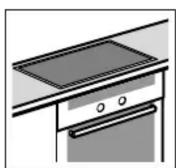
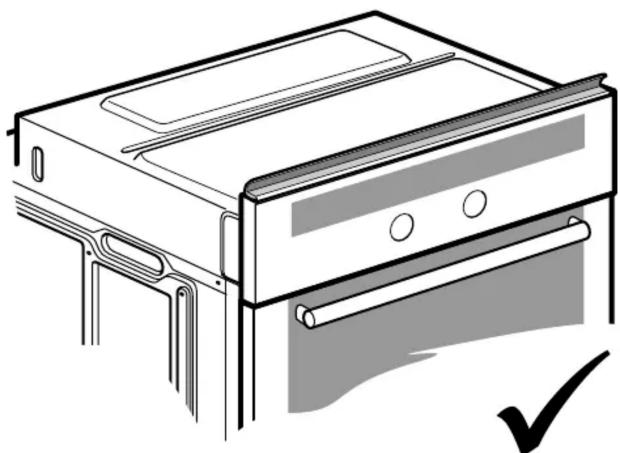
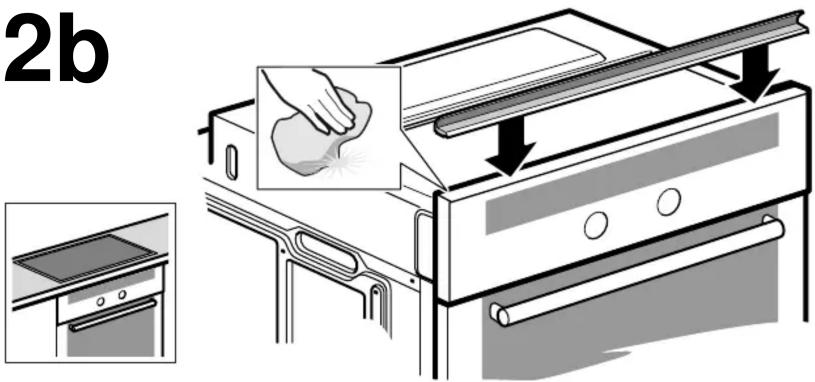
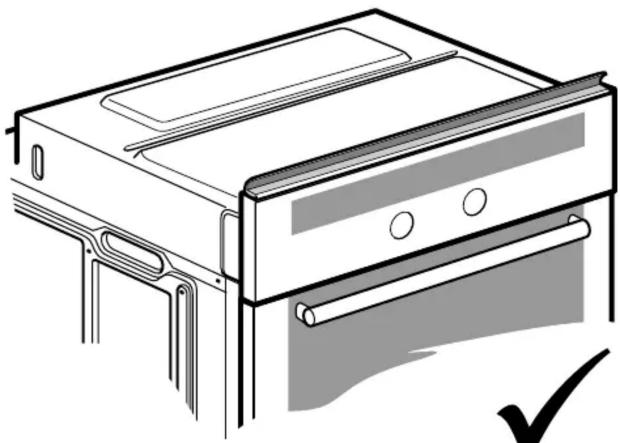
When installing appliances beneath the worktop, always fit the seal. Clean and degrease the surface beforehand.

es Observaciones
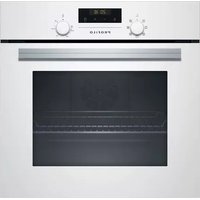
Table of contents Click a title to access it
Manual assistant
Powered by Anthropic
Waiting for your message
Product information

Brand : Profilo

Model : FRMA702

Category : Oven