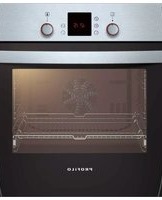
OB36P6B82D - Oven Profilo - Free user manual and instructions
Find the device manual for free OB36P6B82D Profilo in PDF.


Pick your language and provide your email: we'll send you a specifically translated version.
| Product Type | Built-in Electric Oven |
| Brand | Profilo |
| Model | OB36P6B82D |
| Width | 595 mm |
| Height | 595 mm |
| Depth | 568 mm |
| Net Weight | 35 kg |
| Power Supply | 220-240 V / 50-60 Hz |
| Total Power | 3000 W |
| Energy Class | A |
| Functions | Conventional, Grill, Fan-Assisted, Defrost |
| Number of Functions | 8 |
| Interior Light | Yes |
| Interior Surface | Enamel |
| Cleaning Type | Manual Clean |
| Safety Features | Child Lock, Cool Door, Auto Shut-off |
| Spare Parts Available | Heating Elements, Door Gasket, Control Board |
| Repairability Index | 7.0 / 10 |
| User Manual | Downloadable PDF (3 pages) |
Frequently Asked Questions - OB36P6B82D Profilo
How do I install the Profilo OB36P6B82D oven?
Installation should be carried out by a qualified technician. Ensure the oven is placed in a built-in cabinet with appropriate ventilation. Connect to a 220-240 V power supply and secure the oven using the provided screws. Refer to the manual for detailed measurements.
What do I do if the oven does not heat up?
First, check that the oven is properly plugged in and the circuit breaker is not tripped. Verify that the function selector and thermostat are set correctly. If the issue persists, the heating element may be faulty and should be replaced by a professional.
How do I clean the oven interior?
Allow the oven to cool completely. Remove any loose food debris. Use a mild detergent and a soft cloth to wipe the enamel interior. Avoid abrasive cleaners or scouring pads. For tough stains, use a specialized oven cleaner.
Can I use aluminum foil in the oven?
Yes, but avoid covering the entire oven bottom as it may restrict heat circulation. Use foil only on the baking tray or to wrap food. Ensure foil does not touch the heating elements.
How do I set the timer?
Turn the timer knob to the desired cooking time (up to 120 minutes). The oven will automatically shut off when the timer reaches zero. For continuous operation, set the timer to the 'on' position.
Why does the oven door feel hot?
The outer door can become hot during operation due to heat transfer. This is normal. The oven features a cool door design to minimize external temperature, but caution is advised, especially around children.
How do I replace the oven light bulb?
Disconnect the oven from the power supply. Remove the glass cover by turning it counterclockwise. Replace the bulb with a new one of the same type (e.g., 25W, 300°C resistant). Reattach the cover and restore power.
What do the different function symbols mean?
Common symbols include: top and bottom heat (conventional), fan with circle (fan-assisted), zigzag lines (grill), and snowflake (defrost). Refer to the manual for the complete list of 8 functions.
The oven makes a loud noise during operation. Is this normal?
Some noise from the cooling fan or heating elements expanding is normal. However, if you hear grinding or rattling, check that the oven is level and that no foreign objects are inside. If noise persists, contact service.
Where can I find spare parts for the OB36P6B82D?
Genuine spare parts such as heating elements, door gaskets, and control boards can be ordered from authorized Profilo service centers or online retailers using the model number OB36P6B82D.
User questions about OB36P6B82D Profilo
0 question about this device. Answer the ones you know or ask your own.
Ask a new question about this device
No questions yet. Be the first to ask one.
Download the instructions for your Oven in PDF format for free! Find your manual OB36P6B82D - Profilo and take your electronic device back in hand. On this page are published all the documents necessary for the use of your device. OB36P6B82D by Profilo.
USER MANUAL OB36P6B82D Profilo
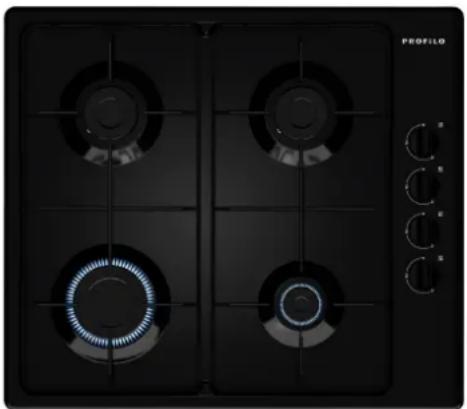
Gazlı Ocak, 60 cm, Siyah OB36P6B82D
natural_image
Black industrial gas stove with four vented fans and a digital control panel (no visible text or symbols)
Manual assistant
Powered by Anthropic
Waiting for your message
Product information
Brand : Profilo
Model : OB36P6B82D
Category : Oven