
SC07M31E0HN - Vacuum Cleaner SAMSUNG - Free user manual and instructions
Find the device manual for free SC07M31E0HN SAMSUNG in PDF.


| Product Type | General purpose vacuum cleaner |
| Brand | Samsung |
| Model | SC07M31E0HN |
| Energy Efficiency Class | A |
| Annual Energy Consumption | 28.0 kWh/yr |
| Carpet Cleaning Performance Class | D |
| Hardfloor Cleaning Performance Class | A |
| Dust Re-Emission Class | B |
| Sound Power Level | 80 dBA |
| Rated Input Power | 650 W |
| Voltage | 220-240 V ~ 50 Hz |
| Power Cord Rewind | Yes, with button |
| Suction Control | On body and handle (3 levels) |
| Dustbin Cleaning | Washable with cold water |
| Dust Filter | Washable (dry 12 hours before reuse) |
| Outlet Filter | Replace yearly |
| Special Features | Cyclone Force, Anti-Tangle Turbine |
| Accessories Included | 2-step brush, pet brush, Anti-Tangle tool, porch brush, parquet master, dusting brush, crevice tool |
| Handle Control Batteries | 2 x AA size |
| Safety Protection | Overheat thermostat (auto shut-off) |
Frequently Asked Questions - SC07M31E0HN SAMSUNG
User questions about SC07M31E0HN SAMSUNG
0 question about this device. Answer the ones you know or ask your own.
Ask a new question about this device
Download the instructions for your Vacuum Cleaner in PDF format for free! Find your manual SC07M31E0HN - SAMSUNG and take your electronic device back in hand. On this page are published all the documents necessary for the use of your device. SC07M31E0HN by SAMSUNG.
USER MANUAL SC07M31E0HN SAMSUNG
- Before operating this unit, please read the instructions carefully.
- For indoor use only.

SAMSUNG
PREPARATION
Safety information 3
Important safety instructions 4
INSTALLATION
Name of the parts 10
Accessories 11
OPERATIONS
Using the vacuum cleaner 12
Using the body 12
Using the handle 12
Using the brushes 13
MAINTENANCE
Cleaning and maintaining 14
When to empty the dustbin 14
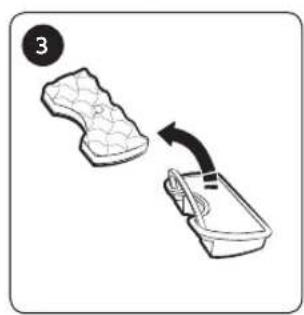
Cleaning the dustbin 14
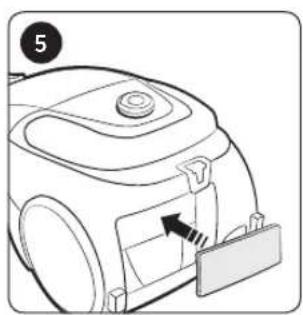
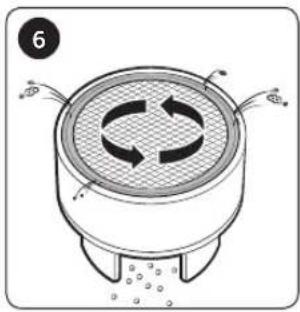
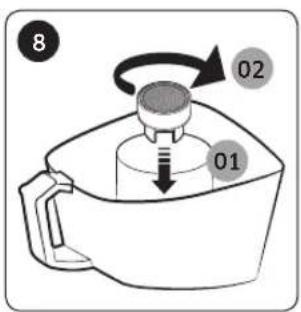
Cleaning the dust filter 15
Cleaning the outlet filter 15
Cleaning the pipe 15
Cleaning the brush 16
Cleaning the hose 16
Storing the vacuum cleaner 16
APPENDICES
Notes and cautions 17
In use 17
Cleaning and maintenance 17
Troubleshooting 18
Product fiche 19
Safety information
- Before operating the appliance, please read this manual thoroughly and retain it for your reference.
- Because these following operating instructions cover various models, the characteristics of your vacuum cleaner may differ slightly from those described in this manual.
Caution/Warning symbols used
WARNING
Indicates that a danger of death or serious injury exists.
CAUTION
Indicates that a risk of personal injury or material damage exists.
Other symbols used
NOTE
Indicates that the following text contains additional important information.
- For information on Samsung's environmental commitments and product specific regulatory obligations e.g. REACH visit: samsung.com/uk/aboutsamsung/samsungelectronics/corporate citizenship/data_corner.htm
Important safety instructions
When using an electrical appliance, basic precautions should be observed, including the following:

WARNING
This vacuum cleaner is designed for household use only.
Use the vacuum cleaner only for its intended use as described in these instructions.
Always install the filters in the correct position as shown in this manual.
Failure to meet these requirements could cause damage to the internal parts and void your warranty.
Please contact the manufacturer or service agent for a replacement.
General
- Read all instructions carefully. Before switching on, make sure that the voltage of your electricity supply is the same as that indicated on the rating plate on the bottom of the cleaner.
- This appliance can be used by children aged from 8 years and above and persons with reduced physical, sensory or mental capabilities or lack of experience and knowledge if they have been given supervision or instruction concerning use of the appliance in a safe way and understand the hazards involved. Children shall not play with the appliance. Cleaning and user maintenance shall not be made by children without supervision.
- Children should be supervised to ensure that they do not play with the appliance. Do not allow the vacuum cleaner to run unattended at any time.
Power related
- Switch the vacuum cleaner off on the body of the machine before unplugging from the electrical outlet. Disconnect the plug from the electrical outlet before emptying the dustbin. To avoid damage, please remove the plug by grasping the plug itself, not by pulling on the cord.
- The plug must be removed from the socket outlet before cleaning or maintaining the appliance.
- The use of an extension cord is not recommended.
- Please prevent any risk of electric shock or fire.
- Do not damage the power cord.
- Do not pull the power cord too hard or touch the power plug with wet hands.
- Do not use a power source other than the national rated voltage and also do not use a multi-outlet to supply power to number of devices at the same time.
- Do not leave the power cord carelessly on the floor.
- Do not use a damaged power plug, power cord or loose power outlet.
- Turn off the power before connecting or disconnecting the power plug to the power outlet and make sure your fingers don't come in contact with the pins of the power plug.
- Do not disassemble or modify the vacuum cleaner. When power cord is damaged, contact the manufacturer or service agent to get it replaced by certified repairman.
-
Clean dust or any foreign matters on the pin and contact part of the power plug.
-
Unplug the cleaner when not in use. Turn off the power switch before unplugging.
- If the supply cord is damaged, it must be replaced by the manufacturer or its service agent or a similarly qualified person in order to avoid a hazard.
In use
- Don't carry the vacuum cleaner by holding the hose. Use the handle on the vacuum cleaner set for lifting or carrying vacuum cleaner.
- Unplug the cleaner when not in use. Turn off the power switch before unplugging.
- Do not use outdoors, or on wet rugs or surfaces.
- Do not use this product outdoors since it's designed for household use only.
- There is a risk of malfunction or damage.
* Outdoor cleaning : Stone, Cement
* A billiard room : Powder of a chalk
* An aseptic room of a hospital
- Do not use the vacuum cleaner to suction up liquids(such as water), blades, pins or embers.
- There is a risk of malfunction or damage.
- Be sure children do not touch the vacuum cleaner when you use it.
- The children may get burned if the body is overheated.
- Do not mount or make any physical impacts on the body.
- It may result in injury or damage.
- Do not use the vacuum cleaner to pick up matches, live ashes or cigarette butts. Keep the vacuum cleaner away from stoves and other heat sources. Heat can deform and discolour the plastic parts of the unit.
- Avoid picking up hard, sharp objects with the vacuum cleaner as they may damage the cleaner parts.
- Do not block the suction or the exhaust port.
- Do not use the vacuum cleaner without a dustbin and filters in place.
- Do not use worn, deformed or damaged filters. Insert filter properly. - It can be a reason of penetration of dust and debris into motor.
- If there's any gas leak or when using combustible sprays such as a dust remover, do not touch the power outlet and open the windows to ventilate the room.
- There is a risk of explosion or fire.
- Do not use this vacuum cleaner to clean building waste and debris, toner of laser printer. Regularly keep the filters in clean conditions to prevent of collecting fine dust in them.
- Dry carpet cleaners or fresheners, powders and fine dust such as flour should be only vacuumed in very small amounts.
- Use extra care when cleaning on stairs.
- Do not use to suction up water.
- Do not immerse in water for cleaning.
- The hose should be checked regularly and must not be used if damaged.
- Hold plug when rewinding onto cord reel. Do not allow plug to whip when rewinding.
Cleaning and maintenance
- Do not lift or carry the vacuum cleaner putting a brush in the groove for storage.
- Never twist dust filter after washing.
- It can be a reason of deformation or damage filter.
- Use a dry cloth or towel to clean the body and make sure to unplug the vacuum cleaner before cleaning. Do not spray water directly or use volatile materials (such as benzen, thinner or alcohol) or combustible sprays (such as a dust remover) for cleaning.
- If water or other liquid gets into the product and causes malfunction, turn off the vacuum cleaner, unplug the power plug and then consult a service agent.
- Do not use alkaline or industrial detergents, air fresheners or (acetic) acids to clean the washable parts of the vacuum cleaner. (Refer to the following table.)
- It may cause damage, deformation or discoloration of the plastic parts.
| The washable parts Dustbin of the body, Dust filter | ||
| Available detergent Neutral detergent Kitchen cleaner | ||
| Unavailable detergent Alkaline detergent Bleach, Mold cleaner, etc. | ||
| Acid detergent Paraffin oil, Emulsifier, etc. | ||
| Industrial detergent NV-I, PB-I, Opti, Alcohol, Acetone, Benzene, Thinner, etc. | ||
| Air freshener Air freshener(Spray) | ||
| Oil Animal or vegetable oil | ||
| Etc. Edible acetic acid, Vinegar, Glacial acetic acid, etc. | ||
- Do not stand on the hose assembly. Do not put weight on the hose.
CAUTION
In use
- Do not use the pipe for anything other than its intended purpose.
- It may result in injury or damage.
- Do not pull the power cord beyond the yellow mark and hold the power cord with one hand when rewinding it.
- If you try to pull it beyond the yellow mark, power cord can be damaged and if you don't hold the power cord while rewinding, it may lose control and cause injury or damage to people or objects around it.
- If any abnormal sounds, smells or smoke come from the vacuum cleaner, immediately unplug the power plug and contact a service agent.
- There is a risk of fire or electric shock.
- Do not use the vacuum cleaner in any places near heating appliances (such as stove), combustible spray or flammable materials.
- It may cause fire or deformation of the product.
• Empty the dustbin before it is full in order to maintain the best efficiency.
Cleaning and maintenance
- Unplug the vacuum cleaner if you do not use it for a long time.
- It may cause electric shock or fire.
Name of the parts
Product design may differ depending on the models.
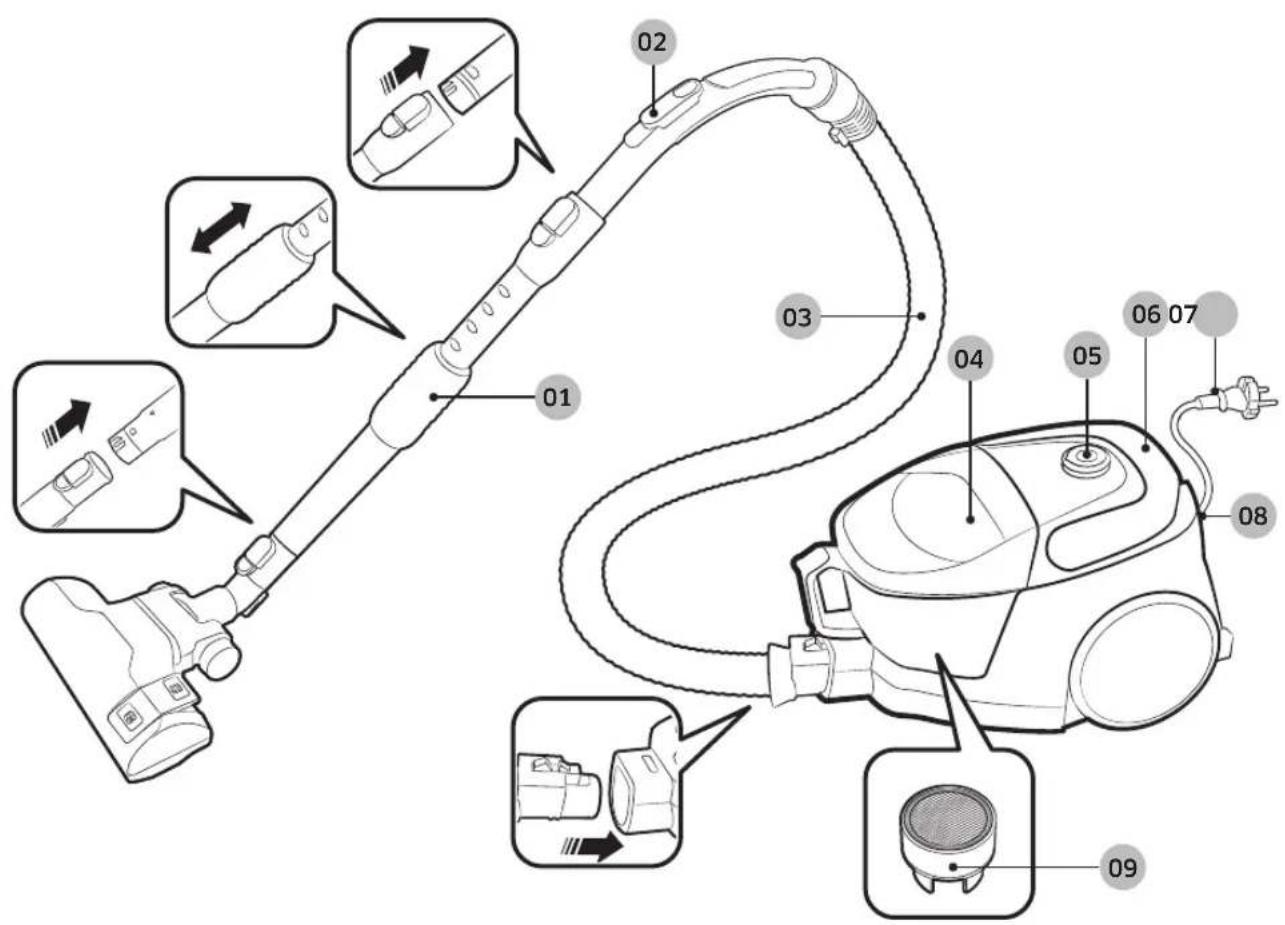
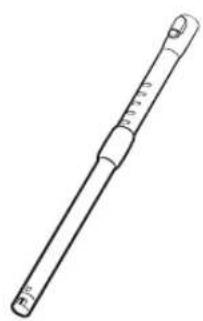
01 Pipe
02 Handle control
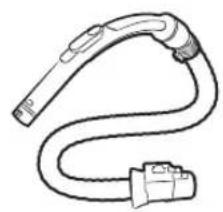
03 Hose
04 Dustbin
05 Power button
06 Cord rewind button / Carry handle
07 Power cord
08 Outlet filter
09 Anti-Tangle Turbine (Cyclone Force)
Accessories
Accessories may differ depending on the models.
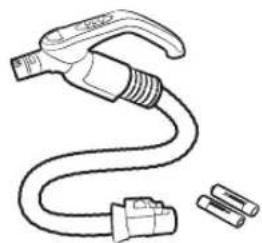
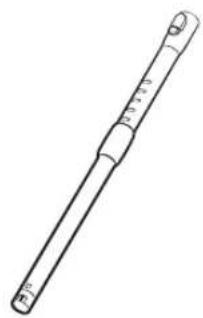
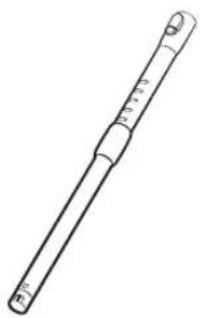
Hose Hose Pipe



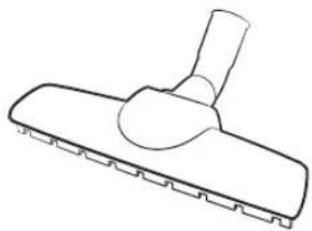
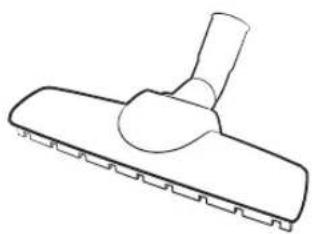
2-step brush Pet Brush Parquet master


Porch brush Anti-Tangle tool 2-in-1 accessory

User manual
Using the vacuum cleaner
Suction control may differ depending on the models.
Using the body
Power cord
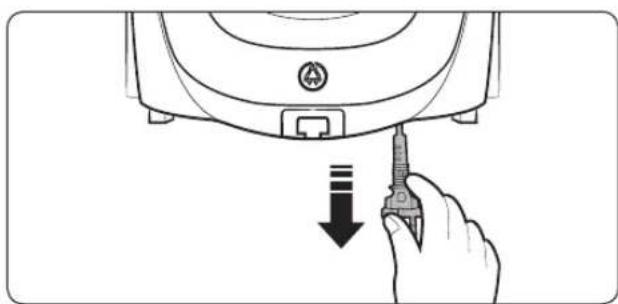

On/Off

Suction control

01 Low suction power
02 High suction power
Using the handle
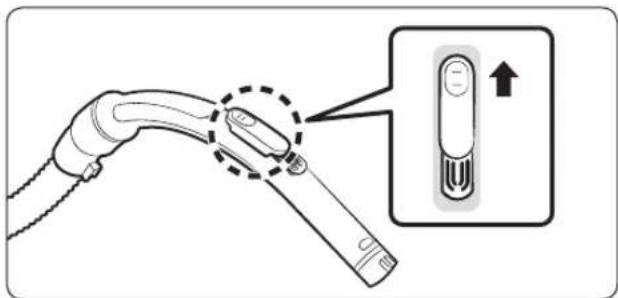

NOTE
• To vacuum fabrics, push the cover downward to reduce suction.
- The handle does not control the power of the product.

01 Power ON/OFF
02 Minimum / Medium suction power
03 Maximum suction power

NOTE
- Do not cover the transmission with a hand. If it is blocked, the product will not work.
Using the brushes
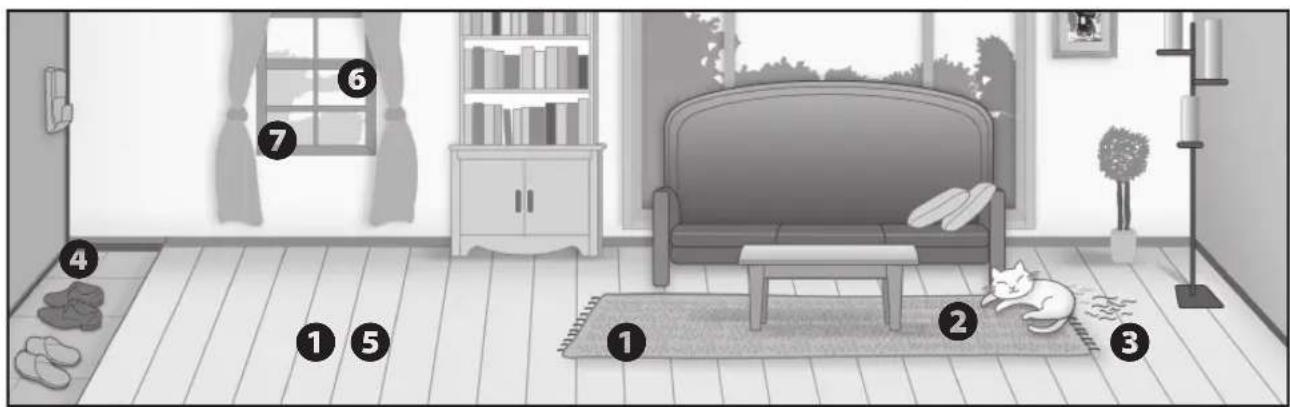
Where to use the brushes
① 2-step brush
* Floor
Carpet

② Pet brush

3 Anti-Tangle tool

④ Porch brush

⑤ Parquet master
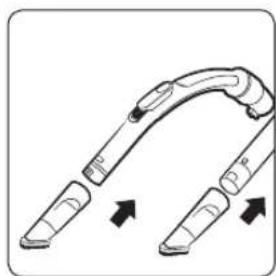
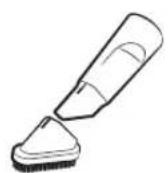
⑥ Dusting brush
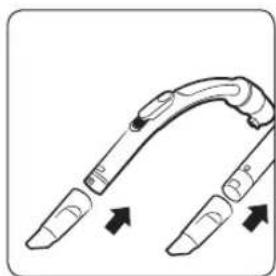
⑦ Crevice tool
Cleaning and maintaining
You must unplug the vacuum cleaner before cleaning it.
When to empty the dustbin

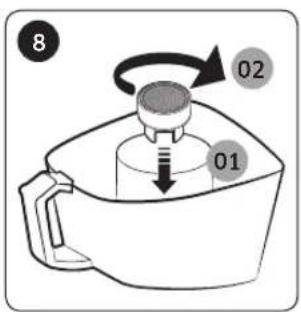
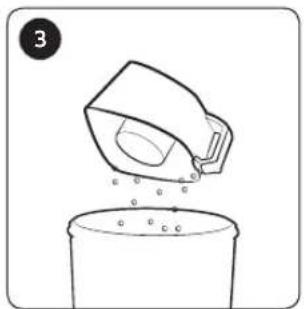
Cleaning the dustbin
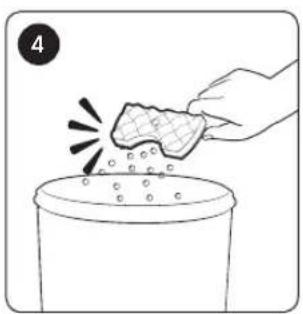
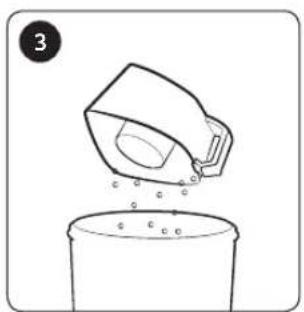
Clean the dustbin if there is a lot of dust in the bin.
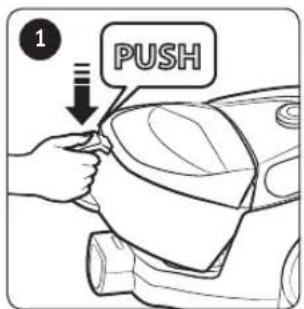


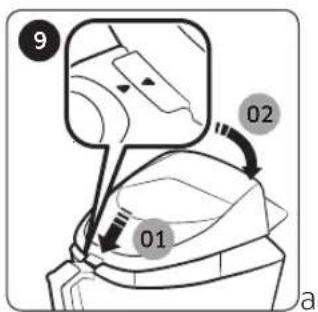

* Anti-Tangle Turbine(Cyclone Force) - Based on internal testing. Tested at the turbine fan using a mix of hair, pet hair on Floor.
CAUTION
- If tool is required for cleaning, please be careful not to damage the mesh.
How to empty the dustbin easily
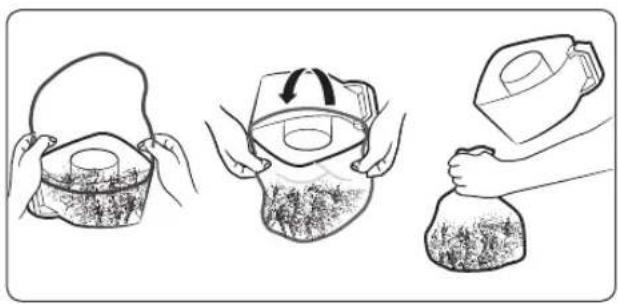
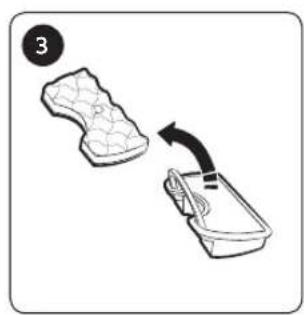
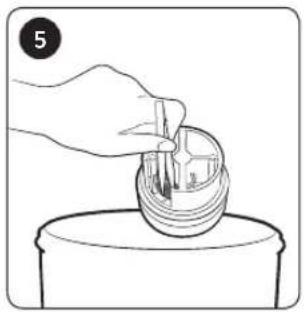
Cleaning the dust filter


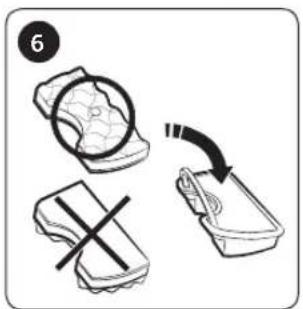
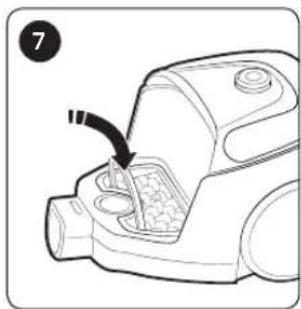
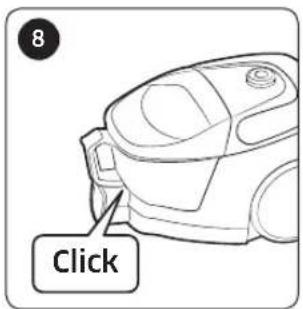
CAUTION
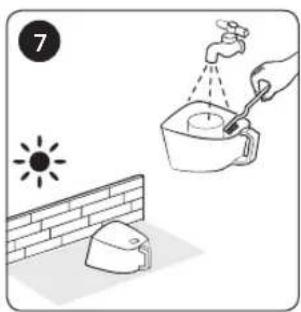
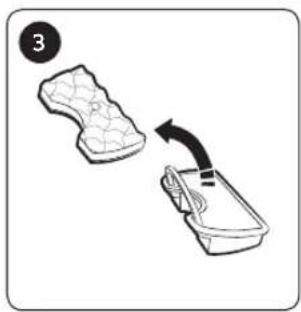
- Make sure the dust filter is completely dry before putting it back into the vacuum cleaner. Allow 12 hours for it to dry.

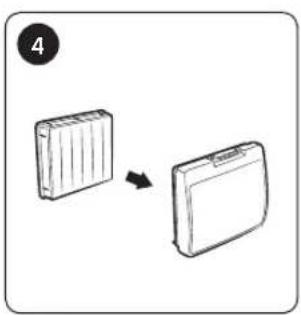
Cleaning the outlet filter


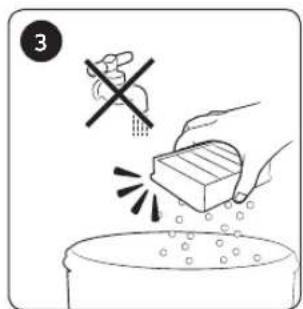

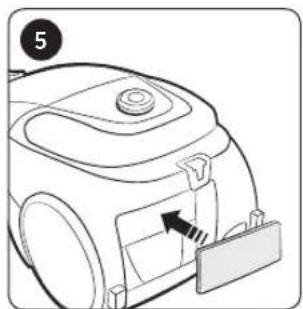
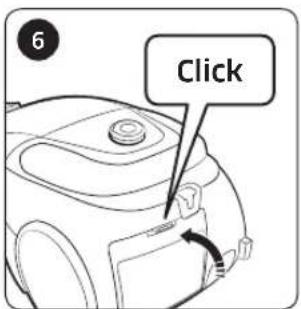
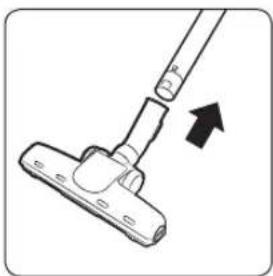
Cleaning the pipe
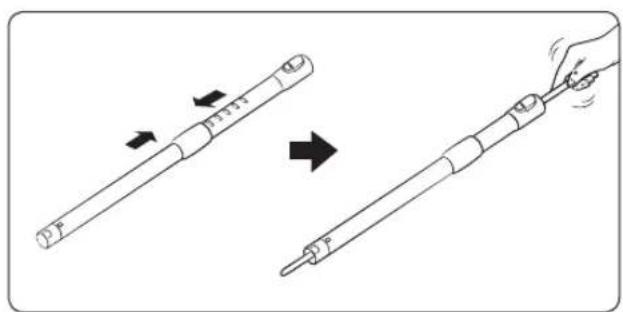
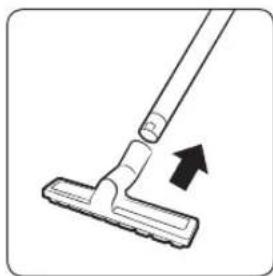
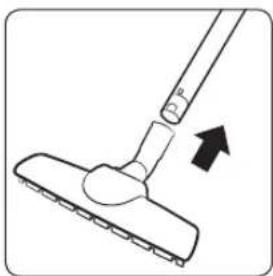
Cleaning the brush
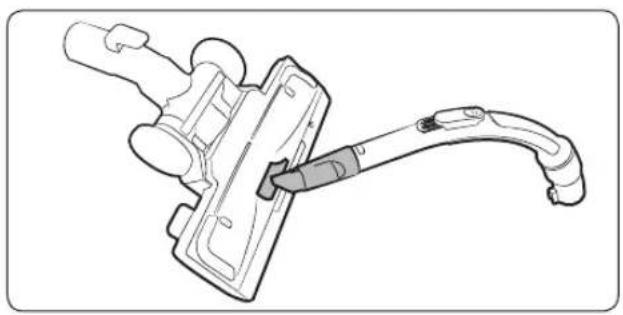
2-step brush
* Cleaning method for the 2-step, Anti-Tangle tool, Parquet master and Porch brushes is the same.
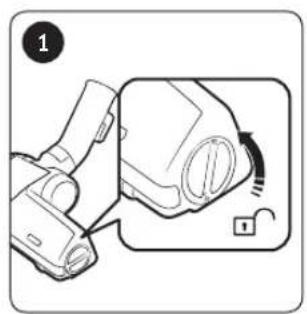


Pet brush
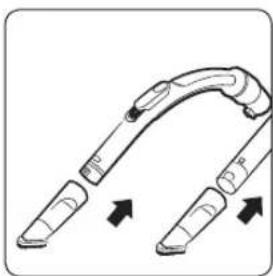
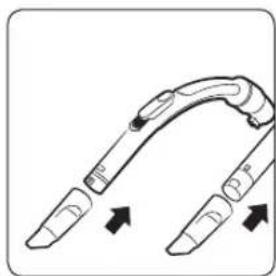
Cleaning the hose

Storing the vacuum cleaner
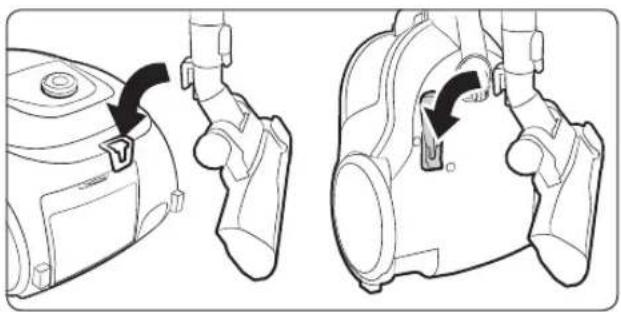
In use

NOTE
- Product features may vary according to model.
- If the handle control is not working, the vacuum cleaner can be operated using the [Power] button on the body.
- When you use the dusting brush or crevice tool, you may feel vibration from the vacuum cleaner.
- When the vacuum cleaner does not work, replace the batteries. If the problem persists, please contact our authorized dealer. Use 2 batteries of size AA.

CAUTION
- When removing the power plug from the electrical outlet, grasp the plug, not the cord.
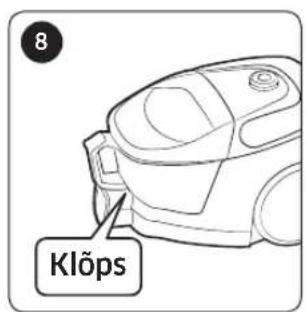
- Please do not press the button of dustbin handle when carrying the vacuum cleaner.
- For storage of the product, park the floor nozzle in the small groove on the bottom of the body.
Cleaning and maintenance

NOTE
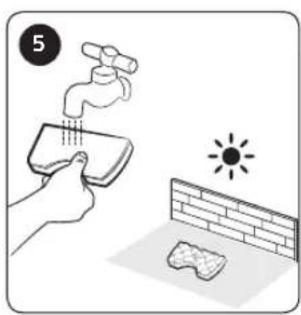
- To clean the dust filter, add neutral detergent into lukewarm water and soak the filter for 30 minutes before washing it.
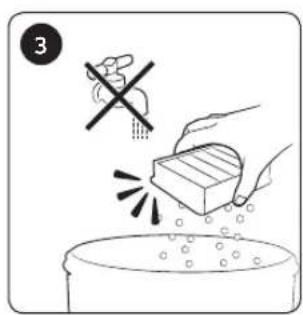
- Do not wash the outlet filter with water.
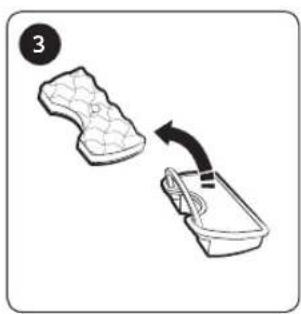
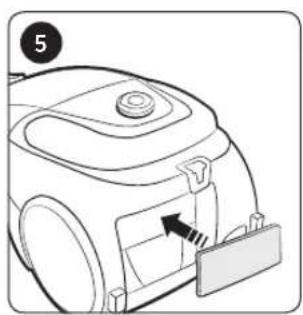
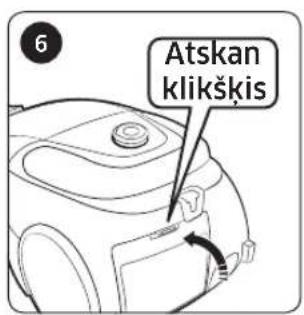
- To maintain the best performance of the outlet filter, replace it once a year.
- To prevent floors from scratches, inspect condition of the brush and replace it if it is worn down.
-
Replacement filters are available at your local Samsung service agent.
-
Hold the power cord and then press the Cord rewind button since you can get injured if the power cord may lose control while rewinding it.
- If the power cord is not rewinding well, press the Cord rewind button again after pulling the power cord about 2 \~ 3 m.
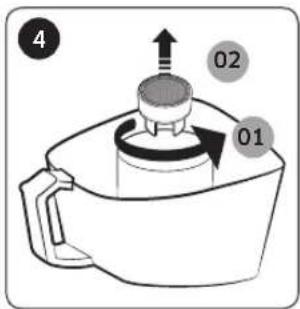
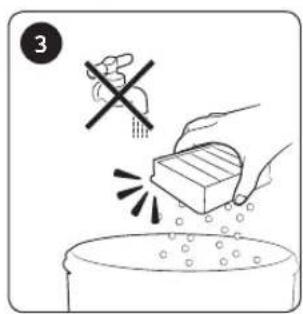
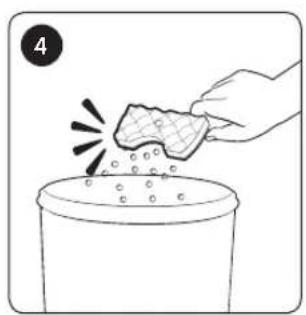
• To empty and clean the dustbin, you may rinse the dustbin with cold water. - When suction power is noticeably reduced continuously, please clean the dust filter by referring to the "Cleaning the dust filter" section.

CAUTION
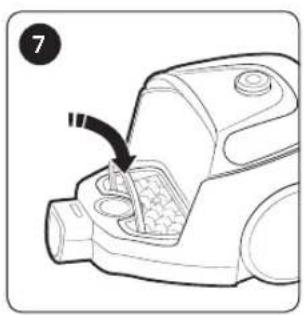
- Make sure the dust filter is completely dry before putting it back into the vacuum cleaner.
- Allow 12 hours for it to dry.
- Dry the dust filter in the shade, not under sunlight, to prevent transformation or discoloration.
- When suction is noticeably reduced continuously or vacuum cleaner abnormally overheats, please clean the outlet filter.
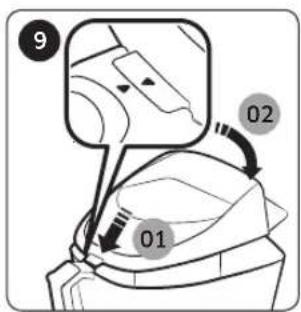
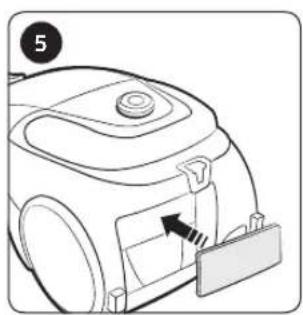
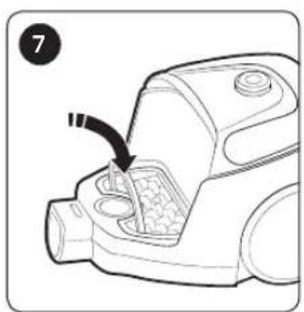
- Suction may reduce noticeably due to wrong reassembling of the dust filter.
- Please contact a nearest service agent if you cannot remove foreign matters from the hose.
- Store the vacuum cleaner in the shade to prevent deformation or discoloration.
- When changing the batteries of the vacuum cleaner, please follow the instructions below.
- Never disassemble or recharge the batteries.
- Never heat up the batteries or throw them into fire.
- Do not reverse (+), (-) poles.
- Dispose of the batteries properly.
| Symptom Checklist | |
| Motor does not start. • Check the cable, the power plug and outlet. | |
| Suction force is gradually decreasing. | • Check if there is any blockage, and remove it if required.• Please check the filters, and if required, clean as illustrated in this manual.- If filters are out of condition, replace them with new ones. |
| Cord does not rewind fully. | • Pull the power cord out 2 - 3 m and press the Cord rewind button. |
| Body overheating | • Check the filters, and clean as illustrated in this manual if required. |
| Static electricity discharge. | • Reduce suction.• This may also occur when air in the room is very dry. Ventilate the room so that air humidity becomes normal. |
| During using, stop the unit | • This vacuum cleaner has a special thermostat that protects the motor in case of its overheating. If the vacuum cleaner suddenly shuts off, turn off the switch and unplug the vacuum cleaner. Check the vacuum cleaner for possible source of overheating such as a full dustbin, a blocked hose, pipe, or clogged filter. If these conditions are found, fix them and wait at least 30 minutes before attempting to use the vacuum cleaner. |
- This Vacuum cleaner is approved the following.
- Electromagnetic Compatibility Directive : 2004/108/EEC
- Low Voltage Directive : 2006/95/EC
[English]
According to Commission Regulation (EU) No 665/2013 and No 666/2013
| A | Supplier Samsung Electronics., Co. Ltd | ||
| B | Model | SC07M31**V* | SC07M31**H* |
| C | Energy Efficiency Class A A | ||
| D | Annual Energy Consumption (kWh/yr) | 28,0 28,0 | |
| E | Carpet Cleaning Performance Class | D | D |
| F | Hardfloor Cleaning Performance Class | A | A |
| G | Dust Re-Emission Class B B | ||
| H | Sound Power Level (dBA) 80 | 80 | |
| I | Rated Input Power (W) 650 | 650 | |
| J | Type General purpose vacuum cleaner | ||
1 Indicative annual energy consumption (kWh per year), based on 50 cleaning tasks. Actual annual energy consumption will depend on how the appliance is used.
2 Measurements for power consumption and performance are based on methods in EN 60312 - 1 and EN 60704.
If you have any questions or comments relating to Samsung products, please contact the SAMSUNG customer care center.
| Country Contact Center Web Site | |
| LITHUANIA 8-800-77777 www.samsung.com/lt/support | |
| LATVIA 8000-7267 www.samsung.com/lv/support | |
| ESTONIA 800-7267 www.samsung.com/ee/support |
Пылесос
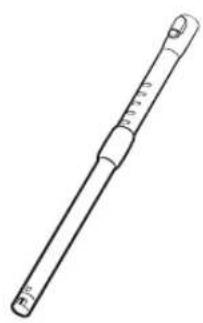
Шланг Шланг Трубка


2-позиционная щетка

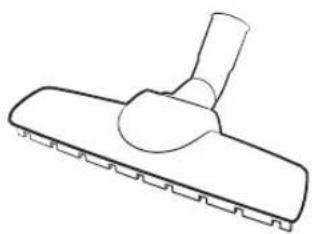
Щетка для паркета

ПРИМЕЧАНИЕ
Назначение насадок

⑤ Щетка для паркета

⑦ Щелевая насадка







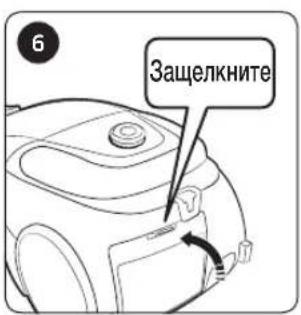
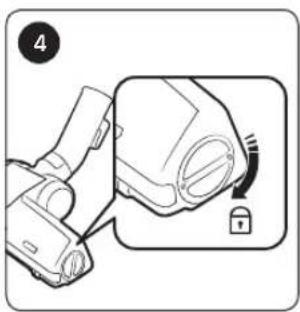
Очистка щетки


Хранение пылесоса

Использование

ПРИМЕЧАНИЕ
01 Toru
02 Käepidemelt juhtimine
03 Voolik
04 Tolmukamber
05 Toitenupp
Voolik Voolik Toru





Esikuhari Takerdumisvastane otsak Kaks-ühes lisatarvik

Kasutusjuhend

MÄRKUS
Kus harju kasutada

①Kaheastmeline hari
* Pôrand
Vaip

② Loomakarvade hari

③ Takerdumisvastane otsak
④ Esikuhari
⑤ Parketi põhihari
⑥ Tolmuhari
⑦ Pilupuhastusotsak






ETTEVAATUST
- Veenduge, et tolmufilter oleks enne tolmuimejasse tagasi panemist täiesti kuiv. Laske sel 12 tundi kuivada.



Toru puhastamine

Harja puhastamine

Kaheastmeline hari


Loomakarvade hari
Vooliku puhastamine

Kasutamise ajal

MÄRKUS
SAMSUNG
SAGATAVOŠANA
01 Caurule
02 Uz roktura esošā kontroles ierīce
03 Šlūtene
04 Puteklu tvertne
05 Barošanas poga
Šlūtene Šlūtene Caurule




PIEZIME
① 2-režimu birste
* Grida
Paklājs
④ Birste cietām gridām

⑥ Puteklu birste







UZMANIBU

Caurules tīrīšana

Birstes tīrīšana

2-režimu birste


Izmantošanas laikā

PIEZIME
SAMSUNG
PASIRUOŠIMAS
Saugos informacija 3


Žarna Žarna Vamzdis


2 poziciju šepetys


PASTABA
③ Apsauga nuo susipynimo

④ Pošlaičio šepetys



* Nuo susipynimo sauganti turbina („Cyclone Force“)


! PERSPÉJIMAS


Vamzdžio valymas

Šepečio valymas

2 poziciju šepetys


Naudojant
PASTABA
- PREPARATION
- INSTALLATION
- OPERATIONS
- MAINTENANCE
- APPENDICES
- SAFETY INFORMATION
- CAUTION/WARNING SYMBOLS USED
- WARNING
- CAUTION
- OTHER SYMBOLS USED
- NOTE
- IMPORTANT SAFETY INSTRUCTIONS
- GENERAL
- POWER RELATED
- IN USE
- CLEANING AND MAINTENANCE
- NAME OF THE PARTS
- ACCESSORIES
- USING THE VACUUM CLEANER
- USING THE BODY
- USING THE HANDLE
- USING THE BRUSHES
- WHERE TO USE THE BRUSHES
- CLEANING AND MAINTAINING
- CLEANING THE DUSTBIN
- CLEANING THE DUST FILTER
- CLEANING THE OUTLET FILTER
- CLEANING THE PIPE
- CLEANING THE BRUSH
- CLEANING THE HOSE
- STORING THE VACUUM CLEANER
- [ENGLISH]
- ПЫЛЕСОС
- ПРИМЕЧАНИЕ
- НАЗНАЧЕНИЕ НАСАДОК
- ИСПОЛЬЗОВАНИЕ
- MÄRKUS
- KUS HARJU KASUTADA
- ETTEVAATUST
- TORU PUHASTAMINE
- HARJA PUHASTAMINE
- VOOLIKU PUHASTAMINE
- KASUTAMISE AJAL
- SAGATAVOŠANA
- PIEZIME
- UZMANIBU
- CAURULES TĪRĪŠANA
- BIRSTES TĪRĪŠANA
- 2-REŽIMU BIRSTE
- IZMANTOŠANAS LAIKĀ
- PASIRUOŠIMAS
- PASTABA
- PERSPÉJIMAS
- VAMZDŽIO VALYMAS
- ŠEPEČIO VALYMAS
- 2 POZICIJU ŠEPETYS
- NAUDOJANT
Brand : SAMSUNG
Model : SC07M31E0HN
Category : Vacuum Cleaner