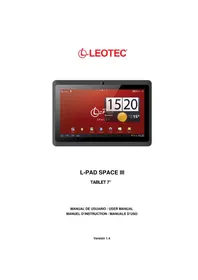
L-Pad Eklipse LE-TAB7850 3S - Tablet Leotec - Free user manual and instructions
Find the device manual for free L-Pad Eklipse LE-TAB7850 3S Leotec in PDF.


Pick your language and provide your email: we'll send you a specifically translated version.
| Product Type | Tablet |
| Brand | Leotec |
| Model | L-Pad Eklipse LE-TAB7850 3S |
| Display Size | 7.85 inches |
| Display Resolution | 1024 x 768 pixels |
| Processor | Quad-core 1.3 GHz |
| RAM | 1 GB |
| Storage | 8 GB (expandable via microSD) |
| Operating System | Android 4.4 KitKat |
| Battery Capacity | 4000 mAh |
| Dimensions (W x D x H) | 200 x 135 x 10 mm |
| Weight | 350 g |
| Connectivity | Wi-Fi 802.11 b/g/n, Bluetooth 4.0, USB 2.0, 3.5mm audio jack |
| Camera (Rear) | 2 MP |
| Camera (Front) | 0.3 MP |
| Power Supply | AC adapter 5V/2A |
| Main Functions | Web browsing, video playback, e-book reading, games, social media |
| Maintenance & Cleaning | Wipe with a soft dry cloth. Do not use harsh chemicals. |
| Safety | Do not expose to water or high temperatures. Use only approved charger. |
| Spare Parts & Repairability | Battery and screen replacement available through service centers. |
| General Information | User manual available for download in PDF format. |
Frequently Asked Questions - L-Pad Eklipse LE-TAB7850 3S Leotec
How do I turn on the Leotec L-Pad Eklipse LE-TAB7850 3S?
Press and hold the Power button located on the side of the tablet for a few seconds until the screen lights up.
How can I expand the storage on my tablet?
Insert a microSD card into the microSD slot (up to 32 GB). Go to Settings > Storage to manage.
How do I connect to Wi-Fi?
Go to Settings > Wi-Fi, toggle it on, select your network, and enter the password.
The tablet battery drains quickly. What can I do?
Reduce screen brightness, close unused apps, disable Wi-Fi/Bluetooth when not needed, and check battery usage in Settings.
Can I install apps from sources other than Google Play?
Yes, enable Unknown sources in Settings > Security. Be cautious of malware.
How do I take a screenshot?
Press and hold the Power button and Volume Down button simultaneously until you hear a shutter sound.
My tablet is frozen. How do I restart it?
Press and hold the Power button for 10-15 seconds until the device restarts.
How do I reset the tablet to factory settings?
Go to Settings > Backup & reset > Factory data reset. This erases all data.
Can I use the tablet as an e-reader?
Yes, install e-book apps like Kindle or Moon+ Reader from Google Play.
Where can I find the user manual?
Download the manual from notice-facile.com in PDF format by searching for 'Leotec L-Pad Eklipse LE-TAB7850 3S'.
User questions about L-Pad Eklipse LE-TAB7850 3S Leotec
0 question about this device. Answer the ones you know or ask your own.
Ask a new question about this device
No questions yet. Be the first to ask one.
Download the instructions for your Tablet in PDF format for free! Find your manual L-Pad Eklipse LE-TAB7850 3S - Leotec and take your electronic device back in hand. On this page are published all the documents necessary for the use of your device. L-Pad Eklipse LE-TAB7850 3S by Leotec.