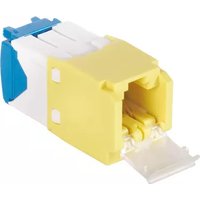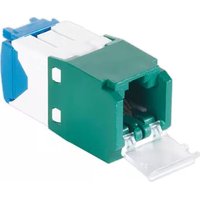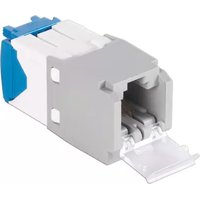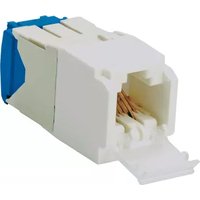
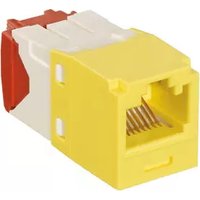
Panduit CJD6X88TGAW - Network connector

CJD6X88TGAW - Network connector Panduit - Free user manual and instructions

Find the device manual for free CJD6X88TGAW Panduit in PDF.

📄 3 pages English EN Download 💬 AI Question 10 questions ⚙️ Specs
Notice Panduit CJD6X88TGAW - page 1
Pick your language and provide your email: we'll send you a specifically translated version.
Product Type Copper Patch Panel
Number of Ports 48
Connector Type RJ45
Rack Size 19-inch
Height 1U
Dimensions (W x D x H) 19 x 3.5 x 1.75 inches
Weight 2.5 lbs
Material Steel chassis, ABS plastic faceplate
Color Black
Compliance TIA/EIA-568-C.2
Operating Temperature -10°C to 60°C
Storage Temperature -40°C to 85°C
Humidity Operating 10% to 90% non-condensing
Mounting Front mount with included hardware
Wiring Scheme T568A/T568B compatible
Warranty Limited lifetime warranty

Frequently Asked Questions - CJD6X88TGAW Panduit

What is the Panduit CJD6X88TGAW?
The Panduit CJD6X88TGAW is a 48-port copper patch panel designed for high-density network installations, compatible with Cat6/6A cabling.
What rack size does this patch panel fit?
It fits a standard 19-inch rack and occupies 1U of rack space.
What type of connectors does it use?
It uses RJ45 jacks (8P8C) compatible with T568A and T568B wiring standards.
Is it compatible with Cat6A cables?
Yes, the panel supports Cat6 and Cat6A cabling, ensuring high-speed performance.
How do I mount the patch panel?
Mount it using the included screws and cage nuts to the front rails of a standard 19-inch rack.
What is the weight of the panel?
The typical weight is approximately 2.5 lbs (1.13 kg), making it easy to handle.
Does it come with a warranty?
Yes, Panduit offers a limited lifetime warranty against defects in materials and workmanship.
What is the operating temperature range?
The recommended operating temperature is -10°C to 60°C, suitable for most data center environments.
Can I use this panel for both T568A and T568B?
Absolutely, the panel supports both T568A and T568B wiring schemes; you can choose according to your network requirements.
Is the panel shielded?
This model is typically unshielded (UTP). For shielded applications, look for Panduit's shielded variants.

User questions about CJD6X88TGAW Panduit

0 question about this device. Answer the ones you know or ask your own.

Ask a new question about this device

The email remains private: it is only used to notify you if someone responds to your question.

No questions yet. Be the first to ask one.

Download the instructions for your Network connector in PDF format for free! Find your manual CJD6X88TGAW - Panduit and take your electronic device back in hand. On this page are published all the documents necessary for the use of your device. CJD6X88TGAW by Panduit.

USER MANUAL CJD6X88TGAW Panduit

1 NOTE: Use setting 9 of CJAST tool. Turn 2 times cut through the outer jacket and MaTriX tape only.
CJAST 1.5" (38.1mm)

2 MaTriX tape

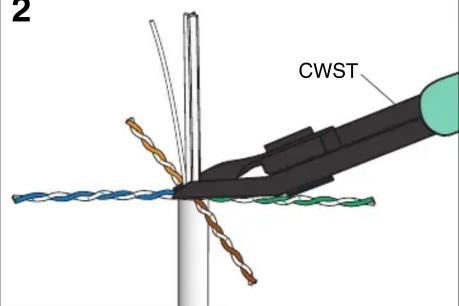
3 CWST

Illustration of hands performing a procedure on a tool tip, showing a blue handle and arrow indicating direction (no text or symbols)

Illustration of a hand holding a blue cable with a black connector being cut (no text or symbols)

6 0.5" (12.7mm)

Illustration of a multi-core cable with twisted insulation and exposed wires (no text or symbols)

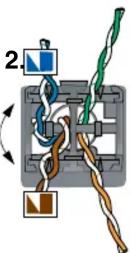
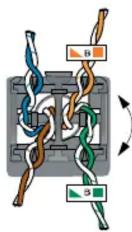
8 1 2

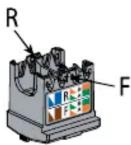
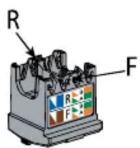
9 R F

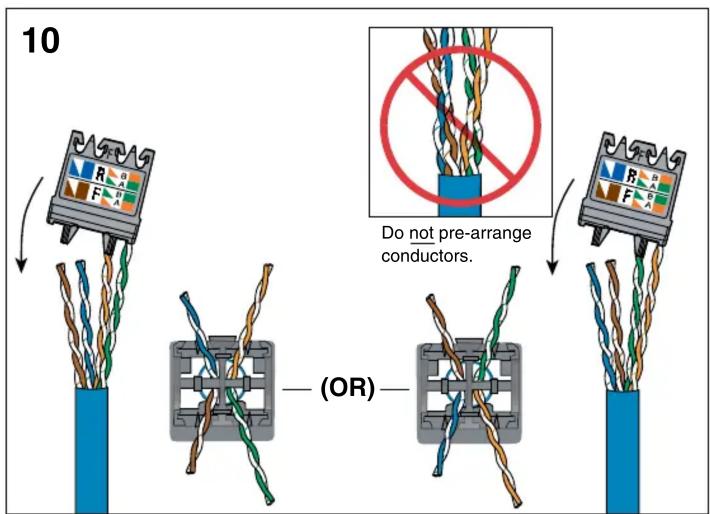
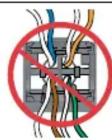
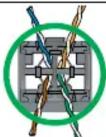
10 Do not pre-arrange conductors. (OR)

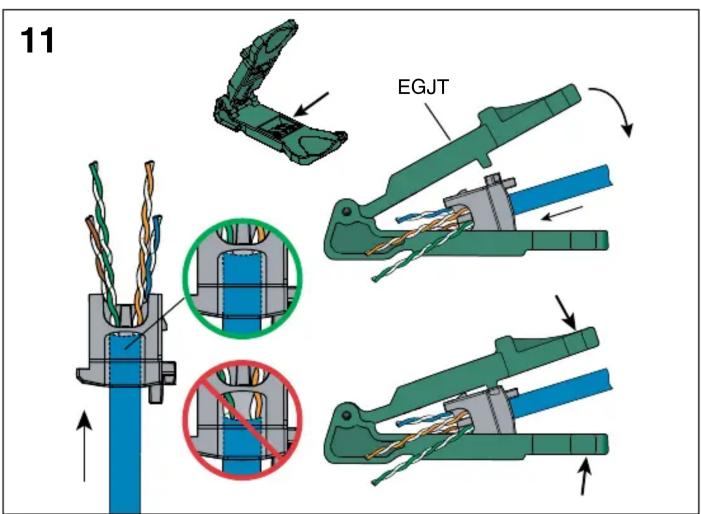
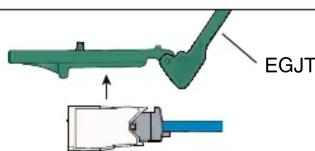
11 EGJT

For Technical Support: www.panduit.com/resources/install_maintain.asp

12
Panduit CJD6X88TGAW - 12

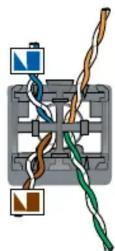
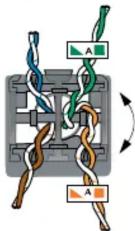
T568B Wiring
Panduit CJD6X88TGAW - 13

Panduit CJD6X88TGAW - 14

Panduit CJD6X88TGAW - 15

Panduit CJD6X88TGAW - 16

Panduit CJD6X88TGAW - 17

R
Panduit CJD6X88TGAW - 18


Panduit CJD6X88TGAW - 19
1.

R
F
Panduit CJD6X88TGAW - 20

1.2

Panduit CJD6X88TGAW - 21

[Non-Text]
Panduit CJD6X88TGAW - 22

12
T568A Wiring
Panduit CJD6X88TGAW - 23

Panduit CJD6X88TGAW - 24

Panduit CJD6X88TGAW - 25

Panduit CJD6X88TGAW - 26

Panduit CJD6X88TGAW - 27


Panduit CJD6X88TGAW - 28

  1. Panduit CJD6X88TGAW - 29

(OR)
Panduit CJD6X88TGAW - 30


Panduit CJD6X88TGAW - 31

  1. Panduit CJD6X88TGAW - 32

13
Diagram illustrating cable connection and wiring disassembled into a connector socket, with labeled wires and directional arrows.

14
Panduit CJD6X88TGAW - 34

15
EGJT

Panduit CJD6X88TGAW - 36

REMOVAL STEPS
1
Diagram of a mechanical device with a tool and blue component, showing motion direction (no text or symbols)

2

Diagram of a device being inserted into a housing, showing internal components and a blue cable (no text or symbols)

3
Panduit CJD6X88TGAW - 39

Panduit CJD6X88TGAW - 40

Panduit CJD6X88TGAW - 41

Notes:

  1. For specified performance, follow TIA/EIA 568-C installation guidelines.
  2. Jack modules can terminate 22-26 AWG solid or stranded IWC data cable with 0.062" (1.57mm) maximum insulated conductor outside diameter.
  3. Jack modules may be re-terminated a minimum of 20 times.
  4. For technical and performance information, consult Panduit technical support.

As with all Wiring Accessories, the following statements apply:

  1. Never install communications wiring during a lightning storm.
  2. Never install communications wiring in wet locations unless the jack is specifically designed for use in wet locations.
  3. Never touch uninsulated communications wiring or terminals unless the communication line has been disconnected at the network interface.
  4. Use caution when installing or modifying communication wiring.

For Instructions in Local Languages

and Technical Support:

www.panduit.com/resources/install_maintain.asp

Panduit CJD6X88TGAW - As with all Wiring Accessories, the following statements apply: - 1

www.panduit.com

E-mail:

Cable Prep for non-MaTriX Category 6A Cable

1
2.00" (50.8mm)

2
2 CWST

3

0.50" (12.7mm)

4
Cross-section diagram of a multi-core cable with visible twisted insulation (no text or symbols)

Continue with steps 8-15 on pages 1 and 2 to complete termination.
Manual assistant
Powered by Anthropic
Waiting for your message
Product information

Brand : Panduit

Model : CJD6X88TGAW

Category : Network connector