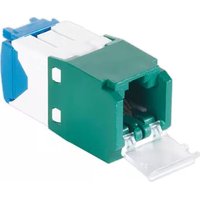
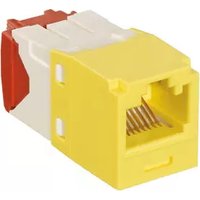
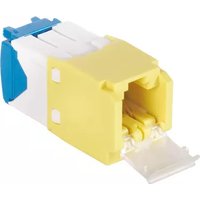
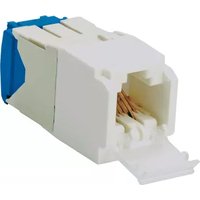
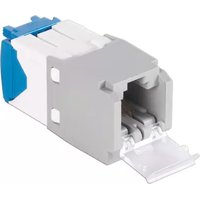
CJD6X88TGGR - Network connector Panduit - Free user manual and instructions
Find the device manual for free CJD6X88TGGR Panduit in PDF.


| Product Type | Keystone Jack |
| Category | Cat6a |
| Color | Green |
| Connector Type | RJ45 Female |
| Standards | ANSI/TIA-568-C.2 |
| Shielding | Unshielded (UTP) |
| Material | High-impact thermoplastic |
| Dimensions (H x W x D) | 0.8 x 0.6 x 0.5 in |
| Weight | 0.02 lb |
| Operating Temperature | -10°C to 60°C |
| Compliance | RoHS, UL Listed |
| Termination Style | 110 punchdown |
| Wire Gauge | 22-26 AWG |
| Insertion Force | Low |
| Durability | 750 mating cycles |
| Maintenance | Keep clean and dry; use compressed air |
| Safety | For use with low-voltage circuits only |
| Spare Parts | Not applicable; replace as needed |
| General Information | Panduit CJD6X88TGGR is a Cat6a keystone jack for high-speed network applications. |
Frequently Asked Questions - CJD6X88TGGR Panduit
User questions about CJD6X88TGGR Panduit
0 question about this device. Answer the ones you know or ask your own.
Ask a new question about this device
Download the instructions for your Network connector in PDF format for free! Find your manual CJD6X88TGGR - Panduit and take your electronic device back in hand. On this page are published all the documents necessary for the use of your device. CJD6X88TGGR by Panduit.
USER MANUAL CJD6X88TGGR Panduit
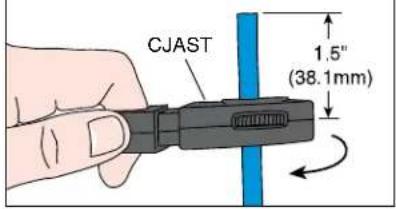
1 NOTE: Use setting 9 of CJAST tool. Turn 2 timets cut through the outer jacket and MaTriX tape only.


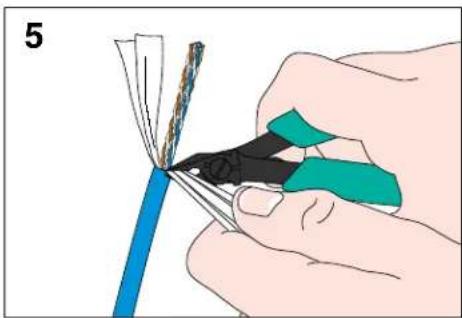

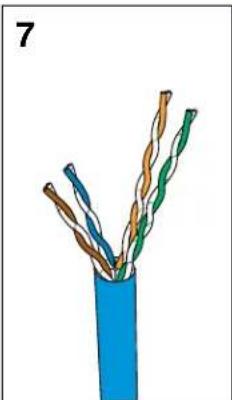
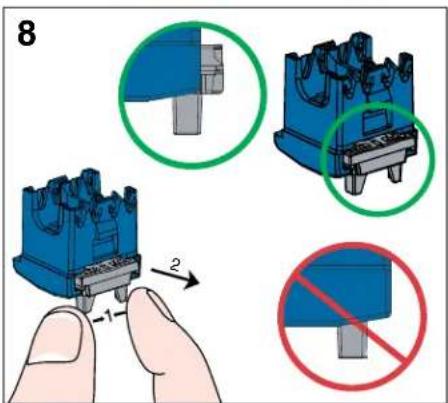

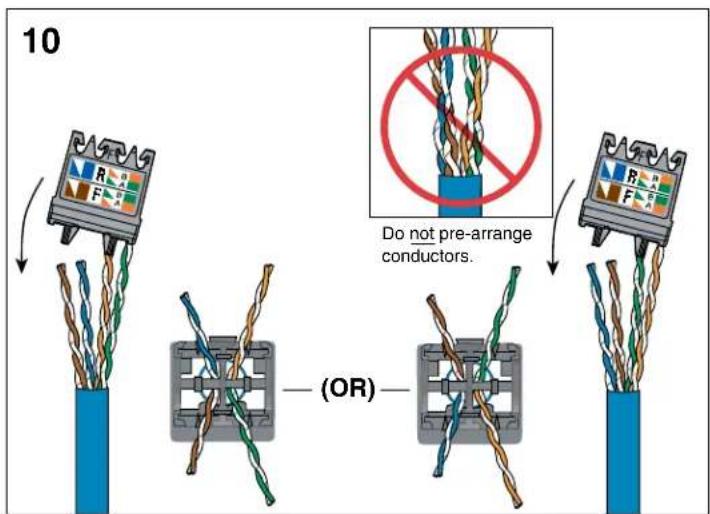

For Technical Support: www.panduit.com/resources/install_maintain.asp
12
![graph TD A["Configuration 1."] --> B["Switch"] B --> C["Terminal Block"] D["Configuration 2."] --> E["Switch"] E --> F["Terminal Block"]](/content/2026/05/1087628/images/9d57b8ceeda761b9c5c28ba0d94b3f558973ae596a3f7696108cc5fddef7153a.jpg)
12
![graph TD A["Step 1: Wire Rolling"] --> B["Step 2: Cable Rotation"] B --> C["Final Switch"] subgraph Step 1 D["Component A: Blue square, Green triangle, Brown triangle"] --> E["Arrow to (OR)"] E --> F["Arrow to (OR)"] F --> G["Arrow to (OR)"] end subgraph Step 2 H["Component B: Blue square, Green tri…](/content/2026/05/1087628/images/34311af5bbbcc4687585cfb0926762621ab942c2ff31d98921c6fd85ac8ef244.jpg)
13
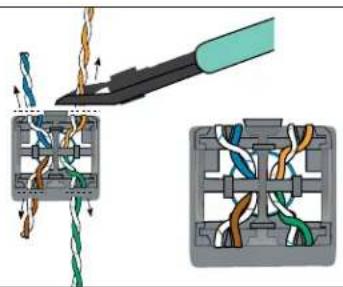
14
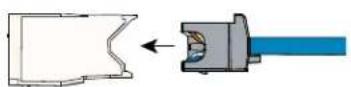
15
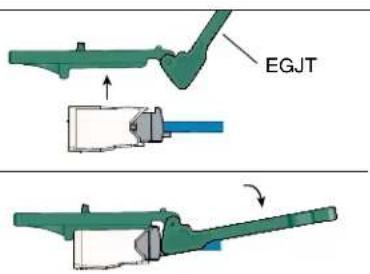
REMOVAL STEPS
1

2

3
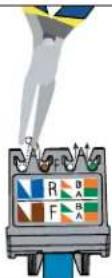

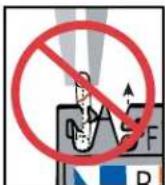
Notes:
- For specified performance, follow TIA/EIA 568-C installation guidelines.
- Jack modules can terminate 22-26 AWG solid or stranded IWC data cable with 0.062° (1.57mm) maximum insulated conductor outside diameter.
- Jack modules may be re-terminated a minimum of 20 times.
- For technical and performance information, consult Panduit technical support.
As with all Wiring Accessories, the following statements apply:
- Never install communications wiring during a lightning storm.
- Never install communications wiring in wet locations unless the jack is specifically designed for use in wet locations.
- Never touch uninsulated communications wiring or terminals unless the communication line has been disconnected at the network interface.
- Use caution when installing or modifying communication wiring.
For Instructions in Local Languages
and Technical Support:
www.panduit.com/resources/install_maintain.asp
PANDUIT
www.panduit.com
E-mail:
Cable Prep for non-MaTriX Category 6A Cable

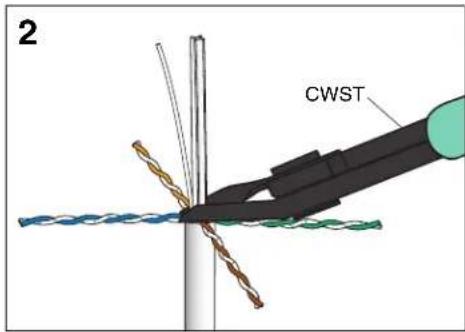


Continue with steps 8-15 on pages 1 and 2 to complete termination.

Brand : Panduit
Model : CJD6X88TGGR
Category : Network connector