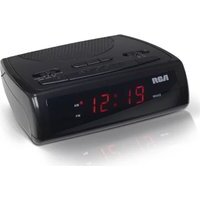
RC100 - Radio AUDIOVOX - Free user manual and instructions
Find the device manual for free RC100 AUDIOVOX in PDF.


| Product Type | Radio |
| Brand | Audiovox |
| Model | RC100 |
| Frequency Range | AM 530-1710 kHz, FM 88-108 MHz |
| Power Source | 3V DC (2 x AA batteries) or optional AC adapter |
| Dimensions (approx.) | 150 x 80 x 30 mm |
| Weight (with batteries) | 0.3 kg |
| Speaker | Built-in mono speaker |
| Headphone Jack | 3.5 mm stereo |
| Antenna | Built-in ferrite bar for AM, telescopic for FM |
| Tuning | Analog dial |
| Volume Control | Rotary knob with power switch |
| Indicators | Power LED |
| Housing Material | Plastic |
| Color | Black/Silver |
| Cleaning | Wipe with a dry, soft cloth |
| Safety | Do not expose to water or extreme temperatures |
| Battery Life (approx.) | 30 hours |
| Spare Parts | Not user-replaceable; recycle unit at end of life |
Frequently Asked Questions - RC100 AUDIOVOX
User questions about RC100 AUDIOVOX
0 question about this device. Answer the ones you know or ask your own.
Ask a new question about this device
Download the instructions for your Radio in PDF format for free! Find your manual RC100 - AUDIOVOX and take your electronic device back in hand. On this page are published all the documents necessary for the use of your device. RC100 by AUDIOVOX.
USER MANUAL RC100 AUDIOVOX
√2.0 [1.0 2.0] (ENF)

user manual
It is important to read this user manual prior to using your new product for the first time. Thus you are recommendations de lire te manual d'instructions aouti it utiliser entre nuive/ou product pour la preserviere lois.
IMPORTANT SAFETY INSTRUCTIONS
PLEASE READ AND SAVE THIS FOR FUTURE REFERENCE
two blades and a third grounding prong. The wide blade on the third prong is provided for your safety. If the provided plug does not fit into your outlet, consult an electrician for replacement of the obsolete outlet
- Protect the power cord from being walked on or pinched particularly a plug, convenience receptacle, and the point where they exit from the apparatus.
• Only use attachments/accessories specified by the manufacturer.
- Use only with
the cart stand.
tripod, bracket
or table
specified by
manufacturer
or sold with
the applicable.
When a car is when coming!
when moving to
in the
- Urology this are
lieboring storms or when unusual
for long periods of time.
• Ref: all servicing to qualified
service personnel Servicing is
required when the apparatus has
been damaged in any way, such
as power-supply card or plug is
damaged, liquid has been spilled
or objects have fallen into the
apparatus, the apparatus has been
exposed to rain or moisture, does
not operate normally, or has been
dropped
ADDITIONAL SAFETY INFORMATION
- Apparatus shall not be exposed to
dripping at splashing and no objects
filled with liquids, such as vases.
shall be placed on the apparatus.
• Always leave multi-tier space around
the product for ventilation. Go
not pace product in or on a bed,
Fig. 15 Bookcase of Cohns; that, was overested as a moving book
the event is now through the
opening
- SO NOT obese lighted candies - cigarettes, clears, etc. on the
product.
- Connect
power source as marked on the
product:
• Care should be taken so that objects
do not (a) into the product
Do not
the cabinet. This product does
net cord
comporately.
• The searching information is located at the bottom of the
at the
- In the middle of this section, the
power impact, the results project of consensus shall be discovered.
from the
- Main plan is a discount device
The mains plug should not be
obstructed Oil should be easily
accessed during intended use.
• The ventilation should not be
impeded by covering the ventilation
openings with items such as
newspaper, table-cloths, curtains etc.
• No naked flame sources, such as
lighted candled, should be placed
on the apparatus
• Attention should be drawn to the environmental aspects of history.
crismorimenter aspects of battery dissals
• Tax rate of approver in moderate
cimality

This is class II equipment designed with double or reinforced insulation so it does not require a safety connection to electrical earth (US: ground).
Plugging In for power
AC OUTLET POWER SUPPLY:
120 V - 60 Hz
m = 311
polarized (one blade is
(oder than the other)
and only fi ts into AC
power outlets one
way. If the plug will
not ga into the outlet
completely, then the ping dawl and try to insert the other way. It is still door
to find it and do not only. It is too close, but flat contact a modified electrolator
for a 1,000-100000000000000000000000000000000000000
as charge the claims, in law a certain way. Do not obtain to improve this
safety feature.
Important battery
precautions
precautions
- Self acutely may produce a red oil file to articles or chemical but
If it is exposed, at the initial burn if abused. Do not try to charge a
It was not too to change a battery that is not intended to be
recharged, do not incorporate, and
do not puncture.
• Non-rechargeable batteries, such as
alkaline batteries, may look if felt in
your product for a long period of
time. Remove the batteries from the
product if you are not going to use
it for a month or more.
• if your product uses more than one
Battery, do not mix types and make
sure they are insured correctly.
Fixing types of insurance. FED/ATC
may cause claim to leak. Discard any leave or def
- Butard any milk, or different batteries immediately. They may
cause skin burns or other personal
injury.
+ Please
environment by recycling o
disposing of batteries according to
federal, state, and local regulations.
WARNING: The battery (battery or
batteries or battery pack) shall not
be exposed to excessive heat such as
sunshine, fine or the like.
(1) 本次发行的背景、目的
Ecology
Help protect the environment - we
recommend that you dispose of used
batteries by putting them into specially
designed receptacles.
FCC Information
Note: This equipment has been tested and found to comply with the limits for a Class B digital device, pursuant to Part 15 of FCC Rules. These limits are designed to provide reasonable protection against harmful interference in a residential installation. This equipment generates, uses, and can radiate radio frequency energy and, if not installed and used in accordance with the instructions, may cause harmful interference to radio communications.
However, there is no guarantee that interference will not occur in a particular installation. If this equipment does cause harmful interference to radio or television reception, which can be determined by turning the equipment off and on, the user is encouraged to try to correct the interference by one or more of the following measures: - Recruit or relocate the receiving antenna. - Increase the separation between the equipment and receiver. - Connect the equipment into an outlet on a circuit different from that to which the receiver is connected. - Consult the dealer or an experienced radio/TV technician for help.
Changes or modifications not expressly approved by Audiovox could void the user's authority to operate the equipment.

Electrical power information Power Supply: 120 V - 60 Hz Power Consumption: 3 Watts
Before you begin
Refer to the "Clock" section and follow the instructions to set the clock.
Battery back-up operation
- This clock ratio is equipped with a memory holding system that can be powered with a 9-volt alkaline battery (not included). The power failure protection circuit will not
• operate unless battery is installed.
- When normal household power is interrupted, or AC line cord is unplugged, the batteries will power the clock ratio to keep track of time and alarm settings programmed into memory.
- When the battery lock-up batteries, the digital display will not light, however, the function of alarm still occurs during the power interruption if remaining battery power is adequate.
- Normal operation will resume after AC power is restored so you will not have to reset the time or the alarm.
To install the battery:
- Remove battery compartment door located at the bottom of the radio by applying thumb pressure to the tab on battery door and then lift the door out and off the cabinet.
-
Connect a 9-volt alkaline battery (not included) to the connector plug.
-
Replace the compartment door.
Power failure indicator When AC power is interrupted (disconnected) for a short period of time, both time and alarm settings will change (unless batteries are installed). After AC power is restored (recommended), the Digital Display will blink to indicate that power was interrupted and you should re adjust the time and alarm settings.
Alkalisine (NEDA 1904A/IEC SUREU) battery is recommended. Carbon zinc battery may be used but memory holding time will be substantially reduced. Memory holding time for a fresh alkalisine battery is approximately 8 hours (if radio or alarm are not operated) which should take care of short, nuisance type AC power failures. To preserve battery life, the unit should remain plugged into an AC outlet. As the battery gets odor, its voltage drops and memory may be lost. Be sure to replace the battery periodically. Battery should be removed if the unit will be stored for more than one month. Laeky battery can badly damage the clock radio.
General controls
Right view

Top view

- — VOLUME * To adjust volume - TUNING To adjust radio frequency
- ON/OFF/RADIO(WAKE) ALARM(WAKE) - To turn radio on or off, to change wake mode (radio alarm); - TIME - To adjust the clock time - ALARM SET - To activate the wake settings - SLEEP - To activate sleep function - AM/FM - To select radio band - HRS - To adjust hour value when setting clock, wake and sleep modes - MIN - To adjust the minute value when setting clock, wake and sleep modes - SNOOZE/SLEEP OFF - To quick the wake alarm or wake radio temporarily (9 minutes); to cancel sleep function
Clock
Setting clock
-
Press and hold TIME.
-
Press HRS or MIN to set the clark
- AM indicator lights when the time is set to AM. - PM indicator lights when the time is set to PM.
- To save and exit the clock setting, release TIME.
Radio
Selecting radio mode
Slide ON/OFF/RADIO(WAKE)I ALARM(WAKE) to ON to switch on radio. Slide to OFF to switch off radio
Switching band
Side the band switch AM/FM to select FM or AM band.
Tuning the radio
Rotate the TUNING knob on the right of the unit to adjust the circle frequency with reference to the tuning dial scale.
Built-in AFC The Built-in Automatic Frequency Control (AFC) works only on FM. It helps reducing drift on FM reception and keeping the radio linked in on the FM station to which it is tuned.
When tuning in FM stations, you may notice that the station you are turing can be well-tuned on box or three nearby points on the dial. Always tune carefully at the loudest and cleanest point.
AM antenna A built-in ferrite rod antenna eliminates the need for an outside antenna for AM reception. Rotating the unit slightly may improve reception of distant AM stations.
Wake function
Setting wake time
- To set time for alarm, press and
hold ALARM SET/OFF and p
-
- To save and exit the alarm setting.
release ALARM SET/OFF.
Selecting wake source
You may be woken up by radio a
S3701.
- Set a wake time (see above instructions).
(一)本次股东大会的决议
- Slide ON/OFF/RADIO(WAKE)
ALARMIWARE TO RADIO OF
ALARM to select a v
- Your last tuned radio station will be
the wake source if wake by radio is selected.
Turning off the wake
alarm or radio
• To silence the wake function
momentarily:
To turn off the wake function press SNOOZE/SLEEP OFF on the top of the unit. The wake alarm or radio will be watched off temporarily. The alarm or radio will be on again when the snooze period (9 minutes) is over.
Simovex function can be used repeatedly up to 2 hours. After this, the alarm will turn off until the
next alarm conditions are met.
[Non-Text]
• To turn off the wake alarm or
Press ALARM SET/OFF. The wake alarm or radio will activate again the next day unless you switch off the Wase function.
• To disable the wake function
completely:
SHOE ONION/RADIO(WAKE) ALARM(WAKE) TO OFF.
Sleep function
Set sleep time manually
in sleep function, the unit will turn off
automatically after a specific time.
To set the sleep mode:
- Press and hold SLEEP and press
MIN simultaneously to adjust the
sleep time. The time range is from
is 50 minutes.)
• The radio will be switched on.
to cancel the sleep mode: A. Break SNOOZEISLEER OFF
the seen made and try off the
unit.
Warranty information
12 Month Limited Warranty
Applies to RCA Clock Radios
AUDIOVOX ACCESSORIES CORP. (the Company) warrants to the original retail purchaser of this product that should this product or any part thereof, under normal use and conditions, be proven defective in material or workmanship within 12 months from the date of original purchase, such defect(s) will be repaired or replaced with reconditioned product (at the Company's option) without charge for parts and repair labor.
To obtain repair or replacement within the terms of this Warranty, the product is to be delivered with proof of warranty coverage (e.g. date of bill of sale), specification of defect(s), transportation prepaid, to the Company at the andras shown below.
This Warranty does not extend to the elimination of externally generated static or noise, to correction of antenna problems, loss/interruptions of broadcast or internet service, to casts incurred for installation, removal or reinstallation of product, to corruptions caused by computer viruses, spyware or other malware, to loss of media. If less, data or content, or to damage to tapes, discs, removable memory devices or cards, speakers, accessories, computers, computer peripherals, other media
players, home networks or vehicle
electrical systems.
This Warranty does not apply to any product or part thereof which, in the opinion of the Company, has suffered or been damaged through alteration, improper installation, mishancing, misuse, neglect, accident, or by removal or refacement of the factory serial numberbar code label(s). THE EXTENT OF THE COMPANY'S LIABILITY UNDER THIS WARRANTY IS LIMITED TO THE REPAIR OR REPLACEMENT PROVIDED ABOVE AND. IN NO EVENT, SHALL THE COMPANY'S LIABILITY EXCEED THE PURCHASE PRICE PAID BY PURCHASER FOR THE PRODUCT.
This Warranty is in lieu of all other express warranties or liabilities. ANY IMPLIED WARRANTIES, INCLUDING ANY IMPLIED WARRANTY OF MERCHANTABILITY, SHALL BE LIMITED TO THE DURATION OF THIS WRITTEN WARRANTY. ANY ACTION FOR BREACH OF ANY WARRANTY HERUNDER INCLUDING ANY IMPLIED WARRANTY OF MERCHANTABILITY MUST BE BROUGHT WITHIN A PERIOD OF 24 MONTHS FROM DATE OF ORIGINAL PURCHASE. IN NO CASE SHALL THE COMPANY BE LIABLE FOR ANY CONSEQUENTIAL OR INCIDENTAL DAMAGES FOR BREACH OF THIS OR ANY OTHER WARRANTY. No person or representative is authorized to assume
for the Company any liability other than expressed herein in connection with the sale of this product.
Some states do not allow limitations on how long an implied warranty lasts or the exclusion or limitation of incidental or consequential damage so the above limitations or exclusions may not apply to you. This Warranty gives you specific legal rights and you may also have other rights which vary from state to state.
Recommendations before returning your product for a warranty claim: - Property sale your unit. Include any remotes, memory cards, cables, etc. which were originally provided with the product. However, DO NOT return any removable batteries, even if batteries were included with the original purchase. We recommend using the original carton and packing materials. Ship to the address shown below. - Note that product will be returned with factory default settings. Consumer will be responsible to restore any personal preference settings.
Audiovox Electronics Corp.
Attn: Service Department.
150 Marchis Blvd. Happesville N.Y. 11789
1 800 645 4594
For Canada Customers, please ship to:
Audiovox Return Centre
do Gence
GBS Kennedy Road,
United, Decor 15.
Brischung, Ontario 157 725
Illustrations contained within this
publication are for representation only and subject to change.
The descriptions and characteristics
given in this document are given as
a general indication and not as a
guarantee. In order to provide the highest quality request possible.
highest quality product position, we rescue the right to make any
improvement or modification without
prior notice.
Visit http://store.audiovox.com to find the best
accessories for your products.

© 2011 Audiova Accessories Corporation
111 congressional Blvd, Suite 350
docl * Re pictors
Printed in China


Brand : AUDIOVOX
Model : RC100
Category : Radio