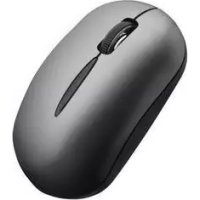
VP6151 - Mouse SMK-Link - Free user manual and instructions
Find the device manual for free VP6151 SMK-Link in PDF.


Pick your language and provide your email: we'll send you a specifically translated version.
| Product Type | Optical Wireless Mouse |
| Brand | SMK-Link |
| Model | VP6151 |
| Connectivity | 2.4 GHz Wireless with USB Nano Receiver |
| Dimensions (Approx.) | 105 x 60 x 35 mm (4.1 x 2.4 x 1.4 in) |
| Weight (with battery) | Approx. 80 g (2.8 oz) |
| Power Source | 1 x AA Battery (not included) |
| Buttons | 3 Buttons (Left, Right, Scroll Wheel with Middle Click) |
| Scroll Wheel | Yes, with tilt function (if applicable) |
| DPI Resolution | 1000-1600 DPI (fixed or adjustable via switch) |
| Compatible Operating Systems | Windows, macOS, Linux, Chrome OS |
| Operating Range | Up to 10 meters (33 feet) |
| Body Material | ABS Plastic |
| Color Options | Black or Dark Gray (typical) |
| Battery Life | Approximately 12 months under normal use |
| Maintenance and Cleaning | Clean with a soft, dry cloth; avoid liquids. Do not use abrasive cleaners. |
| Safety Warnings | Contains small parts; keep away from children under 3 years. Do not disassemble or expose to water. |
| Spare Parts and Repairability | Battery replacement only. Not user-serviceable internally. Contact SMK-Link for repairs. |
| Certifications | CE, FCC, RoHS |
| Package Contents | Mouse, USB Receiver, User Manual |
Frequently Asked Questions - VP6151 SMK-Link
How do I connect the SMK-Link VP6151 mouse to my computer?
Insert the provided USB nano receiver into an available USB port on your computer. Turn on the mouse using the power switch located at the bottom. The mouse should connect automatically. If not, press the connect button on the receiver and then the one on the mouse.
What type of battery does the VP6151 mouse require and how long does it last?
The mouse uses a single AA battery (not included). Under normal usage, the battery lasts approximately 12 months. A low battery indicator may appear on screen.
How do I clean the SMK-Link VP6151 mouse?
Clean the mouse with a soft, dry cloth. Do not use water, cleaning fluids, or abrasive materials. For the sensor area, use a gentle wipe to remove dust.
Is the VP6151 mouse compatible with Mac or Linux?
Yes, the mouse is compatible with Windows, macOS, Linux, and Chrome OS. It uses standard HID drivers and does not require additional software for basic functions.
How do I replace the battery in the mouse?
Slide off the battery cover located at the bottom of the mouse. Remove the old AA battery and insert a new one with the correct polarity (+/-). Replace the cover until it clicks.
What should I do if the mouse cursor moves erratically?
Check the surface – the mouse performs best on a non-reflective surface. Clean the optical sensor with a dry cloth. Ensure the USB receiver is not obstructed and is within range (up to 10 meters). Replace the battery if weak.
Does the VP6151 mouse have a DPI switch to adjust sensitivity?
Some models include a DPI button behind the scroll wheel that cycles between preset DPI levels (e.g., 1000/1600). If not present, the default DPI is fixed at 1000.
Can I use the mouse while it is charging?
The VP6151 is not rechargeable; it runs on disposable AA batteries. You cannot use it while charging. Simply replace the battery when depleted.
How do I store the mouse when not in use for a long time?
Remove the battery to prevent leakage. Store the mouse and USB receiver in a cool, dry place away from direct sunlight. Keep out of reach of children.
Is the SMK-Link VP6151 mouse repairable if broken?
The mouse is not designed for user repair beyond battery replacement. If damaged, contact SMK-Link support or consult the warranty. Do not disassemble.
User questions about VP6151 SMK-Link
0 question about this device. Answer the ones you know or ask your own.
Ask a new question about this device
No questions yet. Be the first to ask one.
Download the instructions for your Mouse in PDF format for free! Find your manual VP6151 - SMK-Link and take your electronic device back in hand. On this page are published all the documents necessary for the use of your device. VP6151 by SMK-Link.