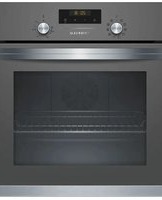
FRMA225G - Oven Profilo - Free user manual and instructions
Find the device manual for free FRMA225G Profilo in PDF.


Pick your language and provide your email: we'll send you a specifically translated version.
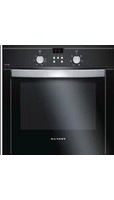
| Product Type | Built-in Electric Oven |
| Brand | Profilo |
| Model | FRMA225G |
| Energy Type | Electric |
| Dimensions (H x W x D) | 59.5 x 59.5 x 57 cm |
| Oven Capacity | 70 Liters |
| Net Weight | Approx. 30 kg |
| Power Supply | 220-240 V, 50-60 Hz |
| Maximum Power Consumption | 2.7 kW |
| Number of Functions | 8 (including conventional, fan, grill, defrost, etc.) |
| Temperature Range | 50 °C to 250 °C |
| Control Type | Electronic with display |
| Cleaning Method | Manual cleaning (enamel interior) |
| Safety Features | Child lock, overheat protection, cool-touch door |
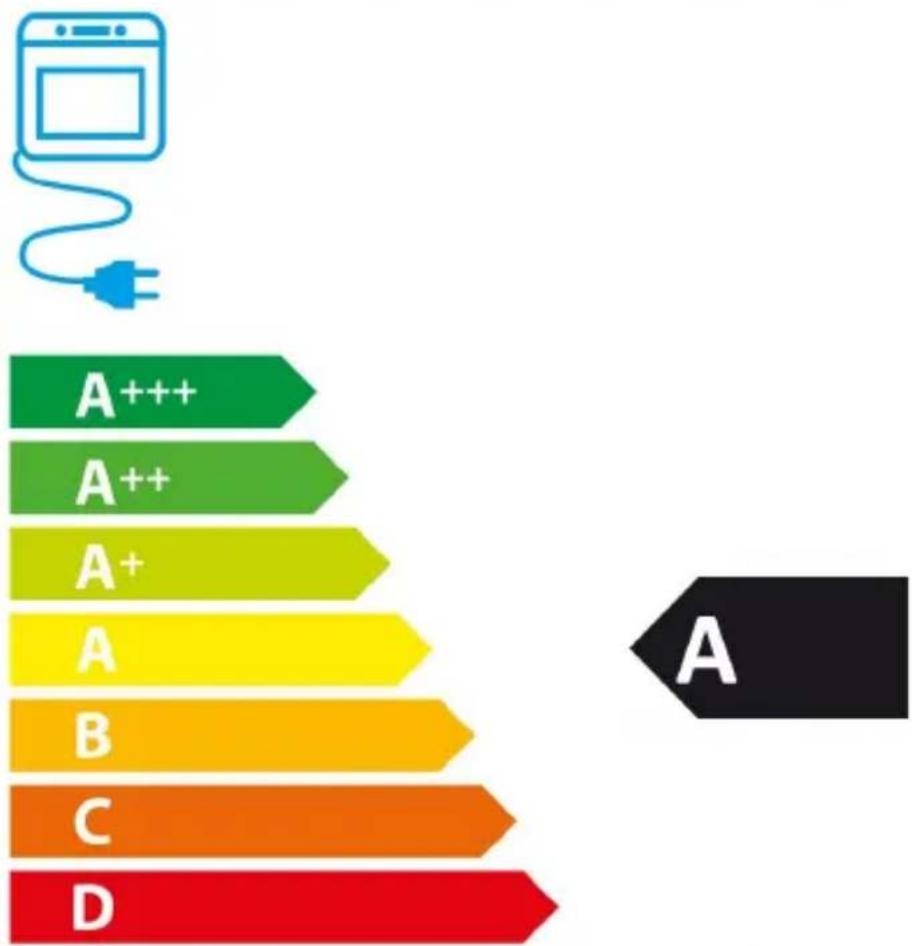
| Energy Efficiency Class | A+ |
| Repairability Index | 8.5/10 |
| Available Spare Parts | Heating elements, fan motor, thermostat, door hinge, control board |
| Warranty | 2 years |
| Color | Stainless Steel / Black Glass |
Frequently Asked Questions - FRMA225G Profilo
How do I set the clock on my Profilo FRMA225G oven?
Press the Clock button, then use the + and - buttons to set the hour. Confirm, then set minutes. Press Clock again to save.
What does the 'Fan' function do?
The Fan function circulates hot air evenly, allowing you to cook multiple dishes at different levels without flavor transfer.
How do I clean the oven cavity?
Wipe with a damp cloth and mild detergent. Avoid abrasive cleaners. For stubborn stains, use a baking soda paste. Do not use steam cleaners.
Why is the oven not heating up?
Check that the oven is properly plugged in and the circuit breaker is on. Ensure you have selected a cooking function and set a temperature. If still not heating, the heating element may be faulty.
How do I use the grill function?
Place food on the top shelf, select Grill function, and set temperature (typically high). Keep the door slightly ajar if required by the manual. Monitor to prevent burning.
Can I use aluminum foil in the oven?
Yes, but avoid contact with the heating elements and do not cover the oven floor. Use foil only on trays or to wrap food loosely.
How do I activate the child lock?
Press and hold the Lock button for 3 seconds until the lock icon appears on the display. Repeat to deactivate.
What does the 'Defrost' function do?
The Defrost function uses the fan to circulate room-temperature air, thawing frozen food quickly without cooking it.
Why is the oven making noise?
Normal sounds include the cooling fan and timer clicks. If you hear unusual grinding or whistling, check that nothing is stuck in the fan or that the oven is level.
Where can I find spare parts for FRMA225G?
Contact Profilo customer service or authorized dealers. Common parts like heating elements and thermostats are available online. Use the model number FRMA225G when ordering.
User questions about FRMA225G Profilo
0 question about this device. Answer the ones you know or ask your own.
Ask a new question about this device
No questions yet. Be the first to ask one.
Download the instructions for your Oven in PDF format for free! Find your manual FRMA225G - Profilo and take your electronic device back in hand. On this page are published all the documents necessary for the use of your device. FRMA225G by Profilo.
USER MANUAL FRMA225G Profilo
natural_image
Blue flag with a circle of twelve yellow stars, representing the European Union (no text or symbols beyond the stars)
PROFiLO
FRMA225G
bar
| Category | Value | |---|---| | A+++ | 100 | | A++ | 95 | | A+ | 90 | | A | 85 | | B | 80 | | C | 75 | | D | 70 |ENERJİ


bar
| Category | Value (kWh/çevrim) | |---|---| | 1 | 0,98 | | 2 | 0,79 |
Manual assistant
Powered by Anthropic
Waiting for your message
Product information
Brand : Profilo
Model : FRMA225G
Category : Oven