
C5070 Attach - Video Conferencing System KONFTEL - Free user manual and instructions
Find the device manual for free C5070 Attach KONFTEL in PDF.


| Product Type | Video Conferencing System |
| Model | C5070 Attach |
| Brand | Konftel |
| Included Components | Konftel 70 conference phone, Konftel Cam50 camera, 10 m Active Audio cable |
| Audio Technology | OmniSound® with full-duplex, echo cancellation, noise reduction |
| Camera Resolution | 1920x1080 (Full HD) at 30 fps |
| Camera Field of View | 120° wide angle |
| Camera Features | Auto-focus, digital pan/tilt/zoom, low-light compensation |
| Connectivity | USB 2.0, Bluetooth, RJ-11 for external microphone |
| Compatibility | All major video conferencing platforms (Zoom, Teams, etc.) |
| Power Supply | Power over Ethernet (PoE) or AC adapter (100-240V, 50/60Hz) |
| Power Consumption | 15 W (typical) |
| Dimensions (Phone) | 245 x 210 x 73 mm |
| Dimensions (Camera) | 180 x 105 x 115 mm |
| Weight (Total Package) | 2.5 kg |
| Operating Temperature | 0°C to 40°C |
| Storage Temperature | -20°C to 60°C |
| Audio Cable Length | 10 m |
| Maintenance | Clean with dry cloth; avoid liquids; keep vents clear |
| Safety | Do not open device; use only supplied power; keep away from water |
| Spare Parts Availability | Contact Konftel support for replacement cables, microphones, etc. |
| Repairability | Repairs must be done by authorized service center |
| General Information | Climate Neutral Certified; designed in Sweden |
Frequently Asked Questions - C5070 Attach KONFTEL
User questions about C5070 Attach KONFTEL
0 question about this device. Answer the ones you know or ask your own.
Ask a new question about this device
Download the instructions for your Video Conferencing System in PDF format for free! Find your manual C5070 Attach - KONFTEL and take your electronic device back in hand. On this page are published all the documents necessary for the use of your device. C5070 Attach by KONFTEL.
USER MANUAL C5070 Attach KONFTEL
Konftel is a leading company within collaboration endpoint solutions. Since 1988, our mission has been to help people in businesses around the world to have meetings regardless of distance. We know that remote collaboration is an effective way to save time, money and contribute to a more sustainable world.
We are Climate Neutral Certified, offering customers an option to purchase conferencing equipment while keeping a clear climate conscience. Crystal clear audio and a sharp video image are essential for efficient meetings; this is why we only focus on cutting-edge technology in our Collaboration Solutions. Our audio technology OmniSound ^® is built into all Konftel Conference phones and devices. The products are sold globally under the Konftel brand and our headquarters are based in Sweden.
Read more about the company and our products at konftel.com.
Konftel AB, Box 268, S-90106 Umeå, Sweden
Tel: +46 90 70 64 89 E-mail: info@konftel.com

Good goods!
Konfte is a Climate Neutral certified company. We have measured and offset our entire footprint of greenhouse gases, and are committed to reduce our emissions.
INSTALLATION GUIDE
Konftel Attach video kits

natural_image
Black ECONTR headset with digital display and camera tower (no visible text or symbols)Konftel C20Ego Attach,
Kunliel Autech series

2021031920
KONFTEL GET TOGETHER]
PACKING LIST

Konftel C20Ego Attach
• Konftel Ego
- Konftel Cam20
• 5 m Active Audio cable
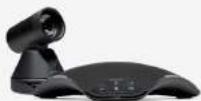
Konftel C5070 Attach
• Konftel 70
• Konftel Cam50
- 10 m Active Audio cable

Konftel C50800 Attach
• Konftel 800
• Konftel Cam50
- 10 m Active Audio cable
• Konftel 800 Poe Injector

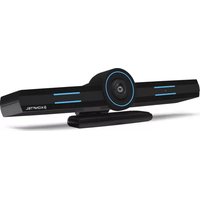
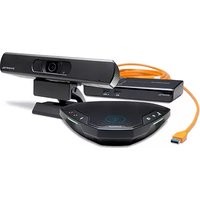
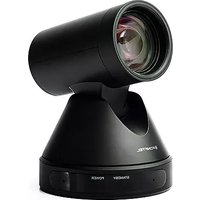
Brand : KONFTEL
Model : C5070 Attach
Category : Video Conferencing System