
AWE41US - Laptop cooler TARGUS - Free user manual and instructions
Find the device manual for free AWE41US TARGUS in PDF.


| Product Type | Laptop Cooler |
| Brand | Targus |
| Model | AWE41US |
| Compatibility | Mac notebooks (Apple) |
| Number of Fans | 2 |
| Fan Type | USB powered |
| Power Source | USB (5V) |
| Fan Control | On/Off switch |
| Design | Tilted ergonomic |
| Bottom Surface | Mesh underside for lap comfort |
| Material | Plastic with rubber grips |
| Dimensions (Approx.) | 13 x 9 x 1 inches |
| Weight (Approx.) | 1 lb (0.45 kg) |
| Connectivity | USB 1.1/2.0 compliant |
| Included Accessories | Chill Mat, USB cable |
| Usage | Desk or lap |
| Safety Warnings | Keep loose clothing, jewelry, and hair away from fans |
| Warranty | One year limited |
Frequently Asked Questions - AWE41US TARGUS
User questions about AWE41US TARGUS
0 question about this device. Answer the ones you know or ask your own.
Ask a new question about this device
Download the instructions for your Laptop cooler in PDF format for free! Find your manual AWE41US - TARGUS and take your electronic device back in hand. On this page are published all the documents necessary for the use of your device. AWE41US by TARGUS.
USER MANUAL AWE41US TARGUS
QUICK START GUIDE
www.targus.com/us/forMac
- New Manufacture of imported for large group incnional line, for U.S. sales 24th Century Blue Street, Pampa, CA 90800, USA, for Australian sales; Canada Australia Pty. Ltd., 117-19 London Street, Macquarie, SWC 2111 Australian. All rights reserved. Tangus is allowed to be registered trademark or trademark of Tonga Group International, Inc. in the United States and other countries. Figures and specifications are subject to change within one time. The Washington and Mar. 26, are trademarks of Apple Inc. registered in U.S. and other companies. All trademarks and registered trademarks are the property of their respective properties.
ONE YEAR LIMITED WARRANTY
Chill Mat™
for Mac 3
Chill Mat for Mac
Chill Mat for Mac
Introduction
Congratulations on your purchase of the Targus Chill Mat for Mac. The Chill Mat features two USB powered fans positioned to provide optimal cooling to your Mac notebook. The unique mesh bottom provides greater comfort when used on your lap.
Features
• 2 USB powered fans
- On/Off switch for fan operation
- Tilted ergonomic design for the ideal positioning of your Mac notebook
- Mesh underside for superior comfort
System Requirements
• USB 1.1/2.0 compliant port

图

图

图

Chill Mat for Mac
Chill Mat for Mac

Chill Mat for Mac
To use the Chill Mat
- Place the Chill Mat on a surface, such as a table, desktop or your lap.
- Position your Mac notebook on top of the Chill Mat.
- Connect the round connector from the supplied USB cable to the Chill Mat and the USB connector to an available USB port on your Mac notebook.
- Turn the Chill Mat on by pressing the Power button.

WARNING
KEEP ALL ITEMS, SUCH AS LOOSE CLOTHING AND JEWELRY, AND LONG HAIR AWAY FROM THE FANS TO AVOID POSSIBLE PERSONAL INJURY OR DAMAGE TO THE CHILL MAT OR YOUR MAC NOTEBOOK.

THE RUBBER GRIPS ON TOP OF THE CHILL MAT CAN BE REMOVED BY FORCE. TO PREVENT THE SMALL PARTS FROM BEING A HAZARD, KEEP THE CHILL MAT OUT OF REACH OF CHILDREN WHEN NOT IN USE.
Chill Mat for Mac
Technical Support
For technical questions, please visit:
US Internet: www.targus.com/support.asp
Australia Internet: www.targus.com/au
Email: infoaust@targus.com
Telephone: 1800-641-645
New Zealand Telephone: 0800-633-222
Product Registration
Targus recommends that you register your Targus accessory shortly after purchasing it. To register your Targus accessory, go to:
http://www.targus.com/registration.asp
You will need to provide your full name, email address, country of residence and product information.
Warranty
Targus warrants this product to be free from defects in materials and workmanship for one year. If your Targus accessory is found to be defective within that time, we will promptly repair or replace it. This warranty does not cover accidental damage, wear and tear, or consequential or incidental loss. Under no conditions is Targus liable for loss of, or damage to, a computer or other device(s); nor loss of, or damage to, programs, records, or data; nor any consequential or incidental damages, even if Targus has been informed of their possibility. This warranty does not affect your statutory rights.



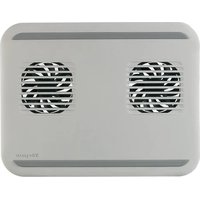
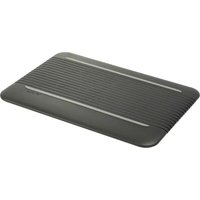
Brand : TARGUS
Model : AWE41US
Category : Laptop cooler