
AWE39EU - Laptop cooler TARGUS - Free user manual and instructions
Find the device manual for free AWE39EU TARGUS in PDF.


| Product Type | Laptop Cooling Pad |
| Brand | Targus |
| Model | AWE39EU |
| Dimensions (approx.) | 350 x 250 x 30 mm |
| Weight (approx.) | 0.5 kg |
| Power Supply | USB 2.0 (5V, 0.5A) |
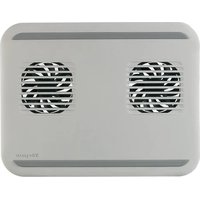
| Number of Fans | 2 |
| Fan Size | 80 mm each |
| Fan Speed | 1000 ± 200 RPM |
| Airflow | Up to 30 CFM |
| Noise Level | < 25 dBA |
| Compatible Laptop Sizes | Up to 15.6 inches |
| Material | Plastic (ABS) |
| Color | Black |
| Adjustable Height | Yes, 2 angles |
| Additional Ports | USB 2.0 pass-through |
| LED Indicator | No |
| Cleaning Instructions | Wipe with a soft, dry cloth; do not use liquids |
| Safety Warnings | Do not block air vents; keep away from moisture |
| Spare Parts Availability | Not available (non-serviceable) |
Frequently Asked Questions - AWE39EU TARGUS
User questions about AWE39EU TARGUS
0 question about this device. Answer the ones you know or ask your own.
Ask a new question about this device
Download the instructions for your Laptop cooler in PDF format for free! Find your manual AWE39EU - TARGUS and take your electronic device back in hand. On this page are published all the documents necessary for the use of your device. AWE39EU by TARGUS.
USER MANUAL AWE39EU TARGUS
| Targus® NETBOOK COOLING CHILL MAT™ |
©2009 Manufactured or imported by Targus Europe Ltd., Hounslow, Middlesex, TW4 5DZ, UK. All rights reserved. Targus is either a registered trademark or trademark of Targus Group International, Inc. in the United States and/or other countries. Features and specifications are subject to change without notice. All trademarks and registered trademarks are the property of their respective owners.
©
N2953

User Guide
Targus Netbook Cooling Chill Mat™
Table of Contents
GB – English
Netbook Cooling Chill Mat ™ 6
Congratulations on your purchase of the Targus Netbook Cooling Chill Mat. The Chill Mat is a cooling device for your computer that dissipates thermal heat, reducing your computer's overall temperature and providing maximum performance. Its thin yet durable design is both portable and sturdy.
Features
• 2 USB powered fans
- Tilted ergonomic design for the ideal positioning of your laptop
System Requirements
• USB 1.1/2.0 compliant port
To Use the Chill Mat
- Place the Chill Mat on a work surface, such as a table or desktop, or your lap.
- Position your computer on top of the Chill Mat.
- Connect one end of the supplied USB cable into the power port located at the rear of the Chill Mat.
- Connect the other end of the USB cable into an available USB port on your computer.
Targus Netbook Cooling Chill Mat™


WARNING: KEEP ALL ITEMS, SUCH AS LOOSE CLOTHING AND JEWELRY, AND LONG HAIR AWAY FROM THE FANS TO AVOID POSSIBLE PERSONAL INJURY OR DAMAGE TO THE CHILL MAT OR YOUR LAPTOP.
Targus Netbook Cooling Chill Mat™
BG – Въведение
وَدَحَ سَجْتَ جَمْرِ الْعَلَا نَعَ أَدْي عَبْ لِهُّوَطًا رَجَعْشِلَ وَ تَارُمْ جَمْلَ وَ قُصْافِمْضْقِلَا سَبْسُ الْجِلَا لِتُسْمُ دَارِجِلَا فَكَالِ كَى لِيْعُ عَطَفَاحِ بِرِيَذُ hill Mat


Brand : TARGUS
Model : AWE39EU
Category : Laptop cooler