Mismart Cool - Smartphone Wolder - Free user manual and instructions
Find the device manual for free Mismart Cool Wolder in PDF.


| Product Type | Smartphone |
| Brand | Wolder |
| Model | Mismart Cool |
| Dimensions | 146 x 72 x 8.5 mm |
| Weight | 150 g |
| Display | 5.5" IPS LCD, 1280 x 720 pixels |
| Processor | Quad-core 1.3 GHz |
| RAM | 2 GB |
| Storage | 16 GB (expandable via microSD) |
| Battery | 3000 mAh, rechargeable lithium-ion |
| Operating System | Android 10 |
| Rear Camera | 8 MP with LED flash |
| Front Camera | 5 MP |
| Connectivity | WiFi 802.11 b/g/n, Bluetooth 4.0, GPS, micro USB |
| SIM | Dual SIM (Nano-SIM) |
| Sensors | Accelerometer, proximity |
| Audio Jack | 3.5 mm |
| Colors | Black, White |
| Cleaning | Wipe with soft, dry cloth. Do not use harsh chemicals. |
| Safety | Use only approved charger. Keep away from water and extreme temperatures. |
| Spare Parts | Contact Wolder support for replacement parts. |
| Repairability | Repairs should be performed by qualified technician. |
Frequently Asked Questions - Mismart Cool Wolder
User questions about Mismart Cool Wolder
0 question about this device. Answer the ones you know or ask your own.
Ask a new question about this device
Download the instructions for your Smartphone in PDF format for free! Find your manual Mismart Cool - Wolder and take your electronic device back in hand. On this page are published all the documents necessary for the use of your device. Mismart Cool by Wolder.
USER MANUAL Mismart Cool Wolder
Discover you new Wolder device. Welcome to our family :)
Thanks for choosing us. To turn on your mismart and start enjoying an enriching and intuitive user's experience hold and press the power button for a few seconds.
Power button
(hold and press to switch on or off or airplane mode, press for sleep mode)

Status and notification icons

USB conected

Missed call

Airplane mode
Signal power

Battery charge

New message

Meeting mode
Wi-Fi network

Silence

Searching signal

New Wi-Fi network detected
Use

Make a call

Answer call

End call

Reject call

Microphone

Speaker
Manage your contacts
You can add contacts on your phone and synchronize them with the contacts in your Google account or other accounts that support contact syncing.

New contact

Search contact
Messaging
Your SMS (text message) and MMS (multimedia messaging service) are combined into one menu on your home screen.

Send message

New message

Search contact
Getting connected to the Internet
Mismart has impressive networking capabilities: it allows you to access the Internet or your corporate network with ease.
You can use default connection settings to connect to the Internet via your mobile network or Wi-Fi.
The network connection can be enabled/-disabled manually. Just press Home key>tap Ⓞ >Settings> SIM management >Data connection from the home screen.
Remember that if you want to get connected via your mobile network you need a data plan with your service provider!
To view settings press home key >tap Ⓞ> Settings>more (wireless & networks)>Mobile networks>Access point names.
Connecting to a Wi-Fi network
Wi-Fi provides wireless Internet access over distances of up to about 300 feet. If you want to turn on Wi-Fi press Home key>tap>Settings>click next to the Wi-Fi menu to turn it on.
Once Wi-Fi is on, the Wi-Fi access points, or "hotspots", that your phone has detected are displayed with their names and security settings. Tap an access point to connect to it.
NOTE: If security features are implemented, you'll need to enter a password.
Surf on the Internet
On the home screen of your mismart you find an icon. Tap it to browse the Internet> tap the address bar to enter the website you want to browse>write the address>tap go on the touch keyboard.
BT
BT is a short-range wireless communication technology that allows you to exchange information wirelessly within a distance of about 10 meters.
To do so, you need to pair the devices: Home key> tap Ⓞ >Settings>tap the icon next to the BT menu to turn it on (when BT is on, the icon will appear in the status bar)>tap BT (your phone will show all visible BT devices in range)>tap the device you want to pair with and operate according to the message prompt.
Install and remove App's
You can install an application from the Play Store (Home key> ⊙ >Play Store).
To remove an App you only have to press Home key>tap > Settings >apps>select the App you want to delete>tap uninstall>tap OK to confirm.
More info and support
For more information about our products, practical advices, frequent questions, users manuals, updates, etc. visit:
http://www.wolderelectronics.com.
To contact our technical support visit: www.wolderelectronics.com/soporte/servicio-tecnico
Declaration of conformity
GLOBAL WOLDER GROUP S.L, Polígono Industrial de Barros n°29, 39408 Barros, Cantabria, Spain, declares that this product, model mismart COOL, complies with the provisions of Directive 99/05/CE on Radio Equiments and Telecommunications (R&TTE), and Directive 2004/108/CEE on Electromagnetic Compatibility, according to harmonized standards.
To turn off your mismart hold and press the power button until you can read on the screen the options:
Power off/Restart/Airplane mode
Before first using your smartphone, make sure the battery and SIM or memory card are installed. To do so, remove the back cover>slip the SIM card into the card holder>insert the memory card into the metal slot with the metal contacts facing down until it clicks to the right position.
Once the SIM card is installed, you can insert the battery by aligning the gold contacts on the battery with the gold contacts in the battery compartment. Gently push down on the battery until it clicks into place.
Charging the battery
Before starting to use your mismart, charge the battery: connect the adapter to the charger jack>connect the charger to a standard AC wall outlet. Don't disconnect the charger until the battery is fully charged.
Overview
Earphone hole
Front camera
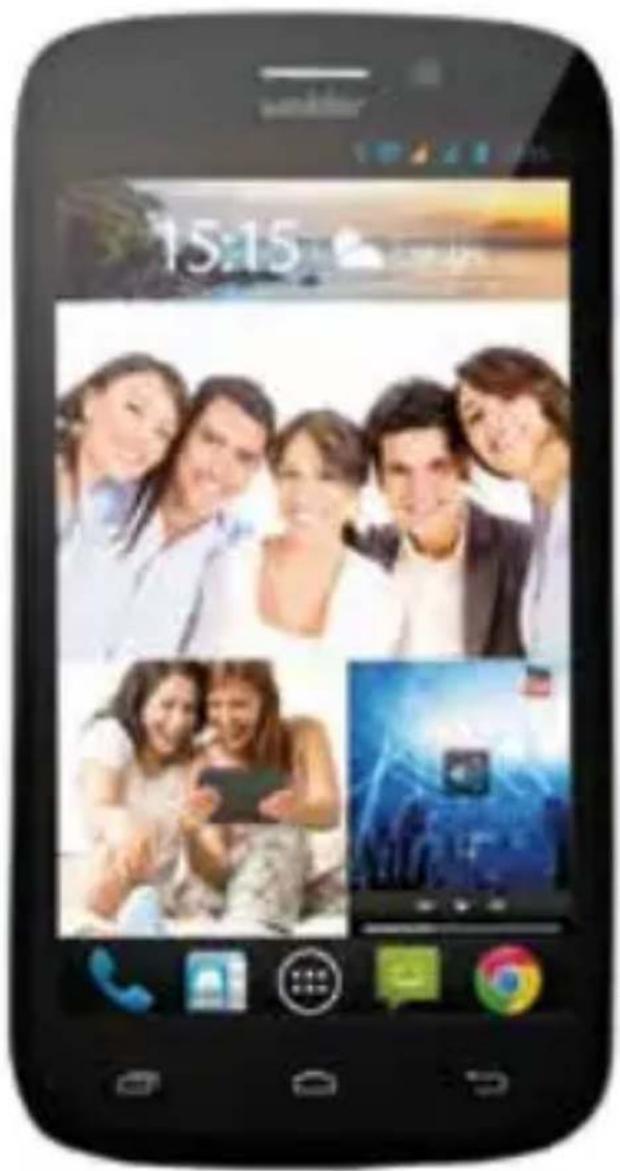
Cámara Trasera
Volume Key
<Screen
< Speaker hole
Menu key*
Home key
Back key
USB charge
*(press to get the options for the current screen)
How is your mismart? Technical features

• 5" IPS • OGS • 1280x720 pixeles HD • Multitouch
- 110x63mm

- 146 × 73 × 9mm
• 162 grs

• Dual SIM 3G

• Quad Core 1,2 GHz

- IGB -4GB Flash

• 5Mpx
- 13Mpx + flash

· 2000mAh · 9 h


• WIFI b/g/n • BT 4.0 • 3G

• GPS

- microUSB

• ASP, AVC x264, WMV, AVI, MP4, MKV, MOV, 3GP, FLV

• BMP, GIF, JPEG, PNG

• ACC, FLAC, M4A, MP3, WAV, WMA

• Light and proximity sensors
- Accelerometer

- Android 4.4
For your safety
-Don't make or receive handheld calls while driving. And never text while driving
-Keep your mismart at least 15 mm away from your ear or body while making calls.
-Small parts may cause a choking.
-Your smartphone can produce a loud sound.
-Your mismart may produce a bright or flashing light.
-Your smartphone may become warm during charging and during normal use.
-Only use approved accessories.
-Don't try to disassemble your smartphone.
-Avoid contacting with liquids. Keep your mismart dry.
-Do not use harsh chemicals, cleaning solvents, or aerosols to clean the device or its accessories.
-Avoid extreme temperaturas.
-Avoid contacting with anything magnetic.
-Don't dispose of your phone in fire.
-Keep away from pacemakers and other electronic medical devices.
-Switch off when asked to in hospitals and medical facilities.
-Switch off when told to in aircrafts and airports.
-Switch off when near explosive materials or liquids.
-Don't use at petrol stations.
Setting up mismart for the first time
Once your SIM card is installed and your battery fully charged, you can set up your smartphone to make the most out of it.
By pressing the home key and tapping > Settings > you can also adjust the date & time, the display settings (such as brightness, auto-rotation, timeout, etc.), the audio profiles (ringtones, volume, vibrate, etc.)
In case you would like to set your own wallpaper in the home screen: press Home key>tap Menu key>select Wallpaper>tap Gallery>live wallpapers, video wallpaper or wallpapers and choose the image or animation you want to use as the wallpaper>tap set wallpaper.
Add/remove items to your home screen
To add an item to your home screen, press Home key>tap. In the list of applications, touch and hold the icon until its vibration, when the main screen appears, move the application icon to the idle position.
To remove an item from your home screen, press Home key>tap and hold the item you want to delete until the remove icon appears on the top of the screen. Drag the item to the remove icon.
• ASP, AVC x264, WMV, AVI, MP4, MKV, MOV, 3GP, FLV

• BMP, GIF, JPEG, PNG

• ACC, FLAC, M4A, MP3, WAV, WMA

• Light and proximity sensors
- Accelerometer

- Android 4.4
Para tua segurança
- Discover you new Wolder device. Welcome to our family :)
- Status and notification icons
- Use
- Manage your contacts
- Messaging
- Getting connected to the Internet
- Connecting to a Wi-Fi network
- Surf on the Internet
- BT
- Install and remove App's
- More info and support
- Declaration of conformity
- Power off/Restart/Airplane mode
- Charging the battery
- Overview
- How is your mismart? Technical features
- For your safety
- Setting up mismart for the first time
- Add/remove items to your home screen
- Para tua segurança
Brand : Wolder
Model : Mismart Cool
Category : Smartphone