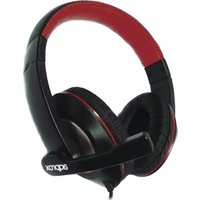
Approx appHS04PRO - Headphones

appHS04PRO - Headphones Approx - Free user manual and instructions

Find the device manual for free appHS04PRO Approx in PDF.

📄 4 pages English EN Download 💬 AI Question 10 questions ⚙️ Specs
Notice Approx appHS04PRO - page 1
Pick your language and provide your email: we'll send you a specifically translated version.
Product Type Over-ear headphones
Brand Approx
Model appHS04PRO
Connectivity Wired with 3.5 mm audio jack
Cable Length 1.2 m
Driver Diameter 40 mm
Frequency Response 20 Hz - 20 kHz
Impedance 32 ohms
Sensitivity 98 dB
Dimensions (W x H x D) 180 x 200 x 80 mm
Weight 250 g
Material Plastic, faux leather ear pads
Adjustable Headband Yes
Microphone Built-in with in-line control
Controls Volume, play/pause, call answer/end
Compatibility Smartphones, tablets, PC, audio players
Care Instructions Clean with a soft dry cloth. Do not use liquids.
Safety Warning To prevent hearing damage, listen at moderate volume.
Included Accessories User manual, audio cable, adapter (if applicable)
Warranty 2-year limited warranty

Frequently Asked Questions - appHS04PRO Approx

How do I connect the headphones to my device?
Insert the 3.5 mm audio jack into the headphone port on your device. Ensure the connection is secure.
Are these headphones compatible with smartphones?
Yes, the headphones work with any device that has a standard 3.5 mm audio jack, including smartphones, tablets, and PCs.
Do the headphones have a microphone?
Yes, a built-in microphone is located on the inline control. It allows you to make calls and use voice assistants.
How do I clean the headphones?
Use a soft, dry cloth to wipe the surfaces. Do not use water, solvents, or abrasive cleaners.
Can I use these headphones for gaming?
Yes, they are suitable for gaming as they provide clear audio and a built-in microphone for chat.
What is the cable length?
The cable is approximately 1.2 meters long, which is convenient for most uses.
How do I adjust the volume?
Use the inline control slider or buttons to adjust the volume. Some devices also have independent volume control.
Are replacement ear pads available?
Replacement ear pads may be available from third-party sellers. Contact Approx support for options.
What should I do if one earphone stops working?
Check the audio jack connection and try another device. If the issue persists, contact customer service under warranty.
Is there a noise-cancellation feature?
These headphones have passive noise isolation from the over-ear design, but no active noise cancellation.

User questions about appHS04PRO Approx

0 question about this device. Answer the ones you know or ask your own.

Ask a new question about this device

The email remains private: it is only used to notify you if someone responds to your question.

No questions yet. Be the first to ask one.

Download the instructions for your Headphones in PDF format for free! Find your manual appHS04PRO - Approx and take your electronic device back in hand. On this page are published all the documents necessary for the use of your device. appHS04PRO by Approx.

USER MANUAL appHS04PRO Approx

Professional Chat Headset

Version 1.0

Connect the 3.5mm Jack audio/Mic connectors from headset to respective PC output.

The content of this guide is subject to typographical errors

aqprox

www.approx.es

Table of contents Click a title to access it
Manual assistant
Powered by Anthropic
Waiting for your message
Product information

Brand : Approx

Model : appHS04PRO

Category : Headphones