
NAS-3087 - Loudspeaker Naxa - Free user manual and instructions
Find the device manual for free NAS-3087 Naxa in PDF.


| Product Type | Portable Bluetooth Speaker |
| Brand | Naxa |
| Model | NAS-3087 |
| Dimensions (W x H x D) | 7.5 x 17.0 x 7.5 cm |
| Weight | 400 g |
| Power Output | 5 W RMS |
| Battery Capacity | 1200 mAh Lithium-ion |
| Playback Time | Up to 6 hours (at 50% volume) |
| Charging Time | Approximately 2 hours via micro-USB |
| Bluetooth Version | 5.0 |
| Wireless Range | 10 m (33 ft) |
| Supported Audio Sources | Bluetooth, microSD card, USB flash drive, AUX input, FM radio |
| FM Radio Frequency | 87.5 - 108 MHz |
| Controls | Buttons: Power, Volume +/-, Play/Pause, Mode, Next/Previous track, FM scan |
| Speaker Drivers | 1 x 52 mm full-range driver |
| Passive Radiator | Yes, for enhanced bass |
| Water Resistance | Not rated (keep away from water) |
| Housing Material | ABS plastic with fabric covering |
| Power Input | DC 5V / 1A |
| Included Accessories | Micro-USB charging cable, 3.5mm AUX cable, User manual |
| Cleaning and Care | Wipe with a soft dry cloth; do not use liquid cleaners or immerse in water |
| Safety | Do not disassemble; avoid extreme temperatures; use only included charger |
| Spare Parts and Repairability | Contact Naxa support; limited availability of spare parts |
Frequently Asked Questions - NAS-3087 Naxa
User questions about NAS-3087 Naxa
0 question about this device. Answer the ones you know or ask your own.
Ask a new question about this device
Download the instructions for your Loudspeaker in PDF format for free! Find your manual NAS-3087 - Naxa and take your electronic device back in hand. On this page are published all the documents necessary for the use of your device. NAS-3087 by Naxa.
USER MANUAL NAS-3087 Naxa
with LED Lights NAS-3087

Instruction Manual
Please read carefully before use and keep for future reference.
Important Safety Information
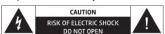
The lightning flash with arrowhead symbol, within an equilateral triangle, is intended to alert the user to the presence of uninsulated "dangerous voltage" within the product's enclosure that maybe of sufficient magnitude to constitute a risk of electric shock to persons.
The exclamation point within an equilateral triangle is intended to alert the user to the presence of important operating and maintenance (servicing) instructions in the literature accompanying the appliance.
WARNING: TO REDUCE THE RISK OF FIRE OR ELECTRIC SHOCK, DO NOT EXPOSE THIS APPARATUS TO RAIN OR MOISTURE.
WARNING: This product contains lead, a chemical known to the State of California to cause cancer and birth defects or other reproductive harm. Wash hands after handling.
Read these instructions.
Keep these instructions. Heed all warnings.
Follow all instructi
Do not use this apparatus near water.
Clean only with dry cloth.
Do not block any ventilation openings. Install in accordance with the manufacturer's instructions.
Do not install near any heat sources such as radiators.
heat registers, stoves, or other apparatus (including am-
putters) that produce heat. Do not defeat the safety purpose of the polarized or
do not detect the safety purpose of the potential of grounding-type plug. A polarized plug has two blades
with one wider than the other. A grounding type plug has two blades and a third grounding angle. The wide blades
two stakes and a third grounding prong. The wide base or the third prong are provided for your safety. If the pro-
vided plug does not fit into your outlet, consult an elec- tirian for replacement of the chocolate outlet.
(1) a man [or replacement of] the bosolite outlet. Protect the power cord from being walked on or pinched
particularly at plugs, convenience receptacles, and the
point where they exit from the apparatus.
m = 311
Naxa Electronics
Connecting to Power
Your speaker has an integrated rechargeable
battery. Upon initial use, the battery should be fully charged to ensure optimal performance.
[fully charged to ensure optimal performance and battery life.
(1)
Use the included USB charging cable to connect
the speaker to battery.
- Connect
to the DC 5V charging port of the speaker
and insert the other end into a USB port on
your computer or a similar power source. Red LED indicator signifies that the unit is
RED LED indicator signifies that the unit is charging. Once the unit is fully charged, the
LED indicator will turn off.
in order to extend the life of the battery, please do
① not charge more than 6 hours. Over charging the
speaker can adversely impact the battery life.
www.naxa.com
Page 5

Bocina Bluetooth® con Luz Led
CANON IMPULSO DESTELLANTE NAS-3087
NAS-5007

MANUAL DE OPERACIÓN
FAVOR DE LEER ESTE MANUAL COMPLETAMENTE ANTES DE OPERAR ESTE PRODUCTO. CONSEVIAD EL MANUAL PARA FUTURAS DEFICIENCIAS
CONSERVAR EL MANUAL PARA FUTURAS REFERENCIAS
-9
Scan for available devices and pair with
IXA NAS-3087
If your device requires a password, please
er "0000" to confirm the pairing process.
You will hear a tone once you have paired
cessfully and the Blue LED light will remain
steady.
if pairing was unsuccessful, please repeat
ps above.
JX IN Mode
B. H. M. de
nect devices without Bluetooth® by using the
X connection. A 3.5mm stereo mini patc
le is required to make this connection.
广力云智慧零售收银系统
Turn ON the unit.
Press the MODE button to select the AUX
ut.
Select your favorite song on your sourc
yer and begin playback.
e 6
The Ground Truth image displays a single, solid horizontal line, which is a stylistic or background element (like a rule line on paper). According to Rule 2, such lines must be ignored by the OCR result. The provided OCR content is "____", which consists of underscores. Underscores are not equivalent to a solid line and are not permitted under the “Stylistic/Background Lines (Ignore)” rule. Outputting underscores for a stylistic line is incorrect because it misinterprets the line as a fill-in-the-blank placeholder. Therefore, the OCR result is inconsistent with the Ground Truth.
to a Bluetooth
Bluetooth will
ntrol can only be
vice while in AUX
[Non-Text]
[Non-Text]
lode
load
and music
and music
[Non-Text]
coSD card
atically
atrically
ward to switch
Pause or
广力云
[Non-Text]
Naxa Electronics
(No text)
The Ground Truth image displays a single, solid horizontal line, which is a stylistic or background element (like a rule line on paper). According to Rule 2, such lines must be ignored by the OCR result. The provided OCR content is "____", which consists of underscores. Underscores are not equivalent to a solid line and are not permitted under the “Stylistic/Background Lines (Ignore)” rule. Outputting underscores for a stylistic line is incorrect because it misinterprets the line as a placeholder fill-in-the-blank area. Since the OCR output incorrectly rendered a stylistic line as underscores (which should be ignored), this violates the rule. Therefore, the OCR result is inconsistent with the Ground Truth.
In this case, the results of the
This image contains no text to OCR. The visible element is a stylistic horizontal line, which must be ignored according to the rules.
m = 311
m = 311
[Non-Text]
(1) AD = BD = 1
The Ground Truth image displays a single, solid horizontal line. According to Rule 2 (UNDERSCORE & LINE RULES), this is a stylistic or background line, not a placeholder underscore. Therefore, the OCR result must ignore it and output nothing or only meaningful text. The provided OCR content is "____", which consists of four underscores. This is an incorrect interpretation of the line as a placeholder, violating the rule that stylistic lines must be ignored. The OCR has hallucinated placeholder underscores where none should exist in the GT. Hence, the OCR result is inconsistent with the Ground Truth.
[Non-Text]
[Non-Text]
[Non-Text]
[Non-Text]
[Non-Text]
[Non-Text]
[Non-Text]
[Non-Text]
[Non-Text]
[Non-Text]
[Non-Text]
[Non-Text]
[Non-Text]
[Non-Text]
[Non-Text]
[Non-Text]
[Non-Text]
[Non-Text]
[Non-Text]
[Non-Text]
[Non-Text]
[Non-Text]
[Non-Text]
[Non-Text]
[Non-Text]
[Non-Text]
[Non-Text]
[Non-Text]
[Non-Text]
[Non-Text]
[Non-Text]
[Non-Text]
[Non-Text]
[Non-Text]
[Non-Text]
[Non-Text]
[Non-Text]
[Non-Text]
[Non-Text]
[Non-Text]
[Non-Text]
[Non-Text]
[Non-Text]
[Non-Text]
[Non-Text]
[Non-Text]
[Non-Text]
[Non-Text]
[Non-Text]
[Non-Text]
[Non-Text]
[Non-Text]
[Non-Text]
[Non-Text]
[Non-Text]
[Non-Text]
[Non-Text]
[Non-Text]
[Non-Text]
[Non-Text]
[Non-Text]
[Non-Text]
Brand : Naxa
Model : NAS-3087
Category : Loudspeaker