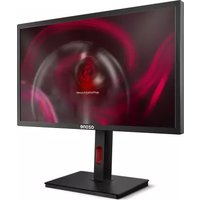
DSP24 Pro - Monitor Ozone - Free user manual and instructions
Find the device manual for free DSP24 Pro Ozone in PDF.


| Product Type | LED Monitor |
| Brand | Ozone |
| Model | DSP24 Pro |
| Display Size | 24 inches (diagonal) |
| Resolution | 1920 x 1080 (Full HD) |
| Aspect Ratio | 16:9 |
| Panel Type | IPS |
| Refresh Rate | 60 Hz |
| Brightness | 250 cd/m² |
| Contrast Ratio | 1000:1 |
| Response Time | 5 ms (GTG) |
| Connectivity | HDMI, DisplayPort, DVI, VGA |
| Power Consumption | 25 W (typical) |
| Power Supply | AC 100-240 V, 50/60 Hz |
| VESA Mount | 100 x 100 mm |
| Dimensions (with stand) | 540 x 420 x 180 mm |
| Weight | 5.5 kg |
| Cleaning | Use a soft, dry cloth. Avoid abrasive cleaners. |
| Safety | Use only the provided power adapter. Ensure proper ventilation. |
| Spare Parts | Power adapter, signal cables (HDMI, VGA). Contact Ozone support for others. |
| Reparability | Refer to Ozone authorized service centers. Do not open the monitor yourself. |
Frequently Asked Questions - DSP24 Pro Ozone
User questions about DSP24 Pro Ozone
0 question about this device. Answer the ones you know or ask your own.
Ask a new question about this device
Download the instructions for your Monitor in PDF format for free! Find your manual DSP24 Pro - Ozone and take your electronic device back in hand. On this page are published all the documents necessary for the use of your device. DSP24 Pro by Ozone.
USER MANUAL DSP24 Pro Ozone
24" LED GAMING MONITOR

natural_image
Line drawing of a computer monitor with a stand labeled 'Ozone' (no additional text or symbols)USER MANUAL
INPUT VOLTAGE
AC 100-240V - 50/60Hz
DC12V=3A
KEYS FUNCTION
KEY FUNCTION

Show menu / select function

Move icon up / increase value

Move icon down / decrease value

Select among four crosshair options

Turn ON/OFF monitor
TECHNICAL SPECS
Resolution
1920 x 1080 px
Dimensions
565 x 395-530 x 130 mm
Without stand
565 × 330 × 30 mm
Net weight
3.6 Kg
Gross weight
5.1 Kg
Included cables
1x 12V Adapter; 1x HDMI; 1x Display Port
CONNECTIVITY





DC INAUDIO OUT USB PORTHDMIDISPLAY POR
STATEMENT OF COMPLIANCE WITH EUROPEAN UNION DIRECTIVES
Ozone declares that this product is in compliance with the essential requirements and other relevant provisions from the following Directive: 2014/30/EU, as applicable. The technical documentation required by the Conformity Evaluation process is in Ozone's possession and can be requested through info@ozonegaming.com
DISPOSAL OF BATTERIES AND ELECTRICAL OR ELECTRONIC EQUIPMENT WASTE
The existence of this symbol on the product, batteries or respective packaging, signifies that this product and the contained batteries can not be disposed as domestic waste.
It is the user's responsibility to deliver this product at a batteries, electrical or electronic recycling pick-up point.
The pick-up and separate recycling contributes for the preservation of natural resources and suppresses potential negative consequences for the human health and the environment resultant of inadequate disposal of dangerous substances contained in batteries and electrical or electronic equipment.
For additional informations regarding batteries, electrical or electronic recycling pick-up points, please contact your local municipal services.
WARRANTY
Who does the warranty protect:
This warranty is valid for the original purchaser only.
What does the warranty protect:
For warranty claims, please contact Ozone's overseas distribution partners in your country. Find the distribution partner list at www.ozonegaming.com Warranty: 2 years from the purchasing date. (Depending on the laws of each country)
URL: www.ozonegaming.com
E-mail: support@ozonegaming.com
Ozone reserves the right for any modifications in text and/or images.
What does not the warranty cover:
-
Any product, on which the serial number has been defaced, modified or removed.
-
Accident, misuse, neglect, fire, water, lightning, or other acts of nature, unauthorized product modification, or failure to follow instructions supplied with the product.
- Repair or attempted repair by anyone not authorized by Ozone Gaming.
- Damage to or loss of any programs, data or removable storage media.
- Software or data loss occurring during repair or replacement.
- Any damage of the product due to shipment.
- Removal or installation of the product.
- External causes, such as electric power fluctuations or failure.
- Use of supplies or parts not meeting Ozone Gaming's specifications.
- Normal wear and tear.
- Any other cause which does not relate to a product defect.
If you have any questions regarding technical problems, please contact us via our website: www.ozonegaming.com
Ozone reserves the right for any modifications in text and/or images.
LCD MONITOR PIXEL POLICY
Panel manufacturers set limits as to how many defective dots (or sub-pixels) are deemed to be acceptable on any LCD panel.
Ozone's manufacturer warranty covers any defects that exceed the defect specifications described in this document.
LCD displays are made of pixels. Each pixel is made up of a red, green and blue sub-pixel, each sub pixel are driven by an individual transistor. If a transistor becomes defective, the corresponding dot may be permanently light (bright) or may not light (dark). Independently of the brand and the manufacturer, it is common for one or more sub-pixels to become fixed in an unchanging state. The defective pixel/sub-pixel phenomenon is as follows:
(1) Color white - a bright sub-pixel (always ON)
(2) Color black - a dark sub-pixel (always OFF)
(3) Color red, green or blue - a stuck sub-pixel (always ON or always OFF)
The specifications for the number of defects that are deemed to be acceptable for the specified size of LCD panel is:
| Native resolution | Bright | Sub-pixel | Dark Sub-pixel | Total allowable Sub-pixel | |
| 1920x1080 (1080p) | Full HD (FHD) 3 3 5 | ||||
NOTE: Specification is subject to change without notice and may vary from different regions.
WARNING

WARNING/CAUTION
RISK OF ELECTRIC SHOCK DO NOT OPEN

TO REDUCE THE RISK OF ELECTRIC SHOCK DO NOT REMOVE COVER (OR BACK). NO USER SERVICEABLE PARTS INSIDE. REFER TO QUALIFIED SERVICE PERSONNEL.

The lightning flash with arrowhead symbol, within an equilateral triangle, is intended to alert the user to the presence of uninsulated "dangerous voltage" within the product's enclosure that may be of sufficient magnitude to constitute a risk of electric shock to persons.

The exclamation point within an equilateral triangle is intended to alert the user to the presence of important operating and maintenance (servicing) instructions in the literature accompanying the appliance.
This equipment has been tested and found to comply with the limits for a Class B digital device, pursuant to Part 15 of the FCC Rules.
These limits are designed to provide reasonable protection against harmful interference in a residential installation.
This equipment generates, uses and can radiate radio frequency energy and, if not installed and used in accordance with the instructions, may cause harmful interference to radio communications.
However, there is no guarantee that the interference will not occur in a particular installation.
- Read these instructions.
- Keep these instructions.
- Heed all warnings.
- Follow all instructions.
-
Clean only with and soft cloth.
-
Do not use this product near water.
-
Do not block any ventilation openings. Install in accordance with the manufacturer's instructions.
-
Do not install near any heat sources such as radiators, heat registers, stoves, or any other apparatus (including amplifiers) that produces heat.
-
Do not defeat the safety purpose of the polarized or grounding-type plug. A polarized plug has two blades with one wider than the other. A grounding type plug has two blades and a third grounding prong. The wide blade or the third prong are provided for your safety. If the provided plug does not fit into your outlet, consult an electrician for replacement of the obsolete outlet.
-
Protect the power cord from being walked on or pinched particularly at plugs, convenience receptacles, and the point where they exit from the apparatus.
-
Only use attachments/accessories specified by the manufacturer.
- Use only with the cart, stand, tripod, bracket, or table specified by the manufacturer, or sold with the unit. When a cart is used, use caution when moving the cart/monitor combination to avoid injury from tip-over.

natural_image
Icon of a person climbing a ladder inside a circle (no text or symbols)- Unplug this product during lightning storms or when unused for long periods of time.
- Refer all servicing to qualified service personnel. Servicing is required when the apparatus has been damaged in any way, such as power-supply cord or plug is damaged, liquid has been spilled or objects have fallen into the apparatus, the apparatus has been exposed to rain or moisture, does not operate normally. or has been dropped.
- Do not expose this product to dripping or splashing and ensure that no objects fill with liquids, such as vases, are placed on the unit.
③ ozone
WithinTheGame
www.ozonegaming.com


- INPUT VOLTAGE
- KEYS FUNCTION
- KEY FUNCTION
- TECHNICAL SPECS
- CONNECTIVITY
- STATEMENT OF COMPLIANCE WITH EUROPEAN UNION DIRECTIVES
- DISPOSAL OF BATTERIES AND ELECTRICAL OR ELECTRONIC EQUIPMENT WASTE
- WARRANTY
- Who does the warranty protect:
- What does the warranty protect:
- What does not the warranty cover:
- LCD MONITOR PIXEL POLICY
- WARNING
- ③ ozone
- WithinTheGame
Brand : Ozone
Model : DSP24 Pro
Category : Monitor